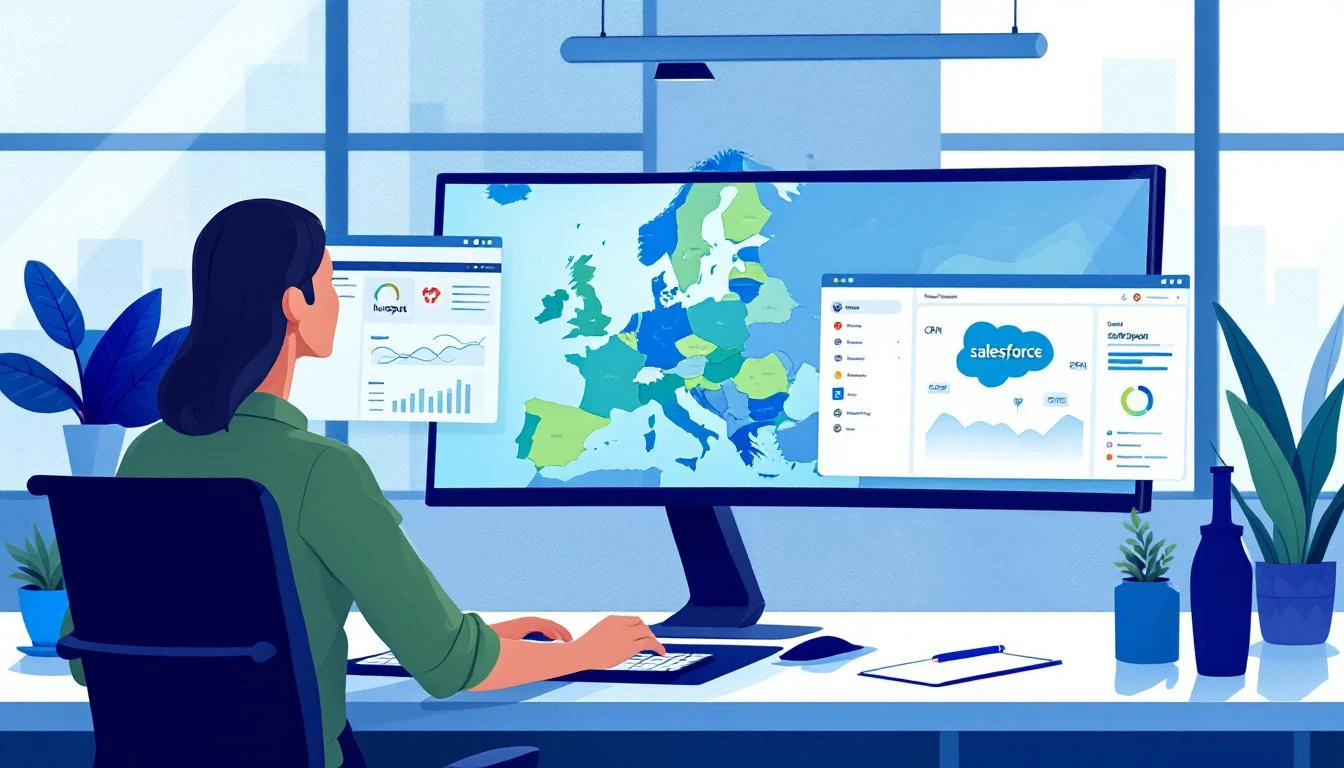
Selling safety compliance software in one country is hard enough. Selling it across Europe — where every market has different regulatory frameworks, different languages, different buyer expectations, and different competitive landscapes — is an entirely different category of GTM problem.
Most EHS software companies that expand beyond their home market hit the same wall: their sales infrastructure was built for one country, and it breaks when you stretch it across twelve.
BDRs in London are working leads that should belong to the DACH team. The CRM shows duplicates because HubSpot and Salesforce aren't properly synced. Website visitors from French companies are being routed into English-language email sequences. A safety director in Sweden visits the product page three times in a week, and nobody notices because the signal gets lost in a firehose of unfiltered global traffic.
The result isn't just inefficiency — it's missed revenue. In a market where deals take 6–12 months to close and buyer committees span EHS, operations, IT, and procurement, losing even a few weeks of response time can mean losing the deal entirely.
This is the story of how one European-headquartered EHS compliance platform restructured their entire BDR operation around territory-based signal routing — and tripled their pipeline velocity across EMEA without hiring a single additional rep.
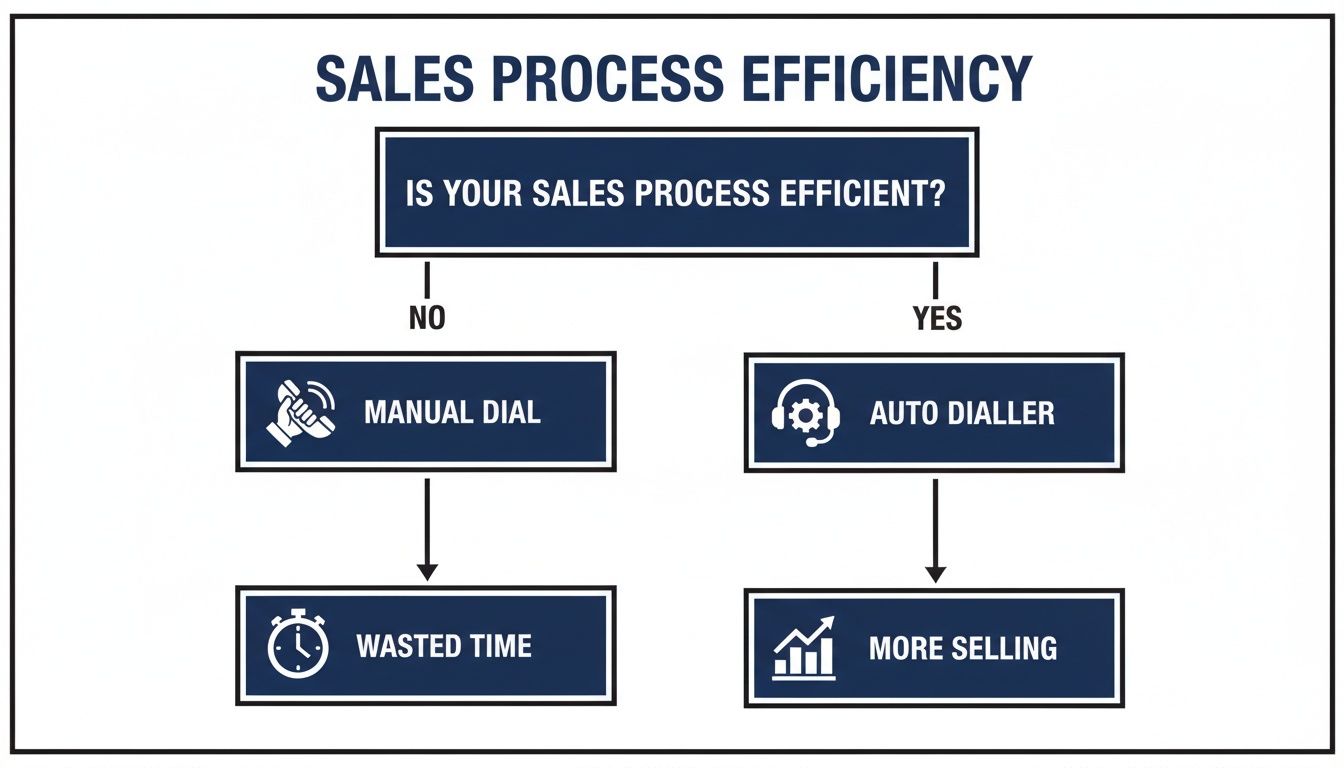
Automated caller software is the engine that finally kills the soul-crushing, manual grind of sales outreach. It lets your team actually connect with more prospects in far less time. Think of it as replacing the frustrating cycle of looking up a number, dialing, waiting, and then manually logging the outcome with a single, clean, automated process. Honestly, it's a must-have for any team serious about building a sales pipeline that's both scalable and predictable.
Picture an SDR's day without any automation. They burn precious minutes on every single call just finding the number, punching it in, listening to it ring forever, and then tabbing over to the CRM to type out what happened. Most of that time is completely wasted—busy signals, disconnected numbers, and a whole lot of voicemails.
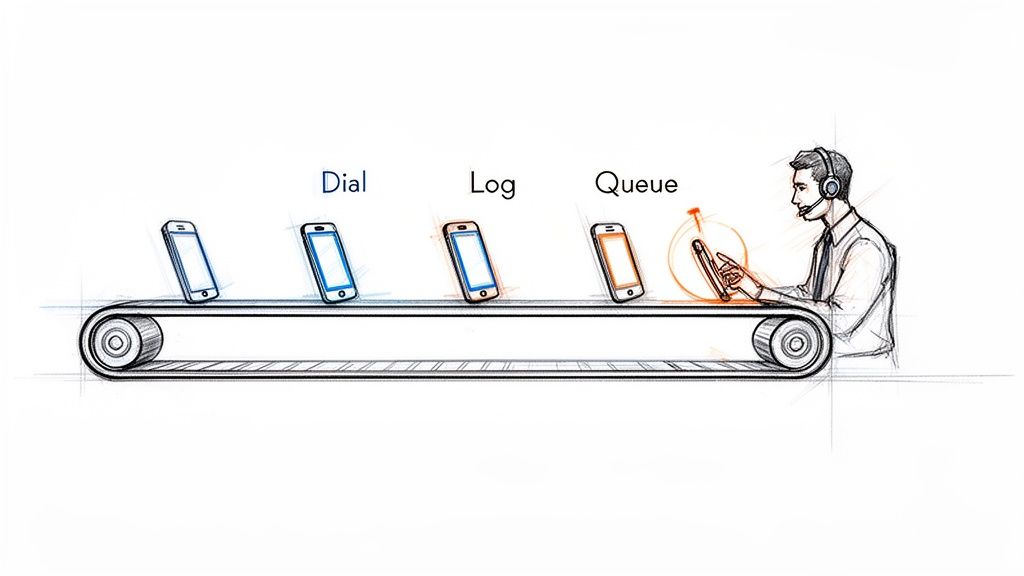
Automated caller software essentially creates an assembly line for your sales calls. It takes over all those tedious, non-revenue-generating tasks. This frees up your Sales Development Representatives (SDRs) to pour all their energy into what they were hired to do: have high-quality conversations that turn into real opportunities.
The difference between a manual workflow and an automated one isn't just small; it's a completely different ballgame. Manual dialing is slow, reactive, and just plain inefficient. Your reps end up spending more time on admin work than they do actually talking to people. An automated workflow, on the other hand, is proactive and built for one thing: activity.
An automated caller turns an SDR's day from a disjointed mess of manual tasks into a smooth, continuous flow of productive conversations. It's the difference between hand-crafting every call and running an efficient production line.
Let's get practical and see what this looks like in the real world. Here’s a quick breakdown of how a day in the life changes for an SDR.
Manual Dialing vs. Automated Calling: A Quick Comparison
The table below breaks down the daily workflow differences between an SDR using traditional manual methods and one empowered by automated caller software.
Activity
Manual Dialing Workflow
Automated Caller Workflow
Call Execution
Finds contact, manually clicks, waits for the phone to connect.
Clicks one button to start a power dialing session from a list.
Idle Time
Sits through voicemails, busy signals, and wrong numbers.
Software intelligently skips bad numbers and voicemails for you.
Data Entry
Constantly switches tabs to the CRM to log call outcomes and notes.
Call results, notes, and duration are logged instantly and automatically.
Next Call Prep
Hunts around for the next prospect to call, creating dead air.
The next call is immediately queued up and ready to go.
This isn't just a "nice-to-have" shift; it’s a fundamental change in how sales teams operate, and it's driving massive market growth. The global predictive dialer software market, a key piece of automated caller software, hit USD 3.20 billion in 2024. Even more impressive, it's projected to grow at a staggering 42.3% CAGR from 2025 to 2030. That tells you just how critical this tech has become.
With features like predictive dialing, reps can spend up to 90% more time actually talking to prospects, which can boost connect rates by 300-400%. If you want to dive deeper, you can explore the full research on predictive dialer market growth and see the impact for yourself.
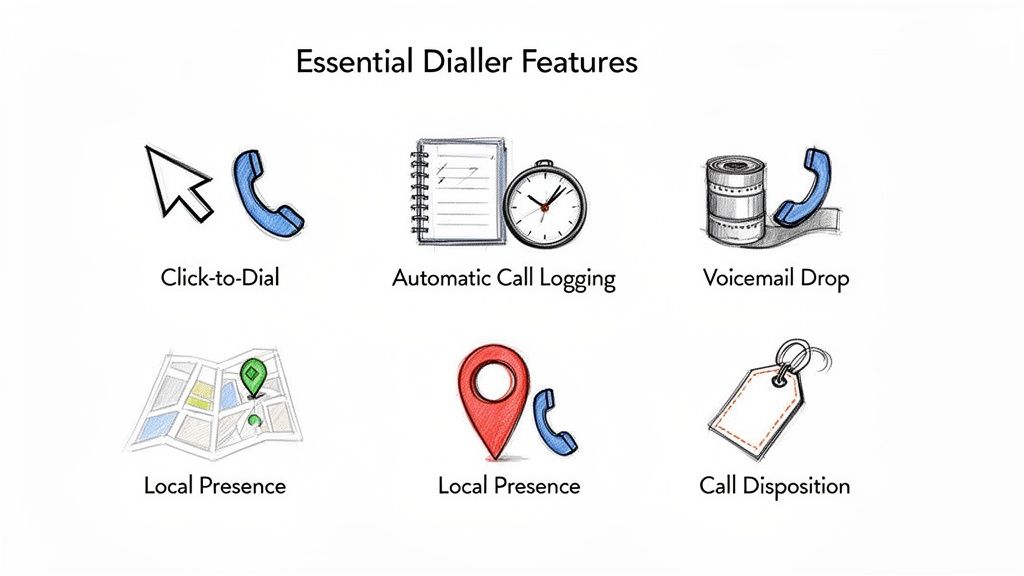
The real difference between a basic dialer and a true automated caller software comes down to its core features. These aren't just boxes to check on a comparison sheet; they're the engine that removes the daily friction for your sales reps and directly leads to more meetings. Knowing how they work—and, more importantly, when to use them—is how you unlock your team's true potential.
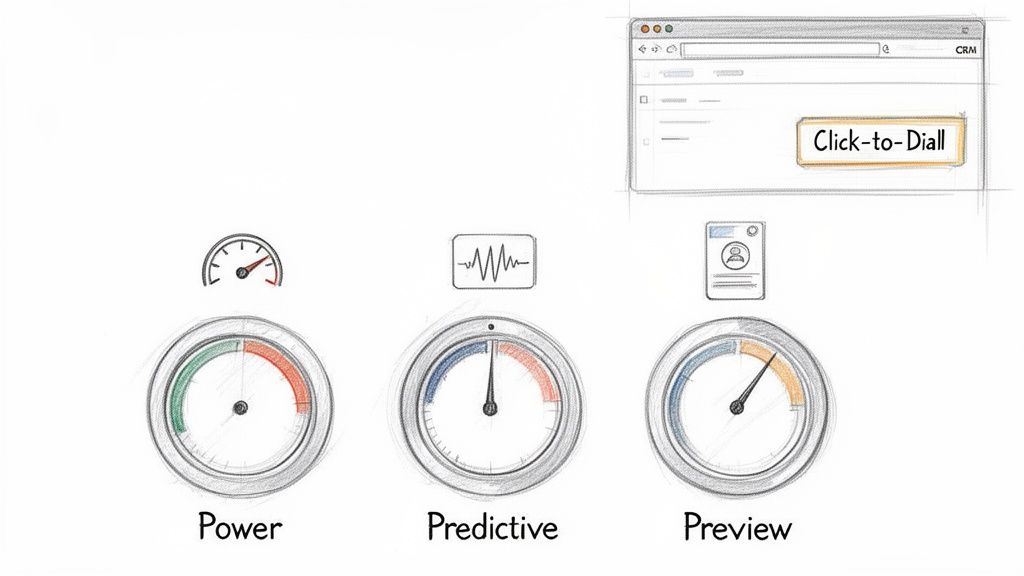
It all starts with the most fundamental feature: Click-to-Dial. This simple function turns your CRM from a passive address book into an active command center. No more fumbling with copy-pasting numbers. Reps just click a button on a contact record, and the call starts. Those few seconds saved on every single dial add up to hours of productive time each week.
Beyond just clicking, modern software gives reps different dialing modes, each built for a specific kind of sales motion. Picking the right one is like a carpenter choosing between a sledgehammer and a finishing hammer—using the wrong tool for the job just creates more work. Each mode strikes a different balance between raw speed and thoughtful preparation.
A solid automated caller, like marketbetter.ai, puts these options right at the user's fingertips. This lets reps switch up their approach on the fly, matching their dialing strategy to the call list they're working.
Here’s a practical comparison of the most common dialing modes:
Power Dialer (Best for high volume): This is your workhorse. It dials one number at a time from a list, instantly moving to the next if a line is busy or goes to voicemail. Actionable Tip: Use this mode for cold outreach campaigns to maximize dials per hour when reps are following a consistent script.
Predictive Dialer (Best for maximum efficiency in large teams): This mode uses algorithms to dial multiple numbers simultaneously, only connecting a rep when a live person answers. Comparison: While a Power Dialer ensures a rep is always ready for the next call, a Predictive Dialer ensures a live conversation is always ready for the next rep, nearly eliminating all idle time.
Preview Dialer (Best for strategic, high-value calls): It presents contact information before dialing, giving the rep time to review notes and personalize their approach. Actionable Tip: Use this for follow-up calls with warm leads or when targeting key accounts where context and research are critical for success.
Let’s be honest, the feature that has the biggest impact on both reps and their managers is automated call logging and dispositions. Manually typing call notes, outcomes, and activities into the CRM is the bane of every sales floor. It’s a massive time-suck and the number one reason CRM data becomes a complete mess.
When call logging is automated, reps are freed from the administrative burden that pulls them away from selling. For leadership, this automation provides a clean, accurate dataset that makes forecasting and coaching reliable.
This one capability fixes two huge, persistent problems in one go. First, it gives precious time back to your SDRs, letting them jump straight to the next call without getting bogged down in post-call admin tasks. Second, it guarantees that every single dial, connection, and conversation outcome is logged accurately in your CRM. You finally get a foundation of clean data that sales leaders can actually trust for coaching, performance reviews, and strategic planning.
The real magic of an automated caller isn't just dialing faster—it's about making the entire sales motion feel effortless. The single most important factor here is a native integration with your CRM, whether it’s Salesforce or HubSpot. This means the dialer isn’t some clunky plugin or a separate browser tab; it lives and breathes directly inside the system where your reps already work.
Think about using Google Maps on your phone versus a paper map in the glove compartment. One is part of your journey, updating and guiding you in real-time. The other forces you to pull over, lose momentum, and mentally stitch together two different experiences. That disconnect is exactly what kills sales productivity.
The holy grail is a "single pane of glass" workflow. Reps should be able to research a prospect, launch a call, log notes, and book the next step without ever having to leave their CRM screen. This is how you eliminate the friction that makes reps hate logging their activities.
When everything happens in one spot, adoption goes through the roof. Reps aren't fighting their tools anymore; the tools are actually helping them. For leadership, this is a massive win. Every single call, email, and note gets logged automatically and accurately, giving you clean data you can finally trust for forecasting and coaching.
A native dialer doesn't just sit on top of your CRM—it turns it from a passive database into an active command center. It makes the easiest path for a rep the one that also creates perfect data for the business.
The difference between a truly native tool and a separate system is night and day. Let's break down why it matters so much.
Aspect
Native CRM Integration
Disjointed/Separate System
Rep Workflow
Lives in a single screen, keeping focus and momentum high.
Forces constant tab-switching, killing context and flow.
Data Accuracy
Every call and outcome is logged to the right record, instantly.
Depends on manual entry, which means errors and missing data.
Adoption Rate
High. It simplifies the existing workflow, reps love it.
Low. It’s just another tool to learn and another annoying step.
Data Silos
Eliminates them. All activity lives in one central truth source.
Creates them. You never get a complete picture of what's happening.
This tight integration is a huge reason why the contact center software market is exploding. Valued at USD 49.64 billion in 2024, it's expected to hit a staggering USD 400.19 billion by 2035. The demand is driven by teams that need automation to actually drive productivity, not just create more busywork. We see it with our own customers—reps using deeply integrated tools log 90% cleaner activity data.
Let's be honest. Buying automated caller software isn’t about collecting shiny new features. It's about getting real business results. Every click, every dialer mode, and every integration needs to tie directly back to a Key Performance Indicator (KPI) that your sales leaders actually care about.
The real magic happens when you can draw a straight line from a software function to a metric on a dashboard. It’s the difference between saying, “We need a power dialer,” and saying, “We need to boost our Dials per Rep per Day by 40%, and this is the tool that will do it.” That’s how you build a rock-solid business case.
Not all features are created equal; each one is built to move the needle on a specific part of the sales process. A power dialer, for instance, is a pure activity engine. It demolishes the dead time between calls, which directly pumps up the raw number of dials an SDR can make.
On the other hand, things like AI-assisted talk tracks or instant access to prospect history are all about conversion rates. They give reps the right ammo at the right time, which has a massive impact on the Connect-to-Meeting Booked Rate. The goal shifts from just making more calls to having more successful conversations.
Think of automated logging as the unsung hero. It almost single-handedly cleans up your CRM Data Accuracy, which is the bedrock for every forecast, performance review, and strategic pivot your leadership team needs to make.
To really see how this works, let's map some core features directly to the metrics they're designed to improve.
Mapping Software Features to SDR Performance Metrics
The table below breaks down exactly how specific tool capabilities translate into better performance, giving you a clear picture of the return on your investment.
Software Feature
Primary KPI Impacted
How It Improves the Metric
Power & Predictive Dialing
Dials per Rep per Day
Slashes idle time by automating the dialing process and skipping voicemails, letting reps pack more calls into every hour.
AI Talk Tracks & Call Prep
Connect-to-Meeting Rate
Feeds reps the best talking points and objection-handling tactics in real time, boosting confidence and conversation quality.
Automated Call Logging
CRM Data Accuracy
Eliminates manual data entry by instantly saving every call outcome, note, and duration, which creates a single source of truth.
As you can see, the connection is direct and measurable. Each feature serves a distinct purpose in making the sales motion faster, smarter, and more efficient.
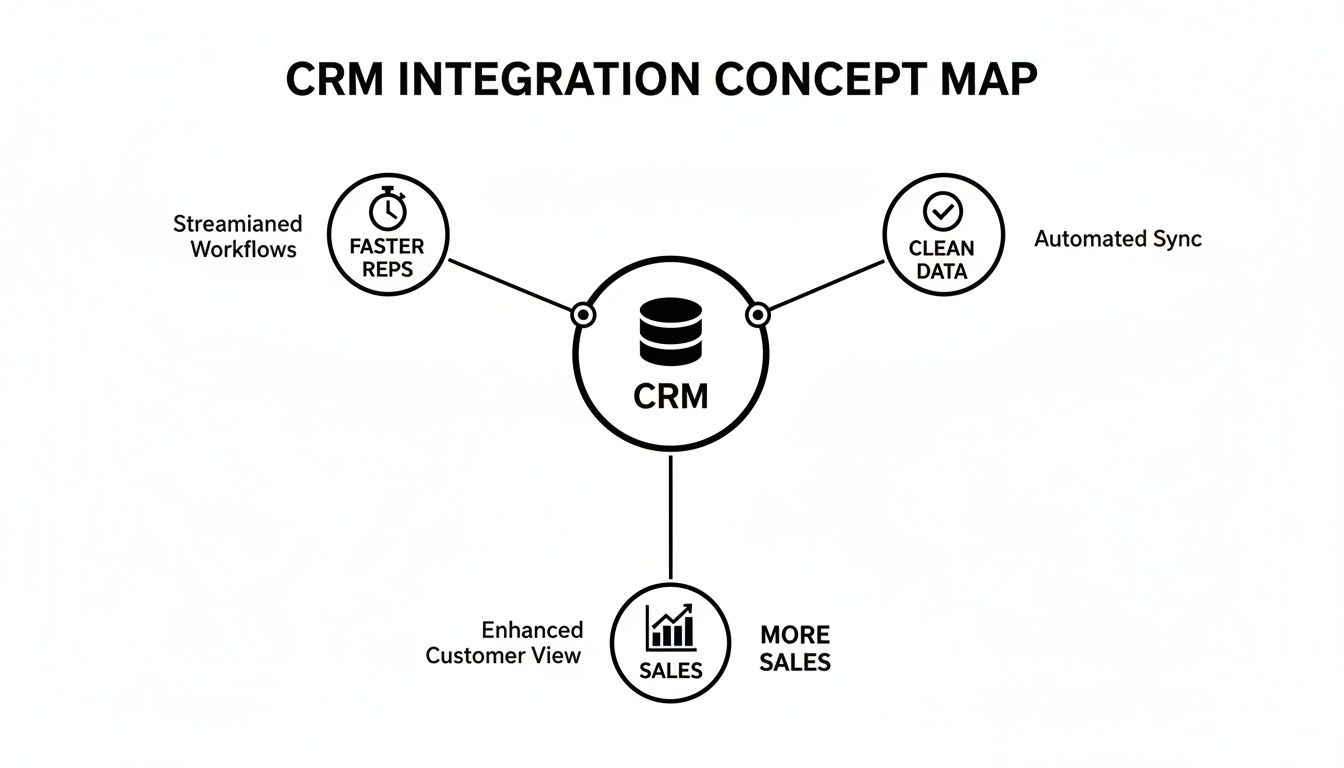
A deep, native CRM integration acts like a force multiplier for every other feature. It’s the glue that holds everything together, driving speed, data quality, and—most importantly—more closed deals.
This map nails it: a CRM that’s properly connected to your calling software creates a frictionless world for your reps. They stay in one system, move faster, and stop polluting your database with manual errors. For a deeper dive into the numbers that matter most, check out our complete guide on the essential KPIs for lead generation.
How to Choose the Right Automated Caller Software
Picking the right automated caller software can feel overwhelming. You're drowning in a sea of features, promises, and buzzwords. But here’s the secret: the best tool isn't the one with the longest feature list. It's the one your team actually wants to use every single day.
The goal isn't to find software that forces your reps into a clunky new process. It's to find a tool that melts right into their existing workflow, making their job simpler, not more complicated.
The market for these tools is exploding for one simple reason: they work. The call center software industry was valued at USD 16.2 billion in 2025 and is on track to more than double to USD 34.99 billion by 2035. What’s driving this? A massive 65% efficiency boost thanks to AI-powered automation. We're talking about shrinking new SDR ramp time from weeks down to just a few days. You can discover more insights about call center software growth on businessresearchinsights.com.
A great tool doesn’t just make your reps faster; it makes them better, sooner.
A powerful dialer collecting digital dust is completely worthless. User experience is everything. If a brand-new hire can’t master the tool in under an hour, it's too complicated. Any software that requires weeks of training will absolutely torpedo your team's momentum.
The single most important question you can ask is: "Does this tool make my rep's job easier?" If the answer is anything but a resounding "yes," walk away. The software should remove friction, not add it.
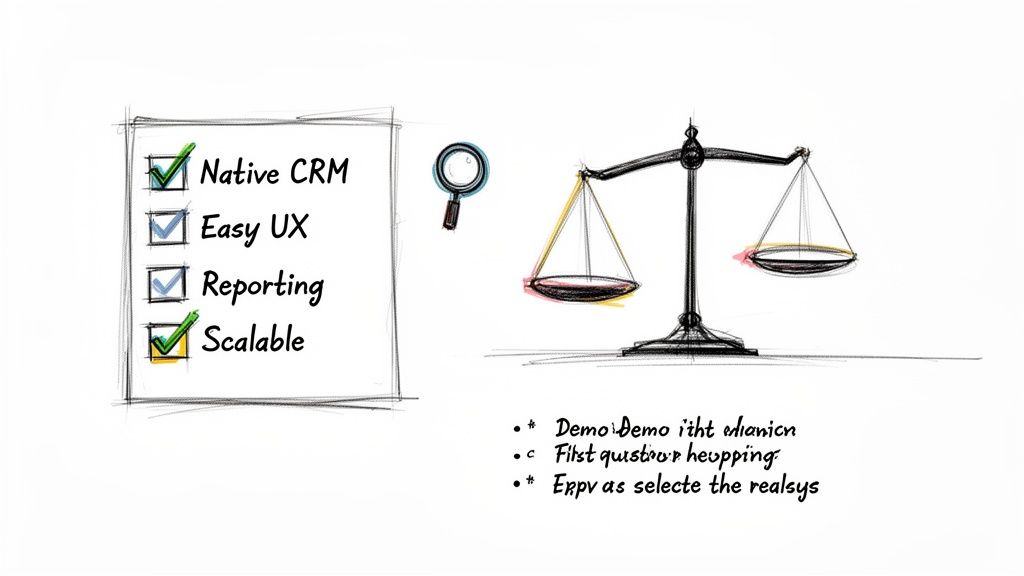
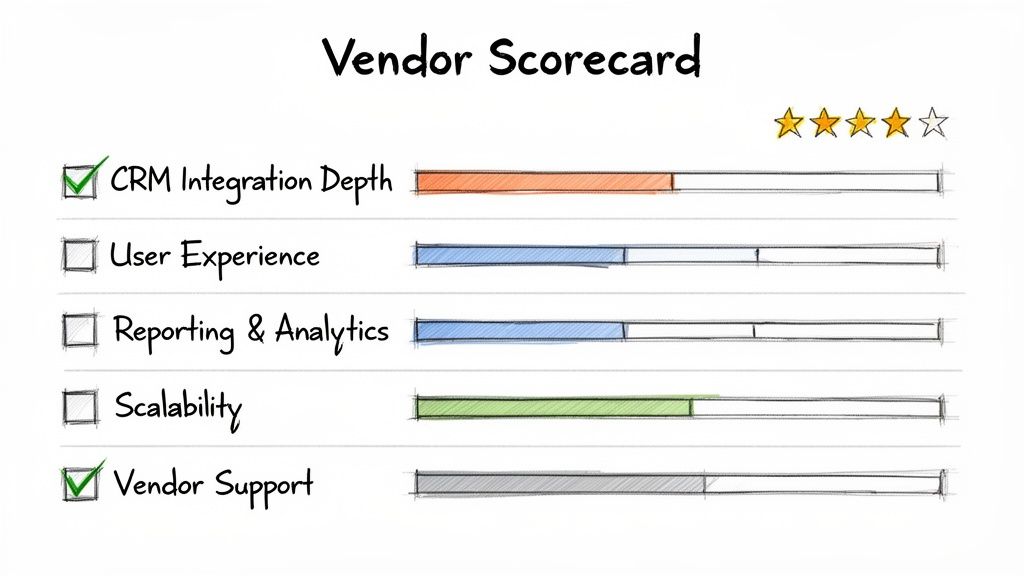
Before you even think about signing a contract, build a vendor evaluation checklist that focuses on what actually matters to your team. This will help you slice through the marketing fluff and compare solutions based on their real-world impact. For a deeper dive, check out our guide on the best sales dialers for SDR teams.
Use these questions as your guide during product demos. They’ll help you figure out which automated caller software truly fits your team's needs.
CRM Integration Depth: Does the tool live inside your CRM (like Salesforce or HubSpot), or is it just a clunky plugin that opens yet another browser tab? Actionable test: Ask the vendor for a live demo where a rep builds a call list, executes calls, and logs outcomes without ever leaving the CRM window.
Ease of Use: Could a new SDR, on their very first day, start making productive calls? Actionable test: During the demo, ask to see the onboarding workflow. If it takes more than 5 clicks to get a new user set up and dialing, it’s too complex.
Reporting and Visibility: As a manager, can you instantly see core metrics like dials per rep, connect rates, and conversation outcomes? Actionable test: Request to see the manager's dashboard. Is it a pre-built, intuitive view of key KPIs, or do you have to export data and build your own pivot tables?
Scalability: Will this platform grow with you? Make sure it can handle more users, higher call volumes, and more sophisticated workflows as your team and ambitions expand.
When you're thinking about adding a new tool to your sales stack, especially something that changes the daily grind like an automated caller, questions are going to pop up. Sales leaders need to know they’re making a smart move that actually helps their team sell, not just another piece of software to learn and forget.
Let's tackle some of the most common questions and hesitations I hear all the time. These aren't just hypotheticals; they're the real-world concerns that come up in sales meetings every single day.
"We Already Have a Sales Engagement Platform. Isn't That Enough?"
This is the big one. It's probably the most common question I get, and it’s a good one. Most sales engagement platforms (SEPs) do have a dialer, but it’s usually treated like an afterthought—a feature tacked on, not the main event. That distinction makes all the difference in a rep's day-to-day workflow.
SEP dialers almost always force your reps into another browser tab. It’s a clunky, disjointed experience that pulls them out of their main workspace: the CRM. In stark contrast, a dedicated, native automated caller software is built to be an execution layer that lives right inside your CRM. That means no more context switching—a notorious productivity killer—and every single call gets logged perfectly without anyone having to think about it.
Think of it this way: your SEP is the symphony conductor, orchestrating the whole multi-channel campaign (email, social, calls). A native dialer is the first-chair violin, absolutely perfecting the most crucial part of the performance—the live conversation.
They might look similar on the surface, but one manages the sequence while the other absolutely nails the high-impact moments.
"Will This Just Lead to Spammy, Low-Quality Calls?"
This is a totally valid concern, and it comes from the bad reputation of old-school, burn-and-churn auto-dialers. But modern automated callers are built for smart efficiency, not just raw speed. The whole point is to help reps make better calls, not just blast out more of them.
The best tools are designed to kill low-quality outreach by building call prep directly into the workflow.
Context at a Glance: Before the number is even dialed, the software can pop up critical info like the prospect’s recent activity, past conversations, or a quick link to their LinkedIn.
AI-Powered Talking Points: Modern systems can even suggest a great opening line, key value props, or answers to common objections, all based on the persona they're calling.
Intelligent Pacing: With modes like Preview Dial, reps get a moment to breathe and collect their thoughts before the dial, making sure they’re ready to go.
This blend of automated speed and smart preparation means you get more conversations that are actually more relevant. The result? Your connect-to-meeting rates actually go up.
This is a huge one. The complexity of getting a new tool running can be a deal-breaker. Some of those bloated, all-in-one platforms can take weeks, even months, to set up right. They chew up RevOps time and bring your team’s momentum to a halt.
But a purpose-built, native tool that’s laser-focused on the calling workflow can be shockingly simple. A platform like marketbetter.ai, for instance, can often be up and running in a single afternoon. The trick is to roll it out in phases to get quick wins.
Start Simple: First, just turn on the basics like click-to-dial and automatic call logging. Your reps will immediately feel the lift.
Build Momentum: Once the team loves it, introduce the more powerful features like different dialing modes or the AI call prep.
Optimize: Now that clean data is flowing into your CRM, you can use it to fine-tune talk tracks and spot coaching opportunities.
This methodical approach gets rid of the friction, builds trust with your reps, and makes sure the tool actually gets used.
This is where a native automated caller software delivers its biggest ROI, hands down. It solves a deeply human problem: reps hate manual data entry. They're wired to sell, not to be administrators. When logging calls is a manual task, it’s always going to be inconsistent, incomplete, or just plain forgotten.
An automated caller that’s deeply plugged into your CRM just makes the problem disappear.
Every Dial is Tracked: Every single attempt is logged.
Connections are Recorded: Every conversation is captured along with its duration.
Outcomes are Stored: Dispositions are logged to the right contact record the second the call ends.
All of this happens in the background without the rep doing a thing. This creates a squeaky-clean dataset that leaders can finally trust for accurate forecasting and real-world coaching. It turns your CRM from a messy closet into a strategic weapon.
Ready to see how an execution-first tool can boost your team's activity and clean up your CRM data? Explore marketbetter.ai to discover a smarter way to manage your outbound sales motion. Learn more about our AI-Powered SDR Task Engine.
Let's cut through the noise. When you hear "AI sales assistant," don't picture a robot replacing your top SDR. It's not about that. The reality is much more practical—and a lot more powerful.
What Are AI Sales Assistants and Why Do They Matter Right Now?
Think of an AI sales assistant as an execution engine that lives right inside your CRM, whether that's Salesforce or HubSpot. Its job is brutally simple: take all the data, buyer signals, and noise, and turn it into a clear, prioritized list of actions for your reps. It’s the co-pilot that handles the grunt work so your sellers can focus on selling.
This isn't just another nice-to-have tool. It's become essential. Your SDRs are probably drowning in admin tasks—logging calls, researching prospects on LinkedIn, and just trying to figure out who to contact next. The AI assistant slices right through that chaos.
To make this actionable, let's compare a standard CRM to one enhanced with an AI assistant.
A standard CRM, on its own, is like a map. It shows you all the possible leads, but it doesn't tell you the best route to your destination (hitting quota). An AI sales assistant acts like a GPS for that map. It does a few critical things:
Analyzes real-time traffic: It monitors buyer signals like website visits, content downloads, or email opens.
Finds the fastest route: It prioritizes the leads most likely to convert right now, showing you the most efficient path to a closed deal.
Warns you about dead ends: It helps de-prioritize unresponsive or disqualified leads so reps don't waste time.
Gives you turn-by-turn directions: It serves up the "next best action" for your rep, removing all guesswork.
This shift from a passive database to an active guide is what eliminates the wasted time that plagues most sales floors.
The explosion of these tools isn't a random trend. It's a direct answer to a sales world that can't afford to have expensive sellers buried in manual data entry. We need smarter, more efficient workflows, and that need is driving insane growth. The market for this software is set to jump from USD 3.46 billion in 2026 to a wild USD 20.5 billion by 2035.
This isn't just hype. Modern AI can finally deliver on its promises inside the messy reality of B2B sales. If you want to dig deeper into the "why now," this podcast on why AI could replace your sales team is worth a listen, as it unpacks how these roles are fundamentally changing.
The real magic of an AI sales assistant isn't just automation. It’s prioritization at scale. It makes sure every single action a rep takes is the most strategic one they could be taking at that exact moment—based on data, not just a gut feeling.
At the end of the day, these assistants are about making your human talent better. By taking over the repetitive, soul-crushing tasks, they free up your SDRs to do what they were hired for: building relationships, having real conversations, and closing deals. And that's how you build a high-performing sales team today. Learn more about how to apply AI for sales prospecting in our deep-dive guide.
Comparing AI Sales Assistants to Your Existing Sales Tools
Your sales stack is probably crowded. With so many tools promising to boost productivity, it’s fair to ask where another one could possibly fit. Is an AI sales assistant just a fancier email writer? Or another flavor of your sales engagement platform?
The short answer is no. It fills a very specific—and very important—gap that other tools simply weren't built to address.
The key difference is that a true AI sales assistant is execution-focused and CRM-native. It isn't another tab your reps have to open. Instead, it lives right inside Salesforce or HubSpot to turn buyer signals into immediate, actionable tasks. That subtle shift, from a separate app to an embedded co-pilot, completely changes how your SDRs work.
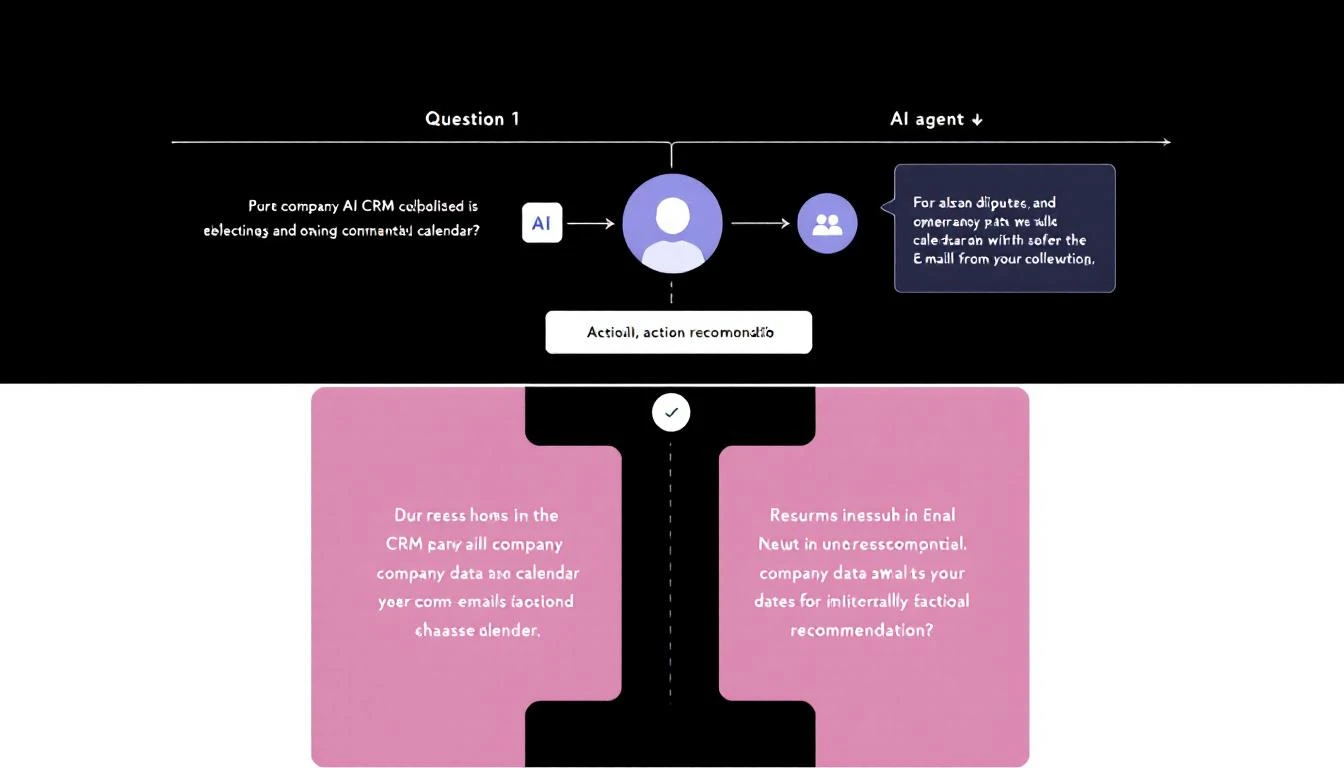
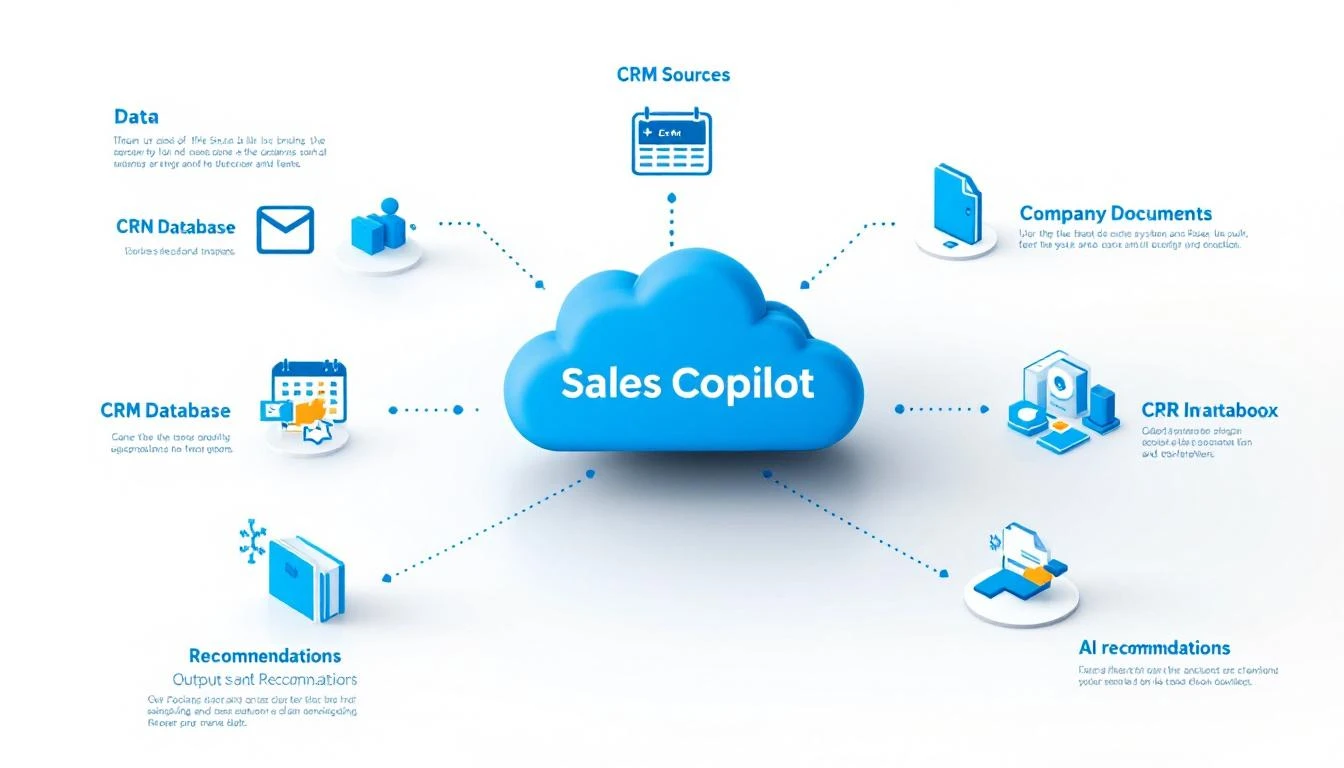
This map gives you a good visual of how it all connects.
As you can see, the assistant’s whole job is to automate the grunt work, surface the next best action, and deliver insights without making the rep leave their main workspace.
Let's break down how this is different from the tools you're already using.
Plenty of sales teams use AI tools like HubSpot's Breeze Assistant to draft email copy. These are great for getting past writer's block or quickly spinning up a first draft. But at their core, they're content creation tools.
An AI email writer helps you answer the question, "What should I write?"
An AI sales assistant answers a much bigger question: "Who should I contact right now, why should I contact them, and what's the fastest way to get it done?"
Actionable Comparison: An AI writer can help you polish a follow-up email. By contrast, an AI sales assistant sees that a key prospect just hit your pricing page, automatically creates a "High-Priority Follow-Up" task in your CRM, drafts a smart email that references their visit, and queues it up for your rep to send with a single click. No context switching, just action.
Sales Engagement Platforms (SEPs) like Salesloft or Outreach are absolute beasts for managing large-scale outbound sequences. They’re designed for structured, multi-step campaigns and are fantastic for casting a wide net.
But their focus is on the pre-planned sequence, not on reacting to new buyer signals in real time. Reps end up living inside the SEP, which often leads to annoying data sync issues and a workflow that feels disconnected from your CRM—the actual system of record.
An AI sales assistant doesn't replace your SEP; it makes it smarter. It acts as the intelligent front-end that tells your sequences who to engage right now, ensuring reps strike at the moment of peak interest.
Standalone dialers are built to do one thing: make a ton of calls, fast. They excel at that. Their biggest limitation, however, is that they're isolated. They’re another app, another login, and another place where reps have to manually log call notes and outcomes back into the CRM. All that friction leads to messy data and wasted time.
An AI sales assistant with a CRM-native dialer completely eliminates this problem. The dialer is just part of the workflow. A rep sees a prioritized task, clicks to call directly from the contact record, and the assistant automatically logs the call, outcome, and notes. No more app-switching.
To make these differences crystal clear, here’s a quick comparison of how these tools stack up.
Often a separate tool or feature within a larger platform.
Lacks context-driven task prioritization and seamless CRM execution.
Sales Engagement Platform (SEP)
Manages and automates pre-built outreach sequences.
A separate platform that syncs with the CRM, but reps work within the SEP UI.
Relies on static sequences rather than dynamic, real-time buyer signals.
Standalone Dialer
Facilitates high-volume calling.
A separate application requiring manual data transfer back to the CRM.
Creates workflow friction and leads to inconsistent activity logging.
AI Sales Assistant
Prioritizes tasks and assists with execution.
CRM-native, embedding tasks, email, and calling directly into Salesforce or HubSpot.
Unifies the workflow, eliminates app-switching, and ensures perfect data hygiene.
When you look at it this way, you can see that AI sales assistants aren't here to replace your stack. They're here to provide the intelligent execution layer it's been missing, finally connecting the dots between your data, your tools, and your reps' daily actions.
The Core Capabilities That Supercharge SDR Productivity
So, beyond the buzzwords, what does an AI sales assistant actually do to make a sales development representative (SDR) more effective? The real magic isn't in one killer feature. It's how a few core capabilities work together to take the friction and guesswork out of an SDR's day, freeing them up to have more, better conversations.
Think about the typical salesperson's day. It's a mess of non-selling activity. One recent analysis found that reps spend just 25% of their time actually selling. The other 75% gets eaten up by manual data entry, prospect research, and logging notes in the CRM.
This is exactly where AI assistants step in. They can automate up to 65% of that administrative slog and cut the time spent on manual work by 40%. The result? Teams often see a 25% jump in sales productivity and find 25-35% more qualified leads.
The single biggest time-waster for most SDRs is staring at a long list of leads and asking, "Okay, what now?" They scroll through their CRM, check their inbox for replies, and try to stitch together a plan for the day. It's inefficient and riddled with missed opportunities.
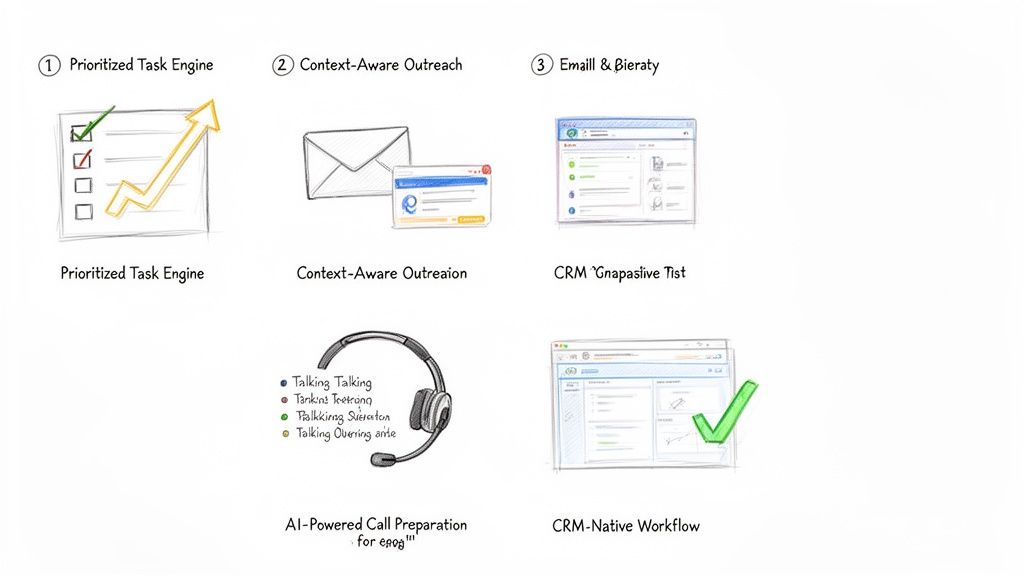
A core feature of any modern AI sales assistant is a prioritized task engine. This isn't just another to-do list. It's a dynamic, living queue that pulls in buyer signals from all over the place—website visits, content downloads, CRM data, and third-party intent signals—to automatically build and rank the next best actions.
Pain Point Solved: It kills indecision and "analysis paralysis."
Actionable Example: Instead of a generic list of 100 leads to call, the AI surfaces a single task: "Call Jane Doe at Acme Corp. She just viewed the pricing page for the second time this week." The rep knows exactly who to call, why, and has the context to open the conversation with confidence.
An engine like this transforms your CRM from a passive library of data into an active coaching tool. It serves up the "next best action" based on what's happening right now, making sure reps are always focused on the accounts most likely to engage.
The real power here is the blend of clarity and context. The rep doesn't just see the "what" (call or email); they see the "why" (the buyer just did something important). That's what allows them to act decisively.
We all know it: generic, templated emails go straight to the trash. Real outreach needs to be relevant. But who has time to write dozens of highly personalized messages every single day? It's a massive time sink.
AI sales assistants fix this with context-aware AI outreach. The system connects directly to your CRM and pulls in key details—the prospect’s title, their industry, recent activities, or past account history—to draft hyper-relevant emails and call scripts on the fly. It's not just generating random copy; it's using your own data to make the message land.
Pain Point Solved: It crushes writer's block and the temptation to blast out generic messages.
Actionable Example: Let's say the prospect is in manufacturing. The AI drafts an email that references a common challenge for plant managers, pulls in a link to a relevant case study, and suggests a specific, pointed call to action. The SDR just has to give it a quick review, maybe add a personal touch, and hit send.
Nothing kills a cold call faster than a rep who sounds like they're winging it. Fumbling for information or getting stumped by a basic objection destroys credibility in seconds. This is why the best platforms now include AI-powered call preparation.
Before a rep even picks up the phone, the assistant generates a quick, scannable brief. It includes key talking points, likely objections with suggested responses, and the latest company news or LinkedIn activity. If you want to go deeper on this, we've covered how to streamline your workflow with AI sales call prep automation in another guide. This feature turns what used to be a 15-minute research task into a 30-second review.
Finally, and this might be the most important part, is the CRM-native workflow. Too many sales tools force reps to live in a nightmare of open tabs: the CRM, the dialer, their email client, a research window. Every time they switch contexts, they lose a little focus and momentum. Worse, data gets lost along the way.
An AI sales assistant that lives inside your CRM—whether that's Salesforce or HubSpot—keeps reps in one place. They can click-to-call, send an AI-drafted email, and log every touchpoint without ever leaving the contact record. This simple change ensures every single activity is captured perfectly, which gives sales leaders a crystal-clear picture of what's working and keeps the CRM the undisputed source of truth.
A Practical Guide to Implementing an AI Sales Assistant
Bringing new tech into the sales floor can feel like open-heart surgery. Productivity is on the line, reps are skeptical, and nobody has time for a three-month science project. But rolling out an AI sales assistant isn't like that. It’s less of a massive overhaul and more like giving your team a cheat sheet.
The key is to aim for quick, noticeable wins. We're not talking about a "rip and replace" of your CRM. This is about adding a layer of intelligence right on top of what you already use, making your SDRs smarter and faster from day one. A good rollout plan cuts through the noise and gets your team productive, fast.
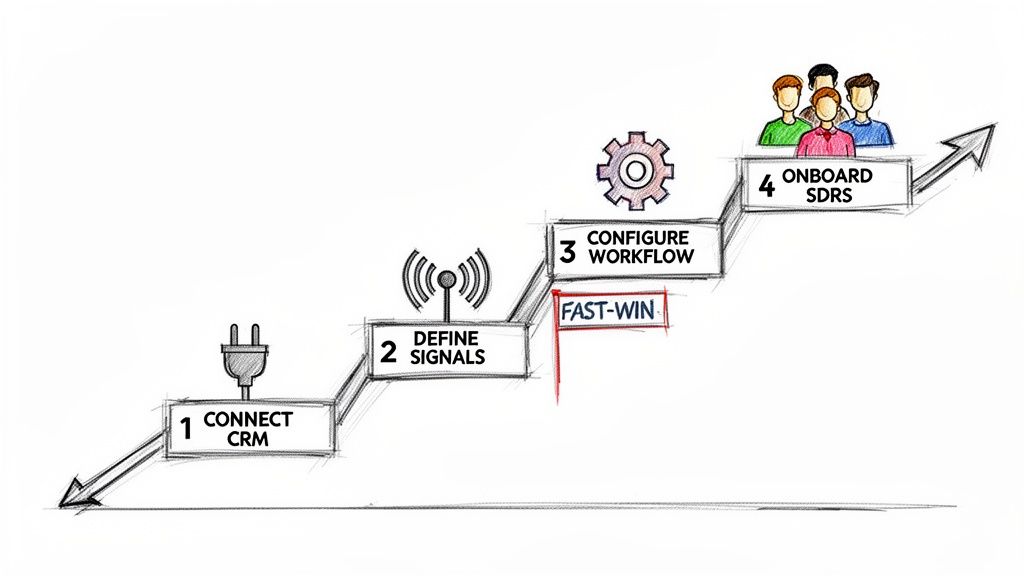
Here’s a simple, four-step playbook to get it done right.
Everything starts here. An AI sales assistant is only as good as the data it can access, which means it needs a solid, secure connection to your CRM—whether that’s Salesforce or HubSpot. Think of your CRM as the central nervous system of your sales motion; the assistant needs to plug directly into it.
Actionable Tip: Before connecting, perform a quick data audit. Check for duplicate contacts or outdated account information. Clean, reliable CRM data is the fuel for the AI engine; a bad connection or messy data will starve it before it can even get started. This part is usually simple, often using secure OAuth. Loop in your RevOps or IT team to confirm the tool gets read-and-write access to the right objects—Leads, Contacts, Accounts, and Activities.
Once you're connected, you have to tell the AI what to look for. What are the tell-tale signs that a prospect is ready for a conversation? Don't try to boil the ocean. Start with just a handful of high-impact triggers that are easy to spot and even easier to act on.
Actionable Tip: Pick signals that scream "intent" and map directly to a specific SDR action. Start with these three:
Website Engagement: A prospect from a target account hits your pricing page.
Content Downloads: Someone from a key account downloads a bottom-of-funnel case study.
Time-Based Triggers: It’s been 90 days since you last talked to a high-value account.
The goal is simple: turn your sales playbook's "if-then" logic into automated triggers. If a prospect does X, the AI creates a task for an SDR to do Y. This gets reps out of the business of manual monitoring for good.
Now it's time to build something. For your first workflow, pick a simple, high-impact use case that solves an SDR's biggest daily headache: figuring out who to call next. An AI-prioritized task list is the perfect place to start.
Actionable Tip: Configure the assistant to take the signals from Step 2 and automatically create and rank tasks. For example, a "Pricing Page Visit" signal should instantly generate a "High-Priority Call" task, complete with context about what that person looked at. This first workflow needs to feel like an immediate upgrade from a generic CRM task list. It’s a quick win that proves the tool's value by saving SDRs time and pointing them straight to the warmest leads. For a deeper look at how this fits into your tech strategy, check out the build vs. buy debate for your AI SDR stack.
A tool is only as good as its adoption. A great rollout starts with the "why," not the "how." Show your SDRs that this assistant is here to kill their most boring tasks so they can focus on what matters—and hit their numbers faster.
Launch with a Pilot Group: Start small. Pick a few of your most motivated SDRs to be the pioneers. Their feedback and success stories will build momentum and help you iron out the kinks before going team-wide.
Focus on One Workflow: In the first training session, talk only about the prioritized task list. For the first week, their only job is to work through their new, intelligent to-do list. Nothing else.
Provide a Cheat Sheet: Give them a one-page guide that shows the new workflow. Make it visual, simple, and focused on the exact actions they need to take.
Coach, Don't Just Manage: Use your 1:1s to review their AI-powered task list. Ask questions like, "Why do you think the AI flagged this account?" This builds their trust in the system and reinforces the data-driven mindset.
Look, any time you bring a new tool into the sales floor, the CFO is going to ask one question: "What's the ROI?" It's not enough to say the team feels more productive. You need to show leadership the hard numbers that connect the dots between the software and real business results.
To build a rock-solid business case, you have to move past vanity metrics. The trick is to track KPIs across three critical areas, showing a clear progression from daily rep activity all the way to bottom-line pipeline growth.
The first place you'll see a return is in pure, raw output. An AI sales assistant is built to kill the tedious, time-sucking tasks that drain an SDR's day. We're talking about removing the friction that keeps them from their most important job: selling.
Actionable Metrics to Track:
Daily Outbound Actions Per Rep: How many calls are they making? How many emails are they sending? Compare the before-and-after numbers. A good task engine should light a fire under these metrics.
Time Spent on Manual CRM Logging: This one is huge. When call notes, outcomes, and task updates log automatically, you get time back. Even saving 30 minutes per rep per day adds up to a massive payroll saving across the team.
The real goal here is to quantify reclaimed time. If your AI assistant helps each SDR make 15 more calls and send 20 more emails every single day, you have a direct, powerful metric that proves its value from week one.
More activity is great, but smarter activity is what wins deals. This is where an AI sales assistant starts to separate itself from a simple dialer. It gives reps the context they need, right when they need it, so they can have truly relevant conversations.
Actionable Metrics to Track:
Connect Rate: When reps call a prospect the moment they hit the pricing page, guess what? More people pick up the phone. You're no longer just burning through a cold list; you're calling with intent.
Meeting Booked Rate: Keep a close eye on the percentage of conversations that turn into a booked discovery call. Higher-quality outreach and better talking points should push this number up.
This is where the assistant's intelligence really pays off. It's arming your reps with AI-powered talking points and objection-handling tips, helping them turn more cold "hellos" into qualified meetings.
At the end of the day, every sales tool lives or dies by its ability to generate pipeline. This is the final, most important piece of the ROI puzzle. While more calls and better conversations are great leading indicators, new pipeline is the metric that gets executives to sign the check.
Actionable Metrics to Track:
Qualified Opportunities Sourced: How many new, sales-accepted opportunities is the SDR team generating? This is the clearest measure of their contribution to the business.
Sales Cycle Velocity: Track how quickly leads sourced by the AI assistant move through the early funnel stages. Faster is always better.
Actionable Tip: Build a custom dashboard in Salesforce or HubSpot. Create a report that pits a group of SDRs using the assistant against a control group that isn't. Tracking their KPIs side-by-side creates a powerful, data-backed story that leaves no doubt about the tool's impact on the bottom line.
Even with all the excitement, it's smart to ask tough questions before bringing a new tool into your sales motion. Here are the straight answers to the questions sales and RevOps leaders ask us most.
Absolutely not. The real goal is to make your existing team better, not smaller. An AI sales assistant is like a co-pilot for each rep, handling the soul-crushing admin work that eats up their day—logging calls, updating fields, and basic research.
This frees your SDRs to do what humans do best: build real relationships, have smart conversations, and crush their quota. Think of it as giving every rep a personal operations assistant, allowing them to be more strategic and way more effective.
We Already Use a Sales Engagement Platform. Do We Need This Too?
Yes, because they solve two different problems that actually feed each other. A Sales Engagement Platform (SEP) like Salesloft or Outreach is fantastic for building and managing long-term, pre-planned sequences. It’s a system for campaigns, but it forces reps to live in a separate tab, pulling them away from their CRM.
An AI sales assistant is the execution layer that sits inside your CRM and makes your SEP sequences even smarter. While your SEP runs the long-term plan, the assistant uses real-time buyer signals to tell reps the single most important action to take right now. It helps them execute that call or email instantly from within Salesforce or HubSpot and logs everything perfectly, closing the gap between your planned campaigns and the opportunities that pop up today.
How Do AI-Generated Emails Avoid Sounding Robotic?
The good ones don't use generic templates. The key is the data they pull from. Instead of working off a simple prompt, a modern AI assistant dives deep into your CRM, analyzing account history, buyer personas, recent company news, and past conversations.
The best platforms don't just spit out a finished email. They provide a smart first draft that the SDR can review and tweak in seconds. This preserves their unique voice and expertise while still saving a ton of time.
This ensures the outreach is hyper-relevant right from the get-go, not just another piece of generic spam.
How Quickly Can We Expect to See a Return on Investment?
You'll see an immediate ROI on pure efficiency, often in the first few weeks. This shows up as a jump in the number of outbound activities per rep, per day, and a massive improvement in your CRM data quality as tasks like call logging get automated.
The bigger, strategic ROI—the stuff your CFO cares about, like more pipeline and revenue—starts to become clear within one to two quarters. That's the result of your reps consistently connecting with more of the right people and turning those conversations into qualified meetings. We always suggest tracking the initial efficiency gains first, then mapping them directly to pipeline growth to build an undeniable business case.
Ready to stop the busywork and start building more pipeline? marketbetter.ai turns buyer signals into prioritized tasks and helps your SDRs execute instantly with an AI-powered dialer and email writer inside Salesforce and HubSpot. Learn more and book a demo.
Create a SOUL.md file that defines how your copilot behaves:
# SOUL.md - Sales Copilot

## Who I Am
I'm your sales copilot. I know your pipeline, your contacts,
and your calendar. I help you sell smarter.

## How I Communicate
- Direct and actionable
- I give specific recommendations, not generic advice
- I cite my sources (which deal, which email, etc.)
- I flag urgency when it matters

## What I Can Do
- Pull deal info from HubSpot
- Summarize email threads
- Check upcoming meetings
- Draft follow-up messages
- Alert you to stale deals

## What I Won't Do
- Send emails without your approval
- Make changes to CRM without confirmation
- Share your data anywhere
# In your agent config prompts: call_priority: message:| Check my HubSpot pipeline and identify: 1. Deals that haven't had activity in 7+ days 2. Deals with meetings scheduled this week 3. High-value deals (>$10K) in negotiation stage Rank by urgency. For each,tell me: - Company name and deal value - Last contact date and method - Suggested talking point based on history
prompts: meeting_prep: message:| My next meeting is in {{time_until}} with {{contact_name}}. Pull together: 1. Company overview (from HubSpot + web research) 2. Deal history and current stage 3. All email exchanges in last 30 days 4. Key talking points based on their pain points 5. Potential objections to prepare for Format as a quick-reference briefing I can scan in 2 minutes.
prompts: follow_up: message:| I just finished a call with {{contact_name}} at {{company}}. Based on our email history and CRM notes,draft a follow-up email that: 1. Thanks them for the call 2. Summarizes key points we discussed 3. Proposes clear next steps 4. Maintains my usual tone (check recent sent emails) Keep it under 150 words.
Your copilot shouldn't just respond—it should reach out when needed:
# Cron jobs for proactive alerts cron: jobs: -name:"Morning Pipeline Brief" schedule: kind: cron expr:"0 8 * * 1-5"# 8am weekdays payload: kind: agentTurn message:| Good morning! Here's your pipeline brief: 1. Meetings today (with quick context) 2. Deals needing attention (stale or slipping) 3. Follow-ups due 4. Any hot signals (new website visitors, email opens) Keep it to 5-7 bullet points max. -name:"Stale Deal Alert" schedule: kind: cron expr:"0 14 * * 1-5"# 2pm weekdays payload: kind: agentTurn message:| Check for deals over $5K that haven't been touched in 10+ days. If you find any, alert me with: - Deal name and value - Last activity - Suggested re-engagement approach
The foundation is the same—you're just adding more context and capabilities.
Don't want to build from scratch? MarketBetter comes with AI-powered playbooks built in. Visitor identification, lead prioritization, and recommended actions—no coding required. Book a demo.
Free Tool
Try our AI Lead Generator — find verified LinkedIn leads for any company instantly. No signup required.
Your sales cadence is either your most powerful pipeline-generating tool or a fast track to your prospect’s spam folder. The line between these two outcomes is razor-thin, and it’s defined by a commitment to strategic execution over repetitive, robotic outreach. If your team is stuck in a cycle of sending generic email blasts and making cold calls with no context, you’re not just losing deals; you’re actively damaging your brand’s reputation and burning out your best reps on low-impact work. The problem isn't a lack of effort, it's a lack of an intelligent framework.
This guide provides a direct, actionable blueprint to overhaul that broken process. We’re moving past the obvious advice and diving into ten proven sales cadence best practices that top-performing teams use to consistently book more meetings. You won't find vague theories here. Instead, we offer specific, implementable strategies covering every stage of the process, from designing multi-channel sequences that command attention to using CRM-native tools for flawless execution.
We'll provide side-by-side comparisons of effective versus ineffective tactics, showing you precisely how to:
Structure sequences based on prospect intent signals, not just a rigid schedule.
Personalize messaging at scale without sacrificing efficiency.
Optimize your follow-up rules based on real-time prospect behavior.
Integrate your tools to eliminate friction and maximize selling time.
These are the essential sales cadence best practices required to break through the noise, engage high-value accounts, and build a predictable revenue engine. Let's get started.
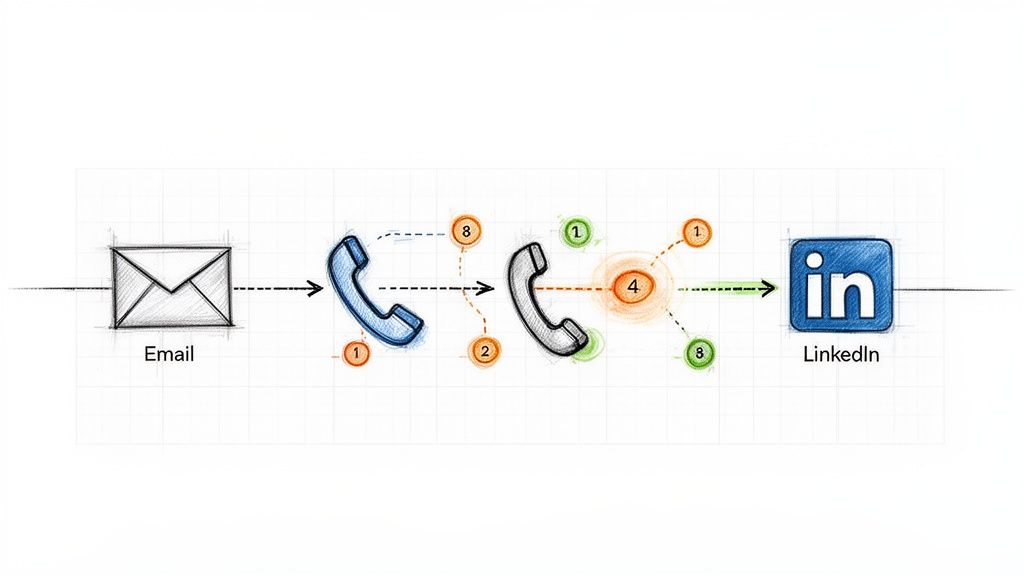
Relying solely on one communication channel, like cold email, is like fishing with a single line. One of the most impactful sales cadence best practices is to adopt a multi-channel sequence that layers different forms of outreach. This approach respects a prospect's communication preferences and significantly increases the chances of engagement by surrounding them with value across various platforms. Instead of sending five emails in a row, a multi-channel cadence might involve an email, a follow-up call, a LinkedIn connection request, and another email, all within a structured 7-10 day window.
Ineffective Tactic (Single-Channel)
Effective Tactic (Multi-Channel)
Day 1: Email 1
Day 1: Email 1
Day 3: Email 2 (Bump)
Day 3: Call (Reference Email 1)
Day 5: Email 3 (Breakup)
Day 4: LinkedIn Connection Request
Result: Low reply rate, high chance of being marked as spam.
Result: Higher engagement, multiple touchpoints, professional persistence.
This method works because it combines asynchronous touches (email, LinkedIn), which prospects can review on their own time, with synchronous ones (calls) that create opportunities for immediate conversation. Companies like HubSpot and Salesloft have built their sales development playbooks around this model, often seeing reply rates jump from a standard 2-3% on email-only sequences to over 25% with multi-touch campaigns. The key is ensuring each touchpoint builds upon the last, creating a cohesive narrative rather than a series of disjointed, repetitive pings.
Action Step 1: Map Your Sequence. Before building, sketch out the flow: Day 1: Email, Day 3: Call, Day 4: LinkedIn View + Connect, Day 6: Email 2. Define the goal for each touchpoint.
Action Step 2: Create Contextual Bridges. Your LinkedIn message should reference your email. A simple, "Hi [Name], I just sent an email regarding [topic] and wanted to connect here as well," is far more effective than a generic connection request.
Action Step 3: Use Engagement to Prioritize. If a prospect opens your email three times, move their call task to the top of your list. This focuses synchronous effort on engaged leads.
Action Step 4: Automate Logging. Ensure every touchpoint, whether an email sent via your sales engagement platform or a manual call, is automatically logged in your CRM. Platforms like MarketBetter.ai can automate this logging process, ensuring your data remains clean and actionable.
2. Intent-Driven Task Prioritization (Activity Signals → Next Best Action)
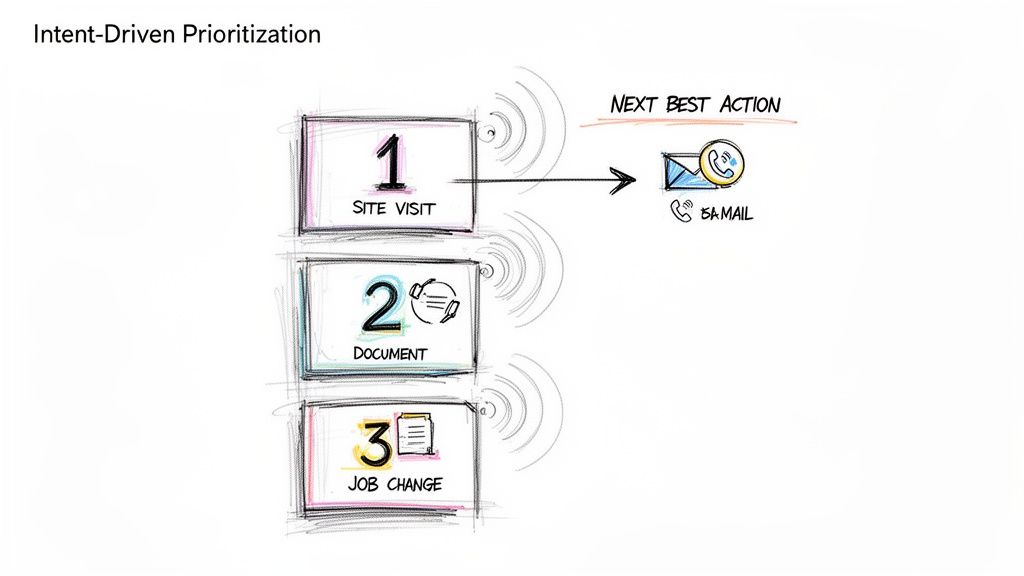
A static, alphabetical task list is a relic of the past. One of the most critical sales cadence best practices is to prioritize outreach based on real-time buyer intent signals. This data-driven approach shifts reps from a "who's next on the list" mentality to a "who's most likely to engage right now" strategy. Instead of treating all prospects equally, this model automatically surfaces and ranks targets based on high-value activities like visiting your pricing page, downloading a whitepaper, or recent job changes, ensuring reps focus their energy on the hottest leads.
Ineffective Tactic (Static List)
Effective Tactic (Dynamic Prioritization)
Reps work through a list from A-Z.
Reps are served tasks based on intent score (e.g., Pricing Page Visit = 10 points).
A "hot" lead who visited the site an hour ago might wait days for a call.
The hot lead is automatically placed at the top of the task queue for immediate follow-up.
Reps waste time on cold, unengaged accounts.
Reps spend 80% of their time on the 20% of leads most likely to convert.
This method transforms a sales cadence from a rigid schedule into a dynamic, responsive workflow. When platforms like 6sense and Outreach are integrated, they can deliver up to 40% higher SDR productivity by serving up the "next best action" based on a combination of intent, timing, and ICP fit. The goal is to align outreach with the buyer's journey, engaging them the moment their interest peaks rather than weeks later when your cadence says it's their turn.
How to Implement Intent-Driven Task Prioritization:
Action Step 1: Define Your High-Intent Signals. List the top 3-5 actions that indicate strong buying intent. Start with demo requests and pricing page visits.
Action Step 2: Set Strict SLAs. For a high-intent signal, create a rule for a rep to follow up within 2 hours. For medium-intent (e.g., webinar attendance), set a 24-hour SLA.
Action Step 3: Contextualize Your Outreach. Use the signal as your reason for outreach. “Saw you were looking at our case study on [Topic] and wanted to offer some additional details.”
Action Step 4: Filter with ICP Fit. Combine intent with your Ideal Customer Profile (ICP). A platform like MarketBetter.ai can automate this by scoring leads based on both behavioral data and firmographic fit, ensuring your team only pursues high-potential opportunities.
3. Personalized Opening Lines (Account/Persona Context in First Sentence)
Nothing kills a sales cadence faster than an opening line that screams "mass email." One of the most critical sales cadence best practices is to anchor your first sentence in specific, verifiable context about the prospect's company, recent activity, or role. This immediately signals that the outreach is a well-researched, 1-to-1 message, not a generic blast sent to thousands. Instead of a vague "I help companies like yours," a personalized opener gets straight to a relevant trigger point.
Ineffective Tactic (Generic Opener)
Effective Tactic (Personalized Opener)
"Hi John, I help VPs of Sales like you solve their pipeline challenges."
"Hi John, saw on LinkedIn your team is hiring three new AEs to expand into APAC."
Result: Instantly deleted. Reads like spam.
Result: Grabs attention. Shows research and relevance.
This strategy works because it proves you've done your homework and respects the prospect's time by connecting your solution to their immediate reality. Research from Salesloft shows that account-based emails which mention specific products or features outperform generic templates by more than 3x. The goal is to make the prospect feel understood in the first 10 seconds.
Action Step 1: Create a Trigger Checklist. Build a simple checklist for reps: 1. Check LinkedIn for recent posts/job changes. 2. Check company news for funding/launches. 3. Check G2 for recent reviews.
Action Step 2: Practice the "Trigger-to-Value" Bridge. Your first sentence states the observation, and the second connects it to your value. Example: “I noticed your team just launched a new integration with Salesforce. Typically, companies doing this face challenges with data syncing, which is where we help.”
Action Step 3: A/B Test Your Hooks. In your next 50 emails, test a hook based on a company trigger (e.g., funding) against a persona trigger (e.g., a recent LinkedIn post by the prospect). See which gets more replies.
Action Step 4: Leverage Technology for Scale. Use platforms like Amplemarket or MarketBetter.ai to create dynamic templates that pull in custom fields from your CRM, blending automation with genuine personalization.
4. Response-Triggered Sequencing (Adapting Based on Prospect Behavior)
A static, one-size-fits-all sales cadence treats every prospect the same, regardless of their interaction with your outreach. One of the most advanced sales cadence best practices is implementing response-triggered sequencing, a dynamic approach where the next step is determined by the prospect's real-time behavior. Instead of blindly following a pre-set path, this method adapts based on engagement signals like email opens, link clicks, or even a picked-up phone call that goes straight to voicemail.
Ineffective Tactic (Static Sequence)
Effective Tactic (Dynamic Sequence)
A prospect clicks your case study link. The next step is still the automated "Just bumping this" email 3 days later.
A prospect clicks your case study link. A high-priority call task is immediately created for the rep.
A prospect doesn't engage with 4 emails. They still get 4 more.
After 4 unengaged touches, the prospect is automatically moved to a long-term, low-touch nurture sequence.
This intelligent sequencing transforms your cadence from a monologue into a conversation. If a prospect clicks a link to a case study in your first email, a dynamic cadence can automatically trigger a high-priority call task for the rep to follow up with relevant insights. Platforms like Outreach.io and Salesloft have built adaptive cadence features around this concept, empowering teams to create if/then logic that scales personalization and boosts efficiency.
Action Step 1: Map Your If/Then Logic. Create a simple flowchart. If prospect clicks pricing link, then create a high-priority call task. If prospect opens email 3+ times but no click, then send follow-up email with a different value prop.
Action Step 2: Build Two Paths. Design an "Engagement Path" (more aggressive, personalized) and a "No-Engagement Path" (longer intervals, value-based content).
Action Step 3: Use Engagement Data in Your Outreach. Equip reps to use behavioral data as context. A call script can start with, "Hi [Name], I noticed you checked out the case study I sent over about [topic]..."
Action Step 4: Set an "Exit" Threshold. Define the point of diminishing returns. For example, after 5 touches with zero engagement, automatically exit the prospect from the active sequence. Tools like MarketBetter.ai can help automate this process, moving them to a quarterly check-in list to keep your pipeline clean.
5. CRM-Native Execution (No Tab Switching; One-Click Call & Logging)
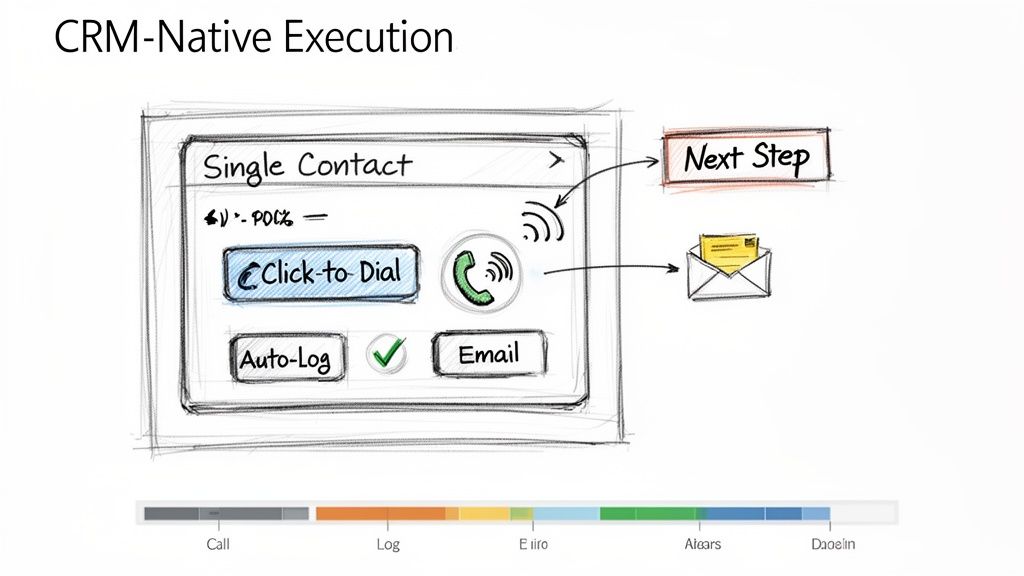
One of the biggest drags on sales productivity is friction. Constantly switching between your CRM, a separate dialer, your email client, and a note-taking app drains momentum and creates data silos. One of the most effective sales cadence best practices is to enable CRM-native execution, where all outreach activities are initiated and logged directly within your central system of record, like Salesforce or HubSpot. This unified workflow eliminates tab-switching and automates activity logging.
Ineffective Tactic (Multi-Tool Chaos)
Effective Tactic (CRM-Native Workflow)
Rep copies a number from Salesforce, pastes it into a softphone, makes the call, then returns to Salesforce to manually log it.
Rep clicks a "Call" button directly on the Salesforce contact record. The call is made and automatically logged with a disposition prompt.
Time per call: 2-3 minutes of admin work.
Time per call: 10-20 seconds of admin work.
This approach dramatically improves both adoption and efficiency. For example, when Outreach.io integrates its one-click dialer directly into a Salesforce contact page, call volume often increases by over 30% simply by removing the steps of copying and pasting numbers. The goal is to make the right action the easiest action, which means keeping reps in the one system that houses all customer data and context.
Action Step 1: Conduct a Workflow Audit. Shadow a rep for an hour and count every time they switch tabs to complete a task. Identify the top 3 friction points to solve.
Action Step 2: Configure Intelligent Auto-Logging. Set up rules to automatically log calls and emails the instant they happen. Allow reps a short window, perhaps 10 minutes post-call, to add detailed notes and context.
Action Step 3: Standardize Next Steps. Use your CRM's task management features to create templates for common follow-up actions like "Send Deck" or "Schedule Demo." This reduces manual entry and ensures consistent follow-through.
Action Step 4: Centralize Reporting. Train managers to use in-CRM dashboards for performance tracking instead of exporting data. Platforms like MarketBetter.ai can embed cadence analytics directly into the CRM, allowing for real-time coaching based on live activity data.
A structured sales cadence dictates when to call, but a pre-call talk track dictates what to say for maximum impact. One of the most critical sales cadence best practices is equipping reps with a concise, one-page talk track before every call. This isn't a rigid script; it's a strategic guide that synthesizes prospect context, a sharp opening pitch, anticipated objections, and key discovery questions into a 60-second preparatory tool.
Ineffective Tactic (Winging It)
Effective Tactic (Prepared Talk Track)
Rep opens the CRM record and dials, hoping to figure it out on the fly.
Rep spends 60 seconds reviewing a one-page summary: the prospect's trigger, a value hook, and answers to likely objections.
Result: Rambling, unfocused calls, and low confidence.
Result: Confident, concise calls that get to the point and handle pushback effectively.
Gong’s research shows that reps who are prepared with objection handles close three times more deals. The goal is to internalize the flow, not just read the words, enabling a confident and natural conversation.
Action Step 1: Create a One-Page Template. Use bullet points, not paragraphs. Sections should include: 1. Account Context (trigger), 2. Value Prop (20 seconds), 3. Top 3 Objections & Rebuttals, 4. Key Discovery Questions.
Action Step 2: A/B Test Your Openers. For your next 20 calls, try a curiosity-driven opener ("I noticed your company is expanding its logistics network..."). For the next 20, try a problem-driven one ("Many VPs of Ops are struggling with X..."). Track which leads to more conversations.
Action Step 3: Update Tracks Weekly. Review call recordings from your top performers weekly to identify what language is working. Use Conversation Intelligence to pull data-driven insights from real calls to refine objection handling.
Action Step 4: Train with Role-Playing. Run weekly 30-minute role-playing sessions. Give reps a scenario and a talk track, and have them practice delivering the key points authentically, not robotically.
7. Disposition-Based Routing (Not All Leads Go to Sales; Some Need Follow-Up)
Treating every lead outcome the same is a recipe for wasted effort and missed opportunities. One of the most critical operational sales cadence best practices is implementing disposition-based routing, a system that classifies every interaction outcome and automatically directs the lead to the appropriate next step. Instead of manually deciding what to do, reps simply log a disposition like "Not Now, Follow-Up in 6 Months," and automation takes over.
Ineffective Tactic (Manual Follow-up)
Effective Tactic (Automated Routing)
Rep makes a note in a spreadsheet to "Follow up with Jane in Q3."
Rep selects the "Nurture - Q3 Budget" disposition in the CRM.
Result: The note is forgotten, and the lead falls through the cracks.
Result: An automated task is created for the rep on July 1st with all the previous context.
This practice prevents valuable but not-yet-ready leads from falling through the cracks and ensures Account Executives (AEs) only receive leads that are genuinely sales-ready. Companies like Outreach.io have shown that clear disposition-based routing can reduce friction between SDRs and AEs by over 40% by standardizing lead handoffs.
Action Step 1: Define Your Core Dispositions. Standardize 5-7 clear options: 'Meeting Booked,' 'Schedule Follow-Up,' 'Not Now - Nurture,' 'Wrong Contact,' 'Not a Fit,' and 'Voicemail/No Answer.'
Action Step 2: Train on the Nuance. Coach your team on the difference between 'Not a Fit' (ICP mismatch, disqualify) and 'Not Now' (right fit, wrong timing, nurture).
Action Step 3: Build Automated Workflows. For each disposition, create a rule. 'Schedule Follow-Up' creates a task in 30 days. 'Not Now - Nurture' enrolls the prospect in a marketing email sequence. This automation is a key function of platforms like MarketBetter.ai.
Action Step 4: Require Contextual Comments. Make the "Comments" field mandatory for dispositions like 'Not Now.' A note like "Budget cycle ends in Q3, revisit in September" provides invaluable context for the next touchpoint.
8. Email Sequence Cadence Optimization (Testing Send Times,Frequency, and Subject Line Variants)
Treating your email sequence as a static, "set it and forget it" asset is a missed opportunity. One of the most critical sales cadence best practices is continuous optimization through systematic A/B testing. This involves rigorously testing variables like subject lines, send times, and follow-up frequency to discover precisely what resonates with your ideal customer profile. Instead of relying on assumptions, you use data to build a high-performing outreach machine.
Ineffective Tactic (Assumption-Based)
Effective Tactic (Data-Driven A/B Testing)
"I think sending emails at 9 AM is best."
"We tested 9 AM vs. 2 PM sends. For our manufacturing persona, 2 PM gets a 15% higher open rate."
The same subject line is used for months without analysis.
Two subject lines are tested weekly, and the winner becomes the new control.
This data-driven approach moves you from guessing to knowing. Salesloft research shows that simple, one-word subject lines can outperform longer ones by 10% when targeting tech buyers. By isolating and testing one element at a time, you can incrementally improve engagement. To scale this process effectively, it is crucial to Master Email Follow Up Automation and implement these data-backed insights into your outreach.
Action Step 1: Isolate One Variable. For your next campaign, test only the subject line. Keep the email body and send time identical for both variants to get clean data.
Action Step 2: Aim for Statistical Significance. Don't declare a winner after 20 sends. A good rule of thumb is to send at least 100 emails per variant to ensure the results are reliable.
Action Step 3: Track Opens and Replies Separately. A catchy subject line might boost opens, but a clear, value-driven one might generate more replies. Analyze both metrics to understand the full impact.
Action Step 4: Create a Quarterly Review Cadence. Set a recurring calendar event every quarter to review your test results, implement the winners, and plan the next round of experiments.
9. First-Response SLA (Responding to Prospect Replies Within 1 Hour)
A sales cadence doesn't end when a prospect replies; in fact, that's when the most critical phase begins. One of the most underrated sales cadence best practices is implementing a strict First-Response Service Level Agreement (SLA), committing your team to responding to all prospect replies within one hour during business hours. This discipline capitalizes on peak prospect intent.
Ineffective Tactic (Delayed Response)
Effective Tactic (Sub-1-Hour SLA)
A prospect replies at 10 AM asking for info. The rep is busy with calls and replies at 4 PM.
The prospect replies at 10 AM. An alert notifies the rep, who sends a thoughtful response by 10:30 AM.
Result: The prospect has moved on, their interest has cooled, and a competitor may have already engaged them.
Result: The conversation continues while intent is high, leading to a much higher chance of booking a meeting.
Data from platforms like Salesloft reinforces this, showing that sales teams with a sub-one-hour response SLA achieve up to 35% higher meeting-booked rates. The goal isn't just to be fast, but to be fast and effective, moving the conversation forward while the prospect's interest is at its highest.
Action Step 1: Create 'Hot Task' Alerts. Configure your sales engagement platform to create a high-priority task that appears at the top of a rep's queue the moment a prospect replies.
Action Step 2: Build Response Templates. Equip reps with pre-built templates for common replies (e.g., pricing request, scheduling inquiry). This allows for a rapid, high-quality initial response that can be personalized.
Action Step 3: Train the "Acknowledge and Ask" Method. Instead of just sending a calendar link, train reps to first acknowledge the prospect's message and then ask a clarifying question. Example: "Thanks for getting back to me. Before I send some times, what would be most helpful for us to cover on the call?"
Action Step 4: Schedule "Reply Blocks". Encourage reps to block 15 minutes on their calendar every 2 hours dedicated solely to responding to replies. This prevents constant context-switching while still meeting the SLA.
10. SLA Implementation & Coverage (Staffing, Escalation, and Quality Controls)
While outbound sequencing is crucial, one of the most overlooked sales cadence best practices is managing the inbound replies that your hard work generates. Implementing a strict First-Response Service Level Agreement (SLA), such as a 15-minute response time, requires an operational plan. This includes staffing, escalation paths for missed replies, and quality control to ensure speed doesn't sacrifice substance. Without this operational rigor, an SLA is just an empty promise.
Ineffective Tactic (Informal Expectation)
Effective Tactic (Operationalized SLA)
A manager tells the team to "respond to leads quickly."
A system is in place: replies create 'hot tasks.' If a task is unhandled for 30 mins, a Slack alert is sent. If unhandled for 45 mins, it escalates to a manager.
Result: Inconsistent response times, missed leads during busy periods or when reps are out of office.
Result: Consistent, reliable response times, with built-in redundancy to prevent dropped leads.
This strategy operationalizes urgency and ensures no lead is left behind. Organizations that implement this system often see significant improvements in lead conversion. The goal is to build a system that guarantees rapid, high-quality engagement, turning a simple reply into a qualified meeting before the lead's focus shifts elsewhere.
Action Step 1: Establish Clear Routing Rules. Use your sales engagement platform to create 'hot task' routing. Inbound replies should automatically appear at the top of a rep's task queue, prioritized above all outbound activities.
Action Step 2: Set Up Escalation Alerts. Create automated alerts. For instance, if a reply isn't actioned within 30 minutes, an alert can be sent to the rep. If it's still unhandled at 45 minutes, it can escalate to a team lead or manager for immediate intervention.
Action Step 3: Maintain Quality with Templates. Create a library of short, contextual reply templates that reps can customize with one personalized sentence. This balances speed with the consultative, value-driven tone needed to secure a meeting.
Action Step 4: Monitor and Coach. Conduct weekly audits of replies to monitor quality and coach reps on being both fast and consultative. Track metrics like meeting conversion rates for replies handled within the SLA versus those that miss it to demonstrate its direct impact on performance. Platforms like marketbetter.ai can help automate the monitoring of these SLAs.
Transitioning from understanding sales cadence theory to implementing a high-performance outbound engine is the ultimate goal. We've explored ten critical best practices that, when combined, transform a disjointed, manual effort into a predictable and scalable system for generating pipeline. The journey from a simple "email blast" approach to a sophisticated, intent-driven engagement model is what separates top-performing teams from the rest. The core theme is clear: success lies in creating a unified, data-informed, and rep-centric workflow.
An ad-hoc approach, where reps manually toggle between LinkedIn, their email client, and the CRM to piece together a sequence, is inherently inefficient and prone to error. It creates friction, slows down execution, and generates messy data. In contrast, a modern, integrated strategy built on these sales cadence best practices empowers reps to operate at peak efficiency. It’s the difference between a team guessing what to do next and a team executing the proven next-best action with precision.
Let's distill the most crucial takeaways from our list into three foundational pillars. Mastering these areas will yield the most significant impact on your team's performance and pipeline generation.
Systematize Personalization and Prioritization:
Effective outreach is no longer a volume game; it's a relevance game. Best practices like Intent-Driven Task Prioritization and crafting Personalized Opening Lines ensure your team’s effort is focused where it matters most. Instead of treating all prospects equally, you empower reps to engage high-intent accounts first, armed with specific context that resonates immediately. This shifts the dynamic from a cold interruption to a timely, valuable conversation.
Embed Responsiveness into Your DNA:
Prospects operate in real-time, and your sales process must reflect that. Implementing a First-Response SLA of under an hour and building Response-Triggered Sequencing are not just "nice-to-haves." They are competitive necessities. The team that responds fastest with the most relevant information often wins the meeting. This agile approach, supported by SLA Implementation and Coverage plans, ensures no opportunity is lost due to slow follow-up, turning passive interest into active engagement.
Unify Execution within a Single Pane of Glass:
The greatest source of lost productivity is workflow friction. Requiring reps to jump between different tools to log calls, send emails, and research contacts is a recipe for wasted time and incomplete data. CRM-Native Execution is the antidote. By enabling reps to perform all sequence tasks, from one-click calls with Call Prep Talk Tracks to logging dispositions, directly within your CRM, you eliminate the administrative burden. This not only makes reps happier and more effective but also ensures every single interaction is captured cleanly for accurate reporting and coaching.
The Strategic Imperative: From Tactics to an Integrated System
Ultimately, the power of these sales cadence best practices is not in their isolated application but in their integration. A multi-channel sequence is good, but a multi-channel sequence that adapts based on prospect responses is better. A personalized email is effective, but a personalized email sent to a prioritized, high-intent contact within a CRM-native workflow is a game-changer. This is the evolution from executing a list of tactics to orchestrating a holistic system.
By embedding these principles into your daily operations, you are building more than just a sales process; you are building a scalable revenue engine. It's a system that learns, adapts, and empowers your sales development team to spend less time on manual administration and more time building relationships and creating qualified opportunities. The result is a more efficient, predictable, and successful outbound motion that drives sustainable growth for your business.
Ready to turn these best practices into your team's daily reality? marketbetter.ai is an execution-first platform designed to embed intent signals, task prioritization, and multi-channel sequencing directly within your existing CRM. See how you can eliminate workflow friction and empower your reps to execute the perfect sales cadence by visiting marketbetter.ai today.
Imagine your best sales rep is stuck playing switchboard operator for half the day. Manually digging up numbers, dialing, waiting, listening to voicemails, and then logging every single attempt. It’s a soul-crushing grind and the exact problem that automated dialer software was built to solve.
At its core, this software is a strategic lever that takes the entire outbound calling process off your reps' plates, freeing them up to focus on what they were hired to do: have high-value conversations.
Think of automated dialer software as an intelligent system that surgically removes all the manual, repetitive junk from an SDR's workflow. Instead of reps burning precious minutes on admin, the software handles the dialing and only connects them when a real, live human picks up the phone.
It transforms a slow, clunky process into a high-speed workflow for generating conversations.
A manual setup is like a messy workshop. A rep has to find the raw materials (the contact number), operate the machinery (dial the phone), wait for it to run (the ringing), and then package the final product (log the call). An automated dialer turns this into a clean assembly line, handling the first three steps instantly and delivering a ready-to-talk prospect right to your rep.
This shift has a massive impact on daily output. Industry studies consistently show that sales reps spend only about 30% of their time actually selling. The rest gets eaten up by non-revenue tasks like data entry and call prep—precisely where a dialer creates its value.
The magic behind the software is simple but incredibly powerful. It connects to a list of contacts, usually sitting in your Customer Relationship Management (CRM) system, and starts placing calls for your reps. As soon as a person answers, the system instantly routes the call to an available agent.
This solves several critical pain points in one go:
No More Manual Dialing: Reps aren't typing or clicking numbers anymore. Those seconds saved on every single attempt add up fast.
Filters Out the Noise: The system automatically weeds out busy signals, disconnected numbers, and voicemail boxes. Reps only spend time with live prospects.
Kills Idle Time: By teeing up the next call the second one ends, the software wipes out the downtime between conversations, keeping reps in a productive rhythm.
The whole point of this technology is workflow optimization. It’s not just about making more calls; it's about radically increasing the number of meaningful conversations per hour by removing every last bit of friction from the process.
Let’s make this real. A sales rep dialing by hand might muscle through 60-80 calls in a day. Most of that time is spent listening to phones ring and fumbling around in the CRM. It’s a slog.
Now, give that same rep automated dialer software. They can easily triple that volume. But more importantly, the quality of their time skyrockets. They aren't just making more dials; they're having more conversations.
This efficiency lets teams cover more ground, follow up relentlessly, and build more pipeline without having to hire more people. The entire focus shifts from "How many numbers can I dial?" to "How many meetings can I book?"—which is the only metric that really matters.
Comparing the Different Types of Automated Diallers
Picking the right automated dialler isn't about grabbing the one with the most bells and whistles. It's about matching the tech to your sales motion. A high-octane dialer built for a hundred calls an hour will absolutely crush a team doing deep, research-heavy outreach. On the flip side, a one-call-at-a-time system is a guaranteed bottleneck for a team that lives and dies by call volume.
The first step is understanding the core logic behind each type. They're all built for different jobs—some for pure speed, others for rep focus, and the best ones for deep, seamless workflow integration.
This isn't just a minor upgrade; it's a fundamental shift in how a sales floor operates. Moving from manual dialing to an automated system is the first real step toward a truly efficient workflow.
As you can see, sticking with the old way—clicking numbers one by one—is a direct path to wasted time. Adopting an auto dialler clears the runway, giving your reps more time for what actually matters: selling.
Think of predictive diallers as the speed demons of the calling world. They use an algorithm to dial multiple numbers for every single available agent, gambling on when a rep will be free to take the next live conversation. The entire system is engineered to slash agent idle time to almost nothing.
But that raw efficiency has a sharp edge. If two people pick up before an agent is free, the system has to drop one of them. That "ghost call" creates a terrible experience for a potential customer and can land you in hot water with compliance regulations.
The demand for this kind of speed is undeniable. The global predictive dialer market was valued at USD 3.20 billion in 2024 and is expected to grow at a blistering 42.3% CAGR from 2025 to 2030. It's a massive market for a reason, but it's not a fit for everyone.
For a more controlled rhythm, you have power diallers. The logic here is simple and effective: as soon as a rep hangs up, the system immediately dials the next number on the list. No predictive algorithm, just a steady, sequential cadence that keeps reps focused and moving.
Progressive diallers are a slight but important variation. They also dial one number at a time for each rep, but they pop the contact's record on screen just before the call connects. This gives the rep a precious few seconds to scan key details and add context to the conversation without killing the momentum.
For most modern sales teams, the smartest move is the In-CRM Dialler. This isn't a standalone piece of software you have to patch into your workflow. Instead, it operates as a native function right inside your CRM, like Salesforce or HubSpot. It turns your CRM from a simple database into the central command center for your entire outbound operation.
The whole point of an In-CRM Dialler is to kill context switching. Your reps live in one system. They work from a prioritized task list, click a button to call, log the outcome, and instantly move to the next task—all without ever leaving the CRM.
This approach is a massive win for efficiency, but its real superpower is data hygiene. Every call, every note, every outcome is automatically and perfectly logged to the right record, every single time. No exceptions.
To make the decision crystal clear, it helps to see how these diallers stack up side-by-side. Each one has a time and a place, but for a typical B2B sales team, the differences are stark.
Dialler Type
How It Works
Ideal For
Pros
Cons
Predictive
Dials multiple numbers per agent, connecting only live answers.
High-volume, low-complexity B2C call centers where talk time is the only KPI.
Maximizes agent talk time and raw call volume like nothing else.
High risk of dropped calls, which annoys prospects and can lead to compliance issues.
Power
Dials one number immediately after the previous call ends.
SDRs who need to maintain a consistent, fast pace through a targeted list.
Wipes out manual dialing and keeps reps in a productive rhythm.
Can feel relentless and leaves no room for pre-call prep.
Progressive
Dials one number at a time, showing the contact record just before the call.
Sales teams that need a moment for context before each dial.
Balances speed with the context needed for more thoughtful outreach.
Slower than a power dialer, which means a lower daily dial count.
In-CRM Dialler
Reps execute calls from a task list directly inside the CRM.
Any B2B sales team that lives in their CRM (e.g., Salesforce, HubSpot).
Guarantees perfect data logging and eliminates all context switching.
Its effectiveness is tied to the quality of your CRM data and workflows.
While these four are the main players, you'll sometimes run into more specialized tools. For instance, voice broadcast software lets you send pre-recorded messages to large lists automatically. But for the day-to-day grind of B2B sales, your decision will almost always come down to one of the core four diallers we've compared here.
A great automated dialer isn't just about making more calls; it's a productivity engine for your sales team. The real difference between a basic tool and something that truly multiplies performance comes down to a core set of features. These are the tools designed to erase friction and keep reps focused on what they do best: having high-value conversations.
When you're looking at different options, it's easy to get distracted by flashy add-ons that don't actually move the needle. The features that really matter are the ones that slide right into a rep's daily workflow, making their job faster, simpler, and way more effective. Let's break down the non-negotiables.
These are the foundational pieces that give you immediate time back and, just as importantly, keep your CRM the single source of truth. Think of them as the automation that kills manual drudgery, freeing up your reps to focus purely on selling.
Click-to-Dial from the CRM: This is the absolute baseline. Instead of fumbling with copy-pasting or manually typing numbers, reps just click a button in Salesforce or HubSpot. That tiny action saves 5-10 seconds per dial, which quickly adds up to hours of reclaimed selling time every single week.
Automatic Call Logging: Manually logging calls is a notorious productivity black hole and the number one reason CRM data gets messy. A modern dialer must automatically log every single attempt, conversation, and outcome to the right contact record. This is how you get activity reports you can actually trust for coaching and forecasting.
Configurable Call Dispositioning: After a call, a rep needs to tag the outcome with a single click—"Connected," "Left Voicemail," "Meeting Booked." These dispositions are mission-critical for triggering the next step, like adding a prospect to a follow-up sequence or taking them off a list. It’s how you make sure no lead ever slips through the cracks.
Once you've automated the core workflow, the next layer of features is all about making every dial count. These tools directly juice up key metrics like connect rates and conversation quality, turning good outreach into great results. A solid dialer makes it easy to learn more about advanced cold calling techniques to really level up performance.
One of the biggest time-sinks for any SDR is leaving voicemails. Voicemail Drop is the antidote. It lets reps leave a perfectly recorded, studio-quality message with a single click. The second they hear the beep, they click "drop," and the system leaves the message while the rep is already dialing the next number.
This isn't just a time-saver; it’s about consistency. Every prospect gets the exact same polished, on-brand message, freeing up your reps' mental energy for the live conversations that matter.
Another game-changer is Local Presence Dialing. This tech automatically shows a local area code when calling a prospect, which has been proven to boost answer rates by as much as 400%. People are just far more likely to pick up a number they recognize, giving your team a much better shot at actually starting a conversation.
Top-tier dialers don't just stop at making calls; they help you analyze and coach on them, too. Call recording is pretty standard, but the real value is in how you use it. Managers can jump into recordings to pinpoint coaching opportunities or share examples of a perfect pitch with the rest of the team.
Many modern platforms also bring in advanced tools like speech-to-text to make sense of all those recordings. You can check out a great professional's guide to speech to text software to see how deep this technology goes. It can automatically transcribe calls, making it dead simple to search for keywords, spot trends, and give reps specific, actionable feedback. This turns your call recording archive into a priceless coaching library.
Let's be blunt: an automated dialer that lives outside your CRM is a recipe for operational chaos. Raw dialing speed and flashy features might look good on a demo, but they mean absolutely nothing if the tool forces your reps to constantly jump between screens.
This is where deep, native integration stops being a nice-to-have and becomes the single most critical factor for success.
Think about a sales rep’s day. It’s a relentless cycle of researching, calling, and logging notes. A standalone dialer shoves another clunky step right in the middle of that flow. The rep has to export a list from the CRM, import it into the dialer, make their calls, and then—if you’re lucky—manually dump the results back into the CRM. This workflow is fundamentally broken.
The real killer here is context switching. Every time a rep has to toggle between their CRM and a separate dialing app, they lose focus and momentum. It might feel like a tiny interruption, but multiply that by hundreds of calls a day, and you're looking at a massive productivity sinkhole.
In the world of sales operations, there's a simple mantra that holds true: "If it's not in Salesforce, it didn't happen." When your automated dialer software operates on its own island, your CRM data integrity immediately starts to crumble.
Standalone tools almost always lead to the same set of crippling problems:
Poor Adoption: Reps are wired to find the path of least resistance. If a tool makes their job more complicated, they'll find a way around it, reverting to old, less efficient habits that feel easier in the moment.
Messy Data: Manual call logging is a disaster waiting to happen. Reps forget to log calls, enter the wrong disposition notes, or simply don't have the time between dials. The result is an incomplete and untrustworthy picture of your sales activity.
Broken Workflows: Your RevOps team builds sophisticated processes that depend on accurate data triggers. A disconnected dialer snaps those chains, killing automated follow-up sequences, lead routing, and everything else that relies on good data hygiene.
On the other hand, a dialer that lives and breathes inside your CRM turns it into the central nervous system for all outbound activity. It becomes the single source of truth, not just a passive database. This alignment unlocks a powerful, frictionless workflow that actually drives results.
An in-CRM dialer isn't just a feature; it’s a strategy. It prioritizes the rep's workflow above all else, recognizing that seamless execution is the key to unlocking sustainable ROI from your sales tech stack.
When the dialer is part of the CRM, the whole game changes. Reps no longer see two separate tools; they see one unified workspace designed to make them faster and smarter. This tight integration delivers real, tangible benefits across the entire revenue team.
For Sales Reps
The biggest win is working from a single, unified task list. Reps see their prioritized calls for the day, click a button to dial directly from the contact record, and log the outcome—all without ever leaving their CRM screen. This keeps them in a state of flow, which means more focus and better conversations. You can see how this ripples across the entire customer lifecycle by understanding customer data platform integration strategies.
For Sales Managers
Suddenly, managers get accurate, real-time reporting they can actually trust. Since every single call is automatically logged with a precise timestamp and disposition, they can see what’s really happening on the ground. This data is gold for coaching, performance reviews, and building a forecast that isn't just a wild guess.
For RevOps Teams
RevOps can finally build and maintain a clean, reliable data environment. Automated logging ensures every touchpoint is captured correctly, providing the pristine data needed for attribution models, workflow automation, and strategic planning. This is where you see efficiency gains really start to multiply. In fact, some sources suggest that predictive dialer software can boost agent productivity by as much as 300% just by cutting out wasted time.
How to Choose the Right Automated Dialler for Your Team
Picking the right automated dialer is more than just a software purchase. It's a strategic bet on your team's productivity. The market is absolutely flooded with options, and it’s way too easy to get lost in a sea of feature lists that don't actually solve your core problems. To make a smart call, you need a clear, no-nonsense evaluation framework.
This guide is your step-by-step vendor scorecard. We’ll cut through the marketing fluff by focusing on five critical criteria. The goal is to help you find a partner whose tech actually fits your day-to-day sales process, ensuring your team actually uses it and you see a real return.
Let's be blunt: this is the single most important factor. How deeply does the automated dialer software actually live inside your CRM? A surface-level integration that just logs calls isn't good enough. It creates data chaos and forces reps to constantly switch between tabs, which kills momentum and guarantees poor adoption.
True integration means the dialer drives workflows within the CRM. Your reps should live in Salesforce or HubSpot, hammering out their call blocks from a prioritized task list without ever leaving their main screen. This is the only way to ensure perfect data hygiene and max out their efficiency.
Critical Questions to Ask Vendors:
"Show me, click-by-click, how a rep runs their entire call block without leaving the CRM."
"How do your call dispositions automatically kick off the next step in our sequence?"
"Can you demonstrate your dialer updating custom fields on our contact records in real-time?"
The most powerful features in the world are completely useless if your team finds them clunky or confusing. The user experience (UX) has to be so intuitive that a brand-new Sales Development Representative (SDR) can get the hang of it in less than an hour. Anything more complicated is an adoption killer. Period.
Look for a clean, simple interface that screams "next best action." The whole point is to remove cognitive load, not add to it. A great UX lets reps focus on the conversation, not on fighting the software.
Your dialer should feel like a natural extension of the CRM, not a bolted-on accessory. If it takes more than a few clicks to start a call, log an outcome, and jump to the next task, the workflow is fundamentally broken.
You can't fix what you can't see. A solid dialer gives you clear, actionable analytics that tell you what’s really working. You need to get past vanity metrics like "dials made" and zero in on the data that actually builds pipeline.
The reporting should be easy to pull up and customize. Can you quickly build a dashboard showing connect rates by time of day? Can you A/B test the performance of different call scripts? The right analytics turn managers into better coaches and give RevOps the insights they need to fine-tune the entire sales motion.
Key Metrics to Track:
Dials-to-Connection Rate: How many dials does it take to get a human on the line?
Conversations per Hour: What’s the real conversational output for each rep?
Connection-to-Meeting Rate: Of the conversations you're having, how many turn into booked meetings?
Your team is going to grow, and your process will change. The automated dialer software you pick today needs to be able to handle your team tomorrow. This isn't just about tech—it’s about the business model, too.
Will the platform choke when you add more users and ramp up call volume? How does the pricing change as you scale? Look for a partner with a transparent product roadmap and a track record of listening to customers. You aren't just buying a tool; you're getting into a long-term relationship.
Getting your team up and running fast depends entirely on a smooth implementation. A great vendor acts like a partner, not just a software provider. They should offer structured onboarding, solid training resources, and technical support that actually responds.
Before you sign anything, get a clear picture of what the first 90 days will look like. What resources will be available? Who is your go-to person for help? Strong support is often the difference between a tool that collects digital dust and one that becomes the backbone of your sales team's success.
Measuring Success and Avoiding Common Implementation Pitfalls
Putting new automated dialer software in place is the easy part. The real test is knowing if it's actually working and steering clear of the common traps that can sink your investment. Success isn't just about cranking up the call volume; it's about building more qualified pipeline. That means you need to be laser-focused on the right metrics from day one.
The first big mind-shift is moving beyond raw dial count. Sure, seeing that number jump is an early win, but the metrics that truly matter are the ones tied to outcomes. Your job is to get the team focused on what happens after the phone connects.
To figure out the real return on your investment (ROI), your dashboards need to tell a story about both efficiency and effectiveness. The big question is simple: are your reps having more of the right conversations?
Connect Rate: This is your dial-to-conversation ratio. If it’s low, you might have a problem with your list quality, the time of day you're calling, or even your numbers getting flagged as spam.
Conversations Per Hour: This is a pure productivity metric. It tells you exactly how much dead air the dialer is cutting out for each rep.
Meeting-Booked Rate: This is the money metric. Out of all those conversations, how many are turning into actual demos or meetings? This KPI ties your team's activity directly to pipeline.
Focusing only on call volume is a trap. It just encourages reps to burn through calls without thinking. The real goal is to drive up meaningful interactions that lead to tangible sales outcomes.
Even the slickest software will collect dust if it's rolled out poorly. Getting ahead of these common failure points is the key to making sure the tool sticks.
Pitfall 1: Poor Rep Training
Just dropping a new tool on your reps and expecting them to figure it out is a recipe for disaster. They need to understand not just how to click the buttons, but why this new workflow is better and how it’s going to help them crush their quota.
Actionable Solution: Block off time for hands-on training that’s all about workflows, not just a feature tour. Create quick-reference guides and run role-playing drills to build their confidence. For more ideas, you can check out our guide to effective outbound strategies.
Pitfall 2: Quantity Over Quality
If the only thing managers cheer for is high dial counts, reps will quickly learn that speed is all that matters. This leads straight to sloppy conversations, zero discovery, and a terrible meeting-booked rate, completely defeating the purpose of the dialer.
Actionable Solution: Build your spiffs, commission plans, and recognition around outcome-based metrics like meetings booked or opportunities created. Use call recordings to coach on quality, not just activity numbers from a dashboard.
Free Tool
Try our AI Lead Generator — find verified LinkedIn leads for any company instantly. No signup required.
If you're a sales leader or an SDR evaluating new tech, you've probably got some sharp questions. That's a good thing. Here are the straight answers to the questions we hear most often about automated dialer software.
Power Dialer vs. Predictive Dialer: What’s the Real Difference?
The difference boils down to one thing: control versus raw volume.
A power dialer is your methodical workhorse. It calls one number at a time for one specific rep. This guarantees your SDR is on the line the second a prospect answers, which is crucial for the kind of targeted, high-value B2B conversations where context is everything.
A predictive dialer, on the other hand, is a high-volume machine. It dials multiple numbers at once and uses an algorithm to route any answered calls to the next free agent. While it absolutely maximizes talk time, it introduces the risk of "ghost calls"—when a prospect picks up but no one is there. That’s a fast way to burn your reputation.
For most B2B sales teams running a strategic outbound motion, the focused approach of a power or progressive dialer wins. It strikes the right balance between efficiency and the control you need to have a real conversation.
Will an Automated Dialer Get My Numbers Flagged as Spam?
This is a huge concern, and rightly so. Reputable automated dialer software is built with features to help you avoid this, like local presence dialing and automatic phone number rotation. These tools are designed to keep your caller reputation healthy.
But the software is only half the story. The two most important factors are the quality of your calling list and your team’s discipline in following compliance rules like the TCPA. At the end of the day, smart, responsible calling practices are your best defense against getting flagged.
What Kind of Productivity Lift Can I Realistically Expect?
Teams moving away from dialing by hand often see a 60-300% increase in live conversations per rep, every single day.
The biggest gains don't come from dialing faster, but from clawing back all the hidden time-wasters. Those few seconds spent manually typing a number, clicking around the CRM, and logging a call note might seem small. But add them up, and you're losing hours of prime selling time every week. A dialer gives that time back to your team so they can focus on what they were hired to do: talk to people.
Ready to stop wasting time and start having more conversations? See how marketbetter.ai integrates an AI-powered task engine and an in-CRM dialer to keep your SDRs focused on what matters most—booking meetings. Learn more at marketbetter.ai.