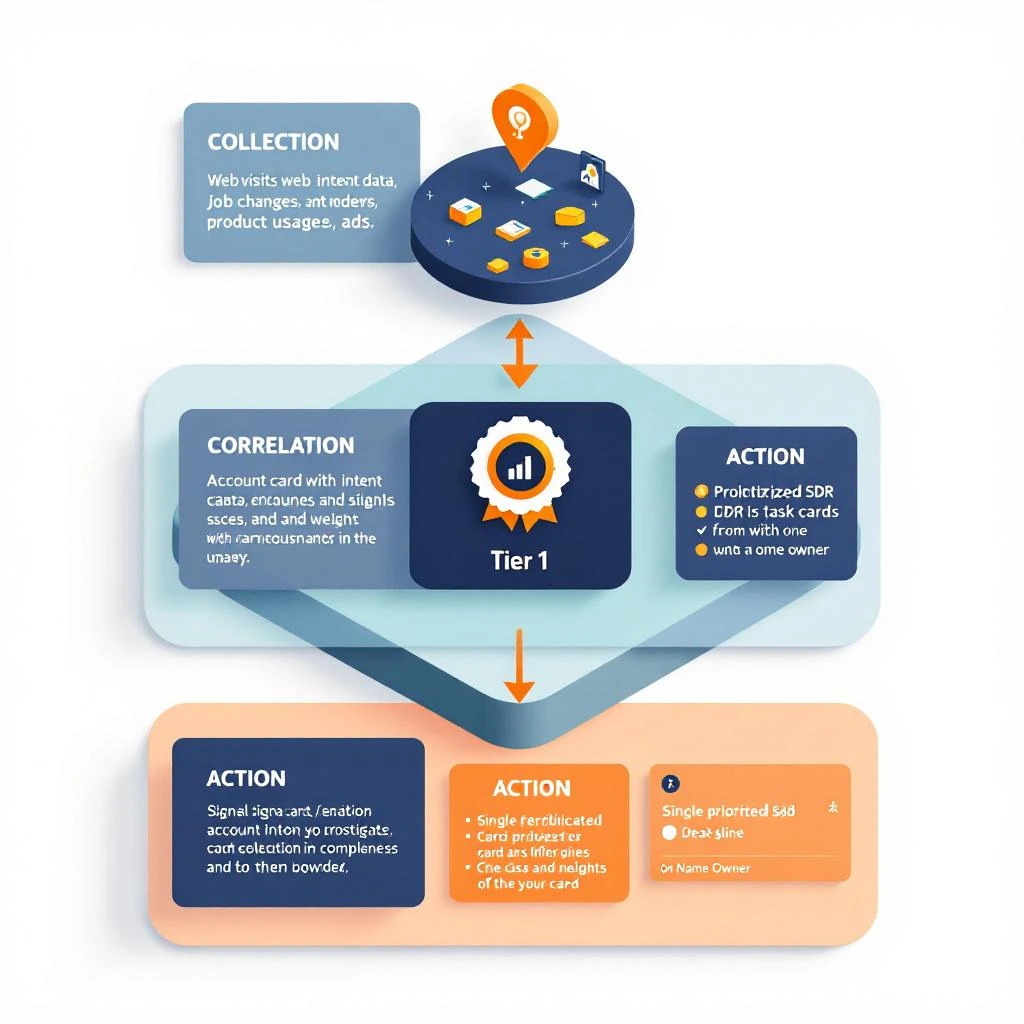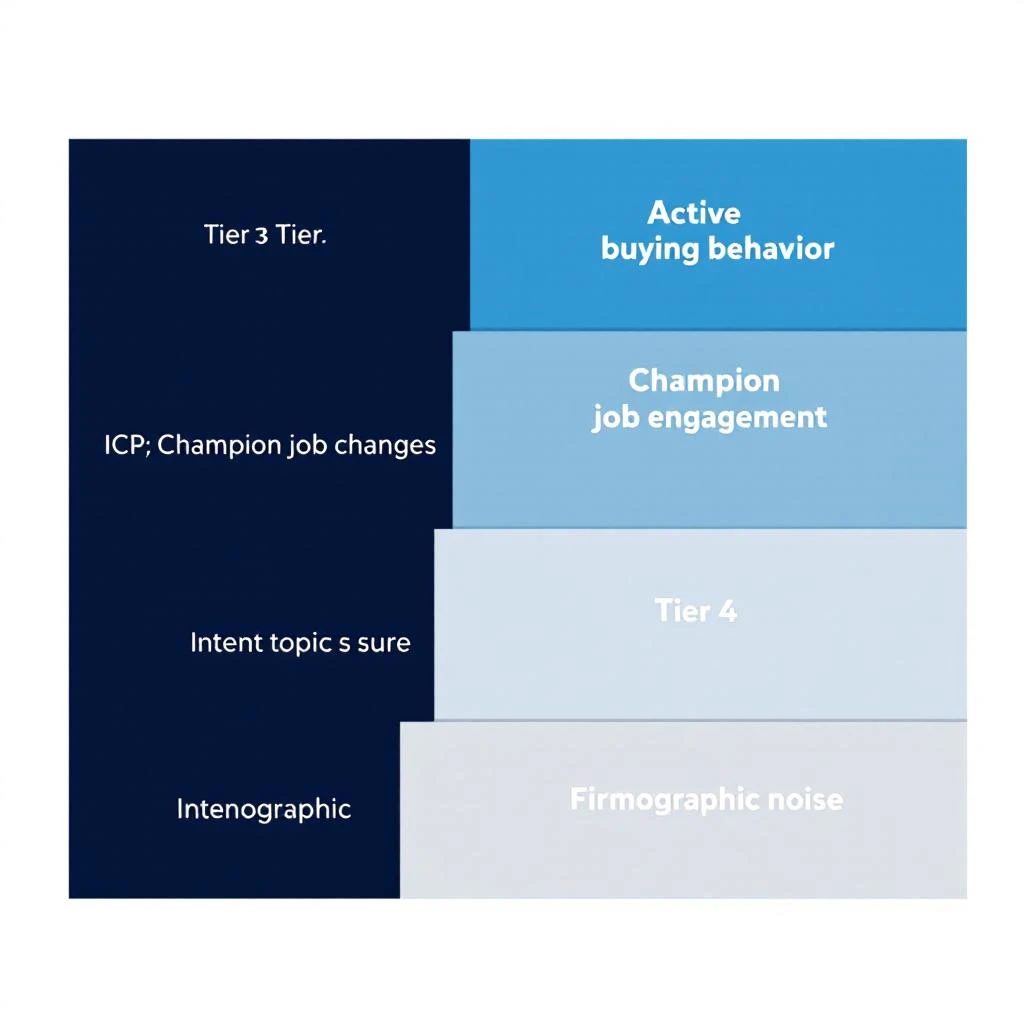
There is a particular kind of frustration that only SDR teams understand: you know a signal exists, you know it is time-sensitive, and you are staring at a loading spinner.
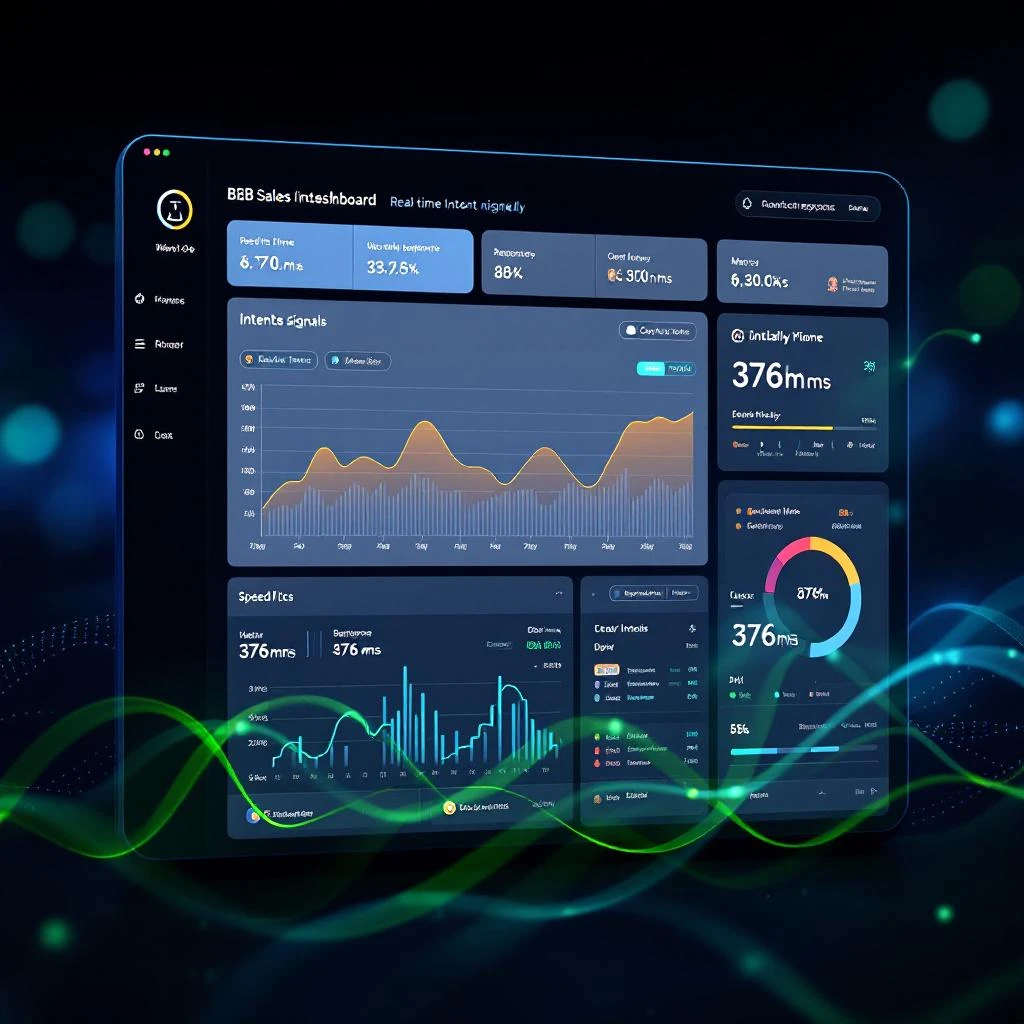
For teams running high-volume signal-driven outbound on MarketBetter, the Signals page was becoming a bottleneck. Not because the data was wrong or the signals were weak — but because loading them took too long. For accounts with large signal volumes, cold loads stretched to 46 seconds. Some pages timed out entirely.
That is not a minor inconvenience. That is a workflow killer.
We fixed it. The Signals page now loads in 376 milliseconds. That is a 122x improvement — and it changes what is possible for teams that live in signals all day.
Your rep just crushed a 30-minute discovery call. The prospect was engaged, asked about pricing, mentioned they're evaluating two other vendors, and even dropped a timeline — "we need something in place by Q3."
Gold.
Except by the time your rep finishes their next three calls, the details are gone. The follow-up email reads like a template. The CRM notes say "Good call, will follow up." And the deal stalls because nobody captured what actually happened.
This isn't a rep problem. It's a workflow problem. And it's costing you deals every single week.
The data on what happens after sales calls is brutal:
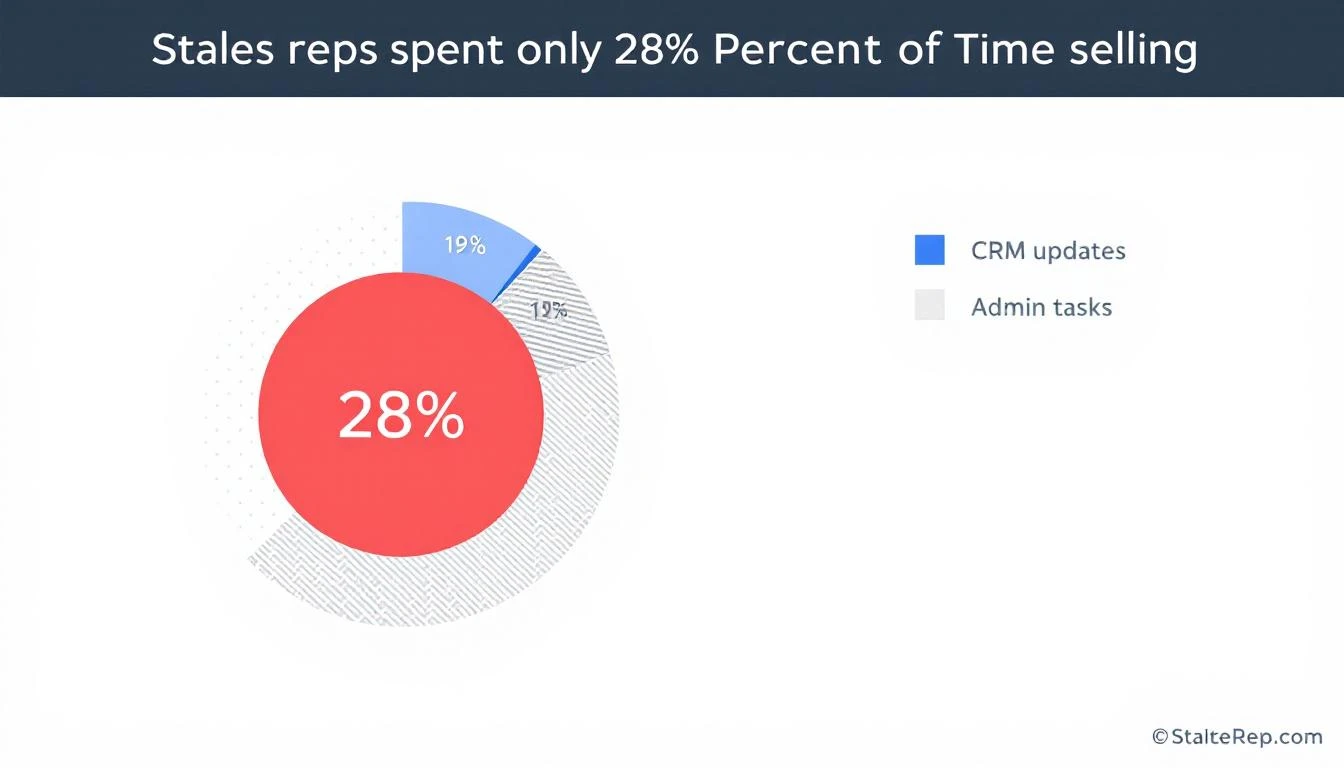
Sales reps spend only 28% of their time actually selling. The rest goes to admin, CRM updates, and internal coordination (Salesforce)
32% of reps spend more than an hour per day on manual data entry alone (Saleslion)
68% of sales professionals cite note-taking and CRM data input as their most time-consuming task (EverReady)
44% of salespeople give up after a single follow-up — even though 80% of deals require five or more touches (ZoomInfo)
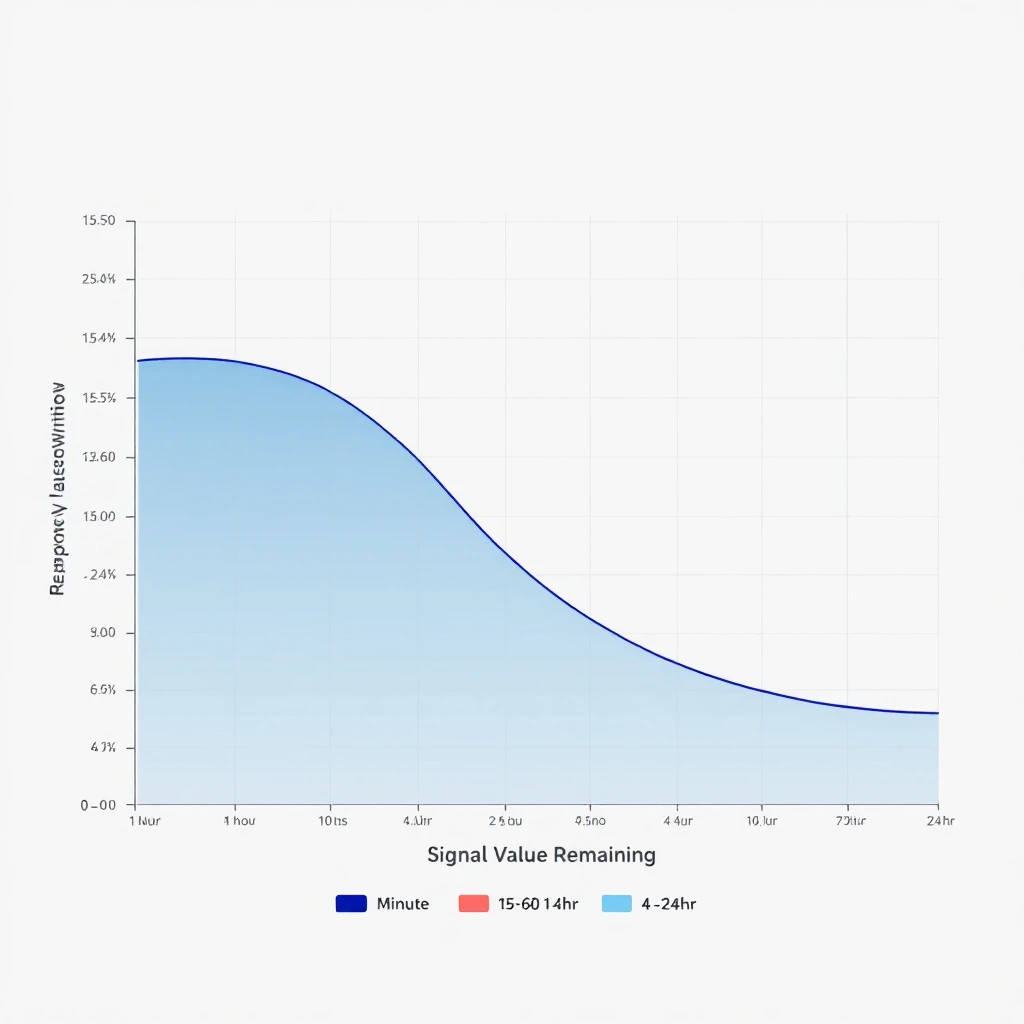
Responding within 5 minutes makes you 9x more likely to convert a lead. After an hour, odds drop by 10x
That means your best sales calls — the ones with real buying signals — are being fed into a black hole of forgotten details, generic follow-ups, and CRM entries that tell you nothing.
The conversation intelligence market (Gong, Chorus, Clari) exists because of this exact problem. Gong alone has crossed $300M ARR. But most of these tools give you analytics about calls after the fact. What sales teams actually need is a workflow that turns every call into immediate action.
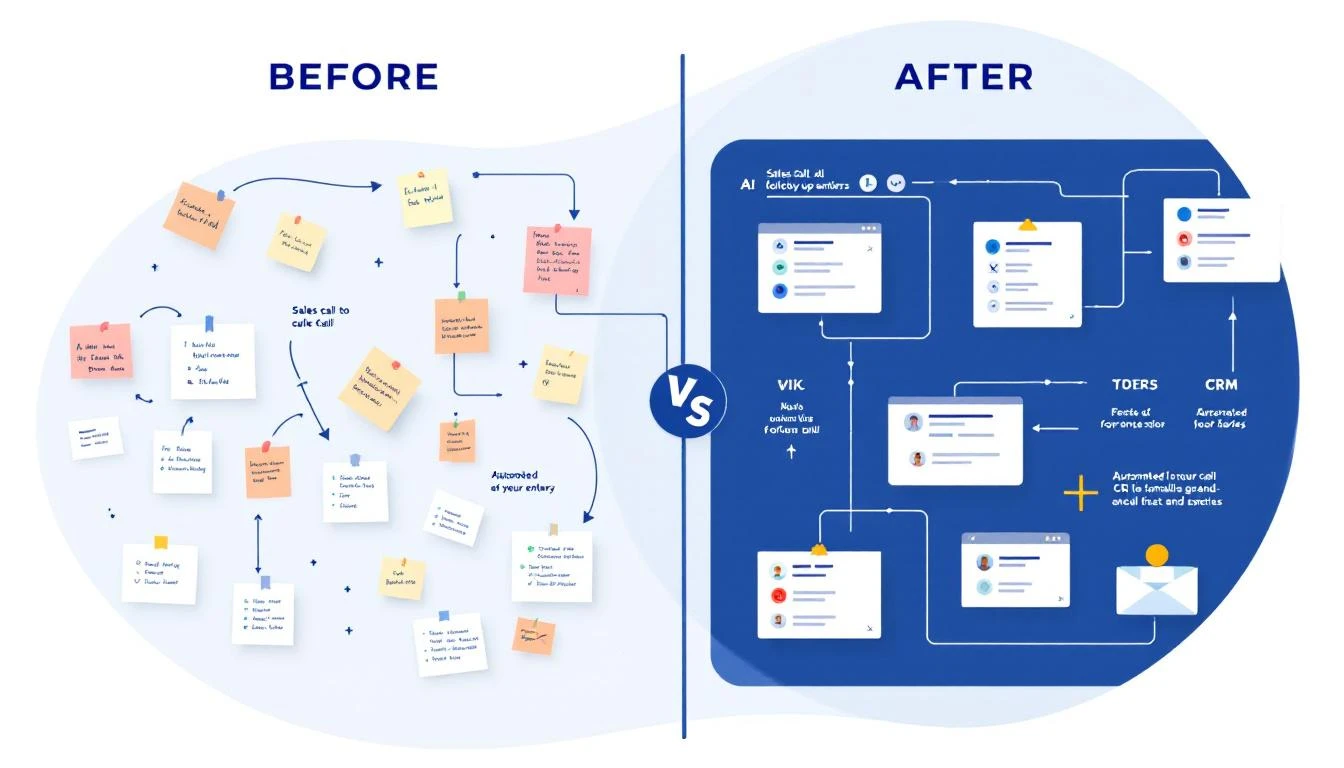
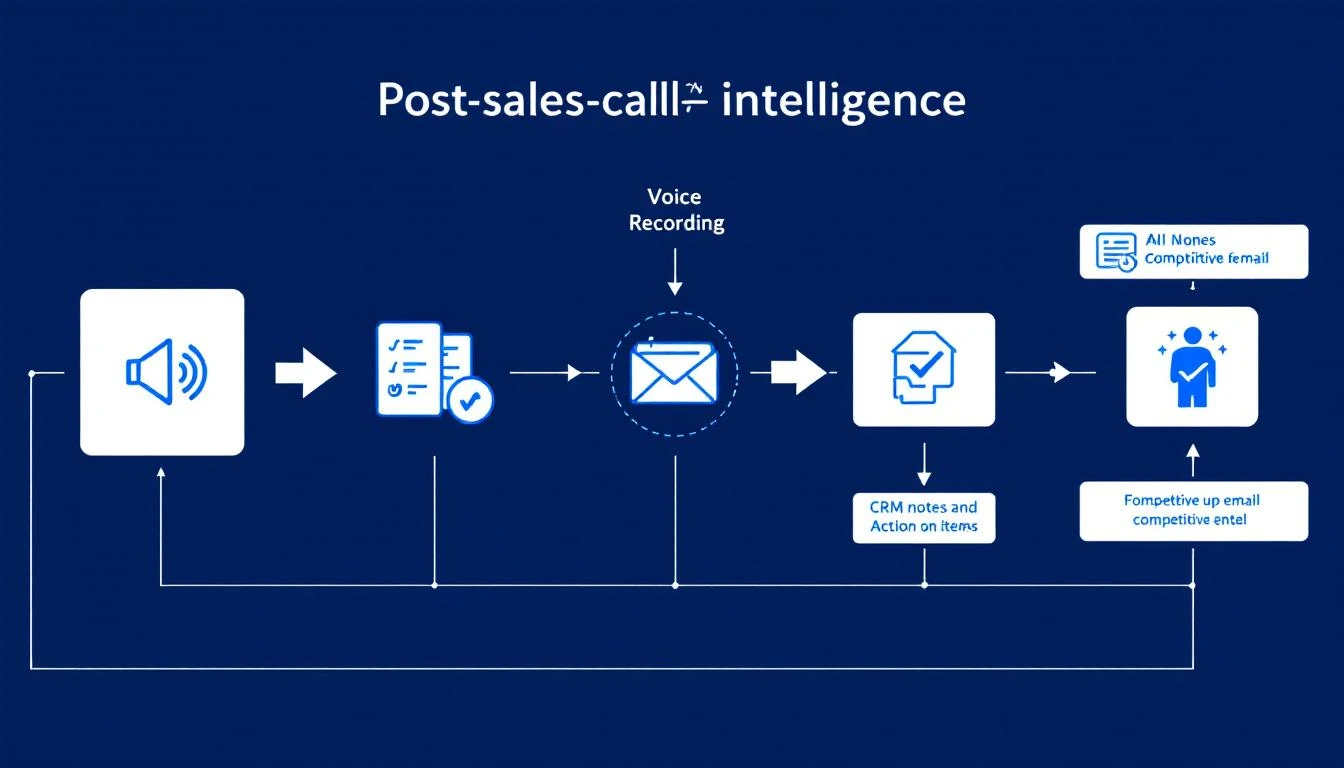
Here's the post-call workflow that top-performing teams run — and what it looks like when it's automated versus manual.
Step 1: Auto-Extract Action Items and Key Moments
The manual way: Rep opens a doc, tries to remember what was said, types up bullet points between calls. Half the details are missing. Specific quotes are gone. The action items are vague ("send pricing").
The automated way: The call recording is processed immediately. AI extracts:
Every action item mentioned (by either party)
Pricing discussions and budget signals
Timeline and urgency indicators
Specific pain points the prospect described
Questions that went unanswered (opportunities for follow-up)
Competitor mentions and what was said about them
This isn't a transcript dump. It's structured intelligence that feeds directly into the next steps.
Step 2: Update CRM With Real Notes (Not "Good Call")
The manual way: Rep types "Good call. Interested in our platform. Will send follow-up." This tells your sales manager nothing. It tells the AE who inherits the deal nothing. In three weeks when the prospect resurfaces, nobody knows what was actually discussed.
The automated way: CRM is updated with structured, searchable notes:
Budget: Prospect mentioned $50K annual budget, currently spending $35K on incumbent
Authority: Spoke with VP of Sales, but CFO has final sign-off
Need: Current tool doesn't integrate with HubSpot; reps spending 2 hours/day on manual data entry
Timeline: Need a solution before Q3 kickoff (July)
Competition: Evaluating Vendor X and Vendor Y; likes Vendor X's reporting but concerned about their pricing model
Next Steps: Send ROI calculator by Friday; schedule demo with their SDR team lead next Tuesday
This is the difference between a CRM that's a graveyard of "Good call" notes and one that's a living deal intelligence system.
The impact: Companies using CRM systems effectively are 29% more likely to hit their sales quotas. But the CRM is only as good as the data that goes into it — and right now, your reps are putting in almost nothing useful.
The manual way: Rep opens their email template, changes the name, maybe adds one line about the call. Sends it 4 hours later (if at all). The email reads like every other follow-up the prospect received that day.
The automated way: Within minutes of the call ending, a draft follow-up is generated that:
References specific things the prospect said ("You mentioned your team is spending 2 hours a day on manual CRM entry — here's how we eliminate that")
Addresses their stated concerns ("I know integration with HubSpot is a dealbreaker, so I'm attaching our integration guide")
Includes the specific next steps discussed ("As agreed, here's the ROI calculator. I'll send a calendar invite for next Tuesday's demo with your SDR lead")
Positions against the competitors they mentioned (without being aggressive)
The rep reviews and sends in 60 seconds instead of crafting from scratch in 15 minutes.
The manual way: Rep casually mentions in standup, "Oh yeah, they're also looking at Vendor X." The manager nods. Nobody does anything with this information. Three weeks later, the prospect chooses Vendor X because your team never addressed the comparison.
The automated way: Every competitive mention is automatically:
Logged with full context (what the prospect said about the competitor, what they liked, what concerned them)
Routed to the right people (sales manager, product marketing, competitive intel team)
Matched with battlecard content so the rep has specific talk tracks for the next call
Aggregated across all deals to show competitive trends ("Vendor X has been mentioned in 40% of our lost deals this quarter")
This turns random sales call chatter into a competitive intelligence system. When your product team asks "what are prospects saying about Vendor X?" you have real data instead of anecdotes.
The manual way: SDR books the meeting, sends the AE a one-liner: "Meeting with Jane at Acme Corp, they're interested." The AE walks in cold, asks the same discovery questions the prospect already answered, and the prospect mentally checks out.
The automated way: Before the next meeting, the AE receives a comprehensive brief:
Company snapshot: Size, industry, tech stack, recent news
Conversation history: Key quotes, pain points, what got them excited
Competitive landscape: Who else they're evaluating and why
Buying committee: Who else needs to be involved, their likely concerns
Recommended approach: Based on what worked in the discovery call, lead with the integration demo, not the analytics pitch
Landmines to avoid: Prospect had a bad experience with long onboarding at their last vendor — emphasize our time-to-value
This is the difference between an AE who looks prepared and one who looks like they didn't bother reading the notes (because there were no useful notes to read).
Personalized draft referencing specific discussion
1 min to review
Highly relevant
Competitive intel
Flagged, routed, battlecard attached
Automatic
Actionable
AE handoff
Full brief with recommended approach
Automatic
Prepared
Deal outcome
AE nails the demo, addresses competitor concerns proactively. Closes in 3 weeks.
The difference isn't one step. It's every step compounding. The personalized follow-up keeps the prospect warm. The competitive flags ensure you're never blindsided. The AE brief means the demo feels like a conversation, not an interrogation.
You don't need to automate everything on day one. Start with the highest-impact piece and build from there:
Week 1: Fix Your CRM Notes
Record every call (most conferencing tools support this natively now). Use the recordings to create structured notes — even if someone does it manually at first. The goal is to establish the habit of BANT-structured notes instead of "Good call."
Week 2: Templatize Your Follow-Ups (But Make Them Smart)
Create follow-up email templates that have fill-in-the-blank sections for specific discussion points. This forces reps to reference the actual conversation, not send generic copy.
Week 3: Build the Competitive Intel Loop
Create a shared doc or channel where reps log every competitive mention. Review it weekly in your team meeting. You'll be shocked at how much intelligence is currently being lost.
Week 4: Automate It
This is where platforms like MarketBetter come in. Instead of manual processes, the AI handles the extraction, the CRM update, the follow-up draft, and the competitive flagging — all from the call recording. Your reps just review and approve.
The SDR teams that are winning right now aren't the ones making the most calls. They're the ones that extract the most value from every call they make. The post-call workflow is where deals are won or lost — and most teams are losing there without even knowing it.
Every sales call generates intelligence. The question is whether you capture it or let it evaporate.
The difference between a rep who closes and a rep who doesn't isn't always skill — it's often workflow. The best closers have systems that ensure nothing falls through the cracks. The follow-up is personalized. The CRM is accurate. The next meeting is prepped. The competitive threats are addressed.
That's not magic. That's a post-call workflow that actually works.
If your reps are still typing "Good call" into Salesforce, it's time to fix that. Your pipeline will thank you.
Right now, someone in your ICP just commented on a LinkedIn post about exactly the problem you solve. A prospect posted in a Slack community asking for recommendations in your category. A target account's VP of Sales just shared a screenshot of their tech stack evaluation spreadsheet.
These are buying signals hiding in plain sight — and your team is ignoring every single one of them.
Not because they don't care. Because these signals are buried in social feeds nobody monitors, community channels nobody checks, and dark social conversations nobody can see.
Meanwhile, your competitor's SDR already liked that LinkedIn comment, sent a personalized connection request, and booked a meeting. All before your team's morning standup.
The Data: Where Buyers Talk vs. Where Sellers Look
Here's the fundamental disconnect killing your pipeline:
Where B2B buyers are making decisions:
80% of all B2B social leads flow through LinkedIn (LinkedIn Marketing Solutions)
58% of tech B2B purchases are influenced by community forums (Common Room)
70% of B2B content sharing happens in dark social — private Slack channels, WhatsApp groups, LinkedIn DMs (Demand Gen Report)
81% of buyers initiate first contact with sellers, not the other way around
Where most sales teams are looking:
CRM dashboards
Email open rates
Phone connect rates
See the gap?
Your buyers are having real conversations about their problems in LinkedIn comments, Reddit threads, and Slack communities. They're asking peers for vendor recommendations. They're publicly sharing their evaluation criteria. And your sales team is refreshing their CRM waiting for an inbound form fill that's never coming.
84% of Deals Are Decided Before You Even Know About Them
6sense's research found that 84% of B2B deals are decided upon first buyer contact. By the time a prospect fills out your demo form, they've already built a shortlist — and if you weren't part of the conversation that shaped it, you're already losing.
The buying journey looks like this:
Awareness — Buyer sees a LinkedIn post about a problem they're experiencing
Research — They comment on that post, engage with replies, save related content
Evaluation — They ask for recommendations in a Slack community or LinkedIn DM group
Decision — They reach out to 2-3 vendors for demos
Steps 1 through 3 are happening entirely in social channels. And most sales teams don't pick up the signal until step 5 — if they're lucky.
Intent data is supposed to solve this, but traditional intent signals (website visits, content downloads, Bombora topics) miss the social layer entirely. They tell you someone at Acme Corp visited your pricing page. They don't tell you that Acme's VP of Sales just commented "We're evaluating exactly this kind of tool right now" on a LinkedIn post about SDR workflow automation.
A Director of Revenue Operations at a target account comments on a post: "We tried [Competitor X] but the implementation was painful. Looking at alternatives."
That's not engagement. That's a buying signal with competitive displacement intent. If you're not monitoring for mentions of your competitors in LinkedIn conversations, you're leaving pipeline on the table.
Someone posts in a RevOps community: "Anyone using a tool that combines visitor ID with SDR task management? We're drowning in tabs."
This person just described your product. They're actively looking. And they're asking their peers — meaning they trust community recommendations more than your marketing. 73% of decision-makers find thought leadership more trustworthy than traditional marketing materials.
A VP of Sales shares: "Building out our 2026 tech stack. Currently evaluating intent data providers and SDR platforms. Open to recommendations."
This is an open invitation to sell. But if your SDRs aren't watching for these posts, they'll never see it. And your competitor — the one whose SDR happens to follow this person — will.
A former champion just moved to a new company and immediately started engaging with content about the exact problem you solve. Job change signals are powerful on their own. Combined with social engagement data? That's a warm reactivation opportunity most teams completely miss.
Why SDR Teams Ignore Social Signals (Even When They Know Better)
The problem isn't awareness. Most sales leaders know LinkedIn matters. 78% of salespeople who use social selling outperform peers who don't (LinkedIn). Reps with a strong Social Selling Index see 45% more opportunities.
When you tell an SDR to "monitor LinkedIn for buying signals," what actually happens is: they scroll their feed for 5 minutes, see nothing actionable, and go back to their cold call list.
The volume of social content is overwhelming. Without filtering, prioritization, and routing, social signals are just noise. Research shows that reps ignore alerts when they've experienced too many false positives — and unfiltered social feeds are the ultimate false positive machine.
Most SDR teams have been trained to work from lists, sequences, and cadences. Social selling feels like marketing's territory. But the data says otherwise: social media outreach generates a 42% response rate compared to 26% for email and 23% for phone.
The reps who figure this out are the ones hitting quota. The rest are wondering why their cold emails get ignored.
What Capturing Social Signals Actually Looks Like
Here's the workflow that separates the companies closing deals from LinkedIn comments and the ones still wondering where their pipeline went:
The SDR shouldn't have to figure out what to do with a social signal. The task should arrive with:
Who: Full profile enrichment — name, title, company, ICP fit score
What: The specific signal — what they said, where they said it, why it matters
Why: AI reasoning on why this is a qualified opportunity
How: Suggested next action — connect on LinkedIn, reference their comment, share relevant content
This is the difference between "here's a LinkedIn alert" and "here's a qualified prospect who just expressed intent — here's exactly what to say to them."
The Numbers: Social Signal Selling vs. Traditional Outbound
Let's compare approaches with real data:
Metric
Traditional Cold Outbound
Signal-Based Social Selling
Response rate
2-5% (cold email)
42% (social outreach)
Opportunities created
Baseline
+45% (LinkedIn SSI data)
Quota attainment
47% of reps hit quota
78% of social sellers hit quota
Deal close rate
42% (sales-led, 90-day)
72% (community-led, 90-day)
Buyer trust level
27% trust sales outreach
73% trust thought leadership
Time to first meeting
Days to weeks
Hours (real-time signals)
The data is overwhelming. Community-driven deals close at 72% within 90 days compared to 42% for traditional sales-led deals. Social sellers create 45% more opportunities. And the trust gap between cold outreach and warm, signal-based engagement is massive.
Yet most B2B sales teams are still running the 2019 playbook: buy a list, load it into a sequence tool, blast emails, pray for replies.
How MarketBetter Captures Social Signals and Turns Them Into SDR Tasks
This is exactly the problem we built MarketBetter to solve. Our platform doesn't just identify who is on your website — it captures signals from across the social landscape and turns them into prioritized, actionable tasks for your SDRs.
Here's how it works:
Community Mention Detection: MarketBetter monitors community channels for mentions related to your product category, competitors, and solution keywords. When someone in an ICP-matching profile mentions a relevant topic, the signal gets captured automatically.
AI Fit Scoring: Every social signal runs through AI that evaluates ICP fit, intent strength, and timing. Not every mention becomes a task — only the ones with real buying potential. The AI provides reasoning for why each signal matters, so your SDR knows exactly why they're reaching out.
Persona-Based Routing: Signals get routed to the right SDR based on territory, account ownership, and persona match. Your enterprise AE gets the VP-level signals. Your mid-market SDR gets the manager-level ones. No one wastes time on signals outside their zone.
Task-Level Actions: Instead of dumping a list of LinkedIn alerts on your team, MarketBetter delivers each signal as a specific task: "Connect with [Name] on LinkedIn. They commented about [topic] in [community]. Reference their interest in [specific problem]. Here's a suggested message."
Your SDRs don't need to become social selling experts. They just need to follow the playbook.
Here's what makes this urgent: your competitors are doing this. Not all of them, but the ones winning deals right now.
Companies like Common Room have built entire businesses around community signal capture. Tools like UserGems track job changes as buying triggers. Apollo and 6sense are adding social intent layers.
The difference is that most of these tools give you data. MarketBetter gives you tasks. We don't just tell your SDR that someone at Acme Corp engaged with a relevant LinkedIn post. We tell them exactly who it was, why it matters, what to say, and when to say it.
Ask your team: Where are our target buyers having conversations? Map the LinkedIn groups, Slack communities, Reddit threads, and industry forums where your ICP hangs out. If the answer is "we don't know," that's your first problem to solve.
At minimum, set LinkedIn alerts for your company name, competitor names, and category keywords. Have one person on your team spend 15 minutes daily scanning these for buying signals. Track what they find. You'll be shocked how much intent is sitting there uncaptured.
When someone spots a social signal, what happens next? Define the process: who gets notified, how fast they need to respond, what the outreach should look like. Then ask yourself whether doing this manually is sustainable — or whether you need a platform that does it automatically.
If you're serious about capturing the buying signals your competitors are already acting on, book a demo and see how MarketBetter turns social signals into booked meetings.
B2B buying has fundamentally shifted. 70% of the buying journey happens before a prospect talks to sales. Most of that journey is happening in social channels — LinkedIn comments, community threads, peer conversations in dark social.
Your CRM can't see these signals. Your intent data provider probably can't either. And your SDRs definitely aren't monitoring them manually at scale.
The companies that figure out how to capture, score, and route social signals to the right rep at the right time are going to dominate their categories. The ones that keep waiting for inbound form fills are going to wonder where all the deals went.
Your competitors are already closing deals from LinkedIn comments.
The question isn't whether social signals matter. It's whether you're watching.
Ready to stop missing social buying signals?Book a demo → and see how MarketBetter captures community mentions, scores them with AI, and routes them as actionable SDR tasks.
Your email platform just sent 500 outbound emails. Sounds productive, right?
Look closer:
47 went to existing customers who are now annoyed they're getting cold prospecting emails from a company they already pay
23 went to contacts who explicitly told your team "not interested" last quarter
12 went to people at companies with open support tickets — they're already frustrated, and now they're getting a sales pitch
8 went to competitors doing reconnaissance on your outreach cadence
That's 90 wasted sends. 18% of your entire batch. Every single one damages your sender reputation, burns email credits, and creates a terrible buyer experience.
The answer isn't "be more careful." SDRs juggling 200+ accounts don't have time to manually cross-reference CRM status, support tickets, and competitor lists before every send. The answer is automatic suppression — a system that prevents bad sends before they happen.
This guide covers who you should suppress, why each category matters, and what happens when you don't.
Gmail enforces a maximum spam complaint rate of 0.3% and recommends senders stay below 0.1%. For a 50,000-email campaign, that's just 50 complaints before you hit the danger zone — and 150 before active blocking begins.
Every email to someone who marks you as spam, ignores you consistently, or reports you as unwanted trains inbox providers to deprioritize your domain. Once your domain reputation drops, all your emails suffer — including the ones going to genuinely interested prospects.
According to ZeroBounce's 2026 Email List Decay Report, at least 23% of an email list degrades every year. Contacts change jobs, email addresses go stale, and preferences shift. Without active suppression, you're compounding bad sends quarter over quarter.
One case study showed open rates as low as 5% before list cleanup. After removing unengaged contacts and focusing on engaged subscribers, rates jumped to a consistent 52%. That's not a marginal improvement — it's a 10x difference from the same domain, same content, just smarter targeting.
Most outbound platforms charge per email or per contact in a sequence. Sending to people who will never buy isn't just ineffective — it's expensive. If 18% of your sends are wasted, you're burning nearly a fifth of your outbound budget on negative outcomes.
Here's the insidious part: bad sends don't just cost money. They inflate your pipeline metrics and make your outbound look healthier than it is.
When bots click every link in your email (more on this below), your "engaged" count goes up. When existing customers open your prospecting email out of confusion, that registers as an "open." When a competitor clicks through to study your messaging, that's a "click."
Your dashboard says engagement is up. Reality says you're burning your domain talking to people who will never convert.
Not everyone in your CRM belongs in your outbound sequences. Here are the seven categories that should be automatically filtered out before any email sends.
This is the most common — and most embarrassing — suppression failure.
What happens when you don't suppress: A customer paying you $3,000/month gets a cold email that says "I'd love to show you how our platform works." They feel invisible. They question whether your company even knows who they are. If they're on the fence about renewal, this might be the nudge toward churn.
How it should work: Any contact associated with an active account in your CRM should be automatically excluded from all prospecting sequences. No exceptions. If your CRM and outbound tool aren't synced in real time, this is your most urgent integration to fix.
This includes expansion targets within existing accounts. If you're prospecting a new department at a current customer, that requires a warm introduction from your CSM — not a cold sequence.
Contacts currently in an active sales cycle should never receive automated outbound sequences.
What happens when you don't suppress: Your AE is carefully nurturing a $50K deal. The prospect is in the evaluation stage. Then they get a generic "Are you looking for a solution?" email from your SDR sequence. The prospect is confused. The AE is furious. The deal might survive, but trust took a hit.
How it should work: Any contact tagged to an open opportunity in your CRM gets auto-suppressed from outbound sequences. When the deal closes (won or lost), suppression rules update accordingly — won deals move to customer suppression, lost deals enter a cool-down period before re-engagement.
Contacts at companies with unresolved support issues are in a fragile state. A sales email during a support crisis is tone-deaf at best, deal-killing at worst.
What happens when you don't suppress: A prospect's team is dealing with an integration issue they've been waiting three days to resolve. While they're frustrated, your system sends them an upsell sequence about premium features. The message they receive: "We can't fix your current problems, but would you like to buy more?"
How it should work: When a support ticket is open and unresolved, all contacts at that account should be paused from marketing and sales sequences. Once the ticket is resolved and a satisfaction check has passed, sequences can resume. This requires your helpdesk and outbound systems to talk to each other — most don't by default.
Competitors sign up for your content, download your resources, and sometimes even enter your outbound sequences. Every email you send them is free competitive intelligence.
What happens when you don't suppress: A competitor's product marketing team receives your full 8-touch outbound sequence. They now know your messaging angles, your cadence timing, your value props, and your CTAs. They use this to position against you. You've armed the competition and paid email credits for the privilege.
How it should work: Maintain a competitor domain list and automatically suppress any contact with a matching email domain. This list should include known competitors, their subsidiaries, and common domains used by competitive intelligence teams. Update it quarterly.
Automated bots now account for over 50% of all internet traffic. In B2B email specifically, link-scanning bots from corporate email security systems (Barracuda, Mimecast, Proofpoint) will click every link in your email within seconds of delivery.
What happens when you don't suppress: Your engagement metrics become meaningless. Bot clicks register as "interested" in your platform. SDRs waste time following up on phantom engagement. Pipeline reports show inflated interest that doesn't exist.
A contact who never opened your email shows 6 link clicks because their company's email security scanner pre-fetched every URL. Your SDR calls them and says "I noticed you were looking at our pricing page" — except they weren't. That's not personalization. That's embarrassment.
How it should work: Bot detection should analyze click patterns — timing (clicks within milliseconds of delivery), behavior (clicking every link in sequence), and user agents. Flagged bot interactions should be stripped from engagement metrics and excluded from follow-up triggers. This isn't optional anymore — without it, your entire engagement-based routing system is built on false data.
This one seems obvious, but compliance failures happen more often than teams admit. CAN-SPAM violations carry fines of up to $53,088 per email. GDPR penalties are even steeper.
What happens when you don't suppress: Someone unsubscribes from your marketing emails. Your outbound sequence tool, which runs on a separate system, doesn't know about the opt-out. They get another email. Now you have a compliance violation, a PR risk, and a burned contact who will warn their network about your company.
How it should work: Suppression lists must be centralized and synchronized across every sending system — marketing automation, sales sequences, one-off sends. When someone opts out anywhere, they're suppressed everywhere, immediately. This requires real-time sync, not nightly batch jobs.
Not all churned customers are the same. Some left amicably — budget cuts, reorganization, timing wasn't right. Others left angry — product issues, broken promises, bad support experiences. The second group requires special handling.
What happens when you don't suppress: A customer who churned six months ago after a painful experience gets re-enrolled in your outbound sequence. The email lands. They remember everything that went wrong. Instead of a fresh start, you've reopened a wound. Worst case: they leave a public review about the experience.
How it should work: Churned accounts should be tagged with churn reason and sentiment. Amicable churns can re-enter sequences after a cooling period (6-12 months) with messaging that acknowledges the prior relationship. Angry churns should be manually reviewed before any re-engagement — never automated.
Manual suppression doesn't work. The moment you rely on SDRs to check a spreadsheet or remember which accounts have open tickets, you've already lost.
Proper suppression is:
Automatic — runs on every contact before every send, no human intervention
Real-time — syncs with your CRM, helpdesk, and compliance systems continuously
Centralized — one suppression layer that applies across all sending channels
Auditable — you can see exactly why a contact was suppressed and when
Reversible — when conditions change (ticket resolved, deal lost, cooling period ends), contacts re-enter the eligible pool
Most outbound tools offer basic suppression — unsubscribes and hard bounces. That's table stakes. The categories above require your outbound platform to integrate deeply with your CRM, support desk, and engagement analytics.
The Bot Detection Problem Is Worse Than You Think
Let's zoom in on bot traffic because it's the suppression category most teams ignore — and it's the one silently destroying their pipeline metrics.
Nearly 1 in 3 web requests come from bots. In B2B email, the problem is compounded by corporate email security systems that pre-click every link to scan for malware. These aren't malicious bots — they're security tools doing their job. But they wreak havoc on engagement data.
Here's what bot-inflated metrics look like in practice:
Metric
What Your Dashboard Says
What's Actually Happening
Link clicks
340 clicks this week
180 are bot pre-fetches
"Hot" leads
45 contacts clicked pricing page
20 were security scanners
Sequence engagement
62% engagement rate
Real engagement is ~35%
SDR follow-ups triggered
28 high-intent callbacks
12 are based on fake signals
When your SDRs prioritize follow-ups based on engagement scores inflated by bots, they're chasing ghosts. The real high-intent prospects — the ones who genuinely clicked once and spent 30 seconds on your pricing page — get buried under false positives.
Bot detection isn't a nice-to-have. It's a prerequisite for any engagement-based routing or prioritization system. Without it, you're optimizing against noise.
Think of domain reputation like a credit score. Every good send (opened, read, replied to) builds it up. Every bad send (bounced, ignored, marked as spam) tears it down. And just like a credit score, damage is easier to inflict than repair.
Here's the flywheel:
Positive cycle: Clean list → high engagement → strong domain reputation → better inbox placement → even higher engagement
Negative cycle: Dirty list → low engagement → declining domain reputation → more emails hitting spam → even lower engagement → domain blocklisted
Teams stuck in the negative cycle often try to fix it with email warmup tools or deliverability platforms. Those help, but they're treating symptoms. The root cause is sending to people who shouldn't receive your emails in the first place.
ActiveCampaign's reputation repair guide recommends that teams in recovery should send only to recipients who engaged in the last 3 months — for 2 to 4 weeks straight. That's the equivalent of putting your outbound on life support while your domain heals.
Prevention through suppression is orders of magnitude cheaper than reputation repair.
Building Your Suppression Strategy: A Practical Framework
Here's how to implement suppression that actually works:
Competitor intelligence — known competitor domains
Engagement analytics — bot detection flags
If these systems don't talk to each other, suppression gaps are inevitable. The integration layer between these systems is where most suppression failures originate.
List-level suppression (excluding an entire list from a campaign) is insufficient. You need contact-level evaluation that checks every suppression rule before every individual send. A contact's status can change between when a sequence was built and when a specific email fires — they might become a customer, file a support ticket, or opt out mid-sequence.
This is the difference between basic email sequence tools and a platform built for intelligent outbound. Your system should continue the workflow chain even when individual contacts are suppressed — skipping the suppressed contact and moving to the next step for everyone else, rather than breaking the entire sequence.
Track suppression rates by category. If competitor suppressions spike, your competitive landscape is shifting. If customer suppressions are high, your CRM sync might be lagged. If bot suppressions climb, email security tooling at your target accounts has changed.
Suppression isn't just about deliverability — it's about SDR time.
Every wasted send has a downstream cost: the SDR who reviews the "engagement," the follow-up call to someone who was never interested, the manual CRM note to disqualify. Multiply that by hundreds of contacts per week and you've got SDRs spending 20-30% of their time on contacts who never should have been in their queue.
Proper suppression gives SDRs something more valuable than more leads. It gives them cleaner leads. When every contact in their sequence is genuinely eligible — no customers, no competitors, no bots — their conversion rates improve and their confidence in the data goes up.
This is why the best outbound platforms don't just send emails — they decide who shouldn't receive them. The filtering is as important as the sending.
If you're running outbound sequences today, here's your immediate action list:
Check your CRM sync — is your outbound tool getting real-time customer status? Or is it running on a stale export from last week?
Build a competitor domain list — start with your top 10 competitors. Add subsidiaries and known aliases.
Audit bot engagement — look for contacts with clicks but zero time on page, or clicks that happened within 2 seconds of email delivery.
Connect your helpdesk — ensure open support tickets trigger automatic sequence pauses.
Centralize opt-outs — if someone unsubscribes from marketing, are they also removed from sales sequences?
Every day you delay, your domain reputation takes incremental damage and your SDRs waste time on the wrong people. The fix isn't more discipline — it's better systems.
Tired of burning outbound sequences on people who will never buy? MarketBetter automatically suppresses existing customers, competitors, bots, and do-not-contact lists at the contact level — before any email sends. Your SDRs only work contacts that can actually convert.
A prospect visits your pricing page. Downloads your whitepaper. Fills out a demo request form. They're hot. They're interested. They're ready to talk.
Your SDR calls them back three days later.
By then? The prospect already had two demos with competitors, forgot why they filled out your form, and moved on. You lost the deal before your rep even picked up the phone.
This isn't a hypothetical. It's the reality for the majority of B2B sales teams — and the data behind it is brutal.
The Speed-to-Lead Crisis: What the Data Actually Says
Let's start with the number that should keep every VP of Sales up at night:
The average B2B lead response time is 47 hours.
That's not a typo. Nearly two full business days pass between a prospect raising their hand and a rep making contact. And it gets worse from there.
The most cited research on this topic comes from a Harvard Business Review study that analyzed 2.24 million sales leads across hundreds of companies. The findings:
Companies that responded within 1 hour were 7x more likely to qualify the lead than those that waited even 60 minutes longer
Companies that waited 24+ hours were 60x less likely to qualify the lead compared to first-hour responders
The odds of qualifying a lead drop 400% when response time goes from 5 to 10 minutes
Read that last one again. Five extra minutes. Four hundred percent worse odds.
A joint study from MIT and InsideSales.com went even deeper, analyzing over 15,000 leads and 100,000 call attempts:
Leads contacted within 5 minutes are 21x more likely to qualify than those contacted after 30 minutes
The odds of even making contact with a lead drop 100x between 5 minutes and 30 minutes
After 20 hours, every additional dial actually hurts your ability to make contact
The conversion decay curve isn't gradual — it's a cliff. You either catch the lead in the first five minutes, or you're fighting an uphill battle that gets steeper by the minute.
Responding in under 5 minutes gives you a 2.6x higher close rate than waiting a day. And most teams are waiting two days.
The Real Cost: What 47-Hour Response Times Are Costing You
Let's do some math that will make your CFO flinch.
78% of buyers purchase from the company that responds first — not the one with the best product, the lowest price, or the strongest brand. The first responder wins.
If your team generates 100 inbound leads per month and your average deal size is $25,000:
At 5-minute response: 32% close rate = 32 deals = $800,000/month
At 47-hour response (industry average): ~12% close rate = 12 deals = $300,000/month
That's $500,000 per month left on the table. Not because your product is wrong. Not because your pricing is off. Because your reps called three days late.
And the compounding effects go further:
73% of leads are never contacted at all — they fall through the cracks entirely
A prospect fills out a form, visits the pricing page, or replies to a cold email. The notification goes to a shared inbox, a Slack channel, or a CRM queue. Nobody owns it yet.
Meanwhile, the intent signal that triggered the action — the pricing page visit, the email open, the LinkedIn profile view — goes completely unnoticed because it's trapped in a separate tool.
A manager sees the lead in the morning standup. They assign it to an SDR based on territory, round-robin, or whoever seems least busy. The SDR gets a task in their CRM.
But the SDR already has 47 other tasks. They're mid-call-block. They'll get to it after lunch. Or tomorrow.
The SDR finally picks up the lead. Now they need to:
Look up the company on LinkedIn
Check the CRM for prior engagement
Figure out what the prospect actually did (which form? which page?)
Write a personalized email
Find the right phone number
Decide whether to call, email, or send a LinkedIn message
Each step requires switching between 3-5 different tools. We've written about this before — the average SDR juggles 20+ tabs just to work a single lead.
The SDR finally calls. The prospect doesn't pick up. The SDR sends a generic email. No response. They move on to the next lead.
Total elapsed time: 3 days. Total meaningful touches: 1-2. Result: Lost deal.
The problem isn't lazy reps. It's a broken workflow that forces humans to do things machines should handle — routing, research, scripting, multi-channel coordination — before any actual selling happens.
The Fix: Automated Follow-Up Workflows That Fire in Minutes, Not Days
The solution isn't "tell your SDRs to be faster." They're already buried. The solution is removing the manual steps between signal detection and follow-up action.
Instead of waiting for a human to notice a form fill, the system continuously monitors for buyer signals:
Website visits (especially high-intent pages like pricing, case studies, integrations)
Email opens, clicks, and replies
LinkedIn profile views and engagement
Form submissions and content downloads
Return visits from previously identified accounts
The system scans for these signals on a rolling window — catching everything from a form fill five minutes ago to a pricing page visit from three days ago that nobody followed up on.
This is where most "automation" tools fail. They send a canned template that screams "you're getting a robot email." Nobody responds.
Modern workflow automation uses AI to generate contextual follow-up messages based on:
What the prospect did — "I noticed you were looking at our enterprise pricing" hits different than "Hope this email finds you well"
Who they are — Role, company size, industry, prior engagement history
What matters to them — Mapping their activity to relevant case studies, features, or ROI data
The result is a personalized message that reads like a human wrote it — because an AI understood the context and generated it in seconds, not the 30 minutes it takes an SDR to manually research and draft.
Every follow-up attempt, every response, every outcome gets logged automatically. No more "did anyone call this lead?" conversations in Slack. No more leads falling through cracks between tools.
The execution history gives managers visibility into:
Which signals convert best
Which message types get responses
Where in the workflow leads stall
Which reps need coaching vs. which workflows need tuning
This closes the feedback loop that most sales teams never build — because they're too busy manually logging activities in Salesforce.
Not 5 hours. Not "by end of day." Not "we'll get to it in tomorrow's standup." Five minutes.
Every minute after that, your conversion rate decays. After 30 minutes, you've lost 21x your qualifying potential. After an hour, you're 7x behind the first responder. After 24 hours, you're competing against companies that already had discovery calls with your prospect.
The companies winning right now aren't winning because they have better products or bigger teams. They're winning because they built systems that turn signals into action in minutes instead of days.
Your sales cadence shouldn't start when an SDR gets around to it. It should start the moment a buyer raises their hand.
The technology exists today. The data has been clear for over a decade. The only question is whether you'll fix it before your competitors do.
Tired of watching leads go cold? MarketBetter detects buyer signals, generates personalized follow-up, and fires multi-channel outreach — all before your competitor's SDR finishes their coffee. See it in action →
Here's the uncomfortable truth about intent data in 2026: most teams that buy it don't use it well.
They have visitor identification. They have intent signals. They have enrichment tools. And they still take 48+ hours to follow up—if they follow up at all.
Meanwhile, the teams booking 3-5x more meetings from the same traffic aren't using better data. They're using better workflows. Specifically, they've built a system that moves from signal detection to a booked meeting in under 24 hours.
The data on speed-to-lead is brutal and well-documented:
Responding within 5 minutes makes you 21x more likely to qualify a lead than responding after 30 minutes (InsideSales/XANT research)
78% of B2B buyers purchase from the vendor that responds first (Drift/Salesloft)
After 1 hour, your odds of meaningful contact drop by 10x
After 24 hours, most buying intent has cooled significantly—the prospect has moved on, talked to a competitor, or deprioritized the evaluation
Yet the average B2B company takes 42 hours to respond to an inbound lead. For anonymous visitor signals (which aren't even "leads" in the traditional sense), most companies never respond at all.
This is where most teams already have the tools but lack the filtering logic. You don't need to act on every visitor—you need to act on the right visitors immediately.
What "right" looks like:
Signal Type
Priority
Response Window
Pricing page visit + ICP match
🔴 Critical
Under 1 hour
Multiple page visits in one session
🟠 High
Under 4 hours
Return visitor (2nd+ visit this week)
🟠 High
Under 4 hours
Blog/resource visit + ICP match
🟡 Medium
Same day
Single page bounce
⚪ Low
Nurture sequence
The mistake most teams make: treating all signals equally. A pricing page visit from a VP of Sales at a 200-person SaaS company is not the same as a blog reader from a university. Your system needs to know the difference instantly.
How to set this up:
Configure visitor identification with firmographic filtering—company size, industry, and job title should be immediately visible
Set up real-time alerts for critical signals (pricing page + ICP match should trigger a Slack/Teams notification within minutes)
Auto-enrich identified visitors with company data, recent news, tech stack, and funding info before the SDR even sees the alert
The goal: when your SDR gets the notification, they should have everything they need to personalize outreach in the alert itself. Zero research required.
The SDR who "checks the dashboard when they get around to it" will always lose to the SDR who has a structured morning routine built around intent signals.
The SDR's First 30 Minutes (Daily Routine):
Open your prioritized queue — not a raw dashboard, but a filtered, ranked list of yesterday's and overnight's high-intent visitors
Review the top 5 accounts — each should show: company name, visitor pages viewed, time on site, firmographic match score, and a suggested talk track
Send personalized outreach to the top 3 — email or LinkedIn, referencing what they were researching (without being creepy about it)
Queue calls for the top 2 — phone is still the fastest path to a meeting for hot signals
Move remaining accounts to automated sequences based on their signal tier
The personalization formula that works:
"Hi {first_name}, I noticed {company_name} has been evaluating {category} solutions. A lot of {industry} teams we work with were dealing with {common pain point}—is that on your radar too?"
Notice what this doesn't say: "I saw you visited our pricing page at 2:47 PM." That's surveillance, not sales. Reference the category and pain point, not the specific behavior.
One email isn't a strategy. The teams converting at the highest rates run a multi-touch sequence within the first 12 hours for critical signals:
Hour 0-1: Personalized email (referencing their research area)
Hour 2-3: LinkedIn connection request with a note (keep it short—compliment something specific about their work)
Hour 4-6: Phone call attempt #1 (leave a voicemail that references the email)
Hour 8-12: Follow-up email with a specific resource relevant to what they were researching
Why multi-touch matters:
Email alone has a 2-5% reply rate
Email + LinkedIn bumps it to 8-12%
Email + LinkedIn + phone pushes it to 15-25% for ICP-matched, high-intent signals
The key insight: each additional channel doesn't just add impressions—it signals seriousness and competence. When a prospect sees your name in their inbox, on LinkedIn, and hears your voice on a voicemail within the same day, you're establishing that you're responsive, professional, and everywhere they need you to be.
By hour 12, you should know which prospects are engaging (opened emails, accepted LinkedIn, visited again) and which went cold.
For engaged prospects:
Send a calendar link with 2-3 specific time slots (not an open calendar—too much friction)
Reference their engagement: "Saw you checked out our case study on {topic}—happy to walk you through how {similar company} got {specific result}. Does Thursday at 2 PM CT work?"
If they visited again after your outreach, call immediately—they're actively evaluating
For cold prospects (no engagement after 12 hours):
Move to a 7-day nurture sequence with value-first content
Set a reminder to re-engage if they visit again (this is where automation earns its keep)
Don't force it—not every signal converts, and that's fine
The math that makes this work:
Let's say your site gets 1,000 B2B visitors per month. With visitor identification at a 20% match rate, that's 200 identified companies. Of those, maybe 40 match your ICP. With the 24-hour framework:
40 ICP-matched signals per month
60% outreach rate (24 contacted per month)
15% meeting conversion rate
= 3-4 new meetings per month from existing traffic alone
That's pipeline from visitors who would have otherwise bounced forever. No ad spend. No cold lists. Just faster execution on signals you're already generating.
The 5 Mistakes That Kill Signal-to-Meeting Velocity
Dashboards are for reporting, not for action. If your SDRs start their day by opening a dashboard and scrolling, you've already lost. They need a prioritized queue that tells them exactly who to contact and in what order.
Every minute an SDR spends researching a prospect is a minute they're not reaching out. Auto-enrichment should deliver company info, recent news, tech stack, funding status, and a suggested talk track before the SDR sees the lead.
MQL gates kill speed. If a VP of Sales at a 300-person SaaS company visits your pricing page, that's a signal worth acting on now—not after marketing scores it, nurtures it, and eventually passes it over in next week's pipeline meeting.
Email-only follow-up is leaving meetings on the table. The data consistently shows that multi-channel sequences (email + LinkedIn + phone) convert 3-5x better than single-channel approaches.
If your SDRs don't report back which signals converted and which didn't, your system never improves. Build a simple closed-loop: signal → outreach → outcome → adjust scoring. Over time, your system gets smarter about which signals actually predict meetings.
1. Signal-to-First-Touch Time
How long between a high-intent signal firing and the SDR's first outreach? Target: under 4 hours for critical signals.
2. Multi-Touch Completion Rate
What percentage of high-priority signals receive the full multi-touch sequence (email + LinkedIn + phone)? Target: 80%+.
3. Signal-to-Meeting Conversion Rate
Of all high-intent signals, how many result in a booked meeting within 7 days? Target: 10-15% for ICP-matched visitors.
4. Pipeline from Signals (Attribution)
How much pipeline can you directly attribute to visitor signals vs. cold outbound vs. inbound forms? This is your ROI metric.
According to HubSpot's 2024 Sales Trends Report, the average sales rep spends just 2 hours per day actually selling. The rest? Data entry. Tab-switching. CRM updates. Research rabbit holes. Meeting scheduling. Admin that never ends.
And the numbers get worse when you zoom out: research from SalesSo shows reps spend only 18-30% of their workday on revenue-generating activities, while administrative tasks consume 41% of their time. The result? 83.4% of SDRs fail to consistently hit quota.
That's not a people problem. That's a workflow problem.
This guide breaks down everything you need to know about SDR automation in 2026: what to automate, what to keep human, how to build the right stack, and how to measure whether it's actually working.
Before we talk solutions, let's quantify the problem.
For an SDR earning $60,000 annually, approximately $22,200 is spent on research time alone, according to MarketsandMarkets research. That's 37% of their salary going toward activities that could be automated or dramatically accelerated.
Here's where a typical SDR's 8-hour day actually goes:
Activity
Time
Automatable?
Prospecting research
2.5 hrs
✅ Mostly
Email/message drafting
1.5 hrs
✅ Partially
CRM data entry
1.5 hrs
✅ Fully
Internal meetings
1 hr
❌ Not really
Actual selling (calls, demos, conversations)
1.5 hrs
❌ Keep human
That means roughly 5.5 hours per day are spent on tasks that automation can either eliminate or dramatically reduce. And yet most SDR teams are still running the same manual playbook they used in 2020.
The teams that figure this out first don't just save time—they fundamentally change their unit economics. When your SDRs spend 5 hours selling instead of 1.5, you don't need to hire 3x more reps. You need better workflows.
Here's where most teams get it wrong: they try to automate everything, including the parts that require human judgment. Or they automate the easy stuff (like email sends) while ignoring the high-leverage bottlenecks (like lead prioritization).
1. Lead identification and enrichment
Stop having SDRs manually research companies. Website visitor identification can tell you exactly which companies are on your site. Enrichment tools fill in the contacts, tech stack, and firmographics automatically.
2. Lead scoring and prioritization
Your SDRs shouldn't decide who to call first. A scoring model that weighs intent signals, fit score, and engagement should surface the hottest leads automatically every morning.
3. CRM updates and activity logging
Every minute spent updating Salesforce is a minute not spent selling. Auto-log emails, calls, and meeting notes. Period.
4. Email sequencing and follow-ups
The first touch, the follow-up cadence, the "checking in" emails—these should run on autopilot with well-built sequences. Human reps step in when someone replies.
5. Meeting scheduling
Calendar links, round-robin routing, timezone detection, confirmation emails. All automatable. All still done manually at most companies.
6. Data hygiene
Bounced emails, job changes, company updates. Champion tracking and data validation should run in the background, not eat into selling time.
1. Discovery calls and demos
AI can book the meeting. A human should run it. Buyers still want to talk to someone who understands their problem, asks good follow-up questions, and adapts in real-time.
2. Objection handling on live calls
Nuance matters. A prospect saying "we're not ready" vs. "we're evaluating competitors" requires completely different responses that AI still struggles with in real-time conversation.
3. Strategic account research for enterprise deals
For your top 20 target accounts, you want a human doing deep research—reading 10-Ks, understanding org charts, finding the real pain. Don't automate your most important deals.
4. Relationship building
A personalized LinkedIn message referencing someone's recent podcast appearance can't be templated. The best SDRs earn trust through genuine connection.
Personalized first-touch emails: AI can draft them, but a human should review before sending to high-value prospects. For mid-market and below, AI personalization at scale is increasingly viable.
Call preparation: Automate the research summary, but the rep should actually read it and form their own point of view before dialing.
LinkedIn outreach: Automate connection requests at your peril. Thoughtful, automated follow-up messages after a connection? That works.
This is the foundation. If you're still waiting for form fills to know who's interested, you're seeing maybe 2% of your actual demand. The other 98% visit your site, read your content, and leave without ever raising their hand.
Website visitor identification changes the game by revealing which companies are actively researching you. Combined with enrichment data—contacts, tech stack, revenue, headcount—your SDRs start each day knowing exactly who showed up.
What good looks like:
You know which companies visited your site in the last 24 hours
Each company is automatically matched to contacts in your ICP
Contact data (email, phone, LinkedIn, title) is pre-enriched
Everything flows into your CRM without manual entry
Key metrics: Match rate, enrichment accuracy, time from visit to SDR notification.
Not all leads are equal. A VP of Sales who visited your pricing page three times this week is a fundamentally different prospect than a marketing intern who clicked a blog post once.
The best SDR automation stacks don't just collect these signals—they score and prioritize them into a daily action list that tells reps: call this person first, email this person second, skip this one until next week.
This is where most tools stop. They show you a dashboard of signals and say "figure it out." The playbook approach is different: it turns signals into specific actions. Not "Company X visited your site" but "Call Jane Smith, VP Sales at Company X. She visited the pricing page twice. Here's what to say."
Key metrics: Signal-to-meeting conversion rate, time from signal to first touch, speed to lead.
Day 1: Personalized email referencing their specific signal (site visit, G2 research, etc.)
Day 2: LinkedIn connection request with a brief note
Day 3: Phone call with voicemail drop
Day 5: Follow-up email with relevant case study
Day 8: LinkedIn message referencing the email
Day 12: Final breakup email
The key insight: the sequence should adapt based on engagement. If someone opens email #1 three times but doesn't reply, the system should automatically escalate—move up the call, adjust the messaging angle, maybe trigger a different sequence entirely.
Cold email templates that worked in 2023 are largely dead. Modern outreach needs to reference real context: what the prospect's company is doing, what they researched on your site, what's happening in their industry. That's where AI-powered personalization becomes essential—not to replace the human touch, but to make it scalable.
Key metrics: Reply rate by channel, positive reply rate, meetings booked per sequence.
The question: How do we make sure nothing falls through the cracks?
This is the silent killer of SDR teams. A prospect says "reach out next quarter" and it goes into a mental note that never gets acted on. A demo gets booked but the follow-up email with the case study never sends. A champion changes jobs and nobody notices for three months.
Automated follow-up handles:
Post-meeting sequences: Recap email, case study, ROI calculator—all triggered automatically after a completed call
Re-engagement sequences: Prospects who went dark get a fresh touch after 30, 60, 90 days
Job change alerts: When a champion moves to a new company, your system flags it and creates a new opportunity
Renewal and expansion signals: Existing customers showing research behavior get routed to the right team
The difference between a good SDR and a great one often comes down to follow-up discipline. Automation doesn't make SDRs lazy—it makes the disciplined ones superhuman.
Goal: Know who's on your site and get them into your CRM automatically.
Deploy website visitor identification. This is the single highest-ROI automation move you can make. Overnight, you go from guessing who's interested to knowing exactly which companies visited and what they looked at.
Set up enrichment. Every identified company should automatically resolve to specific contacts with verified email and phone. Your SDRs should never manually look up a prospect's contact info again.
Connect to your CRM. New leads flow in automatically. No CSV exports. No manual entry. Real-time sync.
Expected impact: 10-20 new qualified leads per week that you were previously missing entirely.
Goal: Multi-channel sequences that run themselves until a prospect engages.
Build 3-5 core cadences for different scenarios: warm inbound, cold outbound, re-engagement, event follow-up, champion job change.
Set up email automation with personalization tokens that pull from your enrichment data—not just {First Name}, but references to their industry, tech stack, and recent signals.
Integrate your dialer. Calls should be one-click from the playbook. Call recordings and notes should auto-log to the CRM. Smart dialers with AI-powered voicemail drop save 30+ minutes per day per rep.
Expected impact: 50-70% reduction in time spent on manual outreach setup. Consistent multi-channel coverage for every lead.
Layer in third-party intent data. G2 research, review site activity, competitor keyword searches—these signals tell you who's in-market before they ever visit your site.
Implement signal orchestration to combine first-party and third-party signals into unified priority scores.
Set up A/B testing on email templates, call scripts, and sequence timing. Let the data tell you what works, not gut feel.
Expected impact: Pipeline predictability. You can start forecasting how many meetings next month based on current signal volume and conversion rates.
This is the most important strategic decision you'll make in SDR automation, and it's one most buyers don't even think about.
The Dashboard Approach (most tools): Here's a dashboard with all your signals, leads, and data. Your SDRs log in, interpret the data, decide who to contact, figure out what channel to use, craft the message, and execute. The tool provides information. The SDR provides the judgment.
The Playbook Approach (where the industry is heading): Here's your task list for today, ranked by priority. Call this person—here's why and what to say. Email this person—here's the draft, customized to their signal. Skip this one, they're not ready yet. The tool provides the action. The SDR provides the execution.
The difference sounds subtle but it's massive:
Dashboard approach: SDR opens 6 tabs, spends 20 minutes deciding who to call
Playbook approach: SDR opens one screen, starts calling immediately
Teams using the playbook approach consistently report going from 20 tabs to one task list, with dramatic improvements in both productivity and rep satisfaction.
When you're evaluating SDR automation tools, ask this question: "Does this tool tell my SDRs what to do, or just show them data?" The answer reveals everything.
1. Automating bad processes
If your manual outreach gets 0 replies, automating it just sends 0-reply emails faster. Fix the strategy first.
2. Over-automating personalization
"Hi {First_Name}, I noticed {Company_Name} is in the {Industry} space" is not personalization. It's mail merge with extra steps. Real personalization references specific signals and context.
3. Ignoring data quality
Automation amplifies whatever you feed it. Bad email data = bounced sequences = domain reputation damage = all your emails go to spam. Invest in data hygiene before scale.
4. Building a Frankenstein stack
8 different tools that barely integrate is worse than 1 tool that does 80% of what you need. The trend toward consolidated platforms exists for a reason.
5. Not measuring what matters
If you're celebrating "10,000 emails sent this month" instead of "40 qualified meetings booked," your metrics are broken. Read our SDR metrics guide.
6. Forgetting the human element
The best automation makes your SDRs better, not redundant. If your reps feel like button-pushers, you've automated wrong. The goal is to eliminate busywork so they can focus on what humans do best: build relationships and solve problems.
7. Set-and-forget deployment
SDR automation needs continuous tuning. Sequences that worked last quarter might underperform now. Scoring models drift as your market evolves. Budget time for monthly optimization.
The landscape is shifting fast. Here's what's coming:
AI SDR agents are getting real. Not the "send 10,000 cold emails" kind—the ones that can hold a genuine conversation, qualify in real-time, and book meetings without human intervention. Salesforce, Qualified, and several startups are making progress here. But we're still early. For most teams in 2026, AI augments SDRs rather than replacing them.
Signal quality matters more than signal volume. As more companies deploy intent data, the competitive advantage shifts from "having signals" to "acting on the right signals, faster than anyone else." Signal quality vs. speed is the new battleground.
Consolidation is accelerating. The days of stitching together 10 point solutions are ending. Buyers want one platform that handles identification → scoring → outreach → analytics. The GTM agent stack is replacing the GTM tool stack.
Outbound isn't dead—it's evolving. The teams claiming outbound is dead are the ones still doing spray-and-pray. Signal-based, relevant, well-timed outbound is working better than ever. The bar is just higher.
You don't need to automate everything at once. Start here:
Audit your SDRs' time. Have each rep track their activities for one week. The results will shock you (and justify the investment).
Deploy visitor identification. This is the single biggest unlock. You'll immediately see 10-20x more demand than your forms capture.
Build your first automated cadence. Start with your most common scenario—probably warm outbound to identified visitors.
Measure ruthlessly. Meetings booked, speed to lead, pipeline generated. Everything else is noise.
The math is simple: SDRs who spend more time selling book more meetings. Automation is how you get there.
Ready to see what SDR automation looks like in practice?Book a demo → and we'll show you how MarketBetter turns visitor signals into a daily action plan your SDRs will actually use.
Ever wondered what separates top-performing sales teams from the rest? It's rarely just luck or talent. More often than not, it's a sales cadence.
Think of it this way: instead of your reps making random calls and sending sporadic emails, a cadence provides a clear, repeatable playbook. It’s a structured sequence of outreach activities—a mix of calls, emails, and social touches—designed to engage a prospect over a specific period. It’s the difference between guessing what to do next and executing a proven strategy.
Your best sales reps probably already have a personal system. They know just when to follow up, when to switch from email to a phone call, and when to back off. A sales cadence takes that individual expertise, refines it, and turns it into a scalable process that anyone on your team can follow.
Without a structured cadence, your sales development reps (SDRs) are basically flying blind. Every morning, they face the same questions: Who should I call today? Is it too soon to email that person again? This constant decision-making leads to wasted time and, even worse, valuable leads slipping through the cracks. It's a recipe for inconsistent results and rep burnout.
Actionable Comparison:
Without a Cadence: Reps rely on memory and gut feeling. Leads get forgotten, follow-ups are inconsistent, and forecasting is nearly impossible. It's a reactive, high-effort, low-reward system.
With a Cadence: Reps follow a proven, step-by-step process. Every lead receives the right amount of attention, persistence is built-in, and you can predict outcomes. It's a proactive, efficient, high-reward system.
A good cadence isn't a rigid script that kills personalization. It’s a framework that gives reps the confidence to be persistent without feeling like a pest.
So, what does a sales cadence really do? It replaces hope with a plan. We all know that a single touch is rarely enough to book a meeting in B2B sales, yet many reps give up after just one or two attempts.
A well-designed cadence builds persistence directly into the workflow. It ensures every prospect gets the right level of attention, dramatically increasing your odds of connecting at just the right moment. It’s how you systematically earn a conversation.
To put it simply, here are the core pieces that make up a sales cadence.
When you give your team a clear sequence of actions, you free up their mental energy. They stop worrying about the process of outreach and start focusing on the quality of it.
A sales cadence takes the decision fatigue out of prospecting. It lets your reps focus their creativity on personalizing messages and building real rapport, which is where the magic really happens.
This isn't just about making life easier for your SDRs. It’s about building a predictable revenue engine. With a proven cadence, you can accurately forecast how many activities lead to conversations, how many conversations lead to meetings, and how that all translates into pipeline. It’s the foundation for scaling your sales team effectively.
The Building Blocks of a High-Performing Sales Cadence
A great sales cadence isn't just a fancy to-do list. It’s a well-oiled system designed to start real conversations. But to get there, you need to understand what actually goes into one. Mastering these components is what separates the teams booking meetings from the ones just making noise.
The bedrock of any solid cadence is its mix of touchpoints—the different ways you reach out to a prospect. Too many teams lean on email as a crutch, but that's a surefire way to limit your impact.
A truly effective cadence goes multi-channel. It's about intelligently weaving together emails, phone calls, and social media touches (especially on LinkedIn) to connect with people where they actually spend their time. This isn’t about spamming; it's about respecting that modern professionals work across different platforms all day long.
Put a multi-channel cadence up against an email-only sequence, and it's no contest. Relying on email alone is like trying to get someone's attention by whispering in a packed concert hall. You’re fighting for a sliver of attention in an inbox flooded with hundreds of other messages.
A multi-channel approach, on the other hand, gives you more shots on goal. A quick phone call can cut right through the digital clutter. A thoughtful comment on a prospect's LinkedIn post can build rapport before you ever ask for a meeting. This integrated strategy comes across as professional persistence, not pushiness. For example, a well-timed call can be the perfect follow-up to an email you sent—and our guide on writing effective sales call scripts can get you ready for that conversation.
Once you know what you'll do (your touchpoints), you need to figure out when and for how long. Your timing and duration are crucial for building momentum without burning out your prospects.
Timing: This is all about the space you leave between each touch. Hitting them too fast feels aggressive; waiting too long means you’ll be forgotten. The sweet spot is to start with tighter intervals (think 1-2 days apart) to make an initial impact, then gradually space things out.
Duration: This is the total lifespan of the cadence. A warm inbound lead might only need a quick, 10-day sequence. But a cold, high-value account will likely need a more patient 21-day cadence to earn their trust and show your value.
At its core, a sales cadence is a structured workflow built for a specific goal. Understanding the principles of effective workflow management will help you design a sequence that keeps your team on track.
Here’s the final piece of the puzzle, and it's arguably the most important: personalization. Generic, one-size-fits-all messages are dead on arrival. But who has time to manually customize every single touch? The key is to use buyer signals to make your outreach relevant without killing your team's productivity.
A buyer signal is any action a prospect takes that hints at their interest—like visiting your pricing page, downloading a report, or liking one of your company's posts. These are your cues to engage.
Instead of a bland "just checking in" email, you can automate a touchpoint that references what they just did. For instance, if a prospect downloads your case study on manufacturing efficiency, your next email can speak directly to the challenges in that industry. Right away, you've shown you're paying attention and made your message instantly more valuable.
Actionable Tip: Don't wait for a signal. You can create one. For a high-value prospect, spend five minutes on their LinkedIn profile. Find a recent post they commented on or an article they shared. Your opening line is now: "Saw your comment on [Topic] and it got me thinking..." This is infinitely more effective than a generic intro.
Theory is great, but it’s time to get our hands dirty. The real magic of a sales cadence happens when you move from concept to execution. To help you do just that, I've laid out three proven, real-world templates that you can grab and adapt for your B2B team right away.
Think of these as different plays in your sales playbook. You wouldn’t run the same play for every situation on the field, and you shouldn't use the same cadence for every type of lead. Each template is built for a specific scenario, showing how to tweak your timing, tone, and touchpoints based on who you're talking to.
Before we dive in, this visual breaks down the core building blocks you'll be working with—the touchpoints, the timing between them, and the overall duration. A great cadence is a well-choreographed dance, not just a random list of to-dos.
As you can see, it's all about creating a rhythm that combines different channels over a set period to stay top of mind without being annoying.
Template 1: The Inbound Lead Cadence (Speed & Service)
When a warm, inbound lead requests a demo or downloads a guide, the clock starts ticking. They've raised their hand and are expecting a fast, helpful response. This 10-day cadence is assertive but focused on service.
Duration: 10 Days
Total Touches: 8
Goal: Book that discovery call or demo while their interest is high.
Day 1 (AM): Personalized Email. Send an email that directly references their action. "Thanks for downloading our guide on..." shows you're paying attention. End with a simple, clear CTA to book a quick chat.
Day 1 (PM): Phone Call. If the email doesn't get a response, a call later that day shows you're eager to connect. Leave a voicemail that points back to the email you sent.
Day 3: LinkedIn Connection Request. Put a face to the name. Send a connection request with a short note like, "Saw you downloaded our guide—wanted to connect." It's a low-pressure way to open another line of communication.
Day 5: Follow-up Email with Value. Don't just ask for something; give something. Send a related case study or blog post that helps them even more. You're building trust by being a resource.
Day 7: Phone Call. Try them again. They might have been busy before. If you hit voicemail, mention the helpful resource you sent over on Day 5.
Day 8: LinkedIn Message. Pop into their DMs or, even better, comment on a recent post they shared. This shows you’re engaged with their world.
Day 10: Final "Breakup" Email. Politely close the loop. Let them know you won't be reaching out anymore but the door is always open. This often prompts a response from prospects who were interested but busy.
Template 2: The High-Value Outbound Cadence (Patience & Personalization)
When you're targeting big, strategic accounts, you need to play the long game. This isn't about speed; it's about patience, personalization, and earning credibility. This 21-day cadence is designed to demonstrate deep relevance before you ever ask for a meeting.
Duration: 21 Days
Total Touches: 12
Goal: Secure an introductory meeting with a key decision-maker.
Day 1: LinkedIn Profile View & Engagement. The first move is subtle. View their profile. Maybe like or comment on one of their posts. It’s a no-pressure way to get on their radar.
Day 3: Highly Personalized Email. This email needs to prove you've done your homework. Reference a company announcement, a quote from an article they wrote, or a specific project they're working on. For great ideas, check out our guide on writing effective cold email templates.
Day 5: Phone Call. The goal of this first call isn’t to book a meeting. It’s simply to introduce yourself and mention the email you sent, adding a human touch to your outreach.
Day 8: Email with Industry Insight. Send them something genuinely useful and ungated—a report or an article about a big trend in their industry. Position yourself as an expert, not just a seller.
Day 11: LinkedIn Message. Follow up on your last email. A quick message asking for their take on the insight you shared can spark a great conversation.
Day 14: Phone Call & Voicemail. Your second call can be a bit more direct. The voicemail should clearly and concisely state the value you believe you can offer their company.
Day 18: Personalized Video Email. A short, 60-second video of you talking directly to them can cut through the noise like nothing else. Briefly re-introduce yourself and connect your solution to a specific goal you know their company has.
Day 21: Final Call & Email. One last, direct attempt to connect. The ask is clear: a 15-minute meeting to share a specific idea you have for them.
Template 3: The Post-Event Follow-Up Cadence (Context & Speed)
You met someone at a conference or a webinar. You had a great chat. Now what? The window of opportunity is small, and you have to act before the memory of your conversation fades. This quick, 7-day cadence is designed to do exactly that.
The primary goal here is to bridge the gap between a casual event conversation and a formal business discussion. Context is everything; your outreach must immediately reference where and how you met.
Duration: 7 Days
Total Touches: 5
Goal: Turn that hallway chat into a scheduled follow-up call.
Day 1: Personalized Email. This has to go out within 24 hours. Reference your conversation, mention something specific you talked about to jog their memory, and propose the next step.
Day 2: LinkedIn Connection Request. Send a simple connection request with a note: "Great chatting with you at [Event Name] yesterday!"
Day 4: Follow-up Email. No response? Don't start over. Just forward your original email with a simple bump: "Hey, just wanted to bring this to the top of your inbox."
Day 5: Phone Call. A quick call to try and connect live. Again, lead by referencing the event where you met.
Day 7: Final Email. One last, polite attempt. Let them know you'd still love to connect when things free up and that you'll be in touch down the road.
How to Build Your First Sales Cadence Step-by-Step
Building a sales cadence from scratch can feel like a massive undertaking. But it doesn't have to be. Think of it less like composing a symphony and more like following a recipe—if you take it one step at a time, you'll end up with something that just works.
Let's walk through a simple, five-step framework. Each step builds on the one before it, helping you create a sequence that’s both effective and something your team can actually execute consistently. Let's get building.
Before you write a single email or pick up the phone, you need to know exactly what you're trying to accomplish. A cadence without a clear goal is like a road trip with no destination. You'll definitely be busy, but you won't get anywhere useful.
Your goal needs to be specific and measurable. Is the point to book a demo? Get a reply to warm up a cold lead? Drive webinar sign-ups? Each objective demands a totally different playbook.
Goal Comparison: A cadence aimed at booking a meeting will be direct, confident, and include a clear ask for their time. On the other hand, a sequence designed to re-engage a dormant lead might have a softer goal, like getting them to download a new report to start the conversation again.
Pick one primary objective and stick with it. For most B2B sales teams, the end game is simple: book a qualified meeting. That clarity will be your north star for every other decision you make.
You can't start a real conversation if you don't know who you're talking to. Your Ideal Customer Persona (ICP) is the bedrock of your messaging. Sending a generic cadence to everyone is a surefire way to get ignored; a tailored one gets replies.
Go deeper than just job titles and company size. What are their biggest headaches? What does a "win" look like for them? Where do they hang out online to find information?
Your cadence's success hinges on relevance. A CFO cares about ROI and managing risk. A Head of Marketing is thinking about lead gen and brand awareness. You have to speak their language.
Actionable Tip: Create a simple persona doc with three key sections: Pains (what problems keep them up at night?), Gains (what does success look like in their role?), and Channels (where are they active—LinkedIn, specific forums, trade publications?). Use this document as a cheat sheet when writing your messaging.
Next, you have to decide how you're going to reach your prospects. Relying only on email is one of the most common mistakes in sales development. Inboxes are overflowing, so a multi-channel approach isn't a luxury anymore—it's essential. The best cadences mix and match touches across a few key platforms.
The main channels for most B2B sales cadences are:
Email: Still the workhorse of most sequences, perfect for sending detailed info.
Phone Calls: The most direct way to cut through the noise and have a human conversation.
LinkedIn: Great for research, social proof, and more casual connection requests or messages.
Video Messages: A fantastic way to stand out, show you're a real person, and add a personal touch.
A high-value outbound cadence might be something like 40% phone calls, 40% email, and 20% LinkedIn to show you're putting in the effort. An inbound cadence for a younger, tech-focused audience might be 50% email, 30% LinkedIn, and 20% automated in-app prompts. Your persona research from Step 2 should guide this mix.
With your goal, persona, and channels locked in, it's time to map out the entire journey. This is where you design the day-by-day playbook your reps will follow. You need to decide on three critical components:
Sequence: The specific order of your touchpoints (e.g., Email on Day 1, Call on Day 3, LinkedIn message on Day 4).
Timing: The number of days you wait between each touch (e.g., 2 days between the first two steps).
Duration: The total length of the cadence from the first touch to the last (e.g., 21 days).
A good rule of thumb is to start with shorter intervals (1-2 days apart) to build momentum, then slowly increase the time between touches as you go. Research consistently shows it takes an average of 8 touches to get that first meeting, so don't give up too early. A cadence lasting 17-21 days with 8-12 touches is a proven sweet spot for getting results.
This is the final—and most important—piece of the puzzle. You have to actually write the content for each email, create the talk track for each call, and draft the text for each social message. This is where so many teams fall flat by sounding like generic marketing robots.
Remember, the goal is to start a conversation, not just broadcast your pitch.
Focus on them, not you. Instead of "We provide industry-leading solutions for X," try "I saw your team is focused on Y; have you thought about how to solve Z?"
Provide value every single time. Each touchpoint should offer a tiny nugget of insight, a helpful link, or a thought-provoking question.
Keep it short and scannable. Nobody has time to read a wall of text. Get to the point fast and make your ask crystal clear.
Actionable tip: An execution platform like MarketBetter.ai can help operationalize all of this. It can generate context-aware drafts for your emails and even suggest talk tracks for calls, making sure your messaging is personalized without adding hours of manual work. This is how you ensure your team can run a high-quality cadence at scale, right from inside their CRM.
Think your sales cadence is finished once you’ve built it? Think again. The best sales teams treat their cadences not as static documents, but as living, breathing playbooks. They’re constantly being tweaked, tested, and refined. This commitment to continuous improvement is what separates the teams that consistently crush their numbers from the ones that just stay busy.
So, how do you go from just running a cadence to actively improving it? The answer is simple: you start measuring what truly matters and then have the discipline to act on what the data tells you. This isn't about gut feelings or guesswork; it’s about making deliberate, data-backed decisions that actually move the needle.
Before you can fix anything, you have to know what might be broken. This means getting laser-focused on a few key performance indicators (KPIs) that give you a clear, honest picture of what’s working and what’s falling flat.
You can drown in data, so narrow your focus to these essentials:
Email Reply Rate: What percentage of prospects are actually hitting "reply"? If this number is in the basement, your subject lines or message body probably aren't resonating.
Call Connection Rate: How many of your calls connect with a real human being? A low connection rate is a huge red flag for your call timing, the phone numbers you’re using, or your data quality in general.
Meetings Booked Per Cadence: This is the bottom line. How many completed cadences does it take to get one qualified meeting on the calendar? This KPI ties your team's daily grind directly to pipeline generation.
These metrics are the bedrock of your optimization efforts. They tell you exactly where the leaks are in your process. For a much deeper look into the numbers that count, check out our complete guide to SDR metrics and KPIs.
Once you have your baseline numbers, the real fun begins. It's time to start experimenting. A/B testing is a straightforward but incredibly powerful way to pit one version of an outreach element against another to see which one performs better. This is how you stop guessing and start knowing what really works.
Think of your cadence as a recipe. A/B testing is like trying two different seasonings to see which one gets you invited back for dinner.
The golden rule of A/B testing is to only change one variable at a time. If you change both the subject line and the call-to-action, you'll never know which change truly made the difference.
Here’s a look at how you can apply this to your daily outreach:
Element to Test
Version A (Control)
Version B (Variant)
What It Tells You
Email Subject Line
"Idea for [Company Name]"
"Question about your Q3 goals"
Which style of subject line sparks more curiosity and drives higher open rates.
Call-to-Action
"Let me know if you're free for a 15-minute call next week."
"Are you open to a brief chat on Tuesday to discuss this further?"
Which CTA is clearer and more effective at converting interest into a booked meeting.
Voicemail Script
A detailed voicemail explaining your product's value proposition.
A short, simple voicemail referencing an email you just sent.
Which approach is more likely to earn a call back or prompt the prospect to check their inbox.
By methodically testing these small changes, you can rack up some surprisingly significant gains over time.
Here’s the hard truth: all of this measuring and testing is completely useless without one thing—clean, accurate data. If your reps aren't logging every single call, email, and social touch, you're making decisions in the dark. This is exactly where most optimization plans fall apart.
Comparison:
Manual Logging: Reps spend valuable time on data entry, data is often incomplete or inaccurate, and managers can't trust the reports.
Automated Logging: Reps focus 100% on selling, data is perfectly clean and real-time, and managers can make smart decisions based on reliable insights.
Let’s be honest, manually logging every activity is tedious, mind-numbing, and a recipe for errors. That’s why automated CRM logging is non-negotiable for any team that’s serious about getting better. When every touchpoint is captured automatically, you can finally trust the numbers. This clean data becomes the fuel for making smart, informed adjustments to your sales cadence, ensuring your improvements are based on reality, not assumptions.
Even the most carefully designed sales cadence can fall flat. When your reps are grinding away but the pipeline is dry, it’s usually not for a lack of effort. It’s often because a few common, avoidable mistakes have quietly derailed their strategy.
The good news? These errors are easy to identify once you know what to look for. By steering clear of these pitfalls, you can get your outreach back on track and start booking more meetings. Let's dig into the most common cadence killers and how to fix them.
This is the number one reason prospects hit "delete." When an email feels like it was written by a machine for a list of thousands, you’ve already lost. People can spot a generic, self-serving template from a mile away.
This happens when teams get so focused on volume that they forget there’s a human on the other end. That lack of effort communicates one thing: you don’t really care about their business, only yours. That's no way to start a relationship.
The Actionable Fix:
Personalize, but do it at scale. Find one relevant detail you can use across multiple touchpoints. Think of it as "one-to-many" personalization.
Bad: "I saw you're a Director at [Company Name] and I wanted to reach out."
Good: "I noticed your team's new report on supply chain efficiency. We recently helped a similar company solve that exact problem, and it sparked an idea I think you'll find valuable."
That small bit of context shows you've done your homework, instantly setting you apart from the noise.
Most reps throw in the towel way too early. Here's a hard truth: it takes an average of 8 touches to get a meeting, but most reps give up after just two or three tries. If a prospect doesn't reply to your first email, it doesn't mean they're not interested. It just means they're busy.
Stopping too soon means you're leaving money on the table. You're forfeiting opportunities simply because your process lacked the persistence to cut through the noise.
The Actionable Fix:
Build that persistence directly into your cadence. A solid cadence should run for about 17-21 days and include 8-12 touchpoints. This isn't about being annoying; it's about being professionally persistent until you connect at the right time.
Don’t mistake silence for a "no." In B2B sales, silence is usually just silence. A great cadence is the system that turns that silence into a conversation.
Another classic mistake is putting all your eggs in the email basket. Prospects' inboxes are a warzone. Relying only on email is like trying to whisper in a crowded stadium—your message is going to get lost.
A single-channel approach is easy for a busy person to ignore. But when you show up on multiple channels, you demonstrate professional follow-through and meet them where they're most active.
The Actionable Fix:
Vary your outreach methods. A proven mix is to distribute your touches across a few key channels:
40% Email: Perfect for detailed messages and sharing content.
30% Phone Calls: Nothing cuts through the digital clutter like a real conversation.
20% LinkedIn: Great for research, social selling, and more casual touchpoints.
This multi-pronged approach dramatically increases your chances of making a connection.
You can't improve what you don't measure. The final mistake that poisons your results is messy data. If reps aren't logging every call, email, and social touch in the CRM, you’re flying blind. You have no real idea what’s actually working and what's a waste of time.
Let's be honest, reps hate manual data entry. It’s tedious and easy to forget, which means it often doesn't get done. This leaves managers making critical strategy decisions based on guesswork instead of facts.
The Actionable Fix:
Stop relying on manual entry and automate activity logging. An execution-first tool like MarketBetter.ai works right inside Salesforce or HubSpot to automatically log every touch. This keeps your data perfectly clean and gives you the clear insights you need to optimize your cadences for real results.
Even with the best game plan, you're bound to have questions when you start building out a new sales cadence. Let's tackle some of the most common ones I hear from sales teams.
There’s no perfect number that fits every situation, but a good starting range is 8 to 12 touches. The real mistake isn't having too many touches, it's giving up too soon. Most reps stop after just two or three tries, leaving opportunities on the table. The right number depends on who you're contacting.
Warm Inbound Leads: They know you, so you can be more direct. A shorter, 7-10 day cadence with about 8 touches is often enough.
Cold Outbound Prospects: You're building a relationship from scratch. You'll need a more patient approach, something like 12-16 touches spread over 3-4 weeks to build familiarity and earn trust.
What Is the Difference Between a Sales Cadence and a Sequence?
People often use these terms interchangeably, but there's an important difference based on the channels you use.
A sequence is typically an automated, email-only series of messages. A sales cadence is a more holistic, multi-channel playbook that strategically combines emails, phone calls, LinkedIn messages, and even video.
Comparison: Think of a sequence as a single instrument, like a guitar. It can make music, but it's limited. A cadence is the entire band—guitar, drums, bass, vocals—all working together. For complex B2B sales, you almost always want the full band to create a richer, more effective sound.
The temptation to automate everything is strong, but 100% automation is a recipe for being ignored. It removes the human touch that is essential for building a genuine connection.
The sweet spot is a smart blend of automation and human effort.
Automate this: Scheduling tasks, logging activities, and generating first drafts of emails.
Keep this human: The final personalization of an email, the actual phone call, and thoughtful engagement on social media.
This combination of robotic efficiency and human authenticity is what drives real results.
Ready to put your sales cadences into action without all the manual busywork? MarketBetter.ai is an AI-powered SDR task engine that turns buyer signals into a prioritized to-do list for your reps. It helps them execute flawlessly with AI-assisted emails and a dialer, all living right inside Salesforce and HubSpot. Stop guessing and start selling at https://www.marketbetter.ai.
At its core, sales lead generation is the engine of your sales machine. It’s the entire process you build to find and attract potential customers, with the ultimate goal of turning their initial interest into a closed deal. This isn't just about finding names; it's about creating a predictable flow of qualified opportunities for your team.
The game has changed. The old playbook of building static prospect lists and blasting them with generic outreach just doesn't cut it anymore. Winning in 2026 comes down to two things: speed and relevance. It’s no longer enough to find leads. You have to build a system that engages the right person at the exact moment they’re ready to talk.
This is where the 'first-to-respond' principle becomes your biggest competitive advantage. Today’s buyers do their own research and move fast. The vendor who shows up first to answer their questions is the one who usually wins.
You can't overstate how much response time affects your chances of winning a deal. When a prospect signals interest—maybe they visit your pricing page, download a whitepaper, or click an ad—a stopwatch starts. And it’s ticking fast.
The data is pretty staggering. Responding to a new lead within 5 minutes can boost your contact rates by an incredible 900%. What’s more, 78% of buyers will end up going with the company that responded to their inquiry first. This means your sales development team needs a rock-solid process for acting on these buying signals the second they appear. If you want to dig deeper, you can explore more data on how speed impacts sales success.
Actionable Comparison: The old model of sales lead generation was like fishing with a static net, hoping prospects would swim into it. The new reality is more like precision hunting, where you detect movement and react instantly with the right tools.
Of course, knowing you need to be fast and actually being fast are two different things. This new reality creates some serious hurdles for most sales teams.
Even when buyer intent is crystal clear, many sales development representatives (SDRs) are stuck in neutral. They get bogged down by the same frustrating obstacles that kill momentum and let good leads go cold:
Administrative Overload: Reps burn hours just jumping between their CRM, email, phone dialer, and various research tools. All that context-switching is time they aren't spending selling.
Inconsistent Outreach: Without a clear, unified workflow, the quality of outreach is all over the place. One rep's messaging is sharp, another's is off-brand, and the buyer gets a confusing, disjointed experience.
Manual Task Management: Figuring out who to call next, what to say, and when to follow up becomes a manual guessing game. Great opportunities inevitably fall through the cracks.
To break this cycle, you need a different kind of operational backbone—what you might call a 'task engine' built for pure execution. This is where platforms like marketbetter.ai come in. They act as the bridge, taking those fleeting buyer intent signals and instantly turning them into a prioritized to-do list for your SDRs. This is how you move from reactive chaos to proactive, intelligent outreach—and it’s the foundation for everything we'll cover next.
Think of your lead generation strategy like a fishing expedition. You wouldn't use a massive deep-sea net in a tiny creek, and you wouldn't try to catch a specific trophy fish with a worm on a hook. The tools and techniques you use have to match the fish you're after, the water you're in, and how much time you have.
Your approach to finding B2B leads is no different. We'll break down the three core models: Inbound, Outbound, and the game-changing Intent-Driven approach. Understanding how they operate—and how they can work together—is your first real step toward building a pipeline you can count on.
Inbound is all about attracting customers to your front door. You put valuable, helpful content out into the world, and it draws the right people to you naturally. This is your wide-net strategy; you create a strong presence in a productive part of the ocean and let interested prospects swim right in.
This is a long game, for sure. It’s about building brand authority and earning trust, which doesn't happen overnight. But once you get an inbound machine humming, it can become an incredible, self-sustaining source of high-quality leads. A crucial piece is making it incredibly easy for those prospects to take the next step. Looking at high-converting lead generation form examples is a great way to see what works for capturing that interest effectively.
Actionable Inbound Tactics:
Content Marketing: Publish blog posts, whitepapers, and guides that solve a specific problem for your target audience. Action Step: Survey your existing customers about their biggest challenges and build your content calendar around those themes.
Search Engine Optimization (SEO): Getting your website to the top of Google for the terms your prospects are searching for. If they can't find you, you don't exist.
Social Media: Build a community and share your content where your audience already spends their time. Action Step: Identify the top 3 LinkedIn groups or online forums where your ideal customer hangs out and start by answering questions, not pitching.
On the flip side, you have outbound. This is a direct, proactive hunt. Instead of waiting for leads to find you, your sales team goes out and finds them. This is spear fishing—you identify a very specific, high-value target and go right after it with precision.
Outbound is often the quickest way to get some runs on the board, especially if you're a new company or breaking into a new market. You have total control over who you're talking to, making it perfect for targeting accounts that fit your Ideal Customer Profile (ICP). The catch? It demands real skill and personalization. A generic, mass-sent email is the equivalent of throwing your spear into an empty patch of water and hoping for the best.
Actionable Tip: Never send a "just checking in" email. Use an AI-powered tool to find a trigger event—a recent funding round, a new executive hire, a major company announcement—and lead with that in your outreach. It instantly shows you've done your homework and aren't just spamming them.
Now, this is where things get really interesting. The intent-driven approach focuses on prospects who are already showing you they're in the market. It’s like spotting a school of fish literally jumping out of the water. These people are actively researching solutions, visiting your competitors' pricing pages, or searching for highly specific keywords.
This model combines the best of both worlds. You use data to pinpoint these motivated buyers and then deploy targeted, outbound-style tactics to engage them at the perfect moment. This is precisely where tools like the SDR Task Inbox from marketbetter.ai are so critical. They turn those faint signals into concrete tasks, empowering your team to act within minutes, not days.
Comparing Inbound vs Outbound vs Intent-Driven Strategies
So, which one is right for you? The honest answer is that the most successful go-to-market teams don't just pick one; they build a system that blends all three. A startup might lean heavily on outbound to land its first 10 customers, while a market leader can rely on its massive inbound engine.
This table breaks down the core differences to help you decide on the right mix for your team's goals and resources.
Strategy
Methodology
Best For
Pros
Cons
Inbound
Attract leads with valuable content and SEO
Building long-term brand authority and a scalable lead flow
High-quality, educated leads; builds trust; cost-effective over time
Slow to start; requires significant content creation resources
Outbound
Proactively target and contact ideal customer profiles
Fast results; market testing; targeting specific, high-value accounts
Predictable and controllable; immediate feedback loop
Can be perceived as intrusive; lower response rates without personalization
Intent-Driven
Engage prospects who are actively showing buying signals
Capitalizing on timely opportunities and high-intent buyers
Extremely high conversion potential; hyper-relevant outreach
Requires intent data tools; can be more expensive; needs a rapid response process
Ultimately, understanding these models is the foundation. A strong inbound presence fills the top of your funnel, a sharp outbound motion allows you to target dream accounts, and an intent-driven layer ensures you never miss a buyer who's ready to talk right now.
How to Build a Modern SDR Workflow That Actually Works
Having a great strategy is one thing, but turning it into results on the ground requires a solid, repeatable workflow. For Sales Development Representatives (SDRs), their daily process is what separates hitting quota from total burnout. An effective workflow for sales lead generation isn’t about working harder; it’s about focusing your team’s energy where it truly matters.
Unfortunately, I see too many sales teams stuck in the past. The "old way" is a frustrating grind of manual tasks and disconnected tools that just kills momentum. Reps waste hours bouncing between their CRM, LinkedIn, a separate dialer, and their email inbox. All that context switching is a massive productivity drain, which leads to sloppy CRM data and, you guessed it, missed opportunities.
The traditional SDR workflow is reactive and painfully inefficient. A rep starts their day by staring at a static list in Salesforce, randomly picks a name, and then opens five more browser tabs to piece together who the person is and what their company does. By the time they’ve found a tidbit of information, written a semi-personalized email, and logged the activity, a huge chunk of their morning is gone.
The modern workflow, on the other hand, is proactive, integrated, and built for speed. It completely flips the script.
The Old Way (Manual & Fragmented)
The New Way (Automated & Integrated)
Manual Lead Research: SDRs burn hours hunting for trigger events or contact details.
Automated Signal Detection: The system flags high-intent signals for you.
Guesswork Prioritization: Reps decide who to call next based on gut feelings or just going down a list.
Automated Task Prioritization: Tasks are created and ranked based on real data and buying intent.
Disconnected Tooling: Juggling a CRM, dialer, email, and research tabs is the daily reality.
Integrated Execution: All actions—calling, emailing, researching—happen in one unified workspace.
Inconsistent Logging: Manually tracking activities leads to messy data and useless reports.
Automatic Logging: Every touchpoint is logged to the CRM automatically, keeping your data clean.
This shift takes the SDR role from being a glorified data-entry clerk to a strategic operator focused on having high-value conversations.
A truly modern workflow isn't random; it follows a logical, automated sequence. This process ensures every action a rep takes is timely, relevant, and directly connected to a real buying signal. That alone dramatically improves the odds of successful sales lead generation.
This visual breaks down the ideal flow, moving from casting a wide net to targeting the right accounts and engaging them at the perfect moment.
This process shows how modern lead generation funnels broad attraction into precise, high-intent engagement—the very heart of an effective SDR workflow.
Actionable Takeaway: The core principle is simple: convert buying signals into a prioritized to-do list. The system should tell the SDR what to do next, not the other way around.
Platforms like the MarketBetter.ai SDR Task Inbox are built to make this happen. They act as a central command center where signals from different sources—like someone visiting your pricing page or downloading a whitepaper—are automatically converted into prioritized tasks right inside your CRM, whether it's Salesforce or HubSpot. This eliminates the guesswork and administrative drag that slows reps down.
The good news is that AI and automation are fundamentally reshaping how sales teams work. The right tools can slash research time by 50% and have been shown to improve response rates by up to 300% by enabling personalization at scale. The winning formula is human-AI collaboration: let automation handle the grunt work, and free up your reps to focus on creativity, strategy, and building relationships. If you want to dive deeper into the numbers behind this shift, you can discover more insights on emerging lead generation trends here.
This new approach puts your SDRs back in control, letting them do what they do best: connecting with people and filling the pipeline. By embracing an integrated, signal-based workflow, you give your team the tools they need to win.
Let’s be honest. In a world drowning in automated noise, the single biggest hurdle in sales lead generation is simply getting someone to reply. Prospects' inboxes and voicemails are under constant attack, and generic outreach gets deleted in the blink of an eye. This is where a lot of sales teams get nervous, worrying that using AI will just make their messages sound even more robotic and out of touch.
But here's the secret: the goal isn't to avoid automation. It's to use it for surgical precision, not for carpet bombing. A smart, modern outreach strategy throws out the tired, old templates. Instead, it focuses on short, relevant, and context-aware messages that respect a prospect’s time and intelligence.
Most cold emails are dead on arrival because they're selfish and lazy. They drone on about the sender's product without giving a single thought to the recipient's world. A powerful email, on the other hand, is built on a simple three-part framework that immediately signals you've done your homework.
The structure is refreshingly straightforward:
Observation: Kick things off with a specific, recent, and relevant trigger. This is your "why I'm reaching out now."
Value Proposition: Connect that observation directly to a problem you can help them solve.
Call-to-Action (CTA): Suggest a clear, low-effort next step.
This simple shift turns your email from an annoying interruption into a timely, and potentially helpful, suggestion. Getting this right is a game-changer, and a big part of it is mastering the fundamentals of the cold email itself. If you're looking to go deeper on this, you can check out our guide on cold email outreach.
Let's make this real. Say you're selling a project management tool and you notice a target company just announced a major expansion.
Before (Generic & Doomed to Fail):
Subject: Boost Your Team's Productivity
Hi Jane,
I’m John from ProjectFlow. We offer a best-in-class project management solution that helps teams like yours improve efficiency.
Can we schedule a 15-minute demo next week?
This email is all about John and his product. It’s generic, offers zero specific value, and gives Jane no reason to care. Delete.
After (Observation -> Value Prop -> CTA):
Subject: Your recent expansion plans
Hi Jane,
Saw the news about your plans to double the engineering team in Q3. Managing that kind of rapid growth without clear project visibility can often lead to missed deadlines.
Our platform is built to help scaling teams keep complex projects on track as they grow.
Worth a brief chat to see if this is a priority for you?
See the difference? This version is about Jane's world. It uses a real observation (the expansion) to tee up a relevant problem (missed deadlines) and then offers a solution with a simple, no-pressure CTA. This is the line between spam and professional B2B communication. With tools like marketbetter.ai, AI can draft these context-aware emails for your reps in seconds, keeping your brand's quality high without the hours of manual research.
These same principles are just as critical for cold calls. A great call doesn't come from winging it; it comes from a quick but powerful "pre-call ritual" that gives the SDR the right context. The problem is, trying to do this manually for every single call is a massive time-drain, which is why most reps end up skipping this crucial step.
Here's a look at how things change:
The Old Way (Manual Prep)
The New Way (AI-Assisted Ritual)
10-15 mins of frantic research hopping between browser tabs.
30 seconds to review AI-generated talking points.
Generic, one-size-fits-all opening lines that get you hung up on.
A specific opening line based on the prospect's company or role.
Forgetting key points or fumbling through objections.
Pre-loaded objection handling points and key context snippets.
This ritual makes sure every call starts with confidence and relevance. AI-powered tools can instantly pull together a brief with key talking points, like a recent company announcement or a common pain point for that specific industry. This gives your SDR the exact ammunition they need to make the first 30 seconds of the call count. The goal isn't a rigid script; it's a set of smart prompts that helps guide a natural, informed conversation.
Even the most brilliant strategy will fall flat without the right tools to bring it to life. When it comes to sales lead generation, you're not just buying a few apps; you're building a high-performance engine. The only way to do this right is with a "hub-and-spoke" model, where one piece of software acts as the undisputed center of your sales world.
That non-negotiable hub is your Customer Relationship Management (CRM) system. Whether you’re running on a powerhouse like Salesforce or a versatile platform like HubSpot, the CRM is your single source of truth. Every other tool you use must plug into it. If it doesn't, you're just creating data chaos and operational headaches down the line.
So many sales teams end up with a messy, fragmented tech stack without even realizing it. They’ll have one tool for finding emails, a different dialer for calls, a separate app for sending sequences, and task lists living in random spreadsheets. While each tool might do its one job well, the setup creates enormous friction.
This fragmentation is the number one enemy of adoption and clean data. When your reps have to constantly jump between tabs, copy-paste information, and manually log every single activity, they’re going to cut corners. It's not that they're lazy—it's that the workflow is actively working against them and pulling them away from what they should be doing: selling.
A unified, CRM-native approach flips the script entirely. It brings all the essential tools directly into the CRM interface where your reps spend their day. This is the thinking behind a platform like MarketBetter.ai, which embeds the task engine, AI-powered email, and dialer right inside Salesforce or HubSpot.
Fragmented Stack (The Old Way)
Unified Stack (The Modern Way)
Reps constantly switch between 5+ browser tabs.
Reps work from a single, unified inbox within the CRM.
Activity logging is manual, inconsistent, and often forgotten.
All calls, emails, and outcomes are logged automatically.
Reporting is inaccurate due to messy or missing data.
Data is clean and reliable, enabling trustworthy reports.
Onboarding is complex, requiring training on multiple tools.
Onboarding is simpler with a focus on one core workflow.
Tool adoption is low because of high workflow friction.
Adoption is high because the tool simplifies the rep's job.
This comparison drives home a critical point for any sales leader or RevOps pro: the best tech stack isn't the one with the most bells and whistles. It’s the one your team will actually use day in and day out.
To build a truly seamless system for sales lead generation, you need to get three core components working in perfect harmony. Think of it like building a race car—you need a chassis, an engine, and fuel.
The CRM (The Chassis): This is the foundation holding everything together. It houses all your customer data and provides the structure for every sales activity.
Intent Data Source (The Fuel): This tells you where to point your car. Intent data provides the crucial signals—like website visits or keyword searches—that identify which accounts are actively looking for a solution like yours right now.
Task & Execution Engine (The Engine): This is what actually turns the fuel into forward motion. It takes the intent signals, converts them into a prioritized list of tasks, and gives reps the tools (dialer, email) to act on them instantly.
Actionable Takeaway: When these three pillars are tightly integrated, that's when the magic happens. An intent signal is captured automatically, a prioritized task pops up in the SDR's CRM-native workspace, and they can make a call or fire off an email with a single click. Every action is logged back to the CRM without a second thought. This is how you get speed, relevance, and scale.
For teams looking to get more out of their technology, understanding how these pieces fit together is the first and most important step. To explore this further, you can read our complete SDR tech stack guide for a deeper look at choosing and integrating the right tools. The ultimate goal is to create a frictionless workflow that lets your reps focus on what they do best: building relationships and generating pipeline.
You’ve probably heard the old saying, “If you can’t measure it, you can’t improve it.” In B2B sales, that’s not just a cliché—it’s the absolute truth. The catch is that tracking a bunch of numbers isn't the goal. You need to focus on the key performance indicators (KPIs) that tell you what’s actually working, not just the vanity metrics that make a dashboard look busy.
To get reliable data, everything has to talk to each other. Your dialer, your email tools, all of it needs to live inside your CRM. When every touchpoint is logged automatically, you can finally ditch the messy spreadsheets and stop guessing. This is how you get clean data that lets you diagnose performance issues, coach your team effectively, and make decisions that actually move the needle.
It's so easy to get fixated on big, impressive-looking numbers. A sales rep sending 1,000 emails a week might look incredibly productive on paper. But if none of those emails are getting a reply or booking a meeting, all that activity is just noise.
The secret is to think about your metrics in layers. This approach helps you see the complete story of your team’s performance. I like to break them down into three simple groups:
Activity Metrics: This is the raw effort. Think calls made and emails sent.
Efficiency Metrics: This tells you how good that effort is. Are people picking up the phone? Are they replying to emails?
Outcome Metrics: This is the bottom line. Are you booking meetings and generating real pipeline?
Let's look at how these three types of metrics work together. Seeing them side-by-side really clarifies how to spot problems and opportunities in your sales lead generation process.
Metric Category
Key Examples
What It Tells You
Activity Metrics
• Emails Sent, • Dials Made
This is all about volume—the "how much" of your team's daily grind. It's the starting point.
Efficiency Metrics
• Email Reply Rate, • Call Connect Rate
This measures the quality of that work. It's the "how well" that tells you if your activity is effective.
Outcome Metrics
• Meetings Booked, • Pipeline Generated
This is the ultimate impact on the business. It’s the "so what?" that proves your ROI.
Here’s a real-world example: say Dials Made (Activity) are through the roof, but your Connect Rate (Efficiency) is terrible. Your reps are probably calling bad numbers or dialing at the wrong time of day.
On the flip side, what if your Email Reply Rate (Efficiency) is great, but it’s not leading to Meetings Booked (Outcome)? That’s a strong signal that your reps’ call-to-action is weak or they aren't pushing for the meeting. If you want to dig deeper into this, you might be interested in our guide on lead generation KPIs.
When you track these metrics together, you stop guessing and start seeing exactly where your process is breaking down. It gives you the data-driven insights you need to coach your reps and fine-tune your entire sales strategy.
Frequently Asked Questions About Sales Lead Generation
As you start putting all these pieces together, some practical questions always pop up. We hear them all the time. Let’s walk through the most common ones so you can build your process with confidence and sidestep a few common headaches.
How Do I Build a Sales Lead Generation Process from Scratch?
Getting started can feel overwhelming, but it boils down to a few key steps. First things first: get crystal clear on your Ideal Customer Profile (ICP). Who are you actually trying to sell to? Everything else flows from that answer.
Once you know your ICP, you can pick the right channels to find them—maybe that’s inbound content, aggressive outbound prospecting, or tapping into intent data. Then, build a simple tech stack that revolves around your CRM. Don't overcomplicate it. Your CRM is your source of truth, so add a task engine and any execution tools that plug right into it.
Finally, give your SDRs a playbook. It doesn’t have to be perfect, but it should clearly outline the workflow from spotting a signal to starting a conversation. And make sure you’re tracking the core metrics (Activity, Efficiency, and Outcomes) right from the start.
What Is the Difference Between a Sales Engagement Platform and a Task Engine?
This is a great question, and the distinction is really important for building a modern sales motion.
Sales Engagement Platforms (SEPs), like Salesloft or Outreach, are designed for orchestrating complex, long-term outreach campaigns. Think of them as campaign builders. They're fantastic for managing intricate, multi-touch sequences over weeks or months, but they often force reps to work in yet another browser tab, away from the CRM.
A Task Engine, like marketbetter.ai, is all about acting on what’s important right now. It takes buying signals and turns them into a simple, prioritized to-do list that lives directly inside the CRM. The goal isn't to build a 12-step sequence; it’s to empower the rep with the context and tools to take the best next action instantly.
Comparative Summary: The core difference is focus. SEPs are for orchestrating long-term campaigns, while a Task Engine is for executing prioritized, signal-based actions in real-time. Use an SEP to nurture a list of 100 target accounts over a quarter; use a Task Engine to ensure you call the one lead who visited your pricing page 5 minutes ago.
How Can I Ensure My Team Adopts a New Sales Tool?
Great tools are useless if nobody uses them. The secret to adoption is simple: make the rep's job easier, not harder. Any tool that adds friction, requires them to switch between tabs, or forces them to do manual data entry is dead on arrival.
The best bet is to choose tools that live entirely inside your CRM, whether that's Salesforce or HubSpot. This kills the friction of context-switching. When you roll it out, start small with a single use case that gives them a quick win, show them exactly how it saves time, and connect its use to the metrics they care about, like booked meetings.
Ready to transform your sales team's productivity? marketbetter.ai turns buyer signals into a prioritized SDR task engine with AI-powered email and calling—all inside your CRM. Get your demo at https://www.marketbetter.ai.
An AI sales email generator is a smart tool that writes personalized sales emails for you. It’s not just about filling in blanks on a template. Instead, it digs into prospect data, what’s happening at their company, and even real-time buying signals to write messages that actually feel relevant and get a response.
Think of it like the difference between an old paper map and the GPS on your phone. The paper map shows one static route. It can’t tell you about a sudden traffic jam or a new, faster shortcut. That’s exactly how old-school cold emailing works—you blast the same generic message to a huge list and just hope someone, somewhere, bites.
An AI sales email generator is your sales team’s GPS. It’s an intelligent co-pilot for your Sales Development Reps (SDRs), constantly analyzing data to find the quickest, most effective path to a real conversation.
Let’s be honest: SDRs spend way too much of their day on manual tasks. They’re jumping between LinkedIn profiles, company news feeds, and their email drafts, trying to find one little nugget of information to make their message stand out. It’s slow, it’s draining, and it’s nearly impossible to do at scale.
The real issue is that the time they put in doesn't match the results they get out. Reps get stuck doing low-impact work, which leads to a few common problems:
Wasted Time: Hours get eaten up by research and writing instead of actually talking to potential customers.
Low Engagement: Generic-sounding emails land with a thud, leading to dismal open and reply rates that crush team morale.
Mixed Messaging: Without a consistent process, every SDR ends up with their own style, and your company’s voice gets lost in the noise.
Making the Shift from Generic Blasts to Smart Conversations
A good AI sales email generator does more than just spit out words. It connects the dots between different pieces of information to create relevance, and it does it for every single prospect. It’s not just giving you a route; it’s analyzing real-time signals—like a prospect checking out your pricing page or their company landing a new round of funding—to suggest the perfect message for that specific moment.
The market for these tools is growing fast because businesses are seeing real results. Outreach that’s personalized with these kinds of signals is getting 15–25% reply rates. Compare that to the typical 3–5% for standard cold emails, and you’re looking at a potential 5x jump in engagement. You can dig into the numbers behind this shift in the 2026 State of AI Sales Prospecting report.
This table shows the practical difference in how teams operate with and without this technology.
Automated, deep personalization based on real-time data
Productivity
Low; hours spent on research and writing
High; reps focus on engaging warm leads, not drafting
Reply Rates
Typically 3-5%
Often 15-25% with signal-based outreach
Messaging
Inconsistent across the team
Consistent, on-brand, and optimized for performance
Scalability
Extremely difficult to scale personalization
Easily scales relevant messaging across thousands of contacts
The difference is clear. While traditional outreach often feels like shouting into a void, AI-powered outreach is about starting targeted, intelligent conversations. This is why these generators have become an essential piece of the modern sales toolkit, directly solving the long-standing frustrations of outbound sales.
To see the bigger picture, it helps to understand how these tools are evolving into a complete AI sales agent. These systems are fundamentally changing how top-performing sales teams work, turning what was once a manual art form into a science that scales.
The market is flooded with tools that can write an email. It’s a solved problem. From general-purpose AI assistants to features tacked onto marketing platforms, generating text is no longer the bottleneck. But this has created a new kind of confusion where sales leaders mistake content creation for actual sales execution.
A basic AI writer is like a calculator. You give it an input—a prompt—and it spits out a function—a block of text. While that's helpful, it doesn't solve the core operational headaches that drag down sales development teams.
True sales execution is about closing the loop. It’s not just about what an email says, but whether it’s the right message for the right person at the right time. And just as important, making sure every single action is tracked flawlessly. An elite ai sales email generator isn’t just a writer; it’s an execution engine. This engine is built on three core pillars that set it miles apart from simple content tools.
Most AI writers churn out emails that sound plausible but feel completely hollow. They might pull a company name and job title, but they almost always miss the "why now?"—the one thing that actually grabs a prospect's attention. This is where deep contextual personalization changes the entire game.
A real execution engine doesn't just wait for a prompt. It actively pulls in data from multiple sources to understand the complete picture:
Account Context: It knows the prospect’s industry, company size, and the specific business challenges tied to them.
Persona Context: It understands you're emailing a VP of Engineering, not a Marketing Manager, and adjusts the language, pain points, and value props on the fly.
Real-Time Signals: Most critically, it connects outreach to timely buying signals, like a recent funding round, a visit to your pricing page, or a key executive hire.
This multi-layered context is the difference between an email that says, "I see you work at Company X," and one that says, "I saw your team is hiring five new account executives, which often puts a major strain on data hygiene in Salesforce." The first is noise; the second starts a real conversation.
Another huge pitfall of basic AI writers is that they produce long, rambling emails that are totally wrong for modern outbound. Sales is a multi-touch process. Your initial outreach needs to be short, direct, and built to fit into a broader sequence.
A true execution-focused ai sales email generator is designed for this reality. It doesn’t just write one email; it crafts sequence-ready components.
Generating the perfect email draft is only 10% of the battle. The other 90% involves delivering the right message at the right moment and ensuring every action is perfectly logged in your system of record. Without execution, content is just a document.
This means the tool should generate concise, punchy messages and subject lines built for a multi-step cadence. The output isn't a one-off email blast but the first building block in a planned series of interactions. The goal is to get a quick response or move the prospect to the next touchpoint, not to send them a novel they’ll never read.
This last pillar is completely non-negotiable for any serious sales team. If your AI tool operates in a separate browser tab, outside of your CRM, it’s doomed to fail. Why? Because it shatters the workflow your reps live in all day and creates a data black hole.
A top-tier tool is built with native CRM integration, usually for platforms like Salesforce or HubSpot. This isn't just about a simple API connection; it means the entire workflow happens inside the CRM.
Feature Comparison
Basic AI Writer
Execution Engine (CRM-Native)
Workflow Location
Separate tab or application
Directly within Salesforce/HubSpot records
Activity Logging
Manual copy-pasting required
Automatic logging of emails, calls, and outcomes
Data Hygiene
Poor; creates data silos
Excellent; maintains a clean, single source of truth
User Adoption
Low; reps hate switching tabs
High; works within existing rep habits
When a sales rep can click a contact in Salesforce, generate a contextual email, send it, and have the activity logged automatically without ever leaving the page, you’ve hit peak workflow efficiency. This is the ultimate litmus test: does the tool make a rep's job easier inside their primary system, or does it add another tedious step? An execution engine removes steps, making it an indispensable part of the sales process.
Let's move this conversation from theory to reality. Bringing an AI sales email generator into your team’s daily routine isn't about just adding another tool to the pile. It’s about embedding real intelligence directly into the processes they already use. The goal is to create a seamless flow from a buyer "Signal" straight to "Execution," finally solving that nagging "what do I do next?" problem that stalls out so many sales reps.
A truly effective setup automates the grunt work and steers reps toward the actions that actually matter. It all starts with a critical buyer signal—maybe a prospect just visited your pricing page, or their company posted a job for a new marketing director. That signal shouldn't just get buried in a report. It should instantly trigger a prioritized task for an SDR.
And here’s the key: the best systems drop this task right into the SDR’s main workspace, which for most teams is their CRM. Instead of a vague "follow up" reminder, the task is loaded with context. It tells the rep exactly why this specific prospect is a priority right now. This is how you start turning random activity into a smart, structured outbound strategy.
Okay, so the task shows up. What happens next? This is where a powerful, CRM-native AI sales email generator really proves its worth. The SDR clicks the task right inside of Salesforce or HubSpot, and the AI immediately goes to work. It doesn't just pop open a blank email draft; it crafts a highly relevant message on the spot.
Because the AI is already connected to both your CRM and the specific signal that created the task, it understands the full story. The email it generates isn't some generic template. It’s a sharp, relevant message that directly references the signal that caught your attention.
For that pricing page visit: "Saw you were exploring our advanced features—teams often dig into that tier when they're hitting a wall with [common pain point]."
For that new executive hire: "Congrats on bringing on a new VP of Sales. When companies make that move, they're usually laser-focused on scaling their outbound team quickly."
Think about how different this is from the old way. Without an integrated AI, the SDR would have to hunt down the prospect's info, try to find a hook, and then stare at a blank screen while drafting an email. That's a 15-20 minute process for a single lead. With an execution engine, it’s done in seconds.
This screenshot shows what a prioritized task list can look like right inside the CRM. It gives reps a clear roadmap for their day.
The big idea here is that the workflow starts with a clear, prioritized action. We’re taking the guesswork and cognitive load off the SDR’s shoulders so they can just focus on what they do best: executing.
The same click-to-execute principle applies to making calls. The AI can instantly generate a prep sheet with key talking points, recent company news, and likely objections. This arms the rep to have a much smarter conversation, whether they choose to email or dial first.
The final—and arguably most critical—piece is closing the loop. After an SDR sends that AI-generated email or makes a call, the system must automatically log the activity and its outcome right back into the CRM. This is a massive point of failure for tools that live in a separate browser tab.
Manual activity logging is the enemy of good CRM data and accurate reporting. One study found that sales reps spend an average of 4.5 hours per week on manual data entry. That's time they could be using to actually sell. An integrated system gives them that time back.
When an AI sales email generator is truly baked into the workflow, every single action is tracked without the rep lifting a finger. This creates a perfect, unblemished data trail.
A Tale of Two Logging Methods
Logging Method
Manual (Separate Tools)
Automated (CRM-Native)
SDR Action
Rep has to copy-paste email text and manually log call notes. It’s a pain.
Email and call activities are logged automatically the second they happen.
Data Accuracy
Riddled with errors, skipped entries, and inconsistent notes.
Consistently accurate, with standardized dispositions and outcomes.
Adoption
Low. Reps inevitably skip this step when busy, creating huge data gaps.
100% adoption. It’s part of the job, not an extra task.
Manager Visibility
Incomplete. Managers are flying blind, guessing what reps are doing.
Complete. Leaders get a real-time, accurate view of what’s working.
This kind of seamless integration completely changes the SDR role. Reps stop being administrative workers drowning in research and data entry and become strategic operators executing informed plays. And for sales leaders? You finally get the clean, reliable data you need to measure what’s actually driving your pipeline.
Picking the right AI sales email generator is a make-or-break decision. It will directly affect everything from your reps’ daily productivity to the health of your sales pipeline. The market is flooded with tools that look great in a demo but fail to solve the real-world problems your team faces. To see past the slick marketing, you need a practical way to evaluate what really matters.
The single most important distinction is this: are you looking at a tool that just creates content, or one that actually drives your team to execute tasks within their existing workflow? This isn't a small feature difference—it’s a fundamental split in philosophy that will determine whether the tool gets used or gathers dust.
First things first, where does the tool live? Many AI writers operate as standalone apps in a separate browser tab. This is a workflow killer, plain and simple. It forces reps to constantly jump back and forth, pulling them out of their CRM—like Salesforce or HubSpot—just to generate an email, then copy and paste the text back in.
This friction is the #1 reason for low user adoption. Your reps are measured on their activity and results, so any tool that adds clicks and slows them down will get ignored. In contrast, a CRM-native ai sales email generator is built to live right inside your CRM. Reps can generate and send emails, log calls, and complete tasks without ever leaving the contact or lead record they're working on.
A critical question for any vendor should be: “Can my reps execute their entire outreach motion—from task to email to call—without leaving their CRM screen?” If the answer is no, you are setting yourself up for a failed implementation.
Next, you have to understand the tool’s core purpose. Is it just a content generator, or is it a true execution engine? A content generator is pretty straightforward: you give it a prompt, and it spits out text. It's a neat trick, but its usefulness is limited. The real work of figuring out who to email, why now, and what to do next still falls squarely on the sales rep's shoulders.
An execution engine is a different beast entirely. It connects buyer signals (like a job change or a website visit) to prioritized tasks, turning raw data into a clear "to-do" list for your team. It doesn't just write an email; it helps the SDR decide which prospect is worth their attention in the first place.
This is what that process looks like in practice. It's about turning a signal into a completed action.
The key takeaway is that an execution-focused tool doesn't start with a blank text box. It starts with a prioritized action, streamlining the entire sales motion from the initial signal all the way to the final outreach.
Finally, think about whether you need another massive, all-in-one platform or a focused solution that does one job incredibly well. Many large sales engagement platforms are adding AI writing as a feature, but it's often a bolt-on. It rarely has the deep, CRM-native workflow needed to drive real efficiency gains.
A dedicated ai sales email generator that’s built as an execution engine actually complements these larger platforms. It solves the "first-mile" problem: creating a hyper-relevant, personalized message based on a timely signal. That perfectly crafted message can then be pushed into your sequencing tool, making the entire cadence more effective from the very first touch.
To help you cut through the vendor claims, here's a simple checklist to guide your evaluation. Use it to ask the right questions and figure out what a tool can really do for you.
CRM-Native: Operates entirely inside Salesforce or HubSpot.
High user adoption; reps stay in their primary workspace.
Activity Logging
Automatic: Every email, call, and outcome is logged instantly.
Eliminates manual data entry and provides accurate reporting.
Core Function
Execution Engine: Turns signals into prioritized tasks and actions.
Solves the "what to do next" problem for reps.
Output Quality
Sequence-Ready: Creates short, relevant emails for multi-touch cadences.
Matches modern outbound best practices and improves reply rates.
By focusing your evaluation on these practical differentiators, you can cut through the noise. You’ll be much better equipped to choose an ai sales email generator that actually empowers your reps, keeps your CRM data clean, and ultimately helps you build more pipeline.
The real magic of an AI sales email generator comes alive in your prompts. Think of it like this: if you give a world-class chef vague directions, you'll get a decent but generic meal. But if you tell them exactly what ingredients to use and the feeling you want the dish to evoke, you get a masterpiece. The same goes for AI—the quality of your input directly dictates the quality of your output.
While some basic AI tools can feel like a guessing game, a true execution-first platform is built to understand sales context. The point isn’t to spend all your time writing the perfect prompt from scratch. Instead, you just need to feed the AI the key variables, and it will handle the heavy lifting of crafting a relevant, human-sounding message. This is how you generate emails that actually feel personal.
Let’s get practical. Imagine a prospect just spent time on your pricing page. That's a huge buying signal, and your first email needs to be both fast and smart. Forget the generic "just checking in" message; a focused prompt can generate something far better.
The Context:
Prospect: Sarah Jones, Head of Sales Ops at FinCorp
Company: FinCorp, a 500-employee fintech company
Signal: Visited the "Enterprise Plan" pricing page for 3 minutes.
Pain Point: Mid-size fintech firms often struggle with CRM data hygiene as they scale.
The Prompt:
"Write a short, direct email to a Head of Sales Ops who just viewed our Enterprise pricing page. Acknowledge her role and company (FinCorp). Connect the pricing page visit to the common challenge of maintaining CRM data hygiene for scaling fintech teams. CTA is to ask for 15 minutes to discuss their current process."
See how that works? This specific prompt gives the AI all the puzzle pieces it needs to build a message that is timely, relevant, and shows you've done your homework.
Now, what about a lead who went cold? Let's say a few weeks go by, and you see on LinkedIn that their company just announced a big funding round. That's the perfect trigger to re-engage.
Prospect: David Chen, VP of Marketing at Innovate Inc.
Signal: Innovate Inc. just announced a $20M Series B funding round.
Pain Point: After a funding round, marketing teams are under immense pressure to show ROI and grow the pipeline.
The Prompt:
"Draft a concise follow-up email to a VP of Marketing. Congratulate him on Innovate Inc.'s recent Series B funding. Connect the new funding to the increased pressure on marketing to generate measurable pipeline. Offer to share a case study on how a similar company doubled their MQLs. CTA is a soft 'worth a look?'"
This prompt turns a cold follow-up into a timely, strategic touchpoint that speaks directly to a new and urgent business pressure.
Sometimes, you need to send one last, value-packed email before marking a lead as closed-lost. The "break-up" email should be polite but also create a little urgency. When choosing an AI sales email generator, it helps to understand the full landscape of the best cold email software so you know what's possible.
Prospect: Maria Garcia, Director of Demand Gen
History: Engaged with two previous emails but has been unresponsive for 3 weeks.
Value Prop: Your tool saves demand gen teams ~10 hours per week on manual reporting.
The Prompt:
"Write a polite and professional break-up email for a Director of Demand Gen who has gone silent. Reference our previous conversations. Reiterate the core value prop: saving her team 10+ hours a week. State that this will be the last email and ask if closing their file is the right move. Keep it under 75 words."
These examples show that effective prompting isn't about becoming a prompt engineer. It’s about giving the AI specific business context so it can do what it does best. Getting this right will have a direct impact on your outreach quality and, most importantly, your reply rates. For more on this, check out our guide on creating compelling subject lines for sales emails.
Bringing an AI sales email generator into your tech stack isn't just another software expense. It's a strategic investment in the very heart of your revenue engine. For any VP of Sales or RevOps leader, the real question is simple: how do we measure the return?
Sure, higher reply rates are a great starting point, but they don't paint the whole picture. The true value of these tools shows up in core business outcomes—the kind that directly build your pipeline and sharpen your team's efficiency. To see the real impact, you have to look past surface-level engagement and focus on the numbers that matter.
The best metrics are the ones that connect the dots between the tool's function and your bottom line. Here’s what successful sales organizations track to prove the value of their AI sales email generator:
Meetings Booked Per SDR: This is the ultimate output for any outbound team. A great AI tool should directly lift the number of qualified meetings each rep sets, plain and simple. It helps them send better emails, faster.
Pipeline Generated from AI-Assisted Outreach: How much pipeline value can you trace back to emails created with the AI tool? This ties the software directly to revenue and makes its contribution to the sales funnel undeniable.
Reduced SDR Ramp Time: New hires often struggle to find their footing. An AI tool that guides them on what to say and who to reach out to can dramatically shorten that learning curve. Measure the time it takes a new rep to hit their first quota—you should see that window shrink.
Improved CRM Data Hygiene: Automatic activity logging means no more manual data entry errors or missing information. This gives you far more reliable reporting and a cleaner CRM, an operational win that pays dividends for years.
There’s a world of difference between a standalone AI writer and a CRM-native execution engine, especially when it comes to measuring ROI. A separate tool creates a data black hole. Reps copy and paste text, and activities are logged inconsistently, if at all, making it nearly impossible to attribute what's actually working.
A natively integrated system, on the other hand, gives you perfect visibility. Every email sent, every call made, and every outcome is automatically logged right inside your CRM. This creates a crystal-clear picture of your sales process. You can finally answer questions like, "Which email variants are booking the most meetings?" or "Which buyer signals lead to the highest conversion rates?" This is how you turn your outbound efforts into a measurable, scalable machine.
Automation in email-driven sales has become a dominant force for efficiency. Automated outreach now delivers an 18.5x efficiency multiplier compared to one-off campaigns. Despite representing only 2% of total email volume, automated emails are responsible for driving a remarkable 37% of all email-generated sales. You can explore more data on how automation impacts email-driven sales on GenesysGrowth.com.
Ultimately, measuring the return on your AI investment is about connecting those dots. When you focus on metrics like pipeline generated and SDR productivity, you reframe the tool not as a cost, but as a core driver of growth. For a deeper dive into this topic, check out our guide on how to calculate marketing ROI to apply similar principles to your sales tech stack.
Got questions about putting an AI sales email generator to work? You're not alone. Here are the honest answers to the questions we hear most often from sales leaders, RevOps, and the reps on the front lines.
Will an AI Sales Email Generator Replace My SDRs?
Not a chance. In fact, it does the exact opposite—it makes them more effective. A good AI sales email generator takes on the most mind-numbing parts of the job, like digging through data for personalization hooks and drafting the same basic emails over and over.
This doesn't make your reps obsolete; it gives them back their most valuable asset: time. Instead of getting bogged down in repetitive work, they can focus on the activities that actually drive revenue. We're talking about deep personalization, navigating tricky objections, and having real, strategic conversations with high-value prospects. It helps your best people do what they do best, but better.
How Does This Work With Our Sales Engagement Platform?
Think of a modern AI tool as the "brains" that feeds your existing sales engagement platform. It works before your sequence even starts, solving the "what do I even say?" problem that stalls so many reps. It perfectly complements tools like Outreach or Salesloft.
The AI spots a key buying signal, flags it as a priority task for a rep, and then drafts the initial, highly relevant message. That perfectly crafted email can then be dropped right into your team's existing sequences. This way, you know your outreach is hitting the mark from the very first touchpoint.
Our Team Lives and Breathes Salesforce. How Hard Is This to Set Up?
This is exactly what a true CRM-native tool is designed for. Implementation should be surprisingly simple. You can often start with a single, focused workflow, like connecting a specific buyer signal to a task that generates a ready-to-send email with one click.
The real magic is that this all happens inside the interface your reps already use all day, every day.
The goal of a native tool is to work with your team's existing habits, not force them to learn new ones. This approach slashes training time, reduces friction, and boosts the user adoption you need to get a real return on your investment.
Ready to turn your sales team into an execution powerhouse? See how marketbetter.ai builds an AI-powered task and email generator right into Salesforce and HubSpot to drive consistent, high-impact outreach. Get started with MarketBetter.