Phone calls still close deals. Email open rates hover around 20%. LinkedIn InMail response rates are worse. But when an SDR gets a prospect on the phone, conversion rates jump by 5-10x compared to any text-based channel.
The problem has never been whether calling works. It is everything around it: the manual dialing, the tab switching, the note-taking while listening, the CRM logging after, the coaching sessions where managers try to reconstruct what happened from an SDR's memory. By the time all that overhead is handled, your rep has made 15 calls instead of 50.
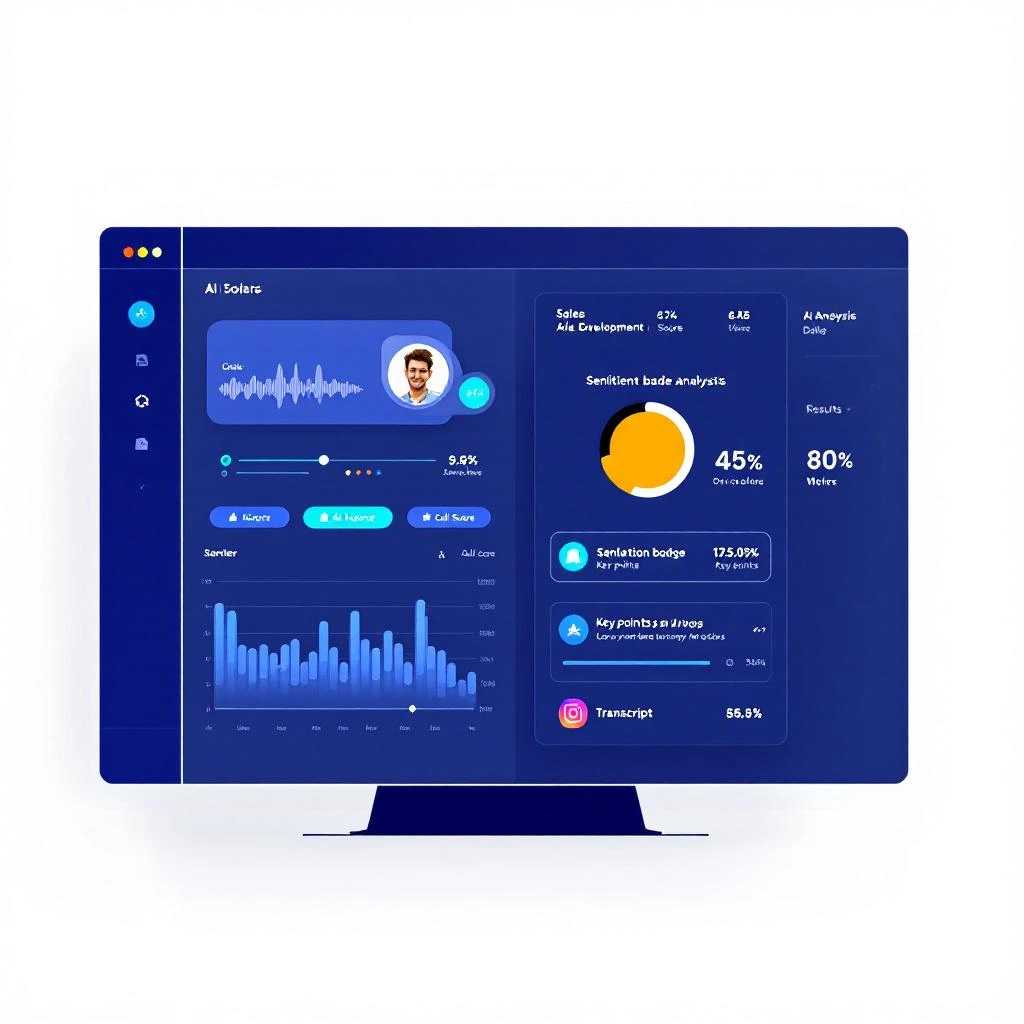
MarketBetter's dialer eliminates that overhead. Your reps call directly from the browser — no phone hardware, no third-party dialer tab, no copy-pasting numbers. And after every conversation, AI analyzes the recording automatically: full transcript, sentiment score, key points, objections raised, and recommended next steps. The call goes from "something that happened" to structured, actionable data in your pipeline.
In B2B sales, the gap between hitting quota and falling short often boils down to the effectiveness of your outbound motion. But motion without direction is just noise. Your Sales Development Reps (SDRs) are likely drowning in a sea of manual research, disconnected tools, and generic outreach that fails to connect. The result? Wasted hours, low morale, and a pipeline that never quite fills up. This guide cuts through the marketing fluff to deliver an actionable comparison of the 12 best sales prospecting tools on the market today.
We'll move beyond generic feature lists and dive into real use cases, honest limitations, and the critical question: Which tool will actually get my team to execute? To truly stop prospecting blind, it's vital to pair the right platforms with effective sales prospecting techniques that drive real results. This resource is designed to help you do just that.
You'll get an in-depth breakdown of leading platforms like Outreach, Salesloft, ZoomInfo, and Apollo.io, along with newer AI-powered engines such as MarketBetter.ai and Clay. For each tool, we provide:
A concise profile and ideal user.
An analysis of key features like CRM integration and AI capabilities.
Candid pros and cons based on real-world application.
Actionable "when to choose" guidance.
Whether you're a Head of Sales Development, a RevOps leader cleaning up CRM data, or a VP of Sales tired of inconsistent results, this breakdown will give you the clarity needed to make a strategic investment. Let's find the right tools to build a tech stack that creates predictable pipeline, not just more admin work.
As a top contender among the best sales prospecting tools, MarketBetter.ai carves out a unique position by focusing on execution rather than just list building or content creation. It functions as an intelligent task engine embedded directly within Salesforce and HubSpot, designed to close the gap between identifying buyer intent and taking immediate, effective action. Instead of forcing sales reps to juggle multiple platforms, MarketBetter centralizes their workflow, turning signals like website visits and content engagement into a prioritized queue of outreach tasks.
Its core strength lies in its ability to translate raw intent data into concrete, ready-to-execute actions. The platform automatically creates a daily task inbox for SDRs, ranking prospects by a combination of firmographic fit, recent activity, and ideal timing. This ensures reps are always working on the highest-potential leads first, a critical advantage over tools like Outreach or Salesloft which sequence tasks but don't automatically prioritize them based on real-time buying signals.
Use Case: An SDR starts their day and sees a prioritized list of tasks. MarketBetter has flagged a target account that just visited the pricing page. It automatically generates a task to call the decision-maker, complete with relevant context.
AI-Assisted Outreach
Use Case: The AI drafts a short, sequence-ready cold email with subject line variants and a clear call-to-action. For a follow-up call, it generates a talk track, notes on potential objections, and recent company news snippets for rapport-building.
Native CRM Dialer & Logging
Use Case: A rep clicks-to-dial directly from the task in Salesforce. After the call, they use a pre-set disposition to log the outcome, and the AI generates a concise summary, all without leaving the CRM. This keeps data clean and saves significant administrative time.
Multi-Tool Integration
Use Case: A key account manager is added to a Slack channel when one of their high-value accounts shows buying intent, enabling a coordinated and rapid response across sales and account management teams.
When to choose MarketBetter.ai: Pick MarketBetter.ai if your team is already using a CRM like Salesforce or HubSpot and you need to operationalize your data and intent signals into a clear, prioritized workflow. It excels at answering the "what do I do next?" problem for SDRs. While data providers like ZoomInfo give you the "who" and sequencers like Outreach help with the "how," MarketBetter.ai connects everything by prioritizing the "when" and "why," driving immediate action. If your goal is to reduce manual rep work, increase speed-to-lead, and get more out of your existing CRM and intent data investments, MarketBetter should be at the top of your list.
Outreach positions itself as a "sales execution" platform, going beyond simple prospecting to cover the entire sales cycle, from initial contact to deal forecasting. For mid-market and enterprise sales organizations, it's a powerful command center that provides structure and governance for large teams. Its core strength lies in its multi-channel sequences, which allow sales leaders to define and enforce specific outreach cadences that combine email, calls, LinkedIn tasks, and other manual steps.
Unlike more focused prospecting tools, Outreach offers deep integration with Salesforce and HubSpot, ensuring data flows seamlessly between systems. Its conversation intelligence feature, Kaia, records, transcribes, and analyzes sales calls to provide real-time coaching and highlight key moments—a feature that competes directly with standalone tools like Gong or Chorus. For teams needing a single platform for sequencing, forecasting, and coaching, Outreach is one of the most comprehensive options.
Outreach does not list pricing publicly, as plans are customized for larger teams and often involve annual contracts with seat minimums. Be prepared for a higher price point compared to point solutions, as the cost reflects its broad feature set spanning prospecting, deal management, and forecasting. Implementation can also be complex, often requiring dedicated admin resources or help from an implementation partner. Actionable Tip: When negotiating, ask specifically about AI credit usage for Kaia and content generation, as these can significantly impact your total cost.
Pros:
Comprehensive features covering the full sales cycle.
Strong governance controls and analytics for managers.
Deep CRM integration and a large support ecosystem.
Cons:
Opaque and premium pricing with contract minimums.
Significant implementation and administrative overhead.
Add-ons and variable AI credits can increase total cost.
Salesloft is an all-in-one revenue orchestration platform that excels at standardizing the entire sales process, from initial prospecting to closing and renewal. It is a direct competitor to Outreach, often differentiated by its strong focus on user experience and integrated coaching capabilities. For mid-market sales organizations looking to implement a consistent, data-driven outbound motion, Salesloft provides the structure through its multi-channel Cadences, which combine email, calls, and social tasks into a guided workflow for reps.
A key distinction is its Rhythm AI feature, an action engine designed to cut through the noise by analyzing signals across the buyer's journey and prioritizing the next best action for each rep. This moves beyond simple task lists to offer a more intelligent, focused workflow. Comparison: While both Salesloft and Outreach offer robust sequencing, Salesloft's Rhythm AI is more akin to MarketBetter.ai's task prioritization, aiming to guide reps to the highest-impact action at any given moment. For teams who want to embed coaching and AI-driven prioritization directly into their daily sales platform, this makes it one of the best sales prospecting tools available.
Salesloft does not provide public pricing, requiring a direct sales consultation for a custom quote. This typically involves annual contracts and is aimed at teams rather than individual users. Actionable Tip: During your demo, ask to see a side-by-side comparison of Cadences and Rhythm to understand how they work together, as this is a core part of their value proposition. Inquire about the implementation timeline and what dedicated resources are included to ensure a smooth rollout.
Pros:
High ease-of-use ratings and a well-regarded user experience.
Built-in coaching stack for managers and reps.
Good fit for mid-market teams standardizing outbound processes.
Cons:
Pricing is not transparent and add-ons can raise costs.
Requires a multi-week implementation for robust deployments.
Apollo.io has become a go-to unified platform for SMB and mid-market teams by combining a massive B2B prospect database with sales engagement functionality. It directly competes with solutions that require separate tools for data and outreach, offering an all-in-one approach at an accessible price point. Its core value is providing sales reps with everything they need to find, contact, and track prospects without leaving the platform, from lead discovery to executing email sequences.
Comparison: Unlike enterprise-grade suites like ZoomInfo or Salesloft, Apollo.io prioritizes ease of use and speed to value for smaller teams. Its Chrome extension is a standout feature, allowing users to find contact details and add leads to sequences directly from LinkedIn. While it provides deep CRM integrations on higher tiers, its strength lies in being a single source for both data and execution without the heavy overhead of multiple contracts and integrations.
Apollo.io offers a freemium plan and transparent monthly or annual pricing, starting around $49/user/month for paid tiers. This makes it highly accessible. However, it operates on a credit-based system for revealing contact data and sending emails. Actionable Tip: Before committing, calculate your team's average monthly prospecting volume (number of new contacts and emails sent) to determine if a standard plan is sufficient or if you'll need a custom enterprise plan to avoid hitting credit limits. Test the data quality for your specific ICP using the free credits.
Pros:
Strong value by combining a large B2B database with engagement tools.
Frequent product updates and a wide array of search filters for precise targeting.
Lower barrier to entry compared to enterprise platforms like Outreach.
Cons:
International dialing capabilities are limited to higher-priced plans.
Credit-based system for contacts and sends can require careful management.
Data accuracy, while generally good, can vary by industry and region.
ZoomInfo SalesOS is an enterprise-grade B2B intelligence platform primarily known for its extensive contact and company database, with particularly deep coverage in the US market. For sales development teams, it serves as the foundational data layer, providing direct dials, verified email addresses, and detailed organizational charts. It goes beyond simple contact lookup by offering buyer intent signals and website visitor identification, which helps teams prioritize accounts that are actively researching solutions.
Comparison: While Apollo.io bundles data and engagement, ZoomInfo's core strength is its premium data quality. It is a data-first platform. Its optional Engage module adds sequencing, but most customers buy ZoomInfo for its best-in-class contact information and then integrate it with a separate sales engagement platform. This bundled approach makes it one of the best sales prospecting tools for large organizations wanting to consolidate their tech stack with a single vendor.
ZoomInfo operates on a quote-only pricing model with annual contracts, often including auto-renewal clauses that require careful management. The total cost can be high, as it is based on a credit system for data access, seat licenses, and expensive add-on modules. Actionable Tip: Treat ZoomInfo like a strategic data infrastructure investment, not a simple seat-based tool. Negotiate aggressively on credit costs and be very clear about which add-on modules (Engage, Chorus) you truly need. Insist on a trial or a data quality audit for your key accounts before signing.
Pros:
Market-leading contact data scale and accuracy in the US.
Rich intent and account insights for prioritized outreach.
Broad integrations across the GTM stack.
Cons:
Quote-only pricing with annual contracts and auto-renew clauses.
Credit-based consumption and add-ons can make total cost high.
Less affordable for some SMB buyers without negotiation.
Cognism has established itself as a leading global B2B data platform, with a significant emphasis on compliance and high-quality mobile phone data. For teams prospecting internationally, especially in Europe, or operating in industries under strict privacy regulations, its GDPR and CCPA-compliant data processing is a major differentiator. The platform’s core value proposition is built around providing accurate, verified contact information while helping organizations mitigate legal risks.
Comparison: Choose Cognism over ZoomInfo if your primary market is EMEA or if your team relies heavily on compliant mobile numbers for direct dials. While ZoomInfo has broader US coverage, Cognism's "Diamond Verified" feature (manually confirmed phone numbers) and built-in Do-Not-Call (DNC) list scrubbing provide higher confidence for phone-first teams operating globally. This makes it one of the best sales prospecting tools for organizations prioritizing direct-dial accuracy and compliance.
Cognism uses a quote-based pricing model that typically includes a platform access fee plus per-seat licensing, making it a premium choice. Actionable Tip: In your evaluation, ask for specific data coverage metrics for your top three target countries and a demonstration of the DNC scrubbing workflow. Clarify their fair-use policies on data exports to ensure they align with your team's list-building needs. This investment is justified by its risk mitigation and high-quality global data.
Pros:
Strong compliance foundation with GDPR focus and DNC scrubbing.
High accuracy on mobile numbers through its "Diamond Verified" feature.
Ideal for regulated industries and teams prospecting in the EU.
Cons:
Quote-based pricing model creates a higher total cost.
Platform plus per-seat fees can be prohibitive for smaller teams.
Fair-use policies may limit high-volume data extraction.
LinkedIn Sales Navigator serves as the essential social graph for virtually all modern B2B prospecting. It's less of a standalone outreach platform and more of a critical intelligence and discovery layer that sits on top of a sales team's existing tech stack. Its power comes from providing direct access to LinkedIn's live professional network, with advanced search filters that go far beyond what the free version offers. Reps can target prospects by seniority, company size, recent job changes, and dozens of other criteria, making it a foundational tool for account and contact discovery.
Comparison: Sales Navigator provides the "who" and the "why now" (e.g., job changes, company posts), while tools like Apollo.io or ZoomInfo provide the "how to contact" (email, phone). It is not an either/or decision; Sales Navigator is a complementary tool. The platform's real value is realized when paired with a sales engagement tool, where reps can use Navigator’s insights to craft highly personalized messages. Its TeamLink feature, available on higher-tier plans, even reveals warm introduction paths through your colleagues' networks, a unique advantage that makes it one of the best sales prospecting tools for relationship-based selling.
LinkedIn offers several tiers for Sales Navigator: Core, Advanced, and Advanced Plus, with pricing starting around $99/user/month for the Core plan. The Advanced and Plus tiers add features like TeamLink introductions and deeper CRM integrations. Actionable Tip: Start with the Core plan for most reps. Only upgrade to Advanced for reps or leaders who will actively use TeamLink to seek warm introductions. It is not a tool for bulk outreach. Think of it as the ultimate discovery engine to find who to contact and why you should contact them now.
Pros:
Unmatched live profile data and network-based intelligence.
Self-serve seats and fast deployment for immediate use.
Complements any data provider and sales engagement platform.
Cons:
Does not provide phone numbers or verified emails.
InMail effectiveness varies widely by industry and persona.
Key team features and CRM integrations are locked behind higher-priced plans.
For organizations already embedded in the HubSpot ecosystem, the Sales Hub offers a deeply integrated and pragmatic approach to prospecting. It consolidates essential sales actions directly within the CRM, providing a unified workspace that includes sequences, task queues, a built-in dialer, and meeting schedulers. This native integration is its defining feature, eliminating the tool-switching and data-syncing headaches common with third-party applications and accelerating adoption for teams already familiar with the HubSpot interface.
Comparison: Think of Sales Hub as the "good enough" all-in-one for HubSpot users. Its features, like sequencing or calling, may not be as deep as specialized tools like Outreach or Salesloft, but the seamless integration with HubSpot's CRM, marketing, and service data provides a powerful advantage. Sales reps can trigger sequences based on website activity or support tickets, creating highly contextual outreach that is difficult to replicate with external tools.
HubSpot offers a tiered pricing model for Sales Hub, starting with a free version with limited features. The Professional and Enterprise tiers, which unlock most of the serious prospecting automation and reporting capabilities, require per-user monthly subscriptions and often include mandatory paid onboarding fees. Actionable Tip: Before buying, audit your current stack. If you are already paying for separate sequencing, scheduling, and dialer tools, consolidating onto Sales Hub Professional or Enterprise could lead to significant cost savings. Be aware of the daily email send limits and included calling minutes, as high-volume teams may need to factor in additional costs.
Pros:
All-in-one experience with native CRM data for fast admin and user adoption.
Good total cost when consolidating multiple sales tools.
Strong automation capabilities with Workflows at higher tiers.
Cons:
Best value is realized when already using HubSpot CRM.
Mandatory onboarding fees for Professional and Enterprise plans.
Dialer and daily send limits apply; advanced voice features may require partners.
LeadIQ is a prospecting capture tool built for speed and accuracy, focusing on extracting verified emails and mobile numbers directly from LinkedIn and company websites. Its core value proposition is simplicity and reliability, particularly for sales development representatives who spend their days building net-new contact lists. The platform stands out with its transparent credit model, where reps know exactly what they are spending to uncover contact data, a refreshing contrast to more complex pricing structures.
Comparison: LeadIQ occupies a middle ground between lightweight browser extensions and full-scale data platforms like ZoomInfo. It's more robust and accurate than many simple scrapers but not as comprehensive (or expensive) as the enterprise data giants. Its job-change tracking alerts are a key feature, creating timely and warm outreach opportunities. The platform also offers AI-powered message snippets to help reps personalize their outbound communication quickly.
LeadIQ offers several paid tiers, starting with plans for individuals and small teams, scaling to custom enterprise packages. The pricing is based on a credit system, with separate credits for emails and more expensive premium credits for mobile phone numbers. Actionable Tip: If your team's workflow is heavily focused on LinkedIn prospecting, LeadIQ is a purpose-built accelerator. Calculate your expected monthly need for mobile numbers versus emails to select the right credit bundle. Its transparent pricing makes it easy to run a pilot with a few reps to prove ROI before a full team rollout.
Pros:
Simple, transparent credit logic makes it easy to pilot and control costs.
Strong for champion-tracking and job-change trigger workflows.
Good CRM enrichment experience that minimizes manual data entry.
Cons:
Mobile number credits cost more, impacting budgets for call-heavy teams.
Database breadth is smaller than large, all-in-one providers.
Seamless.AI markets itself as a real-time search engine for B2B contacts, offering a self-serve platform that stands out with its genuinely free entry-level tier. This approach makes it a popular choice for individual reps, freelancers, and small teams who need to start prospecting immediately without a lengthy procurement process. Its primary function is providing direct-dial phone numbers and verified emails through a simple search interface and a convenient browser extension that works over LinkedIn and company websites.
Comparison: Seamless.AI is often seen as a direct, lower-cost alternative to ZoomInfo or LeadIQ, but with more variable data quality. Its "try-before-you-buy" model is its key differentiator. While it may not have the same depth or guaranteed accuracy as premium competitors, it serves as an excellent starting point or a supplementary tool to fill gaps left by other platforms. The platform's effectiveness hinges on the quality of its underlying data, which is where many teams turn to dedicated data enrichment services to ensure every prospect profile is complete.
While the free plan is a major draw, scaling up requires moving to a paid plan, where pricing details are less transparent and often require a conversation with their sales team. Actionable Tip: Use the free credits extensively to test data accuracy for your specific ICP before engaging with sales. Export a sample list and manually verify the phone numbers and emails. Be mindful of how credits are consumed, as daily refresh policies can lead to wasted credits if your usage is inconsistent.
Pros:
Truly free starter credits to test data quality and platform fit.
Quick to deploy for lightweight prospecting with minimal setup.
Can supplement other databases for additional contact coverage.
Cons:
Pricing for paid tiers can be opaque, with some reports of contract friction.
Data accuracy is variable; requires evaluation for your specific ICP.
Credit refresh rules can be confusing and lead to waste if not managed.
Clay is a data orchestration and research automation platform that acts as a powerful middleware for outbound teams. Instead of being a self-contained database, it connects to over 100 different data providers, allowing teams to build custom, scalable workflows for lead research and personalization. Its core function is to pull data from multiple sources, scrape websites, run AI-powered research agents ("Claygents"), and then use that information to auto-personalize outreach messages.
Comparison: Clay is not a direct competitor to data providers like ZoomInfo or engagement tools like Salesloft. Instead, it's a "supercharger" for your entire stack. For example, you could use Clay to take a list of leads from Apollo.io, find their company's recent funding announcements, use an AI agent to write a personalized opening line about that funding, and then push the lead and the custom line into an Outreach sequence. It's a tool for highly technical sales ops leaders who want to build a proprietary data engine.
Clay offers transparent, tiered pricing starting with a free plan and paid tiers that scale based on credit usage and features. A key benefit is that paid plans offer unlimited user seats, encouraging team-wide collaboration. Actionable Tip: Before choosing Clay, ensure you have a dedicated "owner" on your team with a technical or ops-savvy mindset. Start with a specific, high-value personalization use case (e.g., referencing recent blog posts or job openings) to prove its value. The total cost can be unpredictable as it scales with consumption, so monitor credit usage closely.
Pros:
Extremely flexible "build-your-own data engine" approach.
Transparent plan tiers with credits that roll over on annual plans.
Reduces reliance on a single, potentially incomplete, database provider.
Cons:
Requires a technical or operations-focused owner to get full value.
Costs scale with credit consumption and external data usage.
Not an all-in-one tool; it must power an existing engagement platform.
Amplemarket presents itself as an all-in-one sales platform built to consolidate a scattered tech stack. It combines built-in contact data, multichannel engagement (email, LinkedIn, calls), and AI-driven assistance, making it an attractive option for founder-led sales teams and scaling organizations trying to avoid vendor sprawl. Its core appeal is replacing separate tools for data sourcing, sequencing, and deliverability management with a single, unified workflow.
Comparison: Amplemarket competes most directly with Apollo.io, offering a similar all-in-one value proposition of data plus engagement. It often differentiates itself with a stronger focus on AI-guided selling and built-in email deliverability tools, which are critical for successful cold outreach. For teams focused on speed and efficiency that want to avoid piecing together multiple tools, Amplemarket provides a compelling, unified solution.
Amplemarket offers a "Startup" tier with clear pricing, providing a direct on-ramp for smaller teams. However, the "Growth" and "Elite" plans are quote-based, and costs can increase depending on the volume of contacts and seats required. Actionable Tip: If you're a startup or small team, the "Startup" tier is a great way to test the platform. When evaluating, pay close attention to the quality of its built-in contact data for your ICP and compare its sequencing capabilities to what you might get from a dedicated tool. Praised for its support, it's a solid choice for organizations that need a guided implementation.
Pros:
Consolidated stack reduces the need for multiple vendors.
Accessible Startup tier provides a clear entry point.
Strong focus on email deliverability and AI-guided selling.
Cons:
Quote-based pricing for higher tiers can be opaque.
Costs can scale quickly with contact volume.
May still require supplemental tools for in-depth account research.
✨ All‑in‑one: data + engagement + deliverability tooling
Building Your Stack for Action, Not Just Activity
You’ve now seen a detailed breakdown of twelve of the best sales prospecting tools available today. Navigating this sea of features, from the expansive data warehouses of ZoomInfo and Cognism to the all-in-one engagement platforms like Outreach and Salesloft, can feel overwhelming. The critical takeaway is that there is no single "best" tool, only the best tool for your specific process, team size, and growth stage.
The most common pitfall for sales leaders is not a lack of features but a failure of workflow. A tool might have the best data on paper, but if it requires your SDRs to open six new browser tabs, manually cross-reference records in your CRM, and then copy-paste information into a sequence, you've added friction, not efficiency. Your evaluation process should obsessively focus on one question: "Does this tool remove steps between intent and conversation?"
Your first major decision point is choosing between a consolidated, all-in-one platform and a more specialized, best-in-breed stack.
All-in-One Platforms (Outreach, Salesloft, HubSpot): These tools aim to be your central nervous system for sales engagement. They combine sequencing, dialing, email, and analytics in one place. This is an excellent choice for teams looking to standardize their process, simplify training, and reduce the number of vendor contracts. The trade-off is often a lack of depth in certain areas. Their data might not be as robust as a dedicated provider, or their AI capabilities might be less advanced than a specialized engine.
Best-in-Breed Stack (e.g., Sales Navigator + ZoomInfo + Clay + MarketBetter.ai): This approach involves layering specialized tools to create a powerful, customized workflow. You might use Sales Navigator for relationship mapping, ZoomInfo for direct dials, and Clay for data enrichment. The challenge here is integration. Without a central execution layer, this stack can become a fragmented mess of manual tasks. This is precisely the problem that tools like MarketBetter.ai were designed to solve, acting as the connective tissue that automates actions across your other tools.
Selecting one of the best sales prospecting tools is only half the battle. Successful implementation is what separates a costly shelf-ware investment from a revenue-generating machine. Before you sign a contract, consider these factors:
CRM Integration Depth: How deep does the sync go? Does it just push contacts, or does it log all activities, update fields bidirectionally, and surface CRM data directly within the tool's interface? A shallow integration is a recipe for data silos and frustrated reps.
Onboarding and Training: Does the vendor provide hands-on onboarding, or do they just point you to a knowledge base? Your team needs to understand not just what the buttons do, but how to use the tool to execute your specific sales plays.
Change Management: How will you get your team to abandon old habits? Plan a phased rollout, identify internal champions who can advocate for the new tool, and clearly communicate the "what's in it for me" to each SDR. Focus on how it will help them hit their quota with less administrative pain.
Ultimately, the goal is to build a tech stack that promotes action, not just activity. It's the difference between an SDR sending 500 generic, untracked emails and an SDR having 10 meaningful, context-aware conversations. Whether you're a small team looking for your first all-in-one tool like Apollo.io or a mature organization aiming to orchestrate a complex stack with an execution engine, your focus should remain the same. Choose the tools that get your reps out of spreadsheets and into conversations that matter.
Ready to stop manually stitching together your prospecting workflow? marketbetter.ai acts as the intelligent execution layer on top of your existing data tools, turning signals from sources like Apollo or LinkedIn Sales Navigator into automated, multi-channel outreach. See how you can build a more efficient pipeline by visiting marketbetter.ai and transforming your sales stack from a collection of tools into a true revenue engine.
Think of it this way: what if every single one of your sales reps had a dedicated expert assistant? Someone who handled all the mind-numbing, tedious tasks, freeing them up to do what they do best—actually sell.
That’s the core idea behind sales automation software. It’s the technology that closes the gap between a brilliant sales strategy and the consistent, daily grind needed to hit quota.
Let's paint a picture of a sales team running on pure manual effort. Reps are drowning in spreadsheets, their monitors are covered in sticky notes, and they have a dozen browser tabs open at all times. They manually log calls (when they remember), take a wild guess at which lead to contact next, and burn hours on admin work instead of building relationships. It’s chaotic, reactive, and just plain inefficient.
Now, imagine that same team with a powerful sales automation platform in place. The system becomes an air traffic controller for each Sales Development Rep (SDR). It intelligently lines up the day’s most important tasks, serves up all the context needed for every call, and handles the busywork humming quietly in the background.
This fundamental shift from manual chaos to guided, predictable execution is exactly why businesses are adopting these tools so quickly. To really get started, it helps to understand the basics of what is sales automation.
At its heart, sales automation software solves a massive problem: it turns your strategy into daily, repeatable action. A VP of Sales can map out the most sophisticated go-to-market plan, but if reps can’t execute it consistently, it’s just a nice-looking document.
Automation is what translates those high-level goals into a predictable workflow.
For instance, instead of an SDR scrambling to find a lead's information before dialing, the software presents it automatically. Rather than guessing who to email, the platform prioritizes leads based on real buying signals. This simple change unlocks some serious benefits:
Focus on Selling: Reps get to spend more of their day on high-value work, like having actual conversations and running demos.
Maintain Consistency: Every single lead gets the right touchpoint at the right time. No more opportunities falling through the cracks.
Improve Data Quality: Calls, emails, and notes are logged to the CRM automatically, giving leadership a crystal-clear view of what's really happening on the ground.
The demand for this kind of efficiency is clear. The global sales automation software market, valued at USD 11.36 billion in 2026, is on track to hit a staggering USD 26.86 billion by 2035. This explosive growth is driven by one simple fact: top-performing teams use automation to create a massive competitive advantage.
To see the real-world impact, let's compare the daily grind of a rep working with and without modern automation. The difference isn't just noticeable; it's a complete transformation of their productivity and effectiveness.
Reps rely on gut feelings or basic list sorting to guess which lead is "hot."
The system analyzes buying signals (like website visits) to automatically surface high-priority tasks.
Outreach Prep
Reps waste 15-20 minutes researching a single prospect across LinkedIn, the company site, and news articles.
Key data points and AI-suggested talking points are presented right within the task, ready to go.
Activity Logging
Reps manually type call notes and email details into the CRM, often forgetting or making mistakes.
Every call, email, and outcome is automatically logged to the correct CRM record without a single click.
Following Up
Reps use a messy system of calendar reminders and spreadsheets, leading to missed or late follow-ups.
The platform automatically schedules the next step in a sequence based on prospect engagement (or lack thereof).
This comparison makes it obvious: automation isn't just about doing things faster. It's about doing the right things more effectively.
By building a true operational rhythm, this software empowers reps to be more strategic and, ultimately, more successful. If you're looking to put these ideas into practice, our guide can help you automate sales processes to get the most out of your team.
Not all sales automation tools are built the same. While many platforms talk a big game about efficiency, the ones that actually deliver are built around a handful of essential features. These aren't just flashy add-ons; they are the core components that solve the biggest problems and time-wasters for modern sales teams.
So, let's move from the 'what' to the 'how.' Here's an actionable breakdown of the four capabilities that are absolutely non-negotiable for any team serious about scaling its outbound efforts. Each one tackles a specific bottleneck, turning manual grunt work into a smooth, repeatable process.
The fastest way to kill adoption of a new tool? Force your reps to leave their primary workspace. If your team lives and breathes in Salesforce or HubSpot, your sales automation software has to live there, too. A true CRM-native workflow means your reps can do everything—make calls, send emails, log notes—without ever having to switch tabs.
This is a world away from tools that just "sync" with your CRM. A sync-based setup still makes reps jump back and forth between applications. It’s clunky, creates a disjointed experience, and almost always leads to messy data and frustrated users.
Actionable Tip: During a product demo, ask the vendor: "Show me how a rep completes their top three daily tasks without leaving their CRM screen." If they have to switch tabs, it's not truly native. A native dialer that lets an SDR click-to-call directly from a Salesforce contact record is a productivity multiplier, ensuring 100% of call activity gets logged automatically.
The best sales teams don't just work harder; they work smarter. Intelligent task automation is the engine that makes this happen. It acts as a guide for your reps, sifting through a sea of buyer signals and turning them into a clear, prioritized to-do list.
Compare these two scenarios:
Without it: A rep starts their day looking at a huge list of 200 leads and asks, "Who should I call first?"
With it: The software analyzes buyer signals (like a pricing page visit or a competitor's contract ending) and surfaces the top 5 highest-priority tasks for that moment.
This shifts your team from a reactive "who should I call next?" mentality to a proactive, signal-driven workflow. Instead of reps playing a guessing game, the system points them toward the very next best action, ensuring their energy is always focused on the most qualified opportunities.
Writer's block is a massive productivity drain, especially for reps trying to hit high outbound numbers. It's easy to waste precious minutes staring at a blank screen, trying to come up with the perfect cold email. AI-powered messaging solves this by generating relevant, context-aware drafts that reps can quickly personalize and send.
This isn't about churning out robotic, one-size-fits-all templates. A good AI engine analyzes the prospect’s persona, their industry, and details about their account to create outreach that feels specific and human. A generic tool might just insert {\{first_name\}}, but a context-aware AI might reference a recent company announcement or a common pain point for their role, giving the rep a huge head start.
For an SDR staring down a tough list of cold prospects, this feature is a lifesaver. It provides a solid, high-quality starting point for every conversation, boosting both the speed and the relevance of their outreach.
If an activity isn’t in the CRM, it might as well have never happened. Every sales leader knows this, but getting reps to consistently log their work often feels like a constant battle. Automated data hygiene makes clean data the default by capturing every touchpoint without any manual work.
Let’s compare the old way versus the new way:
Activity
Manual Logging (The Old Way)
Automated Logging (The New Way)
Email Sent
Rep has to remember to Bcc the CRM or use a plugin. It's easy to forget.
Every single email sent from the platform is logged to the contact record. Instantly.
Call Made
Rep manually creates a task, types out notes, and sets the outcome.
The call outcome, duration, and any notes are logged automatically the second the call ends.
Data Quality
Spotty, full of gaps, and not something you can trust for forecasting.
A clean, complete, and trustworthy record of every single sales activity.
This isn’t just about making life easier for reps; it’s a game-changer for RevOps and sales leadership. You get a crystal-clear, real-time picture of team performance and pipeline health, which means more accurate forecasting and data-driven coaching—all without adding another administrative task to your reps' plates.
Let's be honest, "AI in sales" gets thrown around a lot. But there's a world of difference between a generic AI content spinner and an AI that’s truly built to drive sales. One spits out soulless, robotic text. The other acts as an intelligent co-pilot for your reps, making every single interaction smarter.
The market is already voting with its wallet. The AI sales software space is on a tear, projected to jump from $35.9 billion in 2026 to a staggering $71.83 billion by 2031. This isn't just hype; it's a fundamental shift. We're moving past tools that just store data and toward platforms that provide real-time guidance to make reps better at their jobs.
This new wave of AI isn't about replacing your team. It’s about making them more potent by turning a flood of data into a clear list of prioritized actions and high-quality outreach.
A huge, and frankly valid, fear is that AI-written emails sound robotic. And often, they do. That’s because most basic AI tools are flying blind—they lack crucial context. They pull from the vast, generic internet, creating messages that feel impersonal and instantly get deleted.
True sales automation software with sophisticated AI works differently. Think of a context-aware AI engine as a seasoned researcher working alongside every single rep.
It knows things like:
Account Details: It's aware of the prospect's industry, company size, recent funding rounds, and their current tech stack.
Buyer Persona: It understands the difference between a VP of Finance and an IT Manager, tailoring the message to focus on financial ROI instead of technical specs.
Intent Signals: It flags when a prospect has visited your pricing page or downloaded a whitepaper about a specific problem.
By weaving these data points together, the AI can generate a hyper-personalized draft that a rep can fine-tune in seconds. It might suggest an opening line like, "Saw your team recently expanded its logistics division, which often puts pressure on supply chain visibility..." That’s a conversation starter, not a generic "Hope you're having a great week!"
For many sales teams, the biggest productivity killer is manual research. An SDR can easily sink 20 minutes digging through LinkedIn, company websites, and press releases just to prep for one email or call. Purpose-built AI collapses that entire process into a few seconds.
Actionable Tip: Instead of reps playing detective, the AI serves up the clues. When a task pops up, it should arrive pre-loaded with talking points, likely objections, and relevant company insights. This completely changes the game.
Imagine this workflow: a high-priority task is created. The moment an SDR opens it, they see:
A pre-written email draft that's 80% of the way there, referencing the prospect’s specific role and a recent company milestone.
A call script with three key bullet points to guide the conversation.
A quick list of common objections from that persona and how to counter them.
This execution-first approach doesn't just make reps faster; it makes them better. They spend their time having meaningful, well-informed conversations, not buried in prep work. To see how this works in the real world, check out our guide on how AI sales assistants are changing the game. It’s this focus on execution that directly translates into a stronger pipeline and real business growth.
How to Choose the Right Sales Automation Software
Picking the right sales automation software is a big decision. It’s not just another tool for the tech stack; it's a strategic investment in your team's ability to hit its numbers and drive real growth. But with so many options out there, all making big promises, it’s easy to feel overwhelmed.
Let’s cut through the noise. This guide is designed to give you a clear, practical framework for evaluating your options so you can choose a platform with confidence. Making the wrong call means more than just a wasted budget—it leads to frustrated reps and a tool that sits on a digital shelf collecting dust.
To avoid that, we'll focus on the handful of make-or-break factors that truly matter.
This is the big one. The single most important factor for getting your team to actually use a new tool is whether it lives where they work. If your reps have to constantly jump between their CRM and another tab, they just won't do it. It creates friction and kills momentum.
You need to look for true CRM-native integration. This means your team can do everything—make calls, send emails, log notes, and manage tasks—without ever leaving Salesforce or HubSpot.
When you're talking to vendors, ask pointed questions to see how deep the integration really goes:
Can my reps click-to-dial a contact and have the call logged automatically inside our CRM? No manual entry needed?
Do email sequences run from a separate app, or are they managed directly within our CRM's interface?
How do you handle data sync conflicts? Is it a one-way or two-way push, and what's the delay?
A huge red flag is any workflow that forces reps to manage their day in a separate web app. If it’s not truly native, adoption will fail. Period.
Does It Adapt to Your Workflows (and Is the AI Actually Smart)?
Your sales process is your secret sauce. A rigid, one-size-fits-all automation tool will force you to change your proven workflows, not enhance them. The software has to be flexible enough to bend to your will, whether you're running complex, multi-touch enterprise plays or high-velocity SMB outreach.
Just as important is the quality of the AI. Let's be honest, a lot of "AI" out there is just generic template-filling that spits out robotic, impersonal messages. That doesn't help; it hurts your brand. What you need is context-aware AI that produces genuinely helpful, human-sounding drafts.
A great AI engine isn't just a text generator; it's a research assistant. It should be able to look at account details, buyer personas, and recent buying signals to help your reps write relevant, insightful messages that give them a massive head start.
To get a better handle on what's possible, it's worth checking out some of the best AI sales automation tools for 2026. Seeing what top-tier platforms can do will give you a solid benchmark.
Will Your Team Use It (and Can It Grow With You)?
Even the most powerful software on the planet is worthless if your team finds it clunky or confusing. A clean, intuitive interface is absolutely essential for high user adoption. During a demo, pay close attention to the user experience. How many clicks does it take to complete a core task, like making a call or personalizing an email?
At the same time, you have to think about tomorrow. Will this platform scale as you grow your team and your ambitions?
Think about scalability and analytics from these angles:
Performance Insights: Does it give you clear, easy-to-read dashboards on activity metrics, sequence performance, and individual rep productivity?
Team Growth: How easy is it to add new users, create team-based templates, and manage permissions as you expand?
Drill-Down Analytics: Can you dig into the data to see exactly which activities and messages are driving meetings and closing deals?
Choosing a tool that reps love to use and that gives leadership the insights they need is the key. It ensures the platform delivers value from day one and can keep up as you scale.
To help you stay organized during your search, use a scorecard to compare vendors side-by-side. This turns a subjective process into a more objective, data-driven decision.
Can reps execute 100% of their workflow inside the CRM without switching tabs?
High
Data & Activity Logging
Are all calls, emails, and tasks logged automatically and in real-time to the correct record?
High
AI-Assisted Messaging
Does the AI analyze the contact/account to provide context-aware, relevant drafts?
High
Workflow Flexibility
Can we build custom, multi-step sequences that match our unique sales plays?
High
Ease of Use (Adoption)
How many clicks does it take to complete a core task? Is the interface intuitive?
High
Leadership Dashboards
Does it provide clear, actionable analytics on team and sequence performance?
Medium
Onboarding & Support
What does your onboarding process look like, and what level of support is included?
Medium
Scalability & Pricing
Can the platform grow with our team? Is the pricing model transparent and predictable?
Medium
By rating each potential vendor on these critical points, you'll have a much clearer picture of which platform is the best fit for your team's specific needs and long-term goals.
In the world of sales automation, there are two competing ideas about how to make reps more productive: engagement and execution. They might sound like two sides of the same coin, but the difference is huge. It's the key to understanding why some tools become a team's secret weapon while others end up as just another login nobody uses.
Picking the right approach is critical. Let's dig into what sets them apart.
Most traditional Sales Engagement Platforms (SEPs) are built around the idea of "engagement." At their core, they operate like glorified project management tools, but for sales. Reps are expected to live in this separate platform, managing complex sequences, sifting through endless task lists, and trying to orchestrate their outreach from a system that's completely disconnected from their main workspace—the CRM.
This creates a whole new layer of admin work. Instead of making a rep's day simpler, it adds another system to juggle. The result? Poor adoption, inconsistent activity logging, and a whole lot of frustration.
An execution-first workflow completely flips that model on its head. The goal isn't to manage the work; it’s to create the perfect moment for a rep to actually do the work.
Instead of showing a rep a giant to-do list of a hundred things they could do, an execution-first platform surfaces the single next best action they should be taking, right now.
This is all about collapsing the distance between a sales signal and the action that follows. It's about delivering a task to a rep with everything they need to execute it instantly, all without ever asking them to leave their CRM.
Here's what that looks like in the real world:
A Buyer Signal Occurs: A prospect from a high-value account visits your pricing page. A traditional tool might just log the event. An execution-first platform sees this as an urgent trigger for action.
A Task is Automatically Created: The system instantly creates a high-priority "Call & Email" task for the account's owner. It's not just another item on a list; it’s flagged as the most important thing to do next.
The Rep Executes Instantly: When the SDR clicks into that task inside their CRM (like Salesforce or HubSpot), they aren't met with a research project. They're immediately presented with an AI-generated email draft and a click-to-call button.
This workflow directly solves the most common headaches plaguing sales teams: wasted admin time, spotty data, and the low adoption of tools that pull reps out of their main workflow.
The fundamental difference comes down to where the platform directs a rep's focus. One asks them to manage a process. The other guides them to take an action.
This is the simplified, action-oriented workflow that an execution-first platform creates.
The real beauty of this process is its efficiency. It cuts out all the manual steps that usually get in the way between spotting an opportunity and acting on it.
Let's break down the comparison even further:
Feature
Engagement-First (The Old Way)
Execution-First (The New Way)
Primary Goal
Manage complex sequences in a separate platform.
Drive the next best action from within the rep's existing CRM workflow.
Rep Experience
Reps juggle their CRM and the SEP, managing lists and deciding what to do next.
Reps get prioritized tasks inside their CRM and have everything they need to act immediately.
AI's Role
Often used for generic content generation that needs heavy editing.
Generates context-aware drafts for emails and calls, presented right at the moment of action.
Data Logging
Relies on a sync that can be slow or break, leading to incomplete CRM data.
Automatically logs 100% of activity in real-time because every action happens inside the CRM.
The contrast is clear: engagement platforms give reps another tool to manage, while execution platforms give them a system that helps them act. The latter is far more effective at driving consistent outbound motion and ensuring no opportunity is missed.
At the end of the day, the goal of sales automation software shouldn't be to add more complexity. It's to build a system that makes doing the right thing the easiest thing. By focusing on that moment of execution, you empower your team to be more productive, more consistent, and ultimately, far more successful.
Investing in new tech always boils down to a single question: what’s the return? With the right sales automation software, the ROI isn't just theoretical—it's something you can actually see, measure, and feel across your entire revenue team. The payoff goes way beyond simple convenience, creating a clear financial and operational impact that leadership can get behind.
This push toward automation is happening fast. In fact, sales force automation (SFA) software solutions are on track to grab over 72% of the market share by 2026, with a global value topping US$9.0 billion. Top-performing sales teams are already way ahead of the curve, with 61% integrating automation compared to just 46% of underperformers. The result? Better productivity and higher conversion rates. For sales leaders, this trend points to a clear path for building a scalable, consistent outbound engine.
For the leader on the front lines, the impact is immediate and dramatic. An SDR Manager’s world is all about activity, consistency, and how fast they can get new reps ramped up. The right platform directly improves all three.
Instead of spending weeks getting new hires up to speed, managers can see them become productive almost overnight. When AI handles the grunt work of research and call prep, a brand-new rep can confidently start making high-quality calls on day one.
Actionable Metric: This isn't just a feeling; it translates into real numbers. A manager might see new hires hitting their quota 50% faster than before. Across the whole team, cutting out manual tasks can lead to a 30% lift in daily outbound activities per rep—all while improving the quality of every single interaction.
What does a VP of Sales need more than anything? A predictable pipeline. An execution-first sales automation platform delivers exactly that. By enforcing a consistent sales process and giving clear visibility into team performance, it takes the guesswork out of forecasting.
They’re no longer flying blind and relying on anecdotal updates from the floor. Now, they have a dashboard showing precisely how many calls and emails are going out, which sequences are actually working, and where the pipeline is coming from. This data-driven clarity is gold for strategic planning and reporting up to the board.
For a RevOps leader, the holy grail is clean, reliable data in the CRM. They are often stuck chasing reps for updates and trying to stitch together reports from incomplete or just plain wrong information. It's a huge time sink and a constant source of frustration.
The right sales automation software solves this problem at its source. By automatically logging every call, email, and task outcome, it guarantees pristine data hygiene. Finally, a RevOps leader can actually trust the numbers in their reports. This frees them up to focus on higher-value work, like optimizing workflows and uncovering strategic insights. The ability to measure success accurately is a core part of growth; you can learn more about applying AI to revenue attribution for GTM teams.
Achieving 95% activity logging compliance without any manual nagging isn't a pipe dream. It's the direct result of a system built for execution, not just engagement.
As you explore sales automation software, some important questions are bound to come up. Let's walk through the most common ones I hear from sales leaders to help you find the right path for your team.
This is a fair question. Many teams have tools that manage their sales engagement, but very few have tools that actually drive execution. There's a huge difference.
If your reps are living in Salesforce but have to jump over to another browser tab for their dialer or task list, you’re paying a hidden "app-switching tax." This constant back-and-forth drains momentum, kills productivity, and almost always leads to incomplete data in your CRM.
A truly effective sales automation platform brings the work directly to your reps, right inside their CRM. It tees up the very next best action—the call to make, the email to send—without them ever having to leave the screen. This execution-first approach removes friction, skyrockets daily activity, and guarantees every single action is logged automatically. The result? You finally get data you can actually trust.
I get it. The thought of robotic, impersonal AI messages going out under your company’s name is a real concern. The generic AI writing tools we’ve all seen are famous for producing exactly that kind of content.
But the AI built into modern sales automation software is a different beast entirely. It’s context-aware. This means it digs into account details, buyer personas, and recent buying signals to create drafts that are surprisingly relevant and human-sounding.
Actionable Tip: Think of it less like a robot writing for you and more like a brilliant assistant handing you a solid first draft. Your action is to empower reps to take that 80% complete draft and add their own 20% of personalization. This preserves your brand’s voice while moving much, much faster.
A long, painful implementation can destroy a new tool's ROI before your team even gets started. That's why a smooth, low-friction rollout isn't just a "nice-to-have"—it's critical. The best strategy is to begin with a single, high-impact workflow that delivers value on day one.
For example, you could start by simply turning on a native CRM dialer and automated task logging. Reps immediately feel the benefit of saved time, and leadership gets clean, accurate activity data from the get-go.
Once that foundation is set, you can start layering in more powerful features like AI-assisted messaging or real-time call coaching. This allows your team to adopt new habits and capabilities at a comfortable pace, ensuring the tool actually gets used.
Ready to see how an execution-first workflow can reshape your team’s outbound efforts? marketbetter.ai turns buyer signals into a prioritized task list and helps reps execute faster with AI-powered outreach and a dialer that lives right inside your CRM. Discover a better way to drive pipeline.
Forget everything you think you know about cold email. Blasting out thousands of generic emails and hoping for a reply is a recipe for a full spam folder and zero meetings. It's a strategy from 2010, and it just doesn't work anymore.
While you might hear that the average response rate is around 5%, the best B2B sales teams I've worked with are consistently hitting double digits. The secret? They've stopped playing the volume game and started playing the precision game.
Let's get right to it. The "spray and pray" approach is dead. Decision-makers are drowning in emails and have developed a sixth sense for spotting a lazy, impersonal template from a mile away. To break through, your cold email engine needs a complete overhaul. It's less about raw numbers and more about building a strategic, predictable pipeline.
This modern approach stands on three actionable pillars:
Smart Targeting & Intent Signals: You go after accounts actively signaling they're in-market, not just anyone who fits your ICP on paper.
AI-Driven Personalization: You use smart tools to make every email feel like it was written just for them, but without spending hours on each one.
Seamless CRM Integration: Every touchpoint is tracked, every follow-up is on schedule, and your entire process is a well-oiled, measurable machine.
The real gap between average and elite performance is this mindset shift. A team that sends 100 hyper-relevant, well-timed emails to prospects showing real buying intent will run circles around a team blasting 1,000 generic templates. It’s a comparison of effectiveness versus busyness.
It all comes down to respecting the prospect’s time and showing them—in the very first sentence—that you've actually done your homework.
The goal isn't just to get a reply. It's to start a real conversation. That requires you to understand their world and craft a message that proves you get it.
To really nail this, you need to see how cold email fits into the bigger picture. Understanding the nuances of Outbound Marketing vs. Inbound Marketing will help you build a much smarter, more integrated growth strategy.
So, what do good numbers actually look like? Knowing the benchmarks is the only way to know if you're winning or just spinning your wheels. The table below breaks down what separates the average teams from the top-tier players.
A/B test highly personalized, non-generic subject lines.
Response Rate
1% - 5%
8% - 12%+
Reference a specific buying signal in your opening line.
Meeting Booked Rate
0.5% - 2%
3% - 5%+
End with a low-friction, interest-based CTA.
Bounces & Unsubscribes
< 3%
< 1%
Use a verified email data provider and clean your lists quarterly.
While most teams hover in that "Average" column, this playbook is designed to get you firmly into the "Top-Tier" zone. Focusing on the right inputs—targeting, messaging, and timing—is how you turn cold outreach from a frustrating grind into your most predictable source of revenue.
Building Your Targeting and Intent Signal Machine
Great cold outreach doesn't start with a clever subject line. It starts way before that, by figuring out exactly who you should be emailing in the first place.
If you're just blasting emails to anyone who fits a static Ideal Customer Profile (ICP), you’re basically fishing with a giant net in the open ocean. Sure, you might snag something eventually, but you'll burn a ton of time and energy doing it. The game has changed. The best teams build a "machine" that surfaces prospects who aren't just a good fit, but are actively waving their hands, showing they're ready to talk.
This means looking beyond basic firmographics like company size or industry. You need to zero in on dynamic buying signals—real-time triggers that tell you a prospect is in-market right now. These are the little breadcrumbs that separate a "maybe later" lead from a "let's book a call this week" opportunity.
Imagine the difference this makes for your sales reps. Instead of spending an hour digging through LinkedIn, trying to find a reason to reach out, a smart workflow can hand-deliver a prioritized list of high-intent accounts. It gives them all the context they need to jump on the opportunity instantly.
Think of it like this: your ICP tells you who to target, but intent signals tell you when. This comparison is the key to modern outreach.
A static profile might point you to a 500-person tech company. That's a good start. But a dynamic signal points you to the specific 500-person tech company that just hired a new VP of Sales, downloaded your latest whitepaper, and had three engineers poking around your integrations page this week. Which one do you think is going to hit "reply"?
Here’s a quick comparison of the old way versus the new way:
Approach
Traditional Targeting (Static)
Intent-Driven Targeting (Dynamic)
Foundation
Ideal Customer Profile (ICP)
ICP + Real-Time Buying Signals
Timing
When you get around to it
Based on specific prospect actions
Relevance
Broadly relevant (e.g., industry match)
Hyper-relevant (e.g., pricing page visit)
Efficiency
Low; plays the numbers game
High; focuses on quality over quantity
Rep Workflow
"Who should I email next?"
"Here are your 5 best accounts to email now."
This isn't just theory; it's a massive shift. We've seen that companies using well-segmented campaigns, often fueled by intent data, report a 760% increase in revenue compared to teams still sending generic blasts. It just proves that timing and relevance are the whole ballgame. You can dive deeper into what these actions mean by checking out our guide on the top indicators of interest to watch for.
Key Intent Signals to Monitor (And How to Act on Them)
To get your own signal machine humming, you need to know what to listen for. Not all signals are created equal. Some are just early whispers of interest, while others are screaming "I'm ready to buy!"
Here are the signals your team absolutely should be tracking and turning into outreach tasks:
High-Value Website Visits: A visit to your homepage is nice. A visit to your pricing, demo, or comparison page? That's a five-alarm fire.
Action Step: Set up an automated alert that creates a high-priority task in your CRM for the account owner the moment a target account hits these pages.
Content Engagement: When someone from a target account downloads a case study or sits through your webinar, they’re not just browsing. They're actively researching a problem you claim to solve.
Action Step: Create a follow-up sequence specifically referencing the content they engaged with. Example: "Saw you downloaded our guide on X. What did you think of the section about Y?"
Key Hires or Promotions: A new executive, like a VP of Sales or CMO, usually shows up with a budget and a mandate to shake things up in their first 90 days.
Action Step: Use LinkedIn Sales Navigator or other tools to set up alerts for role changes at your target accounts. Reach out within their first month to be part of their new strategy.
Company Growth Triggers: Keep an eye out for news like a fresh funding round, a new office opening, or a sudden spike in job postings for a specific department.
Action Step: Subscribe to industry news alerts and follow target companies. Reference the news directly in your outreach to show you're paying attention.
Third-Party Intent Data: Tools out there can actually show you which of your target accounts are Googling keywords related to your product or checking out your competitors.
Action Step: Integrate this data into your CRM to score accounts. An account showing intent for "sales automation software" should jump to the top of your team's call list.
Crafting Personalized Emails That Actually Get Replies
Alright, you’ve pinpointed your high-intent targets. Now for the hard part: how do you actually start a conversation? The answer isn’t some magic template. It’s genuine, one-to-one personalization that makes your prospect feel like you've actually done your homework.
This is exactly where most cold email outreach strategies completely fall flat. Reps get stuck between two bad options: spending hours digging up research for a single email or just blasting out generic templates that get ignored. The modern playbook uses AI not as a robot writer, but as a hyper-efficient research assistant, letting you personalize at scale.
Think about every email you send as having three simple jobs: grab attention, prove you're relevant, and make it easy to say yes. Most emails bomb on that second point. A great cold email is almost always short, easy to read on a phone, and respects the prospect's time.
Here’s an actionable structure that consistently works:
A Compelling Subject Line: Keep it short and specific. Compare: "Quick Question" (generic) vs. "Question about Acme's recent funding" (specific and intriguing).
A Hyper-Relevant Opening Line: This is your "why you, why now" moment. Reference a specific trigger event—a new hire, a funding announcement, a piece of content they shared.
A Clear Value Proposition: In one sentence, connect their situation to a problem you solve. Frame it as a tangible outcome for them, not a list of your features.
A Low-Friction Call-to-Action (CTA): End with a simple, interest-based question. Compare: "Are you free for a 30-min demo?" (high-friction) vs. "Open to learning how we do this?" (low-friction).
This whole thing should clock in under 100 words. Anything longer and you've lost them.
Generic Template vs AI-Powered Personalization: A Direct Comparison
Let's make this real. Imagine you're reaching out to a VP of Sales. Their company just announced a big Series B funding round and they're hiring a bunch of new sales reps. Here's a look at how AI can turn a generic, low-impact message into something that actually starts a conversation.
.png)
This table really breaks down the difference between the old way and the new, AI-assisted approach.
A side-by-side look shows just how much more impactful a personalized message is. One feels like a mass email, the other feels like a conversation.
Email Component
Generic Template (Low Impact)
AI-Personalized Example (High Impact)
Subject Line
Quick question
Congrats on the Series B
Opening Line
"Hi Jane, I help sales leaders like you..."
"Jane, saw the news on your $40M Series B—congrats. Scaling the SDR team post-funding is a huge undertaking."
Value Prop
"...drive more pipeline with our software."
"We help VPs of Sales at companies like yours ramp new SDRs in under 30 days by automating their call prep and email workflows."
CTA
"Do you have 15 minutes to connect next week?"
"With your hiring plans, is improving new SDR ramp time a priority for Q4?"
The AI-personalized version just feels human. It’s timely, specific, and frames the value around something the prospect is dealing with right now. To really stand out and get replies, you have to master cold email personalization.
The results from this shift aren't small. We've seen advanced personalization double response rates, and even just tailoring a subject line can boost replies by a whopping 140%. One study of 2026 campaigns found that while a typical reply rate hovers around 5.1%, top performers using AI-assisted customization can hit 40-50%.
Actionable Tip: Think of AI as your relevance engine, not your author. The AI finds the "why now" and drafts the first 80%. The SDR’s job is to come in and add that final 20%—the human touch, the strategic angle, the authentic tone.
That combination of machine-powered relevance and human oversight is what separates a mediocre outreach effort from a true pipeline-generation machine.
That first email you send? It’s just the opening line. The real money is made in the follow-up.
It’s shocking how many reps fire off one email and call it a day, but the pipeline is built on persistence. Your prospect is busy. Your first message probably landed at the worst possible time. A single email is a whisper; a smart follow-up sequence is a conversation. This is exactly why you have to ditch the manual, error-prone spreadsheets for tracking follow-ups.
Manual Spreadsheets vs. Automated Workflows: A Stark Comparison
Let's get real about the two ways to manage follow-ups. One is a masterclass in dropping the ball, and the other is a system for predictable engagement.
Approach
Manual Tracking (Spreadsheets)
Automated Workflow (CRM/Sales Tool)
Process
Reps try to remember to log activity, set janky calendar reminders, and guess which step is next.
The system automatically tees up the next email, call, or social touch. No thinking required.
Consistency
All over the place. A busy Tuesday morning means follow-ups are the first thing to get skipped.
100% consistent. Every prospect gets the exact same designed experience, ensuring no one ever falls through the cracks.
Visibility
A black hole. Managers have no clue what’s actually happening or where leads are in the process.
Crystal clear. Every touchpoint is logged in your CRM, giving you a perfect view of rep activity and sequence performance.
Efficiency
Abysmal. Reps spend more time on admin grunt work than actually talking to people and selling.
Through the roof. Automation handles the boring stuff, freeing up your team to focus on having valuable conversations.
Picture this: an SDR sends their first email on Day 1. With an automated workflow, the system automatically creates a call task for them on Day 3 and fires off the next email on Day 5 if there's no reply. All of that gets logged in Salesforce or HubSpot without anyone lifting a finger. That's the difference between hoping for follow-ups and guaranteeing them.
Blueprinting Your Multi-Touch Sequence: An Actionable Template
A killer sequence is more than just a chain of "just checking in" emails. It’s a strategic mix of touchpoints across different channels that shows you’re persistent, not just annoying.
Here’s a simple but brutally effective sequence you can steal and implement today:
Day 1 (Email): The personalized, high-value opener we've been talking about.
Day 3 (Call + Email): Make the call. No answer? Leave a quick voicemail and immediately follow up with an email saying, "Hey, just left you a voicemail..." It doubles the impact.
Day 5 (Social Touch): Pop up on their LinkedIn. This could be a connection request with a brief, non-salesy note or a smart comment on something they shared. It puts your name in front of them in a completely different context.
Day 8 (Email): Send another email, but this time, bring a different piece of value to the table. Maybe it’s a link to a relevant case study or a blog post you know they'd find interesting.
Day 12 (Call): One last call. Keep it quick, professional, and focused on them.
This entire flow hinges on a simple, repeatable process: Research, Personalize, Send.
When you follow up is just as critical as what you say. You need to stay top-of-mind without becoming a nuisance.
Action Step: Space your touches 2-4 days apart as a starting point. Test different cadences to see what works for your audience. For example, try a 1, 3, 7, 14 day sequence and compare its performance to a 1, 2, 4, 8 day sequence.
The data here doesn't lie. One recent analysis found that follow-up emails are responsible for 42% of all replies from cold campaigns. Walking away from that is like leaving two out of every five potential deals on the table. The same report also showed that a sequence of 4-7 emails seems to be the sweet spot for getting the most replies without torching your prospect list. For a deeper dive, check out our guide on effective email follow-ups.
Getting Your Workflow Dialed In with Salesforce and HubSpot
Let’s be honest. You can have the most brilliant cold email strategy on the planet, but it's completely worthless if your reps don't—or can't—actually follow it. A perfect sequence and a killer template mean nothing if emails aren't logged and follow-ups are dropped. This is where your tech stack becomes either your team's greatest asset or their biggest enemy.
The brutal reality for too many sales teams is a messy, disjointed workflow. A rep kicks off their day by juggling a spreadsheet of leads, a separate email tool, a dialer in another tab, and their CRM. This constant context switching isn't just a minor annoyance; it's a silent killer of pipeline and morale.
The real cost of a clunky, fragmented workflow is so much more than a few wasted minutes. When your outreach tools don't talk directly to your CRM, you’re operating with a system that's fundamentally broken. It’s actively working against you.
Think about the two ways this can go: the old, disconnected way versus a modern, CRM-native system.
Bounces between 3-4 tabs to send an email, make a call, and log the activity.
Lives entirely inside Salesforce or HubSpot. Clicks a button to get the next task done.
Data Logging
Manual, inconsistent, and often flat-out forgotten. "If it's not in Salesforce, it didn't happen."
100% automatic. Every email, call, and outcome is logged instantly to the right contact record.
Manager Visibility
A total black box. Reporting is a shot in the dark based on incomplete, messy data.
Crystal clear. Managers see real-time activity and can coach based on what’s actually happening.
Lead Management
Leads constantly fall through the cracks. Follow-ups get missed the second a rep gets busy.
Every lead is tracked. Automated sequences ensure no opportunity is ever left behind.
The difference is night and day. A unified system makes the right way to work the easiest way to work. It takes the administrative burden off your reps' shoulders, which is always the biggest roadblock to consistent execution.
A rep's job is to build pipeline, not to be a data entry clerk. The best sales tools get out of the way and let them focus on high-value conversations, automating the low-value tasks that drain their time and energy.
When you're looking at any tool to power your cold email outreach, don't get distracted by shiny features. Your focus should be on one thing: how deeply and seamlessly it plugs into your team's single source of truth—your CRM. For a deeper dive, check out our complete HubSpot and Salesforce integration guide.
Here’s a simple checklist to guide you. Treat these as absolute deal-breakers.
[ ] Native CRM Integration: Does the tool run insideSalesforce or HubSpot, or does it force reps into yet another platform? If it's not native, adoption is doomed.
[ ] Automatic Data Logging: Are calls, emails, and outcomes logged automatically and in real-time? If you have to ask your reps to log things, it won't get done.
[ ] Workflow Automation: Can it turn buyer intent signals into a prioritized to-do list for your reps? The tool should tell them exactly what to do next.
[ ] Single-Pane-of-Glass View: Can a rep see everything they need—contact details, past activity, intent data—and take action from one single screen?
By embedding your entire outreach process directly into the CRM, you solve the biggest headaches sales leaders face. You kill the manual work, give yourself true visibility, and build a system that lets your reps focus 100% of their energy on what they were hired to do: sell.
Even with the best playbook in hand, the daily grind of outreach always surfaces new questions. Let's tackle some of the most common hurdles that trip up even seasoned sales leaders and their teams.
What’s a “Good” Cold Email Response Rate, Really?
Everyone loves to throw around the industry benchmark of a 5.1% reply rate, but honestly, that number is mostly noise. A "good" rate is all about context. A 2% positive reply rate on a six-figure deal is fantastic; a 10% rate on a low-ACV product might be underperforming.
Instead of getting hung up on some universal number, focus on your own baseline and constant improvement.
Actionable Tip: The real win isn't hitting an arbitrary percentage. It's about consistent, incremental improvement. A/B test one thing at a time—your subject line, your CTA, your opening line—and see what actually moves the needle for your audience. A 1% lift this month, another 1% next month... that's how you build a world-class outreach machine.
How Can We Use AI Without Sounding Like a Robot Wrote It?
This is the million-dollar question, and the answer lies in understanding AI's proper role. You don't want AI to be the salesperson; you want it to be their ridiculously efficient research assistant.
A generic AI will always spit out robotic copy. A purpose-built sales AI acts as a relevance engine, scanning for intent signals—a new exec hire, a funding announcement, a visit to your pricing page—and uses that specific detail to craft a compelling opening line.
Here’s a practical comparison:
Generic AI: "Hi John, I help VPs of Sales like you improve team performance..." (Delete.)
Sales-Context AI: "John, saw you're hiring five new SDRs in Austin. Ramping new reps quickly must be a Q3 priority." (Now we're talking.)
The AI does the first 80% of the work by finding the "why you, why now" and structuring a solid draft. The rep’s job is to come in and add that final 20%—the human touch, the personal nuance, the strategic insight that makes the email feel authentic.
How Do I Get My Team to Actually Log Their Activity?
You don't. Simple as that.
Any process that depends on reps manually entering data is doomed from the start. It’s not a question of if it will fail, but when. The only way to guarantee 100% compliance is to make logging completely automatic.
This means using tools that live and breathe inside your CRM. When the entire workflow—managing tasks, sending emails, making calls—happens right within Salesforce or HubSpot, activity logging just becomes a natural byproduct of doing the job.
Here's a comparison of the two different worlds this creates for a sales manager:
Manual Hell: Your one-on-ones are spent nagging reps to update the CRM, and then you’re forced to coach them based on spotty, unreliable data.
Automated Heaven: You have a clean, real-time dashboard of every single touchpoint. You can coach with confidence, pinpointing exactly where reps are struggling and what’s actually working.
You get the clean data you need for accurate forecasting, and your team gets to focus on selling. Win-win.
Let's be blunt: open rates are a vanity metric. Even a basic reply rate doesn't tell you much. They say nothing about generating pipeline or closing deals. To measure the actual business impact of your cold email outreach, you have to look further down the funnel.
These are the four actionable metrics that truly matter:
Positive Reply Rate: This cuts through the noise of "no thanks" and "unsubscribe" to show you how many prospects are genuinely interested.
Meetings Booked: This is your first real conversion. It tells you if your reps can successfully turn that initial interest into a scheduled conversation.
Sales Qualified Opportunities (SQOs): How many of those meetings convert into legitimate, qualified pipeline for your account executives? This is where you separate activity from progress.
Pipeline Influenced: The big one. This tracks the total dollar value of opportunities that your cold outreach has either sourced directly or played a key role in creating.
When you focus on these downstream metrics, you ensure your team is optimizing for the only thing that really counts: revenue.
Ready to stop the busywork and start building real pipeline? marketbetter.ai turns buyer signals into prioritized tasks and helps your SDRs execute faster with an AI-powered email and call engine that lives directly inside Salesforce and HubSpot. See how it works at marketbetter.ai.
Why it's different: MarketBetter is the only platform that combines website visitor identification, AI-powered daily playbook, email automation, smart dialer, and AI chatbot in one platform. Instead of just making your reps better at executing (Revenue.io's approach), MarketBetter tells them who to contact, why, and what to say.
Key advantages over Revenue.io:
Website visitor identification (Revenue.io: none)
AI-generated daily SDR playbook with prioritized tasks
AI chatbot that qualifies visitors 24/7
Works with any CRM, not just Salesforce
Transparent pricing starting at $99/user/month
AI SEO tracking for how AI mentions your brand
Best for: B2B teams (1-50 SDRs) that need the full pipeline — from identifying buyers to booking meetings.
Pricing: $99/user/month (published). A 5-person team costs $99/user/month vs. Revenue.io's estimated $3,000-$5,000/month.
2. SalesLoft — Best for Multi-CRM Sales Engagement
Why consider it: SalesLoft (now with Drift) is Revenue.io's closest competitor in sales engagement, but works with multiple CRMs. The Drift acquisition adds conversational AI capabilities Revenue.io doesn't have.
Key advantages over Revenue.io:
CRM-agnostic (Salesforce, HubSpot, Microsoft Dynamics)
Drift chat integration for website engagement
Larger market share = more integrations and ecosystem
Cadence builder is more intuitive for non-technical users
Key disadvantages:
More expensive — median $82,500/year (Vendr)
No visitor identification
No daily playbook or AI-powered prioritization
Drift integration is still maturing post-acquisition
Best for: Mid-market to enterprise teams on non-Salesforce CRMs that need structured sales engagement.
3. Outreach — Best for Enterprise Sequence Automation
Why consider it: Outreach is the market leader in sales engagement by revenue. It offers sophisticated sequence building, A/B testing, and analytics that go deeper than Revenue.io's cadence features.
Key advantages over Revenue.io:
Works with any CRM
More sophisticated sequence builder with branching logic
Stronger A/B testing and analytics
Larger customer base and ecosystem
Key disadvantages:
Even more expensive — median $72,000/year
No real-time call coaching (Revenue.io's Moments™ is unique)
No visitor identification or prospecting
Heavy, complex platform — long implementation
Best for: Enterprise teams (100+ reps) that need industrial-strength outbound sequences.
4. Gong — Best for Conversation Intelligence Only
Why consider it: If you're evaluating Revenue.io primarily for Moments™ and conversation intelligence, Gong is the category leader. Deeper analytics, better AI summaries, and a more mature coaching workflow.
Key advantages over Revenue.io:
Best-in-class conversation intelligence and coaching
Deal intelligence with pipeline analytics
Works with any CRM and any communication tool
Stronger AI for call analysis, topic detection, and competitive mentions
Key disadvantages:
No dialer — you need a separate calling solution
No email sequencing or cadences
Expensive — median $80,000+/year
Read-only for pipeline insights (doesn't execute for you)
Best for: Teams that already have a dialer and engagement tool but need deeper coaching and intelligence.
Why consider it: Apollo combines a B2B contact database (275M+ contacts), email sequencing, and a basic dialer at a fraction of Revenue.io's cost. If you need prospecting + engagement on a budget, Apollo is hard to beat on value.
Key advantages over Revenue.io:
Built-in prospect database (Revenue.io: none)
Published, transparent pricing starting at $49/user/month
Email sequencing + basic dialer included
Works with any CRM
Free tier available
Key disadvantages:
Dialer is basic compared to RingDNA
No real-time call coaching
No conversation intelligence
Contact data quality varies by region/industry
Best for: Startups and SMBs that need prospecting + engagement in one tool for under $100/user/month.
6. Clari — Best for Revenue Intelligence and Forecasting
Why consider it: If you're evaluating Revenue.io's Orchestrate tier for forecasting and pipeline analytics, Clari is the dedicated leader. It acquired Groove for sales engagement, giving it a similar bundled pitch.
Key advantages over Revenue.io:
Market-leading revenue forecasting and pipeline analytics
Groove integration for sales engagement
Works with multiple CRMs
Stronger board-level reporting and forecast accuracy
Key disadvantages:
Groove integration is still being unified
Expensive — median $81,008/year (Vendr)
Sales engagement features less mature than Revenue.io
No visitor identification or prospecting
Best for: VP Sales and CRO teams that need forecast accuracy + pipeline visibility more than SDR execution.
Why consider it: If calling volume is your top priority, Nooks' parallel dialer connects reps to 5-10 prospects simultaneously, dramatically increasing connect rates. It also offers a virtual salesfloor for team energy and coaching.
Key advantages over Revenue.io:
Parallel dialing (5-10x more connects per hour)
Virtual salesfloor for remote team collaboration
AI-powered call coaching and real-time prompts
Works with any CRM
Key disadvantages:
Phone-only — no email sequencing or multi-channel
Very expensive — ~$5,000/user/year
Smaller company with less enterprise maturity
No prospecting or visitor identification
Best for: High-volume outbound teams where raw dial count and connect rate are the primary metrics.
Pricing: ~$5,000/user/year (estimated from industry reports).
8. Reply.io — Best for Multi-Channel Sequences on a Budget
Why consider it: Reply.io offers email, phone, LinkedIn, and SMS sequencing with AI-powered personalization at a much lower price point than Revenue.io. If multi-channel matters more than Salesforce depth, Reply.io delivers.
Why consider it: Amplemarket is a rising AI SDR platform that automates prospecting, personalization, and multi-channel outreach. It's what Revenue.io would be if it were built today with an AI-first approach instead of a dialer-first approach.
Key advantages over Revenue.io:
AI-powered prospecting and lead discovery
Automated personalized outreach at scale
Multi-channel (email, phone, LinkedIn)
Works with any CRM
Faster setup — no Salesforce-certified implementation required
Key disadvantages:
Less mature — founded 2019 vs. Revenue.io's 2012
No conversation intelligence or call coaching
Pricing starts at $600/month (not per user) — expensive for small teams
Smaller customer base and ecosystem
Best for: Growth-stage companies that want AI to handle prospecting and initial outreach, freeing reps for closing.
Pricing: Starting at ~$600/month. Contact sales for exact quotes.
Why consider it: If your outreach is primarily email-based and you need volume, Instantly offers unlimited email sending with deliverability optimization at a fraction of Revenue.io's cost. It's a different philosophy — email cannon vs. guided selling.
Key advantages over Revenue.io:
Unlimited email sending from $30/month
Email warmup and deliverability tools included
B2B lead database access
No CRM requirement
Dramatically cheaper
Key disadvantages:
Email only — no dialer, no phone
No conversation intelligence or coaching
No Salesforce integration depth
No real-time guidance or AI coaching
High volume doesn't mean high quality
Best for: Teams doing high-volume cold email outreach where cost-per-email matters more than per-call coaching.
Revenue.io (formerly ringDNA) has been around since 2012. It started as a Salesforce dialer and has expanded into conversation intelligence, guided selling, and revenue forecasting. It's backed by Goldman Sachs and serves enterprise teams at companies like AWS and Nutanix.
MarketBetter takes a fundamentally different approach. Instead of building around phone calls and Salesforce, MarketBetter builds around knowing who to contact and what to say — combining website visitor identification, AI-powered daily playbooks, smart dialing, email automation, and multi-channel orchestration in one platform.
The question isn't which one has more features. It's which one actually gets your SDRs booking meetings.
Revenue.io is a Salesforce-native execution platform. It makes your reps better at dialing, coaching, and following cadences — but only if you already know who to call and why.
MarketBetter is an SDR operating system. It identifies your buyers, prioritizes who to contact first, tells your reps exactly what to do, and gives them every channel to do it — phone, email, LinkedIn, chat.
Think of it this way: Revenue.io is the engine. MarketBetter is the engine, the GPS, the fuel, and the road map.
Real-time call coaching. Revenue.io's Moments™ feature listens to live calls and surfaces objection-handling tips, competitor mentions, and talk-ratio alerts in real time. If your team lives on the phone and needs coaching at scale, this is genuinely impressive technology.
Conversation intelligence depth. Every call gets recorded, transcribed, and analyzed with keyword tagging, topic detection, and AI-generated summaries. Managers can review calls without listening to hours of recordings. For coaching-heavy organizations, this saves significant time.
Salesforce-native architecture. Revenue.io is built inside Salesforce, not bolted on. Activities log automatically, reports use native Salesforce objects, and there are 100+ prebuilt dashboards. If your entire business runs on Salesforce and you want zero data fragmentation, this is a real advantage.
Revenue forecasting. The Orchestrate tier includes deal scoring, pipeline risk analysis, and forecast accuracy tools. Enterprise revenue teams that need to predict quarter-end numbers get meaningful value here.
Knowing who to contact. Revenue.io assumes you already have a list. MarketBetter identifies companies visiting your website right now, scores them by intent, and surfaces the ones most likely to buy. You don't need to import lists — the platform generates them.
The daily playbook. Instead of reps deciding their own priorities, MarketBetter's AI generates a prioritized task list every morning: who to call, what to email, what context to use. This eliminates the 2+ hours most SDRs spend on research and planning.
AI chatbot. Every website visitor can be engaged immediately through an AI-powered chatbot that qualifies leads, answers questions, and books meetings — even outside business hours. Revenue.io has no equivalent.
No Salesforce requirement. Revenue.io only works with Salesforce. If you're on HubSpot, Pipedrive, or any other CRM, Revenue.io isn't an option. MarketBetter works regardless of your CRM.
Speed to value. Revenue.io recommends 15+ seats and offers Salesforce-certified implementation on their highest tier. MarketBetter can be deployed in minutes with a single SDR.
Revenue.io doesn't publish pricing. Based on Vendr data from 20 purchases, the median annual contract is $59,460/year (range: $20,413 to $393,213). That's roughly $4,955/month for a typical deployment. Third-party estimates suggest starting around $95/user/month, but actual costs depend on tier (Activate, Engage, or Orchestrate) and team size.
MarketBetter starts at $99/user/month with transparent, published pricing. A 5-person SDR team costs approximately $99/user/month depending on the plan — a fraction of Revenue.io's typical contract.
Revenue.io makes your phone-based sales team more efficient inside Salesforce. It's excellent at what it does — coaching, cadences, and conversation intelligence for enterprise sales floors.
MarketBetter tells your SDRs who to contact, why, and how — then gives them every channel to do it. It's a complete SDR operating system, not just a dialer with coaching.
If your problem is "my reps make calls but aren't coached well enough," Revenue.io solves that.
If your problem is "my reps don't know who to call or what to say," MarketBetter solves that.
Revenue.io doesn't publish pricing on their website. The pricing page says "Contact Sales" for all three tiers. That's a red flag for many buyers — but we dug into third-party data to give you real numbers.
According to Vendr (based on 20 verified purchases):
Median annual contract: $59,460/year
Low end: $20,413/year
High end: $393,213/year
Third-party benchmarks from SalesHive estimate starting prices around $95/user/month, but actual costs depend heavily on which tier you choose, team size, and negotiation.
Best for: Teams who need unified AI workflows, better coaching, and higher win rates.
Everything in Engage, plus:
Ask Revenue™ (AI queries for deals, calls, accounts)
Deal Scoring and Pipeline Risk Insights
AI call + deal summaries
AI Coaching Feedback and AI Scorecards
Revenue Intelligence Dashboard
Forecast Analyzer (risk, upside, pacing)
Agentic AI to build custom agents
Full Conversation Intelligence suite
Salesforce-certified implementation
Dedicated success manager
Estimated cost: For Orchestrate with conversation intelligence and forecasting, expect $200-$350/user/month. This is where the $393K high-end contracts come from — large enterprise teams on full Orchestrate.
Revenue.io requires Salesforce. If you don't already have Salesforce, add $75-$300/user/month for Sales Cloud licenses. For a 10-person team, that's an extra $9,000-$36,000/year before you even pay for Revenue.io.
This is the biggest hidden cost. Teams on HubSpot, Pipedrive, or Zoho would need to migrate their entire CRM to use Revenue.io.
Revenue.io is positioned between SalesLoft and Outreach on price, but below Gong. The key difference: Revenue.io bundles dialing + engagement + conversation intelligence, while competitors often charge separately for each.
You're a Salesforce shop with 15+ reps who live on the phone
Call coaching and conversation intelligence are your primary needs
You're willing to invest $40K-$80K+/year in sales execution tooling
You already have lead sources and just need better execution
Consider alternatives if:
You're spending more time finding leads than executing on them
Your budget is under $20K/year for sales tooling
You need visitor identification, chatbot, or intent signals
You're not on Salesforce (or don't want to be locked in)
MarketBetter combines visitor identification, email automation, smart dialing, AI chatbot, and daily playbook for $99/user/month — with transparent pricing and no CRM lock-in. For teams that need the full pipeline from identification to close, it's a fraction of what a Revenue.io + supplementary tools stack costs.
Revenue.io (formerly ringDNA) has been in the sales tech game since 2012 — longer than most AI SDR tools have existed. It's positioned as "the AI Revenue Platform built for Salesforce teams" and serves enterprise customers including AWS, HPE, SAP Concur, and Nutanix.
But does it live up to the positioning? We analyzed reviews from G2, TrustRadius, Capterra, Gartner Peer Insights, and Software Advice to give you the unfiltered picture.
Overall, Revenue.io scores well — particularly on G2 and AppExchange where Salesforce-heavy users rate it. TrustRadius and Capterra scores are lower, suggesting more critical voices surface on those platforms.
1. Salesforce Integration Is Genuinely Best-in-Class
The most consistent praise across every review platform: Revenue.io's Salesforce integration is seamless. Unlike bolt-on tools that create data silos, Revenue.io logs everything natively inside Salesforce objects.
Users highlight:
Calls automatically logged with recordings attached to the right contact/opportunity
No duplicate data entry — activities sync in real time
100+ prebuilt Salesforce reports and dashboards
Works within the Salesforce Chrome extension, so reps never leave their workflow
One VP of Sales on G2 noted that after switching from Outreach, their Salesforce data accuracy improved significantly because reps stopped manually logging (and forgetting) activities.
Revenue.io's signature feature — Moments™ — surfaces real-time guidance during live calls. When a prospect mentions a competitor, pricing objection, or specific keyword, the platform instantly shows the rep a relevant talk track.
Users praise:
Reduces ramp time for new SDRs from months to weeks
Helps reps handle objections they haven't encountered before
Managers can build custom Moments based on their own methodology
The Engage and Orchestrate tiers include guided selling workflows that standardize outreach sequences. Reps get a clear next action after every touchpoint — call, email, SMS — without building their own cadences from scratch.
The biggest structural limitation: Revenue.io only works with Salesforce. If you're on HubSpot, Pipedrive, Zoho, or any other CRM, Revenue.io is not an option. Period.
This also means:
Switching away from Revenue.io means migrating all your engagement data
Your Salesforce contract renewal becomes a dependency for your sales engagement stack
Teams evaluating CRM changes are locked out of considering Revenue.io (or locked into Salesforce)
Multiple TrustRadius reviewers flagged this as a concern, especially mid-market companies considering CRM migrations.
Several Capterra and Software Advice reviews mention occasional dropped calls — a significant problem for a platform whose core value proposition is calling.
Duplicate call entries in Salesforce when calls fail and retry
One reviewer noted their productivity metrics were skewed because dropped calls created false entries
Revenue.io has likely addressed many of these issues (some reviews are from earlier years), but it's a pattern worth investigating during your evaluation.
Revenue.io doesn't publish pricing, and multiple reviewers mention this as a friction point. Vendr data shows a median annual contract of $59,460 — but individual buyers can't verify where they fall without going through a sales process.
Competitors like Apollo ($49/user/month published) and MarketBetter ($99/user/month published) make it easy to evaluate cost before committing to a demo. Revenue.io requires a conversation with sales before you even know if it fits your budget.
Revenue.io is an execution platform, not a prospecting platform. It doesn't help you:
Identify anonymous website visitors
Find new leads or companies to target
Generate buyer intent signals
Enrich contact data
You need to bring your own leads into Salesforce before Revenue.io can help. For teams struggling with pipeline generation (not just execution), this is a meaningful gap.
Revenue.io is a strong product for a specific use case: enterprise Salesforce teams that need real-time call coaching and conversation intelligence. The Moments™ feature is genuinely differentiated, the Salesforce integration is best-in-class, and the platform has matured over 13+ years.
But it comes with tradeoffs. Salesforce lock-in is real, pricing is opaque, and the platform doesn't help you find buyers — only engage them better once you have them.
If your bottleneck is execution quality (reps aren't following playbooks, calls aren't coached, data isn't logged), Revenue.io solves that.
If your bottleneck is pipeline generation (you don't know who to call, your website visitors are anonymous, your SDRs waste time researching), a platform like MarketBetter that combines identification + engagement + playbook is a better fit.
Rating: 4.2/5 — Excellent Salesforce-native execution platform, limited by CRM lock-in and lack of prospecting capabilities.
SalesHandy can send 240,000 emails per month for $139. That's impressive — if your only problem is sending volume.
But here's the question most teams skip: who are you emailing, and why them?
SalesHandy excels at one thing: getting cold emails into inboxes at scale with unlimited email accounts and built-in warmup. It's a cold email cannon — load prospects, write sequences, fire. MarketBetter takes a fundamentally different approach: identify who's already showing buying signals, build a prioritized daily playbook, and orchestrate outreach across email, phone, and chat.
This guide breaks down both platforms honestly — pricing, features, real user feedback — so you can decide whether you need more sending volume or smarter selling.
SalesHandy = Send more emails to more people, faster. It's a cold email automation tool built for high-volume outbound. You bring the lists, write the sequences, connect unlimited email accounts, and SalesHandy handles delivery, warmup, and tracking.
MarketBetter = Know who to contact, when, and why. It's a complete SDR operating system that combines website visitor identification, buyer intent signals, a daily prioritized playbook, smart dialer, AI chatbot, and email automation into one platform.
Think of it this way: SalesHandy is the engine. MarketBetter is the engine, GPS, and dashboard combined.
What costs extra: Lead Finder credits (50-100 included per plan, then pay-per-credit), AI credits (100-500 included, one-time), email verification credits.
The real cost: SalesHandy looks cheap at $25/mo, but to actually run campaigns you need:
Lead lists (SalesHandy gives 50-100 credits, not enough for real prospecting)
Email infrastructure (domains, mailboxes — you set these up yourself)
Lead enrichment (phone numbers not available in cold emailing tier at all)
A separate tool for calling, visitor ID, or any non-email channel
Realistic total cost for a 3-person SDR team: $200-600/mo for SalesHandy + $150-400/mo for leads + $100-300/mo for calling tool = $450-1,300/mo across 3-4 tools.
If your strategy is high-volume cold email, SalesHandy's price-per-email is hard to beat. 240,000 emails/month for $139 is aggressive pricing. For agencies managing dozens of client mailboxes, the unlimited account model is a real advantage.
SalesHandy has invested heavily in deliverability: sender rotation across up to 1,000 accounts per sequence, built-in spam word detection, inbox placement testing, and the TrulyInbox warmup partnership. For teams whose primary challenge is getting emails to land in the inbox, this matters.
White-labeling, unlimited clients, and the ability to manage multiple brands from one dashboard make SalesHandy popular with cold email agencies. The $139/mo Scale plan with unlimited teams and whitelabeling is genuinely hard to find at that price.
$25/mo to start cold emailing with unlimited accounts and basic automation. No demo calls required. No annual contract on monthly plans. For solo founders testing outbound, SalesHandy removes friction.
SalesHandy doesn't know who visited your website, who's showing buying signals, or which prospects are actively researching solutions. You're emailing lists — not warm leads. In 2026, cold email alone converts at 1-3%. Warm outbound (targeting prospects who already showed intent) converts at 5-15%.
SDRs using SalesHandy still have to decide: who do I email first? What should I say? SalesHandy provides sequences, not strategy. Your reps are still switching between multiple tabs to figure out their day.
Users consistently flag SalesHandy's reporting as limited. You get open rates, reply rates, and click rates. You don't get pipeline attribution, revenue impact, or conversion analytics. As one G2 reviewer noted: "The analytics could be more detailed for granular campaign tracking."
Multiple G2 and Reddit reviews mention deliverability issues when scaling past a certain volume. One detailed Reddit review titled their post "Comprehensive Review of Saleshandy — Not Good," citing problems with infrastructure quality and support responsiveness at scale.
SalesHandy's built-in Lead Finder (700M+ contacts) sounds impressive, but users report mixed accuracy. Phone numbers aren't available in the cold emailing tier. And the included credits (50-100 per plan) are barely enough to test, let alone run a real prospecting operation.
MarketBetter identifies companies visiting your website and surfaces them with context: which pages they viewed, how often they've returned, and what intent signals they're showing. Your SDRs email people who are already interested, not cold strangers.
Instead of "here are your sequences," MarketBetter gives each SDR a prioritized task list every morning: call this prospect (they visited pricing twice), email this lead (champion just changed jobs), follow up on this deal (engagement dropped). It turns data into action.
Email alone isn't enough. MarketBetter combines email sequences, a built-in smart dialer for phone outreach, and an AI chatbot for real-time website engagement. Your SDRs work one platform, not four.
Track every touchpoint from anonymous website visit to closed deal. Know which channels, messages, and sequences actually generate revenue — not just replies.
Users praise: Easy setup, intuitive interface, affordable pricing, unlimited email accounts, good for beginners.
Users complain about: Limited integrations beyond email, basic reporting, warm-up effectiveness varies, support can be slow, deliverability issues at scale, lead data accuracy concerns.
Common pattern: Works great for small campaigns and solo senders. Teams that try to scale past 50K emails/month often run into deliverability walls.
MarketBetter (G2: 4.97/5 — Top Performer in 15 categories)
Users praise: Daily playbook transforms SDR productivity, visitor ID accuracy, multi-channel in one platform, responsive support, fast setup.
Users note: Higher starting price than email-only tools, works best for B2B teams with website traffic.
SalesHandy is a cold email machine. If cold email is your entire strategy and you want maximum volume at minimum cost, it delivers. But in 2026, the teams booking the most demos aren't the ones sending the most emails — they're the ones reaching the right prospects at the right time with the right message across the right channel.
MarketBetter costs more than SalesHandy because it does more than SalesHandy. It's not just email automation — it's the complete SDR operating system that tells your team who to contact, when, and why.
The real question isn't "which tool sends more emails?" — it's "which tool books more meetings?"
Ready to see the difference signal-driven selling makes?Book a demo and see your daily SDR playbook in action.
Most sales cadences fail for a simple reason: they treat every prospect the same. A generic, 10-step email and call sequence copied from a blog post might check a box for activity, but it rarely builds genuine pipeline. The result is a robotic, predictable outreach that gets ignored, deleted, or marked as spam. This happens because the cadence lacks context. It doesn't consider the prospect's industry, their buying intent signals, or their role in the organization.
This guide moves beyond generic templates. Instead of just listing steps, we will dissect ten specific, scenario-based sales cadence examples designed for real-world selling. You will find actionable sequences for everything from responding to high-intent leads to breaking into cold, strategic accounts. We will compare different approaches, showing you when to use a high-touch, multi-threaded cadence versus a quick, automated burst.
Each example provides the exact touchpoint schedule, channel mix, and messaging focus needed for a particular situation. More importantly, we break down the why behind each step, providing the strategic reasoning so you can adapt these frameworks to your own process. This isn't just a list; it's a playbook for building and executing smarter outreach that connects with buyers. We’ll also show how modern tools, like MarketBetter.ai's SDR Task Engine, are critical for managing these context-aware cadences without sacrificing efficiency, helping your team prioritize the right actions at the right time.
This foundational cadence is a workhorse for B2B outbound prospecting. It methodically alternates between email and phone calls over two to three weeks, ensuring consistent, multi-channel exposure without overwhelming the prospect. The sequence is designed to build familiarity and deliver value incrementally, making it one of the most effective sales cadence examples for engaging decision-makers who require multiple touchpoints before responding.
Popularized by sales engagement leaders like Outreach.io and Salesloft, this cadence typically sees reply rates between 18-25% for SaaS companies. Its strength lies in its balanced approach, blending the scalability of email with the personal touch of a phone call.
Unlike single-channel cadences that can be easily ignored, the 5-touch sequence creates a persistent, professional presence. The initial email introduces the core value proposition, while the follow-up call a few days later reinforces the message and adds a human element. Subsequent emails introduce new information, such as a relevant case study or industry insight, preventing the follow-up from feeling like a generic "just checking in" message.
Key Insight: The goal isn't just to get a reply; it's to educate the prospect with each touch. Each step should offer a new piece of value, positioning you as a helpful resource rather than just a seller.
Day 1 (Email 1): Send a highly personalized email. Use MarketBetter's AI Cold Email generator to create an opening line based on the prospect's company news or LinkedIn activity. The call-to-action (CTA) should be a low-friction request, like asking for a 10-minute call.
Day 3 (Call 1): Reference the email you sent. Even if you reach voicemail, a brief message shows diligence. For guidance on what to say, you can find proven frameworks in our guide to crafting effective sales call scripts.
Day 7 (Email 2): Offer a new value proposition. Attach a one-page case study or link to a blog post relevant to their industry.
Day 10 (Call 2): A final attempt to connect live before the last email.
Day 14 (Email 3): The "breakup" email. Politely close the loop and state you won't reach out again unless they indicate interest.
This modern, signal-driven approach flips the traditional calendar-based model on its head. Instead of a fixed schedule, outreach intensity surges when a prospect shows buying intent, such as visiting a pricing page, downloading content, or experiencing a job change. This cadence clusters touches around the precise moment a prospect is most receptive, making it one of the most efficient sales cadence examples for converting warm leads.
Pioneered by intent data leaders like 6sense and Demandbase, this method can produce dramatic results. Customers of these platforms often report a 2-3x lift in response rates when the first touch lands within 24 hours of an intent signal. The strategy's power comes from its timeliness and relevance, meeting buyers where they are in their journey.
This cadence is the direct opposite of a "one-size-fits-all" sequence. While a standard outbound cadence like the 5-Touch model treats all prospects equally, the intent-triggered burst prioritizes immediacy and context for a select few. The first touch isn't a cold introduction; it's a direct response to a prospect's recent action. This context makes the outreach feel less like a sales pitch and more like a helpful, timely intervention. The sequence is short and intense, designed to capitalize on the fleeting window of high interest before a prospect's focus shifts.
Key Insight: Speed and relevance are your primary advantages. The goal is to connect the prospect's recent action to your solution's value proposition immediately, showing you've done your homework and understand their current needs.
Day 1 (Within 24 Hours of Signal): Trigger the first touch immediately. Reference the signal contextually in your email (e.g., "Saw your team just hired a new VP of Sales, a common trigger for reviewing [your solution category]").
Day 2 (Call 1): Follow up with a call. Mention the specific reason for your outreach: "I'm calling about the email I sent yesterday regarding your company's visit to our [feature] page."
Day 4 (Email 2): Send a related piece of content. If they downloaded a whitepaper on Topic A, send a case study about a similar company that succeeded with Topic A.
Day 6 (Social Touch): Engage on LinkedIn. Like or comment on a recent post to create another, less formal touchpoint.
Day 7 (Final Call/Email): Make a final, direct attempt to connect based on the original intent signal. If there's no response, pause the cadence and wait for a new trigger.
This hybrid cadence capitalizes on the high-trust entry point of a warm introduction from a mutual connection. It acknowledges that even the best intros can go unanswered and combines the initial referral with a structured, multi-touch follow-up sequence. This approach ensures that the initial momentum isn't lost, making it one of the most powerful sales cadence examples for high-value or enterprise-level deals.
Foundational to models used by venture-backed startups and relationship-driven sellers, this cadence respects the introduction while adding the necessary persistence. LinkedIn reports that users see up to 60% higher response rates on warm introductions, but without a plan, that advantage can quickly fade. This structured follow-up provides the safety net.
Unlike a pure cold outbound sequence that starts from zero credibility, this cadence begins from a position of trust. The first few follow-ups are not about building trust from scratch but about activating the trust already established by the referrer. The key is to transition smoothly from the introduction to your own value proposition without losing the personal touch of the original connection.
Compared to a longer, more educational cadence, this sequence must be faster and more direct to build on existing momentum. The initial follow-up should happen within three days. Subsequent steps are designed to gently remind the prospect of the introduction and provide compelling reasons to engage directly with you.
Key Insight: A warm introduction gets you in the door, but a structured follow-up gets you the meeting. Don't assume the referral will do all the work; your persistence demonstrates your own professionalism and commitment.
Day 1 (Warm Intro): The mutual connection sends the introductory email, CC'ing you.
Day 3 (Email 1): If no reply, move the referrer to BCC and send your first follow-up. Keep it brief: "Hi [Prospect Name], just moving our conversation to a new thread. Since [Referrer's Name] introduced us, I wanted to share a quick idea about..."
Day 5 (Call 1): Call the prospect, referencing the introduction. "Hi [Prospect Name], [Your Name] calling from [Your Company]. [Referrer's Name] connected us earlier this week regarding..." This has a much higher chance of success than a cold call.
Day 8 (Email 2): Provide a piece of high-value content, like a targeted case study. Frame it as a continuation of the introduction: "Thought you might find this relevant based on what [Referrer's Name] mentioned about your work in..."
Day 12 (Email 3): Send a final, polite check-in before pausing outreach. You can find excellent templates for this in our guide on how to write effective email follow-ups.
This advanced cadence shifts from targeting a single contact to orchestrating a coordinated, multi-stakeholder outreach across a high-value account. Multiple concurrent threads (4-8) run over three to four weeks, with each sequence tailored to a specific persona like a decision-maker, influencer, or champion. The goal is to create multiple entry points and build an internal buying coalition, making this one of the most powerful sales cadence examples for complex, enterprise-level deals.
Pioneered by ABM leaders like Demandbase and 6sense, multi-threading is a core component of modern account-based strategies. Companies like HubSpot and Salesforce use it for their largest accounts, often seeing win rates jump significantly. For instance, Demandbase reports that ABM campaigns can achieve 40-50% win rates, far surpassing the 15% average for traditional outbound.
Unlike linear cadences that can stall if a single contact goes dark, multi-threading creates momentum that is difficult to ignore. The core difference is scope: instead of a 1-to-1 conversation, you are creating a many-to-many dialogue within the account. By engaging a CFO with ROI-focused messaging while simultaneously reaching a CIO with technical integration details, you create internal conversations about your solution. Each thread is distinct but coordinated, building a groundswell of awareness and support within the target organization.
Key Insight: The strategy is to surround the account, not just contact individuals. When multiple stakeholders start hearing about your solution in a context relevant to their roles, the opportunity becomes an internal agenda item rather than an external sales pitch.
Step 1 (Map & Plan): Use LinkedIn and ZoomInfo to validate the account's org chart. Identify the primary decision-maker, key influencers, and potential blockers.
Step 2 (Stagger Outreach): Stagger the first touches to avoid appearing automated. Contact the CFO on Day 1, the CIO on Day 2, and the VP of Sales on Day 3.
Step 3 (Customize Messaging): Use MarketBetter's AI Cold Email generator to create distinct messaging for each persona. For the CFO, focus on TCO and risk reduction; for the VP of Operations, highlight efficiency gains.
Step 4 (Coordinate Internally): Log all interactions at the account level in your CRM, not just the contact level. This gives your entire team a unified view of engagement momentum. Use call-prep AI to brief reps on who else is being contacted before each call.
Step 5 (Track & Optimize): Monitor which persona-specific thread converts fastest. Use these insights to refine your sequencing for future accounts in the same industry or segment.
5. The Linear Escalation Cadence (Low-to-High Touch)
This methodical cadence builds trust by starting with low-friction, less demanding outreach and gradually increasing intensity based on prospect engagement. It respects the prospect's time while maintaining persistence, making it one of the more sophisticated sales cadence examples for high-value targets. The sequence is designed to pause or adapt when a prospect shows interest and escalate to a higher-level contact if initial attempts fail.
Popularized by platforms like HubSpot and Salesloft, this model is a staple for B2B SaaS teams. It's built on the principle that earning a prospect's attention requires a progressive approach, not an immediate, high-pressure ask. This strategy is highly effective for reaching busy decision-makers who delete aggressive sales emails on sight.
The key difference between this and a standard cadence is its dynamic nature. A static, repetitive cadence sends the same type of touch every time, whereas the linear escalation model adapts based on prospect behavior (or lack thereof). The initial touch is intentionally light, often just two or three sentences, making it easy to digest. Subsequent steps add layers of value. If the prospect remains unresponsive, the cadence escalates the touchpoint's intensity, potentially involving a manager for a final, high-impact outreach.
Key Insight: The strategy here is to qualify engagement levels before investing more time and resources. By starting light, you filter out uninterested parties quickly and can focus more personalized, higher-touch efforts on those who are potentially a good fit but haven't yet responded.
Day 1 (Email 1 - Low Touch): Send a very short, personalized email. The CTA should be a micro-commitment, like asking the prospect to "reply with a '1' if this resonates." This reduces the friction of a first reply.
Day 4 (Email 2 - Medium Touch): Add more context. Reference a customer story or a key industry statistic. Keep the email concise but provide a clear piece of value that connects to their business challenges.
Day 8 (Call 1 - Higher Touch): Transition from passive to active outreach. Reference the previous emails. The goal is a brief conversation to see if there's a problem you can help solve.
Day 12 (Email 3 - Escalation Prep): Send a final email from the rep, hinting at executive-level interest. For example, "My CEO noticed your company's recent work and asked me to connect."
Day 15 (Call 2 / Email 4 - Executive Escalation): For large accounts, have a manager or executive send a brief, direct email or make the final call. This change in sender adds significant weight and often generates a response.
6. The Problem-Aware Buyer Cadence (Awareness → Consideration → Decision)
This advanced cadence shifts the focus from a fixed schedule of touches to a dynamic sequence that adapts to the prospect's stage of awareness. Instead of just sending follow-ups, each message is designed to guide the buyer from understanding their problem to considering solutions and finally making a decision. This approach makes it one of the most effective sales cadence examples for complex sales where education is a key part of the process.
This strategy mirrors the inbound marketing principles popularized by HubSpot and is refined with behavioral insights from platforms like Gong. Its power lies in matching the message to the prospect's mindset, which builds trust and positions the seller as a consultative partner.
This cadence contrasts sharply with product-focused sequences. Instead of pitching features from day one, this journey-based approach is helpful first and promotional second. The initial touchpoints focus entirely on diagnosing and validating a business problem, often without even mentioning your solution. As the prospect engages (e.g., clicks a link about the problem), the messaging transitions to introduce a solution category and, finally, your specific product as the best option.
Key Insight: The goal is to advance the prospect's awareness, not just to get a meeting. By aligning your outreach with their natural learning process, you create a path of least resistance from problem to purchase.
Day 1 (Email 1 - Problem Education): Send an email that asks a diagnostic question about a common pain point. Example: "Noticed you're leading growth at [Company Name]. Many VPs of Sales are finding their reps spend less than 30% of their day actually selling. Is this a challenge on your radar?"
Day 4 (Email 2 - Problem Validation): Share a statistic or story that proves the problem is widespread and costly. This builds urgency and shows you understand their world.
Day 8 (Call 1): Reference the problem you highlighted. Ask open-ended questions to explore its impact on their team.
Day 12 (Email 3 - Solution Fit): Now, introduce your solution category. Attach a case study or link to a whitepaper that shows how a similar company solved the problem.
Day 15 (Email 4 - ROI/Proof): Provide hard proof with an ROI calculator or a customer testimonial video. Make the value tangible.
Day 18 (Call 2): Your CTA is now more direct, focused on a demo to see the solution in action.
Day 21 (Email 5): The final touch can be a breakup email or an executive-level introduction to reinforce value and create a final opportunity to connect.
This content-first sequence shifts the focus from pitching features to proving results. It leads with customer success stories, case studies, and third-party validation to persuade research-heavy buyers who require social proof before committing to a conversation. This is one of the most effective sales cadence examples for establishing credibility with skeptical or analytical prospects.
Pioneered in practice by content marketing leaders like HubSpot and enterprise giants like Salesforce, this cadence replaces generic value propositions with concrete evidence. Its power comes from showing, not just telling, prospects how their peers have succeeded, making the potential for their own success feel tangible and achievable.
The core difference here is the messenger. Instead of making claims about your product ("We are the best"), this cadence lets your customers’ results do the talking ("Our customer in your industry achieved X"). Each touchpoint introduces a new piece of evidence, from a detailed case study to a powerful customer quote. This approach methodically builds a case for your solution, appealing to logic and risk aversion by demonstrating a proven track record.
Key Insight: Social proof is a powerful psychological trigger. When prospects see that similar companies have already vetted and succeeded with your solution, it lowers their perceived risk and increases their trust in your brand.
Day 1 (Email 1): Lead with a highly relevant case study. Use MarketBetter's AI to craft an email centered on a success story from the prospect’s industry. Frame it as "How [Similar Company] achieved [Specific Result]."
Day 4 (Email 2): Introduce analyst validation. Reference a high standing in a Gartner Magic Quadrant or Forrester Wave report to establish category leadership.
Day 7 (Email 3): Share direct peer validation. Include a powerful quote or a link to a G2/Capterra review from a customer in a similar role or company size.
Day 10 (Call 1): Reference the social proof you've sent. A good talk track is, "I sent over a case study on [Client Name] and wanted to share how we achieved a similar [Metric] for them."
Day 13 (Email 4): Provide a hard ROI benchmark. Share an anonymized data point, like "Our customers see an average 35% reduction in costs within six months."
Day 15 (Email 5): The "breakup" email. Offer final, exclusive access to a resource library or a custom ROI calculator as a last-ditch value offer.
This two-part cadence serves as a powerful closing sequence for prospects who have gone silent. It leverages psychological principles like loss aversion by sending a final "breakup" email, signaling you're closing their file. This often prompts a response from those with even slight interest, creating a clear path for a more focused re-engagement.
Sales engagement platforms and communities like Pavilion and SalesHacker have validated this tactic, noting that breakup emails can achieve open rates of 20-30%, a significant jump from standard follow-ups. As one of the most effective sales cadence examples for filtering intent, its goal is to either get a definitive "no" or identify a warm lead worth nurturing further.
This is less of a standalone cadence and more of a powerful module you can add to the end of any other sequence. Its function is to create a sense of urgency and finality. By stating your intention to stop contact, you shift the dynamic from chasing to closing the loop. This respectful approach often elicits a response because it gives the prospect control while asking for a simple confirmation. The subsequent re-engagement is then lighter and more consultative, as the prospect has already self-qualified their interest.
Key Insight: The breakup email isn't a passive-aggressive trick; it's an honest re-prioritization of your time. Its effectiveness comes from respecting the prospect's attention and cleanly separating lukewarm leads from those with genuine, albeit delayed, interest.
Day 1 (Email 1 - The Breakup): Wait at least 7 days after your last touch. Send a polite email stating you assume it's not a priority and will be closing their file. Subject lines like "Closing your file?" or "Permission to close your loop?" work well.
Response Handling (Automated Task): Use a MarketBetter task rule to monitor replies. If a prospect responds positively, automatically assign a "Re-engagement Call" task to the rep with a note: "Responded to breakup email. Lead is warm; be consultative."
Day 3 (Call 1 - Re-engagement): For positive responders, make a call. Your goal is to understand what prompted their reply, not to jump back into a hard pitch. Start with, "Thanks for getting back to me, what was on your mind when you replied?"
Day 5 (Email 2 - Re-engagement): Follow up the call with a single, high-value email. Instead of re-entering a long sequence, send a specific resource that addresses the conversation you just had.
60-Day Re-evaluation: For non-responders, add them to a 60-day re-engagement list. Monitor for new intent signals like a job change or company news before reaching out again.
This consultative sequence flips the traditional sales model on its head by front-loading value before ever asking for a meeting. Over several touches, the entire focus is on providing genuinely helpful resources like research, templates, or calculators. This approach builds trust and authority, making it an excellent example of sales cadence examples designed for sophisticated buyers who are tired of direct pitches.
Popularized by executive advisors and thought leaders, this method positions the seller as a trusted expert. It's particularly effective for consulting firms, strategy agencies, and founders who can share unique frameworks or industry playbooks to establish credibility from the first interaction.
This cadence is the antithesis of a pitch-heavy sequence. It disarms prospects by giving without an explicit expectation of return. The initial emails are purely educational, designed to solve a small, specific problem. The critical difference is the call-to-action (CTA). Instead of "Book a demo," the CTA is simply "Read this report" or "Use this template." Only after delivering tangible value multiple times does the cadence transition to a soft ask, which feels earned rather than demanded.
Key Insight: This strategy shifts the dynamic from a sales transaction to a professional relationship. By measuring engagement with your content (clicks, downloads), you can identify highly interested prospects who are essentially qualifying themselves for a conversation.
Day 1 (Email 1): Share a potent, easily digestible piece of value. Use MarketBetter's AI Cold Email generator to frame an industry insight or a key finding from a recent research report you’ve published. The only CTA is to consume the content.
Day 5 (Email 2): Provide a practical tool. This could be a link to a helpful template, a checklist, or an ROI calculator relevant to their role. Frame it as a free resource to help them succeed.
Day 10 (Email 3): Offer another valuable asset. Share a different type of content, like an insider's perspective on a common challenge or an invitation to a non-gated webinar.
Day 14 (Email 4): Make the soft ask. Now that you’ve established a pattern of helpfulness, you can transition. Reference the value provided (e.g., "Following up on the ROI template I shared...") and ask for 15 minutes to discuss how these concepts apply to their specific goals.
This advanced cadence moves beyond a fixed schedule, synthesizing intent signals, account-based marketing (ABM) tactics, and deep personalization. It triggers outreach based on prospect behavior, such as high-intent website visits or content downloads, and coordinates a multi-threaded attack across key personas within the target account. This makes it one of the most dynamic sales cadence examples for modern GTM teams.
Popularized by cross-functional sales and marketing ops teams, this hybrid model prioritizes accounts showing active buying signals. The goal is to deliver a highly relevant, value-first message at the precise moment of interest, dramatically increasing the odds of engagement compared to a purely cold outbound approach.
This cadence combines the best elements of others. Unlike a simple linear cadence, this signal-based approach allocates a rep's time to accounts most likely to convert. It then layers in the multi-threading of ABM to engage multiple stakeholders concurrently, surrounding the buying committee. To build a truly hybrid best-practice cadence, leveraging the capabilities of advanced technology from AI SaaS companies can offer powerful insights for signal interpretation and hyper-personalization.
Key Insight: The cadence isn't a rigid timeline; it's a flexible playbook that activates based on buyer intent. The trigger (the "why you, why now") is the foundation of every touchpoint, making the outreach feel consultative and timely, not intrusive.
Trigger (Intent Signal): A prospect from a target account visits the pricing page or downloads a G2 comparison guide. This signal automatically creates a high-priority task for the assigned rep.
Day 1 (Email 1 - Champion Persona): Send a personalized email to the likely champion (e.g., a manager who would use your software). Reference their activity indirectly: "Saw your company is exploring solutions for [pain point]. Our recent guide on [topic] might be helpful."
Day 2 (LinkedIn Connect - Decision-Maker): Send a connection request to a senior stakeholder (e.g., Director or VP) with a short note referencing your outreach to their colleague. This builds social proof within the account.
Day 4 (Call 1 - Champion Persona): Call the initial contact to discuss the resource you sent. The goal is discovery and qualification.
Day 7 (Email 2 - Multi-Thread): Email the senior stakeholder and CC the champion. Introduce a strategic benefit relevant to their role, such as ROI or efficiency gains, and link it back to the initial conversation. This aligns the entire buying process, a key concept detailed in our guide on the B2B sales process.
Day 10 (High-Value Asset): Share a short, custom-recorded Loom video or a one-page business case tailored to their specific needs.
High — multiple integrated components and playbooks
High — intent, ABM multi-threading, content library, cross-functional ops
Maximized ROI when tuned; reduces wasted touches and scales by cohort
Combines speed (intent), relevance (ABM), and credibility (value-first)
Mature GTM orgs with strong tooling; tip: set clear triggers and measure cohort lift
From Examples to Execution: Activating Your New Cadence Strategy
We've explored a wide spectrum of powerful sales cadence examples, from the direct efficiency of the 5-Touch Email + Call Sequence to the nuanced, high-touch approach of the Account-Based Multi-Threading Cadence. Each example serves a specific purpose, designed for a particular buyer persona, buying signal, or strategic goal. The core lesson is clear: a one-size-fits-all approach to outreach is no longer effective. Your success depends on matching the right sequence to the right situation.
The Problem-Aware Buyer Cadence demonstrates the importance of aligning your outreach with the prospect’s journey, while the Value-First Cadence proves that building trust before making an ask can be a game-changer. These aren't just templates; they are strategic frameworks. The real power comes not from copying them verbatim, but from understanding the psychology behind them and adapting their principles to your unique market and ideal customer profile (ICP). The difference between a high-performing sales team and an average one often lies in this ability to diagnose the sales scenario and prescribe the perfect sequence of touches.
Moving from theory to practice can feel daunting, but it doesn't have to be. The key is to start with a clear, strategic choice based on your specific context. Here is a simple framework to help you select, customize, and launch your first cadence from the examples we've covered:
Define Your Target Segment: Are you targeting individual decision-makers at SMBs or buying committees at enterprise accounts? For individuals, the Linear Escalation Cadence might be perfect. For complex buying committees, the Account-Based Multi-Threading Cadence is the only logical choice.
Assess the Trigger Event: What initiated the outreach? A warm referral demands the Warm Intro + Structured Follow-Up Cadence to maintain personal credibility. An inbound lead who downloaded a whitepaper is a prime candidate for the Intent-Triggered Burst Cadence, capitalizing on their immediate interest.
Evaluate Your Resources: Do you have deep case studies and customer testimonials? Deploy the Case Study + Social Proof Cadence to build credibility from the first touch. Are your SDRs skilled at finding buying signals on social media? You might build a Hybrid Best-Practice Cadence that integrates those insights. For instance, creating a cadence that combines signals from LinkedIn with new prospects sourced through effective Twitter lead generation can open up entirely new channels for engagement.
By answering these three questions, you can confidently choose one of the sales cadence examples from this article as your starting point. Remember, the goal isn't immediate perfection. The goal is to implement a structured process that you can measure, analyze, and systematically improve over time. Start with one cadence, master its execution, track your KPIs, and then expand your playbook.
This strategic approach transforms your outreach from a series of random acts into a predictable, scalable engine for generating pipeline. It ensures every SDR is equipped with a proven process, enabling them to focus their energy on what matters most: building meaningful connections with future customers.
Ready to turn these sales cadence examples into your daily workflow? marketbetter.ai is the platform designed to activate your strategy, automating the tedious tasks so your reps can focus on selling. With its intelligent task prioritization, AI-powered email generation, and a built-in dialer, you can build, launch, and optimize any of these cadences in minutes, not days. See how to put these strategies into action at marketbetter.ai.