22 posts tagged with "outbound sales"

View All Tags

You're Burning Sequences on People Who Will Never Buy β€” Here's Who to Suppress [2026]

Β· 15 min read
sunder
Founder, marketbetter.ai

Your email platform just sent 500 outbound emails. Sounds productive, right?

Look closer:

  • 47 went to existing customers who are now annoyed they're getting cold prospecting emails from a company they already pay
  • 23 went to contacts who explicitly told your team "not interested" last quarter
  • 12 went to people at companies with open support tickets β€” they're already frustrated, and now they're getting a sales pitch
  • 8 went to competitors doing reconnaissance on your outreach cadence

That's 90 wasted sends. 18% of your entire batch. Every single one damages your sender reputation, burns email credits, and creates a terrible buyer experience.

The answer isn't "be more careful." SDRs juggling 200+ accounts don't have time to manually cross-reference CRM status, support tickets, and competitor lists before every send. The answer is automatic suppression β€” a system that prevents bad sends before they happen.

This guide covers who you should suppress, why each category matters, and what happens when you don't.
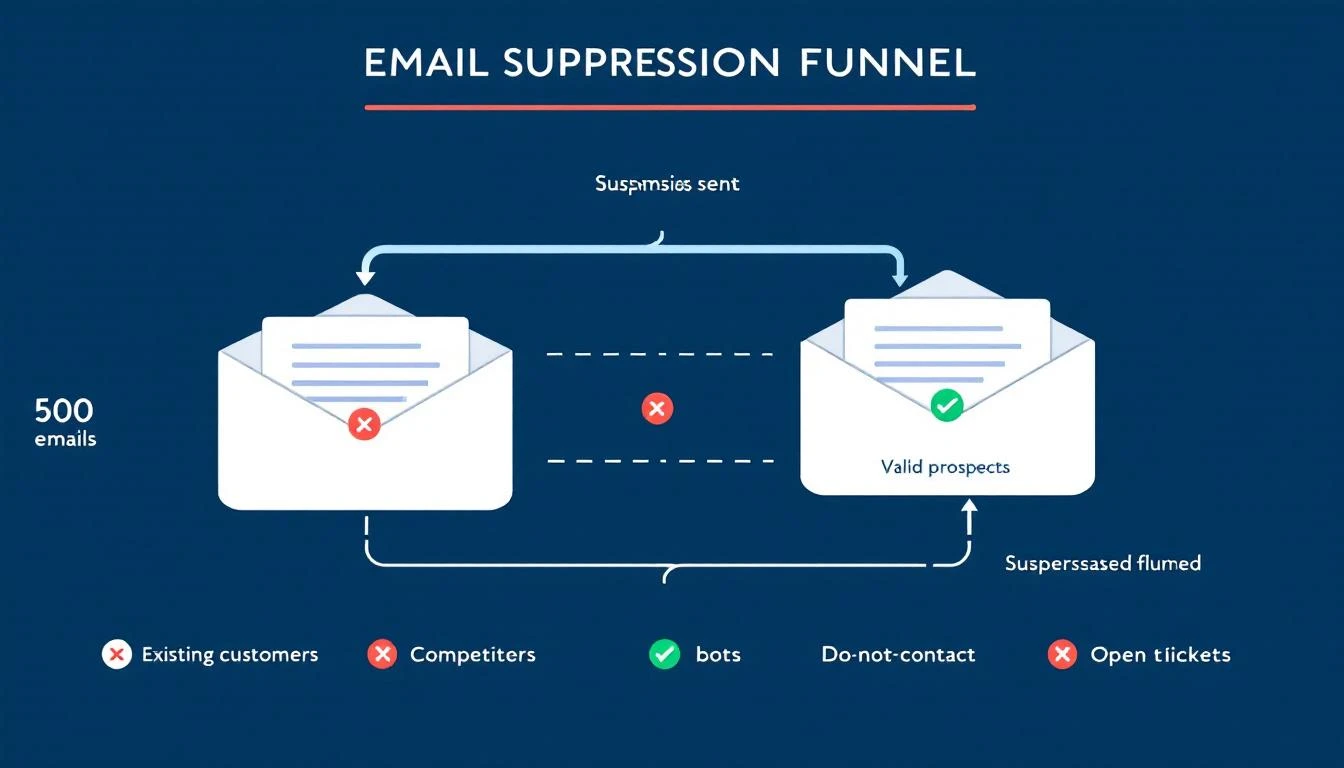
Email suppression funnel filtering out bad contacts before they reach your outbound sequences

The Real Cost of Sending to the Wrong People​

Most teams measure outbound success by volume: emails sent, sequences started, "touches" logged. But volume without precision is actively destructive.

Domain Reputation Damage​

Gmail enforces a maximum spam complaint rate of 0.3% and recommends senders stay below 0.1%. For a 50,000-email campaign, that's just 50 complaints before you hit the danger zone β€” and 150 before active blocking begins.

Every email to someone who marks you as spam, ignores you consistently, or reports you as unwanted trains inbox providers to deprioritize your domain. Once your domain reputation drops, all your emails suffer β€” including the ones going to genuinely interested prospects.

According to ZeroBounce's 2026 Email List Decay Report, at least 23% of an email list degrades every year. Contacts change jobs, email addresses go stale, and preferences shift. Without active suppression, you're compounding bad sends quarter over quarter.

One case study showed open rates as low as 5% before list cleanup. After removing unengaged contacts and focusing on engaged subscribers, rates jumped to a consistent 52%. That's not a marginal improvement β€” it's a 10x difference from the same domain, same content, just smarter targeting.

Wasted Credits and Budget​

Most outbound platforms charge per email or per contact in a sequence. Sending to people who will never buy isn't just ineffective β€” it's expensive. If 18% of your sends are wasted, you're burning nearly a fifth of your outbound budget on negative outcomes.

Pipeline Metric Inflation​

Here's the insidious part: bad sends don't just cost money. They inflate your pipeline metrics and make your outbound look healthier than it is.

When bots click every link in your email (more on this below), your "engaged" count goes up. When existing customers open your prospecting email out of confusion, that registers as an "open." When a competitor clicks through to study your messaging, that's a "click."

Your dashboard says engagement is up. Reality says you're burning your domain talking to people who will never convert.
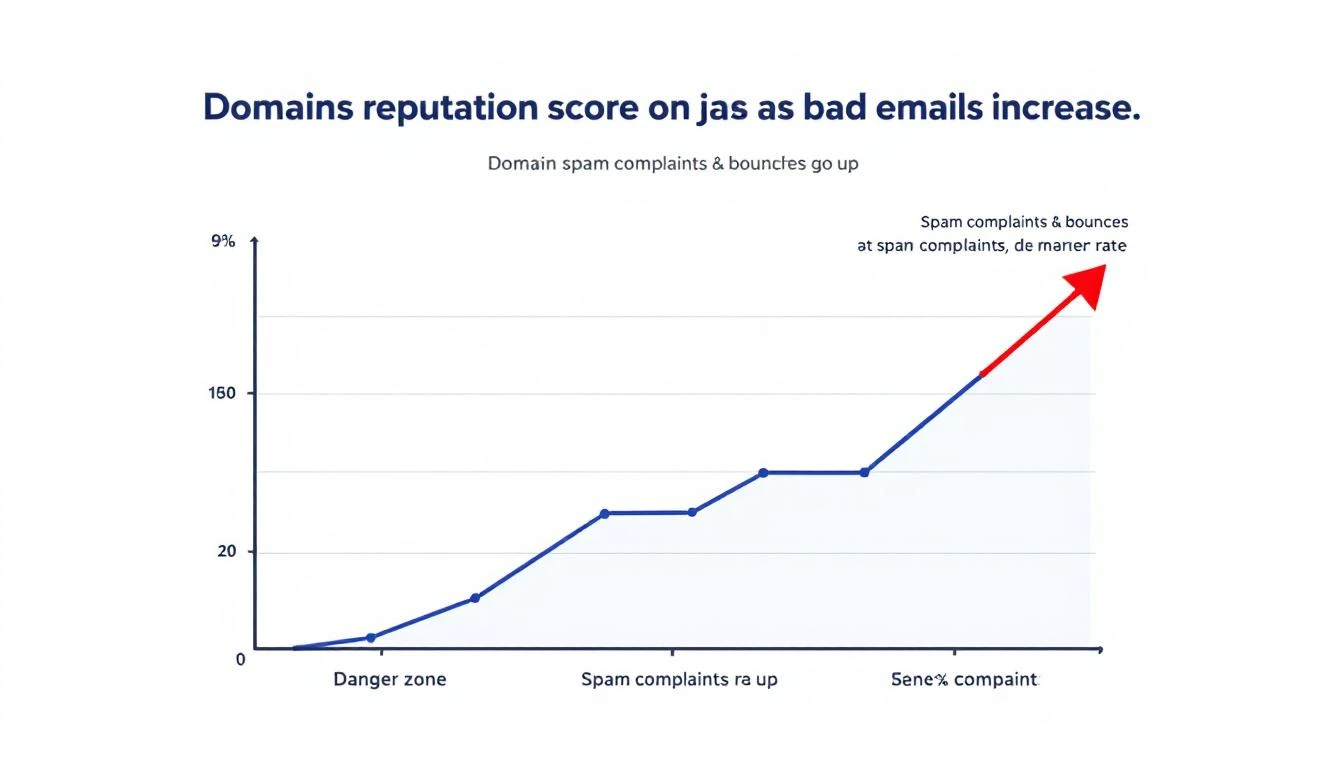
Domain reputation declining as bad sends accumulate over time

The 7 Contact Types You Must Suppress​

Not everyone in your CRM belongs in your outbound sequences. Here are the seven categories that should be automatically filtered out before any email sends.

1. Existing Customers​

This is the most common β€” and most embarrassing β€” suppression failure.

What happens when you don't suppress: A customer paying you $3,000/month gets a cold email that says "I'd love to show you how our platform works." They feel invisible. They question whether your company even knows who they are. If they're on the fence about renewal, this might be the nudge toward churn.

How it should work: Any contact associated with an active account in your CRM should be automatically excluded from all prospecting sequences. No exceptions. If your CRM and outbound tool aren't synced in real time, this is your most urgent integration to fix.

This includes expansion targets within existing accounts. If you're prospecting a new department at a current customer, that requires a warm introduction from your CSM β€” not a cold sequence.

2. Active Deals in Pipeline​

Contacts currently in an active sales cycle should never receive automated outbound sequences.

What happens when you don't suppress: Your AE is carefully nurturing a $50K deal. The prospect is in the evaluation stage. Then they get a generic "Are you looking for a solution?" email from your SDR sequence. The prospect is confused. The AE is furious. The deal might survive, but trust took a hit.

How it should work: Any contact tagged to an open opportunity in your CRM gets auto-suppressed from outbound sequences. When the deal closes (won or lost), suppression rules update accordingly β€” won deals move to customer suppression, lost deals enter a cool-down period before re-engagement.

3. Open Support Tickets​

Contacts at companies with unresolved support issues are in a fragile state. A sales email during a support crisis is tone-deaf at best, deal-killing at worst.

What happens when you don't suppress: A prospect's team is dealing with an integration issue they've been waiting three days to resolve. While they're frustrated, your system sends them an upsell sequence about premium features. The message they receive: "We can't fix your current problems, but would you like to buy more?"

How it should work: When a support ticket is open and unresolved, all contacts at that account should be paused from marketing and sales sequences. Once the ticket is resolved and a satisfaction check has passed, sequences can resume. This requires your helpdesk and outbound systems to talk to each other β€” most don't by default.

4. Competitors​

Competitors sign up for your content, download your resources, and sometimes even enter your outbound sequences. Every email you send them is free competitive intelligence.

What happens when you don't suppress: A competitor's product marketing team receives your full 8-touch outbound sequence. They now know your messaging angles, your cadence timing, your value props, and your CTAs. They use this to position against you. You've armed the competition and paid email credits for the privilege.

How it should work: Maintain a competitor domain list and automatically suppress any contact with a matching email domain. This list should include known competitors, their subsidiaries, and common domains used by competitive intelligence teams. Update it quarterly.

5. Bots and Non-Human Traffic​

Automated bots now account for over 50% of all internet traffic. In B2B email specifically, link-scanning bots from corporate email security systems (Barracuda, Mimecast, Proofpoint) will click every link in your email within seconds of delivery.

What happens when you don't suppress: Your engagement metrics become meaningless. Bot clicks register as "interested" in your platform. SDRs waste time following up on phantom engagement. Pipeline reports show inflated interest that doesn't exist.

A contact who never opened your email shows 6 link clicks because their company's email security scanner pre-fetched every URL. Your SDR calls them and says "I noticed you were looking at our pricing page" β€” except they weren't. That's not personalization. That's embarrassment.

How it should work: Bot detection should analyze click patterns β€” timing (clicks within milliseconds of delivery), behavior (clicking every link in sequence), and user agents. Flagged bot interactions should be stripped from engagement metrics and excluded from follow-up triggers. This isn't optional anymore β€” without it, your entire engagement-based routing system is built on false data.

6. Do-Not-Contact and Opt-Out Lists​

This one seems obvious, but compliance failures happen more often than teams admit. CAN-SPAM violations carry fines of up to $53,088 per email. GDPR penalties are even steeper.

What happens when you don't suppress: Someone unsubscribes from your marketing emails. Your outbound sequence tool, which runs on a separate system, doesn't know about the opt-out. They get another email. Now you have a compliance violation, a PR risk, and a burned contact who will warn their network about your company.

How it should work: Suppression lists must be centralized and synchronized across every sending system β€” marketing automation, sales sequences, one-off sends. When someone opts out anywhere, they're suppressed everywhere, immediately. This requires real-time sync, not nightly batch jobs.

7. Churned and Angry Customers​

Not all churned customers are the same. Some left amicably β€” budget cuts, reorganization, timing wasn't right. Others left angry β€” product issues, broken promises, bad support experiences. The second group requires special handling.

What happens when you don't suppress: A customer who churned six months ago after a painful experience gets re-enrolled in your outbound sequence. The email lands. They remember everything that went wrong. Instead of a fresh start, you've reopened a wound. Worst case: they leave a public review about the experience.

How it should work: Churned accounts should be tagged with churn reason and sentiment. Amicable churns can re-enter sequences after a cooling period (6-12 months) with messaging that acknowledges the prior relationship. Angry churns should be manually reviewed before any re-engagement β€” never automated.

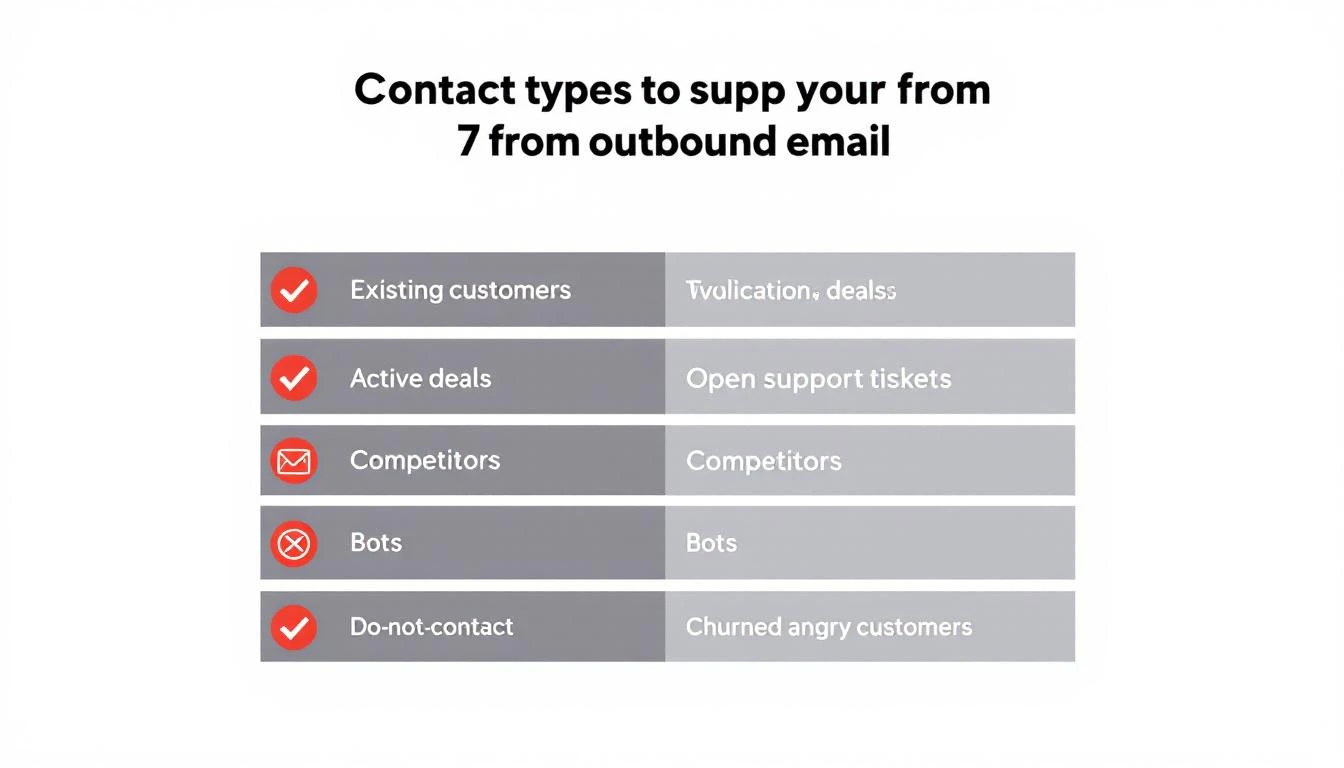
The 7 contact types that should be automatically suppressed from outbound sequences

What Proper Suppression Actually Looks Like​

Manual suppression doesn't work. The moment you rely on SDRs to check a spreadsheet or remember which accounts have open tickets, you've already lost.

Proper suppression is:

  • Automatic β€” runs on every contact before every send, no human intervention
  • Real-time β€” syncs with your CRM, helpdesk, and compliance systems continuously
  • Centralized β€” one suppression layer that applies across all sending channels
  • Auditable β€” you can see exactly why a contact was suppressed and when
  • Reversible β€” when conditions change (ticket resolved, deal lost, cooling period ends), contacts re-enter the eligible pool

Most outbound tools offer basic suppression β€” unsubscribes and hard bounces. That's table stakes. The categories above require your outbound platform to integrate deeply with your CRM, support desk, and engagement analytics.

This is one of the reasons we built contact-level suppression directly into MarketBetter's workflow engine. Every contact is evaluated against suppression rules before any sequence step fires β€” not at the list level, but at the individual contact level, in real time.

The Bot Detection Problem Is Worse Than You Think​

Let's zoom in on bot traffic because it's the suppression category most teams ignore β€” and it's the one silently destroying their pipeline metrics.

Nearly 1 in 3 web requests come from bots. In B2B email, the problem is compounded by corporate email security systems that pre-click every link to scan for malware. These aren't malicious bots β€” they're security tools doing their job. But they wreak havoc on engagement data.

Here's what bot-inflated metrics look like in practice:

MetricWhat Your Dashboard SaysWhat's Actually Happening
Link clicks340 clicks this week180 are bot pre-fetches
"Hot" leads45 contacts clicked pricing page20 were security scanners
Sequence engagement62% engagement rateReal engagement is ~35%
SDR follow-ups triggered28 high-intent callbacks12 are based on fake signals

When your SDRs prioritize follow-ups based on engagement scores inflated by bots, they're chasing ghosts. The real high-intent prospects β€” the ones who genuinely clicked once and spent 30 seconds on your pricing page β€” get buried under false positives.

Bot detection isn't a nice-to-have. It's a prerequisite for any engagement-based routing or prioritization system. Without it, you're optimizing against noise.

How Suppression Protects Your Domain Long-Term​

Think of domain reputation like a credit score. Every good send (opened, read, replied to) builds it up. Every bad send (bounced, ignored, marked as spam) tears it down. And just like a credit score, damage is easier to inflict than repair.

Here's the flywheel:

Positive cycle: Clean list β†’ high engagement β†’ strong domain reputation β†’ better inbox placement β†’ even higher engagement

Negative cycle: Dirty list β†’ low engagement β†’ declining domain reputation β†’ more emails hitting spam β†’ even lower engagement β†’ domain blocklisted

Teams stuck in the negative cycle often try to fix it with email warmup tools or deliverability platforms. Those help, but they're treating symptoms. The root cause is sending to people who shouldn't receive your emails in the first place.

ActiveCampaign's reputation repair guide recommends that teams in recovery should send only to recipients who engaged in the last 3 months β€” for 2 to 4 weeks straight. That's the equivalent of putting your outbound on life support while your domain heals.

Prevention through suppression is orders of magnitude cheaper than reputation repair.

Building Your Suppression Strategy: A Practical Framework​

Here's how to implement suppression that actually works:

Step 1: Audit Your Current Sends​

Pull your last 30 days of outbound. For each contact who received an email, check:

  • Are they an existing customer? (CRM status = active)
  • Are they in an active deal? (open opportunity)
  • Do they have open support tickets?
  • Is their domain on your competitor list?
  • Did they previously opt out or request no contact?
  • Did they churn? If so, what was the sentiment?
  • Did their "engagement" come from bot patterns?

Most teams find that 10-25% of their sends are going to contacts who should have been suppressed. That's the size of the problem.

Step 2: Centralize Your Suppression Data​

Your suppression logic needs data from:

  • CRM β€” customer status, deal stage, account owner
  • Helpdesk β€” open ticket status, resolution state
  • Compliance β€” opt-out lists, do-not-contact requests
  • Competitor intelligence β€” known competitor domains
  • Engagement analytics β€” bot detection flags

If these systems don't talk to each other, suppression gaps are inevitable. The integration layer between these systems is where most suppression failures originate.

Step 3: Automate at the Contact Level​

List-level suppression (excluding an entire list from a campaign) is insufficient. You need contact-level evaluation that checks every suppression rule before every individual send. A contact's status can change between when a sequence was built and when a specific email fires β€” they might become a customer, file a support ticket, or opt out mid-sequence.

This is the difference between basic email sequence tools and a platform built for intelligent outbound. Your system should continue the workflow chain even when individual contacts are suppressed β€” skipping the suppressed contact and moving to the next step for everyone else, rather than breaking the entire sequence.

Step 4: Monitor and Iterate​

Track suppression rates by category. If competitor suppressions spike, your competitive landscape is shifting. If customer suppressions are high, your CRM sync might be lagged. If bot suppressions climb, email security tooling at your target accounts has changed.

Suppression data is intelligence. Use it.

The SDR Productivity Angle​

Suppression isn't just about deliverability β€” it's about SDR time.

Every wasted send has a downstream cost: the SDR who reviews the "engagement," the follow-up call to someone who was never interested, the manual CRM note to disqualify. Multiply that by hundreds of contacts per week and you've got SDRs spending 20-30% of their time on contacts who never should have been in their queue.

Proper suppression gives SDRs something more valuable than more leads. It gives them cleaner leads. When every contact in their sequence is genuinely eligible β€” no customers, no competitors, no bots β€” their conversion rates improve and their confidence in the data goes up.

This is why the best outbound platforms don't just send emails β€” they decide who shouldn't receive them. The filtering is as important as the sending.

What to Do Right Now​

If you're running outbound sequences today, here's your immediate action list:

  1. Check your CRM sync β€” is your outbound tool getting real-time customer status? Or is it running on a stale export from last week?
  2. Build a competitor domain list β€” start with your top 10 competitors. Add subsidiaries and known aliases.
  3. Audit bot engagement β€” look for contacts with clicks but zero time on page, or clicks that happened within 2 seconds of email delivery.
  4. Connect your helpdesk β€” ensure open support tickets trigger automatic sequence pauses.
  5. Centralize opt-outs β€” if someone unsubscribes from marketing, are they also removed from sales sequences?

Every day you delay, your domain reputation takes incremental damage and your SDRs waste time on the wrong people. The fix isn't more discipline β€” it's better systems.


Tired of burning outbound sequences on people who will never buy? MarketBetter automatically suppresses existing customers, competitors, bots, and do-not-contact lists at the contact level β€” before any email sends. Your SDRs only work contacts that can actually convert.

See how automatic suppression works β†’


Related reading:

What is a sales cadence: A proven framework to close more deals

Β· 27 min read

Ever wondered what separates top-performing sales teams from the rest? It's rarely just luck or talent. More often than not, it's a sales cadence.

Think of it this way: instead of your reps making random calls and sending sporadic emails, a cadence provides a clear, repeatable playbook. It’s a structured sequence of outreach activitiesβ€”a mix of calls, emails, and social touchesβ€”designed to engage a prospect over a specific period. It’s the difference between guessing what to do next and executing a proven strategy.

From Random Acts of Sales to a Repeatable System​

Hand-drawn sales cadence workflow showing steps: Email, Call, Social, Network, and Meeting, with a metronome.

Your best sales reps probably already have a personal system. They know just when to follow up, when to switch from email to a phone call, and when to back off. A sales cadence takes that individual expertise, refines it, and turns it into a scalable process that anyone on your team can follow.

Without a structured cadence, your sales development reps (SDRs) are basically flying blind. Every morning, they face the same questions: Who should I call today? Is it too soon to email that person again? This constant decision-making leads to wasted time and, even worse, valuable leads slipping through the cracks. It's a recipe for inconsistent results and rep burnout.

Actionable Comparison:

  • Without a Cadence: Reps rely on memory and gut feeling. Leads get forgotten, follow-ups are inconsistent, and forecasting is nearly impossible. It's a reactive, high-effort, low-reward system.
  • With a Cadence: Reps follow a proven, step-by-step process. Every lead receives the right amount of attention, persistence is built-in, and you can predict outcomes. It's a proactive, efficient, high-reward system.

A good cadence isn't a rigid script that kills personalization. It’s a framework that gives reps the confidence to be persistent without feeling like a pest.

Why This Structure Matters​

So, what does a sales cadence really do? It replaces hope with a plan. We all know that a single touch is rarely enough to book a meeting in B2B sales, yet many reps give up after just one or two attempts.

A well-designed cadence builds persistence directly into the workflow. It ensures every prospect gets the right level of attention, dramatically increasing your odds of connecting at just the right moment. It’s how you systematically earn a conversation.

To put it simply, here are the core pieces that make up a sales cadence.

Sales Cadence at a Glance​

This table breaks down the fundamental purpose and benefits of putting a formal sales cadence in place.

ComponentDescription
TouchpointsThe specific outreach activities in your sequence (e.g., email, call, LinkedIn message, video message).
Timing & SpacingThe number of days between each touchpoint, designed to maintain momentum without overwhelming the prospect.
DurationThe total length of the cadence from the first touch to the last, which can range from a few days to several weeks.
MessagingThe content of your outreach, tailored to the prospect's persona, industry, and stage in the buying journey.

Ultimately, a cadence provides the structure needed to turn a list of potential contacts into a predictable pipeline of qualified meetings.

The Real-World Impact: Eliminating Guesswork​

When you give your team a clear sequence of actions, you free up their mental energy. They stop worrying about the process of outreach and start focusing on the quality of it.

A sales cadence takes the decision fatigue out of prospecting. It lets your reps focus their creativity on personalizing messages and building real rapport, which is where the magic really happens.

This isn't just about making life easier for your SDRs. It’s about building a predictable revenue engine. With a proven cadence, you can accurately forecast how many activities lead to conversations, how many conversations lead to meetings, and how that all translates into pipeline. It’s the foundation for scaling your sales team effectively.

The Building Blocks of a High-Performing Sales Cadence​

A great sales cadence isn't just a fancy to-do list. It’s a well-oiled system designed to start real conversations. But to get there, you need to understand what actually goes into one. Mastering these components is what separates the teams booking meetings from the ones just making noise.

The bedrock of any solid cadence is its mix of touchpointsβ€”the different ways you reach out to a prospect. Too many teams lean on email as a crutch, but that's a surefire way to limit your impact.

A truly effective cadence goes multi-channel. It's about intelligently weaving together emails, phone calls, and social media touches (especially on LinkedIn) to connect with people where they actually spend their time. This isn’t about spamming; it's about respecting that modern professionals work across different platforms all day long.

The Power of Multi-Channel vs. Single-Channel​

Put a multi-channel cadence up against an email-only sequence, and it's no contest. Relying on email alone is like trying to get someone's attention by whispering in a packed concert hall. You’re fighting for a sliver of attention in an inbox flooded with hundreds of other messages.

A multi-channel approach, on the other hand, gives you more shots on goal. A quick phone call can cut right through the digital clutter. A thoughtful comment on a prospect's LinkedIn post can build rapport before you ever ask for a meeting. This integrated strategy comes across as professional persistence, not pushiness. For example, a well-timed call can be the perfect follow-up to an email you sentβ€”and our guide on writing effective sales call scripts can get you ready for that conversation.

Timing and Duration: The Rhythm of Your Outreach​

Once you know what you'll do (your touchpoints), you need to figure out when and for how long. Your timing and duration are crucial for building momentum without burning out your prospects.

  • Timing: This is all about the space you leave between each touch. Hitting them too fast feels aggressive; waiting too long means you’ll be forgotten. The sweet spot is to start with tighter intervals (think 1-2 days apart) to make an initial impact, then gradually space things out.

  • Duration: This is the total lifespan of the cadence. A warm inbound lead might only need a quick, 10-day sequence. But a cold, high-value account will likely need a more patient 21-day cadence to earn their trust and show your value.

At its core, a sales cadence is a structured workflow built for a specific goal. Understanding the principles of effective workflow management will help you design a sequence that keeps your team on track.

Achieving Personalization at Scale​

Here’s the final piece of the puzzle, and it's arguably the most important: personalization. Generic, one-size-fits-all messages are dead on arrival. But who has time to manually customize every single touch? The key is to use buyer signals to make your outreach relevant without killing your team's productivity.

A buyer signal is any action a prospect takes that hints at their interestβ€”like visiting your pricing page, downloading a report, or liking one of your company's posts. These are your cues to engage.

Instead of a bland "just checking in" email, you can automate a touchpoint that references what they just did. For instance, if a prospect downloads your case study on manufacturing efficiency, your next email can speak directly to the challenges in that industry. Right away, you've shown you're paying attention and made your message instantly more valuable.

Actionable Tip: Don't wait for a signal. You can create one. For a high-value prospect, spend five minutes on their LinkedIn profile. Find a recent post they commented on or an article they shared. Your opening line is now: "Saw your comment on [Topic] and it got me thinking..." This is infinitely more effective than a generic intro.

Actionable Sales Cadence Templates for B2B Teams​

Theory is great, but it’s time to get our hands dirty. The real magic of a sales cadence happens when you move from concept to execution. To help you do just that, I've laid out three proven, real-world templates that you can grab and adapt for your B2B team right away.

Think of these as different plays in your sales playbook. You wouldn’t run the same play for every situation on the field, and you shouldn't use the same cadence for every type of lead. Each template is built for a specific scenario, showing how to tweak your timing, tone, and touchpoints based on who you're talking to.

Before we dive in, this visual breaks down the core building blocks you'll be working withβ€”the touchpoints, the timing between them, and the overall duration. A great cadence is a well-choreographed dance, not just a random list of to-dos.

Infographic illustrating sales cadence building blocks: touchpoints, timing, and duration with their respective timeframes.

As you can see, it's all about creating a rhythm that combines different channels over a set period to stay top of mind without being annoying.

Template 1: The Inbound Lead Cadence (Speed & Service)​

When a warm, inbound lead requests a demo or downloads a guide, the clock starts ticking. They've raised their hand and are expecting a fast, helpful response. This 10-day cadence is assertive but focused on service.

  • Duration: 10 Days

  • Total Touches: 8

  • Goal: Book that discovery call or demo while their interest is high.

  • Day 1 (AM): Personalized Email. Send an email that directly references their action. "Thanks for downloading our guide on..." shows you're paying attention. End with a simple, clear CTA to book a quick chat.

  • Day 1 (PM): Phone Call. If the email doesn't get a response, a call later that day shows you're eager to connect. Leave a voicemail that points back to the email you sent.

  • Day 3: LinkedIn Connection Request. Put a face to the name. Send a connection request with a short note like, "Saw you downloaded our guideβ€”wanted to connect." It's a low-pressure way to open another line of communication.

  • Day 5: Follow-up Email with Value. Don't just ask for something; give something. Send a related case study or blog post that helps them even more. You're building trust by being a resource.

  • Day 7: Phone Call. Try them again. They might have been busy before. If you hit voicemail, mention the helpful resource you sent over on Day 5.

  • Day 8: LinkedIn Message. Pop into their DMs or, even better, comment on a recent post they shared. This shows you’re engaged with their world.

  • Day 10: Final "Breakup" Email. Politely close the loop. Let them know you won't be reaching out anymore but the door is always open. This often prompts a response from prospects who were interested but busy.

Template 2: The High-Value Outbound Cadence (Patience & Personalization)​

When you're targeting big, strategic accounts, you need to play the long game. This isn't about speed; it's about patience, personalization, and earning credibility. This 21-day cadence is designed to demonstrate deep relevance before you ever ask for a meeting.

  • Duration: 21 Days

  • Total Touches: 12

  • Goal: Secure an introductory meeting with a key decision-maker.

  • Day 1: LinkedIn Profile View & Engagement. The first move is subtle. View their profile. Maybe like or comment on one of their posts. It’s a no-pressure way to get on their radar.

  • Day 3: Highly Personalized Email. This email needs to prove you've done your homework. Reference a company announcement, a quote from an article they wrote, or a specific project they're working on. For great ideas, check out our guide on writing effective cold email templates.

  • Day 5: Phone Call. The goal of this first call isn’t to book a meeting. It’s simply to introduce yourself and mention the email you sent, adding a human touch to your outreach.

  • Day 8: Email with Industry Insight. Send them something genuinely useful and ungatedβ€”a report or an article about a big trend in their industry. Position yourself as an expert, not just a seller.

  • Day 11: LinkedIn Message. Follow up on your last email. A quick message asking for their take on the insight you shared can spark a great conversation.

  • Day 14: Phone Call & Voicemail. Your second call can be a bit more direct. The voicemail should clearly and concisely state the value you believe you can offer their company.

  • Day 18: Personalized Video Email. A short, 60-second video of you talking directly to them can cut through the noise like nothing else. Briefly re-introduce yourself and connect your solution to a specific goal you know their company has.

  • Day 21: Final Call & Email. One last, direct attempt to connect. The ask is clear: a 15-minute meeting to share a specific idea you have for them.

Template 3: The Post-Event Follow-Up Cadence (Context & Speed)​

You met someone at a conference or a webinar. You had a great chat. Now what? The window of opportunity is small, and you have to act before the memory of your conversation fades. This quick, 7-day cadence is designed to do exactly that.

The primary goal here is to bridge the gap between a casual event conversation and a formal business discussion. Context is everything; your outreach must immediately reference where and how you met.

  • Duration: 7 Days

  • Total Touches: 5

  • Goal: Turn that hallway chat into a scheduled follow-up call.

  • Day 1: Personalized Email. This has to go out within 24 hours. Reference your conversation, mention something specific you talked about to jog their memory, and propose the next step.

  • Day 2: LinkedIn Connection Request. Send a simple connection request with a note: "Great chatting with you at [Event Name] yesterday!"

  • Day 4: Follow-up Email. No response? Don't start over. Just forward your original email with a simple bump: "Hey, just wanted to bring this to the top of your inbox."

  • Day 5: Phone Call. A quick call to try and connect live. Again, lead by referencing the event where you met.

  • Day 7: Final Email. One last, polite attempt. Let them know you'd still love to connect when things free up and that you'll be in touch down the road.

How to Build Your First Sales Cadence Step-by-Step​

Building a sales cadence from scratch can feel like a massive undertaking. But it doesn't have to be. Think of it less like composing a symphony and more like following a recipeβ€”if you take it one step at a time, you'll end up with something that just works.

Let's walk through a simple, five-step framework. Each step builds on the one before it, helping you create a sequence that’s both effective and something your team can actually execute consistently. Let's get building.

Step 1: Define Your Singular Goal​

Before you write a single email or pick up the phone, you need to know exactly what you're trying to accomplish. A cadence without a clear goal is like a road trip with no destination. You'll definitely be busy, but you won't get anywhere useful.

Your goal needs to be specific and measurable. Is the point to book a demo? Get a reply to warm up a cold lead? Drive webinar sign-ups? Each objective demands a totally different playbook.

  • Goal Comparison: A cadence aimed at booking a meeting will be direct, confident, and include a clear ask for their time. On the other hand, a sequence designed to re-engage a dormant lead might have a softer goal, like getting them to download a new report to start the conversation again.

Pick one primary objective and stick with it. For most B2B sales teams, the end game is simple: book a qualified meeting. That clarity will be your north star for every other decision you make.

Step 2: Understand Your Ideal Customer Persona​

You can't start a real conversation if you don't know who you're talking to. Your Ideal Customer Persona (ICP) is the bedrock of your messaging. Sending a generic cadence to everyone is a surefire way to get ignored; a tailored one gets replies.

Go deeper than just job titles and company size. What are their biggest headaches? What does a "win" look like for them? Where do they hang out online to find information?

Your cadence's success hinges on relevance. A CFO cares about ROI and managing risk. A Head of Marketing is thinking about lead gen and brand awareness. You have to speak their language.

Actionable Tip: Create a simple persona doc with three key sections: Pains (what problems keep them up at night?), Gains (what does success look like in their role?), and Channels (where are they activeβ€”LinkedIn, specific forums, trade publications?). Use this document as a cheat sheet when writing your messaging.

Step 3: Select Your Communication Channels​

Next, you have to decide how you're going to reach your prospects. Relying only on email is one of the most common mistakes in sales development. Inboxes are overflowing, so a multi-channel approach isn't a luxury anymoreβ€”it's essential. The best cadences mix and match touches across a few key platforms.

The main channels for most B2B sales cadences are:

  • Email: Still the workhorse of most sequences, perfect for sending detailed info.
  • Phone Calls: The most direct way to cut through the noise and have a human conversation.
  • LinkedIn: Great for research, social proof, and more casual connection requests or messages.
  • Video Messages: A fantastic way to stand out, show you're a real person, and add a personal touch.

A high-value outbound cadence might be something like 40% phone calls, 40% email, and 20% LinkedIn to show you're putting in the effort. An inbound cadence for a younger, tech-focused audience might be 50% email, 30% LinkedIn, and 20% automated in-app prompts. Your persona research from Step 2 should guide this mix.

Step 4: Map the Sequence, Timing, and Duration​

With your goal, persona, and channels locked in, it's time to map out the entire journey. This is where you design the day-by-day playbook your reps will follow. You need to decide on three critical components:

  1. Sequence: The specific order of your touchpoints (e.g., Email on Day 1, Call on Day 3, LinkedIn message on Day 4).
  2. Timing: The number of days you wait between each touch (e.g., 2 days between the first two steps).
  3. Duration: The total length of the cadence from the first touch to the last (e.g., 21 days).

A good rule of thumb is to start with shorter intervals (1-2 days apart) to build momentum, then slowly increase the time between touches as you go. Research consistently shows it takes an average of 8 touches to get that first meeting, so don't give up too early. A cadence lasting 17-21 days with 8-12 touches is a proven sweet spot for getting results.

Step 5: Craft Compelling, Non-Robotic Messaging​

This is the finalβ€”and most importantβ€”piece of the puzzle. You have to actually write the content for each email, create the talk track for each call, and draft the text for each social message. This is where so many teams fall flat by sounding like generic marketing robots.

Remember, the goal is to start a conversation, not just broadcast your pitch.

  • Focus on them, not you. Instead of "We provide industry-leading solutions for X," try "I saw your team is focused on Y; have you thought about how to solve Z?"
  • Provide value every single time. Each touchpoint should offer a tiny nugget of insight, a helpful link, or a thought-provoking question.
  • Keep it short and scannable. Nobody has time to read a wall of text. Get to the point fast and make your ask crystal clear.

Actionable tip: An execution platform like MarketBetter.ai can help operationalize all of this. It can generate context-aware drafts for your emails and even suggest talk tracks for calls, making sure your messaging is personalized without adding hours of manual work. This is how you ensure your team can run a high-quality cadence at scale, right from inside their CRM.

How to Measure and Optimize Your Sales Cadences​

Think your sales cadence is finished once you’ve built it? Think again. The best sales teams treat their cadences not as static documents, but as living, breathing playbooks. They’re constantly being tweaked, tested, and refined. This commitment to continuous improvement is what separates the teams that consistently crush their numbers from the ones that just stay busy.

So, how do you go from just running a cadence to actively improving it? The answer is simple: you start measuring what truly matters and then have the discipline to act on what the data tells you. This isn't about gut feelings or guesswork; it’s about making deliberate, data-backed decisions that actually move the needle.

Start by Measuring What Actually Matters​

Before you can fix anything, you have to know what might be broken. This means getting laser-focused on a few key performance indicators (KPIs) that give you a clear, honest picture of what’s working and what’s falling flat.

You can drown in data, so narrow your focus to these essentials:

  • Email Reply Rate: What percentage of prospects are actually hitting "reply"? If this number is in the basement, your subject lines or message body probably aren't resonating.
  • Call Connection Rate: How many of your calls connect with a real human being? A low connection rate is a huge red flag for your call timing, the phone numbers you’re using, or your data quality in general.
  • Meetings Booked Per Cadence: This is the bottom line. How many completed cadences does it take to get one qualified meeting on the calendar? This KPI ties your team's daily grind directly to pipeline generation.

These metrics are the bedrock of your optimization efforts. They tell you exactly where the leaks are in your process. For a much deeper look into the numbers that count, check out our complete guide to SDR metrics and KPIs.

A/B Testing: Stop Guessing and Start Knowing​

Once you have your baseline numbers, the real fun begins. It's time to start experimenting. A/B testing is a straightforward but incredibly powerful way to pit one version of an outreach element against another to see which one performs better. This is how you stop guessing and start knowing what really works.

Think of your cadence as a recipe. A/B testing is like trying two different seasonings to see which one gets you invited back for dinner.

The golden rule of A/B testing is to only change one variable at a time. If you change both the subject line and the call-to-action, you'll never know which change truly made the difference.

Here’s a look at how you can apply this to your daily outreach:

Element to TestVersion A (Control)Version B (Variant)What It Tells You
Email Subject Line"Idea for [Company Name]""Question about your Q3 goals"Which style of subject line sparks more curiosity and drives higher open rates.
Call-to-Action"Let me know if you're free for a 15-minute call next week.""Are you open to a brief chat on Tuesday to discuss this further?"Which CTA is clearer and more effective at converting interest into a booked meeting.
Voicemail ScriptA detailed voicemail explaining your product's value proposition.A short, simple voicemail referencing an email you just sent.Which approach is more likely to earn a call back or prompt the prospect to check their inbox.

By methodically testing these small changes, you can rack up some surprisingly significant gains over time.

Why Clean Data Is Your Greatest Asset​

Here’s the hard truth: all of this measuring and testing is completely useless without one thingβ€”clean, accurate data. If your reps aren't logging every single call, email, and social touch, you're making decisions in the dark. This is exactly where most optimization plans fall apart.

Comparison:

  • Manual Logging: Reps spend valuable time on data entry, data is often incomplete or inaccurate, and managers can't trust the reports.
  • Automated Logging: Reps focus 100% on selling, data is perfectly clean and real-time, and managers can make smart decisions based on reliable insights.

Let’s be honest, manually logging every activity is tedious, mind-numbing, and a recipe for errors. That’s why automated CRM logging is non-negotiable for any team that’s serious about getting better. When every touchpoint is captured automatically, you can finally trust the numbers. This clean data becomes the fuel for making smart, informed adjustments to your sales cadence, ensuring your improvements are based on reality, not assumptions.

Common Cadence Mistakes That Kill Your Results​

Diagram comparing common sales outreach mistakes (robotic, bad data) with recommended fixes (personalize, multichannel).

Even the most carefully designed sales cadence can fall flat. When your reps are grinding away but the pipeline is dry, it’s usually not for a lack of effort. It’s often because a few common, avoidable mistakes have quietly derailed their strategy.

The good news? These errors are easy to identify once you know what to look for. By steering clear of these pitfalls, you can get your outreach back on track and start booking more meetings. Let's dig into the most common cadence killers and how to fix them.

Sounding Robotic and Generic​

This is the number one reason prospects hit "delete." When an email feels like it was written by a machine for a list of thousands, you’ve already lost. People can spot a generic, self-serving template from a mile away.

This happens when teams get so focused on volume that they forget there’s a human on the other end. That lack of effort communicates one thing: you don’t really care about their business, only yours. That's no way to start a relationship.

The Actionable Fix: Personalize, but do it at scale. Find one relevant detail you can use across multiple touchpoints. Think of it as "one-to-many" personalization.

  • Bad: "I saw you're a Director at [Company Name] and I wanted to reach out."
  • Good: "I noticed your team's new report on supply chain efficiency. We recently helped a similar company solve that exact problem, and it sparked an idea I think you'll find valuable."

That small bit of context shows you've done your homework, instantly setting you apart from the noise.

Giving Up Too Soon​

Most reps throw in the towel way too early. Here's a hard truth: it takes an average of 8 touches to get a meeting, but most reps give up after just two or three tries. If a prospect doesn't reply to your first email, it doesn't mean they're not interested. It just means they're busy.

Stopping too soon means you're leaving money on the table. You're forfeiting opportunities simply because your process lacked the persistence to cut through the noise.

The Actionable Fix: Build that persistence directly into your cadence. A solid cadence should run for about 17-21 days and include 8-12 touchpoints. This isn't about being annoying; it's about being professionally persistent until you connect at the right time.

Don’t mistake silence for a "no." In B2B sales, silence is usually just silence. A great cadence is the system that turns that silence into a conversation.

Relying on a Single Channel​

Another classic mistake is putting all your eggs in the email basket. Prospects' inboxes are a warzone. Relying only on email is like trying to whisper in a crowded stadiumβ€”your message is going to get lost.

A single-channel approach is easy for a busy person to ignore. But when you show up on multiple channels, you demonstrate professional follow-through and meet them where they're most active.

The Actionable Fix: Vary your outreach methods. A proven mix is to distribute your touches across a few key channels:

  • 40% Email: Perfect for detailed messages and sharing content.
  • 30% Phone Calls: Nothing cuts through the digital clutter like a real conversation.
  • 20% LinkedIn: Great for research, social selling, and more casual touchpoints.

This multi-pronged approach dramatically increases your chances of making a connection.

Failing to Log Activities Properly​

You can't improve what you don't measure. The final mistake that poisons your results is messy data. If reps aren't logging every call, email, and social touch in the CRM, you’re flying blind. You have no real idea what’s actually working and what's a waste of time.

Let's be honest, reps hate manual data entry. It’s tedious and easy to forget, which means it often doesn't get done. This leaves managers making critical strategy decisions based on guesswork instead of facts.

The Actionable Fix: Stop relying on manual entry and automate activity logging. An execution-first tool like MarketBetter.ai works right inside Salesforce or HubSpot to automatically log every touch. This keeps your data perfectly clean and gives you the clear insights you need to optimize your cadences for real results.

Frequently Asked Questions About Sales Cadences​

Even with the best game plan, you're bound to have questions when you start building out a new sales cadence. Let's tackle some of the most common ones I hear from sales teams.

How Many Touches Should a Sales Cadence Have?​

There’s no perfect number that fits every situation, but a good starting range is 8 to 12 touches. The real mistake isn't having too many touches, it's giving up too soon. Most reps stop after just two or three tries, leaving opportunities on the table. The right number depends on who you're contacting.

  • Warm Inbound Leads: They know you, so you can be more direct. A shorter, 7-10 day cadence with about 8 touches is often enough.
  • Cold Outbound Prospects: You're building a relationship from scratch. You'll need a more patient approach, something like 12-16 touches spread over 3-4 weeks to build familiarity and earn trust.

What Is the Difference Between a Sales Cadence and a Sequence?​

People often use these terms interchangeably, but there's an important difference based on the channels you use.

A sequence is typically an automated, email-only series of messages. A sales cadence is a more holistic, multi-channel playbook that strategically combines emails, phone calls, LinkedIn messages, and even video.

Comparison: Think of a sequence as a single instrument, like a guitar. It can make music, but it's limited. A cadence is the entire bandβ€”guitar, drums, bass, vocalsβ€”all working together. For complex B2B sales, you almost always want the full band to create a richer, more effective sound.

Can I Automate the Entire Cadence?​

The temptation to automate everything is strong, but 100% automation is a recipe for being ignored. It removes the human touch that is essential for building a genuine connection.

The sweet spot is a smart blend of automation and human effort.

  • Automate this: Scheduling tasks, logging activities, and generating first drafts of emails.
  • Keep this human: The final personalization of an email, the actual phone call, and thoughtful engagement on social media.

This combination of robotic efficiency and human authenticity is what drives real results.


Ready to put your sales cadences into action without all the manual busywork? MarketBetter.ai is an AI-powered SDR task engine that turns buyer signals into a prioritized to-do list for your reps. It helps them execute flawlessly with AI-assisted emails and a dialer, all living right inside Salesforce and HubSpot. Stop guessing and start selling at https://www.marketbetter.ai.

Sales Lead Generation: Mastery of sales lead generation Strategies

Β· 25 min read

At its core, sales lead generation is the engine of your sales machine. It’s the entire process you build to find and attract potential customers, with the ultimate goal of turning their initial interest into a closed deal. This isn't just about finding names; it's about creating a predictable flow of qualified opportunities for your team.

The New Reality of B2B Sales Lead Generation​

Diagram illustrating buyer intent flowing through a task engine, leading to first-to-respond, response, and conversion.

The game has changed. The old playbook of building static prospect lists and blasting them with generic outreach just doesn't cut it anymore. Winning in 2026 comes down to two things: speed and relevance. It’s no longer enough to find leads. You have to build a system that engages the right person at the exact moment they’re ready to talk.

This is where the 'first-to-respond' principle becomes your biggest competitive advantage. Today’s buyers do their own research and move fast. The vendor who shows up first to answer their questions is the one who usually wins.

The Critical Role of Speed​

You can't overstate how much response time affects your chances of winning a deal. When a prospect signals interestβ€”maybe they visit your pricing page, download a whitepaper, or click an adβ€”a stopwatch starts. And it’s ticking fast.

The data is pretty staggering. Responding to a new lead within 5 minutes can boost your contact rates by an incredible 900%. What’s more, 78% of buyers will end up going with the company that responded to their inquiry first. This means your sales development team needs a rock-solid process for acting on these buying signals the second they appear. If you want to dig deeper, you can explore more data on how speed impacts sales success.

Actionable Comparison: The old model of sales lead generation was like fishing with a static net, hoping prospects would swim into it. The new reality is more like precision hunting, where you detect movement and react instantly with the right tools.

Of course, knowing you need to be fast and actually being fast are two different things. This new reality creates some serious hurdles for most sales teams.

Overcoming Modern Sales Challenges​

Even when buyer intent is crystal clear, many sales development representatives (SDRs) are stuck in neutral. They get bogged down by the same frustrating obstacles that kill momentum and let good leads go cold:

  • Administrative Overload: Reps burn hours just jumping between their CRM, email, phone dialer, and various research tools. All that context-switching is time they aren't spending selling.
  • Inconsistent Outreach: Without a clear, unified workflow, the quality of outreach is all over the place. One rep's messaging is sharp, another's is off-brand, and the buyer gets a confusing, disjointed experience.
  • Manual Task Management: Figuring out who to call next, what to say, and when to follow up becomes a manual guessing game. Great opportunities inevitably fall through the cracks.

To break this cycle, you need a different kind of operational backboneβ€”what you might call a 'task engine' built for pure execution. This is where platforms like marketbetter.ai come in. They act as the bridge, taking those fleeting buyer intent signals and instantly turning them into a prioritized to-do list for your SDRs. This is how you move from reactive chaos to proactive, intelligent outreachβ€”and it’s the foundation for everything we'll cover next.

Choosing Your Lead Generation Strategy​

Think of your lead generation strategy like a fishing expedition. You wouldn't use a massive deep-sea net in a tiny creek, and you wouldn't try to catch a specific trophy fish with a worm on a hook. The tools and techniques you use have to match the fish you're after, the water you're in, and how much time you have.

Your approach to finding B2B leads is no different. We'll break down the three core models: Inbound, Outbound, and the game-changing Intent-Driven approach. Understanding how they operateβ€”and how they can work togetherβ€”is your first real step toward building a pipeline you can count on.

Inbound Lead Generation: The Wide Net​

Inbound is all about attracting customers to your front door. You put valuable, helpful content out into the world, and it draws the right people to you naturally. This is your wide-net strategy; you create a strong presence in a productive part of the ocean and let interested prospects swim right in.

This is a long game, for sure. It’s about building brand authority and earning trust, which doesn't happen overnight. But once you get an inbound machine humming, it can become an incredible, self-sustaining source of high-quality leads. A crucial piece is making it incredibly easy for those prospects to take the next step. Looking at high-converting lead generation form examples is a great way to see what works for capturing that interest effectively.

Actionable Inbound Tactics:

  • Content Marketing: Publish blog posts, whitepapers, and guides that solve a specific problem for your target audience. Action Step: Survey your existing customers about their biggest challenges and build your content calendar around those themes.
  • Search Engine Optimization (SEO): Getting your website to the top of Google for the terms your prospects are searching for. If they can't find you, you don't exist.
  • Social Media: Build a community and share your content where your audience already spends their time. Action Step: Identify the top 3 LinkedIn groups or online forums where your ideal customer hangs out and start by answering questions, not pitching.

Outbound Lead Generation: The Spear​

On the flip side, you have outbound. This is a direct, proactive hunt. Instead of waiting for leads to find you, your sales team goes out and finds them. This is spear fishingβ€”you identify a very specific, high-value target and go right after it with precision.

Outbound is often the quickest way to get some runs on the board, especially if you're a new company or breaking into a new market. You have total control over who you're talking to, making it perfect for targeting accounts that fit your Ideal Customer Profile (ICP). The catch? It demands real skill and personalization. A generic, mass-sent email is the equivalent of throwing your spear into an empty patch of water and hoping for the best.

Actionable Tip: Never send a "just checking in" email. Use an AI-powered tool to find a trigger eventβ€”a recent funding round, a new executive hire, a major company announcementβ€”and lead with that in your outreach. It instantly shows you've done your homework and aren't just spamming them.

Intent-Driven: The School of Jumping Fish​

Now, this is where things get really interesting. The intent-driven approach focuses on prospects who are already showing you they're in the market. It’s like spotting a school of fish literally jumping out of the water. These people are actively researching solutions, visiting your competitors' pricing pages, or searching for highly specific keywords.

This model combines the best of both worlds. You use data to pinpoint these motivated buyers and then deploy targeted, outbound-style tactics to engage them at the perfect moment. This is precisely where tools like the SDR Task Inbox from marketbetter.ai are so critical. They turn those faint signals into concrete tasks, empowering your team to act within minutes, not days.

Comparing Inbound vs Outbound vs Intent-Driven Strategies​

So, which one is right for you? The honest answer is that the most successful go-to-market teams don't just pick one; they build a system that blends all three. A startup might lean heavily on outbound to land its first 10 customers, while a market leader can rely on its massive inbound engine.

This table breaks down the core differences to help you decide on the right mix for your team's goals and resources.

StrategyMethodologyBest ForProsCons
InboundAttract leads with valuable content and SEOBuilding long-term brand authority and a scalable lead flowHigh-quality, educated leads; builds trust; cost-effective over timeSlow to start; requires significant content creation resources
OutboundProactively target and contact ideal customer profilesFast results; market testing; targeting specific, high-value accountsPredictable and controllable; immediate feedback loopCan be perceived as intrusive; lower response rates without personalization
Intent-DrivenEngage prospects who are actively showing buying signalsCapitalizing on timely opportunities and high-intent buyersExtremely high conversion potential; hyper-relevant outreachRequires intent data tools; can be more expensive; needs a rapid response process

Ultimately, understanding these models is the foundation. A strong inbound presence fills the top of your funnel, a sharp outbound motion allows you to target dream accounts, and an intent-driven layer ensures you never miss a buyer who's ready to talk right now.

How to Build a Modern SDR Workflow That Actually Works​

Having a great strategy is one thing, but turning it into results on the ground requires a solid, repeatable workflow. For Sales Development Representatives (SDRs), their daily process is what separates hitting quota from total burnout. An effective workflow for sales lead generation isn’t about working harder; it’s about focusing your team’s energy where it truly matters.

Unfortunately, I see too many sales teams stuck in the past. The "old way" is a frustrating grind of manual tasks and disconnected tools that just kills momentum. Reps waste hours bouncing between their CRM, LinkedIn, a separate dialer, and their email inbox. All that context switching is a massive productivity drain, which leads to sloppy CRM data and, you guessed it, missed opportunities.

Contrasting Old vs. New SDR Workflows​

The traditional SDR workflow is reactive and painfully inefficient. A rep starts their day by staring at a static list in Salesforce, randomly picks a name, and then opens five more browser tabs to piece together who the person is and what their company does. By the time they’ve found a tidbit of information, written a semi-personalized email, and logged the activity, a huge chunk of their morning is gone.

The modern workflow, on the other hand, is proactive, integrated, and built for speed. It completely flips the script.

The Old Way (Manual & Fragmented)The New Way (Automated & Integrated)
Manual Lead Research: SDRs burn hours hunting for trigger events or contact details.Automated Signal Detection: The system flags high-intent signals for you.
Guesswork Prioritization: Reps decide who to call next based on gut feelings or just going down a list.Automated Task Prioritization: Tasks are created and ranked based on real data and buying intent.
Disconnected Tooling: Juggling a CRM, dialer, email, and research tabs is the daily reality.Integrated Execution: All actionsβ€”calling, emailing, researchingβ€”happen in one unified workspace.
Inconsistent Logging: Manually tracking activities leads to messy data and useless reports.Automatic Logging: Every touchpoint is logged to the CRM automatically, keeping your data clean.

This shift takes the SDR role from being a glorified data-entry clerk to a strategic operator focused on having high-value conversations.

The 5 Steps of a Modern SDR Workflow​

A truly modern workflow isn't random; it follows a logical, automated sequence. This process ensures every action a rep takes is timely, relevant, and directly connected to a real buying signal. That alone dramatically improves the odds of successful sales lead generation.

This visual breaks down the ideal flow, moving from casting a wide net to targeting the right accounts and engaging them at the perfect moment.

A diagram illustrates the lead generation process: 1. Attract (net), 2. Target (arrow), 3. Engage (fish).

This process shows how modern lead generation funnels broad attraction into precise, high-intent engagementβ€”the very heart of an effective SDR workflow.

Actionable Takeaway: The core principle is simple: convert buying signals into a prioritized to-do list. The system should tell the SDR what to do next, not the other way around.

Platforms like the MarketBetter.ai SDR Task Inbox are built to make this happen. They act as a central command center where signals from different sourcesβ€”like someone visiting your pricing page or downloading a whitepaperβ€”are automatically converted into prioritized tasks right inside your CRM, whether it's Salesforce or HubSpot. This eliminates the guesswork and administrative drag that slows reps down.

The good news is that AI and automation are fundamentally reshaping how sales teams work. The right tools can slash research time by 50% and have been shown to improve response rates by up to 300% by enabling personalization at scale. The winning formula is human-AI collaboration: let automation handle the grunt work, and free up your reps to focus on creativity, strategy, and building relationships. If you want to dive deeper into the numbers behind this shift, you can discover more insights on emerging lead generation trends here.

This new approach puts your SDRs back in control, letting them do what they do best: connecting with people and filling the pipeline. By embracing an integrated, signal-based workflow, you give your team the tools they need to win.

Crafting Outreach That Actually Gets a Reply​

Let’s be honest. In a world drowning in automated noise, the single biggest hurdle in sales lead generation is simply getting someone to reply. Prospects' inboxes and voicemails are under constant attack, and generic outreach gets deleted in the blink of an eye. This is where a lot of sales teams get nervous, worrying that using AI will just make their messages sound even more robotic and out of touch.

But here's the secret: the goal isn't to avoid automation. It's to use it for surgical precision, not for carpet bombing. A smart, modern outreach strategy throws out the tired, old templates. Instead, it focuses on short, relevant, and context-aware messages that respect a prospect’s time and intelligence.

The Simple Framework for Better Cold Emails​

Most cold emails are dead on arrival because they're selfish and lazy. They drone on about the sender's product without giving a single thought to the recipient's world. A powerful email, on the other hand, is built on a simple three-part framework that immediately signals you've done your homework.

The structure is refreshingly straightforward:

  1. Observation: Kick things off with a specific, recent, and relevant trigger. This is your "why I'm reaching out now."
  2. Value Proposition: Connect that observation directly to a problem you can help them solve.
  3. Call-to-Action (CTA): Suggest a clear, low-effort next step.

This simple shift turns your email from an annoying interruption into a timely, and potentially helpful, suggestion. Getting this right is a game-changer, and a big part of it is mastering the fundamentals of the cold email itself. If you're looking to go deeper on this, you can check out our guide on cold email outreach.

Before and After: Putting the Framework to Work​

Let's make this real. Say you're selling a project management tool and you notice a target company just announced a major expansion.

Before (Generic & Doomed to Fail):

Subject: Boost Your Team's Productivity

Hi Jane,

I’m John from ProjectFlow. We offer a best-in-class project management solution that helps teams like yours improve efficiency.

Can we schedule a 15-minute demo next week?

This email is all about John and his product. It’s generic, offers zero specific value, and gives Jane no reason to care. Delete.

After (Observation -> Value Prop -> CTA):

Subject: Your recent expansion plans

Hi Jane,

Saw the news about your plans to double the engineering team in Q3. Managing that kind of rapid growth without clear project visibility can often lead to missed deadlines.

Our platform is built to help scaling teams keep complex projects on track as they grow.

Worth a brief chat to see if this is a priority for you?

See the difference? This version is about Jane's world. It uses a real observation (the expansion) to tee up a relevant problem (missed deadlines) and then offers a solution with a simple, no-pressure CTA. This is the line between spam and professional B2B communication. With tools like marketbetter.ai, AI can draft these context-aware emails for your reps in seconds, keeping your brand's quality high without the hours of manual research.

Preparing for Calls with an AI-Powered Ritual​

These same principles are just as critical for cold calls. A great call doesn't come from winging it; it comes from a quick but powerful "pre-call ritual" that gives the SDR the right context. The problem is, trying to do this manually for every single call is a massive time-drain, which is why most reps end up skipping this crucial step.

Here's a look at how things change:

The Old Way (Manual Prep)The New Way (AI-Assisted Ritual)
10-15 mins of frantic research hopping between browser tabs.30 seconds to review AI-generated talking points.
Generic, one-size-fits-all opening lines that get you hung up on.A specific opening line based on the prospect's company or role.
Forgetting key points or fumbling through objections.Pre-loaded objection handling points and key context snippets.

This ritual makes sure every call starts with confidence and relevance. AI-powered tools can instantly pull together a brief with key talking points, like a recent company announcement or a common pain point for that specific industry. This gives your SDR the exact ammunition they need to make the first 30 seconds of the call count. The goal isn't a rigid script; it's a set of smart prompts that helps guide a natural, informed conversation.

Building Your Sales Lead Generation Tech Stack​

Diagram showing a CRM system central to intent data, task execution, dialer, email, and reporting.

Even the most brilliant strategy will fall flat without the right tools to bring it to life. When it comes to sales lead generation, you're not just buying a few apps; you're building a high-performance engine. The only way to do this right is with a "hub-and-spoke" model, where one piece of software acts as the undisputed center of your sales world.

That non-negotiable hub is your Customer Relationship Management (CRM) system. Whether you’re running on a powerhouse like Salesforce or a versatile platform like HubSpot, the CRM is your single source of truth. Every other tool you use must plug into it. If it doesn't, you're just creating data chaos and operational headaches down the line.

Fragmented Stacks vs. Unified Workflows​

So many sales teams end up with a messy, fragmented tech stack without even realizing it. They’ll have one tool for finding emails, a different dialer for calls, a separate app for sending sequences, and task lists living in random spreadsheets. While each tool might do its one job well, the setup creates enormous friction.

This fragmentation is the number one enemy of adoption and clean data. When your reps have to constantly jump between tabs, copy-paste information, and manually log every single activity, they’re going to cut corners. It's not that they're lazyβ€”it's that the workflow is actively working against them and pulling them away from what they should be doing: selling.

A unified, CRM-native approach flips the script entirely. It brings all the essential tools directly into the CRM interface where your reps spend their day. This is the thinking behind a platform like MarketBetter.ai, which embeds the task engine, AI-powered email, and dialer right inside Salesforce or HubSpot.

Fragmented Stack (The Old Way)Unified Stack (The Modern Way)
Reps constantly switch between 5+ browser tabs.Reps work from a single, unified inbox within the CRM.
Activity logging is manual, inconsistent, and often forgotten.All calls, emails, and outcomes are logged automatically.
Reporting is inaccurate due to messy or missing data.Data is clean and reliable, enabling trustworthy reports.
Onboarding is complex, requiring training on multiple tools.Onboarding is simpler with a focus on one core workflow.
Tool adoption is low because of high workflow friction.Adoption is high because the tool simplifies the rep's job.

This comparison drives home a critical point for any sales leader or RevOps pro: the best tech stack isn't the one with the most bells and whistles. It’s the one your team will actually use day in and day out.

The Three Pillars of a Modern Tech Stack​

To build a truly seamless system for sales lead generation, you need to get three core components working in perfect harmony. Think of it like building a race carβ€”you need a chassis, an engine, and fuel.

  1. The CRM (The Chassis): This is the foundation holding everything together. It houses all your customer data and provides the structure for every sales activity.
  2. Intent Data Source (The Fuel): This tells you where to point your car. Intent data provides the crucial signalsβ€”like website visits or keyword searchesβ€”that identify which accounts are actively looking for a solution like yours right now.
  3. Task & Execution Engine (The Engine): This is what actually turns the fuel into forward motion. It takes the intent signals, converts them into a prioritized list of tasks, and gives reps the tools (dialer, email) to act on them instantly.

Actionable Takeaway: When these three pillars are tightly integrated, that's when the magic happens. An intent signal is captured automatically, a prioritized task pops up in the SDR's CRM-native workspace, and they can make a call or fire off an email with a single click. Every action is logged back to the CRM without a second thought. This is how you get speed, relevance, and scale.

For teams looking to get more out of their technology, understanding how these pieces fit together is the first and most important step. To explore this further, you can read our complete SDR tech stack guide for a deeper look at choosing and integrating the right tools. The ultimate goal is to create a frictionless workflow that lets your reps focus on what they do best: building relationships and generating pipeline.

Measuring the Metrics That Actually Matter​

You’ve probably heard the old saying, β€œIf you can’t measure it, you can’t improve it.” In B2B sales, that’s not just a clichΓ©β€”it’s the absolute truth. The catch is that tracking a bunch of numbers isn't the goal. You need to focus on the key performance indicators (KPIs) that tell you what’s actually working, not just the vanity metrics that make a dashboard look busy.

To get reliable data, everything has to talk to each other. Your dialer, your email tools, all of it needs to live inside your CRM. When every touchpoint is logged automatically, you can finally ditch the messy spreadsheets and stop guessing. This is how you get clean data that lets you diagnose performance issues, coach your team effectively, and make decisions that actually move the needle.

Moving Beyond Vanity Metrics​

It's so easy to get fixated on big, impressive-looking numbers. A sales rep sending 1,000 emails a week might look incredibly productive on paper. But if none of those emails are getting a reply or booking a meeting, all that activity is just noise.

The secret is to think about your metrics in layers. This approach helps you see the complete story of your team’s performance. I like to break them down into three simple groups:

  • Activity Metrics: This is the raw effort. Think calls made and emails sent.
  • Efficiency Metrics: This tells you how good that effort is. Are people picking up the phone? Are they replying to emails?
  • Outcome Metrics: This is the bottom line. Are you booking meetings and generating real pipeline?

Actionable Metrics for Your Sales Team​

Let's look at how these three types of metrics work together. Seeing them side-by-side really clarifies how to spot problems and opportunities in your sales lead generation process.

Metric CategoryKey ExamplesWhat It Tells You
Activity Metricsβ€’ Emails Sent, β€’ Dials MadeThis is all about volumeβ€”the "how much" of your team's daily grind. It's the starting point.
Efficiency Metricsβ€’ Email Reply Rate, β€’ Call Connect RateThis measures the quality of that work. It's the "how well" that tells you if your activity is effective.
Outcome Metricsβ€’ Meetings Booked, β€’ Pipeline GeneratedThis is the ultimate impact on the business. It’s the "so what?" that proves your ROI.

Here’s a real-world example: say Dials Made (Activity) are through the roof, but your Connect Rate (Efficiency) is terrible. Your reps are probably calling bad numbers or dialing at the wrong time of day.

On the flip side, what if your Email Reply Rate (Efficiency) is great, but it’s not leading to Meetings Booked (Outcome)? That’s a strong signal that your reps’ call-to-action is weak or they aren't pushing for the meeting. If you want to dig deeper into this, you might be interested in our guide on lead generation KPIs.

When you track these metrics together, you stop guessing and start seeing exactly where your process is breaking down. It gives you the data-driven insights you need to coach your reps and fine-tune your entire sales strategy.

Frequently Asked Questions About Sales Lead Generation​

As you start putting all these pieces together, some practical questions always pop up. We hear them all the time. Let’s walk through the most common ones so you can build your process with confidence and sidestep a few common headaches.

How Do I Build a Sales Lead Generation Process from Scratch?​

Getting started can feel overwhelming, but it boils down to a few key steps. First things first: get crystal clear on your Ideal Customer Profile (ICP). Who are you actually trying to sell to? Everything else flows from that answer.

Once you know your ICP, you can pick the right channels to find themβ€”maybe that’s inbound content, aggressive outbound prospecting, or tapping into intent data. Then, build a simple tech stack that revolves around your CRM. Don't overcomplicate it. Your CRM is your source of truth, so add a task engine and any execution tools that plug right into it.

Finally, give your SDRs a playbook. It doesn’t have to be perfect, but it should clearly outline the workflow from spotting a signal to starting a conversation. And make sure you’re tracking the core metrics (Activity, Efficiency, and Outcomes) right from the start.

What Is the Difference Between a Sales Engagement Platform and a Task Engine?​

This is a great question, and the distinction is really important for building a modern sales motion.

  • Sales Engagement Platforms (SEPs), like Salesloft or Outreach, are designed for orchestrating complex, long-term outreach campaigns. Think of them as campaign builders. They're fantastic for managing intricate, multi-touch sequences over weeks or months, but they often force reps to work in yet another browser tab, away from the CRM.

  • A Task Engine, like marketbetter.ai, is all about acting on what’s important right now. It takes buying signals and turns them into a simple, prioritized to-do list that lives directly inside the CRM. The goal isn't to build a 12-step sequence; it’s to empower the rep with the context and tools to take the best next action instantly.

Comparative Summary: The core difference is focus. SEPs are for orchestrating long-term campaigns, while a Task Engine is for executing prioritized, signal-based actions in real-time. Use an SEP to nurture a list of 100 target accounts over a quarter; use a Task Engine to ensure you call the one lead who visited your pricing page 5 minutes ago.

How Can I Ensure My Team Adopts a New Sales Tool?​

Great tools are useless if nobody uses them. The secret to adoption is simple: make the rep's job easier, not harder. Any tool that adds friction, requires them to switch between tabs, or forces them to do manual data entry is dead on arrival.

The best bet is to choose tools that live entirely inside your CRM, whether that's Salesforce or HubSpot. This kills the friction of context-switching. When you roll it out, start small with a single use case that gives them a quick win, show them exactly how it saves time, and connect its use to the metrics they care about, like booked meetings.


Ready to transform your sales team's productivity? marketbetter.ai turns buyer signals into a prioritized SDR task engine with AI-powered email and callingβ€”all inside your CRM. Get your demo at https://www.marketbetter.ai.

How IoT SIM Management Startups Can Build Outbound Pipeline from Scratch with AI-Powered Sales Signals

Β· 12 min read
MarketBetter Team
Content Team, marketbetter.ai

The IoT SIM management space is one of the most lopsided markets in B2B technology. On one side, you have entrenched players β€” massive telecom carriers and global connectivity platforms with thousands of enterprise customers, dedicated sales teams spanning three continents, and marketing budgets that dwarf your entire annual revenue. On the other, you have scrappy startups with a genuinely differentiated product, maybe two or three people wearing every hat, and a desperate need to get in front of the right buyers before runway disappears.

If you're building an IoT SIM management platform β€” the kind that helps companies provision, monitor, and manage cellular connectivity for their device fleets β€” you already know the product challenge is only half the battle. The harder fight is getting anyone to pay attention when they've never heard of you.

This is the story of how one small IoT SIM management company transformed its outbound motion from "spray and pray" to a precision operation β€” without hiring a single additional SDR.

IoT SIM management AI-powered sales signals

Is Outbound Dead in 2026? What 14 Studies and 170K+ Data Points Actually Say

Β· 10 min read
MarketBetter Team
Content Team, marketbetter.ai

Every quarter, someone on LinkedIn declares outbound dead. Again.

And every quarter, the same teams running signal-based outbound quietly book 15+ meetings a month while the "outbound is dead" crowd wonders why their inbound funnel can't keep up.

Here's the thing: they're both right. The old outbound β€” spray-and-pray cold emails to purchased lists, generic sequences blasted at 5,000 contacts a week β€” that outbound is dying. The numbers are brutal and getting worse.

But outbound itself? The motion of proactively reaching out to people who are likely to buy? That's never been more effective β€” if you know who to reach, when to reach them, and what to say.

We pulled data from 14 major B2B sales studies published between 2024 and 2026, covering 170,000+ leads, 939 companies, and millions of sales activities. Here's what the numbers actually say.

The evolution of B2B outbound: spray-and-pray vs. signal-based selling

The Case Against Outbound (And Why It's Misleading)​

Let's start with the numbers that fuel the "outbound is dead" narrative. They're real, and they're ugly:

  • 91% of cold outreach emails get zero response (Backlinko, 2025)
  • Cold email reply rates hover at 1–5% for most campaigns (SoPro, 2026; Mailshake, 2026)
  • Cold outreach conversion rates sit at 0.2–2% from contact to customer (Martal Group, 2025)
  • 83.4% of SDRs fail to consistently hit quota (SalesSo, 2025)
  • 52% of outbound marketers say their efforts are "ineffective" (HubSpot, via SPOTIO 2026)

If you stopped here, you'd conclude outbound is a money pit. And for teams doing outbound the 2019 way β€” buying lists, writing generic templates, and hoping for the best β€” it absolutely is.

But the data tells a much more interesting story when you separate random outbound from signal-based outbound.

The Data That Proves Outbound Is Evolving, Not Dying​

1. Buyers Still Want to Hear From Sellers (When It's Relevant)​

The loudest stat against outbound comes from buyer surveys. But the actual surveys tell the opposite story:

  • 82% of buyers accept meetings initiated through cold calls (RAIN Group, via Leads at Scale, 2026)
  • 81% of decision-makers engage with cold outreach when it's tailored to their company or context (SoPro Buyer Intelligence Report, 2026)
  • 79% of decision-makers reply to cold outreach when it's personalized and relevant (SoPro, 2026)

The pattern is clear. Buyers aren't rejecting outbound. They're rejecting irrelevant outbound. There's a massive difference.

2. Personalization Doubles Response Rates​

Generic emails get generic results. The data shows exactly how much personalization matters:

  • Advanced personalization doubles cold email response rates β€” 18% vs. 9% for generic (SoPro, 2026)
  • 89% of sales teams see positive ROI when using personalization in cold email campaigns (SoPro, 2026)
  • Emails referencing a specific trigger event (new hire, funding round, tech adoption) see 3x higher reply rates than standard personalization (name + company)

This isn't about {first_name} merge fields. It's about knowing that a prospect's company just visited your pricing page, that their competitor signed with you last month, or that they posted about the exact problem you solve.

3. Multichannel Outreach Crushes Single-Channel by 287%​

The single most important stat in modern outbound:

Outreach using email, phone, and LinkedIn together increases response rates by 287% compared to single-channel efforts. β€” Martal Group, 2025

Multichannel outreach response rate comparison: single vs. multi-channel

Here's the breakdown from Optifai's study of 939 B2B SaaS companies:

ChannelConversion to Meeting
Cold call only2.0–3.5%
Cold email only0.8–2.0%
LinkedIn DM only2.0–4.5%
Multi-touch sequence4.0–7.0%

Multi-touch sequences convert at 2–3x any single channel. Yet most SDR teams still run email-only or phone-only motions because their tools don't coordinate across channels.

4. Top SDRs Still Book 12–15 Meetings Per Month​

Despite the "outbound is dead" narrative, top-quartile SDRs consistently generate 12–15 qualified meetings per month. The median sits at 8–10. Elite performers (top 10%) hit 18+ meetings monthly (Optifai Pipeline Study, 2026; N=939).

The gap between top and bottom performers has never been wider:

Performance TierMonthly Meetings
Top 10% (elite)18+
Top 25%12–15
Median8–10
Bottom 25%4–6

What separates them isn't effort. Bottom-quartile SDRs often make just as many calls. The difference is what they do before they pick up the phone: which accounts they target, what signals they act on, and how they sequence across channels.

5. Speed Still Wins β€” But Almost Nobody Is Fast Enough​

The data on speed-to-lead hasn't changed. What's changed is how few teams achieve it:

  • Responding within 5 minutes makes you 100x more likely to connect than waiting 30 minutes (InsideSales/XANT)
  • Average lead response time: 29+ hours (SalesSo, 2025)
  • 63% of leads never get a response at all (SalesSo, 2025)

The teams that respond fastest aren't doing it through heroic effort. They're using intent signals and automated triggers to surface the right leads the moment they show interest β€” then routing them to reps with the context needed to have a real conversation.

What Actually Died: The Spray-and-Pray Model​

The data points to a clear conclusion. Three things died:

1. Blind Cold Outreach​

Sending 5,000 emails to a purchased list with no intent data, no personalization beyond {company_name}, and no multi-channel follow-up. This approach now yields 0.2% conversion rates at best.

2. Volume-First Thinking​

The old playbook: more dials = more meetings. But the data shows SDRs making 80+ calls/day with poor targeting often underperform those making 50 calls with better research (Optifai, 2026). Quality won the war against quantity.

3. Single-Channel Sequences​

Email-only cadences. Phone-only blitzes. Any outreach strategy that doesn't coordinate across at least 2–3 channels is leaving 287% response improvement on the table.

What Replaced It: Signal-Based Outbound​

The highest-performing SDR teams in 2026 share a common pattern. They don't start with a list. They start with a signal.

Signal-based outbound workflow: from detection to meeting

Here's the framework that the data supports:

Step 1: Detect the Signal​

Instead of cold lists, start with buying signals:

  • A target account visits your website (visitor identification)
  • A champion at a closed-lost account changes jobs
  • A prospect's company posts a role matching your use case
  • A competitor's customer complains on G2
  • A target account researches your category

Step 2: Enrich and Prioritize​

Not all signals are equal. The teams booking 15+ meetings/month score and rank their signals:

  • Website visitor who hit the pricing page > homepage bounce
  • Return visitor (3rd visit this week) > first-time visitor
  • Decision-maker title > individual contributor
  • Signal from ICP company > outside-ICP company

Step 3: Orchestrate Multi-Channel​

Act on the signal within minutes across multiple channels:

  • Email personalized to the signal ("I noticed your team has been researching...")
  • Phone call with context (not a cold dial β€” a warm call backed by data)
  • LinkedIn touch that references a relevant insight
  • AI chatbot that engages repeat visitors in real-time

Step 4: Let AI Handle the Repetition, Humans Handle the Conversation​

The data is clear: SDRs spend only 28–39% of their time selling. The rest goes to research, CRM entry, and admin. The winning formula:

  • AI identifies and prioritizes signals automatically
  • AI drafts personalized outreach based on context
  • AI routes leads to the right rep with full context
  • Humans take the meetings, build relationships, and close

The Math: Why Signal-Based Outbound Is 4x More Efficient​

Let's run the numbers.

Traditional outbound (spray-and-pray):

  • 100 cold contacts per day
  • 2% reply rate = 2 replies
  • 20% of replies convert to meetings = 0.4 meetings/day
  • 20 working days = 8 meetings/month
  • Cost per meeting: $300–$500 (factoring in fully loaded SDR costs)

Signal-based outbound:

  • 30 signal-triggered contacts per day (warm, intent-verified)
  • 8–12% reply rate (personalized + multi-channel) = 3 replies
  • 40% of replies convert to meetings = 1.2 meetings/day
  • 20 working days = 24 meetings/month
  • Cost per meeting: $100–$150

Same SDR. Same hours. 3x the meetings at 1/3 the cost. The difference is what happens before the outreach: signal detection, prioritization, and context.

The 5 Non-Negotiables for Outbound in 2026​

Based on the data across all 14 studies, here's what separates teams that are thriving from teams declaring outbound dead:

1. Visitor Identification​

You can't respond to signals you can't see. Website visitor identification is no longer optional β€” it's the foundation of modern outbound. Knowing which companies are researching you right now is the highest-intent signal available.

2. Multi-Channel Orchestration​

Email + phone + LinkedIn in coordinated sequences. Not three separate efforts β€” one orchestrated motion that adapts based on prospect engagement. The 287% improvement stat isn't theoretical. It's the baseline expectation.

3. Speed-to-Signal Response​

Not just speed-to-lead. Speed-to-signal. When a target account hits your pricing page at 10:14 AM, the outreach should start by 10:20 AM. Manually? Impossible for most teams. Automated signal routing makes it systematic.

4. Daily Playbook (Not Just a Lead List)​

The SDR playbook isn't a static document anymore. It's a live, prioritized task list that updates throughout the day based on incoming signals. "Call these 15 accounts, in this order, because of these signals, saying these things." That's what eliminates the 60% of time SDRs waste on non-selling activities.

5. AI-Powered Personalization at Scale​

Personalization doubles response rates, but doing it manually doesn't scale. AI SDR tools that draft contextual outreach based on real signals β€” not just mail-merge tokens β€” bridge the gap between personalization quality and outbound volume.

The Bottom Line​

Outbound isn't dead. Lazy outbound is dead.

The data is unambiguous: buyers want to hear from sellers who understand their business, reference real context, and reach them through the right channel at the right time. That's not cold outreach β€” that's signal-based selling.

The teams declaring outbound dead are the same teams still sending 5,000 generic emails a week and wondering why nobody replies. The teams quietly booking 15–24 meetings a month are doing something fundamentally different: they're starting with signals, orchestrating across channels, and letting AI handle everything that isn't a human conversation.

The question isn't whether outbound works in 2026. The question is whether your outbound has evolved past 2019.


Ready to see what signal-based outbound looks like in practice? Book a demo β†’ and we'll show you exactly which companies are visiting your site right now β€” and what to do about it.

10 Actionable Sales Cadence Examples to Boost Pipeline in 2026

Β· 30 min read

Most sales cadences fail for a simple reason: they treat every prospect the same. A generic, 10-step email and call sequence copied from a blog post might check a box for activity, but it rarely builds genuine pipeline. The result is a robotic, predictable outreach that gets ignored, deleted, or marked as spam. This happens because the cadence lacks context. It doesn't consider the prospect's industry, their buying intent signals, or their role in the organization.

This guide moves beyond generic templates. Instead of just listing steps, we will dissect ten specific, scenario-based sales cadence examples designed for real-world selling. You will find actionable sequences for everything from responding to high-intent leads to breaking into cold, strategic accounts. We will compare different approaches, showing you when to use a high-touch, multi-threaded cadence versus a quick, automated burst.

Each example provides the exact touchpoint schedule, channel mix, and messaging focus needed for a particular situation. More importantly, we break down the why behind each step, providing the strategic reasoning so you can adapt these frameworks to your own process. This isn't just a list; it's a playbook for building and executing smarter outreach that connects with buyers. We’ll also show how modern tools, like MarketBetter.ai's SDR Task Engine, are critical for managing these context-aware cadences without sacrificing efficiency, helping your team prioritize the right actions at the right time.

1. The 5-Touch Email + Call Sequence​

This foundational cadence is a workhorse for B2B outbound prospecting. It methodically alternates between email and phone calls over two to three weeks, ensuring consistent, multi-channel exposure without overwhelming the prospect. The sequence is designed to build familiarity and deliver value incrementally, making it one of the most effective sales cadence examples for engaging decision-makers who require multiple touchpoints before responding.

A visual timeline illustrating a 14-day sales cadence with email and phone outreach.

Popularized by sales engagement leaders like Outreach.io and Salesloft, this cadence typically sees reply rates between 18-25% for SaaS companies. Its strength lies in its balanced approach, blending the scalability of email with the personal touch of a phone call.

Strategic Breakdown​

Unlike single-channel cadences that can be easily ignored, the 5-touch sequence creates a persistent, professional presence. The initial email introduces the core value proposition, while the follow-up call a few days later reinforces the message and adds a human element. Subsequent emails introduce new information, such as a relevant case study or industry insight, preventing the follow-up from feeling like a generic "just checking in" message.

Key Insight: The goal isn't just to get a reply; it's to educate the prospect with each touch. Each step should offer a new piece of value, positioning you as a helpful resource rather than just a seller.

How to Implement This Cadence​

  • Day 1 (Email 1): Send a highly personalized email. Use MarketBetter's AI Cold Email generator to create an opening line based on the prospect's company news or LinkedIn activity. The call-to-action (CTA) should be a low-friction request, like asking for a 10-minute call.
  • Day 3 (Call 1): Reference the email you sent. Even if you reach voicemail, a brief message shows diligence. For guidance on what to say, you can find proven frameworks in our guide to crafting effective sales call scripts.
  • Day 7 (Email 2): Offer a new value proposition. Attach a one-page case study or link to a blog post relevant to their industry.
  • Day 10 (Call 2): A final attempt to connect live before the last email.
  • Day 14 (Email 3): The "breakup" email. Politely close the loop and state you won't reach out again unless they indicate interest.

2. The Intent-Triggered Burst Cadence​

This modern, signal-driven approach flips the traditional calendar-based model on its head. Instead of a fixed schedule, outreach intensity surges when a prospect shows buying intent, such as visiting a pricing page, downloading content, or experiencing a job change. This cadence clusters touches around the precise moment a prospect is most receptive, making it one of the most efficient sales cadence examples for converting warm leads.

A stylized eye with a mouse cursor, surrounded by communication icons like LinkedIn, email, and phone.

Pioneered by intent data leaders like 6sense and Demandbase, this method can produce dramatic results. Customers of these platforms often report a 2-3x lift in response rates when the first touch lands within 24 hours of an intent signal. The strategy's power comes from its timeliness and relevance, meeting buyers where they are in their journey.

Strategic Breakdown​

This cadence is the direct opposite of a "one-size-fits-all" sequence. While a standard outbound cadence like the 5-Touch model treats all prospects equally, the intent-triggered burst prioritizes immediacy and context for a select few. The first touch isn't a cold introduction; it's a direct response to a prospect's recent action. This context makes the outreach feel less like a sales pitch and more like a helpful, timely intervention. The sequence is short and intense, designed to capitalize on the fleeting window of high interest before a prospect's focus shifts.

Key Insight: Speed and relevance are your primary advantages. The goal is to connect the prospect's recent action to your solution's value proposition immediately, showing you've done your homework and understand their current needs.

How to Implement This Cadence​

  • Day 1 (Within 24 Hours of Signal): Trigger the first touch immediately. Reference the signal contextually in your email (e.g., "Saw your team just hired a new VP of Sales, a common trigger for reviewing [your solution category]").
  • Day 2 (Call 1): Follow up with a call. Mention the specific reason for your outreach: "I'm calling about the email I sent yesterday regarding your company's visit to our [feature] page."
  • Day 4 (Email 2): Send a related piece of content. If they downloaded a whitepaper on Topic A, send a case study about a similar company that succeeded with Topic A.
  • Day 6 (Social Touch): Engage on LinkedIn. Like or comment on a recent post to create another, less formal touchpoint.
  • Day 7 (Final Call/Email): Make a final, direct attempt to connect based on the original intent signal. If there's no response, pause the cadence and wait for a new trigger.

3. The Warm Intro + Structured Follow-Up Cadence​

This hybrid cadence capitalizes on the high-trust entry point of a warm introduction from a mutual connection. It acknowledges that even the best intros can go unanswered and combines the initial referral with a structured, multi-touch follow-up sequence. This approach ensures that the initial momentum isn't lost, making it one of the most powerful sales cadence examples for high-value or enterprise-level deals.

Foundational to models used by venture-backed startups and relationship-driven sellers, this cadence respects the introduction while adding the necessary persistence. LinkedIn reports that users see up to 60% higher response rates on warm introductions, but without a plan, that advantage can quickly fade. This structured follow-up provides the safety net.

Strategic Breakdown​

Unlike a pure cold outbound sequence that starts from zero credibility, this cadence begins from a position of trust. The first few follow-ups are not about building trust from scratch but about activating the trust already established by the referrer. The key is to transition smoothly from the introduction to your own value proposition without losing the personal touch of the original connection.

Compared to a longer, more educational cadence, this sequence must be faster and more direct to build on existing momentum. The initial follow-up should happen within three days. Subsequent steps are designed to gently remind the prospect of the introduction and provide compelling reasons to engage directly with you.

Key Insight: A warm introduction gets you in the door, but a structured follow-up gets you the meeting. Don't assume the referral will do all the work; your persistence demonstrates your own professionalism and commitment.

How to Implement This Cadence​

  • Day 1 (Warm Intro): The mutual connection sends the introductory email, CC'ing you.
  • Day 3 (Email 1): If no reply, move the referrer to BCC and send your first follow-up. Keep it brief: "Hi [Prospect Name], just moving our conversation to a new thread. Since [Referrer's Name] introduced us, I wanted to share a quick idea about..."
  • Day 5 (Call 1): Call the prospect, referencing the introduction. "Hi [Prospect Name], [Your Name] calling from [Your Company]. [Referrer's Name] connected us earlier this week regarding..." This has a much higher chance of success than a cold call.
  • Day 8 (Email 2): Provide a piece of high-value content, like a targeted case study. Frame it as a continuation of the introduction: "Thought you might find this relevant based on what [Referrer's Name] mentioned about your work in..."
  • Day 12 (Email 3): Send a final, polite check-in before pausing outreach. You can find excellent templates for this in our guide on how to write effective email follow-ups.

4. The Account-Based Multi-Threading Cadence​

This advanced cadence shifts from targeting a single contact to orchestrating a coordinated, multi-stakeholder outreach across a high-value account. Multiple concurrent threads (4-8) run over three to four weeks, with each sequence tailored to a specific persona like a decision-maker, influencer, or champion. The goal is to create multiple entry points and build an internal buying coalition, making this one of the most powerful sales cadence examples for complex, enterprise-level deals.

Illustration of account-based multi-threading, showing CFO, CIO, VP Sales, and Ops interacting with a central company.

Pioneered by ABM leaders like Demandbase and 6sense, multi-threading is a core component of modern account-based strategies. Companies like HubSpot and Salesforce use it for their largest accounts, often seeing win rates jump significantly. For instance, Demandbase reports that ABM campaigns can achieve 40-50% win rates, far surpassing the 15% average for traditional outbound.

Strategic Breakdown​

Unlike linear cadences that can stall if a single contact goes dark, multi-threading creates momentum that is difficult to ignore. The core difference is scope: instead of a 1-to-1 conversation, you are creating a many-to-many dialogue within the account. By engaging a CFO with ROI-focused messaging while simultaneously reaching a CIO with technical integration details, you create internal conversations about your solution. Each thread is distinct but coordinated, building a groundswell of awareness and support within the target organization.

Key Insight: The strategy is to surround the account, not just contact individuals. When multiple stakeholders start hearing about your solution in a context relevant to their roles, the opportunity becomes an internal agenda item rather than an external sales pitch.

How to Implement This Cadence​

  • Step 1 (Map & Plan): Use LinkedIn and ZoomInfo to validate the account's org chart. Identify the primary decision-maker, key influencers, and potential blockers.
  • Step 2 (Stagger Outreach): Stagger the first touches to avoid appearing automated. Contact the CFO on Day 1, the CIO on Day 2, and the VP of Sales on Day 3.
  • Step 3 (Customize Messaging): Use MarketBetter's AI Cold Email generator to create distinct messaging for each persona. For the CFO, focus on TCO and risk reduction; for the VP of Operations, highlight efficiency gains.
  • Step 4 (Coordinate Internally): Log all interactions at the account level in your CRM, not just the contact level. This gives your entire team a unified view of engagement momentum. Use call-prep AI to brief reps on who else is being contacted before each call.
  • Step 5 (Track & Optimize): Monitor which persona-specific thread converts fastest. Use these insights to refine your sequencing for future accounts in the same industry or segment.

5. The Linear Escalation Cadence (Low-to-High Touch)​

This methodical cadence builds trust by starting with low-friction, less demanding outreach and gradually increasing intensity based on prospect engagement. It respects the prospect's time while maintaining persistence, making it one of the more sophisticated sales cadence examples for high-value targets. The sequence is designed to pause or adapt when a prospect shows interest and escalate to a higher-level contact if initial attempts fail.

Popularized by platforms like HubSpot and Salesloft, this model is a staple for B2B SaaS teams. It's built on the principle that earning a prospect's attention requires a progressive approach, not an immediate, high-pressure ask. This strategy is highly effective for reaching busy decision-makers who delete aggressive sales emails on sight.

Strategic Breakdown​

The key difference between this and a standard cadence is its dynamic nature. A static, repetitive cadence sends the same type of touch every time, whereas the linear escalation model adapts based on prospect behavior (or lack thereof). The initial touch is intentionally light, often just two or three sentences, making it easy to digest. Subsequent steps add layers of value. If the prospect remains unresponsive, the cadence escalates the touchpoint's intensity, potentially involving a manager for a final, high-impact outreach.

Key Insight: The strategy here is to qualify engagement levels before investing more time and resources. By starting light, you filter out uninterested parties quickly and can focus more personalized, higher-touch efforts on those who are potentially a good fit but haven't yet responded.

How to Implement This Cadence​

  • Day 1 (Email 1 - Low Touch): Send a very short, personalized email. The CTA should be a micro-commitment, like asking the prospect to "reply with a '1' if this resonates." This reduces the friction of a first reply.
  • Day 4 (Email 2 - Medium Touch): Add more context. Reference a customer story or a key industry statistic. Keep the email concise but provide a clear piece of value that connects to their business challenges.
  • Day 8 (Call 1 - Higher Touch): Transition from passive to active outreach. Reference the previous emails. The goal is a brief conversation to see if there's a problem you can help solve.
  • Day 12 (Email 3 - Escalation Prep): Send a final email from the rep, hinting at executive-level interest. For example, "My CEO noticed your company's recent work and asked me to connect."
  • Day 15 (Call 2 / Email 4 - Executive Escalation): For large accounts, have a manager or executive send a brief, direct email or make the final call. This change in sender adds significant weight and often generates a response.

6. The Problem-Aware Buyer Cadence (Awareness β†’ Consideration β†’ Decision)​

This advanced cadence shifts the focus from a fixed schedule of touches to a dynamic sequence that adapts to the prospect's stage of awareness. Instead of just sending follow-ups, each message is designed to guide the buyer from understanding their problem to considering solutions and finally making a decision. This approach makes it one of the most effective sales cadence examples for complex sales where education is a key part of the process.

This strategy mirrors the inbound marketing principles popularized by HubSpot and is refined with behavioral insights from platforms like Gong. Its power lies in matching the message to the prospect's mindset, which builds trust and positions the seller as a consultative partner.

Strategic Breakdown​

This cadence contrasts sharply with product-focused sequences. Instead of pitching features from day one, this journey-based approach is helpful first and promotional second. The initial touchpoints focus entirely on diagnosing and validating a business problem, often without even mentioning your solution. As the prospect engages (e.g., clicks a link about the problem), the messaging transitions to introduce a solution category and, finally, your specific product as the best option.

Key Insight: The goal is to advance the prospect's awareness, not just to get a meeting. By aligning your outreach with their natural learning process, you create a path of least resistance from problem to purchase.

How to Implement This Cadence​

  • Day 1 (Email 1 - Problem Education): Send an email that asks a diagnostic question about a common pain point. Example: "Noticed you're leading growth at [Company Name]. Many VPs of Sales are finding their reps spend less than 30% of their day actually selling. Is this a challenge on your radar?"
  • Day 4 (Email 2 - Problem Validation): Share a statistic or story that proves the problem is widespread and costly. This builds urgency and shows you understand their world.
  • Day 8 (Call 1): Reference the problem you highlighted. Ask open-ended questions to explore its impact on their team.
  • Day 12 (Email 3 - Solution Fit): Now, introduce your solution category. Attach a case study or link to a whitepaper that shows how a similar company solved the problem.
  • Day 15 (Email 4 - ROI/Proof): Provide hard proof with an ROI calculator or a customer testimonial video. Make the value tangible.
  • Day 18 (Call 2): Your CTA is now more direct, focused on a demo to see the solution in action.
  • Day 21 (Email 5): The final touch can be a breakup email or an executive-level introduction to reinforce value and create a final opportunity to connect.

7. The Case Study + Social Proof Cadence​

This content-first sequence shifts the focus from pitching features to proving results. It leads with customer success stories, case studies, and third-party validation to persuade research-heavy buyers who require social proof before committing to a conversation. This is one of the most effective sales cadence examples for establishing credibility with skeptical or analytical prospects.

Pioneered in practice by content marketing leaders like HubSpot and enterprise giants like Salesforce, this cadence replaces generic value propositions with concrete evidence. Its power comes from showing, not just telling, prospects how their peers have succeeded, making the potential for their own success feel tangible and achievable.

Strategic Breakdown​

The core difference here is the messenger. Instead of making claims about your product ("We are the best"), this cadence lets your customers’ results do the talking ("Our customer in your industry achieved X"). Each touchpoint introduces a new piece of evidence, from a detailed case study to a powerful customer quote. This approach methodically builds a case for your solution, appealing to logic and risk aversion by demonstrating a proven track record.

Key Insight: Social proof is a powerful psychological trigger. When prospects see that similar companies have already vetted and succeeded with your solution, it lowers their perceived risk and increases their trust in your brand.

How to Implement This Cadence​

  • Day 1 (Email 1): Lead with a highly relevant case study. Use MarketBetter's AI to craft an email centered on a success story from the prospect’s industry. Frame it as "How [Similar Company] achieved [Specific Result]."
  • Day 4 (Email 2): Introduce analyst validation. Reference a high standing in a Gartner Magic Quadrant or Forrester Wave report to establish category leadership.
  • Day 7 (Email 3): Share direct peer validation. Include a powerful quote or a link to a G2/Capterra review from a customer in a similar role or company size.
  • Day 10 (Call 1): Reference the social proof you've sent. A good talk track is, "I sent over a case study on [Client Name] and wanted to share how we achieved a similar [Metric] for them."
  • Day 13 (Email 4): Provide a hard ROI benchmark. Share an anonymized data point, like "Our customers see an average 35% reduction in costs within six months."
  • Day 15 (Email 5): The "breakup" email. Offer final, exclusive access to a resource library or a custom ROI calculator as a last-ditch value offer.

8. The Breakup Email + Re-Engagement Cadence​

This two-part cadence serves as a powerful closing sequence for prospects who have gone silent. It leverages psychological principles like loss aversion by sending a final "breakup" email, signaling you're closing their file. This often prompts a response from those with even slight interest, creating a clear path for a more focused re-engagement.

Sales engagement platforms and communities like Pavilion and SalesHacker have validated this tactic, noting that breakup emails can achieve open rates of 20-30%, a significant jump from standard follow-ups. As one of the most effective sales cadence examples for filtering intent, its goal is to either get a definitive "no" or identify a warm lead worth nurturing further.

Strategic Breakdown​

This is less of a standalone cadence and more of a powerful module you can add to the end of any other sequence. Its function is to create a sense of urgency and finality. By stating your intention to stop contact, you shift the dynamic from chasing to closing the loop. This respectful approach often elicits a response because it gives the prospect control while asking for a simple confirmation. The subsequent re-engagement is then lighter and more consultative, as the prospect has already self-qualified their interest.

Key Insight: The breakup email isn't a passive-aggressive trick; it's an honest re-prioritization of your time. Its effectiveness comes from respecting the prospect's attention and cleanly separating lukewarm leads from those with genuine, albeit delayed, interest.

How to Implement This Cadence​

  • Day 1 (Email 1 - The Breakup): Wait at least 7 days after your last touch. Send a polite email stating you assume it's not a priority and will be closing their file. Subject lines like "Closing your file?" or "Permission to close your loop?" work well.
  • Response Handling (Automated Task): Use a MarketBetter task rule to monitor replies. If a prospect responds positively, automatically assign a "Re-engagement Call" task to the rep with a note: "Responded to breakup email. Lead is warm; be consultative."
  • Day 3 (Call 1 - Re-engagement): For positive responders, make a call. Your goal is to understand what prompted their reply, not to jump back into a hard pitch. Start with, "Thanks for getting back to me, what was on your mind when you replied?"
  • Day 5 (Email 2 - Re-engagement): Follow up the call with a single, high-value email. Instead of re-entering a long sequence, send a specific resource that addresses the conversation you just had.
  • 60-Day Re-evaluation: For non-responders, add them to a 60-day re-engagement list. Monitor for new intent signals like a job change or company news before reaching out again.

9. The Value-First (No Pitch) Cadence​

This consultative sequence flips the traditional sales model on its head by front-loading value before ever asking for a meeting. Over several touches, the entire focus is on providing genuinely helpful resources like research, templates, or calculators. This approach builds trust and authority, making it an excellent example of sales cadence examples designed for sophisticated buyers who are tired of direct pitches.

Popularized by executive advisors and thought leaders, this method positions the seller as a trusted expert. It's particularly effective for consulting firms, strategy agencies, and founders who can share unique frameworks or industry playbooks to establish credibility from the first interaction.

Strategic Breakdown​

This cadence is the antithesis of a pitch-heavy sequence. It disarms prospects by giving without an explicit expectation of return. The initial emails are purely educational, designed to solve a small, specific problem. The critical difference is the call-to-action (CTA). Instead of "Book a demo," the CTA is simply "Read this report" or "Use this template." Only after delivering tangible value multiple times does the cadence transition to a soft ask, which feels earned rather than demanded.

Key Insight: This strategy shifts the dynamic from a sales transaction to a professional relationship. By measuring engagement with your content (clicks, downloads), you can identify highly interested prospects who are essentially qualifying themselves for a conversation.

How to Implement This Cadence​

  • Day 1 (Email 1): Share a potent, easily digestible piece of value. Use MarketBetter's AI Cold Email generator to frame an industry insight or a key finding from a recent research report you’ve published. The only CTA is to consume the content.
  • Day 5 (Email 2): Provide a practical tool. This could be a link to a helpful template, a checklist, or an ROI calculator relevant to their role. Frame it as a free resource to help them succeed.
  • Day 10 (Email 3): Offer another valuable asset. Share a different type of content, like an insider's perspective on a common challenge or an invitation to a non-gated webinar.
  • Day 14 (Email 4): Make the soft ask. Now that you’ve established a pattern of helpfulness, you can transition. Reference the value provided (e.g., "Following up on the ROI template I shared...") and ask for 15 minutes to discuss how these concepts apply to their specific goals.

10. Hybrid Best-Practice Cadence (Signal + Personalization + ABM)​

This advanced cadence moves beyond a fixed schedule, synthesizing intent signals, account-based marketing (ABM) tactics, and deep personalization. It triggers outreach based on prospect behavior, such as high-intent website visits or content downloads, and coordinates a multi-threaded attack across key personas within the target account. This makes it one of the most dynamic sales cadence examples for modern GTM teams.

Popularized by cross-functional sales and marketing ops teams, this hybrid model prioritizes accounts showing active buying signals. The goal is to deliver a highly relevant, value-first message at the precise moment of interest, dramatically increasing the odds of engagement compared to a purely cold outbound approach.

Strategic Breakdown​

This cadence combines the best elements of others. Unlike a simple linear cadence, this signal-based approach allocates a rep's time to accounts most likely to convert. It then layers in the multi-threading of ABM to engage multiple stakeholders concurrently, surrounding the buying committee. To build a truly hybrid best-practice cadence, leveraging the capabilities of advanced technology from AI SaaS companies can offer powerful insights for signal interpretation and hyper-personalization.

Key Insight: The cadence isn't a rigid timeline; it's a flexible playbook that activates based on buyer intent. The trigger (the "why you, why now") is the foundation of every touchpoint, making the outreach feel consultative and timely, not intrusive.

How to Implement This Cadence​

  • Trigger (Intent Signal): A prospect from a target account visits the pricing page or downloads a G2 comparison guide. This signal automatically creates a high-priority task for the assigned rep.
  • Day 1 (Email 1 - Champion Persona): Send a personalized email to the likely champion (e.g., a manager who would use your software). Reference their activity indirectly: "Saw your company is exploring solutions for [pain point]. Our recent guide on [topic] might be helpful."
  • Day 2 (LinkedIn Connect - Decision-Maker): Send a connection request to a senior stakeholder (e.g., Director or VP) with a short note referencing your outreach to their colleague. This builds social proof within the account.
  • Day 4 (Call 1 - Champion Persona): Call the initial contact to discuss the resource you sent. The goal is discovery and qualification.
  • Day 7 (Email 2 - Multi-Thread): Email the senior stakeholder and CC the champion. Introduce a strategic benefit relevant to their role, such as ROI or efficiency gains, and link it back to the initial conversation. This aligns the entire buying process, a key concept detailed in our guide on the B2B sales process.
  • Day 10 (High-Value Asset): Share a short, custom-recorded Loom video or a one-page business case tailored to their specific needs.

10 Sales Cadence Strategies Compared​

CadenceπŸ”„ Implementation Complexity⚑ Resource Requirements & SpeedπŸ“Š Expected Outcomes⭐ Key AdvantagesπŸ’‘ Ideal Use Cases / Tips
The 5-Touch Email + Call SequenceLow β€” needs CRM discipline and task cadenceModerate β€” email + calling time, quality data, automation tools18–25% response typical; steady conversion across touchesMulti-channel approach; builds familiarity; easy to automateMid-market B2B SaaS; tip: personalize subject/opening and always offer new value
Intent-Triggered Burst CadenceMedium β€” intent rules & integrations requiredHigh β€” reliable intent data, rapid SDR response, tooling integration2-3x lift in response vs untargeted; fastest time-to-first-contactHighest ROI per touch; clusters outreach when prospect is receptiveEnterprise SaaS, PLG, ABM; tip: define trigger thresholds and respond within 24 hours
Warm Intro + Structured Follow-Up CadenceLow β€” simpler once warm sources existLow β€” relies on relationships; tracking/attribution needed30–50% on intros; 15–20% on follow-ups; shorter sales cyclesHigh trust/credibility; lower unsubscribe rates; faster access to decision-makersEnterprise software, consulting; tip: follow up within 3 days and move referrer to BCC
Account-Based Multi-Threading CadenceHigh β€” requires account research and coordinationHigh β€” org data, multiple reps, content variants, CRM discipline40-50% win rates for ABM vs ~15% outbound; builds buying coalitionMultiple entry points; mitigates single-contact risk; accelerates consensusLarge enterprise deals ($50k+); tip: stagger touches and log all activity at the account level
Linear Escalation Cadence (Lowβ†’High Touch)Low-to-Medium β€” straightforward stage rulesModerate β€” staged messaging, executive buy-in for escalation8–12% early response; respectful brand perception; longer cycle (3–4 wk)Low-friction start reduces negative perception; engagement-driven pausingHigh-volume SMB outreach; tip: keep first email 2–3 sentences with an easy off-ramp
Problem-Aware Buyer Cadence (Awarenessβ†’Decision)Medium β€” messaging segmentation and CRM tagging neededModerate β€” content variants per stage, tracking to advance stages30–35% conversion vs 15–20% generic cadences; educates buyersMatches buyer stage for higher relevance; effective for consultative dealsComplex B2B and solution selling; tip: advance stage on opens/clicks and adjust messaging
Case Study + Social Proof CadenceMedium β€” content library and targeting requiredHigh β€” diverse, role-specific case studies and content ops40–45% response with research-driven buyers; reduces demo objectionsStrong credibility with skeptical buyers; prospects self-qualify by use caseEnterprise, regulated industries; tip: map case studies by industry/role and A/B test leads
Breakup Email + Re-Engagement CadenceLow β€” simple flow but tone/timing criticalLow β€” automation for send/re-engage; minimal content burden15–25% reply on breakup touch; improves list hygiene and resurfaces interestHigh final-touch ROI; psychological trigger; lowers rep fatigueAdd to any long cadence; tip: send ~7 days after last touch and auto-trigger re-engage workflow
Value-First (No Pitch) CadenceMedium β€” requires quality content and trackingMedium-to-High β€” resource creation and engagement tracking35–45% response from execs; longer time-to-meeting but stronger credibilityBuilds trust and advisor positioning before any askC-level outreach, consultative sales; tip: offer genuinely useful assets first and tie engagement to follow-up
Hybrid Best-Practice Cadence (Signal + Personalization + ABM)High β€” multiple integrated components and playbooksHigh β€” intent, ABM multi-threading, content library, cross-functional opsMaximized ROI when tuned; reduces wasted touches and scales by cohortCombines speed (intent), relevance (ABM), and credibility (value-first)Mature GTM orgs with strong tooling; tip: set clear triggers and measure cohort lift

From Examples to Execution: Activating Your New Cadence Strategy​

We've explored a wide spectrum of powerful sales cadence examples, from the direct efficiency of the 5-Touch Email + Call Sequence to the nuanced, high-touch approach of the Account-Based Multi-Threading Cadence. Each example serves a specific purpose, designed for a particular buyer persona, buying signal, or strategic goal. The core lesson is clear: a one-size-fits-all approach to outreach is no longer effective. Your success depends on matching the right sequence to the right situation.

The Problem-Aware Buyer Cadence demonstrates the importance of aligning your outreach with the prospect’s journey, while the Value-First Cadence proves that building trust before making an ask can be a game-changer. These aren't just templates; they are strategic frameworks. The real power comes not from copying them verbatim, but from understanding the psychology behind them and adapting their principles to your unique market and ideal customer profile (ICP). The difference between a high-performing sales team and an average one often lies in this ability to diagnose the sales scenario and prescribe the perfect sequence of touches.

Your Blueprint for Cadence Implementation​

Moving from theory to practice can feel daunting, but it doesn't have to be. The key is to start with a clear, strategic choice based on your specific context. Here is a simple framework to help you select, customize, and launch your first cadence from the examples we've covered:

  1. Define Your Target Segment: Are you targeting individual decision-makers at SMBs or buying committees at enterprise accounts? For individuals, the Linear Escalation Cadence might be perfect. For complex buying committees, the Account-Based Multi-Threading Cadence is the only logical choice.

  2. Assess the Trigger Event: What initiated the outreach? A warm referral demands the Warm Intro + Structured Follow-Up Cadence to maintain personal credibility. An inbound lead who downloaded a whitepaper is a prime candidate for the Intent-Triggered Burst Cadence, capitalizing on their immediate interest.

  3. Evaluate Your Resources: Do you have deep case studies and customer testimonials? Deploy the Case Study + Social Proof Cadence to build credibility from the first touch. Are your SDRs skilled at finding buying signals on social media? You might build a Hybrid Best-Practice Cadence that integrates those insights. For instance, creating a cadence that combines signals from LinkedIn with new prospects sourced through effective Twitter lead generation can open up entirely new channels for engagement.

By answering these three questions, you can confidently choose one of the sales cadence examples from this article as your starting point. Remember, the goal isn't immediate perfection. The goal is to implement a structured process that you can measure, analyze, and systematically improve over time. Start with one cadence, master its execution, track your KPIs, and then expand your playbook.

This strategic approach transforms your outreach from a series of random acts into a predictable, scalable engine for generating pipeline. It ensures every SDR is equipped with a proven process, enabling them to focus their energy on what matters most: building meaningful connections with future customers.


Ready to turn these sales cadence examples into your daily workflow? marketbetter.ai is the platform designed to activate your strategy, automating the tedious tasks so your reps can focus on selling. With its intelligent task prioritization, AI-powered email generation, and a built-in dialer, you can build, launch, and optimize any of these cadences in minutes, not days. See how to put these strategies into action at marketbetter.ai.

B2B Outbound Sales Strategy Guide for 2026: The Playbook That Actually Works

Β· 12 min read
sunder
Founder, marketbetter.ai

B2B outbound sales strategy for 2026 β€” the complete guide

Outbound sales isn't dying. Bad outbound is dying.

The spray-and-pray era is officially over. In 2026, sending 500 generic emails per day and hoping for 2 replies isn't a strategy β€” it's spam. Cold calling from a random list without context isn't prospecting β€” it's harassment.

But signal-driven, multi-channel outbound? It's generating more pipeline than ever for teams who do it right.

This guide is the playbook we've seen work across hundreds of B2B SDR teams. Not theory β€” execution.

Why Most Outbound Strategies Fail in 2026​

Before we build the playbook, let's autopsy the ones that don't work:

Failure mode 1: Volume over relevance​

The old way: Buy a list of 10,000 contacts. Blast a 5-email sequence. Celebrate 0.3% reply rate.

Why it fails now: Email deliverability algorithms have evolved. ESPs like Google and Microsoft now use engagement signals (opens, replies, complaints) to determine inbox placement. High-volume, low-engagement sending tanks your domain reputation. Your emails land in spam. Your domain gets blacklisted. Game over.

Failure mode 2: Single-channel dependence​

The old way: Email-only outbound. Maybe LinkedIn InMail as a "multi-channel" afterthought.

Why it fails now: Decision-makers average 300+ emails per day. Your cold email competes with 50 other vendors, 100 internal emails, and an AI assistant that's pre-filtering their inbox. Email alone can't cut through.

Failure mode 3: No signal, all spray​

The old way: Target anyone who matches your ICP. Company size, industry, title β€” that's the targeting.

Why it fails now: ICP fit is necessary but not sufficient. You need timing signals β€” is this person actually in-market right now? Reaching the right person at the wrong time is the same as reaching the wrong person.

Failure mode 4: Manual everything​

The old way: SDRs manually research each prospect, write each email, log each activity, update the CRM, and figure out who to call next.

Why it fails now: An SDR who spends 70% of their time on non-selling activities can't compete with one who spends 70% selling. AI has made the manual approach a competitive disadvantage, not just an inefficiency.


The 2026 Outbound Sales Playbook: 7 Steps​

Step 1: Define Your ICP With Signal Layers​

Your Ideal Customer Profile needs three layers, not one:

Layer 1: Firmographic fit (table stakes)

  • Industry, company size, revenue range, geography
  • Technology stack (what tools do they already use?)
  • Growth stage (funding, hiring velocity, expansion signals)

Layer 2: Behavioral signals (timing)

  • Visiting your website (website visitor identification)
  • Engaging with competitor content
  • Searching for solutions you provide (intent data)
  • Job postings for roles your product supports
  • Champion movement (former customer changed companies)

Layer 3: Contextual triggers (relevance)

  • Recent funding round
  • New executive hire (especially VP Sales, CRO, CMO)
  • Merger/acquisition
  • Conference attendance
  • Product launch or expansion into new markets

Most teams stop at Layer 1. The best teams combine all three to create a dynamic ICP that surfaces prospects who are ready to buy right now β€” not just companies that could theoretically buy someday.

How to implement this:

  • Use a website visitor identification tool (like MarketBetter) to capture Layer 2 signals automatically
  • Set up Google Alerts and LinkedIn Sales Navigator alerts for Layer 3 triggers
  • Score leads based on signal density: firmographic fit + behavioral signal + contextual trigger = highest priority

Step 2: Build a Multi-Channel Sequence Architecture​

The days of "5-email cadence" are over. Modern outbound requires coordinated touches across 3-4 channels:

The Channel Stack:

ChannelStrengthBest For
EmailScale, async, trackableFirst touch, follow-ups, content sharing
PhoneImmediacy, rapportHigh-priority prospects, post-engagement follow-up
LinkedInProfessional context, social proofWarm-up, relationship building, research
Direct mail/giftingMemorability, pattern interruptEnterprise prospects, exec-level outreach

Sequence architecture that works:

Day 1: LinkedIn connection request (personalized note)
Day 2: Email #1 (problem-focused, not product-focused)
Day 3: Phone call #1 (reference the email)
Day 5: LinkedIn comment on their recent post
Day 7: Email #2 (case study or relevant data point)
Day 10: Phone call #2 (voicemail if no answer)
Day 12: Email #3 (direct ask for 15 minutes)
Day 15: LinkedIn message (different angle)
Day 20: Email #4 (breakup email)
Day 25: Phone call #3 (final attempt)

Key principles:

  • Never lead with product. Lead with a problem you've seen in their industry.
  • Each touch adds new information. Don't repeat yourself across channels.
  • Phone follows email. "Hey, I sent you something yesterday about [topic]" is 3x more effective than a cold call with no context.
  • LinkedIn warms up email. Prospects who've seen your LinkedIn activity are 5x more likely to reply to your email.

Step 3: Personalize at Scale (Without Spending 30 Minutes Per Email)​

Personalization at scale is the holy grail of outbound. Here's the framework:

The 3-Layer Personalization Model:

Layer 1: Segment-level (60% of emails)

  • Customized by industry + role + company size
  • Template-based with dynamic variables
  • Takes 0 minutes per email (automated)

Layer 2: Account-level (30% of emails)

  • References specific company news, technology, or pain points
  • Semi-automated with AI research assistance
  • Takes 2-3 minutes per email

Layer 3: Person-level (10% of emails)

  • References individual posts, career moves, mutual connections
  • Fully manual, reserved for highest-value prospects
  • Takes 5-10 minutes per email

The mistake most teams make: Trying to do Layer 3 for every email. That's unsustainable. Instead, batch your prospects:

  • Tier 1 (top 10%): Full Layer 3 personalization β€” these are your dream accounts
  • Tier 2 (middle 30%): Layer 2 personalization β€” good fit, worth the extra effort
  • Tier 3 (bottom 60%): Layer 1 personalization β€” ICP fit but no strong signals yet

This tiered approach lets a single SDR effectively work 200-300 prospects per month while maintaining quality for the highest-value targets.

Step 4: Use AI to Eliminate Non-Selling Activities​

The average SDR spends their day like this:

  • 30% researching prospects
  • 20% writing and personalizing emails
  • 15% logging activities in CRM
  • 10% figuring out who to call next
  • 5% scheduling meetings
  • 20% actually selling (calls, emails, conversations)

That's 80% non-selling activity. AI in 2026 can compress most of that:

AI for research: Tools like MarketBetter's Daily Playbook automatically research prospects and surface relevant talking points. What used to take 15 minutes per prospect now takes 15 seconds.

AI for email personalization: AI drafts personalized emails based on prospect data, company news, and engagement history. SDRs review and send, not write from scratch.

AI for activity logging: Modern platforms auto-log emails, calls, and LinkedIn touches. Zero manual CRM updates.

AI for prioritization: Instead of SDRs deciding who to call, AI scores and ranks prospects based on intent signals, engagement, and fit. The rep opens their dashboard and sees a prioritized task list.

AI for call coaching: Real-time coaching during calls β€” suggest responses, flag competitor mentions, surface relevant case studies.

The result: SDRs flip from 20% selling time to 60%+ selling time. Same headcount, 3x output.

Step 5: Nail Your Messaging Framework​

Most outbound emails fail because they talk about the product instead of the problem. Use the PAS framework:

Problem β†’ Agitation β†’ Solution

Bad email (product-focused):

Hi Sarah, I'm reaching out from [Company]. We offer an AI-powered sales platform with visitor identification, email automation, and a smart dialer. Would you like to see a demo?

Good email (problem-focused):

Hi Sarah, I noticed [Company] has 8 open SDR positions. Scaling from 5 to 13 reps usually means one thing: your current process breaks. The playbooks that worked with 5 reps β€” manual research, gut-feel prioritization, ad-hoc follow-ups β€” fall apart at 13.

We helped [Similar Company] go through the same transition. They went from 20 tabs per rep to a single daily task list. Reply rates went up 40% while the team doubled.

Worth 15 minutes to see how they did it?

The difference: The first email tells Sarah about you. The second email tells Sarah about Sarah. Prospects don't care about your features β€” they care about their problems.

Messaging frameworks by buyer persona:

PersonaPrimary PainMessage Angle
VP SalesSDR productivity, pipeline coverage"Your SDRs spend 70% of their time NOT selling"
SDR ManagerRep ramp time, activity quality"New reps at full productivity in 2 weeks, not 2 months"
RevOpsData quality, tool sprawl"Replace 5 tools with one platform"
CROPipeline predictability, CAC"Cut cost-per-meeting by 40%"

Step 6: Measure What Matters (Not What's Easy)​

Most SDR teams measure the wrong things:

Vanity metrics (stop tracking these):

  • Emails sent per day
  • Calls made per day
  • LinkedIn connections per week
  • Activities logged

Leading indicators (track these daily):

  • Positive reply rate (not just reply rate β€” a "no thanks" isn't a win)
  • Conversations started (two-way exchanges, not one-way sends)
  • Meetings booked per rep per week
  • Meeting show rate
  • Pipeline created from outbound ($)

Efficiency metrics (track these weekly):

  • Activities per meeting booked (lower is better)
  • Time from first touch to meeting (shorter is better)
  • Sequence completion rate (are reps actually running the full cadence?)
  • Channel conversion rates (which channels drive meetings for YOUR ICP?)

The north star metric: Cost per qualified meeting

This single number captures everything β€” rep efficiency, targeting accuracy, messaging effectiveness, and tool investment. Calculate it:

(SDR salary + tool costs + data costs) / meetings booked per month = cost per meeting

If you're spending $10,000/mo (loaded SDR cost) and booking 15 qualified meetings, your cost per meeting is $667. The best teams get this under $300.

Step 7: Build Feedback Loops That Compound​

The difference between good and great outbound teams is their speed of iteration:

Weekly sequence reviews:

  • Which sequences have the highest positive reply rates?
  • Which email in the sequence gets the most engagement?
  • Where do prospects drop off?
  • What objections keep coming up?

Monthly ICP validation:

  • Are the meetings we're booking converting to pipeline?
  • Which segments have the highest conversion rates?
  • Should we expand or narrow our targeting?

Quarterly strategy reviews:

  • Is our cost per meeting trending down?
  • Are new channels worth testing?
  • How has the competitive landscape shifted?
  • Do we need to adjust our messaging framework?

The compounding effect: Teams that run weekly sequence reviews for 6 months typically see 2-3x improvement in reply rates. Each iteration makes the next one more effective.


The Outbound Tech Stack for 2026​

The minimum viable outbound tech stack:

CategoryToolPurpose
SDR PlatformMarketBetterDaily playbook, visitor ID, email, dialer
CRMHubSpot or SalesforceSystem of record
DataApollo or ZoomInfoContact enrichment when needed
LinkedInSales NavigatorAccount research, social selling

The ideal stack eliminates category overlap. If your SDR platform includes a dialer, don't buy a separate dialer. If it includes email sequences, don't layer on Outreach. Tool sprawl is the enemy of SDR productivity.

For a deeper comparison of SDR tools, see our guide to the best AI SDR tools for 2026.


Common Outbound Mistakes (And How to Fix Them)​

Mistake 1: Giving up too early​

The data: 80% of deals require 5+ touches before a prospect engages. Most SDR teams give up after 3.

The fix: Build sequences with 10+ touches across multiple channels. The breakup email (touch 8-10) often gets the highest reply rate because it creates urgency.

Mistake 2: Same sequence for everyone​

The data: Segmented sequences outperform generic ones by 38% in reply rates.

The fix: Build at least 3 sequence variants β€” one per tier/persona. A VP Sales doesn't respond to the same message as an SDR Manager.

Mistake 3: Ignoring warm signals​

The data: Prospects who visited your website are 7x more likely to take a meeting than cold prospects.

The fix: Build a separate, accelerated sequence for warm prospects (website visitors, content engagers, event attendees). These should get touches within hours, not days.

Mistake 4: Not aligning outbound with marketing​

The data: Companies with aligned sales and marketing teams see 38% higher win rates.

The fix: Share marketing's content calendar with the SDR team. When marketing runs a campaign about [topic], SDRs should be reaching out to prospects interested in that topic.

Mistake 5: Hiring more SDRs instead of enabling existing ones​

The data: Improving SDR efficiency by 30% is equivalent to adding 3 reps to a team of 10 β€” without the salary, ramp time, or management overhead.

The fix: Before hiring, maximize the output of your current team with better tools, better data, and better processes. Often, 5 enabled SDRs outperform 10 unsupported ones.


The Bottom Line​

Outbound sales in 2026 rewards precision over volume, signals over spray, and AI-augmented reps over brute-force headcount. The playbook is:

  1. Layer your ICP with firmographic fit + behavioral signals + contextual triggers
  2. Coordinate across channels β€” email, phone, LinkedIn, gifting
  3. Personalize in tiers β€” deep for dream accounts, efficient for the rest
  4. Deploy AI for the 80% that isn't selling
  5. Lead with problems, not products
  6. Measure cost per meeting, not activities
  7. Iterate weekly on sequences, messaging, and targeting

The teams that win at outbound in 2026 aren't sending more emails. They're sending better emails to the right people at the right time.


Ready to see how AI-powered outbound actually works? Book a demo with MarketBetter and see how the Daily SDR Playbook turns intent signals into booked meetings β€” automatically.

A Modern Sales Process for B2B Outbound Success

Β· 24 min read

Let's be realβ€”the old-school B2B sales funnel is broken. We've all seen the diagrams: a neat, tidy progression from "awareness" down to "purchase." It looks great in a slide deck, but it almost never reflects how B2B buyers actually behave.

Today's buying journey is messy. Prospects bounce between stages, do their own research on the sly, and engage when they want to, not when our funnel says they should.

This is where most traditional sales processes completely fall apart. A rigid, stage-based model puts your SDRs on the back foot, forcing them to wait for a lead to hit some arbitrary MQL score. A modern, actionable sales process for b2b, however, is all about speed and relevance. It’s a workflow designed to turn buyer signals into pipeline, fast.

We're talking about real buying signalsβ€”like an exec from a target account hitting your pricing page or a key contact clicking on a LinkedIn ad. These are the moments that matter.

Diagram contrasting a linear 'old funnel' process with a dynamic 'signal-driven' network.

From Passive Funnel to Active Workflow​

Instead of just watching leads trickle down a funnel, the best sales teams build their entire process around prioritized actions. The objective isn't just to nurture; it's to act on the right accounts at the perfect moment. For any sales leader trying to build a predictable pipeline machine, this mental shift is everything. If you want to dig deeper into why older models are failing, you can explore the modern B2B sales funnel.

The cost of sticking to an unstructured process is staggering. A recent study found that 55% of sales leaders directly attribute revenue loss to a poorly defined process. It’s a huge problem, contributing to the $856 billion US businesses lose annually from bad customer experiences.

This is exactly why SDR task engines are becoming so critical. They turn those buyer signals into a prioritized to-do list for your reps, telling them the next-best action to take right inside their CRM, whether that's Salesforce or HubSpot.

The core difference is focus. A traditional funnel is about classifying leads. A modern process is about orchestrating the next best action for your SDR.

This guide is your playbook for building an outbound sales process that actually drives results. To kick things off, let's look at a side-by-side comparison of the old way versus the new.

This table breaks down the fundamental shift from a passive, linear approach to the dynamic, signal-driven workflow we're building here.

Traditional Funnel vs Modern Process A Quick Comparison​

ElementTraditional Process (The Old Way)Modern Process (The Actionable Way)
DriverLinear, predefined stagesReal-time buyer signals and intent data
Rep FocusManual lead qualification and list buildingExecuting prioritized, context-rich tasks
PacingReactive; waits for leads to qualify inProactive; engages accounts at the first sign of intent
TechnologySiloed tools (CRM, dialer, email)Integrated task engine within the CRM
OutcomeInconsistent activity, slow pipeline growthScalable, predictable outbound motion

As you can see, the modern process isn't just a small tweakβ€”it's a complete reimagining of how outbound sales should work, putting your SDRs in a position to win from the very first signal.

Building Your High-Fidelity Target Account List​

Any solid outbound sales process doesn't kick off with a slick email template or a clever opening line. It all starts with a much more fundamental question: who, exactly, are we talking to? The quality of your pipeline is a direct result of the quality of your targeting.

Most teams get this partially right. They build an Ideal Customer Profile (ICP) based on industry, company size, and maybe geography. That’s a decent start, but it’s like fishing with a giant netβ€”sure, you’ll catch something, but most of it won't be what you’re really after.

To do this right, you need to build a high-fidelity Target Account List (TAL). This isn't some static spreadsheet you pull once a quarter. Think of it as a living, breathing list of companies that not only fit your profile but are also dropping hints they might be ready to buy right now. A crucial first step here is knowing how to identify your target market with real precision.

Blending Data for Smarter Targeting​

To build a TAL that actually works, you have to look beyond simple firmographics and start layering in more dynamic data. This is how you get a much richer, more accurate picture of your best-fit accounts.

Here’s a quick look at how the data layers stack up:

Data TypeTraditional Approach (Basic ICP)Modern Approach (High-Fidelity TAL)
FirmographicIndustry, company size, revenue.All of the above, plus growth trends and funding data.
TechnographicDo they use a key competitor or complementary tech?What is their full tech stack? Are they hiring for roles that manage that tech?
Intent DataN/AAre they visiting review sites? Searching for relevant keywords?
Behavioral DataN/AHave they visited your pricing page? Downloaded a whitepaper?

This blended approach completely changes the game. Your TAL goes from being a simple directory to a dynamic watchlist. You’re no longer just chasing companies that could buy; you're zeroing in on companies actively showing buying behavior. We dive deeper into this strategy in our complete guide to target account selling.

Turning Signals into Triggers​

Once you have all this rich data, you need to make it actionable. This is where a modern sales process really pulls away from the old way of doing things. Instead of having your reps manually hunt for these signals, you create automated triggers.

Think about it this way: a traditional SDR gets told, "Go find 10 new SaaS accounts to call this week." An SDR in a modern setup gets a prioritized task pushed to them based on a very specific trigger.

Here are a few real-world examples:

  • Hiring Signal: A target account posts a job for a "VP of Sales Operations." That’s a massive signal they're investing in the exact area your product solves for.
  • Website Engagement: A key contact from an open opportunity just hit your integrations page. That tells you they're in a late-stage evaluation.
  • Content Consumption: You see that five different people from a target account all downloaded your "State of Outbound Sales" report.

The whole point is to stop guessing and start reacting to real-time buyer behavior. Every signal is a potential door-opener, giving your SDRs the context they need to cut through the noise.

This is exactly what platforms like marketbetter.ai are built forβ€”visualizing these signals and turning raw data into a simple, actionable task list for your team.

This kind of interface translates complex buyer signals into a clear, prioritized workflow. It makes sure your reps are always focused on the accounts most likely to actually engage.

An AI-powered SDR engine like marketbetter.ai is designed to catch these triggers automatically. It keeps an eye on your TAL, and the second a buying signal pops up, it instantly creates and assigns a prioritized task to the right SDR, right inside their CRM.

This completely gets rid of the "what should I do next?" paralysis that drags down so many outbound teams. The system itself orchestrates the very first step of your sales process, ensuring your reps spend their time talking to accounts that are already warmed up. That's the foundation of a truly efficient and scalable outbound machine.

Turning Buyer Signals into Actionable SDR Tasks​

So, you’ve built a high-fidelity Target Account List (TAL) humming with accounts showing genuine intent. Now what? This is the moment of truthβ€”the handoff where potential energy becomes kinetic action. It's also where a lot of B2B sales processes fall apart.

The old way is pure chaos. An SDR is left to their own devices, scrolling aimlessly through LinkedIn, randomly clicking on CRM records, or just staring at a generic spreadsheet. They waste precious hours just trying to figure out what to do next. That reactive approach isn't just inefficient; it's completely demoralizing.

A modern sales process for B2B, on the other hand, gets rid of the guesswork. It’s all about a focused, proactive workflow that translates every single buyer signal into a clear, prioritized task. This is how you get your reps spending their time on high-impact activities instead of being stuck in administrative paralysis.

This flow chart breaks down exactly how raw data and signals get converted into specific, actionable tasks for your SDR team.

A process flow for building a B2B target account list from data, signals, and tasks.

The big takeaway here? Data on its own is just noise. It has to be interpreted through the lens of buyer signals to create tasks that actually move the needle.

The Power of a Prioritized Task Inbox​

Imagine an SDR logging in for the day. Instead of a cluttered dashboard, they see a clean, prioritized task inbox. Their top item isn't some random lead; it's a specific instruction: "Engage with Contact X at Company Y based on their recent G2 activity."

That's the core of an efficient outbound engine. It provides the "what" and the "why" behind every action. All of a sudden, your SDRs stop being researchers and become expert executors.

The difference is night and day.

Workflow ElementChaotic & Reactive (The Old Way)Focused & Proactive (The New Way)
Daily StartScrolling LinkedIn, sifting through CRM lists.Opening a prioritized task inbox.
SDR Focus"Who should I call? What should I say?""Executing Task #1 based on clear context."
Source of TruthScattered notes, browser tabs, memory.A single, native task engine in the CRM.
Manager ConfidenceLow; impossible to know if reps are on track.High; the system ensures consistent execution of plays.

This is a fundamental shift in how your team operates. You’re moving from a system of vague suggestions to a system of clear direction, giving your team the structure they need to perform at their best, day in and day out. If you want to dive deeper into what these triggers look like, you can learn more about the indicators of interest that drive these tasks.

Structuring the Task Creation Flow​

So how do you actually make this happen? The real magic is connecting your data sources to a task engine that lives right inside your CRM, whether that's Salesforce or HubSpot. This creates a single source of truth for your entire GTM team.

An SDR task engine like marketbetter.ai is built to automate this exact flow. It listens for the triggers you define and then translates them into concrete tasks for your reps.

Here are a couple of real-world examples:

  • Trigger: A director-level contact at a target account visits your pricing page three times in one week.

  • Task Created: High-Priority Call Task for the assigned SDR: "Call Jane Doe at Acme Corp. Context: She's shown high interest in our pricing this week."

  • Trigger: A target account in the "negotiation" stage of an open deal just hired a new CTO.

  • Task Created: High-Priority Email Task for the Account Executive: "Introduce yourself to new CTO, John Smith, at Globex Inc. to de-risk the deal."

This isn't just about creating a bunch of tasks. It's about creating the right tasks with the right context at precisely the right time. That level of precision gives sales managers total confidence that the team is consistently running the most valuable plays.

This approach is critical for tightening up your deal cycles. The typical B2B sales cycle already drags on for one to three months, with 8% of deals stretching past five months. For big enterprise plays, you could be looking at a grueling six to twelve months. According to research from Intentsify, drawn-out processes are the top reason prospects go dark, a pain point for 28% of sales pros.

Tools that turn intent signals into prioritized tasks and help you craft contextual outreach aren't a luxury anymoreβ€”they're essential for keeping deals from stalling out. By automating task creation based on real-time signals, you ensure no opportunity ever slips through the cracks.

Executing Relevant Outreach That Actually Works​

All the great targeting and perfectly prioritized tasks in the world don't mean a thing if your outreach falls flat. This is where your B2B sales process really hits the ground, turning a warm signal into a real conversation. The goal isn’t to just blast another email or make another dial; it’s to connect with genuine relevance and authority.

The line between outreach that gets ignored and outreach that gets a reply is all about context. Anyone can spot a generic, feature-dump email a mile away, and deleting it is even easier. A great message, on the other hand, leads with the buyer's signal, immediately proving you’ve done your homework.

This is where personalization completely flips the script on old-school cold outreach. A mind-blowing 80% of buyers are more likely to purchase when they get a personalized experience. Modern, signal-driven strategies are seeing this play out, hitting close rates around 15%β€”a massive jump from the typical 2% you get with traditional cold calling. This is exactly why SDR task engines like marketbetter.ai are so powerful; they generate account-specific emails and call scripts right inside Salesforce, helping reps take more high-quality actions every day while keeping your data clean. You can see more compelling B2B sales statistics to get the full picture.

The difference between lazy, generic outreach and a thoughtful, signal-based approach is stark. One gets deleted, the other starts conversations.

Low-Quality vs High-Quality B2B Outreach​

Outreach ElementLow-Quality (Generic & Inefficient)High-Quality (Relevant & Efficient)
Opening Line"Hi John, my name is Jane from ACME, and we provide...""Hi John, saw the news about your new VP of Sales role at Company Xβ€”congrats."
Core MessageLists product features and asks for a 15-minute demo.Connects the new hire to a common challenge: "Reps often struggle to ramp fast in a new environment..."
Call to Action"Are you free to chat next week?""If scaling the team's outbound motion is a priority, I have a few ideas that helped [Similar Company]."
SDR WorkflowManually writing the email from scratch, then logging it.AI-generated, signal-based draft ready for review and one-click send inside the CRM.

The high-quality version just works better because it’s built on relevance. It shows the prospect that this isn't just another automated blast from a massive listβ€”it’s a thoughtful message prompted by a real event.

Crafting Emails That Cut Through the Noise​

Let’s get tactical. The best cold emails are short, direct, and immediately relevant. They don't waste time with fluffy intros or self-serving monologues; they get straight to the "why you, why now."

Imagine your SDR gets a task: "Company X just hired a new VP of Sales, a key persona for us." The outreach has to reflect that specific trigger.

The best outreach feels less like a sales pitch and more like helpful, timely advice from an expert who understands the prospect's world.

The high-quality example in the table above isn't just betterβ€”it's faster. Instead of spending ten minutes digging through LinkedIn and crafting a message from scratch, the SDR gets an AI-generated draft that’s already 80% of the way there. They add a touch of human personalization and hit send.

A Smarter Workflow for Cold Calling​

The same principles of relevance and speed apply to cold calling, a task most reps dread because they feel unprepared. A modern B2B sales process replaces that pre-call anxiety with a streamlined "micro-prep" workflow.

This isn't about spending half an hour researching every single prospect. It’s about having the most critical info surfaced for you at the exact moment you need it.

Here's what that workflow looks like, all from a single screen inside your CRM:

  • Review the Task Context: The SDR instantly sees the buyer signal that triggered the task (e.g., β€œContact viewed our pricing page”).
  • Generate Talking Points: With one click, an engine like marketbetter.ai generates key talking points based on the prospect's persona and that specific signal. It might suggest an opener like, "Calling as I noticed some activity on our pricing pageβ€”wanted to provide some context on how teams like yours use our Growth tier."
  • Click-to-Dial: The rep uses the integrated dialer to make the call directly from the contact record.
  • Automated Logging: The call outcome, notes, and disposition are automatically logged back to Salesforce. No more manual data entry.

This kind of integrated approach is a game-changer for SDR productivity. Reps aren't jumping between tabs, frantically trying to piece together context before a dial. The system brings the context to them, letting them execute higher-quality outreach, faster.

Ensuring Flawless CRM Data and Performance Insights​

Great execution means nothing if you can't measure it. In any modern B2B sales process, there's an ironclad rule: if it’s not in the CRM, it didn’t happen.

But this is exactly where so many outbound engines start to break down. They get crippled by messy, inconsistent, or just plain missing data.

The problem is a classic RevOps headache. When you force SDRs to manually log every call, update every contact, and remember every little detail, things are bound to fall through the cracks. You end up with forgotten notes, wrong call dispositions, and a CRM that’s more of a burden than a source of truth.

The Pain of Manual vs. The Power of Automated​

The difference between manual data entry and an automated system is night and day. It’s like flying blind versus having a real-time, high-definition view of your entire outbound operation.

One way creates friction and gives you garbage data. The other builds a solid foundation for growth you can count on.

Let's look at how this plays out in the real world:

Data PointManual Logging (The Old Way)Automated Logging (The Modern Way)
Call OutcomeAn SDR marks a call as "Connected" but completely forgets to add notes about the conversation.Every single call outcome, its duration, and even the recording is auto-synced to the contact record.
Email ActivityAn important reply gets buried in an SDR's inbox and never makes it into the CRM.Every email sent and every reply received is automatically logged against the right contact and opportunity.
Task StatusReps rush to batch-update their tasks at 5 PM, often using inaccurate information just to clear their queue.Task completion and outcomes are logged instantly as the rep works through their list.
Manager ViewReporting is a disaster of incomplete data, making it impossible to coach reps on what's actually happening.Dashboards show what’s really going on, giving a clear picture of what’s working and what isn't.

This isn’t just about saving a few minutes here and there. It's about building a system of record you can actually trust. When every call, email, and outcome syncs automatically to the right records in Salesforce or HubSpot, you finally unlock real performance insights.

Clean, automated data isn't a "nice-to-have" for RevOps; it's the bedrock of a predictable sales process. Without it, you’re just guessing.

This is a core function of an SDR task engine like marketbetter.ai. By embedding the dialer and email writer directly within the CRM, it guarantees that every single action an SDR takes is captured perfectly. They never even have to think about manual data entry.

Measuring What Truly Matters​

Once you have trustworthy data flowing into your CRM, you can finally build dashboards that deliver real insights, not just vanity metrics. Instead of getting bogged down in "dials made," you can focus on the KPIs that actually predict new business.

This is where your reporting comes to life.

A hand-drawn flowchart illustrates a B2B sales process with activities, conversations, meetings, and pipeline sourcing.

Without automated logging, charts like these are filled with lagging, inaccurate information. With it, they become a real-time command center for your sales leaders.

You should be obsessing over these three essential KPIs to measure the health of your outbound engine:

  1. Activities per Rep: This isn't about raw volume. It’s about tracking the completion of prioritized tasks. Are your reps consistently executing the high-value plays your process is built on? This metric tells you.
  2. Conversation-to-Meeting Rate: This is a crucial efficiency metric. It shows how good your reps are at turning actual conversations into qualified meetings. If this rate is low, it’s a huge red flag that you might need better talk tracks or more coaching.
  3. Pipeline Sourced: This is the bottom line. How much qualified pipeline is your outbound team actually generating? With clean data, you can trace every single dollar of that pipeline back to the specific activities that created it.

When you build your CRM dashboards around these three metrics, you give managers an accurate, real-time view of team performance. It lets you spot problems before they blow up, double down on what’s working, and coach your reps using hard data instead of just gut feelings.

This is how you turn your B2B sales process from a collection of random activities into a well-oiled, predictable revenue machine.

Your B2B Sales Process Implementation Checklist​

Alright, let's get down to brass tacks. Turning all this theory into a sales process for B2B that actually worksβ€”and that your team will actually followβ€”takes a clear plan. I've broken it down into a four-pillar checklist that will take your team from being reactive to proactive, jumping on the right signals at the right time.

Think of this as your roadmap for auditing what you have now and figuring out exactly what needs to be done next.

Pillar 1: Get Your Tech Stack in Order​

Your tech stack should be a tailwind, not a headwind. When your tools are disjointed, it creates friction that slows everyone down. The goal is to get everything working together so your reps aren't living in a dozen different tabs just to do their job.

  • CRM Integration: Does your SDR task engine, something like marketbetter.ai, plug right into your CRM like Salesforce or HubSpot? If it doesn't live where your reps live, you're setting yourself up for an adoption nightmare.
  • Automatic Data Sync: Are buyer signals from your intent data providers and your own website flowing straight into your task engine automatically? If your team is still messing around with manual CSV uploads, you're losing valuable time and inviting errors.
  • Tool Consolidation: Can your reps fire off calls and emails from the exact same screen where they get their tasks? Making them switch to a separate dialer or email platform is a classic productivity killer.

Pillar 2: Map Out the Process​

This is where you define the rules of the game. You need to decide exactly which signals trigger which actions for your SDRs. If you don't set clear rules, you’re just creating more chaos for your team, not less.

  • Define Your Triggers: Have you nailed down at least five specific, high-intent buyer signals? Think things like pricing page visits, a key persona changing jobs, or someone checking out your company on a G2 competitor page.
  • Prioritize Ruthlessly: What makes a task a P1 versus a P3? You need rules. An executive from a target account hitting your website is a drop-everything-and-call situation. A junior employee downloading a whitepaper? Not so much.
  • Align Your Playbooks: For every type of task, is there a crystal-clear, documented playbook telling the SDR which sequence or talk track to use? Don't leave them guessing.

A great sales process isn't just a workflow; it's a series of automated "if-this-then-that" rules. If a prospect takes a key action, then an SDR is instantly prompted with the perfect response.

Frequently Asked Questions​

Sales leaders are always asking me how they can sharpen their outbound process. The same questions tend to pop up, so let's tackle a few of the most common ones right here.

How Should I Define Our Sales Stages?​

Stop thinking in terms of those vague, passive funnel states. They don’t help your reps figure out what to do next. A traditional stage like "Consideration" is an abstract concept; a stage like "Multi-Touch Execution" is a clear directive.

For an SDR-driven outbound motion, your stages should be built around the specific actions your team needs to take. It’s a subtle but powerful shift.

Instead of a passive funnel, think of it as an active workflow:

  • Target Account Identification: This is where you build your TAL, ideally pulling from fresh intent data.
  • Prioritized Engagement: The system flags an account and assigns a specific, signal-driven task to an SDR. No guesswork.
  • Multi-Touch Execution: The rep acts on that taskβ€”sending the hyper-relevant email or making the call.
  • Qualification and Handoff: The meeting gets booked, and the baton is passed cleanly to an Account Executive.

When you frame the process around activities your team can actually control, you give them a clear roadmap to follow every single day.

How Is This Different From a Sales Engagement Platform?​

This is a great question. We see a lot of teams who have a sales engagement platform like Salesloft or Outreach but still struggle with one fundamental problem: what should my SDR do right now?

Here's an analogy I like to use. Think of your SEP as a library. It’s a massive building that holds every book (your sequences and playbooks) you could ever need. But an SDR task engine is the expert librarian.

The librarian is constantly watching for new information (real-time buyer signals) and then walks over to your rep, hands them the single most important book to read, and tells them exactly which page to open. Then, it gives them the toolsβ€”like an AI writer or a dialerβ€”to act on that information instantly, right inside the CRM, making sure every detail is logged perfectly.

What Are the Most Important KPIs to Measure?​

It’s time to move past vanity metrics. Counting total dials or emails sent is just tracking busywork. A modern outbound process needs to be measured on efficiency and quality, not just volume.

If you’re only going to track a few things, make them these four:

  1. Meaningful Activities per Rep: This isn't just activity; it's the number of completed, prioritized tasks.
  2. Connect Rate: The simplest proof that your team is actually reaching the right people.
  3. Conversation-to-Meeting Rate: This is the truest measure of how effective your messaging and outreach really are.
  4. Outbound Sourced Pipeline: At the end of the day, this is what it’s all about. This is the ultimate yardstick for success.

Heads up: None of this works without clean, reliable CRM data. If your activity logging is manual and messy, you'll never be able to trust your metrics. It’s the non-negotiable foundation.


Ready to turn your buyer signals into a prioritized, actionable workflow for your SDRs? See how marketbetter.ai provides the task engine, AI-writer, and native Salesforce dialer you need to build a scalable outbound motion.

Get a demo of marketbetter.ai today.

12 Best AI BDR Tools for 2026: Automate Prospecting Without Losing the Human Touch

Β· 16 min read
sunder
Founder, marketbetter.ai

12 Best AI BDR Tools Compared for 2026

The AI BDR market exploded in 2025. Every sales tool now claims to "replace your BDR team" or "automate outbound prospecting with AI."

Here's the reality: most AI BDR tools only automate one slice of the business development workflow β€” usually cold email sequencing. They find contacts, write templated emails, and blast them at scale. That's not a BDR. That's a mail merge with a ChatGPT wrapper.

A real BDR does much more: they identify the right accounts, research them, time their outreach to buying signals, personalize across multiple channels, qualify responses, and hand warm leads to AEs. The best AI BDR tools in 2026 handle most of this workflow β€” not just the email part.

We evaluated 12 platforms across five criteria that actually matter:

  1. Prospecting depth β€” Does it find the right people, or just any people?
  2. Signal awareness β€” Can it detect intent and buying signals before outreach?
  3. Multi-channel reach β€” Email only, or email + LinkedIn + phone?
  4. Personalization quality β€” Generic AI copy, or genuinely relevant messages?
  5. Pipeline impact β€” Does it book meetings, or just send emails?

AI BDR vs AI SDR: What's the Difference?​

AI SDR vs AI BDR: Understanding the Difference

Before we dive into the tools, let's clear up the most common confusion in this category.

AI BDR (Business Development Representative): Focuses on the top of the funnel β€” outbound prospecting, cold outreach, initial contact, and first-touch engagement. The BDR's job is to open doors.

AI SDR (Sales Development Representative): Handles both inbound and outbound β€” qualifying inbound leads, responding to website visitors, nurturing prospects through the middle of the funnel, and booking meetings for AEs.

In practice, the terms overlap heavily. Most AI tools in this space handle both functions. But if you're specifically looking for outbound prospecting automation, you're searching for an AI BDR. If you need inbound qualification + outbound, you need an AI SDR platform.

The smartest approach in 2026: get a platform that handles both, so your SDRs aren't juggling separate tools for inbound vs. outbound.

Key insight: The real differentiator isn't whether a tool calls itself an AI BDR or AI SDR. It's whether the tool tells your reps what to do next or just dumps data on them and expects them to figure it out.

Quick Comparison: Top AI BDR Tools at a Glance​

ToolBest ForStarting PriceMulti-ChannelSignal Detection
MarketBetterFull SDR/BDR workflow with daily playbook$99/user/monthEmail + LinkedIn + Phoneβœ… Website visitors + intent
Artisan (Ava)Autonomous outbound email~$2,000/moEmail + LinkedInLimited
11x (Alice)Enterprise autonomous SDR~$5,000/moEmail + LinkedInβœ… Intent data
Apollo.ioBudget-friendly prospecting + outreach$49/moEmail + LinkedIn + PhoneBasic
ClayLead enrichment + data workflows$149/moEmail (via integrations)Via waterfall enrichment
AmplemarketAI-powered multichannel sequences~$600/moEmail + LinkedIn + Phoneβœ… Buying signals
AiSDRMid-market AI email agent~$750/moEmail + LinkedInβœ… Intent + HubSpot signals
InstantlyHigh-volume cold email at scale$30/moEmail onlyNone
SmartleadEmail deliverability + volume$39/moEmail onlyNone
OutreachEnterprise sales engagement~$100/user/moEmail + LinkedIn + Phoneβœ… (add-on)
SalesLoftEnterprise cadence management~$125/user/moEmail + LinkedIn + Phoneβœ… (add-on)
Snov.ioSMB prospecting + email outreach$39/moEmail + LinkedInBasic

1. MarketBetter​

Best for: Teams that want one platform for prospecting, signals, AND execution

Most AI BDR tools solve one problem: they automate cold outreach. MarketBetter takes a fundamentally different approach β€” it combines website visitor identification, buying signal detection, and a daily SDR playbook into a single workflow.

Instead of your BDRs starting each morning wondering "who should I reach out to today?", MarketBetter generates a prioritized task list based on real-time signals: who visited your pricing page, which target accounts are showing intent, and what specific actions to take for each prospect.

What makes it different as an AI BDR:

  • Visitor identification catches inbound interest that pure outbound tools miss entirely
  • Daily playbook tells BDRs exactly who to contact, when, and what to say
  • Smart dialer built in β€” most AI BDR tools don't touch phone outreach
  • AI chatbot captures and qualifies website visitors 24/7
  • Email automation with hyper-personalized sequences based on actual prospect behavior

Pricing: $99/user/month with everything included - visitor ID, daily SDR playbook, AI chatbot, email automation, smart dialer, 5M AI credits + 500 enrichment credits per seat.

Best for: B2B teams (50-500 employees) that want to consolidate their BDR tech stack into one platform. Especially strong for teams that get some website traffic but aren't capturing it.

Limitations: Not the cheapest option for teams that only need cold email blasting. If you just want to send 10,000 cold emails per month, Instantly is cheaper. But if you want your BDRs to actually book meetings from warm signals β€” not just spray and pray β€” MarketBetter pays for itself.

Book a demo β†’

2. Artisan (Ava)​

Best for: Autonomous outbound email with minimal human involvement

Artisan's AI BDR agent "Ava" is designed to run outbound prospecting almost entirely on autopilot. You define your ICP, set guardrails, and Ava handles prospect research, email writing, and follow-up sequences.

Key features:

  • Access to 300M+ contact database for prospecting
  • AI-written outbound emails with personalization
  • Multi-step follow-up sequences
  • LinkedIn connection requests (newer feature)
  • B2B lead scoring and prioritization

Pricing: Custom pricing, typically starting around $2,000/mo. They don't publish rates on their website β€” you'll need a demo to get a quote.

What users say (from G2 and Reddit):

  • Strong at generating volume β€” Ava can create hundreds of personalized emails
  • Quality of personalization varies β€” sometimes feels templated despite claiming AI personalization
  • Some users report issues with email deliverability when volume ramps up
  • Setup can be complex, and the AI needs significant training on your ICP

Best for: Teams that want to remove humans from the cold outbound loop almost entirely. If your philosophy is "replace the BDR," Artisan is built for that vision.

Limitations: No phone dialer, no inbound lead capture, no website visitor identification. It's purely an outbound email engine with AI.

3. 11x (Alice)​

Best for: Enterprise teams with budget for autonomous AI SDR/BDR

11x positions "Alice" as a fully autonomous digital worker who handles the entire outbound workflow. They've raised significant funding and target enterprise companies willing to invest $50K+/year in AI-powered prospecting.

Key features:

  • Autonomous prospecting with AI agent "Alice"
  • Access to large contact databases
  • AI-powered email personalization
  • LinkedIn outreach automation
  • Intent data integration

Pricing: Enterprise pricing, typically $5,000/mo+ ($50K-$100K/year). No self-serve option.

What users say (from G2 and Reddit):

  • Mixed results β€” some teams see strong pipeline generation, others report low response rates
  • Reddit threads frequently mention that Alice's emails can feel generic despite AI personalization claims
  • High price point makes ROI scrutiny intense
  • Support and onboarding are generally praised

Best for: Enterprise teams (500+ employees) with dedicated RevOps support to configure and monitor the AI agent. Not for SMBs.

Limitations: The "replace your BDR entirely" approach doesn't work for every sales motion. Complex deals with long sales cycles still need human touch. No website visitor identification or inbound workflow.

4. Apollo.io​

Best for: Budget-friendly prospecting with built-in outreach

Apollo combines a massive contact database (275M+ contacts), email sequencing, and basic AI features into one affordable platform. It's not a pure AI BDR β€” it's a prospecting database with automation features bolted on.

Key features:

  • 275M+ contact database with email and phone numbers
  • Email sequences with basic AI writing assistance
  • LinkedIn integration
  • Built-in dialer
  • Lead scoring
  • Intent signals (newer feature)

Pricing: Free tier available. Professional at $49/user/mo, Organization at $79/user/mo. Very transparent pricing compared to AI BDR startups.

What users say:

  • Excellent database coverage, especially for US companies
  • Email data accuracy around 85-90% (some bounces expected)
  • AI writing assistance is basic compared to dedicated AI BDR tools
  • Dialer works but isn't as sophisticated as dedicated calling platforms
  • Best value-for-money in the category

Best for: Teams that need prospecting data AND basic outreach in one tool at a reasonable price. If you're spending $200+/mo on ZoomInfo for data and another $100+/mo on an email tool, Apollo consolidates both.

Limitations: AI features are an add-on to a database product β€” it's not AI-first. Sequences are rule-based, not signal-driven. No website visitor identification.

5. Clay​

Best for: Data enrichment workflows and technical BDR teams

Clay isn't an AI BDR in the traditional sense β€” it's a data enrichment and workflow platform that lets you build custom prospecting pipelines. Think of it as a spreadsheet on steroids with 100+ data providers.

Key features:

  • Waterfall enrichment across 100+ data providers
  • AI research agent for prospect enrichment
  • Custom workflow builder (like Zapier for sales data)
  • AI-powered lead scoring
  • Integration with any outreach tool

Pricing: Free tier with 100 credits/mo. Starter at $149/mo (3,000 credits), Explorer at $349/mo, Pro at $800/mo. Credits get consumed fast β€” enriching one lead can use 5-15 credits depending on the providers you stack.

Real cost analysis: A team enriching 500 leads/month with 3-4 data points each could easily spend $349-$800/mo on Clay alone β€” and that's before you pay for the outreach tool to actually send emails.

What users say:

  • Incredibly powerful for technical users who can build custom workflows
  • Credit system can get expensive fast at scale
  • Steep learning curve β€” not plug-and-play
  • Best-in-class data quality when you stack multiple providers
  • Not a standalone BDR solution β€” you need Clay + an outreach tool + a CRM

Best for: RevOps teams and technical BDRs who want granular control over their data enrichment pipeline. If your team can build in Clay, the data quality is unmatched.

Limitations: Not an outreach tool. You still need Instantly, Apollo, or Outreach to actually send emails. Total stack cost (Clay + outreach + CRM) often exceeds $1,000/mo.

6. Amplemarket​

Best for: AI-powered multichannel sequences with buying signals

Amplemarket has quietly built one of the more complete AI BDR platforms. It combines prospecting, multichannel outreach (email + LinkedIn + phone), and buying signal detection in one tool.

Key features:

  • AI-powered email and LinkedIn sequences
  • Buying signal detection (job changes, funding, tech adoption)
  • Built-in dialer
  • Lead scoring based on ICP fit + intent
  • Deliverability optimization
  • CRM sync (Salesforce, HubSpot)

Pricing: Starting around $600/user/mo. Custom pricing based on team size and volume.

What users say:

  • Strong multichannel capabilities β€” email + LinkedIn + phone in one workflow
  • Signal detection helps prioritize outreach timing
  • Some users note that AI personalization quality depends heavily on initial setup
  • Higher price point than Apollo but more AI-native

Best for: Mid-market teams (100-500 employees) that want multichannel AI BDR capabilities with signal-based prioritization.

Limitations: Pricing is opaque and relatively high. Less known than Apollo or Outreach, so finding peer reviews can be difficult.

7. AiSDR​

Best for: Mid-market teams wanting a dedicated AI email agent

AiSDR is a focused AI BDR platform that integrates with HubSpot and uses intent data to personalize outbound emails. It positions itself as a dedicated AI-powered email agent.

Key features:

  • AI-generated personalized emails
  • HubSpot integration for CRM-based triggers
  • Intent data from Bombora
  • LinkedIn outreach
  • Multi-step sequences with AI follow-ups

Pricing: Starting around $750/mo for 1,000 prospects. Scales with volume.

Best for: HubSpot-heavy teams that want an AI layer on top of their existing CRM data. The tight HubSpot integration is a genuine differentiator.

Limitations: Email-focused β€” no dialer, no visitor identification. Effectiveness depends heavily on your HubSpot data quality.

8. Instantly​

Best for: High-volume cold email at the lowest cost

Instantly is the go-to tool for teams that want to send thousands of cold emails per month at rock-bottom prices. It's not an AI BDR β€” it's an email sending infrastructure with basic AI writing.

Key features:

  • Unlimited email sending accounts
  • Email warmup built in
  • AI email writer (basic)
  • Lead database (30M+ contacts)
  • Campaign analytics

Pricing: Growth at $30/mo (1,000 leads), Hypergrowth at $77.6/mo (25,000 leads). Extremely affordable.

What users say:

  • Unbeatable for pure email volume
  • Warmup feature genuinely helps deliverability
  • AI writing is basic β€” you'll want to edit the output
  • No LinkedIn, no phone, no multi-channel
  • Database quality is inconsistent compared to Apollo or ZoomInfo

Best for: Solo founders, freelancers, and small teams that need to send high volumes of cold email on a tight budget.

Limitations: Email only. No signal detection. No buyer intent. If everyone on your list gets the same cold sequence regardless of whether they just visited your website or raised funding, you're leaving pipeline on the table.

9. Smartlead​

Best for: Email deliverability optimization at scale

Smartlead competes directly with Instantly on price and features, with a stronger focus on deliverability infrastructure.

Key features:

  • Unlimited email accounts and warmup
  • AI email personalization
  • Custom inbox rotation
  • Sub-sequence automation
  • Unified inbox for managing replies

Pricing: Basic at $39/mo (2,000 leads), Pro at $94/mo (30,000 leads). Comparable to Instantly.

Best for: Teams that have had deliverability issues with other tools and want more control over sending infrastructure.

Limitations: Same as Instantly β€” email only, no signals, no multi-channel. Pure volume play.

10. Outreach​

Best for: Enterprise sales engagement with BDR workflows

Outreach is the incumbent in sales engagement. While not an "AI BDR" in the startup sense, their platform handles BDR workflows at scale with AI features layered on top.

Key features:

  • Multi-channel sequences (email + LinkedIn + phone)
  • AI email assist and optimization
  • Revenue intelligence and deal tracking
  • Sentiment analysis on replies
  • Robust analytics and A/B testing

Pricing: Typically $100-130/user/mo. Enterprise pricing with annual contracts. Known for expensive add-ons β€” intent data, conversation intelligence, and analytics often cost extra.

What users say:

  • Extremely capable platform with deep customization
  • Expensive when you add all the features you actually need
  • Can feel bloated for small teams
  • Best-in-class reporting and analytics
  • Steep learning curve

Best for: Enterprise teams (500+) with dedicated RevOps support who need a mature, full-featured sales engagement platform.

Limitations: Not AI-native. AI features feel bolted on rather than central to the product. No website visitor identification.

11. SalesLoft​

Best for: Structured cadence management for BDR teams

SalesLoft (now owned by Vista Equity) is Outreach's main competitor in the sales engagement space. Strong cadence management with growing AI capabilities.

Key features:

  • Cadence automation (email + phone + social)
  • AI email writing and optimization
  • Conversation intelligence (call recording + analysis)
  • Deal intelligence
  • CRM integration

Pricing: Typically $125-150/user/mo. Enterprise contracts with annual commitments. Total cost for a 10-person BDR team can reach $20K-$70K/year when you factor in add-ons.

Best for: Mid-market to enterprise teams that want structured cadence management with coaching insights.

Limitations: Legacy platform adding AI features. Not built AI-first. Expensive for what you get compared to newer AI BDR tools.

12. Snov.io​

Best for: SMB prospecting with built-in email sequences

Snov.io offers email finding, verification, and outreach in one affordable package. Their recent AI features add ICP generation and email writing.

Key features:

  • Email finder and verifier
  • AI email writer with personalization
  • Multi-channel sequences (email + LinkedIn)
  • CRM with pipeline management
  • Chrome extension for LinkedIn prospecting

Pricing: Free tier available. Starter at $39/mo (1,000 credits), Pro at $99/mo (5,000 credits).

Best for: Small teams and solo reps who need prospecting + outreach without a large budget.

Limitations: Database is smaller than Apollo or ZoomInfo. AI features are basic compared to dedicated AI BDR platforms. Better as a starter tool than an enterprise solution.

How to Choose the Right AI BDR Tool​

The right choice depends on three things:

1. What's your actual problem?​

  • "We need more contacts to reach out to" β†’ Apollo or Clay for data
  • "We need to send more cold emails" β†’ Instantly or Smartlead for volume
  • "We need our BDRs to be more efficient" β†’ MarketBetter or Amplemarket for workflow
  • "We want to replace human BDRs entirely" β†’ Artisan or 11x for autonomous agents

2. What's your budget?​

  • Under $100/mo: Instantly, Smartlead, or Apollo free tier
  • $100-500/mo: Apollo Pro, Clay Starter, Snov.io
  • $500-2,000/mo: MarketBetter, Amplemarket, AiSDR
  • $2,000-5,000/mo: Artisan, Outreach, SalesLoft
  • $5,000+/mo: 11x, enterprise Outreach/SalesLoft bundles

3. Do you need signals or just sending?​

This is the most important question. If your BDRs are blasting cold lists with no signal data, you're leaving 80% of your pipeline potential on the table. Tools that detect buying signals β€” website visits, job changes, funding events, content engagement β€” help your BDRs reach the right people at the right time.

The volume trap: Sending more cold emails doesn't linearly increase meetings. Response rates on generic cold outbound hover around 1-2%. Signal-based outreach typically achieves 5-15% response rates because you're reaching people who are already interested.

The Bottom Line​

The AI BDR category in 2026 is split into two camps:

Camp 1: Volume tools (Instantly, Smartlead) β€” Send more emails for less money. Works for commoditized products where you need pure reach.

Camp 2: Intelligence tools (MarketBetter, Amplemarket, Clay) β€” Send fewer, smarter messages to the right people at the right time. Works for considered purchases where timing and relevance matter.

Most B2B teams should start with Camp 2. Your total addressable market isn't 10 million companies β€” it's maybe 5,000. Blasting all of them with generic emails hurts your brand and tanks your domain reputation. Finding the 50 who are actively in-market and reaching them with relevant, timely outreach is how modern BDR teams win.

Ready to see how signal-based prospecting works? Book a MarketBetter demo β†’


Related reading:

The Warm Outbound Playbook: How to Turn Buying Signals Into Meetings [2026]

Β· 11 min read
sunder
Founder, marketbetter.ai

Cold outbound is dying. Not because outbound doesn't work β€” but because cold outbound doesn't work.

The numbers tell the story:

  • Average cold email reply rate: 1–3% (down from 8% in 2020)
  • Average cold call connect rate: 4.8% (Gong, 2025)
  • Percentage of buyers who say cold outreach is "irrelevant to their needs": 72% (LinkedIn State of Sales)

Meanwhile, warm outbound β€” reaching out to prospects who've already shown buying signals β€” converts at 3–5x higher rates than cold approaches.

The difference isn't the rep. It's not the script. It's not even the product. It's timing and relevance.

Cold outbound interrupts strangers. Warm outbound engages buyers who are already looking.

This playbook shows you exactly how to build a warm outbound motion from scratch β€” what signals to track, how to prioritize them, and how to turn them into meetings.

Warm Outbound Signal Funnel

What Is Warm Outbound?​

Warm outbound is proactive sales outreach to prospects who've shown intent or interest signals β€” but haven't yet raised their hand (filled out a form, requested a demo, etc.).

It sits between two extremes:

ApproachSignal LevelExample
InboundHand-raise"I want a demo" form fill
Warm OutboundIntent signalsVisited pricing page 3x, competitor search, champion moved
Cold OutboundNo signalRandom list from a data provider

Warm outbound captures the 95% of buyers who are researching but haven't filled out a form. They're evaluating. They're comparing. They're building internal business cases. They just haven't reached out yet.

Your competitors are waiting for the form fill. You're going to reach them first.

The 7 Buying Signals That Power Warm Outbound​

Not all signals are equal. Here's how to tier them:

Tier 1: High-Intent Signals (Act Within 24 Hours)​

1. Website Visitor Identification β€” Pricing & Demo Pages

When a company visits your pricing page or demo page multiple times, someone is actively evaluating your product. This is the single highest-converting warm outbound signal.

  • What it looks like: "3 visitors from Acme Corp viewed your pricing page in the last 48 hours"
  • Why it matters: They're past awareness. They're doing math. They're probably comparing you.
  • How to act: Direct call or email to the likely buyer (VP Sales, SDR Manager). Reference their evaluation: "I noticed your team has been evaluating SDR tools β€” mind if I share how we compare on the areas that usually matter most?"

2. Champion Job Changes

When a previous champion, power user, or customer moves to a new company, you have a built-in referral. They already know your product works.

  • What it looks like: "Sarah Chen (former AE at Hologram, your customer) just joined TechCorp as VP Sales"
  • Why it matters: 70% of champions who move will evaluate their previous tools at the new company (UserGems data)
  • How to act: Personal, non-pushy outreach: "Congratulations on the move to TechCorp. When you're settled in, would love to see if we can help there too."

3. Active Competitor Evaluation

When a prospect is searching for your competitors, reading comparison pages, or visiting G2 comparison pages, they're in active buying mode.

  • What it looks like: "Prospect searched 'Apollo vs ZoomInfo' and landed on your comparison page"
  • Why it matters: They're deciding NOW. Not next quarter. Now.
  • How to act: Fast, relevant outreach that positions your differentiation: "I see you're comparing outbound tools β€” most teams in [their industry] choose us for [specific differentiator]. Worth 15 minutes?"

Tier 2: Medium-Intent Signals (Act Within 48–72 Hours)​

4. Content Engagement Patterns

A single blog post visit means nothing. But a pattern β€” 3 blog posts about SDR productivity, a whitepaper download, and a webinar registration in the same week β€” signals active research.

  • What it looks like: "Director of Sales Ops at DataCorp downloaded your ROI calculator and read 3 SDR-related blog posts"
  • Why it matters: They're building a business case. They might not know your product yet, but they're solving a problem you solve.
  • How to act: Value-led outreach tied to their research topic: "I saw you downloaded our SDR ROI calculator β€” curious what you found. Most teams we talk to in [industry] are seeing [specific metric]. Mind sharing what you're working on?"

5. Tech Stack Changes

When a company adopts or drops specific technologies, it creates adjacent buying needs. New Salesforce adoption? They'll need outbound tools. Dropped their dialer? They're looking for a new one.

  • What it looks like: "TechCorp just adopted Salesforce (detected via technographic data)"
  • Why it matters: Technology adoption creates buying windows β€” 60–90 day periods where adjacent purchases spike
  • How to act: Frame your outreach around the transition: "Noticed you recently adopted Salesforce β€” most teams add outbound tooling within the first quarter. Happy to share what we've seen work."

Tier 3: Contextual Signals (Act Within 1–2 Weeks)​

6. Hiring Signals

When a company posts SDR or sales manager job listings, they're investing in outbound. That means they need tools to make those new hires productive.

  • What it looks like: "Acme Corp posted 4 SDR roles and a Head of Sales Development position on LinkedIn"
  • Why it matters: They're building or scaling a sales team β€” exactly when they need your platform
  • How to act: Frame around their growth: "Saw you're scaling the SDR team β€” the ramp time challenge is real. We help teams get new reps productive in 6 weeks instead of 4 months."

7. Funding and Expansion Events

A company that just raised Series B, opened a new office, or announced expansion plans is spending money. GTM is almost always a top priority post-funding.

  • What it looks like: "DataFlow just raised $30M Series B (Crunchbase alert)"
  • Why it matters: Post-funding companies allocate 30–40% of new capital to sales and marketing (First Round data)
  • How to act: Relevant, congratulatory outreach: "Congrats on the raise β€” exciting time. Most Series B teams we work with are figuring out how to scale outbound without scaling headcount linearly. Worth a conversation?"

Building Your Signal Stack​

Warm outbound requires three layers of technology:

Layer 1: Signal Collection​

You need tools that capture buying signals from multiple sources:

  • Website visitor identification β€” Know which companies are visiting your site and which pages they're viewing
  • Intent data providers β€” Track off-site research behavior (G2 visits, competitor comparisons, keyword searches)
  • LinkedIn monitoring β€” Job changes, company updates, hiring patterns
  • Technographic data β€” Tech stack adoptions and changes
  • CRM signals β€” Re-engagement from closed-lost deals, email opens on old threads

Layer 2: Signal Scoring and Prioritization​

Raw signals are noise. You need a system that scores and ranks them so reps know what to act on first.

A simple scoring model:

SignalPointsDecay
Pricing page visit (3+ times)507 days
Demo page visit407 days
Champion job change4530 days
Competitor comparison page3514 days
Content pattern (3+ pieces)2514 days
Tech stack change2030 days
Hiring signal1530 days
Funding event1060 days

Accounts that cross your threshold (e.g., 50+ points) go into the "act now" queue. Everything else goes to nurture.

Layer 3: Action Orchestration​

This is where most signal stacks fail. They collect data and score it β€” but they don't tell reps what to do.

Your action layer should:

  • Generate a daily prioritized list for each rep
  • Recommend the best channel (call vs. email vs. LinkedIn) based on persona and signal type
  • Suggest personalized messaging based on the specific signal
  • Track multi-touch sequences across channels
  • Feed outcomes back into the scoring model (closed-won = boost similar signals)

The Warm Outbound Workflow (Step-by-Step)​

Here's the daily rhythm for an SDR running warm outbound:

Morning (8:00–8:30 AM): Signal Review​

  1. Open your daily playbook / signal dashboard
  2. Review new signals from overnight (website visits, champion moves, intent spikes)
  3. Prioritize: High-intent signals first, then medium, then contextual
  4. Identify the top 10–15 accounts to work today

Mid-Morning (8:30–11:00 AM): Phone Block​

  1. Call high-intent signal accounts first (pricing page visitors, champion moves)
  2. Reference the signal in your opener: "I'm calling because [specific reason]"
  3. Log outcomes and next steps in CRM
  4. Queue follow-up sequences for no-answers

Late Morning (11:00 AM–12:00 PM): Email and LinkedIn​

  1. Send personalized emails to medium-intent signal accounts
  2. Connect on LinkedIn with contextual connection notes
  3. Engage with prospect content (genuine comments, not "Great post!")
  4. Follow up on opened emails from previous sequences

Afternoon (1:00–3:00 PM): Follow-Up and Research​

  1. Follow up on callbacks and email replies
  2. Research new signals for tomorrow's priority list
  3. Update CRM with signal data and engagement history
  4. Review call recordings from the morning (self-coaching)

End of Day (3:00–3:30 PM): Pipeline Review​

  1. Update opportunity stages
  2. Note any signals that changed (new visits, additional engagement)
  3. Flag accounts for AE warm handoff
  4. Set next-day priorities

Cold vs. Warm Outbound: The Performance Gap​

Here's what the data looks like when teams switch from cold to warm:

MetricCold OutboundWarm OutboundImprovement
Email reply rate1–3%8–15%3–5x
Cold call connect rate4.8%12–18%2.5–3.7x
Meeting conversion rate0.5–1%3–6%5–6x
Pipeline per SDR per month$50K–$100K$150K–$300K2–3x
Average deal cycle45–60 days28–38 days30–40% faster
SDR quota attainment52%78%50% higher

The ROI is undeniable. But it requires infrastructure, not just hustle.

5 Warm Outbound Mistakes to Avoid​

1. Treating Every Signal the Same​

A pricing page visit and a blog post visit are not equal signals. If your reps treat them with the same urgency, they'll waste time on low-intent accounts and miss high-intent ones.

Fix: Build a tiered signal scoring model (see above) and prioritize ruthlessly.

2. Over-Automating the Outreach​

Warm outbound works because it's relevant and personal. If you blast automated sequences to every signal, you'll kill the advantage.

Fix: Automate signal collection and prioritization. Keep the outreach human. A 2-sentence personalized email beats a 5-paragraph automated one.

3. Ignoring Signal Decay​

A pricing page visit from 3 weeks ago is stale. A champion job change from 6 months ago is ancient history. Signals have a shelf life.

Fix: Build decay into your scoring model. Signals lose value over time. A 50-point pricing visit should drop to 25 after 7 days and 0 after 14.

4. No Feedback Loop​

If your reps don't know which signals actually convert to revenue, they can't improve their prioritization. Most teams track signals in β†’ meetings out, but never close the loop to pipeline and revenue.

Fix: Track signal-to-revenue attribution. Which signal types generate the highest-value pipeline? Double down on those.

5. Separate Signal and Action Tools​

If your reps need to check one tool for visitor ID, another for intent data, another for champion tracking, and then manually build their outreach list β€” they'll spend more time toggling than selling.

Fix: Consolidate into a single platform that collects signals AND orchestrates actions.

How MarketBetter Powers Warm Outbound​

MarketBetter was built specifically for warm outbound. Here's how it works:

Signal Collection β†’ Scoring β†’ Daily Playbook β†’ Execution

  1. Website Visitor Identification: Know which companies visit your site, which pages they view, and how often β€” no form fills required
  2. Buying Signal Aggregation: Website visits, email engagement, champion job changes, and intent data all feed into a single signal score
  3. Daily SDR Playbook: Every morning, each rep gets a prioritized list of who to contact, why they're a priority, and what to say
  4. Multi-Channel Execution: Email sequences, smart dialer, and LinkedIn β€” all from one platform
  5. AI Personalization: The AI researches each prospect and generates personalized outreach based on their specific signals
  6. Closed-Loop Attribution: Track which signals generate pipeline and revenue, then optimize your scoring model

Most signal platforms tell you who. MarketBetter tells you who, why, and what to do next.

That's the difference between a dashboard and a playbook.

Ready to switch from cold to warm? Book a demo β†’

Free Tool

Try our AI Lead Generator β€” find verified LinkedIn leads for any company instantly. No signup required.