Cold email is broken. The average sales rep sends hundreds of emails per week, and most of them land in the void — unopened, unread, deleted. Reply rates hover around 1-2%, and buyers have learned to tune out the same templated pitches they see every day.
Automated caller software is the engine that finally kills the soul-crushing, manual grind of sales outreach. It lets your team actually connect with more prospects in far less time. Think of it as replacing the frustrating cycle of looking up a number, dialing, waiting, and then manually logging the outcome with a single, clean, automated process. Honestly, it's a must-have for any team serious about building a sales pipeline that's both scalable and predictable.
Picture an SDR's day without any automation. They burn precious minutes on every single call just finding the number, punching it in, listening to it ring forever, and then tabbing over to the CRM to type out what happened. Most of that time is completely wasted—busy signals, disconnected numbers, and a whole lot of voicemails.
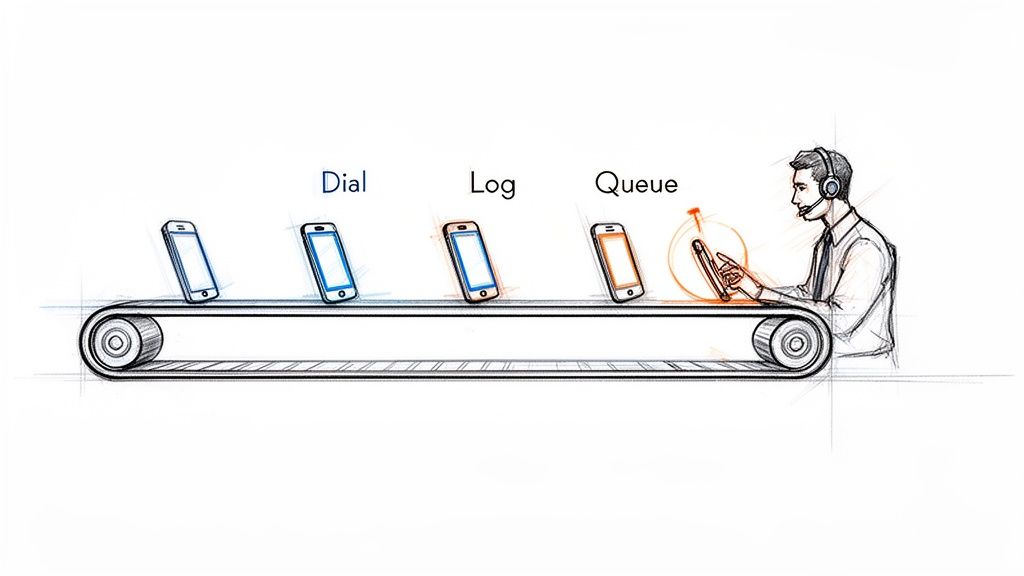
Automated caller software essentially creates an assembly line for your sales calls. It takes over all those tedious, non-revenue-generating tasks. This frees up your Sales Development Representatives (SDRs) to pour all their energy into what they were hired to do: have high-quality conversations that turn into real opportunities.
The difference between a manual workflow and an automated one isn't just small; it's a completely different ballgame. Manual dialing is slow, reactive, and just plain inefficient. Your reps end up spending more time on admin work than they do actually talking to people. An automated workflow, on the other hand, is proactive and built for one thing: activity.
An automated caller turns an SDR's day from a disjointed mess of manual tasks into a smooth, continuous flow of productive conversations. It's the difference between hand-crafting every call and running an efficient production line.
Let's get practical and see what this looks like in the real world. Here’s a quick breakdown of how a day in the life changes for an SDR.
Manual Dialing vs. Automated Calling: A Quick Comparison
The table below breaks down the daily workflow differences between an SDR using traditional manual methods and one empowered by automated caller software.
Activity
Manual Dialing Workflow
Automated Caller Workflow
Call Execution
Finds contact, manually clicks, waits for the phone to connect.
Clicks one button to start a power dialing session from a list.
Idle Time
Sits through voicemails, busy signals, and wrong numbers.
Software intelligently skips bad numbers and voicemails for you.
Data Entry
Constantly switches tabs to the CRM to log call outcomes and notes.
Call results, notes, and duration are logged instantly and automatically.
Next Call Prep
Hunts around for the next prospect to call, creating dead air.
The next call is immediately queued up and ready to go.
This isn't just a "nice-to-have" shift; it’s a fundamental change in how sales teams operate, and it's driving massive market growth. The global predictive dialer software market, a key piece of automated caller software, hit USD 3.20 billion in 2024. Even more impressive, it's projected to grow at a staggering 42.3% CAGR from 2025 to 2030. That tells you just how critical this tech has become.
With features like predictive dialing, reps can spend up to 90% more time actually talking to prospects, which can boost connect rates by 300-400%. If you want to dive deeper, you can explore the full research on predictive dialer market growth and see the impact for yourself.
The real difference between a basic dialer and a true automated caller software comes down to its core features. These aren't just boxes to check on a comparison sheet; they're the engine that removes the daily friction for your sales reps and directly leads to more meetings. Knowing how they work—and, more importantly, when to use them—is how you unlock your team's true potential.
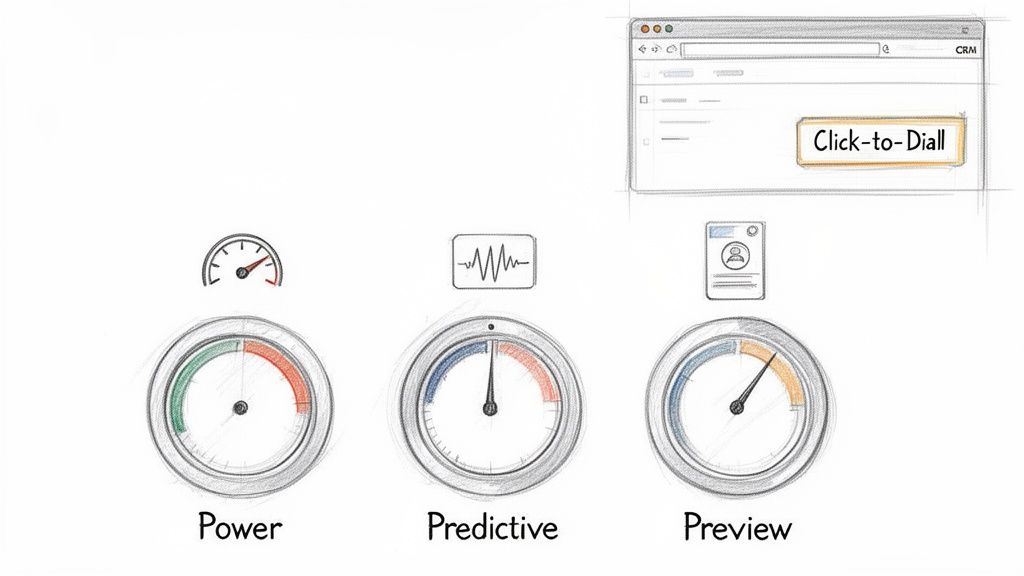
It all starts with the most fundamental feature: Click-to-Dial. This simple function turns your CRM from a passive address book into an active command center. No more fumbling with copy-pasting numbers. Reps just click a button on a contact record, and the call starts. Those few seconds saved on every single dial add up to hours of productive time each week.
Beyond just clicking, modern software gives reps different dialing modes, each built for a specific kind of sales motion. Picking the right one is like a carpenter choosing between a sledgehammer and a finishing hammer—using the wrong tool for the job just creates more work. Each mode strikes a different balance between raw speed and thoughtful preparation.
A solid automated caller, like marketbetter.ai, puts these options right at the user's fingertips. This lets reps switch up their approach on the fly, matching their dialing strategy to the call list they're working.
Here’s a practical comparison of the most common dialing modes:
Power Dialer (Best for high volume): This is your workhorse. It dials one number at a time from a list, instantly moving to the next if a line is busy or goes to voicemail. Actionable Tip: Use this mode for cold outreach campaigns to maximize dials per hour when reps are following a consistent script.
Predictive Dialer (Best for maximum efficiency in large teams): This mode uses algorithms to dial multiple numbers simultaneously, only connecting a rep when a live person answers. Comparison: While a Power Dialer ensures a rep is always ready for the next call, a Predictive Dialer ensures a live conversation is always ready for the next rep, nearly eliminating all idle time.
Preview Dialer (Best for strategic, high-value calls): It presents contact information before dialing, giving the rep time to review notes and personalize their approach. Actionable Tip: Use this for follow-up calls with warm leads or when targeting key accounts where context and research are critical for success.
Let’s be honest, the feature that has the biggest impact on both reps and their managers is automated call logging and dispositions. Manually typing call notes, outcomes, and activities into the CRM is the bane of every sales floor. It’s a massive time-suck and the number one reason CRM data becomes a complete mess.
When call logging is automated, reps are freed from the administrative burden that pulls them away from selling. For leadership, this automation provides a clean, accurate dataset that makes forecasting and coaching reliable.
This one capability fixes two huge, persistent problems in one go. First, it gives precious time back to your SDRs, letting them jump straight to the next call without getting bogged down in post-call admin tasks. Second, it guarantees that every single dial, connection, and conversation outcome is logged accurately in your CRM. You finally get a foundation of clean data that sales leaders can actually trust for coaching, performance reviews, and strategic planning.
The real magic of an automated caller isn't just dialing faster—it's about making the entire sales motion feel effortless. The single most important factor here is a native integration with your CRM, whether it’s Salesforce or HubSpot. This means the dialer isn’t some clunky plugin or a separate browser tab; it lives and breathes directly inside the system where your reps already work.
Think about using Google Maps on your phone versus a paper map in the glove compartment. One is part of your journey, updating and guiding you in real-time. The other forces you to pull over, lose momentum, and mentally stitch together two different experiences. That disconnect is exactly what kills sales productivity.
The holy grail is a "single pane of glass" workflow. Reps should be able to research a prospect, launch a call, log notes, and book the next step without ever having to leave their CRM screen. This is how you eliminate the friction that makes reps hate logging their activities.
When everything happens in one spot, adoption goes through the roof. Reps aren't fighting their tools anymore; the tools are actually helping them. For leadership, this is a massive win. Every single call, email, and note gets logged automatically and accurately, giving you clean data you can finally trust for forecasting and coaching.
A native dialer doesn't just sit on top of your CRM—it turns it from a passive database into an active command center. It makes the easiest path for a rep the one that also creates perfect data for the business.
The difference between a truly native tool and a separate system is night and day. Let's break down why it matters so much.
Aspect
Native CRM Integration
Disjointed/Separate System
Rep Workflow
Lives in a single screen, keeping focus and momentum high.
Forces constant tab-switching, killing context and flow.
Data Accuracy
Every call and outcome is logged to the right record, instantly.
Depends on manual entry, which means errors and missing data.
Adoption Rate
High. It simplifies the existing workflow, reps love it.
Low. It’s just another tool to learn and another annoying step.
Data Silos
Eliminates them. All activity lives in one central truth source.
Creates them. You never get a complete picture of what's happening.
This tight integration is a huge reason why the contact center software market is exploding. Valued at USD 49.64 billion in 2024, it's expected to hit a staggering USD 400.19 billion by 2035. The demand is driven by teams that need automation to actually drive productivity, not just create more busywork. We see it with our own customers—reps using deeply integrated tools log 90% cleaner activity data.
Let's be honest. Buying automated caller software isn’t about collecting shiny new features. It's about getting real business results. Every click, every dialer mode, and every integration needs to tie directly back to a Key Performance Indicator (KPI) that your sales leaders actually care about.
The real magic happens when you can draw a straight line from a software function to a metric on a dashboard. It’s the difference between saying, “We need a power dialer,” and saying, “We need to boost our Dials per Rep per Day by 40%, and this is the tool that will do it.” That’s how you build a rock-solid business case.
Not all features are created equal; each one is built to move the needle on a specific part of the sales process. A power dialer, for instance, is a pure activity engine. It demolishes the dead time between calls, which directly pumps up the raw number of dials an SDR can make.
On the other hand, things like AI-assisted talk tracks or instant access to prospect history are all about conversion rates. They give reps the right ammo at the right time, which has a massive impact on the Connect-to-Meeting Booked Rate. The goal shifts from just making more calls to having more successful conversations.
Think of automated logging as the unsung hero. It almost single-handedly cleans up your CRM Data Accuracy, which is the bedrock for every forecast, performance review, and strategic pivot your leadership team needs to make.
To really see how this works, let's map some core features directly to the metrics they're designed to improve.
Mapping Software Features to SDR Performance Metrics
The table below breaks down exactly how specific tool capabilities translate into better performance, giving you a clear picture of the return on your investment.
Software Feature
Primary KPI Impacted
How It Improves the Metric
Power & Predictive Dialing
Dials per Rep per Day
Slashes idle time by automating the dialing process and skipping voicemails, letting reps pack more calls into every hour.
AI Talk Tracks & Call Prep
Connect-to-Meeting Rate
Feeds reps the best talking points and objection-handling tactics in real time, boosting confidence and conversation quality.
Automated Call Logging
CRM Data Accuracy
Eliminates manual data entry by instantly saving every call outcome, note, and duration, which creates a single source of truth.
As you can see, the connection is direct and measurable. Each feature serves a distinct purpose in making the sales motion faster, smarter, and more efficient.
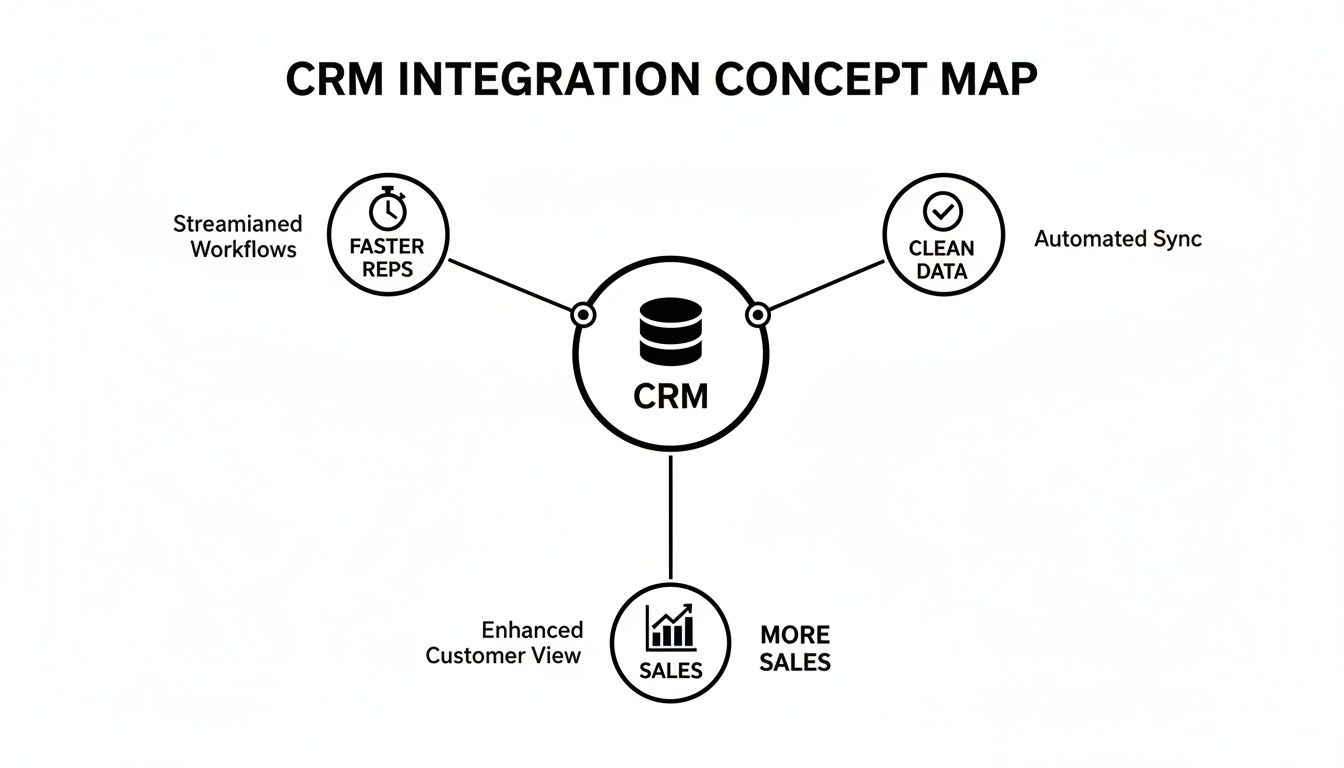
A deep, native CRM integration acts like a force multiplier for every other feature. It’s the glue that holds everything together, driving speed, data quality, and—most importantly—more closed deals.
This map nails it: a CRM that’s properly connected to your calling software creates a frictionless world for your reps. They stay in one system, move faster, and stop polluting your database with manual errors. For a deeper dive into the numbers that matter most, check out our complete guide on the essential KPIs for lead generation.
How to Choose the Right Automated Caller Software
Picking the right automated caller software can feel overwhelming. You're drowning in a sea of features, promises, and buzzwords. But here’s the secret: the best tool isn't the one with the longest feature list. It's the one your team actually wants to use every single day.
The goal isn't to find software that forces your reps into a clunky new process. It's to find a tool that melts right into their existing workflow, making their job simpler, not more complicated.
The market for these tools is exploding for one simple reason: they work. The call center software industry was valued at USD 16.2 billion in 2025 and is on track to more than double to USD 34.99 billion by 2035. What’s driving this? A massive 65% efficiency boost thanks to AI-powered automation. We're talking about shrinking new SDR ramp time from weeks down to just a few days. You can discover more insights about call center software growth on businessresearchinsights.com.
A great tool doesn’t just make your reps faster; it makes them better, sooner.
A powerful dialer collecting digital dust is completely worthless. User experience is everything. If a brand-new hire can’t master the tool in under an hour, it's too complicated. Any software that requires weeks of training will absolutely torpedo your team's momentum.
The single most important question you can ask is: "Does this tool make my rep's job easier?" If the answer is anything but a resounding "yes," walk away. The software should remove friction, not add it.
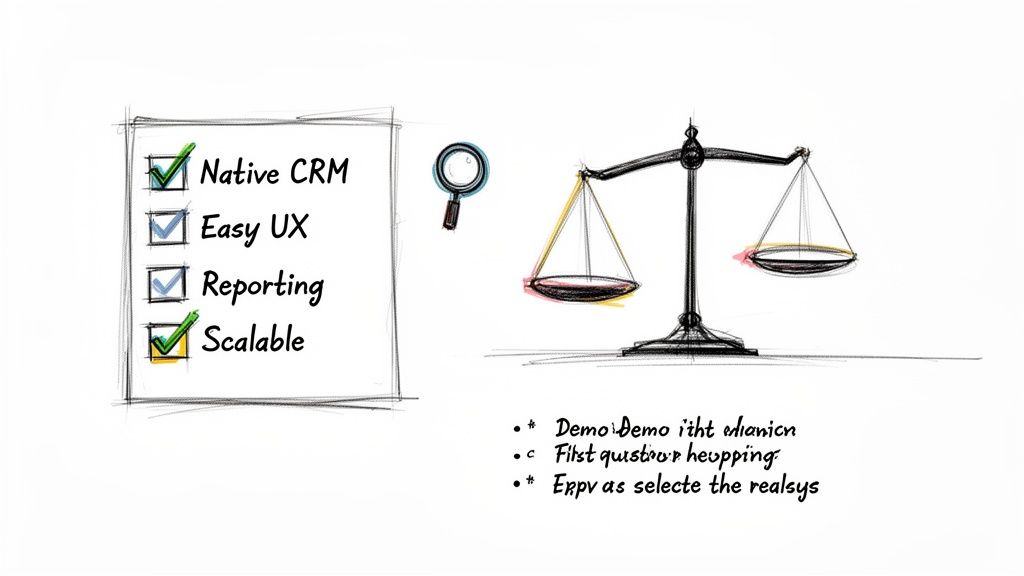
Before you even think about signing a contract, build a vendor evaluation checklist that focuses on what actually matters to your team. This will help you slice through the marketing fluff and compare solutions based on their real-world impact. For a deeper dive, check out our guide on the best sales dialers for SDR teams.
Use these questions as your guide during product demos. They’ll help you figure out which automated caller software truly fits your team's needs.
CRM Integration Depth: Does the tool live inside your CRM (like Salesforce or HubSpot), or is it just a clunky plugin that opens yet another browser tab? Actionable test: Ask the vendor for a live demo where a rep builds a call list, executes calls, and logs outcomes without ever leaving the CRM window.
Ease of Use: Could a new SDR, on their very first day, start making productive calls? Actionable test: During the demo, ask to see the onboarding workflow. If it takes more than 5 clicks to get a new user set up and dialing, it’s too complex.
Reporting and Visibility: As a manager, can you instantly see core metrics like dials per rep, connect rates, and conversation outcomes? Actionable test: Request to see the manager's dashboard. Is it a pre-built, intuitive view of key KPIs, or do you have to export data and build your own pivot tables?
Scalability: Will this platform grow with you? Make sure it can handle more users, higher call volumes, and more sophisticated workflows as your team and ambitions expand.
When you're thinking about adding a new tool to your sales stack, especially something that changes the daily grind like an automated caller, questions are going to pop up. Sales leaders need to know they’re making a smart move that actually helps their team sell, not just another piece of software to learn and forget.
Let's tackle some of the most common questions and hesitations I hear all the time. These aren't just hypotheticals; they're the real-world concerns that come up in sales meetings every single day.
"We Already Have a Sales Engagement Platform. Isn't That Enough?"
This is the big one. It's probably the most common question I get, and it’s a good one. Most sales engagement platforms (SEPs) do have a dialer, but it’s usually treated like an afterthought—a feature tacked on, not the main event. That distinction makes all the difference in a rep's day-to-day workflow.
SEP dialers almost always force your reps into another browser tab. It’s a clunky, disjointed experience that pulls them out of their main workspace: the CRM. In stark contrast, a dedicated, native automated caller software is built to be an execution layer that lives right inside your CRM. That means no more context switching—a notorious productivity killer—and every single call gets logged perfectly without anyone having to think about it.
Think of it this way: your SEP is the symphony conductor, orchestrating the whole multi-channel campaign (email, social, calls). A native dialer is the first-chair violin, absolutely perfecting the most crucial part of the performance—the live conversation.
They might look similar on the surface, but one manages the sequence while the other absolutely nails the high-impact moments.
"Will This Just Lead to Spammy, Low-Quality Calls?"
This is a totally valid concern, and it comes from the bad reputation of old-school, burn-and-churn auto-dialers. But modern automated callers are built for smart efficiency, not just raw speed. The whole point is to help reps make better calls, not just blast out more of them.
The best tools are designed to kill low-quality outreach by building call prep directly into the workflow.
Context at a Glance: Before the number is even dialed, the software can pop up critical info like the prospect’s recent activity, past conversations, or a quick link to their LinkedIn.
AI-Powered Talking Points: Modern systems can even suggest a great opening line, key value props, or answers to common objections, all based on the persona they're calling.
Intelligent Pacing: With modes like Preview Dial, reps get a moment to breathe and collect their thoughts before the dial, making sure they’re ready to go.
This blend of automated speed and smart preparation means you get more conversations that are actually more relevant. The result? Your connect-to-meeting rates actually go up.
This is a huge one. The complexity of getting a new tool running can be a deal-breaker. Some of those bloated, all-in-one platforms can take weeks, even months, to set up right. They chew up RevOps time and bring your team’s momentum to a halt.
But a purpose-built, native tool that’s laser-focused on the calling workflow can be shockingly simple. A platform like marketbetter.ai, for instance, can often be up and running in a single afternoon. The trick is to roll it out in phases to get quick wins.
Start Simple: First, just turn on the basics like click-to-dial and automatic call logging. Your reps will immediately feel the lift.
Build Momentum: Once the team loves it, introduce the more powerful features like different dialing modes or the AI call prep.
Optimize: Now that clean data is flowing into your CRM, you can use it to fine-tune talk tracks and spot coaching opportunities.
This methodical approach gets rid of the friction, builds trust with your reps, and makes sure the tool actually gets used.
This is where a native automated caller software delivers its biggest ROI, hands down. It solves a deeply human problem: reps hate manual data entry. They're wired to sell, not to be administrators. When logging calls is a manual task, it’s always going to be inconsistent, incomplete, or just plain forgotten.
An automated caller that’s deeply plugged into your CRM just makes the problem disappear.
Every Dial is Tracked: Every single attempt is logged.
Connections are Recorded: Every conversation is captured along with its duration.
Outcomes are Stored: Dispositions are logged to the right contact record the second the call ends.
All of this happens in the background without the rep doing a thing. This creates a squeaky-clean dataset that leaders can finally trust for accurate forecasting and real-world coaching. It turns your CRM from a messy closet into a strategic weapon.
Ready to see how an execution-first tool can boost your team's activity and clean up your CRM data? Explore marketbetter.ai to discover a smarter way to manage your outbound sales motion. Learn more about our AI-Powered SDR Task Engine.
Video has become a must-have channel for sales teams. The data is undeniable: personalized video emails generate 85% higher open rates and 3.2x more responses compared to text-only outreach. In 2026, the question isn't whether to use video in sales — it's which tool to use.
The landscape has evolved dramatically. What started as simple webcam recording tools has expanded into a category that includes AI avatar generation, automated personalization, and full workflow integration.
This roundup compares the seven most popular video tools for sales teams in 2026, with honest assessments of what each does well and where each falls short.
Before diving into specific tools, here's the framework for evaluation:
Creation Method: Do you record yourself, or does AI generate the video? Recording is more authentic but doesn't scale. AI generation scales infinitely but requires strong technology.
Personalization Depth: Can you personalize just the landing page, or is the actual video content personalized per prospect? There's a big difference between "Hi [Name]" on a web page and an avatar saying someone's name out loud.
Integration: Is video a standalone tool, or is it integrated into your sales workflow? Standalone tools require more manual effort and tool-switching.
Scalability: Can you create personalized videos for 500 prospects without spending a week recording?
Analytics: What data do you get back? Basic view counts, or detailed engagement analytics that inform follow-ups?
Total Cost of Ownership: What's the real cost when you factor in all the other tools you'll need alongside it?
Vidyard is one of the original video-for-sales platforms. It offers video recording, hosting, sharing, and analytics. The platform has matured over the years and is a solid, reliable option for teams that want webcam-based video outreach.
Manual recording — You're on camera for every video. This creates a hard ceiling on volume.
Limited AI personalization — Personalization is largely manual. You say the prospect's name because you chose to, not because a system inserted it dynamically.
Video-only — It's a video tool. You still need separate platforms for email sequencing, data enrichment, workflow automation, and everything else.
Per-user pricing — Costs add up quickly for larger teams
Teams that want a proven, standalone video recording platform and don't mind the manual effort. Good for sales teams doing low-to-medium volume outreach who value authenticity over scale.
Loom started as an async communication tool and has grown into a popular sales tool. It's known for its simplicity — hit record, capture your screen and face, share a link. The sales-specific features have been bolted on over time.
Individual reps who want a quick, easy way to add occasional video to their outreach. Not ideal for teams doing high-volume personalized video outreach.
Sendspark is a video email platform built specifically for sales and marketing. It focuses on making video email easy, with features like dynamic video pages, personalized thumbnails, and CRM integrations.
Teams that want a dedicated video email tool with better sales features than Loom, but don't need AI generation or full platform integration. Good Vidyard alternative at a lower price point.
BombBomb has been in the video email space for over a decade. It focuses on relationship-building through video, with a strong emphasis on real estate, mortgage, and financial services verticals.
Hippo Video positions itself as an AI-powered video platform for sales and marketing. It offers video creation, personalization, and distribution with some AI features including text-to-video capabilities.
Teams that want some AI assistance in video creation without going fully AI-generated. A middle ground between manual recording and full AI automation.
Dubb is a video communication platform designed for sales, marketing, and internal communication. It combines video creation with landing pages, CTAs, and automation features.
MarketBetter takes a fundamentally different approach from every other tool on this list. Instead of being a standalone video tool, MarketBetter is a complete sales engagement platform that includes AI-powered video generation as a native capability.
The platform integrates with HeyGen to generate personalized AI avatar videos directly within its workflow automation engine (Play Builder). Video isn't a separate tool — it's one step in an automated sequence that includes audience targeting, data enrichment, video generation, email delivery, follow-ups, and multi-channel outreach.
AI avatar video generation — No recording required. Choose from professional avatars or create a custom one from your photo.
True dynamic personalization — The AI avatar speaks the prospect's name, mentions their company, and references their specific situation. Personalization is IN the video, not just on the landing page.
Full platform — Video is one capability in a complete sales stack: visitor identification, intent signals, email, dialer, chatbot, LinkedIn enrichment, and workflow automation.
Automated at scale — Generate personalized videos for your entire pipeline as part of an automated play. 50 videos or 5,000 — the effort is the same.
Workflow integration — Video generation chains with other actions: research → video → email → follow-up → phone → LinkedIn. It's not a standalone step.
Sales teams that want AI-generated personalized video as part of a complete outbound platform. Teams doing high-volume outreach who need personalization at scale without recording. Organizations looking to consolidate their tool stack.
The video-for-sales landscape in 2026 has a clear divide:
Traditional video tools (Vidyard, Loom, Sendspark, BombBomb, Hippo Video, Dubb) are built around manual recording. They help you record, share, and track videos. They're good at what they do, but they share a common limitation: they don't scale without proportional human effort.
AI-powered platforms (MarketBetter) generate personalized videos automatically using AI avatars and dynamic scripts. There's no recording, no editing, no fatigue. And when that AI video capability is integrated into a complete sales platform — with email, workflow automation, data enrichment, and multi-channel outreach — it's a fundamentally different category.
If you're evaluating video tools for your sales team, the first question to ask isn't "which tool has the best video quality?" It's "do I want a video tool, or do I want a sales platform that includes video?"
The answer to that question determines which category you're shopping in. And for teams that want AI-powered video prospecting at scale, the integrated platform approach is winning.
Ready to see the difference?
Book a demo and see how MarketBetter's AI-powered video generation transforms your outbound sales. No credit card required.
If you're evaluating AI chatbots for your B2B sales team, two names keep coming up in different contexts: Breakout (getbreakout.ai) and MarketBetter. Both use AI to help sales teams convert more website visitors. But they approach the problem from very different angles.
Breakout positions itself as "The Inbound AI SDR" — a focused chatbot and visitor identification tool designed to turn anonymous traffic into qualified leads. MarketBetter is a full-cycle sales intelligence platform that includes an AI chatbot alongside a smart dialer, email automation, daily playbook, and buying signal detection.
This comparison will help you figure out which one fits your team's needs. We'll be fair to both — because the right choice depends on what you're actually trying to solve.
Breakout is an AI-powered inbound sales tool focused on your website. Their core promise: turn your website into a lead generation machine by identifying visitors, engaging them with AI chatbot blocks, and triggering sales workflows when someone shows buying intent.
AI Chatbot Blocks
Breakout deploys conversational AI widgets on your website that engage visitors contextually. Instead of a generic "How can I help?" bot, Breakout's chatbot adapts its messaging based on the page the visitor is on, their behavior patterns, and (when identifiable) their company and role.
Anonymous Visitor Identification
This is Breakout's headline feature. They identify anonymous website traffic — turning "unknown visitor from Acme Corp" into a named contact with company, title, and intent signals. They claim to identify visitors that traditional form-based approaches miss entirely.
Personalized Website Content
Based on who's visiting, Breakout can dynamically adjust website content — headlines, CTAs, case studies — to match the visitor's industry, company size, or use case. A VP of Sales from a mid-market SaaS company sees different messaging than a Marketing Director from an enterprise.
GTM Workflow Triggers
When a visitor hits certain intent thresholds (viewed pricing page, spent 3+ minutes on product pages, returned for a third visit), Breakout triggers workflows: Slack alerts to the sales team, CRM record creation, automated follow-up sequences.
Rep Routing and Follow-ups
Breakout routes qualified leads to the right rep based on territory, account ownership, or round-robin rules. It also handles personalized follow-up emails after a chat interaction.
These are strong claims, and early users in the B2B SaaS space have reported positive results, particularly around visitor identification accuracy and chatbot engagement rates.
MarketBetter is a full-cycle B2B sales intelligence platform. While it includes an AI chatbot, the chatbot is one component of a much broader system designed to help SDR and sales teams across the entire sales process — not just the website visit.
AI Chatbot
MarketBetter's chatbot engages website visitors with contextual, AI-driven conversations. Similar to Breakout's approach, it adapts based on visitor behavior and identified company data. The chatbot qualifies leads, books meetings, and hands off to human reps when appropriate.
Website Visitor Identification
MarketBetter identifies anonymous website visitors at both the company and person level, enriching records with firmographic data, job titles, LinkedIn profiles, and contact information. This data feeds directly into MarketBetter's outreach tools.
Smart Dialer
This is where MarketBetter diverges significantly from Breakout. MarketBetter includes a built-in smart dialer that lets SDRs call identified prospects directly from the platform. The dialer prioritizes calls based on buying signals — visitors who just viewed your pricing page get called first.
Email Automation
MarketBetter automates personalized email sequences triggered by visitor behavior, buying signals, or sales team actions. Emails are AI-generated based on the prospect's company, role, and the pages they visited.
Daily Playbook
Every morning, each SDR gets a prioritized list of actions: "Call this prospect who visited pricing yesterday. Email this lead who downloaded a case study. Follow up with this account showing increased activity." It's a signal-based selling workflow built into the platform.
Buying Signal Detection
MarketBetter monitors multiple signals beyond just website visits: job changes, company funding rounds, technology adoptions, content engagement, and social activity. These signals feed into lead scoring and prioritization.
Breakout: Purpose-built chatbot with strong contextual awareness. The chatbot block approach (different bots for different pages/contexts) is well-executed. Personalization based on visitor identity is a standout feature.
MarketBetter: Full-featured AI chatbot that integrates with the rest of the platform. The advantage here is that chatbot interactions feed directly into the smart dialer queue, email sequences, and daily playbook. A chatbot conversation that doesn't convert immediately still creates a warm lead that gets followed up on through other channels.
Verdict: Breakout's chatbot may have a slight edge in pure chatbot sophistication — it's their entire focus. MarketBetter's chatbot wins on what happens after the conversation, because it connects to outbound tools.
Breakout: Strong visitor identification with anonymous traffic de-anonymization. Company-level identification is reliable; person-level identification depends on their data partnerships and matching algorithms.
MarketBetter:Visitor identification at both company and person level, with enrichment from multiple data sources. The identified visitor data flows into every other MarketBetter feature — dialer, email, playbook.
Verdict: Both platforms handle visitor identification well. The difference is in what you do with the data. With Breakout, you export it or trigger workflows. With MarketBetter, the data automatically powers outbound sales actions.
Breakout: Does not include outbound sales tools. Breakout is focused on inbound — converting website visitors. For outbound, you'll need separate tools (Outreach, Salesloft, Apollo, etc.).
MarketBetter: Includes a smart dialer, email automation, and a daily sales playbook. SDRs work from a single platform: see who visited the website, call them, email them, track the deal. No switching between tools.
Verdict: MarketBetter wins this category by default. Breakout doesn't compete here — it's outside their scope. But for sales teams, this is a critical consideration. If you need outbound tools anyway, using MarketBetter eliminates 2–3 other subscriptions.
Breakout: Website content personalization is a unique feature. Dynamically changing headlines, CTAs, and content based on visitor identity is powerful for conversion optimization. This goes beyond chatbot personalization into the website experience itself.
MarketBetter: Personalization is applied across outreach — emails, call scripts, chatbot responses. The personalization is based on a broader set of signals (not just website behavior, but buying signals from multiple sources).
Verdict: Different types of personalization. Breakout personalizes the website. MarketBetter personalizes the outreach. Both are valuable. If your website is your primary conversion channel, Breakout's approach is compelling. If your sales team does significant outbound, MarketBetter's approach covers more ground.
Breakout: GTM workflow triggers, Slack alerts, CRM enrichment, auto follow-ups. Well-designed for notifying sales teams and keeping CRM data current. Integrates with standard GTM tools.
MarketBetter: Automation is built into the platform rather than triggered outward. The daily playbook is essentially an automated workflow engine: it prioritizes actions, surfaces insights, and tells reps exactly what to do next. Less "alert and integrate" — more "do the work for you."
Verdict: Breakout is better if you already have a sales engagement stack and want to plug in a visitor intelligence layer. MarketBetter is better if you want a single platform that handles the workflow end-to-end.
The Real Question: Website Tool or Sales Platform?
Here's the core difference, stripped of marketing language:
Breakout is a website optimization tool for inbound sales. It makes your website smarter at identifying visitors, engaging them, and converting them. Everything happens on (or triggered by) the website. If a visitor doesn't come to your site, Breakout can't help you reach them.
MarketBetter is a full-cycle sales platform that includes website intelligence. The website is one input. Buying signals, intent data, smart dialing, email automation, and a daily playbook extend the platform's value to the entire sales process — before, during, and after the website visit.
Breakout positions itself as a premium inbound tool. Pricing is typically based on website traffic volume and feature tier. Contact their sales team for current pricing at getbreakout.ai.
MarketBetter offers full-platform pricing that includes chatbot, visitor identification, smart dialer, email automation, and the daily playbook. For teams that would otherwise need separate tools for each of these functions, the consolidated pricing is typically more cost-effective.
The real cost comparison isn't Breakout vs. MarketBetter in isolation. It's:
Breakout + your dialer + your email tool + your intent data provider vs.
MarketBetter (all-in-one)
When you factor in the full stack cost, MarketBetter's platform approach often comes out ahead for teams that need outbound capabilities.
Breakout integrates with CRMs (Salesforce, HubSpot), Slack, and standard GTM tools. Implementation is primarily a JavaScript snippet on your website plus CRM configuration. You can be up and running in a day or two.
MarketBetter integrates with the same CRMs and adds direct integrations for calling (built-in dialer) and email. Implementation includes website tracking, CRM connection, dialer setup, and email configuration. Slightly more involved than Breakout because there's more to set up — but you're replacing multiple tools, not adding one.
Free Tool
Try our AI Lead Generator — find verified LinkedIn leads for any company instantly. No signup required.
Both Breakout and MarketBetter are strong products solving related but different problems.
Choose Breakout if your primary challenge is converting website visitors into leads and you already have the rest of your sales stack in place. Breakout does one thing — inbound visitor conversion — and does it well. The website personalization features are a genuine differentiator.
Choose MarketBetter if you want a platform that covers the full sales cycle. Website visitor identification is the starting point, but the smart dialer, email automation, buying signals, and daily playbook extend the value far beyond the website. For teams that are currently stitching together 3–5 tools, MarketBetter consolidates the stack.
The trend in B2B sales is moving toward platform consolidation. SDR teams are drowning in tabs — switching between their chatbot, their dialer, their email tool, their CRM, their intent data provider. Tools that combine these functions into a single workflow don't just save money — they save the cognitive overhead that kills SDR productivity.
That said, if your inbound machine is your growth engine and you've already solved outbound, Breakout's focused approach is a legitimate choice. Not every team needs the full platform.
Want to see how MarketBetter's full-cycle approach works for your team? Book a demo and bring your current stack — we'll show you exactly what consolidation looks like in practice.
If you spend time in SEO communities — Reddit's r/SEO, Twitter/X SEO circles, Slack groups like Traffic Think Tank — you've probably noticed a pattern emerging in 2025 and into 2026. People keep talking about the same three-tool combination. Not Ahrefs. Not Semrush. Not some $500/month enterprise platform.
They're talking about DataforSEO, KeywordsEverywhere, and Claude Code.
The combo sounds almost too simple. An API for bulk SERP data. A browser extension for search metrics. An AI coding agent. But together, they form what many B2B marketers are calling the most powerful SEO stack available — at a fraction of what you'd pay for traditional tools.
Here's why this stack works, what each tool brings to the table, and how you can use all three together to dominate B2B search.
Before we get into the stack, let's talk about why people are moving away from the incumbents.
Tools like Ahrefs and Semrush are excellent. Nobody's arguing that. But they have three major problems for B2B teams:
They're expensive. Ahrefs starts at $99/month for a hobbyist plan. The plan most B2B teams need (Site Explorer with decent limits) runs $199–$449/month. Semrush is similar. For a startup doing $500K ARR, that's a real line item.
They're built for browsing, not building. You can look up keywords one at a time. You can export CSVs. But if you want to do something programmatic — like analyze 10,000 keywords across 50 competitors and cluster them by intent — you're stuck copy-pasting between tabs.
They don't integrate with your workflow. The data lives inside their platform. Getting it into your content calendar, your CMS, your team's Notion — that's manual work.
The DataforSEO + KeywordsEverywhere + Claude Code stack solves all three.
DataforSEO is an API-first SEO data provider. Instead of giving you a dashboard to click around in, it gives you raw API endpoints that return SERP data, keyword data, backlink data, and more.
What you get:
SERP API — Pull the top 100 results for any keyword, in any location, in any language. Get titles, URLs, snippets, featured snippets, People Also Ask, and more.
Keywords Data API — Search volume, CPC, competition score, keyword difficulty, and historical trends for any keyword.
Backlinks API — Full backlink profiles for any domain. Referring domains, anchor text distribution, new/lost links.
On-Page API — Crawl any page and get technical SEO data (page speed, meta tags, schema, etc.).
Competitor Discovery — Find which domains rank for overlapping keywords.
Why B2B marketers love it: DataforSEO charges per API call, not per seat. You might spend $50–$200/month depending on volume — way less than Ahrefs. And because it's an API, you can pull exactly the data you need and process it however you want.
Pricing reality: SERP API calls run about $0.002 each. Keyword data is roughly $0.05 per 1,000 keywords. For most B2B use cases, you're spending a fraction of what you'd pay for a traditional tool.
KeywordsEverywhere is a browser extension that overlays search metrics directly into Google's search results, YouTube, Amazon, and other platforms.
What you get:
Search volume — Monthly search volume for any keyword, right in the search bar.
CPC data — What advertisers are paying per click (a strong proxy for commercial intent).
Competition score — How competitive the organic results are.
Trend data — 12-month search volume trends so you can spot rising and falling topics.
Related keywords — "People also search for" and long-tail variations.
SERP analysis widget — Word count, links, and DA for the top 10 results.
Why B2B marketers love it: It's the fastest way to validate keyword ideas. You don't need to leave Google. You search for something, and instantly see whether it's worth pursuing. Credits cost about $1 per 1,000 keywords — absurdly cheap.
The real value: KeywordsEverywhere is your reconnaissance tool. It's where you generate hypotheses. "Is this keyword worth targeting? What's the intent? Is search volume growing?" You answer those questions in seconds, right inside your browser.
Claude Code is Anthropic's AI coding agent. It runs in your terminal and can write, execute, and iterate on code autonomously.
What you get:
Script generation — Describe what you want in plain English, and Claude Code writes the Python/Node.js/whatever script to do it.
API integration — It can write scripts that call the DataforSEO API, process the results, and output structured data.
Data analysis — Feed it a CSV of keywords and it'll cluster them by intent, calculate opportunity scores, and generate content briefs.
Automation — It can build entire workflows: pull data → analyze → output reports → save to files.
Why B2B marketers love it: You don't need to be a developer. You describe what you want — "Pull the top 20 results for these 500 keywords, extract the word count of each ranking page, and cluster the keywords by topic" — and Claude Code writes and runs the script.
The paradigm shift: Before Claude Code, using DataforSEO's API required a developer. Now, any marketer who can describe what they want in English has access to the same programmatic SEO capabilities that enterprise teams pay six figures for.
Goal: Find keywords that indicate someone is ready to buy a B2B solution.
Step 1: Scout with KeywordsEverywhere
Search Google for your core terms — "visitor identification software," "AI sales dialer," "B2B intent data." KeywordsEverywhere shows you search volume, CPC, and related keywords right in the SERP.
Look for keywords with:
CPC above $5 (high commercial intent)
Search volume between 100–2,000/month (realistic to rank for)
Growing trend (not declining)
Export the related keywords and "People Also Ask" data. You'll typically generate 200–500 keyword ideas in 30 minutes.
Step 2: Bulk validate with DataforSEO
Take your keyword list and use Claude Code to write a script that:
Calls the DataforSEO Keywords Data API for all 500 keywords
Pulls search volume, CPC, competition, and keyword difficulty
Filters for high-intent signals (CPC > $5, competition < 0.6)
Groups keywords by semantic similarity
Here's what you'd tell Claude Code:
Write a Python script that:
1. Reads keywords from keywords.csv
2. Calls DataforSEO Keywords Data API for each keyword
3. Returns search volume, CPC, competition, and keyword difficulty
4. Filters for CPC > $5 and keyword difficulty < 40
5. Outputs a ranked list sorted by opportunity score (volume × CPC / difficulty)
6. Saves to high_intent_keywords.csv
Claude Code writes the script, runs it, and you have a prioritized list of high-intent keywords in minutes.
Step 3: Analyze the SERP landscape
For your top 50 keywords, use Claude Code to pull SERP data via DataforSEO:
For each keyword in high_intent_keywords.csv (top 50):
1. Call DataforSEO SERP API
2. Extract the top 10 results: URL, title, word count
3. Identify which domains appear most frequently
4. Flag keywords where no result has > 2000 words (content gap)
5. Output a competitor frequency matrix
Now you know which keywords are underserved, which competitors dominate, and where the content gaps are.
Goal: Understand what content your competitors are ranking for and find gaps.
Step 1: Identify competitors with KeywordsEverywhere
Search your core keywords and note which domains keep appearing. KeywordsEverywhere's SERP analysis widget shows you the top domains instantly.
Step 2: Pull competitor keyword profiles with DataforSEO
Use Claude Code to write a script that calls DataforSEO's Competitor Discovery and Ranked Keywords APIs:
For each competitor domain in competitors.txt:
1. Pull all keywords they rank for (top 100 positions)
2. Get search volume and current ranking position
3. Find keywords where they rank #1-3 that we don't rank for at all
4. Find keywords where we both rank but they outrank us
5. Output a gap analysis with opportunity scores
Step 3: Build content briefs from the gaps
Take the gap analysis and have Claude Code generate content briefs:
For each keyword gap with opportunity score > 70:
1. Pull DataforSEO SERP data for the keyword
2. Analyze the top 5 ranking pages (word count, headings, topics covered)
3. Generate a content brief with:
   - Recommended title (with keyword)
   - Target word count
   - H2/H3 outline based on competitor content
   - Unique angles not covered by competitors
   - Internal linking suggestions
You go from "I wonder what our competitors are doing" to "here are 20 content briefs prioritized by opportunity" in a single afternoon.
Goal: Build a quarterly content calendar based on data, not guesses.
Step 1: Trend spotting with KeywordsEverywhere
Browse industry topics and track which keywords are trending up. KeywordsEverywhere's trend sparklines make this visual and fast.
Step 2: Validate with DataforSEO bulk data
Pull historical search volume data for your trending keywords to confirm they're actually growing, not just seasonal:
For each trending keyword:
1. Pull 24-month search volume history from DataforSEO
2. Calculate month-over-month growth rate
3. Flag keywords with consistent upward trend (not seasonal spikes)
4. Cross-reference with CPC trends (rising CPC = rising commercial value)
Step 3: Generate the calendar with Claude Code
Using the validated keyword list:
1. Cluster keywords by topic (semantic grouping)
2. Assign one pillar page per cluster
3. Identify 3-5 supporting articles per pillar
4. Prioritize by: opportunity score, trend momentum, content gaps
5. Output a 12-week content calendar with titles, target keywords, and briefs
6. Format as a CSV importable to Notion/Asana
You now have a data-driven content calendar that would take a traditional SEO agency weeks to produce.
What takes a week with traditional tools takes an afternoon with this stack. The automation layer (Claude Code) eliminates the manual data wrangling that eats up SEO analysts' time.
You're not limited to pre-built reports. Need a custom scoring model? Tell Claude Code. Want to weight keywords by your ICP's industry? Write a filter. The stack adapts to your specific B2B context.
Not every B2B team has the time or inclination to build their own SEO automation stack. That's exactly why platforms like MarketBetter exist.
MarketBetter's AI-powered platform does much of what this stack does — automatically. It identifies high-intent visitors on your website, analyzes buying signals, and helps your team act on them through AI chatbot, smart dialer, email automation, and a daily sales playbook.
The SEO insight layer — understanding which prospects are actively researching solutions, which keywords are driving qualified traffic, and which content is converting — is built into the platform. No API scripts required.
If you're a B2B team that wants the intelligence without building the infrastructure, book a demo with MarketBetter and see how AI-driven sales intelligence can power your pipeline.
Free Tool
Try our AI SEO Checker — see how AI models like ChatGPT and Claude talk about your brand. No signup required.
If you want to build this stack yourself, here's the quickest path:
Sign up for DataforSEO — Start with their sandbox environment (free) to test API calls.
Install KeywordsEverywhere — Buy 100,000 credits ($10) to start scouting.
Set up Claude Code — Install via Anthropic's docs, connect it to your terminal.
Start with one workflow — Pick the high-intent keyword discovery workflow above and run it for your top 10 seed keywords.
Iterate — Refine your scoring model, add more competitors, expand your keyword universe.
The SEO community isn't wrong about this stack. It works. The combination of raw data access, real-time browser intelligence, and AI-powered automation gives B2B marketers capabilities that were previously locked behind enterprise budgets.
The question isn't whether you should adopt AI-powered SEO tooling. It's whether you build it yourself or use a platform that's already built it for you.
MarketBetter's integration with HeyGen is one of the most powerful capabilities in the platform — and one of the biggest differentiators from every other sales engagement tool on the market.
Here's the reality of cold calling in 2026: the call itself is maybe 20% of the work. The other 80% is everything that wraps around it — researching the prospect, prepping talking points, logging notes, updating the CRM, drafting follow-up emails, and figuring out who to call next.
That 80% is exactly what AI should be doing.
OpenClaw is an AI coding and automation agent that can handle tasks like web research, data processing, CRM updates, and content generation autonomously. MarketBetter's smart dialer prioritizes calls based on buying signals and gives SDRs a streamlined calling workflow.
Put them together, and you get something powerful: the AI SDR co-pilot. The human makes the call. AI does everything around it.
This guide shows you exactly how to set up that workflow.
Ask any SDR how they spend their day. The answer is usually something like:
30 minutes researching prospects before calls (LinkedIn, company website, recent news)
15 minutes writing notes after each call
20 minutes updating CRM fields and deal stages
25 minutes drafting follow-up emails
10 minutes figuring out who to call next
60 minutes actually on the phone
That's 100 minutes of admin work for every 60 minutes of actual selling. And most of the admin work follows a predictable pattern — which means it can be automated.
MarketBetter's smart dialer already solves the "who to call next" problem by prioritizing leads based on buying signals and website visitor activity. OpenClaw can handle the rest: pre-call research, post-call processing, and follow-up automation.
Before each call, the SDR opens LinkedIn, the prospect's company website, Crunchbase, and recent Google News results. They scan for talking points: recent funding, product launches, job postings, industry trends. This takes 5–10 minutes per prospect.
Job postings — What roles they're hiring for (reveals priorities and pain points)
Tech stack — What tools they use (via public data sources)
MarketBetter signals — Which pages they visited, how many times, what content they engaged with
Step 3: Generate the briefing
OpenClaw synthesizes everything into a one-page brief:
═══════════════════════════════════════
PROSPECT BRIEFING: Sarah Chen, VP Sales
Acme Software | Series B | 150 employees
═══════════════════════════════════════

🏢 COMPANY SNAPSHOT
- Cloud-based project management for construction
- Raised $28M Series B (Nov 2025)
- Hiring: 3 SDRs, 1 Sales Manager, 2 AEs
- Tech stack: Salesforce, Outreach, Gong

📊 BUYING SIGNALS (MarketBetter)
- Visited pricing page 3x this week
- Downloaded "AI Sales Tools" whitepaper
- Viewed case study: "Mid-Market SaaS"

🎯 TALKING POINTS
1. They're scaling sales team (3 SDR openings) —
   ask about current prospecting workflow pain
2. Series B = growth pressure, need pipeline efficiency
3. Using Outreach but visited our dialer page —
   possible dissatisfaction with current stack
4. Construction vertical = long sales cycles,
   reference how AI helps prioritize

⚠️ WATCH OUT
- Competitor Warmly listed on their careers page
  as current vendor
- CEO posted about "tool consolidation" on LinkedIn
  last week — lean into all-in-one angle

📝 SUGGESTED OPENER
"Sarah, I noticed Acme is scaling the sales team —
congrats on the Series B. Quick question: as you're
adding SDRs, how are you thinking about the tools
they'll use for prospecting?"
═══════════════════════════════════════
This briefing appears before the SDR even picks up the phone. What used to take 10 minutes of manual research is now automatic.
While the SDR is on the phone, OpenClaw can provide real-time support by monitoring the conversation context and surfacing relevant information.
Objection handling: If the prospect mentions a competitor, OpenClaw can instantly pull up comparison points and differentiators. If they mention a specific pain point, it can surface relevant case studies or data points.
Dynamic talking points: Based on what the prospect says (captured through MarketBetter's call recording), OpenClaw can suggest follow-up questions or pivot points. "They mentioned struggling with data quality — ask about their current enrichment process."
Pricing and packaging: If the call moves toward commercial discussion, OpenClaw can pull up the relevant pricing tier, suggest appropriate packages based on company size, and flag any existing discount policies.
This isn't science fiction — it's a natural extension of the AI sales co-pilot concept that teams are already building with OpenClaw.
After each call, the SDR opens their CRM, tries to remember everything discussed, types fragmented notes, updates deal stages, and flags next steps. This takes 10–15 minutes. By the fifth call of the day, the notes are getting sparse.
MarketBetter records every call. After the call ends, OpenClaw processes the recording and generates:
Structured call summary:
CALL SUMMARY: Sarah Chen, Acme Software
Date: Feb 14, 2026 | Duration: 12:34
Outcome: Interested — Demo scheduled

KEY DISCUSSION POINTS:
• Currently using Outreach + ZoomInfo + manual research
• Pain: SDRs spending 2hrs/day on research, not calling
• Interested in smart dialer + visitor ID combo
• Budget: Reports to CRO, has discretionary budget for tools
• Timeline: Evaluating in Q1, decision by end of March

OBJECTIONS RAISED:
• "We just renewed Outreach for another year"
  → Discussed complementary positioning, not replacement
• "How is this different from Warmly?"
  → Covered dialer + email + full platform vs chatbot

NEXT STEPS:
1. Demo scheduled: Feb 19, 2026 at 2:00 PM CT
2. Send case study: Mid-market SaaS (similar company size)
3. Loop in CRO (James Liu) for demo
4. Send pricing for Growth tier (150 employees)

SENTIMENT: Positive — strong pain match,
active evaluation window
CRM update fields:
Deal stage: Demo Scheduled
Next activity: Demo — Feb 19
Lead score: Hot
Competitors mentioned: Outreach, Warmly, ZoomInfo
Decision timeline: Q1 2026
Champion: Sarah Chen (VP Sales)
Economic buyer: James Liu (CRO)
All of this happens automatically within minutes of hanging up.
Updated job title or role (if corrected during call)
Deal/opportunity record:
Stage progression
Updated close date based on stated timeline
Amount (if discussed)
Competitors in the deal
Key stakeholders identified
Company record:
Updated employee count (if mentioned)
Technology stack updates
Budget cycle information
Key initiatives or projects mentioned
Task creation:
Follow-up email (drafted and queued — see Workflow 5)
Demo prep tasks
Internal handoff notifications
Calendar holds for next meetings
This integrates directly with HubSpot CRM automation workflows that many teams are already running with OpenClaw. The dialer context just makes the updates richer and more accurate.
SDR finishes a call, switches to email, tries to remember the key points, writes a generic follow-up, attaches some standard collateral, and hits send. Time: 10–15 minutes per email. Quality: mediocre.
Within minutes of the call ending, OpenClaw drafts a personalized follow-up email based on the actual conversation:
Subject: Acme × MarketBetter — Demo Details + Case Study

Hi Sarah,

Great speaking with you today. I appreciate you walking me
through how the team is currently handling prospecting —
the 2 hours/day of manual research is exactly the problem
we built MarketBetter to solve.

As promised, here's what I'm sending over:

1. Demo confirmation: Feb 19 at 2:00 PM CT. I'll send a
   calendar invite shortly. Would it make sense to include
   James as well?

2. Case study: Attached is the mid-market SaaS case study
   we discussed — similar team size to Acme, and they saw
   a 3x increase in connected calls within the first month.

3. Quick comparison: Since you mentioned evaluating alongside
   Warmly, here's a brief overview of how we differ —
   particularly around the smart dialer and full-platform
   approach vs. chatbot-only.

Looking forward to showing you the platform on the 19th.
In the meantime, feel free to reply with any questions or
if James has specific areas he'd like us to cover.

Best,
[SDR Name]
The SDR reviews, tweaks if needed, and sends. Total time: 2 minutes instead of 15.
Setting Up the OpenClaw + MarketBetter Integration
Here's a practical overview of how to connect these systems:
OpenClaw can interact with HubSpot, Salesforce, and other CRMs via their APIs. Set up the connection so OpenClaw can read and write contact, company, and deal records. If you need a walkthrough, see the OpenClaw HubSpot CRM automation guide.
Give OpenClaw your email templates and brand guidelines so follow-ups match your tone. The AI adapts the template based on call content, but stays within your brand voice.
Start with 2–3 SDRs. Run the workflow for a week. Gather feedback on briefing quality, summary accuracy, and email draft usefulness. Iterate before rolling out to the full team.
Teams running this OpenClaw + MarketBetter workflow typically report:
40–60% reduction in admin time per SDR per day
More calls per day — when you eliminate 90 minutes of research and admin, those minutes become call time
Better call quality — SDRs go into every call prepared, with relevant talking points and prospect context
Faster follow-ups — follow-up emails go out within minutes of the call, not hours
Cleaner CRM data — automated updates are more consistent and detailed than manual entries
Better coaching data — structured call summaries give managers visibility into what's happening on calls without listening to every recording
The math is simple. If an SDR currently makes 40 calls/day and spends 2 hours on admin, cutting admin time in half gives them an extra hour for calls. That's 15–20 more dials per day. Over a month, that's 300–400 additional conversations. Even at a modest connect rate, that's a meaningful pipeline impact.
This isn't about replacing SDRs with AI. It's about giving every SDR a co-pilot that handles the work humans shouldn't be doing.
The best analogy: a surgeon doesn't prep the operating room, sterilize the instruments, or write the post-op notes. A team handles all of that so the surgeon can focus on the procedure — the part that requires human skill and judgment.
Cold calling works the same way. The call itself — reading the prospect's tone, adapting the pitch, handling objections, building rapport — is a deeply human skill. Everything around it is logistics. AI handles logistics beautifully.
OpenClaw is the prep team. MarketBetter's smart dialer is the operating room. The SDR is the surgeon.
Free Tool
Try our AI Lead Generator — find verified LinkedIn leads for any company instantly. No signup required.
Configure the pre-call briefing — Define your research sources and briefing format
Enable post-call processing — Connect to MarketBetter's call recordings
Start with one SDR — Validate the workflow, then scale
If you're not yet using MarketBetter, book a demo to see the smart dialer in action. We'll show you how the buying signal prioritization works and how the full platform — chatbot, dialer, email, playbook — creates a unified SDR workflow.
The future of cold calling isn't more calls. It's smarter calls, with AI handling everything except the conversation itself.
Let's get one thing out of the way: ChiliPiper is a good product. It does exactly what it promises — qualify leads from web forms, route them to the right rep, and book meetings instantly. Thousands of B2B teams rely on it every day.
But here's the uncomfortable question nobody at ChiliPiper wants you to ask: why are you paying $1,000+ per month for what's essentially if/then routing logic?
Lead routing isn't rocket science. It's pattern matching. A lead comes in. You check a few fields — company size, industry, territory, existing account owner. You look up a rep's calendar. You send a calendar invite. You update the CRM. That's it.
ChiliPiper wraps this logic in a polished UI and charges you a per-seat fee plus a platform fee that scales with your lead volume. For a 10-person sales team processing 1,000+ leads per month, you're looking at $1,300 to $2,500 per month. That's $15,600 to $30,000 per year — for routing logic.
OpenClaw is an open-source AI agent platform that can replicate every core ChiliPiper workflow through automation. No per-seat fees. No platform fees. No lead volume tiers. Just an AI agent that talks to your CRM, your calendar, and your messaging tools.
This article breaks down exactly how — workflow by workflow.
What ChiliPiper Actually Does (And What You're Paying For)
Before we replace anything, let's understand what ChiliPiper's product suite includes:
Form Concierge — When a prospect fills out a form on your website, ChiliPiper instantly qualifies them, routes them to the right rep based on territory/account ownership, and shows available calendar slots. The prospect books a meeting before they leave the page.
Lead Routing — Round-robin distribution, account owner assignment, lead-to-account matching using CRM data. Ensures the right rep gets every lead.
Chat — AI-powered chat journeys on your website that qualify visitors and route them to live reps or booking pages.
Handoff — Automates the SDR-to-AE handoff. SDR books a discovery call, and ChiliPiper automatically finds AE availability and schedules the next meeting.
Concierge Live — Instant phone or video connection with qualified prospects the moment they fill out a form.
CRM Sync — Auto-logs all meetings, updates contact records, creates activities in Salesforce/HubSpot.
Enrichment — Auto-fills lead data from enrichment providers before routing decisions.
Spam Filtering — Filters out bot submissions and spam before they reach your team.
That's a solid product. But every single one of these capabilities is an API call, a calendar check, or a conditional rule. And that's exactly what AI agents are built to do.
ChiliPiper Pricing: What You're Actually Spending
Let's break down the real cost of ChiliPiper for a mid-market sales team:
Per-seat costs:
Concierge: $30-45/user/month
Chat: $30-45/user/month
Handoff: $30-45/user/month
Platform fees (on top of per-seat):
Concierge: $150-$1,500/month (tiered by lead volume)
Chat: $1,000-$1,500/month platform fee
Handoff: Separate platform fee
Real-world example — 10-person sales team, 1,000+ leads/month:
10 users × $35/user = $350/month in seat fees
Platform fee at higher lead volume tier: $1,000-$1,500/month
Total: $1,350-$1,850/month ($16,200-$22,200/year)
If you add Chat or Handoff modules, that number climbs to $2,000-$2,500/month.
OpenClaw cost for the same functionality:
OpenClaw: Free (open source)
LLM API costs for routing logic: ~$5-15/month (most routing decisions are simple and cheap)
Calendar API: Free (Google/Microsoft)
CRM API: Already included in your Salesforce/HubSpot plan
What ChiliPiper does: Intercepts form submissions, qualifies the lead based on form fields, routes to the right rep, displays calendar availability.
How OpenClaw does it:
OpenClaw can monitor form submissions through webhooks or by polling your CRM for new contacts. When a new lead arrives, the agent:
Reads the form data (company, title, email, use case)
Runs qualification logic (minimum company size? right industry? not a competitor?)
Checks CRM for existing account matches (lead-to-account matching)
Determines the right rep based on territory rules, round-robin, or account ownership
Queries the rep's Google/Outlook calendar via API for available slots
Sends the prospect a booking link or calendar invite automatically
The qualification rules are just natural language instructions to the AI agent. No complex rule builders. No drag-and-drop workflow editors. You tell the agent: "If company size is under 50 employees, send them to the self-serve signup. If they're in EMEA, route to the EMEA team. If they match an existing account, route to the account owner."
The agent handles the rest.
For teams that want the instant in-page scheduling experience, you can pair OpenClaw with MarketBetter's AI chatbot to qualify visitors in real time and trigger booking workflows through OpenClaw.
Lead routing is the core value proposition of ChiliPiper, and it's also the simplest thing to replicate with an AI agent. Here's why: routing is just decision logic applied to CRM data.
Checks for existing accounts — Queries the CRM for matching company domain or name. If a match exists, routes to the account owner. This is lead-to-account matching, and it's a single API call.
Applies territory rules — Reads the lead's location, industry, or company size and matches it against your territory definitions. These can be as simple as a document the agent references.
Runs round-robin — Maintains a simple rotation counter. Rep A got the last lead, so Rep B gets this one. OpenClaw's memory system persists this state between sessions.
Handles weighted distribution — Senior reps get 40% of leads, junior reps get 20%. The agent tracks distribution and adjusts assignments accordingly.
The beauty of the AI agent approach is flexibility. With ChiliPiper, you're constrained by their routing rules engine. With OpenClaw, you can express any routing logic in plain English. "Route enterprise leads (500+ employees) to the enterprise team, but if the lead is a past customer, always route to the win-back specialist regardless of size." Try building that in a dropdown menu.
What ChiliPiper does: Deploys an AI chat widget on your website that qualifies visitors through conversation, then routes qualified prospects to live reps or booking flows.
How OpenClaw does it:
This is where MarketBetter's AI chatbot and OpenClaw work together as a powerful combination. MarketBetter already provides an AI chatbot that engages website visitors, asks qualifying questions, and identifies high-intent prospects.
OpenClaw adds the automation layer:
When the chatbot identifies a qualified lead, it triggers an OpenClaw workflow
OpenClaw enriches the lead (company data, technographics, intent signals)
The agent routes the qualified lead to the right rep
If the rep is available, it facilitates a live handoff
If not, it books a meeting on the rep's calendar and confirms with the prospect
ChiliPiper charges $1,000-$99/user/month just for the platform fee on their Chat product. MarketBetter's chatbot with OpenClaw automation delivers the same outcome at a fraction of the cost.
What ChiliPiper does: When an SDR books a discovery call, Handoff automatically finds the assigned AE's availability and schedules the follow-up meeting. No back-and-forth emails.
How OpenClaw does it:
This is one of ChiliPiper's best features — and one of the easiest to replicate. The entire workflow is:
SDR completes a discovery call and marks the deal as qualified in the CRM
OpenClaw detects the stage change (via CRM polling or webhook)
The agent determines the assigned AE (based on territory, round-robin, or account assignment)
Queries the AE's calendar API for available slots in the next 3-5 business days
Sends a calendar invite to both the AE and the prospect
Updates the CRM deal record with the scheduled meeting
Sends a Slack notification to the AE with meeting context
Total time from qualification to scheduled AE meeting: seconds. No manual coordination. No "Hey, when are you free?" messages. No scheduling ping-pong.
OpenClaw can even include context in the meeting invite — discovery call notes, key pain points mentioned, relevant case studies — so the AE walks into the meeting fully prepared. Try getting ChiliPiper to write custom meeting prep notes. That's the advantage of an AI agent over a rigid SaaS tool.
What ChiliPiper does: Every meeting booked through ChiliPiper automatically creates/updates records in your CRM. Activities are logged, contact records are updated, deal stages advance.
How OpenClaw does it:
OpenClaw writes directly to your CRM via API. Every action the agent takes — routing a lead, booking a meeting, updating a contact — is logged in Salesforce or HubSpot automatically.
But here's where OpenClaw goes further: because it's an AI agent, it doesn't just log structured data. It can:
Write contextual notes on contact records based on form responses
Update custom fields with enrichment data
Create tasks and reminders for reps based on deal context
Generate meeting summaries and attach them to deal records
ChiliPiper logs that a meeting was booked. OpenClaw logs why the meeting was booked, what the prospect cares about, and what the rep should prepare. That's the difference between a logging tool and an intelligent assistant.
What ChiliPiper does: Auto-fills lead data from enrichment providers before routing decisions are made. Company size, industry, revenue — filled in before the rep sees the lead.
How OpenClaw does it:
OpenClaw can call any enrichment API — Clearbit, Apollo, ZoomInfo, or any of the best lead enrichment tools — as part of its routing workflow. When a new lead comes in:
Agent receives the lead with basic info (name, email, company)
Calls enrichment API to pull company data (size, industry, revenue, technographics)
Updates the CRM record with enriched fields
Uses the enriched data to make better routing decisions
Includes relevant context in the rep notification
This isn't just replicating ChiliPiper's enrichment — it's improving on it. OpenClaw can call multiple enrichment sources and merge the results. It can cross-reference enrichment data with intent signals. It can even use the enriched data to pre-qualify leads before routing, saving your reps time on unqualified conversations.
We said this isn't a hit piece, and we meant it. Here's when ChiliPiper is the better choice:
You want zero setup. ChiliPiper is plug-and-play. Install the JavaScript snippet, configure your rules in the UI, and you're live. OpenClaw requires some configuration — defining workflows, connecting APIs, testing routing logic. If your team doesn't have anyone comfortable with basic API setup, ChiliPiper's purpose-built UI is genuinely easier.
You need enterprise reporting. ChiliPiper has built-in analytics — conversion rates by routing rule, time-to-book metrics, rep performance dashboards. OpenClaw can generate reports, but you'll need to build the reporting layer yourself or use your CRM's native analytics.
You're already deep in the ChiliPiper ecosystem. If your entire revenue operations workflow runs through ChiliPiper and your team is trained on it, switching costs are real. The savings need to justify the transition effort.
You process massive volume at enterprise scale. ChiliPiper has been battle-tested with companies routing tens of thousands of leads per month. They've handled the edge cases, the race conditions, the timezone nightmares. OpenClaw can handle high volume too, but you'll want to test thoroughly at your specific scale.
You're already using OpenClaw or MarketBetter. If you have OpenClaw running for other sales automation — pipeline monitoring, deal alerts, lead qualification — adding routing and scheduling is incremental. One more workflow for an agent that's already running. No new vendor, no new contract, no new per-seat fee.
You need custom logic. The moment your routing rules go beyond what ChiliPiper's UI supports, you're stuck. OpenClaw handles any routing logic you can describe in English. Seasonal rules, product-specific routing, multi-factor qualification, dynamic territory adjustments — it's all just instructions to an AI agent.
You're cost-conscious. Saving $15,000-$25,000 per year is material for most B2B teams. That budget can go toward reps, tools, or marketing spend that directly generates pipeline.
You want a unified platform. Instead of ChiliPiper for routing, a separate tool for enrichment, another for CRM automation, and another for deal alerts — OpenClaw does all of it. One agent, multiple workflows, zero additional vendors.
Here's a practical roadmap for migrating from ChiliPiper to OpenClaw:
Day 1-2: Set up OpenClaw and connect your CRM. Follow our OpenClaw setup guide for GTM teams to get running. Connect your Salesforce or HubSpot API credentials.
Day 3: Build your routing logic. Define your territory rules, round-robin assignments, and lead-to-account matching logic. Start with your most common routing scenario and expand from there.
Day 4: Add calendar integration. Connect Google Calendar or Microsoft Outlook API. Test the booking flow end-to-end — new lead arrives, agent qualifies, checks calendar, sends invite.
Day 5: Run in parallel. Keep ChiliPiper active but run OpenClaw alongside it for a week. Compare routing decisions. Verify that OpenClaw routes leads the same way (or better).
Week 2: Go live. Once you're confident in the routing accuracy, turn off ChiliPiper and let OpenClaw handle the full workflow. Watch your SaaS bill drop by $1,000+ per month.
Free Tool
Try our AI Lead Generator — find verified LinkedIn leads for any company instantly. No signup required.
ChiliPiper vs. OpenClaw isn't just about lead routing. It's about a fundamental shift in how B2B teams think about software.
The SaaS model gave us purpose-built tools for every workflow. Lead routing? That's a $1,500/month tool. CRM enrichment? Another tool. Meeting scheduling? Another tool. Deal alerts? Another tool. Each one charges per-seat, each one has a platform fee, and each one does exactly one thing.
AI agents collapse this entire stack. One agent that can route leads, enrich contacts, schedule meetings, update your CRM, send alerts, and generate reports. Not because it's a Swiss Army knife of half-baked features, but because all of these workflows are fundamentally the same thing: reading data, applying logic, taking action.
ChiliPiper built a great business turning routing logic into a SaaS product. But the era of paying $1,000/month for if/then logic is ending. AI agents do it better, cheaper, and with more flexibility.
The question isn't whether AI agents will replace point solutions like ChiliPiper. It's whether your team will be early or late to the shift.
Ready to see how MarketBetter and OpenClaw can replace your entire lead routing stack?Book a demo and we'll show you the exact workflows your team needs — configured and running in under an hour.