Market research firms have a pipeline problem that's hiding in plain sight: they know exactly where their buyers gather, but they have no system for converting that knowledge into deals.
Think about it. If you sell research, data, or advisory services in a specific vertical — smart home, connected consumer, healthcare tech, industrial IoT — you already know which conferences your buyers attend. You sponsor some of them. You speak at others. Your analysts walk those expo halls, shake hands, collect business cards, and then... what?
Those business cards sit in a desk drawer. The LinkedIn connections get a generic "great meeting you" message. The attendee list from the conference organizer (if you even get one) goes into a spreadsheet that nobody touches after week one.
Meanwhile, the companies that attended those events are actively researching solutions. They're visiting your website. They're reading your competitor's blog. They're in-market — and you're sending them a quarterly newsletter.
This is the story of how one market research firm in the smart home and connected consumer space rebuilt their pipeline engine around event-driven signals — and why every research and advisory firm should pay attention.
The Unique Sales Challenge of Market Research Firms
Market research firms don't sell widgets. They sell intelligence, access, and influence. Their products are subscriptions, custom research projects, advisory retainers, and event sponsorships. The buyers are CMOs, VPs of Strategy, Product leaders, and business development executives at companies within their coverage universe.
If you cover the smart home industry, you can name every major company, most mid-market players, and a healthy chunk of emerging startups. Your total addressable market isn't millions of companies — it's hundreds, maybe a few thousand. You probably already have relationships with many of them.
CES, IFA, industry-specific summits — your buyers come to you. They attend your conferences, visit your booth, sit in your sessions. The problem isn't awareness. It's conversion after the event ends.
A VP of Product at a smart TV manufacturer doesn't fill out a "Request Demo" form on your website. They download a report excerpt. They revisit your research methodology page three times. They send a junior analyst to your webinar. The intent signals are there, but they're quiet — and most firms miss them entirely.
The analyst who covers smart home audio today might cover connected health tomorrow. The client contact who was VP of Marketing at Company A is now SVP at Company B. These relationship threads are the firm's most valuable asset — and the hardest to track systematically.
The firm in question had built a strong brand in the connected consumer and smart home space over many years. They had marquee clients, a respected analyst team, and a calendar full of events. But their sales motion was — by their own admission — "artisanal."
Here's what their pipeline process actually looked like:
Pre-event:
The sales team would review the attendee list (when available) and highlight target companies
They'd try to pre-schedule meetings at the conference
Marketing would send a "come visit our booth" email blast to their database
During the event:
Analysts and sales reps would work the conference floor
Business cards collected, conversations had, sometimes a LinkedIn connection sent from the hotel bar at 11 PM
Notes scribbled on the back of agendas (if at all)
Post-event:
The VP of Sales would ask everyone to log their contacts into the CRM
Maybe 40% of conversations actually got logged
A generic follow-up email would go out 5-7 days later (by which point, the moment was gone)
Two weeks later, the event was ancient history and the team was prepping for the next one
The result: Great conversations at events, terrible conversion to pipeline. The firm estimated they were capturing less than 15% of the revenue opportunity from their conference presence.
Firmographic data (company size, vertical focus, tech stack)
Prior engagement history (past subscriptions, event attendance, content downloads)
This creates a tiered priority list:
Tier
Signal Combination
Action
🔴 Tier 1
Former client champion + website visitor + attending
Personal outreach from analyst, pre-schedule meeting
🟡 Tier 2
Target company + website activity OR prior engagement
Personalized sequence with research preview
🟢 Tier 3
ICP match, no prior signals
Awareness email with event-specific offer
Before implementing this system, the team was treating all attendees the same. Now, the sales team walks into every conference knowing exactly who to find first.
During the event itself, two signal channels run simultaneously:
1. Website visitor surge monitoring
Conference attendees don't just visit booths — they visit websites. During CES, CEDIA, or any major smart home event, the firm's website visitor identification system tracks a predictable spike in traffic. Companies that visit the research methodology page or pricing page during the conference are actively evaluating.
These real-time alerts go directly to the sales team's phones:
"🔴 [Major Smart TV OEM] just visited the pricing page for the third time today. Their VP of Product is at the conference. Booth #412."
That's not a cold walk-up. That's a warm conversation backed by data.
2. Social listening for event engagement
Conference hashtags, speaker mentions, and live-tweet threads often reveal which companies are most engaged with specific topics. When a product manager at a target company tweets about your analyst's keynote, that's a signal worth acting on that day, not two weeks later in a generic follow-up email.
This is where most firms drop the ball — and where signal-based selling creates the biggest lift.
Instead of a single "great meeting you at [Conference]" email blast, the team now runs signal-triggered post-event sequences that adapt based on behavior:
Sequence A — Hot Signal (website visit + event interaction):
Day 1: Personal follow-up from the analyst they met, referencing specific research relevant to their company
Day 3: Exclusive research preview (ungated, full access for 7 days)
Day 7: Case study showing ROI for a similar company in the same vertical
Day 14: Calendar link for a strategy session
Sequence B — Warm Signal (event attendance, no website visit yet):
Day 1: "Insights from [Conference]" summary with original data
Day 5: Research excerpt targeting their specific sub-vertical
Day 10: Invitation to an upcoming analyst briefing
Day 21: Personalized outreach from the relationship manager
Sequence C — Cold (attended conference, no engagement):
Added to the long-term nurture campaign with quarterly touchpoints
The key difference: these sequences adjust in real-time based on engagement. If a Tier 3 contact suddenly visits the website and downloads a report during the post-event window, they automatically escalate to Sequence A. No manual intervention. No leads falling through cracks.
The Results: From 15% to 60% Conference ROI Capture
The transformation didn't happen overnight, but after two full event cycles with the signal-based approach:
Pre-scheduled meetings per conference: 2-3 → 8-12 (4x increase)
Post-event pipeline generated: Up 250% compared to the previous year's same events
Time-to-first-meeting after conference: Dropped from 14 days to 2 days (for Tier 1 contacts)
CRM logging rate: From ~40% to 95% (because the system captures signals automatically, reducing manual data entry)
Conference ROI capture: From an estimated 15% to over 60% of potential revenue opportunity
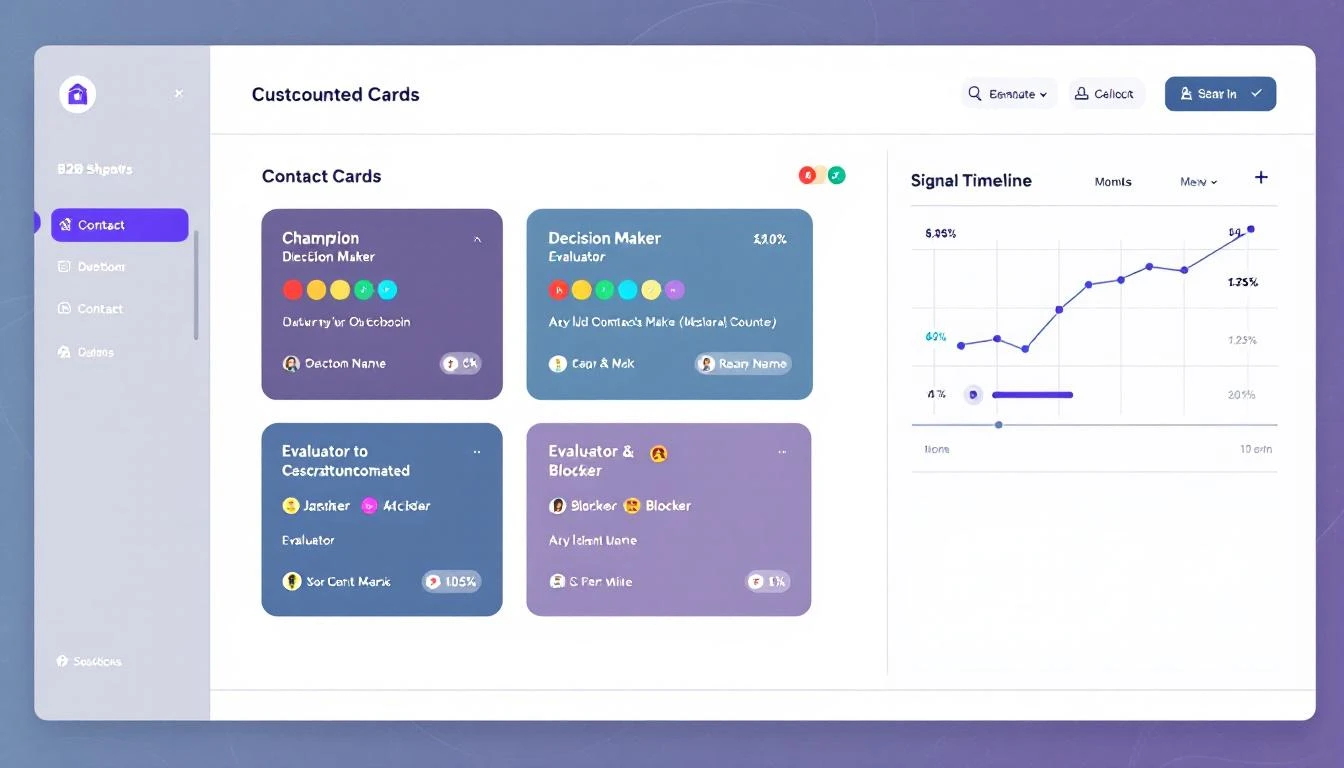
Perhaps the most surprising result came from champion job change monitoring. In the smart home and connected consumer space, executives move between companies frequently. A Director of Product at a smart speaker company becomes VP of Connected Devices at an appliance manufacturer. A strategy consultant at a big firm joins an IoT startup as COO.
The firm had been losing track of these movements — and losing the relationships that came with them. With automated champion tracking:
12 former client contacts who had moved to new companies were identified in the first quarter
5 of those 12 became active opportunities within 60 days
3 converted to new subscriptions — representing over $200K in annual contract value from a signal that previously went undetected
Actionable Takeaways for Market Research and Advisory Firms
1. Your Conference Attendee Lists Are Gold — Stop Treating Them Like Lead Lists
Enrich every attendee with visitor identification data, engagement history, and champion tracking signals before the event. Walk in with a prioritized plan, not a hope.
When 500 of your target companies are in the same building, your website traffic tells a story. Companies visiting your pricing or methodology pages during a conference are sending a buying signal. Act on it the same day.
3. Replace the Generic Follow-Up Blast with Signal-Triggered Sequences
Your post-event email should be a conversation, not a broadcast. Build sequences that adapt based on real engagement behavior. A contact who visited your website twice gets a different experience than one who only picked up a brochure.
4. Implement Champion Tracking for Your Client Universe
In industry-specific research firms, your client contacts are your network. When they move companies, that's your warmest possible lead. Automated tracking ensures you never miss these transitions.
Every SDR should start each day with a prioritized task list driven by overnight signals — not a cold call sheet from last quarter's attendee dump. The right tools make this possible without adding complexity.
Market research pipeline doesn't follow a linear quarterly pattern. It follows the event calendar. Build your signal monitoring and outreach cadences around the 6-8 major events your buyers attend each year. Every event is a pipeline catalyst if you have the signals to capture it.
The market research industry is under pressure from every direction. Clients expect more value per dollar. AI-generated research is commoditizing basic market reports. And the competition for advisory relationships has never been fiercer.
In this environment, the firms that win won't be the ones with the best analysts (though that matters). They'll be the ones with the best signal infrastructure — the ability to detect buying intent, track relationship movements, and act on opportunities faster than their competitors.
The conferences are already on your calendar. The buyers are already in your database. The signals are already being generated. The only question is whether you're capturing them — or letting them disappear into the noise.
MarketBetter combines visitor identification, champion tracking, intent signals, and automated SDR workflows into a single platform built for B2B sales teams. Learn how it works for your industry →
Professional services companies have a sales problem that's fundamentally different from SaaS, and most sales advice ignores it entirely.
When you sell software, your buyer has a persistent need. They need a CRM every day. They need email marketing every month. The demand is continuous, and your job is to show up at the right moment in a long evaluation cycle.
When you sell professional services — investigations, consulting, specialized staffing, forensic accounting, compliance auditing — your buyer's need is episodic and urgent. They don't need you every day. They need you on the day something goes wrong. An employee theft case surfaces. A regulatory audit gets announced. A litigation hold requires forensic analysis. A due diligence review has a two-week deadline.
If you're not in front of them at that exact moment, someone else is. And in professional services, switching costs are almost zero. There's no contract to cancel, no data migration to worry about. They just call another firm.
This is the story of how one professional services firm — a private investigations company — went from manual cold outreach to AI-powered signal selling. They replaced their clunky scheduling tools, implemented a smart dialer, and doubled their close rate in under three months.
Professional services is a $6 trillion global industry — and one of the most underserved verticals in B2B sales technology.
Here's why: most sales tools are built for high-volume SaaS companies running sequences to thousands of contacts. But a professional services firm — whether it's an investigation agency, a consulting practice, a staffing company, or a legal services provider — operates differently. Their deals are relationship-driven. Their pipeline depends on speed-to-contact. And their SDR team is usually one or two people wearing five hats.
The typical sales tech stack (Salesforce + Outreach + ZoomInfo + five other tools) costs $3,000+/month and requires a full-time RevOps person to manage. That's overkill for a 15-person firm that needs to book three meetings a week.
This article tells the story of a professional services firm that replaced their entire fragmented sales stack with a unified platform — and tripled their pipeline in 60 days.
Lead qualification isn't just another piece of sales jargon—it's the actionable process of determining which prospects are likely to become paying customers. Think of it as a critical filter that separates high-intent buyers from casual window shoppers, ensuring your sales team invests their time on deals they can actually win.
Why Lead Qualification Is the Bedrock of Your Sales Strategy
Imagine your sales team are highly skilled chefs and leads are their ingredients. Even the best chef can't create a five-star meal (a closed deal) using rotten vegetables. Lead qualification is the art of sourcing the best ingredients—finding the fresh, high-quality produce (qualified leads) and discarding what's unusable.
Without this filtering process, your sales development reps (SDRs) are stuck chasing ghosts. They spend days calling prospects who have no budget, no authority to make a decision, or no real need for what you’re selling. This common gap between marketing's lead generation and sales' need for ready-to-buy prospects creates friction and wastes massive amounts of time and money.
When sales teams are handed unfiltered lists of leads, the consequences are more than just frustration—they hit your bottom line, hard. A stunning 67% of lost sales are the direct result of sales reps not properly qualifying leads in the first place. That means companies are pouring resources into conversations that were doomed from the start.
This table breaks down just how expensive poor qualification can be compared to a well-defined process:
Problem Area
Impact of Poor Qualification
Benefit of Strong Qualification
Wasted SDR/BDR Time
Reps spend up to 50% of their time on unproductive prospecting.
Reps focus on high-potential leads, boosting productivity and morale.
Inefficient Sales Cycles
Unqualified leads clog the pipeline, increasing sales cycle length by 20-30%.
A cleaner pipeline leads to faster deal velocity and more accurate forecasting.
Lower Conversion Rates
Engaging the wrong prospects tanks morale and lead-to-opportunity rates.
Higher-quality conversations naturally lead to better conversion rates.
Marketing Budget Waste
Marketing spends money attracting leads that sales can't close.
Marketing ROI improves as they refine campaigns to attract more qualified leads.
It’s a bleak picture. But effective qualification turns this around by creating a clear, shared definition of a "good lead" that both marketing and sales agree on. This alignment is the foundation of a healthy B2B sales funnel and is essential for predictable growth.
At its core, lead qualification is all about making sure you’re focused on getting the right leads—the ones who will actually move the needle for your business. It's the strategic discipline that separates high-growth companies from those stuck spinning their wheels.
The whole point of asking "what is lead qualification?" is to understand how it transforms your sales operation from a reactive mess into a proactive, well-oiled machine. Instead of treating every name on a list the same, a solid qualification process lets your team prioritize their efforts based on a prospect's real potential.
This systematic approach brings several huge advantages to the table:
Sky-High Sales Efficiency: Your reps stop wasting hours on dead-end conversations and focus their energy on prospects who have a genuine need and the intent to buy. Their productivity goes through the roof, and so does their morale.
Better Conversion Rates: When SDRs connect with well-qualified leads, the conversations are instantly more relevant and impactful. This naturally leads to a higher lead-to-opportunity conversion rate and, you guessed it, more closed-won deals.
Accurate Sales Forecasting: A pipeline filled with genuinely qualified leads gives you a much more reliable crystal ball for revenue forecasting. You can predict future sales with far greater confidence because you know the opportunities are real.
Smarter Marketing ROI: By seeing which types of leads actually convert, your marketing team can double down on what works. They can refine their campaigns to attract more prospects who fit your ideal customer profile, ensuring every dollar of their budget is spent effectively.
Once you’ve bought into why lead qualification is so important, the next question is how. You can’t just have your reps fire off random questions and hope for the best. That’s a recipe for inconsistent results. What you need is a system—a structured framework that guides the conversation.
Think of these frameworks as conversational roadmaps for your sales team. They make sure reps gather the right intel every single time to figure out if a prospect is truly a good fit.
The right framework depends entirely on what you're selling and who you're selling to. Think of it like a fishing net. You wouldn’t use a massive, deep-sea trawler net to catch trout in a stream. In the same way, the framework you choose needs to match the size and complexity of the deals you’re chasing.
At its core, the logic is simple. A qualified lead is someone who’s a good fit for what you sell and is actually ready to buy. This little decision tree sums it up perfectly.
Qualification is really a two-part test that separates real opportunities from all the noise. Let’s dive into the most common frameworks that help your team run this test effectively.
You’ve probably heard of BANT. It's one of the oldest frameworks in the book and has stuck around for a reason: it's simple and direct.
BANT stands for:
Budget: Can they actually afford what you're selling?
Authority: Are you talking to the person who can sign the check?
Need: Do they have a real problem that your product solves?
Timeline: Are they looking to buy now, or sometime next year?
BANT is all about efficiency. It’s fantastic for high-volume sales teams with shorter, more straightforward sales cycles. It quickly weeds out leads who simply can't buy.
But its biggest strength is also its biggest weakness. In today's world of consultative selling, leading with "What's your budget?" can feel abrasive. It can shut down a good conversation before it even starts and often misses the deeper "why" behind a potential purchase.
Enter CHAMP, which flips the BANT model on its head to be more customer-friendly. Instead of leading with the wallet, it starts with the problem.
CHAMP stands for:
CHallenges: What specific issues are they trying to solve?
Authority: Who's involved in making this decision?
Money: What’s the financial impact of doing nothing, and what have they set aside to fix it?
Prioritization: How big of a fire is this, really?
By starting with Challenges, reps immediately position themselves as helpful problem-solvers, not just quota-crushing vendors. This is a much better fit for modern B2B buyers who are looking for a partner, not just a product. CHAMP shines in any sales process where understanding the customer's pain is the key to unlocking the deal.
Then there’s MEDDIC. This isn't for your average SMB deal. This is the heavy-duty framework for navigating complex, high-stakes enterprise sales with long cycles and a dozen people on the buying committee.
MEDDIC is less of a checklist and more of an operating system for winning massive deals. It stands for:
Metrics: What are the measurable results the prospect expects to see? Think ROI.
Economic Buyer: Who holds the ultimate P&L responsibility and can give the final "yes"?
Decision Criteria: What specific, formal criteria will they use to judge your solution?
Decision Process: What are the exact, step-by-step stages they follow to sign a contract?
Identify Pain: What business pain is so acute it’s forcing them to act now?
Champion: Who is your inside person, the one selling your solution for you when you’re not in the room?
MEDDIC forces your reps to dig incredibly deep, giving them a 360-degree view of the entire opportunity. It's total overkill for a $5k deal but absolutely essential if you're trying to land a $500k one.
Actionable Step: Choosing the Right Qualification Framework
A comparative overview of BANT, CHAMP, and MEDDIC to help your team select the best model for your sales process. Using MEDDIC for a simple sale is like using a sledgehammer to crack a nut, while using BANT for a complex enterprise deal is like bringing a knife to a gunfight.
Framework
Best For
Core Focus
Key Question Example
BANT
Transactional or less complex sales cycles.
Buyer's readiness and available resources.
"Do you have a budget allocated for this solution?"
CHAMP
Modern B2B sales where pain points drive action.
Understanding the prospect's challenges first.
"What is the primary challenge you are trying to solve right now?"
MEDDIC
Complex, enterprise-level deals with multiple stakeholders.
Operationalizing the sales process for predictable wins.
"What metrics will the economic buyer use to evaluate success?"
To make this actionable:
Analyze your average deal size and sales cycle length. Are they small and fast, or large and complex?
Review your last 10 closed-won deals. What information was critical to closing them? Was it budget, understanding pain points, or navigating a complex buying committee?
Choose one framework that best aligns with your findings and train your entire sales team on it to ensure consistency.
While frameworks like BANT are great for structuring conversations, truly modern qualification is all about the data. To figure out who your SDRs should call right now, you have to answer two simple but critical questions:
Do they look like our best customers?
Are they acting like they're ready to buy?
Getting this right means blending two very different types of information. The first is all about who the company is—the static, foundational stuff. The second is about what they’re doing—the dynamic, real-time actions that signal intent. The secret to separating the tire-kickers from the truly sales-ready leads lies in mastering this combo.
Building Your Ideal Customer Profile with Firmographics
The first layer is defining your Ideal Customer Profile (ICP). This isn't just a vague notion of who you sell to; it's a laser-focused, data-driven description of the perfect company for your solution.
This profile is built on hard data points, often called firmographics. Think of them like demographics, but for businesses. Key attributes usually include:
Industry: Which verticals see the biggest wins with your product? (e.g., SaaS, Manufacturing, Financial Services)
Company Size: How many employees do they have? (e.g., 50-250, 1,000+)
Annual Revenue: What's the sweet spot for revenue? (e.g., $10M-$50M)
Geography: Where are they based? (e.g., North America, EMEA)
But you can get even more specific. Smart teams add technographics to the mix—data on the tech stack a company uses. For a SaaS business, this is pure gold. Knowing a prospect uses a complementary tool like Salesforce, or even a direct competitor, tells you a ton about their needs and potential budget.
Here’s the thing: an ICP only tells you if a prospect looks good on paper. It doesn't tell you if they have a burning problem they’re trying to solve today.
That's where behavioral signals come in. These are the digital breadcrumbs a prospect leaves behind that scream "I'm interested!" and hint at buying intent. These actions show a prospect is moving out of passive research into active consideration.
Key Takeaway: An ICP identifies the companies you should be talking to. Behavioral signals identify the companies you should be talking to right now. The magic happens when these two data sets overlap.
Just look at the difference between a lead who only fits your ICP versus one who's also lighting up the activity feed.
Lead Characteristic
Lead A (ICP Fit Only)
Lead B (ICP Fit + Behavioral Signals)
Profile
A 200-employee SaaS company in your target industry.
A 200-employee SaaS company in your target industry.
Actions
No recent interactions with your brand.
Visited your pricing page twice, downloaded a case study, and attended a webinar last week.
Qualification Status
Actionable Step: Cold but promising. Add to a long-term automated nurturing sequence.
Actionable Step: Hot and sales-ready. This is a top priority for immediate, personalized outreach today.
Lead A is a solid prospect for a long-term marketing sequence. But Lead B is a different story. They're showing clear buying signals and need to be at the very top of an SDR's list for a call or personalized email, today. This blend of "fit" and "intent" is the engine of efficient, modern sales.
Alright, so you’ve mapped out your ideal customer and you know what buying signals to look for. Now what? The next move is to operationalize that knowledge so you can sort through hundreds or thousands of leads without losing your mind. This is exactly where lead scoring comes into play.
Think of it like a video game. As a lead interacts with your brand, they collect points for certain actions and attributes. The higher their score, the closer they are to being “sales-ready.” A solid lead scoring system automatically tallies these points, giving your reps a crystal-clear leaderboard of who to engage right now.
It’s a powerful concept, but surprisingly, only 44% of companies are actually doing it. That’s a huge miss, especially when you consider how effective it is. For example, Product-Qualified Leads (PQLs)—which are identified almost purely by their behavior—often see 20-30% conversion rates. This just proves that intent is a game-changer, which you can read more about in our guide on how B2B lead generation is evolving.
A good lead scoring model isn't complex. It just needs to balance who the lead is (explicit data) and what they're doing (implicit data). You assign points to each piece of information based on how well it predicts that a lead will become a customer.
1. Score for Fit (Explicit Data): Does the lead match your ICP?
Job Title: A C-level exec is a great sign (+15 points). An intern is not a buyer (-10 points).
Industry: If you exclusively sell to fintech, a lead from that industry deserves a boost (+10 points).
Company Size: If your product shines in companies with 100-500 employees, a lead from a company that size gets +10 points.
2. Score for Intent (Implicit Data): Are they actively researching a solution?
High-Intent Actions: Requesting a demo is a direct ask for a sales conversation (+25 points). Visiting your pricing page shows commercial intent (+15 points).
Medium-Intent Actions: Attending a webinar (+10 points) or downloading a detailed case study (+5 points) shows they're actively researching.
Negative Actions: Visiting your careers page suggests they are a job seeker, not a buyer (-20 points).
Let's make this tangible. Here's a quick-and-dirty model for a B2B SaaS company that targets mid-sized tech companies.
Category
Attribute or Behavior
Points
Explicit (Fit)
C-Level or VP Title
+15
Director or Manager Title
+10
Target Industry (e.g., Tech)
+15
Company Size (100-1,000 employees)
+10
Implicit (Intent)
Requested a Demo
+25
Visited Pricing Page
+15
Attended a Product Webinar
+10
Downloaded a Case Study
+5
Unsubscribed from Emails
-20
Actionable Step: Setting Your Qualification Thresholds
With your scoring system ready, the final piece is deciding what to do with the scores. This is where sales and marketing need to be completely in sync. You’ll want to set at least two thresholds.
Marketing Qualified Lead (MQL): This is the "getting warm" stage. The lead is interesting, but not quite ready for a sales call. Actionable Step: Set an MQL threshold (e.g., 50 points) and automatically enroll these leads into a targeted nurture campaign.
Sales Qualified Lead (SQL): This is the green light. The moment a lead hits this score, they are officially sales-ready. Actionable Step: Set an SQL threshold (e.g., 75+ points) and create an automated workflow that immediately assigns the lead to an SDR and creates a high-priority task for follow-up.
This system removes the guesswork. The data tells your team who to call next, creating a clean, automated handoff from marketing to sales.
While building a manual lead scoring model is a massive step forward, the next frontier is handing the most repetitive work over to artificial intelligence. AI isn't just a buzzword here; it’s the engine that transforms qualification from a time-sucking manual chore into a slick, automated workflow.
Think of it this way: a manual process is like a lone miner panning for gold, hoping to find a nugget. An AI-powered process is like a modern mining operation using advanced sensors to pinpoint exactly where the richest veins are. This shift helps sales teams move faster and with far more precision, ensuring no high-intent lead slips through the cracks. The AI acts as a tireless digital assistant, constantly watching for the signals that matter most.
The real magic of AI in lead qualification isn't just spotting top prospects—it's turning that insight into action. Modern tools don’t just serve up a list of "hot leads"; they translate those signals into a clear next best action for your SDRs. This is where strategy finally meets execution.
Imagine an AI that not only flags a prospect who fits your ICP and just hit your pricing page, but also immediately creates a prioritized task in the SDR's queue. And this task isn't empty; it's loaded with context.
Who is this person? The AI pulls their title, company details, and relevant social media activity.
Why now? It highlights the exact behavioral signals, like "viewed pricing page 3 times" or "downloaded case study on X."
What should I say? It can even provide contextual talking points or draft a personalized email based on the prospect's industry and known pain points.
This makes the entire workflow—from signal detection to outreach—incredibly efficient. It bridges the gap between knowing what to do and actually doing it, fast.
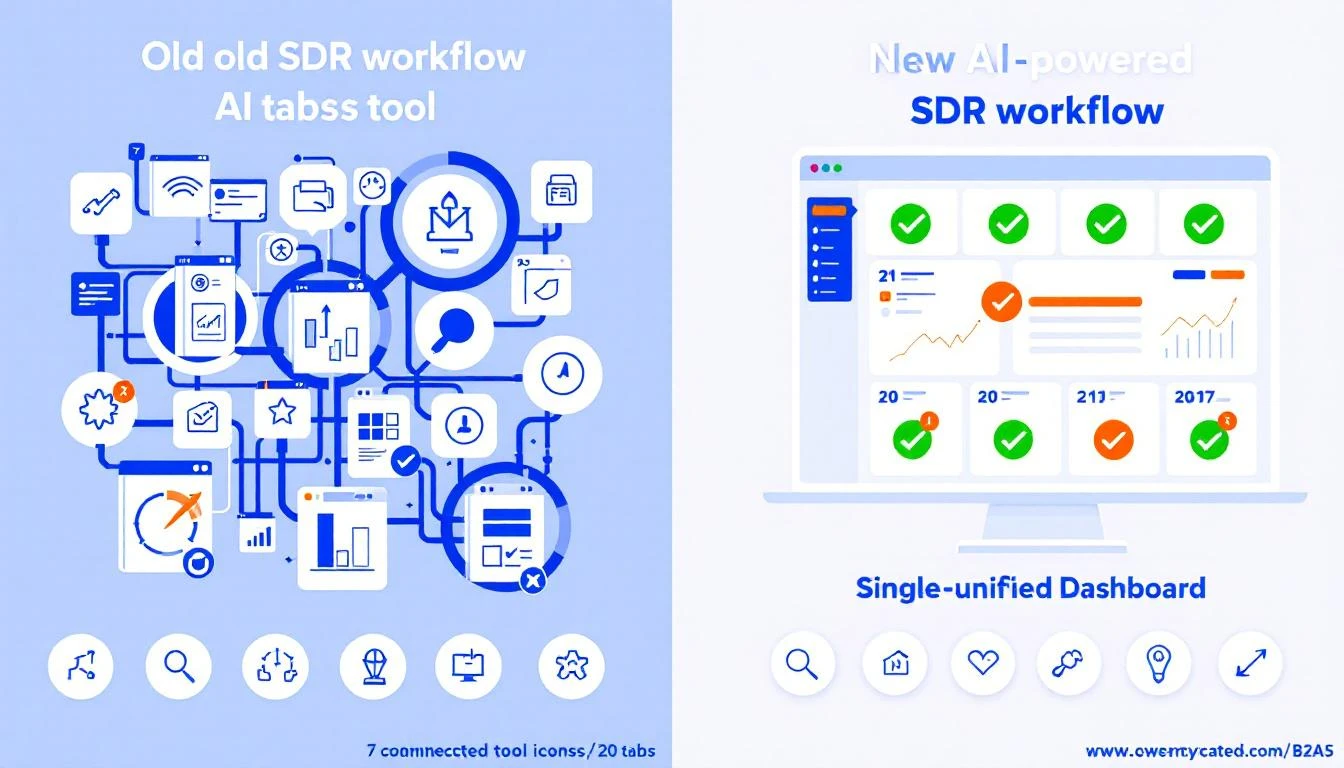
The difference between a manual approach and an AI-driven one is night and day. While both aim for the same goal—finding qualified leads—their methods and outcomes couldn't be more different.
Aspect of Qualification
Manual Process (The Old Way)
AI-Powered Process (The New Way)
Lead Prioritization
Reps manually scan CRM lists, relying on gut feeling or sorting by last activity date.
AI automatically scores and ranks leads based on fit and real-time intent, creating a prioritized task list.
Research & Prep Time
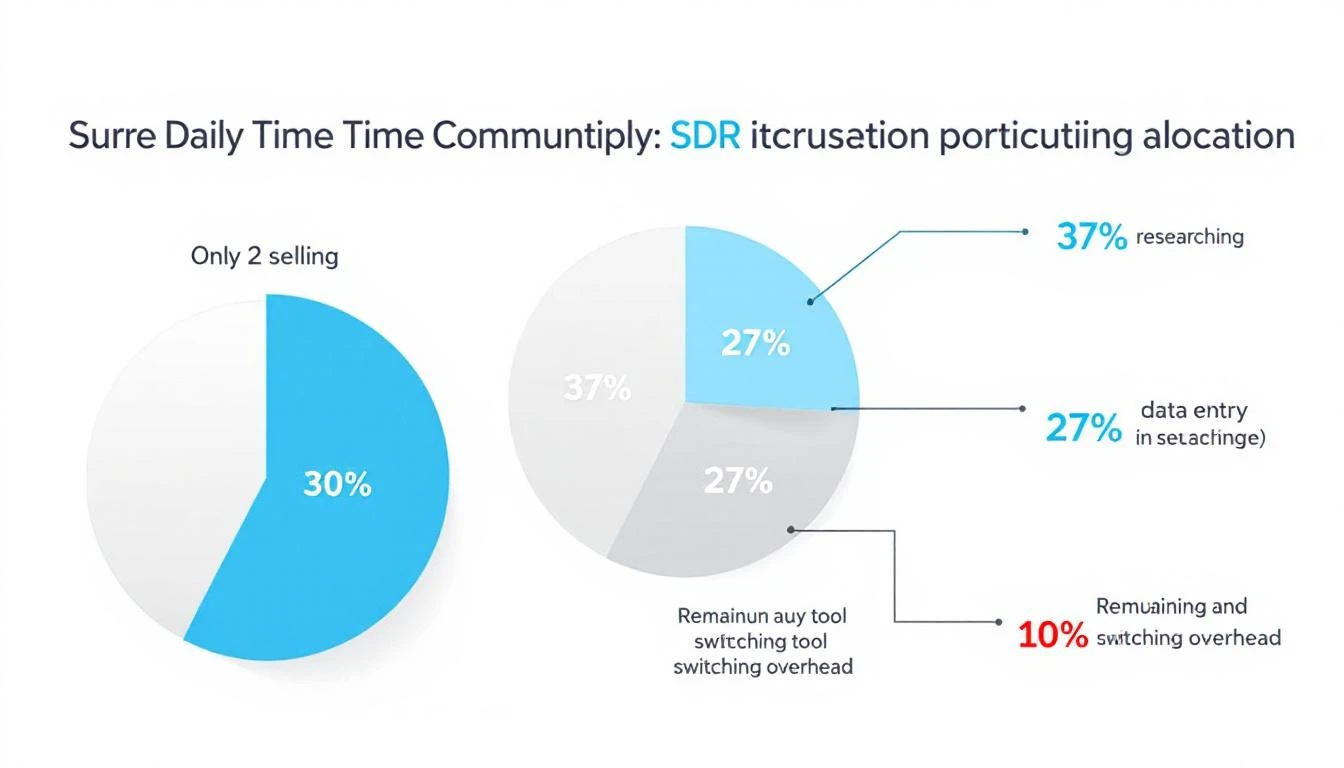
SDRs spend 30-50% of their day on manual research across LinkedIn, company sites, and news articles.
AI instantly synthesizes company info, relevant news, and key talking points, slashing prep time to minutes.
Outreach Execution
Reps write every email from scratch or use generic templates that need heavy editing.
AI generates personalized, context-aware email drafts and call scripts, letting reps execute faster.
CRM Hygiene
Calls, emails, and notes are often logged inconsistently, creating messy data and zero visibility.
Activity is auto-logged directly into the CRM (like Salesforce or HubSpot), ensuring clean data and accurate reporting.
This comparison makes it obvious: AI doesn't replace the salesperson. It kills the administrative grunt work, freeing them up to do what humans do best—build relationships and have strategic conversations.
Platforms like MarketBetter.ai are built for this exact purpose, turning buyer signals into prioritized tasks and helping reps execute with an AI-powered dialer and email writer directly inside their CRM. The result is a sales team that spends less time on busywork and more time actually selling. By automating the tedious parts of qualification, you empower your reps to be more productive and, ultimately, to drive more revenue.
You can learn more about how this works by exploring our deep dive into the AI Lead Scoring Codex.
How to Measure the Success of Your Qualification Process
You can't fix what you don't measure. That’s especially true for lead qualification. To make sure all your hard work is actually paying off, you need to track specific Key Performance Indicators (KPIs) that tie directly back to revenue.
Think of these metrics as a report card for your qualification strategy. They tell you exactly what’s working and what’s falling flat, turning a vague process into a predictable engine for growth.
Actionable Step: Build Your Qualification Dashboard
To get a clear picture, start with a few core funnel metrics. These KPIs are the lifeblood of your process, showing how smoothly you’re turning initial interest into real business opportunities.
Lead-to-SQL Rate: What percentage of all your incoming leads actually get qualified by your team? A low number here is a flashing red light. It could mean your lead sources are off the mark, or maybe your initial filtering isn't tight enough.
SQL-to-Opportunity Rate: Of all the leads your SDRs qualify (SQLs), how many do your Account Executives accept and turn into a real, pipeline-worthy opportunity? This metric is the ultimate test of lead quality. A low rate here means your definition of "qualified" is misaligned with sales reality.
Lead-to-Customer Conversion Rate: This one’s the bottom line. It tracks the full journey from the very first touchpoint all the way to a signed contract. Seeing this number tick up over time is the best proof that your entire system is getting smarter and more efficient.
As a ballpark, many B2B SaaS companies find that around 13% of leads become SQLs, and of those, about 22% convert into opportunities. But don't treat these as gospel—your industry, market, and price point can change everything. The real goal is to set your own baseline and improve it month over month.
Don't Just Look at the Numbers—Listen to Your Reps
Data is crucial, but it only tells half the story. The most valuable, ground-truth insights will always come from your sales team. They're in the trenches every single day.
Actionable Step: Schedule a bi-weekly "Lead Quality Huddle" with your marketing and sales teams. Ask them straight up:
Are the leads I’m sending you actually ready to talk?
What are the most common pushbacks you're getting from supposedly "qualified" leads?
Which lead sources are producing the best conversations? Which are duds?
A low SQL-to-Opportunity rate is just a statistic. A rep telling you, "Leads from the last webinar were amazing, but the ones from that ebook download are wasting my time," is pure gold. That’s an insight you can act on immediately.
Combining the hard data with this on-the-ground feedback is how you truly master what is lead qualification and build a system that works in the real world.
Quick Answers to Common Lead Qualification Questions
Even the best-laid plans hit a few bumps in the road. As you start putting your lead qualification process into action, questions are bound to pop up. Here are some straightforward answers to the most common ones we hear from sales teams.
What’s the Real Difference Between an MQL and an SQL?
An MQL (Marketing Qualified Lead) has shown interest (e.g., downloaded an ebook) and fits basic criteria, making them a good fit for marketing nurture. An SQL (Sales Qualified Lead) is an MQL that a sales rep has vetted and confirmed has a real, near-term need, budget, and authority, making them ready for a sales conversation.
The Comparison: Think of it like a relay race. Marketing (MQL) runs the first leg and hands the baton to sales (SQL) only when the runner is in a strong position to finish the race. The handoff is a critical quality check.
How Often Should We Revisit Our Lead Scoring Model?
You should be giving your lead scoring model a tune-up at least once a quarter. Your business goals shift, your ideal customer evolves, and what worked last quarter might be totally off base today.
Actionable Step: Review your last quarter's closed-won and closed-lost deals. Do the winners consistently have high scores? Do the losers have low scores? If not, adjust the point values on the attributes and behaviors that correlate most strongly with winning deals.
Can a Small Team Actually Qualify Leads Without Fancy, Expensive Tools?
Yes, absolutely. At the end of the day, qualification is a strategy, not a software subscription. A small team can get started with a clearly defined Ideal Customer Profile (ICP) and a straightforward framework like CHAMP.
Actionable Step: Create a shared Google Sheet or document with your ICP and your chosen qualification framework's questions. Have reps manually research prospects on LinkedIn and use the sheet to guide their calls. While tools add scale, getting the fundamentals right is the one step no team can afford to skip.
Ready to stop guessing and start executing? marketbetter.ai turns buyer signals into a prioritized task list for your SDRs, helping them execute with AI-written emails and a CRM-native dialer. Learn more about how we help sales teams build consistent outbound motion without the busywork.
Overcoming objections isn't about winning a debate. It's about getting to the heart of what’s really making a buyer hesitate.
The real shift happens when you stop thinking in terms of reactive rebuttals and start building a proactive, empathetic approach. This isn’t about having a clever comeback for everything; it’s about building trust and uncovering the genuine issues behind their concerns. The modern playbook is all about preparation and real dialogue.
Why Traditional Objection Handling Fails Sales Teams
Let's be honest: the old playbook for handling sales objections is toast. Today’s B2B buyers are incredibly well-informed. They’ve done their homework. When a rep meets a thoughtful concern with a generic, canned response, they don't sound confident—they sound completely out of touch.
That outdated method treats objections like roadblocks to plow through, not opportunities to actually understand the buyer's world. This reactive mindset immediately creates friction, turning the conversation into a battle of wills. You end up eroding the very trust you need to build. Instead of moving the deal forward, you get stalled conversations and burnt-out reps stuck reciting lines from a script.
A modern, empathetic approach completely flips the script. The entire focus shifts from winning an argument to genuinely understanding the buyer’s hesitation. This takes real preparation, not just a list of pre-approved comebacks. A truly prepared rep walks into a call already understanding the account’s context, likely pain points, and specific industry challenges.
This proactive strategy is all about anticipating, not just reacting. It transforms the sales process from a confrontation into a collaboration. Let’s compare the two mindsets side-by-side:
Traditional (Reactive) Approach: Waits for an objection, then fires back with a pre-written, often irrelevant, rebuttal. The goal is to just "handle" it and move on.
Modern (Proactive) Approach: Uses data and research to anticipate likely concerns and weave them into the conversation early. The goal is to build a business case so strong that major objections never even surface.
Sticking to the old way has real consequences. Poor preparation is a direct line to revenue leakage. In fact, a staggering 55% of US sales leaders report losing revenue simply because their sales processes are poorly defined. And within that chaos, objection handling is a massive weak point. Without a system, conversion rates plummet as the same common doubts derail deal after deal. You can get more insights on how process gaps kill revenue over at The Sales Collective.
This image perfectly captures the difference between the old-school, aggressive tactics and a modern, data-driven strategy.
The evolution is clear: we’ve moved from pushy sales tactics to a consultative partnership, where understanding and data are the bedrock of the relationship.
The Four Common Types of Sales Objections and How to Spot Them
The secret to handling any sales objection is knowing what you're really up against. A prospect’s first reason for saying "no" is almost never the real one. It's just a smokescreen for a deeper concern.
If you can learn to diagnose the real issue behind the initial pushback, you stop reacting and start solving. It's the difference between a conversation hitting a brick wall and having a breakthrough. Most objections you'll ever hear fall into one of four buckets.
Before we dive into the specifics, here's a quick-reference guide to help you translate what you're hearing on a call into what the prospect is actually thinking. This is the first step—correctly identifying the problem.
Objection Category
What You Hear
What It Often Means
Price & Budget
"It's too expensive." "We don't have the budget."
"I don't see enough value to justify this cost." "You haven't made this a priority for me."
Authority & Timing
"I need to talk to my boss." "Call me back next quarter."
"I'm not the final decision-maker." "I'm not convinced this is urgent enough to deal with now."
Need & Fit
"We're happy with our current solution." "I don't think we have that problem."
"You haven't connected your solution to a pain I actually feel." "I don't understand how this is different or better."
Trust & Credibility
"I've never heard of your company." "How do I know this will work?"
"I'm worried about the risk of making a bad decision." "You haven't proven that I can count on you or your product."
Think of this table as your field guide. Once you've identified the category, you can deploy the right strategy instead of just guessing.
This is the one every rep hears, but it's rarely about the money. A price objection is almost always a value objection in disguise.
When a prospect says, "We don't have the budget for this," what they’re really communicating is, "You haven't convinced me the value of your solution is worth the cost right now." Don't jump to offering a discount—that just validates their belief that your price was too high to begin with. Your first move is to explore that value gap. The goal is to re-anchor the entire conversation around the high cost of inaction.
Actionable Step: Instead of defending the price, ask: "Setting the price aside for a moment, do you believe our solution can solve [specific pain point]?" This pivots the conversation from cost back to value.
This bucket covers anything related to a prospect’s power to sign the check or their timeline for doing so. Hearing "I need to run this by my boss" or "Call me back next quarter" can feel like a total shutdown. But these are usually just signals of internal uncertainty or a lack of urgency.
Let's compare two ways to handle this:
The Weak Response: "Okay, when would be a good time to follow up?" This just accepts the delay at face value.
The Strong Response: "That makes sense. To help you have that conversation, what specific metrics are most important for your boss when evaluating new tools?"
See the difference? The second response positions you as a helpful advisor, not just a persistent vendor. You're giving your champion the tools they need to sell for you internally. To learn more about this, check out our guide on asking better sales discovery questions to uncover the real decision-makers and timelines early on.
"We're happy with our current provider." "I don't think we really need this right now." These are classic need-based objections. They're a direct sign that you haven’t connected your solution to a real, pressing pain point. The prospect simply doesn’t see a meaningful gap between where they are today and the better future you're promising.
Actionable Step: Don't list features. Instead, ask about their current process. For example: "That's great you have a solution in place. Could you walk me through how your team handles [specific task] right now?" This uncovers hidden inefficiencies and creates an opening to discuss improvement.
This last category is probably the most sensitive. Objections like, "I've never heard of your company" or "How do I know this will actually work for us?" come from a fundamental lack of trust. This has nothing to do with your product's features. It’s all about their confidence—in your company, in your product's promises, and in you.
Building credibility requires a completely different playbook than defending your price. You have to show, not just tell.
Share a case study from a customer they'll recognize.
Offer to connect them with a current user in their industry.
Point to objective, third-party reviews on sites like G2 or Capterra.
Every move you make should be focused on one thing: reducing their perceived risk and proving you’re a safe bet.
If you're still relying on rigid scripts, you're losing deals. It's that simple. When a prospect raises a concern, they aren't looking for a canned rebuttal; they want to feel heard and understood. The secret to handling objections isn't about memorizing the perfect line—it's about having a repeatable process that works for any curveball they throw your way.
That’s where the AERC framework comes in.
AERC stands for Acknowledge, Explore, Respond, and Confirm. Think of it as your universal key for unlocking any objection. This simple, four-step approach completely changes the dynamic of the conversation, turning a potential confrontation into a collaborative problem-solving session. You stop fighting the objection and start working with the prospect to get to the root of it. This is how you build real trust and uncover what's actually holding them back.
Whether they’re hung up on price or questioning if they even have the authority to buy, this framework gives you a path forward.
The second a prospect objects, most reps jump straight into defense mode. Huge mistake. Your first move, always, is to acknowledge what they’ve said and validate their perspective. You don’t have to agree with them, but you do have to show them you’re listening.
This simple act of empathy works wonders. It instantly disarms them and proves you respect their point of view.
Phrases to have in your back pocket:
"That's a fair point. I can see why you'd feel that way."
"I appreciate you bringing that up. It's a valid concern."
"I hear that a lot, and it makes complete sense why you'd ask."
Notice the subtle but critical difference here. You aren't agreeing with the objection itself. You're just agreeing that the feeling behind it is legitimate. That nuance is everything—it builds rapport while keeping you in control of the call.
Okay, you've acknowledged their point. Now, you have to fight the urge to launch into your pitch. The next, and most important, step is to explore the "why" behind their objection. The first thing they say is almost never the real issue; it’s just the tip of the iceberg.
To get to the truth, you need to ask thoughtful, open-ended questions that get them talking. Patience is your best friend here. Data from Gong shows that top-performing reps pause for a noticeably long time after hearing an objection. We're talking 2-3 seconds or more. This gives the prospect space to elaborate, and it leads to 20-30% higher win rates in deals where objections are common.
Let’s see it in action:Prospect: "Your price is just too high."
Average Rep: "But we offer way more value than our competitors..." (Wrong move.)
Top Rep: "I appreciate you sharing that. So I can understand better, when you say the price is too high, could you tell me what you're comparing it to?"
See the difference? The top rep is digging for context.
Now you can respond. Once you've truly understood the root cause of their hesitation, you can connect your solution directly to the specific problem they just shared with you. A generic feature dump is a waste of everyone's time. A response tailored to the problem they just articulated? That’s what gets their attention.
This isn't about winning an argument. It's about showing them how your product or service directly solves the very specific concern they just laid out. If they revealed the real issue is long-term ROI, you talk about ROI—not some shiny new feature they don't care about.
You're almost there. The final step is to simply confirm you've actually addressed their concern. Never assume their silence means they're on board. You have to close the loop and get their explicit buy-in before moving on.
Asking a quick confirmation question solidifies the progress you’ve made and stops that same objection from popping up again five minutes later. While AERC is a fantastic all-purpose tool, it's also smart to dig into more specific, proven frameworks for handling B2B sales objections for different scenarios.
Effective ways to get confirmation:
"Does that help clarify things for you?"
"Did I address that concern to your satisfaction?"
"With that in mind, does this seem like a more viable path forward?"
This final check ensures you're both on the same page and gives you the green light to take the next step.
Having a framework like AERC in your back pocket is great, but theory goes out the window when a prospect hits you with a real-world objection mid-call. So let’s get practical. We’re going to break down exactly how to handle the objections you hear all day, every day.
This is about more than just having a clever comeback. It’s about fundamentally reframing the conversation. A weak response sounds defensive and generic. A strong one, on the other hand, is curious, specific, and opens the door to a real discussion. You're not trying to win an argument; you're trying to understand their world.
This is probably the most common brush-off in the book. A rookie rep hears this and immediately jumps into a feature-by-feature battle, which just makes the prospect dig their heels in. A top performer sees this for what it is: an opening.
Weak Response (The Old Way): "Oh, okay. Well, we're actually better because we have X, Y, and Z features that they don't." This immediately forces them to defend a decision they've already made. Dead end.
Strong Response (The MarketBetter Way): "That's great to hear, they're a solid company. Since you're already up and running with a solution like this, could you tell me what you like most about their platform? And maybe one thing you wish it did better?"
See the difference? This approach is completely disarming. You start by validating their choice, which builds rapport. Then, you use their existing expertise to pinpoint specific gaps or frustrations that your solution is perfectly designed to fix. You’re not trying to rip and replace; you’re looking for a way to add value.
Actionable Step: Position yourself as a complementary tool, not a full-on replacement. Try this: "A lot of our customers actually use us alongside [Competitor] because we solve a very specific problem around X. Is that a workflow your team has run into?" This reframes the conversation from "switch" to "add."
Ah, the classic timing objection. Let's be honest, this is usually just a polite way of saying, "You haven't convinced me this is a priority." If you just accept it and set a reminder, you're letting a potential deal go cold. Your real job here is to figure out why they want to delay.
Weak Response (The Old Way): "Sure thing, I'll put a note in my calendar to reach out in three months. Have a great quarter!" You’ve just handed over all control and momentum.
Strong Response (The MarketBetter Way): "I'm happy to do that. Just so I can come prepared for our next chat, what's slated to change for your team between now and then?"
This is a simple, respectful question that often cracks the code. It helps you uncover the real bottleneck.
Is a budget cycle about to end?
Is a key decision-maker out of office?
Is there another massive project eating up all their time?
Getting that context is everything. It lets you tailor your follow-up so you stay relevant. Sometimes, just asking this question clears up a misunderstanding, and the prospect realizes the conversation is more urgent than they first thought. To keep the momentum going between calls, you can lean on strategies like social selling to build your relationship and stay top-of-mind.
This one feels like a brick wall, but it's almost never about a literal lack of funds. It's a value objection. They're really saying, "I don't believe the return on this is worth the investment." The worst thing you can do is jump straight to a discount. That just cheapens your product and confirms their suspicion that it wasn't worth the list price.
Weak Response (The Old Way): "I understand. Well, we can offer a 15% discount if you sign this month. Would that help?"
Strong Response (The MarketBetter Way): "That's a fair point, and budgets are tight everywhere right now. If we set the price aside for just a moment, do you feel our solution could actually help solve the challenges we talked about with [mention their specific pain point]?"
This is a masterful pivot. You’re taking the conversation away from cost and putting it squarely back on value.
If they say "yes," the problem shifts from "buying a product" to "finding a way to afford a necessary solution." If they say "no," you’ve just learned the real objection isn't the budget at all—it’s that you haven’t sold them on the impact. For more ways to navigate these critical moments, check out these battle-tested sales call scripts for inspiration.
Before we move on, let's look at a quick comparison that really drives home the difference between a reactive approach and an informed, tool-assisted one.
Objection Handling Comparison: Old Way vs. The MarketBetter Way
Objection
The Old Way (Generic Rebuttal)
The MarketBetter Way (Informed Response)
"We already use Competitor X."
"We're better because of features A, B, and C."
"Great, they're a good company. What do you like most, and what's one thing you'd change?"
"Call me back next quarter."
"Okay, I'll set a reminder."
"Happy to. To prepare, what's changing between now and then?"
"We don't have the budget."
"What if I offer you a 15% discount?"
"Fair point. Price aside, do you believe this solves [pain point]?"
"Just send me an email."
"Sure, what's your email? I'll send it now."
"I can do that. To make it relevant, what should I focus on? The part about [benefit 1] or [benefit 2]?"
As you can see, the "old way" is reactive and often leads to a dead end. The MarketBetter way is proactive, turning objections into opportunities for deeper discovery. It's about changing the entire dynamic of the conversation.
Having a few rockstar reps who can dance around any objection is great, but it’s not a strategy for growth. To really scale, you need a system that lifts the entire team's game. This means ditching the one-off coaching sessions and building a repeatable process for sharing what works, tracking performance, and making smart, data-driven improvements.
It all starts with a centralized objection library—a set of battle cards, if you will. Instead of every SDR fumbling to come up with a response on their own, this shared playbook captures new objections and the exact talk tracks that have proven to work. Suddenly, tribal knowledge becomes a team asset.
But a library is just a library. It's static. You have to bring it to life with active practice, and that means running role-play sessions that don't suck.
Let's be honest, most role-playing feels awkward and forced. The key to making it work is to get hyper-specific. Forget generic situations and zero in on the top three objections your team is actually hearing this week. Pull the data straight from your CRM to see what's really tripping people up.
Weak Role-Play: "Okay, pretend I'm a prospect who says we're too expensive. Go." This is lazy. It’s a vague prompt that doesn’t mirror the pressure or specifics of a real call.
Actionable Role-Play: "Team, 'bad timing' objections are up 15% this week. Let's dig in. Sarah, you're the prospect who just signed a contract with a different vendor. John, use the AERC framework to uncover what's really behind that timing issue."
See the difference? That specificity makes the practice immediately relevant. It gives your reps concrete tactics they can use on their very next call and shifts the focus from a cringey performance to a genuine practice session. It’s about creating a safe space to fail, learn, and get better. For this to truly stick, these practices need to be part of a bigger sales enablement strategy that supports reps from day one.
This is where your tech stack becomes your secret weapon. When every call's outcome and objection is logged automatically, you stop guessing where the problems are. You get a crystal-clear view of team-wide trends and can pinpoint exactly who needs help with what.
A perfect example of this comes from Outreach. They noticed one of their SDRs, Katie, was getting hit with the 'bad timing' objection on 15% of her calls—way above the team average. Instead of just telling her to "get better," her manager used call intelligence to review those specific conversations and give targeted feedback. A few months later, Katie's bad-timing objection rate plummeted to 5.9%. That’s a 60% improvement that directly boosted her pipeline.
That’s the power of a scalable system. The manager didn't need to listen to hundreds of hours of calls; the data led them right to the coaching opportunity. When you combine a shared playbook, targeted role-play, and data-backed insights, you create a powerful feedback loop that turns objection handling from an art into a science.
Your Burning Questions About Handling Objections, Answered
Even with the best frameworks in your pocket, the real world always throws curveballs. Let's tackle some of the most common questions and "what-if" scenarios that pop up when teams start getting serious about objection handling.
The moment a prospect raises a concern, so many reps go into full-on debate mode, trying to prove the prospect wrong. It's a natural instinct, but it’s a deal-killer. They jump straight to a defensive rebuttal without ever stopping to figure out why the prospect feels that way.
This immediately puts the buyer on the defensive and makes them feel like you aren't listening. The best reps I've seen make a simple but profound mindset shift:
Losing Approach: Tries to "convince" the prospect their objection is invalid. This creates an adversarial dynamic.
Winning Approach: Seeks to "collaborate" with the prospect. It's all about understanding their world and figuring out if there's a path forward together.
It's the difference between a battle and a partnership.
How Do You Prepare for Objections You Can't Predict?
You can't have a script for everything, and you shouldn't try. The goal isn't to memorize a million responses; it's to internalize a single, flexible process so deeply that it becomes muscle memory.
When a truly unexpected objection comes out of left field, your framework is your safety net. Don't panic—just fall back on your process.
Actionable Step: Acknowledge their point immediately. Say, "That's a fair question, I hadn't thought about it from that angle." This buys you time. Then, pivot to exploration: "To make sure I understand, can you walk me through what's driving that concern for you?"
This simple one-two punch does two critical things: It buys you a few precious seconds to think, and more importantly, it ensures you’re responding to the real issue, not just the one on the surface.
How Do We Get Better at This Across the Whole Team?
Scaling this skill means moving away from relying on a few star performers and building a system that elevates everyone. If you want to see team-wide improvement, focus your energy on three key areas.
Build a Living "Battle Card" Library: Create a shared, central document where reps can drop new objections they hear and, crucially, the responses that actually worked. This turns every individual learning moment into a resource for the entire team.
Run Targeted Role-Play Sessions: Don't just "do role-play." Get specific. Dedicate 15-20 minutes in your weekly team meeting to practice the top one or two objections the team is actually struggling with this week. Keep it focused and relevant.
Use Your CRM as a Coaching Tool: This is where the magic happens. By having reps log call dispositions and objection types, you suddenly have real data. Managers can see exactly which objections are killing the most deals and deliver targeted coaching that solves actual pipeline problems.
Ready to turn objections from roadblocks into opportunities? MarketBetter.ai gives your SDRs the AI-powered task engine they need to master every part of their outreach, from AI-driven call prep to instant CRM logging, all inside Salesforce or HubSpot. See how we help you build a consistent, high-performing outbound motion at https://www.marketbetter.ai.
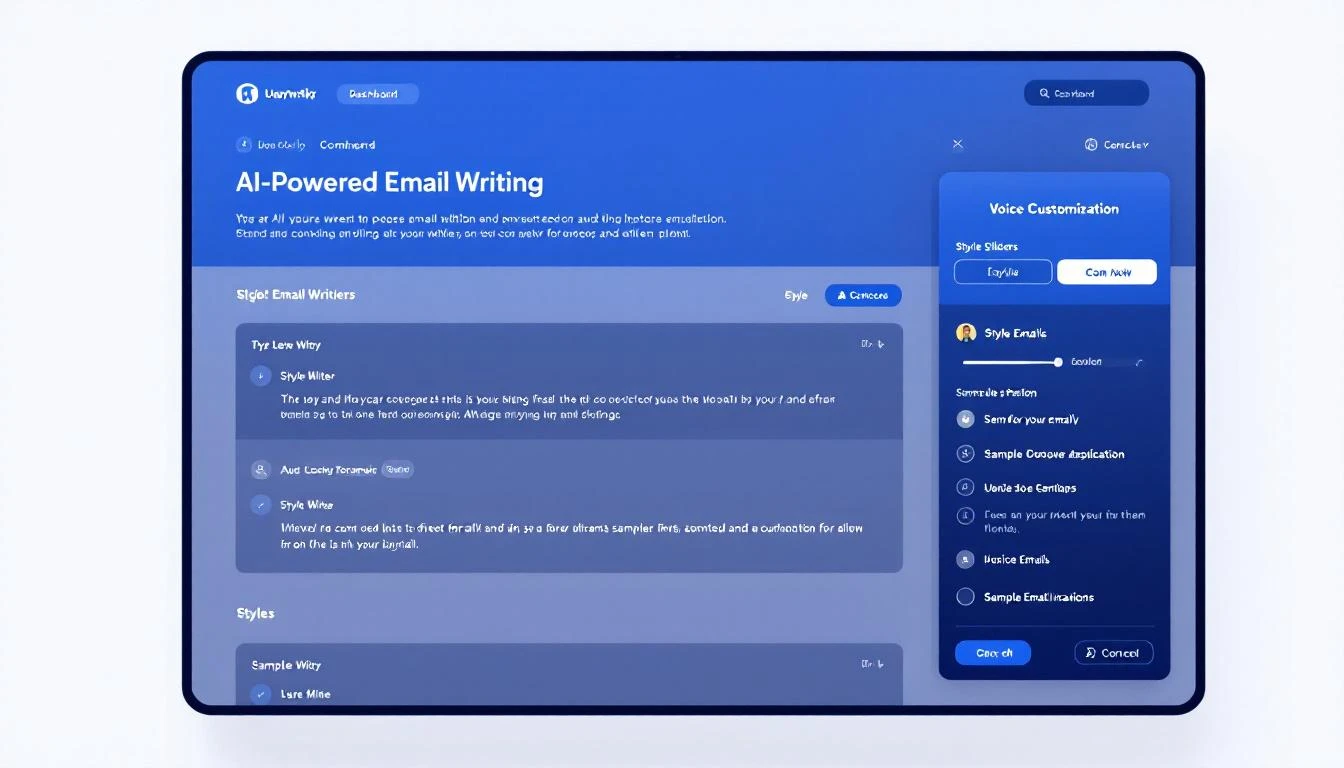
This is one I'm personally excited about. Every SDR writes differently. Some are punchy and direct. Others are consultative and warm. Your AI-generated emails should sound like you, not like a robot pretending to be you.
Starting today, you can teach MarketBetter exactly how you write:
Style instructions — Describe your tone, approach, and preferences in plain English. "Keep it under 3 sentences. Always lead with a question. Never use exclamation marks." Whatever makes your outreach sound authentic.
Sample emails — Paste two of your best-performing emails. The AI studies your structure, word choice, and cadence — then mirrors it in every email it generates.
This applies everywhere MarketBetter writes for you: automated sequences, one-off drafts, and follow-up suggestions. Your entire team can set their own voice, so every SDR's outreach sounds like it came from them.
Building a new campaign from scratch takes time. Picking the audience, setting up workflows, choosing outreach steps — it adds up. Campaign templates skip all of that.
We're launching with a template we've seen work incredibly well across our customer base:
Closed Lost Deal Resurrector — Automatically targets deals your team lost in the past 6-12 months, then runs a re-engagement sequence tuned to what's changed since they said no. New budget cycle? Leadership change? Product update that fixes their objection? The AI finds the angle and writes the outreach.
Here's what makes templates powerful:
One click to deploy — Select a template, pick your target, and it creates the audience + workflow for you. No manual setup.
CRM-connected — Templates that pull from your CRM (like Closed Lost) come pre-configured with the right filters and fields. If you're on HubSpot, the deal stage filters are already set.
Fully customizable — Templates are a starting point. Once deployed, you can tweak the audience criteria, adjust the workflow steps, or change the messaging — it's your campaign now.
More templates are coming. We're building playbooks for job-change outreach, competitor displacement, and expansion signals — all based on patterns we see working across hundreds of campaigns.
Your MarketBetter chat page now shows conversations from every source in one place — chatbot visitors, workflow-triggered conversations, and manual chats. No more switching between views to find a conversation.
Each conversation shows a source badge so you can tell at a glance whether someone came in through your website chatbot, was engaged by an automated workflow, or started a direct conversation. You can filter, search, and pick up any conversation regardless of how it started.
It's a small change that removes a real friction point: your SDRs no longer have to remember where a conversation happened to find it again.
We're working on more campaign templates, deeper CRM integrations for template targeting, and improvements to how the AI handles multi-threaded conversations. Stay tuned.
Breakout (getbreakout.ai) has carved out a niche as an "inbound AI SDR" — a chatbot that engages website visitors, qualifies them, and books meetings. It's clean, fast to set up, and has solid reviews.
But at $1,500–$2,500/month starting prices with no public pricing details, Breakout isn't the right fit for every team. And if you need more than just a chatbot — outbound, dialer, email sequences, or a full SDR workflow — Breakout's focused approach leaves gaps you'll need to fill with additional tools.
Here are 7 alternatives worth evaluating, depending on what you actually need.
Best for: Teams that want a complete SDR platform, not just a chatbot
Why it's the #1 Breakout alternative:
MarketBetter doesn't just replicate what Breakout does — it replaces your entire SDR tool stack. Where Breakout handles inbound chat, MarketBetter handles chat + email + phone + LinkedIn + visitor intelligence, all orchestrated by AI into a daily SDR playbook.
Built-in smart dialer — Breakout has no calling capability. Your SDRs still need Orum, Nooks, or similar ($150+/seat/mo). MarketBetter includes a full dialer with call recording and AI coaching.
Email automation — AI-generated, hyper-personalized sequences. Not just "warm email outbound" as an add-on.
Daily SDR playbook — Every morning, your reps see exactly who to call, email, and follow up with — prioritized by AI. Breakout just shows chat conversations.
Qualified is Breakout's most direct competitor — an AI-powered conversational platform that engages website visitors and routes qualified leads to sales reps. They're more enterprise-focused, with deep Salesforce integration and account-based routing.
Best for: Current Drift customers weighing their options
Drift pioneered conversational marketing but is now being sunset by Clari + Salesloft after a series of acquisitions. It's still functional, but no longer receiving active development. Existing customers should plan their migration now.
Many teams searching for "Breakout alternatives" are also evaluating what to do about Drift. If you're currently on Drift, you should migrate — not to Breakout, but to a platform that replaces everything Drift did plus more.
Best for: Real-time visitor engagement via chat + enrichment
Warmly sits between Breakout and enterprise tools like Qualified — offering visitor identification, AI chatbot engagement, and orchestration at mid-market pricing. Their "data waterfall" approach (20+ enrichment providers) delivers strong company-level identification.
Best for: Teams needing sales + support chat in one tool
Intercom's Fin AI agent handles both customer support and sales conversations. If you already use Intercom for support, adding the sales layer is seamless. Not as sales-focused as Breakout, but the combined support + sales value is compelling.
Best for: Fast form-to-meeting conversion (not really a chatbot)
Chili Piper isn't a chatbot, but it's often compared because it solves the same core problem: converting inbound interest into booked meetings. Instead of chat, Chili Piper focuses on form submission routing — showing calendar slots immediately after a form fill.
Best for: HubSpot customers who want "good enough" chat built in
If you're already paying for HubSpot Sales Hub or Service Hub, you get a chatbot included. It's not as sophisticated as Breakout's AI, but it costs $0 extra, integrates perfectly with your CRM, and handles basic qualification and meeting booking.
Forget everything you think you know about cold email. Blasting out thousands of generic emails and hoping for a reply is a recipe for a full spam folder and zero meetings. It's a strategy from 2010, and it just doesn't work anymore.
While you might hear that the average response rate is around 5%, the best B2B sales teams I've worked with are consistently hitting double digits. The secret? They've stopped playing the volume game and started playing the precision game.
Let's get right to it. The "spray and pray" approach is dead. Decision-makers are drowning in emails and have developed a sixth sense for spotting a lazy, impersonal template from a mile away. To break through, your cold email engine needs a complete overhaul. It's less about raw numbers and more about building a strategic, predictable pipeline.
This modern approach stands on three actionable pillars:
Smart Targeting & Intent Signals: You go after accounts actively signaling they're in-market, not just anyone who fits your ICP on paper.
AI-Driven Personalization: You use smart tools to make every email feel like it was written just for them, but without spending hours on each one.
Seamless CRM Integration: Every touchpoint is tracked, every follow-up is on schedule, and your entire process is a well-oiled, measurable machine.
The real gap between average and elite performance is this mindset shift. A team that sends 100 hyper-relevant, well-timed emails to prospects showing real buying intent will run circles around a team blasting 1,000 generic templates. It’s a comparison of effectiveness versus busyness.
It all comes down to respecting the prospect’s time and showing them—in the very first sentence—that you've actually done your homework.
The goal isn't just to get a reply. It's to start a real conversation. That requires you to understand their world and craft a message that proves you get it.
To really nail this, you need to see how cold email fits into the bigger picture. Understanding the nuances of Outbound Marketing vs. Inbound Marketing will help you build a much smarter, more integrated growth strategy.
So, what do good numbers actually look like? Knowing the benchmarks is the only way to know if you're winning or just spinning your wheels. The table below breaks down what separates the average teams from the top-tier players.
A/B test highly personalized, non-generic subject lines.
Response Rate
1% - 5%
8% - 12%+
Reference a specific buying signal in your opening line.
Meeting Booked Rate
0.5% - 2%
3% - 5%+
End with a low-friction, interest-based CTA.
Bounces & Unsubscribes
< 3%
< 1%
Use a verified email data provider and clean your lists quarterly.
While most teams hover in that "Average" column, this playbook is designed to get you firmly into the "Top-Tier" zone. Focusing on the right inputs—targeting, messaging, and timing—is how you turn cold outreach from a frustrating grind into your most predictable source of revenue.
Building Your Targeting and Intent Signal Machine
Great cold outreach doesn't start with a clever subject line. It starts way before that, by figuring out exactly who you should be emailing in the first place.
If you're just blasting emails to anyone who fits a static Ideal Customer Profile (ICP), you’re basically fishing with a giant net in the open ocean. Sure, you might snag something eventually, but you'll burn a ton of time and energy doing it. The game has changed. The best teams build a "machine" that surfaces prospects who aren't just a good fit, but are actively waving their hands, showing they're ready to talk.
This means looking beyond basic firmographics like company size or industry. You need to zero in on dynamic buying signals—real-time triggers that tell you a prospect is in-market right now. These are the little breadcrumbs that separate a "maybe later" lead from a "let's book a call this week" opportunity.
Imagine the difference this makes for your sales reps. Instead of spending an hour digging through LinkedIn, trying to find a reason to reach out, a smart workflow can hand-deliver a prioritized list of high-intent accounts. It gives them all the context they need to jump on the opportunity instantly.
Think of it like this: your ICP tells you who to target, but intent signals tell you when. This comparison is the key to modern outreach.
A static profile might point you to a 500-person tech company. That's a good start. But a dynamic signal points you to the specific 500-person tech company that just hired a new VP of Sales, downloaded your latest whitepaper, and had three engineers poking around your integrations page this week. Which one do you think is going to hit "reply"?
Here’s a quick comparison of the old way versus the new way:
Approach
Traditional Targeting (Static)
Intent-Driven Targeting (Dynamic)
Foundation
Ideal Customer Profile (ICP)
ICP + Real-Time Buying Signals
Timing
When you get around to it
Based on specific prospect actions
Relevance
Broadly relevant (e.g., industry match)
Hyper-relevant (e.g., pricing page visit)
Efficiency
Low; plays the numbers game
High; focuses on quality over quantity
Rep Workflow
"Who should I email next?"
"Here are your 5 best accounts to email now."
This isn't just theory; it's a massive shift. We've seen that companies using well-segmented campaigns, often fueled by intent data, report a 760% increase in revenue compared to teams still sending generic blasts. It just proves that timing and relevance are the whole ballgame. You can dive deeper into what these actions mean by checking out our guide on the top indicators of interest to watch for.
Key Intent Signals to Monitor (And How to Act on Them)
To get your own signal machine humming, you need to know what to listen for. Not all signals are created equal. Some are just early whispers of interest, while others are screaming "I'm ready to buy!"
Here are the signals your team absolutely should be tracking and turning into outreach tasks:
High-Value Website Visits: A visit to your homepage is nice. A visit to your pricing, demo, or comparison page? That's a five-alarm fire.
Action Step: Set up an automated alert that creates a high-priority task in your CRM for the account owner the moment a target account hits these pages.
Content Engagement: When someone from a target account downloads a case study or sits through your webinar, they’re not just browsing. They're actively researching a problem you claim to solve.
Action Step: Create a follow-up sequence specifically referencing the content they engaged with. Example: "Saw you downloaded our guide on X. What did you think of the section about Y?"
Key Hires or Promotions: A new executive, like a VP of Sales or CMO, usually shows up with a budget and a mandate to shake things up in their first 90 days.
Action Step: Use LinkedIn Sales Navigator or other tools to set up alerts for role changes at your target accounts. Reach out within their first month to be part of their new strategy.
Company Growth Triggers: Keep an eye out for news like a fresh funding round, a new office opening, or a sudden spike in job postings for a specific department.
Action Step: Subscribe to industry news alerts and follow target companies. Reference the news directly in your outreach to show you're paying attention.
Third-Party Intent Data: Tools out there can actually show you which of your target accounts are Googling keywords related to your product or checking out your competitors.
Action Step: Integrate this data into your CRM to score accounts. An account showing intent for "sales automation software" should jump to the top of your team's call list.
Crafting Personalized Emails That Actually Get Replies
Alright, you’ve pinpointed your high-intent targets. Now for the hard part: how do you actually start a conversation? The answer isn’t some magic template. It’s genuine, one-to-one personalization that makes your prospect feel like you've actually done your homework.
This is exactly where most cold email outreach strategies completely fall flat. Reps get stuck between two bad options: spending hours digging up research for a single email or just blasting out generic templates that get ignored. The modern playbook uses AI not as a robot writer, but as a hyper-efficient research assistant, letting you personalize at scale.
Think about every email you send as having three simple jobs: grab attention, prove you're relevant, and make it easy to say yes. Most emails bomb on that second point. A great cold email is almost always short, easy to read on a phone, and respects the prospect's time.
Here’s an actionable structure that consistently works:
A Compelling Subject Line: Keep it short and specific. Compare: "Quick Question" (generic) vs. "Question about Acme's recent funding" (specific and intriguing).
A Hyper-Relevant Opening Line: This is your "why you, why now" moment. Reference a specific trigger event—a new hire, a funding announcement, a piece of content they shared.
A Clear Value Proposition: In one sentence, connect their situation to a problem you solve. Frame it as a tangible outcome for them, not a list of your features.
A Low-Friction Call-to-Action (CTA): End with a simple, interest-based question. Compare: "Are you free for a 30-min demo?" (high-friction) vs. "Open to learning how we do this?" (low-friction).
This whole thing should clock in under 100 words. Anything longer and you've lost them.
Generic Template vs AI-Powered Personalization: A Direct Comparison
Let's make this real. Imagine you're reaching out to a VP of Sales. Their company just announced a big Series B funding round and they're hiring a bunch of new sales reps. Here's a look at how AI can turn a generic, low-impact message into something that actually starts a conversation.
.png)
This table really breaks down the difference between the old way and the new, AI-assisted approach.
A side-by-side look shows just how much more impactful a personalized message is. One feels like a mass email, the other feels like a conversation.
Email Component
Generic Template (Low Impact)
AI-Personalized Example (High Impact)
Subject Line
Quick question
Congrats on the Series B
Opening Line
"Hi Jane, I help sales leaders like you..."
"Jane, saw the news on your $40M Series B—congrats. Scaling the SDR team post-funding is a huge undertaking."
Value Prop
"...drive more pipeline with our software."
"We help VPs of Sales at companies like yours ramp new SDRs in under 30 days by automating their call prep and email workflows."
CTA
"Do you have 15 minutes to connect next week?"
"With your hiring plans, is improving new SDR ramp time a priority for Q4?"
The AI-personalized version just feels human. It’s timely, specific, and frames the value around something the prospect is dealing with right now. To really stand out and get replies, you have to master cold email personalization.
The results from this shift aren't small. We've seen advanced personalization double response rates, and even just tailoring a subject line can boost replies by a whopping 140%. One study of 2026 campaigns found that while a typical reply rate hovers around 5.1%, top performers using AI-assisted customization can hit 40-50%.
Actionable Tip: Think of AI as your relevance engine, not your author. The AI finds the "why now" and drafts the first 80%. The SDR’s job is to come in and add that final 20%—the human touch, the strategic angle, the authentic tone.
That combination of machine-powered relevance and human oversight is what separates a mediocre outreach effort from a true pipeline-generation machine.
That first email you send? It’s just the opening line. The real money is made in the follow-up.
It’s shocking how many reps fire off one email and call it a day, but the pipeline is built on persistence. Your prospect is busy. Your first message probably landed at the worst possible time. A single email is a whisper; a smart follow-up sequence is a conversation. This is exactly why you have to ditch the manual, error-prone spreadsheets for tracking follow-ups.
Manual Spreadsheets vs. Automated Workflows: A Stark Comparison
Let's get real about the two ways to manage follow-ups. One is a masterclass in dropping the ball, and the other is a system for predictable engagement.
Approach
Manual Tracking (Spreadsheets)
Automated Workflow (CRM/Sales Tool)
Process
Reps try to remember to log activity, set janky calendar reminders, and guess which step is next.
The system automatically tees up the next email, call, or social touch. No thinking required.
Consistency
All over the place. A busy Tuesday morning means follow-ups are the first thing to get skipped.
100% consistent. Every prospect gets the exact same designed experience, ensuring no one ever falls through the cracks.
Visibility
A black hole. Managers have no clue what’s actually happening or where leads are in the process.
Crystal clear. Every touchpoint is logged in your CRM, giving you a perfect view of rep activity and sequence performance.
Efficiency
Abysmal. Reps spend more time on admin grunt work than actually talking to people and selling.
Through the roof. Automation handles the boring stuff, freeing up your team to focus on having valuable conversations.
Picture this: an SDR sends their first email on Day 1. With an automated workflow, the system automatically creates a call task for them on Day 3 and fires off the next email on Day 5 if there's no reply. All of that gets logged in Salesforce or HubSpot without anyone lifting a finger. That's the difference between hoping for follow-ups and guaranteeing them.
Blueprinting Your Multi-Touch Sequence: An Actionable Template
A killer sequence is more than just a chain of "just checking in" emails. It’s a strategic mix of touchpoints across different channels that shows you’re persistent, not just annoying.
Here’s a simple but brutally effective sequence you can steal and implement today:
Day 1 (Email): The personalized, high-value opener we've been talking about.
Day 3 (Call + Email): Make the call. No answer? Leave a quick voicemail and immediately follow up with an email saying, "Hey, just left you a voicemail..." It doubles the impact.
Day 5 (Social Touch): Pop up on their LinkedIn. This could be a connection request with a brief, non-salesy note or a smart comment on something they shared. It puts your name in front of them in a completely different context.
Day 8 (Email): Send another email, but this time, bring a different piece of value to the table. Maybe it’s a link to a relevant case study or a blog post you know they'd find interesting.
Day 12 (Call): One last call. Keep it quick, professional, and focused on them.
This entire flow hinges on a simple, repeatable process: Research, Personalize, Send.
When you follow up is just as critical as what you say. You need to stay top-of-mind without becoming a nuisance.
Action Step: Space your touches 2-4 days apart as a starting point. Test different cadences to see what works for your audience. For example, try a 1, 3, 7, 14 day sequence and compare its performance to a 1, 2, 4, 8 day sequence.
The data here doesn't lie. One recent analysis found that follow-up emails are responsible for 42% of all replies from cold campaigns. Walking away from that is like leaving two out of every five potential deals on the table. The same report also showed that a sequence of 4-7 emails seems to be the sweet spot for getting the most replies without torching your prospect list. For a deeper dive, check out our guide on effective email follow-ups.
Getting Your Workflow Dialed In with Salesforce and HubSpot
Let’s be honest. You can have the most brilliant cold email strategy on the planet, but it's completely worthless if your reps don't—or can't—actually follow it. A perfect sequence and a killer template mean nothing if emails aren't logged and follow-ups are dropped. This is where your tech stack becomes either your team's greatest asset or their biggest enemy.
The brutal reality for too many sales teams is a messy, disjointed workflow. A rep kicks off their day by juggling a spreadsheet of leads, a separate email tool, a dialer in another tab, and their CRM. This constant context switching isn't just a minor annoyance; it's a silent killer of pipeline and morale.
The real cost of a clunky, fragmented workflow is so much more than a few wasted minutes. When your outreach tools don't talk directly to your CRM, you’re operating with a system that's fundamentally broken. It’s actively working against you.
Think about the two ways this can go: the old, disconnected way versus a modern, CRM-native system.
Bounces between 3-4 tabs to send an email, make a call, and log the activity.
Lives entirely inside Salesforce or HubSpot. Clicks a button to get the next task done.
Data Logging
Manual, inconsistent, and often flat-out forgotten. "If it's not in Salesforce, it didn't happen."
100% automatic. Every email, call, and outcome is logged instantly to the right contact record.
Manager Visibility
A total black box. Reporting is a shot in the dark based on incomplete, messy data.
Crystal clear. Managers see real-time activity and can coach based on what’s actually happening.
Lead Management
Leads constantly fall through the cracks. Follow-ups get missed the second a rep gets busy.
Every lead is tracked. Automated sequences ensure no opportunity is ever left behind.
The difference is night and day. A unified system makes the right way to work the easiest way to work. It takes the administrative burden off your reps' shoulders, which is always the biggest roadblock to consistent execution.
A rep's job is to build pipeline, not to be a data entry clerk. The best sales tools get out of the way and let them focus on high-value conversations, automating the low-value tasks that drain their time and energy.
When you're looking at any tool to power your cold email outreach, don't get distracted by shiny features. Your focus should be on one thing: how deeply and seamlessly it plugs into your team's single source of truth—your CRM. For a deeper dive, check out our complete HubSpot and Salesforce integration guide.
Here’s a simple checklist to guide you. Treat these as absolute deal-breakers.
[ ] Native CRM Integration: Does the tool run insideSalesforce or HubSpot, or does it force reps into yet another platform? If it's not native, adoption is doomed.
[ ] Automatic Data Logging: Are calls, emails, and outcomes logged automatically and in real-time? If you have to ask your reps to log things, it won't get done.
[ ] Workflow Automation: Can it turn buyer intent signals into a prioritized to-do list for your reps? The tool should tell them exactly what to do next.
[ ] Single-Pane-of-Glass View: Can a rep see everything they need—contact details, past activity, intent data—and take action from one single screen?
By embedding your entire outreach process directly into the CRM, you solve the biggest headaches sales leaders face. You kill the manual work, give yourself true visibility, and build a system that lets your reps focus 100% of their energy on what they were hired to do: sell.
Even with the best playbook in hand, the daily grind of outreach always surfaces new questions. Let's tackle some of the most common hurdles that trip up even seasoned sales leaders and their teams.
What’s a “Good” Cold Email Response Rate, Really?
Everyone loves to throw around the industry benchmark of a 5.1% reply rate, but honestly, that number is mostly noise. A "good" rate is all about context. A 2% positive reply rate on a six-figure deal is fantastic; a 10% rate on a low-ACV product might be underperforming.
Instead of getting hung up on some universal number, focus on your own baseline and constant improvement.
Actionable Tip: The real win isn't hitting an arbitrary percentage. It's about consistent, incremental improvement. A/B test one thing at a time—your subject line, your CTA, your opening line—and see what actually moves the needle for your audience. A 1% lift this month, another 1% next month... that's how you build a world-class outreach machine.
How Can We Use AI Without Sounding Like a Robot Wrote It?
This is the million-dollar question, and the answer lies in understanding AI's proper role. You don't want AI to be the salesperson; you want it to be their ridiculously efficient research assistant.
A generic AI will always spit out robotic copy. A purpose-built sales AI acts as a relevance engine, scanning for intent signals—a new exec hire, a funding announcement, a visit to your pricing page—and uses that specific detail to craft a compelling opening line.
Here’s a practical comparison:
Generic AI: "Hi John, I help VPs of Sales like you improve team performance..." (Delete.)
Sales-Context AI: "John, saw you're hiring five new SDRs in Austin. Ramping new reps quickly must be a Q3 priority." (Now we're talking.)
The AI does the first 80% of the work by finding the "why you, why now" and structuring a solid draft. The rep’s job is to come in and add that final 20%—the human touch, the personal nuance, the strategic insight that makes the email feel authentic.
How Do I Get My Team to Actually Log Their Activity?
You don't. Simple as that.
Any process that depends on reps manually entering data is doomed from the start. It’s not a question of if it will fail, but when. The only way to guarantee 100% compliance is to make logging completely automatic.
This means using tools that live and breathe inside your CRM. When the entire workflow—managing tasks, sending emails, making calls—happens right within Salesforce or HubSpot, activity logging just becomes a natural byproduct of doing the job.
Here's a comparison of the two different worlds this creates for a sales manager:
Manual Hell: Your one-on-ones are spent nagging reps to update the CRM, and then you’re forced to coach them based on spotty, unreliable data.
Automated Heaven: You have a clean, real-time dashboard of every single touchpoint. You can coach with confidence, pinpointing exactly where reps are struggling and what’s actually working.
You get the clean data you need for accurate forecasting, and your team gets to focus on selling. Win-win.
Let's be blunt: open rates are a vanity metric. Even a basic reply rate doesn't tell you much. They say nothing about generating pipeline or closing deals. To measure the actual business impact of your cold email outreach, you have to look further down the funnel.
These are the four actionable metrics that truly matter:
Positive Reply Rate: This cuts through the noise of "no thanks" and "unsubscribe" to show you how many prospects are genuinely interested.
Meetings Booked: This is your first real conversion. It tells you if your reps can successfully turn that initial interest into a scheduled conversation.
Sales Qualified Opportunities (SQOs): How many of those meetings convert into legitimate, qualified pipeline for your account executives? This is where you separate activity from progress.
Pipeline Influenced: The big one. This tracks the total dollar value of opportunities that your cold outreach has either sourced directly or played a key role in creating.
When you focus on these downstream metrics, you ensure your team is optimizing for the only thing that really counts: revenue.
Ready to stop the busywork and start building real pipeline? marketbetter.ai turns buyer signals into prioritized tasks and helps your SDRs execute faster with an AI-powered email and call engine that lives directly inside Salesforce and HubSpot. See how it works at marketbetter.ai.
Here's the number that should alarm every sales leader: 83.4% of SDRs fail to consistently hit quota. Not occasionally miss — consistently fail.
That's not a talent problem. It's a systems problem.
We pulled data from seven major studies published in 2024–2026 — covering 170,000+ leads, 114 B2B companies, and millions of sales activities — to understand why SDR productivity has gotten worse despite a decade of increasingly sophisticated sales technology. The findings reveal a structural crisis hiding in plain sight.
The average SDR sells for roughly two hours a day. The rest disappears into CRM entry, lead research, tool switching, internal meetings, and manual tasks that technology was supposed to eliminate. Meanwhile, the leads they do work sit unanswered for an average of 29 hours — and 63% never get a response at all.
This isn't a collection of disconnected statistics. It's a picture of an industry-wide failure to solve the core SDR problem: too many tools, not enough direction.
Salesforce's 2026 State of Sales report dropped the most sobering stat of the year: sales reps spend 60% of their time on non-selling tasks. That means in an 8-hour workday, your SDRs are actively selling for just over 3 hours.
But the reality may be worse. When you break down what "selling" means in practice — and remove time spent on call prep, pre-call research, and post-call logging that most teams still count as "selling" — the actual time spent in live conversations with prospects drops below 2 hours.
Here's how the average SDR day breaks down according to aggregated data from Salesforce, InsideSales, and Bridge Group reports:
Activity
% of Day
Hours (8hr day)
Active selling (calls, emails, demos)
40%
3.2 hrs
CRM data entry and admin
21%
1.7 hrs
Lead research and preparation
17%
1.4 hrs
Internal meetings
12%
1.0 hrs
Tool switching and context changes
10%
0.8 hrs
The 10% lost to tool switching is particularly insidious because it's invisible. Nobody tracks how many times an SDR alt-tabs between their CRM, email tool, dialer, LinkedIn, enrichment platform, and sales engagement software. But research on context-switching costs suggests each switch carries a cognitive penalty of 15–25 minutes to fully refocus.
If your SDRs use 7+ tools (the B2B average), they're paying that penalty dozens of times daily.
Responding within 1 minute = 391% higher conversion
InsideSales
2021
Only 0.1% of companies respond within 5 minutes
RevenueHero
2024
63% of companies never respond; 29+ hour average
Workato
2025
99%+ fail the 5-minute test; 11h 54m average email
Read that timeline again. In 2011, the average response time was 42 hours. In 2024, it's 29 hours for the companies that respond at all — but 63% don't respond at all. The non-response rate nearly tripled from 23% in 2011 to 63% in 2024.
The conversion impact is not linear. It's a cliff.
Within 1 minute: 391% higher conversion (Velocify)
Within 5 minutes: 9x more likely to convert (InsideSales)
Within 1 hour: 7x higher qualification rate vs. waiting longer (HBR)
After 24 hours: You're cold-calling someone who's already moved on
And here's the stat that should end every debate about speed to lead: 78% of buyers purchase from the first company that responds. Not the best product. Not the cheapest option. The first one to show up.
When your average response time is 29 hours, you're not competing for the deal. You're already out of it.
Here's what most teams miss. The Workato study broke response time into two components:
Lead Response Time = Lead Processing Time + Rep Response Time
Most companies blame slow reps. The data shows the opposite. The average SDR responds within minutes of seeing a lead in their queue. But the lead takes hours to get routed to them.
The processing pipeline — enrichment, lead-to-account matching, territory assignment, routing rules, round-robin logic — is where deals go to die. The average personalized email response takes 11 hours and 54 minutes (Workato), and most of that delay is processing, not rep laziness.
You can't coach your way out of a broken routing system.
The headline number — 83.4% of SDRs miss quota — becomes less surprising when you see the underlying metrics:
Average meetings booked per month: 15 (Bridge Group)
Dials to connect: 18+ attempts per connection
Call-back rate: Under 1%
Cold email response rate: 1–2%
Quality conversations per day: 3.6
That means your average SDR has fewer than 4 real conversations per day. To book 15 meetings from ~72 monthly connects, they need a 21% connect-to-meeting conversion rate. That's achievable for veterans. It's brutal for the 60% of SDRs in their first 12 months.
And tenure compounds the problem. Average SDR tenure is 6–23 months. Just as someone becomes proficient, they promote out or leave. The team is perpetually in ramp mode.
The data reveals a clear pattern separating the 16.6% who consistently hit quota:
1. They qualify ruthlessly. Companies with thorough qualification processes saw closing ratios jump from 11% to 40% (InsideSales). Top SDRs don't work more leads — they work the right leads.
2. They use signal-based prioritization. Instead of working leads alphabetically or by age, elite SDRs prioritize by intent signals — who's on the website right now, who just changed jobs, who's researching competitors.
3. They batch their day. The "Golden Hours / Platinum Hours" framework separates prime prospecting time (calls and outreach) from admin work. Top reps protect their selling time aggressively.
4. They hit 14.5% meaningful conversation rates with decision-makers — nearly 4x the average — through better targeting and personalization, not more volume.
B2B marketers spend over $4.6 billion annually on advertising to generate leads. An estimated $2.7 billion of that is wasted due to slow or nonexistent follow-up (Credofy). You're paying to generate demand and then letting it rot.
At the individual company level, the math is just as ugly. Consider a mid-market B2B company:
Metric
Value
Monthly inbound leads
200
Average deal value
$15,000
Conversion rate (fast response)
3%
Conversion rate (slow response)
0.15%
Revenue lost monthly
$8,550
Revenue lost annually
$102,600
That's $100K+ per year lost — not to bad marketing, not to a weak product, but to slow response. For most B2B companies, that's 1–2 SDR salaries that could be funded by simply responding faster.
The good news: the industry is finally addressing this structurally, not just incrementally.
AI adoption in sales has exploded from 39% to 81% in just two years (Salesforce). And the results are significant:
46% productivity increase for teams using AI-powered sales tools
20% increase in pipeline volume with AI implementation
30% improvement in lead conversion rates
AI-powered personalization delivers 9.25% appointment rate — better than most manual outreach
Salesforce reported that their own AI SDR agent created 3,200 opportunities in four months by working the low-score leads that human SDRs couldn't justify spending time on.
But here's the nuance the "AI will replace SDRs" crowd misses: AI doesn't replace selling. It replaces the 60% of the day that isn't selling.
The best implementations aren't replacing human SDRs with AI agents. They're using AI to:
Eliminate processing delay — Route, enrich, and prioritize leads in seconds, not hours
Kill the research tax — Pre-populate account context so reps don't spend 17% of their day Googling prospects
This is the difference between an AI that replaces the SDR and an AI that makes the SDR 3x more effective. The former is a race to commoditized outreach. The latter is how you win.
The average B2B sales team uses 7–12 tools across prospecting, enrichment, engagement, dialing, and analytics. At $1,500–$4,000 per user per month, that's an enormous expense delivering a 40% selling rate and 29-hour response times.
The answer isn't another tool. It's fewer tools that do more.
Organizations with well-integrated enablement tech stacks are 42% more likely to boost sales productivity (Highspot). Integration isn't a nice-to-have. It's the difference between 3-hour and 6-hour selling days.
Have each SDR log their actual activities for one week. Not what the CRM says — what they actually did. You'll likely find selling time closer to 2 hours than the 3.2 you assumed.
Break your response time into processing (system) and rep response (human). Fix the system first — it's usually the bigger bottleneck and doesn't require behavior change.
Every tool you add increases context-switching cost. Before buying tool #8, ask: can tool #3 do this if I configured it properly? Tool consolidation is the highest-ROI move in sales ops right now.
Your SDRs don't need more data. They need direction. A daily prioritized task list — who to call, what to say, and why today — eliminates the 17% research tax and dramatically improves response times.
5. Adopt AI for the Non-Selling 60%, Not the Selling 40%
The highest-impact AI use cases in sales aren't automated email blasts. They're lead routing in seconds instead of hours, automatic enrichment, CRM auto-updates, and intelligent prioritization. Keep humans on the conversations. Let AI handle everything else.
The SDR productivity crisis isn't caused by lazy reps. It's caused by:
Tool sprawl that eats 10%+ of every day in context switching
Processing delays that turn hot leads cold before reps ever see them
Data overload without direction — dashboards instead of playbooks
Constant ramp from 6–23 month average tenure
The teams solving this aren't buying more tools. They're consolidating into platforms that combine signals, enrichment, and execution into a single daily SDR workflow — and using AI to eliminate the 60% of the day that was never selling to begin with.
The data is clear: the gap between top-performing SDR teams and everyone else is no longer effort. It's architecture.
Want to see what an AI-powered SDR workflow looks like in practice?Book a demo →
Here's a stat that should make every sales leader uncomfortable: 90% of website visitor identification data sits unused in dashboards. Companies pay $500–$2,000 per month for visitor ID tools, identify hundreds of companies visiting their site, and then... do nothing with it.
The problem isn't identification. The technology for website visitor identification works. Companies show up. Names get matched. Firmographic data populates.
The problem is what happens next.
Your sales team sees a notification that "Company X visited your pricing page." Great. Now what? Who at Company X should they contact? What should they say? How do they personalize outreach when they know nothing about the visitor's specific pain?
Most teams either ignore the data entirely or blast generic "I noticed you visited our website" emails that get deleted on sight.
This guide walks you through a repeatable 5-step workflow that takes you from anonymous website traffic to a booked meeting — consistently, in under 24 hours.
Before we fix the workflow, let's understand why it breaks.
The typical visitor ID program looks like this:
Install a pixel on your website
Wait for data to populate a dashboard
Check the dashboard (maybe once a day, maybe once a week)
See a list of companies — some recognizable, most not
Feel overwhelmed by the volume and close the tab
The gap between "identified" and "contacted" is where pipeline goes to die. According to research from Opensend, IP-to-company matching delivers 70–80% accuracy for B2B identification. That means the identification layer works. But identification without action is just expensive analytics.
Three structural problems kill most visitor ID programs:
1. No prioritization framework. Not every visitor is equal. Someone who spent 12 minutes on your pricing page and came back twice is a completely different signal than a bot crawler hitting your homepage for 3 seconds. Without scoring, every lead looks the same.
2. No enrichment workflow. Visitor ID gives you the company. You need the person. That means enrichment — finding the right contacts, their roles, their email addresses, their LinkedIn profiles. Doing this manually for 50+ identified companies per day isn't realistic.
3. No speed. The data that speed-to-lead research has proven for years applies here: 78% of buyers choose the vendor that responds first. If you're checking your visitor dashboard on Monday morning and reaching out Tuesday afternoon, your competitor who automated the response already booked the meeting.
Here's the workflow that actually converts. Each step builds on the previous one, and the entire process should take less than 24 hours from first visit to first outreach.
Step 1: Identify and Filter (Automated — 0 Minutes)
Your visitor identification tool captures company-level data: company name, industry, size, pages visited, time on site, and session frequency.
But raw visitor data is noise. You need a filter.
Set up qualification criteria before you start outreach:
Signal
Weight
Why It Matters
Visited pricing page
High
Active buying signal
Returned 2+ times in 7 days
High
Persistent interest
Spent 5+ minutes on site
Medium
Engaged, not bouncing
Company size matches ICP (50–500 employees)
High
Right fit
Viewed product/feature pages
Medium
Evaluating capabilities
Homepage only, single visit
Low
Could be anything
Blog post only, single visit
Low
Content consumer, not buyer
The rule: Only pass visitors that hit at least two "High" signals or one "High" plus two "Medium" signals to the enrichment step. Everything else goes into a nurture bucket.
This filter alone eliminates 60–70% of noise and lets your team focus on the visitors who are actually evaluating solutions.
If you're using a platform with a daily SDR playbook, this filtering happens automatically. The playbook surfaces the visitors worth contacting, ranked by intent strength, so your reps don't waste time sorting through raw lists.
Step 2: Enrich to Contact Level (5–10 Minutes per Account)
Company-level identification is necessary but insufficient. You need names.
The enrichment workflow:
Identify the buying committee. For a B2B SaaS sale, this typically includes:
The end user (SDR Manager, Demand Gen Manager)
The economic buyer (VP Sales, VP Marketing, CRO)
The technical evaluator (RevOps, Sales Ops)
Find 2–3 contacts per identified company. Don't email one person and hope for the best. Multi-thread from the start.
Gather enrichment data for each contact:
Work email (verified, not guessed)
LinkedIn profile URL
Current role and tenure
Recent activity (job change, promotion, company news)
The best lead enrichment tools can do this in seconds. Manual research on LinkedIn Sales Navigator takes 5–10 minutes per account. At scale, you need automation — researching 20 accounts manually every day burns 2+ hours that your SDR should spend on actual conversations.
Pro tip: Prioritize contacts who recently changed jobs. Job change signals are one of the strongest buying indicators — someone new in a role is 5x more likely to purchase new tools in their first 90 days. If your visitor ID catches a company where the VP Sales just started 2 months ago, that's a red-hot lead.
Step 3: Build Hyper-Personalized Context (10 Minutes per Account)
This is where most teams fail. They skip this step entirely and send generic outreach. Don't.
Here's the context you need to build for each qualified, enriched account:
From your visitor data:
What specific pages did they visit? (This tells you their pain)
How long did they spend? (This tells you their urgency)
Did they return multiple times? (This tells you they're evaluating)
What content did they engage with? (This tells you their knowledge level)
From enrichment data:
What does this person's LinkedIn say about their priorities?
Has their company raised funding, made acquisitions, or announced growth?
Are they hiring for roles that indicate the problem you solve?
Combine into a "context brief":
"Sarah, VP Sales at Acme Corp (150 employees, SaaS). Visited pricing page + visitor ID feature page 3 times in 5 days. Company just raised Series B. Currently hiring 4 SDRs. Sarah joined 3 months ago from Gong."
That brief takes 10 minutes to build. But it gives your SDR everything they need to write outreach that feels personal — because it is personal.
This is fundamentally different from the "I noticed your company visited our website" approach. You're not leading with surveillance. You're leading with relevance.
Step 4: Execute Multi-Channel Outreach (15–20 Minutes per Account)
Single-channel outreach is dead. Email-only response rates hover around 1–2% for cold outreach. But research from SalesHive shows that multi-channel sequences — layering email, phone, and LinkedIn — can drive up to 287% more engagement and 300% more conversions compared to email alone.
Here's a 5-touch sequence framework for visitor-sourced leads:
Day 1 (within 4 hours of identification):
LinkedIn: Connect with a personalized note referencing their role, not your product
Email #1: Reference the specific problem your visitor data suggests, share a relevant insight
Day 2:
Phone call: Direct dial. Reference the email. Keep it to 30 seconds — the goal is a conversation, not a pitch
Day 4:
Email #2: Share a customer story from a similar company/industry. Include a specific metric
Day 7:
LinkedIn: Engage with their content (comment, like). Send a follow-up message referencing something they posted
Day 10:
Email #3: "Break-up" email. Direct ask: "Is this a priority for your team right now, or should I check back in Q3?"
Critical rules:
Never mention you saw them on your website. It feels invasive. Instead, reference the problem their behavior suggests
Lead with value, not features. "Companies your size typically lose 35% of leads to slow response time" beats "We have an AI chatbot"
Personalize every touch. If your email could be sent to 100 people without changing a word, it's not personalized enough
Email deliverability matters more than email volume. A 95% delivery rate beats a 70% delivery rate with 3x the sends
For teams running this at scale, multi-channel orchestration platforms automate the timing and channel switching. The SDR's job shifts from "manage the sequence" to "have the conversation when someone responds."
25% of conversations convert to meetings = 3 meetings per month
Three meetings per month from a channel that didn't exist before. At a $30K ACV with a 25% close rate, that's $22,500 in new annual revenue per month — from website traffic you were already getting.
Scale the inputs (more traffic, better content driving ideal visitors to high-intent pages) and the math compounds. Companies running this workflow consistently report visitor-sourced pipeline becoming 15–30% of total pipeline within 6 months.
Compare this to the industry average: SDRs book 15 meetings per month across all channels. Adding 3 high-quality, warm meetings from visitor data is a 20% lift — from prospects who already showed buying intent by visiting your site.
Visitor ID: Leadfeeder, RB2B, or Clearbit Reveal ($200–$1,000/mo)
Enrichment: Apollo, ZoomInfo, or Cognism ($500–$2,500/mo)
Sequencing: Outreach, SalesLoft, or Instantly ($100–$500/mo per seat)
CRM: HubSpot or Salesforce ($50–$300/mo per seat)
LinkedIn: Sales Navigator ($100/mo per seat)
Total: $1,000–$5,000/mo + significant integration and workflow management time
The DIY approach works, but you're stitching together 5 tools, managing data flow between them, and relying on your SDR to manually connect signals to actions. The real cost of a B2B sales tech stack often exceeds what teams budget.
The all-in-one approach:
Platforms like MarketBetter consolidate visitor identification, enrichment, outreach, and a daily SDR playbook into one workspace. The visitor shows up, gets scored, contacts get enriched, and a prioritized task with personalization context lands in the SDR's daily playbook — automatically.
The difference isn't just cost. It's time-to-action. In the DIY stack, the handoff between identification and outreach takes hours or days. In a consolidated platform, it takes minutes.
Mistake 1: Treating every visitor equally.
Fix: Implement the scoring framework from Step 1. Your pricing page visitor and your blog reader are not the same lead.
Mistake 2: Leading with "I saw you on our website."
Fix: Never reference the visit directly. Lead with the problem your data suggests they have. "Companies scaling their SDR team often struggle with..." is better than "I noticed your team was on our site."
Mistake 3: Single-threaded outreach.
Fix: Always contact 2–3 people per company. If the VP ignores you, the Director might not. Multi-threading increases deal velocity by 25-40% across industries.
Mistake 4: Waiting too long.
Fix: First outreach within 4 hours of identification. The speed-to-lead data is unambiguous — response in the first 5 minutes is 21x more effective than responding after 30 minutes.
Mistake 5: No feedback loop.
Fix: Review metrics weekly. If reply rates drop below 3%, your personalization needs work. If meetings drop off, your qualification criteria are too loose.
Website visitor identification isn't a strategy. It's an ingredient. The strategy is the workflow that turns that ingredient into pipeline.
The 5-step workflow — Identify → Enrich → Contextualize → Execute → Iterate — gives you a repeatable process for converting anonymous interest into booked meetings. The teams that do this well don't just have better tools. They have better systems.
Most of your competitors have visitor ID installed. Almost none of them have a systematic workflow for acting on the data. That's your advantage — if you actually build the workflow.
Ready to see how MarketBetter automates this entire workflow?Book a demo and see your visitor data turned into a prioritized SDR playbook — automatically.






 Alright, so you’ve mapped out your ideal customer and you know what buying signals to look for. Now what? The next move is to operationalize that knowledge so you can sort through hundreds or thousands of leads without losing your mind. This is exactly where lead scoring comes into play.