SDRs don't need more signals. They need to know who to call today.
Intent data has become the golden child of B2B sales intelligence. Vendors promise to reveal which accounts are "in-market" before they fill out a form. Marketing teams love the targeting capabilities. Executives love the ABM metrics.
But ask your SDR team what they think of intent data, and you'll hear a different story.
Your VP of Sales just approved $60,000 for parallel dialers. Twelve SDRs at $5,000/year each for Nooks or Orum.
The pitch was compelling: 10 parallel lines mean 10x more dials. 10x more dials mean 10x more conversations. 10x more conversations mean 10x more meetings.
Except it doesn't work that way.
Here's the dirty secret: Parallel dialers help your team dial faster. They don't help them dial smarter. And dialing the wrong people faster is just burning through your TAM with nothing to show for it.
Parallel dialers like Nooks and Orum changed outbound sales when they emerged. Instead of your SDR calling one number and waiting through 8 rings, they call 7-10 numbers simultaneously. When someone answers, the system connects them.
The math looks incredible:
Manual dialing: 60-80 dials/day
Power dialer: 100-150 dials/day
Parallel dialer: 200-400+ dials/day
SDR teams see real productivity gains. Nooks and Orum users consistently report 3-5x more conversations per day. That's not hype—that's what parallel dialing delivers.
Your SDR finally gets someone on the phone. Now what?
With a standalone parallel dialer, they have:
A name and phone number
Maybe a title from LinkedIn
A generic script
What they DON'T have:
What pages this person visited on your website
What content they downloaded
How engaged their company has been
What topics interest them specifically
Whether they're actively researching solutions
The conversation starts cold. Your SDR is pitching blind. The prospect hangs up 30 seconds in because they can tell this is a spray-and-pray call.
Problem #3: Standalone Tools Create Standalone Workflows
Here's a typical day for an SDR using Orum or Nooks:
Open CRM → Find accounts to call
Open LinkedIn → Research the prospect
Open Apollo or ZoomInfo → Find the phone number
Open Nooks → Start dialing
Open Gong/Chorus → Review the call after
Open Outreach → Send follow-up email
Open CRM again → Log everything
Seven different tools. Seven context switches. Seven chances to drop the ball on follow-up.
Parallel dialers optimize the 20 minutes your SDR spends on the phone. They do nothing for the other 7 hours of context-switching, data entry, and trying to figure out who to call next.
Total stack cost: $100,000+/year just to give SDRs the context they need AND the ability to dial fast.
Power Dialers vs Parallel Dialers: Does it Even Matter?
Budget-conscious teams often ask: "Should we just use a power dialer instead?"
The pricing difference is dramatic:
Dialer Type
Example Tools
Monthly Cost
Power Dialer
Aircall, Dialpad
$15-70/user/month
Parallel Dialer
Nooks, Orum
$400+/user/month
Power dialers call one number at a time but automate the dialing process. You're not 10x faster—maybe 1.5-2x faster than manual.
But here's the thing: neither solves the actual problem.
Whether you dial 200 or 400 numbers a day, if you don't know WHICH numbers to prioritize or WHAT to say when they answer, you're just optimizing for activity metrics instead of outcomes.
When the dialer, visitor intelligence, email, and CRM all live in one place:
No context switching
No copy-pasting between tools
No forgetting to follow up
Every activity logged automatically
The SDR focuses on conversations, not coordination.
MarketBetter's Approach: Smarter Dialing, Not Just Faster Dialing
We built MarketBetter because we kept seeing the same pattern: SDR teams buying expensive parallel dialers, getting 3x more dials, and wondering why meetings didn't 3x along with them.
The difference is the Daily Playbook.
Every morning, your SDR logs in to a prioritized task list. Not a call queue—a playbook that includes:
Who to call (based on visitor behavior + firmographic fit)
Why they should call (they visited pricing, downloaded the SDR guide, came back 3x this week)
What to say (relevant talking points based on their engagement)
What to do next (automated follow-up sequences if no answer)
The Smart Dialer is built INTO this workflow. Click to call from the task. Leave a voicemail, it's logged. Send a follow-up email, it goes out automatically. Move to the next task.
No tab switching. No lost context. No "I'll follow up later" that never happens.
The Real Comparison: Standalone Dialer vs Integrated Platform
Capability
Nooks / Orum
MarketBetter
Fast dialing
✅ 7-10 parallel lines
✅ Smart Dialer
Visitor identification
❌ Separate tool needed
✅ Built-in
Call prioritization
❌ Manual list management
✅ AI-ranked by intent
Pre-call context
❌ SDR looks it up
✅ Shown in playbook
Email follow-up
❌ Separate tool (Outreach)
✅ Same platform
Activity logging
❌ Manual CRM entry
✅ Automatic
Voicemail drop
✅ Yes
✅ Yes
Virtual salesfloor
✅ Nooks pioneered this
❌ No (we're async-focused)
If your SDRs live on the phone all day in a "salesfloor" environment, Nooks' virtual salesfloor is genuinely great.
But if you want your SDRs to have meaningful conversations based on real buyer behavior, the standalone dialer model is working against you.
Parallel dialers solved a real problem in 2019: SDRs wasting time listening to dial tones.
But they optimized for the wrong metric. More dials doesn't mean more meetings. More dials at the wrong people means faster burnout and blown territories.
The teams hitting their numbers today aren't the ones dialing the most. They're the ones dialing the RIGHT people, at the RIGHT time, with the RIGHT context.
That requires more than a fast dialer. It requires an integrated platform that turns visitor signals into prioritized actions.
Ready to see how signal-driven outbound actually works?
Nooks costs approximately $5,000 per user per year (~$417/month), with annual commitments required. Phone numbers through Twilio cost an additional $10-15/number/month.
Orum costs approximately $5,000 per user per year (~$417/month), comparable to Nooks but with only 7 parallel lines versus Nooks' 10.
What's the difference between a power dialer and parallel dialer?
A power dialer calls one number at a time automatically. A parallel dialer calls multiple numbers (5-10) simultaneously and connects the SDR when someone answers. Parallel dialers are 2-4x faster but 5-10x more expensive.
For high-volume outbound to large TAMs, yes. For most B2B sales teams with defined ICPs, the ROI is questionable unless paired with visitor intelligence and prioritization systems.
MarketBetter includes a Smart Dialer focused on signal-driven calling. We prioritize call quality and context over raw dial volume, integrating the dialer directly into the Daily Playbook workflow.
Your SDRs have Outreach. They have Salesloft. They have Apollo.
They still don't know what to do when they sit down at 8 AM.
Here's the uncomfortable truth: sales engagement platforms automate the wrong part of the SDR workflow. They're brilliant at executing sequences. They're terrible at deciding who belongs in those sequences in the first place.
Sales engagement platforms promise to make SDRs more efficient. And they do—sort of.
What they automate:
Email sequences (touch 1, touch 2, touch 3...)
Follow-up reminders
Call logging
Activity tracking
What they don't automate:
Which accounts to prioritize today
Which contacts within those accounts to reach
What to say when someone visits your pricing page
How to adjust when a target account suddenly goes cold
That's the gap. Sequences execute. They don't decide.
The Real Problem: Sequences Assume You Already Know Who to Call
Open Outreach. What do you see?
A dashboard. Leads in sequences. Tasks to complete. Activity metrics.
What you don't see: which of those leads actually matters right now.
The SDR stares at 200 people in various stages of various sequences. Some are cold. Some are warm. Some visited the pricing page this morning. Some haven't engaged in weeks.
The platform treats them all the same: next touch in the sequence.
This is the fundamental flaw. Sequences are linear. Buyer behavior is not.
Sales engagement isn't going away. But the category is fragmenting:
Volume plays (Outreach, Salesloft) → Enterprise, high-headcount teams
All-in-one affordable (Apollo) → Startups, SMBs doing outbound at scale
Signal-to-action (MarketBetter) → Teams that need prioritization, not just execution
The question for your team: Do you need more automation, or better decisions?
If your SDRs are executing plenty of touches but not booking enough meetings, the problem isn't sequence efficiency. It's targeting and prioritization.
More sequences won't fix that. Better signals will.
Free Tool
Try our AI Lead Generator — find verified LinkedIn leads for any company instantly. No signup required.
A sales engagement platform (Outreach, Salesloft, Apollo) automates multi-touch outreach sequences—emails, calls, and social touches—to help SDRs reach more prospects. They focus on execution: ensuring every prospect gets the right number of touches at the right intervals.
Why do SDRs still struggle with sales engagement tools?
Because engagement tools automate execution, not prioritization. SDRs still have to decide who to call, when to call them, and what to say. The tools assume someone else figured out targeting. Often, no one has.
Outreach starts at approximately $100/user/month for Standard, with annual commitments required. Professional tiers with AI features cost more. Implementation fees range from $1,000-$8,000. A 10-person team typically spends $15,000-$20,000/year.
Salesloft's Advanced tier runs approximately $1,000/user/year, with Premier at ~$1,600/user/year. Dialer functionality is an additional $200/user/year. Negotiated discounts of 35-45% are common for larger deployments.
Apollo offers tiered pricing: Basic at $49/user/month, Professional at $79/user/month (includes dialer), and Organization at $119/user/month. Credits for data access don't roll over month-to-month, which can lead to variable costs.
What's the difference between sequences and playbooks?
Sequences are pre-built, linear outreach flows: touch 1, touch 2, touch 3, regardless of buyer behavior. Playbooks are dynamic task lists that reprioritize based on real-time signals—website visits, email engagement, intent data. Sequences execute; playbooks decide.
When should I use a sales engagement platform vs. something else?
Use sales engagement platforms when you have high-volume outbound, excellent inbound targeting, and dedicated ops resources to maintain sequences. Consider alternatives when you need help with prioritization, work a defined market, or want to maximize every conversation rather than play the volume game.
Ready to see how signal-based SDR workflows compare to sequences? Book a demo and we'll show you the difference in 15 minutes.
So, what exactly is a Sales Development Representative? Think of an SDR as the special forces of a modern sales team. Their entire mission is to generate a steady, predictable pipeline of qualified leads. They're the ones on the front lines, identifying and connecting with potential customers before handing them off to a closer, like an Account Executive (AE).
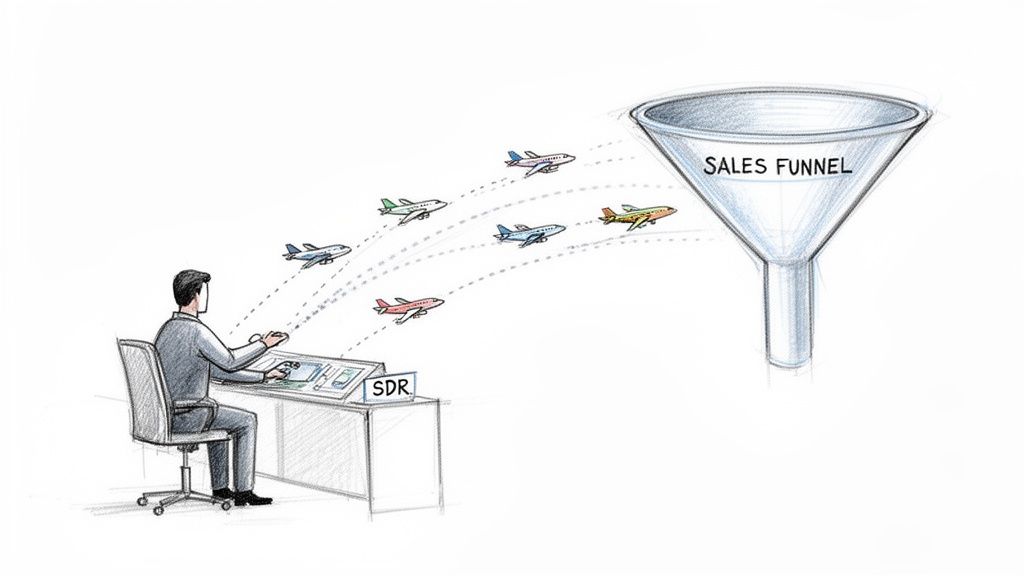
Here's a good way to picture it: an SDR is the air traffic controller for your sales funnel. While the Account Executive is the pilot focused on landing one specific plane (closing the deal), the SDR is managing the entire airspace. They're spotting incoming aircraft (prospects), talking them down to understand their destination and readiness (qualification), and then guiding only the approved flights into the final approach for the AE to take over.
This division of labor is what makes a modern sales org hum. Without SDRs, your most expensive talent—your closers—would spend most of their days digging for leads and talking to people who were never going to buy. It's an incredibly inefficient use of time and skill, much like asking a brain surgeon to also handle front-desk scheduling. The surgeon is far more valuable operating, just as an AE is far more valuable closing deals.
The SDR’s entire world revolves around the very top of the sales funnel. It's crucial to understand: they don’t close deals; they create opportunities. Their day-to-day is a blend of strategic outreach and detective work, all driving toward a single goal: booking a qualified meeting for an Account Executive.
To give you a clearer picture, here's a quick rundown of what an SDR actually does all day.
This table breaks down the main tasks that define the SDR role. As you'll see, everything they do is focused on fueling the top of the pipeline with high-quality opportunities.
Responsibility
Description
Impact on Sales Pipeline
Prospecting
Using tools and research to identify companies and contacts that fit the ideal customer profile (ICP).
Builds the initial list of potential leads to engage with.
Outreach
Engaging prospects through a mix of cold calls, personalized emails, and social media touches (like LinkedIn).
Starts the initial conversation and puts the company on the prospect's radar.
Qualification
Asking smart, targeted questions to see if a prospect has a real business problem, the budget, and the authority to buy.
Filters out unqualified leads so AEs only spend time on deals that can actually close.
Booking Meetings
Scheduling a qualified discovery call or demo between the prospect and an AE.
This is the primary handoff point and a key success metric for the SDR.
Ultimately, their job is to tee up at-bats for the rest of the team. They ensure the pipeline never runs dry.
An SDR’s value isn’t measured by revenue closed but by the quality and quantity of the pipeline they build. They are the engine of predictable growth, ensuring the rest of the sales team always has a steady stream of viable opportunities to pursue.
Over the last decade, the SDR role has exploded in B2B tech sales, evolving from basic "smile-and-dial" cold calling into a sophisticated, data-driven discipline. Specialization won out because it just works better.
Today, with a median base salary of $60,000 and on-target earnings hitting $85,000, the role attracts ambitious, tech-savvy professionals. They master the art and science of effective outbound lead generation and, in doing so, free up Account Executives to do what they do best: run meetings and close deals.
To really get what an SDR does, you have to walk a mile in their shoes. But not just any SDR—a top performer. Their day isn't a chaotic scramble of random calls and emails. It's a structured, high-intensity sprint focused on one thing: creating qualified opportunities.
This is a game of disciplined execution, where every minute is an investment.
The day doesn't kick off with a headset on and a dialer humming. It starts with quiet focus. A high-performing SDR carves out their first hour for sharp, targeted research, not mindless scrolling. They're hunting for "trigger events"—a fresh funding announcement, a key executive hire popping up on LinkedIn, or a prospect's company getting a mention in the news. This isn't about collecting trivia; it's about finding a damn good reason to reach out right now.
Morning is go-time. This is prime territory for strategic outreach. While an average rep might just start hammering a list from top to bottom, a top performer executes a planned, multi-touch sequence.
9:00 AM - 10:30 AM: Strategic Calling. This block is reserved for the highest-priority accounts they just researched. The goal isn't just to talk to anyone who picks up. It's about navigating past gatekeepers and leaving voicemails that are short, relevant, and directly reference the trigger event they found earlier.
10:30 AM - 12:00 PM: Personalized Emails. Right after the calls, they follow up with hyper-personalized emails. These are not templates. Each one hits on a specific pain point relevant to the prospect's role or industry, tying it all back to that initial trigger event.
This thoughtful approach is the polar opposite of the old "spray and pray" method. While one rep sends 100 generic emails and maybe gets one bite, the high-performer sends 20 highly personalized ones and books two meetings.
The afternoon is all about persistence and preparation. After lunch, the energy shifts from kicking down doors to methodically following up and handling the admin that comes with the territory.
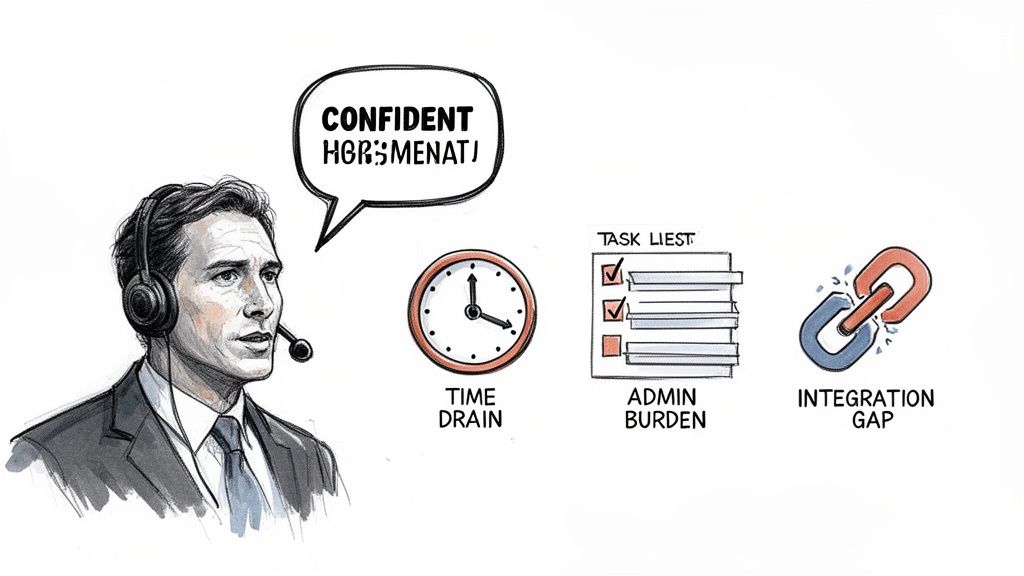
The real challenge for any SDR is the constant context switching. Jumping from a live call, to email writing, to updating the CRM, to researching the next prospect is mentally draining and a huge productivity killer.
This is where true discipline makes or breaks a rep. A great SDR doesn't let the administrative tasks pile up. They update the CRM immediately after every call or email, making sure the data is clean and actionable for everyone else. The last hour of the day isn't for coasting—it's for planning the next day's attack, teeing up the top accounts so they can hit the ground running tomorrow morning.
This constant battle against manual data entry and task juggling is exactly where modern tools make all the difference. By slashing the time spent on busywork, they free up the SDR to focus more of their day on the one thing that actually generates pipeline: having meaningful conversations with potential customers.
SDR vs. BDR vs. Account Executive: A Clear Comparison
In the sales world, the acronyms can feel like a bowl of alphabet soup. SDR, BDR, AE… what’s the difference? If you’re building a real growth engine, you have to get this right. While they all work together toward the same goal, their actual missions, daily grinds, and how they get paid are worlds apart.
Think of your sales process like a relay race. The BDR and SDR are your opening runners, but they start in slightly different lanes.
A Sales Development Rep (SDR) usually handles inbound leads. These are the folks who've already shown some interest—maybe they downloaded a whitepaper or filled out a "request a demo" form. The SDR's job is to qualify that interest, making sure the lead is a genuine fit before passing the baton. The SDR is a filter.
A Business Development Rep (BDR), on the other hand, is a pure hunter. They’re all about outbound prospecting, digging up opportunities from cold accounts that have never heard of you. BDRs are on the front lines, creating demand where none existed before. The BDR is a miner.
The Account Executive (AE) is the anchor on this relay team. They don’t even start running until an SDR or BDR has qualified a lead and put a meeting on their calendar. The AE’s entire focus is on the back half of the sale: running discovery calls, giving killer product demos, negotiating contracts, and, ultimately, closing the deal. The AE is a closer.
The handoff from an SDR or BDR to an AE is one of the most fragile moments in the entire sales cycle. A clean handoff gives the AE all the context they need for a great conversation. A sloppy one forces the prospect to repeat themselves and kills all momentum.
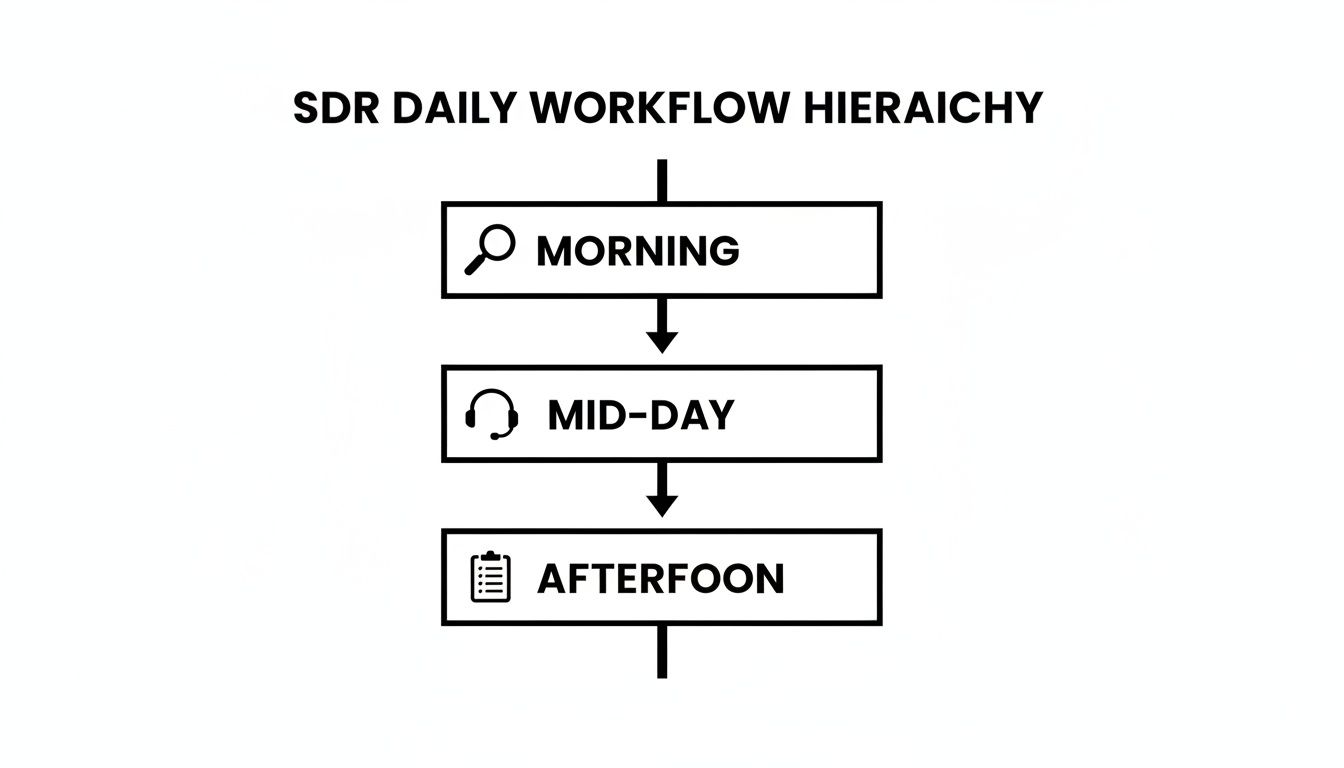
This workflow shows how a top-performing SDR structures their day to create those perfect handoff opportunities.
As you can see, the day is highly structured, moving from research and prep in the morning to heavy outreach in the middle of the day, and finally wrapping up with admin tasks. It’s all geared toward one thing: booking qualified meetings.
Following up on form fills, qualifying webinar attendees, responding to inquiries.
Building target account lists, cold calling, writing personalized emails, social selling.
Leading discovery calls, running product demos, creating proposals, negotiating contracts.
Key Metrics
Meetings booked, Sales Qualified Leads (SQLs) accepted by AEs.
Net-new opportunities created, meetings booked from cold outreach.
Quota attainment, closed-won revenue, average deal size.
Getting these roles straight is the first step to building a team where everyone knows their job and executes it without tripping over each other. The SDR is the gatekeeper, the BDR is the explorer, and the AE is the closer. Each one is essential for a high-functioning sales machine.
What separates an SDR who just gets by from a top performer who consistently crushes their quota? It’s not just about hammering the phones harder. Elite SDRs are a potent mix of specific soft skills and a sharp focus on the metrics that actually move the needle.
The job is a high-stakes balancing act of resilience and strategy. SDRs face a tidal wave of rejection, so the ability to shake off a string of "no's" and get right back in the game is non-negotiable. This unshakeable resilience is the bedrock of success in this role.
But grit alone isn't enough. The best reps are intensely coachable. They don't just take feedback; they actively hunt for it. They're constantly tweaking their scripts, trying new angles, and treating every lost opportunity as a data point to refine their process. It's not a failure, it's a lesson.
While resilience and coachability are the foundation, a few other skills are critical for turning effort into qualified meetings day in and day out.
Active Listening: This is a classic for a reason. Top SDRs listen more than they talk, period. They aren't just waiting for their turn to pitch; they're digging for pain points, keywords, and buying signals that let them connect their solution to a real problem.
Masterful Time Management: A great SDR’s day is a clinic in prioritization. They know which accounts to call first thing, when to switch over to email campaigns, and how to block out research time without falling down a rabbit hole. It’s about managing your energy, not just your calendar.
Sharp Business Acumen: You can't solve a problem you don't understand. Having a genuine grasp of a prospect's industry, business model, and common challenges elevates an SDR from a generic salesperson to a credible advisor.
Vanity metrics like "meetings booked" are dangerous because they don't tell the whole story. A successful SDR and their manager track a more balanced scorecard to understand what’s really working. They focus on the quality and efficiency of their outreach, not just raw volume.
The reality of the role is tough; recent data shows that only 57.3% of SDRs hit their quota. A big reason is that many reps simply aren't getting enough at-bats—a staggering 66.7% contact 250 or fewer prospects a month, which severely limits their chances. You can explore more sales performance statistics and learn about this trend.
To stay on the right side of those numbers, top teams measure the leading indicators that predict success. These include:
Dials-to-Connect Ratio: How many calls does it take just to get a human on the line? A low ratio is a red flag—it might point to bad data, poor timing, or a busted script.
Email Reply Rate: Are people opening your emails? More importantly, are they responding? This metric is a direct reflection of how well your personalization and messaging are landing.
Conversations-to-Meeting Ratio: Of all the actual conversations you have, how many turn into a qualified meeting? This is where an SDR's skill in navigating objections and qualifying interest really shines through.
Sales Qualified Leads (SQLs): This is the ultimate bottom line. It measures how many meetings booked are actually accepted by an Account Executive. An SQL confirms the lead is high-quality and ready for a real sales conversation. Check out our guide on the most important KPIs for lead generation for a deeper dive.
Think of the Sales Development Representative role less as a destination and more as a high-intensity training ground. It's the launchpad for a serious career in tech sales. Most successful SDRs put in 12 to 24 months on the front lines, mastering the art of prospecting, qualifying leads, and building resilience before they move up.
That time in the trenches builds the foundation for almost any customer-facing role you can imagine. Once you've proven you can consistently generate pipeline, several clear and compelling career paths open up. It’s one of the most reliable ways to break into the tech industry.
The skills you sharpen as an SDR are gold. They're directly transferable, paving the way for a few common next steps.
Account Executive (AE): This is the classic path. After spending a year or two teeing up deals, you’re perfectly positioned to learn how to close them yourself. It just makes sense.
SDR Manager or Team Lead: If you’ve got a knack for process and a passion for coaching, leadership is a natural move. You take your hard-won experience and use it to train the next wave of reps.
Customer Success Manager (CSM): An SDR develops a deep, firsthand understanding of customer pain points. That empathy is priceless when it comes to helping existing clients get real value from a product.
Marketing Roles: The daily feedback loop from prospects gives SDRs a unique gut feeling for what messaging actually works. That's a skill that's incredibly valuable in demand generation or product marketing.
SDR pay is built to reward hustle. The structure is typically based on On-Target Earnings (OTE), which is a mix of a fixed base salary and variable, performance-based commissions. You eat what you hunt.
The average base salary for an SDR often lands between $51,375 and $66,960. But that’s only half the story. When you factor in commissions, the median OTE jumps to around $85,000. Top performers can even pull in up to $127,955.
Location matters, too. For instance, SDRs in Seattle average $95,000, while reps in other major tech hubs like San Francisco and New York see OTEs closer to $75,000.
When you're ready to make your next move, framing your accomplishments correctly is key. If you're looking for guidance on how to showcase your impact, this guide for building a medical sales resume has some great, transferable tips for highlighting metrics.
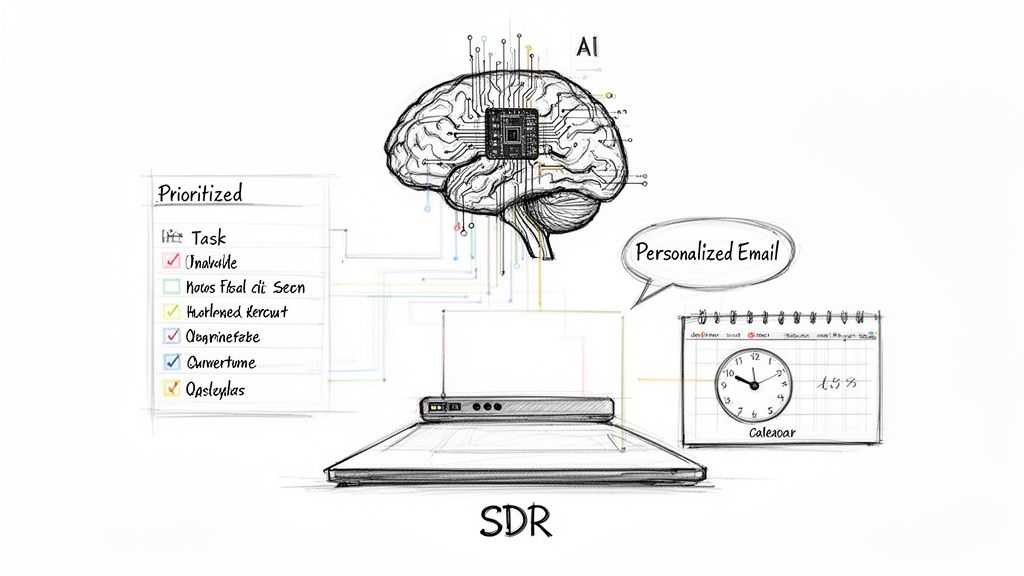
Ultimately, tools that help SDRs get their daily work done more efficiently are what drive those commission numbers. Think of an AI-powered task engine that tells a rep exactly what to do next to hit their goals.
This kind of focused workflow helps SDRs crush their activity and meeting targets faster, which translates directly to a fatter paycheck.
The old-school SDR playbook—endless manual research, copy-pasting templates, and hours of administrative grunt work—is officially dead. AI isn't just tweaking the process; it's completely rewriting it. The role is shifting from a high-volume grind into a strategic, high-impact position by automating the monotonous tasks that SDRs hate but are critical for hitting quota.
Think of it this way: AI sifts through all the noise—the buyer signals, the CRM data, the social activity—and then hands the SDR a clear, actionable game plan. Instead of guessing who to call next, reps are guided by an intelligent co-pilot.
One of the biggest time-sinks for any SDR is simply figuring out what to do next. Do I call this person? Research that company? Follow up on an old email?
AI-powered task engines wipe that indecision off the map. They analyze countless buyer signals—like website visits, content downloads, or previous interactions stored in your CRM—to build a perfectly prioritized workflow for the day. Every single action an SDR takes is the most valuable one they could be taking at that moment.
For managers, this is huge. It builds a consistent, repeatable outbound motion across the entire team. No more rogue reps spending half their day on LinkedIn research while others make random cold calls. This focused approach drives up team activity and, more importantly, pipeline—without burning everyone out.
The point of AI isn't to replace the human SDR. It's to amplify their skills. AI handles the robotic, time-sucking work so reps can focus on what they do best: having high-quality conversations and building relationships.
Personalization at Scale (Without Losing Your Mind)
Here's the classic SDR dilemma: personalize every single email and only reach a handful of prospects, or blast a generic template to hundreds and get ignored? Generative AI finally solves this.
AI can draft hyper-relevant emails and call scripts in seconds, pulling context from a prospect’s LinkedIn profile, recent company news, or their activity history in your CRM. The result is outreach that feels specific and human, not like it came off an assembly line.
The difference in output is staggering. A human might struggle to truly personalize 20 emails in an hour. An AI can generate 200 with that same level of detail. The SDR’s job then shifts from writer to editor, giving each message a final human check before it goes out. This is a core part of how AI-powered marketing automation is changing the game entirely.
When execution-first platforms like marketbetter.ai plug directly into tools like Salesforce or HubSpot, every call, email, and note gets logged automatically. This kills the friction of manual data entry and gives sales leaders a clean, real-time view of what's actually working. The SDR role transforms from a black box of activity into a transparent, data-driven engine for growth.
Free Tool
Try our AI Lead Generator — find verified LinkedIn leads for any company instantly. No signup required.
Even after you get the basics down, a few practical questions always pop up. Here are the straight answers to the things I hear most often from new and aspiring SDRs.
It’s a dead heat between two things: handling the constant rejection and just trying to manage your time. The job pulls you in two directions at once—you need massive outreach volume, but you also need to make every touch feel personal. That balancing act can feel totally overwhelming at first.
Honestly, learning to stay resilient when you hear "no" all day long is the most important skill for survival. It's a mental game just as much as it is a numbers game.
Most reps spend somewhere between 12 and 24 months in the seat. That's usually the sweet spot to really master prospecting, qualifying leads, and handling objections without hitting a wall and burning out.
Once they've proven they can consistently hit their numbers, high-performing SDRs usually get promoted to an Account Executive role. Other common moves are stepping up to an SDR Team Lead spot or shifting into a related field like Customer Success or Marketing.
The SDR role is a foundational step, not a final destination. Its primary value is in building the skills, discipline, and business acumen needed to excel in more advanced sales or customer-facing positions.
Can You Be a Successful SDR Without Cold Calling?
You can certainly generate some leads through email and social selling, but trying to succeed without picking up the phone is like fighting with one hand tied behind your back. Cold calling is still one of the fastest ways to cut through all the digital noise and have a real conversation.
Look at any top performer—I guarantee they're using a mix of channels, and the phone is a critical piece of that puzzle. It's just the best tool for building rapport quickly. If you decide not to call, you're leaving a huge amount of opportunity on the table that other reps are happy to pick up.
Ready to eliminate the busywork and let your SDRs focus on what they do best? marketbetter.ai turns buyer signals into a prioritized task list and helps reps execute faster with an AI-powered dialer and email writer directly inside Salesforce and HubSpot. Discover how to build a consistent outbound motion today.
Let's be blunt: most sales reps hate logging phone calls. It feels like boring admin work you have to do after the real work of selling is over. But skipping this step sends ripples of chaos through the entire sales operation.
So, what exactly is call logging? It’s the process of recording the key details of a call—duration, outcome, notes—right inside your CRM. Think of it as creating a reliable history for every conversation with a prospect. Done manually, it's a chore. Done automatically, it's your secret weapon.
When reps don't log their calls, you get a mess. Inconsistent data entry leads to wildly inaccurate forecasts, deals that fall through the cracks, and managers who are completely blind to what’s actually happening on the ground.
Every unlogged call is a missing piece of the puzzle. Without that data, you lose priceless intel on customer objections, what competitors are up to, and the subtle buying signals that tell you a deal is ready to close.
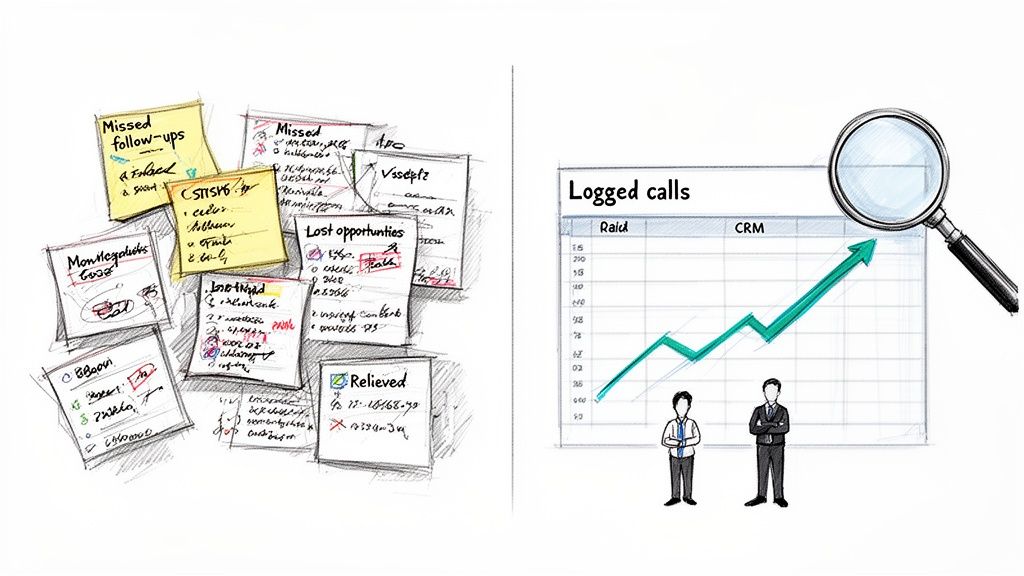
On the first, reps rely on a messy mix of handwritten notes, random spreadsheets, and their own memory. A manager trying to coach a struggling rep has zero data to figure out what's going wrong. Compare this to a team with a clean, well-maintained CRM where every call is logged. A sales leader can see which scripts are actually converting prospects into meetings. They can spot team-wide weaknesses based on common objections and coach reps effectively. That's the difference between guessing and knowing.
Actionable Tip: Audit your team's logged calls from last week. Can you confidently explain why a key deal stalled just by reading the CRM history? If not, you have a clarity problem that consistent logging can solve.
Proper call logging is the engine for a scalable, data-driven sales process. It transforms individual effort into collective intelligence, empowering everyone from the SDR on the front lines to the VP of Sales in the boardroom.
The need for smart call logging is only getting bigger. Globally, an incredible 13.5 billion calls are made every single day. For sales teams, that massive volume makes the pain of manual data entry feel even worse. Reps end up wasting hours that could have been spent selling.
This isn't just a time-suck; it's a costly mistake. Poor data hygiene is a huge financial drain on businesses, and inconsistent call logging is one of the main culprits. Consider this comparison: a clean database is like a well-oiled machine, where every outreach is precise. A messy one is like trying to drive with a foggy windshield—you're moving, but you can't see where you're going.
Clean data is the fuel for a high-performing sales machine. You can explore our guide on sales enablement best practices to see just how critical it is. When done right, call logging turns raw activity into predictable pipeline and attributable revenue.
Choosing Your Workflow: Manual vs. Automated Call Logging
When it comes to logging calls in your CRM, you’re at a fork in the road. Do you stick with the old-school, manual process baked into Salesforce or HubSpot, or do you bring in automation? This isn’t just about saving a few clicks—it’s a fundamental choice that impacts your team's rhythm, productivity, and the quality of your data.
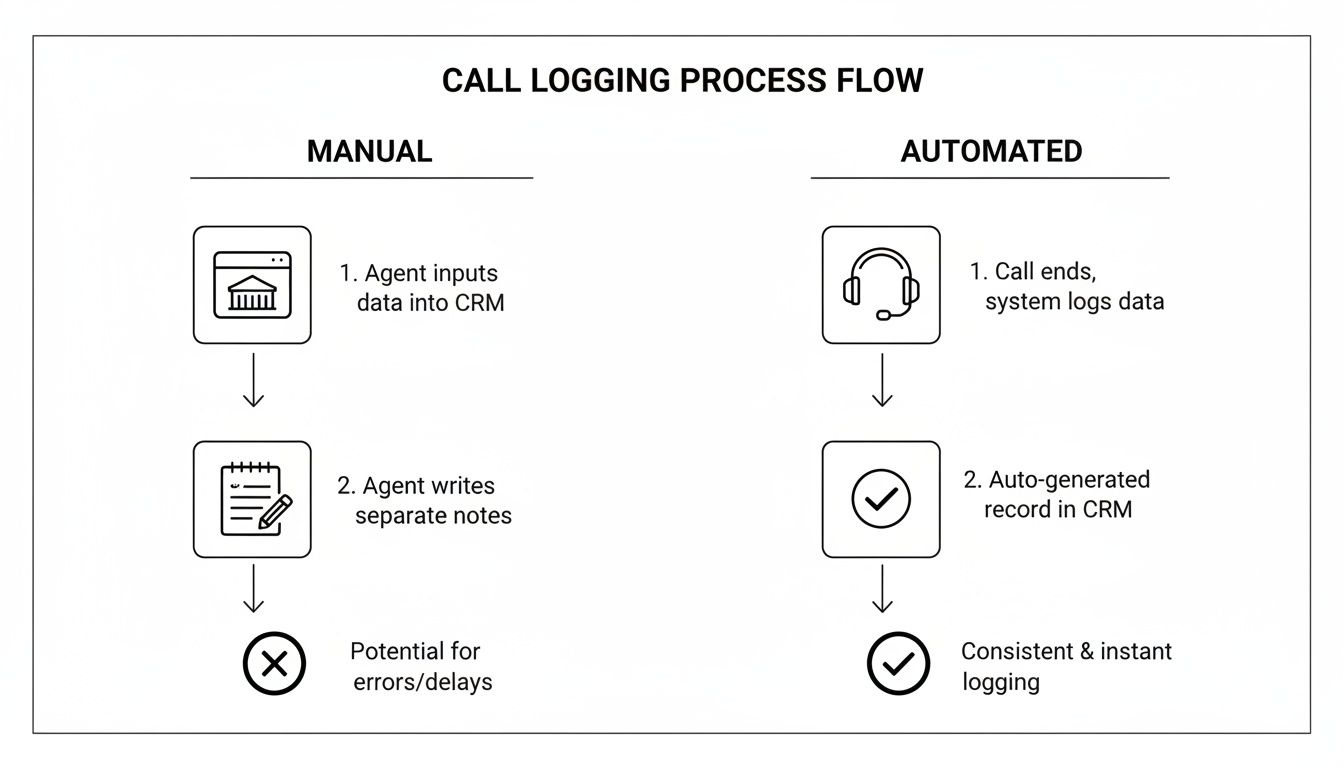
Manual logging is that clunky, multi-step shuffle every rep has had to learn. In contrast, an automated system makes the process invisible. Let's compare the two approaches directly.
Let’s walk through a real-world scenario. An SDR just wrapped up a discovery call. To log it in Salesforce, they have to:
Navigate away from their call list to find the contact's page.
Hunt for and click the "Log a Call" button.
Fill in the subject line, recall the key conversation points for notes, and just hope they don't forget a critical detail.
Scroll through a dropdown to find a disposition like "Connected" or "Meeting Booked."
Click save, then navigate all the way back to their list to find the next person to dial.
That whole sequence can easily take two to five minutes. Multiply that by dozens of calls per day, per rep, and the lost productivity is staggering. Even worse, the data quality tanks. When rushed, reps scribble vague notes or pick the wrong disposition, making the data totally useless for managers trying to spot trends or coach effectively.
The biggest flaw in manual call logging is that it relies on perfect discipline after every single interaction. In the real world of sales, that’s an unrealistic expectation. It sets both reps and leaders up for failure with incomplete, unreliable data.
Automated logging, on the other hand, is all about making the process invisible. When you use an integrated dialer that lives right inside your CRM, the system does the admin work for you. A rep clicks to dial from a contact record, and the tool is already primed to capture everything.
The moment the rep hangs up—bam. The call is instantly logged to the right contact with the duration, time, and outcome recorded automatically. This is a night-and-day comparison to the manual scramble. The best tools even use AI to generate structured call summaries and pull out next steps, completely wiping out the need for manual note-taking.
This workflow doesn't just save time; it enforces consistency. Adoption skyrockets because the easiest path is finally the correct one. Reps stay locked in on selling, and managers get the clean, reliable data they need to coach, forecast, and win.
Manual vs. Automated Call Logging Workflow Comparison
Looking at the two workflows side-by-side really brings the differences into focus. It's not just about speed; it's about the entire operational impact on your sales team.
Feature
Manual Logging (Standard CRM)
Automated Logging (Integrated Dialer)
Rep Workflow
Post-call data entry; requires navigating to different screens
Click-to-call from the CRM record; logging happens in the background
Time Per Call Log
2-5 minutes of administrative work
~5-10 seconds; instant and automatic
Data Accuracy
Prone to human error, incomplete notes, and incorrect dispositions
Highly accurate; captures call time, duration, and outcome perfectly
Note Taking
Relies on rep's memory; often rushed and inconsistent
AI-generated summaries, transcripts, and action items
Adoption Rate
Low; seen as a chore that slows reps down
High; becomes the path of least resistance for reps
Data Consistency
Varies wildly from rep to rep, making analysis difficult
Standardized format for all logged calls, enabling clean reporting
Productivity Impact
Drains selling time and creates constant context switching
Maximizes selling time by eliminating administrative tasks
Ultimately, the table tells the story. Manual logging is a constant tax on your team's time and your data's integrity. An automated, integrated system pays dividends by keeping your sellers focused on what they do best: selling.
How to Automate Your Call Logging in Salesforce and HubSpot
Let's be honest: moving away from manual call logging is all about getting your team's time back. Ditching the sluggish, post-call admin work frees them up to do what you hired them for—sell.
The key is finding an integrated dialer that lives inside your CRM. It needs to make logging phone calls a completely invisible background process, not another chore on the to-do list.
The best tools plug right into Salesforce or HubSpot via their API. Compare this to external tools that force reps to open another tab or fire up a separate app. The goal is a zero-click action where the system handles all the grunt work.
Setting up automation isn’t just flipping a switch. It’s about molding the system to fit your actual sales process. Once you’ve connected your dialer, the first real step is mapping your call dispositions. This is where you tell the system exactly what to do when a rep marks a call with a specific outcome.
Actionable Tip: Get your sales leaders and top-performing reps in a room for 30 minutes. Map out your 5-7 most critical call outcomes and define a clear automated action for each.
When a call is marked "Connected," the system should instantly create a completed call activity on the contact’s record.
If the outcome is "Left Voicemail," it can log the call and automatically create a follow-up email task for the next day.
A "Meeting Booked" disposition is the big one. This should automatically update the contact's lifecycle stage and create a calendar event.
This kind of setup turns simple call outcomes into powerful workflow triggers. Your CRM data suddenly becomes not just complete but genuinely actionable.
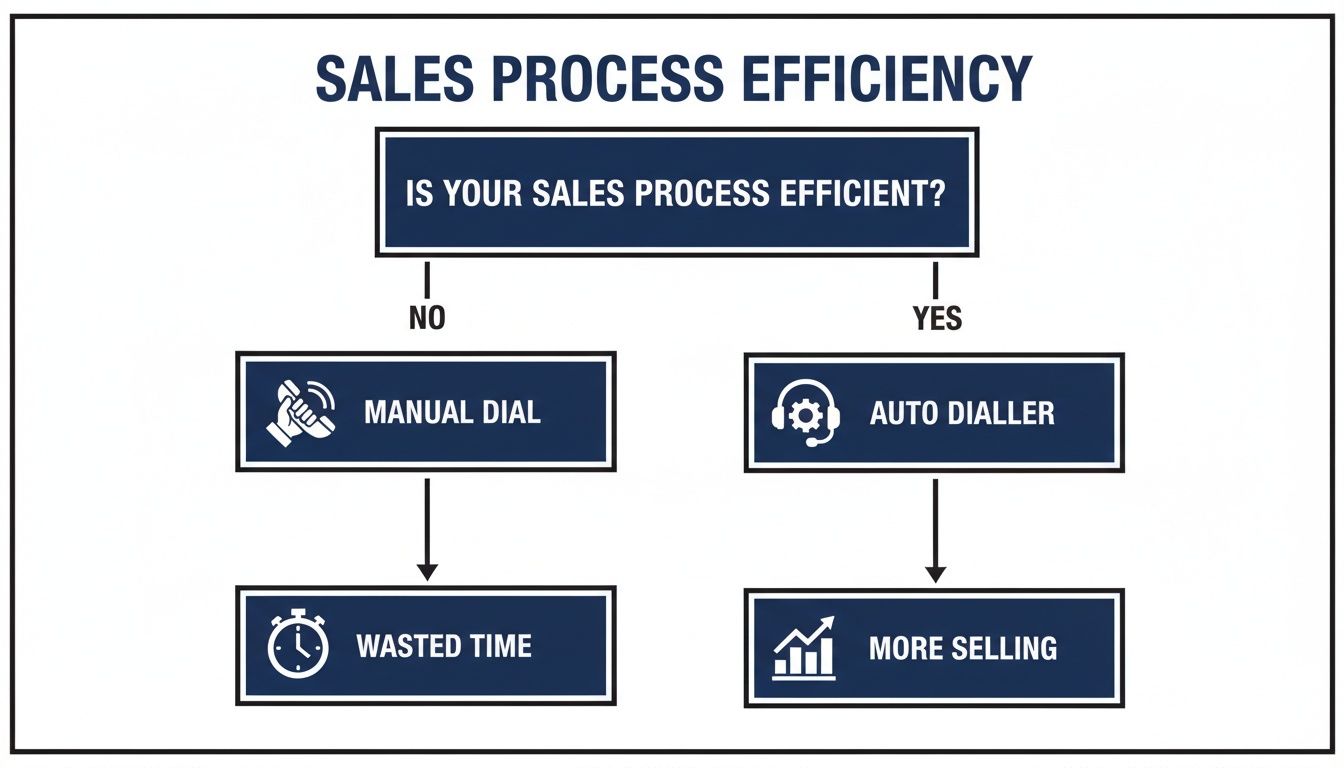
This flowchart lays out the stark difference between the tedious, multi-step manual process and a slick, single-click automated one.
As you can see, automation just wipes out all the administrative friction. Reps can move straight from one call to the next without breaking their focus or losing momentum.
Real automation goes way beyond just logging that a call happened. Modern tools use AI to create structured call summaries, turning what used to be a five-minute scramble to type up notes into an instant action.
Compare the old way—reps struggling to recall key details—to the new way, where AI can transcribe the entire call and pull out the good stuff:
Key customer objections
Mentions of specific competitors
Explicitly defined next steps
Critical budget and timeline information
By using AI-powered templates, you ensure every single call summary is consistent, structured, and actually useful. This isn't just about saving a few minutes here and there; it's about building a uniform dataset that sales leaders can use to spot trends, coach reps, and refine their strategy.
An AI-powered system like MarketBetter, for instance, can generate these summaries and log them to the correct Salesforce or HubSpot record automatically. Our guide to AI for cold calls digs into how this technology is completely changing the game for rep productivity.
The result is a workflow so seamless your reps won’t just use it—they’ll wonder how they ever survived without it. It's the kind of built-in efficiency that turns good reps into great ones by letting them focus 100% on selling.
Crafting High-Quality Call Notes and Dispositions
Let's be blunt: just logging that a call happened is useless. A checkmark in your CRM doesn't tell you anything. It’s the intelligence inside that log that fuels your whole sales motion.
Compare a log that says "Connected" with one that details a specific budget objection. The first is a data black hole; the second is actionable coaching material. That’s what separates the teams that guess from the teams that know.
Think of call notes as the story of the conversation. Vague entries like "Good chat" are a waste of keystrokes. A good note is a scannable brief for your future self or the new AE who takes over the deal in six months.
To get this right across the whole team, you need a framework. It’s not complicated, but it turns rambling thoughts into strategic assets.
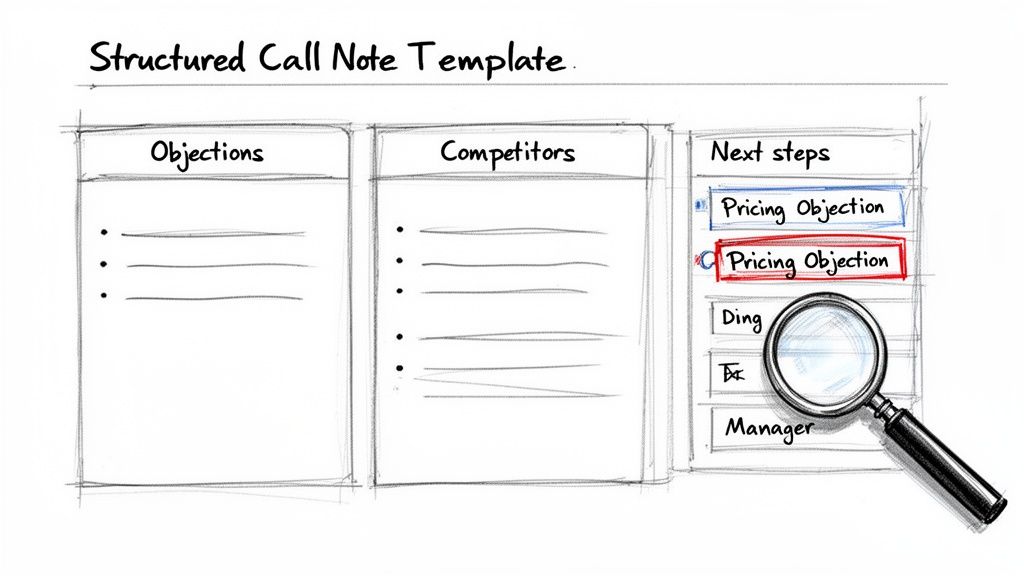
Actionable Tip: Create a mandatory, three-part template in your CRM for all call notes. Train your team to use it for one week and measure the difference in data quality. The template should capture:
Key Objections: What roadblocks came up? "Pricing Objection" or "Timing Isn't Right"? Documenting this helps managers spot trends.
Competitor Mentions: Did they name-drop a rival? Note who it was and why. This is pure gold for your product and marketing folks.
Explicit Next Steps: Never write "follow up." Define the action. "Send case study on Project Management integration by EOD Thursday; schedule 15-min follow-up for next Tuesday." That’s a plan.
This structure transforms every CRM entry from a chore into a piece of competitive intelligence.
Why Structured Dispositions Are a Manager’s Best Friend
While notes give you the story, call dispositions give you the data. Dispositions are just the standardized labels you stick on every call—think 'Connected,' 'Left Voicemail,' 'Wrong Number.'
Used the right way, they become a sales manager's most powerful reporting tool. Imagine your team's connect rate suddenly tanked. Compare the nightmare of reading thousands of individual call notes to the ease of filtering by disposition. With structured data, you can instantly see a spike in "No Answer - Direct Line," pointing you straight to a problem with your data provider.
A well-designed set of dispositions lets you slice and dice your call data instantly. A manager can pull a report of every call with a 'Pricing Objection' disposition to see which reps need coaching on value selling. Raw activity becomes a targeted training plan.
So, what's the catch? The biggest problem with getting high-quality notes and dispositions is the mountain of admin work it dumps on reps after every call. This is where modern AI tools completely change the game.
Compare a rep's memory and typing speed to an AI that transcribes the call, pinpoints key topics, and fills out your note template without the rep lifting a finger. It yanks out objections, competitor names, and action items, then summarizes the whole conversation.
This guarantees every call log is consistent, detailed, and captured the second the call ends. The human bottleneck is gone. Your team can maintain perfect data hygiene while spending 100% of their time actually selling. It’s the bridge between what reps should do and what they actually have time to do.
Let's be blunt: how you log calls is just as critical as why. In a world filled with data privacy regulations and skeptical customers, your approach to compliance and security isn't just about checking a legal box. It's the foundation of trust.
This isn't just about dodging fines; it’s about respecting your customers' privacy. The second you hit "record" on a call, you're wading into a complex legal landscape shaped by consent laws that change dramatically from one place to the next.
The first thing every sales leader needs to drill into their team is the difference between one-party and two-party consent. This single distinction dictates how your reps must handle the start of every recorded conversation.
One-Party Consent: In these states or countries, only one person on the line—your sales rep—needs to know the call is being recorded.
Two-Party (or All-Party) Consent: In these regions, everyone on the call has to give their explicit permission. That familiar "This call may be recorded for quality assurance" isn't just a courtesy; it's a legal requirement.
Actionable Tip: Create a simple cheat sheet that lists the consent laws for your top 10 sales territories. Make it a mandatory part of your new-hire onboarding and require reps to review it quarterly.
Navigating compliance isn't just a box-ticking exercise. It's about creating an auditable record that protects your business and proves your commitment to ethical communication, building customer confidence in the process.
Once you have the recording and notes, your responsibility has only just begun. You have to protect that data.
Regulations like GDPR in Europe and CCPA in California are incredibly strict about how customer data is stored, processed, and secured. When you log call details in your CRM, that information must be guarded with the same intensity as any other sensitive customer data. You can explore how data management intersects with CRM tools in our article on customer data platform integration.
This job is made harder by the rampant distrust in phone calls today. One report flagged a staggering 13.7 billion suspected spam calls in a single quarter. It’s no wonder SDRs face a 79% unanswered rate for unidentified calls.
Using a professional, integrated system for logging calls helps secure that data and protects your team from potential disputes down the line. Beyond the big-name regulations, your overall information security posture matters. Frameworks like the ISO 27001 and ISO 27002 standards offer a rock-solid playbook for managing security risks.
Free Tool
Try our AI Lead Generator — find verified LinkedIn leads for any company instantly. No signup required.
Even the best-laid plans run into questions on the ground. When you're rolling out a new system for logging calls, here are some of the most common things that pop up for sales leaders, reps, and ops managers.
Manually, you’re looking at anywhere from two to five minutes per call. That’s the time it takes to find the right contact, create the activity, type out notes, and pick a disposition. Compare that to an automated system, where the log is created instantly in the background the second the call ends. Those few minutes saved on every single call quickly turn into hours of additional selling time each week, for every rep on your team.
Does Call Logging Software Work with VoIP Systems?
Yes, absolutely. Most modern call logging tools are built specifically for Voice over Internet Protocol (VoIP) systems. In fact, the best solutions—the ones that live right inside your CRM—often use VoIP to power their own click-to-call features.
Actionable Tip: When evaluating a tool, ask this specific question: "Does your software operate as a native element within the Salesforce/HubSpot UI, or does it run in a separate tab or iFrame?" A tool that’s embedded in Salesforce or HubSpot is infinitely better than one that forces reps to juggle multiple apps.
Can We Automatically Log Calls from Microsoft Teams?
You can. Plenty of teams are using Microsoft Teams for external calls, and there are integrations that connect it back to your CRM to log those activities. But there's a catch.
Let's compare the performance: A native dialer built for your CRM logs data in real time. In contrast, many third-party connectors have a significant delay. For instance, HubSpot's own documentation points out that call data can take an average of 15 minutes to sync. When speed and data accuracy are everything, "eventually" isn't good enough.
What’s the Best Way to Get Reps to Adopt a New System?
Make the right way the easiest way. It’s that simple. If your new call logging process has fewer clicks, less typing, and less friction than the old way, your reps won't just adopt it—they'll thank you for it.
Actionable Tip: Don't just announce a new tool. Run a pilot with a few reps. Have them track their time spent on admin before and after. Use that data to demonstrate the time savings to the rest of the team. Show them it removes work from their plate; don't just add another meeting to their calendar.
Ready to kill manual data entry and give your reps back hours of selling time? marketbetter.ai puts an AI-powered dialer and task engine right inside Salesforce and HubSpot, making perfect call logging an automatic process that runs in the background.
See how you can boost rep productivity and finally get clean CRM data by visiting https://www.marketbetter.ai.
In a world of automated emails and LinkedIn messages, a well-executed phone call is a significant competitive advantage for B2B sales teams. Yet, many SDRs rely on rigid, outdated scripts that feel robotic and kill conversations before they even start. The problem isn't the script itself, it's the type of script. Most traditional templates force reps into a one-way pitch, ignoring the prospect's context and instantly triggering their defenses. In contrast, an actionable, modern sales phone call script is a flexible framework that guides conversation, adapting to real-time objections and prospect tone.
This guide moves beyond those generic, fill-in-the-blank templates. We are breaking down eight scenario-specific sales phone call script frameworks designed for today's skeptical and time-poor buyer. Each example is built to be a flexible, actionable playbook focused on one thing: creating genuine conversations that uncover pain and build qualified pipeline. Forget the monotonous monologues; these are conversation starters.
Instead of just providing text to read, we'll dissect the strategy behind each script. You'll learn:
Specific phrasing to navigate common scenarios, from handling gatekeepers to overcoming objections like "we already use a competitor."
Actionable tactics for personalizing your opener and booking a meeting without sounding pushy.
Strategic comparisons between different approaches, like a pain-first opener versus a value-forward one, so you can choose the right script for the right situation.
We'll also show how tools like MarketBetter’s in-CRM talk-tracks and AI-powered call prep can turn these frameworks into a scalable, coachable system for your entire team. Prepare to replace "just checking in" with strategic, high-impact calls that prospects actually want to take.
1. The Discovery Call: Identifying Pain Points & Building Rapport
The discovery call is less a script and more a strategic framework for conversation. Unlike a rigid pitch which broadcasts features, its goal is to diagnose before you prescribe. A successful discovery call script guides the conversation, allowing the sales development representative (SDR) to listen more than they talk, uncover critical business challenges, and position their solution as a genuine remedy. This consultative approach builds trust and transforms a cold interaction into a collaborative partnership.
This method shines during initial conversations with qualified leads who have shown some intent, such as visiting your website or downloading a resource. It's about validating their interest by understanding the underlying "why" behind their actions.
Example Discovery Questions & Strategic Breakdown
Here’s how this sales phone call script works in practice, tailored for different personas:
Scenario A: Call with a Head of SDR
Question:"How are your SDRs currently spending their time between actual calls and prep work?"
Strategic Goal: This open-ended question is more effective than a simple "yes/no" question because it prompts a quantitative or qualitative response about team efficiency. It directly probes for administrative burdens, a common and costly pain point.
Potential Follow-up:"If they're spending 40% of their day on admin, what's the impact on their quota attainment and pipeline generation?"
Scenario B: Call with a VP of Sales
Question:"From your perspective, how consistently are reps logging their call activity and notes in Salesforce?"
Strategic Goal: VPs care about data integrity for forecasting and strategic planning. This question targets a high-level, systemic issue that impacts the entire revenue organization. Inconsistent logging means unreliable data, a problem MarketBetter's auto-logging directly solves.
Potential Follow-up:"When you pull a pipeline report, how confident are you that it reflects every single touchpoint?"
Leverage Customer Insights: To ask truly insightful questions, you must understand your prospect's world. By actively collecting and analyzing the Voice of Customer, you can build a discovery script that resonates deeply because it's rooted in real-world challenges your target audience already faces.
Use MarketBetter's Pre-Call Prep: Before dialing, use MarketBetter’s call-prep feature to review recent intent signals. A question like, "I noticed someone from your team was looking at our CRM integration page yesterday, which often happens when teams struggle with data hygiene. Is that a priority for you right now?" is far more powerful than a generic opener.
Qualify with a Framework: Structure your questions around a qualification methodology like BANT (Budget, Authority, Need, Timeline) or MEDDIC. This ensures you cover all bases to determine if the prospect is a good fit.
Listen for Key Phrases: Pay attention to words like "frustrating," "bottleneck," "time-consuming," and "inaccurate." Use MarketBetter’s talk-track feature to log these keywords in real-time, creating an instant summary of pain points.
2. The Pain-First Opener: Leading with SDR Team Challenges
The Pain-First Opener is an assertive sales phone call script that flips the traditional model on its head. Instead of a slow build-up about who you are and what your company does, this approach leads with a highly specific, research-backed hypothesis about a prospect's most pressing challenge. By immediately addressing a known pain point, you cut through the noise, demonstrate relevance, and earn the right to continue the conversation.
This tactic is most effective when you have some context about the company, such as its size, recent sales hires, or signals indicating outbound challenges. It positions the SDR not as a generic seller, but as a specialist who understands the unique operational hurdles that come with the prospect's role and industry.
Here’s how to deploy this script effectively for different decision-makers:
Scenario A: Call with a VP of Sales at a growing SaaS company
Opener:"Most sales leaders we work with at companies your size tell us their SDRs spend over two hours a day just figuring out what to do next and updating Salesforce. I'm guessing your team is facing something similar?"
Strategic Goal: This opener is powerful because it's specific ("two hours a day"), relatable (references "companies your size"), and directly ties to the VP's core concerns: productivity and pipeline. It's a calculated risk that pays off with an immediate nod of recognition, opening the door to discuss MarketBetter's task automation.
Potential Follow-up:"How is that admin time impacting your team's ability to hit its meeting-setting targets?"
Scenario B: Call with a RevOps Leader
Opener:"We've noticed most Salesforce-first teams struggle with dialer adoption because it lives outside the CRM, which skews activity data. Is that showing up in your call logs?"
Strategic Goal: This speaks directly to the RevOps mandate for data integrity and tech stack efficiency. It highlights a common system-level flaw (poor integration) and its consequence (unreliable data), immediately positioning MarketBetter’s native Salesforce dialer as the logical solution.
Potential Follow-up:"When your sales leaders look at their dashboards, how confident are they that the call data is 100% accurate?"
Arm Yourself with Data: Use MarketBetter's customer data and case studies to ground your hypothesis. An opener like, "Our customers report a 35% reduction in admin time after the first month," adds credibility and quantifies the potential value from the very first sentence.
Tailor Pain to the Persona: The most effective pain-first sales phone call script is role-specific. For an SDR Manager, focus on ramp time and coaching. For a VP of Sales, emphasize pipeline and forecast consistency. For RevOps, lead with data quality and tech consolidation.
Prepare a Pivot: If the prospect responds, "Actually, that's not an issue for us," don't panic. Pivot smoothly by asking, "I appreciate that clarity. In that case, what is the biggest bottleneck your team faces right now?" This keeps the conversation moving and shows you're there to solve their actual problem.
Keep it Conversational: The goal is to sound like an informed peer, not an aggressive interrogator. Your tone should be collaborative and consultative. Log the prospect's response in MarketBetter's talk-track feature to capture their exact language for follow-ups.
3. The Warm Intro / Referral Script: Leveraging Social Proof & Existing Relationships
A referral is the gold standard of sales leads, instantly elevating a cold call to a warm, trusted conversation. This sales phone call script is designed to capitalize on that existing trust by leveraging the credibility of a mutual connection. Unlike a cold call where you must fight for attention, you start the call with built-in social proof, which significantly lowers the prospect's guard and accelerates the path to a meaningful discussion about their business needs.
This approach is most effective when a current customer, a partner, or a trusted industry peer has recommended your solution. The key is to move from the introduction to discovery seamlessly, using the referrer’s context as a bridge to uncover specific pain points. It transforms the dynamic from a sales pitch into a recommended solution from a trusted source.
Here’s how this sales phone call script works in practice, tailored for different referral sources:
Scenario A: Referral from an Existing Customer
Script:"Hi [Prospect Name], Jane from [Competitor/Peer Company] suggested I reach out. She just rolled out our AI call coaching workflow and mentioned you're also focused on scaling your SDR team this year. She thought you'd want to see how they cut new hire ramp time in half."
Strategic Goal: This immediately establishes relevance and social proof with a tangible, impressive result (cutting ramp time in half). By naming a direct competitor or peer, you create a sense of urgency and FOMO (fear of missing out).
Potential Follow-up:"Given your team is scaling, what does your current ramp-up process look like for new SDRs?"
Scenario B: Warm Intro from a Sales Peer/Partner
Script:"Hi [Prospect Name], Mike from [Partner Company] and I were discussing how RevOps teams are consolidating their tech stacks. He knows we helped his other clients replace three tools with our integrated platform, and thought it’d be worth a quick chat given your current Outreach and separate dialer setup."
Strategic Goal: This script demonstrates insider knowledge of the prospect's tech stack, showing the referrer provided specific, valuable context. It frames the conversation around a common industry pain point (tool consolidation) and positions your solution as a direct remedy.
Potential Follow-up:"How much time is your team spending syncing data between those separate systems right now?"
Confirm the Introduction: Always get permission from the referrer before using their name. A quick email or message like, "Would you be comfortable with me mentioning your name when I reach out to [Prospect Name]?" protects the relationship.
Open with Gratitude and Context: Start by thanking the referrer (e.g., "Jane was kind enough to connect us"). Immediately follow with the specific context they provided, such as, "She mentioned you were struggling with...." This proves the call is not random.
Acknowledge the Referrer's Credibility: Validate the introduction's value. A phrase like, "Mike wouldn't have recommended this call if he didn't think it was highly relevant to your goals" shows you respect both the prospect's time and the referrer's judgment.
Have a Pivot Plan: If the prospect doesn't immediately recall the referrer, don't force it. Gracefully pivot to a standard pain-based discovery question. For instance, "No problem at all. The main reason he connected us was the work we're doing around improving sales data hygiene. Is that a priority for you?"
4. The Objection Handler: Overcoming 'We Already Use Outreach/Salesloft'
Facing a well-entrenched competitor is one of the most common hurdles in SaaS sales. This sales phone call script is a strategic framework for turning a reflexive objection into a discovery opportunity. Instead of trying to replace an established tool like Outreach or Salesloft, the goal is to reposition your solution as a complementary execution layer that fills critical gaps they don't address, such as task prioritization, in-CRM dialing, and automated activity logging.
This approach transforms a competitive roadblock into a nuanced conversation about workflow efficiency. It’s most effective when an SDR hears, "We're already set," because it allows them to pivot from a "rip-and-replace" mentality to a "plug-and-enhance" value proposition. By agreeing with the prospect and then probing on specific workflow pain points, you can uncover hidden needs that the incumbent platform isn't solving.
Example Objection Responses & Strategic Breakdown
Here’s how to navigate this common objection with different angles:
Scenario A: Prospect says, "We're happy with Outreach."
Response:"That's great to hear, they're a solid platform. Quick question for my own understanding: when your reps are planning their day, how do they decide which prospect to call first? Are they working out of Outreach tasks or building views back in Salesforce?"
Strategic Goal: This question is a surgical probe. It acknowledges the competitor's value while shifting the focus to a specific, often inefficient, part of the SDR workflow: daily task prioritization. Most teams admit this is a manual, time-consuming process that happens outside their primary engagement tool.
Potential Follow-up:"Most teams we talk to say that decision-making layer is a real bottleneck. MarketBetter actually sits inside Salesforce to prioritize those tasks, so reps just click and dial with all the right context. Is that something your team has automated today?"
Scenario B: Prospect says, "We already pay for Salesloft; we don't have the budget."
Response:"I completely understand not wanting to add another line item. We actually don't replace Salesloft; we make the reps using it more effective. They're likely using it for email sequences, right? We handle the moment before the call with task prioritization and the moment after with auto-logging. Think of us as the execution engine that maximizes your current investment."
Strategic Goal: This response reframes the conversation from cost to ROI. By positioning MarketBetter as an enhancement, not a replacement, you sidestep the budget objection and focus on amplifying the value of their existing tech stack. It’s about making their current tools more productive.
Potential Follow-up:"What if you could increase your reps' call volume and connect rates by 15% without changing their email cadences? That’s the gap we fill."
Never Disparage the Competitor: The golden rule is to agree and pivot. Phrases like "That makes sense" or "They're a great tool" build rapport. Then, immediately follow up with a specific, workflow-related question that highlights a known gap in their process.
Focus on the "Gaps": Your script should be built around questions that expose the pain points your product solves uniquely. For MarketBetter, these are:
"How do you prioritize which tasks each rep should tackle first?" (Targets manual prioritization).
"Are your reps dialing through Salesloft or a separate click-to-dial tool?" (Targets disconnected dialing).
"How consistently are call notes and dispositions making it back into Salesforce?" (Targets poor data hygiene).
Offer a Low-Risk Pilot: De-risk the decision. Suggest a pilot for a small group, like one SDR for 30 days, focused on a single metric like improving connect rates. This makes the commitment feel manageable and data-driven.
Leverage Social Proof: Use MarketBetter's talk-track feature to have a pre-loaded phrase ready, such as: "We have over a dozen customers who use both MarketBetter and Outreach side-by-side to solve this exact challenge." This validates your "complementary" positioning.
5. The Account-Based Selling (ABS) Script: Multi-Threaded Discovery for Enterprise Deals
The Account-Based Selling (ABS) script is a sophisticated, multi-layered approach designed for complex enterprise deals. In contrast to a standard script focused on a single point of contact, it’s a series of interconnected conversations with different stakeholders within a target account, such as the VP of Sales, SDR Manager, and RevOps leader. The goal is to build a comprehensive business case by understanding and aligning the unique pain points and value drivers of each member of the buying committee. This strategy transforms a linear sales process into a web of influence, creating internal champions for your solution.
This script is crucial when selling high-value, complex solutions into large organizations where decisions are made by committee. It requires thorough research and a consultative mindset, moving beyond a single point of contact to orchestrate a unified narrative across the entire account. When developing an Account-Based Selling (ABS) script, a deep understanding of the Target Account Selling definition is fundamental for multi-threaded discovery and enterprise deals.
Example Multi-Threaded Questions & Strategic Breakdown
Here’s how this sales phone call script is threaded across different roles within one target account:
Scenario A: Initial Call with a VP of Sales
Statement & Question:"We're seeing teams like yours cut SDR ramp time by 40% and add 2-3 extra conversations per rep per day. For your 15-person team, that's over 150 extra qualified conversations monthly. How does that align with your pipeline acceleration goals for Q4?"
Strategic Goal: This frames the conversation around high-level business impact: revenue and pipeline growth. It uses specific, quantified value to grab the attention of a leader focused on the bottom line, opening the door to a broader strategic discussion.
Potential Follow-up:"Who on your team is directly responsible for new hire onboarding and daily rep consistency?" (This directly tees up the next call).
Scenario B: Follow-up Call with an SDR Manager
Question:"Your VP mentioned that pipeline acceleration is a key priority. I've seen that one of the biggest drags on that is ramp time. What's your typical timeline for a new hire to become fully productive, and how does that impact team quota?"
Strategic Goal: This conversation connects the VP's high-level goal to the SDR Manager's daily operational pain. It positions MarketBetter as an enablement and coaching tool that directly helps the manager hit their team-specific targets, creating another internal advocate.
Potential Follow-up:"If we could get your reps productive 3 weeks faster by automating their prep work, what would that mean for your team's morale and performance?"
Map the Buying Committee First: Before your first call, use LinkedIn and company org charts to identify 3-4 key stakeholders. Use MarketBetter’s pre-call prep to gather intel on each person’s role, responsibilities, and recent company initiatives.
Connect the Dots Between Calls: Start each new conversation by referencing previous ones. For example: "When I spoke with Sarah in RevOps, she mentioned data integrity in Salesforce was a challenge. How does that impact your ability to coach your reps effectively?" This shows you're building a cohesive understanding of their business.
Assign Value Metrics to Each Role: Tailor your value proposition. For the VP, it's pipeline growth. For the SDR Manager, it's rep consistency and ramp time. For RevOps, it's data quality and tool consolidation.
Create a Discovery Summary: After speaking with all key stakeholders, consolidate your notes into a single document. Share this with your champion to validate your findings and use it to schedule a joint demo that addresses every person's specific concerns.
6. The Value-Forward Script: Leading with ROI & Quantified Business Impact
This metrics-driven script flips the traditional sales model. Unlike a discovery script that probes for pain, this one leads with quantifiable business outcomes. It’s designed for conversations with ROI-focused buyers, especially when budgets are tight or procurement is involved. The core principle is to make the cost of inaction more painful than the cost of your solution by presenting an undeniable, data-backed case for investment.
This approach is most effective when engaging with senior leaders (VPs, CFOs) who are accountable for financial performance and operational efficiency. It preemptively answers the "So what?" question by translating your service into the language of revenue, cost savings, and productivity gains.
Example Value-Forward Statements & Strategic Breakdown
Here’s how this sales phone call script translates into a powerful, numbers-driven conversation:
Scenario A: Call with a CFO or Procurement Head
Statement:"Based on your team size of 20 SDRs, a conservative 15% increase in daily dials with our platform translates to over 100 more conversations a month. At your average deal size and close rate, that's a direct path to an additional $375k in annual pipeline, with a payback period on our software of just under five weeks."
Strategic Goal: This statement presents a complete, albeit high-level, ROI calculation upfront. It connects a specific activity (dials) to a top-line business outcome (pipeline), making the value tangible and immediately justifying the cost.
Potential Follow-up:"Would you agree that investing $15k to generate a potential $375k in new pipeline is a priority worth exploring?"
Scenario B: Call with a VP of Sales
Statement:"I noticed your team is hiring three new SDRs. Our data shows that better coaching, enabled by our auto-logging feature, can cut ramp time by three weeks per rep. For your team, that means reclaiming nine weeks of full productivity this quarter alone. What would that mean for hitting your Q3 target?"
Strategic Goal: This ties the solution directly to a current, observable business activity (hiring). It quantifies the cost of the status quo in terms of lost productivity, creating a sense of urgency that is highly relevant to a sales leader’s goals.
Potential Follow-up:"How are you currently measuring the time it takes for a new hire to become a consistent contributor?"
Build a Live ROI Calculator: Don't just present numbers; build them collaboratively. Use key questions to populate a model in real-time. Ask: "How many SDRs are on the team?" "What's your average deal size?" Use MarketBetter’s talk-track feature to input these variables directly into a pre-built ROI template during the call.
Frame the Cost of Inaction: The most powerful ROI argument is often what a prospect is losing by not changing. Frame your value proposition around stopping the bleed. A line like, "Every month you continue with manual logging, you're leaving an estimated $30,000 in potential pipeline on the table," is far more compelling than a list of features.
Prepare Industry-Specific Case Studies: Have concrete ROI data from a similar company ready to go. Saying, "A mid-market SaaS company just like yours saw a 22% increase in meetings booked within 60 days," provides social proof and makes the potential results feel achievable.
Offer a Pilot ROI Scenario: De-risk the decision by proposing a limited, metrics-focused trial. Suggest, "Let's measure these three KPIs on one team for 30 days. If you don't see a 15% improvement, we'll refund the pilot cost." This shows confidence and focuses the evaluation on tangible results.
7. The Product-Specific Deep Dive: The AI-Powered Call Coaching Script
When a prospect moves beyond initial interest and wants to understand the "how" behind your product, a standard sales phone call script falls short. The AI-powered call coaching script is a feature-focused walkthrough, designed to demonstrate tangible value by showcasing a specific workflow. Instead of just telling them you can improve coaching, you show them exactly how your platform, like MarketBetter, transforms a rep’s day-to-day process and a manager's strategic oversight.
This approach is perfect for mid-funnel conversations with leads who have already engaged with high-level content and are now evaluating specific capabilities. It connects the dots between a feature (AI call coaching) and its direct impact on efficiency, rep development, and revenue goals.
Here’s how to tailor this workflow-centric script for different stakeholders:
Scenario A: Call with a Sales Enablement Manager
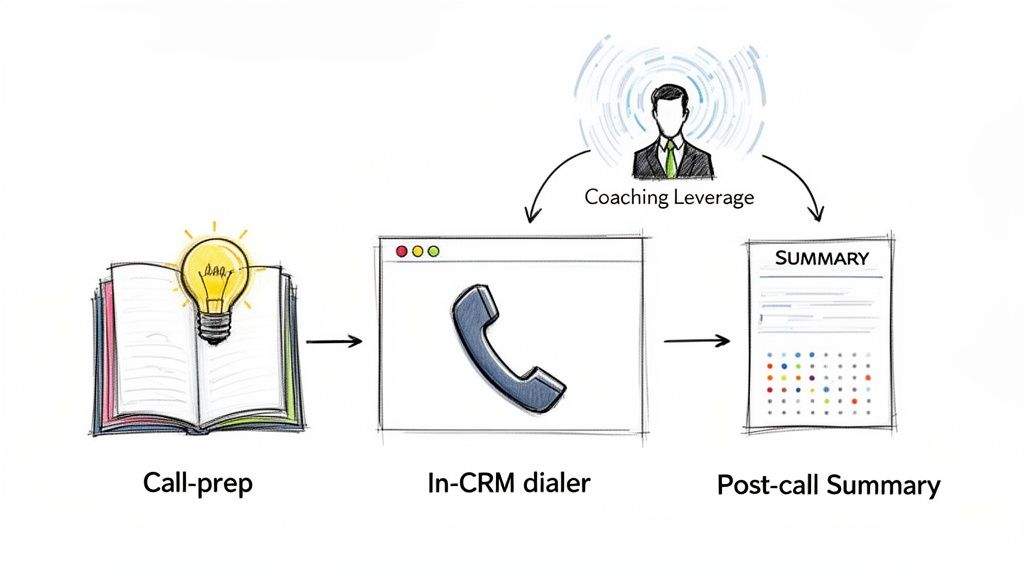
Script:"Let’s walk through the workflow. This morning, your rep pulls up a prospect in Salesforce. MarketBetter's AI instantly auto-generates 4-5 talking points based on recent company news and their persona. It also flags 2-3 likely objections with proven responses from your top performers. The rep reviews this for 3 minutes, then calls through our dialer. After the call, we auto-log the disposition and generate a summary. You see patterns across all calls, like 'objection X came up 12 times this week,' and can coach proactively."
Strategic Goal: This narrative focuses on the entire lifecycle of a call, from prep to post-call analysis. It highlights time savings (3 minutes of prep vs. 15) and scalability, which are core concerns for enablement leaders responsible for rep productivity.
Scenario B: Call with a VP of Sales
Script:"Instead of listening to random call recordings, you'll see a dashboard of all calls this week grouped by outcome. You can drill into 'lost deals' calls and immediately see the common threads. Let's say you notice reps are struggling with our new pricing objection. You listen to 2-3 calls, pull the best response from another rep's call, and that response auto-generates into the talking points for next week. That's how you scale coaching from a 1-to-1 task to a 1-to-many strategy."
Strategic Goal: This script speaks directly to a VP's strategic priorities: data-driven decision-making and performance leverage. It contrasts the old, inefficient method (random call reviews) with a new, systemic approach to improving team-wide performance and hitting revenue targets.
Show, Don't Just Tell: If possible, conduct this conversation as a live screen share. Walk them through an actual MarketBetter call prep screen and post-call summary. Use a real company as an example: "Let's pretend we're calling Acme Corp. Here’s what MarketBetter's AI would show your rep right now."
Quantify the Time Savings: Frame the value in concrete numbers. "Instead of 5-10 minutes of manual research per call, reps get tailored talking points in 30 seconds. Across a team of 20 SDRs, that's over 30 hours of selling time reclaimed each week."
Emphasize the Coaching Multiplier: The core benefit isn't just better calls; it's scalable coaching. Highlight how managers shift from reactive, individual feedback to proactive, team-wide improvements. MarketBetter’s talk-track feature helps identify these patterns automatically.
Address AI Quality Concerns: Be direct. Explain that the AI-generated points aren't generic. "Our talking points are grounded in specific, real-time account context and your own team's past successes, not generic templates."
8. The Follow-Up Sequence Script: From Initial Call to Demo to Close
A single call rarely closes a complex deal. The follow-up sequence is a strategic, multi-touch framework designed to nurture interest, build value, and maintain momentum between the initial conversation and a final decision. In contrast to one-off, reactive check-ins, this sales phone call script structures a series of purposeful interactions, each adding a new layer of value and guiding the prospect closer to a commitment.
This approach is crucial for prospects who show initial interest but aren't ready for a demo, often because of timing, competing priorities, or the need for internal alignment. A well-executed sequence prevents leads from going cold by transforming follow-ups from "just checking in" to "here’s another reason why we should talk."
Here’s a multi-touch sequence designed to guide a VP of Sales from initial discovery to a demo commitment:
Scenario: Nurturing a VP of Sales After a Brief Discovery Call
Call 1 (Day 0 - Initial Contact):"I understand from our initial chat you're focused on scaling the SDR team without tripling your budget. Let's book a 20-minute call next week to explore how you can increase outbound efficiency."
Strategic Goal: Acknowledge their primary challenge (scaling efficiently) and secure a low-commitment next step. The goal isn't a demo; it's simply to continue the conversation.
Call 2 (Day 4 - Pre-Call Value Add):"Ahead of our call, I shared a case study about a team that grew their pipeline by 40% with the same headcount. They focused on automating non-selling tasks. On our call, I'd love to ask, what's the single biggest bottleneck you see for your reps right now?"
Strategic Goal: This call frames the upcoming conversation around a proven success story. By providing value (the case study) before asking for more information, you build reciprocity and position yourself as a helpful resource, not just a seller.
Call 3 (Day 7 - ROI-Focused):"Based on our last chat, I used our ROI calculator with your numbers. With 20 SDRs making just two extra qualified conversations per day, you’re looking at a potential pipeline uplift of over $400k monthly. Would it be valuable to see a live breakdown of how that's possible?"
Strategic Goal: Shift the conversation from abstract problems to concrete financial impact. Tying the solution directly to a tangible ROI creates urgency and makes the decision to see a demo a logical next step.
Map Every Touchpoint: Don't improvise your sequence. Plan the purpose of each call, email, and LinkedIn message in advance. Use MarketBetter’s pipeline view to set reminders and log notes for each stage of the sequence, ensuring no prospect falls through the cracks.
Add Value, Don't Just Ask for Updates: Each follow-up must provide something new: a relevant blog post, a short video testimonial, a custom ROI calculation, or an industry benchmark. This keeps the conversation moving forward and reinforces your expertise.
Vary Your Messaging: Use different angles for each touchpoint. One call might focus on efficiency gains, the next on data integrity for forecasting, and another on SDR ramp time. This multi-pronged approach helps you uncover which pain point resonates most.
Know When to Qualify Deeper: A follow-up sequence is an extended discovery process. As you learn more, continuously refine your understanding of the prospect's needs. This aligns perfectly with the principles of how to properly qualify sales leads throughout the entire sales cycle.
Throughout this guide, we've dissected a variety of high-impact sales phone call script examples, moving far beyond simple word-for-word templates. We’ve explored how to lead with pain points in a discovery call, how to leverage a warm referral for maximum impact, and how to confidently handle the "we already use a competitor" objection. Each script, from the highly targeted ABS approach to the ROI-centric value proposition, serves as a strategic blueprint, not a restrictive set of lines.
The core lesson is this: a powerful sales phone call script is not a cage; it's a launchpad. It provides the structure for consistency while demanding the flexibility of genuine human interaction. The goal is to internalize these frameworks so you can adapt, pivot, and personalize in real-time, transforming a potential monologue into a productive, two-way dialogue.
Key Takeaways: From Framework to Fluent Conversation
The difference between a good SDR and a great one often lies in their ability to transition from reciting a script to owning the conversation. Let's recap the foundational principles that enable this shift:
Customization is Non-Negotiable: A generic sales phone call script is a dead end. As we saw in the "Pain-First Opener" and "Account-Based Selling" examples, deep personalization based on role, industry, and known business challenges is what earns you the right to a conversation.
Context Over Content: The why behind your call is more important than the what. The "Warm Intro" script works because it immediately establishes context and credibility. Always lead with relevance to disarm skepticism and build immediate rapport.
Objections are Opportunities: An objection isn't a rejection; it's a request for more information. Our script for handling competitor objections demonstrated that the best response is to reframe the conversation around undiscovered value or gaps in their current solution, not to attack the competitor directly.
Value Must Be Quantified: Vague promises don't book meetings. The "Value-Forward Script" emphasized leading with specific, quantifiable business impact. Tying your solution to tangible ROI from the very first sentence is your most powerful tool.
Reading about a great sales phone call script is one thing; consistently executing it under pressure is another. The ultimate goal is to bridge the gap between knowing what to do and actually doing it on every single call. This is where process and technology become critical.
Audit and Adapt Your Scripts: Take the templates from this article and benchmark them against your current call scripts. Identify one or two key scripts, like your primary cold call opener or a common objection handler, and begin adapting them. Role-play these new versions with your team to build muscle memory.
Build a Centralized Playbook: Don't let your best scripts live in scattered documents. Create a centralized, living playbook (in a tool like Notion, Confluence, or directly within your sales engagement platform) that your entire team can access and contribute to.
Embed Scripts into Your Workflow: The most effective scripts are those that are seamlessly integrated into the SDR's daily process. This is where tools like MarketBetter transform theory into practice. By embedding dynamic "talk tracks" and call-prep notes directly into your CRM and dialer, you equip reps with the right words at the right moment, eliminating friction and boosting confidence.
Analyze, Coach, and Iterate: A script is never truly "finished." Use call recordings and analytics to understand what’s working and what isn’t. Are reps consistently getting stuck at the gatekeeper? Is a certain value proposition falling flat? Use this data to refine your scripts, provide targeted coaching, and continuously improve performance.
Ultimately, mastering the sales phone call script is about creating a scalable system for excellence. It's about empowering every rep, from the new BDR to the seasoned veteran, with a proven framework for success. By combining strategic scripts with intelligent technology, you can ensure that every dial has a purpose, every conversation creates value, and your pipeline grows predictably and consistently.
Ready to turn your best sales phone call script into a repeatable system? marketbetter.ai embeds dynamic talk-tracks and AI-powered prep notes directly into your team's workflow, ensuring every rep executes flawlessly. See how you can systematize your sales process by visiting marketbetter.ai today.
In today's crowded inbox, a generic cold email template for sales is a direct path to the trash folder. Prospects are smarter, more skeptical, and have less time than ever. Winning their attention requires more than just a template; it demands a strategy. This article breaks down eight battle-tested cold email frameworks, not just what to write, but why each one works, how to compare them, and how to make them actionable for your sales team.
We'll dissect the psychology behind each approach, from problem-first hooks that agitate a pain point to multi-touch sequences designed for long-term engagement. Understanding these fundamentals is crucial. To truly master high-reply cold emails, it's vital to understand the broader sales landscape, including the distinction between inbound and outbound sales, where this tactic is a key pillar of outbound strategy.
Each template comes with subject-line options, personalization hooks, and CTA variants. We will also provide short, actionable notes on how you can adapt and execute these strategies using AI-powered tools like MarketBetter.ai. This will help you turn market signals into high-value conversations without drowning your SDRs in manual prep work. Forget copy-and-paste tactics; you're about to learn how to build a repeatable outbound motion that actually generates pipeline.
The Problem-First approach is a powerful cold email template for sales because it immediately shifts the focus from your product to the prospect's world. Instead of leading with a generic "My name is..." or "We do X," this template opens by identifying a specific, high-stakes business problem relevant to the prospect's role or industry. This strategy demonstrates empathy and research, showing you understand their challenges before you even mention a solution.
Actionable Comparison: While the Social Proof template builds trust with external validation, the Problem-First approach builds it by demonstrating internal understanding. It's more direct and works best when you have strong intelligence on a prospect's potential pain points. Platforms like HubSpot and Outreach.io popularized this signal-based strategy, with customer studies reporting reply rates over 35% when the opener is tied to a specific business trigger.
1. Identify a High-Value Problem: Use tools like MarketBetter.ai to surface account context and buyer signals. For example, if intent data shows a company is researching CRM tools, your problem statement could focus on the inefficiencies of manual data entry.
Actionable Step: Create a "Pain Point Matrix" that maps your top 3 buyer personas to their top 3 business problems. This gives your SDRs a quick-reference guide.
Example Opener: "Saw your team is evaluating new sales tools. Most growing sales teams we speak with find their reps waste 15+ hours weekly on manual outreach prep. Is that a challenge your team is tackling?"
2. Position Your Solution Subtly: After stating the problem, connect it to your solution with a soft call-to-action (CTA). Avoid a hard sell; instead, ask a question to start a conversation.
Actionable Step: Your CTA should propose a conversation about the problem, not a demo of your product. Frame it as a brief "strategy call" or "idea exchange."
Example CTA: "If so, would you be open to a 15-minute call to share how we helped [Similar Company] automate this and reclaim 10 hours per rep weekly?"
3. Test and Iterate: Don't rely on a single pain point. A/B test 3-5 different problem statements for each prospect segment to see which one resonates most. Use reply data to refine your approach, a key tactic in modern email marketing to generate leads.
2. The Social Proof / Case Study Cold Email Template
The Social Proof / Case Study approach is a powerful cold email template for sales because it leverages third-party validation to build instant credibility. Instead of asking a prospect to believe your claims, you show them concrete results achieved by a similar company. This template opens by referencing a specific customer success story, immediately anchoring your value proposition in tangible outcomes rather than abstract features.
Actionable Comparison: Unlike the Curiosity template, which creates intrigue through ambiguity, this method builds trust through transparency and tangible proof. It's less about asking a clever question and more about presenting an undeniable result. Platforms like Salesloft and Gong have popularized this strategy, with data showing that emails citing specific customer metrics can increase reply rates by over 20% compared to generic outreach.
1. Select a Hyper-Relevant Case Study: Use your CRM data or a tool like MarketBetter.ai to match a prospect with your most relevant customer story. Filter by industry, company size, or technology used for the strongest alignment.
Actionable Step: Build a filterable case study library in a tool like Notion or your sales enablement platform. Tag each story with the customer's industry, size, and the specific problem solved.
Example Opener: "We recently helped [Similar Company Name], another SaaS company in the marketing automation space, reduce SDR prep time by 6 hours/week. I’m reaching out because your team's structure seems very similar."
2. State the Outcome and Create Curiosity: Focus on the "what" (the result), not the "how" (your product). Frame the result as a one-sentence benefit and follow up with a soft, curiosity-driven call-to-action (CTA).
Actionable Step: Translate every case study into a one-sentence "punchline" that highlights the most impressive metric (e.g., "40% increase in qualified meetings," "25% reduction in onboarding time").
Example CTA: "Curious if your team faces similar admin overhead? If so, would you be open to learning how [Similar Company Name] achieved this efficiency gain?"
3. Rotate Your Assets and Test: To avoid message fatigue across your target accounts, maintain a library of 5-7 proven case studies. A/B test different outcomes (e.g., "increase revenue" vs. "reduce cost") to see which metric resonates most with a particular persona. This makes it a versatile cold email template for sales outreach.
3. The Curiosity / Question-Based Cold Email Template
The Curiosity-Based approach is a cold email template for sales that prioritizes engagement over pitching. Instead of presenting a problem or a solution, it leads with a thought-provoking question or an unexpected statement designed to pique the prospect's interest. This strategy disrupts the typical sales cadence by creating a knowledge gap, compelling the recipient to reply to satisfy their curiosity.
Actionable Comparison: This is the polar opposite of the Value-First template. Instead of laying out all the facts and figures upfront, this method withholds information to provoke a response. It’s a high-risk, high-reward play that can generate exceptional reply rates when the question is perfectly tuned to the persona. Popularized by sales leaders like Steli Efti and methodologies from Drift, it leverages the psychological principle of cognitive curiosity to bypass the recipient's automatic "delete" reflex.
1. Craft a Persona-Specific Question: The question must be sharp, insightful, and directly relevant to the prospect's role. A generic question will fail; it must show you understand their world deeply enough to ask something they haven't fully considered.
Actionable Step: Brainstorm five "uncommon but true" observations about your target persona's job. Turn these observations into questions. For example, "Did you know the average VP of Sales only hits their quota 2 out of 4 quarters?"
Example Opener: "Most sales leaders we speak with find their top reps talk differently on calls, but can't pinpoint the pattern. Have you noticed this?"
2. Keep the Email Body Lean: This template works best when it's extremely short, often just two or three sentences. The goal is to get a reply, not to explain your entire value proposition. The question should do all the heavy lifting.
Actionable Step: Set a hard limit of 50 words for the entire email body. If it's longer, it's not a true Curiosity template.
Example CTA: "We analyzed 2 million sales calls to find that pattern. Curious to hear what we learned?"
3. Test and Sequence Your Questions: Don't bet on a single question. Use a tool like MarketBetter.ai to A/B test 3-5 different curiosity-driven questions for each segment. Plan a follow-up sequence that gradually reveals your perspective, turning the initial curiosity into a qualified conversation. Strong questions are also crucial for your email subject lines; you can find more detail in these email subject line best practices.
4. The Value-First / Before-After Cold Email Template
The Value-First, or "Before-After," template is a highly effective cold email template for sales that cuts through abstract claims by presenting a concrete transformation. Instead of listing features, it frames your solution within a clear narrative: "This was the painful reality before; this is the valuable outcome after." This method is ideal for technical or process-heavy solutions where demonstrating tangible impact is more persuasive than an emotional appeal.
Actionable Comparison: This template is more direct and data-driven than the Permission-Based approach. While the soft-ask template requests permission to share value, the Before-After template delivers the core value proposition upfront, aiming to persuade with a clear ROI story from the very first sentence. Sales engagement platforms like Outreach and Salesloft have championed this model, often showcasing case studies with reply rates boosted by 25-40% when specific before-after data is used.
1. Quantify the "Before" State: Use real customer data to establish a baseline. Pull reports from Salesforce or your product analytics to find concrete numbers that represent the initial challenge.
Actionable Step: Interview 3-5 of your best customers. Ask them, "Before you used our product, how did you measure X? What was the number?" Use their exact language and data.
Example Opener: "Most BDR teams we work with spend 6+ hours daily on manual research and prep. Your recent hiring push for new reps suggests you might be feeling this admin strain."
2. Present the "After" State as an Achievable Outcome: Connect the "before" pain to the "after" gain with a clear, metric-driven statement. This makes the value of your solution undeniable.
Actionable Step: Create a simple ROI calculator or a one-sheet that visually shows the "Before vs. After" transformation. You can link to this in your email for added impact.
Example Pitch: "After implementing our platform, similar teams automate this work and reallocate that time to log 25+ extra conversations per rep, per week."
3. Make the CTA Outcome-Focused: Your call-to-action shouldn't be a generic request to "connect." Instead, it should offer to map the "after" state directly onto the prospect's team, making the next step feel both tangible and valuable.
Example CTA: "Would a 15-minute call be worthwhile to map how your team could reclaim those hours and increase call volume by 30%?"
The Event / Newsjack approach is a highly effective cold email template for sales because it capitalizes on timeliness and relevance. This strategy involves monitoring for specific company or industry triggers, like funding announcements, new executive hires, or product launches, and using that event as the reason for your outreach. By referencing a recent, specific event, you instantly show the prospect that your email is not a generic blast but a targeted message based on real-time developments.
Actionable Comparison: This approach is faster and more opportunistic than the Referral template. While a referral relies on an existing relationship, a newsjack creates relevance from a public event. It's the perfect strategy for breaking into an account where you don't yet have an internal champion. Platforms like 6sense, Demandbase, and ZoomInfo have built their models on this intent-based strategy, proving that emails tied to trigger events can achieve significantly higher reply rates.
1. Identify a Relevant Trigger Event: Use intent data platforms or even simple alerts to track key events. For example, if a target account announces a Series B funding round, that’s your cue.
Actionable Step: Set up Google Alerts or use a platform like marketbetter.ai to create automated notifications for your top 20 target accounts for keywords like "funding," "new hire," and "expansion."
Example Opener: "Saw [Company] just closed its Series B round on TechCrunch, congrats to the team. With that kind of growth, I'm curious: is streamlining your SDR motion on the agenda for Q1?"
2. Connect the Event to a Business Need: The event is the hook, but you must connect it to a likely challenge or priority. A new VP of Sales is probably evaluating their tech stack; a funding round means pressure to scale efficiently.
Actionable Step: For each trigger event you track, pre-write a "challenge hypothesis." For a funding announcement, the hypothesis is "They now have pressure to scale efficiently." For a new executive hire, it's "They will be reviewing their current tech stack."
Example CTA: "We've helped 3 other post-Series B SaaS companies cut sales ramp time by 40%. Would a quick call to share what's working for them be helpful as you plan your expansion?"
3. Act with Urgency and Automation: Timing is everything. The signal loses potency after 72 hours. Integrate tools like MarketBetter.ai's SDR Task Inbox with intent signals so tasks auto-populate with a newsjack email template the moment an event occurs. Log these emails separately in your CRM to track which event types drive the most replies.
6. The Permission-Based / Soft Ask Cold Email Template
The Permission-Based approach is an effective cold email template for sales because it flips the traditional dynamic. Instead of pushing for a meeting, it asks for permission to share value, which significantly lowers the prospect's psychological resistance. This method respects the recipient's time and inbox, framing your outreach as helpful rather than demanding. It's a low-friction strategy designed to start conversations, not force demos.
Actionable Comparison: This method is the opposite of a hard-sell template that pushes for a 30-minute demo. It’s more consultative and is a safer play than the high-risk Curiosity template, as it offers tangible value upfront instead of relying purely on intrigue. Modern sales platforms like HubSpot have championed this conversational approach, as it aligns perfectly with inbound principles and often yields higher engagement rates than aggressive, high-pressure CTAs.
1. Offer Value First, Ask for Permission Second: Your opener should identify a relevant context, then offer a valuable resource. Use MarketBetter.ai to find triggers, like a company's recent hiring push, to make your offer highly specific and timely.
Actionable Step: Create a "Value Menu" for your sales team—a list of 3-5 high-value, non-gated assets (e.g., a benchmark report, a checklist, an insightful article) that they can offer prospects.
Example Opener: "Saw your team is hiring SDRs. Our team learned a few things about cutting ramp time from 60 to 30 days. Would it make sense to send those over?"
2. Make the Ask Low-Commitment: The core of this template is a soft call-to-action (CTA) that requires a simple "yes" or "no." Avoid asking for time on their calendar; instead, ask for permission to send information or to continue the dialogue.
Actionable Step: A/B test your soft CTA. Compare "Happy to send it over?" with a more direct "Mind if I send over the one-pager?" Track reply rates to see which phrasing performs better for your audience.
Example CTA: "If that sounds useful, would you be open to me sending over a one-page summary? It's a 2-minute read."
3. Prepare a Multi-Threaded Follow-Up: Segment your follow-up sequence based on the prospect's response. If they say yes, deliver the promised value immediately. Use MarketBetter.ai's AI-generated follow-ups to adapt your next steps based on whether their reply is enthusiastic or lukewarm, ensuring your next touchpoint is just as relevant.
7. The Multi-Touch / Sequence-Based Cold Email Template
The Multi-Touch / Sequence-Based approach is a powerful cold email template for sales because it recognizes that a single email is rarely enough. Instead of a one-off attempt, this strategy uses a coordinated sequence of 5-7 emails sent over 2-3 weeks. Each email serves a distinct purpose, building a compelling narrative from awareness and education to social proof and urgency. This method builds familiarity and delivers value over time, dramatically increasing the odds of getting a response.
Actionable Comparison: This is not a template but a system that combines other templates into a cohesive campaign. A single Problem-First email is a tactic; a sequence that starts with a Problem-First email, follows up with a Case Study, and then uses a Permission-Based ask is a strategy. This structured persistence is what separates amateur outreach from professional pipeline generation. This strategy was popularized by sales engagement platforms like Outreach.io and Salesloft, whose frameworks often see reply rates climb on the third or fourth touchpoint.
1. Map Your Narrative Arc: Plan your sequence with a clear goal for each email. A common flow is: Awareness (Email 1), Education/Value (Email 2), Proof/Case Study (Email 3), Objection Handling (Email 4), and a final "break-up" or urgency-based CTA (Email 5).
Actionable Step: Storyboard your sequence. For each touchpoint, define "What is the one thing I want the prospect to learn or feel?" This ensures your sequence tells a coherent story.
Example Email 1 Opener: "Noticed your team is hiring for [Role], which often signals a new focus on [Business Challenge]. We help with that."
Example Email 3 Snippet: "Following up on my last note, I thought you'd find this case study on how [Similar Company] solved [Business Challenge] insightful."
2. Automate Execution with AI: Use a tool like MarketBetter.ai's AI Cold Email to generate the entire 5-7 email sequence, including subject lines and variants, in one go. This ensures a consistent voice and message. Integrate it with an SDR Task Inbox to automate the sending and follow-up reminders.
3. Vary Timing and Test Angles: Space emails at least 3-4 days apart and vary send times to avoid seeming robotic. A/B test different sequences for different prospect segments. To master this, you can learn more about the best practices for email campaigns and discover how to optimize send times and content for maximum engagement.
4. Integrate with Other Channels: A sequence shouldn't be email-only. By the third or fourth touchpoint, if email engagement is low, use MarketBetter's integrated dialer to place a call. This multi-channel approach significantly boosts connection rates.
The Referral / Warm Intro approach is a standout cold email template for sales because it instantly dissolves the "cold" aspect of the outreach. By leveraging a mutual connection, shared event, or direct referral, you create immediate trust and relevance. Instead of fighting for attention as a stranger, you enter the conversation with a degree of familiarity and social proof, dramatically lowering the recipient's natural guard.
Actionable Comparison: This is the highest-converting template, but it's the least scalable. Unlike the Event/Newsjack, which can be automated based on public data, this requires manual relationship mapping. Prioritize this template for your Tier 1, high-value accounts where the time investment is justified. This strategy, popularized by platforms like LinkedIn Sales Navigator, consistently delivers the highest reply rates, often exceeding 50% because it relies on human connection.
1. Identify a Legitimate Connection: Use tools like MarketBetter.ai's account mapping or LinkedIn Sales Navigator to find mutual connections, past colleagues, or shared event attendee lists. A genuine connection is non-negotiable for this template's success.
Actionable Step: Before every key sales call, spend 5 minutes on the prospect's LinkedIn profile looking for shared connections, schools, or past employers. Note these down for potential future outreach within the account.
Example Opener (Mutual Connection): "Sarah Smith and I were discussing SDR enablement, and she mentioned your team is hiring. She thought you'd find this insight on ramping reps 30% faster useful."
2. State the Connection and Value Immediately: Lead with the referral in the very first sentence to capture attention. Immediately follow up with a concise value proposition that relates directly to the prospect's context.
Actionable Step: Ask your referral for the "one-sentence intro" they would use. This ensures the message is authentic and aligns with how your connection would naturally communicate.
Example Opener (Referral): "Kevin at [Similar Company] suggested I reach out. He mentioned your team is evaluating ways to streamline outbound without adding headcount, which is a challenge we've helped several post-Series-B teams solve."
3. Use a Soft, Conversational CTA: Since the introduction is already warm, the call-to-action can be low-pressure. Focus on continuing the conversation or providing further value rather than pushing for a meeting.
Example CTA: "I found some research on Salesforce integration challenges your team might find relevant, based on our brief chat at SaaStr. Happy to send it over if you're interested?"
⭐ Highest legitimacy/trust; fastest path to meetings
Free Tool
Try our AI Lead Generator — find verified LinkedIn leads for any company instantly. No signup required.
From Template to Pipeline: Making Your Outreach Actionable
We've explored a powerful arsenal of eight distinct frameworks, from the directness of the Problem-First Cold Email Template to the subtlety of the Permission-Based / Soft Ask. Each template serves a unique purpose, designed to resonate with a specific prospect mindset and sales situation. But the most critical insight is this: the best cold email template for sales is not a static script. It is a dynamic starting point for a conversation.
Comparing these templates reveals a common DNA for success. The direct, value-driven approach of the Value-First / Before-After template shares the same core principle as the timely Event / Newsjack template: relevance is king. Both prove you've done your homework and aren't just sending another generic blast. Similarly, whether you are leveraging the credibility of the Social Proof template or the curiosity of the Question-Based template, the goal is always to earn the prospect's next three seconds of attention, not to close the deal in a single email.
Reading about effective templates is one thing; building a predictable pipeline is another. The real challenge lies in bridging the gap between theory and execution. Your next step is to move from simply having a library of templates to building an operational system around them.
Categorize and Test: Don't try to implement all eight templates at once. Start by selecting two or three that best align with your current GTM strategy. For example, pair the Problem-First template for your core ICP with the Event / Newsjack template for high-value accounts showing specific buying signals.
Measure Relentlessly: Track open rates, reply rates, and meeting booked rates for each template variant. A low open rate might point to a weak subject line, while a high open rate but low reply rate often indicates a disconnect between your hook and your call-to-action. Use these metrics to iterate and refine.
Build a Workflow, Not a Document: A Google Doc of templates is a start, but it doesn't scale. The goal is to embed these strategies directly into your sales team's daily workflow, making the "right" action the "easy" action. This is where you can transform your SDR team’s efficiency.
Ultimately, the goal of using a cold email template for sales is to create a repeatable engine for revenue growth. This requires consistency, personalization at scale, and flawless execution. You must ensure that every sales rep knows their next best action and has the perfect, context-aware message ready to go without spending hours on manual research.
This is precisely where technology acts as a force multiplier. Instead of just handing your team a list of templates, you can use an AI-powered platform to analyze buyer signals, prioritize the most engaged accounts, and generate personalized email variants on the fly. By integrating these templates into a smart execution platform, you transform a list of good ideas into a system that consistently generates pipeline and drives revenue.
Ready to turn these templates into a predictable revenue engine? marketbetter.ai integrates directly into your CRM, using AI to analyze buying signals and generate hyper-personalized email variants based on proven frameworks. Stop copying and pasting and start building a smarter, more efficient outbound process today at marketbetter.ai.
AI in sales prospecting is about one thing: turning data into deals. It's the technology that automates tedious research, pinpoints leads who are actually ready to talk, and helps you personalize your outreach so it doesn't sound like a robot wrote it. This lets your reps get out of the weeds and into high-value conversations.
For too long, sales prospecting has been a grind. Picture your top reps, the ones who should be closing, buried in spreadsheets and endlessly scrolling through LinkedIn. They're spending hours hunting for breadcrumbs instead of actually connecting with people. This old way of doing things isn't just slow—it's a massive drain on your team's energy and morale.
This manual-first approach is where productivity goes to die. Time is the ultimate sales killer, and reps only spend 28% of their week actually selling. The rest gets eaten by admin work and chasing leads that go nowhere.
AI gives you those hours back. It’s already happening—54% of sales teams now use AI to customize outbound emails, and 45% use it for account research. The impact is undeniable.
The impact here is real. Teams using AI are cutting their lead follow-up time by as much as 60% and boosting conversions by 30%. Prospecting stops being a guessing game and starts becoming a precise, data-driven engine for growth.
Before we get into the nuts and bolts, let's be clear: the foundational sales prospecting best practices still matter. You still need to understand your buyer and deliver real value. That never changes.
What has changed is how we execute. Old-school prospecting was built on gut feelings and a whole lot of manual effort. AI flips the script, automatically capturing buying signals and turning them into clear, actionable tasks right inside your CRM.
This is the difference between:
Manual Research vs. Automated Insights: Instead of a rep burning an hour researching one account, AI can surface critical intel—like a fresh funding round or a new executive hire—in seconds.
Generic Outreach vs. Scaled Personalization: AI helps draft timely, relevant emails and call scripts that reference specific company events, finally killing the "Hi [First Name]" template.
Reactive Follow-up vs. Proactive Engagement: AI spots intent signals, like a prospect hitting your pricing page for the third time, and immediately flags it as a high-priority task for a rep to jump on.
At the end of the day, AI for sales prospecting isn't about replacing reps. It’s about making them smarter and faster, freeing them from the low-value tasks so they can focus on what they do best: building relationships and closing deals.
To see how AI for sales prospecting really changes the game, you have to look past the hype and see what the tech actually does. Don't think of it as a magic button. It’s more like a combination of four distinct, interconnected functions working together.
Each one takes a chunk of the old-school sales workflow and makes it smarter, faster, and less reliant on guesswork. The whole point is to free up your reps to focus on what they do best: having great conversations.
Traditional lead scoring is broken. It’s usually a rigid, rules-based system that gets stale the minute you set it up. Someone visits the pricing page? +10 points. Downloads an ebook? +5 points. These rules are simple, but they miss the bigger picture entirely.
AI-powered lead scoring is a different beast altogether. It digs into thousands of data points in real time—things like the software a company uses (technographic), its size and industry (firmographic), and even whether they’re hiring for roles your product supports. It then stacks all that information against your past wins and losses to build a predictive model.
Basically, it learns what your best customers look like and finds more of them right now. For a deeper dive on this, check out our guide on lead scoring best practices.
This is the difference between a static checklist and a living, breathing system. Instead of a rep staring at a list of 100 "warm" leads, the AI tells them, "These 5 accounts are your top priority today. They match the profile of your last 10 closed-won deals and just posted a relevant job opening." That’s an instruction you can actually act on.
Before any good SDR makes a call, they do their homework. That usually means spending 15 to 30 minutes per prospect digging through news articles, LinkedIn profiles, and earnings reports, trying to find a relevant hook. It's a time-suck.
AI completely automates this discovery phase. It acts like a tireless research assistant, constantly scanning the web for critical buying signals and account intel.
Company News: It flags recent funding rounds, new product launches, or big press mentions.
Personnel Changes: It spots when a key executive joins or leaves a target company.
Strategic Talking Points: It pulls out juicy quotes from an earnings call or a CEO's recent interview.
Instead of the rep piecing this puzzle together, the AI drops a concise brief right into their CRM. This instantly gives them the context they need to have a sharp, informed conversation from the very first hello.
This isn't just about saving time; it's about elevating the quality of every single interaction. An AI-surfaced insight turns a generic cold call into a timely, strategic conversation.
Let's be honest: generic, one-size-fits-all email templates are dead. Buyers can spot them a mile away. But personalizing every single message by hand is a recipe for burnout. This is where AI-assisted outreach finds the perfect middle ground.
Modern AI doesn't just plug in [First Name] and [Company Name]. It uses all the intel it gathered during the research phase to draft emails and call scripts that are genuinely context-aware.
Actionable Comparison: Manual vs. AI-Assisted Email
Manual Template
AI-Assisted Draft
"Hi John, I saw you work at Acme Corp and thought our tool could help your team improve efficiency."
"Hi John, saw the news about Acme Corp's new logistics hub in Texas. As you scale operations, our platform can help streamline your supply chain workflows."
The AI draft gets you 80% of the way there. It gives the rep a high-quality, relevant starting point, so all they have to do is add their personal touch and hit send.
All the scoring, research, and drafting in the world is useless if it doesn't lead to action. This is the final, and most critical, piece of the puzzle. The best AI prospecting tools don't just find opportunities—they help you act on them.
They do this by plugging directly into a rep's existing workflow, usually inside a CRM like Salesforce or HubSpot.
When the AI flags a high-intent signal, it doesn't just send a Slack alert and call it a day. It creates a prioritized task in the CRM—like "Call Jane Doe about their new product launch"—and attaches all the research and a suggested script. The rep can execute the task with a single click, and the AI automatically logs the outcome. No more manual data entry. It keeps the CRM clean without adding another chore to the rep's plate.
Picking the right AI for sales prospecting isn't just about features and price tags. It's a fork-in-the-road decision. One path speeds your team up, the other bogs them down in a mess of tabs and logins.
The choice really boils down to two philosophies. You can either stitch together a handful of separate 'Point Solutions' or you can adopt a single, 'Integrated Task Engine' that lives and breathes inside your CRM.
The difference is everything. The point solution route might mean using a slick AI email writer, a separate data provider, and a standalone dialer. Each tool might be best-in-class at its one job, but stringing them together creates a ton of invisible friction. Every click, every copy-paste, every tab switch is a tiny drain on a rep's momentum.
An integrated engine is different. It's built from the ground up to be a native part of your CRM. It connects the dots from an intent signal straight through to the outreach, creating one fluid motion where research, outreach, and logging all happen in the same place.
This decision tree shows the key jobs an AI prospecting system has to handle, from figuring out who to call first to executing the actual outreach.
The real insight here? These aren't separate tasks. A system that actually works connects them all into a single, cohesive process. And that's where integrated engines usually win.
The hidden tax you pay with separate tools is context switching. Every time a rep has to copy-paste a personalized line from an AI writer into their email client, momentum dies. Every time they have to manually log a call from their dialer into the CRM, you risk losing data. These little interruptions seem small, but they add up to a massive drag on your team's day.
Think about it. The old world of prospecting is a rep staring at a giant list, wasting hours just figuring out who's worth a call. That old-school manual grind still eats up 40% of a sales rep's week—that's 16 hours out of a 40-hour week just gone. By contrast, teams that move to AI-driven platforms are cutting their lead follow-up time by a staggering 60%. This shift is real, and you can dig into more findings about AI's impact on sales prospecting to see just how big it is.
To make this crystal clear, let's break down the practical differences between these two approaches. The table below shows how an integrated engine and a collection of point solutions stack up in the real world.
AI Prospecting Tools: Integrated Engines vs. Point Solutions
Feature
Integrated Task Engine (e.g., MarketBetter.ai)
Standalone Point Solutions (e.g., separate AI writer + dialer)
Workflow Efficiency
High. Reps stay in the CRM, knocking out AI-generated tasks with a single click. No wasted motion.
Low. Constant tabbing between the CRM, AI writer, and dialer creates friction and kills productivity.
CRM Integration
Deep and Native. Every call, email, and task is logged to the right record automatically. Your data stays pristine.
Shallow or API-based. Relies on reps to manually log data or uses clunky connectors that often break, creating data gaps.
Data Accuracy
Very High. With everything logged automatically, the CRM becomes a reliable source of truth for your pipeline.
Inconsistent. Manual logging is a recipe for human error, missed activities, and reports you just can't trust.
User Adoption
High. The tool lives where your reps live—the CRM. It becomes a natural part of their daily flow.
Low to Moderate. Reps hate adding "yet another tool" to their stack, especially one that makes their job harder.
As you can see, the debate isn't just about features. It's about workflow, data integrity, and whether your reps will actually use the tool you give them.
The killer advantage of an integrated engine is that it creates a closed-loop system. An intent signal is picked up, a prioritized task pops up in the CRM, the rep hits "go" using the built-in tools, and the result is logged instantly. This creates a powerful feedback loop that doesn't just make reps faster—it makes the AI smarter over time.
For RevOps and sales leaders, this is the whole game. A unified system doesn't just boost rep productivity; it gives you the clean, reliable activity data you need to actually forecast, coach, and make smart strategic bets.
At the end of the day, you bring in AI for sales prospecting to remove friction, not create more of it. Point solutions might seem like a quick fix for a single problem, but their true cost is paid in the thousands of hours your team loses switching between windows. An integrated engine treats prospecting as one fluid motion, giving your team the speed and focus they need to build a pipeline that actually closes.
Putting AI for sales prospecting into motion isn't about flipping a switch. It’s about a thoughtful rollout that empowers your team, not overwhelms them. A good launch moves from a clear strategy to measurable results, making sure the tech actually fits into your reps' daily lives instead of blowing them up.
This five-step framework is your roadmap. It’s built to get you from setup to proven ROI by chasing small wins and getting a little better every day.
Before you touch any software, you have to decide what a "good opportunity" actually looks like. What specific events tell you an account is ready for outreach? This is the bedrock of your entire AI prospecting engine.
Generic signals get you generic outreach. Don't do that. Instead, zero in on triggers that are hyper-relevant to the problem you solve. This clarity is what separates a noisy, distracting AI from one that serves up genuinely prioritized tasks.
Actionable Step: Gather your top three sales reps and a marketing lead. Brainstorm and list the top 10 events that preceded your last five biggest deals. Circle the top three most reliable triggers—these are your starting point.
Your best triggers might look like this:
Competitor Shake-Ups: A key rival announces a big price hike or a service outage.
Hiring and Growth: A target account posts jobs for roles that scream for your solution (like a "Director of Supply Chain").
Tech Stack Changes: An account rips out a competing software from its tech stack.
Your AI tool cannot be an island. If you want your team to actually use it, it has to live inside the system they already use all day, every day—your CRM. A shallow connection that requires manual data syncing is a recipe for failure.
Deep integration means AI-generated tasks, contact info, and activity logs show up and get updated right inside Salesforce or HubSpot. This isn't just a nice-to-have; it's critical for keeping a single source of truth and killing the friction of jumping between tabs.
The core difference here is workflow disruption vs. workflow acceleration. A non-native tool makes reps juggle tabs, copy-paste info, and manually log calls. A deeply integrated engine makes acting on an insight a one-click action inside the CRM.
Don't try to boil the ocean. Start with one, high-impact workflow to prove the concept and build some momentum. Pick one of the triggers you defined in Step 1 and build a dead-simple, automated process around it.
For instance, your first workflow could be:
Trigger: The AI flags a target account that just hired a new VP of Sales (your perfect champion).
Action: The system automatically creates a "High Priority: New Champion" task in your CRM.
Execution: That task lands with the account owner, complete with all the context, an AI-drafted email, and a click-to-call button.
This approach delivers an immediate, tangible win. Reps see the value right away, which is the secret to getting the whole team on board. If you're ready to get your hands dirty, guides on how to build a real estate AI agent with N8n and ChatGPT can offer a practical blueprint for creating your own automation.
The point of training isn't just showing reps which buttons to click. It's about building their confidence by framing the AI as a powerful assistant that makes them better, not a replacement that threatens their job.
Actionable Step: Create a one-page "AI Quick-Start Guide" for your reps. Include: 1) What the AI does (automates research), 2) What it doesn't do (close deals for you), and 3) The top 3 ways it will help them hit their quota faster. Frame it as a tool for winning.
Good training has to focus on the "why" behind the "what." Explain how the AI surfaces better opportunities so they can have smarter conversations and crush their quota faster. Make it clear the AI handles the robotic research, freeing them up to do what humans do best: build relationships, tell good stories, and close deals.
Finally, you have to track the right numbers to prove this AI investment is actually paying off. Vague goals like "improved efficiency" won't cut it. You need concrete KPIs that tie directly to pipeline and revenue.
Actionable Step: Before launch, establish a baseline for your key metrics. Then, track them weekly for the first 90 days. Present the "Before vs. After" results to your team to build momentum and prove ROI to leadership.
Track these key metrics before and after you go live:
Activity Volume: How many calls and emails is each rep sending per day?
Connection Rate: What percentage of calls actually turn into a conversation?
Pipeline Generated: What's the dollar value of new opportunities coming from AI-surfaced tasks?
CRM Data Hygiene: Are you seeing fewer manual logging errors and more accurately tracked activities?
Following this plan turns the big idea of AI for sales prospecting into a practical, results-driven reality for your team.
This is where the rubber meets the road. All the lead scoring and intent signals in the world don't mean a thing if your outreach falls flat. This is the moment AI stops being a research tool and starts driving actual conversations. The real goal is to use it not just to find the right people, but to say the right thing at the right time.
Personalization used to be a pipe dream for outbound sales—it was just too time-intensive to do at scale. Not anymore. A staggering 58% of sales teams now use AI to help write their outreach, and 57% use it for prospect research. That lines up perfectly with the 57% of businesses that ramped up their AI investments in prospecting over the past year. They see it for what it is: a high-return activity. You can get a deeper look at these stats and discover insights on AI in sales and marketing.
This isn't about finding a new template. It's about shifting from generic blasts to context-aware conversations, with AI as the engine that finally makes it possible to do this for every single prospect.
Let's be real: nobody wants an email that sounds like a robot wrote it. The fear of AI-generated messages coming across as cold and impersonal is totally valid, but it’s based on yesterday's tech. Modern AI doesn't just fill in blanks in a template; it synthesizes information to create a compelling, human-sounding starting point for your reps.
The secret sauce is context. A smart AI email tool plugs into the research it’s already done—like a recent funding announcement, a new product launch, or a key executive hire—and weaves that intel directly into the message.
Here’s what that looks like in the real world:
The Generic, Manual Email:
"Hi Sarah, I saw you’re the VP of Operations at Innovate Inc. and wanted to introduce our logistics platform. We help companies like yours streamline their supply chain. Are you free to connect next week?"
It’s polite, sure. But it’s also instantly forgettable. It’s all about the sender and has zero to do with Sarah or what's happening at Innovate Inc. right now.
The Context-Aware, AI-Assisted Email:
"Hi Sarah, I saw the news about Innovate Inc.'s expansion into the EU market—congratulations on the big move. As you navigate the complexities of cross-border logistics, our platform can help automate customs compliance, which is often a major hurdle. Is that a challenge on your radar?"
See the difference? This version is sharp, timely, and focused entirely on the prospect's world. The AI surfaced the "EU expansion" trigger and used it to frame a relevant problem. A rep can take this draft, add a touch of their own personality, and hit send on a message that has a real shot at getting a reply. You can see how this applies to broader campaigns in our guide on using email marketing to generate leads.
AI-Assisted Cold Calls That Actually Build Confidence
The same idea applies to cold calls. A great call isn't about rigidly reading a script; it’s about having a flexible, informed conversation. This is where AI gives reps a massive boost in both confidence and effectiveness.
Instead of a rep scrambling to find talking points a few seconds before dialing, an AI tool can generate a concise "call prep" brief right inside their CRM.
For RevOps leaders, this is a game-changer for consistency. AI ensures every rep—from the seasoned pro to the new hire—is armed with the same high-quality intelligence before every single dial.
This AI-generated brief can include things like:
Key Talking Points: A few bullets connecting your solution to the prospect’s recent company news.
Common Objection Handling: Smart suggestions for handling pushback, based on what's worked in similar calls.
Relevant Questions: Open-ended questions designed to uncover pain points related to the buying signals you've detected.
Think of it like an expert sales coach whispering in your rep’s ear. It doesn't tell them exactly what to say word-for-word. It gives them the strategic ammo they need to navigate the conversation with authority. This level of preparation turns a dreaded cold call into a strategic discussion, proving that AI doesn't make interactions less human—it makes reps more prepared, and therefore, more human.
An AI platform is just another shiny object if it doesn't deliver results. When you bring AI for sales prospecting into your stack, you need a dead-simple way to measure its ROI and get ahead of the usual roadblocks. Vague goals won't cut it. You have to track the business-critical numbers that prove the tech is actually driving growth.
This means shifting your focus from vanity metrics to the numbers that directly feed your pipeline. Instead of just celebrating a higher email volume, successful teams track the outcomes that really matter.
SDR Activity vs. Burnout: Is your team making more quality calls and sending smarter emails without burning the midnight oil on manual prep?
Connection and Conversion Rates: Are more conversations turning into booked meetings because reps have better, AI-surfaced insights at their fingertips?
CRM Data Hygiene: Is activity logging finally happening automatically and without errors, giving you a pipeline view you can actually trust?
These metrics give you a clear before-and-after picture, showing exactly how AI is moving the needle on both efficiency and effectiveness.
But here's the reality check: even the slickest tool will fail if the rollout is botched. There are a few classic pitfalls that can kill your AI initiative before it even gets off the ground. Knowing what they are—and having a plan—is the key to making this work long-term.
The biggest hurdle, hands down, is poor data hygiene. An AI is only as smart as the data it eats. If your CRM is a graveyard of duplicate records, old contacts, and half-filled fields, your AI's recommendations will be useless. That just leads to wasted effort and seriously frustrated reps.
The rule is simple: garbage in, garbage out. The teams that crush it with AI are the ones who commit to disciplined data management first. This isn't a one-time cleanup; it's a constant habit.
To sidestep these issues, you need a proactive game plan. The table below breaks down the common problems and the practical solutions.
Common Pitfall
Actionable Solution
Lack of Team Buy-In
Don't position AI as a replacement; frame it as an assistant that kills grunt work. Run a pilot with a small crew of champions to build early success stories and prove its value to the rest of the team.
Poor CRM Integration
Pick a tool with deep, native integration into your CRM, whether it's Salesforce or HubSpot. The goal is a seamless workflow where reps never have to leave their home base to act on AI-driven tasks.
Ignoring Data Quality
Get regular data audits and automated deduplication processes on the calendar. Set up clear data governance policies so every new piece of information that enters the CRM is clean and consistent from day one.
By measuring the right things and tackling these roadblocks head-on, you can make sure your investment in AI for sales prospecting delivers a powerful, lasting impact on your revenue engine.
Free Tool
Try our AI Lead Generator — find verified LinkedIn leads for any company instantly. No signup required.
Lots of sales leaders are kicking the tires on AI for sales prospecting, but they’ve got real, practical questions about how this stuff works on the ground. Let's cut through the noise and get straight to the answers.
Nope. Think of AI as a world-class research assistant, not a replacement. The real win here is automating the soul-crushing grunt work that eats up to 40% of a rep’s day—endless digging, manual data entry, you know the drill.
This frees up your team to do what humans do best. AI preps the brief; your rep closes the deal. They get to focus on building actual relationships, navigating tricky objections, and solving customer problems in ways a machine never could.
This is a big one. The best AI prospecting tools don’t just sit next to your CRM; they live inside it. We’re talking deep, native integrations with platforms like Salesforce and HubSpot. Forget clunky tools that force your team to toggle between a dozen tabs and manually sync data. That’s a recipe for failure.
A native integration means AI-powered tasks and insights show up right where your team already works. No more copy-pasting. It keeps your CRM the clean, single source of truth for everything sales-related.
Early AI-generated text was painfully robotic, we’ve all seen it. But modern tools are in a different league because they’re driven by context, not just templates. They analyze company data, buyer personas, and recent trigger events to draft emails that are relevant and timely.
The goal isn't to hit "send" on a fully automated email. It’s about acceleration. The AI gives your rep a solid, 80% complete draft to work with. They add their own unique voice and personality, then send a highly personalized message in a fraction of the time.
Ready to see how a native AI task engine can light up your team's pipeline? marketbetter.ai embeds AI-powered emails and a one-click dialer directly into your Salesforce or HubSpot workflow, turning buyer signals into immediate, actionable tasks. See how it works at https://www.marketbetter.ai.
Imagine your best sales rep is stuck playing switchboard operator for half the day. Manually digging up numbers, dialing, waiting, listening to voicemails, and then logging every single attempt. It’s a soul-crushing grind and the exact problem that automated dialer software was built to solve.
At its core, this software is a strategic lever that takes the entire outbound calling process off your reps' plates, freeing them up to focus on what they were hired to do: have high-value conversations.
Think of automated dialer software as an intelligent system that surgically removes all the manual, repetitive junk from an SDR's workflow. Instead of reps burning precious minutes on admin, the software handles the dialing and only connects them when a real, live human picks up the phone.
It transforms a slow, clunky process into a high-speed workflow for generating conversations.
A manual setup is like a messy workshop. A rep has to find the raw materials (the contact number), operate the machinery (dial the phone), wait for it to run (the ringing), and then package the final product (log the call). An automated dialer turns this into a clean assembly line, handling the first three steps instantly and delivering a ready-to-talk prospect right to your rep.
This shift has a massive impact on daily output. Industry studies consistently show that sales reps spend only about 30% of their time actually selling. The rest gets eaten up by non-revenue tasks like data entry and call prep—precisely where a dialer creates its value.
The magic behind the software is simple but incredibly powerful. It connects to a list of contacts, usually sitting in your Customer Relationship Management (CRM) system, and starts placing calls for your reps. As soon as a person answers, the system instantly routes the call to an available agent.
This solves several critical pain points in one go:
No More Manual Dialing: Reps aren't typing or clicking numbers anymore. Those seconds saved on every single attempt add up fast.
Filters Out the Noise: The system automatically weeds out busy signals, disconnected numbers, and voicemail boxes. Reps only spend time with live prospects.
Kills Idle Time: By teeing up the next call the second one ends, the software wipes out the downtime between conversations, keeping reps in a productive rhythm.
The whole point of this technology is workflow optimization. It’s not just about making more calls; it's about radically increasing the number of meaningful conversations per hour by removing every last bit of friction from the process.
Let’s make this real. A sales rep dialing by hand might muscle through 60-80 calls in a day. Most of that time is spent listening to phones ring and fumbling around in the CRM. It’s a slog.
Now, give that same rep automated dialer software. They can easily triple that volume. But more importantly, the quality of their time skyrockets. They aren't just making more dials; they're having more conversations.
This efficiency lets teams cover more ground, follow up relentlessly, and build more pipeline without having to hire more people. The entire focus shifts from "How many numbers can I dial?" to "How many meetings can I book?"—which is the only metric that really matters.
Comparing the Different Types of Automated Diallers
Picking the right automated dialler isn't about grabbing the one with the most bells and whistles. It's about matching the tech to your sales motion. A high-octane dialer built for a hundred calls an hour will absolutely crush a team doing deep, research-heavy outreach. On the flip side, a one-call-at-a-time system is a guaranteed bottleneck for a team that lives and dies by call volume.
The first step is understanding the core logic behind each type. They're all built for different jobs—some for pure speed, others for rep focus, and the best ones for deep, seamless workflow integration.
This isn't just a minor upgrade; it's a fundamental shift in how a sales floor operates. Moving from manual dialing to an automated system is the first real step toward a truly efficient workflow.
As you can see, sticking with the old way—clicking numbers one by one—is a direct path to wasted time. Adopting an auto dialler clears the runway, giving your reps more time for what actually matters: selling.
Think of predictive diallers as the speed demons of the calling world. They use an algorithm to dial multiple numbers for every single available agent, gambling on when a rep will be free to take the next live conversation. The entire system is engineered to slash agent idle time to almost nothing.
But that raw efficiency has a sharp edge. If two people pick up before an agent is free, the system has to drop one of them. That "ghost call" creates a terrible experience for a potential customer and can land you in hot water with compliance regulations.
The demand for this kind of speed is undeniable. The global predictive dialer market was valued at USD 3.20 billion in 2024 and is expected to grow at a blistering 42.3% CAGR from 2025 to 2030. It's a massive market for a reason, but it's not a fit for everyone.
For a more controlled rhythm, you have power diallers. The logic here is simple and effective: as soon as a rep hangs up, the system immediately dials the next number on the list. No predictive algorithm, just a steady, sequential cadence that keeps reps focused and moving.
Progressive diallers are a slight but important variation. They also dial one number at a time for each rep, but they pop the contact's record on screen just before the call connects. This gives the rep a precious few seconds to scan key details and add context to the conversation without killing the momentum.
For most modern sales teams, the smartest move is the In-CRM Dialler. This isn't a standalone piece of software you have to patch into your workflow. Instead, it operates as a native function right inside your CRM, like Salesforce or HubSpot. It turns your CRM from a simple database into the central command center for your entire outbound operation.
The whole point of an In-CRM Dialler is to kill context switching. Your reps live in one system. They work from a prioritized task list, click a button to call, log the outcome, and instantly move to the next task—all without ever leaving the CRM.
This approach is a massive win for efficiency, but its real superpower is data hygiene. Every call, every note, every outcome is automatically and perfectly logged to the right record, every single time. No exceptions.
To make the decision crystal clear, it helps to see how these diallers stack up side-by-side. Each one has a time and a place, but for a typical B2B sales team, the differences are stark.
Dialler Type
How It Works
Ideal For
Pros
Cons
Predictive
Dials multiple numbers per agent, connecting only live answers.
High-volume, low-complexity B2C call centers where talk time is the only KPI.
Maximizes agent talk time and raw call volume like nothing else.
High risk of dropped calls, which annoys prospects and can lead to compliance issues.
Power
Dials one number immediately after the previous call ends.
SDRs who need to maintain a consistent, fast pace through a targeted list.
Wipes out manual dialing and keeps reps in a productive rhythm.
Can feel relentless and leaves no room for pre-call prep.
Progressive
Dials one number at a time, showing the contact record just before the call.
Sales teams that need a moment for context before each dial.
Balances speed with the context needed for more thoughtful outreach.
Slower than a power dialer, which means a lower daily dial count.
In-CRM Dialler
Reps execute calls from a task list directly inside the CRM.
Any B2B sales team that lives in their CRM (e.g., Salesforce, HubSpot).
Guarantees perfect data logging and eliminates all context switching.
Its effectiveness is tied to the quality of your CRM data and workflows.
While these four are the main players, you'll sometimes run into more specialized tools. For instance, voice broadcast software lets you send pre-recorded messages to large lists automatically. But for the day-to-day grind of B2B sales, your decision will almost always come down to one of the core four diallers we've compared here.
A great automated dialer isn't just about making more calls; it's a productivity engine for your sales team. The real difference between a basic tool and something that truly multiplies performance comes down to a core set of features. These are the tools designed to erase friction and keep reps focused on what they do best: having high-value conversations.
When you're looking at different options, it's easy to get distracted by flashy add-ons that don't actually move the needle. The features that really matter are the ones that slide right into a rep's daily workflow, making their job faster, simpler, and way more effective. Let's break down the non-negotiables.
These are the foundational pieces that give you immediate time back and, just as importantly, keep your CRM the single source of truth. Think of them as the automation that kills manual drudgery, freeing up your reps to focus purely on selling.
Click-to-Dial from the CRM: This is the absolute baseline. Instead of fumbling with copy-pasting or manually typing numbers, reps just click a button in Salesforce or HubSpot. That tiny action saves 5-10 seconds per dial, which quickly adds up to hours of reclaimed selling time every single week.
Automatic Call Logging: Manually logging calls is a notorious productivity black hole and the number one reason CRM data gets messy. A modern dialer must automatically log every single attempt, conversation, and outcome to the right contact record. This is how you get activity reports you can actually trust for coaching and forecasting.
Configurable Call Dispositioning: After a call, a rep needs to tag the outcome with a single click—"Connected," "Left Voicemail," "Meeting Booked." These dispositions are mission-critical for triggering the next step, like adding a prospect to a follow-up sequence or taking them off a list. It’s how you make sure no lead ever slips through the cracks.
Once you've automated the core workflow, the next layer of features is all about making every dial count. These tools directly juice up key metrics like connect rates and conversation quality, turning good outreach into great results. A solid dialer makes it easy to learn more about advanced cold calling techniques to really level up performance.
One of the biggest time-sinks for any SDR is leaving voicemails. Voicemail Drop is the antidote. It lets reps leave a perfectly recorded, studio-quality message with a single click. The second they hear the beep, they click "drop," and the system leaves the message while the rep is already dialing the next number.
This isn't just a time-saver; it’s about consistency. Every prospect gets the exact same polished, on-brand message, freeing up your reps' mental energy for the live conversations that matter.
Another game-changer is Local Presence Dialing. This tech automatically shows a local area code when calling a prospect, which has been proven to boost answer rates by as much as 400%. People are just far more likely to pick up a number they recognize, giving your team a much better shot at actually starting a conversation.
Top-tier dialers don't just stop at making calls; they help you analyze and coach on them, too. Call recording is pretty standard, but the real value is in how you use it. Managers can jump into recordings to pinpoint coaching opportunities or share examples of a perfect pitch with the rest of the team.
Many modern platforms also bring in advanced tools like speech-to-text to make sense of all those recordings. You can check out a great professional's guide to speech to text software to see how deep this technology goes. It can automatically transcribe calls, making it dead simple to search for keywords, spot trends, and give reps specific, actionable feedback. This turns your call recording archive into a priceless coaching library.
Let's be blunt: an automated dialer that lives outside your CRM is a recipe for operational chaos. Raw dialing speed and flashy features might look good on a demo, but they mean absolutely nothing if the tool forces your reps to constantly jump between screens.
This is where deep, native integration stops being a nice-to-have and becomes the single most critical factor for success.
Think about a sales rep’s day. It’s a relentless cycle of researching, calling, and logging notes. A standalone dialer shoves another clunky step right in the middle of that flow. The rep has to export a list from the CRM, import it into the dialer, make their calls, and then—if you’re lucky—manually dump the results back into the CRM. This workflow is fundamentally broken.
The real killer here is context switching. Every time a rep has to toggle between their CRM and a separate dialing app, they lose focus and momentum. It might feel like a tiny interruption, but multiply that by hundreds of calls a day, and you're looking at a massive productivity sinkhole.
In the world of sales operations, there's a simple mantra that holds true: "If it's not in Salesforce, it didn't happen." When your automated dialer software operates on its own island, your CRM data integrity immediately starts to crumble.
Standalone tools almost always lead to the same set of crippling problems:
Poor Adoption: Reps are wired to find the path of least resistance. If a tool makes their job more complicated, they'll find a way around it, reverting to old, less efficient habits that feel easier in the moment.
Messy Data: Manual call logging is a disaster waiting to happen. Reps forget to log calls, enter the wrong disposition notes, or simply don't have the time between dials. The result is an incomplete and untrustworthy picture of your sales activity.
Broken Workflows: Your RevOps team builds sophisticated processes that depend on accurate data triggers. A disconnected dialer snaps those chains, killing automated follow-up sequences, lead routing, and everything else that relies on good data hygiene.
On the other hand, a dialer that lives and breathes inside your CRM turns it into the central nervous system for all outbound activity. It becomes the single source of truth, not just a passive database. This alignment unlocks a powerful, frictionless workflow that actually drives results.
An in-CRM dialer isn't just a feature; it’s a strategy. It prioritizes the rep's workflow above all else, recognizing that seamless execution is the key to unlocking sustainable ROI from your sales tech stack.
When the dialer is part of the CRM, the whole game changes. Reps no longer see two separate tools; they see one unified workspace designed to make them faster and smarter. This tight integration delivers real, tangible benefits across the entire revenue team.
For Sales Reps
The biggest win is working from a single, unified task list. Reps see their prioritized calls for the day, click a button to dial directly from the contact record, and log the outcome—all without ever leaving their CRM screen. This keeps them in a state of flow, which means more focus and better conversations. You can see how this ripples across the entire customer lifecycle by understanding customer data platform integration strategies.
For Sales Managers
Suddenly, managers get accurate, real-time reporting they can actually trust. Since every single call is automatically logged with a precise timestamp and disposition, they can see what’s really happening on the ground. This data is gold for coaching, performance reviews, and building a forecast that isn't just a wild guess.
For RevOps Teams
RevOps can finally build and maintain a clean, reliable data environment. Automated logging ensures every touchpoint is captured correctly, providing the pristine data needed for attribution models, workflow automation, and strategic planning. This is where you see efficiency gains really start to multiply. In fact, some sources suggest that predictive dialer software can boost agent productivity by as much as 300% just by cutting out wasted time.
How to Choose the Right Automated Dialler for Your Team
Picking the right automated dialer is more than just a software purchase. It's a strategic bet on your team's productivity. The market is absolutely flooded with options, and it’s way too easy to get lost in a sea of feature lists that don't actually solve your core problems. To make a smart call, you need a clear, no-nonsense evaluation framework.
This guide is your step-by-step vendor scorecard. We’ll cut through the marketing fluff by focusing on five critical criteria. The goal is to help you find a partner whose tech actually fits your day-to-day sales process, ensuring your team actually uses it and you see a real return.
Let's be blunt: this is the single most important factor. How deeply does the automated dialer software actually live inside your CRM? A surface-level integration that just logs calls isn't good enough. It creates data chaos and forces reps to constantly switch between tabs, which kills momentum and guarantees poor adoption.
True integration means the dialer drives workflows within the CRM. Your reps should live in Salesforce or HubSpot, hammering out their call blocks from a prioritized task list without ever leaving their main screen. This is the only way to ensure perfect data hygiene and max out their efficiency.
Critical Questions to Ask Vendors:
"Show me, click-by-click, how a rep runs their entire call block without leaving the CRM."
"How do your call dispositions automatically kick off the next step in our sequence?"
"Can you demonstrate your dialer updating custom fields on our contact records in real-time?"
The most powerful features in the world are completely useless if your team finds them clunky or confusing. The user experience (UX) has to be so intuitive that a brand-new Sales Development Representative (SDR) can get the hang of it in less than an hour. Anything more complicated is an adoption killer. Period.
Look for a clean, simple interface that screams "next best action." The whole point is to remove cognitive load, not add to it. A great UX lets reps focus on the conversation, not on fighting the software.
Your dialer should feel like a natural extension of the CRM, not a bolted-on accessory. If it takes more than a few clicks to start a call, log an outcome, and jump to the next task, the workflow is fundamentally broken.
You can't fix what you can't see. A solid dialer gives you clear, actionable analytics that tell you what’s really working. You need to get past vanity metrics like "dials made" and zero in on the data that actually builds pipeline.
The reporting should be easy to pull up and customize. Can you quickly build a dashboard showing connect rates by time of day? Can you A/B test the performance of different call scripts? The right analytics turn managers into better coaches and give RevOps the insights they need to fine-tune the entire sales motion.
Key Metrics to Track:
Dials-to-Connection Rate: How many dials does it take to get a human on the line?
Conversations per Hour: What’s the real conversational output for each rep?
Connection-to-Meeting Rate: Of the conversations you're having, how many turn into booked meetings?
Your team is going to grow, and your process will change. The automated dialer software you pick today needs to be able to handle your team tomorrow. This isn't just about tech—it’s about the business model, too.
Will the platform choke when you add more users and ramp up call volume? How does the pricing change as you scale? Look for a partner with a transparent product roadmap and a track record of listening to customers. You aren't just buying a tool; you're getting into a long-term relationship.
Getting your team up and running fast depends entirely on a smooth implementation. A great vendor acts like a partner, not just a software provider. They should offer structured onboarding, solid training resources, and technical support that actually responds.
Before you sign anything, get a clear picture of what the first 90 days will look like. What resources will be available? Who is your go-to person for help? Strong support is often the difference between a tool that collects digital dust and one that becomes the backbone of your sales team's success.
Measuring Success and Avoiding Common Implementation Pitfalls
Putting new automated dialer software in place is the easy part. The real test is knowing if it's actually working and steering clear of the common traps that can sink your investment. Success isn't just about cranking up the call volume; it's about building more qualified pipeline. That means you need to be laser-focused on the right metrics from day one.
The first big mind-shift is moving beyond raw dial count. Sure, seeing that number jump is an early win, but the metrics that truly matter are the ones tied to outcomes. Your job is to get the team focused on what happens after the phone connects.
To figure out the real return on your investment (ROI), your dashboards need to tell a story about both efficiency and effectiveness. The big question is simple: are your reps having more of the right conversations?
Connect Rate: This is your dial-to-conversation ratio. If it’s low, you might have a problem with your list quality, the time of day you're calling, or even your numbers getting flagged as spam.
Conversations Per Hour: This is a pure productivity metric. It tells you exactly how much dead air the dialer is cutting out for each rep.
Meeting-Booked Rate: This is the money metric. Out of all those conversations, how many are turning into actual demos or meetings? This KPI ties your team's activity directly to pipeline.
Focusing only on call volume is a trap. It just encourages reps to burn through calls without thinking. The real goal is to drive up meaningful interactions that lead to tangible sales outcomes.
Even the slickest software will collect dust if it's rolled out poorly. Getting ahead of these common failure points is the key to making sure the tool sticks.
Pitfall 1: Poor Rep Training
Just dropping a new tool on your reps and expecting them to figure it out is a recipe for disaster. They need to understand not just how to click the buttons, but why this new workflow is better and how it’s going to help them crush their quota.
Actionable Solution: Block off time for hands-on training that’s all about workflows, not just a feature tour. Create quick-reference guides and run role-playing drills to build their confidence. For more ideas, you can check out our guide to effective outbound strategies.
Pitfall 2: Quantity Over Quality
If the only thing managers cheer for is high dial counts, reps will quickly learn that speed is all that matters. This leads straight to sloppy conversations, zero discovery, and a terrible meeting-booked rate, completely defeating the purpose of the dialer.
Actionable Solution: Build your spiffs, commission plans, and recognition around outcome-based metrics like meetings booked or opportunities created. Use call recordings to coach on quality, not just activity numbers from a dashboard.
Free Tool
Try our AI Lead Generator — find verified LinkedIn leads for any company instantly. No signup required.
If you're a sales leader or an SDR evaluating new tech, you've probably got some sharp questions. That's a good thing. Here are the straight answers to the questions we hear most often about automated dialer software.
Power Dialer vs. Predictive Dialer: What’s the Real Difference?
The difference boils down to one thing: control versus raw volume.
A power dialer is your methodical workhorse. It calls one number at a time for one specific rep. This guarantees your SDR is on the line the second a prospect answers, which is crucial for the kind of targeted, high-value B2B conversations where context is everything.
A predictive dialer, on the other hand, is a high-volume machine. It dials multiple numbers at once and uses an algorithm to route any answered calls to the next free agent. While it absolutely maximizes talk time, it introduces the risk of "ghost calls"—when a prospect picks up but no one is there. That’s a fast way to burn your reputation.
For most B2B sales teams running a strategic outbound motion, the focused approach of a power or progressive dialer wins. It strikes the right balance between efficiency and the control you need to have a real conversation.
Will an Automated Dialer Get My Numbers Flagged as Spam?
This is a huge concern, and rightly so. Reputable automated dialer software is built with features to help you avoid this, like local presence dialing and automatic phone number rotation. These tools are designed to keep your caller reputation healthy.
But the software is only half the story. The two most important factors are the quality of your calling list and your team’s discipline in following compliance rules like the TCPA. At the end of the day, smart, responsible calling practices are your best defense against getting flagged.
What Kind of Productivity Lift Can I Realistically Expect?
Teams moving away from dialing by hand often see a 60-300% increase in live conversations per rep, every single day.
The biggest gains don't come from dialing faster, but from clawing back all the hidden time-wasters. Those few seconds spent manually typing a number, clicking around the CRM, and logging a call note might seem small. But add them up, and you're losing hours of prime selling time every week. A dialer gives that time back to your team so they can focus on what they were hired to do: talk to people.
Ready to stop wasting time and start having more conversations? See how marketbetter.ai integrates an AI-powered task engine and an in-CRM dialer to keep your SDRs focused on what matters most—booking meetings. Learn more at marketbetter.ai.
Let’s be honest. The classic, word-for-word cold call script is dead. It's the difference between a conversation and a monologue, and your prospects can tell which one they're getting in the first ten seconds.
It forces good reps to sound like robots, reading a monologue instead of having a real conversation. The most effective sales teams I've worked with have thrown out the script entirely. They use a flexible framework instead—one that guides the call but gives reps the freedom to listen, adapt, and respond like an actual human.
That’s the difference between getting an immediate hang-up and booking a meeting. This guide will give you actionable templates and frameworks you can implement today.
The old-school, paragraph-style script is a relic from a different era. Buyers today expect a conversation, not a pitch-slap. When a Sales Development Representative (SDR) is just reading lines, prospects can hear it instantly. The tone is off, the pacing is weird, and there's zero room for genuine interaction.
This robotic approach kills the single most important part of a good cold call: the ability to listen. A rep who’s just trying to remember their next line can't possibly pick up on the subtle cues, pain points, or questions the prospect is sharing. They steamroll right past the very things that build rapport and uncover opportunities.
The Shift From Rigid Scripts to Dynamic Frameworks
Top-performing sales teams don't hand their SDRs screenplays. They give them chord charts.
A script dictates every single word. A framework provides the key talking points, strategic questions, and objection handlers—the "chords"—and trusts the rep to improvise the melody. This empowers them to navigate conversations with confidence, knowing what they need to cover but having the freedom to say it in a way that’s authentic to them and relevant to the prospect.
Actionable Takeaway: Audit your current sales collateral. If your "script" is a wall of text in a Google Doc, it's a script. If it's a series of bullet points, key questions, and "if-then" scenarios, you're on your way to building a framework.
And make no mistake, the phone is still a vital tool. Despite what you might hear, recent data shows 82% of buyers are open to proactive outreach and 69% have accepted calls from new suppliers. With the right data and a strategic approach, top teams are hitting success rates of 6.7%. There's a reason 41.2% of sales pros still rank the phone as their number one tool.
Static Scripts vs. Dynamic Frameworks: A Comparison
The difference in outcomes between these two approaches is night and day. A static script often leads to a quick "no thanks," while a dynamic framework opens the door for real discovery and qualification. It’s a core pillar of the sales enablement best practices that modern teams are built on.
Let's look at the practical differences side-by-side.
Attribute
Static Script (The Old Way)
Dynamic Framework (The Modern Way)
Focus
Delivering a pre-written monologue
Facilitating a two-way conversation
Flexibility
Rigid and inflexible; struggles with unexpected questions
Adaptable and responsive to the prospect's needs
SDR Role
Message reader
Business consultant and problem-solver
Prep Time
Low (memorization-based)
Higher (requires understanding of concepts)
Prospect Experience
Feels like being sold to; often impersonal
Feels like a collaborative discussion; tailored
Conversion Rate
Typically lower due to lack of engagement
Higher due to genuine connection and relevance
It all comes down to your goal. If you just want reps to burn through a list, a script will do. But if you want them to build pipeline and create real business opportunities, a dynamic framework is the only way to go.
Crafting Your High-Converting Cold Call Framework
A cold call script that actually works isn't about writing the perfect monologue. Forget that. It’s about having a few strategic building blocks that guide a natural conversation. A solid framework gives your reps enough structure to stay on message but enough freedom to listen, adapt, and react in the moment.
Ditch the rigid, word-for-word scripts that make your team sound like robots reading from a screen. The best calls I've seen—and made—follow a simple, four-part flow that earns you the right to have a real dialogue.
Those first ten seconds make or break the entire call. Your only job is to earn the next thirty. That’s it. You do this with a permission-based opener that respects their time and puts them in control.
A weak opener sounds like a sales pitch from the jump: "Hi, my name is Alex, and I'm calling from MarketBetter. We're a leading provider of..." You can almost hear them reaching for the 'end call' button.
A strong opener, on the other hand, is direct, confident, and asks for permission.
Example 1 (Direct): "Hi [Prospect Name], Alex calling from MarketBetter. I know I'm an interruption—do you have 30 seconds for me to explain why I called?"
Example 2 (More Casual): "Hey [Prospect Name], this is Alex. We haven't spoken before. Can I take a minute to tell you why I'm reaching out?"
Actionable Takeaway: Test both opener styles. Have half your team use the "30 seconds" line and the other half use the "take a minute" line for a week. Track your conversation rate (how many calls go past the opener) and see which performs better for your audience.
Okay, you’ve got their momentary attention. Now you have to immediately prove this isn't just another random number on a dialer. The context bridge connects your reason for calling to something specific and relevant you know about them. This is where your research pays off.
An ineffective bridge is lazy and generic: "I see you're the VP of Sales at [Company]." Anyone with a LinkedIn account can see that. It offers zero value.
A compelling context bridge shows you've done your homework.
Based on a LinkedIn Post: "...I saw your post on LinkedIn about the challenges of ramping new SDRs, and it's a problem we're helping other VPs of Sales solve."
Based on a Company Announcement: "...I noticed your company just announced an expansion into the enterprise market. Typically, when that happens, scaling the outbound team becomes a top priority."
Based on a Job Posting: "...I saw you're hiring for several SDR roles. Many sales leaders I speak with in that position are focused on standardizing their call coaching process."
This one sentence proves your call was intentional. You instantly go from being a generic salesperson to a well-informed peer.
With context established, it’s time to deliver your value prop. And let’s be clear: this is not a feature list. It’s a concise, one-sentence statement that connects a problem they likely have with a result you can deliver. Keep it punchy and focused on their outcome, not your product. This is a core part of any good outbound sales playbook.
A weak value prop is all about you: "We sell an AI-powered sales dialer that integrates with Salesforce."
A strong one is all about them:
Weak Value Proposition (Product-Focused)
Strong Value Proposition (Problem-Focused)
"We provide a task management system for reps."
"We help SDR managers ensure their reps hit activity targets without spending hours on manual CRM updates."
"Our tool has AI email writing capabilities."
"We help sales teams book more meetings by writing personalized, context-aware emails in a fraction of the time."
"We offer a native Salesforce dialer."
"We solve the low adoption problem with most dialers by putting the entire call workflow inside of Salesforce, so reps never have to leave the platform."
This is the final, crucial piece that turns your pitch into a real conversation. An engaging, open-ended question invites them to share their world and opens the door for discovery. Whatever you do, avoid simple "yes" or "no" questions.
A weak question is a dead end: "Is that something you're interested in?"
A strong question sparks a discussion:
Pain-Focused: "How are you currently handling SDR ramp time and coaching consistency?"
Process-Focused: "What does your team's current process for logging call activity back into Salesforce look like?"
Forward-Looking: "As you scale the team, what's your strategy for ensuring new reps are effective from day one?"
When you combine these four building blocks, you create a cold call template that's both structured and flexible. It gives your reps a proven path to follow while empowering them to listen and adapt to what the prospect actually says.
Actionable Script Templates for Key B-to-B Personas
Knowing the structure of a solid cold call is one thing. Actually putting it to work for a specific, high-value buyer is a completely different ballgame.
A generic script falls flat because a VP of Sales and a RevOps Leader live in totally different worlds. They care about different problems, speak different languages, and respond to different triggers. To get their attention, you have to meet them where they are.
Here are three practical script frameworks for common B2B decision-makers. Don’t just read these—rip them apart, adapt them, and use them to start booking meetings that actually stick.
This leader’s entire world revolves around rep productivity. They’re obsessed with metrics like daily dials, new hire ramp time, and the quality of meetings their team sets. Your script has to cut right to the chase and solve an efficiency problem.
Framework Breakdown:
Opener: "Hi [Prospect Name], Alex calling from MarketBetter. I know you're busy, so I'll be brief. I'm calling because I saw you're hiring for a few new SDR roles, and I had a question about your team's workflow. Can I take 30 seconds to explain?"
Context Bridge: "When I see teams scaling up their SDR function like yours, one of the biggest challenges is usually keeping new reps productive inside Salesforce without them getting lost in administrative tasks."
Value Proposition: "We help SDR managers like you cut ramp time in half by giving reps a prioritized task queue and a one-click dialer right inside Salesforce, so they can hit their activity targets from day one."
Engaging Question: "How are you currently ensuring new reps are consistently logging their calls and activities correctly without sacrificing their dial time?"
This works because it connects a public signal (they’re hiring) to a universal pain point for that role (getting new reps up to speed fast). It shows you've done your homework.
The VP of Sales thinks bigger. They’re managing the entire pipeline, worried about forecast accuracy, and the overall health of the sales engine. Any conversation with them needs to connect directly to those high-level business outcomes.
Framework Breakdown:
Opener: "Hi [Prospect Name], this is Alex from MarketBetter. We haven't spoken before, but your name came up in our research on sales leaders in the SaaS space. Do you have a moment?"
Context Bridge: "I was just reading your company's latest press release about the new enterprise offering. Typically, when companies make that move, generating enough qualified enterprise pipeline to hit revenue goals becomes the number one priority."
Value Proposition: "We help VPs of Sales ensure their outbound teams can predictably build that pipeline by turning buyer signals into prioritized tasks, ensuring reps are always focused on the most valuable accounts."
Engaging Question: "As you move upmarket, what's your strategy for making sure the outbound team's daily activities are directly contributing to the enterprise pipeline goal?"
Actionable Takeaway: Notice the language shift? We went from talking about "rep productivity" to "enterprise pipeline." With a VP, you have to elevate the conversation from tactical execution to strategic impact. Go through your script and replace tactical words with strategic equivalents.
This person is the guardian of process, data, and the tech stack. They live and die by clean CRM data, efficient workflows, and getting the most out of their tools. Your script has to speak to their need for control, visibility, and operational excellence.
It's critical to nail these nuances. If you need a refresher, you can learn more about how to create buyer personas in our detailed guide.
Framework Breakdown:
Opener: "Hey [Prospect Name], Alex calling from MarketBetter. I was hoping to ask a quick question about your team's tech stack. Can I take a minute?"
Context Bridge: "I noticed on LinkedIn that a few of your SDRs use Salesforce. I often speak with RevOps leaders who find that reps aren't consistently logging their call activity, which creates massive gaps in reporting."
Value Proposition: "We solve that by embedding an AI-powered dialer and task engine directly into the Salesforce interface, which automatically logs every call, outcome, and summary—giving you clean activity data without having to chase down reps."
Engaging Question: "How much of a priority for you right now is improving the accuracy of the activity data you're using for your pipeline and forecasting reports?"
The skeleton of the script stays the same, but the meat on the bones changes completely depending on who you’re calling. A side-by-side view makes it crystal clear.
Persona
Primary Concern
Value Prop Focus
Key Language Used
Head of SDR
Rep productivity & ramp time
Efficiency gains & activity targets
"Ramp time," "workflow," "dial time"
VP of Sales
Pipeline & revenue goals
Predictable pipeline generation
"Enterprise pipeline," "revenue goals"
RevOps Leader
Data integrity & tech stack
Clean CRM data & workflow automation
"Tech stack," "Salesforce interface," "reporting"
When you tailor your script to the person on the other end of the line, you transform your call from a generic interruption into a relevant, strategic conversation. That small adjustment is often the only thing standing between a dial tone and a booked demo.
Let's get one thing straight: an objection on a cold call is not a "no." It’s a gut reaction. It’s a test. Most of the time, it’s just a disguised request for more information.
The biggest mistake I see reps make is treating an objection like a dead end. They either fold immediately or, even worse, get defensive and try to steamroll the prospect with a canned rebuttal. Both approaches kill the call.
What they need is a simple, repeatable way to stay in control and turn that friction into a real conversation.
Instead of forcing your team to memorize a dozen different lines for every possible pushback, give them one powerful technique: Acknowledge, Clarify, Redirect (ACR). This isn't about having the perfect comeback; it's about shifting from a defensive posture to a consultative one.
It’s a simple three-step motion:
Acknowledge: First, you validate their concern. This isn't about agreeing with them; it's about showing you're actually listening. A simple, "That makes sense," or "I get it" works wonders to lower their guard.
Clarify: This is the most critical part. You ask a calm, open-ended question to dig into the real issue hiding behind the initial dismissal. This is where you uncover the context you need to move forward.
Redirect: Armed with their answer, you can now pivot the conversation back to a specific pain point or value prop that actually matters to them, gently guiding them to a new perspective.
With this framework, you’re no longer an adversary trying to win an argument. You’re a problem-solver trying to understand their world.
This is the classic knee-jerk reaction. The prospect is busy, you interrupted them, and their default programming is to end the call. Your goal isn't to convince them they are interested, but to figure out what, specifically, they're not interested in.
Let's look at the difference between a weak response and the ACR method in action.
Weak Response (Combative)
ACR Method Response (Consultative)
"But our solution can help you increase pipeline by 30%! Are you sure you're not interested in that?"
Acknowledge: "That's completely fair—I called you out of the blue."
Clarify: "Just so I'm clear, when you say you're not interested, is it because you're happy with your current outbound process, or is it just a bad time to connect?"
The weak response immediately puts you in an argument. The ACR response is disarming. It seeks to understand the "why" behind the brush-off, which gives you a real path to continue the conversation.
This one feels like a brick wall, but it’s actually a massive opportunity. Think about it: they’ve already identified the problem and even invested in a solution. Your job is to find the cracks in their current setup.
Acknowledge: "That's great to hear. [Competitor] is a solid tool, and it sounds like you're already focused on improving your SDR workflow."
Clarify: "I'm curious, since no tool is perfect, what's the one thing you wish [Competitor] did better when it comes to logging call activity back into Salesforce?"
Redirect: "That's actually a key reason why many teams switch to us. Our native Salesforce dialer automatically logs every call outcome without reps ever leaving the platform, which our customers say solves the data gaps they had with [Competitor]."
Actionable Takeaway: An objection isn't a wall; it's a fork in the road. The ACR method is your map. Run a team meeting where you list your top 3 competitors. For each one, brainstorm the "one thing you wish it did better" and build those into your framework.
Ah, the polite "go away." Most SDRs hear this, agree, and then send a generic email that gets deleted on sight. A complete waste of a conversation.
A much smarter play is to use their request to qualify them further.
Acknowledge: "Absolutely, I can do that. I want to make sure I send something that's actually relevant to you, not just another generic marketing email that clogs up your inbox."
Clarify: "So I can tailor it, what specifically caught your attention that you'd like to see more information on? Was it the AI-powered call prep or the automatic CRM logging?"
This simple question forces them to engage. If they give you a specific area of interest, you’ve brilliantly turned a dismissal into a discovery moment.
And if they can't answer? That just confirms they weren't really listening, which gives you one last shot to restate your hook before sending that follow-up.
A perfect cold call script template is worthless if it's buried in a Google Doc. To make your framework effective, you have to embed it directly into the daily grind of your sales team. The whole point is to eliminate friction, not add another clumsy step to an already complex process.
True workflow integration means your SDRs aren't juggling tabs. They should see a prioritized task in their CRM, instantly access a context-aware talk track for that specific persona, and click-to-dial—all from one screen. This is what transforms a script from a reference document into a real-time, actionable tool.
Let's get real about what this looks like in practice. I've seen too many teams operate in a state of disconnected chaos, where an SDR starts their day by opening a spreadsheet, then their CRM, then a separate softphone app, and finally, a document with their scripts. This constant tab-switching is a massive productivity killer. It creates cognitive drag and makes it impossible to build momentum.
Now, picture a modern, integrated approach. The difference is night and day.
The Old Way (Disconnected): An SDR manually finds a contact in Salesforce, opens a separate document to find the right script, copies the phone number, pastes it into a dialer app, makes the call, and then manually logs the activity back in Salesforce. Sound familiar?
The Modern Way (Integrated): An SDR clicks a prioritized task in their Salesforce queue. A dynamic script framework pops up on the same screen, tailored to the prospect’s persona. They click one button to dial, and after the call, the outcome and notes are logged automatically.
Embedding your script is more than just a copy-paste job. In platforms like Salesforce or HubSpot, you can use custom fields or integrated sales engagement tools to display relevant talking points directly on the contact record. This is key—it ensures the SDR has the right framework at the exact moment they need it.
For instance, you could create a "RevOps Leader" persona field in your CRM. When an SDR pulls up a contact tagged with that persona, the RevOps-specific script template and objection handlers automatically populate right in their view.
This isn't just about convenience; it's about driving real results. Cold calling isn't dead, it's just evolved. Recent analysis shows that cold calling success rates have actually tripled, jumping from 2% in 2023 to 6.7% in 2025 for B2B teams using these kinds of strategic, integrated approaches. That's a huge lift, and it proves that when SDRs are equipped with the right tools and context, they convert far more effectively.
The diagram below breaks down a simple, three-step process for handling objections that you can build directly into your CRM workflow.
This "Acknowledge, Clarify, Redirect" flow gives reps a clear path to follow when they encounter pushback. It turns a potential dead end into a productive conversation.
Actionable Takeaway: By building your cold call script template into your CRM and dialer workflow, you’re not just giving your team a script; you're giving them a system. This week, create one custom field in your CRM called "Persona" and tag 10 contacts. Then, build a simple view or report that shows the script framework for that persona.
Free Tool
Try our AI Lead Generator — find verified LinkedIn leads for any company instantly. No signup required.
Got Questions About Cold Call Scripts? Let's Talk.
Putting a new script into play always brings up questions. It's one thing to have a killer template; it's another to get your team using it effectively. Here are the real-world answers to the questions that pop up most often.
This is a big one. It's tempting to write a script, hand it off, and consider the job done. But that's a fast track to stale pitches. The market shifts, your product gets new features, and the talk track that worked last quarter might sound completely tone-deaf today.
As a baseline, you should do a formal script review every quarter. This keeps your messaging locked in with marketing campaigns, product launches, and the company's big-picture goals.
But the real magic happens day-to-day. Your SDRs are on the front lines. They know which lines are landing and which objections are shutting them down. Set up a simple feedback loop—a dedicated Slack channel works great—so they can share what's working right now.
Comparison: A quarterly review is for strategy. Daily feedback is for tactics. If you're not tweaking your script weekly based on live calls, it's already dying. Don't wait three months to fix what’s broken today.
How Do I Train My Team on a Script Without Making Them Sound Like Robots?
This is the million-dollar question. The goal is consistency, not conformity. Memorization is the enemy—it creates callers who just recite lines. Understanding the why behind the script creates consultants who can think on their feet.
Here’s an actionable plan:
Train the framework, not just the words. Break down the script into its core components—the permission-based opener, the context bridge, the value prop, the call-to-action. Explain the psychology behind why each part exists. When they get the logic, they can adapt.
Make them own it. Give your reps the core message and then challenge them to say it in their own voice. For a RevOps leader, the goal is clean data. One rep might say, "We help you get clean activity data." Another might connect better by saying, "We solve the reporting nightmares that come from reps not logging calls." Both are right, but one is authentic to that rep.
Role-play real scenarios, not just script reads. Run drills based on different buyer personas and the toughest objections you're hearing. This builds the muscle memory they need to navigate a tough call without freezing up.
What Metrics Actually Matter for Script Performance?
You can't fix what you can't see. Drowning in data is easy, but a few key performance indicators (KPIs) will tell you 90% of the story about whether your script is working or not.
Here are the three you need to obsess over, compared side-by-side.
Metric
What It's Really Telling You
What to Do About It (Actionable Steps)
Conversation Rate
"Are people hanging up in the first 15 seconds?"
If this number is low, your opener is weak. A/B test two different openers for a week and see which one performs better.
Meeting Booked Rate
"Is our pitch compelling enough to get them to say yes?"
A low rate here means your value prop is fuzzy. Record 5 calls and have the team vote on which value prop was the clearest.
Objection-to-Meeting Ratio
"Are we turning 'no' into a scheduled meeting?"
If reps get objections but not meetings, your rebuttal framework is broken. Run a role-play session focused only on the top 3 objections.
Forget the vanity metrics. Focus on these three, and you'll know exactly where your script is failing. It takes the guesswork out of coaching and leads to changes that directly build more pipeline.
Ready to transform your SDR workflow? marketbetter.ai embeds an AI-powered dialer and task engine directly into Salesforce, turning buyer signals into prioritized tasks and giving your reps the context-aware talk tracks they need to have better conversations. Stop the busywork and start building pipeline.