33 posts tagged with "sales-engagement"

View All Tags

MarketBetter vs Klenty: Intent-Driven SDR Platform vs Email-First Sequencing [2026]

Β· 8 min read
sunder
Founder, marketbetter.ai

MarketBetter vs Klenty comparison for B2B sales engagement

Klenty and MarketBetter both serve B2B sales teams, but they solve fundamentally different problems. Understanding the difference will save you months of switching costs.

Klenty is a sales engagement platform built around cadence automation. You create sequences, import prospects, and Klenty handles the repetitive work β€” email follow-ups, LinkedIn tasks, call reminders, and CRM syncing. It's positioned as a more affordable alternative to Outreach and SalesLoft, and for pure sequencing, it delivers.

MarketBetter is a signal-driven SDR operating system. Instead of starting with a list you imported, MarketBetter starts with who's actually showing buying intent β€” website visitors, champion job changes, engagement signals β€” and builds a prioritized daily playbook that tells your SDRs exactly what to do.

The difference in one sentence: Klenty automates what your reps were already going to do. MarketBetter changes what they do in the first place.

How They Differ: The Core Philosophy​

Klenty: Master the Cadence​

Klenty's value proposition is straightforward: build better sequences, execute them faster, personalize at scale.

Their platform has evolved from a simple email automation tool (founded in 2015 in Chennai, India) into a full multichannel platform. Klenty now supports email, LinkedIn, phone calls, SMS, and WhatsApp within a single sequence builder. They've added intent-based playbooks, AI content generation, and smart behavioral triggers.

Klenty's strength is in demand capture β€” they even use this language themselves, distinguishing between "capturing active buyers" and "nurturing passive buyers" with different cadence playbooks.

The limitation? Klenty doesn't generate signals. It relies on you to bring the intent data, the prospect lists, and the targeting logic. It's an execution engine, not an intelligence layer.

MarketBetter: Start With the Signal​

MarketBetter flips the model. Before your SDR touches a single prospect, MarketBetter has already:

  • Identified companies on your website and enriched them with firmographic data
  • Scored visitor intent based on pages visited, time spent, and content consumed
  • Built a daily playbook ranking accounts by likelihood to convert
  • Detected champion movements β€” your past buyers changing companies

Your SDR opens their dashboard and sees: "Call these 8 accounts first. Here's why each one is hot. Here's what they looked at on your website yesterday."

That's a fundamentally different starting point than "here's your sequence β€” go."

Feature Comparison​

FeatureMarketBetterKlenty
Website Visitor IDβœ… Core feature β€” identifies companies + enriches❌ Has "route website visitors" but not visitor identification
Daily SDR Playbookβœ… AI-prioritized, signal-driven❌ Task queue based on cadence steps
Email Sequencesβœ… Signal-triggered personalizationβœ… Strong β€” multichannel cadences, A/B testing
Smart Dialerβœ… Integrated, warm calling from intent⚠️ Phone dialer available on higher plans
LinkedIn Automationβœ… Multichannel outreach⚠️ Available but users report safety limitations
AI Personalizationβœ… Based on visitor behavior and intent signalsβœ… AI email writer, dynamic templates
CRM Integrationβœ… Salesforce, HubSpotβœ… Salesforce, HubSpot, Pipedrive, Zoho, Dynamics 365
AI Chatbotβœ… Real-time visitor engagement❌ No chatbot
Champion Trackingβœ… Alerts when buyers change companies❌ Not available
Intent-Based Triggersβœ… Website visit + engagement signalsβœ… Email open/click/reply triggers
Meeting Schedulingβœ… Integratedβœ… Meeting booking with routing
Conversation Intelligence⚠️ Through integrationsβœ… Built-in meeting transcription and analysis
Lead Routingβœ… Smart routing by territory and rulesβœ… Route visitors to best-fit rep
Transparent Pricingβœ… Publishedβœ… Published β€” $50-$100/user/mo

Pricing: What You're Actually Paying​

Klenty Pricing (2026)​

Klenty uses per-user, annually-billed pricing across four tiers:

  • Startup β€” $50/user/month: Email automation, multi-step cadences, basic CRM integration, personalization. The entry point for teams getting started.
  • Growth β€” $70/user/month: Advanced workflow automation, intent-based triggers, A/B testing, deeper CRM integration. Best for teams scaling outreach.
  • Pro β€” $100/user/month: Full multichannel (email + LinkedIn + phone + SMS), advanced analytics, AI-driven tools, coaching features.
  • Enterprise β€” Custom pricing: Custom roles, SSO, dedicated CSM, advanced security.

Klenty's own blog mentions a separate pricing comparison noting their Sales Engagement plan at $85/user/month includes LinkedIn automation and phone dialer.

Real cost for a 5-person team on Growth: $350/month ($70 Γ— 5) = $4,200/year.

But here's the hidden cost β€” Klenty doesn't include:

  • Website visitor identification (add $500-2,000/mo for ZoomInfo, Clearbit, or similar)
  • Intent data (add $500-1,000/mo for Bombora or G2 Buyer Intent)
  • Data enrichment beyond basic prospect info (add $200-500/mo)
  • AI chatbot for website (add $200-500/mo for Drift, Qualified, etc.)

True total cost of ownership: $1,750-$4,350/month when you add the tools Klenty doesn't include.

MarketBetter Pricing​

Everything is bundled:

  • Standard β€” $99/user/month: All products included β€” Daily SDR Playbook, Website Visitor ID, AI Chatbot, Email Automation, AEO, Champion Job Change Tracking, Signal Intelligence. 5M AI credits + 500 enrichment credits per seat. Smart Dialer available as $50/seat add-on.
  • Enterprise β€” Custom pricing: Everything in Standard + custom integrations, dedicated support, and volume discounts. Unlimited viewers included free on all plans.

No hidden add-ons. Visitor ID, enrichment, chatbot, and the playbook engine are included at every tier.

Where Klenty Wins​

Credit where it's due:

  1. Lower per-seat cost for pure sequencing β€” If all you need is automated email cadences with CRM sync, Klenty's $50/user Startup plan is genuinely affordable. For bootstrapped teams doing cold email with an existing prospect list, it's a smart choice.

  2. Broader CRM support β€” Klenty natively integrates with Salesforce, HubSpot, Pipedrive, Zoho CRM, AND Microsoft Dynamics 365. That's the widest CRM coverage in this comparison.

  3. Meeting intelligence β€” Klenty can record and transcribe meetings automatically, then analyze the conversation. This coaching angle is valuable for SDR managers training new reps.

  4. Established product maturity β€” Founded in 2015, Klenty has 10 years of iteration. The cadence builder, email deliverability tools, and workflow automation are battle-tested.

  5. Intent-based playbooks (within sequences) β€” Klenty's intent playbooks route prospects into different cadences based on engagement behavior. It's not the same as MarketBetter's website visitor intelligence, but it adds a layer of automation beyond basic sequencing.

Where MarketBetter Wins​

  1. Website visitor identification β€” This is the fundamental gap. Klenty describes "routing website visitors" but doesn't identify the companies visiting your site. MarketBetter does β€” and that's where high-intent leads come from.

  2. Signal-driven daily playbook β€” Instead of SDRs managing their own task queues across multiple cadences, MarketBetter surfaces a single, prioritized list every morning. "Call Acme Corp first β€” they visited your pricing page three times yesterday."

  3. AI chatbot that feeds the pipeline β€” MarketBetter's chatbot qualifies website visitors in real-time and pushes those conversations into the SDR playbook. Klenty has no chatbot capability.

  4. Champion tracking β€” When your past buyer moves to a new company, MarketBetter alerts you automatically. That's the warmest possible intro β€” and Klenty doesn't track this.

  5. Consolidation value β€” MarketBetter replaces 3-5 tools (visitor ID + enrichment + sequencing + chatbot + dialer) with one platform. Klenty replaces one tool (your sequencing platform) and expects you to keep the rest.

What Real Users Say About Klenty​

From G2, Capterra, and SalesRobot reviews:

What users love:

  • Reply rates jumped up to 46% with better timing and follow-ups (Dimmo analysis)
  • Meetings booked grew approximately 300% according to customer testimonials
  • Easy import from Sales Navigator β€” paste a search URL to start prospecting
  • Affordable compared to Outreach/SalesLoft

What users complain about:

  • LinkedIn safety concerns β€” reviewers report limitations with LinkedIn capabilities, particularly around account safety when scaling connection requests
  • Billing issues β€” multiple users report unexpected charges or confusing billing practices
  • Interface clunkiness β€” while functional, the UI can feel dated compared to newer tools
  • Limited LinkedIn automation β€” compared to dedicated LinkedIn tools, Klenty's integration feels bolted on rather than native

When Should You Choose Which?​

Pick Klenty if:​

  • You already have a separate visitor ID tool and intent data source
  • Your team is 1-3 reps running primarily cold email campaigns
  • You need Pipedrive, Zoho, or Dynamics 365 CRM integration (MarketBetter focuses on Salesforce and HubSpot)
  • Budget is the primary concern and you can tolerate stitching together 3-4 tools
  • You want built-in meeting transcription and conversation coaching

Pick MarketBetter if:​

  • You want your SDRs working from a prioritized, signal-driven playbook instead of managing their own sequences
  • Website visitor identification is important to your pipeline strategy
  • You're tired of paying for 4-5 separate tools that don't talk to each other well
  • Speed to lead matters β€” acting on buying signals within hours, not after a weekly CSV import
  • You have 3+ SDRs and need team coordination (territory rules, dedup, shared signals)

The Bottom Line​

Klenty is a competent, affordable sequencing platform. For teams that already have their targeting, intent data, and enrichment sorted out, it's a solid execution layer.

But if you're asking "who should my SDRs call and why?" β€” Klenty doesn't answer that question. You bring the intelligence; Klenty runs the cadence.

MarketBetter answers both questions: who to contact (through visitor identification and intent signals) and how to reach them (through the SDR playbook, email, dialer, and chatbot). It's the difference between a tool and an operating system.

For teams with 3+ SDRs trying to build a modern, signal-driven sales motion, MarketBetter's consolidated approach typically costs less than Klenty + the 3-4 tools you'd need to match the same capabilities.

Want to see how signal-driven selling works? Book a demo of MarketBetter and compare it to your current stack.


MarketBetter vs Outplay: Which Sales Engagement Platform Is Right for Your SDR Team? [2026]

Β· 8 min read
sunder
Founder, marketbetter.ai

MarketBetter vs Outplay comparison for B2B sales teams

If you're evaluating sales engagement platforms in 2026, Outplay and MarketBetter both promise to help your SDR team book more meetings. But they take fundamentally different approaches to getting there.

Outplay is a multichannel sequencing tool β€” it automates email, phone, LinkedIn, SMS, and WhatsApp outreach through step-based sequences. Think of it as a modern, affordable alternative to Outreach or SalesLoft.

MarketBetter is a signal-driven SDR operating system β€” it identifies who's visiting your website, turns those signals into a prioritized daily playbook, and gives your reps the tools to act on intent, not just lists.

The difference matters: Outplay helps you execute outreach faster. MarketBetter tells you WHO to reach out to and WHY, then helps you execute.

Let's break it down.

The Core Difference: Sequences vs. Signals​

This is the most important distinction to understand before comparing features.

Outplay's Approach: Start With a List, Automate the Follow-Up​

Outplay assumes you already know who to contact. You import a lead list, build a multichannel sequence (email β†’ LinkedIn β†’ call β†’ SMS), and let Outplay automate the cadence. It's excellent at what it does β€” automated follow-ups, A/B testing, email rotation, and centralized inbox management.

But there's a catch: Outplay doesn't help you figure out who your best prospects are. You bring the list; Outplay executes on it.

MarketBetter's Approach: Start With Intent, Build the Action Plan​

MarketBetter starts earlier in the process. Before your SDR opens their laptop, MarketBetter has already:

  1. Identified companies visiting your website β€” not just IP lookup, but enriched firmographic data
  2. Detected buyer intent signals β€” which pages they visited, how long they stayed, what content they consumed
  3. Built a prioritized daily playbook β€” telling each SDR exactly who to contact, in what order, and what to say

The emails, calls, and outreach happen too β€” but they're informed by real buying behavior, not just a static list.

Feature-by-Feature Comparison​

FeatureMarketBetterOutplay
Website Visitor Identificationβœ… Built-in, identifies companies visiting your site❌ Not available (Standard plan has basic "website tracking")
Daily SDR Playbookβœ… AI-generated, prioritized by intent signals❌ No equivalent β€” reps manage their own task queues
Email Sequencesβœ… Hyper-personalized, signal-triggeredβœ… Strong β€” unlimited emails, AI writer, A/B testing
Smart Dialerβœ… Built-in, warm calling from intent dataβœ… Basic dialer (Growth), Power dialer (Enterprise)
LinkedIn Automationβœ… Integrated multichannelβœ… Available on Growth plan and above
SMS & WhatsAppβœ… Multichannel orchestrationβœ… Available on Growth plan and above
AI Chatbotβœ… Engages website visitors in real-timeβœ… Outbound chat on Growth plan
CRM Integrationβœ… Salesforce, HubSpot, othersβœ… Salesforce, HubSpot, Pipedrive, Zoho, Dynamics 365
AI Personalizationβœ… Driven by visitor behavior and intentβœ… AI sequence writer, objection handling
Email Deliverabilityβœ… Managed infrastructureβœ… Auto rotation, custom domains, spintax
Team Managementβœ… Territory rules, dedup, shared memory⚠️ Enterprise plan only ($139/user/mo)
Transparent Pricingβœ… Published on websiteβœ… Published β€” $39 to $139/user/mo
AI SDR Agentβœ… Daily playbook IS the AI SDRβœ… New add-on starting at $99/mo

Pricing Breakdown​

Outplay Pricing (2026)​

Outplay uses per-user pricing with three main tiers plus a new AI SDR add-on:

  • Starter β€” $39/month (billed annually, single user): Email outreach only, 5,000 active prospects, 5 mailboxes, AI sequence writer, centralized inbox. No multichannel.
  • Growth β€” $89/user/month (billed annually): Multichannel outreach (email + LinkedIn + phone + SMS), unlimited prospects, website tracking, basic dialer, chrome extension, opportunities tracking.
  • Enterprise β€” $139/user/month (billed annually): Power dialer, voicemail drop, team management, SSO, Slack integration, goal settings, custom roles.
  • AI SDR Add-on β€” from $99/month: 300 lookalike leads, AI personalization, auto and co-pilot modes.

Real cost for a 5-person SDR team on Growth: $445/month ($89 Γ— 5) + any add-ons. That's $5,340/year just for the platform β€” without data enrichment, visitor identification, or a dedicated SDR playbook.

MarketBetter Pricing​

MarketBetter bundles visitor identification, the SDR playbook, AI chatbot, and outreach tools into unified plans:

  • Standard β€” $99/user/month: All products included β€” Daily SDR Playbook, Website Visitor ID, AI Chatbot, Email Automation, AEO, Champion Job Change Tracking, Signal Intelligence. 5M AI credits + 500 enrichment credits per seat. Smart Dialer available as $50/seat add-on.
  • Enterprise β€” Custom pricing: Everything in Standard + custom integrations, dedicated support, and volume discounts. Unlimited viewers included free on all plans.

The key difference: MarketBetter's price includes visitor ID, enrichment, and the playbook engine. With Outplay, you'd need to buy separate tools for visitor identification (Clearbit, ZoomInfo, or similar β€” $500-$2,000+/month) and intent data (Bombora, G2 Buyer Intent β€” $1,000+/month).

Total cost of ownership with Outplay's stack:

  • Outplay Growth (5 users): $445/mo
  • Visitor ID tool: ~$99/user/month
  • Intent data: ~$500-1,000/mo
  • Enrichment: ~$200-500/mo
  • Total: $1,645-$3,445/mo

With MarketBetter, you get all of that for $99/user/month.

What Outplay Does Better​

Let's be fair about where Outplay has advantages:

  1. Lower entry price for pure email outreach β€” At $39/month for a single user doing email-only campaigns, Outplay is hard to beat for very early-stage teams just getting started with cold email.

  2. Broader CRM integration β€” Outplay connects with Salesforce, HubSpot, Pipedrive, Zoho, AND Dynamics 365 out of the box. That's more native CRM options than most competitors.

  3. Conversational intelligence β€” Enterprise plan includes call recording, transcription (240-480 minutes), and conversation analysis. Useful for coaching.

  4. Email deliverability features β€” Auto email rotation, spintax, custom domains, and AI-powered OOO detection are solid deliverability tools baked into every plan.

  5. Free trial β€” Outplay offers a 14-day free trial and even a limited free plan. MarketBetter's onboarding is more hands-on with a guided demo process.

What MarketBetter Does Better​

  1. Website visitor identification β€” This is the biggest differentiator. Outplay's "website tracking" on the Standard plan is basic page-visit tracking. MarketBetter identifies the actual companies visiting your site and turns those visits into actionable SDR tasks.

  2. Signal-driven prioritization β€” MarketBetter's daily playbook doesn't just list tasks β€” it ranks them by buying intent. Your SDRs work the hottest accounts first, automatically.

  3. AI chatbot that feeds the playbook β€” MarketBetter's chatbot captures and qualifies visitors in real-time. Those conversations become signals that inform the playbook. Outplay's chat is outbound-only.

  4. Champion tracking β€” When your buyer champion changes companies, MarketBetter alerts you. That's a warm lead at a new account β€” the highest-converting signal in B2B sales.

  5. Speed to lead β€” Because signals flow directly into the SDR playbook, response time drops dramatically. MarketBetter customers report 90% faster lead response compared to tab-switching between 5 different tools.

What Real Users Say​

About Outplay (from G2 and Capterra reviews):​

Pros users love:

  • "On par with the likes of Salesloft and Outreach but a fraction of the price" β€” Business Development Manager
  • "In two or three days they're booking demos using Outplay" β€” Director of Growth, Four
  • "Free, enterprise-level support" β€” VP of Sales, Employer Advantage

Cons users flag:

  • Data inaccuracy in reporting β€” raw values that don't match expectations
  • Limited email template design tools
  • Difficulty prospecting and adding leads directly within the platform
  • LinkedIn automation is basic compared to dedicated LinkedIn tools

About MarketBetter (from G2):​

  • 4.97 rating on G2 (one of the highest in the category)
  • Top Performer in 15 Lead Generation categories
  • Named Best Support, Easiest Setup, High Performer, and Best ROI
  • Customers include CallRail, Demandbase, AT&T, Telekom, Connectbase, Parks Associates

Who Should Choose What?​

Choose Outplay if:​

  • You're a solo SDR or 2-person team doing pure cold email and need the cheapest possible tool
  • You already have a separate visitor ID tool, intent data provider, and enrichment source
  • You want a quick-start free trial without a sales call
  • Your outreach is entirely outbound (no inbound signal processing needed)
  • CRM variety matters β€” you use Pipedrive, Zoho, or Dynamics 365

Choose MarketBetter if:​

  • You have 3+ SDRs and want them all working from the same prioritized playbook
  • Website visitor identification and intent signals are important to your pipeline
  • You want to consolidate your SDR stack (visitor ID + enrichment + outreach + dialer) into one platform
  • Speed to lead matters β€” you need to act on buyer signals within hours, not days
  • You're tired of your SDRs deciding who to call based on gut feel instead of data

The Bottom Line​

Outplay is a solid, affordable multichannel sequencing tool. If you just need to automate email and call cadences on a budget, it gets the job done.

But if your goal is building a signal-driven sales motion β€” where every SDR action is informed by real buyer behavior β€” Outplay doesn't have the infrastructure. You'd need to bolt on 3-4 additional tools to get what MarketBetter provides out of the box.

The question isn't "which tool sends better emails?" β€” it's "do you want a sequencing tool or an SDR operating system?"

Ready to see the difference? Book a demo of MarketBetter and see how signal-driven selling transforms your SDR team's productivity.


Outplay Pricing Breakdown: Plans, Hidden Costs, and Better Alternatives [2026]

Β· 7 min read
sunder
Founder, marketbetter.ai

Outplay pricing breakdown and plan comparison for 2026

Outplay has carved out a strong niche as the "affordable Outreach/SalesLoft alternative." And on the surface, the pricing looks simple β€” plans range from $39 to $139 per user per month.

But what you'll actually pay depends on which features you need, how fast you grow, and whether you realize the Starter plan is deliberately limited to push you toward higher tiers.

Let's break down every plan, the add-on costs nobody talks about, and whether you're better off with a platform that doesn't charge you extra for the features that matter.

Outplay's 2026 Pricing Plans at a Glance​

PlanMonthly CostBillingWho It's For
Starter$39/monthAnnualSolo users, early-stage startups
Growth$89/user/monthAnnualGrowing sales teams (5+ reps)
Enterprise$139/user/monthAnnualLarge orgs with compliance needs
AI SDRFrom $99/monthAnnualTeams wanting AI-generated outreach

If you pay monthly instead of annually, expect a 20-30% premium. Outplay pushes annual billing hard.

Plan-by-Plan Breakdown​

Starter β€” $39/month​

The Starter plan looks attractive at first glance: unlimited emails, AI sequence writer, and CRM integration for under $40/month. But here's what you're giving up:

What you get:

  • 5,000 active prospects per month
  • 20K prospects storage
  • 5 mailboxes
  • Email outreach only (no phone, no LinkedIn, no SMS)
  • AI sequence writer and objection handling
  • Basic CRM integration
  • A/B testing
  • Chat support

What you don't get:

  • Multichannel outreach (email only)
  • No dialer β€” not even a basic one
  • No website tracking
  • No LinkedIn automation
  • No team management features
  • No opportunities or accounts view
  • Limited to 1 user

The Starter plan is fine for a solo founder running email-only campaigns. But any SDR team will outgrow it in weeks. The single-channel limitation is the biggest constraint β€” modern B2B sales requires at minimum email + phone + LinkedIn.

This is Outplay's bread-and-butter plan. At $89/user/month, you get the multichannel capabilities that were conspicuously absent from Starter:

What you get (above Starter):

  • Unlimited prospects
  • 5 mailboxes per user
  • Multichannel outreach (email, phone, LinkedIn, SMS, WhatsApp)
  • Basic dialer with 240 min transcription
  • Website tracking
  • Outbound chat
  • Chrome extension
  • Identify hot leads
  • Opportunities and accounts views
  • Salesforce and Dynamics 365 integrations
  • Custom onboarding

What you still don't get:

  • No power dialer (basic only)
  • No voicemail drop
  • No team management
  • No custom roles and permissions
  • No SSO
  • No Slack integration
  • No goal settings
  • No dedicated success manager

Enterprise β€” $139/user/month​

The Enterprise plan fills in the team management and compliance gaps:

What you get (above Growth):

  • 15 mailboxes per user
  • Power dialer with auto voicemail drop
  • Call recording storage
  • Full team management
  • Custom roles and permissions
  • SSO (Okta and SAML)
  • Slack deal rooms
  • Goal settings
  • Advanced hot leads with Mixpanel
  • 480 min transcription
  • Dedicated success manager
  • Live chat support

AI SDR Add-on β€” From $99/month​

Outplay recently launched an AI SDR module that generates leads and creates personalized sequences automatically:

  • 300 lookalike leads
  • Unlimited AI SDR agents
  • AI personalization
  • Auto and co-pilot modes
  • Starts from 1K active prospects

The AI SDR is sold as a separate add-on. If you want ICP-targeted leads beyond the base 300, that's an additional $50/month per lead batch.

The Real Cost: What a 5-Person SDR Team Actually Pays​

Here's where the math gets interesting. Let's calculate what a typical 5-person SDR team pays on each plan:

ScenarioMonthly CostAnnual Cost
5 users on StarterN/A (1 user only)N/A
5 users on Growth$445/month$5,340/year
5 users on Enterprise$695/month$8,340/year
5 users on Growth + AI SDR$544/month$6,528/year
5 users on Enterprise + AI SDR + CI$859/month$10,308/year

And that's just Outplay. For a complete SDR stack, you still need:

  • Visitor identification tool β€” Outplay tracks website visitors but doesn't identify companies. You'll need a separate tool like Clearbit or 6sense ($500-2,000/month).
  • Data enrichment β€” Outplay doesn't provide contact data. You need ZoomInfo, Apollo, or Lusha ($100-1,000/month).
  • Conversation intelligence β€” 240-480 min of transcription is laughably low for active call teams. Budget for Gong or Chorus ($100-300/user/month).

Total stack cost for 5 SDRs: $1,645–$3,445/month when you include the tools Outplay doesn't provide.

What Users Actually Say​

Outplay has 269 reviews on G2 with generally positive scores, but the complaints paint a clear picture:

Strengths users love:

  • Affordable compared to Outreach/SalesLoft
  • Easy to set up and get started
  • Strong email automation
  • Professional onboarding support

Common complaints:

  • Data inaccuracy β€” raw values and reporting limitations frustrate power users
  • LinkedIn prospecting is weak β€” tracking and sequencing features on LinkedIn don't match email capabilities
  • Basic reporting β€” analytics aren't comprehensive enough for managers tracking team KPIs
  • Customer support inconsistency β€” great during onboarding, but slower for ongoing issues
  • Limited email design tools β€” creating visually appealing emails is harder than it should be

Outplay vs MarketBetter: A Different Approach Entirely​

The comparison isn't just about price β€” it's about what each platform actually does for your SDR team.

FeatureOutplay ($89/user)MarketBetter ($99/user/month flat)
Pricing modelPer user/monthFlat monthly (team-based)
Visitor identificationBasic website trackingFull company identification
Daily playbookNo β€” you decide what to work onAI-prioritized action items
Email automationβœ… Sequencesβœ… Hyper-personalized
Smart dialerBasic (Growth) / Power (Enterprise)βœ… Built-in
AI chatbotβŒβœ… Engages every visitor
Contact enrichment❌ Needs third-partyβœ… Built-in
Champion trackingβŒβœ… Job change alerts
AI SEO monitoringβŒβœ… Brand mention tracking

The fundamental difference: Outplay automates the execution of outreach β€” you still need to figure out who to contact, when, and why. MarketBetter starts with the intelligence β€” who's showing intent, what signals matter β€” and then gives you the execution tools built-in.

For a 5-person team, Outplay Growth costs $445/month for sequences alone. MarketBetter at $99/user/month replaces Outplay plus your visitor ID tool, data enrichment, and chatbot β€” saving you $100-1,900/month on the total stack while giving your reps a prioritized daily playbook instead of an empty sequence builder.

Who Should Choose Outplay?​

Outplay is a solid choice if:

  • You already have strong data and just need to automate sequences
  • Your team runs primarily email-driven outbound
  • You're price-sensitive and want a cheaper Outreach alternative
  • You have fewer than 3 SDRs

Who Should Choose MarketBetter?​

MarketBetter makes more sense if:

  • You want visitor identification + outreach in one platform
  • Your SDRs waste time deciding who to contact each day
  • You need a daily playbook that prioritizes based on intent
  • You want to consolidate your SDR stack (and save on 3-4 separate tools)
  • You have 3-10 SDRs and want flat pricing

The Bottom Line​

Outplay's $89/user pricing is genuinely competitive for multichannel sequencing. If you're migrating from Outreach ($100+/user) or SalesLoft ($125+/user), the savings are real.

But per-user pricing has a structural problem: it punishes growth. Every new hire adds $89-139/month. Every tool gap (visitor ID, enrichment, chatbot) adds another vendor.

If your goal is to build a complete SDR operation β€” not just automate sequences β€” compare the total stack cost before deciding.


Ready to see what a signal-driven SDR platform looks like? Book a demo β†’

Woodpecker Pricing Breakdown: Plans, Per-Slot Math, and Alternatives [2026]

Β· 6 min read
sunder
Founder, marketbetter.ai

Woodpecker pricing breakdown and plan comparison for 2026

Woodpecker has built a loyal following among B2B cold email specialists and agencies. And its pricing model is unique in the space β€” instead of charging per user, Woodpecker charges per "slot" based on how many new prospects you contact each month.

This sounds simple, but it creates a pricing dynamic that most teams don't fully understand until they're already committed. Let's break down exactly what each plan costs and when the per-prospect model works for or against you.

Woodpecker's 2026 Pricing Plans​

PlanMonthly Cost (per slot)Prospects/MonthEmails/MonthDaily Limit
Starter$295006,000500/day
Growth$843,00036,0003,000/day
Scale$18810,000120,00010,000/day
Max$9,999UnlimitedUnlimitedUnlimited

A "slot" corresponds to one email account. Unlike per-user pricing, you can have one person managing multiple slots. But practically, each active SDR needs at least one slot β€” often 2-3 for proper email rotation.

Plan-by-Plan Breakdown​

Starter β€” $29/slot/month​

The entry point for solo operators and small-scale cold email:

What you get:

  • Contact up to 500 new prospects/month
  • Send up to 6,000 emails/month (including follow-ups)
  • 2 warm-up accounts
  • Basic email sequences with follow-ups
  • Open and click tracking
  • Live chat and email support

What you don't get:

  • No A/B testing
  • No advanced automation
  • No dedicated support
  • No team collaboration features
  • No phone or LinkedIn capabilities

At $29/month, the Starter plan is one of the cheapest cold email entry points on the market. But 500 prospects/month is a hard ceiling β€” most SDRs need to contact 500-1,000 per week, not per month.

Growth β€” $84/slot/month​

The Growth plan removes the biggest Starter bottleneck β€” prospect volume:

What you get (above Starter):

  • 3,000 prospects/month
  • 36,000 emails/month
  • 8 warm-up accounts
  • A/B testing
  • Advanced follow-up automation
  • Dedicated support

3,000 prospects/month is workable for most individual SDRs. The A/B testing addition is important for optimizing reply rates over time.

Scale β€” $188/slot/month​

For high-volume outbound operations:

What you get (above Growth):

  • 10,000 prospects/month
  • 120,000 emails/month
  • 20 warm-up accounts
  • Unlimited personalization
  • Team collaboration tools
  • Priority support

At $188/slot/month, Scale is priced for agencies and high-volume outbound teams that measure success in thousands of contacts per week.

Max β€” $9,999/month​

The enterprise/agency tier with unlimited everything:

  • Unlimited prospects and emails
  • Unlimited warm-ups
  • AI campaign optimization
  • Dedicated account manager

This plan is clearly targeted at agencies managing dozens or hundreds of client accounts.

Understanding Woodpecker's Pricing Model​

Here's what makes Woodpecker's model different β€” and where it can trip you up:

Per-prospect, not per-email: You're charged based on how many new prospects you add each month, not how many emails you send. Follow-up emails to existing prospects don't count against your limit.

Slots, not users: One person can manage multiple slots. But for proper email rotation and deliverability, you need multiple email accounts per SDR.

The rotation math: If you're running 3 email accounts for rotation (which most deliverability experts recommend), you need 3 Starter slots ($87/month) or realize that Growth gives you enough volume to consolidate.

What a Real Team Pays​

ScenarioMonthlyAnnual
1 SDR, 1 slot (Starter)$29$348
1 SDR, 3 slots for rotation (Starter)$87$1,044
3 SDRs, Growth (1 slot each)$252$3,024
5 SDRs, Growth (1 slot each)$420$5,040
5 SDRs, Growth (2 slots each for rotation)$840$10,080
Agency, Scale (5 slots)$940$11,280

The math gets complicated because best practices for cold email deliverability often require 2-3 sending accounts per SDR. At Growth pricing, that's $168-252/SDR/month β€” suddenly comparable to per-user tools like SalesLoft.

What Woodpecker Does Well (and Doesn't)​

Woodpecker excels at:

  • Email deliverability β€” warm-up, rotation, and throttling are first-class features
  • Simplicity β€” it does cold email and does it well, no feature bloat
  • Agency-friendly β€” multi-client management is a core use case
  • Affordable entry β€” $29/month to get started is hard to beat

Where Woodpecker falls short:

  • Email only β€” no phone dialer, no LinkedIn automation, no SMS, no chat
  • No built-in prospecting β€” you need to find contacts elsewhere
  • No visitor identification β€” can't tell you who's on your website
  • No AI personalization beyond templates β€” limited to mail merge variables
  • Slot model confusion β€” many teams underestimate how many slots they need for proper rotation
  • No intent signals β€” sends to lists, not to people showing buying behavior

Woodpecker vs MarketBetter: Cold Email Tool vs SDR OS​

CapabilityWoodpecker ($29-188/slot)MarketBetter ($99/user/month flat)
Pricing modelPer slot/monthFlat team pricing
Email sequencesβœ… Core strengthβœ… AI-personalized
Email deliverabilityβœ… Excellent (warm-up, rotation)βœ… Built-in
Phone dialerβŒβœ… Smart dialer
LinkedIn outreachβŒβœ… Integrated
Visitor identificationβŒβœ… Company identification
Daily playbookβŒβœ… AI-prioritized
AI chatbotβŒβœ… 24/7 visitor engagement
Contact enrichmentβŒβœ… Built-in
Champion trackingβŒβœ… Job change alerts
Agency/multi-clientβœ… Strong❌ Not designed for agencies

Woodpecker is a cold email specialist. It does one thing exceptionally well. But one-channel outbound in 2026 means you're reaching a shrinking percentage of buyers. Modern B2B prospects require 7-10 touches across multiple channels before responding.

The stack problem: Woodpecker ($84/slot) + Apollo for data ($99/mo) + phone tool ($50-100/user) + visitor ID ($500+/mo) + chatbot ($200+/mo) = $933-1,783/month for a single SDR's complete toolkit.

MarketBetter at $99/user/month for the Standard plan includes email, phone, chatbot, visitor ID, enrichment, and a daily playbook β€” all in one.

Who Should Choose Woodpecker?​

Woodpecker is ideal if:

  • Cold email is your primary (or only) outreach channel
  • You're an agency managing multiple client campaigns
  • Email deliverability is your top priority
  • You run high-volume, low-touch email campaigns
  • Your budget is tight and you need the cheapest entry point ($29/month)

Who Should Choose MarketBetter?​

MarketBetter is the better fit when:

  • Your SDR team needs multichannel outreach (email + phone + LinkedIn)
  • You want to know who's visiting your website before reaching out
  • Your reps need a daily playbook, not just an email sequencer
  • You want one platform instead of cobbling together 4-5 tools
  • You're building an in-house SDR team (not an agency)

The Bottom Line​

Woodpecker is the best cold email tool for teams that only need cold email. The deliverability features are genuinely excellent, the pricing starts at a fair $29/month, and agencies love the multi-client architecture.

But cold email alone is an increasingly narrow channel. Response rates continue to drop industry-wide, and buyers expect outreach that reflects their actual behavior β€” not just their name in a CSV.

If cold email is your whole strategy, Woodpecker delivers great value. If you need a complete SDR platform that starts with intent signals instead of imported lists, there's a different approach worth considering.


Ready to move beyond cold email to signal-driven outreach? Book a demo β†’

MarketBetter vs Regie.ai: Which AI Sales Platform Actually Delivers Pipeline? [2026]

Β· 8 min read
sunder
Founder, marketbetter.ai

MarketBetter vs Regie.ai comparison

Regie.ai has positioned itself as "the world's only AI Sales Engagement Platform" β€” a bold claim that reflects real ambition. They've built AI prospecting agents, a unified sales workflow, and a native dialer into a single platform that replaces fragmented tooling.

Sound familiar? It should. MarketBetter has been building toward the same vision β€” but from a fundamentally different starting point.

Where Regie.ai starts with outbound content generation and works backward to data, MarketBetter starts with buyer signals and works forward to action. That distinction shapes everything about how each platform operates and, more importantly, what results your SDR team can expect.

Let's dig into the details.

What Each Platform Does​

Regie.ai: AI-Powered Sales Engagement​

Regie.ai calls itself "RegieOne" β€” a consolidated platform replacing your SEP, data provider, dialer, and content tools. Key capabilities:

  • AI Prospecting Agents: Autonomous agents that source contacts from 220M+ records, enrich them, and build outreach sequences with minimal human input
  • Generative AI Messaging: Creates personalized emails and LinkedIn messages using prospect data, pain points, and intent signals
  • AI Dialer: Built-in parallel dialer bundled with agent functionality (cannot be purchased standalone)
  • Signal Selling: Monitors 100+ built-in signals (Google, LinkedIn, 10-K filings, G2, Crunchbase, BuiltWith, company news, call transcripts, CRM data)
  • Dynamic Workflows: Auto-adjusts outreach timing, messaging, and prioritization based on engagement patterns
  • Content Hub: Centralized library for managing sales messaging and ensuring brand consistency

Founded in 2020 and backed by significant VC funding, Regie has pivoted from a pure content generation tool into a full AI sales platform β€” competing directly with Outreach and SalesLoft for the sales engagement market.

MarketBetter: Signal-First SDR Operating System​

MarketBetter approaches the same problem from the other direction β€” starting with who's already interested:

  • Website Visitor Identification: Identifies companies visiting your site and surfaces decision-maker contacts
  • Daily SDR Playbook: Each morning, reps get a prioritized task list based on signals, not guesswork
  • AI Email Automation: Hyper-personalized sequences driven by visitor behavior and intent data
  • Smart Dialer: Built-in calling with full prospect context visible during every call
  • AI Chatbot: Engages website visitors in real time, qualifies leads, and books meetings
  • Champion Tracking: Alerts you when past customers or advocates change companies
  • Intent Signals: First-party website data combined with behavioral signals for smarter prioritization

Feature-by-Feature Comparison​

CapabilityMarketBetterRegie.ai
AI email generationβœ… Signal-driven sequencesβœ… Generative AI messaging
AI prospecting agentsDaily playbook with prioritiesβœ… Autonomous agents
Website visitor IDβœ… Built-in❌ Not available
AI chatbotβœ… Built-in❌ Not available
Smart/parallel dialerβœ… Built-inβœ… AI Dialer (bundled only)
Intent signal monitoringβœ… First-party + behavioralβœ… 100+ third-party signals
Content personalizationβœ… Visitor behavior-basedβœ… Persona + signal-based
Daily SDR playbookβœ… Prioritized task list❌ Not available
Champion trackingβœ… Job change alerts❌ Not available
LinkedIn automation❌ Not built-inβœ… Built-in
Contact databaseEnrichment creditsβœ… 220M+ contacts
A/B testingβœ… Campaign testingβœ… Message testing
Team analyticsβœ… Dashboard + metricsβœ… Performance reporting
CRM integrationHubSpot, SalesforceSalesforce, HubSpot, Outreach

Pricing: Transparency vs. Sales Conversations​

Regie.ai Pricing​

Here's the uncomfortable truth: Regie.ai doesn't publish pricing on their website.

Their pricing page asks you to "book a demo" with no concrete numbers. Based on third-party research:

  • Estimated annual contracts start at $35,000+/year (per SalesRobot's analysis)
  • The tiered add-on structure makes calculating true costs nearly impossible without engaging their sales team
  • The AI Dialer cannot be purchased separately β€” it's bundled with agent packages
  • Enterprise features require custom negotiation

One review site noted: "This tiered add-on structure makes it nearly impossible to calculate your true cost without engaging their sales team β€” a deliberate friction that forces prospects into lengthy sales conversations."

MarketBetter Pricing​

Fully transparent, published on the website:

  • $99/user/month - one plan, everything included
  • Visitor identification, AI chatbot, email automation, smart dialer, daily SDR playbook
  • 5M AI credits + 500 enrichment credits per seat
  • No contracts, cancel anytime. Free unlimited viewer seats

No surprises. No multi-month negotiation. You see the price, you pick a plan.

Total Cost of Ownership​

For a 5-person SDR team:

MarketBetterRegie.ai (estimated)
Annual cost$18,000/year$35,000–$60,000+/year
Includes visitor IDβœ… Yes❌ Need separate tool
Includes chatbotβœ… Yes❌ Need separate tool
Includes dialerScale planβœ… Bundled
Pricing transparencyβœ… Public❌ Requires sales call

The Fundamental Difference: Outbound-First vs. Signal-First​

This is where the real distinction lives.

Regie.ai: "Cast a Wider Net, Faster"​

Regie's AI agents are designed to scale outbound volume. They pull contacts from a massive database, generate personalized messages using AI, and execute multichannel sequences automatically. The platform leans heavily on third-party signals (10-K filings, Crunchbase, BuiltWith, etc.) to personalize outreach.

The strength: If you need to reach 3–5x more accounts with your existing team, Regie's autonomous agents can generate massive outbound volume with solid personalization.

The risk: Volume without first-party signal data can mean a lot of well-crafted emails hitting prospects who have zero awareness of your product. One Reddit user reported: "It didn't make a difference in email or cadence performance (engagement, open rates) but did help us make sequences a little more efficient β€” quantity over quality."

MarketBetter: "Start With Who's Already Interested"​

MarketBetter flips the equation. Instead of blasting outbound and hoping for signal, it starts with the signals you already have:

  1. Someone visits your pricing page β†’ Identified, enriched, prioritized
  2. A champion from a closed deal changes jobs β†’ Instant warm outreach triggered
  3. AI chatbot engages a visitor β†’ Qualified conversation before any SDR touches the lead
  4. All signals feed the daily playbook β†’ SDRs know exactly who to contact and why

The strength: Every outbound action is backed by first-party intent. You're not guessing who might be interested β€” you're responding to people who already demonstrated interest.

The gap: MarketBetter's contact database relies on enrichment credits rather than a massive native database, so purely cold outbound to net-new accounts requires more data sourcing.

What Users Are Saying​

Regie.ai Positives (from G2, Reddit, TrustRadius)​

  • AI personalization that leverages relevant pain points and intent signals
  • Consolidated platform reduces tool sprawl significantly
  • AI dialer is a genuine productivity multiplier when paired with agents
  • Dynamic workflows that adapt based on engagement patterns
  • RegieOne's persona-specific messaging guidance helps maintain consistency

Regie.ai Concerns​

  • Pricing opacity: Multiple users frustrated by the inability to estimate costs before a sales call
  • Computer performance: Reports of the platform slowing down systems during heavy use
  • Content quality: Some users find AI-generated copy sounds "robotic" and needs heavy editing
  • Complexity: The platform's depth means a significant learning curve for new teams
  • LinkedIn automation friction: G2 reviewers note that generating LinkedIn messages requires too many inputs β€” "it asks for so many things that I might as well write it myself"

MarketBetter Positives​

  • 70% reduction in manual SDR work through the daily playbook
  • 2x faster speed-to-lead with signal-based prioritization
  • 90% faster lead response via AI chatbot engagement
  • 4.97 rating on G2 β€” Top Performer in 15 Lead Generation categories
  • Transparent pricing with no negotiation required

When to Choose Each​

Choose Regie.ai If:​

  • Your primary motion is high-volume cold outbound to net-new accounts
  • You need autonomous AI agents that operate with minimal human oversight
  • You have budget for $35K+/year and prefer a platform that replaces Outreach/SalesLoft
  • Your team is large enough (10+ SDRs) to justify enterprise pricing
  • LinkedIn automation is a critical channel for your outreach
  • You're comfortable with opaque pricing and lengthy sales processes

Choose MarketBetter If:​

  • You want to capture and convert the website traffic you're already generating
  • Your SDRs need a daily playbook that tells them exactly who to prioritize and why
  • You need email + phone + chatbot in one platform, not just email + LinkedIn
  • Pricing transparency matters to you β€” you want to see costs before talking to sales
  • You're a mid-market team (3–10 SDRs) that needs enterprise capabilities at a fair price
  • You believe in signal-first selling β€” reaching out to people who've already shown interest

Can You Use Both?​

Actually, yes β€” though it's an expensive stack.

Some teams use Regie.ai for cold outbound to net-new accounts (where there's no first-party signal) and MarketBetter for warm outbound triggered by website visits, chatbot conversations, and champion tracking.

But for most mid-market teams, the smarter play is choosing one platform and going deep. If your inbound motion generates meaningful website traffic, MarketBetter turns those anonymous visitors into prioritized pipeline. If you're purely outbound with no inbound traffic to leverage, Regie's volume play makes more sense.

Free Tool

Try our AI Lead Generator β€” find verified LinkedIn leads for any company instantly. No signup required.

The Bottom Line​

Regie.ai is building an impressive AI-native sales engagement platform. Their autonomous agents and generative AI capabilities are genuinely differentiated, and for large enterprise teams running pure cold outbound at massive scale, the platform delivers real pipeline.

But for teams that generate website traffic, want multichannel coverage (email + phone + chat), and need a daily playbook that eliminates SDR guesswork β€” MarketBetter delivers more value at a fraction of the cost with full pricing transparency.

The question isn't which platform has more AI. It's which platform turns your specific signals into pipeline faster.

See MarketBetter's signal-first approach in action β†’


Exploring other options? Compare MarketBetter against Outreach, SalesLoft, Apollo, Clay, Nooks, and Amplemarket.

10 Best Reply.io Alternatives for SDR Teams [2026]

Β· 10 min read
MarketBetter Team
Content Team, marketbetter.ai

Reply.io is a solid multichannel sales engagement platform. Sequences across email, LinkedIn, calls, and SMS β€” all working together. But after working with dozens of SDR teams, I've seen several reasons teams look for alternatives:

  • Per-seat pricing escalates fast β€” $89-$139/user/month multiplied by a growing team
  • No intent signals β€” Reply tells you how to reach people, not who's ready to buy
  • Limited visitor identification β€” zero visibility into website traffic
  • LinkedIn automation risks β€” browser-based automation can trigger account restrictions
  • Reporting gaps β€” basic compared to enterprise-grade analytics

Whatever your reason, here are the 10 best alternatives worth evaluating β€” from signal-based platforms to budget-friendly cold email tools.

MarketBetter vs Reply.io: AI Playbook vs Multichannel Sequences [2026]

Β· 7 min read
MarketBetter Team
Content Team, marketbetter.ai

Reply.io has been in the sales engagement game for over a decade. It's one of the OGs β€” multichannel sequences across email, LinkedIn, SMS, and calls, all from one platform. Over the years it's evolved from a simple email automation tool into a full AI outreach platform with its own B2B data layer.

MarketBetter takes a fundamentally different approach. Instead of automating outreach sequences, it identifies who's ready to buy and tells your SDRs exactly what to do about it.

Both platforms serve SDR teams. But they solve very different problems. Here's how to know which one you actually need.

Reply.io Pricing Breakdown 2026: Per-Seat Costs for Real SDR Teams

Β· 5 min read
MarketBetter Team
Content Team, marketbetter.ai

Reply.io's pricing page shows plans starting at $49/month. What it doesn't make obvious: that's per user, email-only, and billed annually. Want multichannel? That's $89/user/month. Want the AI SDR agent? $139/user/month.

For a single SDR, the numbers work. For a team of 10, you're looking at $900-$1,400/month β€” and that's before you solve the intent data and visitor identification gaps Reply.io doesn't cover.

Here's the full breakdown so you can budget accurately.

Reply.io Review 2026: Is It Still Worth It for SDR Teams?

Β· 7 min read
MarketBetter Team
Content Team, marketbetter.ai

Reply.io has been in the sales engagement space since 2014. Over a decade of building multichannel outreach sequences, AI email writing, and B2B data tools. With 3,000+ businesses using the platform, it's clearly not a fly-by-night operation.

But the sales engagement category has exploded. AI SDR platforms, intent-driven outbound, signal-based selling β€” the game has shifted. The question isn't whether Reply.io works. It's whether it's still the right tool when your SDRs need more than sequence automation.

I've tested Reply.io alongside several other platforms for B2B SDR teams. Here's my honest take.

10 Actionable Sales Cadence Best Practices for 2026

Β· 27 min read

Your sales cadence is either your most powerful pipeline-generating tool or a fast track to your prospect’s spam folder. The line between these two outcomes is razor-thin, and it’s defined by a commitment to strategic execution over repetitive, robotic outreach. If your team is stuck in a cycle of sending generic email blasts and making cold calls with no context, you’re not just losing deals; you’re actively damaging your brand’s reputation and burning out your best reps on low-impact work. The problem isn't a lack of effort, it's a lack of an intelligent framework.

This guide provides a direct, actionable blueprint to overhaul that broken process. We’re moving past the obvious advice and diving into ten proven sales cadence best practices that top-performing teams use to consistently book more meetings. You won't find vague theories here. Instead, we offer specific, implementable strategies covering every stage of the process, from designing multi-channel sequences that command attention to using CRM-native tools for flawless execution.

We'll provide side-by-side comparisons of effective versus ineffective tactics, showing you precisely how to:

  • Structure sequences based on prospect intent signals, not just a rigid schedule.
  • Personalize messaging at scale without sacrificing efficiency.
  • Optimize your follow-up rules based on real-time prospect behavior.
  • Integrate your tools to eliminate friction and maximize selling time.

These are the essential sales cadence best practices required to break through the noise, engage high-value accounts, and build a predictable revenue engine. Let's get started.

1. Multi-Channel Sequencing (Email β†’ Call β†’ LinkedIn β†’ Email)​

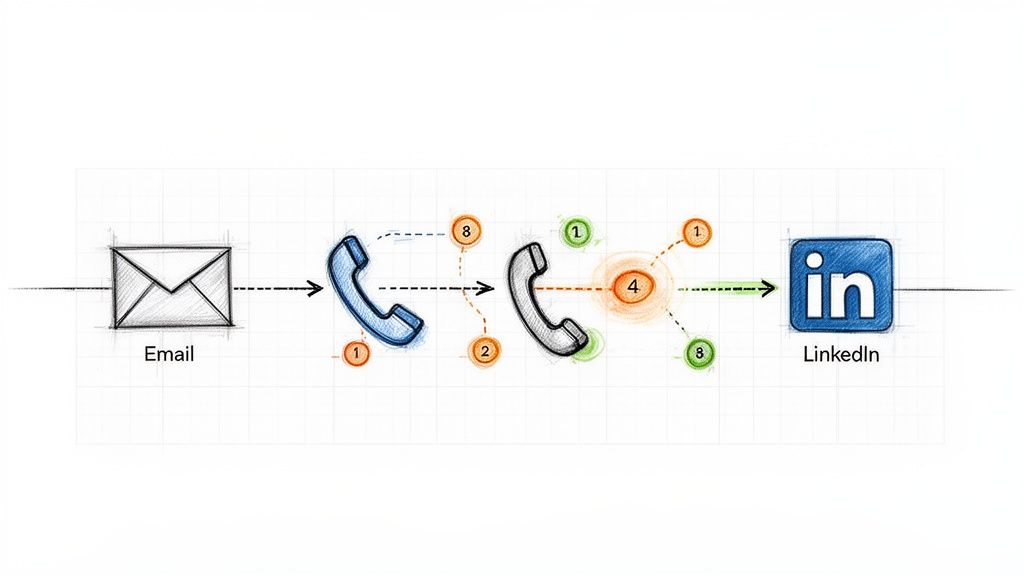
Relying solely on one communication channel, like cold email, is like fishing with a single line. One of the most impactful sales cadence best practices is to adopt a multi-channel sequence that layers different forms of outreach. This approach respects a prospect's communication preferences and significantly increases the chances of engagement by surrounding them with value across various platforms. Instead of sending five emails in a row, a multi-channel cadence might involve an email, a follow-up call, a LinkedIn connection request, and another email, all within a structured 7-10 day window.

Ineffective Tactic (Single-Channel)Effective Tactic (Multi-Channel)
Day 1: Email 1Day 1: Email 1
Day 3: Email 2 (Bump)Day 3: Call (Reference Email 1)
Day 5: Email 3 (Breakup)Day 4: LinkedIn Connection Request
Result: Low reply rate, high chance of being marked as spam.Result: Higher engagement, multiple touchpoints, professional persistence.

Illustration of a multi-channel outreach sequence, showing email, phone calls, and LinkedIn steps.

This method works because it combines asynchronous touches (email, LinkedIn), which prospects can review on their own time, with synchronous ones (calls) that create opportunities for immediate conversation. Companies like HubSpot and Salesloft have built their sales development playbooks around this model, often seeing reply rates jump from a standard 2-3% on email-only sequences to over 25% with multi-touch campaigns. The key is ensuring each touchpoint builds upon the last, creating a cohesive narrative rather than a series of disjointed, repetitive pings.

How to Implement Multi-Channel Sequencing:​

  • Action Step 1: Map Your Sequence. Before building, sketch out the flow: Day 1: Email, Day 3: Call, Day 4: LinkedIn View + Connect, Day 6: Email 2. Define the goal for each touchpoint.
  • Action Step 2: Create Contextual Bridges. Your LinkedIn message should reference your email. A simple, "Hi [Name], I just sent an email regarding [topic] and wanted to connect here as well," is far more effective than a generic connection request.
  • Action Step 3: Use Engagement to Prioritize. If a prospect opens your email three times, move their call task to the top of your list. This focuses synchronous effort on engaged leads.
  • Action Step 4: Automate Logging. Ensure every touchpoint, whether an email sent via your sales engagement platform or a manual call, is automatically logged in your CRM. Platforms like MarketBetter.ai can automate this logging process, ensuring your data remains clean and actionable.

2. Intent-Driven Task Prioritization (Activity Signals β†’ Next Best Action)​

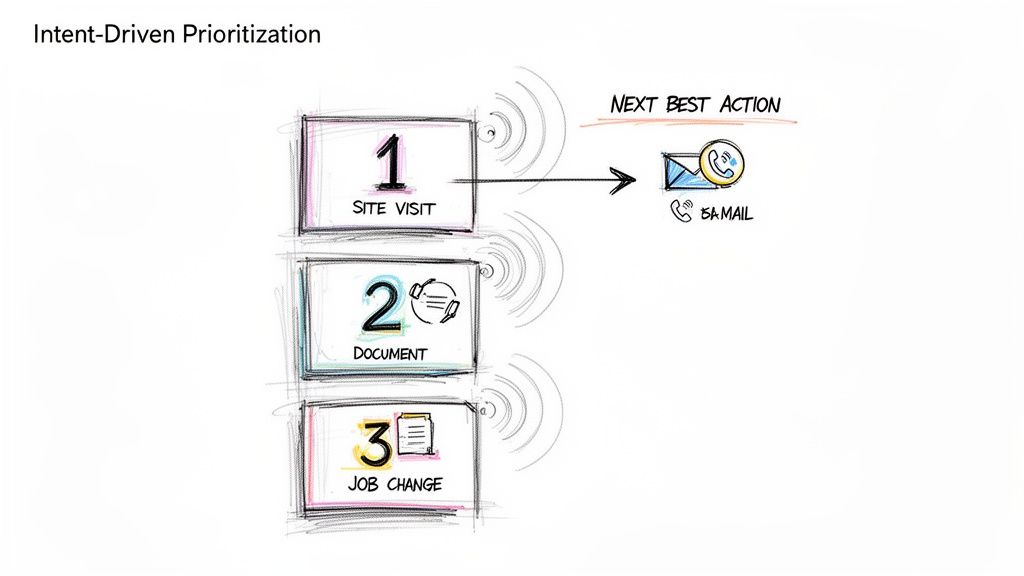
A static, alphabetical task list is a relic of the past. One of the most critical sales cadence best practices is to prioritize outreach based on real-time buyer intent signals. This data-driven approach shifts reps from a "who's next on the list" mentality to a "who's most likely to engage right now" strategy. Instead of treating all prospects equally, this model automatically surfaces and ranks targets based on high-value activities like visiting your pricing page, downloading a whitepaper, or recent job changes, ensuring reps focus their energy on the hottest leads.

Ineffective Tactic (Static List)Effective Tactic (Dynamic Prioritization)
Reps work through a list from A-Z.Reps are served tasks based on intent score (e.g., Pricing Page Visit = 10 points).
A "hot" lead who visited the site an hour ago might wait days for a call.The hot lead is automatically placed at the top of the task queue for immediate follow-up.
Reps waste time on cold, unengaged accounts.Reps spend 80% of their time on the 20% of leads most likely to convert.

A hand-drawn diagram illustrating intent-driven prioritization, showing Site Visit, Document, and Job Change leading to a Next Best Action: email or call.

This method transforms a sales cadence from a rigid schedule into a dynamic, responsive workflow. When platforms like 6sense and Outreach are integrated, they can deliver up to 40% higher SDR productivity by serving up the "next best action" based on a combination of intent, timing, and ICP fit. The goal is to align outreach with the buyer's journey, engaging them the moment their interest peaks rather than weeks later when your cadence says it's their turn.

How to Implement Intent-Driven Task Prioritization:​

  • Action Step 1: Define Your High-Intent Signals. List the top 3-5 actions that indicate strong buying intent. Start with demo requests and pricing page visits.
  • Action Step 2: Set Strict SLAs. For a high-intent signal, create a rule for a rep to follow up within 2 hours. For medium-intent (e.g., webinar attendance), set a 24-hour SLA.
  • Action Step 3: Contextualize Your Outreach. Use the signal as your reason for outreach. β€œSaw you were looking at our case study on [Topic] and wanted to offer some additional details.”
  • Action Step 4: Filter with ICP Fit. Combine intent with your Ideal Customer Profile (ICP). A platform like MarketBetter.ai can automate this by scoring leads based on both behavioral data and firmographic fit, ensuring your team only pursues high-potential opportunities.

3. Personalized Opening Lines (Account/Persona Context in First Sentence)​

Nothing kills a sales cadence faster than an opening line that screams "mass email." One of the most critical sales cadence best practices is to anchor your first sentence in specific, verifiable context about the prospect's company, recent activity, or role. This immediately signals that the outreach is a well-researched, 1-to-1 message, not a generic blast sent to thousands. Instead of a vague "I help companies like yours," a personalized opener gets straight to a relevant trigger point.

Ineffective Tactic (Generic Opener)Effective Tactic (Personalized Opener)
"Hi John, I help VPs of Sales like you solve their pipeline challenges.""Hi John, saw on LinkedIn your team is hiring three new AEs to expand into APAC."
Result: Instantly deleted. Reads like spam.Result: Grabs attention. Shows research and relevance.

This strategy works because it proves you've done your homework and respects the prospect's time by connecting your solution to their immediate reality. Research from Salesloft shows that account-based emails which mention specific products or features outperform generic templates by more than 3x. The goal is to make the prospect feel understood in the first 10 seconds.

How to Implement Personalized Opening Lines:​

  • Action Step 1: Create a Trigger Checklist. Build a simple checklist for reps: 1. Check LinkedIn for recent posts/job changes. 2. Check company news for funding/launches. 3. Check G2 for recent reviews.
  • Action Step 2: Practice the "Trigger-to-Value" Bridge. Your first sentence states the observation, and the second connects it to your value. Example: β€œI noticed your team just launched a new integration with Salesforce. Typically, companies doing this face challenges with data syncing, which is where we help.”
  • Action Step 3: A/B Test Your Hooks. In your next 50 emails, test a hook based on a company trigger (e.g., funding) against a persona trigger (e.g., a recent LinkedIn post by the prospect). See which gets more replies.
  • Action Step 4: Leverage Technology for Scale. Use platforms like Amplemarket or MarketBetter.ai to create dynamic templates that pull in custom fields from your CRM, blending automation with genuine personalization.

4. Response-Triggered Sequencing (Adapting Based on Prospect Behavior)​

A static, one-size-fits-all sales cadence treats every prospect the same, regardless of their interaction with your outreach. One of the most advanced sales cadence best practices is implementing response-triggered sequencing, a dynamic approach where the next step is determined by the prospect's real-time behavior. Instead of blindly following a pre-set path, this method adapts based on engagement signals like email opens, link clicks, or even a picked-up phone call that goes straight to voicemail.

Ineffective Tactic (Static Sequence)Effective Tactic (Dynamic Sequence)
A prospect clicks your case study link. The next step is still the automated "Just bumping this" email 3 days later.A prospect clicks your case study link. A high-priority call task is immediately created for the rep.
A prospect doesn't engage with 4 emails. They still get 4 more.After 4 unengaged touches, the prospect is automatically moved to a long-term, low-touch nurture sequence.

This intelligent sequencing transforms your cadence from a monologue into a conversation. If a prospect clicks a link to a case study in your first email, a dynamic cadence can automatically trigger a high-priority call task for the rep to follow up with relevant insights. Platforms like Outreach.io and Salesloft have built adaptive cadence features around this concept, empowering teams to create if/then logic that scales personalization and boosts efficiency.

How to Implement Response-Triggered Sequencing:​

  • Action Step 1: Map Your If/Then Logic. Create a simple flowchart. If prospect clicks pricing link, then create a high-priority call task. If prospect opens email 3+ times but no click, then send follow-up email with a different value prop.
  • Action Step 2: Build Two Paths. Design an "Engagement Path" (more aggressive, personalized) and a "No-Engagement Path" (longer intervals, value-based content).
  • Action Step 3: Use Engagement Data in Your Outreach. Equip reps to use behavioral data as context. A call script can start with, "Hi [Name], I noticed you checked out the case study I sent over about [topic]..."
  • Action Step 4: Set an "Exit" Threshold. Define the point of diminishing returns. For example, after 5 touches with zero engagement, automatically exit the prospect from the active sequence. Tools like MarketBetter.ai can help automate this process, moving them to a quarterly check-in list to keep your pipeline clean.

5. CRM-Native Execution (No Tab Switching; One-Click Call & Logging)​

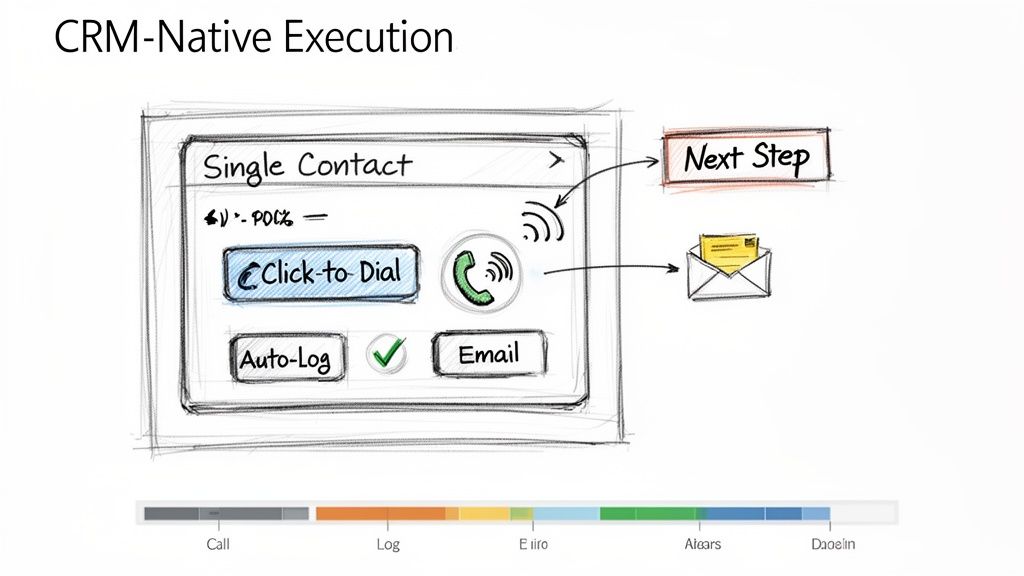
One of the biggest drags on sales productivity is friction. Constantly switching between your CRM, a separate dialer, your email client, and a note-taking app drains momentum and creates data silos. One of the most effective sales cadence best practices is to enable CRM-native execution, where all outreach activities are initiated and logged directly within your central system of record, like Salesforce or HubSpot. This unified workflow eliminates tab-switching and automates activity logging.

Ineffective Tactic (Multi-Tool Chaos)Effective Tactic (CRM-Native Workflow)
Rep copies a number from Salesforce, pastes it into a softphone, makes the call, then returns to Salesforce to manually log it.Rep clicks a "Call" button directly on the Salesforce contact record. The call is made and automatically logged with a disposition prompt.
Time per call: 2-3 minutes of admin work.Time per call: 10-20 seconds of admin work.

A hand-drawn sketch illustrating CRM-native execution with options for calling, logging, and emailing contacts.

This approach dramatically improves both adoption and efficiency. For example, when Outreach.io integrates its one-click dialer directly into a Salesforce contact page, call volume often increases by over 30% simply by removing the steps of copying and pasting numbers. The goal is to make the right action the easiest action, which means keeping reps in the one system that houses all customer data and context.

How to Implement CRM-Native Execution:​

  • Action Step 1: Conduct a Workflow Audit. Shadow a rep for an hour and count every time they switch tabs to complete a task. Identify the top 3 friction points to solve.
  • Action Step 2: Configure Intelligent Auto-Logging. Set up rules to automatically log calls and emails the instant they happen. Allow reps a short window, perhaps 10 minutes post-call, to add detailed notes and context.
  • Action Step 3: Standardize Next Steps. Use your CRM's task management features to create templates for common follow-up actions like "Send Deck" or "Schedule Demo." This reduces manual entry and ensures consistent follow-through.
  • Action Step 4: Centralize Reporting. Train managers to use in-CRM dashboards for performance tracking instead of exporting data. Platforms like MarketBetter.ai can embed cadence analytics directly into the CRM, allowing for real-time coaching based on live activity data.

6. Call Prep Talk Tracks (Account Context + Objection Handling in 60 Seconds)​

A structured sales cadence dictates when to call, but a pre-call talk track dictates what to say for maximum impact. One of the most critical sales cadence best practices is equipping reps with a concise, one-page talk track before every call. This isn't a rigid script; it's a strategic guide that synthesizes prospect context, a sharp opening pitch, anticipated objections, and key discovery questions into a 60-second preparatory tool.

Ineffective Tactic (Winging It)Effective Tactic (Prepared Talk Track)
Rep opens the CRM record and dials, hoping to figure it out on the fly.Rep spends 60 seconds reviewing a one-page summary: the prospect's trigger, a value hook, and answers to likely objections.
Result: Rambling, unfocused calls, and low confidence.Result: Confident, concise calls that get to the point and handle pushback effectively.

Gong’s research shows that reps who are prepared with objection handles close three times more deals. The goal is to internalize the flow, not just read the words, enabling a confident and natural conversation.

How to Implement Call Prep Talk Tracks:​

  • Action Step 1: Create a One-Page Template. Use bullet points, not paragraphs. Sections should include: 1. Account Context (trigger), 2. Value Prop (20 seconds), 3. Top 3 Objections & Rebuttals, 4. Key Discovery Questions.
  • Action Step 2: A/B Test Your Openers. For your next 20 calls, try a curiosity-driven opener ("I noticed your company is expanding its logistics network..."). For the next 20, try a problem-driven one ("Many VPs of Ops are struggling with X..."). Track which leads to more conversations.
  • Action Step 3: Update Tracks Weekly. Review call recordings from your top performers weekly to identify what language is working. Use Conversation Intelligence to pull data-driven insights from real calls to refine objection handling.
  • Action Step 4: Train with Role-Playing. Run weekly 30-minute role-playing sessions. Give reps a scenario and a talk track, and have them practice delivering the key points authentically, not robotically.

7. Disposition-Based Routing (Not All Leads Go to Sales; Some Need Follow-Up)​

Treating every lead outcome the same is a recipe for wasted effort and missed opportunities. One of the most critical operational sales cadence best practices is implementing disposition-based routing, a system that classifies every interaction outcome and automatically directs the lead to the appropriate next step. Instead of manually deciding what to do, reps simply log a disposition like "Not Now, Follow-Up in 6 Months," and automation takes over.

Ineffective Tactic (Manual Follow-up)Effective Tactic (Automated Routing)
Rep makes a note in a spreadsheet to "Follow up with Jane in Q3."Rep selects the "Nurture - Q3 Budget" disposition in the CRM.
Result: The note is forgotten, and the lead falls through the cracks.Result: An automated task is created for the rep on July 1st with all the previous context.

This practice prevents valuable but not-yet-ready leads from falling through the cracks and ensures Account Executives (AEs) only receive leads that are genuinely sales-ready. Companies like Outreach.io have shown that clear disposition-based routing can reduce friction between SDRs and AEs by over 40% by standardizing lead handoffs.

How to Implement Disposition-Based Routing:​

  • Action Step 1: Define Your Core Dispositions. Standardize 5-7 clear options: 'Meeting Booked,' 'Schedule Follow-Up,' 'Not Now - Nurture,' 'Wrong Contact,' 'Not a Fit,' and 'Voicemail/No Answer.'
  • Action Step 2: Train on the Nuance. Coach your team on the difference between 'Not a Fit' (ICP mismatch, disqualify) and 'Not Now' (right fit, wrong timing, nurture).
  • Action Step 3: Build Automated Workflows. For each disposition, create a rule. 'Schedule Follow-Up' creates a task in 30 days. 'Not Now - Nurture' enrolls the prospect in a marketing email sequence. This automation is a key function of platforms like MarketBetter.ai.
  • Action Step 4: Require Contextual Comments. Make the "Comments" field mandatory for dispositions like 'Not Now.' A note like "Budget cycle ends in Q3, revisit in September" provides invaluable context for the next touchpoint.

8. Email Sequence Cadence Optimization (Testing Send Times,Frequency, and Subject Line Variants)​

Treating your email sequence as a static, "set it and forget it" asset is a missed opportunity. One of the most critical sales cadence best practices is continuous optimization through systematic A/B testing. This involves rigorously testing variables like subject lines, send times, and follow-up frequency to discover precisely what resonates with your ideal customer profile. Instead of relying on assumptions, you use data to build a high-performing outreach machine.

Ineffective Tactic (Assumption-Based)Effective Tactic (Data-Driven A/B Testing)
"I think sending emails at 9 AM is best.""We tested 9 AM vs. 2 PM sends. For our manufacturing persona, 2 PM gets a 15% higher open rate."
The same subject line is used for months without analysis.Two subject lines are tested weekly, and the winner becomes the new control.

This data-driven approach moves you from guessing to knowing. Salesloft research shows that simple, one-word subject lines can outperform longer ones by 10% when targeting tech buyers. By isolating and testing one element at a time, you can incrementally improve engagement. To scale this process effectively, it is crucial to Master Email Follow Up Automation and implement these data-backed insights into your outreach.

How to Implement Email Sequence Optimization:​

  • Action Step 1: Isolate One Variable. For your next campaign, test only the subject line. Keep the email body and send time identical for both variants to get clean data.
  • Action Step 2: Aim for Statistical Significance. Don't declare a winner after 20 sends. A good rule of thumb is to send at least 100 emails per variant to ensure the results are reliable.
  • Action Step 3: Track Opens and Replies Separately. A catchy subject line might boost opens, but a clear, value-driven one might generate more replies. Analyze both metrics to understand the full impact.
  • Action Step 4: Create a Quarterly Review Cadence. Set a recurring calendar event every quarter to review your test results, implement the winners, and plan the next round of experiments.

9. First-Response SLA (Responding to Prospect Replies Within 1 Hour)​

A sales cadence doesn't end when a prospect replies; in fact, that's when the most critical phase begins. One of the most underrated sales cadence best practices is implementing a strict First-Response Service Level Agreement (SLA), committing your team to responding to all prospect replies within one hour during business hours. This discipline capitalizes on peak prospect intent.

Ineffective Tactic (Delayed Response)Effective Tactic (Sub-1-Hour SLA)
A prospect replies at 10 AM asking for info. The rep is busy with calls and replies at 4 PM.The prospect replies at 10 AM. An alert notifies the rep, who sends a thoughtful response by 10:30 AM.
Result: The prospect has moved on, their interest has cooled, and a competitor may have already engaged them.Result: The conversation continues while intent is high, leading to a much higher chance of booking a meeting.

Data from platforms like Salesloft reinforces this, showing that sales teams with a sub-one-hour response SLA achieve up to 35% higher meeting-booked rates. The goal isn't just to be fast, but to be fast and effective, moving the conversation forward while the prospect's interest is at its highest.

How to Implement a First-Response SLA:​

  • Action Step 1: Create 'Hot Task' Alerts. Configure your sales engagement platform to create a high-priority task that appears at the top of a rep's queue the moment a prospect replies.
  • Action Step 2: Build Response Templates. Equip reps with pre-built templates for common replies (e.g., pricing request, scheduling inquiry). This allows for a rapid, high-quality initial response that can be personalized.
  • Action Step 3: Train the "Acknowledge and Ask" Method. Instead of just sending a calendar link, train reps to first acknowledge the prospect's message and then ask a clarifying question. Example: "Thanks for getting back to me. Before I send some times, what would be most helpful for us to cover on the call?"
  • Action Step 4: Schedule "Reply Blocks". Encourage reps to block 15 minutes on their calendar every 2 hours dedicated solely to responding to replies. This prevents constant context-switching while still meeting the SLA.

10. SLA Implementation & Coverage (Staffing, Escalation, and Quality Controls)​

While outbound sequencing is crucial, one of the most overlooked sales cadence best practices is managing the inbound replies that your hard work generates. Implementing a strict First-Response Service Level Agreement (SLA), such as a 15-minute response time, requires an operational plan. This includes staffing, escalation paths for missed replies, and quality control to ensure speed doesn't sacrifice substance. Without this operational rigor, an SLA is just an empty promise.

Ineffective Tactic (Informal Expectation)Effective Tactic (Operationalized SLA)
A manager tells the team to "respond to leads quickly."A system is in place: replies create 'hot tasks.' If a task is unhandled for 30 mins, a Slack alert is sent. If unhandled for 45 mins, it escalates to a manager.
Result: Inconsistent response times, missed leads during busy periods or when reps are out of office.Result: Consistent, reliable response times, with built-in redundancy to prevent dropped leads.

This strategy operationalizes urgency and ensures no lead is left behind. Organizations that implement this system often see significant improvements in lead conversion. The goal is to build a system that guarantees rapid, high-quality engagement, turning a simple reply into a qualified meeting before the lead's focus shifts elsewhere.

How to Implement a First-Response SLA:​

  • Action Step 1: Establish Clear Routing Rules. Use your sales engagement platform to create 'hot task' routing. Inbound replies should automatically appear at the top of a rep's task queue, prioritized above all outbound activities.
  • Action Step 2: Set Up Escalation Alerts. Create automated alerts. For instance, if a reply isn't actioned within 30 minutes, an alert can be sent to the rep. If it's still unhandled at 45 minutes, it can escalate to a team lead or manager for immediate intervention.
  • Action Step 3: Maintain Quality with Templates. Create a library of short, contextual reply templates that reps can customize with one personalized sentence. This balances speed with the consultative, value-driven tone needed to secure a meeting.
  • Action Step 4: Monitor and Coach. Conduct weekly audits of replies to monitor quality and coach reps on being both fast and consultative. Track metrics like meeting conversion rates for replies handled within the SLA versus those that miss it to demonstrate its direct impact on performance. Platforms like marketbetter.ai can help automate the monitoring of these SLAs.

10-Point Sales Cadence Best Practices Comparison​

StrategyImplementation Complexity πŸ”„Resource Requirements ⚑Expected Outcomes ⭐ / πŸ“ŠIdeal Use Cases πŸ’‘Key Advantages ⭐
Multi-Channel Sequencing (Email β†’ Call β†’ LinkedIn β†’ Email)πŸ”„ Medium–High: multi-channel coordination, scheduling and throttling rules⚑ Moderate–High: CRM, dialer, LinkedIn tools, automation, clean data⭐ High quality: 300–400% higher connect vs email-only; πŸ“Š improved reply/connect rates and top-of-mindπŸ’‘ Enterprise outbound or account-based programs where prospects use different channels⭐ Broader reach; higher connect rates; sustained familiarity across channels
Intent-Driven Task Prioritization (Activity Signals β†’ Next Best Action)πŸ”„ High: integrations with intent providers and ranking algorithms⚑ High: intent providers (6sense/Clearbit), CRM integration, analytics⭐ Very effective: faster conversion and ~40%+ SDR productivity gains; πŸ“Š fewer wasted touchesπŸ’‘ Large lists where prioritizing hot accounts yields best ROI (ABM)⭐ Focuses reps on high-intent leads; reduces decision fatigue and increases velocity
Personalized Opening Lines (Account/Persona Context in First Sentence)πŸ”„ Medium: data enrichment + template/AI generation⚑ Moderate: enrichment sources (LinkedIn, Crunchbase), AI copy tools, review time⭐ High impact: improves open/reply rates (5–15% vs 2–3%); πŸ“Š better credibility and response qualityπŸ’‘ High-value or account-based outreach where personalization matters⭐ Higher reply rates and trust; differentiates from generic outreach
Response-Triggered Sequencing (Adapting Based on Prospect Behavior)πŸ”„ High: dynamic rules, engagement tracking and decision trees⚑ Moderate–High: email tracking, workflow engine, monitoring⭐ Efficient: focuses on engaged prospects; πŸ“Š increases productivity and better CRM signalsπŸ’‘ Teams with reliable engagement tracking aiming to prioritize signals in real time⭐ Reduces wasted effort; enables rapid escalation of interested prospects
CRM-Native Execution (No Tab Switching; One-Click Call & Logging)πŸ”„ Medium: CRM customization and integration work⚑ Moderate: dialer/email inside CRM, training, config⭐ High adoption & data quality; πŸ“Š saves ~15–20% admin time per repπŸ’‘ Organizations standardized on Salesforce/HubSpot wanting frictionless execution⭐ Higher adoption, automatic logging, faster coaching and reliable reporting
Call Prep Talk Tracks (Account Context + Objection Handling in 60 Seconds)πŸ”„ Low–Medium: template creation and AI generation⚑ Low: AI/templating tools and brief rep prep time⭐ High quality: ~20–30% better first-call outcomes; πŸ“Š shorter, more focused callsπŸ’‘ Junior SDRs, high-volume calling, or complex product discovery calls⭐ Consistent objection handling; reduces ramp time and call anxiety
Disposition-Based Routing (Not All Leads Go to Sales; Some Need Follow-Up)πŸ”„ Medium: standardized codes and routing rules⚑ Moderate: CRM workflows, reporting, rep training⭐ High operational value: ~25–30% improved sales focus; πŸ“Š clearer pipeline hygieneπŸ’‘ High-volume inbound/outbound where triage prevents sales overload⭐ Prevents pipeline clog; enables nurture and accurate attribution
Email Sequence Cadence Optimization (Testing Send Times, Frequency, and Subject Line Variants)πŸ”„ Medium: structured A/B testing and analysis cadence⚑ Moderate: testing tools, volume (100+ per variant), analytics⭐ Incremental gains: small lifts compound; πŸ“Š measurable increases in open/reply ratesπŸ’‘ High-volume email programs that can generate statistical samples⭐ Data-driven improvements; identifies winning subject/time/content combos
First-Response SLA (Responding to Prospect Replies Within 1 Hour)πŸ”„ Medium: triage rules, monitoring, SLA enforcement⚑ High: staffing coverage, priority queues, templates, escalation alerts⭐ Strong: 30–40% more meetings/bookings; πŸ“Š captures peak intent and boosts conversionπŸ’‘ Inbound-heavy teams or competitive markets where speed wins⭐ Captures intent quickly; improves professionalism and meeting rates
SLA Implementation & Coverage (Staffing, Escalation, and Quality Controls)πŸ”„ High: staffing models, escalation, audits and scheduling⚑ High: rostering, escalation tooling, audits, training overhead⭐ Sustained SLA performance: fewer missed replies; πŸ“Š predictable coverage and quality metricsπŸ’‘ Global teams, follow-the-sun models, or high-volume inbound operations⭐ Maintains SLA without burnout; preserves reply quality via templates and QA

From Best Practices to Daily Execution​

Transitioning from understanding sales cadence theory to implementing a high-performance outbound engine is the ultimate goal. We've explored ten critical best practices that, when combined, transform a disjointed, manual effort into a predictable and scalable system for generating pipeline. The journey from a simple "email blast" approach to a sophisticated, intent-driven engagement model is what separates top-performing teams from the rest. The core theme is clear: success lies in creating a unified, data-informed, and rep-centric workflow.

An ad-hoc approach, where reps manually toggle between LinkedIn, their email client, and the CRM to piece together a sequence, is inherently inefficient and prone to error. It creates friction, slows down execution, and generates messy data. In contrast, a modern, integrated strategy built on these sales cadence best practices empowers reps to operate at peak efficiency. It’s the difference between a team guessing what to do next and a team executing the proven next-best action with precision.

Synthesizing the Core Pillars of Cadence Mastery​

Let's distill the most crucial takeaways from our list into three foundational pillars. Mastering these areas will yield the most significant impact on your team's performance and pipeline generation.

  1. Systematize Personalization and Prioritization: Effective outreach is no longer a volume game; it's a relevance game. Best practices like Intent-Driven Task Prioritization and crafting Personalized Opening Lines ensure your team’s effort is focused where it matters most. Instead of treating all prospects equally, you empower reps to engage high-intent accounts first, armed with specific context that resonates immediately. This shifts the dynamic from a cold interruption to a timely, valuable conversation.

  2. Embed Responsiveness into Your DNA: Prospects operate in real-time, and your sales process must reflect that. Implementing a First-Response SLA of under an hour and building Response-Triggered Sequencing are not just "nice-to-haves." They are competitive necessities. The team that responds fastest with the most relevant information often wins the meeting. This agile approach, supported by SLA Implementation and Coverage plans, ensures no opportunity is lost due to slow follow-up, turning passive interest into active engagement.

  3. Unify Execution within a Single Pane of Glass: The greatest source of lost productivity is workflow friction. Requiring reps to jump between different tools to log calls, send emails, and research contacts is a recipe for wasted time and incomplete data. CRM-Native Execution is the antidote. By enabling reps to perform all sequence tasks, from one-click calls with Call Prep Talk Tracks to logging dispositions, directly within your CRM, you eliminate the administrative burden. This not only makes reps happier and more effective but also ensures every single interaction is captured cleanly for accurate reporting and coaching.

The Strategic Imperative: From Tactics to an Integrated System​

Ultimately, the power of these sales cadence best practices is not in their isolated application but in their integration. A multi-channel sequence is good, but a multi-channel sequence that adapts based on prospect responses is better. A personalized email is effective, but a personalized email sent to a prioritized, high-intent contact within a CRM-native workflow is a game-changer. This is the evolution from executing a list of tactics to orchestrating a holistic system.

By embedding these principles into your daily operations, you are building more than just a sales process; you are building a scalable revenue engine. It's a system that learns, adapts, and empowers your sales development team to spend less time on manual administration and more time building relationships and creating qualified opportunities. The result is a more efficient, predictable, and successful outbound motion that drives sustainable growth for your business.


Ready to turn these best practices into your team's daily reality? marketbetter.ai is an execution-first platform designed to embed intent signals, task prioritization, and multi-channel sequencing directly within your existing CRM. See how you can eliminate workflow friction and empower your reps to execute the perfect sales cadence by visiting marketbetter.ai today.