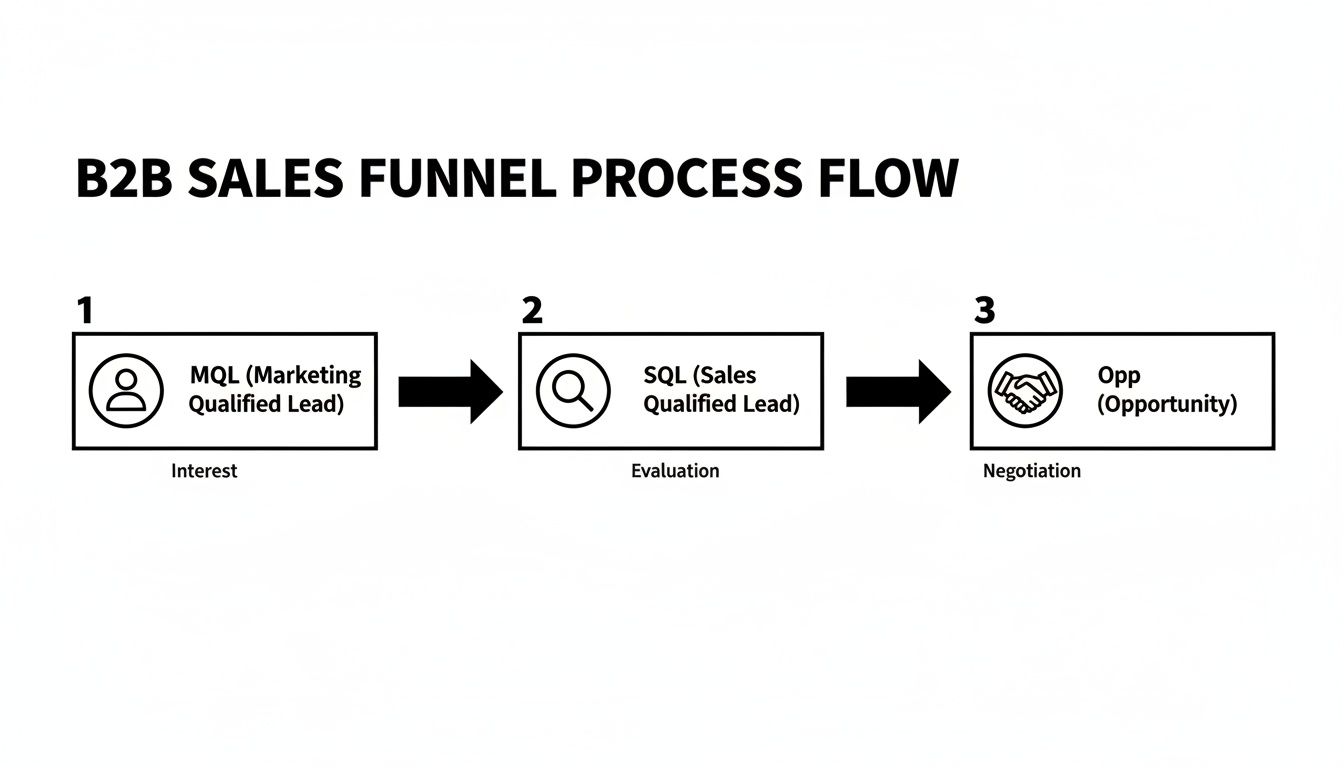
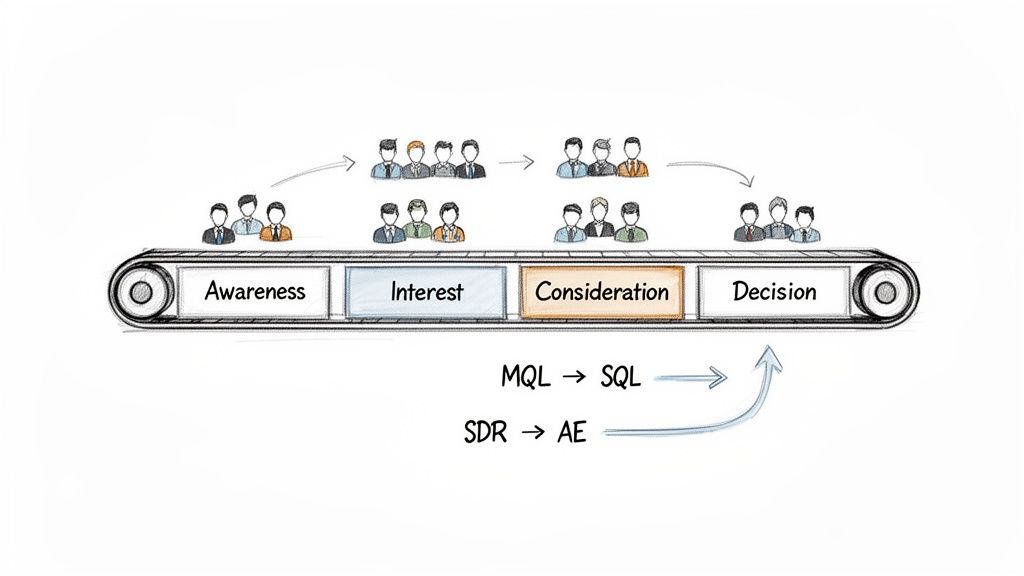
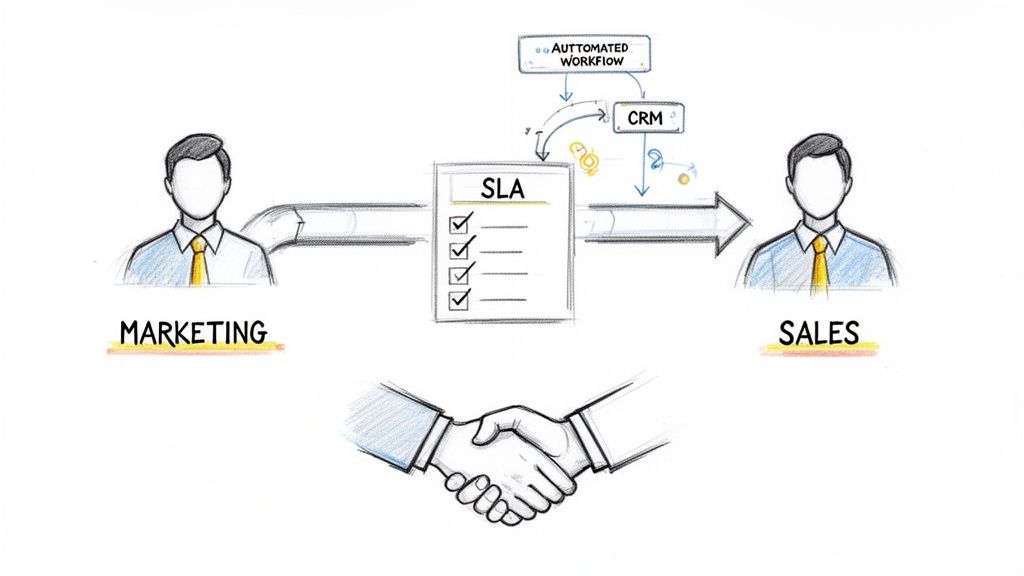
Here's the number that should alarm every sales leader: 83.4% of SDRs fail to consistently hit quota. Not occasionally miss — consistently fail.
That's not a talent problem. It's a systems problem.
We pulled data from seven major studies published in 2024–2026 — covering 170,000+ leads, 114 B2B companies, and millions of sales activities — to understand why SDR productivity has gotten worse despite a decade of increasingly sophisticated sales technology. The findings reveal a structural crisis hiding in plain sight.
The average SDR sells for roughly two hours a day. The rest disappears into CRM entry, lead research, tool switching, internal meetings, and manual tasks that technology was supposed to eliminate. Meanwhile, the leads they do work sit unanswered for an average of 29 hours — and 63% never get a response at all.
This isn't a collection of disconnected statistics. It's a picture of an industry-wide failure to solve the core SDR problem: too many tools, not enough direction.
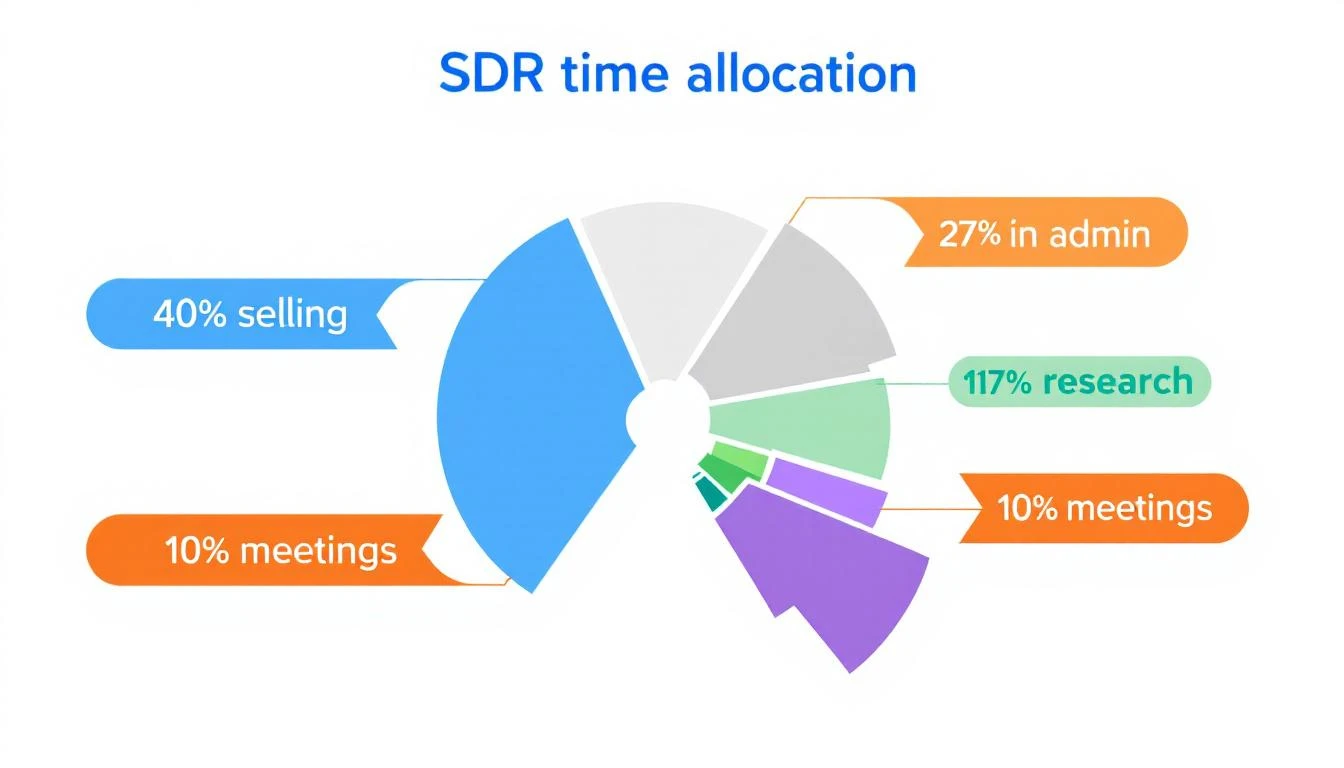
Salesforce's 2026 State of Sales report dropped the most sobering stat of the year: sales reps spend 60% of their time on non-selling tasks. That means in an 8-hour workday, your SDRs are actively selling for just over 3 hours.
But the reality may be worse. When you break down what "selling" means in practice — and remove time spent on call prep, pre-call research, and post-call logging that most teams still count as "selling" — the actual time spent in live conversations with prospects drops below 2 hours.
Here's how the average SDR day breaks down according to aggregated data from Salesforce, InsideSales, and Bridge Group reports:
Activity
% of Day
Hours (8hr day)
Active selling (calls, emails, demos)
40%
3.2 hrs
CRM data entry and admin
21%
1.7 hrs
Lead research and preparation
17%
1.4 hrs
Internal meetings
12%
1.0 hrs
Tool switching and context changes
10%
0.8 hrs
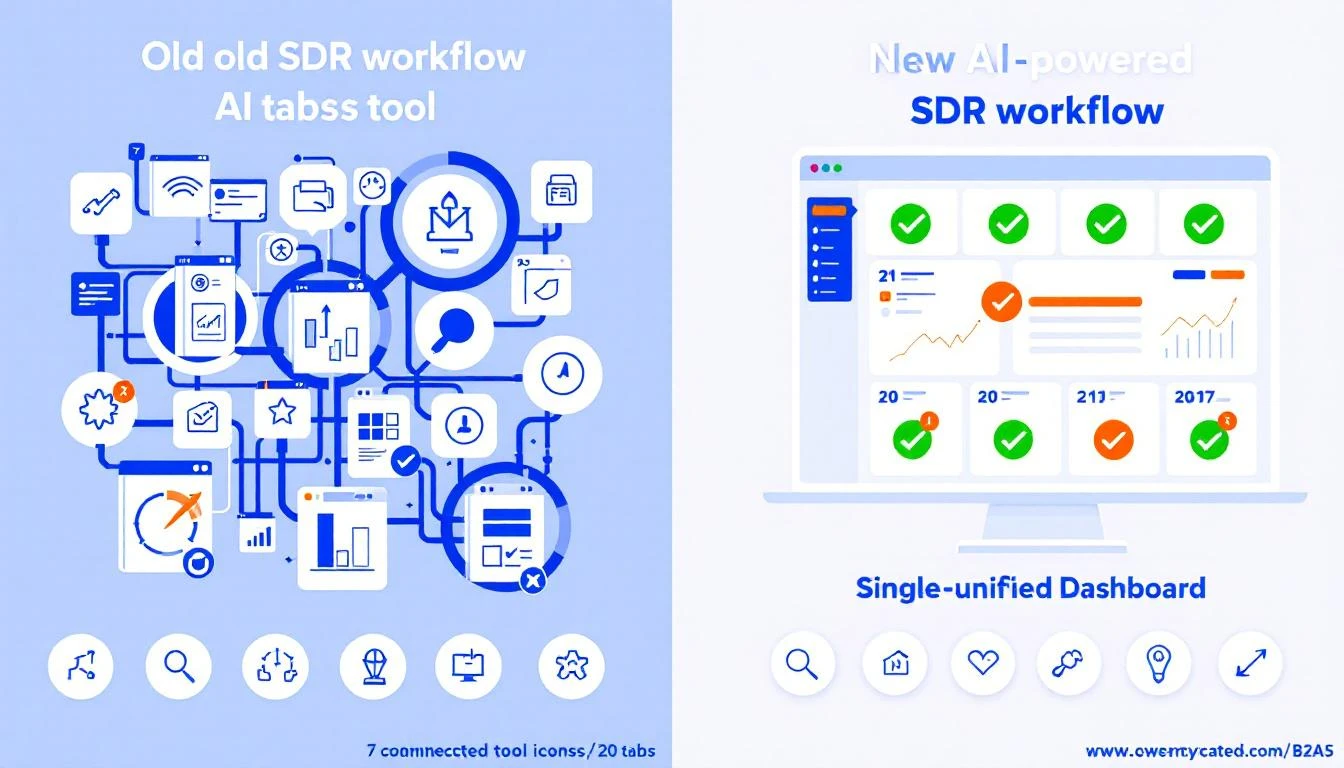
The 10% lost to tool switching is particularly insidious because it's invisible. Nobody tracks how many times an SDR alt-tabs between their CRM, email tool, dialer, LinkedIn, enrichment platform, and sales engagement software. But research on context-switching costs suggests each switch carries a cognitive penalty of 15–25 minutes to fully refocus.
If your SDRs use 7+ tools (the B2B average), they're paying that penalty dozens of times daily.
Responding within 1 minute = 391% higher conversion
InsideSales
2021
Only 0.1% of companies respond within 5 minutes
RevenueHero
2024
63% of companies never respond; 29+ hour average
Workato
2025
99%+ fail the 5-minute test; 11h 54m average email
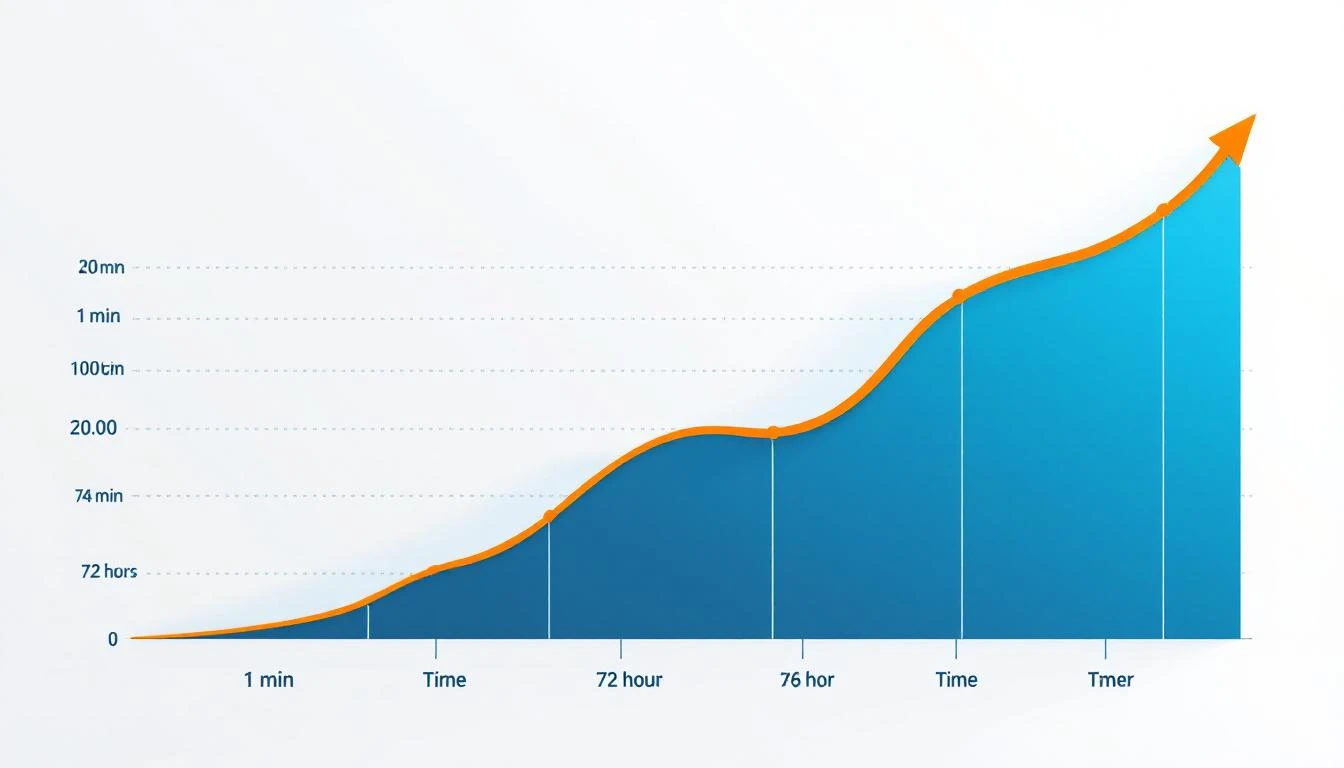
Read that timeline again. In 2011, the average response time was 42 hours. In 2024, it's 29 hours for the companies that respond at all — but 63% don't respond at all. The non-response rate nearly tripled from 23% in 2011 to 63% in 2024.
The conversion impact is not linear. It's a cliff.
Within 1 minute: 391% higher conversion (Velocify)
Within 5 minutes: 9x more likely to convert (InsideSales)
Within 1 hour: 7x higher qualification rate vs. waiting longer (HBR)
After 24 hours: You're cold-calling someone who's already moved on
And here's the stat that should end every debate about speed to lead: 78% of buyers purchase from the first company that responds. Not the best product. Not the cheapest option. The first one to show up.
When your average response time is 29 hours, you're not competing for the deal. You're already out of it.
Here's what most teams miss. The Workato study broke response time into two components:
Lead Response Time = Lead Processing Time + Rep Response Time
Most companies blame slow reps. The data shows the opposite. The average SDR responds within minutes of seeing a lead in their queue. But the lead takes hours to get routed to them.
The processing pipeline — enrichment, lead-to-account matching, territory assignment, routing rules, round-robin logic — is where deals go to die. The average personalized email response takes 11 hours and 54 minutes (Workato), and most of that delay is processing, not rep laziness.
You can't coach your way out of a broken routing system.
The headline number — 83.4% of SDRs miss quota — becomes less surprising when you see the underlying metrics:
Average meetings booked per month: 15 (Bridge Group)
Dials to connect: 18+ attempts per connection
Call-back rate: Under 1%
Cold email response rate: 1–2%
Quality conversations per day: 3.6
That means your average SDR has fewer than 4 real conversations per day. To book 15 meetings from ~72 monthly connects, they need a 21% connect-to-meeting conversion rate. That's achievable for veterans. It's brutal for the 60% of SDRs in their first 12 months.
And tenure compounds the problem. Average SDR tenure is 6–23 months. Just as someone becomes proficient, they promote out or leave. The team is perpetually in ramp mode.
The data reveals a clear pattern separating the 16.6% who consistently hit quota:
1. They qualify ruthlessly. Companies with thorough qualification processes saw closing ratios jump from 11% to 40% (InsideSales). Top SDRs don't work more leads — they work the right leads.
2. They use signal-based prioritization. Instead of working leads alphabetically or by age, elite SDRs prioritize by intent signals — who's on the website right now, who just changed jobs, who's researching competitors.
3. They batch their day. The "Golden Hours / Platinum Hours" framework separates prime prospecting time (calls and outreach) from admin work. Top reps protect their selling time aggressively.
4. They hit 14.5% meaningful conversation rates with decision-makers — nearly 4x the average — through better targeting and personalization, not more volume.
B2B marketers spend over $4.6 billion annually on advertising to generate leads. An estimated $2.7 billion of that is wasted due to slow or nonexistent follow-up (Credofy). You're paying to generate demand and then letting it rot.
At the individual company level, the math is just as ugly. Consider a mid-market B2B company:
Metric
Value
Monthly inbound leads
200
Average deal value
$15,000
Conversion rate (fast response)
3%
Conversion rate (slow response)
0.15%
Revenue lost monthly
$8,550
Revenue lost annually
$102,600
That's $100K+ per year lost — not to bad marketing, not to a weak product, but to slow response. For most B2B companies, that's 1–2 SDR salaries that could be funded by simply responding faster.
The good news: the industry is finally addressing this structurally, not just incrementally.
AI adoption in sales has exploded from 39% to 81% in just two years (Salesforce). And the results are significant:
46% productivity increase for teams using AI-powered sales tools
20% increase in pipeline volume with AI implementation
30% improvement in lead conversion rates
AI-powered personalization delivers 9.25% appointment rate — better than most manual outreach
Salesforce reported that their own AI SDR agent created 3,200 opportunities in four months by working the low-score leads that human SDRs couldn't justify spending time on.
But here's the nuance the "AI will replace SDRs" crowd misses: AI doesn't replace selling. It replaces the 60% of the day that isn't selling.
The best implementations aren't replacing human SDRs with AI agents. They're using AI to:
Eliminate processing delay — Route, enrich, and prioritize leads in seconds, not hours
Kill the research tax — Pre-populate account context so reps don't spend 17% of their day Googling prospects
This is the difference between an AI that replaces the SDR and an AI that makes the SDR 3x more effective. The former is a race to commoditized outreach. The latter is how you win.
The average B2B sales team uses 7–12 tools across prospecting, enrichment, engagement, dialing, and analytics. At $1,500–$4,000 per user per month, that's an enormous expense delivering a 40% selling rate and 29-hour response times.
The answer isn't another tool. It's fewer tools that do more.
Organizations with well-integrated enablement tech stacks are 42% more likely to boost sales productivity (Highspot). Integration isn't a nice-to-have. It's the difference between 3-hour and 6-hour selling days.
Have each SDR log their actual activities for one week. Not what the CRM says — what they actually did. You'll likely find selling time closer to 2 hours than the 3.2 you assumed.
Break your response time into processing (system) and rep response (human). Fix the system first — it's usually the bigger bottleneck and doesn't require behavior change.
Every tool you add increases context-switching cost. Before buying tool #8, ask: can tool #3 do this if I configured it properly? Tool consolidation is the highest-ROI move in sales ops right now.
Your SDRs don't need more data. They need direction. A daily prioritized task list — who to call, what to say, and why today — eliminates the 17% research tax and dramatically improves response times.
5. Adopt AI for the Non-Selling 60%, Not the Selling 40%
The highest-impact AI use cases in sales aren't automated email blasts. They're lead routing in seconds instead of hours, automatic enrichment, CRM auto-updates, and intelligent prioritization. Keep humans on the conversations. Let AI handle everything else.
The SDR productivity crisis isn't caused by lazy reps. It's caused by:
Tool sprawl that eats 10%+ of every day in context switching
Processing delays that turn hot leads cold before reps ever see them
Data overload without direction — dashboards instead of playbooks
Constant ramp from 6–23 month average tenure
The teams solving this aren't buying more tools. They're consolidating into platforms that combine signals, enrichment, and execution into a single daily SDR workflow — and using AI to eliminate the 60% of the day that was never selling to begin with.
The data is clear: the gap between top-performing SDR teams and everyone else is no longer effort. It's architecture.
Want to see what an AI-powered SDR workflow looks like in practice?Book a demo →
Most CRMs were built for account executives closing deals. Not for SDRs booking meetings.
That's why 62% of SDRs say their CRM slows them down instead of speeding them up. They spend more time logging activities and updating fields than actually selling. The problem isn't laziness — it's that traditional CRMs treat prospecting as an afterthought.
In 2026, the best CRM for SDR teams does three things traditional CRMs don't:
Tells reps WHO to contact (not just stores contacts)
Tells reps WHAT to say (not just tracks emails)
Tells reps WHEN to follow up (not just sets reminders)
We evaluated 10 CRMs specifically through the lens of an SDR manager running a 3-10 person outbound team. Here's what we found.
1. MarketBetter — Best for AI-Powered SDR Workflows
Price: starting at $99/user/month ( included)
Why SDR teams pick it: MarketBetter isn't a traditional CRM — it's an SDR operating system. Instead of dumping contacts into a database and hoping reps figure out what to do, MarketBetter generates a Daily SDR Playbook that tells each rep exactly who to contact, what channel to use, and what to say.
Key SDR features:
Daily Playbook — AI-prioritized task list based on intent signals, website visits, and engagement history
Website visitor identification — Know which companies are on your site right now
Smart Dialer — Built-in calling with AI-powered call coaching
AI Chatbot — Engages visitors and routes qualified leads to SDRs instantly
Email automation — Hyper-personalized sequences based on prospect behavior
AI SEO tracking — Monitor how AI tools like ChatGPT and Perplexity describe your brand
What G2 reviewers say: 4.97/5 rating with praise for "cutting manual SDR work by 70%" and "2x faster speed-to-lead."
Honest pros:
Eliminates the "who do I call next?" problem entirely
Combines visitor ID + sequencing + dialer in one platform — no Frankenstein stack
Purpose-built for SDR workflows, not retrofitted from an AE CRM
Honest cons:
Not a traditional CRM — if you need deal management and pipeline forecasting, you'll still want a CRM alongside it
Smaller company than Salesforce/HubSpot (but that means faster support and iteration)
Best for: B2B SDR teams (3-10 reps) that want AI to prioritize their day instead of manually working through lists.
Why SDR teams pick it: HubSpot's free tier is genuinely useful for small SDR teams getting started. Contact management, email tracking, and basic sequences work without paying a dime. The jump to Professional ($100/user/mo) unlocks the features SDRs actually need — sequences, predictive lead scoring, and calling.
Key SDR features:
Email tracking and templates
Sequences (Professional+)
Built-in calling with recording
Meeting scheduling links
Lead scoring (Professional+)
Activity auto-logging for email and calls
What G2 reviewers say: 4.4/5 (12,000+ reviews). SDRs praise the ease of use but frequently complain about the steep price jump from Starter to Professional.
Honest pros:
Free tier is actually usable (not just a demo)
Excellent email tracking and template library
Huge integration ecosystem
Honest cons:
Sequences require Professional ($100/user/mo) — the free/Starter tiers are too limited for real SDR work
Gets expensive fast: 5 SDRs on Professional = $500/mo before any add-ons
Lead scoring is basic compared to intent-based prioritization tools
No website visitor identification without third-party add-on
Best for: Early-stage teams (1-3 SDRs) who want to start free and grow into a paid plan.
3. Salesforce Sales Cloud — Best for Enterprise SDR Teams With Dedicated Ops
Why SDR teams pick it: Salesforce is the CRM every enterprise already has. SDR teams inherit it, not choose it. The power is in customization — with a dedicated RevOps person, you can build workflows that rival any purpose-built SDR tool. Without one, it's a data entry nightmare.
Key SDR features:
Einstein AI lead scoring and activity capture
High Velocity Sales add-on for cadences ($75/user/mo extra)
Extensive reporting and dashboards
Territory and lead routing rules
AppExchange marketplace (thousands of SDR add-ons)
What G2 reviewers say: 4.4/5 (23,000+ reviews). Power users love the customization. SDRs consistently complain about complexity and "too many clicks to do simple things."
Honest pros:
Most customizable CRM on the market
Einstein AI is getting genuinely useful for lead scoring
If your company already uses Salesforce, it's the path of least resistance
Honest cons:
SDR-specific features (cadences, power dialer) require expensive add-ons — a fully equipped SDR seat costs $240+/mo
Requires admin/ops support to configure properly
Data entry burden is real — SDRs spend 20-30% of their time updating Salesforce
Setup takes weeks to months, not hours
Best for: Enterprise companies (50+ SDRs) with dedicated Salesforce admins who can build custom SDR workflows.
4. Close CRM — Best Built-In Calling Experience for SDR Teams
Why SDR teams pick it: Close was built by salespeople who were frustrated with Salesforce. The built-in power dialer is legitimately the best native calling experience in any CRM. If your SDR team is phone-heavy, Close is the obvious choice.
Key SDR features:
Built-in power dialer and predictive dialer
Automated email sequences
Call coaching and recording
Pipeline view with drag-and-drop
SMS messaging
Smart Views (saved lead filters)
What G2 reviewers say: 4.7/5 (1,100+ reviews). "Best calling CRM I've ever used" is a common theme. Users love the speed — minimal clicks between calls.
Honest pros:
Power dialer is built-in, not bolted on — zero lag, instant connectivity
Fastest CRM for high-volume cold calling
Clean UI that SDRs actually enjoy using
Transparent pricing with no hidden add-on costs
Honest cons:
LinkedIn integration is weak — no native social selling
Reporting is solid but not as deep as Salesforce
No website visitor identification
Limited marketing automation (it's a sales tool, not a marketing platform)
Best for: Phone-first SDR teams doing 50+ dials per day who want a fast, no-BS dialing experience.
5. Pipedrive — Best Visual Pipeline CRM for Small SDR Teams
Why SDR teams pick it: Pipedrive's visual pipeline is intuitive — drag leads between stages, see exactly where everything stands. For SDR teams that need structure without complexity, it's a strong middle ground between spreadsheets and Salesforce.
Key SDR features:
Visual drag-and-drop pipeline
Email tracking and templates
Workflow automation (Advanced+)
Built-in calling (via add-on)
Smart contact data enrichment
Team management and goal tracking
What G2 reviewers say: 4.3/5 (2,000+ reviews). Users praise the ease of setup but note that email sequencing and calling require paid add-ons.
Honest pros:
Easiest CRM to set up — takes hours, not weeks
Visual pipeline is genuinely helpful for SDR managers tracking rep progress
Affordable entry point at $19/user/mo
Honest cons:
Email sequences and calling are add-ons, not included
No built-in lead scoring — need third-party integration
Advanced automation only in higher tiers
No website visitor identification or intent signals
Best for: Small SDR teams (2-5 reps) who want a visual, easy-to-use CRM without enterprise complexity.
6. Apollo.io — Best All-in-One Prospecting + CRM Combo
Why SDR teams pick it: Apollo combines a B2B contact database (275M+ contacts) with built-in sequencing and a lightweight CRM. SDRs can find prospects, enroll them in sequences, and track everything without switching tools. The free tier includes 10K export credits.
Key SDR features:
275M+ contact database with email/phone
Multi-step email sequences
Chrome extension for LinkedIn prospecting
Basic CRM with deal tracking
AI-powered email writing
Intent signals (Organization plan)
What G2 reviewers say: 4.8/5 (7,600+ reviews). Users love the data quality and sequence builder. Common complaints: data accuracy varies by region, and the CRM feels like an afterthought.
Honest pros:
Massive contact database included — no need for separate data vendor
Sequences are powerful and easy to build
Best free tier in the category (10K credits is genuinely useful)
Strong LinkedIn integration via Chrome extension
Honest cons:
CRM is lightweight — not a replacement for Salesforce/HubSpot for complex deal tracking
Data accuracy outside the US can be inconsistent
No built-in dialer on lower tiers
No website visitor identification — you're doing cold outbound only, no warm signals
Best for: SDR teams that want prospecting data and sequencing in one tool and don't need a heavy CRM.
7. Freshsales — Best Value CRM for Budget-Conscious SDR Teams
Why SDR teams pick it: Freshsales (part of the Freshworks ecosystem) offers surprisingly solid SDR features at lower prices than HubSpot or Salesforce. The built-in phone, email sequences, and AI lead scoring on the Pro plan make it a strong value play.
Key SDR features:
Built-in cloud phone with call recording
AI lead scoring (Freddy AI)
Email sequences and templates
WhatsApp and SMS integration
Territory management
Activity timeline auto-capture
What G2 reviewers say: 4.5/5 (1,200+ reviews). Users consistently praise the price-to-feature ratio. Complaints center on occasional bugs and slower customer support.
Honest pros:
Built-in phone included in Pro plan — no separate dialer subscription
Freddy AI lead scoring works well for basic prioritization
WhatsApp integration is a differentiator for international SDR teams
Significantly cheaper than HubSpot Professional
Honest cons:
Smaller ecosystem of integrations compared to HubSpot/Salesforce
Freddy AI is improving but still behind Einstein and HubSpot's AI
Reporting is adequate but not advanced
No website visitor identification
Best for: Budget-conscious SDR teams (3-8 reps) who want built-in calling and AI scoring without the HubSpot/Salesforce price tag.
8. Zoho CRM — Best CRM for SDR Teams Already in the Zoho Ecosystem
Why SDR teams pick it: Zoho CRM is the Swiss Army knife of CRMs. It does everything adequately — email, calling, social, automation — and the pricing is hard to beat. If your company already uses Zoho Workspace, the native integration makes it a no-brainer.
Key SDR features:
Zia AI assistant for lead scoring and predictions
Built-in telephony (via PhoneBridge)
Email and social media integration
Blueprint workflow automation
SalesSignals real-time notifications
Territory management
What G2 reviewers say: 4.1/5 (2,700+ reviews). Users appreciate the value but note the UI feels dated compared to newer CRMs. "Feature-rich but not intuitive" is a common theme.
Honest pros:
Best price-to-feature ratio in the market
SalesSignals provides real-time engagement notifications across channels
Extensive customization without needing a developer
Free for 3 users
Honest cons:
UI/UX feels older compared to Close, Pipedrive, or HubSpot
Setup and customization takes time — steeper learning curve
Zia AI is decent but not as advanced as Einstein or HubSpot's AI
No native website visitor identification
Best for: SDR teams already using Zoho products who want tight ecosystem integration at an affordable price.
9. Monday CRM — Best for SDR Teams That Want Visual Work Management
Why SDR teams pick it: Monday CRM evolved from Monday.com's project management roots. It's extremely visual and customizable — SDR managers can build custom dashboards showing rep activity, pipeline health, and lead status without needing ops support.
Key SDR features:
Highly customizable boards and views
Email tracking and automation
Lead scoring (Pro+)
Built-in AI for email composition
Activity tracking and reporting
Native integrations with Gmail and Outlook
What G2 reviewers say: 4.6/5 (900+ reviews for CRM). Users love the visual customization. SDR-specific reviewers note that it "feels more like a project management tool adapted for sales" than a purpose-built CRM.
Honest pros:
Most visually customizable CRM — build exactly the views your SDR team needs
Quick setup — operational in hours
AI email composition is surprisingly good
Affordable entry point
Honest cons:
No built-in dialer or calling features
Sequences are less powerful than Close, HubSpot, or Apollo
Born as a project tool — some CRM workflows feel forced
No website visitor identification or intent data
Best for: SDR teams that value visual dashboards and custom workflows, and are okay supplementing with separate calling/sequencing tools.
10. Outreach — Best Sales Engagement Platform Doubling as an SDR CRM
Price: Custom pricing (typically $100-150/user/mo based on reports)
Why SDR teams pick it: Outreach isn't a CRM — it's a sales engagement platform that many SDR teams use AS their CRM. The sequencing, calling, and analytics are best-in-class for high-volume outbound teams. It integrates with Salesforce or HubSpot as the system of record.
What G2 reviewers say: 4.3/5 (3,400+ reviews). Power users call it "the best sequencing tool on the market." Common complaints: expensive, complex onboarding, and occasional deliverability issues.
Honest pros:
Most powerful sequencing engine available
Analytics and reporting for SDR managers are excellent
A/B testing lets you optimize every step of your outreach
AI sentiment analysis helps reps know when prospects are engaged
Honest cons:
Not a standalone CRM — requires Salesforce/HubSpot underneath
Expensive: $100-150/user/mo on top of your CRM cost
Complex setup and onboarding (weeks, not days)
No website visitor identification
Best for: Large SDR teams (10+) already on Salesforce who want the best-in-class sequencing and coaching platform.
The Real Problem: SDRs Don't Need Better CRMs — They Need Better Workflows
Here's the uncomfortable truth: no CRM will fix a broken SDR workflow.
If your reps start every morning staring at a list of 500 leads wondering who to call first, a prettier CRM won't help. If they're switching between 6 tabs — CRM, dialer, email tool, LinkedIn, enrichment tool, call recording — a faster CRM won't help either.
The shift happening in 2026 is from CRMs that store data to SDR platforms that drive action. Instead of asking "which CRM should my SDRs use?", forward-thinking sales leaders are asking "how do I eliminate the 70% of SDR time spent on non-selling activities?"
That's the fundamental difference between a CRM approach and a platform approach:
The best CRM for your SDR team depends on where you are:
Just starting out? → HubSpot Free + Apollo Free gets you moving for $0
Scaling outbound calling? → Close gives you the fastest dialing experience
Want AI to run the playbook? → MarketBetter eliminates the guesswork with a daily AI-prioritized task list
Enterprise with Salesforce? → Layer Outreach on top for best-in-class sequencing
Budget-constrained? → Freshsales Pro at $47/user gives you calling + AI scoring at half the HubSpot price
The era of CRMs as glorified address books is over. Your SDRs deserve tools that tell them what to do next — not just where to type notes.
Looking for an SDR platform that goes beyond CRM? Book a demo with MarketBetter and see how the Daily SDR Playbook eliminates 70% of manual prospecting work.
Let's be real—the old-school B2B sales funnel is broken. We've all seen the diagrams: a neat, tidy progression from "awareness" down to "purchase." It looks great in a slide deck, but it almost never reflects how B2B buyers actually behave.
Today's buying journey is messy. Prospects bounce between stages, do their own research on the sly, and engage when they want to, not when our funnel says they should.
This is where most traditional sales processes completely fall apart. A rigid, stage-based model puts your SDRs on the back foot, forcing them to wait for a lead to hit some arbitrary MQL score. A modern, actionable sales process for b2b, however, is all about speed and relevance. It’s a workflow designed to turn buyer signals into pipeline, fast.
We're talking about real buying signals—like an exec from a target account hitting your pricing page or a key contact clicking on a LinkedIn ad. These are the moments that matter.
Instead of just watching leads trickle down a funnel, the best sales teams build their entire process around prioritized actions. The objective isn't just to nurture; it's to act on the right accounts at the perfect moment. For any sales leader trying to build a predictable pipeline machine, this mental shift is everything. If you want to dig deeper into why older models are failing, you can explore the modern B2B sales funnel.
The cost of sticking to an unstructured process is staggering. A recent study found that 55% of sales leaders directly attribute revenue loss to a poorly defined process. It’s a huge problem, contributing to the $856 billion US businesses lose annually from bad customer experiences.
This is exactly why SDR task engines are becoming so critical. They turn those buyer signals into a prioritized to-do list for your reps, telling them the next-best action to take right inside their CRM, whether that's Salesforce or HubSpot.
The core difference is focus. A traditional funnel is about classifying leads. A modern process is about orchestrating the next best action for your SDR.
This guide is your playbook for building an outbound sales process that actually drives results. To kick things off, let's look at a side-by-side comparison of the old way versus the new.
This table breaks down the fundamental shift from a passive, linear approach to the dynamic, signal-driven workflow we're building here.
Traditional Funnel vs Modern Process A Quick Comparison
Element
Traditional Process (The Old Way)
Modern Process (The Actionable Way)
Driver
Linear, predefined stages
Real-time buyer signals and intent data
Rep Focus
Manual lead qualification and list building
Executing prioritized, context-rich tasks
Pacing
Reactive; waits for leads to qualify in
Proactive; engages accounts at the first sign of intent
Technology
Siloed tools (CRM, dialer, email)
Integrated task engine within the CRM
Outcome
Inconsistent activity, slow pipeline growth
Scalable, predictable outbound motion
As you can see, the modern process isn't just a small tweak—it's a complete reimagining of how outbound sales should work, putting your SDRs in a position to win from the very first signal.
Any solid outbound sales process doesn't kick off with a slick email template or a clever opening line. It all starts with a much more fundamental question: who, exactly, are we talking to? The quality of your pipeline is a direct result of the quality of your targeting.
Most teams get this partially right. They build an Ideal Customer Profile (ICP) based on industry, company size, and maybe geography. That’s a decent start, but it’s like fishing with a giant net—sure, you’ll catch something, but most of it won't be what you’re really after.
To do this right, you need to build a high-fidelity Target Account List (TAL). This isn't some static spreadsheet you pull once a quarter. Think of it as a living, breathing list of companies that not only fit your profile but are also dropping hints they might be ready to buy right now. A crucial first step here is knowing how to identify your target market with real precision.
To build a TAL that actually works, you have to look beyond simple firmographics and start layering in more dynamic data. This is how you get a much richer, more accurate picture of your best-fit accounts.
Here’s a quick look at how the data layers stack up:
Data Type
Traditional Approach (Basic ICP)
Modern Approach (High-Fidelity TAL)
Firmographic
Industry, company size, revenue.
All of the above, plus growth trends and funding data.
Technographic
Do they use a key competitor or complementary tech?
What is their full tech stack? Are they hiring for roles that manage that tech?
Intent Data
N/A
Are they visiting review sites? Searching for relevant keywords?
Behavioral Data
N/A
Have they visited your pricing page? Downloaded a whitepaper?
This blended approach completely changes the game. Your TAL goes from being a simple directory to a dynamic watchlist. You’re no longer just chasing companies that could buy; you're zeroing in on companies actively showing buying behavior. We dive deeper into this strategy in our complete guide to target account selling.
Once you have all this rich data, you need to make it actionable. This is where a modern sales process really pulls away from the old way of doing things. Instead of having your reps manually hunt for these signals, you create automated triggers.
Think about it this way: a traditional SDR gets told, "Go find 10 new SaaS accounts to call this week." An SDR in a modern setup gets a prioritized task pushed to them based on a very specific trigger.
Here are a few real-world examples:
Hiring Signal: A target account posts a job for a "VP of Sales Operations." That’s a massive signal they're investing in the exact area your product solves for.
Website Engagement: A key contact from an open opportunity just hit your integrations page. That tells you they're in a late-stage evaluation.
Content Consumption: You see that five different people from a target account all downloaded your "State of Outbound Sales" report.
The whole point is to stop guessing and start reacting to real-time buyer behavior. Every signal is a potential door-opener, giving your SDRs the context they need to cut through the noise.
This is exactly what platforms like marketbetter.ai are built for—visualizing these signals and turning raw data into a simple, actionable task list for your team.
This kind of interface translates complex buyer signals into a clear, prioritized workflow. It makes sure your reps are always focused on the accounts most likely to actually engage.
An AI-powered SDR engine like marketbetter.ai is designed to catch these triggers automatically. It keeps an eye on your TAL, and the second a buying signal pops up, it instantly creates and assigns a prioritized task to the right SDR, right inside their CRM.
This completely gets rid of the "what should I do next?" paralysis that drags down so many outbound teams. The system itself orchestrates the very first step of your sales process, ensuring your reps spend their time talking to accounts that are already warmed up. That's the foundation of a truly efficient and scalable outbound machine.
So, you’ve built a high-fidelity Target Account List (TAL) humming with accounts showing genuine intent. Now what? This is the moment of truth—the handoff where potential energy becomes kinetic action. It's also where a lot of B2B sales processes fall apart.
The old way is pure chaos. An SDR is left to their own devices, scrolling aimlessly through LinkedIn, randomly clicking on CRM records, or just staring at a generic spreadsheet. They waste precious hours just trying to figure out what to do next. That reactive approach isn't just inefficient; it's completely demoralizing.
A modern sales process for B2B, on the other hand, gets rid of the guesswork. It’s all about a focused, proactive workflow that translates every single buyer signal into a clear, prioritized task. This is how you get your reps spending their time on high-impact activities instead of being stuck in administrative paralysis.
This flow chart breaks down exactly how raw data and signals get converted into specific, actionable tasks for your SDR team.
The big takeaway here? Data on its own is just noise. It has to be interpreted through the lens of buyer signals to create tasks that actually move the needle.
Imagine an SDR logging in for the day. Instead of a cluttered dashboard, they see a clean, prioritized task inbox. Their top item isn't some random lead; it's a specific instruction: "Engage with Contact X at Company Y based on their recent G2 activity."
That's the core of an efficient outbound engine. It provides the "what" and the "why" behind every action. All of a sudden, your SDRs stop being researchers and become expert executors.
The difference is night and day.
Workflow Element
Chaotic & Reactive (The Old Way)
Focused & Proactive (The New Way)
Daily Start
Scrolling LinkedIn, sifting through CRM lists.
Opening a prioritized task inbox.
SDR Focus
"Who should I call? What should I say?"
"Executing Task #1 based on clear context."
Source of Truth
Scattered notes, browser tabs, memory.
A single, native task engine in the CRM.
Manager Confidence
Low; impossible to know if reps are on track.
High; the system ensures consistent execution of plays.
This is a fundamental shift in how your team operates. You’re moving from a system of vague suggestions to a system of clear direction, giving your team the structure they need to perform at their best, day in and day out. If you want to dive deeper into what these triggers look like, you can learn more about the indicators of interest that drive these tasks.
So how do you actually make this happen? The real magic is connecting your data sources to a task engine that lives right inside your CRM, whether that's Salesforce or HubSpot. This creates a single source of truth for your entire GTM team.
An SDR task engine like marketbetter.ai is built to automate this exact flow. It listens for the triggers you define and then translates them into concrete tasks for your reps.
Here are a couple of real-world examples:
Trigger: A director-level contact at a target account visits your pricing page three times in one week.
Task Created: High-Priority Call Task for the assigned SDR: "Call Jane Doe at Acme Corp. Context: She's shown high interest in our pricing this week."
Trigger: A target account in the "negotiation" stage of an open deal just hired a new CTO.
Task Created: High-Priority Email Task for the Account Executive: "Introduce yourself to new CTO, John Smith, at Globex Inc. to de-risk the deal."
This isn't just about creating a bunch of tasks. It's about creating the right tasks with the right context at precisely the right time. That level of precision gives sales managers total confidence that the team is consistently running the most valuable plays.
This approach is critical for tightening up your deal cycles. The typical B2B sales cycle already drags on for one to three months, with 8% of deals stretching past five months. For big enterprise plays, you could be looking at a grueling six to twelve months. According to research from Intentsify, drawn-out processes are the top reason prospects go dark, a pain point for 28% of sales pros.
Tools that turn intent signals into prioritized tasks and help you craft contextual outreach aren't a luxury anymore—they're essential for keeping deals from stalling out. By automating task creation based on real-time signals, you ensure no opportunity ever slips through the cracks.
All the great targeting and perfectly prioritized tasks in the world don't mean a thing if your outreach falls flat. This is where your B2B sales process really hits the ground, turning a warm signal into a real conversation. The goal isn’t to just blast another email or make another dial; it’s to connect with genuine relevance and authority.
The line between outreach that gets ignored and outreach that gets a reply is all about context. Anyone can spot a generic, feature-dump email a mile away, and deleting it is even easier. A great message, on the other hand, leads with the buyer's signal, immediately proving you’ve done your homework.
This is where personalization completely flips the script on old-school cold outreach. A mind-blowing 80% of buyers are more likely to purchase when they get a personalized experience. Modern, signal-driven strategies are seeing this play out, hitting close rates around 15%—a massive jump from the typical 2% you get with traditional cold calling. This is exactly why SDR task engines like marketbetter.ai are so powerful; they generate account-specific emails and call scripts right inside Salesforce, helping reps take more high-quality actions every day while keeping your data clean. You can see more compelling B2B sales statistics to get the full picture.
The difference between lazy, generic outreach and a thoughtful, signal-based approach is stark. One gets deleted, the other starts conversations.
"Hi John, my name is Jane from ACME, and we provide..."
"Hi John, saw the news about your new VP of Sales role at Company X—congrats."
Core Message
Lists product features and asks for a 15-minute demo.
Connects the new hire to a common challenge: "Reps often struggle to ramp fast in a new environment..."
Call to Action
"Are you free to chat next week?"
"If scaling the team's outbound motion is a priority, I have a few ideas that helped [Similar Company]."
SDR Workflow
Manually writing the email from scratch, then logging it.
AI-generated, signal-based draft ready for review and one-click send inside the CRM.
The high-quality version just works better because it’s built on relevance. It shows the prospect that this isn't just another automated blast from a massive list—it’s a thoughtful message prompted by a real event.
Let’s get tactical. The best cold emails are short, direct, and immediately relevant. They don't waste time with fluffy intros or self-serving monologues; they get straight to the "why you, why now."
Imagine your SDR gets a task: "Company X just hired a new VP of Sales, a key persona for us." The outreach has to reflect that specific trigger.
The best outreach feels less like a sales pitch and more like helpful, timely advice from an expert who understands the prospect's world.
The high-quality example in the table above isn't just better—it's faster. Instead of spending ten minutes digging through LinkedIn and crafting a message from scratch, the SDR gets an AI-generated draft that’s already 80% of the way there. They add a touch of human personalization and hit send.
The same principles of relevance and speed apply to cold calling, a task most reps dread because they feel unprepared. A modern B2B sales process replaces that pre-call anxiety with a streamlined "micro-prep" workflow.
This isn't about spending half an hour researching every single prospect. It’s about having the most critical info surfaced for you at the exact moment you need it.
Here's what that workflow looks like, all from a single screen inside your CRM:
Review the Task Context: The SDR instantly sees the buyer signal that triggered the task (e.g., “Contact viewed our pricing page”).
Generate Talking Points: With one click, an engine like marketbetter.ai generates key talking points based on the prospect's persona and that specific signal. It might suggest an opener like, "Calling as I noticed some activity on our pricing page—wanted to provide some context on how teams like yours use our Growth tier."
Click-to-Dial: The rep uses the integrated dialer to make the call directly from the contact record.
Automated Logging: The call outcome, notes, and disposition are automatically logged back to Salesforce. No more manual data entry.
This kind of integrated approach is a game-changer for SDR productivity. Reps aren't jumping between tabs, frantically trying to piece together context before a dial. The system brings the context to them, letting them execute higher-quality outreach, faster.
Ensuring Flawless CRM Data and Performance Insights
Great execution means nothing if you can't measure it. In any modern B2B sales process, there's an ironclad rule: if it’s not in the CRM, it didn’t happen.
But this is exactly where so many outbound engines start to break down. They get crippled by messy, inconsistent, or just plain missing data.
The problem is a classic RevOps headache. When you force SDRs to manually log every call, update every contact, and remember every little detail, things are bound to fall through the cracks. You end up with forgotten notes, wrong call dispositions, and a CRM that’s more of a burden than a source of truth.
The difference between manual data entry and an automated system is night and day. It’s like flying blind versus having a real-time, high-definition view of your entire outbound operation.
One way creates friction and gives you garbage data. The other builds a solid foundation for growth you can count on.
Let's look at how this plays out in the real world:
Data Point
Manual Logging (The Old Way)
Automated Logging (The Modern Way)
Call Outcome
An SDR marks a call as "Connected" but completely forgets to add notes about the conversation.
Every single call outcome, its duration, and even the recording is auto-synced to the contact record.
Email Activity
An important reply gets buried in an SDR's inbox and never makes it into the CRM.
Every email sent and every reply received is automatically logged against the right contact and opportunity.
Task Status
Reps rush to batch-update their tasks at 5 PM, often using inaccurate information just to clear their queue.
Task completion and outcomes are logged instantly as the rep works through their list.
Manager View
Reporting is a disaster of incomplete data, making it impossible to coach reps on what's actually happening.
Dashboards show what’s really going on, giving a clear picture of what’s working and what isn't.
This isn’t just about saving a few minutes here and there. It's about building a system of record you can actually trust. When every call, email, and outcome syncs automatically to the right records in Salesforce or HubSpot, you finally unlock real performance insights.
Clean, automated data isn't a "nice-to-have" for RevOps; it's the bedrock of a predictable sales process. Without it, you’re just guessing.
This is a core function of an SDR task engine like marketbetter.ai. By embedding the dialer and email writer directly within the CRM, it guarantees that every single action an SDR takes is captured perfectly. They never even have to think about manual data entry.
Once you have trustworthy data flowing into your CRM, you can finally build dashboards that deliver real insights, not just vanity metrics. Instead of getting bogged down in "dials made," you can focus on the KPIs that actually predict new business.
This is where your reporting comes to life.
Without automated logging, charts like these are filled with lagging, inaccurate information. With it, they become a real-time command center for your sales leaders.
You should be obsessing over these three essential KPIs to measure the health of your outbound engine:
Activities per Rep: This isn't about raw volume. It’s about tracking the completion of prioritized tasks. Are your reps consistently executing the high-value plays your process is built on? This metric tells you.
Conversation-to-Meeting Rate: This is a crucial efficiency metric. It shows how good your reps are at turning actual conversations into qualified meetings. If this rate is low, it’s a huge red flag that you might need better talk tracks or more coaching.
Pipeline Sourced: This is the bottom line. How much qualified pipeline is your outbound team actually generating? With clean data, you can trace every single dollar of that pipeline back to the specific activities that created it.
When you build your CRM dashboards around these three metrics, you give managers an accurate, real-time view of team performance. It lets you spot problems before they blow up, double down on what’s working, and coach your reps using hard data instead of just gut feelings.
This is how you turn your B2B sales process from a collection of random activities into a well-oiled, predictable revenue machine.
Alright, let's get down to brass tacks. Turning all this theory into a sales process for B2B that actually works—and that your team will actually follow—takes a clear plan. I've broken it down into a four-pillar checklist that will take your team from being reactive to proactive, jumping on the right signals at the right time.
Think of this as your roadmap for auditing what you have now and figuring out exactly what needs to be done next.
Your tech stack should be a tailwind, not a headwind. When your tools are disjointed, it creates friction that slows everyone down. The goal is to get everything working together so your reps aren't living in a dozen different tabs just to do their job.
CRM Integration: Does your SDR task engine, something like marketbetter.ai, plug right into your CRM like Salesforce or HubSpot? If it doesn't live where your reps live, you're setting yourself up for an adoption nightmare.
Automatic Data Sync: Are buyer signals from your intent data providers and your own website flowing straight into your task engine automatically? If your team is still messing around with manual CSV uploads, you're losing valuable time and inviting errors.
Tool Consolidation: Can your reps fire off calls and emails from the exact same screen where they get their tasks? Making them switch to a separate dialer or email platform is a classic productivity killer.
This is where you define the rules of the game. You need to decide exactly which signals trigger which actions for your SDRs. If you don't set clear rules, you’re just creating more chaos for your team, not less.
Define Your Triggers: Have you nailed down at least five specific, high-intent buyer signals? Think things like pricing page visits, a key persona changing jobs, or someone checking out your company on a G2 competitor page.
Prioritize Ruthlessly: What makes a task a P1 versus a P3? You need rules. An executive from a target account hitting your website is a drop-everything-and-call situation. A junior employee downloading a whitepaper? Not so much.
Align Your Playbooks: For every type of task, is there a crystal-clear, documented playbook telling the SDR which sequence or talk track to use? Don't leave them guessing.
A great sales process isn't just a workflow; it's a series of automated "if-this-then-that" rules. If a prospect takes a key action, then an SDR is instantly prompted with the perfect response.
Sales leaders are always asking me how they can sharpen their outbound process. The same questions tend to pop up, so let's tackle a few of the most common ones right here.
Stop thinking in terms of those vague, passive funnel states. They don’t help your reps figure out what to do next. A traditional stage like "Consideration" is an abstract concept; a stage like "Multi-Touch Execution" is a clear directive.
For an SDR-driven outbound motion, your stages should be built around the specific actions your team needs to take. It’s a subtle but powerful shift.
Instead of a passive funnel, think of it as an active workflow:
Target Account Identification: This is where you build your TAL, ideally pulling from fresh intent data.
Prioritized Engagement: The system flags an account and assigns a specific, signal-driven task to an SDR. No guesswork.
Multi-Touch Execution: The rep acts on that task—sending the hyper-relevant email or making the call.
Qualification and Handoff: The meeting gets booked, and the baton is passed cleanly to an Account Executive.
When you frame the process around activities your team can actually control, you give them a clear roadmap to follow every single day.
How Is This Different From a Sales Engagement Platform?
This is a great question. We see a lot of teams who have a sales engagement platform like Salesloft or Outreach but still struggle with one fundamental problem: what should my SDR do right now?
Here's an analogy I like to use. Think of your SEP as a library. It’s a massive building that holds every book (your sequences and playbooks) you could ever need. But an SDR task engine is the expert librarian.
The librarian is constantly watching for new information (real-time buyer signals) and then walks over to your rep, hands them the single most important book to read, and tells them exactly which page to open. Then, it gives them the tools—like an AI writer or a dialer—to act on that information instantly, right inside the CRM, making sure every detail is logged perfectly.
It’s time to move past vanity metrics. Counting total dials or emails sent is just tracking busywork. A modern outbound process needs to be measured on efficiency and quality, not just volume.
If you’re only going to track a few things, make them these four:
Meaningful Activities per Rep: This isn't just activity; it's the number of completed, prioritized tasks.
Connect Rate: The simplest proof that your team is actually reaching the right people.
Conversation-to-Meeting Rate: This is the truest measure of how effective your messaging and outreach really are.
Outbound Sourced Pipeline: At the end of the day, this is what it’s all about. This is the ultimate yardstick for success.
Heads up: None of this works without clean, reliable CRM data. If your activity logging is manual and messy, you'll never be able to trust your metrics. It’s the non-negotiable foundation.
Ready to turn your buyer signals into a prioritized, actionable workflow for your SDRs? See how marketbetter.ai provides the task engine, AI-writer, and native Salesforce dialer you need to build a scalable outbound motion.
🟢 Series Difficulty: BASIC (Part 1 of 10) — No AI experience needed. Start here.
There's a quiet revolution happening in sales development, and most SDRs are about to get left behind.
While everyone's talking about AI replacing salespeople, the real story is different: the SDRs who learn to work with AI tools are outperforming their peers by 5-10x. Not because they're better sellers. Because they've eliminated the busywork that eats 70% of their day.
This is the first post in our 10-part series on how SDRs can use Claude Code together with MarketBetter to become radically more effective. No coding background needed. No engineering degree required. Just practical workflows that any sales professional can start using today.
Let's start simple. Claude Code is an AI assistant built by Anthropic that lives in your terminal — think of it like having a super-smart research analyst sitting next to you, ready to do whatever you ask.
But here's what makes it different from ChatGPT or other AI chatbots: Claude Code can actually do things. It doesn't just generate text. It can:
Read and analyze files — drop in a CSV of 500 leads and ask it to prioritize them
Search and research — pull together company intel from multiple sources in seconds
Write and edit — craft personalized emails, call scripts, and LinkedIn messages
Process data — clean up your CRM exports, find duplicates, standardize job titles
Build simple tools — create lead scoring models, competitive tracking sheets, and more
Think of it this way: if your current AI tool is a calculator, Claude Code is a full spreadsheet. Same category, completely different capability.
Good. You don't need to be. The way you interact with Claude Code is by typing plain English. You tell it what you want, and it figures out how to do it.
Here's a real example:
"I have a meeting with the VP of Sales at Acme Corp tomorrow. Pull together everything you can find about them — recent news, their tech stack, any recent job postings, and what their LinkedIn presence looks like. Give me a one-page brief I can review in 5 minutes."
That's it. That's the "prompt." No code. No special syntax. Just tell it what you need like you'd tell a colleague.
Let's be honest about what most SDRs' days actually look like:
Activity
Time Spent
Revenue Impact
Researching prospects
2-3 hours
Indirect
Updating CRM
1-2 hours
Zero
Writing/personalizing emails
1-2 hours
Moderate
Actual selling (calls, meetings)
1-2 hours
High
Admin tasks
1 hour
Zero
The math is brutal. Out of an 8-hour day, the average SDR spends less than 2 hours on activities that directly generate revenue. The rest? Research, data entry, email drafting, and the soul-crushing ritual of tabbing between 12 different browser tabs trying to figure out if a prospect is worth calling.
This isn't a "work harder" problem. It's a leverage problem. And AI is the lever.
Enter Claude Code + MarketBetter: The 10x SDR Stack
Here's our thesis: when you combine Claude Code's analytical power with MarketBetter's signal-driven platform, you create a workflow that turns an average SDR into a top performer.
Not by making them faster at bad activities. By fundamentally changing which activities they spend time on.
Which companies are visiting your website right now
Who the actual people are behind those visits (person-level identification)
What pages they looked at and how many times they came back
When a cold lead suddenly re-engages
Which accounts are showing buying intent
Claude Code is your research and execution engine. It:
Takes those signals and instantly builds detailed prospect briefs
Crafts hyper-personalized outreach based on real research
Cleans and enriches your contact data
Analyzes patterns in your pipeline
Builds custom workflows for your specific sales process
Together, they create a loop:
MarketBetter surfaces the signal → "Company X visited your pricing page 3 times this week"
Claude Code does the research → "Here's everything about Company X: they're a 200-person SaaS company, just raised Series B, hiring 5 SDRs, their VP of Sales just posted about outbound challenges on LinkedIn..."
You make the call → Armed with context that would have taken 30 minutes to gather manually, in 30 seconds
MarketBetter delivers the sequence → AI-written follow-up sequences triggered by behavior
That's the loop. Signal → Research → Action → Follow-up. And it happens in minutes, not hours.
Over the next nine posts, we're going deep into every part of this workflow. The series is structured as a progression — Basic → Medium → Advanced — so you build skills step by step. Each post builds on what you learned in the previous ones, and by the end, you'll have a complete AI-powered SDR workflow.
These posts assume zero AI experience. If you've never used Claude Code, start here.
Part 2: Prospect Research in 30 Seconds — Your first real use case. Learn how to use Claude Code to build complete account dossiers instantly. Pair with MarketBetter's visitor identification to know exactly who to research and when.
Now that you're comfortable with basic prompts, these posts show you how to build repeatable workflows.
Part 4: LinkedIn-to-Pipeline — Automate your Sales Navigator workflow. Combines the research skills from Part 2 with the email writing from Part 3, plus MarketBetter's Chrome Extension for importing leads.
Part 6: Building a Lead Scoring Model — Create simple but effective scoring logic without a data team. Use MarketBetter's daily playbook to act on the scores.
These posts tackle more complex workflows that combine multiple skills. Best tackled after you're comfortable with Parts 1-6.
Part 7: CRM Cleanup in Minutes — Process large datasets, fix dirty data, and build maintenance systems. Clean data powers everything else in this series.
Part 8: Meeting Prep That Doesn't Suck — Build an automated meeting prep system that combines Claude Code research with MarketBetter behavioral data. Multi-step workflows for every meeting on your calendar.
Part 9: Never Let a Lead Go Cold — AI-powered follow-up sequences that combine signal detection, research, and personalized re-engagement. The most sophisticated workflow in the series.
Part 10: The Complete AI SDR Playbook — Everything from Posts 1-9, assembled into a complete daily routine. Your minute-by-minute schedule as an AI-powered SDR.
Traditional outbound is a numbers game. AI-powered outbound is an intelligence game. Instead of emailing 200 people and hoping 5 respond, you identify the 20 who are most likely to buy and reach out with perfect context. The result? Higher response rates with less effort.
The faster you can go from "who is this prospect?" to "here's exactly what to say to them," the more conversations you have. Claude Code compresses research from 20 minutes to 20 seconds. Over a day, that's hours reclaimed for actual selling.
Generic outreach is dead. When every SDR is using the same templates, the reps who win are the ones who make every touchpoint feel custom. AI lets you achieve true personalization at volume — not "Hi {first_name}, I see you work at {company}" personalization, but "I noticed you just posted about scaling your outbound team, and your company is hiring 3 new SDRs — here's how others in that situation have approached it" personalization.
AI tools are only as good as the data you feed them. Garbage in, garbage out. That's why Part 7 of this series focuses entirely on using Claude Code to clean your CRM data. It's not sexy, but it's the foundation everything else is built on.
AI doesn't close deals. People do. The role of AI in this stack is to give you better information faster so you can make better decisions about who to call, what to say, and when to follow up. You're still the one building relationships, reading rooms, and closing business. AI just makes sure you're spending your time on the right prospects.
A Day in the Life: AI-Powered SDR vs. Traditional SDR
Let's make this concrete. Here's how the same morning looks for two SDRs:
8:00 AM — Opens CRM, scrolls through her list of 200 accounts. No idea which ones to prioritize.
8:15 AM — Picks 10 accounts alphabetically (she left off at "M" yesterday). Opens LinkedIn to research the first one.
8:30 AM — Spends 15 minutes on the first account. Finds the VP of Sales on LinkedIn, reads their last 3 posts, checks the company news page, looks up their tech stack on BuiltWith.
8:45 AM — Writes a personalized email. Revises it twice. Sends it.
8:50 AM — Starts researching the second account...
10:00 AM — Has sent 4 personalized emails. Feeling productive but exhausted.
8:00 AM — Opens MarketBetter's daily playbook. Sees that 12 accounts visited the website overnight, 3 of them hit the pricing page, and 1 is a return visitor from a cold lead that went dark 2 months ago.
8:05 AM — Asks Claude Code to research all 12 accounts. Gets back complete dossiers — company overview, key contacts, recent news, tech stack, LinkedIn activity — for all 12 in under 2 minutes.
8:10 AM — Reviews the briefs for the 3 pricing page visitors. Asks Claude Code to draft personalized emails for each based on the research.
8:15 AM — Reviews and tweaks the emails. Sends all 3 through MarketBetter with AI-powered follow-up sequences attached.
8:20 AM — Calls the return visitor. Already knows their website visit history (MarketBetter), their recent LinkedIn activity (Claude Code research), and that they just posted a job opening for a demand gen role (Claude Code found it). Opens with: "Hey, I noticed you're building out your demand gen team — we've been helping companies in your space solve exactly that challenge..."
8:30 AM — Books a meeting. Moves to the next batch.
10:00 AM — Has sent 15 personalized emails, made 8 calls, and booked 2 meetings.
Ready to try this yourself? Here's what you'll need:
Claude Code — Available from Anthropic. You can use it through the terminal or through tools that integrate it. If you're not sure where to start, your team's RevOps or sales ops lead can set it up for you in minutes.
MarketBetter — Sign up to start identifying anonymous website visitors and running AI-powered sequences. Book a demo to see how it works with your existing workflow.
Your existing tools — Claude Code works with the data you already have. CRM exports, lead lists, Sales Navigator searches — it all feeds into the workflow.
That's it. No complex integrations. No months-long implementation. You can start using Claude Code for prospect research today and layer in MarketBetter's signals as you go.
Fair question. We've written about the differences between Claude Code, ChatGPT, and Codex for sales teams. The short version: Claude Code's ability to handle large amounts of context (up to 200K tokens — think of it as being able to read an entire book at once) and its agentic capabilities make it particularly powerful for sales research and analysis.
That said, the principles in this series apply to any capable AI tool. We focus on Claude Code because it currently offers the best combination of research depth, context handling, and practical utility for SDRs.
Free Tool
Try our AI Lead Generator — find verified LinkedIn leads for any company instantly. No signup required.
"I'm an SDR at [your company]. We sell [your product] to [your target market]. My biggest time wasters are [list 2-3 things]. Suggest 5 specific ways I could use AI to reclaim that time and spend more of my day on actual selling."
Take the response and highlight the one suggestion that would save you the most time. That's your starting point.
This is Part 1 (🟢 Basic) of our 10-part series on using Claude Code + MarketBetter to become a more effective SDR. Start with Part 2: Prospect Research →
Want to see how MarketBetter's signal-driven platform fits into your sales workflow? Book a demo and we'll show you exactly how it works with your existing tools.
AnyBiz.io has positioned itself as the ultimate SDR replacement: an AI sales agent that automates email, LinkedIn, and even cold calls across 400+ B2B companies. Their pitch is bold — "hire AI sales agents to generate meetings for any business." With plans ranging from $949 to $1,745/month and a Super Agent tier for enterprises, they're not cheap. But they promise to do the work of an entire SDR team.
MarketBetter takes the opposite approach. Instead of replacing your SDRs, it turns them into pipeline machines by combining website visitor identification, a daily prioritized playbook, smart dialer, AI chatbot, and hyper-personalized email sequences into one platform.
Both claim to generate more pipeline with less effort. But the underlying philosophy — replace your people vs. empower your people — changes everything about the experience. Here's how they actually compare.
AnyBiz wants to be your SDR. Literally. Their AI agents handle prospecting, email outreach, LinkedIn engagement, and even cold calls autonomously. You set up your ICP, let the agent learn your product, and it goes to work 24/7. The tagline is "it costs you less than a human employee" — and at $949-$1,745/month, that's technically true compared to a $60K+ SDR salary.
MarketBetter wants to make your SDRs the best version of themselves. Every morning, each rep opens a personalized playbook that says: "Here are the 15 highest-priority prospects to contact today, ranked by intent signal strength. Company X just visited your pricing page twice. Company Y's champion just moved to a new role. Here's what to say and which channel to use." The AI does the thinking; the human does the selling.
This philosophical split matters more than any feature comparison. It determines how your sales team operates, how prospects experience your outreach, and ultimately how many deals you close.
Super Agent: Custom pricing — 8,000 leads/month, 15 domains, 60 mailboxes, priority support
AnyBiz includes email infrastructure management (domains, mailboxes, warm-up via Warmy.io), personalized landing pages, and brand awareness auto-posting. No separate tools needed for cold email infrastructure.
However, at $1,745/month for the Expert plan, you're paying nearly $21,000/year for a tool that still lacks website visitor identification, live chat, and a human-controlled dialer.
Standard: $99/user/month — All products included — Daily SDR Playbook, Website Visitor ID, AI Chatbot, Email Automation, AEO, Champion Job Change Tracking, Signal Intelligence. 5M AI credits + 500 enrichment credits per seat. Smart Dialer available as $50/seat add-on.
Enterprise: Custom pricing — Everything in Standard + custom integrations, dedicated support, and volume discounts. Unlimited viewers included free on all plans.
At $99/user/month, you get the complete stack: visitor identification, AI chatbot, SDR playbook, email sequences, champion tracking, and enrichment credits. No separate tools to buy. Compare this to AnyBiz's $1,745 Expert plan, which gives you the AI agent but no visitor ID, no chatbot, and no human-controlled dialer.
1. True hands-off automation. AnyBiz is genuinely autonomous. If you have zero SDRs and want AI to handle everything from prospecting to cold calling, AnyBiz is more fully automated than most competitors. The agent doesn't wait for human input — it makes decisions, sends messages, and follows up independently.
2. Email infrastructure included. Domains, mailboxes, deliverability warm-up with Warmy.io — all managed for you. This is a real advantage for teams that don't want to deal with email setup and maintenance.
3. Social media auto-posting. AnyBiz's brand awareness feature auto-posts to LinkedIn, Facebook, and X/Twitter. While the content quality is debatable, it's an included feature that MarketBetter doesn't offer.
4. Personalized landing pages. Each prospect gets a custom landing page, which can increase conversion rates on outbound campaigns. This is a creative touch that most AI SDR tools don't include.
5. LinkedIn automation depth. AnyBiz goes beyond just messaging — it auto-connects, views profiles, endorses skills, follows prospects, and likes recent posts. This creates a multi-touch LinkedIn presence that feels more human-like.
1. First-party intent signals. MarketBetter identifies the companies visiting your website right now. This is the warmest signal in B2B sales — someone actively researching your product. AnyBiz has zero website visitor identification. It relies entirely on outbound signals and third-party data, meaning it misses the prospects already coming to you.
2. The daily SDR playbook. Instead of an AI agent autonomously deciding who to contact and what to say (and sometimes getting it wrong), MarketBetter gives each SDR a prioritized, actionable list. The AI handles the intelligence; your reps handle the relationships. This means higher-quality conversations and better close rates.
3. Human-controlled smart dialer. Phone is still the highest-converting outbound channel in B2B. MarketBetter's smart dialer lets your reps make warm calls based on intent signals. AnyBiz offers AI cold calling — but automated cold calls have notoriously low conversion rates and can damage your brand if the AI misreads a conversation.
4. AI chatbot captures inbound. While AnyBiz is purely outbound, MarketBetter's chatbot engages every website visitor in real-time. For companies investing in SEO, content, or paid ads, this captures demand that would otherwise bounce — a channel AnyBiz simply doesn't address.
5. Reliability. G2 users report frequent software bugs with AnyBiz that impact critical operations (14 mentions in G2 pros/cons). MarketBetter maintains a 4.97 G2 rating with consistently positive feedback on reliability and support.
6. Reporting depth. AnyBiz users commonly complain about limited reporting and customization options. MarketBetter provides full SDR performance dashboards, campaign analytics, and pipeline attribution — the data revenue leaders need to make decisions.
AnyBiz markets itself as cheaper than hiring an SDR. And at $949-$1,745/month, it technically is compared to a $60K salary + benefits. But here's what the math misses:
What AnyBiz doesn't include that you'll still need:
Human SDRs for phone outreach and complex deals (AI cold calls convert poorly)
Better reporting tool to supplement AnyBiz's limited analytics
Total cost of the AnyBiz stack: $1,245-$2,545/month + SDR salaries for phone work
MarketBetter's Standard plan: $99/user/month includes visitor ID, chatbot, dialer, email, playbook, and champion tracking. One invoice. One platform. One login.
AnyBiz is for companies that want to remove humans from the SDR equation entirely. It's a competent autonomous agent with solid email infrastructure, LinkedIn automation depth, and genuine hands-off operation. At $949-$1,745/month, it can work for bootstrapped companies with no SDR headcount — if you can tolerate the occasional bugs and limited reporting.
MarketBetter is for companies that believe the best sales teams combine AI intelligence with human relationships. The daily playbook, first-party visitor identification, smart dialer, and AI chatbot create a complete SDR operating system that no autonomous agent can replicate. Your reps sell smarter. Your pipeline grows faster. And every conversation still has a human behind it.
The question isn't which tool has more features. It's whether you trust an AI agent to represent your company — or whether you want AI to empower the humans who do.
Topo.io launched out of Y Combinator with a simple pitch: an AI agent that runs your outbound playbook so your reps don't have to. Founded by ex-Aircall leaders who scaled ARR from $10M to $110M, the Paris-based startup has attracted 101 G2 reviews and a growing base of European and US sales teams.
MarketBetter takes a fundamentally different approach. Instead of replacing your SDRs with an AI agent, it makes your existing team dramatically more effective — combining website visitor identification, a daily SDR playbook, smart dialer, AI chatbot, and hyper-personalized email sequences into one platform.
Both tools promise to solve the same problem: more pipeline from less manual work. But they solve it in completely different ways. Here's an honest breakdown of when each one makes sense.
The Core Difference: Autonomous Agent vs SDR Operating System
Topo.io is an autonomous AI agent. You set up your ICP, train it on your product, and it handles prospecting, messaging, and follow-ups. Think of it as hiring a virtual SDR who works 24/7 — finding leads, writing emails, managing replies, and booking meetings. Your human reps barely touch the outbound process.
MarketBetter is an SDR operating system. It doesn't replace your reps — it tells them exactly who to contact, why, and how. Every morning, your SDRs open a prioritized playbook that combines first-party intent signals (website visitors, chatbot conversations, email engagement) with enriched contact data. They use the built-in dialer and email tools to execute. The AI handles the intelligence; humans handle the relationships.
This isn't a subtle difference. It determines your entire sales workflow.
Growth Plan: ~$2,000/month — Expanded lead volume for mid-market teams
Pro Plan: Custom pricing — Enterprise features, dedicated support
All plans include audience building, intent signals, data enrichment, messaging, multichannel campaigns, reply management, and email infrastructure. No separate tools to buy — Topo handles domains, mailboxes, and deliverability internally.
At $900/month for 1,000 leads, that works out to $0.90 per lead contacted. For teams that need volume, the Growth plan at ~$2,000/month brings the per-lead cost down significantly.
Standard: $99/user/month — All products included — Daily SDR Playbook, Website Visitor ID, AI Chatbot, Email Automation, AEO, Champion Job Change Tracking, Signal Intelligence. 5M AI credits + 500 enrichment credits per seat. Smart Dialer available as $50/seat add-on.
Enterprise: Custom pricing — Everything in Standard + custom integrations, dedicated support, and volume discounts. Unlimited viewers included free on all plans.
The key difference: MarketBetter's pricing includes the entire stack — visitor ID, chatbot, dialer, email, enrichment. With Topo, you'd still need separate tools for website visitor identification, phone outreach, and live chat.
1. Fully autonomous outbound. If you have zero SDRs or a very small team, Topo handles everything. You set it up, train the agent, and it runs. For solo founders or companies that can't justify hiring reps, this is genuinely valuable.
2. Built-in email infrastructure. Topo manages domains, mailboxes, and deliverability for you. No separate Instantly or SmartLead subscription needed. This is a real time-saver for teams that don't want to manage email infrastructure.
3. Slack-native workflow. The agent reports to you in Slack — new responses, hot leads, weekly reports, lead quality insights. For teams that live in Slack, this feels natural.
4. YC pedigree and Aircall DNA. The founding team scaled Aircall to $110M ARR. They understand sales at scale, and the product reflects that operational discipline.
1. First-party intent signals. MarketBetter identifies companies visiting your website right now. These are warm signals that no third-party intent provider can match. When someone is reading your pricing page, that lead goes straight to the top of your SDR's playbook. Topo relies on third-party signals from LinkedIn, G2, and GitHub — useful, but not as timely.
2. The daily playbook. Instead of an AI agent running autonomously (and sometimes off-track), MarketBetter gives each SDR a prioritized list of who to contact, why they're a fit, and what to say. Your reps stay in control of every conversation while the AI handles the research and prioritization.
3. Multi-channel with a real dialer. Phone is still the highest-converting outbound channel for B2B sales. MarketBetter includes a smart dialer; Topo is limited to email and LinkedIn. For companies where phone outreach matters, this is a dealbreaker.
4. AI chatbot captures inbound. While Topo focuses exclusively on outbound, MarketBetter's chatbot engages every website visitor in real-time. This captures inbound demand that would otherwise bounce. For companies investing in content and ads, this doubles the return.
5. Human relationships, AI intelligence. MarketBetter's philosophy is that the best SDR teams combine human judgment with AI-powered intelligence. Your reps build real relationships. The AI just makes sure they're talking to the right people at the right time.
Topo.io is a solid choice if you're betting on fully autonomous AI outbound. The YC backing, ex-Aircall team, and 101 G2 reviews give it credibility. At $900/month for 1,000 leads contacted, the unit economics can work — especially for teams with no existing SDR headcount.
MarketBetter is the better fit if you believe the future of sales is human SDRs powered by AI intelligence — not AI replacing humans. The combination of visitor identification, daily playbook, smart dialer, chatbot, and email sequences gives your team everything they need in one platform. No separate intent data subscriptions. No external dialer. No standalone chatbot.
The real question: do you want to replace your SDRs or supercharge them?
The average SDR team uses 12-15 different tools every day. CRM. Prospecting database. Email sequencer. Dialer. LinkedIn. Enrichment. Meeting scheduler. Intent data. Note-taker. Analytics.
That's 12-15 logins, 12-15 browser tabs, and 12-15 monthly invoices. The total cost? $2,000-$5,000 per SDR per month when you add it all up.
The irony: all these tools exist to make SDRs more efficient. But managing the tools themselves has become a full-time job.
This guide breaks down every category in the modern SDR tech stack, recommends specific tools at each price point, and shows you how to cut your stack from 12 tools to 3-4 without losing capability.
Salesforce ($25-$300/user/mo) — The industry standard for mid-market and enterprise. Infinitely customizable, which is both its superpower and its curse. You'll need an admin.
HubSpot CRM (Free-$120/user/mo) — The best free CRM and the best option for teams under 50 reps. Clean UI, strong automation, but you'll outgrow it at scale.
Close ($29-$139/user/mo) — Built specifically for inside sales teams. Built-in dialer, email sequencing, and pipeline management in one tool. Great for SMBs that want to avoid buying separate tools.
Pipedrive ($14-$99/user/month) — Visual pipeline management that's dead simple. Good for small teams, but limited reporting and automation.
If your team is < 20 SDRs, HubSpot CRM + Sales Hub Professional ($90/user/mo) gives you the best balance of features, ease-of-use, and cost. If you're 50+ SDRs, Salesforce is the pragmatic choice — the ecosystem is unmatched.
ZoomInfo ($14,995+/yr) — The largest B2B contact database. 260M+ profiles, intent data, and org charts. But you're paying for it — most teams spend $20-50K/yr.
Apollo.io (Free-$79/user/mo) — The best value in B2B prospecting. 275M+ contacts, email sequencing, and a dialer — all in one tool. The free tier is genuinely useful.
Cognism ($15,000-$40,000/yr) — European-first with GDPR compliance built in. Strong phone number accuracy. Best option for teams selling into EMEA.
Clay ($134-$720/mo) — Not a database but a data enrichment workbench. Connects to 75+ data providers and lets you build custom research workflows. Powerful but requires technical setup.
LinkedIn Sales Navigator ($79.99-$139.99/user/mo) — The source of truth for B2B professional data. Essential for account research and InMail outreach, but limited export capabilities without third-party tools.
For most SDR teams: Apollo.io for the database + sequencing combo at an unbeatable price. Add LinkedIn Sales Navigator for account research. If budget allows, layer on Cognism for phone numbers (especially EMEA).
The consolidation play:MarketBetter includes built-in prospecting with enrichment credits, so you don't need a separate database subscription.
Outreach ($100-$150/user/mo estimated) — The enterprise standard. Powerful sequencing, analytics, and governance. But the price reflects it — a 10-person team pays $12-18K/yr.
SalesLoft ($75-$125/user/mo estimated) — Outreach's main competitor. Acquired Drift, so now includes conversational selling. Similar capabilities, slightly different UX philosophy.
Instantly ($30-$77.6/mo) — The cold email volume play. Unlimited email accounts, warmup, and sending at a fraction of Outreach's price. No dialer or LinkedIn — pure email.
Lemlist ($39-$159/user/mo) — Personalized outreach with image and video personalization. Good LinkedIn automation in higher tiers.
SmartLead ($39-$94/mo) — Similar to Instantly but with more advanced rotation and deliverability features. Gaining traction with agencies.
Reply.io ($49-$89/user/mo) — Multi-channel sequences covering email, LinkedIn, calls, and WhatsApp. Good balance of features and price.
If you're running warm outbound (following up on intent signals, website visitors, event leads): Outreach or SalesLoft for the workflow depth. If you're running cold outbound at volume: Instantly or SmartLead for the deliverability and cost efficiency.
The bigger question: Should you even be sending cold emails in 2026? With signal-based selling, you can focus outreach on prospects showing buying intent — warm outbound converts 3x better than cold.
Orum ($250-$350/user/mo) — AI-powered parallel dialer. Dials multiple numbers simultaneously and connects reps only when a human answers. Best for high-volume cold calling.
Nooks ($200+/user/mo) — Virtual sales floor + parallel dialer. Reps can "work together" in a virtual room while making calls. Popular with remote-first teams.
Aircall ($30-$50/user/mo) — Cloud phone system with CRM integration, call recording, and basic analytics. More affordable than power dialers.
Dialpad ($15-$25/user/mo) — AI-powered communications with real-time transcription, sentiment analysis, and coaching. Good value for teams that need a phone system with intelligence.
For dedicated SDR teams doing 100+ dials/day: Orum or Nooks. The ROI on parallel dialing is clear — reps spend 80% more time actually talking to people.
For hybrid teams mixing calls with email/LinkedIn: A built-in dialer like what's included in MarketBetter's Smart Dialer, Apollo, or Close makes more sense than a standalone tool. Why manage another vendor?
Clearbit (now Breeze by HubSpot) (Included in HubSpot) — Real-time enrichment with company and person data. Now bundled with HubSpot, making it the default for HubSpot users.
Lusha ($36-$59/user/mo) — Chrome extension that pulls verified emails and direct dials from LinkedIn profiles. Simple and effective.
Clay ($134-$720/mo) — Waterfall enrichment across 75+ providers. Most comprehensive but requires setup.
LeadIQ ($39-$79/user/mo) — Prospecting + enrichment focused on LinkedIn workflow. Captures leads from LinkedIn and enriches them in one click.
If you're in HubSpot, Clearbit/Breeze is now free — start there. If you need phone numbers specifically, Lusha or Cognism have the best direct-dial accuracy. For teams doing high-volume enrichment, Clay's waterfall approach (check Provider A, then B, then C) gets the best coverage.
For most teams, Calendly Teams ($16/user/mo) handles scheduling while your sales engagement platform handles routing. If you have high inbound volume (50+ form fills/day), Chili Piper Concierge or RevenueHero pays for itself in speed-to-lead improvements.
Bombora ($25,000+/yr) — The largest B2B intent data co-op. Tracks content consumption across 5,000+ publisher sites. Used by 6sense, Demandbase, and others under the hood.
6sense ($25,000-$100,000+/yr) — Full ABM platform with intent data, predictive analytics, and advertising. Enterprise-only.
Demandbase ($30,000-$80,000+/yr) — ABM + intent + advertising. Similar to 6sense but with stronger advertising capabilities.
MarketBetter ($99/user/month with everything included) — First-party intent signals from your own website. Identifies which companies (and individuals) are visiting your site, which pages they're viewing, and triggers automated outreach based on their behavior.
G2 Buyer Intent ($10,000+/yr) — Know which companies are researching your category on G2. High-quality signal but limited to G2's audience.
Third-party intent data (Bombora, 6sense) is expensive and noisy. It tells you a company is researching "sales automation" — but they might be researching for a blog post, not buying.
First-party intent data (who's on YOUR website, reading YOUR pricing page) is the highest-quality signal available. That's where MarketBetter's visitor identification fits — you see exactly who's evaluating you, in real time, and can act while they're still interested.
Our recommendation: Start with first-party signals. Layer third-party intent only after you're converting your own website traffic.
Gong ($100-$200/user/mo estimated) — The market leader. Records calls, identifies winning patterns, and provides deal intelligence. Every VP of Sales wants Gong data.
Chorus (ZoomInfo) (Bundled with ZoomInfo) — Now part of ZoomInfo's platform. Similar capabilities to Gong, potentially bundled at a lower effective cost if you're already paying for ZoomInfo.
Clari ($50-$100/user/mo estimated) — Revenue intelligence that goes beyond call recording into pipeline inspection and revenue forecasting.
Fireflies.ai ($10-$39/user/mo) — Budget-friendly meeting transcription and analysis. Best for teams that need transcription without the enterprise price tag.
If your team does 20+ demos/week, Gong is worth the investment. The coaching insights alone can increase close rates by 15-20%. For smaller teams, Fireflies.ai gives you 80% of the value at 10% of the cost.
At this scale, you're buying Salesforce + one of the enterprise engagement platforms (Outreach or SalesLoft) + Gong + 6sense/Demandbase. Budget $15-25K/SDR/yr.
Free Tool
Try our Tech Stack Detector — instantly detect any company's tech stack from their website. No signup required.
The 12-tool stack is dying. Here's where things are heading:
1. AI SDR platforms replace tool bundles. Instead of buying separate tools for data, engagement, and dialing, AI SDR platforms handle the entire workflow — from finding the prospect to booking the meeting.
2. Intent signals become the starting point. Cold outreach is losing effectiveness (0.5% reply rates). The future is signal-based selling — reaching out only when buying intent is detected.
3. The daily playbook replaces the task queue. Instead of SDRs deciding what to do next, AI analyzes all available signals and creates a prioritized action list every morning.
4. Conversation intelligence feeds back into outreach. What's working on calls should automatically inform email copy, sequences, and targeting. The stack becomes a learning loop.
The winners in 2026 won't have the most tools. They'll have the fewest tools doing the most work.
They obsess over activity metrics — calls made, emails sent, LinkedIn messages fired — while ignoring the metrics that actually predict whether those activities will turn into pipeline. Then they wonder why their team hits activity quotas every month but misses revenue targets every quarter.
Here's the truth: the number of dials your SDR makes is meaningless if they're calling the wrong people. The number of emails sent tells you nothing if half of them land in spam.
This guide covers the SDR metrics and KPIs that actually matter in 2026 — with real benchmarks from industry data, formulas you can plug into your CRM, and the metrics that separate top-performing SDR teams from the ones churning reps every six months.
The SDR Metrics That Actually Matter (Organized by Impact)
We've organized these into three tiers:
Tier 1: Output Metrics — Did the SDR create pipeline? (The only metrics that ultimately matter)
Tier 2: Conversion Metrics — How efficiently are activities turning into results?
Tier 3: Activity Metrics — Are SDRs doing enough of the right things?
Most teams track Tier 3 exclusively. Top teams track all three but optimize for Tier 1.
What it measures: The number of meetings an SDR books that the prospect actually shows up to and an AE accepts as qualified.
Why it matters: This is THE metric. Everything else is an input to this number. An SDR who books 20 meetings that AEs reject is worse than one who books 8 that all convert.
2026 Benchmarks:
Motion
Monthly Target
Top Performer
Outbound SDR
12-15 qualified meetings
20+
Inbound SDR
20-25 qualified meetings
35+
Hybrid (inbound + outbound)
15-18 qualified meetings
25+
Enterprise SDR (large deal)
4-6 qualified meetings
8+
Key distinction: "Qualified" means the AE accepted the meeting AND the prospect showed up. Booked meetings that no-show or get rejected by AEs don't count. If your SDRs are booking 20 meetings but only 10 are accepted, you have a quality problem.
Formula:
Qualified Meetings = Total Meetings Booked × Show Rate × AE Acceptance Rate
Typical show rate: 70-80% for outbound, 85-90% for inbound
What it measures: The total dollar value of pipeline created from SDR-sourced meetings.
Why it matters: 15 meetings worth $10K each ($150K pipeline) is less valuable than 8 meetings worth $50K each ($400K pipeline). Pipeline dollars tell you if SDRs are targeting the right accounts.
What it measures: What percentage of SDR-sourced opportunities actually close.
Why it matters: This is the ultimate quality check. If SDR-sourced deals close at 10% while marketing-sourced deals close at 25%, your SDRs are targeting the wrong prospects — regardless of how many meetings they book.
What it measures: Total active pipeline divided by the quota target. Answers: "Do we have enough pipeline to hit our number?"
Formula:
Pipeline Coverage = Total Pipeline Value ÷ Quota Target
2026 Benchmark: 3-5x coverage minimum. If your quota is $500K and you have $1.5M in pipeline, that's 3x coverage — the bare minimum. Top teams maintain 4-5x.
What it measures: How many activities (calls + emails + LinkedIn touches) it takes to book one qualified meeting.
Why it matters: This is your efficiency score. If it takes 200 activities to book one meeting, something is broken — wrong ICP, bad messaging, or wrong channels. If it takes 50, you're dialed in.
2026 Benchmarks:
Channel
Activities per Meeting
Cold call
80-120 dials per meeting
Cold email
150-250 emails per meeting
LinkedIn
50-100 messages per meeting
Multi-channel sequence
40-80 touches per meeting
The multi-channel insight: Teams using coordinated multi-channel sequences (email + call + LinkedIn in the same cadence) book meetings at roughly half the activity-to-meeting ratio of single-channel teams. This is the single biggest efficiency lever.
What it measures: Percentage of cold call dials that result in a live conversation with the intended prospect.
2026 Benchmarks:
Average connect rate: 5-8%
Good: 8-12%
Power dialers: 3-5% (higher volume, lower connect rate)
Direct dials: 15-25% (lower volume, much higher connect rate)
The direct dial advantage: Teams with verified direct dial numbers connect at 3-5x the rate of teams dialing switchboard numbers. This is why data quality matters more than dial volume.
What it measures: Time between a lead expressing interest (form fill, chat, demo request) and the first SDR outreach.
2026 Benchmarks:
Best practice: Under 5 minutes
Average: 42 minutes (this is terrible)
Enterprise norm: 24-48 hours (also terrible)
Why it matters: MIT/Harvard research found that responding within 5 minutes makes you 21x more likely to qualify the lead compared to responding in 30 minutes. After 5 minutes, odds of qualification drop by 10x. After an hour, you might as well not bother.
Speed-to-lead is the single highest-ROI metric most SDR teams can improve. It requires no new skills, no new tools — just faster response processes.
What it measures: Total touches per day (calls + emails + LinkedIn + other channels).
2026 Benchmarks:
Activity
Daily Target
Top Performer
Cold calls (dials)
40-60
80-100
Emails sent
30-50
60-80
LinkedIn messages
15-25
30-40
Total multi-channel touches
80-120
150+
The trap: Activity quotas are the most common SDR KPI — and the most commonly gamed. SDRs who are measured only on activities will spray-and-pray to hit numbers. Track activities as a baseline, but optimize for conversion metrics instead.
What it measures: Number of unique accounts an SDR is actively working in a given period.
2026 Benchmarks:
SMB: 100-200 accounts per month
Mid-Market: 50-100 accounts per month
Enterprise: 20-40 accounts per month
Why it matters: Working too many accounts leads to shallow engagement. Working too few means you're leaving pipeline on the table. The right number depends on your deal size, cycle length, and how many touches per account you need.
What it measures: What percentage of prospects complete your full multi-step sequence before being marked as done.
2026 Benchmark: 40-60% should complete the full sequence. If it's below 40%, prospects are bouncing or unsubscribing early — your messaging may be too aggressive or irrelevant. If it's above 60%, your SDRs might not be personalizing enough (full-sequence completion sometimes means no one replied).
What it measures: Quality and completeness of CRM data entered by SDRs — contact info, notes, disposition codes, next steps.
Why it matters: Bad CRM data breaks everything downstream. AEs can't prepare for meetings without context. Managers can't forecast without accurate pipeline data. RevOps can't attribute revenue without proper tracking.
What to track:
% of meetings with notes and next steps logged
% of contacts with accurate phone/email
% of opportunities with correct stage and close date
Average time to update CRM after activity
The Metrics Framework: How to Build Your SDR Dashboard
Don't track everything. Pick 5-7 metrics that matter for YOUR team:
The benchmarks above reflect the current state — but AI is reshaping what's possible:
What AI changes:
Activity volume becomes irrelevant. When AI handles personalized email sequences and LinkedIn outreach, measuring dials and emails sent is like measuring keystrokes for a developer. The output matters, not the input.
Signal-based targeting changes conversion rates. Teams using intent signals (website visitors, job changes, tech install data) see 2-3x higher reply rates than teams cold-emailing from static lists. The benchmark isn't "5% reply rate" — it's "5% on cold lists, 12-15% on warm signals."
Speed-to-lead becomes instantaneous. AI chatbots and automated routing can respond to inbound leads in seconds, not minutes. The 5-minute benchmark becomes the 5-second benchmark.
Pipeline quality becomes trackable. With AI analyzing conversation sentiment, prospect engagement patterns, and deal progression, you can predict pipeline quality earlier — before waiting months for close rates to tell you.
The new metric stack for AI-augmented SDR teams:
Signal coverage: What % of your outreach targets prospects showing active intent signals?
Time-to-first-touch: How quickly does the first personalized outreach reach a new signal?
Revenue per signal: How much pipeline does each intent signal generate?
Human effort per meeting: How many hours of SDR time goes into each qualified meeting?
These are the metrics that will separate top-performing SDR teams from average ones over the next 12 months.
Mistake 1: Measuring Activities Instead of Outcomes
The problem: SDR hits 100 calls/day but books 2 meetings/month.
The fix: Set minimum activity baselines, but measure and compensate based on meetings booked and pipeline generated. Activities are the input. Meetings are the output.
The problem: "Everyone does 15 meetings/month" — even though your deal size, industry, and buyer persona are different.
The fix: Build quotas bottom-up. Take your revenue target → required pipeline → required meetings → required activities. Then sanity-check against industry benchmarks.
Formula:
Required Monthly Meetings = Annual Revenue Target ÷ Average Deal Size ÷ Close Rate ÷ 12 ÷ Number of SDRs
Tracking metrics manually in spreadsheets works for a team of 2. Beyond that, you need tools:
CRM: HubSpot, Salesforce, or Pipedrive for pipeline tracking
Outreach platform: For sequence analytics, reply rates, and activity tracking
Visitor identification: See which companies are on your site before SDRs reach out
Conversation intelligence: Gong or Chorus for call analytics and coaching
Daily playbook: A system that tells SDRs exactly who to contact and what to do today
The challenge is that most SDR teams cobble together 5-8 tools and spend hours context-switching between them. Platforms like MarketBetter consolidate visitor identification, intent signals, email sequences, and a smart dialer into one daily playbook — so SDRs spend time selling instead of switching tabs.
Free Tool
Try our AI Lead Generator — find verified LinkedIn leads for any company instantly. No signup required.
Set benchmarks based on YOUR deal size, ICP, and motion — not generic industry averages. The numbers above are starting points, not gospel.
And remember: the best SDR metric is one that changes behavior. If tracking a number doesn't cause your team to do something differently, stop tracking it.
Want a daily playbook that tells your SDRs exactly who to call, what to say, and when to follow up? MarketBetter turns intent signals into prioritized action items — so your team focuses on the highest-value activities, not just the highest-volume ones.
Let's address the elephant in the room: AI is coming for your SDR team.
At least, that's what the headlines want you to believe.
The reality? After running a team of AI agents at MarketBetter for the past quarter—watching them research prospects, draft emails, monitor competitors, and analyze deals—I can tell you definitively:
AI won't replace your SDRs. But AI will make your top SDRs unstoppable—and your average SDRs obsolete.
Every sales leader I talk to has the same question simmering beneath the surface: "Should I be worried about my team?"
The panic is understandable. When you see AI tools:
Researching 100 prospects in the time a human researches 3
Personalizing 500 emails while maintaining quality
Working 24/7 across every timezone without complaining
…it's easy to imagine a future where human SDRs are simply obsolete.
But here's what the "AI will replace everyone" crowd misses:
Sales isn't data processing. Sales is psychology.
McKinsey's latest research shows that 42% of B2B decision-makers are implementing AI for sales—but only 7% have AI "fully scaled" across their organization. Why the gap?
Because they learned what we learned: AI is phenomenal at preparation. AI is terrible at persuasion.
Our AI writes the first draft of prospecting emails. Not generic templates—actual personalized messages referencing specific company events, tech decisions, and pain points.
Human SDRs used to spend 40% of their time writing emails. Now they spend 10% editing AI drafts—and the output is better.
When a VP of Sales is evaluating your product, they're not just buying software. They're betting their career on a decision.
No AI can look them in the eye (metaphorically or literally) and say: "I understand. I've been there. Here's how we've helped teams like yours."
Trust is built through shared vulnerability, through admitting uncertainty, through moments of genuine human connection. AI can simulate empathy. It cannot feel it—and people can tell the difference.
Enterprise deals involve 6-10 stakeholders with conflicting priorities:
The CFO wants cost reduction
The VP of Sales wants quota attainment
The IT Director wants security compliance
The end users want simplicity
A skilled SDR reads the room, adjusts messaging in real-time, and builds individual relationships with each stakeholder. AI sees stakeholders as data points. Humans see them as people with fears, ambitions, and hidden agendas.
When a prospect suddenly pivots the conversation, brings up an unexpected concern, or makes an off-script comment that reveals their true priority—AI flounders. Great SDRs flourish.
Not instead of an SDR—alongside one. At MarketBetter, our AI squad does the work of 3-4 full-time employees in research, content, and ops. The humans on our team focus exclusively on what only humans can do.
The math works. The results speak for themselves.
Free Tool
Try our AI Lead Generator — find verified LinkedIn leads for any company instantly. No signup required.
AI won't replace SDRs in 2026, 2027, or anytime soon.
But AI will make the gap between great SDRs and average SDRs exponentially wider.
The question isn't "Will AI take my job?"
The question is "Will I learn to work with AI before my competitor's SDRs do?"
Ready to see how AI can amplify your sales team? MarketBetter combines AI-powered research, personalization, and workflow automation to make your SDRs 10x more effective—without replacing them.
Let's be honest, the term "sales funnel" feels a bit dated. It brings to mind a simple kitchen funnel—pour leads in the top, get customers out the bottom. But for B2B, that's not how it works at all. A modern B2B sales funnel is less of a funnel and more of a sophisticated assembly line for building relationships and, ultimately, revenue.
The whole game is different when you're selling to a business. A consumer buying a pair of shoes makes a quick, personal, often emotional decision. A business buying new software is making a high-stakes investment. They're navigating a committee of decision-makers, each obsessed with logic, ROI, and not getting fired for making the wrong choice.
This is exactly why B2B sales cycles drag on for so long. It’s not a single transaction; it's a campaign to build consensus. In fact, a staggering 83% of B2B buyers admit to changing their minds about which vendor they prefer after they've already started their research. Your funnel can't just grab their attention—it has to hold it, educate them, and guide them for weeks or even months.
The core difference boils down to the buyer's mindset and just how complex the deal is. A B2C funnel is a straight line designed for a single player, while a B2B funnel is a multi-lane highway built for a convoy. This distinction isn't just academic—it dictates every choice you make, from your marketing channels to your sales tactics.
Here is a practical comparison:
Factor
B2C Funnel (e.g., selling sneakers)
B2B Funnel (e.g., selling CRM software)
Buyer Profile
An individual consumer.
A buying committee (IT, Finance, End-Users, Execs).
Sales Cycle Length
Minutes to days.
Weeks, months, or even years.
Decision Driver
Emotion, desire, brand loyalty, immediate need.
Logic, ROI, efficiency gains, long-term value.
Risk Factor
Low (a bad purchase is a minor annoyance).
High (a bad purchase can cost millions and careers).
Content Strategy
Focus on lifestyle, trends, and user reviews.
Focus on case studies, whitepapers, ROI calculators, and demos.
While the classic funnel stages (Awareness, Interest, etc.) are still useful concepts, buyers don't move through them in a neat, orderly line anymore. They jump around, doing their own research and consuming content on their own schedule. Your real job is to have a rock-solid internal process that can keep up.
This flow shows the critical handoffs, moving a prospect from a curious onlooker to a closed deal.
Every one of those arrows is a moment of truth where a lead gets validated and passed deeper into your revenue engine. Get them right, and you have a smooth-running machine. Get them wrong, and everything grinds to a halt.
The two most critical handoffs on this assembly line are:
Marketing to Sales Development (MQL → SQL): This is the first pass. A Marketing Qualified Lead (MQL) is someone who has shown interest by, say, downloading an ebook. The baton is passed to a Sales Development Representative (SDR), who digs in to see if they're a real potential buyer. The SDR checks them against your ideal customer profile—company size, industry, technology used—to turn them into a Sales Qualified Lead (SQL).
Sales Development to Sales (SQL → Opportunity): The SDR's main job after qualifying the lead is to book a meeting. Once that meeting happens and an Account Executive (AE) confirms there's a real project, a clear pain point, and a potential budget, the SQL officially becomes a sales Opportunity. This is where the active, one-on-one sales cycle truly begins.
Getting these handoffs right is the absolute foundation of a predictable revenue engine. Any fumbles here lead to leaky funnels, stalled deals, and a whole lot of friction between your marketing and sales teams.
You can't fix what you don't measure. That old saying is the gospel in B2B sales. A healthy funnel isn't just about feeling busy; it's about seeing real, measurable progress as a potential customer moves from one stage to the next.
Tracking the right Key Performance Indicators (KPIs) is what turns your funnel from a vague concept into a predictable, data-driven engine for revenue. This isn't about vanity metrics like website traffic. It’s about zeroing in on the critical conversion points where a prospect either moves forward or leaks out.
Think of these metrics as the dashboard for your sales machine. They’ll help you spot a problem long before it torpedoes your revenue forecast.
The earliest stages of your funnel are almost always the leakiest. It's a numbers game, and measuring your efficiency right from the jump is absolutely critical. Success here means you’re not just attracting an audience—you’re attracting the right audience and doing a good job of capturing their initial interest.
The metric that matters most here is your Visitor-to-Lead Rate. It's simple but powerful: what percentage of unique website visitors take a meaningful action to become a lead? This could be filling out a form, downloading a guide, or requesting a demo. It tells you, point-blank, how compelling your initial pitch is.
Don't be discouraged by the numbers. The B2B world is a tough nut to crack, with average visitor-to-lead rates hovering between just 2% and 5%. That’s because B2B buying cycles are long and complicated, often involving a whole committee of decision-makers. Out of 10,000 visitors to your site, you might only get 200-500 actual leads, which sets a pretty narrow base for the rest of your funnel.
Once a lead is in your system, the game changes. Now, it's all about qualification and the critical handoffs between marketing and sales. This is where things so often fall apart, making it non-negotiable to measure the flow.
Your primary KPI here is the MQL-to-SQL Conversion Rate. This tracks the percentage of Marketing Qualified Leads (MQLs) that your sales team actually accepts and qualifies as Sales Qualified Leads (SQLs). If this number is low, you have a massive red flag.
A poor MQL-to-SQL rate almost always points to a fundamental misalignment between marketing and sales. It might mean marketing's lead-scoring model is off, or maybe the sales team has an overly rigid definition of a "good" lead. Fixing this is foundational to building a funnel that can actually scale.
Another one to watch closely is the SQL-to-Opportunity Rate. This measures how many of those qualified conversations turn into a legitimate sales opportunity with a clear need, budget, and timeline. This KPI is a direct reflection of your SDR team's skill in qualifying prospects and booking solid meetings for the Account Executives.
As a qualified opportunity enters the active sales cycle, your focus shifts again. We're moving away from lead volume and now care about deal velocity and, of course, win rates. These are the metrics that tie directly to your bottom line.
Two KPIs are king at this stage:
Opportunity-to-Win Rate: This is the ultimate report card for your sales team's closing ability. It calculates the percentage of qualified opportunities that end up as a closed-won deal. Simple as that.
Average Sales Cycle Length: This tracks how long it takes, on average, for an opportunity to go from creation to close. If this number starts creeping up, it can signal friction in your sales process, ineffective negotiation tactics, or even a shift in the market itself.
To help you track these metrics, here's a simple breakdown of each stage and its core KPI.
Tracking these benchmarks gives you a realistic baseline to compare your own performance against.
Whether you're using Salesforce, HubSpot, or another CRM, building a dashboard around these core metrics is essential. It gives you a clear, actionable view of your entire B2B sales funnel so you can see not just what's happening, but why. For a more detailed breakdown, check out our guide on the top KPIs for lead generation.
Every B2B sales funnel leaks. That’s just a fact of life. The real difference between a top-performing revenue team and an average one isn’t a leak-proof funnel—it’s how fast they find and plug the holes.
These leaks, or bottlenecks, are the friction points where good leads stall out, get lost in the shuffle, or just plain disappear. They’re the silent killers of your forecast.
Think of your funnel like a plumbing system. A clog in one pipe doesn’t just stop the flow there; it builds up pressure and causes problems down the line. A bottleneck in your sales process works the same way. It doesn't just slow down one stage—it starves the next one, creating a ripple effect that hits the one number everyone cares about: revenue.
To fix these issues, you have to look past the obvious symptoms. If your SDRs are missing their meeting quota, the problem might not be with their effort. It could be a mess further upstream.
This is one of the most common—and most damaging—bottlenecks. It happens right at the handoff from marketing to sales. Marketing hits their MQL number and celebrates, while the SDR team is drowning in leads that are going absolutely nowhere. It’s not just a waste of time; it's a morale crusher for reps who spend all day disqualifying contacts.
The culprit is almost always a poorly defined MQL. Marketing might be scoring leads based on a single ebook download, but sales needs to talk to people from specific industries who are actually showing signs they want to buy something. You end up with a flood of "qualified" leads that are really just a drain on your SDRs' precious time.
The Actionable Fix:
Get marketing and sales in a room (virtual or otherwise) and redefine what an MQL actually is. And don't just talk about it—get it in writing in a Service Level Agreement (SLA).
Firmographics: Nail down your Ideal Customer Profile (ICP). What are the non-negotiables? Company size, industry, location—get specific.
Behaviors: Agree on what actions signal real intent. A demo request is a blazing hot signal. Reading a blog post is not. Assign different scores to different actions so the hottest leads rise to the top.
Disqualification Reasons: Give SDRs a clear, standardized list of reasons in your CRM to explain why a lead was rejected. This creates a feedback loop built on data, not feelings, so marketing can fine-tune their campaigns.
There are few things more frustrating than a high no-show rate for demos. An SDR grinds to qualify a lead and book a meeting, only for the prospect to ghost them. The Account Executive's calendar slot is wasted, and any deal momentum dies before it can even start.
This usually points to a weak qualification process or a simple failure to build value. If the prospect doesn’t truly get why they should show up or what problem this meeting solves for them, they have zero reason to protect that time on their calendar.
A booked meeting is not the same as a committed meeting. The SDR's job isn't just to get a "yes" for a time slot but to build enough perceived value that the prospect sees the meeting as a priority they cannot miss.
This is maybe the most painful bottleneck of all. A promising deal that felt like a sure thing just… stalls. The prospect goes dark, pushing back meetings and ignoring your follow-ups. This is the pipeline graveyard where deals go to die a slow, painful death, wrecking your forecast in the process.
More often than not, this happens because of a flimsy or non-existent qualification framework. That first discovery call might have felt great, but if the AE didn't dig in and confirm the critical details, they're flying blind. It's a tough world out there—B2B funnel benchmarks show how hard conversions are. Even the top channel, paid search, only converts at 3.2% on average, and B2B tech is even lower at under 2%. This just screams for a rigorous qualification process to avoid chasing deals that were never going to close. You can dig into more data on industry-specific conversion hurdles to see how you stack up.
The Actionable Fix:
Bring in a formal qualification methodology. It gives everyone a common language and a checklist to make sure no crucial details are missed during discovery.
Framework
What It Is
Best For
BANT
A classic framework focusing on Budget, Authority, Need, and Timeline.
Simpler, more transactional sales cycles where you can identify these four things pretty easily.
MEDDPICC
A more robust framework covering Metrics, Economic Buyer, Decision Criteria, Decision Process, Paper Process, Identify Pain, Campion, and Competition.
Complex, high-value enterprise deals with lots of stakeholders and a formal procurement gauntlet.
By using a framework like MEDDPICC, you force your AEs to map out the entire buying process, find their internal champions, and truly understand the economic impact your solution will have. Qualification stops being a simple checklist and becomes a strategic tool for navigating complex deals and keeping them from getting stuck in the mud.
Actionable Strategies to Optimize Funnel Conversion
Knowing where your sales funnel is leaking is one thing. Knowing how to actually patch the holes is something else entirely. This is where the rubber meets the road—where we move from diagnosing problems to deploying fixes that actually work.
Optimizing your funnel isn't about telling your team to work harder. It’s about working smarter, replacing guesswork with data-driven plays that give you an edge at every single stage. The big shift happening right now is moving away from reactive, manual sales tasks and into proactive, intelligent workflows. It's a night-and-day difference.
This image nails it. Low-quality leads, no-shows, stalled deals—these are the symptoms. Targeted optimization is the cure. The goal isn't just to spot these issues but to build a process that stops them from happening in the first place.
Think about a typical SDR's morning. They log in, stare at a giant list of leads in the CRM, and start guessing. Who seems like a good person to call? Who might actually open this email? It’s a process fueled by caffeine and gut feelings—slow, inefficient, and wildly inconsistent.
The modern approach completely flips that script. Instead of the SDR asking, "Who should I contact?" an intelligent system tells them. By analyzing real-time buyer intent signals—like someone from a target account revisiting your pricing page or downloading a whitepaper—an AI engine can instantly surface the hottest opportunities and prioritize the SDR's to-do list.
This changes the SDR's job from a glorified list-checker to a strategic closer. The system serves up the "next best action" and provides all the context needed to make the outreach timely and ridiculously relevant.
This directly impacts the metrics that matter most. Sales call conversion rates from qualified leads to closed deals can be all over the map, typically hovering between 13% and 25%. Some simpler industries might see conversions north of 26%, while complex enterprise sales can dip below 9%. An AI-guided process helps close that gap by ensuring your reps spend their precious time only on the accounts ready to talk.
Let's get practical. The difference in the day-to-day grind is huge. A manual workflow is bogged down by admin tasks and constant context switching. An AI-powered workflow is built for speed and relevance.
Here's a quick breakdown of what that actually looks like for your SDRs:
SDR Activity
Traditional Manual Approach
AI-Powered Approach (e.g., marketbetter.ai)
Task Prioritization
Reps scroll through CRM views, using gut instinct to pick who to call. This leads to cherry-picking the "easy" leads while high-value ones go cold.
The system automatically creates and ranks tasks based on real-time buyer signals and ICP fit. Reps get a clear, prioritized list of the highest-impact actions.
Outreach Personalization
SDRs burn hours toggling between LinkedIn, the company website, and their email client, trying to craft a personalized message from scratch.
AI drafts context-aware emails using account data, news, and persona details. This frees up reps to focus on executing great calls and follow-ups.
CRM Data Entry
Every call, email, and outcome has to be logged by hand. It's tedious, often gets skipped, and leads to a messy CRM with unreliable data.
All activities are automatically logged back to Salesforce or HubSpot, ensuring data hygiene is perfect and reporting is accurate.
This isn't about replacing your SDRs; it's about making them superhuman. The AI-powered approach turns their CRM from a dusty old database into a proactive engine that drives relentless, consistent outbound motion.
The final piece of the puzzle is making all this intelligence dead simple to use. The best tools don't add another tab to your team's browser; they live right inside the CRM where your reps already spend their day.
For example, a platform like marketbetter.ai works as an intelligent layer inside your CRM. When it detects a strong buyer signal, it doesn't just send a Slack notification. It creates a high-priority task directly in the SDR's queue in Salesforce, complete with a pre-drafted email or a call script loaded with key talking points.
This native integration is what drives adoption. When the dialer, task list, and AI assistant are all in one place, the friction just disappears. Reps are faster, managers have a clear view of what’s working, and the entire B2B sales funnel runs like a well-oiled machine. If you want to go even deeper, you can explore our detailed guide on conversion rate optimization best practices.
A high-performing B2B sales funnel isn’t a series of disconnected stages; it's a single, cohesive revenue machine. We've all seen the classic disconnect: marketing celebrates hitting its MQL target, while the sales team is drowning in low-quality leads that go nowhere.
This friction is more than just annoying. It wastes budget, burns out your team, and lets perfectly good opportunities die on the vine. The fix isn't another round of meetings—it's building a process where seamless collaboration is the only option. It starts by treating the handoffs between teams with the same seriousness as a product launch.
The most common point of failure in any funnel is the handoff from marketing to sales. The best way to patch this leak for good is with a Service Level Agreement (SLA). Think of this less as a dusty legal document and more as a practical, written rulebook that defines the entire engagement and creates mutual accountability.
A weak SLA is vague and just leads to finger-pointing. A strong one is specific, measurable, and lives right inside your CRM.
Actionable Comparison: Weak vs. Strong SLA
Element
Weak SLA (The "We'll Try" Approach)
Strong SLA (The Actionable Approach)
MQL Definition
"A lead who downloads our content."
"A lead from an ICP account (100+ employees, Tech/Finance) who requests a demo or visits the pricing page 3+ times."
Follow-up Speed
"SDRs should follow up in a timely manner."
"SDRs must attempt first contact within 10 minutes for all demo requests and within 4 hours for all other high-intent MQLs."
Follow-up Depth
"SDRs will attempt to contact leads."
"SDRs will execute a 10-touch sequence over 14 days (email, call, LinkedIn) before disqualifying a lead for non-response."
Feedback Loop
"Sales should let us know if leads are bad."
"SDRs must select a standardized 'Disqualification Reason' from a dropdown in Salesforce for every rejected MQL, triggering an automated report to marketing."
This level of detail kills ambiguity. Marketing knows exactly what a "good" lead looks like, and sales has a clear playbook for what to do with it. You can learn more about how to get these systems running by reading about the power of marketing automation workflows.
The second critical handoff happens when a Sales Development Representative (SDR) passes a qualified opportunity to an Account Executive (AE). A clumsy handoff is a deal killer. It forces the prospect to repeat themselves and makes the AE start from square one, destroying any momentum the SDR built.
The goal is a seamless transition where the AE walks into the first meeting armed with all the context needed to have a strategic conversation, not a basic discovery call.
To make sure nothing gets lost in translation, build a handoff checklist directly into your CRM. Before an opportunity can even be transferred, the SDR has to complete a set of required fields.
The Essential Handoff Checklist
Confirmed Qualification Criteria: Don't just say it's "qualified." Show the proof. Was a framework like BANT or MEDDPICC used? The AE needs to see confirmed Need, Authority, and Timeline right in the notes.
Key Pain Points: What is the actual business problem they're trying to solve? List the top one or two pains, ideally using the prospect's own words.
Critical Business Context: What is the AE walking into? Include details like other stakeholders who have been identified, the software they're using now, and any competitors they've mentioned.
Next Steps Confirmed: The meeting must be on the calendar with a clear agenda that the prospect has already seen and agreed to.
By making these fields mandatory in Salesforce or HubSpot, you make it impossible to pass an under-qualified or context-free opportunity. This simple workflow creates accountability and, more importantly, ensures your AEs spend their valuable time on deals that are actually primed to close.
Building a high-performing B2B sales funnel isn’t a one-and-done project. It’s a constant process of tuning and improvement. Think of it less like a static flowchart gathering dust on a server and more like a predictable revenue engine you’re actively engineering for growth.
That means treating your funnel like a living system. A reactive team waits for deals to stall before asking why. A proactive one is already watching lead quality and conversion rates, spotting bottlenecks before they ever have a chance to form. That mindset shift is everything.
The real goal here is predictability. When you can look at your funnel’s performance and confidently forecast your pipeline, you’ve officially graduated from reactive selling to strategic revenue generation.
To get there, you need a solid framework to improve sales productivity and a clear plan of attack. The blueprint involves a few non-negotiable steps:
Map Your Stages: Define every single step of the journey, from the first touchpoint to a closed-won deal. No ambiguity allowed.
Define Your KPIs: Settle on the core metrics that tell you if each stage is healthy or bleeding.
Diagnose the Bottlenecks: Use your data to methodically find and fix the leaks in your funnel.
Optimize & Align: Roll out targeted improvements and, most importantly, make sure marketing and sales are perfectly in sync.
Revenue leaders are always fine-tuning their funnels. Here are a few questions that come up all the time when building out a high-performance B2B sales machine.
What’s the Real Difference Between a B2B and a B2C Sales Funnel?
The biggest split comes down to two things: complexity and time. A B2C funnel is usually a short, straight line driven by a single buyer making an emotional choice. You're selling to one person, and you're doing it fast.
A B2B sales funnel, on the other hand, is a long, winding road. It involves multiple stakeholders, a logical ROI-based decision, and a whole lot of consensus-building. You're not just trying to convince one person; you're helping an entire buying committee agree on a strategic partnership.
B2C is a sprint to a transaction. B2B is a marathon to a partnership. Your funnel has to be built for the right race.
How Can I Actually Improve My MQL to SQL Conversion Rate?
Getting this handoff right is all about alignment and speed. The first move? Get marketing and sales in a room and hammer out a crystal-clear, shared definition of a "qualified lead." Then, write it down in an SLA so there's no confusion.
Next, take a hard look at your lead scoring. Prioritize actions that scream intent—like a demo request—over basic firmographics. This gets your sales team focused on people who are ready to talk now, not just those who look good on paper. And finally, be fast. The time it takes you to follow up on that initial signal is a massive factor in whether an MQL ever becomes a real conversation.
My Team Practically Lives in Salesforce. Why on Earth Do We Need Another Tool?
That’s exactly the right way to think about it. The goal is never to add another login or another tab to keep open. The best tools don't pull your reps out of their CRM; they work right inside it to make it smarter.
Think of it this way: Salesforce is the map. It holds all the locations, all the data. An intelligent task engine is the GPS. It takes all that raw data on the map and turns it into a prioritized, turn-by-turn to-do list for your reps. It handles the admin grunt work—logging calls, drafting emails—without ever making them leave the CRM. Your team stays focused on selling, your data stays clean, and you actually get the full value out of the system you already pay for.