2 posts tagged with "inbound"

View All Tags

The Inbound Triage Tier System: How SDR Teams Hit 5-Minute Response Without Calling Every Lead [2026]

ยท 12 min read
sunder
Founder, marketbetter.ai

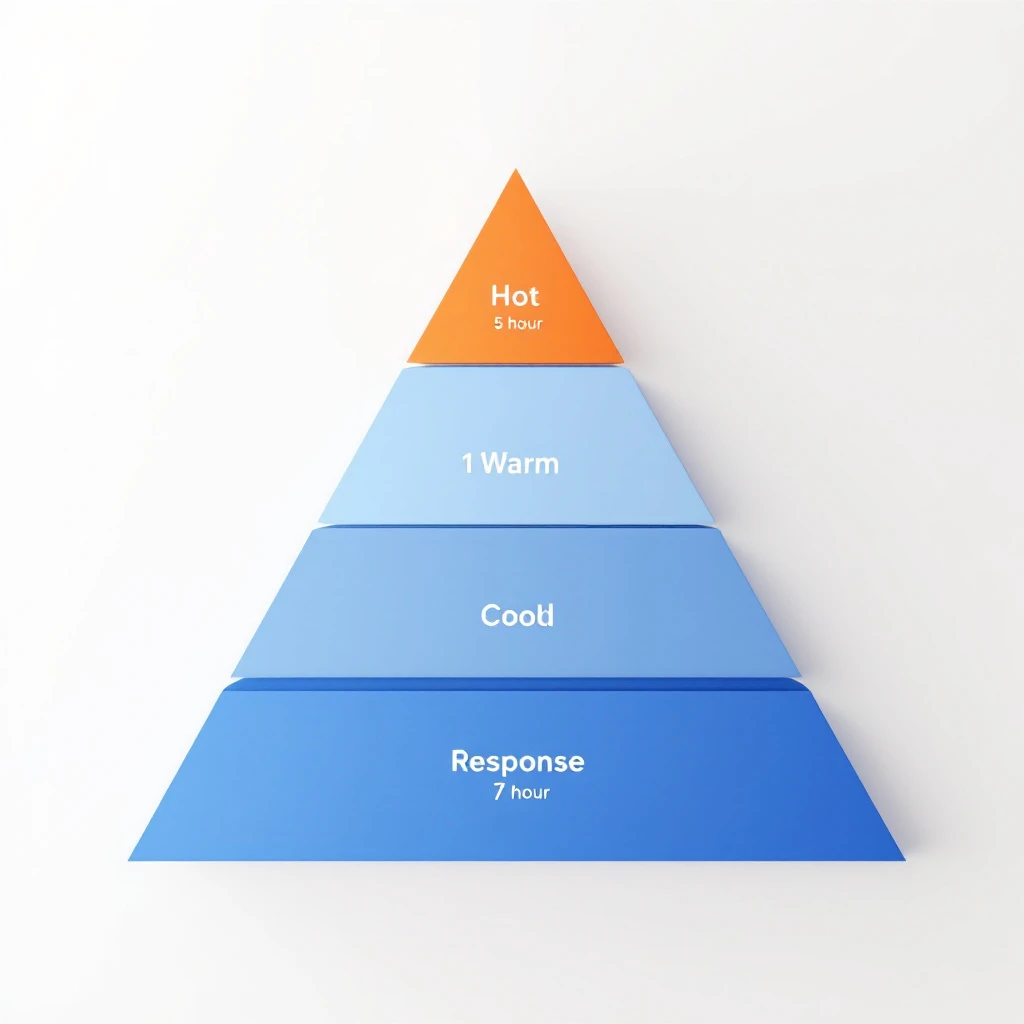
Inbound triage tier system โ€” routing leads by signal intensity, not arrival order

Every SDR leader has heard the rule: respond to inbound leads in under 5 minutes or you lose them. The MIT study on lead response times is gospel โ€” 21x more qualification, 78% of buyers go with whoever responds first.

So teams chase 5-minute SLAs on every lead. They route everything to a human. They build dashboards that turn red when a form sits for 6 minutes.

And then their best SDRs quit, because they're spending half their day calling people who downloaded a whitepaper out of curiosity.

The 5-minute rule is real. The way most teams implement it is broken.

This playbook is the fix: a 4-tier triage system that gets you to 5-minute response on the leads that matter, automates the middle, and stops your reps from hand-dialing tire-kickers. Built from the signal quality data we've been writing about all year and the daily SDR playbook we run internally.

The Problem With "5 Minutes On Every Lead"โ€‹

A typical mid-market B2B funnel looks like this in a given week:

  • 12 demo requests (high intent, ready-to-buy signal)
  • 40 content downloads (mixed intent โ€” some buyers, some researchers)
  • 60 newsletter subscriptions (low intent, mostly tire-kickers)
  • 200 pricing page visits with no form fill (variable intent โ€” depends on company)

That's 312 "leads" hitting your funnel. If you apply a uniform 5-minute SLA to all of them, you need roughly 4-5 SDRs working full-time just to handle inbound. Most teams have 2-3.

So what actually happens? Two failure modes:

  1. The SDR team picks favorites. They prioritize demos and ignore everything else. Half the funnel goes dark for 48 hours. Plenty of pipeline-worthy signals get missed.
  2. The SDR team tries to do everything. They call newsletter subscribers at 2 PM on a Tuesday, get hung up on, and eventually start treating every inbound lead as a low-priority chore. Quality of outreach collapses across the board.

The fix isn't more SDRs. It's better triage.

The 4-Tier Triage Systemโ€‹

Treat inbound the way an ER treats patients. Not first-come-first-served โ€” most acute first, with response times calibrated to the urgency of the signal.

TierSignal ExamplesResponse SLAHandlerChannel
Tier 1 โ€” HotDemo request, pricing page visit + ICP match, "talk to sales"5 minutesHuman SDRPhone + email + LinkedIn
Tier 2 โ€” WarmContent download + ICP fit, repeat visitor with intent pages, webinar attendee1 hourAI agent drafts, human approvesEmail + LinkedIn
Tier 3 โ€” CoolSingle content download, non-ICP form fill, light intent24 hoursAutomated sequenceEmail only
Tier 4 โ€” ColdNewsletter signup, blog comment, anonymous traffic7 days or nurtureMarketing automationEmail nurture

The point isn't the exact response times โ€” those depend on your ACV and sales cycle. The point is that the same SLA cannot apply to every lead. Signal intensity determines speed. Speed determines headcount allocation.

What Goes Into Each Tierโ€‹

Tier 1 โ€” Hot (5-minute response, human)

These are the only leads where the 5-minute rule literally applies. Characteristics:

  • Explicit purchase intent (demo, sales, pricing inquiry)
  • ICP match (right industry, right size, right title)
  • Recent on-site behavior showing active evaluation

For a mid-market B2B company, this is usually 3-8% of total inbound volume. It is by far the highest-converting bucket. Every minute of delay here is measurable pipeline lost. This is where you spend your speed budget.

Tier 2 โ€” Warm (1-hour response, AI-assisted)

These leads are evaluating, but haven't asked to talk yet. They downloaded the buyer's guide. They came back to your site twice this week. They attended your webinar and stayed for the Q&A.

The mistake here is treating Tier 2 like Tier 1. A 5-minute call to someone who just downloaded a PDF feels stalker-ish and converts worse than a thoughtful email 45 minutes later.

The right pattern: an AI agent drafts a personalized email referencing the content they consumed and their company context. An SDR scans the draft, edits if needed, and sends. The whole loop takes 90 seconds of human time. Response goes out within an hour while the topic is fresh.

This is the workflow we walked through in Visitor ID to First Outreach in 30 Minutes โ€” same logic applies to any Tier 2 signal.

Tier 3 โ€” Cool (24-hour response, automated)

Low-intensity signals. Single content downloads, non-ICP form fills, leads from outside your serviceable territory. These go into an automated sequence โ€” 3 to 5 emails over 2-3 weeks, designed to either escalate them up the tier system (by triggering a Tier 1 or 2 signal) or filter them out.

No human SDR time spent. Period. If they raise their hand later, they move up the tier system and get re-routed.

Tier 4 โ€” Cold (nurture)

Newsletter signups, blog readers, anonymous traffic, top-of-funnel content engagement. Marketing automation handles this entirely. They are not yet leads โ€” they are subscribers. Treat them accordingly. They escalate into Tier 3 or higher only when behavior signals it.

The Routing Logic (How Leads Move Between Tiers)โ€‹

Static tier assignment is brittle. Real lead behavior is dynamic โ€” a newsletter subscriber today might be a demo request next week. The system has to move them.

Three routing rules govern movement:

  1. Up-tier on intent escalation. Any Tier 2-4 lead that submits a higher-intent action (pricing visit, demo request, "contact sales" click) jumps immediately to Tier 1. The clock restarts.
  2. Down-tier on disengagement. Any Tier 1-2 lead that goes silent through three touches drops one tier. This frees SDR capacity for fresher signals.
  3. Re-rank weekly. Pull the full active-lead list every Monday. Re-score against the tier criteria. Reroute anyone whose behavior has shifted.

Most teams skip rule 3 and end up with a queue full of dead Tier 1 leads. Re-ranking is the maintenance pass that keeps the system honest.

This is the same intent-tier logic we used in the signal-based SDR routing post โ€” applied to inbound instead of outbound.

How To Automate Tiers 2 and 3 (Without Sounding Like a Bot)โ€‹

The tier system is only useful if Tier 2 and 3 don't need human attention. Here is the workflow that makes that real.

For Tier 2 (AI-drafted, human-approved)โ€‹

  1. Signal detected. Content download, repeat visit, webinar attendance โ€” whatever your trigger is.
  2. Enrichment fires. Company data, role data, recent on-site behavior, mutual connections, news mentions in the last 90 days.
  3. AI drafts the response. A short email referencing the specific content consumed, the company context, and one specific reason your platform fits their stack. Includes a soft CTA โ€” "happy to share how others at companies like yours used this โ€” open to a 15-min call next week?"
  4. SDR reviews draft. Should take 30-90 seconds. Approve, edit, or skip.
  5. Send + log. Goes into the SDR's sent folder so the next touch is from them, not a generic inbox.

The pattern we covered in From Buying Signal to Booked Meeting in 24 Hours is the template here โ€” same enrichment, same drafting loop, different SLA.

For Tier 3 (Fully automated)โ€‹

  1. Signal detected. Low-intensity action.
  2. Sequence enrolled. Lead enters a 4-touch sequence calibrated to the content they engaged with. Touch 1 references the asset. Touch 2 (4 days later) shares a related case study. Touch 3 (10 days) offers a soft CTA. Touch 4 (21 days) is a breakup email.
  3. Behavior monitored. Any open, click, or site revisit that crosses a threshold up-tiers them. They get pulled from the sequence and routed accordingly.
  4. Quiet exits. No re-engagement after 4 touches? They drop to Tier 4 and join the newsletter nurture.

The risk in Tier 3 automation is sounding generic. Avoid it by enriching the sequence with company-specific lines from public sources โ€” recent news, hiring activity, tech stack changes. Two or three concrete references per email is enough to feel human.

Why This Matters (The Capacity Math)โ€‹

Run the numbers for a typical mid-market SaaS team:

  • 312 weekly inbound leads
  • 4% Tier 1 = 12 leads โ†’ 1 hour of SDR time each = 12 hours of focused work
  • 18% Tier 2 = 56 leads โ†’ 2 minutes of SDR review each = ~2 hours total
  • 38% Tier 3 = 119 leads โ†’ 0 SDR time (fully automated)
  • 40% Tier 4 = 125 leads โ†’ 0 SDR time (marketing nurture)

Total SDR inbound load: ~14 hours/week. One SDR can handle the inbound queue with time left over for outbound. Without the tier system, the same 312 leads require 3-4 SDRs and still produces worse outcomes โ€” because the Tier 1 leads get the same treatment as the newsletter subscribers, and nothing gets the attention it deserves.

That's the unlock. Not faster response on everything. Faster response on the leads that pay back the speed.

Common Failure Modesโ€‹

A few patterns I've seen kill tier systems even when they're well-designed:

1. Tier 1 over-population. Sales leaders push to flag more leads as Tier 1 because it feels like progress. Within a quarter, 25% of leads are "hot" and SDRs are back to chasing volume. Fix: gate Tier 1 promotion on hard signals only, not gut feel.

2. No re-ranking. The Monday re-score pass falls off when the team gets busy. Within a month, the active queue is full of stale Tier 1 leads that should have been demoted. Fix: automate the re-rank. Make it a system event, not a calendar reminder.

3. Tier 2 drafts that read like spam. AI drafts without enrichment produce form-letter outreach. The whole point of Tier 2 is human-quality response at machine speed. Without enrichment, you've just built a slow spam cannon. Fix: invest in the enrichment layer first, then turn on drafting.

4. Routing without a CRM source of truth. If the tier lives in a spreadsheet, it dies in a spreadsheet. The tier must be a field on the lead record that every system reads from. Fix: pick one system of record and make tier a first-class field there.

The Tooling Layerโ€‹

You can run this system manually if your volume is small. Past about 50 weekly inbound leads, you need automation. The capability set you need:

  • Visitor identification โ€” who is on your site, even without a form fill
  • Real-time enrichment โ€” company + person data within seconds of trigger
  • Intent scoring โ€” assigns a tier based on signal combinations
  • AI drafting with context โ€” pulls enrichment + content history into the draft
  • Routing engine โ€” sends Tier 1 to humans, Tier 2 to drafts, Tier 3 to sequences, all automatically
  • Behavior-based re-tiering โ€” moves leads between tiers based on action

Several tools cover parts of this. Best lead routing software in 2026 and the ChiliPiper alternative breakdown both go deeper. Most teams stitch together 3-5 tools โ€” visitor ID, enrichment, MAP, AI assistant, scheduler.

This is what MarketBetter consolidates. We don't just identify the visitor and score the signal โ€” we draft the response, route to the right rep, and tell them exactly what to do next. The difference between knowing who's hot and acting on it in under an hour is the whole game.

The 30-Day Rolloutโ€‹

If you're starting from a flat 5-minute-everything SLA, here's the migration:

  • Week 1: Define your tier criteria. Pull last 90 days of inbound. Manually classify into 4 tiers. Confirm the distribution feels right.
  • Week 2: Set up Tier 3 automation. Build the 4-touch sequence. Stop manually responding to single-content-download leads.
  • Week 3: Set up Tier 2 enrichment + AI drafting. Pilot with one SDR. Measure response quality.
  • Week 4: Roll Tier 2 to the team. Establish the Monday re-rank pass. Lock in Tier 1 as the only human-priority queue.

By day 30, your SDRs should be spending 70% of their inbound time on Tier 1 and Tier 2 reviews. The previous 70% โ€” the busywork on Tier 3 and 4 โ€” is now automated.

The Bottom Lineโ€‹

The 5-minute rule isn't wrong. It's just narrowly true. It applies to hot, ICP-fit, ready-to-buy leads โ€” and almost nobody else.

Build the tier system. Reserve speed for the leads that pay it back. Automate the rest. Your SDRs get their best hours back, your hot leads get the response time the data says they need, and the leads who weren't going to buy this quarter don't burn capacity that should have closed deals.

The teams winning inbound in 2026 aren't the fastest on everything. They're the most disciplined about what deserves speed and what doesn't.


Want to see how MarketBetter automates Tier 1 and Tier 2 inbound response โ€” including visitor ID, AI drafting, and routing? Book a demo.

Related reading:

Smart Scheduler: How AI Qualification Turns Every Inbound Lead Into a Booked Meeting

ยท 11 min read
MarketBetter Team
Content Team, marketbetter.ai

I've watched SDR teams lose winnable deals for a decade. And the number one killer isn't bad messaging, weak value props, or even the wrong ICP. It's time.

Specifically, it's the 47 minutes โ€” on average โ€” between when an inbound lead fills out a form and when a human being actually responds. In those 47 minutes, that lead has already opened three competitor tabs, re-read a G2 comparison, and started to forget why they were excited about you in the first place.

We all know the data. Harvard Business Review published the speed-to-lead research years ago: companies that respond within five minutes are 100x more likely to connect than those that wait 30. And yet, the average B2B company still takes over 40 minutes.

Why? Because between "lead fills out form" and "rep picks up phone," there's a broken chain of manual steps, routing logic, and round-robin roulette that nobody has fixed.

Until now.

AI-powered lead qualification workflow

The 40% Problem Nobody Talks Aboutโ€‹

Here's a stat that should make every VP of Sales uncomfortable: roughly 40% of inbound leads never get a meaningful first response. Not "never close" โ€” never get responded to properly.

Some get lost in CRM assignment queues. Some get routed to reps who are on PTO. Some hit a round-robin and land on a rep who already has 15 open opportunities and isn't checking their new lead notifications. Some arrive at 4:47 PM on a Friday and by Monday, they're ghosts.

This isn't a people problem. Your SDRs aren't lazy. Your ops team isn't incompetent. The system is broken.

Here's what the typical inbound flow looks like at most B2B companies:

  1. Lead fills out a form
  2. Marketing automation assigns a lead score (maybe)
  3. Lead gets pushed to CRM
  4. CRM assignment rules fire (round-robin, territory, whatever)
  5. Assigned rep gets a notification
  6. Rep checks their queue 2-3 hours later
  7. Rep researches the lead manually
  8. Rep tries to qualify via email or phone
  9. Maybe โ€” maybe โ€” a meeting gets booked

That's nine steps. Nine failure points. Nine places where a perfectly good lead can fall through the cracks.

The median time from step 1 to step 9? Three to five days, if you're being honest. And by then, the lead is cold, distracted, or has already talked to your competitor who got there first.

If you're still running legacy lead routing processes, you're fighting a battle that was lost before your reps even knew it started.

What If AI Could Collapse That Entire Chain?โ€‹

MarketBetter's Smart Scheduler does something deceptively simple: it compresses those nine steps into one continuous flow that takes seconds, not days.

Here's the waterfall:

Lead arrives โ†’ AI qualifies in real-time โ†’ CRM lookup matches company to existing owner โ†’ Meeting books directly on the right rep's calendar

Let me break down why each piece matters.

Step 1: AI Qualification in Secondsโ€‹

The moment a lead submits any form โ€” demo request, content download, chatbot interaction โ€” AI evaluates the submission against your qualification criteria. Not a static lead score. Not a threshold number somebody set six months ago and forgot about. Actual, contextual qualification.

Does this person match your ICP? Is their company in your target segment? Is the signal strong enough to warrant immediate action?

This happens in seconds, not hours. No human queue. No waiting for an SDR to manually research the company on LinkedIn. The lead gets qualified while they're still looking at your thank-you page.

Step 2: CRM Owner Lookup โ€” The Most Underrated Feature in Sales Techโ€‹

Here's where Smart Scheduler does something that almost no other scheduling or routing tool gets right: CRM owner matching.

When a new inbound lead arrives, the system checks your CRM โ€” whether that's HubSpot or Salesforce โ€” to see if that lead's company already has an assigned owner. If Sarah owns the Acme Corp account because she's been working that deal for three months, the new lead from Acme Corp goes to Sarah. Period.

This sounds obvious. It is not.

Most round-robin systems treat every inbound lead as a net-new contact and distribute them randomly. That means a new contact from an account that already has an active opportunity might get assigned to a completely different rep. The new rep doesn't know the account history. The existing rep doesn't know someone else from their account just raised their hand. The prospect ends up confused, getting outreach from two different people at the same company.

I've seen this happen at companies doing $50M+ in revenue. It's more common than anyone admits.

CRM owner lookup eliminates this entirely. If the company exists in your CRM with an owner, the inbound lead goes to that owner. It's account-level routing, not contact-level routing. And it works across both HubSpot and Salesforce, which matters because CRM migration is messy and plenty of companies are running hybrid setups during transition periods.

Step 3: Intelligent Fallback for Unmatched Leadsโ€‹

What about truly net-new leads โ€” companies that don't exist in your CRM yet? That's where configurable routing rules take over.

Smart Scheduler doesn't just default to basic round-robin. You can configure routing based on:

  • Territory: Geographic or vertical-based assignment
  • Round-robin: Equal distribution across available reps
  • Capacity: Weighted by current pipeline load
  • Specialization: Route based on product interest, company size, or use case

The key word is configurable. Every sales org is different. Some have strict territory models. Some run pods. Some have different teams for inbound vs. outbound. Smart Scheduler adapts to your model rather than forcing you into a one-size-fits-all distribution.

Step 4: The Meeting Books Itselfโ€‹

This is the part that changes everything. Once the lead is qualified and routed to the right rep, the meeting booking happens immediately. The lead sees the rep's calendar and can book a time โ€” right then, while they're still engaged, while the intent is still hot.

No "someone will reach out within 24 hours." No "check your email for scheduling options." No five-email back-and-forth to find a time that works.

The lead goes from form fill to booked meeting in one unbroken flow. That's the speed-to-lead advantage that every sales org claims to want but almost none actually achieve.

The Round-Robin Problem Is Worse Than You Thinkโ€‹

Let me spend a minute on why traditional round-robin routing is so destructive, because most sales leaders underestimate this.

Round-robin assumes all leads are equal and all reps are interchangeable. Both assumptions are wrong.

Not all leads are equal. An inbound demo request from a VP at a 500-person company in your target vertical is worth dramatically more than a content download from a student. Treating them the same โ€” distributing both through the same round-robin queue โ€” means your best leads get the same treatment as your weakest ones.

Not all reps are interchangeable. Some reps specialize in enterprise. Some crush it in the mid-market. Some know a specific vertical cold. Round-robin ignores all of this. It's the scheduling equivalent of random assignment in a world where pattern matching drives conversion.

And then there's the account ownership problem I mentioned earlier. Round-robin actively works against account-based selling strategies. If you're investing in ABM, if you're building account plans, if you're trying to create unified experiences for buying committees โ€” and then your inbound routing randomly assigns new contacts to different reps โ€” you're undermining your own strategy.

Smart Scheduler's CRM owner matching is designed specifically to prevent this. It respects your existing account relationships and only falls back to configurable rules for genuinely new accounts.

Why This Matters More in 2026 Than Ever Beforeโ€‹

Three trends are converging to make intelligent inbound routing a necessity rather than a nice-to-have:

Buying Committees Are Biggerโ€‹

The average B2B deal now involves 11+ stakeholders. That means multiple people from the same company will hit your website and fill out forms at different times. If each one gets round-robined to a different rep, you're creating chaos instead of coherence. CRM owner matching ensures every touchpoint from the same account flows to the same rep โ€” building a complete picture instead of fragmented conversations.

AI SDRs Are Raising the Barโ€‹

Competitors are deploying AI chatbots and AI-powered qualification tools that respond instantly. If your competitors are booking meetings in 30 seconds and you're booking them in 30 hours, you're not competing. You're spectating. Smart Scheduler puts you at parity โ€” or ahead โ€” by automating the qualification-to-booking pipeline end to end.

Inbound Volume Is Increasing, But Quality Is Noisyโ€‹

With more content, more ads, and more channels driving traffic, SDR teams are dealing with higher inbound volume but more noise. AI qualification acts as a real-time filter, ensuring reps spend their time on leads that actually match your ICP rather than manually triaging a queue that's 60% unqualified.

The Real ROI Isn't Speed โ€” It's Accuracyโ€‹

Most people focus on speed-to-lead when they think about scheduling automation. And speed matters โ€” that 5-minute response window is real.

But the bigger ROI is accuracy. Getting the lead to the right rep, not just a fast rep.

When a lead gets routed to the rep who already owns that account, conversion rates jump โ€” not by 10 or 20 percent, but often by 2-3x. Why? Because that rep already knows the company's pain points, their tech stack, their buying process, their internal champions. They don't need 20 minutes of discovery to get up to speed. They can have a relevant, intelligent conversation from minute one.

This is the difference between "I saw you filled out a demo request, tell me about your business" and "Hey, I've been working with your team on the deployment project โ€” saw you wanted to discuss the new use case, let's dive in."

One of those sounds like a vendor. The other sounds like a partner. The difference is routing accuracy.

What About Leads That Don't Book?โ€‹

Not every lead will book a meeting immediately, even with a frictionless scheduling flow. Some people prefer email. Some want to do more research first. Some fill out forms on mobile and plan to follow up later.

Smart Scheduler accounts for this. Leads that are qualified but don't book in the initial flow get assigned to the matched rep (or the appropriate fallback rep) with full context about the lead's qualification profile. The rep can then follow up via email, phone, or personalized outreach โ€” but they're following up with a warm, pre-qualified lead, not starting from scratch.

The system doesn't treat unboooked-but-qualified leads as failures. They're opportunities in motion, and the rep who gets them has all the context they need to convert.

The Waterfall, Visualizedโ€‹

Here's how the complete flow works for every single inbound lead:

1. Lead Arrives Form submission, chatbot interaction, or scheduling request triggers the workflow.

2. AI Qualification Real-time evaluation against your ICP criteria, qualification rules, and engagement signals. Qualified leads proceed; unqualified leads get appropriate nurture treatment.

3. CRM Owner Lookup The system checks HubSpot or Salesforce for an existing company match. If the lead's company has a CRM owner, that owner is the routing target.

4. Owner Match โ†’ Direct Booking Lead sees the account owner's calendar and can book immediately. No round-robin, no queue, no delay.

5. No Owner โ†’ Configurable Routing For net-new companies, routing rules fire based on your configuration โ€” territory, round-robin, capacity, specialization, or any combination.

6. Meeting Confirmed Calendar invite sent, CRM updated, rep notified with full lead context. The entire process completes in seconds.

Every step is automated. Every step happens in real-time. Every step is designed to ensure that no qualified lead ever waits in a queue wondering if anyone's going to call them back.

Stop Leaking Pipelineโ€‹

The hard truth is that most B2B companies are losing 30-40% of their inbound pipeline to slow response times and wrong rep assignment. That's not a marketing problem. That's not a demand gen problem. That's a plumbing problem.

Smart Scheduler fixes the plumbing.

If you want to see what your inbound conversion rates look like when every lead gets qualified in seconds, routed to the right rep, and given a frictionless path to booking โ€” it's worth seeing it in action.

Because in the time it took you to read this post, someone at your company probably lost a lead.


Adam Grant leads GTM at MarketBetter, where he helps B2B sales teams turn inbound intent into booked meetings โ€” without the manual triage that kills conversion rates.