
Visitor ID to First Outreach in 30 Minutes: The Setup Playbook SDR Teams Actually Follow [2026]

Most "visitor identification" rollouts die the same way. A RevOps lead buys a tool in March, IT signs the data-processing addendum in April, the script ships in May, the SDRs ignore the dashboard in June, and by July everyone agrees the tool "didn't work." Then the next vendor gets pitched the same problem and the cycle restarts.
The dirty truth: identifying anonymous visitors is a 30-minute job. Doing something with the identification is where every team falls down — and that part has nothing to do with the vendor you picked. It's a workflow problem masquerading as a tooling problem.
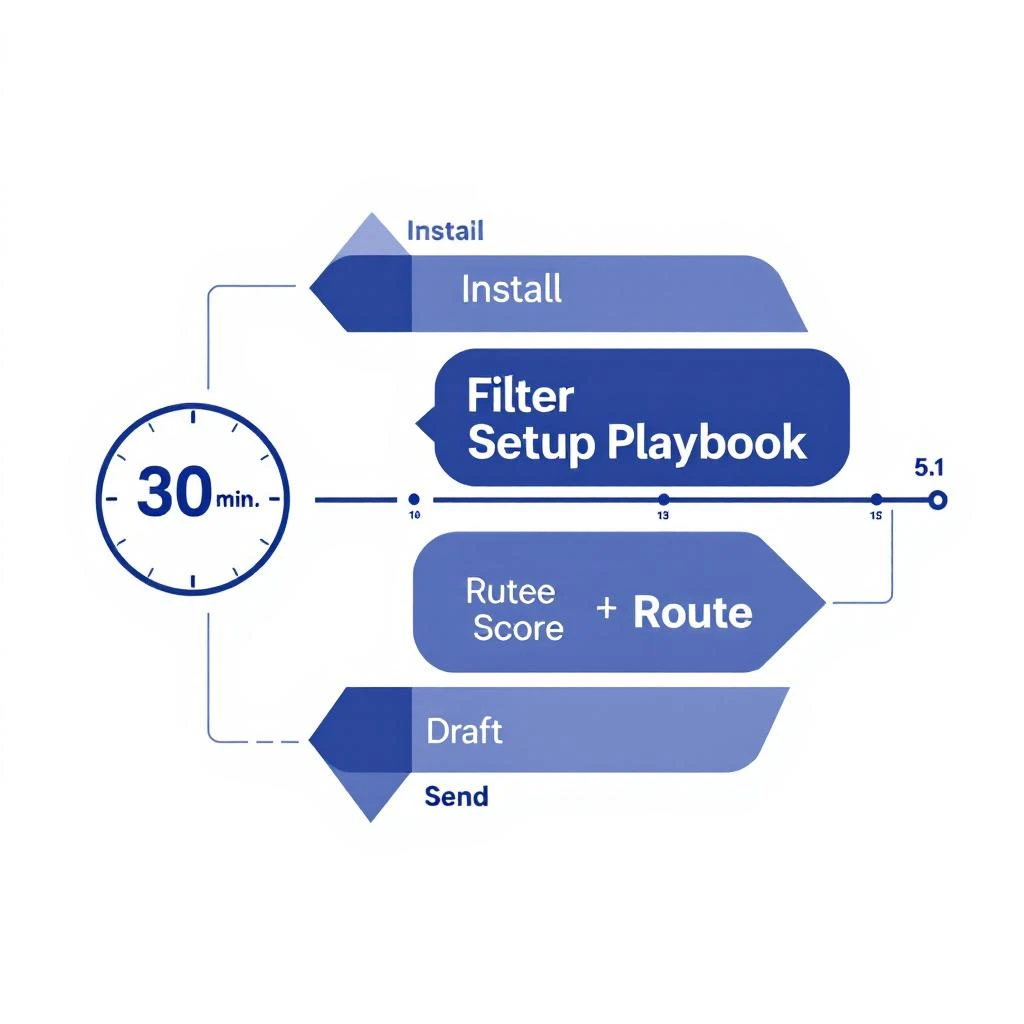
This post is the antidote: a six-block, 30-minute playbook that takes a B2B team from "zero visitor data" to "first personalized email going out the door." Every block has a clear output. If you can't finish a block in five minutes, you have the wrong problem, not the wrong process.
Why "30 minutes" is the right framing
Every B2B SaaS sales motion has a time-to-first-touch problem. A buyer is hottest in the 24 hours after they touch your site. Wait three days and the meeting rate collapses by something like 80%. Wait a week and you may as well buy a cold list.
So the goal is not "deploy a visitor ID platform." The goal is shrink the window between visit and outreach to under a day. The fastest way to do that is to remove every implementation step that does not directly move a visit into a sequence.
A 30-minute target is also honest. It forces you to skip the things you don't need yet — custom enrichment fields, multi-step lead-routing rules, hand-built dashboards. You can add those in week three. Right now we are trying to ship one email.
The six blocks below assume you already picked a platform. If you are still evaluating, our 2026 visitor identification tools shortlist and the longer B2B visitor identification guide are the fastest way to make that call. After that, come back here.
Block 1 (00:00 – 00:05): Install the pixel, confirm the data
The first five minutes are pure plumbing. You are doing three things:
- Drop the tracking snippet into your site's head tag. Most platforms give you a single script tag. If you use Google Tag Manager, paste it as a Custom HTML tag set to fire on All Pages. If you run a Next.js or framework site, drop it in your root layout.
- Verify a session fires. Open an incognito window on a non-corporate network, visit two pages of your site, then go to the platform's "Live Visitors" view. You should see your session within sixty seconds.
- Confirm the visitor-to-account match works. Either filter for your own home WiFi's company match or pull up a known customer's session if they recently visited. If the IP-to-company match is blank for an obvious enterprise visitor, raise it now, not in week two.
Output of block 1: one live session, one matched company name. Nothing else.
Do not stop to admire the dashboard. The dashboard is a graveyard for SDRs — we will not be sending them there.
Block 2 (00:05 – 00:10): Filter to the visits that matter
Every visitor ID tool will identify thousands of companies in week one. Ninety-five percent of them are useless to you: vendors hunting partnerships, competitors snooping, randos from your blog, your own employees on home WiFi.
In five minutes, you need three filters live:
- ICP fit filter. Industry, employee count, geography. Whatever your ICP definition already says. Pull this from your CRM if it exists.
- Page filter. Only visits to high-intent pages count:
/pricing,/demo,/book-demo,/integrations, anything in/product/. A view of your homepage is not a buying signal. A view of your pricing page is. - Exclusion list. Your own domain, your sister companies, every competitor's domain, every recruiting/sourcing tool's IP range. Five minutes of blocklist work saves hours of SDR frustration later.
Output of block 2: a saved filter that turns 1,000+ daily visits into the 10–30 that an SDR could realistically work.
If your platform forces you to build this from scratch each time, save it as a view, a segment, or a workspace. You will reuse it every morning.
Block 3 (00:10 – 00:15): Score visits with a one-page rubric
This is the block most teams skip. They install the tool, filter to ICP, then send every identified account to a Slack channel. Within a week the SDRs mute the channel.
You need a tiebreaker score so the SDR is never reading a list — they are reading a ranked list. The rubric does not have to be fancy. A one-pager with four lines is enough:
| Signal | Weight |
|---|---|
| Visited pricing or demo page | +30 |
| Visited 3+ product pages in one session | +20 |
| ICP fit (industry, size, geography) | +25 |
| Existing CRM contact or open opportunity | +15 |
| Returning visitor within 14 days | +10 |
Cap the score at 100. Anything ≥60 is an action. Anything 40–59 is a nurture-list candidate. Below 40 stays in the data warehouse for later.
If you want a deeper version of this, read our buying signal hierarchy — it has the empirical ranking of which signals actually predict closed-won. For today, the rubric above is enough.
Output of block 3: a scoring rule live in your platform (or in a Google Sheet if you have to). Every visit now has a number.
Block 4 (00:15 – 00:20): Route to the right human
A scored visit that lands in a generic #signals Slack channel is dead on arrival. SDRs ignore shared channels because shared channels are nobody's job.
Routing has three rules, and you can stand all three up in five minutes:
- Round-robin by SDR. If you don't have account ownership, assign accounts in a simple rotation. If you do have it, route to the existing owner.
- Direct message, not channel. Slack DMs get opened. Channels get muted. Same content, different surface, drastically different engagement.
- One actionable line, not a wall of data. The DM should read like: "Acme Inc (mid-market manufacturing, ICP match) — 2 reps visited /pricing twice today. Score 78. Suggested play: re-engage with [pricing page recap]. Open in CRM →" Not a dashboard link, not a JSON blob — one human-readable sentence with a verb.
This is the deepest insight of the entire playbook, and it is the difference between a visitor-ID tool that ships pipeline and one that gets churned in Q3: route signals as tasks, not as data. The teams that win don't have better signals. They have better delivery of the signals they have. We've written more on this in the 3-layer signal stack architecture post if you want the full theory.
Output of block 4: the first scored, filtered visit lands as a Slack DM with a specific verb attached.
Block 5 (00:20 – 00:25): Draft the outbound, before any rep needs to
The biggest mistake here is asking the SDR to write the email from scratch. They will not. They will tab over to LinkedIn, get distracted, come back in 40 minutes, and the visit will be cold.
In five minutes, write three reusable email templates — one for each rough buyer scenario:
- Template A — pricing page visit, no prior contact. Three lines, references the pricing question directly, ends with a calendar link or a single yes/no question.
- Template B — pricing page visit, existing CRM contact. Four lines, references the prior conversation, asks if anything changed.
- Template C — multi-page product visit, no prior contact. Three lines, asks which use case brought them in. No pitch.
Bake the merge fields you will actually use: {first_name}, {company}, {page_visited}, {rep_name}. Skip anything that requires a research step. If a rep has to look something up before sending, you have failed.
We have a longer breakdown of the email patterns that book meetings in the first 30 minutes of an SDR's day post — those same templates work here, because the trigger is the same: a fresh signal, a tight window, a specific verb.
Output of block 5: three templates saved in your sequencing tool, each one tied to a routing rule from block 4.
Block 6 (00:25 – 00:30): Send the first one — by hand
This is the most important five minutes of the entire playbook, and it is also the one teams skip the hardest.
Do not turn on automation yet. Do not connect the visit-to-sequence trigger yet. Do not set up the daily digest.
Instead: take the first visit that comes through your filter, open the suggested template, personalize one line, and send it. By hand. Yourself, if you are RevOps. Or sit next to your highest-leverage SDR and watch them do it.
You are doing two things with this final block:
- Stress-testing the entire workflow end-to-end. If anything is broken — a bad merge field, a dead calendar link, a wrong company match — you will catch it before you've sent 100 cold emails with a typo.
- Establishing the muscle memory. SDRs who watch a workflow ship one good email by hand will trust it when it gets automated next week. SDRs who get handed an automated workflow on day one will quietly bypass it.
Output of block 6: one personalized email, sent, by a human, in response to a real visit identified in the last 24 hours.
Now you have a closed loop. You can scale from here. You can automate the trigger, expand the templates, layer in champion-tracking or job-change signals — but you have proven the core loop works on real data, with real humans.
What you did not do (on purpose)
Notice what is not in this 30 minutes:
- No dashboard build-out
- No enrichment field mapping
- No multi-touch attribution setup
- No Salesforce custom object configuration
- No "alignment workshop" with marketing
- No vendor pricing tier upgrade conversation
- No third-party integration that requires a Zapier debug session
All of these things are real and many of them are worth doing — eventually. None of them belong in the first 30 minutes. Every minute spent on them is a minute that the buyer who visited your pricing page this morning is sitting in their inbox waiting for someone else to email them first.
The cost of a missed 24-hour window dwarfs the cost of a slightly imperfect setup.
When to expand the playbook
Re-run a slightly longer version of this playbook every two weeks for the first quarter. Each round, add one thing:
- Round 2 (week 2): automate the visit-to-sequence trigger using the same scoring rubric.
- Round 3 (week 4): layer in champion-tracking signals for accounts where a known contact changed jobs.
- Round 4 (week 6): add a return-visit re-engagement play for accounts that visited once, went quiet, and came back.
- Round 5 (week 8): start an account-revival workflow for closed-lost deals that show new visit activity.
By the end of quarter one you have a layered, working pipeline of pages-to-people-to-pitches — and you got there by adding capability on top of a workflow you already trust, not by buying five tools and hoping the dashboards line up.
The bigger picture
Visitor identification has been around for a decade. The reason most teams still don't have a working version of it isn't the technology — IP-to-company matching is a solved problem, and a half-dozen platforms can deliver it well. The reason it doesn't work is that buyers expect to be reached out to in hours, and most ops teams scope their rollout in months.
If you can compress that timeline to a single morning — install, filter, score, route, draft, send — you stop competing on tooling and start competing on speed. And speed is the one thing your competitors can't catch up on by buying a different vendor.
Thirty minutes. One email. Then iterate from there.
Want to see a visit-to-outreach loop running on real B2B traffic before you build it yourself? Book a 20-minute demo — we'll walk through a live workflow on an account that matches your ICP.