Cold Calling How To: Turn Conversations Into Conversions

ยท 24 min read

To win at cold calling today, you must ditch the old "spray and pray" mindset. This isn't about a high-volume, low-quality numbers game anymore. Itโ€™s about making fewer, smarter calls that actually open doors and create real pipeline. To make this guide actionable, for every strategy, we'll compare the old way versus the new, strategic way.

And it all starts long before you ever pick up the phone.

Rethinking the Cold Call: A Modern Playbookโ€‹

For decades, cold calling got a bad rap. It was all about relentless dialing, generic scripts, and frankly, low morale. The old way was simple: make hundreds of calls and hope something sticks. Not only is that incredibly inefficient, but it also burns through your brand's reputation by treating prospects like numbers on a spreadsheet.

But things have changed. A modern framework transforms cold calling into a predictable revenue driver, built on quality over quantity.

This new playbook rests on five core pillars, each with actionable steps:

  • Intelligent Research: Finding a specific, relevant reason to call someone right now.
  • A Compelling Opening: Earning the first 30 seconds with context, not a generic pitch.
  • Structured Discovery: Asking sharp questions to uncover actual business pain.
  • Confident Objection Handling: Turning pushback into a productive conversation.
  • Systematic Follow-Up: Running a persistent, value-driven cadence across multiple channels.

From Volume to Valueโ€‹

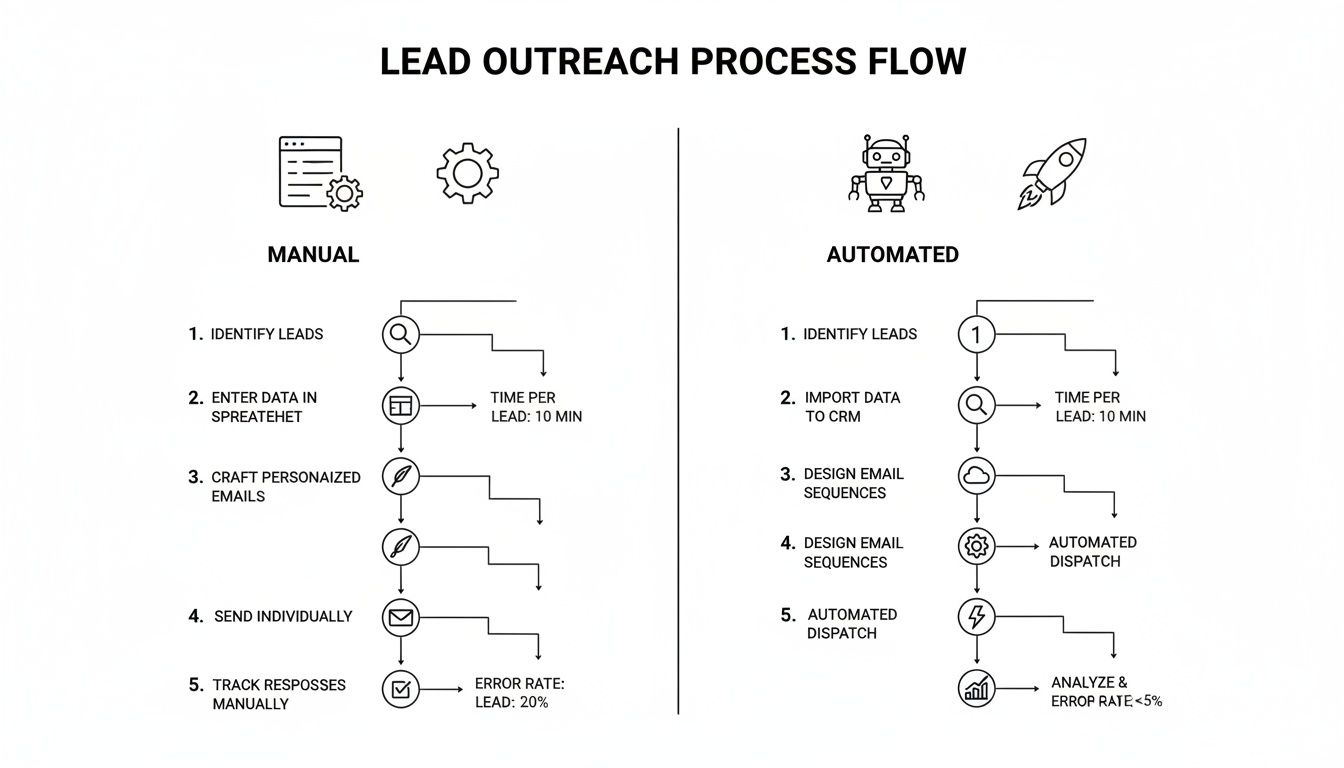
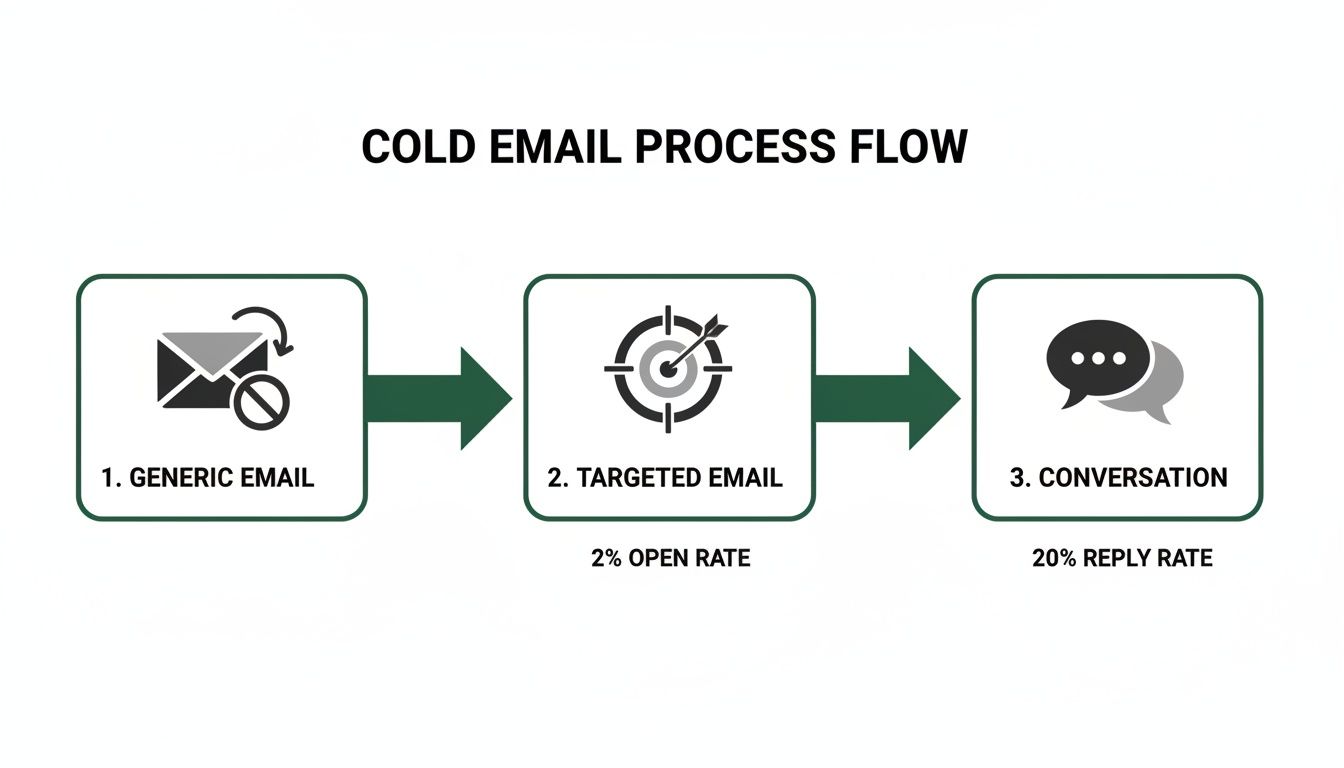
The real difference-maker is the prep work. Cold calling is still a beast in B2B outbound sales, even with notoriously low success rates. The average conversion from a cold lead to a warm prospect hovers around a grim 2%.

But hereโ€™s where it gets interesting: for high-quality, well-researched leads, that conversion rate can jump to 20%. That stat alone shows you where the leverage is.

The key takeaway is that the call itself is just one piece of the puzzle. The whole process is much more thoughtful, starting with solid prep and ending with diligent follow-up.

This table really drives home the difference between the old grind and the new strategy.

TacticThe Old Way (Inefficient)The Modern Way (Strategic)
List BuildingBuying massive, generic lists.Building targeted lists based on ICP and buying signals.
ResearchMinimal to none. "Going in blind."5-10 minutes per prospect, finding specific triggers.
Opening Line"Hi, my name is... do you have 27 seconds?""Saw your post on LinkedIn about scaling your team..."
Goal of the Call"Book the demo!" (At all costs)Uncover pain, qualify fit, and build rapport.
Technology UsedJust a power dialer.Integrated CRM, research tools, and call logging.
Rep Mindset"I have to hit 100 dials today.""I need to have 5 quality conversations today."

The shift is undeniable. Moving from a volume-based approach to a value-based one isn't just a "nice-to-have"; it's essential for survival and growth.

Integrating Strategy with Technologyโ€‹

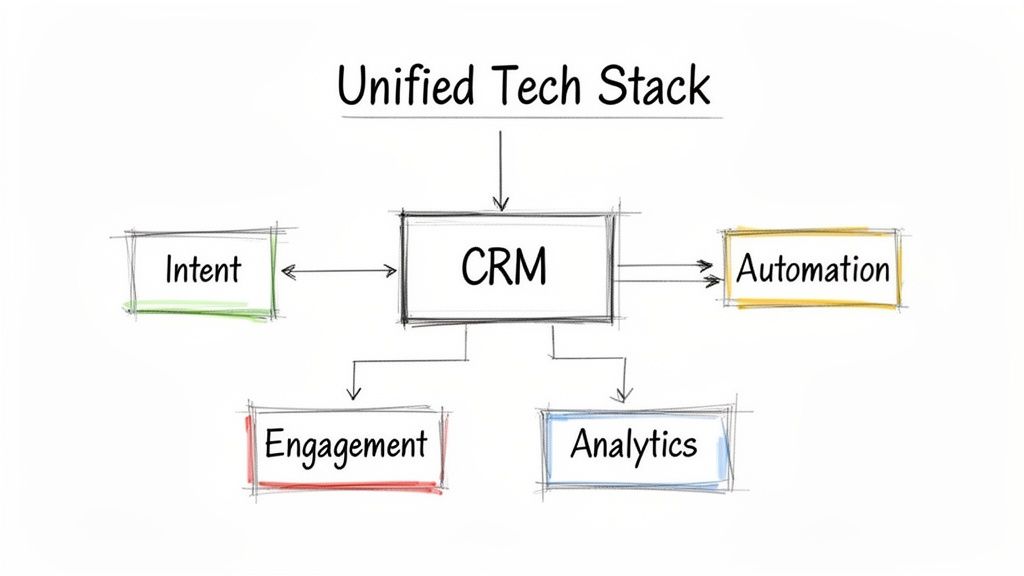
Look, executing this playbook consistently takes more than just a change in mindset. You need the right tools.

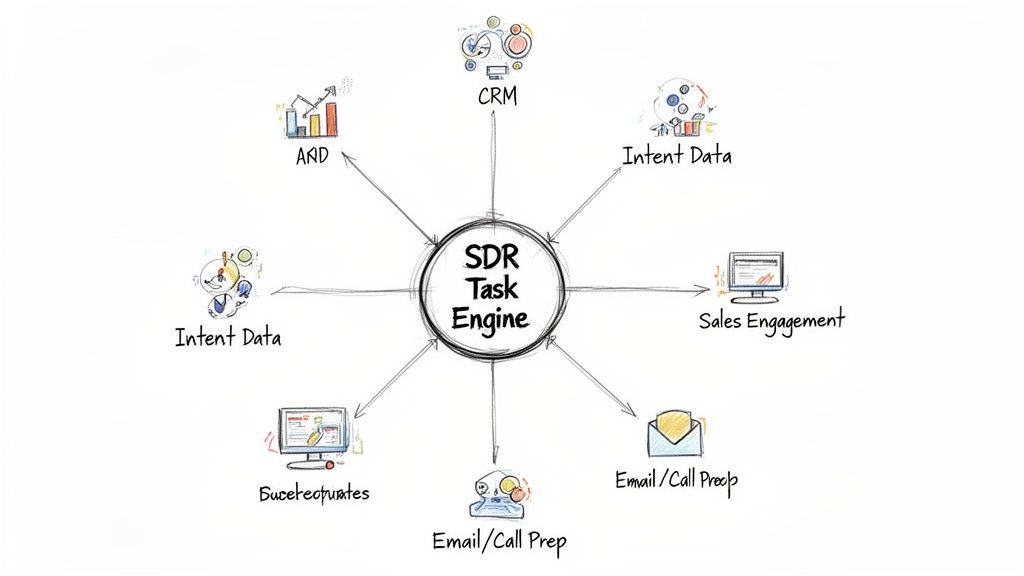
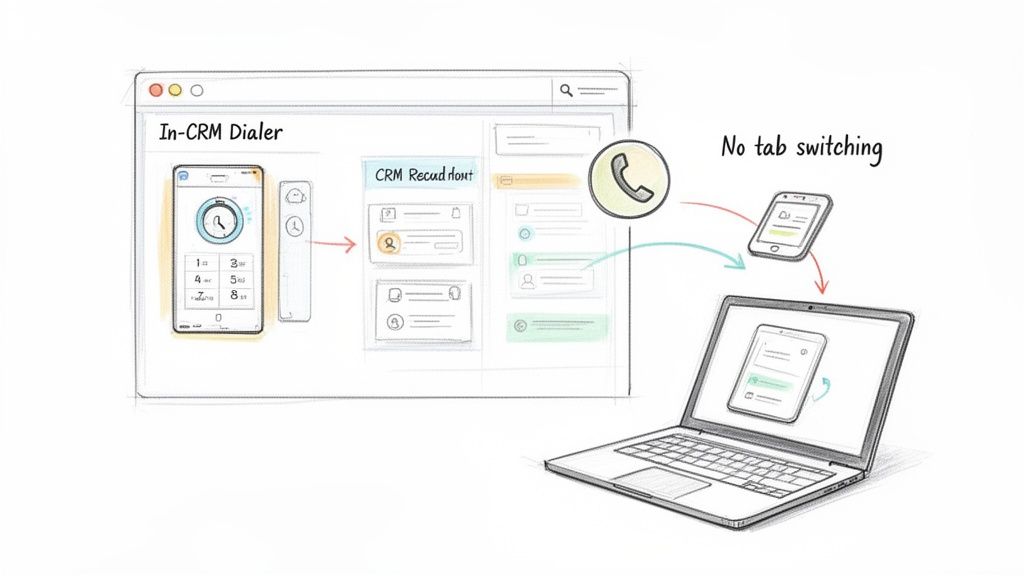
When your reps are juggling a dozen tabs for research, dialing, and CRM updates, friction builds up and productivity tanks. This is where a tool like MarketBetter.ai comes in, creating an AI-Powered SDR Task Engine right inside your CRM.

It turns buyer signals into a prioritized task list, gives reps AI-driven talking points for each call, and automatically logs every outcome in Salesforce or HubSpot.

This kind of integrated workflow makes sure every call is informed, efficient, and perfectly tracked. It frees up your reps to focus on what they do best: having great conversations, not drowning in admin work. And when you're ready to move beyond individual rep performance, you have to think about the bigger picture of scaling outbound efforts. Building this kind of system is a cornerstone of modern sales enablement best practices.

Research: The Work You Do Before the Dialโ€‹

The best cold calls never start with a dial tone. They start with smart, focused research. This isn't about spending an hour digging through someone's entire digital history. It's about investing a few targeted minutes to find the one thing that turns your call from a random interruption into a welcome conversation.

A great cold calling strategy lives and dies on your reason for reaching out right now. This "hook" is your proof that you've done your homework, that you respect their time, and that you aren't just another SDR burning through a purchased list. Itโ€™s your first, best chance to earn some credibility.
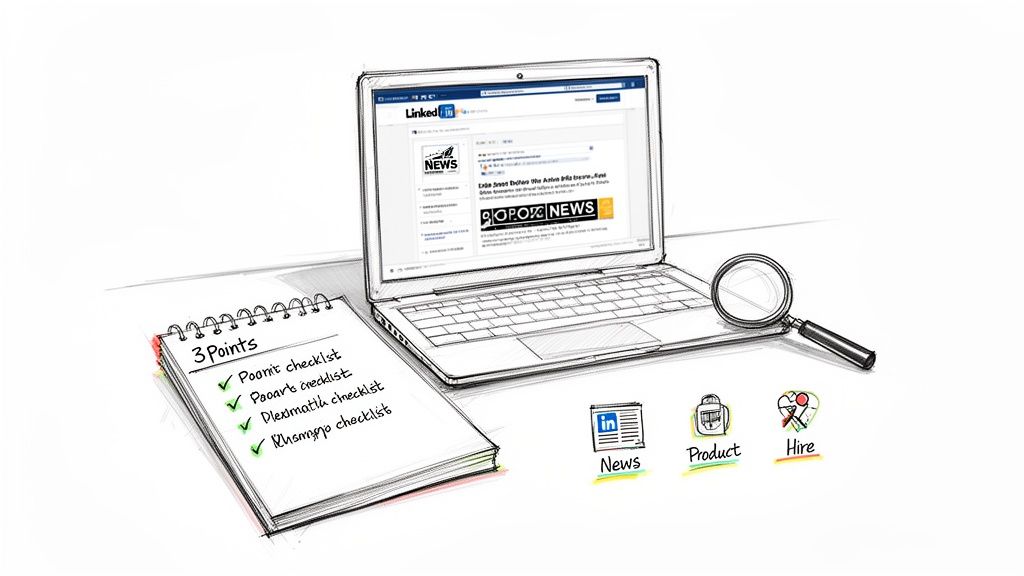
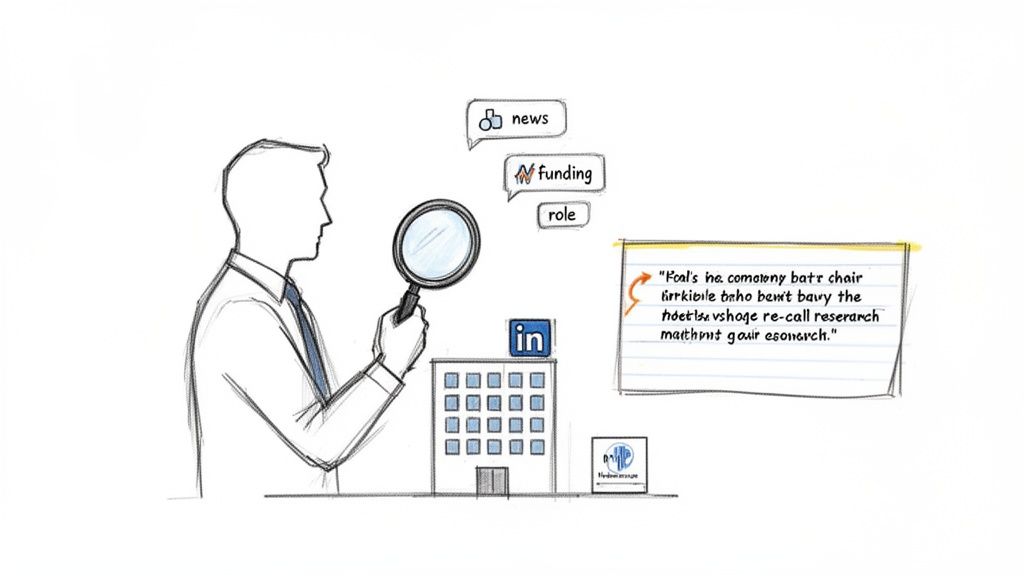
Sketch of a workspace with a laptop showing LinkedIn, a checklist, a magnifying glass, and business icons.

Finding Your Conversation Starterโ€‹

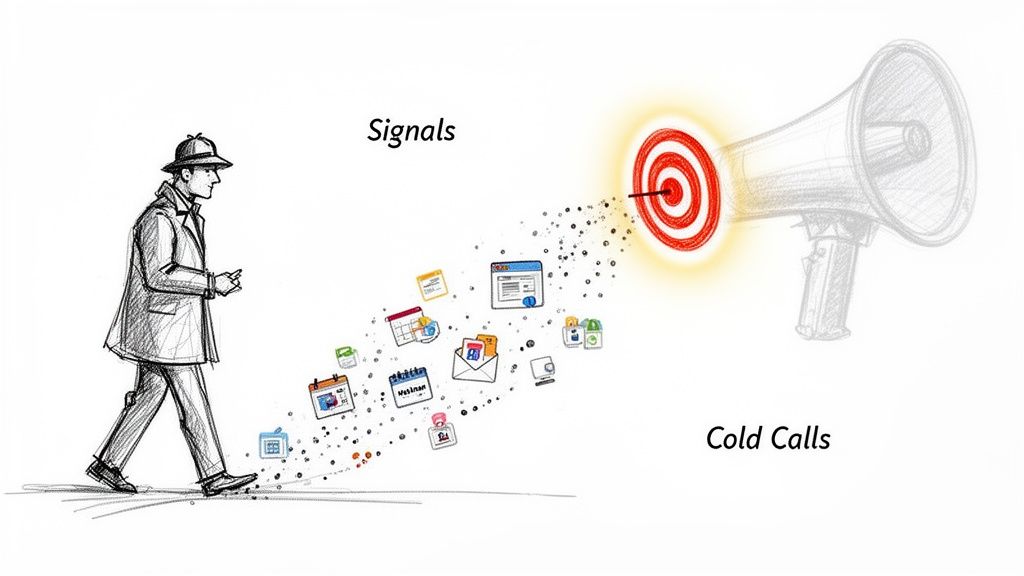
Your mission is to uncover a relevant "buyer signal"โ€”some recent event or piece of intel that gives you a natural, timely reason to call. These signals show your outreach is intentional, not just another shot in the dark.

Here are a few high-impact signals I always look for:

  • Recent Company News: Did they just land a new round of funding? Announce an expansion? Launch a big product? These are trigger events that create new problems your solution can likely solve.
  • Key Hires: A new VP of Sales or Head of Operations isn't just window dressing. They were hired to make changes, and they're usually most open to new tools and ideas in their first 90 days.
  • LinkedIn Activity: Pay close attention to what your prospect and their company are posting. A comment they made, an article they shared, or a question they asked can be the perfect, low-friction way to start a real conversation.
  • Job Postings: If a company is suddenly hiring a bunch of SDRs and you sell a sales dialer, that's not a coincidence. It's a flashing neon sign pointing to a very specific need.

Manual Drudgery vs. Automated Workflowโ€‹

How you actually find this information is where most reps get bogged down. You basically have two choices, and they have massive implications for your efficiency.

AspectManual ResearchAI-Driven Workflow
ProcessReps manually scour LinkedIn, news sites, and company pages before every single call.An integrated tool surfaces buying signals and prioritizes tasks for you automatically.
Time Spent5-10 minutes of prep time per prospect.Less than 1 minute of review per task.
EfficiencyHigh friction. This is where "call reluctance" comes fromโ€”reps get lost in the research rabbit hole.Low friction. Reps can stop researching and start calling, focusing on having good conversations.
ScalabilityTough to maintain consistency. Your A-players might do it, but the rest of the team won't.Guarantees every single rep is working from the same high-quality, prioritized list of calls.

The manual way puts all the pressure on the SDR. It's easy to cut corners when you're busy or just fall behind. An AI-driven workflow, like the task engine weโ€™ve built into MarketBetter.ai, flips the script. It turns those signals into a prioritized to-do list right inside your CRM. This doesn't just save time; it ensures every single call you make is backed by a real, timely opportunity. A big part of this is knowing how to qualify sales leads from the outset, so your efforts are always focused on the right people.

Your Three-Point Pre-Call Checklistโ€‹

To keep yourself from getting lost in the weeds, build a dead-simple, repeatable checklist for every prospect. Before you pick up the phone, you need to have three key pieces of information locked and loaded. This discipline is what lets you open with value every time.

Your pre-call checklist is your secret weapon. Itโ€™s the difference between saying, "Hi, I'm calling from..." and saying, "I saw you're hiring three new account executives, and I had a thought..." One gets you a dial tone; the other gets you a conversation.

Here's what a practical, three-point checklist looks like in action:

  1. The Hook: "The company just announced its expansion into the European market." This is your reason for calling today.
  2. The Persona Problem: "As the new VP of Sales, she's almost certainly focused on building a scalable outbound process for that new region." This connects the big company news to a challenge specific to her role.
  3. The Connection: "Our integrated dialer helps teams in new markets ramp up twice as fast because it keeps all activity logged directly in Salesforce." This is the bridge connecting her problem to your solution.

When you have this structure, you can open any call with immediate relevance and confidence. It changes the entire dynamic from a cold pitch to a timely, consultative discussion. If you want to dive deeper into identifying the best prospects for this process, check out our guide on how to qualify sales leads.

Crafting an Opener That Earns the Next Minuteโ€‹

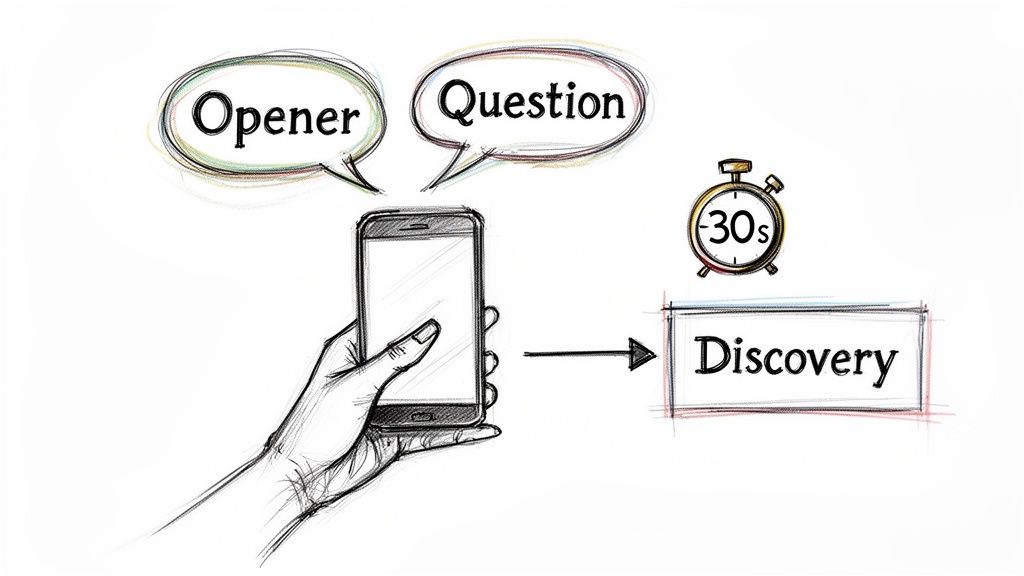
You have less than 30 seconds. Thatโ€™s the window you get to turn a cold interruption into a genuine business conversation. Getting this part right is less about a "perfect" script and more about quickly proving you're relevant, respectful, and worth listening to.

The biggest mistake reps make is starting with a self-serving question like, "Did I catch you at a bad time?" This immediately puts the prospect on the defensive and gives them an easy "yes" to end the call. A modern cold calling opener does the oppositeโ€”it disarms them with a pattern interrupt.
Hand holding a phone with 'Opener' and 'Question' speech bubbles leading to 'Discovery' in 30 seconds.

This means leading with a clear, concise reason for your call thatโ€™s grounded in the research you just did. It shows youโ€™ve done your homework and arenโ€™t just dialing down a random list. This small act of personalization has a massive impact; opening with your specific reason for calling can double your success rate by 2.1x.

Even a friendly, familiar "How have you been?" can boost success rates to 10% from a baseline of just 1.5%. You can dig into more data on call effectiveness in this deep dive on cold calling statistics.

The Shift from Pitching to Permissionโ€‹

A powerful opener doesn't jump straight into a pitch. Instead, it uses permission-based language to build instant credibility and put the prospect in control. After you've stated your name and company, you deliver your research-backed "hook" and then ask for permission to continue.

This subtle shift in approach is critical. It changes the dynamic from you talking at them to you having a conversation with them.

The goal of your first sentence isn't to sell your product. It's to sell the next minute of conversation. Lead with context, show you've done your homework, and then ask for permission. This simple framework is the key to earning their attention.

Letโ€™s look at how this plays out in the real world. The difference between a weak opener and a strong one is the difference between a dial tone and a real conversation.

Effective vs. Ineffective Call Opening Linesโ€‹


ScenarioWeak Opening (To Avoid)Strong Opening (To Use)
Hiring Signal"Hi, my name is Alex from MarketBetter. Did I catch you at a bad time? Iโ€™m calling because we sell sales dialers.""Hi Jane, Alex from MarketBetter. I noticed youโ€™re hiring five new SDRs for your Austin office. Can I take 27 seconds to explain why I'm calling about that?"
Funding News"Hello, this is Alex with MarketBetter. We help companies like yours improve sales efficiency. Do you have a few minutes?""Hi Jane, Alex from MarketBetter. Congrats on the Series B fundingโ€”thatโ€™s huge news. I had a specific idea on how you can scale your outbound team to hit those new growth targets. Do you have a minute for me to share it?"
LinkedIn Post"Hi Jane, Alex calling from MarketBetter. I saw your post on LinkedIn and wanted to connect about our solution.""Hi Jane, Alex from MarketBetter. Your recent post about the challenge of CRM hygiene really stood out to me. I've got a thought on how to solve that without manual data entry. Mind if I share it?"

See the pattern? The strong examples are specific, timely, and end with a direct, permission-seeking question. They give the prospect a clear, compelling reason to say "yes" and hear you out.

Transitioning into Meaningful Discoveryโ€‹

Once youโ€™ve earned that next minute, the pressure is on to make it count. Don't immediately launch into a product demo over the phone. The goal now is to pivot from your opener into a natural discovery conversation.

This is where you shift from talking to asking. Your job is to uncover real business pain by asking insightful, open-ended questions. Avoid feature-focused questions and instead probe for challenges, goals, and consequences.

Here are a few powerful discovery questions to get you started:

  • "Given that you're scaling the SDR team, what's the biggest bottleneck you're anticipating in your current outbound process?"
  • "You mentioned CRM hygiene in your post. Can you walk me through how your reps are logging call activity today?"
  • "When you think about hitting those aggressive new growth targets, what part of the sales funnel worries you the most?"

These questions aren't about your product; theyโ€™re about their business. They make the prospect think, turning a monologue into a collaborative diagnosis. This consultative approach is how you transform a simple cold call into the start of a valuable business relationship.

Hearing "no" isn't the end of a cold call. Itโ€™s usually the real beginning.

Most reps freeze up when they hear an objection. They see it as a brick wall. But seasoned pros know objections arenโ€™t failures; they're invitations to dig deeper. Theyโ€™re a sign the prospect is at least engaged enough to push back. Your job isn't to argueโ€”it's to understand what's really behind their words.

An unprepared rep gets defensive. They either fold immediately or steamroll the prospect with a canned rebuttal. A smart rep, on the other hand, uses a simple framework to turn that pushback into a real conversation.

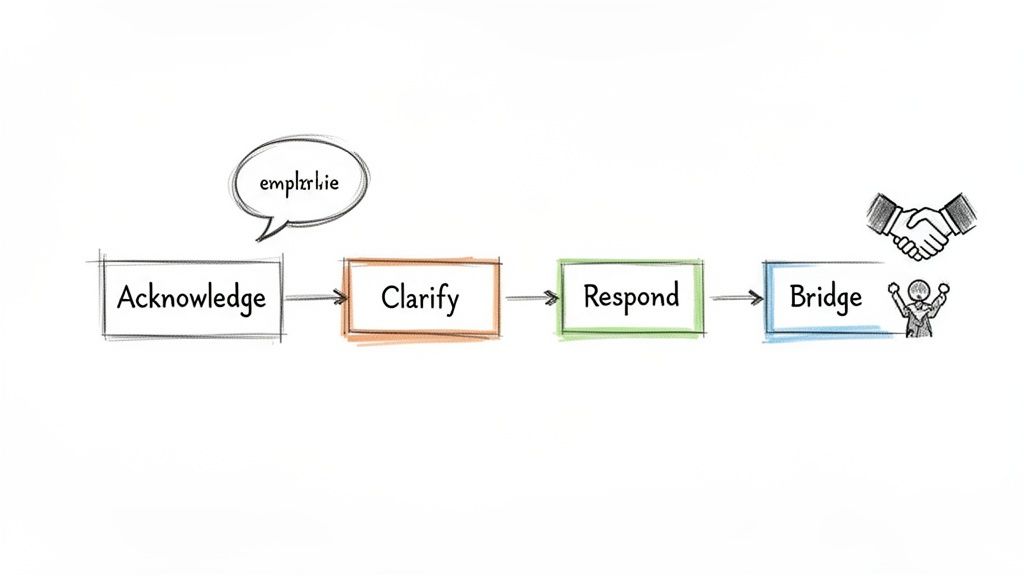
The Acknowledge, Clarify, Pivot Frameworkโ€‹

This isn't some complex sales theory. It's a three-step conversational habit that keeps you out of the defensive zone and puts you in control.

  1. Acknowledge: First, just agree with them. Show them you heard them and you aren't going to fight. A simple, "That makes total sense," or "I get it," instantly lowers their guard. You're on their side.
  2. Clarify: The first objection is almost never the real one. It's a reflex. Your goal is to gently probe for the truth hiding behind the words. Ask a soft, open-ended question to get more detail.
  3. Pivot: Once you understand the actual concern, you can connect what you do directly to that problem. You're no longer pitching; you're solving the specific issue they just told you about.

This little method shifts the entire dynamic from a confrontation to a consultation. You stop being a seller and start being a problem-solver.

Handling the Objections You'll Hear All Dayโ€‹

Letโ€™s run this framework through the greatest hits of cold call brush-offs. Remember, the goal isn't to trick anyone. It's to guide the conversation to a place where real value can be discussed.

Objection 1: "Just Send Me an Email"

This is the classic "get off my phone" move. If you just agree and hang up, your email is dead on arrival. Instead, use their request to your advantage.

  • Acknowledge: "Absolutely, happy to do that."
  • Clarify: "So I can make it relevant and not just send you some generic PDF, what's the one thing that would be most useful for me to include?"
  • Pivot: Once they tell you (e.g., "how you handle CRM data"), you pivot right back. "Perfect. I'll shoot over a quick note on our native Salesforce integration. While I have you, it literally takes 30 seconds to explain how we help other VPs of Sales solve the CRM adoption problem. Is that worth a quick listen?"

Objection 2: "We're Happy with Our Current Solution"

Another classic brush-off. Never, ever challenge their current provider. Get curious instead.

When a prospect says "we're happy," it's your cue to listen, not to pitch. Ask questions about how they're using their current tool. This is where you find the little cracksโ€”the frustrations they've just accepted as normalโ€”and create an opportunity where one didn't exist a minute ago.

  • Acknowledge: "That's great to hear. Honestly, it sounds like you're way ahead of the game. A lot of teams we talk to are still wrestling with [common pain point]."
  • Clarify: "Just so I know, what are you guys using for outbound dialing and activity logging right now?"
  • Pivot: Once they name a tool (even a big one), you can use your differentiators. "Oh yeah, XYZ is a solid platform. A lot of our customers actually came from them because they needed a dialer that lived 100% inside Salesforce to get reps to actually use it. Is keeping your team in a single workflow a priority for you?"

You didn't bash their choice. You just introduced a very specific, valuable idea they probably haven't thought about.

Confidently Securing the Next Stepโ€‹

Nice work. You handled the objection and had a real conversation. But if you don't nail the dismount, it was all for nothing. The last 15 seconds of the call are critical.

Don't end with a weak, "So, I'll follow up sometime soon..." Thatโ€™s a death sentence. Be direct, be confident, and be specific.

AspectThe Weak Close (Vague)The Strong Close (Specific)
Language Used"Are you open to a demo sometime next week?""Does next Tuesday or Thursday at 2 PM work for a 15-minute call to show you how this looks in Salesforce?"
Call to ActionAsks for a generic "demo" with no defined value or length.Proposes a specific day, time, and short duration for a targeted outcome.
PsychologyMakes the prospect do the mental work of checking their calendar.Makes it incredibly easy to say "yes" by offering two simple options.

By offering specific times, you remove the friction. If they can't do either, your follow-up is natural: "No problem. What does your calendar look like?" You're still in control, driving toward a firm commitment. This is how good calls turn into actual pipeline.

Building a Winning Post-Call Workflowโ€‹

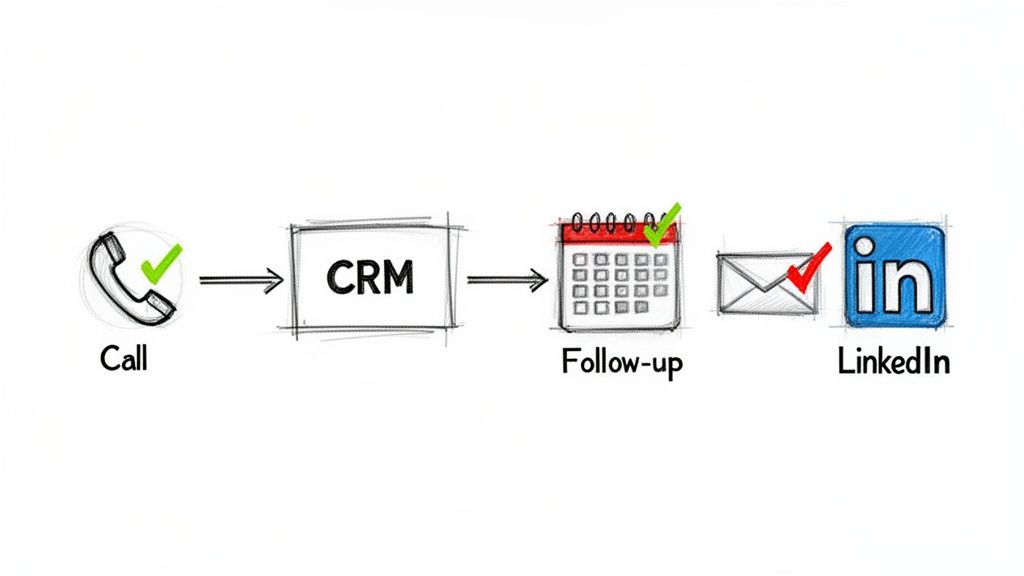
A great call is a terrible thing to waste. What you do in the five minutes after hanging up often determines whether that conversation turns into a real opportunity or just fades away.

The single biggest mistake reps make? Treating post-call work like an afterthought. Itโ€™s a recipe for sloppy notes, forgotten follow-ups, and a CRM thatโ€™s more of a data graveyard than a sales weapon. A disciplined post-call workflow, on the other hand, turns every conversation into a concrete, trackable asset.
A visual diagram outlining steps in a sales process: Call, CRM, Follow-up, Email, and LinkedIn.

From Manual Mess to Integrated Machineโ€‹

Your post-call process can be a massive bottleneck or a powerful accelerator. The difference usually comes down to how well your tools talk to each other. Let's look at two all-too-common scenarios.

AspectThe Manual MessThe Integrated Workflow
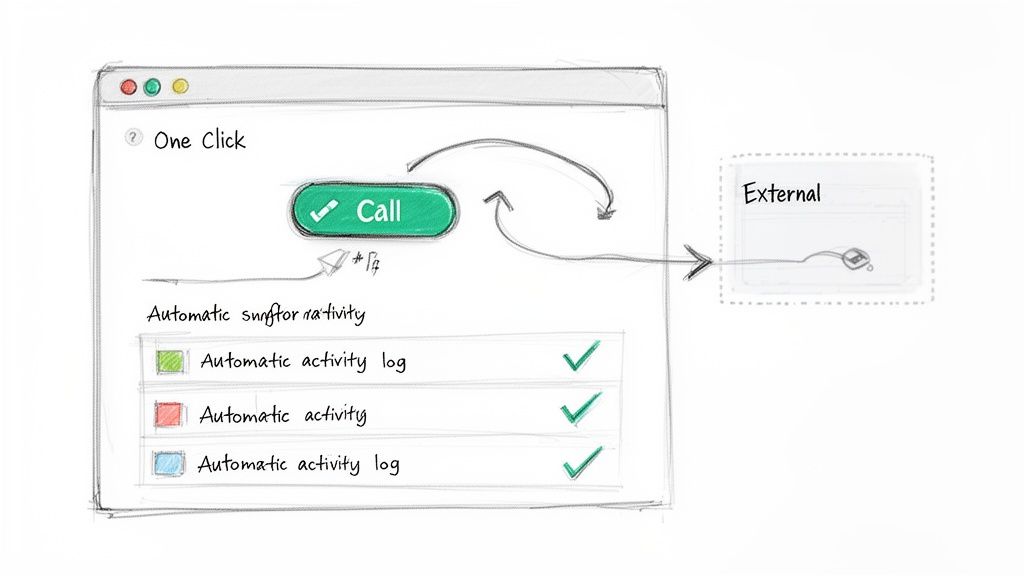
Call LoggingReps juggle a separate dialer app and their CRM, manually typing notes, outcomes, and tasks after every single call.An integrated dialer inside the CRM automatically logs the call, duration, and outcome. Reps just add quick notes in the same window.
Data AccuracyRiddled with errors. Calls get missed, notes are half-baked, and reps "batch" their logging at EOD, forgetting key details.Nearly 100% accurate. Every single dial is captured, giving you clean data for reporting and coaching without any extra effort.
Time Spent2-5 minutes of admin busywork per call. This eats up hours of precious selling time every week.Under 30 seconds per call. Reps stay on one screen, add context, and immediately move to the next dial.

This isn't about luxury. An integrated dialer, like the one built into MarketBetter.ai that lives right inside Salesforce, is the foundation of an efficient outbound engine. It kills the friction that makes reps skip logging calls and ensures every bit of intelligence actually gets captured.

Your post-call workflow is where consistency is born. Automating the small stuffโ€”like logging calls and setting tasksโ€”frees up your reps' brainpower for the high-value work of crafting a perfect follow-up.

Designing a Multi-Channel Follow-Up Cadenceโ€‹

Once the notes are logged, itโ€™s time for persistent, professional follow-up. One call is almost never enough. The goal here is to stay top-of-mind by adding value across different channelsโ€”without being annoying.

Hereโ€™s a simple but incredibly powerful cadence you can put to work immediately:

  1. Email (Day 1 - Same Day): Right after the call, send a concise summary email. Make sure to reference a specific point from your conversation to prove you were actually listening.
  2. LinkedIn (Day 2): Send a connection request. Don't pitch in the note. A simple, "Great chatting with you yesterday, [Name]" is all you need.
  3. Email (Day 4): Send something genuinely useful. This could be a relevant case study, a helpful blog post (yours or a third-party's), or an insightful article that speaks directly to the pain points they mentioned.
  4. Call (Day 7): Make your follow-up call. The opener writes itself: "Hi [Name], just following up on our conversation from last week about [pain point] and the article I sent over. Did you have a chance to look at it?"

This structured approach shows you're organized and you respect their time. The right follow-up can be the deciding factor, especially when you consider that 82% of buyers accept meetings from cold callers who get through. Itโ€™s the execution and persistence after that first touch that so often secures the win. You can dig into more data on buyer preferences in these cold calling statistics.

Actionable Email Template for Post-Call Follow-Upโ€‹

Your follow-up email should never read like a generic brochure. Think of it as a tool to reinforce the value from your call and make the next step incredibly easy for them.

Hereโ€™s a template built for action:

Subject: Quick recap of our chat

Hi [Prospect Name],

Great speaking with you earlier. I was thinking about what you said regarding [mention a specific pain point they shared, e.g., "the challenge of getting your new SDRs to log activity in Salesforce"].

As promised, here is that short article on how teams like yours are solving this with an integrated workflow.

Does Tuesday at 2 PM or Thursday at 10 AM work for a 15-minute call to show you exactly how this would look inside your Salesforce instance?

Best,

[Your Name]

Why does this email work? It's short, it's personal, and it ties directly back to their problem. Most importantly, it ends with a clear, low-friction call to action that makes it easy for them to say yes.

Tracking the Metrics That Actually Drive Revenueโ€‹

Activity isn't progress. It's one of the biggest traps in salesโ€”celebrating vanity metrics like "dials per day" instead of the outcomes that actually build a healthy pipeline. We're going to fix that. This section is all about tracking the key performance indicators (KPIs) that tell you the real story of your cold calling efforts.

Making a hundred calls means nothing if they don't lead to a single real conversation. To get it right, you have to shift from a volume-based mindset to a value-based one.

This all starts with clean, automatically logged CRM data. Itโ€™s the only way to diagnose weaknesses in your funnel with any real precision and coach your team based on data, not just gut feelings.

From Activity Metrics to Outcome KPIsโ€‹

Let's draw a hard line between what looks busy and what drives business. Focusing on the right numbers is the first step toward building a predictable revenue engine. A team obsessed with dials is incentivized to make low-quality, rushed calls. A team focused on outcomes is motivated to have better conversations.

Hereโ€™s how to reframe your thinking from chasing noise to measuring signal:

| Vanity Metric (What to Deprioritize) | Impact KPI (What to Obsess Over) | | :--- | :--- | :--- | | Dials Per Day | Dials-to-Connect Rate | | Talk Time | Conversation-to-Meeting Booked Rate | | Meetings Booked | Meetings Held-to-Opportunity Created Rate |

This isn't about ignoring activity entirely. It's about putting it in context. High activity that leads to low outcomes is a flashing red light pointing to a specific, solvable problem.

Your Core Cold Calling Metricsโ€‹

To really understand what's working and what isn't, you need to break down your funnel. Here are the three most critical rates to track, what they reveal about your process, and some solid industry benchmarks to shoot for.

  • Dials-to-Connect Rate: This is simple: what percentage of your calls does a human actually pick up? A typical rate hangs around 5-10%. If you're consistently below that, you might be dealing with a bad call list, calling at the wrong times, or just plain inaccurate contact data.

  • Conversation-to-Meeting Booked Rate: Of the people you actually connect with, how many agree to a next step? A strong rate here is 20-30%. If youโ€™re getting people on the phone but can't book a meeting, that's a direct signal that your opener, discovery questions, or objection handling needs work. The script isn't landing.

  • Meetings Held-to-Opportunity Created Rate: Not every booked meeting shows up, and not all that do are qualified. This metric is crucial. It tracks how many of your held meetings turn into a real, qualified sales opportunity in your CRM. Aiming for 50% or higher tells you your SDRs are doing a great job qualifying prospects on that first call.

This shift in tracking completely changes how you manage. Instead of asking, "Why didn't you hit 100 dials?" you can ask, "Our connect rate was solid, but our conversation-to-meeting rate dipped. Let's listen to your call recordings together and see where prospects are dropping off."

By zeroing in on these specific conversion points, you move from generic coaching to surgical, data-driven improvements. To dig deeper, check out our detailed guide on how to set up and track the right KPIs for lead generation.

Free Tool

Try our AI Lead Generator โ€” find verified LinkedIn leads for any company instantly. No signup required.

Wrapping Up: Your Top Cold Calling Questions Answeredโ€‹

Let's finish up by tackling a couple of the most common questions SDRs ask when they're trying to dial in their process.

So, How Many Dials Should I Actually Be Making a Day?โ€‹

Forget the old-school obsession with 100+ dials. That's a recipe for burnout and bad calls.

A modern, well-researched SDR can often book more meetings making 40-60 targeted calls than someone just blitzing through a random list. The metric that really matters isn't raw activity; it's your Conversation-to-Meeting-Booked rate. Focus on that, and you'll focus on what actually drives pipeline.

Whatโ€™s the โ€œGolden Hourโ€ for Cold Calling?โ€‹

You'll hear a lot of gurus swear by late afternoon, like 4-5 PM. And sure, sometimes that works. But the real answer? It completely depends on who you're calling.

A much smarter approach is to test different time blocks throughout the week and religiously track your connect rates. Even better, forget the clock entirely. The absolute best time to call a prospect is the moment they show an intent signalโ€”like visiting your pricing page or downloading a guide. When that happens, you call. Period.


Ready to turn every SDR into a top performer? MarketBetter.ai builds an AI-powered task engine right inside your CRM, turning buyer signals into prioritized calls and emails, ensuring every outreach is timely and relevant. Learn more at marketbetter.ai.
How do you handle objections in sales: Master proven responses that close

ยท 21 min read

Hearing "no" is just part of the job description in sales. Let's be realโ€”nobody loves getting pushback. But how you handle those objections is what really separates the top reps from everyone else.

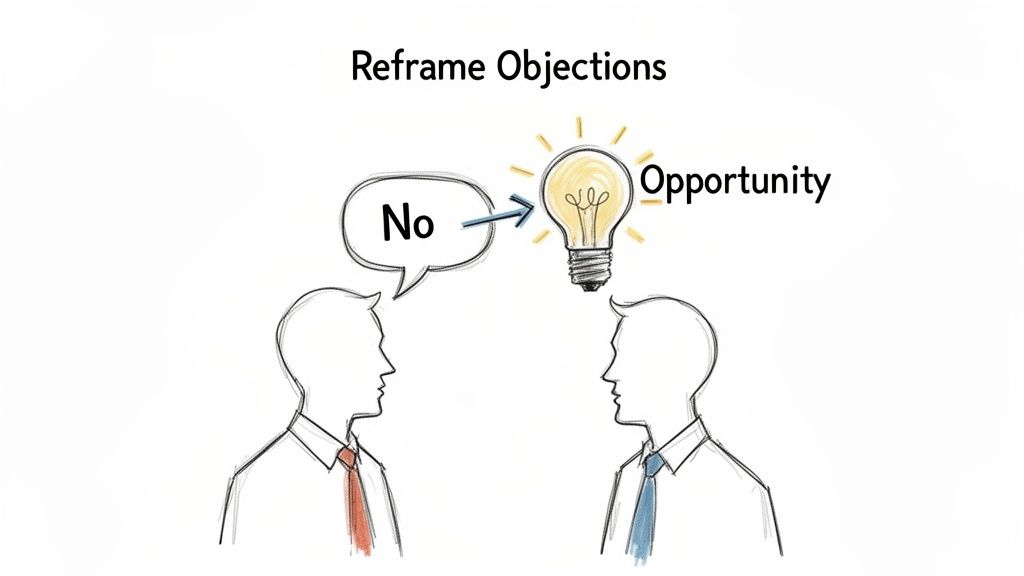
The secret? Stop seeing objections as dead ends. Start treating them as opportunities. Theyโ€™re valuable signals that tell you exactly what a prospect is thinking and where their priorities lie.

Why Objections Are Opportunities, Not Roadblocksโ€‹

It's easy to get defensive when a prospect pushes back on price or timing. It feels like the door is slamming shut. But that mindset is precisely what kills deals. A much better way to think about it is this: an objection isn't a rejection; it's a request for more information.

When a prospect raises a concern, they're actually engaging with you. The real deal-killer is apathy, not a bit of pushback. An objection gives you a direct line into what matters to them and what hurdles you need to help them clear. This simple mental shift can turn a tense, confrontational moment into a collaborative problem-solving session.

Two people, one with a 'No' thought bubble pointing to a lightbulb labeled 'Opportunity', illustrating how to reframe objections.

From Defensive to Diagnosticโ€‹

A reactive SDR hears, "It's too expensive," and immediately starts defending the price tag. A strategic SDR hears the same thing and thinks, "Okay, they don't see the value yet. I need to ask some smarter questions to connect our price to their ROI."

This diagnostic approach is where the magic happens. Instead of arguing, you start probing. Compare the two approaches:

  • Reactive Response (Ineffective): "But our product has all these features that justify the cost." This creates friction and puts you in a defensive position.
  • Diagnostic Response (Actionable): "I get that. To make sure I'm on the right track, which part of the proposal felt out of line with the value you were hoping to see?" This opens a dialogue and positions you as a problem-solver.

The data backs this up. Research from Gong and SalesHive shows that reps who master this diagnostic approach can boost their win rates by up to 30%. Top performers do this by listening way more than they talkโ€”maintaining a 43:57 talk-to-listen ratioโ€”which helps them uncover the real problem. You can dig into the full research on how top sales reps handle objections to learn from their playbook.

An objection is not a rejection; it is a request for more information. When you see objections as opportunities to clarify value and build trust, you stop selling and start solving.

Master the Fundamentals Firstโ€‹

To consistently turn these moments into pipeline, you need a framework you can rely on. One of the most effective and straightforward models out there is LAER: Listen, Acknowledge, Explore, and Respond. Itโ€™s simple, memorable, and it just works.

To make it even easier to recall in the heat of a call, here's a quick cheat sheet you can put into practice today.

The LAER Framework Quick Referenceโ€‹

PhaseActionExample Phrase to Use
ListenLet the prospect finish their thought without cutting them off. Focus on their words and tone to truly hear their concern.(Silent, active listening)
AcknowledgeValidate their feeling to show you heard them and you're on their side. This instantly lowers their guard."That's a fair point." or "I can definitely see why you'd be concerned about that."
ExploreAsk open-ended, clarifying questions to get to the root of the issue. This is the most important step."Can you tell me a bit more about what's driving that feeling?"
RespondOnce you fully understand the problem, offer a tailored answer that speaks directly to their specific concern."Based on what you've shared, it sounds like the main issue is X..."

Having a simple structure like LAER in your back pocket ensures you stay in control of the conversation. It helps you turn what could be a deal-breaker into a productive discussion about creating real value for them.

Diagnosing the Four Core Types of Objectionsโ€‹

Letโ€™s be honest. A canned, one-size-fits-all response to an objection is the fastest way to get a dial tone. Before you can ever hope to handle an objection, you have to know what youโ€™re really up against.

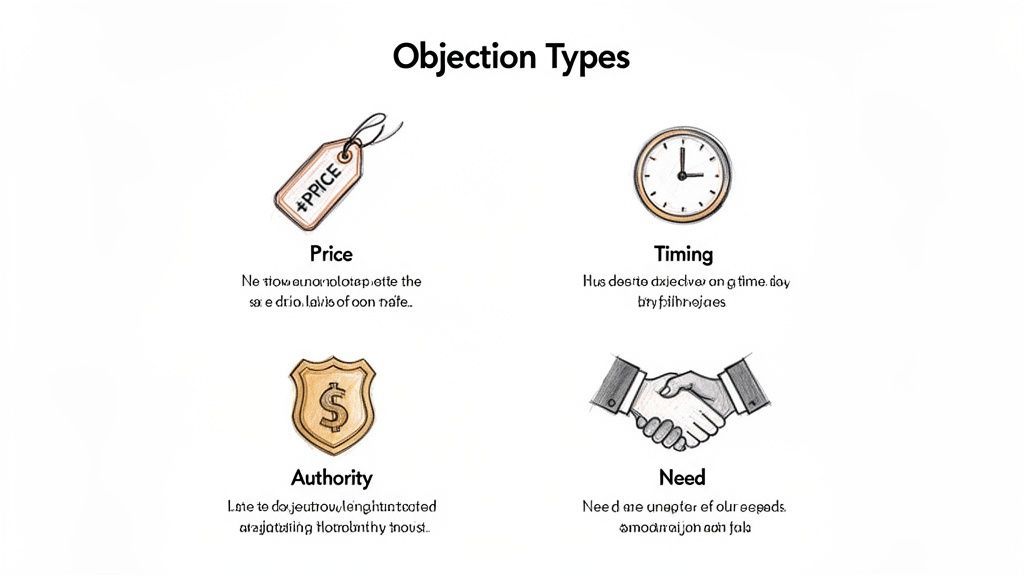
Most objections are just the tip of the iceberg. They're vague shields prospects throw up to avoid a real conversation. The best reps I know don't just react; they diagnose. They listen to the words, but they hear the real problem underneath. Almost every objection you'll ever hear falls into one of four buckets. Learning to sort them on the fly is your first step from playing defense to running the conversation.

Illustration depicting four sales objection types: Price, Timing, Authority, and Need, with explanations.

Price and Budget Objectionsโ€‹

This is the classic. It's the one everyone fears, but itโ€™s rarely about the money. When a prospect says, "It's too expensive," what theyโ€™re almost always saying is something else entirely.

What they really mean is, "I don't see enough value here to justify that number." This isn't a cost problem; it's a value gap. You haven't connected the dots for them yet.

  • What it sounds like: "We just don't have the budget for this right now," or "I can get something that does the same thing for a lot less."
  • Your Actionable First Move: Don't defend the price. Instead, get curious about the value gap. Acknowledge it, then ask a clarifying question. Try this: "That's a fair point. Could you help me understand which part of the proposal felt out of sync with the value you were expecting?"

Timing and Priority Objectionsโ€‹

This one is all about urgencyโ€”or the lack of it. When someone says, "Now isn't a good time," it means you haven't made a strong enough case for why now. Your solution simply isn't a top-tier priority in their world.

They're saying, "I have bigger fires to put out than the one you're talking about." Your job isn't to argue with their schedule; it's to connect your solution directly to one of those bigger fires.

  • What it sounds like: "Call me back next quarter," or "I'm buried right now."
  • Your Actionable First Move: Empathize, then pivot to their known priorities. For example: "I totally get it. Most of the execs I talk to are laser-focused on [mention a common top priority, like 'improving team efficiency']. Our platform is designed to give your team 5 hours back a week. Is that something worth a 15-minute chat next week?"

Authority and Influence Objectionsโ€‹

This objection pops up when you're talking to the wrong personโ€”or at least, not the final decision-maker. Itโ€™s a clear signal that you need to do some discovery on the internal buying committee and find a way to build a consensus.

The prospect is literally telling you, "I can't say 'yes' even if I wanted to." Don't treat this as a dead end. See it for what it is: an opportunity to find an internal champion.

Key Takeaway: An authority objection isn't a roadblock; it's a roadmap. The person you're speaking with just gave you directions to the real buyer. Your job is to turn them into an internal guide who can make the introduction for you.

  • What it sounds like: "I need to run this by my boss," or "That's not my decision to make."
  • Your Actionable First Move: Empower your contact; don't go around them. Your goal is to turn them into an advocate. Say, "That makes perfect sense. To make that conversation as productive as possible, what information would be most helpful for me to provide you with before you talk to your boss?"

Need and Competition Objectionsโ€‹

This is the status quo objection. The prospect either doesn't believe they have a problem worth solving or theyโ€™re perfectly happy with how they're doing things now, whether that's with a competitor or a messy internal spreadsheet.

What they're really communicating is, "The pain of changing feels greater than the pain of staying where I am." Your mission is to gently shine a light on the hidden costs and risks of doing nothing.

  • What it sounds like: "We're happy with who we're using," or "We've got it handled internally."
  • Your Actionable First Move: Validate their current setup, then create curiosity. Try this: "That's great that you have a system in place. A lot of our best customers felt the same way until they saw how they could [mention a specific, compelling outcome, like 'cut their reporting time in half']. Would you be against taking a quick look at how they did it?"

Your Actionable Objection Handling Playbookโ€‹

So, youโ€™ve diagnosed the objection. Now what? This is where having a playbook separates the pros from the rookies. Without a framework, youโ€™re just improvising under pressure, which usually means youโ€™re letting the prospect drive the conversation straight into a ditch.

The two most battle-tested frameworks are LAER and Feel-Felt-Found. But they're not interchangeable. Using the wrong one is like bringing a hammer to a job that needs a screwdriverโ€”youโ€™ll just make a mess.

Knowing which one to grab is the real skill. One is for dissecting logic, the other is for building an emotional bridge.

Choosing Your Framework: LAER vs. Feel-Felt-Foundโ€‹

Think of these as different tools in your sales toolkit. Each one is designed for a specific job.

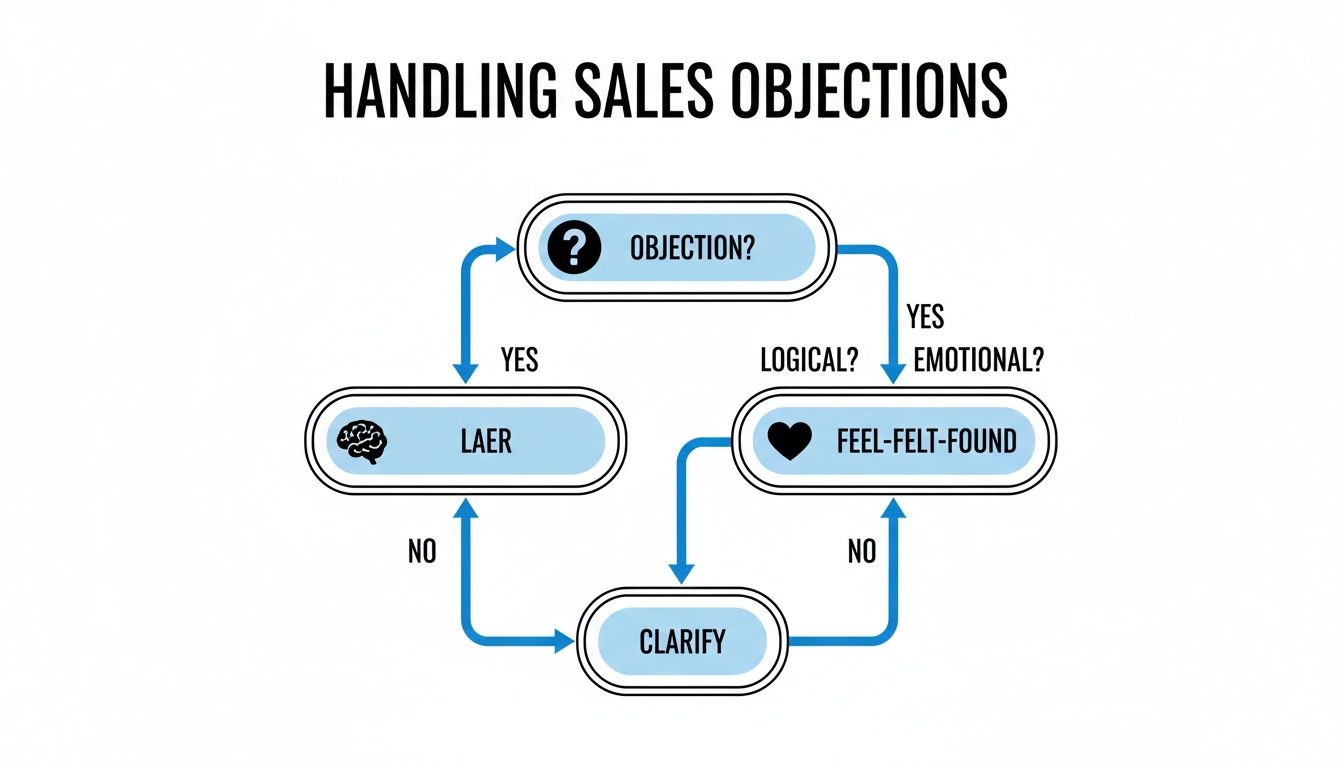
  • LAER (Listen, Acknowledge, Explore, Respond): This is your scalpel. Pull this out for logical, data-driven objections. When a prospect starts questioning specific features, the ROI math, or your integration capabilities, LAER helps you methodically unpack their concern and address it head-on with facts. It's an investigative tool.

  • Feel-Felt-Found: This is your bridge-builder. Itโ€™s perfect for emotional or skeptical objections. When you hear fear about switching, frustration from a bad experience with a past vendor, or just general uncertainty, this framework builds instant empathy. It uses social proof to lower their guard and show them a safe path forward. It's a reassuring tool.

Letโ€™s put them side-by-side so you can see how to choose in the heat of the moment.

Framework Comparison: LAER vs. Feel-Felt-Foundโ€‹

This table breaks down the core differences, helping you make a split-second decision on a live call.

FrameworkBest ForCore StrategyExample Use Case
LAERLogical, specific concerns (e.g., price, features, implementation).Deconstruct the objection with clarifying questions before presenting a solution."I'm not sure your tool integrates with our existing tech stack."
Feel-Felt-FoundEmotional resistance, skepticism, or fear of change.Validate their feeling with empathy and use a story to reframe their perspective."This feels like a huge change for our team; I'm worried about adoption."

Choosing the right approach isnโ€™t just about sounding smartโ€”it's about connecting with the real reason behind the objection, whether it's rooted in logic or emotion.

Scripts for Common Objectionsโ€‹

Okay, let's put these frameworks into action. Here are some scripts you can adapt and make your own, starting today. Notice how each one follows the designated framework to get to the root of the issue, not just the surface-level complaint.

Objection 1: "It's too expensive." (Using the LAER Framework)

This is almost never really about the price tag. It's about a value gap. Your job is to find that gap and fill it.

  1. Listen: Let them say their piece. Don't jump in or get defensive. Just listen.
  2. Acknowledge: "I appreciate you sharing that. Itโ€™s a significant investment, and it's fair to question the cost."
  3. Explore: "Help me understand a bit betterโ€”when you say it's expensive, are you comparing it to a specific competitor, or is it more about the budget you had in mind for this kind of problem?"
  4. Respond: "That makes sense. A lot of our customers look at the initial cost, but the real story is in the ROI. For instance, we see teams like yours cut SDR admin time by 40%. For a team your size, that could mean generating 20% more pipeline without adding headcount. Can we spend two minutes on what that math would look like for you?"

HubSpot data shows reps who master this kind of value-framing see close rates up to 64% higher. They're also 81% better at holding margins because they anchor the conversation on outcomes, not discounts.

Objection 2: "We already use a competitor." (Using the Feel-Felt-Found Framework)

This is a classic "status quo" objection. They're comfortable. Your job isn't to bash the competition; it's to spark curiosity about a better way.

  1. Feel: "I totally get that. It makes sense you're with them; they're a solid company and a well-known name in the space."
  2. Felt: "You know, many of our best customers today felt the exact same way when we first connected. They were comfortable and honestly saw no compelling reason to even look at an alternative."
  3. Found: "But what they found was that while their old tool was great for X, it wasn't built to solve for Y [mention a specific pain point your solution crushes]. They discovered they could slash [a specific negative metric] by 30% just by making the switch. Would you be open to a quick 15-minute call next week to see if you might be in a similar boat?"

By structuring your responses like this, you shift from being a reactive debater to a strategic guide. For a deeper look at crafting your entire messaging strategy, check out our guide on building effective outbound playbooks.

Adapting Your Strategy for Calls, Emails, and Follow-Upsโ€‹

Knowing what to say when an objection hits is only half the battle. The other half is knowing where and how to say it. An approach that lands perfectly on a live call can fall completely flat in an email, and vice versa.

The secret is adapting your playbook to the medium. Each channel has its own rhythm and rules of engagement. A phone call is all about speed and composure, while an email gives you the space for a more measured, precise response. And a follow-up? Thatโ€™s a delicate dance between persistence and adding genuine value.

On a Live Call: Stay in Controlโ€‹

When youโ€™re on a live call, your tone and pacing are everything. The second you hear an objection, the worst thing you can possibly do is rush to counter it. That signals panic.

Actionable Tip: Pause. Take a breath. Let the silence hang for a second. This small move shows youโ€™re in control, not flustered. From there, lean on a framework like LAER (Listen, Acknowledge, Explore, Respond) to guide the conversation without getting defensive.

Your goal here is to be a doctor, not a debater. Diagnose the root of the issue with clarifying questions. A calm, curious question shows you're a confident expert trying to solve a problem, not just a rep pushing a product.

In an Email: Invite a Dialogueโ€‹

Email is a completely different game. You lose all the nuance of tone and body language, so your words have to do all the heavy lifting. The biggest mistake reps make here is writing a five-paragraph essay defending their product. It's overwhelming, defensive, and almost guarantees you won't get a reply.

Your email response should be short, respectful, and focused on one simple goal: reopening the conversation.

Actionable Tip: Acknowledge their concern, validate it, and then ask a simple, open-ended question that makes it easy for them to reply.

Hereโ€™s an example template:

Subject: Re: Our chat

Hi [Prospect Name],

Thanks for being candid about the budget. I appreciate the honesty.

Just so I'm on the right track, what would a more comfortable budget look like for a solution that solves [Problem X] for you?

Best,

[Your Name]

See how that works? Itโ€™s not confrontational. It turns a potential dead-end into a continued discussion. For more tactics tailored to live conversations, check out our guide on AI-powered cold call workflows.

In a Follow-Up: Add New Valueโ€‹

So, what happens if they raise an objection and then go quiet? A follow-up isn't just a "checking in" messageโ€”thatโ€™s a waste of everyoneโ€™s time. It's your chance to re-engage by providing fresh value that tackles their previous concern without even mentioning it.

This quick decision tree helps visualize how to diagnose whether an objection is coming from a logical place or an emotional one.

Flowchart outlining methods for handling sales objections, differentiating between logical LAER and emotional Feel-Felt-Found responses.

Actionable Tip: If they objected on price, your follow-up could be a case study showing how a similar company achieved a massive ROI. If they were worried about a missing feature, send a one-minute video showing exactly how that feature delivers value. By bringing something new and relevant to the table, you give them a real reason to reconsider.

Using AI and Your CRM to Finally Master Objection Handlingโ€‹

Look, proven techniques are the engine of great sales, but modern tech is the rocket fuel. When you connect your objection handling frameworks to the tools you live in every dayโ€”your CRM and AI assistantsโ€”the entire game changes. It transforms this skill from a reactive art into a proactive, data-driven science.

Itโ€™s the difference between improvising under pressure and running a flawless, pre-planned play.

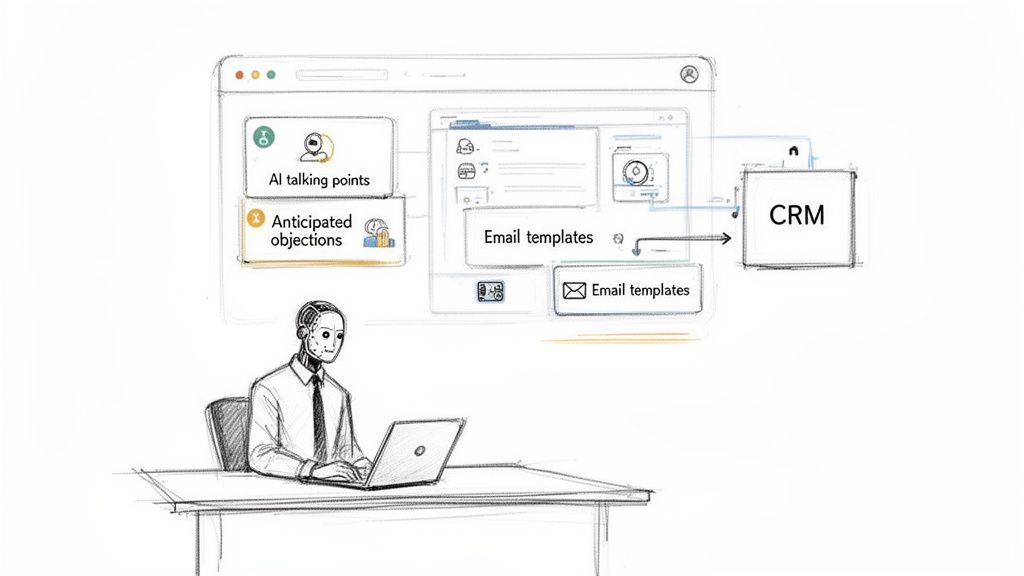
This is where an SDR Task Engine like marketbetter.ai comes in. Itโ€™s designed to help reps execute perfectly by automatically prepping for calls. Weโ€™re talking AI-generated talking points and a list of anticipated objections based on the prospect's actual industry and persona. This completely eliminates that frantic, last-minute research that leaves reps walking into calls feeling unprepared.

Instead of raw data, reps get an actionable workflow with key insights and clear next steps, right at their fingertips.

AI robot assisting with sales tasks, displaying AI talking points, anticipated objections, and email templates integrating with CRM.

By plugging directly into your CRM, the system makes sure every rep has the right context and content before they even dial.

From Manual Logging to Intelligent Feedback Loopsโ€‹

Letโ€™s be honest: one of the biggest drags on SDR productivity is manual data entry. After a tough call gets shot down, the absolute last thing a rep wants to do is spend ten minutes filling out CRM fields.

An integrated system kills this problem by automatically logging call outcomes and objection types straight into Salesforce or HubSpot.

But this automation does way more than just save timeโ€”it creates a powerful feedback loop. When you have clean, structured data on which objections your team faces most often, you can tailor your coaching and build scripts that actually work. You move from guessing where reps are struggling to knowing with certainty.

Here's a hard truth from thousands of B2B deals: repeatedly seeing the same objection is a flashing red light that you're failing to address it proactively. On the flip side, data shows that successfully resolving objections is directly tied to a 64% lift in close rates.

Proactive Preparation vs. Reactive Scramblingโ€‹

Let's put the two workflows side-by-side to see just how different the day-to-day feels. This comparison highlights the actionable difference an integrated AI system makes.

Manual Workflow (The Common Struggle)AI-Powered Workflow (The Strategic Advantage)
Rep scrambles to research the prospect minutes before the call.AI auto-preps the call with talking points & anticipated objections.
Rep improvises responses based on memory or generic scripts.Rep has specific, tailored rebuttals ready for likely concerns.
Rep spends 5-10 minutes post-call on manual CRM logging.Outcomes and objection types are logged automatically.
The manager gets inconsistent, messy data for coaching.The manager gets clean, actionable data to spot team-wide patterns.

This execution-first workflow frees you up to focus entirely on the conversation, not the mountain of admin work surrounding it.

To get your tech stack right, check out some of the Best AI Tools for Sales and see how they can streamline your process. With the right systems in place, every single interaction becomes a chance to learn and get better.

Free Tool

Try our AI Lead Generator โ€” find verified LinkedIn leads for any company instantly. No signup required.

Common Questions About Handling Objectionsโ€‹

Even with the best scripts and frameworks, the real world of sales calls is messy. Theory is great, but reps and managers run into the same practical questions day after day. Let's get straight to the stuff that actually comes up on the floor.

What's the Single Biggest Mistake Reps Make?โ€‹

Easy. Talking too much and listening too little.

It's a reflex. A prospect throws out an objection, and the rep's heart rate spikes. They get defensive and immediately launch into a pre-canned rebuttal without ever digging into what the prospect really means. This instantly turns a conversation into a confrontation.

Let's compare the two approaches. A rookie hears "it's too expensive" and immediately starts listing features to justify the price. A pro, on the other hand, leans in. They pause, then ask something like, "Help me understand, which part of the proposal felt out of sync with the value you were expecting?" One approach builds a wall; the other opens a door.

Top performers consistently talk less than half the time when an objection comes up. That's not a guess; the data backs it up. They use questions to find the root cause before they even think about offering a solution. Actionable Step: Always acknowledge and explore before you respond.

How Do You Tell a Real Objection from a Brush-Off?โ€‹

This is a critical skill. Getting it wrong means wasting time on people who will never buy or, worse, giving up too early on someone who's actually interested.

A brush-off is lazy. Itโ€™s vague and designed to get you off the phone quickly. Think "Just send me an email" or a flat "Not interested." Itโ€™s a shield, nothing more.

A genuine objection has substance. Itโ€™s specific and tied to their reality. You'll hear things like, "Our budget for new software is frozen until Q4," or "We just signed a one-year contract with Competitor X." See the difference? Real roadblocks.

Actionable Tip: To sort them out, gently probe. When you get a classic brush-off, don't just accept it. Try asking, "Is the timing not right, or is this just not a priority for your team right now?" That simple question often forces a more honest answer and can uncover the real objection hiding just beneath the surface.

How Can Sales Managers Actually Coach This Stuff Effectively?โ€‹

Good coaching is about data and practice, not just motivational speeches. A manager who relies on gut feelings is flying blind. Here is a two-step actionable plan:

  • Step 1: Stop Guessing, Start Measuring. First things first, you need clean data. Make sure every call outcome and every objection type is logged automatically in your CRM. This is the only way to spot real patterns. Is your whole team getting stuck on price objections? Are the new hires folding every time a competitor's name comes up? The data will tell you where to focus.

  • Step 2: Make Role-Playing Real. Once you know the problem areas, dedicate time in your weekly one-on-ones to role-play those exact scenarios. Don't invent fake objections. Pull from the data and even use snippets from real call recordings. Walk them through the frameworks in this guide, give pointed feedback, and run it again. This is how you build muscle memory.


Turn your SDRs into execution experts with marketbetter.ai. Our AI-Powered SDR Task Engine helps reps prep faster, handle objections with confidence, and automatically logs every activity in Salesforce or HubSpot, giving you the data you need to coach effectively. See how it works at marketbetter.ai.

8 High-Converting Follow Up Email Templates for Sales in 2026

ยท 25 min read

In B2B sales, the first email is just the beginning. The real pipeline is built in the follow-up, yet most sales reps are stuck sending generic 'just checking in' messages that get instantly deleted. These low-effort emails donโ€™t just fail to get a response; they actively damage your credibility and kill potential deals before they even start.

This guide moves beyond generic advice and provides a playbook of 8 specific, scenario-based follow up email templates for sales designed for high-converting outbound motions. We'll go beyond just the copy and paste text. For each template, you'll get a comparative analysis of when to use it versus other options, actionable tips for deep personalization, and clear instructions for integrating them into your existing SDR workflows within CRMs like Salesforce or HubSpot.

You'll learn how to transform silence into meaningful conversations and add genuine value at every touchpoint. This isn't just a list of templates; it's a strategic framework for turning follow-ups from an afterthought into your most powerful pipeline-building tool. Let's dive into the specific templates that will help you re-engage cold prospects and close more deals.

1. The No-Response Follow-Up (3-5 Day Gap)โ€‹

This is the most fundamental of all follow up email templates for sales: the gentle nudge after your initial cold outreach gets zero engagement. Triggered 3-5 business days after your first email, this template's goal is to re-engage a prospect who may have missed your message or wasn't immediately compelled to reply. Instead of simply "bumping" the original email, a successful follow-up provides a fresh, concise angle of value.

It assumes the prospect is busy, not uninterested. The key is to avoid sounding desperate or repetitive. Reference a new insight, a different pain point, or a recent company trigger event to make the message feel timely and relevant. This approach positions you as a persistent, helpful resource rather than just another salesperson.

Hand-drawn sketch illustrating sending a follow-up email after an idea, within 3-5 days.

Why It Works & How It Comparesโ€‹

Data consistently shows that persistence pays off. Amplemarket's research reveals that the second email in a sequence, sent 3-5 days later, often outperforms the first by 15-25%. Similarly, Outreach.io customers report a 20-30% lift in responses on follow-ups within a well-structured sequence.

Comparison: This template is your workhorse. While a Trigger Event Follow-Up is more powerful, it's situational. The No-Response Follow-Up is your default second step for any prospect who goes silent, making it universally applicable. It's less aggressive than a Breakup Email and serves as the foundation before introducing stronger plays like social proof.

Actionable Tips for Implementationโ€‹

  • Actionable Step: Open your CRM and create an automated task to trigger this follow-up four business days after an initial email gets no reply. This ensures consistency.
  • Vary the Value Proposition: If your first email focused on cost savings, pivot this one to operational efficiency or a specific competitor advantage.
  • Use a Micro-Commitment CTA: Instead of a vague "let's connect," suggest a specific, low-friction next step. Action: Change your CTA from "Let me know your thoughts" to "Is this worth a 15-minute chat next Tuesday to explore?"
  • Keep Subject Lines Short and New: Avoid using "Re:" on this first follow-up. A fresh, compelling subject line under 50 characters works best. Try "Quick question about [Company Name]'s X" or "[Prospect Name], thought you'd find this interesting."
  • Integrate CRM and Sales Tools: Log all non-opens in your CRM (like Salesforce or HubSpot) to track sequence effectiveness. For more advanced strategies, you can check out our guide on the best practices for email campaigns.

2. The Social Proof / Third-Party Validation Follow-Upโ€‹

This powerful follow-up is deployed after your first or second no-response touch. Its purpose is to build immediate credibility and reduce perceived risk by showcasing that similar companies are already benefiting from your solution. Instead of you telling the prospect why your product is great, you let the success of their peers do the talking. This shifts the message from a speculative "we think you need this" to a compelling "companies like yours are already succeeding with this."

This template is especially effective for prospects who match your ideal customer profile (ICP) but have gone silent. It leverages the psychological principle of social proof, making the decision to engage feel safer and more validated. By introducing a customer logo, a specific case study result, or relevant industry recognition, you anchor your value proposition in tangible, real-world success.

Why It Works & How It Comparesโ€‹

Social proof is a potent motivator in B2B sales. Analysis from Gong reveals that mentioning a peer or competitor in follow-up calls and emails can improve response rates by over 30%. Similarly, case studies from LinkedIn Sales Solutions report that prospects who see relevant customer logos in an email are twice as likely to engage.

Comparison: Use this template when your No-Response Follow-Up fails to get a reply. It's more persuasive than a simple nudge because it introduces external validation. Compared to a Value-Add Content Follow-Up, which offers general advice, this is a direct and targeted proof point that says "your competitors are already winning with this."

Actionable Tips for Implementationโ€‹

  • Actionable Step: Build a simple spreadsheet or CRM dashboard mapping your top 5 case studies to specific industries and company sizes. When a prospect goes cold, consult this map for the most relevant proof point.
  • Segment Your Proof Points: Don't use a one-size-fits-all testimonial. A CFO will care about ROI metrics, while a VP of Sales wants to see pipeline growth.
  • Use Anonymous Results When Needed: If you can't name-drop a customer, use an anonymized but specific result. For example, "A leading CPG brand in your sector increased market share by 5% in six months using this strategy."
  • Pair Proof with a Trigger Event: Reference a recent company event like a funding round or a new executive hire alongside your social proof. For example, "Saw you're hiring more SDRs. Our client [Competitor Name] cut their ramp time by 40% with our platform."
  • Focus on a Single, Strong CTA: The goal isn't just to share a case study; it's to start a conversation. Pair your social proof with a direct, low-friction call to action like, โ€œWorth a 15-minute chat to see how we did it?โ€ For more strategies on getting your messages seen, check out our guide on how to improve email open rates.

3. The Event / Timely Trigger Follow-Upโ€‹

This is one of the most powerful follow up email templates for sales because itโ€™s activated by a specific, relevant buyer signal. Triggered within 24-48 hours of an event like a funding announcement, job change, significant website visit (like the pricing page), or product launch, this template capitalizes on moments when prospects are most receptive. The goal is to move beyond generic outreach by connecting your value proposition directly to their immediate context, making your email feel intuitive, not intrusive.

This approach assumes the prospect is actively considering change or facing new challenges due to the trigger event. Your follow-up becomes a timely solution rather than an unsolicited pitch. By referencing the specific event, you demonstrate you've done your research and understand their current situation, which immediately sets you apart from generic, automated sequences.

A person's profile thinking about Series B funding, a 24-48h deadline, and sending an email.

Why It Works & How It Comparesโ€‹

Relevance drives response rates. Data from platforms like Salesloft and Outreach.io show that signal-triggered follow-ups can generate over 50% higher engagement. Similarly, LinkedIn research indicates that outreach tied to a recent job change has a 45% higher positive response rate compared to standard cold outreach.

Comparison: This is your highest-impact template, but it's opportunistic. Unlike the scheduled cadence of a No-Response Follow-Up, this template should interrupt your sequence the moment a signal is detected. It provides a more compelling reason to reach out than a generic Value-Add email because it ties directly to the prospect's immediate priorities.

Actionable Tips for Implementationโ€‹

  • Actionable Step: Set up Google Alerts for your top 10 target accounts and keywords like "funding," "acquisition," or "new partnership." This creates a real-time feed of trigger events you can act on immediately.
  • Build a Signal Hierarchy: Not all triggers are equal. Rank them for your ICP. For a product-led company, a pricing page visit might be a top-tier signal, while for an enterprise solution, a funding announcement is more critical.
  • Automate Signal Detection and Drafting: Use tools with intent integration to auto-generate draft follow-ups when a signal is detected. Set up workflows to create an urgent task for your SDR in Salesforce or HubSpot within two hours of the event.
  • Add Deep Context to Job Changes: Don't just say "Congrats on the new role." Research the new company and the roleโ€™s likely priorities. For example, "Saw you just moved to [New Company] as VP of Sales; scaling the SDR team is often a key priority in that role, which is where we help."
  • Track Conversion by Signal Type: Monitor your CRM analytics to see which triggers (e.g., funding, new hire, competitor mention) lead to the most meetings. Double down on what works and allocate prospecting time accordingly.

4. The Objection / Pain Reframe Follow-Upโ€‹

This is one of the most powerful follow up email templates for sales, deployed after a prospect engages but raises a concern. Instead of a generic rebuttal, this template directly addresses the stated or implied objection (e.g., "no budget," "happy with current provider") and skillfully reframes it as the very reason to continue the conversation. It transforms a potential dead-end into a compelling new angle for engagement.

This template requires a thoughtful, consultative approach. It acknowledges the prospect's concern, validates their perspective, and then pivots to an alternative viewpoint. For example, a "no budget" objection is reframed into a conversation about ROI and long-term cost savings. This positions the sales rep as a strategic partner who understands their challenges, not just a vendor pushing a product.

Why It Works & How It Comparesโ€‹

Addressing objections head-on builds credibility and trust. Gongโ€™s research shows that reps who directly tackle prospect concerns in follow-ups achieve three times higher close rates. Furthermore, data from Salesloft customers indicates that objection-specific follow-ups can improve conversion lift by 25-35%.

Comparison: This template is reactive, unlike the proactive nature of most others. It should only be used after a prospect has responded with a specific concern. Trying to pre-emptively address objections in a cold follow-up (like the No-Response template) can create problems that don't exist. It's a scalpel, not a hammer.

Actionable Tips for Implementationโ€‹

  • Actionable Step: Create a shared document (e.g., a Google Doc) for your team titled "Objection Handling Library." For the top 5 objections, collaboratively write and refine a 2-3 sentence email response based on this template.
  • Maintain a Curious, Not Defensive Tone: Use phrases like โ€œI understand your point, and itโ€™s a common one. I wonder if youโ€™ve consideredโ€ฆโ€ This opens a dialogue rather than starting an argument.
  • Leverage Customer Stories: Pair your objection reframe with a relevant, one-sentence case study. For example, โ€œAnother client in your space felt the same way until they saw a 40% reduction in X.โ€
  • Integrate Call and Email Data: Use tools to pull objections mentioned in prior calls and reference them in your email. This creates seamless continuity and shows you've been paying close attention to every detail of the sales process. You can enhance this process by learning how to qualify sales leads more effectively.

5. The Value-Add Content / Educational Follow-Upโ€‹

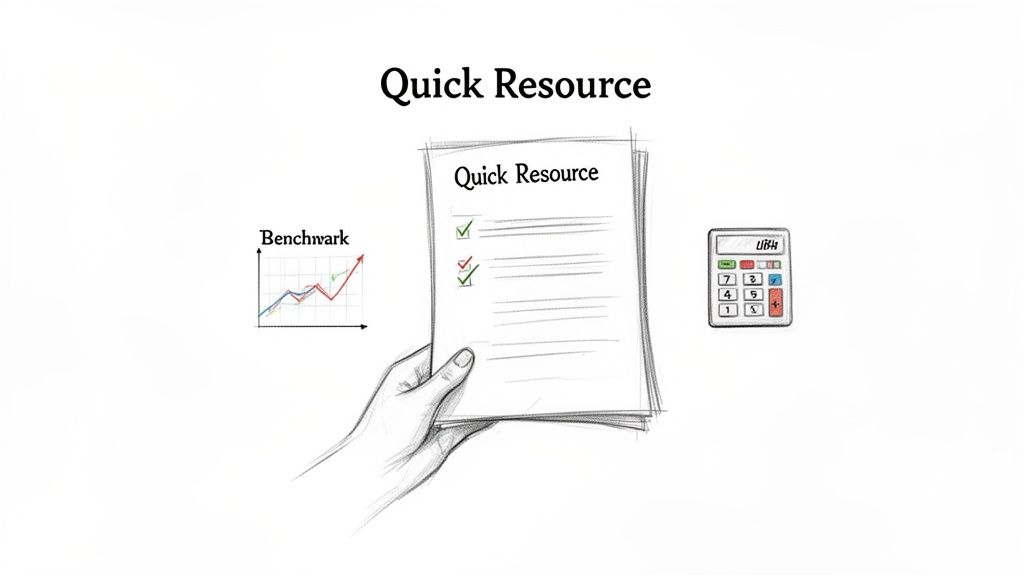
When a prospect ignores your first one or two attempts, it's time to shift from asking to giving. This follow up email template for sales changes the dynamic entirely by delivering genuine, no-strings-attached value. Instead of requesting a meeting, you offer a relevant research report, an ROI calculator, a competitor analysis, or insightful benchmark data. This approach is triggered after initial follow-ups fail, aiming to re-engage a cold prospect by positioning you as a helpful industry expert, not just a salesperson.

The goal is to build trust and credibility by providing something useful. By sharing content that helps prospects do their job better or understand their challenges more clearly, you earn their attention and demonstrate your expertise. This non-salesy touchpoint aligns with modern buyer behavior, where prospects prefer to self-educate before engaging with sales.

A hand holds 'Quick Resource' documents with checkmarks, next to a 'Benchmark' graph and a calculator.

Why It Works & How It Comparesโ€‹

This method is effective because it mirrors how B2B buyers operate. Research from Forrester and Gartner shows that B2B buyers consume 3-5 pieces of content before they are ready to speak with a sales rep. Data from HubSpot's 2023 sales trend report further validates this, revealing that value-add follow-ups outperform standard "time to connect" emails by up to 40% in open rates.

Comparison: This is a softer play than the Social Proof follow-up. While social proof directly promotes your solution via a customer story, the value-add template provides broader educational content that is not explicitly about your product. Use this for longer sales cycles or for prospects who seem early in their buying journey and are not yet ready for a product-focused message.

Actionable Tips for Implementationโ€‹

  • Actionable Step: Have your marketing team provide a list of the top 3 content assets (e.g., whitepaper, webinar, ROI calculator) for each key buyer persona. Store these links in a shared repository for your sales team to easily access.
  • Tailor Content by Persona: Don't send generic content. A CMO will value a marketing ROI report, while a CTO is more interested in a technical comparison or an integration guide. Match the asset to the recipient's role and responsibilities.
  • Preview the Value: Instead of just linking to a report, pull out a compelling stat or finding directly in the email. For example, โ€œI thought you'd find this interesting: our report shows companies like yours see a 25% lift in X after implementing Y.โ€
  • Test Your Subject Lines: Compare personalized versus generic subject lines. "A resource for [Company Name]'s growth" will almost always outperform "Free whitepaper." Track which approach resonates best with your audience.
  • Track Engagement, Not Just Opens: Use your sales tools to monitor who clicks, downloads, or spends time with the content. This engagement is a strong buying signal, indicating it's the right time to re-engage with a more direct call to action in your next touchpoint.

6. The Multi-Threaded / Stakeholder Follow-Upโ€‹

This advanced strategy moves beyond a single point of contact. When your initial outreach to a primary contact goes unanswered, a multi-threaded follow-up email targets other relevant stakeholders within the same company. This isn't about spamming an organization; it's about strategically engaging multiple personas (e.g., the economic buyer, the end-user, an influencer) with tailored messaging that speaks to their specific roles and pain points.

The goal is to build consensus and create internal buzz from different directions. By personalizing outreach to each stakeholder, you create parallel conversations that significantly increase the odds of a collective response. This method acknowledges that modern B2B buying decisions are rarely made by one person, positioning you as a thorough partner who understands the organizational landscape.

Why It Works & How It Comparesโ€‹

Multi-threading transforms your outreach from a single shot into a coordinated campaign. According to Salesloft, sequences that thread outreach to three or more stakeholders outperform single-contact sequences by 40%. Similarly, an Outreach customer case study showed that multi-threading on larger deals boosted reply rates from 8% to an impressive 18%.

Comparison: This is a high-effort, high-reward strategy best reserved for high-value accounts. It's far more complex than a standard No-Response follow-up. Use this approach for mid-market and enterprise deals where you know a buying committee is involved. For smaller, transactional deals, stick to single-threaded sequences to maintain efficiency.

Actionable Tips for Implementationโ€‹

  • Actionable Step: For your next top-tier account, use LinkedIn Sales Navigator to map out three key contacts: a likely champion (user), an economic buyer (decision-maker), and an influencer (related department head). Draft a unique opening line for each before adding them to a sequence.
  • Build a Stakeholder Map: Before sending, identify the primary contact, economic buyer, end-user, and potential champion.
  • Tailor the Value Prop for Each Role: Don't send the same email to everyone. The CFO cares about ROI, the IT Director cares about integration and security, and the end-user cares about ease of use. Customize your message accordingly.
  • Stagger Your Sends: Avoid sending all emails at the exact same moment, which can feel automated and spammy. Stagger your outreach to different contacts by 1-2 business days to create a more organic feel.
  • Coordinate Within Your CRM: Log all multi-threaded interactions under the same Account record in Salesforce or HubSpot, not as separate Lead records. This provides a unified view of engagement and prevents your team from working in silos.
  • Reference Other Stakeholders: To connect the threads naturally, mention your other outreach. A simple line like, "I also reached out to [Peer Name] on the operations side to get their perspective," shows coordination and transparency.

7. The Breakup / Final Permission Follow-Upโ€‹

This is the final, often counterintuitive, follow-up in a multi-touch sequence. Sent after 4-6 genuine attempts with no response, its purpose is to respectfully close the loop. Instead of another aggressive pitch, this email grants the prospect an easy way out, which paradoxically often prompts them to re-engage. It's an honest, human approach that cleans your pipeline and preserves the relationship for future opportunities.

The core principle is permission-based selling. You acknowledge their silence, restate your belief in the value you offer one last time, and then ask for permission to stop contacting them. This pattern interrupt stands out in a crowded inbox filled with endless "just checking in" messages and repositions you as a respectful professional, not a persistent pest. It's a powerful tool in your arsenal of follow up email templates for sales.

Why It Works & How It Comparesโ€‹

This method leverages psychological principles like reciprocity and the fear of missing out (FOMO). By offering to walk away, you shift the power dynamic. Gong's analysis shows breakup emails that explicitly say "I'll stop reaching out" have a reply rate over 25%, compared to just 2-3% for a typical sixth touchpoint.

Comparison: This is your last resort before marking a lead as cold. It serves the opposite function of every other template, which is to continue the conversation. The goal here is to get a definitive "no" or an unexpected "yes," but either way, it provides closure. Never use this early in a sequence; it's the final step that cleans your pipeline.

Actionable Tips for Implementationโ€‹

  • Actionable Step: In your sales engagement platform (e.g., Outreach, Salesloft), set up your main outbound sequence to automatically send this email as the final step (e.g., touchpoint #7) to any contact who has not responded.
  • Earn the Right to Break Up: Only send this after 4-6 varied and value-driven touches. Sending it after two identical emails just looks lazy and manipulative.
  • Offer Clear, Simple Choices: Frame the call-to-action with distinct options. For example: A) "Yes, I'm interested, let's chat." B) "No, this isn't a priority, please close the loop." C) "Now isn't right, check back in a few months."
  • Restate Your Value Hypothesis: Briefly and specifically mention the core problem you believe you can solve for them. For instance, "I reached out because I saw you were hiring more SDRs and thought our training platform could cut their ramp time in half."
  • Test and Refine Your Tone: Before deploying this to your entire unengaged list, test the template with a small cohort of 10-20 prospects. Track reply sentiment and adjust the language to ensure it sounds genuine, not passive-aggressive.

8. The Call-to-Email Follow-Up (Post-Voicemail / Missed Call)โ€‹

This template serves as a critical bridge between a phone call and your digital sales process. Itโ€™s designed for the moments immediately following a missed call, a voicemail, or even a brief conversation where next steps weren't cemented. This email reinforces your reason for calling, provides tangible context, and gives the prospect an easy, asynchronous way to respond. Instead of letting a call attempt fade into memory, this follow-up creates a documented touchpoint that keeps the conversation alive.

The core purpose is to transition from a synchronous (live call) to an asynchronous (email) channel smoothly. It respects the prospect's time by summarizing key points or the call's purpose, ensuring your effort isn't lost. This transforms a simple phone call into a multi-channel engagement, demonstrating professionalism and persistence without being intrusive.

Why It Works & How It Comparesโ€‹

Bridging the call-email gap significantly boosts engagement. Gong data reveals that sales reps who send a follow-up email within four hours of a call see 45% higher meeting confirmation rates. Similarly, HubSpot research shows that sales emails sent after a phone conversation are opened 50% more frequently than cold emails.

Comparison: This template is a multi-channel connector, unlike the others which are primarily email-native. Its purpose is not to introduce a new idea but to reinforce a previous touchpoint from a different channel. It's a tactical tool for improving follow-through, whereas templates like Social Proof or Value-Add are strategic tools for building interest.

Actionable Tips for Implementationโ€‹

  • Actionable Step: Create this as a pre-built template in your email client or CRM. After every call that goes to voicemail, immediately send this template with one personalized sentence about why you called. Make this a non-negotiable part of your calling block.
  • Act with Urgency: Set a team-wide standard to send this follow-up email within four hours of any call attempt. This immediacy connects the two touchpoints in the prospect's mind.
  • Reference Specifics from the Call: To prove the email isnโ€™t automated, mention a specific detail. For example, โ€œFollowing up on my voicemail about your teamโ€™s [mention specific challenge]โ€ or โ€œGreat chatting about [prospectโ€™s company initiative].โ€
  • Provide a Clear, Singular Next Step: Avoid vague requests. Propose a concrete action, like, โ€œDoes Thursday at 2 PM work for a 15-minute chat to elaborate? You can also book a time directly here,โ€ and include your calendar link.
  • Log Both Activities in Your CRM: Ensure the call and the follow-up email are logged together on the contactโ€™s record in Salesforce or HubSpot. This gives you a complete, unified view of your engagement history.
  • Test Your Subject Lines: Track the performance of different subject lines to see what resonates. Compare โ€œQuick follow-up from our callโ€ against a more value-driven option like โ€œNext steps for [solving prospectโ€™s problem].โ€

8 Sales Follow-Up Email Templates Comparisonโ€‹

Follow-up Type๐Ÿ”„ Complexityโšก Resources & Speed๐Ÿ“Š Expected outcomes๐Ÿ’ก Ideal use casesโญ Key advantages
The No-Response Follow-Up (3โ€“5 Day Gap)Moderate โ€” automated template + light personalizationLow effort; AI scales high send volume; quick cadenceModerate response lift (โ‰ˆ15โ€“30% reported)2nd touch for netโ€‘new prospects; inboxโ€‘overwhelmed targetsMaintains sequence momentum; easy A/B testing
Social Proof / Thirdโ€‘Party Validation Followโ€‘UpModerate โ€” needs case studies + permissionsMedium โ€” requires curated proof points and CRM pullsHigher trust/response (โ‰ˆ25โ€“40% uplift)After 1โ€“2 noโ€‘responses; strong ICP segments; enterpriseReduces perceived risk; leverages peer credibility
Event / Timely Trigger Followโ€‘UpHigh โ€” realโ€‘time signal detection and fast turnaroundHigh speed required; send within 24โ€“48h for best effect โšกVery high open/response (โ‰ˆ40โ€“60%+)Signalโ€‘driven scenarios (funding, job change, product launch)Superior relevance/timing; higher conversion
Objection / Pain Reframe Followโ€‘UpHigh โ€” needs accurate objection mapping and tone controlMedium โ€” AI + rep input; careful customizationCan materially improve outcomes (3x close lift when correct)Prospects who replied with hesitation; midโ€‘sequenceTurns resistance into engagement; documents objection handling
Valueโ€‘Add Content / Educational Followโ€‘UpModerate โ€” content library + persona alignmentMedium โ€” producing quality content takes effort; low pushinessGood open/click; indirect ROI; improves longโ€‘term engagementEarly/mid sequence for consultative selling; long cyclesBuilds trust; reusable assets; nonโ€‘aggressive touch
Multiโ€‘Threaded / Stakeholder Followโ€‘UpHigh โ€” org mapping and coordinated messaging ๐Ÿ”„High โ€” multiple contacts, messaging coordination neededHigher reply probability (often 2xโ€“3x on larger deals)Midโ€‘market & enterprise; complex buying committeesMultiple entry points; accelerates committee qualification
Breakup / Final Permission Followโ€‘UpLow โ€” simple template with timing rulesLow cost; send after 4โ€“6 varied touches โšกSurprise reโ€‘engagement (โ‰ˆ15โ€“30% replies); improves list hygieneEnd of long sequences; cleaning unengaged listsClears unqualified leads; preserves relationship if paused
Callโ€‘toโ€‘Email Followโ€‘Up (Postโ€‘Voicemail / Missed Call)Lowโ€“Moderate โ€” dialer/CRM integration helpfulFast โ€” send same day or within 4 hours for best effect โšกBetter meeting confirmations (โ‰ˆ30โ€“45% uplift)After voicemails, missed calls, or unclear call next stepsReinforces call, documents next steps, improves followโ€‘through
Free Tool

Try our AI Lead Generator โ€” find verified LinkedIn leads for any company instantly. No signup required.

Turn Templates into Pipeline: Your Action Planโ€‹

The collection of follow up email templates for sales detailed in this guide provides a powerful arsenal for any BDR or sales team. We've moved beyond generic check-ins, exploring situational templates designed for specific moments in the buyer's journey, from the critical "No-Response Follow-Up" to the strategic "Multi-Threaded / Stakeholder" play. Each template serves a distinct purpose, whether it's re-engaging a cold lead with a "Value-Add" piece of content or gracefully closing a loop with a "Breakup Email."

However, the true power of these templates is not in copy-pasting. It's in their strategic adaptation and integration. A template is a blueprint, not a finished product. The most successful sales professionals treat these frameworks as starting points for hyper-personalized, relevant communication that resonates with a prospect's immediate challenges and priorities.

From Blueprint to Action: Your Next Stepsโ€‹

The difference between a good and a great sales development team often comes down to operational efficiency. Simply having access to templates is not enough; you must build a system around them. Here is a clear action plan to turn these insights into a predictable pipeline.

  1. Prioritize and Implement: Don't try to implement all eight templates at once. Start by identifying the two or three that address your team's biggest pipeline gaps. Is it the initial follow-up after no response, or is it getting traction across multiple stakeholders? Choose your focus.

  2. Integrate into Your CRM: Manually managing follow-up tasks is a recipe for missed opportunities. Build these templates directly into your sequences or cadences in Salesforce or HubSpot. Set up automated task reminders for reps to personalize and send the appropriate follow-up based on timing and prospect engagement. This ensures consistency and scalability.

  3. Measure and A/B Test: Data is your best friend. Track key metrics for each template: open rates, reply rates, and meeting booked rates. Don't be afraid to test variations. For the "Social Proof" template, compare the performance of a case study link versus a direct quote from a client. For subject lines, test a direct approach against a more curiosity-driven one.

  4. Coach and Refine: Use these templates as coaching tools. Review your team's sent emails and compare their personalization efforts against the original template. This process uncovers what messaging truly connects with your ideal customer profile, allowing you to refine your master templates over time. For those seeking even more variety and proven examples, exploring other collections of high-response sales follow-up email templates can provide additional inspiration for your A/B tests.

Mastering the art of the follow-up is a continuous process of testing, learning, and adapting. By transforming these follow up email templates for sales from static documents into dynamic components of your sales process, you create a scalable engine that consistently engages prospects and converts interest into qualified meetings.


Ready to eliminate the manual work of drafting, personalizing, and logging your follow-ups? marketbetter.ai integrates directly with your workflow to turn these templates into AI-powered actions, freeing up your reps to focus on selling. See how you can build a smarter, faster follow-up engine at marketbetter.ai.

Sales Rep Productivity: Why Your SDRs Spend 72% of Their Day NOT Selling (And How to Fix It)

ยท 22 min read

Improving a sales team's productivity isnโ€™t about cracking a whip; itโ€™s about clearing a path. The core challenge is that most reps are drowning in administrative tasks, leaving only a sliver of their day for the work that actually generates revenue.

This playbook provides an actionable, step-by-step process to fix that.

Confronting the Hidden Drain on Sales Rep Productivityโ€‹

Every sales leader knows the feeling. The team is grinding, the activity logs are full, but the pipeline isn't growing at the same pace. This isn't a new problemโ€”it's the old productivity paradox. But simply asking reps to work harder is a losing strategy. The "more is more" approach, a holdover from traditional sales floors, fails when compared to modern, efficiency-focused methods.

The issue is a painful imbalance between selling and non-selling work. Reps spend only 28-30% of their week actually selling. Think about that. A staggering 70% of their time gets eaten up by manual research, CRM data entry, and internal meetings. Itโ€™s a statistic that has barely budged, showing that traditional solutions aren't working.

A Day in the Life: Traditional vs. Modern SDRsโ€‹

To see how deep the problem runs, let's compare how a typical SDR spends their day in two different systems. The table below breaks down the time suck of a traditional workflow compared to a modern, integrated one.

| A Day in the Life: A Traditional vs. Modern SDR | | :--- | :--- | :--- | | Activity | Traditional SDR (Hours/Day) | Modern SDR (Hours/Day) | | Prospect Research & Prep | 2.5 | 0.5 | | Email & Call Execution | 3.0 | 5.5 | | CRM Data Entry & Admin | 2.0 | 0.5 | | Internal Meetings & Planning | 0.5 | 0.5 | | Total Revenue-Generating Time | ~3.0 | ~6.5 |

The difference is stark. A traditional SDR starts their day sifting through a massive lead list, juggling a dozen browser tabs for research, and then trying to write compelling emails from scratch. After every single call, they have to manually log notes in the CRMโ€”if they even remember to. This constant context-switching is a productivity killer.

In contrast, a modern, tech-enabled SDR logs in and sees a prioritized task list built from real buyer signals. AI helps draft a personalized email. A native CRM dialer lets them make calls with one click, and it logs the activity automatically.

The goal is to shift your team from just being busy to being effective. That means obsessively optimizing their workflow to maximize time spent on what we call Revenue-Generating Activities (RGAs)โ€”the specific actions that build pipeline and close deals.

Why Revenue-Generating Activities (RGAs) Are All That Matterโ€‹

RGAs are the lifeblood of your sales team. They are the high-impact tasks that separate the top performers from everyone else. This focus is a cornerstone of any high-functioning team, a topic we explore more in these sales enablement best practices.

Hereโ€™s an actionable way to define your RGAs:

  • Prospecting & Outreach: Making cold calls, sending personalized first-touch emails, and engaging with prospects on social media.
  • Buyer Conversations: Running discovery calls, giving demos, and presenting proposals.
  • Nurturing Relationships: Following up with qualified leads and staying connected with key stakeholders in active deals.

Everything elseโ€”from pulling internal reports to manual CRM updatesโ€”is secondary. While these tasks might feel necessary, they should be minimized or automated out of existence. For more on this, check out these effective strategies to drive sales productivity.

The rest of this playbook will walk you through exactly how to diagnose your team's workflow gaps and build a system that keeps your reps locked in on RGAs.

How to Pinpoint the Friction in Your Sales Workflowโ€‹

Before you can fix rep productivity, you have to become a detective. Your sales process is the crime scene, and hidden friction points are the culprits stealing your team's most valuable asset: time. A hands-on productivity audit is the only way to figure out what's actually slowing your reps down.

This isn't about micromanaging. It's about mapping their daily journey from the moment a buy signal pops up to the second they log a conversation. Generic advice won't cut it. You need to get granular and ask the tough questions that expose the tiny inefficiencies that snowball into massive productivity drains.

From Buyer Signal to First Conversationโ€‹

First, you need to see the workflow for what it is. Don't assume you know how your reps spend their dayโ€”actually watch them. Actionable Step: Sit with a top performer, a mid-tier rep, and a new hire for one hour each. Document every click, tab switch, and tool they touch to complete a core task, like prepping and making five cold calls.

Your map should trace these key moments:

  • Signal Identification: How do they know who to call? Is it a new lead from marketing? An inbound? Or are they acting on proactive triggers? For a deeper look at this, you can dig into what intent data is and how it can kick off the whole process.
  • Research & Prep: What info are they gathering before the first touch? And where are they finding it?
  • Execution: What does the actual act of sending an email or making a call look like, step-by-step?
  • Logging & Follow-up: How does the activity get into the CRM? How is the next step scheduled?

Asking the Right Questions to Find the Bottlenecksโ€‹

Once you have the map, it's time to interrogate the process. The goal is to find and quantify "workflow friction"โ€”any action that forces a rep to slow down, switch context, or do a manual, low-value task.

Workflow friction is the silent killer of sales momentum. A process that requires ten clicks to log a single call might seem minor, but across 50 calls a day and an entire SDR team, you're losing hundreds of hours of selling time each month.

Use these questions as your guide:

CategoryQuestions to Ask
Context SwitchingWhere do reps have to leave the CRM to find information? How many browser tabs are open during prospect research?
Manual Data EntryHow many clicks does it take to log a call or email? How often is activity data incomplete because logging is a pain?
Tool FragmentationAre they using a separate dialer or email tool that doesnโ€™t sync automatically with your CRM?
Decision FatigueHow much time is spent each morning just trying to decide who to contact first from a giant, unsorted list?

Let me give you a real-world example. A B2B SaaS company I know ran this exact audit and found something shocking. Their reps were spending an average of four minutes per prospect just bouncing between LinkedIn Sales Navigator, their CRM, and a company news site to prep for a single cold call.

For a rep making 50 calls a day, thatโ€™s over three hours of dead time. Every single day. By bringing in a tool that put all that context right inside the CRM, they reclaimed over ten hours per rep each week. That time went straight back into actual conversations. Thatโ€™s how you turn diagnostics into dollars.

How to Build a Frictionless, Signal-Based Workflowโ€‹

Alright, youโ€™ve dug in and found the friction points slowing your sales team down. What's next? You need to build a system that gets rid of them for good.

The whole point is to shift your reps away from staring at overwhelming, static lead lists and move them toward a dynamic, prioritized task queue. A queue that literally tells them the next best person to contact, right now. This is the single biggest lever you can pull for rep productivity.

Let's compare the old way to the new. In a traditional system, reps look at a list of 500 names and the internal monologue starts: "Who do I call first? Whoโ€™s even going to pick up? Who actually needs what we sell today?" That hesitation, that constant low-grade decision-making, is a massive productivity killer.

A modern, signal-based workflow flips that entire model on its head. Instead of reps pulling from a list, the system pushes prioritized tasks to them based on what buyers are doing in real-time.

From Static Lists to Dynamic Tasksโ€‹

The magic here is turning buyer signals into immediate, context-rich tasks.

When a high-value prospect hits your pricing page, a task should instantly pop into the right rep's queue. A key champion at a target account just changed jobs? Thatโ€™s another trigger. You're building a workflow thatโ€™s proactive and intelligent, not reactive and manual.

The difference is night and day:

Classic 'Spray and Pray' CadenceSignal-Based Prioritized Workflow
Reps manually dig through long, static lead lists.Tasks are auto-generated from real-time buyer signals.
Prioritization is a gut feeling or based on simple demographics.Prioritization is driven by intent, engagement, and ICP fit.
High potential for decision fatigue and wasted time.Reps are always focused on the "next best action."
Context is scattered across a dozen browser tabs.All relevant context is embedded directly within the task.

This process flow shows the kind of audit you need to run firstโ€”mapping your current motion, finding the friction, and putting a number to the impactโ€”before you can build a better workflow.

A sales audit process flow diagram showing three steps: map motion, find friction, and quantify impact, with data examples.

As you can see, a truly productive system doesn't just start with new tech; it starts with a deep understanding of what's broken in your current process.

Embedding Context to Eliminate Research Timeโ€‹

Think about one of the biggest time sucks for any SDR: research. The constant screen-switching just to figure out who someone is and why they should care is exhausting. A genuinely actionable workflow kills this problem by putting all the necessary context right inside the task itself.

When a rep gets a task to call a prospect, they shouldn't have to open four new browser tabs. Actionable Step: Define the 3-5 key data points your reps need for every call (e.g., job title, a recent LinkedIn post, company tech stack, triggering event). Then, find a way to surface those data points directly within their CRM task view. The task should tell them everything they need to know at a glance:

  • The Triggering Signal: Why this, why now? (e.g., "Visited pricing page 15 minutes ago.")
  • Key Persona Details: Job title, relevant skills from their LinkedIn, and recent posts.
  • Account Information: Company size, recent funding news, and their current tech stack.
  • Past Interactions: A quick log of previous emails and calls with others on their team.

By putting the "why" and the "what" directly into the task, you eliminate nearly all of the manual prep time. Reps can stop being glorified researchers and focus their energy on executing high-quality, relevant outreach.

Modern platforms are designed to automate this entire process, turning your CRM from a passive database into an active execution engine. For any sales leader, exploring the many workflow automation benefits is a critical step toward freeing up reps to focus on what they do best: selling.

Using AI to Craft High-Quality Outreach That Scalesโ€‹

Letโ€™s be honest, the hesitation around AI in sales is completely understandable. Most leaders I talk to are worried itโ€™s going to turn their carefully crafted, human outreach into a firehose of generic, robotic spam.

But that fear compares outdated AI with modern generative tools. Itโ€™s not about replacing your reps; itโ€™s about giving them a co-pilot to scale their best work, not their worst.

When used right, AI is an amplifier. It gives your reps the power to be more relevant and timely, boosting sales rep productivity without ever sacrificing quality. The key is to stop thinking of AI as an autopilot and start treating it like a hyper-efficient research assistant that handles the soul-crushing grunt work of research and drafting.

This frees up your team to focus on what humans do best: building real rapport and closing deals.

From a Blank Page to a Smart First Touchโ€‹

Think about a typical SDRโ€™s morning. Theyโ€™re staring at a blank email draft, getting ready to start the research grind. They have to bounce between their CRM, a prospectโ€™s LinkedIn profile, and the companyโ€™s "News" page just to find one relevant nugget to build an email around. The whole process is painfully slow and wildly inconsistent from rep to rep.

Now, contrast that with an AI-assisted workflow.

The AI, which youโ€™ve already pointed at your CRM and key personas, can generate a genuinely relevant first-touch email in seconds. It instantly pulls in things like recent company funding news, a prospectโ€™s latest LinkedIn post, or specific pain points common to their industry and role.

The repโ€™s job completely changes. They go from being a writer to being an editor.

  • Traditional Method: "Hi [Name], I saw you work at [Company] and wanted to introduce our solution..." (Generic, low-impact)
  • AI-Assisted Method: "Hi [Name], noticed on LinkedIn that your team at [Company] is hiring more data analysts. That usually points to a challenge with scaling insights. Our platform helps teams like yours automate reporting without adding more headcount."

See the difference? The AI-generated version isn't just "personalized" with a name tag; itโ€™s rooted in a real business signal, making it exponentially more likely to earn a reply.

The real power of AI isn't its ability to write a perfect email. It's the ability to consistently produce a high-quality, relevant first draft that a sharp rep can quickly polish into something exceptional. This is how you scale your A-playerโ€™s best practices across the entire team.

Your AI-Powered Call Prep Partnerโ€‹

The same logic holds true for call preparation. Letโ€™s face it, for most reps, call prep is either rushed or skipped entirely. They jump on the phone with minimal context, hoping to "wing it." We all know how that ends: generic discovery questions and fumbling when a tough objection comes up.

An AI-powered system completely changes the game by acting as an on-demand research analyst.

Actionable Step: Before your next team call blitz, have reps use an AI tool to generate three key talking points and one potential objection for each of their top five prospects. Compare the quality and speed of this prep to your team's usual manual process. An AI can instantly generate:

  • Key Talking Points: Pulled from the prospectโ€™s role, industry, and previous interactions logged in the CRM.
  • Likely Objections: Common pushback you hear from similar personas, along with proven ways to handle them.
  • Smart Questions: A list of open-ended questions designed to uncover specific pain points.

This isnโ€™t about handing reps a rigid script. It's about arming them with the intel they need to walk into every conversation with confidence.

And when the call is over? The AI can summarize the notes, highlight action items, and log everything cleanly back into the CRM. That alone solves one of the biggest data hygiene headaches sales teams have struggled with for years. Teams that deploy this kind of automation see an average 14.5% increase in productivity. High-performing teams use nearly three times as much sales tech as underperforming ones. If you want to dig in more, you can check out tons of other statistics on sales team performance that confirm the trend.

Impact of AI on SDR Outreach Activitiesโ€‹

This table clearly compares the productivity gains you can expect when moving from a manual approach to an AI-assisted workflow.

MetricManual ApproachAI-Assisted WorkflowProductivity Gain
Email Personalization Time5-10 minutes per email< 30 seconds per email~95% reduction in time
Call Prep Time10-15 minutes per call1-2 minutes per call~85% reduction in time
Daily Outreach Volume50-75 personalized touches150-200+ personalized touches200-300% increase in capacity
CRM Data Entry30-60 minutes dailyAutomated in real-time100% elimination of manual entry
Meeting Book Rate1-2% on average3-5% on average2-3x improvement

Ultimately, implementing AI for outreach comes down to a choice. The old mindset sees technology as a threat to human skill. The smarter, modern one sees it as an amplifier. By embracing AI as a co-pilot, you empower your reps to do more of what they were hired to do: sell.

Integrating Native Tools to Drive Real Adoptionโ€‹

Even the most powerful AI co-pilot is useless if your reps refuse to fly the plane. Low user adoption is the graveyard where expensive sales tools go to die.

The primary culprit is almost always friction. If a tool forces a rep to leave their primary workspaceโ€”the CRMโ€”it's already fighting a losing battle. This is why focusing on native tool integration isn't just a "nice-to-have." Itโ€™s fundamental to boosting sales rep productivity.

The moment you ask a rep to open another tab, log into a separate system, or manually copy-paste information, you've introduced a workflow disruption that kills their momentum.

The Hidden Costs of Non-Native Toolsโ€‹

External dialers and standalone logging tools look like a quick fix, but they often create more problems than they solve. A rep working through a task list in Salesforce has to stop, switch apps to make a call, and then remember to come back and manually log the outcome.

This constant context switching leads directly to real business problems:

  • Incomplete Data: Reps inevitably forget to log calls or rush through notes, leaving your CRM with massive data gaps.
  • Wasted Time: The cumulative effect of these extra clicks adds up. Over a week, you're losing hours of precious selling time per rep.
  • Frustrated Reps: Forcing reps into clunky, inefficient workflows is a surefire way to hurt morale and increase churn.

In contrast, a native CRM dialer lives inside the CRM. A rep sees a task, clicks a button, and the call starts. The activity and notes are automatically logged. The difference is a fundamentally better way to work.

The best sales tools don't feel like separate tools at all. They feel like a natural extension of the CRM, enhancing the core workflow instead of disrupting it. This is the key to driving real, sustained adoption.

A sketched UI shows a 'Call' button, automatic activity logging, and integration with an external system.

Comparing Workflows: A Native vs. External Dialerโ€‹

Let's get practical and compare the exact steps for making and logging a single cold call with both approaches. The difference is stark.

Native CRM Dialer WorkflowExternal Dialer Workflow
1. Click "Call" on the contact record.1. Open the external dialer application.
2. Talk to the prospect.2. Search for the contact's phone number.
3. Add notes and select outcome in CRM.3. Copy the number.
Total Clicks ~3-44. Paste the number into the dialer.
Time Spent ~10-15 seconds (post-call)5. Talk to the prospect.
Data Accuracy High (auto-logged)6. Switch back to the CRM.
7. Find the correct contact record.
8. Manually create a new activity log.
9. Add notes and select the outcome.
Total Clicks ~10-15
Time Spent ~60-90 seconds (post-call)
Data Accuracy Low (prone to human error)

The numbers don't lie. For a rep making 50 calls a day, that external tool costs them nearly an hour of extra administrative work.

Thatโ€™s an hour they could have spent having more conversations. By consolidating your tech stack around tools that live inside the CRM, youโ€™re not just buying software; youโ€™re buying back your team's time.

How to Measure Your New Productivity Engineโ€‹

Look, implementing a new workflow is just the start. The real work is proving it actually moves the needle. To measure the impact on sales rep productivity, you have to get past the fluffy vanity metrics and dig into the numbers that directly build pipeline and drive revenue.

It's so easy to get fixated on raw activityโ€”calls dialed, emails sent. But those numbers don't tell you a thing about effectiveness. I've seen reps make 100 junk calls and book zero meetings, while another makes 40 sharp, targeted calls and books five. The second rep is infinitely more productive.

Moving Beyond Vanity Metricsโ€‹

Your measurement framework has to shift from the quantity of raw activity to the quality and outcomes of that activity. Thatโ€™s the only way to get a clear picture of your team's efficiency.

Hereโ€™s a direct comparison of old vs. new productivity metrics:

Old Metric (Measures Busyness)New KPI (Measures Productivity)Why It Matters
Total Dials MadeConversations-to-Meetings RateThis tells you if your reps are connecting with the right people and having real conversations, not just burning through a call list.
Emails SentPipeline Generated Per RepThe ultimate gut check. This ties a repโ€™s day-to-day grind directly to the bottom line, showing their true impact on the business.
Tasks CompletedDaily High-Value Actions Per RepThis tracks whether reps are actually executing the specific, revenue-generating activities youโ€™ve prioritized.

The Secret Weapon: Slashing New Hire Ramp Timeโ€‹

One of the most powerful ways to prove the ROI of a better system is by tracking new hire ramp time. This has always been a slow, expensive grind for sales teams.

The data is pretty staggeringโ€”it can take a new sales rep 11 months to become fully productive. In their first quarter, theyโ€™re often hitting just 10% of a veteranโ€™s productivity. You can dive into the empirical data on sales rep ramp time yourself.

A streamlined, tech-enabled workflow can completely change this game.

When new hires are guided by a system that prioritizes their tasks, tees up call prep, and automates the admin nonsense, they start contributing to the pipeline in months, not quarters. Proving you can cut ramp time from nearly a year down to just three or four months builds an undeniable business case for your new productivity engine.

This metric, combined with those outcome-focused KPIs, gives you a repeatable playbook for scaling your teamโ€™s performance without burning everyone out.

Free Tool

Try our AI Lead Generator โ€” find verified LinkedIn leads for any company instantly. No signup required.

Common Questions from the Sales Floorโ€‹

Rolling out a new process always brings up good questions. Here are some of the most common ones I hear from sales leaders, with actionable answers based on what actually works.

How Do I Get My Team to Actually Use New Tools?โ€‹

Getting reps on board with new software is where most initiatives fall flat. The classic mistake is talking about features, not freedom.

Actionable Tip: Don't just demo the tool; show them the before-and-after of their own workflow. Sit down and map it out: "Right now, it takes you seven clicks and four minutes to log a call. With this, it's one click, zero minutes. That's an extra hour a week you get back for selling."

Even better, run a small pilot with a couple of your reps first. Let them be the heroes. When they start booking more meetings because they're not bogged down in research, their success stories will do more to convince the rest of the team than any top-down mandate ever could.

We Need to Boost Productivity. Where Do We Start?โ€‹

Before you even think about buying a new tool, you need to do a workflow audit. Seriously, grab a coffee and sit with your reps. Watch them work. Map out every single step, click, and tab-switch it takes to get from a fresh lead to a logged call in the CRM.

I guarantee you'll find some shocking black holes of wasted time.

Actionable Tip: Once you see the friction, put a number on it. Itโ€™s not just "prep is slow." It's "It takes an average of seven minutes and four browser tabs to prep for one cold call." That data is gold. It gives you a crystal-clear business case and points you directly to the biggest fire you need to put out first.

Which KPIs Actually Matter for Productivity?โ€‹

Stop chasing vanity metrics like raw dial numbers. It just encourages busywork. You need to measure what actually moves the needle and puts pipeline on the board.

Actionable Tip: If you're starting out, focus on these three powerful KPIs:

  • Daily High-Value Actions Per Rep: Are they spending time on revenue-generating tasks, or are they just clicking around? This tells you.
  • Conversation-to-Meeting Rate: This is the ultimate test. It shows whether your team is having quality conversations that lead to next steps, not just dead-end chats.
  • New Hire Ramp Time: A clean, efficient workflow is the fastest way to get new reps productive. If this number goes down, your process is working.

Ready to eliminate the busywork and let your reps focus on what they do best? See how marketbetter.ai turns buyer signals into prioritized tasks and helps your team execute flawlessly with an AI-powered task engine and a native CRM dialer. Learn more at marketbetter.ai.
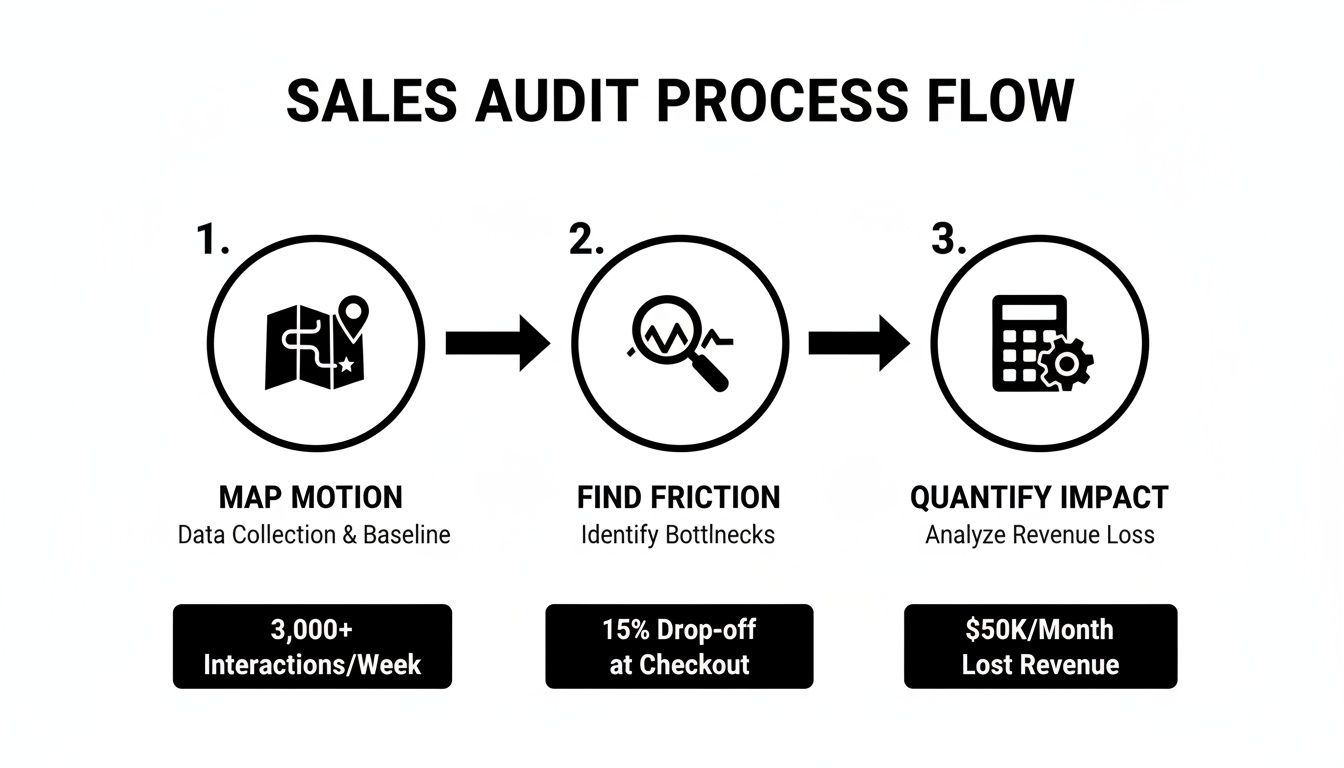
A Clear Target Account Selling Definition for B2B Sales

ยท 24 min read

Target Account Selling (TAS) is a B2B sales strategy that forces your team to stop chasing everything that moves and instead focus its energy on a handpicked group of high-value accounts. Itโ€™s a complete shift from the traditional volume game. Instead of blasting out a thousand emails, TAS is about quality over quantity, focusing every ounce of your resources on companies that are a perfect fit for your Ideal Customer Profile (ICP).

What Is Target Account Selling and Why It Mattersโ€‹

Conceptual image comparing low-quality leads caught in a net to TAS precision focusing on a target.

Think about the old-school sales floor. The mantra was always "more." More calls, more emails, more leads. Itโ€™s like casting a giant fishing net and hoping you catch something worthwhile, but you spend most of your day sorting through junk. This "spray and pray" model is exhausting and inefficient, burning out reps on leads that were never going to close.

Target Account Selling flips that script entirely. Your team doesn't cast a net; they become spear fishers. They identify the biggest, most valuable fish in the sea and go after them with precision and patience. Itโ€™s a deliberate, strategic, and frankly, much smarter way to run a sales operation.

The Problem with Traditional Salesโ€‹

The biggest issue with the volume-based approach is just how much time it wastes. Sales reps historically spend a measly 28% of their time actually selling. The rest of the week? It's buried in admin tasks, CRM updates, and chasing down leads that have a low probability of ever converting.

TAS tackles this problem head-on. By making sure every single account on your team's list has a high potential for success, you dramatically increase the time they spend on what actually matters: building relationships and closing deals.

Target Account Selling isn't about finding more leads. It's about winning the right accounts. It turns sales from a reactive numbers game into a proactive, revenue-driven machine.

Target Account Selling vs Traditional Outbound At a Glanceโ€‹

To really get why TAS is so effective, it helps to see it side-by-side with the old way of doing things. The first step in TAS is always identifying those high-value accounts, and modern tools can make this much easierโ€”for instance, a solid guide on social listening for B2B lead generation can give your team a real edge.

Hereโ€™s a quick comparison to make the differences crystal clear.

AttributeTarget Account Selling (TAS)Traditional Outbound
FocusQuality of accounts over quantityHigh volume of leads
ApproachPersonalized and research-drivenStandardized and scripted
Sales CycleOften shorter due to high relevanceCan be long and unpredictable
ResourcesConcentrated on a select listSpread thinly across many leads
OutcomeHigher contract values, better win ratesLower conversion rates, smaller deals

Ultimately, adopting TAS means your team finally stops wasting cycles on dead ends. Instead, they start building a real, meaningful pipeline with accounts that can actually move the needle for your business.

Target Account Selling vs. Account-Based Sellingโ€‹

Youโ€™ve probably heard โ€œTarget Account Sellingโ€ (TAS) and โ€œAccount-Based Sellingโ€ (ABS) thrown around, sometimes even in the same sentence. They sound almost identical, but mixing them up is a classic way to get sales and marketing moving in different directions.

Itโ€™s actually pretty simple. One is the strategy, the other is the execution.

Account-Based Selling, and its marketing twin, account-based marketing (ABM), is the overarching strategy. Itโ€™s the game plan. This is the high-level thinking where your revenue team decides which high-value companies are a perfect match for what you sell. Itโ€™s the blueprint that tells everyone which accounts matter most.

Target Account Selling is the tactical execution. Itโ€™s the playbook your team runs to actually crack into those accounts and win them. TAS is the boots-on-the-ground action plan that turns a name on a list into a real, closed-won deal.

How Strategy and Tactics Work in Harmonyโ€‹

Let's make this real. Imagine your company decides to go after a massive enterprise client, let's call them "Global Tech Inc."

  • The ABS/ABM Strategy (The "What"): Your revenue team uses data to flag Global Tech Inc. as a top-tier target. Marketing gets to work, designing a hyper-specific ad campaign, spinning up a custom landing page, and hosting a webinar that speaks directly to the pains of their industry. They're warming up the target.

  • The TAS Execution (The "How"): Now that marketing has provided the air cover, the sales teamโ€™s TAS playbook kicks in. An SDR launches a multi-threaded outreach cadence, hitting up the VP of Engineering and a Director of Operations on LinkedIn and email, referencing the webinar they just attended. The Account Executive then steps in with deep research to build a custom demo that solves Global Techโ€™s specific, known problems.

One can't exist without the other. Marketingโ€™s strategic work makes the sales teamโ€™s tactical assault much more effective.

Think of it like a football game. The head coachโ€™s game plan is the ABS/ABM strategyโ€”they've studied the opponent, identified weaknesses, and drawn up the plays. Target Account Selling is the quarterback and the offense on the field, executing those specific plays to put points on the board.

Why This Distinction Actually Matters for Your Teamโ€‹

When you clearly define these roles, the friction between sales and marketing just melts away.

Marketing knows its job is to strategically warm up the right accounts. Sales knows its job is to execute a surgical TAS playbook on those warmed-up accounts. This creates a powerful, unified go-to-market motion.

Your whole operation becomes more efficient. Marketing isn't burning budget spraying ads everywhere, and sales isnโ€™t wasting precious time on cold accounts that have no idea who you are. To see this flow in action, check out these real-world account-based marketing campaign examples that bring this strategic-to-tactical handoff to life.

Ultimately, TAS provides the actionable framework that turns the big-picture promise of ABS into reality, driving deeper engagement and much higher win rates.

The Four Pillars of a Winning TAS Strategyโ€‹

Moving from theory to practice is where the real work begins. A winning Target Account Selling (TAS) strategy isn't built on luck; it's a machine built on four pillars that guide your team from picking the right targets to closing the deal. This is how your sales team stops reacting and starts proactively hunting.

This framework shows you exactly how TAS fits into the bigger picture. Itโ€™s the tactical execution layer that lives right under your high-level Account-Based Selling strategy.

A visual go-to-market strategy framework with levels for strategy, execution, and engagement.

Think of it this way: the Account-Based strategy points you toward the right mountain. TAS is the detailed map your sales team uses to climb it.

Pillar 1: Strategic Account Selectionโ€‹

The whole game is won or lost here. You have to choose the right accounts to go after. This isnโ€™t about letting reps pick their favorite logos from a list. Itโ€™s a data-driven hunt for accounts with the highest chance of closing and the biggest potential payoff.

The selection process has to go way beyond basic details like industry or company size. Modern teams blend multiple data points to build a potent Target Account List (TAL).

  • Firmographic and Technographic Fit: First, the basics. Does the account look like your Ideal Customer Profile (ICP)? Think size, industry, location, andโ€”criticallyโ€”the tech they already use.
  • Buying Intent Signals: Are they already out there looking for a solution like yours? This is where understanding what is intent data becomes a superpower. It tells you whoโ€™s in-market right now.
  • Behavioral Triggers: Have people from the account been poking around your website, downloading whitepapers, or clicking on your ads? These are breadcrumbs you canโ€™t afford to ignore.

When you mix these ingredients, youโ€™re not guessing anymore. Youโ€™re building a target list based on hard evidence, giving your sales team a head start before they even send the first email.

Pillar 2: Deep Account Intelligenceโ€‹

Once your list is locked in, itโ€™s time to go deep. Just knowing a companyโ€™s name and industry is table stakes. That leads to the kind of generic outreach that gets deleted on sight. Real TAS demands that your team becomes an expert on every single account.

This means mapping the entire organization. You need to understand its structure, its culture, and even its internal politics to figure out who really holds the power. The goal isn't to find one contact; it's to map the entire buying committee.

A rookie mistake is aiming only for the C-suite. The truth is, deals are made by a committeeโ€”a mix of decision-makers, champions who will fight for you internally, and influencers who have the bossโ€™s ear.

Good intelligence work answers the critical questions:

  • Who are the key players and what do they actually care about?
  • What are the companyโ€™s biggest strategic goals for the next quarter?
  • What specific pains are they feeling that your solution can fix?

This is the fuel for truly personal and effective engagement.

Pillar 3: Personalized, Multi-Threaded Engagementโ€‹

With a smart target list and deep intel, your team is finally ready to make a move. And this is where TAS really breaks from the old playbook. Forget one rep sending a canned email to one person. We're talking about a coordinated, multi-threaded attack.

Multi-threading is simple: you build relationships with multiple people inside the target account at the same time. This strategy builds consensus, saves the deal if your main contact leaves, and speeds up the entire sales cycle by getting everyone on board faster.

The outreach itself has to be sharp and hyper-personalized. You use the intelligence you gathered to craft messages that hit home. A lazy "I saw you're the VP of X" is a waste of everyone's time. Good personalization talks about their specific company projects, recent news, or challenges you know theyโ€™re facing. It proves youโ€™ve done your homework.

Pillar 4: Consistent Measurement and Optimizationโ€‹

The last pillar is what keeps the engine running and improving. You can't manage what you don't measure. In a TAS world, old-school sales metrics like call volume and emails sent become background noise. What really matters are metrics that show youโ€™re making progress inside your target accounts.

The shift to this model has paid off massively for B2B companies. As Account-Based Marketing took hold, 76% of companies adopted a TAS-style approach to fuel their growth. The results speak for themselves: teams saw a 30% average revenue increase when focusing on high-value accounts. Some even cut their sales cycles by 33% and saw win rates jump from 12% to 25%.

These pillars are the key to those wins. A top SaaS company even reported a 41% increase in pipeline velocity after implementing a similar framework.

For a modern TAS program, you should be tracking KPIs like these:

  • Account Engagement Score: How many of your key contacts are actually interacting with your team?
  • Pipeline Velocity: How fast are target accounts moving from one stage to the next?
  • Meetings Booked within Target Accounts: Are you getting in front of the right people?
  • Win Rate for Target Accounts: When you go after these accounts, are you winning?

By keeping a close eye on these numbers, you can spot whatโ€™s working, ditch what isnโ€™t, and turn your TAS strategy into a predictable revenue machine.

The Payoff: What Target Account Selling Actually Does for Your Businessโ€‹

Switching to Target Account Selling isn't just a minor tweak to your sales process; it's a complete overhaul of your company's revenue engine. You stop obsessing over vanity metrics like calls made and emails sent. Instead, you get laser-focused on what really matters: business outcomes. For sales leaders, this is the leap from a chaotic, unpredictable pipeline to a model that delivers consistent, profitable growth.

The whole idea is beautifully simple. When you pour your best resources into your best-fit accounts, every important sales metric naturally goes up. Your team is no longer spread thin, chasing a mountain of low-quality leads that go nowhere. Every single action becomes a high-impact investment aimed at landing the accounts that will define your success. This strategic focus is what separates a good sales team from an elite one.

Drive Higher Average Contract Valueโ€‹

One of the first and most powerful results you'll see from TAS is a serious jump in your Average Contract Value (ACV). When your sales team is exclusively chasing enterprise clients or accounts that are a perfect mirror of your ICP, they're talking to companies with bigger budgets and more complex problems. That conversation naturally leads to bigger deals.

The data backs this up in a big way. The statistical edge of Target Account Selling is its power to dramatically increase deal sizes by concentrating on premium accounts. Industry benchmarks show that teams practicing TAS can see 2.5x higher ACVs compared to spray-and-pray outbound methods. We're talking deals averaging $250,000 versus $100,000. On top of that, profit margins often climb by 15-25% because you're building long-term relationships, not just closing one-off transactions. For more data-driven insights on these kinds of account-based strategies, Highspot has some great resources.

Accelerate Sales Cycles and Win Ratesโ€‹

This might sound backward, but focusing on fewer, bigger accounts can actually shorten your sales cycle. Think about it: traditional outbound is clogged with delays from unqualified leads and endless chats with people who can't sign a check. TAS cuts out all that waste.

Because your team starts with deep research (that's Pillar 2 of our TAS strategy), their first touchpoint is already hyper-relevant. That relevance builds trust and credibility almost instantly, getting your reps in front of key decision-makers much earlier in the game.

By engaging multiple stakeholders at onceโ€”a move we call "multi-threading"โ€”your team builds consensus across the entire buying committee. This is your secret weapon against deals that stall because one contact goes quiet. It helps you navigate the internal politics of a big company, leading to faster approvals and much higher win rates.

Improve Sales Team Efficiency and Alignmentโ€‹

For any sales leader, maybe the most critical win is the surge in team efficiency. Picture your reps' calendars, wiped clean of pointless discovery calls and dead-end demos. With TAS, their time is gold, spent only on high-potential activities within a hand-picked list of dream accounts.

This sharp focus sends powerful ripples across your entire revenue organization.

  • Eliminates Wasted Effort: Reps stop burning the bulk of their week on low-probability prospecting and busywork.
  • Boosts Morale: Nothing motivates a salesperson more than working on high-quality, winnable deals day in and day out.
  • Sharpens Skills: Your reps become genuine consultants, developing deep expertise in the specific industries and personas they target.

And finally, TAS forces sales and marketing to lock arms. When both teams are rowing in the same directionโ€”working from the same Target Account List with the same goalsโ€”all the old friction just melts away. Marketing delivers qualified engagement from the right companies, and sales runs a precise playbook to turn that interest into revenue. This unified front is how you build a predictable, scalable growth machine.

How to Power Your TAS Execution with Technologyโ€‹

A winning Target Account Selling strategy is more than a smart playbook. It lives or dies by the tech you use to turn that playbook into a scalable, repeatable workflow. For any RevOps or sales leader, the right tools are what close the gap between a great plan and consistent execution day in and day out.

Without tech, even the best TAS strategy is just a theory on a whiteboard.

You simply can't scale deep personalization and account intelligence with spreadsheets and manual data entry. It just doesn't work. The modern TAS engine is built on a foundation of integrated tools that feed each other, creating a smooth, automated handoff from identifying an account to orchestrating complex outreach. This isnโ€™t about buying a dozen new platforms; itโ€™s about making a few core tools work together like a well-oiled machine.

The Core Components of a TAS Tech Stackโ€‹

To bring a target account selling strategy to life, you need technology that supports each of the four pillars we talked about earlier. The goal is simple: automate the grunt work so your reps can focus on high-impact, human activities like building relationships and closing deals.

Here are the essential tool categories:

  • Account Identification Platforms: Think of these as your eyes and ears in the market. Tools that surface firmographic, technographic, and intent data are crucial for building a data-driven Target Account List. They help you move past guesswork and zero in on companies actively looking for a solution like yours.
  • Sales Engagement Tools: Once you know who to target, these platforms help you manage how you reach them. They orchestrate multi-touch, multi-channel outreach cadences, making sure no contact or follow-up ever slips through the cracks.
  • CRM (Customer Relationship Management): This is your single source of truth. A well-maintained CRM like Salesforce or HubSpot is the central hub where all account data, contact info, and interaction history lives. Clean CRM data is completely non-negotiable for a successful TAS program.

While this core stack is powerful, it often leaves a critical execution gap. The platforms can spot opportunities and give you a way to send messages, but they don't solve the SDR's daily dilemma: "Out of hundreds of possible actions, what is the single most important thing I should do right now?"

This is where a new category of tool becomes essential.

The Rise of the SDR Task Engineโ€‹

A modern SDR Task Engine like marketbetter.ai sits at the center of your stack, acting as the brain that directs your team's daily activities. Itโ€™s the tool that finally answers that "what to do next" question by turning a flood of buyer signals from all your other tools into a simple, prioritized task queueโ€”right inside your CRM.

This is what it looks like when a task engine organizes all those signals into a clear, actionable workflow for an SDR.

Hand-drawn diagram showing an SDR Task Engine at the center, integrating with CRM, intent data, sales engagement, and email/call prep.

Instead of forcing reps to juggle multiple tabs and dashboards, the engine translates intent data spikes, website visits, and engagement triggers into a clear "next best action," complete with all the context needed to make a smart move.

The real power of a task engine is that it closes the loop between insight and action. A signal from your intent data provider doesn't just become another data point; it instantly becomes a prioritized call or email task for the right SDR, assigned to the right contact.

This technology directly attacks the biggest challenges in scaling TAS: consistency and quality. With AI-powered email and call prep workflows, reps can execute high-quality, personalized outreach without spending hours on manual research.

Every single action is then automatically logged back to the CRM, ensuring perfect data hygieneโ€”a lifesaver for any data-driven sales leader. This integrated approach is a key piece of building a modern marketing tech stack that actually drives sales execution. By automating the operational side of TAS, you free your team to do what they do best: sell.

Common TAS Pitfalls and How to Sidestep Themโ€‹

Even a perfectly designed Target Account Selling strategy can fall flat without sharp execution. Let's be clear: switching to TAS is a major operational shift, and a few common traps can completely derail your progress before you even see the good stuff.

Honestly, Iโ€™ve seen teams get tripped up by the same few mistakes over and over. They get fired up about the idea of TAS, but their execution lacks the discipline to see it through. These aren't minor hiccups; they're fundamental errors that can crater your entire outbound motion.

Knowing what these traps are is the first step. By anticipating them, you can build guardrails into your process and turn potential failures into lessons that just make your approach stronger.

Pitfall 1: Your Target List is Just a Wish Listโ€‹

This is the most frequentโ€”and fatalโ€”error. It happens when teams treat their Target Account List (TAL) like a casual collection of logos theyโ€™d like to win. Gut feelings and a sales rep's familiarity with a brand end up overruling actual data, and you start the game on the wrong foot.

What you end up with is a weak foundation where your team sinks a massive amount of effort into accounts that were never a good fit to begin with. Itโ€™s the difference between making a calculated investment and just gambling. A data-driven list is built on firmographics, buying signals, and tech matches. A list built on assumptions is just a prayer.

How to Fix It: Set up a formal, data-driven selection committee. Pull in sales leadership, marketing, and RevOps. The rule is simple: every single account proposed must meet specific, pre-defined criteria from your ICP. This forces objectivity and kills the bias, ensuring every account on your list earned its spot.

Pitfall 2: You're Faking Personalizationโ€‹

Another classic failure is mistaking token gestures for real, research-backed outreach. Dropping {company_name} and {first_name} into a generic template isn't TAS. It's spam with mail merge, and decision-makers at top-tier accounts can spot it from a mile away. They get dozens of these lazy emails a day and have become experts at hitting "delete."

This approach doesn't just fail; it actively disrespects the buyerโ€™s time. It screams, "I haven't done my homework." It completely misses the whole point of TAS, which is to prove from the very first touch that you understand their world and have something relevant to say.

How to Fix It: Enforce a "research-before-reach" rule for all your Tier 1 accounts. No exceptions. Require reps to find a specific company initiative, a piece of recent news, or a quote from a key executive before they're allowed to hit send. Better yet, build this research step directly into your CRM workflow with required fields reps have to fill out before they can even enroll a contact in a sequence.

True personalization isnโ€™t using someoneโ€™s name. Itโ€™s proving you understand their world. Itโ€™s the difference between saying, "I see you're a VP at Acme Corp" and "I saw your keynote on supply chain efficiency, and I have an idea for how you could apply that to your new distribution center."

Pitfall 3: You're Too Impatientโ€‹

Target Account Selling is a marathon, not a sprint. A huge pitfall is giving up way too early. When teams who are used to high-volume, transactional sales don't see meetings pop up after a few emails, they panic, declare the strategy a failure, and go right back to their old habits.

This impatience comes from a fundamental misunderstanding of the model. You're not just booking demos; you're building relationships inside complex organizations. That takes a persistent, multi-threaded approach that builds trust and consensus over time. One study found it can take over 18 touches just to connect with a buyer. Quitting after five or six is like walking off the field in the first inning.

How to Fix It: Set realistic expectations from day one. Define your cadences to be long-term, multi-touch sequences that span several weeks and multiple channels (email, LinkedIn, calls). More importantly, change what you celebrate. Instead of only cheering for "meetings booked," start tracking and rewarding the leading indicators: positive replies, content engagement from key personas, and new contacts identified within an account. This shifts the team's focus from instant gratification to strategic progress.

Answering Your Top Questions About Target Account Sellingโ€‹

When teams start digging into target account selling, the same practical questions always pop up. It's one thing to understand the theory, but another thing entirely to make it work on the ground. Let's clear up some of the most common hurdles around team structure, resource planning, and just getting the darn thing started.

How Many Accounts Should an SDR Actually Handle?โ€‹

This is the big one, and the answer is always: "It depends." It's not a cop-out, it's just the truth. Everything hinges on your account tiers.

For your Tier 1 accountsโ€”the absolute must-win, company-changing dealsโ€”an SDR should be focused on a tiny list, maybe 10-20 accounts at most. These aren't just names in a CRM; they're full-blown research projects that demand deep, manual, and highly personalized outreach to multiple people.

Move down to Tier 2, and the list can grow a bit. These are still fantastic fits for your ICP, but the personalization can be a little less intense. Here, an SDR might manage 20-50 accounts. For Tier 3, where your outreach can be more programmatic and templatized, a rep could handle 50-100+ accounts.

The golden rule? Don't overload your reps. If you do, they'll inevitably neglect the top-tier accounts that require the most thought and effort.

What's the Real Difference Between a Target Account List and an ICP?โ€‹

Think of it like building a house.

  • Your Ideal Customer Profile (ICP) is the architect's blueprint. Itโ€™s a detailed, data-backed description of the type of company that gets insane value from your productโ€”think industry, company size, revenue, and the tech they use. Itโ€™s the model of perfection.
  • Your Target Account List (TAL) is the actual list of street addresses you're going to build on this quarter. These are the specific, named companies that perfectly match that blueprint. This is the list your entire go-to-market team obsesses over.

You have to nail down your ICP first. Without a solid blueprint, you're just picking addresses at random and hoping for the best.

Your ICP tells you what a perfect customer looks like. Your TAL tells you which specific companies are on your "we absolutely must win these" list.

We're a Small Team. How Do We Even Start with TAS?โ€‹

Don't try to boil the ocean. The secret is to start incredibly small and prove the concept. You don't need a huge team or a complicated tech stack to get going. Just run a pilot program.

  1. Pick Your Champions: Grab one or two of your most strategic-minded sales reps. The ones who think beyond the script.
  2. Build a Micro-List: Work with them to hand-pick just 10-15 high-potential accounts that are a dead-on match for your ICP.
  3. Go Manual: Have them do the deep-dive research and run a coordinated, multi-touch outreach campaign without fancy automation. Just pure, thoughtful selling.
  4. Measure and Learn: Keep a close eye on everything: engagement, positive replies, meetings booked. Use those early wins to build a rock-solid case for expanding the program.

This approach lets you work out all the kinks and prove the model works before you go asking for a bigger budget.


Ready to stop guessing and start executing? marketbetter.ai turns your TAS strategy into a prioritized task list for your SDRs, right inside your CRM. It provides AI-powered tools for writing personalized emails and preparing for calls, ensuring your team executes high-quality outreach consistently. See how marketbetter.ai can power your outbound motion.

7 Best Auto Dialer Programs for Sales Teams in 2026 (From $25 to $150/Seat)

ยท 25 min read

Auto dialer programs are software that automatically dials phone numbers for your sales team, connecting them only when a live human picks up. This simple change gets rid of the soul-crushing, time-wasting task of manual dialing and lets reps do what they do best: talk to people.

How Auto Dialer Programs Supercharge Your Sales Workflowโ€‹

Picture your best sales reps, burning hours every day listening to dial tones, hitting voicemails, and then pecking away at their keyboards to log the outcome. It's a massive waste of talent. Every minute they spend on that busywork is a minute they aren't actually selling.

Modern auto dialer programs are the cure for this common sales headache. Think of them as a smart assistant for your team.

At its core, the value is dead simple: the software automates the entire dialing process. No more looking up a number, fumbling to type it in, and then waiting. This one tweak has a huge domino effect, often letting a single rep make three to five times more calls every single day. More calls mean more conversations, and more conversations are the fuel for a healthy pipeline.

From Manual Drudgery to Automated Efficiencyโ€‹

The jump from manual dialing to using an auto dialer is like switching from a hand drill to a power drill. Sure, both can make a hole, but one is ridiculously more efficient and lets you build things you couldn't before.

Here's a direct comparison of a rep's day with and without an auto dialer:

Daily TaskManual Dialing WorkflowAuto Dialer Workflow
Placing a CallLook up number > Type it in > Wait for ring/voicemail.Click a button > Dialer connects you to a live person.
Call LoggingSwitch to CRM > Find record > Type notes > Select outcome.Log outcome with one click > All data syncs automatically.
DowntimeSignificant time wasted between calls.Near-zero downtime; the next call is dialed instantly.

This isn't just a small tweak; it's a fundamental change in how a sales team operates. To see how these dialers fit into the bigger picture, it's worth exploring the different types of best outbound call center software available today.

The real power of an auto dialer isn't just about speed. It's about creating a consistent, measurable, and scalable outbound process. It turns the art of cold calling into a science.

Quick Benefits of Auto Dialer Programs by Roleโ€‹

This isn't just a tool for reps. When you automate the dialing process, everyone from the front lines to the C-suite sees the benefits. It creates a ripple effect of efficiency and visibility across the entire sales organization.

RolePrimary Benefit
Sales RepMore time talking to prospects, less time on manual tasks, leading to higher commissions.
Sales ManagerClearer visibility into team activity, better coaching opportunities based on real data.
Sales Leader (VP/CRO)More predictable pipeline generation and accurate forecasting based on call metrics.
RevOpsCleaner CRM data, easier reporting, and a more streamlined sales tech stack.

Ultimately, a good dialer aligns the whole team around a more productive and data-driven process, making everyone's job a little easier and a lot more effective.

The Modern Approach: In-CRM Dialingโ€‹

The best auto dialer programs today aren't clunky, standalone apps. They plug directly into the CRMs your team already lives in, like Salesforce and HubSpot.

This in-CRM approach is a game-changer. Reps can click-to-call, log call outcomes, and jump to the next task without ever toggling between windows. This seamless workflow is what separates tools that get adopted from those that just gather dust.

The market is voting with its dollars on this kind of smart automation. The global auto dialer market, valued at USD 1.5 billion, is on track to hit USD 3.0 billion by 2033. Itโ€™s clear that businesses are doubling down on tools that make their sales teams more productive.

Choosing Your Dialing Mode for Maximum Impactโ€‹

Picking the right auto dialer isn't a one-size-fits-all kind of deal. The best choice hangs entirely on your sales motion, how good your contact list is, and what youโ€™re trying to achieve with your outbound campaign. Think of it like a toolbox: you wouldn't grab a sledgehammer to hang a picture frame.

Different dialing modes are built to optimize for one of two things: sheer call volume or the quality of the conversation. Understanding that trade-off is the first real step toward building a sales machine that actually works.

Let's break down the four core dialing modes every sales leader should have in their back pocket.

Preview Dialer: The Researcher's Toolโ€‹

The Preview Dialer is the most controlled and methodical of the bunch. Itโ€™s like having a dedicated research assistant for your reps, serving up a contact's entire record before the call is ever placed.

That pause is gold. It gives the rep a crucial window to scan notes, check past CRM interactions, and nail their opening line. This mode is perfect for complex B2B sales where every conversation is high-value and context is king.

  • Best For: Strategic outbound, account-based sales, and any follow-up where personalization makes or breaks the deal.
  • Downside: Itโ€™s the slowest of the auto dialer programs. You're trading volume for quality, plain and simple.

Power Dialer: The Workhorseโ€‹

A Power Dialer is all about efficiency without throwing agent control out the window. The second a rep hangs up, the dialer is already ringing the next number on the list. No preview, no delayโ€”just a seamless flow from one call to the next.

This mode is built for teams that need to churn through a list but still want a live agent on every single connected call. It kills the dead time spent manually dialing and waiting for an answer, keeping reps locked in and productive.

This little flowchart helps clarify when an auto dialer really makes sense for a team.

A flowchart explaining whether an auto dialer is right for your sales call needs.

As you can see, if the goal is just to make more calls, an auto dialer frees up reps to do exactly that.

Progressive Dialer: A Smart Balanceโ€‹

The Progressive Dialer is a close cousin to the Power Dialer, but with one critical tweak. It only dials the next number once it confirms an agent is actually free and ready. This simple change guarantees zero risk of dropped callsโ€”that awkward moment when a prospect answers to dead air because no rep was available.

It strikes a fantastic balance between the speed of a power dialer and the quality control of a preview dialer. For a ton of sales teams, this is the sweet spot between high volume and a good customer experience.

Predictive Dialer: The Assembly Lineโ€‹

The Predictive Dialer is the undisputed champ of high-volume outreach. Itโ€™s built for one thing: pure, unadulterated speed. Using an algorithm, it dials multiple numbers at once for each available agent, essentially predicting when someone is about to pick up. The whole point is to have a live person on the line the very second a rep becomes free, slashing idle time to almost nothing.

This mode is an absolute powerhouse for B2C campaigns, lead qualification, or any time you need to blitz through a massive contact list.

But that speed comes with a calculated risk. If two people answer at the same time, the system has to drop one of the calls. Those "abandoned calls" can damage your brand's reputation and create compliance headaches if you're not careful.

Still, the market for these intelligent dialers is exploding. The predictive dialer market, a brainy subset of auto dialer programs, is forecasted to jump from USD 3.12 billion to USD 6.1 billion by 2034. These systems are getting smarter, helping teams crush their numbers. If you want to dig into the numbers, you can learn more about these predictive dialer findings.

Comparing Your Options: An Actionable Guideโ€‹

So, which one is right for you? It all comes down to matching the tool to the job. A high-velocity B2C team has completely different needs than a strategic B2B account executive.

Use this table to make a quick decision based on your team's primary goal:

Dialer ModeIdeal Use CaseProsConsActionable Advice:
PreviewHigh-value, complex B2B salesMaximum personalization, higher quality conversations.Slowest pace, lowest call volume.Choose this if your reps need to research each contact for 2+ minutes before calling.
PowerGeneral B2B/B2C outreachIncreases efficiency, no dropped calls, good balance.No time for pre-call research.Choose this for high-velocity teams where every call needs a live agent, but minimal prep is required.
ProgressiveQuality-focused outboundEfficient, 100% no dropped calls, good agent experience.Slightly slower than a power dialer.Choose this if you prioritize customer experience above all else and cannot risk dropped calls.
PredictiveHigh-volume B2C campaignsHighest possible call volume, maximum agent talk time.Risk of dropped calls, potential compliance issues.Choose this only for large teams working low-value leads where maximizing agent talk time is the single most important metric.

Once you get these distinctions, you can pick an auto dialer program and tune it to perfectly match your sales strategy. Thatโ€™s how you drive real impact and get results you can actually measure.

What to Look For: The Must-Have Features of a High-Performing Sales Dialerโ€‹

Sketched illustration showcasing dialer features like CRM click-to-call, automatic call log, and local presence map.

Knowing the different dialing modes is a great start, but the specific features baked into auto dialer programs are what really separate a productivity engine from a workflow nightmare. A good sales dialer does a whole lot more than just place calls; it's designed to obliterate the tiny, soul-crushing tasks that bleed a rep's day dry.

Think of it like this: a basic dialer gets you on the highway. A high-performing one gives you cruise control, GPS, and lane assist. It anticipates what you need and handles the boring stuff so you can just focus on driving.

Letโ€™s get into the non-negotiable features you should be looking for.

Click-to-Call Functionalityโ€‹

This one is table stakes. Click-to-Call is the ability for a sales rep to click any phone number inside their CRMโ€”whether it's on a contact record, a lead list, or an account pageโ€”and have the dialer instantly start the call. Itโ€™s a simple concept with a massive impact.

Without it, your team is stuck in the copy-paste-dial routine. Itโ€™s not just slow; it's a breeding ground for misdials and frustration. The entire point is to keep your team living inside their main system, not bouncing between browser tabs.

Action Step: When you're evaluating a dialer, don't just ask if it has Click-to-Call. Ask them to show you a live demo from the exact spot in your CRM your team works from most (like a Salesforce Contact record). You're looking for a seamless, native, one-click experience. Anything less is a compromise.

Fully Automated Call Loggingโ€‹

This is where a lot of auto dialer programs trip up. A truly great dialer doesnโ€™t just place the call; it meticulously logs every single detail back to the CRM without the rep having to lift a finger. For any RevOps or sales leader who relies on accurate data, this is a game-changer.

The difference is night and day:

Feature AspectA Legacy DialerA Modern, In-CRM Dialer
Call ActivityRep has to manually log that a call was even made.Every dial, connection, and call duration is logged automatically.
Call OutcomeRep types notes and picks a disposition from memory.Offers one-click buttons that automatically update CRM fields.
Data AccuracyRiddled with human error, forgotten logs, and messy data.100% accurate activity data becomes the single source of truth for reporting.

Automated logging transforms messy, unreliable activity data into a strategic asset you can actually use for forecasting and coaching. It's the plumbing that ensures your follow-up strategy doesn't spring a leak, which is everything for lead nurturing. You can see this in action by checking out our playbook on how to build a system where you never miss a follow-up again.

Local Presence Dialingโ€‹

Let's be honest, have you ever ignored a call from a random, out-of-state number? Of course you have. Your prospects do, too. Local Presence is a feature that automatically shows a local area code on the prospect's caller ID, even if your rep is calling from across the country.

This simple tweak can boost connection rates by as much as 300%. It creates instant familiarity and breaks down that initial wall of skepticism, making people far more likely to pick up the phone. It's easily one of the highest-impact features you can add to any outbound campaign.

One-Click Call Dispositionsโ€‹

So the call ends. What happens next? A great dialer makes this step instant. One-click dispositions let a rep click a single buttonโ€”like "Left Voicemail," "Meeting Set," or "Not a Fit"โ€”to log the outcome and trigger the next step.

This does two incredibly important things:

  1. It Saves Reps Time: It replaces frantic typing with a single click, getting them onto the next call in seconds.
  2. It Structures Your Data: It guarantees that outcomes are logged consistently, making it dead simple to run reports and figure out which call results are most common.

These aren't just shiny bells and whistles. They are the core parts of an efficient sales machine, turning a simple dialing tool into a powerful engine for productivity and clean, reliable data.

Why Seamless CRM Integration Is Non-Negotiableโ€‹

Diagram illustrating an in-CRM dialer integration on a laptop, enabling calls without tab switching.

Let's be blunt: an auto dialer that lives outside your CRM is a recipe for disaster. It creates a clunky, disjointed workflow that forces your reps to constantly jump between browser tabsโ€”one for the dialer, one for your system of record. This isn't just a minor annoyance; it's a productivity killer that guarantees your team will hate using it.

The single most critical factor for getting any value out of a dialer is how deeply it connects to your CRM. When reps have to leave their primary workspace to make calls, you create friction, data gets lost, and you lose sight of what's actually happening on the front lines. The whole thing becomes a chore that reps will find any excuse to avoid.

A truly great dialer doesn't feel like a separate tool at all. It should feel like a natural part of your CRM, embedded right where your team already worksโ€”on lead, contact, and account records.

The Hidden Cost of Context Switchingโ€‹

Every time a rep flips from their CRM to a standalone dialer, a little bit of focus dies. They find the contact in one system, switch to the other, place the call, then have to remember to tab back and log everything. This constant back-and-forth, known as context switching, is a massive drain on mental energy.

Studies have shown it can take over 20 minutes for someone to fully get their head back in the game after an interruption. A tab switch might seem small, but add it up over dozens of calls a day, and the effect is staggering. It leads to frustration, burnout, and a huge drop in the number of quality conversations your team can actually have.

The goal of a modern sales dialer isn't just to automate clicks. It's to erase every possible point of friction between a rep and their next conversation. If it forces them to change their workflow, it has already failed.

An in-CRM dialer, on the other hand, makes this entire problem disappear. The rep stays on one screen, clicks a number, makes the call, and logs the outcome in one seamless motion. This keeps them in a state of flow, letting them move from one productive conversation to the next without a single wasted click.

Comparing In-CRM vs. Standalone Dialersโ€‹

The difference between a dialer that works inside your CRM and one that runs in a separate window is night and day. It affects everything from rep productivity and data quality to a manager's ability to coach their team. Hereโ€™s a side-by-side look at what that really means.

Feature/AspectIn-CRM Dialer (e.g., MarketBetter.ai)Standalone Dialer
WorkflowReps never leave the CRM. They click-to-call directly from contact records.Requires constant tab-switching between the CRM and the dialer application.
Data Capture100% of call activity is logged automatically and instantly to the correct record.Relies on reps to manually log calls and outcomes, leading to errors and gaps.
Adoption RateHigh, because it enhances the existing workflow instead of disrupting it.Low, as reps often revert to manual dialing to avoid the hassle of using two systems.
Manager VisibilityProvides a real-time, accurate view of team performance inside the CRM.Creates a "black box" where true activity levels are unknown or inaccurate.
Bottom LineEnhances productivity and data integrity.Creates friction and unreliable data.

Choosing a dialer that lives in your CRM isn't just about convenience; it's a strategic move. It guarantees your CRM remains the single source of truth for all sales activities, which is the foundation for accurate reporting, forecasting, and keeping your RevOps team happy. You can explore how different auto dialer integrations make this happen to see the principle in action.

Why Data Integrity Is a Leadership Issueโ€‹

When call data isn't captured automatically, you can't trust your reports. Period. Sales leaders end up making critical decisions based on incomplete or just plain wrong information. Are reps making enough calls? Which campaigns are actually working? Who on the team needs coaching? Without clean data, the answers are just expensive guesses.

An in-CRM dialer fixes this by turning every single call into a reliable data point. This gives sales leaders an accurate, real-time picture of team performance without ever having to chase reps for updates. Itโ€™s how you build a scalable and predictable sales engine.

Staying Compliant and Protecting Your Call Reputationโ€‹

Using an auto dialer gives your sales team a massive advantage, but itโ€™s not the Wild West. That power comes with some serious responsibility. If you ignore the rules, youโ€™re not just risking a slap on the wristโ€”youโ€™re looking at hefty fines that can cripple a business and a damaged brand reputation thatโ€™s hard to fix.

On top of that, you have to battle the dreaded "Spam Likely" flag. This is the modern-day kiss of death for outbound sales, killing your connect rates before a rep even gets a word in.

To successfully scale your outbound sales, you have to master both the legal and the technical sides of calling. It's about ensuring your calls are not just legal, but also welcomeโ€”or at least, not immediately flagged as suspicious by carriers. The good news is that modern dialers are built to help you navigate this minefield.

The regulatory world for calling can feel overwhelming, but a few core principles will keep you out of trouble. In the U.S., the big one is the Telephone Consumer Protection Act (TCPA). Itโ€™s the primary law governing telemarketing calls, and it sets strict rules around getting consent and using automated dialing systems.

Think of these as your compliance pillars:

  • Do-Not-Call (DNC) Lists: This is non-negotiable. You must always respect both national and internal DNC lists. Any decent auto dialer program will have built-in scrubbing features to automatically check your lists against these databases before a single call is placed.
  • Express Written Consent: This is a big one. For marketing calls to mobile numbers using an auto dialer, you generally need express written consent from the person you're calling. Thatโ€™s a high bar, so itโ€™s critical to know exactly where your lists are coming from.
  • Time of Day Restrictions: Common sense, but also the law. Youโ€™re typically prohibited from making telemarketing calls before 8 a.m. or after 9 p.m. in the recipient's local time zone.

Staying compliant isnโ€™t a one-and-done task; it's an ongoing effort. Regulations can also vary by location, so itโ€™s wise to stay informed on region-specific rules, for example, by understanding cold calling legality in Texas.

Protecting Your Call Reputationโ€‹

Hereโ€™s the frustrating part: even if your calls are 100% compliant, carriers can still flag your numbers as spam if their algorithms detect suspicious calling patterns. This is a technical problem that demands a technical solution. Once your numbers are burned, your answer rates will nosedive.

Modern auto dialers fight this with proactive reputation management features. One of the most effective tools in the arsenal is phone number rotation. Instead of blasting hundreds of calls from a single number, the software automatically cycles through a pool of numbers. This spreads the call volume out, dramatically reducing the risk of any one number getting flagged. Some platforms even monitor the "health" of your numbers and will automatically rest any that start to show a poor reputation.

Think of your phone numbers like a starting pitcher rotation in baseball. You wouldn't make your ace pitch every single dayโ€”they'd get worn out. Rotating your numbers keeps them "fresh" and effective, ensuring they don't get burned out and flagged by the carriers.

The rules are always evolving. For instance, TCPA updates post-2020 have pushed teams toward smarter, more targeted dialing practices instead of just dialing for volume. For SDR and BDR teams, adapting to this means fewer wasted hours. With the right dialer, reps can handle 3-5x more calls daily, and with auto-logging, RevOps gets a crystal-clear view into whatโ€™s actually working.

By pairing smart technology with a firm commitment to compliance, you can scale your outbound efforts safely and effectively, keeping your reps talking and your pipeline growing.

Your Step-by-Step Plan to Implement an Auto Dialerโ€‹

Buying an auto dialer is the easy part. Turning that software into a real asset for your sales team? Thatโ€™s where the real work begins. This isn't just about flipping a switch; it's about launching a program that delivers measurable results from day one.

Think of it like building a house. You don't just show up with a hammer and hope for the best. You need a blueprint. This phased plan is your blueprint for a smooth rollout, moving from vendor demos to full team adoption without the usual headaches.

Phase 1: The Evaluation Checklistโ€‹

Before you even think about signing a contract, you have to ask the right questions. A slick demo can easily hide a world of workflow pain, so itโ€™s your job to dig deeper into the details that actually matter. The best dialer is one that fits into your process, not one that forces you to break it.

Use this checklist when you're comparing vendors:

  • CRM Integration Depth: Don't just ask if it integrates. Make them show you exactly how call data logs back to your CRM. Is it automatic? Instant? Does it capture call dispositions, duration, and notes without the rep lifting a finger?
  • Onboarding and Training: What does their onboarding actually look like? Are you getting live training for your team, or are they just going to point you to a library of help articles and wish you luck?
  • Ongoing Support: When things go wrongโ€”and they willโ€”whatโ€™s their support response time? Do you get a dedicated person to call, or are you just another ticket in a faceless queue?

Getting straight answers here is how you separate the true partners from the basic software providers.

Phase 2: The Pilot Programโ€‹

Whatever you do, don't roll out a new tool to your entire team at once. Start small. Pick a dedicated pilot group of 3-5 reps. This gives you a controlled environment to work out the kinks, gather unfiltered feedback, and build a process you can actually scale.

Your pilot group isn't just testing software; they're co-creating your new sales workflow. Their feedback is gold. Use it to fine-tune call scripts, disposition lists, and best practices before you go live with everyone else.

This is the time to get your hands dirty. Adjust the settings, confirm the CRM integration is flawless, and document the new workflow. The early wins from this small group will build the momentum you need and create internal champions for the new system.

Phase 3: Setting Goals and Measuring ROIโ€‹

To prove the value of your shiny new auto dialer program, you have to define what success looks like from the very beginning. Vague goals like "improving efficiency" won't cut it. You need specific, measurable targets tied directly to business objectives.

Define your key performance indicators (KPIs) before you start:

  1. Activity Metrics: Get specific. A great goal is "increase connected calls per rep by 30%" within the first 60 days.
  2. Outcome Metrics: Tie it to revenue. Aim to "book 15% more meetings" from cold calls by the end of the quarter.
  3. Efficiency Metrics: Track the hours saved. Measure the reduction in time spent on manual dialing and administrative busywork.

These numbers become the foundation for your ROI calculation. They help you build a rock-solid business case and show leadership exactly how the dialer is impacting the bottom line. Getting this right is a key part of optimizing your entire marketing technology stack for better performance and crystal-clear attribution.

Free Tool

Try our AI Lead Generator โ€” find verified LinkedIn leads for any company instantly. No signup required.

Got Questions About Auto Dialers?โ€‹

Even after you've done the research, a few practical questions always pop up when you're about to pull the trigger on a new sales tool. Let's get right to the most common ones I hear from sales leaders.

What's This Going to Cost Me?โ€‹

Pricing is all over the map, but you can bet it'll be a per-user, per-month fee. Your basic power dialers might run you around $50 per user. For the more advanced predictive dialers that live inside your CRM, youโ€™re looking at $100 to $150+ per user.

But hereโ€™s the real trick: look at the total cost. Some companies will hit you with a low base price, then charge extra for dialer access as an add-on. Others bake it into their pricier plans. Always, always ask for a full cost breakdown so you donโ€™t get blindsided by overages on calling minutes or surprise integration fees.

Does This Thing Work With My Old Phone System?โ€‹

Honestly, thatโ€™s not really the right question anymore. Most modern auto dialer programs are cloud-based and run on VoIP (Voice over Internet Protocol), so they couldn't care less about your traditional phone lines. Theyโ€™re software, plain and simple.

The question you should be asking is how well it works with your CRM. A dialer thatโ€™s built directly into Salesforce or HubSpot is worth its weight in gold. Why? Because it automatically logs every call and keeps your reps focused in a single workflow, instead of making them jump between tabs. Thatโ€™s where the real productivity gains come from.

Are We Going to Get Flagged as Spam?โ€‹

It's a huge concern, and for good reason. The good news is that any reputable provider is just as worried about this as you are. The best auto dialer programs have features specifically designed to protect your call reputation and actually get people to pick up the phone.

Here are a couple of must-haves:

  • Local Presence: This is a game-changer. The software dials prospects using a phone number with their local area code, which can seriously boost answer rates.
  • Number Rotation: Instead of burning out a single phone number, the system automatically cycles through a whole pool of them. This is key to avoiding those spam filters.

Of course, the tech is only half the battle. Your team still needs to be smartโ€”keep call volume reasonable and treat your Do Not Call list like it's sacred.


Tired of wasting your repsโ€™ time on manual dials and busywork? The marketbetter.ai SDR Task Engine embeds an AI-powered dialer and email writer right into your CRM. It turns buyer signals into perfectly timed outreach so you can have more conversations that matter. See how to get more pipeline with less effort at https://www.marketbetter.ai.
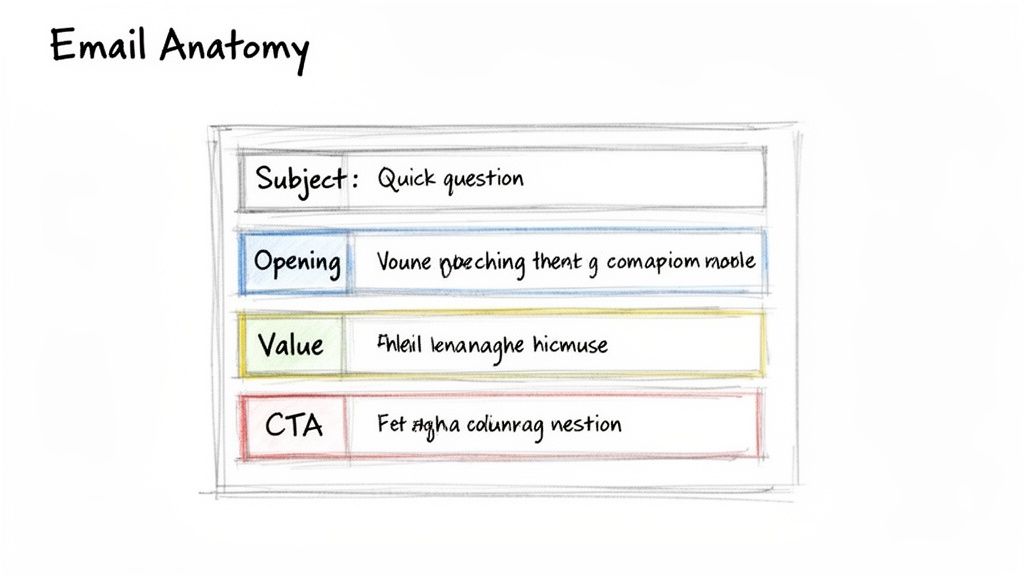
A Modern Guide to B2B Indicators of Interest

ยท 19 min read

Indicators of interest are the digital breadcrumbs your prospects leave behind. They're the actionable clues that tell you what they need, when they need it, and if they're a good fit for your solution.

Think of it this way: old-school outreach is like shouting into a crowded stadium, hoping someone hears you. Signal-based selling is like walking up to the person waving a flag with your logo on it. These indicators let your sales team stop shouting into the void and start talking to people who are already listening.

Beyond Cold Calls: Why Indicators of Interest Matterโ€‹

A detective follows digital signals, leading to a targeted bullseye amplified by a megaphone for cold calls.

We've all seen it. An SDR stares at a massive list of cold accounts, feeling the weight of the day ahead. The old playbook is simple: make dozens of calls, send hundreds of generic emails, and just hope something lands. Itโ€™s a recipe for burnout, high rejection rates, and a whole lot of wasted energy.

The modern sales motion is a complete strategic shift. Itโ€™s less of a brute-force attack and more like a detective following a trail of evidence. Instead of blasting the same message to everyone, top-performing teams hunt for indicators of interestโ€”the subtle hints prospects drop online that show theyโ€™re getting ready to buy.

Shifting from Volume to Precision: A Quick Comparisonโ€‹

This isn't just a small tweak; it's a fundamental shift in philosophy. The old way is a numbers game, a relentless focus on activity volume. The new way is a precision game, built on timing and relevance. One is based on luck, the other on evidence.

  • Old Method (Volume): An SDR gets a static list of 200 companies that match your Ideal Customer Profile (ICP). They then spend hours digging for basic info, making cold calls with zero context, and dealing with abysmal connection rates. It's a grind.
  • New Method (Precision): An SDR gets a dynamic, prioritized list. These accounts don't just fit the ICPโ€”they've also just visited your pricing page, downloaded a case study, or had a key decision-maker start a new role.

This one change transforms an SDR from a generic cold caller into a timely, relevant problem-solver. It directly attacks the biggest pain point in sales development: all those wasted hours spent chasing ghosts. You focus your teamโ€™s effort exactly where itโ€™s most likely to pay off.

A huge piece of this puzzle is third-party intent data, which tells you whatโ€™s happening outside your own website. We break it all down in our guide on what is intent data.

The Four Core Types of Buying Signalsโ€‹

A diagram illustrating four core types: Website, Engagement, Third-party, and Firmographics.

Not all buying signals are created equal. Far from it.

Think of an SDR as a detective. Some clues are faint whispers, while others are practically a signed confession. Learning to tell the difference is what separates top performers from everyone else. Itโ€™s the key to knowing where to spend your time and how to craft outreach that actually lands.

These indicators of interest fall into four main buckets, and each one tells you a different part of the prospect's story. If you only look at one, youโ€™re trying to solve a puzzle with most of the pieces missing. The real magic happens when you see how they all fit together.

1. First-Party Website Behaviorโ€‹

These are the most valuable signals, hands down. Why? Because theyโ€™re happening on your home turfโ€”your website. This is what a prospect does when they're actively researching your solution. Itโ€™s the digital equivalent of someone walking into your store and looking around.

Every click tells a story. A quick visit to your blog suggests mild curiosity. But a long visit to your pricing page? Thatโ€™s a five-alarm fire. You need to act on that immediately.

A prospect spending more than two minutes on your pricing page is one of the strongest buying signals you can get. That isn't just research; it's serious consideration.

These signals are your secret weapon because your competitors can't see them. It's your head start. Key examples include:

  • High-Intent: Multiple visits to key product or solution pages.
  • High-Intent: Watching a full product demo video.
  • Critical Intent: Starting the "Request a Demo" form but not finishing.

2. Active Engagement Signalsโ€‹

While website behavior is about what prospects do anonymously, active engagement is what happens when they willingly identify themselves. They trade their contact info for something valuable, stepping out from the shadows and turning from a visitor into a known lead.

This is a direct invitation to start a conversation. They've given you permission to reach out, so your follow-up should be timely and directly related to what they engaged with.

For instance, someone downloading a top-of-funnel eBook on industry trends is probably just starting their research. But someone who registers for a product-focused webinar? They're much further along and signaling a deeper interest in what you specifically offer.

3. Third-Party Intent Dataโ€‹

This is where you get to see what your target accounts are doing across the rest of the internet, long before they ever find your website. Itโ€™s like seeing the "digital body language" of an entire company.

This data flags when a target account suddenly starts researching topics, problems, or competitors related to your business. Maybe several people from that company are all reading reviews of "sales automation platforms." Thatโ€™s a massive signal that theyโ€™re in-market, giving you a chance to engage a net-new opportunity before anyone else.

4. Strategic Firmographic Triggersโ€‹

Finally, firmographic triggers arenโ€™t about individual research behavior. Theyโ€™re about company-level events that create a perfect window of opportunity for a purchase. These are changes at an organization that signal a new need or a fresh budget.

  • New Executive Hire: A new VP of Sales is almost always hired to make changes. They're most open to new tools in their first 90 days.
  • Company Funding: A recent funding round means they have cash to spend on tools that will fuel growth.
  • Hiring Sprees: If a company is posting tons of new sales roles, they're going to need software to support that growing team. Very soon.

To give you a clearer picture of how these signals stack up against each other, hereโ€™s a quick comparison.

Comparing the Four Main Types of B2B Buying Signalsโ€‹

This table breaks down each signal type, showing you where it comes from, how strong the intent usually is, and the best way for an SDR to jump on it.

Signal TypeExampleTypical Intent LevelActionable Next Step
Website BehaviorVisited the pricing page 3 timesVery HighImmediate, personalized call/email referencing their potential interest in ROI.
Active EngagementDownloaded an eBook on "AI in Sales"MediumNurturing email sequence offering more resources on the same topic.
Third-Party DataCompany is researching your competitorsHighProactive outreach to key personas, highlighting your unique differentiators.
Firmographic TriggerJust hired a new CMOMedium to HighWelcome/congratulatory email to the new hire, offering relevant industry insights.

Bringing these four types of signals together gives you a complete, 360-degree view of your target accounts. Itโ€™s how you move from guessing to knowing exactly who to call and what to say.

For a deeper dive into quantifying these signals, check out this great guide on understanding lead scoring in HubSpot.

How to Turn Raw Signals Into Actionable Outreachโ€‹

Getting a flood of buying signals feels like a win, but it can quickly turn into a nightmare. When your team is drowning in raw indicators of interest without a clear path forward, they do what anyone would do: they fall back on old habits. They start working through a static, alphabetical list of accounts.

The real trick isn't just collecting signals. It's turning them into a prioritized, actionable game plan for your sales team.

This comes down to a simple but powerful framework that balances two things: fit and interest. "Fit" is all about how well an account matches your Ideal Customer Profile (ICP). "Interest" is about the strength and timing of their recent buying signals. An account that scores high on both? That's your #1 call.

The goal is to get out of reactive mode and into proactive engagement. Stop asking, "What happened last week?" and start giving your team a list that answers, "Who should I call right now, and why?"

This shift is a massive efficiency booster. One of the biggest drags on sales development is all the non-selling work. Recent benchmarks show reps spend just 30% of their week actually selling. The other 70% gets eaten by admin tasks like research and data entry. (If you want to dig into that, this 2025 sales development report has some great insights.) A smart prioritization model gives that time back.

Manual Spreadsheets vs. Automated Workflows: A Comparisonโ€‹

So, how do you actually put this into practice? The difference between a manual and automated approach is the difference between a leaky raft and a speedboat.

  • The Manual Way (Spreadsheet Hell): A RevOps manager spends Monday morning exporting data from a dozen different tools, trying to stitch it all together. They cross-reference CRM data with website analytics and third-party intent scores. Itโ€™s a tedious, error-prone mess thatโ€™s already stale by the time the SDRs see it. The result is a static list that doesn't adapt to real-time signals.
  • The Automated Way (AI-Driven Workflow): An integrated platform does all this heavy lifting in real-time. Itโ€™s constantly processing signals, scoring accounts on fit and interest, and creating prioritized tasks right inside your team's CRM. This delivers a dynamic to-do list where every single action is backed by a specific, timely signal. Reps can see the why and act instantly.

An integrated system transforms a messy spreadsheet into a dynamic engine for outbound lead generation.

Creating a Prioritized Task Listโ€‹

The end result of an automated system is a simple, powerful task list that gives each SDR their next best action. Hereโ€™s what that looks like in the real world:

  • Action Plan for Priority 1 (Hot): These are ICP-fit accounts that hit your pricing page in the last 24 hours. Your Action: Immediate, personalized multi-channel outreach (call + email). Reference the potential business case they're building. No exceptions.
  • Action Plan for Priority 2 (Warm): Target accounts where you're seeing multiple contacts researching topics related to your solution. Your Action: Reach out to the most relevant persona, acknowledging their team's research and offering a high-value asset like a competitor comparison guide.
  • Action Plan for Priority 3 (Nurture): Companies that downloaded a top-of-funnel eBook or just hired a new executive. Your Action: Enroll them in a longer-term, educational nurture sequence. The goal is to build trust, not book a meeting tomorrow.

By systematically ranking these indicators of interest, you ensure your teamโ€™s most precious resourceโ€”their timeโ€”is always pointed at the accounts most likely to convert. You're not just giving them data; you're giving them direction.

Building Your Sales Playbook for High-Intent Signalsโ€‹

So, you've prioritized your accounts. The clock is officially ticking. Having a hot lead is great, but it's worthless without a clear, immediate plan of attack. This is where a sales playbook comes inโ€”a set of predefined, actionable steps that turn strong indicators of interest into actual conversations.

The alternative? Leaving it all to chance. Your reps fire off generic, one-size-fits-all emails that get deleted on sight. A solid playbook ensures every high-intent signal is met with a timely, relevant, and context-aware response that acknowledges exactly where that buyer is in their journey.

This flowchart spells out the difference between a disorganized, manual outreach process and a streamlined, signal-based workflow. The contrast is pretty stark.

Flowchart comparing manual and automated lead outreach processes, detailing steps, time, and error rates.

It's clear how an automated, signal-first approach cuts through the chaos, turning manual guesswork into an effective system for turning interest into action.

Playbook 1: The Pricing Page Visitorโ€‹

A visit to your pricing page is one of the loudest buying signals you'll ever get. This person isn't just kicking tires or researching a problemโ€”they are actively evaluating solutions and trying to figure out the investment. Sending a generic "just checking in" email here is a massive own-goal.

Comparing Outreach Approaches

  • The Wrong Way (Generic): A bland email that completely ignores the context. It's self-serving and immediately delete-worthy.
  • The Right Way (Actionable): A helpful, non-pushy multi-touch sequence that acknowledges their journey and provides value.

Actionable Steps for Your Team:

  1. Email Within 1 Hour: Send a helpful, low-pressure email.
    • Subject: Resources for [Their Company Name]
    • Body Snippet: "Hi [Name], often when people are exploring our pricing, they're building a business case for a solution like ours. To help, hereโ€™s a one-page guide on calculating the ROI of [Your Solution Category]. Happy to walk you through it if that's helpful."
  2. Follow-up Call (Day 2): Use a value-driven script.
    • Talking Point: "I'm calling because I saw your team was looking into solutions like ours. I'm not trying to sell you right now, but I wanted to be a resource as you evaluate your options. What's the main challenge you're hoping to solve?"

Playbook 2: The New Executive Hireโ€‹

When a new leader joins a target account, a window of opportunity swings wide open. They have a mandate to make changes and are often most receptive to new ideas and tools within their first 90 days. Your outreach needs to position you as a strategic partner who can help them score early wins.

Comparing Outreach Approaches:

  • The Wrong Way (Generic): Congratulating them and immediately asking for a meeting. This just feels self-serving.
  • The Right Way (Actionable): Congratulating them and offering a valuable, relevant resource that genuinely makes their new job easier.

Actionable Steps for Your Team:

  1. LinkedIn Connection (Day 1): Send a personalized connection request.
    • Note: "Congrats on the new role at [Company]! Looking forward to seeing what you accomplish. I've been following [Topic related to their role] and thought you might find this industry report useful."
  2. Email Follow-up (Day 3): Offer insights, not a sales pitch.
    • Subject: Congrats on the new role!
    • Body Snippet: "Hi [Name], saw the news about your new roleโ€”congratulations! Leaders in your position are often tasked with [Key Initiative] in the first 90 days. Here's a quick playbook we put together for C-level execs on achieving that. No pitch, just a resource I thought you'd find valuable."

Pipeline generation is the lifeblood of B2B growth. The median pipeline created by each SDR stands at $2.8 million annually, underscoring their huge revenue impact. Yet, with outbound SDRs averaging 94.4 daily activities, cold call conversion hovers at a dismal 2%. Signal-based playbooks are designed to fix this broken equation. To learn more, explore these key sales statistics that can shape your strategy.

The Right Tech for a Signal-Based Sales Motionโ€‹

A diagram showing a Unified Tech Stack with CRM at its core, connecting Intent, Automation, Engagement, and Analytics.

A signal-based sales strategy is only as good as the engine running it. Without the right tech, the best indicators of interest just become noiseโ€”a flood of data that creates more busywork than actual pipeline.

This is where so many teams stumble. They try to patch together a system with duct tape and good intentions, but it just ends up slowing reps down. Youโ€™ve probably seen it: reps juggling separate tools for intent data, sales engagement, and the CRM, constantly switching tabs and copy-pasting info. It's a clunky, infuriating workflow that kills productivity.

A modern, integrated tech stack fixes this by getting all your tools to talk to each other. Itโ€™s not about just having the tools; itโ€™s about making them work together as one cohesive machine.

Comparing a Disjointed vs. a Unified Stackโ€‹

The difference in workflow and results between a disconnected and an integrated tech stack is night and day.

  • Disjointed Stack (The Problem): This creates operational headaches that will absolutely kneecap your sales motion. Intent data lives in one tool, engagement sequences in another, and account history is trapped in the CRM. Reps burn precious hours just trying to connect the dots, and hot signals go cold before anyone can act.
  • Unified Platform (The Solution): This setup transforms the entire workflow by living natively inside your CRM. It connects signal detection, task prioritization, and outreach into one fluid motion. It's the difference between handing your team a box of car parts and giving them the keys to a finely tuned engine.

The core idea is simple: bring the work to the rep, don't make the rep hunt for the work. A platform that automatically creates and prioritizes tasks inside the CRM eliminates the friction that kills momentum.

This native approach just works. It drives adoption because it fits into a rep's existing habits, and it guarantees better data hygiene since activities are logged automatically. Suddenly, leaders have real visibility into whatโ€™s driving performance.

This kind of efficiency has never been more critical. Weโ€™ve seen 36% of B2B companies downsize their SDR teams as they pivot away from high-volume, low-return outbound. The reason is simple: reps were spending only 36% of their time actually selling.

To get a signal-based motion right, you need the right tools in your corner. For a closer look at what's out there, you can explore this guide on the best LinkedIn automation tools for lead generation that complement an integrated approach. By building a seamless engine, you empower your team to act on the best indicators of interest with speed and precision.

Free Tool

Try our AI Lead Generator โ€” find verified LinkedIn leads for any company instantly. No signup required.

Frequently Asked Questionsโ€‹

Even with a killer strategy, switching to a signal-based sales motion is going to bring up some questions. Here are the straight, actionable answers to the hurdles I see teams hit all the time when they start focusing on indicators of interest.

How Do I Start Without an Intent Data Tool?โ€‹

Good news: you don't need to drop five figures on a third-party tool to get started. The best signals are already hiding in plain sight on your own website and in your own apps. This is your first-party data, and your competitors can't see it.

Your Action Plan:

  1. Identify Your "Money" Pages: Work with marketing to define which pages signal the highest intent. This is usually your pricing, case study, and integration pages.
  2. Set Up Tracking & Alerts: Use tools like HubSpot or even Google Analytics to create notifications for your sales team when a target account visits these pages.
  3. Launch a Pilot Playbook: Create a simple two-step outreach sequence (email + call) specifically for these high-intent visitors and measure the results for 30 days.

This data is pure gold. Use it.

What's the Biggest Mistake Teams Make?โ€‹

Easy. Treating every signal like itโ€™s a fire alarm. A lead downloading an industry report is worlds apart from a key decision-maker from a target account hitting your integrations page three times in a week. If you treat them the same, youโ€™ll burn out your reps on low-quality follow-ups.

The key is to avoid signal paralysis by creating a simple hierarchy. Not all clues are created equal; a pricing page visit is a smoking gun, while a blog view is just a footprint. Actionable prioritization is non-negotiable.

Your Action Plan:

  1. Create a Simple Scoring System: Don't overcomplicate it. Give a demo request 10 points, a pricing page view 5 points, and a blog visit 1 point.
  2. Define Thresholds for Action: Decide what score triggers immediate outreach versus what score puts a lead into a nurture sequence.
  3. Train Your Team: Ensure every SDR understands the difference and knows exactly what to do when a "10-point" lead comes in.

How Can I Get My Sales Team to Adopt This?โ€‹

Adoption comes down to one simple thing: make it easier for them to win. If your new process adds more clicks, more logins, or more confusion to a repโ€™s day, itโ€™s dead on arrival. The signals have to show up where they already workโ€”inside their CRM.

Frame it as the before-and-after it truly is. The old way was digging through spreadsheets and guessing who to call. The new way is a prioritized to-do list of warm accounts waiting for them every morning.

When you show them how it directly leads to:

  1. Less time wasted on dead-end cold calls.
  2. More time spent talking to people who actually want to hear from them.
  3. Better conversations because they walk in with real context.

...they'll connect the dots pretty fast. Better signals lead to more qualified meetings, which lead straight to bigger commission checks. Adoption won't be a problem.


Stop drowning in data and start closing deals. MarketBetter turns buyer signals into a prioritized to-do list for your SDRs, right inside Salesforce and HubSpot. See how you can build a predictable outbound motion at https://www.marketbetter.ai.
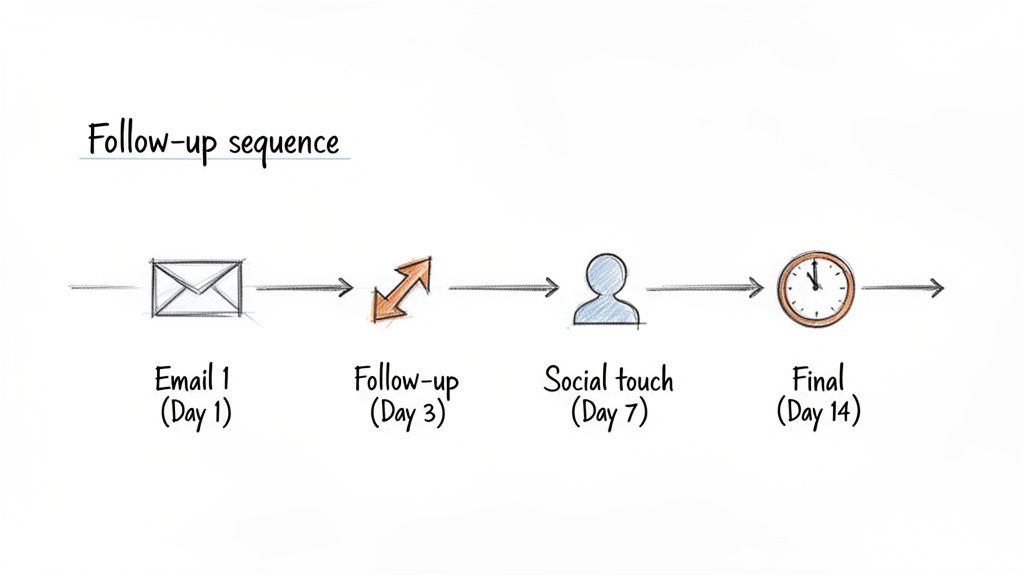
10 Actionable Cold Calling Best Practices for SDRs in 2026

ยท 29 min read

Cold calling isn't dead; ineffective cold calling is. In an era saturated with automated emails and social media noise, a well-executed, human-to-human phone call can be a powerful differentiator. The game has changed, however. The old approach of high-volume, low-quality dials with generic scripts no longer builds a reliable pipeline. Todayโ€™s top-performing Sales Development Representatives (SDRs) operate more like strategic consultants. They research with precision, listen with intent, and treat every dial as a chance to build trust, not just book a meeting.

This guide moves beyond theory to provide 10 battle-tested cold calling best practices designed for modern B2B sales teams. We will break down actionable frameworks, compare outdated tactics with new-school strategies, and provide concrete steps to operationalize each practice. The goal is to transform your outbound motion from a guessing game into a predictable revenue engine. For a complete blueprint to navigating the evolving landscape of outbound outreach, consult this comprehensive cold calling guide.

Throughout this listicle, weโ€™ll explore how to master everything from pre-call research and objection handling to CRM discipline and performance analytics. You will learn how to turn dreaded dials into meaningful conversations that lead to qualified opportunities. We will also highlight how specific tools, like MarketBetter.ai's SDR Task Engine, can supercharge each step, turning these best practices into consistent, daily execution for your team. Let's dive in.

1. Research and Personalize Before Dialingโ€‹

The days of dialing down a list with a generic, one-size-fits-all script are over. One of the most critical cold calling best practices is to conduct targeted research before you ever pick up the phone. This means going beyond simply knowing a prospect's name and title. It involves understanding their specific role, recent company news, and potential business challenges to craft a highly relevant and personalized opening.

A person researches a company using a magnifying glass, LinkedIn, and various data points.

Unlike a purely volume-based approach that relies on luck, a research-first strategy positions the SDR as a thoughtful problem-solver, not just another salesperson. This shift dramatically improves your chances of capturing a busy prospectโ€™s attention in the crucial first 30 seconds.

How to Implement Pre-Call Researchโ€‹

Effective personalization requires gathering specific intelligence. Instead of just confirming a job title on LinkedIn, look for actionable trigger events or relevant context.

  • Trigger Events: Has their company recently received funding, announced a new product, or posted an earnings report? These events create compelling reasons to call. For example: "I saw your recent Series B announcement and noticed you're expanding your engineering team, which is why I'm calling..."
  • Role-Specific Challenges: What are the common pain points for a Director of Marketing versus a VP of Operations? Tailor your value proposition to their specific world.
  • Intent Data: Leverage tools that signal buying intent, such as website visits, content downloads, or webinar attendance. These "warm" signals provide a natural and timely entry point.

Actionable Tips for Successโ€‹

To make this practice scalable, integrate it directly into your workflow.

  • Use an AI-Powered Task Engine: Platforms like MarketBetter.ai can auto-generate research summaries and prioritize high-intent prospects, feeding reps the key talking points they need without manual effort.
  • Create a 30-Second "Hook": Based on your research, script a concise opening that immediately explains why you are calling them specifically, right now.
  • Log Research Notes: Keep detailed notes in your CRM (Salesforce, HubSpot) so the entire team can see what research patterns lead to successful conversations. This creates a powerful feedback loop for ongoing personalization strategies. For more detail, you can explore marketing personalization strategies in our recent article.

2. Create and Use Proven Call Scripts and Talk Tracksโ€‹

The idea of a "call script" often brings to mind robotic, inflexible monologues that kill genuine conversation. However, a modern approach to scripting is one of the most effective cold calling best practices. The goal isn't a rigid, word-for-word document but a flexible talk track: a proven framework that guides reps through openings, value propositions, and objection handling while allowing for natural conversation.

Hand-drawn sketch of an open notebook with a pen, displaying handwritten notes and speech bubbles.

Unlike an improvised call, a well-designed talk track ensures every SDR communicates a consistent, powerful message tailored to specific buyer personas and market segments. It provides a reliable foundation, freeing up the representative's mental energy to actively listen and engage with the prospect, rather than scrambling for what to say next.

How to Implement Talk Tracksโ€‹

Effective talk tracks are living documents, continuously refined based on call outcomes and feedback. They are built around key conversation milestones, not just a single pitch.

  • Segment-Specific Frameworks: Develop different talk tracks for different industries or company sizes. The pain points of a startup CTO are vastly different from those of a Fortune 500 marketing director, and your script must reflect that.
  • Opening Variations: Don't rely on a single opening line. Create 3-5 variations and test them systematically to see which ones consistently lead to longer conversations. Track conversion rates in your CRM to let data guide your script evolution.
  • Objection Handling Playbooks: The most common objections ("bad timing," "we already use a competitor," "not interested") are predictable. Build your talk track with proven, empathetic responses for each, turning a potential rejection into a new line of discovery.

Actionable Tips for Successโ€‹

To make this practice effective, integrate it into your team's core sales enablement and coaching rhythm.

  • Practice with Role-Play: Before using a new talk track on live calls, conduct role-play sessions with managers or peers. This builds muscle memory and helps reps internalize the flow so it sounds natural and confident.
  • Build an 8-12 Second Opener: Your initial hook should be concise and impactful. It must include: (1) your name and company, (2) the specific reason for your call (based on research), and (3) a potential benefit relevant to their role.
  • Use AI for Dynamic Talking Points: Instead of a static document, leverage tools like MarketBetter.ai. Its AI Cold Call Workflow can automatically generate persona-specific talking points and objection frameworks based on real-time data, giving reps a dynamic guide for every call.
  • Review Call Recordings: Platforms like Gong and Chorus are invaluable for identifying what language works. Regularly review top-performing calls to extract powerful phrases and objection-handling techniques, then incorporate them back into your team's official talk tracks.

3. Practice Active Listening and Strategic Questioningโ€‹

The most common cold calling mistake is treating the call as a monologue. A successful interaction isn't about delivering a perfect pitch; it's about starting a genuine conversation. This is where active listening and strategic questioning come in, shifting the dynamic from a sales pitch to a consultative discovery session. This approach builds trust and uncovers the critical business context needed to qualify a prospect effectively.

Unlike a pitch-focused approach that often leads to immediate rejection, consultative questioning demonstrates genuine interest in the prospect's challenges. As data from platforms like Gong shows, top-performing reps consistently talk less and listen more, asking thoughtful questions that guide the conversation toward the prospect's true pain points. This is a core component of modern cold calling best practices.

How to Implement Strategic Questioningโ€‹

Effective discovery involves moving beyond surface-level queries to questions that reveal deeper business needs. Methodologies like SPIN Selling (Situation, Problem, Implication, Need-Payoff) provide a proven framework for this.

  • Understand the Situation: Start with broad, open-ended questions to grasp their current environment. For example: "Could you walk me through your current process for managing new inbound leads?"
  • Identify the Problem: Once you understand the situation, probe for specific challenges or inefficiencies. Ask: "What are the biggest bottlenecks you're facing with that process?"
  • Explore the Implication: Help the prospect connect the problem to its broader business impact. A powerful question is: "How does that delay in lead follow-up affect your team's ability to hit its pipeline targets?"
  • Present the Need-Payoff: Guide them to see the value of a solution by asking about the positive outcomes. For instance: "If you could automate lead routing and cut response time by 50%, what would that mean for your Q4 revenue goals?"

Actionable Tips for Successโ€‹

To make this practice a core part of your calling motion, focus on preparation and in-call awareness.

  • Plan 3-5 Core Discovery Questions: Before each call, prepare a short list of open-ended questions tailored to the prospect's role and industry.
  • Follow the 60/40 Rule: Aim to spend 60% of the call listening and only 40% talking. This simple ratio forces you to ask more questions and avoid dominating the conversation.
  • Confirm Your Understanding: After the prospect shares a key challenge, repeat it back to them. For example: "So if I'm hearing you correctly, the main issue is a lack of visibility into your team's activity... is that accurate?"
  • Log Discovery Insights: Use your CRM to capture the key pain points, goals, and challenges uncovered during the call. This context is invaluable for the next-step conversation with an Account Executive.

4. Timing and Sequencing: Call at the Right Time with Strategic Follow-Upโ€‹

Dialing a prospect at the wrong time is as ineffective as calling without research. One of the most impactful cold calling best practices involves strategic timing and a structured follow-up sequence. This means understanding when your ideal buyer is most likely to answer their phone and building a multi-channel cadence that maintains momentum without overwhelming them.

Unlike a random, high-volume approach that burns through leads, a time-aware strategy maximizes the connect rate for every dial. By coordinating calls with emails and social touches, SDRs create a persistent, professional presence that increases the likelihood of engagement over time.

How to Implement Strategic Timing and Sequencingโ€‹

Effective sequencing moves beyond just picking a "good" time to call. It involves building a repeatable multi-touch playbook that guides prospects through an engagement journey.

  • Optimal Calling Windows: Landmark research from InsideSales.com and others shows connect rates peak on Tuesdays, Wednesdays, and Thursdays between 10-11 AM and 3-4 PM in the prospect's local time. Mondays are often lost to internal meetings, while Fridays see decreased focus.
  • Structured Follow-Up Cadence: A successful sequence often involves 8-12 touches over 4-6 weeks. A common "call-then-email" tactic involves calling first to create a touchpoint, then immediately sending a concise follow-up email that references the call and summarizes your value proposition.
  • Intent-Based Triggers: The best time to call is right after a prospect shows interest. If a lead visits your pricing page or downloads a whitepaper, that action should trigger an immediate follow-up task in your sales engagement platform.

Actionable Tips for Successโ€‹

To operationalize this, build timing and sequencing directly into your team's daily workflow.

  • Use an AI-Driven Task Sequencer: Platforms like MarketBetter.ai can auto-create and prioritize daily call tasks based on optimal times and intent signals, ensuring reps always contact the warmest prospects when they are most receptive.
  • Build a Multi-Channel Cadence: Design a clear follow-up sequence, such as: Day 1 (Call + Email), Day 3 (Call), Day 5 (LinkedIn Connection Request), Day 8 (Call). This ensures you never miss a follow-up.
  • Track Your Own Data: While industry benchmarks are a great starting point, use your CRM to track connect rates by day and hour. Identify your team's unique "sweet spot" and adjust your calling blocks accordingly. You can learn more about how to ensure you never miss a follow-up with a structured playbook.

5. Optimize Call-to-Email Integration for Maximum Responseโ€‹

Relying on a single outreach channel is a recipe for low engagement. Modern cold calling best practices demand a multi-channel approach where calls and emails work in tandem. Calls alone suffer from low connect rates, while emails are easily ignored. When combined, they create a powerful synergy: a call builds familiarity, and a follow-up email provides a tangible, easy-to-digest resource that keeps the conversation moving forward.

Unlike isolated outreach attempts, an integrated call-to-email sequence positions your outreach as a persistent, professional effort. This coordinated strategy, championed by platforms like Salesloft and Outreach, has been shown to lift meeting conversion rates by over 25% compared to email-only campaigns. It turns a cold touchpoint into a warm, ongoing dialogue.

How to Implement Call-to-Email Integrationโ€‹

The key is to make the transition from call to email seamless and context-aware. The email should feel like a natural continuation of the phone conversation, not a separate, generic marketing blast.

  • Immediate Follow-Up: After a call (whether you connect, leave a voicemail, or get a quick brush-off), send a relevant email within a few hours. This reinforces your message while the call is still fresh in the prospect's mind.
  • Contextual Reference: Your email must directly reference the call. For example: "Following up on our brief chat about managing your ad spend..." or "As promised, here is the case study I mentioned on the phone..."
  • Templated Workflows: Create pre-built email templates for common call outcomes like "Connected, interested," "Left voicemail," or "Overcame objection." This ensures consistency and speed across the team.

Actionable Tips for Successโ€‹

To operationalize this practice, embed it directly into your sales engagement tools.

  • Use an Integrated Dialer: A platform like MarketBetter.ai allows reps to dial directly from Salesforce and then use AI to instantly draft a follow-up email based on the call's context. This closes the loop with a single click.
  • Test Call-Referencing Subject Lines: A/B test subject lines like "Following up from our call" or "Quick note, [Prospect Name]" which often have significantly higher open rates than generic alternatives.
  • Map Email Content to Call Outcomes: If a prospect mentioned a specific pain point, your follow-up email should lead with a resource addressing that exact problem. If they were busy, keep it short with a clear call-to-action to book time later. This level of personalization is crucial for effective multi-channel selling.

6. Establish Clear Objection Handling Frameworksโ€‹

Objections are not rejections; they are requests for more information. One of the most critical cold calling best practices is to treat prospect hesitation as an opportunity to build credibility and deepen the conversation. Rather than relying on rigid, scripted rebuttals, effective frameworks use empathy, clarifying questions, and evidence-based responses to address the underlying concerns behind common objections.

A diagram illustrating a four-step communication process: Acknowledge, Clarify, Respond, and Bridge, with handshake icon.

Unlike an unprepared rep who stumbles and ends the call, an SDR with a structured approach can confidently navigate pushback. This skill turns potential roadblocks into productive discussions, increasing conversion rates and extending call lengths by building trust and demonstrating expertise.

How to Implement Objection Handling Frameworksโ€‹

A powerful framework addresses the most common objections ('no budget,' 'bad timing,' 'we use a competitor') with predictable, yet flexible, responses. The goal is to acknowledge the concern, reframe the situation, and guide the prospect to the next logical step.

  • "We use [Competitor]": Acknowledge their existing solution, then pivot to a gap. "That's great, so you're already addressing [use case]. What we're finding is that [Competitor] often struggles with Y, which leads to [specific problem]. Would it be worth 15 minutes to explore that gap?"
  • "I'm not interested": Don't accept this at face value; instead, add curiosity and evidence. "I understand. Most people aren't initially. Leaders at [similar company] found they were overlooking X until we showed them [specific metric]. Could I share a quick case study on that?"
  • "Bad timing / No budget": Instead of ending the call, pivot to a future action. "Totally get it. Would it make sense to set up a brief call in [specific month] when budgets typically reopen? I'll send a quick summary so itโ€™s fresh."

Actionable Tips for Successโ€‹

To make this practice second nature, build a system for continuous improvement. Mastering the art of Overcoming Objection in Sales requires preparation and iteration.

  • Create an "Objection Playbook": Document your top 5-7 objections and develop 2-3 validated responses for each. Every response should include empathy, a clarifying question, a reframe, and a bridge to the next step.
  • Conduct Weekly Role-Plays: Practice handling objections in a live setting. Record these sessions and use them as coaching material to highlight what works and what doesn't.
  • Leverage AI-Powered Insights: Use a tool like MarketBetter.ai to surface common objections specific to an industry or persona and get data-backed response suggestions directly in your workflow.
  • Never Argue: Acknowledge the prospect's concern as valid, even if you disagree. Start with phrases like, "That's a fair point, and I hear that often..." to disarm defensiveness and open the door for a real conversation.

7. Build Credibility Through Social Proof and Brand Referencesโ€‹

Cold calls inherently start from a position of low trust. To overcome a prospect's natural skepticism, one of the most effective cold calling best practices is to build immediate credibility using social proof. This involves referencing well-known customers, quoting specific results, and citing third-party validation to quickly establish that your solution is a safe and proven choice.

Unlike making abstract claims about your product's benefits, social proof provides tangible evidence from a source the prospect trusts: their peers. This approach, rooted in Robert Cialdini's principles of persuasion, shifts the conversation from "Why should I believe you?" to "How did you help a company like mine?" This single change can reduce initial objections and significantly increase meeting conversion rates.

How to Implement Social Proofโ€‹

Effective social proof is not just name-dropping; it's about delivering relevant evidence that resonates with the prospectโ€™s specific context. The key is to match your proof points to their industry, size, and challenges.

  • Industry-Specific Logos: Mentioning customers in the same vertical immediately builds relevance. For example: "We've helped over 50 B2B SaaS teams like Acme Corp and TechCorp increase their SDR productivity..."
  • Quantifiable Results: Vague claims are forgettable, but hard numbers are compelling. Instead of saying you "improve efficiency," say, "A similar-sized company, Techco Corp, increased their meeting conversions from 8% to 15% in just three months with our platform."
  • Third-Party Validation: Leverage external credibility from trusted sources. For instance: "Gartner recently recognized us as a leader in Sales Engagement platforms, specifically for our AI-driven task prioritization..."

Actionable Tips for Successโ€‹

To make social proof a natural part of your talk track, prepare specific references for each target segment.

  • Create a "Proof Sheet": For each target account, pre-identify their industry, size, and potential challenges. Then, map them to your most relevant customer story, case study, or analyst report.
  • Lead with Logos: Introduce credibility within the first 30 seconds. A simple line like, "The reason I'm calling is that we work with other industry leaders like [Competitor] and [Similar Company]..." immediately establishes legitimacy.
  • Leverage Mutual Connections: A warm introduction is the strongest form of social proof. Try, "I noticed you're connected to John Smith at [Reference Company]. He actually led their SDR transformation with us last year."
  • Utilize Your Tech Stack: Use tools like MarketBetter.ai to surface account details and automatically suggest similar customers and relevant outcomes, arming you with customized social proof for every single call.

8. Implement CRM Discipline and Immediate Call Loggingโ€‹

Even the most effective cold call is a wasted effort if the data disappears the moment you hang up. A cornerstone of modern cold calling best practices is implementing religious CRM discipline, where every call outcome is logged immediately and accurately. Without real-time data entry, managers lose visibility into activity, forecasting becomes guesswork, and crucial follow-ups are inevitably missed.

This practice transforms cold calling from a series of isolated conversations into a measurable, scalable process. It provides the data foundation for coaching, performance tracking, and seamless handoffs between SDRs and Account Executives, ensuring no lead falls through the cracks.

How to Implement CRM Disciplineโ€‹

Effective call logging goes beyond simply marking a task as complete. It involves capturing specific outcomes and insights that inform future actions and strategy, turning raw activity into business intelligence.

  • Standardized Call Dispositions: Define a clear taxonomy for call outcomes. Instead of just "Called," use specific dispositions like "Connected - Not Interested," "Left Voicemail," "Scheduled Meeting," or "Wrong Person." This creates clean data for reporting.
  • One-Click Logging: The primary barrier to CRM discipline is friction. Platforms like Outreach and Salesloft often enforce logging before the next dial is available, creating compliance. An even better approach is embedding the process directly into the workflow.
  • Data-Driven Accountability: High-performing teams use CRM data to fuel their RevOps dashboards. They track the entire outbound funnel in real-time: 200 dials โ†’ 30 connects (15% connect rate) โ†’ 8 qualified meetings booked โ†’ 3 deals moved to the pipeline.

Actionable Tips for Successโ€‹

To make CRM logging an unbreakable habit, build it directly into your sales motion and technology stack.

  • Use a Dialer Inside Your CRM: A platform like MarketBetter.ai, with its dialer built directly inside Salesforce, can auto-populate call outcomes, duration, and dispositions with a single click. This eliminates the friction of manual data entry.
  • Log Calls Within 15 Minutes: Insist that all call notes are logged immediately after the conversation ends. This ensures details about objections, pain points, and next steps are captured while they are still fresh.
  • Create Mandatory Note Templates: Structure your call notes with required fields in your CRM. Include sections for the value proposition offered, the prospectโ€™s key response, any objections raised, and the confirmed next step with a follow-up date.

9. Develop Confidence and Resilience Through Consistent Practiceโ€‹

Cold calling is a psychological marathon, not a sprint. Success demands handling constant rejection, managing call anxiety, and maintaining motivation when conversion rates are low. One of the most essential cold calling best practices is building mental resilience and confidence through consistent, structured practice and a supportive team culture.

Unlike a purely outcome-focused approach that can crush morale, a process-oriented mindset reframes rejection as a necessary part of the sales funnel, not a personal failure. This shift, championed by sales leaders like Jeb Blount, creates high-performing teams that embrace activity and view each dial as a learning opportunity, leading to higher motivation and tenure.

How to Implement a Culture of Resilienceโ€‹

Building this psychological strength requires deliberate, team-wide effort. It involves creating systems that normalize rejection and celebrate the consistent actions that lead to results.

  • Peer Shadowing: New SDRs can sit with top performers for their first week to absorb cadence, language, and objection-handling techniques in a live environment. This accelerates confidence faster than any training manual.
  • Role-Play Sessions: Dedicate weekly time for structured role-play. Focus on one specific skill per session, like navigating a gatekeeper or handling the "we're not interested" objection, to build muscle memory.
  • Celebrate Activity Metrics: Publicly recognize reps for hitting daily dial or connect goals, not just for booking meetings. This reinforces that consistent effort is valued and essential for long-term success.

Actionable Tips for Successโ€‹

To embed resilience into your teamโ€™s DNA, integrate these practices directly into your daily and weekly sales cadence.

  • Set Realistic Daily Goals: Use your CRM data to establish achievable activity targets. When reps see a clear connection between their effort (dials) and outcomes (meetings), their work feels more meaningful.
  • Publicly Recognize Small Wins: Use daily stand-ups or a team leaderboard to give shout-outs for hitting activity milestones. This consistent positive reinforcement maintains momentum.
  • Debrief Difficult Calls: Encourage reps to share and analyze tough calls with a manager or mentor. This normalizes the experience and transforms rejection into a coachable moment.
  • Provide Access to Call Recordings: Use tools like a Salesforce dialer to log all calls. Create a "greatest hits" library of recordings from top performers that new reps can study on-demand.

10. Measure, Analyze, and Iterate on Outbound Performanceโ€‹

A "dial and hope" strategy is unpredictable and unscalable. Top-performing sales organizations treat cold calling not as an art but as a science, which means consistent measurement and data-driven iteration are core to the process. This practice involves tracking the right KPIs, analyzing which behaviors and messages drive outcomes, and running short experiments to continuously improve performance.

Unlike simply monitoring activity volume (like dials per day), an analytical approach connects specific actions to results. This transforms outbound dialing from a guessing game into a predictable engine for revenue, allowing managers to diagnose issues and scale what works. It's the difference between telling a rep to "make more calls" and telling them to "use this specific opening line because it improved our meeting rate by 12% last week."

How to Implement a Data-Driven Iteration Cycleโ€‹

Building a feedback loop requires a clear framework for measuring, analyzing, and acting on performance data. The goal is to make small, incremental improvements that compound over time.

  • Establish Key Metrics: Track a balanced mix of leading indicators (dials, connects, conversations) and lagging indicators (meetings booked, pipeline influenced). RevOps can build dashboards in your CRM to visualize the funnel from dials โ†’ connects โ†’ meetings for each rep and sequence.
  • Run A/B Tests: Isolate one variable and test its impact. For example, run a two-week experiment where half the team uses one opening line and the other half uses a new one. Measure the connect-to-meeting conversion rate for each to find the statistical winner.
  • Leverage Speech Analytics: Use call intelligence tools like Gong or Chorus to identify the exact phrasing and objection-handling techniques used by top performers. These insights can then be standardized and scaled across the team through updated playbooks and coaching sessions.

Actionable Tips for Successโ€‹

To make this practice sustainable, embed it into your team's weekly operating rhythm.

  • Focus on a Few Core KPIs: Don't overwhelm reps with dozens of metrics. Focus on 2-3 leading indicators (e.g., conversations per day) and one primary lagging indicator (meetings booked) to keep the team aligned.
  • Maintain CRM Hygiene: Data integrity is everything. Enforce consistent use of call dispositions, required note fields, and tags for experiments so your analysis is based on clean, reliable data.
  • Use an AI-Powered Reporting Engine: Platforms like MarketBetter.ai can connect intent data signals directly to call outcomes, helping you prioritize the behaviors that actually influence pipeline and showing which reps are most effective at converting high-intent leads. For a deeper dive, explore our guide on essential marketing performance metrics.
  • Turn Insights into Action: Review metrics in weekly team meetings. For each rep, identify one specific insight and turn it into a concrete coaching action for the following week.

10-Point Cold Calling Best-Practices Comparisonโ€‹

Technique๐Ÿ”„ Implementation Complexity๐Ÿ’ก Resource Requirementsโญ Expected Effectiveness๐Ÿ“Š Ideal Use Casesโšก Key Advantages
Research and Personalize Before DialingMediumโ€“High โ€” ongoing research workflows, filtering requiredIntent data, account intelligence tools, CRM integration, time for prepโญโญโญโญ โ€” higher connects & richer conversationsAccount-based selling, high-value or enterprise prospects, intent-triggered outreachFaster relevance per dial; higher connect-to-meeting conversion
Create and Use Proven Call Scripts and Talk TracksLowโ€“Medium โ€” build, test, and maintain playbooksScript templates, call recordings, enablement platform, coaching hoursโญโญโญโญ โ€” consistent messaging and faster rampOnboarding new reps, scaling teams, segment-specific outreachConsistency across reps; accelerates ramp and coaching
Practice Active Listening and Strategic QuestioningMedium โ€” behavioral change and training neededSales coaching, role-play, call analytics, time-per-call investmentโญโญโญโญโญ โ€” better qualification and trust, higher conversion qualityConsultative sales, discovery calls, complex dealsUncovers real pain; reduces wasted demos and improves handoffs
Timing and Sequencing: Call at the Right Time with Strategic Follow-UpMedium โ€” requires orchestration and experimentationCadence tools, timezone/intent data, multi-channel coordinationโญโญโญโญ โ€” significantly higher connect and response ratesHigh-volume SDR programs, multi-region outreach, intent-based follow-upsReduces wasted dials; increases connect rate and sequencing ROI
Optimize Call-to-Email Integration for Maximum ResponseLowโ€“Medium โ€” align templates and timing, automate sendsDialer-CRM integration, email templates, tracking, automationโญโญโญโญ โ€” improved response and meeting bookingsMulti-touch cadences, follow-up-heavy workflows, PQLsBoosts recall and action; higher combined channel conversions
Establish Clear Objection Handling FrameworksMedium โ€” develop playbook and practice for natural deliveryObjection playbooks, case studies, role-play sessions, coachingโญโญโญโญ โ€” longer conversations; more "not now" โ†’ "next step" movesCompetitive deals, budget/timing objections, early qualificationConverts objections into dialogue; shortens qualification time
Build Credibility Through Social Proof and Brand ReferencesLowโ€“Medium โ€” curate and personalize proof pointsCase studies, customer permissions, analyst references, collateralโญโญโญโญ โ€” reduces skepticism; increases meeting conversionCold outreach to skeptical buyers, new-market entry, corporate buyersShortens sales cycle; increases trust quickly with minimal effort
Implement CRM Discipline and Immediate Call LoggingMedium โ€” process changes + tooling enforcementCRM dialer, one-click logging, disposition taxonomy, governanceโญโญโญโญ โ€” reliable activity data; better follow-upsScaling teams, RevOps-driven organizations, high-volume outboundReal-time visibility; faster follow-ups and accurate forecasting
Develop Confidence and Resilience Through Consistent PracticeLowโ€“Medium โ€” culture + regular coaching requiredManager time, role-play programs, leaderboards, mental-health supportโญโญโญโญ โ€” higher persistence and long-term performanceHigh-activity SDR teams, onboarding cohorts, high-rejection contextsIncreases rep persistence, reduces churn, accelerates skill growth
Measure, Analyze, and Iterate on Outbound PerformanceHigh โ€” instrumentation, experiments, and governance neededDashboards, A/B testing framework, speech analytics, clean dataโญโญโญโญโญ โ€” data-driven improvements and predictable scalingTeams optimizing playbooks, RevOps, enterprise scale growthPrioritizes high-impact tactics; speeds optimization and forecasting
Free Tool

Try our AI Lead Generator โ€” find verified LinkedIn leads for any company instantly. No signup required.

Putting It All Together: Your Blueprint for Outbound Excellenceโ€‹

Mastering the art and science of cold calling isn't about memorizing a single perfect script or discovering a "secret" time to dial. As we've explored, achieving sustainable outbound success is about building a comprehensive, repeatable system. The ten cold calling best practices detailed in this guide are not isolated tactics; they are interconnected pillars that support a powerful and predictable pipeline-generation engine.

Think of it like building a high-performance race car. Having a powerful engine (a compelling script) is useless without a strong chassis (solid research), responsive steering (active listening), and a skilled driver (a confident SDR). Each component is critical, and they must work in harmony. A brilliant opening line falls flat without a structured objection-handling framework. A perfectly timed call loses its impact without an integrated, value-driven email follow-up. True excellence lies in the consistent, disciplined execution of these fundamentals, call after call, day after day.

From Disparate Tactics to an Integrated Systemโ€‹

The critical shift for any sales team is moving from a tactical, ad-hoc approach to a strategic, integrated one. Let's compare the two mindsets:

  • The Tactical Approach (Common but Ineffective): This team focuses on volume above all. SDRs make hundreds of dials using a generic script, log calls when they remember, and handle objections with improvised, inconsistent responses. They might have a good day here and there, but performance is unpredictable, burnout is high, and there is no clear path to improvement because there's no reliable data to analyze.

  • The Strategic Approach (Your New Blueprint): This team sees each practice as part of a whole.

    • Pre-call research directly informs the personalization in the opening line.
    • Active listening provides the exact ammunition needed for the objection handling framework.
    • CRM discipline and immediate logging create clean data that feeds into performance analysis.
    • This data-driven iteration then helps refine call scripts and talk tracks for the entire team.

This integrated system transforms cold calling from a frustrating numbers game into a measurable, scalable science. It creates a feedback loop where every action informs the next, driving continuous improvement and predictable results.

Your Actionable Next Stepsโ€‹

The journey to mastering these cold calling best practices begins with a single, deliberate step. Don't try to overhaul your entire process overnight. Instead, focus on incremental gains that build momentum.

  1. Conduct a Self-Audit: Review the ten practices outlined. Where is your team strongest? Where are the most significant gaps? A simple team survey or review of call recordings can reveal immediate opportunities for improvement, whether it's weak opening lines or inconsistent CRM logging.
  2. Choose One Area of Focus: Pick one practice to master this month. For example, dedicate the next four weeks to implementing a rigorous pre-call research checklist for every A-tier prospect. Or, focus exclusively on improving CRM hygiene by enforcing immediate call dispositions.
  3. Leverage Technology to Accelerate Progress: Manual processes are the enemy of consistency. The friction of toggling between LinkedIn, your CRM, and your dialer slows reps down and discourages best practices. This is where modern sales tools become indispensable. Platforms like MarketBetter.ai are built to operationalize this blueprint by automating the tedious work. AI-powered call prep surfaces key insights, a native Salesforce dialer eliminates manual logging, and prioritized task queues ensure reps are always focused on the most impactful next action.

By adopting this systematic approach, you elevate your outbound function from a cost center to a strategic growth driver. You build a culture of excellence, empower your reps with the confidence to succeed, and create a predictable pipeline that fuels the entire organization. The path is clear; the only remaining step is to begin.


Ready to transform your team's cold calling from a guessing game into a science? See how marketbetter.ai embeds these best practices directly into your SDRs' workflow with AI-driven prep, a native Salesforce dialer, and intelligent task prioritization. Explore marketbetter.ai and build your blueprint for outbound excellence today.

How to Write Cold Emails That Get 38% Open Rates (7 Templates + Subject Lines)

ยท 25 min read

Here's the truth about writing a cold email that actually gets a reply: be relevant, be specific, and solve a problem for the person on the other end.

It really is that simple. The best cold emails I've ever seenโ€”and the ones my teams have had the most success withโ€”all ditch generic templates. Instead, they favor a short, personalized message that proves youโ€™ve done your homework and respect the recipient's time. This value-first mindset is the foundation of every single high-performing outreach campaign.

Why Most Cold Emails Are Dead on Arrivalโ€‹

Let's be honest: the average B2B professional's inbox is a warzone. Attention is the prize, and the delete button is the most-used weapon. Most cold emails don't just fail; they're deleted before they're even read, disappearing into the digital noise.

So why do they fail so spectacularly? Itโ€™s a fundamental disconnect. The sender wants a meeting, but the recipient is too busy to care about a stranger's pitch.

The main culprit is the old spray-and-pray playbook. Blasting thousands of generic, self-absorbed emails is a numbers game that almost always loses. Itโ€™s built on interruption, not engagement. It prioritizes sheer volume over quality, hoping something eventually sticks.

That strategy is broken. Imagine firing off hundreds of emails only to watch them vanish without a trace. Itโ€™s soul-crushing. According to recent benchmarks, a staggering 95% of cold emails fail to get a response, leaving average reply rates stuck in a dismal 1% to 5% range. You can see the full, painful numbers in this breakdown of cold email statistics. This is the tough reality sales teams are up against every day.

To give you a clearer picture, let's contrast the old way with the new.

Traditional vs Modern Cold Emailing At a Glanceโ€‹

The difference between a failing campaign and a successful one often comes down to the philosophy behind it. Are you interrupting or engaging? Pushing or pulling? Here's how the two approaches stack up.

TacticTraditional Approach (Low Reply Rate)Modern Approach (High Reply Rate)
TargetingLarge, generic lists. "Anyone with a pulse."Highly specific, based on intent signals.
Personalization"Hi {\{first_name\}}, I saw you work at {{company}}."Mentions a recent project, post, or shared connection.
Value Prop"We do X, Y, and Z." (Features-focused)"I saw you're hiring SDRs, here's an idea for that."
The "Ask""Can I get 30 minutes on your calendar?""Mind if I share a resource that might help?"
Mindset"How can I sell my product?""How can I be immediately helpful?"

The takeaway is simple: the modern approach isn't about volume; it's about precision and genuine value. It respects the recipient's time and intelligence, which is precisely why it works.

The Shift to Modern, Value-First Outreachโ€‹

Winning at cold email today demands a complete mental shift. Stop asking, "How can I sell my product?"

Instead, ask yourself, "How can I be genuinely helpful to this person, right now?" This one change reframes your entire outreach from a pitch into a conversation. Itโ€™s the difference between showing up to a party with a megaphone and quietly offering someone a drink because you noticed their glass was empty.

This modern, value-first approach stands on three pillars:

  • Action Step 1: Target with Signals. Instead of broad lists, focus your energy on prospects who are already showing signs of needing what you have. This could be anything from a recent funding round, a key executive hire, or even them engaging with your content. Youโ€™re meeting them where they are.
  • Action Step 2: Personalize Deeply. This goes way beyond {\{first_name\}}. Reference a specific project they mentioned on a podcast, a recent post they shared on LinkedIn, or a shared connection. Prove you're not a robot.
  • Action Step 3: Make Low-Friction Asks. Instead of demanding a 30-minute meeting out of the blue, make the next step easy. Propose sharing a relevant resource, or just ask a single, insightful question that gets them thinking.

The real goal of a cold email isn't to close a deal. It's to start a conversation. When you lead with value and demonstrate true relevance, you earn the right to their attention. Thatโ€™s how you turn a cold outreach into a warm opportunity.

Mastering Pre-Outreach Research and Prospectingโ€‹

A killer cold email is won or lost long before you type a single word.

The biggest mistake I see reps make? They dive straight into writing. It's like trying to navigate a new city without a map. Success isnโ€™t about finding some magical template; it's about doing the hard work upfrontโ€”the meticulous research that uncovers why your prospect should give a damn right now.

This groundwork is what separates the top 1% from everyone else. Itโ€™s the difference between an email that feels like a targeted, helpful solution and one that gets nuked on sight. Before you can hope to craft a message that resonates, you have to understand who you're talking to and what's happening in their world.

This flowchart nails the journey: you move from generic spam to a targeted message that actually starts a conversation.

Flowchart illustrating a three-step cold email process from generic to targeted emails and conversation.

Effective outreach isn't a random shot in the dark. Itโ€™s a deliberate process where solid research turns a cold contact into a warm lead.

Moving Beyond Generic Personasโ€‹

Most sales teams have buyer personas, but let's be honest, theyโ€™re usually too high-level to be useful. "Marketing Manager at a SaaS company with 500+ employees" is a starting point, not a hit list.

Truly effective prospecting goes deeper. Itโ€™s about hunting for real-time buying signals that scream, "This person has a problem I can solve today."

Instead of just filtering by title and company size, look for specific trigger events. These are the shifts and changes that create an urgent need for what you sell.

  • Key New Hire: A company just brought on a new VP of Sales. You know they'll be looking to make an impact fast.
  • Recent Funding Announcement: A startup just closed their Series B. That means fresh capital to pour into growth and efficiency tools.
  • Technology Change: You notice they just adopted a tool that integrates perfectly with your platform. Thatโ€™s your in.
  • Content Engagement: A prospect from a target account downloaded your latest whitepaper or showed up to a webinar. They're already raising their hand.

These signals transform your outreach from a speculative guess into a timely, relevant conversation. Nailing down who you're targeting is crucial. For a deeper dive, check out our guide on https://www.marketbetter.ai/blog/2025/10/22/how-to-create-buyer-personas/ to really sharpen your focus.

Contrasting Manual Workflows with Signal-Based Prospectingโ€‹

The old way of prospecting is a soul-crushing time sink. It usually involves mindlessly scrolling through LinkedIn Sales Navigator, hoping you stumble upon someone who looks like a decent fit. This is wildly inefficient and almost never uncovers the timely triggers that actually get replies.

Let's break down the difference:

Prospecting MethodManual LinkedIn ScrollingSignal-Based Prospecting
FocusStatic info (title, company size)Dynamic events (hiring, funding, tech stack)
EfficiencyLow; you generate a huge list of low-quality leadsHigh; you build a smaller, hyper-qualified list
RelevanceGeneric and almost always poorly timedHighly relevant and perfectly timed
OutcomeLow reply rates, high rep burnoutHigher reply rates, actual conversations

A signal-based workflow forces you to prioritize your outreach based on who is most likely to buy now. You spend less time digging and more time engaging with prospects who have an active need. The impact on your efficiency and results is massive.

Your Pre-Flight Checklist Before Every Emailโ€‹

Before you even think about hitting "send," run through this quick mental checklist. This simple discipline keeps you honest, stops you from falling back on generic templates, and makes sure every single message has a purpose.

  1. Identify a Specific Pain Point: Based on their role and recent company news, what problem are they likely dealing with right now? Actionable Step: Write it down in one sentence. Example: "The new VP of Sales is under pressure to increase pipeline with the new funding."
  2. Find a Relevant Company Trigger: What just happened that makes your outreach timely? Actionable Step: Link to the press release, job posting, or LinkedIn post in your CRM notes.
  3. Look for a Personal Connection: Did you go to the same school? Follow the same influencers on LinkedIn? Actionable Step: Find one non-work-related detail to build rapport.

The point of research isn't to collect a bunch of random facts. It's to find the one perfect reason to start a conversation. A single, powerful insight is worth more than a dozen generic talking points. Itโ€™s the hook that proves your email is worth their time.

Of course, finding the right people is only half the battle. Once youโ€™ve pinpointed your targets and their triggers, knowing how to find business email addresses quickly is what makes sure your perfectly researched message actually gets delivered. This is where your strategy meets execution.

Anatomy of a High-Performing Cold Emailโ€‹

Think of a great cold email less like a work of art and more like a piece of precision engineering. Every single componentโ€”from the subject line down to the signatureโ€”has a job to do. If one part fails, the whole thing falls flat.

Understanding this anatomy is what separates emails that get replies from those that get archived.

Hand-drawn sketch illustrating email anatomy with sections for subject, opening, value, and call to action.

We're going to dissect a high-performing email, piece by piece, to see what makes it tick. This isn't about finding some magic template. It's about mastering the principles so you can build your own effective outreach, every single time.

The Subject Line: Your Gateway to the Inboxโ€‹

The subject line has one job and one job only: get the email opened. Thatโ€™s it. Itโ€™s not the place to sell your product, cram in your value prop, or make a grand pitch. Its sole purpose is to spark just enough curiosity to earn a click.

The most common mistake is writing subject lines that scream "marketing email." Anything that feels like a broadcastโ€”using words like "demo," "offer," or a bunch of exclamation pointsโ€”is a dead giveaway. The best ones are short, feel personal, and read like a quick note from one human to another.

Let's look at the difference.

Subject Line TypeWeak Example (Gets Ignored)Strong Example (Gets Opened)
The Generic Pitch"Quick Question about {{Company}}'s Software""idea re: your new SDR hires"
The "Helpful" Offer"Resource for Sales Leaders at {{Company}}""that podcast w/ Sarah Jones"
The Clickbait Attempt"URGENT: Don't miss this opportunity!""Quick question"

Actionable Step: Before sending, read your subject line aloud. Does it sound like something you'd send to a coworker? If not, rewrite it until it does. For a much deeper dive, our guide on email subject line best practices is worth a read.

The Opening Line: The First Five Secondsโ€‹

Once they open it, youโ€™ve got about five seconds to prove this isnโ€™t another generic blast. The opening line is where you show youโ€™ve actually done your homework. This is your chance to connect the dots between the research you did and the reason youโ€™re in their inbox.

A weak opener just mashes together personalization tokens like {\{company_name\}} with a vague, empty compliment. A strong opener, on the other hand, references something specific and timely that proves you have genuine interest.

Hereโ€™s what that looks like in the wild:

Weak Opener: "Hi Jane, I saw that you're the VP of Sales at Acme Corp and I was impressed by your company's growth."

Why it fails: This is lazy. Anyone with a LinkedIn account can find this info in ten seconds. It builds zero connection and feels completely templated.

Strong Opener: "Hi Jane, Heard your interview on the SaaS Breakthroughs podcast last weekโ€”your point about scaling SDR teams without sacrificing quality really stood out."

Why it works: Itโ€™s specific, timely, and shows you actually engaged with their work. It instantly proves this email was written for Jane and Jane alone, earning you the right to her attention for another few sentences.

The Value Proposition: Connect Their Problem to Your Solutionโ€‹

Okay, you have their attention. Now itโ€™s time to build a bridge from their world to yours. Your value prop isn't about rattling off product features; itโ€™s about connecting a problem they have with a solution you provide.

This is where you bring in the trigger event or pain point you uncovered during your research. Your goal is to articulate a clean, concise "problem-solution" statement that hits home.

Let's compare a bad vs. good value prop:

  • Weak Value Prop (Company-Centric): "We provide an AI-powered sales dialer with features like local presence dialing and call recording."
  • Strong Value Prop (Prospect-Centric): "I saw you're hiring five new SDRs in Austin. Teams I work with often find that onboarding so many reps at once stretches their enablement resources thin. We help cut ramp time by 30% by giving them prioritized, signal-based tasks each morning."

Notice how the strong example is grounded in their specific context. Itโ€™s not "We do X." It's "Given your situation, you might be facing this problem, and hereโ€™s how we solve it."

The Call-to-Action: Ask for Interest, Not a Meetingโ€‹

This is where most cold emails stumble right at the finish line. After building a great case, reps get greedy and ask for a 30-minute meeting. For a busy executive who has no idea who you are, thatโ€™s a high-friction ask. It forces them to open their calendar, find a time, and commit a chunk of their day.

A much better approach is a low-friction call-to-action (CTA). Your goal isn't to book a meeting; it's simply to get a "yes" and start a conversation. You're asking for interest, not a commitment.

Letโ€™s compare the two styles.

CTA TypeHigh-Friction (Weak)Low-Friction (Strong)
The Meeting Ask"Do you have 15 minutes to connect next week?""Mind if I send over a short video explaining how it works?"
The Vague Ask"Let me know your thoughts.""Is this something youโ€™re currently focused on?"
The Open-Ended Ask"When would be a good time to talk?""Worth exploring?"

Actionable Step: End your email with a simple question that can be answered with "yes," "no," or one word. This makes it incredibly easy for your prospect to respond. You aren't trying to close the deal in the first emailโ€”youโ€™re just trying to get a signal that theyโ€™re open to learning more.

Building Follow-Up Sequences That Convertโ€‹

Most sales aren't won on the first email. They're won in the follow-up.

Itโ€™s a simple truth, but it's exactly where most reps drop the ball, letting perfectly good leads go cold. Your first email is just the opening act. The real workโ€”and the real resultsโ€”come from a thoughtful sequence that shows persistence without being a pest.

A great follow-up isn't about nagging. It's a strategic, multi-touch effort designed to build familiarity and keep delivering value. You have to assume your prospect is busy and give them multiple, easy ways to engage when the time is right for them.

Diagram illustrating a follow-up sequence with steps: Email 1, Follow-up, Social touch, and Final, spread over 14 days.

This isnโ€™t about just sending more emails. It's about making every single touchpoint count. The goal is to stay top-of-mind by being helpful, not annoying.

The Art of the Value-Added Follow-Upโ€‹

The cardinal sin of following up is the lazy "just bumping this" email. It adds zero value. All it communicates is, "I want something from you." Itโ€™s a selfish, ineffective approach that gets you deleted instantly.

A powerful follow-up does the complete opposite. It offers something new, re-engaging the prospect with a fresh insight or a relevant resource. It proves you're still thinking about their specific challenges, not just your own quota.

Let's look at the difference.

Follow-Up TacticThe Lazy "Bump" (Annoying)The Value-Add (Effective)
Email 2 (Day 3)"Just wanted to bump this to the top of your inbox.""Saw your company was featured in TechCrunch for the new launchโ€”thought this case study on post-launch scaling might be useful."
Email 3 (Day 7)"Following up on my last email.""You mentioned hiring new SDRs on LinkedIn; here's a short video on how our top clients cut ramp time by 30%."
Final Email (Day 12)"Is this still a priority for you?""Assuming now isn't the right time. If you ever revisit your outbound strategy, I'm here to help."

The value-add approach repositions you from a random salesperson to a helpful resource. Every touchpoint is a chance to teach, share, or congratulate. Thatโ€™s how you build trust and make a future conversation feel natural, not forced.

Designing Your Follow-Up Cadenceโ€‹

Your cadenceโ€”the timing and channels you useโ€”is just as crucial as the message itself. There's no single magic formula, but a balanced, multi-channel approach consistently crushes a simple email-only sequence.

Actionable Step: Build a simple 14-day, multi-channel cadence in your CRM or sales engagement tool. Here's a proven template:

  • Day 1: Personalized Email 1
  • Day 3: LinkedIn Connection Request (with a brief, non-pitchy note referencing your email)
  • Day 5: Follow-Up Email 2 (offering a new resource)
  • Day 8: LinkedIn Post Like/Comment (genuine engagement, not just a thumbs-up)
  • Day 10: Phone Call (referencing your previous emails and LinkedIn touchpoint)
  • Day 14: Final Follow-Up Email (the friendly breakup)

This multi-channel strategy surrounds the prospect in a subtle, professional way. They see your name in their inbox, on LinkedIn, and maybe hear it on a call, creating a sense of familiarity a linear email sequence just can't match. To get these systems humming, a well-defined workflow is essential. For a deeper dive, this Practical Guide to Workflow Marketing Automation offers great insights into building them.

The goal of a sequence isn't to bombard someone until they surrender. It's to find the right person at the right time with the right message, using different channels to increase your odds of connecting.

Timing and Data-Driven Sequencingโ€‹

Optimizing when you send your emails can give you a surprising edge. Research shows that smart timing can swing reply rates by up to 30%, with Thursdays often being a sweet spot for engagement. Don't count out the evenings, either; sends between 8-11 PM can catch executives clearing their inboxes.

But the real magic is in the sequence itself. Moving from a single email to a three-email sequence can almost double your chances of getting a response.

This data hammers home why a structured follow-up plan is non-negotiable. For sales teams that can't afford to let opportunities slip through the cracks, our playbook on how to never miss a follow-up provides a battle-tested framework for building and managing these critical sequences right inside your CRM.

By combining a multi-channel approach with smart timing, you turn follow-ups from a chore into a reliable engine for creating conversations and booking meetings.

How to Optimize and Scale Your Outreach Engineโ€‹

Writing one great cold email is a skill. Building a predictable pipeline from thousands of them? Thatโ€™s a system. This is where we shift gears from individual art to scientific, scalable executionโ€”a process that separates the high-growth sales teams from everyone else stuck on a revenue rollercoaster.

Scaling isn't about brute force. It's not just "send more emails." Itโ€™s about building an intelligent feedback loop where every single send, every call, and every reply makes your entire outreach engine smarter and more efficient. That requires a real commitment to testing, measuring, and integrating your tools.

A/B Testing Your Way to Higher Repliesโ€‹

Guesswork is the enemy of scale. You can't improve what you don't measure, and thatโ€™s why disciplined A/B testing is the bedrock of any serious outbound program. The entire game is about isolating one variable at a time, running it against your control, and systematically adopting the winner.

Forget about throwing random ideas at the wall. Focus your tests on the highest-impact elements of your emails.

  • Subject Lines: Test a curiosity-driven subject like "your recent podcast" against a benefit-driven one like "idea for your SDR team." The winner tells you whether your prospects are more motivated by personalization or by a clear value statement.
  • Value Propositions: Pit a problem-focused angle against a gain-focused one. For example, compare "Struggling to keep CRM data clean?" with "A way to get 30% more selling time for your reps." This reveals which pain points really hit home.
  • Calls-to-Action (CTAs): Compare a low-friction "interest check" like "Worth exploring?" against a resource offer like "Mind if I send over a case study?" This helps you find the path of least resistance to starting a real conversation.

The most common mistake in A/B testing is changing too many variables at once. If you test a new subject line and a new CTA in the same email, you'll have no idea which change drove the results. Be patient. Be methodical.

Moving Beyond Vanity Metricsโ€‹

Open rates feel good, but they're a notoriously unreliable indicator of success. A catchy subject line might get an open, but it doesnโ€™t mean your message actually landed. To truly understand whatโ€™s working, you need to track metrics that measure genuine engagement and intent.

This screenshot from marketbetter.ai shows how modern platforms visualize a sales funnel, giving you a clear picture of what's happening at each step.

The real insight comes from tracking the drop-off from one stage to the next. Thatโ€™s how you pinpoint exactly where your process is breaking down.

To help you diagnose your funnel, weโ€™ve put together a quick guide to the metrics that actually matter.

Key Cold Email Metrics to Track in Your CRMโ€‹

This table breaks down the essential metrics for measuring your cold email effectiveness. Use it to diagnose problems and find opportunities in your funnel.

MetricWhat It MeasuresActionable Insight
Reply RateThe percentage of recipients who replied.The most basic measure of engagement. If it's low, your core message or CTA is likely off.
Positive Reply RateReplies that express interest, not objections.This filters out the "not interested" noise to show true engagement. A high reply rate but low positive rate means your targeting or value prop is wrong.
Meetings BookedThe ultimate goalโ€”how many conversations were generated.This is your North Star metric. If positive replies don't lead to meetings, your follow-up process or handoff to AEs needs work.
Bounce RateEmails that failed to deliver.A high bounce rate (over 5%) points to a problem with your email list quality or your technical domain setup.

Tracking these numbers in your CRM gives you a clear, honest view of performance. It turns your outreach from a guessing game into a predictable system.

The Technical Side of Deliverabilityโ€‹

You can write the world's best cold email, but it's worthless if it lands in the spam folder. Email deliverability is the non-negotiable technical foundation of your entire outreach strategy. Getting it right ensures your messages actually reach the primary inbox.

Three critical recordsโ€”SPF, DKIM, and DMARCโ€”work together to prove to receiving email servers that you are who you say you are.

  1. SPF (Sender Policy Framework): This is a list of approved servers allowed to send emails on behalf of your domain. Think of it as a bouncer's guest list for your email.
  2. DKIM (DomainKeys Identified Mail): This adds a digital signature to your emails, which the recipient's server can verify. Itโ€™s like a tamper-proof seal on an envelope.
  3. DMARC (Domain-based Message Authentication, Reporting & Conformance): This tells receiving servers what to do with emails that fail SPF or DKIM checksโ€”like sending them to spam or rejecting them outright.

Actionable Step: Use a free tool like MXToolbox to check your domain's SPF, DKIM, and DMARC records today. If any are missing or misconfigured, work with your IT team to fix them immediately. This is table stakes for any serious cold email campaign.

Operationalizing Your Playbook in a CRMโ€‹

Scaling your outreach demands more than just a collection of tools; it requires a truly integrated system. This is where so many teams fall down. Their workflow is a disjointed messโ€”one tool for prospecting, another for writing, a separate dialer, and then reps manually log everything (or don't) in the CRM.

This fragmented approach is a recipe for chaos. Data gets lost, coaching becomes impossible, and reps waste hours on admin work instead of selling.

A much better way is to operationalize your entire playbook inside your CRM, whether it's Salesforce or HubSpot. By using an integrated task engine and dialer that lives directly inside your system of record, you create a seamless workflow. Reps get prioritized tasks, execute calls and emails with AI assistance, and all activity is automatically logged. This keeps your data clean, gives leaders the visibility they need, and lets you scale a consistent, high-quality process across the entire team.

Free Tool

Try our AI Lead Generator โ€” find verified LinkedIn leads for any company instantly. No signup required.

Your Cold Email Questions, Answeredโ€‹

Even with the best playbook, the real world throws curveballs. When you're in the trenches, practical questions always pop up. Here are some quick, straight-to-the-point answers to the challenges I see reps wrestle with the most.

How Many Emails Should I Send a Day?โ€‹

When youโ€™re just starting out, forget volume. Quality over quantity isn't just a nice phrase; it's the only thing that works.

Aim for 25 to 50 highly personalized emails per day. That number is the sweet spotโ€”small enough that you can actually do your homework on every single prospect, ensuring every email feels like it was written just for them. Itโ€™s a world away from the old "spray and pray" approach of blasting hundreds of generic templates, which is a surefire way to kill your domain reputation and get ignored.

The goal isn't to send the most emails. It's to start the most conversations. A handful of sharp, well-researched emails will beat a hundred lazy ones every single time.

Should I Use a Separate Domain for Outreach?โ€‹

Yes. Absolutely. Using a secondary domain (like getcompany.com instead of company.com) is one of the smartest defensive moves you can make.

Think of it as a firewall for your brand. If your outreach domain gets flagged for spamโ€”which can happen by mistake or just from high volumeโ€”your main corporate domain is completely insulated. That means your critical business emails to customers, partners, and investors keep flowing without a hitch.

Itโ€™s just good strategy. Your main domain is your corporate headquarters; the outreach domain is a pop-up shop. You can afford to be more aggressive with the pop-up without risking the entire brand.

How Should I Handle Objections in a Reply?โ€‹

First, an objection is not a "no." It's a request for more information, and how you handle it is what separates the pros from the amateurs. The key is to validate their point, gently reframe the discussion, and offer a next step that requires almost zero effort on their part.

Letโ€™s look at a couple of common scenarios:

ObjectionThe Weak Response (Defensive)The Strong Response (Empathetic)
"We already have a solution for this.""But our solution is better because of X, Y, and Z.""That's great to hear. Most teams we talk to are using something. We often find we can complement their existing tools by helping with [specific niche problem]. Worth a quick look?"
"Now isn't the right time.""When would be a better time to reconnect?""Totally understand, timing is everything. Mind if I send over a short case study for you to keep on file if priorities shift?"

See the difference? The strong response validates their reality. It keeps the door open by offering value, not by pushing for a meeting. You instantly shift from being a pesky salesperson to a helpful resource, turning a dead end into a long-term opportunity.


Ready to turn your sales team into a predictable pipeline engine? marketbetter.ai embeds an AI-powered task engine and dialer directly inside Salesforce and HubSpot, helping your reps execute faster and smarter. Stop the busywork and start more conversations. Learn more at https://www.marketbetter.ai.
12 Best Content Optimization Tools in 2026 (Tested โ€” Clearscope vs Surfer vs Frase)

ยท 36 min read

You've published 50 blog posts. Organic traffic barely moved. The problem isn't your writing โ€” it's that you're optimizing blind, guessing which topics to cover and hoping Google notices.

Content optimization tools analyze what top-ranking pages cover that yours don't โ€” missing subtopics, weak sections, keyword gaps, and structural issues. We tested 12 of them on real B2B articles over 90 days. 3 tools consistently pushed pages to #1. 4 were overpriced keyword stuffers. Here's exactly what happened.

We tested 12 platforms across real B2B campaigns โ€” from Frase at $15/mo to Clearscope at $199/mo. Three tools consistently moved articles into the top 3. Four were overpriced keyword stuffers. Here's the full breakdown with real pricing, G2 ratings, and which tools actually justify the spend in 2026.

1. Clearscopeโ€‹

Clearscope is a premium, AI-powered content optimization platform designed to help marketing teams create highly relevant content that ranks. Its core strength lies in its sophisticated NLP (Natural Language Processing) engine, which analyzes top-performing content for a target keyword to generate a detailed list of recommended terms, topics, and questions to cover. This makes it one of the best content optimization tools for teams focused on executing a targeted SEO strategy with precision.

Clearscope

Unlike many alternatives that simply provide a keyword list, Clearscope's real-time Content Editor assigns a letter grade (A++ to F) as you write, giving writers immediate, actionable feedback. This grading system simplifies the optimization process, making it easy for writers of all skill levels to understand whether their content meets the topical depth required to compete in the SERPs. For example, where Surfer SEO uses a 0-100 score, Clearscope's grading feels more like an academic benchmark, which many teams find more intuitive for judging content quality.

Key Features & Use Casesโ€‹

  • Content Editor: Provides real-time content grading and term suggestions. Actionable Tip: Aim for an "A+" or higher by incorporating at least 80% of the recommended terms to ensure you've met the topical depth of top competitors.
  • Topic Research & Keyword Discovery: Helps teams identify semantically related keywords and high-opportunity topics to build out content clusters.
  • Shareable Briefs: Content strategists can generate comprehensive briefs with outlines, target terms, and competitor links, ensuring freelance writers and internal teams are perfectly aligned.
  • Unlimited Users: All paid plans include unlimited user seats, making it a scalable solution for growing mid-market and enterprise teams.

Pricing & Implementationโ€‹

Clearscope's pricing starts at $199/month for the Essentials plan, which includes 10 content reports and 20 topic discovery credits. The Professional plan ($399/month) is better suited for teams with higher content velocity. While there is no free trial, they offer month-to-month flexibility on standard plans, avoiding long-term contracts. Integration is straightforward with a Google Docs add-on and a WordPress plugin.

Pros & Consโ€‹

ProsCons
Excellent UI & User Experience: Very intuitive and easy for writers to adopt.Higher Price Point: More expensive than many competitors.
High-Quality Recommendations: NLP engine provides highly relevant terms.Limited Credits: Content report credits are finite on all plans.
Strong Support & Onboarding: Ensures teams get value quickly.No Built-in Writer: Lacks an integrated AI writing assistant.

Bottom Line: Clearscope is the top-tier choice for content teams that prioritize quality and efficiency. Its clear, grade-based system removes guesswork, ensuring every piece of content aligns with the best content marketing practices for SEO. It is particularly effective for mid-market and enterprise organizations that need to scale high-quality content production across large teams or with external writers.

Website: https://www.clearscope.io

2. Surferโ€‹

Surfer is an all-in-one content intelligence platform that blends a powerful SERP-based content editor with an integrated AI writer. It excels at guiding writers to produce comprehensive, SEO-optimized articles by providing a data-driven framework based on what's already ranking. Its standout feature is the real-time Content Score, which gamifies the optimization process, making it one of the best content optimization tools for both solo creators and large marketing teams focused on velocity.

Unlike tools that focus solely on manual optimization, Surfer provides a balanced approach by offering AI-generated articles as a starting point. This allows teams to dramatically increase content velocity without sacrificing quality. The platform analyzes top competitors to suggest structure, key terms, and questions, which are then integrated into its Content Editor for refinement. This hybrid AI-plus-human model makes it more action-oriented for scaling output compared to a refinement-focused tool like Clearscope.

Key Features & Use Casesโ€‹

  • Content Editor: Gives a live Content Score (0-100) based on term usage, structure, and word count. Actionable Tip: Don't just chase a high score; use the competitor analysis tab to ensure your article structure and headings logically cover the topic better than top-ranking pages.
  • AI Articles: Generates complete, rank-ready drafts based on a target keyword, allowing teams to go from concept to a near-final article in minutes. This is ideal for a demand generation manager looking to quickly populate a new blog category.
  • Audit Tool: Analyzes existing pages on your site, identifies content gaps against current top performers, and provides actionable recommendations to improve rankings.
  • Custom Templates & AI Voices: Allows teams to maintain brand consistency across all AI-generated content, ensuring a unified tone in everything from blog posts to landing page copy.

Pricing & Implementationโ€‹

Surfer offers several plans, starting with the Essential plan at $89/month (paid annually), which includes 25 content editor credits and 10 AI articles per month. Higher-tier plans add more credits, team seats, and advanced features like API access. While there is no free trial, they offer a 7-day money-back guarantee. Implementation is simple with a browser extension, a Google Docs add-on, and a WordPress plugin for seamless workflow integration.

Pros & Consโ€‹

ProsCons
Balanced AI & Manual Tools: Supports both AI drafting and human refinement.AI Credits Can Be Limiting: High-volume teams may need top-ups.
Clear, Gamified Interface: The Content Score makes optimization intuitive.Enterprise Plan is Annual Only: Lacks month-to-month flexibility for enterprise.
Excellent Audit Feature: Provides actionable insights for existing content.Learning Curve for Advanced Features: Some tools require time to master.

Bottom Line: Surfer is an excellent choice for marketing teams focused on speed and scale. Its combination of AI-assisted drafting and a robust, data-driven editor streamlines the entire content creation lifecycle. It is particularly valuable for mid-market companies that need to produce a high volume of quality content consistently and improve the performance of their existing content assets.

Website: https://www.surferseo.com

3. MarketMuseโ€‹

MarketMuse is an end-to-end content intelligence and strategy platform that helps marketing teams build topical authority at scale. Its primary strength lies in its ability to analyze an entire website's content inventory, identify topical gaps, and prioritize which pages to create or update for maximum impact. This makes it one of the best content optimization tools for organizations with extensive content libraries seeking a data-driven approach to planning.

MarketMuse

Unlike tools that focus solely on single-page optimization like POP or Dashword, MarketMuse provides a holistic view of your content ecosystem. It uses patented AI to model topics and generate personalized difficulty scores, helping strategists make informed decisions about resource allocation. The platform's workflow is built around creating comprehensive briefs and optimizing content within its editor, ensuring that every piece contributes to the broader SEO strategy. This strategic depth is ideal for teams moving beyond keyword-by-keyword tactics.

Key Features & Use Casesโ€‹

  • Content Inventory & Audit: Automatically catalogs and analyzes all of a site's content to identify high-priority optimization opportunities. Actionable Tip: Use the "Heatmap" view to visually identify your strongest and weakest topic clusters, then prioritize updating content in the weakest clusters first.
  • Content Briefs: Generates detailed, shareable outlines with topic models, internal link suggestions, and questions to answer, streamlining content creation for internal or external writers.
  • Topic Research & Clustering: Helps identify and build authority around core business topics by suggesting related content ideas and forming content clusters.
  • Real-time Optimization: The Optimize editor provides a content score and term suggestions to guide writers in real-time, similar to other platforms.

Pricing & Implementationโ€‹

MarketMuse offers a limited Free plan, which is excellent for trying out the core workflows on a small scale. Paid plans start with the Standard tier at $149/month ($1,500/year), offering more queries and briefs. Higher tiers unlock advanced inventory and strategy features. Implementation involves connecting your domain for the content audit, but the core optimization tools can be used immediately without deep integration.

Pros & Consโ€‹

ProsCons
Deep strategy tooling for large content libraries.Significant learning curve for non-SEOs or smaller teams.
Excellent for prioritizing updates vs. new content.Many enterprise features are gated behind expensive plans.
Free tier available to trial core workflows.Interface can feel complex compared to simpler editors.

Bottom Line: MarketMuse is the go-to platform for mature content teams that need to manage and scale a large content library strategically. It excels at answering the question, "What should we work on next?" by providing data to back up every content decision. While it might be overkill for smaller teams, it is an invaluable strategic asset for mid-market and enterprise companies focused on achieving and defending topical authority.

Website: https://www.marketmuse.com

4. Fraseโ€‹

Frase is an all-in-one SEO content workflow tool that streamlines the entire process from research to optimization. It excels at quickly analyzing top SERP results for a target keyword to generate data-driven content briefs, outlines, and topic suggestions. This makes it one of the best content optimization tools for teams that need to produce high-quality content at a faster pace.

Frase

Unlike tools that focus solely on optimization, Frase integrates the research and brief-building phases directly into its editor. Its Topic Score provides a clear benchmark for topical coverage, similar to competitors, but its workflow is uniquely designed to accelerate content creation from the very beginning. The key differentiator from a tool like Surfer is its focus on research automation; where Surfer focuses on the AI draft, Frase focuses on automating the brief.

Key Features & Use Casesโ€‹

  • SERP Analysis & Outline Builder: Automatically pulls headings, questions, and stats from top-ranking pages to build comprehensive outlines in minutes. Actionable Tip: Use the "SERP Explorer" to quickly drag-and-drop competitor headings into your own outline, then rephrase them to create a unique and comprehensive structure.
  • Content Optimization with Topic Score: The editor scores your content against competitors based on term usage, guiding writers to fill topical gaps.
  • Rank-Ready AI Documents (ร  la carte): An optional service where Frase's team uses its AI to create a fully optimized, 1,500+ word article for a flat fee, perfect for teams needing overflow support.
  • SEO Analytics & Content Opportunity: Identifies keyword decay and new content opportunities by integrating with Google Search Console.

Pricing & Implementationโ€‹

Frase's pricing begins with the Solo plan at $14.99/month, which is limited to 4 articles per month. The Basic plan ($44.99/month) offers 30 articles, making it more suitable for small teams. The Team plan ($114.99/month) includes 3 user seats and unlimited documents. Implementation is simple with a direct editor and integrations for Google Docs and WordPress.

Pros & Consโ€‹

ProsCons
Excellent Research & Briefing Tools: Dramatically speeds up content planning.Project Quotas: Lower-tier plans have tight document limits.
Flexible AI Writing Options: Offers both subscription and one-off documents.UI Can Feel Cluttered: The interface has a steeper learning curve.
Affordable Entry Point: The solo plan is very accessible for individuals.Advanced Features Gated: Some features require higher tiers or add-ons.

Bottom Line: Frase is an excellent choice for content creators and small teams who value speed and efficiency in their workflow. Its strength lies in automating the tedious research and outlining stages of content production. It's a great example of using AI for content creation to boost productivity.

Website: https://frase.io

5. Semrushโ€‹

Semrush is an all-in-one digital marketing suite that has expanded its powerful SEO capabilities with a dedicated Content Marketing Toolkit. Its primary advantage is integration; teams already using Semrush for keyword research, competitor analysis, or rank tracking can seamlessly add content optimization to their workflow without needing a separate tool. This makes it one of the best content optimization tools for organizations seeking a unified marketing platform.

The platform's SEO Writing Assistant provides real-time feedback on readability, originality, tone of voice, and SEO directly within Google Docs or WordPress. Unlike standalone editors, Semrush pulls data from its massive keyword and competitor databases to inform its recommendations, offering a more holistic view of the SERP landscape. For a team already invested in the Semrush ecosystem, choosing this tool is an actionable way to consolidate your tech stack and avoid paying for a separate subscription to a tool like Clearscope or Surfer.

Key Features & Use Casesโ€‹

  • SEO Writing Assistant: A real-time content editor that provides optimization suggestions based on top-ranking competitors. Actionable Tip: Connect it to a Google Doc for your writers, allowing them to optimize content in a familiar environment while you monitor progress from the Semrush dashboard.
  • Topic Research: Generates content ideas and headlines based on a seed keyword, helping teams build out effective topic clusters and content calendars.
  • Content Brief Generation: Quickly creates detailed briefs with target keywords, word count, readability scores, and competitor examples to send to writers.
  • Content Audit & Tracking: Allows teams to analyze existing content performance and track the rankings of optimized pages, connecting creation efforts to business outcomes.

Pricing & Implementationโ€‹

Semrush's content features are included in its Guru plan ($249.95/month) and Business plan ($499.95/month). Users on the lower-tier Pro plan can purchase the Content Marketing Toolkit as a standalone add-on. Semrush offers a 7-day free trial on its core plans, allowing teams to test the full suite. Implementation is simple with direct integrations for Google Docs and WordPress.

Pros & Consโ€‹

ProsCons
Integrates with Broader SEO Data: Recommendations are backed by robust keyword and competitor analytics.Cost Can Add Up: Full features require higher-tier plans or add-on costs.
All-in-One Platform: Combines content optimization with a full suite of marketing tools.Less Specialized: The UI can feel less focused than dedicated content-only platforms.
Strong Content Audit Features: Excellent for identifying and refreshing existing content.Learning Curve: The sheer number of tools can be overwhelming for new users.

Bottom Line: Semrush is the ideal choice for marketing teams that want an integrated, data-driven approach to content and SEO. It's perfect for companies already invested in the Semrush ecosystem or those looking to consolidate their marketing stack. By connecting content creation directly to performance metrics, it helps teams better demonstrate the impact of their work and measure content marketing ROI.

Website: https://www.semrush.com

6. PageOptimizer Pro (POP)โ€‹

PageOptimizer Pro (POP) is a highly technical on-page SEO tool designed for strategists and SEOs who want granular control over their optimization efforts. Its core function is to reverse-engineer the SERPs by analyzing top competitors, providing precise recommendations on everything from term frequency and variations to page structure and schema. This makes it one of the best content optimization tools for users who prefer data-driven, specific instructions over broad topical suggestions.

PageOptimizer Pro (POP)

Unlike platforms that focus primarily on topical breadth, POP excels at providing exact targets for elements like H1-H6 tags, body copy, and bolded text, effectively giving you a scientific formula for a single page. Its interface is utilitarian and data-heavy, prioritizing function over aesthetics. If Clearscope provides a grade, POP provides a precise formula. This makes it more actionable for technical SEOs but potentially overwhelming for content writers.

Key Features & Use Casesโ€‹

  • Detailed POP Reports: Generates specific on-page SEO recommendations, telling users exactly which terms to use and where. Actionable Tip: Use the "Secret Sauce" setup to let POP automatically select the most relevant competitors, then focus on hitting the exact term counts suggested for your H1, H2s, and first paragraph.
  • Google NLP & Entities View: Provides insight into how Google understands the key entities and concepts within a piece of content, helping to align with search engine interpretation.
  • E-E-A-T Analysis: Offers checklist-style guidance to ensure content meets Google's Experience, Expertise, Authoritativeness, and Trustworthiness signals.
  • AI Writer & Editor Integrations: Includes a built-in AI writing assistant and integrates directly with Google Docs and WordPress for a streamlined workflow.

Pricing & Implementationโ€‹

POP offers a range of plans starting at $39/month for a single user, which includes 20 monthly reports. Higher-tier agency plans offer unlimited reports and sub-accounts for team collaboration. A 7-day free trial is available, allowing teams to test its granular approach. Implementation is simple with its browser-based editor and direct integrations with popular content management systems.

Pros & Consโ€‹

ProsCons
Granular Control: Offers precise, actionable recommendations for on-page factors.Utilitarian Interface: Less visually polished than some competitors.
Unlimited Reports: Available on higher-tier plans, great for agencies.Complex for Beginners: The data-heavy approach can have a steep learning curve.
Strong Technical Focus: Excellent for E-E-A-T and NLP-based optimizations.Confusing Credit System: The credit and report system can be confusing initially.

Bottom Line: PageOptimizer Pro is the ideal tool for experienced SEOs and content strategists who want to move beyond general guidance and implement precise, data-backed on-page optimizations. It's less suited for beginners but provides unparalleled control for teams focused on technical SEO and achieving page-level ranking perfection.

Website: https://www.pageoptimizer.pro

7. Dashwordโ€‹

Dashword is a lightweight and accessible content optimization platform designed for smaller teams and solo creators who need a streamlined workflow without the complexity of an enterprise SEO suite. It excels at generating data-driven content briefs and providing a simple, effective content editor. The platform analyzes top-ranking pages to deliver actionable term recommendations, making it one of the best content optimization tools for those who prioritize speed and ease of use.

Dashword

Unlike more comprehensive platforms like MarketMuse, Dashword focuses exclusively on the core tasks of briefing and optimization. Its standout feature is its simplicity and predictable pricing, offering a "first report free" model that allows users to test the full functionality without commitment. This makes it a great entry point for teams dipping their toes into structured content optimization before investing in a more robust solution like Clearscope or Surfer SEO.

Key Features & Use Casesโ€‹

  • Content Briefs & Reports: Quickly generate briefs with key topics, competitor outlines, and word count targets. Actionable Tip: Generate a report for free on a keyword you're targeting. If the recommendations significantly improve your content's score, it's a strong signal the paid plan is worth the investment.
  • Real-Time Content Editor: Provides a content score and term suggestions as you write, helping to ensure topical relevance and completeness.
  • Google Docs Add-on: Allows writers to optimize content directly within their preferred writing environment, which improves workflow efficiency for teams.
  • Bulk Report Creation: The Business plan enables users to generate multiple reports at once, a useful feature for content strategists planning a content calendar in advance.

Pricing & Implementationโ€‹

Dashword offers straightforward pricing starting with a Hobby plan at $39/month for 5 reports. The Startup plan at $109/month includes 20 reports and a monthly AI writer quota. The Business plan ($349/month) offers 100 reports, bulk creation, and API access. With a "first report free" offer, teams can easily trial the tool. Implementation is simple, requiring no technical setup beyond the optional Google Docs add-on.

Pros & Consโ€‹

ProsCons
First Report Free: Excellent for a no-risk trial and evaluation.Limited Depth: Lacks the advanced NLP of premium competitors.
Simple & Intuitive UI: Very easy to learn and use immediately.Fewer Adjacent SEO Tools: No features for backlink analysis or tech SEO.
Affordable Pricing: A cost-effective solution for smaller teams.Limited Integrations: Primarily focused on its own editor and Google Docs.

Bottom Line: Dashword is an ideal choice for startups, small businesses, and freelance content strategists who need a simple, no-frills tool for creating effective content briefs and optimizing articles. Its straightforward approach and affordable, transparent pricing make it a practical and valuable addition to a lean marketing stack. It's particularly useful for teams that need to produce optimized content consistently but don't require the advanced features of a full-scale SEO platform.

Website: https://www.dashword.com

8. NEURONwriterโ€‹

NEURONwriter is an affordable, feature-rich content optimization platform that leverages NLP-driven recommendations to improve on-page SEO. It stands out by offering a comprehensive suite of tools, including AI writing and plagiarism checking, at a price point accessible to freelancers, SMBs, and smaller agencies. This makes it one of the best content optimization tools for users seeking a powerful yet budget-friendly alternative to more expensive enterprise solutions.

NEURONwriter

The platform's core is its Content Editor, which analyzes SERP competitors to generate semantic term suggestions and provides a real-time optimization score. While its interface is less polished than premium rivals like Clearscope, it packs significant functionality. The inclusion of AI-driven outlining and one-click article generation via its Content Designer feature helps teams accelerate their content creation workflow from research to final draft, making it a strong competitor to Surfer for teams on a tighter budget.

Key Features & Use Casesโ€‹

  • Content Editor: Provides live scoring and NLP term suggestions to help writers optimize new content or improve existing pages. Actionable Tip: In the competitor selection screen, deselect irrelevant results like forums or Pinterest to ensure your term recommendations are based only on direct content competitors.
  • AI Writing & Templates: Includes a one-click article drafter and various AI templates to quickly generate outlines, introductions, and other content elements.
  • Google Search Console Integration: Connects with GSC to help teams identify and prioritize content that needs optimization based on performance data.
  • Plagiarism Checker: A built-in checker (available on Gold plans and higher) ensures content originality without needing a separate tool.

Pricing & Implementationโ€‹

NEURONwriter's pricing is highly competitive, starting from โ‚ฌ19/month for the Bronze plan, which includes 25 content analyses and 15,000 AI credits. Higher tiers like the Gold plan (โ‚ฌ57/month) offer significantly more credits, plagiarism checks, and API access. Integrations are available for WordPress and Shopify, facilitating direct publishing and updates from the platform's editor.

Pros & Consโ€‹

ProsCons
High Value for Cost: Generous report and credit limits for the price.Less Polished UI: The interface can feel less intuitive than rivals.
Integrated AI Writer: Includes AI drafting capabilities in all plans.Mixed Currency/Formats: Pricing and website can be confusing.
Built-in Plagiarism Checker: Adds value on mid-tier and higher plans.Limited Team Features: Lacks advanced collaboration tools.

Bottom Line: NEURONwriter is an excellent choice for solo content creators, small businesses, and agencies that need a robust set of optimization and AI writing tools without a high monthly expense. Its generous credit system and all-in-one feature set provide exceptional value, making it a powerful engine for scaling content production on a budget.

Website: https://neuronwriter.com

9. Scalenutโ€‹

Scalenut is an AI-powered content lifecycle platform that consolidates planning, creation, optimization, and performance monitoring into a single workflow. It stands out by combining an NLP-driven content editor with keyword clustering and auditing features, making it a versatile choice for teams looking to manage multiple SEO functions without switching tools. This all-in-one approach positions Scalenut as one of the best content optimization tools for businesses seeking a comprehensive yet affordable solution.

Scalenut

Unlike specialized editors, Scalenut's "Cruise Mode" can generate a full first draft from a target keyword, which writers can then refine in the content editor using real-time term suggestions and grading. The platform also offers unique monitoring features like Watchtower on its higher-tier plans, which tracks the AI visibility of your content across different search engines. This makes it a more strategic tool than a pure AI writer, combining content creation with performance tracking.

Key Features & Use Casesโ€‹

  • Topic Clusters: Automatically groups keywords into thematic clusters, helping content strategists plan pillar pages and supporting articles to build topical authority. Actionable Tip: Export the topic cluster map as a CSV to use as a direct input for your content calendar, assigning each article in the cluster to a writer.
  • AI Content Editor: Provides NLP term recommendations, real-time scoring, and auto-optimization features to guide writers in creating comprehensive, competitive content.
  • Cruise Mode: A five-minute AI article writer that generates a structured first draft, ideal for scaling content production for blog posts or knowledge base articles.
  • Watchtower: A unique feature on higher plans that monitors AI visibility and content decay, providing alerts for when articles need to be refreshed.

Pricing & Implementationโ€‹

Scalenut offers several pricing tiers, often with aggressive promotional deals, especially for annual commitments. The Essentials plan starts at $39/month, providing a solid entry point for individuals and small teams. The Growth plan at $79/month adds more features and higher credit limits. There is no native WordPress plugin, so implementation involves copying and pasting content from the editor to your CMS.

Pros & Consโ€‹

ProsCons
All-in-One Platform: Combines planning, writing, and optimization tools.Complex Plan Tiers: Feature and credit allowances can be confusing.
Aggressive Pricing: Often provides significant value, especially on annual deals.Learning Curve: The number of features can feel overwhelming initially.
Topic Cluster Generation: Excellent for building out a content strategy.Best Value Tied to Annual Plans: Monthly options are less cost-effective.

Bottom Line: Scalenut is an excellent option for marketing teams and agencies that want to streamline their entire content workflow within one platform. Its combination of AI drafting, NLP-driven optimization, and strategic planning tools offers a powerful, cost-effective alternative to purchasing multiple specialized solutions. It is particularly well-suited for teams focused on rapidly scaling their content output without sacrificing quality.

Website: https://www.scalenut.com

10. Outrankingโ€‹

Outranking is an AI-powered content platform built to streamline and scale SEO workflows from concept to publication. It distinguishes itself by focusing heavily on automating the initial, time-consuming stages of content creation, such as research, outlining, and first-draft writing. This makes it one of the best content optimization tools for marketing teams looking to standardize their content briefing and drafting processes at a competitive price point.

Outranking

Unlike tools that focus solely on post-writing analysis, Outranking uses AI to generate comprehensive briefs and multiple first drafts for a target keyword. This front-loaded approach allows content strategists to provide writers with a rich, data-driven foundation, significantly reducing research time. This makes it a strong alternative to Frase for teams that prefer getting a full draft instead of just an outline as their starting point.

Key Features & Use Casesโ€‹

  • AI-Powered Briefs & Drafts: Generates detailed outlines and several unique AI first drafts for any keyword. Actionable Tip: Instead of using one AI draft, combine the best sections from two or three different generated drafts to create a more robust and unique starting point for your writer.
  • Automatic Internal Linking: Scans your published content to suggest relevant internal link opportunities, helping to improve topical authority and user navigation.
  • On-Page SEO Optimization: Offers a real-time content editor that scores content and suggests improvements based on SERP analysis, similar to other leading platforms.
  • CMS & Document Integrations: Connects directly with Google Docs, WordPress, and other tools to simplify the content publishing workflow.

Pricing & Implementationโ€‹

Outranking offers several plans, starting with the Solo plan at $79/month, which is quite limited at 10 documents per month. The Pro plan at $149/month offers more value with 30 documents and unlimited AI drafts, making it a better entry point for small teams. Higher-tier plans are available for agencies and larger organizations. Implementation is straightforward, with integrations requiring minimal setup.

Pros & Consโ€‹

ProsCons
Unlimited AI/SEO Drafts: Mid-tier plans offer unlimited draft generation.Limited Starter Plan: The entry-level plan includes few documents.
Excellent for Scaling Outlines: Automates the most tedious part of creation.Smaller Ecosystem: Lacks the breadth of a full SEO suite.
Competitive Pricing: Offers strong features for the cost on higher plans.Learning Curve: The UI can feel less intuitive than some alternatives.

Bottom Line: Outranking is an excellent choice for content teams that need to scale the production of well-researched first drafts and outlines. Its strength in workflow automation makes it ideal for organizations looking to standardize their content creation process and empower writers to focus more on creativity and refinement, rather than manual research.

Website: https://www.outranking.io

11. SE Rankingโ€‹

SE Ranking is a comprehensive, all-in-one SEO platform that offers a powerful suite of content marketing tools as part of its broader toolkit. Its primary appeal lies in providing rank tracking, site audits, and competitor analysis alongside a robust Content Editor, making it an excellent choice for teams seeking a consolidated solution. This positions it as one of the best content optimization tools for businesses wanting to manage their entire SEO workflow without subscribing to multiple single-purpose platforms.

SE Ranking

Unlike standalone content optimizers, SE Ranking's value is magnified by its integrated nature. It directly competes with Semrush by offering a similar "all-in-one" value proposition, often at a more accessible price point. The key action here is to compare its feature set against Semrush for your specific needs; if you don't require the full depth of Semrush's data, SE Ranking can be a more cost-effective way to get a similar integrated workflow.

Key Features & Use Casesโ€‹

  • Content Editor: Provides real-time content scores, competitor analysis, and term suggestions to guide the writing process. It's ideal for creating new blog posts or landing pages that are optimized from the start.
  • On-Page SEO Checker: Analyzes any URL against its target keyword to generate a detailed report with actionable optimization tasks. Actionable Tip: Run your 5 top-performing but non-ranking pages through this tool to identify quick wins for refreshing existing content.
  • Comprehensive SEO Suite: Includes rank tracking, keyword research, backlink analysis, and site audits, allowing teams to execute a full-circle SEO strategy.
  • Flexible Add-Ons: Users can add content optimization and other features to their base plan, creating a custom toolset that aligns with their specific operational needs.

Pricing & Implementationโ€‹

SE Ranking's pricing is highly flexible, starting at $55/month for the Essential plan. The Content Editor is available as an add-on, with pricing based on the number of articles needed, starting around $29/month. This a la carte model allows businesses to build a cost-effective plan. A 14-day free trial is available to test the full feature set. Implementation is simple, with no complex setup required, and integrations include Looker Studio (formerly Google Data Studio) on higher-tier plans.

Pros & Consโ€‹

ProsCons
All-in-One Platform: Combines content tools with a full SEO suite.Content Features are Add-Ons: Core functionality requires extra cost.
Flexible & Affordable Pricing: Lower entry point and customizable plans.Complex Pricing Tiers: Can be confusing to configure the right plan.
14-Day Free Trial: Allows for thorough evaluation before purchase.UI Can Be Busy: The sheer number of tools can be overwhelming for new users.

Bottom Line: SE Ranking is a stellar option for marketing teams and agencies that need a cost-effective, all-in-one SEO and content optimization solution. Its strength is in its integration; you can seamlessly move from keyword research to content creation and performance tracking. While it may not have the single-minded focus of a dedicated tool like Clearscope, its versatility and flexible pricing make it a top contender for businesses looking to maximize their SEO budget.

Website: https://seranking.com

12. Yoast SEO Premiumโ€‹

Yoast SEO Premium is an essential WordPress plugin that acts as a final checkpoint for on-page optimization. It lives directly inside the WordPress editor, providing real-time feedback on keyword usage, meta descriptions, and readability. Unlike standalone platforms, Yoast excels as a "last-mile" tool, ensuring that content created from external briefs and research is perfectly executed from a technical SEO perspective before hitting publish. This makes it one of the best content optimization tools for teams deeply integrated into the WordPress ecosystem.

Yoast SEO Premium

The plugin's strength lies in its simplicity and direct integration. While it doesn't offer the deep competitor analysis of platforms like Clearscope, it provides immediate, actionable guidance on fundamental SEO and readability factors. The straightforward red, orange, and green light system allows writers and editors to quickly identify and fix issues without leaving their CMS. The most actionable way to use Yoast is in tandem with a strategic tool; use Surfer or Clearscope to write the content, then use Yoast to polish the final on-page details in WordPress.

Key Features & Use Casesโ€‹

  • Real-Time Content Analysis: Get instant feedback on SEO and readability scores as you write. Actionable Tip: Before publishing, ensure you have "green lights" for both SEO and Readability. Pay special attention to the readability score to make sure your content is accessible to a broad audience.
  • Internal Linking Suggestions: Automatically suggests relevant internal links within your content, helping improve site structure and user navigation.
  • Redirect Manager: Easily create and manage redirects when deleting posts or changing URLs, preventing broken links and preserving SEO value.
  • AI Tools & Yoast Academy: The Premium plan includes AI tools to help generate titles and meta descriptions, plus access to extensive SEO training resources.

Pricing & Implementationโ€‹

Yoast SEO Premium is priced as an annual license, costing $99/year for a single website. Pricing scales with the number of sites, and bundles are available for its other plugins (e.g., Local SEO, Video SEO). As a WordPress plugin, implementation is as simple as installing and activating it from the WordPress dashboard. There is also a free version with limited features.

Pros & Consโ€‹

ProsCons
Seamless WordPress Integration: Works directly inside the editor for an efficient workflow.WordPress-Only: Cannot be used on any platform outside of WordPress.
Comprehensive On-Page Guide: Covers all core on-page SEO elements effectively.Lacks Competitive Depth: Recommendations are page-level, not based on deep SERP analysis.
Includes Support & Training: The annual license comes with access to support and educational resources.Serves as a Complement: Best used with, not in place of, a dedicated content research tool.

Bottom Line: Yoast SEO Premium is an indispensable tool for any marketing or sales team publishing content on a WordPress site. It's not a strategic research platform but a powerful implementation and quality assurance tool. It ensures that the foundational on-page SEO elements are perfectly aligned, making it a crucial final step in the content production process for teams of any size.

Website: https://yoast.com

Top 12 Content Optimization Tools Comparisonโ€‹

Toolโœจ Core featuresโ˜… UX / Quality๐Ÿ’ฐ Price / Value๐Ÿ‘ฅ Target audience๐Ÿ† Standout
ClearscopeContent Editor, term recommendations, topic research, reportsโ˜…โ˜…โ˜…โ˜…โ˜† strong onboarding & support๐Ÿ’ฐ Higher starting price; month-to-month๐Ÿ‘ฅ Content teams, enterprises๐Ÿ† High-quality recommendations & adoption
SurferLive Content Score editor, audits, AI Articles, plagiarism checkerโ˜…โ˜…โ˜…โ˜… balanced editor + AI๐Ÿ’ฐ Predictable article limits; top-ups possible๐Ÿ‘ฅ Solo creators โ†’ large teams๐Ÿ† AI drafting + page audits
MarketMuseTopic modeling, briefs, inventory, optimization scoringโ˜…โ˜…โ˜…โ˜†โ˜† Deep strategy, steeper learning curve๐Ÿ’ฐ Free tier; enterprise features gated๐Ÿ‘ฅ Large teams focused on topical authority๐Ÿ† Deep strategy tooling at scale
FraseSERP analysis, outline builder, Topic Score, Rank-Ready AI docsโ˜…โ˜…โ˜…โ˜… Flexible workflows; unlimited AI words on plans๐Ÿ’ฐ Flexible pay-as-you-go + plan limits๐Ÿ‘ฅ Teams needing subscription + one-off docs๐Ÿ† Pay-as-you-go AI docs & flexibility
SemrushSEO briefs, topic discovery, AI writing, WP exportโ˜…โ˜…โ˜…โ˜… Integrates broad SEO data๐Ÿ’ฐ Add-ons add cost; 7-day trial๐Ÿ‘ฅ Teams already using Semrush ecosystem๐Ÿ† Integrated keyword + content data
PageOptimizer Pro (POP)On-page recommendations, Google NLP, E-E-A-T, monitoringโ˜…โ˜…โ˜… Utility UI, precise controls๐Ÿ’ฐ Credit system; unlimited reports on higher tiers๐Ÿ‘ฅ Technical SEOs & on-page optimizers๐Ÿ† Precise page-level tuning
DashwordContent briefs, optimization reports, Google Docs add-onโ˜…โ˜…โ˜…โ˜… Lightweight & trial-friendly๐Ÿ’ฐ First report free; clear seat/report limits๐Ÿ‘ฅ Small teams wanting predictability๐Ÿ† Simple, predictable briefs/value
NEURONwriterNLP term suggestions, plagiarism checks, one-click draftsโ˜…โ˜…โ˜… Budget-friendly, generous volumes๐Ÿ’ฐ Low monthly cost; annual discounts๐Ÿ‘ฅ Freelancers & SMBs๐Ÿ† High analysis volume per $
ScalenutKeyword clustering, AI editor, auto-optimization, Watchtowerโ˜…โ˜…โ˜…โ˜… Combines creation + audits๐Ÿ’ฐ Aggressive promos; complex plans๐Ÿ‘ฅ Teams wanting creation + visibility๐Ÿ† Creation + AI visibility tracking
OutrankingBriefs, multiple AI drafts, internal linking automationโ˜…โ˜…โ˜…โ˜… Good for scaling drafts/outlines๐Ÿ’ฐ Competitive pricing; starter limited๐Ÿ‘ฅ Teams standardizing first-drafts๐Ÿ† Multiple AI drafts & automation
SE RankingContent Editor (add-on), rank tracking, audits, backlinksโ˜…โ˜…โ˜… Flexible with add-ons; usable UI๐Ÿ’ฐ Lower entry; pay-for-addons model๐Ÿ‘ฅ Agencies needing all-in-one SEO๐Ÿ† Cost-effective suite with flexible billing
Yoast SEO PremiumReal-time WP editor analysis, internal linking, schema helpersโ˜…โ˜…โ˜…โ˜… Easy inside WordPress๐Ÿ’ฐ Annual license; WP-only๐Ÿ‘ฅ WordPress content teams๐Ÿ† Best 'last-mile' on-page WP plugin
Free Tool

Try our Marketing Plan Generator โ€” generate a complete AI-powered marketing plan in minutes. No signup required.

From Tool to Workflow: Making Your Choice Actionableโ€‹

Navigating the landscape of the best content optimization tools can feel overwhelming, but making a deliberate choice is the first step toward transforming your content strategy from a guessing game into a data-driven powerhouse. Throughout this guide, we've dissected twelve leading platforms, moving beyond generic feature lists to uncover their specific strengths, ideal use cases, and practical limitations. We've seen how tools like Clearscope and Surfer excel in providing intuitive, real-time feedback for writers, while more comprehensive suites like MarketMuse and Semrush offer deep strategic planning and competitive analysis capabilities for enterprise-level teams.

The core takeaway is that the "best" tool is not a one-size-fits-all solution; it's the one that seamlessly integrates into your team's existing workflow and directly addresses your most significant content gaps. Your decision hinges on a clear understanding of your primary objectives. Are you focused on scaling content production with AI assistance, as offered by platforms like Scalenut and Frase? Or is your priority granular, on-page technical optimization, where PageOptimizer Pro (POP) and Yoast SEO shine? An honest assessment of your needs is the most critical part of the selection process.

Synthesizing Your Options: A Practical Frameworkโ€‹

To make your decision actionable, let's move from comparison to implementation. The real ROI of any content optimization software isn't just in its features, but in how well it's adopted and utilized by your team. Before committing, consider the following strategic checkpoints:

  • Workflow Integration: How does a potential tool fit into your current content creation process? Action Step: Map out your content process from brief to publish. Identify the biggest bottleneck. Is it research? Drafting? Optimizing? Choose the tool that directly solves that specific bottleneck. For example, if briefing is your pain point, choose Frase. If first drafts are the problem, choose Surfer or Outranking.
  • Team Skillset: Evaluate the technical proficiency of your primary users. Tools like Surfer and NEURONwriter are celebrated for their user-friendly interfaces, making them ideal for teams with varying levels of SEO expertise. In contrast, a platform like MarketMuse requires a more strategic commitment to unlock its full potential, making it better suited for dedicated content strategists and SEO managers.
  • Data and Measurement: How will you measure success? Action Step: Before you buy, define 2-3 key metrics you expect the tool to improve (e.g., time-to-publish, average keyword ranking for new content, organic traffic to updated pages). After 90 days of using the tool, measure against these benchmarks to confirm you're getting value. For larger teams, integrating dedicated enterprise rank tracking software platforms can provide the comprehensive data needed to inform strategic decisions and scale content efforts effectively.

Final Thoughts: Beyond the Scoreโ€‹

Ultimately, content optimization tools are powerful enablers, not magic wands. They provide the data-backed guidance needed to create content that resonates with both search engines and your target audience, from business development representatives sourcing new leads to VPs of Sales crafting a market narrative. The most successful teams view these platforms not as a final checklist to be completed, but as a strategic partner that informs every stage of the content lifecycle, from ideation and creation to optimization and performance analysis.

By choosing a tool that aligns with your team's specific goals, budget, and workflow, you equip your sales and marketing professionals with the insights they need to turn content into a predictable engine for demand generation. This strategic alignment is what elevates a simple piece of software into a cornerstone of your growth strategy.


Ready to bridge the gap between your sales and marketing content? While the tools above optimize your content for search, marketbetter.ai ensures it's perfectly tuned for your sales team's success. Visit marketbetter.ai to discover how we empower BDRs and SDRs with the precise, relevant content they need to close more deals.