11 Best SDR Tools in 2026: The Complete Stack for Sales Teams

· 18 min read

Last updated: February 2026

Your SDR tech stack is either your competitive advantage—or your biggest bottleneck.

In 2026, the average SDR has access to more data, more automation, and more "AI-powered" features than ever before. But more tools doesn't mean more meetings booked. Often, it means more tabs, more context-switching, and more cognitive load.

The best SDR tools in 2026 share one trait: they reduce decisions, not add them.

This guide breaks down 11 essential tools across five categories, explains what each does best, and helps you build a stack that actually drives pipeline—without overwhelming your team.


Table of Contents

  1. What Makes a Great SDR Tool in 2026?
  2. CRM & Pipeline Management
  3. Sales Engagement Platforms
  4. Data & Intelligence
  5. Visitor Identification
  6. Action & Workflow
  7. AI SDRs
  8. How to Build Your Stack
  9. The Cognitive Load Problem
  10. FAQs

What Makes a Great SDR Tool in 2026?

Before diving into specific tools, let's establish what "great" actually means for SDR software.

The SDR role has evolved. Five years ago, success meant volume—more calls, more emails, more activity. Today, success means precision. The tools that win are the ones that help SDRs focus on the right prospects with the right message at the right time.

The 2026 SDR tool criteria:

CriteriaWhat It Means
Reduces cognitive loadTells reps what to do, not just gives them options
Integrates nativelyWorks with your existing stack without duct tape
Surfaces insights, not just data"Contact this person because X" vs. "Here's 500 leads"
Automates the boring stuffData entry, research, follow-up reminders
Keeps humans in controlAI assists decisions; humans make them

The worst SDR tools give you more data without telling you what to do with it. The best ones reduce the number of decisions your SDRs make while improving the quality of each one.

With that framework, let's look at the 11 tools worth considering.


CRM & Pipeline Management

Your CRM is the foundation. Everything else plugs into it.

1. HubSpot Sales Hub

Best for: SMB and mid-market teams who want an all-in-one platform

HubSpot has evolved far beyond its marketing automation roots. Sales Hub now offers:

  • Contact & deal management with full activity tracking
  • Email sequences for automated follow-up
  • Meeting scheduling that syncs directly to records
  • Pipeline reporting with forecasting
  • Free tier that's actually usable (a rarity)

Why SDRs love it: HubSpot's interface is clean. New reps can navigate it on day one. The mobile app works. And the free CRM tier means startups can start without budget constraints.

Pricing: Free tier available; Starter at $20/seat/month; Professional at $100/seat/month

The catch: Once you outgrow the free tier, costs add up quickly. And some advanced features (like custom reporting and predictive lead scoring) require Professional or Enterprise.


2. Salesforce Sales Cloud

Best for: Enterprise teams with complex sales processes and dedicated admins

Salesforce is the 800-pound gorilla. It's not the easiest to use, but it's the most customizable—and it integrates with literally everything.

Key SDR features:

  • Lead and opportunity management with custom fields for any workflow
  • Einstein AI for lead scoring and next-best-action recommendations
  • Flow automation for complex routing and assignment rules
  • AppExchange ecosystem with thousands of integrations
  • Enterprise-grade security and compliance

Why SDRs (sometimes) love it: If configured well, Salesforce surfaces exactly what reps need. The problem is "configured well" often requires an admin and months of iteration.

Pricing: Essentials at $25/user/month; Professional at $80/user/month; Enterprise at $165/user/month

The catch: Salesforce is powerful but complex. Without a dedicated admin or consultant, it can become a data graveyard where leads go to die.


CRM Quick Comparison

FeatureHubSpotSalesforce
Ease of use⭐⭐⭐⭐⭐⭐⭐⭐
Customization⭐⭐⭐⭐⭐⭐⭐⭐
Free tier✅ Robust❌ No
Integration ecosystemStrongBest in class
Best forGrowing teamsEnterprise

Sales Engagement Platforms

Engagement platforms sit on top of your CRM and orchestrate multi-channel outreach.

3. Outreach

Best for: High-volume SDR teams who need sequence automation and analytics

Outreach pioneered the sales engagement category. It remains one of the most feature-rich platforms for orchestrating email, phone, and LinkedIn touches.

Core capabilities:

  • Sequences with multi-channel steps (email, call, LinkedIn, SMS)
  • A/B testing for subject lines, messaging, and timing
  • Call recording and coaching with AI analysis
  • Analytics showing sequence performance, rep activity, and conversion rates
  • Meeting scheduling with round-robin distribution

Why SDRs love it: Outreach reduces the "what do I do next?" question to zero. Sequences tell reps exactly who to contact and when. Templates provide the words. Analytics show what's working.

Pricing: Custom pricing; typically $100-150/user/month with annual commitment

The catch: Outreach is powerful but can be overkill for smaller teams. Setup and maintenance require dedicated ops resources. And the price tag makes it prohibitive for startups. There's also a sense in the market that Outreach is showing its age—it pioneered the category but hasn't evolved as aggressively as newer entrants. The UI feels dated compared to modern alternatives, and some teams report that innovation has slowed. It's the established incumbent, which brings stability but also legacy baggage.


4. Salesloft

Best for: Teams wanting engagement automation with strong coaching features

Salesloft is Outreach's primary competitor, with similar functionality but a reputation for slightly better UX and customer support.

Core capabilities:

  • Cadences for multi-touch sequences across channels
  • Conversation intelligence with call recording and analysis
  • Deals pipeline management (acquired from a separate product)
  • Forecasting with AI-driven predictions
  • Integration with major CRMs and dialers

Why SDRs love it: Salesloft's interface feels more intuitive than Outreach. The coaching features help reps improve over time, not just execute sequences.

Pricing: Custom pricing; comparable to Outreach at $100-125/user/month

The catch: Like Outreach, Salesloft requires commitment—both financial (annual contracts) and operational (someone to manage sequences and analyze results). Security-conscious teams should also do their due diligence: Salesloft's 2024 acquisition of Drift brought integration challenges, and there have been reported security incidents involving credential handling that raised eyebrows in the community. The situation has reportedly been addressed, but if you're in a regulated industry or handling sensitive customer data, it's worth having your security team review their current practices before signing.


Engagement Platform Quick Comparison

FeatureOutreachSalesloft
Sequence automation⭐⭐⭐⭐⭐⭐⭐⭐⭐⭐
Analytics depth⭐⭐⭐⭐⭐⭐⭐⭐⭐
Ease of use⭐⭐⭐⭐⭐⭐⭐
Coaching features⭐⭐⭐⭐⭐⭐⭐⭐⭐
Best forHigh-volume teamsTeams prioritizing coaching

Data & Intelligence

You can't reach prospects without accurate contact data and company intelligence.

5. ZoomInfo

Best for: Enterprise teams needing comprehensive B2B data at scale

ZoomInfo is the market leader in B2B contact and company data. If you need phone numbers, verified emails, and org charts, ZoomInfo likely has them.

Core capabilities:

  • Contact database with 100M+ professional profiles
  • Company data including technographics, firmographics, and org charts
  • Intent signals showing which companies are researching relevant topics
  • Enrichment to fill gaps in your CRM records
  • Workflows for automated lead routing and alerts

Why SDRs love it: ZoomInfo's data quality is consistently strong. Direct dials actually work. Emails don't bounce at 30% rates. That reliability saves hours of manual research.

Pricing: Custom pricing; typically $15,000-30,000+/year depending on credits and features

The catch: ZoomInfo is expensive. Really expensive. And the sales process involves negotiation, annual contracts, and usage-based pricing that can spiral. There's also an uncomfortable truth in the market: ZoomInfo has a reputation problem. Aggressive renewal tactics, auto-renewal clauses that catch teams off guard, and a sales experience that many describe as pushy. Browse any revenue leader community and you'll find no shortage of horror stories. The data is good, but you'll want your legal team to review that contract carefully—and set calendar reminders well before renewal dates.


6. Apollo.io

Best for: Startups and SMBs who need good data at accessible prices

Apollo has disrupted the data market by offering solid B2B intelligence at a fraction of ZoomInfo's price. It's become the default choice for budget-conscious teams.

Core capabilities:

  • Contact database with 270M+ contacts
  • Email sequences built into the platform (engagement + data in one)
  • Chrome extension for prospecting on LinkedIn
  • Enrichment and scoring to prioritize leads
  • Free tier with limited credits

Why SDRs love it: Apollo combines data and outreach in one tool. You find the prospect, add them to a sequence, and track results—all without switching apps.

Pricing: Free tier available; Basic at $49/user/month; Professional at $79/user/month

The catch: Apollo's data quality is good, not great. Bounce rates are higher than ZoomInfo. And heavy users burn through credits quickly.


7. Cognism

Best for: European and GDPR-conscious teams needing compliant data

Cognism has carved out a niche as the go-to data provider for EMEA markets and teams with strict compliance requirements.

Core capabilities:

  • Phone-verified mobile numbers (Diamond Data®) with 98% accuracy
  • GDPR and CCPA compliant data collection practices
  • Intent data through Bombora partnership
  • Chrome extension for LinkedIn prospecting
  • Salesforce and HubSpot native integrations

Why SDRs love it: Cognism's phone numbers actually connect. In European markets where direct dials are scarce, this is game-changing.

Pricing: Custom pricing; mid-market positioning between Apollo and ZoomInfo

The catch: Cognism's US coverage is improving but still trails ZoomInfo. And the Diamond Data verification comes at a premium.


Data & Intelligence Quick Comparison

FeatureZoomInfoApolloCognism
Data quality⭐⭐⭐⭐⭐⭐⭐⭐⭐⭐⭐⭐⭐⭐
Price accessibility⭐⭐⭐⭐⭐⭐⭐⭐⭐⭐
Built-in engagement⭐⭐⭐⭐⭐⭐⭐⭐⭐⭐⭐
EMEA coverage⭐⭐⭐⭐⭐⭐⭐⭐⭐⭐⭐
Best forEnterpriseSMB/StartupEMEA teams

Visitor Identification

Your website is a goldmine of intent signals—if you can identify who's visiting.

8. Warmly

Best for: Teams wanting enterprise-grade visitor ID with deep intent signals

Warmly has emerged as a leader in the visitor identification space, combining IP-to-company matching with person-level de-anonymization.

Core capabilities:

  • Visitor identification at company and person level (15% person, 65% company)
  • Intent signals aggregated from 1st, 2nd, and 3rd party sources
  • Real-time alerts when target accounts visit
  • AI chatbot for instant engagement
  • Bombora integration for research intent data

Why SDRs love it: Warmly tells you when a target account is actively evaluating solutions—before they fill out a form. That timing advantage is powerful.

Pricing: Starts at $15,000/year for TAM tier; Inbound tier at $30,000/year

The catch: Warmly identifies visitors but leaves the "what to do next" question to you. It's a signal platform, not an action platform.


9. 6sense

Best for: Enterprise teams running account-based marketing programs

6sense pioneered the "revenue AI" category, using predictive analytics to identify accounts in-market for your solution before they raise their hand.

Core capabilities:

  • Predictive analytics identifying accounts likely to buy
  • Intent data from the 6sense network and third parties
  • Visitor identification with person-level insights
  • Account prioritization with buying stage predictions
  • ABM orchestration across channels

Why SDRs love it: 6sense tells you not just who's visiting, but where they are in their buying journey. That context changes the conversation.

Pricing: Custom enterprise pricing; typically $50,000+/year

The catch: 6sense is complex and expensive. It requires significant data to train models. And the value proposition depends on having enough website traffic to identify patterns.


10. Clearbit (Now Breeze Intelligence by HubSpot)

Best for: HubSpot users who want native enrichment and identification

Clearbit was acquired by HubSpot in 2023 and rebranded as Breeze Intelligence. It provides data enrichment and visitor identification natively within the HubSpot ecosystem.

Core capabilities:

  • Real-time enrichment adding 100+ attributes to leads
  • Visitor identification at company level
  • Form shortening by auto-filling known fields
  • Advertising audiences based on intent signals
  • Native HubSpot integration with no setup required

Why SDRs love it: If you're already on HubSpot, Clearbit/Breeze Intelligence "just works." Leads arrive enriched. Forms are short. The data flows automatically.

Pricing: Bundled with HubSpot Marketing Hub Professional+; standalone pricing varies

The catch: Person-level identification is limited compared to dedicated tools. And the HubSpot dependency means switching costs are high.


Visitor ID Quick Comparison

FeatureWarmly6senseClearbit/Breeze
Person-level ID⭐⭐⭐⭐⭐⭐⭐⭐⭐⭐⭐
Intent signals⭐⭐⭐⭐⭐⭐⭐⭐⭐⭐⭐⭐⭐
Predictive scoring⭐⭐⭐⭐⭐⭐⭐⭐⭐⭐⭐
Price accessibility⭐⭐⭐⭐⭐⭐⭐⭐⭐
Best forMid-marketEnterprise ABMHubSpot users

Action & Workflow

Here's the gap most tool stacks miss: what happens between identifying a hot lead and actually reaching out?

The tools above tell you who. But they don't tell you what to do. That's where action platforms come in.

11. MarketBetter

Best for: SDR teams who need workflow, not just data

MarketBetter approaches the SDR tool problem differently. Instead of adding another source of signals, it focuses on the action layer—turning intent data into specific tasks your SDRs can execute.

Core capabilities:

  • Visitor identification at company and person level
  • AI task assignment generating daily prioritized to-do lists for each rep
  • Personalized outreach drafts researched to the prospect's company and role
  • Pre-meeting briefs automatically generated before every call
  • SDR playbook with step-by-step guidance for new reps
  • CRM sync with bidirectional HubSpot and Salesforce integration

Why SDRs love it: MarketBetter reduces the cognitive load problem. Instead of "here's 200 intent signals, figure out what to do," it's "here are your 12 tasks today, in priority order, with the outreach drafted."

The workflow difference:

StageTraditional StackWith MarketBetter
IdentifyWarmly/6sense shows visitor✅ Included
PrioritizeManual analysis✅ AI-scored and ranked
AssignCRM rules (if configured)✅ Automated by territory
Research30 min per prospect✅ AI-generated
Draft outreachManual writing✅ AI-assisted
Track activityManual logging✅ Automatic

Pricing: Contact for custom pricing based on team size and usage

The catch: MarketBetter is newer to market than established players. Third-party intent data (like Bombora) is on the roadmap but not yet available.


AI SDRs

The newest category: autonomous AI agents that handle outreach end-to-end.

Bonus: 11x.ai (Alice)

Best for: Teams wanting to experiment with fully autonomous AI outreach

11x.ai's "Alice" represents the bleeding edge of SDR automation—an AI agent that researches prospects, writes personalized emails, handles responses, and books meetings.

Core capabilities:

  • Autonomous prospecting finding and qualifying leads
  • Personalized outreach at scale without human intervention
  • Multi-channel including email and LinkedIn
  • Response handling with AI managing the conversation
  • Meeting booking directly to calendar

Why it's intriguing: Alice promises to handle the entire SDR motion—identify, research, outreach, respond, book—without human involvement. For teams struggling to hire SDRs, it's a compelling proposition.

Pricing: Custom pricing; typically $5,000-10,000/month with annual commitment

The catch: AI SDRs are impressive but imperfect. Personalization can feel robotic. Complex objection handling breaks down. And many prospects can spot (and resent) AI outreach. The technology is advancing rapidly, but "fully autonomous" remains aspirational for most use cases.

The human + AI hybrid: Rather than replacing SDRs entirely, most teams find success using AI to assist humans. AI drafts; humans review and send. AI surfaces signals; humans decide how to act. The tools that embrace this hybrid model tend to outperform fully autonomous approaches.


How to Build Your Stack

The worst thing you can do is buy all 11 tools. Here's how to think about building your stack:

Stage 1: Foundation (0-2 SDRs)

Essential:

  • CRM: HubSpot Free or Salesforce Essentials
  • Data: Apollo.io Free or Basic

Total cost: $0-100/month

Focus: Get the basics right. Clean data, consistent activity logging, simple sequences. Don't over-invest until you've proven the SDR motion works.


Stage 2: Scaling (3-10 SDRs)

Add:

  • Engagement: Outreach or Salesloft
  • Intelligence: Upgrade to ZoomInfo or Apollo Professional
  • Workflow: MarketBetter for task management

Total cost: $2,000-5,000/month

Focus: Systematize what's working. Sequences create consistency. Better data improves contact rates. Workflow tools ensure reps spend time selling, not researching.


Stage 3: Enterprise (10+ SDRs)

Add:

  • Visitor ID: Warmly or 6sense
  • Intent data: Bombora or G2 Buyer Intent
  • Advanced analytics: Gong or Clari

Total cost: $10,000+/month

Focus: Competitive advantage. Intent data lets you reach buyers before competitors. Analytics reveal patterns humans can't see. At this scale, marginal improvements in conversion compound significantly.


The Anti-Pattern: Tool Bloat

Here's what doesn't work:

  • 10 tools, none configured properly – Half-implemented tools are worse than no tools. They create false confidence and messy data.
  • Buying intent data with no action workflow – Knowing who's in-market is useless if reps don't act on it.
  • AI everything with no human oversight – Automation without quality control damages your brand and pipeline.

The rule: Add a tool only when you've exhausted the value from your current stack. More tools rarely solve problems caused by process gaps.


The Cognitive Load Problem

Here's the dirty secret of the SDR tool industry: most tools add cognitive load, not remove it.

Every tool promises productivity. But each one adds:

  • Another tab to check
  • Another dashboard to interpret
  • Another set of notifications
  • Another decision about what to prioritize

A typical SDR in 2026 might have:

  • CRM (HubSpot or Salesforce)
  • Engagement platform (Outreach or Salesloft)
  • Data tool (ZoomInfo or Apollo)
  • Visitor ID (Warmly or 6sense)
  • LinkedIn Sales Navigator
  • Calendar tool
  • Call recording
  • Slack channels with alerts

That's 8+ applications generating signals. All of them useful. None of them telling the rep: "Here's exactly what you should do in the next 30 minutes."

The cognitive load problem explains why adding tools often doesn't improve results. SDRs drown in options instead of executing with focus.

The Solution: Action Over Information

The best SDR stacks in 2026 prioritize action over information:

  1. Consolidate signals – Use tools that aggregate data rather than spreading it across dashboards
  2. Automate prioritization – Let AI rank tasks so reps don't have to
  3. Surface next actions, not reports – Reps need to-do lists, not analytics they won't read
  4. Reduce tabs – Every tool that can be eliminated should be

This is why workflow-focused tools like MarketBetter matter. The goal isn't more data—it's better decisions made faster.


Frequently Asked Questions

What is the best SDR tool for startups?

For startups with limited budget, Apollo.io offers the best value: solid contact data plus built-in email sequences starting with a free tier. Pair it with HubSpot Free CRM for a complete stack under $100/month.

How much should an SDR tech stack cost?

Expect to spend $500-1,500 per SDR per month for a mature stack including CRM, engagement platform, and data. Enterprise teams with visitor identification and intent data may spend $2,000+ per rep.

Can AI SDRs replace human SDRs?

Not yet—and possibly not ever for complex B2B sales. AI SDRs like 11x.ai can handle volume outreach but struggle with nuanced conversations, complex objections, and relationship building. The winning model is AI + human collaboration: AI handles research and drafts; humans make decisions and build relationships.

What's the difference between a sales engagement platform and a CRM?

A CRM (like HubSpot or Salesforce) is your system of record for contacts, deals, and activities. A sales engagement platform (like Outreach or Salesloft) sits on top and automates multi-channel outreach sequences. You need both, but the CRM is foundational.

How do I measure SDR tool ROI?

Focus on leading indicators: meetings booked, pipeline generated, and response rates. Calculate cost per meeting and compare to your team's targets. A tool paying $500/month that generates 10 additional meetings is returning $50/meeting—likely a strong ROI if your deal size justifies it.

Which visitor identification tool has the best accuracy?

Warmly and 6sense lead in person-level identification accuracy. Warmly reports 15% person-level and 65% company-level identification. However, accuracy varies significantly by your traffic profile—enterprise visitors are easier to identify than SMB.

Should I buy best-of-breed tools or an all-in-one platform?

It depends on your team's maturity and resources. All-in-one platforms (like Apollo or HubSpot) reduce integration complexity but may lack depth in any single function. Best-of-breed stacks offer superior capabilities but require ops resources to maintain. Start simple, add complexity only when needed.


Final Verdict: Build for Action, Not Information

The SDR tool landscape in 2026 is crowded. Every vendor promises AI, automation, and productivity. But the winning formula hasn't changed:

Great SDR tools reduce the number of decisions your reps make while improving the quality of each one.

Here's the stack that embodies this principle:

LayerToolWhy
FoundationHubSpot or SalesforceSystem of record
DataApollo or ZoomInfoContact intelligence
EngagementOutreach or SalesloftSequence automation
ActionMarketBetterTask prioritization & workflow

The tools above each reduce cognitive load in their domain. Together, they create a system where SDRs know exactly who to contact, when, and why—without drowning in dashboards.

That's not just a tech stack. That's a competitive advantage.


Free Tool

Try our AI Lead Generator — find verified LinkedIn leads for any company instantly. No signup required.

Ready to Reduce Your SDRs' Cognitive Load?

MarketBetter turns intent signals into action. Instead of another dashboard to check, your reps get a daily task list with prioritized prospects and drafted outreach.

See how it works → Book a Demo


Have questions about building your SDR stack? Email us at hello@marketbetter.ai
A Practical Guide to Integration with SFDC for RevOps

· 18 min read

Getting your integration with SFDC right turns your CRM from a simple database into the actual command center for your entire sales floor. This isn't just about connecting two systems; it's a strategic move to kill friction, clean up your data, and make your sales reps massively more effective.

Why Native SFDC Integration Is a Game-Changer

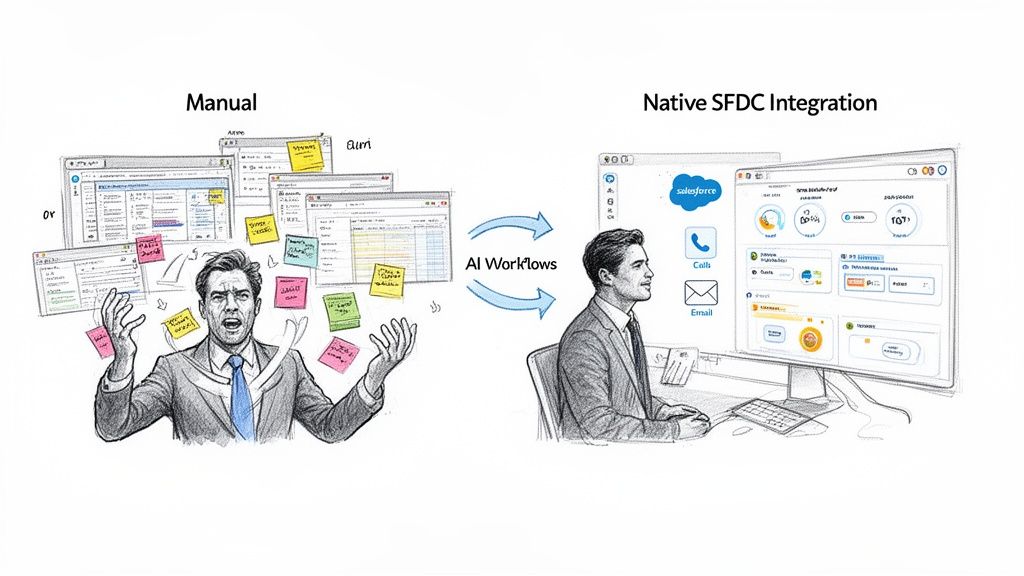
Illustration showing a frustrated man doing manual tasks transforming to a calm user with AI-powered Salesforce integration.

Let’s be real. The biggest bottleneck holding back most SDR teams isn't a lack of effort—it's friction. Disconnected tools force reps into a painful cycle of toggling between tabs, logging calls by hand, and constantly second-guessing if their data is up to date. All that context switching is a productivity killer.

This manual grind hits the bottom line hard. It messes up your reporting, which drives RevOps crazy, and leads directly to missed opportunities. You have to stop thinking about your SFDC integration as a technical chore and start seeing it as a strategic advantage.

The True Cost of Disconnected Tools

The alternative to a native integration is a messy collection of third-party apps bolted onto the side of Salesforce. While these tools might have some flashy features, they create data silos and force your reps into clumsy workarounds. Let's compare the two approaches:

  • Third-Party Platforms: These tools usually live in a separate browser tab, forcing reps to constantly jump back and forth. The data sync is often slow, unreliable, and breaks at the worst possible times, leaving your CRM full of holes. Actionable takeaway: If your reps complain about "swivel-chairing" between apps, it's a clear sign your non-native tool is costing them time.
  • Native Integrations: When you embed tools like a dialer or an AI email writer directly inside the Salesforce UI, that "other tab" problem vanishes. Every single action is logged instantly and accurately, right where it belongs. Actionable takeaway: A key test for a native tool is whether a rep can complete their entire call-to-log workflow without ever leaving the Salesforce record.

The goal is simple: keep reps working where they live—inside Salesforce. A native integration makes this a reality by bringing the workflow to the data, not the other way around. This is how you drive adoption, because it makes the SDR’s job genuinely easier.

From Data Entry to Actionable Intelligence

When your tools work seamlessly inside Salesforce, your CRM stops being a passive filing cabinet and becomes an active command center. It doesn't just store information; it actively guides your reps on their next best move.

If you want to see what's possible, look at advanced features like Salesforce Einstein to understand just how powerful a native approach can be. This is about turning tasks like AI-powered research, emailing, and dialing into functions that happen right within a lead or contact record.

This shift has a massive impact on both productivity and data quality. For any team trying to build a more efficient sales engine, knowing how your technologies fit together is non-negotiable.

Your Pre-Integration Checklist for Salesforce

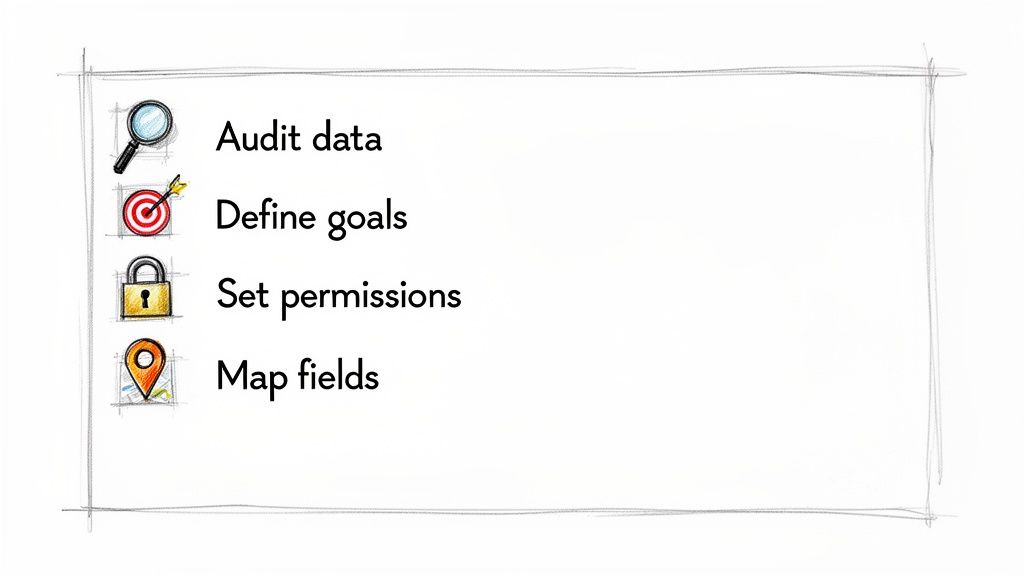
A list of four data management steps with icons: audit data, define goals, set permissions, map fields.

Diving headfirst into an integration with sfdc without a game plan is asking for trouble. It’s the fastest way to get messy data, low adoption, and a tool that just sits on the shelf. Before you connect a single thing, you need to get your Salesforce house in order.

This prep work isn't just busywork. It’s the critical difference between a smooth, high-impact rollout and a chaotic cleanup project that haunts you for months.

First, get crystal clear on your goals. What, exactly, are you trying to fix or improve? Are you aiming to boost your team's daily call volume by 20%? Or is the bigger prize finally nailing data hygiene by automating all the tedious activity logging?

Your answer here changes everything. A team gunning for more dials will obsess over the click-to-dial setup and automatic call logging. A team focused on clean data will spend way more time mapping custom fields and standardizing disposition values. Actionable takeaway: Write down one primary and two secondary goals for the integration. This will be your North Star for every setup decision.

Auditing Your Current Data and Workflows

Before you plug in a new tool, you have to know what you’re working with. A quick data audit in Salesforce will almost always uncover nasty little surprises—inconsistent picklist values, half-empty records, and a mountain of duplicate contacts. Find them now, not after they break your integration. Actionable takeaway: Run a report on your "Call Disposition" field. If you see dozens of variations like "VM," "Left Voicemail," and "Voicemail," you need to standardize these values before mapping them.

This is also the perfect time to map out how your SDRs actually work. Seriously, go shadow a few reps. Watch how they move from a lead record to making a call to logging their notes. This will instantly show you where the real friction is and which steps are begging to be automated.

Only 28% of enterprise applications are currently connected to Salesforce, creating massive untapped potential. This data fragmentation is a top-five challenge for companies, scattering insights across an average of 897 different apps. For SDRs, this means drowning in silos, which leads to inconsistent logging and broken reporting that frustrates RevOps leaders.

Establishing the Right Permissions

Nailing permissions isn't just an IT checkbox; it's non-negotiable for a secure and functional integration. Don't just hand over the admin keys. The best practice is to create a dedicated integration user with a very specific profile and permission set. This approach walls off the tool's access to only what it absolutely needs.

You’ve got two main paths here:

  • Dedicated Integration User: This is the gold standard. You create a new Salesforce user license just for the integration. It gives you a perfect audit trail for every single action the connected app takes. Highly recommended.
  • Existing Admin User: Using a current admin’s credentials is the fast and dirty shortcut. It’s also risky. If that admin ever leaves the company or their permissions get tweaked, your integration will break without any warning. Actionable takeaway: If you must use an existing user for a trial, set a calendar reminder to create a dedicated integration user before you go live.

By getting these pieces sorted out upfront, you’re building a solid foundation for clean data, happy users, and an integration that actually delivers. To go deeper, check out our guide on how to approach a customer data platform integration.

Connecting Your Tools to Salesforce the Right Way

Alright, let's get our hands dirty. A solid Salesforce integration isn't just a switch you flip; it's about building a smart, secure bridge between your tools and your system of record. Getting this right from day one saves you from a world of reporting pain and ensures your reps actually get value from the tool instead of more admin work.

The first piece of the puzzle is authentication. Modern platforms use OAuth 2.0, which is the gold standard for a reason. Instead of you handing over your actual Salesforce username and password, OAuth creates a secure, revocable token that grants limited access.

Think of it like giving a valet a key that only starts your car. It doesn't open the trunk or the glovebox. OAuth does the same thing for your data, giving specific permissions without handing over the keys to the entire kingdom.

Assigning Permissions Without Overexposing Data

Once you’ve authorized the connection, you need to tell Salesforce what the integration is allowed to see and do. This is handled with Permission Sets, and it’s where a lot of teams make a critical mistake by assigning a System Administrator profile. Let's compare the options:

  • System Admin Profile: This is the "god mode" of Salesforce. It grants sweeping access to read, create, edit, and delete just about anything. A small bug in the connected app could cause a massive, org-wide disaster.
  • Custom Permission Set: This is the smart way. You grant access only to the specific objects and fields the tool needs. For an SDR tool, that probably means creating Task records, reading Lead and Contact fields, and updating your Call Disposition field. Nothing more. Actionable takeaway: Create a new Permission Set named "[Tool Name] Integration" and explicitly grant read/write access only to the fields you identified during mapping.

This focused approach slashes your security risk and makes it infinitely easier to troubleshoot if something goes wrong later.

Strategic Field Mapping for Flawless Reporting

Field mapping is where the rubber meets the road. This is you telling the new tool exactly which drawer in the Salesforce filing cabinet to put each piece of data. For anyone in RevOps, this is the most important step for getting clean, actionable reporting. If a call outcome lands in the wrong field, it’s basically invisible to your dashboards.

A classic pitfall here is mismatching field types. You can't stuff a text value like "Left Voicemail" into a date field. Another common error is failing to line up your picklist values. If your dialer lets a rep type in a custom disposition that doesn't exist in your SFDC picklist, the API will reject it flat out, and you'll get a sync error.

The rule for field mapping is simple: every single piece of data your SDRs create needs a specific, correctly configured home in Salesforce. If it doesn't, you're just creating data chaos, not clarity.

Let's walk through a few real-world mapping scenarios for an SDR team. Nailing these ensures that every click, call, and note an SDR takes turns into clean, structured data that leadership can actually use to make decisions.

Salesforce Field Mapping Scenarios

The table below breaks down how to map common SDR actions to the right places in Salesforce. This isn't just about logging activity; it's about structuring that activity so you can analyze performance, spot trends, and measure what's actually driving pipeline.

SDR ActionSFDC ObjectRecommended SFDC Field MappingRevOps Reporting Benefit
SDR makes a callTaskMap to Type (Picklist: "Call"), Status ("Completed"), and custom Call Disposition field.Allows for accurate activity tracking and conversion rate analysis by call outcome.
Rep leaves a voicemailTaskMap the call outcome to the Call Disposition picklist value "Left Voicemail."Helps identify how many touches are required before a live conversation occurs.
Prospect requests a demoLead/ContactUpdate a custom Stage field to "Demo Requested" and create an Opportunity record.Triggers automated notifications and provides clear visibility into pipeline creation.
SDR adds call notesTaskMap the free-text notes to the standard Description or Comments field on the Task object.Gives managers full context on conversations for coaching and quality assurance.

By being thoughtful about mapping these key fields, you turn raw SDR activity into a clean, reportable dataset. And that structured data is the fuel for every dashboard, every report, and every strategic call your revenue team makes.

Building Actionable Workflows Inside Salesforce

A successful Salesforce integration is less about just syncing data and more about letting your reps work where they live—inside Salesforce. The real goal is to build an execution layer that SDRs actually want to use, turning your CRM from a data repository into a genuine productivity engine.

This all starts by embedding core sales activities directly into the Salesforce interface. It’s about making the right action the easiest one to take.

Configuring a Seamless Execution Layer

First things first: set up click-to-dial. By adding this feature directly to your Lead and Contact page layouts, you kill the friction of copying a number, switching tabs, and manually starting a call. An SDR should be able to look at a record and place a call with a single click. Actionable takeaway: Edit the Page Layout for Leads and Contacts and drag the new click-to-dial component into the highlights panel at the top.

That simple change alone can seriously boost daily call volume. But placing the call is only half the battle. The real value comes from automating what happens next.

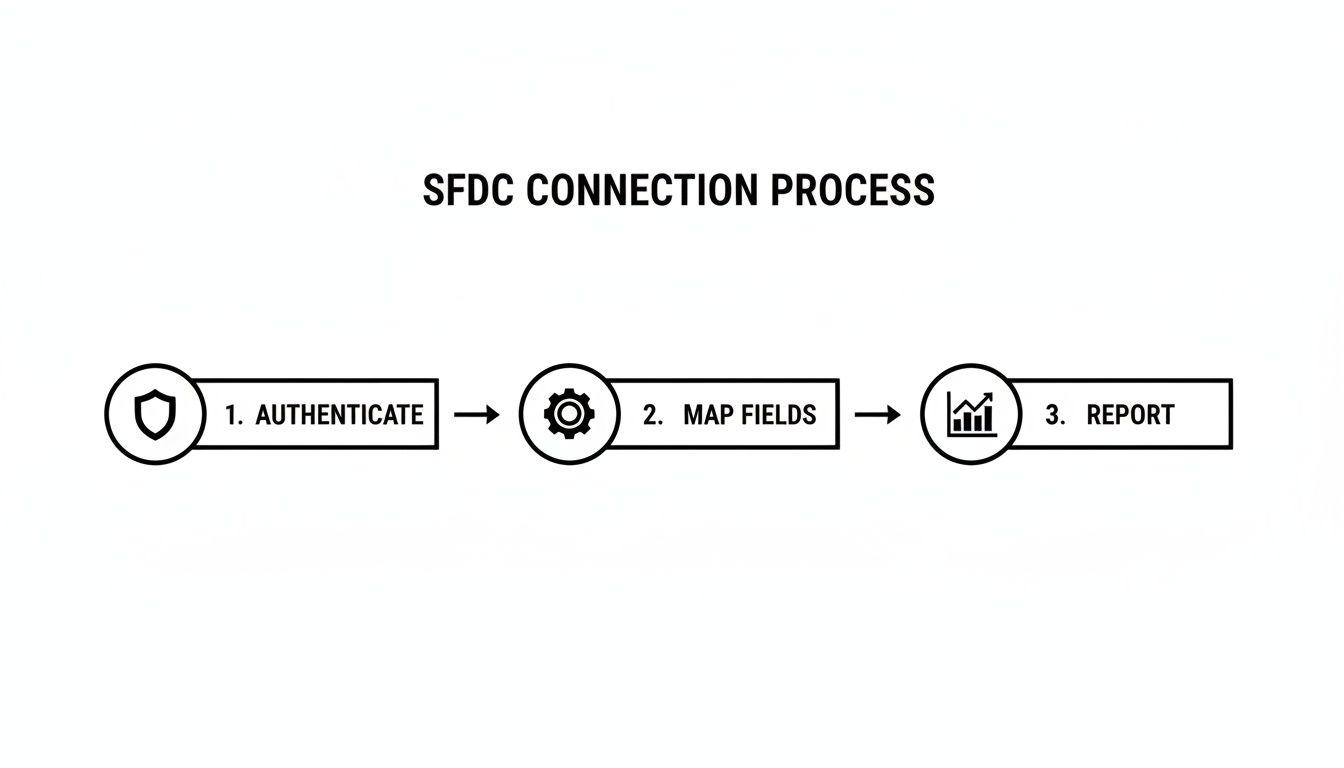
This is the high-level flow for a clean connection, moving from secure authentication and smart mapping all the way to accurate reporting. A three-step SFDC connection process workflow showing authenticate, map fields, and report stages. Each step builds on the last, making sure the data flowing into your reports is structured and reliable from the get-go.

Automating Call Logging and Activity Tracking

Manual call logging is a huge productivity drain and the #1 reason activity data is incomplete. To fix this, you need to configure automatic call logging rules so every disposition, note, and task completion writes back to the correct SFDC record without any manual work. Let's compare the two workflows:

Manual Logging (Without Integration)Automated Logging (With Native Integration)
1. SDR makes a call in a separate dialer.1. SDR clicks to dial right from a Salesforce record.
2. SDR switches back to Salesforce to find the record.2. Call notes and disposition are entered directly in the embedded dialer.
3. SDR manually creates a Task object.3. A Task is automatically created and linked to the record.
4. SDR fills in the disposition, notes, and status.4. All fields are pre-mapped and logged instantly.

The difference is stark. Automation doesn't just save time; it enforces data consistency, which is a massive win for RevOps. You can take this even further by exploring different kinds of marketing workflow automation to connect those sales actions with marketing triggers.

Embedding AI-Powered Workflows

The final piece is embedding AI-powered workflows right into the SDR's task list. Instead of just showing a rep who to call, you can show them what to say and do next.

A truly native integration doesn't just put a dialer inside Salesforce. It surfaces contextual call scripts, AI-generated email drafts, and key talking points directly on the record the SDR is working on.

This turns Salesforce into a coaching tool. It helps new reps ramp way faster and ensures veteran reps stay on message. By presenting a prioritized task list enriched with AI-driven context, you make the SDR's job genuinely easier and more effective—which is the ultimate key to driving adoption and getting the most out of your CRM.

A Phased Rollout Plan for Your Sales Team

Even a flawlessly configured integration with sfdc can crash and burn if your team doesn't actually use it. A thoughtful, phased rollout is what separates a tool that gathers digital dust from one that becomes the backbone of your team's workflow. The key is to treat this like a product launch, not just another software update.

This whole process kicks off long before your reps ever see the tool. Your first stop? The Salesforce Sandbox. It’s where you can validate every single workflow without the fear of messing up live data.

Validating in a Sandbox Environment

Before you even think about unleashing this on your team, you need a rock-solid testing checklist. This isn't just about squashing bugs; it's about making sure the workflow behaves exactly as you designed it.

Here’s a practical, actionable checklist for your sandbox validation:

  • Task Creation: Does a finished call automatically generate a Task record? Is it linked to the right Lead or Contact every single time?
  • Field Accuracy: Check your custom fields. Is Call Disposition populating with the correct picklist values? Is Call Duration coming through correctly?
  • Sync Logic: If you're running both HubSpot and Salesforce, does an action an SDR takes in Salesforce properly update the matching record in HubSpot? No dropped data.
  • Permission Testing: This one’s critical. Log in as a test SDR user. Can they get to everything they need? And just as important, are they blocked from seeing or changing things they shouldn’t?

The Pilot Group Advantage

Once everything checks out in the sandbox, resist the temptation to flip the switch for the entire team. Instead, hand-pick a small pilot group—maybe three to five of your most tech-savvy and vocal SDRs. This isn't about playing favorites; it's about getting unfiltered, high-quality feedback, fast.

Think of them as your internal focus group. They're the ones who will uncover the real-world friction points and weird edge cases you could never find in a clean sandbox environment. Actionable takeaway: Set up a dedicated Slack channel for the pilot group to provide immediate feedback and ask questions. This creates a tight feedback loop.

A phased rollout turns your best reps into champions. When the rest of the team sees their peers hitting quota faster with the new tool, they won't just adopt it—they'll demand it.

This approach gives you priceless feedback and helps you nail down your training materials. You can build simple one-pagers based on their experience and use their success stories as social proof when you train the rest of the team. A successful integration with sfdc is about managing change, not just technology.

Got Questions About the Salesforce Integration? We’ve Got Answers.

Even the smoothest rollouts hit a few bumps. An integration with SFDC is a big move, and it's smart to ask the tough questions upfront. We've been in the trenches with RevOps leaders, SDR managers, and Salesforce admins, and the same questions tend to pop up.

Here are the straight-up answers to the most common ones we hear.

How Is This Different From a Standard Sales Engagement Platform?

It comes down to one thing: native vs. non-native workflows. Let's compare them:

AspectStandard (Non-Native) PlatformNative Integration
User InterfaceSeparate browser tab or application.Embedded directly within the Salesforce UI.
WorkflowReps alt-tab between the tool and SFDC.Reps work exclusively on the SFDC record.
Data SyncOften delayed, relies on periodic API calls.Instantaneous, real-time logging.
AdoptionCan be low due to friction and context-switching.Higher adoption because it simplifies the existing workflow.

A native integration erases that "other tab" problem. The entire workflow—the dialer, the email composer, the task list—is built directly inside the Salesforce UI. It transforms your CRM from a passive database into the single source of truth for your entire sales motion.

We Use Both HubSpot and Salesforce. Can This Still Work?

Absolutely. In fact, this setup is incredibly common for teams that are scaling fast. A native Salesforce integration is the perfect bridge between your marketing automation and your sales execution.

Here's the actionable flow:

  1. A hot lead comes through HubSpot from a marketing campaign.
  2. That syncs to Salesforce, triggering a task for an SDR right inside their native queue.
  3. The rep makes the call using the native dialer. The activity (e.g., "Connected, Demo Booked") is logged on the Salesforce record.
  4. A workflow rule pushes that key activity data back to HubSpot, updating the contact's lifecycle stage.

Suddenly, you have a unified view of the customer journey. No more data silos. RevOps gets a clean look at the entire funnel, from the first marketing touch to the closed deal.

The goal is to keep your SDRs executing inside Salesforce, which should always be your system of record for sales activity. The integration’s job is to make sure the important outcomes and data points flow back to HubSpot, keeping marketing and sales perfectly aligned.

What Kind of Technical Skills Do We Need for the Initial Setup?

You don't need a developer. Let me repeat: no custom code is required.

The setup was designed for a Salesforce Admin or a RevOps pro. It uses modern authentication methods like OAuth, which makes connecting the two systems both secure and straightforward. The hardest part isn't technical at all—it's strategic. The most important work happens before you even start, when you're planning your field mappings and deciding on your workflow rules.

Actionable takeaway: If you can confidently create a custom field, build a report, and edit a page layout in Salesforce, you have all the technical skills needed to manage this integration.


Ready to stop the busywork and keep your reps focused on selling inside Salesforce? MarketBetter gives your team an AI-powered task engine with a native dialer and email workflows, so every single action is logged perfectly in your CRM.

See exactly how it works at https://www.marketbetter.ai.

MarketBetter vs Unify GTM: Warm Outbound for SDR Teams [2026]

· 6 min read

Evaluating Unify GTM for your go-to-market motion? They've built an impressive warm outbound platform backed by Emergence Capital and the OpenAI Startup Fund.

But "warm outbound platform" and "SDR productivity tool" solve different problems.

This comparison breaks down features, pricing, and the real differences so you can choose the right fit for your team's actual workflow.

Quick Comparison

FeatureMarketBetterUnify GTM
Website Visitor Identification✅ Company + person level✅ Up to 25K companies/month (Growth)
Intent Signal Sources✅ 1st party (website, product, CRM)✅ 10+ sources (job changes, news, tech installs)
AI Research✅ Company + prospect research✅ AI Agents for account research
Personalized Outreach✅ AI writes researched emails✅ AI generates personalized messaging
Multi-Touch Sequences✅ Email sequences built-in✅ Native sequence builder
Custom Workflows ("Plays")⚠️ Simplified—follows your CRM rules✅ Build unlimited custom Plays
SDR Task Assignment✅ Daily prioritized task lists❌ Prospects flow through Plays
Pre-Meeting Briefs✅ Auto-generated before calls❌ Not included
AI Chatbot✅ Qualified-style with handoff❌ Not included
CRM Integration✅ Salesforce + HubSpot (bidirectional)✅ CRM data integration
Email Deliverability⚠️ Via your ESP✅ Managed deliverability
Starting PriceContact for pricing$700/mo (billed annually)

What Unify GTM Does Well

Let's be fair: Unify has built something genuinely powerful for the right team.

10+ Intent Signal Sources

Unify aggregates intent data from over 10 sources including:

  • Job changes and new hires
  • Company news and funding announcements
  • Technology installs and changes
  • Hiring signals for specific roles
  • G2/review site activity
  • Content engagement signals

For teams running sophisticated ABM motions, this signal breadth enables highly targeted campaigns.

Custom "Plays" Workflow Builder

Unify's Plays allow GTM teams to build automated workflows that trigger on specific intent signals, auto-enrich prospects, run AI research, generate personalized sequences, and execute multi-touch outreach.

AI-Powered Research & Messaging

Unify's AI Agents conduct account research and generate personalized messaging at scale. This isn't just mail merge—it's AI that reads about the company and writes contextual outreach.

Warm Outbound Philosophy

Unify pioneered the "warm outbound" category. Their published results:

  • 80% open rates on high-intent outbound
  • 5% reply rates (vs less than 1% for cold)

Strong Backing

With $18M raised from Emergence Capital and the OpenAI Startup Fund, Unify has the resources to continue innovating.

Where Unify Falls Short (For Traditional SDR Teams)

Unify is built for growth teams who want to architect their own warm outbound system. But if you're running a traditional SDR team without dedicated RevOps:

1. More Configuration Than You Need

Building Plays requires deciding which intent signals matter, configuring trigger conditions, setting up enrichment waterfalls, designing sequence logic, and testing. For busy SDR managers, it's overhead.

2. Missing the Prescriptive SDR Layer

Unify: "Here's a Play that will run when they show intent."

MarketBetter: "Here are your 15 highest-priority tasks today. Start with this person because..."

Unify automates the GTM motion. MarketBetter guides the SDR through their day.

3. No Pre-Meeting Intelligence

Unify helps you get the meeting. MarketBetter helps you win the meeting with auto-generated briefs including company background, pricing guidance, and talking points.

4. No AI Chatbot

Website visitors who are ready to talk can't engage immediately through Unify. MarketBetter's Qualified-style chatbot captures high-intent visitors in real-time.

Where MarketBetter Goes Further

1. SDR Task Assignment—Built In

Every morning, your SDRs get a prioritized task list based on website visitor behavior, ICP fit scoring, territory ownership, and engagement history.

No "check your Plays." Just: "Here's what to do. Start with #1."

2. Pre-Meeting Intelligence Briefs

Before every call, MarketBetter automatically generates company background, ICP fit score, pricing guidance, talking points, and potential objections.

Unify gets you the meeting. MarketBetter helps you close it.

3. AI Chatbot for Real-Time Engagement

When a high-intent visitor lands on your site, MarketBetter's chatbot engages them immediately, qualifies based on your ICP, books meetings directly, and hands off to live reps via Slack.

4. One Platform, Complete Workflow

Workflow StageMarketBetterUnify GTM
Identify visitors
Capture intent signals✅ (1st party)✅ (10+ sources)
Score & prioritize✅ Auto-prioritized✅ Via Play logic
Assign to reps✅ Automated daily tasks⚠️ Via Play routing
Draft outreach✅ AI-written✅ AI-generated
Meeting prep briefs✅ Auto-generated❌ Not included
Capture inbound (chatbot)❌ Not included

Pricing Breakdown

Unify GTM Pricing (2026)

PlanPriceWhat's Included
Growth$700/mo (billed annually)1,250 contacts/mo, 25K revealed companies, 3 users, limited Plays
ProCustom pricingUnlimited Plays, white-glove support, additional users at $40/user/mo

MarketBetter Pricing

Flexible pricing that scales with your team, not credits or contacts. Every plan includes website visitor identification, AI task assignment, pre-meeting briefs, AI-drafted outreach, SDR playbook workflow, AI chatbot, and CRM sync.

Who Should Choose Unify GTM?

Unify is the better fit if:

  • You have dedicated RevOps to build and maintain custom Plays
  • Multi-source intent signals matter—you need 10+ data sources aggregated
  • You're running sophisticated ABM with complex triggering logic
  • Your team prefers building automation rather than following prescriptive workflows

Ideal Unify customers: PLG companies with high-volume outbound, well-resourced GTM teams with RevOps capacity.

Who Should Choose MarketBetter?

MarketBetter is the better fit if:

  • Your SDR team needs prescriptive guidance, not just intent data
  • You want one platform for visitor ID + chatbot + outreach + meeting prep
  • You don't have RevOps capacity to build complex automations
  • Faster SDR onboarding matters—new reps productive in days
  • Inbound + outbound both matter

Ideal MarketBetter customers: B2B companies with 50-500 employees, teams with 3-20 SDRs, sales-led motions.

The Fundamental Difference

Your RealityBetter Choice
"We have RevOps to build automation"Unify GTM
"Our SDRs need to know what to do each morning"MarketBetter
"We need 10+ intent signal sources"Unify GTM
"We need chatbot + outbound + meeting prep"MarketBetter
"We want full control over Play logic"Unify GTM
"We want it to work out of the box"MarketBetter

The Bottom Line

Choose Unify GTM if you have RevOps capacity and want to build sophisticated warm outbound automation with 10+ intent signal sources.

Choose MarketBetter if you want a complete SDR command center that turns website visitors into booked meetings—without requiring someone to build and maintain Plays.

Unify is a powerful building platform. MarketBetter is a turnkey SDR solution.

Both are good products. The right choice depends on who's doing the building.


Free Tool

Try our AI Lead Generator — find verified LinkedIn leads for any company instantly. No signup required.

Ready to See MarketBetter in Action?

Book a demo and we'll show you:

  1. Who's visiting your site right now
  2. How MarketBetter prioritizes those visitors into SDR tasks
  3. What AI-generated outreach looks like for your actual prospects
  4. How pre-meeting briefs help reps close more deals

Book a Demo →

MarketBetter vs Warmly: Website Visitor Identification Compared [2026]

· 6 min read

Both MarketBetter and Warmly identify anonymous website visitors. But "visitor identification" means very different things depending on what you need.

This isn't a full product comparison (we have that here). This is a deep-dive on one feature: identifying who's visiting your website and what you can do with that information.

Let's break it down.

What Is Website Visitor Identification?

Website visitor identification is technology that reveals who's visiting your site—before they fill out a form.

There are two levels:

  1. Company-Level: Knowing that someone from "Acme Corp" visited
  2. Contact-Level (Person-Level): Knowing that "Sarah Johnson, VP of Sales at Acme Corp" visited

The difference matters. A lot.

If you only know a company visited, you still need to research who to contact, find their info, and hope you're reaching the right person. That's work your SDRs don't have time for.

Contact-level identification skips the guesswork and gets you straight to the buyer.

Match Rate Reality Check

Every vendor claims great match rates. Here's the reality:

Warmly Match Rates

Warmly reports:

  • 65% company-level identification
  • 15% contact-level (individual person) identification

These are solid numbers for the industry. Warmly uses a waterfall approach with 20+ data providers, which improves coverage. Their person-level de-anonymization is competitive with RB2B and similar tools.

MarketBetter Match Rates

MarketBetter uses best-of-breed data sources (including 6sense for company identification and Demandbase for contact enrichment) to deliver:

  • Company-level identification via IP-to-company matching
  • Contact enrichment to find the right decision-makers at identified companies
  • Intent scoring that prioritizes accounts showing buying signals

Rather than just showing "someone from Acme visited," MarketBetter finds the specific decision-maker you should contact and adds them to your workflow.

The Match Rate Caveat

Here's what vendors don't always tell you:

Traffic source matters. Corporate network traffic identifies at much higher rates than work-from-home traffic on personal devices. If your visitors are primarily remote workers, expect lower match rates across all tools.

Industry matters. B2B SaaS sites typically see 35-45% match rates. Professional services: 30-40%. Consumer/B2C: 5-15%.

Geography matters. US-based traffic identifies better than international traffic for most providers.

Don't trust any vendor who promises 80%+ contact-level identification. Those numbers don't reflect reality.

How Each Platform Handles Visitor Identification

Warmly's Approach

Warmly is primarily a visitor identification + engagement platform. Their workflow:

  1. Identify visitors using their multi-provider waterfall approach
  2. Show intent signals (pages viewed, time on site, Bombora research data)
  3. Alert your team via Slack, Teams, or CRM notifications
  4. Engage in real-time with their AI chatbot

Warmly's strength is catching visitors while they're still on your site. Their chatbot can engage high-intent visitors immediately.

What Warmly doesn't do:

  • Assign tasks to SDRs
  • Write personalized outreach
  • Prioritize which visitors to contact first
  • Tell reps what to actually do next

You get the data. What happens next is up to you.

MarketBetter's Approach

MarketBetter is a visitor identification + action platform. Our workflow:

  1. Identify companies visiting your site via IP-to-company matching
  2. Find the decision-maker at that company based on your ideal buyer persona
  3. Score and prioritize accounts by fit and intent signals
  4. Create a task for your SDR with the contact info and outreach guidance
  5. Arm them for the call with AI-generated email drafts and context

The difference: we don't just identify visitors—we turn them into tasks your SDRs can act on.

When an SDR opens MarketBetter, they see a prioritized list of exactly who to contact, why they're a fit, what pages they viewed, and a suggested message. No research required. No prioritization decisions. Just execute.

Side-by-Side: Visitor Identification Features

CapabilityMarketBetterWarmly
Company Identification✅ IP-to-company via 6sense✅ Multi-provider waterfall
Contact Enrichment✅ Demandbase contact data✅ Person-level de-anonymization
Match Rate (Company)Comparable~65%
Match Rate (Person)Via enrichment~15%
Real-Time Alerts✅ Slack, Teams, CRM✅ Slack, Teams, CRM
Intent Scoring✅ Fit + intent combined✅ ML-based scoring
Bombora Integration⚠️ Coming soon✅ 3rd party intent data
SDR Task Generation✅ Auto-creates tasks❌ Manual follow-up
AI Outreach Drafts✅ Included⚠️ Add-on (AI SDR agent)
Daily Playbook✅ Prioritized task list❌ Dashboard only
Smart Dialer✅ Click-to-call included❌ No dialer
Pre-Meeting Briefs✅ Auto-generated❌ Not included

The Real Difference: Data vs. Action

Here's the core question:

Do you need to know who's visiting? Or do you need your SDRs to do something about it?

Warmly tells you who. That's valuable.

MarketBetter tells you who, then tells your SDRs:

  • Who to contact (prioritized by fit + intent)
  • What to say (AI-drafted personalized outreach)
  • How to reach them (Smart Dialer integration)
  • Why they're a fit (intent signals + company context)

If you have a dedicated ops team to build workflows, assign leads, and create outreach templates—Warmly's visitor data can feed into that system.

If you want visitor identification that turns into SDR action automatically—that's MarketBetter.

Pricing Context

Warmly

  • Free tier: 500 visitors/month, 10 Bombora signals/week
  • Paid: Starts around $700/month for basic features
  • Business: $1,440-1,740/month for 10K-100K visitors
  • AI Data Agent (autonomous outreach): Starts at $10,000/year

MarketBetter

  • Contact us for pricing
  • Includes visitor identification, SDR playbook, AI outreach, and Smart Dialer in one platform

The pricing comparison depends on what you need. If you only need visitor identification and have workflows built elsewhere, Warmly's lower tiers may work. If you need the full SDR workflow, MarketBetter bundles what Warmly charges add-on pricing for.

When to Choose Warmly

Warmly is a good fit if:

  • You primarily need real-time chatbot engagement with website visitors
  • Your ops team will build custom workflows in your CRM
  • You want Bombora intent data integrated out of the box
  • You're focused on marketing orchestration more than SDR productivity
  • You have budget for their add-on AI SDR agent for outreach

When to Choose MarketBetter

MarketBetter is a better fit if:

  • You want visitor identification and SDR action in one platform
  • Your SDR team needs a daily playbook, not just a dashboard
  • You want AI-written outreach included, not as an add-on
  • You need a Smart Dialer integrated with visitor intent
  • You'd rather have one tool for the full SDR workflow than multiple tools stitched together

The Bottom Line

Both platforms identify website visitors. The question is what happens next.

Warmly shows you who visited. You decide what to do about it.

MarketBetter shows you who visited, then shows your SDRs exactly what to do—and arms them to do it.

If your problem is "we don't know who's on our website," Warmly solves that.

If your problem is "our SDRs have too many tabs, no prioritization, and inconsistent outreach," MarketBetter solves that.


Free Tool

Try our AI Lead Generator — find verified LinkedIn leads for any company instantly. No signup required.

Ready to See the Difference?

Book a demo and we'll show you how MarketBetter turns anonymous website visitors into prioritized SDR tasks—automatically.


Last updated: February 2026

MarketBetter vs Warmly: Visitor ID + SDR Workflow [2026]

· 7 min read

Looking for a Warmly alternative? You're not alone.

Warmly is a strong player in visitor identification and intent data. But if you need more than just knowing who visited your site—if you need help acting on it—there's a gap.

MarketBetter fills that gap.

This comparison breaks down features, pricing, and the real differences so you can make the right call for your team.

Quick Comparison

FeatureMarketBetterWarmly
Website Visitor Identification✅ Company + person level✅ Company + person level
Intent Scoring✅ Fit + intent combined✅ ML-based intent scoring
Real-Time Alerts✅ Slack/Teams✅ Slack/Teams
AI Chatbot✅ Qualified-style with live handoff✅ AI-powered chatbot
CRM Integration✅ Salesforce + HubSpot (bidirectional)✅ Salesforce + HubSpot
SDR Task Assignment✅ Daily AI-generated task lists❌ Not included
Personalized Outreach✅ AI writes researched emails⚠️ Add-on (AI SDR agent)
Pre-Meeting Briefs✅ Auto-generated before every call❌ Not included
SDR Playbook/Workflow✅ Step-by-step guidance for reps❌ Not included
LinkedIn Integration✅ Connection + message tracking⚠️ LinkedIn Ads only
Missed Meeting Recovery✅ Auto-follow-up with gifts❌ Not included
3rd Party Intent Signals⚠️ Coming soon✅ Bombora integration
Starting PriceContact for pricing$15,000/year ($1,250/mo)

What Warmly Does Well

Let's be honest: Warmly is a solid product. Here's where they shine:

Strong Visitor Identification

Warmly reports identifying 15% of individual visitors and 65% of companies visiting your website. Their person-level de-anonymization is one of the best in the market.

Deep Intent Signals

Warmly aggregates 1st, 2nd, and 3rd party intent signals including:

  • Website behavior (page views, time on site)
  • Job changes and new hires
  • Bombora research intent data
  • Competitor keyword monitoring

Enterprise-Ready Infrastructure

With 220M+ people profiles, 40M+ company profiles, and SOC 2 compliance, Warmly is built for enterprise scale.

Strong G2 Reviews

Warmly has earned multiple G2 badges and positive reviews, particularly for their website visitor tracking capabilities.

Where MarketBetter Goes Further

Knowing who visited your site is table stakes. The question is: what happens next?

Warmly tells you who. MarketBetter tells you who, then tells your SDRs exactly what to do about it.

1. AI-Powered Task Assignment

MarketBetter doesn't just identify visitors—it creates daily task lists for your SDRs based on:

  • Visitor fit score
  • Intent signals
  • Geographic territory
  • Account ownership

Result: SDRs open their dashboard and know exactly who to contact, in what order, and why. No manual prioritization. No analysis paralysis.

2. Personalized Outreach at Scale

MarketBetter's AI writes first-draft emails that are:

  • Researched to the prospect's company (recent news, job postings, tech stack)
  • Personalized to the individual (role, seniority, likely pain points)
  • Ready for SDR review and send

With Warmly, AI outreach is an add-on to their base package.

3. Pre-Meeting Intelligence Briefs

Before every demo or call, MarketBetter automatically generates:

  • Company background and ICP fit
  • Pricing guidance based on company size
  • Talking points tailored to their browsing behavior
  • Potential objections and responses

Your AEs walk into calls prepared—without spending 30 minutes researching.

4. SDR Playbook Built In

New SDRs onboard in days, not months. MarketBetter's playbook tells them:

  • What tasks to do each day
  • What to say in outreach
  • When to follow up
  • What "good" looks like

This is the difference between "here's some intent data" and "here's how to turn that data into pipeline."

5. Full Workflow Coverage

MarketBetter covers the entire SDR motion:

StageMarketBetterWarmly
Identify
Prioritize✅ AI scoring✅ Intent scoring
Assign✅ Automated routing⚠️ Manual or via CRM
Research✅ AI-generated❌ Manual
Outreach✅ AI-drafted emails⚠️ Add-on
Follow-up✅ Automated sequences⚠️ Partial
Meeting Prep✅ Auto briefs❌ Manual
Reporting✅ Full SDR activity⚠️ Engagement only

Pricing Breakdown

Warmly Pricing (2026)

Warmly offers three tiers, all requiring annual commitment:

PlanPriceWhat's Included
TAM$15,000/year ($1,250/mo)Outbound orchestration, intent signals, dynamic audiences, email/LinkedIn push
Inbound$30,000/year ($2,500/mo)Everything above + visitor ID, chatbot, real-time alerts, lead routing
Full GTMCustom pricingUnified inbound + outbound, API access, SSO/SAML

Add-ons:

  • AI Outbound SDR Agent (additional cost)
  • AI Inbound Lead Caller (via Unibound, additional cost)

MarketBetter Pricing

MarketBetter offers flexible pricing that scales with your usage. Contact us for a custom quote based on:

  • Number of SDRs
  • Monthly website traffic
  • Outreach volume

What's included in every plan:

  • Visitor identification (company + person)
  • AI task assignment
  • Personalized outreach drafts
  • Pre-meeting briefs
  • SDR playbook
  • CRM sync (HubSpot + Salesforce)
  • Slack/Teams alerts

No surprise add-ons. No "AI agent" upsells.

Who Should Choose Warmly?

Warmly might be the better fit if:

  • You already have a mature SDR process and just need better visitor data
  • Enterprise scale is critical—you need 220M+ profiles and Bombora integration today
  • You want best-of-breed point solutions and plan to stitch together your own workflow
  • Budget isn't a primary concern and you can commit $15K-30K+ annually

Who Should Choose MarketBetter?

MarketBetter is the better fit if:

  • Your SDR team needs guidance, not just data
  • You're scaling a smaller team and need every rep to perform like a veteran
  • You want one platform for visitor ID + outreach + workflow (not 3 tools)
  • Onboarding speed matters—you need new SDRs productive in days
  • Budget flexibility is important—you want to avoid $15K+ annual commitments upfront

Real Results

MarketBetter Customer Outcomes

MetricResult
Positive Reply Rate29% average
SDR OnboardingDays instead of months
Missed RepliesZero (AI alerts on everything)
Customer Retention95%+ (1 downgrade in 18 months)

"Before MarketBetter, our SDRs spent half their day figuring out who to call. Now they just follow the tasks. We 2x'd meetings booked in the first month." — B2B IoT Company, 100 employees

Frequently Asked Questions

Does MarketBetter integrate with my CRM?

Yes. MarketBetter offers bidirectional sync with HubSpot and Salesforce. Activities, contacts, and deal updates flow both ways automatically.

How does visitor identification accuracy compare?

Both platforms use industry-standard methods for visitor identification. MarketBetter identifies companies via IP and enrichment, with person-level identification for logged-in users and high-intent visitors.

Can I use MarketBetter for just visitor identification?

Yes, but you'd be leaving value on the table. The real power is the combined workflow: identify → prioritize → assign → outreach → track. That's where pipeline comes from.

Does MarketBetter have Bombora intent data?

Third-party intent integration is on our roadmap. Currently, MarketBetter uses first-party intent signals (page views, time on site, return visits) combined with firmographic fit scoring.

Is there a free trial?

Contact us for a personalized demo. We'll show you MarketBetter working with your website traffic, not a generic demo.

The Bottom Line

Choose Warmly if you need enterprise-grade visitor identification and intent data, and you'll build the SDR workflow yourself.

Choose MarketBetter if you want visitor identification AND a complete SDR command center that tells your team what to do with that data.

Most companies don't struggle with knowing who visited. They struggle with what to do next.

MarketBetter solves both.

Free Tool

Try our AI Lead Generator — find verified LinkedIn leads for any company instantly. No signup required.

Ready to See the Difference?

Book a demo and we'll show you:

  1. Who's visiting your site right now
  2. How MarketBetter would prioritize those visitors
  3. What AI-generated outreach looks like for your actual prospects

Book a Demo →


Have questions? Email us at hello@marketbetter.ai

Why AI Email Tools Fail SDR Teams (And What Actually Works)

· 13 min read

Your SDR team just got access to Lavender. Or maybe it's Regie.ai. Or that new Copy.ai workflow your marketing team swears by.

The pitch is always the same: AI writes emails faster. Better subject lines. Perfect tone. Personalization at scale.

Except here's the thing: AI email tools help you write faster. They don't help you write smarter.

And in 2026, the problem isn't writing emails. It's knowing what to say that actually resonates.

Why B2B Chatbots Fail Your Sales Team (And What Actually Works)

· 7 min read
MarketBetter Team
Content Team, marketbetter.ai

You spent $30,000 on Drift. Your SDRs hate it.

Here's why: Chatbots only engage the 2% of visitors who choose to chat. The other 98% browse silently, leave, and become someone else's pipeline.

That's not a lead gen strategy. That's hoping visitors feel talkative.

Let me show you what's actually happening — and why chatbots alone won't fix your inbound pipeline.

Why Intent Data Fails Sales Teams (And What Works Instead)

· 6 min read
MarketBetter Team
Content Team, marketbetter.ai

SDRs don't need more signals. They need to know who to call today.

Intent data has become the golden child of B2B sales intelligence. Vendors promise to reveal which accounts are "in-market" before they fill out a form. Marketing teams love the targeting capabilities. Executives love the ABM metrics.

But ask your SDR team what they think of intent data, and you'll hear a different story.

Why Parallel Dialers Alone Fail SDR Teams (And What Actually Works) [2026]

· 9 min read

Your VP of Sales just approved $60,000 for parallel dialers. Twelve SDRs at $5,000/year each for Nooks or Orum.

The pitch was compelling: 10 parallel lines mean 10x more dials. 10x more dials mean 10x more conversations. 10x more conversations mean 10x more meetings.

Except it doesn't work that way.

Here's the dirty secret: Parallel dialers help your team dial faster. They don't help them dial smarter. And dialing the wrong people faster is just burning through your TAM with nothing to show for it.

The Parallel Dialer Promise

Parallel dialers like Nooks and Orum changed outbound sales when they emerged. Instead of your SDR calling one number and waiting through 8 rings, they call 7-10 numbers simultaneously. When someone answers, the system connects them.

The math looks incredible:

  • Manual dialing: 60-80 dials/day
  • Power dialer: 100-150 dials/day
  • Parallel dialer: 200-400+ dials/day

SDR teams see real productivity gains. Nooks and Orum users consistently report 3-5x more conversations per day. That's not hype—that's what parallel dialing delivers.

So why do we say these tools fail?

Problem #1: You're Still Calling Cold Lists

Here's what happens in most SDR orgs:

  1. Marketing hands over a list of 10,000 "qualified" accounts
  2. SDR manager assigns territories
  3. SDRs load lists into Nooks/Orum
  4. They dial faster than ever before
  5. Connect rates are 2-5% (industry standard)
  6. 95%+ of their time is spent on people who don't pick up or don't care

The parallel dialer optimized the wrong metric. It made you faster at reaching people who were never going to buy anyway.

When your list is cold, more dials just means more rejection, faster.

Problem #2: Zero Context When They Answer

Your SDR finally gets someone on the phone. Now what?

With a standalone parallel dialer, they have:

  • A name and phone number
  • Maybe a title from LinkedIn
  • A generic script

What they DON'T have:

  • What pages this person visited on your website
  • What content they downloaded
  • How engaged their company has been
  • What topics interest them specifically
  • Whether they're actively researching solutions

The conversation starts cold. Your SDR is pitching blind. The prospect hangs up 30 seconds in because they can tell this is a spray-and-pray call.

Problem #3: Standalone Tools Create Standalone Workflows

Here's a typical day for an SDR using Orum or Nooks:

  1. Open CRM → Find accounts to call
  2. Open LinkedIn → Research the prospect
  3. Open Apollo or ZoomInfo → Find the phone number
  4. Open Nooks → Start dialing
  5. Open Gong/Chorus → Review the call after
  6. Open Outreach → Send follow-up email
  7. Open CRM again → Log everything

Seven different tools. Seven context switches. Seven chances to drop the ball on follow-up.

Parallel dialers optimize the 20 minutes your SDR spends on the phone. They do nothing for the other 7 hours of context-switching, data entry, and trying to figure out who to call next.

The Expensive Reality of Parallel Dialers

Let's talk about what you're actually paying for:

Parallel DialerAnnual CostLines
Nooks$5,000/user/yearUp to 10
Orum~$5,000/user/yearUp to 7
ServiceBell~$1,600/user/yearUp to 9

For a team of 10 SDRs:

  • Nooks: $50,000/year
  • Orum: $50,000/year

And that's JUST the dialer. You still need:

  • Visitor identification: $20,000+/year (6sense, Warmly)
  • Email sequences: $15,000+/year (Outreach, Salesloft)
  • Data enrichment: $15,000+/year (ZoomInfo, Apollo)

Total stack cost: $100,000+/year just to give SDRs the context they need AND the ability to dial fast.

Power Dialers vs Parallel Dialers: Does it Even Matter?

Budget-conscious teams often ask: "Should we just use a power dialer instead?"

The pricing difference is dramatic:

Dialer TypeExample ToolsMonthly Cost
Power DialerAircall, Dialpad$15-70/user/month
Parallel DialerNooks, Orum$400+/user/month

Power dialers call one number at a time but automate the dialing process. You're not 10x faster—maybe 1.5-2x faster than manual.

But here's the thing: neither solves the actual problem.

Whether you dial 200 or 400 numbers a day, if you don't know WHICH numbers to prioritize or WHAT to say when they answer, you're just optimizing for activity metrics instead of outcomes.

What SDR Teams Actually Need

The breakthrough isn't dialing faster. It's knowing who to dial and why.

1. Visitor Intelligence (Not Just Intent Data)

Third-party intent data tells you an account is "researching a category." Helpful, but vague.

First-party visitor data tells you:

  • Who from that account visited YOUR site
  • What specific pages they looked at
  • How recently and how often

That's the difference between "Company X is researching SDR tools" and "Sarah from Company X looked at your pricing page twice this week."

One is noise. The other is a signal worth calling about.

2. Prioritized Task Lists (Not Just Call Lists)

Instead of: "Here's 500 numbers. Start dialing."

Imagine: "Here are 12 high-priority calls for today, ranked by engagement signals, with context on what each prospect cares about."

Your SDR doesn't decide who to call. The system surfaces the best calls based on real behavior. The SDR just executes.

3. Integrated Workflow (Not Separate Tools)

When the dialer, visitor intelligence, email, and CRM all live in one place:

  • No context switching
  • No copy-pasting between tools
  • No forgetting to follow up
  • Every activity logged automatically

The SDR focuses on conversations, not coordination.

MarketBetter's Approach: Smarter Dialing, Not Just Faster Dialing

We built MarketBetter because we kept seeing the same pattern: SDR teams buying expensive parallel dialers, getting 3x more dials, and wondering why meetings didn't 3x along with them.

The difference is the Daily Playbook.

Every morning, your SDR logs in to a prioritized task list. Not a call queue—a playbook that includes:

  • Who to call (based on visitor behavior + firmographic fit)
  • Why they should call (they visited pricing, downloaded the SDR guide, came back 3x this week)
  • What to say (relevant talking points based on their engagement)
  • What to do next (automated follow-up sequences if no answer)

The Smart Dialer is built INTO this workflow. Click to call from the task. Leave a voicemail, it's logged. Send a follow-up email, it goes out automatically. Move to the next task.

No tab switching. No lost context. No "I'll follow up later" that never happens.

The Real Comparison: Standalone Dialer vs Integrated Platform

CapabilityNooks / OrumMarketBetter
Fast dialing✅ 7-10 parallel lines✅ Smart Dialer
Visitor identification❌ Separate tool needed✅ Built-in
Call prioritization❌ Manual list management✅ AI-ranked by intent
Pre-call context❌ SDR looks it up✅ Shown in playbook
Email follow-up❌ Separate tool (Outreach)✅ Same platform
Activity logging❌ Manual CRM entry✅ Automatic
Voicemail drop✅ Yes✅ Yes
Virtual salesfloor✅ Nooks pioneered this❌ No (we're async-focused)

If your SDRs live on the phone all day in a "salesfloor" environment, Nooks' virtual salesfloor is genuinely great.

But if you want your SDRs to have meaningful conversations based on real buyer behavior, the standalone dialer model is working against you.

When Parallel Dialers Make Sense

To be fair, there ARE scenarios where a pure parallel dialer works well:

  • High-volume outbound to massive TAMs — If you're selling to every business in America, volume matters more than precision
  • Well-researched, highly targeted lists — If your list is already qualified and enriched, just dial faster
  • Phone-centric sales teams — Some orgs want SDRs on the phone 6+ hours/day in a "salesfloor" environment

If that's you, Nooks is probably the better dialer than Orum (10 lines vs 7, better interface, same price).

When Integrated Platforms Win

For most B2B SDR teams, the integrated approach wins because:

  • Your TAM isn't infinite—burning through it faster isn't the answer
  • Connect rates matter more than dial volume
  • SDRs spend more time on non-call activities than calls
  • The person who visited your pricing page is worth 10 cold dials

The question isn't "how do we dial more?" It's "how do we have better conversations?"

The Bottom Line

Parallel dialers solved a real problem in 2019: SDRs wasting time listening to dial tones.

But they optimized for the wrong metric. More dials doesn't mean more meetings. More dials at the wrong people means faster burnout and blown territories.

The teams hitting their numbers today aren't the ones dialing the most. They're the ones dialing the RIGHT people, at the RIGHT time, with the RIGHT context.

That requires more than a fast dialer. It requires an integrated platform that turns visitor signals into prioritized actions.

Ready to see how signal-driven outbound actually works?

Book a demo →


Free Tool

Try our AI Lead Generator — find verified LinkedIn leads for any company instantly. No signup required.

FAQ

How much does Nooks cost?

Nooks costs approximately $5,000 per user per year (~$417/month), with annual commitments required. Phone numbers through Twilio cost an additional $10-15/number/month.

How much does Orum cost?

Orum costs approximately $5,000 per user per year (~$417/month), comparable to Nooks but with only 7 parallel lines versus Nooks' 10.

What's the difference between a power dialer and parallel dialer?

A power dialer calls one number at a time automatically. A parallel dialer calls multiple numbers (5-10) simultaneously and connects the SDR when someone answers. Parallel dialers are 2-4x faster but 5-10x more expensive.

Are parallel dialers worth it?

For high-volume outbound to large TAMs, yes. For most B2B sales teams with defined ICPs, the ROI is questionable unless paired with visitor intelligence and prioritization systems.

Does MarketBetter have a parallel dialer?

MarketBetter includes a Smart Dialer focused on signal-driven calling. We prioritize call quality and context over raw dial volume, integrating the dialer directly into the Daily Playbook workflow.

Why Sales Engagement Platforms Fail SDR Teams (Sequences vs. Playbooks) [2026]

· 9 min read

Your SDRs have Outreach. They have Salesloft. They have Apollo.

They still don't know what to do when they sit down at 8 AM.

Here's the uncomfortable truth: sales engagement platforms automate the wrong part of the SDR workflow. They're brilliant at executing sequences. They're terrible at deciding who belongs in those sequences in the first place.

The Promise vs. The Reality

Sales engagement platforms promise to make SDRs more efficient. And they do—sort of.

What they automate:

  • Email sequences (touch 1, touch 2, touch 3...)
  • Follow-up reminders
  • Call logging
  • Activity tracking

What they don't automate:

  • Which accounts to prioritize today
  • Which contacts within those accounts to reach
  • What to say when someone visits your pricing page
  • How to adjust when a target account suddenly goes cold

That's the gap. Sequences execute. They don't decide.

The Real Problem: Sequences Assume You Already Know Who to Call

Open Outreach. What do you see?

A dashboard. Leads in sequences. Tasks to complete. Activity metrics.

What you don't see: which of those leads actually matters right now.

The SDR stares at 200 people in various stages of various sequences. Some are cold. Some are warm. Some visited the pricing page this morning. Some haven't engaged in weeks.

The platform treats them all the same: next touch in the sequence.

This is the fundamental flaw. Sequences are linear. Buyer behavior is not.

How SDRs Actually Spend Their Day

We talked to SDR managers across 50 B2B companies. Here's how their reps spend time:

ActivityTime SpentValue Created
Figuring out who to call35%Low
Researching before calls25%Medium
Actually calling/emailing25%High
Logging activities15%None

Only 25% of SDR time creates direct value. The rest is spent on decision-making and admin that sales engagement platforms were supposed to eliminate.

Comparing the Big Three: Outreach vs. Salesloft vs. Apollo

Let's be specific about what each platform offers—and where they fall short.

Outreach

What it does well:

  • Sophisticated sequence builder with branching logic
  • AI-powered deal scoring (Professional tier)
  • Conversation intelligence for coaching
  • Strong Salesforce integration

What it doesn't do:

  • Tell SDRs which accounts to prioritize
  • Surface website visitors or intent signals
  • Provide contact-level buyer intelligence
  • Create dynamic daily task lists

Pricing:

  • Standard: ~$100/user/month
  • Professional: Higher (AI features)
  • Annual commitment required
  • Implementation: $1,000-$8,000 one-time

The real cost for a 10-person team: $15,000-$20,000/year before add-ons.

Salesloft

What it does well:

  • Cadence automation (their version of sequences)
  • Rhythm (AI-powered prioritization—newer feature)
  • Call recording and conversation intelligence
  • HubSpot and Salesforce integrations

What it doesn't do:

  • Identify who's visiting your website
  • Provide first-party intent data
  • Build task lists from behavioral signals
  • Help SDRs know what to say

Pricing:

  • Advanced: ~$1,000/user/year
  • Premier: ~$1,600/user/year
  • Dialer add-on: $200/user/year
  • Negotiated discounts common (35-45% off list)

The real cost for a 10-person team: $10,000-$16,000/year negotiated.

Apollo

What it does well:

  • Massive contact database (275M+ contacts)
  • Affordable all-in-one platform
  • Sequences, dialer, and data in one tool
  • Strong for early-stage companies

What it doesn't do:

  • Prioritize dynamically based on behavior
  • Identify anonymous website visitors
  • Create context-aware task lists
  • Help you know when accounts are in-market

Pricing:

  • Basic: $49/user/month (1,000 email credits)
  • Professional: $79/user/month (unlimited emails, dialer)
  • Organization: $119/user/month (API, SSO)
  • Credits don't roll over

The real cost for a 10-person team: $9,500-$14,300/year depending on credit usage.

The Workflow Problem Nobody Talks About

Here's what a typical SDR's morning looks like with a sales engagement platform:

8:00 AM: Open Outreach/Salesloft/Apollo

8:05 AM: See 47 tasks due today

8:10 AM: Start working through the list sequentially

8:15 AM: Realize task #3 is someone who visited pricing yesterday (found out from Slack alert)

8:20 AM: Try to find other hot leads buried in the task list

8:30 AM: Give up, go back to sequential execution

The platform automated the wrong thing. It automated execution, not prioritization.

SDRs end up calling cold prospects while warm ones slip away—because the sequence treats every contact the same.

What SDRs Actually Need: Signals → Tasks

The fix isn't better sequences. It's a different paradigm entirely.

Instead of: "Here are your sequences. Execute them."

Try: "Here's who matters today. Here's what to do about them."

This requires:

  1. Visitor identification — Know who's on your site right now
  2. Signal aggregation — Combine website visits, email opens, content downloads
  3. Dynamic prioritization — Surface the hottest leads at the top
  4. Contextual actions — Suggest what to say based on what they viewed
  5. Integrated execution — Call, email, and track without switching tools

No sequence builder does this. They assume someone else figured out the targeting.

The Dashboard vs. Playbook Distinction

AspectSales Engagement DashboardAction-Based Playbook
Daily viewTasks organized by sequenceTasks organized by priority
PrioritizationManual or round-robinAutomated by signals
ContextCRM data (job title, company)Behavioral data (what they viewed)
AdaptationSequence branches (pre-planned)Dynamic re-prioritization (real-time)
Question answered"What's my next scheduled task?""Who should I contact right now?"

This is the core difference between sequence-based tools and playbook-based tools.

Sequences are autopilot. You set them up, hope for the best.

Playbooks are co-pilot. They adjust based on what's happening now.

When Sales Engagement Platforms Make Sense

To be fair, platforms like Outreach and Salesloft aren't wrong for everyone.

They work well when:

  • You have excellent targeting already (marketing qualified leads are solid)
  • You run high-volume outbound to massive TAMs
  • You need conversation intelligence and coaching at scale
  • Your sales cycle is short and transactional
  • You have dedicated ops resources to maintain sequences

They struggle when:

  • You're targeting smaller, more defined markets
  • SDRs need help deciding who to call, not just executing touches
  • Buyer behavior changes quickly (website visits, content engagement)
  • You don't have ops resources to constantly tune sequences
  • You need to maximize every conversation (not play the volume game)

The Alternative: Start With Signals, Not Sequences

What if your SDR's morning looked like this instead?

8:00 AM: Open platform. See: "3 accounts visited pricing in the last 24 hours."

8:01 AM: Top of list: VP of Sales at target account, viewed pricing + case study.

8:02 AM: Pre-populated email draft references specific pages they viewed.

8:03 AM: One-click to personalize, send, and move to the call.

8:05 AM: Call connects. SDR knows exactly what to say because they know what the prospect researched.

No sequence required. No manual prioritization. Just signals → context → action.

This is what we built MarketBetter to do.

MarketBetter vs. Traditional Sales Engagement

FeatureOutreach/Salesloft/ApolloMarketBetter
Website visitor ID❌ No✅ Yes (person + company)
Dynamic task list❌ Sequence-based✅ Signal-prioritized
Behavioral context❌ CRM data only✅ What they viewed
Smart dialer⚠️ Add-on✅ Built-in
AI email personalization⚠️ Limited✅ Based on browsing
Setup complexity🔴 High🟢 Low
Pricing$1,000-2,000/user/yearCompetitive

The core difference:

"Sales engagement platforms help SDRs send more emails. MarketBetter helps SDRs have better conversations."

The Future of SDR Workflow

Sales engagement isn't going away. But the category is fragmenting:

  1. Volume plays (Outreach, Salesloft) → Enterprise, high-headcount teams
  2. All-in-one affordable (Apollo) → Startups, SMBs doing outbound at scale
  3. Signal-to-action (MarketBetter) → Teams that need prioritization, not just execution

The question for your team: Do you need more automation, or better decisions?

If your SDRs are executing plenty of touches but not booking enough meetings, the problem isn't sequence efficiency. It's targeting and prioritization.

More sequences won't fix that. Better signals will.

Free Tool

Try our AI Lead Generator — find verified LinkedIn leads for any company instantly. No signup required.

FAQ

What is a sales engagement platform?

A sales engagement platform (Outreach, Salesloft, Apollo) automates multi-touch outreach sequences—emails, calls, and social touches—to help SDRs reach more prospects. They focus on execution: ensuring every prospect gets the right number of touches at the right intervals.

Why do SDRs still struggle with sales engagement tools?

Because engagement tools automate execution, not prioritization. SDRs still have to decide who to call, when to call them, and what to say. The tools assume someone else figured out targeting. Often, no one has.

How much does Outreach cost?

Outreach starts at approximately $100/user/month for Standard, with annual commitments required. Professional tiers with AI features cost more. Implementation fees range from $1,000-$8,000. A 10-person team typically spends $15,000-$20,000/year.

How much does Salesloft cost?

Salesloft's Advanced tier runs approximately $1,000/user/year, with Premier at ~$1,600/user/year. Dialer functionality is an additional $200/user/year. Negotiated discounts of 35-45% are common for larger deployments.

How much does Apollo cost?

Apollo offers tiered pricing: Basic at $49/user/month, Professional at $79/user/month (includes dialer), and Organization at $119/user/month. Credits for data access don't roll over month-to-month, which can lead to variable costs.

What's the difference between sequences and playbooks?

Sequences are pre-built, linear outreach flows: touch 1, touch 2, touch 3, regardless of buyer behavior. Playbooks are dynamic task lists that reprioritize based on real-time signals—website visits, email engagement, intent data. Sequences execute; playbooks decide.

When should I use a sales engagement platform vs. something else?

Use sales engagement platforms when you have high-volume outbound, excellent inbound targeting, and dedicated ops resources to maintain sequences. Consider alternatives when you need help with prioritization, work a defined market, or want to maximize every conversation rather than play the volume game.


Ready to see how signal-based SDR workflows compare to sequences? Book a demo and we'll show you the difference in 15 minutes.