2 posts tagged with "sales intelligence"

View All Tags

Website Visitor Identification: A Guide for Modern SDRs

· 25 min read

Website visitor identification software is the tech that unmasks the anonymous companies checking out your website. For a Sales Development Representative (SDR), this isn't just another tool; it's a competitive advantage. It takes invisible digital footprints and turns them into real, actionable sales intelligence, transforming "ghost" visitors into tangible, high-intent accounts your sales team can engage with right now.

Think of it this way: instead of starting your day with a cold, static list, you get a live feed of companies that are already evaluating you. The difference is night and day.

Your Best Leads Are Already on Your Website

Picture this: your absolute ideal customer—a perfect-fit, high-value account—is clicking around your pricing page right now. They're weighing your features, seeing if you're the right solution, and showing all the signs of being ready to buy.

And then… they're gone. Vanished, without a trace.

For most Sales Development Reps (SDRs), this isn't just a story. It’s what happens every single day. The brutal reality is that the vast majority of your website traffic stays completely anonymous. A staggering 97% of B2B website visitors never fill out a form, leaving your sales and marketing teams totally in the dark.

This creates a massive blind spot in your pipeline. If you want to learn more about closing that gap, Factors.ai has a great guide on anonymous website visitor identification. Without this insight, SDRs are stuck doing the one thing they hate most: cold, uninformed outreach.

From Cold Outreach to Warm Engagement

The old-school SDR playbook is a grinding numbers game. You start with a giant list of cold accounts, burn hours digging for contacts, and blast out countless emails, just hoping something sticks. It’s wildly inefficient, frustrating, and, frankly, pretty demoralizing.

Website visitor identification flips that entire model on its head.

Instead of guessing who might be interested, you get a clean, prioritized list of companies that have already raised their hands simply by showing up. This one shift changes everything about an SDR's day-to-day work and their odds of success. It turns a reactive, volume-based job into a proactive, value-driven role.

"The difference is like fishing with a sonar versus casting a net into an empty ocean. One is strategic and targeted; the other is pure chance. Visitor identification gives SDRs the sonar."

This tech lets you stop playing a guessing game and start playing chess. To see just how stark the difference is, let's compare an SDR's workflow with and without this crucial intelligence.

Table: Anonymous Visitors vs Identified Opportunities

This table breaks down the day-to-day reality for an SDR. On one side, you have the frustrating guesswork of dealing with anonymous traffic. On the other, you have the focused, high-impact work that comes from knowing exactly who is showing interest. This is the core reason SDRs benefit from this technology.

SDR ChallengeAnonymous Visitor (Without Identification)Identified Visitor (With Identification)
PrioritizationChasing a massive, cold list. Every account looks the same.Focusing on a small, warm list of companies already on the site.
ResearchSpending hours on LinkedIn trying to find the right people at the right accounts.Instantly knowing the company. Research is focused on finding key contacts.
OutreachGeneric, templated emails. "Hope you're having a great week..."Personalized outreach based on the pages they viewed. "Saw you were on our pricing page..."
TimingA complete guess. Reaching out at a random time, hoping it's relevant.Perfect timing. Engaging the account while they are actively in a buying cycle.
ConversationCold start. "Hi, let me introduce our company..."Warm start. "I can help answer any questions you might have about our solution."
EfficiencyLow. High volume of activity, very few positive replies.High. Lower volume of outreach, much higher reply and meeting booking rates.

The takeaway is crystal clear. One path leads to SDR burnout and missed quotas; the other leads to a smarter, more effective sales process that consistently builds pipeline.

The SDR Advantage of Knowing Who Is Visiting

Knowing which companies are on your site gives your SDRs a powerful edge. It delivers the context they desperately need to craft relevant, timely, and personalized outreach that actually gets noticed.

Instead of starting a conversation from scratch, you're jumping in with the knowledge that the account is already aware of the problem and actively looking for a solution. This single insight is the bedrock of a more strategic and successful outbound engine, turning your anonymous traffic into your single best source of qualified leads.

How Website Visitor Identification Actually Works

So, how does this black box actually work? How do you unmask the companies checking out your site? Let's pull back the curtain on the mechanics, but for sales teams, not engineers. The goal is to show you why you can trust this data for your daily outreach.

The engine driving all of this is IP-to-company resolution, sometimes called reverse IP lookup.

Think of it as a digital Caller ID for your website. When someone from a company browses your site from their office network, their computer broadcasts its IP address. This unique digital address is almost always registered to their company. The identification software then cross-references that IP against a massive database to find the matching company name, industry, size, and even location.

In an instant, an anonymous digital footprint becomes a named account, giving your SDRs a massive head start.

It’s a simple, three-step flow that turns invisible traffic into real opportunities your sales team can jump on.

Diagram illustrating the lead identification process from anonymous website visitor to a qualified sales opportunity.

This process shows exactly how an anonymous visitor gets identified by the tech and then turned into a tangible sales opportunity. It's that crucial middle step that makes all the difference for an SDR.

IP Resolution vs. The Old Way with Cookies

It’s important for SDRs to understand the difference between this modern, privacy-first approach and the old world of third-party cookies. For years, advertisers dropped cookies on browsers to track individual people across the web, building creepy, detailed profiles of their habits. It was powerful, but it created a major privacy backlash.

Now, major browsers are killing off third-party cookies, making that kind of tracking a thing of the past. To really get into the weeds, you need a solid grasp of understanding cookie policies and what they mean for businesses today.

This massive shift is what makes IP-to-company resolution so vital for B2B sales. Unlike cookies that stalk individuals, reverse IP lookup focuses on the company. This gives SDRs the account-level context they need without stepping over the privacy line. You know a target account is on your site, which is the perfect signal to start a confident, relevant conversation.

The real win for an SDR isn't knowing a specific person's name right away. It's knowing that a high-value account is actively researching your solution right now. That knowledge is what turns a cold call into a perfectly timed, warm conversation.

What This Means For An SDR

Look, for a Sales Development Rep, the tech itself doesn't matter as much as what it lets you do. You don't need to be a network guru to cash in. The bottom line is this: you get a reliable, real-time feed of companies showing legitimate buying intent.

Here’s what this process empowers you to do:

  • Trust the Signal: You know the data is based on a direct action—a visit from a company's network—not some fuzzy, third-party guess.
  • Act with Confidence: You can build your day around accounts that are already warm, which dramatically lifts your chances of booking a meeting.
  • Personalize Your Outreach: Your opener can be, "I saw someone from your company was checking out our features..." instead of a generic, shot-in-the-dark pitch.

The best visitor identification tools are built to be a source of truth for SDRs. While most tools today focus on the company level, the industry is always evolving. You can get a glimpse of what's next by learning about the future of person-level visitor identification vectors.

For now, though, the focus is squarely on giving you the clear, actionable signals you need to build pipeline, period.

The Hidden Cost of Inaccurate Visitor Data

On paper, a website visitor identification tool sounds like a slam dunk for any sales team. You get a list of companies poking around your site, and suddenly your Sales Development Reps (SDRs) have a fresh, warm pool of leads to dive into. It feels like a sure thing.

But what happens when that data is just plain wrong?

The hard truth is that not all identification tools are created equal. And bad data is far, far worse than no data at all.

Low-quality visitor information doesn't just fall flat—it actively poisons your sales efforts. For an SDR, this mess translates into hours of wasted productivity, day in and day out. They spend their time chasing ghosts, meticulously researching contacts at the wrong companies and crafting personalized outreach that lands in the wrong inboxes. All the while, the real high-intent accounts slip right through their fingers.

This digital "noise" pollutes your entire sales operation. It clogs your CRM with useless records, creates reporting nightmares, and slowly undermines the very pipeline you're trying to build.

When Good Intentions Lead to Bad Outreach

Picture this: an SDR gets a hot alert in Slack. "XYZ Corp just visited the pricing page." They spring into action, find what looks like the perfect contact on LinkedIn, and fire off a perfectly timed, relevant email.

The problem? The tool misidentified the IP address. It wasn't the Fortune 500 company, XYZ Corp. It was a local coffee shop's shared Wi-Fi, located in the same office building.

This happens way more often than you think. Your SDR has now wasted valuable time and sent a completely irrelevant message, making your brand look sloppy. The hidden cost of crappy data is staggering, hitting sales pipelines right where it hurts.

A bombshell 2025 report from Customers.ai, based on some serious head-to-head testing, lays it all bare. A shocking 75% of providers deliver laughably low accuracy, averaging just a 5-30% true match rate. The leaders? They're hitting 65-85%. You can dive deeper into this data accuracy crisis by reading the full report on AgileBrandGuide.com.

This single error creates a domino effect of bad outcomes for SDR teams:

  • Wasted SDR Hours: Time spent on dead ends is time not spent on real opportunities.
  • Damaged Brand Reputation: Reaching out with the wrong context makes you look amateurish.
  • Plummeting Email Deliverability: Sending emails to bogus contacts gets your domain flagged as spam.
  • Polluted CRM Data: Every wrong entry degrades the quality of your most critical system, making future campaigns less effective.

Differentiating Signal from Noise

The core issue here is that many tools prioritize quantity over quality. They cast a wide, sloppy net and leave your SDRs to clean up the mess. But a high-performing sales team doesn’t need more noise; it needs clean, reliable signals that point to actual opportunities.

The goal of website visitor identification isn't just to get a list—it's to get the right list.

A great visitor identification tool doesn’t just tell you who visited; it gives you the confidence to act immediately. Without that confidence, the data is just another distraction in an already crowded workflow.

To avoid these pitfalls, SDRs and their managers have to become savvy consumers of this tech. It means asking tough questions and demanding proof from vendors before you sign on the dotted line.

Your Vendor Vetting Checklist

Don't just take a sales pitch at face value. Use these questions to cut through the marketing fluff and get to the truth about a vendor's data quality. This is how you choose a tool that provides genuine signals for your SDRs, not one that just creates more work.

CategoryKey Question to Ask Your VendorWhy It Matters for SDRs
Data Accuracy"What is your verified match rate, and how do you validate it? Can you prove it with a trial?"A high match rate means SDRs spend less time chasing ghosts and more time engaging real, interested accounts.
Identification Method"How do you distinguish between a corporate IP, a public Wi-Fi hotspot, and an ISP?"This determines if you're getting true business visitors or just random internet traffic, preventing wasted outreach.
Data Freshness"How often is your IP-to-company database updated? What is your process for refreshing data?"An outdated database means you’ll misidentify companies that have moved or changed providers, sending your SDRs on a wild goose chase.
Filtering & Segmentation"Can we filter out ISPs, bots, and non-ICP traffic automatically within the platform?"Your SDRs shouldn't have to manually sift through junk. Good filtering is non-negotiable for efficiency.

Choosing the right partner for website visitor identification is a critical decision. By prioritizing data accuracy and asking the right questions, you ensure your SDR team gets a powerful asset, not a productivity-killing liability.

Turning Visitor Signals Into Prioritized SDR Actions

Getting a list of companies that visited your website is a great start, but it's just raw data. The real magic—and the part that actually grows the pipeline—is turning those digital footprints into a crystal-clear action plan for your Sales Development Reps (SDRs).

This is where the idea of website visitor identification stops being a theory and starts being a powerful sales tool. It's not about giving your SDRs another dashboard to stare at. It's about feeding them a prescriptive to-do list that tells them exactly who to call, why today is the day, and what to say.

The shift is huge. An SDR’s day goes from a chaotic, reactive scramble through a cold list to a focused, proactive workflow guided by real-time buyer intent. They stop guessing and start acting with precision.

Tablet showing prioritized website visitor tasks like pricing page view and case study download feeding into a sales funnel.

From a Chaotic List to an Intelligent Workflow

Let's look at a simple before-and-after to see how an SDR's entire approach changes when they have visitor signals.

Before Website Visitor Identification: An SDR opens their CRM to a static list of 200 accounts. Every single one looks the same. The first hour is wasted just trying to figure out where to even begin, usually defaulting to alphabetical order or just picking one at random. The outreach is generic because there's zero context, leading to terrible engagement and a constant feeling of falling behind.

After Website Visitor Identification: An SDR logs in and sees a dynamic, prioritized task queue. The system has automatically surfaced five key accounts. Why? Because one just spent ten minutes on your pricing page, another downloaded a high-value case study, and three others from their target list came back for the second or third time this week. The SDR knows exactly where to put their energy for the biggest impact.

This isn't just about efficiency. It's about morale and momentum. When SDRs engage with accounts that are already showing interest, their confidence skyrockets, conversations are better, and they book more meetings. It completely changes the dynamic of the job.

Actionable Plays SDRs Can Run Immediately

The real payoff comes from creating specific, repeatable plays based on different visitor behaviors. Each signal suggests a different level of intent, which should trigger a corresponding action from your sales team.

A good system doesn't just identify visitors; it scores their intent. If you're looking to build something more advanced, exploring AI lead scoring can give you a solid framework for ranking these signals automatically.

Here’s a practical playbook that maps common visitor signals to concrete SDR actions. It turns raw data into a clear set of instructions, taking the guesswork out of the equation.

Actionable SDR Plays Based on Visitor Behavior

Visitor SignalPriority LevelRecommended SDR ActionExample Opening Line
Pricing Page VisitHighImmediate, personalized email and a follow-up call within 24 hours."Saw someone from your company was exploring our pricing. I wanted to reach out and offer to clarify any of the features included in our different tiers."
Case Study DownloadHighEmail referencing the specific case study topic. Connect with a relevant person on LinkedIn."Noticed you downloaded our case study on [Industry/Problem]. Since you're interested in how we helped [Client Name], I thought a quick chat might be valuable."
Multiple Return VisitsMediumAdd the account to a multi-touch sequence. Focus on providing value with helpful resources."My system flagged that your team has been back to our site a few times. Clearly, something has piqued your interest, so I wanted to introduce myself."
Solutions Page ViewMediumResearch the company's industry and pain points. Craft a message that connects your solution to their likely business challenges."Given your team was looking at our [Solution Name] page, I took a look at your company and had a few ideas on how we could help with [Specific Business Challenge]."
Homepage Visit OnlyLowAdd to a nurturing campaign for brand awareness. Monitor for any future, higher-intent activity before direct outreach.N/A (No direct outreach yet)

This playbook structure empowers SDRs to engage with relevance and confidence. By aligning specific actions to specific signals, you build a systematic process for converting anonymous interest into qualified sales pipeline. You ensure your team is always working smarter, not just harder.

Integrating Visitor ID Into Your Sales Tech Stack

A powerful tool is useless if it lives on an island. Even the most accurate website visitor identification data won't generate a single dollar of pipeline if your Sales Development Reps (SDRs) have to hunt for it across five different browser tabs. To actually make an impact, this intelligence has to flow seamlessly into the platforms where your sales team lives and breathes every single day.

This means native, frictionless integrations with your CRM (like Salesforce or HubSpot) and sales engagement platforms are completely non-negotiable. Without them, you’re not making your SDRs’ lives easier; you’re just adding another tedious task to their already packed workflow.

Think of it like this: a sales dialer built directly into Salesforce is a dream. An SDR can click-to-call, log notes, and move on to the next prospect in seconds. Now, imagine a clunky third-party dialer that forces them to copy and paste numbers and manually log every single call. It’s a productivity killer. The best tools don't add steps; they remove them.

A flowchart showing how Visitor ID, Sync, and Engagement data flow into a CRM system, then to Analytics.

Why Seamless Integration is a Game Changer for SDRs

A proper integration does way more than just shuttle data from point A to point B. It transforms raw visitor signals into prioritized, actionable tasks right inside the exact environment an SDR uses for outreach. This is the secret to driving adoption and seeing real results.

When your visitor identification data is deeply embedded in your tech stack, it enhances the existing workflow instead of blowing it up. This creates some huge wins for your sales team.

Here’s a quick breakdown comparing a connected system versus a standalone tool from an SDR's perspective:

FeatureStandalone Visitor ID ToolIntegrated Visitor ID System
SDR WorkflowRequires manually checking a separate platform, then hunting for the account in the CRM.Automatically creates prioritized tasks or surfaces accounts directly within the CRM.
Data LoggingSDRs have to manually log all outreach activities related to the visitor signal.All calls and emails are automatically logged to the correct account record in the CRM.
Speed to LeadSlow. The lag between a site visit and an SDR action can stretch for hours.Fast. Real-time alerts can trigger immediate outreach, capitalizing on that peak moment of interest.
CRM HygieneHigh risk of duplicate records and sloppy data entry, polluting your CRM.Clean and consistent. Automated logging keeps your data accurate and standardized.

The difference is night and day. One approach creates friction and relies on manual grunt work, while the other automates the busywork and lets SDRs focus entirely on selling.

Automating the Flow of Intelligence

The end goal is to create a closed-loop system where data flows effortlessly. A visitor from a target account hits your pricing page, a task is instantly created in Salesforce for the account owner, and the SDR can fire off a call or email directly from that task with all the context they need.

This is the automated process that separates a nice-to-have tool from a must-have revenue engine for any SDR team.

The right integration ensures that your CRM remains the single source of truth. It prevents data silos and gives sales leaders a clear, accurate picture of which activities are driving pipeline, allowing for precise reporting and attribution.

To get the most out of your visitor identification efforts and truly empower your SDRs, seamless integration is everything. You can learn more about what CRM integration entails to see how unifying this data automates workflows and boosts the efficiency of your whole sales process. These connections are also the foundation for more advanced setups, like tying into a customer data platform integration for a true full-funnel view.

Ultimately, by embedding website visitor identification into your core sales tools, you equip your SDRs to act faster, with better context, and with far less administrative headache. It makes their jobs easier, their outreach more effective, and their impact on the pipeline undeniable.

Measuring the ROI of Your Visitor Identification Strategy

So, how do you prove that a website visitor identification tool is actually making you money and not just another line item on the expense report? For any sales leader, justifying this spend is everything. It means moving past flashy vanity metrics like ‘total visitors identified’ and zeroing in on the real-world results that drive revenue.

The true return isn’t hiding in a dashboard full of company logos. You'll find it in the day-to-day performance of your Sales Development Rep (SDR) team. When SDRs get to act on genuine, high-intent buying signals, their entire workflow changes—and that produces measurable results you can take straight to the bank.

Key Metrics That Actually Matter for SDRs

Forget the abstract numbers. The real value of this tech shows up in your SDRs' weekly and monthly performance. Instead of just tallying up identified accounts, you need to track the core business metrics that tell the real story.

Here are the specific, SDR-focused KPIs to watch:

  • Increase in Meetings Booked: When your SDRs can reach out to accounts that are already warm and actively researching your solution, conversations just flow better. This translates directly into more meetings booked per rep, period.
  • Higher Outbound Conversation Rates: We all know cold calls are a grind. But calling a company that was just on your pricing page? That's a completely different ballgame. Track the percentage of dials that turn into actual, meaningful conversations—this number should climb, and fast.
  • Reduction in SDR Ramp Time: New SDRs often waste their first few months guessing which accounts to prioritize. Visitor identification gives them a clear, data-driven roadmap from day one, helping them build pipeline faster and slash the time it takes to become a fully productive member of the team.
  • Measurable Lift in Qualified Pipeline: At the end of the day, it’s all about pipeline. The goal is to draw a straight line from identifying a visitor to creating a new, qualified sales opportunity.

The most powerful ROI story you can tell is simple: we saw a high-intent visitor on our site, an SDR took immediate and relevant action, and that action directly created a new sales opportunity. That’s how you justify the investment, every single time.

A Simple Framework for Calculating ROI

To put this in real terms, you need a straightforward way to calculate the return. No need for a complex financial model. You can build a simple, powerful business case by comparing the cost of the tool against the value of the pipeline it helps create.

Follow these steps to build your case:

  1. Calculate the Total Cost: Start with the annual or monthly subscription price of your visitor identification software. This is your total investment.
  2. Track Attributed Opportunities: This is crucial. Work with your RevOps team to tag every opportunity in your CRM that started with a visitor identification signal. Good CRM hygiene is non-negotiable here.
  3. Determine the Value of New Pipeline: Tally up the total dollar value of all the opportunities created from these signals over a set period, like a quarter or six months.
  4. Calculate the ROI: Use this simple formula:

(Value of New Pipeline - Tool Cost) / Tool Cost x 100 = ROI %

For example, if your tool costs $15,000 a year and helps you generate $150,000 in new, qualified pipeline, your ROI is a massive 900%. This kind of clear, data-backed calculation completely changes the conversation from a discussion about cost to a strategic decision about revenue growth.

Still Have Questions? Let's Clear a Few Things Up.

When you're looking at tools that promise to identify who's on your website, a healthy dose of skepticism is a good thing. Sales Development Reps (SDRs) and their managers tend to ask the same smart questions. Let's tackle them head-on, no fluff.

How Is This Different from Google Analytics?

This is the most common question, and the answer is simple. They solve two totally different problems.

Think of it this way: Website analytics tools like Google Analytics are brilliant at showing you the big picture. They tell you what is happening on your website—how many people visited, which pages are popular, and where the traffic came from. It’s all anonymous, aggregate data. Great for marketers.

Website visitor identification software, on the other hand, tells you who is on your site. It’s built to peel back the anonymity and reveal the specific companies showing interest. This turns a sea of anonymous clicks into a prioritized list of accounts for your SDRs to engage.

In short, analytics helps you optimize your website. Identification helps you build your pipeline.

Yes, but only when it's done right. This is a critical point.

The best, most reputable tools are designed to identify the company, not the individual person. This is the key distinction. The main technique, reverse IP lookup, links a visitor's IP address to the business network they're using. This is considered standard B2B marketing intelligence, not personal data surveillance.

To stay on the right side of regulations like GDPR and CCPA:

  • Stick with vendors that focus on account-level identification.
  • Run from any tool that claims it can magically reveal anonymous individual identities. That's a massive legal gray area.
  • Make sure your own privacy policy is clear and you're getting the right consent for data processing on your site.

Will This Just Create More Noise for My SDRs?

This is a totally fair concern, especially if you've been burned by bad lead lists before. A cheap, low-quality tool will absolutely bury your team in junk—useless traffic from ISPs, coffee shops, and companies that are a terrible fit.

But a truly high-quality platform is built to do the exact opposite.

It’s a filter, not a firehose. It automatically screens out the noise so your SDRs only see legitimate companies that actually match your ideal customer profile. The goal isn't to give your team a bigger list; it's to give them a smarter, more focused list of accounts that are already showing they're interested.

It cuts out the guesswork and points your team directly to the warmest opportunities in your pipeline.


Ready to stop guessing and start engaging the best accounts visiting your site? marketbetter.ai turns anonymous visitor signals into a prioritized task list for your SDRs, complete with AI-powered tools to execute outreach fast—all inside your CRM.

See how marketbetter.ai can build your pipeline today.

What Is Intent Data and How Does It Drive Growth

· 24 min read

What exactly is intent data?

Imagine you could see the digital footprints your ideal customers leave online before they ever knock on your door. That's the essence of intent data. It’s the collection of online behavioral clues that signal a person or a company is actively researching a solution just like yours, moving you from cold outreach to timely, relevant conversations.

Intent Data At a Glance

To put it simply, intent data is about understanding what your prospects are thinking and needing right now. While traditional data like firmographics tells you who a company is (size, industry), intent data tells you what they're interested in at this moment. Here's a quick comparison:

ConceptSimple ExplanationPrimary Benefit
Intent DataThe digital clues (searches, downloads, visits) showing a buyer is interested in a product or service.Actionable Insight: Focus on active, in-market buyers instead of the entire market.
Digital FootprintThe trail of online activity a person or company leaves behind.Dynamic Context: Provides context and tells a story about a buyer's immediate priorities.
SignalsThe specific actions, like reading a blog post or attending a webinar, that make up the footprint.Specificity: Pinpoint exact topics of interest for highly relevant outreach.

This data moves you from broad assumptions to sharp, specific insights that you can act on immediately.

Understanding The Digital Footprints Of Your Future Customers

A magnifying glass hovering over digital footprints on a computer screen, symbolizing the analysis of intent data

Think of it like digital body language. In a real-world conversation, you can spot engagement through eye contact, posture, and the questions someone asks. You can’t see your prospects online, but their actions—the articles they read, the webinars they join, the terms they search for—tell the same story.

These behaviors are the Understanding Your Digital Footprint: How to Audit Your Online Presence that reveal what a buyer cares about right now. Instead of just relying on static details like company size or industry, intent data gives you a dynamic view into a prospect's current mindset.

From Guesswork To Guided Action

Without intent data, marketing can feel like shouting into a crowded room and hoping the right person hears you. With it, you can start a direct, timely conversation with the people who are already leaning in to listen.

This is what helps you separate the accounts that just look like a good fit from the ones that are actively in-market and ready to have a conversation.

Intent data turns marketing from a guessing game into a targeted strategy. It’s the difference between cold calling a list and reaching out to a prospect just as they’re researching your exact solution.

The impact on your team's efficiency is huge. Sales and marketing can stop wasting time, energy, and budget on accounts that aren't ready and focus on those showing genuine buying signals.

But it’s about more than just efficiency; it’s about creating truly personal experiences. When you know the specific topics an account is researching, you can tailor your messaging to their immediate pains. For a deeper dive into identifying the actual people behind these signals, our guide on person-level identification for B2B marketing is a great next step.

Ultimately, intent data gives you the context you need to engage in a meaningful way. It helps answer the critical questions:

  • Actionable Question: Which of our target accounts are actually looking for a solution now?
  • Actionable Question: What specific challenges or topics are top-of-mind for them?
  • Actionable Question: When is the perfect time to reach out with a message that resonates?

Where Do You Find Buyer Intent Signals That Actually Work?

Not all intent data is created equal. Knowing where to look is what separates a firehose of noise from a handful of genuinely actionable signals. The best insights come from a few different places, each giving you a unique piece of the puzzle about a buyer's journey.

Think of it this way: one source tells you what’s happening inside your own store, while the other tells you what’s happening across the entire shopping mall. You absolutely need both to get the full picture.

Your Own Backyard: First-Party Data

First-party intent data is the gold you mine directly from your own digital properties—your website, your blog, your app. It's the cleanest, most reliable signal of interest in your specific brand because it’s a direct reflection of how people are interacting with you.

These are the digital hand-raises from prospects already in your orbit. They’re kicking the tires and exploring what you have to offer.

Here’s what that looks like and what you can do about it:

  • Website Visits: Someone from a key target account keeps coming back to your pricing page. Action: Trigger an alert for their account owner in your CRM to follow up immediately.
  • Content Engagement: A prospect downloads a case study, signs up for your webinar, or spends ten minutes reading a deep-dive blog post. Action: Enroll them in a nurture campaign focused specifically on the topic of that content.
  • Email Interaction: A contact you've been nurturing suddenly clicks on three different links in your latest newsletter. Action: Increase their lead score and flag them for a personalized email from a sales rep.
  • Product Trials: A user who fits your ideal customer profile (ICP) perfectly signs up for a free trial or requests a demo. Action: Prioritize this lead for immediate, high-touch outreach.

This data is incredibly powerful because it draws a straight line between a person's curiosity and your solution. It’s the difference between knowing someone is shopping for shoes and knowing they are in your store, holding a specific pair in their hands.

The Wider Web: Third-Party Data

First-party data is fantastic, but it only shows you a sliver of the story. The hard truth is that up to 70% of the B2B buyer's journey happens before a prospect ever lands on your website. This is where third-party intent data becomes your secret weapon.

This data is pulled together from millions of sources across the B2B web—think industry publications, software review sites, and online communities. It flags companies that are actively researching topics and keywords relevant to your business, even if they’ve never heard of you.

Third-party data is your early-warning system. It alerts you to accounts that are just starting to look for a solution, letting you get in the door before your competitors even know there's a conversation to be had.

For example, a third-party provider might see that a dozen people from a single target company are suddenly devouring articles about "AI-powered marketing platforms." That spike in anonymous research is a massive signal that a buying cycle is kicking off, giving you the perfect opening to introduce yourself.

First-Party vs. Third-Party Intent Data: A Practical Comparison

So, how do you choose? You don't. You use both. Understanding the strengths and weaknesses of each helps you build a smarter, more complete go-to-market strategy. One tells you who's knocking on your door, while the other tells you who's about to start walking up the driveway.

Here’s a simple breakdown to help you see where each one fits.

AttributeFirst-Party Intent DataThird-Party Intent Data
SourceYour website, CRM, marketing automation tools.External publisher networks, data co-ops, review sites.
Signal TypeDirect engagement with your brand (e.g., demo request, pricing page view).Anonymous research on relevant topics across the web.
AccuracyVery high; you own the data and the context.Can vary by provider; always needs a layer of validation.
ScaleLimited to your known audience and site visitors.Broad; uncovers interest from the entire addressable market.
Best ForPrioritizing known leads, personalizing late-stage conversations.Finding net-new in-market accounts, early-stage prospecting.

The most effective teams blend the two. Third-party data acts like a scout, identifying new accounts to fill the top of your funnel. Then, as those accounts start engaging with you directly, your first-party data helps you prioritize them and tailor your outreach with surgical precision.

How Intent Data Flips the Script for Sales and Marketing Teams

Knowing what intent data is and where it comes from is one thing. But the real game-changer is seeing how these signals totally reshape the way your sales and marketing teams work. It's the difference between cold calling a list and reaching out to someone just as they're looking for what you sell.

This isn't a small tweak; it's a fundamental shift. You move from a reactive, spray-and-pray model to a proactive, surgical one. Instead of blasting generic messages into the void, you can focus every bit of your energy on accounts that are actively waving their hands, signaling they're in the market to buy. The result? A go-to-market engine that's leaner, smarter, and finally in sync.

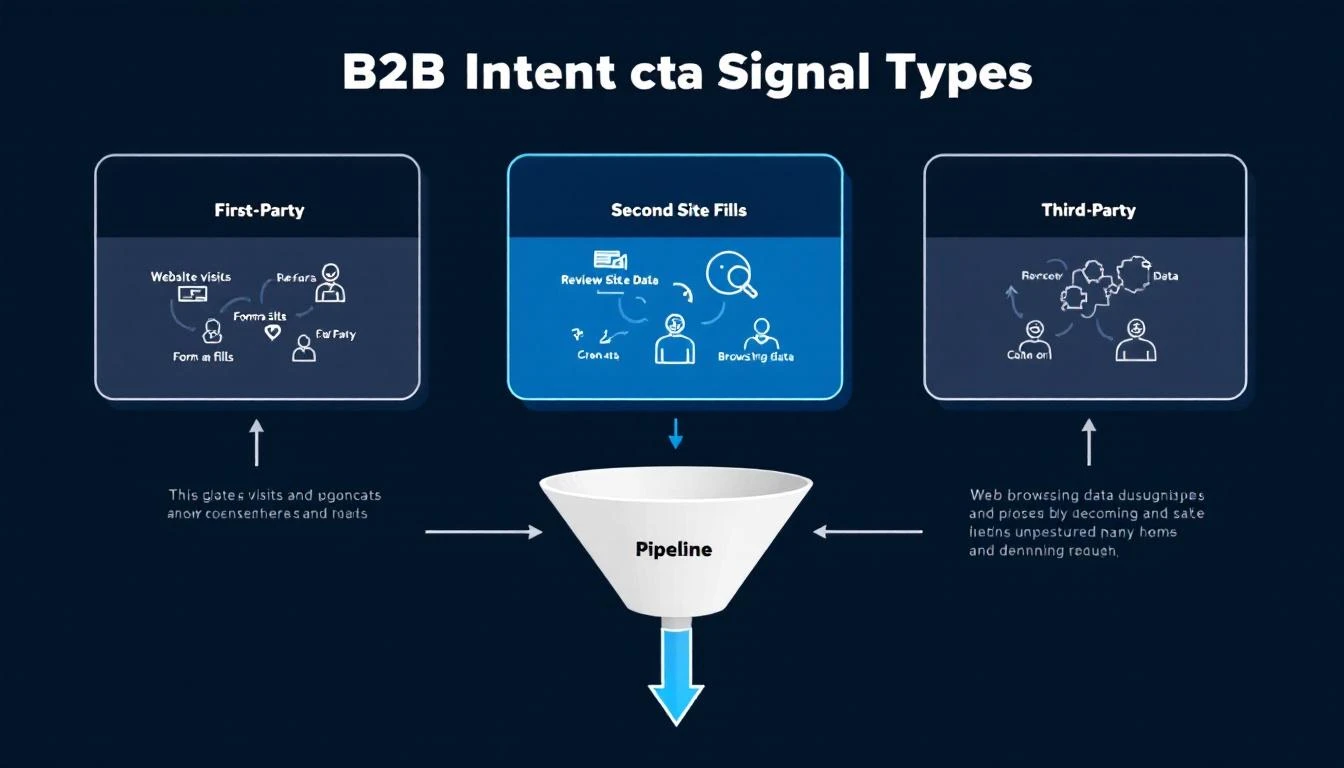
This infographic gives you a quick visual breakdown of the two main flavors of intent signals—first-party and third-party—and how they work together.

Infographic showing a hierarchy diagram of Buyer Intent Signals, with Intent Data at the top branching into First-Party and Third-Party data sources.

As you can see, the best strategies don't pick one or the other. They blend the deep, specific insights from your own properties with the broad, early-stage awareness you get from tracking activity across the web.

Before Intent Data: A World of Guesswork

Picture a typical B2B sales team running without these insights. Their days are a grind of cold calls and generic email blasts fired off to massive lists. The only qualification is a loose fit with their ideal customer profile. It’s a numbers game, and the odds are not in their favor.

  • Marketing's Grind: The marketing team is working hard, pushing out gated content to generate leads. The problem is, many of these "leads" are just tire-kickers or researchers with zero buying plans, flooding the pipeline with low-quality MQLs.
  • Sales' Frustration: Reps get this mixed bag of leads and start dialing for dollars, but they’re flying blind. They have no idea if a prospect is actually evaluating solutions or just grabbed an ebook. This leads to abysmal connection rates and conversations that die on the vine.

This old way of doing things is inefficient and demoralizing. Marketing can't prove its ROI, and sales reps burn out chasing ghosts.

After Intent Data: Precision and Personalization

Now, let's look at that same team, but armed with intent data. The whole playbook changes.

When you layer in intent signals, your teams stop shouting into the void and start having timely, relevant conversations that actually drive revenue. It completely changes the dynamic from an interruption to a welcome, value-packed conversation.

This isn't a niche strategy anymore; it's becoming the standard. A recent study found that 67% of B2B organizations now use intent data for digital advertising, and 57% use it for lead generation. The impact is undeniable, with companies reporting a 25% jump in sales productivity and revenue after putting these strategies into play.

Here’s what their day-to-day looks like now:

  • Hyper-Personalized Outreach: Marketing sees a target account is suddenly researching "AI-powered analytics." Instantly, they can serve ads and content about that exact topic, making their outreach feel less like an ad and more like a helpful suggestion.
  • A Prioritized Hotlist: Sales no longer gets a random spreadsheet of names. They get a dynamic, prioritized list of accounts showing strong buying signals—like comparing vendors or binge-watching product demos. For a closer look at how to structure this, our guide on sales enablement best practices is a great resource.
  • Dramatically Shorter Sales Cycles: Reps are talking to people who are already problem-aware and solution-hunting. They get to skip the remedial "what we do" pitch and jump right into solving the prospect's specific challenges, closing deals faster.

This targeted approach doesn't just make your team more efficient—it creates a better experience for the customer. Prospects feel seen and understood because every interaction speaks directly to what's on their mind right now. For more on how AI is sharpening these efforts, check out this piece on AI-Powered Lead Generation Strategies. It’s a perfect example of moving from guesswork to a data-guided strategy that delivers real results.

Putting Intent Data to Work with Actionable Playbooks

Knowing about intent data is one thing. Actually using it to generate pipeline? That's the whole ballgame. Without a clear plan, even the most powerful signals are just noise. This is where actionable playbooks come in.

Think of them as simple, repeatable processes that your teams can run to turn those abstract signals into real conversations and opportunities. They’re not complex theories—they're practical workflows for your marketing, sales, and even customer success teams.

A person at a desk looking at a computer screen with charts and graphs, representing the analysis of intent data for actionable insights.

A Playbook for Marketing Hyper-Targeted Campaigns

For marketing teams, the biggest leak is often budget spent on accounts that just aren’t listening. Intent data lets you plug that leak. It helps you focus your ad spend with surgical precision, making sure every dollar goes toward accounts actively researching what you sell.

Here’s a simple playbook for building hyper-targeted ad campaigns that actually work:

  1. Build Your High-Intent Audience: Start with a dynamic list of accounts showing strong third-party intent signals for your core topics. For instance, you could create a list of companies surging on keywords like "customer data platform" or "marketing automation software."
  2. Match Your Content to Their Intent: This is key. Stop serving generic brand ads. If an account is researching "AI-powered analytics," your ad creative and landing page need to speak directly to that pain point. Align your message with their immediate curiosity.
  3. Launch and Nurture: Run targeted ads on platforms like LinkedIn, focusing exclusively on this high-intent audience. Once they click and become first-party contacts, you can move them into nurture sequences with deeper content on the topics you already know they care about.

This isn’t your typical demand gen spray-and-pray. Instead of casting a wide net, you’re using a powerful magnet to attract the very accounts that are already out there looking for you.

The core shift is from an interruptive model to a timely one. You’re no longer hoping the right person sees your ad; you’re ensuring the right ad reaches the right account at the exact moment they need it.

A Playbook for Sales Prioritized Outreach

For sales reps, time is everything. Intent data stops them from wasting hours chasing cold leads and instead points them toward accounts that are actually ready to talk. This playbook is all about prioritizing outreach and personalizing the message.

  • Create an Intent-Based "Hot List": Your reps should start their day with a prioritized list, not an alphabetical one. This list should be ranked by an intent score that combines third-party topic surges with first-party engagement (like someone from their company visiting your pricing page).
  • Arm Reps with Context: Before a rep ever picks up the phone, they should know why an account is on their list. The data should tell them the specific topics being researched, like "competitor A vs. competitor B" or "best CRM for small business."
  • Craft Hyper-Relevant Messaging: With this context, reps can ditch the generic templates. Instead of a bland "just checking in" email, they can lead with something sharp: "I saw your team is exploring solutions for streamlining sales workflows, so I thought you'd find this case study useful."

This simple process transforms a cold call into a warm, helpful conversation. You can see how this works in practice by exploring different AI lead scoring models, which are often fueled by these exact types of signals.

A Playbook for Customer Success Proactive Engagement

Intent data isn't just for landing new logos; it's a secret weapon for retention and expansion. Your customer success team can use it to spot risks and opportunities long before they ever show up in your product analytics.

This playbook focuses on two critical signals: churn risk and upsell potential.

Signal TypeExample Intent SignalActionable CS Playbook
Churn RiskA current customer suddenly starts researching your top competitors or topics like "how to migrate from [Your Product]."Proactively schedule a business review. Get in front of the issue, address their challenges, and reinforce your value before they make a decision.
Upsell OpportunityAn existing customer begins researching topics related to a premium feature or another product line you offer.Reach out with a tailored guide or a quick demo showing how your advanced features solve the exact problem they're looking into.

By monitoring these external signals, your customer success team can shift from being reactive to being truly proactive and strategic. It’s a move that not only cuts churn but also uncovers new revenue from your happiest customers.

Choosing the Right Intent Data Platform for Your Business

Okay, you see the power of intent data. Now for the tricky part: picking the right tool to actually use it. The market for these platforms is blowing up, which is great news and bad news. It shows that intent data isn't a fad; it's a fundamental shift in how smart companies go to market.

In 2023, the B2B buyer intent data tools market was already valued at roughly USD 1.2 billion. The crazy part? It's expected to rocket to USD 4.8 billion by 2032. This explosion means you’ve got options, but you also have to cut through a ton of noise. You can explore the full forecast on the B2B buyer intent data tools market if you want to dig deeper into the numbers.

Picking a platform isn't like buying a list of names. It's an investment in a system that needs to deliver clean, actionable signals. Get it wrong, and you’re just burning cash and frustrating your sales team. Get it right, and you’ve built yourself a serious competitive advantage.

Evaluating Data Quality and Scope

This is the first and most important question you need to ask: where does the data actually come from? Not all intent data is created equal, and a provider's collection method directly shapes the quality of the signals you'll get.

Here’s what to grill potential vendors on:

  • Data Collection Method: Do they use a private data co-op (like Bombora) where publishers opt-in to share visitor data? Or are they just scraping bidstream data from the wild west of ad exchanges? Co-op data is almost always the cleaner, more reliable choice.
  • Topic Coverage: Take a hard look at their topic library. Does it actually map to your industry and what you sell? If you have a niche product, you need a provider that tracks specific, relevant keywords, not just broad, useless categories.
  • Data Freshness: How often is the data pipeline refreshed? Intent signals go stale fast. If the data isn't real-time or close to it, you’re showing up to the party after everyone’s gone home.

Choosing a provider is like choosing a scout for your sales team. You need one who knows the terrain (your industry), has reliable sources, and reports back quickly before the opportunity disappears.

Assessing Platform Integration and Usability

The smartest data on earth is worthless if it's trapped in a silo. If your team has to jump through hoops just to use the information, you’ve taken a step backward. Seamless integration with the tools you already use isn't a nice-to-have; it's the whole point.

Think about it this way—what you want versus what you absolutely need to avoid:

Must-Have FeatureCommon Pitfall to Avoid
Native CRM Integration: The platform should push intent scores and topics right into your Salesforce or HubSpot account records, automatically.Manual CSV Exports: If the workflow involves someone constantly downloading and uploading spreadsheets, run. It’s a recipe for wasted time and stale data.
User-Friendly Interface: Your sales and marketing folks should be able to log in and find what they need without a user manual. The dashboard has to be intuitive.Complex, Unwieldy Platform: Avoid any system that feels like it needs a data scientist to operate it. That just creates a bottleneck that slows everyone down.

Ultimately, the platform has to make your team’s job easier, not add another chore to their list. Before you even think about signing a contract, demand a live demo with your core users in the room. Ask tough questions about their customer support and onboarding.

A real partner will give you the training and resources to make sure your team can hit the ground running. The goal is to find a tool that empowers action, not just one that spits out data.

Building a Winning Intent Data Strategy from the Ground Up

Buying an intent data tool is the easy part. The hard part is knowing what to do with it. It’s like getting a set of professional chef’s knives but having no recipe—you’ve got the right equipment, but you’re still just guessing.

A real strategy is the recipe that turns raw data into actual pipeline. Without one, even the best tool will just sit on the shelf gathering dust.

The first step is to get specific. Vague goals like "get more leads" don't work because they give your team nothing to aim for. You need a clear finish line that everyone can see and measure their progress against.

A much stronger goal sounds like this: "Increase sales-qualified meetings with our top-tier target accounts by 20% in the next quarter." Now that’s a target everyone can rally behind.

Aligning Sales and Marketing for Success

One of the quickest ways for an intent data program to fail is a disconnect between sales and marketing. This happens all the time. Marketing sees a huge spike in research activity, gets excited, and lobs it over the fence to sales.

But if the sales team doesn't trust the signal or understand the context, that lead goes straight to the bottom of the pile. This friction burns time, creates frustration, and makes both teams feel like they’re wasting their effort.

The only way to prevent this is to get both teams in a room to agree on what an "intent-qualified" account actually looks like. You need a unified scoring model that everyone buys into.

A successful intent data strategy is built on a shared language between sales and marketing. When both teams see the same signals and agree on what they mean, you eliminate friction and accelerate the entire sales process.

For instance, you might agree that an account showing a third-party topic surge plus a first-party visit to your pricing page qualifies for immediate sales outreach. That simple definition ensures everyone is on the same page and knows exactly when—and how—to act.

The Pilot Program Approach

Whatever you do, don't try to roll out your new strategy to the entire company at once. That's a classic recipe for disaster. The smart play is to start small with a dedicated pilot program. This lets you test your ideas, iron out the kinks, and prove the value in a controlled setting.

Here’s why a pilot beats a full-scale rollout every time:

AspectFull-Scale RolloutPilot Program
RiskHigh. One misstep can derail the entire GTM team.Low. Failures are contained and become learning opportunities.
SpeedSlow to adapt. Changing course is like turning a battleship.Agile. You can pivot and optimize based on what you learn.
Buy-InHard to get without proven results.Creates internal champions who can vouch for the program's success.
InvestmentLarge upfront commitment of time, budget, and resources.Smaller, manageable initial investment.

Your pilot team should be a small, hand-picked group of your most motivated sales reps and marketers. Give them a clear goal, a specific list of target accounts, and a defined timeline. The wins they generate will become the internal case study you need to get everyone else on board.

Finally, set up strong data governance from day one. You need clear rules for how data is collected, managed, and used. A solid governance plan ensures your intent data remains a reliable, high-value asset that fuels your growth engine for years to come.

Got Questions About Intent Data? We've Got Answers.

Jumping into the world of intent data always brings up a few questions. It’s a powerful idea, but the "how-to" part can feel a bit fuzzy at first. Let's clear up some of the most common things teams ask when they're figuring out what this stuff is and how to actually use it.

Think of this as the practical guide to moving from "what if" to "what's next."

How Is Intent Data Different from Regular Lead Scoring?

It's like the difference between a resume and a live conversation.

Traditional lead scoring is the resume. It’s a snapshot based on static info—things like company size, industry, a person's job title, and maybe some past actions like downloading a whitepaper. It’s a good backward-looking summary of who they are.

Intent data is the live conversation. It tells you what a prospect is thinking about and researching right now. It’s dynamic, it’s about the present, and it’s way more predictive of who is actually ready to buy.

The smartest teams don't pick one over the other; they blend them. When you layer real-time intent signals on top of your existing lead scoring, you create a powerful machine that flags accounts that are both a great fit and actively showing interest.

Can Small Businesses Actually Use Intent Data?

Absolutely. It used to be an enterprise-only game, but that has changed completely. The technology is far more accessible now, and many platforms offer pricing and integrations that play nicely with the CRMs and marketing tools that small and mid-sized businesses already use.

The trick is to start smart, not big:

  • Nail down your ICP: Don't try to track the entire internet. Focus only on the topics and keywords that matter most to your ideal customer.
  • Use your own backyard first: Your own website is a goldmine. Start with affordable tools that track visitor activity there to build a solid foundation of first-party intent.
  • Run a pilot program: Instead of a massive rollout, pick one specific goal. For example, use intent data just to target your top 10 dream accounts. Prove the ROI there, then expand.

How Do You Even Measure the ROI of This Stuff?

Proving the return on your investment is everything—it’s how you get buy-in and justify the spend. You need to connect the dots between your intent data activities and real business results.

First, get a baseline of your performance before you start. Then, measure the lift in a few key areas:

  • Sales Cycle Length: Are deals that started with an intent signal closing faster than your average?
  • Meeting Conversion Rates: What’s the percentage of meetings booked from outreach to high-intent accounts versus your standard outreach?
  • Pipeline Velocity: Is your team moving more qualified deals through the pipeline every quarter?
  • Average Deal Size: Are the deals sourced from intent data turning into larger contracts?

Tracking these numbers gives you the hard evidence you need to show exactly how intent data is impacting the bottom line.


Ready to transform your marketing from guesswork to a data-driven powerhouse? marketbetter.ai integrates powerful AI across your entire marketing strategy, from content creation to campaign optimization. See how you can achieve 5x faster content creation and a 15% improvement in campaign conversions. Learn more and book a demo today!