19 posts tagged with "intent data"

View All Tags

7 Best Koala Alternatives in 2026 (After the Cursor Acquisition & Shutdown)
Β· 9 min read

Best Koala alternatives for B2B visitor identification and intent data in 2026

Koala is gone.

In July 2025, Cursor (the AI code editor company) acqui-hired the Koala team. By September 30, 2025, the product was fully shut down. No migration path. No data export. No "we'll keep the lights on." Just gone β€” five months after raising a $15M Series A from CRV and HubSpot Ventures.

If you were one of Koala's customers β€” companies like Retool, Sanity, Vercel, or OneSignal β€” you've already had to find a replacement. If you're still searching, or if you picked something in a rush and it's not working, this guide compares 7 alternatives that cover what Koala did best: intent signals, visitor identification, and actionable sales plays.

What Made Koala Different (and What to Replace)​

Koala wasn't just another visitor ID tool. It had three things that made it sticky:

  1. Intent Signals + Product Usage Data β€” Koala combined website visits with product telemetry (signups, feature usage, documentation views) to surface accounts showing real buying behavior, not just page views.
  2. Plays β€” Automated workflows that turned signals into specific sales actions. Not just "Company X visited your pricing page" but "Here's what to do about it."
  3. PLG-Friendly Architecture β€” Built for product-led growth companies where self-serve signups and enterprise upsells coexist.

Any real Koala replacement needs to handle at least two of these three. Here's who does.


Quick Comparison: Best Koala Alternatives​

ToolBest ForStarting PriceVisitor IDIntent SignalsAction EngineG2 Rating
MarketBetterFull SDR workflow$99/user/monthβœ…βœ…βœ… Daily Playbook4.97/5
WarmlyReal-time chat + ID$700/moβœ…βœ…βœ… Orchestrator4.7/5
6senseEnterprise ABM~$25K+/yrβœ…βœ…βš οΈ Complex4.3/5
Clearbit (Breeze)HubSpot-nativeBuilt into HubSpotβœ…βš οΈ Basic❌4.4/5
SnitcherBudget-friendly ID$49/moβœ…βš οΈ Basic❌4.8/5
RB2BPerson-level ID (US)Free tierβœ…βš οΈ Hot Pages❌4.4/5
Common RoomCommunity signalsContact salesβš οΈβœ…βš οΈ4.5/5

1. MarketBetter β€” Best Overall Koala Replacement​

Why it replaces Koala: MarketBetter combines visitor identification with a Daily SDR Playbook that tells reps exactly who to contact, what to say, and which channel to use. Where Koala had "Plays," MarketBetter has the playbook β€” but it goes further by including a smart dialer, email automation, and an AI chatbot in one platform.

What Koala users will love:

  • Intent signals β†’ actions. Koala surfaced intent. MarketBetter surfaces intent AND tells your team what to do with it. No more staring at a dashboard wondering who to call first.
  • Website visitor identification across all plans β€” company and person-level.
  • AI chatbot that engages visitors in real time (something Koala never offered).
  • Pre-meeting briefs automatically generated before every sales call.

What's different from Koala:

  • MarketBetter is built for outbound-heavy SDR teams, not PLG self-serve motions. If your primary workflow was tracking product signups and feature adoption, you'll need to supplement with a product analytics tool.
  • Pricing starting at $99/user/month β€” more than Koala's free tier, but you're getting execution tools (dialer, email, chatbot) that Koala never had.

Pricing: $99/user/month. Growth at $1,500/mo adds the full SDR dashboard and playbook.

G2 Rating: 4.97/5 (highest-rated in category)

See how MarketBetter replaces Koala's workflow β†’


2. Warmly β€” Best for Real-Time Engagement​

Why it replaces Koala: Warmly combines visitor identification with real-time chat orchestration. When a target account lands on your site, Warmly can automatically route them to a rep, trigger a chatbot, or start a Slack alert β€” similar to Koala's intent-based automation.

What Koala users will love:

  • Real-time visitor identification with de-anonymization
  • Automated orchestration workflows (comparable to Koala's Plays)
  • Chat, email, and LinkedIn outreach from one platform
  • Strong Salesforce and HubSpot integrations

What's different from Koala:

  • No product usage tracking β€” Warmly focuses on website behavior, not in-app signals
  • Pricing starts higher at ~$700/mo
  • More focused on inbound engagement than outbound prospecting

Pricing: Starts around $700/mo. Enterprise pricing available.

G2 Rating: 4.7/5 (91 reviews)

Read our full Warmly comparison β†’


3. 6sense β€” Best for Enterprise ABM Teams​

Why it replaces Koala: 6sense is the enterprise-grade intent platform. It aggregates buying signals from across the web (not just your site), scores accounts by buying stage, and predicts which accounts are in-market. Koala's intent signals were impressive for a startup β€” 6sense does it at enterprise scale.

What Koala users will love:

  • Best-in-class intent data from thousands of B2B publishers
  • Account scoring by buying stage (awareness β†’ decision)
  • Predictive analytics that forecast pipeline
  • Massive data enrichment capabilities

What's different from Koala:

  • Dramatically more expensive β€” typically $25K-$100K+/year
  • Complex implementation (weeks, not minutes)
  • Overkill for teams under 50 people
  • No product usage tracking

Pricing: Custom pricing, typically $25K+/year. No free tier.

G2 Rating: 4.3/5 (877 reviews)

Read our full 6sense comparison β†’


4. Clearbit (Now HubSpot Breeze) β€” Best for HubSpot Users​

Why it replaces Koala: Clearbit was acquired by HubSpot in late 2023 and rebranded as Breeze Intelligence. If you're already in HubSpot's ecosystem, this is the path of least resistance β€” visitor identification and enrichment built directly into your CRM.

What Koala users will love:

  • Native HubSpot integration (zero setup for HubSpot customers)
  • Company and contact enrichment on autopilot
  • Form shortening that increases conversion rates
  • Reliable company-level identification

What's different from Koala:

  • No standalone product anymore β€” requires HubSpot
  • Intent signals are basic compared to what Koala offered
  • No action engine or playbook equivalent
  • Enrichment credits can get expensive at scale

Pricing: Included in HubSpot plans with credit-based enrichment.

G2 Rating: 4.4/5 (616 reviews)

Read our full Clearbit comparison β†’


5. Snitcher β€” Best Budget Option for Visitor ID​

Why it replaces Koala: If you primarily used Koala for company-level website visitor identification and want to keep costs low, Snitcher delivers the highest match rates in the category at a fraction of the price. They don't gate features behind enterprise tiers β€” every customer gets the full platform.

What Koala users will love:

  • Industry-leading identification rates (they publicly challenge competitors to bake-offs)
  • Pricing from $49/mo (annual) β€” far cheaper than Koala's Business plan
  • All features included on all plans (no feature gating)
  • Strong GA4 integration and real-time alerts
  • GDPR compliant with clean firmographic data

What's different from Koala:

  • Company-level only β€” no person-level identification or product usage tracking
  • No intent scoring or buying stage prediction
  • No action engine β€” you still need outreach tools separately
  • Primarily a data provider, not a workflow tool

Pricing: $49/mo (annual) or $79/mo (monthly). Free 14-day trial.

G2 Rating: 4.8/5

Read our full Snitcher comparison β†’


6. RB2B β€” Best Free Option for Person-Level ID (US Only)​

Why it replaces Koala: RB2B is the only tool offering person-level visitor identification with a free tier. Where Koala identified companies, RB2B identifies actual people β€” LinkedIn profiles pushed directly to Slack. For US-focused teams that want to know exactly who visited, not just which company, RB2B fills a gap.

What Koala users will love:

  • Person-level identification (LinkedIn URLs, not just company names)
  • Free tier with 150 monthly resolutions
  • Slack-native alerts feel similar to Koala's notification workflow
  • Hot Pages feature flags high-intent visits

What's different from Koala:

  • US-only for person-level ID β€” international traffic gets company-level only
  • Match rates are 15-20% on basic, 35-45% on Pro+
  • No intent scoring, no product usage tracking, no buying stage prediction
  • Limited integrations on free/starter plans (Slack only)
  • No action engine β€” it identifies, it doesn't tell you what to do

Pricing: Free ($0/mo, 150 resolutions), Starter ($79/mo), Pro ($149/mo), Pro+ ($199/mo).

G2 Rating: 4.4/5

Read our full RB2B comparison β†’


7. Common Room β€” Best for Community-Led Growth​

Why it replaces Koala: If your team used Koala heavily for product signals and community engagement tracking, Common Room is the closest philosophical match. It aggregates signals from GitHub, Discord, Slack communities, social media, and your product β€” similar to how Koala combined website + product signals.

What Koala users will love:

  • Multi-signal aggregation (community, product, website, social)
  • Person-level identity resolution across platforms
  • Workflow automation based on signal combinations
  • Strong fit for developer-focused and PLG companies

What's different from Koala:

  • Primarily community-signal focused β€” website visitor ID is secondary
  • Contact sales for pricing (typically enterprise-level)
  • Heavier implementation than Koala's quick pixel install
  • Less focused on traditional outbound sales workflows

Pricing: Contact sales. Generally enterprise pricing.

G2 Rating: 4.5/5

Read our full Common Room comparison β†’


Choosing Your Koala Replacement: Decision Framework​

The right alternative depends on what you actually used Koala for:

If you used Koala primarily for visitor identification:​

β†’ Snitcher (budget) or MarketBetter (full platform). Both identify visitors reliably. Snitcher is cheaper; MarketBetter adds the action layer.

If you used Koala for intent-based sales plays:​

β†’ MarketBetter or Warmly. Both have action engines that turn signals into specific next steps for reps. MarketBetter's Daily Playbook is the closest equivalent to Koala's Plays feature.

If you used Koala for product usage signals + visitor ID:​

β†’ Common Room for the signal aggregation, combined with MarketBetter or Snitcher for visitor identification. No single tool perfectly replicates Koala's product-usage-to-intent pipeline.

If you're enterprise and need buying stage prediction:​

β†’ 6sense. It's expensive and complex, but it's the gold standard for intent data at scale.

If you want person-level identification:​

β†’ RB2B (US-only, budget) or MarketBetter (person + company-level across plans).


The Bottom Line​

Koala built something genuinely innovative β€” combining product signals with visitor identification and turning it all into actionable plays. No single replacement does everything Koala did. But the tools above, individually or in combination, cover every use case Koala served.

The market has moved fast since Koala's shutdown. Visitor identification is table stakes now. The real differentiator is what happens after identification β€” and that's where platforms like MarketBetter (with its Daily Playbook, smart dialer, and AI chatbot) have pulled ahead of what Koala ever offered.

Still evaluating? Book a demo with MarketBetter to see how the Daily SDR Playbook replaces Koala's Plays with a complete execution layer.

Building a Lead Scoring Model Without a Data Team

Β· 11 min read
MarketBetter Team
Content Team, marketbetter.ai

🟑 Series Difficulty: MEDIUM (Part 6 of 10) β€” Uses research skills from Part 2 and connects to MarketBetter's signal data. The most analytical post so far.

Every SDR knows the frustration: you've got 200 leads in your queue, and they all look the same. Same priority level. Same generic tags. No clear signal about who to call first.

So you do what every SDR does β€” you start at the top of the list and work your way down. Or you sort alphabetically. Or you go with gut instinct. None of these are strategies. They're survival mechanisms.

Meanwhile, the enterprise sales teams down the hall have sophisticated lead scoring models built by data teams, powered by Marketo or HubSpot, with algorithms that predict which leads are most likely to convert. You don't have that. You don't have a data team. You don't have a marketing ops person who can build predictive models. You have a CRM, a list of leads, and a quota.

Here's the good news: you can build a lead scoring model in 30 minutes using Claude Code. It won't be as sophisticated as a machine-learning-powered enterprise system. But it'll be 10x better than alphabetical sorting. And when you pair it with MarketBetter's daily playbook, you'll have a complete system for knowing exactly who to call first, every morning.

This is Part 6 of our Claude Code + MarketBetter series β€” the last of the Medium-level posts. In the Basic posts (Parts 1-3), you learned to research and write. In Parts 4 and 5, you built multi-step workflows for LinkedIn and competitive intel. Now you're going to do something more analytical: use Claude Code to build a system that makes decisions for you. You'll define scoring rules, apply them to data, and create a repeatable process that gets smarter over time.

If that sounds complex, don't worry. The Claude Code prompts are just as straightforward as the ones you've been using. You're just asking slightly more structured questions.

Let's build your scoring model.

What Is Lead Scoring (and Why Do You Need It)?​

Lead scoring assigns a numerical value to each lead based on how likely they are to buy. Higher score = more likely to convert = call them first.

Simple concept. But most scoring models fail because they're either:

  • Too complex β€” Built by data teams with 47 variables that nobody understands
  • Too simple β€” "Enterprise = high priority" doesn't tell you anything useful
  • Too static β€” Set once and never updated, even as your market changes
  • Disconnected from action β€” Great model, but nobody uses it in their daily workflow

The model we're going to build avoids all of these traps. It uses three categories of signals, is easy to understand, and plugs directly into your MarketBetter daily playbook.

For a deeper dive on scoring best practices, check out our lead scoring best practices guide.

The Three Pillars of SDR Lead Scoring​

Your scoring model is built on three pillars:

Pillar 1: Firmographic Fit (Does this company match our ICP?)​

This is the "who are they?" question. It includes:

  • Company size (employee count or revenue)
  • Industry
  • Geography
  • Technology used
  • Funding stage

Pillar 2: Behavioral Signals (Are they actively interested?)​

This is the "what are they doing?" question:

  • Website visits (especially high-intent pages like pricing)
  • Email engagement (opens, clicks, replies)
  • Content downloads
  • Social media interactions
  • Event attendance

Pillar 3: Timing Signals (Is now the right moment?)​

This is the "when is the right time?" question:

  • Recent funding rounds
  • Leadership changes
  • Job postings in relevant departments
  • Competitor contract renewals
  • Seasonal buying patterns

Each pillar contributes to a total score. The leads with the highest combined score get your attention first.

Step-by-Step: Building Your Model with Claude Code​

Step 1: Define Your Ideal Customer Profile​

Before you can score leads, you need to know what a great lead looks like. Ask Claude Code:

"Help me define my Ideal Customer Profile (ICP). I sell [your product] to [your market]. My best customers tend to be:

  • Company size: [range]
  • Industry: [industries]
  • Typical buyer title: [titles]
  • Common pain points: [pains]

Based on this, create a firmographic scoring rubric with a 0-30 point scale. Give me the exact criteria for each score level."

Claude Code returns something like:

Firmographic Scoring (0-30 points)

CriteriaPointsDetails
Company Size0-101-49 employees: 2pts, 50-200: 7pts, 201-500: 10pts, 500-1000: 8pts, 1000+: 5pts
Industry0-10SaaS/Tech: 10pts, Financial Services: 8pts, Healthcare: 6pts, Manufacturing: 3pts, Other: 1pt
Geography0-5US: 5pts, UK/Canada: 4pts, Western EU: 3pts, Other: 1pt
Funding Stage0-5Series A-C: 5pts, Seed: 3pts, Bootstrapped: 2pts, Public: 2pts

Notice how the scoring reflects YOUR specific ICP. A 200-person SaaS company in the US scores higher than a 5,000-person manufacturer in Asia β€” because that's who buys from you.

Step 2: Build the Behavioral Scoring Component​

Now add the engagement signals. This is where MarketBetter's data becomes critical:

"Now create a behavioral scoring rubric (0-40 points) based on these engagement signals I can track:

  • Website visits (from MarketBetter visitor identification)
  • Pages visited (pricing page, case studies, product pages)
  • Visit frequency (one-time vs. return visitor)
  • Email engagement (opens, clicks, replies)
  • LinkedIn engagement (profile views, connection accepts, post interactions)

Weight the signals by purchase intent. A pricing page visit is more valuable than a blog page visit."

Claude Code returns:

Behavioral Scoring (0-40 points)

SignalPointsDetails
Pricing page visit10Single strongest buying signal
Case study/testimonial page7Evaluating social proof
Product/feature pages5Active research phase
Blog/content visit2Awareness stage
Return visitor (2+ sessions)8Sustained interest
Multi-page session (3+ pages)5Deep engagement
Email opened (2+ times)3Interest but not action
Email link clicked5Active engagement
Email replied8Direct interest
LinkedIn connection accepted3Openness to conversation

Step 3: Build the Timing Scoring Component​

Finally, add signals that indicate the timing is right:

"Create a timing/trigger scoring rubric (0-30 points) based on these signals:

  • Recent funding announcement
  • Executive leadership changes
  • Job postings in relevant departments
  • Company expansion/new office
  • Technology changes or migrations
  • Contract renewal season (if known)

Weight by urgency of the buying window."

Claude Code returns:

Timing Scoring (0-30 points)

SignalPointsDetails
New funding (last 60 days)8Budget available, growth mandate
New CRO/VP Sales (last 90 days)7New leaders bring new tools
Hiring SDRs/AEs (active postings)6Scaling sales = needs tools
Hiring demand gen/marketing5Building pipeline infrastructure
Technology migration announced6Open to new vendors
Competitor contract likely up for renewal5Evaluation window
Expansion/new market entry4Growing pains = new needs

Step 4: Score Your Existing Leads​

Now apply the model. Export your lead list from your CRM and feed it to Claude Code:

"I have a list of 100 leads. Apply this scoring model to each one:

[paste your scoring rubrics]

For each lead, I have:

  • Company name, size, industry, geography
  • Website visit data from MarketBetter (pages visited, frequency)
  • Email engagement data (opens, clicks, replies)
  • Any known trigger events

Score each lead across all three pillars, calculate the total, and rank them from highest to lowest. Group them into tiers:

  • Hot (70-100): Call immediately
  • Warm (40-69): Prioritize this week
  • Cool (20-39): Nurture sequence
  • Cold (0-19): Low priority

Here's the data: [paste your lead list with available data]"

In 2-3 minutes, you have a fully scored, prioritized lead list. No data team required.

Using MarketBetter's Daily Playbook as the Execution Layer​

A scoring model is useless if it doesn't change your daily behavior. Here's how to connect your Claude Code scoring model to your MarketBetter workflow:

The Morning Ritual (10 minutes)​

  1. Check MarketBetter's daily playbook β€” New website visitors, return visitors, engaged prospects
  2. Apply your scoring model β€” New behavioral signals from overnight activity change scores
  3. Identify your Hot tier β€” These are your first calls of the day
  4. Identify new entrants to Warm tier β€” Prospects who were Cool but just visited your pricing page. They jumped tiers overnight.
  5. Execute β€” Start with the highest-scored leads and work down

Signal-Triggered Score Updates​

MarketBetter sends you real-time signals throughout the day. Each signal should update your mental scoring:

  • Prospect visited pricing page β†’ +10 points. If they were Warm, they're now Hot. Call them.
  • Prospect opened your email 3 times β†’ +5 points. They're interested. Send a follow-up.
  • Prospect visited your site from a new device β†’ +3 points. They might be sharing your site with colleagues. Multi-stakeholder interest.
  • Cold lead returned to your site β†’ Re-score them entirely. They might have jumped from Cold to Warm in one visit. (More on re-engagement in Part 9.)

Automated Scoring with MarketBetter​

MarketBetter's built-in engagement tracking does much of the behavioral scoring automatically. Your Claude Code model handles the firmographic and timing scoring that MarketBetter doesn't cover. Together, they give you a complete picture.

For more on how intent data drives this process, read our guide to what intent data is and how it drives growth.

Refining Your Model Over Time​

Your first scoring model won't be perfect. That's fine. Here's how to improve it:

Monthly Review (15 minutes)​

"Here are my last month's results:

  • 15 leads scored Hot β†’ 8 converted to meetings (53%)
  • 30 leads scored Warm β†’ 6 converted to meetings (20%)
  • 45 leads scored Cool β†’ 2 converted to meetings (4%)
  • 10 leads scored Cold β†’ 0 converted to meetings (0%)

Also, 3 meetings came from leads scored Cool or Cold. Here's what those leads had in common: [details]

Based on this data, what adjustments should I make to my scoring model? Are any signals over- or under-weighted?"

Claude Code will analyze the conversion data and suggest specific adjustments. Maybe pricing page visits should be worth 15 points instead of 10. Maybe industry scoring needs recalibration. Make the adjustments and run the updated model.

The Feedback Loop​

Over 3-6 months, your scoring model gets increasingly accurate because you're refining it based on actual conversion data. This is essentially what data teams do with machine learning β€” just simpler and driven by your domain expertise instead of algorithms.

Advanced: Multi-Persona Scoring​

If you sell to multiple buyer personas, you might need different scoring models for each:

"I sell to two different personas:

Persona 1: VP of Sales (cares about pipeline and team productivity) Persona 2: RevOps Leader (cares about data quality and tech stack efficiency)

Create separate behavioral scoring rubrics for each persona. A VP of Sales visiting a case study page is different from a RevOps leader visiting an integration page β€” weight them differently."

This gives you nuanced prioritization. A RevOps leader on your integrations page might score higher than a VP of Sales on your blog β€” even though the VP is the more senior title β€” because the RevOps behavior signals active evaluation.

Common Scoring Mistakes to Avoid​

  1. Over-weighting title/seniority β€” A Director who's actively researching is more valuable than a VP who isn't
  2. Ignoring negative signals β€” Unsubscribes, bounced emails, and "not interested" replies should decrease scores
  3. Scoring once and forgetting β€” Scores should be dynamic, updated with every new signal
  4. Too many tiers β€” Hot/Warm/Cool/Cold is enough. Don't create 10 tiers that nobody can remember
  5. Ignoring the denominator β€” If your Hot leads aren't converting at a higher rate than Warm leads, your model isn't working
Free Tool

Try our AI Lead Generator β€” find verified LinkedIn leads for any company instantly. No signup required.

Try This Today​

Here's your concrete action item:

  1. Open Claude Code and use the prompts from Steps 1-3 above to build your scoring rubrics
  2. Pick 20 leads from your current queue
  3. Score them manually using your new model (estimate where you can)
  4. Sort them by score and compare the order to how you would have prioritized them with gut instinct
  5. Work the list in score order for one week and track your results

Most SDRs find that their intuition was right about 60-70% of the time. A scoring model gets you to 80-90%. That 20-30% improvement in prioritization translates directly to more meetings with less effort.


This is Part 6 (🟑 Medium) of our 10-part series. You've completed the Medium tier! Next up: Part 7: CRM Cleanup in Minutes β†’ β€” your first Advanced-level post.

MarketBetter's daily playbook surfaces the behavioral signals that power your lead scores. Book a demo to see how it works.

Best B2B Buying Signal Tools for Sales Teams [2026]

Β· 15 min read
sunder
Founder, marketbetter.ai

Best B2B Buying Signal Tools 2026

Your SDRs are working from static lists. Meanwhile, your best prospects are visiting your pricing page, hiring for roles you solve, and researching your competitors β€” right now. Without buying signal tools, your team misses these windows entirely.

Buying signal tools capture real-time indicators that an account is in-market: website visits, job changes, funding rounds, technology adoption, content consumption, and competitive research. The difference between a cold call and a warm outreach often comes down to whether you caught the signal in time.

We evaluated 12 platforms across signal types, data freshness, action layer, and total cost of ownership. Here's what actually works for SDR teams in 2026.

What Are B2B Buying Signals?​

Buying signals are observable behaviors that indicate a company or contact is actively evaluating solutions in your category. They fall into several categories:

  • First-party signals: Website visits, pricing page views, content downloads, chatbot interactions, demo requests
  • Third-party intent signals: Research activity across publisher networks on topics relevant to your product
  • Job change signals: When a champion or buyer moves to a new company (and might bring your tool with them)
  • Firmographic signals: Funding rounds, hiring spikes, technology changes, company growth
  • Engagement signals: Email opens, ad clicks, event attendance, social interactions

The best tools combine multiple signal types and β€” critically β€” tell your SDRs what to DO with those signals, not just show a dashboard of data.

How We Evaluated​

CriteriaWhat We Looked For
Signal CoverageHow many signal types (first-party, intent, job change, firmographic)
Data FreshnessReal-time vs. daily vs. weekly signal delivery
Action LayerDoes it just show signals or tell reps what to do next?
Integration DepthCRM, email, dialer, Slack connectivity
Pricing TransparencyCan you find pricing without a demo?
SDR Workflow FitBuilt for reps or for data analysts?

1. MarketBetter β€” Signals + SDR Playbook in One Platform​

Best for: SDR teams that want signals converted into daily action items, not another dashboard to monitor.

MarketBetter doesn't just surface buying signals β€” it turns them into a daily SDR playbook. Website visitor identification, intent signals, email engagement, and chatbot interactions feed into a prioritized task list that tells each rep exactly who to contact, through which channel, and with what message.

Signal types covered:

  • Website visitor identification (company-level)
  • Chatbot engagement signals
  • Email open/click/reply tracking
  • Content download intent
  • Conference attendee signals
  • Champion job change tracking

What sets it apart: Most signal tools stop at "Company X is showing intent." MarketBetter goes further: "Call Sarah at Company X about their pricing page visit yesterday β€” here's a talk track based on what they viewed." The daily playbook eliminates the interpretation gap between signal and action.

Key capabilities:

  • AI-powered daily SDR playbook with prioritized accounts
  • Smart dialer for warm outbound calls
  • AI chatbot that engages visitors in real-time
  • Hyper-personalized email sequences triggered by signals
  • Multi-channel orchestration (email + phone + LinkedIn)
  • Conference scraper for event-based prospecting

Pricing: $99/user/month with full signal access. Standard plan at $1,500/month adds the SDR dashboard and expanded actions. No per-signal fees.

Integrations: Salesforce, HubSpot, major email providers, LinkedIn, Slack

Start a free trial β†’


2. Common Room β€” Community and Product Signal Aggregation​

Best for: Product-led growth companies tracking community activity alongside traditional intent.

Common Room aggregates signals from community platforms (Slack, Discord, GitHub, Stack Overflow), product usage, social media, and traditional intent sources into unified account profiles. It's designed for companies where community engagement is a meaningful buying signal.

Signal types covered:

  • Community activity (Slack, Discord, GitHub contributions)
  • Product usage patterns
  • Social media mentions and engagement
  • Website visits (via integrations)
  • Third-party intent data (via Bombora partnership)

Strengths: Unique community signal layer that no other platform offers. Strong for developer-focused companies where GitHub stars and Slack activity predict purchasing intent.

Limitations: The signal-to-action gap is real. Common Room shows you who's active but relies on your team to decide what to do. No built-in dialer, email sequencing, or automated playbook generation. You'll need additional tools to act on the signals.

Pricing: Free tier available. Team plan starts around $500/month. Enterprise pricing requires a demo.


3. UserGems β€” Champion Tracking and Job Change Signals​

Best for: Teams with a strong customer base who want to re-engage buyers when they change jobs.

UserGems specializes in one signal type and does it exceptionally well: job changes. When your champion or power user moves to a new company, UserGems alerts your team so you can re-engage them before a competitor does. This "follow the buyer" motion generates some of the highest-converting outbound.

Signal types covered:

  • Champion job changes (primary focus)
  • Past-customer new-company alerts
  • Hiring pattern signals
  • Organizational changes

Strengths: The champion tracking data is among the most accurate in the market. The signal is inherently warm β€” you're reaching out to someone who already knows and used your product.

Limitations: Narrow signal coverage. If you need website visitor ID, intent data, or engagement tracking, you'll need additional tools alongside UserGems. Pricing reflects the premium positioning.

Pricing: Revv Up plan starts at $12,000/year for tracking up to 10,000 contacts. Cruise plan starts at $18,000/year for broader account coverage. Add-ons available for org charts and database cleanup.


4. Warmly β€” AI-Powered Website Visitor Orchestration​

Best for: Teams focused primarily on website visitor identification with automated outreach.

Warmly identifies website visitors at the company and contact level, then uses AI agents to automate initial outreach. It combines visitor data with third-party intent signals from Bombora to prioritize accounts showing multiple buying indicators.

Signal types covered:

  • Website visitor identification (company + contact level)
  • Third-party intent data (Bombora)
  • Social media signals
  • CRM engagement history

Strengths: Strong visitor identification accuracy with the AI agent layer that can automate initial chat and email sequences. Good for teams that want hands-off top-of-funnel engagement.

Limitations: No smart dialer. No daily playbook that prioritizes and sequences actions for SDRs. The AI agent approach works for initial engagement but lacks the human-in-the-loop workflow that experienced SDR teams need. Limited conference and event signal coverage.

Pricing: Starts around $700/month. Enterprise tiers go significantly higher based on traffic volume and features.


5. 6sense β€” Enterprise Intent Data and ABM Orchestration​

Best for: Large enterprise teams running sophisticated ABM programs with big budgets.

6sense uses AI to predict which accounts are in-market based on third-party intent signals, firmographic data, and engagement patterns. The platform assigns buying stage predictions and intent scores that marketing and sales teams use to orchestrate multi-channel campaigns.

Signal types covered:

  • Third-party intent data (proprietary network)
  • Buying stage predictions (Awareness β†’ Decision)
  • Technographic data
  • Firmographic changes
  • Advertising engagement

Strengths: The buying stage model is genuinely useful for large teams coordinating between marketing and sales. Predictive capabilities help prioritize accounts across massive TAMs. Strong ABM advertising integration.

Limitations: Enterprise pricing puts it out of reach for most SMB teams ($50,000-$100,000+/year). The platform requires significant setup and a dedicated RevOps resource. Intent data is aggregated at the account level β€” you still need contact data from another source to actually reach someone. The signal-to-action gap is wide: 6sense tells you an account is in-market but doesn't build your rep's daily task list.

Pricing: Starts around $50,000/year. Most implementations run $75,000-$120,000/year with full feature access. Contact-level data and advertising features are add-ons.


6. ZoomInfo β€” B2B Data + Intent Signal Layer​

Best for: Teams that need contact data AND intent signals in one database.

ZoomInfo combines one of the largest B2B contact databases with intent data signals through their partnership with Bombora and their own browsing data. The platform lets you build prospect lists filtered by both firmographic criteria and active intent signals.

Signal types covered:

  • Third-party intent data (Bombora + proprietary)
  • Website visitor identification (via WebSights)
  • Hiring signals
  • Technology install data
  • Funding and financial signals

Strengths: Unmatched contact database depth. The ability to filter by intent score alongside firmographic data means you can build highly targeted lists of contacts at in-market accounts. ZoomInfo Copilot adds AI-powered signal prioritization.

Limitations: Intent data is an add-on requiring Advanced or Elite tiers ($25,000-$40,000+/year). The platform is optimized for list-building, not daily SDR workflow management. You get data to work with, not a playbook to follow. Annual contracts with auto-renewal and significant price increases are common pain points in reviews.

Pricing: Base plans start around $15,000/year. Intent features require Advanced ($25,000+) or Elite ($40,000+) tiers. Per-credit pricing for enrichment and exports.


7. Bombora β€” The Intent Data Infrastructure Layer​

Best for: Teams that want raw intent data to feed into existing CRM and sales tools.

Bombora is the intent data layer behind many platforms on this list. Their Data Co-op aggregates content consumption signals across 5,000+ B2B publisher websites to identify which companies are actively researching specific topics. Many platforms (ZoomInfo, 6sense, Common Room) license Bombora data.

Signal types covered:

  • Third-party content consumption intent (primary)
  • Topic surge scores
  • Historical intent trends

Strengths: The largest consent-based B2B intent data co-op. Topic-level granularity lets you see exactly what subjects an account is researching. Clean API for feeding signals into any system.

Limitations: Pure data play β€” no workflow, no dialer, no email, no playbook. You need to build the action layer yourself. Company-level only; no contact-level identification. Pricing requires significant minimum commitment.

Pricing: Starts around $25,000/year for direct access. Volume-based pricing scales with account coverage.


8. Apollo.io β€” Affordable Data + Engagement Signals​

Best for: Budget-conscious teams that need basic intent signals alongside a contact database and email sequencing.

Apollo combines a 200M+ contact database with buyer intent signals, engagement tracking, and built-in email sequencing. It's the most affordable option for teams that want signals and outreach tools in one platform.

Signal types covered:

  • Buyer intent signals (via Bombora partnership)
  • Email engagement tracking
  • Website visitor identification (basic)
  • Job change alerts
  • Company news signals

Strengths: Incredible value for money. The free tier includes basic signals. Paid plans start at $49/user/month with intent data included at higher tiers. Built-in email sequencing means you can act on signals without switching tools.

Limitations: Intent data depth doesn't match 6sense or ZoomInfo. Contact data accuracy varies β€” heavy reliance on community-contributed data. No smart dialer (phone verification is a paid add-on). The platform tries to do everything, which means nothing is as deep as specialized tools.

Pricing: Free tier available. Basic: $49/user/month. Professional: $79/user/month. Organization: $119/user/month (intent data included at this tier).


9. Leadfeeder (now Dealfront) β€” Website Visitor Intent for European Markets​

Best for: European companies that need GDPR-compliant website visitor identification.

Dealfront (formerly Leadfeeder + Echobot) identifies website visitors and combines them with European B2B data for prospecting. Strong GDPR compliance makes it the go-to for EU-headquartered teams.

Signal types covered:

  • Website visitor identification
  • European company database signals
  • Web activity tracking
  • CRM engagement correlation

Strengths: Best-in-class European data coverage and GDPR compliance. Simple setup with Google Analytics integration. Clean interface that doesn't overwhelm smaller teams.

Limitations: Primarily a visitor identification tool. No intent data, no job change tracking, no champion monitoring. North American data coverage is weaker than US-focused competitors. No built-in outreach tools β€” you need separate email and dialer platforms.

Pricing: Free tier (limited visitors). Paid plans from €99/month based on identified companies.


10. Cognism β€” GDPR-First Signals with Phone-Verified Data​

Best for: SDR teams doing cold calling that need verified mobile numbers alongside intent data.

Cognism combines a phone-verified B2B contact database with Bombora intent data. Their Diamond Data verification process delivers 87%+ connect rates on mobile numbers β€” a significant advantage for phone-heavy SDR teams.

Signal types covered:

  • Third-party intent data (via Bombora)
  • Hiring signals
  • Technology install changes
  • Funding and financial signals

Strengths: Phone-verified contact data is genuinely differentiated. For SDR teams where phone outreach is primary, Cognism's connect rates save significant time. Strong European coverage with built-in GDPR compliance (DNC list checking, consent tracking).

Limitations: Intent data is Bombora-sourced (same as many competitors). No website visitor identification. No daily playbook or action prioritization β€” you get data, not workflow. Pricing is not publicly available and typically runs $15,000-$30,000/year.

Pricing: Not publicly listed. Reports suggest $15,000-$30,000/year depending on seat count and data volume.


11. LoneScale β€” Real-Time Job Change and Hiring Signals​

Best for: Teams that want to automate outreach based on hiring and job change triggers.

LoneScale monitors hiring patterns and job changes to surface buying signals in real time. When a company starts hiring for roles your product serves, or when a champion changes jobs, LoneScale triggers automated sequences.

Signal types covered:

  • Job change signals
  • Hiring pattern alerts
  • Technology adoption changes
  • Company growth signals

Strengths: Real-time signal delivery (not batched weekly). Strong automation layer that connects signals directly to email sequences and CRM workflows. Clean, focused product that does a few things well.

Limitations: Narrow signal coverage β€” no website visitor ID, no third-party intent data, no engagement tracking. Useful as a complement to broader platforms, not as a standalone signal solution.

Pricing: Growth plan starts at $600/month. Enterprise pricing available for larger teams.


12. LeadIQ β€” Prospecting with Signal-Driven Prioritization​

Best for: Individual SDRs who want signals embedded in their prospecting workflow.

LeadIQ captures contact data from LinkedIn Sales Navigator and enriches it with buying signals like job changes, company news, and technology changes. The platform is built for individual rep productivity rather than team-level orchestration.

Signal types covered:

  • Job change alerts
  • Company news and trigger events
  • Technology changes
  • LinkedIn engagement signals

Strengths: Tight LinkedIn Sales Navigator integration. AI-powered email personalization that references signals in outreach. Affordable per-seat pricing.

Limitations: Individual rep tool, not a team-level signal platform. No website visitor identification. No daily playbook or multi-channel orchestration. Signal depth doesn't match enterprise platforms.

Pricing: Free tier available. Essential: $36/user/month. Pro: $79/user/month. Enterprise pricing available.


Buying Signal Tool Comparison Matrix​

ToolWebsite Visitor IDIntent DataJob ChangeAction LayerStarting Price
MarketBetterβœ…βœ…βœ…Full Playbook$99/user/month
Common RoomVia integrationβœ… (Bombora)❌Dashboard only$99/user/month
UserGemsβŒβŒβœ… (Best)Alerts + CRM$12,000/yr
Warmlyβœ… (Best)βœ… (Bombora)❌AI Agent chat~$700/mo
6senseβŒβœ… (Best)❌ABM orchestration~$50,000/yr
ZoomInfoβœ… (WebSights)βœ… (Bombora+)βœ…Data export$15,000/yr
BomboraβŒβœ… (Source)❌API/Data only~$25,000/yr
ApolloBasicβœ… (Bombora)βœ…Built-in sequencesFree / $49/user
Dealfrontβœ…βŒβŒDashboard only€99/mo
CognismβŒβœ… (Bombora)βœ…Data + verify~$15,000/yr
LoneScaleβŒβŒβœ…Automation$600/mo
LeadIQβŒβŒβœ…LinkedIn captureFree / $36/user

How to Choose the Right Buying Signal Tool​

By Team Size​

Solo SDR or small team (1-5 reps): Apollo or LeadIQ. You need affordable access to signals without enterprise overhead. Apollo's free tier lets you start immediately.

Growing SDR team (5-15 reps): MarketBetter or Warmly. You need a platform that turns signals into workflow, not just data. MarketBetter's daily playbook eliminates the "what do I do with this data?" problem.

Enterprise team (15+ reps): 6sense or ZoomInfo for signal coverage, but pair with an execution platform for the action layer. Or MarketBetter's Enterprise plan for an all-in-one approach.

By Primary Signal Need​

Website visitors: MarketBetter, Warmly, or Dealfront (EU) Intent data: 6sense, Bombora, or ZoomInfo Job changes: UserGems or LoneScale All-in-one: MarketBetter or Apollo

By Budget​

Under $500/month: Apollo (paid tier) or LeadIQ $500-$2,000/month: MarketBetter (best signal-to-action ratio) $2,000-$5,000/month: Warmly or Common Room + add-ons $5,000+/month: 6sense, ZoomInfo, or enterprise stacks


The Signal-to-Action Gap: Why It Matters​

Most buying signal tools have a fundamental problem: they show you data but don't tell you what to do with it. Your SDR sees that Company X has high intent β€” great. Now what? Which contact? Which channel? What message? When?

This gap is where deals die. Signals decay fast. A website visit is warm for 24 hours, not two weeks. A job change is actionable for 30 days, not six months. If your team can't move from signal to outreach within hours, you're leaving pipeline on the table.

The tools that bridge this gap β€” converting raw signals into prioritized, channel-specific, personalized outreach β€” deliver dramatically higher ROI than platforms that just surface data and leave the interpretation to already-overloaded SDRs.

That's why MarketBetter built the SDR playbook. Signals are inputs. Actions are outputs. Your SDRs shouldn't be data analysts.


Free Tool

Try our AI Lead Generator β€” find verified LinkedIn leads for any company instantly. No signup required.

Bottom Line​

The buying signal tool you choose should match your team's execution capability. If you have a mature RevOps team that can build workflows and interpret data, platforms like 6sense or ZoomInfo give you raw signal power. If your SDRs need a daily action plan built from signals, MarketBetter closes the gap between insight and execution.

The worst outcome isn't picking the wrong tool β€” it's paying for signals and never acting on them fast enough to matter.

Ready to turn buying signals into booked meetings? See MarketBetter in action β†’

Sales Trigger Events: The Complete Guide + 10 Best Tools for 2026

Β· 15 min read
sunder
Founder, marketbetter.ai

Sales Trigger Events Guide for B2B Prospecting

Cold outreach has a 1-3% reply rate. Trigger-based outreach hits 15-25%.

That's not a marginal improvement β€” it's a completely different game. The difference? Timing and relevance.

A sales trigger event is any change in a prospect's world that creates a window of opportunity for your product. New VP of Sales hired? They're rebuilding the tech stack. Company just raised a Series B? They're scaling the team. Prospect visited your pricing page three times this week? They're evaluating.

The best SDR teams in 2026 don't prospect randomly. They react to triggers β€” and the ones who react fastest win.

This guide covers everything: what trigger events are, the 15 types that actually convert, how to build response playbooks, and the 10 best tools for detecting triggers automatically.

What Are Sales Trigger Events?​

A sales trigger event is a specific, observable change in a company or contact that signals potential buying intent. Unlike static firmographic data ("they're a 200-person SaaS company"), triggers are dynamic β€” they represent movement.

Why triggers work:

  • Timing: You're reaching out when something just changed, not randomly
  • Relevance: Your message connects to something real in their world
  • Urgency: Many trigger windows close in 7-14 days as decisions get made
  • Differentiation: While competitors blast generic sequences, you reference specific events

The math is simple: If 3% of your TAM is actively buying at any given time, trigger events help you find that 3% instead of spraying the other 97%.

The 15 Sales Trigger Events That Actually Convert​

Not all triggers are created equal. Here's a ranked breakdown by conversion potential, detection difficulty, and response urgency.

Tier 1: High Intent β€” Act Within 48 Hours​

1. Website Visits (Pricing/Product Pages)​

What it is: A target account or known contact visits your website, especially pricing, product, or comparison pages.

Why it converts: This is the strongest first-party signal you can get. Someone at a potential customer is actively researching your product. They may be comparing you to competitors right now.

Response window: 24-48 hours. After that, they've moved on or chosen someone else.

Playbook:

  • Pricing page visit β†’ Personalized email referencing their industry use case + offer a demo
  • Product page (specific feature) β†’ Reference that specific capability and how similar companies use it
  • Blog/resource visit β†’ Softer touch β€” share a related resource, don't sell yet
  • Multiple visits in a week β†’ They're evaluating. Direct outreach with a calendar link

Key insight: Most marketing automation platforms detect this but don't act on it. The signal goes into a dashboard. What you need is the signal showing up in an SDR's daily task list with a recommended action β€” that's the difference between intelligence and execution.

2. Champion Job Change​

What it is: A current customer or warm contact moves to a new company.

Why it converts: They already know your product, trust it, and want to look good in their new role by bringing proven solutions. UserGems data shows champion job changes convert at 3-5x the rate of cold outreach.

Response window: First 90 days at new role. The first 30 are golden β€” they're building their stack.

Playbook:

  • Week 1-2: Congratulations message (no pitch)
  • Week 3-4: "Now that you're settled, would it make sense to explore [product] for [new company]?"
  • If they were a power user: Reference specific results they achieved

3. Funding Round Announced​

What it is: A company raises venture capital, private equity, or debt financing.

Why it converts: Fresh capital means hiring, scaling, and buying tools. Series A companies build their initial stack. Series B companies professionalize it. Growth equity means the board is pushing for efficiency.

Response window: 2-4 weeks after announcement. Budget conversations happen fast.

Playbook:

  • Reference the funding and the stated use of funds
  • Connect your product to their growth plan
  • If they're hiring SDRs (check job boards), lead with how you help new SDR teams ramp faster

Tier 2: Strong Signal β€” Act Within 1 Week​

4. Executive Hire (VP Sales, CRO, Head of Growth)​

What it is: A company hires or promotes a new leader in a relevant department.

Why it converts: New leaders evaluate the existing tech stack within their first 90 days. They want to put their stamp on the organization and bring tools they trust.

Response window: 30-60 days after start date. They need time to assess before they buy.

Playbook:

  • Wait 2-3 weeks (let them settle)
  • Reference their background and what you've seen work for similar leaders
  • Offer a peer conversation, not a demo

5. Hiring Surge (SDR/BDR Roles)​

What it is: A company posts multiple SDR, BDR, or sales development roles.

Why it converts: If they're hiring SDRs, they need tools for those SDRs. More reps = more seats = bigger deal. They're also feeling pain β€” hiring means current capacity can't keep up with demand.

Response window: 2-4 weeks. They want tools ready before new hires start.

Playbook:

  • "I noticed you're growing the SDR team β€” when those new reps start, how will you handle [specific workflow]?"
  • Lead with ramp time reduction and onboarding efficiency

6. Technology Change (New CRM, New Tool Adoption)​

What it is: A company adopts, switches, or removes a technology in their stack.

Why it converts: Technology changes signal budget availability, process transformation, and openness to new tools. If they just adopted Salesforce, they'll need tools that integrate with it.

Response window: 1-4 weeks depending on the change.

Playbook:

  • "Congrats on the move to [new tool]. Teams we work with who use [tool] typically also need [your category] β€” happy to show you how they work together."

7. Contract Renewal Period​

What it is: A competitor's contract with a prospect is up for renewal (typically annual).

Why it converts: Renewal periods are natural evaluation windows. If they're unhappy with their current tool, this is when they look at alternatives.

Response window: 60-90 days before renewal date.

Playbook:

  • "Many teams evaluate alternatives 2-3 months before their [competitor] renewal. If you're open to a comparison, I can show you what's different."

Tier 3: Contextual Signal β€” Act Within 2 Weeks​

8. Expansion or New Office​

What it is: A company opens a new office, enters a new market, or expands geographically.

Why it converts: Expansion means new team members, new processes, and often new tools. The pain of managing distributed teams creates demand for unified platforms.

Response window: 2-4 weeks after announcement.

9. Product Launch​

What it is: A company launches a new product, service, or major feature.

Why it converts: Product launches require marketing support, sales enablement, and GTM execution. New products need pipeline.

Response window: 1-3 weeks. They're in "build mode."

10. Merger or Acquisition​

What it is: Two companies merge or one acquires another.

Why it converts: M&A forces tech stack consolidation. The acquiring company typically standardizes on one platform, and the acquired company's tools are up for replacement.

Response window: 3-6 months. M&A moves slowly, but decisions get made.

11. Earnings Report / Revenue Growth​

What it is: A public company reports strong earnings, revenue growth, or increased guidance.

Why it converts: Growth means investment. Companies spending more on growth are buying tools to support that growth.

Response window: 2-4 weeks after earnings.

12. Industry Regulatory Change​

What it is: New regulations, compliance requirements, or industry standards that affect your prospect's business.

Why it converts: Compliance drives urgency. When GDPR hit, every company in Europe bought consent management tools within 6 months.

Response window: Depends on regulation timeline. Usually months of lead time.

13. Conference or Event Attendance​

What it is: A prospect attends, sponsors, or speaks at an industry conference.

Why it converts: Conference attendance signals active engagement in the space. Sponsors especially are investing in their category.

Response window: During or immediately after the event.

Playbook:

  • "Saw you're attending [conference]. We'll be there too β€” would you have 15 minutes to connect?"
  • Post-event: Reference a specific session or trend from the event

14. Negative News About Current Vendor​

What it is: A prospect's current vendor experiences an outage, data breach, price increase, or negative press.

Why it converts: Dissatisfaction with a current tool is the #1 reason companies evaluate alternatives.

Response window: 1-2 weeks while the frustration is fresh.

15. Social Engagement​

What it is: A prospect likes, comments, or shares content related to your product category on LinkedIn or Twitter.

Why it converts: Social engagement reveals what people are thinking about. If a VP Sales shares an article about AI SDR tools, they're interested in the category.

Response window: 24-72 hours. Social signals decay quickly.

Building Your Trigger Response Playbook​

Knowing about triggers is useless without a system to detect and act on them. Here's how to build one:

Step 1: Map Triggers to Your ICP​

Not all triggers matter equally for your product. Prioritize:

Your Product CategoryTop 3 Triggers
SDR/Sales toolsHiring surge, champion job change, website visit
Marketing automationFunding round, executive hire, technology change
CRMM&A, expansion, executive hire
Security/ComplianceRegulatory change, data breach, audit period
HR TechHiring surge, expansion, funding round

Step 2: Define Response Timing​

Create a response matrix:

TriggerDetection SourceResponse TimeChannelFirst Touch
Pricing page visitVisitor ID toolSame dayEmail + LinkedInPersonalized demo offer
Champion job changeLinkedIn alertsWeek 2-3EmailCongratulations
Funding roundNews monitoringWeek 1-2Email + phoneGrowth conversation
SDR hiringJob board APIWeek 1-2EmailRamp time pitch

Step 3: Pre-Build Templates​

For each trigger, create a message framework:

Structure: [Trigger reference] + [Empathy/insight] + [Value prop tied to their situation] + [Soft CTA]

Example (funding trigger):

"Congrats on the Series B β€” building out the go-to-market team is always the exciting (and chaotic) part. We help SDR teams at [similar company] go from first hire to first meeting in under a week. Worth a 15-minute look?"

Step 4: Automate Detection​

This is where tools matter. Manual trigger detection doesn't scale past 50 accounts.

10 Best Sales Trigger Event Tools for 2026​

1. MarketBetter​

Trigger types detected: Website visits (company + individual level), email engagement, chatbot interactions, content downloads, return visits

What makes it different: MarketBetter doesn't just detect triggers β€” it converts them into a Daily SDR Playbook. Every morning, each SDR sees a prioritized list of accounts to contact, which channel to use, and a personalized message to send. The trigger detection and response action are unified in one platform.

Pricing: $99/user/month - one plan with everything included. Visitor ID, email automation, smart dialer, AI chatbot, daily SDR playbook, 5M AI credits + 500 enrichment credits per seat. No contracts.

Best for: SDR teams that want trigger detection AND execution in one tool, not two separate platforms that require manual stitching.

See how the playbook works β†’

2. UserGems​

Trigger types detected: Champion job changes, new hires, promotions, departures

What makes it different: The gold standard for tracking champion movement. When your buyer moves companies, UserGems alerts your team and syncs the new contact into your CRM automatically.

Pricing: Custom β€” typically $30K-$80K/yr for mid-market

Best for: Companies with large customer bases where champion tracking has the highest ROI.

3. Cognism​

Trigger types detected: Funding rounds, hiring signals, technographic changes, leadership changes

What makes it different: Combines a B2B contact database with real-time trigger events. Their Diamond Data verification ensures phone numbers actually connect. GDPR-compliant across Europe.

Pricing: Custom β€” estimated $15K-$50K/yr

Best for: European-focused teams that need compliant data with trigger overlays.

4. ZoomInfo​

Trigger types detected: Funding, hiring, technology installs/removals, leadership changes, corporate news, Scoops (crowdsourced intent)

What makes it different: The broadest trigger detection in the market. ZoomInfo tracks 14+ trigger types across their 100M+ company database. Their Scoops feature adds crowdsourced intelligence from verified contributors.

Pricing: Professional from $14,995/yr. Advanced from $24,995/yr. Elite from $39,995/yr.

Best for: Enterprise teams that need maximum trigger breadth across a large TAM.

5. Bombora​

Trigger types detected: Topic-level intent surges (third-party intent data)

What makes it different: Bombora operates the largest B2B intent data co-op, tracking content consumption across 5,000+ publisher sites. When a company researches your category more than baseline, Bombora flags the surge.

Pricing: Custom β€” typically $25K-$60K/yr

Best for: ABM teams that want to identify in-market accounts before they visit your site.

6. 6sense​

Trigger types detected: Intent surges, account engagement, buying stage changes, contact-level engagement

What makes it different: Goes beyond trigger detection to buying stage prediction. 6sense tells you not just that an account is active, but whether they're in awareness, consideration, or decision stage.

Pricing: Custom β€” typically $60K-$120K/yr

Best for: Enterprise ABM teams with budget for comprehensive intent infrastructure.

7. Dealfront (formerly Leadfeeder)​

Trigger types detected: Website visits, company news, trigger events across European markets

What makes it different: Strong European coverage, GDPR-native. Combines website visitor identification with firmographic triggers. Good for teams selling into EMEA.

Pricing: Free plan available. Paid from €99/mo.

Best for: European-focused B2B teams needing website visitor tracking with compliance.

8. LinkedIn Sales Navigator​

Trigger types detected: Job changes, company growth, lead/account activity, shared content engagement

What makes it different: Direct access to LinkedIn's data β€” the most accurate source for job changes and professional movement. Lead alerts notify you when saved leads change roles, post content, or are mentioned in news.

Pricing: Core at $99.99/mo. Advanced at $149.99/mo. Advanced Plus custom.

Best for: Individual SDRs and small teams who prospect primarily through LinkedIn.

9. Apollo.io​

Trigger types detected: Job changes, company news, technology installs, hiring signals, email engagement

What makes it different: Combines trigger detection with a contact database and outreach sequences at a fraction of the price of ZoomInfo or Cognism. The signal-to-noise ratio isn't as refined, but the value-to-cost ratio is hard to beat.

Pricing: Free plan available. Basic at $49/mo. Professional at $79/mo.

Best for: Budget-conscious teams that need basic trigger detection bundled with prospecting.

10. Common Room​

Trigger types detected: Community engagement, social signals, product usage, content engagement, job changes

What makes it different: Common Room aggregates signals from communities (Slack, Discord, GitHub), social media, and product analytics. Strongest for companies with active developer communities or user bases.

Pricing: Free plan available. Team from $625/mo. Enterprise custom.

Best for: Product-led growth companies where community engagement signals buying intent.

Trigger Event Detection: Build vs. Buy​

You don't necessarily need a dedicated trigger tool. Here's what you can do for free:

Free Trigger Monitoring​

  • Google Alerts β€” Set up alerts for target companies (funding, news, hires)
  • LinkedIn Sales Navigator β€” Free alerts on saved leads and accounts
  • Job board monitoring β€” Check Indeed/LinkedIn for SDR postings at target accounts
  • Google News β€” Search "[company] funding" or "[company] new hire" weekly
  • Press releases β€” Monitor PRWeb, BusinessWire for target account announcements

When to Buy a Tool​

Free monitoring works for 20-50 target accounts. Beyond that, you need automation:

  • 50-200 accounts: LinkedIn Sales Navigator + Google Alerts
  • 200-1,000 accounts: Apollo or Dealfront for automated trigger monitoring
  • 1,000+ accounts: MarketBetter, ZoomInfo, or Cognism for full-scale trigger detection
  • Enterprise ABM: 6sense or Bombora for intent data overlays

Common Trigger Selling Mistakes​

1. Waiting Too Long​

The #1 mistake. A funding announcement has a 2-week window. A pricing page visit has a 24-hour window. If your response time is "next sprint planning," you've already lost.

2. Being Too Obvious​

"I noticed you visited our pricing page" is creepy. "I noticed companies in [your industry] are evaluating [your category] right now" is relevant. Reference the category, not the surveillance.

3. Treating All Triggers Equally​

A pricing page visit is a Tier 1 signal. A LinkedIn post like is Tier 3. Don't deploy the same response intensity for both.

4. Manual Processes That Don't Scale​

"I check LinkedIn every morning for job changes" works for 20 accounts. It fails at 200. Automate detection, keep personalization human.

5. No Follow-Up System​

Detecting a trigger and sending one email is barely better than cold outreach. Build a multi-touch sequence around each trigger type: email β†’ LinkedIn β†’ phone β†’ email.

Free Tool

Try our AI Lead Generator β€” find verified LinkedIn leads for any company instantly. No signup required.

The Future: From Trigger Detection to Trigger-Driven Execution​

The gap in most sales stacks isn't detection β€” it's the bridge between "we know something happened" and "an SDR took the right action."

Today, trigger detection and sales execution live in different tools:

  • ZoomInfo detects the trigger
  • Salesforce stores the lead
  • Outreach sends the email
  • The SDR clicks between all three

Tomorrow's best platforms collapse this into one flow. The trigger is detected, the playbook is updated, and the SDR's morning starts with: "Here are the 12 accounts that had trigger events overnight. Here's what to do for each one."

That's not a prediction β€” it's how the top-performing SDR teams already operate in 2026.

See trigger-driven selling in action β†’


Related reading:

6sense Review 2026: Powerful ABM Platform or Overpriced Black Box? (Honest Take)

Β· 7 min read
sunder
Founder, marketbetter.ai

6sense is one of the most ambitious platforms in B2B sales tech. It promises to use AI and intent data to predict which accounts are in-market to buy β€” before they ever fill out a form. The pitch: stop guessing, start selling to accounts that are already researching your category.

In theory, it's transformative. In practice? The reality is more complicated. 6sense delivers genuine value for enterprise ABM teams with the budget and patience to implement it. But for everyone else, the steep pricing, complex setup, and opaque algorithms create friction that can outweigh the benefits.

We analyzed G2 and TrustRadius reviews, talked with teams using 6sense, and compared it against modern alternatives. Here's what holds up and what doesn't.

What 6sense Does Well​

1. Intent Data at Scale​

6sense's core strength is processing massive amounts of intent data to identify accounts showing buying behavior:

  • 500B+ intent signals analyzed across channels
  • Keyword-level tracking β€” see which topics target accounts research
  • Buying stage predictions β€” AI categorizes accounts into stages (Awareness, Consideration, Decision, Purchase)
  • Bombora integration plus proprietary first-party signals

For enterprise ABM teams, this means prioritizing outreach based on where accounts sit in the buying journey rather than guessing. When it works, it genuinely shortens sales cycles.

2. Predictive Buying Stages​

6sense's AI models predict which accounts are most likely to convert and what stage they're in. This powers:

  • Account scoring that goes beyond basic firmographic fit
  • Segment building based on predicted intent + ICP match
  • Orchestration β€” trigger different campaigns based on buying stage

The prediction models get better over time as they learn from your closed-won data, which means long-term users see compounding value.

3. Advertising Integration​

6sense's display advertising capabilities let you:

  • Retarget identified accounts across the web
  • Run ABM campaigns targeting specific account lists
  • Measure ad influence on pipeline
  • Sync audiences to LinkedIn, Google, and programmatic networks

This integration between intent data and advertising is genuinely useful for coordinating marketing and sales efforts around the same accounts.

4. Free Tier Exists​

Unlike most enterprise platforms, 6sense offers a free Community plan with:

  • Basic company data
  • Limited intent signals
  • Contact search (with caps)
  • Chrome extension for prospecting

It's not full-featured, but it lets small teams test the waters without a sales call.

Where 6sense Falls Short​

1. Pricing Is Enterprise-Only​

Despite the free tier, 6sense's paid plans are firmly enterprise-priced:

  • Team plan: Estimated $30,000-$50,000/year (not publicly listed)
  • Growth plan: $50,000-$100,000+/year
  • Enterprise: $100,000+/year for the full platform
  • Advertising costs are additional β€” and escalate quickly with refined targeting
  • Multi-year contracts are standard

For SMBs and mid-market companies, this pricing is a non-starter. You're paying enterprise ABM platform prices before you know if intent data will work for your specific market.

2. The Black Box Problem​

This is the most common complaint from 6sense users across review platforms:

  • Intent scores feel opaque β€” "why does this account show Decision stage?"
  • Hard to validate predictions β€” you can't easily see what signals drove a score
  • Trust requires faith β€” teams either believe the AI or don't, with limited visibility in between
  • False positives waste SDR time β€” accounts flagged as "in-market" that aren't actually buying

One TrustRadius reviewer noted: "Exclusions are too simple. There's no logic for two conditions, either/or statements. This results in accounts missing from our ICPs."

When your $50K+/year platform tells an SDR to call an account and the prospect says "we're not looking at anything right now," trust erodes quickly.

3. Steep Learning Curve​

6sense is not a "log in and go" platform:

  • Implementation takes months β€” not days or weeks
  • Requires dedicated admin β€” often a full-time RevOps resource
  • Advanced features demand training β€” most teams underutilize the platform significantly
  • Segment building is complex β€” the flexibility is a double-edged sword

Teams without RevOps support often end up using 6sense as an expensive prospecting database rather than the AI-powered ABM orchestration tool they bought.

4. Company-Level, Not Action-Level​

Like ZoomInfo, 6sense excels at telling you WHICH accounts to pursue but falls short on telling SDRs WHAT TO DO:

  • No daily SDR playbook β€” reps get account lists and scores, not prioritized task lists
  • No "call this person, say this" workflow β€” SDRs still figure out the approach themselves
  • No real-time engagement β€” no AI chatbot intercepting visitors as they browse
  • No unified execution β€” teams still need separate tools for email, calling, and chat

The gap between "this account is in-market" and "this SDR books a meeting" is still largely manual.

5. Website Visitor ID Is Company-Level​

6sense identifies companies visiting your website, not specific people:

  • Company-level resolution only β€” "Acme Corp visited" but not "Jane from Acme"
  • No person-level identification for known contacts revisiting your site
  • No real-time alerts for individual visitor sessions
  • Relies on IP-to-company mapping with inherent accuracy limits

For account-based teams this is adequate. For teams that want to know the specific person researching your product, it's a gap.

Who 6sense Is Best For​

Enterprise ABM teams (500+ employees) who:

  • Run coordinated marketing + sales motions against named accounts
  • Have budget for $50K+/year platform spend
  • Have RevOps resources to implement and manage
  • Sell high-ACV deals ($50K+) where intent data ROI is clear
  • Need advertising + intent data integration

6sense is NOT ideal for:

  • SMBs or mid-market companies (pricing is prohibitive)
  • Teams that need quick time-to-value (months-long implementation)
  • SDR teams that need daily playbooks and task prioritization
  • Companies wanting person-level visitor identification
  • Teams without dedicated RevOps support

6sense vs. MarketBetter: Different Approaches to Intent​

Capability6senseMarketBetter
Pricing$30K-$100K+/yearTransparent, SMB-friendly
Intent dataTopic-level (Bombora)Page-level (your actual website)
Visitor IDCompany-levelCompany + person-level
Daily playbookβŒβœ… Prioritized SDR tasks
Buying stage predictionβœ… AI-poweredβœ… Based on actual behavior
Display advertisingβœ… Built-in❌ (focus is direct sales action)
Smart dialerβŒβœ… Warm call routing
AI chatbotβŒβœ… Instant engagement
Setup timeMonthsHours
Best forEnterprise ABMSMB-Mid Market SDR teams

6sense asks: "Which accounts in our TAM are showing intent?"

MarketBetter asks: "Who's on our website right now, and what should we do about it?"

Both questions matter. But for most B2B teams, the second question drives faster pipeline because you're acting on first-party buying behavior β€” not third-party topic signals.

Free Tool

Try our AI Lead Generator β€” find verified LinkedIn leads for any company instantly. No signup required.

The Bottom Line​

6sense is a legitimate enterprise ABM platform. The intent data is real, the predictive models improve over time, and the advertising integration is unique. For large organizations running coordinated ABM plays across marketing and sales, it delivers value that's hard to replicate.

But the market has moved. In 2026, the choice isn't just "buy 6sense or go without intent data." New platforms deliver intent signals β€” from your actual website traffic β€” combined with SDR execution tools, at a fraction of the cost. The question is whether topic-level intent from third-party data is worth 10x more than page-level intent from your own website visitors.

For most teams under 500 employees: it's not. The money you'd spend on a 6sense contract could fund your entire sales tech stack β€” CRM, visitor ID, email sequences, dialer, and AI chatbot β€” with budget left over.

Our recommendation: If you're an enterprise with an established ABM program and the budget to support it, 6sense is a strong option. For everyone else, start with your own website traffic data. The 98% of visitors leaving anonymously are a more actionable signal than third-party topic intent β€” and tools that capture those signals cost a fraction of 6sense's annual contract.


See intent data from your actual website. Book a demo to see how MarketBetter identifies visitors, prioritizes leads, and tells your SDRs exactly what to do β€” starting in hours, not months.

11 Best Buyer Intent Data Tools for B2B Sales [2026]

Β· 12 min read
MarketBetter Team
Content Team, marketbetter.ai

Buyer intent data promises to reveal who's ready to buy. But which tools actually deliver for SDR teams?

B2B buyers complete 70% of their research before engaging with sales. By the time they fill out a demo form, they've probably already shortlisted vendors. Intent data tools help you find these buyers earlier β€” but not all intent data is created equal.

This guide compares the best buyer intent data tools in 2026, with real pricing, actual features, and honest assessments of what works for different team sizes.

Why Intent Data Fails Sales Teams (And What Works Instead)

Β· 6 min read
MarketBetter Team
Content Team, marketbetter.ai

SDRs don't need more signals. They need to know who to call today.

Intent data has become the golden child of B2B sales intelligence. Vendors promise to reveal which accounts are "in-market" before they fill out a form. Marketing teams love the targeting capabilities. Executives love the ABM metrics.

But ask your SDR team what they think of intent data, and you'll hear a different story.

A Modern Guide to B2B Indicators of Interest

Β· 19 min read

Indicators of interest are the digital breadcrumbs your prospects leave behind. They're the actionable clues that tell you what they need, when they need it, and if they're a good fit for your solution.

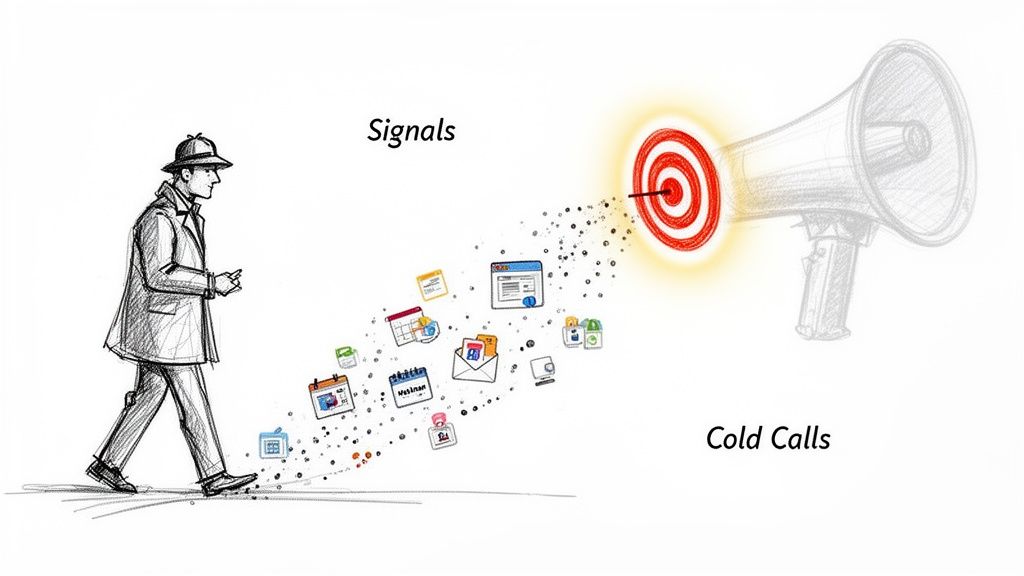
Think of it this way: old-school outreach is like shouting into a crowded stadium, hoping someone hears you. Signal-based selling is like walking up to the person waving a flag with your logo on it. These indicators let your sales team stop shouting into the void and start talking to people who are already listening.

Beyond Cold Calls: Why Indicators of Interest Matter​

A detective follows digital signals, leading to a targeted bullseye amplified by a megaphone for cold calls.

We've all seen it. An SDR stares at a massive list of cold accounts, feeling the weight of the day ahead. The old playbook is simple: make dozens of calls, send hundreds of generic emails, and just hope something lands. It’s a recipe for burnout, high rejection rates, and a whole lot of wasted energy.

The modern sales motion is a complete strategic shift. It’s less of a brute-force attack and more like a detective following a trail of evidence. Instead of blasting the same message to everyone, top-performing teams hunt for indicators of interestβ€”the subtle hints prospects drop online that show they’re getting ready to buy.

Shifting from Volume to Precision: A Quick Comparison​

This isn't just a small tweak; it's a fundamental shift in philosophy. The old way is a numbers game, a relentless focus on activity volume. The new way is a precision game, built on timing and relevance. One is based on luck, the other on evidence.

  • Old Method (Volume): An SDR gets a static list of 200 companies that match your Ideal Customer Profile (ICP). They then spend hours digging for basic info, making cold calls with zero context, and dealing with abysmal connection rates. It's a grind.
  • New Method (Precision): An SDR gets a dynamic, prioritized list. These accounts don't just fit the ICPβ€”they've also just visited your pricing page, downloaded a case study, or had a key decision-maker start a new role.

This one change transforms an SDR from a generic cold caller into a timely, relevant problem-solver. It directly attacks the biggest pain point in sales development: all those wasted hours spent chasing ghosts. You focus your team’s effort exactly where it’s most likely to pay off.

A huge piece of this puzzle is third-party intent data, which tells you what’s happening outside your own website. We break it all down in our guide on what is intent data.

The Four Core Types of Buying Signals​

A diagram illustrating four core types: Website, Engagement, Third-party, and Firmographics.

Not all buying signals are created equal. Far from it.

Think of an SDR as a detective. Some clues are faint whispers, while others are practically a signed confession. Learning to tell the difference is what separates top performers from everyone else. It’s the key to knowing where to spend your time and how to craft outreach that actually lands.

These indicators of interest fall into four main buckets, and each one tells you a different part of the prospect's story. If you only look at one, you’re trying to solve a puzzle with most of the pieces missing. The real magic happens when you see how they all fit together.

1. First-Party Website Behavior​

These are the most valuable signals, hands down. Why? Because they’re happening on your home turfβ€”your website. This is what a prospect does when they're actively researching your solution. It’s the digital equivalent of someone walking into your store and looking around.

Every click tells a story. A quick visit to your blog suggests mild curiosity. But a long visit to your pricing page? That’s a five-alarm fire. You need to act on that immediately.

A prospect spending more than two minutes on your pricing page is one of the strongest buying signals you can get. That isn't just research; it's serious consideration.

These signals are your secret weapon because your competitors can't see them. It's your head start. Key examples include:

  • High-Intent: Multiple visits to key product or solution pages.
  • High-Intent: Watching a full product demo video.
  • Critical Intent: Starting the "Request a Demo" form but not finishing.

2. Active Engagement Signals​

While website behavior is about what prospects do anonymously, active engagement is what happens when they willingly identify themselves. They trade their contact info for something valuable, stepping out from the shadows and turning from a visitor into a known lead.

This is a direct invitation to start a conversation. They've given you permission to reach out, so your follow-up should be timely and directly related to what they engaged with.

For instance, someone downloading a top-of-funnel eBook on industry trends is probably just starting their research. But someone who registers for a product-focused webinar? They're much further along and signaling a deeper interest in what you specifically offer.

3. Third-Party Intent Data​

This is where you get to see what your target accounts are doing across the rest of the internet, long before they ever find your website. It’s like seeing the "digital body language" of an entire company.

This data flags when a target account suddenly starts researching topics, problems, or competitors related to your business. Maybe several people from that company are all reading reviews of "sales automation platforms." That’s a massive signal that they’re in-market, giving you a chance to engage a net-new opportunity before anyone else.

4. Strategic Firmographic Triggers​

Finally, firmographic triggers aren’t about individual research behavior. They’re about company-level events that create a perfect window of opportunity for a purchase. These are changes at an organization that signal a new need or a fresh budget.

  • New Executive Hire: A new VP of Sales is almost always hired to make changes. They're most open to new tools in their first 90 days.
  • Company Funding: A recent funding round means they have cash to spend on tools that will fuel growth.
  • Hiring Sprees: If a company is posting tons of new sales roles, they're going to need software to support that growing team. Very soon.

To give you a clearer picture of how these signals stack up against each other, here’s a quick comparison.

Comparing the Four Main Types of B2B Buying Signals​

This table breaks down each signal type, showing you where it comes from, how strong the intent usually is, and the best way for an SDR to jump on it.

Signal TypeExampleTypical Intent LevelActionable Next Step
Website BehaviorVisited the pricing page 3 timesVery HighImmediate, personalized call/email referencing their potential interest in ROI.
Active EngagementDownloaded an eBook on "AI in Sales"MediumNurturing email sequence offering more resources on the same topic.
Third-Party DataCompany is researching your competitorsHighProactive outreach to key personas, highlighting your unique differentiators.
Firmographic TriggerJust hired a new CMOMedium to HighWelcome/congratulatory email to the new hire, offering relevant industry insights.

Bringing these four types of signals together gives you a complete, 360-degree view of your target accounts. It’s how you move from guessing to knowing exactly who to call and what to say.

For a deeper dive into quantifying these signals, check out this great guide on understanding lead scoring in HubSpot.

How to Turn Raw Signals Into Actionable Outreach​

Getting a flood of buying signals feels like a win, but it can quickly turn into a nightmare. When your team is drowning in raw indicators of interest without a clear path forward, they do what anyone would do: they fall back on old habits. They start working through a static, alphabetical list of accounts.

The real trick isn't just collecting signals. It's turning them into a prioritized, actionable game plan for your sales team.

This comes down to a simple but powerful framework that balances two things: fit and interest. "Fit" is all about how well an account matches your Ideal Customer Profile (ICP). "Interest" is about the strength and timing of their recent buying signals. An account that scores high on both? That's your #1 call.

The goal is to get out of reactive mode and into proactive engagement. Stop asking, "What happened last week?" and start giving your team a list that answers, "Who should I call right now, and why?"

This shift is a massive efficiency booster. One of the biggest drags on sales development is all the non-selling work. Recent benchmarks show reps spend just 30% of their week actually selling. The other 70% gets eaten by admin tasks like research and data entry. (If you want to dig into that, this 2025 sales development report has some great insights.) A smart prioritization model gives that time back.

Manual Spreadsheets vs. Automated Workflows: A Comparison​

So, how do you actually put this into practice? The difference between a manual and automated approach is the difference between a leaky raft and a speedboat.

  • The Manual Way (Spreadsheet Hell): A RevOps manager spends Monday morning exporting data from a dozen different tools, trying to stitch it all together. They cross-reference CRM data with website analytics and third-party intent scores. It’s a tedious, error-prone mess that’s already stale by the time the SDRs see it. The result is a static list that doesn't adapt to real-time signals.
  • The Automated Way (AI-Driven Workflow): An integrated platform does all this heavy lifting in real-time. It’s constantly processing signals, scoring accounts on fit and interest, and creating prioritized tasks right inside your team's CRM. This delivers a dynamic to-do list where every single action is backed by a specific, timely signal. Reps can see the why and act instantly.

An integrated system transforms a messy spreadsheet into a dynamic engine for outbound lead generation.

Creating a Prioritized Task List​

The end result of an automated system is a simple, powerful task list that gives each SDR their next best action. Here’s what that looks like in the real world:

  • Action Plan for Priority 1 (Hot): These are ICP-fit accounts that hit your pricing page in the last 24 hours. Your Action: Immediate, personalized multi-channel outreach (call + email). Reference the potential business case they're building. No exceptions.
  • Action Plan for Priority 2 (Warm): Target accounts where you're seeing multiple contacts researching topics related to your solution. Your Action: Reach out to the most relevant persona, acknowledging their team's research and offering a high-value asset like a competitor comparison guide.
  • Action Plan for Priority 3 (Nurture): Companies that downloaded a top-of-funnel eBook or just hired a new executive. Your Action: Enroll them in a longer-term, educational nurture sequence. The goal is to build trust, not book a meeting tomorrow.

By systematically ranking these indicators of interest, you ensure your team’s most precious resourceβ€”their timeβ€”is always pointed at the accounts most likely to convert. You're not just giving them data; you're giving them direction.

Building Your Sales Playbook for High-Intent Signals​

So, you've prioritized your accounts. The clock is officially ticking. Having a hot lead is great, but it's worthless without a clear, immediate plan of attack. This is where a sales playbook comes inβ€”a set of predefined, actionable steps that turn strong indicators of interest into actual conversations.

The alternative? Leaving it all to chance. Your reps fire off generic, one-size-fits-all emails that get deleted on sight. A solid playbook ensures every high-intent signal is met with a timely, relevant, and context-aware response that acknowledges exactly where that buyer is in their journey.

This flowchart spells out the difference between a disorganized, manual outreach process and a streamlined, signal-based workflow. The contrast is pretty stark.

Flowchart comparing manual and automated lead outreach processes, detailing steps, time, and error rates.

It's clear how an automated, signal-first approach cuts through the chaos, turning manual guesswork into an effective system for turning interest into action.

Playbook 1: The Pricing Page Visitor​

A visit to your pricing page is one of the loudest buying signals you'll ever get. This person isn't just kicking tires or researching a problemβ€”they are actively evaluating solutions and trying to figure out the investment. Sending a generic "just checking in" email here is a massive own-goal.

Comparing Outreach Approaches

  • The Wrong Way (Generic): A bland email that completely ignores the context. It's self-serving and immediately delete-worthy.
  • The Right Way (Actionable): A helpful, non-pushy multi-touch sequence that acknowledges their journey and provides value.

Actionable Steps for Your Team:

  1. Email Within 1 Hour: Send a helpful, low-pressure email.
    • Subject: Resources for [Their Company Name]
    • Body Snippet: "Hi [Name], often when people are exploring our pricing, they're building a business case for a solution like ours. To help, here’s a one-page guide on calculating the ROI of [Your Solution Category]. Happy to walk you through it if that's helpful."
  2. Follow-up Call (Day 2): Use a value-driven script.
    • Talking Point: "I'm calling because I saw your team was looking into solutions like ours. I'm not trying to sell you right now, but I wanted to be a resource as you evaluate your options. What's the main challenge you're hoping to solve?"

Playbook 2: The New Executive Hire​

When a new leader joins a target account, a window of opportunity swings wide open. They have a mandate to make changes and are often most receptive to new ideas and tools within their first 90 days. Your outreach needs to position you as a strategic partner who can help them score early wins.

Comparing Outreach Approaches:

  • The Wrong Way (Generic): Congratulating them and immediately asking for a meeting. This just feels self-serving.
  • The Right Way (Actionable): Congratulating them and offering a valuable, relevant resource that genuinely makes their new job easier.

Actionable Steps for Your Team:

  1. LinkedIn Connection (Day 1): Send a personalized connection request.
    • Note: "Congrats on the new role at [Company]! Looking forward to seeing what you accomplish. I've been following [Topic related to their role] and thought you might find this industry report useful."
  2. Email Follow-up (Day 3): Offer insights, not a sales pitch.
    • Subject: Congrats on the new role!
    • Body Snippet: "Hi [Name], saw the news about your new roleβ€”congratulations! Leaders in your position are often tasked with [Key Initiative] in the first 90 days. Here's a quick playbook we put together for C-level execs on achieving that. No pitch, just a resource I thought you'd find valuable."

Pipeline generation is the lifeblood of B2B growth. The median pipeline created by each SDR stands at $2.8 million annually, underscoring their huge revenue impact. Yet, with outbound SDRs averaging 94.4 daily activities, cold call conversion hovers at a dismal 2%. Signal-based playbooks are designed to fix this broken equation. To learn more, explore these key sales statistics that can shape your strategy.

The Right Tech for a Signal-Based Sales Motion​

A diagram showing a Unified Tech Stack with CRM at its core, connecting Intent, Automation, Engagement, and Analytics.

A signal-based sales strategy is only as good as the engine running it. Without the right tech, the best indicators of interest just become noiseβ€”a flood of data that creates more busywork than actual pipeline.

This is where so many teams stumble. They try to patch together a system with duct tape and good intentions, but it just ends up slowing reps down. You’ve probably seen it: reps juggling separate tools for intent data, sales engagement, and the CRM, constantly switching tabs and copy-pasting info. It's a clunky, infuriating workflow that kills productivity.

A modern, integrated tech stack fixes this by getting all your tools to talk to each other. It’s not about just having the tools; it’s about making them work together as one cohesive machine.

Comparing a Disjointed vs. a Unified Stack​

The difference in workflow and results between a disconnected and an integrated tech stack is night and day.

  • Disjointed Stack (The Problem): This creates operational headaches that will absolutely kneecap your sales motion. Intent data lives in one tool, engagement sequences in another, and account history is trapped in the CRM. Reps burn precious hours just trying to connect the dots, and hot signals go cold before anyone can act.
  • Unified Platform (The Solution): This setup transforms the entire workflow by living natively inside your CRM. It connects signal detection, task prioritization, and outreach into one fluid motion. It's the difference between handing your team a box of car parts and giving them the keys to a finely tuned engine.

The core idea is simple: bring the work to the rep, don't make the rep hunt for the work. A platform that automatically creates and prioritizes tasks inside the CRM eliminates the friction that kills momentum.

This native approach just works. It drives adoption because it fits into a rep's existing habits, and it guarantees better data hygiene since activities are logged automatically. Suddenly, leaders have real visibility into what’s driving performance.

This kind of efficiency has never been more critical. We’ve seen 36% of B2B companies downsize their SDR teams as they pivot away from high-volume, low-return outbound. The reason is simple: reps were spending only 36% of their time actually selling.

To get a signal-based motion right, you need the right tools in your corner. For a closer look at what's out there, you can explore this guide on the best LinkedIn automation tools for lead generation that complement an integrated approach. By building a seamless engine, you empower your team to act on the best indicators of interest with speed and precision.

Free Tool

Try our AI Lead Generator β€” find verified LinkedIn leads for any company instantly. No signup required.

Frequently Asked Questions​

Even with a killer strategy, switching to a signal-based sales motion is going to bring up some questions. Here are the straight, actionable answers to the hurdles I see teams hit all the time when they start focusing on indicators of interest.

How Do I Start Without an Intent Data Tool?​

Good news: you don't need to drop five figures on a third-party tool to get started. The best signals are already hiding in plain sight on your own website and in your own apps. This is your first-party data, and your competitors can't see it.

Your Action Plan:

  1. Identify Your "Money" Pages: Work with marketing to define which pages signal the highest intent. This is usually your pricing, case study, and integration pages.
  2. Set Up Tracking & Alerts: Use tools like HubSpot or even Google Analytics to create notifications for your sales team when a target account visits these pages.
  3. Launch a Pilot Playbook: Create a simple two-step outreach sequence (email + call) specifically for these high-intent visitors and measure the results for 30 days.

This data is pure gold. Use it.

What's the Biggest Mistake Teams Make?​

Easy. Treating every signal like it’s a fire alarm. A lead downloading an industry report is worlds apart from a key decision-maker from a target account hitting your integrations page three times in a week. If you treat them the same, you’ll burn out your reps on low-quality follow-ups.

The key is to avoid signal paralysis by creating a simple hierarchy. Not all clues are created equal; a pricing page visit is a smoking gun, while a blog view is just a footprint. Actionable prioritization is non-negotiable.

Your Action Plan:

  1. Create a Simple Scoring System: Don't overcomplicate it. Give a demo request 10 points, a pricing page view 5 points, and a blog visit 1 point.
  2. Define Thresholds for Action: Decide what score triggers immediate outreach versus what score puts a lead into a nurture sequence.
  3. Train Your Team: Ensure every SDR understands the difference and knows exactly what to do when a "10-point" lead comes in.

How Can I Get My Sales Team to Adopt This?​

Adoption comes down to one simple thing: make it easier for them to win. If your new process adds more clicks, more logins, or more confusion to a rep’s day, it’s dead on arrival. The signals have to show up where they already workβ€”inside their CRM.

Frame it as the before-and-after it truly is. The old way was digging through spreadsheets and guessing who to call. The new way is a prioritized to-do list of warm accounts waiting for them every morning.

When you show them how it directly leads to:

  1. Less time wasted on dead-end cold calls.
  2. More time spent talking to people who actually want to hear from them.
  3. Better conversations because they walk in with real context.

...they'll connect the dots pretty fast. Better signals lead to more qualified meetings, which lead straight to bigger commission checks. Adoption won't be a problem.


Stop drowning in data and start closing deals. MarketBetter turns buyer signals into a prioritized to-do list for your SDRs, right inside Salesforce and HubSpot. See how you can build a predictable outbound motion at https://www.marketbetter.ai.