Your rep just crushed a 30-minute discovery call. The prospect was engaged, asked about pricing, mentioned they're evaluating two other vendors, and even dropped a timeline — "we need something in place by Q3."
Gold.
Except by the time your rep finishes their next three calls, the details are gone. The follow-up email reads like a template. The CRM notes say "Good call, will follow up." And the deal stalls because nobody captured what actually happened.
This isn't a rep problem. It's a workflow problem. And it's costing you deals every single week.
The data on what happens after sales calls is brutal:
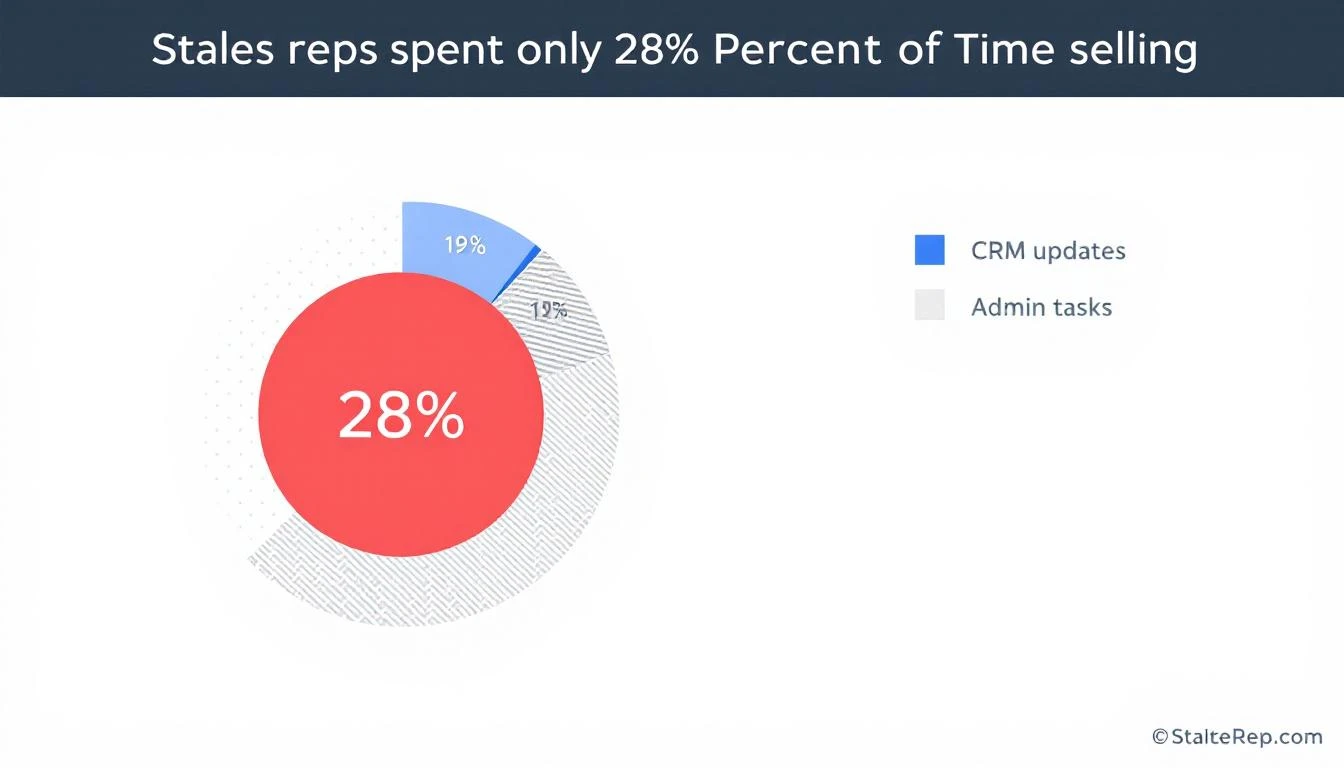
Sales reps spend only 28% of their time actually selling. The rest goes to admin, CRM updates, and internal coordination (Salesforce)
32% of reps spend more than an hour per day on manual data entry alone (Saleslion)
68% of sales professionals cite note-taking and CRM data input as their most time-consuming task (EverReady)
44% of salespeople give up after a single follow-up — even though 80% of deals require five or more touches (ZoomInfo)
Responding within 5 minutes makes you 9x more likely to convert a lead. After an hour, odds drop by 10x
That means your best sales calls — the ones with real buying signals — are being fed into a black hole of forgotten details, generic follow-ups, and CRM entries that tell you nothing.
The conversation intelligence market (Gong, Chorus, Clari) exists because of this exact problem. Gong alone has crossed $300M ARR. But most of these tools give you analytics about calls after the fact. What sales teams actually need is a workflow that turns every call into immediate action.
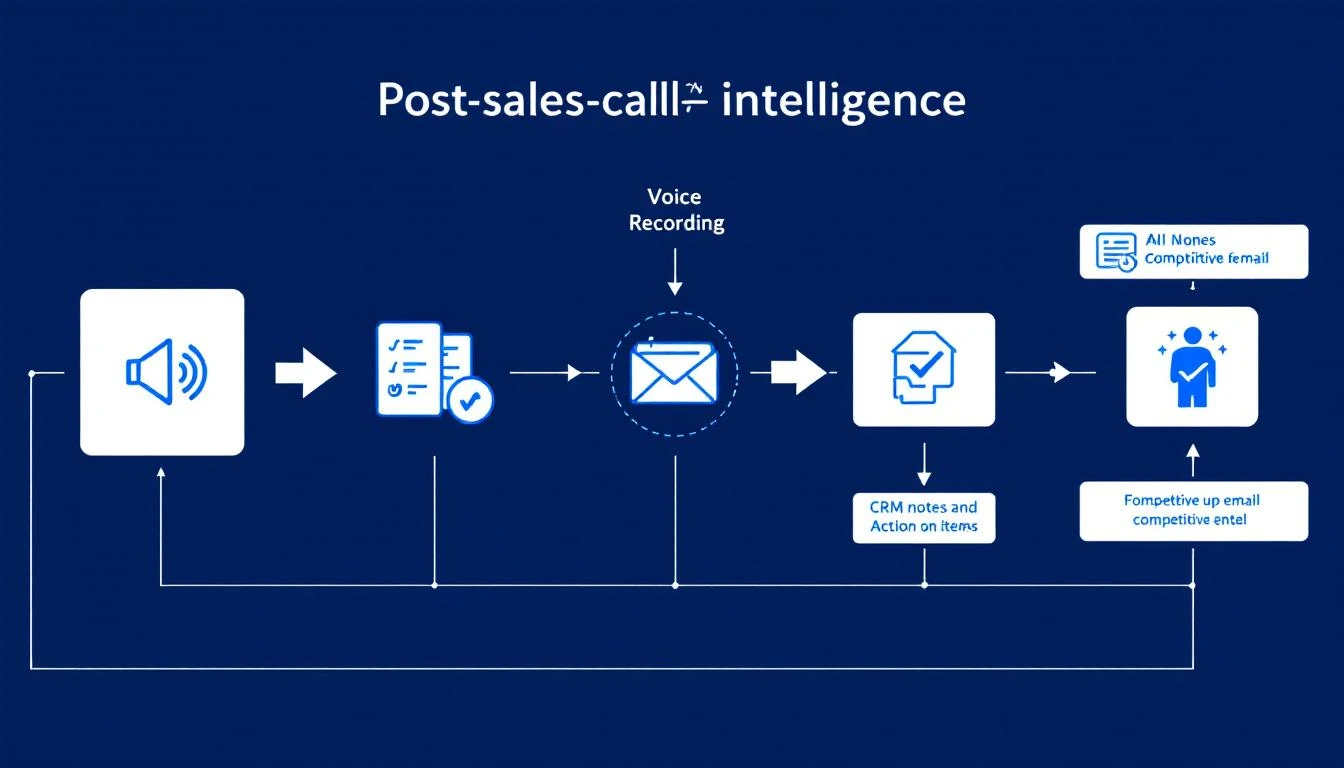
Here's the post-call workflow that top-performing teams run — and what it looks like when it's automated versus manual.
Step 1: Auto-Extract Action Items and Key Moments
The manual way: Rep opens a doc, tries to remember what was said, types up bullet points between calls. Half the details are missing. Specific quotes are gone. The action items are vague ("send pricing").
The automated way: The call recording is processed immediately. AI extracts:
Every action item mentioned (by either party)
Pricing discussions and budget signals
Timeline and urgency indicators
Specific pain points the prospect described
Questions that went unanswered (opportunities for follow-up)
Competitor mentions and what was said about them
This isn't a transcript dump. It's structured intelligence that feeds directly into the next steps.
Step 2: Update CRM With Real Notes (Not "Good Call")
The manual way: Rep types "Good call. Interested in our platform. Will send follow-up." This tells your sales manager nothing. It tells the AE who inherits the deal nothing. In three weeks when the prospect resurfaces, nobody knows what was actually discussed.
The automated way: CRM is updated with structured, searchable notes:
Budget: Prospect mentioned $50K annual budget, currently spending $35K on incumbent
Authority: Spoke with VP of Sales, but CFO has final sign-off
Need: Current tool doesn't integrate with HubSpot; reps spending 2 hours/day on manual data entry
Timeline: Need a solution before Q3 kickoff (July)
Competition: Evaluating Vendor X and Vendor Y; likes Vendor X's reporting but concerned about their pricing model
Next Steps: Send ROI calculator by Friday; schedule demo with their SDR team lead next Tuesday
This is the difference between a CRM that's a graveyard of "Good call" notes and one that's a living deal intelligence system.
The impact: Companies using CRM systems effectively are 29% more likely to hit their sales quotas. But the CRM is only as good as the data that goes into it — and right now, your reps are putting in almost nothing useful.
The manual way: Rep opens their email template, changes the name, maybe adds one line about the call. Sends it 4 hours later (if at all). The email reads like every other follow-up the prospect received that day.
The automated way: Within minutes of the call ending, a draft follow-up is generated that:
References specific things the prospect said ("You mentioned your team is spending 2 hours a day on manual CRM entry — here's how we eliminate that")
Addresses their stated concerns ("I know integration with HubSpot is a dealbreaker, so I'm attaching our integration guide")
Includes the specific next steps discussed ("As agreed, here's the ROI calculator. I'll send a calendar invite for next Tuesday's demo with your SDR lead")
Positions against the competitors they mentioned (without being aggressive)
The rep reviews and sends in 60 seconds instead of crafting from scratch in 15 minutes.
The manual way: Rep casually mentions in standup, "Oh yeah, they're also looking at Vendor X." The manager nods. Nobody does anything with this information. Three weeks later, the prospect chooses Vendor X because your team never addressed the comparison.
The automated way: Every competitive mention is automatically:
Logged with full context (what the prospect said about the competitor, what they liked, what concerned them)
Routed to the right people (sales manager, product marketing, competitive intel team)
Matched with battlecard content so the rep has specific talk tracks for the next call
Aggregated across all deals to show competitive trends ("Vendor X has been mentioned in 40% of our lost deals this quarter")
This turns random sales call chatter into a competitive intelligence system. When your product team asks "what are prospects saying about Vendor X?" you have real data instead of anecdotes.
The manual way: SDR books the meeting, sends the AE a one-liner: "Meeting with Jane at Acme Corp, they're interested." The AE walks in cold, asks the same discovery questions the prospect already answered, and the prospect mentally checks out.
The automated way: Before the next meeting, the AE receives a comprehensive brief:
Company snapshot: Size, industry, tech stack, recent news
Conversation history: Key quotes, pain points, what got them excited
Competitive landscape: Who else they're evaluating and why
Buying committee: Who else needs to be involved, their likely concerns
Recommended approach: Based on what worked in the discovery call, lead with the integration demo, not the analytics pitch
Landmines to avoid: Prospect had a bad experience with long onboarding at their last vendor — emphasize our time-to-value
This is the difference between an AE who looks prepared and one who looks like they didn't bother reading the notes (because there were no useful notes to read).
Personalized draft referencing specific discussion
1 min to review
Highly relevant
Competitive intel
Flagged, routed, battlecard attached
Automatic
Actionable
AE handoff
Full brief with recommended approach
Automatic
Prepared
Deal outcome
AE nails the demo, addresses competitor concerns proactively. Closes in 3 weeks.
The difference isn't one step. It's every step compounding. The personalized follow-up keeps the prospect warm. The competitive flags ensure you're never blindsided. The AE brief means the demo feels like a conversation, not an interrogation.
You don't need to automate everything on day one. Start with the highest-impact piece and build from there:
Week 1: Fix Your CRM Notes
Record every call (most conferencing tools support this natively now). Use the recordings to create structured notes — even if someone does it manually at first. The goal is to establish the habit of BANT-structured notes instead of "Good call."
Week 2: Templatize Your Follow-Ups (But Make Them Smart)
Create follow-up email templates that have fill-in-the-blank sections for specific discussion points. This forces reps to reference the actual conversation, not send generic copy.
Week 3: Build the Competitive Intel Loop
Create a shared doc or channel where reps log every competitive mention. Review it weekly in your team meeting. You'll be shocked at how much intelligence is currently being lost.
Week 4: Automate It
This is where platforms like MarketBetter come in. Instead of manual processes, the AI handles the extraction, the CRM update, the follow-up draft, and the competitive flagging — all from the call recording. Your reps just review and approve.
The SDR teams that are winning right now aren't the ones making the most calls. They're the ones that extract the most value from every call they make. The post-call workflow is where deals are won or lost — and most teams are losing there without even knowing it.
Every sales call generates intelligence. The question is whether you capture it or let it evaporate.
The difference between a rep who closes and a rep who doesn't isn't always skill — it's often workflow. The best closers have systems that ensure nothing falls through the cracks. The follow-up is personalized. The CRM is accurate. The next meeting is prepped. The competitive threats are addressed.
That's not magic. That's a post-call workflow that actually works.
If your reps are still typing "Good call" into Salesforce, it's time to fix that. Your pipeline will thank you.
Think of it this way: what if every single one of your sales reps had a dedicated expert assistant? Someone who handled all the mind-numbing, tedious tasks, freeing them up to do what they do best—actually sell.
That’s the core idea behind sales automation software. It’s the technology that closes the gap between a brilliant sales strategy and the consistent, daily grind needed to hit quota.
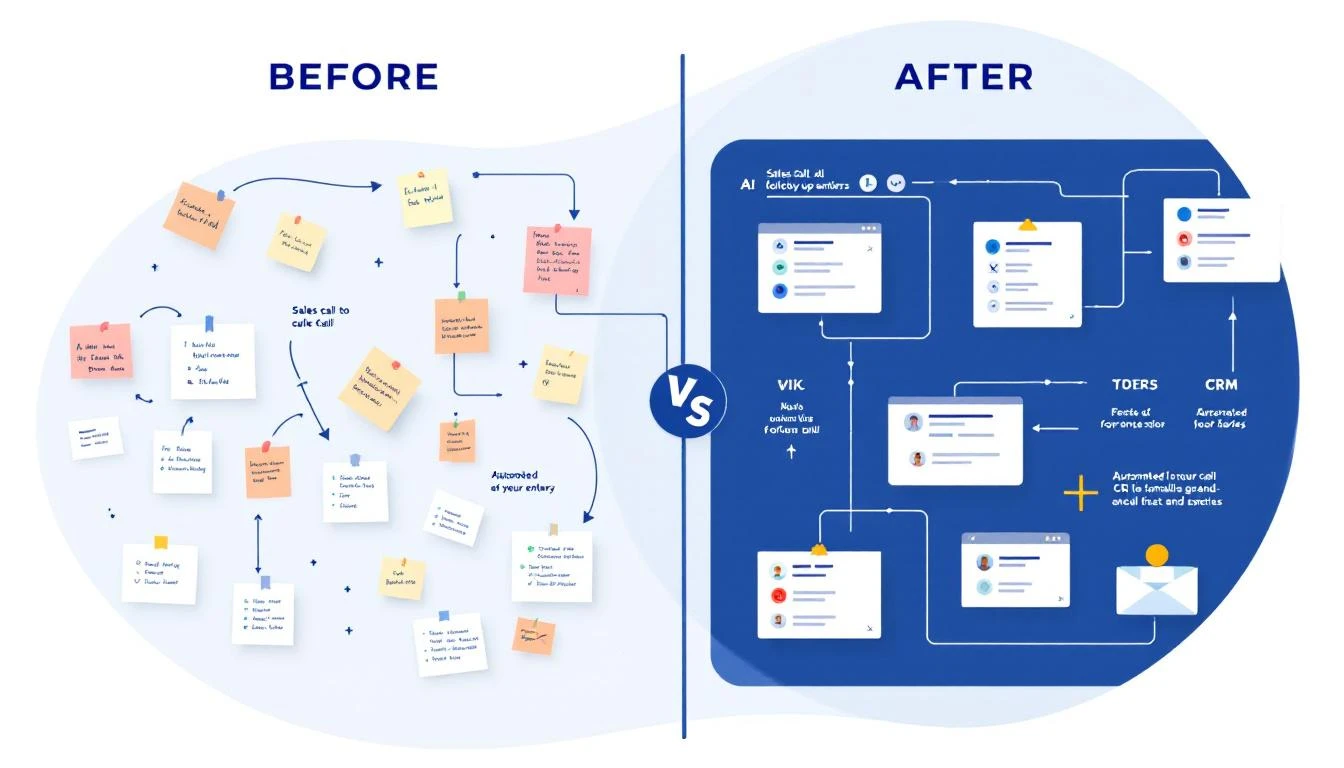
Let's paint a picture of a sales team running on pure manual effort. Reps are drowning in spreadsheets, their monitors are covered in sticky notes, and they have a dozen browser tabs open at all times. They manually log calls (when they remember), take a wild guess at which lead to contact next, and burn hours on admin work instead of building relationships. It’s chaotic, reactive, and just plain inefficient.
Now, imagine that same team with a powerful sales automation platform in place. The system becomes an air traffic controller for each Sales Development Rep (SDR). It intelligently lines up the day’s most important tasks, serves up all the context needed for every call, and handles the busywork humming quietly in the background.
This fundamental shift from manual chaos to guided, predictable execution is exactly why businesses are adopting these tools so quickly. To really get started, it helps to understand the basics of what is sales automation.
At its heart, sales automation software solves a massive problem: it turns your strategy into daily, repeatable action. A VP of Sales can map out the most sophisticated go-to-market plan, but if reps can’t execute it consistently, it’s just a nice-looking document.
Automation is what translates those high-level goals into a predictable workflow.
For instance, instead of an SDR scrambling to find a lead's information before dialing, the software presents it automatically. Rather than guessing who to email, the platform prioritizes leads based on real buying signals. This simple change unlocks some serious benefits:
Focus on Selling: Reps get to spend more of their day on high-value work, like having actual conversations and running demos.
Maintain Consistency: Every single lead gets the right touchpoint at the right time. No more opportunities falling through the cracks.
Improve Data Quality: Calls, emails, and notes are logged to the CRM automatically, giving leadership a crystal-clear view of what's really happening on the ground.
The demand for this kind of efficiency is clear. The global sales automation software market, valued at USD 11.36 billion in 2026, is on track to hit a staggering USD 26.86 billion by 2035. This explosive growth is driven by one simple fact: top-performing teams use automation to create a massive competitive advantage.
To see the real-world impact, let's compare the daily grind of a rep working with and without modern automation. The difference isn't just noticeable; it's a complete transformation of their productivity and effectiveness.
Reps rely on gut feelings or basic list sorting to guess which lead is "hot."
The system analyzes buying signals (like website visits) to automatically surface high-priority tasks.
Outreach Prep
Reps waste 15-20 minutes researching a single prospect across LinkedIn, the company site, and news articles.
Key data points and AI-suggested talking points are presented right within the task, ready to go.
Activity Logging
Reps manually type call notes and email details into the CRM, often forgetting or making mistakes.
Every call, email, and outcome is automatically logged to the correct CRM record without a single click.
Following Up
Reps use a messy system of calendar reminders and spreadsheets, leading to missed or late follow-ups.
The platform automatically schedules the next step in a sequence based on prospect engagement (or lack thereof).
This comparison makes it obvious: automation isn't just about doing things faster. It's about doing the right things more effectively.
By building a true operational rhythm, this software empowers reps to be more strategic and, ultimately, more successful. If you're looking to put these ideas into practice, our guide can help you automate sales processes to get the most out of your team.
Not all sales automation tools are built the same. While many platforms talk a big game about efficiency, the ones that actually deliver are built around a handful of essential features. These aren't just flashy add-ons; they are the core components that solve the biggest problems and time-wasters for modern sales teams.
So, let's move from the 'what' to the 'how.' Here's an actionable breakdown of the four capabilities that are absolutely non-negotiable for any team serious about scaling its outbound efforts. Each one tackles a specific bottleneck, turning manual grunt work into a smooth, repeatable process.
The fastest way to kill adoption of a new tool? Force your reps to leave their primary workspace. If your team lives and breathes in Salesforce or HubSpot, your sales automation software has to live there, too. A true CRM-native workflow means your reps can do everything—make calls, send emails, log notes—without ever having to switch tabs.
This is a world away from tools that just "sync" with your CRM. A sync-based setup still makes reps jump back and forth between applications. It’s clunky, creates a disjointed experience, and almost always leads to messy data and frustrated users.
Actionable Tip: During a product demo, ask the vendor: "Show me how a rep completes their top three daily tasks without leaving their CRM screen." If they have to switch tabs, it's not truly native. A native dialer that lets an SDR click-to-call directly from a Salesforce contact record is a productivity multiplier, ensuring 100% of call activity gets logged automatically.
The best sales teams don't just work harder; they work smarter. Intelligent task automation is the engine that makes this happen. It acts as a guide for your reps, sifting through a sea of buyer signals and turning them into a clear, prioritized to-do list.
Compare these two scenarios:
Without it: A rep starts their day looking at a huge list of 200 leads and asks, "Who should I call first?"
With it: The software analyzes buyer signals (like a pricing page visit or a competitor's contract ending) and surfaces the top 5 highest-priority tasks for that moment.
This shifts your team from a reactive "who should I call next?" mentality to a proactive, signal-driven workflow. Instead of reps playing a guessing game, the system points them toward the very next best action, ensuring their energy is always focused on the most qualified opportunities.
Writer's block is a massive productivity drain, especially for reps trying to hit high outbound numbers. It's easy to waste precious minutes staring at a blank screen, trying to come up with the perfect cold email. AI-powered messaging solves this by generating relevant, context-aware drafts that reps can quickly personalize and send.
This isn't about churning out robotic, one-size-fits-all templates. A good AI engine analyzes the prospect’s persona, their industry, and details about their account to create outreach that feels specific and human. A generic tool might just insert {\{first_name\}}, but a context-aware AI might reference a recent company announcement or a common pain point for their role, giving the rep a huge head start.
For an SDR staring down a tough list of cold prospects, this feature is a lifesaver. It provides a solid, high-quality starting point for every conversation, boosting both the speed and the relevance of their outreach.
If an activity isn’t in the CRM, it might as well have never happened. Every sales leader knows this, but getting reps to consistently log their work often feels like a constant battle. Automated data hygiene makes clean data the default by capturing every touchpoint without any manual work.
Let’s compare the old way versus the new way:
Activity
Manual Logging (The Old Way)
Automated Logging (The New Way)
Email Sent
Rep has to remember to Bcc the CRM or use a plugin. It's easy to forget.
Every single email sent from the platform is logged to the contact record. Instantly.
Call Made
Rep manually creates a task, types out notes, and sets the outcome.
The call outcome, duration, and any notes are logged automatically the second the call ends.
Data Quality
Spotty, full of gaps, and not something you can trust for forecasting.
A clean, complete, and trustworthy record of every single sales activity.
This isn’t just about making life easier for reps; it’s a game-changer for RevOps and sales leadership. You get a crystal-clear, real-time picture of team performance and pipeline health, which means more accurate forecasting and data-driven coaching—all without adding another administrative task to your reps' plates.
Let's be honest, "AI in sales" gets thrown around a lot. But there's a world of difference between a generic AI content spinner and an AI that’s truly built to drive sales. One spits out soulless, robotic text. The other acts as an intelligent co-pilot for your reps, making every single interaction smarter.
The market is already voting with its wallet. The AI sales software space is on a tear, projected to jump from $35.9 billion in 2026 to a staggering $71.83 billion by 2031. This isn't just hype; it's a fundamental shift. We're moving past tools that just store data and toward platforms that provide real-time guidance to make reps better at their jobs.
This new wave of AI isn't about replacing your team. It’s about making them more potent by turning a flood of data into a clear list of prioritized actions and high-quality outreach.
A huge, and frankly valid, fear is that AI-written emails sound robotic. And often, they do. That’s because most basic AI tools are flying blind—they lack crucial context. They pull from the vast, generic internet, creating messages that feel impersonal and instantly get deleted.
True sales automation software with sophisticated AI works differently. Think of a context-aware AI engine as a seasoned researcher working alongside every single rep.
It knows things like:
Account Details: It's aware of the prospect's industry, company size, recent funding rounds, and their current tech stack.
Buyer Persona: It understands the difference between a VP of Finance and an IT Manager, tailoring the message to focus on financial ROI instead of technical specs.
Intent Signals: It flags when a prospect has visited your pricing page or downloaded a whitepaper about a specific problem.
By weaving these data points together, the AI can generate a hyper-personalized draft that a rep can fine-tune in seconds. It might suggest an opening line like, "Saw your team recently expanded its logistics division, which often puts pressure on supply chain visibility..." That’s a conversation starter, not a generic "Hope you're having a great week!"
For many sales teams, the biggest productivity killer is manual research. An SDR can easily sink 20 minutes digging through LinkedIn, company websites, and press releases just to prep for one email or call. Purpose-built AI collapses that entire process into a few seconds.
Actionable Tip: Instead of reps playing detective, the AI serves up the clues. When a task pops up, it should arrive pre-loaded with talking points, likely objections, and relevant company insights. This completely changes the game.
Imagine this workflow: a high-priority task is created. The moment an SDR opens it, they see:
A pre-written email draft that's 80% of the way there, referencing the prospect’s specific role and a recent company milestone.
A call script with three key bullet points to guide the conversation.
A quick list of common objections from that persona and how to counter them.
This execution-first approach doesn't just make reps faster; it makes them better. They spend their time having meaningful, well-informed conversations, not buried in prep work. To see how this works in the real world, check out our guide on how AI sales assistants are changing the game. It’s this focus on execution that directly translates into a stronger pipeline and real business growth.
How to Choose the Right Sales Automation Software
Picking the right sales automation software is a big decision. It’s not just another tool for the tech stack; it's a strategic investment in your team's ability to hit its numbers and drive real growth. But with so many options out there, all making big promises, it’s easy to feel overwhelmed.
Let’s cut through the noise. This guide is designed to give you a clear, practical framework for evaluating your options so you can choose a platform with confidence. Making the wrong call means more than just a wasted budget—it leads to frustrated reps and a tool that sits on a digital shelf collecting dust.
To avoid that, we'll focus on the handful of make-or-break factors that truly matter.
This is the big one. The single most important factor for getting your team to actually use a new tool is whether it lives where they work. If your reps have to constantly jump between their CRM and another tab, they just won't do it. It creates friction and kills momentum.
You need to look for true CRM-native integration. This means your team can do everything—make calls, send emails, log notes, and manage tasks—without ever leaving Salesforce or HubSpot.
When you're talking to vendors, ask pointed questions to see how deep the integration really goes:
Can my reps click-to-dial a contact and have the call logged automatically inside our CRM? No manual entry needed?
Do email sequences run from a separate app, or are they managed directly within our CRM's interface?
How do you handle data sync conflicts? Is it a one-way or two-way push, and what's the delay?
A huge red flag is any workflow that forces reps to manage their day in a separate web app. If it’s not truly native, adoption will fail. Period.
Does It Adapt to Your Workflows (and Is the AI Actually Smart)?
Your sales process is your secret sauce. A rigid, one-size-fits-all automation tool will force you to change your proven workflows, not enhance them. The software has to be flexible enough to bend to your will, whether you're running complex, multi-touch enterprise plays or high-velocity SMB outreach.
Just as important is the quality of the AI. Let's be honest, a lot of "AI" out there is just generic template-filling that spits out robotic, impersonal messages. That doesn't help; it hurts your brand. What you need is context-aware AI that produces genuinely helpful, human-sounding drafts.
A great AI engine isn't just a text generator; it's a research assistant. It should be able to look at account details, buyer personas, and recent buying signals to help your reps write relevant, insightful messages that give them a massive head start.
To get a better handle on what's possible, it's worth checking out some of the best AI sales automation tools for 2026. Seeing what top-tier platforms can do will give you a solid benchmark.
Will Your Team Use It (and Can It Grow With You)?
Even the most powerful software on the planet is worthless if your team finds it clunky or confusing. A clean, intuitive interface is absolutely essential for high user adoption. During a demo, pay close attention to the user experience. How many clicks does it take to complete a core task, like making a call or personalizing an email?
At the same time, you have to think about tomorrow. Will this platform scale as you grow your team and your ambitions?
Think about scalability and analytics from these angles:
Performance Insights: Does it give you clear, easy-to-read dashboards on activity metrics, sequence performance, and individual rep productivity?
Team Growth: How easy is it to add new users, create team-based templates, and manage permissions as you expand?
Drill-Down Analytics: Can you dig into the data to see exactly which activities and messages are driving meetings and closing deals?
Choosing a tool that reps love to use and that gives leadership the insights they need is the key. It ensures the platform delivers value from day one and can keep up as you scale.
To help you stay organized during your search, use a scorecard to compare vendors side-by-side. This turns a subjective process into a more objective, data-driven decision.
Can reps execute 100% of their workflow inside the CRM without switching tabs?
High
Data & Activity Logging
Are all calls, emails, and tasks logged automatically and in real-time to the correct record?
High
AI-Assisted Messaging
Does the AI analyze the contact/account to provide context-aware, relevant drafts?
High
Workflow Flexibility
Can we build custom, multi-step sequences that match our unique sales plays?
High
Ease of Use (Adoption)
How many clicks does it take to complete a core task? Is the interface intuitive?
High
Leadership Dashboards
Does it provide clear, actionable analytics on team and sequence performance?
Medium
Onboarding & Support
What does your onboarding process look like, and what level of support is included?
Medium
Scalability & Pricing
Can the platform grow with our team? Is the pricing model transparent and predictable?
Medium
By rating each potential vendor on these critical points, you'll have a much clearer picture of which platform is the best fit for your team's specific needs and long-term goals.
In the world of sales automation, there are two competing ideas about how to make reps more productive: engagement and execution. They might sound like two sides of the same coin, but the difference is huge. It's the key to understanding why some tools become a team's secret weapon while others end up as just another login nobody uses.
Picking the right approach is critical. Let's dig into what sets them apart.
Most traditional Sales Engagement Platforms (SEPs) are built around the idea of "engagement." At their core, they operate like glorified project management tools, but for sales. Reps are expected to live in this separate platform, managing complex sequences, sifting through endless task lists, and trying to orchestrate their outreach from a system that's completely disconnected from their main workspace—the CRM.
This creates a whole new layer of admin work. Instead of making a rep's day simpler, it adds another system to juggle. The result? Poor adoption, inconsistent activity logging, and a whole lot of frustration.
An execution-first workflow completely flips that model on its head. The goal isn't to manage the work; it’s to create the perfect moment for a rep to actually do the work.
Instead of showing a rep a giant to-do list of a hundred things they could do, an execution-first platform surfaces the single next best action they should be taking, right now.
This is all about collapsing the distance between a sales signal and the action that follows. It's about delivering a task to a rep with everything they need to execute it instantly, all without ever asking them to leave their CRM.
Here's what that looks like in the real world:
A Buyer Signal Occurs: A prospect from a high-value account visits your pricing page. A traditional tool might just log the event. An execution-first platform sees this as an urgent trigger for action.
A Task is Automatically Created: The system instantly creates a high-priority "Call & Email" task for the account's owner. It's not just another item on a list; it’s flagged as the most important thing to do next.
The Rep Executes Instantly: When the SDR clicks into that task inside their CRM (like Salesforce or HubSpot), they aren't met with a research project. They're immediately presented with an AI-generated email draft and a click-to-call button.
This workflow directly solves the most common headaches plaguing sales teams: wasted admin time, spotty data, and the low adoption of tools that pull reps out of their main workflow.
The fundamental difference comes down to where the platform directs a rep's focus. One asks them to manage a process. The other guides them to take an action.
This is the simplified, action-oriented workflow that an execution-first platform creates.
The real beauty of this process is its efficiency. It cuts out all the manual steps that usually get in the way between spotting an opportunity and acting on it.
Let's break down the comparison even further:
Feature
Engagement-First (The Old Way)
Execution-First (The New Way)
Primary Goal
Manage complex sequences in a separate platform.
Drive the next best action from within the rep's existing CRM workflow.
Rep Experience
Reps juggle their CRM and the SEP, managing lists and deciding what to do next.
Reps get prioritized tasks inside their CRM and have everything they need to act immediately.
AI's Role
Often used for generic content generation that needs heavy editing.
Generates context-aware drafts for emails and calls, presented right at the moment of action.
Data Logging
Relies on a sync that can be slow or break, leading to incomplete CRM data.
Automatically logs 100% of activity in real-time because every action happens inside the CRM.
The contrast is clear: engagement platforms give reps another tool to manage, while execution platforms give them a system that helps them act. The latter is far more effective at driving consistent outbound motion and ensuring no opportunity is missed.
At the end of the day, the goal of sales automation software shouldn't be to add more complexity. It's to build a system that makes doing the right thing the easiest thing. By focusing on that moment of execution, you empower your team to be more productive, more consistent, and ultimately, far more successful.
Investing in new tech always boils down to a single question: what’s the return? With the right sales automation software, the ROI isn't just theoretical—it's something you can actually see, measure, and feel across your entire revenue team. The payoff goes way beyond simple convenience, creating a clear financial and operational impact that leadership can get behind.
This push toward automation is happening fast. In fact, sales force automation (SFA) software solutions are on track to grab over 72% of the market share by 2026, with a global value topping US$9.0 billion. Top-performing sales teams are already way ahead of the curve, with 61% integrating automation compared to just 46% of underperformers. The result? Better productivity and higher conversion rates. For sales leaders, this trend points to a clear path for building a scalable, consistent outbound engine.
For the leader on the front lines, the impact is immediate and dramatic. An SDR Manager’s world is all about activity, consistency, and how fast they can get new reps ramped up. The right platform directly improves all three.
Instead of spending weeks getting new hires up to speed, managers can see them become productive almost overnight. When AI handles the grunt work of research and call prep, a brand-new rep can confidently start making high-quality calls on day one.
Actionable Metric: This isn't just a feeling; it translates into real numbers. A manager might see new hires hitting their quota 50% faster than before. Across the whole team, cutting out manual tasks can lead to a 30% lift in daily outbound activities per rep—all while improving the quality of every single interaction.
What does a VP of Sales need more than anything? A predictable pipeline. An execution-first sales automation platform delivers exactly that. By enforcing a consistent sales process and giving clear visibility into team performance, it takes the guesswork out of forecasting.
They’re no longer flying blind and relying on anecdotal updates from the floor. Now, they have a dashboard showing precisely how many calls and emails are going out, which sequences are actually working, and where the pipeline is coming from. This data-driven clarity is gold for strategic planning and reporting up to the board.
For a RevOps leader, the holy grail is clean, reliable data in the CRM. They are often stuck chasing reps for updates and trying to stitch together reports from incomplete or just plain wrong information. It's a huge time sink and a constant source of frustration.
The right sales automation software solves this problem at its source. By automatically logging every call, email, and task outcome, it guarantees pristine data hygiene. Finally, a RevOps leader can actually trust the numbers in their reports. This frees them up to focus on higher-value work, like optimizing workflows and uncovering strategic insights. The ability to measure success accurately is a core part of growth; you can learn more about applying AI to revenue attribution for GTM teams.
Achieving 95% activity logging compliance without any manual nagging isn't a pipe dream. It's the direct result of a system built for execution, not just engagement.
As you explore sales automation software, some important questions are bound to come up. Let's walk through the most common ones I hear from sales leaders to help you find the right path for your team.
This is a fair question. Many teams have tools that manage their sales engagement, but very few have tools that actually drive execution. There's a huge difference.
If your reps are living in Salesforce but have to jump over to another browser tab for their dialer or task list, you’re paying a hidden "app-switching tax." This constant back-and-forth drains momentum, kills productivity, and almost always leads to incomplete data in your CRM.
A truly effective sales automation platform brings the work directly to your reps, right inside their CRM. It tees up the very next best action—the call to make, the email to send—without them ever having to leave the screen. This execution-first approach removes friction, skyrockets daily activity, and guarantees every single action is logged automatically. The result? You finally get data you can actually trust.
I get it. The thought of robotic, impersonal AI messages going out under your company’s name is a real concern. The generic AI writing tools we’ve all seen are famous for producing exactly that kind of content.
But the AI built into modern sales automation software is a different beast entirely. It’s context-aware. This means it digs into account details, buyer personas, and recent buying signals to create drafts that are surprisingly relevant and human-sounding.
Actionable Tip: Think of it less like a robot writing for you and more like a brilliant assistant handing you a solid first draft. Your action is to empower reps to take that 80% complete draft and add their own 20% of personalization. This preserves your brand’s voice while moving much, much faster.
A long, painful implementation can destroy a new tool's ROI before your team even gets started. That's why a smooth, low-friction rollout isn't just a "nice-to-have"—it's critical. The best strategy is to begin with a single, high-impact workflow that delivers value on day one.
For example, you could start by simply turning on a native CRM dialer and automated task logging. Reps immediately feel the benefit of saved time, and leadership gets clean, accurate activity data from the get-go.
Once that foundation is set, you can start layering in more powerful features like AI-assisted messaging or real-time call coaching. This allows your team to adopt new habits and capabilities at a comfortable pace, ensuring the tool actually gets used.
Ready to see how an execution-first workflow can reshape your team’s outbound efforts? marketbetter.ai turns buyer signals into a prioritized task list and helps reps execute faster with AI-powered outreach and a dialer that lives right inside your CRM. Discover a better way to drive pipeline.
Your CRM is only as good as the data inside it. And let's be honest—most CRMs are graveyards of stale contacts, forgotten deals, and "I'll update it later" promises that never happen.
What if your CRM updated itself?
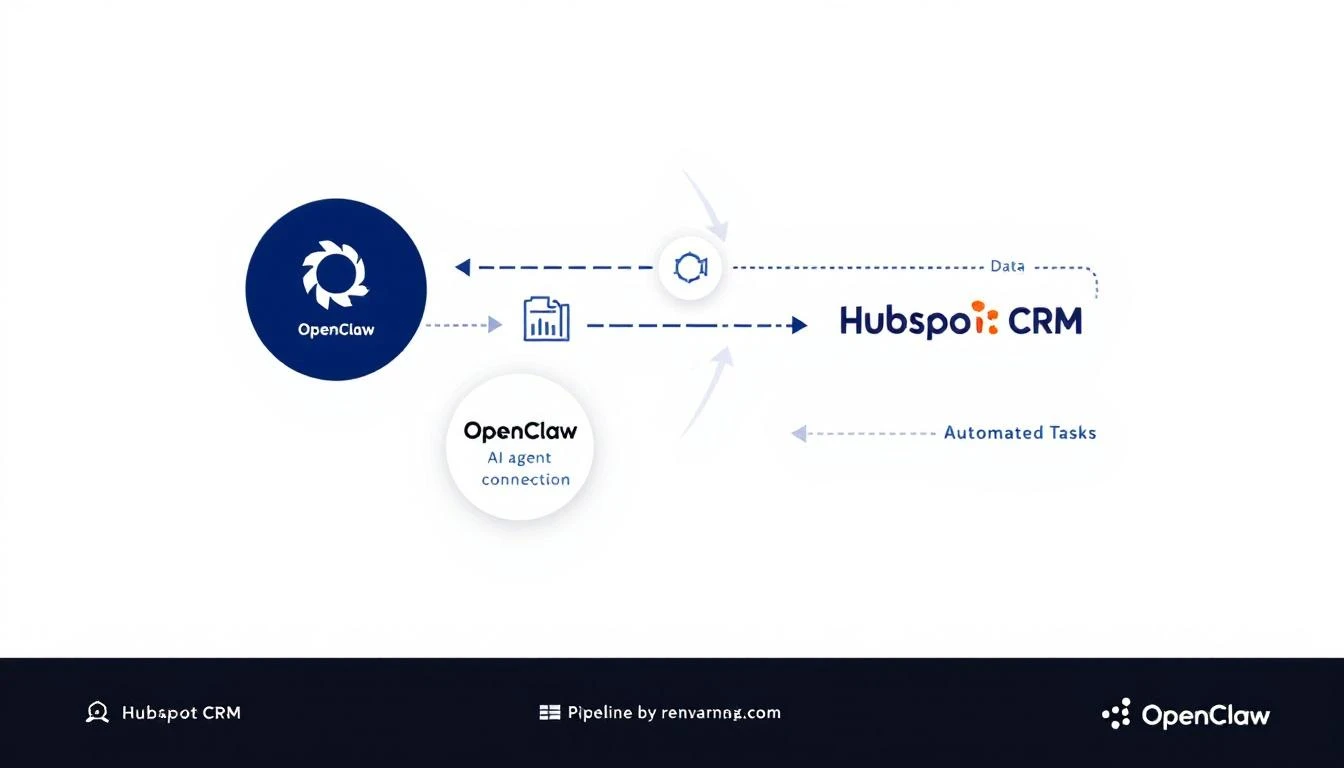
That's exactly what happens when you connect OpenClaw—the open-source AI agent gateway—to HubSpot. You get an always-on AI assistant that monitors your pipeline, enriches contacts automatically, and alerts you before deals go cold.
Example: Daily pipeline health check that messages you via WhatsApp:
cron: jobs: -name:"Pipeline Health Check" schedule: kind: cron expr:"0 9 * * 1-5"# 9am weekdays payload: kind: agentTurn message:| Check HubSpot for: 1. Deals stuck in same stage for 7+ days 2. Deals over $10K with no activity this week 3. Contacts added yesterday that need enrichment Summarize findings and alert me if anything needs attention.
Start with one automation: Stale deal alerts are the easiest win
Iterate: Add more automations as you see what works
The best part? OpenClaw is free and open source. You're not adding another $500/month tool to your stack—you're building on infrastructure you control.
Want to see AI-powered SDR workflows in action? MarketBetter combines visitor identification, automated playbooks, and AI-driven outreach in one platform. Book a demo to see how it works.