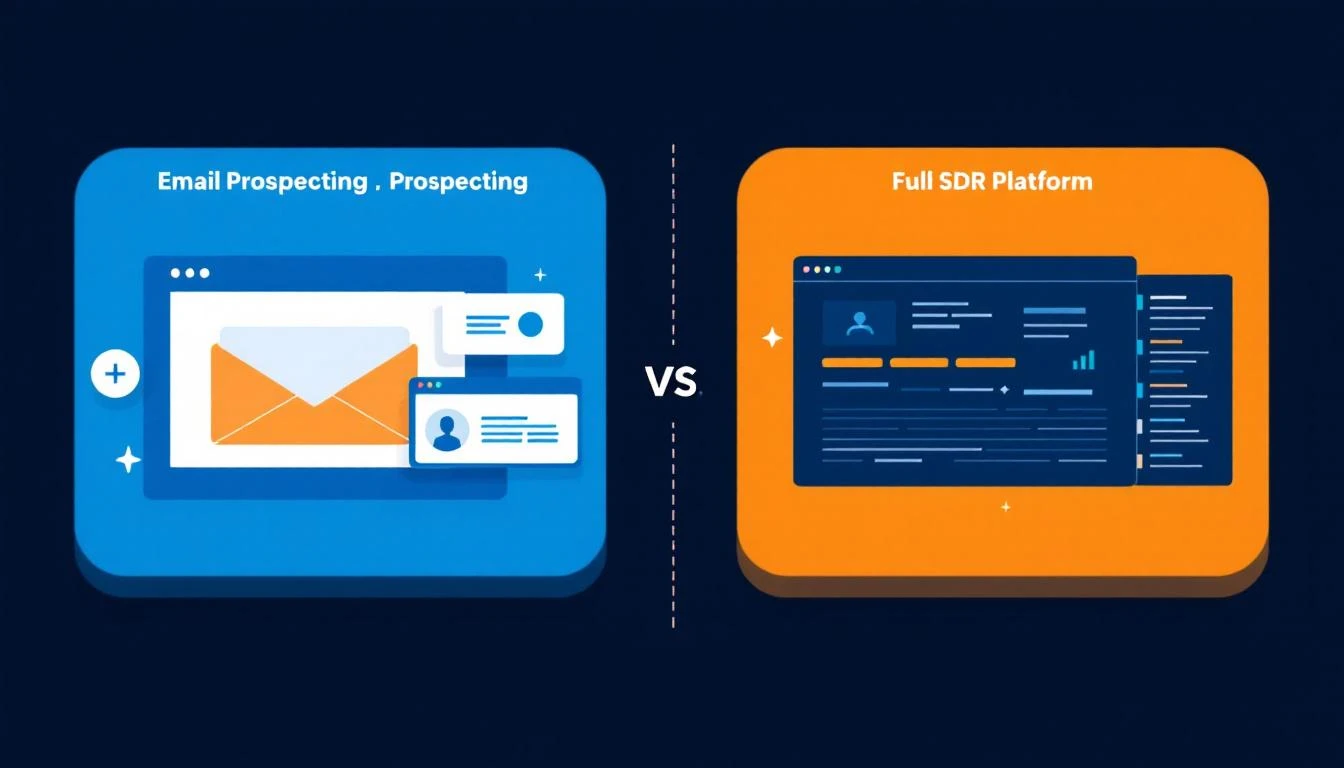
Snov.io and MarketBetter both help sales teams reach prospects. But they solve the problem at completely different levels.
Snov.io is an email prospecting and cold outreach tool. It finds email addresses, verifies them, sends drip sequences, and includes a lightweight CRM. Think of it as a lead generation toolkit built around email.
MarketBetter is a full SDR operating system. It identifies website visitors, scores intent signals, automates multi-channel outreach (email + phone + chat), and gives SDRs a daily playbook that tells them exactly what to do.
The difference: Snov.io helps you find and email prospects. MarketBetter tells you who is ready to buy and how to reach them across every channel.
Snov.io: This is Snov.io's bread and butter. The email finder searches by domain, company, or person. The verification tool checks deliverability. The Chrome extension pulls contacts from LinkedIn profiles. It's solid — Snov.io has been doing this since 2017.
MarketBetter: Includes enrichment credits powered by Fiber for prospect discovery, email, and phone enrichment. Not as deep as Snov.io's dedicated finder, but integrated into the workflow so enriched contacts flow directly into outreach sequences.
Winner: Snov.io for pure email finding volume. MarketBetter for enrichment-to-action workflow.
Snov.io: Drip campaigns with basic personalization, A/B testing, and scheduling. Works well for straightforward cold email sequences. Deliverability tools include email warm-up (limited on lower plans) and tracking.
MarketBetter: AI-personalized email sequences that pull from intent signals, visitor behavior, and enriched data. The emails aren't just templated drips — they're contextual outreach triggered by actual buying signals.
Winner: MarketBetter for intelligence-driven outreach. Snov.io for simple, high-volume cold email campaigns.
This is where the comparison breaks down. Snov.io is email-centric. MarketBetter is multi-channel.
Capability
MarketBetter
Snov.io
Website visitor identification
✅ Know who's on your site
❌
Smart dialer
✅ Call directly from playbook
❌
AI chatbot
✅ Engages visitors 24/7
❌
Daily SDR playbook
✅ Prioritized task list
❌
Intent signals
✅ Behavioral + firmographic
❌
LinkedIn automation
✅ Coming soon
⚠️ $69/mo add-on
Snov.io positions itself as "all-in-one," but it's really all-in-one for email prospecting. For actual SDR workflow automation, you'll need additional tools.
Snov.io: Includes a free CRM with deal tracking, pipeline visualization, and basic lead management. It's functional for small teams but limited compared to HubSpot or Salesforce.
MarketBetter: Integrates with HubSpot and Salesforce rather than building a separate CRM. Your data flows into the CRM your team already uses.
Snov.io is a capable email prospecting tool at an accessible price point. If your entire outbound motion is cold email and you need to find addresses + send sequences on a budget, it's a solid option.
But if you're building or scaling an SDR team and need more than email — visitor identification, smart dialing, AI chat, daily playbooks — Snov.io is one piece of a 4-5 tool stack that MarketBetter replaces entirely.
Start with the question: Is your bottleneck finding emails, or is it knowing who to contact, when, and across which channel?
Mixmax takes a fundamentally different approach from most sales engagement platforms: instead of being a standalone tool, it lives inside Gmail. For reps who spend their entire day in their inbox, this means no context-switching. With 1,400+ G2 reviews and a 4.6 rating, it's clearly resonated with a large user base.
But the Gmail-first approach comes with inherent limitations. We analyzed 50+ user reviews from G2, Capterra, GMass, and SalesForge to understand whether Mixmax's convenience justifies its cost — and where it falls short.
Founded in San Francisco, Mixmax is a sales engagement platform that operates as a Gmail extension. Rather than replacing your email workflow, it enhances Gmail with tracking, sequences, scheduling, and analytics directly within the inbox interface.
Core features:
Email tracking (opens, clicks, downloads)
Automated sequences with multi-step follow-ups
One-click meeting scheduling (embed available times in emails)
Templates and snippets for rapid email composition
Sequences, shared calendars, CRM auto-BCC, no branding
Growth
$65/user/mo
HubSpot integration, AI Compose, AI Smart Send, round-robin, analytics
Growth + CRM
$89/user/mo
Salesforce integration, API/webhook automation
Enterprise
$99+/user/mo
Custom terms, advanced security, dedicated support
The real cost for a 5-person team on Growth + CRM (monthly):
Mixmax: $445/month ($89 x 5)
Plus separate dialer, LinkedIn tool, data provider, visitor ID
Total stack cost: $700-1,200/month
The free plan trap: Mixmax's free tier is genuinely useful for individual tracking — but it adds "Sent with Mixmax" branding, and you hit feature walls quickly. The jump from Free to paid is where most users evaluate whether the value justifies $34-89/user/month.
This is the killer feature. No separate tab, no new app to learn, no context-switching. Everything — tracking, sequences, scheduling, templates — happens within the Gmail interface you already use all day. For reps resistant to adopting new tools, Mixmax has almost zero friction.
Embed your available time slots directly in any email. Recipients click a time, and the meeting is booked — no back-and-forth, no external scheduling links. G2 reviewers consistently cite this as their favorite feature. It's so seamless that many users pay for Mixmax just for scheduling alone.
Save your best-performing emails as templates, then insert them with a shortcut. Snippets let you save smaller text blocks (pricing paragraphs, product descriptions, signatures) for quick insertion anywhere. These small efficiency gains compound across dozens of emails daily.
Get notified the moment a prospect opens your email, clicks a link, or downloads an attachment. The notifications appear in Gmail and can push to Slack. For reps timing their follow-up calls, this is invaluable — call when the prospect is actively reading your email.
Unique to Mixmax: embed interactive polls, surveys, and CTAs directly inside emails. Prospects can respond without leaving their inbox. This increases response rates for feedback requests, meeting polls, and preference questions.
Mixmax only works with Gmail and Google Workspace. Outlook users are completely locked out. For organizations running Microsoft 365, Mixmax is not an option — period. This limits its addressable market and creates migration risk if your company switches email providers.
Multiple G2 reviewers report deliverability issues when sending at volume through Mixmax. Because emails route through Gmail's servers with Mixmax's tracking pixels embedded, some enterprise spam filters flag them more aggressively than plain emails. The "Sent with Mixmax" branding on free plans compounds this.
At $89/user/month for CRM integration, a 10-person team pays $890/month — and still doesn't get a dialer, LinkedIn automation, visitor identification, or prospecting data. The per-seat model means costs scale linearly with team size, with no volume discounts until Enterprise.
Mixmax has no built-in calling capability. For SDR teams that need phone outreach (which is most of them), you need a separate dialer — Nooks, Orum, AirCall — adding another $30-80/user/month on top.
Despite being a "sales engagement" platform, Mixmax is really an email engagement platform. There's no LinkedIn automation, no SMS, no multichannel sequencing. Teams doing true multichannel outreach need additional tools.
Mixmax is the best Gmail enhancement money can buy. If your reps live in Gmail and your sales motion is primarily email-based, the convenience is real. Meeting scheduling alone may justify the cost.
But Mixmax isn't an SDR platform — it's an email productivity tool. There's no dialer, no LinkedIn automation, no visitor identification, no buyer intent signals. Modern SDR teams running multichannel outbound will still need 3-4 additional tools alongside Mixmax.
The honest assessment: Mixmax makes your inbox smarter. But smart inboxes don't build pipeline — knowing who to email, who to call, and who's on your website right now does.
For a platform that unifies email, dialing, visitor identification, and AI-powered prioritization in one tool, explore MarketBetter.
Orum doesn't publish Ascend pricing. Based on third-party data and user reports, it's estimated at $400-500+ per user per month, though pricing varies by deal.
Orum is a dialer. That's it. No email sequences, no LinkedIn automation, no website visitor identification, no AI chatbot. For a complete SDR workflow, you'll need to stack additional tools:
Additional Tool
Typical Cost
Purpose
Email sequencer (Outreach/SalesLoft)
$100-150/user/mo
Email automation
Visitor ID (Clearbit/Warmly)
$500-2,000/mo
Website identification
LinkedIn automation (HeyReach/Dripify)
$50-100/user/mo
LinkedIn outreach
Data provider (ZoomInfo/Apollo)
$150-300/user/mo
Contact data
Total stack cost for a 5-person team: $3,500-6,000+/month — on top of Orum's $1,250-2,250.
This is consistently the #1 complaint on Reddit and G2. Orum's parallel dialing introduces a 1-2 second delay when a prospect picks up. Multiple users report this as a dealbreaker:
"There is a 1-2 second delay during the answer which myself and the other stakeholder feel is a bit long and possibly a dealbreaker." — r/sales user
"They all have a lag that ruins the conversation from the very beginning and destroys relationships." — r/sales user
That delay erodes the very trust you're trying to build on cold calls.
When you're blasting through 600 dials an hour, there's no time to read the prospect's LinkedIn, check their company's news, or personalize your opening. One user reported their team opted against implementing Orum specifically because:
"The main complaint on my team was that you had no time to prepare."
Volume without preparation leads to more connects but worse conversations.
On the Launch plan, you only get 200 data enrichment credits per rep per month. If your reps are making 200+ calls per day, that data runs out fast. You'll either need to upgrade to Ascend or buy a separate data provider.
For a 3-person SDR team, MarketBetter gives you a complete platform at roughly the cost of Orum's dialer alone — before you add email, visitor ID, and data tools on top.
Orum is the best parallel dialer on the market. If your team lives on the phone and already has every other tool in place, it can meaningfully increase call volume.
But at $250-500/user/month for one channel, plus annual contracts only, plus the well-documented connection lag — it's a significant investment in a single-channel solution.
If you want one platform that covers calling, email, visitor identification, and daily playbooks, book a demo with MarketBetter and see what a complete SDR operating system looks like.
Orum is one of the most talked-about parallel dialers in B2B sales. It promises to help SDRs make hundreds of calls per hour, identify live connections instantly, and coach reps with AI-powered scorecards.
We dug through hundreds of G2 reviews, Reddit threads, and real user feedback to give you the honest picture — what works, what doesn't, and whether Orum is worth the premium price tag.
Orum is an AI-powered parallel dialing platform designed for outbound SDR teams. Its core capabilities include:
Parallel dialing — Call up to 5-10 prospects simultaneously
AI-powered live detection — Identifies human pickups vs voicemails in real-time
Virtual Salesfloor — Recreates the energy of an in-person sales floor for remote teams
AI Coaching Suite — Personalized coaching portals, call scorecards, and AI roleplay
Call analytics — Detailed performance tracking and reporting
Founded in 2018, Orum has positioned itself as the premium option in the parallel dialer space, competing primarily with Nooks, PhoneBurner, and PowerDialer.
The #1 praise across every review platform is the sheer volume increase. Users consistently report going from 50-80 manual dials per day to 300-600 dials per hour with parallel dialing.
Remote sales teams lose the buzz of a physical sales floor. Orum's Virtual Salesfloor lets reps collaborate, listen to live calls, and learn together in real-time. G2 reviewers specifically praise this for:
Building team culture for distributed SDR teams
Real-time coaching opportunities (managers can listen in)
The AI Coaching Suite — available on higher-tier plans — offers personalized coaching portals, AI-generated call scorecards, and AI roleplay for practice. Users report it reduces the time managers spend reviewing calls manually.
This shows up in nearly every critical review. When a prospect answers during parallel dialing, there's a 1-2 second delay before the rep is connected. Multiple Reddit users flag this as a dealbreaker:
"There is a 1-2 second delay during the answer."
"They all have a lag that ruins the conversation from the very beginning and destroys relationships."
That silence at the start of a cold call signals "robocall" to prospects. Many hang up immediately.
Parallel dialing is fast — sometimes too fast. Teams report that reps don't have time to glance at the prospect's LinkedIn, check recent company news, or personalize their opening line before the next call connects:
"The main complaint on my team was that you had no time to prepare, so we opted against implementing it."
This creates a trade-off: more dials but less personalized conversations.
G2's own review analysis tags show "Missing Features" (70 mentions) as a significant concern. Orum is purely a dialer — there's no email sequencing, no LinkedIn outreach, no visitor identification. Teams need 3-4 additional tools for a complete outbound workflow.
"Integration Issues" (44 mentions) on G2 suggest that connecting Orum with existing CRM and sales tools isn't always seamless. This matters because Orum depends on other tools for everything beyond calling.
Orum is the strongest parallel dialer available. If your team's core motion is phone-based outbound and you need to maximize dial volume, it delivers.
But at $250-500/user/month for calling only, locked into annual contracts, with well-documented connection lag issues — it's a premium investment in a single channel.
Teams that want one platform for calling, email, visitor identification, and SDR playbooks at a lower total cost should explore MarketBetter instead.
Rating: 4.1/5 — Excellent at what it does (parallel dialing), limited by what it doesn't do (everything else).
Outbound sales isn't dying. Bad outbound is dying.
The spray-and-pray era is officially over. In 2026, sending 500 generic emails per day and hoping for 2 replies isn't a strategy — it's spam. Cold calling from a random list without context isn't prospecting — it's harassment.
But signal-driven, multi-channel outbound? It's generating more pipeline than ever for teams who do it right.
This guide is the playbook we've seen work across hundreds of B2B SDR teams. Not theory — execution.
The old way: Buy a list of 10,000 contacts. Blast a 5-email sequence. Celebrate 0.3% reply rate.
Why it fails now: Email deliverability algorithms have evolved. ESPs like Google and Microsoft now use engagement signals (opens, replies, complaints) to determine inbox placement. High-volume, low-engagement sending tanks your domain reputation. Your emails land in spam. Your domain gets blacklisted. Game over.
The old way: Email-only outbound. Maybe LinkedIn InMail as a "multi-channel" afterthought.
Why it fails now: Decision-makers average 300+ emails per day. Your cold email competes with 50 other vendors, 100 internal emails, and an AI assistant that's pre-filtering their inbox. Email alone can't cut through.
The old way: Target anyone who matches your ICP. Company size, industry, title — that's the targeting.
Why it fails now: ICP fit is necessary but not sufficient. You need timing signals — is this person actually in-market right now? Reaching the right person at the wrong time is the same as reaching the wrong person.
The old way: SDRs manually research each prospect, write each email, log each activity, update the CRM, and figure out who to call next.
Why it fails now: An SDR who spends 70% of their time on non-selling activities can't compete with one who spends 70% selling. AI has made the manual approach a competitive disadvantage, not just an inefficiency.
Visiting your website (website visitor identification)
Engaging with competitor content
Searching for solutions you provide (intent data)
Job postings for roles your product supports
Champion movement (former customer changed companies)
Layer 3: Contextual triggers (relevance)
Recent funding round
New executive hire (especially VP Sales, CRO, CMO)
Merger/acquisition
Conference attendance
Product launch or expansion into new markets
Most teams stop at Layer 1. The best teams combine all three to create a dynamic ICP that surfaces prospects who are ready to buy right now — not just companies that could theoretically buy someday.
How to implement this:
Use a website visitor identification tool (like MarketBetter) to capture Layer 2 signals automatically
Set up Google Alerts and LinkedIn Sales Navigator alerts for Layer 3 triggers
Score leads based on signal density: firmographic fit + behavioral signal + contextual trigger = highest priority
Step 2: Build a Multi-Channel Sequence Architecture
The days of "5-email cadence" are over. Modern outbound requires coordinated touches across 3-4 channels:
Day 1: LinkedIn connection request (personalized note)
Day 2: Email #1 (problem-focused, not product-focused)
Day 3: Phone call #1 (reference the email)
Day 5: LinkedIn comment on their recent post
Day 7: Email #2 (case study or relevant data point)
Day 10: Phone call #2 (voicemail if no answer)
Day 12: Email #3 (direct ask for 15 minutes)
Day 15: LinkedIn message (different angle)
Day 20: Email #4 (breakup email)
Day 25: Phone call #3 (final attempt)
Key principles:
Never lead with product. Lead with a problem you've seen in their industry.
Each touch adds new information. Don't repeat yourself across channels.
Phone follows email. "Hey, I sent you something yesterday about [topic]" is 3x more effective than a cold call with no context.
LinkedIn warms up email. Prospects who've seen your LinkedIn activity are 5x more likely to reply to your email.
Step 3: Personalize at Scale (Without Spending 30 Minutes Per Email)
Personalization at scale is the holy grail of outbound. Here's the framework:
The 3-Layer Personalization Model:
Layer 1: Segment-level (60% of emails)
Customized by industry + role + company size
Template-based with dynamic variables
Takes 0 minutes per email (automated)
Layer 2: Account-level (30% of emails)
References specific company news, technology, or pain points
Semi-automated with AI research assistance
Takes 2-3 minutes per email
Layer 3: Person-level (10% of emails)
References individual posts, career moves, mutual connections
Fully manual, reserved for highest-value prospects
Takes 5-10 minutes per email
The mistake most teams make: Trying to do Layer 3 for every email. That's unsustainable. Instead, batch your prospects:
Tier 1 (top 10%): Full Layer 3 personalization — these are your dream accounts
Tier 2 (middle 30%): Layer 2 personalization — good fit, worth the extra effort
Tier 3 (bottom 60%): Layer 1 personalization — ICP fit but no strong signals yet
This tiered approach lets a single SDR effectively work 200-300 prospects per month while maintaining quality for the highest-value targets.
Step 4: Use AI to Eliminate Non-Selling Activities
That's 80% non-selling activity. AI in 2026 can compress most of that:
AI for research: Tools like MarketBetter's Daily Playbook automatically research prospects and surface relevant talking points. What used to take 15 minutes per prospect now takes 15 seconds.
AI for email personalization: AI drafts personalized emails based on prospect data, company news, and engagement history. SDRs review and send, not write from scratch.
AI for activity logging: Modern platforms auto-log emails, calls, and LinkedIn touches. Zero manual CRM updates.
AI for prioritization: Instead of SDRs deciding who to call, AI scores and ranks prospects based on intent signals, engagement, and fit. The rep opens their dashboard and sees a prioritized task list.
AI for call coaching: Real-time coaching during calls — suggest responses, flag competitor mentions, surface relevant case studies.
The result: SDRs flip from 20% selling time to 60%+ selling time. Same headcount, 3x output.
Most outbound emails fail because they talk about the product instead of the problem. Use the PAS framework:
Problem → Agitation → Solution
Bad email (product-focused):
Hi Sarah, I'm reaching out from [Company]. We offer an AI-powered sales platform with visitor identification, email automation, and a smart dialer. Would you like to see a demo?
Good email (problem-focused):
Hi Sarah, I noticed [Company] has 8 open SDR positions. Scaling from 5 to 13 reps usually means one thing: your current process breaks. The playbooks that worked with 5 reps — manual research, gut-feel prioritization, ad-hoc follow-ups — fall apart at 13.
We helped [Similar Company] go through the same transition. They went from 20 tabs per rep to a single daily task list. Reply rates went up 40% while the team doubled.
Worth 15 minutes to see how they did it?
The difference: The first email tells Sarah about you. The second email tells Sarah about Sarah. Prospects don't care about your features — they care about their problems.
Messaging frameworks by buyer persona:
Persona
Primary Pain
Message Angle
VP Sales
SDR productivity, pipeline coverage
"Your SDRs spend 70% of their time NOT selling"
SDR Manager
Rep ramp time, activity quality
"New reps at full productivity in 2 weeks, not 2 months"
The difference between good and great outbound teams is their speed of iteration:
Weekly sequence reviews:
Which sequences have the highest positive reply rates?
Which email in the sequence gets the most engagement?
Where do prospects drop off?
What objections keep coming up?
Monthly ICP validation:
Are the meetings we're booking converting to pipeline?
Which segments have the highest conversion rates?
Should we expand or narrow our targeting?
Quarterly strategy reviews:
Is our cost per meeting trending down?
Are new channels worth testing?
How has the competitive landscape shifted?
Do we need to adjust our messaging framework?
The compounding effect: Teams that run weekly sequence reviews for 6 months typically see 2-3x improvement in reply rates. Each iteration makes the next one more effective.
The ideal stack eliminates category overlap. If your SDR platform includes a dialer, don't buy a separate dialer. If it includes email sequences, don't layer on Outreach. Tool sprawl is the enemy of SDR productivity.
The data: 80% of deals require 5+ touches before a prospect engages. Most SDR teams give up after 3.
The fix: Build sequences with 10+ touches across multiple channels. The breakup email (touch 8-10) often gets the highest reply rate because it creates urgency.
The data: Prospects who visited your website are 7x more likely to take a meeting than cold prospects.
The fix: Build a separate, accelerated sequence for warm prospects (website visitors, content engagers, event attendees). These should get touches within hours, not days.
The data: Companies with aligned sales and marketing teams see 38% higher win rates.
The fix: Share marketing's content calendar with the SDR team. When marketing runs a campaign about [topic], SDRs should be reaching out to prospects interested in that topic.
Mistake 5: Hiring more SDRs instead of enabling existing ones
The data: Improving SDR efficiency by 30% is equivalent to adding 3 reps to a team of 10 — without the salary, ramp time, or management overhead.
The fix: Before hiring, maximize the output of your current team with better tools, better data, and better processes. Often, 5 enabled SDRs outperform 10 unsupported ones.
Outbound sales in 2026 rewards precision over volume, signals over spray, and AI-augmented reps over brute-force headcount. The playbook is:
Layer your ICP with firmographic fit + behavioral signals + contextual triggers
Coordinate across channels — email, phone, LinkedIn, gifting
Personalize in tiers — deep for dream accounts, efficient for the rest
Deploy AI for the 80% that isn't selling
Lead with problems, not products
Measure cost per meeting, not activities
Iterate weekly on sequences, messaging, and targeting
The teams that win at outbound in 2026 aren't sending more emails. They're sending better emails to the right people at the right time.
Ready to see how AI-powered outbound actually works? Book a demo with MarketBetter and see how the Daily SDR Playbook turns intent signals into booked meetings — automatically.
Outplay has carved out a niche as the "affordable multichannel" sales engagement platform, offering email, phone, LinkedIn, SMS, WhatsApp, and chat outreach from a single tool. With 269+ G2 reviews and a 4.5 rating, it's positioned itself as the value alternative to Outreach and SalesLoft.
But "multichannel" doesn't mean "complete." We analyzed G2 reviews, Capterra feedback, SalesRobot analysis, and Woodpecker's competitive review to understand where Outplay delivers and where it falls short.
Outplay is a multichannel sales engagement platform built for growing sales teams. Founded in India and launched around 2019, it bundles email automation, a power dialer, LinkedIn steps, SMS, WhatsApp, and a live chat widget into a single platform at a price point significantly below enterprise incumbents.
Add data provider: ~$200-500/month (ZoomInfo, Apollo, etc.)
Total stack cost: ~$895-$1,195/month
Previous pricing started at $49/user/month (Growth plan), but the restructure effectively raised the floor. Some legacy customers may still be on older plans.
Outplay's strongest selling point is genuine multichannel capability. Most competitors offer email + maybe phone. Outplay includes email, phone (built-in dialer), LinkedIn, SMS, WhatsApp, and web chat — all within a single sequence. Users can create cadences that start with email, follow up on LinkedIn, then trigger a phone task, all automated.
Across G2 and Capterra, Outplay's onboarding experience receives consistent praise. The team provides hands-on setup assistance, helps with sequence configuration, and offers training sessions. For teams migrating from spreadsheets or basic tools, this matters.
Users describe the UI as "clean and modern," especially compared to older platforms like SalesLoft. The sequence builder is drag-and-drop, and most reps can create their first cadence within hours rather than days.
At $79-$139/user/month, Outplay undercuts Outreach and SalesLoft by 40-60%. For teams that need multichannel but can't justify enterprise pricing, Outplay hits a sweet spot.
Open tracking, click tracking, and reply detection work reliably. Users highlight the real-time notifications and the ability to see engagement at both the campaign and individual prospect level.
This is a major pain point. A Capterra reviewer stated: "I've found it difficult to prospect and add leads onto Outplay." The platform excels at engaging existing lists but offers limited native prospecting. You need external data tools to build lists, then import them — adding friction and cost.
G2 reviewers report issues with contact data accuracy when using Outplay's built-in enrichment features. Phone numbers are sometimes outdated, and email verification has gaps. Teams using Outplay's data often supplement with a dedicated data provider anyway.
While Outplay includes LinkedIn steps, the automation is constrained by LinkedIn's API limitations. Connection requests, profile visits, and InMails require semi-manual execution. The LinkedIn integration works better as a task reminder system than true automation.
Reporting covers basic campaign metrics (opens, clicks, replies) but lacks deeper insights like revenue attribution, pipeline influence, or multi-touch analysis. Teams that need to prove ROI to leadership may find the analytics insufficient.
Some users report performance issues as their team and campaign volume grows. The platform was built for growing teams but can feel constrained at 20+ reps or when running dozens of concurrent campaigns.
Outplay delivers on its promise of affordable multichannel sales engagement. For teams that just need to execute sequences across email, phone, and LinkedIn at a reasonable price, it works. The onboarding is solid, the UI is clean, and the multichannel breadth is genuinely useful.
But it's a sequencer, not a signal processor. It automates the "how" of outreach without answering the "who" or "when." You still need separate tools for prospecting, visitor identification, and buyer intent — which erodes the cost advantage.
The real question: Do you want a tool that sends messages across channels, or a platform that tells your SDRs which prospects are ready to buy and exactly what to do next?
Share tips and shortcuts discovered by early adopters
Pro tip: Assign one "platform champion" per team who gets deeper training and becomes the go-to resource. This scales better than training everyone to expert level.
Once you're live on the new platform, capture the value you switched for:
If you gained visitor identification: Set up alerts for target account website visits. This alone can generate 3–5 extra meetings per month.
If you gained an AI chatbot: Configure it to engage visitors on high-intent pages (pricing, demo, case studies). After-hours chatbot engagement captures leads you were losing.
If you gained a daily playbook: Train reps to start each day from their AI-prioritized task list instead of manually deciding who to contact.
If you reduced cost: Reallocate savings to content, advertising, or additional SDR headcount.
New email sending infrastructure needs warming. Start with lower volumes and ramp up over 2 weeks. Don't send your full daily volume on day one — you'll hit spam filters.
When reps ask "why are we switching?", have a clear, honest answer. "It costs too much for what we get" is fine. "Management decided" is not. Reps adopt faster when they understand the reasoning.
Let's be real—the old-school B2B sales funnel is broken. We've all seen the diagrams: a neat, tidy progression from "awareness" down to "purchase." It looks great in a slide deck, but it almost never reflects how B2B buyers actually behave.
Today's buying journey is messy. Prospects bounce between stages, do their own research on the sly, and engage when they want to, not when our funnel says they should.
This is where most traditional sales processes completely fall apart. A rigid, stage-based model puts your SDRs on the back foot, forcing them to wait for a lead to hit some arbitrary MQL score. A modern, actionable sales process for b2b, however, is all about speed and relevance. It’s a workflow designed to turn buyer signals into pipeline, fast.
We're talking about real buying signals—like an exec from a target account hitting your pricing page or a key contact clicking on a LinkedIn ad. These are the moments that matter.
Instead of just watching leads trickle down a funnel, the best sales teams build their entire process around prioritized actions. The objective isn't just to nurture; it's to act on the right accounts at the perfect moment. For any sales leader trying to build a predictable pipeline machine, this mental shift is everything. If you want to dig deeper into why older models are failing, you can explore the modern B2B sales funnel.
The cost of sticking to an unstructured process is staggering. A recent study found that 55% of sales leaders directly attribute revenue loss to a poorly defined process. It’s a huge problem, contributing to the $856 billion US businesses lose annually from bad customer experiences.
This is exactly why SDR task engines are becoming so critical. They turn those buyer signals into a prioritized to-do list for your reps, telling them the next-best action to take right inside their CRM, whether that's Salesforce or HubSpot.
The core difference is focus. A traditional funnel is about classifying leads. A modern process is about orchestrating the next best action for your SDR.
This guide is your playbook for building an outbound sales process that actually drives results. To kick things off, let's look at a side-by-side comparison of the old way versus the new.
This table breaks down the fundamental shift from a passive, linear approach to the dynamic, signal-driven workflow we're building here.
Traditional Funnel vs Modern Process A Quick Comparison
Element
Traditional Process (The Old Way)
Modern Process (The Actionable Way)
Driver
Linear, predefined stages
Real-time buyer signals and intent data
Rep Focus
Manual lead qualification and list building
Executing prioritized, context-rich tasks
Pacing
Reactive; waits for leads to qualify in
Proactive; engages accounts at the first sign of intent
Technology
Siloed tools (CRM, dialer, email)
Integrated task engine within the CRM
Outcome
Inconsistent activity, slow pipeline growth
Scalable, predictable outbound motion
As you can see, the modern process isn't just a small tweak—it's a complete reimagining of how outbound sales should work, putting your SDRs in a position to win from the very first signal.
Any solid outbound sales process doesn't kick off with a slick email template or a clever opening line. It all starts with a much more fundamental question: who, exactly, are we talking to? The quality of your pipeline is a direct result of the quality of your targeting.
Most teams get this partially right. They build an Ideal Customer Profile (ICP) based on industry, company size, and maybe geography. That’s a decent start, but it’s like fishing with a giant net—sure, you’ll catch something, but most of it won't be what you’re really after.
To do this right, you need to build a high-fidelity Target Account List (TAL). This isn't some static spreadsheet you pull once a quarter. Think of it as a living, breathing list of companies that not only fit your profile but are also dropping hints they might be ready to buy right now. A crucial first step here is knowing how to identify your target market with real precision.
To build a TAL that actually works, you have to look beyond simple firmographics and start layering in more dynamic data. This is how you get a much richer, more accurate picture of your best-fit accounts.
Here’s a quick look at how the data layers stack up:
Data Type
Traditional Approach (Basic ICP)
Modern Approach (High-Fidelity TAL)
Firmographic
Industry, company size, revenue.
All of the above, plus growth trends and funding data.
Technographic
Do they use a key competitor or complementary tech?
What is their full tech stack? Are they hiring for roles that manage that tech?
Intent Data
N/A
Are they visiting review sites? Searching for relevant keywords?
Behavioral Data
N/A
Have they visited your pricing page? Downloaded a whitepaper?
This blended approach completely changes the game. Your TAL goes from being a simple directory to a dynamic watchlist. You’re no longer just chasing companies that could buy; you're zeroing in on companies actively showing buying behavior. We dive deeper into this strategy in our complete guide to target account selling.
Once you have all this rich data, you need to make it actionable. This is where a modern sales process really pulls away from the old way of doing things. Instead of having your reps manually hunt for these signals, you create automated triggers.
Think about it this way: a traditional SDR gets told, "Go find 10 new SaaS accounts to call this week." An SDR in a modern setup gets a prioritized task pushed to them based on a very specific trigger.
Here are a few real-world examples:
Hiring Signal: A target account posts a job for a "VP of Sales Operations." That’s a massive signal they're investing in the exact area your product solves for.
Website Engagement: A key contact from an open opportunity just hit your integrations page. That tells you they're in a late-stage evaluation.
Content Consumption: You see that five different people from a target account all downloaded your "State of Outbound Sales" report.
The whole point is to stop guessing and start reacting to real-time buyer behavior. Every signal is a potential door-opener, giving your SDRs the context they need to cut through the noise.
This is exactly what platforms like marketbetter.ai are built for—visualizing these signals and turning raw data into a simple, actionable task list for your team.
This kind of interface translates complex buyer signals into a clear, prioritized workflow. It makes sure your reps are always focused on the accounts most likely to actually engage.
An AI-powered SDR engine like marketbetter.ai is designed to catch these triggers automatically. It keeps an eye on your TAL, and the second a buying signal pops up, it instantly creates and assigns a prioritized task to the right SDR, right inside their CRM.
This completely gets rid of the "what should I do next?" paralysis that drags down so many outbound teams. The system itself orchestrates the very first step of your sales process, ensuring your reps spend their time talking to accounts that are already warmed up. That's the foundation of a truly efficient and scalable outbound machine.
So, you’ve built a high-fidelity Target Account List (TAL) humming with accounts showing genuine intent. Now what? This is the moment of truth—the handoff where potential energy becomes kinetic action. It's also where a lot of B2B sales processes fall apart.
The old way is pure chaos. An SDR is left to their own devices, scrolling aimlessly through LinkedIn, randomly clicking on CRM records, or just staring at a generic spreadsheet. They waste precious hours just trying to figure out what to do next. That reactive approach isn't just inefficient; it's completely demoralizing.
A modern sales process for B2B, on the other hand, gets rid of the guesswork. It’s all about a focused, proactive workflow that translates every single buyer signal into a clear, prioritized task. This is how you get your reps spending their time on high-impact activities instead of being stuck in administrative paralysis.
This flow chart breaks down exactly how raw data and signals get converted into specific, actionable tasks for your SDR team.
The big takeaway here? Data on its own is just noise. It has to be interpreted through the lens of buyer signals to create tasks that actually move the needle.
Imagine an SDR logging in for the day. Instead of a cluttered dashboard, they see a clean, prioritized task inbox. Their top item isn't some random lead; it's a specific instruction: "Engage with Contact X at Company Y based on their recent G2 activity."
That's the core of an efficient outbound engine. It provides the "what" and the "why" behind every action. All of a sudden, your SDRs stop being researchers and become expert executors.
The difference is night and day.
Workflow Element
Chaotic & Reactive (The Old Way)
Focused & Proactive (The New Way)
Daily Start
Scrolling LinkedIn, sifting through CRM lists.
Opening a prioritized task inbox.
SDR Focus
"Who should I call? What should I say?"
"Executing Task #1 based on clear context."
Source of Truth
Scattered notes, browser tabs, memory.
A single, native task engine in the CRM.
Manager Confidence
Low; impossible to know if reps are on track.
High; the system ensures consistent execution of plays.
This is a fundamental shift in how your team operates. You’re moving from a system of vague suggestions to a system of clear direction, giving your team the structure they need to perform at their best, day in and day out. If you want to dive deeper into what these triggers look like, you can learn more about the indicators of interest that drive these tasks.
So how do you actually make this happen? The real magic is connecting your data sources to a task engine that lives right inside your CRM, whether that's Salesforce or HubSpot. This creates a single source of truth for your entire GTM team.
An SDR task engine like marketbetter.ai is built to automate this exact flow. It listens for the triggers you define and then translates them into concrete tasks for your reps.
Here are a couple of real-world examples:
Trigger: A director-level contact at a target account visits your pricing page three times in one week.
Task Created: High-Priority Call Task for the assigned SDR: "Call Jane Doe at Acme Corp. Context: She's shown high interest in our pricing this week."
Trigger: A target account in the "negotiation" stage of an open deal just hired a new CTO.
Task Created: High-Priority Email Task for the Account Executive: "Introduce yourself to new CTO, John Smith, at Globex Inc. to de-risk the deal."
This isn't just about creating a bunch of tasks. It's about creating the right tasks with the right context at precisely the right time. That level of precision gives sales managers total confidence that the team is consistently running the most valuable plays.
This approach is critical for tightening up your deal cycles. The typical B2B sales cycle already drags on for one to three months, with 8% of deals stretching past five months. For big enterprise plays, you could be looking at a grueling six to twelve months. According to research from Intentsify, drawn-out processes are the top reason prospects go dark, a pain point for 28% of sales pros.
Tools that turn intent signals into prioritized tasks and help you craft contextual outreach aren't a luxury anymore—they're essential for keeping deals from stalling out. By automating task creation based on real-time signals, you ensure no opportunity ever slips through the cracks.
All the great targeting and perfectly prioritized tasks in the world don't mean a thing if your outreach falls flat. This is where your B2B sales process really hits the ground, turning a warm signal into a real conversation. The goal isn’t to just blast another email or make another dial; it’s to connect with genuine relevance and authority.
The line between outreach that gets ignored and outreach that gets a reply is all about context. Anyone can spot a generic, feature-dump email a mile away, and deleting it is even easier. A great message, on the other hand, leads with the buyer's signal, immediately proving you’ve done your homework.
This is where personalization completely flips the script on old-school cold outreach. A mind-blowing 80% of buyers are more likely to purchase when they get a personalized experience. Modern, signal-driven strategies are seeing this play out, hitting close rates around 15%—a massive jump from the typical 2% you get with traditional cold calling. This is exactly why SDR task engines like marketbetter.ai are so powerful; they generate account-specific emails and call scripts right inside Salesforce, helping reps take more high-quality actions every day while keeping your data clean. You can see more compelling B2B sales statistics to get the full picture.
The difference between lazy, generic outreach and a thoughtful, signal-based approach is stark. One gets deleted, the other starts conversations.
"Hi John, my name is Jane from ACME, and we provide..."
"Hi John, saw the news about your new VP of Sales role at Company X—congrats."
Core Message
Lists product features and asks for a 15-minute demo.
Connects the new hire to a common challenge: "Reps often struggle to ramp fast in a new environment..."
Call to Action
"Are you free to chat next week?"
"If scaling the team's outbound motion is a priority, I have a few ideas that helped [Similar Company]."
SDR Workflow
Manually writing the email from scratch, then logging it.
AI-generated, signal-based draft ready for review and one-click send inside the CRM.
The high-quality version just works better because it’s built on relevance. It shows the prospect that this isn't just another automated blast from a massive list—it’s a thoughtful message prompted by a real event.
Let’s get tactical. The best cold emails are short, direct, and immediately relevant. They don't waste time with fluffy intros or self-serving monologues; they get straight to the "why you, why now."
Imagine your SDR gets a task: "Company X just hired a new VP of Sales, a key persona for us." The outreach has to reflect that specific trigger.
The best outreach feels less like a sales pitch and more like helpful, timely advice from an expert who understands the prospect's world.
The high-quality example in the table above isn't just better—it's faster. Instead of spending ten minutes digging through LinkedIn and crafting a message from scratch, the SDR gets an AI-generated draft that’s already 80% of the way there. They add a touch of human personalization and hit send.
The same principles of relevance and speed apply to cold calling, a task most reps dread because they feel unprepared. A modern B2B sales process replaces that pre-call anxiety with a streamlined "micro-prep" workflow.
This isn't about spending half an hour researching every single prospect. It’s about having the most critical info surfaced for you at the exact moment you need it.
Here's what that workflow looks like, all from a single screen inside your CRM:
Review the Task Context: The SDR instantly sees the buyer signal that triggered the task (e.g., “Contact viewed our pricing page”).
Generate Talking Points: With one click, an engine like marketbetter.ai generates key talking points based on the prospect's persona and that specific signal. It might suggest an opener like, "Calling as I noticed some activity on our pricing page—wanted to provide some context on how teams like yours use our Growth tier."
Click-to-Dial: The rep uses the integrated dialer to make the call directly from the contact record.
Automated Logging: The call outcome, notes, and disposition are automatically logged back to Salesforce. No more manual data entry.
This kind of integrated approach is a game-changer for SDR productivity. Reps aren't jumping between tabs, frantically trying to piece together context before a dial. The system brings the context to them, letting them execute higher-quality outreach, faster.
Ensuring Flawless CRM Data and Performance Insights
Great execution means nothing if you can't measure it. In any modern B2B sales process, there's an ironclad rule: if it’s not in the CRM, it didn’t happen.
But this is exactly where so many outbound engines start to break down. They get crippled by messy, inconsistent, or just plain missing data.
The problem is a classic RevOps headache. When you force SDRs to manually log every call, update every contact, and remember every little detail, things are bound to fall through the cracks. You end up with forgotten notes, wrong call dispositions, and a CRM that’s more of a burden than a source of truth.
The difference between manual data entry and an automated system is night and day. It’s like flying blind versus having a real-time, high-definition view of your entire outbound operation.
One way creates friction and gives you garbage data. The other builds a solid foundation for growth you can count on.
Let's look at how this plays out in the real world:
Data Point
Manual Logging (The Old Way)
Automated Logging (The Modern Way)
Call Outcome
An SDR marks a call as "Connected" but completely forgets to add notes about the conversation.
Every single call outcome, its duration, and even the recording is auto-synced to the contact record.
Email Activity
An important reply gets buried in an SDR's inbox and never makes it into the CRM.
Every email sent and every reply received is automatically logged against the right contact and opportunity.
Task Status
Reps rush to batch-update their tasks at 5 PM, often using inaccurate information just to clear their queue.
Task completion and outcomes are logged instantly as the rep works through their list.
Manager View
Reporting is a disaster of incomplete data, making it impossible to coach reps on what's actually happening.
Dashboards show what’s really going on, giving a clear picture of what’s working and what isn't.
This isn’t just about saving a few minutes here and there. It's about building a system of record you can actually trust. When every call, email, and outcome syncs automatically to the right records in Salesforce or HubSpot, you finally unlock real performance insights.
Clean, automated data isn't a "nice-to-have" for RevOps; it's the bedrock of a predictable sales process. Without it, you’re just guessing.
This is a core function of an SDR task engine like marketbetter.ai. By embedding the dialer and email writer directly within the CRM, it guarantees that every single action an SDR takes is captured perfectly. They never even have to think about manual data entry.
Once you have trustworthy data flowing into your CRM, you can finally build dashboards that deliver real insights, not just vanity metrics. Instead of getting bogged down in "dials made," you can focus on the KPIs that actually predict new business.
This is where your reporting comes to life.
Without automated logging, charts like these are filled with lagging, inaccurate information. With it, they become a real-time command center for your sales leaders.
You should be obsessing over these three essential KPIs to measure the health of your outbound engine:
Activities per Rep: This isn't about raw volume. It’s about tracking the completion of prioritized tasks. Are your reps consistently executing the high-value plays your process is built on? This metric tells you.
Conversation-to-Meeting Rate: This is a crucial efficiency metric. It shows how good your reps are at turning actual conversations into qualified meetings. If this rate is low, it’s a huge red flag that you might need better talk tracks or more coaching.
Pipeline Sourced: This is the bottom line. How much qualified pipeline is your outbound team actually generating? With clean data, you can trace every single dollar of that pipeline back to the specific activities that created it.
When you build your CRM dashboards around these three metrics, you give managers an accurate, real-time view of team performance. It lets you spot problems before they blow up, double down on what’s working, and coach your reps using hard data instead of just gut feelings.
This is how you turn your B2B sales process from a collection of random activities into a well-oiled, predictable revenue machine.
Alright, let's get down to brass tacks. Turning all this theory into a sales process for B2B that actually works—and that your team will actually follow—takes a clear plan. I've broken it down into a four-pillar checklist that will take your team from being reactive to proactive, jumping on the right signals at the right time.
Think of this as your roadmap for auditing what you have now and figuring out exactly what needs to be done next.
Your tech stack should be a tailwind, not a headwind. When your tools are disjointed, it creates friction that slows everyone down. The goal is to get everything working together so your reps aren't living in a dozen different tabs just to do their job.
CRM Integration: Does your SDR task engine, something like marketbetter.ai, plug right into your CRM like Salesforce or HubSpot? If it doesn't live where your reps live, you're setting yourself up for an adoption nightmare.
Automatic Data Sync: Are buyer signals from your intent data providers and your own website flowing straight into your task engine automatically? If your team is still messing around with manual CSV uploads, you're losing valuable time and inviting errors.
Tool Consolidation: Can your reps fire off calls and emails from the exact same screen where they get their tasks? Making them switch to a separate dialer or email platform is a classic productivity killer.
This is where you define the rules of the game. You need to decide exactly which signals trigger which actions for your SDRs. If you don't set clear rules, you’re just creating more chaos for your team, not less.
Define Your Triggers: Have you nailed down at least five specific, high-intent buyer signals? Think things like pricing page visits, a key persona changing jobs, or someone checking out your company on a G2 competitor page.
Prioritize Ruthlessly: What makes a task a P1 versus a P3? You need rules. An executive from a target account hitting your website is a drop-everything-and-call situation. A junior employee downloading a whitepaper? Not so much.
Align Your Playbooks: For every type of task, is there a crystal-clear, documented playbook telling the SDR which sequence or talk track to use? Don't leave them guessing.
A great sales process isn't just a workflow; it's a series of automated "if-this-then-that" rules. If a prospect takes a key action, then an SDR is instantly prompted with the perfect response.
Sales leaders are always asking me how they can sharpen their outbound process. The same questions tend to pop up, so let's tackle a few of the most common ones right here.
Stop thinking in terms of those vague, passive funnel states. They don’t help your reps figure out what to do next. A traditional stage like "Consideration" is an abstract concept; a stage like "Multi-Touch Execution" is a clear directive.
For an SDR-driven outbound motion, your stages should be built around the specific actions your team needs to take. It’s a subtle but powerful shift.
Instead of a passive funnel, think of it as an active workflow:
Target Account Identification: This is where you build your TAL, ideally pulling from fresh intent data.
Prioritized Engagement: The system flags an account and assigns a specific, signal-driven task to an SDR. No guesswork.
Multi-Touch Execution: The rep acts on that task—sending the hyper-relevant email or making the call.
Qualification and Handoff: The meeting gets booked, and the baton is passed cleanly to an Account Executive.
When you frame the process around activities your team can actually control, you give them a clear roadmap to follow every single day.
How Is This Different From a Sales Engagement Platform?
This is a great question. We see a lot of teams who have a sales engagement platform like Salesloft or Outreach but still struggle with one fundamental problem: what should my SDR do right now?
Here's an analogy I like to use. Think of your SEP as a library. It’s a massive building that holds every book (your sequences and playbooks) you could ever need. But an SDR task engine is the expert librarian.
The librarian is constantly watching for new information (real-time buyer signals) and then walks over to your rep, hands them the single most important book to read, and tells them exactly which page to open. Then, it gives them the tools—like an AI writer or a dialer—to act on that information instantly, right inside the CRM, making sure every detail is logged perfectly.
It’s time to move past vanity metrics. Counting total dials or emails sent is just tracking busywork. A modern outbound process needs to be measured on efficiency and quality, not just volume.
If you’re only going to track a few things, make them these four:
Meaningful Activities per Rep: This isn't just activity; it's the number of completed, prioritized tasks.
Connect Rate: The simplest proof that your team is actually reaching the right people.
Conversation-to-Meeting Rate: This is the truest measure of how effective your messaging and outreach really are.
Outbound Sourced Pipeline: At the end of the day, this is what it’s all about. This is the ultimate yardstick for success.
Heads up: None of this works without clean, reliable CRM data. If your activity logging is manual and messy, you'll never be able to trust your metrics. It’s the non-negotiable foundation.
Ready to turn your buyer signals into a prioritized, actionable workflow for your SDRs? See how marketbetter.ai provides the task engine, AI-writer, and native Salesforce dialer you need to build a scalable outbound motion.
Salesloft pioneered sales engagement. But the market they helped create has evolved dramatically, and the competitive landscape in 2026 looks nothing like it did even two years ago.
Whether you're evaluating Salesloft for the first time or considering a switch, understanding the full competitor landscape helps you make a better decision.
Here's every notable Salesloft competitor, organized by category with honest assessments of where each wins and loses.
The closest competitor. Outreach and Salesloft have been trading blows since the mid-2010s.
Pricing: ~$100–150/user/month (annual)
G2 Rating: 4.3/5 (3,400+ reviews)
Best for: High-volume sequence optimization, A/B testing
Where Outreach wins:
Superior A/B testing (up to 12 variants per sequence step)
Kaia real-time call coaching during live calls
Dialer included on Professional+ plans (not an add-on like Salesloft)
Generally 15–20% cheaper than Salesloft
Where Salesloft wins:
Rhythm AI for signal-based task prioritization
Broader CRM support (Salesforce + HubSpot + Microsoft)
More unified platform feel (Conversations + Deals + Forecast)
Higher G2 satisfaction rating
Bottom line: If you're choosing between these two, it often comes down to whether you value signal-based prioritization (Salesloft Rhythm) or raw sequence power (Outreach A/B testing).
The data giant's engagement play. ZoomInfo added Engage to compete with Salesloft by combining their market-leading B2B database with outreach automation.
Pricing: $15K+/year (bundled with data)
Best for: Teams already paying for ZoomInfo data
Where ZoomInfo wins:
Best-in-class B2B contact and company data
Intent data (Bombora partnership) built in
No separate data vendor needed
Where Salesloft wins:
ZoomInfo Engage is less mature as an engagement platform
Limitation: Smaller platform, less innovation velocity
Salesloft vs. this entire category: These tools do one thing (email) extremely well and cheaply. Salesloft does many things at a premium. If email is 80%+ of your outreach, these competitors deliver better value. If you need phone, conversation intelligence, and deal management, they don't compete.
The full-stack SDR platform. Combines what used to require 5+ separate tools.
Pricing: starting at $99/user/month
G2 Rating: 4.97/5
Best for: SMB and mid-market SDR teams that want one platform
What MarketBetter includes that Salesloft doesn't:
✅ Website visitor identification (who's on your site right now)
✅ AI chatbot (engages every visitor automatically)
✅ Smart dialer (prioritized by intent signals, not alphabetical order)
✅ Daily SDR playbook ("here's exactly who to contact today and why")
✅ Intent signal aggregation (website + email + behavior)
Where Salesloft wins:
Larger enterprise customer base
More mature conversation intelligence
Deeper Salesforce integration
Broader partner ecosystem
The fundamental difference: Salesloft tells reps how to execute outreach. MarketBetter tells reps who deserves outreach and why — then helps them execute.
Here's how all competitors map across two dimensions: outreach capability (x-axis) and intelligence/signal capability (y-axis):
High Intelligence + High Outreach:
MarketBetter, Monaco (AI-native full-stack)
High Intelligence + Low Outreach:
6sense, Bombora, Common Room, Warmly (signal platforms)
Gong, Clari (revenue intelligence)
Low Intelligence + High Outreach:
Salesloft, Outreach, HubSpot (legacy engagement)
Apollo, ZoomInfo Engage (data + engagement)
Low Intelligence + Low Outreach:
Instantly, Lemlist, Smartlead (email-only)
The market is moving toward the top-right quadrant. Every vendor is trying to combine better intelligence with better outreach. The question is who gets there first with a product that actually works.
If you need best-in-class conversation intelligence:
→ Keep Salesloft or switch to Gong
If you're a well-funded startup building from scratch:
→ Monaco or MarketBetter (AI-native architecture)
The sales engagement market has never been more competitive, which means buyers have never had better options. Salesloft is a strong platform, but it's no longer the only serious choice — and for many teams, it's no longer the best one.
Salesloft has evolved from a sales engagement tool into what they call a "Revenue Orchestration Platform." With modules spanning Cadence, Conversations, Deals, Forecast, Rhythm AI, and AI Agents, it's an impressive platform.
But impressive doesn't mean right for everyone.
If you're running a small sales team — say 2–10 SDRs — and evaluating Salesloft, this article will give you the honest math and help you decide if there's a better fit for your budget and needs.
Salesloft doesn't publish pricing. That alone should tell you something about their target market. When you need a "Contact Sales" button and a discovery call before seeing numbers, the pricing is designed for companies with procurement teams, not founders with credit cards.
Here's what small businesses actually pay based on vendor intelligence:
For a 5-person SDR team. At a startup or small business.
Let that sink in.
Even the low end — $35K/year — means you're spending $7,000 per SDR annually on tooling alone. That's before you pay their salary, benefits, and management overhead.
If your reps only send email cadences and make calls — and they already know exactly who to target — Salesloft's cadence engine is solid. But most small team SDRs also need to:
Research prospects
Find contact information
Respond to website visitors
Prioritize based on intent signals
Salesloft handles the first task well but leaves the other three to separate tools.
Salesloft's platform has grown complex. The Revenue Orchestration positioning means modules for Cadence, Conversations, Deals, Forecast, and Rhythm.
For a small team, ramp time matters. Every week a new SDR spends learning the tool stack is a week they're not booking meetings. Simpler platforms get reps productive in days, not weeks.
Salesloft's admin controls, team hierarchies, permission levels, and audit trails are built for organizations with 50–500+ reps. If you have 5 reps, you're paying for infrastructure you'll never use.
5. Will your team actually use the advanced features?
Conversations, Deals, Forecast — these modules sound great in a demo. But small SDR teams typically:
Don't have enough deal volume for forecasting accuracy
Don't have managers with time to review conversation intelligence daily
Don't need deal management separate from their CRM
You end up paying for a Swiss Army knife when you need a sharp chef's knife.
Daily SDR playbook: "Here's exactly who to contact today and why"
Replaces 4–5 separate tools in one platform
Why this matters for small teams: instead of stitching together Salesloft + ZoomInfo + Clearbit + Drift + Bombora, you get one platform that does it all. One login, one vendor, one invoice.
Stop comparing features. Start comparing cost per meeting booked.
Platform Stack
Annual Cost (5 users)
Meetings/Month (est.)
Cost/Meeting
Salesloft + full stack
$35,000–$80,000
15–25
$117–$444
Apollo.io (all-in-one)
$3,000–$7,200
10–20
$13–$60
MarketBetter
$6,000–$18,000
15–30
$17–$100
HubSpot Sales Hub
$3,000–$9,000
10–20
$13–$75
Salesloft's cost-per-meeting is hardest to justify at the small business level. The platform is powerful, but the ROI math only works when you're generating enough pipeline to absorb $35K+ in annual tooling costs.
Be fair: there are scenarios where Salesloft makes sense even for smaller teams:
You're a well-funded startup with $5M+ raised and aggressive growth targets. The tool cost is a rounding error on your fundraise.
You're scaling from 5 to 50 reps in the next 12 months. Buying enterprise tooling early avoids a painful migration later.
You're selling into enterprise accounts where deal sizes exceed $100K ACV. The tooling cost is easily justified by a single closed deal.
You already have data tools (ZoomInfo, etc.) and only need the engagement layer. Salesloft's cadence engine is genuinely best-in-class.
Your investors or board require it. Some VCs and sales advisors specifically recommend Salesloft. If it's a board-level decision, the feature debate is moot.
If you're a small business with 2–10 SDRs and any of these are true:
Your total SDR tooling budget is under $20K/year
You need visitor identification and chatbot functionality
You want reps productive in days, not weeks
You'd rather have one platform than five
Salesloft is probably not your best option right now. It's a great platform built for a different scale.
Look at platforms that combine what you'd otherwise need 5 tools to do. Your reps will be happier, your CFO will be happier, and your pipeline won't suffer — it'll likely improve because your team isn't wrestling with tool complexity.