What is Lead Qualification: A Practical Framework to Convert Prospects
Lead qualification isn't just another piece of sales jargon—it's the actionable process of determining which prospects are likely to become paying customers. Think of it as a critical filter that separates high-intent buyers from casual window shoppers, ensuring your sales team invests their time on deals they can actually win.
Why Lead Qualification Is the Bedrock of Your Sales Strategy
Imagine your sales team are highly skilled chefs and leads are their ingredients. Even the best chef can't create a five-star meal (a closed deal) using rotten vegetables. Lead qualification is the art of sourcing the best ingredients—finding the fresh, high-quality produce (qualified leads) and discarding what's unusable.
Without this filtering process, your sales development reps (SDRs) are stuck chasing ghosts. They spend days calling prospects who have no budget, no authority to make a decision, or no real need for what you’re selling. This common gap between marketing's lead generation and sales' need for ready-to-buy prospects creates friction and wastes massive amounts of time and money.
The Hidden Costs of Unqualified Leads
When sales teams are handed unfiltered lists of leads, the consequences are more than just frustration—they hit your bottom line, hard. A stunning 67% of lost sales are the direct result of sales reps not properly qualifying leads in the first place. That means companies are pouring resources into conversations that were doomed from the start.
This table breaks down just how expensive poor qualification can be compared to a well-defined process:
| Problem Area | Impact of Poor Qualification | Benefit of Strong Qualification |
|---|---|---|
| Wasted SDR/BDR Time | Reps spend up to 50% of their time on unproductive prospecting. | Reps focus on high-potential leads, boosting productivity and morale. |
| Inefficient Sales Cycles | Unqualified leads clog the pipeline, increasing sales cycle length by 20-30%. | A cleaner pipeline leads to faster deal velocity and more accurate forecasting. |
| Lower Conversion Rates | Engaging the wrong prospects tanks morale and lead-to-opportunity rates. | Higher-quality conversations naturally lead to better conversion rates. |
| Marketing Budget Waste | Marketing spends money attracting leads that sales can't close. | Marketing ROI improves as they refine campaigns to attract more qualified leads. |
It’s a bleak picture. But effective qualification turns this around by creating a clear, shared definition of a "good lead" that both marketing and sales agree on. This alignment is the foundation of a healthy B2B sales funnel and is essential for predictable growth.
At its core, lead qualification is all about making sure you’re focused on getting the right leads—the ones who will actually move the needle for your business. It's the strategic discipline that separates high-growth companies from those stuck spinning their wheels.
From Wasted Effort to Winning Deals
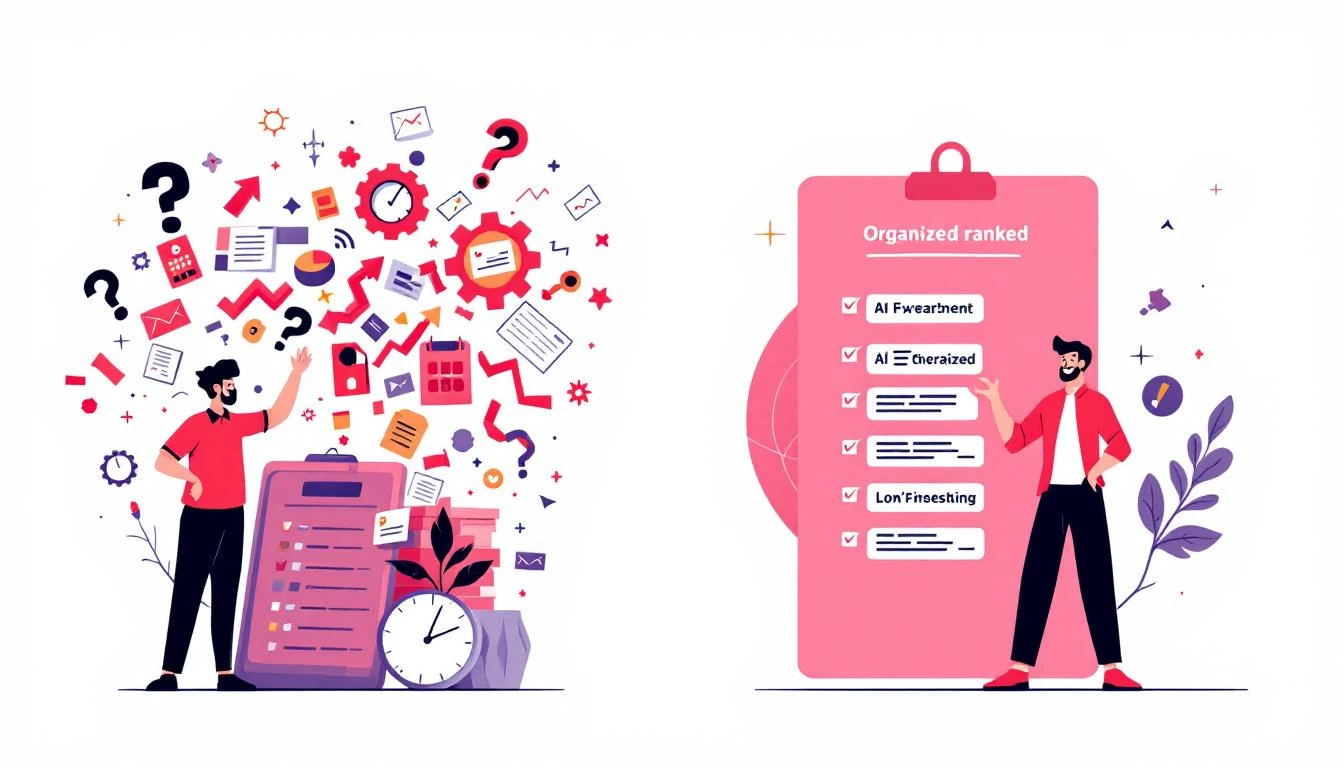
The whole point of asking "what is lead qualification?" is to understand how it transforms your sales operation from a reactive mess into a proactive, well-oiled machine. Instead of treating every name on a list the same, a solid qualification process lets your team prioritize their efforts based on a prospect's real potential.
This systematic approach brings several huge advantages to the table:
- Sky-High Sales Efficiency: Your reps stop wasting hours on dead-end conversations and focus their energy on prospects who have a genuine need and the intent to buy. Their productivity goes through the roof, and so does their morale.
- Better Conversion Rates: When SDRs connect with well-qualified leads, the conversations are instantly more relevant and impactful. This naturally leads to a higher lead-to-opportunity conversion rate and, you guessed it, more closed-won deals.
- Accurate Sales Forecasting: A pipeline filled with genuinely qualified leads gives you a much more reliable crystal ball for revenue forecasting. You can predict future sales with far greater confidence because you know the opportunities are real.
- Smarter Marketing ROI: By seeing which types of leads actually convert, your marketing team can double down on what works. They can refine their campaigns to attract more prospects who fit your ideal customer profile, ensuring every dollar of their budget is spent effectively.
Comparing Popular Lead Qualification Frameworks
Once you’ve bought into why lead qualification is so important, the next question is how. You can’t just have your reps fire off random questions and hope for the best. That’s a recipe for inconsistent results. What you need is a system—a structured framework that guides the conversation.
Think of these frameworks as conversational roadmaps for your sales team. They make sure reps gather the right intel every single time to figure out if a prospect is truly a good fit.
The right framework depends entirely on what you're selling and who you're selling to. Think of it like a fishing net. You wouldn’t use a massive, deep-sea trawler net to catch trout in a stream. In the same way, the framework you choose needs to match the size and complexity of the deals you’re chasing.
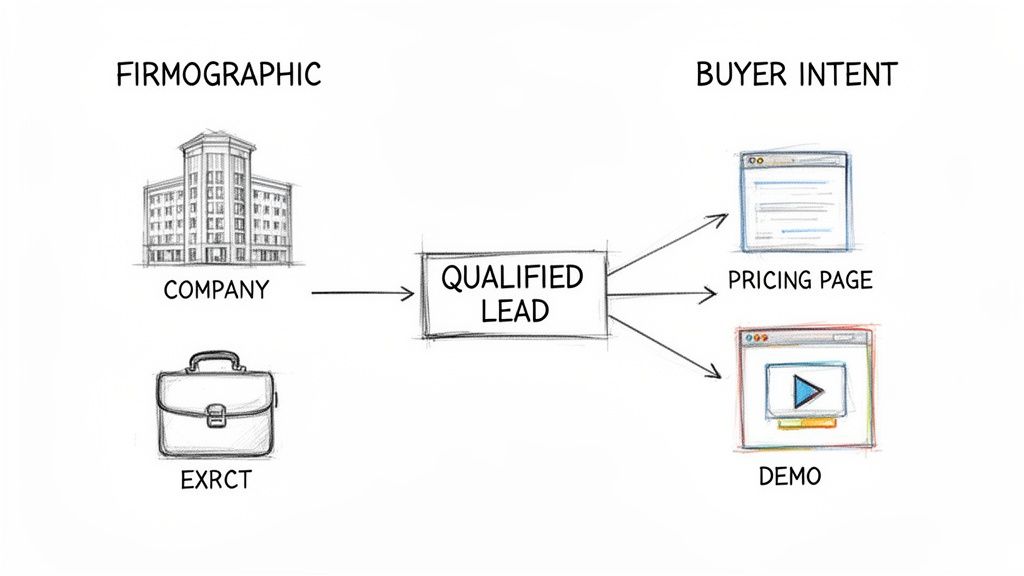
At its core, the logic is simple. A qualified lead is someone who’s a good fit for what you sell and is actually ready to buy. This little decision tree sums it up perfectly.

Qualification is really a two-part test that separates real opportunities from all the noise. Let’s dive into the most common frameworks that help your team run this test effectively.
BANT: The Classic Approach
You’ve probably heard of BANT. It's one of the oldest frameworks in the book and has stuck around for a reason: it's simple and direct.
BANT stands for:
- Budget: Can they actually afford what you're selling?
- Authority: Are you talking to the person who can sign the check?
- Need: Do they have a real problem that your product solves?
- Timeline: Are they looking to buy now, or sometime next year?
BANT is all about efficiency. It’s fantastic for high-volume sales teams with shorter, more straightforward sales cycles. It quickly weeds out leads who simply can't buy.
But its biggest strength is also its biggest weakness. In today's world of consultative selling, leading with "What's your budget?" can feel abrasive. It can shut down a good conversation before it even starts and often misses the deeper "why" behind a potential purchase.
CHAMP: The Modern, Problem-First Alternative
Enter CHAMP, which flips the BANT model on its head to be more customer-friendly. Instead of leading with the wallet, it starts with the problem.
CHAMP stands for:
- CHallenges: What specific issues are they trying to solve?
- Authority: Who's involved in making this decision?
- Money: What’s the financial impact of doing nothing, and what have they set aside to fix it?
- Prioritization: How big of a fire is this, really?
By starting with Challenges, reps immediately position themselves as helpful problem-solvers, not just quota-crushing vendors. This is a much better fit for modern B2B buyers who are looking for a partner, not just a product. CHAMP shines in any sales process where understanding the customer's pain is the key to unlocking the deal.
MEDDIC: For the Big, Hairy Enterprise Deals
Then there’s MEDDIC. This isn't for your average SMB deal. This is the heavy-duty framework for navigating complex, high-stakes enterprise sales with long cycles and a dozen people on the buying committee.
MEDDIC is less of a checklist and more of an operating system for winning massive deals. It stands for:
- Metrics: What are the measurable results the prospect expects to see? Think ROI.
- Economic Buyer: Who holds the ultimate P&L responsibility and can give the final "yes"?
- Decision Criteria: What specific, formal criteria will they use to judge your solution?
- Decision Process: What are the exact, step-by-step stages they follow to sign a contract?
- Identify Pain: What business pain is so acute it’s forcing them to act now?
- Champion: Who is your inside person, the one selling your solution for you when you’re not in the room?
MEDDIC forces your reps to dig incredibly deep, giving them a 360-degree view of the entire opportunity. It's total overkill for a $5k deal but absolutely essential if you're trying to land a $500k one.
Actionable Step: Choosing the Right Qualification Framework
A comparative overview of BANT, CHAMP, and MEDDIC to help your team select the best model for your sales process. Using MEDDIC for a simple sale is like using a sledgehammer to crack a nut, while using BANT for a complex enterprise deal is like bringing a knife to a gunfight.
| Framework | Best For | Core Focus | Key Question Example |
|---|---|---|---|
| BANT | Transactional or less complex sales cycles. | Buyer's readiness and available resources. | "Do you have a budget allocated for this solution?" |
| CHAMP | Modern B2B sales where pain points drive action. | Understanding the prospect's challenges first. | "What is the primary challenge you are trying to solve right now?" |
| MEDDIC | Complex, enterprise-level deals with multiple stakeholders. | Operationalizing the sales process for predictable wins. | "What metrics will the economic buyer use to evaluate success?" |
To make this actionable:
- Analyze your average deal size and sales cycle length. Are they small and fast, or large and complex?
- Review your last 10 closed-won deals. What information was critical to closing them? Was it budget, understanding pain points, or navigating a complex buying committee?
- Choose one framework that best aligns with your findings and train your entire sales team on it to ensure consistency.
Combining Firmographics with Behavioral Signals

While frameworks like BANT are great for structuring conversations, truly modern qualification is all about the data. To figure out who your SDRs should call right now, you have to answer two simple but critical questions:
- Do they look like our best customers?
- Are they acting like they're ready to buy?
Getting this right means blending two very different types of information. The first is all about who the company is—the static, foundational stuff. The second is about what they’re doing—the dynamic, real-time actions that signal intent. The secret to separating the tire-kickers from the truly sales-ready leads lies in mastering this combo.
Building Your Ideal Customer Profile with Firmographics
The first layer is defining your Ideal Customer Profile (ICP). This isn't just a vague notion of who you sell to; it's a laser-focused, data-driven description of the perfect company for your solution.
This profile is built on hard data points, often called firmographics. Think of them like demographics, but for businesses. Key attributes usually include:
- Industry: Which verticals see the biggest wins with your product? (e.g., SaaS, Manufacturing, Financial Services)
- Company Size: How many employees do they have? (e.g., 50-250, 1,000+)
- Annual Revenue: What's the sweet spot for revenue? (e.g., $10M-$50M)
- Geography: Where are they based? (e.g., North America, EMEA)
But you can get even more specific. Smart teams add technographics to the mix—data on the tech stack a company uses. For a SaaS business, this is pure gold. Knowing a prospect uses a complementary tool like Salesforce, or even a direct competitor, tells you a ton about their needs and potential budget.
For a great example of this in action, see how the HS code filter converts customs data into qualified leads by targeting companies based on hyper-specific import/export data.
Identifying Intent with Behavioral Signals
Here’s the thing: an ICP only tells you if a prospect looks good on paper. It doesn't tell you if they have a burning problem they’re trying to solve today.
That's where behavioral signals come in. These are the digital breadcrumbs a prospect leaves behind that scream "I'm interested!" and hint at buying intent. These actions show a prospect is moving out of passive research into active consideration.
Key Takeaway: An ICP identifies the companies you should be talking to. Behavioral signals identify the companies you should be talking to right now. The magic happens when these two data sets overlap.
Just look at the difference between a lead who only fits your ICP versus one who's also lighting up the activity feed.
| Lead Characteristic | Lead A (ICP Fit Only) | Lead B (ICP Fit + Behavioral Signals) |
|---|---|---|
| Profile | A 200-employee SaaS company in your target industry. | A 200-employee SaaS company in your target industry. |
| Actions | No recent interactions with your brand. | Visited your pricing page twice, downloaded a case study, and attended a webinar last week. |
| Qualification Status | Actionable Step: Cold but promising. Add to a long-term automated nurturing sequence. | Actionable Step: Hot and sales-ready. This is a top priority for immediate, personalized outreach today. |
Lead A is a solid prospect for a long-term marketing sequence. But Lead B is a different story. They're showing clear buying signals and need to be at the very top of an SDR's list for a call or personalized email, today. This blend of "fit" and "intent" is the engine of efficient, modern sales.
Building Your First Lead Scoring Model
 Alright, so you’ve mapped out your ideal customer and you know what buying signals to look for. Now what? The next move is to operationalize that knowledge so you can sort through hundreds or thousands of leads without losing your mind. This is exactly where lead scoring comes into play.
Think of it like a video game. As a lead interacts with your brand, they collect points for certain actions and attributes. The higher their score, the closer they are to being “sales-ready.” A solid lead scoring system automatically tallies these points, giving your reps a crystal-clear leaderboard of who to engage right now.
It’s a powerful concept, but surprisingly, only 44% of companies are actually doing it. That’s a huge miss, especially when you consider how effective it is. For example, Product-Qualified Leads (PQLs)—which are identified almost purely by their behavior—often see 20-30% conversion rates. This just proves that intent is a game-changer, which you can read more about in our guide on how B2B lead generation is evolving.
Actionable Step: Crafting Your Scoring Rules
A good lead scoring model isn't complex. It just needs to balance who the lead is (explicit data) and what they're doing (implicit data). You assign points to each piece of information based on how well it predicts that a lead will become a customer.
1. Score for Fit (Explicit Data): Does the lead match your ICP?
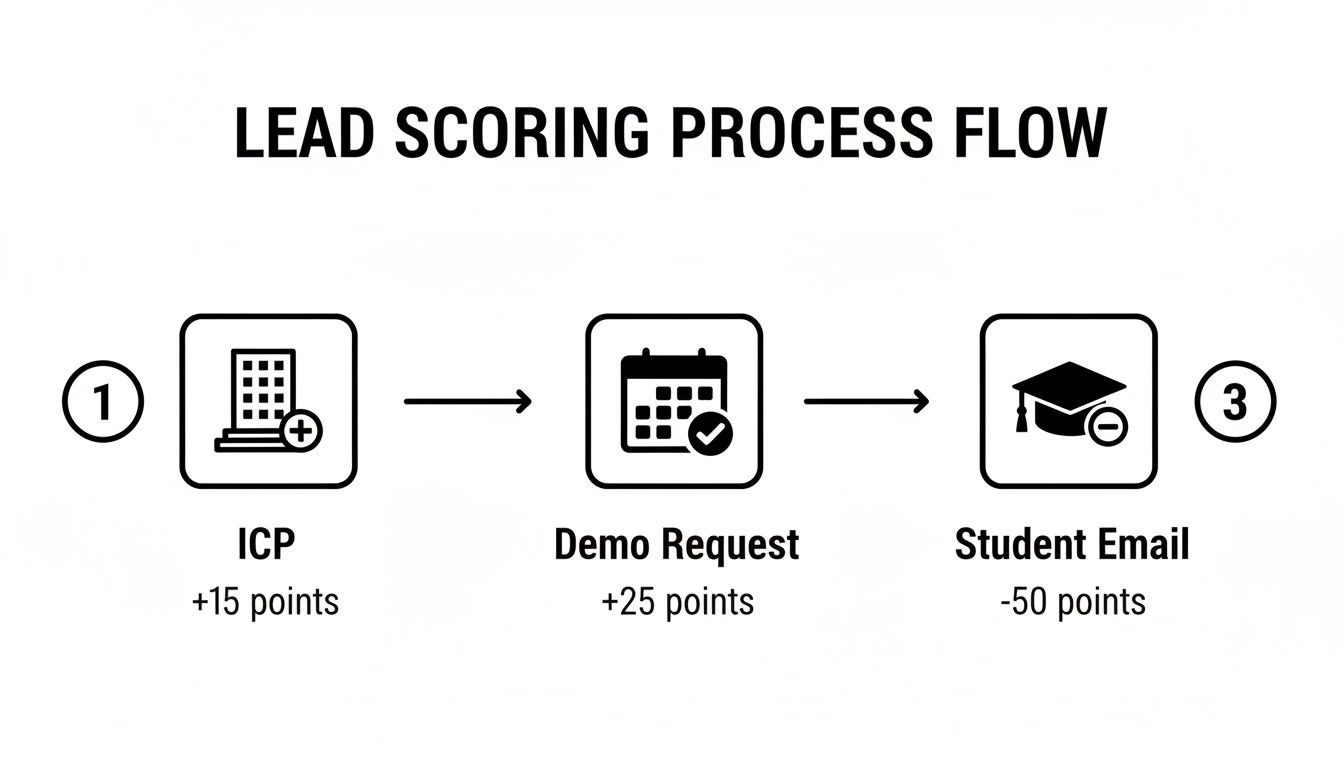
- Job Title: A C-level exec is a great sign (+15 points). An intern is not a buyer (-10 points).
- Industry: If you exclusively sell to fintech, a lead from that industry deserves a boost (+10 points).
- Company Size: If your product shines in companies with 100-500 employees, a lead from a company that size gets +10 points.
2. Score for Intent (Implicit Data): Are they actively researching a solution?
- High-Intent Actions: Requesting a demo is a direct ask for a sales conversation (+25 points). Visiting your pricing page shows commercial intent (+15 points).
- Medium-Intent Actions: Attending a webinar (+10 points) or downloading a detailed case study (+5 points) shows they're actively researching.
- Negative Actions: Visiting your careers page suggests they are a job seeker, not a buyer (-20 points).
Example B2B SaaS Lead Scoring Model
Let's make this tangible. Here's a quick-and-dirty model for a B2B SaaS company that targets mid-sized tech companies.
| Category | Attribute or Behavior | Points |
|---|---|---|
| Explicit (Fit) | C-Level or VP Title | +15 |
| Director or Manager Title | +10 | |
| Target Industry (e.g., Tech) | +15 | |
| Company Size (100-1,000 employees) | +10 | |
| Implicit (Intent) | Requested a Demo | +25 |
| Visited Pricing Page | +15 | |
| Attended a Product Webinar | +10 | |
| Downloaded a Case Study | +5 | |
| Unsubscribed from Emails | -20 |
Actionable Step: Setting Your Qualification Thresholds
With your scoring system ready, the final piece is deciding what to do with the scores. This is where sales and marketing need to be completely in sync. You’ll want to set at least two thresholds.
- Marketing Qualified Lead (MQL): This is the "getting warm" stage. The lead is interesting, but not quite ready for a sales call. Actionable Step: Set an MQL threshold (e.g., 50 points) and automatically enroll these leads into a targeted nurture campaign.
- Sales Qualified Lead (SQL): This is the green light. The moment a lead hits this score, they are officially sales-ready. Actionable Step: Set an SQL threshold (e.g., 75+ points) and create an automated workflow that immediately assigns the lead to an SDR and creates a high-priority task for follow-up.
This system removes the guesswork. The data tells your team who to call next, creating a clean, automated handoff from marketing to sales.
How AI Is Automating Lead Qualification
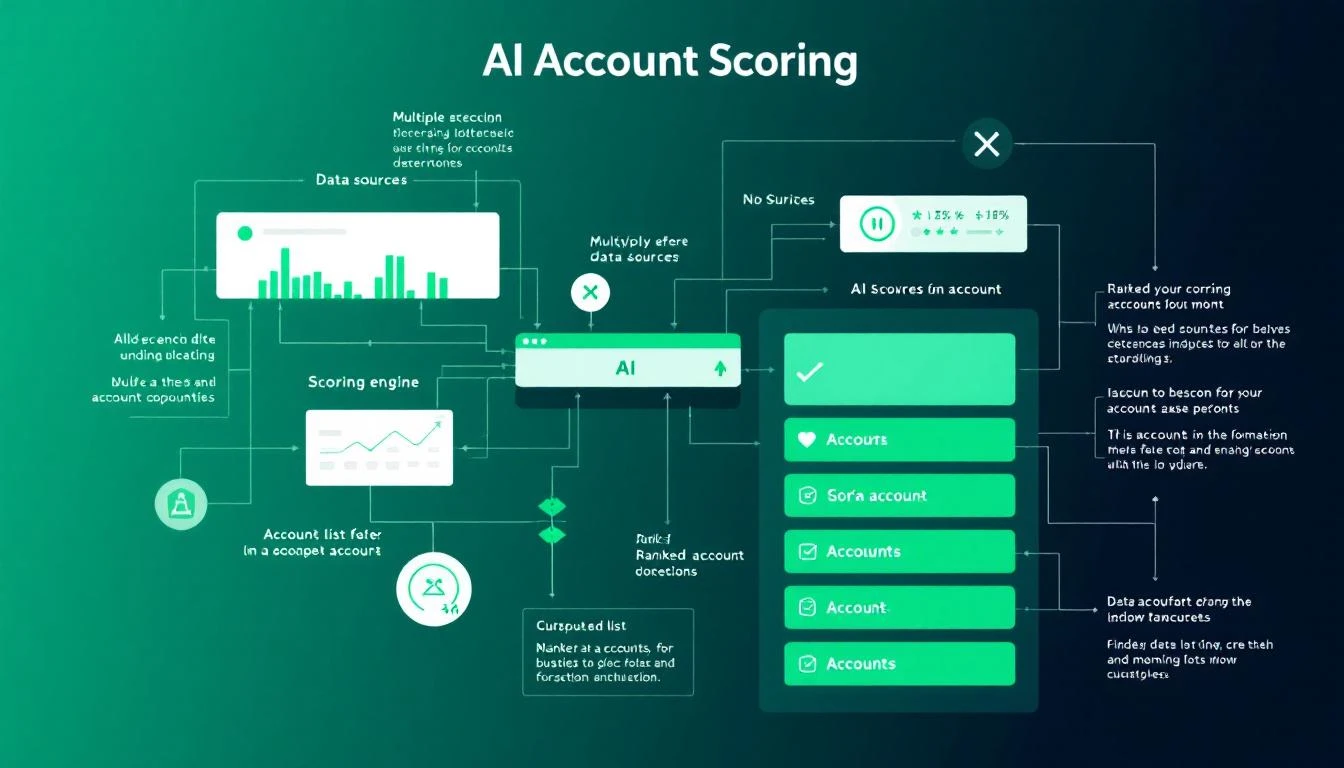
While building a manual lead scoring model is a massive step forward, the next frontier is handing the most repetitive work over to artificial intelligence. AI isn't just a buzzword here; it’s the engine that transforms qualification from a time-sucking manual chore into a slick, automated workflow.
Think of it this way: a manual process is like a lone miner panning for gold, hoping to find a nugget. An AI-powered process is like a modern mining operation using advanced sensors to pinpoint exactly where the richest veins are. This shift helps sales teams move faster and with far more precision, ensuring no high-intent lead slips through the cracks. The AI acts as a tireless digital assistant, constantly watching for the signals that matter most.
From Data Analysis to Actionable Tasks
The real magic of AI in lead qualification isn't just spotting top prospects—it's turning that insight into action. Modern tools don’t just serve up a list of "hot leads"; they translate those signals into a clear next best action for your SDRs. This is where strategy finally meets execution.
Imagine an AI that not only flags a prospect who fits your ICP and just hit your pricing page, but also immediately creates a prioritized task in the SDR's queue. And this task isn't empty; it's loaded with context.
- Who is this person? The AI pulls their title, company details, and relevant social media activity.
- Why now? It highlights the exact behavioral signals, like "viewed pricing page 3 times" or "downloaded case study on X."
- What should I say? It can even provide contextual talking points or draft a personalized email based on the prospect's industry and known pain points.
This makes the entire workflow—from signal detection to outreach—incredibly efficient. It bridges the gap between knowing what to do and actually doing it, fast.
Comparing Manual vs. AI-Powered Qualification
The difference between a manual approach and an AI-driven one is night and day. While both aim for the same goal—finding qualified leads—their methods and outcomes couldn't be more different.
| Aspect of Qualification | Manual Process (The Old Way) | AI-Powered Process (The New Way) |
|---|---|---|
| Lead Prioritization | Reps manually scan CRM lists, relying on gut feeling or sorting by last activity date. | AI automatically scores and ranks leads based on fit and real-time intent, creating a prioritized task list. |
| Research & Prep Time | SDRs spend 30-50% of their day on manual research across LinkedIn, company sites, and news articles. | AI instantly synthesizes company info, relevant news, and key talking points, slashing prep time to minutes. |
| Outreach Execution | Reps write every email from scratch or use generic templates that need heavy editing. | AI generates personalized, context-aware email drafts and call scripts, letting reps execute faster. |
| CRM Hygiene | Calls, emails, and notes are often logged inconsistently, creating messy data and zero visibility. | Activity is auto-logged directly into the CRM (like Salesforce or HubSpot), ensuring clean data and accurate reporting. |
This comparison makes it obvious: AI doesn't replace the salesperson. It kills the administrative grunt work, freeing them up to do what humans do best—build relationships and have strategic conversations.
Platforms like MarketBetter.ai are built for this exact purpose, turning buyer signals into prioritized tasks and helping reps execute with an AI-powered dialer and email writer directly inside their CRM. The result is a sales team that spends less time on busywork and more time actually selling. By automating the tedious parts of qualification, you empower your reps to be more productive and, ultimately, to drive more revenue.
You can learn more about how this works by exploring our deep dive into the AI Lead Scoring Codex.
How to Measure the Success of Your Qualification Process
You can't fix what you don't measure. That’s especially true for lead qualification. To make sure all your hard work is actually paying off, you need to track specific Key Performance Indicators (KPIs) that tie directly back to revenue.
Think of these metrics as a report card for your qualification strategy. They tell you exactly what’s working and what’s falling flat, turning a vague process into a predictable engine for growth.
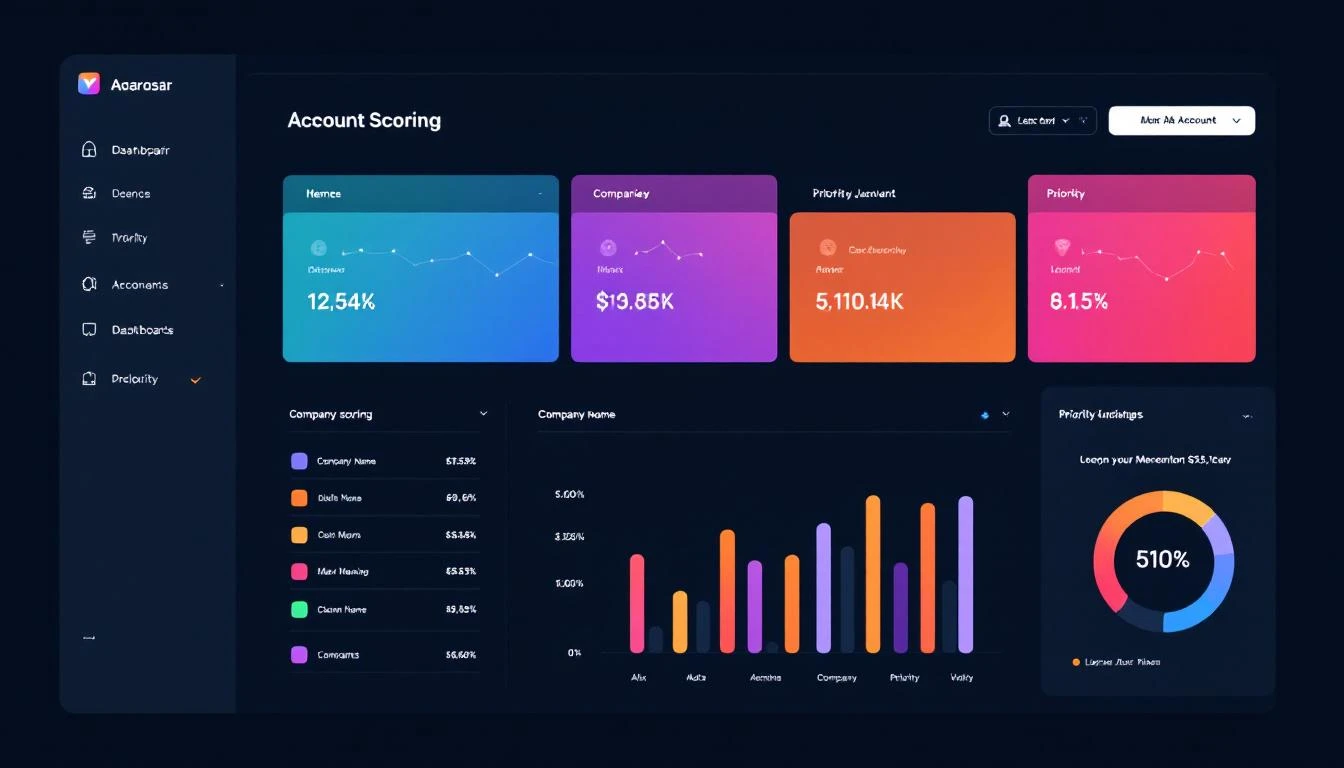
Actionable Step: Build Your Qualification Dashboard
To get a clear picture, start with a few core funnel metrics. These KPIs are the lifeblood of your process, showing how smoothly you’re turning initial interest into real business opportunities.
- Lead-to-SQL Rate: What percentage of all your incoming leads actually get qualified by your team? A low number here is a flashing red light. It could mean your lead sources are off the mark, or maybe your initial filtering isn't tight enough.
- SQL-to-Opportunity Rate: Of all the leads your SDRs qualify (SQLs), how many do your Account Executives accept and turn into a real, pipeline-worthy opportunity? This metric is the ultimate test of lead quality. A low rate here means your definition of "qualified" is misaligned with sales reality.
- Lead-to-Customer Conversion Rate: This one’s the bottom line. It tracks the full journey from the very first touchpoint all the way to a signed contract. Seeing this number tick up over time is the best proof that your entire system is getting smarter and more efficient.
As a ballpark, many B2B SaaS companies find that around 13% of leads become SQLs, and of those, about 22% convert into opportunities. But don't treat these as gospel—your industry, market, and price point can change everything. The real goal is to set your own baseline and improve it month over month.
Don't Just Look at the Numbers—Listen to Your Reps
Data is crucial, but it only tells half the story. The most valuable, ground-truth insights will always come from your sales team. They're in the trenches every single day.
Actionable Step: Schedule a bi-weekly "Lead Quality Huddle" with your marketing and sales teams. Ask them straight up:
- Are the leads I’m sending you actually ready to talk?
- What are the most common pushbacks you're getting from supposedly "qualified" leads?
- Which lead sources are producing the best conversations? Which are duds?
A low SQL-to-Opportunity rate is just a statistic. A rep telling you, "Leads from the last webinar were amazing, but the ones from that ebook download are wasting my time," is pure gold. That’s an insight you can act on immediately.
Combining the hard data with this on-the-ground feedback is how you truly master what is lead qualification and build a system that works in the real world.
Quick Answers to Common Lead Qualification Questions
Even the best-laid plans hit a few bumps in the road. As you start putting your lead qualification process into action, questions are bound to pop up. Here are some straightforward answers to the most common ones we hear from sales teams.
What’s the Real Difference Between an MQL and an SQL?
An MQL (Marketing Qualified Lead) has shown interest (e.g., downloaded an ebook) and fits basic criteria, making them a good fit for marketing nurture. An SQL (Sales Qualified Lead) is an MQL that a sales rep has vetted and confirmed has a real, near-term need, budget, and authority, making them ready for a sales conversation.
The Comparison: Think of it like a relay race. Marketing (MQL) runs the first leg and hands the baton to sales (SQL) only when the runner is in a strong position to finish the race. The handoff is a critical quality check.
How Often Should We Revisit Our Lead Scoring Model?
You should be giving your lead scoring model a tune-up at least once a quarter. Your business goals shift, your ideal customer evolves, and what worked last quarter might be totally off base today.
Actionable Step: Review your last quarter's closed-won and closed-lost deals. Do the winners consistently have high scores? Do the losers have low scores? If not, adjust the point values on the attributes and behaviors that correlate most strongly with winning deals.
Can a Small Team Actually Qualify Leads Without Fancy, Expensive Tools?
Yes, absolutely. At the end of the day, qualification is a strategy, not a software subscription. A small team can get started with a clearly defined Ideal Customer Profile (ICP) and a straightforward framework like CHAMP.
Actionable Step: Create a shared Google Sheet or document with your ICP and your chosen qualification framework's questions. Have reps manually research prospects on LinkedIn and use the sheet to guide their calls. While tools add scale, getting the fundamentals right is the one step no team can afford to skip.
Ready to stop guessing and start executing? marketbetter.ai turns buyer signals into a prioritized task list for your SDRs, helping them execute with AI-written emails and a CRM-native dialer. Learn more about how we help sales teams build consistent outbound motion without the busywork.