156 posts tagged with "Comparisons & Alternatives"

Side-by-side tool comparisons, alternatives, and competitive analysis

View All Tags

AI Pricing Intelligence: Track Competitor Pricing Changes Automatically [2026]

ยท 7 min read

Your competitor just dropped their prices by 20%. Your sales team finds out... when a prospect tells them on a demo call. By then, three deals have already been lost.

Pricing intelligence shouldn't be reactive. Here's how to build an AI system that monitors competitor pricing changes and alerts your team before you lose deals.
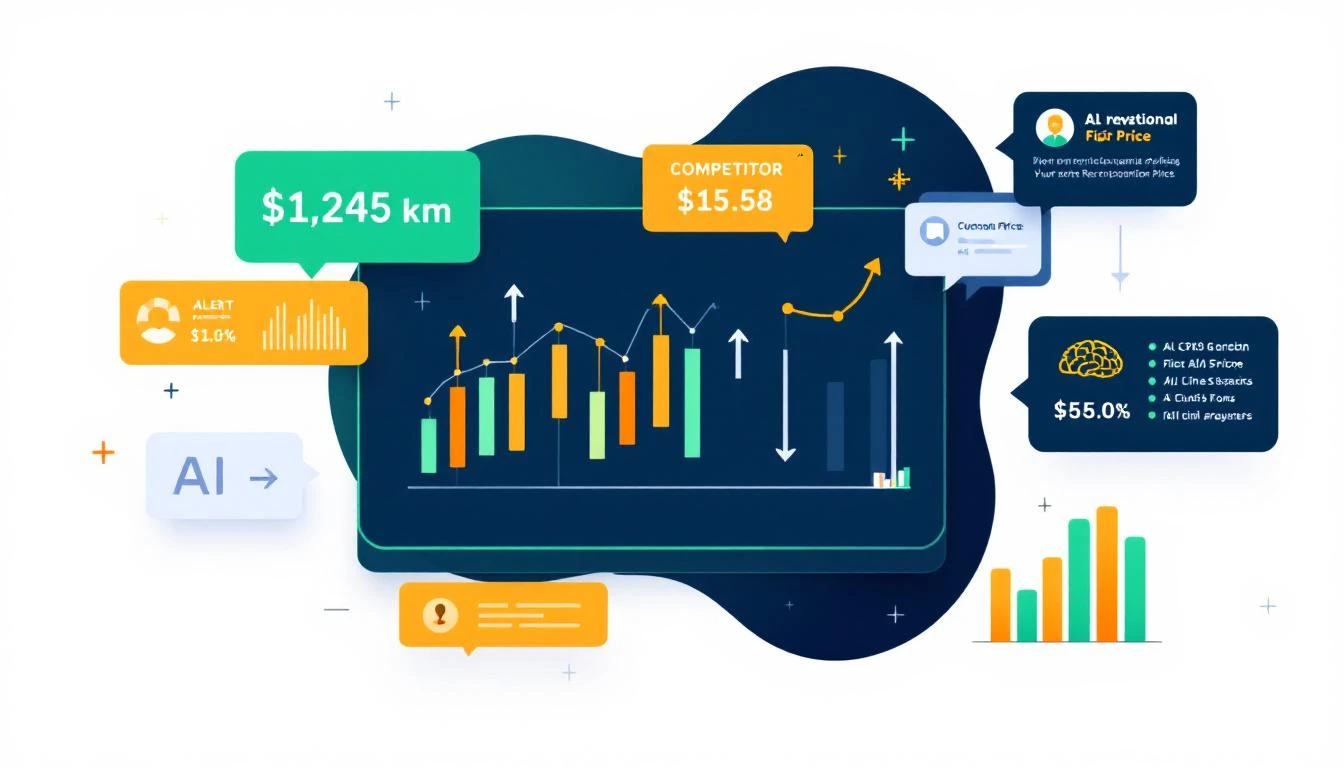
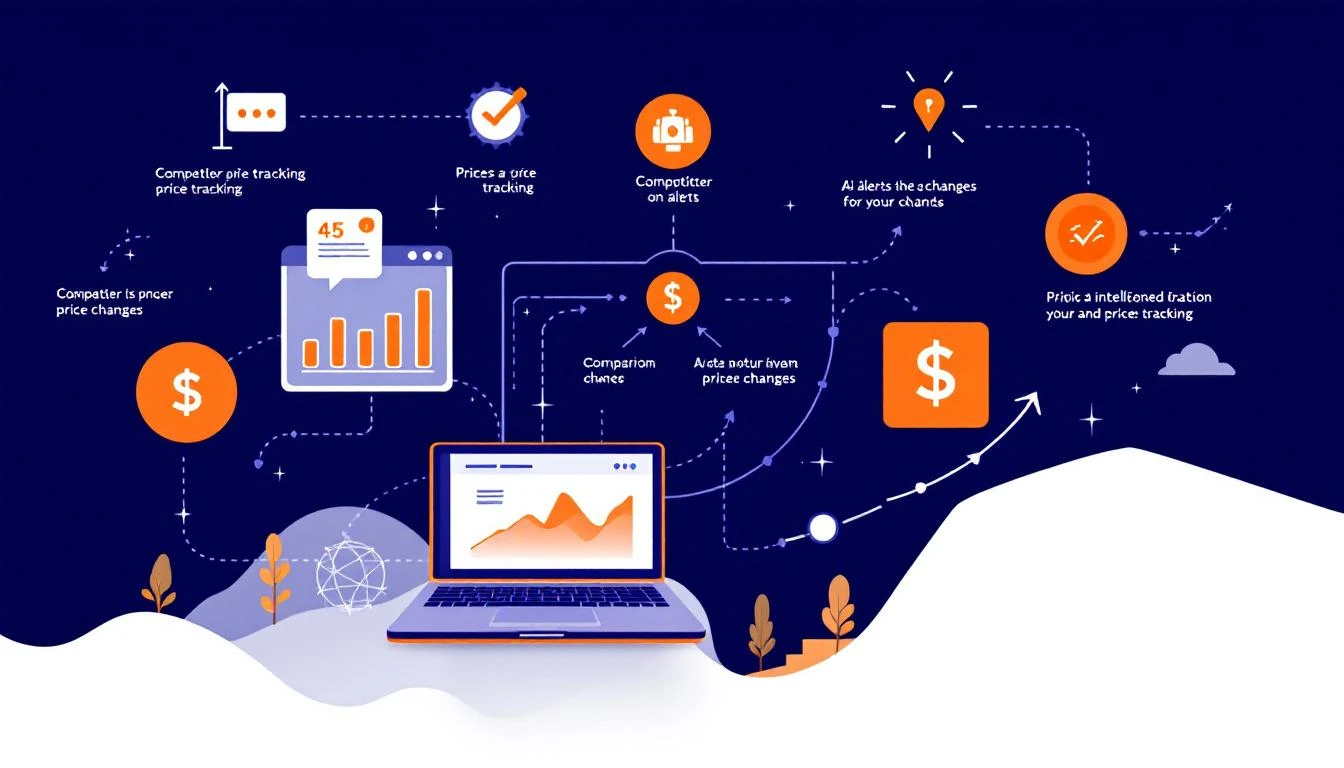
AI pricing intelligence dashboard

Why Pricing Intelligence Matters for Salesโ€‹

Pricing is the most commonly used competitive weapon in B2B:

  • 62% of deals involve pricing objections
  • 38% of lost deals cite pricing as a factor
  • Average competitor changes pricing 2-4 times per year
  • Time to detect manual monitoring: 2-8 weeks

The gap between price change and detection is where deals die. Your reps are pitching against outdated competitive intel.

The Pricing Intelligence Architectureโ€‹

Here's a system that monitors competitor pricing and alerts your team in real-time:

Component 1: Price Monitoring Agentโ€‹

The foundation is automated price scraping with AI interpretation:

Data Sources:

  • Public pricing pages
  • G2, Capterra, TrustRadius pricing sections
  • Web archive history (Wayback Machine)
  • Sales intel platforms (ZoomInfo, Clearbit)
  • Job postings (sometimes reveal pricing in comp plans)
  • Competitor blog posts and press releases

Monitoring Frequency:

  • Pricing pages: Daily
  • Review sites: Weekly
  • Press/blog: Real-time via RSS
  • Job postings: Weekly

Component 2: Price Change Detectionโ€‹

Raw price data is messy. AI helps interpret it:

TASK: Analyze competitor pricing data

PREVIOUS DATA:
[Last known pricing structure]

CURRENT DATA:
[Today's scraped pricing]

DETECT:
1. Direct price changes (increases or decreases)
2. Tier restructuring (new tiers, removed tiers)
3. Feature repackaging (moved between tiers)
4. New add-ons or modules
5. Changed billing models (monthly vs annual)
6. New discount structures
7. Free tier changes

OUTPUT: Structured diff with significance rating (1-10)

Not every change matters equally. A 5% price increase is less urgent than a new free tier that undercuts your entry point.

Component 3: Alert Systemโ€‹

Different changes need different responses:

Tier 1 (Immediate - Slack + Email):

  • Price decrease >10%
  • New free tier launched
  • Aggressive promotion announced
  • Major feature moved to lower tier

Tier 2 (Same-day - Email digest):

  • Price increase >10%
  • Tier restructuring
  • New enterprise tier
  • Billing model changes

Tier 3 (Weekly digest):

  • Minor price adjustments (<10%)
  • Add-on pricing changes
  • Regional pricing variations
  • Minor feature repackaging

Competitor pricing tracker dashboard

Component 4: Sales Enablement Responseโ€‹

Detection without action is useless. The system should automatically:

Update Battle Cards: When a competitor changes pricing, their battle card should update within 24 hours:

  • New pricing information
  • Suggested talk tracks for the change
  • Counter-positioning recommendations

Alert Active Deals: If a competitor in an active deal changes pricing:

  • Alert the deal owner immediately
  • Provide talking points for the next conversation
  • Suggest proactive outreach if deal is at risk

Adjust Discount Authority: If competitors drop prices significantly:

  • Temporarily expand rep discount authority
  • Pre-approve promotional offers
  • Create time-limited competitive response

Implementation: Three Approachesโ€‹

Approach 1: Manual + AI Analysis (Quick Start)โ€‹

If you're not ready for full automation:

  1. Set Google Alerts for competitor pricing news
  2. Assign someone to check pricing pages weekly
  3. Use Claude/Codex to analyze and structure findings
  4. Manually update battle cards and alert reps

Time investment: 2-4 hours/week Coverage: Moderate

Approach 2: OpenClaw Automation (DIY)โ€‹

Build a fully automated system with OpenClaw:

# pricing-intel-agent.yaml
agents:
pricing-monitor:
model: claude-sonnet-4-20250514
schedule:
- cron: "0 6 * * *" # Daily at 6 AM

tools:
- web_fetch
- browser # For JavaScript-rendered pages
- web_search

context:
- path: /context/competitors.md
- path: /context/pricing-history.md
- path: /context/alert-rules.md

integrations:
- slack:
channels:
- "#competitive-intel"
- "#sales-alerts"

- hubspot:
update_companies: true
update_deals: true

- google_docs:
battlecards_folder: "Competitive Intel"

memory:
- pricing-history/[competitor].md
- change-log.md

The agent:

  1. Scrapes all competitor pricing pages daily
  2. Compares to historical data
  3. Detects and categorizes changes
  4. Sends appropriate alerts
  5. Updates battle cards in Google Docs
  6. Logs all changes for trend analysis

Time investment: 8-12 hours setup, 1-2 hours/week maintenance Coverage: High

Approach 3: Dedicated Tool (Turnkey)โ€‹

Several tools offer pricing intelligence as a service:

  • Klue (competitive intelligence platform)
  • Crayon (competitive tracking)
  • Kompyte (competitive analysis)

These cost $20K-50K/year but require minimal setup.

What to Track Beyond List Priceโ€‹

Pricing is more than the number on the page:

Contract Terms:

  • Minimum commitment length
  • Annual vs monthly pricing gap
  • Cancellation policies
  • Auto-renewal terms

Discounting Patterns:

  • End-of-quarter aggressiveness
  • Multi-year discount structures
  • Bundle discounts
  • Volume pricing breaks

Hidden Costs:

  • Implementation fees
  • Integration fees
  • Support tier pricing
  • Overage charges

Total Cost of Ownership:

  • Required add-ons for core functionality
  • Professional services requirements
  • Training costs

Your AI should track all of these, not just the headline price.

Turning Intelligence into Actionโ€‹

Data without action is just noise. Here's how to operationalize pricing intel:

For Sales Repsโ€‹

In CRM: Each competitor record should show:

  • Current pricing (last updated date)
  • Recent changes (last 90 days)
  • Price positioning vs. us
  • Common objection + response

In Deal Context: When a competitor is tagged:

  • Automatic pricing comparison
  • Suggested discount authority
  • Win/loss history by price gap

For Product/Pricing Teamโ€‹

Monthly Report:

  • Competitor pricing trends
  • Market positioning shifts
  • Opportunities for repositioning
  • Risk areas

Quarterly Review:

  • Full competitive pricing analysis
  • Recommendations for pricing changes
  • Packaging optimization suggestions

For Marketingโ€‹

Battle Card Updates:

  • Auto-flag outdated pricing references
  • Suggest new positioning based on changes
  • Create comparison content for SEO

Real Example: Detecting a Stealth Price Dropโ€‹

One of our customers caught a competitor's stealth price drop through this system:

What happened:

  • Competitor removed their pricing page
  • Started showing "Contact Sales" instead
  • Actually dropped prices 30% for deals over $50K

How we detected it:

  1. Pricing page change detected immediately
  2. G2 reviews mentioned lower prices within 2 weeks
  3. LinkedIn posts from their reps hinted at new flexibility
  4. Job posting mentioned "competitive pricing" in the comp plan

The response:

  • Alerted sales team within 48 hours of detection
  • Adjusted discount authority for enterprise deals
  • Updated all battle cards
  • Created targeted content for enterprise buyers

Result: Retained 3 deals that would have been lost, worth $180K ARR.

Getting Started Todayโ€‹

You don't need a complex system to start:

Day 1: List your top 5 competitors and their pricing page URLs

Day 2: Set up Google Alerts for "[Competitor] pricing" for each

Week 1: Manually check all pricing pages and document current state

Week 2: Compare to last week, note any changes, alert sales team

Month 1: Evaluate whether to automate with OpenClaw or purchase a tool

The manual process shows you the value. The automation makes it sustainable.

Free Tool

Try our Tech Stack Detector โ€” instantly detect any company's tech stack from their website. No signup required.

MarketBetter's Approachโ€‹

Competitive intelligence is built into our AI SDR platform. When a competitor is tagged on a deal, your reps see current pricing, positioning, and suggested responsesโ€”automatically updated as things change.

No separate tool. No manual updates. Just intelligence where reps need it.

Want to see competitive intel that actually helps close deals? Book a demo and we'll show you how it works.


Related reading:

AI Sales Meeting Transcription: Build a Free Gong Alternative with OpenClaw [2026]

ยท 9 min read
MarketBetter Team
Content Team, marketbetter.ai

Gong costs $1,200-1,600 per user per year. For a 10-person sales team, that's $12,000-16,000 annuallyโ€”just for call recording and basic insights.

What if you could get 80% of the value for $50/month?

This guide shows you how to build a sales meeting transcription and analysis system using:

  • OpenClaw for orchestration (free)
  • Whisper for transcription (free or cheap API)
  • Claude for analysis ($0.01-0.05 per call)

The result: automatic meeting summaries, action items, deal intelligence, and CRM syncโ€”without the enterprise price tag.

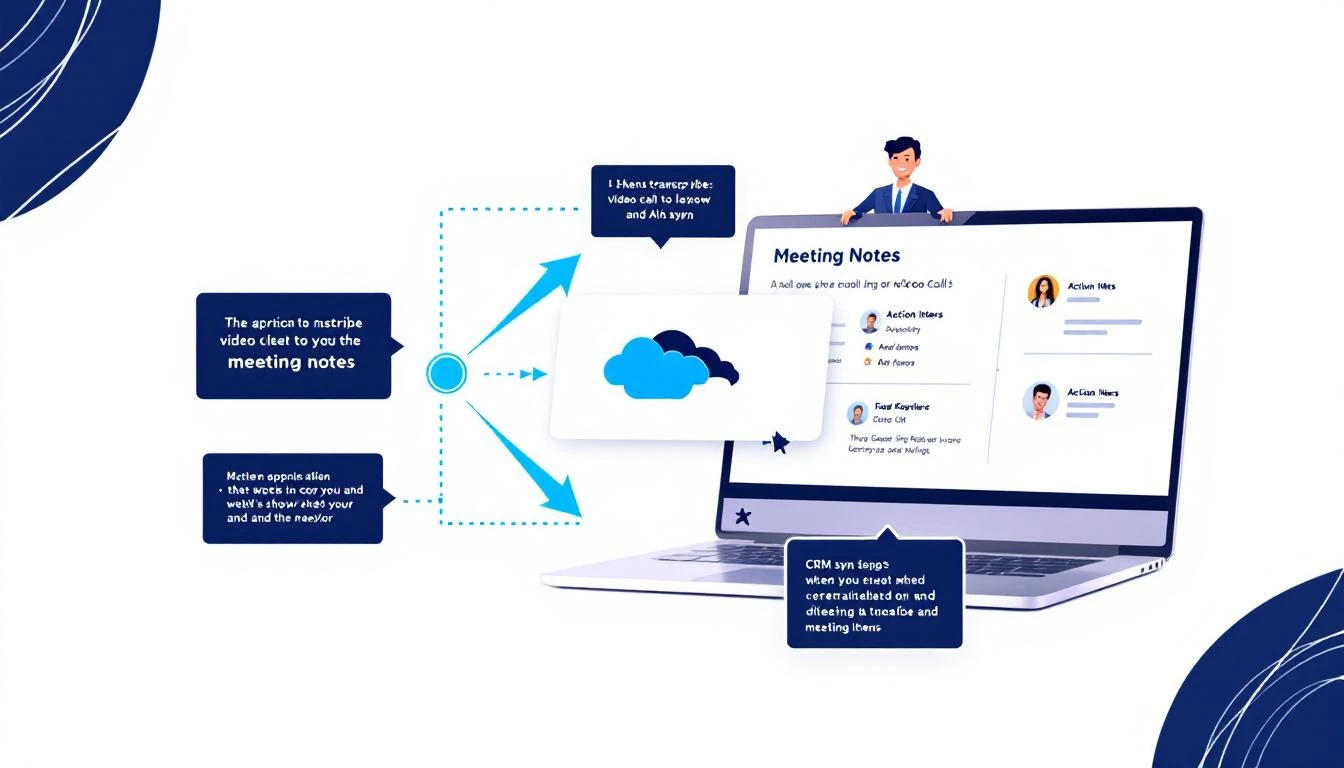
AI transcribing sales call to meeting notes with CRM sync

What Enterprise Tools Like Gong Actually Doโ€‹

Before we build a replacement, let's understand what we're replacing:

Gong's Core Featuresโ€‹

  1. Call recording โ€” Records Zoom/Teams/phone calls
  2. Transcription โ€” Speech-to-text for the full conversation
  3. Topic detection โ€” Identifies when pricing, competition, etc. come up
  4. Action items โ€” Extracts next steps from calls
  5. Deal intelligence โ€” Tracks deal progression across calls
  6. Coaching insights โ€” Talk ratio, filler words, etc.
  7. CRM sync โ€” Pushes notes to Salesforce/HubSpot

What Actually Mattersโ€‹

Here's the dirty secret: most teams use like 20% of Gong's features. The stuff that actually moves deals:

  • Searchable transcripts
  • Auto-generated summaries
  • Action items pushed to CRM
  • Basic deal tracking

We can build all of that.

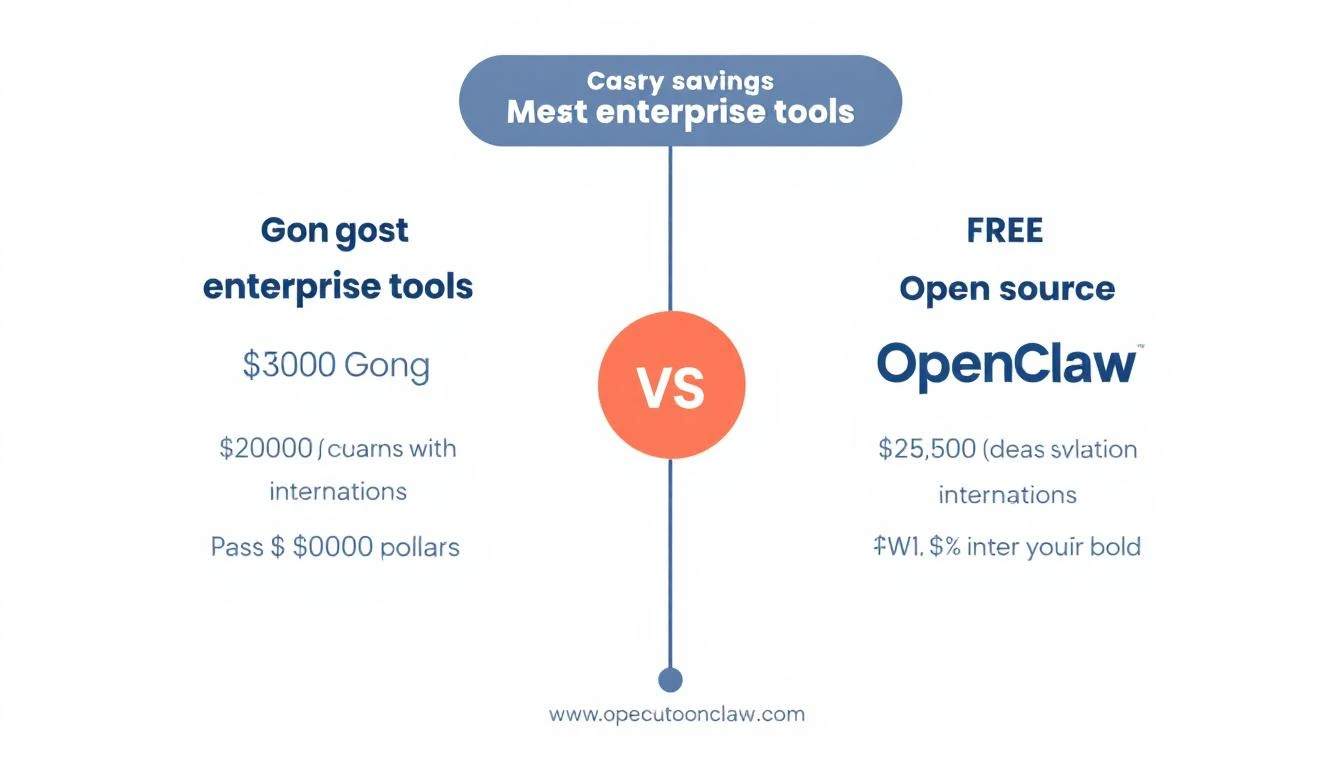
Cost comparison: Enterprise tools vs free open source alternative

The Architectureโ€‹

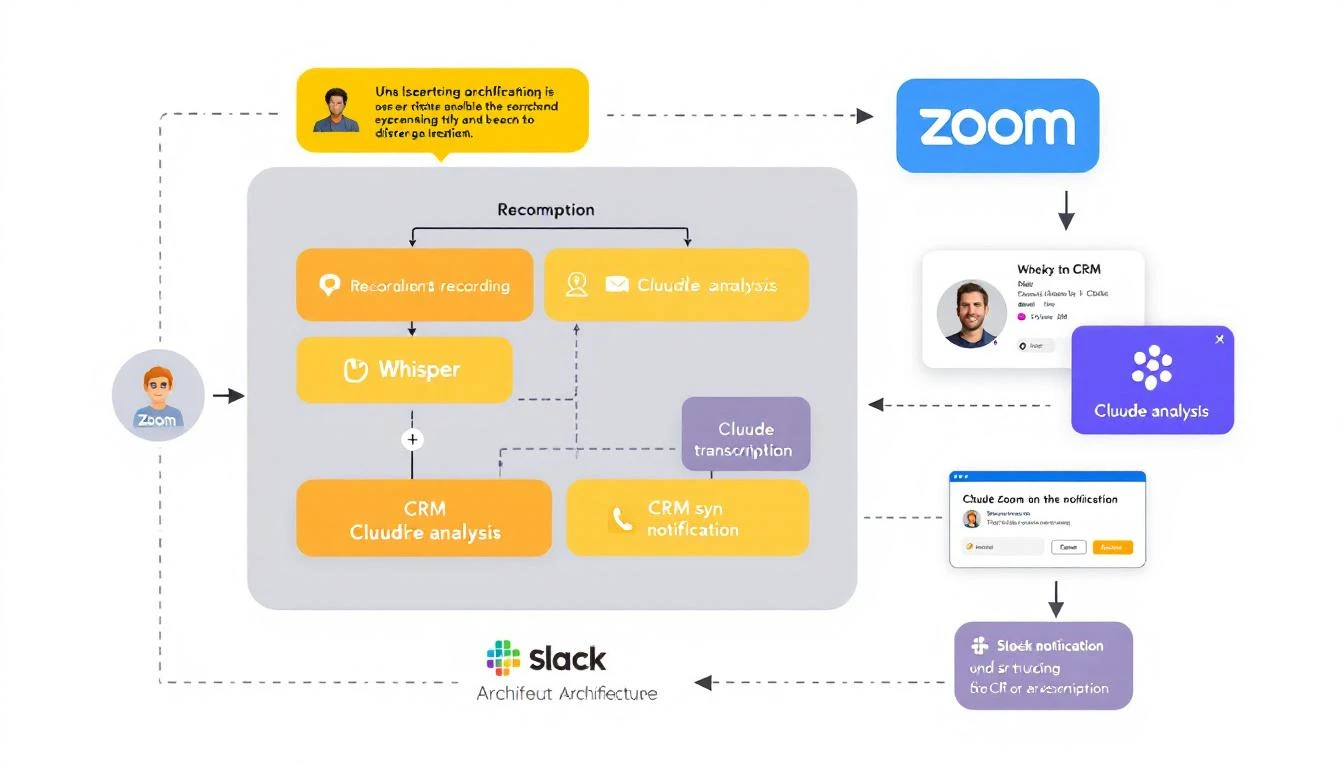
Here's our stack:

[Zoom/Teams Recording]
โ†“
[Cloud Storage (S3/GCS)]
โ†“
[Whisper Transcription]
โ†“
[Claude Analysis]
โ†“
โ”Œโ”€โ”€โ”€โ”€โ”ดโ”€โ”€โ”€โ”€โ”
โ†“ โ†“
[HubSpot] [Slack Alert]

OpenClaw orchestrates the whole flowโ€”watching for new recordings, processing them, and routing the outputs.

Architecture showing Zoom to Whisper to Claude to CRM workflow

Prerequisitesโ€‹

  • OpenClaw installed (setup guide)
  • Zoom Business plan (for cloud recording) or local recording workflow
  • HubSpot (or your CRM)
  • Anthropic API key
  • Optional: OpenAI API for Whisper (or run locally)

Step 1: Set Up Recording Captureโ€‹

Option A: Zoom Cloud Recording Webhookโ€‹

Zoom can automatically upload recordings. Set up a webhook to trigger processing:

// webhooks/zoom.js
const express = require('express');
const { OpenClaw } = require('openclaw');

const app = express();
const openclaw = new OpenClaw();

app.post('/webhooks/zoom', async (req, res) => {
const { event, payload } = req.body;

if (event === 'recording.completed') {
const { download_url, meeting_id, topic, start_time } = payload.object;

// Trigger the transcription pipeline
await openclaw.trigger('meeting-processor', {
recordingUrl: download_url,
meetingId: meeting_id,
title: topic,
timestamp: start_time,
source: 'zoom'
});
}

res.sendStatus(200);
});

app.listen(3000);

Option B: Local Recording Watch Folderโ€‹

If you record locally, watch a folder for new files:

// watchers/local-recordings.js
const chokidar = require('chokidar');
const { OpenClaw } = require('openclaw');

const openclaw = new OpenClaw();
const RECORDINGS_DIR = '/path/to/recordings';

const watcher = chokidar.watch(RECORDINGS_DIR, {
ignored: /(^|[\/\\])\../,
persistent: true,
awaitWriteFinish: true
});

watcher.on('add', async (filePath) => {
if (filePath.endsWith('.mp4') || filePath.endsWith('.m4a')) {
console.log(`๐Ÿ“น New recording detected: ${filePath}`);

await openclaw.trigger('meeting-processor', {
filePath,
title: path.basename(filePath, path.extname(filePath)),
timestamp: new Date().toISOString(),
source: 'local'
});
}
});

console.log(`๐Ÿ‘€ Watching ${RECORDINGS_DIR} for new recordings...`);

Step 2: Build the Transcription Pipelineโ€‹

Using OpenAI Whisper APIโ€‹

// lib/transcribe.js
const fs = require('fs');
const FormData = require('form-data');

async function transcribeAudio(audioPath) {
const form = new FormData();
form.append('file', fs.createReadStream(audioPath));
form.append('model', 'whisper-1');
form.append('response_format', 'verbose_json');
form.append('language', 'en');

const response = await fetch('https://api.openai.com/v1/audio/transcriptions', {
method: 'POST',
headers: {
'Authorization': `Bearer ${process.env.OPENAI_API_KEY}`,
...form.getHeaders()
},
body: form
});

const result = await response.json();

return {
text: result.text,
segments: result.segments, // Includes timestamps
duration: result.duration
};
}

module.exports = { transcribeAudio };

Using Local Whisper (Free, But Slower)โ€‹

# Install Whisper locally
pip install openai-whisper

# Transcribe
whisper recording.mp4 --model medium --output_format json
// lib/transcribe-local.js
const { exec } = require('child_process');
const util = require('util');
const execAsync = util.promisify(exec);

async function transcribeLocal(audioPath) {
const outputPath = audioPath.replace(/\.[^/.]+$/, '');

await execAsync(
`whisper "${audioPath}" --model medium --output_format json --output_dir /tmp`
);

const transcript = require(`${outputPath}.json`);

return {
text: transcript.text,
segments: transcript.segments,
duration: transcript.segments[transcript.segments.length - 1]?.end || 0
};
}

module.exports = { transcribeLocal };

Step 3: Claude Analysis Agentโ€‹

Now the magicโ€”Claude reads the transcript and extracts insights:

# agents/meeting-analyzer.yaml
name: MeetingAnalyzer
description: Analyzes sales call transcripts and extracts insights

model: claude-sonnet-4-20250514
temperature: 0.2

system_prompt: |
You are a sales call analyst. Given a meeting transcript, extract:

## OUTPUT FORMAT

### SUMMARY
A 2-3 sentence executive summary of the call.

### KEY DISCUSSION POINTS
Bullet points of main topics covered.

### CUSTOMER PAIN POINTS
Specific problems or challenges mentioned by the prospect.

### BUYING SIGNALS
Any positive indicators (timeline mentioned, budget discussed, stakeholders identified).

### OBJECTIONS/CONCERNS
Any hesitations or pushback from the prospect.

### COMPETITION MENTIONED
Any competitors discussed and context.

### ACTION ITEMS
Specific next steps with owners (format: "[ ] Owner: Action by Date").

### DEAL STAGE RECOMMENDATION
Based on this call, recommended deal stage:
- Discovery
- Qualification
- Demo/Evaluation
- Negotiation
- Closed Won/Lost

### FOLLOW-UP PRIORITY
High / Medium / Low with reasoning.

### COACHING NOTES
Quick notes for the rep (what went well, areas to improve).

## RULES
- Be specificโ€”quote the transcript when relevant
- Don't make up information not in the transcript
- If something is unclear, note it as "unclear from transcript"
- Action items must be actionable and specific
// lib/analyze.js
const Anthropic = require('@anthropic-ai/sdk');

const client = new Anthropic();

async function analyzeTranscript(transcript, metadata) {
const response = await client.messages.create({
model: 'claude-sonnet-4-20250514',
max_tokens: 4000,
messages: [{
role: 'user',
content: `Analyze this sales call transcript.

Meeting: ${metadata.title}
Date: ${metadata.timestamp}
Duration: ${metadata.duration} minutes
Attendees: ${metadata.attendees?.join(', ') || 'Unknown'}

---TRANSCRIPT---
${transcript}
---END TRANSCRIPT---`
}]
});

return parseAnalysis(response.content[0].text);
}

function parseAnalysis(rawAnalysis) {
// Parse the structured output into a JSON object
const sections = {};

const sectionPatterns = [
{ key: 'summary', pattern: /### SUMMARY\n([\s\S]*?)(?=###|$)/ },
{ key: 'keyPoints', pattern: /### KEY DISCUSSION POINTS\n([\s\S]*?)(?=###|$)/ },
{ key: 'painPoints', pattern: /### CUSTOMER PAIN POINTS\n([\s\S]*?)(?=###|$)/ },
{ key: 'buyingSignals', pattern: /### BUYING SIGNALS\n([\s\S]*?)(?=###|$)/ },
{ key: 'objections', pattern: /### OBJECTIONS\/CONCERNS\n([\s\S]*?)(?=###|$)/ },
{ key: 'competition', pattern: /### COMPETITION MENTIONED\n([\s\S]*?)(?=###|$)/ },
{ key: 'actionItems', pattern: /### ACTION ITEMS\n([\s\S]*?)(?=###|$)/ },
{ key: 'dealStage', pattern: /### DEAL STAGE RECOMMENDATION\n([\s\S]*?)(?=###|$)/ },
{ key: 'priority', pattern: /### FOLLOW-UP PRIORITY\n([\s\S]*?)(?=###|$)/ },
{ key: 'coaching', pattern: /### COACHING NOTES\n([\s\S]*?)(?=###|$)/ }
];

sectionPatterns.forEach(({ key, pattern }) => {
const match = rawAnalysis.match(pattern);
sections[key] = match ? match[1].trim() : '';
});

return sections;
}

module.exports = { analyzeTranscript };

Step 4: CRM Integrationโ€‹

Push the analysis to HubSpot:

// lib/crm-sync.js
const HubSpot = require('@hubspot/api-client');

const hubspot = new HubSpot.Client({ accessToken: process.env.HUBSPOT_TOKEN });

async function syncToHubSpot(dealId, analysis, recordingUrl) {
// Create engagement (call note)
const noteBody = `
## Meeting Summary
${analysis.summary}

## Key Points
${analysis.keyPoints}

## Pain Points Identified
${analysis.painPoints}

## Buying Signals
${analysis.buyingSignals}

## Action Items
${analysis.actionItems}

---
๐ŸŽฅ [View Recording](${recordingUrl})
๐Ÿ“Š Priority: ${analysis.priority}
๐ŸŽฏ Suggested Stage: ${analysis.dealStage}
`;

// Create note
await hubspot.crm.objects.notes.basicApi.create({
properties: {
hs_note_body: noteBody,
hs_timestamp: Date.now()
},
associations: [{
to: { id: dealId },
types: [{ associationCategory: 'HUBSPOT_DEFINED', associationTypeId: 214 }]
}]
});

// Update deal stage if recommended
const stageMap = {
'Discovery': 'appointmentscheduled',
'Qualification': 'qualifiedtobuy',
'Demo/Evaluation': 'presentationscheduled',
'Negotiation': 'contractsent'
};

const newStage = stageMap[analysis.dealStage.trim()];
if (newStage) {
await hubspot.crm.deals.basicApi.update(dealId, {
properties: { dealstage: newStage }
});
}

// Create tasks for action items
const actionItems = parseActionItems(analysis.actionItems);
for (const item of actionItems) {
await hubspot.crm.objects.tasks.basicApi.create({
properties: {
hs_task_body: item.task,
hs_task_subject: `Follow-up: ${item.task.substring(0, 50)}...`,
hs_task_status: 'NOT_STARTED',
hs_task_priority: analysis.priority.includes('High') ? 'HIGH' : 'MEDIUM',
hs_timestamp: Date.now()
}
});
}
}

function parseActionItems(actionItemsText) {
const items = [];
const lines = actionItemsText.split('\n').filter(l => l.trim().startsWith('[ ]'));

lines.forEach(line => {
const match = line.match(/\[ \] ([^:]+): (.+)/);
if (match) {
items.push({ owner: match[1].trim(), task: match[2].trim() });
}
});

return items;
}

module.exports = { syncToHubSpot };

Step 5: Slack Notificationsโ€‹

Alert the team when calls are processed:

// lib/notify.js
async function sendSlackNotification(channel, analysis, meetingInfo) {
const blocks = [
{
type: 'header',
text: {
type: 'plain_text',
text: `๐Ÿ“ž Call Analyzed: ${meetingInfo.title}`
}
},
{
type: 'section',
text: {
type: 'mrkdwn',
text: `*Summary:* ${analysis.summary}`
}
},
{
type: 'section',
fields: [
{
type: 'mrkdwn',
text: `*Priority:* ${analysis.priority.split('\n')[0]}`
},
{
type: 'mrkdwn',
text: `*Stage:* ${analysis.dealStage.split('\n')[0]}`
}
]
},
{
type: 'section',
text: {
type: 'mrkdwn',
text: `*Buying Signals:*\n${analysis.buyingSignals.substring(0, 500)}`
}
},
{
type: 'section',
text: {
type: 'mrkdwn',
text: `*Action Items:*\n${analysis.actionItems.substring(0, 500)}`
}
},
{
type: 'actions',
elements: [
{
type: 'button',
text: { type: 'plain_text', text: '๐ŸŽฅ View Recording' },
url: meetingInfo.recordingUrl
},
{
type: 'button',
text: { type: 'plain_text', text: '๐Ÿ“Š View Deal' },
url: `https://app.hubspot.com/contacts/deals/${meetingInfo.dealId}`
}
]
}
];

await fetch(process.env.SLACK_WEBHOOK_URL, {
method: 'POST',
headers: { 'Content-Type': 'application/json' },
body: JSON.stringify({ blocks })
});
}

module.exports = { sendSlackNotification };

Step 6: The Complete Pipelineโ€‹

Bring it all together in an OpenClaw agent:

# agents/meeting-processor.yaml
name: MeetingProcessor
description: Orchestrates the full meeting analysis pipeline

triggers:
- type: webhook
path: /process-meeting

flow:
- step: download
action: Download recording from URL or copy from local path

- step: transcribe
action: Run Whisper transcription
tool: transcribe_audio

- step: analyze
action: Analyze transcript with Claude
tool: analyze_transcript

- step: find_deal
action: Match meeting to CRM deal based on attendees
tool: find_hubspot_deal

- step: sync_crm
action: Push analysis to HubSpot
tool: sync_to_hubspot

- step: notify
action: Send Slack notification
tool: send_slack_alert

- step: archive
action: Store transcript and analysis
tool: save_to_storage

Cost Comparisonโ€‹

ComponentEnterprise (Gong)DIY Solution
Per-user licensing$1,400/user/year$0
TranscriptionIncluded$0.006/min (Whisper API)
AnalysisIncluded~$0.02/call (Claude)
StorageIncluded~$5/month (S3)
10-user team, 500 calls/month$14,000/year~$600/year

That's 95% cost savings while getting the features that actually matter.

What You Lose vs. Gongโ€‹

Let's be honest about trade-offs:

You won't have:

  • Native conversation search across all calls
  • Automatic competitor mention alerts
  • Deal boards with call activity
  • Manager dashboards
  • iOS/Android mobile apps
  • SOC 2 / HIPAA compliance out of the box

You will have:

  • Call transcripts and summaries โœ“
  • Action items auto-pushed to CRM โœ“
  • Deal stage recommendations โœ“
  • Slack notifications โœ“
  • Basic coaching notes โœ“
  • Your data, your infrastructure โœ“

For many early-stage teams, that's plenty.

When to Upgrade to Enterpriseโ€‹

This DIY approach is great until:

  • You have 20+ reps needing coaching dashboards
  • Compliance requires certified vendors
  • You need real-time call guidance
  • Leadership wants exec-level reporting

At that point, the $14K/year for Gong or Chorus becomes worth it. But for a 5-10 person sales team? Build it yourself.


Free Tool

Try our AI Lead Generator โ€” find verified LinkedIn leads for any company instantly. No signup required.

Want AI That Tells You What to Do Next?โ€‹

Meeting transcription is one piece of the puzzle. MarketBetter's AI SDR playbook connects all your signalsโ€”calls, emails, website visits, intent dataโ€”into a single daily task list for your team.

Book a demo โ†’


Related reading:

Pricing Intelligence with AI: Track Competitor Pricing Changes in Real-Time [2026]

ยท 9 min read

Your competitor just dropped their prices by 20%.

You find out when a prospect emails: "Why are you so much more expensive than [Competitor]?"

By then, you've already lost deals. Your sales team is blindsided. Your positioning is outdated.

Pricing intelligence used to require expensive tools or manual monitoring. Now, AI agents can track competitor pricing 24/7 โ€” and alert you the moment something changes.

Pricing Intelligence Dashboard

Why Pricing Intelligence Matters More Than Everโ€‹

The reality of B2B pricing:

  • 62% of buyers compare pricing before talking to sales (Gartner)
  • 78% expect price transparency on websites (McKinsey)
  • Pricing page changes often signal strategy shifts
  • Your prospects are comparing you to 3-5 alternatives

What you're missing without monitoring:

  • New pricing tiers competitors launch
  • Promotional discounts and limited offers
  • Feature bundling changes
  • Free tier adjustments
  • Usage-based pricing tweaks
  • Contract term variations

The cost of being slow:

  • Lost deals to cheaper alternatives
  • Discounting when you didn't need to
  • Missing opportunities to raise prices
  • Sales conversations going sideways

Building Your AI Pricing Intelligence Systemโ€‹

Component 1: Data Collectionโ€‹

What to monitor for each competitor:

Public pricing pages:

  • Tier names and prices
  • Feature lists per tier
  • Usage limits
  • Add-on pricing
  • Enterprise "contact us" language changes

Secondary sources:

  • G2/Capterra pricing mentions
  • LinkedIn posts about pricing
  • Press releases
  • Job postings (pricing analyst = incoming changes)
  • Customer reviews mentioning price
  • Discount codes circulating

Deal intelligence:

  • What prospects tell you they're being quoted
  • Win/loss analysis pricing mentions
  • Customer interview feedback

Component 2: Change Detectionโ€‹

Pricing Comparison Tracking

Use AI to detect meaningful changes:

const analyzePricingChange = async (competitor, previous, current) => {
const prompt = `
Analyze this competitor pricing change:

Competitor: ${competitor.name}

Previous pricing (captured ${previous.date}):
${JSON.stringify(previous.pricing, null, 2)}

Current pricing (captured ${current.date}):
${JSON.stringify(current.pricing, null, 2)}

Determine:
1. What specifically changed?
2. Significance level (major/moderate/minor)
3. Likely strategic intent
4. Impact on our competitive position
5. Recommended actions for our team

Consider:
- Price changes > 10% are significant
- New tier additions signal market expansion
- Feature changes indicate positioning shifts
- "Contact us" changes often precede price increases
`;

return await claude.analyze(prompt);
};

Sample output:

๐Ÿšจ PRICING CHANGE DETECTED: Apollo
โ”โ”โ”โ”โ”โ”โ”โ”โ”โ”โ”โ”โ”โ”โ”โ”โ”โ”โ”โ”โ”โ”โ”โ”โ”โ”โ”โ”โ”โ”โ”โ”โ”โ”โ”โ”โ”โ”

Change Type: MAJOR
Detected: Feb 8, 2026 at 3:42 PM UTC

What Changed:
โ”œโ”€ Professional tier: $79 โ†’ $99/user/month (+25%)
โ”œโ”€ Team tier: $39 โ†’ $49/user/month (+26%)
โ”œโ”€ New "Starter" tier added at $29/user/month
โ””โ”€ Annual discount reduced from 25% to 20%

Strategic Analysis:
Apollo is shifting upmarket while adding an entry-level tier. The 25%
price increase on Professional signals confidence in their enterprise
positioning. The new Starter tier suggests they're also protecting
against low-end competition (likely us and Seamless.AI).

Impact on MarketBetter:
- Our pricing now 15% lower than Apollo Professional (was 8%)
- We're competing directly with their new Starter tier
- Their annual discount cut improves our relative annual value

Recommended Actions:
1. Update sales battlecards โ€” highlight our pricing advantage
2. Consider marketing campaign around "Apollo raised prices" angle
3. Target Apollo Starter users for upgrade messaging
4. Brief SDR team on change before tomorrow's calls

Confidence: 94%

Component 3: Automated Monitoring with OpenClawโ€‹

# pricing-intelligence-agent.yaml
name: Pricing Intelligence Monitor
schedule: "0 */4 * * *" # Every 4 hours

competitors:
- name: Apollo
url: https://www.apollo.io/pricing
selectors:
tiers: ".pricing-tier"
prices: ".tier-price"
features: ".feature-list"

- name: ZoomInfo
url: https://www.zoominfo.com/pricing
selectors:
tiers: ".pricing-card"
prices: ".price-amount"

- name: Outreach
url: https://www.outreach.io/pricing
selectors:
tiers: ".plan"
prices: ".plan-price"

workflow:
1_scrape:
action: web_scrape
targets: competitors
capture: [tiers, prices, features, last_modified]

2_compare:
action: ai_compare
model: claude-3-5-sonnet
against: previous_snapshot
threshold: any_change

3_analyze:
action: ai_analyze
model: claude-3-5-sonnet
prompt: pricing_change_analysis

4_alert:
condition: change_detected
actions:
- slack_notify: "#competitive-intel"
- email: ["[email protected]"]
- update_battlecards: true
- log_to_database: true

5_archive:
action: save_snapshot
storage: pricing_history

Component 4: Trend Analysisโ€‹

Don't just track changes โ€” understand patterns:

const analyzePricingTrends = async (competitor, history) => {
const prompt = `
Analyze pricing trends for ${competitor.name}:

Historical pricing data (last 12 months):
${JSON.stringify(history, null, 2)}

Identify:
1. Overall price trajectory (increasing/stable/decreasing)
2. Pricing strategy pattern (premium/value/penetration)
3. Common timing of changes (quarterly? annual?)
4. Feature vs price trade-offs
5. Market positioning shifts
6. Predicted next move

Context:
- Industry average price increase: 5-8% annually
- Funding rounds often precede price changes
- Product launches typically add new tiers
`;

return await claude.analyze(prompt);
};

Output example:

๐Ÿ“Š PRICING TREND ANALYSIS: ZoomInfo (12-month view)
โ”โ”โ”โ”โ”โ”โ”โ”โ”โ”โ”โ”โ”โ”โ”โ”โ”โ”โ”โ”โ”โ”โ”โ”โ”โ”โ”โ”โ”โ”โ”โ”โ”โ”โ”โ”โ”โ”โ”โ”โ”โ”โ”โ”โ”โ”โ”โ”โ”โ”โ”

Trajectory: โ†—๏ธ INCREASING
12-month change: +18% across all tiers
Pattern: Quarterly adjustments (Jan, Apr, Jul, Oct)

Key Observations:
1. Removed lowest tier in Q2 2025 (forcing upgrades)
2. Added "Lite" tier in Q3 2025 (response to competition)
3. Enterprise pricing became "contact us" only
4. Credits system introduced to limit data access

Strategy Assessment:
ZoomInfo is executing a classic "land and expand" price strategy:
- Entry tier for acquisition
- Usage limits force upgrades
- Enterprise opacity allows deal-specific pricing

Predicted Next Move:
Based on pattern, expect Q1 2026 adjustment:
- 5-10% increase on mid-tier (Professional)
- Possible new AI/enrichment add-on tier
- Further credit restrictions

Recommended Positioning:
Position against their credit model:
"Unlimited vs. ZoomInfo's metered access"

Advanced Use Casesโ€‹

Use Case 1: Real-Time Deal Intelligenceโ€‹

When a prospect mentions competitor pricing:

const handlePricingMention = async (deal, competitorQuote) => {
const currentPricing = await getPricingSnapshot(competitorQuote.competitor);
const ourPricing = await calculateOurQuote(deal);

const analysis = await claude.analyze(`
Deal: ${deal.name} (${deal.value})

Competitor quote mentioned:
- Vendor: ${competitorQuote.competitor}
- Amount: ${competitorQuote.amount}
- Terms: ${competitorQuote.terms}

Our current pricing:
${JSON.stringify(ourPricing)}

Latest competitor public pricing:
${JSON.stringify(currentPricing)}

Determine:
1. Is their quote consistent with public pricing?
2. What discount % are they likely offering?
3. What's our competitive position?
4. Should we match, beat, or hold firm?
5. What value differentiation should we emphasize?
`);

return {
recommendation: analysis.recommendation,
discountSuggestion: analysis.discountSuggestion,
talkingPoints: analysis.talkingPoints,
riskLevel: analysis.riskLevel
};
};

Use Case 2: Win/Loss Pricing Analysisโ€‹

const analyzePricingWinLoss = async (deals) => {
const prompt = `
Analyze our win/loss data for pricing patterns:

Last 100 deals:
${JSON.stringify(deals.map(d => ({
outcome: d.outcome,
ourPrice: d.ourPrice,
competitorPrice: d.competitorMentioned,
competitor: d.competitor,
lossReason: d.lossReason,
dealSize: d.value,
segment: d.segment
})))}

Find patterns:
1. Price sensitivity by segment
2. Competitors we lose to on price vs. value
3. Discount patterns in wins vs. losses
4. Optimal pricing by deal size
5. Feature gaps that justify price premium

Actionable insights for sales and pricing strategy.
`;

return await claude.analyze(prompt);
};

Output:

๐Ÿ’ฐ WIN/LOSS PRICING ANALYSIS
โ”โ”โ”โ”โ”โ”โ”โ”โ”โ”โ”โ”โ”โ”โ”โ”โ”โ”โ”โ”โ”โ”โ”โ”โ”โ”โ”โ”

Key Findings:

1. PRICE SENSITIVITY BY SEGMENT
- SMB (<50 employees): HIGH sensitivity
Lost 68% of deals where we were >20% more expensive
- Mid-market (50-500): MODERATE sensitivity
Won 55% even when 15% more expensive (value sold)
- Enterprise (500+): LOW sensitivity
Price mentioned in only 23% of losses

2. COMPETITOR-SPECIFIC PATTERNS
- vs. Apollo: Lost 70% when price-focused; Won 80% when value-focused
- vs. ZoomInfo: Price rarely competitive; Win on features
- vs. Seamless.AI: Must be within 10% to compete

3. OPTIMAL DISCOUNT STRATEGY
- SMB: Offer 15% discount proactively (win rate +34%)
- Mid-market: Hold firm, discount only for annual (win rate same)
- Enterprise: Discount range 10-25% acceptable

4. VALUE DIFFERENTIATION THAT JUSTIFIES PREMIUM
- Playbook feature: +22% price tolerance
- Visitor ID: +15% price tolerance
- Integration depth: +18% price tolerance

RECOMMENDATIONS:
โ”œโ”€ Create SMB-specific pricing tier
โ”œโ”€ Train SDRs on value selling for Apollo comparisons
โ”œโ”€ Develop "Total Cost of Ownership" calculator
โ””โ”€ Document feature premium justifications

Use Case 3: Pricing Change Simulationsโ€‹

Before making your own pricing changes:

const simulatePriceChange = async (proposedChange) => {
const prompt = `
Simulate the impact of this pricing change:

Current pricing: ${JSON.stringify(currentPricing)}
Proposed change: ${JSON.stringify(proposedChange)}

Consider:
1. Competitor likely response
2. Customer segment impact
3. New customer acquisition effect
4. Existing customer reaction
5. Revenue impact (short and long-term)

Historical context:
- Last price increase: ${lastPriceChange.date} (${lastPriceChange.reaction})
- Competitor recent moves: ${competitorMoves}
- Market conditions: ${marketConditions}

Provide scenario analysis: best case, expected, worst case.
`;

return await claude.analyze(prompt);
};

Implementation Guideโ€‹

Phase 1: Setup (Week 1)โ€‹

Day 1-2: Identify competitors

  • List 5-10 direct competitors
  • Document their pricing page URLs
  • Note their pricing models (per seat, usage, flat)

Day 3-4: Configure scraping

  • Set up web scraping for each pricing page
  • Test selector accuracy
  • Handle dynamic content (JavaScript rendering)

Day 5: Baseline capture

  • Capture current pricing for all competitors
  • Verify accuracy against manual checks
  • Store initial snapshots

Phase 2: Automation (Week 2)โ€‹

Day 1-2: OpenClaw agent setup

  • Configure monitoring schedule
  • Set up change detection thresholds
  • Test alert workflows

Day 3-4: Alert configuration

  • Slack integration for real-time alerts
  • Email digest for leadership
  • CRM integration for deal context

Day 5: Team training

  • Brief sales on using pricing intel
  • Show how to access competitor comparisons
  • Practice responding to pricing objections

Phase 3: Advanced (Week 3+)โ€‹

  • Add secondary source monitoring (G2, press, social)
  • Build historical trend dashboards
  • Integrate with deal intelligence
  • Train win/loss pricing models

ROI Calculationโ€‹

Costs:

  • AI API: ~$50/month (monitoring + analysis)
  • Web scraping infrastructure: ~$20/month
  • Setup time: ~20 hours

Benefits:

  • Faster response to pricing changes: Save 1 deal/month = $10K+ ARR
  • Better discounting decisions: Reduce unnecessary discounts by 3% = $15K/year
  • Competitive positioning: Win 2 extra deals/quarter = $40K ARR
  • Strategic pricing moves: 5% price increase enabled = Variable

Conservative ROI: $50K+ annual value vs. $1K annual cost = 50x ROI


Free Tool

Try our Tech Stack Detector โ€” instantly detect any company's tech stack from their website. No signup required.

Start Tracking Todayโ€‹

Your competitors are changing their pricing constantly. Without intelligence, you're always reacting.

AI makes pricing intelligence accessible to any team โ€” not just enterprises with dedicated competitive intelligence staff.

Your next steps:

  1. List your top 5 competitors and their pricing URLs
  2. Set up basic web monitoring
  3. Book a demo with MarketBetter to see competitive intelligence automation in action

Because the best pricing strategy starts with knowing what you're competing against.

Claude vs ChatGPT for Sales Teams: Which AI Wins in 2026?

ยท 7 min read
sunder
Founder, marketbetter.ai

Your SDRs spend just 35% of their time actually selling. The rest? Research, data entry, writing emails, prepping for calls. Both Claude and ChatGPT promise to automate this busyworkโ€”but they take different approaches.

After running both AIs on real sales workflows at MarketBetter (and building an AI SDR with OpenClaw), here's what we learned about when to use each.

OpenAI Codex vs Claude Code vs ChatGPT: Complete GTM Comparison [2026]

ยท 6 min read

Three AI tools. All capable. But which one should your GTM team actually use?

With GPT-5.3-Codex dropping February 5, 2026, the landscape just shifted. Again. This guide breaks down OpenAI Codex, Claude Code, and ChatGPT for sales and marketing use casesโ€”with specific recommendations for each workflow.

Comparison matrix: Codex vs Claude vs ChatGPT for GTM

Quick Summary: Which AI for Which Taskโ€‹

Use CaseBest ToolWhy
Code generation/scriptsCodexPurpose-built, best performance
Long research/analysisClaude200K context, better reasoning
Quick answers/chatChatGPTFast, good enough for simple tasks
Email personalizationClaudeNuanced writing, follows instructions
Pipeline automationCodex + OpenClawAgentic capabilities, mid-turn steering
Sales call prepClaudeBetter at synthesis and summary
Proposal generationClaudeLonger document handling

Now let's dig into the details.

OpenAI Codex (GPT-5.3-Codex)โ€‹

Released: February 5, 2026
What it is: OpenAI's most capable agentic coding model

Key Featuresโ€‹

  • 25% faster than GPT-5.2-Codex
  • Mid-turn steering: Direct the agent while it's working (killer feature)
  • Runs in Codex app, CLI, IDE extension, or Codex Cloud
  • Multi-file changes: Can edit entire codebases
  • Built for autonomy: Designed to work on complex tasks without constant prompting

GTM Use Cases for Codexโ€‹

  1. Building Sales Automation Scripts

    • Write HubSpot/Salesforce API integrations
    • Build custom lead scoring models
    • Create data sync workflows
  2. Pipeline Monitoring Systems

    • Alert systems for stale deals
    • Automated reporting dashboards
    • Integration scripts between tools
  3. Custom Sales Tools

    • Chrome extensions for LinkedIn
    • Email template generators
    • Proposal automation systems

Codex Pricing (2026)โ€‹

  • Codex CLI: Free tier available, pay per API call
  • Codex Cloud: ~$50/user/month (team features)
  • Enterprise: Custom pricing

When NOT to Use Codexโ€‹

  • Simple email writing (overkill)
  • Non-technical tasks (use Claude or ChatGPT)
  • Quick research (Claude's context window is better)

Claude Code (Anthropic)โ€‹

What it is: Claude 3.5/4 with tool use and code execution
Integrated into: VS Code, terminal, OpenClaw

Key Featuresโ€‹

  • 200K context window: Can analyze entire documents, codebases, or conversation histories
  • Precise instruction following: Better at nuanced tasks
  • Constitutional AI: More reliable safety guardrails
  • Tool use: Can browse web, execute code, interact with APIs

GTM Use Cases for Claudeโ€‹

  1. Prospect Research

    • Deep-dive company analysis
    • Competitive intelligence reports
    • Personalization hook identification
  2. Email Writing

    • Personalized outreach at scale
    • Multi-touch sequence creation
    • Reply handling suggestions
  3. Document Analysis

    • Analyzing sales call transcripts
    • Extracting insights from RFPs
    • Summarizing long email threads
  4. Sales Coaching

    • Call analysis and feedback
    • Objection handling suggestions
    • Win/loss pattern identification

Claude Pricing (2026)โ€‹

  • Claude.ai: $20/month Pro, $30/month Teams
  • API: $3-15 per million tokens (varies by model)
  • OpenClaw: Free (bring your own API key)

When NOT to Use Claudeโ€‹

  • Heavy code generation (Codex is faster)
  • Real-time chat (ChatGPT has lower latency)
  • Tasks requiring strict format adherence (can be verbose)

ChatGPT (GPT-4o/4-Turbo)โ€‹

What it is: OpenAI's general-purpose assistant
Best for: Quick tasks, brainstorming, general questions

Key Featuresโ€‹

  • Lowest latency: Fastest responses
  • Plugins and GPTs: Extensible for specific use cases
  • Web browsing: Built-in search
  • Voice mode: Conversational interface

GTM Use Cases for ChatGPTโ€‹

  1. Quick Research

    • "What does [company] do?"
    • "Who are [competitor]'s biggest customers?"
    • "What's the average deal size in [industry]?"
  2. Brainstorming

    • Subject line ideas
    • Objection responses
    • Campaign angles
  3. Light Automation

    • Simple data formatting
    • Template generation
    • Quick calculations

ChatGPT Pricing (2026)โ€‹

  • Free: Basic access
  • Plus: $20/month
  • Team: $25/user/month
  • Enterprise: Custom

When NOT to Use ChatGPTโ€‹

  • Complex, multi-step workflows (use Codex)
  • Long document analysis (Claude's context is better)
  • Tasks requiring precise formatting (can be inconsistent)

Three AI tools side by side with key differentiators

Head-to-Head: The Detailsโ€‹

Context Windowโ€‹

ToolContext WindowImplication
Claude200K tokensCan analyze ~500 pages at once
ChatGPT128K tokensGood for most tasks
CodexVaries by taskDesigned for code, not documents

Winner for GTM: Claude. When researching prospects or analyzing long conversations, context matters.

Instruction Followingโ€‹

Claude excels at following precise instructions. If you say "write exactly 3 bullet points," you get 3 bullet points.

ChatGPT tends to add extra context or caveats.

Codex is excellent for technical instructions but can over-engineer simple requests.

Winner for GTM: Claude for content, Codex for technical tasks.

Agentic Capabilitiesโ€‹

Codex was built for autonomous work. The mid-turn steering feature lets you redirect it without starting over.

Claude can be agentic via OpenClaw but requires more setup.

ChatGPT's agentic features are limited.

Winner for GTM: Codex for automation, Claude via OpenClaw for custom agents.

Speedโ€‹

ToolResponse TimeThroughput
ChatGPTFastestBest for high-volume
ClaudeMediumGood for quality
CodexVariesDesigned for complex tasks

Winner for GTM: Depends on use case. ChatGPT for quick tasks, Codex for batch processing.

The Best Stack for GTM Teamsโ€‹

Based on our analysis, here's the optimal setup:

For SDRsโ€‹

  • Primary: Claude (via OpenClaw for automation)
  • Secondary: ChatGPT (quick questions)
  • When needed: Codex (building custom tools)

For Sales Opsโ€‹

  • Primary: Codex (building automation)
  • Secondary: Claude (analysis and research)
  • When needed: ChatGPT (quick prototyping)

For Marketingโ€‹

  • Primary: Claude (content and research)
  • Secondary: ChatGPT (brainstorming)
  • When needed: Codex (programmatic SEO, automation)

Integration Comparisonโ€‹

OpenClaw Compatibilityโ€‹

ToolOpenClaw SupportSetup
ClaudeNativeAdd API key
GPT-4NativeAdd API key
CodexVia APIRequires custom config

OpenClaw works best with Claude due to Anthropic's tool use design.

CRM Integrationโ€‹

  • Codex: Best for building custom integrations
  • Claude: Best for enrichment and research tasks
  • ChatGPT: Limited native integration

Real-World Performance: Email Personalizationโ€‹

We tested all three on the same task: Write a personalized cold email for a VP of Sales at a 200-person SaaS company.

Claude Outputโ€‹

Followed the template exactly. Referenced specific company details. Professional but warm tone. 94 words (as requested).

ChatGPT Outputโ€‹

Added extra context we didn't ask for. Good personalization but verbose. 147 words (missed the target).

Codex Outputโ€‹

Technical and formal. Suggested code-like structures. Not ideal for email writing.

Winner: Claude for email personalization.

The Bottom Lineโ€‹

There's no single best tool. The right answer depends on your workflow:

  • Building automation? โ†’ Codex
  • Writing content? โ†’ Claude
  • Quick questions? โ†’ ChatGPT
  • Running AI agents 24/7? โ†’ OpenClaw + Claude

The smartest teams use multiple tools for different tasks rather than forcing one tool to do everything.


Want AI that's already integrated? MarketBetter combines visitor identification, AI-powered playbooks, and automated outreach in one platform. No prompt engineering required. Book a demo.

Free Tool

Try our AI Lead Generator โ€” find verified LinkedIn leads for any company instantly. No signup required.

OpenClaw vs $35-50K AI SDR Tools: The Real Cost Comparison [2026]

ยท 7 min read

You've seen the pitch: "AI SDRs that book meetings on autopilot."

Then you see the price: $35,000-$50,000/year.

For that money, you could hire a junior human SDR. Or fund your entire AI infrastructure for a decade.

Let's do the real math on build vs buy.

OpenClaw free vs enterprise AI SDR tools cost comparison

The Enterprise AI SDR Pricing Realityโ€‹

Based on public pricing and what we've heard from customers:

ToolAnnual CostWhat You Get
Artisan$35,000-$50,000"AI SDR" Ava + sequence automation
11x$30,000-$45,000"AI SDR" Alice + email personalization
AiSDR$20,000-$35,000AI-generated emails + CRM sync
Regie.ai$24,000-$40,000AI writing + sequence management

That's $2,500-$4,000/month for AI that sends emails.

Now let's look at what it actually costs to build comparable (or better) automation yourself.

The OpenClaw Stack: Total Cost Breakdownโ€‹

Core Infrastructure: $0-$100/monthโ€‹

OpenClaw Gateway: Free

Hosting Options:

  • Hetzner VPS: $5-10/month
  • DigitalOcean: $6-12/month
  • AWS/Azure/GCP: $10-25/month
  • Existing server: $0

AI Model Costs: $50-200/monthโ€‹

For a typical sales automation workload (1,000 prospects/month):

Claude 3.5 Sonnet (recommended for sales content):

  • Input: ~$3/million tokens
  • Output: ~$15/million tokens
  • Per prospect (research + email): ~$0.02-0.05
  • Monthly (1,000 prospects): $20-$50

GPT-4 Turbo:

  • Input: ~$10/million tokens
  • Output: ~$30/million tokens
  • Monthly (1,000 prospects): $40-$100

OpenAI Codex (for code-heavy automations):

  • Similar to GPT-4 pricing
  • Best for building custom tools

Supporting Services: $0-50/monthโ€‹

Email Sending:

  • SendGrid: Free for 100 emails/day
  • Amazon SES: ~$0.10 per 1,000 emails
  • Monthly (3,000 emails): $0-$10

Data Enrichment (optional):

  • Apollo: $0-49/month for basic
  • Hunter: $0-49/month
  • Clearbit: $99+/month
  • Or build with web scraping: $0

Total Monthly Cost: $55-350โ€‹

Compare:

  • Enterprise AI SDR: $2,500-4,000/month
  • OpenClaw + Claude: $55-350/month

Annual savings: $26,000-47,000

Build vs buy ROI comparison

What You Can Build With OpenClawโ€‹

1. Lead Research Agentโ€‹

# OpenClaw agent configuration
agents:
research-agent:
model: claude-3-5-sonnet-20241022
systemPrompt: |
You research B2B prospects for sales outreach.
For each prospect, find:
- Recent LinkedIn posts and activity
- Company news and announcements
- Relevant trigger events
- Potential pain points
Output structured JSON for the email agent.

This alone replaces what Artisan charges $35K/year for.

2. Personalized Email Generatorโ€‹

agents:
email-writer:
model: claude-3-5-sonnet-20241022
systemPrompt: |
You write hyper-personalized cold emails.
Reference specific details from prospect research.
No generic templates. Every email is unique.
Keep under 150 words. Clear CTA.

3. 24/7 Pipeline Monitorโ€‹

cron:
- name: "Pipeline Monitor"
schedule: "0 * * * *" # Every hour
prompt: |
Check CRM for:
- Deals with no activity in 7+ days
- Upcoming renewals (30 days)
- Champion job changes
Alert on Slack if action needed.

4. Competitive Intelligenceโ€‹

agents:
competitive-intel:
model: claude-3-5-sonnet-20241022
tools: [web_search, web_fetch]
systemPrompt: |
Monitor competitors for:
- Pricing changes
- New features
- G2 reviews
- Job postings
Weekly digest to Slack.

The Hidden Costs of Enterprise AI SDRsโ€‹

1. Vendor Lock-inโ€‹

Your sequences, templates, and data live in their platform. Switch vendors? Start over.

OpenClaw: Your code, your data, your infrastructure. Fork it, modify it, own it.

2. Limited Customizationโ€‹

Enterprise tools give you their workflow. If it doesn't match yours, too bad.

OpenClaw: Build exactly what you need. Connect any API. Custom logic everywhere.

3. The "AI Tax"โ€‹

Enterprise AI SDR tools charge a premium because "AI." But the underlying models are the same Claude and GPT you can access directlyโ€”at 1/100th the cost.

4. Scaling Costsโ€‹

Most enterprise tools charge per seat or per prospect. Growing team? Costs scale linearly.

OpenClaw: Flat infrastructure cost. AI costs scale with usage, not seats.

Real Cost Scenariosโ€‹

Startup (2 SDRs, 500 prospects/month)โ€‹

Enterprise AI SDROpenClaw Stack
Platform$35,000/year$0
HostingIncluded$120/year
AI (Claude)Included$360/year
EmailIncluded$0 (SendGrid free tier)
Total$35,000/year$480/year

Savings: $34,520/year (98.6%)

Growth Stage (10 SDRs, 5,000 prospects/month)โ€‹

Enterprise AI SDROpenClaw Stack
Platform$50,000/year$0
HostingIncluded$240/year
AI (Claude)Included$3,600/year
Email (SES)Included$180/year
Data enrichmentIncluded$1,200/year
Total$50,000/year$5,220/year

Savings: $44,780/year (89.6%)

Enterprise (50 SDRs, 25,000 prospects/month)โ€‹

Enterprise AI SDROpenClaw Stack
Platform$150,000/year$0
HostingIncluded$1,200/year
AI (Claude)Included$18,000/year
EmailIncluded$900/year
Data enrichmentIncluded$6,000/year
Total$150,000/year$26,100/year

Savings: $123,900/year (82.6%)

Cost comparison across company sizes

When Enterprise Tools Make Senseโ€‹

To be fair, there are cases where paying $35K+ might make sense:

  1. Zero technical resources โ€” No one to deploy/maintain
  2. Need it yesterday โ€” Can't wait for build time
  3. Compliance requirements โ€” Need SOC2/HIPAA from day one
  4. Risk aversion โ€” Board wants "enterprise" vendors

But these are edge cases. Most companies are paying 10-100x more than they need to.

The Implementation Pathโ€‹

Week 1: Foundationโ€‹

  • Deploy OpenClaw on a VPS
  • Connect to Claude API
  • Set up basic chat agent

Week 2: Research Agentโ€‹

  • Build prospect research workflow
  • Connect to LinkedIn (via browser automation)
  • Output to structured format

Week 3: Email Generationโ€‹

  • Create email writing agent
  • Build personalization pipeline
  • Connect to email sending

Week 4: Automationโ€‹

  • Set up cron jobs
  • Build CRM integration
  • Add Slack notifications

Total implementation: 4 weeks part-time

Compare to enterprise onboarding: often 4-8 weeks anyway, plus the ongoing contract.

What You're Really Paying Forโ€‹

When you pay $35K for an "AI SDR," you're paying for:

  • โœ… Hosted infrastructure (~$100/month value)
  • โœ… Pre-built UI (~$5K one-time value)
  • โœ… AI API access (~$500/year value)
  • โŒ The word "AI" in the pitch (~$30K markup)

The models are the same. The capabilities are the same. You're paying for packaging.

Getting Started Todayโ€‹

  1. Fork OpenClaw: github.com/openclaw/openclaw
  2. Deploy in 10 minutes: Follow the quickstart
  3. Get an API key: Anthropic or OpenAI
  4. Build your first agent: Use examples from docs

Within a day, you'll have more AI capability than a $35K toolโ€”for under $10/month.

The Bottom Lineโ€‹

Enterprise AI SDR tools aren't selling you AI. They're selling you convenience at a 100x markup.

If you have:

  • A few hours to set up OpenClaw
  • $50-200/month for AI costs
  • Basic technical capability (or someone who does)

You can build better sales automation than any enterprise tool, for 1-10% of the cost.

That's not an exaggeration. That's math.


Free Tool

Try our AI Lead Generator โ€” find verified LinkedIn leads for any company instantly. No signup required.

Want the Best of Both Worlds?โ€‹

MarketBetter combines AI-powered intelligence with a ready-to-use SDR workflow platform. Get the daily playbook that tells your reps exactly who to contact, how to reach them, and what to say.

No $35K price tag. No months of DIY building.

Book a Demo โ†’


Related reading:

MarketBetter vs Leadpipe: Visitor Identification Comparison [2026]

ยท 6 min read

Leadpipe has carved out a niche in the visitor identification space with claims of 35-40% match rates and person-level identification. But is identifying visitors enough to drive pipeline?

This guide compares MarketBetter and Leadpipe across features, pricing, and what actually matters: turning website visitors into booked meetings.

Quick Comparisonโ€‹

FeatureMarketBetterLeadpipe
Primary FocusSDR workflow automationVisitor identification
Visitor IDโœ… Company + personโœ… Company + person
Match RateCompany-level + enrichment35-40% claimed
SDR Playbookโœ… Daily task assignmentsโŒ
Smart Dialerโœ… Built-inโŒ
AI Emailโœ… Personalized sequencesโŒ
CRM IntegrationSalesforce, HubSpotHubSpot, Salesforce
Best ForSDR teams who need workflowTeams who just need data

What is Leadpipe?โ€‹

Leadpipe is a visitor identification platform that focuses on identifying anonymous website visitors at the person level. They claim 35-40% match rates (primarily for US and Canadian traffic) and provide 53+ data points per identified visitor.

What Leadpipe does well:

  • Person-level identification (names, emails, phone numbers)
  • Higher match rates than some competitors like RB2B
  • Real-time identification
  • Simple pricing tiers

What Leadpipe lacks:

  • No SDR workflow automation
  • No built-in dialer
  • No AI-powered email sequences
  • No daily task assignment system

What is MarketBetter?โ€‹

MarketBetter is an AI-powered SDR command center that combines visitor identification with workflow automation. Instead of just showing you who's on your site, MarketBetter tells your SDRs exactly what to do with that information.

What MarketBetter does:

  • Identifies website visitors at company and person level
  • Creates daily SDR task lists with prioritized actions
  • Provides AI-written, personalized email sequences
  • Includes a smart dialer for outbound calls
  • Delivers pre-meeting briefs before every call
  • Syncs bidirectionally with Salesforce and HubSpot

The Core Difference: Data vs. Actionโ€‹

Here's the fundamental question: What happens after you identify a visitor?

With Leadpipe: You get a list of identified visitors with contact data. Your SDRs then need to:

  1. Review the list
  2. Decide who to prioritize
  3. Research each prospect
  4. Write personalized outreach
  5. Track follow-ups across tools

With MarketBetter: Visitor identification is just the starting point. The platform:

  1. Identifies the visitor
  2. Scores them against your ICP
  3. Researches their company automatically
  4. Creates a prioritized task for your SDR
  5. Drafts personalized outreach
  6. Assigns the task to the right rep

The difference? Leadpipe gives you data. MarketBetter gives you a workflow.

Pricing Comparisonโ€‹

Leadpipe Pricingโ€‹

Leadpipe uses a simple per-visitor pricing model:

PlanPriceVisitors Identified
Starter$98/month100 visitors
Growth$147/month500 visitors
Scale$248/month1,000 visitors
Pro$398/month2,000 visitors
Business$819/month5,000 visitors
Enterprise$1,579/month10,000 visitors

Note: Pricing is purely based on visitor volume. There's no SDR workflow, dialer, or email automation included.

MarketBetter Pricingโ€‹

MarketBetter pricing is based on your full SDR workflow needs โ€” including visitor identification, task management, AI email, dialer, and CRM sync. Contact for pricing.

Feature Deep-Diveโ€‹

Visitor Identificationโ€‹

Both platforms identify website visitors, but with different approaches:

Leadpipe:

  • Claims 35-40% match rate on US/Canadian traffic
  • Provides 53+ data points per visitor
  • Real-time identification via pixel
  • Focuses purely on the identification problem

MarketBetter:

  • Company and person-level identification
  • Enrichment with firmographic and technographic data
  • Intent scoring based on page behavior
  • Integrates identification into workflow automation

What Happens After Identification?โ€‹

This is where the tools diverge completely.

Leadpipe: After identifying visitors, you're on your own. Export to CRM, build your own workflows, write your own sequences. The tool stops at identification.

MarketBetter: Identification triggers automated workflows:

  • Visitor is scored against your ICP criteria
  • High-fit visitors become prioritized tasks
  • AI researches the prospect's company
  • Personalized outreach is drafted
  • Task is assigned to the right SDR
  • SDR executes from a unified task list

Dialer Capabilitiesโ€‹

Leadpipe: No dialer. You'll need a separate tool like Orum, Nooks, or your phone system.

MarketBetter: Built-in smart dialer with:

  • Click-to-call from task list
  • Automatic call logging
  • Voicemail drop
  • Call recording and analysis

Email Automationโ€‹

Leadpipe: No email automation. You'll need Outreach, Salesloft, Apollo, or similar.

MarketBetter: AI-powered email sequences:

  • Personalized to each prospect's company
  • Based on research, not templates
  • Integrated into the SDR task flow
  • Automatic reply detection and routing

CRM Integrationโ€‹

Leadpipe: Connects to HubSpot and Salesforce to sync identified visitors.

MarketBetter: Bidirectional CRM sync that:

  • Pushes visitor data and tasks
  • Pulls existing contact records
  • Updates deal stages automatically
  • Logs all SDR activity

Who Should Choose Leadpipe?โ€‹

Leadpipe makes sense if:

  • You only need visitor identification data
  • You already have a dialer, email tool, and workflow system
  • Your team is comfortable building their own processes
  • You want simple, volume-based pricing
  • You're testing visitor identification as a concept

Who Should Choose MarketBetter?โ€‹

MarketBetter makes sense if:

  • You want identification + workflow in one platform
  • Your SDRs are overwhelmed with tool fragmentation
  • You need AI to help with research and personalization
  • You want SDRs following a unified playbook
  • You're focused on pipeline outcomes, not just data

The Real Question: What's Your Goal?โ€‹

If your goal is simply to know who's on your website, Leadpipe delivers. It's a solid visitor identification tool with competitive match rates.

If your goal is to turn website visitors into booked meetings efficiently, you need more than identification. You need:

  • Prioritization (who matters most?)
  • Research (what should I say?)
  • Workflow (what do I do next?)
  • Execution (where do I call/email?)

MarketBetter combines visitor identification with the entire SDR workflow โ€” so identifying a visitor automatically becomes a prioritized, researched, actionable task.

Free Tool

Try our AI Lead Generator โ€” find verified LinkedIn leads for any company instantly. No signup required.

The Bottom Lineโ€‹

Leadpipe = Visitor identification as a standalone tool

  • Good match rates
  • Simple pricing
  • Requires additional tools for workflow

MarketBetter = Visitor identification + SDR command center

  • Identification is the starting point, not the end
  • AI-powered research and personalization
  • Single platform for the entire outbound workflow

The question isn't "which tool identifies more visitors?" It's "which tool helps my SDRs book more meetings?"


Ready to see how visitor identification fits into a complete SDR workflow? Book a demo to see MarketBetter in action.

MarketBetter vs Lusha: Contact Data vs SDR Workflow Automation [2026]

ยท 6 min read

Choosing between MarketBetter and Lusha? Here's the core difference:

Lusha tells you WHO to contact. MarketBetter tells you WHO to contact AND what to do next.

Lusha built its reputation on accurate B2B contact dataโ€”emails, phone numbers, and company information. It's a solid prospecting database with a popular Chrome extension.

MarketBetter takes a different approach. Instead of just providing data, it orchestrates your entire SDR workflow. It identifies website visitors, enriches them with intent signals, and delivers a daily playbook telling each rep exactly who to call, what to say, and which channel to use.

Let's break down how these tools compare and which one fits your sales team.

Quick Comparison Tableโ€‹

FeatureMarketBetterLusha
Primary FocusSDR workflow automationB2B contact database
Website Visitor IDโœ… Full company + contact identificationโŒ No visitor identification
Daily SDR Playbookโœ… AI-prioritized task listโŒ No workflow automation
Smart Dialerโœ… Built-in click-to-callโŒ No dialer
Intent Signalsโœ… Website behavior + third-party intentโš ๏ธ Basic "Signals" alerts
Email Sequencesโœ… Hyper-personalized AI sequencesโœ… "Engage" email outreach
Chrome Extensionโœ… LinkedIn enrichmentโœ… Strong LinkedIn extension
AI Chatbotโœ… Engages visitors 24/7โŒ No chatbot
Pricing ModelFlat monthlyCredit-based
Best ForSDR teams needing workflowReps needing contact data

What Lusha Does Wellโ€‹

Lusha excels at one thing: getting you accurate contact information fast.

Strengthsโ€‹

  • Chrome Extension: Their browser extension is excellent for pulling emails and phone numbers while browsing LinkedIn profiles
  • Data Quality: Generally reliable email addresses and direct dials, especially in North America
  • Quick Lookups: Perfect for individual contributors who need to find a contact and reach out immediately
  • Free Tier: 70 credits/month on the free plan lets smaller teams test before committing
  • CRM Integrations: Syncs with Salesforce, HubSpot, and other major CRMs

Limitationsโ€‹

  • No Workflow Layer: Lusha gives you data, but you still need to figure out who to prioritize and what to do
  • No Visitor Identification: Can't see who's on your websiteโ€”you're limited to outbound prospecting
  • Credit-Based Pricing: Phone numbers cost 10 credits vs 1 for emails, which can get expensive for dial-heavy teams
  • No Dialer: You'll need a separate tool for actually calling prospects
  • Limited Intent: Basic "Signals" for job changes and news, but no deep buying intent analysis

What MarketBetter Does Differentlyโ€‹

MarketBetter isn't a contact databaseโ€”it's an SDR operating system that turns signals into action.

The Daily Playbookโ€‹

Every morning, your SDRs open MarketBetter to find a prioritized list of tasks:

  • "Call John at Acme Corp" โ€” He visited your pricing page 3x this week
  • "Send follow-up to Sarah" โ€” Her email shows 4 opens, no reply
  • "Research this account" โ€” Intent signals spiking, but no engagement yet

This isn't a dashboard you need to interpret. It's a task list your reps execute.

Website Visitor Intelligenceโ€‹

MarketBetter identifies companies visiting your website and the specific contacts most likely to be decision-makers. When someone from a target account hits your pricing page, you know about itโ€”and you know who to contact.

Built-In Multi-Channel Executionโ€‹

  • Smart Dialer: Click-to-call directly from the playbook
  • AI Email Sequences: Automatically personalized based on signals
  • AI Chatbot: Engages visitors when they're on your site
  • LinkedIn Integration: Suggested connection requests and InMail

Unified Analyticsโ€‹

See exactly which activities drive pipeline. No more guessing whether calls or emails work better for different segments.

Pricing Comparisonโ€‹

Lusha Pricingโ€‹

Lusha uses a credit system:

  • Free: 70 credits/month, basic features
  • Pro: Custom pricing, starts around $39/user/month
  • Premium: Custom pricing for teams
  • Scale: Enterprise pricing with custom credits

The catch: Emails cost 1 credit, but phone numbers cost 10. Heavy dialers burn through credits fast.

MarketBetter Pricingโ€‹

MarketBetter offers flat monthly pricing with unlimited usage within your plan tier. No counting credits or worrying about overage charges. Book a demo for current pricing.

When to Choose Lushaโ€‹

Lusha is the right choice if:

  • โœ… You primarily need contact data for outbound campaigns
  • โœ… Your SDRs already have a clear workflow and prioritization system
  • โœ… You're using other tools for visitor identification and engagement
  • โœ… Budget is tight and you need a lower entry point
  • โœ… Your team does mostly email prospecting (to maximize credit value)

When to Choose MarketBetterโ€‹

MarketBetter is the better fit if:

  • โœ… Your SDRs waste time figuring out who to call and what to say
  • โœ… You want to convert website visitors into pipeline
  • โœ… You need dialer, email, and chatbot in one platform
  • โœ… You want AI to prioritize tasks based on real buying signals
  • โœ… You're tired of stitching together 5+ tools for your SDR stack

The Real Question: Data vs Workflowโ€‹

Here's the fundamental difference:

Lusha is a library. It stores contact information. Your reps still need to decide what book to read.

MarketBetter is a personal assistant. It hands your reps the right book, opened to the right page, at the right time.

If your SDRs are already efficient and just need better data, Lusha delivers.

If your SDRs are drowning in tabs, dashboards, and decisionsโ€”or if you want to capitalize on website visitor intentโ€”MarketBetter turns chaos into a checklist.

FAQsโ€‹

Can I use both Lusha and MarketBetter together?โ€‹

You could, but there's overlap. MarketBetter includes contact enrichment. Adding Lusha would mainly give you additional LinkedIn prospecting capabilities via their Chrome extension.

Does MarketBetter have a Chrome extension?โ€‹

Yes. MarketBetter's extension lets you enrich LinkedIn profiles and add contacts directly to your workflow.

How does MarketBetter's contact data compare to Lusha's?โ€‹

MarketBetter partners with leading data providers for contact enrichment. For most B2B use cases, coverage is comparable. The difference is what happens after you have the dataโ€”MarketBetter turns it into action.

What's Lusha's data accuracy like?โ€‹

Lusha claims 81%+ email accuracy. Phone accuracy variesโ€”some users report excellent direct dials, others find cell numbers outdated. This is a common challenge across all B2B data providers.

Does MarketBetter work for outbound prospecting?โ€‹

Yes. While MarketBetter excels at inbound (website visitors), you can also build outbound lists and run sequences. The daily playbook prioritizes all your contactsโ€”inbound and outboundโ€”based on signals.


Free Tool

Try our AI Lead Generator โ€” find verified LinkedIn leads for any company instantly. No signup required.

Ready to See the Difference?โ€‹

Stop giving your SDRs a database and expecting results. Give them a playbook.

Book a MarketBetter Demo โ†’

See how MarketBetter turns website visitors and intent signals into a daily task list your SDRs actually follow.

MarketBetter vs Clearbit (Breeze Intelligence): B2B Data Enrichment Comparison [2026]

ยท 5 min read

If you've been researching B2B data enrichment tools, you've likely come across Clearbit โ€” or more recently, Breeze Intelligence, since Clearbit was acquired by HubSpot and integrated into their ecosystem.

The acquisition has left many sales teams wondering: Should we stick with Clearbit/Breeze, or explore alternatives that offer more than just data?

This comparison breaks down how MarketBetter and Clearbit (Breeze Intelligence) differ โ€” and helps you decide which fits your sales workflow better.

The Core Difference: Data vs. Directionโ€‹

Here's the fundamental distinction:

  • Clearbit/Breeze Intelligence: Enriches your records with company and contact data. You get firmographics, technographics, and IP-to-company identification.

  • MarketBetter: Enriches your records AND tells your SDRs exactly what to do next. You get the data plus a prioritized playbook of actions.

The analogy: Clearbit hands you a map. MarketBetter hands you the map AND turn-by-turn navigation.

Feature-by-Feature Comparisonโ€‹

CapabilityClearbit (Breeze)MarketBetter
Data Enrichmentโœ… Strong (firmographics, technographics, industry)โœ… Included (company + contact data)
IP-to-Company IDโœ… Core featureโœ… Real-time visitor identification
Intent Scoringโš ๏ธ Basic (page views)โœ… AI-powered intent + ICP scoring
SDR Task AssignmentโŒ Not includedโœ… Daily prioritized task list
Personalized OutreachโŒ Data onlyโœ… AI writes emails based on research
Smart DialerโŒ Not includedโœ… Built-in with call prioritization
Chatbot + Live HandoffโŒ Not includedโœ… Qualified-style engagement
CRM Integrationโœ… HubSpot native (others limited)โœ… HubSpot + Salesforce bidirectional
Pre-Meeting BriefsโŒ Manual researchโœ… Automated before every call

Pricing Comparisonโ€‹

Clearbit / Breeze Intelligence Pricingโ€‹

Clearbit's pricing has always been enterprise-oriented and has become even more opaque since the HubSpot acquisition:

  • Now bundled within HubSpot's higher tiers
  • Standalone pricing typically starts at $15,000-$20,000/year for basic enrichment
  • Visitor identification (Reveal) adds additional cost
  • Per-record pricing can add up quickly at scale

The catch: If you're not already on HubSpot, getting Clearbit's full value means committing to HubSpot's ecosystem.

MarketBetter Pricingโ€‹

  • Transparent pricing starting at $39/month for visitor identification
  • All-in-one plans include enrichment, tasks, outreach, and dialer
  • No per-record fees for standard usage
  • Works with HubSpot OR Salesforce

Who Should Choose Clearbit (Breeze Intelligence)?โ€‹

Clearbit is a good fit if you:

  • Are already deeply invested in HubSpot's ecosystem
  • Need data enrichment primarily for marketing operations (scoring, segmentation)
  • Have a mature RevOps team to build workflows around enriched data
  • Want best-in-class firmographic accuracy and don't need SDR automation
  • Have budget for enterprise pricing

Common Clearbit use cases:

  • Form shortening (auto-fill fields from email)
  • Lead scoring based on firmographics
  • Account-based marketing segmentation
  • Data hygiene and deduplication

Who Should Choose MarketBetter?โ€‹

MarketBetter is a good fit if you:

  • Have an SDR team that needs clear direction on daily priorities
  • Want visitor identification + action in one platform
  • Need AI-powered outreach that writes personalized emails
  • Are looking for a Clearbit alternative with more sales execution features
  • Want transparent, accessible pricing

Why teams switch from Clearbit to MarketBetter:

  1. "We enriched 10,000 leads but SDRs still didn't know who to call first"

    • Clearbit tells you WHO the lead is
    • MarketBetter tells you WHO to call, WHEN to call, and WHAT to say
  2. "We're not ready to go all-in on HubSpot"

    • Clearbit's future is HubSpot-native
    • MarketBetter works with your existing CRM without lock-in
  3. "We need more than data โ€” we need workflow"

    • Data enrichment alone doesn't move pipeline
    • SDRs need prioritized tasks, not more data to interpret

The Visitor Identification Questionโ€‹

Both platforms identify companies visiting your website. Here's how they differ:

Clearbit Reveal:

  • Shows company name, industry, size
  • Requires separate workflows to action the data
  • Best when feeding into HubSpot for marketing automation

MarketBetter Visitor Intelligence:

  • Shows company + estimated buying intent
  • Automatically creates SDR tasks for high-intent visitors
  • Prioritizes visitors against your ICP criteria
  • SDRs see exactly who to contact and what to say

Example workflow:

Clearbit: VP of Sales at 500-person SaaS company visits your pricing page โ†’ Record created โ†’ You build a HubSpot workflow โ†’ Lead gets scored โ†’ SDR eventually sees it in a queue

MarketBetter: Same visitor โ†’ System identifies high-intent signal โ†’ SDR gets a task: "Call John at Acme Corp - visited pricing page 3x this week, ICP match: 92%" with suggested talking points

Making the Switchโ€‹

If you're currently on Clearbit and considering MarketBetter:

  1. Data continuity: Your enriched CRM records stay intact. MarketBetter adds to your data, doesn't replace it.

  2. HubSpot compatibility: MarketBetter integrates with HubSpot bidirectionally โ€” you don't lose your HubSpot investment.

  3. Pilot approach: Many teams run MarketBetter alongside existing tools first, then consolidate once they see SDR productivity gains.

Free Tool

Try our AI Lead Generator โ€” find verified LinkedIn leads for any company instantly. No signup required.

The Bottom Lineโ€‹

Choose Clearbit (Breeze Intelligence) if you need best-in-class B2B data enrichment for marketing operations and are committed to HubSpot's ecosystem.

Choose MarketBetter if you want data enrichment PLUS an AI-powered SDR command center that tells your team exactly what to do with that data.

The reality: Data alone doesn't close deals. The teams hitting quota in 2026 aren't the ones with the most data โ€” they're the ones turning signals into actions fastest.


Ready to see the difference? Book a demo and we'll show you how MarketBetter turns website visitors into SDR tasks in real-time.

MarketBetter vs Cognism: B2B Sales Intelligence Comparison [2026]

ยท 6 min read

Looking for a Cognism alternative? You're not alone.

Cognism is a premium B2B data provider with excellent European coverage. But at $1,500-$25,000+ per year, many teams wonder: is there a better way to spend that budget?

Here's the core difference:

Cognism gives you contact data. MarketBetter gives you contact data AND tells you exactly what to do with it.

Let's break it down.

What Is Cognism?โ€‹

Cognism is a UK-founded B2B sales intelligence platform specializing in contact and company data. Their key differentiator is Diamond Dataยฎ โ€” phone-verified mobile numbers with claimed 98% accuracy.

Cognism's strengths:

  • 400 million business profiles globally
  • 200 million verified business emails
  • Best-in-class European data coverage (EMEA, DACH, UK)
  • GDPR-native compliance from the ground up
  • Bombora intent data integration

Cognism is built for: Sales teams that need accurate contact data for cold outreach, particularly in European markets.

What Is MarketBetter?โ€‹

MarketBetter is an AI-powered SDR platform that combines visitor identification, contact data, and workflow automation into a unified system.

MarketBetter's strengths:

  • Website visitor identification (person-level)
  • AI-powered Daily SDR Playbook
  • Smart Dialer for outbound calls
  • AI Chatbot for real-time visitor engagement
  • Email automation with AI personalization
  • Built-in enrichment and sequencing

MarketBetter is built for: SDR teams that need an all-in-one platform to find, prioritize, and engage prospects.

Feature Comparison: Cognism vs MarketBetterโ€‹

FeatureCognismMarketBetter
Contact Databaseโœ… 400M+ profilesโœ… Integrated enrichment
Phone-Verified Mobilesโœ… Diamond Dataยฎโœ… Via enrichment
Website Visitor IDโŒ Not includedโœ… Person-level identification
Daily SDR PlaybookโŒ Not includedโœ… AI-prioritized task list
Smart DialerโŒ Not includedโœ… Built-in
AI ChatbotโŒ Not includedโœ… Real-time visitor engagement
Email SequencesโŒ Not includedโœ… AI-personalized
Intent Dataโœ… Via Bomboraโœ… First-party visitor signals
European Coverageโœ… Industry-leadingโœ… Good
GDPR Complianceโœ… Nativeโœ… Compliant

Pricing Comparisonโ€‹

Cognism Pricingโ€‹

Cognism doesn't publish pricing publicly. Based on market research:

TierPlatform FeePer UserAnnual Total (3 users)
Platinum$15,000/year$1,500/user/year~$19,500
Diamond$25,000/year$2,500/user/year~$32,500

Additional costs:

  • Implementation fees: $500-$1,500
  • Contact volume tiers: Price increases with exports
  • Renewal increases: 10-15% annually

MarketBetter Pricingโ€‹

MarketBetter offers transparent, predictable pricing:

PlanMonthly
Starter$500/month
Growth$1,500/month
Scale$3,000/month

Add-ons: +$200/5K actions | +$150/extra seat | +$100/2K enrichment credits

What's included: All features โ€” visitor ID, playbook, dialer, chatbot, email automation. No per-seat fees. No contact export limits. Free trial available โ€” book a demo to get started.

The Mathโ€‹

For a 5-person SDR team:

  • Cognism Diamond: ~$37,500/year (platform + seats)
  • MarketBetter Growth: $3,588/year

You save $33,900/year with MarketBetter โ€” and get visitor identification, a dialer, and a chatbot that Cognism doesn't offer.

The Real Difference: Data vs. Actionโ€‹

This is where Cognism and MarketBetter fundamentally diverge.

Cognism: Pure Data Playโ€‹

Cognism is excellent at what it does โ€” providing accurate contact data. But once you have the data, you need separate tools to:

  • Prioritize who to contact first
  • Write personalized outreach
  • Make calls (need a separate dialer)
  • Engage website visitors (need a chatbot)
  • Track engagement and follow up

You're buying ingredients, not the meal.

MarketBetter: Data + Executionโ€‹

MarketBetter starts where Cognism ends. Yes, you get contact enrichment. But you also get:

  1. Visitor identification โ€” Know who's on your site right now
  2. Daily SDR Playbook โ€” AI prioritizes your entire task list
  3. Smart Dialer โ€” Make calls without switching apps
  4. AI Chatbot โ€” Engage visitors in real-time
  5. Email automation โ€” AI-personalized sequences

You're buying the complete system, ready to drive pipeline.

When to Choose Cognismโ€‹

Cognism makes sense if you:

  • Need best-in-class European data โ€” Cognism's EMEA coverage is genuinely excellent
  • Already have your sales stack built โ€” You have a dialer, chatbot, sequencing tool, and just need data
  • Have enterprise budget โ€” $15K-30K+ per year for data alone
  • Focus purely on outbound โ€” No need for inbound visitor engagement

When to Choose MarketBetterโ€‹

MarketBetter makes sense if you:

  • Want one platform, not ten โ€” Tired of juggling visitor ID + data + dialer + sequences + chatbot
  • Need to act on signals, not just see them โ€” Daily Playbook tells you exactly what to do
  • Have an SDR team that needs prioritization โ€” Stop wasting time figuring out who to call
  • Want predictable pricing โ€” No surprise fees, no per-seat charges
  • Value speed-to-lead โ€” Website visitors get engaged immediately via chatbot and playbook

Real-World Scenarioโ€‹

Day in the life with Cognism:

  1. Export contact list from Cognism
  2. Upload to your CRM
  3. Check your website analytics separately
  4. Open your sequencing tool
  5. Open your dialer
  6. Figure out who to prioritize
  7. Start making calls

Day in the life with MarketBetter:

  1. Open MarketBetter
  2. See your Daily Playbook with prioritized tasks
  3. Start executing

The difference: 20 tabs vs. one task list.

What Cognism Users Sayโ€‹

From G2 and Capterra reviews:

Pros:

  • "Diamond Data mobile numbers are highly accurate"
  • "Best European B2B database I've used"
  • "GDPR compliance gives us peace of mind"

Cons:

  • "Pricing lacks transparency โ€” had to sit through demos"
  • "Outdated records and missing mobile numbers sometimes"
  • "Renewal processes felt misleading"
  • "US data coverage isn't as strong as European"

Common Questionsโ€‹

Does MarketBetter have European data?โ€‹

Yes. MarketBetter provides contact enrichment globally, including European markets. However, if your primary focus is EMEA and you need the absolute best European mobile coverage, Cognism specializes there.

Can I use both?โ€‹

Some teams use Cognism for data enrichment and MarketBetter for workflow/execution. This works, but you're paying for overlapping features. Most teams find MarketBetter's built-in enrichment sufficient.

What about intent data?โ€‹

Cognism partners with Bombora for third-party intent signals. MarketBetter uses first-party intent โ€” actual visitors on your website. First-party signals (someone visited your pricing page) are often more actionable than third-party signals (someone at that company searched "sales tools" somewhere).

Is Cognism better for enterprise?โ€‹

If you have an enterprise budget and an existing tech stack that just needs data, Cognism delivers. If you're an SMB/mid-market team looking for a complete solution, MarketBetter is more practical.

The Verdictโ€‹

Choose Cognism if:

  • European data coverage is your #1 priority
  • You already have dialer, chatbot, and sequencing tools
  • Budget isn't a constraint

Choose MarketBetter if:

  • You want one platform for SDR workflow
  • You need visitor identification + data + execution
  • You want transparent, predictable pricing
  • You're tired of managing multiple tools

Free Tool

Try our AI Lead Generator โ€” find verified LinkedIn leads for any company instantly. No signup required.

Ready to See the Difference?โ€‹

Stop paying premium prices for data you can't easily act on.

MarketBetter combines visitor identification, contact enrichment, AI-powered prioritization, smart dialing, and chatbot engagement โ€” all in one platform.

Book a Demo โ†’

See why SDR teams are switching from data-only tools to complete platforms.