8 posts tagged with "buyer-intent"

View All Tags

How Healthcare Technology Vendors Use Buyer Intent Signals to Navigate 18-Month Sales Cycles and Win More Contracts

· 12 min read
MarketBetter Team
Content Team, marketbetter.ai

How Healthcare Technology Vendors Navigate Long Sales Cycles With Intent Signals

Healthcare technology sales is a different animal.

In most B2B verticals, a sales cycle stretches three to six months. You identify a prospect, build a relationship with a decision-maker, demo the product, negotiate, and close. The process is well-understood and well-tooled.

In healthcare, that timeline doubles or triples. An 18-month sales cycle isn't unusual — it's expected. The buying committee includes clinical stakeholders, IT security teams, compliance officers, procurement departments, and C-suite executives who all need to sign off. Budget cycles are annual and rigid. Vendor evaluation processes involve security questionnaires, HIPAA compliance reviews, and pilot programs that run for months before a purchase decision is even tabled.

Most sales methodologies weren't built for this. And most sales tools actively hurt you in healthcare because they optimize for speed and volume when your actual competitive advantage is precision and persistence.

Here's how one healthcare technology vendor — a company selling into hospital systems, clinics, and health IT departments — rebuilt their pipeline strategy around buyer intent signals instead of outbound volume. The results reshaped how they think about healthcare sales entirely.

The Healthcare Sales Problem Nobody Talks About

Every healthcare technology vendor faces the same invisible challenge: you can't tell who's evaluating you.

In faster-moving B2B verticals, buying signals are visible. A prospect requests a demo, downloads a comparison guide, or responds to an email. The timeline from signal to conversation is short enough that you can attribute pipeline directly to specific actions.

In healthcare, the evaluation process is largely invisible to the vendor being evaluated.

Here's what actually happens inside a hospital system considering a new technology purchase:

  1. Month 1-3: A department head identifies a need. They start researching vendors independently — visiting websites, downloading whitepapers, reading peer reviews. The vendor has zero visibility into this activity.

  2. Month 3-6: The department head builds an internal business case. They may involve IT and compliance early to assess feasibility. More website visits, competitive comparisons, and conversations with peers at other health systems. Still no vendor contact.

  3. Month 6-9: A formal evaluation committee forms. The RFP or RFI process begins. The vendor may hear about this for the first time — or the committee may shortlist vendors without ever making direct contact, based entirely on their independent research.

  4. Month 9-12: Vendor demos, security reviews, reference checks, and pilot programs. This is the visible part of the funnel. But by this point, the buyer's preferences are largely formed. You're either the front-runner or you're catching up.

  5. Month 12-18: Budget approval, contract negotiation, legal review, and implementation planning. The slowest phase, often stalled by budget cycles or competing priorities.

The problem is obvious: the first 6-9 months of the buying process happen in the dark. The vendor who figures out what's happening during those invisible months has a structural advantage over every competitor who waits for the RFP to land.

What One Healthcare Tech Vendor Did Differently

This particular company — a niche healthcare IT vendor with a small sales team — was stuck in the reactive pattern. They'd hear about opportunities when the RFP arrived, scramble to respond, and find themselves competing against vendors who'd been in conversations with the buying committee for months.

Their pipeline was feast-or-famine. When RFPs came in, they'd close at a reasonable rate. But they had no control over when or how many RFPs appeared. Growth was unpredictable and unmanageable.

They made three fundamental changes.

1. Visitor Identification Became Their Early Warning System

The first breakthrough was implementing website visitor identification not as a lead generation tool but as a buying cycle detection system.

In healthcare, the research phase is long and thorough. A hospital system evaluating technology vendors will visit the vendor's website multiple times over weeks or months. But unlike retail or SMB buyers, they rarely fill out forms or request demos during the research phase. They evaluate silently.

Visitor identification changed the game by revealing which health systems were in the research phase before any form fill, demo request, or RFP:

Signal: A hospital system visits the platform overview page, the pricing page, and the security/compliance documentation within the same week.

  • Old response: Nothing. The vendor had no idea this was happening.
  • New response: The sales rep researches that health system, identifies likely stakeholders (department heads, IT directors, compliance officers), and begins a warm outreach sequence timed to the evaluation window.

Signal: The same hospital system returns to the website 3 weeks later, this time visiting the integration documentation and case studies page.

  • Old response: Still nothing.
  • New response: The rep escalates the account to "active evaluation" status and introduces a peer reference — a similar health system already using the platform — to establish credibility before the committee formalizes.

Signal: Multiple visitors from the same hospital system, visiting different sections of the site within the same month.

  • Old response: Invisible.
  • New response: The rep recognizes this as a committee formation signal — multiple stakeholders researching independently means the evaluation is becoming formal. Time to ensure the right materials (security questionnaires, compliance certifications, implementation timelines) are proactively ready.

This wasn't about generating more leads. It was about seeing the buying cycle 6 months before the RFP landed and using that visibility to enter the conversation as a trusted advisor rather than an unknown vendor responding to a cold request.

2. Stakeholder Mapping Replaced Single-Threaded Selling

Healthcare buying committees are large. Eight to twelve stakeholders is common for a significant technology purchase. The vendor who only knows the department head is at a structural disadvantage — one person cannot champion a purchase through a committee of twelve.

Using visitor identification data and signal-based selling patterns, this healthcare tech vendor built a stakeholder mapping discipline:

When visitor ID shows multiple visitors from one health system:

  • Cross-reference with LinkedIn and the health system's organizational chart
  • Identify which departments are represented (clinical, IT, compliance, procurement)
  • Map the likely decision-making structure
  • Begin relationship-building with multiple stakeholders simultaneously

When a known contact engages (email open, content download):

  • Identify their role in the buying committee
  • Adjust messaging to address their specific concerns (IT cares about integration, compliance cares about HIPAA, clinical cares about workflow impact)
  • Provide role-specific resources rather than generic sales materials

When champion job changes are detected:

  • Healthcare executives move between health systems frequently
  • A champion who left one hospital for another is the warmest possible lead at the new system
  • The vendor tracks these transitions and initiates outreach within the first 90 days at the new role — before the executive has committed to existing vendor relationships

This multi-threaded approach fundamentally changed their win rates. In healthcare, deals rarely die because the product wasn't good enough. They die because the internal champion couldn't build enough consensus across the buying committee. By engaging multiple stakeholders early, the vendor was effectively helping their champion build the business case — even before being formally invited to present.

3. Signal-Based Timing Replaced Calendar-Based Follow-Up

The third shift was the subtlest but arguably the most impactful.

Traditional healthcare sales operates on calendar-based cadences: follow up every 30 days, check in quarterly, touch base before budget season. This approach treats every account the same regardless of where they are in the buying process.

Signal-based timing means engaging when the buyer is actively engaged, not when your CRM says it's been 30 days.

Examples from their new workflow:

  • A health system visits three pages in one week after 60 days of silence. This isn't a "check in" moment — it's a re-engagement signal. Something changed internally (new budget approval, leadership change, competitor failure). The rep reaches out within 24 hours with a contextually relevant message.

  • A procurement contact visits the pricing page for the first time. Procurement engagement typically means the evaluation has advanced to budget justification. The rep proactively sends a pricing framework, ROI calculator, and reference customer who can speak to total cost of ownership — before being asked.

  • Website activity drops to zero after months of consistent visits. This isn't "the deal died." In healthcare, it often means the committee is now in internal deliberation (pilots, security review, reference checks). The rep doesn't panic or blast follow-up emails. They send a single, useful touchpoint — an industry report, a relevant regulatory update — to stay top-of-mind without being pushy.

The distinction matters enormously in healthcare. Buyers in this space are sophisticated and have zero tolerance for pushy, out-of-context sales outreach. A rep who reaches out precisely when the buyer is actively researching feels helpful. A rep who follows up because their CRM reminder fired feels like noise.

The Results: What Changed in 12 Months

After a year of running this signal-based healthcare sales motion:

Time-to-first-meeting compressed by 4 months. By identifying research-phase activity through visitor identification, the team consistently entered conversations months before competitors who waited for RFPs. In healthcare, being first isn't just an advantage — it often determines the shortlist.

Win rate on competitive evaluations increased from 22% to 41%. Multi-stakeholder engagement meant the vendor had relationships across the buying committee, not just with a single champion. When competitors showed up to present, this vendor already had internal advocates in clinical, IT, and compliance.

Pipeline predictability improved dramatically. Instead of waiting for RFPs to appear randomly, the team could see which health systems were in early-stage research, mid-stage evaluation, or late-stage committee review. Pipeline forecasting went from guesswork to data-driven projection.

Average deal size increased 28%. Early engagement gave the vendor time to demonstrate the full platform value — including capabilities the buyer didn't know they needed. Deals that would have been single-department implementations expanded to multi-department rollouts because the vendor had time to educate rather than just respond.

The Playbook: What Healthcare Technology Vendors Should Do Now

If you sell technology into healthcare systems, hospitals, or health IT departments, here's the actionable framework:

Implement Visitor Identification as a Buying Cycle Detector

Don't think of visitor identification as lead generation. Think of it as buying cycle visibility. In healthcare, the research phase is your biggest blindspot. Every hospital system currently evaluating your category is probably visiting your website. You just can't see them yet.

The signal value isn't "someone visited your website." It's the pattern: which pages, how often, how many people from the same organization, and how does activity change over time. That pattern reveals where they are in the 18-month buying cycle.

Build Your Stakeholder Map Before You're Asked to Present

In most healthcare deals, you first meet the buying committee during a formal vendor presentation. By then, preferences are formed. If you can identify and engage multiple stakeholders during the research phase — providing useful, role-specific resources without being salesy — you enter the formal process with relationships already built.

This is especially critical for IT and compliance stakeholders, who typically have veto power over technology purchases but are rarely the ones initiating vendor contact.

Stop Following Up on a Calendar. Start Following Up on Signals.

Healthcare buyers are slow and deliberate. They do not appreciate cadence-based follow-ups that ignore their actual buying timeline. A rep who reaches out when the buyer is actively researching is helpful. A rep who reaches out because "it's been 30 days" is annoying.

Intent signal orchestration gives you the ability to time your outreach to the buyer's activity, not your own schedule. In a market where trust is everything, timing is how you build it.

Track Champion Job Changes Religiously

Healthcare executives rotate between systems. A CIO who championed your platform at one hospital system is your strongest possible lead when they move to another. These transitions are both frequent and high-value in healthcare.

Set up automated champion tracking for every stakeholder who's ever evaluated your platform. When they move, you should know within days — not months.

Invest in Content That Serves the Invisible Evaluation Phase

Most healthcare tech vendors invest heavily in sales materials (pitch decks, ROI calculators, case studies) and ignore the research phase. But the research phase is where buying preferences form.

Create content that healthcare buyers consume during their independent evaluation: detailed security documentation, compliance certifications, integration architecture guides, and peer-authored case studies. Make it ungated — healthcare evaluators don't fill out forms during research. They just leave.

If your security documentation is behind a form, you're losing to the competitor whose documentation is open and thorough.

Want to see buyer intent signals for healthcare technology? Book a demo →

Why This Matters Now

Healthcare technology spending is accelerating. Digital health, AI diagnostics, telehealth infrastructure, cybersecurity, and clinical workflow automation are all growing categories. Every health system in the country is evaluating multiple technology vendors simultaneously.

But the buying process hasn't changed. It's still slow, committee-driven, and largely invisible to vendors.

The healthcare tech vendors who win in 2026 and beyond won't be the ones with the best product features or the biggest SDR teams. They'll be the ones who can see the buying cycle earlier, engage the right stakeholders sooner, and time their outreach to the buyer's actual evaluation timeline instead of their own arbitrary cadence.

That's not a sales methodology. It's a signal infrastructure. And in a market where deals take 18 months and buying committees have 12 people, the vendor with better signal intelligence doesn't just win more deals — they win them faster, bigger, and more predictably.


Selling healthcare technology and want to see buying signals you're currently missing? Start a free trial or book a demo to see how MarketBetter identifies healthcare buyers in the research phase.

The Complete Guide to B2B Intent Data: From Signals to Pipeline [2026]

· 18 min read
sunder
Founder, marketbetter.ai

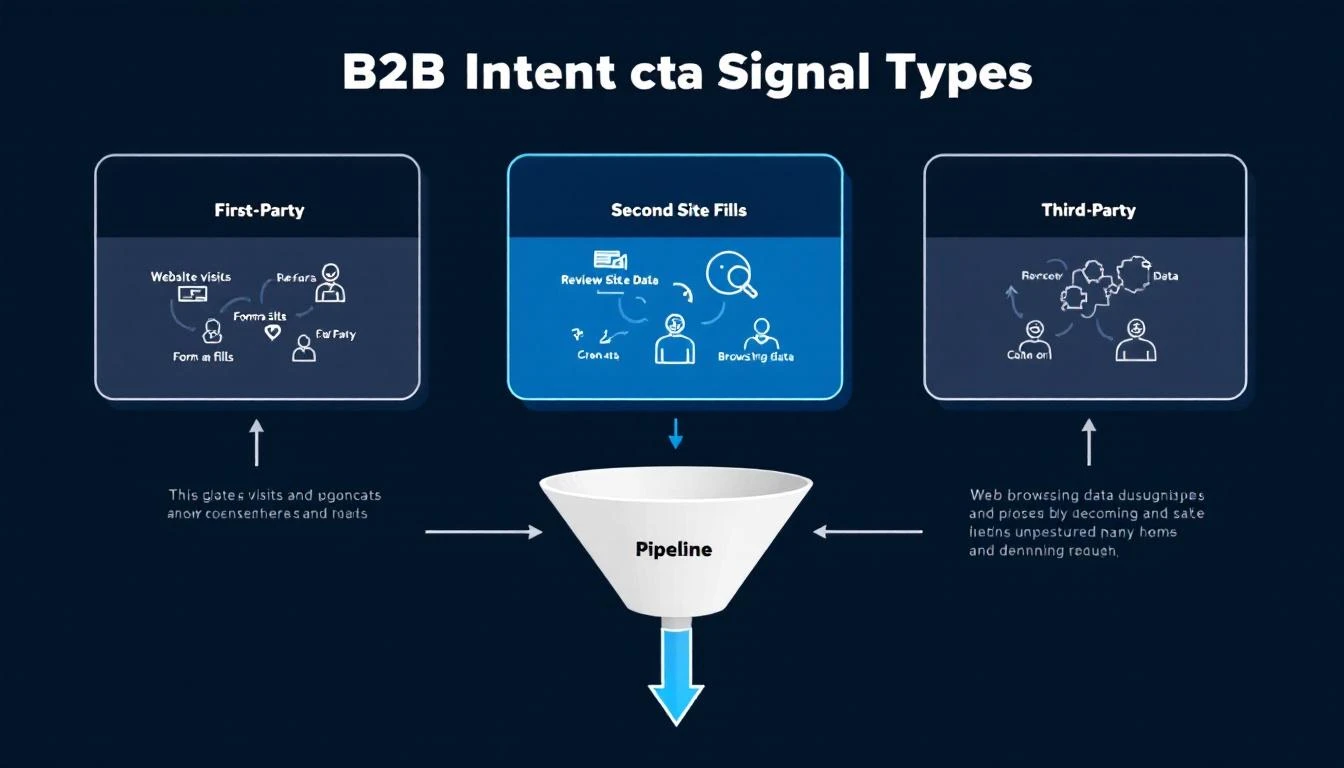
B2B intent data signal types flowing into a sales pipeline

Your best prospects are researching solutions like yours right now. They're reading comparison articles, checking G2 reviews, attending webinars, and visiting your pricing page.

But they haven't filled out a form. They haven't booked a demo. As far as your CRM is concerned, they don't exist.

This is the reality of B2B buying in 2026: up to 70% of the buyer journey happens in the dark funnel — the invisible research phase where buyers evaluate vendors without ever raising their hand. By the time they contact sales, they've already shortlisted 2-3 vendors. If you're not on that shortlist, you're not in the deal.

Intent data changes the equation. Instead of waiting for buyers to come to you, it reveals who's actively researching solutions in your category — so you can engage them while they're still making decisions.

The B2B buyer intent data market is worth an estimated $4.5 billion in 2026, growing at a 15.9% CAGR. But market size doesn't mean market maturity. Most sales teams still get intent data wrong — buying expensive signals they can't activate, drowning SDRs in noise instead of giving them focus.

This guide covers everything: what intent data actually is, the different types and where they come from, how to evaluate providers, implementation frameworks that work, and the mistakes that burn budgets.

B2B Website Visitor Identification: The Complete Guide for Sales Teams [2026]

· 16 min read

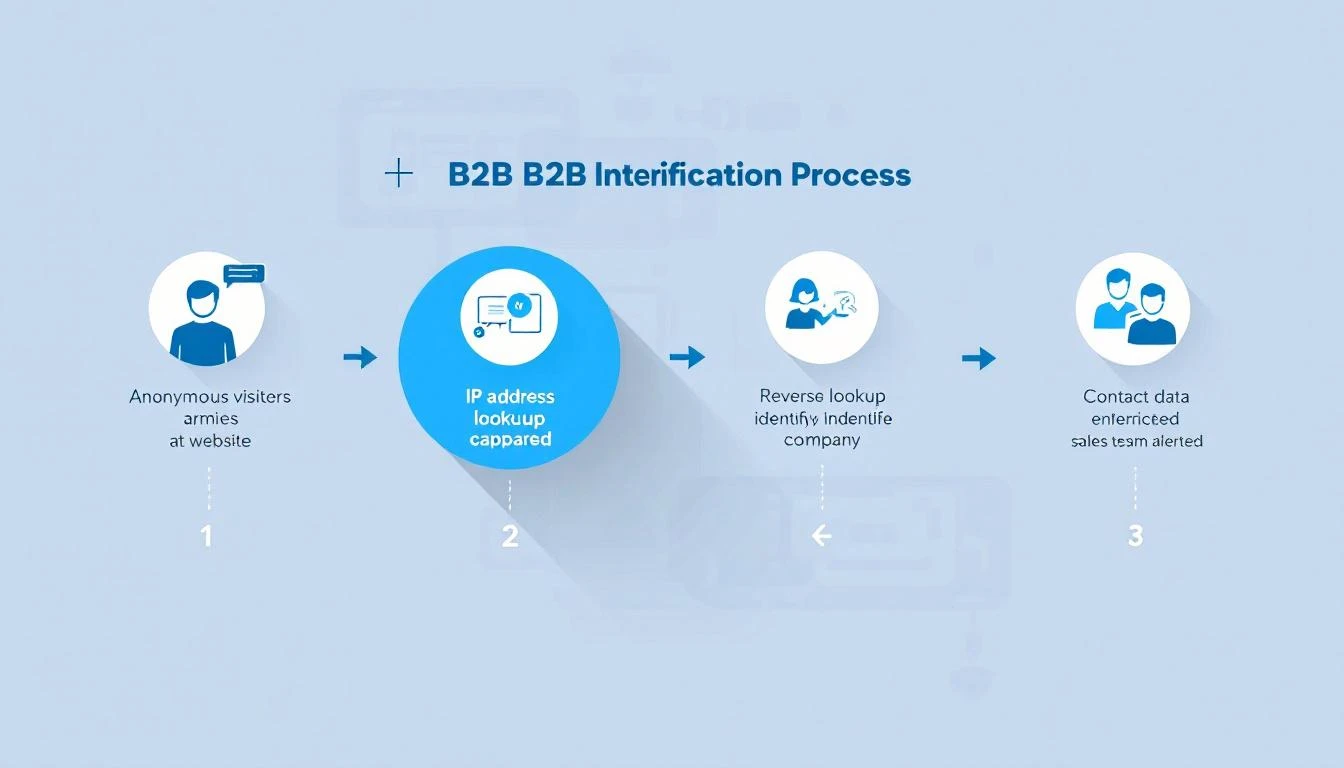
B2B website visitor identification process — from anonymous traffic to identified accounts

98% of B2B website visitors leave without filling out a form. They read your pricing page, compare you to competitors, check your case studies — then vanish.

You're spending thousands on Google Ads, SEO, and content to drive this traffic. And 98 out of every 100 visitors give you nothing in return. No name, no email, no company. Just another anonymous session in Google Analytics.

Website visitor identification changes that. It reveals which companies are visiting your site, what pages they're viewing, and in many cases, who the actual people are — so your sales team can reach out while the buying intent is hot.

This guide covers everything: how the technology works, what match rates you can actually expect (hint: most vendors lie), how to evaluate tools, and how to turn identified visitors into pipeline. No fluff. No vendor spin.


What Is B2B Website Visitor Identification?

B2B website visitor identification is the process of revealing the companies and individuals behind your anonymous website traffic. Instead of seeing "500 sessions from Austin, TX" in your analytics, you see "Hologram's VP of Sales visited your pricing page 3 times this week."

There are two levels of identification:

Company-Level Identification

The most common approach. When someone visits your website, their browser sends an IP address. Visitor identification tools match that IP against databases of known corporate IP ranges to identify which company the visitor works for.

How it works:

  1. A JavaScript snippet on your website captures the visitor's IP address
  2. The tool performs a reverse IP lookup (rDNS) against a database of millions of company IP ranges
  3. If there's a match, you see the company name, industry, size, and location
  4. You also see which pages they visited and for how long

Typical match rates: 20-40% of total traffic. This sounds low, but remember — most consumer traffic (personal devices, mobile networks, VPNs) will never match. The 20-40% that does match is almost entirely B2B traffic, which is exactly what you want.

The catch: Company-level ID tells you which company is looking, but not who at the company. You know Salesforce visited your pricing page — but was it an intern doing research or the VP of Revenue Operations evaluating tools?

Person-Level Identification

The newer, more powerful approach. Person-level identification goes beyond the company and attempts to identify the specific individual visiting your site.

How it works:

  1. Beyond IP matching, tools use a combination of first-party cookies, device fingerprinting, and cross-referencing identity graphs
  2. Some tools match against databases of known professional identities (built from opt-in data, public profiles, etc.)
  3. The result: you get a name, title, email, and LinkedIn profile — not just a company name

Typical match rates: 5-15% of B2B traffic. Person-level is significantly harder than company-level. Any vendor claiming 40%+ person-level match rates is either misleading you or conflating company-level and person-level stats.

The privacy question: Person-level ID raises legitimate GDPR/CCPA concerns. The best tools build their identity graphs from opt-in sources and comply with privacy regulations. The worst ones scrape data without consent. Always ask your vendor where their data comes from.


How Does Website Visitor Identification Actually Work?

Under the hood, visitor identification combines multiple data signals. Here's the technical reality without the marketing buzzwords.

1. Reverse IP Lookup (Foundation Layer)

Every device connected to the internet has an IP address. Companies with office networks have static IP ranges registered to their organization. When an employee visits your website from the office, their request comes from one of these known IPs.

Reverse IP lookup (rDNS) cross-references the visitor's IP against databases of corporate IP ranges. These databases are maintained by data providers like:

  • Demandbase — proprietary IP intelligence network
  • Clearbit (now Hubspot) — company identification API
  • 6sense — predictive intelligence platform
  • Bombora — intent data + IP matching

Limitation: Remote work has eroded IP-based identification. When your target buyer works from home on a Comcast connection, their IP doesn't map to their employer. This is why pure IP-based tools have seen match rates decline since 2020.

2. First-Party Cookies + Device Fingerprinting (Enhancement Layer)

To compensate for remote work, modern tools layer additional signals:

  • First-party cookies track returning visitors across sessions, building a behavioral profile even before identity resolution
  • Device fingerprinting uses browser attributes (screen resolution, timezone, installed fonts, WebGL renderer) to create a semi-unique identifier
  • Email pixel matching — when a prospect clicks a link in your marketing email, the tool can link their known email to their website session

3. Identity Graphs (Resolution Layer)

The most sophisticated tools maintain identity graphs — massive databases that connect professional identities across multiple touchpoints. When a visitor arrives on your site, the tool checks:

  • Does this device/cookie match a known identity?
  • Has this IP been associated with previous known visitors?
  • Does the behavioral pattern (pages visited, time on site) match a known account?

The larger and more accurate the identity graph, the higher the match rate. This is why tools backed by large data networks (Demandbase, 6sense, ZoomInfo) often outperform standalone startups on raw identification volume.


What Match Rates Should You Actually Expect?

This is where most vendors mislead you. Here's the truth.

The Match Rate Reality Check

Identification TypeClaimed RangeRealistic RangeWhat Drives It
Company-level"Up to 80%"20-40%IP database coverage, % of office vs. remote traffic
Person-level"Up to 50%"5-15%Identity graph size, cookie persistence, email matching
Combined (inflated)"70-90%"25-45%Vendors often blend both numbers to inflate stats

Why the gap? Vendors run match rate tests on their best-case scenarios — enterprise companies with mostly in-office workers, lots of direct traffic, and established cookies. Your results will vary based on:

  • Your audience mix — Enterprise companies with office networks match better than SMBs with remote teams
  • Traffic sources — Direct and organic traffic matches better than paid (ad blockers, VPNs)
  • Geography — US and EU corporate IP databases are more complete than emerging markets
  • Industry — Tech companies match well; healthcare and government often don't

How to Run Your Own Match Rate Test

Don't trust vendor demos. Run a blind test with your actual traffic:

  1. Install 2-3 tools on your website simultaneously (most offer free trials)
  2. Run for 30 days to get a statistically meaningful sample
  3. Compare identified visitors against known accounts in your CRM
  4. Calculate your real match rate: Identified visitors / Total unique B2B sessions
  5. Check accuracy: Are the identified companies actually relevant? Or is it mostly ISPs and universities?

The tool that identifies the most relevant accounts at the highest accuracy wins — not the one with the biggest raw number.


Turning Identified Visitors Into Pipeline

Identification alone doesn't close deals. The real value is in what your team does with the data. Here's where most companies waste their investment.

The Workflow Problem

Most visitor identification tools stop at identification. They show you a dashboard of companies that visited your site. Then what?

Your SDR logs in, scrolls through a list of 50 companies, tries to figure out who to contact, opens LinkedIn to find the right person, switches to their CRM to check if there's an existing relationship, then goes to their email tool to write outreach.

That's 5 tools and 15 minutes per lead — and they have 50 to get through. By the time they reach out, the buyer's intent has cooled.

What a Complete Visitor ID Workflow Looks Like

The best approach connects identification to action:

  1. Identify — Visitor arrives, company and/or person identified
  2. Qualify — Automatically check: does this company match your ICP? Are they in your CRM already? What's their revenue/employee count?
  3. Prioritize — Rank by buying signals: pricing page visits > blog reads. Repeat visitors > first-timers. Decision makers > individual contributors.
  4. Enrich — Pull in additional context: recent funding, job postings, tech stack, social media activity
  5. Route — Assign to the right SDR based on territory, industry, or account ownership
  6. Act — Present a daily playbook: "These 5 accounts visited your pricing page yesterday. Here's who to contact and what to say."

This is the difference between data and action. Tools that stop at step 1 create dashboards. Tools that go through step 6 create pipeline.

Measuring ROI

The ROI formula for visitor identification is straightforward:

Monthly ROI = (Meetings booked from identified visitors × Average deal value × Win rate) - Tool cost

Example for a mid-market B2B company:

  • 1,000 unique B2B visitors/month
  • 30% company-level match rate = 300 identified companies
  • 10% are ICP-fit = 30 qualified accounts
  • SDR reaches out to all 30, books 5 meetings (17% meeting rate)
  • Average deal size: $30,000
  • Win rate: 25%
  • Monthly pipeline created: $37,500
  • Tool cost: $500-$2,000/month
  • ROI: 18-75x

Even conservative estimates show massive ROI — because you're reaching prospects who already demonstrated buying intent by visiting your site.


Visitor identification operates in a gray area that's getting clearer (and stricter) every year. Here's what you need to know.

GDPR (EU/UK)

  • Company-level identification is generally considered legitimate interest under GDPR — you're identifying organizations, not individuals
  • Person-level identification requires more careful handling. The tool must source identity data from compliant, opt-in databases
  • Cookie consent is required. Your cookie banner must disclose analytics and identification tracking
  • Data processing agreements (DPAs) should be in place with your vendor

CCPA (California)

  • Visitors can opt out of "sale" of personal information
  • Company-level data is generally exempt
  • Person-level data may fall under CCPA if it includes personal identifiers

SOC 2

If you're selling to enterprise, they'll ask about your security posture. Choose a vendor that's SOC 2 certified — it means they've been audited on data handling practices.

Best Practices

  1. Disclose tracking in your privacy policy — mention website analytics and business identification
  2. Honor opt-outs — if someone requests data deletion, your vendor should support it
  3. Use compliant data sources — ask vendors: "Where does your identity graph data come from?"
  4. Keep data hygiene tight — don't store identified visitor data indefinitely; set retention policies

How to Evaluate Website Visitor Identification Tools

When shopping for a visitor ID tool, here's what actually matters (and what doesn't).

What Matters

FactorWhy It MattersHow to Evaluate
Match rate on YOUR trafficVendor benchmarks are meaningless for your specific audienceRun a 30-day trial with your actual traffic
Accuracy40% match rate with 50% accuracy = 20% usable dataCross-reference identified companies against your CRM
Integration depthData that sits in a dashboard creates zero pipelineCheck CRM sync, Slack alerts, daily playbook features
Action layerIdentification without workflow = expensive analyticsDoes it tell SDRs what to DO, not just what happened?
Person-level capabilityCompany-level alone requires manual researchCan it surface the specific contact to reach out to?
Pricing transparencyHidden pricing usually means enterprise-onlyCan you see pricing before talking to sales?

What Doesn't Matter (Much)

  • Size of the "contact database" — 300M contacts means nothing if 90% are outdated
  • Number of integrations — you need 3-4 deep integrations, not 100 shallow ones
  • AI buzzwords — "AI-powered identification" is marketing. The data quality matters more.
  • Free tier generosity — free tools with low match rates waste your time with bad data

Questions to Ask Vendors

  1. "What's my expected match rate based on my traffic profile?"
  2. "Is your identification company-level, person-level, or both?"
  3. "Where does your identity graph data come from? Is it opt-in?"
  4. "What happens when a visitor's company is identified — what's the next step for my SDR?"
  5. "Are you SOC 2 certified? GDPR compliant?"
  6. "Can I see a breakdown of your match accuracy (not just match rate)?"

The Future of Visitor Identification (2026 and Beyond)

Three trends are reshaping this space:

1. The Post-Cookie World

Google is phasing out third-party cookies (slowly, painfully). Tools that rely heavily on third-party cookie matching will see declining match rates. First-party data and server-side tracking are becoming essential.

What this means for you: Choose tools investing in cookieless identification methods — IP intelligence, first-party data enrichment, and authenticated traffic matching.

2. AI-Powered Intent Scoring

Raw identification is becoming table stakes. The differentiator is what the tool does with the data. AI models that score buying intent based on page visit patterns, visit frequency, content consumed, and account-level behavior will separate useful tools from expensive dashboards.

3. From Identification to Orchestration

The market is moving from "tell me who visited" to "tell my SDR what to do about it." Daily playbooks, automated outreach triggers, and real-time alerts are becoming standard expectations, not premium features.


Getting Started: Your First 30 Days

Here's a practical roadmap for implementing visitor identification:

Week 1: Install and Configure

  • Install 2-3 tools for a head-to-head trial
  • Configure your ICP filters (industry, company size, geography)
  • Connect your CRM so identified accounts are automatically matched to existing opportunities

Week 2: Baseline Measurement

  • Track total identified visitors vs. total traffic
  • Note how many identified companies match your ICP
  • Measure how long it takes SDRs to action the identified accounts

Week 3: Optimize Workflow

  • Set up automated alerts for high-intent visits (pricing page, comparison pages, demo page)
  • Create SDR playbooks: "When Account X visits the pricing page, do Y"
  • Build daily dashboards showing SDRs their priority outreach list

Week 4: Measure and Decide

  • Calculate: meetings booked from identified visitors
  • Compare tool match rates and accuracy head-to-head
  • Make your vendor decision based on real data, not demos

Common Use Cases by Team

For SDR Teams

  • Warm outreach priority list: Instead of cold-calling from a static list, SDRs start each day with a list of accounts that visited your website in the last 24 hours. These aren't cold — the prospect already knows you exist.
  • Personalized first touch: "I noticed your team was looking at our pricing page yesterday" is 3x more effective than a generic cold email. Visitor data gives SDRs the context to write outreach that feels relevant, not random.
  • Account progression tracking: See which accounts are moving from blog content to pricing pages to case studies — that's a buying signal you can act on before the prospect fills out a form.

For Demand Gen Teams

  • Attribution clarity: Which campaigns drive the most identified, ICP-fit visitors? Visitor ID bridges the gap between "we got 500 clicks" and "we got visits from 12 target accounts."
  • Content optimization: See which blog posts attract target accounts and which attract irrelevant traffic. Double down on what works.
  • Retargeting fuel: Build retargeting audiences from identified accounts. Instead of broad display ads, target the specific companies who've already shown interest.

For Account Executives

  • Deal acceleration: When a prospect you're working goes quiet but keeps visiting your site, you know the deal isn't dead — they're still evaluating. Time to re-engage.
  • Multi-threading alerts: If 3 different people from the same company visit your case studies page, your champion is building internal consensus. The AE should know.
  • Competitive intelligence: Prospect visiting your comparison pages? They're evaluating alternatives. Send them your win-loss analysis before they talk to the competitor.

Frequently Asked Questions

Company-level identification is legal in the US, EU, and most global markets. It uses publicly available corporate IP data and doesn't identify individuals. Person-level identification requires more careful compliance, especially under GDPR. Choose vendors that source data from opt-in, compliant databases and have clear privacy policies.

What's the difference between visitor identification and analytics?

Google Analytics tells you "50 people from Austin visited your pricing page." Visitor identification tells you "Hologram, Datadog, and Cloudflare visited your pricing page." Analytics gives you aggregate patterns. Identification gives you accounts to call.

Do I need visitor identification if I already have a CRM?

Yes. Your CRM only knows about prospects who've already identified themselves (form fills, email replies, demo requests). Visitor identification reveals the 98% who are researching you but haven't raised their hand yet. Think of it as the top-of-funnel radar your CRM can't provide.

How does remote work affect match rates?

Remote work reduces IP-based match rates because home internet connections don't map to corporate IP ranges. The best tools compensate with first-party cookies, email pixel matching, and identity graphs. Expect 10-15% lower match rates compared to pre-2020, but the identified visitors are still highly valuable.

How many visitors do I need for this to be worth it?

Most tools become cost-effective at 1,000+ unique monthly visitors. Below that, you won't identify enough accounts to justify the investment. Above 5,000 visitors, the ROI compounds quickly because each additional identified account is essentially free incremental pipeline.

Can I use visitor identification with ABM (Account-Based Marketing)?

Absolutely — this is one of the strongest use cases. Upload your target account list, and the tool alerts you the moment any of those accounts visit your site. Instead of waiting for them to fill out a form, you can trigger outreach immediately. Some tools even track which specific pages target accounts visit, giving your ABM campaigns real-time feedback on messaging effectiveness.


Bottom Line

Website visitor identification isn't magic — it's infrastructure. The 98% of visitors who leave without converting aren't gone. They're just anonymous. The right tool makes them visible. The right workflow makes them reachable. And the right team turns them into customers.

The question isn't whether to invest in visitor identification. It's whether you can afford not to — while your competitors are already reaching out to the same buyers who just left your site.

Ready to see who's visiting your website? Book a demo and see MarketBetter's visitor identification in action — complete with daily SDR playbook, AI chatbot, and multi-channel outreach built in.


Have questions about B2B website visitor identification? Check our comparison of the 12 best visitor ID tools or see how MarketBetter compares to Warmly, Clearbit, and RB2B.

12 Best Website Visitor Identification Tools in 2026 (We Tested Match Rates — Most Vendors Lie)

· 31 min read
sunder
Founder, marketbetter.ai

Comparison of the 12 best website visitor identification tools for B2B teams in 2026

98% of your website visitors leave without filling out a form. They read your pricing page, compared you to competitors, and vanished.

Website visitor identification software reveals who those anonymous visitors are — company name, contact info, even which pages they viewed — so your sales team can reach out while intent is hot.

But here's what the vendors won't tell you: "80% match rate" usually means 80% of companies identified, not people. Person-level identification is much harder, and most tools quietly inflate their numbers by mixing the two. We tested 12 platforms and tracked the real match rates across company-level and person-level identification, with actual pricing for each.

This guide covers the 12 best tools for 2026, with honest match rates, real pricing, and which ones actually turn identified visitors into booked meetings.

⚡ Quick Pick Guide

Limited budget (<$200/mo): RB2B free tier or Leadfeeder free SMB wanting person-level ($100-500/mo): RB2B Pro, Leadpipe, or Snitcher Mid-market teams ($500-2K/mo): Warmly or Koala (PLG) Want action, not just data: MarketBetter — book a demo → Enterprise ABM ($50K+/yr): 6sense or Demandbase Already in HubSpot: Clearbit Breeze Already in ZoomInfo: WebSights add-on Already in Instantly: Instantly Pixel (built-in)


Table of Contents

  1. How Website Visitor Identification Actually Works
  2. The Remote Work Problem Nobody Talks About
  3. Comparison Table: All 12 Tools
  4. MarketBetter | Warmly | Leadfeeder | RB2B | Koala | 6sense | ZoomInfo | Clearbit Breeze | Demandbase | Instantly | Leadpipe | Snitcher
  5. The Real Question: Data vs Action
  6. How to Calculate ROI
  7. Implementation Guide
  8. How to Choose
  9. FAQ

How Website Visitor Identification Actually Works

Before we compare tools, let's get honest about what these products can (and can't) do.

The Three Identification Methods

  1. IP-to-Company Matching

    • Matches visitor IP addresses against databases of known business networks
    • Identifies the company, not the individual person
    • Works best for corporate office traffic; struggles with remote workers
    • Most mature technology — nearly every tool uses this as a baseline
  2. First-Party Cookie + Data Enrichment

    • Combines browsing behavior with third-party data to infer contact identity
    • Can identify specific people at visiting companies
    • Match rates vary wildly (5-40% depending on traffic source)
    • Privacy regulations increasingly limit cookie-based tracking
  3. Reverse Email Lookup / Identity Graph

    • When visitors have previously engaged (clicked an email, filled a form), systems track return visits
    • Some tools use cross-site identity graphs to match visitors to known profiles
    • Most reliable method, but limited to known contacts or opted-in users
    • B2C-oriented tools (like Leadpipe) lean heavily on this approach

Match Rate Reality Check

Don't believe vendors claiming 80%+ match rates. Here's what's actually achievable in 2026:

Identification LevelRealistic Match RateNotes
Company-level30-65%Corporate traffic only; remote workers much lower
Person-level5-20%US traffic typically higher than international
Combined (company + person fallback)60-80%What most tools actually deliver

Key insight: Anyone promising 80%+ contact-level identification is likely counting company matches, not individual people. Always ask vendors: "What percentage of my traffic will you identify to a specific person with an email address?"

What Most Guides Get Wrong

Most comparison articles rank tools by feature count or vendor claims. That's backwards. What actually matters:

  1. Match rate for YOUR traffic — A tool that matches 30% of US enterprise traffic might match 5% of international SMB traffic
  2. Data quality — 1,000 accurate identifications beat 5,000 stale contacts
  3. What happens next — Does the tool just show you names, or does it tell your SDR what to do?
  4. Time to value — An enterprise ABM platform that takes 3 months to deploy isn't "better" than a tool that works in 30 minutes

The Remote Work Problem Nobody Talks About

Here's the elephant in the room that every visitor ID vendor avoids discussing: remote work has fundamentally broken IP-based identification.

Before 2020, most B2B website visitors browsed from corporate office networks. These networks have static IP addresses mapped to company names. Identification was straightforward.

In 2026, over 60% of knowledge workers are remote or hybrid. They browse from home networks, coffee shops, and coworking spaces. These IP addresses map to ISPs like Comcast or AT&T — not their employer.

What This Means for Your Match Rates

Traffic SourceExpected Company-Level Match RateWhy
Enterprise visitors from offices50-65%Static corporate IPs well-mapped
SMB visitors from offices30-45%Smaller firms have less IP coverage in databases
Remote workers at enterprise companies10-20%VPN traffic may still resolve; otherwise lost
Remote workers at SMBs5-10%Residential IPs rarely map to employers
International traffic15-30%US databases are richest; EU/APAC much sparser

The implication: If your target market is SMB companies with remote teams, pure IP-based tools will underperform. You need tools that layer person-level identification (cookies, identity graphs, data enrichment) on top of IP matching.

How Top Tools Handle Remote Work

  • RB2B and Leadpipe: Use identity graphs and cross-site matching to identify individuals regardless of IP
  • Warmly: Stacks 20+ data providers in a "data waterfall" to compensate for IP gaps
  • 6sense and Demandbase: Add third-party intent data (what companies are researching elsewhere) to supplement weak on-site identification
  • MarketBetter: Combines visitor identification with daily playbook intelligence — even when you can't identify every visitor, the AI prioritizes the ones you can identify and tells your SDR exactly what to do with them

Best Website Visitor Identification Tools: Comparison Table

ToolBest ForID LevelStarting PriceMatch RateSDR Workflow
MarketBetterSDR teams wanting actionCompany + Contact + TasksCustomVaries by source✅ Full
WarmlyReal-time chat engagementCompany (65%) + Person (15%)$700/mo15-25% person⚠️ Partial
LeadfeederEuropean companiesCompany onlyFree / €99/mo10-15%❌ No
RB2BFreemium person-levelPerson (US only)Free / $79/mo10-20% person❌ No
KoalaPLG companiesCompany + Product signalsCustomVaries⚠️ Partial
6senseEnterprise ABMCompany + Intent~$55K/yr median10-20%⚠️ Partial
ZoomInfoEnterprise data teamsCompany + Intent$15K+/yr15-30%⚠️ Partial
Clearbit BreezeHubSpot usersCompany + EnrichmentCredit-based15-20%❌ No
DemandbaseEnterprise ABMCompany + Intent$18K+/yr<30%⚠️ Partial
InstantlyOutbound-first teamsCompany + Contact$37/mo (CRM plan)Varies⚠️ Partial
LeadpipePerson-level at scalePerson + Company$98/moClaims 35%+ person❌ No
SnitcherBudget-friendly company IDCompany only$39/mo30-50% company❌ No

SDR Workflow column explained: ✅ Full = prioritized task lists, AI outreach, dialer built in. ⚠️ Partial = some automation but requires other tools. ❌ No = data only, requires separate tools for execution.


1. MarketBetter

Best for: SDR teams who want to ACT on visitor data, not just view it

Most visitor identification tools stop at "Company X visited your pricing page." Then your SDR has to:

  • Research the company
  • Find the right decision-maker
  • Prioritize against dozens of other signals
  • Write personalized outreach
  • Actually make the call

That's 15-30 minutes of work per visitor — which means 90% of visitor data goes unused.

MarketBetter takes a fundamentally different approach. We don't just identify WHO visited. We identify them, find the decision-maker, score the opportunity, and create a prioritized task for your SDR — complete with AI-generated outreach and a click-to-dial button.

Key Features

  • Website visitor identification via IP-to-company + contact enrichment
  • Daily SDR Playbook with AI-prioritized tasks (not just a dashboard)
  • AI-generated email sequences and call scripts personalized to each prospect
  • Smart dialer with call recording and coaching
  • AI chatbot that qualifies visitors and books meetings 24/7
  • CRM sync with HubSpot and Salesforce
  • Chrome extension for LinkedIn prospecting and real-time enrichment

What Makes It Different

When your SDR opens MarketBetter each morning, they see exactly:

  • Who to call (prioritized by fit + intent)
  • Why they're a fit (company size, tech stack, recent activity)
  • What to say (AI-drafted outreach based on their browsing behavior)

No research. No prioritization paralysis. Just execute.

"MarketBetter tells you WHO + WHAT TO DO. Other tools just tell you WHO."
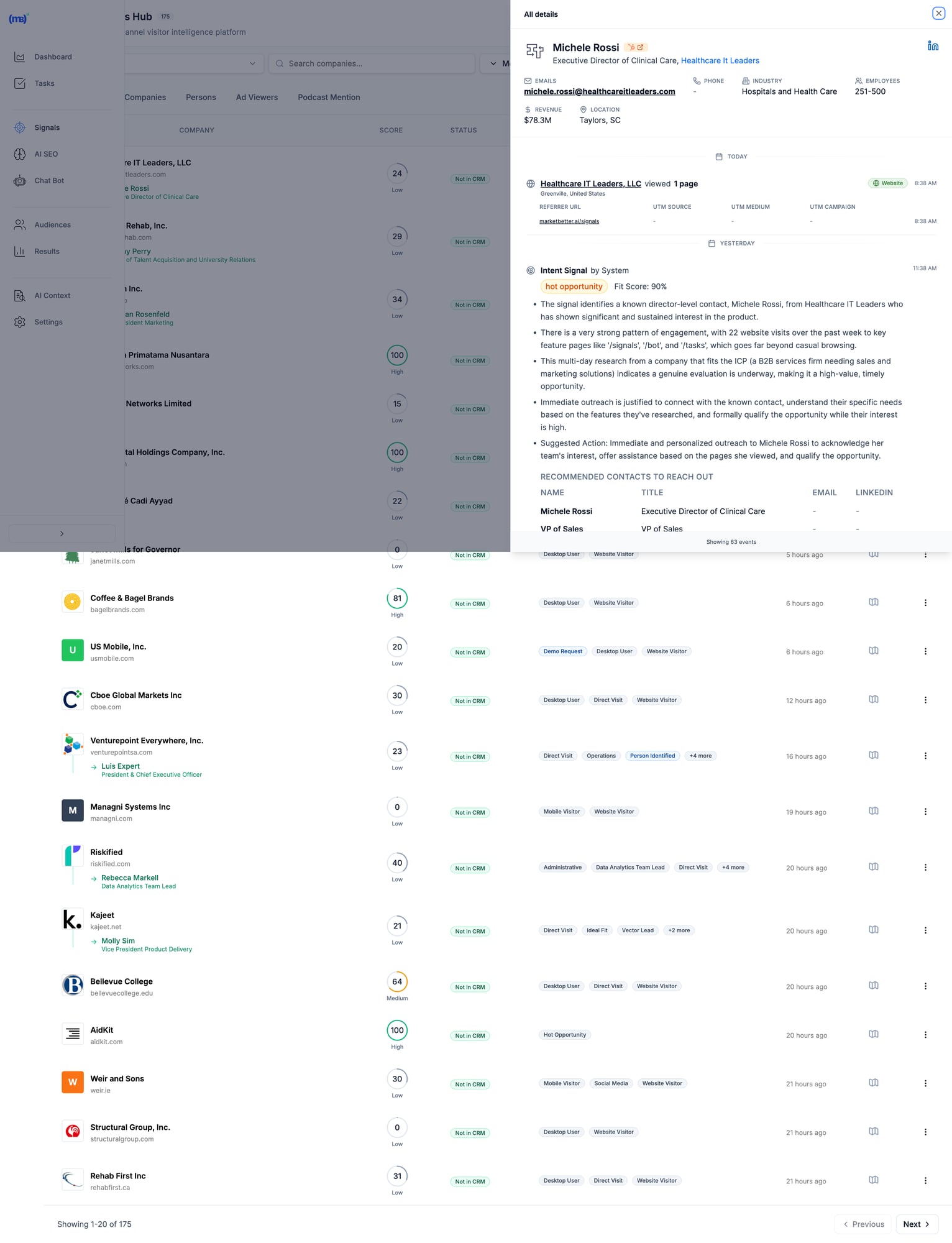
MarketBetter Signals Hub showing visitor intelligence with contact details, intent scores, and recommended actions MarketBetter's Signals Hub shows AI-prioritized visitor signals with intent scoring, identified contacts, and suggested actions — all in one view.

Pricing

Custom based on team size and volume. Transparent pricing — no hidden fees or long-term contracts. Book a demo →

When MarketBetter Is Better

✅ You have an SDR team that needs to execute, not analyze ✅ You want one platform instead of 5+ tools stitched together ✅ Visitor data currently sits unused in dashboards ✅ You care about pipeline, not just "visibility" ✅ Speed-to-lead matters (90% faster lead response)

When To Look Elsewhere

⚠️ You only need raw data for your existing ABM stack ⚠️ Enterprise with 6sense/Demandbase already deployed and working ⚠️ Pure marketing use case with no SDR execution

Read more: MarketBetter vs Warmly | MarketBetter vs Apollo | MarketBetter vs ZoomInfo | MarketBetter vs 6sense


2. Warmly

Best for: Companies wanting real-time visitor engagement via chat

Warmly bundles visitor identification with AI chatbot engagement. Their strength is catching visitors while they're still on your site and starting conversations immediately. In 2026, they've expanded with an "AI Data Agent" tier that automates more of the outreach workflow.

Key Features

  • 65% company-level identification (claimed) via 20+ data providers in a "data waterfall"
  • 15-25% person-level identification via enrichment partnerships
  • AI chatbot for real-time visitor engagement
  • Slack/Teams alerts for high-intent visitors
  • Bombora intent data integration
  • Video calling widget for live sales conversations on-site
  • Orchestrator for automated outreach sequences

Pricing

PlanPriceWhat You Get
Free$0500 visitors/mo, 10 Bombora signals/week
Startup~$700/moHigher limits, basic automation
Business$1,440-1,740/mo10K-100K visitors, full features
AI Data Agent$10,000/yrAdvanced AI features, automated outreach

When Warmly Is Better

✅ Real-time chat engagement is your primary use case ✅ You already have outbound tools (Outreach, Apollo) and need signals ✅ Catching visitors while they're on-site matters most ✅ Budget of $700+/mo for a dedicated visitor ID tool

When To Look Elsewhere

⚠️ You need a full SDR workflow (no smart dialer, no daily task prioritization) ⚠️ Budget under $700/mo (free tier is very limited) ⚠️ You want person-level at scale (15-25% may not be enough) ⚠️ You need multi-channel execution beyond chat

Read more: MarketBetter vs Warmly Comparison | Warmly Review 2026 | Warmly Pricing Breakdown | Best Warmly Alternatives


3. Leadfeeder (Dealfront)

Best for: European companies prioritizing GDPR compliance

Dealfront (the merger of Leadfeeder and Echobot) focuses on the European market with strong GDPR compliance. Solid company-level identification with good CRM integrations at a reasonable price. They've been in the visitor ID game longer than most, which means deep integration partnerships.

Key Features

  • Company-level visitor identification (IP-to-company)
  • GDPR-compliant data handling — a real differentiator for EU companies
  • Strong European company database (best coverage outside US)
  • CRM integrations with Salesforce, HubSpot, Pipedrive
  • Lead scoring and filtering by company attributes
  • Google Analytics integration for enhanced insights

Pricing

PlanPriceWhat You Get
Free€0100 companies/mo, 7-day data retention
Paid€99-165/moUnlimited companies, 365-day retention

Annual billing gives 40% discount. The free tier is genuinely useful for testing.

When Leadfeeder Is Better

✅ European market focus (best EU company database in the category) ✅ GDPR compliance is non-negotiable for your team ✅ Budget-conscious teams wanting basic visitor ID to test the concept ✅ Already using Pipedrive or European CRMs

When To Look Elsewhere

⚠️ You need person-level identification (company-only) ⚠️ US market focus (weaker coverage than US-focused tools) ⚠️ You want SDR workflow, not just data and dashboards ⚠️ You need real-time alerts for high-intent visitors


4. RB2B

Best for: Freemium person-level identification (US traffic)

RB2B has become the go-to for teams wanting to test person-level identification without a big commitment. Their free tier is genuinely generous, and the Slack integration makes it easy to see results immediately. Founded by Adam Robinson, they've built strong community momentum on LinkedIn.

Key Features

  • Person-level identification targeting 10-20% match rate
  • Slack notifications with LinkedIn profiles (the "killer feature")
  • Simple setup (just add a script tag — 5 minutes)
  • Free tier with 150 credits/month
  • Demandbase partnership for company-level fallback
  • Coworker filtering on Pro plans (remove known contacts)

Pricing

PlanPriceWhat You Get
Free$0150 credits/mo, company-level only, LinkedIn profiles
Starter$79/moPerson-level identification, basic integrations
Pro$349+/moBusiness emails, all integrations, coworker filtering

Match Rates (Honest Assessment)

  • Person-level: 10-20% (US traffic only)
  • Company-level: 70-80% when combined with Demandbase fallback
  • International: Not supported for person-level — this is a US-only tool

When RB2B Is Better

✅ You want to test person-level ID before committing serious budget ✅ US-focused B2B traffic (mandatory — doesn't work internationally) ✅ You have existing outreach tools and just need the names ✅ PLG company wanting LinkedIn profiles of engaged users

When To Look Elsewhere

⚠️ International traffic (US-only for person-level identification) ⚠️ You need workflow, not just names dropped in Slack ⚠️ Business emails required (need Pro at $349+/mo — significant jump) ⚠️ You want a complete SDR platform, not a point solution


5. Koala

Best for: PLG companies tracking product intent signals

Koala stands out by combining website visitor identification with product usage signals. If you have a freemium or trial product, Koala shows you which trial users are showing buying intent — a capability most visitor ID tools completely lack.

Key Features

  • Website + product activity tracking in one unified platform
  • Account scoring based on engagement patterns and product usage
  • Real-time Slack alerts for high-intent accounts
  • CRM sync with automatic enrichment
  • Built for PLG motions (trial → paid conversion signals)
  • ICP scoring to filter noise and focus on fits

Pricing

Custom pricing based on volume. Free trial available. Generally positioned between SMB tools and enterprise platforms.

When Koala Is Better

✅ You have a freemium/trial product (PLG motion is your core GTM) ✅ Product engagement signals matter more than just website visits ✅ You want to identify which trial users are ready for a sales conversation ✅ Engineering resources to implement product-level tracking

When To Look Elsewhere

⚠️ No freemium/trial product (pure sales-led GTM) ⚠️ You need full SDR workflow (no dialer, no sequences built in) ⚠️ Enterprise ABM programs (better options exist at that budget) ⚠️ Non-technical team (requires dev work to instrument product events)


6. 6sense

Best for: Large marketing teams running enterprise ABM programs

6sense is a full ABM platform with visitor identification as one component of a broader intent data suite. Powerful but complex — built for large marketing teams with dedicated ops resources. In 2026, they've added AI-powered "Revenue AI" features, though the core platform remains enterprise-focused.

Key Features

  • Account identification via IP + intent signals
  • Predictive buying stage scoring (Awareness → Decision) — genuinely useful for ABM
  • Third-party intent data (Bombora + proprietary 6sense data)
  • Multi-channel ABM orchestration (ads, email, sales activation)
  • AI account summaries and recommendations (Revenue AI)
  • Deep CRM integrations with Salesforce, HubSpot
  • Audience creation for targeted advertising

Pricing

6sense doesn't publish pricing. Based on Vendr and third-party data:

TierTypical CostWhat You Get
Free$050 credits/mo, Chrome extension
Team~$25K-50K/yrBasic platform, limited seats
Growth~$55K/yr (median)Full platform, intent data
Enterprise$100K-200K+/yrAdvanced features, custom integrations

Source: Vendr reports median buyer pays $55,211/year. Implementation takes 1-3 months.

When 6sense Is Better

✅ Enterprise budget ($50K+ annually) and you can justify the ROI ✅ Marketing-led ABM programs where you're running coordinated campaigns ✅ You have ops resources to manage the platform (RevOps or dedicated admin) ✅ Multi-channel orchestration across ads + email + sales is the goal

When To Look Elsewhere

⚠️ SMB or mid-market budget (minimum ~$25K/yr) ⚠️ Sales-first teams (6sense is marketing-first, sales activation is secondary) ⚠️ You want simplicity (3-6 month implementation typical) ⚠️ Contact-level identification priority (6sense is company/account-level)

G2 reviewer feedback:

"My problem with 6sense is that the tool's visitor identification reveals only companies and not individuals."

Read more: MarketBetter vs 6sense | 6sense Review 2026 | 6sense Pricing Breakdown | Best 6sense Alternatives


7. ZoomInfo WebSights

Best for: Enterprise GTM teams already using ZoomInfo data

ZoomInfo is the 800-pound gorilla of B2B data. WebSights is their visitor identification product, plugging into their massive database of 320M+ contacts and 100M+ company profiles. If you're already paying for ZoomInfo, WebSights is a natural add-on. If you're not, the total cost makes this an enterprise play.

Key Features

  • Account-level visitor identification with deep company intel
  • Buyer intent signals (1B+ monthly data points)
  • Deep CRM/MAP integrations (native Salesforce, HubSpot, Marketo)
  • Form enrichment for progressive lead capture
  • DSP integration for retargeting ads to identified accounts
  • Copilot AI for account research and outreach drafting

Pricing

ZoomInfo bundles WebSights with their core platform. Expect:

ComponentTypical Cost
SalesOS$15,000-25,000/yr starting
WebSights add-onIncluded or ~$5K extra
Intent data$9K-20K additional
Engage (sequences/dialer)~$15K additional

Total cost for full suite: $40K-100K+/yr depending on seats and features. Annual contracts, difficult to exit mid-term.

When ZoomInfo Is Better

✅ Already a ZoomInfo customer (marginal cost is low) ✅ Enterprise data needs where database size matters ✅ Budget for $15K+ annually ✅ Dedicated ops team to manage the platform

When To Look Elsewhere

⚠️ SMB budget (minimum $15K/yr for the base platform) ⚠️ You want SDR workflow, not just data enrichment ⚠️ Quick implementation needed (enterprise complexity and training required) ⚠️ Contact data accuracy concerns (G2 reviews flag stale data as #1 issue)

Read more: MarketBetter vs ZoomInfo | ZoomInfo Review 2026 | ZoomInfo Pricing Breakdown | Best ZoomInfo Alternatives


8. Clearbit Breeze (HubSpot)

Best for: HubSpot users wanting native enrichment

Now owned by HubSpot, Clearbit excels at form enrichment and real-time company identification. If you're already in the HubSpot ecosystem, it's the most seamless option — no integration work, no data syncing issues. The rebranding to "Breeze Intelligence" has been a bit confusing, but the core product remains strong.

Key Features

  • Real-time form enrichment (shorter forms, same data)
  • Company and contact data appending to existing CRM records
  • Native HubSpot integration (zero setup if you're already a customer)
  • Reveal for anonymous visitor identification at account level
  • API for custom enrichment workflows (developers love this)
  • Auto-enrichment triggers based on lifecycle stage changes

Pricing

Credit-based system integrated into HubSpot. Contact HubSpot for details. Historically:

  • Enterprise plans include Clearbit/Breeze credits
  • Standalone was $12,000+/yr before acquisition
  • Credits consumed per enrichment (form fill, reveal, or API call)

When Clearbit Is Better

✅ You're committed to the HubSpot ecosystem (this is a natural extension) ✅ Form enrichment is the priority (reduce form fields, increase conversions) ✅ You want seamless CRM data without export/import workflows ✅ Marketing-first use case with existing HubSpot workflows

When To Look Elsewhere

⚠️ Not a HubSpot user (ecosystem lock-in makes this pointless) ⚠️ Person-level visitor identification priority (better options exist) ⚠️ You need SDR workflow beyond enrichment (no dialer, no task lists) ⚠️ Budget-conscious (credit system can get expensive at scale)


9. Demandbase

Best for: Enterprise ABM with advertising + sales intelligence

Demandbase is a full ABM platform competing with 6sense at the enterprise level. Their strength is combining account identification with ABM advertising capabilities — if you're running targeted ads to identified accounts, Demandbase's DSP integration is best-in-class.

Key Features

  • Account identification (AI-powered anonymous visitor reveal)
  • Identity graph (cookies, IP, device IDs, cross-channel matching)
  • Intent data + engagement scoring with proprietary signals
  • ABM advertising platform with native DSP
  • Sales intelligence with account insights and buyer journey mapping
  • GDPR-safe global reach (better international coverage than 6sense)

Pricing

Demandbase doesn't publish pricing. Based on Vendr and third-party data:

TierTypical Cost
Minimum$18,000+/yr
Median~$65,000/yr
Enterprise$100K+/yr

When Demandbase Is Better

✅ Enterprise budget ($50K+ annually) ✅ ABM advertising is part of your strategy (best DSP integration) ✅ Global reach with GDPR compliance matters (stronger internationally than 6sense) ✅ Marketing + sales alignment on target accounts

When To Look Elsewhere

⚠️ SMB or mid-market budget ⚠️ Person-level identification priority (company/account-level focus) ⚠️ Quick implementation needed (enterprise onboarding) ⚠️ You need SDR workflow, not marketing dashboards


10. Instantly Pixel

Best for: Outbound-first teams already using Instantly for cold email

Instantly — best known as a cold email platform — has added website visitor identification via their "Instantly Pixel." If you're already using Instantly for outbound sequences, adding visitor ID data into the same workflow is seamless. It's not the deepest visitor ID tool, but the workflow integration is hard to beat for existing customers.

Key Features

  • Website visitor identification via pixel tracking
  • Built into Instantly CRM — visitor data flows directly into your outreach workflows
  • Custom views for filtered visitor segments (e.g., pricing page visitors only)
  • Contact enrichment from Instantly's B2B database
  • Automated sequence enrollment — identified visitors auto-added to campaigns
  • Multi-channel (email + call + SMS from one platform)

Pricing

Visitor identification is included in Instantly's CRM plans:

PlanPriceWhat You Get
Growth CRM$37/moBasic CRM + visitor tracking
Hyper Growth CRM$97/moAI features + advanced sequences

Note: You may also need a sending plan ($30-78/mo) for the outreach side. Total cost: $67-175/mo for the full stack.

When Instantly Is Better

✅ Already using Instantly for cold email (natural extension, no new tools) ✅ Outbound-first GTM where visitor ID supplements cold outreach ✅ Budget-conscious (cheapest "all-in-one" option at $67-175/mo total) ✅ Want email + calling + visitor ID in one platform

When To Look Elsewhere

⚠️ Visitor ID is your primary need (Instantly's pixel is secondary to their email product) ⚠️ You need deep visitor analytics and segmentation (basic compared to Warmly or 6sense) ⚠️ Enterprise-grade identification with intent data (not their strength) ⚠️ Inbound-first GTM (Instantly is built for outbound)


11. Leadpipe

Best for: Person-level identification at scale with aggressive pricing

Leadpipe is a newer entrant focused on high-volume person-level identification. They claim 35%+ person-level match rates — aggressive but worth testing. Their pricing model is credit-based and straightforward, making it easy to forecast costs.

Key Features

  • Person-level identification — names, emails, phone numbers, LinkedIn profiles
  • Company + contact enrichment in one view
  • Real-time visitor tracking with page-level behavior data
  • Automated list building — identified visitors auto-exported to your email tool
  • Simple pixel installation (similar to RB2B)
  • No contract — month-to-month pricing

Pricing

PlanPriceCredits
Starter$98/mo100 identified visitors
Growth$147/mo500 identified visitors
Scale$248/mo1,000 identified visitors
Pro$398/mo2,000 identified visitors
Business$819/mo5,000 identified visitors
Enterprise$1,579/mo10,000 identified visitors

Per-credit cost: $0.16-0.98 depending on volume. 200 free credits to test.

When Leadpipe Is Better

✅ Person-level identification is the priority (not just company names) ✅ You want transparent, predictable pricing per identified visitor ✅ High-traffic site where per-credit pricing scales well ✅ Need email addresses + phone numbers for outreach (not just LinkedIn profiles)

When To Look Elsewhere

⚠️ You need SDR workflow (data-only, no task management or dialer) ⚠️ International traffic (US-focused, like most person-level tools) ⚠️ Enterprise security requirements (newer vendor, less established) ⚠️ You want intent data beyond just page visits


12. Snitcher

Best for: Budget-friendly company-level identification

Snitcher is a straightforward, no-frills company identification tool starting at just $39/month. No person-level ID, no intent data, no AI — just solid IP-to-company matching with clean reporting. Sometimes simple is exactly what you need.

Key Features

  • Company-level visitor identification via IP matching
  • Google Analytics integration (enhances existing GA data)
  • CRM integrations (Salesforce, HubSpot, Pipedrive)
  • Custom alerts based on company attributes or page visits
  • Clean dashboard with session-level detail
  • GDPR-compliant (EU-based, privacy-first approach)

Pricing

Usage-based starting at $39/month, scaling with identified companies. Affordable option for teams testing the visitor ID concept before committing to larger platforms.

When Snitcher Is Better

✅ Budget under $200/mo and you want to test visitor identification ✅ Company-level is sufficient (you have separate tools for contact finding) ✅ European company wanting GDPR-compliant solution (EU-based) ✅ Clean, simple tool without enterprise complexity

When To Look Elsewhere

⚠️ You need person-level identification (company-only) ⚠️ You want SDR workflow or outreach automation ⚠️ US-focused team (US-centric tools have better North American coverage) ⚠️ Need intent data or buying stage signals


The Real Question: What Happens AFTER Identification?

Here's what most comparison guides won't tell you:

Identifying visitors is the easy part.

The hard part is turning that data into action. Most SDRs don't have time to:

  • Research every identified company
  • Find the right decision-maker
  • Write personalized outreach
  • Prioritize who to contact first
  • Actually make the call

That's why 90% of visitor ID data goes unused. It sits in a dashboard. Nobody acts on it. And the tool becomes shelfware within 3 months.

The "Data vs Action" Gap

Data-First ToolsAction-First Tools
Show you WHO visitedShow you WHO + WHAT TO DO
Require manual researchAuto-enrich with decision-makers
Leave prioritization to youAI-prioritize by fit + intent
Integrate with your sequence toolsInclude sequences + dialer
Dashboards for analysisTasks for execution
Value depends on SDR disciplineValue is built into the workflow

Most tools on this list are data-first. They give you visibility. What happens next is your problem.

MarketBetter is action-first. We turn every visitor into a prioritized task with AI-drafted outreach and click-to-dial. Your SDR opens a list and executes. No research required, no prioritization paralysis.

The Multi-Tool Problem

Here's how most teams cobble together a visitor ID workflow today:

  1. Visitor identification (RB2B or Warmly) → $79-700/mo
  2. Contact enrichment (Apollo or ZoomInfo) → $49-$15,000/yr
  3. Email sequences (Outreach or Salesloft) → $100-150/seat/mo
  4. Dialer (Orum or Nooks) → $150-200/seat/mo
  5. CRM (HubSpot or Salesforce) → $50-150/seat/mo

Total: $500-2,000+/mo per SDR across 5 different tools, with manual data transfer between each one.

MarketBetter replaces tools 1-4 in one platform. Visitor identification, enrichment, sequences, and dialer — with AI connecting them so data flows into action automatically.

See how it works →


How to Calculate Visitor Identification ROI

Before investing in any visitor ID tool, run these numbers:

Step 1: Estimate Your Identifiable Traffic

MetricYour Number
Monthly website visitors_______
× Realistic match rate (use 15% for company-level)× 0.15
= Identified companies per month_______

Step 2: Estimate Pipeline Impact

MetricYour Number
Identified companies per month_______
× % that fit your ICP (use 20%)× 0.20
= ICP-fit leads_______
× Outreach-to-meeting rate (use 5%)× 0.05
= Meetings booked per month_______

Step 3: Calculate Revenue

MetricYour Number
Meetings per month_______
× Demo-to-close rate (use 20%)× 0.20
= New customers per month_______
× Average deal size× $_______
= Monthly revenue from visitor ID$_______

Example Scenario

MetricExample
10,000 monthly visitors
× 15% company match rate= 1,500 identified
× 20% ICP fit= 300 ICP leads
× 5% meeting rate= 15 meetings/month
× 20% close rate= 3 new customers
× $15,000 ACV= $45,000/month revenue

Even at conservative rates, a tool costing $500-2,000/month that generates $45,000 in monthly revenue is a 20-90x return. The math almost always works — the question is whether your team will actually act on the data.


Implementation Guide: Getting Started in Under 30 Minutes

No matter which tool you choose, here's how to get maximum value fast:

Week 1: Install and Baseline

  1. Add the tracking pixel/script — Every tool on this list requires adding a JavaScript snippet to your site. Most take under 5 minutes.
  2. Connect your CRM — Sync identified visitors with your existing pipeline. HubSpot and Salesforce integrations are standard.
  3. Set up alerts — Configure Slack or email notifications for high-intent page visits (pricing page, demo page, comparison pages).
  4. Establish your baseline — How many visitors does the tool identify in the first week? What's your actual match rate?

Week 2: Prioritize and Filter

  1. Define your ICP filter — Set company size, industry, and geography filters so you only see relevant visitors. Without filters, your SDR drowns in noise.
  2. Set up lead scoring — Prioritize visitors by behavior: pricing page > blog > homepage. Multiple visits > single visit.
  3. Test outreach on 20 leads — Manually reach out to the first batch. Measure response rates. Refine your messaging.

Week 3-4: Automate and Scale

  1. Build sequences — Create automated email sequences triggered by visitor identification events.
  2. Assign territory rules — If you have multiple SDRs, set up round-robin or territory-based lead routing.
  3. Measure pipeline — Track how many identified visitors become meetings, opportunities, and closed deals.

Common Mistakes to Avoid

Contacting every identified visitor — Most are researchers, not buyers. Filter by ICP and intent signals. ❌ Mentioning you tracked them — "I saw you visited our pricing page" is creepy. Frame outreach around their company's challenges. ❌ Setting and forgetting — Review match rates and outreach results monthly. Adjust ICP filters as you learn. ❌ Buying enterprise tools for SMB problems — A $55K/yr platform won't help if your team has 2 SDRs and 5,000 monthly visitors. ❌ Expecting person-level magic — Realistic person-level match rates are 5-20%. If your traffic is low, the absolute number of identified individuals will be small. Supplement with company-level identification + manual prospecting.


How to Choose the Right Visitor ID Tool

After evaluating all 12 tools, here are the three questions that matter:

1. Do You Need Data or Action?

If you have a mature ops team that can turn visitor data into SDR workflows (research, enrich, prioritize, sequence, call), tools like ZoomInfo, 6sense, or Warmly give you rich data to feed those workflows.

If you want visitors to become prioritized SDR tasks automatically — no manual research, no tool-switching — look at MarketBetter.

2. Company-Level or Person-Level?

  • Company-level (30-65% match rate) = table stakes, every tool on this list does this
  • Person-level (5-20% match rate) = harder, consider RB2B, Leadpipe, Warmly, or MarketBetter

If person-level is critical, verify the vendor's methodology. Many claim high rates by counting company matches in their headline number.

3. What's Your Budget?

BudgetBest Options
Free/$0RB2B free, Leadfeeder free
Under $200/moSnitcher ($39), RB2B Starter ($79), Leadpipe Starter ($98)
$200-500/moRB2B Pro ($349), Leadpipe Growth ($147-248)
$500-2,000/moWarmly ($700+), MarketBetter, Instantly stack ($67-175)
$2,000+/moMarketBetter, Warmly Business
$25K+/yr6sense, ZoomInfo
$50K+/yr6sense Enterprise, Demandbase, ZoomInfo Enterprise

Decision Framework

Choose MarketBetter if your SDRs need a daily playbook that tells them who to call, why, and what to say — not another dashboard to monitor.

Choose Warmly if real-time chat engagement while visitors are on-site is your highest priority.

Choose RB2B or Leadpipe if you just need person-level data piped into Slack and you'll handle outreach separately.

Choose 6sense or Demandbase if you're running enterprise ABM programs with $50K+ budgets and dedicated RevOps.

Choose ZoomInfo if you already have their data platform and want to add visitor ID as an incremental capability.

Choose Snitcher or Leadfeeder if you want affordable company-level identification to test the concept before scaling up.

Choose Instantly if you're already running cold email campaigns and want to layer in visitor identification without adding another vendor.


Frequently Asked Questions

What is the best free website visitor identification tool?

RB2B offers the best free tier for person-level identification (US traffic only, 150 credits/month with LinkedIn profiles). Leadfeeder offers free company-level identification (100 companies/month, 7-day retention). Both are limited but useful for testing the concept before committing budget.

What is a realistic match rate for visitor identification?

Expect 30-65% for company-level identification and 5-20% for person-level. Rates are higher for corporate office traffic and lower for remote workers. Any vendor claiming 80%+ contact-level match rates is likely counting company matches. Always ask: "What percentage of my traffic will you identify to a specific person with a verified email?"

Do I need visitor identification if I have Google Analytics?

Google Analytics shows you anonymous traffic patterns — pages visited, time on site, traffic sources, conversion funnels. Visitor identification reveals who those visitors are (company names, sometimes individual contacts with emails). They serve completely different purposes. Most teams use both: GA4 for marketing analytics, visitor ID for sales activation.

Is website visitor identification GDPR compliant?

It depends on the method. IP-to-company matching is generally compliant as it identifies organizations, not individuals. Person-level identification tools must ensure proper consent mechanisms and legal basis for processing. European-focused tools like Leadfeeder (Dealfront) and Snitcher prioritize GDPR compliance. If you operate in the EU, consult your legal team and look for tools with explicit GDPR documentation.

What's the difference between visitor identification and intent data?

Visitor identification tells you WHO visited your website specifically — first-party data. Intent data tells you WHO is researching your category across the web — third-party signals from publishers, review sites, etc.

Some tools (6sense, Demandbase, Warmly) combine both. Others focus on one or the other. Intent data is broader but noisier; visitor identification is narrower but higher-signal (they're on YOUR site, not just reading about the category).

How long does implementation take?

  • Simple tools (RB2B, Leadpipe, Snitcher): 5-30 minutes (add a script tag)
  • Mid-market tools (Warmly, Koala, MarketBetter): 1-2 weeks (includes CRM setup and workflow configuration)
  • Enterprise tools (6sense, Demandbase, ZoomInfo): 1-3 months (training, custom integrations, change management)

Can I use multiple visitor ID tools together?

Yes, and many teams do. A common stack: RB2B for person-level identification (free tier) + Leadfeeder for company-level (free tier) to test both approaches. Then consolidate into one paid tool once you know which data type (person vs company) drives more pipeline for your specific business.

What's the biggest mistake teams make with visitor identification?

Buying the tool without a plan for what happens after identification. 90% of visitor ID data goes unused because there's no workflow to turn "Company X visited" into "SDR calls Jane at Company X with this pitch." Before choosing a tool, define your process: Who reviews the data? How fast do they act? What do they say? If you can't answer those questions, the tool won't help — you need a workflow-first platform like MarketBetter that handles this automatically.

Should I care about AI features in visitor ID tools?

In 2026, every tool has slapped "AI" on their marketing. What actually matters: AI for prioritization (which visitors to contact first), AI for personalization (writing outreach based on visitor behavior), and AI for automation (auto-enrolling high-intent visitors into sequences). Skip tools where "AI" just means a chatbot that answers FAQ. Look for AI that saves your SDRs 15-30 minutes per lead.


Free Tool

Try our AI Lead Generator — find verified LinkedIn leads for any company instantly. No signup required.

The Bottom Line

Website visitor identification is only valuable if someone acts on it.

The best tools don't just show you dashboards of anonymous visitors turned into company names. They turn those visitors into prioritized tasks your SDRs execute every day.

Ask yourself: Do you need another dashboard? Or do you need more booked meetings?

If the answer is booked meetings, you need a tool that bridges the gap between "identified visitor" and "SDR picks up the phone." That's what separates a data product from a revenue product.


Ready to turn anonymous visitors into pipeline?

Book a demo with MarketBetter →

We'll show you how visitor identification becomes SDR execution — not just another data source collecting dust.

Related reading:

Lead Scoring in 2026: Why Traditional Models Are Failing (And What to Do Instead)

· 9 min read
MarketBetter Team
Content Team, marketbetter.ai

Your lead scoring model is lying to you.

That VP of Sales with a score of 85? Turns out they were researching for a competitor. The contact who scored 12? Just booked a demo after visiting your pricing page yesterday.

Traditional lead scoring was built for a buying journey that no longer exists. And yet, most sales teams are still using models from 2015 to prioritize 2026 leads.

Here's why it's broken — and what actually works.

11 Best Buyer Intent Data Tools for B2B Sales [2026]

· 12 min read
MarketBetter Team
Content Team, marketbetter.ai

Buyer intent data promises to reveal who's ready to buy. But which tools actually deliver for SDR teams?

B2B buyers complete 70% of their research before engaging with sales. By the time they fill out a demo form, they've probably already shortlisted vendors. Intent data tools help you find these buyers earlier — but not all intent data is created equal.

This guide compares the best buyer intent data tools in 2026, with real pricing, actual features, and honest assessments of what works for different team sizes.

Why Intent Data Fails Sales Teams (And What Works Instead)

· 6 min read
MarketBetter Team
Content Team, marketbetter.ai

SDRs don't need more signals. They need to know who to call today.

Intent data has become the golden child of B2B sales intelligence. Vendors promise to reveal which accounts are "in-market" before they fill out a form. Marketing teams love the targeting capabilities. Executives love the ABM metrics.

But ask your SDR team what they think of intent data, and you'll hear a different story.

What Is Intent Data? The B2B Buyer Signal That Closes Deals 3x Faster [2026]

· 24 min read

What exactly is intent data?

Imagine you could see the digital footprints your ideal customers leave online before they ever knock on your door. That's the essence of intent data. It’s the collection of online behavioral clues that signal a person or a company is actively researching a solution just like yours, moving you from cold outreach to timely, relevant conversations.

Intent Data At a Glance

To put it simply, intent data is about understanding what your prospects are thinking and needing right now. While traditional data like firmographics tells you who a company is (size, industry), intent data tells you what they're interested in at this moment. Here's a quick comparison:

ConceptSimple ExplanationPrimary Benefit
Intent DataThe digital clues (searches, downloads, visits) showing a buyer is interested in a product or service.Actionable Insight: Focus on active, in-market buyers instead of the entire market.
Digital FootprintThe trail of online activity a person or company leaves behind.Dynamic Context: Provides context and tells a story about a buyer's immediate priorities.
SignalsThe specific actions, like reading a blog post or attending a webinar, that make up the footprint.Specificity: Pinpoint exact topics of interest for highly relevant outreach.

This data moves you from broad assumptions to sharp, specific insights that you can act on immediately.

Understanding The Digital Footprints Of Your Future Customers

A magnifying glass hovering over digital footprints on a computer screen, symbolizing the analysis of intent data

Think of it like digital body language. In a real-world conversation, you can spot engagement through eye contact, posture, and the questions someone asks. You can’t see your prospects online, but their actions—the articles they read, the webinars they join, the terms they search for—tell the same story.

These behaviors are the Understanding Your Digital Footprint: How to Audit Your Online Presence that reveal what a buyer cares about right now. Instead of just relying on static details like company size or industry, intent data gives you a dynamic view into a prospect's current mindset.

From Guesswork To Guided Action

Without intent data, marketing can feel like shouting into a crowded room and hoping the right person hears you. With it, you can start a direct, timely conversation with the people who are already leaning in to listen.

This is what helps you separate the accounts that just look like a good fit from the ones that are actively in-market and ready to have a conversation.

Intent data turns marketing from a guessing game into a targeted strategy. It’s the difference between cold calling a list and reaching out to a prospect just as they’re researching your exact solution.

The impact on your team's efficiency is huge. Sales and marketing can stop wasting time, energy, and budget on accounts that aren't ready and focus on those showing genuine buying signals.

But it’s about more than just efficiency; it’s about creating truly personal experiences. When you know the specific topics an account is researching, you can tailor your messaging to their immediate pains. For a deeper dive into identifying the actual people behind these signals, our guide on person-level identification for B2B marketing is a great next step.

Ultimately, intent data gives you the context you need to engage in a meaningful way. It helps answer the critical questions:

  • Actionable Question: Which of our target accounts are actually looking for a solution now?
  • Actionable Question: What specific challenges or topics are top-of-mind for them?
  • Actionable Question: When is the perfect time to reach out with a message that resonates?

Where Do You Find Buyer Intent Signals That Actually Work?

Not all intent data is created equal. Knowing where to look is what separates a firehose of noise from a handful of genuinely actionable signals. The best insights come from a few different places, each giving you a unique piece of the puzzle about a buyer's journey.

Think of it this way: one source tells you what’s happening inside your own store, while the other tells you what’s happening across the entire shopping mall. You absolutely need both to get the full picture.

Your Own Backyard: First-Party Data

First-party intent data is the gold you mine directly from your own digital properties—your website, your blog, your app. It's the cleanest, most reliable signal of interest in your specific brand because it’s a direct reflection of how people are interacting with you.

These are the digital hand-raises from prospects already in your orbit. They’re kicking the tires and exploring what you have to offer.

Here’s what that looks like and what you can do about it:

  • Website Visits: Someone from a key target account keeps coming back to your pricing page. Action: Trigger an alert for their account owner in your CRM to follow up immediately.
  • Content Engagement: A prospect downloads a case study, signs up for your webinar, or spends ten minutes reading a deep-dive blog post. Action: Enroll them in a nurture campaign focused specifically on the topic of that content.
  • Email Interaction: A contact you've been nurturing suddenly clicks on three different links in your latest newsletter. Action: Increase their lead score and flag them for a personalized email from a sales rep.
  • Product Trials: A user who fits your ideal customer profile (ICP) perfectly signs up for a free trial or requests a demo. Action: Prioritize this lead for immediate, high-touch outreach.

This data is incredibly powerful because it draws a straight line between a person's curiosity and your solution. It’s the difference between knowing someone is shopping for shoes and knowing they are in your store, holding a specific pair in their hands.

The Wider Web: Third-Party Data

First-party data is fantastic, but it only shows you a sliver of the story. The hard truth is that up to 70% of the B2B buyer's journey happens before a prospect ever lands on your website. This is where third-party intent data becomes your secret weapon.

This data is pulled together from millions of sources across the B2B web—think industry publications, software review sites, and online communities. It flags companies that are actively researching topics and keywords relevant to your business, even if they’ve never heard of you.

Third-party data is your early-warning system. It alerts you to accounts that are just starting to look for a solution, letting you get in the door before your competitors even know there's a conversation to be had.

For example, a third-party provider might see that a dozen people from a single target company are suddenly devouring articles about "AI-powered marketing platforms." That spike in anonymous research is a massive signal that a buying cycle is kicking off, giving you the perfect opening to introduce yourself.

First-Party vs. Third-Party Intent Data: A Practical Comparison

So, how do you choose? You don't. You use both. Understanding the strengths and weaknesses of each helps you build a smarter, more complete go-to-market strategy. One tells you who's knocking on your door, while the other tells you who's about to start walking up the driveway.

Here’s a simple breakdown to help you see where each one fits.

AttributeFirst-Party Intent DataThird-Party Intent Data
SourceYour website, CRM, marketing automation tools.External publisher networks, data co-ops, review sites.
Signal TypeDirect engagement with your brand (e.g., demo request, pricing page view).Anonymous research on relevant topics across the web.
AccuracyVery high; you own the data and the context.Can vary by provider; always needs a layer of validation.
ScaleLimited to your known audience and site visitors.Broad; uncovers interest from the entire addressable market.
Best ForPrioritizing known leads, personalizing late-stage conversations.Finding net-new in-market accounts, early-stage prospecting.

The most effective teams blend the two. Third-party data acts like a scout, identifying new accounts to fill the top of your funnel. Then, as those accounts start engaging with you directly, your first-party data helps you prioritize them and tailor your outreach with surgical precision.

How Intent Data Flips the Script for Sales and Marketing Teams

Knowing what intent data is and where it comes from is one thing. But the real game-changer is seeing how these signals totally reshape the way your sales and marketing teams work. It's the difference between cold calling a list and reaching out to someone just as they're looking for what you sell.

This isn't a small tweak; it's a fundamental shift. You move from a reactive, spray-and-pray model to a proactive, surgical one. Instead of blasting generic messages into the void, you can focus every bit of your energy on accounts that are actively waving their hands, signaling they're in the market to buy. The result? A go-to-market engine that's leaner, smarter, and finally in sync.

This infographic gives you a quick visual breakdown of the two main flavors of intent signals—first-party and third-party—and how they work together.

Infographic showing a hierarchy diagram of Buyer Intent Signals, with Intent Data at the top branching into First-Party and Third-Party data sources.

As you can see, the best strategies don't pick one or the other. They blend the deep, specific insights from your own properties with the broad, early-stage awareness you get from tracking activity across the web.

Before Intent Data: A World of Guesswork

Picture a typical B2B sales team running without these insights. Their days are a grind of cold calls and generic email blasts fired off to massive lists. The only qualification is a loose fit with their ideal customer profile. It’s a numbers game, and the odds are not in their favor.

  • Marketing's Grind: The marketing team is working hard, pushing out gated content to generate leads. The problem is, many of these "leads" are just tire-kickers or researchers with zero buying plans, flooding the pipeline with low-quality MQLs.
  • Sales' Frustration: Reps get this mixed bag of leads and start dialing for dollars, but they’re flying blind. They have no idea if a prospect is actually evaluating solutions or just grabbed an ebook. This leads to abysmal connection rates and conversations that die on the vine.

This old way of doing things is inefficient and demoralizing. Marketing can't prove its ROI, and sales reps burn out chasing ghosts.

After Intent Data: Precision and Personalization

Now, let's look at that same team, but armed with intent data. The whole playbook changes.

When you layer in intent signals, your teams stop shouting into the void and start having timely, relevant conversations that actually drive revenue. It completely changes the dynamic from an interruption to a welcome, value-packed conversation.

This isn't a niche strategy anymore; it's becoming the standard. A recent study found that 67% of B2B organizations now use intent data for digital advertising, and 57% use it for lead generation. The impact is undeniable, with companies reporting a 25% jump in sales productivity and revenue after putting these strategies into play.

Here’s what their day-to-day looks like now:

  • Hyper-Personalized Outreach: Marketing sees a target account is suddenly researching "AI-powered analytics." Instantly, they can serve ads and content about that exact topic, making their outreach feel less like an ad and more like a helpful suggestion.
  • A Prioritized Hotlist: Sales no longer gets a random spreadsheet of names. They get a dynamic, prioritized list of accounts showing strong buying signals—like comparing vendors or binge-watching product demos. For a closer look at how to structure this, our guide on sales enablement best practices is a great resource.
  • Dramatically Shorter Sales Cycles: Reps are talking to people who are already problem-aware and solution-hunting. They get to skip the remedial "what we do" pitch and jump right into solving the prospect's specific challenges, closing deals faster.

This targeted approach doesn't just make your team more efficient—it creates a better experience for the customer. Prospects feel seen and understood because every interaction speaks directly to what's on their mind right now. For more on how AI is sharpening these efforts, check out this piece on AI-Powered Lead Generation Strategies. It’s a perfect example of moving from guesswork to a data-guided strategy that delivers real results.

Putting Intent Data to Work with Actionable Playbooks

Knowing about intent data is one thing. Actually using it to generate pipeline? That's the whole ballgame. Without a clear plan, even the most powerful signals are just noise. This is where actionable playbooks come in.

Think of them as simple, repeatable processes that your teams can run to turn those abstract signals into real conversations and opportunities. They’re not complex theories—they're practical workflows for your marketing, sales, and even customer success teams.

A person at a desk looking at a computer screen with charts and graphs, representing the analysis of intent data for actionable insights.

A Playbook for Marketing Hyper-Targeted Campaigns

For marketing teams, the biggest leak is often budget spent on accounts that just aren’t listening. Intent data lets you plug that leak. It helps you focus your ad spend with surgical precision, making sure every dollar goes toward accounts actively researching what you sell.

Here’s a simple playbook for building hyper-targeted ad campaigns that actually work:

  1. Build Your High-Intent Audience: Start with a dynamic list of accounts showing strong third-party intent signals for your core topics. For instance, you could create a list of companies surging on keywords like "customer data platform" or "marketing automation software."
  2. Match Your Content to Their Intent: This is key. Stop serving generic brand ads. If an account is researching "AI-powered analytics," your ad creative and landing page need to speak directly to that pain point. Align your message with their immediate curiosity.
  3. Launch and Nurture: Run targeted ads on platforms like LinkedIn, focusing exclusively on this high-intent audience. Once they click and become first-party contacts, you can move them into nurture sequences with deeper content on the topics you already know they care about.

This isn’t your typical demand gen spray-and-pray. Instead of casting a wide net, you’re using a powerful magnet to attract the very accounts that are already out there looking for you.

The core shift is from an interruptive model to a timely one. You’re no longer hoping the right person sees your ad; you’re ensuring the right ad reaches the right account at the exact moment they need it.

A Playbook for Sales Prioritized Outreach

For sales reps, time is everything. Intent data stops them from wasting hours chasing cold leads and instead points them toward accounts that are actually ready to talk. This playbook is all about prioritizing outreach and personalizing the message.

  • Create an Intent-Based "Hot List": Your reps should start their day with a prioritized list, not an alphabetical one. This list should be ranked by an intent score that combines third-party topic surges with first-party engagement (like someone from their company visiting your pricing page).
  • Arm Reps with Context: Before a rep ever picks up the phone, they should know why an account is on their list. The data should tell them the specific topics being researched, like "competitor A vs. competitor B" or "best CRM for small business."
  • Craft Hyper-Relevant Messaging: With this context, reps can ditch the generic templates. Instead of a bland "just checking in" email, they can lead with something sharp: "I saw your team is exploring solutions for streamlining sales workflows, so I thought you'd find this case study useful."

This simple process transforms a cold call into a warm, helpful conversation. You can see how this works in practice by exploring different AI lead scoring models, which are often fueled by these exact types of signals.

A Playbook for Customer Success Proactive Engagement

Intent data isn't just for landing new logos; it's a secret weapon for retention and expansion. Your customer success team can use it to spot risks and opportunities long before they ever show up in your product analytics.

This playbook focuses on two critical signals: churn risk and upsell potential.

Signal TypeExample Intent SignalActionable CS Playbook
Churn RiskA current customer suddenly starts researching your top competitors or topics like "how to migrate from [Your Product]."Proactively schedule a business review. Get in front of the issue, address their challenges, and reinforce your value before they make a decision.
Upsell OpportunityAn existing customer begins researching topics related to a premium feature or another product line you offer.Reach out with a tailored guide or a quick demo showing how your advanced features solve the exact problem they're looking into.

By monitoring these external signals, your customer success team can shift from being reactive to being truly proactive and strategic. It’s a move that not only cuts churn but also uncovers new revenue from your happiest customers.

Choosing the Right Intent Data Platform for Your Business

Okay, you see the power of intent data. Now for the tricky part: picking the right tool to actually use it. The market for these platforms is blowing up, which is great news and bad news. It shows that intent data isn't a fad; it's a fundamental shift in how smart companies go to market.

In 2023, the B2B buyer intent data tools market was already valued at roughly USD 1.2 billion. The crazy part? It's expected to rocket to USD 4.8 billion by 2032. This explosion means you’ve got options, but you also have to cut through a ton of noise. You can explore the full forecast on the B2B buyer intent data tools market if you want to dig deeper into the numbers.

Picking a platform isn't like buying a list of names. It's an investment in a system that needs to deliver clean, actionable signals. Get it wrong, and you’re just burning cash and frustrating your sales team. Get it right, and you’ve built yourself a serious competitive advantage.

Evaluating Data Quality and Scope

This is the first and most important question you need to ask: where does the data actually come from? Not all intent data is created equal, and a provider's collection method directly shapes the quality of the signals you'll get.

Here’s what to grill potential vendors on:

  • Data Collection Method: Do they use a private data co-op (like Bombora) where publishers opt-in to share visitor data? Or are they just scraping bidstream data from the wild west of ad exchanges? Co-op data is almost always the cleaner, more reliable choice.
  • Topic Coverage: Take a hard look at their topic library. Does it actually map to your industry and what you sell? If you have a niche product, you need a provider that tracks specific, relevant keywords, not just broad, useless categories.
  • Data Freshness: How often is the data pipeline refreshed? Intent signals go stale fast. If the data isn't real-time or close to it, you’re showing up to the party after everyone’s gone home.

Choosing a provider is like choosing a scout for your sales team. You need one who knows the terrain (your industry), has reliable sources, and reports back quickly before the opportunity disappears.

Assessing Platform Integration and Usability

The smartest data on earth is worthless if it's trapped in a silo. If your team has to jump through hoops just to use the information, you’ve taken a step backward. Seamless integration with the tools you already use isn't a nice-to-have; it's the whole point.

Think about it this way—what you want versus what you absolutely need to avoid:

Must-Have FeatureCommon Pitfall to Avoid
Native CRM Integration: The platform should push intent scores and topics right into your Salesforce or HubSpot account records, automatically.Manual CSV Exports: If the workflow involves someone constantly downloading and uploading spreadsheets, run. It’s a recipe for wasted time and stale data.
User-Friendly Interface: Your sales and marketing folks should be able to log in and find what they need without a user manual. The dashboard has to be intuitive.Complex, Unwieldy Platform: Avoid any system that feels like it needs a data scientist to operate it. That just creates a bottleneck that slows everyone down.

Ultimately, the platform has to make your team’s job easier, not add another chore to their list. Before you even think about signing a contract, demand a live demo with your core users in the room. Ask tough questions about their customer support and onboarding.

A real partner will give you the training and resources to make sure your team can hit the ground running. The goal is to find a tool that empowers action, not just one that spits out data.

Building a Winning Intent Data Strategy from the Ground Up

Buying an intent data tool is the easy part. The hard part is knowing what to do with it. It’s like getting a set of professional chef’s knives but having no recipe—you’ve got the right equipment, but you’re still just guessing.

A real strategy is the recipe that turns raw data into actual pipeline. Without one, even the best tool will just sit on the shelf gathering dust.

The first step is to get specific. Vague goals like "get more leads" don't work because they give your team nothing to aim for. You need a clear finish line that everyone can see and measure their progress against.

A much stronger goal sounds like this: "Increase sales-qualified meetings with our top-tier target accounts by 20% in the next quarter." Now that’s a target everyone can rally behind.

Aligning Sales and Marketing for Success

One of the quickest ways for an intent data program to fail is a disconnect between sales and marketing. This happens all the time. Marketing sees a huge spike in research activity, gets excited, and lobs it over the fence to sales.

But if the sales team doesn't trust the signal or understand the context, that lead goes straight to the bottom of the pile. This friction burns time, creates frustration, and makes both teams feel like they’re wasting their effort.

The only way to prevent this is to get both teams in a room to agree on what an "intent-qualified" account actually looks like. You need a unified scoring model that everyone buys into.

A successful intent data strategy is built on a shared language between sales and marketing. When both teams see the same signals and agree on what they mean, you eliminate friction and accelerate the entire sales process.

For instance, you might agree that an account showing a third-party topic surge plus a first-party visit to your pricing page qualifies for immediate sales outreach. That simple definition ensures everyone is on the same page and knows exactly when—and how—to act.

The Pilot Program Approach

Whatever you do, don't try to roll out your new strategy to the entire company at once. That's a classic recipe for disaster. The smart play is to start small with a dedicated pilot program. This lets you test your ideas, iron out the kinks, and prove the value in a controlled setting.

Here’s why a pilot beats a full-scale rollout every time:

AspectFull-Scale RolloutPilot Program
RiskHigh. One misstep can derail the entire GTM team.Low. Failures are contained and become learning opportunities.
SpeedSlow to adapt. Changing course is like turning a battleship.Agile. You can pivot and optimize based on what you learn.
Buy-InHard to get without proven results.Creates internal champions who can vouch for the program's success.
InvestmentLarge upfront commitment of time, budget, and resources.Smaller, manageable initial investment.

Your pilot team should be a small, hand-picked group of your most motivated sales reps and marketers. Give them a clear goal, a specific list of target accounts, and a defined timeline. The wins they generate will become the internal case study you need to get everyone else on board.

Finally, set up strong data governance from day one. You need clear rules for how data is collected, managed, and used. A solid governance plan ensures your intent data remains a reliable, high-value asset that fuels your growth engine for years to come.

Free Tool

Try our AI Lead Generator — find verified LinkedIn leads for any company instantly. No signup required.

Got Questions About Intent Data? We've Got Answers.

Jumping into the world of intent data always brings up a few questions. It’s a powerful idea, but the "how-to" part can feel a bit fuzzy at first. Let's clear up some of the most common things teams ask when they're figuring out what this stuff is and how to actually use it.

Think of this as the practical guide to moving from "what if" to "what's next."

How Is Intent Data Different from Regular Lead Scoring?

It's like the difference between a resume and a live conversation.

Traditional lead scoring is the resume. It’s a snapshot based on static info—things like company size, industry, a person's job title, and maybe some past actions like downloading a whitepaper. It’s a good backward-looking summary of who they are.

Intent data is the live conversation. It tells you what a prospect is thinking about and researching right now. It’s dynamic, it’s about the present, and it’s way more predictive of who is actually ready to buy.

The smartest teams don't pick one over the other; they blend them. When you layer real-time intent signals on top of your existing lead scoring, you create a powerful machine that flags accounts that are both a great fit and actively showing interest.

Can Small Businesses Actually Use Intent Data?

Absolutely. It used to be an enterprise-only game, but that has changed completely. The technology is far more accessible now, and many platforms offer pricing and integrations that play nicely with the CRMs and marketing tools that small and mid-sized businesses already use.

The trick is to start smart, not big:

  • Nail down your ICP: Don't try to track the entire internet. Focus only on the topics and keywords that matter most to your ideal customer.
  • Use your own backyard first: Your own website is a goldmine. Start with affordable tools that track visitor activity there to build a solid foundation of first-party intent.
  • Run a pilot program: Instead of a massive rollout, pick one specific goal. For example, use intent data just to target your top 10 dream accounts. Prove the ROI there, then expand.

How Do You Even Measure the ROI of This Stuff?

Proving the return on your investment is everything—it’s how you get buy-in and justify the spend. You need to connect the dots between your intent data activities and real business results.

First, get a baseline of your performance before you start. Then, measure the lift in a few key areas:

  • Sales Cycle Length: Are deals that started with an intent signal closing faster than your average?
  • Meeting Conversion Rates: What’s the percentage of meetings booked from outreach to high-intent accounts versus your standard outreach?
  • Pipeline Velocity: Is your team moving more qualified deals through the pipeline every quarter?
  • Average Deal Size: Are the deals sourced from intent data turning into larger contracts?

Tracking these numbers gives you the hard evidence you need to show exactly how intent data is impacting the bottom line.


Ready to transform your marketing from guesswork to a data-driven powerhouse? marketbetter.ai integrates powerful AI across your entire marketing strategy, from content creation to campaign optimization. See how you can achieve 5x faster content creation and a 15% improvement in campaign conversions. Learn more and book a demo today!