
Boost Your Results with Marketing Automation with AI - A Practical Guide
When we talk about marketing automation with AI, we're not just talking about fancier email software. It’s about using artificial intelligence to handle marketing tasks by turning manual, repetitive work into smart, data-driven workflows. Traditional automation follows rigid "if-then" rules. In contrast, AI-powered automation analyzes real buyer behavior, anticipates customer needs, and personalizes outreach in a way that just isn't humanly possible, telling sales reps the best action to take next to build real pipeline.
From Manual Grind To Intelligent Outbound
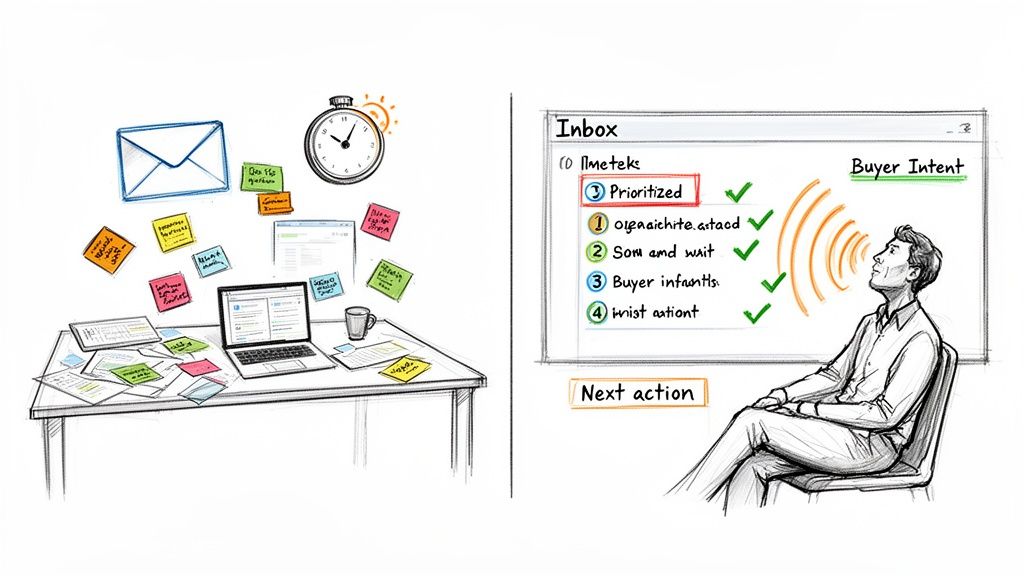
Think about the daily life of a typical Sales Development Representative (SDR). It's a grind. Hours are lost to researching leads, writing generic emails that rarely get a reply, and then manually logging every single activity in the CRM. This high-effort, low-reward cycle feels like shouting into a void, just hoping you hit the right person at the right time.
That old-school approach is a world away from what's possible now with AI in the mix. Today's sales teams are flipping the script entirely, ditching the guesswork. Instead of blasting every lead with the same message, they use AI to pick up on critical buying signals—like when a target account lands on your pricing page or a key decision-maker downloads a case study.
The Shift From More To Smarter
The real difference here isn't about sending more emails or making more calls. It's about making sure every single thing an SDR does is timely, relevant, and actually makes an impact. AI becomes a prioritization engine, taking a messy sea of data and turning it into a clean, actionable to-do list. If you want to get a better handle on the fundamentals, here's a practical guide on what sales automation entails.
This isn't just a fleeting trend; it's a massive shift in the market. The global AI in marketing space is on track to hit a staggering $107.5 billion by 2028. What’s more, 88% of marketers report they're already using AI in their daily work. This explosive growth signals a fundamental change in how businesses connect with their customers. You can explore more of these trends with these AI in marketing statistics.
Answering The Most Critical Sales Question
At the end of the day, the goal is to give your sales team intelligence, not just another tool. This reframes AI from some complex, futuristic concept into a practical tool for getting things done.
AI’s true value in sales is its ability to definitively answer the most critical question for any rep at the start of their day: 'What should I do right now to generate real pipeline?' It removes ambiguity and replaces it with data-backed direction.
Instead of staring at a giant, overwhelming list of leads, an SDR sees a prioritized queue. The system tells them: "Contact Jane Doe at Company X; she just spent 10 minutes on our integration page." That's the power of marketing automation with AI—it turns raw data into revenue-generating activity.
Crafting Your AI Automation Game Plan
Jumping into AI-powered automation without a clear strategy is like setting sail without a map—you'll burn through resources and end up completely adrift. Before you write a single check, you need a solid game plan that moves beyond vague goals like "increase sales" and defines specific, measurable outcomes that will actually resonate with leadership.
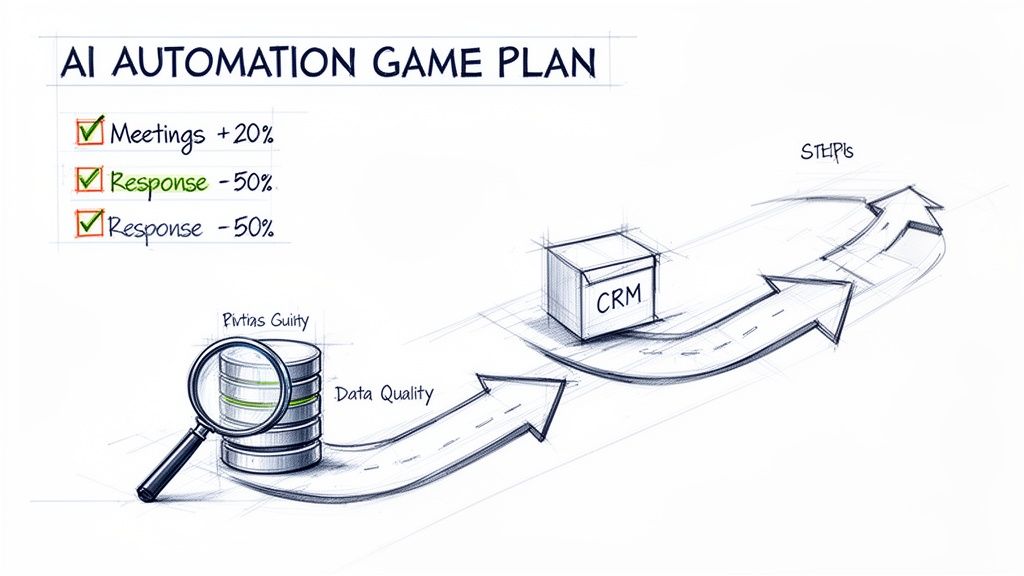
This is about building a real business case. Instead of a general desire for more pipeline, pinpoint the exact operational bottlenecks you want to crush. This kind of clarity is what turns a cool tech experiment into a strategic investment.
Defining Your North Star Metrics
Your Key Performance Indicators (KPIs) need to be sharp and actionable. These are the numbers that will prove the ROI to the C-suite and justify scaling the program down the line.
Look at the difference between a fuzzy goal and a specific, AI-driven KPI:
| Vague Goal | Actionable AI KPI |
|---|---|
| "Improve SDR efficiency" | "Increase meetings booked per SDR by 20% in Q3." |
| "Get to leads faster" | "Reduce MQL response time from 4 hours to under 30 minutes." |
| "Boost outbound activity" | "Increase personalized outbound emails sent per rep by 40%." |
When you focus on metrics like these, you give your team a clear target. It also connects the sales development function directly to revenue, making it way easier to show how your AI automation efforts are actually moving the needle.
The Critical Data and Tech Stack Audit
Let's be blunt: your AI is only as smart as the data you feed it. A crucial first move is a frank audit of your tech stack and, more importantly, your data hygiene. Can an AI tool actually make sense of the information locked inside your Salesforce or HubSpot instance?
Messy, incomplete, or siloed data is the number one reason AI initiatives fall flat.
Before you can automate, you have to aggregate and clean. An AI can’t generate a relevant, personalized email if it doesn’t know a lead’s industry, job title, or recent website activity. Your CRM data is the fuel for the entire engine.
Start by asking the hard questions. This isn't just some technical checklist; it's the foundation of your entire project.
Your Data Readiness Checklist
Use this list to score your current setup. Be honest—finding the gaps now will save you a world of pain later.
- Data Completeness: Are essential fields like
Job Title,Industry,Company Size, andPhone Numberfilled out for at least 80% of your target accounts? - CRM Integration: Is your core activity data (emails, calls, meetings) logged centrally in your CRM? Or is it scattered across disconnected dialers and email clients?
- Activity Tracking: Can you easily see the last touchpoint with any lead? Is that information reliable, or does it require manual cross-checking?
- Standardization: Do you have standardized values for fields like
Lead StatusorCountry? Inconsistent data (e.g., "USA," "United States," "U.S.") will absolutely confuse an AI model. - Data Accessibility: Can a third-party tool securely tap into your CRM data via an API? Are there permission hurdles or internal IT policies that could kill an integration before it starts?
If you answered "no" to a few of these, your first project isn't buying an AI platform—it's data cleanup. That might mean a data enrichment project or just better training for your team on data entry.
Get your data house in order first. It's the only way to build an AI automation strategy that delivers real, scalable results.
How To Choose The Right AI Sales Platform
Navigating the crowded market of AI sales tools feels overwhelming. Let's be honest, everyone is waving the "AI" flag, but not all of it means the same thing for a B2B sales team. The real trick is to see past the buzzwords and distinguish between tools that just spit out content and those built to drive intelligent sales execution.
Your choice here directly impacts SDR adoption, efficiency, and—most importantly—your pipeline.
The right platform isn't just another tab for your reps to open; it's an engine that lives where they work—inside the CRM. This is the first and most critical filter. If a tool forces your team out of Salesforce or HubSpot to do their job, adoption will plummet, and your data will turn into a fragmented mess.
Beyond Generic Content Creation
The market is flooded with generic AI content writers. They're great at producing an email or a script on command. While that has its place, these tools often lack the deep integration and contextual awareness you need for effective outbound sales.
A true AI sales execution platform does more than just write. It interprets buyer intent signals and turns them into concrete, prioritized tasks for your reps.
Think about the difference this way:
- A content generator gives your SDR a block of text and says, "Here's something you could send."
- An execution engine creates a task and says, "Contact this person now because they just visited the pricing page, and here are three AI-generated talking points based on their role and our last interaction."
This distinction is crucial. It shifts the focus from creating more activity to creating smarter activity.
The Litmus Test: CRM Integration and Data Handling
A platform's real power is revealed by how deeply it integrates with your CRM and how it handles your existing data—messy bits and all. Deep, native integration means the tool doesn't just sync with your CRM; it operates as a natural extension of it. This keeps reps efficient and ensures every action is automatically logged, preserving the integrity of your data.
The most important question you can ask during a demo is: "Does this tool keep my reps inside the CRM for their core workflow?" If the answer is no, you're not looking at a sales execution tool. You're looking at another disconnected app that will create more admin work.
On top of that, a sophisticated AI platform should be able to work with imperfect data. It needs to fill in the gaps or make intelligent inferences from incomplete records rather than grinding to a halt. That resilience is the hallmark of a tool built for the realities of B2B sales, not a pristine laboratory environment.
AI Content Generators vs. AI Execution Engines
To make this crystal clear, let's break down the core differences between a generic AI writer and a platform built for sales execution. Understanding these distinctions will help you cut through the noise during vendor evaluations.
Here’s a practical comparison to guide your thinking.
| Capability | Generic AI Content Writer | AI Sales Execution Platform |
|---|---|---|
| Primary Function | Creates text based on prompts. | Converts buyer signals into prioritized tasks. |
| CRM Integration | Superficial (copy-paste or basic sync). | Deep and native (operates within the CRM). |
| Workflow | Reps must manually find a lead, generate content, then log activity. | Automatically creates and prioritizes tasks with AI assistance built-in. |
| Data Handling | Requires clean, complete data to be effective. | Designed to handle and enrich incomplete or messy CRM data. |
| Main Output | A piece of content (e.g., an email draft). | An executable task (e.g., "Call this lead now"). |
| Core Value | Speeds up the writing process. | Increases timely and relevant outbound activity. |
Choosing the right platform is more than a tactical decision, especially as marketing automation with AI becomes standard practice. The market reflects this urgency; it's valued at $6.7 billion in 2024 and is projected to more than double to $15.5 billion by 2030. With top-performing automated email workflows generating nearly 9x the revenue of average campaigns, picking an execution-focused tool is a direct investment in your bottom line. You can explore more data on the ROI of AI in marketing to see the impact.
Ultimately, your goal is to equip your sales team with a tool that drives high adoption and delivers results. For a detailed comparison of platforms that get this right, check out our guide on top AI marketing automation tools. By focusing on deep CRM integration, intelligent task creation, and robust data handling, you can select a platform that truly empowers your sales team.
Launching Your First High-Impact AI Workflow
Alright, enough with the strategy. Let's get our hands dirty. The real "aha!" moment with AI in marketing automation comes when you build your first workflow and see it work. So, let's walk through a killer scenario from start to finish: turning a simple website visit into a sales call booked on the calendar.
This isn't about just firing off a notification that gets lost in a sea of Slack messages. It’s about creating a smart, seamless handoff that gives your sales development reps (SDRs) everything they need to act, right inside the CRM they live in all day.
The Trigger: Separating Signal from Noise
Every great workflow starts with a specific, high-intent buyer signal. Forget generic website visits—that's just noise.
For this example, our trigger is razor-sharp: a key decision-maker from a target account visits your pricing page for more than 30 seconds.
Think about that. It’s not just anyone; it's someone who fits your ideal customer profile. They’re not just clicking around; they’re lingering on the page that talks about money. This is what a buying signal looks like. A smart AI platform catches this, instantly cross-references it with your CRM, and confirms it’s a priority account worth chasing.
That’s when the magic starts.
From Signal to an Actionable Task in Seconds
Once the signal is validated, the AI doesn't just ping a channel. That's old-school automation. Instead, it creates a high-priority task directly in Salesforce or HubSpot and assigns it to the right account owner.
This is a huge difference. The task isn't just a simple reminder. It’s a pre-packaged command center for the SDR, loaded with everything they need:
- Account Context: Key details pulled straight from the CRM—company size, industry, past interactions.
- Contact Info: The exact person who was on the page, with their title and verified contact details.
- AI-Generated Talking Points: Quick-fire insights tailored to that person's role and their most likely pain points.
This simple step completely wipes out the 20 minutes of manual research that kills an SDR's momentum. They get a ready-to-go task, rich with context, teed up for them.
Closing the Loop with AI-Assisted Execution
Now the SDR clicks into the task. The AI has already drafted a short, relevant opening script. A one-click dialer is embedded right there, so they can make the call without ever leaving the CRM record.
The whole point of a well-designed AI workflow is to kill the click-and-drag death march. Every second a rep spends switching tabs or logging data is a second they aren't selling. This keeps them focused and fast.
After the call, the AI helps with the final, often-skipped step: logging the outcome. Instead of typing out clunky notes, the rep can use voice-to-text to summarize the chat. The AI then neatly structures these notes, updates the lead status, and even schedules the next follow-up task automatically.
This diagram breaks down how to think about connecting these pieces when you're looking at different platforms.
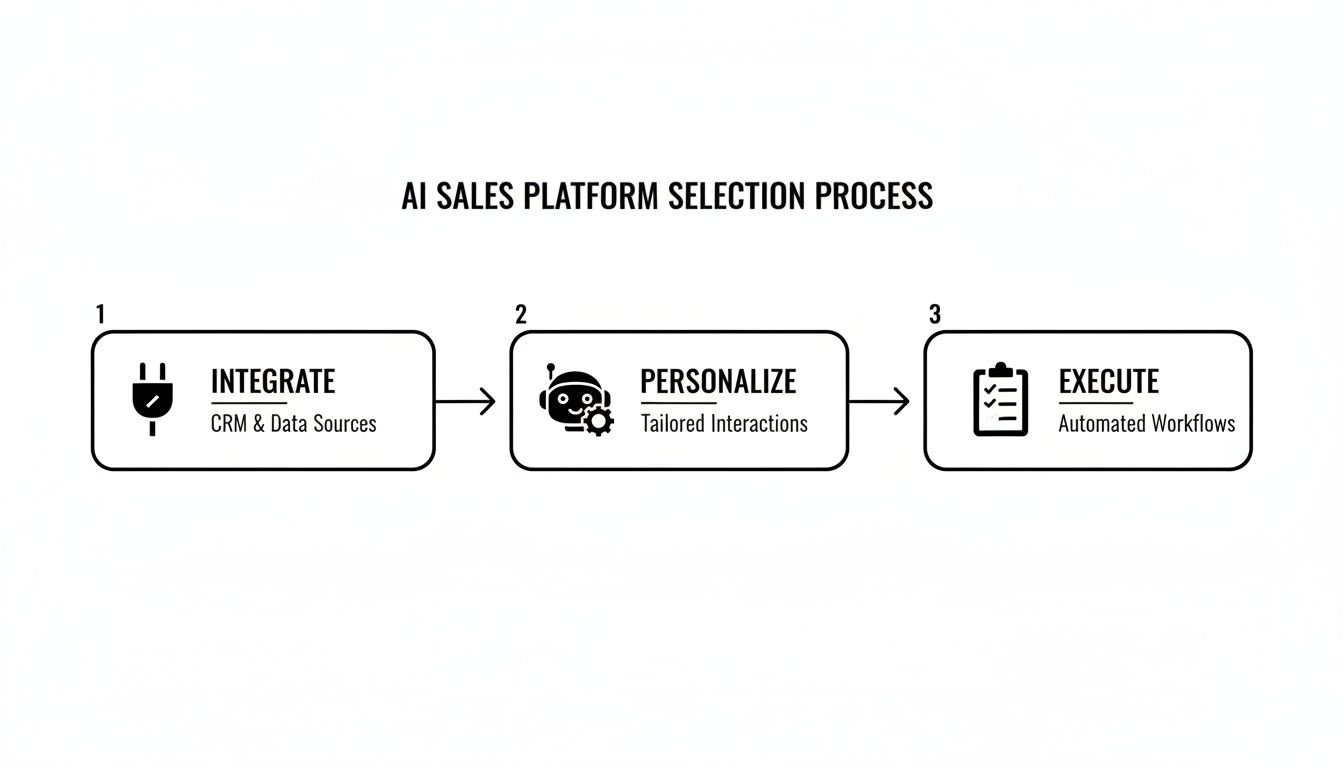
It really comes down to three things: deep CRM integration, genuine personalization powered by AI, and a relentless focus on making execution easier for your team.
This whole sequence—from website visit to logged call—closes the loop. Your data stays clean, you know exactly what’s working, and you’ve built a repeatable playbook you can scale across the entire sales floor. For more ideas, we've got a whole list of other marketing automation workflows you can steal from.
As you get going, you can also fold in tools like an AI Newsletter Generator to handle other parts of your content process, freeing up even more time. When you connect all the dots, you create a powerful cycle that just keeps getting better.
Proving The ROI Of Your AI Investment
Buying new tech is the easy part. The real challenge? Walking into a meeting with your leadership team and proving it was worth the money. If you can’t connect your AI automation investment to actual business results, you won’t get the budget to keep it, let alone expand it.
It’s time to get serious about the numbers that matter.
Let's be clear: this isn't a niche trend anymore. A solid 64% of marketers have already brought AI into their automation stack, and 62% say it's essential to their strategy. The market is projected to hit $13.97 billion by 2030. Early adopters are already seeing tangible wins, with 43% optimizing their overall strategy and 37% cleaning up their data quality. You can dig into more of these powerful marketing automation statistics if you need more ammo.
The takeaway is simple: proving ROI isn't just good practice; it's a competitive necessity.
Moving Beyond Vanity Metrics
Forget about email open rates or how many "activities" your reps logged. Those metrics show busyness, not business impact. To build a case that resonates with the C-suite, you need to tie your AI tool directly to pipeline and revenue.
Start by building a dashboard that answers the questions executives actually care about.
- Time-to-First-Action on MQLs: How fast are we engaging hot leads? AI should shrink this from hours down to minutes.
- Activity Volume and Quality per Rep: Are reps having better conversations? Track not just the number of calls, but how many of them actually turn into meetings.
- Pipeline Sourced from AI-Initiated Sequences: This is your golden metric. How much new pipeline can you directly attribute to workflows and tasks kicked off by your AI platform?
When you can confidently say, "Our AI engine generated tasks that directly sourced $250,000 in new pipeline this quarter," you're speaking their language.
A Sample ROI Calculation
You don't need a complex financial model to prove your point. A simple "before and after" comparison is often all it takes to build a powerful business case. Focus on the two things every sales leader cares about: efficiency gains and pipeline growth.
Here’s a simple framework you can steal and adapt:
| Metric | Before AI (Monthly) | After AI (Monthly) | Impact |
|---|---|---|---|
| SDR Admin Time per Day | 2.5 hours | 0.5 hours | +2 hours selling time |
| Meetings Booked per Rep | 8 | 12 | +50% increase |
| Pipeline from SDRs | $100,000 | $150,000 | +$50,000 pipeline |
This table makes the story crystal clear. A tool like marketbetter.ai doesn't just save time; it converts that reclaimed admin work into more meetings and more pipeline. For a deeper dive, check out our guide on how to calculate marketing ROI.
Your ROI story isn't just about saving money; it's about making money. Frame your investment around how AI unlocks new revenue opportunities by enabling your team to act faster and smarter on key buying signals.
Data Governance and CRM-Native Tools
One last piece of the ROI puzzle often gets overlooked until it's too late: data governance and security. Your IT and leadership teams will absolutely want to know how a new tool handles sensitive customer data. This is where a CRM-native platform gives you a massive, built-in advantage.
By operating directly inside your Salesforce or HubSpot environment, a CRM-native tool eliminates the need to sync massive amounts of data to a separate, third-party database. This drastically reduces security risks, compliance headaches, and the potential for data breaches.
This isn't just a feature; it's a core part of the value proposition. You can assure your leadership that your most valuable asset—your customer data—stays exactly where it belongs.
Try our Marketing Plan Generator — generate a complete AI-powered marketing plan in minutes. No signup required.
Got Questions About AI in Sales? Let's Talk.
Stepping into AI-powered sales automation can feel like a big leap, and it's smart to have questions. Sales leaders are rightfully protective of their teams' workflows and, most importantly, their customer data. You hear the buzz, you see the promises, but you need to know what this looks like on the ground.
It's totally normal to be skeptical. Let's cut through the noise and tackle the real-world concerns I hear from leaders all the time.
Is My Customer Data Secure With An AI Platform?
This is always the first question, and it should be. The thought of plugging your hard-won CRM data into a third-party AI is enough to give anyone pause. The answer, however, really comes down to the architecture of the tool you're considering.
There’s a massive difference between a disconnected tool and a CRM-native platform.
- Disconnected Tools: A lot of apps require you to sync huge chunks of your customer data to their own servers. This instantly creates another attack vector and a whole new set of headaches around data governance and compliance.
- CRM-Native Platforms: A much smarter approach is a platform that operates inside your existing Salesforce or HubSpot environment. With this model, your data never leaves its secure home. The AI does its work within your CRM's security walls, which dramatically shrinks your risk profile.
When you're vetting vendors, make this a deal-breaker. Ask them straight up: "Does my customer data leave my CRM instance to be processed?" Their answer will tell you everything you need to know about their security philosophy.
How Do I Get My Reps To Actually Use It?
The graveyard of failed sales tech is littered with powerful tools that were too clunky for anyone to adopt. Your SDRs live and die by their numbers, and any tool that pulls them out of their core workflow or adds even a few extra clicks is dead on arrival.
This is where the design of the tool is everything.
The key to adoption isn't more training; it's making the tool the path of least resistance. The right action needs to be the easiest action.
For example, an AI email writer is useless if a rep has to log into another platform to use it. But if AI-generated suggestions pop up right inside the task they’re already working on in Salesforce? Now you’re saving them time. A dialer is the same story—if it isn't a simple click-to-call button inside the CRM, they'll just pick up their phone.
Where Do I Even Start Without Boiling The Ocean?
The idea of rolling out a massive, company-wide AI initiative is completely overwhelming. Don't do that. The most successful AI implementations I’ve seen all started with a small, focused pilot program.
Find one specific, nagging problem you can measure.
- Is lead response time killing your conversion rates? Start with a simple workflow that automatically creates and prioritizes tasks for new MQLs the second they come in.
- Are your reps struggling to personalize outreach at scale? Give a small team an AI email assistant to help them craft more relevant messages.
- Is your CRM a black hole of activity data? Pilot a simple call-logging workflow that automatically captures call notes and outcomes.
Pick one clear pain point. Prove the value with a small, motivated group. Once you can show a concrete win—like a 25% increase in meetings booked for your pilot team—you’ll have all the evidence and internal buy-in you need to expand it across the floor.
Ready to see how an AI-powered SDR task engine can streamline your outbound motion without pulling your team out of the CRM? marketbetter.ai turns buyer signals into prioritized tasks and helps reps execute faster with AI-assisted emails and calls directly inside Salesforce and HubSpot.