Master the b2b sales funnel: Turn Leads into Revenue

· 24 min read

Let's be honest, the term "sales funnel" feels a bit dated. It brings to mind a simple kitchen funnel—pour leads in the top, get customers out the bottom. But for B2B, that's not how it works at all. A modern B2B sales funnel is less of a funnel and more of a sophisticated assembly line for building relationships and, ultimately, revenue.

What a Modern B2B Sales Funnel Really Is

The whole game is different when you're selling to a business. A consumer buying a pair of shoes makes a quick, personal, often emotional decision. A business buying new software is making a high-stakes investment. They're navigating a committee of decision-makers, each obsessed with logic, ROI, and not getting fired for making the wrong choice.

This is exactly why B2B sales cycles drag on for so long. It’s not a single transaction; it's a campaign to build consensus. In fact, a staggering 83% of B2B buyers admit to changing their minds about which vendor they prefer after they've already started their research. Your funnel can't just grab their attention—it has to hold it, educate them, and guide them for weeks or even months.

B2B vs. B2C Funnels: It’s All About the Buyer

The core difference boils down to the buyer's mindset and just how complex the deal is. A B2C funnel is a straight line designed for a single player, while a B2B funnel is a multi-lane highway built for a convoy. This distinction isn't just academic—it dictates every choice you make, from your marketing channels to your sales tactics.

Here is a practical comparison:

FactorB2C Funnel (e.g., selling sneakers)B2B Funnel (e.g., selling CRM software)
Buyer ProfileAn individual consumer.A buying committee (IT, Finance, End-Users, Execs).
Sales Cycle LengthMinutes to days.Weeks, months, or even years.
Decision DriverEmotion, desire, brand loyalty, immediate need.Logic, ROI, efficiency gains, long-term value.
Risk FactorLow (a bad purchase is a minor annoyance).High (a bad purchase can cost millions and careers).
Content StrategyFocus on lifestyle, trends, and user reviews.Focus on case studies, whitepapers, ROI calculators, and demos.

Mapping the Core Stages and Handoffs

While the classic funnel stages (Awareness, Interest, etc.) are still useful concepts, buyers don't move through them in a neat, orderly line anymore. They jump around, doing their own research and consuming content on their own schedule. Your real job is to have a rock-solid internal process that can keep up.

This flow shows the critical handoffs, moving a prospect from a curious onlooker to a closed deal.
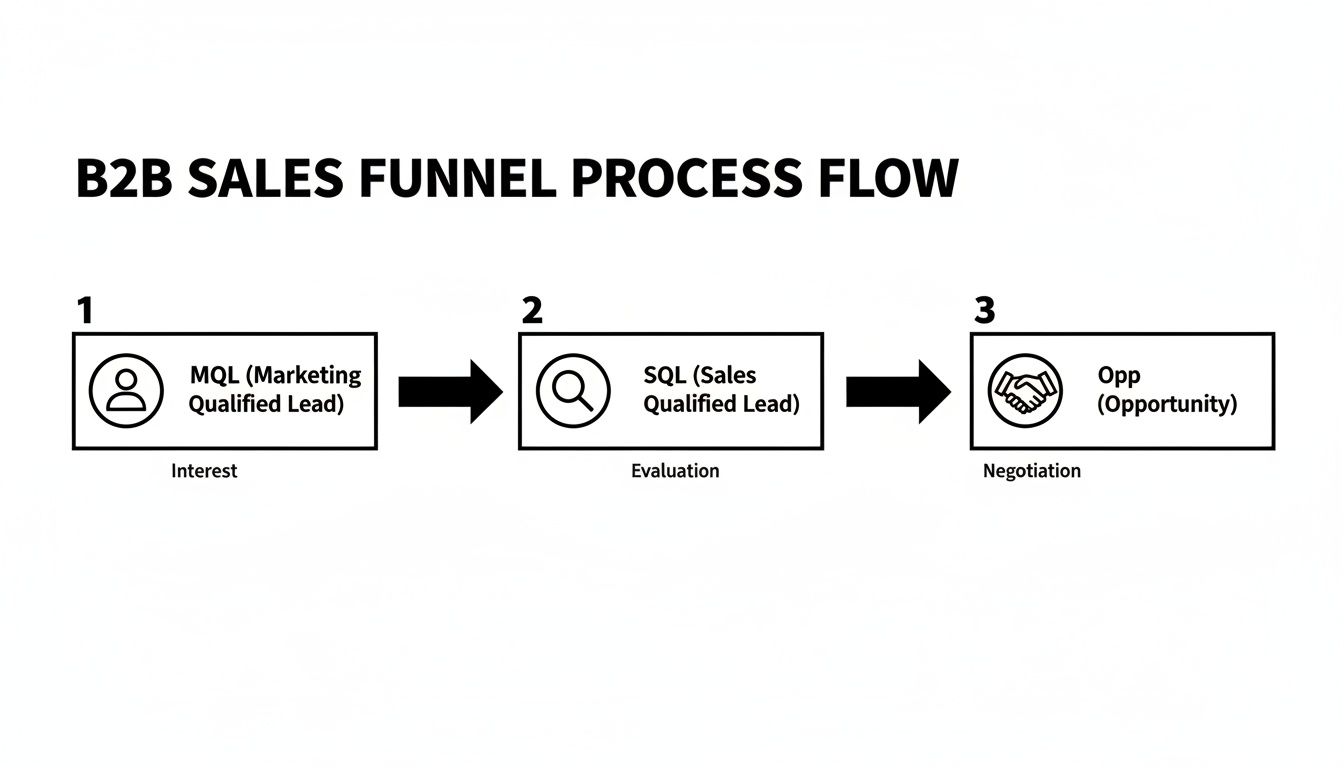
Diagram illustrating the B2B sales funnel process flow with MQL, SQL, and Opportunity stages.

Every one of those arrows is a moment of truth where a lead gets validated and passed deeper into your revenue engine. Get them right, and you have a smooth-running machine. Get them wrong, and everything grinds to a halt.

The two most critical handoffs on this assembly line are:

  1. Marketing to Sales Development (MQL → SQL): This is the first pass. A Marketing Qualified Lead (MQL) is someone who has shown interest by, say, downloading an ebook. The baton is passed to a Sales Development Representative (SDR), who digs in to see if they're a real potential buyer. The SDR checks them against your ideal customer profile—company size, industry, technology used—to turn them into a Sales Qualified Lead (SQL).
  2. Sales Development to Sales (SQL → Opportunity): The SDR's main job after qualifying the lead is to book a meeting. Once that meeting happens and an Account Executive (AE) confirms there's a real project, a clear pain point, and a potential budget, the SQL officially becomes a sales Opportunity. This is where the active, one-on-one sales cycle truly begins.

Getting these handoffs right is the absolute foundation of a predictable revenue engine. Any fumbles here lead to leaky funnels, stalled deals, and a whole lot of friction between your marketing and sales teams.

How to Measure Your Funnel's Performance

You can't fix what you don't measure. That old saying is the gospel in B2B sales. A healthy funnel isn't just about feeling busy; it's about seeing real, measurable progress as a potential customer moves from one stage to the next.

Tracking the right Key Performance Indicators (KPIs) is what turns your funnel from a vague concept into a predictable, data-driven engine for revenue. This isn't about vanity metrics like website traffic. It’s about zeroing in on the critical conversion points where a prospect either moves forward or leaks out.

Think of these metrics as the dashboard for your sales machine. They’ll help you spot a problem long before it torpedoes your revenue forecast.
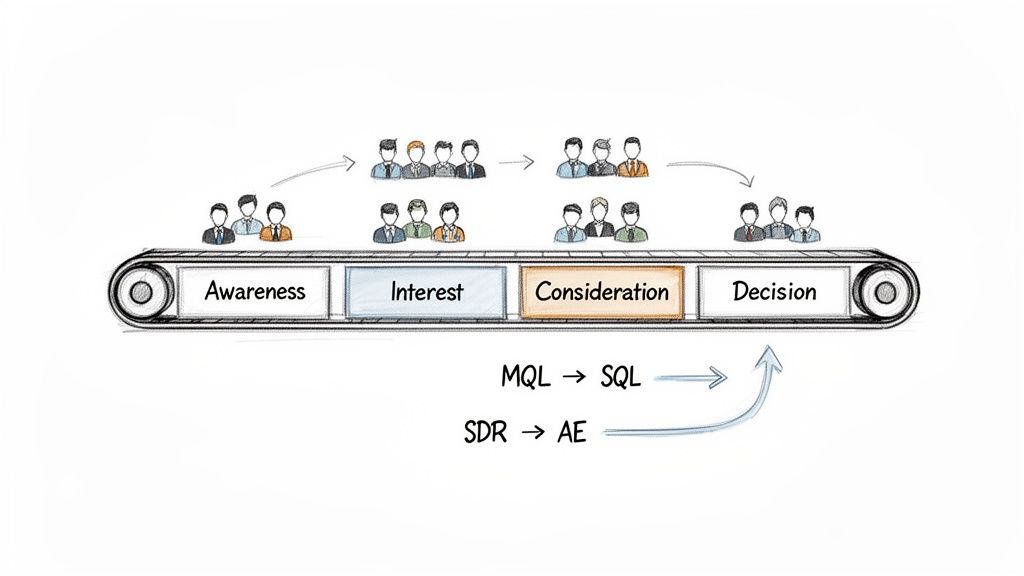
Diagram of a B2B sales funnel on a conveyor belt, showing stages from Awareness to Decision, with lead and role transitions.

Top-of-Funnel Conversion KPIs

The earliest stages of your funnel are almost always the leakiest. It's a numbers game, and measuring your efficiency right from the jump is absolutely critical. Success here means you’re not just attracting an audience—you’re attracting the right audience and doing a good job of capturing their initial interest.

The metric that matters most here is your Visitor-to-Lead Rate. It's simple but powerful: what percentage of unique website visitors take a meaningful action to become a lead? This could be filling out a form, downloading a guide, or requesting a demo. It tells you, point-blank, how compelling your initial pitch is.

Don't be discouraged by the numbers. The B2B world is a tough nut to crack, with average visitor-to-lead rates hovering between just 2% and 5%. That’s because B2B buying cycles are long and complicated, often involving a whole committee of decision-makers. Out of 10,000 visitors to your site, you might only get 200-500 actual leads, which sets a pretty narrow base for the rest of your funnel.

Mid-Funnel Handoff Metrics

Once a lead is in your system, the game changes. Now, it's all about qualification and the critical handoffs between marketing and sales. This is where things so often fall apart, making it non-negotiable to measure the flow.

Your primary KPI here is the MQL-to-SQL Conversion Rate. This tracks the percentage of Marketing Qualified Leads (MQLs) that your sales team actually accepts and qualifies as Sales Qualified Leads (SQLs). If this number is low, you have a massive red flag.

A poor MQL-to-SQL rate almost always points to a fundamental misalignment between marketing and sales. It might mean marketing's lead-scoring model is off, or maybe the sales team has an overly rigid definition of a "good" lead. Fixing this is foundational to building a funnel that can actually scale.

Another one to watch closely is the SQL-to-Opportunity Rate. This measures how many of those qualified conversations turn into a legitimate sales opportunity with a clear need, budget, and timeline. This KPI is a direct reflection of your SDR team's skill in qualifying prospects and booking solid meetings for the Account Executives.

Bottom-of-Funnel Closing KPIs

As a qualified opportunity enters the active sales cycle, your focus shifts again. We're moving away from lead volume and now care about deal velocity and, of course, win rates. These are the metrics that tie directly to your bottom line.

Two KPIs are king at this stage:

  • Opportunity-to-Win Rate: This is the ultimate report card for your sales team's closing ability. It calculates the percentage of qualified opportunities that end up as a closed-won deal. Simple as that.
  • Average Sales Cycle Length: This tracks how long it takes, on average, for an opportunity to go from creation to close. If this number starts creeping up, it can signal friction in your sales process, ineffective negotiation tactics, or even a shift in the market itself.

To help you track these metrics, here's a simple breakdown of each stage and its core KPI.

B2B Sales Funnel Stages and Core KPIs

Funnel StagePrimary GoalCore KPIIndustry Benchmark
Top-of-Funnel (ToFu)Generate awareness and capture initial interest.Visitor-to-Lead Rate2%-5%
Middle-of-Funnel (MoFu)Qualify leads and create sales opportunities.MQL-to-SQL Rate10%-30%
Bottom-of-Funnel (BoFu)Convert opportunities into closed deals.Opportunity-to-Win Rate20%-30%

Tracking these benchmarks gives you a realistic baseline to compare your own performance against.

Whether you're using Salesforce, HubSpot, or another CRM, building a dashboard around these core metrics is essential. It gives you a clear, actionable view of your entire B2B sales funnel so you can see not just what's happening, but why. For a more detailed breakdown, check out our guide on the top KPIs for lead generation.

Finding and Fixing Common Funnel Bottlenecks

Every B2B sales funnel leaks. That’s just a fact of life. The real difference between a top-performing revenue team and an average one isn’t a leak-proof funnel—it’s how fast they find and plug the holes.

These leaks, or bottlenecks, are the friction points where good leads stall out, get lost in the shuffle, or just plain disappear. They’re the silent killers of your forecast.

Think of your funnel like a plumbing system. A clog in one pipe doesn’t just stop the flow there; it builds up pressure and causes problems down the line. A bottleneck in your sales process works the same way. It doesn't just slow down one stage—it starves the next one, creating a ripple effect that hits the one number everyone cares about: revenue.

To fix these issues, you have to look past the obvious symptoms. If your SDRs are missing their meeting quota, the problem might not be with their effort. It could be a mess further upstream.

The Low-Quality MQL Flood

This is one of the most common—and most damaging—bottlenecks. It happens right at the handoff from marketing to sales. Marketing hits their MQL number and celebrates, while the SDR team is drowning in leads that are going absolutely nowhere. It’s not just a waste of time; it's a morale crusher for reps who spend all day disqualifying contacts.

The culprit is almost always a poorly defined MQL. Marketing might be scoring leads based on a single ebook download, but sales needs to talk to people from specific industries who are actually showing signs they want to buy something. You end up with a flood of "qualified" leads that are really just a drain on your SDRs' precious time.

The Actionable Fix: Get marketing and sales in a room (virtual or otherwise) and redefine what an MQL actually is. And don't just talk about it—get it in writing in a Service Level Agreement (SLA).

  • Firmographics: Nail down your Ideal Customer Profile (ICP). What are the non-negotiables? Company size, industry, location—get specific.
  • Behaviors: Agree on what actions signal real intent. A demo request is a blazing hot signal. Reading a blog post is not. Assign different scores to different actions so the hottest leads rise to the top.
  • Disqualification Reasons: Give SDRs a clear, standardized list of reasons in your CRM to explain why a lead was rejected. This creates a feedback loop built on data, not feelings, so marketing can fine-tune their campaigns.

High No-Show Rates for Demos

There are few things more frustrating than a high no-show rate for demos. An SDR grinds to qualify a lead and book a meeting, only for the prospect to ghost them. The Account Executive's calendar slot is wasted, and any deal momentum dies before it can even start.

This usually points to a weak qualification process or a simple failure to build value. If the prospect doesn’t truly get why they should show up or what problem this meeting solves for them, they have zero reason to protect that time on their calendar.

A booked meeting is not the same as a committed meeting. The SDR's job isn't just to get a "yes" for a time slot but to build enough perceived value that the prospect sees the meeting as a priority they cannot miss.

Stalled Mid-Funnel Opportunities

This is maybe the most painful bottleneck of all. A promising deal that felt like a sure thing just… stalls. The prospect goes dark, pushing back meetings and ignoring your follow-ups. This is the pipeline graveyard where deals go to die a slow, painful death, wrecking your forecast in the process.

More often than not, this happens because of a flimsy or non-existent qualification framework. That first discovery call might have felt great, but if the AE didn't dig in and confirm the critical details, they're flying blind. It's a tough world out there—B2B funnel benchmarks show how hard conversions are. Even the top channel, paid search, only converts at 3.2% on average, and B2B tech is even lower at under 2%. This just screams for a rigorous qualification process to avoid chasing deals that were never going to close. You can dig into more data on industry-specific conversion hurdles to see how you stack up.

The Actionable Fix: Bring in a formal qualification methodology. It gives everyone a common language and a checklist to make sure no crucial details are missed during discovery.

FrameworkWhat It IsBest For
BANTA classic framework focusing on Budget, Authority, Need, and Timeline.Simpler, more transactional sales cycles where you can identify these four things pretty easily.
MEDDPICCA more robust framework covering Metrics, Economic Buyer, Decision Criteria, Decision Process, Paper Process, Identify Pain, Campion, and Competition.Complex, high-value enterprise deals with lots of stakeholders and a formal procurement gauntlet.

By using a framework like MEDDPICC, you force your AEs to map out the entire buying process, find their internal champions, and truly understand the economic impact your solution will have. Qualification stops being a simple checklist and becomes a strategic tool for navigating complex deals and keeping them from getting stuck in the mud.

Actionable Strategies to Optimize Funnel Conversion

Knowing where your sales funnel is leaking is one thing. Knowing how to actually patch the holes is something else entirely. This is where the rubber meets the road—where we move from diagnosing problems to deploying fixes that actually work.

Optimizing your funnel isn't about telling your team to work harder. It’s about working smarter, replacing guesswork with data-driven plays that give you an edge at every single stage. The big shift happening right now is moving away from reactive, manual sales tasks and into proactive, intelligent workflows. It's a night-and-day difference.
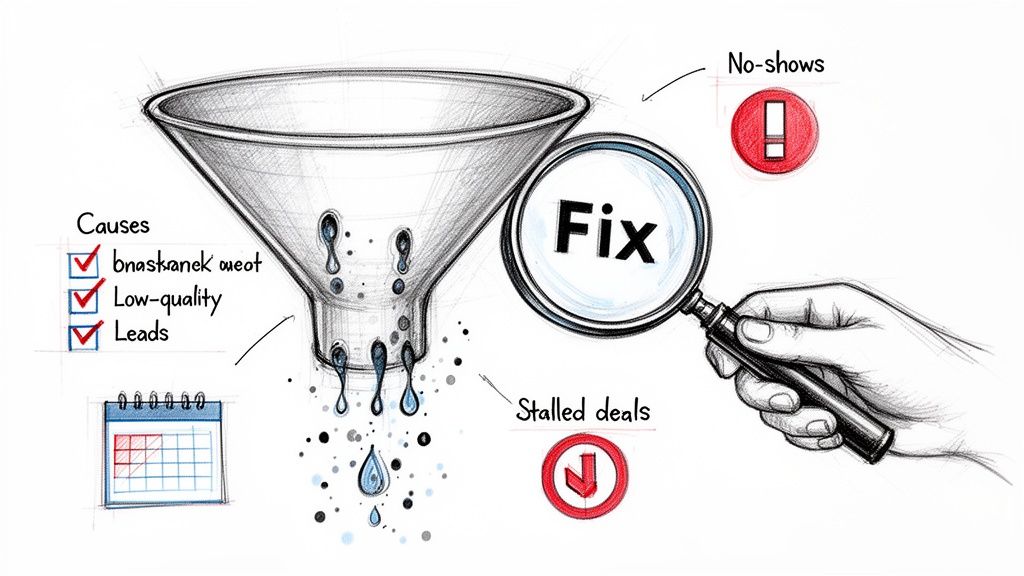
A hand holding a 'Fix' magnifying glass analyzes a leaking sales funnel with low-quality leads, no-shows, and stalled deals.

This image nails it. Low-quality leads, no-shows, stalled deals—these are the symptoms. Targeted optimization is the cure. The goal isn't just to spot these issues but to build a process that stops them from happening in the first place.

From Manual Guesswork to AI-Powered Precision

Think about a typical SDR's morning. They log in, stare at a giant list of leads in the CRM, and start guessing. Who seems like a good person to call? Who might actually open this email? It’s a process fueled by caffeine and gut feelings—slow, inefficient, and wildly inconsistent.

The modern approach completely flips that script. Instead of the SDR asking, "Who should I contact?" an intelligent system tells them. By analyzing real-time buyer intent signals—like someone from a target account revisiting your pricing page or downloading a whitepaper—an AI engine can instantly surface the hottest opportunities and prioritize the SDR's to-do list.

This changes the SDR's job from a glorified list-checker to a strategic closer. The system serves up the "next best action" and provides all the context needed to make the outreach timely and ridiculously relevant.

This directly impacts the metrics that matter most. Sales call conversion rates from qualified leads to closed deals can be all over the map, typically hovering between 13% and 25%. Some simpler industries might see conversions north of 26%, while complex enterprise sales can dip below 9%. An AI-guided process helps close that gap by ensuring your reps spend their precious time only on the accounts ready to talk.

Manual vs. AI-Powered SDR Workflow Comparison

Let's get practical. The difference in the day-to-day grind is huge. A manual workflow is bogged down by admin tasks and constant context switching. An AI-powered workflow is built for speed and relevance.

Here's a quick breakdown of what that actually looks like for your SDRs:

SDR ActivityTraditional Manual ApproachAI-Powered Approach (e.g., marketbetter.ai)
Task PrioritizationReps scroll through CRM views, using gut instinct to pick who to call. This leads to cherry-picking the "easy" leads while high-value ones go cold.The system automatically creates and ranks tasks based on real-time buyer signals and ICP fit. Reps get a clear, prioritized list of the highest-impact actions.
Outreach PersonalizationSDRs burn hours toggling between LinkedIn, the company website, and their email client, trying to craft a personalized message from scratch.AI drafts context-aware emails using account data, news, and persona details. This frees up reps to focus on executing great calls and follow-ups.
CRM Data EntryEvery call, email, and outcome has to be logged by hand. It's tedious, often gets skipped, and leads to a messy CRM with unreliable data.All activities are automatically logged back to Salesforce or HubSpot, ensuring data hygiene is perfect and reporting is accurate.

This isn't about replacing your SDRs; it's about making them superhuman. The AI-powered approach turns their CRM from a dusty old database into a proactive engine that drives relentless, consistent outbound motion.

Embedding Intelligence Directly into Your CRM

The final piece of the puzzle is making all this intelligence dead simple to use. The best tools don't add another tab to your team's browser; they live right inside the CRM where your reps already spend their day.

For example, a platform like marketbetter.ai works as an intelligent layer inside your CRM. When it detects a strong buyer signal, it doesn't just send a Slack notification. It creates a high-priority task directly in the SDR's queue in Salesforce, complete with a pre-drafted email or a call script loaded with key talking points.

This native integration is what drives adoption. When the dialer, task list, and AI assistant are all in one place, the friction just disappears. Reps are faster, managers have a clear view of what’s working, and the entire B2B sales funnel runs like a well-oiled machine. If you want to go even deeper, you can explore our detailed guide on conversion rate optimization best practices.

Unifying Your Funnel from Marketing to Close

A high-performing B2B sales funnel isn’t a series of disconnected stages; it's a single, cohesive revenue machine. We've all seen the classic disconnect: marketing celebrates hitting its MQL target, while the sales team is drowning in low-quality leads that go nowhere.

This friction is more than just annoying. It wastes budget, burns out your team, and lets perfectly good opportunities die on the vine. The fix isn't another round of meetings—it's building a process where seamless collaboration is the only option. It starts by treating the handoffs between teams with the same seriousness as a product launch.

Forging an Ironclad Marketing and Sales SLA

The most common point of failure in any funnel is the handoff from marketing to sales. The best way to patch this leak for good is with a Service Level Agreement (SLA). Think of this less as a dusty legal document and more as a practical, written rulebook that defines the entire engagement and creates mutual accountability.

A weak SLA is vague and just leads to finger-pointing. A strong one is specific, measurable, and lives right inside your CRM.

Actionable Comparison: Weak vs. Strong SLA

ElementWeak SLA (The "We'll Try" Approach)Strong SLA (The Actionable Approach)
MQL Definition"A lead who downloads our content.""A lead from an ICP account (100+ employees, Tech/Finance) who requests a demo or visits the pricing page 3+ times."
Follow-up Speed"SDRs should follow up in a timely manner.""SDRs must attempt first contact within 10 minutes for all demo requests and within 4 hours for all other high-intent MQLs."
Follow-up Depth"SDRs will attempt to contact leads.""SDRs will execute a 10-touch sequence over 14 days (email, call, LinkedIn) before disqualifying a lead for non-response."
Feedback Loop"Sales should let us know if leads are bad.""SDRs must select a standardized 'Disqualification Reason' from a dropdown in Salesforce for every rejected MQL, triggering an automated report to marketing."

This level of detail kills ambiguity. Marketing knows exactly what a "good" lead looks like, and sales has a clear playbook for what to do with it. You can learn more about how to get these systems running by reading about the power of marketing automation workflows.

Mastering the SDR to AE Handoff

The second critical handoff happens when a Sales Development Representative (SDR) passes a qualified opportunity to an Account Executive (AE). A clumsy handoff is a deal killer. It forces the prospect to repeat themselves and makes the AE start from square one, destroying any momentum the SDR built.

The goal is a seamless transition where the AE walks into the first meeting armed with all the context needed to have a strategic conversation, not a basic discovery call.

To make sure nothing gets lost in translation, build a handoff checklist directly into your CRM. Before an opportunity can even be transferred, the SDR has to complete a set of required fields.

The Essential Handoff Checklist

  • Confirmed Qualification Criteria: Don't just say it's "qualified." Show the proof. Was a framework like BANT or MEDDPICC used? The AE needs to see confirmed Need, Authority, and Timeline right in the notes.
  • Key Pain Points: What is the actual business problem they're trying to solve? List the top one or two pains, ideally using the prospect's own words.
  • Critical Business Context: What is the AE walking into? Include details like other stakeholders who have been identified, the software they're using now, and any competitors they've mentioned.
  • Next Steps Confirmed: The meeting must be on the calendar with a clear agenda that the prospect has already seen and agreed to.

By making these fields mandatory in Salesforce or HubSpot, you make it impossible to pass an under-qualified or context-free opportunity. This simple workflow creates accountability and, more importantly, ensures your AEs spend their valuable time on deals that are actually primed to close.

Your Blueprint for a Predictable Revenue Engine
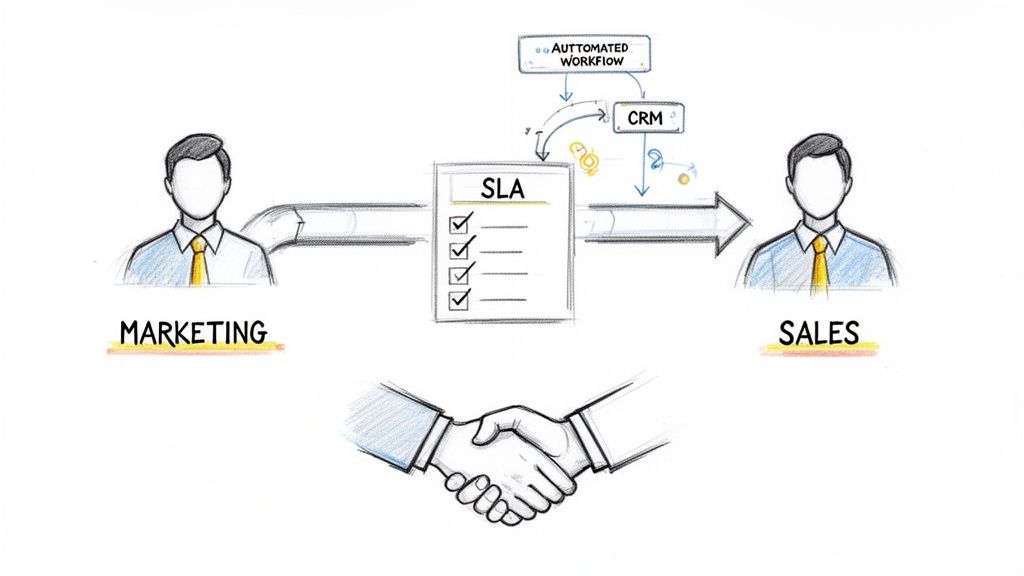
Diagram illustrating marketing and sales alignment through an SLA, automated workflow, and CRM, ending in a handshake.

Building a high-performing B2B sales funnel isn’t a one-and-done project. It’s a constant process of tuning and improvement. Think of it less like a static flowchart gathering dust on a server and more like a predictable revenue engine you’re actively engineering for growth.

That means treating your funnel like a living system. A reactive team waits for deals to stall before asking why. A proactive one is already watching lead quality and conversion rates, spotting bottlenecks before they ever have a chance to form. That mindset shift is everything.

The real goal here is predictability. When you can look at your funnel’s performance and confidently forecast your pipeline, you’ve officially graduated from reactive selling to strategic revenue generation.

To get there, you need a solid framework to improve sales productivity and a clear plan of attack. The blueprint involves a few non-negotiable steps:

  • Map Your Stages: Define every single step of the journey, from the first touchpoint to a closed-won deal. No ambiguity allowed.
  • Define Your KPIs: Settle on the core metrics that tell you if each stage is healthy or bleeding.
  • Diagnose the Bottlenecks: Use your data to methodically find and fix the leaks in your funnel.
  • Optimize & Align: Roll out targeted improvements and, most importantly, make sure marketing and sales are perfectly in sync.

Common Questions from the Field

Revenue leaders are always fine-tuning their funnels. Here are a few questions that come up all the time when building out a high-performance B2B sales machine.

What’s the Real Difference Between a B2B and a B2C Sales Funnel?

The biggest split comes down to two things: complexity and time. A B2C funnel is usually a short, straight line driven by a single buyer making an emotional choice. You're selling to one person, and you're doing it fast.

A B2B sales funnel, on the other hand, is a long, winding road. It involves multiple stakeholders, a logical ROI-based decision, and a whole lot of consensus-building. You're not just trying to convince one person; you're helping an entire buying committee agree on a strategic partnership.

B2C is a sprint to a transaction. B2B is a marathon to a partnership. Your funnel has to be built for the right race.

How Can I Actually Improve My MQL to SQL Conversion Rate?

Getting this handoff right is all about alignment and speed. The first move? Get marketing and sales in a room and hammer out a crystal-clear, shared definition of a "qualified lead." Then, write it down in an SLA so there's no confusion.

Next, take a hard look at your lead scoring. Prioritize actions that scream intent—like a demo request—over basic firmographics. This gets your sales team focused on people who are ready to talk now, not just those who look good on paper. And finally, be fast. The time it takes you to follow up on that initial signal is a massive factor in whether an MQL ever becomes a real conversation.

My Team Practically Lives in Salesforce. Why on Earth Do We Need Another Tool?

That’s exactly the right way to think about it. The goal is never to add another login or another tab to keep open. The best tools don't pull your reps out of their CRM; they work right inside it to make it smarter.

Think of it this way: Salesforce is the map. It holds all the locations, all the data. An intelligent task engine is the GPS. It takes all that raw data on the map and turns it into a prioritized, turn-by-turn to-do list for your reps. It handles the admin grunt work—logging calls, drafting emails—without ever making them leave the CRM. Your team stays focused on selling, your data stays clean, and you actually get the full value out of the system you already pay for.


Ready to turn your CRM from a database into a revenue engine? marketbetter.ai embeds an AI-powered task engine directly into Salesforce and HubSpot, turning buyer signals into prioritized tasks your SDRs can execute instantly. Learn how to build a predictable outbound motion with marketbetter.ai.

12 Best Website Visitor Identification Tools in 2026 (We Tested Match Rates — Most Vendors Lie)

· 31 min read
sunder
Founder, marketbetter.ai

Comparison of the 12 best website visitor identification tools for B2B teams in 2026

98% of your website visitors leave without filling out a form. They read your pricing page, compared you to competitors, and vanished.

Website visitor identification software reveals who those anonymous visitors are — company name, contact info, even which pages they viewed — so your sales team can reach out while intent is hot.

But here's what the vendors won't tell you: "80% match rate" usually means 80% of companies identified, not people. Person-level identification is much harder, and most tools quietly inflate their numbers by mixing the two. We tested 12 platforms and tracked the real match rates across company-level and person-level identification, with actual pricing for each.

This guide covers the 12 best tools for 2026, with honest match rates, real pricing, and which ones actually turn identified visitors into booked meetings.

⚡ Quick Pick Guide

Limited budget (<$200/mo): RB2B free tier or Leadfeeder free SMB wanting person-level ($100-500/mo): RB2B Pro, Leadpipe, or Snitcher Mid-market teams ($500-2K/mo): Warmly or Koala (PLG) Want action, not just data: MarketBetter — book a demo → Enterprise ABM ($50K+/yr): 6sense or Demandbase Already in HubSpot: Clearbit Breeze Already in ZoomInfo: WebSights add-on Already in Instantly: Instantly Pixel (built-in)


Table of Contents

  1. How Website Visitor Identification Actually Works
  2. The Remote Work Problem Nobody Talks About
  3. Comparison Table: All 12 Tools
  4. MarketBetter | Warmly | Leadfeeder | RB2B | Koala | 6sense | ZoomInfo | Clearbit Breeze | Demandbase | Instantly | Leadpipe | Snitcher
  5. The Real Question: Data vs Action
  6. How to Calculate ROI
  7. Implementation Guide
  8. How to Choose
  9. FAQ

How Website Visitor Identification Actually Works

Before we compare tools, let's get honest about what these products can (and can't) do.

The Three Identification Methods

  1. IP-to-Company Matching

    • Matches visitor IP addresses against databases of known business networks
    • Identifies the company, not the individual person
    • Works best for corporate office traffic; struggles with remote workers
    • Most mature technology — nearly every tool uses this as a baseline
  2. First-Party Cookie + Data Enrichment

    • Combines browsing behavior with third-party data to infer contact identity
    • Can identify specific people at visiting companies
    • Match rates vary wildly (5-40% depending on traffic source)
    • Privacy regulations increasingly limit cookie-based tracking
  3. Reverse Email Lookup / Identity Graph

    • When visitors have previously engaged (clicked an email, filled a form), systems track return visits
    • Some tools use cross-site identity graphs to match visitors to known profiles
    • Most reliable method, but limited to known contacts or opted-in users
    • B2C-oriented tools (like Leadpipe) lean heavily on this approach

Match Rate Reality Check

Don't believe vendors claiming 80%+ match rates. Here's what's actually achievable in 2026:

Identification LevelRealistic Match RateNotes
Company-level30-65%Corporate traffic only; remote workers much lower
Person-level5-20%US traffic typically higher than international
Combined (company + person fallback)60-80%What most tools actually deliver

Key insight: Anyone promising 80%+ contact-level identification is likely counting company matches, not individual people. Always ask vendors: "What percentage of my traffic will you identify to a specific person with an email address?"

What Most Guides Get Wrong

Most comparison articles rank tools by feature count or vendor claims. That's backwards. What actually matters:

  1. Match rate for YOUR traffic — A tool that matches 30% of US enterprise traffic might match 5% of international SMB traffic
  2. Data quality — 1,000 accurate identifications beat 5,000 stale contacts
  3. What happens next — Does the tool just show you names, or does it tell your SDR what to do?
  4. Time to value — An enterprise ABM platform that takes 3 months to deploy isn't "better" than a tool that works in 30 minutes

The Remote Work Problem Nobody Talks About

Here's the elephant in the room that every visitor ID vendor avoids discussing: remote work has fundamentally broken IP-based identification.

Before 2020, most B2B website visitors browsed from corporate office networks. These networks have static IP addresses mapped to company names. Identification was straightforward.

In 2026, over 60% of knowledge workers are remote or hybrid. They browse from home networks, coffee shops, and coworking spaces. These IP addresses map to ISPs like Comcast or AT&T — not their employer.

What This Means for Your Match Rates

Traffic SourceExpected Company-Level Match RateWhy
Enterprise visitors from offices50-65%Static corporate IPs well-mapped
SMB visitors from offices30-45%Smaller firms have less IP coverage in databases
Remote workers at enterprise companies10-20%VPN traffic may still resolve; otherwise lost
Remote workers at SMBs5-10%Residential IPs rarely map to employers
International traffic15-30%US databases are richest; EU/APAC much sparser

The implication: If your target market is SMB companies with remote teams, pure IP-based tools will underperform. You need tools that layer person-level identification (cookies, identity graphs, data enrichment) on top of IP matching.

How Top Tools Handle Remote Work

  • RB2B and Leadpipe: Use identity graphs and cross-site matching to identify individuals regardless of IP
  • Warmly: Stacks 20+ data providers in a "data waterfall" to compensate for IP gaps
  • 6sense and Demandbase: Add third-party intent data (what companies are researching elsewhere) to supplement weak on-site identification
  • MarketBetter: Combines visitor identification with daily playbook intelligence — even when you can't identify every visitor, the AI prioritizes the ones you can identify and tells your SDR exactly what to do with them

Best Website Visitor Identification Tools: Comparison Table

ToolBest ForID LevelStarting PriceMatch RateSDR Workflow
MarketBetterSDR teams wanting actionCompany + Contact + TasksCustomVaries by source✅ Full
WarmlyReal-time chat engagementCompany (65%) + Person (15%)$700/mo15-25% person⚠️ Partial
LeadfeederEuropean companiesCompany onlyFree / €99/mo10-15%❌ No
RB2BFreemium person-levelPerson (US only)Free / $79/mo10-20% person❌ No
KoalaPLG companiesCompany + Product signalsCustomVaries⚠️ Partial
6senseEnterprise ABMCompany + Intent~$55K/yr median10-20%⚠️ Partial
ZoomInfoEnterprise data teamsCompany + Intent$15K+/yr15-30%⚠️ Partial
Clearbit BreezeHubSpot usersCompany + EnrichmentCredit-based15-20%❌ No
DemandbaseEnterprise ABMCompany + Intent$18K+/yr<30%⚠️ Partial
InstantlyOutbound-first teamsCompany + Contact$37/mo (CRM plan)Varies⚠️ Partial
LeadpipePerson-level at scalePerson + Company$98/moClaims 35%+ person❌ No
SnitcherBudget-friendly company IDCompany only$39/mo30-50% company❌ No

SDR Workflow column explained: ✅ Full = prioritized task lists, AI outreach, dialer built in. ⚠️ Partial = some automation but requires other tools. ❌ No = data only, requires separate tools for execution.


1. MarketBetter

Best for: SDR teams who want to ACT on visitor data, not just view it

Most visitor identification tools stop at "Company X visited your pricing page." Then your SDR has to:

  • Research the company
  • Find the right decision-maker
  • Prioritize against dozens of other signals
  • Write personalized outreach
  • Actually make the call

That's 15-30 minutes of work per visitor — which means 90% of visitor data goes unused.

MarketBetter takes a fundamentally different approach. We don't just identify WHO visited. We identify them, find the decision-maker, score the opportunity, and create a prioritized task for your SDR — complete with AI-generated outreach and a click-to-dial button.

Key Features

  • Website visitor identification via IP-to-company + contact enrichment
  • Daily SDR Playbook with AI-prioritized tasks (not just a dashboard)
  • AI-generated email sequences and call scripts personalized to each prospect
  • Smart dialer with call recording and coaching
  • AI chatbot that qualifies visitors and books meetings 24/7
  • CRM sync with HubSpot and Salesforce
  • Chrome extension for LinkedIn prospecting and real-time enrichment

What Makes It Different

When your SDR opens MarketBetter each morning, they see exactly:

  • Who to call (prioritized by fit + intent)
  • Why they're a fit (company size, tech stack, recent activity)
  • What to say (AI-drafted outreach based on their browsing behavior)

No research. No prioritization paralysis. Just execute.

"MarketBetter tells you WHO + WHAT TO DO. Other tools just tell you WHO."

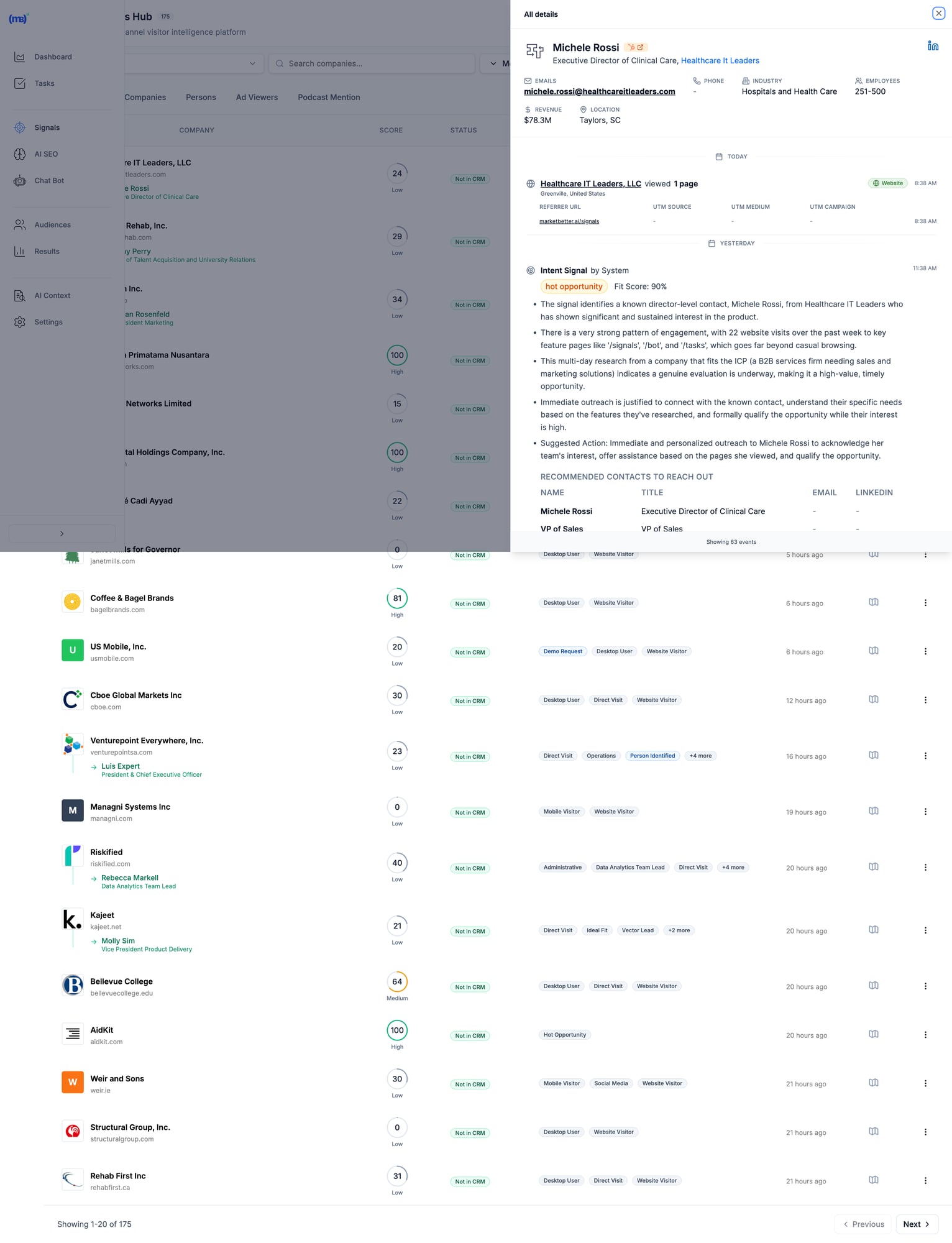
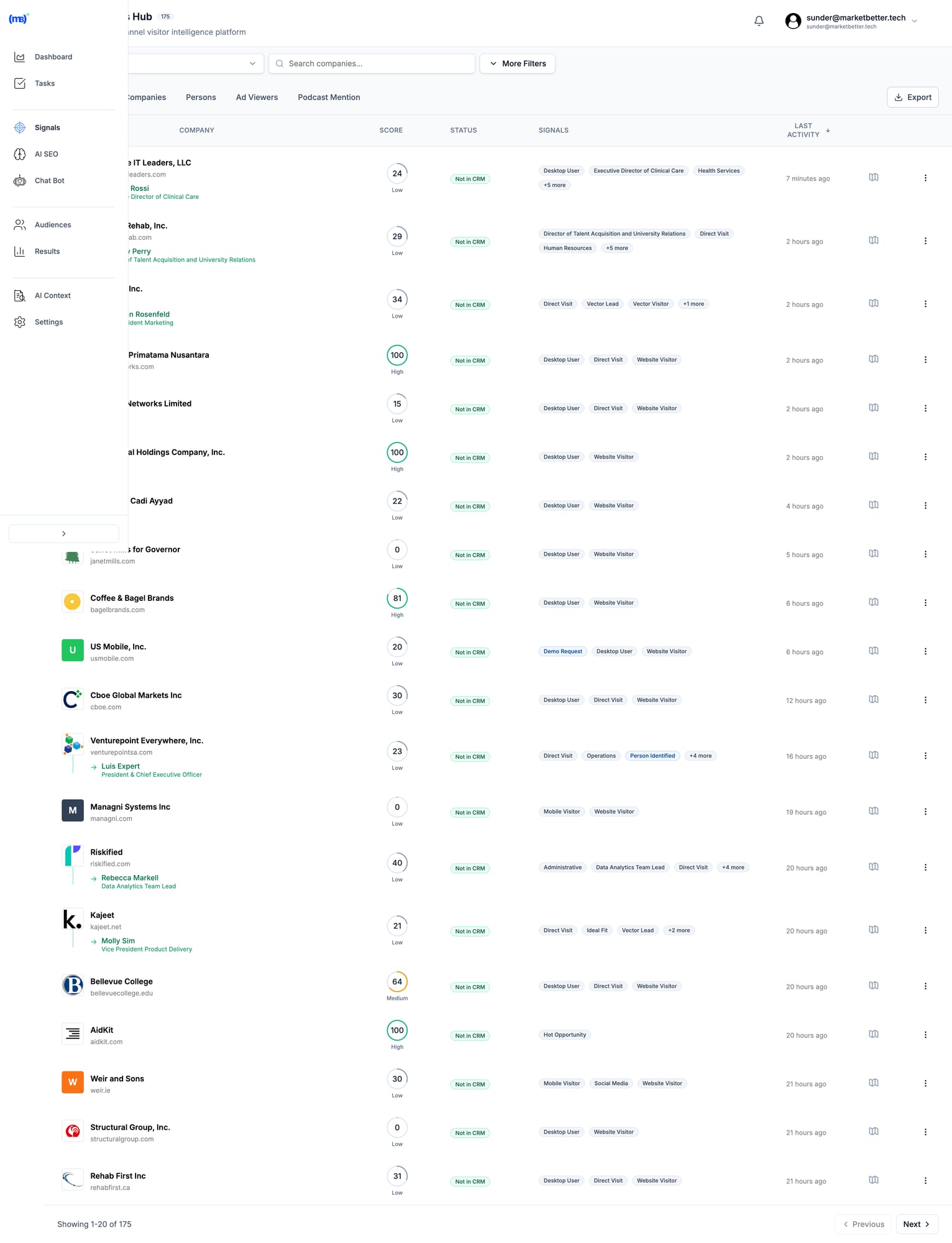
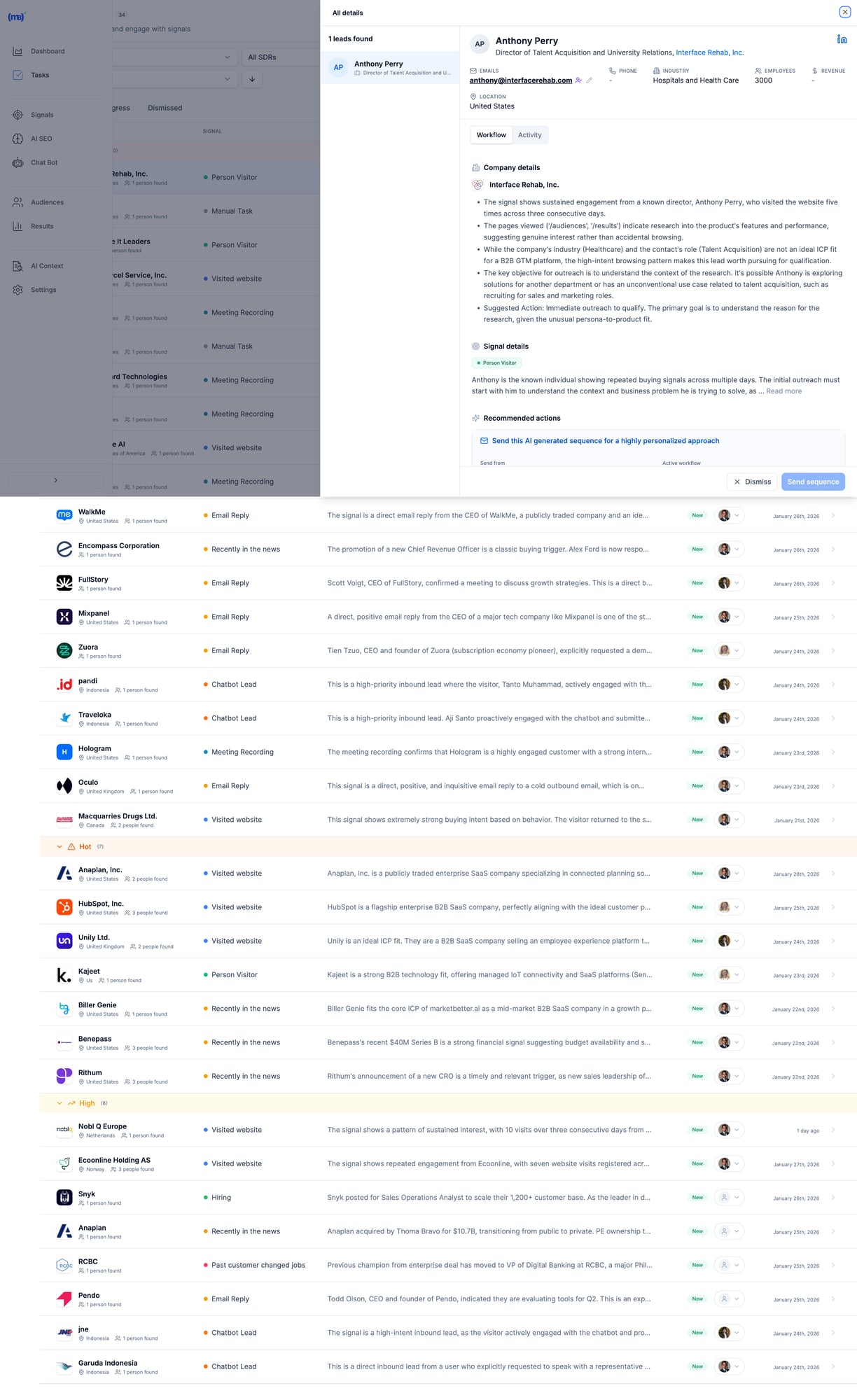
MarketBetter Signals Hub showing visitor intelligence with contact details, intent scores, and recommended actions MarketBetter's Signals Hub shows AI-prioritized visitor signals with intent scoring, identified contacts, and suggested actions — all in one view.
Pricing

Custom based on team size and volume. Transparent pricing — no hidden fees or long-term contracts. Book a demo →

When MarketBetter Is Better

✅ You have an SDR team that needs to execute, not analyze ✅ You want one platform instead of 5+ tools stitched together ✅ Visitor data currently sits unused in dashboards ✅ You care about pipeline, not just "visibility" ✅ Speed-to-lead matters (90% faster lead response)

When To Look Elsewhere

⚠️ You only need raw data for your existing ABM stack ⚠️ Enterprise with 6sense/Demandbase already deployed and working ⚠️ Pure marketing use case with no SDR execution

Read more: MarketBetter vs Warmly | MarketBetter vs Apollo | MarketBetter vs ZoomInfo | MarketBetter vs 6sense


2. Warmly

Best for: Companies wanting real-time visitor engagement via chat

Warmly bundles visitor identification with AI chatbot engagement. Their strength is catching visitors while they're still on your site and starting conversations immediately. In 2026, they've expanded with an "AI Data Agent" tier that automates more of the outreach workflow.

Key Features

  • 65% company-level identification (claimed) via 20+ data providers in a "data waterfall"
  • 15-25% person-level identification via enrichment partnerships
  • AI chatbot for real-time visitor engagement
  • Slack/Teams alerts for high-intent visitors
  • Bombora intent data integration
  • Video calling widget for live sales conversations on-site
  • Orchestrator for automated outreach sequences

Pricing

PlanPriceWhat You Get
Free$0500 visitors/mo, 10 Bombora signals/week
Startup~$700/moHigher limits, basic automation
Business$1,440-1,740/mo10K-100K visitors, full features
AI Data Agent$10,000/yrAdvanced AI features, automated outreach

When Warmly Is Better

✅ Real-time chat engagement is your primary use case ✅ You already have outbound tools (Outreach, Apollo) and need signals ✅ Catching visitors while they're on-site matters most ✅ Budget of $700+/mo for a dedicated visitor ID tool

When To Look Elsewhere

⚠️ You need a full SDR workflow (no smart dialer, no daily task prioritization) ⚠️ Budget under $700/mo (free tier is very limited) ⚠️ You want person-level at scale (15-25% may not be enough) ⚠️ You need multi-channel execution beyond chat

Read more: MarketBetter vs Warmly Comparison | Warmly Review 2026 | Warmly Pricing Breakdown | Best Warmly Alternatives


3. Leadfeeder (Dealfront)

Best for: European companies prioritizing GDPR compliance

Dealfront (the merger of Leadfeeder and Echobot) focuses on the European market with strong GDPR compliance. Solid company-level identification with good CRM integrations at a reasonable price. They've been in the visitor ID game longer than most, which means deep integration partnerships.

Key Features

  • Company-level visitor identification (IP-to-company)
  • GDPR-compliant data handling — a real differentiator for EU companies
  • Strong European company database (best coverage outside US)
  • CRM integrations with Salesforce, HubSpot, Pipedrive
  • Lead scoring and filtering by company attributes
  • Google Analytics integration for enhanced insights

Pricing

PlanPriceWhat You Get
Free€0100 companies/mo, 7-day data retention
Paid€99-165/moUnlimited companies, 365-day retention

Annual billing gives 40% discount. The free tier is genuinely useful for testing.

When Leadfeeder Is Better

✅ European market focus (best EU company database in the category) ✅ GDPR compliance is non-negotiable for your team ✅ Budget-conscious teams wanting basic visitor ID to test the concept ✅ Already using Pipedrive or European CRMs

When To Look Elsewhere

⚠️ You need person-level identification (company-only) ⚠️ US market focus (weaker coverage than US-focused tools) ⚠️ You want SDR workflow, not just data and dashboards ⚠️ You need real-time alerts for high-intent visitors


4. RB2B

Best for: Freemium person-level identification (US traffic)

RB2B has become the go-to for teams wanting to test person-level identification without a big commitment. Their free tier is genuinely generous, and the Slack integration makes it easy to see results immediately. Founded by Adam Robinson, they've built strong community momentum on LinkedIn.

Key Features

  • Person-level identification targeting 10-20% match rate
  • Slack notifications with LinkedIn profiles (the "killer feature")
  • Simple setup (just add a script tag — 5 minutes)
  • Free tier with 150 credits/month
  • Demandbase partnership for company-level fallback
  • Coworker filtering on Pro plans (remove known contacts)

Pricing

PlanPriceWhat You Get
Free$0150 credits/mo, company-level only, LinkedIn profiles
Starter$79/moPerson-level identification, basic integrations
Pro$349+/moBusiness emails, all integrations, coworker filtering

Match Rates (Honest Assessment)

  • Person-level: 10-20% (US traffic only)
  • Company-level: 70-80% when combined with Demandbase fallback
  • International: Not supported for person-level — this is a US-only tool

When RB2B Is Better

✅ You want to test person-level ID before committing serious budget ✅ US-focused B2B traffic (mandatory — doesn't work internationally) ✅ You have existing outreach tools and just need the names ✅ PLG company wanting LinkedIn profiles of engaged users

When To Look Elsewhere

⚠️ International traffic (US-only for person-level identification) ⚠️ You need workflow, not just names dropped in Slack ⚠️ Business emails required (need Pro at $349+/mo — significant jump) ⚠️ You want a complete SDR platform, not a point solution


5. Koala

Best for: PLG companies tracking product intent signals

Koala stands out by combining website visitor identification with product usage signals. If you have a freemium or trial product, Koala shows you which trial users are showing buying intent — a capability most visitor ID tools completely lack.

Key Features

  • Website + product activity tracking in one unified platform
  • Account scoring based on engagement patterns and product usage
  • Real-time Slack alerts for high-intent accounts
  • CRM sync with automatic enrichment
  • Built for PLG motions (trial → paid conversion signals)
  • ICP scoring to filter noise and focus on fits

Pricing

Custom pricing based on volume. Free trial available. Generally positioned between SMB tools and enterprise platforms.

When Koala Is Better

✅ You have a freemium/trial product (PLG motion is your core GTM) ✅ Product engagement signals matter more than just website visits ✅ You want to identify which trial users are ready for a sales conversation ✅ Engineering resources to implement product-level tracking

When To Look Elsewhere

⚠️ No freemium/trial product (pure sales-led GTM) ⚠️ You need full SDR workflow (no dialer, no sequences built in) ⚠️ Enterprise ABM programs (better options exist at that budget) ⚠️ Non-technical team (requires dev work to instrument product events)


6. 6sense

Best for: Large marketing teams running enterprise ABM programs

6sense is a full ABM platform with visitor identification as one component of a broader intent data suite. Powerful but complex — built for large marketing teams with dedicated ops resources. In 2026, they've added AI-powered "Revenue AI" features, though the core platform remains enterprise-focused.

Key Features

  • Account identification via IP + intent signals
  • Predictive buying stage scoring (Awareness → Decision) — genuinely useful for ABM
  • Third-party intent data (Bombora + proprietary 6sense data)
  • Multi-channel ABM orchestration (ads, email, sales activation)
  • AI account summaries and recommendations (Revenue AI)
  • Deep CRM integrations with Salesforce, HubSpot
  • Audience creation for targeted advertising

Pricing

6sense doesn't publish pricing. Based on Vendr and third-party data:

TierTypical CostWhat You Get
Free$050 credits/mo, Chrome extension
Team~$25K-50K/yrBasic platform, limited seats
Growth~$55K/yr (median)Full platform, intent data
Enterprise$100K-200K+/yrAdvanced features, custom integrations

Source: Vendr reports median buyer pays $55,211/year. Implementation takes 1-3 months.

When 6sense Is Better

✅ Enterprise budget ($50K+ annually) and you can justify the ROI ✅ Marketing-led ABM programs where you're running coordinated campaigns ✅ You have ops resources to manage the platform (RevOps or dedicated admin) ✅ Multi-channel orchestration across ads + email + sales is the goal

When To Look Elsewhere

⚠️ SMB or mid-market budget (minimum ~$25K/yr) ⚠️ Sales-first teams (6sense is marketing-first, sales activation is secondary) ⚠️ You want simplicity (3-6 month implementation typical) ⚠️ Contact-level identification priority (6sense is company/account-level)

G2 reviewer feedback:

"My problem with 6sense is that the tool's visitor identification reveals only companies and not individuals."

Read more: MarketBetter vs 6sense | 6sense Review 2026 | 6sense Pricing Breakdown | Best 6sense Alternatives


7. ZoomInfo WebSights

Best for: Enterprise GTM teams already using ZoomInfo data

ZoomInfo is the 800-pound gorilla of B2B data. WebSights is their visitor identification product, plugging into their massive database of 320M+ contacts and 100M+ company profiles. If you're already paying for ZoomInfo, WebSights is a natural add-on. If you're not, the total cost makes this an enterprise play.

Key Features

  • Account-level visitor identification with deep company intel
  • Buyer intent signals (1B+ monthly data points)
  • Deep CRM/MAP integrations (native Salesforce, HubSpot, Marketo)
  • Form enrichment for progressive lead capture
  • DSP integration for retargeting ads to identified accounts
  • Copilot AI for account research and outreach drafting

Pricing

ZoomInfo bundles WebSights with their core platform. Expect:

ComponentTypical Cost
SalesOS$15,000-25,000/yr starting
WebSights add-onIncluded or ~$5K extra
Intent data$9K-20K additional
Engage (sequences/dialer)~$15K additional

Total cost for full suite: $40K-100K+/yr depending on seats and features. Annual contracts, difficult to exit mid-term.

When ZoomInfo Is Better

✅ Already a ZoomInfo customer (marginal cost is low) ✅ Enterprise data needs where database size matters ✅ Budget for $15K+ annually ✅ Dedicated ops team to manage the platform

When To Look Elsewhere

⚠️ SMB budget (minimum $15K/yr for the base platform) ⚠️ You want SDR workflow, not just data enrichment ⚠️ Quick implementation needed (enterprise complexity and training required) ⚠️ Contact data accuracy concerns (G2 reviews flag stale data as #1 issue)

Read more: MarketBetter vs ZoomInfo | ZoomInfo Review 2026 | ZoomInfo Pricing Breakdown | Best ZoomInfo Alternatives


8. Clearbit Breeze (HubSpot)

Best for: HubSpot users wanting native enrichment

Now owned by HubSpot, Clearbit excels at form enrichment and real-time company identification. If you're already in the HubSpot ecosystem, it's the most seamless option — no integration work, no data syncing issues. The rebranding to "Breeze Intelligence" has been a bit confusing, but the core product remains strong.

Key Features

  • Real-time form enrichment (shorter forms, same data)
  • Company and contact data appending to existing CRM records
  • Native HubSpot integration (zero setup if you're already a customer)
  • Reveal for anonymous visitor identification at account level
  • API for custom enrichment workflows (developers love this)
  • Auto-enrichment triggers based on lifecycle stage changes

Pricing

Credit-based system integrated into HubSpot. Contact HubSpot for details. Historically:

  • Enterprise plans include Clearbit/Breeze credits
  • Standalone was $12,000+/yr before acquisition
  • Credits consumed per enrichment (form fill, reveal, or API call)

When Clearbit Is Better

✅ You're committed to the HubSpot ecosystem (this is a natural extension) ✅ Form enrichment is the priority (reduce form fields, increase conversions) ✅ You want seamless CRM data without export/import workflows ✅ Marketing-first use case with existing HubSpot workflows

When To Look Elsewhere

⚠️ Not a HubSpot user (ecosystem lock-in makes this pointless) ⚠️ Person-level visitor identification priority (better options exist) ⚠️ You need SDR workflow beyond enrichment (no dialer, no task lists) ⚠️ Budget-conscious (credit system can get expensive at scale)


9. Demandbase

Best for: Enterprise ABM with advertising + sales intelligence

Demandbase is a full ABM platform competing with 6sense at the enterprise level. Their strength is combining account identification with ABM advertising capabilities — if you're running targeted ads to identified accounts, Demandbase's DSP integration is best-in-class.

Key Features

  • Account identification (AI-powered anonymous visitor reveal)
  • Identity graph (cookies, IP, device IDs, cross-channel matching)
  • Intent data + engagement scoring with proprietary signals
  • ABM advertising platform with native DSP
  • Sales intelligence with account insights and buyer journey mapping
  • GDPR-safe global reach (better international coverage than 6sense)

Pricing

Demandbase doesn't publish pricing. Based on Vendr and third-party data:

TierTypical Cost
Minimum$18,000+/yr
Median~$65,000/yr
Enterprise$100K+/yr

When Demandbase Is Better

✅ Enterprise budget ($50K+ annually) ✅ ABM advertising is part of your strategy (best DSP integration) ✅ Global reach with GDPR compliance matters (stronger internationally than 6sense) ✅ Marketing + sales alignment on target accounts

When To Look Elsewhere

⚠️ SMB or mid-market budget ⚠️ Person-level identification priority (company/account-level focus) ⚠️ Quick implementation needed (enterprise onboarding) ⚠️ You need SDR workflow, not marketing dashboards


10. Instantly Pixel

Best for: Outbound-first teams already using Instantly for cold email

Instantly — best known as a cold email platform — has added website visitor identification via their "Instantly Pixel." If you're already using Instantly for outbound sequences, adding visitor ID data into the same workflow is seamless. It's not the deepest visitor ID tool, but the workflow integration is hard to beat for existing customers.

Key Features

  • Website visitor identification via pixel tracking
  • Built into Instantly CRM — visitor data flows directly into your outreach workflows
  • Custom views for filtered visitor segments (e.g., pricing page visitors only)
  • Contact enrichment from Instantly's B2B database
  • Automated sequence enrollment — identified visitors auto-added to campaigns
  • Multi-channel (email + call + SMS from one platform)

Pricing

Visitor identification is included in Instantly's CRM plans:

PlanPriceWhat You Get
Growth CRM$37/moBasic CRM + visitor tracking
Hyper Growth CRM$97/moAI features + advanced sequences

Note: You may also need a sending plan ($30-78/mo) for the outreach side. Total cost: $67-175/mo for the full stack.

When Instantly Is Better

✅ Already using Instantly for cold email (natural extension, no new tools) ✅ Outbound-first GTM where visitor ID supplements cold outreach ✅ Budget-conscious (cheapest "all-in-one" option at $67-175/mo total) ✅ Want email + calling + visitor ID in one platform

When To Look Elsewhere

⚠️ Visitor ID is your primary need (Instantly's pixel is secondary to their email product) ⚠️ You need deep visitor analytics and segmentation (basic compared to Warmly or 6sense) ⚠️ Enterprise-grade identification with intent data (not their strength) ⚠️ Inbound-first GTM (Instantly is built for outbound)


11. Leadpipe

Best for: Person-level identification at scale with aggressive pricing

Leadpipe is a newer entrant focused on high-volume person-level identification. They claim 35%+ person-level match rates — aggressive but worth testing. Their pricing model is credit-based and straightforward, making it easy to forecast costs.

Key Features

  • Person-level identification — names, emails, phone numbers, LinkedIn profiles
  • Company + contact enrichment in one view
  • Real-time visitor tracking with page-level behavior data
  • Automated list building — identified visitors auto-exported to your email tool
  • Simple pixel installation (similar to RB2B)
  • No contract — month-to-month pricing

Pricing

PlanPriceCredits
Starter$98/mo100 identified visitors
Growth$147/mo500 identified visitors
Scale$248/mo1,000 identified visitors
Pro$398/mo2,000 identified visitors
Business$819/mo5,000 identified visitors
Enterprise$1,579/mo10,000 identified visitors

Per-credit cost: $0.16-0.98 depending on volume. 200 free credits to test.

When Leadpipe Is Better

✅ Person-level identification is the priority (not just company names) ✅ You want transparent, predictable pricing per identified visitor ✅ High-traffic site where per-credit pricing scales well ✅ Need email addresses + phone numbers for outreach (not just LinkedIn profiles)

When To Look Elsewhere

⚠️ You need SDR workflow (data-only, no task management or dialer) ⚠️ International traffic (US-focused, like most person-level tools) ⚠️ Enterprise security requirements (newer vendor, less established) ⚠️ You want intent data beyond just page visits


12. Snitcher

Best for: Budget-friendly company-level identification

Snitcher is a straightforward, no-frills company identification tool starting at just $39/month. No person-level ID, no intent data, no AI — just solid IP-to-company matching with clean reporting. Sometimes simple is exactly what you need.

Key Features

  • Company-level visitor identification via IP matching
  • Google Analytics integration (enhances existing GA data)
  • CRM integrations (Salesforce, HubSpot, Pipedrive)
  • Custom alerts based on company attributes or page visits
  • Clean dashboard with session-level detail
  • GDPR-compliant (EU-based, privacy-first approach)

Pricing

Usage-based starting at $39/month, scaling with identified companies. Affordable option for teams testing the visitor ID concept before committing to larger platforms.

When Snitcher Is Better

✅ Budget under $200/mo and you want to test visitor identification ✅ Company-level is sufficient (you have separate tools for contact finding) ✅ European company wanting GDPR-compliant solution (EU-based) ✅ Clean, simple tool without enterprise complexity

When To Look Elsewhere

⚠️ You need person-level identification (company-only) ⚠️ You want SDR workflow or outreach automation ⚠️ US-focused team (US-centric tools have better North American coverage) ⚠️ Need intent data or buying stage signals


The Real Question: What Happens AFTER Identification?

Here's what most comparison guides won't tell you:

Identifying visitors is the easy part.

The hard part is turning that data into action. Most SDRs don't have time to:

  • Research every identified company
  • Find the right decision-maker
  • Write personalized outreach
  • Prioritize who to contact first
  • Actually make the call

That's why 90% of visitor ID data goes unused. It sits in a dashboard. Nobody acts on it. And the tool becomes shelfware within 3 months.

The "Data vs Action" Gap

Data-First ToolsAction-First Tools
Show you WHO visitedShow you WHO + WHAT TO DO
Require manual researchAuto-enrich with decision-makers
Leave prioritization to youAI-prioritize by fit + intent
Integrate with your sequence toolsInclude sequences + dialer
Dashboards for analysisTasks for execution
Value depends on SDR disciplineValue is built into the workflow

Most tools on this list are data-first. They give you visibility. What happens next is your problem.

MarketBetter is action-first. We turn every visitor into a prioritized task with AI-drafted outreach and click-to-dial. Your SDR opens a list and executes. No research required, no prioritization paralysis.

The Multi-Tool Problem

Here's how most teams cobble together a visitor ID workflow today:

  1. Visitor identification (RB2B or Warmly) → $79-700/mo
  2. Contact enrichment (Apollo or ZoomInfo) → $49-$15,000/yr
  3. Email sequences (Outreach or Salesloft) → $100-150/seat/mo
  4. Dialer (Orum or Nooks) → $150-200/seat/mo
  5. CRM (HubSpot or Salesforce) → $50-150/seat/mo

Total: $500-2,000+/mo per SDR across 5 different tools, with manual data transfer between each one.

MarketBetter replaces tools 1-4 in one platform. Visitor identification, enrichment, sequences, and dialer — with AI connecting them so data flows into action automatically.

See how it works →


How to Calculate Visitor Identification ROI

Before investing in any visitor ID tool, run these numbers:

Step 1: Estimate Your Identifiable Traffic

MetricYour Number
Monthly website visitors_______
× Realistic match rate (use 15% for company-level)× 0.15
= Identified companies per month_______

Step 2: Estimate Pipeline Impact

MetricYour Number
Identified companies per month_______
× % that fit your ICP (use 20%)× 0.20
= ICP-fit leads_______
× Outreach-to-meeting rate (use 5%)× 0.05
= Meetings booked per month_______

Step 3: Calculate Revenue

MetricYour Number
Meetings per month_______
× Demo-to-close rate (use 20%)× 0.20
= New customers per month_______
× Average deal size× $_______
= Monthly revenue from visitor ID$_______

Example Scenario

MetricExample
10,000 monthly visitors
× 15% company match rate= 1,500 identified
× 20% ICP fit= 300 ICP leads
× 5% meeting rate= 15 meetings/month
× 20% close rate= 3 new customers
× $15,000 ACV= $45,000/month revenue

Even at conservative rates, a tool costing $500-2,000/month that generates $45,000 in monthly revenue is a 20-90x return. The math almost always works — the question is whether your team will actually act on the data.


Implementation Guide: Getting Started in Under 30 Minutes

No matter which tool you choose, here's how to get maximum value fast:

Week 1: Install and Baseline

  1. Add the tracking pixel/script — Every tool on this list requires adding a JavaScript snippet to your site. Most take under 5 minutes.
  2. Connect your CRM — Sync identified visitors with your existing pipeline. HubSpot and Salesforce integrations are standard.
  3. Set up alerts — Configure Slack or email notifications for high-intent page visits (pricing page, demo page, comparison pages).
  4. Establish your baseline — How many visitors does the tool identify in the first week? What's your actual match rate?

Week 2: Prioritize and Filter

  1. Define your ICP filter — Set company size, industry, and geography filters so you only see relevant visitors. Without filters, your SDR drowns in noise.
  2. Set up lead scoring — Prioritize visitors by behavior: pricing page > blog > homepage. Multiple visits > single visit.
  3. Test outreach on 20 leads — Manually reach out to the first batch. Measure response rates. Refine your messaging.

Week 3-4: Automate and Scale

  1. Build sequences — Create automated email sequences triggered by visitor identification events.
  2. Assign territory rules — If you have multiple SDRs, set up round-robin or territory-based lead routing.
  3. Measure pipeline — Track how many identified visitors become meetings, opportunities, and closed deals.

Common Mistakes to Avoid

Contacting every identified visitor — Most are researchers, not buyers. Filter by ICP and intent signals. ❌ Mentioning you tracked them — "I saw you visited our pricing page" is creepy. Frame outreach around their company's challenges. ❌ Setting and forgetting — Review match rates and outreach results monthly. Adjust ICP filters as you learn. ❌ Buying enterprise tools for SMB problems — A $55K/yr platform won't help if your team has 2 SDRs and 5,000 monthly visitors. ❌ Expecting person-level magic — Realistic person-level match rates are 5-20%. If your traffic is low, the absolute number of identified individuals will be small. Supplement with company-level identification + manual prospecting.


How to Choose the Right Visitor ID Tool

After evaluating all 12 tools, here are the three questions that matter:

1. Do You Need Data or Action?

If you have a mature ops team that can turn visitor data into SDR workflows (research, enrich, prioritize, sequence, call), tools like ZoomInfo, 6sense, or Warmly give you rich data to feed those workflows.

If you want visitors to become prioritized SDR tasks automatically — no manual research, no tool-switching — look at MarketBetter.

2. Company-Level or Person-Level?

  • Company-level (30-65% match rate) = table stakes, every tool on this list does this
  • Person-level (5-20% match rate) = harder, consider RB2B, Leadpipe, Warmly, or MarketBetter

If person-level is critical, verify the vendor's methodology. Many claim high rates by counting company matches in their headline number.

3. What's Your Budget?

BudgetBest Options
Free/$0RB2B free, Leadfeeder free
Under $200/moSnitcher ($39), RB2B Starter ($79), Leadpipe Starter ($98)
$200-500/moRB2B Pro ($349), Leadpipe Growth ($147-248)
$500-2,000/moWarmly ($700+), MarketBetter, Instantly stack ($67-175)
$2,000+/moMarketBetter, Warmly Business
$25K+/yr6sense, ZoomInfo
$50K+/yr6sense Enterprise, Demandbase, ZoomInfo Enterprise

Decision Framework

Choose MarketBetter if your SDRs need a daily playbook that tells them who to call, why, and what to say — not another dashboard to monitor.

Choose Warmly if real-time chat engagement while visitors are on-site is your highest priority.

Choose RB2B or Leadpipe if you just need person-level data piped into Slack and you'll handle outreach separately.

Choose 6sense or Demandbase if you're running enterprise ABM programs with $50K+ budgets and dedicated RevOps.

Choose ZoomInfo if you already have their data platform and want to add visitor ID as an incremental capability.

Choose Snitcher or Leadfeeder if you want affordable company-level identification to test the concept before scaling up.

Choose Instantly if you're already running cold email campaigns and want to layer in visitor identification without adding another vendor.


Frequently Asked Questions

What is the best free website visitor identification tool?

RB2B offers the best free tier for person-level identification (US traffic only, 150 credits/month with LinkedIn profiles). Leadfeeder offers free company-level identification (100 companies/month, 7-day retention). Both are limited but useful for testing the concept before committing budget.

What is a realistic match rate for visitor identification?

Expect 30-65% for company-level identification and 5-20% for person-level. Rates are higher for corporate office traffic and lower for remote workers. Any vendor claiming 80%+ contact-level match rates is likely counting company matches. Always ask: "What percentage of my traffic will you identify to a specific person with a verified email?"

Do I need visitor identification if I have Google Analytics?

Google Analytics shows you anonymous traffic patterns — pages visited, time on site, traffic sources, conversion funnels. Visitor identification reveals who those visitors are (company names, sometimes individual contacts with emails). They serve completely different purposes. Most teams use both: GA4 for marketing analytics, visitor ID for sales activation.

Is website visitor identification GDPR compliant?

It depends on the method. IP-to-company matching is generally compliant as it identifies organizations, not individuals. Person-level identification tools must ensure proper consent mechanisms and legal basis for processing. European-focused tools like Leadfeeder (Dealfront) and Snitcher prioritize GDPR compliance. If you operate in the EU, consult your legal team and look for tools with explicit GDPR documentation.

What's the difference between visitor identification and intent data?

Visitor identification tells you WHO visited your website specifically — first-party data. Intent data tells you WHO is researching your category across the web — third-party signals from publishers, review sites, etc.

Some tools (6sense, Demandbase, Warmly) combine both. Others focus on one or the other. Intent data is broader but noisier; visitor identification is narrower but higher-signal (they're on YOUR site, not just reading about the category).

How long does implementation take?

  • Simple tools (RB2B, Leadpipe, Snitcher): 5-30 minutes (add a script tag)
  • Mid-market tools (Warmly, Koala, MarketBetter): 1-2 weeks (includes CRM setup and workflow configuration)
  • Enterprise tools (6sense, Demandbase, ZoomInfo): 1-3 months (training, custom integrations, change management)

Can I use multiple visitor ID tools together?

Yes, and many teams do. A common stack: RB2B for person-level identification (free tier) + Leadfeeder for company-level (free tier) to test both approaches. Then consolidate into one paid tool once you know which data type (person vs company) drives more pipeline for your specific business.

What's the biggest mistake teams make with visitor identification?

Buying the tool without a plan for what happens after identification. 90% of visitor ID data goes unused because there's no workflow to turn "Company X visited" into "SDR calls Jane at Company X with this pitch." Before choosing a tool, define your process: Who reviews the data? How fast do they act? What do they say? If you can't answer those questions, the tool won't help — you need a workflow-first platform like MarketBetter that handles this automatically.

Should I care about AI features in visitor ID tools?

In 2026, every tool has slapped "AI" on their marketing. What actually matters: AI for prioritization (which visitors to contact first), AI for personalization (writing outreach based on visitor behavior), and AI for automation (auto-enrolling high-intent visitors into sequences). Skip tools where "AI" just means a chatbot that answers FAQ. Look for AI that saves your SDRs 15-30 minutes per lead.


Free Tool

Try our AI Lead Generator — find verified LinkedIn leads for any company instantly. No signup required.

The Bottom Line

Website visitor identification is only valuable if someone acts on it.

The best tools don't just show you dashboards of anonymous visitors turned into company names. They turn those visitors into prioritized tasks your SDRs execute every day.

Ask yourself: Do you need another dashboard? Or do you need more booked meetings?

If the answer is booked meetings, you need a tool that bridges the gap between "identified visitor" and "SDR picks up the phone." That's what separates a data product from a revenue product.


Ready to turn anonymous visitors into pipeline?

Book a demo with MarketBetter →

We'll show you how visitor identification becomes SDR execution — not just another data source collecting dust.

Related reading:

MarketBetter vs 6sense: The SDR-First Alternative [2026]

· 6 min read

6sense is the Rolls-Royce of account-based marketing platforms. It's powerful, sophisticated, and costs $60,000 to $130,000 per year.

For enterprise marketing teams with dedicated ABM operations, 6sense delivers. But for most B2B sales teams? It's like buying a semi-truck to deliver pizzas.

The real question isn't "which platform has more features?" It's "which one helps your SDRs book more meetings?"

The Core Difference

What You Need6senseMarketBetter
Primary UserMarketing Ops + ABM TeamsSDRs + Sales Managers
Setup TimeWeeks to monthsDays
Daily WorkflowDashboards to interpretTasks to complete
Pricing$60K-$130K/yearFraction of the cost
Best ForEnterprise ABM campaignsSMB/Mid-market SDR teams

6sense tells your marketing team which accounts are showing intent.

MarketBetter tells your SDRs exactly what to do next—and does half the work for them.

What 6sense Does Well

Let's be fair. 6sense has earned its reputation:

  • Intent Data at Scale: Tracks billions of buyer signals across the web
  • Predictive Analytics: AI models that forecast which accounts will buy
  • ABM Orchestration: Coordinates advertising, email, and sales outreach
  • Enterprise Integrations: Deep connections to Salesforce, Marketo, Eloqua

If you have a 10-person marketing ops team, a dedicated ABM manager, and a budget that doesn't make your CFO cry, 6sense is genuinely impressive.

Where 6sense Falls Short for SDR Teams

1. Complexity Kills Adoption

6sense is designed for marketing operations teams who love dashboards and data models.

SDRs don't want to interpret intent scores and buying stage predictions. They want to know: Who do I call? What do I say? What's the next step?

6sense gives you the data. You still have to figure out what to do with it.

2. The Price Tag

Let's talk real numbers:

  • 6sense: $60,000-$130,000/year (multi-year contracts common)
  • MarketBetter: A fraction of that cost

For that 6sense budget, you could hire an additional SDR. Or two.

3. Time to Value

6sense implementations take weeks to months. You need:

  • Data integrations configured
  • Intent topics defined
  • ABM segments built
  • Team training completed
  • Campaigns orchestrated

MarketBetter? Your SDRs can start working tasks on day one.

4. It's Built for Marketing, Not Sales

6sense shines at telling marketing teams which accounts to target with ads and nurture campaigns.

But SDRs don't run ad campaigns. They:

  • Send personalized emails
  • Make phone calls
  • Respond to inbound leads
  • Follow up on website visitors

6sense doesn't write your emails. It doesn't prioritize your call list. It doesn't recover your missed meetings.

How MarketBetter Approaches This Differently

SDR Playbook vs. Intent Dashboards

6sense approach: Here's a dashboard showing 47 accounts with "high intent" in the "consideration stage." Go figure out what to do.

MarketBetter approach: Here's your task list for today. Call Sarah at Acme Corp—she visited your pricing page 3 times this week. Here's a personalized email we drafted based on her company's recent news.

The difference is actionable workflow vs. interpretable data.

Visitor Intelligence That Actually Helps

Both platforms identify website visitors. The difference is what happens next.

6sense adds them to an account list for your ABM campaigns.

MarketBetter:

  • Scores them based on ICP fit
  • Routes them to the right SDR automatically
  • Generates personalized outreach
  • Adds them to your task list with context

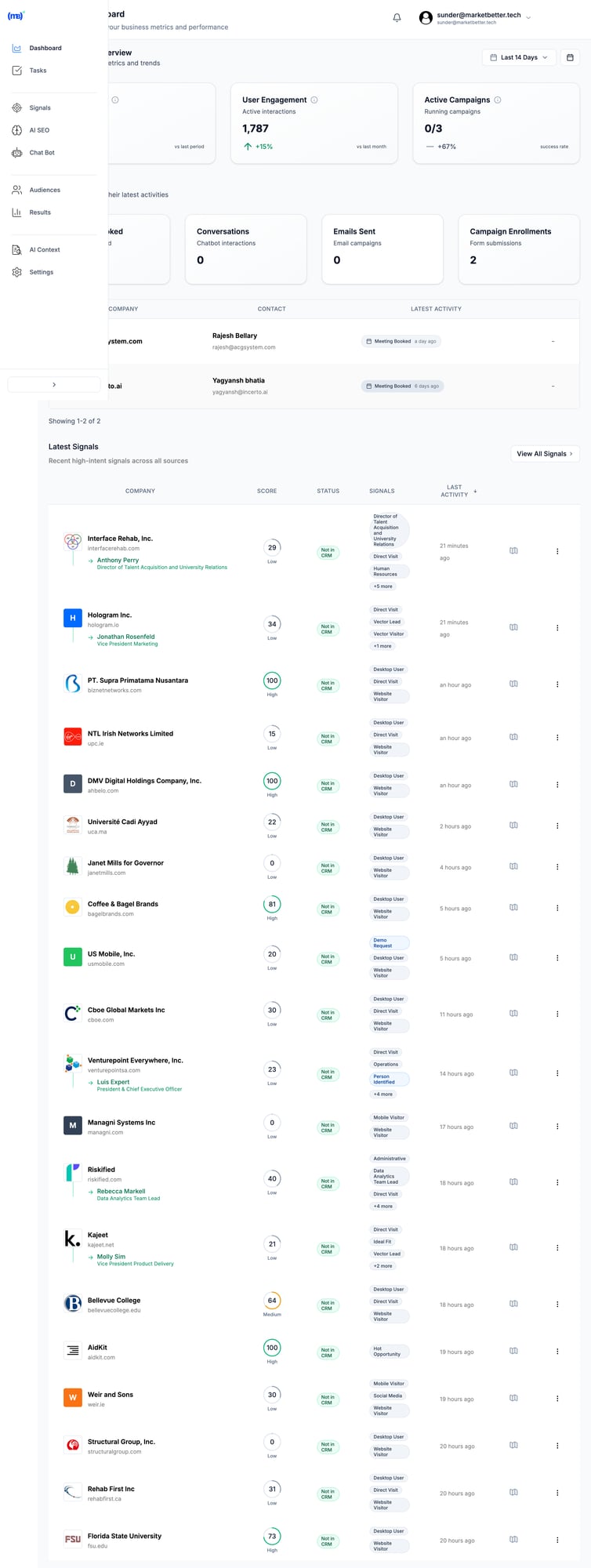
MarketBetter&#39;s SDR task list with prioritized actions and AI-generated outreach MarketBetter gives SDRs a prioritized task list with AI-generated outreach—not just dashboards to interpret.
AI That Does the Work

6sense uses AI to predict buying stages and recommend accounts.

MarketBetter uses AI to:

  • Write personalized emails based on prospect research
  • Generate pre-meeting briefs before sales calls
  • Recover missed meetings with automated follow-ups
  • Surface the highest-priority tasks each morning

It's the difference between AI as analysis and AI as an assistant.

Feature Comparison

Feature6senseMarketBetter
Website Visitor ID✅ Account-level✅ Company + person-level
Intent Data✅ Industry-leading✅ Behavioral + firmographic
AI Predictive Scoring
SDR Task Management
AI Email Writing
Smart Dialer
Pre-Meeting Briefs
Missed Meeting Recovery
Chatbot with Live Handoff
CRM Sync✅ Salesforce, HubSpot✅ Salesforce, HubSpot
Setup TimeWeeks-monthsDays
Typical Contract$60K-$130K/yearAccessible to SMBs

When to Choose 6sense

6sense is the right choice if you:

  • Have a dedicated ABM team with marketing operations expertise
  • Run large-scale advertising campaigns to target accounts
  • Need to coordinate marketing and sales across hundreds of accounts
  • Have an enterprise budget ($60K+/year for a single tool)
  • Want best-in-class third-party intent data across the web

When to Choose MarketBetter

MarketBetter is the right choice if you:

  • Want SDRs executing within days, not months
  • Need AI that does the work, not just analyzes data
  • Want one platform for visitor ID, email, calling, and chat
  • Have a realistic SMB/mid-market budget
  • Care more about meetings booked than intent scores tracked

The Real ROI Calculation

Here's how sales leaders should think about this:

6sense ROI Model:

  • Cost: $80,000/year (mid-range estimate)
  • Value: Better account targeting for marketing campaigns
  • Metric: Influenced pipeline (hard to attribute directly)

MarketBetter ROI Model:

  • Cost: Fraction of 6sense
  • Value: SDRs complete 2x more quality activities per day
  • Metric: Meetings booked, replies received (directly measurable)

When your SDRs can follow an AI-generated playbook instead of interpreting dashboards, they book more meetings. It's that simple.

What Customers Say

MarketBetter customers consistently highlight the same benefits:

"SDRs onboard in days instead of months" — The AI tells them exactly what to do. No training on complex platforms required.

"29% positive reply rates" — Because AI-personalized outreach beats template blasts every time.

"Never miss an inbound lead" — Chatbot + visitor alerts + missed meeting recovery means zero leads fall through cracks.

Making the Switch

If you're currently on 6sense and considering a switch, here's the honest assessment:

Keep 6sense if: Your marketing team actively uses it for ABM campaigns and you're seeing attributed pipeline from their efforts.

Switch to MarketBetter if: Your SDRs aren't using 6sense daily, you're paying for features you don't use, or you want a tool built for sales execution rather than marketing analysis.

Free Tool

Try our AI Lead Generator — find verified LinkedIn leads for any company instantly. No signup required.

Bottom Line

6sense is a marketing intelligence platform that happens to have sales features.

MarketBetter is an SDR workflow platform that happens to include intelligence.

The question is: Do you need your SDRs interpreting data, or executing tasks?

If it's the latter, MarketBetter delivers what 6sense can't—a daily playbook that turns intent signals into booked meetings.


Ready to see the difference? Book a demo and we'll show you exactly how MarketBetter would work for your SDR team.

MarketBetter vs AiSDR: Which AI Sales Assistant Actually Helps You Sell?

· 12 min read

Looking for an AiSDR alternative? You've probably noticed their transparent pricing (rare in the AI SDR space) and thought: "Finally, someone who's not hiding behind a 'Contact Sales' button."

AiSDR deserves credit for that. They publish their prices—$900/month for Explore, $2,500/month for Grow—when competitors like 11x and Artisan keep everything behind a sales wall.

But here's what the pricing page doesn't tell you: Website visitor identification is only available on Enterprise. That means their most compelling feature—knowing who's on your site—requires custom pricing. The $900/month plan? It's outreach automation without the intel.

More importantly, AiSDR focuses on sending. They automate email and LinkedIn outreach. What they don't do: tell you what to work on today, prepare you for meetings, or capture inbound visitors with a chatbot.

MarketBetter takes a different approach. We don't just help you send messages—we help you think. Daily playbooks. Pre-meeting briefs. AI chatbot for inbound. Website visitor ID on every plan. starting at $99/user/month.

Let's break down the real differences.

Quick Comparison: MarketBetter vs AiSDR

FeatureMarketBetterAiSDR
Starting Price$99/user/month$900/month (billed quarterly)
Minimum CommitmentMonthly available$2,700 (3-month minimum)
Free Trial✅ Free trial❌ No free trial
Website Visitor ID✅ All plans⚠️ Enterprise only
Daily SDR Playbook✅ AI-prioritized tasks❌ Not included
AI Chatbot✅ Captures inbound 24/7❌ Not included
Pre-Meeting Briefs✅ Auto-generated context❌ Not included
Smart Dialer✅ Built-in⚠️ Aircall add-on required
Email Sequences
LinkedIn Outreach
Lead Database✅ 700M+ contacts
Customization✅ Flexible workflows⚠️ Limited—preset playbooks only
CRM Integration✅ HubSpot + Salesforce✅ HubSpot + Salesforce
SOC 2 / GDPR✅ Compliant✅ Compliant

The bottom line: AiSDR automates outreach. MarketBetter automates your entire SDR workflow—including the thinking.

What Is AiSDR?

AiSDR is an AI-powered outbound platform that automates email and LinkedIn outreach. Drop in your ICP criteria, connect your mailboxes, and their AI handles:

  • Lead sourcing from a 700M+ contact database
  • Personalized email and LinkedIn message generation
  • Multi-channel sequencing (email + LinkedIn + SMS)
  • Reply handling and meeting booking
  • CRM syncing

On paper, it sounds comprehensive. And for pure outbound automation, AiSDR delivers.

What AiSDR Does Well

Let's give credit where it's due:

  • Transparent pricing in a space full of "Contact Sales" black boxes
  • 700M+ lead database included—no separate Apollo or ZoomInfo needed
  • Multi-channel outreach with email, LinkedIn, and SMS in one platform
  • Fast reply handling—responds to prospects in 5-10 minutes
  • Strong deliverability—mailbox warmup, bounce checking, domain monitoring
  • Dedicated support—GTM engineer assigned to every account
  • Flexible contracts—quarterly billing, cancel anytime

For teams that know exactly who to target and just need to scale outreach, AiSDR can work.

Where AiSDR Falls Short

But here's what AiSDR doesn't tell you upfront:

Website visitor ID is Enterprise-only. The Explore ($900/mo) and Grow ($2,500/mo) plans don't include it. You have to ask for custom Enterprise pricing to know who's on your website. This is buried in their pricing page.

No daily playbook or task prioritization. AiSDR tells you WHO exists in their database. It doesn't tell you WHO to focus on TODAY or WHAT to do next.

No pre-meeting briefs. When you book a meeting, you're on your own for prep.

No AI chatbot for inbound. Website visitors who want to engage? They have to fill out a form and wait.

Limited customization. Multiple G2 reviewers complain that you can't tweak signal logic or build custom workflows. As one user put it: "It's like buying a Tesla you can't steer."

Personalization gets repetitive. At scale, the AI-generated messages start sounding robotic. Reviewers mention "personalization fatigue" on follow-up #3.

The Real Difference: Outreach Tool vs. SDR Command Center

Here's the clearest way to understand the gap:

SDR NeedMarketBetterAiSDR
Find contacts
Know who's on your website✅ (all plans)⚠️ (Enterprise only)
Capture inbound 24/7✅ (chatbot)
Get AI-prioritized daily tasks
See what to say to each prospect
Auto-generate pre-meeting briefs
Send email sequences
Send LinkedIn messages
Make calls (native dialer)⚠️ (Aircall add-on)
Customize workflows⚠️ (limited)
A/B test messaging

AiSDR automates SENDING. It's an outreach engine. Point it at your ICP, and it fires messages.

MarketBetter automates THINKING + DOING. It tells you who to prioritize, what to say, captures inbound while you sleep, and prepares you for meetings—all in one platform.

AiSDR's Hidden Gotcha: Website Visitor ID

Here's the part that surprised us most in our research:

AiSDR markets itself alongside visitor identification—and they do offer it. But only on Enterprise plans with custom pricing.

Explore ($900/month)? No visitor ID. Grow ($2,500/month)? No visitor ID.

You have to go Enterprise—custom pricing, probably $3,000+/month—to unlock the feature that makes AI SDRs actually intelligent.

Why does this matter? Because visitor identification is what turns cold outreach into warm outreach. Without it, your AI is sending messages to people who may have never heard of you. With it, you're reaching out to people who were literally just on your website.

MarketBetter includes website visitor identification at $99/user/month. One plan, everything included. No hidden Enterprise gates.

The "Tesla You Can't Steer" Problem

One AiSDR review stuck with us:

"It's like buying a Tesla you can't steer. It drives fast, but not always where you want."

That captures AiSDR's core limitation: it's powerful but inflexible.

  • Can't customize signal logic. You use their playbooks or nothing.
  • Can't build custom workflows. The AI decides how to sequence.
  • Can't A/B test hooks. No framework to isolate what's working.
  • Can't tweak when it goes wrong. Users report limited control when outreach isn't landing.

For some teams, that's fine. "Just handle it" is appealing. But when your ICP is nuanced, when your messaging needs iteration, when your sales motion is complex—you need the steering wheel.

MarketBetter gives you control. Customize workflows. A/B test messaging. Adjust based on what's working. The AI assists; you decide.

Pricing Comparison: The Real Numbers

AiSDR Pricing (2026)

PlanMonthly PriceWhat You Get
Explore$900/month1,200 leads + 1,200 messages
Grow$2,500/month4,500 leads + 4,500 messages
EnterpriseCustomCustom volume + visitor ID

Key details:

  • Billed quarterly (minimum $2,700 to start)
  • 20% discount for annual billing
  • No free trial—$900 minimum to test
  • Cancel anytime (more flexible than most AI SDRs)

Per-message economics:

  • Explore: $0.75/message
  • Grow: $0.56/message

What's NOT included in Explore/Grow:

  • Website visitor identification
  • Native dialer (requires Aircall integration)

MarketBetter Pricing (2026)

PlanMonthly PriceWhat's Included
Standard$99/user/monthAll features included: Daily SDR Playbook, Website Visitor ID, AI Chatbot, Email Automation, Smart Dialer ($50/seat add-on), 5M AI credits + 500 enrichment credits per seat
EnterpriseCustomEverything in Standard + custom integrations, dedicated support, volume discounts
EnterpriseCustomUnlimited actions, SLA, SSO

Every plan includes:

  • AI-prioritized daily playbook
  • Personalized outreach drafts
  • Pre-meeting intelligence briefs
  • CRM sync (HubSpot + Salesforce)
  • Real-time alerts

Growth and above adds:

  • Website visitor identification
  • AI chatbot for inbound
  • Slack/Teams notifications

No quarterly minimum. free trial available.

The Math That Matters

AiSDR Explore gives you 1,200 messages for $900/month. MarketBetter gives you 500 enrichment credits + 5M AI credits per seat for $99/user/month.

Even if we're comparing apples to oranges on credit definitions, the gap is stark.

And when you factor in that AiSDR doesn't include:

  • Daily playbook (you figure out what to do)
  • AI chatbot (you miss inbound leads)
  • Pre-meeting briefs (you prep yourself)
  • Visitor ID unless Enterprise (you're flying blind)

...the value equation tips heavily toward MarketBetter.

What People Are Actually Saying

About AiSDR

G2 (4.5/5 stars):

"Launched a campaign in 24 hours. GTM engineer handled everything." "Cross-channel convenience—email + LinkedIn + SMS in one." "Quality leads, ZoomInfo-level data included."

But also:

"Too automated, not enough control." "Email copy gets repetitive at scale." "Tight volume for the price—1,000 emails runs out fast." "Can't define or customize signal logic." "Surface-level CRM integration."

The recurring theme: Great for set-it-and-forget-it outreach. Frustrating when you need control.

About MarketBetter

"65% growth in funnel and faster conversions." — B2B CEO

"Saved 12+ hours every week and shortened deal cycles by 40%." — SaaS VP Sales

"Follow-ups dropped from days to minutes." — Telecom CEO

The theme here: Execution speed + workflow clarity.

Who Should Choose AiSDR?

AiSDR might be the right choice if:

  • You want pure outbound automation and already have your ICP dialed in
  • You trust AI to run autonomously—set-and-forget appeals to you
  • You have a $900+/month budget and don't mind quarterly billing
  • You don't need website visitor ID—or you're ready to pay Enterprise pricing
  • Inbound isn't your priority—you're focused entirely on outbound
  • You don't need A/B testing or workflow customization

Who Should Choose MarketBetter?

MarketBetter is the better fit if:

  • Budget matters—you want more value per dollar
  • You need a daily playbook—your team needs direction, not just data
  • Inbound matters—the AI chatbot captures leads while you sleep
  • Website visitor ID is important—and you don't want to pay Enterprise pricing for it
  • You want meeting prep automated—pre-meeting briefs save hours
  • You need customization—your sales motion is nuanced
  • You hate minimum commitments—free trial, monthly billing available

The Fundamental Question

Do you need a tool that sends messages? Or do you need a command center that runs your SDR workflow?

AiSDR is a capable outreach engine. Connect your mailboxes, define your ICP, and it fires personalized messages across email and LinkedIn. For teams that just need to scale sending, it works.

But most SDR teams don't struggle with sending. They struggle with:

  • Prioritization: Who should I focus on today?
  • Preparation: What do I need to know before this meeting?
  • Inbound capture: How do I engage visitors who don't fill out forms?
  • Iteration: How do I test and improve my messaging?

AiSDR doesn't solve those problems. MarketBetter does.

Frequently Asked Questions

Is AiSDR worth $900/month?

For pure outbound automation with an included lead database, AiSDR provides value. But at $900/month for 1,200 messages—without visitor ID, without a daily playbook, without a chatbot—you're paying a premium for limited capability. MarketBetter's $99/user/month Standard plan offers more workflow features at a fraction of the cost.

Can MarketBetter replace AiSDR?

Yes. MarketBetter handles multi-channel outreach (email + LinkedIn) while adding the workflow layer AiSDR lacks: daily task prioritization, pre-meeting briefs, AI chatbot for inbound, and website visitor ID on all plans. You get outreach automation PLUS the command center to run it.

What about AiSDR's 700M+ contact database?

AiSDR's included database is genuinely valuable—you don't need a separate Apollo or ZoomInfo subscription. MarketBetter also includes contact data and enrichment, though the database size differs. For most SMB/mid-market teams, both provide sufficient coverage.

Does AiSDR offer a free trial?

No. The minimum to test AiSDR is $900/month (billed quarterly = $2,700 upfront). MarketBetter offers a free trial with no credit card required.

What if I'm currently using AiSDR?

Start your MarketBetter trial and run them side-by-side. Compare not just outreach metrics, but workflow clarity: Do you know what to do each day? Are you capturing inbound? Are you prepped for meetings? Then decide which platform actually helps you sell.

The Decision Framework

Your SituationBest Choice
Pure outbound automation, set-and-forgetAiSDR
Need daily playbook + task prioritizationMarketBetter
Website visitor ID mattersMarketBetter (AiSDR = Enterprise only)
Inbound capture is importantMarketBetter
Budget under $99/user/monthMarketBetter
Want free trial before committingMarketBetter
Need workflow customizationMarketBetter
Fine with limited control, trust AI fullyAiSDR

The Bottom Line

AiSDR built a solid outreach automation platform. Transparent pricing (rare in this space). Included lead database (also rare). Multi-channel sequences that run on autopilot.

But outreach automation is just one piece of the SDR puzzle.

MarketBetter is the complete SDR command center:

  • Daily playbook tells you what to do
  • Website visitor ID (on all plans) shows you who's interested
  • AI chatbot captures inbound while you sleep
  • Pre-meeting briefs prepare you for calls
  • Customizable workflows let you iterate

And it starting at $99/user/month trial—vs. AiSDR's $900/month with no trial.

Stop paying for a tool that only sends. Get one that helps you sell.

Free Tool

Try our AI Lead Generator — find verified LinkedIn leads for any company instantly. No signup required.

Ready to See the Difference?

Book a demo and we'll show you:

  1. The daily playbook in action—AI-prioritized tasks your SDRs can execute immediately
  2. Website visitors you're missing—companies and people browsing right now
  3. Our AI chatbot engaging inbound—capturing leads while your team sleeps
  4. Pre-meeting briefs—everything you need to know before your next call
  5. The features AiSDR charges Enterprise pricing for—included in every plan

Start your free trial. No credit card. No quarterly minimum.

Book a Demo →


Related reading:

Questions? Email us at [email protected]

MarketBetter vs Demandbase: SDR Workflows vs Enterprise ABM [2026]

· 8 min read

Demandbase is the OG of account-based marketing. Founded in 2006, they've spent nearly two decades building the most comprehensive ABM platform on the market.

But here's the catch: Demandbase was built for enterprise marketing teams, not SDR teams.

Their median customer pays $65,000 per year. Implementation takes months. And when it's finally running, your SDRs still have to figure out what to do with all that account intelligence.

If you're looking for a Demandbase alternative that actually helps SDRs book meetings—not just marketers run campaigns—read on.

Quick Comparison

FactorDemandbaseMarketBetter
Built ForMarketing Ops + ABM TeamsSDRs + Sales Leaders
Pricing$65K+ median/yearAccessible to SMBs
Setup TimeMonthsDays
Core OutputAccount dashboardsPrioritized task lists
ID LevelCompany-levelCompany + person-level
Smart Dialer
AI Email Writer
Best ForEnterprise ABM advertisingSMB/Mid-market sales execution

What Demandbase Does Well

Let's give credit where it's due. Demandbase has been in ABM longer than most companies have existed:

1. Enterprise-Grade ABM Advertising

Demandbase runs one of the few B2B-specific demand-side platforms (DSPs). They can target specific accounts with display ads across the web—and they're genuinely good at it.

2. Account Identification at Scale

Their identity graph combines IP matching, cookies, device IDs, and even VPN provider data to identify companies visiting your site. They claim &lt;30% match rates, but it's enterprise-solid.

3. Intent Data Integration

Demandbase aggregates third-party intent signals (including Bombora data) with first-party website behavior to score account engagement.

4. Sales Intelligence

Their account insights surface technographics, news, and engagement data that help enterprise reps research large accounts.

If you're a Fortune 500 company running coordinated ABM campaigns across marketing and sales with a dedicated ops team, Demandbase delivers.

Where Demandbase Falls Short for Sales Teams

1. It's Marketing-First, Not Sales-First

Demandbase was built for marketers running ABM advertising campaigns. Sales features came later as add-ons.

The result? SDRs get account intelligence and dashboards. They don't get:

  • A prioritized task list for the day
  • AI-written email drafts ready to send
  • A smart dialer built into the workflow
  • Chatbot conversations handed off automatically

Demandbase tells you which accounts are engaged. MarketBetter tells your SDRs exactly what to do next.

2. Enterprise Pricing, Enterprise Complexity

Let's talk real numbers:

Company SizeDemandbase Typical Cost
~200 employees$18,000-$32,000/year
Mid-market$60,000-$70,000/year (median)
Enterprise$100,000-$300,000/year

Source: Vendr, Dimmo, and user reports.

These aren't typos. Demandbase is priced for enterprise marketing budgets, not SMB sales teams.

And the pricing isn't transparent—you'll spend weeks in sales negotiations before you even know what you're paying for.

3. Company-Level Only (Not Person-Level)

This is critical for SDRs: Demandbase identifies companies, not the specific people at those companies.

When Demandbase tells you "Acme Corp visited your pricing page," your SDR still has to:

  1. Research Acme Corp
  2. Find the right decision-maker
  3. Get their contact info
  4. Figure out what to say
  5. Actually reach out

MarketBetter identifies the visitor, finds the decision-maker, generates personalized outreach, and puts it in your task list. That's the difference between intelligence and execution.

4. Months to Value

Demandbase implementations are notoriously complex:

  • Define your ICP and account tiers
  • Configure integrations with your CRM and MAP
  • Set up intent topics and tracking
  • Build account segments and audiences
  • Train your teams on the platform
  • Optimize over time

Expect 2-4 months before your team is productive. Some enterprise deployments take 6+ months.

MarketBetter? SDRs start working tasks on day one.

5. G2 Reviewers Confirm the Gaps

From actual G2 reviews:

"The platform has a steep learning curve for new users."

"Pricing negotiations were lengthy, and the lack of transparency required significant justification to leadership."

"Demandbase excels at account-level targeting but lacks granularity when you need person-level insights."

These aren't edge cases—they're the consistent feedback pattern.

How MarketBetter Approaches This Differently

Tasks, Not Dashboards

Demandbase approach: Here's a dashboard showing account engagement scores. Segment them, build audiences, run campaigns.

MarketBetter approach: Here's your task list for today. Call Sarah at Acme Corp first—she visited your pricing page twice and matches your ICP. Here's a personalized email draft based on their recent product launch.

SDRs don't want to analyze data. They want to execute.

Person-Level Intelligence

While Demandbase stops at "Company X visited," MarketBetter goes further:

  • Identifies the company
  • Enriches with decision-maker contacts
  • Scores by ICP fit and intent
  • Routes to the right SDR automatically
  • Generates personalized outreach

The difference is crucial. Company intelligence is useless if your SDR still has to spend 15 minutes researching each lead.

AI That Executes, Not Just Analyzes

Demandbase uses AI to score accounts and predict engagement.

MarketBetter uses AI to:

  • Write personalized cold emails based on prospect research
  • Generate pre-call briefs before sales calls
  • Recover missed meetings automatically
  • Prioritize the highest-impact tasks each morning

It's the difference between AI telling you what might happen and AI doing the work.

Built-In Execution Tools

Demandbase requires you to export data to separate tools for outreach.

MarketBetter includes:

  • Smart Dialer with click-to-call from any task
  • AI Email Sequences that personalize at scale
  • Chatbot that qualifies visitors and books meetings 24/7
  • Task Management that prioritizes your SDRs' day

One platform. Complete workflow. No data exports required.

MarketBetter&#39;s SDR workspace showing tasks, signals, and AI-generated outreach in one view MarketBetter gives SDRs everything they need in one workspace—not scattered across dashboards and integrations.

Feature Comparison

FeatureDemandbaseMarketBetter
Website Visitor ID✅ Company-level✅ Company + person enrichment
Intent Data✅ 3rd party + 1st party✅ Behavioral + firmographic
Account Scoring
ABM Advertising✅ Industry-leading
SDR Task Management
AI Email Writing
Smart Dialer
Pre-Meeting Briefs
Missed Meeting Recovery
Chatbot with Handoff
CRM Sync✅ Salesforce, HubSpot✅ Salesforce, HubSpot
Setup Time2-6 monthsDays
Pricing ModelCustom enterpriseAccessible to SMBs

When to Choose Demandbase

Demandbase is the right choice if you:

  • Run enterprise ABM advertising campaigns at scale
  • Have a dedicated marketing ops team to manage the platform
  • Need to coordinate marketing + sales across 100s of target accounts
  • Have an enterprise budget ($65K+/year for a single tool)
  • Want display advertising built into your ABM platform

When to Choose MarketBetter

MarketBetter is the right choice if you:

  • Want SDRs executing within days, not months
  • Need person-level contacts, not just company names
  • Want one platform for visitor ID, email, calling, and chat
  • Have a realistic SMB/mid-market budget
  • Care more about meetings booked than accounts reached

The Real ROI Question

Here's how to think about this decision:

Demandbase ROI Model:

  • Cost: $65,000+/year
  • Primary value: Account-based advertising + marketing alignment
  • Metric: Account reach, engagement scores, influenced pipeline
  • Who benefits: Marketing team

MarketBetter ROI Model:

  • Cost: Fraction of Demandbase
  • Primary value: SDR productivity + workflow automation
  • Metric: Meetings booked, reply rates, time saved
  • Who benefits: SDR team directly

If your goal is "run sophisticated ABM campaigns," Demandbase delivers.

If your goal is "help SDRs book more meetings," MarketBetter wins.

Making the Decision

Ask yourself these questions:

  1. Who will use this daily? If it's your marketing ops team, consider Demandbase. If it's your SDRs, consider MarketBetter.

  2. What's your budget? If you can justify $65K+ for one tool, Demandbase is viable. If that makes your CFO flinch, look elsewhere.

  3. How fast do you need results? If you can wait 3-6 months for implementation, Demandbase is thorough. If you need SDRs productive this week, MarketBetter delivers.

  4. Do you need person-level or company-level? If company intelligence is enough, Demandbase works. If you need specific contacts, MarketBetter is better.

Free Tool

Try our AI Lead Generator — find verified LinkedIn leads for any company instantly. No signup required.

Bottom Line

Demandbase is an enterprise marketing platform that added sales features.

MarketBetter is an SDR workflow platform with built-in intelligence.

Demandbase answers: "Which accounts should marketing target?"

MarketBetter answers: "What should your SDRs do right now?"

If you're running enterprise ABM with a dedicated marketing ops team and a six-figure budget, Demandbase is a solid choice.

If you're running an SDR team that needs to book meetings—not interpret dashboards—MarketBetter delivers what Demandbase can't: a daily playbook that turns signals into action.


Ready to see the difference? Book a demo and we'll show you how MarketBetter would work for your SDR team—in a 30-minute call, not a 3-month implementation.

MarketBetter vs Leadfeeder (Dealfront): Complete Comparison [2026]

· 6 min read

Leadfeeder (now part of Dealfront) has been the go-to website visitor identification tool since 2012. It tells you which companies visited your site. Full stop.

But here's the uncomfortable truth: Knowing WHO visited doesn't generate pipeline. Your SDRs still need to figure out who to contact, what to say, and which tool to use for outreach.

MarketBetter takes a fundamentally different approach. We don't just identify visitors — we tell your SDRs exactly what to do about them.

This comparison breaks down both platforms so you can decide which fits your workflow.

Quick Comparison

FeatureMarketBetterLeadfeeder (Dealfront)
Starting Price$99/user/month$0 (free) / $99/mo (paid)
Visitor ID✅ Company + person-level✅ Company-level only
Daily Playbook✅ Prioritized task list❌ Manual workflow
AI Chatbot✅ 24/7 visitor engagement❌ None
Smart Dialer✅ Built-in❌ Requires separate tool
Email Sequences✅ Native automation❌ Requires separate tool
CRM Sync✅ Bidirectional✅ Bidirectional
European FocusUS-primary✅ GDPR-native

What Leadfeeder Does Well

Credit where it's due — Leadfeeder has strengths:

Transparent, volume-based pricing. You pay based on companies identified, not seats. Starting at $99/month for up to 50 companies, scaling to $1,199/month for 40,000 companies.

Excellent European coverage. As a German company (post-Echobot merger), they have strong GDPR compliance and accurate European company data.

Unlimited users on all plans. No per-seat pricing means your whole team can access visitor data.

Solid CRM integrations. Their Salesforce and HubSpot bidirectional syncs are robust and mature.

14-day free trial + free tier. Low-risk way to test visitor identification.

Where Leadfeeder Falls Short

The core limitation: Leadfeeder is a single-purpose tool.

It answers one question: "Which companies visited my website?"

It doesn't answer:

  • Who specifically should I contact at that company?
  • What's the best next action — email, call, or chat?
  • What should I actually say to them?
  • How do I prioritize these visitors against my other leads?

The "20 Tabs Problem" Persists

After using Leadfeeder, your SDRs still need:

  • A contact database (ZoomInfo, Apollo, Lusha)
  • Email automation (Outreach, Salesloft, Apollo)
  • A dialer (Aircall, Orum, PhoneBurner)
  • A chatbot (Drift, Intercom, Qualified)
  • A task manager (Salesforce tasks, Asana, sheets)

That's 5+ tools, 5+ subscriptions, and 20+ browser tabs.

G2 Reviews Echo This

"The visitor tracking features are lacking; the data shown doesn't always match what I see in HubSpot"

"Functionality constraints — requires additional tools to complement"

"The inability to identify individuals from larger firms limits its utility"

Leadfeeder users consistently ask: "Great, now what do I do with this data?"

How MarketBetter Is Different

MarketBetter includes visitor identification. But that's just the beginning.

The Daily SDR Playbook

Every morning, your SDRs see a prioritized task list:

  1. Call John at Acme Corp — visited pricing page 3x this week, decision-maker
  2. Email Sarah at TechCo — engaged with AI chatbot, requested case study
  3. Follow up with Mike — opened yesterday's email twice

No guessing. No prioritization paralysis. Just: "Here's what to do next."

MarketBetter dashboard showing AI-prioritized tasks and visitor signals MarketBetter's dashboard gives SDRs a single view of prioritized tasks—not just visitor data to interpret.
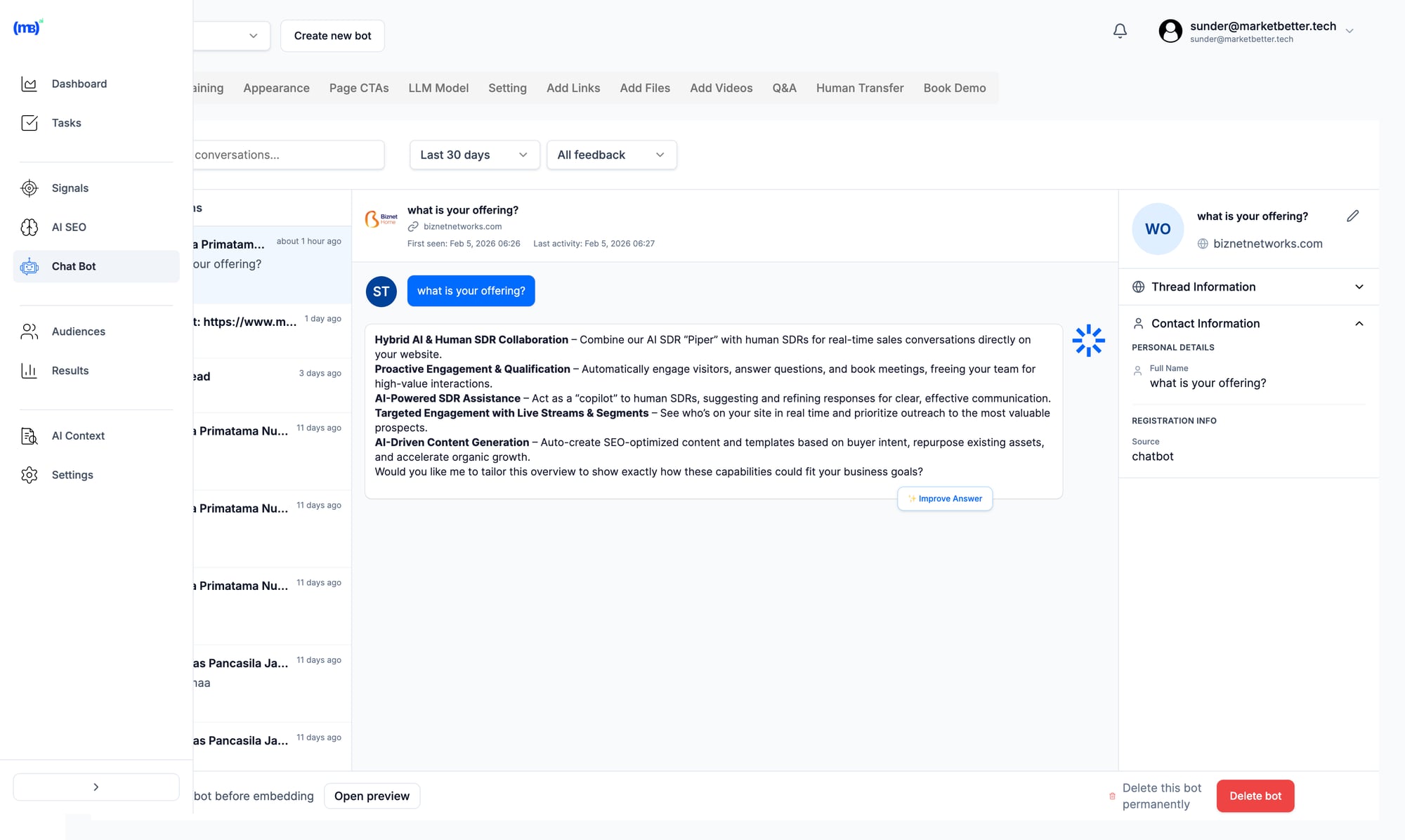
AI Chatbot That Actually Converts

While Leadfeeder just tracks who's on your site, MarketBetter's AI chatbot engages them in real-time:

  • Answers product questions 24/7
  • Books meetings directly into your calendar
  • Qualifies visitors before they leave

Every chatbot conversation feeds into the playbook.

Built-in Dialer and Email

When the playbook says "call," you call from MarketBetter. When it says "email," you send from MarketBetter. No context switching, no tab juggling.

Your CRM stays in sync automatically.

Pricing Comparison

Leadfeeder (Visitor ID Only)

Companies/MonthMonthly Cost
Free tier$0 (100 companies, 7-day retention)
Up to 50$99
51-100$119
101-200$143
201-400$215
401-700$299
701-1,000$329

Annual billing saves 30%

The Hidden Cost: Your Tool Stack

To get comparable functionality to MarketBetter, add:

  • Contact database: $50-200/user/month
  • Email automation: $50-150/user/month
  • Dialer: $50-150/user/month
  • Chatbot: $100-500/month

Total stack cost: $300-1,000/user/month

MarketBetter (All-In-One)

PlanMonthly Cost
Standard$99/user/month
EnterpriseCustom

Add-ons: +$200/5K actions | +$150/extra seat | +$100/500 enrichment credits per seat

All plans include visitor ID + playbook + dialer + email + chatbot. Free trial available — book a demo.

When to Choose Leadfeeder

Be honest: Leadfeeder makes sense when:

  • You're European and need GDPR-native compliance with excellent EU data coverage
  • You already have an execution stack (Outreach, Salesloft, etc.) and just need visitor data piped in
  • Budget is extremely tight — their free tier works for very small sites
  • You're marketing-focused — want analytics on traffic, not SDR execution

When to Choose MarketBetter

MarketBetter wins when:

  • You want SDRs executing, not tool-juggling — one platform, one playbook
  • You're building or scaling an SDR team — need the full workflow, not just data
  • Speed-to-lead matters — AI chatbot engages visitors before they bounce
  • You're consolidating your stack — replace 4-5 tools with one

The Bottom Line

Leadfeeder is a visitor identification tool. It's good at that one thing.

MarketBetter is an SDR execution platform that includes visitor identification as one of many signals feeding a daily playbook.

The question isn't "Which has better visitor tracking?" — they're comparable.

The question is: Do you want to know who visited, or do you want to convert visitors into meetings?

If you already have a complete SDR tech stack and just need visitor data, Leadfeeder works.

If you want your SDRs focused on selling instead of tool management, try MarketBetter free.


Free Tool

Try our AI Lead Generator — find verified LinkedIn leads for any company instantly. No signup required.

Frequently Asked Questions

Does MarketBetter integrate with the tools I already use?

Yes. MarketBetter syncs bidirectionally with Salesforce, HubSpot, Pipedrive, and other major CRMs. We also integrate with Slack for real-time alerts.

Can I use Leadfeeder and MarketBetter together?

You could, but there's no need. MarketBetter's visitor identification replaces Leadfeeder's functionality while adding the execution layer.

What about person-level identification?

Leadfeeder identifies companies only. MarketBetter identifies both companies and individual contacts when possible, using a combination of first-party tracking and data enrichment.

How does pricing scale?

Leadfeeder charges based on companies identified. MarketBetter charges per-user tiers with unlimited companies. For teams of 5+ SDRs with significant traffic, MarketBetter is typically more cost-effective.


Ready to stop tool-juggling? Book a demo and see how MarketBetter turns website visitors into booked meetings.

MarketBetter vs Qualified: Full-Stack SDR Platform vs Chatbot-First [2026]

· 8 min read

If you're evaluating tools to convert anonymous website traffic into sales meetings, you've probably seen Qualified. Their AI SDR "Piper" is the G2 leader in conversational marketing.

But here's the thing: Qualified excels at one part of the SDR workflow — chatbot engagement — while requiring Salesforce and enterprise budgets.

MarketBetter takes a different approach: a complete SDR execution platform with visitor identification, daily task playbooks, smart dialer, AI email, and yes — chatbot engagement too.

Let's break down when each tool makes sense.


The Quick Take

AspectMarketBetterQualified
Best ForFull-stack SDR teamsChat-first inbound teams
CRM RequiredHubSpot, Salesforce, othersSalesforce only
PricingSMB-friendlyEnterprise ($36K-$100K+/yr)
Smart Dialer✅ Built-in❌ Not available
Daily Playbook✅ Prioritized tasks❌ Chat/email focus
AI Chatbot✅ Included✅ Industry-leading (Piper)
LinkedIn Automation✅ Integrated❌ Not available

Bottom line: Qualified is the best-in-class AI chatbot for enterprises on Salesforce. MarketBetter is the full SDR execution platform for teams that need more than chat.


What Qualified Does Well

Let's give credit where it's due. Qualified has built an impressive product:

Piper the AI SDR Agent

Piper is genuinely impressive. She can:

  • Have real-time conversations with website visitors
  • Book meetings instantly by routing to the right rep's calendar
  • Send personalized follow-up emails after form submissions
  • Nurture buyers across channels with persistent engagement
  • Collaborate via Slack with real-time alerts to sales teams

Their meeting booking flow is seamless. Visitor lands → Piper qualifies → calendar appears → meeting books with the assigned rep. No back-and-forth scheduling.

Why Enterprises Love It

  • #1 AI SDR on G2 with 4.9 stars and 1,200+ reviews
  • Deep Salesforce integration for real-time CRM lookups
  • Video chat capability — visitors can video call from the widget
  • Enterprise trust — used by Demandbase, Asana, Brex, Greenhouse

Where Qualified Falls Short

1. Salesforce Lock-In

This is the dealbreaker for many teams.

Qualified requires Salesforce CRM for full functionality. If you're on HubSpot CRM (like most SMBs), you're locked out of their core features.

They have a HubSpot Marketing Hub integration, but the CRM must be Salesforce. For the ~50% of B2B companies using HubSpot as their CRM, Qualified isn't an option.

2. Enterprise-Only Pricing

Qualified's pricing isn't public, but based on marketplace data:

TierAnnual CostWhat You Get
Premier$36,000-50,000Core AI chatbot
Enterprise$50,000-70,000SSO, API, multi-language
Ultimate$70,000-100,000+Multiple agents/sites

That's $3,000-8,000/month effective cost. For an SMB running a 5-person SDR team, that's their entire tool budget.

3. Chat-Focused, Not Full-Stack

Qualified excels at website chat and meeting booking. But SDRs need more:

  • What about outbound calls? Qualified has no dialer.
  • What about LinkedIn? No automation.
  • What about prioritizing the day? No playbook.

If your SDR's job is mostly reactive (wait for chat) rather than proactive (call, email, LinkedIn), Qualified works. But most SDR teams need both.

4. No Daily Playbook

Here's the fundamental difference in philosophy:

Qualified thinks: "Engage visitors when they're on the site"

MarketBetter thinks: "Give SDRs a prioritized task list for the entire day"

Qualified handles inbound engagement brilliantly. But SDRs spend most of their day on outbound — calling, emailing, LinkedIn messaging. Qualified doesn't help there.


What MarketBetter Does Differently

The Full SDR Stack

MarketBetter isn't just a chatbot. It's the operating system for SDR teams:

CapabilityWhat It Does
Website Visitor IDIdentify companies and contacts visiting your site
Daily PlaybookPrioritized task list: who to call, email, message
Smart DialerClick-to-call with call recording, pre-meeting briefs
AI EmailHyper-personalized sequences, A/B testing
AI ChatbotReal-time engagement with website visitors
LinkedIn IntegrationAutomated outreach via HeyReach

One platform instead of five. No stitching together Qualified + dialer + email tool + LinkedIn tool + spreadsheet for daily planning.

MarketBetter AI chatbot conversations with visitor engagement and handoff MarketBetter's AI chatbot engages visitors in real-time, qualifies leads, and hands off to your sales team seamlessly.

HubSpot (and Other CRM) Support

We integrate with HubSpot, Salesforce, Pipedrive, and others. If you're a HubSpot shop, you don't have to switch CRMs just to use your chatbot.

SMB-Accessible Pricing

We designed pricing for teams that don't have $50K/year for a chatbot. Get started without enterprise contracts or annual commitments.

From "Who Visited" to "What to Do"

Here's our core differentiator:

Qualified tells you who's on your website right now. MarketBetter tells you who visited, who to contact, and exactly what to do about it.

Our Daily Playbook turns signals into actions:

  • "Call John at Acme Corp — visited pricing 3x this week"
  • "Email Sarah at Beta Inc — opened 4 emails, no reply"
  • "LinkedIn message Tom at Gamma — new job announcement"

Prioritized. Actionable. Every morning.


Feature-by-Feature Comparison

AI Chatbot

FeatureMarketBetterQualified
Real-time chat
AI-powered responses✅ (Piper)
Meeting booking
Video chat
Slack integration

Winner: Qualified — They've invested more here, and Piper is genuinely best-in-class.

Outbound Calling

FeatureMarketBetterQualified
Built-in dialer
Click-to-call
Call recording
Pre-meeting briefs
Local presence dialing

Winner: MarketBetter — Qualified simply doesn't have a dialer.

Email Automation

FeatureMarketBetterQualified
AI personalization
Sequence automation
A/B testingLimited
Deliverability toolsLimited

Winner: Tie — Both can do AI email, different strengths.

Daily Workflow

FeatureMarketBetterQualified
Prioritized task list
Cross-channel orchestrationLimited
Activity trackingChat only
Rep performance dashboardLimited

Winner: MarketBetter — This is our core strength.

LinkedIn Automation

FeatureMarketBetterQualified
LinkedIn outreach✅ (HeyReach)
Connection requests
InMail sequences

Winner: MarketBetter — Qualified has no LinkedIn functionality.


When to Choose Qualified

Qualified is the right choice if:

  • ✅ You're on Salesforce CRM (required)
  • ✅ Your budget is $50K+/year for conversational tools
  • ✅ Your SDRs are primarily reactive (handling inbound)
  • Chat engagement is your #1 priority
  • ✅ You want best-in-class AI chatbot specifically

Good Qualified Use Cases

  • High-traffic enterprise websites with dedicated chat teams
  • Enterprise deals where real-time video chat matters
  • Marketing-led organizations focused on inbound conversion

When to Choose MarketBetter

MarketBetter is the right choice if:

  • ✅ You're on HubSpot or any non-Salesforce CRM
  • ✅ Your budget is SMB-realistic (not enterprise)
  • ✅ Your SDRs do both inbound and outbound
  • ✅ You need calling + email + LinkedIn + chat in one place
  • ✅ You want a daily task playbook, not just reactive chat

Good MarketBetter Use Cases

  • Growing SDR teams (3-20 reps) needing one platform
  • HubSpot shops that can't use Qualified anyway
  • Outbound-heavy teams that need dialer + sequences
  • SMBs that can't afford $50K/year for chat alone

The Real Question

The choice between MarketBetter and Qualified comes down to this:

Do you need the best AI chatbot, or do you need the best SDR execution platform?

If you're an enterprise on Salesforce with budget for specialized tools and a chat-first strategy, Qualified is excellent.

If you need the full stack — visitor ID, playbook, dialer, email, chat, LinkedIn — in one platform at accessible pricing, that's MarketBetter.


What Customers Say

MarketBetter Reviews (G2)

"Finally, one platform instead of 6 tabs. My SDRs know exactly who to call every morning."

"The smart dialer alone paid for the platform. Adding visitor ID and email was a bonus."

Qualified Reviews (G2)

"Piper is incredible. She books 30% of our demos automatically."

"Enterprise pricing, but the ROI is there for high-traffic sites."


Ready to See the Difference?

If you're evaluating both, we'd love to show you how MarketBetter handles the complete SDR workflow — not just chat.

Book a demo: https://www.marketbetter.ai/book-demo

We'll show you the Daily Playbook, Smart Dialer, and AI chatbot working together. No enterprise pricing, no Salesforce requirement.


Free Tool

Try our AI Lead Generator — find verified LinkedIn leads for any company instantly. No signup required.

FAQ

Can MarketBetter replace Qualified?

For most teams, yes — especially if you're on HubSpot or need outbound capabilities. Our AI chatbot handles visitor engagement, while also giving you dialer, email, and playbook capabilities Qualified doesn't offer.

Does Qualified work with HubSpot CRM?

No. Qualified integrates with HubSpot Marketing Hub, but requires Salesforce as the CRM. HubSpot CRM users cannot use Qualified's core routing and meeting booking features.

How much cheaper is MarketBetter?

Qualified starts around $36,000/year for Premier tier. MarketBetter's pricing is designed for SMBs — significantly more accessible while delivering more capabilities (dialer, LinkedIn, playbook).

Which has better AI?

Qualified's Piper is more mature specifically for chat. MarketBetter's AI spans more use cases: playbook prioritization, email personalization, chatbot, call briefs. Different strengths for different needs.

Can I use both?

Technically yes, but most teams find MarketBetter handles their chat needs while adding the outbound capabilities Qualified lacks. Using both would be significant budget overlap.


Last updated: February 2026

MarketBetter vs RB2B: Website Visitor ID vs SDR Workflow [2026]

· 8 min read
sunder
Founder, marketbetter.ai

RB2B pioneered contact-level website visitor identification. Drop in their script, and within minutes you're getting Slack notifications: "John Smith from Acme Corp just visited your pricing page."

That's powerful. But it's also where RB2B stops.

What happens next? Your SDR has to:

  • Research John's company
  • Figure out if Acme is even in your ICP
  • Find the right decision-maker (maybe John's just a researcher)
  • Write personalized outreach
  • Decide whether to email, call, or connect on LinkedIn
  • Actually reach out before the lead goes cold

That workflow takes 15-30 minutes per visitor. With hundreds of notifications per day, most RB2B leads end up ignored.

MarketBetter takes a different approach. We don't just identify who visited—we turn every visitor into a prioritized task with AI-generated outreach, decision-maker contacts, and a click-to-dial button.

🎯 Quick Summary
  • Choose RB2B if: You want simple, affordable visitor identification and have the bandwidth to work leads manually
  • Choose MarketBetter if: You want visitor identification PLUS the SDR workflow to actually convert those visitors into meetings

What Each Tool Actually Does

RB2B: Person-Level Visitor Identification

RB2B is a specialist. They do one thing well: identify anonymous website visitors at the contact level (not just company level) and push that data to Slack.

How it works:

  1. Install a tracking script on your website
  2. RB2B matches visitors against their database (US only)
  3. Get Slack notifications with LinkedIn profiles and company info
  4. Export to CRM or use integrations to trigger workflows

What you get:

  • Visitor's name and LinkedIn URL
  • Company information
  • Page visit history
  • Email addresses (on paid plans)

What you don't get:

  • Prioritization (which visitor matters most?)
  • Outreach templates
  • Follow-up workflows
  • Calling capabilities
  • AI research or personalization

MarketBetter: Visitor ID + SDR Workflow

MarketBetter combines visitor identification with an AI-powered SDR command center. We identify visitors AND turn that data into action.

How it works:

  1. Identify company and contact visiting your website
  2. AI scores the opportunity against your ICP
  3. Find decision-makers at that company (not just the visitor)
  4. Create a prioritized task for your SDR
  5. Generate personalized outreach based on AI research
  6. SDR clicks "call" or "send"—done

What you get:

  • Everything RB2B offers (visitor ID, company data)
  • AI-prioritized task list
  • Decision-maker discovery (beyond the visitor)
  • AI-generated, personalized outreach
  • Built-in dialer with click-to-call
  • Email sequences and LinkedIn tracking
  • Chatbot with live handoff
  • Pre-meeting intelligence briefs

Feature-by-Feature Comparison

FeatureRB2BMarketBetter
Website Visitor ID✅ Contact + Company✅ Contact + Company
Person-Level Identification✅ US only (15-45% coverage)✅ Via intent data partners
Company-Level Identification✅ Global (via Demandbase)✅ Global
LinkedIn Profile Enrichment
Email Enrichment✅ Paid plans only
Slack/Teams Notifications
CRM Integration✅ HubSpot, Salesforce, Zapier✅ HubSpot, Salesforce (bidirectional)
ICP Filtering✅ Hot Leads feature✅ AI scoring
High-Intent Page Tagging✅ Hot Pages✅ Intent signals
AI Prioritization
Decision-Maker Discovery
AI-Generated Outreach
Built-in Dialer
Email Sequences
Chatbot
Pre-Meeting Briefs
SDR Task Management

Pricing Comparison

RB2B Pricing (2026)

PlanMonthly PriceResolutions/MonthKey Features
Free$0150Company-level only, Slack only
Starter$79300Person-level, LinkedIn URLs, no email/integrations
Pro$149600Email addresses, all integrations
Pro+$199600Premium coverage (35-45%), up to 3 additional contacts
Scale$299-$8491,250-12,500Volume pricing

Overage fees: $0.25-$0.45 per resolution beyond plan limits.

Note: RB2B's free tier no longer includes contact-level identification—that requires at least the $79/mo Starter plan.

MarketBetter Pricing

MarketBetter uses custom pricing based on team size and volume. Contact for a quote, but expect:

  • Higher starting price than RB2B's basic plans
  • Better ROI when you factor in SDR time saved
  • No per-resolution caps—focus on qualified leads, not credit counts

The ROI math: If RB2B costs $199/mo but each lead takes 20 minutes of SDR time to work, you're paying in time instead of money. A $3,000/month SDR working 50 RB2B leads per day is spending 16+ hours on lead research alone.


When to Choose RB2B

RB2B is the right choice if:

✅ You're bootstrapped or testing visitor ID for the first time Their free tier (company-level) and $79/mo starter plan let you prove the concept before investing more.

✅ You already have a robust sales tech stack If you're using Clay, Apollo, Instantly, or HeyReach, you can pipe RB2B data into your existing workflows.

✅ Your SDRs have the bandwidth for manual research If you're getting fewer than 50 qualified visitors per week, manual follow-up is manageable.

✅ You only need US person-level identification RB2B excels at US contact identification. International is company-level only.

✅ You want Slack-first notifications RB2B's Slack integration is excellent. If your sales team lives in Slack, it's a natural fit.


When to Choose MarketBetter

MarketBetter is the right choice if:

✅ You want ACTION, not just data Visitor identification without a workflow is just noise. MarketBetter turns every qualified visitor into a prioritized, actionable task.

✅ Your SDRs are drowning in tabs The average SDR uses 7+ tools daily. MarketBetter consolidates visitor ID, outreach, dialing, and CRM into one workflow.

✅ You need SDR onboarding speed New SDRs can be productive in days, not months. Just follow the AI-generated tasks.

✅ You want AI-powered personalization at scale Writing personalized emails for every visitor isn't sustainable. Our AI researches each prospect and drafts outreach that sounds human.

✅ You need more than visitor ID MarketBetter includes chatbot, dialer, email sequences, and meeting prep—everything an SDR needs, not just one signal.

✅ You're measuring meetings booked, not leads identified RB2B measures "resolutions." MarketBetter measures pipeline generated.


The Workflow Difference

Here's what happens when someone visits your pricing page:

With RB2B:

  1. Slack notification: "Jane Doe from TechCorp visited /pricing"
  2. SDR opens LinkedIn, researches Jane
  3. SDR searches CRM—is TechCorp a known account?
  4. SDR finds Jane is a marketing coordinator (not a decision-maker)
  5. SDR searches for the VP of Sales at TechCorp
  6. SDR writes a personalized email
  7. SDR sends email, maybe connects on LinkedIn
  8. SDR logs activity in CRM

Time spent: 20-30 minutes per visitor

With MarketBetter:

  1. Visitor identified: Jane Doe, Marketing Coordinator at TechCorp
  2. AI scores TechCorp (ICP fit: 87%)
  3. AI identifies decision-maker: Mike Chen, VP of Sales
  4. Task created for SDR: "Call Mike Chen at TechCorp — pricing page visit"
  5. Task includes: AI-generated email, Mike's direct dial, LinkedIn URL
  6. SDR clicks "Call"—or approves the email with one click
  7. Activity logged automatically

Time spent: 2-3 minutes per visitor

That's 10x efficiency—which means your SDR can work 10x more leads.


What Real Users Say

RB2B Reviews (G2)

Pros mentioned:

  • "Easy setup—literally 5 minutes"
  • "LinkedIn integration is seamless"
  • "Free tier is generous for testing"
  • "Slack notifications are instant"

Cons mentioned:

  • "Match rates vary—sometimes as low as 10%"
  • "Data quality weaker for SMBs and international"
  • "Still need other tools to actually reach out"
  • "No way to prioritize which visitors matter most"

MarketBetter Reviews (G2)

Pros mentioned:

  • "Finally, one tool for everything"
  • "SDR onboarding time cut by 70%"
  • "AI outreach is surprisingly good"
  • "29% positive reply rate"
  • "Best support I've experienced"

Cons mentioned:

  • "Higher price point than point solutions"
  • "Takes time to configure ICP filters"

Common Questions

Can I use both together?

Technically yes, but it's redundant. MarketBetter already includes visitor identification. Adding RB2B means paying twice for the same signal.

Is RB2B really free?

The free tier gives you 150 company-level resolutions per month (no person-level). For contact identification, you need at least $79/mo.

Does MarketBetter work outside the US?

Yes. Company-level identification is global. Person-level varies by region and data partner.

Which has better match rates?

Match rates depend on your traffic source, not the tool. Both use similar underlying data. The difference is what happens AFTER identification.

Is RB2B GDPR compliant?

RB2B's person-level identification is US-only, avoiding GDPR. Company-level (via Demandbase) works globally but requires consent tools.


The Bottom Line

RB2B solves the identification problem. It's affordable, easy to set up, and does one thing well.

MarketBetter solves the pipeline problem. Identification is table stakes—what matters is converting visitors into meetings.

If you're evaluating visitor identification tools, ask yourself: Do I need more data, or do I need more meetings?

RB2B gives you data. MarketBetter gives you meetings.


Free Tool

Try our AI Lead Generator — find verified LinkedIn leads for any company instantly. No signup required.

Try MarketBetter

See how MarketBetter turns visitor identification into booked meetings:

👉 Book a Demo

We'll show you exactly how much SDR time you're currently wasting—and how to get it back.

Automating Competitor Intelligence with AI Agents [2026]

· 8 min read
MarketBetter Team
Content Team, marketbetter.ai

Your competitors shipped a new feature yesterday. Changed their pricing page last week. Hired a new VP of Sales three days ago.

You probably didn't notice. Neither did your sales team.

By the time your quarterly competitive review catches up, your reps have already lost deals they could have won.

There's a better way.

Competitor Intelligence Dashboard

This guide shows you how to build an AI-powered competitive intelligence system that:

  • Monitors competitor websites, job postings, and content 24/7
  • Analyzes changes and identifies what matters
  • Delivers actionable alerts to your sales team
  • Updates battle cards automatically
  • Costs under $100/month to run

Let's build it.

Why Traditional Competitive Intelligence Fails

The Quarterly Review Problem

Most companies do competitive analysis quarterly (if that). By the time insights reach sales, they're stale.

A competitor drops pricing? Your reps find out mid-deal when the prospect mentions it.

A competitor launches a new integration? Your AEs get blindsided on calls.

The "Someone Should Watch This" Problem

Everyone agrees someone should monitor competitors. Nobody has time. It falls between roles—not quite marketing, not quite sales enablement, not quite product.

The Tool Problem

Enterprise competitive intelligence platforms (Crayon, Klue, Kompyte) cost $15-40K annually. For mid-market companies, that's hard to justify.

Meanwhile, the data you need is publicly available. You just need a system to watch it.

The AI Agent Approach

Instead of paying for enterprise tools or relying on manual monitoring, we'll build an AI agent that:

  1. Scrapes competitor websites on a schedule
  2. Detects changes automatically
  3. Analyzes whether changes matter
  4. Routes insights to the right people
  5. Updates your competitive assets

Total cost: Hosting ($10/month) + AI API calls ($30-80/month)

Competitor Intelligence Automation

What to Monitor

Tier 1: High-Impact, Low-Noise

Monitor daily. These changes almost always matter.

SourceWhat to TrackWhy It Matters
Pricing pageAny changesDirect impact on competitive positioning
Product pageNew featuresShapes competitive conversations
LeadershipNew hiresSignals strategic priorities
Funding newsRaises, acquisitionsChanges competitive dynamics

Tier 2: Medium-Impact

Monitor weekly. Filter for relevance.

SourceWhat to TrackWhy It Matters
Job postingsHiring patternsReveals investment areas
BlogNew contentShows messaging evolution
IntegrationsNew partnershipsMay open/close deals
Customer storiesNew logosValidates market positioning

Tier 3: Context Enrichment

Monitor monthly. Background intelligence.

SourceWhat to TrackWhy It Matters
Review sitesG2/Capterra reviewsReal user sentiment
Social mediaLinkedIn, TwitterCompany culture, positioning
PatentsNew filingsLong-term product direction
Conference talksSpeaking engagementsThought leadership themes

Architecture: Building the System

Here's how the pieces fit together:

┌─────────────────────────────────────────────────┐
│ MONITOR LAYER │
│ ┌──────────┐ ┌──────────┐ ┌──────────────────┐ │
│ │ Website │ │ Job Site │ │ News/Social │ │
│ │ Scraper │ │ Scraper │ │ Aggregator │ │
│ └────┬─────┘ └────┬─────┘ └────────┬─────────┘ │
└───────┼────────────┼────────────────┼───────────┘
│ │ │
▼ ▼ ▼
┌─────────────────────────────────────────────────┐
│ CHANGE DETECTION │
│ (Compare to previous snapshot) │
└───────────────────────┬─────────────────────────┘


┌─────────────────────────────────────────────────┐
│ AI ANALYSIS LAYER │
│ ┌──────────────────────────────────────────┐ │
│ │ Claude: Is this change significant? │ │
│ │ If yes → What does it mean? │ │
│ │ → Who should know? │ │
│ │ → How to update battle cards? │ │
│ └──────────────────────────────────────────┘ │
└───────────────────────┬─────────────────────────┘


┌─────────────────────────────────────────────────┐
│ DELIVERY LAYER │
│ ┌──────────┐ ┌──────────┐ ┌──────────────────┐ │
│ │ Slack │ │ Email │ │ Notion/Docs │ │
│ │ Alerts │ │ Digest │ │ (Battle Cards) │ │
│ └──────────┘ └──────────┘ └──────────────────┘ │
└─────────────────────────────────────────────────┘

Step-by-Step Implementation

Step 1: Set Up OpenClaw

OpenClaw is the orchestration layer that keeps everything running.

# Install OpenClaw
npm install -g openclaw

# Initialize workspace
openclaw init competitor-intel

Step 2: Configure Competitors

Create a configuration file listing what to monitor:

{
"competitors": [
{
"name": "Competitor A",
"monitors": {
"pricing": "https://competitor-a.com/pricing",
"product": "https://competitor-a.com/product",
"blog": "https://competitor-a.com/blog/rss",
"jobs": "https://competitor-a.com/careers"
},
"keywords": ["enterprise", "pricing", "integration"]
},
{
"name": "Competitor B",
"monitors": {
"pricing": "https://competitor-b.com/pricing",
"product": "https://competitor-b.com/features"
},
"keywords": ["startup", "free tier", "API"]
}
],
"schedule": {
"pricing": "daily",
"product": "daily",
"blog": "daily",
"jobs": "weekly"
}
}

Step 3: Build the Monitoring Agent

Your OpenClaw agent needs instructions for what to do:

## Daily Competitor Check (runs at 8 AM)

1. For each competitor in config:
- Fetch current pricing page
- Compare to stored snapshot from yesterday
- If changed:
a. Use Claude to analyze: "What pricing change was made and why does it matter?"
b. Assess urgency (1-10)
c. If urgency > 5, send immediate Slack alert
d. Update pricing snapshot

2. Fetch current product/features pages
- Compare to stored snapshot
- If changed:
a. Use Claude to analyze: "What new feature was announced? How does it compare to our offering?"
b. Add to weekly digest
c. Flag if it affects any active deals

3. Check for new blog posts
- Summarize any new posts
- Identify messaging themes
- Add to weekly digest

Step 4: Write the Analysis Prompts

The AI analysis layer is where the magic happens. Here are the prompts:

For pricing changes:

A competitor has changed their pricing page.

OLD VERSION:
[previous snapshot]

NEW VERSION:
[current snapshot]

Analyze:
1. What specifically changed? (prices, plans, features, packaging)
2. Why might they have made this change?
3. How does this affect our competitive positioning?
4. What should sales reps say when this comes up?
5. Urgency score (1-10) for alerting the team

Be specific and actionable.

For feature launches:

A competitor has updated their product page.

OLD VERSION:
[previous snapshot]

NEW VERSION:
[current snapshot]

Analyze:
1. What new feature or capability was added?
2. How does it compare to our equivalent feature?
3. What objections might this create in sales conversations?
4. Suggested talking points for AEs
5. Should we update our battle card? What specifically?

Step 5: Configure Delivery

Set up how insights reach your team:

Immediate Slack alerts for:

  • Pricing changes
  • Major feature launches
  • Executive departures/hires
  • Funding announcements

Weekly email digest for:

  • New blog posts and messaging themes
  • Job posting patterns
  • Minor product updates
  • Review site sentiment

Auto-updated documents for:

  • Battle cards (append new information)
  • Competitive matrix (update feature checks)
  • Objection handling guides

Step 6: Deploy and Test

Run the system manually first to verify it works:

# Test the monitoring agent
openclaw run competitor-intel --once

# Check the output
openclaw logs competitor-intel

Then enable scheduled runs:

# Enable daily schedule
openclaw cron add "competitor-intel" --schedule "0 8 * * *"

Real Output Examples

Pricing Change Alert

🚨 COMPETITOR PRICING CHANGE: Acme Corp

**What changed:**
- Pro plan increased from $49/user/month to $59/user/month
- Removed "unlimited integrations" from Starter plan (now limited to 3)
- Added new "Enterprise Plus" tier at $199/user

**Why it matters:**
They're pushing mid-market customers toward higher tiers. This creates
an opportunity with prospects who value integration flexibility.

**Talking points:**
- "I noticed Acme just limited integrations on their Starter plan.
How many integrations does your team need?"
- "Our pricing includes unlimited integrations at every tier."

**Urgency: 8/10** — Affects active deals in evaluation stage.

Weekly Competitive Digest

📊 WEEKLY COMPETITIVE INTEL DIGEST
Week of Feb 1-7, 2026

## Acme Corp
- Published 3 blog posts focused on "enterprise security"
- Hiring: 2 enterprise AEs, 1 solutions architect
- New customer story: Major Financial Corp
- Interpretation: Pushing upmarket, invest in enterprise positioning

## Beta Solutions
- Launched API v2 with webhook support
- Pricing unchanged
- Job postings down 15% vs. last month
- Interpretation: Product investment continues, may be tightening budget

## ACTION ITEMS
1. Update Acme battle card with enterprise security section
2. Review our API docs to highlight webhook capabilities
3. Schedule deep-dive on Acme's new customer win

View full details: [link to detailed report]

Advanced: Competitive Deal Intelligence

Take it further by connecting competitive intel to active deals:

## Deal-Level Competitive Alerts

When a competitor is mentioned in:
- Meeting notes (from Gong/Chorus integration)
- Email threads (from CRM)
- Deal notes

Trigger:
1. Pull relevant competitive intel for that competitor
2. Generate deal-specific battle card
3. Send to deal owner via Slack
4. Add context to deal record in CRM

Example output:

⚔️ COMPETITIVE DEAL ALERT: Acme Corp mentioned

**Deal:** Enterprise Solutions Inc ($125,000)
**Stage:** Evaluation
**Competitor mentioned:** Acme Corp (in latest meeting notes)

**Recent Acme Intel:**
- Raised pricing 20% last month
- New enterprise security features launched
- Lost 2 deals to us in similar segment

**Suggested approach:**
1. Lead with integration flexibility (their new weak point)
2. Emphasize total cost of ownership over 3 years
3. Offer POC to de-risk their decision

**Battle card:** [link]

Cost Breakdown

ComponentMonthly Cost
OpenClaw hosting (VPS)$10
AI API calls (Claude)$30-50
Web scraping (if needed)$10-20
Total$50-80

vs. Enterprise competitive intelligence: $15,000-40,000/year

Common Pitfalls

1. Monitoring Too Much

Start with 3 competitors and 2-3 sources each. Expand only after proving value.

2. Alert Fatigue

Not every change matters. Train your AI analysis layer to filter aggressively.

3. No Action Items

Insights without recommended actions get ignored. Every alert should answer "so what?"

4. Stale Battle Cards

Auto-updating documents sounds good but can create confusion. Use append-only updates with clear timestamps.

Free Tool

Try our Tech Stack Detector — instantly detect any company's tech stack from their website. No signup required.

Getting Started This Week

Day 1: List your top 3 competitors and their key pages Day 2: Set up OpenClaw and configure monitoring Day 3: Write your analysis prompts Day 4: Test with manual runs Day 5: Deploy automated schedule

By Friday, you'll have a competitive intelligence system that works while you sleep.


Your competitors are watching you. Now you can watch them back—automatically.

Want to add visitor identification to your competitive strategy? MarketBetter shows you when competitor customers visit your site—and what they're researching. Book a demo →

11 Best Sales Dialers for SDR Teams in 2026 [Compared]

· 11 min read

Your SDR team spends 40% of their day not selling. They're dialing numbers, waiting for voicemails, navigating IVR menus, and logging calls. A good sales dialer gives them those hours back.

But here's what most comparison posts won't tell you: the best dialer isn't always the one with the most lines. It's the one that helps your reps have more meaningful conversations.

We researched pricing, features, and real user reviews across 11 sales dialers to help you find the right fit for your team.

Quick Comparison: Sales Dialers at a Glance

DialerTypeStarting PriceBest For
MarketBetterSmart DialerContact for pricingSDR teams wanting signals + workflow + dialing in one
NooksParallel (10 lines)~$417/mo/userHigh-volume cold calling teams
OrumParallel (7 lines)~$250/mo/userEnterprise SDR teams
SalesfinityParallel~$200-300/mo/userMid-market parallel dialing
AlowarePower Dialer + AI$30-100/mo/userTeams needing unlimited calling
AircallPower Dialer$30-70/mo/licenseSmall teams with budget constraints
DialpadPower Dialer$15-25/mo/userBudget-conscious startups
CloudTalkSmart Dialer$25-49/mo/userInternational calling needs
KixiePower Dialer~$35-95/mo/userSimple CRM-integrated dialing
JustCallPower Dialer~$19-49/mo/userStartups under 20 calls/day
PhoneBurnerPower Dialer$140-183/mo/userReliable, no-frills dialing

Understanding Dialer Types

Before diving into specific tools, let's clarify the differences:

Power Dialer: Dials one number at a time automatically, connects you when someone answers. Eliminates manual dialing but still sequential.

Parallel Dialer: Dials multiple numbers simultaneously (3-10 lines). When someone answers, it drops other calls and connects you. Higher volume, but more expensive.

Smart Dialer: Uses data signals to prioritize who to call and when. Focuses on call quality over volume.

The catch with parallel dialers: You're paying $400+/month for more dials. But if you're dialing cold lists, you're just having more unqualified conversations faster. The real question is: are you calling the right people?


1. MarketBetter — Best for Intent-Driven Dialing

Type: Smart Dialer (integrated into SDR workflow)
Best For: Teams who want dialing built into their daily playbook

MarketBetter takes a different approach. Instead of just making dialing faster, it makes dialing smarter by integrating the dialer directly into the SDR workflow.

What makes it different:

  • Intent signals decide who to call — Website visitors, engagement data, and buying signals prioritize your call list automatically
  • Context before every call — See what the prospect did before you dial (pages visited, emails opened, content downloaded)
  • One workflow, not multiple tools — Email, calling, and follow-up in a unified platform
  • AI-powered playbook — Tells you WHO to call, WHEN to call, and WHAT to say

Pricing: Contact for pricing

Why it matters:

"Parallel dialers help you dial MORE. MarketBetter helps you dial SMARTER."

Most dialers are standalone tools. Your SDR still needs a separate CRM, a separate enrichment tool, a separate email platform. MarketBetter combines signals, workflow, and dialing into one daily playbook.

MarketBetter Signals Hub showing visitor intelligence with AI-prioritized call lists MarketBetter shows WHO to call based on real intent signals—not just speed-dialing through cold lists.

Best for: SDR teams tired of bouncing between 10+ tabs who want one system that tells them exactly what to do next.

Book a demo →


2. Nooks — Best Premium Parallel Dialer

Type: Parallel Dialer (up to 10 lines)
Price: $5,000/user/year ($417/month, annual only)

Nooks pioneered the "virtual salesfloor" concept and remains the leader in high-volume parallel dialing.

Key Features:

  • Up to 10 parallel lines (most in the market)
  • Virtual salesfloor for remote team collaboration
  • AI battle cards with real-time suggestions
  • Spotify integration while dialing
  • CRM integrations: Salesforce, HubSpot, Apollo, Outreach

Pros:

  • Clean, modern interface (consistently praised)
  • Highest line count for parallel dialing
  • Strong SDR coaching features
  • Good for high-volume outbound

Cons:

  • Premium pricing (~$5K/year/user)
  • Annual commitment required
  • Demo required to start trial
  • Voice-only (no built-in email)

User sentiment: SDRs report 3-5x productivity increases, particularly praise the interface design.

Best for: Well-funded SDR teams doing high-volume cold calling who can justify $5K/year per rep.


3. Orum — Best for Enterprise SDR Teams

Type: Parallel Dialer (up to 7 lines)
Price: $3,000/user/year ($250/month, estimated)

Orum is the mature, enterprise-grade option. It's been around since 2018 and offers robust features, though the interface shows its age.

Key Features:

  • Up to 7 parallel lines
  • Virtual salesfloor (added after Nooks pioneered it)
  • AI voicemail/disconnect detection
  • Live Listen from anywhere
  • Integrations: Salesforce, HubSpot, Outreach, Salesloft

Pros:

  • Mature, stable platform
  • Enterprise security features
  • Live Listen works outside salesfloor
  • No minimum seat requirements

Cons:

  • Dated interface ("feels like 2015" per reviews)
  • Fewer parallel lines than Nooks (7 vs 10)
  • Complex configuration
  • International call latency issues reported
  • No public pricing

User sentiment: Functional but interface complaints are common. Call quality issues reported for international calls.

Best for: Enterprise teams with existing Salesforce workflows who prioritize stability over UI.


4. Salesfinity — Best Mid-Market Parallel Dialer

Type: Parallel Dialer
Price: ~$200-300/user/month (estimated)

Salesfinity offers parallel dialing at a lower price point than Nooks or Orum.

Key Features:

  • Parallel dialing (multiple simultaneous calls)
  • AI-powered connection optimization
  • CRM integrations
  • Call analytics and coaching

Pros:

  • More affordable parallel dialing
  • Good for teams not ready for $5K/year
  • Growing feature set

Cons:

  • Less mature than Nooks/Orum
  • Smaller customer base
  • Fewer integrations

Best for: Mid-market teams who want parallel dialing without enterprise pricing.


5. Aloware — Best for Unlimited Calling

Type: Power Dialer + AI Voice Agents
Price: $30-100/user/month

Aloware focuses on unlimited calling with deep CRM integration. It's a contact center solution that works well for sales teams.

Key Features:

  • Unlimited calling and texting (no caps)
  • AI Voice Agents for inbound
  • SMS bots for lead nurturing
  • Native HubSpot/Salesforce integration
  • NumberGuard spam protection

Pros:

  • Truly unlimited calling (no overages)
  • AI agents for 24/7 coverage
  • Deep CRM sync (entity-level, not just logs)
  • Predictable pricing

Cons:

  • Not a parallel dialer
  • Designed for contact centers (may be overkill)
  • Mobile app prioritizes function over design

Best for: Teams doing high-volume calling who need unlimited minutes without usage anxiety.


6. Aircall — Best Budget-Friendly Option for Small Teams

Type: Power Dialer
Price: $30-70/license/month

Aircall is a cloud phone system with power dialer capabilities. It's widely adopted and has 100+ integrations.

Key Features:

  • Unlimited inbound/internal calls
  • Call recording, IVR, queuing
  • 100+ integrations (HubSpot, Zendesk, Salesforce)
  • Power dialer (Professional plan)
  • Call monitoring and analytics

Pros:

  • Affordable entry point
  • Extensive integrations
  • Easy to set up
  • Good for small teams

Cons:

  • NOT a parallel dialer (power only)
  • Per-license pricing (may pay for unused)
  • Call quality issues reported by some
  • AI features are add-ons ($9/license/month)

Hidden costs: Additional numbers ($6/month), AI features ($9/license), international calls (extra bundles).

Best for: Small SDR teams (3-10 reps) who need a reliable phone system with basic power dialing.


7. Dialpad — Best Budget Entry Point

Type: Power Dialer
Price: $15-27/user/month

Dialpad offers the lowest entry point for AI-powered calling with solid transcription features.

Key Features:

  • Unlimited domestic calls (US, Canada)
  • AI transcription and summaries
  • Google Workspace/Microsoft 365 integration
  • SMS/MMS capabilities

Pros:

  • Most affordable starting price ($15/month)
  • Good AI transcription
  • Easy Google/Microsoft integration

Cons:

  • NOT a parallel dialer
  • Limited features on Standard plan
  • "Unlimited" has 1,500 min/month cap for international
  • No power dialer on lower tiers

Best for: Cash-strapped startups who need basic calling with AI transcription.


8. CloudTalk — Best for International Calling

Type: Smart Dialer
Price: $25-49/user/month

CloudTalk shines for teams with international calling needs, offering numbers in 160+ countries.

Key Features:

  • Smart Dialer (prioritizes list automatically)
  • 160+ countries for international numbers
  • 24/7 live human support
  • Call Flow Designer
  • Per-user pricing

Pros:

  • Best international coverage
  • Reasonable pricing
  • 24/7 support from Essential plan
  • Smart dialer features

Cons:

  • Smart Dialer only on Expert ($49/mo)
  • Not a true parallel dialer
  • Less SDR-specific than dedicated tools

Best for: Teams calling prospects across multiple countries who need local numbers.


9. Kixie — Best Simple CRM Integration

Type: Power Dialer
Price: ~$35-95/user/month

Kixie offers straightforward power dialing with tight CRM integration.

Key Features:

  • Click-to-call from CRM
  • Automated voicemail drop
  • Local presence dialing
  • SMS capabilities

Pros:

  • Simple, focused feature set
  • Good HubSpot/Salesforce integration
  • ConnectionBoost for higher answer rates

Cons:

  • Many features require add-ons ($15-30/user)
  • Per-minute billing adds up
  • No AI agents or SMS bots

Hidden costs: ConnectionBoost, advanced features, and minutes can add $15-30/user/month.

Best for: Teams who want simple power dialing without learning a complex platform.


10. JustCall — Best for Very Small Teams

Type: Power Dialer
Price: ~$19-49/user/month

JustCall offers quick setup (15 minutes) and WhatsApp integration, making it attractive for small teams.

Key Features:

  • WhatsApp Business integration
  • Quick 15-minute setup
  • Basic power dialing
  • 100+ integrations

Pros:

  • Fastest setup we've seen
  • WhatsApp for international prospects
  • Affordable starting point

Cons:

  • Minute caps (500-1000) create overages
  • Audio quality issues (18% of G2 reviewers)
  • Basic CRM sync (generic activity logs)
  • No AI agents

Best for: Teams making fewer than 20 calls/day who want quick setup.


11. PhoneBurner — Best No-Frills Power Dialer

Type: Power Dialer
Price: $140-183/user/month

PhoneBurner is a reliable, straightforward power dialer without the bells and whistles.

Key Features:

  • Power dialing (not parallel)
  • Voicemail drop
  • Email integration
  • Lead distribution

Pros:

  • Reliable and stable
  • Simple to use
  • Half the cost of parallel dialers

Cons:

  • Not a parallel dialer
  • No AI features
  • Basic compared to modern alternatives

Best for: Teams who want reliable power dialing without complexity.


How to Choose the Right Sales Dialer

Consider Your Call Volume

  • Under 50 calls/day per rep: Power dialer is sufficient (Aircall, Dialpad, JustCall)
  • 50-100 calls/day per rep: Smart dialer or power dialer with automation
  • 100+ calls/day per rep: Parallel dialer may be worth the investment (Nooks, Orum)

Consider Your Budget

  • Under $50/user/month: Dialpad, JustCall, CloudTalk Starter
  • $50-100/user/month: Aircall, Aloware, CloudTalk Expert
  • $200-400/user/month: Salesfinity, mid-tier parallel
  • $400+/user/month: Nooks, Orum (premium parallel)

Consider Your Workflow

If your SDRs use 10+ tabs: Look for integrated solutions (MarketBetter) that combine signals, workflow, and dialing.

If you just need faster dialing: Standalone dialers (Nooks, Orum) work well.

If you're international: CloudTalk or Aircall for global coverage.


The Bigger Question: Are You Calling the Right People?

Here's what most dialer comparisons miss:

A parallel dialer making 200 calls/day to a cold list will produce fewer meetings than a smart dialer making 50 calls/day to prospects who just visited your pricing page.

Volume matters. But targeting matters more.

The best SDR teams in 2026 aren't just dialing faster—they're dialing smarter. They know:

  • WHO to call (intent signals)
  • WHEN to call (timing based on engagement)
  • WHAT to say (context from behavior)

That's why we built MarketBetter. Not to replace dialers, but to make every dial count.

See how MarketBetter combines signals + workflow + dialing →


Frequently Asked Questions

What's the difference between a power dialer and parallel dialer?

A power dialer dials one number at a time automatically. A parallel dialer dials multiple numbers (3-10) simultaneously and connects you to the first person who answers. Parallel dialers enable higher volume but cost 3-4x more.

Are parallel dialers worth the cost?

For high-volume cold calling teams making 100+ dials/day, yes. For teams under 50 calls/day or those calling warm leads, a power dialer or smart dialer offers better ROI.

What dialer integrates best with HubSpot?

Aloware, Aircall, and Kixie all offer strong HubSpot integrations. Aloware goes deepest with entity-level sync rather than just activity logging.

Can I use a dialer with Salesforce?

Yes. Nooks, Orum, Aircall, Dialpad, CloudTalk, and Aloware all integrate with Salesforce. Enterprise teams often prefer Orum or Aloware for deeper integration.

What's the cheapest sales dialer?

Dialpad starts at $15/user/month. JustCall starts at $19/user/month. Both are power dialers, not parallel.


Free Tool

Try our AI Lead Generator — find verified LinkedIn leads for any company instantly. No signup required.

Bottom Line

The "best" sales dialer depends on your team's volume, budget, and workflow:

  • Highest volume cold calling: Nooks or Orum (parallel)
  • Tightest budget: Dialpad or JustCall (power)
  • Unlimited calling: Aloware
  • International teams: CloudTalk
  • Signals + workflow + dialing in one: MarketBetter

The real competitive advantage in 2026 isn't dialing faster—it's knowing exactly who to call and why. That's where the game is won.

Book a demo to see MarketBetter in action →