Nooks is the leading AI-powered parallel dialer, built for SDR teams that live on the phone. Virtual salesfloors, AI coaching, automated call logging — it's an impressive product. But the pricing? You won't find it on their website.
Here's what teams actually pay for Nooks in 2026, based on user reports, review sites, and contract data.
Some features like AI summaries, advanced coaching tools, and prospecting intelligence may be gated behind higher-tier packages. The exact tier structure isn't public.
Nooks claims to 3-5x SDR productivity. Let's test that math:
Without Nooks:
Average SDR makes 50-60 manual dials/day
Connect rate: ~5-8%
Connects per day: 3-5
Meetings booked per month: 8-12
With Nooks (parallel dialer):
SDR makes 150-200+ dials/day
Connect rate stays similar (~5-8%)
Connects per day: 8-16
Meetings booked per month: 20-30+
If an additional 10-15 meetings per month converts even 20% to pipeline, and your average deal size is $30K+, one rep with Nooks could generate $60K-$90K in additional pipeline per month. Against a $5,000/year cost, the ROI case is strong — if your team is phone-first.
Nooks solves one problem exceptionally well: making more phone connections, faster. The parallel dialer, virtual salesfloor, and AI coaching create a powerful calling environment.
But modern SDR teams don't just need to dial more — they need to know who to dial and why. A parallel dialer without buyer intent signals is just faster cold calling.
MarketBetter takes a different approach: identify who's visiting your website, surface buying signals, and deliver a daily playbook that tells your SDRs exactly who to contact across email, phone, and LinkedIn — with the context of why they're worth calling right now.
Nooks pioneered two concepts that changed how SDR teams make cold calls: the parallel dialer (calling up to 5 numbers simultaneously) and the virtual salesfloor (a shared digital space where reps dial together, listen to each other's calls, and build team energy). With $43M+ in funding and a $5,000/user/year price tag, Nooks has positioned itself as the premium dialer in the market.
But Reddit threads paint a more complicated picture. SDR directors report plummeting connection rates, reps complaining they "don't know who answers," and questions about whether parallel dialing actually improves outcomes — or just increases volume. We analyzed G2 reviews, OutboundSalesPro data, Reddit discussions, and competitor analyses to give you the real picture.
Founded in 2020 and backed by $43M+ in venture funding, Nooks is an AI-powered sales development platform built around three core pillars:
Parallel Dialing: Instead of calling one number at a time, Nooks dials up to 5 numbers simultaneously. When someone answers, it instantly connects the rep while dropping the other calls. This means reps spend more time talking and less time listening to ringing.
Virtual Salesfloor: Nooks' signature feature creates a shared digital space where SDR teams can dial together, listen to live calls, celebrate wins, and maintain the energy of an in-person bullpen — but from anywhere. Think Discord for cold callers.
AI Coaching: Real-time transcription, battle cards for objection handling, suggested responses based on conversation context, and automatic call logging with disposition notes.
Nooks keeps pricing off their website, but the market data is clear:
Model
Cost
Monthly Equivalent
Annual (5 SDRs)
Annual Plan
$5,000/user/year
~$417/month per user
$25,000
Additional costs:
Twilio phone numbers: ~$10–15/number/month
No monthly billing option — annual commitment required
Discounts sometimes available for startups or large teams
The real math for a 5-person SDR team:
Nooks: $25,000/year
Phone numbers (10 numbers): ~$1,500/year
Total: ~$26,500/year or about $441/user/month
That's premium pricing, but Nooks argues the productivity gains justify it. If each SDR books 2 additional meetings per month because of higher dial volume, and each meeting is worth $500+ in pipeline, the ROI math works quickly.
Nooks has strong G2 ratings, with users particularly praising the virtual salesfloor concept. But the feedback is more polarized than you'd expect from a market leader.
The virtual salesfloor is genuinely game-changing. This is Nooks' killer feature, and users consistently single it out. Reps report higher energy, better morale, and a sense of team even when working remotely. One G2 reviewer wrote: "Nooks transforms cold calling from a solo grind into an event that's actually fun."
Volume increase is real. Users report going from 50–60 dials/day with a traditional dialer to 150–200+ dials/day with Nooks. Even accounting for lower connect rates per dial, the absolute number of conversations increases.
Manager coaching tools. The live listen feature lets managers jump into calls in real-time, and the AI transcription makes call review significantly faster than listening to full recordings. SDR leaders specifically praise this for onboarding new reps.
Spotify integration. It sounds trivial, but reps spend a lot of time waiting between connects. Being able to listen to music in the salesfloor while waiting keeps energy up during high-volume sessions. Small features that improve daily experience add up.
CRM auto-logging. Automatic call disposition and notes save reps 5–10 minutes per hour in manual data entry. Over a full day of dialing, that's an extra hour of selling time.
Connection lag is the #1 complaint. When parallel dialing, there's an inherent delay between the prospect answering and the rep being connected. This creates an awkward silence that immediately signals "spam call" to the prospect. Multiple G2 reviews and Reddit threads mention this as a serious issue that undermines the productivity gains.
Connection rates plummet. One SDR director on Reddit shared: "Our connection rates have plummeted, our connected call to meeting set rates are down, reps complain they don't know who answers." This is the fundamental tension with parallel dialing — you make more dials but each connection is lower quality.
Spam flag risk. Nooks uses Twilio for phone numbers and NoMoRobo for spam monitoring. Independent testing suggests NoMoRobo isn't the most accurate spam detection service — it often marks numbers as "good" when other carriers already flag them as spam. This means your numbers may be getting flagged without your knowledge, further tanking connection rates.
No context on who answered. When calling 5 numbers simultaneously and someone picks up, the rep gets connected with minimal context about which prospect just answered. The scramble to pull up the right account while saying "hello" creates a rushed, unprofessional first impression.
Expensive for what it does. At $5,000/user/year, some users question whether the value exceeds cheaper alternatives. Nooks doesn't provide lead data, email sequencing, or LinkedIn outreach — it's exclusively a dialer and salesfloor.
If your SDR team is fully remote and struggling with isolation, burnout, or low energy, the virtual salesfloor is legitimately transformative. No other tool replicates the bullpen energy of an in-person sales floor as well as Nooks does.
For teams where cold calling is the primary outreach channel (not email or LinkedIn), the sheer volume increase from parallel dialing — even with lower per-dial connection rates — usually results in more total conversations per day.
The combination of live listen, AI transcription, and battle cards creates a coaching environment that accelerates ramp time for new reps. Managers can identify specific skill gaps from call analytics rather than relying on ride-alongs.
If your team already has strong phone skills and good connection rates, Nooks amplifies what's working. The volume increase multiplies an already-effective channel.
Nooks does nothing for email, LinkedIn, or any other outreach channel. In 2026, the most effective SDR motions are multichannel sequences — phone + email + LinkedIn + video. Nooks handles one of those four channels.
You'll still need:
Email sequencing ($50–150+/user/mo)
Lead data provider ($100–300+/mo)
LinkedIn automation or manual outreach
Possibly an AI writing tool
Total stack cost with Nooks: $600–1,000+/user/month.
Parallel dialing inherently trades call quality for quantity. The connection lag, lack of prospect context, and spam flag risks all reduce the quality of each individual conversation. For teams selling high-ACV deals where every impression matters, this tradeoff may not make sense.
Nooks doesn't know anything about your prospects' buying behavior. It doesn't track website visits, job changes, funding events, or intent signals. It just dials numbers from whatever list you feed it. This means your SDRs are still cold calling — just faster.
Managing phone number rotation, monitoring spam flags across carriers (not just NoMoRobo), and maintaining healthy caller IDs is a significant ongoing task. Teams using Nooks at scale need someone dedicated to number management, or connection rates will steadily degrade.
Nooks doesn't tell your SDRs who to call first. It doesn't rank prospects by signal strength, recency of engagement, or likelihood to answer. The rep still decides the call sequence — Nooks just makes the dialing faster.
Nooks is the best parallel dialer on the market, and the virtual salesfloor is a genuinely innovative feature that solves a real problem for remote sales teams. The coaching tools are excellent, and the volume increase is measurable.
But the fundamental tension of parallel dialing — more dials, lower quality per dial — is real. Connection lag, spam risks, and the lack of prospect context on connects are legitimate concerns that the G2 ratings don't fully capture. And at $5,000/user/year for a phone-only tool, the investment only makes sense for teams deeply committed to phone as their primary channel.
Our verdict: 7/10. Excellent for phone-heavy teams that value culture and coaching. But if your SDR motion is multichannel and you need a platform that tells reps what to do across all channels — not just dial faster — Nooks is an expensive piece of a larger puzzle.
Free Tool
Try our AI Lead Generator — find verified LinkedIn leads for any company instantly. No signup required.
Want an SDR platform that handles phone, email, LinkedIn, AND prioritizes your daily actions — all in one place?Book a demo with MarketBetter to see how the Daily SDR Playbook and Smart Dialer work together to maximize every rep's day.
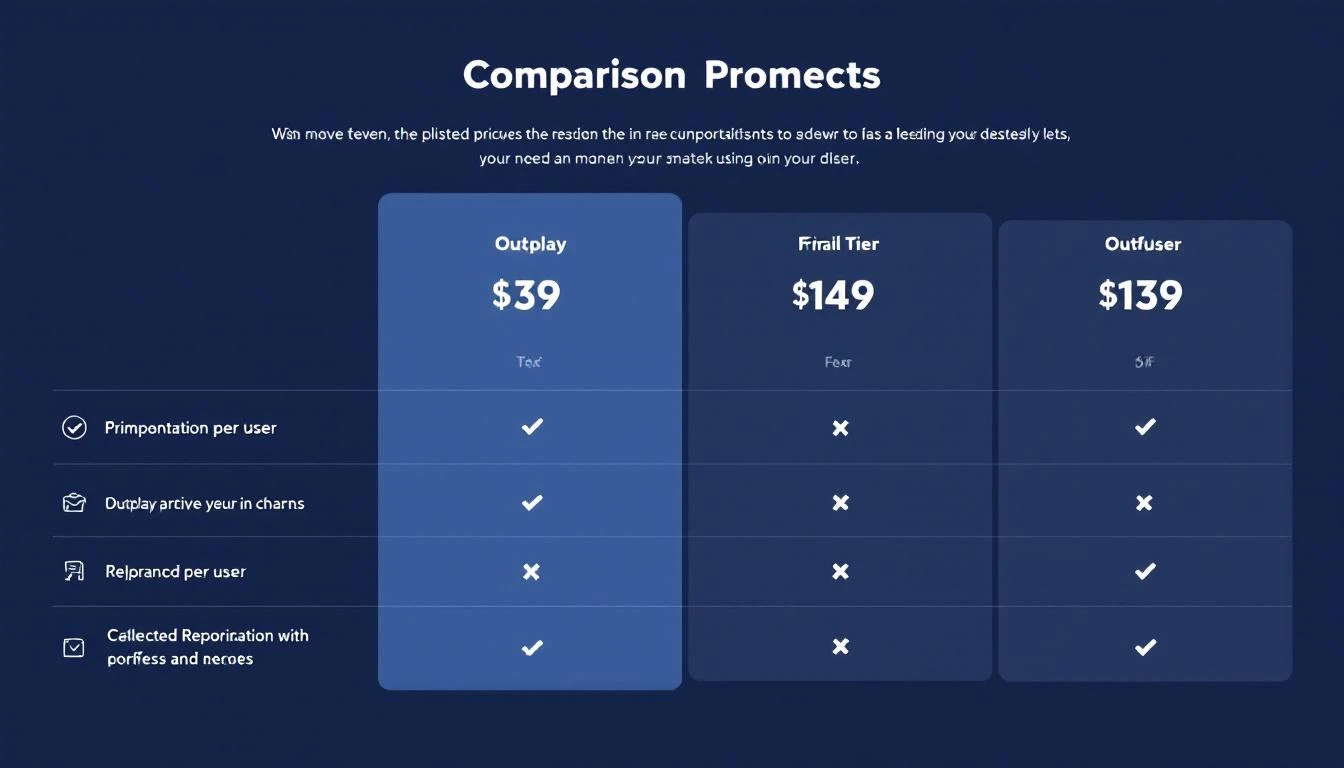
Outplay has carved out a strong niche as the "affordable Outreach/SalesLoft alternative." And on the surface, the pricing looks simple — plans range from $39 to $139 per user per month.
But what you'll actually pay depends on which features you need, how fast you grow, and whether you realize the Starter plan is deliberately limited to push you toward higher tiers.
Let's break down every plan, the add-on costs nobody talks about, and whether you're better off with a platform that doesn't charge you extra for the features that matter.
The Starter plan looks attractive at first glance: unlimited emails, AI sequence writer, and CRM integration for under $40/month. But here's what you're giving up:
What you get:
5,000 active prospects per month
20K prospects storage
5 mailboxes
Email outreach only (no phone, no LinkedIn, no SMS)
AI sequence writer and objection handling
Basic CRM integration
A/B testing
Chat support
What you don't get:
Multichannel outreach (email only)
No dialer — not even a basic one
No website tracking
No LinkedIn automation
No team management features
No opportunities or accounts view
Limited to 1 user
The Starter plan is fine for a solo founder running email-only campaigns. But any SDR team will outgrow it in weeks. The single-channel limitation is the biggest constraint — modern B2B sales requires at minimum email + phone + LinkedIn.
Outplay recently launched an AI SDR module that generates leads and creates personalized sequences automatically:
300 lookalike leads
Unlimited AI SDR agents
AI personalization
Auto and co-pilot modes
Starts from 1K active prospects
The AI SDR is sold as a separate add-on. If you want ICP-targeted leads beyond the base 300, that's an additional $50/month per lead batch.
The Real Cost: What a 5-Person SDR Team Actually Pays
Here's where the math gets interesting. Let's calculate what a typical 5-person SDR team pays on each plan:
Scenario
Monthly Cost
Annual Cost
5 users on Starter
N/A (1 user only)
N/A
5 users on Growth
$445/month
$5,340/year
5 users on Enterprise
$695/month
$8,340/year
5 users on Growth + AI SDR
$544/month
$6,528/year
5 users on Enterprise + AI SDR + CI
$859/month
$10,308/year
And that's just Outplay. For a complete SDR stack, you still need:
Visitor identification tool — Outplay tracks website visitors but doesn't identify companies. You'll need a separate tool like Clearbit or 6sense ($500-2,000/month).
Data enrichment — Outplay doesn't provide contact data. You need ZoomInfo, Apollo, or Lusha ($100-1,000/month).
Conversation intelligence — 240-480 min of transcription is laughably low for active call teams. Budget for Gong or Chorus ($100-300/user/month).
Total stack cost for 5 SDRs: $1,645–$3,445/month when you include the tools Outplay doesn't provide.
Outplay has 269 reviews on G2 with generally positive scores, but the complaints paint a clear picture:
Strengths users love:
Affordable compared to Outreach/SalesLoft
Easy to set up and get started
Strong email automation
Professional onboarding support
Common complaints:
Data inaccuracy — raw values and reporting limitations frustrate power users
LinkedIn prospecting is weak — tracking and sequencing features on LinkedIn don't match email capabilities
Basic reporting — analytics aren't comprehensive enough for managers tracking team KPIs
Customer support inconsistency — great during onboarding, but slower for ongoing issues
Limited email design tools — creating visually appealing emails is harder than it should be
Outplay vs MarketBetter: A Different Approach Entirely
The comparison isn't just about price — it's about what each platform actually does for your SDR team.
Feature
Outplay ($89/user)
MarketBetter ($99/user/month flat)
Pricing model
Per user/month
Flat monthly (team-based)
Visitor identification
Basic website tracking
Full company identification
Daily playbook
No — you decide what to work on
AI-prioritized action items
Email automation
✅ Sequences
✅ Hyper-personalized
Smart dialer
Basic (Growth) / Power (Enterprise)
✅ Built-in
AI chatbot
❌
✅ Engages every visitor
Contact enrichment
❌ Needs third-party
✅ Built-in
Champion tracking
❌
✅ Job change alerts
AI SEO monitoring
❌
✅ Brand mention tracking
The fundamental difference: Outplay automates the execution of outreach — you still need to figure out who to contact, when, and why. MarketBetter starts with the intelligence — who's showing intent, what signals matter — and then gives you the execution tools built-in.
For a 5-person team, Outplay Growth costs $445/month for sequences alone. MarketBetter at $99/user/month replaces Outplay plus your visitor ID tool, data enrichment, and chatbot — saving you $100-1,900/month on the total stack while giving your reps a prioritized daily playbook instead of an empty sequence builder.
Outplay's $89/user pricing is genuinely competitive for multichannel sequencing. If you're migrating from Outreach ($100+/user) or SalesLoft ($125+/user), the savings are real.
But per-user pricing has a structural problem: it punishes growth. Every new hire adds $89-139/month. Every tool gap (visitor ID, enrichment, chatbot) adds another vendor.
Regie.ai has evolved from an AI content generation tool into a full autonomous prospecting platform — AI agents, a built-in dialer, and a 220M+ contact database they call RegieOne. The product has changed dramatically. But the pricing? Still opaque.
Here's what we know about what Regie.ai actually costs in 2026.
Regie.ai does not publish pricing on their website. Their pricing page says "Pay for Impact & Outcomes, Not Access" and directs you to book a demo. Based on user reports, review data from SalesRobot and G2, and third-party analysis:
Metric
Estimated Range
Starting Price
~$5,000+/year
Per-User Cost
Custom (estimated $400-800+/user/mo)
Contract Length
Annual (typically)
Data Access
220M+ contacts included
Dialer
Bundled with Agents (cannot buy separately)
Important: Regie has restructured their offering. You can't buy individual components — the AI Dialer only comes bundled with AI Agents.
Regie.ai's biggest bet is on autonomous AI agents — software that prospects on your behalf without human intervention. This is fundamentally different from tools that augment human SDRs.
The promise: AI agents work 24/7, never miss a signal, and scale without hiring.
The reality check: Fully autonomous outreach still carries risks:
Generic messaging at scale can damage your brand
Prospects increasingly detect and ignore AI-generated outreach
Complex deals still need human judgment and relationship building
Compliance risks with aggressive automation
The alternative approach — AI-augmented human selling — uses technology to surface the right accounts, provide context, and suggest actions, while keeping humans in control of the actual selling conversation. This is the difference between a fully autonomous agent and a daily playbook that makes your existing team 3x more effective.
Regie.ai has ambitious technology — autonomous AI agents that prospect on your behalf with a massive contact database included. But the opaque pricing, annual lock-in, and fundamental bet on fully autonomous outreach make it a significant commitment.
For teams that believe the future is AI agents replacing SDRs entirely, Regie.ai is worth a demo. For teams that believe the future is AI-augmented human selling — where technology surfaces signals and humans close deals — a platform like MarketBetter delivers the intelligence layer without removing humans from the equation.
Regie.ai made its name as the "AI content engine for sales teams" — generating personalized emails, social media posts, call scripts, and follow-up sequences using generative AI trained on high-performing sales content. With 339 G2 reviews, 65 G2 category recognitions, and a $35,000/year starting price, Regie has positioned itself as a serious enterprise play.
But user feedback reveals a persistent tension: the AI generates content fast, but does it sound human? We analyzed G2 reviews, AnyBiz comparisons, and real user feedback to deliver an honest assessment.
Regie.ai is an AI-powered sales engagement platform that combines content generation, prospect research, and outbound automation. The platform has evolved significantly from its origins as a "content generation tool" into a broader outbound system.
Core capabilities:
AI Content Generation — Personalized emails, LinkedIn messages, call scripts, and follow-up sequences generated from prospect research (LinkedIn profiles, company news, podcast appearances, blog posts)
Autonomous AI Agents — AI prospectors that research, write, and send outreach autonomously with human approval gates
AI Dialer — Parallel dialing added as an expansion play, available as an add-on
Intent Detection — Tracks buying signals to prioritize outreach timing
Lookalike Audience Identification — Analyzes existing customers to find similar prospects
With 339 G2 reviews, Regie has substantial social proof. The platform earns strong marks overall, but a consistent theme emerges: the AI content is fast but imperfect.
Speed of content creation. This is the most praised feature. Users consistently report that what used to take 15–20 minutes of manual research and writing per prospect now takes 2–3 minutes. For high-volume SDR teams sending 100+ emails/day, this time savings is transformative.
Research depth. Regie pulls personalization data from LinkedIn profiles, company news, recent podcast appearances, blog posts, and job postings. The breadth of sources used for personalization is genuinely impressive and goes beyond what most AI writing tools offer.
Advanced personalization capabilities. The platform excels at pulling relevant snippets — a prospect mentioned AI in a podcast, their company just raised a Series B, they published a LinkedIn post about their tech stack challenges. Regie weaves these into outreach naturally.
User-friendly interface. Despite the complexity of the platform, users consistently praise the UI as intuitive and easy to navigate. Onboarding time is reportedly shorter than comparable enterprise tools.
Data aggregation. Users find the data aggregation feature helpful for compiling concise prospect profiles that efficiently communicate relevant context to SDRs.
Robotic tone. This is the most common criticism across G2 reviews, and it's a significant one. Despite the personalization features, the final AI-generated content often lacks the natural, human voice that makes cold outreach effective. Multiple reviewers describe the output as "salesy" and note that heavy editing is required before sending.
Quantity over quality pattern. Several users report that Regie's default behavior favors volume — sending more messages — rather than ensuring each message is genuinely compelling. The AI can generate 50 email variants quickly, but many feel templated despite surface-level personalization.
Limited scope beyond content. While Regie has expanded into AI agents and dialing, users feel the platform remains strongest at content generation and falls short in lead nurturing, comprehensive CRM management, and full-cycle deal tracking.
Occasional technical issues. Some users report bugs with integrations, particularly with Outreach and Salesloft connectors. For a $35K/year platform, integration reliability should be rock-solid.
LinkedIn outreach friction. Despite offering LinkedIn automation, some users report compliance concerns and technical limitations that make the LinkedIn channel less reliable than email.
No Capterra reviews. Oddly, Regie has zero Capterra reviews despite 339 on G2. This isn't necessarily a red flag, but it's unusual for a platform of this scale.
For large teams where content consistency and speed matter more than individual artistry, Regie's AI generation creates a solid baseline. Even if reps need to edit 20–30% of the output, starting with 70% of a good email is faster than starting from scratch.
If your growth strategy is fundamentally outbound — high-volume email, LinkedIn, and phone — Regie's combination of content generation, contact data, and the new dialer creates a reasonably complete stack. Not best-in-class at any single function, but competent across the board.
Regie works best when SDRs treat the AI output as a first draft, not a finished product. Teams that build an "AI generates, human refines" workflow extract the most value. Reps who blindly send AI-generated content see lower results.
For companies currently paying for 4–5 separate tools (data, sequencing, content, intelligence), Regie's all-in-one approach at $35K/year can be cost-competitive when you add up what you're replacing.
This isn't a nitpick — it's the platform's core challenge. If AI-generated content sounds noticeably AI-generated, you're training prospects to recognize and ignore your outreach. In a world where every SDR tool now uses AI to write emails, standing out requires content that genuinely sounds human. Regie isn't there yet.
Like many outbound tools, Regie focuses on what to send but not what to do. There's no prioritized daily playbook that tells SDRs: "Call Sarah at Acme first because she visited your pricing page, then email Tom because his company just raised funding, then follow up with Mike because his LinkedIn post mentioned your category."
Regie generates messages. It doesn't orchestrate a rep's entire day.
At $35,000/year minimum, Regie requires significant outbound volume to justify the investment. A 3-person SDR team paying $11,667/user/year for content generation and basic sequencing may find better ROI with cheaper alternatives.
Regie is built for outbound-first teams. If your strategy involves significant inbound (website visitors, content leads, chat conversations), Regie has no mechanism to handle those signals. You still need a separate inbound infrastructure.
While Regie offers intent detection, it doesn't capture first-party signals like website visits, product usage, or email engagement as deeply as signal-first platforms. The platform tells you what to say, but it's less opinionated about who deserves your attention based on real buying behavior.
Regie.ai has evolved from a content generation tool into a comprehensive outbound platform, and the breadth of capabilities is impressive for teams that can afford the $35K/year entry point. The AI research and personalization features genuinely save time, and the 339 G2 reviews demonstrate market traction.
But the persistent "robotic tone" feedback is concerning for a platform whose entire value proposition is AI-generated content. If your SDRs need to heavily edit every AI output, you're paying enterprise prices for a first-draft generator. And the lack of daily task orchestration means Regie tells your team what to say but not what to do with their day.
Our verdict: 6.5/10. Strong for large enterprise teams committed to high-volume outbound where speed matters more than individual message artistry. Less compelling for smaller teams or organizations where every customer touchpoint needs to feel authentically human.
Free Tool
Try our AI Lead Generator — find verified LinkedIn leads for any company instantly. No signup required.
Looking for an SDR platform that combines signal intelligence with a daily action plan — not just AI-generated emails?Book a demo with MarketBetter and see how the Daily SDR Playbook turns website visits, intent signals, and job changes into prioritized next steps.
Seamless.AI doesn't publish pricing on its website. You'll see "Start for Free" and "Contact Sales" — no dollar amounts.
That alone is a red flag for many buyers. But after digging through Reddit threads, Cognism's research, G2 reviews, Capterra feedback, and user reports, here's what Seamless.AI actually costs in 2026.
Warning: Seamless.AI has the worst cancellation reputation in B2B sales tools. Read the contract section carefully before signing anything.
One Reddit user (July 2025) reported Pro at $79/user/month with 1,000 credits, plus $49 for 500 additional credits. Sybill's analysis found Pro ranging from $147 to $299/user/month. The gap suggests aggressive discounting for larger teams.
Unlike Lusha (which charges 10 credits for phones), Seamless.AI uses a flat 1-credit-per-contact model. This seems better on paper — but the total credit allocation is often lower than competitors.
This is where Seamless.AI earns its worst reputation. Across G2, Capterra, Trustpilot, and Reddit, cancellation complaints are the #1 issue — more than data quality, more than pricing, more than features.
What users report:
Auto-renewal traps: "Seamless auto-renewed my annual contract without any warning email. By the time I noticed, they said it was too late to cancel." (Trustpilot, 2025)
Difficulty canceling: "I submitted a cancellation request 3 months before renewal. They acknowledged it, then charged me anyway. Took 4 months and a credit card dispute to resolve." (G2 reviewer)
Aggressive retention: Multiple users report being transferred between departments when trying to cancel, with each person offering discounts instead of processing the cancellation.
Capterra reviewer (August 2025): "Concerns often arise around data accuracy, high email bounce rates, hidden costs, and difficulty in canceling subscriptions."
G2 reviewer (2026): "Data accuracy can be inconsistent — some contacts are spot on, while others may be outdated or bounce, so you still need a verification step and good list hygiene."
Sybill analysis: "Users across review platforms report unexpected auto-renewals, difficulty canceling subscriptions, and being charged after requesting cancellation. Data accuracy is the second most common complaint."
If 15–25% of your reveals bounce (common complaint), you're effectively paying 15–25% more per valid contact.
Once you're on a paid plan, downgrading to Free isn't straightforward. Users report having to go through sales to make any plan changes, even downgrades.
Seamless.AI solves contact discovery well with its real-time search engine. But the contract practices cast a shadow over the product. When the #1 complaint about your tool isn't the tool itself but how hard it is to stop paying for it, that's a trust problem.
For teams evaluating Seamless.AI: budget 40–60% above the quoted price for add-ons, read every line of the contract, and get cancellation terms in writing before signing.
Or consider platforms like MarketBetter that include enrichment, visitor identification, and SDR workflow in one predictable price — with no credit system and no cancellation horror stories.
Seamless.AI is a paradox in B2B sales tech. The product — a real-time contact search engine — is genuinely useful. But the company's contract and cancellation practices have created a trust deficit that dominates every review platform.
After analyzing reviews across G2 (4.2/5, 1,200+ reviews), Capterra (3.7/5), Trustpilot, and Reddit, here's the unfiltered picture.
Unlike static databases (Lusha, Apollo), Seamless.AI searches for contacts in real-time. Instead of querying a pre-built database, it actively finds and verifies contact information when you search. This means you can sometimes find contacts that aren't in other databases yet.
G2 reviewer: "The real-time search engine is what sets it apart. I've found contacts that weren't in ZoomInfo or Apollo."
Pro plans offer 1,000 daily credits for teams of 5+. That's 5,000 reveals per day across the team — significantly more than Lusha's 800/month per user. For high-volume list building, the credit allocation is competitive.
Similar to Lusha, Seamless.AI offers a Chrome extension for LinkedIn prospecting. Integrations with Salesforce, HubSpot, and other CRMs are included on all plans. The extension works well and surfaces data quickly.
Seamless.AI claims access to 1.9 billion+ contact and company records. While "access to" doesn't mean "verified," the raw coverage is impressive for finding hard-to-reach prospects.
This isn't a minor complaint — it's the defining characteristic of Seamless.AI's reputation. Across every review platform, cancellation difficulties are the most discussed issue.
Trustpilot reviewer (2025): Auto-renewed without warning email. By the time the user noticed, it was "too late to cancel."
G2 reviewer: Submitted cancellation 3 months early, acknowledged by Seamless, still charged. Took a credit card dispute to resolve.
Reddit (July 2025): "The lack of upfront pricing info is my biggest complaint. Just put the damn prices on your website instead of making everyone jump through sales hoops."
Capterra (August 2025): "Concerns often arise around data accuracy, high email bounce rates, hidden costs, and difficulty in canceling subscriptions."
Pattern: Users report being transferred between departments, offered discounts instead of cancellation processing, and charged after confirmed cancellation. This isn't a few isolated cases — it's a systemic pattern across hundreds of reviews.
"Sometimes the data isn't 100% accurate, so I have to double-check contacts," one G2 reviewer notes. This is the second most common complaint after cancellation issues.
Specific issues users report:
Email bounce rates higher than expected (15–25% range for some users)
Phone numbers that go to wrong departments or are disconnected
Company data that's months or years outdated
Better accuracy for US contacts than international
G2 reviewer (2026): "Data accuracy can be inconsistent — some contacts are spot on, while others may be outdated or bounce, so you still need a verification step."
For a tool that charges credits per reveal, inaccurate data means you're paying for contacts you can't use.
Seamless.AI is one of the few mid-market sales tools that refuses to publish pricing. In 2026, when Apollo, Lusha, and even some enterprise tools list prices publicly, this feels deliberately opaque.
What we've pieced together from user reports:
Basic: ~$147/month (annual billing)
Pro: $79–$299/user/month (varies by negotiation)
Enterprise: $149+/user/month
Add-ons (intent, automation, AI writer): 40–60% additional
The base plan is intentionally lean. Buyer intent data, job change alerts, AI writer, prospecting automation, and enrichment features all cost extra. A fully-featured setup costs significantly more than the quoted price.
Reply.io analysis: "Seamless AI reviews are mixed, but in general, user experiences confirm that Seamless AI works well as promised, with certain data accuracy issues."
Seamless.AI built a genuinely useful real-time search engine for B2B contacts. If the company fixed its contract practices and published transparent pricing, it would be a strong competitor.
But in 2026, the cancellation issues are disqualifying for many teams. When the most discussed aspect of your product is how hard it is to stop paying for it, something is fundamentally broken — and it's not the technology.
If you want contact data without the risk: Apollo offers similar functionality with transparent pricing and easy cancellation. Lusha is simpler but more limited. Cognism eliminates the credit system entirely.
If you want to move beyond data tools entirely: MarketBetter identifies buyers who are already looking at your product and turns that signal into an SDR workflow — no credit system, no contract traps, just a daily playbook that tells your team exactly what to do.
In the world of outbound sales, your email is one of thousands competing for attention in a crowded inbox. The single line of text that determines whether you get a chance to make your case or get instantly archived is the subject line. Mediocre subject lines directly cause poor open rates, which means wasted sales development representative effort and a pipeline that never reaches its potential. Think of it this way: a brilliant email body with a terrible subject line is like a locked treasure chest with no key. It doesn't matter what's inside if no one can open it.
This guide moves beyond generic advice like "keep it short." We will break down 10 specific, battle-tested frameworks for writing subject lines for sales emails that consistently perform. You will get actionable templates for different scenarios, from a cold first touch and persistent follow-ups to securing demos and re-engaging cold leads. We’ll compare the strengths of a curiosity-driven approach versus a direct, value-based one, helping you choose the right strategy for each specific prospect and situation.
Ultimately, this article provides a strategic playbook for crafting subject lines that demand to be opened. You will learn how to personalize at scale, trigger curiosity, and communicate value before the prospect even clicks. We’ll also cover how to use modern tools to generate effective variants and deploy them directly within your existing CRM, turning theory into immediate, measurable action for your sales team.
This technique hinges on a powerful psychological principle: humans are wired to seek closure. A curiosity gap subject line intentionally withholds key information, creating an "open loop" in the reader's mind that can only be closed by opening the email. Unlike a direct value proposition, which gives the answer upfront, this approach makes opening the message feel like a necessary next step to satisfy a mental itch. It's one of the most effective strategies for cold outreach because it breaks through the noise of predictable sales pitches.
The key to making this work without appearing like clickbait is grounding the curiosity in relevance. A generic "I have an idea" is weak, but a specific, research-based hook is compelling.
The best curiosity-driven subject lines for sales emails feel personal and hint at insider knowledge. They make the prospect wonder, "What do they know that I don't?"
Compare This:"Quick question" (vague and overused)
With This:"[Prospect Name], quick question about [Company]" (specific and personalized)
Mention a Competitor:Did [Competitor] approach you about this? (creates immediate intrigue and urgency)
Hint at an Insight:Found something interesting about [Company]'s [process/tech]
Show Humility (and Intrigue):Probably not the right person, but…
Key Insight: The goal isn't to be mysterious for the sake of it. The goal is to create a gap between what your prospect knows and what they want to know, positioning your email as the bridge.
When using this approach, timing and context are everything. It’s most effective for the first touch in a sequence. Once the conversation is started, pivot to more direct value.
Your Action: Go to your sent folder and find five emails with the subject line "Quick question." Now, rewrite each of them using a more specific curiosity hook, like [Name], question about your [tech stack name] setup. The goal is to make the question feel tailored, not generic. Always A/B test a curiosity subject line against a direct value prop to see what converts best for your specific audience.
This approach combines two powerful elements: the prospect's name or company and a timely, specific event. A trigger event, such as a funding announcement, key new hire, product launch, or even a technology migration, provides a legitimate and compelling reason to reach out. This strategy immediately proves you’ve done your research and aren't just sending a mass blast.
Comparison: A generic Congrats on your success is easily ignored. In contrast, a subject line tied to a concrete business action like Congrats on the Series B signals you understand the prospect's current priorities and answers the silent question: "Why me, and why now?" To effectively personalize these emails and find trigger events, gathering specific information is crucial. Learning how to properly scrape LinkedIn data can provide the valuable insights needed for this high-impact approach.
The best trigger event subject lines for sales emails feel like they were written just for one person. They reference a specific achievement or change that directly connects to the value you can provide.
Reference Funding:[Name], congrats on the Series B
Acknowledge a New Hire:Saw you just hired [Title] — smart move
Connect to a Launch:[Company]'s [Product] launch. Thought of you.
Mention M&A Activity:Smart acquisition of [Acquired Company]
Note a Tech Stack Change:[Name], your [Platform] migration caught my eye
Key Insight: This isn't just about name-dropping an event. It's about connecting that event to a specific business pain or opportunity that your solution addresses, making your outreach incredibly timely and relevant.
Your Action: Set up a Google Alert for three of your target accounts with keywords like "funding," "new hire," and "product launch." The next time an event occurs, your action is to send an email within 24 hours using one of the templates above. The context must also align perfectly with the email body. You can learn more about how to connect your subject line to the rest of your message by exploring our guide on how to write cold emails. Timing is critical; these are most effective within 48 hours of the event.
Instead of leading with your solution, this technique leads with your prospect's problem. A pain-based subject line immediately acknowledges a specific, relatable business challenge tied to the recipient's role or industry. This approach builds instant relevance and positions you as a thoughtful problem-solver, not just another vendor.
Comparison: A subject line focused on your product, like Demo of MarketBetter.ai, forces the prospect to figure out why they should care. A pain-based subject line, such as Struggling with SDR ramp time?, does the work for them by immediately connecting to a potential issue. By articulating their pain point clearly, you demonstrate that you've done your research and understand their world.
Effective problem-based subject lines are specific, timely, and directly address a challenge the prospect is likely facing now. They are less about guessing and more about making an educated, research-backed statement about a common operational friction point.
Tie to a Role-Specific Issue:[Name], most [Title]s we talk to are drowning in manual SDR admin
Frame it as a Question:Slow sales cycles at [Company]?
Connect Two Business Functions:Managing pipeline visibility when leads aren't logging activity?
Focus on a Known Industry Trend:[Company], revenue leaders tell us toolstack bloat kills SDR adoption—sound familiar?
Key Insight: People are more motivated to act to avoid pain than to gain a benefit. A well-crafted subject line that hits a nerve is more compelling than one promising a vague positive outcome.
Your Action: Talk to your account executives or customer success managers and ask for the top three pain points they hear from new customers. Turn each of those pain points into a subject line using the templates above. Now you have three proven, customer-validated subject lines to test in your next sequence. The more specific and validated the problem, the higher your open and reply rates will be. Always ensure the email body expands on the pain point mentioned in the subject, showing you have a deep understanding of the challenge.
This approach leans on the psychological principle of trust by association. A social proof subject line immediately establishes credibility by referencing a mutual connection, a recognizable peer company, or an impressive case study. Instead of asking a prospect to trust a complete stranger, you're borrowing credibility from a source they already know or respect.
Comparison: A cold email from an unknown sender is inherently skeptical. However, a subject line like [Mutual Contact] suggested I reach out transforms it into a warm referral. This method is exceptionally effective because it reduces the friction and skepticism inherent in cold outreach.
The power of social proof is in its specificity. A vague "we have customers" is weak, but mentioning a direct competitor or a well-regarded company in their industry is a powerful hook that demands attention.
The best social proof subject lines for sales emails are direct, name-drop with purpose, and connect that proof to a potential benefit for the prospect. They answer the subconscious question, "Why should I listen to you?" before the email is even opened.
Reference a Mutual Connection:[Name], [Mutual Contact] suggested I reach out
Highlight a Peer's Success:Like [Competitor/Peer], we helped them with [outcome]
Showcase a Relevant Case Study:[Name], we just helped [Peer Company] reduce ramp time by 40%
Connect to Their Tech Stack:Saw [Prospect Company] is using [Technology]—we specialize in that stack
Key Insight: Social proof isn’t just about name-dropping. It's about demonstrating relevance and showing you understand the prospect’s world because you already work with others just like them.
Your Action: Identify your top five happiest customers. For each, find three prospects on LinkedIn that share a similar industry, company size, or role. Craft a specific, peer-focused subject line for each prospect, like [Prospect Name], we just helped [Happy Customer] solve for [pain point]. This creates a repeatable, scalable way to leverage your existing success. Always ensure the social proof is genuine and directly relevant to the person you are contacting.
This approach creates a sense of scarcity or time-bound relevance, compelling the recipient to act now rather than later. By framing the conversation around a specific deadline or limited opportunity, it taps into the fundamental fear of missing out (FOMO).
Comparison: Many sales subject lines are easy to archive for "later." An urgent one, like Before Q4 budget closes, provides a concrete reason to prioritize your email over the countless others that can be dealt with anytime. However, the urgency must be genuine. Fabricated scarcity like "offer ends today!" damages credibility, while authentic urgency tied to a real business event (budget cycles, a competitor's move) adds value.
A successful urgent subject line connects a real business event to a potential benefit for the prospect, making it feel like timely, helpful advice rather than a pushy sales pitch. The goal is to make them think, "If I don't look at this now, I might lose a competitive edge or a key opportunity."
Tie to a Deadline:Before [Q3 budget cycle] closes: [Outcome] ROI opportunity
Reference a Limited Window:[Name], your [Platform] migration window is closing
Highlight a Hiring Surge:[Company] is hiring rapidly - we support these transitions once a quarter
Offer Limited Slots:We're taking on 3 more accounts in your space - want the strategy?
Key Insight: Authentic urgency is a service, not a sales trick. You are not creating pressure; you are highlighting existing pressure your prospect is already feeling and offering a path to relieve it.
Your Action: Identify a common, time-sensitive event in your industry (e.g., end-of-quarter, major conference, typical budget season). Draft two subject line templates based on that event. The next time the event approaches, run an A/B test with those subject lines in your outreach sequence. This technique is often best reserved for a second or third touchpoint after establishing initial context. The email body must immediately justify the urgency mentioned.
6. The Specific Metric / Outcome-Driven Subject Line
This approach cuts through the ambiguity of typical sales promises by leading with a hard, quantifiable result. Instead of vague benefits like "improve efficiency," an outcome-driven subject line presents a concrete number, such as "reduce manual data entry by 90 minutes daily."
Comparison: A subject line like Improve your sales process is a weak, unproven claim. In contrast, Reduce SDR ramp time by 40% is a specific, compelling metric that connects directly to key performance indicators (KPIs). For roles like sales operations or leadership, where performance is measured in numbers, these subject lines are exceptionally powerful because a specific number implies you have proof to back it up.
The key is to connect your product's impact to a metric the recipient personally cares about. A front-line rep is motivated by dials and commissions, while a VP of Sales is focused on team ramp time and revenue targets.
For Sales Leaders:[Name], teams using MarketBetter ramp new SDRs 40% faster
For Operations:[Company], reclaim 90 min/day from activity logging
For Reps/Managers:[Name], average SDR goes from 8 to 15 daily dials-no extra admin
For Data-Focused Roles:activity logging adoption jumps to 95%
Key Insight: Vague benefits invite skepticism. A precise, relevant metric sparks curiosity and positions your email as a source of valuable business intelligence, not just another sales pitch.
Your Action: Pull up your top three case studies. For each one, extract the most powerful metric. Now, turn that metric into a subject line targeted at the same role as the person in the case study. For example, if a case study with a VP of Sales highlights a 25% increase in meetings booked, your new subject line is [Prospect Name], 25% more meetings booked. Before you send, be prepared to prove it. The body of your email should immediately validate the claim.
This subject line template powerfully combines social proof with a direct benefit. It works by mentioning a company similar to the prospect's (a peer or competitor) and immediately connecting that reference to a specific, desirable outcome you provide.
Comparison: A "Social Proof" subject line (We work with [Peer]) is good. A "Value Proposition" subject line (Boost your pipeline) is okay. This formula combines them into something better: Like [Peer], we help teams boost pipeline. For B2B sales, this is exceptionally effective because it answers two critical questions in a single glance: "Who else trusts you?" and "What's in it for me?".
The best subject lines using this method are concise and link a familiar name to a specific, metric-driven result. They create an immediate sense of, "If it worked for them, it could work for us."
Metric-Driven Outcome:[Name], like [Peer Company], we help SDR teams reduce ramp time by 40%
Aspirational Goal:[Company], revenue teams using us typically see 3x more qualified conversations
Pain Point Solution:Similar to [Peer], we help Salesforce teams eliminate manual activity logging
Broad Social Proof:We've worked with [3 similar companies]—most see faster pipeline creation
Key Insight: The reference provides the credibility, while the value proposition provides the motivation. The combination turns a cold email into a warm introduction by association.
Your Action: Create a two-column list. In the left column, list five of your best-known customers. In the right column, list the main value proposition they achieved (e.g., "cleaner CRM data," "faster ramp time"). Now, combine them into five powerful subject line templates you can use for prospects in the same industry. A/B test a hard metric (e.g., reduce ramp time by 40%) against a softer benefit (e.g., cleaner activity data) to see which resonates most.
This approach turns a typical sales pitch on its head by leading with a genuine question. Instead of pushing a solution, a question-based subject line prompts the reader to pause and reflect on their own challenges.
Comparison: A statement like We can improve your SDR workflow is a sales pitch. A question like Are your SDRs bogged down in admin? is the start of a conversation. It works by sparking a moment of self-assessment, which immediately makes the email feel more consultative. This technique is highly effective because it bypasses the brain's "sales pitch" filter and engages the recipient on their own terms.
Effective question-based subject lines for sales emails are specific, tied to a known business problem, and personalized to the recipient's role. They should feel like they were written for an audience of one, not a thousand.
Focus on Key Metrics:[Company], what's your SDR ramp time looking like?
Highlight Common Pain Points:[Name], are your reps actually logging activity to Salesforce?
Pose a Strategic Challenge:[Company], where's your biggest pipeline creation bottleneck right now?
Frame a 'What If' Scenario:If your team could reclaim 2 hours/day, what would they do with it?
Key Insight: The best questions don't ask for a "yes" or "no." They encourage a thoughtful pause by pointing directly at a business challenge or opportunity, positioning your email as a source of potential answers.
Your Action: Look at your most recent sales call notes. What questions did the prospect ask you about their own process? Those are pure gold. Turn the best one into a subject line. For example, if a prospect asked, "How do we get better visibility into rep activity?" your subject line becomes [Name], better visibility into rep activity?. Always follow up the question in the email body with a quick insight or data point.
9. The Comparison / Competitive Context Subject Line
This strategy positions your solution by framing it against a competitor, an industry-standard approach, or a common pain point associated with the status quo. It works by tapping into a prospect's existing knowledge and frustrations, creating a mental shortcut to understanding your value.
Comparison: Saying We are a better solution is an unsubstantiated claim. A better approach is to highlight a known limitation of the alternative: Outreach/Salesloft are powerful, but [Specific limitation] - we solve that. This is a powerful way to write subject lines for sales emails aimed at educated buyers in a crowded market because it shows you understand their world.
The goal is to draw a clear contrast that makes the prospect think, "Yes, that's exactly the problem we have." The key is to frame the comparison so your solution becomes the obvious, superior alternative. Avoid being overly aggressive; focus on the limitation of the approach, not just the competitor.
Highlight a Key Differentiator:[Company], typical SDR task management wastes reps' time
Contrast with an Industry Norm:[Name], most sales platforms live outside Salesforce - here's why that fails
Call Out a Specific Limitation:Outreach/Salesloft are powerful, but [Specific limitation] - we solve that
Focus on a Better Outcome:Unlike generic AI writers, ours uses real account context
Key Insight: The most effective comparisons don't just state that you're different; they articulate why that difference matters to the prospect's bottom line. Connect your unique approach to a tangible business outcome.
Your Action: Identify your number one competitor. What is the single biggest frustration your customers have with their product? Turn that frustration into a subject line. For example, if your competitor has poor CRM integration, a great subject line is [Name], tired of syncing data from [Competitor] to Salesforce?. The email body must then quickly substantiate the claim made in the subject line with a clear, concise explanation of your alternative.
10. The Pattern Interrupt / Unexpected Angle Subject Line
Most inboxes are a stream of predictable formulas: "quick question," "15 mins for [Company]?," and "[Value Prop] for you." The pattern interrupt technique succeeds by deliberately breaking this formula.
Comparison: The standard subject line Meeting request is easily ignored. An unexpected angle like I'm not going to ask for a meeting jolts the reader out of their autopilot "scan and delete" mode. By violating the unwritten rules of cold outreach, these subject lines earn a moment of genuine attention, creating a window for your message to land. The goal isn't to be weird, but to be refreshingly direct and insightful.
A successful pattern interrupt subject line must be grounded in real insight; a gimmick will be spotted immediately. The email body must then deliver on the promise of the subject line, maintaining the same non-formulaic tone.
Challenge a Common Practice:[Company], your Salesforce dialer is costing you $X/year in friction (the math inside)
State a Bold, Non-Salesy Intention:[Name], I'm not going to ask for a meeting—but I think you'll want to read this
Point Out a Hidden Flaw:[Company], every SDR tool you bought is missing this one thing
Reframe a Common Problem:[Name], your last 10 SDR hires probably ramp slower than they should—want to know why?
Key Insight: Pattern interrupt subject lines work because they trade a generic request for a specific, thought-provoking observation. You are selling insight first, not your product.
Your Action: This strategy is best reserved for high-value accounts where you have done deep research. Find one high-value prospect and research one non-obvious problem they likely have. Craft a bold, insightful subject line that frames that problem in a new way. The goal is to make them stop and think, "I hadn't considered that." This is a high-effort, high-reward play.
⭐⭐–⭐⭐⭐ — high novelty and memorability, variable conversion
Executive/founder outreach and very targeted sequences
Stands out in crowded inboxes; highly memorable when well‑executed
From Theory to Action: Implementing Your Subject Line Strategy
We've explored a wide range of frameworks for crafting compelling subject lines for sales emails, from sparking curiosity with open loops to establishing authority with social proof. You now have a full arsenal of templates and psychological triggers designed to cut through the noise of a crowded inbox. But recognizing a good subject line and consistently deploying effective ones are two very different challenges. The true test lies in moving beyond the theoretical and into the practical, day-to-day execution of your sales outreach.
The difference between a top-performing sales team and an average one often comes down to this execution gap. An average team might find a subject line they like, such as the "Personalization + Trigger Event" formula, and use it sporadically. A great team, however, operationalizes it. They build a system to track trigger events, create a library of proven subject lines for each scenario, and train their SDRs to deploy them with the right context at the right time. They don't just know what works; they have a process to ensure it happens every single time.
Mastering the art of the subject line isn't about finding a single "magic bullet" phrase. It’s about building a strategic, data-informed process. Here are the core principles to focus on as you implement what you've learned:
Context is King: A subject line like "{Mutual Connection} suggested we connect" is powerful, but it’s useless without a system for tracking and surfacing referrals. Similarly, a pain-based subject line falls flat if it isn't targeted at a persona who actually experiences that specific problem. Your CRM data and buyer intelligence are the fuel for every great subject line.
A/B Testing is Non-Negotiable: You cannot rely on assumptions. Does a question-based subject line outperform a direct, outcome-driven one for your ideal customer profile? The only way to know is to test. Set up controlled experiments, even small ones, to compare two different approaches. Track your open rates and reply rates meticulously to find what truly resonates with your audience.
The Subject Line is Just the Hook: A brilliant subject line earns you an open, but the email body earns you a reply. Ensure that the promise made in the subject line is immediately paid off in the first sentence of your email. A disconnect between the two is a quick way to lose a prospect's trust and attention.
Empower, Don't Prescribe: Give your sales team frameworks, not just rigid scripts. The templates in this article are starting points. Encourage your SDRs to adapt them based on their research and the specific context of each prospect. This fosters a culture of ownership and critical thinking, leading to more authentic and effective outreach.
Reading about great subject lines for sales emails is the first step. The next is putting that knowledge into practice. To avoid letting these insights fade, commit to the following actions this week:
Conduct a Subject Line Audit: Review the last 10-20 unique outbound emails your team sent. Categorize the subject lines based on the frameworks we discussed. Are you overly reliant on one type? Are there clear opportunities to introduce more variety and personalization?
Launch a Simple A/B Test: Choose one of your standard email templates. Keep the body the same, but create two different subject lines using two distinct formulas from this article, for instance, a "Problem-Based" subject line versus a "Specific Metric" subject line. Send them to a statistically significant segment of your list and measure the results.
Integrate Strategy with Workflow: The biggest barrier to execution is friction. A great idea is often ignored if it's too difficult to implement. This is where modern sales tools become critical. Instead of just generating content, you need a platform that connects buyer signals, AI-assisted drafting, and CRM logging directly within your workflow. This ensures your team can act on insights instantly, turning a great subject line strategy into a consistent, trackable, and revenue-driving reality.
Ready to turn your subject line strategy into a seamless, high-performance workflow? See how marketbetter.ai embeds context-aware AI, buyer signal alerts, and a native dialer directly inside Salesforce and HubSpot to help your team execute flawlessly. Stop juggling tools and start closing deals by visiting marketbetter.ai today.
Woodpecker has built a loyal following among B2B cold email specialists and agencies. And its pricing model is unique in the space — instead of charging per user, Woodpecker charges per "slot" based on how many new prospects you contact each month.
This sounds simple, but it creates a pricing dynamic that most teams don't fully understand until they're already committed. Let's break down exactly what each plan costs and when the per-prospect model works for or against you.
A "slot" corresponds to one email account. Unlike per-user pricing, you can have one person managing multiple slots. But practically, each active SDR needs at least one slot — often 2-3 for proper email rotation.
The entry point for solo operators and small-scale cold email:
What you get:
Contact up to 500 new prospects/month
Send up to 6,000 emails/month (including follow-ups)
2 warm-up accounts
Basic email sequences with follow-ups
Open and click tracking
Live chat and email support
What you don't get:
No A/B testing
No advanced automation
No dedicated support
No team collaboration features
No phone or LinkedIn capabilities
At $29/month, the Starter plan is one of the cheapest cold email entry points on the market. But 500 prospects/month is a hard ceiling — most SDRs need to contact 500-1,000 per week, not per month.
Here's what makes Woodpecker's model different — and where it can trip you up:
Per-prospect, not per-email: You're charged based on how many new prospects you add each month, not how many emails you send. Follow-up emails to existing prospects don't count against your limit.
Slots, not users: One person can manage multiple slots. But for proper email rotation and deliverability, you need multiple email accounts per SDR.
The rotation math: If you're running 3 email accounts for rotation (which most deliverability experts recommend), you need 3 Starter slots ($87/month) or realize that Growth gives you enough volume to consolidate.
The math gets complicated because best practices for cold email deliverability often require 2-3 sending accounts per SDR. At Growth pricing, that's $168-252/SDR/month — suddenly comparable to per-user tools like SalesLoft.
Email deliverability — warm-up, rotation, and throttling are first-class features
Simplicity — it does cold email and does it well, no feature bloat
Agency-friendly — multi-client management is a core use case
Affordable entry — $29/month to get started is hard to beat
Where Woodpecker falls short:
Email only — no phone dialer, no LinkedIn automation, no SMS, no chat
No built-in prospecting — you need to find contacts elsewhere
No visitor identification — can't tell you who's on your website
No AI personalization beyond templates — limited to mail merge variables
Slot model confusion — many teams underestimate how many slots they need for proper rotation
No intent signals — sends to lists, not to people showing buying behavior
Woodpecker vs MarketBetter: Cold Email Tool vs SDR OS
Capability
Woodpecker ($29-188/slot)
MarketBetter ($99/user/month flat)
Pricing model
Per slot/month
Flat team pricing
Email sequences
✅ Core strength
✅ AI-personalized
Email deliverability
✅ Excellent (warm-up, rotation)
✅ Built-in
Phone dialer
❌
✅ Smart dialer
LinkedIn outreach
❌
✅ Integrated
Visitor identification
❌
✅ Company identification
Daily playbook
❌
✅ AI-prioritized
AI chatbot
❌
✅ 24/7 visitor engagement
Contact enrichment
❌
✅ Built-in
Champion tracking
❌
✅ Job change alerts
Agency/multi-client
✅ Strong
❌ Not designed for agencies
Woodpecker is a cold email specialist. It does one thing exceptionally well. But one-channel outbound in 2026 means you're reaching a shrinking percentage of buyers. Modern B2B prospects require 7-10 touches across multiple channels before responding.
The stack problem: Woodpecker ($84/slot) + Apollo for data ($99/mo) + phone tool ($50-100/user) + visitor ID ($500+/mo) + chatbot ($200+/mo) = $933-1,783/month for a single SDR's complete toolkit.
MarketBetter at $99/user/month for the Standard plan includes email, phone, chatbot, visitor ID, enrichment, and a daily playbook — all in one.
Woodpecker is the best cold email tool for teams that only need cold email. The deliverability features are genuinely excellent, the pricing starts at a fair $29/month, and agencies love the multi-client architecture.
But cold email alone is an increasingly narrow channel. Response rates continue to drop industry-wide, and buyers expect outreach that reflects their actual behavior — not just their name in a CSV.
If cold email is your whole strategy, Woodpecker delivers great value. If you need a complete SDR platform that starts with intent signals instead of imported lists, there's a different approach worth considering.
Ready to move beyond cold email to signal-driven outreach?Book a demo →
When most people hear "sales automation," they immediately think of email sequences. And for a long time, that's pretty much all it was. But that definition is way too small for what's possible today.
Truly automating your sales process isn't just about sending more emails, faster. It's about building an intelligent system that frees your sales development representatives (SDRs) from the grunt work—the manual research, the data entry, the "who should I call next?" guesswork.
It's about letting them do what they do best: actually talking to qualified prospects.
The old way of doing things is broken. SDRs spend hours sifting through accounts, manually deciding who to call, and then wasting even more time logging every little activity in the CRM.
The new way is to build an SDR Task Engine—a system that does the thinking for them. It takes all those buyer intent signals and automatically turns them into prioritized, ready-to-execute tasks.
This whole process boils down to a simple, three-part flow: a signal triggers a task, which is then executed by the rep. No more guesswork, just a clear "next best action" every single time.
This is about turning raw data into a clear directive, so your reps can focus purely on execution.
The gap between basic and strategic automation is massive. One is about isolated tools; the other is about a connected, intelligent system. Let's compare the two approaches.
The Old Way (Traditional Automation): You've got a patchwork of tools. An auto-dialer over here, an email sequencing platform over there, and reps are still stuck manually logging everything. Each tool might save a little time, but the workflow is clunky and disconnected. Reps are constantly jumping between tabs, and the process relies on their memory to connect the dots.
The New Way (Modern Automation): Everything is integrated. A buyer visits your pricing page (the signal), and a high-priority task instantly appears in the rep's queue. That task comes loaded with a pre-written, AI-generated email and a click-to-dial button, all inside the CRM. The system connects the dots for them.
The real shift is moving from automating individual actions to automating the entire decision-making process for your SDRs. Every outreach becomes purposeful and perfectly timed with real buyer intent.
This isn't just some passing trend. It's where the market is headed. The Sales Force Automation (SFA) market was valued at $13.87 billion in 2025 and is on track to hit $23.73 billion by 2031. A huge piece of that growth is AI integration that automates complex things like lead scoring.
And the results speak for themselves. Teams using AI are seeing real-world gains, with 83% reporting revenue growth compared to just 66% of teams that aren't. You can dig into the full research on the growth of sales force automation to see the full picture.
In outbound, timing and relevance are everything. A rep who calls a prospect minutes after they showed intent is in a completely different league than one who follows up a day later.
Automating the signal-to-task workflow closes that critical time gap.
It completely eliminates the "what should I do next?" paralysis that kills productivity on so many sales floors. Instead of feeling like they're drowning in leads, your SDRs get a clean, prioritized to-do list based on who is most likely to engage right now. That kind of strategic focus is exactly how you build a predictable pipeline.
Let's Talk Buyer Signals: The Fuel for Your Automation Engine
If you want to build a truly effective outbound automation system, you can’t start with the tools. You have to start with the data. Before a single workflow gets built, you need to know exactly what’s going to trigger it.
These triggers are what we call high-intent buyer signals—the digital breadcrumbs prospects leave behind that scream, "I'm not just browsing anymore, I'm seriously looking."
This simple shift in thinking changes everything. Instead of asking, "Who should I call next?", your SDRs work from a prioritized task list where every single action is backed by a specific, recent buyer signal. It’s the critical difference between a blind cold call and a perfectly timed, intelligent touchpoint.
Every business is different, but the best signals usually fall into two buckets: what people do on your website, and what happens out in the wild. The trick is to obsess over the actions that have a real, measurable correlation with purchase intent—not just casual curiosity.
A blog visit is nice, but a visit to your pricing page? That's a direct signal of commercial interest. Someone downloading a top-of-funnel ebook is one thing, but registering for a deep-dive product demo is a much stronger indicator.
Here are a few of the high-value signals we see driving real results:
Pricing or Demo Page Visits: This is the big one. It's the most direct sign that a prospect is actively evaluating solutions and needs to be on your team’s radar now.
High-Value Content Downloads: I’m not talking about fluffy checklists. Think case studies, ROI calculators, or implementation guides. This is content someone deep in a buying cycle needs.
Webinar and Event Sign-ups: When a prospect commits their time to attend a product-focused webinar, they're actively investing in learning about you.
Key Job Changes: A past champion moving to a new company or a target account hiring a new VP of Sales? That’s a massive window of opportunity.
A smart way to catch these signals is with a lead generation chatbot on your site. It can work 24/7 to engage visitors, ask qualifying questions in real-time, and instantly flag the hottest prospects for follow-up.
Once you’ve nailed down your key signals, you have to connect them to concrete, automated tasks inside your CRM. This is the bridge that turns raw data into a clear directive for your reps. We’re not just creating a task; we’re defining its priority, the exact action required, and why it matters.
A generic "Follow up with lead" task is worse than useless—it’s just noise. A great task is specific and prioritized, telling the SDR exactly what to do. (If you want to go deeper, we've broken down all sorts of these triggers in our complete guide to the different indicators of interest buyers show.)
Your goal here is to build a system where different signals trigger entirely different plays. A high-urgency signal should demand an immediate phone call, while a lower-intent signal might just kick off an automated nurture sequence.
This mapping process is where your sales strategy truly comes to life. It’s the playbook your team runs every single day.
Let's look at how this plays out. The table below shows a few common triggers and the specific, high-impact tasks they should kick off for your SDRs.
Buyer Signal (The Trigger)
Automated SDR Task
Why It Works
Pricing page visit from an ICP account
Create High Priority: First Touch Call task. Assign immediately to the account owner.
This is a five-alarm fire. The prospect is actively evaluating cost and fits your ideal profile. It requires an immediate, personal phone call to capitalize on peak interest.
New director-level hire at a target account
Create Medium Priority: Account Intel & Welcome task. Include a link to the new hire's LinkedIn profile.
This is an opportunity, not an urgent buying signal. The task prompts the SDR to do light research and send a relevant, relationship-building welcome message.
Webinar sign-up
Create Low Priority: Nurture with AI-Assisted Email task. Add to a "Post-Webinar Follow-Up" sequence.
The prospect has shown interest but isn't necessarily ready for a call. This task automates a relevant, contextual email follow-up without consuming valuable SDR call time.
By building these direct connections between what a buyer does and what your team does next, you create a proactive, signal-driven workflow. This is how you automate sales processes the right way—by focusing your team’s precious time and energy on the opportunities most likely to close.
Okay, so you’ve got your highest-priority tasks lined up. Now comes the fun part: execution. This is where AI stops being a buzzword and starts being a genuine force multiplier for your team. When you automate sales processes the right way, you’re not just making reps faster—you’re making them smarter and more consistent with every single touchpoint.
The goal here isn't to grab some generic AI email writer that spits out robotic, template-like messages. It's about finding tools that actually understand the context of why your SDR is reaching out in the first place—the account, the persona, and the specific buying signal that triggered the task.
This contextual approach is exactly why AI in sales is exploding. The market hit $1,727.9 million and is expected to rocket to $9,491.2 million by 2030. For outbound teams, this tech is a game-changer, turning raw signals like website visits into a prioritized daily to-do list, complete with talk tracks and automated summaries. You can dig into the numbers behind the booming AI in marketing market on grandviewresearch.com.
Here’s a quick look at how a smart SDR task engine can turn those signals into outreach content that's ready to go.
The best part? It surfaces key insights like recent company news or potential talking points right inside the SDR's workflow. No more jumping between ten different tabs just to find something relevant to say.
Let’s be real: most AI-generated emails are terrible. They're often way too long, sound stuffy, and lack the punch needed to cut through the noise. The difference between a good AI tool and a bad one is simple: context.
A powerful AI email assistant doesn’t just write an email; it writes the right email for that exact moment. It pulls data from your CRM—the company, the contact's title, the recent buyer signal—to generate a short, relevant, and actionable message.
Picture this: a prospect from a target account lands on your pricing page, triggering a high-priority task. Instead of staring at a blank screen, the SDR sees a draft already waiting for them.
Subject: Question about [Prospect's Company Name] + [Your Company Name]
Body: "Noticed you were checking out our pricing page. Teams like yours in the [Industry] space often find they can [solve X pain point] with our platform. Worth a quick 15-min chat next week to see if we can help you do the same?"
This isn't the final, unedited version—it's an 80% solution. The SDR’s job is simply to review it, add a quick personal touch, and hit send. Those saved minutes on every single email add up to hours of productive selling time each week.
The other black hole for SDR productivity? Call prep. Manually digging through an account's website, finding recent news, and brainstorming talking points can easily eat up 10-15 minutes per call. That’s time they aren't spending on the phone.
AI completely flips this script by automating the entire research process.
The best AI tools act like a personal research assistant for every single call. They scan news articles, press releases, and social media to pull out the most relevant intel, then package it into a quick, scannable brief.
This lets an SDR get up to speed on any account in less than 30 seconds. This pre-call brief might include things like:
Recent Company News: "Just announced a Series B funding round to expand into Europe."
Key Talking Points: "Mention how your solution helps with international scaling."
Potential Objections: "They use a competitor, so be ready to discuss your key differentiators."
Manual vs. AI-Assisted Outreach: A Quick Comparison
The efficiency gains you get from AI aren't just small improvements; they fundamentally change how an SDR spends their day. Let's stack up a manual workflow against an AI-assisted one to make it crystal clear.
Task
Manual Workflow
AI-Assisted Workflow
Email Writing
Rep researches account, writes email from scratch, logs in CRM. (Est. Time: 10 mins)
AI drafts contextual email. Rep personalizes and sends. (Est. Time: 2 mins)
Call Prep
Rep manually searches for news, company info, and talking points. (Est. Time: 15 mins)
AI generates a pre-call brief with key insights and talking points. (Est. Time: <1 min)
Post-Call Logging
Rep manually types up call notes, next steps, and logs the outcome. (Est. Time: 5 mins)
AI generates a call summary and suggested next steps, which the rep confirms. (Est. Time: 1 min)
The difference is night and day. AI strips away the administrative grunt work, freeing up reps to focus on what they do best: having meaningful conversations with prospects. For a deeper look, check out our guide on how dedicated AI sales assistants are reshaping modern sales teams.
By automating the prep and follow-up, you’re not just boosting activity volume—you’re improving the quality and consistency of every single interaction.
We've all heard it a thousand times: if it’s not in the CRM, it didn’t happen. It's the golden rule for any high-performing sales team, yet it’s also the exact spot where most attempts to automate sales processes completely fall apart. You can set up the slickest AI email writers and the most intelligent task queues, but if the activity data isn't logged cleanly, your reporting is fiction and your leadership is flying blind.
Think of this section as your tactical guide to creating a zero-admin logging environment. The entire goal is to make sure every automated action—every call, every email, every task—lands as a clean, reliable data point in your CRM without your reps having to lift a finger.
The backbone of this whole operation is a deep, native integration between your sales tools and your CRM, whether that's Salesforce or HubSpot. Without it, you’re just creating more work for everyone involved.
So many teams try to bolt on an external tool, like a standalone auto-dialer, to their CRM. On paper, it looks like a quick productivity boost. In reality, it creates a clunky, multi-tab nightmare for reps and a data black hole for managers.
Reps get stuck toggling between their CRM and the dialer, trying to manually log call outcomes and notes after they've already moved on to the next prospect. This friction is a killer. It guarantees missed entries, inconsistent data, and seriously frustrated reps. It's a textbook case of a tool adding more admin work than it actually removes.
A disconnected dialer is a recipe for dirty data. It breaks the workflow, kills adoption, and makes it impossible to get a clear picture of what your team is actually doing all day.
This isn't just an annoying inconvenience; it's a direct hit to your bottom line. When activity isn't logged, you can't report on what’s working, you can't coach effectively, and figuring out attribution becomes a complete guessing game.
A genuinely seamless logging workflow is all about native integration. This means your core sales tools, especially your dialer, have to live inside the CRM. This isn't just about making things easier; it fundamentally transforms a rep's day from an administrative grind to a fluid, focused selling process.
Here’s what that actually looks like in practice:
Click-to-Dial Functionality: Reps never have to leave the contact or lead record. They see their prioritized task, click a button, and the call starts instantly. No switching tabs, no copy-pasting numbers.
Automatic Call Logging: The moment a call ends, the activity is automatically logged to the right record. This should include the call duration, timestamp, and a link to the recording.
Accurate Outcome Dispositioning: A simple, non-intrusive pop-up lets the rep select the call outcome—like "Connected," "Left Voicemail," or "Meeting Booked"—with a single click.
This is how you create a "zero-admin" environment where reps can live entirely within their CRM. They just move from one task to the next while the system captures everything in the background. If you want to go deeper, our guide on how to properly log phone calls in your CRM is a great resource.
Native vs. Third-Party Integration: A Quick Comparison
Choosing the right integration model is absolutely critical. A native integration is built to work flawlessly inside your CRM's environment, while a third-party integration often leans on connectors or APIs that can be far less reliable.
Aspect
Native Integration (Inside CRM)
Third-Party Integration (External Tool)
User Workflow
Reps stay on one screen (Salesforce/HubSpot). All actions are in context.
Reps must switch between the CRM and the external tool, breaking their focus.
Data Logging
Instant and automatic. Call outcomes, notes, and recordings are logged to the correct record in real-time.
Often manual or delayed. Relies on reps to sync data, leading to errors and incomplete records.
Adoption Rate
High. The tool becomes a natural part of the existing workflow, making it easy to use.
Low. The extra steps and tab-switching create friction that discourages consistent use.
Data Accuracy
Very High. Automation removes the chance for human error in data entry.
Inconsistent. Manual logging leads to typos, missed entries, and messy data.
By building this seamless logging foundation first, you solve one of the biggest headaches for sales leadership: a total lack of visibility. When you have clean, automatically captured data, you can finally trust your reports and make strategic decisions based on what’s actually happening on the ground.
Alright, you've built your shiny new automated workflow. Pop the champagne, right?
Not so fast.
Launching the system is just the first step. The real work begins now: making sure your team actually uses it and, more importantly, that it's driving real results. This is where the rubber meets the road—connecting your automation strategy to bottom-line business impact.
Without a clear way to measure what’s happening, you’re flying blind. You might feel like reps are more productive, but you won't know if that activity is leading to more pipeline. And without a smart rollout plan, even the most powerful tool can quickly become expensive shelfware.
First things first, we need to track what actually matters. It's so easy to get mesmerized by "vanity metrics" like the total number of dials or emails blasted out. While those numbers might look impressive on a dashboard, they don't tell you a thing about quality or efficiency.
Instead, you need to zero in on the KPIs that directly show the impact of your new, automated system. These are the numbers that prove your reps aren't just busier—they're better.
Here are the three metrics you should be obsessed with:
Daily Outbound Actions per Rep: This isn't just about raw volume. We're talking about the number of meaningful, prioritized tasks a rep clears each day. A solid automation engine should send this number soaring by cutting out all the prep time and guesswork.
Connect-to-Conversation Rate: This is where quality smacks into quantity. It tells you how many of your connected calls actually turn into real conversations. If your AI-powered call prep is doing its job, reps should sound more confident and relevant, leading to much better engagement when they get a prospect on the line.
CRM Activity Logging Rate: This number should be pushing 100%. No excuses. With a native Salesforce or HubSpot integration, every single call and its outcome should be logged automatically. This is non-negotiable; it's the foundation for clean data, accurate reporting, and effective coaching.
One of the biggest blunders I see teams make is trying to boil the ocean. They push a complex, multi-layered automation system out to everyone at once, and it just creates chaos and pushback.
A much smarter path is a phased, strategic rollout that builds momentum and creates internal champions along the way.
Start small. Prove the value with a dedicated pilot group.
Find Your Champions: Hand-pick a small crew of 3-5 reps. Look for the ones who are tech-savvy, open to change, and respected by their peers. This pilot team will be your beta testers and, ultimately, your biggest advocates.
Focus on One Core Workflow: Don't try to automate everything from day one. Start with the single biggest pain point you identified. For most teams, this is simply implementing a native CRM dialer to automate call logging. It's a quick win that delivers immediate value by killing a ton of manual admin work.
Measure and Refine: Huddle with your pilot group constantly. Get their feedback, watch those core KPIs like a hawk, and tweak the process. Once you have hard data showing a jump in daily actions and perfect CRM logging, you've got a success story to tell.
Expand and Scale: Armed with a proven win and a group of internal evangelists, now you can roll the workflow out to the wider team. Your champions can help with training and field questions, making the transition way smoother for everyone else.
This phased approach takes the pressure off. You get to prove the concept and work out the kinks with a small, focused group before the big show. By the time you go team-wide, you’ve got the data and the social proof to back up the change.
That clean, automatically logged data does more than just clean up your reports—it completely transforms your coaching sessions. When you automate sales processes the right way, you get to stop guessing and start coaching based on hard facts.
The difference is night and day.
Coaching Aspect
Traditional Manual Coaching
Coaching with Automated Data
Focus
Based on a manager's gut feeling and anecdotes from a few cherry-picked call recordings.
Focused on objective data—connect rates, call outcomes, and activity volume for specific task types.
Preparation
The manager spends hours digging through a messy CRM just to find a few examples.
The manager pulls up a clean dashboard showing exactly where a rep is crushing it or struggling.
Conversation
"I feel like you're not making enough calls."
"I can see your connect rate on 'Pricing Page Visit' tasks is 15% higher than the team average. Let's break down what you're doing right."
This data-driven approach makes your coaching specific, actionable, and a hell of a lot more impactful. It's a massive piece of the automation puzzle. Companies that get this right often see stunning results, with average revenue jumping by 34%. The data shows that automation can deliver a mind-boggling 544% ROI on average, along with major lifts in leads and conversions. If you want to dive deeper, you can discover more insights about these marketing automation stats on emarsys.com.
Look, stepping into a more automated workflow is going to bring up some good questions. It always does. Sales leaders and SDRs want to know how new systems will play with the tools they already use, whether it’ll mess with their brand voice, and what it means for their day-to-day.
Let’s tackle some of the most common hurdles that come up when teams start thinking about how to automate their sales process. These aren't just hypotheticals; they're the real-world concerns we hear all the time.
How Does This Fit with Our Existing Sales Engagement Platform?
This is a fantastic question because it gets right to the heart of building a modern sales tech stack. You've probably already invested in a Sales Engagement Platform (SEP) like Outreach or Salesloft, and those tools are absolute powerhouses for managing and running your sequences.
The kind of automation we’re talking about doesn't replace your SEP; it makes it smarter.
Here’s the best way I’ve found to explain it:
A Sales Engagement Platform is the library where all your outreach sequences live. It’s perfect for managing those long-term, multi-step campaigns.
An SDR Task Engine is the air traffic controller. It’s the thing that tells your reps which plane needs to land right now.
Your SEP is great for teeing up a "Day 5" email. But it was never built to tell an SDR, "Hey, stop everything—a VP at one of your ICP accounts just hit the pricing page. Call them in the next five minutes." That’s the critical gap an execution-focused task engine fills. It makes sure the most urgent, high-intent actions always jump to the front of the line, which in turn makes your SEP's sequences that much more effective.
Will AI-Generated Emails Sound Robotic and Hurt Our Brand?
It's a totally valid concern. We’ve all gotten those generic, buzzword-stuffed AI emails that you can spot a mile away. You delete them without a second thought.
The secret to avoiding that trap is understanding the massive difference between generic AI and context-aware AI.
Generic AI writing tools are like a dictionary—they know a lot of words, but they have zero idea what you're actually trying to say. Good sales AI, on the other hand, is grounded in specific data straight from your CRM. It knows the account's industry, the contact’s job title, and the exact signal that triggered the outreach in the first place.
The output from a good AI assistant isn't meant to be a finished novel; think of it as a powerful first draft. It handles 90% of the heavy lifting, giving reps a concise, relevant starting point they can personalize in seconds.
Here’s how the two approaches really stack up:
AI Approach
How It Works
The Result
Generic AI Writer
Uses a broad, public language model with no specific context about your prospect.
A long, vague email that sounds like it could be for anyone. It usually fails to connect.
Context-Aware Sales AI
Pulls from CRM data: industry, company size, persona, and the recent buying signal.
A short, punchy, and relevant message that's actually optimized for an outbound touchpoint.
The whole point is to kill the research time and the "blank page" anxiety, not to take the human out of the equation.
How Do We Avoid a Painful and Lengthy Implementation?
The fastest way to kill an automation project? Try to do way too much, way too soon. A "big bang" rollout where you flip a switch on a dozen new workflows at once is a recipe for chaos, low adoption, and seriously frustrated reps.
The key is a phased approach. Seriously. Don't try to automate your entire sales process on day one. Start with one single, high-impact workflow that solves an immediate and obvious pain point for your team.
For a lot of teams, the biggest headache is just getting clean activity data into the CRM.
So, a perfect starting point is a native CRM dialer that automatically logs calls and their outcomes. This is a quick win that delivers instant value:
It saves every single rep a ton of admin time, every day.
It gives leadership clean data and real visibility, right away.
It introduces the team to a new tool in a simple, low-friction way.
Once that foundational piece is running smoothly and reps are actually seeing the benefits, then you can start layering in more advanced automation. This step-by-step method builds confidence and momentum, making sure the new process sticks without disrupting your team's rhythm.
Ready to stop the busywork and give your SDRs a clear, prioritized workflow? marketbetter.ai transforms buyer signals into an actionable task engine—with AI-powered email and call tools built directly inside Salesforce and HubSpot.