
Marketing Workflow Automation: 5 Workflows That Save 15+ Hours/Week (Templates Inside) [2026]
Let's be honest, "marketing automation" often just means scheduling social media posts. But that's not what we're talking about here. Real marketing workflow automation is about building an intelligent, interconnected system. It’s where one action automatically triggers the next logical step, creating a seamless journey that nurtures leads and keeps customers engaged without you lifting a finger for every little task.
This is the shift from manual, often chaotic processes to a strategic, data-informed approach that actually scales.
Beyond Efficiency: Why Automation Is No Longer Optional

Forget the simple "save time" argument for a second. Yes, efficiency is a huge plus, but the real magic of automation is its ability to run complex, personalized customer journeys at a scale that is flat-out impossible for a human team. Today's customers expect you to be on the ball with relevant, timely communication. Every single time.
A manual approach guarantees you'll drop that ball.
Imagine a hot lead downloads one of your whitepapers. Manually, it might take hours—or even a full day—for a marketer to see the notification and follow up. By then, the lead has moved on. Their initial spark of interest is gone. An automated workflow, on the other hand, can fire off a thank-you email, slot that lead into a specific nurture sequence, and ping a sales rep in Slack, all within seconds. That’s the difference between a missed opportunity and a potential new customer.
The Strategic Shift from Manual to Automated
The numbers don't lie. Right now, 50% of companies are already using marketing automation. Digging deeper, marketing teams are adopting it 76% more than sales teams, which tells you just how critical it's become for managing complex campaigns and guiding leads from curiosity to conversion.
Here's the core difference: Manual marketing is reactive and capped by how many hours your team has in a day. Automated marketing is proactive, endlessly scalable, and works 24/7. It never misses an opportunity.
Where Manual Processes Break Down
Relying on manual processes doesn't just slow you down; it actively stunts your growth and creates a clunky, inconsistent experience for everyone involved.
- Inconsistent Lead Nurturing: Manually, one lead gets a detailed follow-up while another gets radio silence, depending on who's on duty. An automated workflow ensures every lead gets the same high-quality, on-brand experience, building trust from the first touchpoint.
- Lack of Personalization: It's a fantasy to think you can manually tailor content for thousands of contacts based on their specific behaviors. Automation makes true one-to-one personalization a reality by using data to send the right message at the right time.
- Delayed Sales Handoffs: The dead space between marketing qualifying a lead and sales actually reaching out is where deals go to die. Automation closes that gap instantly, ensuring a smooth, immediate transition that boosts conversion rates.
Ultimately, marketing workflow automation isn't just a tool; it's the strategic foundation for any business serious about building a resilient and scalable marketing engine. For a deep dive into putting these systems to work, check out this guide on mastering marketing workflow automation.
How To Build Your First Automated Workflow
So, you’re ready to jump into marketing workflow automation. It feels a bit like standing at the edge of a pool, right? You can dip a toe in, or you can dive.
Actionable Tip: Start with a high-impact, low-complexity task. Don't try to automate your entire customer journey at once.
A perfect first candidate is a simple lead nurturing sequence for people who sign up for your webinar. It's a defined process with a clear starting point and a specific goal. This approach lets you learn the ropes and see a tangible return quickly, without getting tangled in a complex web of "if this, then that" logic right out of the gate.
Start by Mapping Your Process on a Whiteboard
Before you even think about touching any software, grab a whiteboard or open a simple flowchart tool. The goal here is to visually map every single step of the process just as it exists today. Don't skip the small stuff.
Actionable Step: For our webinar example, your map should include:
- Trigger: Someone submits your webinar registration form.
- Immediate Action: Add them to a "Webinar Registrants" list.
- Confirmation: Send an email with event details.
- Reminder 1: Send an email 24 hours before the webinar.
- Reminder 2: Send a final reminder 1 hour before showtime.
- Post-Webinar: Send a follow-up email with the recording.
- Goal: Include a call-to-action to book a demo.
This visual map becomes your blueprint. It shows you exactly where the manual touchpoints are and clarifies the logic you need to build into your automation platform.
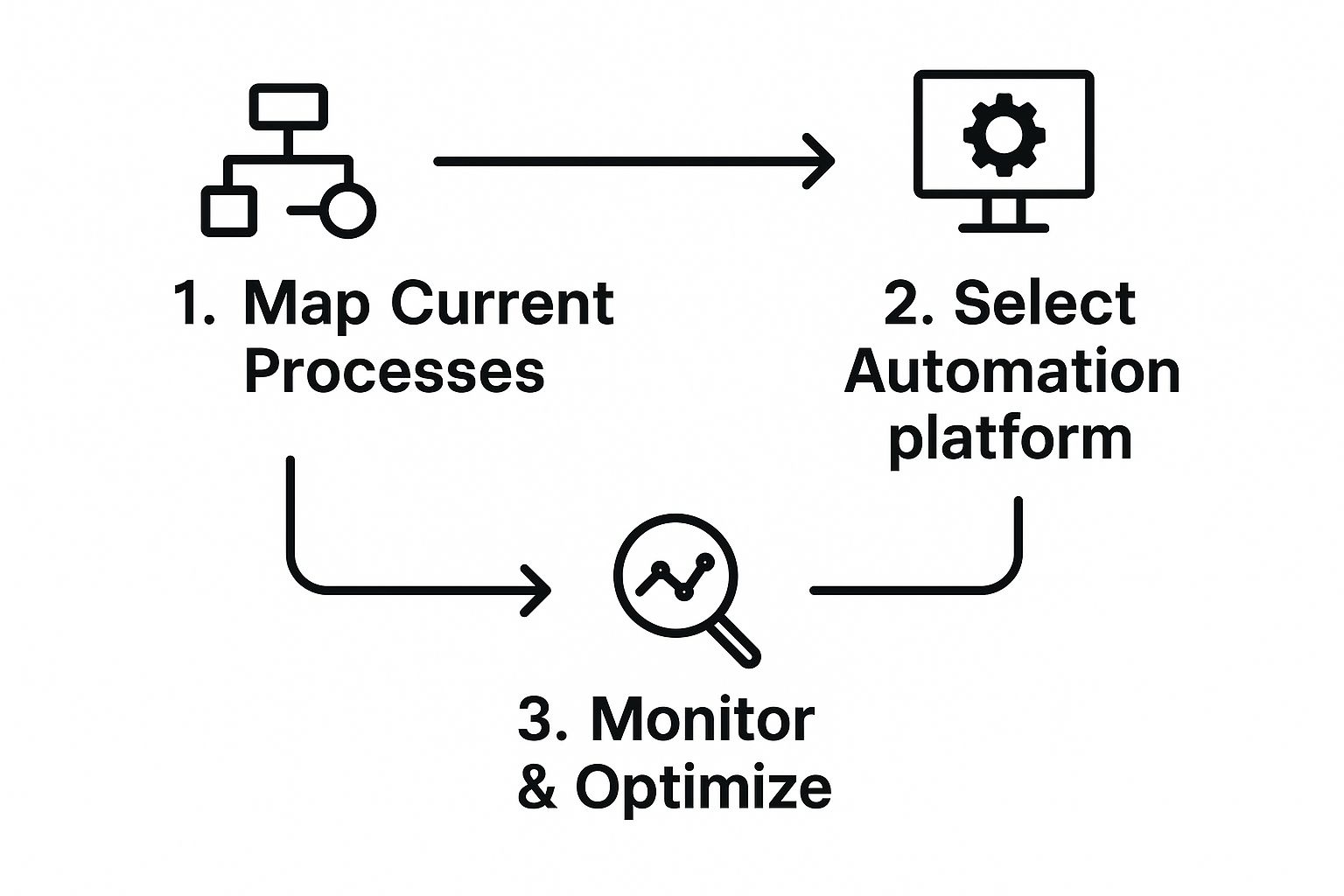
This diagram gets to the heart of it: you map what you do now, pick the right tool to do it automatically, and then keep an eye on it to make it better over time. Successful automation isn't a "set it and forget it" task; it's a continuous cycle of refinement.
Define Your Triggers, Conditions, and Actions
With your map in hand, it's time to translate it into the language of automation. Every automated workflow, no matter how simple or complex, is built from three core components. Get these down, and you can build anything you can imagine.
-
Triggers: The specific event that kicks off your workflow. This is the "if this happens..." part. Example: A form submission, a link click, or a product purchase.
-
Conditions: The rules that steer the workflow down different paths. Example: "Lead score is above 50" or "Contact's industry is 'Technology'."
-
Actions: The tasks the system performs. Example: Send an email, wait for a set period, create a task in your CRM, or update a contact's profile.
A well-built workflow has one, and only one, clear goal. For our webinar follow-up, the goal might be to get attendees to book a demo. Every single email, every delay, and every action should be designed to move that person closer to that single objective.
This structured approach delivers real results. I've seen teams implement workflow automation and increase their lead quantity by 80% and boost conversions by 75%. Most impressively, it can drive a 451% increase in qualified leads. These aren't just vanity metrics; you’re not just saving time, you’re building a much more effective sales pipeline.
Building a great workflow is also about being relentlessly consistent. For more on that, check out our guide on how to never miss a follow-up with a prospect again.
Choosing The Right Marketing Automation Platform
Picking the right software to automate your marketing is one of the most important calls you'll make. This isn't just about buying a tool; it's about choosing the engine that will power your entire strategy. Get it wrong, and you’re stuck with friction, a wasted budget, and a system your team actively avoids.
The trick is to look past the flashy feature lists and get brutally honest about what your business actually needs. A platform that's a dream for a B2B SaaS company could be a total nightmare for a direct-to-consumer e-commerce brand. It's all about matching the tool to the job.
Matching The Platform To The Business Need
Different platforms are built with specific playbooks in mind. Think of it like buying a vehicle: you wouldn't get a two-seater sports car to haul lumber. The same logic applies here.
-
For E-commerce: A platform like Klaviyo is an absolute beast. It’s designed from the ground up to integrate deeply with Shopify and other e-commerce systems, making it dead simple to build workflows around purchase history, abandoned carts, and browsing behavior.
-
For B2B Lead Generation: HubSpot is often the gold standard. Its marketing hub and free CRM are so tightly connected that you get a seamless view of a lead from their first anonymous website visit all the way to a closed deal. Its real strength is in content marketing and sales alignment.
-
For Small Businesses (All-in-One): This is where a tool like ActiveCampaign really shines. It delivers a powerful, affordable mix of email marketing, serious automation muscle, and a surprisingly capable CRM. You get enterprise-level segmentation and workflow logic without the enterprise price tag.
Most of these tools offer some kind of visual builder, letting you map out customer journeys with "if/then" logic. Here's what that looks like inside HubSpot.

You can see how a simple action—like someone clicking a link—can send them down a completely different, more relevant path. That's the core of effective automation.
Core Factors For Your Decision
Beyond your specific business model, a few universal truths should guide your choice. Getting these wrong will cause major headaches later.
The best automation platform isn't the one with the most bells and whistles. It's the one that plugs into your existing tech stack, is intuitive enough for your team to actually use, and won't break as you grow.
To help you cut through the noise, here's a quick comparison of the top platforms, framed around what really matters for day-to-day use.
Marketing Automation Platform Comparison
| Platform | Ideal For | Key Strengths | Integration Focus |
|---|---|---|---|
| Klaviyo | E-commerce brands | Deep data sync with stores, predictive analytics for CLV, pre-built e-commerce flows. | Shopify, BigCommerce, Magento, WooCommerce. |
| HubSpot | B2B, inbound marketing | All-in-one CRM, marketing, sales & service hub. Strong content and SEO tools. | Salesforce, and a massive app ecosystem. |
| ActiveCampaign | SMBs, startups | Powerful "if/then" logic, affordable pricing, combines email, CRM, and automation. | Great for connecting various small business tools. |
| Pardot (Salesforce) | Enterprise B2B | Native Salesforce integration, advanced lead scoring, robust analytics for complex sales cycles. | Deeply embedded within the Salesforce ecosystem. |
Ultimately, no single platform is "the best"—there's only the one that's best for you. It needs to align with your team's skills, your budget, and where you plan to be in three years.
For a more granular look at how different tools compare on very specific features, our Marketbetter vs. Sendspark comparison dives into the weeds on video personalization and outreach automation. It's a great example of how to frame your own evaluation.
Advanced Strategies to Fine-Tune Your Workflows
Getting your first few workflows live is a huge win. But once the foundational pieces are humming along, the real fun begins. Basic automation saves you time, but advanced marketing workflow automation is where you start printing money.
This is where you graduate from simple, linear sequences to building a smart, data-driven conversion machine. A machine that actually learns and gets better on its own.
The goal shifts from just doing tasks to making every single automated touchpoint more effective than the last. You stop asking "Did the welcome email send?" and start asking, "Which welcome email gets more clicks?" That simple mindset shift is the key to unlocking the real power of your platform.
A/B Testing Your Automated Emails
One of the most powerful things you can do is build A/B testing directly into your sequences. Never just set an email and assume it's the best it can be. Test it.
Most modern automation platforms let you create a split path right inside a workflow. You can send 50% of your audience one version of an email and 50% another. Or, even better, send a 10/10 split, find a winner, and then send that winning version to the remaining 80%.
Actionable Tip: Pick one variable to test at a time for clear results. Common tests include:
- Subject Lines: Try a direct, benefit-driven line ("Your webinar recording is inside") against one that sparks curiosity ("Did you see this?").
- Call to Action (CTA): Test a button that says "Book a Demo" against one that says "See Pricing."
- Email Copy: Pit a short, punchy email against a longer, more detailed one that's packed with value.
- Sender Name: Does an email from "Sarah at Marketbetter" get more opens than one from "The Marketbetter Team"?
This creates a constant feedback loop. Your workflows aren't just running; they're actively improving with every single person who enters them.
Implementing Dynamic Content Personalization
While A/B testing makes your overall message stronger, dynamic content takes personalization to a whole new level. It's about showing different content blocks, offers, or images to different people—all within the same email. This is way beyond just using a {first_name} tag.
Imagine sending out one promo email. Leads in the tech industry see a case study about a SaaS company, while leads in healthcare see a testimonial from a hospital network. You're not sending two separate emails; you're using one smart template with rules based on the data in your CRM.
It's a subtle but critical distinction from A/B testing.
| Personalization Method | How It Works | Best Use Case |
|---|---|---|
| A/B Testing | Sends two distinct versions (A and B) to a sample audience to find a winner. | Optimizing a single element like a headline or CTA for the entire audience. |
| Dynamic Content | Shows or hides specific content blocks within one email based on segment rules. | Tailoring offers, images, or testimonials to different audience segments in one send. |
Using Lead Scoring to Prioritize Your Hottest Leads
Lead scoring is the secret ingredient that connects your marketing engine directly to your sales team's pipeline. It's a system for assigning points to leads based on who they are and what they do.
A VP of Marketing gets more points than an intern (demographics). Someone who visits your pricing page gets a massive point bump compared to someone who only reads your blog (behavior).
The core idea is simple: a lead's score reflects their sales-readiness. By setting a threshold—say, 100 points—you can create a rule that automatically routes leads to the sales team for immediate follow-up the moment they become a Marketing Qualified Lead (MQL). This completely eliminates the manual guesswork and ensures sales reps only spend time on prospects who are genuinely interested and engaged.
How to Measure Automation Success and ROI

If you can't prove your marketing automation is making money, you can't justify paying for it. It’s really that simple. Measuring success isn’t just about clawing back a few hours for your team; it's about drawing a straight line from your automated workflows to actual revenue and customer growth.
The trick is to stop obsessing over surface-level metrics like email opens and start digging into the KPIs that tell the real story of the customer journey.
Pinpointing the KPIs That Actually Matter
Too many teams get bogged down tracking vanity metrics. They’re easy to see, they look good on a chart, but they don't mean much. Real success is measured by how your automation impacts pipeline velocity and bottom-line results.
It’s time to shift your focus. Instead of just tracking clicks, start monitoring how your automation directly influences key business outcomes.
| Instead of This (Vanity Metric) | Focus on This (Impact Metric) |
|---|---|
| Email Open Rate | Stage-by-Stage Conversion Rate (e.g., Lead to MQL) |
| Number of Emails Sent | Lead-to-Customer Conversion Time |
| Social Media Likes | Customer Lifetime Value (CLV) of nurtured vs. non-nurtured leads |
These are the metrics that matter. They show you exactly how well your workflows are moving leads from a flicker of interest to a signed deal. For instance, if you can show that your automated nurture sequence shortens the sales cycle by 15%, that’s a powerful story to tell leadership.
Building Your Real-Time Automation Dashboard
Most automation platforms come with solid reporting features. Your job is to wrangle them into a dashboard that gives you an at-a-glance view of these critical KPIs. Don't clutter it. Create a clean, focused view of the metrics that directly reflect the health of your automated engine.
Actionable Step: Build a simple dashboard answering these questions:
- How many MQLs did our nurture workflow generate this month compared to last month?
- What’s the average time from first touch to becoming a customer for an automated lead vs. a manual one?
- Which automated email in our welcome series has the highest click-to-open rate?
This real-time feedback loop is your secret weapon for making smart, data-backed adjustments. It helps you see which parts of your marketing workflow automation are driving growth and which ones need a tune-up. For more strategies on proving business value, it’s worth exploring resources on maximizing the ROI of marketing automation.
Calculating a simple ROI is straightforward. Sum your automation software costs and the time spent managing it. Then, calculate the new revenue generated from automated campaigns or the cost savings from efficiency gains. A positive result builds the business case for continued investment.
And if you really want to connect the dots, tying automation success back to individual customer data is incredibly powerful. Our guide on using person-level identification shows you how to get a much more granular view of each customer's automated journey.
Try our Marketing Plan Generator — generate a complete AI-powered marketing plan in minutes. No signup required.
Common Questions About Marketing Automation
As you start mapping out your marketing automation strategy, some practical questions always come up. Let's tackle the big ones I hear most often from marketing teams.
How Much Does Marketing Workflow Automation Cost?
There’s no single price tag. The cost swings wildly depending on the platform’s horsepower, how many contacts you have, and the features you absolutely need.
For small businesses just dipping their toes in, entry-level tools often start in the $50-$100 per month ballpark. Then you have the mid-tier players like HubSpot or ActiveCampaign, which can run from a few hundred to several thousand dollars a month. Enterprise platforms like Marketo or Pardot are in a different league entirely, built for large-scale operations with a price to match.
But here’s the thing: looking only at the monthly subscription is a classic mistake. You have to factor in the total cost of ownership. That means adding any one-time setup fees, the cost of training your team, and any specialized support you might need down the line.
Can I Integrate Automation Tools with My Existing CRM?
Yes, and you absolutely must. This is non-negotiable.
Pretty much any respectable marketing automation platform has native, easy-to-configure integrations with popular CRMs like Salesforce, Zoho, and Microsoft Dynamics. This connection is the central nervous system for a healthy sales and marketing relationship.
It’s what ensures a seamless, real-time flow of data—syncing everything from new lead info and their engagement history to critical lead scores. Before you even think about committing to a tool, confirming it plays nice with your current tech stack should be at the very top of your checklist.
What Is the Biggest Mistake to Avoid When Starting Out?
The most common pitfall I see is trying to automate everything all at once. It comes from a good place—ambition—but it’s a direct path to frustration and a messy, ineffective system. Don't try to build a massive, multi-branched workflow for the entire customer journey on day one. It's just too much, and it almost never works right out of the gate.
A much smarter approach is to think small and build momentum.
- Start with one simple, high-impact process. A welcome email series for new subscribers is a classic for a reason. It’s self-contained, easy to build, and you can measure its success clearly.
- Absolutely nail that one workflow. Get obsessive about it. Monitor its performance, tweak the subject lines, adjust the timing between emails, and truly understand the impact it’s having.
- Expand from there, methodically. Once you have a proven win under your belt, take what you’ve learned and apply it to your next automation. This phased approach keeps things manageable, builds confidence, and secures those crucial early successes that get everyone excited.
Ready to build smarter, more effective automated workflows with the power of AI? With marketbetter.ai, you can move beyond simple sequences and create data-driven customer journeys that boost conversions and prove your ROI. See how our integrated platform can transform your marketing engine by exploring our solutions.