🟡 Series Difficulty: MEDIUM (Part 5 of 10) — Builds on research skills from Part 2 and outreach techniques from Part 3.
Every SDR has had this experience: you're on a call with a promising prospect, and they drop the bomb — "We're actually already using [Competitor]. We're pretty happy with them."
And you freeze. Because you don't really know what [Competitor]'s customers love, what they hate, or why they might consider switching. You mumble something about being "different" and the call goes nowhere.
Now imagine a different scenario. The prospect says the same thing, and you respond:
"Makes sense — [Competitor] does some good things, especially with [specific feature]. What I hear from a lot of teams who've been on it for 12+ months is that [specific pain point from G2 reviews] starts to become a real issue as they scale. Have you run into that?"
The prospect pauses. "Actually... yeah. That's been a headache."
That's competitive intelligence in action. And in Part 5 of our Claude Code + MarketBetter series, we'll show you how to build a competitive intel system that runs on autopilot — so you always know exactly what your competitors' customers are saying.
By now, you're comfortable with the basics. In Part 2, you learned to research individual prospects. In Part 3, you turned that research into personalized emails. Here, we're applying those same research skills to a different target: your competitors and their customers. The prompting patterns are similar — you're just asking Claude Code different questions.
Most SDRs think competitive intel is the sales manager's job. Or product marketing's. And sure, those teams should build battlecards and positioning docs. But here's the reality:
Those battlecards are usually 6 months out of date — The competitive landscape moves fast. What was true last quarter isn't necessarily true today.
Generic battlecards don't help with specific objections — When a prospect mentions a specific competitor feature or complaint, you need specific answers. Not bullet points.
The best competitive intel comes from customers, not marketers — Reviews on G2, Reddit comments, LinkedIn posts, and Twitter/X threads from actual users tell you what the sales deck never will.
Competitive intel is a prospecting goldmine — If you know that [Competitor]'s customers are complaining about [specific issue], you can proactively target those customers with messaging that addresses that exact pain.
Claude Code turns competitive monitoring from a "nice to have" into an automated part of your daily workflow.
When you know a competitor's customers are frustrated about something specific, you can proactively target those customers:
"Based on the G2 review analysis of [Competitor], their customers' biggest pain point is [specific pain]. Write me 3 different cold email angles targeting [Competitor]'s customers that:
Don't mention [Competitor] by name
Address the pain point as a general industry challenge
Position our solution as solving it specifically
Are under 100 words each"
Claude Code might produce something like:
Subject: scaling outbound without the deliverability hit
Hi [Name], I've been talking to a lot of sales teams in the [industry] space this month, and there's a pattern: once you hit 10+ SDRs, email deliverability tanks. Warmup tools help, but they don't solve the root cause — which is usually template volume overwhelming domain reputation.
We take a different approach: AI-personalized emails that look handwritten, sent at volumes that keep your domain healthy. Worth 15 minutes to see how?
Notice: no competitor name mentioned. Just addressing a known pain point. The prospect self-selects because the pain is relevant to them.
When someone posts a negative review of a competitor on G2, it's an invitation:
"Write me a LinkedIn message to reach out to someone who posted a 3-star review of [Competitor] on G2. They mentioned [specific complaint]. Don't reference their review directly (that's creepy). Instead, engage them around the topic of [pain point] and offer a relevant insight or resource. Keep it helpful, not salesy."
When reviews consistently mention a missing feature that you offer, use it:
"G2 reviews of [Competitor] frequently mention that they lack [specific feature/capability]. We have this. Write me a cold email to [Competitor]'s customers that naturally highlights this capability as part of how modern teams solve [related challenge]. Don't position it as 'we have what they don't' — position it as 'here's how leading teams are approaching this.'"
Your competitive intelligence should directly inform your MarketBetter targeting:
Build competitor-specific lead lists — Export [Competitor]'s customers from your CRM or Sales Nav and import them into MarketBetter via the Chrome Extension (see Part 4)
Create competitor-specific sequences — Use Claude Code to write email sequences tailored to each competitor's known pain points. Load these into MarketBetter.
Set up website monitoring — MarketBetter's visitor identification tells you when a competitor's customer visits your site. That's a hot signal — if they're browsing your pricing page, they're actively evaluating alternatives.
Track engagement patterns — When a competitive prospect opens your emails multiple times or visits your site repeatedly, MarketBetter flags them for immediate follow-up.
Pick your #1 competitor — the one you lose deals to most often
Ask Claude Code to analyze their recent reviews on G2 using the Review Analysis prompt above
Identify the top 3 pain points their customers mention
Draft one cold email targeting a competitor customer, addressing one of those pain points (without naming the competitor)
Save the competitive analysis somewhere you can reference before your next call
You'll walk into your next competitive deal armed with specific, customer-validated insights instead of generic talking points. That's the difference between "we're different" and "I've heard from teams in your situation that X is a real challenge — have you experienced that?"
Cold outbound is dying. Not because outbound doesn't work — but because cold outbound doesn't work.
The numbers tell the story:
Average cold email reply rate: 1–3% (down from 8% in 2020)
Average cold call connect rate: 4.8% (Gong, 2025)
Percentage of buyers who say cold outreach is "irrelevant to their needs": 72% (LinkedIn State of Sales)
Meanwhile, warm outbound — reaching out to prospects who've already shown buying signals — converts at 3–5x higher rates than cold approaches.
The difference isn't the rep. It's not the script. It's not even the product. It's timing and relevance.
Cold outbound interrupts strangers. Warm outbound engages buyers who are already looking.
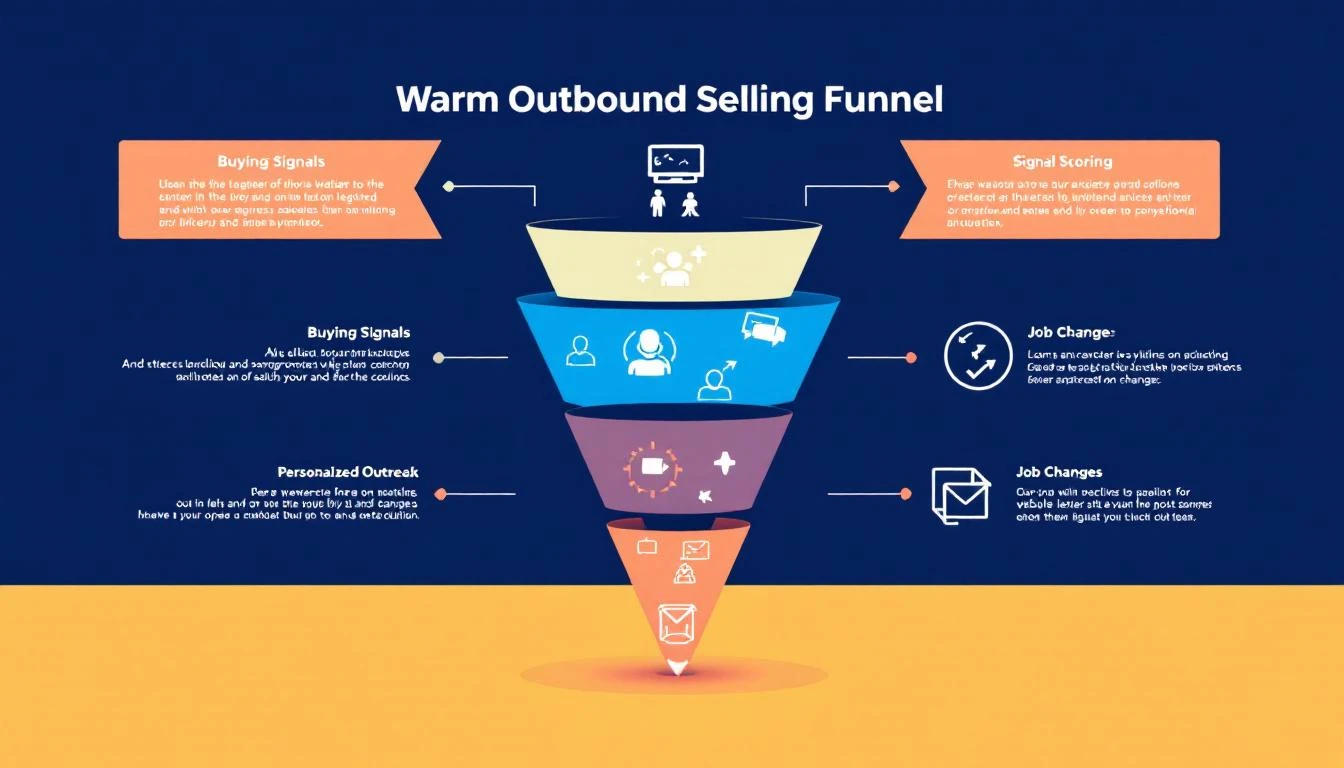
This playbook shows you exactly how to build a warm outbound motion from scratch — what signals to track, how to prioritize them, and how to turn them into meetings.
Warm outbound is proactive sales outreach to prospects who've shown intent or interest signals — but haven't yet raised their hand (filled out a form, requested a demo, etc.).
It sits between two extremes:
Approach
Signal Level
Example
Inbound
Hand-raise
"I want a demo" form fill
Warm Outbound
Intent signals
Visited pricing page 3x, competitor search, champion moved
Cold Outbound
No signal
Random list from a data provider
Warm outbound captures the 95% of buyers who are researching but haven't filled out a form. They're evaluating. They're comparing. They're building internal business cases. They just haven't reached out yet.
Your competitors are waiting for the form fill. You're going to reach them first.
When a company visits your pricing page or demo page multiple times, someone is actively evaluating your product. This is the single highest-converting warm outbound signal.
What it looks like: "3 visitors from Acme Corp viewed your pricing page in the last 48 hours"
Why it matters: They're past awareness. They're doing math. They're probably comparing you.
How to act: Direct call or email to the likely buyer (VP Sales, SDR Manager). Reference their evaluation: "I noticed your team has been evaluating SDR tools — mind if I share how we compare on the areas that usually matter most?"
2. Champion Job Changes
When a previous champion, power user, or customer moves to a new company, you have a built-in referral. They already know your product works.
What it looks like: "Sarah Chen (former AE at Hologram, your customer) just joined TechCorp as VP Sales"
Why it matters: 70% of champions who move will evaluate their previous tools at the new company (UserGems data)
How to act: Personal, non-pushy outreach: "Congratulations on the move to TechCorp. When you're settled in, would love to see if we can help there too."
3. Active Competitor Evaluation
When a prospect is searching for your competitors, reading comparison pages, or visiting G2 comparison pages, they're in active buying mode.
What it looks like: "Prospect searched 'Apollo vs ZoomInfo' and landed on your comparison page"
Why it matters: They're deciding NOW. Not next quarter. Now.
How to act: Fast, relevant outreach that positions your differentiation: "I see you're comparing outbound tools — most teams in [their industry] choose us for [specific differentiator]. Worth 15 minutes?"
Tier 2: Medium-Intent Signals (Act Within 48–72 Hours)
4. Content Engagement Patterns
A single blog post visit means nothing. But a pattern — 3 blog posts about SDR productivity, a whitepaper download, and a webinar registration in the same week — signals active research.
What it looks like: "Director of Sales Ops at DataCorp downloaded your ROI calculator and read 3 SDR-related blog posts"
Why it matters: They're building a business case. They might not know your product yet, but they're solving a problem you solve.
How to act: Value-led outreach tied to their research topic: "I saw you downloaded our SDR ROI calculator — curious what you found. Most teams we talk to in [industry] are seeing [specific metric]. Mind sharing what you're working on?"
5. Tech Stack Changes
When a company adopts or drops specific technologies, it creates adjacent buying needs. New Salesforce adoption? They'll need outbound tools. Dropped their dialer? They're looking for a new one.
What it looks like: "TechCorp just adopted Salesforce (detected via technographic data)"
Why it matters: Technology adoption creates buying windows — 60–90 day periods where adjacent purchases spike
How to act: Frame your outreach around the transition: "Noticed you recently adopted Salesforce — most teams add outbound tooling within the first quarter. Happy to share what we've seen work."
Tier 3: Contextual Signals (Act Within 1–2 Weeks)
6. Hiring Signals
When a company posts SDR or sales manager job listings, they're investing in outbound. That means they need tools to make those new hires productive.
What it looks like: "Acme Corp posted 4 SDR roles and a Head of Sales Development position on LinkedIn"
Why it matters: They're building or scaling a sales team — exactly when they need your platform
How to act: Frame around their growth: "Saw you're scaling the SDR team — the ramp time challenge is real. We help teams get new reps productive in 6 weeks instead of 4 months."
7. Funding and Expansion Events
A company that just raised Series B, opened a new office, or announced expansion plans is spending money. GTM is almost always a top priority post-funding.
What it looks like: "DataFlow just raised $30M Series B (Crunchbase alert)"
Why it matters: Post-funding companies allocate 30–40% of new capital to sales and marketing (First Round data)
How to act: Relevant, congratulatory outreach: "Congrats on the raise — exciting time. Most Series B teams we work with are figuring out how to scale outbound without scaling headcount linearly. Worth a conversation?"
A pricing page visit and a blog post visit are not equal signals. If your reps treat them with the same urgency, they'll waste time on low-intent accounts and miss high-intent ones.
Fix: Build a tiered signal scoring model (see above) and prioritize ruthlessly.
If your reps don't know which signals actually convert to revenue, they can't improve their prioritization. Most teams track signals in → meetings out, but never close the loop to pipeline and revenue.
Fix: Track signal-to-revenue attribution. Which signal types generate the highest-value pipeline? Double down on those.
If your reps need to check one tool for visitor ID, another for intent data, another for champion tracking, and then manually build their outreach list — they'll spend more time toggling than selling.
Fix: Consolidate into a single platform that collects signals AND orchestrates actions.
It’s a familiar feeling for any sales rep. You pour time into crafting the perfect outreach email, hit send, and then… nothing. Just dead air. The silence can be discouraging, but the truth is, most initial emails don't get a reply. Relying on a single touchpoint is one of the biggest mistakes you can make.
Sending an email and just hoping for a response isn’t a strategy—it’s a lottery ticket. What separates the top performers from everyone else is a systematic plan for email follow ups. This is how you shift from passively waiting for a reply to proactively earning a conversation. The goal isn’t to pester people; it’s to professionally navigate their chaotic schedules and show you’re serious.
When a prospect doesn't reply, it's rarely personal. They aren't ignoring you because they dislike you. They're just busy. Your email was likely one of hundreds that flooded their inbox that day.
Understanding why you didn't get a response is the key to framing your follow-up. It's almost never a hard "no." More often than not, it's one of these simple, everyday scenarios:
Bad Timing: Your email landed right in the middle of a chaotic morning or just before a massive deadline.
Information Overload: The average professional gets over 120 emails a day. It’s incredibly easy for yours to get buried.
Quick Triage: Many executives scan their inboxes and archive anything that isn’t on fire at that exact moment.
They Simply Forgot: It happens. They might have read your email, fully intended to reply, and then got pulled into their next meeting.
This context is everything. It reframes your follow-up from an interruption into a helpful, timely reminder that actually respects their workflow. By the way, if you want to nail that first impression, our detailed guide on how to write cold emails is a great place to start.
Let's compare two mindsets. The first is the "one-and-done" approach, where a lack of reply feels like rejection. The second is what I call professional persistence, which views that first email as just the opening move in a strategic conversation.
The data is overwhelmingly on the side of persistence.
Consider this: 70% of sales emails require at least one follow-up to get any reply at all. Even more telling, a staggering 80% of sales require a minimum of five follow-up attempts after the first contact before a deal is closed. You can dig into more of these stats on why follow-ups are critical for sales success.
A follow-up isn't a sign of failure; it's a core component of a successful sales process. It shows you're serious, professional, and genuinely believe you can solve a prospect's problem.
This distinction is crucial. When you see follow-ups as an integral part of your job, you stop feeling like you're bothering people and start acting like a trusted advisor who is simply trying to connect. Each follow-up is another chance to provide value, build familiarity, and catch your prospect at the exact right moment.
The first email is just the introduction. The real work—and the real results—happen in the follow-ups.
An effective follow-up strategy isn't just about sending a bunch of random pings and hoping for the best. It's a science. Building a sequence that actually gets a response requires a smart approach to timing, frequency, and the value you bring to every single message. The real goal is to stay top-of-mind without being annoying, turning persistence into a genuine conversation.
To really nail this, you need to ground your approach in solid sales cadence best practices. This isn't about templates; it's about a framework where every touchpoint builds on the last, earning you the right to stay in their inbox.
Let's be real: the timing between your email follow ups can make or break your entire effort. Come on too strong with messages packed too closely together, and you look desperate. Wait too long, and you're ancient history. A balanced cadence is the sweet spot—it respects their time while keeping the momentum going.
Let's compare two common but flawed approaches with a more strategic one:
The Aggressive Approach (Every Day): This feels desperate and almost guarantees you'll be marked as spam. It doesn't give the prospect any breathing room.
The Passive Approach (Weekly): Waiting a full week between early follow-ups is too long. You lose all momentum and make it easy for them to forget who you are.
The Strategic Approach (Balanced Intervals): This is the sweet spot. You give them a couple of days between the first few messages, then slightly increase the gap. It's persistent but professional.
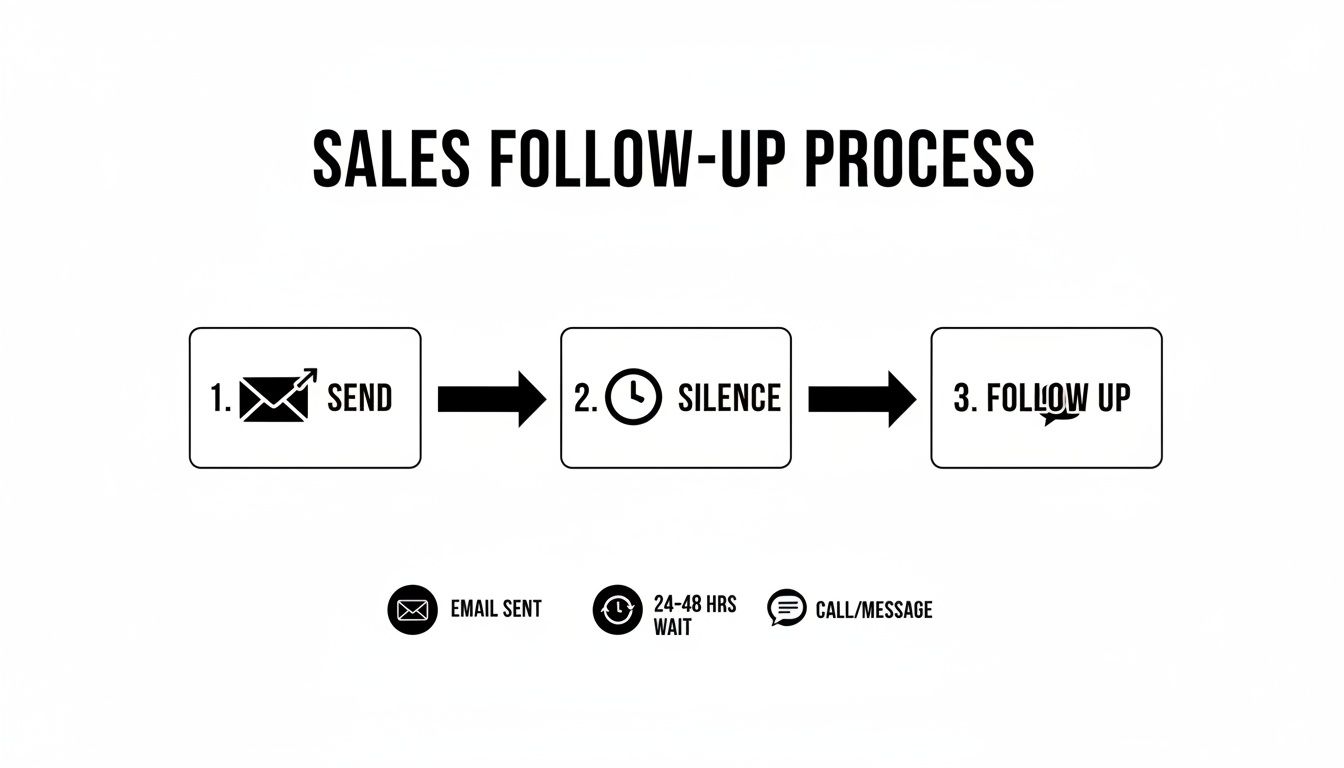
A multi-touch sequence that spans about two weeks often hits the mark. It gives you enough runway to connect without completely flooding their inbox.
Here’s a simple, actionable framework to use as your starting point:
Day 1: The initial outreach.
Day 3: First follow-up.
Day 6: Second follow-up.
Day 10: Third follow-up.
Day 14: The "break-up" email.
This process flow highlights a critical, often-overlooked step: the wait. Patience isn't just a virtue here; it's a strategic part of any outreach that gets results.
Every email in your sequence needs a job to do. Just firing off messages without a clear purpose is a fast track to the spam folder. A well-designed cadence makes sure each follow-up logically moves the conversation forward. Think of it as telling a short, compelling story over several days.
Here's a practical, multi-touch blueprint that balances persistence with genuine value.
Clearly state your value prop and the problem you solve.
"Worth a 15-min chat next week to explore this?"
3
Email
Re-state value prop from a new angle; gentle reinforcement.
"Just wanted to bring this back to the top of your inbox."
5
LinkedIn
View profile & send a connection request (no pitch).
N/A (Passive engagement)
7
Email
Introduce social proof or a new piece of value (case study, stat).
"Here's how we helped [Similar Company] solve this."
10
Email
Shift to a direct, low-friction question to gauge interest.
"Is solving [problem] a priority for your team this quarter?"
By assigning a specific role to each touchpoint, you build a cohesive narrative that guides the prospect toward a decision. It’s methodical, respectful, and a world away from just "checking in." This is how you stay persistent with a purpose.
What’s the difference between a follow-up that lands a meeting and one that gets instantly archived? Clarity. It’s that simple.
Your prospect’s inbox is a warzone of long, feature-heavy emails that are exhausting to read. Your job is to be a breath of fresh air. Think concise, relevant, and respectful of their time. Get straight to the point.
Let’s compare two email styles:
The "Wall of Text": A long, multi-paragraph follow-up with three different links and four value props. Action Required: The prospect has to decipher what you want. Result: Instant archive.
The "Surgical Strike": A two-sentence email with a single, clear question. Action Required: A simple yes/no or a quick thought. Result: Higher chance of a reply.
The psychology here is pretty straightforward: short emails with a single, clear call-to-action are just easier for a busy brain to process. They signal confidence and make it dead simple for the person on the other end to know what you want.
This guide from MarketBetter breaks down how to use different templates for different goals, from a quick check-in to a value-packed case study. Every single one is designed to be direct and actionable, which is exactly what a good follow-up needs to be.
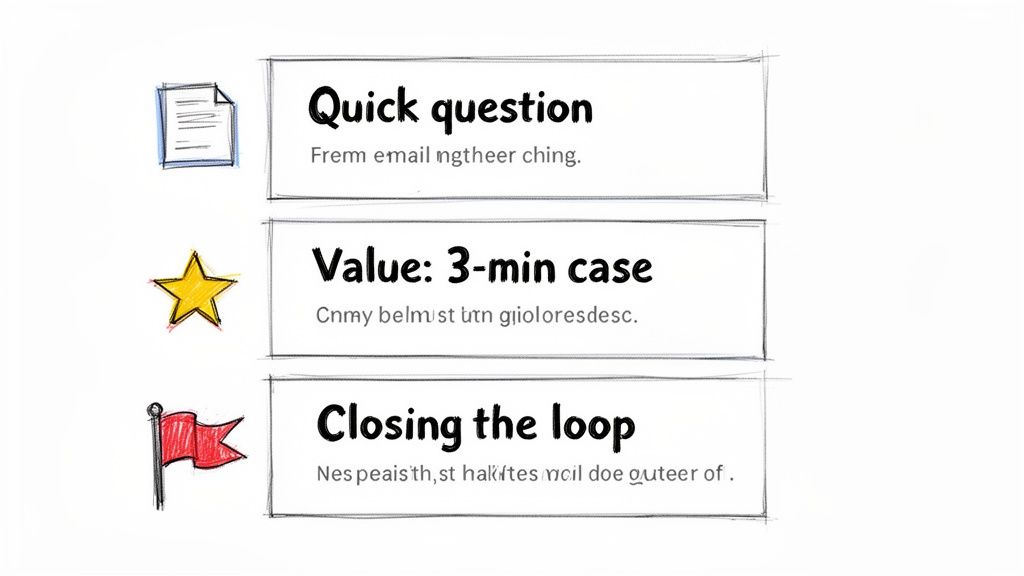
This is the one we all send the most. You’ve shot your shot, and now you’re hearing crickets. The goal here is to be polite and professional, gently bumping your message back to the top of their inbox without being annoying. Drop the guilt-tripping language like, "Did you see my last email?"
It's a low-pressure way to re-establish contact. You're just giving them a simple reminder without demanding a complicated reply.
Actionable Tip: Test these subject lines to see which performs best for your audience.
A/B Test 1: Re: Original Subject Line
A/B Test 2: Quick question about [Company Name]
A/B Test 3: Bringing this to the top of your inbox
Template:
Hi [Prospect Name],
Just wanted to bring my previous email to the top of your inbox. We help sales leaders like you solve [specific problem] by [one-sentence value prop].
If the first nudge didn't land, it's time to bring something new to the table. Just repeating your original pitch is a wasted email. Instead, drop in some social proof—a killer case study or a compelling statistic—to show you're the real deal.
This tactic shifts the conversation from "here's what I think I can do" to "here's what we've already done for people just like you." If you need more inspiration for subject lines that grab attention, check out our guide on witty email subject lines.
Actionable Tip: Experiment with different formats for social proof.
A/B Test 1: A direct quote from a happy client.
A/B Test 2: A single, powerful data point (e.g., "30% increase in meetings").
A/B Test 3: A link to a full case study.
Template:
Hi [Prospect Name],
I was thinking about your team and wanted to share how we helped [Similar Company/Client Name] achieve [specific outcome, e.g., a 30% increase in meetings booked].
We helped them fix [specific problem], and I thought you might find their story relevant.
Is this a priority for you right now?
Best,
[Your Name]
Pro Tip: Keep the social proof bite-sized. Link out to the full case study, but pull the single most impressive result directly into the email itself. Don't make them hunt for the value.
Alright, you've tried a few times with no response. It's time to professionally close the loop. The "break-up" email is a surprisingly powerful psychological tool. It taps right into the fear of missing out (FOMO) and often jolts people into making a decision.
This isn't about being passive-aggressive. It's about respecting their time—and more importantly, yours. I've seen it time and again: this is one of the highest-response email follow ups you can have in your sequence.
Actionable Tip: A/B test the tone of your break-up email.
A/B Test 1 (Helpful Tone): "Permission to close your file?"
A/B Test 2 (Direct Tone): "Closing the loop"
A/B Test 3 (Goal-Oriented): "Is [goal] still a priority?"
Template:
Hi [Prospect Name],
I’ve reached out a few times about how we help companies like yours with [problem] but haven’t heard back. This usually means it's not a priority right now.
I’m closing your file for now, but please feel free to reach out if things change.
Best,
[Your Name]
Adding Personalization That Cuts Through the Noise
Let’s be honest: generic email follow ups are a one-way ticket to the trash folder. Every prospect's inbox is a battlefield, flooded with soulless, automated blasts. In that environment, personalization isn't just a nice touch—it's the only proof you've done your homework and are worth 30 seconds of their time.
A truly personalized email feels like it was written for an audience of one. That’s what gets replies.
The good news? This doesn't mean you have to sink an hour into researching every single prospect. The real secret is building a scalable framework that strikes the right balance between efficiency and a genuine human touch. It all comes down to knowing the two levels of personalization and when to deploy each.
Not all personalization is created equal, and the right move depends entirely on the account's value and where the prospect is in your sequence.
Let's break down the two main strategies.
Personalization Level
What It Is
When to Use It
Actionable Example
Light Personalization
Using easy-to-find info like their name, company, and job title.
Perfect for early-stage nudges or lower-tier accounts where a deep dive isn't practical.
"Hi John, saw you're the VP of Sales at Acme..."
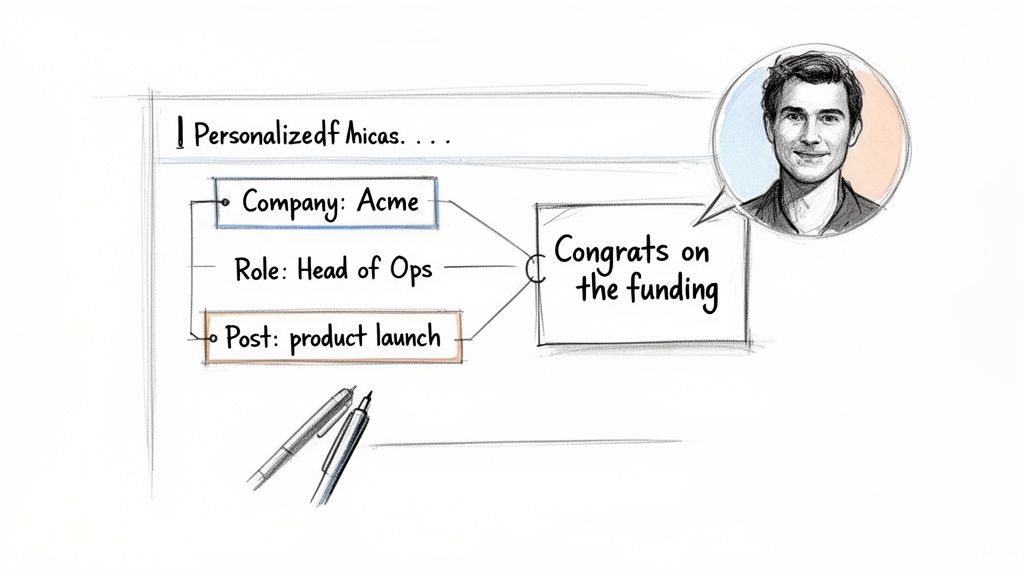
Deep Personalization
Referencing specific, timely events—a funding round, a recent LinkedIn post, a mutual connection.
Your go-to for high-value target accounts or later-stage follow-ups to re-engage a quiet prospect.
"Congrats on the new product launch you posted about on LinkedIn yesterday..."
Think of light personalization as your baseline. It shows you aren't a spam bot. But deep personalization? That’s your secret weapon. It proves you're a sharp, observant human who’s actually paying attention to their world.
Doing this at scale is where most teams fall down. Manually scouring LinkedIn and company news for every single prospect is a recipe for burnout. This is where a smart workflow, powered by the right tools, makes all the difference.
The goal is to find a "trigger"—a specific piece of information that makes your email feel timely and hyper-relevant.
Here’s an actionable checklist of where to look for those triggers:
Company News: Did they just announce a funding round, launch a new product, or hire a key executive? That’s absolute gold for a congratulatory follow-up.
LinkedIn Activity: Did your prospect post an article, share an opinion, or comment on a relevant thread? Referencing it shows you’re tuned in.
Job Postings: If a company is hiring for a role you can help with (like hiring more SDRs when you sell sales software), it’s a massive signal of their current pain points.
Mutual Connections: Nothing builds instant credibility faster than mentioning a shared connection. It’s the ultimate shortcut to trust.
The most effective personalization connects their recent activity directly to the problem you solve. It’s not just about name-dropping their latest post; it's about explaining why that post made you think of a solution specifically for them.
This is where modern tools completely change the game. Instead of you spending hours on manual research, an AI-powered engine can do the heavy lifting.
For example, MarketBetter’s SDR Task Engine automatically surfaces these crucial account insights and triggers. It can spot that a target account just landed its Series B funding and instantly generate a personalized snippet for your follow-up.
Here’s what that workflow looks like in practice:
AI Surfaces an Insight: The system flags that "Acme Corp just announced a new integration with Salesforce."
AI Generates a Snippet: It drafts a line like, "Saw the news about your new Salesforce integration—congrats! Scaling up often puts a strain on CRM data hygiene..."
You Add the Human Touch: You grab that AI-assisted line and weave it into your follow-up, making sure the tone feels authentic to you.
This approach gives you the best of both worlds: the raw speed of automation combined with the irreplaceable authenticity of human oversight. You're no longer just sending another email; you're delivering a relevant, timely message that makes your follow-up impossible to ignore.
A killer follow-up strategy is worthless if you don't execute it consistently. This is where the real work happens—inside your CRM. Managing your email follow ups in a system like Salesforce or HubSpot is non-negotiable for staying organized, but let's be honest, the manual process can quickly become a bottleneck that absolutely kills your selling time.
Even a well-organized manual workflow is better than chaos, but it’s still loaded with friction. Every single click, from creating a task to logging an email, pulls you away from what you should be doing: talking to prospects. Let's compare that old-school grind to a modern, automated approach.
Manual vs Automated Workflows: A Side-By-Side Look
The difference between a manual and an automated process isn't just about saving a few minutes here and there. It’s about completely changing where your SDRs spend their energy. One path is reactive and buried in admin tasks; the other is proactive and laser-focused on selling.
Take a look at how the two workflows stack up against each other. The contrast is pretty stark.
Actionable Comparison: Manual vs. Automated Follow Up Workflow
The table below breaks down the daily reality for a sales rep. On one side, you have the click-heavy, memory-dependent traditional process. On the other, a system that does the heavy administrative lifting for you.
Task
Manual Process (in Salesforce/HubSpot)
Automated Process (with MarketBetter)
The Impact
Task Creation
You have to remember to create a "Follow Up" task for a specific date after sending an email.
A task is auto-created and prioritized in your inbox based on a trigger (e.g., "no reply after 3 days").
No leads fall through the cracks.
Daily Prioritization
You stare at a long, unfiltered task list, trying to guess which lead to contact next.
The system serves up a clear 'next best action' based on account fit, timing, and engagement signals.
Reps work on the highest-value tasks first.
Email Drafting
You hunt for a template, copy-paste it, and then manually dig through records for personalization details.
AI generates a context-aware follow-up email using account and persona data, ready for your review.
Time spent drafting is cut by over 90%.
Activity Logging
You have to manually log the email activity, copy the text, and update the contact record. Tedious.
The email is sent and all activity is auto-logged to the correct Salesforce or HubSpot record instantly.
Perfect CRM data hygiene with zero effort.
This comparison shines a spotlight on the core problem: the manual process forces reps to waste a huge chunk of their day on low-value admin work. All those clicks add up, devouring the time that could be spent having actual conversations that generate pipeline.
The goal of automation isn't to replace the seller. It's to eliminate the tedious, repetitive tasks that prevent the seller from doing what they do best: selling.
This is exactly where a tool like MarketBetter's SDR Task Engine completely flips the script. Instead of you chasing down what to do next, the system intelligently serves up the next best action. It basically turns buyer signals into a prioritized, actionable to-do list.
Imagine this actionable scenario: the engine sees that a prospect hasn't replied to your first email after three days. It doesn't just send you a reminder; it gets to work.
Auto-Creates a Prioritized Task: A new "Follow-Up" task for that specific contact pops to the top of your queue. You don't have to remember a thing.
Provides Full Context: The task is packed with the prospect's details, your previous email history, and key account insights so you're not flying blind.
Generates an AI-Written Draft: With a single click, MarketBetter’s AI drafts a concise, relevant follow-up email. It references your last touchpoint and is ready for you to quickly tweak and send.
This approach ensures your CRM hygiene is perfect because every single action is logged automatically. But more importantly, it frees you from the decision fatigue of figuring out who to follow up with and what to say. The system handles the "when" and the "what," so you can focus on the "how"—adding that critical human touch that actually closes deals.
For a deeper dive into this, you can learn more about how marketing automation workflows can supercharge your entire sales process.
Free Tool
Try our AI Lead Generator — find verified LinkedIn leads for any company instantly. No signup required.
Even with the best playbook, you'll run into situations that feel like a gray area. When you're juggling dozens of prospects, knowing the right move isn't just helpful—it's what separates the pros from the pests.
Here are the straight-up answers to the questions our sales teams get asked the most about nailing the follow-up.
There’s no magic number, but all the data—and my own experience—points to a sweet spot: a multi-channel sequence of 5 to 7 touches. But honestly, the number isn't the point. It's the value and tone of each message that matters.
Sending the same "just checking in" email seven times is just spam with extra steps. But if each follow-up offers a new insight, a relevant case study, or a helpful resource? You've earned the right to stay in their inbox.
Think about it this way:
The Annoying Approach: "Hi, following up again." "Hi, just checking in on my last email." This adds zero value and instantly tags you as a nuisance.
The Value-Add Approach: "Hi, thought you'd find this article on [pain point] useful." or "Hi, here's how we helped a similar company solve [problem]." Now you're a helpful advisor, not a salesperson chasing a commission.
Actionable takeaway: End your sequence with a "break-up" email. It politely closes the loop and, you'd be surprised, often gets a high response rate from busy people who just appreciate the professional courtesy. And always, always watch your engagement. If you see zero opens after 3-4 attempts, it’s a pretty clear signal to move on.
You’ve probably seen the studies pointing to mid-morning (10 AM) and mid-afternoon (2 PM) on Tuesdays. That advice is so generic it’s almost useless. The "best" time is completely different depending on the industry, role, and time zone. An East Coast CFO’s workflow is nothing like a West Coast marketing manager's.
Your own data is your best friend here. But an even better strategy is to follow up based on when your prospect is actually active.
An email sent at a "good enough" time consistently is far more effective than an email sent at the "perfect" time inconsistently. Don't let perfectionism kill your execution.
Actionable takeaway: Use tools with real-time engagement alerts. If a prospect opens your email at 8 PM on a Wednesday, that’s a massive clue about their work habits. Schedule your next touchpoint for a similar time to massively boost your odds of catching them when you're already top-of-mind.
Should I Mention My Previous Email in a Follow Up?
Yes, but do it with finesse. The goal is to re-establish context, not to remind them they ignored you. Whatever you do, avoid the cliché and slightly passive-aggressive phrase, "I'm just following up on my email below." It feels like you're pointing a finger.
Instead, just briefly and professionally reference the core idea of your last message.
What to Avoid (Passive-Aggressive):
"Did you get a chance to read my last email?" (This implies they owed you something.)
What to Do Instead (Professional Context):
"When I last reached out, I mentioned how we help sales leaders fix their CRM data problem..." (It's quick, professional, and gets right back to the value.)
Actionable takeaway: Ensure every follow-up can stand on its own. The recipient shouldn't have to go digging through their inbox to figure out what you're talking about. Briefly restate the value, connect it to their world, and give them a clear, simple call-to-action.
Stop letting your SDRs drown in manual admin work. MarketBetter turns buyer signals into a prioritized task list and helps your reps execute faster with an AI email writer and dialer that lives right inside Salesforce and HubSpot. See how you can book more meetings, not more busywork. Learn more at marketbetter.ai.
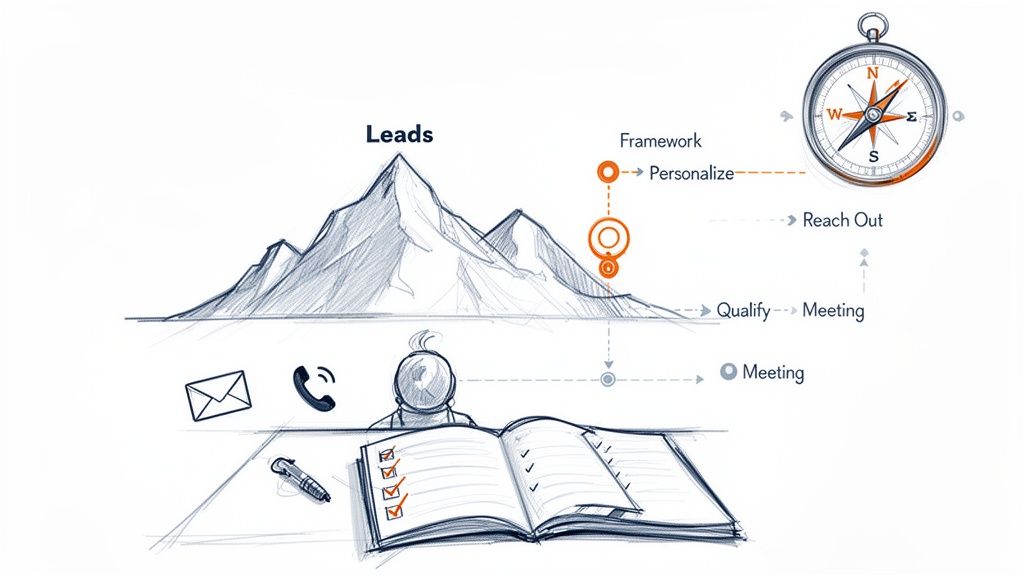
Think of a digital marketing strategy framework as the official playbook for your sales development team. It’s what turns random, hopeful outreach into a systematic, repeatable process for booking qualified meetings. For a Sales Development Representative (SDR), this isn't just theory; it's a GPS for hitting quota.
Without a framework, an SDR is navigating rush hour traffic blindfolded. With one, they have a clear, step-by-step route from a prospect's name to a call on the calendar. This is the difference between hoping for pipeline and building a pipeline you can actually count on.
Why Your SDR Team Needs a Framework More Than Ever
For too many SDRs, the daily routine is a reactive scramble. You're staring at a mountain of leads in your CRM with no clear path forward, which inevitably leads to wasted effort and rollercoaster results. This unstructured approach is like trying to build a house without a blueprint. Sure, you might get a wall up, but the structure is weak, unreliable, and will eventually collapse.
A digital marketing strategy framework changes the game entirely. It injects the structure needed to move from chaos to clarity. Instead of relying on gut feelings, reps can execute a proven process for identifying, engaging, and converting the right prospects, day in and day out.
From Unstructured Outreach to a Predictable Playbook
Without a solid framework, SDRs often operate in silos. Everyone is left to figure out what works on their own, leading to the same pain points that absolutely kill productivity and morale:
Wasted Time on Manual Research: Reps burn hours digging for scraps of information on prospects, only to end up with generic details that don't help them personalize their outreach in a meaningful way.
Generic, Ineffective Messaging: With no clear guidance on the Ideal Customer Profile (ICP) or their specific pain points, emails become bland templates that prospects ignore and delete in a heartbeat.
Inconsistent Activity and Results: Some days are a flurry of frantic activity, while others are dead slow. This feast-or-famine cycle makes building a predictable sales pipeline impossible.
A framework tackles these problems head-on by defining the "who, what, where, and when" of outreach. It provides actionable guidance, giving your SDRs the confidence to act decisively and effectively.
It's a shocking statistic, but nearly half of all businesses are operating without a defined digital marketing strategy. For SDR teams, this gap translates directly into missed opportunities and clunky workflows, because there's no unified plan for engaging their audience online.
Comparing the two approaches makes the benefit for an SDR crystal clear. An SDR without a framework might blast out 100 generic emails and just hope for a response. Their day is reactive and driven by volume alone.
In contrast, an SDR with a framework knows exactly which 20 high-fit accounts to target, what specific pain points to mention, and which sequence of calls and social touches will actually get a conversation started. Their day is proactive and driven by quality.
The goal isn't just to work harder; it's to work smarter. This structure empowers your team by providing a clear set of rules and guidelines that remove the guesswork, turning your SDR team into a high-performing pipeline engine.
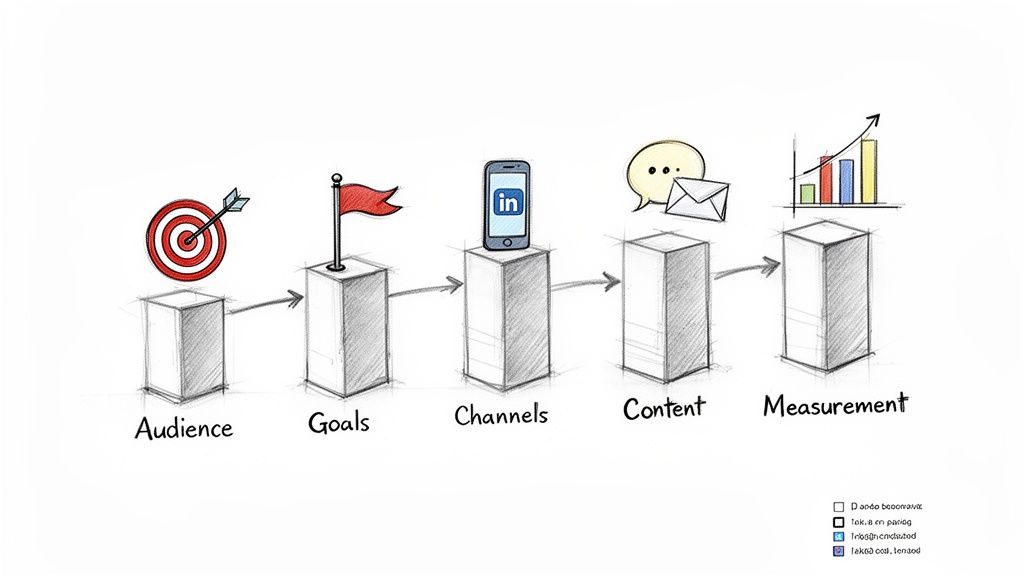
Let's be honest. A generic digital marketing strategy framework often feels like it was written for a different department. To make it a real-world tool for SDRs generating pipeline, we need to translate its core concepts into the language of outbound sales.
This isn't about some high-level marketing plan that collects dust. An SDR-centric framework is a rep’s operational blueprint. It answers the questions that actually matter on the ground: Who do I call? What are my targets? How do I reach them? What do I say? And how do I know if any of this is actually working?
It's shocking how many companies skip this. Research shows that almost 47% of businesses are flying blind without a defined digital marketing strategy. This gap absolutely cripples outbound teams, even those using powerful CRMs like Salesforce and HubSpot. Reps are left guessing, and that leads to burnt-out teams and empty pipelines.
For an SDR, "audience" isn't a vague demographic pulled from a marketing slide. It’s a hit list—a specific set of high-value accounts and the key decision-makers inside them. This part of the framework is all about deep Ideal Customer Profile (ICP) and Persona Intelligence.
It's about arming reps with the context needed to personalize outreach in a way that actually connects. You have to know more than just company size and industry. You need to know their specific business pains, recent trigger events like a new funding round or an executive hire, and the tech they're already using.
Actionable Step for SDRs: Instead of just getting a list, demand the context. Ask your manager: "What are the top three trigger events that signal an account is ready to buy now?" This shifts the focus from a static list to dynamic opportunities.
Vague marketing goals like “increase brand awareness” are useless for planning a Tuesday morning. In an SDR-centric world, goals must be translated into tangible Pipeline Targets and Daily Activity Metrics—things a rep can actually control.
This gives reps clear benchmarks for success. It breaks down a massive quarterly pipeline goal into monthly, weekly, and daily actions, shifting the focus from abstract outcomes to concrete inputs.
A framework transforms chaotic, high-volume outreach into a systematic, repeatable process. It empowers reps by providing a clear playbook, turning guesswork into confident, strategic action that consistently generates pipeline.
Actionable Step for SDRs: Take your quarterly pipeline goal and work backward. If the goal is $250,000 in pipeline, and your average deal size is ~$25k, you need to source 10 opportunities. If your meeting-to-opportunity conversion rate is 50%, you need to book 20 qualified meetings this quarter. That's your target. Break it down weekly and daily.
"Channels" here don't mean broad platforms like Facebook or Google Ads. For an SDR, this is about mastering the outbound mix of email, calls, and social platforms like LinkedIn. The framework is what dictates how these tools work together in a coordinated sequence.
This is where your strategy gets tactical. It defines the cadence—when to call versus when to email, and how to use a LinkedIn connection request to warm up a cold outreach. This is a fundamental piece of building a strong outreach motion, and you can dig deeper by exploring some essential sales enablement best practices.
This structure prevents the "spray and pray" approach that kills productivity. The table below shows just how different the day-to-day reality is for an SDR with and without a clear framework.
Unstructured Outreach vs Framework-Driven SDR Strategy
Activity
Unstructured SDR (Reactive)
Framework-Driven SDR (Proactive)
Prospecting
Pulls random lists, guessing who to target.
Focuses on a pre-defined ICP with clear trigger events.
Messaging
Blasts one-size-fits-all templates.
Personalizes messages based on persona pain points and research.
Cadence
Makes random calls and emails with no clear sequence.
Follows a multi-touch, multi-channel sequence over several days.
Goals
Vague targets like "make 100 calls a day."
Clear targets like "book 3 qualified meetings per week."
Measurement
Focuses on vanity metrics like email open rates.
Focuses on pipeline generated and Sales Accepted Leads.
Outcome
Burnout, low morale, and unpredictable results.
Predictable pipeline, higher conversion rates, and rep confidence.
As you can see, a framework doesn't just add structure—it fundamentally changes the quality and impact of every single activity.
For an SDR, "content" isn't about writing blog posts. It’s about crafting compelling outreach messages and talk tracks designed to spark a real conversation, not just dump information.
This part of the framework gives reps the building blocks for effective communication: battle-tested email templates, scripts for handling the most common objections on a cold call, and value-driven questions to ask during that first critical discovery call. It provides structure without killing the human touch.
Finally, "measurement" is all about the KPIs That Matter for SDRs. We're pushing vanity metrics like open rates to the side and focusing on business outcomes that actually drive revenue. This ensures every action is tracked and analyzed for its real impact on the sales pipeline.
Key performance indicators in a solid SDR framework include:
Activity-to-Conversation Ratio: How many calls or emails does it take to get a real response?
Meetings Booked: The primary output of all SDR efforts.
Pipeline Generated: The dollar value of the opportunities created from those meetings.
Sales Accepted Leads (SALs): The number of opportunities that account executives accept and move forward.
By sharpening these core components through an SDR-specific lens, a digital marketing strategy framework becomes the ultimate playbook for building a predictable and scalable sales engine.
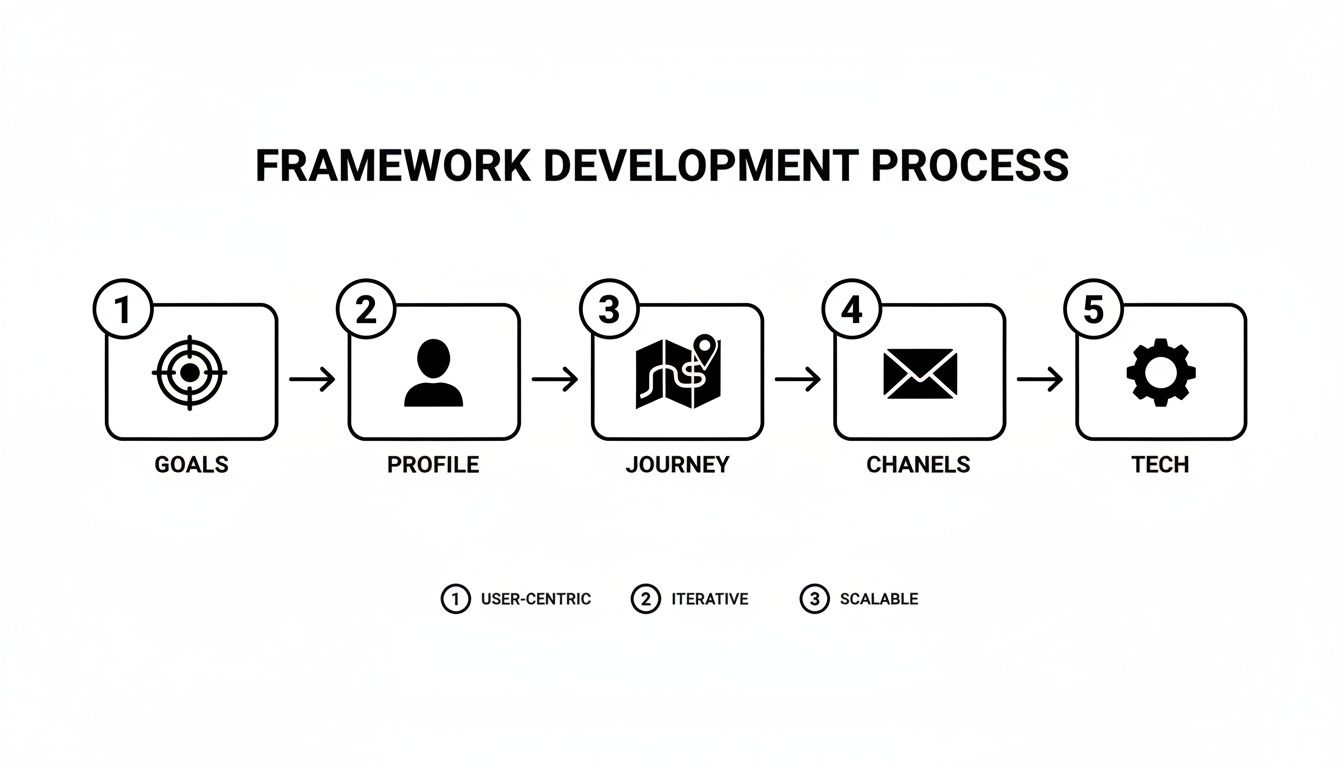
Theory is great, but action is where a digital marketing strategy framework earns its keep. Don't mistake this for a complex, months-long project. For an SDR team, this is a practical, step-by-step process for building a powerful playbook you can use on day one.
Think of it like assembling a high-performance engine. You'll put each piece together in the right order, making sure every component works together to drive your sales motion forward. Follow these five actionable steps to turn concepts into a real-world plan that builds a predictable pipeline.
Every great strategy starts with a clear destination. Before your SDRs can hit their targets, they need to know what they're aiming for. This is where SMART goals—Specific, Measurable, Achievable, Relevant, and Time-bound—are non-negotiable.
SDR Action: Instead of just accepting a quota, ask "What are the specific activity inputs needed to hit this?" This turns a lagging indicator (quota) into leading indicators you can control (calls, emails, social touches).
Specific: Don't say "book more meetings." Say, "Book 12 qualified meetings with VPs of Marketing in the SaaS industry."
Measurable: The goal has to be a number you can track. For instance: "Increase qualified meetings booked by 15% in the upcoming quarter."
Achievable: Be ambitious, but stay grounded in reality. Pushing for a 200% increase in one month just sets your team up for burnout.
Relevant: Your SDR team's goals have to lock in with the bigger company objectives for revenue growth. If they don't, you're just spinning wheels.
Time-bound: Every goal needs a deadline. "In Q3" or "by the end of the fiscal year" creates urgency and gives you a clear timeline for measuring success.
Once you know your destination, you need to identify the right passengers. An SDR's time is their most valuable asset. Wasting it on accounts that are a poor fit is a recipe for failure. This step is all about sharpening your Ideal Customer Profile (ICP) using your own data.
SDR Action: Go into your CRM and find the last 5 deals your company closed that came from outbound. Analyze them. Find the common threads:
What industry are they in?
What's their typical company size or annual revenue?
What tech are they using that signals they're a perfect fit for you?
What was the original pain point that made them buy in the first place?
With this data, you can build a laser-focused ICP and the buyer personas that go with it. This ensures you're not prospecting blindly; you’re targeting the accounts most likely to convert, armed with the context to start a real conversation.
Okay, you know who to target. Now you need to understand how they buy. Mapping the buyer’s journey means figuring out the key stages a prospect moves through and identifying the moments where an SDR can actually add value. This is how you stop asking for the meeting too early or sending the wrong message at the wrong time.
SDR Action: For each stage, define one key action.
Awareness: The prospect has a problem but isn't actively looking for a fix yet. Your job is to educate. Share a valuable LinkedIn post or a non-gated resource.
Consideration: The prospect is now actively researching solutions. Your job is to be a resource. Share a relevant case study or a useful comparison guide.
Decision: The prospect is evaluating vendors and is close to making a call. Your job is to facilitate the next step. Get them connected with an Account Executive for a smooth handoff.
When you understand this flow, you can build outreach sequences that match the prospect's mindset at each stage. It’s a simple shift that makes a massive difference in your response rates.
Step 4: Select Channels and Craft Initial Messaging
With a clear picture of your goals, ICP, and buyer journey, it’s time to choose your weapons and load the ammunition. For most SDR teams, the core channels are a mix of email, phone calls, and social platforms like LinkedIn. The secret sauce is creating a coordinated, multi-touch approach where each channel supports the others.
When building your comprehensive digital marketing strategy, a well-defined approach such as a 3-2-1 LinkedIn Strategy Framework can provide a structured plan for your SDR team's social selling efforts.
SDR Action: Create a simple 8-touch sequence outline over 10 business days. For example: Day 1: LinkedIn view + personalized email. Day 3: Cold call. Day 5: Email with a valuable resource. This simple structure ensures consistent follow-up.
Finally, a strategy is powerless without the tools to bring it to life. This last step is all about setting up your technology stack to make execution and measurement feel effortless. The goal is to build a workflow where reps spend less time on admin tasks and more time actually selling.
The most effective SDR tech stacks are not a random collection of tools, but a tightly integrated system built around the CRM. This ensures every action is logged, every interaction is tracked, and every insight is captured without forcing reps to constantly switch between different apps.
Your CRM—whether it's Salesforce or HubSpot—has to be the single source of truth. Every other tool, from your dialer to your email automation platform, should feed data directly back into it. This tight integration is what makes a digital marketing strategy framework something you can actually measure and improve, turning your plan into results you can see.
Supercharging Your Framework with AI and Automation
A solid digital marketing strategy framework is your blueprint. But here’s the thing about blueprints: they don’t build the house. To turn that static plan into a dynamic, pipeline-generating engine, you need to plug in AI and automation. This is where your framework stops being a document and becomes a living, breathing part of your daily sales motion.
Instead of just guiding your SDRs, technology can actively help them execute faster and more effectively, finally closing that frustrating gap between strategy and action. For your reps, it means less time buried in spreadsheets and more time in actual conversations.
This isn't some far-off future, either. It’s happening right now. AI has become a core component of modern marketing frameworks, with a staggering 92% of businesses ready to invest in generative AI. The AI marketing world is set to grow at a 26.7% CAGR through 2034, and the commitment is real—71% of marketers are planning to pour at least $10 million into AI over the next three years.
For outbound sales teams, platforms like marketbetter.ai are leading this charge. We're using AI to generate highly personalized emails and call workflows that don't just save time—they eliminate entire steps, logging every touchpoint directly into Salesforce or HubSpot. You can go deeper on these trends in our guide to AI for marketing automation.
The process below shows the foundational steps of building a framework, every single one of which can be put on steroids with the right tech.
From setting goals to picking your tech, automation makes each stage smarter and faster.
Let's be honest about the "Audience" part of a manual framework. It’s a grind. Your SDRs spend hours sifting through LinkedIn profiles, news articles, and company websites, trying to stitch together a halfway-decent reason to reach out. It's slow, wildly inconsistent, and usually comes down to a gut feeling.
AI completely flips this on its head.
Instead of just checking boxes against a static ICP, AI can analyze dynamic intent signals in real-time. It spots accounts that are actively looking for a solution by tracking behaviors like website visits, content downloads, or even changes in their tech stack. A cold, overwhelming list suddenly becomes a warm, prioritized queue of accounts that are actually ready to talk.
The "Content" pillar of most frameworks is usually just a folder of templates. The problem? Even the best templates sound robotic without a ton of manual work. An SDR can easily burn 20 minutes trying to customize a single email with a few account-specific details.
This is where AI-powered tools like marketbetter.ai change the math. They generate AI-written cold emails and call scripts that pull in relevant, timely context automatically.
An AI can grab a company’s recent funding announcement and drop it into the first sentence of an email.
It can whip up talking points for a call based on a prospect’s latest LinkedIn post.
It serves up contextual icebreakers on a silver platter, so every interaction feels authentic.
A framework without execution is just a document. An AI Task Engine transforms that document into a prioritized, actionable daily workflow for every SDR, telling them exactly who to contact, what to say, and when to say it.
This is where the rubber truly meets the road. The "Execution" phase is where most frameworks fall apart because, well, we're human. An SDR might have a list of 50 tasks for the day but gets paralyzed by choice, struggling to figure out what's most important.
An AI Task Engine solves this by creating a prioritized task inbox for each rep. It synthesizes all the intent signals, account data, and sequence steps to serve up the next best action. No more guessing who to call next; the system tells them, complete with the AI-generated script or email ready to fire. AI and automation can even give SDRs an edge during live conversations with tools that offer real-time agent assistance.
This ensures every single activity is perfectly aligned with the strategy you built. And with automated CRM logging, every call, email, and outcome is recorded without the rep lifting a finger, keeping your data pristine. The result? A far more productive team and a framework that finally delivers predictable, measurable results.
A framework is only as good as the results it drives. Let’s be honest, staring at a dashboard full of vanity metrics like email opens and social media likes is like judging a car's performance by its shiny paint job—it looks nice, but it tells you nothing about the engine.
To figure out if your SDR-focused digital marketing strategy framework actually works, you have to track the Key Performance Indicators (KPIs) that sales leaders actually care about. This means getting past the superficial numbers and measuring the real-world outcomes that build a healthy pipeline. Good measurement isn't just about proving ROI; it’s about creating a tight feedback loop to coach reps, fine-tune your messaging, and make smart adjustments to the framework itself.
A great way for an SDR to understand their performance is to split KPIs into two buckets: leading and lagging indicators. This simple separation helps you understand the effort you're putting in versus the results you're getting out.
Leading indicators are your Activity Metrics. These are the daily and weekly inputs you have direct control over. They measure the work being done.
Emails Sent: The total number of personalized emails sent out to prospects.
Calls Made: The raw volume of outbound calls an SDR hits each day.
LinkedIn Touches: Meaningful actions like connection requests, InMails, or thoughtful comments.
These are your bread-and-butter metrics for managing your own day-to-day performance. They tell you if you're putting in the reps needed to succeed.
On the flip side, lagging indicators are your Outcome Metrics. These track the results of all that work and are what ultimately drive revenue.
Positive Conversations Held: Not just answered calls, but actual, meaningful dialogues with prospects.
Meetings Booked: For most SDR teams, this is the holy grail of their activity.
Pipeline Generated: The real dollar value of the sales opportunities created from those booked meetings.
When you track both, you get the full story. If your activity is sky-high but your outcomes are flat, you don’t have an effort problem—you have a quality or messaging problem.
Okay, tracking inputs and outputs is a solid start. But to really dial things in, you need to measure how efficiently your team turns one into the other. Efficiency metrics are the conversion points inside your framework that reveal what’s working and, more importantly, what’s broken.
The most powerful SDR dashboards don't just show what happened; they show why it happened. By focusing on conversion ratios, you can pinpoint the exact stage in your outreach process that needs coaching or optimization.
Think of these metrics as the diagnostic codes for your sales engine:
Connect Rate: Of all the calls you make, what percentage actually result in a conversation with the right person?
Email Reply Rate: How many of your emails get any kind of response (positive or negative)?
Activity-to-Meeting Ratio: On average, how many touches (calls, emails, etc.) does it take to book one qualified meeting?
A dismal connect rate might point to bad phone data or calling at the wrong times. A poor email reply rate is a huge red flag that your messaging is falling flat and needs a complete overhaul. For a deeper look, check out our guide on essential lead generation key performance indicators. These are the numbers that should guide your coaching sessions and strategic tweaks.
With digital marketing budgets surging globally—a full 63% of businesses recently upped their spending—the pressure to prove every dollar counts has never been higher. Digital channels now influence 60% of all marketing investments, making a data-driven framework absolutely non-negotiable for any SDR team looking to compete.
Turning Your Framework into a Competitive Advantage
Look, a digital marketing strategy framework isn't some static document you create, print, and shove in a drawer. Think of it less like a finished blueprint and more like the live, breathing operating system for your sales team. Its real power is only unlocked when you get into a rhythm: execute, measure, tweak, repeat.
An SDR without a framework is relying on brute force and luck. They burn precious hours on low-impact activities and can't explain why their pipeline is a rollercoaster. A solid framework, on the other hand, gives them clarity and direction to turn daily grind into measurable results.
The difference between SDR teams with and without a framework is night and day. One operates with precision and purpose, the other relies on guesswork.
Without a Framework: Reps chase random leads with generic messages. Their success is sporadic, and their pipeline is a series of peaks and valleys. They can't explain their wins or their losses.
With a Framework: Reps know exactly which accounts to target, what pain points to address, and how to measure effectiveness. Their success becomes repeatable, and their pipeline becomes predictable.
This is the competitive advantage. It’s the ability to consistently generate high-quality opportunities because your outreach is systematic, not sporadic.
A framework transforms sales development from an art of individual heroics into a science of repeatable success. It’s the engine that drives predictable growth in a crowded, competitive market.
Ultimately, sales leaders have to get their teams out of the chaos of unstructured outreach. The final, critical step is embedding your strategy directly into your team's daily workflow. This is where a tool like marketbetter.ai becomes the execution layer that brings your framework to life right inside your CRM.
By turning those strategic plans into prioritized daily tasks, marketbetter.ai makes sure your reps are always focused on the next best action. It closes the gap between planning and doing, turning your digital marketing strategy framework into measurable pipeline growth and a real, durable competitive edge.
Free Tool
Try our Marketing Plan Generator — generate a complete AI-powered marketing plan in minutes. No signup required.
Got questions? You're not alone. Rolling out a new framework can feel like a massive project, especially when you're already sprinting to hit your number. But it doesn't have to be. The trick is to start small and build momentum.
Don't try to boil the ocean. A great first step for any SDR is to sit down with a top performer on your team and get crystal clear on your Ideal Customer Profile (ICP). Nailing that one thing makes every other step ten times easier and more effective.
Adoption. It’s the single biggest hurdle. A brilliant framework is just a pretty document if your reps ignore it. The secret isn't about enforcing rules; it's about showing them the shortcut to hitting their number.
Compare the reality: An SDR's day without a framework is drowning in manual research, guessing who to call and what to say. With one, they get a prioritized list and a playbook.
To make it stick, bake the framework directly into the tools they already live in. Integrate it with your CRM workflow. When it feels less like a new mandate and more like a cheat code for booking meetings, they'll use it.
The #1 reason frameworks gather dust is a lack of frontline buy-in. If SDRs see it as another administrative task from management, they will find a workaround. You have to position it as a tool built for them—a playbook designed to help them crush their quota with less guesswork.
I Have a Small Team and Limited Resources. Where Do I Start?
You don't need an enterprise-level budget. In fact, a small team has a huge advantage: you're agile. You can move fast.
The simplest way to start is by documenting what your best reps are already doing instinctively. That's your V1 framework right there.
Define Your ICP: Pull up your last 10 closed-won deals. What's the common thread? Industry, company size, title? Write it down. That's your target list.
Find Your Best Messaging: Grab the top 3 email templates that consistently get replies. That's your starting point for content.
Map a Simple Cadence: What does a basic outreach sequence look like? Outline a simple 5-step process of calls and emails over a week. That's your channel strategy.
That's it. This simple, documented process is your framework. It creates a baseline for consistency and gives you something to build on as you grow. The goal here is progress, not perfection. A simple plan is infinitely better than no plan at all.
Ready to turn that framework from a document into an action plan? marketbetter.ai is the AI engine that brings your strategy to life inside Salesforce and HubSpot. It tells your SDRs exactly who to contact, what to say, and when to say it. Stop the guesswork and start building a predictable pipeline.