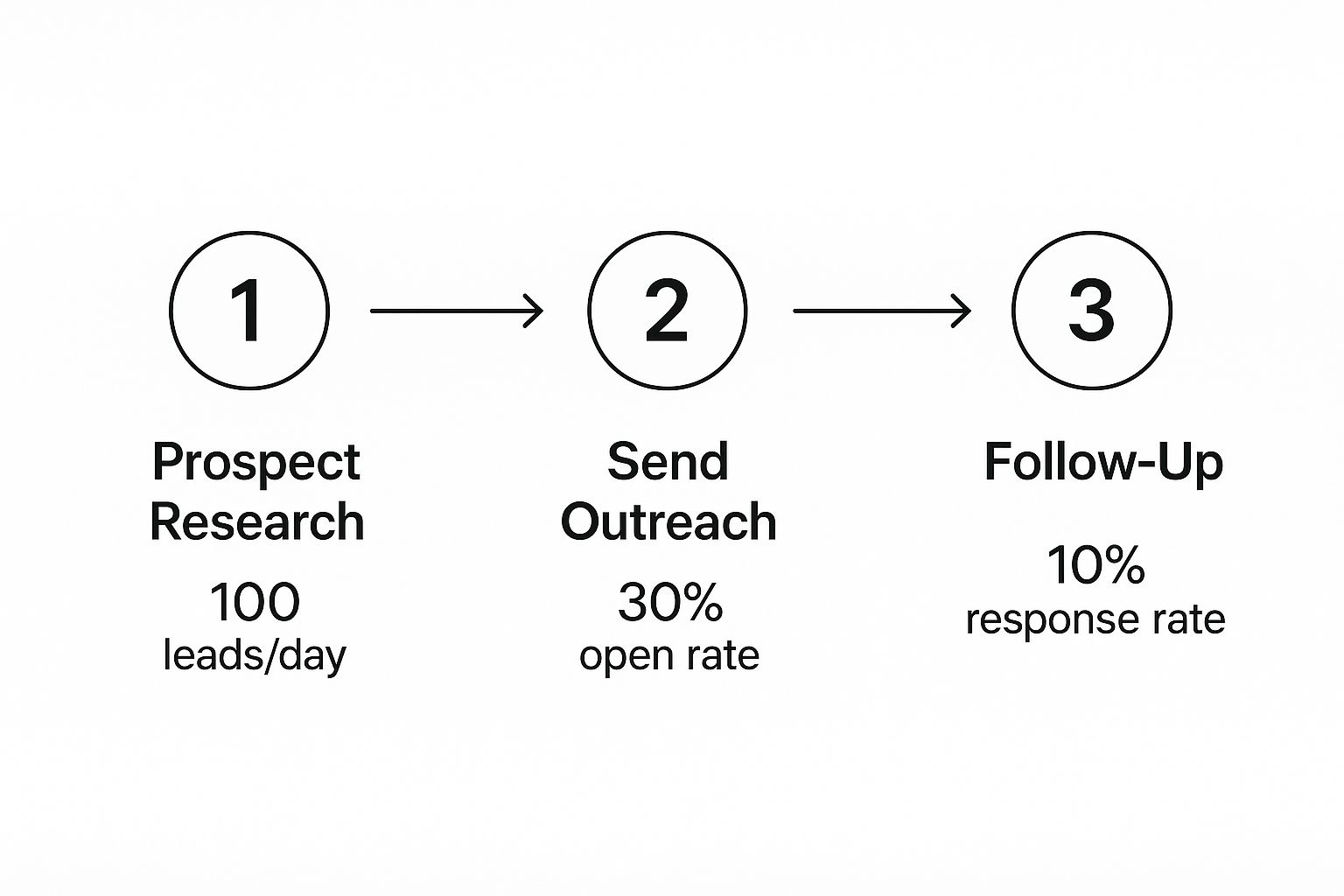
The morning our dashboard ticked past $5M in annual recurring revenue, I didn't celebrate. I sat in my car in the parking lot for fifteen minutes, staring at my phone, thinking about every door that got slammed in our face to get there.
The Environmental, Health & Safety (EHS) software market is projected to hit $3.4 billion by 2028. Behind that number is an uncomfortable truth: most EHS SaaS vendors are still running their sales motion like it's 2018 — cold lists, generic sequences, and BDRs burning through contact databases with zero signal intelligence.
If you sell safety compliance software, incident management platforms, or environmental monitoring tools, you already know the challenges. Your buyers are EHS directors, VP of Operations, and Chief Safety Officers — people who don't respond to "just checking in" emails. They respond to relevance.
This article breaks down how one mid-market EHS compliance SaaS company transformed their outbound pipeline by replacing spray-and-pray tactics with AI-powered intent signals — and how the same playbook applies to every vendor in this space.
Professional services is a $6 trillion global industry — and one of the most underserved verticals in B2B sales technology.
Here's why: most sales tools are built for high-volume SaaS companies running sequences to thousands of contacts. But a professional services firm — whether it's an investigation agency, a consulting practice, a staffing company, or a legal services provider — operates differently. Their deals are relationship-driven. Their pipeline depends on speed-to-contact. And their SDR team is usually one or two people wearing five hats.
The typical sales tech stack (Salesforce + Outreach + ZoomInfo + five other tools) costs $3,000+/month and requires a full-time RevOps person to manage. That's overkill for a 15-person firm that needs to book three meetings a week.
This article tells the story of a professional services firm that replaced their entire fragmented sales stack with a unified platform — and tripled their pipeline in 60 days.
Lead qualification isn't just another piece of sales jargon—it's the actionable process of determining which prospects are likely to become paying customers. Think of it as a critical filter that separates high-intent buyers from casual window shoppers, ensuring your sales team invests their time on deals they can actually win.
Why Lead Qualification Is the Bedrock of Your Sales Strategy
Imagine your sales team are highly skilled chefs and leads are their ingredients. Even the best chef can't create a five-star meal (a closed deal) using rotten vegetables. Lead qualification is the art of sourcing the best ingredients—finding the fresh, high-quality produce (qualified leads) and discarding what's unusable.
Without this filtering process, your sales development reps (SDRs) are stuck chasing ghosts. They spend days calling prospects who have no budget, no authority to make a decision, or no real need for what you’re selling. This common gap between marketing's lead generation and sales' need for ready-to-buy prospects creates friction and wastes massive amounts of time and money.
When sales teams are handed unfiltered lists of leads, the consequences are more than just frustration—they hit your bottom line, hard. A stunning 67% of lost sales are the direct result of sales reps not properly qualifying leads in the first place. That means companies are pouring resources into conversations that were doomed from the start.
This table breaks down just how expensive poor qualification can be compared to a well-defined process:
Problem Area
Impact of Poor Qualification
Benefit of Strong Qualification
Wasted SDR/BDR Time
Reps spend up to 50% of their time on unproductive prospecting.
Reps focus on high-potential leads, boosting productivity and morale.
Inefficient Sales Cycles
Unqualified leads clog the pipeline, increasing sales cycle length by 20-30%.
A cleaner pipeline leads to faster deal velocity and more accurate forecasting.
Lower Conversion Rates
Engaging the wrong prospects tanks morale and lead-to-opportunity rates.
Higher-quality conversations naturally lead to better conversion rates.
Marketing Budget Waste
Marketing spends money attracting leads that sales can't close.
Marketing ROI improves as they refine campaigns to attract more qualified leads.
It’s a bleak picture. But effective qualification turns this around by creating a clear, shared definition of a "good lead" that both marketing and sales agree on. This alignment is the foundation of a healthy B2B sales funnel and is essential for predictable growth.
At its core, lead qualification is all about making sure you’re focused on getting the right leads—the ones who will actually move the needle for your business. It's the strategic discipline that separates high-growth companies from those stuck spinning their wheels.
The whole point of asking "what is lead qualification?" is to understand how it transforms your sales operation from a reactive mess into a proactive, well-oiled machine. Instead of treating every name on a list the same, a solid qualification process lets your team prioritize their efforts based on a prospect's real potential.
This systematic approach brings several huge advantages to the table:
Sky-High Sales Efficiency: Your reps stop wasting hours on dead-end conversations and focus their energy on prospects who have a genuine need and the intent to buy. Their productivity goes through the roof, and so does their morale.
Better Conversion Rates: When SDRs connect with well-qualified leads, the conversations are instantly more relevant and impactful. This naturally leads to a higher lead-to-opportunity conversion rate and, you guessed it, more closed-won deals.
Accurate Sales Forecasting: A pipeline filled with genuinely qualified leads gives you a much more reliable crystal ball for revenue forecasting. You can predict future sales with far greater confidence because you know the opportunities are real.
Smarter Marketing ROI: By seeing which types of leads actually convert, your marketing team can double down on what works. They can refine their campaigns to attract more prospects who fit your ideal customer profile, ensuring every dollar of their budget is spent effectively.
Once you’ve bought into why lead qualification is so important, the next question is how. You can’t just have your reps fire off random questions and hope for the best. That’s a recipe for inconsistent results. What you need is a system—a structured framework that guides the conversation.
Think of these frameworks as conversational roadmaps for your sales team. They make sure reps gather the right intel every single time to figure out if a prospect is truly a good fit.
The right framework depends entirely on what you're selling and who you're selling to. Think of it like a fishing net. You wouldn’t use a massive, deep-sea trawler net to catch trout in a stream. In the same way, the framework you choose needs to match the size and complexity of the deals you’re chasing.
At its core, the logic is simple. A qualified lead is someone who’s a good fit for what you sell and is actually ready to buy. This little decision tree sums it up perfectly.
Qualification is really a two-part test that separates real opportunities from all the noise. Let’s dive into the most common frameworks that help your team run this test effectively.
You’ve probably heard of BANT. It's one of the oldest frameworks in the book and has stuck around for a reason: it's simple and direct.
BANT stands for:
Budget: Can they actually afford what you're selling?
Authority: Are you talking to the person who can sign the check?
Need: Do they have a real problem that your product solves?
Timeline: Are they looking to buy now, or sometime next year?
BANT is all about efficiency. It’s fantastic for high-volume sales teams with shorter, more straightforward sales cycles. It quickly weeds out leads who simply can't buy.
But its biggest strength is also its biggest weakness. In today's world of consultative selling, leading with "What's your budget?" can feel abrasive. It can shut down a good conversation before it even starts and often misses the deeper "why" behind a potential purchase.
Enter CHAMP, which flips the BANT model on its head to be more customer-friendly. Instead of leading with the wallet, it starts with the problem.
CHAMP stands for:
CHallenges: What specific issues are they trying to solve?
Authority: Who's involved in making this decision?
Money: What’s the financial impact of doing nothing, and what have they set aside to fix it?
Prioritization: How big of a fire is this, really?
By starting with Challenges, reps immediately position themselves as helpful problem-solvers, not just quota-crushing vendors. This is a much better fit for modern B2B buyers who are looking for a partner, not just a product. CHAMP shines in any sales process where understanding the customer's pain is the key to unlocking the deal.
Then there’s MEDDIC. This isn't for your average SMB deal. This is the heavy-duty framework for navigating complex, high-stakes enterprise sales with long cycles and a dozen people on the buying committee.
MEDDIC is less of a checklist and more of an operating system for winning massive deals. It stands for:
Metrics: What are the measurable results the prospect expects to see? Think ROI.
Economic Buyer: Who holds the ultimate P&L responsibility and can give the final "yes"?
Decision Criteria: What specific, formal criteria will they use to judge your solution?
Decision Process: What are the exact, step-by-step stages they follow to sign a contract?
Identify Pain: What business pain is so acute it’s forcing them to act now?
Champion: Who is your inside person, the one selling your solution for you when you’re not in the room?
MEDDIC forces your reps to dig incredibly deep, giving them a 360-degree view of the entire opportunity. It's total overkill for a $5k deal but absolutely essential if you're trying to land a $500k one.
Actionable Step: Choosing the Right Qualification Framework
A comparative overview of BANT, CHAMP, and MEDDIC to help your team select the best model for your sales process. Using MEDDIC for a simple sale is like using a sledgehammer to crack a nut, while using BANT for a complex enterprise deal is like bringing a knife to a gunfight.
Framework
Best For
Core Focus
Key Question Example
BANT
Transactional or less complex sales cycles.
Buyer's readiness and available resources.
"Do you have a budget allocated for this solution?"
CHAMP
Modern B2B sales where pain points drive action.
Understanding the prospect's challenges first.
"What is the primary challenge you are trying to solve right now?"
MEDDIC
Complex, enterprise-level deals with multiple stakeholders.
Operationalizing the sales process for predictable wins.
"What metrics will the economic buyer use to evaluate success?"
To make this actionable:
Analyze your average deal size and sales cycle length. Are they small and fast, or large and complex?
Review your last 10 closed-won deals. What information was critical to closing them? Was it budget, understanding pain points, or navigating a complex buying committee?
Choose one framework that best aligns with your findings and train your entire sales team on it to ensure consistency.
While frameworks like BANT are great for structuring conversations, truly modern qualification is all about the data. To figure out who your SDRs should call right now, you have to answer two simple but critical questions:
Do they look like our best customers?
Are they acting like they're ready to buy?
Getting this right means blending two very different types of information. The first is all about who the company is—the static, foundational stuff. The second is about what they’re doing—the dynamic, real-time actions that signal intent. The secret to separating the tire-kickers from the truly sales-ready leads lies in mastering this combo.
Building Your Ideal Customer Profile with Firmographics
The first layer is defining your Ideal Customer Profile (ICP). This isn't just a vague notion of who you sell to; it's a laser-focused, data-driven description of the perfect company for your solution.
This profile is built on hard data points, often called firmographics. Think of them like demographics, but for businesses. Key attributes usually include:
Industry: Which verticals see the biggest wins with your product? (e.g., SaaS, Manufacturing, Financial Services)
Company Size: How many employees do they have? (e.g., 50-250, 1,000+)
Annual Revenue: What's the sweet spot for revenue? (e.g., $10M-$50M)
Geography: Where are they based? (e.g., North America, EMEA)
But you can get even more specific. Smart teams add technographics to the mix—data on the tech stack a company uses. For a SaaS business, this is pure gold. Knowing a prospect uses a complementary tool like Salesforce, or even a direct competitor, tells you a ton about their needs and potential budget.
Here’s the thing: an ICP only tells you if a prospect looks good on paper. It doesn't tell you if they have a burning problem they’re trying to solve today.
That's where behavioral signals come in. These are the digital breadcrumbs a prospect leaves behind that scream "I'm interested!" and hint at buying intent. These actions show a prospect is moving out of passive research into active consideration.
Key Takeaway: An ICP identifies the companies you should be talking to. Behavioral signals identify the companies you should be talking to right now. The magic happens when these two data sets overlap.
Just look at the difference between a lead who only fits your ICP versus one who's also lighting up the activity feed.
Lead Characteristic
Lead A (ICP Fit Only)
Lead B (ICP Fit + Behavioral Signals)
Profile
A 200-employee SaaS company in your target industry.
A 200-employee SaaS company in your target industry.
Actions
No recent interactions with your brand.
Visited your pricing page twice, downloaded a case study, and attended a webinar last week.
Qualification Status
Actionable Step: Cold but promising. Add to a long-term automated nurturing sequence.
Actionable Step: Hot and sales-ready. This is a top priority for immediate, personalized outreach today.
Lead A is a solid prospect for a long-term marketing sequence. But Lead B is a different story. They're showing clear buying signals and need to be at the very top of an SDR's list for a call or personalized email, today. This blend of "fit" and "intent" is the engine of efficient, modern sales.
Alright, so you’ve mapped out your ideal customer and you know what buying signals to look for. Now what? The next move is to operationalize that knowledge so you can sort through hundreds or thousands of leads without losing your mind. This is exactly where lead scoring comes into play.
Think of it like a video game. As a lead interacts with your brand, they collect points for certain actions and attributes. The higher their score, the closer they are to being “sales-ready.” A solid lead scoring system automatically tallies these points, giving your reps a crystal-clear leaderboard of who to engage right now.
It’s a powerful concept, but surprisingly, only 44% of companies are actually doing it. That’s a huge miss, especially when you consider how effective it is. For example, Product-Qualified Leads (PQLs)—which are identified almost purely by their behavior—often see 20-30% conversion rates. This just proves that intent is a game-changer, which you can read more about in our guide on how B2B lead generation is evolving.
A good lead scoring model isn't complex. It just needs to balance who the lead is (explicit data) and what they're doing (implicit data). You assign points to each piece of information based on how well it predicts that a lead will become a customer.
1. Score for Fit (Explicit Data): Does the lead match your ICP?
Job Title: A C-level exec is a great sign (+15 points). An intern is not a buyer (-10 points).
Industry: If you exclusively sell to fintech, a lead from that industry deserves a boost (+10 points).
Company Size: If your product shines in companies with 100-500 employees, a lead from a company that size gets +10 points.
2. Score for Intent (Implicit Data): Are they actively researching a solution?
High-Intent Actions: Requesting a demo is a direct ask for a sales conversation (+25 points). Visiting your pricing page shows commercial intent (+15 points).
Medium-Intent Actions: Attending a webinar (+10 points) or downloading a detailed case study (+5 points) shows they're actively researching.
Negative Actions: Visiting your careers page suggests they are a job seeker, not a buyer (-20 points).
Let's make this tangible. Here's a quick-and-dirty model for a B2B SaaS company that targets mid-sized tech companies.
Category
Attribute or Behavior
Points
Explicit (Fit)
C-Level or VP Title
+15
Director or Manager Title
+10
Target Industry (e.g., Tech)
+15
Company Size (100-1,000 employees)
+10
Implicit (Intent)
Requested a Demo
+25
Visited Pricing Page
+15
Attended a Product Webinar
+10
Downloaded a Case Study
+5
Unsubscribed from Emails
-20
Actionable Step: Setting Your Qualification Thresholds
With your scoring system ready, the final piece is deciding what to do with the scores. This is where sales and marketing need to be completely in sync. You’ll want to set at least two thresholds.
Marketing Qualified Lead (MQL): This is the "getting warm" stage. The lead is interesting, but not quite ready for a sales call. Actionable Step: Set an MQL threshold (e.g., 50 points) and automatically enroll these leads into a targeted nurture campaign.
Sales Qualified Lead (SQL): This is the green light. The moment a lead hits this score, they are officially sales-ready. Actionable Step: Set an SQL threshold (e.g., 75+ points) and create an automated workflow that immediately assigns the lead to an SDR and creates a high-priority task for follow-up.
This system removes the guesswork. The data tells your team who to call next, creating a clean, automated handoff from marketing to sales.
While building a manual lead scoring model is a massive step forward, the next frontier is handing the most repetitive work over to artificial intelligence. AI isn't just a buzzword here; it’s the engine that transforms qualification from a time-sucking manual chore into a slick, automated workflow.
Think of it this way: a manual process is like a lone miner panning for gold, hoping to find a nugget. An AI-powered process is like a modern mining operation using advanced sensors to pinpoint exactly where the richest veins are. This shift helps sales teams move faster and with far more precision, ensuring no high-intent lead slips through the cracks. The AI acts as a tireless digital assistant, constantly watching for the signals that matter most.
The real magic of AI in lead qualification isn't just spotting top prospects—it's turning that insight into action. Modern tools don’t just serve up a list of "hot leads"; they translate those signals into a clear next best action for your SDRs. This is where strategy finally meets execution.
Imagine an AI that not only flags a prospect who fits your ICP and just hit your pricing page, but also immediately creates a prioritized task in the SDR's queue. And this task isn't empty; it's loaded with context.
Who is this person? The AI pulls their title, company details, and relevant social media activity.
Why now? It highlights the exact behavioral signals, like "viewed pricing page 3 times" or "downloaded case study on X."
What should I say? It can even provide contextual talking points or draft a personalized email based on the prospect's industry and known pain points.
This makes the entire workflow—from signal detection to outreach—incredibly efficient. It bridges the gap between knowing what to do and actually doing it, fast.
The difference between a manual approach and an AI-driven one is night and day. While both aim for the same goal—finding qualified leads—their methods and outcomes couldn't be more different.
Aspect of Qualification
Manual Process (The Old Way)
AI-Powered Process (The New Way)
Lead Prioritization
Reps manually scan CRM lists, relying on gut feeling or sorting by last activity date.
AI automatically scores and ranks leads based on fit and real-time intent, creating a prioritized task list.
Research & Prep Time
SDRs spend 30-50% of their day on manual research across LinkedIn, company sites, and news articles.
AI instantly synthesizes company info, relevant news, and key talking points, slashing prep time to minutes.
Outreach Execution
Reps write every email from scratch or use generic templates that need heavy editing.
AI generates personalized, context-aware email drafts and call scripts, letting reps execute faster.
CRM Hygiene
Calls, emails, and notes are often logged inconsistently, creating messy data and zero visibility.
Activity is auto-logged directly into the CRM (like Salesforce or HubSpot), ensuring clean data and accurate reporting.
This comparison makes it obvious: AI doesn't replace the salesperson. It kills the administrative grunt work, freeing them up to do what humans do best—build relationships and have strategic conversations.
Platforms like MarketBetter.ai are built for this exact purpose, turning buyer signals into prioritized tasks and helping reps execute with an AI-powered dialer and email writer directly inside their CRM. The result is a sales team that spends less time on busywork and more time actually selling. By automating the tedious parts of qualification, you empower your reps to be more productive and, ultimately, to drive more revenue.
You can learn more about how this works by exploring our deep dive into the AI Lead Scoring Codex.
How to Measure the Success of Your Qualification Process
You can't fix what you don't measure. That’s especially true for lead qualification. To make sure all your hard work is actually paying off, you need to track specific Key Performance Indicators (KPIs) that tie directly back to revenue.
Think of these metrics as a report card for your qualification strategy. They tell you exactly what’s working and what’s falling flat, turning a vague process into a predictable engine for growth.
Actionable Step: Build Your Qualification Dashboard
To get a clear picture, start with a few core funnel metrics. These KPIs are the lifeblood of your process, showing how smoothly you’re turning initial interest into real business opportunities.
Lead-to-SQL Rate: What percentage of all your incoming leads actually get qualified by your team? A low number here is a flashing red light. It could mean your lead sources are off the mark, or maybe your initial filtering isn't tight enough.
SQL-to-Opportunity Rate: Of all the leads your SDRs qualify (SQLs), how many do your Account Executives accept and turn into a real, pipeline-worthy opportunity? This metric is the ultimate test of lead quality. A low rate here means your definition of "qualified" is misaligned with sales reality.
Lead-to-Customer Conversion Rate: This one’s the bottom line. It tracks the full journey from the very first touchpoint all the way to a signed contract. Seeing this number tick up over time is the best proof that your entire system is getting smarter and more efficient.
As a ballpark, many B2B SaaS companies find that around 13% of leads become SQLs, and of those, about 22% convert into opportunities. But don't treat these as gospel—your industry, market, and price point can change everything. The real goal is to set your own baseline and improve it month over month.
Don't Just Look at the Numbers—Listen to Your Reps
Data is crucial, but it only tells half the story. The most valuable, ground-truth insights will always come from your sales team. They're in the trenches every single day.
Actionable Step: Schedule a bi-weekly "Lead Quality Huddle" with your marketing and sales teams. Ask them straight up:
Are the leads I’m sending you actually ready to talk?
What are the most common pushbacks you're getting from supposedly "qualified" leads?
Which lead sources are producing the best conversations? Which are duds?
A low SQL-to-Opportunity rate is just a statistic. A rep telling you, "Leads from the last webinar were amazing, but the ones from that ebook download are wasting my time," is pure gold. That’s an insight you can act on immediately.
Combining the hard data with this on-the-ground feedback is how you truly master what is lead qualification and build a system that works in the real world.
Quick Answers to Common Lead Qualification Questions
Even the best-laid plans hit a few bumps in the road. As you start putting your lead qualification process into action, questions are bound to pop up. Here are some straightforward answers to the most common ones we hear from sales teams.
What’s the Real Difference Between an MQL and an SQL?
An MQL (Marketing Qualified Lead) has shown interest (e.g., downloaded an ebook) and fits basic criteria, making them a good fit for marketing nurture. An SQL (Sales Qualified Lead) is an MQL that a sales rep has vetted and confirmed has a real, near-term need, budget, and authority, making them ready for a sales conversation.
The Comparison: Think of it like a relay race. Marketing (MQL) runs the first leg and hands the baton to sales (SQL) only when the runner is in a strong position to finish the race. The handoff is a critical quality check.
How Often Should We Revisit Our Lead Scoring Model?
You should be giving your lead scoring model a tune-up at least once a quarter. Your business goals shift, your ideal customer evolves, and what worked last quarter might be totally off base today.
Actionable Step: Review your last quarter's closed-won and closed-lost deals. Do the winners consistently have high scores? Do the losers have low scores? If not, adjust the point values on the attributes and behaviors that correlate most strongly with winning deals.
Can a Small Team Actually Qualify Leads Without Fancy, Expensive Tools?
Yes, absolutely. At the end of the day, qualification is a strategy, not a software subscription. A small team can get started with a clearly defined Ideal Customer Profile (ICP) and a straightforward framework like CHAMP.
Actionable Step: Create a shared Google Sheet or document with your ICP and your chosen qualification framework's questions. Have reps manually research prospects on LinkedIn and use the sheet to guide their calls. While tools add scale, getting the fundamentals right is the one step no team can afford to skip.
Ready to stop guessing and start executing? marketbetter.ai turns buyer signals into a prioritized task list for your SDRs, helping them execute with AI-written emails and a CRM-native dialer. Learn more about how we help sales teams build consistent outbound motion without the busywork.
Getting more people to convert on your website is all about one thing: methodically finding and removing friction for your ideal buyers. For a Sales Development Representative (SDR) leader, this isn't about vanity metrics; it's about turning your website into the team's best qualifier. It’s a blend of digging into buyer-intent data, smoothing out the path to a demo, and writing copy that guides high-value visitors to take the next step. The goal is to make their journey so smooth and obviously valuable that booking a meeting with your SDR feels like the most natural thing to do.
Let's be real for a second. Your sales development reps (SDRs) are probably drowning in a sea of low-quality "leads." While the marketing team pops champagne over a spike in form fills, your sales floor is telling a completely different story. It’s a story of dead-end calls, ignored emails, and prospects who have no idea who you are and no intention of buying.
This is the classic marketing-sales disconnect that grinds pipeline growth to a halt, leaving your SDRs to do the dirty work of sifting through garbage.
The problem starts with a flawed definition of "conversion." A traditional website funnel treats every action the same. A student downloading a top-of-funnel eBook gets logged with the same initial weight as a direct demo request from a VP at a target account. For an SDR, these two "leads" couldn't be more different, yet they often land in the queue with the same priority.
The result is painful and expensive. SDRs burn their most precious resource—time—chasing ghosts. They spend their days slogging through lists of contacts with zero buying intent, leading to frustration, burnout, and a lot of missed quotas. Your funnel isn't filtering for quality; it’s just collecting names in a spreadsheet and passing the qualification burden to your sales team.
The old playbook was all about quantity. The thinking was, if you pour enough "leads" into the top, a predictable number of deals will magically pop out the bottom. For an SDR team, this "spray and pray" model is a recipe for inefficiency.
Think about the difference between these two leads from an SDR's perspective:
The Volume Lead: Someone downloads a whitepaper. They could be a competitor, a student doing research, or someone just kicking tires. The lead lands in the SDR's queue with zero context, kicking off a generic, and likely ignored, outreach sequence. This is a cold call with a flimsy excuse.
The Quality Signal: Someone from your ideal customer profile (ICP) hits your pricing page twice this week, then watches a 15-minute product demo. That’s not just a lead; it’s a flare going up, signaling real buying intent. For an SDR, this is a hot, contextualized lead that they can engage with a highly relevant message, dramatically increasing the chance of booking a meeting.
Your website needs to be an intelligent filter, not just a digital fishnet. It must learn to tell the difference between passive curiosity and active evaluation, so it can hand-deliver qualified opportunities to your SDRs.
The goal is to turn your website from a generator of noise into a source of clear, actionable signals. That's how you empower your SDRs to spend their time only on the accounts that are actually ready to talk.
When your website conversions aren't aligned with what SDRs actually need, you get a broken system. Marketing hits its MQL number, but the sales team misses its revenue target. Everyone loses.
This is exactly why a quality-first approach to conversion rate optimization (CRO) is so critical for SDR teams. By zeroing in on high-intent actions, you arm your SDRs with the context they need to start conversations that matter. Instead of asking "Are you the right person to talk to?", they can open with "I saw you were looking at our integration with Salesforce; I can show you exactly how that works."
This shift takes more than just tweaking a form field, though that's a good place to start. For some great ideas, check out these actionable conversion rate optimization tips for forms, which are often the last hurdle between you and a great lead.
Ultimately, tying marketing activities to real sales outcomes is the cornerstone of a modern go-to-market motion. This playbook will walk you through turning your site from a lead graveyard into a true pipeline-generating machine for your SDRs.
Build a Conversion Funnel on Trust and Social Proof
Let's be blunt. Vague promises of "unparalleled ROI" and generic marketing slogans just don't land with savvy B2B buyers anymore. A VP of RevOps has heard it all before, and their default setting is skepticism. This skepticism is what your SDRs have to overcome on every single call.
To cut through that noise, you have to stop making claims and start proving value. This is where trust and social proof become your SDR team's most valuable assets. Instead of you telling prospects your solution is great, you let their peers do the talking. It’s a fundamental shift that directly fuels your pipeline with warmer, more qualified leads for your SDRs, making their outreach more of a welcome follow-up than a cold interruption.
The old way of showing social proof? The static "logo wall." It's a grid of impressive company logos sitting on a page, and while it's better than nothing, it's a passive approach. It says, "these companies trust us," but it completely misses the prospect's most important question: "So what? What's in it for me?"
A modern, high-conversion strategy embeds social proof right where decisions are actually being made. This isn't about a passive display; it's about making it an active, persuasive part of the user's journey. This approach pre-handles objections and builds credibility before your SDR even says hello.
Just look at the difference in these two scenarios from an SDR's point of view:
The Old Way (Static Logo Wall)
The New Way (Contextual Proof)
A prospect browses your "Customers" page and sees a familiar logo.
A prospect is on your pricing page, and a testimonial from a peer in their industry appears right next to the "Request a Demo" button.
The SDR gets a generic "website inquiry" lead with zero context and has to start the conversation from scratch, building trust from the ground up.
The SDR gets a lead alert showing the prospect engaged with the pricing page and a specific case study, giving them an instant, powerful opening line: "I saw you were checking out how [Similar Company] solved [Problem]..."
The difference is night and day. The first lead is cold. The second is pre-warmed with validation from a source they already trust, making your SDR's job infinitely easier and their conversation far more relevant.
Authentic stories from real customers are your best sales tool, period. These narratives aren't just fluff—they are concrete evidence that your solution solves real-world problems. When you gather them and place them strategically, you build a powerful case for your product before an SDR even sends the first email.
The data absolutely backs this up. An analysis of over 1,200 websites showed that pages featuring User-Generated Content (UGC) have a 3.2% conversion rate. That rate jumps by another 3.8% when visitors simply scroll through it. But the real magic happens when users actually engage with that content—their likelihood of converting doubles, boosting rates by an incredible 102%.
Your goal is to make it impossible for a high-intent prospect to miss relevant social proof at their moment of decision. This isn't bragging; it's reassurance that helps your SDRs close for the meeting.
Here’s how you can put this into action right now to help your team:
Case Studies: Turn customer wins into detailed stories. Highlight the specific pain points, the solution you provided, and—most importantly—the quantifiable results. Then, make them easy to find on your relevant feature pages. Your SDRs can use these as powerful follow-up assets.
Testimonials and Quotes: Pull the most powerful one-liners from happy customers. Place them next to key CTAs, on landing pages, and even inside your demo request forms. This builds confidence at the exact moment a prospect might hesitate.
Reviews and Ratings: Integrate reviews from third-party sites like G2 or Capterra. This adds a layer of unbiased credibility that you just can't create on your own, giving your SDRs third-party validation to reference in their outreach.
When you collect and deploy these assets, you're not just decorating your website. You're building a smarter funnel that filters for intent and validates interest on the fly. To get a better handle on gathering this kind of feedback, check out these powerful voice of customer examples.
This entire approach ensures that when a prospect finally raises their hand, they've already been convinced by people they trust. That’s how you give your SDRs the ultimate advantage: a warmer, more receptive audience.
That’s a truth every SDR leader learns the hard way. Pouring resources into channels that pump up your traffic numbers but deliver low-intent prospects is a fast track to a burnt-out SDR team and a pipeline full of noise. The real key to increasing website conversions that actually close is a surgical focus on the channels that bring you people ready to talk business.
Think about it. Not all traffic is a signal of buying intent. Someone who clicks a paid ad for "sales dialer pricing" is in a completely different headspace than someone who lands on a blog post about "cold calling tips" from a Google search. One is actively shopping for a solution; the other is still in the early research phase. Arming your SDRs means knowing this difference and aligning your entire strategy around it.
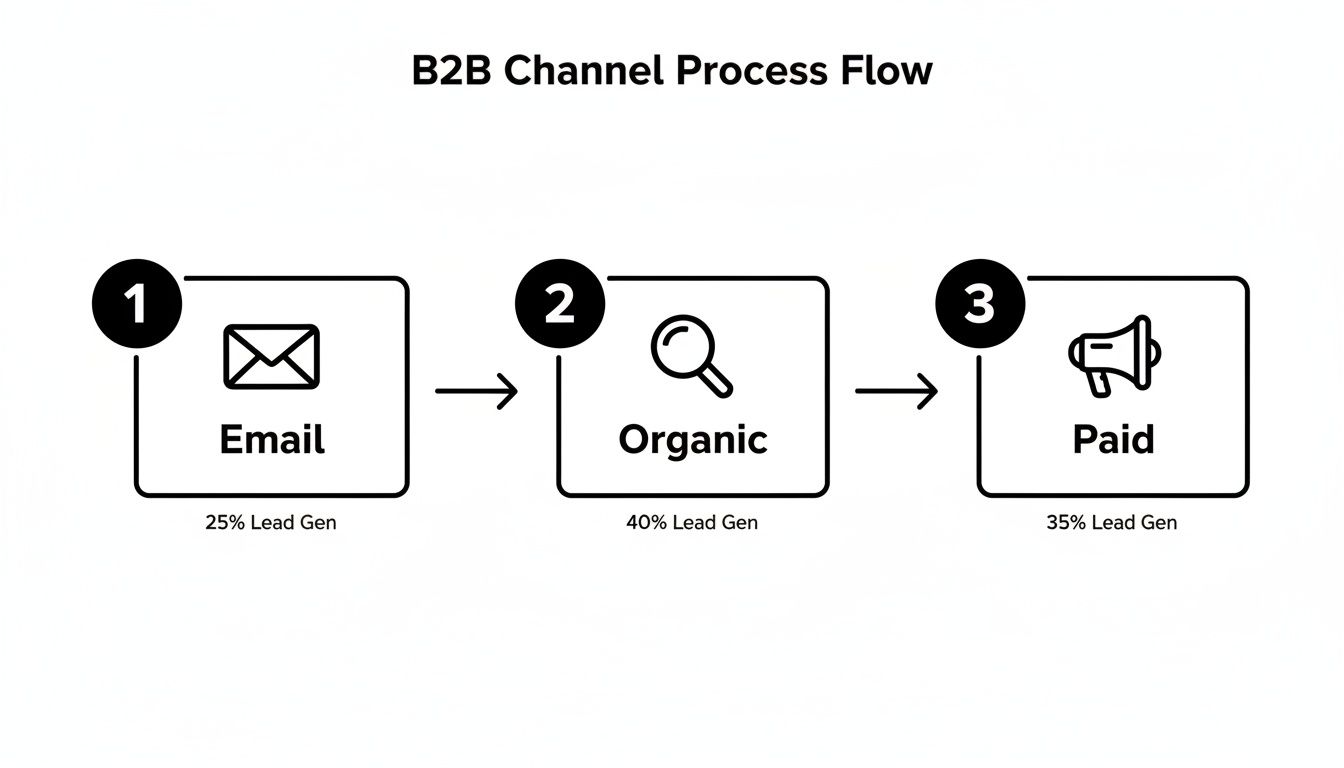
For most B2B tech companies I've worked with, three channels consistently rise to the top for generating real, valuable conversions that SDRs love: paid search, organic search, and targeted email campaigns. Each one requires a completely different playbook because the user's context and expectations are poles apart. Get this wrong, and you're just lighting your ad budget on fire and flooding your SDRs with unqualified leads.
A visitor from a paid ad expects an immediate, relevant answer. They clicked on a promise, and your landing page better deliver on it—instantly. Contrast that with a visitor from organic search, who is often looking for an expert to solve their problem. Your job there is to educate and build trust before you even think about asking for a conversion.
And to really dial in your strategy across these platforms, you'll eventually need to look at advanced marketing platforms that can unify the customer journey.
The single biggest mistake is treating all website visitors the same. A channel-specific strategy acknowledges the visitor's mindset and tailors the experience to match their intent, dramatically increasing the odds of a meaningful conversion that your SDR team can actually close.
This understanding is also crucial for setting realistic benchmarks and knowing where to double down.
This table compares the average conversion rates for key B2B marketing channels, helping you prioritize efforts and set realistic performance goals. More importantly, it shows what each signal means for your SDRs.
Channel
Average Conversion Rate
Best For
SDR Action Signal
Paid Search
3.2%
Capturing immediate, bottom-of-funnel demand.
🔥 Hot: High-intent keywords signal an active buying cycle. Follow up immediately.
Organic Search
2.7%
Building trust and capturing mid-funnel research intent.
🌡️ Warm: Solved a problem; now ready for the next step. Nurture with relevant content.
Email Marketing
2.6%
Nurturing known contacts and driving specific actions.
🌡️ Warm: Engaged with targeted content; shows continued interest. Perfect for personalized outreach.
Social Media
1.9%
Brand awareness and top-of-funnel engagement.
🧊 Cold: Typically lower intent unless from a direct offer ad. Route to automated nurture sequences.
While the numbers might seem close on the surface, the quality and intent behind them are vastly different. A 3.2% conversion rate from a "get a demo" paid campaign is infinitely more valuable to an SDR than a 2.7% rate from a "download our guide" organic post. This context is everything.
Paid search is the ultimate high-intent channel. Period. When someone types a specific solution into a search bar, they are waving a flag that says "I am looking to buy." The key to converting this traffic is message matching. The promise you make in your ad copy has to perfectly align with the headline, content, and call-to-action on the landing page. No exceptions.
The Landing Page: This isn’t a page on your main website; it’s a direct response to the ad, stripped of all distractions. Kill the main navigation, ditch the footer links—anything that could pull the visitor away from the one thing you want them to do.
The Offer: It must be compelling and directly tied to the search query. If your ad says "custom demo," the page is built around booking that demo, not downloading a generic whitepaper.
SDR Action Signal: A conversion from a high-intent paid search campaign is a five-alarm fire. This lead should be routed to an SDR immediately, with the full context of the search term and ad they engaged with. This is the definition of a hot lead.
Organic search traffic is a different beast. It often has a much broader range of intent, from top-of-funnel research ("what is sales enablement") to bottom-of-funnel evaluation ("marketbetter.ai vs competitor"). Your goal here is to answer the user's question so damn well that you become their trusted authority, naturally guiding them toward a conversion that an SDR can act on.
Unlike a paid landing page, organic content needs to provide deep value upfront. This is where you solve their problem with comprehensive blog posts, tactical guides, or free tools. The conversion point should feel like a logical next step, not a hard sell. For example, a post on "How to Improve SDR Productivity" could lead to a CTA for a free trial of a tool like marketbetter.ai that automates those exact tasks. It just makes sense, and it gives the SDR a perfect, relevant conversation starter.
Email gives you a direct line to a known audience, making it an incredibly powerful channel for nurturing leads and driving specific actions. Here, context is everything. An email to a list of webinar attendees should have a wildly different CTA than one sent to prospects who abandoned your pricing page.
The secret to high-converting emails is segmentation and personalization. Generic email blasts get generic results. By tailoring your message and offer to a specific segment's past behavior, you create a relevant, compelling reason for them to click through and convert—handing your SDRs a pre-warmed lead who has already shown they're paying attention.
This is where the rubber meets the road. All that hard work on your channels, messaging, and building trust culminates here, turning website traffic into actual pipeline for your SDR team.
Think about it. A prospect downloading a whitepaper is a decent signal. But what about a prospect from one of your target accounts hitting your pricing page three times in a week? That’s not a signal; it's a buying flare, screaming for your team’s immediate attention.
The next critical move is to build a seamless, automated workflow that takes these high-intent moments and turns them directly into prioritized tasks inside your SDR's CRM. This is the bridge that connects marketing insight to sales action, ensuring no hot lead ever goes cold.
No matter how prospects find you—email, organic search, or paid ads—they all land in the same funnel. Your job is to make sure their behavior gets interpreted and acted on, fast.
For decades, the SDR workflow was just plain broken. It was all manual lists, guesswork, and brute force. Reps got a spreadsheet from a webinar and started dialing for dollars, completely blind to who was actually interested right now. They spent more time figuring out who to call than having valuable conversations.
Contrast that with a modern, intent-driven approach. Instead of a static list, SDRs get a dynamic queue of tasks prioritized by real-time buyer behavior. The system does the heavy lifting, serving up the next best action with all the context they need to have a meaningful conversation.
The goal is to eliminate the question, "What should I do next?" from your SDR's vocabulary. Their inbox should tell them exactly who to contact, why to contact them, and what to say.
This shift moves your team from a reactive, volume-based model to a proactive, precision-based one. The result? Fewer wasted calls, more meaningful conversations, and a huge boost in both productivity and morale.
So, how do you make this happen? You set up your system to listen for specific website signals and automatically trigger tasks in your CRM. This isn't about tracking every single page view. It’s about zeroing in on the handful of digital behaviors that scream "buying intent."
Here are a few high-impact triggers you should set up immediately to empower your SDR team:
Pricing Page Visits: This is one of the strongest buying signals you can get. Set a trigger to create a high-priority task if a known contact from an ICP account visits this page more than once in a 7-day period.
Key Content Downloads: Not all content is created equal. A "Beginner's Guide" download is top-of-funnel noise. An "Implementation Guide" or a "Competitor Comparison" PDF, on the other hand, signals someone much further down the rabbit hole. Flag these for immediate SDR follow-up.
Demo or 'How It Works' Video Views: Someone watching a detailed product video is doing serious research. If a prospect watches more than 75% of a key product video, it’s a clear sign they’re actively evaluating you. This is a perfect reason for an SDR to reach out.
Once you configure these triggers, the magic happens. A prospect’s action on your site instantly creates a task in Salesforce or HubSpot. That task needs to include the prospect's name, company, the specific action they took (e.g., "Visited pricing page 3 times"), and a direct link to their record.
Creating the task is only half the battle. To really empower your SDRs, that task needs to be a launchpad for immediate action, not just another notification. This is where tools like marketbetter.ai change the game.
The task doesn’t just report what happened; it tees up the next step. An integrated AI can analyze the signal (like a pricing page visit from a VP of Sales) and instantly generate a context-rich email draft. The SDR opens the task, reviews a sharp, relevant email, and hits send—all within seconds, and without ever leaving their CRM.
Let’s be honest about the two different worlds SDRs can live in. One is a frustrating grind; the other is a high-performance engine.
The table below breaks down the day-to-day reality of a traditional, manual process versus a modern, signal-driven workflow. The difference isn't just about efficiency; it's about effectiveness and SDR happiness.
SDR Task
Traditional Manual Process (The Old Way)
Automated Workflow (The MarketBetter Way)
Prioritization
SDR sorts through a messy list of 100+ "leads," guessing who is most important based on title alone. Wastes hours on low-intent contacts.
System auto-prioritizes the top 5 tasks based on intent signals and account fit. SDRs only work on hot leads.
Research
Rep opens 10 browser tabs to research the prospect and their company from scratch, looking for any hook.
The CRM task includes key context like job title, recent company news, and the specific website engagement that triggered the alert.
Outreach
SDR copies and pastes a generic template, trying to customize it on the fly. Sounds robotic and gets ignored.
AI generates a personalized email draft based on the specific intent signal and persona. Outreach is hyper-relevant and effective.
Logging
Rep forgets to log the call or email, creating a data gap for management and losing valuable context.
Every email and call is logged automatically to the correct Salesforce or HubSpot record. Nothing falls through the cracks.
Moving to an automated, signal-driven workflow means you’re stripping away the low-value administrative work that can eat up to two-thirds of an SDR's day.
It frees them up to focus exclusively on what they were hired to do: have high-impact conversations with prospects who are actually ready to talk. This is how you stop hoping for pipeline and start building it.
Boosting website conversions isn't a project you check off a list. It’s a constant feedback loop, and that loop is powered by cold, hard data.
If you can't measure the impact of your changes, you’re just guessing. For SDR leaders, this is the whole game—proving that your efforts are building real pipeline, not just collecting clicks.
This is about getting brutally honest with your metrics. A jump in form fills is great, but it’s worthless if your SDRs are still complaining about lead quality. The real win is connecting every website action directly to a revenue outcome, so everyone sees exactly what's working and your SDRs trust the leads they receive.
The old way of measuring success was painfully simple: did the number of "leads" go up? This is exactly how you create a massive disconnect between marketing and sales.
Marketing hits its MQL number, celebrates, and moves on. Meanwhile, the sales team misses quota because those "leads" were just low-intent contacts with no budget and no real interest. Sound familiar?
To fix this, you have to shift the entire conversation from top-of-funnel activity to bottom-of-funnel results. It means tracking the KPIs that your CFO and VP of Sales actually care about—the ones that directly reflect your SDR team's performance.
Stop tracking raw form fills and start tracking metrics that tell a story about pipeline and efficiency. A proper measurement framework gives your sales team confidence that the leads hitting their inbox are actually worth their time.
Here’s how to reframe the conversation from marketing metrics to sales outcomes:
Old Metric (Vanity)
New Metric (Revenue-Focused)
Why It Matters for SDRs
Form Fills
MQL-to-SQL Conversion Rate
This is the ultimate test. It shows if marketing is sending leads that your sales team actually accepts and works, proving lead quality.
Website Traffic
Pipeline Generated from Website
Directly attributes closed-won and open opportunities to specific conversion points, showing which pages generate real money.
Clicks on CTAs
Cost per Qualified Meeting
Measures the true efficiency of your spend in generating real sales conversations for your reps. This is what your budget should be based on.
Time on Page
Sales Cycle Length by Source
Reveals if certain channels or offers bring in faster-closing deals, helping you prioritize the most efficient sources.
This shift changes everything. You’re no longer debating button colors in a meeting. You're discussing how a single landing page tweak generated $250,000 in new pipeline last quarter for your SDR team.
Once you’re tracking the right things, you can start making improvements with real confidence. This is where A/B testing comes in, but not the kind you read about in abstract marketing blogs.
It’s not about guessing. It’s about forming a clear, testable hypothesis and letting the data tell you what your audience actually wants.
A good hypothesis isn't a random idea. It’s a sharp, focused statement: "We believe changing X into Y will result in Z." For an SDR leader, the most powerful tests are often the simplest ones that target high-intent actions.
The best A/B tests aren't about flashy redesigns. They focus on reducing friction and clarifying the value of taking the next step. A tiny change in language can have a massive impact on the quality of leads your SDRs receive.
Here’s a real-world scenario any SDR team can run:
Hypothesis: We believe changing our primary landing page CTA from "Learn More" to "Get a Custom Demo" will increase qualified meetings booked. The new language is more specific and signals higher intent.
The Test: Use a tool like VWO or the now-retired Google Optimize to show 50% of your traffic the original page and 50% the new version.
The Measurement: After a few weeks, you don't just count clicks. You track how many qualified meetings each version produced. This is the only metric that matters to your SDRs.
If Version B ("Get a Custom Demo") generates 30% more qualified meetings, you have an undeniable winner. You’ve just made a data-driven decision that directly helps your SDRs hit their number. It’s a world away from arguing about aesthetics in a conference room.
Here's the catch: none of this works if your CRM data is a mess. Your Salesforce or HubSpot instance has to be the single source of truth for connecting a website conversion to a sales opportunity. This is the final, critical link in the chain.
It requires setting up proper campaign tracking and attribution models from the start. When a prospect fills out a form, that conversion event needs to be stamped onto their contact record in the CRM. From there, you can trace their entire journey—from the very first touchpoint all the way to a closed-won deal.
With this setup, you can finally answer the questions that change the business:
Which blog post generated the most enterprise-level demos last year?
Do our LinkedIn Ads convert into higher-value deals than our Google Ads?
What is the true ROI of our webinar program in terms of actual revenue, not just registrants?
This level of insight is incredibly empowering. It allows you to confidently scale what works and kill what doesn't. You're no longer spreading your budget thin across a dozen initiatives; you're doubling down on the proven winners that feed your sales team high-quality opportunities.
To truly master this, you need to understand the different frameworks available. You can dive deeper into this topic by reading our complete guide on how to measure marketing effectiveness, which breaks down various attribution models. This is how you stop guessing and start building a predictable, scalable revenue engine.
Free Tool
Try our Marketing Plan Generator — generate a complete AI-powered marketing plan in minutes. No signup required.
When you're trying to dial in a website that actually fuels your sales team, a few common questions always pop up. Let's tackle them head-on, from the perspective of RevOps pros and SDR leaders who need pipeline, not just clicks.
How Is Website Conversion Different for an SDR Team?
This is the big one. For an SDR team, a "conversion" is a totally different beast than what a traditional marketer might track. A marketer might get excited about 1,000 new newsletter sign-ups. For an SDR, that’s mostly noise that clogs up their workflow.
The real difference comes down to two words: intent and quality. An SDR-focused strategy ignores low-commitment actions. Instead, it zeros in on high-intent signals that tell you a prospect is actively kicking the tires—things like repeatedly visiting your pricing page or watching a full product demo.
Standard Conversion: Someone downloads a top-of-funnel eBook. This is a low-priority lead that might get a nurture email. An SDR should not be touching this.
SDR-Focused Conversion: A visitor from a target account requests a custom demo right after binging a case study. This triggers an immediate, high-priority alert for an SDR to jump on within minutes.
Getting this right is the key to increasing website conversions that actually build a healthy pipeline and make your SDR team more efficient and successful.
You'll see benchmarks floating around the 2% to 5% range, but honestly, that number can be a huge distraction for an SDR leader. A "good" conversion rate is all about context. A 10% conversion rate on a whitepaper download means a lot less than a 1% conversion rate on your "Request a Demo" page.
Instead of chasing some generic industry average, get obsessed with improving the conversion rates on your bottom-of-funnel pages. The goal isn’t just more conversions; it's more qualified sales conversations for your reps.
A much better metric to watch is your MQL-to-SQL conversion rate. If that number is going up, your website is doing its job: finding high-quality leads that your SDRs can actually turn into opportunities.
This feels counterintuitive, but the answer is to add a little bit of strategic friction. You want to make it incredibly easy for serious buyers to raise their hands while making it just a little harder for tire-kickers. It's not about being difficult; it's about qualifying in real-time so your SDRs don't have to.
Think about the difference in these two approaches:
Action
Low-Intent Approach (More Noise for SDRs)
High-Intent Approach (More Signal for SDRs)
Gated Content
A generic "Download Now" button for an intro guide, open to anyone.
A specific "Get the ROI Calculator" CTA that requires a business email, filtering out students and unserious prospects.
Demo Request
A simple form asking only for "Name" and "Email," creating work for your SDRs to qualify.
A multi-step form that asks about team size and current challenges to pre-qualify them before they ever hit the SDR's queue.
Homepage CTA
A vague "Learn More" button that drops them on a features page.
A direct "See How It Works" button that links to an interactive product tour, letting prospects self-educate.
Each of the high-intent plays acts as a filter. Sure, you might get slightly fewer total form fills, but the quality of each lead you hand over to your SDRs will be exponentially higher, giving them a real shot at starting a meaningful conversation.
Ready to stop generating noise and start creating real pipeline? marketbetter.ai turns buyer signals into prioritized SDR tasks and helps your team execute flawlessly with AI-powered emails and a dialer that lives inside your CRM. See how it works.
As a Sales Development Representative (SDR), your entire day revolves around one thing: booking qualified meetings. Every dial, email, and LinkedIn message is a step toward that goal. But what if you could make every outreach significantly more effective by understanding what truly motivates your prospects before you even start a conversation? This is where a well-structured marketing report becomes your most powerful, yet often overlooked, tool. It’s not just a document for marketers; it’s your roadmap to smarter prospecting and higher conversion rates.
Imagine knowing which blog post a lead read right before they downloaded a whitepaper, or seeing that a specific ad campaign is driving high-intent leads from a particular industry. This data, found within a marketing report example, transforms your cold outreach into a warm, relevant conversation. Instead of guessing a prospect's pain points, you can reference the exact content they engaged with, allowing you to tailor your pitch with precision. This deep level of personalization is what separates top-performing SDRs from the rest of the pack.
This guide is built specifically for SDRs, BDRs, and sales teams who want to leverage marketing intelligence to crush their quotas. We will break down different types of marketing reports, showing you exactly what to look for and how to translate marketing metrics into actionable sales insights. You'll find a curated list of the best resources for templates and examples, complete with screenshots and direct links, so you can stop guessing and start having more strategic, effective conversations. We'll explore everything from campaign performance dashboards to ROI analysis, giving you the knowledge to collaborate more effectively with your marketing team and, ultimately, close more deals.
For sales development representatives (SDRs) and their managers, speed and clarity are everything. HubSpot’s Resources Library offers a no-frills, highly practical collection of free marketing reporting templates that cut directly to the metrics that matter for pipeline generation. In contrast to more design-focused platforms, HubSpot prioritizes function. Teams can download ready-to-use templates in Excel and Google Sheets, making it a go-to resource for structured, data-driven reporting without the fuss.
The primary advantage for an SDR is the business-centric structure. These templates are built around core KPIs and dashboards, allowing a manager to quickly adapt them to track metrics like lead-to-MQL conversion rates and SQLs generated by campaign. This focus on raw data over aesthetics is what makes it a powerful marketing report example for SDR teams who need actionable intelligence, not just a pretty chart.
HubSpot's templates provide a solid foundation for aligning marketing efforts with sales outcomes. An SDR can use these reports to see which campaigns are generating the most qualified leads, enabling them to tailor their outreach messaging. For example, if a report shows a specific webinar generated high-quality MQLs, the SDR team knows to immediately prioritize follow-ups with those attendees, referencing the webinar content to create a warm, relevant opening. This is far more effective than a generic cold call.
Strategic Takeaway: Use the monthly marketing report template to create a shared "source of truth" between SDRs and marketing. By tracking lead sources and conversion rates, SDRs can provide direct feedback to marketing on which channels produce leads that actually convert to meetings, helping optimize ad spend and content strategy.
To get the most out of these templates, SDRs and their managers should customize them to reflect their specific sales funnel and activities.
Adapt KPI Sections: Modify the default KPI sections to include SDR-specific metrics like "Meetings Booked," "Opportunities Created," or "Positive Reply Rate." This transforms a general marketing report into a powerful sales development dashboard.
Integrate Activity Data: Add columns to the spreadsheet templates to track outreach activities (calls, emails) against leads from specific campaigns. This directly correlates marketing efforts with the sales actions that lead to revenue.
Focus on ROI: The data from these reports is crucial for demonstrating the value of marketing activities. To take your analysis further, you can explore how to connect these metrics to revenue by learning more about calculating your marketing ROI.
Access: The templates are completely free. You can download them instantly from the HubSpot website after providing your email address. While they may require some minor brand customization, their immediate accessibility and practical format make them an invaluable resource for any data-driven sales team.
For marketing teams and their sales counterparts, presenting data in a compelling, visually polished way is crucial for stakeholder buy-in. Envato Elements offers a vast library of professionally designed marketing report templates that elevate data from simple spreadsheets into impactful presentations. Where a tool like HubSpot provides the raw data structure, Envato delivers the polished final product. Teams can access a subscription-based collection of templates for PowerPoint, Google Slides, and Canva, ensuring every report looks clean and professional.
The key benefit for SDRs and their managers is the ability to communicate performance effectively up the chain of command. A well-designed report commands more attention and makes the SDR team's contribution clearer. This makes it an ideal marketing report example resource for when SDR managers need to present performance metrics to leadership, showcasing the direct impact of marketing campaigns on the sales pipeline in a format that builds confidence.
Envato's templates serve as a powerful communication tool to bridge the gap between marketing execution and sales results. SDR managers can use these visually engaging formats to tell a story with their data, highlighting how marketing activities translate into tangible sales opportunities. For instance, a visually rich slide deck can clearly illustrate the journey from a marketing qualified lead (MQL) generated by a specific campaign to a sales qualified lead (SQL) and, ultimately, a booked meeting. This visual proof helps secure more budget for the campaigns that make an SDR's job easier.
Strategic Takeaway: Use a visually compelling template from Envato for quarterly business reviews (QBRs) to showcase the marketing-to-sales handoff. A well-designed report makes it easier for SDR leadership to argue for more resources by clearly visualizing the ROI of marketing-generated leads.
To maximize the value of Envato’s templates, focus on adapting their visual structure to your specific sales metrics.
Create a Funnel Visualization: Use the infographic templates to build a custom visual of your marketing-to-sales funnel. Mapping out key stages like "MQLs," "Meetings Booked," and "Opportunities Created" gives executives an at-a-glance performance overview.
Develop Campaign-Specific Slides: Download a presentation template and create a standardized one-slide summary for each major marketing campaign. Include top-level metrics like leads generated, cost per lead, and the number of SDR follow-ups, making it easy to compare performance across initiatives.
Define Your Core Metrics: A beautiful report is only as good as the data it contains. Ensure your templates are populated with the right KPIs by exploring the fundamentals of lead generation key performance indicators.
Access: Envato Elements requires an ongoing subscription for unlimited downloads. This is less ideal for a one-off need but highly valuable for teams that regularly produce client-facing or executive-level reports. While you must input your own data, the quality of the visual designs saves significant time and design costs.
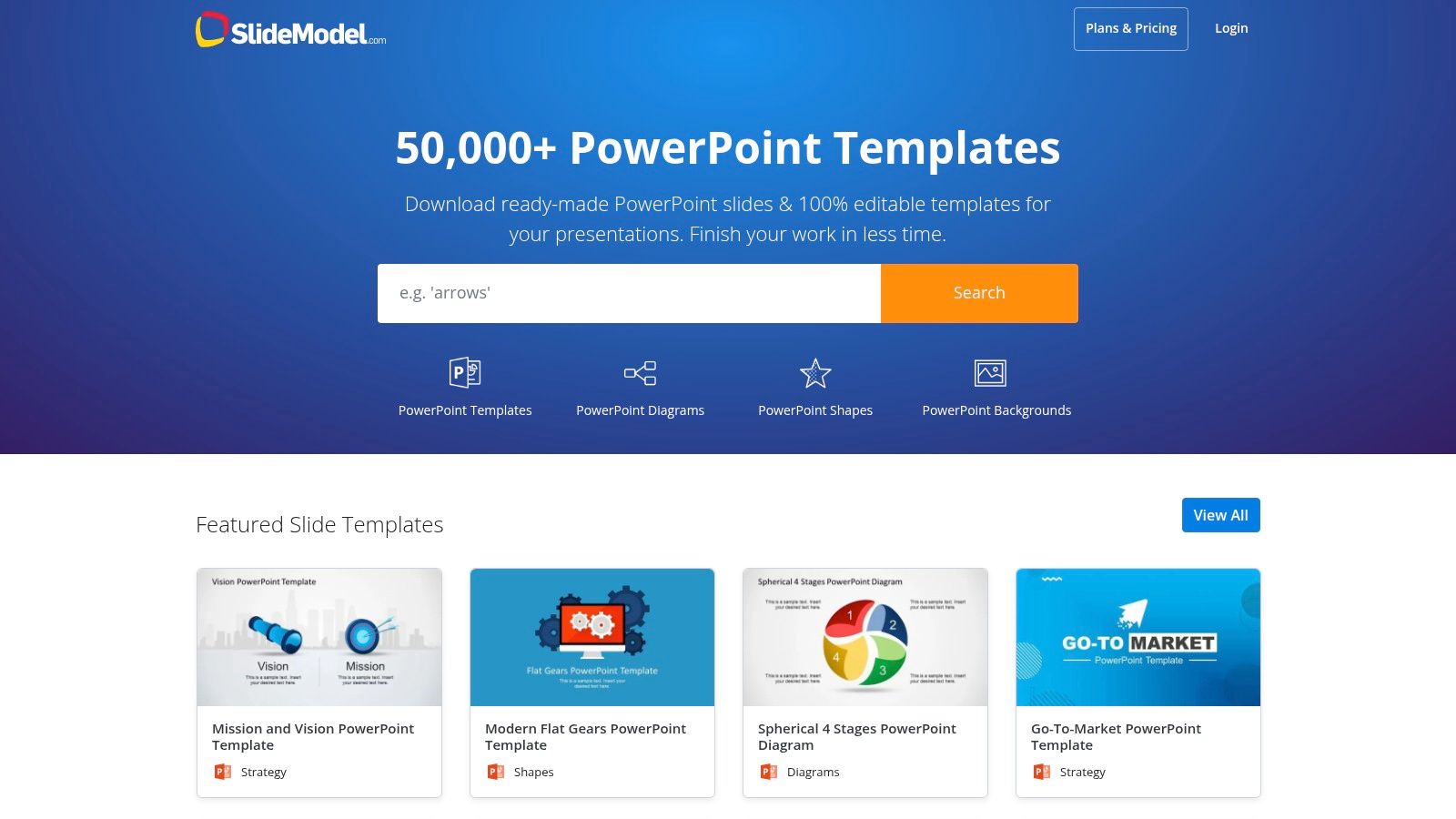
For sales and marketing leaders who need to present performance data to executives, the visual narrative is just as important as the numbers themselves. SlideModel offers a vast library of premium, business-grade templates for PowerPoint and Google Slides. In contrast to Envato's broad creative library, SlideModel specializes in corporate and strategic visuals, designed specifically for crafting polished marketing plans and KPI reports that resonate with a C-suite audience.
The key advantage for an SDR manager is its focus on high-stakes communication. The templates are storytelling tools. A manager can use these slide decks to frame marketing performance in the context of business goals, such as pipeline growth or revenue attribution. This makes it an essential marketing report example for transforming raw SDR metrics into a compelling argument for strategic investment or headcount.
While individual SDRs might not build these decks, the reports generated are critical for their success. When a manager presents a clear, data-backed story on which channels deliver the highest-quality leads, that insight directly informs SDR priorities. For instance, a slide visualizing a high lead-to-opportunity rate from a specific industry event validates allocating more SDR resources to follow up with those contacts. The professional design ensures the data is taken seriously, securing buy-in for sales-focused initiatives.
Strategic Takeaway: Use SlideModel’s funnel and journey map templates to visually connect marketing activities to SDR outcomes. Presenting a clear diagram that shows how a blog post led to an MQL, then to an SDR-booked meeting, and finally to a sales opportunity makes the value of top-of-funnel marketing tangible and justifies the SDR team's existence.
To maximize the value of SlideModel, managers should use it to bridge the gap between marketing metrics and sales results.
Create a KPI Storyboard: Before filling in the numbers, use a template to map out the narrative. Start with high-level business goals, show the marketing KPIs that support them, and conclude with the direct impact on SDR metrics like "Meetings Booked" or "Opportunities Created."
Customize Diagrams for Your Funnel: Adapt the pre-built funnel diagrams to match your company’s specific stages (e.g., MQL, TAL, SQL, SQO). This ensures the report speaks the same language as your sales and marketing teams.
Highlight Channel-Specific Wins: Use dedicated slide templates to showcase the performance of individual campaigns. For an SDR team, this provides clear guidance on which lead sources are most valuable and deserve immediate, personalized follow-up.
Access: SlideModel is a subscription-based service, offering various plans for individuals and teams to gain access to its entire catalog of editable templates. While it requires an investment, the time saved and the professional quality of the output provide a strong return for teams that regularly present performance data to leadership.
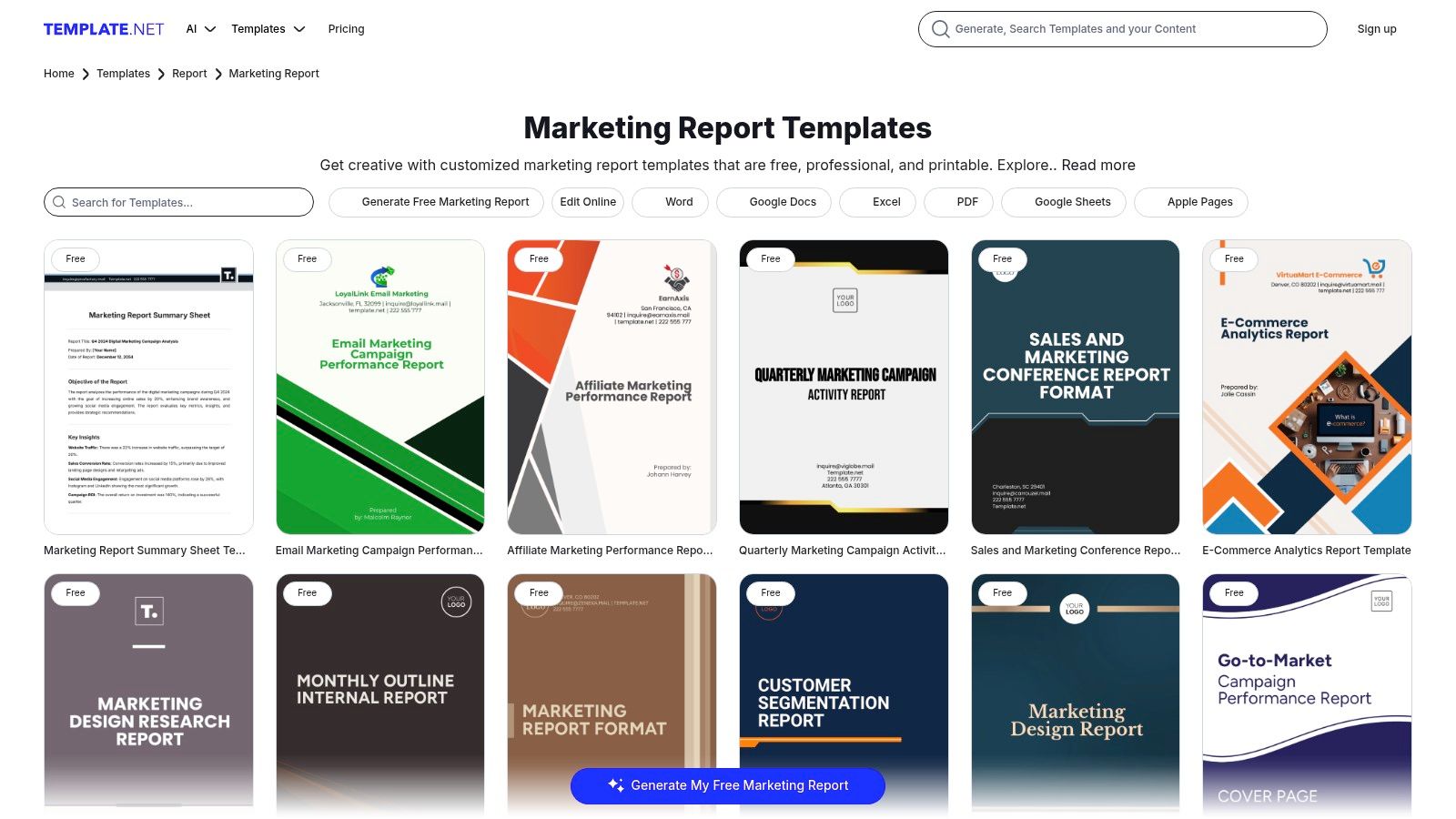
For marketing and sales teams who need a specific report format now, Template.net is a massive library offering a huge variety of ready-made documents. Unlike platforms focused on data dashboards or slide decks, Template.net specializes in professionally formatted, text-led reports in familiar office formats like Word and Google Docs. This makes it an ideal resource for creating detailed, narrative-driven reports for monthly reviews or campaign post-mortems where context is just as important as the numbers.
The key advantage for an SDR is the sheer breadth of niche templates available. Whether you need an ecommerce weekly sales report or an influencer marketing ROI summary, there's likely a pre-built structure waiting for you. This saves countless hours on formatting and ensures all necessary sections are included, making it a powerful marketing report example for teams who need to produce comprehensive documents quickly and without a steep learning curve.
Template.net's documents excel at bridging the gap between raw data and strategic narrative. SDR managers can use these templates to create reports that not only show the numbers but also explain the why behind them. For instance, a monthly marketing report can be used to detail which specific messaging in an email campaign led to a spike in MQLs, providing qualitative insights that help SDRs refine their own outreach scripts and email templates. This direct feedback loop is invaluable for improving performance.
Strategic Takeaway: Leverage the "Campaign Report" templates to conduct post-mortems on specific SDR outreach sequences. By using a structured document, teams can analyze what worked (e.g., subject lines, call scripts, follow-up timing) and what didn't, creating a formal knowledge base that improves future performance.
To maximize the value of Template.net's resources, SDR teams should adapt their structures to their specific needs.
Customize for Sales Narratives: Take a "Marketing Audit" template and reframe it as a "Quarterly SDR Outreach Audit." Use the predefined sections to analyze call-to-meeting rates, email response patterns, and SQL conversion by channel.
Merge with Data Sources: Download a template in Google Docs or Word and embed screenshots from your CRM or sales engagement platform. This combines the template's professional structure with live, dynamic data for a more impactful report.
Standardize Team Reporting: Use a single, customized template for all SDRs to complete for their weekly check-ins. This ensures consistency and makes it easier for managers to compare performance and spot trends across the team.
Access: Template.net operates on a freemium model. Many templates are available for free with a simple account sign-up, while premium, more detailed designs and features require a paid subscription. The files are downloadable in all common office formats, ensuring immediate usability.
5. Etsy — Marketplace for Marketing Report Templates (Canva/PowerPoint)
For freelancers, small agencies, and social media managers who need visually compelling reports without the time investment, Etsy offers a surprisingly rich marketplace. It hosts thousands of downloadable marketing and analytics report templates, often in Canva or PowerPoint formats. This is the ideal source for affordable, one-off, ready-to-present reports tailored for client-facing roles where aesthetics are just as important as the data itself.
The primary advantage of sourcing a marketing report example from Etsy is the sheer variety and specialization available. Unlike standardized corporate templates, you can find niche designs for everything from a monthly social media deep-dive to a high-level executive summary. This allows marketing consultants and agency reps to find a visual style that perfectly matches their client's brand, making the data feel more personal and impactful.
Etsy's templates are built for presentation. They excel at transforming raw data into a narrative that clients can easily understand and appreciate. For a social media manager, a well-designed Canva template can visually highlight key wins like engagement spikes or follower growth, reinforcing the value of their services. This is crucial for client retention, as the report itself becomes a deliverable that showcases professionalism and results.
Strategic Takeaway: Use Etsy templates to create a tiered reporting system for different client stakeholders. A visually rich, high-level summary template can be used for CEO or executive check-ins, while a more granular, data-heavy template can be used for the marketing director who wants to see the tactical details.
To maximize the value of templates from Etsy, focus on selection and customization.
Vet Sellers Carefully: Before purchasing, thoroughly review the seller's portfolio, listing previews, and buyer reviews. Look for sellers who specialize in business or marketing templates and have a history of positive feedback.
Customize for Your Brand: While the designs are a great starting point, always adapt them. Change the color palette to match your client's brand guidelines, replace placeholder logos, and adjust the font to ensure brand consistency.
Create a Master Template: Once you find a template you love, customize it once and save it as your own "master" version. This allows you to quickly duplicate and populate it for each reporting period without redoing the branding work, saving significant time.
Access: Templates are available as instant digital downloads after a one-time purchase. Prices vary widely but are generally very affordable. Be aware that quality can differ between sellers, and some users report occasional issues with Canva template links, so using a desktop browser for the initial download is recommended.
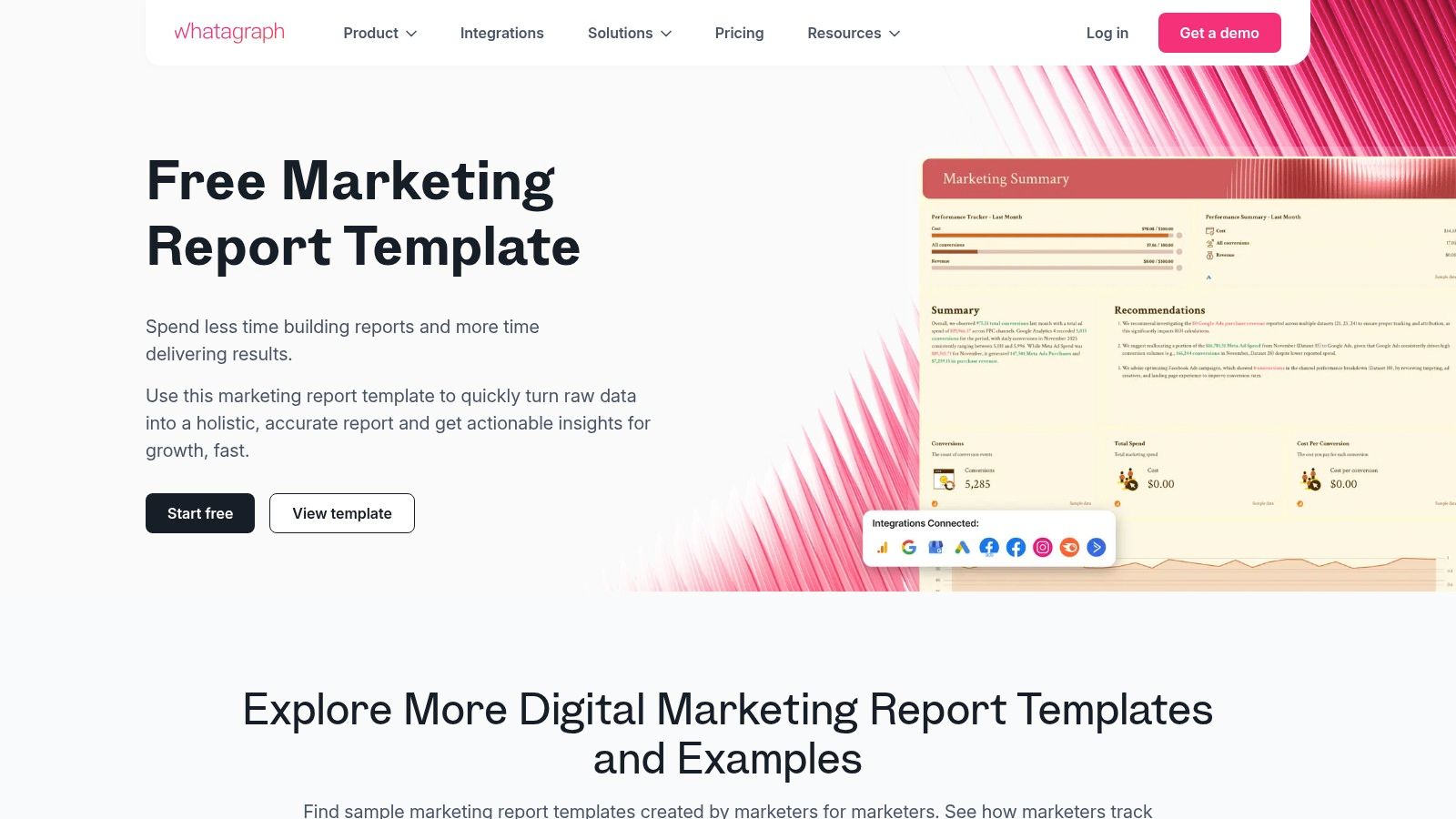
6. Whatagraph — Automated Marketing Report Templates and Examples
For sales development teams that need to demonstrate the direct impact of marketing activities on their pipeline, Whatagraph offers a powerful solution that moves beyond static spreadsheets. It provides automated, live-updating marketing report templates that connect directly to data sources like Google Analytics, social media platforms, and ad networks. This automation is a game-changer for SDR managers who need real-time insights without manual data entry.
The primary advantage for SDR and sales teams is the platform's ability to create a "living" report that visualizes the entire funnel, from initial ad click to lead conversion. Instead of waiting for a monthly marketing deck, an sales manager can access a live dashboard showing which campaigns are generating the most qualified leads right now. This makes Whatagraph a premier marketing report example for teams focused on agility and immediate, data-backed action.
Whatagraph's templates bridge the common gap between marketing metrics and sales outcomes. By connecting data sources, an SDR team can instantly see how a spike in website traffic from a LinkedIn campaign translates into new MQLs for them to pursue. This direct line of sight empowers SDRs to tailor their outreach with relevant, timely context. For instance, they can see which blog post a lead read just before converting, providing a perfect icebreaker for an initial call.
Strategic Takeaway: Use Whatagraph’s cross-channel reporting to build a "performance feedback loop" for marketing. When SDRs notice a high meeting-booked rate from leads generated by a specific Facebook ad set, they can share that live dashboard with the marketing team, providing immediate validation to reallocate budget and scale that successful creative.
To maximize Whatagraph for a sales development workflow, focus on customizing the dashboards to reflect key sales activities and outcomes.
Create a "Lead to Opportunity" Funnel View: Use the report builder to combine marketing data (e.g., MQLs from GA4) with sales data from your CRM. Visualize the conversion rates at each stage, from initial lead to meeting booked and opportunity created.
Set Up Automated Alerts: Configure the platform to send automated notifications to the SDR team channel when a high-value campaign hits a specific lead threshold. This ensures immediate follow-up on the hottest prospects.
Build an SDR Performance Dashboard: Customize a template to track individual SDR metrics like outreach attempts, connection rates, and meetings booked against the marketing campaigns they are working on. This helps managers coach their team and identify top performers.
Access: Whatagraph is a subscription-based service with a free trial available. While it requires an investment compared to free templates, its value lies in saving countless hours on manual report creation and providing live, client-ready visuals. The learning curve involves connecting data sources, but the pre-built templates simplify the initial setup.
7. Fiverr — Hire a Freelance Designer/Marketer to Create a Marketing Report Example
For sales development teams that need a report with a specific look, feel, and set of KPIs not found in standard templates, Fiverr offers a flexible and powerful alternative. Instead of downloading a generic file, you can hire a freelance designer or marketer to build a bespoke marketing report example from scratch. This approach is ideal for SDR managers who need to present performance data to leadership in a highly polished, brand-aligned format that directly ties marketing activities to sales outcomes.
The primary advantage of using Fiverr is the ability to combine professional design with strategic data storytelling. You can find freelancers who specialize in creating PowerPoint, Google Slides, or PDF reports that not only look professional but are also structured to highlight the metrics most important to an SDR team. This includes lead source effectiveness, MQL-to-SQL conversion rates, and campaign impact on meetings booked, making it a unique solution for creating a truly custom marketing report example.
Fiverr enables SDR managers to commission reports that are perfectly tailored to their team's workflow and executive audience. For example, a manager can hire a freelancer to design a template that visually separates top-of-funnel campaign metrics (like webinar sign-ups) from bottom-of-funnel sales activities (like demos scheduled from that webinar). This custom visualization helps clearly demonstrate the direct impact of marketing efforts on sales pipeline generation.
Strategic Takeaway: Commission a "Lead Source Performance" report template on Fiverr that specifically tracks the journey from marketing touchpoint to sales meeting. Have the freelancer create clear visual sections for each major marketing channel (e.g., Paid Social, Organic Search, Events) and include fields for SDR-specific outcomes like "Meetings Booked" and "Opportunities Created," providing a clear view of which channels deliver the most valuable leads.
To maximize the value of hiring a freelancer on Fiverr, it's crucial to provide a clear and detailed brief.
Define Core Sales KPIs: Before hiring, list the exact sales development metrics you need to track, such as "Lead Response Time," "Positive Reply Rate," or "SQL Acceptance Rate." Provide this list to the freelancer to ensure the final template is built around your team's goals.
Provide Brand Guidelines: Share your company's logo, color palette, and font preferences to ensure the report looks like an official internal document. A polished, on-brand report carries more weight in executive meetings.
Vet Freelancers Carefully: Look for freelancers with portfolios that showcase data visualization and business report design. Pay close attention to reviews and ratings to find a reliable partner who understands how to connect marketing data to sales results. To better scope the project, you can learn more about how to measure marketing effectiveness.
Access: Pricing on Fiverr is based on individual freelancer "gigs," which typically have tiered packages (Basic, Standard, Premium). A simple template design might start around $25-$50, while a more complex report with data integration could cost several hundred dollars. The key is to carefully vet seller portfolios and communicate your needs clearly to avoid scope creep and unexpected costs.
📊 Automated live-data dashboards; ⭐ High accuracy and repeatability
SDR teams needing real-time data on lead sources
Live connectors, automated reports, client-ready dashboards
Fiverr — Hire a Freelance Designer/Marketer to Create a Marketing Report Example
Medium — brief, manage revisions and delivery
Pay-per-gig; time for vetting and revisions
📊 Bespoke, branded reports; ⭐ Quality depends on freelancer
Creating a custom SDR dashboard or executive summary
Fully customized output; combine design and analytics in one order
Free Tool
Try our Marketing Plan Generator — generate a complete AI-powered marketing plan in minutes. No signup required.
Beyond the Template: Building a Pipeline-Driving Reporting Culture
We've explored a diverse range of marketing report examples, from HubSpot’s functional spreadsheets to the bespoke creations available on Fiverr. Each serves a purpose, whether it's providing a high-level executive summary for the VP of Sales or a granular performance dashboard for an SDR. However, the true power of a marketing report isn't found in a perfectly designed template; it's discovered when reporting evolves from a static document into a dynamic, pipeline-driving cultural asset for the SDR team.
The goal isn't just to present data. It's to arm your sales development team with the intelligence they need to prioritize their efforts, refine their outreach, and ultimately, book more meetings. A great marketing report is a strategic weapon for the front lines.
For Sales Development Representatives (SDRs) and Business Development Representatives (BDRs), the insights buried in these reports are pure gold. Moving beyond a generic template means you can directly answer critical questions that impact your daily grind and your quota attainment.
Campaign Performance Insights: A detailed campaign report tells you which content, messaging, or offer is generating the most qualified leads. This allows you to tailor your outreach with relevant talking points ("I saw you downloaded our guide on X..."), significantly increasing your connection rates.
Channel-Level Data: Knowing that a specific webinar or whitepaper is driving high-intent leads from LinkedIn helps you focus your prospecting efforts. Instead of a scattergun approach, you can concentrate on the platforms where your ideal customers are actively engaged.
ROI and Attribution Clarity: Understanding which marketing touchpoints influenced a deal helps you engage in more strategic conversations. You can reference the prospect's journey, acknowledging the content they’ve consumed and positioning your call as the next logical step, not a cold interruption.
By advocating for and actively using this level of detailed reporting, SDRs transform from cold callers into informed consultants. You become a crucial feedback loop for marketing, helping them refine campaigns based on what’s actually resonating with prospects on the front lines.
The fundamental shift is moving from rearview-mirror reporting to forward-looking, predictive intelligence. A static PowerPoint slide shows what happened last month. An automated, real-time dashboard shows you which leads are showing buying signals right now. This transition is essential for any sales team looking to gain a competitive edge.
To truly build a pipeline-driving reporting culture, it's essential to understand which metrics are most impactful and ensure they are being monitored. Many teams focus on vanity metrics, but what truly matters are the numbers that directly correlate to revenue. If you're unsure where to start, begin by evaluating the 5 crucial marketing metrics you need to track to ensure your reports are focused on what moves the needle.
The tools and examples we've reviewed offer different paths to better reporting. A freelance designer on Fiverr can create a visually stunning, custom marketing report example that wows leadership. Whatagraph can automate the data pull, saving your demand gen team hours each week. The key is to match the solution to your team's specific pain point.
For SDR and BDR teams, the best solution is one that bridges the gap between marketing data and sales action. It’s not just about seeing the numbers; it’s about getting clear, actionable directives from them. Your report should tell you not just that you have 50 new MQLs, but who they are, why they are qualified, and what you should say to them.
Ultimately, the best marketing report example is one that doesn't just get filed away. It's one that gets used, debated, and acted upon daily, creating a powerful synergy between marketing's efforts and sales' execution that consistently fuels the pipeline and drives revenue growth.
Ready to transform your data from static reports into actionable sales intelligence? marketbetter.ai uses AI to analyze your marketing data, identify your highest-intent leads, and provide your SDRs with the exact talking points they need to book more meetings. Stop just reporting on the past and start building the future pipeline at marketbetter.ai.
In a world drowning in content, it’s easy to think that the only way to win is to publish more, rank higher, and wait for people to find you. That’s the inbound game.
But what if you didn’t have to wait?
That's where outbound lead generation comes in. It’s the art of proactively starting conversations with potential customers who haven't raised their hand yet. Instead of setting up a shop and hoping for foot traffic, your sales team is out there knocking on the right doors.
While a solid inbound strategy builds a great foundation over time, outbound is the catalyst for immediate growth. It gives you control.
Think of it this way: inbound is like setting up a fantastic storefront and hoping the right people wander in. Outbound is like sending your best ambassador to a high-stakes business conference to talk directly to your ideal buyers. You aren’t waiting for opportunities; you're creating them.
This direct approach puts you in the driver's seat of your sales pipeline. You're no longer at the mercy of search engine mood swings or the slow burn of content marketing. You decide exactly who you’re talking to, and when.
The real magic of outbound is its precision. You can zero in on specific companies, job titles, and industries that perfectly match your Ideal Customer Profile (ICP). This is a game-changer in B2B, where deals are bigger and the right decision-makers are notoriously hard to reach.
While inbound often casts a wide net, outbound uses a spear.
This proactive approach delivers a few key wins:
Immediate Feedback Loop: You find out fast what messaging hits home with your target market. This lets you sharpen your value proposition on the fly.
Predictable Pipeline Growth: Because you control the volume of outreach, you can forecast your lead flow and sales opportunities with much greater accuracy.
Market Penetration: It’s your ticket into new markets or a direct line to high-value accounts that might never stumble across your blog posts.
Outbound isn't about annoying people. It's about starting relevant conversations with the right people, at the right time. When you lead with genuine value and personalization, you build relationships just as strong as any other method.
The smartest strategies today don't pit outbound against inbound—they weave them together. A thoughtful outbound campaign can warm up a cold account long before they even start searching for a solution.
Imagine a prospect receives a sharp, helpful cold email from your team. A few weeks later, when they see your brand’s content pop up, they’re far more likely to recognize and engage with it.
Lots of people will tell you that tactics like cold calling are dead. But for anyone questioning the raw power of picking up the phone, a look at some crucial cold calling statistics proves it’s still incredibly effective, especially when you arm your team with modern data and a personal touch.
The key is to stop seeing outbound as a standalone tactic. It’s a vital engine for creating predictable, scalable revenue.
Choosing Your Growth Engine: Outbound vs. Inbound
Trying to decide between outbound and inbound lead generation isn't an "either/or" question. It’s more like choosing between two different engines for your business. One is a rocket ship—built for speed and precision. The other is a locomotive—designed for steady, long-term momentum. The right one for you depends entirely on where you're trying to go.
Outbound is your rocket ship. It’s a proactive strategy where you kick things off, reaching out to prospects you've specifically chosen. You’re not waiting for them to stumble upon you; you're heading straight to them through cold email, social selling on LinkedIn, or direct calls. This gives you a ton of control over who you talk to and when.
Inbound, on the other hand, is your locomotive. It works by drawing potential customers in with valuable content and helpful experiences. They find you through your blog posts, social media updates, or search results. This method is fantastic for building your brand's authority and creating a consistent, reliable flow of leads over time.
The whole game boils down to one simple question: who starts the conversation? With outbound, you start it. With inbound, your prospect starts it. That single distinction changes everything—from speed to cost to how you scale your efforts.
Need to land a few high-value enterprise clients, and fast? An aggressive outbound campaign is your best bet. If you’re selling a high-ticket B2B service, sitting around and hoping the CEO of a Fortune 500 company finds your blog just isn't a strategy. Outbound lets you cut through the noise and get straight to the decision-makers.
But if your goal is to build long-term brand equity and a sustainable lead-gen machine, an inbound content strategy is the way to go. By consistently putting out helpful content, you become the trusted resource in your industry. That trust translates into a steady stream of warm, qualified leads who already see you as an expert.
The smartest growth strategies don't pick one over the other—they integrate both. Use outbound to spark immediate opportunities and break into key accounts, while your inbound engine builds the foundation for sustainable, long-term growth.
This integrated approach is where the magic really happens. B2B markets still rely heavily on outbound, and the data shows it works even better when paired with inbound. For instance, a major software company saw a 28% jump in quarterly sales and a much shorter sales cycle after mixing inbound lead capture with outbound outreach on LinkedIn and email. Another B2B logistics firm slashed its sales cycle by 20% by combining its content marketing with targeted outbound plays. You can find more examples of this synergy in recent case studies on Martal.ca.
To help you figure out where to put your time and money, let's break down how these two approaches stack up across the business metrics that actually matter.
Outbound vs. Inbound Lead Generation: A Strategic Comparison
This table breaks down the key differences between outbound and inbound lead generation across critical business metrics to help you choose the right approach.
Factor
Outbound Lead Generation
Inbound Lead Generation
Speed to Results
Fast. You can see initial results and book meetings within days or weeks of launching a targeted campaign.
Slow. It typically takes 6-12 months of consistent effort to build authority and see significant lead flow.
Targeting Precision
High. You can hand-pick the exact companies and job titles you want to engage, making it ideal for ABM.
Moderate. You target personas, but you can't control which specific individuals find your content.
Cost Per Lead (CPL)
Higher initially. CPL can be high at the start but becomes more predictable as you optimize campaigns.
Lower over time. The initial investment is high, but as content assets mature, CPL drops significantly.
Scalability
Linear. To get more leads, you must increase outreach volume (more emails, more calls), which requires more resources.
Exponential. A single piece of high-performing content can generate leads for years with minimal ongoing effort.
Best For
Quickly validating a new market, targeting high-value enterprise accounts, and generating predictable pipeline now.
Building brand trust and authority, creating a sustainable long-term lead source, and lowering customer acquisition costs over time.
By really understanding these trade-offs, you can start building a smarter, more balanced growth strategy. Stop thinking of it as outbound versus inbound. Start thinking of it as outbound and inbound, working together to create an unstoppable engine for your business.
Knowing you need to do outbound is one thing. Knowing which strategies actually move the needle is another ballgame entirely. The days of spraying and praying with generic, high-volume blasts are long gone. Success today is all about precision, genuine personalization, and delivering value from the very first hello.
So, let's get out of the theory and into your practical playbook. These are the outbound methods that are consistently delivering results for B2B teams right now. We'll break down not just what they are, but how you can actually execute them effectively.
Cold email isn’t dead. But lazy, template-driven cold email absolutely is. The chasm between an email that gets instantly deleted and one that earns a reply is deep personalization.
This goes way beyond plugging in a {FirstName} tag. It's about proving you've done your homework.
Hyper-personalization means you’re referencing a recent company win, a specific point they made in a LinkedIn post, or a challenge you know their industry is wrestling with. The whole point is to make your email feel like it was written for an audience of one.
Your Action Plan:
Do Your 5-Minute Homework: Before you type a single word, spend five minutes on your prospect's LinkedIn profile and their company's "News" section. Find one specific, relevant hook.
Write a Real Subject Line: Ditch the clickbait. Try something human, like "Question about [Prospect's Recent Project]" or "An idea for [Their Company Name]."
Lead with Them, Not You: Your opening sentence should be about them, not your product. "Saw your post on scaling sales teams—your point about coaching was spot on."
Connect Their Pain to Your Solution: In one or two sentences, build a bridge from their world to what you offer. "Many fast-growing teams we work with hit a wall with [specific problem]. Our platform helps by..."
End with a Low-Friction Ask: Don't ask for a 30-minute demo right away. Go for a simple, interest-gauging question like, "Is tackling this a priority for you right now?"
LinkedIn is no longer an online resume cabinet. It's the most powerful B2B database and networking platform on the planet. Strategic social selling isn't about spamming connection requests; it's about building authority and nurturing real relationships where your prospects already spend their time.
This approach is less about the hard sell and more about becoming a trusted resource. It’s a slower burn than cold email, but the conversations you start are infinitely warmer. In fact, 78% of salespeople who use social selling outsell their peers who don't.
The core principle here is simple: give, give, give, then ask. Provide value through insightful comments, helpful content, and smart DMs long before you ever think about pitching.
To really scale this, many teams use automation thoughtfully. If you want to expand your reach without sounding like a robot, a good guide on LinkedIn prospecting automation can give you a proven framework to follow.
Account-Based Marketing (ABM) flips the traditional sales funnel on its head. Instead of casting a wide net to catch as many leads as possible, you hand-pick a small list of high-value "target accounts" and treat each one like its own market. This is a highly coordinated dance between your sales and marketing teams.
ABM vs. Traditional Outbound: The Key Differences
Aspect
Traditional Outbound
Account-Based Marketing (ABM)
Focus
Volume of individual leads
Quality of target accounts
Approach
Casting a wide net
Spear-fishing for specific companies
Messaging
Broad, persona-based
Hyper-personalized to the account
Metrics
Leads, MQLs, conversion rates
Account engagement, pipeline velocity
A killer ABM play might involve a multi-touch sequence that combines personalized emails to different stakeholders, LinkedIn ads targeted only to employees at that company, and maybe even some high-impact direct mail. You're surrounding the account with value from every possible angle.
In a world of overflowing digital inboxes, a physical package can cut through the noise like nothing else. We're not talking about sending generic flyers. For high-value outbound, this is about sending something thoughtful, creative, and memorable to a key decision-maker at a dream account.
Think of it as a "shock and awe" box. It could be a fantastic book on a topic you know they care about, a custom gift related to one of their hobbies, or a clever package that directly illustrates the problem your product solves. The goal is simple: be unforgettable and earn the follow-up call.
Sure, this strategy has a higher cost-per-touch, but it can deliver an insane ROI when you're targeting enterprise accounts with six- or seven-figure potential. It's the ultimate pattern-interrupt.
Let’s be honest: successful outbound today isn't about brute force. It's about smart execution, and that comes down to having the right technology. Trying to do it all manually is a slow, tedious grind that just doesn't scale. A modern tech stack turns that grind into an efficient, personalized, and measurable engine for starting conversations.
Think of it like upgrading from a hand drill to a precision power tool. Sure, both make holes, but one does it faster, more accurately, and with way less effort.
This section will demystify the essential tools you need. We'll walk through how to assemble a stack that automates the repetitive stuff without killing the human touch that actually closes deals.
Your tech stack really boils down to three fundamental pieces. Each has its own job, but they all work together to create a smooth workflow, from finding a prospect to booking a meeting.
Customer Relationship Management (CRM): The Central Hub
This is the brain of your entire sales operation. A CRM like HubSpot or Salesforce is non-negotiable. It’s your single source of truth, holding all your prospect data, tracking every interaction, and managing your sales pipeline. Without it, you're flying blind.
Sales Intelligence: Finding the Right People
Think of these platforms as your sonar for finding ideal prospects. Tools like ZoomInfo or LinkedIn Sales Navigator give you accurate contact data, company insights, and buying signals. They help you build hyper-targeted lists so you’re not wasting outreach on people who can’t buy.
Sales Engagement: Automating the Outreach
This is where you scale personalized communication. Platforms such as Outreach.io or Lemlist let you build multi-touch sequences that combine email, social media, and calls. They automate the follow-ups, making sure no lead ever falls through the cracks.
So, how does this actually look in practice? Imagine your goal is to target VPs of Marketing at SaaS companies.
First, you’d jump into LinkedIn Sales Navigator to build a precise list based on title, industry, and company size. Next, you'd run that list through a tool like ZoomInfo to get verified email addresses and direct-dial phone numbers.
Then, you import this clean list into an engagement platform like Outreach.io. Here, you design a sequence that might include a personalized email, a LinkedIn connection request, and a follow-up email a few days later. The best part? Every interaction—every open, click, and reply—is automatically logged back into your CRM, giving you a complete picture of your campaign's performance.
A well-integrated tech stack does more than just save time. It empowers your team to focus on high-value activities—like crafting compelling messages and having meaningful conversations—instead of getting bogged down in manual data entry.
Artificial intelligence is changing the outbound game in a big way. We're seeing a major shift where AI-driven platforms make personalization at scale a reality. Companies using AI see much higher engagement because the tech helps adapt outreach on the fly. For instance, when over half of an email's content is personalized using AI, email providers like Google are less likely to flag it as spam, which is a huge win for deliverability. You can dig into more AI insights on lemlist.com.
AI is also becoming crucial for prioritizing your team's effort. By analyzing engagement data, these systems can pinpoint which prospects are heating up and most likely to convert. For a deeper dive, check out our guide on how AI lead scoring works to see how you can focus your team’s energy where it matters most.
By carefully choosing and connecting your CRM, intelligence, and engagement tools, you build a powerful system for modern outbound lead generation. This isn’t about replacing salespeople; it’s about giving them the technology to be more strategic, efficient, and ultimately, more successful.
Theory is great, but talk is cheap. Results come from having a smart, repeatable process. Building a successful outbound machine isn’t about finding a single magic bullet; it’s about executing a series of well-defined steps, over and over again, driven by data.
This framework breaks the whole messy process into five clear, manageable stages. Think of it as your roadmap from a blank slate to a pipeline full of qualified leads.
This visual shows how the funnel works—starting broad and narrowing down at each step.
The big takeaway here is that outbound is a numbers game rooted in quality. Even with great open and reply rates, you need a healthy volume of the right people at the top to get meaningful results at the bottom.
Before you write a single email or make one call, you have to know exactly who you're talking to. Your Ideal Customer Profile (ICP) is a painfully specific description of the perfect company for your product or service. This isn't a vague persona—it's a data-backed blueprint.
And don't confuse your ICP with a buyer persona. An ICP defines the perfect company (industry, size, revenue, what tech they use), while a buyer persona describes the people inside that company (their job title, headaches, and goals). You need both, but the company profile comes first.
For example, "we sell to tech companies" is useless. A sharp ICP is "B2B SaaS companies with 50-200 employees, using HubSpot, that have recently hired a VP of Sales." That level of detail makes every other step a thousand times easier.
With that crystal-clear ICP in hand, your next job is to build a list of companies and contacts that match it perfectly. This is probably the most critical step of all. Why? Because the quality of your list sets the ceiling for your campaign's success. A brilliant message sent to the wrong person is just spam.
You'll hear a lot of debate about buying lists versus building them.
Buying Lists: It's fast, sure, but you're often getting stale, low-quality data. It can be a starting point, but you risk high bounce rates and torching your domain reputation.
Building Lists: This takes more time, but the result is a hyper-accurate, targeted list. Using tools like LinkedIn Sales Navigator alongside data enrichment services gives you complete control over quality.
My advice? Build your list. The upfront effort pays for itself many times over with higher engagement and better conversations. Your goal is quality over quantity—a list of 200 perfect-fit prospects is infinitely more valuable than a list of 2,000 generic ones.
Now it’s time to think about your messaging. A "sequence" is just a series of coordinated outreach attempts across different channels—email, LinkedIn, maybe a call—spread out over several days or weeks. Anyone can ignore a single email. A thoughtful, multi-touch sequence shows polite persistence.
Your sequence should tell a story, with each touchpoint building on the last. You might start with a hyper-personalized email, follow up with a LinkedIn connection request a couple of days later, then send another email referencing a different pain point.
The goal isn't to bombard your prospect. It's to show up in different places with a helpful perspective, increasing your chances of starting a conversation when the timing is right. Remember, it often takes 8 or more touches to get that first meeting.
If you want to get more advanced, think about adding video to your outreach. Our guide on video email automation breaks down how to embed personalized videos to make your emails impossible to ignore.
With your list built and your sequence written, it's time to hit "go." A sales engagement platform can automate the sending schedule, but your work is just beginning. The most important part is how you manage the replies that start trickling in.
You need a system. Triage every response into a few key buckets:
Positive: "Sounds interesting, tell me more." Get these to a sales rep to book a meeting, fast.
Neutral: "Can you send more info?" Fulfill the request immediately and add them to a longer-term nurture track.
Objection: "Not the right time." Thank them for the reply and ask for permission to check back in a few months.
Negative: "Not interested / Unsubscribe." Respect their wishes. Remove them from all lists immediately. No exceptions.
You can't improve what you don't measure. The final stage is a continuous feedback loop of digging into your campaign data and figuring out how to make it better. Focus on the metrics that actually matter for outbound lead generation.
Open Rate: Are your subject lines grabbing attention? (Aim for 40%+)
Reply Rate: Is your message actually connecting with people? (Aim for 5%+)
Positive Reply Rate: How many of those replies are real leads vs. "no thanks"? (Aim for 1-2%)
Meetings Booked: This is the ultimate bottom line.
Use this data to A/B test everything. Try new subject lines. Tweak your call to action. Change the timing of your follow-ups. This constant cycle of testing and optimizing is what turns a decent campaign into a predictable revenue engine.
Free Tool
Try our AI Lead Generator — find verified LinkedIn leads for any company instantly. No signup required.
Frequently Asked Questions About Outbound Lead Generation
Even with the best game plan, a few questions always pop up when you start digging into outbound lead generation. It's totally normal. Here are the most common hurdles I see teams run into, along with some straightforward answers to help you sharpen your approach.
Yes and no. It used to be. The old "spray and pray" model of blasting thousands of generic emails is not just dead—it's dangerous. It’ll wreck your brand’s reputation and get your domain blacklisted in a heartbeat.
Modern outbound is a game of quality at scale.
Success isn’t about how many people you hit up; it’s about how many of the right people you connect with using a message that actually means something to them.
The real goal is to start as many high-quality conversations as possible, not just to smash an arbitrary outreach number. A tight list of 100 perfectly matched prospects will crush a list of 1,000 random ones. Every time.
Think of it like this: are you sending a mass-produced flyer or a handwritten invitation? One is designed for volume, the other for impact. Your outbound needs to feel like that invitation.
How Do I Know If Outbound Is Right for My Business?
Outbound lead generation isn't a silver bullet for everyone, but it’s incredibly powerful in the right situations. It’s probably a perfect fit if you find yourself nodding along to any of these:
You have a high-value product or service: If your average deal size is chunky, the ROI on targeted, personal outreach is a no-brainer.
You sell to a well-defined niche: When you can pinpoint your ideal customers by their industry, company size, or job title, outbound lets you walk right up to their digital front door.
You need predictable revenue, fast: Inbound is a long game that can take months to build momentum. A solid outbound campaign can start booking meetings in weeks.
You're breaking into a new market: Got zero brand recognition in a new territory? Outbound is the fastest way to get your name in front of the key players who matter.
On the flip side, if you're selling a low-cost, high-volume product to a huge consumer audience, inbound marketing will likely give you better bang for your buck long-term.
Setting the right expectations is everything. It keeps you from getting discouraged when you don't get a 50% reply rate on day one.
For cold email, a solid benchmark is a reply rate between 5% and 10%. If you’re clearing 10%, you're killing it. If you’re dipping below 2%, something’s off with your list, your message, or both.
But the raw reply rate isn't the whole story. You need to obsess over the positive reply rate—the percentage of responses that are actual signs of interest. A 1-2% positive reply rate is a great goal. It tells you the campaign is generating real, qualified opportunities, not just "unsubscribe" messages.
How Does Outbound Compare to Modern Digital Marketing?
A lot of people mistakenly think of outbound as some old-school, outdated tactic. That couldn’t be further from the truth. Modern outbound is completely woven into the digital fabric.
Sure, the perception can be skewed—only 18% of marketers believe outbound delivers high-quality leads.
But look at the data. Today, 78% of businesses use email marketing for lead generation. And 66% of marketers are successfully pulling in leads from social media with very little time invested. This shows that a multi-channel outbound strategy, using both email and social selling, is a powerhouse. You can dig into more of these lead generation statistics on ExplodingTopics.com.
The core difference is simple: inbound marketing pulls people in with content, while outbound marketing proactively starts the conversation on the platforms where your prospects already live.
Ready to stop the manual grind and build a predictable revenue engine? marketbetter.ai uses AI to create hyper-personalized campaigns, automate your follow-ups, and pinpoint your most promising leads. Our platform frees up your team to do what they do best: close deals.



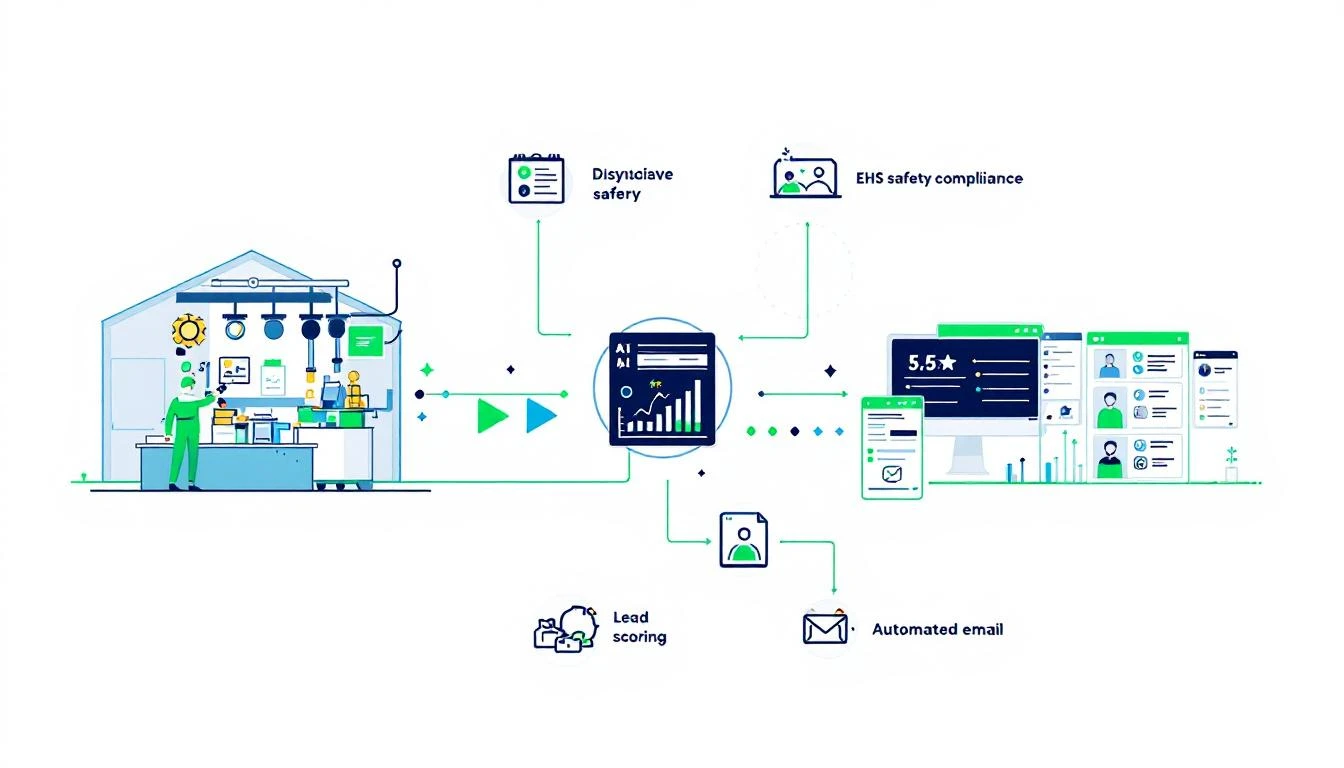
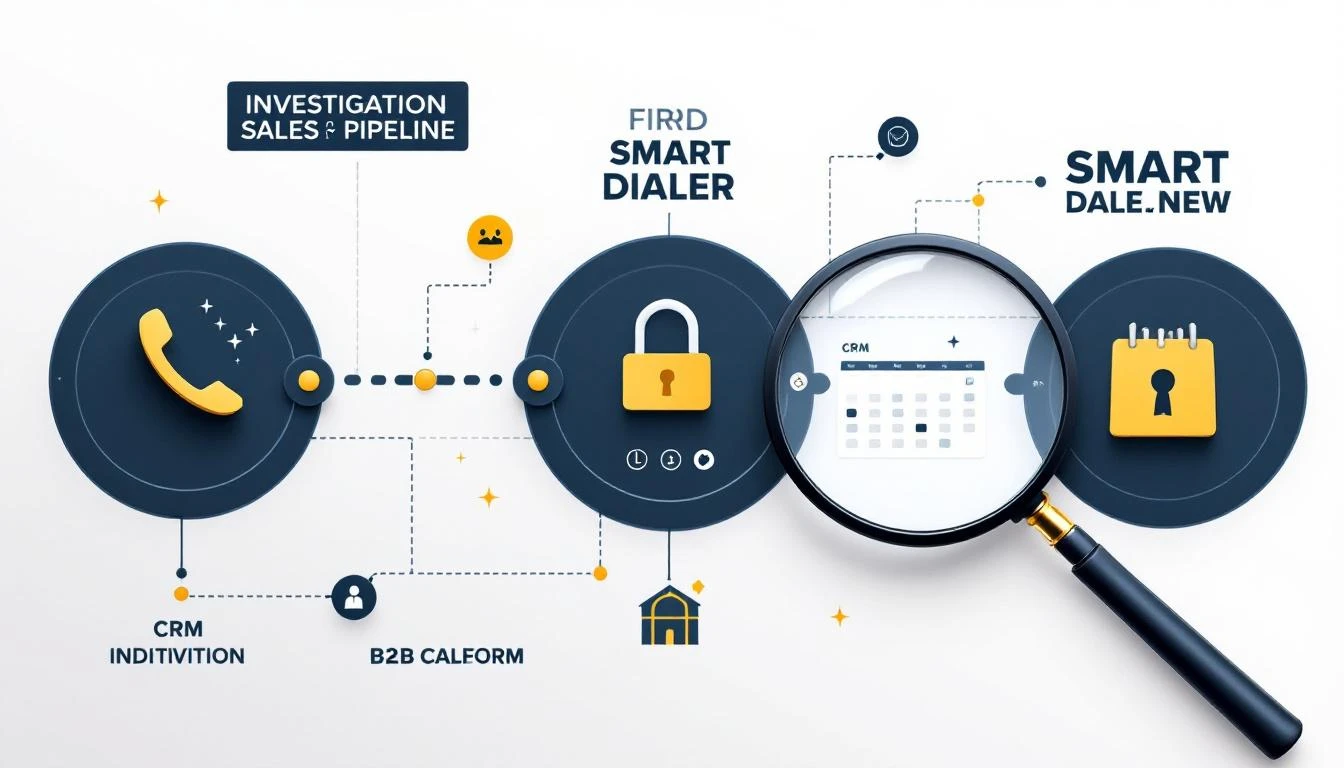


 Alright, so you’ve mapped out your ideal customer and you know what buying signals to look for. Now what? The next move is to operationalize that knowledge so you can sort through hundreds or thousands of leads without losing your mind. This is exactly where lead scoring comes into play.