
2 posts tagged with "sales-operations"

View All Tags

The $150K Problem: What Losing One SDR Actually Costs Your Business [2026 Data]

ยท 8 min read
sunder
Founder, marketbetter.ai

Here's a question most sales leaders never do the math on: What does it actually cost when an SDR walks out the door?

Not the recruiting fee. Not the salary savings during the vacancy. The total cost โ€” including the pipeline that evaporates, the meetings that never happen, the remaining team members who pick up the slack and burn out faster, and the 3-5 months your replacement spends ramping before booking a single qualified meeting.

We built a complete cost model using 2025-2026 benchmark data from The Bridge Group, Xactly, SalesHive, and our own customer conversations. The number we landed on will make you rethink every hiring, retention, and technology decision you make this year.
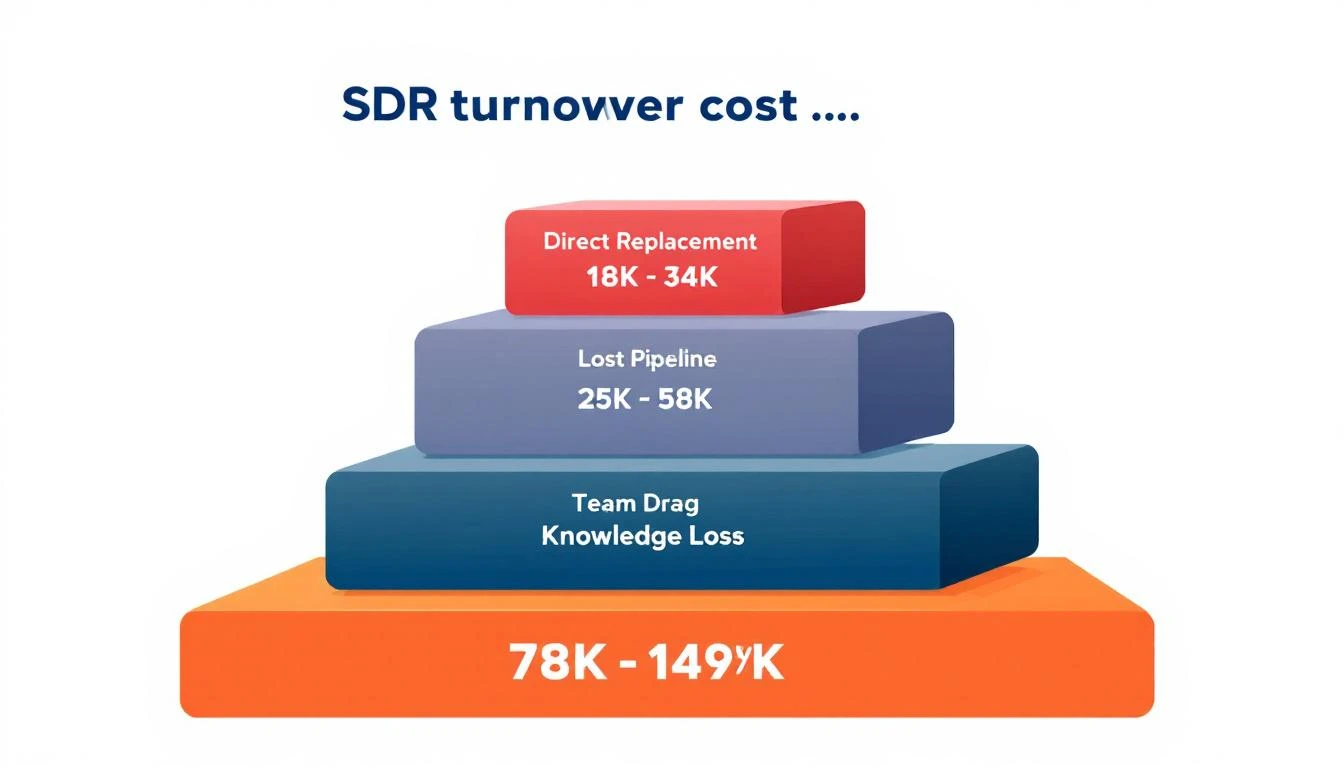
SDR Turnover Cost Breakdown

The Raw Numbersโ€‹

Let's start with the industry benchmarks that feed the model:

MetricBenchmarkSource
Average SDR tenure14-18 monthsBridge Group, SalesHive
Average SDR ramp time3.1-3.2 monthsBridge Group
SDRs who quit within 90 days20%SalesSo Research
SDRs consistently missing quota83.4%SalesSo Research
Average SDR OTE$65K-$85KGlassdoor, Martal
Meetings booked per month (avg)15Industry benchmark
Cost to ramp (total)3x base salaryXactly
Companies with subpar onboarding88%SalesSo Research
Show rate on booked meetings80%Industry benchmark

These numbers alone tell a story. Your average SDR stays 16 months, takes 3.2 months to ramp, and has only 12.8 months of full productivity before the cycle starts again.

But the financial impact is what should keep you up at night.

The Five Layers of Turnover Costโ€‹

Most leaders think about turnover cost as "recruiting fee + salary gap." That captures maybe 30% of the real number. Here are the five actual cost layers:

Layer 1: Direct Replacement Costs โ€” $18,500-$32,000โ€‹

Cost ComponentLow EstimateHigh Estimate
Recruiting (agency or internal)$8,000$15,000
Job posting and sourcing$500$2,000
Interview time (managers + team)$3,000$5,000
Background check and onboarding admin$500$1,000
Training materials and programs$2,500$4,000
New hire tech stack setup$1,000$2,000
First-month salary (zero productivity)$3,000$5,000
Subtotal$18,500$34,000

Agency recruiting fees for SDR roles typically run 15-20% of first-year OTE. Internal recruiting isn't free either โ€” when you factor in recruiter salary, hiring manager time, and team interviews, it costs $8K-$12K per hire.

Layer 2: Lost Pipeline During Vacancy โ€” $25,000-$50,000โ€‹

This is the cost nobody calculates. When an SDR seat is empty:

  • Average vacancy length: 45-60 days (time to hire after notice)
  • Meetings not booked: 22-30 meetings (15/month x 1.5-2 months)
  • Pipeline value per meeting: $1,100-$1,700 (based on $22K avg ACV at 5% close rate)
  • Total lost pipeline: $24,200-$51,000

That's not revenue you "don't get." It's pipeline your competitors win because your territory is uncovered. These deals don't wait for you to backfill the role.

And here's the compounding effect: those 22-30 meetings would have generated second and third touches, referrals, and warm follow-ups over the following months. The downstream impact is 2-3x the immediate pipeline loss.

Layer 3: Ramp Period Productivity Loss โ€” $22,000-$38,000โ€‹

Your new hire isn't at zero for 3 months, then magically at 100%. The productivity curve looks like this:

MonthExpected ProductivityMeetings vs. Target
Month 110-15%1-2 meetings
Month 230-40%4-6 meetings
Month 360-70%9-10 meetings
Month 480-85%12-13 meetings
Month 5+90-100%13-15 meetings

Over the first three months, your new SDR books roughly 15-18 meetings instead of the 45 a fully ramped rep would deliver. That's 27-30 missed meetings, worth $29,700-$51,000 in pipeline.

But you're paying full salary during this period: $16,250-$21,250 for three months of sub-target performance. Some of that salary investment is recovered through the meetings they do book, netting a real cost of $22,000-$38,000.

Layer 4: Team Drag โ€” $8,000-$15,000โ€‹

When an SDR leaves, the remaining team absorbs the impact in three ways:

Manager time drain: Your sales manager spends 15-20 hours on exit logistics, coverage planning, interviewing candidates, and onboarding the replacement. At a $120K manager salary, that's $900-$1,200 in diverted management time.

Buddy system tax: The senior SDR assigned to train the new hire loses 10-15% productivity for 6-8 weeks. That's 6-9 missed meetings worth $6,600-$15,300 in pipeline.

Morale ripple: This is the hardest to quantify, but Bridge Group data shows teams that experience turnover see a 5-8% productivity dip across remaining team members for 4-6 weeks. For a 5-person team losing one rep, that's 8-15 missed meetings across the remaining four.

Layer 5: Institutional Knowledge Loss โ€” $5,000-$12,000โ€‹

When an SDR leaves, they take with them:

  • Prospect relationships โ€” warm conversations that go cold
  • Territory intelligence โ€” which accounts respond to what messaging
  • Tribal knowledge โ€” workarounds, objection responses, competitive intel that lives in their head
  • CRM data quality โ€” notes go stale, follow-ups fall through cracks

Even with the best CRM hygiene, we estimate 30-40% of in-flight opportunities degrade or die when the owning rep leaves. For a rep managing 50-100 active prospects, that's 15-40 conversations that restart from scratch.

The Total: $115,000-$195,000 Per Departureโ€‹

LayerLowHigh
Direct replacement$18,500$34,000
Lost pipeline (vacancy)$25,000$50,000
Ramp productivity loss$22,000$38,000
Team drag$8,000$15,000
Knowledge loss$5,000$12,000
Total$78,500$149,000

Wait โ€” that's lower than $150K? Here's the part that pushes it over: the cycle repeats. With average tenure at 16 months, you're doing this calculation again before the replacement's second anniversary.

Annualized over a three-year window with two turnover events (which is statistically likely), the per-seat cost of turnover reaches $157,000-$298,000 โ€” or $52K-$99K per year in perpetual replacement cost, layered on top of salary and tools.

For a 5-person SDR team with industry-average turnover, that's $260K-$500K per year in hidden turnover costs.
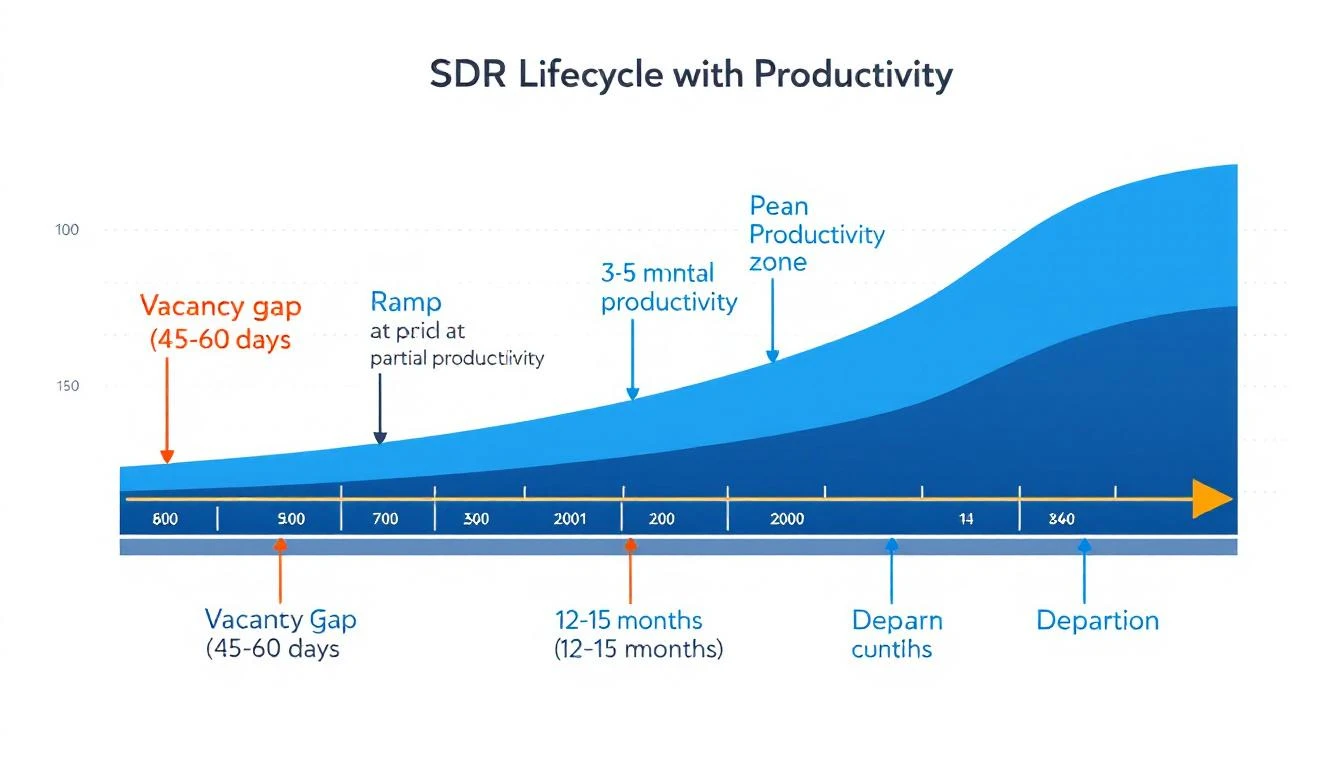
SDR Turnover Timeline

What Actually Reduces Turnover (It's Not Ping Pong Tables)โ€‹

The data points to three levers that meaningfully reduce SDR attrition:

1. Faster Ramp = Longer Tenureโ€‹

Companies with structured onboarding programs retain reps 82% longer than those without (SalesSo Research). That's not coincidence โ€” reps who feel productive stay. Reps who flounder for 4-5 months finding their footing leave.

The fastest path to ramp? Give reps fewer decisions to make. A daily SDR playbook that tells them exactly who to contact, in what order, through which channel โ€” that's not micromanagement, it's removing the activation energy that drains new reps.

Teams using AI tools ramp 30% faster and their reps are 3.7x more likely to hit quota (SalesSo Research). Not because AI does the work โ€” because it reduces the cognitive load of figuring out what to do next.

2. Tool Consolidation = Less Burnoutโ€‹

SDRs using 5+ tools spend 30-40% of their day context switching between applications. That's not just wasted time โ€” it's the #1 driver of frustration and burnout.

When we analyzed our customer data, teams that consolidated from 5+ point solutions to an integrated platform saw:

  • 40% reduction in ramp time (less tools to learn)
  • 25% increase in daily activity volume (less time switching)
  • Measurably higher rep satisfaction in quarterly surveys

You can build a full SDR stack for $3,600/rep/year with an all-in-one platform. Compare that to the $6,000-$27,000/rep sprawl stacks we see โ€” and factor in that sprawl drives the burnout that causes turnover.

3. Signal-Based Outreach = Better Win Rates = Happier Repsโ€‹

83.4% of SDRs miss quota. That's not a training problem โ€” it's a targeting problem. Reps cold-calling into the void burn out. Reps reaching out to companies showing active buying signals book meetings and feel successful.

The data is clear: SDRs using intent signals convert at 2-3x the rate of reps doing pure cold outreach. Higher conversion rates mean hitting quota, which means bonuses, which means retention.

The Bottom Lineโ€‹

SDR turnover isn't a "people problem" you solve with better culture. It's an operations problem with a clear financial model.

Every dollar you spend reducing ramp time, simplifying the tool stack, and improving signal quality pays back 5-10x in avoided turnover costs.

Here's the simple math:

  • Reducing one departure per year across a 5-person team saves $115K-$195K
  • That's $9,500-$16,250/month in budget you can reinvest in tools, training, or comp
  • Or roughly 2-3 additional SDR seats worth of tooling budget

The companies that win in 2026 won't be the ones that hire faster. They'll be the ones whose reps don't leave.


MarketBetter cuts SDR ramp time by replacing 5-7 tools with one platform. Daily playbook, visitor ID, email sequences, smart dialer, and AI chatbot โ€” all in one tab. Your new hire's first day is productive, not overwhelming. See how it works โ†’


Methodology: Cost estimates based on published benchmarks from The Bridge Group (2024-2025), Xactly sales compensation data, SalesSo/SalesHive research reports, Glassdoor salary data, and aggregated customer data from MarketBetter users. Pipeline value calculations assume mid-market B2B (50-500 employees, $10K-$50K ACV). Individual results will vary based on market, role level, and geography.

CRM Cleanup in Minutes: Using AI to Fix Your Dirty Data

ยท 11 min read
MarketBetter Team
Content Team, marketbetter.ai

๐Ÿ”ด Series Difficulty: ADVANCED (Part 7 of 10) โ€” Processes large datasets and builds maintenance systems. Best after completing Parts 1-6.

Nobody becomes an SDR because they love data hygiene. But here's the uncomfortable truth: dirty data is silently destroying your pipeline.

Every duplicate contact means wasted outreach. Every wrong email address means a bounced message hurting your domain reputation. Every outdated job title means you're personalizing against information that's no longer true. And every inconsistent company name means your reporting is wrong, your targeting is off, and your sequences are hitting the wrong people.

The average CRM has a 25-30% data decay rate every year. That means if you haven't cleaned your database in 12 months, nearly a third of your contacts have bad data โ€” wrong emails, outdated titles, people who've left the company entirely.

Most SDRs know this. They just don't have time to fix it. Manual CRM cleanup is mind-numbing work that can take days. Nobody wants to spend their Friday afternoon deduplicating 3,000 contacts.

What if you could clean your entire CRM database in minutes instead of days? That's what we're covering in Part 7 of our Claude Code + MarketBetter series.

Welcome to the Advanced tier. In the Basic posts (Parts 1-3), you learned to research and write one prospect at a time. In the Medium posts (Parts 4-6), you built multi-step workflows and analytical models. Now we're leveling up to working with large datasets โ€” hundreds or thousands of records at once. You'll feed Claude Code entire CRM exports, ask it to find patterns and problems, and build automated maintenance routines.

The prompts are still plain English โ€” but you're processing more data, chaining more steps together, and building systems that run on their own. If you've been following the series, you're ready. If you're jumping in here, I'd recommend at least skimming Part 2 to understand the basics of prompting Claude Code.

Why Clean Data Matters for SDRs (More Than You Think)โ€‹

Before we get into the how, let's be clear about why this matters for your specific workflow:

1. Deliverabilityโ€‹

Every email that bounces hurts your sender reputation. Enough bounces and your emails start landing in spam โ€” even the ones sent to valid addresses. If you're running outbound sequences through MarketBetter, clean data is the foundation of deliverability.

For more on improving email deliverability, see our guide on how to improve email open rates.

2. Targeting Accuracyโ€‹

MarketBetter's power comes from matching website visitors to your contact database and triggering the right outreach at the right time. If your CRM data is messy โ€” duplicate companies, inconsistent names, missing fields โ€” those matches don't happen. You miss signals.

3. Personalization Qualityโ€‹

When you use Claude Code for prospect research and email writing (as we covered in Parts 2 and 3), you're pulling from your CRM data. If the title says "VP of Sales" but they were promoted to CRO six months ago, your personalization is wrong. Wrong personalization is worse than no personalization.

4. Reporting and Forecastingโ€‹

Your lead scoring model from Part 6 is only as good as the data feeding it. Dirty data produces inaccurate scores, which leads to bad prioritization, which means you're calling the wrong people first.

The Five Types of Dirty Data (and How Claude Code Fixes Each)โ€‹

Type 1: Duplicatesโ€‹

The Problem: The same contact exists in your CRM multiple times with slightly different information. "Sarah Chen" and "S. Chen" at the same company. "Acme Corp" and "Acme Corporation" and "ACME" as three separate accounts.

The Claude Code Fix:

"I have a CRM export with [X] contacts. Find all probable duplicates based on:

  1. Same email address
  2. Same name + same company (accounting for variations like 'Sarah' vs 'S.')
  3. Same company domain with different company names

For each duplicate set, tell me:

  • Which record is the most complete (has the most filled fields)
  • Which record was most recently updated
  • Your recommendation for which to keep as the primary record
  • What data from the duplicate(s) should be merged into the primary

Output as a CSV I can use for cleanup."

Claude Code can process thousands of records and identify duplicate clusters in minutes. What would take a sales ops person days takes AI minutes.

Type 2: Outdated Informationโ€‹

The Problem: People change jobs every 2-3 years. Your CRM still shows them at their old company with their old title.

The Claude Code Fix:

"I have a list of 500 contacts. For each one, check if:

  1. They're still at the listed company (based on any available public information)
  2. Their job title might have changed
  3. The company itself has changed (acquired, merged, shut down)

Flag any contacts that likely have outdated information. For each flagged contact, give me your best guess at updated information and your confidence level.

Here's the list: [paste or attach contact list]"

Pair this with MarketBetter's data enrichment to fill in the gaps. MarketBetter can verify email addresses and update contact information as part of its lead intelligence platform.

Type 3: Inconsistent Formattingโ€‹

The Problem: Company names are spelled 10 different ways. Job titles aren't standardized. Phone numbers have different formats. States are sometimes abbreviated, sometimes spelled out.

The Claude Code Fix:

"Standardize this CRM data:

  1. Company names: Use the official company name (e.g., 'Salesforce' not 'salesforce.com' or 'SFDC' or 'Salesforce Inc.')
  2. Job titles: Standardize to a consistent format (e.g., 'VP of Sales' not 'Vice President, Sales' or 'VP - Sales' or 'V.P. Sales')
  3. Phone numbers: Format as +1 (XXX) XXX-XXXX
  4. States: Use 2-letter abbreviations
  5. Industries: Map to a standard list: [your industry categories]

Output the cleaned data in the same CSV format."

This sounds boring, but it's incredibly important for segmentation and targeting. When your company names are standardized, MarketBetter can accurately match website visitors to CRM records. When titles are consistent, your lead scoring model works properly.

Type 4: Missing Dataโ€‹

The Problem: Half your contacts are missing key fields โ€” no phone number, no industry, no company size. You can't score or prioritize leads you don't have data on.

The Claude Code Fix:

"I have 200 contacts with incomplete data. For each contact where I have at least a name and company, research and fill in:

  1. Company size (employee count)
  2. Industry
  3. Company HQ location
  4. Likely phone number format (direct dial if available publicly)
  5. LinkedIn profile URL
  6. Company website

Mark each enriched field with a confidence level (high/medium/low).

Here's the list: [paste contact list]"

This is where Claude Code's research capabilities really shine. It can enrich contacts at a pace that would take a human team weeks.

Type 5: Invalid Emailsโ€‹

The Problem: Bounced emails hurt your sender reputation. But you don't know which emails are invalid until they bounce โ€” and by then, the damage is done.

The Claude Code Fix:

"Analyze these email addresses for potential validity issues:

  1. Obvious typos (e.g., '@gmial.com' instead of '@gmail.com')
  2. Role-based emails that shouldn't be in a prospect database (info@, support@, sales@)
  3. Personal email domains used for a business contact (gmail, yahoo, hotmail)
  4. Email format inconsistencies within the same company (e.g., 'firstname.lastname@' vs 'flastname@')
  5. Defunct domains

Flag and categorize each issue. For typos, suggest the corrected email.

[paste email list]"

This pre-screening catches obvious issues before you send. For full email validation, use a dedicated verification tool โ€” but Claude Code's analysis catches the low-hanging fruit that most SDRs miss.

The Complete CRM Cleanup Workflowโ€‹

Here's the full process, start to finish:

Phase 1: Export and Assess (5 minutes)โ€‹

  1. Export your CRM contacts as a CSV
  2. Feed it to Claude Code:

"I just exported my CRM. It has [X] contacts. Give me a data quality assessment:

  1. How many records have missing email addresses?
  2. How many have missing phone numbers?
  3. How many have missing company size or industry?
  4. How many potential duplicates can you identify?
  5. What's the overall data quality score (1-10)?
  6. What should I fix first for the biggest impact?"

This assessment takes 2 minutes and tells you exactly where to focus.

Phase 2: Deduplicate (10 minutes)โ€‹

Run the duplicate detection prompt above. Review Claude Code's recommendations. Merge or delete the duplicates in your CRM.

Phase 3: Standardize (10 minutes)โ€‹

Run the standardization prompt. Import the cleaned, formatted data back into your CRM. Everything is consistent now.

Phase 4: Enrich (15 minutes)โ€‹

Run the enrichment prompt for contacts with missing data. Review the results (especially anything flagged as medium or low confidence). Update your CRM.

Phase 5: Validate Emails (5 minutes)โ€‹

Run the email validation prompt. Remove or correct invalid addresses. This saves your sender reputation from day one.

Total time: about 45 minutes for a complete CRM cleanup. Compare that to the 2-3 days it would take manually.

Maintaining Clean Data (So You Never Have to Do This Again)โ€‹

Cleanup isn't a one-time event. Data decays constantly. Here's how to stay clean:

The Weekly 5-Minute Checkโ€‹

Every Friday, export your new contacts from the past week and run them through a quick Claude Code quality check:

"Review these 30 new CRM contacts added this week. Check for:

  1. Duplicates with existing records
  2. Missing key fields
  3. Formatting issues
  4. Obvious email validity issues

Flag anything that needs fixing."

Five minutes. Clean data maintained.

The Monthly Enrichment Refreshโ€‹

Once a month, take your top 100 accounts and check for updates:

"Check these 100 contacts for potential changes:

  1. Have they changed jobs or titles?
  2. Has their company been acquired, merged, or shut down?
  3. Has the company announced funding, expansion, or layoffs?

Flag any records that need updating."

Automated Hygiene with MarketBetterโ€‹

MarketBetter helps maintain data quality in real time:

  • Email verification on import โ€” bad addresses are flagged before they enter your sequences
  • Contact enrichment โ€” missing fields are filled automatically using multiple data sources
  • Company matching โ€” website visitors are matched to your CRM records, surfacing both new leads and existing contacts that need updating

The ROI of Clean Dataโ€‹

Let's put numbers on this:

  • Bounce rate reduction: From 5-8% to under 2% โ†’ Protects your sender reputation
  • Targeting accuracy: 25-30% more accurate matching โ†’ More website visitors connected to the right sequences
  • Personalization quality: Fewer wrong titles and outdated references โ†’ Higher reply rates
  • Time saved: 3-5 hours per week that you'd spend manually fixing data errors โ†’ Redirected to selling
  • Sequence performance: Clean data + good targeting = 2-3x better email performance

Clean data isn't glamorous, but it's the infrastructure that makes everything else in this series work. Your lead scoring model (Part 6) needs accurate data. Your personalized emails (Part 3) need current information. Your Sales Nav imports (Part 4) need to not create duplicates.

Free Tool

Try our AI Lead Generator โ€” find verified LinkedIn leads for any company instantly. No signup required.

Try This Todayโ€‹

Here's your action item:

  1. Export your CRM contacts (or even just one segment โ€” like your top 200 accounts)
  2. Ask Claude Code for a data quality assessment using the prompt from Phase 1
  3. Fix the top 3 issues it identifies
  4. Set a calendar reminder for a Friday 5-minute check

Your CRM will be cleaner by end of day than it's been in months. And every email, sequence, and outreach effort you run from that point forward will perform better because of it.


This is Part 7 (๐Ÿ”ด Advanced) of our 10-part series. Next up: Part 8: Meeting Prep That Doesn't Suck โ†’

Clean data powers better MarketBetter targeting and deliverability. Book a demo to see how the platform keeps your contact data fresh.