86 posts tagged with "comparison"

View All Tags

12 Best AI BDR Tools for 2026: Automate Prospecting Without Losing the Human Touch

ยท 16 min read
sunder
Founder, marketbetter.ai

12 Best AI BDR Tools Compared for 2026

The AI BDR market exploded in 2025. Every sales tool now claims to "replace your BDR team" or "automate outbound prospecting with AI."

Here's the reality: most AI BDR tools only automate one slice of the business development workflow โ€” usually cold email sequencing. They find contacts, write templated emails, and blast them at scale. That's not a BDR. That's a mail merge with a ChatGPT wrapper.

A real BDR does much more: they identify the right accounts, research them, time their outreach to buying signals, personalize across multiple channels, qualify responses, and hand warm leads to AEs. The best AI BDR tools in 2026 handle most of this workflow โ€” not just the email part.

We evaluated 12 platforms across five criteria that actually matter:

  1. Prospecting depth โ€” Does it find the right people, or just any people?
  2. Signal awareness โ€” Can it detect intent and buying signals before outreach?
  3. Multi-channel reach โ€” Email only, or email + LinkedIn + phone?
  4. Personalization quality โ€” Generic AI copy, or genuinely relevant messages?
  5. Pipeline impact โ€” Does it book meetings, or just send emails?

AI BDR vs AI SDR: What's the Difference?โ€‹

AI SDR vs AI BDR: Understanding the Difference

Before we dive into the tools, let's clear up the most common confusion in this category.

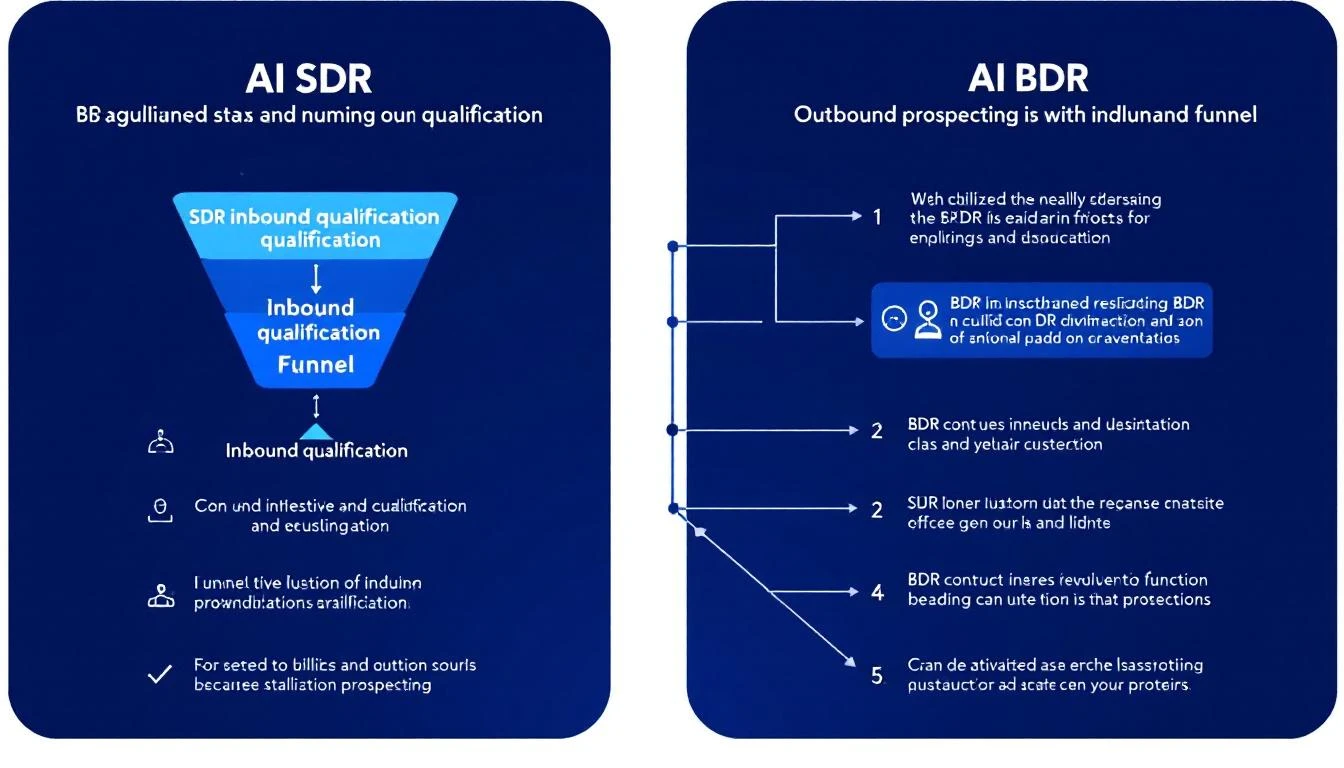
AI BDR (Business Development Representative): Focuses on the top of the funnel โ€” outbound prospecting, cold outreach, initial contact, and first-touch engagement. The BDR's job is to open doors.

AI SDR (Sales Development Representative): Handles both inbound and outbound โ€” qualifying inbound leads, responding to website visitors, nurturing prospects through the middle of the funnel, and booking meetings for AEs.

In practice, the terms overlap heavily. Most AI tools in this space handle both functions. But if you're specifically looking for outbound prospecting automation, you're searching for an AI BDR. If you need inbound qualification + outbound, you need an AI SDR platform.

The smartest approach in 2026: get a platform that handles both, so your SDRs aren't juggling separate tools for inbound vs. outbound.

Key insight: The real differentiator isn't whether a tool calls itself an AI BDR or AI SDR. It's whether the tool tells your reps what to do next or just dumps data on them and expects them to figure it out.

Quick Comparison: Top AI BDR Tools at a Glanceโ€‹

ToolBest ForStarting PriceMulti-ChannelSignal Detection
MarketBetterFull SDR/BDR workflow with daily playbook$99/user/monthEmail + LinkedIn + Phoneโœ… Website visitors + intent
Artisan (Ava)Autonomous outbound email~$2,000/moEmail + LinkedInLimited
11x (Alice)Enterprise autonomous SDR~$5,000/moEmail + LinkedInโœ… Intent data
Apollo.ioBudget-friendly prospecting + outreach$49/moEmail + LinkedIn + PhoneBasic
ClayLead enrichment + data workflows$149/moEmail (via integrations)Via waterfall enrichment
AmplemarketAI-powered multichannel sequences~$600/moEmail + LinkedIn + Phoneโœ… Buying signals
AiSDRMid-market AI email agent~$750/moEmail + LinkedInโœ… Intent + HubSpot signals
InstantlyHigh-volume cold email at scale$30/moEmail onlyNone
SmartleadEmail deliverability + volume$39/moEmail onlyNone
OutreachEnterprise sales engagement~$100/user/moEmail + LinkedIn + Phoneโœ… (add-on)
SalesLoftEnterprise cadence management~$125/user/moEmail + LinkedIn + Phoneโœ… (add-on)
Snov.ioSMB prospecting + email outreach$39/moEmail + LinkedInBasic

1. MarketBetterโ€‹

Best for: Teams that want one platform for prospecting, signals, AND execution

Most AI BDR tools solve one problem: they automate cold outreach. MarketBetter takes a fundamentally different approach โ€” it combines website visitor identification, buying signal detection, and a daily SDR playbook into a single workflow.

Instead of your BDRs starting each morning wondering "who should I reach out to today?", MarketBetter generates a prioritized task list based on real-time signals: who visited your pricing page, which target accounts are showing intent, and what specific actions to take for each prospect.

What makes it different as an AI BDR:

  • Visitor identification catches inbound interest that pure outbound tools miss entirely
  • Daily playbook tells BDRs exactly who to contact, when, and what to say
  • Smart dialer built in โ€” most AI BDR tools don't touch phone outreach
  • AI chatbot captures and qualifies website visitors 24/7
  • Email automation with hyper-personalized sequences based on actual prospect behavior

Pricing: $99/user/month with everything included - visitor ID, daily SDR playbook, AI chatbot, email automation, smart dialer, 5M AI credits + 500 enrichment credits per seat.

Best for: B2B teams (50-500 employees) that want to consolidate their BDR tech stack into one platform. Especially strong for teams that get some website traffic but aren't capturing it.

Limitations: Not the cheapest option for teams that only need cold email blasting. If you just want to send 10,000 cold emails per month, Instantly is cheaper. But if you want your BDRs to actually book meetings from warm signals โ€” not just spray and pray โ€” MarketBetter pays for itself.

Book a demo โ†’

2. Artisan (Ava)โ€‹

Best for: Autonomous outbound email with minimal human involvement

Artisan's AI BDR agent "Ava" is designed to run outbound prospecting almost entirely on autopilot. You define your ICP, set guardrails, and Ava handles prospect research, email writing, and follow-up sequences.

Key features:

  • Access to 300M+ contact database for prospecting
  • AI-written outbound emails with personalization
  • Multi-step follow-up sequences
  • LinkedIn connection requests (newer feature)
  • B2B lead scoring and prioritization

Pricing: Custom pricing, typically starting around $2,000/mo. They don't publish rates on their website โ€” you'll need a demo to get a quote.

What users say (from G2 and Reddit):

  • Strong at generating volume โ€” Ava can create hundreds of personalized emails
  • Quality of personalization varies โ€” sometimes feels templated despite claiming AI personalization
  • Some users report issues with email deliverability when volume ramps up
  • Setup can be complex, and the AI needs significant training on your ICP

Best for: Teams that want to remove humans from the cold outbound loop almost entirely. If your philosophy is "replace the BDR," Artisan is built for that vision.

Limitations: No phone dialer, no inbound lead capture, no website visitor identification. It's purely an outbound email engine with AI.

3. 11x (Alice)โ€‹

Best for: Enterprise teams with budget for autonomous AI SDR/BDR

11x positions "Alice" as a fully autonomous digital worker who handles the entire outbound workflow. They've raised significant funding and target enterprise companies willing to invest $50K+/year in AI-powered prospecting.

Key features:

  • Autonomous prospecting with AI agent "Alice"
  • Access to large contact databases
  • AI-powered email personalization
  • LinkedIn outreach automation
  • Intent data integration

Pricing: Enterprise pricing, typically $5,000/mo+ ($50K-$100K/year). No self-serve option.

What users say (from G2 and Reddit):

  • Mixed results โ€” some teams see strong pipeline generation, others report low response rates
  • Reddit threads frequently mention that Alice's emails can feel generic despite AI personalization claims
  • High price point makes ROI scrutiny intense
  • Support and onboarding are generally praised

Best for: Enterprise teams (500+ employees) with dedicated RevOps support to configure and monitor the AI agent. Not for SMBs.

Limitations: The "replace your BDR entirely" approach doesn't work for every sales motion. Complex deals with long sales cycles still need human touch. No website visitor identification or inbound workflow.

4. Apollo.ioโ€‹

Best for: Budget-friendly prospecting with built-in outreach

Apollo combines a massive contact database (275M+ contacts), email sequencing, and basic AI features into one affordable platform. It's not a pure AI BDR โ€” it's a prospecting database with automation features bolted on.

Key features:

  • 275M+ contact database with email and phone numbers
  • Email sequences with basic AI writing assistance
  • LinkedIn integration
  • Built-in dialer
  • Lead scoring
  • Intent signals (newer feature)

Pricing: Free tier available. Professional at $49/user/mo, Organization at $79/user/mo. Very transparent pricing compared to AI BDR startups.

What users say:

  • Excellent database coverage, especially for US companies
  • Email data accuracy around 85-90% (some bounces expected)
  • AI writing assistance is basic compared to dedicated AI BDR tools
  • Dialer works but isn't as sophisticated as dedicated calling platforms
  • Best value-for-money in the category

Best for: Teams that need prospecting data AND basic outreach in one tool at a reasonable price. If you're spending $200+/mo on ZoomInfo for data and another $100+/mo on an email tool, Apollo consolidates both.

Limitations: AI features are an add-on to a database product โ€” it's not AI-first. Sequences are rule-based, not signal-driven. No website visitor identification.

5. Clayโ€‹

Best for: Data enrichment workflows and technical BDR teams

Clay isn't an AI BDR in the traditional sense โ€” it's a data enrichment and workflow platform that lets you build custom prospecting pipelines. Think of it as a spreadsheet on steroids with 100+ data providers.

Key features:

  • Waterfall enrichment across 100+ data providers
  • AI research agent for prospect enrichment
  • Custom workflow builder (like Zapier for sales data)
  • AI-powered lead scoring
  • Integration with any outreach tool

Pricing: Free tier with 100 credits/mo. Starter at $149/mo (3,000 credits), Explorer at $349/mo, Pro at $800/mo. Credits get consumed fast โ€” enriching one lead can use 5-15 credits depending on the providers you stack.

Real cost analysis: A team enriching 500 leads/month with 3-4 data points each could easily spend $349-$800/mo on Clay alone โ€” and that's before you pay for the outreach tool to actually send emails.

What users say:

  • Incredibly powerful for technical users who can build custom workflows
  • Credit system can get expensive fast at scale
  • Steep learning curve โ€” not plug-and-play
  • Best-in-class data quality when you stack multiple providers
  • Not a standalone BDR solution โ€” you need Clay + an outreach tool + a CRM

Best for: RevOps teams and technical BDRs who want granular control over their data enrichment pipeline. If your team can build in Clay, the data quality is unmatched.

Limitations: Not an outreach tool. You still need Instantly, Apollo, or Outreach to actually send emails. Total stack cost (Clay + outreach + CRM) often exceeds $1,000/mo.

6. Amplemarketโ€‹

Best for: AI-powered multichannel sequences with buying signals

Amplemarket has quietly built one of the more complete AI BDR platforms. It combines prospecting, multichannel outreach (email + LinkedIn + phone), and buying signal detection in one tool.

Key features:

  • AI-powered email and LinkedIn sequences
  • Buying signal detection (job changes, funding, tech adoption)
  • Built-in dialer
  • Lead scoring based on ICP fit + intent
  • Deliverability optimization
  • CRM sync (Salesforce, HubSpot)

Pricing: Starting around $600/user/mo. Custom pricing based on team size and volume.

What users say:

  • Strong multichannel capabilities โ€” email + LinkedIn + phone in one workflow
  • Signal detection helps prioritize outreach timing
  • Some users note that AI personalization quality depends heavily on initial setup
  • Higher price point than Apollo but more AI-native

Best for: Mid-market teams (100-500 employees) that want multichannel AI BDR capabilities with signal-based prioritization.

Limitations: Pricing is opaque and relatively high. Less known than Apollo or Outreach, so finding peer reviews can be difficult.

7. AiSDRโ€‹

Best for: Mid-market teams wanting a dedicated AI email agent

AiSDR is a focused AI BDR platform that integrates with HubSpot and uses intent data to personalize outbound emails. It positions itself as a dedicated AI-powered email agent.

Key features:

  • AI-generated personalized emails
  • HubSpot integration for CRM-based triggers
  • Intent data from Bombora
  • LinkedIn outreach
  • Multi-step sequences with AI follow-ups

Pricing: Starting around $750/mo for 1,000 prospects. Scales with volume.

Best for: HubSpot-heavy teams that want an AI layer on top of their existing CRM data. The tight HubSpot integration is a genuine differentiator.

Limitations: Email-focused โ€” no dialer, no visitor identification. Effectiveness depends heavily on your HubSpot data quality.

8. Instantlyโ€‹

Best for: High-volume cold email at the lowest cost

Instantly is the go-to tool for teams that want to send thousands of cold emails per month at rock-bottom prices. It's not an AI BDR โ€” it's an email sending infrastructure with basic AI writing.

Key features:

  • Unlimited email sending accounts
  • Email warmup built in
  • AI email writer (basic)
  • Lead database (30M+ contacts)
  • Campaign analytics

Pricing: Growth at $30/mo (1,000 leads), Hypergrowth at $77.6/mo (25,000 leads). Extremely affordable.

What users say:

  • Unbeatable for pure email volume
  • Warmup feature genuinely helps deliverability
  • AI writing is basic โ€” you'll want to edit the output
  • No LinkedIn, no phone, no multi-channel
  • Database quality is inconsistent compared to Apollo or ZoomInfo

Best for: Solo founders, freelancers, and small teams that need to send high volumes of cold email on a tight budget.

Limitations: Email only. No signal detection. No buyer intent. If everyone on your list gets the same cold sequence regardless of whether they just visited your website or raised funding, you're leaving pipeline on the table.

9. Smartleadโ€‹

Best for: Email deliverability optimization at scale

Smartlead competes directly with Instantly on price and features, with a stronger focus on deliverability infrastructure.

Key features:

  • Unlimited email accounts and warmup
  • AI email personalization
  • Custom inbox rotation
  • Sub-sequence automation
  • Unified inbox for managing replies

Pricing: Basic at $39/mo (2,000 leads), Pro at $94/mo (30,000 leads). Comparable to Instantly.

Best for: Teams that have had deliverability issues with other tools and want more control over sending infrastructure.

Limitations: Same as Instantly โ€” email only, no signals, no multi-channel. Pure volume play.

10. Outreachโ€‹

Best for: Enterprise sales engagement with BDR workflows

Outreach is the incumbent in sales engagement. While not an "AI BDR" in the startup sense, their platform handles BDR workflows at scale with AI features layered on top.

Key features:

  • Multi-channel sequences (email + LinkedIn + phone)
  • AI email assist and optimization
  • Revenue intelligence and deal tracking
  • Sentiment analysis on replies
  • Robust analytics and A/B testing

Pricing: Typically $100-130/user/mo. Enterprise pricing with annual contracts. Known for expensive add-ons โ€” intent data, conversation intelligence, and analytics often cost extra.

What users say:

  • Extremely capable platform with deep customization
  • Expensive when you add all the features you actually need
  • Can feel bloated for small teams
  • Best-in-class reporting and analytics
  • Steep learning curve

Best for: Enterprise teams (500+) with dedicated RevOps support who need a mature, full-featured sales engagement platform.

Limitations: Not AI-native. AI features feel bolted on rather than central to the product. No website visitor identification.

11. SalesLoftโ€‹

Best for: Structured cadence management for BDR teams

SalesLoft (now owned by Vista Equity) is Outreach's main competitor in the sales engagement space. Strong cadence management with growing AI capabilities.

Key features:

  • Cadence automation (email + phone + social)
  • AI email writing and optimization
  • Conversation intelligence (call recording + analysis)
  • Deal intelligence
  • CRM integration

Pricing: Typically $125-150/user/mo. Enterprise contracts with annual commitments. Total cost for a 10-person BDR team can reach $20K-$70K/year when you factor in add-ons.

Best for: Mid-market to enterprise teams that want structured cadence management with coaching insights.

Limitations: Legacy platform adding AI features. Not built AI-first. Expensive for what you get compared to newer AI BDR tools.

12. Snov.ioโ€‹

Best for: SMB prospecting with built-in email sequences

Snov.io offers email finding, verification, and outreach in one affordable package. Their recent AI features add ICP generation and email writing.

Key features:

  • Email finder and verifier
  • AI email writer with personalization
  • Multi-channel sequences (email + LinkedIn)
  • CRM with pipeline management
  • Chrome extension for LinkedIn prospecting

Pricing: Free tier available. Starter at $39/mo (1,000 credits), Pro at $99/mo (5,000 credits).

Best for: Small teams and solo reps who need prospecting + outreach without a large budget.

Limitations: Database is smaller than Apollo or ZoomInfo. AI features are basic compared to dedicated AI BDR platforms. Better as a starter tool than an enterprise solution.

How to Choose the Right AI BDR Toolโ€‹

The right choice depends on three things:

1. What's your actual problem?โ€‹

  • "We need more contacts to reach out to" โ†’ Apollo or Clay for data
  • "We need to send more cold emails" โ†’ Instantly or Smartlead for volume
  • "We need our BDRs to be more efficient" โ†’ MarketBetter or Amplemarket for workflow
  • "We want to replace human BDRs entirely" โ†’ Artisan or 11x for autonomous agents

2. What's your budget?โ€‹

  • Under $100/mo: Instantly, Smartlead, or Apollo free tier
  • $100-500/mo: Apollo Pro, Clay Starter, Snov.io
  • $500-2,000/mo: MarketBetter, Amplemarket, AiSDR
  • $2,000-5,000/mo: Artisan, Outreach, SalesLoft
  • $5,000+/mo: 11x, enterprise Outreach/SalesLoft bundles

3. Do you need signals or just sending?โ€‹

This is the most important question. If your BDRs are blasting cold lists with no signal data, you're leaving 80% of your pipeline potential on the table. Tools that detect buying signals โ€” website visits, job changes, funding events, content engagement โ€” help your BDRs reach the right people at the right time.

The volume trap: Sending more cold emails doesn't linearly increase meetings. Response rates on generic cold outbound hover around 1-2%. Signal-based outreach typically achieves 5-15% response rates because you're reaching people who are already interested.

The Bottom Lineโ€‹

The AI BDR category in 2026 is split into two camps:

Camp 1: Volume tools (Instantly, Smartlead) โ€” Send more emails for less money. Works for commoditized products where you need pure reach.

Camp 2: Intelligence tools (MarketBetter, Amplemarket, Clay) โ€” Send fewer, smarter messages to the right people at the right time. Works for considered purchases where timing and relevance matter.

Most B2B teams should start with Camp 2. Your total addressable market isn't 10 million companies โ€” it's maybe 5,000. Blasting all of them with generic emails hurts your brand and tanks your domain reputation. Finding the 50 who are actively in-market and reaching them with relevant, timely outreach is how modern BDR teams win.

Ready to see how signal-based prospecting works? Book a MarketBetter demo โ†’


Related reading:

Best Lusha Alternatives 2026: 8 Tools That Don't Run Out of Credits

ยท 7 min read
sunder
Founder, marketbetter.ai

Lusha is great for simple contact lookups. But as SDR teams scale, three problems keep surfacing:

  1. Credits run out too fast โ€” especially for phone-heavy teams (10 credits per phone reveal)
  2. No buyer signals โ€” Lusha finds contacts, but can't tell you who's actually in-market
  3. Data only, no workflow โ€” you still need 3โ€“4 other tools to actually run outbound

If you're hitting any of these walls, here are 8 alternatives worth evaluating โ€” from pure data providers to complete SDR platforms.

Quick Comparisonโ€‹

ToolBest ForStarting PriceCredit SystemKey Differentiator
MarketBetterFull SDR workflow$99/user/month500 enrichment credits per seatVisitor ID + daily playbook
ApolloBudget data + sequencing$49/user/moUnlimited email creditsAll-in-one at low cost
ZoomInfoEnterprise data~$14,995/yrSeat-basedLargest database (600M+)
CognismEuropean dataCustomUnlimited viewsGDPR-compliant, no credits
RocketReachQuick lookups$39/mo80 lookups/moSimple, email-focused
ClayData enrichment workflows$149/moCredit-based75+ data providers in one
ClearbitReal-time enrichmentCustomAPI-basedHubSpot native integration
Seamless.AILarge list building~$147/mo250 credits/userReal-time search engine

1. MarketBetter โ€” When You Need More Than Dataโ€‹

Best for: SDR teams that want one platform instead of a data tool + sequencer + dialer + intent tool

Why switch from Lusha: MarketBetter doesn't just find contacts โ€” it identifies anonymous website visitors (people already researching your product), enriches them, and creates a daily SDR playbook with prioritized actions and AI-written messaging.

Key differences:

  • Website visitor identification reveals companies visiting your site โ€” no credits burned on cold lookups
  • Daily SDR playbook tells each rep exactly who to contact, in what order, and what to say
  • AI chatbot engages visitors in real-time, qualifying leads 24/7
  • Smart dialer built in โ€” no separate tool needed
  • Enrichment credits included โ€” 2,000/month on Starter, 5,000 on Growth

Pricing: $99/user/month with everything included. Enterprise custom pricing available

The Lusha comparison: Lusha Premium for 5 users costs ~$3,146/year. MarketBetter at $6,000/year includes visitor ID, chatbot, playbook, and enrichment โ€” replacing multiple point solutions.

See full comparison โ†’

2. Apollo โ€” Most Features for the Moneyโ€‹

Best for: Budget-conscious teams that need data + outbound sequencing in one tool

Why switch from Lusha: Apollo includes unlimited email credits on paid plans, built-in email sequencing, and a 275M+ contact database โ€” all starting at $49/user/month.

Key differences:

  • Unlimited email credits (no 10x phone penalty like Lusha)
  • Built-in email sequences and task management
  • Buyer intent data included on mid-tier plans
  • Much larger database (275M+ vs. Lusha's 100M+)

Pricing: Free plan (limited), Basic $49/user/mo, Professional $79/user/mo, Organization $119/user/mo

The catch: Apollo's data accuracy has mixed reviews. The free plan is generous but feature-limited. Interface can feel overwhelming compared to Lusha's simplicity.

3. ZoomInfo โ€” Enterprise-Grade Databaseโ€‹

Best for: Large sales orgs that need the deepest B2B database available

Why switch from Lusha: ZoomInfo's database is 6x larger (600M+ profiles), with advanced intent data, technographics, and org charts. No credit system โ€” seat-based pricing.

Key differences:

  • 600M+ contacts, 135M+ verified phone numbers
  • Buyer intent signals and technographic data included
  • Org charts and reporting hierarchies
  • Website visitor identification (add-on)

Pricing: Starts around $14,995/year for small teams. Enterprise pricing $30Kโ€“$100K+/year.

The catch: Expensive. Annual contracts only. Can take weeks to implement. Overkill for teams under 10 SDRs.

4. Cognism โ€” No Credit System at Allโ€‹

Best for: Teams selling into EMEA who want unlimited data access without credit anxiety

Why switch from Lusha: Cognism eliminates the credit system entirely. License-based pricing with unlimited views and exports means SDRs never worry about rationing reveals.

Key differences:

  • Unlimited views and exports (no credits)
  • Strongest European data coverage (GDPR-compliant from the ground up)
  • Diamond Data for phone-verified mobile numbers
  • Intent data powered by Bombora

Pricing: Custom pricing, typically higher than Lusha. Estimated $15,000โ€“$30,000/year for small teams.

The catch: Significantly more expensive than Lusha. US data coverage isn't as strong as ZoomInfo's. Custom pricing means no self-serve option.

5. RocketReach โ€” Lightweight Lusha Alternativeโ€‹

Best for: Individual prospectors who need occasional lookups at lower cost

Why switch from Lusha: Similar Chrome extension experience at a competitive price point. RocketReach also includes personal email addresses (useful for reaching founders and executives).

Key differences:

  • Includes personal emails in addition to work emails
  • Strong for tech industry contacts
  • API access on lower-tier plans
  • Simpler pricing structure

Pricing: Essentials $39/mo (80 lookups), Pro $99/mo (200 lookups), Ultimate $249/mo (500 lookups)

The catch: Smaller database than Lusha. Limited team features. No intent data or buyer signals. Best for individual use, not team-scale prospecting.

6. Clay โ€” Data Enrichment on Steroidsโ€‹

Best for: Revenue ops teams that want to combine 75+ data sources into one enrichment workflow

Why switch from Lusha: Instead of relying on one database, Clay waterfall-enriches contacts across dozens of providers (including Lusha itself). You get the best match rate possible, not just one vendor's data.

Key differences:

  • 75+ data providers in one platform
  • Waterfall enrichment (tries Provider A, falls back to B, C, etc.)
  • AI-powered research and personalization
  • Workflow builder for custom enrichment logic

Pricing: Starter $149/mo (2,400 credits), Explorer $349/mo (6,000 credits), Pro $800/mo (24,000 credits)

The catch: Credit-based (same problem as Lusha at scale). Steep learning curve. Built for ops teams, not individual SDRs. Can get expensive fast with heavy usage ($1Kโ€“4K/month for real teams).

See full Clay comparison โ†’

7. Clearbit (Now Breeze Intelligence by HubSpot)โ€‹

Best for: HubSpot-native teams that want automatic CRM enrichment

Why switch from Lusha: If you're already on HubSpot, Clearbit (now Breeze Intelligence) enriches contacts and companies automatically โ€” no manual lookups needed.

Key differences:

  • Real-time enrichment via API
  • Automatic CRM data population
  • Company identification (website visitors)
  • Tight HubSpot integration

Pricing: Custom pricing based on API usage. Typically $12Kโ€“$30K/year.

The catch: Expensive for small teams. Limited to HubSpot ecosystem for full value. Not a prospecting tool โ€” it enriches data you already have, not data you're looking for.

8. Seamless.AI โ€” High-Volume List Buildingโ€‹

Best for: Teams that need to build large prospect lists quickly with a real-time search engine

Why switch from Lusha: Seamless.AI's real-time search engine finds contacts on demand rather than relying on a static database. Pro plans include 1,000 daily credits (vs. Lusha's 800 monthly on Premium).

Key differences:

  • Real-time AI search (vs. static database)
  • Higher credit volumes on Pro/Enterprise plans
  • Prospecting automation features
  • Job change alerts (add-on)

Pricing: Free (50 credits), Basic (250/mo, ~$147/mo), Pro (1,000/day for 5+ seats, custom), Enterprise (custom)

The catch: Biggest red flag in B2B sales tools โ€” cancellation horror stories everywhere. G2 and Capterra reviewers report auto-renewals, difficulty canceling, and being charged after requesting cancellation. Data accuracy is also inconsistent.

See full Seamless.AI comparison โ†’

Free Tool

Try our AI Lead Generator โ€” find verified LinkedIn leads for any company instantly. No signup required.

How to Chooseโ€‹

If you need simple contact lookups and budget matters: Stay with Lusha or try Apollo.

If you're scaling outbound and credits are the bottleneck: Cognism (unlimited access) or Apollo (unlimited emails).

If you want to stop stacking tools entirely: MarketBetter replaces the need for a separate data tool, sequencer, dialer, and intent platform โ€” one SDR operating system.

If European data quality matters: Cognism is the clear winner for EMEA coverage.

If you want to combine multiple data sources: Clay lets you waterfall-enrich across 75+ providers.

The Bottom Lineโ€‹

Lusha is a solid entry point for B2B contact data. But most growing SDR teams outgrow it โ€” either hitting credit limits, needing intent signals, or wanting a complete workflow platform.

The best alternative depends on what's actually slowing your team down: is it data quality, data volume, or the gap between finding contacts and knowing what to do with them?

See how MarketBetter turns visitor data into SDR action โ†’

Best Seamless.AI Alternatives 2026: 8 Tools Without the Contract Nightmares

ยท 7 min read
sunder
Founder, marketbetter.ai

The #1 reason teams leave Seamless.AI isn't the product โ€” it's the experience. Auto-renewals without warning, cancellation runarounds, and opaque pricing have pushed thousands of users to look elsewhere.

If you're evaluating alternatives because you've hit Seamless.AI's contract wall (or want to avoid it entirely), here are 8 options ranked by what matters most: transparent pricing, honest contracts, and actual SDR value.

Quick Comparisonโ€‹

ToolBest ForStarting PriceCancellationData Focus
MarketBetterFull SDR platform$99/user/monthStandardVisitor ID + enrichment
ApolloAll-in-one budget$49/user/moEasy275M+ database
LushaSimple lookups$29.90/user/moStandardChrome extension
CognismEuropean dataCustomStandardUnlimited views
ZoomInfoEnterprise teams~$14,995/yrAnnual contract600M+ database
ClayEnrichment workflows$149/moStandard75+ providers
RocketReachIndividual reps$39/moEasyEmail-focused
UpLeadAccuracy-first$99/moStandard95% accuracy guarantee

1. MarketBetter โ€” Replace Data Tools With an SDR Operating Systemโ€‹

Best for: Teams tired of stacking data tool + sequencer + dialer + intent platform

Why it's different: MarketBetter isn't a Seamless.AI clone โ€” it's a different category entirely. Instead of searching for contacts manually, MarketBetter identifies anonymous companies visiting your website, enriches key contacts automatically, and creates a daily SDR playbook with prioritized actions.

What you get that Seamless.AI doesn't offer:

  • Website visitor identification โ€” Know which companies are researching you right now
  • Daily SDR playbook โ€” Every rep gets a prioritized task list each morning
  • AI chatbot โ€” Engages visitors 24/7, qualifies leads in real-time
  • Smart dialer โ€” Built in, no separate tool needed
  • Email automation โ€” Hyper-personalized sequences included

Pricing: $99/user/month, $1,500/mo (Growth, 5 seats), $3,000/mo (Scale, 10 seats)

Contract: Month-to-month available. Cancel anytime. No horror stories.

The comparison: Seamless.AI Pro for 5 users runs $4,740โ€“$17,940/year (plus add-ons). MarketBetter at $18,000/year includes everything โ€” visitor ID, enrichment, playbook, chatbot, dialer. One vendor, one bill, no surprises.

See MarketBetter vs Seamless.AI comparison โ†’

Best for: Teams that want Seamless.AI's functionality with transparent pricing and a generous free plan

Apollo is the most common Seamless.AI replacement, and for good reason. It combines a 275M+ contact database with built-in email sequencing, a solid Chrome extension, and actual published pricing.

Key advantages over Seamless.AI:

  • Unlimited email credits on paid plans (vs. Seamless.AI's credit system)
  • Published pricing: $49, $79, or $119/user/month
  • Generous free plan for testing
  • Built-in email sequences and workflows
  • G2 rating: 4.8/5 (vs. Seamless.AI's 4.2)

The catch: Data accuracy is mixed (similar to Seamless.AI). The interface can be overwhelming. Phone data quality varies.

Pricing: Free (generous), Basic $49/user/mo, Professional $79/user/mo, Organization $119/user/mo

3. Lusha โ€” Simplest Alternativeโ€‹

Best for: Teams that want dead-simple contact lookups without complexity

Lusha is the anti-Seamless.AI in terms of pricing transparency. Every plan is listed on the website. The Chrome extension is best-in-class for LinkedIn prospecting. Setup takes minutes.

Key advantages over Seamless.AI:

  • Fully transparent, published pricing
  • Easiest setup in the category (minutes, not days)
  • Chrome extension that "just works"
  • No cancellation horror stories
  • 81% data accuracy rate (above industry average)

The catch: Credit system can be restrictive (phone reveals cost 10x email reveals). Smaller database. No built-in sequencing.

Pricing: Free (70 credits/mo), Pro $29.90/user/mo, Premium $69.90/user/mo, Scale custom

See Lusha comparison โ†’

4. Cognism โ€” Eliminate Credits Entirelyโ€‹

Best for: EMEA-focused teams that want unlimited data access with no credit anxiety

Cognism takes the opposite approach to both Seamless.AI and Lusha: license-based pricing with unlimited views and exports. No credits, no rationing, no running out mid-month.

Key advantages over Seamless.AI:

  • No credit system โ€” unlimited views and exports
  • Strongest European data (GDPR-compliant from day one)
  • Diamond Data: phone-verified mobile numbers
  • Bombora intent data included
  • Transparent contract terms

The catch: Significantly more expensive. US data coverage isn't ZoomInfo-level. Custom pricing requires a sales conversation.

Pricing: Custom, typically $15Kโ€“$30K/year for small teams

5. ZoomInfo โ€” The Enterprise Standardโ€‹

Best for: Large sales organizations that need the deepest, most verified B2B database available

ZoomInfo is the market leader for a reason: 600M+ contact profiles, advanced intent data, technographic intelligence, and org charts. If you need enterprise-grade data, this is the benchmark.

Key advantages over Seamless.AI:

  • 6x larger database
  • Seat-based pricing (no credit system)
  • Advanced intent signals and technographics
  • Org charts and reporting hierarchies
  • Website visitor identification (add-on)

The catch: Very expensive ($15K+/year minimum). Annual contracts only. Complex implementation. Overkill for small teams.

Pricing: Starting ~$14,995/year. Enterprise $30Kโ€“$100K+/year

6. Clay โ€” Aggregate 75+ Data Providersโ€‹

Best for: Revenue ops teams building sophisticated enrichment workflows

Clay doesn't compete with Seamless.AI on search โ€” it competes on data quality. By waterfall-enriching contacts across 75+ data providers (including Seamless.AI, Lusha, Apollo, and others), Clay delivers higher match rates than any single provider.

Key advantages over Seamless.AI:

  • 75+ data sources in one platform
  • Waterfall enrichment (best match rate possible)
  • AI-powered research and personalization
  • Custom workflow builder

The catch: Credit-based (can get expensive). Steep learning curve. Built for ops, not frontline SDRs. $1Kโ€“4K/month for real usage.

Pricing: Starter $149/mo, Explorer $349/mo, Pro $800/mo

See Clay comparison โ†’

7. RocketReach โ€” Lightweight and Easyโ€‹

Best for: Individual reps who need occasional contact lookups without enterprise complexity

RocketReach is the most lightweight option here. Simple search, Chrome extension, personal + work emails, and straightforward pricing. No annual contract traps.

Key advantages over Seamless.AI:

  • Includes personal emails (useful for executives/founders)
  • Simple, transparent pricing
  • API access on lower-tier plans
  • No contract issues reported
  • Good tech industry coverage

The catch: Smaller database. Limited team features. No intent data. Best for individual use.

Pricing: Essentials $39/mo (80 lookups), Pro $99/mo (200 lookups), Ultimate $249/mo (500 lookups)

8. UpLead โ€” Accuracy-First Alternativeโ€‹

Best for: Teams where data accuracy is the #1 priority (and Seamless.AI's inconsistency burned them)

UpLead differentiates on one thing: a 95% data accuracy guarantee. If Seamless.AI's inconsistent accuracy caused bounced emails and wasted credits, UpLead's verification-first approach is the direct antidote.

Key advantages over Seamless.AI:

  • 95% data accuracy guarantee (vs. Seamless.AI's inconsistent rates)
  • Real-time email verification before credits are deducted
  • Transparent pricing published on website
  • Intent data included on higher plans
  • Easy cancellation

The catch: Smaller database (~155M contacts). Higher per-credit cost. Less feature-rich than Apollo or ZoomInfo.

Pricing: Essentials $99/mo (170 credits), Plus $199/mo (400 credits), Professional custom

Decision Frameworkโ€‹

Leaving because of contract/cancellation issues? โ†’ Apollo, Lusha, or UpLead (all transparent, easy cancellation)

Leaving because of data accuracy? โ†’ UpLead (95% guarantee) or Cognism (phone-verified Diamond Data)

Want to eliminate the data tool entirely? โ†’ MarketBetter (visitor ID + enrichment + playbook in one platform)

Need the biggest database possible? โ†’ ZoomInfo (600M+) or Clay (75+ providers aggregated)

Selling into Europe? โ†’ Cognism (strongest EMEA coverage, GDPR-native)

Budget matters most? โ†’ Apollo (most value per dollar, generous free plan)

Free Tool

Try our AI Lead Generator โ€” find verified LinkedIn leads for any company instantly. No signup required.

The Bottom Lineโ€‹

Seamless.AI built good search technology wrapped in bad business practices. The cancellation issues, opaque pricing, and add-on structure push teams away faster than the product pulls them in.

Every alternative on this list publishes pricing, offers standard cancellation terms, or both. The only question is whether you need another data tool (Apollo, Lusha, Cognism) or whether you're ready to replace the entire stack with an SDR platform that includes data, signals, and workflow in one (MarketBetter).

See how MarketBetter replaces the data-tool stack โ†’

Lusha Pricing Breakdown 2026: Credit Costs, Hidden Fees & What You'll Actually Pay

ยท 6 min read
sunder
Founder, marketbetter.ai

Lusha Pricing Breakdown 2026

Lusha is one of the few B2B data providers that publishes pricing publicly. That transparency is refreshing โ€” but the headline numbers don't tell the whole story.

The credit-based model means your actual cost depends entirely on how you use the tool. Revealing phone numbers costs 10x more than emails. And once credits run out, you're stuck until the next billing cycle or paying for add-ons.

Here's the real math for SDR teams evaluating Lusha in 2026.

Lusha Pricing Plans at a Glanceโ€‹

PlanMonthly PriceAnnual Price (per user/mo)Credits/MonthBest For
Free$0$070Testing the extension
Pro$39.90/user$29.90/user250/userSolo prospectors
Premium$69.90/user$52.45/user800/userSmall SDR teams
ScaleCustomCustomCustomEnterprise teams

Prices from Lusha's public pricing page and Capterra as of February 2026.

How Lusha's Credit System Actually Worksโ€‹

This is where most buyers get surprised. Not all credits are equal:

ActionCredits Used
Reveal email address1 credit
Reveal phone number10 credits
Export to CSV (up to 25 rows)1 credit
Export to CRM1 credit

The phone number tax is significant. If your SDRs primarily cold call, they'll burn through credits 10x faster than email-only teams.

Real-World Credit Mathโ€‹

Let's say you have a 5-person SDR team on the Premium plan:

  • Credits per month: 800 ร— 5 = 4,000 total credits
  • If SDRs need 50 phone numbers each: 50 ร— 10 credits ร— 5 SDRs = 2,500 credits on phones alone
  • Remaining for emails: 1,500 credits = 1,500 email reveals
  • That's just 300 emails per SDR per month

For teams doing serious outbound (100+ prospects/week), Premium credits vanish fast.

Plan-by-Plan Breakdownโ€‹

Free Plan โ€” Good for Testing, Not Workingโ€‹

  • 70 credits/month (that's 7 phone numbers or 70 emails)
  • Chrome extension access
  • Basic prospecting features
  • CRM integrations included

Verdict: Fine for a quick test drive. Not viable for any real prospecting work.

Pro Plan ($29.90โ€“$39.90/user/mo) โ€” Solo Prospectors Onlyโ€‹

  • 250 credits/user/month
  • Everything in Free
  • Contact and company data
  • List management
  • Basic analytics

The math: 250 credits gets you 25 phone numbers, or 250 emails, or some mix. For a single SDR doing targeted outreach, this might work. For a team, you'll hit the ceiling within the first week.

Premium Plan ($52.45โ€“$69.90/user/mo) โ€” The Sweet Spot (If Credits Last)โ€‹

  • 800 credits/user/month
  • Bulk search (up to 1,000 contacts)
  • Team management features
  • Usage analytics
  • Enhanced filters

The math: 800 credits per user sounds generous until you factor in phone reveals. An SDR needing 100 phone numbers per month burns 1,000 credits โ€” more than the entire allocation.

Scale Plan (Custom) โ€” Enterprise Black Boxโ€‹

  • "Unlimited" contacts (under fair use policy)
  • API access
  • Intent data and job change alerts
  • Dedicated account manager
  • Technographic data
  • CSV enrichment and Salesforce enrichment

What "unlimited" really means: Lusha's Scale plan advertises unlimited, but it's governed by fair use. Multiple G2 reviewers report that usage caps still apply in practice. Estimated enterprise pricing starts around $95/user/month based on Cognism's analysis of publicly available data.

Hidden Costs Most Buyers Missโ€‹

1. Phone Reveals Eat Credits 10x Fasterโ€‹

The 10-credit cost for phone numbers is the biggest gotcha. Teams that rely on cold calling effectively get 1/10th the value of their plan compared to email-only teams.

2. Add-On Features Not Included in Base Plansโ€‹

Intent data, job change alerts, technographics, and API access are all locked behind the Scale plan or available as paid add-ons. These are features that competitors like ZoomInfo and Apollo include in mid-tier plans.

3. Credit Rollover Limitsโ€‹

Monthly plans: unused credits roll over but cap at 2x your plan limit. Annual plans: credits front-loaded but reset to zero at renewal. If your usage is uneven, you'll either waste credits or run short.

4. Data Accuracy Isn't Perfectโ€‹

Lusha reports an 81% data accuracy rate, which is above the industry average of 60โ€“70% but below premium providers like ZoomInfo (claimed 95%+). That means roughly 1 in 5 contacts may be outdated, costing you credits on bad data.

G2 reviewer (2025): "Some useful features are locked behind higher-tier plans, which limits flexibility for small teams. There are also moments where the data is outdated."

Capterra reviewer: "The database can be limited for certain industries, and the credit system can be restrictive, especially if you need to access a lot of contacts frequently."

Total Cost for a 5-Person SDR Teamโ€‹

ScenarioPlanMonthly CostAnnual CostEffective Credits
Email-only outboundPremium$350/mo$3,146/mo (annual)4,000 emails/mo
Mixed (email + calls)Premium$350/mo$3,146/mo (annual)~1,500 emails + 250 calls
Heavy calling teamScaleCustom (~$475/mo)Custom (~$5,700/yr)Unlimited (fair use)

Add integration costs: If you need Salesforce enrichment, API access, or intent data, expect $200โ€“500/mo additional on top of license fees.

How Lusha Compares on Priceโ€‹

ToolStarting PriceCredits/ValueKey Difference
Lusha$29.90/user/mo250 credits, 10x phone costSimple, transparent pricing
Apollo$49/user/moUnlimited email creditsMore features included
ZoomInfo~$14,995/yrSeat-based, larger databaseEnterprise-grade, expensive
CognismCustomUnlimited views/exportsNo credit system
MarketBetter$99/user/month500 enrichment credits per seat + visitor ID + SDR playbookFull SDR workflow, not just data

When Lusha Makes Senseโ€‹

Good fit:

  • Solo prospectors who need quick contact lookups
  • Small teams doing targeted, low-volume outreach
  • Companies that primarily need email addresses (not phone)
  • Teams that want a simple Chrome extension workflow

Not a good fit:

  • SDR teams doing 100+ calls/day (credits vanish)
  • Teams needing intent data or buyer signals (requires Scale plan)
  • Organizations wanting a complete SDR workflow (Lusha is data only)
  • Companies that need predictable monthly costs (credit volatility)
Free Tool

Try our AI Lead Generator โ€” find verified LinkedIn leads for any company instantly. No signup required.

The Bigger Question: Data vs. Workflowโ€‹

Lusha solves one problem well โ€” finding contact information. But modern SDR teams need more than a database. They need:

  • Prioritization: Which prospects should I contact first?
  • Timing: When are buyers actually in-market?
  • Messaging: What should I say to each prospect?
  • Workflow: What's my next action after the first touch?

MarketBetter approaches this differently. Instead of selling credits for contact reveals, it identifies anonymous website visitors (people already researching your product), enriches them automatically, and generates a daily SDR playbook with prioritized tasks and AI-written messaging.

The cost difference matters: Lusha Premium for 5 users runs $3,146โ€“4,194/year. MarketBetter at $99/user/month ($6,000/year) includes visitor identification, enrichment credits, an AI chatbot, and the SDR playbook โ€” replacing the need for a separate data tool.

See how MarketBetter compares to Lusha โ†’

Book a demo to see the daily playbook in action โ†’

Lusha Review 2026: Real User Feedback on Data Quality, Credits & Limitations

ยท 5 min read
sunder
Founder, marketbetter.ai

Lusha has become one of the most popular B2B contact data tools, with over 1,400 reviews on G2 (4.3/5) and 396 on Capterra (4.0/5). It's known for simplicity โ€” install the Chrome extension, find emails and phone numbers, export to your CRM.

But popularity doesn't mean perfection. After analyzing hundreds of verified user reviews across G2, Capterra, and Reddit, clear patterns emerge about where Lusha excels and where it frustrates SDR teams.

The Quick Verdictโ€‹

CategoryRatingNotes
Ease of useโญโญโญโญโญBest-in-class simplicity
Data accuracyโญโญโญโญ81% accuracy โ€” good, not great
Credit valueโญโญโญPhone reveals burn credits fast
Feature depthโญโญโญBasic enrichment, limited signals
Pricing transparencyโญโญโญโญโญPublicly listed (rare in this space)
Enterprise readinessโญโญโญScale plan exists but details are opaque

Overall: 4/5 for contact data lookup. 2.5/5 as a complete SDR tool.

What Users Love About Lushaโ€‹

1. Dead-Simple Chrome Extensionโ€‹

This is Lusha's crown jewel. Visit any LinkedIn profile, click the extension, and get contact details instantly. No training needed, no complex workflows.

G2 reviewer: "Lusha's direct contact information is worth more than gold. The Chrome extension makes prospecting feel effortless."

Why it matters: SDRs who live in LinkedIn Sales Navigator can prospect without switching tabs. The friction reduction is real and measurable.

2. Transparent, Published Pricingโ€‹

In a market where ZoomInfo, Cognism, and Seamless.AI hide pricing behind sales calls, Lusha puts numbers on its website. Free plan, $29.90 Pro, $69.90 Premium โ€” you know what you're paying before talking to anyone.

3. Fast Time-to-Valueโ€‹

Multiple reviewers highlight that Lusha takes minutes to set up, not days. Install the extension, connect your CRM, start prospecting. No implementation calls, no onboarding managers, no 6-week rollouts.

4. Decent Database Sizeโ€‹

100+ million business profiles, 15+ million company profiles, 60+ million decision-maker emails, and 50+ million direct dials. For a mid-market tool, the database is competitive.

What Users Complain Aboutโ€‹

1. Credits Run Out Too Fast (Most Common Complaint)โ€‹

This is the #1 frustration across every review platform. Phone number reveals cost 10 credits vs. 1 for emails, and monthly allocations feel restrictive for active prospecting teams.

G2 reviewer (2025): "Users find the limited credits frustrating, as they run out quickly and need easier replenishment options."

Sparkle.io analysis (2,612 reviews): "Credits exhaust quickly for active prospecting teams. Limited access to contacts even with paid plans. Credit system doesn't scale well for growing teams."

The root issue: If you're doing high-volume outbound (100+ prospects/week per SDR), even Premium's 800 credits/month won't last. You'll either ration reveals or pay for overages.

2. Data Accuracy Is Good, Not Greatโ€‹

Lusha claims 81% accuracy, which is above the 60โ€“70% industry average. But that still means ~1 in 5 contacts could be outdated, and you spend credits finding out.

Capterra reviewer: "The database can be limited for certain industries, and the credit system can be restrictive."

G2 reviewer: "Some useful features are locked behind higher-tier plans. There are also moments where the data is outdated."

Phone number accuracy gets more complaints than email accuracy. Several reviewers report getting disconnected numbers or wrong departments.

3. Important Features Locked Behind Scale Planโ€‹

Intent data, job change alerts, API access, technographic data, and CSV/Salesforce enrichment all require the custom-priced Scale plan. For teams that need more than basic contact lookup, the jump from Premium ($69.90/user) to Scale (custom, estimated $95+/user) can be jarring.

4. Limited for Non-English Marketsโ€‹

Users in EMEA and APAC report thinner data coverage compared to North America. If your prospects are outside the US, match rates drop noticeably.

5. No SDR Workflow or Prioritizationโ€‹

Lusha finds contacts. That's it. There's no prioritization engine, no daily playbook, no AI-generated messaging, no visitor identification. You still need separate tools for:

  • Knowing which prospects to contact first
  • Understanding buyer intent signals
  • Generating personalized outreach
  • Managing multi-channel sequences

Who Lusha Is Best Forโ€‹

Ideal users:

  • Solo SDRs or small teams (1โ€“3 people) doing targeted outreach
  • LinkedIn-heavy prospectors who want quick contact reveals
  • Companies primarily needing email addresses (not phone)
  • Teams with modest prospecting volumes (under 50 reveals/day)
  • Budget-conscious buyers who want transparent pricing

Not ideal for:

  • SDR teams doing 100+ calls/day (credit system punishes calling)
  • Teams needing buyer intent signals or website visitor data
  • Organizations wanting a complete SDR workflow platform
  • Companies with prospects outside North America
  • Enterprise teams needing API-first integrations

Lusha vs. The Competitionโ€‹

FeatureLushaApolloZoomInfoMarketBetter
Contact databaseโœ… 100M+โœ… 275M+โœ… 600M+โœ… via enrichment
Chrome extensionโœ…โœ…โœ…โŒ
Published pricingโœ…โœ…โŒโœ…
Website visitor IDโŒโŒโœ… (add-on)โœ… (core)
Daily SDR playbookโŒโŒโŒโœ…
AI-generated messagingโŒLimitedLimitedโœ…
Smart dialerโŒโŒLimitedโœ…
Starting price$29.90/user$49/user~$14,995/yr$99/user/month
Free Tool

Try our AI Lead Generator โ€” find verified LinkedIn leads for any company instantly. No signup required.

The Bottom Lineโ€‹

Lusha does one thing well: it makes finding B2B contact data fast and simple. The Chrome extension is genuinely best-in-class, and the transparent pricing is refreshing in a market full of "contact sales" buttons.

But Lusha is a data tool, not an SDR platform. It tells you WHO to contact but not WHEN, WHY, or WHAT TO SAY. For teams that need the full picture โ€” visitor identification, intent signals, prioritized playbooks, and AI-powered outreach โ€” you'll end up stacking Lusha on top of 3โ€“4 other tools.

That's exactly the problem MarketBetter was built to solve: consolidating the data, signals, and workflow into one SDR operating system.

Compare MarketBetter vs Lusha in detail โ†’

See pricing comparison โ†’

Book a demo โ†’

MarketBetter vs Mailshake: Full SDR Platform vs Email Sequencing Tool [2026]

ยท 7 min read
sunder
Founder, marketbetter.ai

MarketBetter vs Mailshake comparison

Mailshake has been a reliable cold email tool since 2017. It helps sales teams send personalized email sequences, automate follow-ups, and track opens and replies. For teams that just need to send emails at scale, it gets the job done.

But the SDR landscape has changed dramatically. Today's sales teams don't just need to send more emails โ€” they need to know who to email, when to reach out, what to say, and which channel to use. That's a fundamentally different problem than email sequencing.

MarketBetter takes the opposite approach. Instead of starting with "here's a way to send emails," it starts with "here's who you should contact today and exactly what to do." Visitor identification, intent signals, AI-powered email, smart dialing, and LinkedIn outreach โ€” all orchestrated from a single daily playbook.

Let's break down exactly where each tool fits.

The Core Difference: Sending Emails vs. Running Your Entire SDR Workflowโ€‹

Mailshake is an email-first tool. You bring your own prospect lists, write your sequences, and Mailshake handles the sending, follow-ups, and tracking. Their Sales Engagement plan adds a power dialer and LinkedIn automation, but email remains the center of gravity.

MarketBetter is a full SDR operating system. It identifies which companies are visiting your website, enriches contacts automatically, prioritizes leads based on intent signals, and generates a daily action list for each SDR. Email, phone, LinkedIn, and chatbot engagement are all built in โ€” not bolted on.

Think of it this way: Mailshake is a great tool for executing email campaigns. MarketBetter tells your SDRs what campaigns to run in the first place.

Feature Comparisonโ€‹

FeatureMarketBetterMailshake
Email sequencesAI-generated, hyper-personalizedTemplate-based with mail merge
Power dialerSmart dialer built-inAvailable on Sales Engagement plan ($99/mo)
LinkedIn automationIntegrated multichannelAvailable on Sales Engagement plan
Website visitor identificationBuilt-in, identifies companies visiting your siteNot available
Daily SDR playbookAI-prioritized daily action listNot available
AI chatbotEngages every website visitorNot available
Lead data finderEnrichment + list building included50-5,000 data finder credits (plan-dependent)
Email warmupIncludedIncluded
A/B testingYesYes
CRM integrationsHubSpot, Salesforce, PipedriveHubSpot, Salesforce, Pipedrive
Intent signalsWebsite visits, email engagement, champion trackingEmail opens and clicks only
AI email writerDeep personalization using company + intent dataBasic AI writing assistant
Free trialDemo availableNo free trial (payment upfront)

Pricing: Per-User Seats vs. Full Platformโ€‹

Mailshake Pricingโ€‹

Mailshake charges per user, per month across three tiers:

  • Starter โ€” $25/mo (annual) or $29/mo (monthly): 1 mail account per user, 1,500 email sends/month, 50 data finder credits, email warmup, A/B testing. Basic email outreach only.
  • Email Outreach โ€” $45/mo (annual) or $59/mo (monthly): 5 mail accounts per user, 5,000 email sends/month, 2,500 data finder credits, advanced scheduling, email personalization tools.
  • Sales Engagement โ€” $85/mo (annual) or $99/mo (monthly): 10 mail accounts per user, unlimited email sends, 5,000 data finder credits, power phone dialer, LinkedIn automation, priority support.

No free trial. You pay upfront before you can test the product.

The hidden cost problem: Mailshake only handles outreach execution. You still need to buy:

  • A visitor identification tool ($200-500/mo)
  • A data enrichment tool ($100-300/mo)
  • A dialer or phone tool (if not on Sales Engagement)
  • An AI chatbot ($100-200/mo)

For a 5-person SDR team on the Sales Engagement plan, you're looking at $495/mo for Mailshake alone โ€” before you add the tools that tell your SDRs who to actually contact.

MarketBetter Pricingโ€‹

MarketBetter bundles everything into a single platform:

  • $99/user/month - one plan, everything included
  • Visitor identification, AI chatbot, email automation, smart dialer, daily SDR playbook
  • 5M AI credits + 500 enrichment credits per seat
  • No contracts, cancel anytime. Free unlimited viewer seats

The math matters. A 5-person team on MarketBetter ($99/user/month) replaces Mailshake Sales Engagement ($495/mo) plus visitor ID ($300/mo) plus enrichment ($200/mo) plus chatbot ($150/mo) โ€” a combined stack that runs $1,145/mo minimum before you factor in the time SDRs waste switching between tools.

Where Mailshake Winsโ€‹

Credit where it's due โ€” Mailshake has real strengths:

  • Lower entry point. If you're a solo founder or freelancer sending cold emails, $25/mo is hard to beat. MarketBetter starting at $99/user/month and is built for SDR teams, not individuals.
  • Email-first simplicity. If email is your only outreach channel and you don't need visitor identification or intent signals, Mailshake is straightforward to set up and use.
  • Mature email deliverability. Mailshake has years of experience with email warmup, bounce handling, and deliverability optimization. Their Bounce Shield and warmup features are well-tested.
  • Agency-friendly structure. Mailshake's team model lets agencies manage multiple client accounts easily, with per-team billing.

Where MarketBetter Winsโ€‹

  • You don't know who to email. Mailshake assumes you already have a prospect list. MarketBetter identifies companies visiting your website, finds the right contacts, and tells your SDRs exactly who to prioritize.
  • Your SDRs waste time in 20 tabs. If reps juggle between LinkedIn, their CRM, email tools, enrichment tools, and spreadsheets โ€” MarketBetter consolidates everything into one daily playbook.
  • You need multichannel from day one. Mailshake's dialer and LinkedIn features are locked to the $99/mo plan. MarketBetter includes email, phone, LinkedIn, and chatbot engagement across all plans.
  • You want AI that does more than write subject lines. MarketBetter's AI uses website visit data, firmographic signals, and engagement history to generate truly personalized outreach โ€” not just templated mail merge.
  • Speed-to-lead matters. When a prospect visits your pricing page, MarketBetter can trigger an SDR action within minutes. With Mailshake, that signal never exists.

What Real Users Sayโ€‹

Mailshake User Feedback (G2 โ€” 4.7/5, 355+ reviews)โ€‹

What they love: Easy setup, clean interface, responsive support team. Multiple reviewers highlight the concierge onboarding as a standout.

What they complain about:

  • "Good tool but it is very basic and needs improvement" โ€” Recurring theme that Mailshake's feature set hasn't kept pace with newer tools
  • Contact import issues โ€” missing contacts when uploading lists
  • "Lacks the more flexible features I'd expect from a tool like this in 2025" โ€” Capterra review highlighting the dated feel
  • Limited prospect filtering and personalization depth
  • No free trial means you're paying before you can evaluate

MarketBetter User Feedback (G2 โ€” 4.97/5)โ€‹

Users consistently highlight the daily playbook as a game-changer: "Go from 20 tabs to one SDR task list." The combination of visitor identification and actionable recommendations โ€” not just data โ€” sets it apart.

Who Should Choose What?โ€‹

Choose Mailshake if:

  • You're a solo founder or freelancer doing email-only outreach
  • You have a solid prospect list and just need to send sequences
  • Your budget is under $100/mo per rep
  • Email is your primary (or only) outreach channel

Choose MarketBetter if:

  • You're building or scaling an SDR team (3+ reps)
  • You need to know who to contact, not just how to contact them
  • You want visitor identification, intent signals, and multichannel outreach in one platform
  • You're tired of stitching together 5 different tools for your sales stack
  • Speed-to-lead and prioritization are critical to your pipeline

The Bottom Lineโ€‹

Mailshake is a solid email sequencing tool with a loyal user base and years of refinement. If you need a reliable way to send cold emails at scale, it works.

But if you're asking "how do I build a repeatable, signal-driven SDR workflow?" โ€” that's a different question entirely. MarketBetter answers it by combining visitor identification, lead intelligence, and multichannel execution into a single platform that tells your SDRs exactly what to do every day.

The real cost isn't the tool โ€” it's the opportunities your team misses because they didn't know who was on your website yesterday.

See how MarketBetter's daily playbook works โ†’

MarketBetter vs Mixmax: AI SDR Platform vs Email Copilot [2026]

ยท 9 min read
sunder
Founder, marketbetter.ai

MarketBetter vs Mixmax comparison

Mixmax started as a Gmail productivity tool and has evolved into a suite of AI copilots โ€” Inbox, Meeting, and Engagement โ€” layered on top of your email client. It's designed to make individual reps more efficient inside Gmail.

MarketBetter takes a fundamentally different approach. Instead of bolting AI onto your inbox, it builds the entire SDR workflow from scratch: identifying who's on your website, telling your reps exactly who to contact and what to say, automating multichannel sequences, and putting a smart dialer in their hands.

The question isn't which tool sends better emails. It's whether you need help with email โ€” or help with your entire sales development motion.

Quick Comparisonโ€‹

CategoryMarketBetterMixmax
Core approachAI SDR operating systemGmail AI copilot suite
Starting price$99/user/month$29/user/mo (single copilot)
Website visitor IDโœ… Built-inโŒ Not available
Daily SDR playbookโœ… AI-prioritized task listโŒ No equivalent
Email sequencesโœ… Multichannel (email + LinkedIn + phone)โœ… Email + tasks (multichannel on higher plans)
Smart dialerโœ… Built-inAdd-on (extra cost)
AI chatbotโœ… Engages site visitorsโŒ Not available
AI SEO trackingโœ… Tracks AI mentionsโŒ Not available
CRM integrationHubSpot + SalesforceSalesforce (HubSpot limited)
Email providerGmail, Outlook, SMTPGmail only (Chrome extension)
Best forB2B teams wanting full pipeline visibilityIndividual reps wanting Gmail productivity

What Mixmax Does Wellโ€‹

Give credit where it's due โ€” Mixmax has carved out a strong niche as a Gmail power-up. Here's what they do right:

Living Inside Gmailโ€‹

Mixmax's biggest strength is that it doesn't make you leave your inbox. Everything โ€” sequences, tracking, scheduling, templates โ€” lives as a sidebar and toolbar inside Gmail. For reps who live in their inbox, the learning curve is almost zero.

The Chrome extension approach means there's no new platform to learn. You're just getting superpowers layered onto tools you already use daily.

AI Copilot Suiteโ€‹

Their 2025 rebrand into three "copilots" is smart packaging:

  • Inbox Copilot ($29/user/mo): Email tracking, smart categorization, follow-up reminders, and AI-powered compose. Surfaces which emails need attention and helps draft replies.
  • Meeting Copilot ($29/user/mo): Pre-meeting prep briefs, instant meeting notes, automated follow-up drafts. Saves 15-20 minutes per meeting on admin work.
  • Engagement Copilot ($49/user/mo): AI sequence builder, multichannel sequences with tasks, personalization, and OOO detection. The closest thing to an outbound tool.

You can buy individual copilots or bundle them as the Mixmax Suite at $89/user/mo (annual). This flexibility is nice for teams that only need specific capabilities.

Solid Calendar and Schedulingโ€‹

Mixmax's scheduling links, round-robin distribution, and "book on behalf of" features are genuinely useful. They rival dedicated tools like Calendly, and they're baked right into your email.

Email Enhancementsโ€‹

Features like polls, surveys, CTAs, and rich media embeds inside emails help reps stand out in crowded inboxes. These aren't groundbreaking, but they're polished and easy to use.

Where Mixmax Falls Shortโ€‹

Despite being a solid Gmail tool, Mixmax has significant gaps when you look at it through the lens of a modern SDR workflow:

Gmail-Only Lock-Inโ€‹

This is the big one. Mixmax only works with Gmail via a Chrome extension. If your team uses Outlook, Office 365 natively, or anything else โ€” Mixmax isn't an option. Period.

In 2026, with companies increasingly diversifying their email stacks and using multiple providers for deliverability, a Gmail-only tool is a meaningful limitation.

No Prospecting or Lead Intelligenceโ€‹

Mixmax helps you execute outreach. But it has no answer for the question every SDR asks first: "Who should I be contacting today?"

There's no website visitor identification. No intent signals. No company data enrichment. No AI-prioritized prospect lists. You have to bring your own leads from somewhere else โ€” a data provider, your CRM, or manual research.

No Phone Channel (Without Add-Ons)โ€‹

The dialer is a paid add-on, not a core feature. And even with the add-on, it's a basic click-to-call โ€” not a smart dialer with call recording, disposition tracking, and AI-powered call insights.

For SDR teams where phone outreach is 30-50% of their activity, this means either paying extra or using a separate tool entirely.

Sequence Caps and Limitsโ€‹

Even on paid plans, Mixmax caps sequence recipients at 1,500 per month. For high-volume SDR teams running multiple campaigns simultaneously, this becomes a bottleneck fast.

Post-meeting summaries are also capped at 200/month across plans โ€” fine for a small team, but limiting if your reps are running 6-8 meetings daily.

Free Plan Degradationโ€‹

Multiple G2 reviewers have flagged that Mixmax cut free plan tracking from 100 emails to just 20 in mid-2025. This aggressive downgrade frustrated users who'd been relying on the free tier, and it signals a push toward paid conversion that could continue.

Limited Mobile Supportโ€‹

Users consistently mention that Mixmax's mobile experience is weak. Since the product is fundamentally a Chrome extension, working from a phone or tablet means losing most functionality. SDRs who work from mobile between meetings or while traveling hit a wall.

How MarketBetter Approaches It Differentlyโ€‹

MarketBetter isn't trying to be a better email tool. It's solving a different problem: turning your SDR team from reactive email senders into proactive pipeline builders.

Signal-First, Not Inbox-Firstโ€‹

Where Mixmax starts with your inbox, MarketBetter starts with signals. Who visited your website? What pages did they view? Which accounts are showing buying intent? The Daily SDR Playbook turns these signals into a prioritized action list โ€” so reps don't have to figure out who to contact; they just execute.

Multichannel by Defaultโ€‹

Email is one channel. MarketBetter orchestrates across email, LinkedIn, phone (via smart dialer), and AI chatbot simultaneously. Every sequence can blend all four channels โ€” because modern B2B buyers respond differently depending on where you reach them.

AI That Decides, Not Just Draftsโ€‹

Mixmax's AI helps you write better emails. MarketBetter's AI decides who to email, when to call, what to say, and which channel to use โ€” then tracks what works and adjusts. It's the difference between an AI writing assistant and an AI sales strategist.

One Platform, Not a Stackโ€‹

With Mixmax, you still need: a data provider (ZoomInfo, Apollo, Clay) + a visitor ID tool (Clearbit Reveal) + a dialer (Nooks, Orum) + a chatbot (Drift, Intercom). That's $3,000-$8,000/month in additional tools.

MarketBetter consolidates all of this. One platform, one bill, one place for your reps to work.

Pricing Comparisonโ€‹

Mixmax Pricing (2026)โ€‹

PlanMonthly PriceAnnual PriceKey Features
Free$0$020 tracked emails, scheduling links, basic templates
Inbox Copilot$34/user$29/userUnlimited tracking, categorization, smart compose
Meeting Copilot$34/user$29/userPre-meeting prep, notes, follow-up drafts
Engagement Copilot$65/user$49/userSequences, multichannel tasks, AI builder
Mixmax Suite$105/user$89/userAll copilots bundled

Add-ons: Dialer (price not public), Custom Branding ($9-11/user), International Dialer, SMS, Local Presence โ€” all separate costs.

For a 5-person SDR team on Suite (annual): $89 ร— 5 = $445/month โ€” plus dialer add-on, plus you still need a data provider, visitor ID, chatbot, and enrichment tools separately.

MarketBetter Pricing (2026)โ€‹

PlanPriceSeatsIncludes
Standard$99/user/monthAll features included: Daily SDR Playbook, Website Visitor ID, AI Chatbot, Email Automation, Smart Dialer ($50/seat add-on), 5M AI credits + 500 enrichment credits per seat
EnterpriseCustomEverything in Standard + custom integrations, dedicated support, volume discounts

No add-ons needed. Visitor ID, enrichment, sequences, chatbot, and dialer are all included in the price.

The Real Cost Comparisonโ€‹

For a 5-person SDR team, the "Mixmax is cheaper" argument falls apart when you add the rest of the stack:

ComponentMixmax StackMarketBetter
Sequences + email$445/mo (Suite)Included
Data provider$500-2,000/moIncluded
Visitor ID$99/user/monthIncluded
Dialer$200-500/moIncluded
Chatbot$300-1,000/moIncluded
Total$1,945-$5,445/mo$99/user/month

Mixmax is cheaper per user. But per capability and per pipeline dollar generated, MarketBetter delivers more value at a lower total cost.

Who Should Choose Mixmax?โ€‹

Mixmax is the right choice if:

  • Your team lives exclusively in Gmail and wants productivity without leaving their inbox
  • You already have a separate data provider, visitor ID tool, and dialer
  • You need individual rep productivity more than team-wide pipeline visibility
  • You're a solo seller or small team (1-3 reps) and $29/mo per copilot fits the budget
  • Your outreach is primarily email-only (no phone, minimal LinkedIn)
  • You don't need website visitor identification or AI-driven lead prioritization

Who Should Choose MarketBetter?โ€‹

MarketBetter is the right choice if:

  • You want one platform that replaces 4-5 point solutions
  • Your SDR team needs to know who to contact, not just how to contact them
  • Website visitor identification and intent signals matter to your outbound strategy
  • You're running multichannel sequences (email + phone + LinkedIn + chatbot)
  • You want AI that drives strategy, not just drafts emails
  • You need a smart dialer integrated with your sequences, not bolted on
  • You're scaling from 3 to 10+ SDRs and need team-wide visibility

The Bottom Lineโ€‹

Mixmax and MarketBetter serve different stages of the sales development maturity curve.

Mixmax makes individual reps faster inside Gmail. It's a productivity layer โ€” a very good one โ€” that helps you execute email outreach more efficiently.

MarketBetter is the operating system for your entire SDR motion. It doesn't just help you send better emails; it tells your team who to prioritize, orchestrates across every channel, and turns website visitors into pipeline.

If your SDR workflow starts with "I have a list, help me email them" โ€” Mixmax fits.

If your SDR workflow should start with "Show me who's in-market and tell me what to do" โ€” book a demo with MarketBetter.


Looking for more comparisons? See how MarketBetter stacks up against Outreach, SalesLoft, Apollo, and Klenty.

MarketBetter vs Woodpecker: SDR Platform vs Cold Email Specialist [2026]

ยท 8 min read
sunder
Founder, marketbetter.ai

MarketBetter vs Woodpecker comparison

Woodpecker has built a strong reputation as one of the most deliverability-focused cold email tools on the market. Their Bounce Shield, human-like sending algorithm, and free catch-all email verification have earned them a loyal following among agencies and outbound teams that live and die by inbox placement.

But there's a growing gap between "getting emails delivered" and "getting pipeline built."

Deliverability is table stakes, not strategy. Your emails can land in every primary inbox on the planet โ€” but if you're emailing the wrong people, at the wrong time, with generic messaging, your reply rates will still be mediocre. The bottleneck for most SDR teams isn't deliverability. It's knowing who to prioritize and what to say.

MarketBetter approaches the problem differently. Instead of optimizing email delivery mechanics, it identifies which companies are actively visiting your website, surfaces intent signals, and generates a daily prioritized action list for each SDR โ€” across email, phone, LinkedIn, and chat.

Let's dig into how these two tools compare for real sales teams.

Fundamental Difference: Email Delivery vs. Sales Intelligenceโ€‹

Woodpecker is a cold email automation tool with best-in-class deliverability features. You bring your prospect lists, write your sequences, and Woodpecker handles sending with features designed to keep you out of spam folders. They also offer an agency add-on for managing client campaigns.

MarketBetter is a full SDR operating system that starts upstream: who's on your website right now? What companies are showing buying intent? Which prospects should your SDRs prioritize today? Then it handles the outreach across every channel โ€” email, smart dialer, LinkedIn, and AI chatbot.

Woodpecker answers: "How do I send cold emails without hitting spam?" MarketBetter answers: "Who should my SDRs contact today and what should they do?"

Feature Comparisonโ€‹

FeatureMarketBetterWoodpecker
Email sequencesAI-generated, signal-drivenTemplate-based with conditions
Deliverability focusBuilt-in warmupBounce Shield, human-like sending, catch-all verification
Smart dialerBuilt-inNot available
LinkedIn automationIntegrated multichannelNot available
Website visitor identificationIdentifies companies in real-timeNot available
Daily SDR playbookAI-prioritized task listNot available
AI chatbotEngages every website visitorNot available
A/B testingYesYes (Growth plan and above)
Condition-based sequencesAI-driven branchingRule-based conditions
Email verificationIncluded enrichmentFree catch-all verification (powered by Bouncer)
Agency featuresMulti-team supportDedicated Agency add-on (16 steps, client management)
Prospect storageUnlimited in CRMLimited by plan (2,000-40,000+)
Warm-up creditsIncluded0-20+ depending on plan
Centralized inboxUnified across channelsEmail-only unified inbox
CRM integrationsHubSpot, Salesforce, PipedriveHubSpot, Salesforce, Pipedrive
Intent signalsWebsite visits, email + call engagement, champion trackingEmail opens and clicks only

Pricing: Per-Slot Scaling vs. All-in-One Platformโ€‹

Woodpecker Pricingโ€‹

Woodpecker charges per slot (email account), scaling up with contact volume:

  • Free Trial โ€” $0/mo (7 days): 50 contacted prospects, 600 emails/month, 200 stored prospects, 0 warmup credits. Very limited but lets you test the interface.
  • Starter โ€” $29/mo ($24 annual): 500 contacted prospects/month, 6,000 emails/month, 2,000 stored prospects, 2 warmup credits.
  • Growth โ€” $84/mo: 3,000 contacted prospects/month, 36,000 emails/month, 8 warmups, A/B testing, advanced automation.
  • Scale โ€” $188/mo: 10,000 contacted prospects/month, 120,000 emails/month, 20 warmups, priority support, team collaboration.
  • Max โ€” $9,999/mo: Unlimited everything, dedicated account manager, AI campaign optimization.

The per-slot trap: Woodpecker charges per email account connected, not per user. So if your SDR uses 3 email accounts for rotation (which Woodpecker themselves recommend for deliverability), you're paying 3x. A 5-rep team rotating 3 accounts each = 15 slots = $435/mo on Starter or $1,260/mo on Growth.

What you still need to buy separately:

  • Prospect data/enrichment tool ($100-300/mo)
  • A phone dialer ($50-200/mo per rep)
  • LinkedIn automation tool ($50-100/mo per rep)
  • Website visitor identification ($200-500/mo)
  • AI chatbot ($100-200/mo)

MarketBetter Pricingโ€‹

MarketBetter bundles the full stack:

  • $99/user/month - one plan, everything included
  • Visitor identification, AI chatbot, email automation, smart dialer, daily SDR playbook
  • 5M AI credits + 500 enrichment credits per seat
  • No contracts, cancel anytime. Free unlimited viewer seats

Real-world comparison: A 5-person SDR team that needs email (15 Woodpecker Growth slots at $1,260/mo) + ZoomInfo enrichment ($400/mo) + a dialer ($300/mo) + visitor ID ($300/mo) = $2,260/mo minimum across 4+ tools. MarketBetter at $99/user/month includes all of that in one platform.

Where Woodpecker Winsโ€‹

Woodpecker has earned its reputation. Here's where it genuinely excels:

  • Best-in-class deliverability. Bounce Shield automatically pauses sending when bounce rates spike. Their human-like sending algorithm randomizes intervals to avoid spam filter patterns. Free catch-all verification (via Bouncer) prevents you from sending to invalid addresses. This is the most deliverability-focused tool in the category.
  • Lower starting price for solo senders. At $29/mo for a single email account, Woodpecker is one of the most affordable ways to start cold outreach. If you're a freelancer or solopreneur, the price is hard to beat.
  • Agency-friendly. The dedicated Agency add-on with client dashboards, 16-step campaigns, and per-client management is built specifically for outbound agencies running campaigns for multiple clients.
  • Free 7-day trial. Unlike many competitors (including Mailshake), Woodpecker lets you test before you pay. It's limited to 50 contacts, but it's enough to evaluate the interface and deliverability.
  • Transparency on limits. Woodpecker clearly shows contacted prospects, emails/month, and stored prospect limits for each plan. No hidden overages or surprise bills.

Where MarketBetter Winsโ€‹

  • You need signals, not just sends. Woodpecker has zero visibility into who's visiting your website or showing buying intent. MarketBetter identifies companies on your site and routes them to the right SDR automatically.
  • Your SDRs need a playbook, not a campaign builder. Woodpecker gives you a blank canvas for email campaigns. MarketBetter tells each SDR: "Here are your top 15 accounts today, here's what they did on your site, here's the suggested message and channel."
  • You want multichannel without tool sprawl. Woodpecker is email-only. To add phone and LinkedIn, you need 2-3 more tools with separate logins, separate billing, and zero data sharing between them. MarketBetter unifies all channels with shared signal data.
  • Your team is 3+ SDRs. Woodpecker's per-slot pricing gets expensive fast when you factor in email rotation best practices. MarketBetter's per-seat pricing includes everything.
  • You care about champion tracking. When a buyer champion changes jobs, MarketBetter detects it and creates a new outreach opportunity. Woodpecker has no awareness of people movement.

What Real Users Sayโ€‹

Woodpecker User Feedback (G2 โ€” 4.4/5, 73 reviews on G2)โ€‹

What they love: Clean interface, excellent deliverability, easy to set up and use. The condition-based follow-up system is praised for letting users branch sequences based on engagement. Per-slot (not per-seat) pricing is seen as fair for teams with shared accounts.

What they complain about:

  • "Doesn't do everything that a full-featured sales engagement solution does" โ€” Capterra reviewer noting the email-only limitation
  • Warmup emails caused confusion โ€” users panicked thinking their accounts were compromised because Woodpecker doesn't clearly communicate that warmup sends are internal
  • "Missing features limiting customization and integrations with automation tools" โ€” G2 users noting the gap versus broader platforms
  • Some users report emails still hitting spam despite following warmup procedures
  • Limited reporting and analytics compared to enterprise tools
  • Customer support described as "curt and dismissive" in negative reviews

MarketBetter User Feedback (G2 โ€” 4.97/5)โ€‹

Users consistently highlight the combination of visitor identification and daily playbook as the differentiator: "Go from 20 tabs to one SDR task list." The 70% reduction in manual SDR work and 2x faster speed-to-lead are repeatedly validated by teams that switched from point solutions.

Who Should Choose What?โ€‹

Choose Woodpecker if:

  • You're a solo sender or small agency focused purely on cold email
  • Deliverability is your #1 concern and you don't need multichannel
  • You want the most affordable way to start cold outreach ($29/mo)
  • You run an agency managing multiple client campaigns
  • Email is your only outreach channel and you have your own prospect lists

Choose MarketBetter if:

  • You're building or managing an SDR team (3+ reps)
  • You need to identify and prioritize accounts, not just execute email sequences
  • You want email, phone, LinkedIn, and chatbot in a single platform
  • You're spending $1,000+/mo across multiple outbound tools that don't talk to each other
  • Speed-to-lead and signal-driven outreach are central to your strategy

The Bottom Lineโ€‹

Woodpecker is excellent at what it does: sending cold emails with industry-leading deliverability protections. If inbox placement is your primary challenge and you have a clear prospect list, Woodpecker is a strong, affordable choice.

But most SDR teams aren't bottlenecked by deliverability โ€” they're bottlenecked by prioritization. They don't know which of their 5,000 prospects showed intent this week. They don't know who just visited the pricing page. They don't know that a champion from a closed-won deal just moved to a new company.

MarketBetter solves those upstream problems and then handles the outreach across every channel. It's not a better email tool โ€” it's a different category entirely.

Your emails can hit every inbox in the world. The question is: are you emailing the right people at the right time?

See how signal-driven outreach works โ†’

Seamless.AI Pricing Breakdown 2026: Hidden Fees, Contract Traps & Real Costs

ยท 6 min read
sunder
Founder, marketbetter.ai

Seamless.AI Pricing Breakdown 2026

Seamless.AI doesn't publish pricing on its website. You'll see "Start for Free" and "Contact Sales" โ€” no dollar amounts.

That alone is a red flag for many buyers. But after digging through Reddit threads, Cognism's research, G2 reviews, Capterra feedback, and user reports, here's what Seamless.AI actually costs in 2026.

Warning: Seamless.AI has the worst cancellation reputation in B2B sales tools. Read the contract section carefully before signing anything.

Seamless.AI Pricing Plansโ€‹

PlanEstimated PriceCreditsSign-Up
Free$050 total (earn more)Website
Basic~$147/mo (annual)250 monthly/userWebsite
Pro$79โ€“$299/user/mo1,000 daily for 5+ seatsContact sales
Enterprise$149+/user/moCustom daily/userContact sales

Prices sourced from Cognism research, Reddit user reports, Capterra, and Sybill analysis. Your actual pricing may vary based on negotiation.

Why the Price Ranges?โ€‹

Seamless.AI's pricing varies wildly depending on:

  • Team size and negotiation leverage
  • Contract length (annual vs. monthly)
  • Add-on features selected
  • When you bought (pricing changes frequently)

One Reddit user (July 2025) reported Pro at $79/user/month with 1,000 credits, plus $49 for 500 additional credits. Sybill's analysis found Pro ranging from $147 to $299/user/month. The gap suggests aggressive discounting for larger teams.

How Seamless.AI Credits Workโ€‹

Every contact reveal or export consumes credits:

ActionCredits Used
Reveal a contact1 credit
Export to CRM1 credit
Bulk list building1 credit per contact

Unlike Lusha (which charges 10 credits for phones), Seamless.AI uses a flat 1-credit-per-contact model. This seems better on paper โ€” but the total credit allocation is often lower than competitors.

Credit Math for a 5-Person Teamโ€‹

Basic plan scenario:

  • 250 credits/user/month ร— 5 users = 1,250 reveals/month
  • That's 250 prospects per SDR per month, or about 12 per business day
  • For high-volume teams doing 50+ prospects/day, this is wildly insufficient

Pro plan scenario:

  • 1,000 daily credits shared across 5+ seats
  • That's 200 reveals/day/SDR โ€” much more reasonable
  • But Pro pricing jumps to $79โ€“$299/user/month

The Contract and Cancellation Problemโ€‹

This is where Seamless.AI earns its worst reputation. Across G2, Capterra, Trustpilot, and Reddit, cancellation complaints are the #1 issue โ€” more than data quality, more than pricing, more than features.

What users report:

Auto-renewal traps: "Seamless auto-renewed my annual contract without any warning email. By the time I noticed, they said it was too late to cancel." (Trustpilot, 2025)

Difficulty canceling: "I submitted a cancellation request 3 months before renewal. They acknowledged it, then charged me anyway. Took 4 months and a credit card dispute to resolve." (G2 reviewer)

Aggressive retention: Multiple users report being transferred between departments when trying to cancel, with each person offering discounts instead of processing the cancellation.

Capterra reviewer (August 2025): "Concerns often arise around data accuracy, high email bounce rates, hidden costs, and difficulty in canceling subscriptions."

Red Flags to Watch Forโ€‹

  1. Read the cancellation clause โ€” Most plans auto-renew. You need to cancel 30โ€“60 days before renewal in writing.
  2. Get cancellation confirmation in writing โ€” Verbal cancellations reportedly don't stick.
  3. Monitor your credit card โ€” Several users report charges continuing after "confirmed" cancellation.
  4. Negotiate contract length โ€” Push for quarterly if possible. Annual contracts are where most people get trapped.

Hidden Costs Beyond the Licenseโ€‹

1. Add-On Featuresโ€‹

The base plan is stripped down. Premium features cost extra:

  • AI Writer โ€” Additional cost
  • Buyer intent data โ€” Add-on
  • Job change alerts โ€” Add-on
  • Prospecting automation โ€” Add-on
  • Advanced enrichment โ€” Add-on

A fully-featured Seamless.AI setup can cost 40โ€“60% more than the base license.

2. Data Accuracy Issues Mean Wasted Creditsโ€‹

G2 reviewer (2026): "Data accuracy can be inconsistent โ€” some contacts are spot on, while others may be outdated or bounce, so you still need a verification step and good list hygiene."

Sybill analysis: "Users across review platforms report unexpected auto-renewals, difficulty canceling subscriptions, and being charged after requesting cancellation. Data accuracy is the second most common complaint."

If 15โ€“25% of your reveals bounce (common complaint), you're effectively paying 15โ€“25% more per valid contact.

3. No Free Downgrade Pathโ€‹

Once you're on a paid plan, downgrading to Free isn't straightforward. Users report having to go through sales to make any plan changes, even downgrades.

Total Cost Comparisonโ€‹

ScenarioPlanMonthlyAnnualWhat You Actually Get
1 SDR testingFree$0$050 reveals total
1 SDR outboundBasic~$147~$1,764250 reveals/mo
5-person SDR teamPro~$395โ€“$1,495/mo~$4,740โ€“$17,9401,000 daily credits
Enterprise (10+)EnterpriseCustomCustomCustom credits

Add 40โ€“60% for intent data, automation, and add-ons.

How Seamless.AI Compares on Total Costโ€‹

Tool5-User Annual CostCredits/AccessContract Risk
Seamless.AI$4,740โ€“$17,940+250โ€“1,000/dayHIGH (cancellation issues)
Lusha$3,146โ€“$4,194800/user/monthLow
Apollo$2,940โ€“$4,740Unlimited emailsLow
ZoomInfo$14,995โ€“$30,000+Seat-basedMedium (annual lock-in)
MarketBetter$6,000โ€“$18,000Enrichment + visitor ID + playbookLow

When Seamless.AI Makes Senseโ€‹

Good fit:

  • Teams that value real-time search over static databases
  • High-volume list builders who need Pro's 1,000 daily credits
  • Organizations with dedicated ops people to manage the platform
  • Companies comfortable with annual contracts and confident they won't need to cancel

Not a good fit:

  • Anyone who values easy cancellation and flexible contracts
  • Small teams where ~$147+/month per user is a stretch
  • Teams needing intent data without paying for add-ons
  • Buyers who want predictable, transparent pricing
  • Organizations that need more than contact data (workflow, playbook, dialer)
Free Tool

Try our AI Lead Generator โ€” find verified LinkedIn leads for any company instantly. No signup required.

The Bigger Pictureโ€‹

Seamless.AI solves contact discovery well with its real-time search engine. But the contract practices cast a shadow over the product. When the #1 complaint about your tool isn't the tool itself but how hard it is to stop paying for it, that's a trust problem.

For teams evaluating Seamless.AI: budget 40โ€“60% above the quoted price for add-ons, read every line of the contract, and get cancellation terms in writing before signing.

Or consider platforms like MarketBetter that include enrichment, visitor identification, and SDR workflow in one predictable price โ€” with no credit system and no cancellation horror stories.

Compare MarketBetter vs Seamless.AI โ†’

See all Seamless.AI alternatives โ†’

Book a demo โ†’

Seamless.AI Review 2026: Cancellation Nightmares, Data Issues & What Users Really Think

ยท 6 min read
sunder
Founder, marketbetter.ai

Seamless.AI is a paradox in B2B sales tech. The product โ€” a real-time contact search engine โ€” is genuinely useful. But the company's contract and cancellation practices have created a trust deficit that dominates every review platform.

After analyzing reviews across G2 (4.2/5, 1,200+ reviews), Capterra (3.7/5), Trustpilot, and Reddit, here's the unfiltered picture.

The Quick Verdictโ€‹

CategoryRatingNotes
Search functionalityโญโญโญโญReal-time search is genuinely powerful
Data accuracyโญโญโญInconsistent โ€” emails better than phones
Pricing transparencyโญโญHidden behind sales calls
Contract fairnessโญAuto-renewals, cancellation difficulties
Feature depthโญโญโญCore is good, add-ons get expensive
Customer supportโญโญMixed โ€” great for sales, poor for billing

Overall: 3.5/5 for the product. 2/5 for the experience.

What Seamless.AI Does Wellโ€‹

Unlike static databases (Lusha, Apollo), Seamless.AI searches for contacts in real-time. Instead of querying a pre-built database, it actively finds and verifies contact information when you search. This means you can sometimes find contacts that aren't in other databases yet.

G2 reviewer: "The real-time search engine is what sets it apart. I've found contacts that weren't in ZoomInfo or Apollo."

2. High Volume on Pro Plansโ€‹

Pro plans offer 1,000 daily credits for teams of 5+. That's 5,000 reveals per day across the team โ€” significantly more than Lusha's 800/month per user. For high-volume list building, the credit allocation is competitive.

3. Chrome Extension and Integrationsโ€‹

Similar to Lusha, Seamless.AI offers a Chrome extension for LinkedIn prospecting. Integrations with Salesforce, HubSpot, and other CRMs are included on all plans. The extension works well and surfaces data quickly.

4. Large Databaseโ€‹

Seamless.AI claims access to 1.9 billion+ contact and company records. While "access to" doesn't mean "verified," the raw coverage is impressive for finding hard-to-reach prospects.

The Problems (And They're Significant)โ€‹

1. Cancellation Horror Stories (The #1 Issue)โ€‹

This isn't a minor complaint โ€” it's the defining characteristic of Seamless.AI's reputation. Across every review platform, cancellation difficulties are the most discussed issue.

Trustpilot reviewer (2025): Auto-renewed without warning email. By the time the user noticed, it was "too late to cancel."

G2 reviewer: Submitted cancellation 3 months early, acknowledged by Seamless, still charged. Took a credit card dispute to resolve.

Reddit (July 2025): "The lack of upfront pricing info is my biggest complaint. Just put the damn prices on your website instead of making everyone jump through sales hoops."

Capterra (August 2025): "Concerns often arise around data accuracy, high email bounce rates, hidden costs, and difficulty in canceling subscriptions."

Pattern: Users report being transferred between departments, offered discounts instead of cancellation processing, and charged after confirmed cancellation. This isn't a few isolated cases โ€” it's a systemic pattern across hundreds of reviews.

2. Data Accuracy Is Inconsistentโ€‹

"Sometimes the data isn't 100% accurate, so I have to double-check contacts," one G2 reviewer notes. This is the second most common complaint after cancellation issues.

Specific issues users report:

  • Email bounce rates higher than expected (15โ€“25% range for some users)
  • Phone numbers that go to wrong departments or are disconnected
  • Company data that's months or years outdated
  • Better accuracy for US contacts than international

G2 reviewer (2026): "Data accuracy can be inconsistent โ€” some contacts are spot on, while others may be outdated or bounce, so you still need a verification step."

For a tool that charges credits per reveal, inaccurate data means you're paying for contacts you can't use.

3. Opaque Pricingโ€‹

Seamless.AI is one of the few mid-market sales tools that refuses to publish pricing. In 2026, when Apollo, Lusha, and even some enterprise tools list prices publicly, this feels deliberately opaque.

What we've pieced together from user reports:

  • Basic: ~$147/month (annual billing)
  • Pro: $79โ€“$299/user/month (varies by negotiation)
  • Enterprise: $149+/user/month
  • Add-ons (intent, automation, AI writer): 40โ€“60% additional

4. Add-On Nickel-and-Dimingโ€‹

The base plan is intentionally lean. Buyer intent data, job change alerts, AI writer, prospecting automation, and enrichment features all cost extra. A fully-featured setup costs significantly more than the quoted price.

Reply.io analysis: "Seamless AI reviews are mixed, but in general, user experiences confirm that Seamless AI works well as promised, with certain data accuracy issues."

5. No Workflow Beyond Dataโ€‹

Like Lusha, Seamless.AI is a data tool. It finds contacts but doesn't help you:

  • Prioritize which prospects to reach first
  • Identify who's actively researching your product
  • Generate personalized outreach at scale
  • Manage the full SDR workflow from first touch to meeting booked

Who Should Use Seamless.AI (Despite the Issues)โ€‹

It might work if:

  • You need high-volume contact discovery (Pro's 1,000 daily credits)
  • Your team is comfortable with annual contracts and won't need to cancel
  • You have ops resources to verify data accuracy and manage the platform
  • US-focused outbound (best data coverage for North America)
  • You can negotiate firmly on pricing and contract terms

Avoid if:

  • You want flexible, month-to-month pricing
  • Contract fairness matters to your organization
  • You need reliable data accuracy without a verification step
  • You want intent data and workflow included (not as add-ons)
  • You're a small team without dedicated ops support

Seamless.AI vs. Key Alternativesโ€‹

FeatureSeamless.AILushaApolloMarketBetter
Published pricingโŒโœ…โœ…โœ…
Contract cancellationProblematicStandardStandardStandard
Real-time searchโœ…โŒโŒโŒ
Database size1.9B claimed100M+275M+Via enrichment
Visitor identificationโŒโŒโŒโœ…
SDR playbookโŒโŒโŒโœ…
Smart dialerโŒโŒโŒโœ…
Free planโœ… (50 credits)โœ… (70 credits)โœ… (generous)Demo available
G2 rating4.2/54.3/54.8/54.97/5
Free Tool

Try our AI Lead Generator โ€” find verified LinkedIn leads for any company instantly. No signup required.

The Bottom Lineโ€‹

Seamless.AI built a genuinely useful real-time search engine for B2B contacts. If the company fixed its contract practices and published transparent pricing, it would be a strong competitor.

But in 2026, the cancellation issues are disqualifying for many teams. When the most discussed aspect of your product is how hard it is to stop paying for it, something is fundamentally broken โ€” and it's not the technology.

If you want contact data without the risk: Apollo offers similar functionality with transparent pricing and easy cancellation. Lusha is simpler but more limited. Cognism eliminates the credit system entirely.

If you want to move beyond data tools entirely: MarketBetter identifies buyers who are already looking at your product and turns that signal into an SDR workflow โ€” no credit system, no contract traps, just a daily playbook that tells your team exactly what to do.

Compare MarketBetter vs Seamless.AI โ†’

See Seamless.AI pricing analysis โ†’

Book a demo โ†’