SmartLead has exploded in popularity since its launch. Over 100,000 businesses now use it for cold email at scale, and it's become the default recommendation in every "what cold email tool should I use?" thread on Reddit and Twitter.
The appeal is obvious: unlimited email accounts, built-in warmup, and pricing that doesn't punish you for growing your team. For cold email agencies especially, SmartLead is almost an industry standard.
But after testing SmartLead with real SDR teams and talking to users who've switched away, the picture is more nuanced than the hype suggests. Here's what's actually good, what's frustrating, and who should (and shouldn't) use it.
SmartLead is one of the most popular cold email tools on the market. Over 100,000 businesses use it to send cold emails at scale with unlimited mailboxes, built-in warmup, and deliverability infrastructure that rivals anything in the space.
But here's the thing: SmartLead tells you nothing about who to email. It's a sending engine. You still need to figure out who your buyers are, what they care about, and when they're ready to buy. That's on you.
MarketBetter takes the opposite approach. Instead of starting with a list and blasting emails, it starts with intent signals — who's visiting your website, what they're looking at, and what action your SDR should take next.
These are fundamentally different philosophies. Let's break down when each one makes sense.
SmartLead advertises pricing starting at $39/month. That gets you in the door. But if you're running a serious outbound operation — the kind that actually generates pipeline — you're looking at a very different number.
I've seen too many SDR leaders sign up for SmartLead's Basic plan, realize they need SmartSenders, SmartDelivery, SmartServers, and verification credits, and end up paying 5-10x the sticker price.
Here's the full breakdown so you know what you're getting into.
It’s a familiar feeling for any sales rep. You pour time into crafting the perfect outreach email, hit send, and then… nothing. Just dead air. The silence can be discouraging, but the truth is, most initial emails don't get a reply. Relying on a single touchpoint is one of the biggest mistakes you can make.
Sending an email and just hoping for a response isn’t a strategy—it’s a lottery ticket. What separates the top performers from everyone else is a systematic plan for email follow ups. This is how you shift from passively waiting for a reply to proactively earning a conversation. The goal isn’t to pester people; it’s to professionally navigate their chaotic schedules and show you’re serious.
When a prospect doesn't reply, it's rarely personal. They aren't ignoring you because they dislike you. They're just busy. Your email was likely one of hundreds that flooded their inbox that day.
Understanding why you didn't get a response is the key to framing your follow-up. It's almost never a hard "no." More often than not, it's one of these simple, everyday scenarios:
Bad Timing: Your email landed right in the middle of a chaotic morning or just before a massive deadline.
Information Overload: The average professional gets over 120 emails a day. It’s incredibly easy for yours to get buried.
Quick Triage: Many executives scan their inboxes and archive anything that isn’t on fire at that exact moment.
They Simply Forgot: It happens. They might have read your email, fully intended to reply, and then got pulled into their next meeting.
This context is everything. It reframes your follow-up from an interruption into a helpful, timely reminder that actually respects their workflow. By the way, if you want to nail that first impression, our detailed guide on how to write cold emails is a great place to start.
Let's compare two mindsets. The first is the "one-and-done" approach, where a lack of reply feels like rejection. The second is what I call professional persistence, which views that first email as just the opening move in a strategic conversation.
The data is overwhelmingly on the side of persistence.
Consider this: 70% of sales emails require at least one follow-up to get any reply at all. Even more telling, a staggering 80% of sales require a minimum of five follow-up attempts after the first contact before a deal is closed. You can dig into more of these stats on why follow-ups are critical for sales success.
A follow-up isn't a sign of failure; it's a core component of a successful sales process. It shows you're serious, professional, and genuinely believe you can solve a prospect's problem.
This distinction is crucial. When you see follow-ups as an integral part of your job, you stop feeling like you're bothering people and start acting like a trusted advisor who is simply trying to connect. Each follow-up is another chance to provide value, build familiarity, and catch your prospect at the exact right moment.
The first email is just the introduction. The real work—and the real results—happen in the follow-ups.
An effective follow-up strategy isn't just about sending a bunch of random pings and hoping for the best. It's a science. Building a sequence that actually gets a response requires a smart approach to timing, frequency, and the value you bring to every single message. The real goal is to stay top-of-mind without being annoying, turning persistence into a genuine conversation.
To really nail this, you need to ground your approach in solid sales cadence best practices. This isn't about templates; it's about a framework where every touchpoint builds on the last, earning you the right to stay in their inbox.
Let's be real: the timing between your email follow ups can make or break your entire effort. Come on too strong with messages packed too closely together, and you look desperate. Wait too long, and you're ancient history. A balanced cadence is the sweet spot—it respects their time while keeping the momentum going.
Let's compare two common but flawed approaches with a more strategic one:
The Aggressive Approach (Every Day): This feels desperate and almost guarantees you'll be marked as spam. It doesn't give the prospect any breathing room.
The Passive Approach (Weekly): Waiting a full week between early follow-ups is too long. You lose all momentum and make it easy for them to forget who you are.
The Strategic Approach (Balanced Intervals): This is the sweet spot. You give them a couple of days between the first few messages, then slightly increase the gap. It's persistent but professional.
A multi-touch sequence that spans about two weeks often hits the mark. It gives you enough runway to connect without completely flooding their inbox.
Here’s a simple, actionable framework to use as your starting point:
Day 1: The initial outreach.
Day 3: First follow-up.
Day 6: Second follow-up.
Day 10: Third follow-up.
Day 14: The "break-up" email.
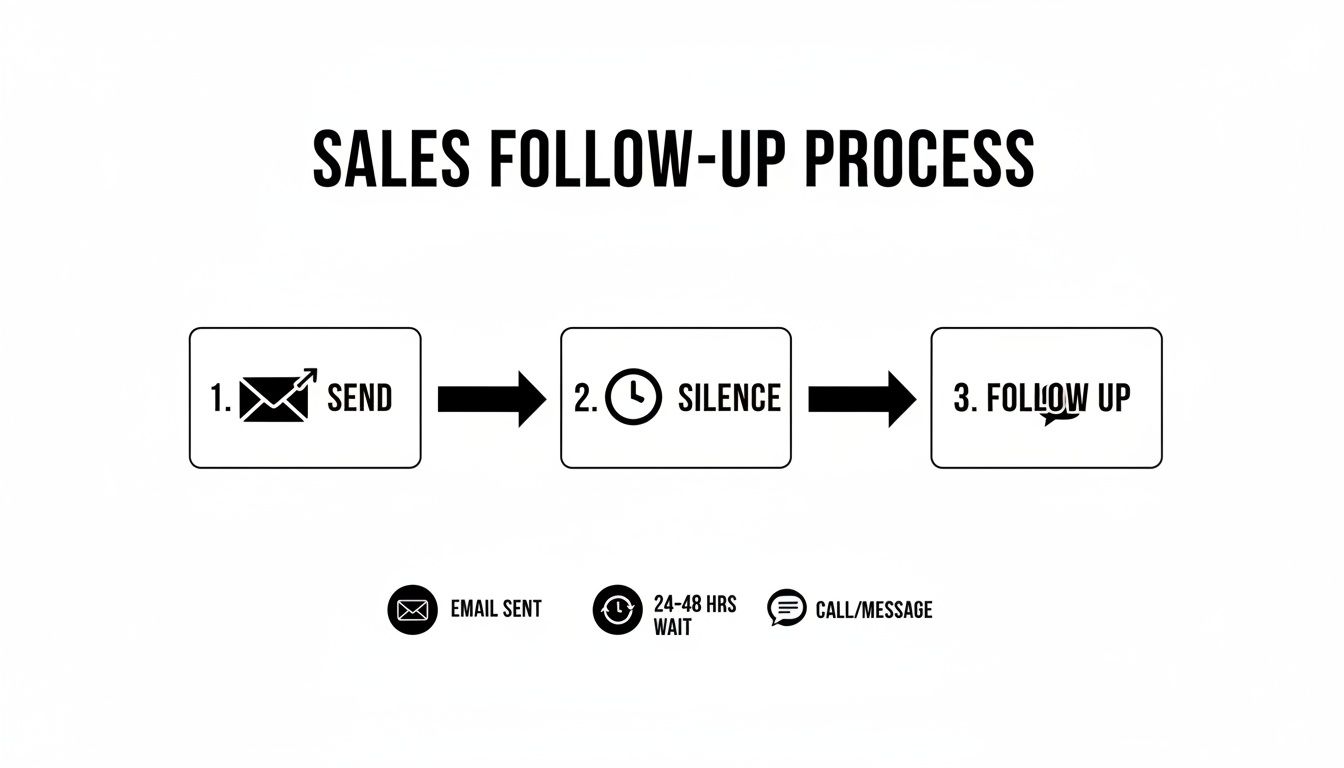
This process flow highlights a critical, often-overlooked step: the wait. Patience isn't just a virtue here; it's a strategic part of any outreach that gets results.
Every email in your sequence needs a job to do. Just firing off messages without a clear purpose is a fast track to the spam folder. A well-designed cadence makes sure each follow-up logically moves the conversation forward. Think of it as telling a short, compelling story over several days.
Here's a practical, multi-touch blueprint that balances persistence with genuine value.
Clearly state your value prop and the problem you solve.
"Worth a 15-min chat next week to explore this?"
3
Email
Re-state value prop from a new angle; gentle reinforcement.
"Just wanted to bring this back to the top of your inbox."
5
LinkedIn
View profile & send a connection request (no pitch).
N/A (Passive engagement)
7
Email
Introduce social proof or a new piece of value (case study, stat).
"Here's how we helped [Similar Company] solve this."
10
Email
Shift to a direct, low-friction question to gauge interest.
"Is solving [problem] a priority for your team this quarter?"
By assigning a specific role to each touchpoint, you build a cohesive narrative that guides the prospect toward a decision. It’s methodical, respectful, and a world away from just "checking in." This is how you stay persistent with a purpose.
What’s the difference between a follow-up that lands a meeting and one that gets instantly archived? Clarity. It’s that simple.
Your prospect’s inbox is a warzone of long, feature-heavy emails that are exhausting to read. Your job is to be a breath of fresh air. Think concise, relevant, and respectful of their time. Get straight to the point.
Let’s compare two email styles:
The "Wall of Text": A long, multi-paragraph follow-up with three different links and four value props. Action Required: The prospect has to decipher what you want. Result: Instant archive.
The "Surgical Strike": A two-sentence email with a single, clear question. Action Required: A simple yes/no or a quick thought. Result: Higher chance of a reply.
The psychology here is pretty straightforward: short emails with a single, clear call-to-action are just easier for a busy brain to process. They signal confidence and make it dead simple for the person on the other end to know what you want.
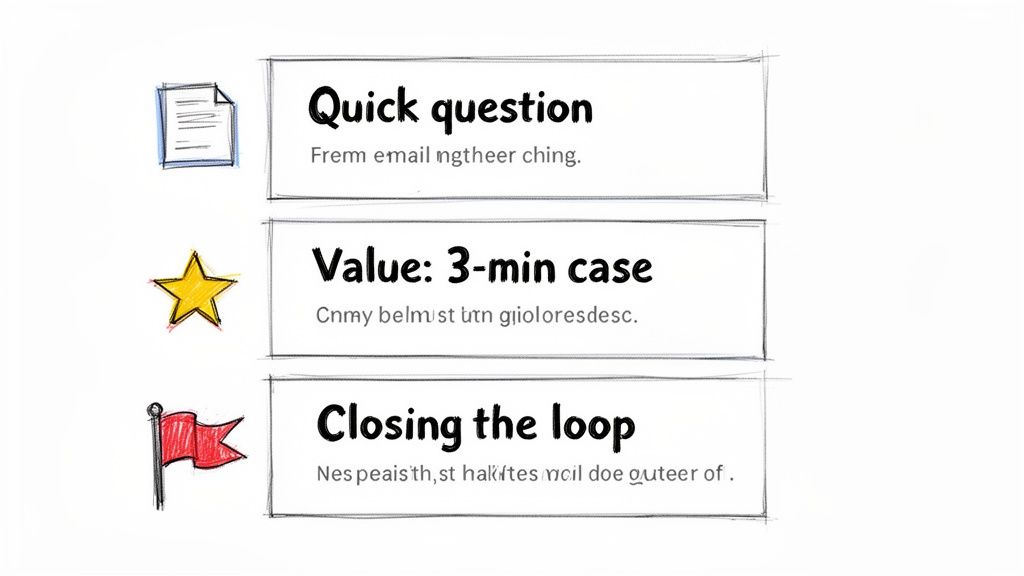
This guide from MarketBetter breaks down how to use different templates for different goals, from a quick check-in to a value-packed case study. Every single one is designed to be direct and actionable, which is exactly what a good follow-up needs to be.
This is the one we all send the most. You’ve shot your shot, and now you’re hearing crickets. The goal here is to be polite and professional, gently bumping your message back to the top of their inbox without being annoying. Drop the guilt-tripping language like, "Did you see my last email?"
It's a low-pressure way to re-establish contact. You're just giving them a simple reminder without demanding a complicated reply.
Actionable Tip: Test these subject lines to see which performs best for your audience.
A/B Test 1: Re: Original Subject Line
A/B Test 2: Quick question about [Company Name]
A/B Test 3: Bringing this to the top of your inbox
Template:
Hi [Prospect Name],
Just wanted to bring my previous email to the top of your inbox. We help sales leaders like you solve [specific problem] by [one-sentence value prop].
If the first nudge didn't land, it's time to bring something new to the table. Just repeating your original pitch is a wasted email. Instead, drop in some social proof—a killer case study or a compelling statistic—to show you're the real deal.
This tactic shifts the conversation from "here's what I think I can do" to "here's what we've already done for people just like you." If you need more inspiration for subject lines that grab attention, check out our guide on witty email subject lines.
Actionable Tip: Experiment with different formats for social proof.
A/B Test 1: A direct quote from a happy client.
A/B Test 2: A single, powerful data point (e.g., "30% increase in meetings").
A/B Test 3: A link to a full case study.
Template:
Hi [Prospect Name],
I was thinking about your team and wanted to share how we helped [Similar Company/Client Name] achieve [specific outcome, e.g., a 30% increase in meetings booked].
We helped them fix [specific problem], and I thought you might find their story relevant.
Is this a priority for you right now?
Best,
[Your Name]
Pro Tip: Keep the social proof bite-sized. Link out to the full case study, but pull the single most impressive result directly into the email itself. Don't make them hunt for the value.
Alright, you've tried a few times with no response. It's time to professionally close the loop. The "break-up" email is a surprisingly powerful psychological tool. It taps right into the fear of missing out (FOMO) and often jolts people into making a decision.
This isn't about being passive-aggressive. It's about respecting their time—and more importantly, yours. I've seen it time and again: this is one of the highest-response email follow ups you can have in your sequence.
Actionable Tip: A/B test the tone of your break-up email.
A/B Test 1 (Helpful Tone): "Permission to close your file?"
A/B Test 2 (Direct Tone): "Closing the loop"
A/B Test 3 (Goal-Oriented): "Is [goal] still a priority?"
Template:
Hi [Prospect Name],
I’ve reached out a few times about how we help companies like yours with [problem] but haven’t heard back. This usually means it's not a priority right now.
I’m closing your file for now, but please feel free to reach out if things change.
Best,
[Your Name]
Adding Personalization That Cuts Through the Noise
Let’s be honest: generic email follow ups are a one-way ticket to the trash folder. Every prospect's inbox is a battlefield, flooded with soulless, automated blasts. In that environment, personalization isn't just a nice touch—it's the only proof you've done your homework and are worth 30 seconds of their time.
A truly personalized email feels like it was written for an audience of one. That’s what gets replies.
The good news? This doesn't mean you have to sink an hour into researching every single prospect. The real secret is building a scalable framework that strikes the right balance between efficiency and a genuine human touch. It all comes down to knowing the two levels of personalization and when to deploy each.
Not all personalization is created equal, and the right move depends entirely on the account's value and where the prospect is in your sequence.
Let's break down the two main strategies.
Personalization Level
What It Is
When to Use It
Actionable Example
Light Personalization
Using easy-to-find info like their name, company, and job title.
Perfect for early-stage nudges or lower-tier accounts where a deep dive isn't practical.
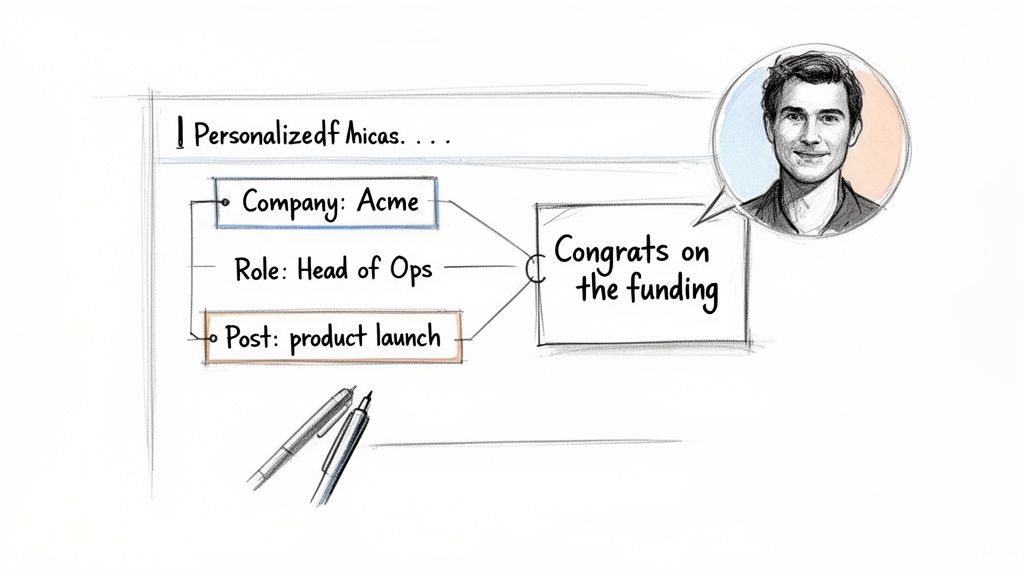
"Hi John, saw you're the VP of Sales at Acme..."
Deep Personalization
Referencing specific, timely events—a funding round, a recent LinkedIn post, a mutual connection.
Your go-to for high-value target accounts or later-stage follow-ups to re-engage a quiet prospect.
"Congrats on the new product launch you posted about on LinkedIn yesterday..."
Think of light personalization as your baseline. It shows you aren't a spam bot. But deep personalization? That’s your secret weapon. It proves you're a sharp, observant human who’s actually paying attention to their world.
Doing this at scale is where most teams fall down. Manually scouring LinkedIn and company news for every single prospect is a recipe for burnout. This is where a smart workflow, powered by the right tools, makes all the difference.
The goal is to find a "trigger"—a specific piece of information that makes your email feel timely and hyper-relevant.
Here’s an actionable checklist of where to look for those triggers:
Company News: Did they just announce a funding round, launch a new product, or hire a key executive? That’s absolute gold for a congratulatory follow-up.
LinkedIn Activity: Did your prospect post an article, share an opinion, or comment on a relevant thread? Referencing it shows you’re tuned in.
Job Postings: If a company is hiring for a role you can help with (like hiring more SDRs when you sell sales software), it’s a massive signal of their current pain points.
Mutual Connections: Nothing builds instant credibility faster than mentioning a shared connection. It’s the ultimate shortcut to trust.
The most effective personalization connects their recent activity directly to the problem you solve. It’s not just about name-dropping their latest post; it's about explaining why that post made you think of a solution specifically for them.
This is where modern tools completely change the game. Instead of you spending hours on manual research, an AI-powered engine can do the heavy lifting.
For example, MarketBetter’s SDR Task Engine automatically surfaces these crucial account insights and triggers. It can spot that a target account just landed its Series B funding and instantly generate a personalized snippet for your follow-up.
Here’s what that workflow looks like in practice:
AI Surfaces an Insight: The system flags that "Acme Corp just announced a new integration with Salesforce."
AI Generates a Snippet: It drafts a line like, "Saw the news about your new Salesforce integration—congrats! Scaling up often puts a strain on CRM data hygiene..."
You Add the Human Touch: You grab that AI-assisted line and weave it into your follow-up, making sure the tone feels authentic to you.
This approach gives you the best of both worlds: the raw speed of automation combined with the irreplaceable authenticity of human oversight. You're no longer just sending another email; you're delivering a relevant, timely message that makes your follow-up impossible to ignore.
A killer follow-up strategy is worthless if you don't execute it consistently. This is where the real work happens—inside your CRM. Managing your email follow ups in a system like Salesforce or HubSpot is non-negotiable for staying organized, but let's be honest, the manual process can quickly become a bottleneck that absolutely kills your selling time.
Even a well-organized manual workflow is better than chaos, but it’s still loaded with friction. Every single click, from creating a task to logging an email, pulls you away from what you should be doing: talking to prospects. Let's compare that old-school grind to a modern, automated approach.
Manual vs Automated Workflows: A Side-By-Side Look
The difference between a manual and an automated process isn't just about saving a few minutes here and there. It’s about completely changing where your SDRs spend their energy. One path is reactive and buried in admin tasks; the other is proactive and laser-focused on selling.
Take a look at how the two workflows stack up against each other. The contrast is pretty stark.
Actionable Comparison: Manual vs. Automated Follow Up Workflow
The table below breaks down the daily reality for a sales rep. On one side, you have the click-heavy, memory-dependent traditional process. On the other, a system that does the heavy administrative lifting for you.
Task
Manual Process (in Salesforce/HubSpot)
Automated Process (with MarketBetter)
The Impact
Task Creation
You have to remember to create a "Follow Up" task for a specific date after sending an email.
A task is auto-created and prioritized in your inbox based on a trigger (e.g., "no reply after 3 days").
No leads fall through the cracks.
Daily Prioritization
You stare at a long, unfiltered task list, trying to guess which lead to contact next.
The system serves up a clear 'next best action' based on account fit, timing, and engagement signals.
Reps work on the highest-value tasks first.
Email Drafting
You hunt for a template, copy-paste it, and then manually dig through records for personalization details.
AI generates a context-aware follow-up email using account and persona data, ready for your review.
Time spent drafting is cut by over 90%.
Activity Logging
You have to manually log the email activity, copy the text, and update the contact record. Tedious.
The email is sent and all activity is auto-logged to the correct Salesforce or HubSpot record instantly.
Perfect CRM data hygiene with zero effort.
This comparison shines a spotlight on the core problem: the manual process forces reps to waste a huge chunk of their day on low-value admin work. All those clicks add up, devouring the time that could be spent having actual conversations that generate pipeline.
The goal of automation isn't to replace the seller. It's to eliminate the tedious, repetitive tasks that prevent the seller from doing what they do best: selling.
This is exactly where a tool like MarketBetter's SDR Task Engine completely flips the script. Instead of you chasing down what to do next, the system intelligently serves up the next best action. It basically turns buyer signals into a prioritized, actionable to-do list.
Imagine this actionable scenario: the engine sees that a prospect hasn't replied to your first email after three days. It doesn't just send you a reminder; it gets to work.
Auto-Creates a Prioritized Task: A new "Follow-Up" task for that specific contact pops to the top of your queue. You don't have to remember a thing.
Provides Full Context: The task is packed with the prospect's details, your previous email history, and key account insights so you're not flying blind.
Generates an AI-Written Draft: With a single click, MarketBetter’s AI drafts a concise, relevant follow-up email. It references your last touchpoint and is ready for you to quickly tweak and send.
This approach ensures your CRM hygiene is perfect because every single action is logged automatically. But more importantly, it frees you from the decision fatigue of figuring out who to follow up with and what to say. The system handles the "when" and the "what," so you can focus on the "how"—adding that critical human touch that actually closes deals.
For a deeper dive into this, you can learn more about how marketing automation workflows can supercharge your entire sales process.
Free Tool
Try our AI Lead Generator — find verified LinkedIn leads for any company instantly. No signup required.
Even with the best playbook, you'll run into situations that feel like a gray area. When you're juggling dozens of prospects, knowing the right move isn't just helpful—it's what separates the pros from the pests.
Here are the straight-up answers to the questions our sales teams get asked the most about nailing the follow-up.
There’s no magic number, but all the data—and my own experience—points to a sweet spot: a multi-channel sequence of 5 to 7 touches. But honestly, the number isn't the point. It's the value and tone of each message that matters.
Sending the same "just checking in" email seven times is just spam with extra steps. But if each follow-up offers a new insight, a relevant case study, or a helpful resource? You've earned the right to stay in their inbox.
Think about it this way:
The Annoying Approach: "Hi, following up again." "Hi, just checking in on my last email." This adds zero value and instantly tags you as a nuisance.
The Value-Add Approach: "Hi, thought you'd find this article on [pain point] useful." or "Hi, here's how we helped a similar company solve [problem]." Now you're a helpful advisor, not a salesperson chasing a commission.
Actionable takeaway: End your sequence with a "break-up" email. It politely closes the loop and, you'd be surprised, often gets a high response rate from busy people who just appreciate the professional courtesy. And always, always watch your engagement. If you see zero opens after 3-4 attempts, it’s a pretty clear signal to move on.
You’ve probably seen the studies pointing to mid-morning (10 AM) and mid-afternoon (2 PM) on Tuesdays. That advice is so generic it’s almost useless. The "best" time is completely different depending on the industry, role, and time zone. An East Coast CFO’s workflow is nothing like a West Coast marketing manager's.
Your own data is your best friend here. But an even better strategy is to follow up based on when your prospect is actually active.
An email sent at a "good enough" time consistently is far more effective than an email sent at the "perfect" time inconsistently. Don't let perfectionism kill your execution.
Actionable takeaway: Use tools with real-time engagement alerts. If a prospect opens your email at 8 PM on a Wednesday, that’s a massive clue about their work habits. Schedule your next touchpoint for a similar time to massively boost your odds of catching them when you're already top-of-mind.
Should I Mention My Previous Email in a Follow Up?
Yes, but do it with finesse. The goal is to re-establish context, not to remind them they ignored you. Whatever you do, avoid the cliché and slightly passive-aggressive phrase, "I'm just following up on my email below." It feels like you're pointing a finger.
Instead, just briefly and professionally reference the core idea of your last message.
What to Avoid (Passive-Aggressive):
"Did you get a chance to read my last email?" (This implies they owed you something.)
What to Do Instead (Professional Context):
"When I last reached out, I mentioned how we help sales leaders fix their CRM data problem..." (It's quick, professional, and gets right back to the value.)
Actionable takeaway: Ensure every follow-up can stand on its own. The recipient shouldn't have to go digging through their inbox to figure out what you're talking about. Briefly restate the value, connect it to their world, and give them a clear, simple call-to-action.
Stop letting your SDRs drown in manual admin work. MarketBetter turns buyer signals into a prioritized task list and helps your reps execute faster with an AI email writer and dialer that lives right inside Salesforce and HubSpot. See how you can book more meetings, not more busywork. Learn more at marketbetter.ai.
In an inbox overflowing with automated sequences and generic pitches, the standard subject line is a one-way ticket to the archive folder. What makes a subject line truly stand out isn't just a clever pun; it's the strategic fusion of curiosity, relevance, and a clear, implied value that respects the recipient’s intelligence and time. Too often, sales reps mistake "witty" for "vague" or "clickbait," leading to a quick delete and a damaged reputation. This guide is designed to fix that.
We're moving beyond tired templates to deconstruct the anatomy of genuinely effective, witty email subject lines. You won't just get a list; you'll get a strategic playbook. We will analyze 11 distinct categories of subject lines, from curiosity-driven hooks to data-backed insights, providing a detailed breakdown for each.
This article will show you:
Why specific subject lines capture attention based on psychological triggers.
When to deploy each type for maximum impact, whether it's a first touch, a follow-up, or a persona-specific campaign.
How to customize them with personalization tokens and quick A/B testing notes for immediate application.
The objective isn't merely to boost your open rates. It’s to initiate meaningful conversations that convert. Moving beyond purely witty to strategically effective requires a deep understanding of what drives action. For a broader look at this, exploring various strategies for crafting High-Converting Email Subject Lines can provide a solid foundation. This comprehensive library will equip you and your team with the actionable tactics needed to turn cold outbound into your most reliable pipeline generator.
The Curiosity Gap is a powerful psychological trigger that leverages the human desire for closure. By intentionally omitting a key piece of information, this subject line technique creates an “information gap” that compels the recipient to open the email to satisfy their curiosity. For sales outreach, it’s one of the most effective witty email subject lines because it stands out in a crowded inbox filled with generic benefit claims.
This approach works best when you need to break through the noise of a high-value prospect's inbox. It feels more personal and less automated than a subject line screaming a generic benefit. Compared to a 'Specific Value' subject line, this one sacrifices immediate clarity for intrigue. It's a trade-off that works well when the recipient is hard to reach.
Example 1:Quick question about [Company Name]
Why it works: It’s direct, personal, and implies the email requires their specific expertise. The vagueness of "question" creates the necessary intrigue.
Example 2:This might not apply, but...
Why it works: This uses reverse psychology. It lowers the recipient's guard and makes them wonder, "What might not apply? Now I need to know."
Example 3:Found this while researching [Competitor Name]
Why it works: It combines curiosity with a hint of competitive intelligence, a highly valuable topic for any decision-maker.
To implement this strategy effectively, follow these best practices:
Align Body with Subject: The email body must deliver on the intrigue. If your subject is "Quick question," ask a genuine, insightful question immediately. Misleading your prospect kills trust instantly. Your action item: Draft the email body first to ensure your question is valuable enough to warrant the mysterious subject line.
Keep it Short: Aim for under 50 characters to avoid being cut off on mobile devices, which enhances the feeling of mystery.
A/B Test: Pit a curiosity-gap subject line against a direct-benefit one. For example, test Your thoughts on this? against Save 20% on your software spend. Track open rates in your CRM to see which approach resonates more with your specific audience.
This technique leverages one of the most powerful psychological principles in sales: people trust what other people trust. By referencing credible signals like customer logos, company achievements, or industry recognition directly in the subject line, you establish legitimacy before the recipient even opens the email. For B2B outreach, mentioning that similar companies or direct competitors are already engaged is a surefire way to reduce skepticism and signal value.
Social proof is most effective when your prospect is aware of the companies you're referencing. It immediately positions your solution as a validated choice within their industry, making it one of the most impactful witty email subject lines for overcoming initial resistance. This approach is a direct contrast to the 'Contrarian' subject line; instead of challenging the status quo, it reinforces it by showing that peers have already adopted your solution.
Example 1:Why [Competitor] switched to us
Why it works: This is a direct and provocative use of social proof. It creates immediate urgency and a fear of missing out (FOMO) by implying their competitor now has an advantage.
Example 2:Used by [Competitor] and 200+ other [Industry] leaders
Why it works: This combines specific social proof (a named competitor) with broad proof (the number of other users). It tells the prospect, "You're late to the party, and everyone you respect is already here."
Example 3:Trusted by [Well-Known Company/Brand] admins everywhere
Why it works: It associates your brand with a highly trusted, household-name company. This "trust by association" elevates your own credibility instantly.
To deploy social proof effectively, your claims must be both credible and highly relevant to the prospect.
Ensure Relevance: The social proof must resonate. Mentioning a competitor in a completely different industry will have zero impact. The more similar the referenced company is to your prospect, the stronger the effect. Your action item: Create a list of your top 5 customers for each target vertical and have it ready for your email campaigns.
Keep Proof Current: Social proof goes stale. Update your subject line templates quarterly with new customer wins, awards, or media mentions to keep them fresh and impactful.
A/B Test: Compare a specific social proof subject line against a more general one. For instance, test Why [Direct Competitor] uses us against Trusted by leaders in the [Prospect's Industry] space. This will show if your audience responds more to direct competitive pressure or broader industry validation.
This approach cuts through the noise by leading with a quantifiable, results-oriented promise. Unlike vague claims like "improve your process," the Specific Value Statement uses hard numbers and concrete outcomes (e.g., 'save 6 hours/week,' 'reduce churn by 15%') to immediately signal relevance and business impact. This is one of the most effective witty email subject lines for grabbing the attention of analytical, results-driven buyers like VPs and RevOps leaders who live and breathe metrics.
This technique works best when you have a clear, demonstrable ROI and are targeting personas who are directly responsible for performance metrics. It trades cleverness for clarity, which is often a more powerful strategy for senior-level outreach. Compared to a 'Curiosity Gap' subject line, this is the polar opposite: it provides the conclusion upfront, making the email's value proposition immediately obvious.
Example 1:Save your SDRs 3 hours per day on research
Why it works: It’s hyper-specific to the recipient's team (SDRs) and quantifies the time-saving benefit. A sales leader can instantly calculate the productivity gain across their entire team.
Example 2:How [Company] could close 2 more deals/month
Why it works: This subject line is a direct challenge to the status quo and frames your solution in terms of revenue, the ultimate metric for any sales organization.
Example 3:Cut SDR ramp time from 90 to 30 days
Why it works: It addresses a critical and costly business problem (new hire onboarding) with a dramatic, specific improvement. This is highly compelling for scaling teams.
To deploy this strategy, you must be confident in your value proposition and ready to back it up.
Justify the Metric: Your email body must immediately explain the "how" behind the number in your subject line. Use a brief, credible calculation or customer case study to build trust. Your action item: Prepare a one-sentence "value calculation" for each of your key personas that you can drop into the email body.
Personalize the Metric: Use public data (like company headcount or industry benchmarks) to tailor your metric. For example, change "save 3 hours/day" to "reclaim 60 hours/week for your 20-person SDR team."
A/B Test: Test a time-based metric against a revenue-based one. For a VP of Sales, compare Log calls in Salesforce in 10 seconds with Increase call volume by 20%. Track which type of metric drives more replies to understand what your target persona values most.
4. The Personalized Problem Recognition Subject Line
This advanced technique moves beyond generic pleasantries to prove you’ve done your homework. By acknowledging a specific, company-relevant challenge directly in the subject line, you immediately build rapport and demonstrate empathy. For sales reps, these witty email subject lines are invaluable because they show you understand the prospect's world before you ever ask for a meeting, making your outreach feel consultative instead of transactional.
This approach is most effective when targeting mid-market or enterprise accounts where deep personalization is non-negotiable. It leverages timely business triggers like new hires, product launches, or funding rounds to create a hyper-relevant entry point. This differs from the 'Pain Point Agitation' style because it's based on specific, observed data about the company, not a general industry problem.
Example 1:Post-Series B teams always struggle with outbound efficiency
Why it works: It uses a common "pattern" associated with a specific company stage (Series B funding). This shows you understand their growth trajectory and the predictable challenges that come with it.
Example 2:[Company] just hired 2 SDRs—must be scaling outbound
Why it works: This is a direct observation from public data (like LinkedIn). It connects a specific action (hiring) to a strategic priority (scaling sales), making your subsequent message incredibly relevant.
Example 3:Noticed you launched [Product feature]—curious about adoption
Why it works: It proves you are following their company news and frames your outreach as a genuine inquiry about a key initiative, positioning you as a peer rather than a typical salesperson.
To execute this strategy, you need a system for tracking and acting on company-specific triggers.
Leverage Triggers: Use sales intelligence tools to get alerts on funding, hiring trends, and technology changes. Turn these events into the core of your subject line. Your action item: Set up Google Alerts or LinkedIn Sales Navigator alerts for your top 10 target accounts today.
Be Accurate: Double-check your facts. If you mention a new product launch or a recent hire, ensure the information is correct. An inaccurate reference will instantly discredit you.
A/B Test: Compare a personalized problem subject line against a solution-focused one. Test Struggle with [Competitor Tool] integration? against Seamless integration for your tech stack. Measure both open and reply rates to see if demonstrating empathy outperforms pitching a benefit.
This technique cuts through inbox noise by posing a genuine, thought-provoking question that prompts immediate internal reflection. Instead of leading with a statement or a benefit, it invites the recipient to consider a problem they might not have actively articulated. For B2B sales, these witty email subject lines are effective because they shift the dynamic from a sales pitch to a consultative conversation starter.
This approach is ideal for the first or second touchpoint in a sequence. It establishes you as a thoughtful problem-solver rather than just another vendor. The goal is to ask a question that aligns directly with a core business challenge your solution addresses. This is softer than the 'Benefit-Forward Negative' approach, as it invites reflection rather than directly stating a problem.
Example 1:What if your Salesforce dialer actually worked?
Why it works: It’s provocative and speaks directly to a common frustration for sales teams using integrated tools. This question implies a better reality exists, creating a compelling reason to open the email and learn more.
Example 2:Are your reps logging calls consistently?
Why it works: This question targets a critical data integrity issue that plagues sales leaders and RevOps managers. It’s a tactical question with strategic implications, making it relevant to multiple personas.
Example 3:What's eating your RevOps team's time?
Why it works: It's open-ended and empathetic, showing you understand the operational burdens of a specific department. It feels less like a sales pitch and more like a genuine inquiry into their workflow challenges.
To make this strategy work, the question must be both insightful and relevant to the recipient's role.
Match Question to Persona: Frame questions strategically for VPs (How much are your SDRs actually selling?) and tactically for managers (Why do outbound sequences fail?). The former cares about outcomes, the latter about process. Your action item: For your top 3 buyer personas, write one strategic "what if" question and one tactical "how do you" question.
Avoid Yes/No Questions: Use open-ended formats starting with "what," "how," or "why." These encourage more profound thought than a simple yes/no, increasing the likelihood of an open and a reply.
A/B Test: Test a pain-focused question against a curiosity-gap subject line. For example, pit Are your reps logging calls consistently? against Quick question about your call logging. Track open and reply rates in your CRM to see which resonates more deeply with your target audience.
This technique leverages the psychological principles of scarcity and urgency, also known as Fear Of Missing Out (FOMO). By framing an opportunity as time-sensitive or limited, it prompts immediate action, encouraging recipients to prioritize opening your email over others. For sales outreach, this is one of the more powerful witty email subject lines because it breaks prospect inertia and compels a faster decision, making it ideal for time-bound campaigns or high-intent leads.
This approach is most effective when the urgency is genuine and tied to a clear, valuable offer. It signals that the contents are not evergreen noise but a fleeting opportunity that warrants immediate attention. False scarcity can damage trust, so authenticity is paramount. This is a high-risk, high-reward strategy compared to the evergreen 'Social Proof' subject line, which relies on long-term credibility rather than short-term pressure.
Example 1:Findings expire Friday: [Company Name] results attached
Why it works: It combines a hard deadline with the promise of personalized, valuable information ("results"). The word "expire" creates a strong sense of loss if ignored.
Example 2:Quick window to discuss your Q4 motion
Why it works: This subject line is timely and relevant, tying the urgency directly to the prospect's business planning cycle (Q4). It feels strategic, not just pushy.
Example 3:We're only targeting 5 accounts in [Industry] this month
Why it works: This creates exclusivity and high value. Being one of only five targets makes the prospect feel singled out and important, driving them to find out why.
To deploy scarcity without alienating prospects, align it with real-world constraints and value.
Justify the Urgency: The email body must transparently explain why the offer is time-sensitive. Is it an event deadline, a limited cohort for a beta program, or a seasonal promotion? Your action item: Before using a scarcity subject line, write down a one-sentence justification. If it sounds weak, don't use it.
Use Sparingly: Overusing this technique will dilute its impact and lead to "urgency fatigue." Reserve it for high-priority prospects or truly time-sensitive campaigns.
A/B Test: Compare a time-constraint subject line against a benefit-driven one. For instance, test Report: SDR benchmarks (3 days only) against New report on SDR benchmarks for you. Track open and reply rates to see if urgency or direct value performs better for your audience.
Leveraging a shared connection is the digital equivalent of a warm handshake. This subject line technique instantly establishes credibility by referencing a mutual contact, customer, or colleague. For sales teams, it’s one of the most powerful witty email subject lines because it bypasses the "stranger danger" filter in a prospect's mind and signals immediate relevance and trust. The implied social proof dramatically reduces the friction of cold outreach.
This approach is essential for SDRs navigating tight-knit industries or executing an account-based marketing (ABM) strategy. The goal is to transform a cold email into a warm introduction, significantly increasing the likelihood of a response. This is arguably the most effective opener, providing a powerful advantage over all other types by borrowing trust instead of trying to build it from scratch.
Example 1:[Mutual Customer] suggested I reach out
Why it works: This is the gold standard. It implies a happy customer has vouched for you, which is the strongest form of social proof available. The prospect is almost obligated to open it.
Example 2:Spoke with [Peer Name] about [Company]—mentioned you'd be perfect
Why it works: It shows you've done your homework within their organization. Referencing an internal peer creates an immediate sense of familiarity and validates your reason for reaching out.
Example 3:Quick intro from [Shared Contact]
Why it works: It's concise, direct, and leverages the authority of the shared connection. This format works especially well when the contact is well-known or respected in your industry.
Proper execution is key to maintaining the trust this subject line creates.
Verify Permission:Never name-drop without explicit consent from the mutual contact. A quick "Mind if I mention we spoke?" is crucial. Betraying this trust can damage two relationships at once. Your action item: Add a step in your outreach process to log referral permissions in your CRM to ensure compliance and accuracy.
Be Specific Immediately: The first line of your email must immediately provide context for the referral. "John Smith and I were discussing [topic], and he suggested I connect with you about..."
A/B Test: Test the directness of your referral. Compare [Referral Name] sent me against a slightly softer approach like Following up on my chat with [Referral Name]. Measure which phrasing feels more natural and generates a better reply rate with your audience.
The Contrarian subject line challenges conventional industry wisdom or a commonly held belief. This technique works by creating immediate intrigue and positioning your message as a fresh, disruptive perspective. For sales outreach, it's a powerful way to reframe a problem your prospect faces, making them question their current approach and open their mind to a new solution. It’s one of the most intellectually stimulating witty email subject lines because it promises a valuable insight, not just a sales pitch.
This approach is highly effective when targeting forward-thinking leaders or those in roles focused on innovation, like VPs of Sales or RevOps. It establishes you as a thought leader, not just a vendor, from the very first touchpoint. This is the opposite of a 'Social Proof' subject line, as it suggests the crowd is wrong, appealing to early adopters rather than the safety-in-numbers crowd.
Example 1:Stop trying to log every call (here's why)
Why it works: It directly contradicts a common SDR best practice. The promise of "why" makes it irresistible for any manager obsessed with activity metrics and efficiency.
Example 2:Your sales engagement tool is wrong
Why it works: This is a bold, provocative claim that forces a click. It makes the recipient defensive and curious, compelling them to open the email to see the justification for such a strong statement.
Example 3:Outbound emails shouldn't be long (they should be specific)
Why it works: It reframes a familiar debate with a nuanced solution. This shows you understand the prospect's world deeply and have a strategic, not just a generic, point of view.
To deploy this strategy without coming across as arrogant, follow these best practices:
Back Up Your Claim: The email body must substantiate your contrarian subject line with compelling logic, data, or a customer example. Failure to do so destroys credibility instantly. Your action item: Create a one-pager or short slide deck that proves your contrarian point, ready to be linked in your email.
Target Innovators: Reserve this approach for personas who are incentivized to find a competitive edge, such as new leaders or those in rapidly scaling companies. It may fall flat with more traditional-minded contacts.
A/B Test: Test a contrarian subject line against a standard benefit-driven one. For instance, pit SDR tasks are backwards against A better way to structure SDR workflows. Track which subject line generates more replies and meetings booked, not just opens, to measure true engagement.
This technique leads with a surprising, relevant statistic or market trend that directly relates to the recipient's business. It works by establishing your authority and providing immediate value through insight, not a product pitch. For analytical audiences like VPs of Sales or RevOps leaders, data-driven witty email subject lines cut through the fluff and signal that you've done your homework.
This approach is most effective when targeting data-savvy decision-makers who appreciate quantitative evidence. It frames you as a strategic partner who understands their industry's challenges, rather than just another vendor. This is a more credible version of the 'Specific Value' subject line, as it uses objective, third-party data to make a point rather than a direct product claim.
Example 1:[Industry] companies lose 8% pipeline to bad outbound
Why it works: It’s specific, alarming, and directly tied to a core business metric (pipeline). The recipient is immediately prompted to wonder if their company is part of that 8%.
Example 2:78% of SDRs spend >2 hours/day on admin (new report)
Why it works: This statistic highlights a common and costly pain point for sales leaders. Citing a "new report" adds credibility and urgency, making them want to learn more.
Example 3:Outbound response rates up 24% with intent signals
Why it works: It combines a problem with a potential solution. It presents a compelling gain (24% increase) and introduces a key concept (intent signals) you can elaborate on in the email body.
To leverage data effectively, you must connect it to the prospect's reality.
Cite Your Sources: Always reference the source of your data in the email body (e.g., Gartner, Forrester, or your own proprietary research). This builds trust and positions you as a credible expert. Your action item: Maintain a running document of the top 5 most compelling stats for your industry, complete with source links.
Connect Data to Value: Don't just drop a statistic. Your first sentence should tie the data point directly to your prospect's potential challenges or opportunities. For example, "I saw this stat and immediately thought of [Company Name]'s growth goals."
A/B Test: Test a "pain" statistic against a "gain" statistic. For example, compare Companies without Salesforce dialers log 34% less activity (pain) against Teams with our dialer increase call volume by 45% (gain). Track open and reply rates in your CRM to see which resonates more with different personas.
This approach flips the traditional benefit-oriented pitch on its head. Instead of leading with a positive outcome, it highlights a specific, well-researched pain point the prospect is likely experiencing. This witty email subject line works by tapping into the powerful human motivator of loss aversion; people are often more driven to avoid a loss than to achieve an equivalent gain. It resonates deeply because it validates a prospect’s frustration and signals that you understand their world.
This technique is most potent when you have strong intelligence on a prospect's challenges, making it feel less like a cold email and more like a timely intervention. It's a bold move that separates you from the flood of "Save X%" or "Increase Y%" subject lines. This is more direct and provocative than the 'Unexpected Question' subject line, making a strong statement of pain rather than asking about it.
Example 1:Your Salesforce dialer isn't working (and you know it)
Why it works: It’s provocative and highly specific. It directly calls out a known issue with a core tool, making the recipient think, "Yes, it is! How did they know?" This creates an immediate bond over a shared understanding of a problem.
Example 2:SDR ramp taking 90+ days? Doesn't have to.
Why it works: This subject line quantifies a common pain point (long ramp times) and then immediately introduces a hint of a solution. It speaks directly to a sales leader's operational and financial concerns.
Example 3:Call coaching is impossible without transcripts
Why it works: It frames a problem as a definitive, almost universal truth. For a manager struggling with coaching effectiveness, this statement feels like an undeniable fact, compelling them to open the email to see the proposed solution.
To deploy this strategy without sounding overly negative or presumptive, precision is key.
Validate the Pain: Never use this approach without solid research. If you’re guessing about their pain point, you risk looking foolish. Use LinkedIn posts, job descriptions, or company news to confirm the problem is real for them. Your action item: Before sending, ask yourself, "Do I have at least one piece of evidence that this company faces this problem?" If not, choose another style.
Balance with Optimism: The email body must quickly pivot from the problem to a clear, optimistic solution. The subject line grabs attention by highlighting the negative, but the email itself must provide the positive path forward.
A/B Test: Run this against a traditional benefit-forward subject line. Test Reps aren't logging calls consistently against Improve CRM data accuracy by 40%. Track not just open rates but also reply rates to see which framing drives more meaningful engagement with your target persona.
Pain point agitation is a direct, highly effective psychological tactic that immediately surfaces a known industry or business challenge your prospect is likely facing. Instead of leading with a benefit, you lead with the problem. This approach demonstrates empathy and industry knowledge, positioning you as a consultant rather than just another salesperson. It's one of the most powerful witty email subject lines for grabbing the attention of busy executives who are more motivated by avoiding loss than by gaining something new.
This strategy is most potent when your research has uncovered a specific, quantifiable pain point relevant to your prospect's role or company. It cuts through the noise by being hyper-relevant and speaking directly to their daily struggles. This is a broader version of the 'Personalized Problem Recognition' style; it focuses on common industry pains rather than company-specific triggers.
Example 1:Is your team still wrestling with [Common Software] integration?
Why it works: It’s specific and zeroes in on a well-known technical headache. This signals you understand their tech stack and its limitations, making your outreach feel less like a cold call and more like a timely solution.
Example 2:The Q4 challenge with [Specific Business Goal]
Why it works: This subject line creates urgency by tying a known pain point to a time-sensitive business objective, such as hitting end-of-year targets. It shows you’re thinking about their strategic priorities.
Example 3:A better way to handle [Prospect's Department] grunt work
Why it works: It uses relatable, slightly informal language ("grunt work") to build rapport and highlights a universal desire for efficiency. The promise of "a better way" is a compelling hook for any manager looking to improve team productivity.
To deploy this technique without sounding presumptuous, precision is key.
Research is Non-Negotiable: This only works if the pain point is real and relevant. Use LinkedIn posts, case studies, or job descriptions to identify genuine challenges before reaching out. Your action item: Identify the top 3 pain points for each of your key buyer personas and craft a subject line for each.
Transition to Solution Quickly: The first line of your email must immediately validate their pain and then pivot to your solution. For example, "Saw your team is hiring three new reps. Onboarding them without a proper system can be chaotic, which is why I'm reaching out."
A/B Test: Test a pain-focused subject line against a benefit-focused one. For instance, Tired of manual data entry? versus Automate your data entry by 80%. Compare open and reply rates to see if your audience is more motivated by problem-solving or by positive outcomes.
High opens; conversational engagement; needs strong body copy
💡 Good for initial touches to provoke reflection; use open-ended how/what/why
The Time Constraint / Scarcity Subject Line
Low — concise urgency framing; must be authentic
Low–Medium — timing data & segmentation
⭐⭐⭐⭐
Faster responses and quicker action; risk of fatigue if overused
💡 Use only for genuinely time-sensitive offers or intent-driven windows
The Mutual Connection / Referral Subject Line
Medium — needs verified referral info
Medium–High — CRM/linkedin checks & permission
⭐⭐⭐⭐⭐
Highest open & response rates; strong pipeline progression
💡 Best for warm outreach and high-value accounts; always verify referral permission
The Contrarian / Reframe Subject Line
Medium — provocative but evidence-backed messaging
Medium — supporting data/case studies for credibility
⭐⭐⭐⭐
High memorability and engagement among innovators; polarizing risk
💡 Target innovation-minded buyers; pair with data or thought leadership
The Data Point / Insight Subject Line
High — requires timely, relevant data
High — research, proprietary reports or analysis
⭐⭐⭐⭐⭐
Strong opens with data-driven buyers; builds authority pre-ask
💡 Use for VP/RevOps and content-led campaigns; cite sources in body
The Benefit-Forward Negative Subject Line
Medium — accurate pain identification needed
Medium — task/intent signals and validation
⭐⭐⭐⭐
Resonates with frustrated prospects; good for re-engagement/follow-ups
💡 Best in 2nd–3rd touches when pain is confirmed; balance negativity with hope
The Pain Point Agitation Subject Line
Medium — needs verified industry/role knowledge
Medium — persona research & validation
⭐⭐⭐⭐
Strong resonance with targeted personas; shows empathy
💡 Use when a common, well-known problem exists for a specific role or industry
Free Tool
Try our AI Lead Generator — find verified LinkedIn leads for any company instantly. No signup required.
From Witty to Winning: Making Your Subject Lines Actionable
We've explored a comprehensive arsenal of witty email subject lines, from the curiosity-stoking question to the hard-hitting data point. But having a list of clever phrases is like having a toolkit without knowing how to build anything. The real power lies not in copying and pasting but in understanding the strategic psychology behind each approach and adapting it to your unique sales context.
The most crucial takeaway is that wit is a tool, not a goal. A subject line that makes a prospect smile but doesn't compel them to open the email has failed. The ultimate measure of a "good" subject line is its ability to start a valuable conversation, and that requires more than just creativity; it demands precision, personalization, and a commitment to testing.
Mastering the art of the witty email subject line means moving from isolated tactics to an integrated system. Instead of randomly picking a subject line from a list, top-performing sales teams build a repeatable process based on proven frameworks.
Think of it as the difference between a one-off joke and a well-honed comedic routine.
Compare your options: A Curiosity Gap subject line might get more opens, but a Specific Value subject line gets opens from more qualified buyers. Know which goal you're optimizing for.
Match tactic to context: A Personalized Problem Recognition subject line is highly effective, but it requires research that doesn't scale. Reserve it for high-value accounts. For broader campaigns, a Pain Point Agitation subject line is more efficient.
Balance risk and reward: A Contrarian subject line grabs attention but can alienate some prospects. A Social Proof subject line is safer but might blend in. Your choice depends on your brand's voice and the prospect's seniority.
The goal is to match the framework to the moment. A cold outreach to a C-level executive might benefit from a direct, data-driven subject line, while a follow-up with a manager who has gone quiet might be the perfect spot for a more playful, unexpected question.
To transform these concepts into a consistent pipeline-generating engine, you need a system. This involves categorizing, testing, and iterating on your approaches.
Segment Your Efforts: Don't use the same subject lines for every persona or industry. Create mini-playbooks for your key target segments. A subject line for a Head of Marketing at a SaaS startup should feel different from one targeting a VP of Operations in manufacturing. Your first action: Create a simple table listing your top 3 personas and the top 2 subject line types you'll test for each.
Establish a Testing Cadence: The golden rule is to always be testing. A/B testing isn't a one-time event; it's an ongoing discipline. Start simple: test a question-based subject line against a statement-based one for a specific campaign. Measure the open rates, but more importantly, track the reply and meeting-booked rates. Your next action: Schedule a recurring 30-minute meeting every two weeks to review your campaign metrics and decide on the next A/B test.
Integrate Your Tools and Data: Your subject line is the tip of the spear, but the spear itself is your entire sales and marketing stack. The data in your CRM is a goldmine for personalization. Furthermore, ensuring your communication channels are connected is vital. For instance, a strong email campaign might drive immediate interest, and having a Mailchimp Live Chat integration can provide a seamless way for engaged prospects to get instant answers, converting email interest into a real-time conversation.
Ultimately, crafting winning, witty email subject lines is about becoming a student of your buyer. It’s about listening to their language on LinkedIn, understanding their industry's challenges from reports, and using that intelligence to craft an inbox message that feels less like an interruption and more like the beginning of a helpful conversation.
Ready to move beyond guesswork and manual A/B testing? marketbetter.ai connects buyer intent data directly to your outreach, using AI to suggest and test hyper-personalized, witty subject lines that are proven to convert. Stop hoping your emails get opened and start building a data-driven system that turns clever words into measurable pipeline at marketbetter.ai.
Let's be honest, waiting for leads to wander through your digital front door isn't a strategy—it's a hope. Outbound lead generation is the exact opposite. It's about proactively hunting for your ideal customers and starting the conversation yourself, using channels like cold email, LinkedIn, or a good old-fashioned phone call. This is how you target high-value accounts with surgical precision.
What Is Outbound Lead Gen and Why It Still Matters
Think of it like this: your business is a professional sports team. You can hold open tryouts and just see who shows up. That's inbound marketing. It works, but you get what you get.
Or, you can send a talent scout to find the exact all-star player you need to win the championship. That focused, proactive search is the soul of outbound lead gen.
Instead of writing a blog post and hoping the right VP of Engineering stumbles upon it, outbound flips the script. You identify the specific companies and decision-makers who are a perfect fit for what you sell, and you reach out directly. For B2B companies with a crystal-clear Ideal Customer Profile (ICP), this approach is pure gold.
The difference here isn't just about tactics; it's a completely different way of thinking. Inbound is a magnet. You're creating valuable content to attract prospects who are already aware of their problem and actively looking for answers. It's a long game that builds authority and pulls people into your orbit over time.
Outbound, on the other hand, is a hunter's game. It’s all about precision and control. You don’t wait for your dream customers to find you; you go out and find them. This makes it an absolutely critical strategy when you're:
Targeting specific, high-value accounts: You can literally build a list of your top 100 dream clients and focus every ounce of your energy on landing them.
Breaking into new markets: When nobody knows who you are, outbound lets you introduce yourself directly to the key players who need to know you exist.
Selling to people who aren't searching: Let's face it, many C-level executives aren't Googling for solutions to their biggest problems. But they will absolutely respond to a compelling, relevant offer that lands in their inbox and solves a massive headache.
In a world drowning in content, simply being loud isn't enough. While inbound is fantastic for building a reliable, long-term flow of leads, it just doesn't have the speed or the focus of a well-run outbound campaign. A proactive strategy gives you control over your own destiny—and makes your sales pipeline far more predictable.
Outbound lead generation is about creating opportunities, not just waiting for them. It allows you to engage decision-makers who might never have discovered your brand through traditional inbound channels.
This direct approach is still a vital part of any modern growth plan. Sure, the raw conversion rates might be lower than for inbound leads, but the strategic value is off the charts. In fact, depending on the industry, outbound-sourced leads often make up 40-60% of all marketing-sourced leads. It's a powerful engine for building your brand and zeroing in on the accounts that matter most.
You can dig into more lead generation statistics to see just how big of an impact this can have on modern sales pipelines.
When you're trying to build a predictable growth engine, the whole inbound vs. outbound argument misses the point. It’s not about which one is "better." It’s about knowing what tool to pull out of the toolbox for the job at hand. The real magic happens when you blend them together, creating a system that’s both aggressive and sustainable.
Think of it like fishing.
Inbound lead generation is like casting a massive net in a busy channel. You publish blog posts, dial in your SEO, and build a social media presence to attract prospects who are already out there looking for answers. It’s a fantastic way to catch a high volume of leads over time, but you're waiting for the fish to come to you.
Outbound lead gen is the complete opposite. It’s spear-fishing. You identify the exact high-value fish you want—that ideal customer profile—and you go right after it with a laser-focused approach. It’s all about precision, control, and getting results now.
The biggest difference comes down to one thing: control.
With inbound, the buyer is firmly in control. They decide when they want to search on Google, what content they want to read, and if or when they’ll ever fill out a form on your website. You're attracting people who are already problem-aware and hunting for a solution on their own time.
Outbound flips the script entirely. You are in the driver's seat. You get to proactively pick the market, the company, and even the specific person you want to talk to. This kind of surgical precision is just not possible with inbound alone, which is why outbound is non-negotiable when you’re targeting a list of dream accounts or trying to break into a new market where no one knows your name.
The core difference is simple: Inbound marketing earns a prospect's attention, while outbound lead gen goes out and captures it directly. One builds a magnetic brand over time; the other creates targeted opportunities right now.
Now, let's talk about the practical stuff: your budget and your timeline. How you approach lead gen has a massive impact on your resources and when you can expect to see a return.
On paper, inbound often looks more efficient. The numbers don't lie: inbound channels typically produce leads at a lower cost and boast higher close rates. In fact, some reports show inbound leads can be ~62% cheaper to acquire than outbound ones. Conversion rates tell a similar story, with some studies putting inbound lead close rates as high as 14.6%, dwarfing the typical 1.5–1.8% seen from outbound. You can discover more insights about lead generation costs to dig deeper into the numbers.
But that’s not the full picture.
What outbound lacks in raw conversion stats, it makes up for with sheer speed and predictability. You can spin up an outbound campaign and start booking meetings in a matter of days. A solid inbound engine, on the other hand, can easily take 6-12 months to gain real traction with SEO and content.
The sales cycle is another piece of the puzzle. Inbound leads have usually done their homework, so once they engage, they tend to move through your pipeline faster. Outbound leads might need a bit more nurturing since you're often the one starting the conversation, sometimes before they were even actively looking.
To make this crystal clear, let's stack them up side-by-side. This table should help you figure out how to allocate your team's time and money based on what you need to achieve today versus what you’re building for tomorrow.
Attribute
Outbound Lead Gen
Inbound Lead Gen
Primary Goal
Proactively target and engage specific high-value accounts.
Attract a broad audience of interested prospects over time.
Control
You control who you target, when, and with what message.
The buyer controls their journey, discovering you on their terms.
Speed to Results
Fast. You can see initial results and book meetings in days or weeks.
Slow. It often takes months to build authority and organic traffic.
Targeting
Highly precise. You can select individual companies and people.
Broad. You target personas or keywords, attracting anyone who fits.
Cost Per Lead
Generally higher due to the direct resources required.
Generally lower over the long term as content assets mature.
Scalability
Can be scaled quickly by adding more reps or tools.
Slower to scale, as it depends on content and domain authority.
At the end of the day, the smartest companies don't pick a side. They build a hybrid engine. They use outbound to light a fire under the pipeline right now while their inbound machine is warming up. That's how you create a powerful, resilient model for growth that delivers today and builds for the future.
Picking the right channels for your outbound strategy is like packing a toolkit for a job. You wouldn't bring just a hammer if you needed to build a house. You need a variety of tools that work together. A modern strategy doesn't just rely on one channel; it blends several to create a presence that's impossible for your ideal customer to ignore.
The three pillars of any strong B2B outbound campaign are cold email, LinkedIn outreach, and the trusty cold call. They can each get results on their own, but their real power is unlocked when you weave them together into a single, cohesive sequence that surrounds your prospect with value.
Cold email is still a cornerstone of outbound for one simple reason: it works. It's direct, you can scale it, and it lets you put a highly personalized message right in a decision-maker's inbox. But let's be clear—the days of "spray and pray" with generic templates are long gone. Success today is all about relevance and respect.
A great cold email isn't a sales pitch. It’s the start of a conversation. Your only job is to prove you’ve done your homework and have a legitimate reason for showing up in their inbox.
An actionable framework for emails that get replies:
Subject Line: Compare a generic subject like "Quick Question" with a specific one like "Question about [Their Company]'s recent project". The specific version shows research and sparks relevant curiosity.
Opening Line: Make it about them, not you. Reference a recent company announcement, a LinkedIn post they wrote, or something you both have in common. This proves you aren't just blasting a template.
Value Prop: State a problem you solve that actually matters to their role. Use a quick data point for proof, like, "We helped a similar company in your industry cut X by 25%."
Call-to-Action (CTA): Keep the ask small and easy. Compare a "hard CTA" like Book a 30-minute demo with a "soft CTA" like Open to learning more?. The soft CTA lowers the barrier to a reply.
LinkedIn isn't just a digital Rolodex anymore; it’s where professional relationships are built. Smart LinkedIn outreach is less about the hard sell and more about "social selling"—engaging with people in a genuine way before you ever ask for their time.
This is the perfect channel to add a human touch to your outreach. A well-timed comment or a thoughtful connection request can dramatically warm up a cold lead before you send that first email or make a call. For a deeper look at how to systemize this, check out our playbook on LinkedIn prospecting automation.
An actionable multi-touch LinkedIn strategy:
Step 1: View their Profile. It’s a quiet, non-intrusive first touch that lets them know you've stopped by.
Step 2: Engage with their Content. Like or, even better, leave a thoughtful comment on a post they shared. This shows you're paying attention.
Step 3: Send a Connection Request. Add a short, personalized note that references your shared interest or that recent post you commented on.
Step 4: Follow-up Message. Once you're connected, send a message that continues the conversation, not one that immediately pitches your service.
Despite what you may have heard, cold calling is far from dead—it has just grown up. A modern cold call isn't about brute-forcing your way through a script. It's about being a sharp problem-solver who can quickly identify a potential need and connect it to a relevant solution.
Preparation is everything. Before you even think about dialing, you should know the person's role, what their company has been up to, and have a solid guess about the challenges they’re likely facing.
The goal of a modern cold call isn't to sell something on the first touch. It's to earn the next conversation by showing you're credible and relevant in under 60 seconds.
An actionable framework to replace rigid scripts:
Opener: State your name and company, then immediately pivot to why you're calling. "Hi [Name], this is [Your Name] from [Your Company]. I saw your company just launched [New Initiative], and I had a quick question about it."
Problem Hypothesis: Ask a question that gets them thinking about a pain point. "A lot of leaders in your role tell me that [Common Challenge] is a real bottleneck. Is that something on your radar?"
Value Statement: If they agree, briefly explain how you help solve that exact problem.
CTA: Don't ask for a long demo. Just ask for a dedicated discovery call later in the week.
The real magic happens when you stop thinking about these channels in silos and start conducting them like an orchestra. Relying on a single channel just doesn't cut it anymore. In fact, sales teams that use three or more outreach channels see a massive spike in engagement. Many report up to a 50% increase in prospect interactions when using a multi-channel approach versus email alone.
Combining channels creates a series of professional touchpoints that reinforce your message without being annoying. It shows you’re persistent and serious, which dramatically increases the odds of getting a response.
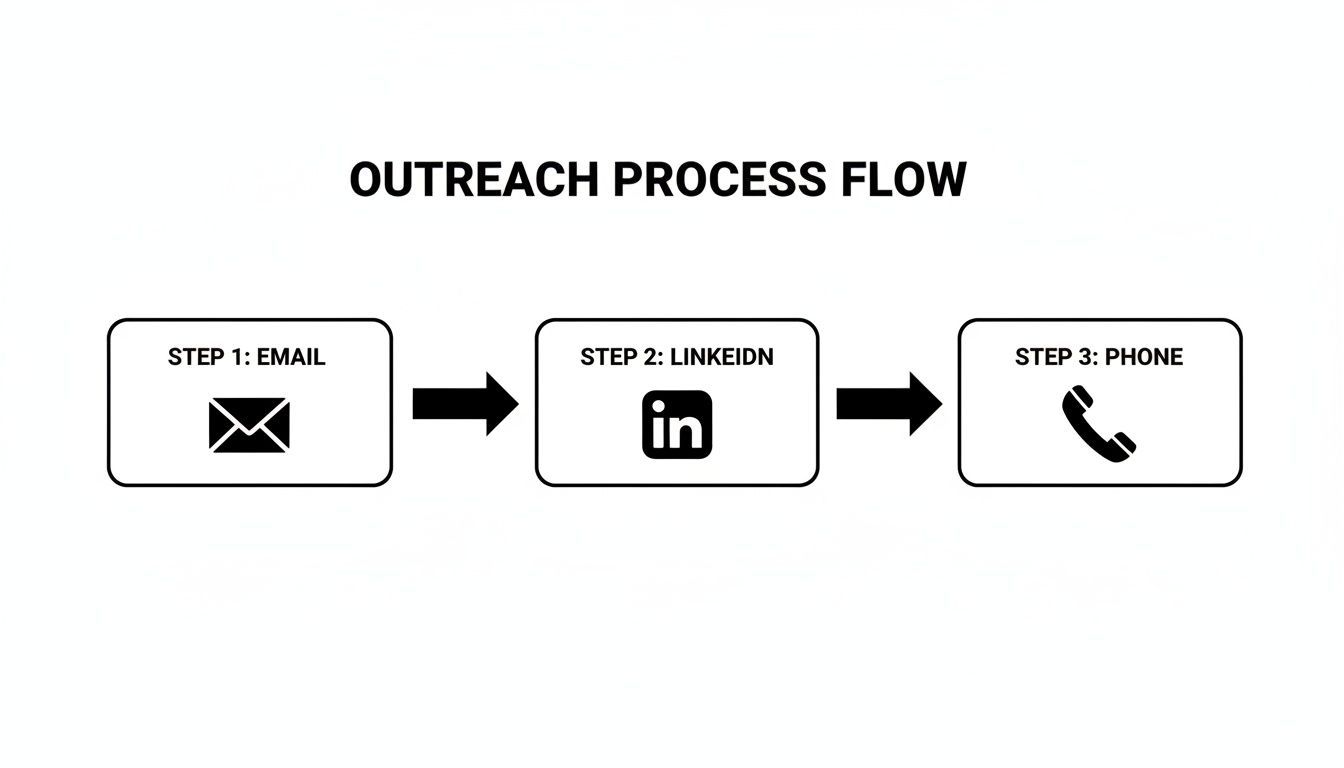
Here’s a practical look at how you can blend email and LinkedIn into a simple but effective sequence.
View the prospect's profile. A subtle, non-intrusive first touch.
3
Email
Send your personalized Email #1 with a strong, relevant opening line.
5
LinkedIn
Engage with a recent post (like or comment).
8
Email
Send Email #2, referencing a new angle or providing a short case study.
12
LinkedIn
Send a personalized connection request with a brief, relevant note.
This kind of structured, multi-channel approach respects the buyer's time while ensuring your message is seen. It's about being thoughtfully persistent, not just loud.
Building a powerful outbound engine isn't about just sending a few campaigns and hoping for the best. It's about engineering a repeatable, measurable system. Think of it like assembling a high-performance car—every single part has to be chosen carefully and fitted perfectly to make the whole machine run smoothly.
The goal isn't just to "do outreach." It's to build a system that consistently finds the right people, says the right thing to them, and uses technology to do it all efficiently at scale. From finding that first prospect to booking the meeting, every step needs a process.
Before you write a single line of a cold email, you have to know exactly who you're talking to. This is your Ideal Customer Profile (ICP). An ICP isn't some vague marketing persona; it's a razor-sharp, data-backed definition of the perfect company for what you sell.
If you try to sell to everyone, you’ll end up connecting with no one.
To nail down your ICP, look at your best customers right now. What do they all have in common? Get specific and focus on hard data points:
Firmographics: Company size, industry, annual revenue, and where they're located.
Technographics: What tech stack are they already using? Are they a Salesforce shop or a HubSpot user? This tells you a lot about their priorities.
Behavioral Data: Did they just get a round of funding? Are they hiring for a specific role? Did they just expand into a new market? These are massive buying signals.
A solid ICP is your North Star. It guides every single decision you make and ensures your team's energy is only spent on prospects who can actually become great customers.
With a crystal-clear ICP, you can now build your prospect list. This is where so many teams fail. A bad list will kill your campaign before it even starts, tanking your engagement rates and landing you in spam folders. Quality over quantity, every single time.
Your mission is to get accurate contact info for the key decision-makers inside your ICP accounts. This isn't just about scraping names from a website; it’s about verifying and enriching that data so you know it's reliable. This is where tech comes in. You’ll absolutely need the right tools—check out the best lead generation tools to see what’s out there.
A great outbound list isn't just a collection of contacts; it's a curated portfolio of future customers. Each name should be there for a specific, strategic reason.
Generic, one-size-fits-all emails are dead. They were dead ten years ago. Today, your outreach has to feel like it was written for an audience of one. And personalization means a whole lot more than just dropping in a [First Name] tag.
It's about proving you understand their world. Your message has to connect a specific challenge they're facing with the solution you provide. Mention something real about their company—a recent press release, a product they just launched, or even a podcast their CEO was on.
This one simple step proves you've done your homework. It gives you a legitimate reason to be in their inbox. You're not just pitching; you're starting a conversation.
This diagram shows a common multi-channel flow that weaves together email, LinkedIn, and phone calls into one cohesive campaign.
By hitting them on different channels, you create multiple touchpoints that reinforce your message and keep you top-of-mind.
To make this whole engine run without burning out your team, you need the right tools. A smart, integrated tech stack handles all the repetitive grunt work, gives you the data you need to make decisions, and frees up your reps to actually sell.
Don't look for a single unicorn tool that does everything. Instead, build a stack with a few best-in-class solutions that work together.
Here are the three core components you can't live without:
List Building & Data Enrichment: Tools like ZoomInfo, Apollo.io, or Clearbit are your go-to for finding and verifying contact data for your target accounts.
Sales Engagement Platform: This is your mission control. Platforms like Outreach, Salesloft, or Mixmax let you build and automate your multi-channel sequences of emails, calls, and social touches.
CRM (Customer Relationship Management): Your CRM, like Salesforce or HubSpot, is the central source of truth. It tracks every interaction and manages your entire pipeline from the very first touch to a closed deal.
These three pieces form the operational backbone of your outbound machine, creating a seamless workflow from prospect discovery to a meeting on the calendar.
Personalization at scale used to be a fantasy. Sales teams had to make a tough choice: go wide with a generic message or go deep with a handful of accounts. You couldn't do both.
That trade-off is officially dead. AI is completely changing the outbound game, letting teams send thousands of hyper-relevant messages that feel like they were written one by one.
Think of AI less as a robot and more as the world's best research assistant for your sales team. It handles the tedious work of finding the right people, figuring out what to say, and even learning when to say it. This gives your reps a level of precision that used to take hours of manual digging for a single prospect.
Every great outbound campaign starts with a killer prospect list. The old way involved endless hours of scrolling through LinkedIn and company databases—a slow process where it was easy to miss the mark.
AI-powered tools tackle this with surgical accuracy. They chew through thousands of data points—financials, hiring sprees, tech stacks, press releases—to pinpoint companies that are a perfect match for your ideal customer profile (ICP). This goes way beyond simple filters.
Manual vs. AI-Powered Prospecting:
Manual Prospecting: You filter by industry, employee count, and maybe location. It’s a good start, but you’re flying blind when it comes to timing. For example, you find a great company, but they just signed with a competitor last month.
AI-Powered Prospecting: The AI spots subtle buying signals in real-time. It flags a company that just announced a huge funding round, started hiring a dozen engineers, or whose executive just spoke about a problem you solve. These are the accounts with budget and a problem to solve right now.
This smarter targeting means your team stops wasting time on dead-end leads and focuses only on accounts ready to convert.
Once you know who you're talking to, you have to break through the inbox noise. This is where generative AI becomes your secret weapon.
Modern AI tools can scan a prospect’s LinkedIn profile, company news, and recent podcast appearances to draft a personalized opening line in seconds. Instead of the tired "Hope you're having a great week," AI can generate an intro that references a specific quote from an article they wrote.
That kind of detail immediately shows you've done your homework.
AI doesn't replace the human touch; it scales it. It does the grunt work of research and drafting, freeing up your reps to focus on strategy, building relationships, and actually closing deals.
For a deeper dive into this, plenty of great resources cover the nuts and bolts of AI for Lead Generation.
Outbound is never "set it and forget it." It demands constant tweaking to get the best results. AI and machine learning can analyze your campaign data in real-time, pulling out insights that would take a human analyst days to find.
These systems can automatically A/B test subject lines, calls-to-action, or different value props to see what actually connects with your audience. AI can even figure out the best time of day to email a CFO versus a marketing manager, making sure your message hits their inbox at the perfect moment.
If you want to get into the weeds on this, our guide on AI for marketing automation is a great place to start.
When you bring AI into your workflow, your outbound engine becomes a learning machine. Every email sent and every reply received makes the entire system smarter, faster, and more effective over time.
Running an outbound campaign without tracking the right numbers is like driving blind. You're definitely moving, but you have no idea if you're getting closer to your destination or just burning gas. To build a reliable growth engine, you have to measure what matters and never stop tweaking.
Too many teams get hung up on what we call vanity metrics. These are the numbers that look impressive on a slide deck but don't actually tell you if you're on track to hit your revenue goals.
The real trick is to shift your focus from what feels good to what actually drives business. A high open rate is nice, but a booked meeting is what keeps the lights on.
It's about trading ego-boosting stats for metrics that have a direct line to your bottom line.
Vanity Metric (What to Deprioritize)
Actionable KPI (What to Obsess Over)
Why It Matters
Open Rates
Positive Reply Rate
This tells you if your message actually connects, not just if your subject line was clever enough to earn a click.
Email Clicks
Meetings Booked
This is the clearest signal that you've created a real sales opportunity. It's the ultimate goal of B2B outreach.
Impressions
Cost Per Acquisition (CPA)
This measures the actual financial efficiency of your efforts and helps you prove a positive return on investment (ROI).
These are the KPIs that give you an honest, unfiltered look at your campaign's health. For a more exhaustive list, check out our deep dive on lead generation key performance indicators.
Killer results don't happen by accident. They're born from a relentless cycle of testing, measuring, and iterating. The best outbound teams live in this loop. This is where strategic A/B testing becomes your best friend.
A/B testing is simple: run two slightly different versions of your outreach to see which one gets a better response. The golden rule? Don't test everything at once. Isolate one variable at a time so you know exactly what moved the needle.
Here are a few actionable A/B tests to run now:
Subject Lines: Test a question-based subject line ("Question about X?") against a benefit-driven one ("A new way to manage X").
Value Propositions: Compare a hard data point (e.g., "reduce overhead by 15%") against a pain point (e.g., "tired of inefficient workflows?").
Calls-to-Action (CTAs): Test a direct "hard" ask ("Book a 15-minute demo") against a softer, interest-based "soft" ask ("Open to learning more?"). Log the reply rates for each to find your winner.
A weekly review of your A/B test results should be non-negotiable. This simple habit is what turns raw data into smart decisions, making your outbound engine more efficient with every send.
When you zero in on revenue-driving KPIs and build a culture of constant testing, you stop throwing darts in the dark. Instead, you start building a fine-tuned, predictable machine for growth. This is what separates the good campaigns from the great ones.
Free Tool
Try our AI Lead Generator — find verified LinkedIn leads for any company instantly. No signup required.
Even the best-laid plans run into questions on the ground. When you're in the trenches with outbound, a few common hurdles always seem to pop up, whether you're just starting or trying to hit the next level. Let's tackle them head-on.
This is the classic balancing act. You have to be persistent to cut through the noise, but you can't be so aggressive you burn your list to the ground. There's no single magic number here. The real answer is to focus on the value of each touchpoint, not the sheer volume.
Think about it like a real-world conversation. You wouldn't walk up to someone and ask the same question ten times in a week. The same rules of professional courtesy apply here. A solid, well-paced sequence often involves 5-8 touches spread over 3-4 weeks, mixing channels like email and LinkedIn to stay on their radar without being a nuisance.
The key isn't the number of touchpoints, but the quality of each interaction. If every message provides a new piece of value or a different perspective, you earn the right to stay in their inbox.
This is where outbound really shines compared to its inbound cousin. Inbound marketing is a long game; it can easily take six months or more to build momentum and see a real return. A sharp outbound campaign, on the other hand, can deliver results much, much faster.
You should start seeing initial signs of life—opens, clicks, and a few replies—within the first couple of days of launching. But the metric that really matters is meetings booked. It’s totally reasonable to expect your first qualified meetings to land on the calendar within 2-4 weeks. Of course, this all hinges on the quality of your list, how sharp your messaging is, and how consistently your team executes the plan.
Ah, the age-old debate. Should your closers also be your prospectors? Let's break down the two models everyone talks about.
Model
Description
Pros
Cons
Full-Cycle Rep
One person handles it all, from finding the lead to closing the deal.
Reps have total control and deep knowledge of their accounts.
It's inefficient. Every hour spent prospecting is an hour not spent selling.
Specialized Roles
Sales Development Reps (SDRs) find and qualify leads, then pass them to Account Executives (AEs) to close.
Hyper-efficient. Everyone focuses on what they do best.
Requires a bulletproof handoff process so nothing gets lost in translation.
For most teams looking to scale, specialization is the only way to fly. It lets your AEs—your closers—focus their energy on the one thing that brings in revenue: closing deals. Meanwhile, your SDRs become absolute experts at starting valuable conversations. This division of labor creates a far more powerful and scalable outbound lead gen engine.