3 posts tagged with "buying-signals"

View All Tags

Best B2B Buying Signal Tools for Sales Teams [2026]

ยท 15 min read
sunder
Founder, marketbetter.ai

Best B2B Buying Signal Tools 2026

Your SDRs are working from static lists. Meanwhile, your best prospects are visiting your pricing page, hiring for roles you solve, and researching your competitors โ€” right now. Without buying signal tools, your team misses these windows entirely.

Buying signal tools capture real-time indicators that an account is in-market: website visits, job changes, funding rounds, technology adoption, content consumption, and competitive research. The difference between a cold call and a warm outreach often comes down to whether you caught the signal in time.

We evaluated 12 platforms across signal types, data freshness, action layer, and total cost of ownership. Here's what actually works for SDR teams in 2026.

What Are B2B Buying Signals?โ€‹

Buying signals are observable behaviors that indicate a company or contact is actively evaluating solutions in your category. They fall into several categories:

  • First-party signals: Website visits, pricing page views, content downloads, chatbot interactions, demo requests
  • Third-party intent signals: Research activity across publisher networks on topics relevant to your product
  • Job change signals: When a champion or buyer moves to a new company (and might bring your tool with them)
  • Firmographic signals: Funding rounds, hiring spikes, technology changes, company growth
  • Engagement signals: Email opens, ad clicks, event attendance, social interactions

The best tools combine multiple signal types and โ€” critically โ€” tell your SDRs what to DO with those signals, not just show a dashboard of data.

How We Evaluatedโ€‹

CriteriaWhat We Looked For
Signal CoverageHow many signal types (first-party, intent, job change, firmographic)
Data FreshnessReal-time vs. daily vs. weekly signal delivery
Action LayerDoes it just show signals or tell reps what to do next?
Integration DepthCRM, email, dialer, Slack connectivity
Pricing TransparencyCan you find pricing without a demo?
SDR Workflow FitBuilt for reps or for data analysts?

1. MarketBetter โ€” Signals + SDR Playbook in One Platformโ€‹

Best for: SDR teams that want signals converted into daily action items, not another dashboard to monitor.

MarketBetter doesn't just surface buying signals โ€” it turns them into a daily SDR playbook. Website visitor identification, intent signals, email engagement, and chatbot interactions feed into a prioritized task list that tells each rep exactly who to contact, through which channel, and with what message.

Signal types covered:

  • Website visitor identification (company-level)
  • Chatbot engagement signals
  • Email open/click/reply tracking
  • Content download intent
  • Conference attendee signals
  • Champion job change tracking

What sets it apart: Most signal tools stop at "Company X is showing intent." MarketBetter goes further: "Call Sarah at Company X about their pricing page visit yesterday โ€” here's a talk track based on what they viewed." The daily playbook eliminates the interpretation gap between signal and action.

Key capabilities:

  • AI-powered daily SDR playbook with prioritized accounts
  • Smart dialer for warm outbound calls
  • AI chatbot that engages visitors in real-time
  • Hyper-personalized email sequences triggered by signals
  • Multi-channel orchestration (email + phone + LinkedIn)
  • Conference scraper for event-based prospecting

Pricing: Starts at $500/month (Starter) with full signal access. Growth plan at $1,500/month adds the SDR dashboard and expanded actions. No per-signal fees.

Integrations: Salesforce, HubSpot, major email providers, LinkedIn, Slack

Start a free trial โ†’


2. Common Room โ€” Community and Product Signal Aggregationโ€‹

Best for: Product-led growth companies tracking community activity alongside traditional intent.

Common Room aggregates signals from community platforms (Slack, Discord, GitHub, Stack Overflow), product usage, social media, and traditional intent sources into unified account profiles. It's designed for companies where community engagement is a meaningful buying signal.

Signal types covered:

  • Community activity (Slack, Discord, GitHub contributions)
  • Product usage patterns
  • Social media mentions and engagement
  • Website visits (via integrations)
  • Third-party intent data (via Bombora partnership)

Strengths: Unique community signal layer that no other platform offers. Strong for developer-focused companies where GitHub stars and Slack activity predict purchasing intent.

Limitations: The signal-to-action gap is real. Common Room shows you who's active but relies on your team to decide what to do. No built-in dialer, email sequencing, or automated playbook generation. You'll need additional tools to act on the signals.

Pricing: Free tier available. Team plan starts around $500/month. Enterprise pricing requires a demo.


3. UserGems โ€” Champion Tracking and Job Change Signalsโ€‹

Best for: Teams with a strong customer base who want to re-engage buyers when they change jobs.

UserGems specializes in one signal type and does it exceptionally well: job changes. When your champion or power user moves to a new company, UserGems alerts your team so you can re-engage them before a competitor does. This "follow the buyer" motion generates some of the highest-converting outbound.

Signal types covered:

  • Champion job changes (primary focus)
  • Past-customer new-company alerts
  • Hiring pattern signals
  • Organizational changes

Strengths: The champion tracking data is among the most accurate in the market. The signal is inherently warm โ€” you're reaching out to someone who already knows and used your product.

Limitations: Narrow signal coverage. If you need website visitor ID, intent data, or engagement tracking, you'll need additional tools alongside UserGems. Pricing reflects the premium positioning.

Pricing: Revv Up plan starts at $12,000/year for tracking up to 10,000 contacts. Cruise plan starts at $18,000/year for broader account coverage. Add-ons available for org charts and database cleanup.


4. Warmly โ€” AI-Powered Website Visitor Orchestrationโ€‹

Best for: Teams focused primarily on website visitor identification with automated outreach.

Warmly identifies website visitors at the company and contact level, then uses AI agents to automate initial outreach. It combines visitor data with third-party intent signals from Bombora to prioritize accounts showing multiple buying indicators.

Signal types covered:

  • Website visitor identification (company + contact level)
  • Third-party intent data (Bombora)
  • Social media signals
  • CRM engagement history

Strengths: Strong visitor identification accuracy with the AI agent layer that can automate initial chat and email sequences. Good for teams that want hands-off top-of-funnel engagement.

Limitations: No smart dialer. No daily playbook that prioritizes and sequences actions for SDRs. The AI agent approach works for initial engagement but lacks the human-in-the-loop workflow that experienced SDR teams need. Limited conference and event signal coverage.

Pricing: Starts around $700/month. Enterprise tiers go significantly higher based on traffic volume and features.


5. 6sense โ€” Enterprise Intent Data and ABM Orchestrationโ€‹

Best for: Large enterprise teams running sophisticated ABM programs with big budgets.

6sense uses AI to predict which accounts are in-market based on third-party intent signals, firmographic data, and engagement patterns. The platform assigns buying stage predictions and intent scores that marketing and sales teams use to orchestrate multi-channel campaigns.

Signal types covered:

  • Third-party intent data (proprietary network)
  • Buying stage predictions (Awareness โ†’ Decision)
  • Technographic data
  • Firmographic changes
  • Advertising engagement

Strengths: The buying stage model is genuinely useful for large teams coordinating between marketing and sales. Predictive capabilities help prioritize accounts across massive TAMs. Strong ABM advertising integration.

Limitations: Enterprise pricing puts it out of reach for most SMB teams ($50,000-$100,000+/year). The platform requires significant setup and a dedicated RevOps resource. Intent data is aggregated at the account level โ€” you still need contact data from another source to actually reach someone. The signal-to-action gap is wide: 6sense tells you an account is in-market but doesn't build your rep's daily task list.

Pricing: Starts around $50,000/year. Most implementations run $75,000-$120,000/year with full feature access. Contact-level data and advertising features are add-ons.


6. ZoomInfo โ€” B2B Data + Intent Signal Layerโ€‹

Best for: Teams that need contact data AND intent signals in one database.

ZoomInfo combines one of the largest B2B contact databases with intent data signals through their partnership with Bombora and their own browsing data. The platform lets you build prospect lists filtered by both firmographic criteria and active intent signals.

Signal types covered:

  • Third-party intent data (Bombora + proprietary)
  • Website visitor identification (via WebSights)
  • Hiring signals
  • Technology install data
  • Funding and financial signals

Strengths: Unmatched contact database depth. The ability to filter by intent score alongside firmographic data means you can build highly targeted lists of contacts at in-market accounts. ZoomInfo Copilot adds AI-powered signal prioritization.

Limitations: Intent data is an add-on requiring Advanced or Elite tiers ($25,000-$40,000+/year). The platform is optimized for list-building, not daily SDR workflow management. You get data to work with, not a playbook to follow. Annual contracts with auto-renewal and significant price increases are common pain points in reviews.

Pricing: Base plans start around $15,000/year. Intent features require Advanced ($25,000+) or Elite ($40,000+) tiers. Per-credit pricing for enrichment and exports.


7. Bombora โ€” The Intent Data Infrastructure Layerโ€‹

Best for: Teams that want raw intent data to feed into existing CRM and sales tools.

Bombora is the intent data layer behind many platforms on this list. Their Data Co-op aggregates content consumption signals across 5,000+ B2B publisher websites to identify which companies are actively researching specific topics. Many platforms (ZoomInfo, 6sense, Common Room) license Bombora data.

Signal types covered:

  • Third-party content consumption intent (primary)
  • Topic surge scores
  • Historical intent trends

Strengths: The largest consent-based B2B intent data co-op. Topic-level granularity lets you see exactly what subjects an account is researching. Clean API for feeding signals into any system.

Limitations: Pure data play โ€” no workflow, no dialer, no email, no playbook. You need to build the action layer yourself. Company-level only; no contact-level identification. Pricing requires significant minimum commitment.

Pricing: Starts around $25,000/year for direct access. Volume-based pricing scales with account coverage.


8. Apollo.io โ€” Affordable Data + Engagement Signalsโ€‹

Best for: Budget-conscious teams that need basic intent signals alongside a contact database and email sequencing.

Apollo combines a 200M+ contact database with buyer intent signals, engagement tracking, and built-in email sequencing. It's the most affordable option for teams that want signals and outreach tools in one platform.

Signal types covered:

  • Buyer intent signals (via Bombora partnership)
  • Email engagement tracking
  • Website visitor identification (basic)
  • Job change alerts
  • Company news signals

Strengths: Incredible value for money. The free tier includes basic signals. Paid plans start at $49/user/month with intent data included at higher tiers. Built-in email sequencing means you can act on signals without switching tools.

Limitations: Intent data depth doesn't match 6sense or ZoomInfo. Contact data accuracy varies โ€” heavy reliance on community-contributed data. No smart dialer (phone verification is a paid add-on). The platform tries to do everything, which means nothing is as deep as specialized tools.

Pricing: Free tier available. Basic: $49/user/month. Professional: $79/user/month. Organization: $119/user/month (intent data included at this tier).


9. Leadfeeder (now Dealfront) โ€” Website Visitor Intent for European Marketsโ€‹

Best for: European companies that need GDPR-compliant website visitor identification.

Dealfront (formerly Leadfeeder + Echobot) identifies website visitors and combines them with European B2B data for prospecting. Strong GDPR compliance makes it the go-to for EU-headquartered teams.

Signal types covered:

  • Website visitor identification
  • European company database signals
  • Web activity tracking
  • CRM engagement correlation

Strengths: Best-in-class European data coverage and GDPR compliance. Simple setup with Google Analytics integration. Clean interface that doesn't overwhelm smaller teams.

Limitations: Primarily a visitor identification tool. No intent data, no job change tracking, no champion monitoring. North American data coverage is weaker than US-focused competitors. No built-in outreach tools โ€” you need separate email and dialer platforms.

Pricing: Free tier (limited visitors). Paid plans from โ‚ฌ99/month based on identified companies.


10. Cognism โ€” GDPR-First Signals with Phone-Verified Dataโ€‹

Best for: SDR teams doing cold calling that need verified mobile numbers alongside intent data.

Cognism combines a phone-verified B2B contact database with Bombora intent data. Their Diamond Data verification process delivers 87%+ connect rates on mobile numbers โ€” a significant advantage for phone-heavy SDR teams.

Signal types covered:

  • Third-party intent data (via Bombora)
  • Hiring signals
  • Technology install changes
  • Funding and financial signals

Strengths: Phone-verified contact data is genuinely differentiated. For SDR teams where phone outreach is primary, Cognism's connect rates save significant time. Strong European coverage with built-in GDPR compliance (DNC list checking, consent tracking).

Limitations: Intent data is Bombora-sourced (same as many competitors). No website visitor identification. No daily playbook or action prioritization โ€” you get data, not workflow. Pricing is not publicly available and typically runs $15,000-$30,000/year.

Pricing: Not publicly listed. Reports suggest $15,000-$30,000/year depending on seat count and data volume.


11. LoneScale โ€” Real-Time Job Change and Hiring Signalsโ€‹

Best for: Teams that want to automate outreach based on hiring and job change triggers.

LoneScale monitors hiring patterns and job changes to surface buying signals in real time. When a company starts hiring for roles your product serves, or when a champion changes jobs, LoneScale triggers automated sequences.

Signal types covered:

  • Job change signals
  • Hiring pattern alerts
  • Technology adoption changes
  • Company growth signals

Strengths: Real-time signal delivery (not batched weekly). Strong automation layer that connects signals directly to email sequences and CRM workflows. Clean, focused product that does a few things well.

Limitations: Narrow signal coverage โ€” no website visitor ID, no third-party intent data, no engagement tracking. Useful as a complement to broader platforms, not as a standalone signal solution.

Pricing: Growth plan starts at $600/month. Enterprise pricing available for larger teams.


12. LeadIQ โ€” Prospecting with Signal-Driven Prioritizationโ€‹

Best for: Individual SDRs who want signals embedded in their prospecting workflow.

LeadIQ captures contact data from LinkedIn Sales Navigator and enriches it with buying signals like job changes, company news, and technology changes. The platform is built for individual rep productivity rather than team-level orchestration.

Signal types covered:

  • Job change alerts
  • Company news and trigger events
  • Technology changes
  • LinkedIn engagement signals

Strengths: Tight LinkedIn Sales Navigator integration. AI-powered email personalization that references signals in outreach. Affordable per-seat pricing.

Limitations: Individual rep tool, not a team-level signal platform. No website visitor identification. No daily playbook or multi-channel orchestration. Signal depth doesn't match enterprise platforms.

Pricing: Free tier available. Essential: $36/user/month. Pro: $79/user/month. Enterprise pricing available.


Buying Signal Tool Comparison Matrixโ€‹

ToolWebsite Visitor IDIntent DataJob ChangeAction LayerStarting Price
MarketBetterโœ…โœ…โœ…Full Playbook$500/mo
Common RoomVia integrationโœ… (Bombora)โŒDashboard only~$500/mo
UserGemsโŒโŒโœ… (Best)Alerts + CRM$12,000/yr
Warmlyโœ… (Best)โœ… (Bombora)โŒAI Agent chat~$700/mo
6senseโŒโœ… (Best)โŒABM orchestration~$50,000/yr
ZoomInfoโœ… (WebSights)โœ… (Bombora+)โœ…Data export$15,000/yr
BomboraโŒโœ… (Source)โŒAPI/Data only~$25,000/yr
ApolloBasicโœ… (Bombora)โœ…Built-in sequencesFree / $49/user
Dealfrontโœ…โŒโŒDashboard onlyโ‚ฌ99/mo
CognismโŒโœ… (Bombora)โœ…Data + verify~$15,000/yr
LoneScaleโŒโŒโœ…Automation$600/mo
LeadIQโŒโŒโœ…LinkedIn captureFree / $36/user

How to Choose the Right Buying Signal Toolโ€‹

By Team Sizeโ€‹

Solo SDR or small team (1-5 reps): Apollo or LeadIQ. You need affordable access to signals without enterprise overhead. Apollo's free tier lets you start immediately.

Growing SDR team (5-15 reps): MarketBetter or Warmly. You need a platform that turns signals into workflow, not just data. MarketBetter's daily playbook eliminates the "what do I do with this data?" problem.

Enterprise team (15+ reps): 6sense or ZoomInfo for signal coverage, but pair with an execution platform for the action layer. Or MarketBetter's Scale plan for an all-in-one approach.

By Primary Signal Needโ€‹

Website visitors: MarketBetter, Warmly, or Dealfront (EU) Intent data: 6sense, Bombora, or ZoomInfo Job changes: UserGems or LoneScale All-in-one: MarketBetter or Apollo

By Budgetโ€‹

Under $500/month: Apollo (paid tier) or LeadIQ $500-$2,000/month: MarketBetter (best signal-to-action ratio) $2,000-$5,000/month: Warmly or Common Room + add-ons $5,000+/month: 6sense, ZoomInfo, or enterprise stacks


The Signal-to-Action Gap: Why It Mattersโ€‹

Most buying signal tools have a fundamental problem: they show you data but don't tell you what to do with it. Your SDR sees that Company X has high intent โ€” great. Now what? Which contact? Which channel? What message? When?

This gap is where deals die. Signals decay fast. A website visit is warm for 24 hours, not two weeks. A job change is actionable for 30 days, not six months. If your team can't move from signal to outreach within hours, you're leaving pipeline on the table.

The tools that bridge this gap โ€” converting raw signals into prioritized, channel-specific, personalized outreach โ€” deliver dramatically higher ROI than platforms that just surface data and leave the interpretation to already-overloaded SDRs.

That's why MarketBetter built the SDR playbook. Signals are inputs. Actions are outputs. Your SDRs shouldn't be data analysts.


Free Tool

Try our AI Lead Generator โ€” find verified LinkedIn leads for any company instantly. No signup required.

Bottom Lineโ€‹

The buying signal tool you choose should match your team's execution capability. If you have a mature RevOps team that can build workflows and interpret data, platforms like 6sense or ZoomInfo give you raw signal power. If your SDRs need a daily action plan built from signals, MarketBetter closes the gap between insight and execution.

The worst outcome isn't picking the wrong tool โ€” it's paying for signals and never acting on them fast enough to matter.

Ready to turn buying signals into booked meetings? See MarketBetter in action โ†’

Sales Trigger Events: The Complete Guide + 10 Best Tools for 2026

ยท 15 min read
sunder
Founder, marketbetter.ai

Sales Trigger Events Guide for B2B Prospecting

Cold outreach has a 1-3% reply rate. Trigger-based outreach hits 15-25%.

That's not a marginal improvement โ€” it's a completely different game. The difference? Timing and relevance.

A sales trigger event is any change in a prospect's world that creates a window of opportunity for your product. New VP of Sales hired? They're rebuilding the tech stack. Company just raised a Series B? They're scaling the team. Prospect visited your pricing page three times this week? They're evaluating.

The best SDR teams in 2026 don't prospect randomly. They react to triggers โ€” and the ones who react fastest win.

This guide covers everything: what trigger events are, the 15 types that actually convert, how to build response playbooks, and the 10 best tools for detecting triggers automatically.

What Are Sales Trigger Events?โ€‹

A sales trigger event is a specific, observable change in a company or contact that signals potential buying intent. Unlike static firmographic data ("they're a 200-person SaaS company"), triggers are dynamic โ€” they represent movement.

Why triggers work:

  • Timing: You're reaching out when something just changed, not randomly
  • Relevance: Your message connects to something real in their world
  • Urgency: Many trigger windows close in 7-14 days as decisions get made
  • Differentiation: While competitors blast generic sequences, you reference specific events

The math is simple: If 3% of your TAM is actively buying at any given time, trigger events help you find that 3% instead of spraying the other 97%.

The 15 Sales Trigger Events That Actually Convertโ€‹

Not all triggers are created equal. Here's a ranked breakdown by conversion potential, detection difficulty, and response urgency.

Tier 1: High Intent โ€” Act Within 48 Hoursโ€‹

1. Website Visits (Pricing/Product Pages)โ€‹

What it is: A target account or known contact visits your website, especially pricing, product, or comparison pages.

Why it converts: This is the strongest first-party signal you can get. Someone at a potential customer is actively researching your product. They may be comparing you to competitors right now.

Response window: 24-48 hours. After that, they've moved on or chosen someone else.

Playbook:

  • Pricing page visit โ†’ Personalized email referencing their industry use case + offer a demo
  • Product page (specific feature) โ†’ Reference that specific capability and how similar companies use it
  • Blog/resource visit โ†’ Softer touch โ€” share a related resource, don't sell yet
  • Multiple visits in a week โ†’ They're evaluating. Direct outreach with a calendar link

Key insight: Most marketing automation platforms detect this but don't act on it. The signal goes into a dashboard. What you need is the signal showing up in an SDR's daily task list with a recommended action โ€” that's the difference between intelligence and execution.

2. Champion Job Changeโ€‹

What it is: A current customer or warm contact moves to a new company.

Why it converts: They already know your product, trust it, and want to look good in their new role by bringing proven solutions. UserGems data shows champion job changes convert at 3-5x the rate of cold outreach.

Response window: First 90 days at new role. The first 30 are golden โ€” they're building their stack.

Playbook:

  • Week 1-2: Congratulations message (no pitch)
  • Week 3-4: "Now that you're settled, would it make sense to explore [product] for [new company]?"
  • If they were a power user: Reference specific results they achieved

3. Funding Round Announcedโ€‹

What it is: A company raises venture capital, private equity, or debt financing.

Why it converts: Fresh capital means hiring, scaling, and buying tools. Series A companies build their initial stack. Series B companies professionalize it. Growth equity means the board is pushing for efficiency.

Response window: 2-4 weeks after announcement. Budget conversations happen fast.

Playbook:

  • Reference the funding and the stated use of funds
  • Connect your product to their growth plan
  • If they're hiring SDRs (check job boards), lead with how you help new SDR teams ramp faster

Tier 2: Strong Signal โ€” Act Within 1 Weekโ€‹

4. Executive Hire (VP Sales, CRO, Head of Growth)โ€‹

What it is: A company hires or promotes a new leader in a relevant department.

Why it converts: New leaders evaluate the existing tech stack within their first 90 days. They want to put their stamp on the organization and bring tools they trust.

Response window: 30-60 days after start date. They need time to assess before they buy.

Playbook:

  • Wait 2-3 weeks (let them settle)
  • Reference their background and what you've seen work for similar leaders
  • Offer a peer conversation, not a demo

5. Hiring Surge (SDR/BDR Roles)โ€‹

What it is: A company posts multiple SDR, BDR, or sales development roles.

Why it converts: If they're hiring SDRs, they need tools for those SDRs. More reps = more seats = bigger deal. They're also feeling pain โ€” hiring means current capacity can't keep up with demand.

Response window: 2-4 weeks. They want tools ready before new hires start.

Playbook:

  • "I noticed you're growing the SDR team โ€” when those new reps start, how will you handle [specific workflow]?"
  • Lead with ramp time reduction and onboarding efficiency

6. Technology Change (New CRM, New Tool Adoption)โ€‹

What it is: A company adopts, switches, or removes a technology in their stack.

Why it converts: Technology changes signal budget availability, process transformation, and openness to new tools. If they just adopted Salesforce, they'll need tools that integrate with it.

Response window: 1-4 weeks depending on the change.

Playbook:

  • "Congrats on the move to [new tool]. Teams we work with who use [tool] typically also need [your category] โ€” happy to show you how they work together."

7. Contract Renewal Periodโ€‹

What it is: A competitor's contract with a prospect is up for renewal (typically annual).

Why it converts: Renewal periods are natural evaluation windows. If they're unhappy with their current tool, this is when they look at alternatives.

Response window: 60-90 days before renewal date.

Playbook:

  • "Many teams evaluate alternatives 2-3 months before their [competitor] renewal. If you're open to a comparison, I can show you what's different."

Tier 3: Contextual Signal โ€” Act Within 2 Weeksโ€‹

8. Expansion or New Officeโ€‹

What it is: A company opens a new office, enters a new market, or expands geographically.

Why it converts: Expansion means new team members, new processes, and often new tools. The pain of managing distributed teams creates demand for unified platforms.

Response window: 2-4 weeks after announcement.

9. Product Launchโ€‹

What it is: A company launches a new product, service, or major feature.

Why it converts: Product launches require marketing support, sales enablement, and GTM execution. New products need pipeline.

Response window: 1-3 weeks. They're in "build mode."

10. Merger or Acquisitionโ€‹

What it is: Two companies merge or one acquires another.

Why it converts: M&A forces tech stack consolidation. The acquiring company typically standardizes on one platform, and the acquired company's tools are up for replacement.

Response window: 3-6 months. M&A moves slowly, but decisions get made.

11. Earnings Report / Revenue Growthโ€‹

What it is: A public company reports strong earnings, revenue growth, or increased guidance.

Why it converts: Growth means investment. Companies spending more on growth are buying tools to support that growth.

Response window: 2-4 weeks after earnings.

12. Industry Regulatory Changeโ€‹

What it is: New regulations, compliance requirements, or industry standards that affect your prospect's business.

Why it converts: Compliance drives urgency. When GDPR hit, every company in Europe bought consent management tools within 6 months.

Response window: Depends on regulation timeline. Usually months of lead time.

13. Conference or Event Attendanceโ€‹

What it is: A prospect attends, sponsors, or speaks at an industry conference.

Why it converts: Conference attendance signals active engagement in the space. Sponsors especially are investing in their category.

Response window: During or immediately after the event.

Playbook:

  • "Saw you're attending [conference]. We'll be there too โ€” would you have 15 minutes to connect?"
  • Post-event: Reference a specific session or trend from the event

14. Negative News About Current Vendorโ€‹

What it is: A prospect's current vendor experiences an outage, data breach, price increase, or negative press.

Why it converts: Dissatisfaction with a current tool is the #1 reason companies evaluate alternatives.

Response window: 1-2 weeks while the frustration is fresh.

15. Social Engagementโ€‹

What it is: A prospect likes, comments, or shares content related to your product category on LinkedIn or Twitter.

Why it converts: Social engagement reveals what people are thinking about. If a VP Sales shares an article about AI SDR tools, they're interested in the category.

Response window: 24-72 hours. Social signals decay quickly.

Building Your Trigger Response Playbookโ€‹

Knowing about triggers is useless without a system to detect and act on them. Here's how to build one:

Step 1: Map Triggers to Your ICPโ€‹

Not all triggers matter equally for your product. Prioritize:

Your Product CategoryTop 3 Triggers
SDR/Sales toolsHiring surge, champion job change, website visit
Marketing automationFunding round, executive hire, technology change
CRMM&A, expansion, executive hire
Security/ComplianceRegulatory change, data breach, audit period
HR TechHiring surge, expansion, funding round

Step 2: Define Response Timingโ€‹

Create a response matrix:

TriggerDetection SourceResponse TimeChannelFirst Touch
Pricing page visitVisitor ID toolSame dayEmail + LinkedInPersonalized demo offer
Champion job changeLinkedIn alertsWeek 2-3EmailCongratulations
Funding roundNews monitoringWeek 1-2Email + phoneGrowth conversation
SDR hiringJob board APIWeek 1-2EmailRamp time pitch

Step 3: Pre-Build Templatesโ€‹

For each trigger, create a message framework:

Structure: [Trigger reference] + [Empathy/insight] + [Value prop tied to their situation] + [Soft CTA]

Example (funding trigger):

"Congrats on the Series B โ€” building out the go-to-market team is always the exciting (and chaotic) part. We help SDR teams at [similar company] go from first hire to first meeting in under a week. Worth a 15-minute look?"

Step 4: Automate Detectionโ€‹

This is where tools matter. Manual trigger detection doesn't scale past 50 accounts.

10 Best Sales Trigger Event Tools for 2026โ€‹

1. MarketBetterโ€‹

Trigger types detected: Website visits (company + individual level), email engagement, chatbot interactions, content downloads, return visits

What makes it different: MarketBetter doesn't just detect triggers โ€” it converts them into a Daily SDR Playbook. Every morning, each SDR sees a prioritized list of accounts to contact, which channel to use, and a personalized message to send. The trigger detection and response action are unified in one platform.

Pricing: From $500/mo (Starter) to $3,000/mo (Scale)

Best for: SDR teams that want trigger detection AND execution in one tool, not two separate platforms that require manual stitching.

See how the playbook works โ†’

2. UserGemsโ€‹

Trigger types detected: Champion job changes, new hires, promotions, departures

What makes it different: The gold standard for tracking champion movement. When your buyer moves companies, UserGems alerts your team and syncs the new contact into your CRM automatically.

Pricing: Custom โ€” typically $30K-$80K/yr for mid-market

Best for: Companies with large customer bases where champion tracking has the highest ROI.

3. Cognismโ€‹

Trigger types detected: Funding rounds, hiring signals, technographic changes, leadership changes

What makes it different: Combines a B2B contact database with real-time trigger events. Their Diamond Data verification ensures phone numbers actually connect. GDPR-compliant across Europe.

Pricing: Custom โ€” estimated $15K-$50K/yr

Best for: European-focused teams that need compliant data with trigger overlays.

4. ZoomInfoโ€‹

Trigger types detected: Funding, hiring, technology installs/removals, leadership changes, corporate news, Scoops (crowdsourced intent)

What makes it different: The broadest trigger detection in the market. ZoomInfo tracks 14+ trigger types across their 100M+ company database. Their Scoops feature adds crowdsourced intelligence from verified contributors.

Pricing: Professional from $14,995/yr. Advanced from $24,995/yr. Elite from $39,995/yr.

Best for: Enterprise teams that need maximum trigger breadth across a large TAM.

5. Bomboraโ€‹

Trigger types detected: Topic-level intent surges (third-party intent data)

What makes it different: Bombora operates the largest B2B intent data co-op, tracking content consumption across 5,000+ publisher sites. When a company researches your category more than baseline, Bombora flags the surge.

Pricing: Custom โ€” typically $25K-$60K/yr

Best for: ABM teams that want to identify in-market accounts before they visit your site.

6. 6senseโ€‹

Trigger types detected: Intent surges, account engagement, buying stage changes, contact-level engagement

What makes it different: Goes beyond trigger detection to buying stage prediction. 6sense tells you not just that an account is active, but whether they're in awareness, consideration, or decision stage.

Pricing: Custom โ€” typically $60K-$120K/yr

Best for: Enterprise ABM teams with budget for comprehensive intent infrastructure.

7. Dealfront (formerly Leadfeeder)โ€‹

Trigger types detected: Website visits, company news, trigger events across European markets

What makes it different: Strong European coverage, GDPR-native. Combines website visitor identification with firmographic triggers. Good for teams selling into EMEA.

Pricing: Free plan available. Paid from โ‚ฌ99/mo.

Best for: European-focused B2B teams needing website visitor tracking with compliance.

8. LinkedIn Sales Navigatorโ€‹

Trigger types detected: Job changes, company growth, lead/account activity, shared content engagement

What makes it different: Direct access to LinkedIn's data โ€” the most accurate source for job changes and professional movement. Lead alerts notify you when saved leads change roles, post content, or are mentioned in news.

Pricing: Core at $99.99/mo. Advanced at $149.99/mo. Advanced Plus custom.

Best for: Individual SDRs and small teams who prospect primarily through LinkedIn.

9. Apollo.ioโ€‹

Trigger types detected: Job changes, company news, technology installs, hiring signals, email engagement

What makes it different: Combines trigger detection with a contact database and outreach sequences at a fraction of the price of ZoomInfo or Cognism. The signal-to-noise ratio isn't as refined, but the value-to-cost ratio is hard to beat.

Pricing: Free plan available. Basic at $49/mo. Professional at $79/mo.

Best for: Budget-conscious teams that need basic trigger detection bundled with prospecting.

10. Common Roomโ€‹

Trigger types detected: Community engagement, social signals, product usage, content engagement, job changes

What makes it different: Common Room aggregates signals from communities (Slack, Discord, GitHub), social media, and product analytics. Strongest for companies with active developer communities or user bases.

Pricing: Free plan available. Team from $625/mo. Enterprise custom.

Best for: Product-led growth companies where community engagement signals buying intent.

Trigger Event Detection: Build vs. Buyโ€‹

You don't necessarily need a dedicated trigger tool. Here's what you can do for free:

Free Trigger Monitoringโ€‹

  • Google Alerts โ€” Set up alerts for target companies (funding, news, hires)
  • LinkedIn Sales Navigator โ€” Free alerts on saved leads and accounts
  • Job board monitoring โ€” Check Indeed/LinkedIn for SDR postings at target accounts
  • Google News โ€” Search "[company] funding" or "[company] new hire" weekly
  • Press releases โ€” Monitor PRWeb, BusinessWire for target account announcements

When to Buy a Toolโ€‹

Free monitoring works for 20-50 target accounts. Beyond that, you need automation:

  • 50-200 accounts: LinkedIn Sales Navigator + Google Alerts
  • 200-1,000 accounts: Apollo or Dealfront for automated trigger monitoring
  • 1,000+ accounts: MarketBetter, ZoomInfo, or Cognism for full-scale trigger detection
  • Enterprise ABM: 6sense or Bombora for intent data overlays

Common Trigger Selling Mistakesโ€‹

1. Waiting Too Longโ€‹

The #1 mistake. A funding announcement has a 2-week window. A pricing page visit has a 24-hour window. If your response time is "next sprint planning," you've already lost.

2. Being Too Obviousโ€‹

"I noticed you visited our pricing page" is creepy. "I noticed companies in [your industry] are evaluating [your category] right now" is relevant. Reference the category, not the surveillance.

3. Treating All Triggers Equallyโ€‹

A pricing page visit is a Tier 1 signal. A LinkedIn post like is Tier 3. Don't deploy the same response intensity for both.

4. Manual Processes That Don't Scaleโ€‹

"I check LinkedIn every morning for job changes" works for 20 accounts. It fails at 200. Automate detection, keep personalization human.

5. No Follow-Up Systemโ€‹

Detecting a trigger and sending one email is barely better than cold outreach. Build a multi-touch sequence around each trigger type: email โ†’ LinkedIn โ†’ phone โ†’ email.

Free Tool

Try our AI Lead Generator โ€” find verified LinkedIn leads for any company instantly. No signup required.

The Future: From Trigger Detection to Trigger-Driven Executionโ€‹

The gap in most sales stacks isn't detection โ€” it's the bridge between "we know something happened" and "an SDR took the right action."

Today, trigger detection and sales execution live in different tools:

  • ZoomInfo detects the trigger
  • Salesforce stores the lead
  • Outreach sends the email
  • The SDR clicks between all three

Tomorrow's best platforms collapse this into one flow. The trigger is detected, the playbook is updated, and the SDR's morning starts with: "Here are the 12 accounts that had trigger events overnight. Here's what to do for each one."

That's not a prediction โ€” it's how the top-performing SDR teams already operate in 2026.

See trigger-driven selling in action โ†’


Related reading:

The Warm Outbound Playbook: How to Turn Buying Signals Into Meetings [2026]

ยท 11 min read
sunder
Founder, marketbetter.ai

Cold outbound is dying. Not because outbound doesn't work โ€” but because cold outbound doesn't work.

The numbers tell the story:

  • Average cold email reply rate: 1โ€“3% (down from 8% in 2020)
  • Average cold call connect rate: 4.8% (Gong, 2025)
  • Percentage of buyers who say cold outreach is "irrelevant to their needs": 72% (LinkedIn State of Sales)

Meanwhile, warm outbound โ€” reaching out to prospects who've already shown buying signals โ€” converts at 3โ€“5x higher rates than cold approaches.

The difference isn't the rep. It's not the script. It's not even the product. It's timing and relevance.

Cold outbound interrupts strangers. Warm outbound engages buyers who are already looking.

This playbook shows you exactly how to build a warm outbound motion from scratch โ€” what signals to track, how to prioritize them, and how to turn them into meetings.

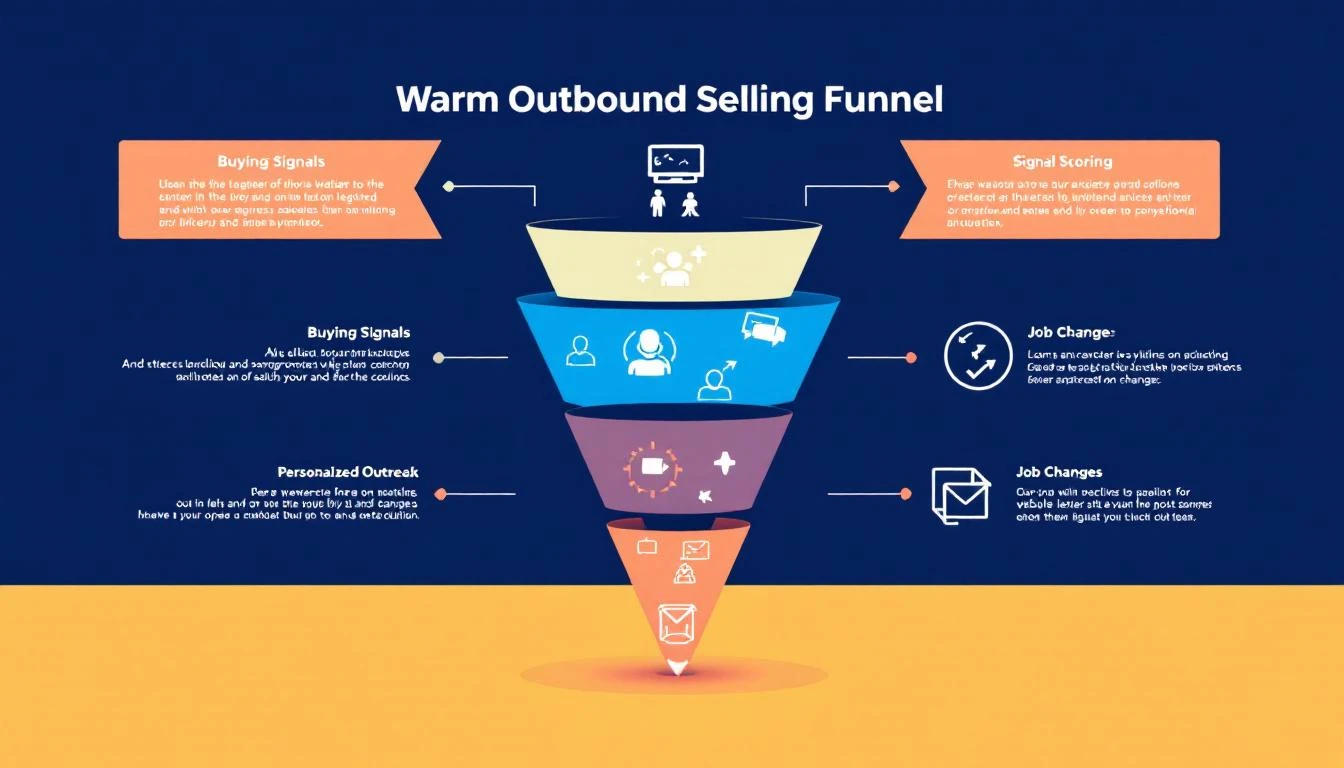
Warm Outbound Signal Funnel

What Is Warm Outbound?โ€‹

Warm outbound is proactive sales outreach to prospects who've shown intent or interest signals โ€” but haven't yet raised their hand (filled out a form, requested a demo, etc.).

It sits between two extremes:

ApproachSignal LevelExample
InboundHand-raise"I want a demo" form fill
Warm OutboundIntent signalsVisited pricing page 3x, competitor search, champion moved
Cold OutboundNo signalRandom list from a data provider

Warm outbound captures the 95% of buyers who are researching but haven't filled out a form. They're evaluating. They're comparing. They're building internal business cases. They just haven't reached out yet.

Your competitors are waiting for the form fill. You're going to reach them first.

The 7 Buying Signals That Power Warm Outboundโ€‹

Not all signals are equal. Here's how to tier them:

Tier 1: High-Intent Signals (Act Within 24 Hours)โ€‹

1. Website Visitor Identification โ€” Pricing & Demo Pages

When a company visits your pricing page or demo page multiple times, someone is actively evaluating your product. This is the single highest-converting warm outbound signal.

  • What it looks like: "3 visitors from Acme Corp viewed your pricing page in the last 48 hours"
  • Why it matters: They're past awareness. They're doing math. They're probably comparing you.
  • How to act: Direct call or email to the likely buyer (VP Sales, SDR Manager). Reference their evaluation: "I noticed your team has been evaluating SDR tools โ€” mind if I share how we compare on the areas that usually matter most?"

2. Champion Job Changes

When a previous champion, power user, or customer moves to a new company, you have a built-in referral. They already know your product works.

  • What it looks like: "Sarah Chen (former AE at Hologram, your customer) just joined TechCorp as VP Sales"
  • Why it matters: 70% of champions who move will evaluate their previous tools at the new company (UserGems data)
  • How to act: Personal, non-pushy outreach: "Congratulations on the move to TechCorp. When you're settled in, would love to see if we can help there too."

3. Active Competitor Evaluation

When a prospect is searching for your competitors, reading comparison pages, or visiting G2 comparison pages, they're in active buying mode.

  • What it looks like: "Prospect searched 'Apollo vs ZoomInfo' and landed on your comparison page"
  • Why it matters: They're deciding NOW. Not next quarter. Now.
  • How to act: Fast, relevant outreach that positions your differentiation: "I see you're comparing outbound tools โ€” most teams in [their industry] choose us for [specific differentiator]. Worth 15 minutes?"

Tier 2: Medium-Intent Signals (Act Within 48โ€“72 Hours)โ€‹

4. Content Engagement Patterns

A single blog post visit means nothing. But a pattern โ€” 3 blog posts about SDR productivity, a whitepaper download, and a webinar registration in the same week โ€” signals active research.

  • What it looks like: "Director of Sales Ops at DataCorp downloaded your ROI calculator and read 3 SDR-related blog posts"
  • Why it matters: They're building a business case. They might not know your product yet, but they're solving a problem you solve.
  • How to act: Value-led outreach tied to their research topic: "I saw you downloaded our SDR ROI calculator โ€” curious what you found. Most teams we talk to in [industry] are seeing [specific metric]. Mind sharing what you're working on?"

5. Tech Stack Changes

When a company adopts or drops specific technologies, it creates adjacent buying needs. New Salesforce adoption? They'll need outbound tools. Dropped their dialer? They're looking for a new one.

  • What it looks like: "TechCorp just adopted Salesforce (detected via technographic data)"
  • Why it matters: Technology adoption creates buying windows โ€” 60โ€“90 day periods where adjacent purchases spike
  • How to act: Frame your outreach around the transition: "Noticed you recently adopted Salesforce โ€” most teams add outbound tooling within the first quarter. Happy to share what we've seen work."

Tier 3: Contextual Signals (Act Within 1โ€“2 Weeks)โ€‹

6. Hiring Signals

When a company posts SDR or sales manager job listings, they're investing in outbound. That means they need tools to make those new hires productive.

  • What it looks like: "Acme Corp posted 4 SDR roles and a Head of Sales Development position on LinkedIn"
  • Why it matters: They're building or scaling a sales team โ€” exactly when they need your platform
  • How to act: Frame around their growth: "Saw you're scaling the SDR team โ€” the ramp time challenge is real. We help teams get new reps productive in 6 weeks instead of 4 months."

7. Funding and Expansion Events

A company that just raised Series B, opened a new office, or announced expansion plans is spending money. GTM is almost always a top priority post-funding.

  • What it looks like: "DataFlow just raised $30M Series B (Crunchbase alert)"
  • Why it matters: Post-funding companies allocate 30โ€“40% of new capital to sales and marketing (First Round data)
  • How to act: Relevant, congratulatory outreach: "Congrats on the raise โ€” exciting time. Most Series B teams we work with are figuring out how to scale outbound without scaling headcount linearly. Worth a conversation?"

Building Your Signal Stackโ€‹

Warm outbound requires three layers of technology:

Layer 1: Signal Collectionโ€‹

You need tools that capture buying signals from multiple sources:

  • Website visitor identification โ€” Know which companies are visiting your site and which pages they're viewing
  • Intent data providers โ€” Track off-site research behavior (G2 visits, competitor comparisons, keyword searches)
  • LinkedIn monitoring โ€” Job changes, company updates, hiring patterns
  • Technographic data โ€” Tech stack adoptions and changes
  • CRM signals โ€” Re-engagement from closed-lost deals, email opens on old threads

Layer 2: Signal Scoring and Prioritizationโ€‹

Raw signals are noise. You need a system that scores and ranks them so reps know what to act on first.

A simple scoring model:

SignalPointsDecay
Pricing page visit (3+ times)507 days
Demo page visit407 days
Champion job change4530 days
Competitor comparison page3514 days
Content pattern (3+ pieces)2514 days
Tech stack change2030 days
Hiring signal1530 days
Funding event1060 days

Accounts that cross your threshold (e.g., 50+ points) go into the "act now" queue. Everything else goes to nurture.

Layer 3: Action Orchestrationโ€‹

This is where most signal stacks fail. They collect data and score it โ€” but they don't tell reps what to do.

Your action layer should:

  • Generate a daily prioritized list for each rep
  • Recommend the best channel (call vs. email vs. LinkedIn) based on persona and signal type
  • Suggest personalized messaging based on the specific signal
  • Track multi-touch sequences across channels
  • Feed outcomes back into the scoring model (closed-won = boost similar signals)

The Warm Outbound Workflow (Step-by-Step)โ€‹

Here's the daily rhythm for an SDR running warm outbound:

Morning (8:00โ€“8:30 AM): Signal Reviewโ€‹

  1. Open your daily playbook / signal dashboard
  2. Review new signals from overnight (website visits, champion moves, intent spikes)
  3. Prioritize: High-intent signals first, then medium, then contextual
  4. Identify the top 10โ€“15 accounts to work today

Mid-Morning (8:30โ€“11:00 AM): Phone Blockโ€‹

  1. Call high-intent signal accounts first (pricing page visitors, champion moves)
  2. Reference the signal in your opener: "I'm calling because [specific reason]"
  3. Log outcomes and next steps in CRM
  4. Queue follow-up sequences for no-answers

Late Morning (11:00 AMโ€“12:00 PM): Email and LinkedInโ€‹

  1. Send personalized emails to medium-intent signal accounts
  2. Connect on LinkedIn with contextual connection notes
  3. Engage with prospect content (genuine comments, not "Great post!")
  4. Follow up on opened emails from previous sequences

Afternoon (1:00โ€“3:00 PM): Follow-Up and Researchโ€‹

  1. Follow up on callbacks and email replies
  2. Research new signals for tomorrow's priority list
  3. Update CRM with signal data and engagement history
  4. Review call recordings from the morning (self-coaching)

End of Day (3:00โ€“3:30 PM): Pipeline Reviewโ€‹

  1. Update opportunity stages
  2. Note any signals that changed (new visits, additional engagement)
  3. Flag accounts for AE warm handoff
  4. Set next-day priorities

Cold vs. Warm Outbound: The Performance Gapโ€‹

Here's what the data looks like when teams switch from cold to warm:

MetricCold OutboundWarm OutboundImprovement
Email reply rate1โ€“3%8โ€“15%3โ€“5x
Cold call connect rate4.8%12โ€“18%2.5โ€“3.7x
Meeting conversion rate0.5โ€“1%3โ€“6%5โ€“6x
Pipeline per SDR per month$50Kโ€“$100K$150Kโ€“$300K2โ€“3x
Average deal cycle45โ€“60 days28โ€“38 days30โ€“40% faster
SDR quota attainment52%78%50% higher

The ROI is undeniable. But it requires infrastructure, not just hustle.

5 Warm Outbound Mistakes to Avoidโ€‹

1. Treating Every Signal the Sameโ€‹

A pricing page visit and a blog post visit are not equal signals. If your reps treat them with the same urgency, they'll waste time on low-intent accounts and miss high-intent ones.

Fix: Build a tiered signal scoring model (see above) and prioritize ruthlessly.

2. Over-Automating the Outreachโ€‹

Warm outbound works because it's relevant and personal. If you blast automated sequences to every signal, you'll kill the advantage.

Fix: Automate signal collection and prioritization. Keep the outreach human. A 2-sentence personalized email beats a 5-paragraph automated one.

3. Ignoring Signal Decayโ€‹

A pricing page visit from 3 weeks ago is stale. A champion job change from 6 months ago is ancient history. Signals have a shelf life.

Fix: Build decay into your scoring model. Signals lose value over time. A 50-point pricing visit should drop to 25 after 7 days and 0 after 14.

4. No Feedback Loopโ€‹

If your reps don't know which signals actually convert to revenue, they can't improve their prioritization. Most teams track signals in โ†’ meetings out, but never close the loop to pipeline and revenue.

Fix: Track signal-to-revenue attribution. Which signal types generate the highest-value pipeline? Double down on those.

5. Separate Signal and Action Toolsโ€‹

If your reps need to check one tool for visitor ID, another for intent data, another for champion tracking, and then manually build their outreach list โ€” they'll spend more time toggling than selling.

Fix: Consolidate into a single platform that collects signals AND orchestrates actions.

How MarketBetter Powers Warm Outboundโ€‹

MarketBetter was built specifically for warm outbound. Here's how it works:

Signal Collection โ†’ Scoring โ†’ Daily Playbook โ†’ Execution

  1. Website Visitor Identification: Know which companies visit your site, which pages they view, and how often โ€” no form fills required
  2. Buying Signal Aggregation: Website visits, email engagement, champion job changes, and intent data all feed into a single signal score
  3. Daily SDR Playbook: Every morning, each rep gets a prioritized list of who to contact, why they're a priority, and what to say
  4. Multi-Channel Execution: Email sequences, smart dialer, and LinkedIn โ€” all from one platform
  5. AI Personalization: The AI researches each prospect and generates personalized outreach based on their specific signals
  6. Closed-Loop Attribution: Track which signals generate pipeline and revenue, then optimize your scoring model

Most signal platforms tell you who. MarketBetter tells you who, why, and what to do next.

That's the difference between a dashboard and a playbook.

Ready to switch from cold to warm? Book a demo โ†’

Free Tool

Try our AI Lead Generator โ€” find verified LinkedIn leads for any company instantly. No signup required.