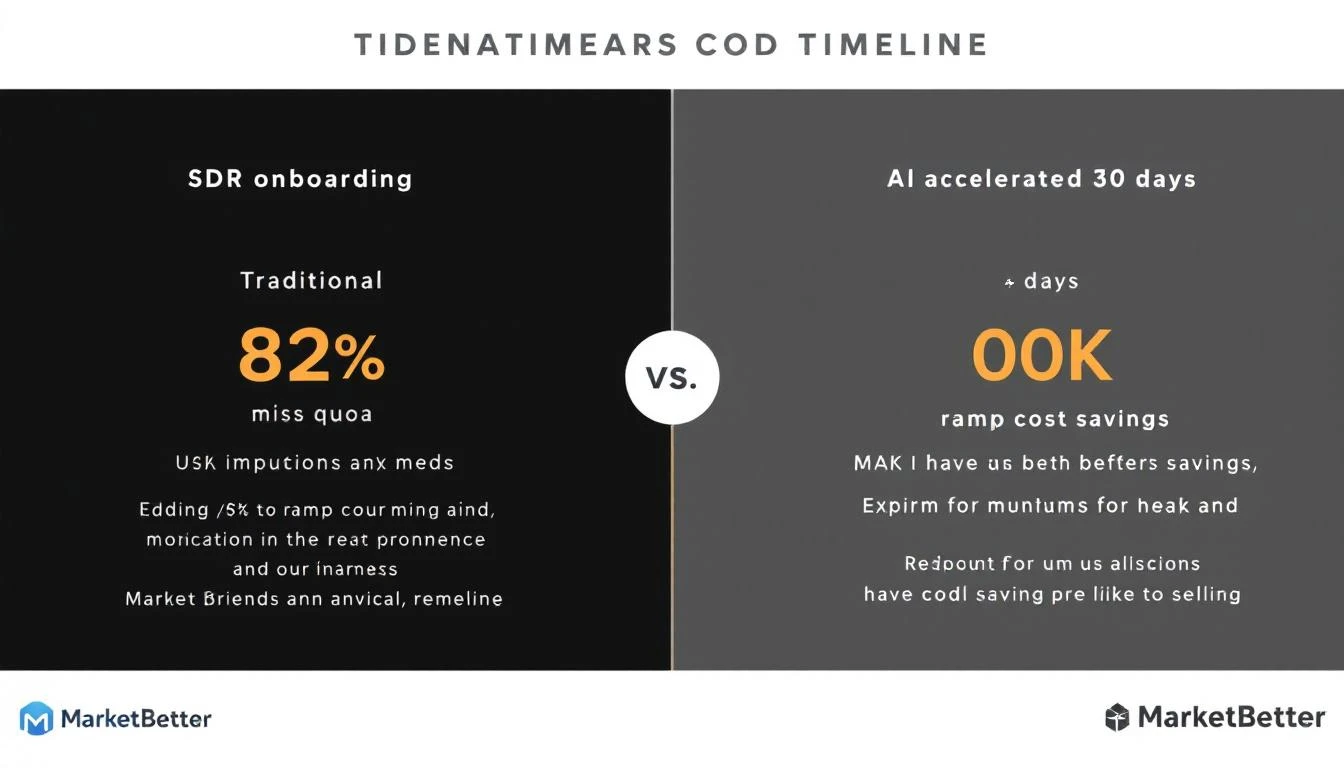
83% of SDRs miss quota. The #1 reason? Ramp time. New reps take 90+ days to hit productivity — costing $78K-$149K per departure when they churn from frustration.
In 2026, AI changes everything. Tools now prescribe exact playbooks from day 1, not just track activity.
This guide ranks 12 SDR onboarding platforms by:
Ramp acceleration (days to first deal)
Cost per rep/month
AI coaching quality
Integration ecosystem
G2 ratings + real-user ramp stories
Data from G2, Vendr, HubSpot State of Sales 2026, 50+ SDR manager interviews.
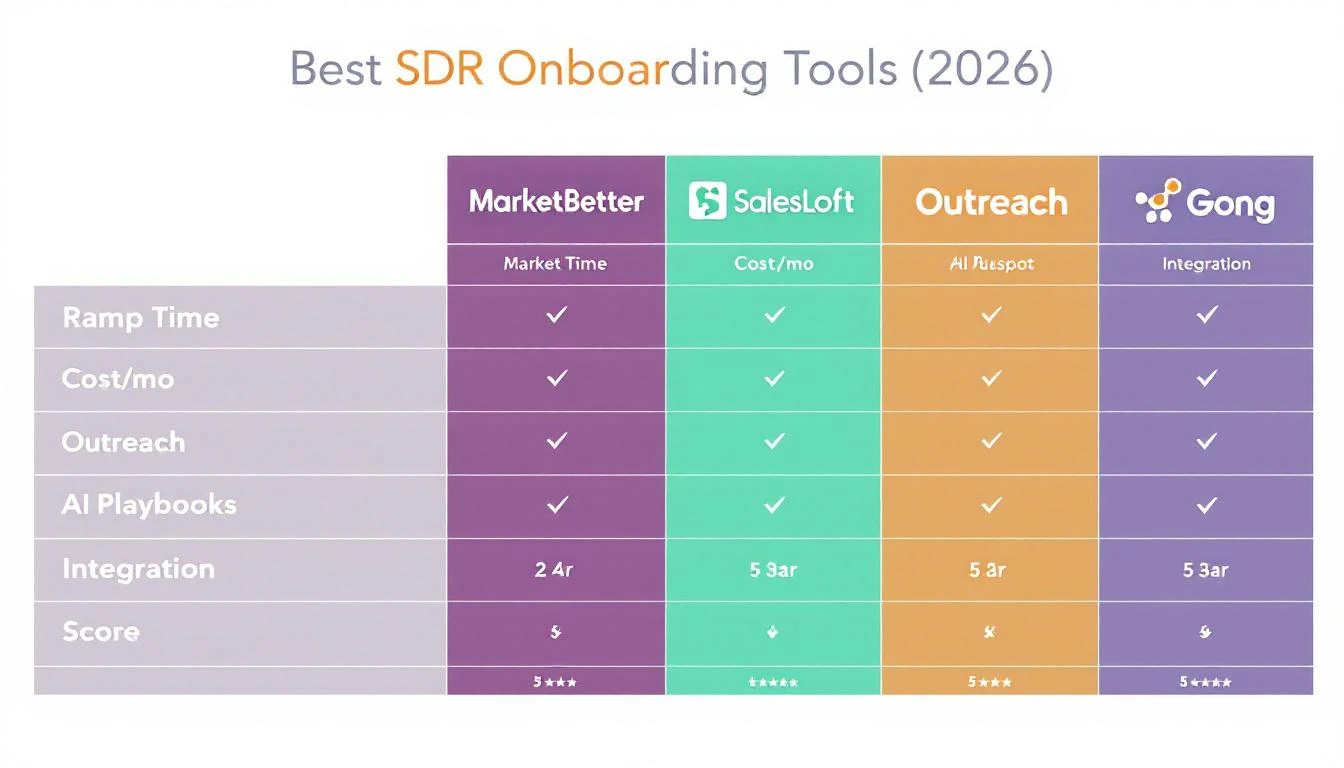
Ramp: 30 days to 40% quota Price: $495/mo unlimited SDRs G2: 4.9/5 ("Playbooks saved 2hr/day research")
Plays signals into daily tasks. No learning curve — SDRs execute playbook #3 day 1. vs Outreach →Demo →
🟢 Series Difficulty: BASIC (Part 1 of 10) — No AI experience needed. Start here.
There's a quiet revolution happening in sales development, and most SDRs are about to get left behind.
While everyone's talking about AI replacing salespeople, the real story is different: the SDRs who learn to work with AI tools are outperforming their peers by 5-10x. Not because they're better sellers. Because they've eliminated the busywork that eats 70% of their day.
This is the first post in our 10-part series on how SDRs can use Claude Code together with MarketBetter to become radically more effective. No coding background needed. No engineering degree required. Just practical workflows that any sales professional can start using today.
Let's start simple. Claude Code is an AI assistant built by Anthropic that lives in your terminal — think of it like having a super-smart research analyst sitting next to you, ready to do whatever you ask.
But here's what makes it different from ChatGPT or other AI chatbots: Claude Code can actually do things. It doesn't just generate text. It can:
Read and analyze files — drop in a CSV of 500 leads and ask it to prioritize them
Search and research — pull together company intel from multiple sources in seconds
Write and edit — craft personalized emails, call scripts, and LinkedIn messages
Process data — clean up your CRM exports, find duplicates, standardize job titles
Build simple tools — create lead scoring models, competitive tracking sheets, and more
Think of it this way: if your current AI tool is a calculator, Claude Code is a full spreadsheet. Same category, completely different capability.
Good. You don't need to be. The way you interact with Claude Code is by typing plain English. You tell it what you want, and it figures out how to do it.
Here's a real example:
"I have a meeting with the VP of Sales at Acme Corp tomorrow. Pull together everything you can find about them — recent news, their tech stack, any recent job postings, and what their LinkedIn presence looks like. Give me a one-page brief I can review in 5 minutes."
That's it. That's the "prompt." No code. No special syntax. Just tell it what you need like you'd tell a colleague.
Let's be honest about what most SDRs' days actually look like:
Activity
Time Spent
Revenue Impact
Researching prospects
2-3 hours
Indirect
Updating CRM
1-2 hours
Zero
Writing/personalizing emails
1-2 hours
Moderate
Actual selling (calls, meetings)
1-2 hours
High
Admin tasks
1 hour
Zero
The math is brutal. Out of an 8-hour day, the average SDR spends less than 2 hours on activities that directly generate revenue. The rest? Research, data entry, email drafting, and the soul-crushing ritual of tabbing between 12 different browser tabs trying to figure out if a prospect is worth calling.
This isn't a "work harder" problem. It's a leverage problem. And AI is the lever.
Enter Claude Code + MarketBetter: The 10x SDR Stack
Here's our thesis: when you combine Claude Code's analytical power with MarketBetter's signal-driven platform, you create a workflow that turns an average SDR into a top performer.
Not by making them faster at bad activities. By fundamentally changing which activities they spend time on.
Which companies are visiting your website right now
Who the actual people are behind those visits (person-level identification)
What pages they looked at and how many times they came back
When a cold lead suddenly re-engages
Which accounts are showing buying intent
Claude Code is your research and execution engine. It:
Takes those signals and instantly builds detailed prospect briefs
Crafts hyper-personalized outreach based on real research
Cleans and enriches your contact data
Analyzes patterns in your pipeline
Builds custom workflows for your specific sales process
Together, they create a loop:
MarketBetter surfaces the signal → "Company X visited your pricing page 3 times this week"
Claude Code does the research → "Here's everything about Company X: they're a 200-person SaaS company, just raised Series B, hiring 5 SDRs, their VP of Sales just posted about outbound challenges on LinkedIn..."
You make the call → Armed with context that would have taken 30 minutes to gather manually, in 30 seconds
MarketBetter delivers the sequence → AI-written follow-up sequences triggered by behavior
That's the loop. Signal → Research → Action → Follow-up. And it happens in minutes, not hours.
Over the next nine posts, we're going deep into every part of this workflow. The series is structured as a progression — Basic → Medium → Advanced — so you build skills step by step. Each post builds on what you learned in the previous ones, and by the end, you'll have a complete AI-powered SDR workflow.
These posts assume zero AI experience. If you've never used Claude Code, start here.
Part 2: Prospect Research in 30 Seconds — Your first real use case. Learn how to use Claude Code to build complete account dossiers instantly. Pair with MarketBetter's visitor identification to know exactly who to research and when.
Now that you're comfortable with basic prompts, these posts show you how to build repeatable workflows.
Part 4: LinkedIn-to-Pipeline — Automate your Sales Navigator workflow. Combines the research skills from Part 2 with the email writing from Part 3, plus MarketBetter's Chrome Extension for importing leads.
Part 6: Building a Lead Scoring Model — Create simple but effective scoring logic without a data team. Use MarketBetter's daily playbook to act on the scores.
These posts tackle more complex workflows that combine multiple skills. Best tackled after you're comfortable with Parts 1-6.
Part 7: CRM Cleanup in Minutes — Process large datasets, fix dirty data, and build maintenance systems. Clean data powers everything else in this series.
Part 8: Meeting Prep That Doesn't Suck — Build an automated meeting prep system that combines Claude Code research with MarketBetter behavioral data. Multi-step workflows for every meeting on your calendar.
Part 9: Never Let a Lead Go Cold — AI-powered follow-up sequences that combine signal detection, research, and personalized re-engagement. The most sophisticated workflow in the series.
Part 10: The Complete AI SDR Playbook — Everything from Posts 1-9, assembled into a complete daily routine. Your minute-by-minute schedule as an AI-powered SDR.
Traditional outbound is a numbers game. AI-powered outbound is an intelligence game. Instead of emailing 200 people and hoping 5 respond, you identify the 20 who are most likely to buy and reach out with perfect context. The result? Higher response rates with less effort.
The faster you can go from "who is this prospect?" to "here's exactly what to say to them," the more conversations you have. Claude Code compresses research from 20 minutes to 20 seconds. Over a day, that's hours reclaimed for actual selling.
Generic outreach is dead. When every SDR is using the same templates, the reps who win are the ones who make every touchpoint feel custom. AI lets you achieve true personalization at volume — not "Hi {first_name}, I see you work at {company}" personalization, but "I noticed you just posted about scaling your outbound team, and your company is hiring 3 new SDRs — here's how others in that situation have approached it" personalization.
AI tools are only as good as the data you feed them. Garbage in, garbage out. That's why Part 7 of this series focuses entirely on using Claude Code to clean your CRM data. It's not sexy, but it's the foundation everything else is built on.
AI doesn't close deals. People do. The role of AI in this stack is to give you better information faster so you can make better decisions about who to call, what to say, and when to follow up. You're still the one building relationships, reading rooms, and closing business. AI just makes sure you're spending your time on the right prospects.
A Day in the Life: AI-Powered SDR vs. Traditional SDR
Let's make this concrete. Here's how the same morning looks for two SDRs:
8:00 AM — Opens CRM, scrolls through her list of 200 accounts. No idea which ones to prioritize.
8:15 AM — Picks 10 accounts alphabetically (she left off at "M" yesterday). Opens LinkedIn to research the first one.
8:30 AM — Spends 15 minutes on the first account. Finds the VP of Sales on LinkedIn, reads their last 3 posts, checks the company news page, looks up their tech stack on BuiltWith.
8:45 AM — Writes a personalized email. Revises it twice. Sends it.
8:50 AM — Starts researching the second account...
10:00 AM — Has sent 4 personalized emails. Feeling productive but exhausted.
8:00 AM — Opens MarketBetter's daily playbook. Sees that 12 accounts visited the website overnight, 3 of them hit the pricing page, and 1 is a return visitor from a cold lead that went dark 2 months ago.
8:05 AM — Asks Claude Code to research all 12 accounts. Gets back complete dossiers — company overview, key contacts, recent news, tech stack, LinkedIn activity — for all 12 in under 2 minutes.
8:10 AM — Reviews the briefs for the 3 pricing page visitors. Asks Claude Code to draft personalized emails for each based on the research.
8:15 AM — Reviews and tweaks the emails. Sends all 3 through MarketBetter with AI-powered follow-up sequences attached.
8:20 AM — Calls the return visitor. Already knows their website visit history (MarketBetter), their recent LinkedIn activity (Claude Code research), and that they just posted a job opening for a demand gen role (Claude Code found it). Opens with: "Hey, I noticed you're building out your demand gen team — we've been helping companies in your space solve exactly that challenge..."
8:30 AM — Books a meeting. Moves to the next batch.
10:00 AM — Has sent 15 personalized emails, made 8 calls, and booked 2 meetings.
Ready to try this yourself? Here's what you'll need:
Claude Code — Available from Anthropic. You can use it through the terminal or through tools that integrate it. If you're not sure where to start, your team's RevOps or sales ops lead can set it up for you in minutes.
MarketBetter — Sign up to start identifying anonymous website visitors and running AI-powered sequences. Book a demo to see how it works with your existing workflow.
Your existing tools — Claude Code works with the data you already have. CRM exports, lead lists, Sales Navigator searches — it all feeds into the workflow.
That's it. No complex integrations. No months-long implementation. You can start using Claude Code for prospect research today and layer in MarketBetter's signals as you go.
Fair question. We've written about the differences between Claude Code, ChatGPT, and Codex for sales teams. The short version: Claude Code's ability to handle large amounts of context (up to 200K tokens — think of it as being able to read an entire book at once) and its agentic capabilities make it particularly powerful for sales research and analysis.
That said, the principles in this series apply to any capable AI tool. We focus on Claude Code because it currently offers the best combination of research depth, context handling, and practical utility for SDRs.
Free Tool
Try our AI Lead Generator — find verified LinkedIn leads for any company instantly. No signup required.
"I'm an SDR at [your company]. We sell [your product] to [your target market]. My biggest time wasters are [list 2-3 things]. Suggest 5 specific ways I could use AI to reclaim that time and spend more of my day on actual selling."
Take the response and highlight the one suggestion that would save you the most time. That's your starting point.
This is Part 1 (🟢 Basic) of our 10-part series on using Claude Code + MarketBetter to become a more effective SDR. Start with Part 2: Prospect Research →
Want to see how MarketBetter's signal-driven platform fits into your sales workflow? Book a demo and we'll show you exactly how it works with your existing tools.
🏆 Series Difficulty: CAPSTONE (Part 10 of 10) — Everything from Parts 1-9, assembled into your complete daily workflow.
You've made it. Parts 1 through 9 of this series gave you the individual tools and techniques. Now it's time to assemble them into a complete daily system.
This is the capstone of our Claude Code + MarketBetter series — a minute-by-minute playbook for the AI-powered SDR. Not theory. Not "you could do this someday." This is what your actual day looks like when you put everything together.
Here's how every skill from the series maps to your daily routine:
If you've been following the series from the beginning — starting with the Basic skills, building through the Medium workflows, and mastering the Advanced techniques — this playbook will feel natural. You've already practiced each piece. Now we're just putting them in the right order.
If you're jumping straight to this post, it'll still work — but you'll get more value from each section if you've read the relevant earlier post. I'll link to them throughout so you can go deeper on any technique.
7:45 AM — Pre-Work Intelligence Gathering (15 minutes)
Before you even sit down at your desk, spend 15 minutes on intelligence gathering. This is your competitive advantage — most SDRs don't start thinking until 9 AM.
Open MarketBetter's dashboard and check:
Overnight website visitors — who came to your site while you slept?
Return visitors — any cold leads that came back to life? (This is your highest-priority signal. See Part 9.)
High-intent page visits — anyone on pricing, case studies, or comparison pages?
Multi-person visits — any companies with multiple visitors? (Buying committee forming)
Quick Claude Code prompt:
"Here are today's MarketBetter signals — 14 companies visited our site overnight. 3 hit the pricing page, 1 is a return visitor from 3 months ago, and 2 companies had multiple visitors.
Prioritize these for me based on buying intent. Research the top 5 and give me a 3-sentence brief for each: what they do, what's notable, and the best outreach angle."
By 8:00 AM, you have a prioritized hit list for the day. Most SDRs are still making coffee.
This is your most productive window. No meetings, no Slack distractions, pure execution.
8:00–8:15: Batch Research
Take your top 10-15 accounts from the intelligence gathering and batch-research them:
"Research these 10 accounts in detail. For each, give me:
Company overview (one paragraph)
Key decision maker with LinkedIn profile
One personalization hook
Recommended first-touch channel (email, LinkedIn, or phone)
[list your 10 accounts]"
8:15–8:35: Draft Outreach
Feed the research back to Claude Code for outreach generation:
"Write personalized cold emails for the top 5 accounts. Use the research you just provided. Rules: under 100 words, personal opening, one CTA, conversational tone. Also write LinkedIn connection request notes (under 300 characters) for the other 5."
Review the drafts. Fix anything that doesn't sound like you. This should take 5-10 minutes for 10 personalized touchpoints.
8:35–8:45: Load and Launch
Load the email drafts into MarketBetter sequences
Set up multi-touch follow-up cadences for each prospect
Send LinkedIn connection requests
Queue any phone calls for the Call Block (coming up next)
Morning Sprint Results: 10 personalized outreach touches, researched and deployed. In 45 minutes. A traditional SDR would need 3-4 hours for this.
Now it's time to pick up the phone. This is where humans shine and AI can't replace you.
Pre-call prep (2 minutes per call):
Before each call, pull up your Claude Code research brief. But also check MarketBetter for any last-minute signals:
"Quick prep for my call with [Name] at [Company]. Give me:
Their most recent LinkedIn post (topic)
One personalized opening line
The key pain point to explore
A fallback question if the conversation stalls"
During the call:
Be human. Listen. Ask questions. Use the research as context, not a script. The AI prepared you; now it's your turn to build a relationship.
Post-call logging (1 minute per call):
After each call, quickly dictate or type your notes. At the end of the call block, batch-process them:
"Here are my raw notes from 8 calls this morning:
Call 1: Sarah at Acme — interested, wants to loop in CRO, follow up Thursday
Call 2: James at Beta — not a fit, too small
Call 3: David at Gamma — no answer, left voicemail
[etc.]
For each call, write:
A structured CRM update (2-3 sentences)
For interested prospects: a follow-up email to send today
For no-answers: a follow-up email referencing the voicemail"
Your call block produced conversations. Claude Code handles the admin that follows.
Check which prospects posted on LinkedIn today. Use Claude Code to draft thoughtful comments:
"Here are 5 LinkedIn posts from my prospects today. Draft a genuine, non-salesy comment for each that adds value to the conversation. Keep each under 2 sentences."
Leave the comments. This warms up prospects before your outreach arrives.
10:10–10:20: Sales Nav Search
Run your saved Sales Navigator searches for new leads. Feed new results into Claude Code for quick analysis:
"5 new leads from my Sales Nav search. Quick assessment: which 2-3 are worth pursuing? Why?"
Import the best ones into MarketBetter via the Chrome Extension. (Full workflow in Part 4.)
10:20–10:30: Connection Request Follow-Ups
Check who accepted your connection requests. Draft personalized DMs:
"These 3 people accepted my LinkedIn connection requests this week:
[Name, Title, Company]
[Name, Title, Company]
[Name, Title, Company]
Write a follow-up DM for each that:
Thanks them for connecting (briefly)
Offers a specific piece of value (insight, resource, introduction)
Ends with a soft conversation opener, NOT a meeting ask"
Check your afternoon calendar. If you have meetings, prep now while your brain is fresh:
"I have 2 meetings this afternoon:
[Name], [Title] at [Company] — 1:00 PM, discovery call
[Name], [Title] at [Company] — 3:00 PM, second meeting (follow-up from last week)
Generate one-page meeting briefs for each. [Full meeting prep prompt from Part 8]"
Layer in MarketBetter website visit data and you're set. (Complete meeting prep system in Part 8.)
11:00 AM — Email and Sequence Management (20 minutes)
Review responses:
Check for replies to your outreach from the past few days
Positive replies → Schedule the meeting immediately
Objections → Feed the objection to Claude Code for a thoughtful response
"Not interested" → Mark and move on (or add to long-term nurture)
Check sequence performance:
In MarketBetter, review your active sequences' open rates, click rates, and reply rates
Identify sequences that are underperforming
Ask Claude Code to analyze:
"My email sequence for [campaign] has a 45% open rate but only a 2% reply rate. The emails are about [topic] targeting [persona]. The subject lines are getting opens but the body isn't converting. Review my emails and suggest 3 specific changes to improve reply rate."
Manage follow-ups:
Check which prospects need manual follow-up today
Use Claude Code to draft personalized follow-ups based on the last interaction
11:30 AM — Competitive Intel Check (10 minutes, twice per week)
Twice a week (say, Monday and Thursday), do a quick competitive scan:
"Quick competitive update: what's new with [Competitor A], [Competitor B], and [Competitor C] this week? Check for product announcements, G2 reviews, leadership changes, funding, or social media discussions."
Update your competitive notes. Use any new intel to refine your outreach messaging. (Full competitive intel system in Part 5.)
Execute your meetings with the briefs you prepped this morning. You're prepared. You're confident. You know things about this prospect that will surprise them.
Between meetings:
Quick post-meeting note capture
Claude Code processes notes into structured CRM updates and follow-up drafts
The AI-powered SDR doesn't work longer hours. They work better hours. The AI eliminates the time sinks so you can spend your day on what actually moves the needle: conversations with prospects.
AI should augment your work, not replace your judgment. Always review outreach before sending. Always add your own voice. Always verify key facts. The goal is to be more efficient, not to become a robot.
The playbook improves over time — but only if you track results and iterate. Your daily reporting isn't optional. It's how you learn what's working and what isn't.
AI can research, write, and analyze. It can't build trust, read emotions, or navigate complex organizational dynamics. Never let AI efficiency replace human empathy. The best SDRs are the ones who use AI to free up time for more human connection, not less.
It's tempting to skip the "boring" stuff like data cleanup. Don't. Everything in this playbook depends on clean data. Garbage in, garbage out. Fifteen minutes a day keeps your data clean and your entire system functioning.
Tomorrow morning, run the complete Morning Sprint (7:45-8:45 AM):
7:45 AM — Check MarketBetter for overnight signals
8:00 AM — Batch-research top 10 accounts with Claude Code
8:15 AM — Draft personalized emails for top 5
8:35 AM — Load into MarketBetter sequences and send LinkedIn requests
8:45 AM — Start your call block with full research context
One morning. One sprint. Compare your output to a typical morning. If you touch more accounts with better personalization in less time — and you will — you'll never go back.
This is Part 10 (🏆 Capstone), the final post in our 10-part series on Claude Code + MarketBetter for SDRs. If you haven't read the earlier posts, start with Part 1: The AI-Powered SDR (🟢 Basic) →
Ready to build your AI-powered SDR workflow? Book a MarketBetter demo and see how signal-driven outreach, visitor identification, and AI sequences fit into your daily routine.
Lead generation AI is the strategic use of intelligent technology to find, qualify, and connect with potential customers. It transforms the traditional, manual playbook into a data-driven, predictive system that works smarter, not harder. The actionable result? Radically improved efficiency and a significant increase in closed deals.
Imagine the difference between dragging a massive fishing net hoping to catch something and using a high-tech sonar that pinpoints exactly where the prize fish are swimming. That’s the leap from old-school lead gen to an AI-powered strategy. The best businesses are ditching the high-effort, low-return grind for the sharp precision of lead generation AI.
This isn't just about making things faster; it's a complete shift away from wishful thinking and toward predictable results. The old way was a messy affair of casting a wide net with generic campaigns, dialing down cold-call lists, and manually sifting through piles of unqualified names. It was a time-suck that left sales teams chasing dead ends.
Traditional methods are all about elbow grease and gut feelings. A marketing team might spend weeks cooking up a campaign based on loose demographic data, crossing their fingers that it lands. A sales rep could burn 80% of their day on tasks that don’t generate revenue, like digging for contact info and trying to qualify prospects.
Contrast that with an AI-driven approach. It automates the grunt work but does so with an intelligence a human can't match at scale. AI can analyze thousands of data points in a split second, flagging prospects who not only fit your ideal customer profile but are also actively showing signs they're ready to buy right now.
The real difference is simple. Old methods ask, "Who could we possibly sell to?" AI answers, "Who is most likely to buy, and what do we need to say to them?" This frees your team up to do what they do best: build relationships with people who actually want to talk.
The Old Way vs. The New Way: A Practical Comparison
When you put the two approaches side-by-side, the contrast is stark. This isn't just theory; it's a fundamental change in daily workflow and results.
Focus your budget on accounts that are already showing buying signals.
Qualification
Manual BANT questions, subjective scoring.
Automated lead scoring based on behavior & data.
Your sales team only spends time on leads vetted by data, not guesswork.
Personalization
Uses basic fields like First_Name and Company.
Hyper-personalization based on real-time behavior.
Craft outreach that references a prospect's recent activity for higher reply rates.
Efficiency
High manual effort, slow response times.
Automated workflows, 24/7 engagement via chatbots.
Engage leads instantly, even outside business hours, preventing them from going to a competitor.
This isn't just a "nice to have" upgrade. The way people buy has fundamentally changed. Enterprise deals now involve more decision-makers and take longer to close, and every one of those people expects a relevant, personalized conversation. The tactics that were "good enough" a few years ago just don't cut it anymore. By adopting lead generation AI, you empower your team to stop chasing ghosts and start closing deals with your most valuable prospects.
You don't need a computer science degree to understand how AI finds great leads. The easiest way to think about it is hiring a team of virtual specialists, each with a specific superpower. These specialists aren't magical—they're just core technologies that get incredibly good at learning from data to pinpoint your next best customer.
It all starts and ends with data. The more high-quality info you feed the system—everything from website visits and email opens to past sales wins and losses—the smarter it gets. This is the big difference-maker: an AI strategy is always learning and adapting, while old-school, rules-based systems just sit there.
At the very heart of AI lead generation is Machine Learning (ML). Picture a seasoned sales director who’s personally reviewed every single deal your company has ever closed. They have a gut feeling for the subtle signs that separate a future champion from a dead-end prospect. ML does the exact same thing, just at a scale and speed no human ever could.
It digs through your historical sales data to find the hidden patterns and common traits of your best customers. An ML model learns which combination of factors—like company size, industry, tech stack, and online behavior—are most likely to lead to a signed contract. This lets it assign a predictive score to every new lead, bumping the most promising ones right to the top of your sales team's list.
Here’s a quick look at how the old way stacks up against the ML-powered approach:
Lead Scoring Aspect
Traditional Method (Manual)
Machine Learning Method (AI)
Actionable Advantage
Criteria
Relies on simple demographics like job title or company size.
Analyzes hundreds of behavioral and firmographic data points.
Your scores reflect actual buying intent, not just a static profile.
Adaptability
Uses static rules that have to be updated by hand.
Dynamically learns and adjusts scores as new data flows in.
The system gets smarter over time without manual intervention.
Accuracy
Prone to human bias and subjective guesswork.
Objectively prioritizes leads based on the statistical chance of conversion.
Sales trusts the leads because they're backed by data, leading to higher follow-through.
Outcome
Sales reps waste time chasing poorly qualified leads.
Sales focuses its energy on high-potential leads, making everyone more efficient.
Increased conversion rates and a shorter sales cycle.
Natural Language Processing: The 24/7 Receptionist
Next in the lineup is Natural Language Processing (NLP). This is the tech that fuels intelligent chatbots and understands text-based conversations. Think of an NLP-powered chatbot as a tireless, incredibly smart receptionist working on your website around the clock.
When a visitor asks a detailed question like, "Do your integration features work with our existing sales software, and what is the pricing for an enterprise team?" the bot doesn't just scan for keywords. NLP lets it understand the intent and context behind the words. It can answer the question directly, ask smart follow-up questions to qualify the visitor, and even book a demo with the right sales rep—all without a human lifting a finger.
Actionable Tip: Deploy an NLP chatbot on your pricing page. This is where visitors with high buying intent go. The bot can answer last-minute questions, offer a demo, and capture the lead before they navigate away.
Predictive Analytics: The Business Fortune Teller
Finally, there's Predictive Analytics, which acts like your company’s own fortune teller. While ML is busy scoring individual leads, predictive analytics is looking at the bigger picture. It crunches your historical data and current market trends to forecast future outcomes and spot opportunities you might otherwise miss.
For instance, it can identify which market segments are poised for growth or which types of accounts deliver the highest lifetime value. This allows you to proactively target entire companies or industries that fit the profile of your best customers, long before they even know you exist. The results speak for themselves; companies using AI have reported up to a 50% increase in lead generation and a 47% improvement in conversion rates. That kind of jump comes directly from shifting from a reactive to a predictive strategy, as detailed in the latest lead generation software market report.
When you understand how these systems use data to forecast behavior, you can put your marketing dollars and sales efforts exactly where they'll have the biggest impact. To go a bit deeper on this, check out our guide on how predictive analytics reshapes modern marketing.
It's one thing to talk about AI for lead gen in theory. It's another thing entirely to plug it into your sales funnel and see what it can actually do. The good news is, you don't have to rip and replace your entire process overnight.
Think of it as adding boosters at critical stages of the journey. AI’s job is to amplify what your team is already great at. It automates the soul-crushing repetitive work, spots the insights you might miss, and frees up your people to focus on closing deals. This is how you turn a leaky funnel into a high-pressure revenue engine.
One of the quickest wins you can get with AI is in lead scoring. For years, this was a manual, rules-based guessing game. Sales teams would assign points based on static data like job title or company size, often chasing leads that looked good on paper but had zero intent to buy.
AI flips that script completely. Instead of relying on gut feelings, it analyzes hundreds of real-time behavioral signals—like someone binging three blog posts, revisiting the pricing page, and opening every email. It connects those dots to find the prospects who are actually ready for a conversation. This guarantees your team is always calling the hottest lead first.
The real shift is moving from a system that asks, "Who fits our ideal customer profile?" to one that answers, "Who is most likely to buy right now?" It's a small change in wording with a massive impact on your sales velocity.
Your website is your digital storefront. But for most companies, it’s a passive experience where prospects have to fill out a "Contact Us" form and wait. An intelligent chatbot turns that passive site into a 24/7 lead qualification machine.
And I'm not talking about those clunky, rules-based bots that can't understand a typo. AI-powered chatbots use Natural Language Processing (NLP) to actually understand what your visitors are asking. They can answer tough questions, qualify leads on the spot, and even book a demo right into a sales rep's calendar.
Here's how that plays out:
Before AI: A hot prospect hits your pricing page at 10 PM. They have a question but have to submit a form. By the time your rep follows up the next morning, the prospect has already moved on.
After AI: That same prospect gets their question answered instantly by the chatbot. The bot sees they're from a target account, qualifies them, and books a meeting for the next day. The deal is already in motion.
This kind of immediate, helpful engagement is a game-changer for reducing drop-off. If you want to put this into practice, here's a great guide on building a chatbot specifically for lead generation that actually gets results.
Everyone knows personalization works, but nobody has time to manually research every single prospect for a 1,000-person campaign. This is where AI really shines—it makes true one-to-one personalization possible at scale.
AI tools can scan a prospect's LinkedIn profile, company news, and recent online activity to find the perfect hook for an email. It’s way beyond just dropping in a {First_Name} token.
Actionable Tip: Use an AI writing assistant to generate three different opening lines for your next cold email sequence. Test them on a small batch of leads and see which one gets the highest reply rate. This simple A/B test can significantly lift campaign performance.
Imagine an AI crafting an email that mentions a recent funding round, a new product launch, or even a blog post your prospect just shared. That's the kind of message that cuts through the noise and gets a reply. It’s how you build real rapport from the very first touchpoint, without your team spending all day on research.
Stepping into the world of AI lead generation tools can feel like walking into a massive electronics store. You know you need something, but the sheer number of options is dizzying. The key isn't to find the "best" tool, but the best tool for your specific needs, your tech stack, and your business goals.
The market isn't a monolith; it's a collection of specialized solutions. Getting a handle on the main categories is the first step to making a smart decision that actually delivers a return.
Not all AI tools are built to solve the same problem. Some are massive, comprehensive platforms designed to handle everything, while others are specialists that do one thing exceptionally well. Your choice comes down to the biggest gaps in your current process.
Here’s a breakdown of the four primary types of AI lead generation tools you’ll run into:
All-in-One CRM Platforms: Think of these as the Swiss Army knives of sales and marketing. Platforms like HubSpot and Salesforce have baked AI features directly into their core CRM, offering things like predictive lead scoring, automated workflows, and content personalization all under one roof. They’re perfect for teams that want a single source of truth and can't stand juggling disconnected systems.
Dedicated Lead Scoring Tools: These are the sharpshooters. Tools like MadKudu focus on one thing and do it better than anyone: analyzing your data to predict which leads are most likely to buy. They’re a great fit for companies that already have a good CRM but need a more powerful, data-science-driven engine to prioritize where sales should spend their time.
Conversational AI Chatbots: Platforms like Drift are built to engage your website visitors the second they land on your site. They act as your 24/7 digital sales reps, qualifying leads, answering basic questions, and booking meetings instantly. This category is a game-changer for businesses that get solid website traffic and want to convert more of those anonymous visitors into actual conversations.
Data Enrichment Platforms: Tools such as ZoomInfo use AI to find, verify, and flesh out contact and company data. Their whole job is to make sure your sales team has the most accurate and complete information possible before they ever pick up the phone. They are absolutely critical for teams running outbound prospecting and account-based marketing plays.
Choosing the right tool requires a clear-eyed look at your own organization. What works for a massive enterprise won't be the right fit for a nimble startup. Start by asking yourself a few fundamental questions about your biggest bottlenecks.
The image below from HubSpot shows how an all-in-one platform presents its AI features, often bundled into a cohesive suite.
This approach is all about having a unified system where AI enhances the workflows you already use, all within a familiar environment.
The most common mistake is buying a powerful tool to solve a problem you don't actually have. Before you even look at a feature list, map out your current sales process and pinpoint the exact stage where you're losing the most momentum.
To make this even clearer, let's put these tools side-by-side. This table breaks down the different categories to help you map your specific challenges to the right type of solution.
Tool Category
Primary Function
Ideal For
Example Tools
Key Consideration
All-in-One CRM Platforms
Unify sales & marketing data with built-in AI
Teams wanting a single, integrated system
HubSpot AI, Salesforce Einstein
Best value if you use the entire platform, can be overkill otherwise.
Dedicated Lead Scoring
Predict lead conversion likelihood with high accuracy
Companies with high lead volume needing prioritization
MadKudu, Infer
Requires clean, historical data to be effective. Focuses on "who," not "how."
Conversational AI Chatbots
Engage & qualify website visitors in real time
Businesses with strong website traffic
Drift, Intercom
Excellent for inbound conversion, less so for outbound prospecting.
Data Enrichment Platforms
Find, verify, and complete contact & company data
Outbound-heavy sales teams & ABM strategies
ZoomInfo, Clearbit
Solves data accuracy but doesn't manage the outreach workflow itself.
This table should give you a solid framework for starting your search. The goal is to find a tool that slots directly into your biggest area of need, not one that forces you to change your entire process.
When you're evaluating your options, it's always a good idea to look at direct comparisons and check out alternatives to AI-powered lead generation platforms like Seamless.AI to get a feel for the market. This ensures you invest in tech that truly aligns with your team’s workflow and budget.
By starting with your problem, not the product, you make sure your investment actually drives growth.
Bringing new tech into the mix can feel like a monster project, but if you break it down into a clear, actionable plan, it's totally manageable. Getting started with lead generation AI isn't about flipping a switch and hoping for the best. It's a methodical rollout—one that builds momentum and proves its worth every step of the way. This roadmap is designed to get you from planning to adoption, all based on a simple philosophy: start small, then scale.
Before you even glance at a single tool, you need to define what a "win" actually looks like. Your goals are the anchor for your entire strategy. Without them, you risk buying a powerful platform that solves a problem you don't even have. Ditch the vague objectives like "improve lead generation" and get specific.
For instance, a solid goal is: "Reduce our average lead response time by 50% within the next quarter." It's specific, you can measure it, and it has a deadline. Another good one? "Increase the marketing qualified lead (MQL) to sales qualified lead (SQL) conversion rate by 15% in six months." Setting these kinds of benchmarks from the jump gives you a clear way to measure ROI down the road.
Here’s the hard truth: your AI is only as smart as the data you feed it. Think of it like a world-class chef—they can't whip up a gourmet meal with rotten ingredients. Before you do anything else, you have to conduct a serious audit of the data living in your CRM and other systems.
Start by asking the tough questions:
Is our data clean and standardized? Hunt down duplicates, incomplete records, and weird formatting.
Is our historical data accurate? The AI will be digging through past wins and losses to find patterns, so that information has to be trustworthy.
Do we have enough data? A machine learning model needs a decent volume of past lead and customer data to actually learn anything useful.
Data hygiene isn't a one-and-done task. It's an ongoing discipline. Getting standardized data entry protocols in place is non-negotiable for long-term AI success.
The most common reason AI initiatives fail isn't the technology itself—it's poor data quality. A clean dataset is the foundation upon which every successful AI strategy is built.
Okay, goals are set and your data is in order. Now you can confidently start looking for a tool that lines up with your needs. As we’ve covered, the market is full of options, from all-in-one CRMs to specialized predictive scoring tools. Your choice should directly solve the main bottleneck you identified back in Step 1.
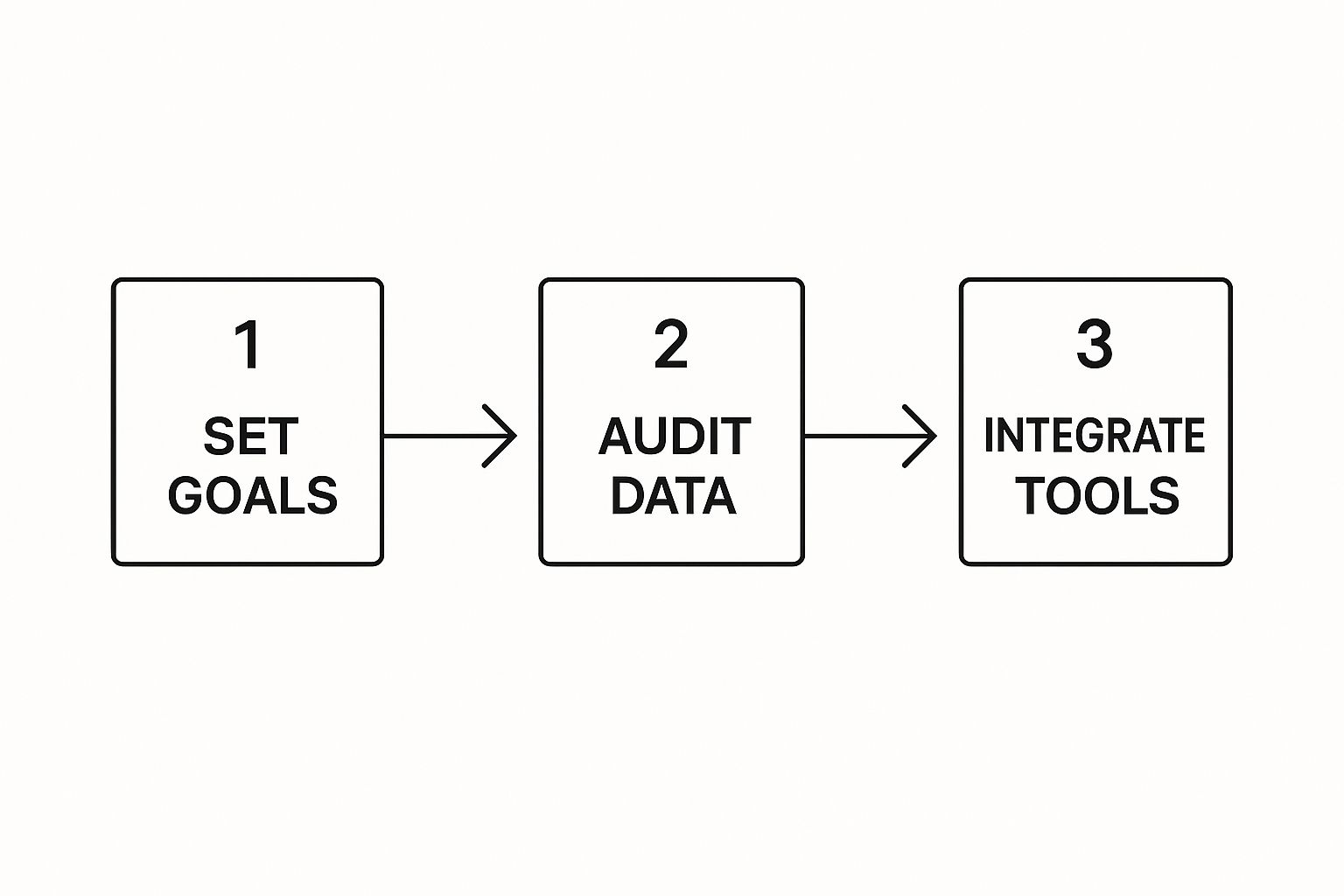
This visual lays out a simple path from planning to getting your tools integrated.
As you can see, setting goals and prepping your data are the essential first moves before you ever think about software.
Once you’ve picked your platform, integration is the next hurdle. A tool that doesn't talk to your existing CRM or marketing automation software is just going to create headaches. Prioritize solutions with solid, well-documented APIs and native integrations to make sure information flows smoothly across your entire tech stack.
A brilliant tool is completely useless if your team doesn't know how—or why—to use it. Good training isn't just about showing them which buttons to click. It’s about proving how this new lead generation AI will make their jobs easier and more successful.
Frame the training around their specific pain points. Show your sales reps how predictive lead scoring means fewer dead-end cold calls and more conversations with people who are actually ready to buy. For your marketers, demonstrate how AI-powered personalization can seriously boost campaign engagement. When your team sees how it directly benefits their own workflow (and their commission checks), adoption will follow.
Finally, fight the urge to roll out every single AI feature to the entire company at once. That's a recipe for disaster. Instead, kick things off with a single, high-impact pilot program. For example, implement an AI lead scoring model for just one sales team. Or launch an intelligent chatbot on one specific high-traffic page of your website.
This approach lets you iron out the kinks on a smaller scale, rack up some early wins, and build a powerful internal case study. Once you've proven the value and shown a clear ROI, you can use that success story to get broader buy-in and strategically scale your AI implementation to other teams and use cases.
Throwing money at a new lead generation AI feels good, but justifying the spend requires hard numbers, not just a gut feeling. To get buy-in for next year's budget, you have to prove its worth. That means moving past vanity metrics and focusing on the KPIs that tie AI's work directly to revenue.
This is how you build an undeniable business case. Tracking the right numbers shows exactly how AI is making your entire sales process leaner, faster, and more profitable. It’s all about comparing the "before" and "after" to show a clear, positive hit to your bottom line.
You don't need a hundred different charts. Start with a few critical metrics that tell a powerful story about how AI is improving lead quality and sales velocity.
Lead Conversion Rate: This is the big one—the percentage of leads that actually become customers. AI is supposed to find the needles in the haystack, so your sales team should be talking to more people who are ready to buy. A rising conversion rate is the clearest sign that it’s working.
Customer Acquisition Cost (CAC): How much does it cost to land a new customer? By automating grunt work and sharpening your targeting, AI cuts down on wasted time and ad spend. A lower CAC means every new customer is more profitable from day one.
Lead-to-Opportunity Ratio: This tracks how many leads are good enough to become a qualified sales opportunity. When AI handles the initial scoring and filtering, this number should climb. It’s proof that marketing is handing off better, more vetted prospects to the sales team.
Now, let's tie it all together with a simple formula. The investment in this space is massive for a reason. The global AI market is already valued at around $391 billion as of 2025, with AI marketing alone on track to blow past $107 billion by 2028. You can get a better sense of the scale from these powerful AI market statistics.
The simplest ROI formula is: (Gain from Investment - Cost of Investment) / Cost of Investment. A positive result means your AI is officially paying for itself.
To make it real, think about the specific gains. Let's say your AI tool costs $20,000 a year but helps your team close an extra $100,000 in revenue because the lead scoring is so sharp. That's a huge win.
For a deeper dive into these numbers, our guide on how to calculate marketing ROI breaks down the entire framework. By keeping a close eye on these KPIs, you can prove that your lead generation AI isn't just another line item—it's a revenue engine.
Free Tool
Try our AI Lead Generator — find verified LinkedIn leads for any company instantly. No signup required.
Got Questions About AI in Lead Generation? We’ve Got Answers.
Jumping into an AI-driven strategy always sparks a few questions. It's a big shift. Let's tackle the most common ones head-on with some straight answers.
How Is This Really Different from What We Do Now?
AI takes the guesswork out of lead generation and replaces it with data-backed precision. Think about your traditional tactics—they often rely on static lists and broad-strokes campaigns. It's slow, a bit clunky, and you burn a lot of energy chasing leads that go nowhere.
AI flips that script. It’s always on, analyzing real-time buying signals to pinpoint leads who are actually showing intent. This means your sales team stops wasting time on cold trails and starts focusing their efforts on prospects who are genuinely ready to talk.
The real difference comes down to speed and intelligence. A traditional approach might take weeks to manually qualify a list of 1,000 leads. An AI system can score and prioritize that same list in minutes, collapsing your sales cycle.
Absolutely not. Modern lead generation AI platforms are built for marketers and salespeople, not data scientists. Forget command lines and complex code—the best tools today are all about intuitive dashboards and guided workflows.
If you can use a CRM, you can use these tools. Most of the time, you’re just a few clicks away from setting up a sophisticated lead scoring model or launching a highly personalized campaign. All the heavy lifting—the hardcore data analysis and predictive modeling—is handled for you, humming away in the background.
Yes, and the ROI becomes clearer the longer you use it. While there’s an initial investment, the real value shows up in a few key places:
Less Manual Grind: AI automates the repetitive, time-sucking tasks that bog down your team, freeing them up for high-value work.
Smarter Effort: By focusing your team only on the best-fit leads, conversion rates naturally go up. You start generating more revenue from the same pool of prospects.
Lower Acquisition Costs: When you stop spraying and praying with your ad spend and outreach, your Customer Acquisition Cost (CAC) drops significantly.
Ultimately, AI lets you scale your growth without having to scale your headcount at the same rate. That makes it one of the smartest long-term investments you can make for your pipeline.
Ready to see how an integrated AI platform can transform your entire marketing and sales funnel? marketbetter.ai unifies content creation, campaign optimization, and customer engagement to deliver measurable results. Get a demo today and discover your path to smarter growth.