12 posts tagged with "AI"

View All Tags

We Analyzed 20+ Studies on AI in B2B Sales: Here's What's Actually Working in 2026

Β· 12 min read
sunder
Founder, marketbetter.ai

Everyone has an opinion about AI in sales. Vendors say it's magic. Skeptics say it's hype. SDR teams caught in the middle are just trying to figure out what to buy.

So we did something different. Instead of running another survey or publishing another vendor comparison, we analyzed 20+ independent studies, industry reports, and data sets from Salesforce, Deloitte, McKinsey, Gartner, Martal Group, MarketsandMarkets, SuperAGI, HubSpot, and others β€” covering hundreds of thousands of data points across B2B sales organizations.

The goal: cut through the noise and answer three questions that actually matter.

  1. What's genuinely working?
  2. What's just vendor hype?
  3. Where should sales leaders invest next?

Here's what the data says.
AI adoption statistics in B2B sales 2026

The State of AI Adoption: Near-Universal, Unevenly Applied​

Let's start with the baseline. AI in B2B sales is no longer experimental β€” it's mainstream. But "mainstream" doesn't mean "effective."

The headline numbers:

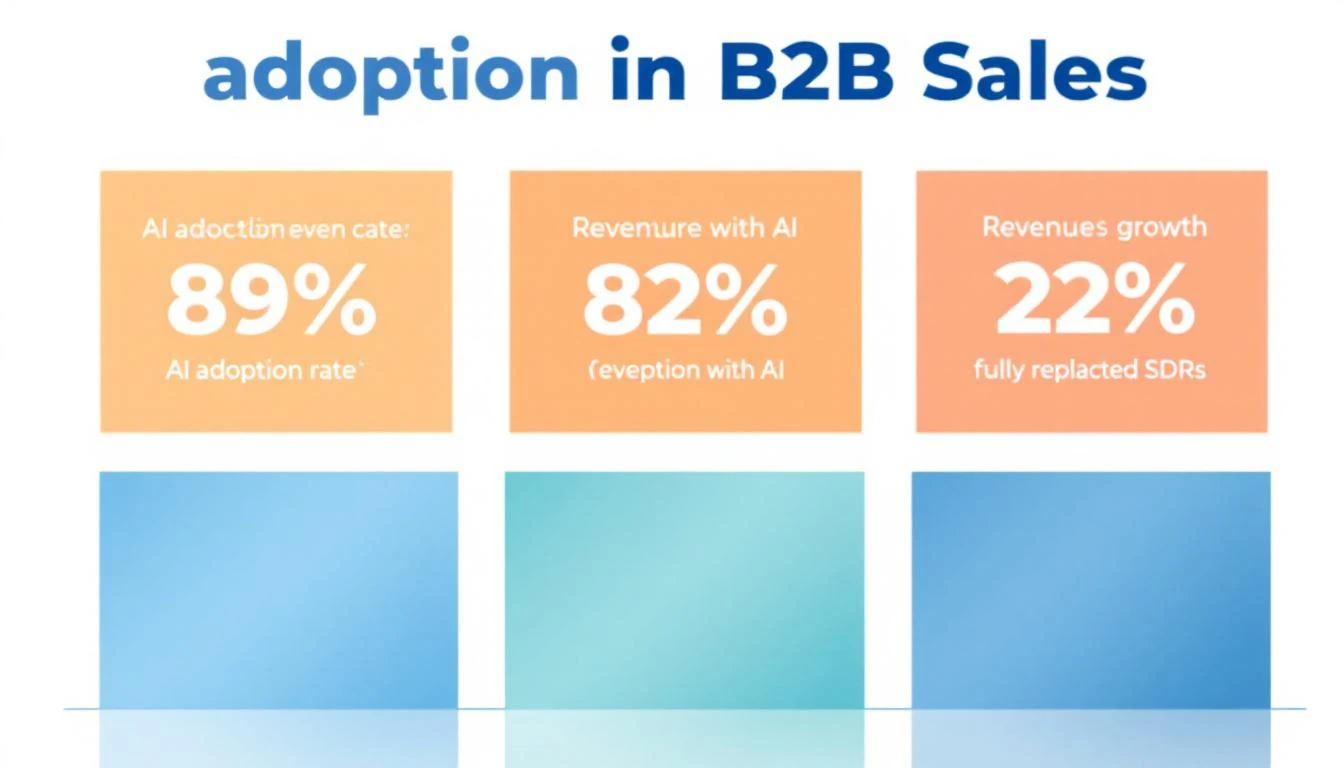
  • 89% of revenue organizations now use AI in some form β€” up from 34% in 2023 (Martal Group, Forrester)
  • 88% of businesses report regular AI use in at least one function, up from 78% a year ago (Sopro)
  • 87% of sales organizations use AI for prospecting, forecasting, lead scoring, or drafting emails (Salesforce State of Sales 2026)
  • 92% of sales teams plan to increase AI investment in 2026 (HubSpot)

That looks like universal adoption. But dig deeper and you find a critical gap.

Deloitte Digital's February 2026 study of 1,060 B2B suppliers and buyers found that while 45% of suppliers say they use AI in sales, only 24% have touched agentic AI β€” the autonomous, workflow-driving kind that actually replaces manual processes. Two-thirds of those not using agentic AI said they plan to. But planning isn't doing.

The data tells us: everyone has AI. Almost nobody has deployed it effectively.

The Performance Gap: AI-Enabled Teams Are Pulling Away​

Here's the number that should keep every sales leader up at night.

83% of sales teams using AI saw revenue growth in the past year, versus 66% of teams without AI (Salesforce). That's a 17-percentage-point gap in revenue growth β€” and it's widening.

More data points from across the studies:

MetricAI-Enabled TeamsNon-AI TeamsGap
Revenue growth83% saw growth66% saw growth+17 pts
Productivity improvementUp to 40%Baseline+40%
Sales cycle length25% shorterBaseline-25%
Revenue increase13-15%Baseline+13-15%
Sales ROI improvement10-20%Baseline+10-20%
ROI within first year86%N/Aβ€”

Sources: Salesforce State of Sales 2026, McKinsey, Sopro, MarketsandMarkets

Deloitte found an even starker divide. Digitally mature B2B suppliers exceeded annual sales growth targets by 110% more than low-maturity competitors. These mature organizations were five times more likely to use AI extensively and five times more likely to use agentic AI at all.

The takeaway: AI isn't a nice-to-have. It's creating a two-tier system in B2B sales. Teams with effective AI implementations are compounding their advantages while everyone else debates whether to adopt.

The AI SDR Paradox: Volume Up, Quality Down​

This is where the data gets uncomfortable for AI SDR vendors.

The AI SDR market is exploding β€” projected to grow from $4.12 billion in 2025 to $15.01 billion by 2030 at a 29.5% CAGR (MarketsandMarkets). An estimated 22% of sales teams have fully replaced their human SDR function with AI. Another 55% are running AI-augmented workflows.

But here's the paradox the vendors won't tell you:

AI SDR tools churn at 50-70% annually β€” roughly double the turnover rate of the human reps they replace (UserGems). And Gartner predicts over 40% of agentic AI projects will be abandoned by 2027.

The root cause? A quality gap:

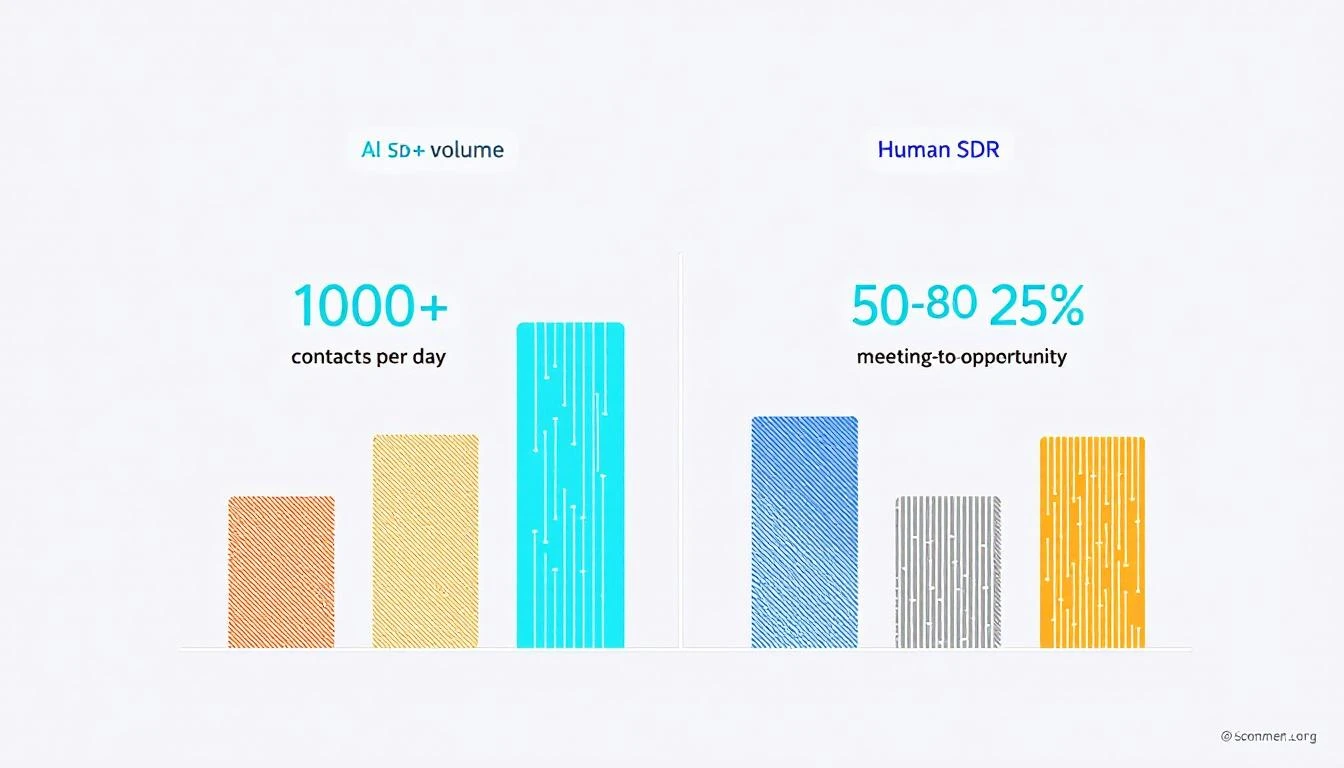
  • AI SDRs process 1,000+ contacts per day vs. 50-80 for a human rep (SuperAGI)
  • But AI SDRs convert meetings to opportunities at just 15% vs. 25% for human SDRs β€” a 40% performance gap (SuperAGI)
  • Response to inbound: AI responds in seconds. First responder wins deals at 5x the rate of slower competitors
  • Follow-up: 44% of human reps give up after one attempt. AI never stops following up

So AI wins on volume and consistency but loses on conversion quality. The teams getting the best results? They're not choosing one or the other.
AI SDR maturity spectrum in 2026

The Winning Formula: Augmentation Beats Replacement​

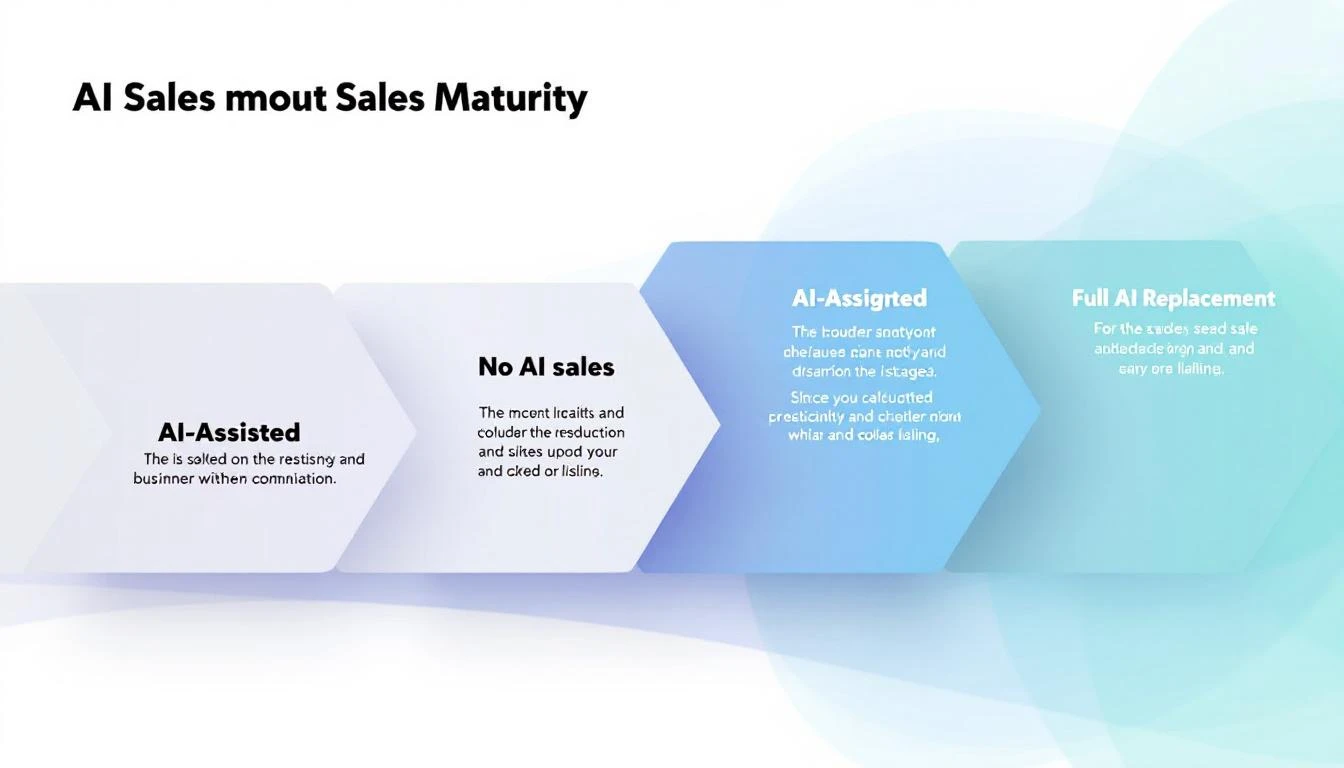
Across every study we analyzed, one pattern emerges consistently: AI-augmented teams outperform both fully automated and fully manual teams.

The adoption spectrum breaks down like this:

Approach% of TeamsPerformance
Full AI replacement22%High volume, lower quality
AI-augmented (human + AI)~55%Highest overall performance
AI-assisted (copilot only)~15%Moderate improvement
No AI~8%Falling behind

Source: Autobound AI SDR Buying Guide 2026, cross-referenced with Salesforce and Topo.io data

The augmented model works because it pairs AI's strengths with human strengths:

Where AI excels (let it run):

  • Prospect identification and research (synthesizing SEC filings, hiring data, social activity in seconds vs. 30-60 minutes per prospect for humans)
  • Consistent follow-up cadences (AI never forgets, never has a bad day)
  • After-hours and surge inbound handling
  • Lead scoring and signal prioritization
  • Data enrichment and contact discovery

Where humans still win (keep them in the loop):

  • Complex objection handling
  • Relationship building and trust development
  • Nuanced multi-stakeholder negotiations
  • Creative problem-solving for unique prospect situations
  • Reading tone and emotional context

The SignalFire team put it perfectly after testing AI SDR tools in production: "The most successful sales organizations of the future won't be the ones that replace their SDRs with AI. They'll be the ones who empower them with it."

What's Actually Delivering ROI: The Signal-First Approach​

Here's where the data gets prescriptive. Not all AI sales investments deliver equal returns.

Tier 1: Proven ROI (Invest Now)​

Intent signals + lead prioritization

  • Conversion rates rise 20-30% when companies integrate predictive AI into their marketing and sales workflows (Sopro)
  • Only 24% of teams with intent data report exceptional ROI β€” the difference is activation quality, not data quality (Autobound)
  • Signal-based prospecting generates 5.4x more pipeline with 33% fewer calls (from our prior signal quality analysis)

AI-powered research and personalization

  • AI research agents that surface job changes, funding events, and buying signals allow SDRs to write genuinely relevant outreach β€” not template spam
  • This is where the highest-performing AI-augmented teams invest first: give humans better information, not better email templates

Chatbots for inbound qualification

  • The most straightforward and valuable use case according to multiple studies
  • Responds to every inbound lead instantly, qualifies, and books meetings 24/7
  • Some teams report 25-30% uplift in conversion just from better lead qualification and scoring

Tier 2: Promising But Conditional (Pilot Carefully)​

AI-generated email sequences

  • Volume is up. Deliverability is down. The inbox is a battleground.
  • Generic mass-personalized emails (name swap + company swap) get deleted immediately
  • What works: AI that researches THEN personalizes, not AI that templates at scale
  • Rule of thumb: if the AI writes the email AND sends it without human review, expect lower quality meetings

AI cold calling / voice agents

  • Latency and robotic feel remain issues
  • The winning pattern: AI makes the dial, AI qualifies interest, then transfers to a human immediately upon positive signal
  • Legal risks (TCPA, consent, autodialer definitions) remain significant

Tier 3: Overhyped (Proceed With Caution)​

Full SDR replacement

  • The 50-70% churn rate tells you everything
  • The 40% meeting-to-opportunity quality gap means you're trading SDR salary for lower-quality pipeline
  • Works only for very specific use cases: high-volume, low-ACV, simple sales motions

AI forecasting as a standalone tool

  • Garbage in, garbage out. AI forecasting is only as good as your CRM hygiene
  • Most teams don't have clean enough data to make AI forecasting meaningful
  • Better to fix pipeline stage definitions first, then add AI on top
AI vs human SDR performance comparison 2026

The ERP Problem Nobody Talks About​

Deloitte's research surfaced a finding that most AI sales articles completely ignore.

87% of B2B suppliers are currently upgrading, preparing to begin, or planning ERP modernization within the next year. These projects are multi-million-dollar, multi-year initiatives that absorb the IT bandwidth that AI projects need.

As Deloitte's Paul do Forno noted: "They literally don't have the time. They need to get through the ERP running their business."

This means even when sales leaders want to deploy sophisticated AI, internal IT constraints are the real bottleneck β€” not budget, not skepticism, not technology readiness. The suppliers pulling ahead are the ones who pair AI deployment with (not after) their ERP modernization, building tighter front-to-back integration.

For sales teams at mid-market companies: don't wait for IT to finish the ERP migration before starting your AI pilot. Choose tools that sit alongside your existing stack rather than requiring deep integration. Start with standalone signal tools and AI research assistants that don't need CRM integration to deliver value.

The Conversion Math Most Teams Get Wrong​

Here's a framework from the data that most sales leaders miss.

The median B2B conversion rate across all industries is 2.9%, with most falling between 2.0% and 5.0% (Martal Group). But the real bottleneck isn't top-of-funnel β€” it's the middle.

MQL-to-SQL conversion: only ~15% of marketing-qualified leads convert to sales-qualified leads.

This means pouring more AI-generated leads into the top of your funnel without fixing the qualification gap just creates more waste. The highest-ROI AI investment for most teams isn't generating more leads β€” it's better qualifying the leads you already have.

This is where signal-based selling changes the equation:

  1. Visitor identification tells you WHO is on your site
  2. Intent signals tell you WHAT they care about
  3. A daily playbook tells your SDR exactly WHAT TO DO about it

Most AI sales tools give you step 1 and maybe step 2. Very few connect the signal to the action. That connection is where the 20-30% conversion lift actually comes from.

What to Do Monday Morning​

Based on our meta-analysis, here's the priority stack for sales leaders who want to be on the winning side of the AI divide:

If you're spending nothing on AI sales tools:

  1. Start with an AI chatbot for your website (instant ROI, low risk)
  2. Add a signal/intent tool to prioritize your existing pipeline
  3. Use AI research tools to enrich prospect profiles before outreach

If you're already using AI but not seeing results:

  1. Stop measuring emails sent. Start measuring meetings booked and pipeline generated
  2. Move from full automation to human-in-the-loop augmentation
  3. Invest in signal quality over outreach volume
  4. Fix your MQL-to-SQL conversion gap before adding more top-of-funnel

If you're seeing good results and want to scale:

  1. Build a daily SDR playbook that converts signals into specific next actions
  2. Layer first-party intent (website visitors, chatbot conversations) with third-party signals
  3. Consolidate your tool stack β€” the average SDR uses 7-12 tools, but the best teams use 3-4 integrated ones

The Bottom Line​

AI in B2B sales isn't hype β€” the 17-point revenue growth gap between AI-enabled and non-AI teams is real and widening. But how you deploy AI matters more than whether you deploy it.

The data is clear:

  • Augmentation beats replacement. Human + AI outperforms AI-only and human-only.
  • Signal quality beats outreach volume. Better leads beat more leads, every time.
  • Implementation quality is the variable. The technology works. The question is whether your team can operationalize it.
  • Start with signals, not sequences. Know who's buying before you decide what to send.

The teams winning in 2026 aren't the ones with the most sophisticated AI. They're the ones using AI to put the right signal in front of the right rep at the right time β€” and then letting the human do what humans do best.


Want to see signal-based selling in action? MarketBetter turns intent signals into a daily SDR playbook that tells your team exactly who to contact, how to reach them, and what to say. Book a demo β†’


Sources​

  1. Salesforce, State of Sales 2026
  2. Deloitte Digital, B2B Supplier Digital Maturity Study (Feb 2026)
  3. Martal Group, B2B Sales Statistics and Benchmarks 2026
  4. Sopro, 75 Statistics About AI in Sales and Marketing (2025)
  5. MarketsandMarkets, AI SDR Market Report (Aug 2025)
  6. Gartner, Strategic Predictions for 2026
  7. McKinsey, AI in Sales Performance (2025)
  8. HubSpot, State of AI in Sales (2025)
  9. SuperAGI, AI vs Traditional SDRs Performance Analysis
  10. Autobound, AI SDR Buying Guide 2026
  11. UserGems, Are AI SDRs Worth It? (2025)
  12. SignalFire, Expert Picks: AI SDR Tools (2026)
  13. Landbase, 35 B2B Sales Statistics (2026)
  14. Topo.io, AI SDR Adoption Survey (2025)
  15. Forrester, B2B Buyer Behavior (2026)
  16. Digital Commerce 360 / Deloitte Digital (Feb 2026)
  17. MarketsandMarkets / Fortune Business Insights projections
  18. Salesmate, AI Agent Adoption Statistics by Industry (2026)
  19. PwC, 2026 AI Business Predictions
  20. Netguru, AI Adoption Statistics (2025)
Best Free AI Lead Generation Tools for B2B Sales Teams in 2026

Β· 11 min read
sunder
Founder, marketbetter.ai

Best free AI lead generation tools for B2B sales teams 2026

The average B2B sales rep spends 64% of their time on non-selling activities β€” and a huge chunk of that is hunting for leads (Salesforce State of Sales, 2025).

Searching LinkedIn. Guessing email addresses. Cross-referencing company websites with database tools. Building lists manually in spreadsheets. It's the most time-consuming part of the job, and AI is finally making it optional.

In 2026, there are genuinely good free AI lead generation tools that can find contacts, verify emails, enrich profiles, and even draft personalized outreach β€” without requiring a $10K/year contract with ZoomInfo or a $99/month Apollo subscription.

We tested the free tiers of 12 AI lead generation tools and ranked them by what you can actually accomplish without paying. Here's the honest breakdown.

What Makes a Good AI Lead Generation Tool?​

Before comparing tools, here's what matters:

  1. Data quality β€” Accurate emails and phone numbers that don't bounce
  2. AI capabilities β€” Smart filtering, lead scoring, or personalization beyond basic database queries
  3. Free tier generosity β€” How much can you actually do before hitting a paywall?
  4. LinkedIn integration β€” Since LinkedIn is the primary B2B prospecting channel, how well does the tool work with it?
  5. Enrichment depth β€” Beyond email/phone, does it provide company data, tech stack, recent activity?
  6. Ease of use β€” Can a rep start finding leads in 5 minutes, or does setup take a week?

The 10 Best Free AI Lead Generation Tools​

1. MarketBetter AI Lead Generator (Best Free LinkedIn Prospecting)​

Website: tools.marketbetter.ai/lead-generator

What it does: Analyze any company and find buyer contacts on LinkedIn β€” with AI-powered matching to identify the most relevant decision-makers.

How it works:

  1. Enter a company name or URL
  2. AI analyzes the company's size, industry, and org structure
  3. Get a list of buyer contacts with LinkedIn profiles, titles, and relevance scores
  4. Use the results to build targeted outreach lists

Free tier: Completely free. No signup, no credit card, no usage limits for individual company lookups.

Why it's #1 for free:

  • No gates β€” every other tool on this list either limits free credits, requires signup, or locks key features behind paid plans. MarketBetter's tool is genuinely free.
  • AI-powered buyer identification β€” doesn't just list employees, it identifies the people most likely to be decision-makers for your product
  • LinkedIn-native β€” results link directly to LinkedIn profiles for immediate outreach
  • Company context β€” provides company analysis alongside contact data so you understand the prospect's business before reaching out

Best for: SDRs and AEs who prospect on LinkedIn and need to quickly find the right contacts at target accounts.


2. Apollo.io​

Website: apollo.io

What it does: All-in-one sales intelligence and engagement platform with a large contact database.

Free tier highlights:

  • Unlimited email credits (250 emails/day sending limit)
  • 5 mobile number credits/month
  • Basic sequencing (2 active sequences)
  • LinkedIn extension for profile enrichment
  • 275M+ contact database access

Pros:

  • The most generous free tier among established platforms
  • Good data quality with verification
  • Integrated email sequencing
  • LinkedIn Chrome extension works well
  • Buying intent data available

Cons:

  • 5 mobile credits/month is extremely limiting
  • Free plan sequences are basic (no A/B testing, limited steps)
  • Export limits on the free tier
  • Email deliverability can suffer with shared sending infrastructure

Pricing: Free β†’ $49/user/month (Basic) β†’ $79/user/month (Professional)

Best for: Individual reps who primarily need email addresses and basic sequencing.


3. Seamless.AI​

Website: seamless.ai

What it does: AI-powered sales lead search engine with real-time contact verification.

Free tier highlights:

  • 50 credits (one credit = one contact lookup)
  • Real-time email and phone verification
  • Chrome extension for LinkedIn
  • Basic list building

Pros:

  • Real-time verification means higher accuracy than static databases
  • Chrome extension is well-designed
  • Good at finding direct dial phone numbers
  • AI-powered company and contact recommendations

Cons:

  • 50 free credits is very limiting β€” burns through in a single session
  • Aggressive upsell experience
  • Data accuracy can be inconsistent (some users report 70-80% email accuracy)
  • Premium features (buyer intent, data enrichment) locked behind expensive plans

Pricing: Free (50 credits) β†’ $147/month (Basic) β†’ Custom (Pro/Enterprise)

Best for: Reps who need direct dial phone numbers and are willing to pay after the trial.


4. Hunter.io​

Website: hunter.io

What it does: Email finding and verification tool. Enter a company domain, get associated email addresses and the email pattern used.

Free tier highlights:

  • 25 searches/month
  • 50 verifications/month
  • Chrome extension
  • Domain search (find all emails at a domain)
  • Email pattern detection

Pros:

  • Simple and focused β€” does email finding extremely well
  • High accuracy email verification
  • Shows email pattern (e.g., [email protected]) so you can extrapolate
  • API available on free tier (limited)

Cons:

  • 25 searches/month is very limited
  • Email-only β€” no phone numbers, no LinkedIn enrichment
  • Doesn't provide AI-powered lead recommendations
  • No contact titles or role information on the free tier

Pricing: Free (25 searches) β†’ $34/month (Starter, 500 searches) β†’ $104/month (Growth)

Best for: Marketers and reps who know exactly who they want to email and just need the address.


5. Lusha​

Website: lusha.com

What it does: B2B contact and company data platform with LinkedIn integration.

Free tier highlights:

  • 50 email credits/month
  • 5 phone credits/month
  • Chrome extension for LinkedIn
  • Basic prospecting

Pros:

  • Good phone number accuracy (direct dials)
  • Clean Chrome extension for LinkedIn prospecting
  • Intent data available on paid plans
  • GDPR/CCPA compliant data sourcing

Cons:

  • 5 phone credits/month is barely enough to test
  • Free tier doesn't include bulk enrichment
  • Company data is limited on the free plan
  • Smaller database than Apollo or ZoomInfo

Pricing: Free β†’ $36/user/month (Pro) β†’ $59/user/month (Premium)

Best for: European teams who need GDPR-compliant contact data.


6. Snov.io​

Website: snov.io

What it does: Email finding, verification, and cold email outreach platform.

Free tier highlights:

  • 50 credits/month
  • Email finder and verifier
  • 100 email recipients in drip campaigns
  • LinkedIn email finder extension

Pros:

  • Combined prospecting and outreach in one tool
  • Technology checker included (identify a company's tech stack)
  • Email warmup on paid plans
  • Good for small teams running complete outbound workflows

Cons:

  • 50 credits/month split across finding and verifying (you burn through quickly)
  • Email accuracy is good but not best-in-class
  • UI can be overwhelming with many features
  • Drip campaign limits on free tier are very tight

Pricing: Free (50 credits) β†’ $30/month (Starter) β†’ $75/month (Pro)

Best for: Solopreneurs and small teams who want prospecting + outreach in one tool.


7. RocketReach​

Website: rocketreach.co

What it does: Contact info lookup tool with a database of 700M+ professionals.

Free tier highlights:

  • 5 free lookups
  • Email and phone data
  • Chrome extension
  • Company search

Pros:

  • Large database (700M+ contacts)
  • Good accuracy for senior-level contacts
  • Integrates with many CRMs and tools
  • Straightforward lookup interface

Cons:

  • 5 free lookups is essentially a trial, not a real free tier
  • Pricing jumps steeply ($53/month for Essentials)
  • No AI-powered recommendations
  • Limited enrichment depth

Pricing: Free (5 lookups) β†’ $53/month (Essentials) β†’ $179/month (Pro)

Best for: Occasional lookups for specific, hard-to-find contacts.


8. Kaspr​

Website: kaspr.io

What it does: LinkedIn-focused lead generation tool with a Chrome extension that reveals contact data on LinkedIn profiles.

Free tier highlights:

  • 5 phone credits/month
  • 5 direct email credits/month
  • Unlimited B2B email credits
  • LinkedIn Chrome extension
  • Lead list management

Pros:

  • Excellent LinkedIn integration
  • Unlimited B2B emails on the free tier (company emails, not personal)
  • Good European data coverage
  • Simple, focused interface

Cons:

  • B2B emails (company addresses) are less valuable than personal/direct emails
  • Very limited phone and direct email credits on free tier
  • Smaller database than Apollo or ZoomInfo
  • Limited enrichment beyond contact data

Pricing: Free β†’ $49/user/month (Starter) β†’ $79/user/month (Business)

Best for: SDRs who live on LinkedIn and need a quick-access contact finder.


9. Cognism​

Website: cognism.com

What it does: Premium B2B sales intelligence with phone-verified mobile numbers (Diamond Data).

Free tier highlights:

  • 25 free leads (one-time, not recurring)
  • Chrome extension trial
  • Limited data access

Pros:

  • Best-in-class phone number accuracy (manually verified "Diamond" data)
  • Strong European and APAC coverage
  • Intent data powered by Bombora
  • GDPR-compliant with do-not-call list checking

Cons:

  • 25 free leads is basically just a trial
  • Expensive paid plans (reportedly $15K-$30K/year)
  • No self-serve pricing β€” must talk to sales
  • Limited free functionality

Pricing: Free trial (25 leads) β†’ Contact sales (enterprise pricing)

Best for: Enterprise teams with budget who need verified phone numbers for cold calling.


10. LinkedIn Sales Navigator (Free Alternatives)​

Website: linkedin.com/sales

While Sales Navigator itself isn't free ($99/month), LinkedIn's free features still offer significant prospecting capability:

Free LinkedIn prospecting capabilities:

  • Advanced People Search (limited filters)
  • Company pages with employee lists
  • Boolean search operators
  • InMail credits (limited)
  • Profile viewing with partial data

Pros:

  • First-party data β€” the most up-to-date professional information available
  • Everyone is on LinkedIn
  • Rich profile data (experience, education, endorsements)
  • Group membership and activity visible

Cons:

  • Commercial use limits β€” LinkedIn restricts how many profiles you can view
  • No email addresses or phone numbers
  • Free search filters are limited
  • Can't export data natively

Tip: Pair free LinkedIn search with MarketBetter's AI Lead Generator to identify the right contacts at target companies, then connect directly on LinkedIn.

Free Tier Comparison​

ToolFree Email CreditsFree Phone CreditsSignup RequiredAI FeaturesLinkedIn Integration
MarketBetterUnlimited lookupsβ€”Noβœ… AI buyer identificationβœ… Links to profiles
Apollo.ioUnlimited (250/day)5/monthYesBasicβœ… Chrome extension
Seamless.AI50 total50 totalYesβœ… Recommendationsβœ… Chrome extension
Hunter.io25/monthβ€”YesNoβœ… Chrome extension
Lusha50/month5/monthYesNoβœ… Chrome extension
Snov.io50/monthβ€”YesNoβœ… Chrome extension
RocketReach5 total5 totalYesNoβœ… Chrome extension
KasprUnlimited (B2B)5/monthYesNoβœ… Chrome extension
Cognism25 total25 totalYesβœ… Intent dataβœ… Chrome extension

The Smart Free Prospecting Stack​

You don't need to spend $500/month on sales tools to prospect effectively. Here's a free stack that covers the entire workflow:

1. Find Target Companies​

MarketBetter Lookalike Company Finder β€” enter your best customer, find 50+ similar companies. Free.

2. Find Buyer Contacts​

MarketBetter AI Lead Generator β€” analyze each company, get buyer contacts with LinkedIn profiles. Free.

3. Research Their Tech Stack​

MarketBetter Tech Stack Detector β€” check what tools they use to qualify fit and personalize outreach. Free.

4. Verify Email Addresses​

Hunter.io (25 free verifications/month) β€” confirm email deliverability before sending.

5. Personalize Outreach​

MarketBetter GiftDM Copilot β€” AI-personalized gifts and LinkedIn DMs for top prospects. Free.

6. Send Outreach​

Apollo.io free tier (250 emails/day) or LinkedIn free (connection requests + messages).

Total cost: $0/month. Not "free trial" β€” actually free, ongoing.

Tips for AI-Powered Lead Generation​

1. Quality Over Quantity​

AI makes it easy to generate hundreds of leads. Resist the temptation. 50 highly-targeted leads will outperform 500 poorly-targeted ones every time.

2. Layer Multiple Data Sources​

No single tool has perfect data. Use 2-3 tools to cross-reference and verify contacts. If Apollo and Hunter both show the same email for a contact, you can be confident it's accurate.

3. Personalize Based on AI Insights​

The AI in these tools isn't just for finding contacts β€” it's for understanding them. Use company analysis, tech stack data, and recent activity to craft relevant, personalized messages.

4. Respect Privacy and Compliance​

GDPR, CCPA, and CAN-SPAM regulations apply regardless of how you source leads. Always include opt-out options, honor unsubscribes, and don't scrape personal data from platforms that prohibit it.

5. Measure What Matters​

Track these metrics:

  • Lead-to-reply rate (aim for 5-15%)
  • Reply-to-meeting rate (aim for 30-50% of replies)
  • Data accuracy (bounce rate below 5%)
  • Time to first touch (how fast from lead identification to first outreach)

Start Finding Leads for Free​

The best AI lead generation tool is the one that gets you talking to the right people with the least friction.

Try MarketBetter's free AI Lead Generator β†’

Enter any company, get AI-identified buyer contacts with LinkedIn profiles. No signup, no credits, no catch.


Build your full prospecting workflow: find similar companies to your best customers, check their tech stack for fit, then use the Conference Scraper to source leads from upcoming trade shows.

How to Create an AI Marketing Plan in 5 Minutes (Free Tool)

Β· 11 min read
sunder
Founder, marketbetter.ai

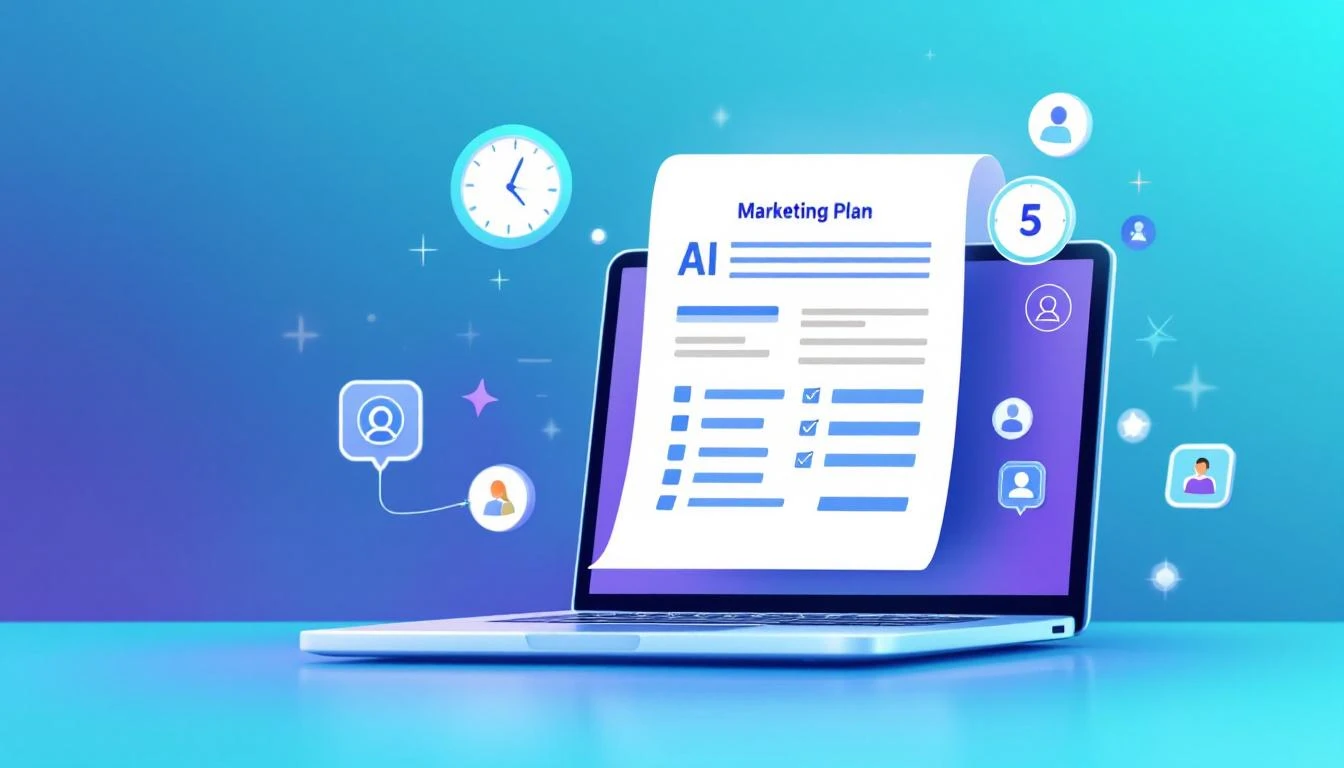
How to create an AI marketing plan in 5 minutes β€” free tool

Creating a marketing plan has traditionally been a weeks-long ordeal. You gather data, research competitors, define personas, map channels, set budgets, build timelines, and create a 30-page document that β€” let's be honest β€” nobody reads after the first meeting.

What if you could generate a solid first draft in 5 minutes?

AI marketing plan generators have gone from gimmicky to genuinely useful in 2026. The best ones don't just fill in a template β€” they research your company, analyze your market, and produce strategic recommendations that are surprisingly on-target.

This guide walks through how to create an AI marketing plan, compares the tools available, and shows you how to get a complete plan in minutes using MarketBetter's free Marketing Plan Generator.

What Is an AI Marketing Plan Generator?​

An AI marketing plan generator takes basic inputs about your business β€” company name, industry, target audience, goals β€” and produces a structured marketing plan with strategy, channels, tactics, and timelines.

The best tools do more than fill in a template. They:

  1. Research your company β€” pulling data from your website, social media, and public sources
  2. Analyze your market β€” identifying competitors, market trends, and opportunities
  3. Recommend channels β€” suggesting the most effective marketing channels for your specific business
  4. Propose tactics β€” offering concrete, actionable steps, not vague strategic platitudes
  5. Suggest budgets β€” providing realistic budget allocations based on your company size and goals
  6. Set timelines β€” creating a phased roadmap with milestones

Why Use AI to Generate a Marketing Plan?​

Speed​

A traditional marketing plan takes 2-4 weeks to research, write, and refine. An AI-generated first draft takes 5 minutes. Even if you spend 2-3 hours refining and customizing the AI output, you've saved 80%+ of the time.

Comprehensive Coverage​

Marketing plans often have blind spots. You focus on the channels you know and ignore ones you don't. AI tools consider all viable channels and tactics, reducing the risk of missing opportunities.

Data-Driven Recommendations​

AI generators can pull from vast amounts of data about what works for similar businesses. A human marketer might have experience with 5-10 companies in your space. An AI has been trained on thousands.

Starting Point, Not Finished Product​

The best use of AI marketing plans isn't to replace human thinking β€” it's to accelerate it. Having a structured first draft to react to is dramatically faster than starting from a blank page. You can agree, disagree, modify, and add your unique insights to an existing framework.

Accessibility​

Not every company has a marketing team. Founders, solopreneurs, and small teams often skip marketing plans entirely because they're intimidating to create. AI generators make strategic marketing accessible to everyone.

How to Create an AI Marketing Plan (Step by Step)​

Step 1: Choose Your Tool​

Here's a quick comparison of the major options:

MarketBetter Marketing Plan Generator β€” Free, no signup, AI-researched plan based on your company

  • Input: Company name or URL
  • Output: Full marketing plan with strategy, channels, tactics, and timelines
  • Unique value: AI researches your company, competitors, and market automatically
  • Cost: Free

Venngage AI Marketing Plan Generator β€” Free, template-focused

  • Input: Business description, goals, audience
  • Output: Visual marketing plan using templates
  • Unique value: Beautiful visual output with editable templates
  • Cost: Free (limited), Pro from $10/month

Visme AI Marketing Plan Generator β€” Free, design-centric

  • Input: Text prompts about your business
  • Output: Designed marketing plan presentation
  • Unique value: Polished presentation-ready output
  • Cost: Free (limited), Starter from $12.25/month

FounderPal Marketing Strategy Generator β€” Free, solopreneur-focused

  • Input: Product description, target audience, goals
  • Output: Marketing strategy with positioning, channels, and tactics
  • Unique value: Built specifically for solopreneurs and indie founders
  • Cost: Free (basic), Pro from $49 one-time

Piktochart AI Marketing Plan Generator β€” Free, infographic-style

  • Input: Content about your business
  • Output: Visual marketing plan
  • Unique value: Infographic-style output
  • Cost: Free (limited), Pro from $14/month

Easy-Peasy.AI Marketing Plan Generator β€” Free, text-based

  • Input: Business name, industry, goals, audience
  • Output: Text-based marketing plan
  • Unique value: Simple, fast text output
  • Cost: Free (limited), Plus from $9.99/month

Taskade AI Marketing Plan β€” Free, collaborative

  • Input: Prompts about your marketing needs
  • Output: Structured marketing plan in workspace format
  • Unique value: Team collaboration features
  • Cost: Free (limited), Pro from $8/user/month

Step 2: Provide Your Business Information​

The quality of your AI marketing plan directly correlates with the quality of your inputs. Here's what to prepare:

Essential inputs:

  • Company name and website URL
  • Industry and sub-industry
  • Target audience (who are you trying to reach?)
  • Main product/service and key differentiators
  • Primary marketing goals (awareness, leads, sales, retention)
  • Current stage (startup, growth, established)

Optional but helpful:

  • Current marketing budget (even a rough range)
  • Existing channels that work
  • Main competitors
  • Specific challenges or constraints
  • Timeline (next quarter, next year)

Pro tip: With MarketBetter's Marketing Plan Generator, you only need your company name or URL. The AI researches everything else automatically from your website and public data.

Step 3: Generate and Review​

Once you submit your inputs, the AI generates a plan. Here's what a good AI marketing plan should include:

1. Executive Summary

  • Business overview
  • Key goals and objectives
  • Target market summary

2. Market Analysis

  • Industry overview and trends
  • Competitive landscape
  • Target audience personas
  • SWOT analysis

3. Marketing Strategy

  • Positioning statement
  • Key messages and value proposition
  • Brand voice and tone guidelines

4. Channel Strategy

  • Recommended channels (content marketing, paid ads, social media, email, SEO, events, partnerships)
  • Why each channel is recommended for your specific business
  • Effort/impact analysis for channel prioritization

5. Tactical Plan

  • Specific activities per channel
  • Content calendar outline
  • Campaign concepts
  • Key milestones

6. Budget Allocation

  • Recommended spend per channel
  • Tool and resource costs
  • Expected ROI by channel

7. Metrics and KPIs

  • Key metrics to track per channel
  • Reporting cadence
  • Success benchmarks

Step 4: Customize and Refine​

The AI output is your starting point. Here's how to refine it:

Add your institutional knowledge. AI doesn't know that your CEO hates TikTok, that your best customer came from a podcast appearance, or that you tried Google Ads last year and lost money. Layer in what you know.

Prioritize ruthlessly. An AI plan might recommend 8 channels. If you're a 3-person team, pick 2-3 and do them well. Add the others to a "future consideration" list.

Set realistic budgets. AI budget recommendations are based on industry averages. Adjust based on your actual resources. A $5K/month marketing budget requires different tactics than a $50K/month one.

Add timelines and owners. AI plans are often light on who-does-what-by-when. Assign specific team members and deadlines to each tactic.

Validate channel recommendations. If the AI recommends LinkedIn as your top channel, does that match where your audience actually spends time? Cross-reference with your sales team's experience and your analytics data.

What Makes MarketBetter's Generator Different​

Most AI marketing plan generators are essentially prompt wrappers around ChatGPT. You fill in a form, it sends your inputs to an LLM with a template prompt, and you get generic output.

MarketBetter's Marketing Plan Generator works differently:

1. Automatic Company Research​

Enter just your company name or URL. The AI scrapes and analyzes your website, identifies your products, understands your positioning, and pulls relevant market data β€” before generating the plan. You don't have to describe your business; it figures it out.

2. Competitor-Aware Strategy​

The generator identifies your likely competitors and incorporates competitive positioning into its recommendations. Instead of generic channel suggestions, you get tactics that account for what your competitors are already doing.

3. Industry-Specific Recommendations​

A SaaS company's marketing plan should look nothing like a local restaurant's. MarketBetter's generator tailors channel mix, tactics, content types, and budget allocation to your specific industry and business model.

4. Actionable Specificity​

Instead of "do content marketing," you get recommendations like "publish 2 long-form comparison articles per month targeting [specific keywords] and promote via LinkedIn organic posts." Specific enough to act on immediately.

5. Free, No Signup​

No account creation. No credit card. No "freemium" with the good parts locked behind a paywall. Generate as many plans as you want.

Real-World Example: Creating a Marketing Plan for a SaaS Startup​

Let's walk through a real example. Imagine you're the marketing lead at a Series A B2B SaaS company that sells project management software to construction companies.

Input: Company URL (let's say constructionpm.io)

AI-generated plan highlights:

Target Audience: Construction project managers, general contractors, and operations directors at mid-size construction firms (50-500 employees)

Positioning: "The only project management tool built specifically for construction workflows β€” with field reporting, subcontractor tracking, and compliance documentation built in."

Recommended Channel Mix:

  1. SEO/Content Marketing (40% of budget) β€” Target keywords like "construction project management software," "field reporting app for contractors," and "construction scheduling tool"
  2. LinkedIn (25% of budget) β€” Sponsored content targeting construction industry titles + organic thought leadership
  3. Industry Events (20% of budget) β€” Booth at ConExpo, World of Concrete, and regional construction tech events
  4. Google Ads (15% of budget) β€” High-intent search campaigns for comparison keywords

Specific Tactics:

  • Publish weekly blog content on construction management best practices
  • Create comparison pages: "[Brand] vs Procore," "[Brand] vs Buildertrend"
  • Launch a "Construction PM of the Month" spotlight series on LinkedIn
  • Build a free construction project template library for lead generation
  • Partner with construction industry associations for co-branded webinars

Metrics:

  • Website traffic from organic search (target: 2x in 6 months)
  • Demo requests per month (target: 50/month by month 6)
  • Marketing-qualified leads (target: 150/month)
  • Customer acquisition cost (target: <$500)

Total time to generate: ~3 minutes

This plan isn't perfect out of the box β€” you'd adjust based on your actual budget, team size, and what you know about your market. But it's a dramatically better starting point than a blank Google Doc.

When AI Marketing Plans Work Best​

1. Early-Stage Companies​

Startups and early-stage companies benefit most because they often lack marketing expertise on the team. An AI plan provides structure and direction when you're figuring things out.

2. Annual Planning Season​

When it's time to create next year's marketing plan, AI generates a solid first draft that your team can refine β€” saving weeks of planning meetings.

3. New Market Entry​

Launching in a new vertical or geography? AI can quickly analyze the new market and suggest an initial marketing approach.

4. Board Presentations​

Need to put together a marketing strategy slide for your board meeting by Friday? Generate a plan, pull the key points, and present with confidence.

5. Freelancer/Agency Onboarding​

If you're hiring a marketing agency or freelancer, generating an AI plan first ensures you have clear direction to share. It prevents the "we'll figure out strategy in month one" delay.

Limitations of AI Marketing Plans​

Be honest about what AI can't do:

  • No proprietary insights β€” AI doesn't know your customer conversations, your sales team's feedback, or your unique competitive advantages that aren't public
  • Generic benchmarks β€” Budget and KPI recommendations are industry averages, not tailored to your specific situation
  • No brand personality β€” AI can suggest tone guidelines but can't capture your unique brand voice
  • Snapshot, not dynamic β€” A plan generated today doesn't update as conditions change
  • Execution gap β€” Even the best plan is worthless without execution. AI creates the plan; you still have to do the work

The best approach: AI generates the framework. Your team adds the insight, judgment, and execution.

Start Your Marketing Plan Now​

Stop staring at a blank page. Stop scheduling "strategy brainstorm" meetings. Stop paying agencies $5K to tell you what an AI can tell you for free.

Generate your free AI marketing plan β†’

Enter your company name or URL. Get a comprehensive, AI-researched marketing plan in minutes. No signup, no credit card, completely free.


Once your plan is ready, use our other free tools to execute: check your AI Brand Visibility to understand your current position, find Lookalike Companies for your target accounts, or use the AI Lead Generator to find buyer contacts at your target companies.

How to Check What AI Says About Your Brand (Free Tool)

Β· 8 min read
sunder
Founder, marketbetter.ai

How to check what AI says about your brand β€” free AI brand visibility tool

Here's a question every marketer should be asking in 2026: What does ChatGPT say when someone asks about your company?

Not Google. Not Bing. ChatGPT. Gemini. Claude. Perplexity.

Over 400 million people use ChatGPT weekly as of early 2026. Millions more use Gemini, Claude, and Perplexity as their primary research tools. When a potential buyer asks an AI model "What's the best CRM for small businesses?" or "Who are the top B2B sales tools?" β€” your brand either shows up in that answer, or it doesn't.

And unlike Google, where you can check your ranking by searching yourself, you can't easily monitor what AI models say about your brand. The responses change based on context, conversation history, and model updates. What ChatGPT said last month might be completely different from what it says today.

This is the new SEO. And most companies are flying blind.

Why AI Brand Visibility Matters​

The Shift from Search to AI Answers​

Traditional SEO focused on ranking in Google's blue links. Then featured snippets changed the game. Now, AI-powered answer engines are changing it again.

When someone asks ChatGPT "What are the best project management tools?", they get a curated list with explanations β€” not 10 blue links to click through. If your brand isn't in that AI-generated answer, you're invisible to a growing segment of your audience.

Key stats:

  • ChatGPT handles over 1 billion queries per week (OpenAI, January 2026)
  • 65% of ChatGPT users report using it to research products and services before buying (Forrester, 2025)
  • Perplexity processes 25M+ queries daily, up from 10M in early 2025
  • Google AI Overviews now appear on 30%+ of search results pages

What This Means for Your Business​

  1. Lost discovery opportunities β€” If AI models don't mention your brand when users ask relevant questions, you're losing potential customers to competitors who do appear.

  2. Reputation you can't control β€” AI models may describe your company inaccurately, mention outdated information, or position you unfavorably compared to competitors. If you don't know what they're saying, you can't fix it.

  3. Competitive blind spots β€” Your competitors might be showing up in AI answers for your core keywords while you're not. Traditional SEO rank tracking won't catch this.

  4. Content strategy gaps β€” If AI models consistently recommend competitors for certain queries, it reveals gaps in your content and authority that you need to address.

How AI Models Decide What to Say About Your Brand​

Understanding how LLMs form opinions about brands helps you influence them. Here's what matters:

Training Data​

AI models are trained on massive datasets of web content. If your brand appears frequently in authoritative sources β€” industry publications, review sites, news articles, blog posts β€” the model is more likely to mention you in relevant contexts.

Recency and Authority​

Models like ChatGPT (with web browsing enabled), Perplexity, and Gemini pull from recent sources. Having fresh, authoritative content about your brand increases your chances of being mentioned.

Semantic Association​

LLMs understand concepts, not just keywords. If your brand is consistently associated with specific solutions (e.g., "MarketBetter" + "sales intelligence" + "B2B"), the model builds that semantic connection and surfaces it in relevant queries.

Reviews and Third-Party Mentions​

G2 reviews, Capterra listings, Reddit discussions, and industry analyst reports all contribute to how AI models perceive and describe your brand. First-party content alone isn't enough.

Structured Data and Content Architecture​

Well-structured content (schema markup, clear headings, definitive statements like "X is a platform that does Y") makes it easier for AI models to extract and cite information about your brand.

How to Check Your AI Brand Visibility​

The Manual Method (Time-Consuming)​

You can manually check by:

  1. Opening ChatGPT, Gemini, Claude, and Perplexity
  2. Asking questions your target audience would ask (e.g., "What are the best [your category] tools?")
  3. Checking if your brand appears in the responses
  4. Documenting the results
  5. Repeating weekly to track changes

Problems with this approach:

  • AI responses vary by conversation context, so you might get different answers each time
  • Checking across 4+ AI platforms manually is tedious
  • No way to track trends over time
  • You'll inevitably miss important queries you should be monitoring

The Automated Method (What Tools Exist)​

Several paid tools have emerged to address this:

  • Otterly.ai β€” Tracks brand visibility across ChatGPT, Perplexity, and Google AI Overviews. Starts at ~$29/month.
  • SE Ranking Visible β€” ChatGPT visibility tracking integrated with their SEO platform. Plans from $65/month.
  • Profound β€” AI search optimization platform with real-time visibility monitoring. Enterprise pricing.
  • Frase AI Visibility β€” Multi-platform tracking for ChatGPT, Gemini, Perplexity, and Claude. Part of Frase's content platform.
  • GenRank β€” Tracks brand mentions and citations in ChatGPT responses. Newer tool.
  • AIclicks β€” AI search optimization and visibility tool for ChatGPT, Perplexity, and Gemini.

Most of these tools are aimed at enterprise SEO teams with monthly budgets of $100-$1,000+.

The Free Method: MarketBetter AI Brand Visibility​

MarketBetter's AI Brand Visibility tool lets you check what AI models say about your brand β€” completely free.

How it works:

  1. Enter your company name or brand
  2. The tool queries multiple AI models with the types of questions your target audience would ask
  3. You get a clear report showing:
    • Whether AI models mention your brand
    • How your brand is described and positioned
    • Which competitors appear alongside you
    • The sentiment and accuracy of mentions
    • Recommendations for improving your AI visibility

Why it's different from the paid alternatives:

  • Free β€” no signup required, no credit card
  • Instant results β€” see what AI says about your brand in seconds
  • Actionable insights β€” not just raw data, but specific recommendations
  • Multi-model coverage β€” checks across major AI platforms

How to Improve Your AI Brand Visibility​

Once you know where you stand, here's how to improve:

1. Create Definitive, Authoritative Content​

AI models prefer clear, authoritative statements. Instead of vague marketing copy, publish content that definitively describes what you do:

Weak: "We help companies grow with innovative solutions." Strong: "MarketBetter is a B2B sales intelligence platform that tracks job changes, identifies website visitors, and automates personalized outreach."

2. Get Listed on Review Sites​

G2, Capterra, TrustRadius, and similar platforms are heavily referenced by AI models. If you have fewer than 10 reviews on major platforms, that's your biggest gap.

Action items:

  • Create profiles on G2, Capterra, and TrustRadius
  • Ask 10-20 customers to leave honest reviews
  • Respond to every review (positive and negative)
  • Keep your product descriptions current

3. Earn Third-Party Coverage​

AI models weight third-party mentions heavily. Being mentioned in:

  • Industry publications (TechCrunch, SaaStr, etc.)
  • Comparison articles on other blogs
  • Podcast transcripts
  • Reddit and community discussions

...all contribute to your brand's AI visibility.

4. Publish Comparison and "Best Of" Content​

AI models frequently reference "best of" and comparison content. Publishing your own comparisons (honestly, including competitors) helps models understand where your brand fits in the landscape.

5. Use Schema Markup and Structured Data​

Help AI models understand your brand by implementing:

  • Organization schema on your homepage
  • Product schema on feature pages
  • FAQ schema on relevant pages
  • Review/rating schema where applicable

6. Monitor and Iterate​

AI brand visibility isn't a one-time fix. Models update regularly, competitors publish new content, and the AI landscape evolves. Check your visibility monthly and adjust your strategy.

What Queries Should You Monitor?​

Focus on the queries your buyers actually ask:

Category Queries​

  • "What are the best [your category] tools?"
  • "Top [your category] platforms in 2026"
  • "Best free [your category] tools"

Comparison Queries​

  • "[Your brand] vs [competitor]"
  • "[Competitor] alternatives"
  • "Is [your brand] good?"

Solution Queries​

  • "How to [solve the problem your product addresses]"
  • "Best way to [accomplish the task your product helps with]"
  • "Tools for [your use case]"

Brand Queries​

  • "What is [your brand]?"
  • "What does [your brand] do?"
  • "[Your brand] pricing"
  • "[Your brand] reviews"

The Future of AI Brand Visibility​

This space is evolving fast. Here's what's coming:

  • AI-powered ads β€” OpenAI, Google, and others are experimenting with sponsored placements in AI responses. If you're not visible organically now, you'll be paying for visibility later.
  • Citation-based ranking β€” As AI models add more citations to their responses, the quality and quantity of sources mentioning your brand becomes even more important.
  • Real-time brand monitoring β€” Tools will evolve to alert you when AI model responses about your brand change, similar to Google Alerts but for AI.
  • AI SEO as a discipline β€” Just as SEO became a core marketing function, "AI SEO" or "LLM optimization" is becoming its own discipline with dedicated roles and budgets.

Start Checking Your AI Brand Visibility Now​

The first step is knowing where you stand. Most companies have never checked what AI models say about them β€” and many are surprised (often unpleasantly) when they do.

Try MarketBetter's free AI Brand Visibility tool β†’

Enter your brand name, see what AI thinks about you, and get actionable recommendations for improving your visibility. No signup required.


Want to take action on what you learn? Use our Tech Stack Detector to research competitors' technology, or generate a full AI Marketing Plan to improve your brand's online presence.

AI Contract Review for Sales Teams: How Claude Code Eliminates Legal Bottlenecks [2026]

Β· 7 min read
MarketBetter Team
Content Team, marketbetter.ai

The average B2B deal loses 3-5 days waiting for legal review.

For high-velocity sales teams, that's not just an inconvenienceβ€”it's a competitive disadvantage. While your deal sits in legal's queue, your prospect is talking to competitors who can move faster.

But here's what most sales leaders don't realize: 80% of contract reviews are routine. They're standard terms, boilerplate clauses, and minor customizations that don't actually need a lawyer's attention.

Claude Code changes this equation entirely.

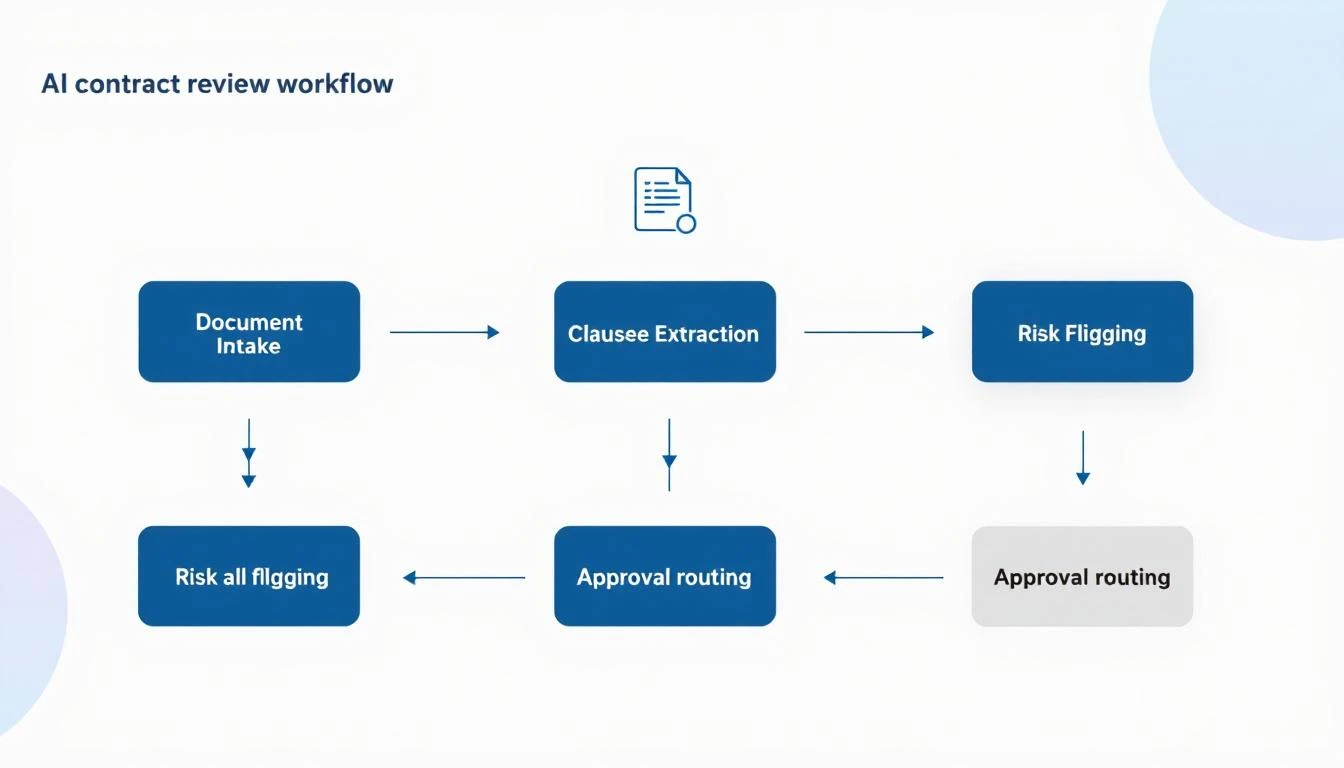
AI contract review workflow showing document intake, clause extraction, risk flagging, and approval routing

The Hidden Cost of Contract Bottlenecks​

Before we dive into the solution, let's quantify the problem:

Time Cost:

  • Average legal review time: 3-5 business days
  • Rush review requests: 48 hours minimum
  • Complex deals: 2-3 weeks with revisions

Revenue Impact:

  • 23% of deals stall during contract review (Gartner)
  • 15% of prospects go dark while waiting
  • Average deal delay costs $1,200-$5,000 in opportunity cost

Team Friction:

  • Sales blames legal for slow deals
  • Legal is overwhelmed with routine requests
  • Everyone loses visibility into where things stand

The solution isn't hiring more lawyers. It's automating the 80% that doesn't need human judgment.

How Claude Code Transforms Contract Review​

Claude Code's 200K context window means it can analyze an entire contractβ€”including all exhibits, schedules, and amendmentsβ€”in a single pass. No chunking, no lost context, no missed cross-references.

Here's what that enables:

1. Instant Risk Flagging​

Claude Code can scan any contract and flag clauses that deviate from your standard terms:

Analyze this MSA against our standard terms. Flag any clauses that:
1. Impose unlimited liability
2. Include auto-renewal provisions
3. Contain non-standard indemnification language
4. Restrict our ability to use customer logos/case studies
5. Include unusual payment terms (>Net 30)

For each flag, rate severity (Low/Medium/High/Critical) and
suggest standard language that could replace it.

Within seconds, you get a comprehensive risk assessment that would take a paralegal hours.

2. Redline Generation​

Instead of waiting for legal to mark up a contract, Claude Code can generate a redlined version with your preferred terms:

The customer sent a contract using their paper. Generate a 
redlined version that:
1. Replaces their liability cap with our standard ($1M or 12 months of fees)
2. Changes indemnification to mutual
3. Removes the audit clause or limits to once per year with 30 days notice
4. Adjusts termination for convenience to 30 days written notice
5. Adds our standard data security addendum language

Output as a tracked-changes document with comments explaining each change.

3. Plain English Summaries​

Help your sales team understand what they're sending for signature:

Summarize this contract in plain English for a non-legal audience:
1. What we're agreeing to provide
2. What the customer is agreeing to pay
3. Key obligations on both sides
4. Main risks to be aware of
5. Important dates and deadlines

Keep it to one page maximum.

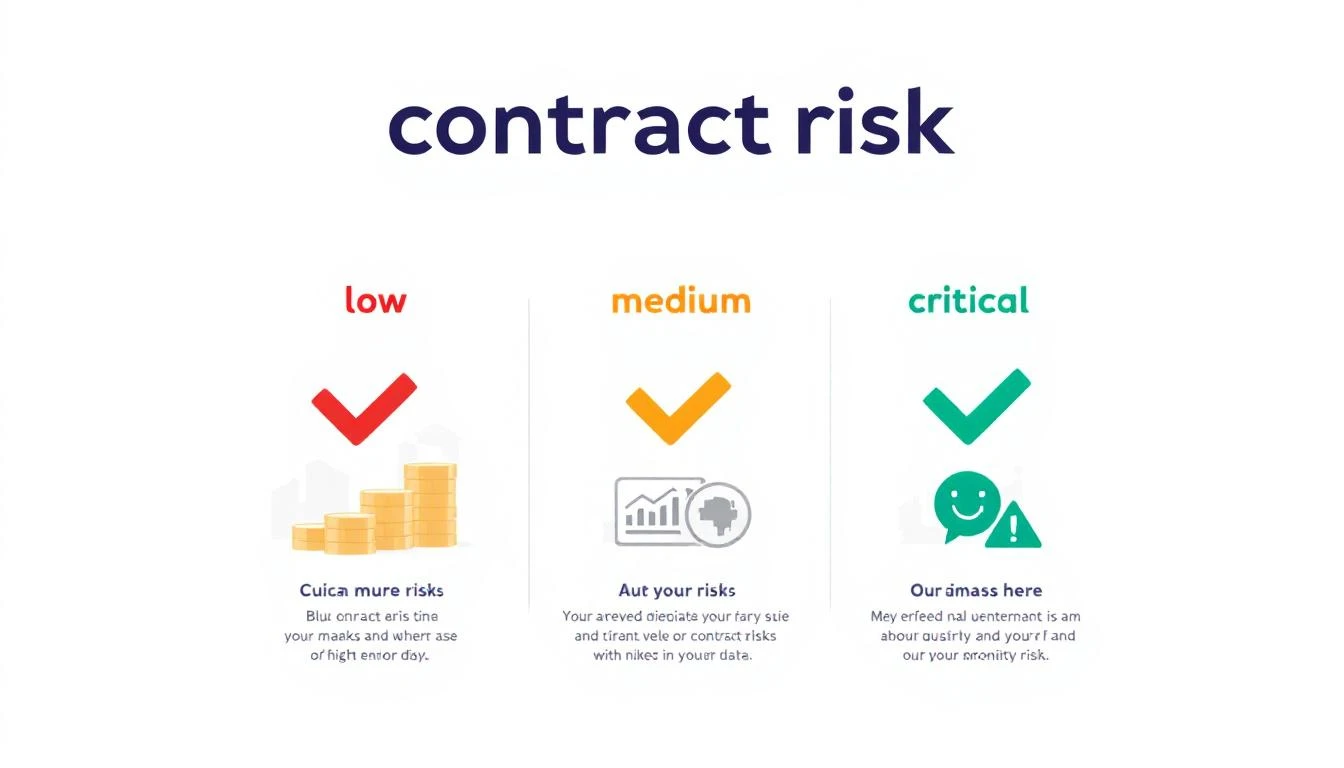
Contract risk assessment showing low, medium, high, and critical risk levels with corresponding actions

Building Your AI Contract Review Workflow​

Here's a practical implementation that any sales ops team can deploy:

Step 1: Create Your Clause Library​

Before Claude Code can flag deviations, it needs to know your standards. Build a reference document:

## Standard Contract Terms Reference

### Liability Cap
ACCEPTABLE: Liability limited to 12 months of fees paid
ACCEPTABLE: Liability limited to $1,000,000
REQUIRES REVIEW: Any unlimited liability language
REQUIRES REVIEW: Liability caps below $500,000

### Payment Terms
ACCEPTABLE: Net 30
ACCEPTABLE: Net 45 with approval
REQUIRES REVIEW: Net 60+
REQUIRES REVIEW: Payment upon completion only

### Termination
ACCEPTABLE: 30 days written notice
ACCEPTABLE: Termination for cause with 30-day cure period
REQUIRES REVIEW: No termination for convenience
REQUIRES REVIEW: Penalties for early termination

[Continue for all key clauses...]

Step 2: Build the Review Prompt​

You are a contract analyst assistant. Your job is to review 
contracts against our standard terms and flag anything that
requires human legal review.

REFERENCE TERMS:
[Paste your clause library here]

CONTRACT TO REVIEW:
[Paste customer contract]

OUTPUT FORMAT:
1. EXECUTIVE SUMMARY (2-3 sentences)
2. RISK SCORE (Green/Yellow/Red)
3. FLAGGED CLAUSES (with page/section reference)
4. RECOMMENDED CHANGES
5. QUESTIONS FOR LEGAL (if any Red flags)

Step 3: Integrate Into Your Workflow​

Option A: Manual Review

  • Rep uploads contract to Claude Code
  • Gets instant analysis
  • Decides whether to escalate to legal

Option B: Automated Triage

  • Contracts flow through a central inbox
  • Claude Code auto-analyzes each one
  • Green = auto-approve, Yellow = sales review, Red = legal review

Option C: Full Integration

  • Connect to your CLM (Ironclad, DocuSign, PandaDoc)
  • Trigger Claude Code analysis on document upload
  • Route based on risk score automatically

Real Prompts That Work​

Quick Risk Assessment​

Review this contract for deal-breaking clauses. 
I need to know in 60 seconds if this is signable
as-is or needs changes. Focus on: liability,
indemnification, auto-renewal, and payment terms.

Competitive Analysis​

Compare this customer's proposed terms to industry 
standard SaaS agreements. Are they asking for
anything unusual? What leverage do we have to
push back?

Negotiation Prep​

The customer rejected our standard liability cap 
and wants unlimited liability. Generate 3
alternative positions we could offer, ranked
from most to least favorable to us, with talking
points for each.

Post-Signature Obligation Tracking​

Extract all obligations, deadlines, and milestones 
from this signed contract. Output as a checklist
with responsible party and due date for each item.

The Results You Can Expect​

Teams implementing AI-assisted contract review typically see:

MetricBeforeAfterImprovement
Average review time3-5 days4-8 hours80% faster
Legal escalation rate100%20-30%70% reduction
Deals stalled in legal23%8%65% improvement
Contract errors caught60%95%35% more

The key insight: you're not replacing legal. You're letting them focus on the 20% of contracts that actually need their expertise.

Common Objections (And How to Handle Them)​

"Legal will never approve this." Start with low-risk contracts (renewals, standard deals). Prove the accuracy before expanding scope. Position it as "triage," not "replacement."

"What about confidentiality?" Claude Code processes data in-session without training on your inputs. Use enterprise agreements with appropriate data handling terms.

"Our contracts are too complex." The 200K context window handles even the most complex agreements. Start with the standard sections and expand.

"What if it misses something?" Build a human review step for flagged items. The AI catches the obvious issues; humans verify the edge cases.

Getting Started Today​

  1. Audit your current process - How long do contracts actually take? Where are the bottlenecks?

  2. Build your clause library - Document your standard terms and acceptable variations

  3. Test on historical deals - Run Claude Code on 10 signed contracts and compare to what legal actually flagged

  4. Start with renewals - Low-risk, high-volume, perfect for automation

  5. Measure and expand - Track time savings, error rates, and legal escalations

Free Tool

Try our AI Lead Generator β€” find verified LinkedIn leads for any company instantly. No signup required.

The Competitive Advantage​

While your competitors are waiting for legal to review their fifteenth standard MSA of the week, you're sending signed contracts back the same day.

That's not just efficiencyβ€”it's a competitive moat.

The deals you close faster are deals your competitors never get a chance to compete for.


Ready to eliminate your contract bottleneck? Book a demo to see how MarketBetter helps sales teams accelerate every stage of the deal cycle.

Related reading:

AI Objection Handling: Build a Real-Time Battle Script Generator [2026]

Β· 11 min read
MarketBetter Team
Content Team, marketbetter.ai

"We need to think about it."

Those six words have killed more deals than any competitor ever could. And most sales reps respond with some variation of "I understand, when should I follow up?"β€”essentially handing the deal to the graveyard of "we'll get back to you."

The best closers don't just handle objectionsβ€”they anticipate them, reframe them, and use them as springboards to close. The problem? That skill takes years to develop. Most reps never get there.

Real-Time Objection Handling System

What if every rep could have a top performer whispering in their ear during every call? With AI, they can. This guide shows you how to build a real-time objection handling system that generates contextual battle scripts on demandβ€”turning your entire team into elite closers.

The Objection Problem in B2B Sales​

Here's the brutal data:

  • 44% of sales reps give up after one objection
  • 92% give up after four "no's"
  • 80% of sales require five follow-ups after the initial meeting
  • Top performers are 2.5x more likely to persist through objections

Objection Response Strategy Map

The gap between average and excellent isn't effortβ€”it's skill. Specifically, the skill of knowing exactly what to say when a prospect pushes back. That skill can now be automated.

Why Generic Battle Cards Fail​

Most companies have battle cards. They sit in a Google Drive folder, forgotten after onboarding. Here's why:

Too Generic: "If they mention price, emphasize value." Thanks, that's helpful.

Too Long: Nobody's reading a 3-page response during a live call.

Not Contextual: The response to "it's too expensive" is completely different when talking to a startup CTO vs. an enterprise procurement team.

Static: Written once, never updated with what actually works.

The solution isn't better battle cardsβ€”it's dynamic battle scripts generated for each specific situation.

The Architecture of AI Objection Handling​

Here's how a modern objection handling system works:

1. Real-Time Transcription​

Capture what the prospect says as they say it.

2. Objection Detection​

AI identifies when an objection is raised and categorizes it.

3. Context Enrichment​

Pull in deal history, prospect info, and what's worked before.

4. Script Generation​

Generate a tailored response for this specific situation.

5. Delivery​

Surface the script to the rep via screen overlay, Slack, or voice whisper.

AI Copilot for Sales Calls

Building the System with Claude Code + OpenClaw​

Step 1: Objection Detection​

First, build the detection layer that identifies objections in real-time:

const OBJECTION_CATEGORIES = [
{ id: 'price', patterns: ['too expensive', 'budget', 'cost', 'cheaper', 'price'], severity: 'high' },
{ id: 'timing', patterns: ['not right now', 'next quarter', 'not ready', 'too soon'], severity: 'medium' },
{ id: 'competition', patterns: ['looking at', 'comparing', 'competitor', 'other options'], severity: 'high' },
{ id: 'authority', patterns: ['need to talk to', 'not my decision', 'get approval', 'run it by'], severity: 'medium' },
{ id: 'trust', patterns: ['never heard of', 'new company', 'references', 'case studies'], severity: 'low' },
{ id: 'status_quo', patterns: ['we\'re fine', 'not broken', 'current solution works', 'happy with'], severity: 'high' },
{ id: 'urgency', patterns: ['think about it', 'get back to you', 'need time', 'not urgent'], severity: 'critical' }
];

async function detectObjection(transcript) {
// First pass: pattern matching for speed
for (const category of OBJECTION_CATEGORIES) {
const pattern = new RegExp(category.patterns.join('|'), 'i');
if (pattern.test(transcript.latestUtterance)) {
return { detected: true, category: category.id, severity: category.severity };
}
}

// Second pass: AI classification for nuanced objections
const classification = await claude.messages.create({
model: 'claude-3-5-sonnet-20241022',
max_tokens: 200,
messages: [{
role: 'user',
content: `Is this an objection? If so, classify it:

"${transcript.latestUtterance}"

Categories: price, timing, competition, authority, trust, status_quo, urgency, none

Output JSON: { "isObjection": boolean, "category": string, "severity": "low"|"medium"|"high"|"critical" }`
}]
});

return JSON.parse(classification.content[0].text);
}

Step 2: Context Gathering​

When an objection is detected, gather all relevant context:

async function gatherObjectionContext(dealId, objection) {
// Get deal and contact info
const deal = await crm.getDeal(dealId);
const contact = await crm.getContact(deal.primaryContactId);
const company = await crm.getCompany(deal.companyId);

// Get conversation history
const previousCalls = await crm.getCallNotes(dealId);
const emails = await crm.getEmails(dealId);

// Find similar objections that were overcome
const successfulHandles = await objectionDb.find({
category: objection.category,
industry: company.industry,
outcome: 'overcome'
});

// Get competitor intel if competition objection
let competitorIntel = null;
if (objection.category === 'competition') {
const mentioned = extractCompetitorMentions(previousCalls);
competitorIntel = await getCompetitorBattlecards(mentioned);
}

return {
deal,
contact,
company,
conversationHistory: [...previousCalls, ...emails],
successfulHandles,
competitorIntel,
currentCallTranscript: objection.transcript
};
}

Step 3: Dynamic Script Generation​

Now, generate a response tailored to this exact situation:

async function generateObjectionResponse(objection, context) {
const systemPrompt = `You are a world-class sales coach generating
real-time objection handling scripts. Your responses:

1. ACKNOWLEDGE the concern (don't dismiss or argue)
2. CLARIFY to understand the real issue
3. RESPOND with context-specific evidence
4. ADVANCE toward next steps

Guidelines:
- Keep total response under 30 seconds of speaking time (~75 words)
- Use the prospect's exact language when possible
- Reference specific things from their situation
- Include one concrete data point or example
- End with a question that moves forward

NEVER:
- Sound scripted or robotic
- Use generic platitudes
- Argue or get defensive
- Ignore the emotional component`;

const response = await claude.messages.create({
model: 'claude-3-5-sonnet-20241022',
max_tokens: 500,
system: systemPrompt,
messages: [{
role: 'user',
content: `Generate an objection response for this situation:

OBJECTION CATEGORY: ${objection.category}
EXACT WORDS: "${objection.exactPhrase}"

PROSPECT CONTEXT:
- Name: ${context.contact.name}
- Title: ${context.contact.title}
- Company: ${context.company.name} (${context.company.industry})
- Company Size: ${context.company.employeeCount}
- Deal Value: $${context.deal.amount}

CONVERSATION CONTEXT:
- Stage: ${context.deal.stage}
- Days in pipeline: ${context.deal.daysInPipeline}
- Previous objections overcome: ${context.conversationHistory.filter(c => c.objectionOvercome).length}

${context.competitorIntel ? `COMPETITOR MENTIONED: ${context.competitorIntel.name}
Key Differentiator: ${context.competitorIntel.primaryDifferentiator}` : ''}

SUCCESSFUL HANDLES FOR SIMILAR SITUATIONS:
${context.successfulHandles.slice(0, 2).map(h =>
`- "${h.objection}" β†’ Response: "${h.response}" β†’ Outcome: ${h.outcome}`
).join('\n')}

Generate a natural, conversational response the rep can use RIGHT NOW.`
}]
});

return {
script: response.content[0].text,
category: objection.category,
followUpQuestions: await generateFollowUps(objection, context),
resources: await findRelevantResources(objection, context)
};
}

Step 4: Delivery to the Rep​

Get the script to the rep in real-time:

// Option 1: Screen overlay
async function overlayDelivery(response, sessionId) {
await callAssistant.showOverlay(sessionId, {
type: 'objection_response',
category: response.category,
script: response.script,
followUps: response.followUpQuestions,
ttl: 60000 // Visible for 60 seconds
});
}

// Option 2: Slack whisper
async function slackDelivery(response, repId) {
await slack.sendDM(repId, {
text: `🎯 *Objection Detected: ${response.category}*\n\n${response.script}`,
attachments: [{
title: 'Follow-up Questions',
text: response.followUpQuestions.join('\nβ€’ ')
}]
});
}

// Option 3: Voice whisper (for phone calls)
async function voiceWhisper(response, callSessionId) {
// Text-to-speech through the rep's earpiece
await twilio.whisper(callSessionId, {
text: `Objection: ${response.category}. Try: ${response.script.substring(0, 100)}`,
voice: 'concise'
});
}

Objection-Specific Templates​

Here are production-tested templates for common objections:

Price Objection​

const PRICE_TEMPLATE = {
pattern: /too expensive|budget|cost|price/i,
contextQuestions: [
'What other solutions were they comparing to?',
'What\'s their current spend on this problem?',
'Who else is involved in budget decisions?'
],
responseFramework: `
ACKNOWLEDGE: "I hear youβ€”{dealSize} is a meaningful investment."

CLARIFY: "Help me understand: is it that the total cost is higher than
expected, or that you're not yet seeing how the ROI justifies it?"

RESPOND (if ROI unclear): "Companies like {similarCustomer} in \{industry\}
typically see {specificROI} within {timeframe}. For your team of
{teamSize}, that translates to roughly {calculatedSavings}."

RESPOND (if truly budget-constrained): "I appreciate the transparency.
A few options: We could start with {reducedScope} at {lowerPrice}, or
structure payments {alternativePayment}. What works better for your
planning cycles?"

ADVANCE: "What would you need to see to feel confident this pays for
itself within {paybackPeriod}?"
`
};

Status Quo Objection​

const STATUS_QUO_TEMPLATE = {
pattern: /we're fine|not broken|current solution works|happy with/i,
contextQuestions: [
'What are they currently using?',
'How long have they been using it?',
'What triggered this conversation in the first place?'
],
responseFramework: `
ACKNOWLEDGE: "It sounds like things are workingβ€”that's great.
Most of our best customers weren't in crisis mode either."

CLARIFY: "I'm curious thoughβ€”you took this meeting for a reason.
Was there something specific that made you want to explore alternatives?"

RESPOND: "The companies that wait for things to break usually find
the switch costs 3-4x more because they're doing it under pressure.
{similarCustomer} told us they wished they'd moved six months earlierβ€”
they left {specificAmount} on the table waiting."

ADVANCE: "What would 'good enough' need to become 'not good enough'
for you to prioritize this?"
`
};

"Need to Think About It" Objection​

const STALL_TEMPLATE = {
pattern: /think about it|get back to you|need time|not urgent/i,
contextQuestions: [
'What specific concerns haven\'t been addressed?',
'Who else needs to be involved?',
'What\'s their actual timeline?'
],
responseFramework: `
ACKNOWLEDGE: "Totally fairβ€”this is a meaningful decision."

CLARIFY: "When you say you need to think about it, is it more about
{option1: 'getting alignment with others'}, {option2: 'comparing to
other options'}, or {option3: 'making sure it fits the budget'}?"

RESPOND (alignment): "Who else needs to weigh in? I'd be happy to
jump on a quick call with {stakeholder} to answer their specific
questionsβ€”usually helps move things along."

RESPOND (comparison): "What specifically are you hoping the other
options offer that you haven't seen from us? I want to make sure
you have what you need to compare apples to apples."

RESPOND (budget): [See price objection framework]

ADVANCE: "I want to be respectful of your timeβ€”can we schedule a
brief check-in for {specific date} to see where things stand?
That way you have time to think, and I can answer any questions
that come up."
`
};

Learning from Outcomes​

The system gets smarter over time by tracking what works:

async function logObjectionOutcome(objectionId, outcome, repFeedback) {
await objectionDb.update(objectionId, {
outcome: outcome, // 'overcome', 'stalled', 'lost'
repFeedback: repFeedback,
scriptUsed: true
});

// If successful, boost similar responses
if (outcome === 'overcome') {
const objection = await objectionDb.get(objectionId);
await updateSuccessWeights({
category: objection.category,
industry: objection.industry,
dealSize: objection.dealSize,
response: objection.generatedScript
});
}
}

// Use success data to improve future generations
async function getWeightedExamples(category, context) {
const examples = await objectionDb.find({
category,
industry: context.company.industry,
dealSizeRange: getDealSizeRange(context.deal.amount),
outcome: 'overcome'
});

// Sort by success rate and recency
return examples
.sort((a, b) => b.successScore - a.successScore)
.slice(0, 5);
}

Real-World Example: Handling a Competitive Objection​

Situation:

  • Prospect: VP of Sales at a 200-person fintech
  • Objection: "We're also looking at ZoomInfo and Apollo."
  • Deal Stage: Evaluation
  • Deal Size: $48,000/year

Context Gathered:

  • They've been in ZoomInfo trial for 2 weeks
  • Discovery call mentioned "data quality" as key concern
  • Industry benchmark: 30% of fintech companies cite ZoomInfo data decay issues

Generated Response:

"That makes senseβ€”ZoomInfo and Apollo are solid options. I'm curious: after two weeks with ZoomInfo, how are you finding the data quality, especially for your fintech prospects? I ask because about 30% of fintech companies we talk to say that's where they hit frictionβ€”the databases update quarterly, but your prospects change roles faster than that in fintech. What's been your experience?"

Why it works:

  • Doesn't bash competitors
  • Acknowledges they're legitimate options
  • Surfaces a known pain point for their industry
  • Uses a question to let THEM discover the limitation
  • Based on actual industry data, not generic claims

Integration with Gong/Chorus​

For teams already using conversation intelligence:

// Gong webhook for real-time transcription
app.post('/webhooks/gong/transcript', async (req, res) => {
const { callId, transcript, speakerSegments } = req.body;

// Get latest prospect utterance
const prospectSegments = speakerSegments.filter(s => s.speaker === 'prospect');
const latestUtterance = prospectSegments[prospectSegments.length - 1];

// Check for objection
const objection = await detectObjection({
latestUtterance: latestUtterance.text,
fullTranscript: transcript
});

if (objection.detected) {
const dealId = await crm.getDealByCallId(callId);
const context = await gatherObjectionContext(dealId, objection);
const response = await generateObjectionResponse(objection, context);

// Deliver to rep
const rep = await getRepByCallId(callId);
await overlayDelivery(response, rep.sessionId);
}

res.sendStatus(200);
});

Measuring Impact​

Track these metrics to prove ROI:

MetricBefore AIAfter AIImprovement
Objection-to-advance rate32%54%+69%
Average attempts before giving up2.14.7+124%
Time to respond to objection8 sec3 sec-63%
Rep confidence (self-reported)5.2/107.8/10+50%
Deal win rate22%28%+27%

The compounding effect: If better objection handling increases your win rate by 6 points, and you're running 100 deals/month at $40K ACV, that's an additional $2.4M in ARR annually.

Getting Started with MarketBetter​

Building real-time objection handling is powerful, but it requires integration across transcription, CRM, and delivery systems. MarketBetter provides the complete solution:

  • Real-time objection detection β€” Identifies objections as they happen
  • Context-aware scripts β€” Pulls from deal history, competitor intel, and proven responses
  • Multi-channel delivery β€” Screen overlay, Slack, or voice whisper
  • Learning loop β€” Gets smarter with every call, tracking what actually works

Combined with AI lead research, automated follow-ups, and pipeline monitoring, it creates a system where your reps always know exactly what to say.

Book a Demo β†’

Free Tool

Try our AI Lead Generator β€” find verified LinkedIn leads for any company instantly. No signup required.

Key Takeaways​

  1. Objections kill deals, but only when mishandled β€” Top performers are 2.5x more likely to persist
  2. Generic battle cards don't work β€” Context-specific, real-time responses do
  3. AI enables dynamic generation β€” Claude + Codex can generate scripts in seconds
  4. Delivery matters β€” Get the response to the rep before the moment passes
  5. The system learns β€” Track outcomes to improve over time

Every objection is actually a buying signal in disguise. The prospect cares enough to push back. With AI-powered objection handling, your team will know exactly how to turn that pushback into a closed deal.

Claude vs ChatGPT for Sales Teams: Which AI Wins in 2026?

Β· 7 min read
sunder
Founder, marketbetter.ai

Your SDRs spend just 35% of their time actually selling. The rest? Research, data entry, writing emails, prepping for calls. Both Claude and ChatGPT promise to automate this busyworkβ€”but they take different approaches.

After running both AIs on real sales workflows at MarketBetter (and building an AI SDR with OpenClaw), here's what we learned about when to use each.

GPT-5.3-Codex: What GTM Teams Need to Know [2026]

Β· 8 min read
MarketBetter Team
Content Team, marketbetter.ai

OpenAI dropped GPT-5.3-Codex on February 5, 2026. Three days later, the GTM world is still figuring out what it means.

Here's the short version: This is the most capable AI coding agent ever released, and it's going to change how sales and marketing teams build automation.

GPT-5.3 Codex Overview

If you're a VP of Sales, SDR Manager, or RevOps leader wondering whether this matters to youβ€”it absolutely does. Not because you need to become a developer, but because the barrier to building custom sales tools just dropped to near-zero.

Let me explain.

What Is GPT-5.3-Codex?​

GPT-5.3-Codex is OpenAI's cloud-based AI agent designed specifically for software engineering tasks. Think of it as having a senior developer on call 24/7 who can:

  • Write complete applications from scratch
  • Refactor existing code
  • Build integrations between your tools
  • Create custom automations

But here's what makes 5.3 different from previous versions:

Mid-Turn Steering​

This is the killer feature. Previous AI coding tools worked like this: you give a prompt, wait for the output, then correct mistakes and try again.

With mid-turn steering, you can redirect the agent while it's working. See it going down the wrong path? Tell it to change direction. Want to add a requirement halfway through? Just say so.

For GTM teams, this means:

  • You can describe what you want in plain English
  • Watch as the agent builds it
  • Course-correct in real-time
  • Get exactly what you need, faster

25% Faster Than GPT-5.2-Codex​

Speed matters when you're iterating on sales tools. The new model generates code significantly faster, which means:

  • Quicker prototypes of new automation ideas
  • Faster debugging when something breaks
  • More experiments per sprint

Multi-File Projects​

Codex can now handle complex, multi-file projects natively. This means it can build real applicationsβ€”not just scriptsβ€”including:

  • Full CRM integrations
  • Multi-step email sequences
  • Dashboard applications
  • API connectors

Why This Matters for GTM Teams​

GTM Workflow with AI

Here's the uncomfortable truth about sales technology in 2026: The best tools are the ones you build yourself.

Generic AI SDR platforms cost $35,000-50,000 per year. They're built for the average use case, which means they're perfect for nobody.

Meanwhile, the teams winning right now are:

  1. Identifying their specific bottlenecks
  2. Building custom automations to solve them
  3. Iterating weekly based on results

GPT-5.3-Codex makes this accessible to teams without dedicated developers.

Real Example: Custom Lead Research Agent​

Let's say your SDRs spend 20 minutes researching each prospect before outreach. You could:

Option A: Pay for a generic "AI research" tool ($15-25K/year) Option B: Build exactly what you need with Codex

Here's what Option B looks like:

"Build me a lead research agent that:
1. Takes a company name and prospect name as input
2. Finds their recent LinkedIn posts (last 30 days)
3. Checks if they've raised funding recently
4. Identifies any job changes in their department
5. Outputs a 3-sentence research summary I can paste into my email"

With GPT-5.3-Codex, you can build this in an afternoon. Total cost: Your time + ~$20/month in API calls.

Real Example: Pipeline Alert System​

Your VP of Sales wants to know immediately when:

  • A deal over $50K stalls for more than 7 days
  • An enterprise prospect opens a proposal 3+ times
  • A competitor is mentioned in meeting notes

Building this with traditional development: 2-4 weeks and $5-10K

Building this with Codex + OpenClaw: A weekend

"Create a HubSpot integration that monitors our pipeline and sends
Slack alerts when:
1. Any deal over $50K hasn't had activity in 7+ days
2. Proposal tracking shows 3+ opens
3. Meeting notes (from Gong or Fireflies) mention competitor names

Run this check every 4 hours."

The OpenClaw Advantage​

Here's where it gets interesting. Codex is powerful, but it's a toolβ€”it doesn't run 24/7 on its own.

OpenClaw is an open-source gateway that lets you:

  • Deploy AI agents that run continuously
  • Connect to your messaging platforms (Slack, WhatsApp, Telegram)
  • Schedule cron jobs for recurring tasks
  • Give agents memory across sessions
  • Access browser automation for web tasks

The combination of Codex + OpenClaw = DIY AI SDR infrastructure.

Build the automations with Codex. Deploy them on OpenClaw. Run them 24/7 for free (you're self-hosting).

Comparison: GPT-5.3 vs Previous

Getting Started: A Practical Roadmap​

Week 1: Install and Experiment​

  1. Install the Codex CLI:
npm install -g @openai/codex
  1. Start with a simple projectβ€”maybe a script that enriches a CSV of leads with company data.

  2. Practice mid-turn steering. Give vague instructions, then refine as you watch it work.

Week 2: Build Your First Sales Tool​

Pick your biggest time-waster. Common candidates:

  • Manual CRM updates
  • Lead research
  • Follow-up scheduling
  • Meeting prep

Build a tool that automates 50% of it. Don't aim for perfectionβ€”aim for "better than manual."

Week 3: Deploy with OpenClaw​

Set up OpenClaw on a $5/month VPS (DigitalOcean, Vultr, etc.). Deploy your automation. Connect it to Slack so you can interact with it.

Week 4: Iterate Based on Results​

Your first version will be wrong. That's fine. The advantage of building your own tools is that you can change them weekly.

What Codex Can and Can't Do​

Codex Excels At:​

  • Building integrations between SaaS tools
  • Creating data processing pipelines
  • Writing API connectors
  • Automating repetitive code tasks
  • Generating boilerplate for common patterns

Codex Struggles With:​

  • Tasks requiring deep domain expertise
  • Anything that needs real-time human judgment
  • Complex UI design (it can build functional UIs, not beautiful ones)
  • Tasks that require browsing the live web (use OpenClaw's browser tools for this)

Combine With Claude for Best Results​

For GTM automation specifically, Claude Code tends to be better at:

  • Writing persuasive copy
  • Analyzing unstructured data (emails, call transcripts)
  • Making judgment calls about prospect intent

The winning stack for most teams:

  • Codex: Build the infrastructure
  • Claude: Handle the nuanced tasks
  • OpenClaw: Orchestrate everything

Cost Comparison: Build vs. Buy​

SolutionAnnual CostCustomizationTime to Value
Enterprise AI SDR Platform$35-50KLimited2-4 weeks
Mid-Market AI SDR Tool$12-25KSome1-2 weeks
Codex + OpenClaw (DIY)~$500*Unlimited2-4 weeks

*Assuming $20-40/month in API costs + minimal hosting

The catch: DIY requires someone on your team who's comfortable with technical projects. But you don't need a developerβ€”you need someone curious enough to experiment.

The Build vs. Buy Decision​

Build your own when:

  • Your workflow is unique
  • You need rapid iteration
  • Budget is constrained
  • You have someone technical-adjacent on the team

Buy off-the-shelf when:

  • You need enterprise support/SLAs
  • Nobody on the team wants to maintain tools
  • Your use case is generic
  • Speed-to-value is critical

For most SMB and mid-market GTM teams in 2026, the math now favors building.

What This Means for the AI SDR Market​

GPT-5.3-Codex is going to put pressure on every AI sales tool that isn't providing genuine differentiation.

If your value proposition is "we connect to your CRM and do basic automation"β€”teams can now build that themselves in a weekend.

The winners will be tools that provide:

  • Proprietary data (intent signals, company graphs)
  • Deep workflow expertise (not just tools, but playbooks)
  • Outcomes, not features

At MarketBetter, we've always believed in the "build your own" approach for teams that can handle it. That's why we focus on providing the intelligence layerβ€”visitor identification, buying signals, and playbooksβ€”rather than trying to own your entire workflow.

Free Tool

Try our AI Lead Generator β€” find verified LinkedIn leads for any company instantly. No signup required.

Getting Started Today​

  1. Try Codex: Even if you're not technical, spend an hour with it. Ask it to build something simple for your sales process.

  2. Audit Your Workflow: Where do your SDRs lose time? Make a list of the 5 most repetitive tasks.

  3. Pick One to Automate: Start small. One successful automation builds confidence for the next.

  4. Consider OpenClaw: If you want your automations to run 24/7, OpenClaw is the easiest path.


The release of GPT-5.3-Codex isn't just a technical milestone. It's a shift in what's possible for GTM teams without dedicated engineering resources.

The question isn't whether AI will change how you sell. The question is whether you'll build your own advantageβ€”or rent someone else's.

Ready to see how MarketBetter's intelligence layer works with your custom automations? Book a demo β†’