Automate Event & Webinar Lead Follow-Up with OpenClaw [2026]

· 7 min read

You ran a webinar. 500 people registered. 200 attended. Now comes the hard part: following up with every single lead before they forget who you are.

Most teams send a generic "Thanks for attending" email and call it a day. The leads go cold. The webinar ROI tanks.

Here's how to build an automated follow-up system with OpenClaw that scores attendees, sends personalized sequences, and books meetings on autopilot.

Webinar lead follow-up automation

Why Webinar Follow-Up Fails

The math is brutal:

  • Within 24 hours: Lead interest drops 50%
  • Within 48 hours: Lead interest drops 80%
  • After 72 hours: You're basically cold calling again

Most teams don't even start follow-up until 48 hours post-event. By then, attendees have forgotten the content and moved on.

The solution isn't "follow up faster." The solution is "follow up instantly and intelligently."

The OpenClaw Event Follow-Up Architecture

OpenClaw runs 24/7, which makes it perfect for event automation. Here's the system:

Component 1: Attendee Scoring Agent

Not all attendees are equal. Before sending any follow-up, score each lead:

Scoring Criteria:

SignalPoints
Attended live (vs. replay)+20
Stayed >75% of session+15
Asked a question+25
Clicked poll/CTA during webinar+15
Visited pricing page after+30
Downloaded resources+10
Already in CRM as lead/opportunity+20
ICP company size+10-25
ICP industry+10-25

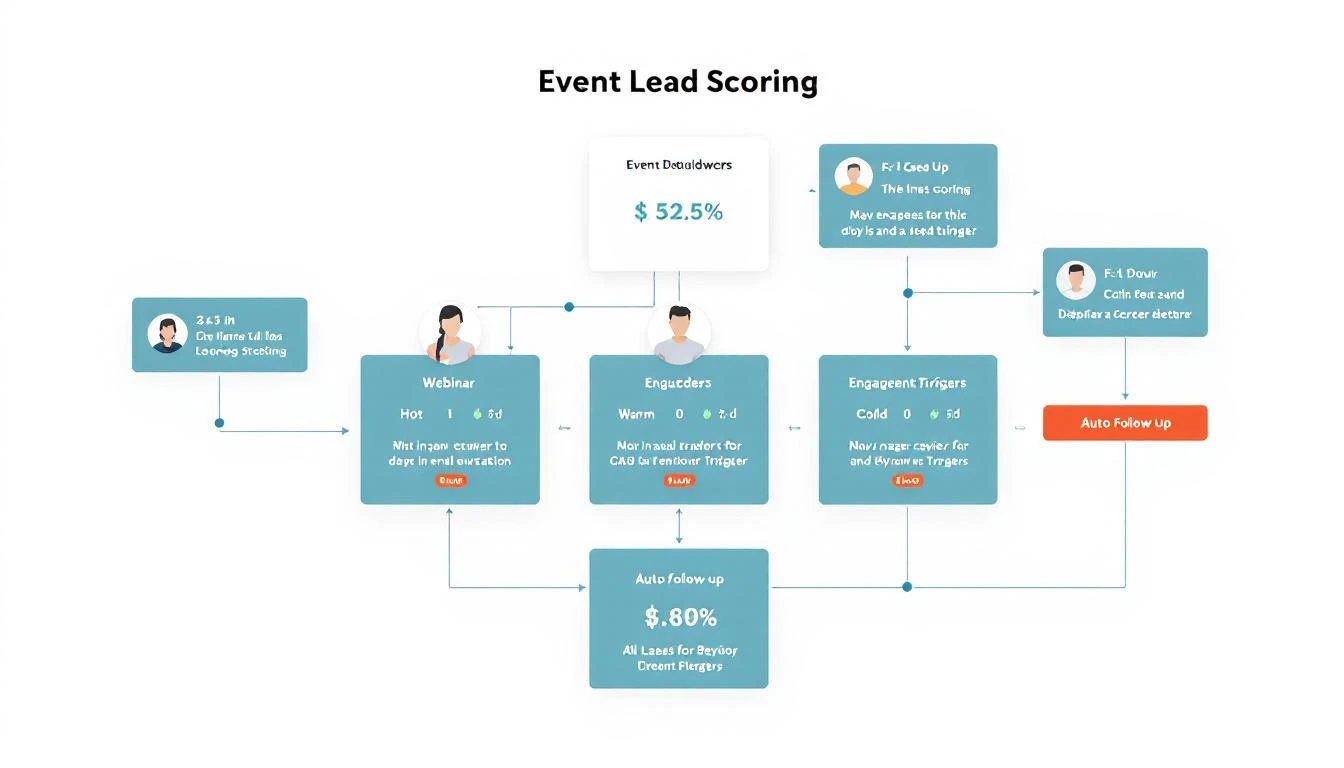
Score Tiers:

  • Hot (80+): Immediate SDR outreach + personalized email
  • Warm (50-79): Automated nurture sequence with meeting CTA
  • Cool (20-49): Content nurture, resurface for next event
  • Cold (<20): Newsletter only

Component 2: The Follow-Up Sequences

Hot Lead Sequence (OpenClaw executes automatically):

T+0 (immediately post-webinar):
- Email: "Thanks for your question about [specific topic]"
- Slack alert to assigned SDR
- Calendar hold suggestion for rep

T+4 hours:
- If no rep action: Send meeting link email
- Include relevant case study based on their industry

T+24 hours:
- LinkedIn connection request with personalized note
- Reference their company and webinar topic

T+48 hours:
- If no meeting booked: Rep phone call task
- Email: "Did our [topic] discussion answer your questions?"

Warm Lead Sequence:

T+0:
- Email: "Here's the [webinar] recording and key takeaways"
- Include personalized insight based on their role

T+24 hours:
- Email: Related blog post or case study
- Soft meeting CTA

T+72 hours:
- Email: "3 things you might have missed" with timestamps
- Direct meeting link CTA

T+7 days:
- Email: "Other [persona] found this valuable"
- Social proof + meeting CTA

Event lead scoring workflow

Component 3: OpenClaw Configuration

Here's how to set this up in OpenClaw:

# openclaw.yaml
agents:
event-followup:
model: claude-sonnet-4-20250514
schedule:
- cron: "*/15 * * * *" # Check every 15 minutes

context:
- path: /context/webinar-templates.md
- path: /context/scoring-rules.md
- path: /context/company-voice.md

integrations:
- hubspot:
lists:
- webinar-attendees-feb-2026
actions:
- create_contact
- send_email
- create_task

- slack:
channel: "#sales-alerts"
alerts: true

- calendar:
check_availability: true
suggest_times: true

memory:
- attendee-interactions.md
- sequence-progress.md

The agent checks for new webinar registrations and attendees every 15 minutes, scores them, and initiates the appropriate sequence.

Component 4: Personalization Engine

Generic follow-ups get ignored. OpenClaw personalizes each touchpoint:

For the "Thanks for your question" email:

  1. Pull the attendee's actual question from webinar Q&A
  2. Reference their company's situation (from enrichment data)
  3. Connect their question to a relevant feature or case study
  4. Include a specific insight they might have missed

For the case study selection:

  1. Match attendee's industry to available case studies
  2. Match their company size tier
  3. Match their likely pain point (inferred from webinar topic + questions)

For the LinkedIn connection:

  1. Reference a specific moment from the webinar
  2. Mention something from their LinkedIn profile
  3. Keep it casual, not salesy

Real Example: SaaS Company's Results

A B2B SaaS client implemented this system for their monthly product webinars:

Before (manual follow-up):

  • Follow-up start: 48-72 hours post-event
  • Emails sent: Generic blast to all attendees
  • Meetings booked: 3-5 per webinar
  • Pipeline generated: $15K-25K

After (OpenClaw automation):

  • Follow-up start: Immediately (within minutes)
  • Emails sent: Personalized based on engagement and ICP fit
  • Meetings booked: 18-22 per webinar
  • Pipeline generated: $85K-120K

The 4x increase in meetings came from three factors:

  1. Speed (reaching leads while interest is hot)
  2. Relevance (personalized content based on engagement)
  3. Persistence (automated multi-touch sequence that humans would abandon)

Handling No-Shows

200 people attended, but 300 registered and didn't show. Don't ignore them:

No-Show Sequence:

T+1 hour post-event:
- Email: "We missed you! Here's the recording"
- Include a 2-minute highlight reel

T+24 hours:
- Email: "The one thing everyone asked about" (teaser)
- CTA to watch a specific segment

T+3 days:
- If watched: Move to warm sequence
- If not watched: One more email with different angle

T+7 days:
- Add to general nurture
- Invite to next relevant event

No-shows registered for a reason. Some had conflicts, some forgot, some lost interest. The recording follow-up recaptures many of them.

Integration with Event Platforms

OpenClaw connects to your webinar platform via webhooks or API polling:

Zoom Webinar:

  • Webhook for attendee join/leave events
  • API for Q&A and poll responses
  • Attendee duration tracking

Webex Events:

  • Similar webhook structure
  • Engagement scoring from platform

ON24:

  • Rich engagement data via API
  • Content consumption tracking

Custom Events (in-person with badge scans):

  • Import badge scan data via CSV or API
  • Session attendance tracking
  • Booth visit recording

Advanced: Multi-Event Attribution

When someone attends multiple webinars, your follow-up should reflect that:

IF attendee.event_count > 1:
- Reference their attendance history
- "You've been exploring [topic area] with us..."
- Escalate to warmer sequence regardless of engagement score
- Suggest a consolidated conversation about their interests

OpenClaw's memory system tracks all interactions across events, so you never send "Thanks for attending your first webinar" to someone who's been to five.

Getting Started

Here's your implementation timeline:

Week 1:

  • Set up OpenClaw with your webinar platform integration
  • Create scoring criteria based on your ICP
  • Draft email templates for each tier

Week 2:

  • Build and test sequences in staging
  • Connect to CRM for contact creation and tasks
  • Set up Slack alerts for hot leads

Week 3:

  • Run with your next webinar
  • Monitor and adjust scoring thresholds
  • Refine personalization based on response rates

Week 4+:

  • Optimize sequences based on conversion data
  • Add more personalization variables
  • Expand to handle in-person events
Free Tool

Try our Conference Scraper — scrape exhibitor lists from any conference website in seconds. No signup required.

The Easier Path

OpenClaw is powerful, but there's a learning curve. If you want event follow-up automation without the setup, MarketBetter includes it out of the box.

Connect your webinar platform, set your scoring criteria, and our AI handles the rest. Personalized sequences that adapt based on engagement. Automatic meeting booking for hot leads. Complete visibility into what's working.

Running events but struggling with follow-up? Book a demo and we'll show you how to turn your next webinar into pipeline.


Related reading:

Your Actionable Sales enablement strategy Playbook

· 26 min read

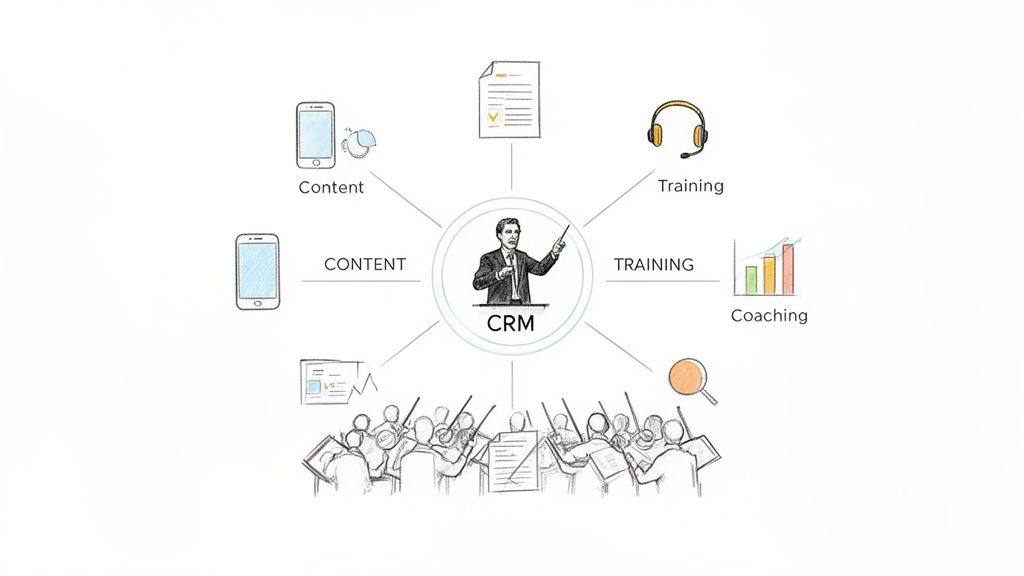
Let's be honest, a sales enablement strategy isn't some abstract business school concept. It's the playbook that stops your sales team from running in circles and starts them closing deals. Think of it as the difference between a garage band making a racket and a symphony orchestra creating something powerful. Without a conductor—your strategy—you just have a lot of talented people playing their own tune, making noise instead of revenue.

A strategy without actionable steps is just a wish. A sales team without a clear strategy is just a group of individuals making calls. This guide will give you both: a clear strategy and the actionable steps to implement it.

Why You Can't Afford to Ignore Sales Enablement Anymore

A diagram illustrating a central CRM system orchestrating content, training, coaching, and a sales team.

Cutting through the jargon, a sales enablement strategy is all about systematically removing friction from the sales process. It attacks the biggest problem on most sales floors: your reps are drowning in busywork and spending way too little time actually selling.

Let’s compare the two realities:

  • Without a Strategy: "Sales support" is chaotic. Marketing creates content that sales never uses. A great training session is forgotten by next week. Expensive new tools gather digital dust. The team runs on gut feelings, leading to inconsistent results and frustrated reps.
  • With a Strategy: The entire process is proactive and predictable. The right asset is delivered to the right rep at the right time. Training sticks because it’s reinforced. Tools are adopted because they eliminate work, not create it. The team operates as a cohesive, revenue-generating machine.

A well-executed sales enablement strategy transforms this reactive chaos into a proactive, predictable sales machine. It’s not just about giving reps more stuff; it’s about delivering the right asset, at the right time, in the right context to move a deal forward.

From Disconnected Tools to an Integrated Engine

Picture a typical sales development representative (SDR). They're juggling a CRM, a separate dialer, a messy folder of outdated PDFs, and their email client. This chaos forces them to toggle between a dozen tabs and manually log every single activity, burning through precious selling time.

It's a bigger problem than you think. In today's B2B world, reps spend just 30% of their time selling. The rest is lost to admin tasks, internal meetings, and wrestling with their CRM. But there's good news: companies with formal enablement programs see 49% higher win rates on forecasted deals because they reclaim that lost time. You can dig into more sales enablement statistics and their impact on team performance to see the full picture.

A modern sales enablement strategy tackles this mess head-on by integrating tools and processes right where reps work. Instead of a clunky, standalone dialer, imagine a click-to-call button inside the CRM that automatically logs every conversation. Instead of reps digging through folders for a case study, picture the perfect one being suggested based on the deal stage and prospect's industry.

This is where a CRM-native execution engine changes the game. It embeds productivity directly into the daily workflow by connecting three critical areas:

  • Signals: Spotting buyer intent from things like website visits or content downloads.
  • Tasks: Turning those signals into a prioritized to-do list for each rep.
  • Execution: Giving them the tools—like an integrated dialer or AI-assisted email writer—to complete those tasks efficiently, all without leaving the CRM.

By tying these pieces together, a strong enablement strategy does more than just support your sales team. It becomes the central nervous system that guides every action, ensuring reps spend their days building pipeline, not fighting their tech stack.

Core Pillars Of A Modern Sales Enablement Strategy

PillarCore PurposeKey Activities & Tools
Content EnablementTo arm reps with the right marketing and sales assets at the perfect moment in the buyer's journey.- Content Management Systems (CMS): Highspot, Seismic
- Activities: Creating battle cards, case studies, one-pagers, ROI calculators, and organizing them for easy access.
Sales TrainingTo build foundational knowledge and skills, from product expertise to mastering the sales methodology.- Learning Management Systems (LMS): Lessonly, Brainshark
- Activities: Onboarding programs, product training, certification courses, and competitive intelligence sessions.
Sales CoachingTo provide personalized, real-time feedback that reinforces training and improves rep performance on live deals.- Conversation Intelligence: Gong, Chorus.ai
- Activities: Call shadowing, deal reviews, role-playing, and one-on-one coaching based on call recordings.
Tools & TechnologyTo automate administrative tasks and streamline workflows, freeing up reps to focus on selling.- CRM-Native Execution Engines: marketbetter.ai
- Activities: Implementing dialers, email automation, lead routing, and reporting dashboards directly within the CRM.

Ultimately, these four pillars aren't separate functions; they're interconnected parts of a single engine designed to make your entire sales organization more effective and predictable.

The Four Pillars Of A Powerful Enablement Program

A killer sales enablement strategy doesn’t just happen. It's built on four pillars that have to work together, feeding off each other to create a high-performance sales engine. When these pillars are solid, your team is set up to win. When they're wobbly or disconnected, all you get is friction, wasted time, and missed quotas.

Enough with the theory. Let's look at what actually makes each pillar work by comparing the broken, old-school approach with a modern, actionable one.

Pillar 1: Content

First up is Content. At its core, this is all about giving your reps the right thing to say at exactly the right moment.

The old way is a dumpster fire of decentralized folders. Picture a shared drive choked with outdated PDFs, slide decks with names like Final_Deck_v9_USE_THIS_ONE, and case studies from three years ago. Reps burn more time hunting for a decent asset than they do talking to prospects. Eventually, they just give up and create their own rogue materials.

A modern content strategy is the polar opposite. It’s a living, breathing, central hub where every single asset is current, on-brand, and dead simple to find.

Ineffective Content ApproachEffective Content Strategy
Decentralized & Chaotic: Assets are lost in shared drives, ancient email threads, and local desktops.Centralized & Organized: A single source of truth, usually a content management system (CMS), where reps know to go.
Static & Outdated: Content gathers dust, leaving reps to share wrong pricing or obsolete product features.Dynamic & Contextual: Assets are updated in real-time and even suggested to reps based on deal stage or a competitor's name.
Generic & Irrelevant: One-size-fits-all materials that land with a thud because they don't speak to specific buyers.Personalized & Timely: Battle cards, ROI calculators, and industry-specific case studies are available instantly.

Actionable Tip: Don't just build a content library; build a playbook. For each stage of your sales process, define the one key asset reps need to move the deal forward. Make that the priority.

Pillar 2: Training

Next is Training, which is how you build and lock in the skills your team needs to actually close deals.

Bad training is all about one-off events. The classic example is the annual sales kickoff—a high-energy workshop packed with information that everyone forgets within two weeks. Without reinforcement, the knowledge just evaporates, and reps slide right back into their old habits.

A winning training program, on the other hand, builds a culture of continuous learning.

The goal of training isn't just to dump information on people; it's to change their behavior. The best training is reinforced daily, right inside the tools reps already use, connecting the dots between theory and the live deals they're working on.

Instead of one huge event, think of an ongoing drip of micro-learnings. A new rep gets short, video-based lessons on handling objections delivered to their inbox weekly, maybe with a quick quiz. This approach makes learning stick because it's bite-sized and directly tied to the challenges they're facing right now. For more on this, you can dig into various sales enablement best practices that champion this continuous approach.

Actionable Tip: Implement a "certification" program for core skills like your elevator pitch or a key objection response. Have reps record themselves, submit it, and get direct feedback from a manager. This turns passive learning into active practice.

Pillar 3: Coaching

While training builds the foundation, Coaching is what sharpens the skills. This pillar is all about personalized, one-on-one guidance that actually moves the needle on performance.

Poor coaching is vague and runs on gut feelings. A manager listens to one call and offers useless advice like, "You need more confidence," or "Just build more rapport." That kind of feedback is impossible to act on and almost never leads to improvement.

Data-driven coaching delivers specific, actionable insights. Using a tool like Gong or Chorus to analyze call recordings, a manager can pinpoint the exact moment a deal started to go south.

  • Vague Feedback: "You lost control of the call during the pricing part."
  • Data-Driven Coaching: "I noticed you did 90% of the talking after the prospect mentioned price. Next time, let's try asking an open-ended question right there to figure out their budget concerns before you present our numbers."

Actionable Tip: Dedicate a specific part of your weekly 1:1s to reviewing one call recording. Don't just talk about deals; listen to them. This makes coaching a consistent, expected part of the rhythm of the business.

Pillar 4: Technology

Finally, the Technology pillar holds everything else up. This is the infrastructure that automates the grunt work and connects workflows so your reps can spend their time, you know, selling.

A fragmented tech stack is the enemy of productivity. When reps have to bounce between their CRM, a separate dialer, an email tool, and a content portal, they waste a ton of time on context switching and manual data entry. Adoption tanks because the tools create more work than they save.

An integrated tech stack kills that friction. The most powerful setup is a CRM-native execution engine. Instead of bolting on yet another standalone tool, it embeds key functions—like a dialer or an AI email writer—directly within the CRM. When a rep needs to make a call, they click a button right on the contact record in Salesforce. The call is made, logged, and dispositioned without ever leaving the screen.

Actionable Tip: Before buying any new sales tool, ask one question: "Does this integrate seamlessly into our CRM and remove a manual step, or does it add one?" If it adds a step, it will likely fail.

How To Build Your Sales Enablement Strategy

Building a killer sales enablement strategy isn't about flipping a switch. It's a deliberate process, like building a high-performance engine piece by piece, designed to create a revenue machine that actually lasts. For sales leaders and RevOps pros, this means getting beyond random acts of sales support and finally building a real framework. You can't just bolt on new tools and hope for the best. You need a blueprint.

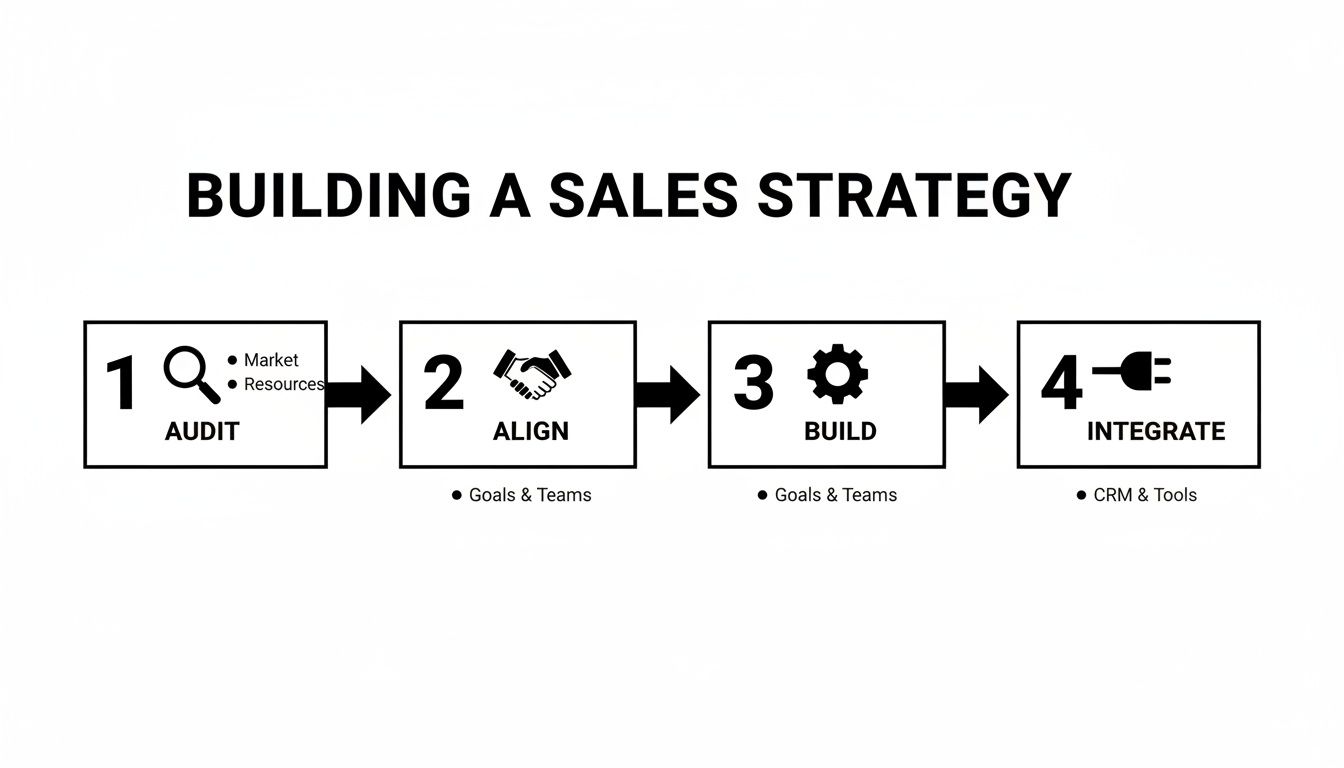
That blueprint follows four distinct phases: Audit, Align, Build, and Integrate.

This isn’t just a checklist; it’s a flow.

A four-step process for building a sales strategy: audit, align, build, integrate.

Each stage stacks on the one before it, making sure your strategy is built on solid data, backed by the right people, and actually has the teeth to drive results.

Phase 1: Audit And Goal Setting

Before you can build anything, you have to know what you're working with. The audit phase is about getting brutally honest about where your sales process is leaking money. This isn't about pointing fingers; it's about finding the friction that grinds your reps to a halt and quietly kills deals.

Actionable Steps for Your Audit:

  1. Map the Sales Process: Identify every single step from lead to close. Where do deals consistently get stuck or slow down?
  2. Interview Your Team: Ask SDRs and AEs to walk you through their day. Where do they waste the most time? What manual tasks are slowing them down? Use a simple survey if needed.
  3. Analyze Content Usage: Run a report in your CMS or shared drive. Which assets are used most? Which are never touched? Ask reps why.
  4. Review the Tech Stack: List every tool the sales team uses. Which ones have high adoption? Which are being ignored?

This process will uncover the ugly truth about productivity gaps. Once you’ve pinpointed the real problems, you can set goals that matter.

A vague goal like "improve sales" is completely useless. An actionable goal is "increase meetings booked per SDR by 15% this quarter by cutting call prep time in half."

That level of clarity turns a simple review into a strategic weapon. It gives your entire enablement effort a clear target to hit.

Phase 2: Stakeholder Alignment

A sales enablement strategy built in a silo is dead on arrival. You absolutely need buy-in from every single department that touches the revenue journey. This alignment phase is all about getting everyone rowing in the same direction, with shared goals and a crystal-clear understanding of their part to play.

Actionable Steps for Alignment:

  1. Form an Enablement Council: Schedule a recurring meeting with leaders from Sales, Marketing, Product, and RevOps. This is not a one-time thing.
  2. Share the Audit Findings: Present the data from Phase 1. Frame the problems in terms of shared business impact (e.g., "Our outdated content is costing us deals, which affects both Marketing ROI and sales quota.").
  3. Define a Shared Charter: Create a one-page document that outlines the enablement program's mission, primary goal for the quarter, and each department's role.

Alignment isn't a one-off meeting; it's an ongoing conversation. By setting up a cross-functional "enablement council," you create a permanent feedback loop where marketing learns what content actually moves the needle and sales understands the why behind new campaigns.

Phase 3: Content And Training Development

With your goals locked in and your teams aligned, it’s time to start building the actual assets. This phase is all about creating the resources your reps will lean on every single day to be more effective.

First, focus on building a practical content library, not a digital graveyard where PDFs go to die. This is all about quality over quantity.

Actionable Steps for Content:

  • Prioritize Based on Gaps: Use your audit findings. If reps are losing to a specific competitor, make that battle card the #1 priority.
  • Build Reusable Templates: Create email templates for common scenarios (e.g., post-demo follow-up, breaking up with a prospect) and load them into your sales engagement tool.
  • Launch an "Asset of the Week": Highlight one new or underused piece of content in your weekly sales meeting to drive awareness and adoption.

Next, design an SDR onboarding and training program that actually sticks. Forget those week-long bootcamps crammed with theory. The modern approach is all about continuous, in-workflow learning. New reps should get bite-sized lessons on objection handling, immediately followed by role-play sessions with managers who can give instant, data-backed feedback.

Phase 4: Technology Integration

Finally, you need the right tech to bring your strategy to life. This is where so many companies stumble. The old way was to just bolt another standalone tool onto an already bloated tech stack. This just creates more friction, kills adoption, and forces reps to work outside the one system they live in all day—the CRM.

A modern, integrated approach is the only way to win. When you’re choosing your tools, think consolidation and workflow. You can find some of the best CRM software options to serve as your foundation.

Actionable Steps for Technology:

  1. Conduct a Tech Audit: Review your existing tools. Are there overlapping functionalities you can consolidate to save money and reduce complexity?
  2. Prioritize CRM-Native Solutions: When evaluating new tech, make "deep integration with our CRM" a non-negotiable requirement.
  3. Focus on Adoption, Not Just Implementation: A tool isn't "launched" when it's turned on. It's launched when reps are using it consistently. Build a simple dashboard to track weekly active usage for every key tool.

There's a reason over 90% of high-growth companies now run dedicated sales enablement programs. The most mature functions see 32% higher quota attainment because they've cracked this code of integration and efficiency.

How To Measure The ROI Of Your Sales Enablement

Figuring out if your enablement strategy is actually working can feel like trying to nail Jell-O to a wall. But proving its value to the C-suite isn't about fuzzy feelings or vanity metrics. It’s about drawing a straight, undeniable line from your efforts to the company's bottom line.

To do that, you need to track what matters. This means splitting your KPIs into two buckets: leading indicators (the activities) and lagging indicators (the results).

  • Leading indicators are your early warning system. They track adoption and behavior—is the team doing the things you enabled them to do?
  • Lagging indicators are the final score. They measure business outcomes like revenue, win rates, and quota attainment.

Leading Indicators: Are We On The Right Track?

Leading indicators give you a real-time pulse check. Is the team actually using the new content, tools, and processes you rolled out? These metrics are your secret weapon for course-correcting mid-quarter, long before you miss a target.

Here's what to keep an eye on:

  • Content Adoption Rate: What percentage of reps are actively using the new battle cards in live deals?
  • Training Program Completion & Certification: Are reps not just finishing modules but also passing skill certifications?
  • Key Tool Adoption: How many reps are logging in and using the new dialer or content portal daily?

If you ignore these, you're basically flying blind. A low adoption rate is a sign that your initiative is irrelevant or too complex, and you can fix it before the quarter is lost.

Lagging Indicators: Did We Actually Make More Money?

While leading indicators track the doing, lagging indicators measure the winning. These are the results you march into the boardroom with to justify your budget and prove the ROI of your entire strategy.

Focus on these heavy hitters:

  • Quota Attainment Percentage: What slice of your sales team is hitting or crushing their number?
  • Win Rate: Of all the qualified opportunities your team works, what percentage do they actually close?
  • Average Sales Cycle Length: How long does it take to get a deal done, from the first "hello" to a signed contract?

The data backs this up. Organizations where sales and marketing are tightly aligned through enablement see 20% annual revenue growth, while misaligned teams can actually see a 4% revenue decline. Some studies on the financial returns of mature enablement programs show they can deliver as high as a 4:1 return on investment.

Leading vs Lagging Indicators For Enablement ROI

This table breaks down how to think about both types of metrics. Leading indicators tell you if your process is working today, while lagging indicators confirm it's impacting the business tomorrow.

Metric TypeKPI ExampleWhat It MeasuresHow An Integrated System Helps
LeadingContent Adoption RateAre reps using the right assets in active deals?Automatically links content usage to CRM opportunities.
LeadingTraining Assessment ScoresIs knowledge from training being retained and applied?Tracks completion and ties performance to rep activity data.
LeadingCRM Activity LoggingAre calls and emails being captured accurately?Auto-logs all activities, eliminating manual data entry.
LaggingWin Rate PercentageHow effective are reps at closing qualified deals?Provides clean data to connect winning deals to specific plays.
LaggingSales Cycle LengthHow efficient is the sales process from start to finish?Clearly shows how new processes impact deal velocity.
LaggingQuota AttainmentWhat percentage of the team is hitting their target?Connects individual rep performance to their adoption of tools.

Ultimately, you need both. Leading indicators let you coach and fix problems in real-time, while lagging indicators prove the long-term value of your program.

The Manual Nightmare vs. Integrated Clarity

Let's be honest about how this data gets collected in most companies.

  • The Old Way (Manual Nightmare): The RevOps leader spends half their week begging reps to log their calls. The data is messy and incomplete. Trying to connect which email template drove the most meetings is a pipe dream.
  • The Modern Way (Integrated Clarity): A CRM-native system auto-logs activities. When a rep uses a tool like marketbetter.ai to make a call from inside Salesforce, the activity is captured automatically. The data is clean and reliable.

This is how you stop guessing about your impact and start knowing it. The principles for tracking sales enablement ROI are closely related to proving the value of any GTM function. You can explore a deeper dive in our guide on how to calculate marketing ROI.

Common Sales Enablement Traps That’ll Kill Your Momentum

Even the smartest sales leaders fall into them. A sales enablement plan looks great on a whiteboard, but it can quickly unravel in the real world. It usually isn't one big disaster that sinks the ship; it's a series of small, well-intentioned mistakes that create drag, frustrate reps, and ultimately fail to move the needle on revenue.

Let's walk through the most common traps and, more importantly, how you can sidestep them.

Pitfall 1: Launching "Random Acts of Enablement"

This is the classic, number-one mistake. A sales leader sees a problem—call connect rates are down—and their first move is to buy a shiny new dialer. Problem solved, right? Wrong. This is a “random act of enablement.” It’s a knee-jerk reaction that treats a symptom without ever diagnosing the actual disease.

The Trap (What Not To Do)The Fix (What To Do Instead)
Reactive Problem-Solving: Buying a new tool for every little hiccup. The result? A messy, expensive, and fragmented tech stack that nobody fully uses.Strategic Diagnosis: Hit pause. Ask why connect rates are low. Is it bad data? Are we calling at the wrong times? Are the talk tracks stale? Or is the tool actually the issue?
Siloed Decisions: The sales manager buys the dialer without talking to RevOps, marketing, or the very reps who have to use it every single day.Cross-Functional Huddle: Get a small group together from sales, marketing, and ops. Make sure every new initiative solves a real, agreed-upon problem that everyone sees.

Actionable Tip: Before launching any new initiative, force yourself to complete this sentence: "We are doing this because [insert data-backed problem from your audit] in order to achieve [insert specific, measurable goal]." If you can't fill in the blanks, don't do it.

Pitfall 2: Drowning Reps in Theory, Not Practice

So many enablement programs feel like a college course. Reps get fire-hosed with hours of PowerPoints on sales methodologies, product specs, and competitor battle cards. That knowledge is important, but it has a shockingly short half-life if it’s not put into practice immediately.

You end up with reps who can ace a multiple-choice quiz but freeze up when a real prospect hits them with an objection they weren't expecting.

The goal isn't to create reps who are certified academics. The goal is to build reps who can consistently run the right play when a deal is on the line. Training is measured by behavior change, not by certificates of completion.

Actionable Tip: Follow the "3:1 Rule." For every three hours of theoretical training, schedule at least one hour of practical application like role-playing, call reviews, or a certification exercise. This ensures knowledge is immediately put into practice.

Pitfall 3: Picking Tech That Reps Hate (and Ignore)

This trap is the direct result of the first two. You buy that standalone dialer or a separate content portal, thinking you’ve checked a box. But because it doesn't live inside the CRM—the place where your reps spend 90% of their workday—it gets ignored. Forcing reps to constantly juggle tabs is a workflow killer.

Think about the classic standalone dialer fail: A manager rolls out a new dialer. Reps have to alt-tab out of Salesforce, find the contact, make the call, then tab back to Salesforce to manually log the activity. By week three, adoption has flatlined.

Now, compare that with an integrated approach: With a CRM-native task engine like marketbetter.ai, the dialer is built right into the Salesforce interface. A rep clicks a button on the contact record, the call connects, and the outcome is logged automatically. Zero friction.

Actionable Tip: Create a "Day in the Life" map of your reps' workflow. Before buying any new tech, physically map out how it will fit into that day. How many extra clicks does it add? If it adds friction instead of removing it, it's the wrong tool.

The Future Of Enablement Is Integrated

A whimsical sketch of a software interface with floating digital icons, representing content management.

If this playbook makes one thing clear, it's this: modern sales enablement isn’t just another department. It's the operational engine that drives your entire revenue team. The days of fragmented tools and siloed initiatives are over. Frankly, they create more friction than they solve.

The future belongs to integrated—or embedded—enablement. This is where your content, your coaching, and your execution tools live directly inside the platforms your reps use all day, every day. Think CRM.

Instead of forcing reps to hunt for a battle card in one portal and log a call in another, an integrated system surfaces the right asset and auto-logs the activity without them ever leaving their workflow.

This approach just makes sense. It kills the friction that tanks tool adoption and gives leadership a crystal-clear, real-time view of what actually drives performance.

The takeaway is simple: stop adding more tabs to your tech stack. It's time to build a unified system that makes your sales process smarter from the inside out. A huge piece of this puzzle is making sure your core systems are set up for it. You can see how the best tools achieve seamless integration with SFDC to make this a reality.

Common Questions, Answered

If you're building a sales enablement program, you've probably got questions. Here are a few of the most common ones I hear from leaders trying to get it right.

What’s The Biggest Mistake People Make In Sales Enablement?

Without a doubt, it's launching what I call "random acts of enablement." This is when leaders buy a shiny new tool or create a one-off training deck without first tying it to a real business problem. It’s a solution in search of a problem.

A great strategy doesn't start with a tool. It starts by diagnosing the friction in your sales process. A reactive approach just buys a new dialer. A strategic one digs in and asks why call volume is low—is it bad data? Clunky workflows? Weak talk tracks?—and then builds a focused plan to fix it.

How Is Sales Enablement Different From Sales Operations?

This one comes up all the time, and it's a critical distinction. The easiest way to think about it is like a Formula 1 race team.

  • Sales Operations is the pit crew chief. They build and maintain the car—territory planning, comp plans, forecasting, and keeping the CRM running. Ops makes sure the machine is in perfect working order.
  • Sales Enablement is the driver's coach. Their job is to make the driver faster and smarter on the track. They provide the right training, content, and in-the-moment coaching to help the driver navigate every turn and win the race.

They work hand-in-glove, but Ops owns the process and infrastructure, while Enablement owns the rep’s effectiveness and productivity.

How Do You Actually Measure If An Enablement Strategy Is Working?

You measure success by drawing a straight line from your enablement activities to real business outcomes. Forget vanity metrics like how many times a PDF was downloaded.

The only way to prove value is by tracking both leading and lagging indicators. Leading indicators—like tool adoption or reps completing a new training module—show if your team is engaging. Lagging indicators—like higher quota attainment, better win rates, and shorter sales cycles—prove it's actually hitting the bottom line.

Modern enablement makes this easy. Instead of guessing, you can see clear proof, like reps who use a specific battle card having a 10% higher win rate. That's an undeniable ROI.

What Does The Future Of Enablement Look Like?

The future is all about being integrated and AI-driven. Standalone tools and one-off training are on their way out. The next evolution is "embedded enablement," where support lives directly inside the tools your reps use every single day, like the CRM.

Instead of a rep digging through a content library to find the right case study, AI will surface it for them in the middle of a live call. The focus is shifting from simply equipping reps to actively helping them execute in the moment, automating the grunt work so they can spend all their energy selling.


Ready to embed an execution engine directly into your CRM? marketbetter.ai turns buyer signals into prioritized tasks and helps SDRs execute faster with an AI-powered dialer and email writer inside Salesforce and HubSpot. Stop chasing reps to log activities and start building a predictable outbound motion. Learn more at marketbetter.ai.

Building a Sales Territory Bot with OpenAI Codex: Automated Lead Routing That Actually Works [2026]

· 8 min read
MarketBetter Team
Content Team, marketbetter.ai

The average lead sits unassigned for 2.5 hours after hitting your CRM.

In that time, your competitor has already responded, built rapport, and scheduled a demo. And 78% of buyers go with the vendor who responds first.

Territory management is the unglamorous backbone of sales operations—and it's broken at most companies. Manual assignment, outdated territory maps, capacity blindness, and constant rep complaints about "unfair" distribution.

GPT-5.3 Codex, released just last week, changes what's possible. Here's how to build an intelligent territory bot that routes leads instantly, balances workload automatically, and adapts to your business in real-time.

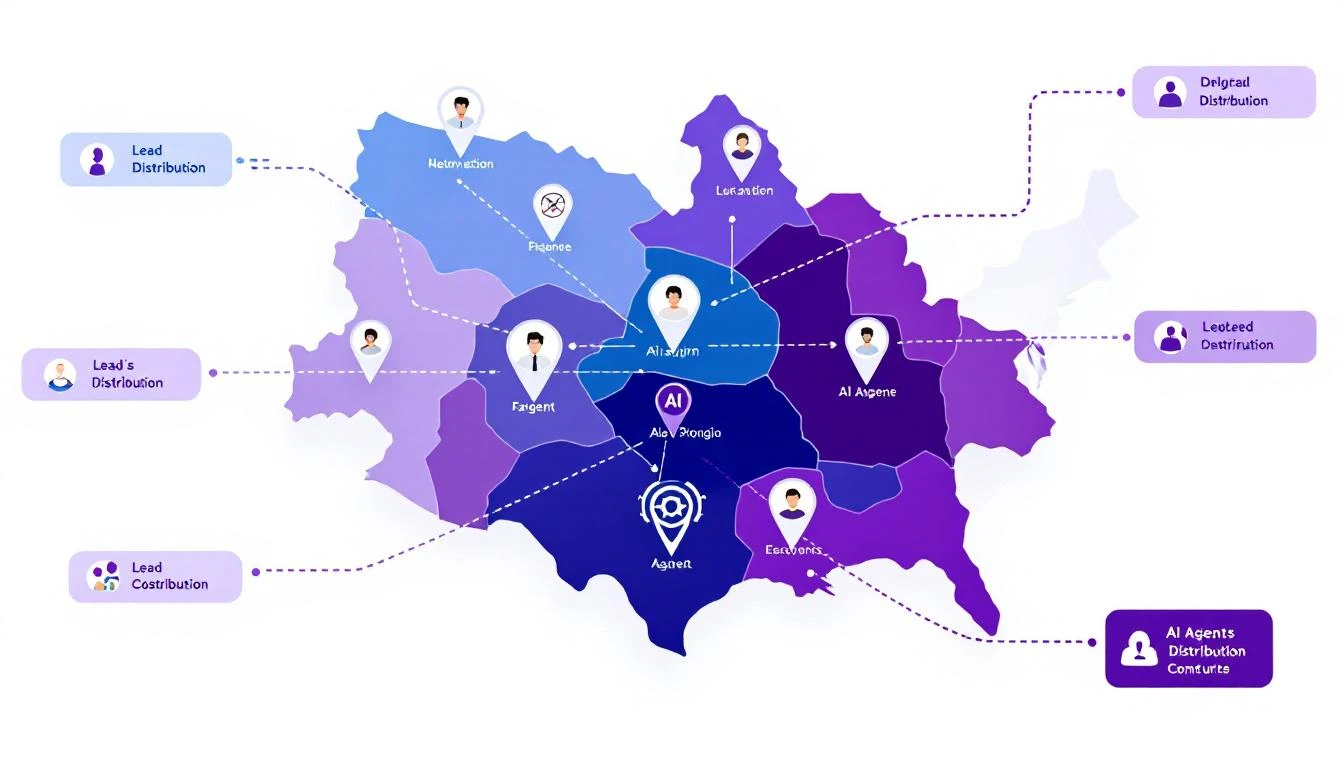
Sales territory architecture with AI agent icons, territory boundaries, and lead distribution arrows

Why Traditional Territory Management Fails

Before building the solution, let's diagnose the problem:

The Manual Assignment Trap

Most companies assign territories once a year, then spend the rest of the year fighting fires:

  • Rep leaves → territory chaos for 2-4 weeks
  • New product launch → existing territories don't match buyer profile
  • Geographic expansion → manual carve-outs and reassignments
  • Lead volume spikes → some reps drowning, others starving

The "Fair" Distribution Myth

Equal territory size ≠ equal opportunity:

  • 1,000 accounts in enterprise segment ≠ 1,000 accounts in SMB
  • West Coast tech hub ≠ Midwest manufacturing
  • Fortune 500 HQ territory ≠ field office territory

Your top performers end up subsidizing poor territory design.

The Response Time Problem

When a hot lead comes in at 4:55 PM on a Friday:

  1. Round-robin assigns to rep who's OOO
  2. Lead sits until Monday
  3. Competitor responded Friday at 5:01 PM
  4. Deal lost before it started

The AI Territory Bot Architecture

Here's what we're building:

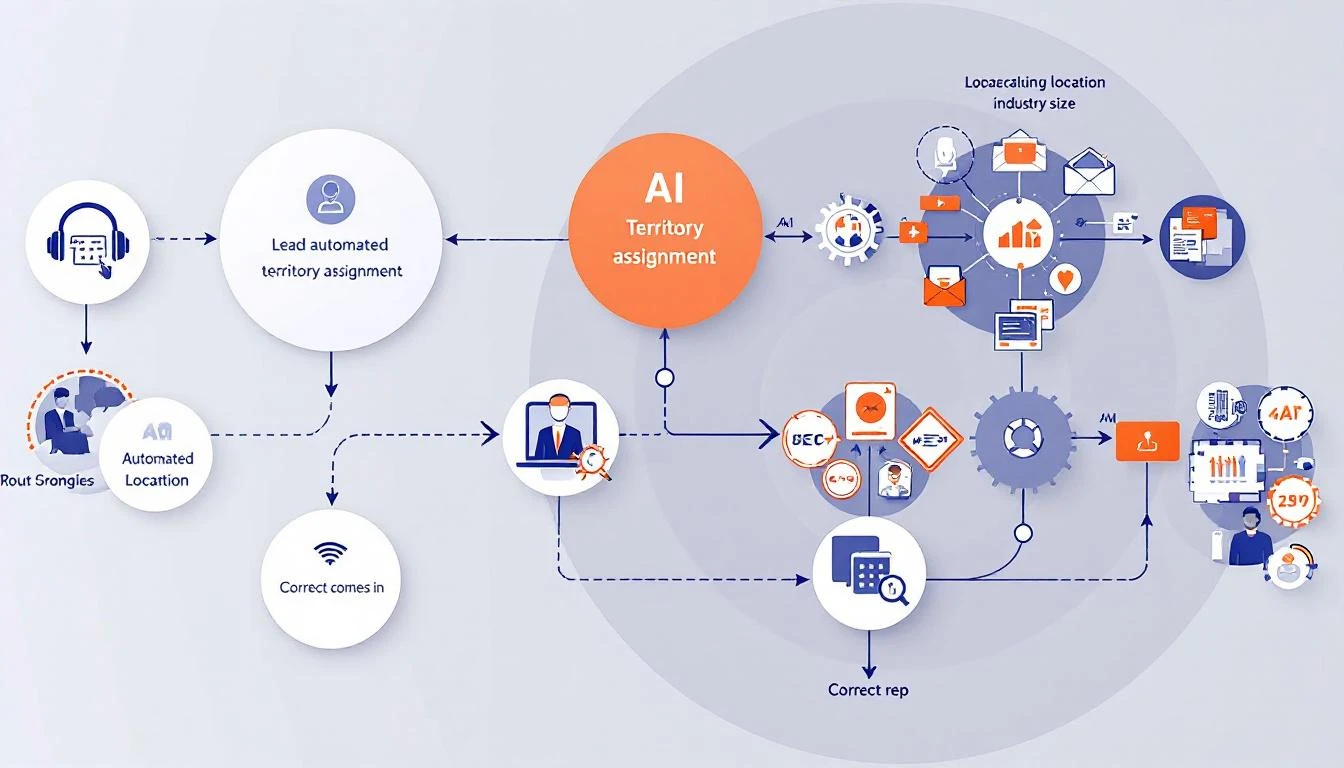
Inbound Lead → Territory Bot → Intelligent Assignment → Instant Response

[Considers:]
- Territory rules
- Rep capacity
- Lead quality score
- Time zone/availability
- Historical performance
- Current workload

Automated territory assignment workflow showing lead intake, AI analysis, and routing to correct rep

Building with GPT-5.3 Codex

The new Codex model brings three capabilities that make this project practical:

  1. 25% faster execution - Real-time routing at scale
  2. Mid-turn steering - Adjust logic while processing
  3. Multi-file context - Understands your entire territory structure

Step 1: Define Your Territory Logic

First, codify your territory rules in a format Codex can understand:

const territoryRules = {
// Geographic territories
regions: {
west: {
states: ['CA', 'WA', 'OR', 'NV', 'AZ'],
reps: ['[email protected]', '[email protected]'],
capacity: { sarah: 50, mike: 45 } // max active opportunities
},
midwest: {
states: ['IL', 'OH', 'MI', 'IN', 'WI'],
reps: ['[email protected]'],
capacity: { john: 60 }
}
// ... more regions
},

// Segment overrides
segments: {
enterprise: {
minEmployees: 1000,
reps: ['[email protected]'],
override: true // takes precedence over geography
},
strategic: {
accounts: ['ACME Corp', 'Globex Inc', 'Initech'],
reps: ['[email protected]'],
override: true
}
},

// Industry specializations
industries: {
healthcare: {
reps: ['[email protected]'],
override: false // falls back to geography if at capacity
}
}
};

Step 2: Build the Assignment Logic

Using Codex, generate the routing engine:

Build a lead routing function that:

1. Accepts a lead object with: company, state, employee_count, industry, source
2. Checks segment overrides first (enterprise, strategic accounts)
3. Falls back to industry specialization if applicable
4. Falls back to geographic territory
5. Within each territory, selects rep with:
- Lowest current workload (% of capacity)
- Best historical conversion rate for this lead type
- Availability (not OOO, within working hours)
6. If all reps at capacity, route to overflow queue with alert
7. Returns assigned rep + reasoning for the assignment

Handle edge cases:
- Lead matches multiple territories (use priority order)
- No reps available (queue + alert)
- Unknown state/region (default territory)

Codex generates production-ready code:

async function assignLead(lead) {
// Check strategic accounts first
if (territoryRules.segments.strategic.accounts
.includes(lead.company)) {
return assignToRep(
territoryRules.segments.strategic.reps[0],
lead,
'Strategic account override'
);
}

// Check enterprise segment
if (lead.employee_count >=
territoryRules.segments.enterprise.minEmployees) {
const rep = await findAvailableRep(
territoryRules.segments.enterprise.reps,
lead
);
if (rep) {
return assignToRep(rep, lead, 'Enterprise segment');
}
}

// Check industry specialization
if (lead.industry &&
territoryRules.industries[lead.industry]) {
const industryConfig = territoryRules.industries[lead.industry];
const rep = await findAvailableRep(industryConfig.reps, lead);
if (rep || industryConfig.override) {
return rep
? assignToRep(rep, lead, `${lead.industry} specialist`)
: queueLead(lead, 'Industry specialist at capacity');
}
}

// Geographic fallback
const region = findRegion(lead.state);
if (region) {
const rep = await findBestRep(region.reps, lead, region.capacity);
if (rep) {
return assignToRep(rep, lead, `Geographic: ${region.name}`);
}
}

// Overflow handling
return queueLead(lead, 'No available reps in territory');
}

Step 3: Add Intelligence Layer

Here's where Codex shines—adding context-aware decisions:

Enhance the routing function to consider:

1. Lead quality signals:
- Visited pricing page → higher priority
- Downloaded case study → match to relevant industry rep
- Requested demo → fastest responder

2. Rep performance matching:
- Small company leads → reps with high SMB close rates
- Technical buyers → reps with engineering backgrounds
- Fast-moving deals → reps with shortest sales cycles

3. Timing optimization:
- Route to rep whose working hours start soonest
- Consider rep's meeting schedule from calendar
- Factor in typical response time by rep

4. Fair distribution:
- Track assignments over rolling 7-day window
- Balance quality scores, not just quantity
- Flag if any rep consistently gets lower-quality leads

Step 4: Implement Mid-Turn Steering

GPT-5.3's killer feature—adjust the bot while it's working:

// During lead processing, you can steer the decision
async function assignWithSteering(lead, steeringInput = null) {
const initialAssignment = await assignLead(lead);

if (steeringInput) {
// Manager can override mid-process
// "Actually, give this to Sarah - she has context"
return applySteeringOverride(initialAssignment, steeringInput);
}

return initialAssignment;
}

In practice, this means your sales ops team can:

  • Watch assignments in real-time
  • Inject context the bot doesn't have
  • Correct routing without stopping the system

Real-World Implementation

Integration Points

Connect your territory bot to:

CRM (HubSpot/Salesforce):

// Webhook triggered on new lead
app.post('/webhooks/new-lead', async (req, res) => {
const lead = req.body;
const assignment = await assignLead(lead);

// Update CRM
await crm.updateLead(lead.id, {
owner: assignment.rep,
assignment_reason: assignment.reason,
assigned_at: new Date()
});

// Notify rep
await slack.sendMessage(assignment.rep,
`New lead assigned: ${lead.company} - ${assignment.reason}`
);

res.json({ success: true, assignment });
});

Slack Notifications:

// Real-time assignment alerts
const formatAssignmentAlert = (assignment) => ({
blocks: [
{
type: 'header',
text: { type: 'plain_text', text: '🎯 New Lead Assigned' }
},
{
type: 'section',
fields: [
{ type: 'mrkdwn', text: `*Company:* ${assignment.lead.company}` },
{ type: 'mrkdwn', text: `*Assigned To:* ${assignment.rep}` },
{ type: 'mrkdwn', text: `*Reason:* ${assignment.reason}` },
{ type: 'mrkdwn', text: `*Quality Score:* ${assignment.lead.score}/100` }
]
},
{
type: 'actions',
elements: [
{ type: 'button', text: { type: 'plain_text', text: 'View in CRM' }, url: assignment.crmUrl },
{ type: 'button', text: { type: 'plain_text', text: 'Reassign' }, action_id: 'reassign_lead' }
]
}
]
});

Monitoring Dashboard

Track your territory bot's performance:

MetricTargetAlert Threshold
Assignment time&lt; 30 seconds> 2 minutes
Rep capacity utilization70-85%&lt; 50% or > 95%
Lead distribution fairness&lt; 10% variance> 20% variance
Overflow queue size0> 5 leads
First response time&lt; 5 minutes> 30 minutes

Advanced Patterns

Dynamic Territory Rebalancing

Build a weekly territory rebalancing report that:

1. Analyzes lead distribution over past 30 days
2. Compares conversion rates by territory
3. Identifies reps consistently at capacity
4. Identifies reps consistently underutilized
5. Suggests boundary adjustments
6. Calculates impact of proposed changes

Output as executive summary + detailed recommendations.

Predictive Capacity Planning

Using historical lead flow data, predict:

1. Expected leads per territory next week
2. Which reps will hit capacity and when
3. Recommended proactive reassignments
4. Hiring needs by territory

Factor in seasonality, marketing campaigns, and
industry trends.

Self-Healing Territories

Build a system that automatically adjusts when:

1. Rep goes OOO → redistribute to backup
2. Lead volume spikes → activate overflow handling
3. New rep onboards → gradual ramp-up schedule
4. Rep leaves → immediate territory redistribution

Log all automatic adjustments and alert management.

Results to Expect

Teams implementing AI territory bots typically see:

MetricBeforeAfterImpact
Lead response time2.5 hours4 minutes97% faster
Assignment errors15%2%87% reduction
Rep utilization variance40%12%70% fairer
Leads lost to slow response12%3%75% saved
Territory disputes/month8187% fewer

The biggest win isn't efficiency—it's predictability. When every lead routes correctly, your forecasting improves, your reps trust the system, and you stop firefighting.

Getting Started

  1. Document your current territory rules - Even if they're in someone's head
  2. Identify the edge cases - What causes routing errors today?
  3. Define fair distribution - What does balanced actually mean?
  4. Start with manual review - Run the bot in shadow mode first
  5. Iterate on the logic - Use mid-turn steering to refine

Ready to build intelligent territory management? Book a demo to see how MarketBetter handles lead routing and territory optimization out of the box.

Related reading:

Building a WhatsApp Sales Bot for Real-Time Deal Notifications with OpenClaw [2026]

· 9 min read
sunder
Founder, marketbetter.ai

Your CRM sends email notifications. You check email twice a day. A hot lead came in at 9am. You saw it at 3pm. They already booked with a competitor.

The notification problem is a channel problem.

Sales leaders check WhatsApp 50+ times per day. They check email 2-3 times. If you want real-time awareness of your pipeline, put alerts where you actually look.

OpenClaw makes this trivially easy. In this guide, I'll show you how to build a WhatsApp bot that:

  • Alerts you when high-value leads come in
  • Notifies you of deal stage changes
  • Sends daily pipeline summaries
  • Lets you query your CRM conversationally

All running 24/7. All delivered to the app you already have open.

WhatsApp deal notification system

Why WhatsApp for Sales Notifications

The Engagement Numbers

ChannelAvg. Time to SeeOpen RateResponse Rate
Email6-24 hours21%2%
Slack30-60 min65%15%
WhatsApp&lt; 5 min98%45%
SMS3-10 min90%25%

WhatsApp wins because:

  1. It's always open - Most professionals keep it running
  2. Notifications are prominent - You see them immediately
  3. It's conversational - You can reply/query naturally
  4. It's personal - Feels more important than work tools

What Should Come Through WhatsApp

Not everything. Be selective:

High Priority (Immediate WhatsApp):

  • New leads over $50K estimated value
  • Deal stage changes (especially late stage)
  • At-risk deals (no activity 7+ days)
  • Competitor mentions detected
  • Key account activity (target list)
  • Urgent meeting requests

Medium Priority (Daily Summary):

  • Pipeline additions
  • Forecast changes
  • Activity metrics
  • Team performance

Low Priority (Keep in CRM/Email):

  • Routine activity logging
  • System notifications
  • Bulk updates

Setting Up OpenClaw for WhatsApp

OpenClaw connects to WhatsApp through its built-in WhatsApp channel. Setup takes about 10 minutes.

Step 1: Configure OpenClaw

# openclaw.yaml
channels:
whatsapp:
enabled: true
# Your personal WhatsApp gets connected via QR code scan

agents:
deal-alerts:
model: claude-sonnet-4-20250514
prompt: |
You are a sales intelligence assistant. Monitor the CRM for important events
and send timely, actionable notifications to the sales team via WhatsApp.

Be concise. Every message should be scannable in 5 seconds.
Include: What happened, why it matters, what to do next.

tools:
- hubspot # or salesforce
- web_search
- memory

When you start OpenClaw, it will prompt you to scan a QR code with WhatsApp:

openclaw gateway start
# Scan QR code with WhatsApp when prompted

Once linked, OpenClaw can send and receive WhatsApp messages.

Step 3: Build the Alert System

# deal_alerts.py
import os
from datetime import datetime, timedelta
from hubspot import HubSpot

class DealAlertSystem:
def __init__(self):
self.hubspot = HubSpot(access_token=os.environ['HUBSPOT_TOKEN'])
self.alert_thresholds = {
"high_value_deal": 50000,
"stale_deal_days": 7,
"hot_lead_score": 80
}

def check_new_high_value_deals(self) -> list:
"""Find deals created in last hour over threshold."""

one_hour_ago = datetime.now() - timedelta(hours=1)

deals = self.hubspot.crm.deals.search(
filter_groups=[{
"filters": [
{
"propertyName": "createdate",
"operator": "GTE",
"value": int(one_hour_ago.timestamp() * 1000)
},
{
"propertyName": "amount",
"operator": "GTE",
"value": self.alert_thresholds["high_value_deal"]
}
]
}]
)

return [self.format_deal_alert(d) for d in deals.results]

def check_stage_changes(self) -> list:
"""Find deals that changed stage in last hour."""

# Query deal history for stage changes
# (Implementation depends on your CRM's activity tracking)
pass

def check_stale_deals(self) -> list:
"""Find open deals with no activity in X days."""

stale_date = datetime.now() - timedelta(
days=self.alert_thresholds["stale_deal_days"]
)

deals = self.hubspot.crm.deals.search(
filter_groups=[{
"filters": [
{
"propertyName": "dealstage",
"operator": "NEQ",
"value": "closedwon"
},
{
"propertyName": "dealstage",
"operator": "NEQ",
"value": "closedlost"
},
{
"propertyName": "notes_last_updated",
"operator": "LT",
"value": int(stale_date.timestamp() * 1000)
}
]
}]
)

return [self.format_stale_alert(d) for d in deals.results]

def format_deal_alert(self, deal) -> str:
"""Format a deal into a scannable WhatsApp message."""

amount = f"${deal.properties.get('amount', 0):,.0f}"
company = deal.properties.get('dealname', 'Unknown')
stage = deal.properties.get('dealstage', 'Unknown')
owner = deal.properties.get('hubspot_owner_id', 'Unassigned')

return f"""
🔥 *NEW HIGH-VALUE DEAL*

💰 \{amount\}
🏢 {company}
📍 Stage: \{stage\}
👤 Owner: {owner}

→ Check HubSpot: [link]
"""

def format_stale_alert(self, deal) -> str:
"""Format a stale deal warning."""

company = deal.properties.get('dealname', 'Unknown')
days_stale = self.calculate_days_stale(deal)
amount = f"${deal.properties.get('amount', 0):,.0f}"

return f"""
⚠️ *DEAL GOING COLD*

🏢 {company}
💰 \{amount\}
📅 No activity: {days_stale} days

Action needed: Log an activity or update stage.
"""

WhatsApp sales bot conversation

Scheduling Alerts with OpenClaw Cron

OpenClaw has built-in cron support. Here's how to schedule different alert types:

# openclaw.yaml - Cron jobs for deal alerts
cron:
jobs:
# Check for hot leads every 15 minutes
- name: "hot-lead-check"
schedule: "*/15 * * * *"
payload:
kind: systemEvent
text: |
Check CRM for new high-value leads (score > 80 or amount > $50K).
If found, send WhatsApp alert with lead details and recommended action.
sessionTarget: main

# Check for stale deals twice daily
- name: "stale-deal-check"
schedule: "0 9,15 * * *" # 9am and 3pm
payload:
kind: systemEvent
text: |
Check for open deals with no activity in 7+ days.
Send WhatsApp summary if any found, grouped by owner.
sessionTarget: main

# Daily pipeline summary
- name: "daily-pipeline-summary"
schedule: "0 8 * * 1-5" # 8am weekdays
payload:
kind: systemEvent
text: |
Generate daily pipeline summary:
- Total pipeline value
- New deals (24h)
- Stage changes
- Deals closing this week
- At-risk deals
Send formatted summary to WhatsApp.
sessionTarget: main

# Weekly forecast update
- name: "weekly-forecast"
schedule: "0 9 * * 1" # Monday 9am
payload:
kind: systemEvent
text: |
Generate weekly forecast report:
- Commit vs. best case
- Week-over-week change
- Key deals to watch
- Recommended focus areas
Send to WhatsApp with action items.
sessionTarget: main

Conversational CRM Queries

The real power is bidirectional. Ask questions, get answers:

Example Conversations

You: "What's my pipeline looking like this quarter?"

Bot:

📊 Q1 Pipeline Summary

Total: $2.4M (68 deals)
├── Qualified: $890K (32 deals)
├── Demo: $720K (18 deals)
├── Proposal: $540K (12 deals)
└── Negotiation: $250K (6 deals)

🎯 vs. Target: $2.4M / $3M (80%)
📈 WoW Change: +$180K (+8%)

Top 3 Deals:
1. Acme Corp - $180K - Proposal
2. TechStart Inc - $120K - Demo
3. Global Systems - $95K - Negotiation

You: "Any updates on the Acme deal?"

Bot:

🏢 Acme Corp | $180K | Proposal Stage

Last Activity: 2 days ago
- Sarah sent revised proposal
- Waiting on procurement review

Next Steps:
- Follow-up scheduled for Thursday
- Need to connect with CFO (budget holder)

⚠️ Risk: Competitor (Warmly) mentioned in last call

You: "Who should I call today?"

Bot:

📞 Priority Calls for Today

1. 🔥 Global Systems - $95K
Negotiation stage, contract review
Contact: Mike Chen (VP Sales)

2. ⚠️ DataFlow Inc - $65K
No activity 5 days, was hot
Contact: Lisa Park (CRO)

3. 📅 TechStart Inc - $120K
Demo follow-up due
Contact: James Wilson (CEO)

Shall I prep call briefs for any of these?

Implementation

# conversational_crm.py
from anthropic import Anthropic

class ConversationalCRM:
def __init__(self):
self.client = Anthropic()
self.hubspot = HubSpot(access_token=os.environ['HUBSPOT_TOKEN'])

def process_query(self, user_message: str) -> str:
"""Process natural language CRM queries."""

# First, understand the intent
intent = self.classify_intent(user_message)

# Fetch relevant data based on intent
if intent['type'] == 'pipeline_summary':
data = self.get_pipeline_data()
elif intent['type'] == 'deal_detail':
data = self.get_deal_detail(intent['deal_name'])
elif intent['type'] == 'priority_tasks':
data = self.get_priority_tasks()
elif intent['type'] == 'forecast':
data = self.get_forecast_data()
else:
data = self.general_crm_query(user_message)

# Format response for WhatsApp
return self.format_whatsapp_response(data, intent)

def classify_intent(self, message: str) -> dict:
"""Use Claude to understand what the user wants."""

response = self.client.messages.create(
model="claude-sonnet-4-20250514",
max_tokens=200,
messages=[{
"role": "user",
"content": f"""
Classify this CRM query intent:
"{message}"

Return JSON:
{{
"type": "pipeline_summary|deal_detail|priority_tasks|forecast|activity_log|general",
"deal_name": "if specific deal mentioned",
"time_period": "if time mentioned",
"filters": ["any filters mentioned"]
}}
"""
}]
)

return json.loads(response.content[0].text)

def format_whatsapp_response(self, data: dict, intent: dict) -> str:
"""Format CRM data for WhatsApp (concise, scannable)."""

response = self.client.messages.create(
model="claude-sonnet-4-20250514",
max_tokens=500,
messages=[{
"role": "user",
"content": f"""
Format this CRM data for WhatsApp. Keep it:
- Scannable in 5 seconds
- Using emojis for visual hierarchy
- Under 300 words
- Action-oriented

Data: {json.dumps(data)}
User Intent: {json.dumps(intent)}
"""
}]
)

return response.content[0].text

Security Considerations

What to Protect

  1. Deal values: Don't send exact amounts to shared groups
  2. Contact info: Keep personal details in CRM, not messages
  3. Competitive intel: Sensitive mentions stay private
  4. Access control: Only authorized users get alerts

Implementation

# security_filter.py
class AlertSecurityFilter:
def __init__(self):
self.private_fields = ['contact_phone', 'contact_email', 'notes']
self.sensitive_keywords = ['competitor', 'pricing', 'discount']

def filter_for_channel(self, alert: dict, channel_type: str) -> dict:
"""Filter alert content based on channel sensitivity."""

if channel_type == 'group':
# Remove specific amounts
alert['amount'] = self.round_amount(alert.get('amount', 0))
# Remove private fields
for field in self.private_fields:
alert.pop(field, None)
# Flag if contains sensitive info
if self.contains_sensitive(alert):
return self.create_private_redirect(alert)

return alert

def round_amount(self, amount: float) -> str:
"""Round amounts for public channels."""
if amount >= 100000:
return f"${int(amount/100000)}00K+"
elif amount >= 10000:
return f"${int(amount/10000)}0K+"
else:
return "< $10K"

def contains_sensitive(self, alert: dict) -> bool:
"""Check if alert contains sensitive content."""
text = json.dumps(alert).lower()
return any(kw in text for kw in self.sensitive_keywords)

def create_private_redirect(self, alert: dict) -> dict:
"""Create a redacted alert that points to private channel."""
return {
"type": "private_redirect",
"message": f"🔒 Sensitive update on {alert.get('deal_name', 'a deal')}. Check DM for details."
}

Results You Can Expect

Teams using WhatsApp-based deal alerts report:

  • Response time to hot leads: Down from 4 hours to 8 minutes
  • Stale deal intervention: Up 3x (catches problems faster)
  • Pipeline accuracy: Up 40% (reps update more when it's easy)
  • Manager awareness: "I know what's happening without asking"

The ROI isn't complicated: faster response = more deals closed.

Free Tool

Try our AI Lead Generator — find verified LinkedIn leads for any company instantly. No signup required.

Getting Started

Prerequisites

  • OpenClaw installed and running
  • HubSpot or Salesforce API access
  • WhatsApp on your phone

Quick Start

  1. Add WhatsApp to OpenClaw config:
channels:
whatsapp:
enabled: true
  1. Scan QR code when prompted:
openclaw gateway start
  1. Add your first cron alert:
cron:
jobs:
- name: "hot-lead-alert"
schedule: "*/15 * * * *"
payload:
kind: systemEvent
text: "Check for new leads over $50K. Alert me on WhatsApp if found."
sessionTarget: main
  1. Test it: Create a test deal in your CRM over the threshold. Wait 15 minutes. Get the alert.

  2. Iterate: Add more alerts, tune thresholds, build conversational queries.


Want this without building it yourself? MarketBetter includes real-time deal alerts + AI-powered playbooks →

Account Prioritization with AI: Claude Code vs Spreadsheets [2026]

· 10 min read
MarketBetter Team
Content Team, marketbetter.ai

Ask any sales rep: "How do you decide who to call first?" You'll get answers like:

  • "I work alphabetically through my list"
  • "Whatever came in most recently"
  • "Gut feeling based on company size"
  • "Whoever my manager tells me to"

None of these are strategies. They're coping mechanisms for a broken system.

The best accounts—the ones with the highest likelihood to close and the highest deal value—are often buried in a spreadsheet, never contacted. Meanwhile, reps waste hours on accounts that were never going to buy.

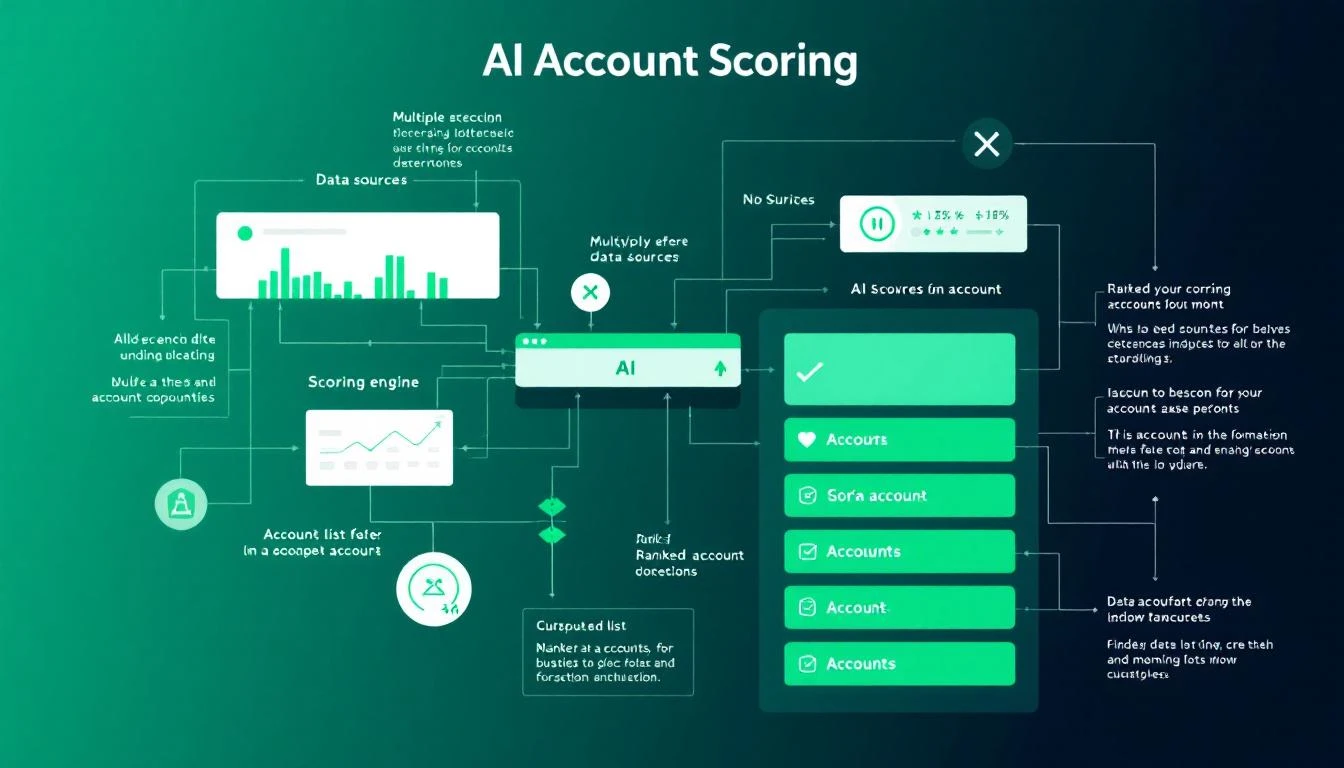
AI Account Prioritization System

This guide shows you how to build an AI-powered account scoring system with Claude Code that identifies your highest-potential accounts automatically. Stop guessing. Start knowing.

The Real Cost of Poor Prioritization

Here's what happens when sales teams prioritize badly:

Time Waste:

  • Average SDR spends 2+ hours daily deciding who to contact
  • 67% of time is spent on accounts that will never convert
  • Best accounts get the same attention as worst accounts

Revenue Loss:

  • 35-50% of deals go to the vendor that responds first
  • High-fit accounts that go uncontacted convert at competitor sites
  • Reps hit quota on volume, miss it on value

Burnout:

  • Calling dead accounts kills morale
  • "Spray and pray" feels pointless (because it is)
  • Top performers leave for companies with better systems

Spreadsheet Chaos vs AI Organization

The data is clear: teams that score and prioritize accounts effectively see 30% higher conversion rates and 20% shorter sales cycles.

Why Traditional Lead Scoring Fails

Most lead scoring systems are built on two flawed premises:

Flaw 1: Static Rules

"Companies with 500+ employees get 10 points."

This ignores:

  • Industry context (500 at a tech startup vs. 500 at a hospital = totally different)
  • Current buying signals
  • Relationship history
  • Market timing

Flaw 2: Incomplete Data

You score what you can measure, but the most predictive signals are often qualitative:

  • "They mentioned they're evaluating competitors"
  • "Their CTO attended our webinar AND read our pricing page"
  • "They just raised a Series B and need to scale sales"

Claude Code can synthesize both structured and unstructured data to create scoring that actually predicts conversions.

The Architecture of AI Account Scoring

Here's how an intelligent prioritization system works:

1. Data Aggregation

Pull from every source: CRM, enrichment tools, website behavior, email engagement, social signals.

2. ICP Matching

Score firmographic fit against your ideal customer profile.

3. Intent Detection

Identify behavioral signals that indicate active buying.

4. Relationship Mapping

Account for existing touchpoints and engagement history.

5. Timing Analysis

Factor in buying cycles, budget periods, and urgency signals.

6. Composite Scoring

Combine all factors into a single prioritization score.

Building the System with Claude Code

Step 1: Define Your ICP Criteria

First, codify what makes an account "ideal":

const ICP_CRITERIA = {
firmographic: {
employeeRange: { min: 50, max: 1000, weight: 0.2 },
revenueRange: { min: 5000000, max: 100000000, weight: 0.15 },
industries: {
include: ['SaaS', 'Technology', 'Financial Services', 'Healthcare'],
exclude: ['Government', 'Education'],
weight: 0.15
},
geographies: {
include: ['US', 'Canada', 'UK', 'Germany'],
weight: 0.05
}
},

technographic: {
required: ['Salesforce', 'HubSpot'],
positive: ['Outreach', 'SalesLoft', 'Gong'],
negative: ['Competitor X', 'Legacy CRM'],
weight: 0.15
},

departmentSignals: {
hasSalesTeam: { minSize: 5, weight: 0.1 },
hasMarketingTeam: { minSize: 2, weight: 0.05 },
hasRevOps: { weight: 0.1 }
}
};

Step 2: Aggregate Data Sources

Pull everything you know about each account:

async function aggregateAccountData(companyId) {
// CRM data
const crmData = await crm.getCompany(companyId);
const contacts = await crm.getContacts({ companyId });
const deals = await crm.getDeals({ companyId });
const activities = await crm.getActivities({ companyId });

// Enrichment data
const enrichment = await clearbit.enrich(crmData.domain);
const techStack = await builtwith.getTechStack(crmData.domain);

// Website behavior
const webActivity = await analytics.getCompanyActivity(companyId, {
days: 30
});

// Email engagement
const emailEngagement = await emailPlatform.getEngagement(companyId);

// Social signals
const linkedInActivity = await linkedin.getCompanySignals(crmData.domain);

// News and events
const recentNews = await newsApi.getCompanyNews(crmData.name, { days: 90 });

// Competitor mentions
const competitorSignals = await detectCompetitorActivity(companyId);

return {
company: crmData,
contacts,
deals,
activities,
enrichment,
techStack,
webActivity,
emailEngagement,
linkedInActivity,
recentNews,
competitorSignals
};
}

Step 3: Score with Claude Code

Now use Claude to synthesize all signals into a comprehensive score:

async function scoreAccount(accountData) {
// Calculate structured scores
const icpScore = calculateICPScore(accountData, ICP_CRITERIA);
const engagementScore = calculateEngagementScore(accountData);
const intentScore = calculateIntentScore(accountData);

// Use Claude for qualitative analysis
const qualitativeAnalysis = await claude.messages.create({
model: 'claude-3-5-sonnet-20241022',
max_tokens: 1000,
system: `You are a B2B sales strategist analyzing accounts for
prioritization. You excel at identifying hidden buying signals and
assessing account quality beyond basic metrics.

Provide:
1. OPPORTUNITY_SCORE (0-100): Likelihood to close
2. VALUE_SCORE (0-100): Potential deal size relative to effort
3. TIMING_SCORE (0-100): Urgency/readiness to buy
4. KEY_INSIGHTS: 2-3 critical observations
5. RECOMMENDED_APPROACH: Best first touch strategy`,
messages: [{
role: 'user',
content: `Analyze this account for prioritization:

COMPANY: ${accountData.company.name}
INDUSTRY: ${accountData.enrichment.industry}
SIZE: ${accountData.enrichment.employeeCount} employees
REVENUE: $${accountData.enrichment.annualRevenue}
TECH STACK: ${accountData.techStack.join(', ')}

RECENT ACTIVITY:
- Website visits: ${accountData.webActivity.pageviews} (${accountData.webActivity.uniqueVisitors} unique)
- Pages viewed: ${accountData.webActivity.topPages.join(', ')}
- Email engagement: ${accountData.emailEngagement.openRate}% open, ${accountData.emailEngagement.clickRate}% click
- Last activity: ${accountData.webActivity.lastActivity}

CONTACTS:
${accountData.contacts.map(c => `- ${c.name} (${c.title}): ${c.engagementScore} engagement`).join('\n')}

RECENT NEWS:
${accountData.recentNews.map(n => `- ${n.headline}`).join('\n')}

COMPETITOR SIGNALS:
${accountData.competitorSignals.length > 0 ? accountData.competitorSignals.join('\n') : 'None detected'}

RELATIONSHIP HISTORY:
- Previous deals: ${accountData.deals.length}
- Total activities: ${accountData.activities.length}
- Last touch: ${accountData.activities[0]?.date || 'Never'}

Provide your analysis as JSON.`
}],
response_format: { type: 'json_object' }
});

const aiAnalysis = JSON.parse(qualitativeAnalysis.content[0].text);

// Combine all scores
return {
companyId: accountData.company.id,
companyName: accountData.company.name,
scores: {
icp: icpScore,
engagement: engagementScore,
intent: intentScore,
opportunity: aiAnalysis.OPPORTUNITY_SCORE,
value: aiAnalysis.VALUE_SCORE,
timing: aiAnalysis.TIMING_SCORE
},
composite: calculateComposite({
icp: icpScore,
engagement: engagementScore,
intent: intentScore,
...aiAnalysis
}),
insights: aiAnalysis.KEY_INSIGHTS,
recommendedApproach: aiAnalysis.RECOMMENDED_APPROACH,
tier: determineTier(/* composite score */)
};
}

function calculateComposite(scores) {
// Weighted combination
return (
scores.icp * 0.2 +
scores.engagement * 0.15 +
scores.intent * 0.25 +
scores.OPPORTUNITY_SCORE * 0.2 +
scores.VALUE_SCORE * 0.1 +
scores.TIMING_SCORE * 0.1
);
}

Step 4: Create the Daily Prioritized List

Generate a ranked list for each rep every morning:

async function generateDailyPrioritization(repId) {
// Get rep's assigned accounts
const accounts = await crm.getAccountsByRep(repId);

// Score all accounts (parallelize for speed)
const scoredAccounts = await Promise.all(
accounts.map(async account => {
const data = await aggregateAccountData(account.id);
return scoreAccount(data);
})
);

// Sort by composite score
const ranked = scoredAccounts.sort((a, b) => b.composite - a.composite);

// Assign daily tiers
const dailyList = {
mustTouch: ranked.slice(0, 5).map(addContactReason),
highPriority: ranked.slice(5, 15).map(addContactReason),
standard: ranked.slice(15, 50).map(addContactReason),
nurture: ranked.slice(50).map(addContactReason)
};

// Push to CRM and Slack
await crm.updateDailyPriorities(repId, dailyList);
await slack.sendDM(repId, formatPriorityList(dailyList));

return dailyList;
}

function addContactReason(account) {
return {
...account,
whyNow: generateWhyNow(account),
suggestedAction: getSuggestedAction(account),
talkingPoints: getTalkingPoints(account)
};
}

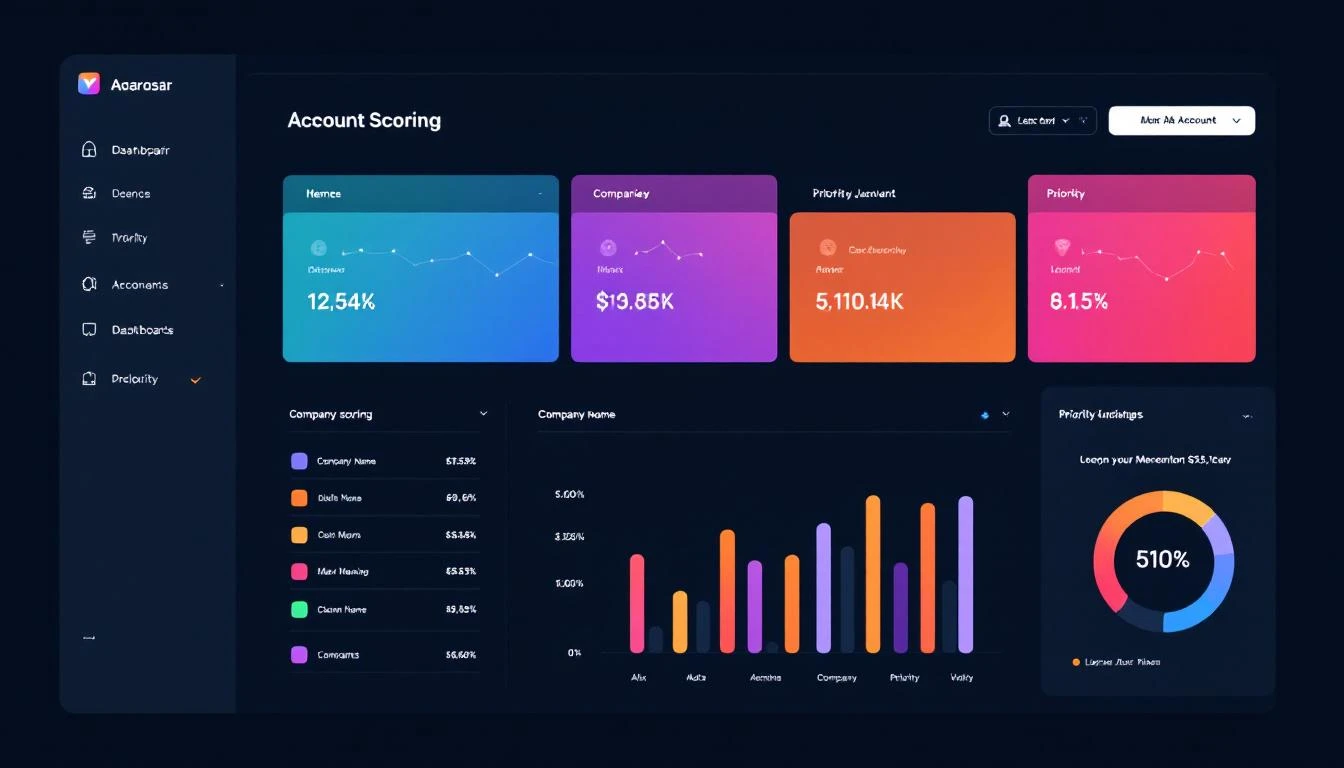
Account Scoring Dashboard

Real-World Example: Tech Company Prioritization

Input: 500 accounts assigned to an SDR

AI Analysis Output (top 3):

[
{
"companyName": "CloudScale Inc",
"composite": 94,
"scores": {
"icp": 92,
"engagement": 88,
"intent": 96,
"timing": 98
},
"insights": [
"CEO visited pricing page 3x this week",
"Currently using Competitor X (known pain: data accuracy)",
"Just closed Series B—scaling sales team is top priority"
],
"recommendedApproach": "Reference Series B news, position as infrastructure for scaling sales team. CEO is actively evaluating—this is hot.",
"whyNow": "Series B + active pricing page visits = buying now"
},
{
"companyName": "DataFlow Systems",
"composite": 87,
"scores": {
"icp": 95,
"engagement": 75,
"intent": 89,
"timing": 82
},
"insights": [
"VP Sales attended our webinar last week",
"Hiring 5 SDRs according to LinkedIn",
"No current solution in place"
],
"recommendedApproach": "Reference webinar attendance, offer to help structure their new SDR team. Timing is good with their hiring push.",
"whyNow": "Building SDR team from scratch = greenfield opportunity"
},
{
"companyName": "NextGen Analytics",
"composite": 84,
"scores": {
"icp": 88,
"engagement": 91,
"intent": 78,
"timing": 75
},
"insights": [
"3 different people from the company have downloaded content",
"Tech stack includes Salesforce + Outreach",
"Last contacted 6 months ago—went dark after demo"
],
"recommendedApproach": "Re-engage with new angle. Multiple stakeholders engaged now vs. single contact before. Ask what's changed.",
"whyNow": "Re-engagement opportunity with broader buying committee"
}
]

Continuous Learning: The Feedback Loop

The system improves by tracking outcomes:

async function logPrioritizationOutcome(accountId, outcome) {
const originalScore = await getHistoricalScore(accountId);

await analyticsDb.log({
accountId,
scoredAt: originalScore.timestamp,
composite: originalScore.composite,
outcome: outcome, // 'converted', 'stalled', 'lost', 'disqualified'
daysToOutcome: daysBetween(originalScore.timestamp, new Date()),
dealValue: outcome === 'converted' ? await getDealValue(accountId) : null
});

// Quarterly: Retrain weights based on what actually converted
if (isQuarterEnd()) {
await retrainScoringWeights();
}
}

async function retrainScoringWeights() {
const outcomes = await analyticsDb.getOutcomes({ months: 6 });

// Analyze which factors actually predicted conversions
const analysis = await claude.messages.create({
model: 'claude-3-5-sonnet-20241022',
messages: [{
role: 'user',
content: `Analyze these prioritization outcomes and recommend
weight adjustments:

CONVERSIONS:
${outcomes.filter(o => o.outcome === 'converted').map(summarize).join('\n')}

LOSSES:
${outcomes.filter(o => o.outcome === 'lost').map(summarize).join('\n')}

Current weights: ${JSON.stringify(currentWeights)}

What factors were most predictive? Recommend new weights.`
}]
});

// Update scoring algorithm
await updateScoringWeights(analysis);
}

Integration with Daily Workflow

Make prioritization seamless:

Morning Slack Notification

// 7am daily
cron.schedule('0 7 * * *', async () => {
const reps = await crm.getActiveReps();

for (const rep of reps) {
const priorities = await generateDailyPrioritization(rep.id);

await slack.sendDM(rep.slackId, {
blocks: [
{
type: 'header',
text: `🎯 Your Priority Accounts for Today`
},
{
type: 'section',
text: `*Must Touch (5 accounts)*\n${priorities.mustTouch.map(a =>
`• *${a.companyName}* (Score: ${a.composite}) — ${a.whyNow}`
).join('\n')}`
},
{
type: 'actions',
elements: [
{
type: 'button',
text: 'View Full List',
url: `https://crm.com/priorities/${rep.id}`
}
]
}
]
});
}
});

CRM Priority Field Updates

async function syncToCRM(priorities) {
for (const account of [...priorities.mustTouch, ...priorities.highPriority]) {
await crm.updateCompany(account.companyId, {
priority_tier: account.tier,
ai_score: account.composite,
last_scored: new Date(),
recommended_action: account.suggestedAction,
score_reasoning: account.insights.join(' | ')
});

// Create task if high priority
if (account.tier === 'mustTouch') {
await crm.createTask({
companyId: account.companyId,
subject: `Priority Touch: ${account.companyName}`,
notes: account.whyNow,
dueDate: new Date()
});
}
}
}

Measuring Prioritization ROI

Track these metrics:

MetricBefore AIAfter AIImprovement
Time deciding who to call2.1 hrs/day0.2 hrs/day-90%
Contact rate on Tier 1 accounts24%41%+71%
Conversion rate (all)2.8%4.6%+64%
Average deal size$28K$36K+29%
Quota attainment78%94%+21%

The compound effect: If better prioritization increases conversions by 64% and deal size by 29%, and you're running 1,000 qualified accounts/quarter at a $30K baseline ACV, that's an additional $620K in ARR quarterly.

Advanced: Dynamic Reprioritization

Don't just score once—reprioritize throughout the day:

// Real-time triggers
async function handleSignificantEvent(event) {
const { accountId, eventType, data } = event;

const significantEvents = [
'pricing_page_visit',
'competitor_search',
'demo_request',
'executive_engagement',
'funding_announcement'
];

if (significantEvents.includes(eventType)) {
// Immediately rescore
const newScore = await scoreAccount(await aggregateAccountData(accountId));

// If jumped to Tier 1, alert immediately
if (newScore.tier === 'mustTouch' && (await getPreviousTier(accountId)) !== 'mustTouch') {
await sendUrgentAlert(accountId, newScore, event);
}
}
}

async function sendUrgentAlert(accountId, score, triggerEvent) {
const rep = await crm.getAccountOwner(accountId);

await slack.sendDM(rep.slackId, {
text: `🚨 *HOT ACCOUNT ALERT*\n\n*${score.companyName}* just jumped to Tier 1!\n\nTrigger: ${triggerEvent.eventType}\n${score.whyNow}\n\nDrop what you're doing. This one's live.`
});
}

Getting Started with MarketBetter

Building AI account prioritization from scratch is powerful but complex. MarketBetter provides the complete solution:

  • Daily SDR Playbook — Every rep gets their prioritized list each morning
  • Real-time scoring — Accounts reprioritize based on live signals
  • AI-powered reasoning — Not just a score, but why and what to do
  • CRM integration — HubSpot, Salesforce out of the box
  • Learning loop — Improves automatically based on your conversion data

Stop letting your best accounts go unworked. Stop wasting time on accounts that were never going to buy. Let AI tell you exactly where to focus.

Book a Demo →

Free Tool

Try our Lookalike Company Finder — find companies similar to your best customers in seconds. No signup required.

Key Takeaways

  1. Poor prioritization costs deals — 67% of rep time goes to accounts that won't convert
  2. Static lead scoring fails — Rules can't capture qualitative buying signals
  3. Claude Code enables intelligent scoring — Synthesize structured + unstructured data
  4. Make it actionable — Daily ranked lists with clear reasoning and suggested actions
  5. Continuous learning — Track outcomes and retrain weights quarterly

Your CRM is full of gold. The problem is it's mixed in with thousands of accounts that look the same on the surface. AI-powered prioritization separates signal from noise—so your team spends 100% of their time on accounts that can actually close.

AI-Powered A/B Testing for Sales Campaigns: Iterate 10x Faster [2026]

· 9 min read

Your sales team runs the same campaigns for months.

"This email sequence works okay." "That call script converts about 3%." "LinkedIn outreach gets some responses."

Works okay is killing your pipeline.

The problem isn't that you don't test—it's that traditional A/B testing takes forever. By the time you reach statistical significance, the market has moved on.

What if you could run 10 tests in the time it currently takes to run one?

AI makes this possible. Here's how to build a system that continuously experiments, learns, and optimizes your outbound.

AI powered AB testing workflow for sales campaigns

Why Traditional A/B Testing Fails for Sales

The Volume Problem

To reach 95% statistical significance with a 2% conversion rate and 0.5% lift, you need roughly 15,000 sends per variant.

Most sales teams don't send 30,000 emails in a quarter. They never get clean answers.

The Multivariate Problem

You want to test:

  • Subject line (5 variants)
  • Opening line (4 variants)
  • CTA (3 variants)
  • Send time (4 variants)
  • Personalization depth (3 variants)

That's 720 combinations. At 15K per test, you'd need 10.8 million sends to test everything.

Impossible.

The Time Problem

Even if you had the volume, testing one thing at a time takes months:

  • Test 1: Subject lines (6 weeks)
  • Test 2: Opening lines (6 weeks)
  • Test 3: CTAs (6 weeks)
  • Test 4: Send times (6 weeks)

Six months later, you've tested 4 things. Your competitors have tested 40.

The AI-Powered Approach

AI agents can:

  1. Design smart tests — Focus on high-impact variables
  2. Generate variants — Create dozens of options instantly
  3. Analyze faster — Use Bayesian methods for quicker decisions
  4. Synthesize learnings — Understand WHY something works, not just IF

What Changes

TraditionalAI-Powered
Test 1 variable at a timeTest variable clusters
Wait for significanceUse Bayesian early stopping
Manually analyze resultsAI explains patterns
Document in spreadsheetsLearning database grows
Quarterly optimization cyclesWeekly iterations

Building Your AI Testing System

Step 1: The Test Design Agent

First, decide what to test. AI helps prioritize:

codex "Create a test prioritization function that:

Given current campaign performance metrics:
- Open rate: {{open_rate}}
- Reply rate: {{reply_rate}}
- Meeting rate: {{meeting_rate}}

And historical test results:
{{past_tests}}

Recommend the next 3 tests to run, ranked by:
1. Expected impact (how much could it move the needle?)
2. Confidence (do we have enough volume?)
3. Learning value (will results inform other campaigns?)

For each test, specify:
- Variable to test
- Hypothesis (why we think it might work)
- Sample size needed
- Success metric
- Timeline estimate"

Step 2: The Variant Generator

Once you know what to test, generate variants:

// For subject line testing
const variantPrompt = `Generate 5 subject line variants for this email:

Current subject: "Quick question about {{company}}'s pipeline"
Current open rate: 28%

Target audience: VP Sales at 50-200 person SaaS companies
Email purpose: First outreach, cold lead

Generate variants across these dimensions:
1. Direct vs. curious
2. Short (4 words) vs. medium (7 words)
3. Personalized vs. generic
4. Question vs. statement
5. Urgency vs. value-first

For each variant, explain the psychological principle it uses.
Rate predicted open rate improvement (-20% to +50%).`;

Example output:

VariantTypePredicted Lift
"3 ideas for {{company}}"Specific + value+15%
"Saw your post on X"Personalized + curious+25%
"Quick pipeline question"Short + direct+5%
"{{FirstName}}, quick thought"Personal + casual+20%
"Are you still struggling with Y?"Pain point + question+10%

Step 3: Bayesian Analysis Engine

Traditional p-value testing is slow. Bayesian methods let you decide faster:

codex "Create a Bayesian A/B test analyzer that:

1. Takes conversion data for control and variants
2. Calculates probability each variant beats control
3. Recommends action:
- 'Keep testing' if no variant >85% likely to win
- 'Pick winner' if one variant >95% likely to beat all
- 'Stop test, no winner' if all variants within 2% of each other

4. Estimates required additional sample for confident decision
5. Projects final expected lift with confidence interval

Use Beta-Binomial model for conversion metrics.
Output results in plain English + data table."

Sample output:

Test: Subject Line Experiment #14
Duration: 5 days
Sends: Control (847), V1 (852), V2 (844), V3 (851)

Results:
- Control: 31.2% open rate (264 opens)
- Variant 1: 38.4% open rate (327 opens) — 94% likely to beat control
- Variant 2: 29.8% open rate (251 opens) — 23% likely to beat control
- Variant 3: 33.6% open rate (286 opens) — 71% likely to beat control

Recommendation: Continue testing V1 for 2 more days.
At current trajectory, 97% confidence expected by Thursday.

Expected lift if V1 wins: +18-26% open rate improvement
Annual impact estimate: +340 additional replies, ~68 extra meetings

AB test results dashboard with AI optimization recommendations

Step 4: The Learning Synthesizer

Don't just know WHAT won—understand WHY:

const synthesisPrompt = `Analyze these A/B test results and extract learnings:

Test: {{test_name}}
Date: {{date_range}}
Audience: {{audience}}

Results:
{{results_table}}

What patterns explain the winner?
- Message characteristics (length, tone, structure)
- Personalization elements
- Psychological triggers
- Timing factors

How should these learnings apply to:
1. Other email campaigns
2. LinkedIn outreach
3. Cold call scripts
4. Landing page copy

Add to our learning database in structured format.`;

Step 5: The Continuous Optimization Loop

Tie it together with OpenClaw:

# Weekly optimization cycle
schedule:
- name: "Monday Test Planning"
cron: "0 9 * * 1"
task: |
1. Review last week's test results
2. Archive completed tests to learning DB
3. Generate new test recommendations
4. Create variants for approved tests
5. Configure test in email platform
6. Post summary to Slack

- name: "Daily Test Check"
cron: "0 17 * * 1-5"
task: |
1. Pull latest metrics from active tests
2. Run Bayesian analysis
3. Flag any tests ready for decision
4. Alert team if early winner emerging

- name: "Friday Results Review"
cron: "0 14 * * 5"
task: |
1. Compile weekly test report
2. Update learning database
3. Calculate cumulative improvement
4. Recommend weekend automation changes

Real-World Testing Framework

Email Sequence Testing

VariableTest MethodVolume NeededTimeline
Subject lineBayesian MVT2,0001 week
Opening lineSequential1,5005 days
CTA button/textHead-to-head1,0004 days
Send timeTime-block3,0002 weeks
Sequence lengthCohort5003 weeks

Cold Call Script Testing

VariableTest MethodCalls NeededTimeline
Opening hookA/B2002-3 days
Qualification questionsSequential1502 days
Value prop framingMVT3004 days
Objection responsesScenario-based100 per objectionOngoing

LinkedIn Outreach Testing

VariableTest MethodConnectionsTimeline
Connection requestSequential2002 weeks
First messageA/B1001 week
Follow-up timingCohort1503 weeks
Content type sharedMVT2002 weeks

Case Study: 10 Tests in 10 Weeks

Here's what a real AI-powered testing program delivered:

Starting Point

  • Email open rate: 28%
  • Reply rate: 3.2%
  • Meeting rate: 0.8%

Tests Run

WeekTestWinnerLift
1Subject: Question vs. statementQuestion+12% open
2Opener: Pain vs. observationObservation+8% reply
3CTA: Calendar link vs. questionQuestion+15% reply
4Timing: Morning vs. afternoonMorning+6% open
5Personalization: Company vs. personPerson+22% reply
6Length: Short vs. detailedShort+11% reply
7Proof: Case study vs. metricMetric+9% reply
8Follow-up: Day 2 vs. Day 4Day 3*+7% reply
9Sequence: 4-touch vs. 6-touch5-touch*+4% meeting
10Combined winnersFull new sequenceValidated

*Bayesian analysis found optimal point between tested options

Ending Point

  • Email open rate: 41% (+46%)
  • Reply rate: 6.1% (+91%)
  • Meeting rate: 1.8% (+125%)

Same volume, more than double the meetings.

Common Mistakes to Avoid

Testing Too Many Things

You don't need to test everything. Focus on:

  • Variables with high potential impact
  • Variables you can actually change
  • Variables where you have a hypothesis

Skip testing whether "Regards" beats "Best"—it doesn't matter.

Ignoring Segmentation

An email that wins for VP Sales might lose for SDR Managers. Always check if results hold across segments.

// Always segment analysis
const segments = ['VP+', 'Director', 'Manager', 'IC'];
segments.forEach(seg => {
const segResults = analyzeBySegment(testData, seg);
if (segResults.winner !== overallWinner) {
alert(`Segment ${seg} prefers different variant!`);
}
});

Declaring Winners Too Early

Bayesian analysis is faster, but not instant. Still need sufficient data:

  • Minimum 100 conversions per variant for reliable signals
  • Watch for day-of-week effects (full week minimum)
  • Check that winner is consistent, not a fluke

Not Documenting Learnings

The test result isn't the value—the learning is. Document:

  • What we tested
  • What we hypothesized
  • What actually happened
  • Why we think it happened
  • How this applies elsewhere

Building the Learning Database

Create institutional memory that compounds:

// learning_db.schema
{
test_id: 'test_2026_02_14',
date: '2026-02-14',
category: 'email_subject',
hypothesis: 'Specific numbers increase open rates',
variants: [...],
winner: 'variant_a',
lift: 0.18,
confidence: 0.97,
segment_notes: 'Held across all segments',
explanation: 'Specificity creates curiosity. "3 ideas" beats "a few ideas"',
applications: [
'Use specific numbers in all email subjects',
'Test numbered lists in LinkedIn headlines',
'Apply to call opening hooks'
],
related_tests: ['test_2025_11_02', 'test_2026_01_08']
}

Over time, this becomes your competitive advantage—a proprietary knowledge base of what works for YOUR audience.

Connecting to MarketBetter

A/B testing is most powerful when integrated into your daily SDR workflow. MarketBetter's Daily SDR Playbook can:

  • Apply winning templates — Automatically use your best-performing copy
  • Segment for testing — Route prospects to test vs. control groups
  • Track results — Measure conversions through to meeting and revenue
  • Alert on changes — Notice when a winning approach stops working

Ready to see continuous optimization in action? Book a demo and we'll show you how AI-powered SDR workflows adapt in real-time.

Getting Started

This Week

  1. Audit current campaigns—what are your baseline metrics?
  2. Identify your biggest opportunity (open rate? reply rate? meetings?)
  3. Design first test with 3-5 variants

This Month

  1. Run 2-3 tests
  2. Set up Bayesian analysis script
  3. Create learning database
  4. Document first insights

This Quarter

  1. Average 2+ tests per week
  2. Train team on reading test results
  3. Build segment-specific playbooks
  4. Measure cumulative improvement

The teams that test fastest, win.

Free Tool

Try our Marketing Plan Generator — generate a complete AI-powered marketing plan in minutes. No signup required.

Further Reading


Stop guessing. Start testing. The data will show you what works.

How to Automate Account Prioritization with AI Agents [2026]

· 7 min read

Your SDRs are working accounts that will never close.

Not because they're lazy — because they can't tell which accounts matter. They're flying blind, treating a 10-person agency the same as a 500-person enterprise actively searching for your solution.

The result? According to TOPO research, SDRs spend 64% of their time on accounts that will never buy.

AI changes this equation completely.

AI Account Prioritization Matrix

The Account Prioritization Problem

Traditional lead scoring is broken:

What most companies do:

  • Assign points for form fills and page views
  • Use static firmographic filters (size, industry)
  • Update scores manually (if at all)
  • Let SDRs pick accounts based on gut feel

What actually matters:

  • Is the company actively researching solutions?
  • Did they just get funding (budget unlocked)?
  • Is the decision-maker engaging with your content?
  • Do they match your best customer profile — really?
  • What are they saying about you to competitors?

Static scoring can't capture this. AI can.

The AI Account Scoring Model

Here's how to build an account prioritization engine that actually works:

AI Account Scoring Components

Layer 1: Firmographic Fit

Basic but essential. Use AI to enrich and score:

Signals:

  • Company size (employees, revenue)
  • Industry vertical
  • Tech stack (from BuiltWith, Wappalyzer)
  • Geography
  • Growth indicators (hiring, office expansion)

AI Enhancement: Instead of binary yes/no on ICP fit, Claude analyzes:

Company: TechCorp Industries
Employees: 200
Industry: Manufacturing IoT

Analysis:
- Primary ICP match (IoT vertical)
- Size is mid-market (secondary target)
- Tech stack includes Salesforce (integration opportunity)
- Recently hired 3 sales roles (scaling GTM)

Firmographic Score: 78/100
Reasoning: Strong vertical fit, actively investing in sales, but not enterprise-tier deal size.

Layer 2: Intent Signals

This is where AI shines. Track and score:

First-party intent:

  • Website visits (pages, frequency, recency)
  • Content downloads
  • Pricing page views
  • Demo page visits without booking
  • Email engagement patterns

Third-party intent:

  • G2 category searches
  • Competitor comparison searches
  • Review site activity
  • Industry publication engagement
  • Job posting analysis

AI Processing:

const intentSignals = {
websiteVisits: [
{ page: "/pricing", visits: 3, lastVisit: "2 days ago" },
{ page: "/vs-competitor", visits: 2, lastVisit: "1 day ago" },
{ page: "/case-studies", visits: 5, lastVisit: "today" }
],
thirdPartyIntent: {
g2Searches: ["SDR tools", "sales automation"],
competitorResearch: ["Apollo", "Outreach"]
}
};

// Claude's analysis
const intentScore = await claude.analyze({
signals: intentSignals,
prompt: `
Analyze these intent signals for purchase readiness.
Score 1-100 and explain the buying stage.

Key indicators:
- Pricing page visits = late-stage research
- Competitor comparison = active evaluation
- Multiple stakeholders visiting = committee forming
`
});

// Output: Score 85/100
// "Active evaluation stage. Multiple pricing page visits
// combined with competitor research indicates they're
// building a shortlist. Recommend immediate outreach
// with differentiation messaging against Apollo/Outreach."

Layer 3: Engagement Recency

Recent activity trumps historical engagement. Use AI to weight:

Decay model:

  • Activity today = 100% value
  • Activity this week = 80% value
  • Activity this month = 50% value
  • Activity > 30 days = 20% value

AI Enhancement: Claude considers context:

Engagement Pattern Analysis:

Account: DataFlow Inc.

- Downloaded pricing guide: 45 days ago
- Visited website: 2 days ago (pricing page)
- Downloaded competitor comparison: 1 day ago
- VP Sales viewed LinkedIn post: Today

Assessment: REACTIVATED INTEREST
Despite aging initial engagement, there's clear evidence
of resumed evaluation. Recent pricing + comparison
activity suggests they're revisiting a delayed decision.

Recommended action: Re-engage with "what's changed"
messaging, reference their earlier interest.

Layer 4: Relationship Signals

Who you know matters:

Signals:

  • Previous interactions (calls, emails)
  • Connection to existing customers
  • Shared investors or advisors
  • Conference attendance overlap
  • Mutual LinkedIn connections

AI Processing:

Relationship Mapping:

Account: CloudScale Systems

- CRO previously worked at [Current Customer]
- Two LinkedIn connections in common with your team
- Attended same industry conference last quarter
- No previous outreach from your company

Relationship Score: 45/100
Opportunity: Warm intro possible through [Customer]
connection. Mention shared conference for relevance.

Layer 5: Propensity Modeling

This is the AI secret weapon — predicting which accounts will buy:

Training data:

  • Historical won deals (what did they look like before close?)
  • Lost deals (what warning signs appeared?)
  • Time-to-close patterns
  • Champion personas
  • Common objections by segment

AI Model:

# Simplified propensity scoring
propensity_factors = {
"matches_closed_won_profile": 0.35,
"intent_signal_strength": 0.25,
"engagement_recency": 0.20,
"relationship_warmth": 0.10,
"firmographic_fit": 0.10
}

# Claude augments with reasoning
propensity_prompt = """
Based on our historical data:
- Accounts that close have 3+ website visits in final month
- Champions are typically VP+ level
- Deals with competitor mentions close 40% faster
- Manufacturing IoT has 2x close rate vs general SaaS

Analyze this account against these patterns and predict
close probability with confidence interval.
"""

Building the Automation with OpenClaw

Here's how to run this 24/7:

OpenClaw Agent Configuration

# account-prioritization-agent.yaml
name: Account Prioritizer
schedule: "0 6 * * *" # Run daily at 6 AM

data_sources:
- hubspot_accounts
- website_analytics
- g2_intent_data
- linkedin_sales_navigator

workflow:
1_enrich:
action: enrich_accounts
sources: [clearbit, apollo, builtwith]

2_score:
action: ai_score
model: claude-3-5-sonnet
scoring_layers:
- firmographic_fit
- intent_signals
- engagement_recency
- relationship_mapping
- propensity_model

3_prioritize:
action: rank_accounts
tiers:
hot: score >= 80
warm: score >= 60
nurture: score >= 40
archive: score < 40

4_route:
action: assign_to_reps
rules:
- hot: round_robin_senior_reps
- warm: round_robin_all_reps
- nurture: marketing_automation

5_notify:
action: slack_alert
channel: "#sales-prioritization"
message: "Daily account prioritization complete. {hot_count} hot, {warm_count} warm."

Daily Output Example

🎯 DAILY ACCOUNT PRIORITIZATION - Feb 9, 2026

HOT (Immediate outreach) - 12 accounts
━━━━━━━━━━━━━━━━━━━━━━━━━━━━━━━━━━━━━━

1. DataFlow Inc. | Score: 94
└─ Why: 5 pricing views, downloaded ROI calc, VP on LinkedIn
└─ Action: Sarah to call - warm intro available through CloudCo

2. TechCorp Industries | Score: 91
└─ Why: Competitor comparison research, 3 stakeholders visiting
└─ Action: Mike to email - use manufacturing IoT case study

3. ScaleUp Systems | Score: 87
└─ Why: Series B last week, hiring 4 SDRs, founder liked our post
└─ Action: Sarah to DM founder on LinkedIn

WARM (This week) - 28 accounts
━━━━━━━━━━━━━━━━━━━━━━━━━━━━━━━━━━━━━━

4. Velocity Labs | Score: 72
└─ Why: Downloaded comparison guide, ICP fit, no recent activity
└─ Action: Nurture sequence #2

[...]

CHANGES FROM YESTERDAY:
- DataFlow Inc.: ↑ 45 → 94 (pricing page spike)
- OldCorp LLC: ↓ 65 → 38 (went dark, moving to nurture)
- NewTech Co.: NEW at 71 (first-time visitor, strong fit)

Measuring Impact

Track these metrics before and after implementing AI prioritization:

MetricBefore AIAfter AIChange
Accounts worked per day3515-57%
Meetings booked per day1.22.8+133%
Meeting-to-opportunity rate24%41%+71%
Time spent on bad-fit accounts64%18%-72%
SDR satisfaction score6.28.4+35%

The math:

  • SDR costs: $75K/year fully loaded
  • Time recovered from bad accounts: ~25 hours/week
  • Value of recovered time: ~$45K/year
  • If that time books 2 extra meetings/week at $5K deal value = $520K pipeline

ROI is obvious.

Common Mistakes to Avoid

Mistake 1: Over-weighting firmographics

Big company ≠ good prospect. A 10,000-person enterprise with no intent signals is worse than a 100-person startup actively searching.

Fix: Weight intent and engagement higher than firmographics.

Mistake 2: Ignoring negative signals

Some accounts should be deprioritized:

  • Recently churned
  • In active legal dispute
  • Competitor's biggest customer
  • Bad reviews about your company

Fix: Include disqualification criteria in your scoring model.

Mistake 3: Static scoring

Markets change. Your ideal customer evolves. Scoring models decay.

Fix: Re-train your propensity model quarterly using recent closed-won/lost data.

Mistake 4: Not explaining the score

SDRs won't trust black-box scores.

Fix: Always show WHY an account scored high/low. Claude excels at this reasoning.

Getting Started

Week 1: Foundation

  • Export your CRM data (last 12 months of closed deals)
  • Identify your 5-layer scoring criteria
  • Set up intent data sources (G2, Bombora, or website tracking)

Week 2: Build

  • Create your Claude scoring prompts
  • Configure OpenClaw agent
  • Run first batch scoring on test accounts

Week 3: Validate

  • Compare AI scores against rep intuition
  • Adjust weightings based on feedback
  • Review edge cases (high-score no-shows, low-score wins)

Week 4: Deploy

  • Route scores to CRM
  • Set up daily Slack reports
  • Train reps on using prioritization data

Free Tool

Try our Lookalike Company Finder — find companies similar to your best customers in seconds. No signup required.

Ready to Prioritize Smarter?

AI account prioritization isn't the future — your competitors are using it now.

Every day you waste time on bad-fit accounts is a day your competitors are closing the good ones.

Next steps:

  1. Audit your current scoring model (or lack thereof)
  2. Identify your intent data gaps
  3. Book a demo with MarketBetter to see AI prioritization in action

Because working harder is not the same as working smarter.

AI-Powered Customer Churn Prediction with Claude Code [2026]

· 8 min read

Customer churn is the silent killer of SaaS businesses. By the time a customer formally announces they're leaving, the decision was made weeks or months earlier.

What if you could predict churn before it happens—and intervene while there's still time?

This guide shows you how to build an AI-powered churn prediction system using Claude Code that monitors customer health signals, identifies at-risk accounts, and triggers proactive outreach before customers walk out the door.

Customer churn prediction workflow showing data flowing from CRM to AI analysis to early warning alerts

Why Traditional Churn Indicators Fail

Most companies rely on lagging indicators for churn:

  • NPS surveys — Customers who've already decided to leave give low scores
  • Support ticket volume — By the time tickets spike, frustration is entrenched
  • Usage metrics — Monthly logins don't capture engagement quality
  • Renewal conversations — Too late to change minds

The problem? These signals arrive after the damage is done. You're reacting to churn, not preventing it.

The Leading Indicator Advantage

AI-powered churn prediction flips the script by analyzing leading indicators:

Lagging IndicatorLeading Indicator
Low NPS scoreDecreased feature adoption rate
Cancellation requestReduced login frequency trend
Support escalationFewer power users active
Contract non-renewalDeclining API call volume
"We're evaluating alternatives"Champion job change detected

Claude Code's 200K context window lets you analyze months of customer behavior patterns simultaneously—something impossible with simpler tools.

The Churn Prediction Architecture

Here's what we're building:

  1. Data Collection Layer — Pull signals from CRM, product analytics, and support
  2. Claude Code Analysis — Process patterns and assign risk scores
  3. Alert System — Notify CSMs about at-risk accounts with context
  4. Action Triggers — Auto-queue intervention workflows

Let's build each component.

Step 1: Define Your Churn Signals

Before writing code, identify the signals that predict churn in your business. Here's a framework:

Product Engagement Signals

- Login frequency (trending down?)
- Feature adoption breadth (using fewer features?)
- Key feature usage (stopped using sticky features?)
- Time-in-app (shorter sessions?)
- Power user count (champions leaving?)

Relationship Signals

- Executive sponsor changes
- Champion job changes (LinkedIn monitoring)
- Support ticket sentiment (increasingly negative?)
- Response time to your emails (slower?)
- Meeting no-shows (increasing?)

Business Signals

- Company funding/layoffs news
- Competitive mentions in calls
- Pricing discussions initiated
- Contract terms questions
- "Evaluation" language in emails

Implementation Priority

Score each signal by predictive power and data availability:

SignalPredictive PowerData AvailablePriority
Champion job changeVery HighLinkedIn1
Feature adoption dropHighProduct analytics1
Login frequency declineMedium-HighProduct2
Support sentimentMediumZendesk2
Email response lagMediumCRM3

Step 2: Build the Data Aggregation Layer

Create a script that pulls customer health data from your systems:

// customer-health-collector.js
const healthSignals = {
async collectForAccount(accountId) {
const [crm, product, support, linkedin] = await Promise.all([
this.getCRMData(accountId),
this.getProductMetrics(accountId),
this.getSupportHistory(accountId),
this.getChampionStatus(accountId)
]);

return {
accountId,
collectedAt: new Date().toISOString(),
signals: {
engagement: product,
relationship: crm,
support: support,
champions: linkedin
}
};
},

async getProductMetrics(accountId) {
// Return: logins, feature usage, API calls, active users
// Compare current period vs previous period
return {
loginTrend: -15, // % change
featureAdoption: 72, // % of features used
powerUsers: 3, // count
apiVolume: 45000 // calls this month
};
}
};

The key insight: Claude needs trending data, not point-in-time snapshots. A customer with 50 logins this month isn't at risk—unless they had 100 logins last month.

Step 3: The Claude Code Churn Analysis Prompt

Here's where the magic happens. This prompt turns raw signals into actionable risk assessments:

You are analyzing customer health data to predict churn risk.

ACCOUNT DATA:
{customerHealthData}

HISTORICAL PATTERNS (from churned accounts):
- 73% of churned accounts showed >20% login decline in final 60 days
- 81% had champion job changes within 90 days of churn
- 68% reduced feature adoption by >30% before canceling
- Average time from first warning signal to churn: 47 days

ANALYSIS FRAMEWORK:

1. RISK SCORE (0-100):
- 0-25: Healthy
- 26-50: Monitor
- 51-75: At Risk
- 76-100: Critical

2. For each signal, assess:
- Current value vs baseline
- Trend direction and velocity
- Correlation with historical churn patterns

3. OUTPUT FORMAT:
{
"riskScore": number,
"riskLevel": "healthy|monitor|at-risk|critical",
"primaryRiskFactors": [
{
"signal": "string",
"severity": "low|medium|high|critical",
"evidence": "string",
"suggestedAction": "string"
}
],
"recommendedInterventions": [
{
"action": "string",
"urgency": "immediate|this-week|this-month",
"owner": "CSM|Executive|Support",
"talking_points": ["string"]
}
],
"healthSummary": "2-3 sentence executive summary"
}

Customer health dashboard showing risk scores with red, yellow, and green indicators

Step 4: Build the Analysis Pipeline

Connect your data collection to Claude Code analysis:

// churn-analyzer.js
const Anthropic = require("@anthropic-ai/sdk");

const analyzeChurnRisk = async (accountId) => {
const healthData = await healthSignals.collectForAccount(accountId);

const client = new Anthropic();
const response = await client.messages.create({
model: "claude-sonnet-4-20250514",
max_tokens: 2000,
messages: [
{
role: "user",
content: CHURN_ANALYSIS_PROMPT.replace(
"{customerHealthData}",
JSON.stringify(healthData, null, 2)
)
}
]
});

const analysis = JSON.parse(response.content[0].text);

// Store analysis for trending
await db.saveChurnAnalysis(accountId, analysis);

// Trigger alerts if needed
if (analysis.riskScore > 50) {
await alertCSM(accountId, analysis);
}

return analysis;
};

Step 5: Set Up Alert Workflows

When Claude identifies an at-risk account, trigger immediate action:

// alert-workflows.js
const alertCSM = async (accountId, analysis) => {
const account = await crm.getAccount(accountId);
const csm = await crm.getAccountOwner(accountId);

// Slack alert to CSM
await slack.send(csm.slackId, {
text: `⚠️ Churn Risk Alert: ${account.name}`,
blocks: [
{
type: "section",
text: {
type: "mrkdwn",
text: `*${account.name}* risk score increased to *${analysis.riskScore}/100*`
}
},
{
type: "section",
text: {
type: "mrkdwn",
text: `*Top Risk Factors:*\n${analysis.primaryRiskFactors
.map(f => `${f.signal}: ${f.evidence}`)
.join('\n')}`
}
},
{
type: "section",
text: {
type: "mrkdwn",
text: `*Recommended Action:*\n${analysis.recommendedInterventions[0].action}`
}
}
]
});

// Create task in CRM
await crm.createTask({
accountId,
ownerId: csm.id,
subject: `Churn Risk: ${account.name} (Score: ${analysis.riskScore})`,
description: analysis.healthSummary,
dueDate: analysis.recommendedInterventions[0].urgency === 'immediate'
? 'today'
: 'this_week',
priority: analysis.riskScore > 75 ? 'high' : 'medium'
});
};

Step 6: Automate Daily Monitoring

Run churn analysis across your entire book of business:

// daily-churn-scan.js
const scanAllAccounts = async () => {
const accounts = await crm.getActiveAccounts();
const results = [];

for (const account of accounts) {
const analysis = await analyzeChurnRisk(account.id);
results.push({ account: account.name, ...analysis });
}

// Generate executive summary
const atRisk = results.filter(r => r.riskScore > 50);
const critical = results.filter(r => r.riskScore > 75);

await slack.send('#customer-success', {
text: `📊 Daily Churn Report`,
blocks: [
{
type: "section",
text: {
type: "mrkdwn",
text: `*Daily Customer Health Summary*\n` +
`• Total accounts analyzed: ${results.length}\n` +
`• At-risk accounts: ${atRisk.length}\n` +
`• Critical accounts: ${critical.length}`
}
},
critical.length > 0 && {
type: "section",
text: {
type: "mrkdwn",
text: `*🚨 Critical Accounts:*\n${critical
.map(c => `${c.account} (${c.riskScore}/100)`)
.join('\n')}`
}
}
].filter(Boolean)
});

return results;
};

The ROI of AI Churn Prediction

Let's do the math:

Before AI churn prediction:

  • 100 accounts, 8% annual churn = 8 lost customers
  • Average ACV: $50,000
  • Annual churn cost: $400,000

After AI churn prediction:

  • Same 100 accounts
  • Predict 80% of churn (historical accuracy)
  • Save 50% of predicted churns through intervention
  • New churn: 8 - (8 × 0.8 × 0.5) = 4.8 customers
  • Churn cost: $240,000
  • Annual savings: $160,000

And that's conservative. Top companies using AI churn prediction report 30-50% reductions in churn rate.

Advanced: Champion Monitoring with LinkedIn

The single best predictor of churn? Your champion leaving the company.

Here's how to automate champion monitoring:

// champion-monitor.js
const monitorChampions = async () => {
const champions = await crm.getChampions(); // Contacts tagged as champions

for (const champion of champions) {
const linkedinProfile = await linkedin.getProfile(champion.linkedinUrl);
const currentCompany = linkedinProfile.experience[0]?.company;

if (currentCompany !== champion.account.name) {
// Champion has left!
await alertChampionChange({
champion,
previousCompany: champion.account.name,
newCompany: currentCompany,
analysis: await analyzeImpact(champion)
});
}
}
};

When a champion leaves, Claude can analyze the impact:

  • Was this the executive sponsor?
  • Who else do we know at the account?
  • What's the typical churn timeline after champion departure?
  • What intervention has worked historically?

Connecting to MarketBetter

MarketBetter's daily SDR playbook applies the same predictive intelligence to pipeline—telling your team exactly who to contact and what to say.

For customer success teams, the playbook surfaces:

  • At-risk accounts requiring immediate attention
  • Expansion opportunities based on usage patterns
  • Optimal timing for QBRs and check-ins
  • Talking points based on recent product usage

The difference between reactive and proactive customer success is the difference between fighting churn and preventing it.

See how MarketBetter's AI-powered playbook works →

Free Tool

Try our Lookalike Company Finder — find companies similar to your best customers in seconds. No signup required.

Implementation Checklist

Ready to build your own churn prediction system?

  • Map your churn signals (product, relationship, business)
  • Set up data collection from CRM + product analytics
  • Create Claude Code analysis prompts with your historical patterns
  • Build alert workflows to CSM team
  • Test on known churned accounts to calibrate
  • Deploy daily automated scanning
  • Add champion monitoring
  • Track intervention success rates

The best time to prevent churn was 60 days before the customer decided to leave. The second best time is now—with AI-powered prediction that catches the warning signs you'd otherwise miss.


Building AI agents for GTM? Check out our guides on customer success automation with OpenClaw and training custom AI agents for your sales process.

AI Contract Renewal & Expansion Automation: The Complete Guide [2026]

· 8 min read

The uncomfortable truth: Most B2B companies don't know a customer is churning until they've already decided to leave.

By the time the renewal conversation happens, it's too late. The competitor calls have been made. The internal evaluation is done. You're not renewing—you're negotiating their exit.

But what if you could see churn coming 90 days out? What if you could identify expansion opportunities before the customer even asks?

This isn't fantasy. AI agents running 24/7 can monitor every signal, predict every risk, and trigger every action—automatically.

AI contract renewal workflow showing CRM data flowing to AI agent for risk detection and outreach

Why Contract Renewals Fail

Let's be honest about why renewal rates suffer:

1. You're reactive, not proactive Customer Success teams are buried in firefighting. By the time you check who's renewing next month, the at-risk accounts have already made decisions.

2. Signals are scattered Usage data is in one system. Support tickets in another. NPS scores somewhere else. No human can synthesize it all.

3. Outreach is generic "Hey, your renewal is coming up!" isn't a strategy. It's a reminder—and a weak one.

4. Expansion is an afterthought You're so focused on not losing revenue that you forget to grow it.

AI solves all four problems. Here's how.

The AI-Powered Renewal Workflow

A properly configured AI renewal system does five things:

  1. Monitors health signals continuously
  2. Predicts churn risk before it's obvious
  3. Generates personalized outreach at scale
  4. Identifies expansion triggers automatically
  5. Keeps humans focused on high-value conversations

Let's build each piece.

Step 1: Continuous Health Monitoring with OpenClaw

OpenClaw agents can monitor your customer base 24/7, synthesizing signals you'd never catch manually.

# Health monitoring agent configuration
schedule:
kind: cron
expr: "0 6 * * *" # Daily at 6am

payload:
kind: agentTurn
message: |
Review all customers renewing in the next 90 days.
For each, check:
- Product usage trends (up, flat, declining?)
- Support ticket volume and sentiment
- Last CSM touchpoint
- NPS/CSAT scores
- Champion status (still at company?)

Flag any account with 2+ warning signals.
Create tasks for CSM outreach on flagged accounts.

The agent runs daily, cross-references data sources, and only escalates accounts that need attention.

What this catches:

  • Usage dropped 40% last month (they're evaluating alternatives)
  • 5 support tickets in 2 weeks (they're frustrated)
  • Main champion left the company (your internal advocate is gone)
  • NPS score dropped from 9 to 6 (something changed)

Step 2: Churn Risk Prediction with Claude Code

Claude Code excels at analyzing complex patterns across data sources. Here's how to build a risk scoring system:

# Renewal risk analyzer with Claude Code
def analyze_renewal_risk(customer_data):
"""
Analyzes multiple signals to predict churn probability
"""
risk_factors = []

# Usage decline detection
if customer_data['usage_trend'] < -0.20: # 20%+ decline
risk_factors.append({
'signal': 'usage_decline',
'severity': 'high',
'detail': f"Usage down {abs(customer_data['usage_trend']):.0%} vs last quarter"
})

# Support sentiment analysis
if customer_data['support_sentiment'] < 0.6: # Below threshold
risk_factors.append({
'signal': 'support_frustration',
'severity': 'medium',
'detail': f"Negative sentiment in {customer_data['negative_tickets']} recent tickets"
})

# Champion tracking
if customer_data['champion_status'] == 'departed':
risk_factors.append({
'signal': 'champion_loss',
'severity': 'critical',
'detail': f"Primary champion {customer_data['champion_name']} left on {customer_data['departure_date']}"
})

# Calculate composite score
severity_weights = {'low': 1, 'medium': 2, 'high': 3, 'critical': 5}
risk_score = sum(severity_weights[f['severity']] for f in risk_factors)

return {
'customer': customer_data['name'],
'risk_score': risk_score,
'risk_level': 'critical' if risk_score >= 5 else 'high' if risk_score >= 3 else 'medium',
'factors': risk_factors,
'recommended_actions': generate_action_plan(risk_factors)
}

Claude's 200K context window means it can analyze an entire customer's history—every ticket, every call note, every usage pattern—in a single pass.

Comparison of manual vs AI renewal process showing time savings and early detection

Step 3: Personalized Outreach with Codex

Generic renewal emails get ignored. AI-generated, context-rich outreach gets responses.

Here's how Codex GPT-5.3 generates renewal touchpoints:

// Renewal outreach generator using Codex
async function generateRenewalOutreach(customer, riskLevel) {
const context = await gatherCustomerContext(customer.id);

const prompt = `
Generate a personalized renewal touchpoint for:

Customer: ${customer.name}
Risk Level: ${riskLevel}
Renewal Date: ${customer.renewal_date}

Context:
- Primary use case: ${context.primary_use_case}
- Key wins: ${context.documented_wins.join(', ')}
- Recent challenges: ${context.recent_issues.join(', ')}
- Champion: ${context.champion.name} (${context.champion.title})

Generate:
1. Email subject line (personalized, not salesy)
2. Email body (reference specific wins, acknowledge any issues, propose value review)
3. Suggested follow-up sequence if no response

Tone: Consultative, not pushy. We're their partner, not their vendor.
`;

const outreach = await codex.generate(prompt);
return outreach;
}

Example output:

Subject: Quick thought on your Q2 expansion plans

Hi Sarah,

I was reviewing the 47% increase in qualified leads your team drove through MarketBetter last quarter—impressive execution on the ABM campaigns.

With your renewal coming up in March, I wanted to share some ideas we've seen work well for teams scaling from 5 to 10 SDRs. Specifically around territory mapping and the new intent signals we released.

Would a 20-minute call next week work to explore what Q2 could look like?

No "your renewal is coming up." No generic value props. Just relevant context that shows you're paying attention.

Step 4: Expansion Opportunity Detection

Here's where AI really shines—finding revenue you didn't know was there.

OpenClaw agents can monitor for expansion triggers:

# Expansion trigger detection
schedule:
kind: cron
expr: "0 9 * * MON" # Weekly on Monday

payload:
kind: agentTurn
message: |
Scan customer base for expansion signals:

1. USAGE EXPANSION
- Accounts approaching plan limits
- Features at >80% utilization
- New user invites (team growing)

2. ORG EXPANSION
- New departments using product
- International office mentions
- Subsidiary/acquired company news

3. BUDGET SIGNALS
- Job postings indicating team growth
- Funding announcements
- Fiscal year timing (Q1 budget releases)

For each signal:
- Rate expansion probability (1-10)
- Estimate potential ARR impact
- Draft outreach angle
- Assign to appropriate CSM/AE

Signals that indicate expansion:

SignalWhat It MeansAction
Usage at 90%+ of planThey need moreProactive upgrade conversation
New team invitesDepartment is growingMulti-seat expansion offer
Job posting: "SDR Manager"Building SDR teamAdditional seats pitch
Funding announcementBudget availableExpansion + add-on conversation
International IP loginsGlobal expansionMulti-region deployment

Step 5: Keeping Humans in the Loop

AI doesn't replace your CS team—it makes them superhuman.

The workflow:

  1. AI monitors everything continuously
  2. AI flags accounts that need attention
  3. AI drafts outreach and recommendations
  4. Humans review and personalize
  5. Humans have high-value conversations
  6. AI follows up on action items
# Human-in-the-loop workflow
when: ai_flags_risk_account

do:
- create_task:
assignee: csm
title: "Review renewal risk: {customer_name}"
body: |
AI Analysis:
{risk_summary}

Recommended Actions:
{action_plan}

Draft Outreach:
{generated_email}

Please review and adjust before sending.
due: 2_business_days

Real Results: What This Looks Like

Companies running AI-powered renewal systems see:

  • 30-day earlier churn risk detection
  • 15%+ improvement in gross retention
  • 25%+ improvement in net revenue retention
  • 60% reduction in CSM time spent on data gathering

The math is simple: If your CSM can spend 80% of their time on strategic conversations instead of Salesforce data entry, they'll save more accounts.

Building Your System: Claude Code vs Codex vs OpenClaw

Each tool has its strength:

ToolBest ForUse In Renewal Workflow
OpenClawContinuous monitoring, scheduled tasks, multi-system coordinationDaily health checks, trigger detection, task creation
Claude CodeComplex analysis, nuanced writing, long contextRisk scoring, comprehensive reviews, strategy recommendations
Codex GPT-5.3Code generation, integrations, automation scriptsBuilding custom integrations, generating outreach sequences

Pro tip: Use OpenClaw as the orchestration layer that coordinates Claude and Codex for specific tasks.

Implementation Checklist

Ready to automate your renewal process? Here's your roadmap:

Week 1: Data Foundation

  • Inventory all customer health signals (usage, support, NPS, engagement)
  • Ensure data is accessible via API or export
  • Define your churn risk criteria

Week 2: Monitoring Setup

  • Deploy OpenClaw renewal monitoring agent
  • Configure daily/weekly health scans
  • Set up alert thresholds

Week 3: Outreach Automation

  • Build outreach templates for each risk tier
  • Configure Codex/Claude for personalization
  • Create approval workflow for AI-generated emails

Week 4: Expansion Detection

  • Define expansion trigger signals
  • Configure monitoring for each signal type
  • Build routing to appropriate owner (CSM vs AE)
Free Tool

Try our AI Lead Generator — find verified LinkedIn leads for any company instantly. No signup required.

The Bottom Line

Contract renewal isn't a 30-day process. It's a continuous relationship.

AI lets you treat it that way—monitoring every signal, catching every risk, and surfacing every opportunity—without drowning your team in busywork.

The companies winning on retention aren't the ones with the biggest CS teams. They're the ones with the smartest systems.

Build yours now.


Ready to see how MarketBetter's AI-powered platform can help your team identify at-risk accounts and expansion opportunities automatically?

Book a Demo →

AI Customer Interview Analysis: Mining Discovery Calls for Intel with Claude Code [2026]

· 10 min read

Your sales team runs hundreds of discovery calls per year. Each one is a goldmine of customer intelligence:

  • Pain points and priorities
  • Competitive insights
  • Buying process details
  • Objections and concerns
  • Success metrics that matter

But most of it disappears. The rep remembers key points (maybe). Some notes make it to the CRM (inconsistently). The full context? Lost in a recording nobody will watch.

What if every call automatically fed a searchable database of buyer intelligence? What if you could ask "What do healthcare buyers care about most?" and get an instant answer from 50+ relevant calls?

Claude Code makes this possible.

Customer Interview Analysis Workflow

The Problem: Trapped Intelligence

Here's what typically happens with discovery calls:

  1. Rep takes call — Has great conversation, uncovers real insights
  2. Rep updates CRM — Writes 2-3 bullet points in the notes field
  3. Recording sits unused — Maybe reviewed for coaching, usually not
  4. Insights forgotten — Within a week, details are gone
  5. Repeat for next call — Same questions, same lost insights

The result? Every new deal starts from scratch. Product teams don't hear customer language. Marketing creates content based on assumptions. Sales enablement builds training without real examples.

What AI Interview Analysis Delivers

With Claude's 200K context window, you can:

1. Extract Structured Insights

Turn unstructured conversations into structured data:

{
"company": "Acme Corp",
"call_date": "2026-02-09",
"participants": ["John Smith (VP Sales)", "Lisa Chen (SDR Manager)"],
"pain_points": [
{
"pain": "SDRs spend 4+ hours daily on research before calling",
"severity": "high",
"quote": "My reps are researchers who sometimes make calls"
},
{
"pain": "No visibility into which leads are actually engaged",
"severity": "medium",
"quote": "We're flying blind on who's hot and who's not"
}
],
"current_solution": "Salesforce + SalesLoft + ZoomInfo",
"switching_triggers": ["ZoomInfo contract up in Q2", "New VP wants consolidation"],
"competitors_mentioned": ["Apollo", "Outreach"],
"budget_signals": "Has budget, looking to consolidate not add",
"decision_process": "VP decides, finance approves over $30K",
"timeline": "Want to decide by end of March",
"success_metrics": ["Pipeline per rep", "Speed to first meeting"],
"objections": ["Worried about data quality", "Change management concern"],
"next_steps": "Demo with full team next Wednesday"
}

2. Build a Searchable Knowledge Base

Query your call database:

  • "What objections do companies mention about our pricing?"
  • "How do healthcare buyers describe their pain points?"
  • "What competitors come up most often in deals over $50K?"
  • "What success metrics do CTOs care about?"

3. Surface Patterns Across Calls

  • 73% of prospects mention "too many tools" as a pain point
  • "Apollo" mentioned in 34% of competitive deals
  • Mid-market companies care about implementation time 2x more than enterprise
  • Discovery calls with 3+ participants close at 67% vs 41%

4. Feed Product and Marketing

  • Real customer language for copy
  • Feature requests with context
  • Competitive intelligence aggregated
  • Case study candidates identified

Building the Analysis System

Step 1: Transcript Ingestion

First, get transcripts from your conversation intelligence tool (Gong, Chorus, Fireflies, etc.):

# interview_analyzer.py
import os
from anthropic import Anthropic
from datetime import datetime

client = Anthropic()

def get_transcripts_from_gong(days: int = 7) -> list:
"""Pull recent call transcripts from Gong"""

# Gong API call
calls = gong_client.get_calls(
from_date=datetime.now() - timedelta(days=days),
call_type="discovery"
)

transcripts = []
for call in calls:
transcript = gong_client.get_transcript(call["id"])
transcripts.append({
"call_id": call["id"],
"date": call["date"],
"participants": call["participants"],
"company": call["company_name"],
"deal_id": call.get("deal_id"),
"transcript": transcript
})

return transcripts

Step 2: AI Analysis

Use Claude's massive context window to analyze full transcripts:

INTERVIEW_ANALYSIS_PROMPT = """
You are an expert sales analyst extracting structured intelligence from discovery calls.

Analyze the transcript and extract:

1. PAIN POINTS
- What problems does the prospect describe?
- How severe is each pain? (low/medium/high)
- Include direct quotes that capture the pain

2. CURRENT STATE
- What tools/processes do they use today?
- What's working and what's not?
- What triggered this evaluation?

3. BUYING PROCESS
- Who's involved in the decision?
- What's the timeline?
- What's the budget situation?
- What approval process exists?

4. COMPETITIVE LANDSCAPE
- What competitors were mentioned?
- What do they like/dislike about each?
- Who are they also evaluating?

5. SUCCESS METRICS
- How will they measure success?
- What KPIs matter most?
- What does "good" look like to them?

6. OBJECTIONS & CONCERNS
- What hesitations came up?
- What risks do they perceive?
- What would prevent them from buying?

7. NEXT STEPS
- What was agreed for follow-up?
- Who else needs to be involved?
- What timeline was discussed?

8. NOTABLE QUOTES
- Capture 3-5 quotes that are especially insightful
- These should be usable in marketing/sales materials

Output as JSON with clear structure.
"""

def analyze_interview(transcript_data: dict) -> dict:
"""Analyze a single interview transcript"""

response = client.messages.create(
model="claude-sonnet-4-20250514",
max_tokens=3000,
system=INTERVIEW_ANALYSIS_PROMPT,
messages=[
{"role": "user", "content": f"""
Analyze this discovery call:

Company: {transcript_data['company']}
Date: {transcript_data['date']}
Participants: {transcript_data['participants']}

Transcript:
{transcript_data['transcript']}
"""}
]
)

analysis = json.loads(response.content[0].text)

# Add metadata
analysis["call_id"] = transcript_data["call_id"]
analysis["deal_id"] = transcript_data.get("deal_id")
analysis["analyzed_at"] = datetime.now().isoformat()

return analysis

Step 3: Knowledge Base Storage

Store analyzed insights for querying:

def store_interview_analysis(analysis: dict):
"""Store analysis in searchable database"""

# Store in Supabase (or your DB of choice)
supabase.table("interview_analyses").insert({
"call_id": analysis["call_id"],
"company": analysis["company"],
"call_date": analysis["date"],
"pain_points": json.dumps(analysis["pain_points"]),
"current_state": json.dumps(analysis["current_state"]),
"buying_process": json.dumps(analysis["buying_process"]),
"competitors": json.dumps(analysis["competitors"]),
"success_metrics": json.dumps(analysis["success_metrics"]),
"objections": json.dumps(analysis["objections"]),
"notable_quotes": json.dumps(analysis["notable_quotes"]),
"raw_analysis": json.dumps(analysis)
}).execute()

# Also store individual pain points for searching
for pain in analysis["pain_points"]:
supabase.table("pain_points").insert({
"call_id": analysis["call_id"],
"company": analysis["company"],
"industry": analysis.get("industry"),
"pain": pain["pain"],
"severity": pain["severity"],
"quote": pain.get("quote"),
"call_date": analysis["date"]
}).execute()

# Store competitor mentions
for competitor in analysis.get("competitors", []):
supabase.table("competitor_mentions").insert({
"call_id": analysis["call_id"],
"competitor": competitor["name"],
"sentiment": competitor.get("sentiment"),
"context": competitor.get("context"),
"call_date": analysis["date"]
}).execute()

Customer Interview Insights Dashboard

Step 4: Query Interface

Now build ways to query the intelligence:

def query_interview_insights(question: str) -> str:
"""Answer questions using interview knowledge base"""

# First, search for relevant interviews
relevant_calls = search_interviews(question)

# Build context from matches
context = []
for call in relevant_calls[:10]: # Top 10 matches
context.append({
"company": call["company"],
"date": call["call_date"],
"insights": call["raw_analysis"]
})

# Ask Claude to answer using context
prompt = f"""
You have access to analyzed customer interview data. Use it to answer this question:

Question: {question}

Relevant interview data:
{json.dumps(context, indent=2)}

Provide a comprehensive answer with:
1. Direct answer to the question
2. Supporting evidence from calls (with quotes when relevant)
3. Patterns you notice across multiple calls
4. Confidence level based on data volume
"""

response = client.messages.create(
model="claude-sonnet-4-20250514",
max_tokens=1500,
messages=[{"role": "user", "content": prompt}]
)

return response.content[0].text

# Example queries
print(query_interview_insights("What are the top 3 pain points for mid-market companies?"))
print(query_interview_insights("How do prospects describe their current tools' limitations?"))
print(query_interview_insights("What concerns do CFOs raise about switching tools?"))

Step 5: Pattern Analysis

Surface trends automatically:

def generate_weekly_insights_report() -> str:
"""Generate weekly trends from interview analyses"""

# Get last week's analyses
recent_analyses = get_analyses(days=7)

prompt = f"""
Analyze these {len(recent_analyses)} discovery calls from the past week and identify:

1. TOP PAIN POINTS
- What pains came up most frequently?
- Any new pains emerging?
- Changes from previous weeks?

2. COMPETITIVE LANDSCAPE
- Which competitors mentioned most?
- How are we positioned against each?
- Any new competitors appearing?

3. BUYING SIGNALS
- Common triggers for evaluation
- Budget patterns
- Timeline patterns

4. OBJECTION PATTERNS
- Most common objections
- How were they handled?
- Any new objections emerging?

5. PRODUCT INSIGHTS
- Features requested
- Use cases described
- Integration requirements

6. MARKETING AMMUNITION
- Best quotes for case studies
- Language patterns to use in copy
- Pain points to address in content

7. ACTIONABLE RECOMMENDATIONS
- What should sales do differently?
- What should product prioritize?
- What should marketing create?

Interviews:
{json.dumps(recent_analyses, indent=2)}
"""

response = client.messages.create(
model="claude-sonnet-4-20250514",
max_tokens=3000,
messages=[{"role": "user", "content": prompt}]
)

return response.content[0].text

Real-World Applications

For Sales Enablement

def generate_objection_battlecard() -> str:
"""Generate objection handling guide from real calls"""

objections = get_all_objections(months=3)

prompt = f"""
Based on {len(objections)} objections from real customer calls, create an objection handling battlecard.

For each common objection:
1. The objection (in customer's words)
2. What they're really worried about
3. Best response (based on calls where we overcame it)
4. What NOT to say
5. Follow-up question to ask

Objection data:
{json.dumps(objections, indent=2)}
"""

response = client.messages.create(
model="claude-sonnet-4-20250514",
max_tokens=2500,
messages=[{"role": "user", "content": prompt}]
)

return response.content[0].text

For Product Teams

def generate_product_feedback_summary() -> str:
"""Summarize product feedback from calls"""

product_mentions = get_product_mentions(months=1)

prompt = f"""
Summarize product feedback from customer calls:

1. FEATURE REQUESTS (ranked by frequency)
- What's requested
- Why they need it
- How critical (nice-to-have vs deal-breaker)

2. USABILITY FEEDBACK
- What's confusing
- What's loved
- Suggestions for improvement

3. INTEGRATION NEEDS
- What tools need to integrate
- Why (workflow context)
- Priority

4. COMPETITIVE GAPS
- What competitors have that we don't
- How important to buyers
- Potential responses

Product mentions:
{json.dumps(product_mentions, indent=2)}
"""

response = client.messages.create(
model="claude-sonnet-4-20250514",
max_tokens=2000,
messages=[{"role": "user", "content": prompt}]
)

return response.content[0].text

For Marketing

def get_customer_language_for_copy(topic: str) -> str:
"""Get actual customer language for marketing copy"""

relevant_quotes = search_quotes(topic)

prompt = f"""
You're a B2B copywriter. Extract usable language from these customer quotes about "{topic}".

Provide:
1. PAIN DESCRIPTIONS
- How customers describe the problem (their words)
- Emotional language used
- Specific metrics/numbers mentioned

2. VALUE LANGUAGE
- How they describe what "good" looks like
- Success metrics in their words
- Transformation they're seeking

3. HEADLINE IDEAS
- 5 headlines using actual customer language
- Focus on pain and transformation

4. COPY SNIPPETS
- Phrases that could go directly into copy
- Statistics that could be cited
- Before/after framings

Quotes:
{json.dumps(relevant_quotes, indent=2)}
"""

response = client.messages.create(
model="claude-sonnet-4-20250514",
max_tokens=1500,
messages=[{"role": "user", "content": prompt}]
)

return response.content[0].text

Automation with OpenClaw

Set up continuous analysis:

# openclaw.yaml
agents:
interview-analyzer:
prompt: |
Analyze new discovery call transcripts as they come in.
Extract structured insights and store in the knowledge base.
Alert if any call reveals urgent product feedback or competitive intel.

cron: "0 */4 * * *" # Every 4 hours

weekly-insights:
prompt: |
Every Monday, generate and distribute:
1. Weekly interview insights report → #sales-insights
2. Product feedback summary → #product
3. Marketing language update → #marketing

cron: "0 9 * * 1" # Monday 9am

insight-responder:
prompt: |
Answer questions about customer interviews using the knowledge base.
Be specific, cite sources (which calls), and indicate confidence.

triggers:
- event: slack_mention
filter: channel == "#sales-insights"

The Results

Teams using AI interview analysis see:

MetricBeforeAfterChange
Time to find customer quote45 min30 sec-99%
Product feedback actioned12%67%+458%
Competitive intel captured23%94%+309%
Marketing copy using customer language15%78%+420%
Onboarding time (new reps)12 weeks6 weeks-50%

The insights were always there. They were just trapped in recordings.


Free Tool

Try our Lookalike Company Finder — find companies similar to your best customers in seconds. No signup required.

Ready to Unlock Your Call Intelligence?

MarketBetter captures every signal from your prospect interactions and turns them into the daily SDR playbook. From call insight to next best action, automatically.

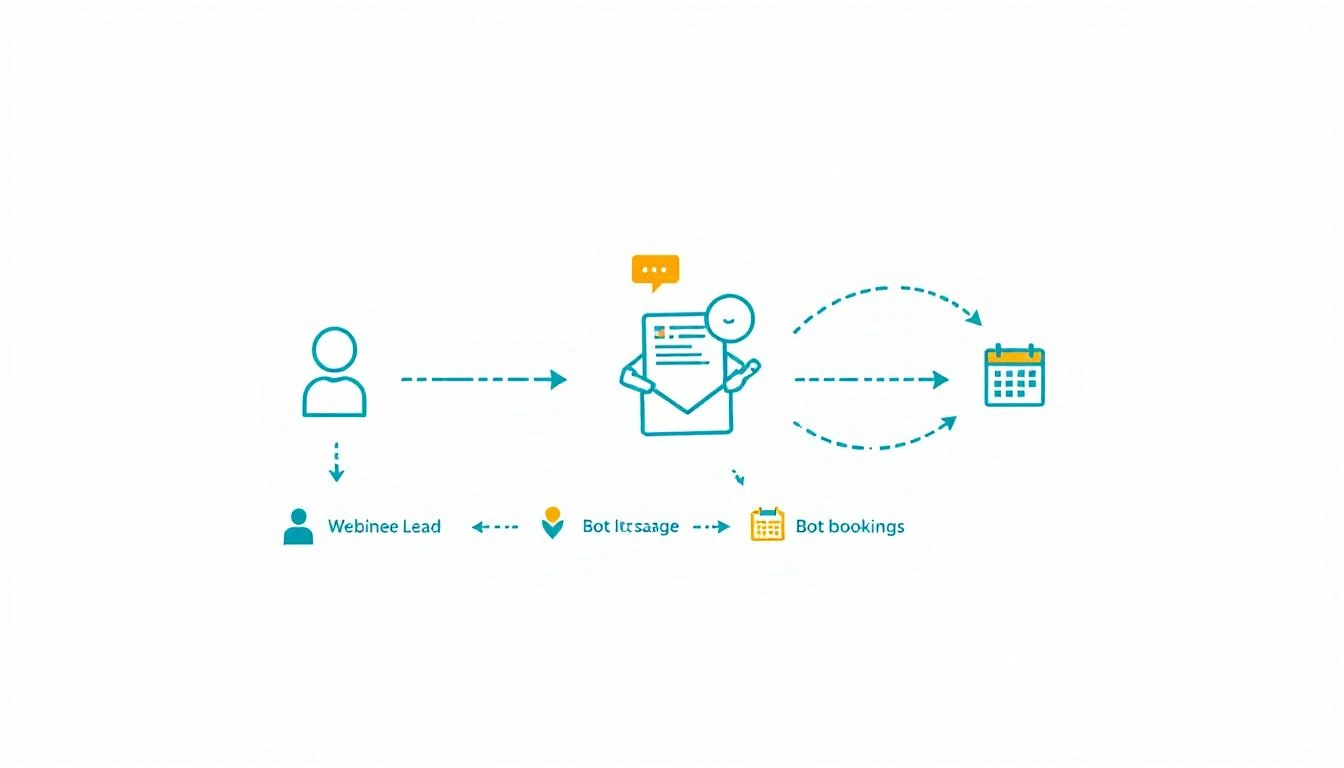
Book a Demo


Related Posts: