A Guide to Overcoming Sales Objections and Closing More Deals

Β· 23 min read

Overcoming sales objections isn't about having the perfect comeback for everything. It’s the art of turning a prospect’s hesitation into a real conversation. The difference between average and elite performers is that the latter treats an objection not as a rejection, but as a request for more information.

The whole game is about diagnosing the true concernβ€”is this really about need, urgency, trust, or budget?β€”and addressing that with genuine understanding. Forget the scripted rebuttals. An actionable approach means listening first, then guiding the conversation based on what you hear.

How to Diagnose the Real Sales Objection​

This is where most reps get it wrong. They treat objections like roadblocks to bulldoze through. They hear "it's too expensive" and immediately launch into a defense of the price. That reactive approach just creates friction and misses the entire point. In contrast, an actionable, diagnostic approach builds trust.

A sales objection isn't a "no." It's an invitation to dig deeper. When a prospect raises a concern, they're handing you a clue about what’s holding them back. Your first job isn't to talkβ€”it's to listen and diagnose.

From Generic Scripts to Accurate Diagnosis​

Think about the difference between a generic, scripted response and a tailored, diagnostic one. A generic script is like a one-size-fits-all prescription; it rarely addresses the specific ailment. Top-performing reps act more like a doctor; they ask questions to understand the root cause before recommending a solution.

This diagnostic mindset is everything in modern objection handling.

Instead of trying to memorize dozens of canned responses, focus on categorizing pushback into four fundamental types. This actionable step makes your life way simpler and helps you get to the heart of the issue fast.

You’ll find nearly every objection falls into one of these buckets:

  • Need: The prospect just doesn't see how your solution solves a problem they actually care about.
  • Urgency: They might see the problem, but don’t think it’s pressing enough to solve right now.
  • Trust: The prospect is skeptical of you, your company, or the results you're promising.
  • Budget: They believe the financial investment is bigger than the value they'll get in return.

This decision tree gives you a simple flow for slotting objections into these four core types.
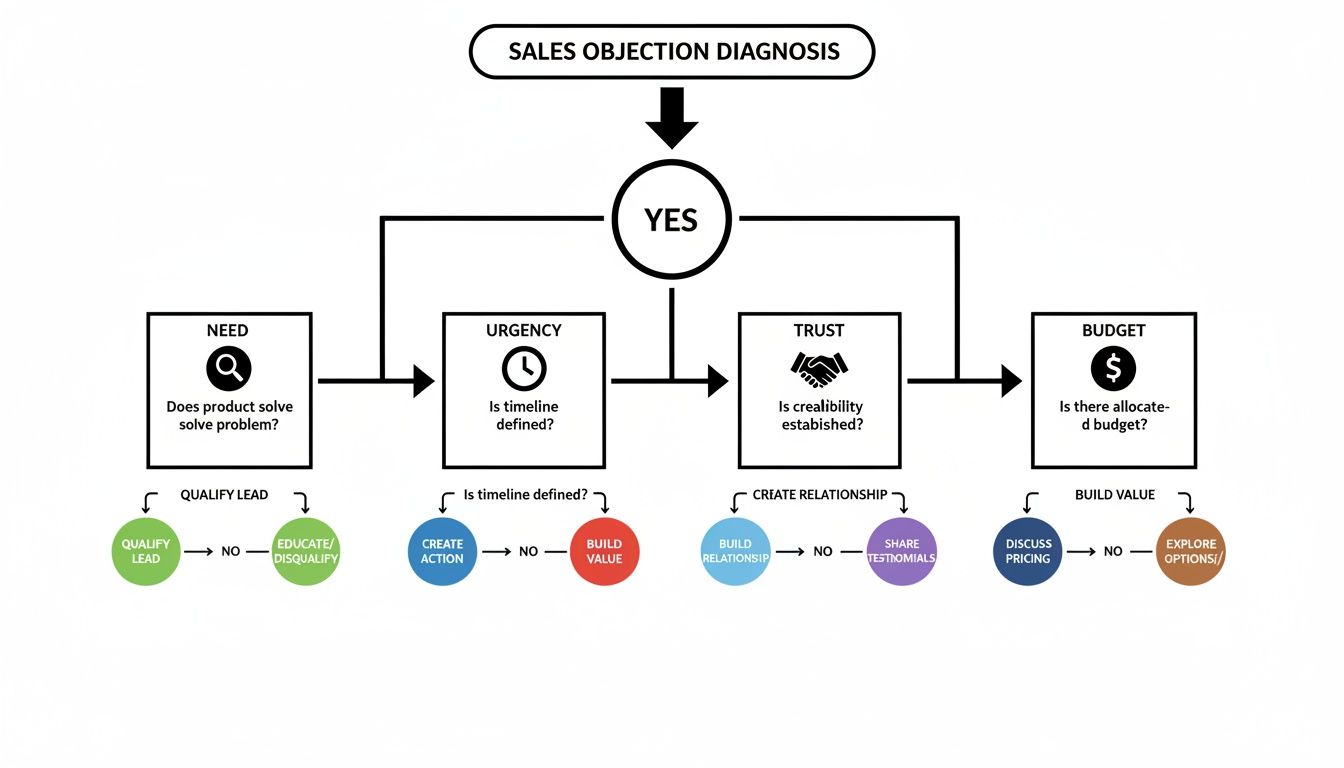
A sales objection diagnosis flowchart illustrating steps to address customer concerns about need, urgency, trust, and budget.

When you can visualize the path from hearing an objection to pinpointing its true nature, you train yourself to pause and think strategically instead of just reacting. This is a practical, actionable skill that improves with every call.

Diagnosing the Four Core Types of Sales Objections​

Here’s a quick cheat sheet to help you categorize pushback on the fly and figure out what’s really going on under the surface. This turns diagnosis into a repeatable action.

Objection TypeCommon Phrases You'll HearWhat It Really MeansYour Actionable Goal
Need"We don't need this."
"We're happy with what we have."
"I don't see a problem big enough to solve."
"You haven't connected to my pain."
Uncover a hidden or undervalued business pain. Connect your solution to their goals.
Urgency"Call me next quarter."
"Now isn't a good time."
"This isn't a top priority."
"I have bigger fires to put out right now."
Attach a real cost to their inaction. Show them why waiting is more painful than acting.
Trust"I've never heard of you."
"Send me some info."
"I'm not sure if you're credible."
"Can your solution actually deliver?"
Build credibility with social proof, relevant case studies, or a low-risk next step.
Budget"It costs too much."
"It's not in the budget."
"I don't see enough value to justify the price."
"The ROI isn't clear to me."
Reframe the conversation around value and return on investment, not just price.

Once you get good at this, you'll stop hearing objections and start seeing opportunities to clarify your value.

Why Pausing Before You Pounce Is a Superpower​

The data backs this up: the best reps diagnose, they don't just react. An analysis by Gong found that just five common sales objections account for a massive 74% of all objections. The biggest one? Situational issues like timing, which make up 42.6% of the total.

For B2B tools like marketbetter.ai's AI-powered SDR engine, which plugs right into Salesforce and HubSpot, those "not right now" objections are best handled with a bit of patience.

High-performing reps pause an average of 2.5 seconds longer after an objection before they say a word. In contrast, low-performers often jump in immediately. That pause gives them just enough time to process the real concern. You can find more insights on this at Leads at Scale.

The goal isn't to win an argument; it's to understand the hesitation. An objection is just a signal that there's a gapβ€”in understanding, value, or trust. Your job is to find that gap and help the prospect cross it.

Actionable Frameworks That Actually Work​

Once you’ve figured out what kind of objection you're dealing with, you need a reliable, actionable framework to frame your response. This isn't about memorizing a magic phrase. It's about having a process that turns a defensive moment into a productive conversation.

If you just react with a counterpoint, you almost always lose. Why? Because it immediately puts you and the prospect on opposite sides of the table. A confrontational approach versus a collaborative one yields drastically different results.
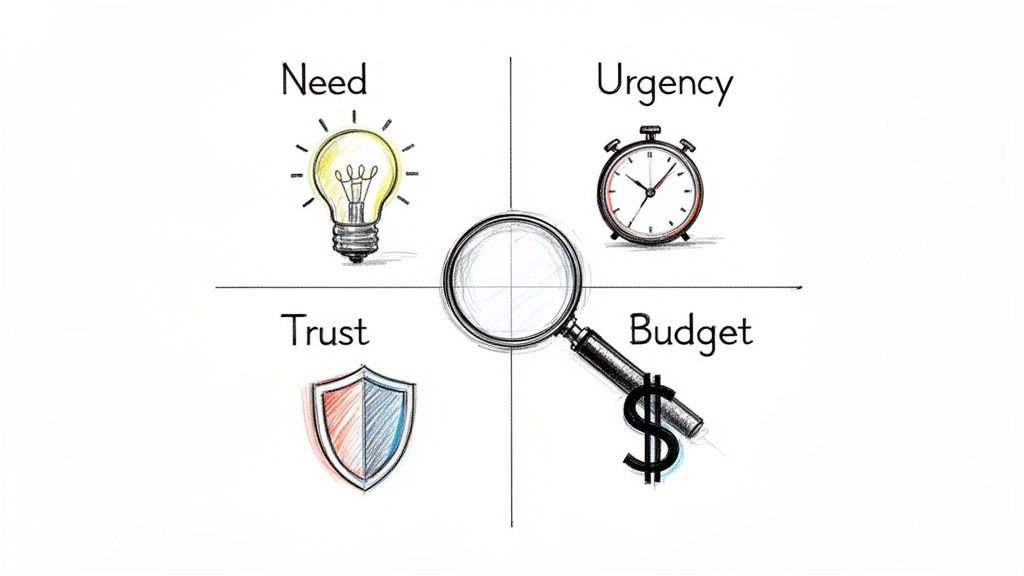
A diagram illustrating Need, Urgency, Trust, and Budget, key factors for sales objection analysis.

The goal is to shift from a monologue to a dialogue. Instead of just pushing back, the best frameworks help you unpack the prospect's real concern with them. That's how you build trust and get to the heart of the issue.

The LAER Model Explained​

One of the most effective and easy-to-remember frameworks I’ve seen is LAER: Listen, Acknowledge, Explore, Respond. It's a simple, four-part process that forces you to understand before you try to be understood.

Let's break it down into actionable steps:

  • Listen: This is more than just staying quiet while the prospect talks. It’s actively processing what they’re sayingβ€”and what they aren't saying. Don't plan your rebuttal. Just listen until they are completely finished. Action: Mute yourself to resist interrupting.
  • Acknowledge: Verbally confirm you heard their concern. You're not agreeing with them; you're just showing them you were paying attention. Action: Use phrases like, "That's a fair point," or "I can see why you'd feel that way." This simple step works wonders to disarm tension.
  • Explore: This is the most important step, and it's the one most reps skip. Before you jump in with a solution, ask a few clarifying questions to dig deeper. Action: Ask an open-ended question like, "Could you tell me more about that?" This is where you find the root cause hiding behind that initial objection.
  • Respond: Only after you’ve listened, acknowledged, and explored should you offer a concise, relevant response. This response should address the real issue you just uncovered, not the smoke screen they threw up first.

This structure stops you from making the classic mistake: responding to the surface-level objection instead of the problem underneath.

LAER in Action: A Real-World Comparison​

Theory is one thing; seeing it in action is another. Let’s compare a typical, weak response with a strong, actionable one built on the LAER model.

The Objection: "We're already working with one of your competitors, and we're pretty happy with them."

Here’s how two different reps might handle this common pushback.

The Weak Response (Reactive)​

A knee-jerk reaction almost always sounds defensive. It immediately tries to discredit the competitor or force a feature-by-feature comparison, which just creates friction and shuts the conversation down.

SDR: "Actually, we're a lot different. Our AI engine is built directly into Salesforce, which means your reps never have to leave their workflow. We also provide much better task prioritization."

This response fails because it assumes the prospect cares about your features without first understanding their world. It’s a monologue, not a dialogue. It completely blows past the Listen, Acknowledge, and Explore steps.

The Strong Response (LAER Framework)​

A strong response uses LAER to open up the conversation and re-center it around the prospect's problems, not your product's bells and whistles.

SDR:

  • (Listen): [Pauses, lets the prospect finish their thought.]
  • (Acknowledge): "That’s great to hear you have a solution in place that you're happy with. Makes total sense to stick with what's working."
  • (Explore): "Just so I understand a bit better, how is your team currently handling the handoff from identifying an account to a rep actually making the first call or sending the first email? How do they decide what to do next?"
  • (Respond): "Got it. The reason I ask is that many teams we work with also use a sales engagement tool, but they use MarketBetter as the 'brain' inside Salesforce that tells reps which tasks to execute and when, ensuring they act on the most important signals without manual work."

The difference is night and day. The LAER response validates the prospect, asks an intelligent, actionable question that gets them thinking, and then gently pivots to a unique value prop that complements, rather than attacks, their current setup.

This is how you transform overcoming sales objections from a battle into a collaborative discovery process.

Handling Price Objections and Competitor Mentions​

Alright, let's talk about the two objections that make even seasoned SDRs break a sweat: price and the competitor card. These aren't just simple brush-offs; they feel like a direct shot at your product's value. But here’s the secret: the best reps don't get defensive. They get curious.

When a prospect says, "it's too expensive," your gut reaction is probably to jump in and justify the cost. Don't do it. That objection is almost never about the number itself. It’s a huge flashing sign that you haven't connected that number to a big enough problem.

Deconstructing the "Too Expensive" Objection​

Your job is to pivot the entire conversation away from cost and toward the cost of doing nothing. Stop defending your price tag and start getting them to calculate the price they’re already paying by ignoring the problem. This single, actionable move reframes the whole discussion from an expense into an investment.

Here's how you make that happen:

  • Find the Value Gap: Ask questions that put a number on their current pain. "What's the real cost of an SDR spending five hours a week just logging activities in the CRM instead of actually calling prospects?"
  • Turn Time into Dollars: Connect that operational drag to a real financial outcome. A great follow-up is, "If each of your SDRs could make 50 more calls every week, what would that realistically do to your pipeline?"
  • Focus on ROI, Not Price: Position your solution as the bridge from their current, expensive reality to a much more profitable one.

Price objections pop up all the time, but they're usually just a smokescreen for a value gap. The data is clear: reps who successfully reframe these moments around ROI close deals 2.3x more effectively. A Harte Hanks study analyzing thousands of sales calls found that pricing came up in over 30% of conversations. This is especially true in crowded markets where prospects are quick to say, "We already have Outreach or Salesloft."

For a tool like MarketBetter.ai, the response has to be grounded in hard numbers. We know our AI-driven workflows slash manual prep time by hours every day, freeing reps up for 20-30% more outbound actions.

This one feels like hitting a brick wall, but it’s actually a huge opportunity. The prospect just confirmed they have the problem your product solves. Your mission isn't to tear down their current tool; it's to find a specific, painful gap it doesn't fill.

The absolute worst thing you can do is get into a feature-by-feature battle. Instead, position your solution as a critical "execution layer" that makes their existing tools smarter and more effective.

For example, if a prospect says they use a traditional sales engagement platform, you can respond with: "That's great, they're a solid platform for sequencing. Where we come in is as the 'brain' inside Salesforce that tells your reps exactly which tasks to execute and when, so they stop being just busy and start being truly effective."
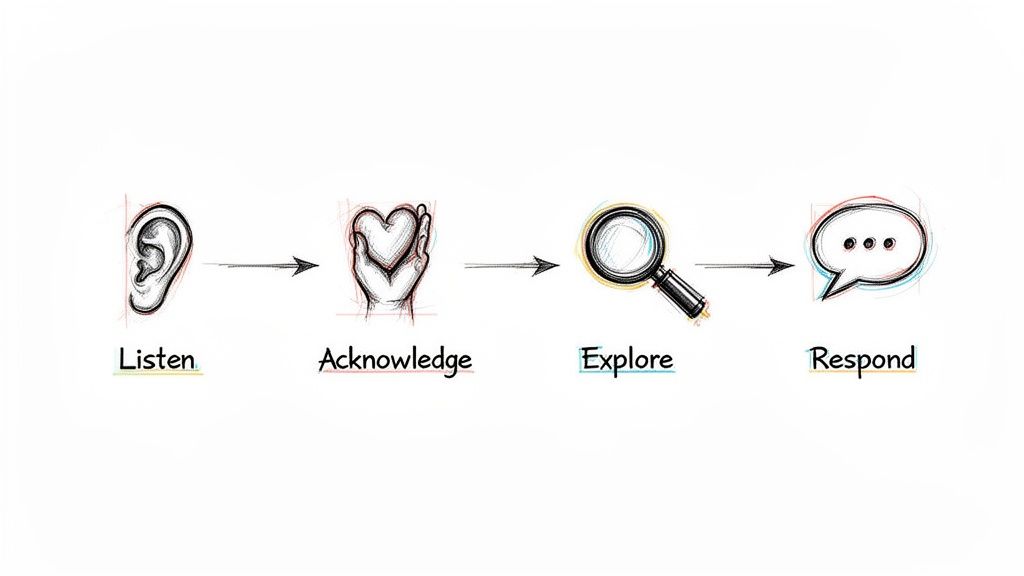
Hand-drawn diagram illustrating a four-step communication process: Listen, Acknowledge, Explore, and Respond.

This is the key. When a rep can see exactly what to do next without ever leaving the CRM, you eliminate the friction and tab-switching that kills productivity.

Comparing Traditional Tools to a Native Task Engine​

To really land this point, it helps to show prospects a side-by-side comparison. It instantly clarifies your unique value instead of letting them lump you in with every other tool they've seen.

This table breaks down the core difference between the old way of doing things and an execution-first workflow built directly inside the CRM.

FeatureTraditional Sales EngagementMarketBetter.ai (SDR Task Engine)
Primary WorkflowReps live in a separate platform, syncing data back to the CRM.Reps work directly from a prioritized task list inside Salesforce.
Task CreationManual sequence building and tedious prospect importing.Automated task creation from real-time buyer signals.
Rep FocusManaging sequences and toggling between platforms.Executing the next best action (call or email) with full context.
CRM HygieneOften creates duplicate records and requires manual clean-up.Automatic logging and clean data, since all actions are native.

The table makes it obvious: you're not just another platform creating more work; you're the engine that makes their primary system of recordβ€”the CRMβ€”actually work for them.

The goal isn't to prove your competitor is bad; it's to show that your solution solves a different, more fundamental problem. When you shift from replacement to enhancement, you change the entire dynamic of the conversation.

This approach is a game-changer, especially when a prospect is generally happy with their current tool but still feels the pain of low productivity and messy data. You're not asking them to rip everything out. You're offering to make their entire stack more powerful.

If you want to go deeper on competitive positioning, our guide on AI pricing intelligence and competitor tracking is a great next step.

Building a Modern Objection Handling Playbook​

Individual tactics are great for winning a single conversation, but a scalable strategy is what wins the quarter. For sales leaders, the goal isn't just to teach reps how to sidestep a one-off objection; it's to build a living, breathing system that gets smarter with every single call.

A modern playbook isn't a static document collecting dust in a shared drive. It’s a dynamic feedback loop that completely transforms how your team handles pushback.

The entire system is built on your CRM. It has to be more than a digital rolodex. Your CRM needs to become the single source of truth for what's actually happening on the front lines. This starts with a simpleβ€”but crucialβ€”discipline: logging and categorizing every objection your team runs into.

From Manual Logging to Intelligent Insights​

Let's be honest, the traditional way is a grind. Reps hang up, manually log call outcomes, and pick an objection type from a dropdown in Salesforce or HubSpot. It's tedious, but that discipline is the first step toward seeing the bigger picture.

Are "no budget" objections suddenly spiking at the end of the quarter? Is one competitor's name popping up way more often in a specific industry? Without this data, you're flying blind, just going off of anecdotes in your one-on-ones. With it, you can finally start making decisions backed by real numbers.

But the real breakthrough happens when you layer in AI to automate this whole process. This is what shifts your playbook from a historical record into a real-time intelligence engine.

Think about the difference in workflow:

  • The Old Way: A rep finishes a call, spends five minutes trying to remember the prospect's exact phrasing, picks a generic "Disposition," and types out a quick, often incomplete, note.
  • The Modern Way: An AI tool hooked into your dialer automatically records, transcribes, and summarizes the call. It instantly pinpoints the key objection, categorizes it (like "Competitor Mention - Outreach"), and pushes the summary right into the correct CRM field. The rep doesn't have to lift a finger.

This isn't just about saving time. It creates a dataset that is exponentially more accurate and detailed than any manual process could ever hope to be. You can see how to build a system like this with an AI objection handling battlecard generator.

Creating a Powerful Feedback Loop​

Once you have clean, structured objection data flowing into your CRM, you can build an incredibly powerful feedback loop. This system continuously refines your team's talk tracks and tactics based on what's working in the real world, turning reactive skills into a proactive strategy.

Here’s how all the pieces connect in an actionable cycle:

  1. Capture and Analyze: Your AI automatically grabs and tags objections from every call, feeding a dashboard of real-time trends. You can see in a glance which objections are most common, listen to how your top performers handle them, and identify which talk tracks are falling flat.
  2. Refine and Distribute: Use those insights to update your team’s battlecards and scripts. The AI can even help generate new talking points or email templates based on the specific language that’s proven to work. These aren't generic scripts from a blog post; they're battle-tested responses crafted from your own team's wins.
  3. Execute and Measure: Reps take these updated assets into their next calls. Since everything is tracked in the CRM, you can measure the impact directly. Did the new response to the "no budget" objection actually increase your meeting booking rate by 15%? Now you know for sure.

This cycle transforms coaching from subjective advice to data-backed guidance. As you're building out your playbook, it's also smart to pull in outside perspectives on developing effective sales strategies to make sure your approach is well-rounded.

A modern objection handling playbook is a closed-loop system. It uses real call data to find what works, AI to scale those learnings across the team, and CRM tracking to measure the results. This is how you stop guessing and start engineering better outcomes.

How to Coach Your Team for Better Results​

Great objection handling isn’t a talent someone is born with. It’s a skill, and like any other, it’s sharpened and perfected through consistent, high-quality coaching. For sales leaders and enablement managers, the real work starts after the playbook is written. The mission? To shift your coaching from gut-feel feedback to a data-backed system for getting better.

This is how you scale excellence across the entire team. It’s how new reps ramp faster and seasoned reps stay on top of their game. It’s about building a culture where objections aren’t confrontations; they’re just part of the craft.
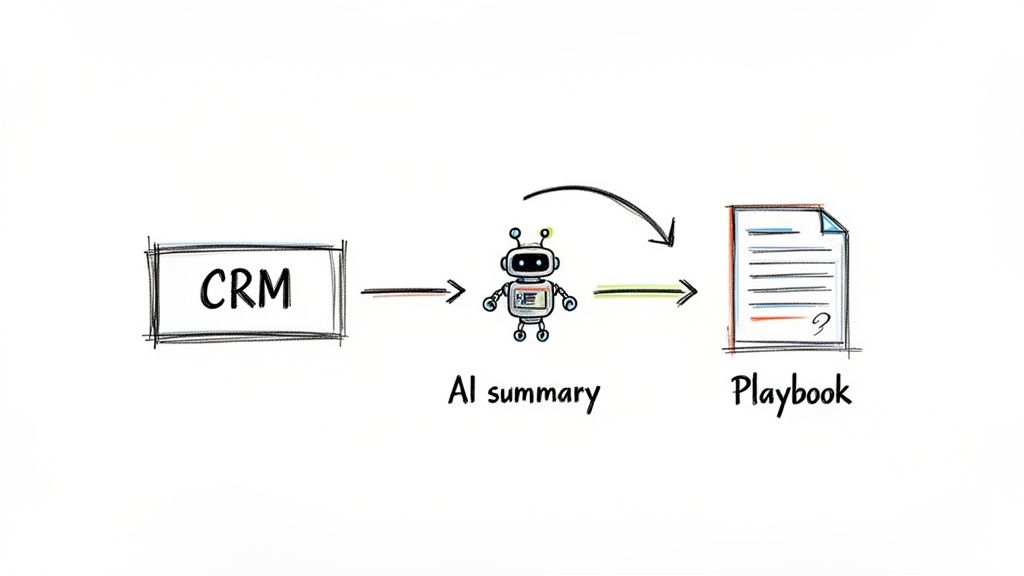
A diagram illustrates CRM data processed by an AI summary to generate a sales playbook, streamlining workflows.

Beyond Script Reading to Real-World Simulation​

Let's be honest: the classic role-playing session usually falls flat. Reps read scripts to each other in a safe, low-stakes room, which does almost nothing to prep them for a real call with a skeptical prospect. To actually work, coaching needs to feel like the real world.

Forget just reading lines. Run sessions that mimic the chaos and unpredictability of an actual sales call.

  • Pressure-Test Scenarios: Make one rep the "prospect" but give them a secret, underlying objection they aren't supposed to reveal easily. This forces the SDR to use real discovery skills to dig for the truth, not just spit back a canned response.
  • Rapid-Fire Rounds: Hit a rep with five minutes of non-stop, common objections. The goal isn't a perfect answer every time. It’s to train their mental reflexes so they can pull the right framework from memory without panicking.

This moves the focus from memorization to applicationβ€”a much, much more valuable skill in the trenches.

Comparing Coaching Methods: Old vs. New​

The way we coach has to evolve. Leaning on memory and what you think you heard on a call isn't good enough anymore, not when technology can give you objective, detailed insights on every single conversation.

Coaching AspectTraditional ApproachModern Data-Backed Approach
Feedback SourceManager's subjective memory of a few live calls.AI-powered analysis of all recorded calls.
Role-Play RealismScripted and predictable scenarios.Scenarios built from real, recent objections logged in the CRM.
Performance MetricsBased on lagging indicators like meetings booked.Tracks leading indicators like Patience Score and objection types.
ScalabilityLimited to one-on-one time and manager availability.AI summaries and trend reports allow for targeted group coaching.

The modern approach doesn’t replace the manager. It just gives them the data to be a much more effective coach.

Using Call Recordings for Actionable Feedback​

Call recordings are a coaching goldmine, but only if you know what you’re looking for. Nobody has time to listen to a 30-minute call just to find one coachable moment. This is exactly where AI summaries become a manager’s best friend.

A good AI tool can transcribe calls and flag key moments, like when an objection popped up and how the rep handled it. Instead of giving vague feedback like, "You need to sound more confident," you can get incredibly specific.

For example, you can point to the exact moment a rep fumbled on price and say, "Right here, you immediately started defending the price. Next time, try acknowledging their concern first. Then, pivot to a question that explores the value gap, like, 'What's the cost of your team spending five hours a week on manual logging?'" Now that is feedback a rep can actually use.

Key Metrics to Track Improvement​

To know if your coaching is actually making a difference, you need to track the right metrics. Moving beyond just "meetings booked" gives you a far clearer picture of how your team's skills are developing.

Here are a few critical metrics to keep an eye on:

  • Conversation-to-Meeting Rate: This shows how good your reps are at turning a real conversation into a concrete next step, especially after navigating objections.
  • Objection Handling Success Rate: Start tracking which objections are consistently shut down versus those that kill the conversation. This tells you exactly where to focus your next team training.
  • Patience Score: A metric highlighted in Gong studies, this measures the pause a rep takes after hearing an objection. Top performers wait longer, giving them time to diagnose the real issue instead of just reacting.

Sales performance data shows that successfully handling multiple objections boosts success rates to 64%. That's a huge jump from the 37% success rate when only one objection is addressed. Prospects rarely have just one concern. Using a CRM-integrated tracker, you can spot these trends and train your team to dig deeper with questions like, "What specifically concerns you about that?" to uncover everything that’s holding them back.

Coaching isn’t about fixing every mistake. It’s about finding the one or two key behaviors that, if improved, will have the biggest impact on a rep's performance and giving them the tools and data to get there.

For managers looking to help their team not just handle objections but also bring in more business, exploring proven strategies to get coaching clients can offer valuable insights. And remember, a strong coaching program is a core piece of any successful sales enablement strategy.

Frequently Asked Questions​

Even with the best frameworks, the real world always throws a curveball. Here are some of the most common questions that pop up in the trenches when you're turning tough conversations into real opportunities.

What Is the Single Biggest Mistake Reps Make?​

Easy. Responding too quickly. It's a gut reaction. The moment a prospect raises an issue, the impulse is to jump in with a perfectly crafted rebuttal.

But that almost always backfires. It tells the prospect you weren't really listening; you were just waiting for your turn to talk. Instead of digging into the real problem, you end up shadowboxing with a surface-level comment, which just makes them dig their heels in.

Just pausing for two seconds before you speak can completely change the tone of the entire conversation.

How Do I Handle an Objection I’ve Never Heard Before?​

When you get hit with something totally new, your goal isn't to have the perfect answerβ€”it's to understand the question.

This is where you lean hard into the "Explore" step of the LAER framework. Get curious. A simple, honest response works wonders: "That's a really good question. So I can make sure I understand, could you tell me a bit more about what's driving that concern?"

This does three things at once: it buys you time, it shows you're actually engaged, and it helps you uncover the real issue before you even try to solve it.

An objection you've never heard before isn't a test of your knowledge; it's an opportunity for discovery. Treat it as a chance to learn something new about your prospect's world and what they truly value.

Can You Over-Prepare for Objections?​

Absolutely, especially if you prepare the wrong way. The biggest trap is trying to memorize dozens of word-for-word scripts for every possible objection. It’s a fast track to sounding robotic and completely inauthentic.

Think of it like this:

AspectIneffective Preparation (Memorizing)Effective Preparation (Internalizing)
FocusKnowing the exact words to say.Understanding the why behind the objection.
OutcomeSounds scripted and disconnected.Sounds natural, curious, and confident.
GoalTo win the point.To open a productive dialogue.

The key is to internalize the frameworks, not memorize the lines. When you truly grasp the principles of Listen, Acknowledge, Explore, and Respond, you can adapt to anything on the fly, in your own words. The goal is confident agility, not robotic recitation.


Ready to stop letting objections derail your pipeline? The marketbetter.ai SDR Task Engine turns buyer signals into prioritized tasks and helps your team execute flawlessly with AI-powered emails and a dialer that lives directly inside Salesforce and HubSpot. See how it works at https://www.marketbetter.ai.

Signal-Based Selling: The Complete Guide to Signal-Based Market (SBM) for Sales Teams

Β· 18 min read
sunder
Founder, marketbetter.ai

Your SDRs have a list of 30,000 accounts. They're calling, emailing, and LinkedIn-ing their way through it β€” one cold outreach at a time, praying that someone picks up.

Here's the math nobody talks about: at 80 activities per day, it takes a single rep 375 business days to touch every account once. That's 18 months. And by the time they circle back to account #1, whatever signal triggered the initial outreach is long dead.

This is the fundamental problem with traditional outbound. You're treating every account the same. The company that visited your pricing page three times this week gets the same generic sequence as the company that hasn't thought about your category in two years.

Signal-based selling fixes this. Instead of working a static list, you work a dynamic, living market β€” the accounts showing real buying behavior right now. We call this your Signal-Based Market (SBM), and it changes everything about how modern sales teams operate.

What Is Signal-Based Selling?​

Signal-based selling is a GTM strategy where every sales action β€” who to call, what to say, when to reach out β€” is driven by real-time buying signals rather than static lists or gut instinct.

Instead of asking "Who's on my list today?", signal-based sellers ask: "Who's showing buying behavior today?"

Those signals include:

  • First-party engagement: Website visits, pricing page views, content downloads, demo page visits
  • Behavioral patterns: Repeat visits, increasing session depth, multi-stakeholder browsing
  • Champion movements: Key contacts changing jobs to new companies (they already know your product)
  • Firmographic changes: Funding rounds, hiring patterns, tech stack changes
  • Conversation intelligence: What prospects say on calls β€” pain points, timeline, budget mentions

The shift is subtle but profound. Traditional selling is push-based β€” you push your message to a list and hope for the best. Signal-based selling is pull-based β€” you let buyer behavior pull you toward the accounts most likely to convert.

The best salespeople have always done this instinctively. Signal-based selling just makes it systematic, scalable, and available to every rep on the team β€” not just the top 10%.

Understanding the Signal-Based Market (SBM)​

The Signal-Based Market is the core concept that makes this work. Think of it as a funnel β€” but instead of a marketing funnel, it's a focus funnel that tells your sales team exactly where to spend their time.

The TAM β†’ ICP β†’ SBM Funnel​

Here's how a Signal-Based Market narrows the aperture from "everyone" to "right now":

StageWhat It RepresentsExample SizeHow You Define It
TAM (Total Addressable Market)Every company that could buy your product~150,000 accountsIndustry, company size, geography
ICP (Ideal Customer Profile)Companies that should buy your product~30,000 accountsFirmographic fit, technographic match, budget indicators
SBM (Signal-Based Market)Companies showing buying behavior today~100-150 accountsReal-time engagement + readiness signals overlaid on ICP

Read that last row again. From 150,000 accounts to ~100 that matter today. That's not a marginal improvement β€” that's a 1,500x increase in focus.

Your TAM is everyone. Your ICP narrows it by fit. Your SBM narrows it by timing. And timing is everything in sales.

The Three-Signal Venn Diagram​

Your Signal-Based Market lives at the intersection of three signal categories:

🎯 Circle 1: ICP / Firmographic Fit Does this account match your ideal customer profile? Right industry, right size, right tech stack, right budget range? This is the foundational filter β€” if they don't fit, no amount of intent signal matters.

πŸ“Š Circle 2: Engagement Score Is this account actively engaging with your brand? Visiting your website, reading your content, clicking your emails, attending your webinars? Engagement signals tell you they know you exist and are actively researching.

⚑ Circle 3: Readiness Score Are they showing signals that suggest they're ready to buy soon? Pricing page visits, competitor comparison research, multi-stakeholder engagement, expansion hiring, budget cycle timing? Readiness signals separate browsers from buyers.

The center of this Venn diagram β€” where all three circles overlap β€” is your Signal-Based Market. These are accounts that fit your ICP, are actively engaging with your brand, AND are showing readiness to buy. This is where your SDRs should spend 80%+ of their time.

An account that fits your ICP but isn't engaging? Nurture them. An account that's engaging but doesn't fit? Let marketing handle it. An account that's ready but doesn't fit? Pass.

But an account that fits, is engaging, AND is ready? That's a phone call. Today. Right now.

Why Traditional Prospecting Is Broken​

Let's be honest about why most SDR teams struggle. It's not a people problem β€” it's a system problem.

The Spray-and-Pray Reality​

The average SDR workflow looks like this:

  1. Get assigned a territory of 5,000-30,000 accounts
  2. Build sequences in a sales engagement platform
  3. Blast those sequences to as many contacts as possible
  4. Hope that sheer volume produces enough responses
  5. Cherry-pick the replies and book meetings
  6. Repeat until quota or burnout (usually burnout)

The conversion math is brutal: 1-2% reply rates on cold outbound means you need 5,000 emails to generate 50-100 replies, which yield maybe 10-15 meetings, which close 2-3 deals.

And here's the kicker β€” those 2-3 deals would have likely come in anyway, because those prospects were already in a buying cycle. You didn't create demand. You just happened to catch them at the right time through brute force.

The Real Cost of Unfocused Outbound​

The hidden costs go beyond low conversion rates:

  • Rep burnout: SDRs churn at 35-40% annually. The #1 reason? Feeling like they're spinning their wheels
  • Brand damage: Every bad-fit email erodes your brand reputation. Recipients who aren't a fit don't just ignore you β€” they remember you negatively
  • Opportunity cost: Every minute spent on a cold account is a minute NOT spent on a warm one
  • Data decay: By the time you circle back through 30K accounts, the data is stale

Signal-based selling doesn't just improve efficiency β€” it fundamentally changes the experience of being an SDR. When reps know their outreach is going to people who are actually in-market, everything improves: response rates, conversation quality, confidence, and ultimately, retention.

The Signal Hierarchy: Not All Signals Are Created Equal​

This is where most intent data strategies go wrong. Teams buy a third-party intent data feed, light up a dashboard of "hot accounts," and expect magic. It doesn't work because they're using commoditized signals.

Commoditized vs. Proprietary Signals​

Think of signals like stock market alpha. Public information is priced in. Everyone has access to the same job posting data, the same LinkedIn activity feeds, the same Bombora surge topics. When every competitor sees the same "intent signal," nobody has an advantage.

Signal TypeExamplesCompetitive Advantage
Commoditized (Public)Job postings, LinkedIn posts, press releases, G2 reviewsLow β€” everyone sees these
Semi-ProprietaryThird-party intent data (Bombora, etc.), technographic changesMedium β€” requires a subscription, but many competitors have it
Proprietary (Your Alpha)YOUR website visitors, YOUR content engagement, YOUR pricing page views, YOUR call recordingsVery High β€” only YOU have this data
Compound SignalsProprietary signals layered with firmographic fit + timing triggersMaximum β€” this is your Signal-Based Market

The real alpha in signal-based selling is in proprietary, compound signals. A company visiting YOUR pricing page three times in a week while also matching your ICP and having a champion who previously used your product at another company β€” that's a signal stack that no competitor can replicate because it's built from YOUR data.

First-Party Signals Are Your Competitive Moat​

This is why website visitor identification is so critical to signal-based selling. Your website traffic is the highest-quality intent signal available because:

  1. It's exclusive to you: Only you know who's visiting YOUR site
  2. It's high-intent by definition: They found you, not the other way around
  3. It's timely: You see the visit when it happens, not weeks later in a third-party report
  4. It compounds: A single visit is interesting. Three visits with a pricing page view is a buying signal. Five visits with multiple stakeholders from the same company is a red alert

MarketBetter customers typically see 35,000+ website visits tracked monthly, with 5,000+ companies identified β€” and these aren't random visitors. These are companies actively researching your solution.

Building Your Signal-Based Market: A Practical Framework​

Enough theory. Here's how to actually build and operationalize a Signal-Based Market for your sales team.

Step 1: Define Your ICP with Precision​

Your ICP is the foundation of your SBM. Get this wrong and you'll be chasing signals from accounts that will never close.

Go beyond basic firmographics. A modern ICP includes:

  • Firmographic fit: Industry, employee count, revenue range, geography
  • Technographic fit: Current tech stack (do they use tools that complement or compete with yours?)
  • Behavioral fit: How do your best customers find you? What content do they consume? What's their buying journey look like?
  • Negative filters: Who should you explicitly EXCLUDE? (Too small, wrong industry, already using a competitor with a 3-year contract)

Pro tip: Analyze your last 20 closed-won deals. What do they have in common beyond the obvious? Look for patterns in tech stack, hiring velocity, funding stage, and growth trajectory. These are your hidden ICP dimensions.

With MarketBetter's Audience Builder, you can define these ICP criteria and use AI enrichment to automatically score every account in your database against your ideal profile β€” no manual research required.

Step 2: Instrument Your Engagement Signals​

Once your ICP is defined, you need to capture engagement signals from accounts that match:

Website Visitor Identification (Your #1 signal source)

  • Track anonymous website visitors and resolve them to companies
  • Identify which pages they visit (pricing = high intent, blog = research phase)
  • Track visit frequency and recency (3+ visits in a week = active buying cycle)
  • Identify multi-stakeholder visits (multiple people from the same company = committee forming)

Content Engagement

  • Which accounts are downloading your whitepapers?
  • Who's watching your webinars?
  • Which companies are engaging with your LinkedIn content?

Email and Outreach Engagement

  • Opens and clicks are noisy β€” focus on reply sentiment and multi-touch engagement
  • An account that opens 5 emails without clicking is not engaged; an account that clicks once and visits your site is

Step 3: Layer Readiness Signals​

Engagement tells you who's interested. Readiness tells you who's ready to buy. The difference matters.

Key readiness signals:

  • Pricing page visits: The clearest buying signal in B2B. If they're on your pricing page, they're evaluating budget
  • Repeat visits with increasing depth: Going from blog β†’ features β†’ pricing β†’ about us β†’ pricing again = active evaluation
  • Champion job changes: When a former customer or power user moves to a new company, that's a warm introduction waiting to happen
  • Competitive research signals: Visiting your comparison pages or G2 reviews
  • Internal momentum: Multiple stakeholders from the same account engaging simultaneously = buying committee activation
  • Conversation intelligence: On calls, listen for pain point articulation, timeline mentions, budget discussions, and stakeholder references

MarketBetter's GTM signal engine captures these readiness signals automatically and feeds them into a unified scoring model β€” so your reps don't have to stitch together data from 8 different tools.

Step 4: Create the Daily SDR Playbook​

This is where SBM comes to life. Every morning, your SDRs should see a prioritized list of ~100-150 accounts that are:

βœ… ICP fit (firmographic + technographic match) βœ… Actively engaging (website visits, content consumption, email interaction) βœ… Showing readiness (pricing page views, repeat visits, champion moves, multi-stakeholder engagement)

This is the Daily SDR Playbook β€” and it eliminates the single biggest productivity killer in sales: deciding who to call.

Instead of browsing through thousands of accounts wondering where to start, your reps open their playbook and see exactly who needs attention TODAY, ranked by signal strength. The #1 account might be a perfect-fit company whose VP of Sales just visited your pricing page for the third time this week. The #50 account might be a good-fit company with rising blog engagement.

Both are better than cold outreach to a random account on a static list.

MarketBetter's Daily SDR Playbook does exactly this β€” it synthesizes ICP fit, engagement signals, and readiness indicators into a single prioritized view. Reps see who to call, why they should call, and what to say. Every morning. Automatically.

Step 5: Personalize Outreach Based on Signals​

Signal-based selling doesn't stop at prioritization. The signals themselves tell you what to say.

Instead of: "Hi [Name], I noticed [company] is growing fast and thought you might be interested in..."

Try: "Hi [Name], I saw that a few folks from [Company] have been looking at our pricing and integration docs this week. Looks like you're evaluating solutions for [specific use case]. Would it help if I walked you through how companies like [similar customer] set this up?"

That's not creepy β€” that's relevant. And relevance drives 3-5x higher response rates than generic personalization.

Signal-aware messaging templates:

Signal DetectedMessaging Approach
Pricing page visitLead with ROI and implementation ease
Competitor comparison pageDifferentiate on your unique value prop
Champion job changeReference their previous experience with your product
Multiple stakeholders browsingAcknowledge the evaluation and offer a team demo
Repeat blog visitor moving to product pagesBridge from their content interest to a product conversation
High engagement + no demo bookedAsk directly β€” they're clearly interested, remove the friction

Signal-Based Selling Metrics: What to Track​

If you're shifting to signal-based selling, you need new metrics. The old ones (activities per day, emails sent, calls made) measure effort. SBM metrics measure impact.

Activity Metrics β†’ Signal Metrics​

Old Metric (Activity-Based)New Metric (Signal-Based)Why It Matters
Emails sent per daySignal-triggered outreach %What % of your outreach is based on a real signal? Target 70%+
Calls per dayConversations per signalHow many signals convert to actual conversations?
Accounts touchedSBM coverageAre you working ALL your hot accounts, or leaving signals on the table?
Response rate (overall)Response rate (signal vs. cold)Side-by-side comparison proves the model works
Meetings bookedSignal-to-meeting conversionHow efficiently do signals convert to pipeline?
Pipeline generatedPipeline per signal sourceWhich signals generate the most valuable pipeline?

Benchmarks for Signal-Based Selling​

Based on data from teams running signal-based workflows:

  • Signal-triggered outreach response rate: 3-5x higher than cold outbound
  • Time to first meeting: 40-60% faster when working signal-prioritized accounts
  • SDR ramp time: Reduced significantly β€” new reps don't need to "learn" the territory because the signals tell them where to focus
  • Rep retention: Higher β€” reps who feel productive and have meaningful conversations stay longer
  • Pipeline quality: Deals from signal-sourced accounts close at higher rates because the timing is right

Common Mistakes in Signal-Based Selling​

Mistake 1: Treating All Intent Data as Equal​

Buying a third-party intent data subscription and calling it "signal-based selling" is like buying a gym membership and calling yourself fit. The data is just the raw material β€” you need to layer it with your own first-party signals and ICP scoring to create real intelligence. Read more about why generic intent data fails sales teams.

Mistake 2: Overcomplicating the Signal Stack​

You don't need 15 signal sources. Start with three:

  1. Website visitor identification β€” your highest-quality, most actionable signal
  2. ICP scoring β€” firmographic and technographic fit
  3. Engagement scoring β€” email, content, and website engagement combined

That's enough to build a functioning SBM. You can add champion tracking, conversation intelligence, and third-party intent data later.

Mistake 3: Not Acting Fast Enough​

Signals have a half-life. A pricing page visit from 30 minutes ago is a hot lead. A pricing page visit from 30 days ago is a historical footnote. Your SBM needs to feed into a daily (ideally real-time) workflow, not a weekly report that sits in someone's inbox.

Mistake 4: Ignoring Signal Decay​

Related to above: signals decay. A company that was hot last month may be ice cold today (they chose a competitor, the project got shelved, the champion left). Your SBM must be dynamic β€” accounts should move in AND out of your active market based on current signals, not historical ones.

Mistake 5: Not Connecting Signals to CRM​

If your signals live in a dashboard that's separate from your CRM and sales engagement tools, reps won't use them. The signal has to appear where reps already work β€” in Salesforce, HubSpot, or their daily workflow tool. MarketBetter pushes signals and daily playbook tasks directly into your CRM, eliminating the "another tab to check" problem.

Signal-Based Selling vs. Traditional Approaches​

DimensionTraditional OutboundABMSignal-Based Selling
Account selectionStatic list, territory-basedCurated list, committee-basedDynamic, signal-driven
PrioritizationAlphabetical, round-robin, or gut feelTier 1/2/3 based on fitReal-time signal scoring
TimingWhen the sequence firesWhen the campaign launchesWhen the buyer shows intent
PersonalizationName and company merge fieldsAccount-specific content and adsSignal-specific messaging
Daily rep workflow"Work through the list""Run the plays for target accounts""Here are 100 accounts showing buying signals TODAY"
AdaptabilitySlow β€” requires list rebuildsMedium β€” requires campaign updatesReal-time β€” SBM updates continuously
SDR experienceGrindingStructured but slowFocused and productive

Signal-based selling isn't replacing ABM β€” it's making it dynamic. You still need account selection and personalized engagement. But instead of running static plays against a fixed target account list, you're running signal-triggered plays against a live market.

How MarketBetter Powers Signal-Based Selling​

We built MarketBetter specifically for signal-based selling because we lived the pain of the alternative. Every feature maps to a piece of the SBM framework:

Audience Builder + AI Enrichment β†’ ICP Fit (Circle 1) Define your ICP criteria β€” industry, size, tech stack, growth signals β€” and let AI enrichment automatically score and segment your entire addressable market. No manual research. No spreadsheet gymnastics.

Website Visitor Identification β†’ Engagement Score (Circle 2) Track every company visiting your website. See which pages they view, how often they return, and how many stakeholders are engaging. Our customers track 35,000+ visits and identify 5,000+ companies monthly β€” all feeding directly into their SBM.

GTM Signal Engine β†’ Readiness Score (Circle 3) Pricing page visits. Repeat visits with increasing depth. Champion job changes. Conversation intelligence from call recordings. All synthesized into a readiness score that tells you who's ready to buy.

Daily SDR Playbook β†’ The Center of the Venn (Your SBM) Every morning, your reps see a prioritized list of the ~100 accounts sitting at the intersection of ICP fit, engagement, and readiness. No guessing. No list-surfing. Just focused, signal-driven outreach to the accounts most likely to convert today.

CRM Integration β†’ Signal-to-Action Every signal, every playbook recommendation pushes directly into Salesforce and HubSpot. Reps never need to leave their workflow to access their SBM.

This isn't theoretical. MarketBetter holds a 4.97 rating on G2 β€” the highest-rated platform in our category β€” because teams using signal-based selling with our platform see real results: higher response rates, more meetings booked, faster ramp times, and reps who actually enjoy their jobs.

Getting Started with Signal-Based Selling​

You don't need to overhaul your entire GTM motion overnight. Here's a practical 30-day ramp:

Week 1: Foundation

  • Define your ICP (or sharpen the one you have)
  • Implement website visitor identification
  • Identify your top 3 signal sources

Week 2: Instrumentation

  • Set up engagement scoring based on website visits + email engagement
  • Configure readiness signals (pricing page alerts, repeat visit tracking)
  • Build your first Daily SDR Playbook

Week 3: Activation

  • Train reps on signal-based workflow (who to call, what signals mean, how to personalize)
  • Run signal-based outreach alongside traditional outbound to benchmark results
  • Start tracking signal-based metrics (response rates, conversion rates by signal type)

Week 4: Optimization

  • Analyze which signals correlate with pipeline creation
  • Adjust signal weights and ICP scoring based on results
  • Scale what works, cut what doesn't

Beyond 30 days:

  • Add champion tracking and conversation intelligence
  • Build signal-based sequences (different messaging triggered by different signals)
  • Layer in AI SDR capabilities for automated follow-up on lower-priority signals

The Future of Signal-Based Selling​

Signal-based selling isn't a trend β€” it's the inevitable evolution of B2B sales. As buying cycles become more complex, more digital, and more committee-driven, the teams that win will be the ones that can:

  1. See buying signals in real-time across every channel
  2. Prioritize the right accounts at the right moment
  3. Act with speed and relevance that matches the buyer's urgency
  4. Learn which signals drive pipeline and continuously refine their SBM

The SDR role isn't going away. But the SDR who manually prospects from a spreadsheet is going the way of the door-to-door salesman. The future belongs to signal-driven reps β€” armed with real-time intelligence, working a dynamic market, and spending every minute on accounts that actually want to hear from them.


Free Tool

Try our AI Lead Generator β€” find verified LinkedIn leads for any company instantly. No signup required.

Ready to Build Your Signal-Based Market?​

MarketBetter gives you the complete signal-based selling stack: ICP scoring, website visitor identification, GTM signal engine, and a Daily SDR Playbook that tells your reps exactly who to work today.

Stop spraying and praying. Start signal-based selling.

πŸ‘‰ Book a demo and see your Signal-Based Market in action

Slack-First Sales Alerts with OpenClaw: Real-Time Deal Intelligence for Your Team [2026]

Β· 9 min read

Your sales team lives in Slack. Your deals live in HubSpot. And the gap between them is where revenue goes to die.

A deal stage changes at 2 PM. The rep updates HubSpot at 4 PM. The manager notices in the weekly pipeline review. That's 3 days of latency on information that should trigger immediate action.

What if your team got intelligent, contextual deal alerts in Slack the moment something changed? Not raw CRM notifications β€” those are noise. Real intelligence: "This deal just stalled past the critical 14-day mark in proposal stage. Deals matching this pattern close at 34% instead of 67%. Suggested action: Executive sponsor call."

That's what OpenClaw enables. An AI agent that monitors your CRM, understands deal context, and delivers actionable intelligence to your team in the tool they already live in.

Slack channel with real-time sales deal alerts from AI agent

Why Raw CRM Notifications Don't Work​

Every CRM offers Slack notifications. HubSpot, Salesforce, Pipedrive β€” they all have "send to Slack when X happens" automations. So why do teams still miss critical deal signals?

Too much noise. When you notify on every field change, people mute the channel. "John updated deal amount from $24,000 to $24,500" β€” nobody needs to see that in real time.

No context. "Deal X moved to Proposal stage" is a fact, not intelligence. What's missing: Is this fast or slow compared to similar deals? Are the right stakeholders engaged? Is there competitive pressure?

No recommended action. Knowing that something changed is step one. Knowing what to do about it is what actually drives revenue. Raw notifications leave the "so what?" entirely to the reader.

Wrong audience. Everyone in the sales channel sees everything. The SDR who owns the deal, the manager, the VP β€” they all need different information at different times.

OpenClaw-powered alerts solve all four problems.

The Architecture​

Here's how a Slack-first sales intelligence system works with OpenClaw:

Monitor layer: OpenClaw agent checks your CRM at regular intervals (every 15-60 minutes). It tracks changes to deal stage, amount, close date, stakeholder engagement, and activity levels.

Intelligence layer: When changes are detected, Claude analyzes the change in context. Not "deal moved stages" but "deal moved to proposal in 8 days, which is 40% faster than average for this deal size β€” high-velocity pattern detected."

Routing layer: Different alerts go to different people. The rep gets tactical advice. The manager gets pipeline impact. The VP gets the roll-up. Nobody gets noise.

Action layer: Every alert includes a suggested next step. Not "check the deal" β€” a specific action based on what the data says works.

What Smart Alerts Look Like​

Here are the types of alerts your team should actually receive:

Deal Velocity Alerts​

Fast-moving deal (positive):

πŸš€ Deal Accelerating: Acme Corp Moved from Discovery β†’ Demo in 3 days (avg: 9 days) This matches the pattern of your fastest closes. Don't let momentum stall. Action: Schedule proposal review within 48 hours.

Stalling deal (warning):

⚠️ Deal Stalling: GlobalTech 16 days in Proposal stage (avg: 8 days) Deals that exceed 14 days here close at 34% vs 67%. Action: Check if champion is still engaged. Consider executive sponsor introduction.

Engagement Alerts​

Multi-threading success:

πŸ‘₯ Multi-threading Detected: DataFlow Inc 3 new stakeholders added this week (was single-threaded). Multi-threaded deals close at 2.8x the rate. Strong signal. No action needed β€” keep doing what you're doing.

Ghost alert:

πŸ‘» Radio Silence: CloudNine Solutions No email opens, no meetings, no activity in 12 days. Last activity: Proposal sent on Jan 31. Action: Try a different channel. Phone call or LinkedIn to backup contact.

Competitive Alerts​

Competitor detected:

🏁 Competitor Alert: TechStart Competitor mentioned in latest email thread: Warmly Your win rate against Warmly: 62% when demo happens before theirs. Action: Accelerate demo if possible. Send comparison one-pager.

Pipeline Impact Alerts (Manager/VP only)​

Forecast shift:

πŸ“Š Q1 Forecast Shift 3 deals moved to Closed-Lost this week ($87K total) Current forecast: $412K (down from $499K) Gap to target: $88K Top pipeline to watch: Acme Corp ($65K, score: 82), DataFlow ($45K, score: 74)

OpenClaw agent monitoring CRM and sending Slack notifications

Building It with OpenClaw​

OpenClaw makes this straightforward because it already supports Slack as a messaging channel. Your AI agent can send messages, use formatting, and even react to messages in Slack channels.

Step 1: CRM Connection​

Connect OpenClaw to your CRM via API. HubSpot and Salesforce both have robust APIs that let you:

  • Pull all deals and their properties
  • Get deal history (stage changes over time)
  • Check recent activities (emails, meetings, calls)
  • Monitor stakeholder additions

Set up a cron job in OpenClaw that polls your CRM every 30 minutes. The agent compares current state to the previous snapshot and identifies what changed.

Step 2: Intelligence Rules​

This is where Claude Code shines. Instead of writing complex if-then rules, you describe the intelligence you want in natural language:

  • "Alert when a deal spends more than 150% of the average time in any stage"
  • "Notify when a deal adds or loses stakeholders"
  • "Flag deals with no activity in 10+ days that are in active stages"
  • "Celebrate when a deal moves faster than 75th percentile velocity"

Claude interprets these rules against the actual deal data and generates human-readable alerts. No rule engine to configure. No threshold spreadsheet to maintain.

Step 3: Routing Logic​

Different alerts go to different Slack channels or DMs:

  • #deals-velocity β€” All deal movement alerts (whole team sees wins, learns patterns)
  • DM to rep β€” Tactical advice for their specific deals
  • DM to manager β€” Pipeline impact and at-risk deal roll-ups
  • #sales-wins β€” Closed-won celebrations (morale matters)
  • #weekly-forecast β€” Friday forecast summary with week-over-week changes

Step 4: Action Suggestions​

Every alert ends with a concrete suggestion. These suggestions are generated by Claude based on what's historically worked:

  • "Schedule an executive sponsor introduction" (because that worked for deals X, Y, Z in similar situations)
  • "Send the comparison one-pager" (because win rate doubles when the prospect sees it before meeting with the competitor)
  • "Qualify out if no response by Friday" (because deals that ghost at this stage have a 6% close rate)

Advanced Patterns​

Once the basic system is running, layer on these advanced patterns:

Morning Briefing​

At 8:30 AM, the agent sends each rep a personalized Slack DM:

β˜€οΈ Your Day: Feb 12, 2026

Priority deals:

  1. Acme Corp β€” Demo today at 2 PM. Prep: They just hired a new VP Sales (started Monday). Adjust pitch to emphasize onboarding speed.
  2. DataFlow β€” Proposal review response expected. If no reply by 3 PM, send a follow-up with the ROI calculator.

At risk:

  • CloudNine: Day 12 of silence. Try LinkedIn message to Sarah Chen.

Pipeline health: 6 active deals, $312K total. 2 trending up, 1 trending down, 3 stable.

End-of-Day Wrap​

At 5 PM, each rep gets a summary of what changed:

πŸŒ™ Today's Movement

  • Acme Corp: Demo completed βœ… β†’ moved to Proposal
  • DataFlow: Proposal approved β†’ Negotiation πŸŽ‰
  • CloudNine: Still silent ⚠️ β†’ LinkedIn message sent

Tomorrow's priority: Follow up with DataFlow on pricing terms.

Weekly Pipeline Digest (Managers)​

Friday afternoon, managers get the full picture:

πŸ“Š Week of Feb 10-14

Pipeline created: $145K (3 new deals) Pipeline closed-won: $67K (1 deal) Pipeline closed-lost: $32K (1 deal) Net change: +$46K

Forecast: $412K expected (range: $340K-$490K) Trending: Up from $398K last week

Rep performance:

  • Sarah: 3 deals advancing, 0 at risk 🟒
  • Mike: 1 deal advancing, 2 at risk 🟑
  • James: 0 deals advancing, 1 at risk πŸ”΄

Why OpenClaw vs. Dedicated Tools​

You might wonder: why not use Clari, Gong, or another dedicated forecasting/alerting tool?

Cost. Clari starts at $25K+/year. Gong is $30K+. OpenClaw is free. Even with API costs, you're looking at $200-500/month versus $2K-4K/month.

Customization. Dedicated tools give you their alerts, in their format, on their schedule. With OpenClaw, every aspect is customizable β€” the intelligence rules, the formatting, the timing, the routing. Your team's workflow dictates the system, not the other way around.

Integration depth. OpenClaw connects to anything with an API. Your CRM, your email, your calendar, your LinkedIn, your website analytics β€” all feeding into a single intelligence layer. Most dedicated tools only connect to what they support.

Data ownership. Your deal intelligence stays on your infrastructure. No vendor analyzing your pipeline data to train their models. No risk of a competitor on the same platform getting aggregate insights derived from your data.

Getting Started This Week​

Here's a realistic timeline:

Day 1: Set up OpenClaw and connect to Slack. Configure your #sales-alerts channel.

Day 2: Connect to your CRM API. Build the monitoring cron job that checks for changes every 30 minutes.

Day 3: Create your first intelligence rules. Start with the basics: stage velocity alerts and ghost deal detection.

Day 4: Add routing logic. Reps get their deals, managers get the roll-up.

Day 5: Launch with the team. Gather feedback. Iterate.

Within a week, your team will be getting intelligent, actionable deal alerts in the tool they already live in. No new tab to check. No dashboard to remember. Just the right information, at the right time, in the right place.

Free Tool

Try our AI Lead Generator β€” find verified LinkedIn leads for any company instantly. No signup required.

The Impact​

Teams that implement real-time deal intelligence typically see:

  • 30% faster response to at-risk deals (because they know about them immediately, not at the weekly review)
  • 20% improvement in forecast accuracy (because pipeline hygiene improves when deals are monitored continuously)
  • 15% increase in win rates (because reps take the right actions at the right time)
  • 50% reduction in pipeline review meeting time (because everyone walks in already informed)

These aren't theoretical numbers β€” they're the natural consequences of eliminating information latency in your sales process.

Your deals are changing right now. The question is how fast your team finds out.


Want intelligent deal prioritization built in? MarketBetter's Daily SDR Playbook monitors intent signals and tells your team exactly what to do next β€” in real time. Book a demo to see it.

Unify GTM Review 2026: Features, Pricing, Pros & Cons

Β· 7 min read

Unify GTM positions itself as the "system of action for growing revenue" β€” a warm outbound platform that combines intent data, AI-driven prospecting, and automated engagement workflows. Backed by Emergence Capital and the OpenAI Startup Fund, the platform has generated significant buzz in the B2B sales space.

But is it the right tool for your SDR team? This review covers Unify GTM's features, pricing, real user feedback, and where it falls short β€” so you can make an informed decision.

Unify GTM at a Glance​

DetailInfo
CategoryWarm outbound / sales engagement
Founded2023
BackingEmergence Capital, OpenAI Startup Fund
Best forGrowth-stage B2B companies with dedicated SDR teams
Starting Price$1,000/month (Growth) or $1,740/month (annual with credits)
Free TrialNo
G2 RatingWell-reviewed for intent signals and workflow automation

Core Features​

1. Intent Signals (10+ Sources)​

Unify GTM's standout feature is its aggregation of intent data from multiple sources, including:

  • Website visitor identification (up to 25K revealed companies/month on Growth)
  • 6sense intent data integration
  • Clearbit enrichment
  • G2 buyer intent signals
  • Email intent tracking
  • Job change monitoring
  • Social signals
  • Lookalike signals (in beta)

This multi-source approach gives sales teams a broader view of who's in-market compared to tools that rely on a single intent data provider.

2. Plays (Automated Workflows)​

"Plays" are Unify's workflow builder β€” automated sequences that:

  • Prospect for individuals within target audiences
  • Conduct AI research on leads
  • Enroll contacts into email sequences based on persona
  • Sync data to your CRM

Growth plans include 2 Active Plays. Pro and Enterprise plans offer unlimited Plays.

The Plays feature is powerful but requires thoughtful configuration. This isn't a "plug and play" tool β€” you'll spend time designing your workflows. For teams with dedicated ops resources, that's fine. For lean SDR teams, it can feel like building before you can sell.

3. AI Agents​

Unify's AI Agents handle account research and generate personalized messaging at scale. They can:

  • Research target accounts automatically
  • Draft personalized email copy
  • Adapt messaging based on persona and intent signals

Each Agent Run costs 1 credit, which adds to your total credit consumption.

4. Email Sequences​

Built-in multi-touch email sequences with:

  • Managed Gmail mailboxes ($25/mailbox/month additional)
  • Mailbox warmup and rotation
  • Deliverability analytics
  • Real-time email validation
  • Domain and mailbox monitoring

The managed mailbox approach solves deliverability headaches, but the per-mailbox cost adds up. A team running 20 mailboxes pays an extra $500/month on top of their plan.

5. CRM Integrations​

Supports Salesforce and HubSpot natively. No Pipedrive, Zoho, or other CRM integrations currently available β€” which limits the platform for teams not on the "big two."

Pricing Breakdown​

Unify GTM uses a credit-based pricing model that can be confusing. Here's how it works:

Growth Plan β€” Starting at $1,000/month (or $1,740/month with higher credits)​

  • 2 Active Plays
  • 3 Platform Users ($40/seat/month for additional)
  • 1 Email Sending User ($100/seat/month for additional senders)
  • 5 Managed Mailboxes ($20/mailbox/month for additional)
  • Onboarding + Support

Pro Plan β€” Custom pricing (annual commitment)​

  • Unlimited Plays
  • 5 Platform Users ($25/seat/month for additional)
  • 2 Email Sending Users ($100/seat/month for additional)
  • White Glove Onboarding + Support

Enterprise Plan β€” Custom pricing (annual commitment)​

  • Unlimited Plays
  • 10 Platform Users ($25/seat/month for additional)
  • 5 Email Sending Users ($100/seat/month for additional)
  • SSO support
  • Dedicated Growth Consultant

Credit Costs (Pay Per Action)​

ActionCredit Cost
Company reveal0.1 credits
B2B email lookup2 credits
Phone number4 credits
Champion tracking1 credit
New hire tracking5 credits
AI Agent run1 credit

This means a team prospecting 500 contacts/month for emails (1,000 credits) + 200 phone numbers (800 credits) + 100 Agent runs (100 credits) = 1,900 credits minimum β€” and that's a modest usage scenario.

What Users Like About Unify GTM​

Multi-source intent data. Aggregating 10+ intent sources into one platform genuinely reduces the tool sprawl. Instead of checking 6sense, Bombora, G2, and Clearbit separately, Unify centralizes signals.

Plays automation. Once configured, Plays run autonomously and handle the repetitive work of prospecting, enriching, and sequencing. Growth and marketing leaders at mid-market companies appreciate the "set it and scale it" model.

Managed deliverability. Email warmup, rotation, and monitoring are handled by Unify β€” a legitimate time-saver compared to managing deliverability yourself.

Responsive support. Users consistently note helpful customer success teams, especially on Pro and Enterprise plans with dedicated Slack channels.

What Users Don't Like​

Pricing complexity. The credit system is the most common complaint. Teams struggle to predict monthly costs because usage varies. A G2 reviewer noted: "The pricing model does not fit our budget β€” they should include a lower budget option for small businesses."

No built-in dialer. For an outbound platform, the lack of a native calling tool is a notable gap. Teams still need a separate dialer like Orum, Nooks, or a CRM-based solution.

No AI chatbot. Website visitors identified by Unify can't be engaged in real-time through the platform. You'll need a separate tool for live chat or chatbot engagement.

Setup time. Plays require configuration β€” defining audiences, mapping intent signals, building sequences, and testing. Several users report it takes 2-4 weeks to get fully operational. Teams without ops support may struggle.

Limited CRM support. If you're not on Salesforce or HubSpot, you'll need workarounds for data sync.

Feature gaps. Some features remain in beta (Lookalike Signals, API access), meaning you may not get the full value proposition from day one.

Who Unify GTM Works Best For​

Great fit:

  • Growth-stage B2B companies (Series A–C) with dedicated SDR/BDR teams
  • Teams with ops resources to configure and optimize Plays
  • Organizations already using 6sense, Clearbit, or G2 buyer intent β€” Unify consolidates them
  • Companies on Salesforce or HubSpot

Not ideal for:

  • SMBs under $10K/month software budget β€” the credit costs add up quickly
  • Solo SDRs or lean teams who need something turnkey
  • Teams that prioritize phone-based outbound (no dialer)
  • Companies on CRMs other than Salesforce/HubSpot

Unify GTM vs MarketBetter: A Quick Comparison​

Unify GTMMarketBetter
ApproachBuild custom Plays triggered by intentDaily SDR Playbook β€” tasks delivered each morning
Starting price$1,000/month$500/month
Free trialNofree trial
Smart DialerβŒβœ… Built-in
AI ChatbotβŒβœ…
Setup time2–4 weeksSame day
Annual commitmentRequired (Pro/Enterprise)Optional

The fundamental difference: Unify gives you powerful building blocks and expects you to assemble them. MarketBetter delivers a finished daily workflow your reps can execute immediately.

Compare MarketBetter vs Unify GTM in detail β†’

Free Tool

Try our AI Lead Generator β€” find verified LinkedIn leads for any company instantly. No signup required.

The Verdict​

Unify GTM earns a solid 7/10 for growth-stage B2B teams with the budget and ops capacity to configure custom outbound workflows.

Its multi-source intent data is genuinely differentiated. The Plays automation is powerful once set up. And managed deliverability saves real time.

But the credit-based pricing creates unpredictability, the lack of a dialer and chatbot means you'll still need additional tools, and the setup investment is significant.

For SDR teams that want to start selling faster β€” not spend weeks configuring workflows β€” a platform that delivers a daily action plan out of the box may be a better fit.

Try MarketBetter free β†’

Warmly AI Review 2026: Features, Pricing, Pros & Cons

Β· 7 min read

Warmly has established itself as one of the leading real-time website visitor identification and engagement platforms. With a free tier, AI-powered chatbots, and person-level identification, they've attracted significant attention from B2B sales teams looking to convert website traffic into pipeline.

But does Warmly actually deliver on the promise? This review covers the platform's features, pricing, what users love, where it falls short, and who it's best suited for.

Warmly at a Glance​

DetailInfo
CategoryWebsite visitor identification + engagement
Founded2020
Best forMid-market B2B companies focused on inbound conversion
Starting PriceFree (500 visitors/month). Paid from ~$700/month
Free TrialFree plan available permanently
G2 RatingWell-reviewed for ease of setup and lead identification

Core Features​

1. Website Visitor De-Anonymization​

Warmly's core value proposition: identify who's visiting your website, even if they don't fill out a form.

The platform reveals:

  • Company-level data β€” which organizations are browsing your site
  • Person-level identification β€” individual contacts at visiting companies (on paid plans)
  • Page-level intent β€” what specific pages visitors are viewing
  • Visit frequency and depth β€” how often they return and how deep they go

The free plan allows up to 500 de-anonymized visitors per month. Paid plans scale significantly higher.

How accurate is it? G2 reviewers consistently praise the identification accuracy for mid-market and enterprise companies. However, several users note that "visitor identification accuracy varies, especially with smaller companies or shared networks." This is a known limitation across all visitor identification tools β€” not unique to Warmly.

2. AI-Powered Chatbot​

Warmly's AI chatbot engages website visitors in real-time based on their profile and behavior:

  • Identifies the visitor's company and tailors the conversation
  • Qualifies leads through automated questions
  • Books meetings directly on your calendar
  • Hands off to a live rep when appropriate

The chatbot is one of Warmly's genuine differentiators. Many competitor platforms identify visitors but don't offer a way to engage them immediately.

3. Intent Signal Monitoring​

Beyond website visits, Warmly tracks:

  • Bombora intent signals (10 weekly on free plan)
  • Job changes within target accounts
  • Technographic data (what tools they use)
  • Firmographic enrichment (company size, revenue, industry)

The intent signal layer adds context to raw visitor data, helping your team prioritize which visitors to engage first.

4. Automated Outreach​

Warmly supports automated engagement through:

  • Email sequences triggered by visitor behavior
  • LinkedIn outreach (through integrations)
  • Live video chat directly on your website
  • Slack/Teams alerts when high-value accounts visit

The live video chat feature is unique β€” letting reps jump into a conversation with a visitor while they're still on your site.

5. CRM Integrations​

Warmly integrates natively with:

  • HubSpot
  • Salesforce

That's it for native CRM integrations. Teams using Pipedrive, Zoho, Close, or other CRMs will need to use workarounds or Zapier connections.

Pricing​

Free Plan​

  • 500 de-anonymized visitors/month
  • 10 Bombora intent signals/week
  • Basic website tracking
  • Limited features

Startup Plan β€” ~$700/month​

  • Higher visitor identification limits
  • Person-level identification
  • AI chatbot
  • Email sequences
  • Slack/Teams notifications

Business Plan β€” Custom pricing​

  • Full feature access
  • Higher limits
  • Priority support
  • Advanced analytics

Enterprise Plan β€” Custom pricing​

  • Dedicated account management
  • Custom integrations
  • SLA guarantees
  • SSO

Note: Warmly's exact pricing structure can vary. Contact their sales team for current quotes.

What Users Like About Warmly​

Easy setup. Warmly consistently earns praise for fast implementation. Users report being operational within hours, not weeks. Drop a tracking script on your site and you're live.

Effective lead identification. The core visitor de-anonymization works well, especially for mid-market and enterprise accounts. Users find leads they would have missed entirely without the tool.

AI chatbot quality. The real-time chatbot that personalizes conversations based on visitor data is a genuine differentiator. It captures leads at the point of highest intent β€” while they're actively on your site.

Free plan. Starting for free with 500 visitors/month lets teams validate the approach before committing budget. Few competitors offer this.

Responsive support. Multiple reviewers highlight Warmly's customer support as "prompt and helpful" β€” important for a platform that's still evolving.

What Users Don't Like​

Limited CRM integrations. Only HubSpot and Salesforce. This is the most frequently cited limitation. Teams on other CRMs face manual data entry or need Zapier workarounds.

Pricing jump. The gap between free (500 visitors) and paid (~$700/month) is steep. There's no middle tier for teams that need more than 500 visitors but can't justify $700/month.

No dialer. For a platform targeting sales teams, the lack of a built-in calling tool means you need a separate dialer. Warmly identifies who to call but can't help you make the call.

Visitor ID accuracy with SMBs. Identification works best for mid-market and enterprise visitors. Smaller companies, remote workers, and shared networks reduce accuracy β€” a limitation across all visitor ID tools, but worth noting.

No daily workflow. Warmly tells you who's visiting but doesn't organize that information into a structured daily action plan. Your reps still need to decide who to contact, in what order, and through which channel.

Email deliverability management is basic. Unlike platforms with managed mailboxes and dedicated warmup, Warmly's email capabilities are more limited. Teams running heavy outbound may need a complementary tool.

Who Warmly Works Best For​

Great fit:

  • Mid-market B2B companies with steady website traffic (1,000+ monthly visitors)
  • Teams on HubSpot or Salesforce
  • Companies that want to engage visitors in real-time via chatbot or live video
  • Marketing teams that want to prove website ROI to sales
  • Organizations new to visitor identification (free plan is a great starting point)

Not ideal for:

  • Companies with low website traffic (the tool needs visitors to identify)
  • Teams prioritizing outbound over inbound
  • Organizations that need a built-in dialer for phone-based selling
  • Companies on CRMs other than HubSpot/Salesforce
  • SDR teams that want a structured daily workflow, not just data

Warmly vs MarketBetter: A Quick Comparison​

WarmlyMarketBetter
Primary strengthReal-time visitor engagementDaily SDR Playbook with prioritized tasks
Starting priceFree (500 visitors/month)$500/month with free trial
Smart DialerβŒβœ… Built-in
AI Chatbotβœ…βœ…
Daily Action PlanβŒβœ…
Email Automationβœ… Basicβœ… Hyper-personalized sequences
CRM SupportHubSpot, SalesforceMultiple CRMs
Setup timeHoursSame day

The core difference: Warmly identifies who's on your site and helps you engage them in real-time. MarketBetter identifies who's on your site and tells your SDRs exactly what to do next β€” call this person, send this email, follow up on this deal β€” every morning.

If your biggest gap is engaging visitors while they're on your site, Warmly's chatbot and live video are hard to beat.

If your biggest gap is SDR productivity and knowing what to do every day, MarketBetter's daily playbook approach gives your reps a structured workflow instead of another dashboard to check.

See the full MarketBetter vs Warmly comparison β†’

Free Tool

Try our AI Lead Generator β€” find verified LinkedIn leads for any company instantly. No signup required.

The Verdict​

Warmly earns a solid 7.5/10 for mid-market B2B teams focused on converting website traffic into pipeline.

The free plan is genuinely useful for validation. The AI chatbot is a real differentiator. And the ease of setup means you'll see value quickly.

But limited CRM integrations, the steep pricing jump from free to paid, and the lack of a dialer or structured daily workflow mean most teams will need complementary tools alongside Warmly.

For SDR teams that want identification + engagement + daily workflow + calling in a single platform, there are alternatives worth exploring.

Try MarketBetter free β†’

Warmly Pricing Breakdown 2026: Plans, Costs, and Hidden Fees

Β· 5 min read

Warmly positions itself as the "revenue orchestration" platform for B2B sales teams. But when you dig into the pricing, things get complicated fast β€” there's a free tier with hard limits, paid plans starting at $700/month, and enterprise tiers that require a call with sales.

If you're evaluating Warmly for your team, here's a complete breakdown of what each plan includes, what it costs, and where the hidden fees show up.

Warmly Pricing Tiers at a Glance​

Warmly offers three main pricing tiers:

Free Plan ($0/month)

  • De-anonymize up to 500 website visitors per month
  • 10 Bombora intent signals per week
  • Basic CRM integrations (HubSpot, Salesforce)
  • Limited to company-level identification only
  • No automated outreach or chat features

Business Plan (Starting at $700/month)

  • Higher visitor identification limits
  • Access to Bombora intent data at scale
  • AI-powered chat and live video
  • Automated email and LinkedIn outreach
  • Slack notifications and alerts
  • Advanced CRM integrations

Enterprise Plan (Custom pricing β€” contact sales)

  • Unlimited visitor identification
  • Full Bombora intent data access
  • Custom integrations and API access
  • Dedicated customer success manager
  • Advanced reporting and analytics
  • Priority support

What's Actually Included at Each Tier​

The Free Plan β€” Good for Testing, Not for Selling​

Warmly's free tier lets you identify up to 500 anonymous website visitors per month at the company level. That sounds useful until you realize you're getting company names without individual contacts, limited to 10 intent signals per week, and locked out of any automation features.

For a solo founder or someone just exploring visitor identification, it's fine. For an actual sales team? You'll hit the ceiling in a week.

The Business Plan β€” Where Costs Add Up​

Starting at $700/month, the Business plan unlocks the features most sales teams actually need: automated outreach, AI chat, and deeper intent signals.

But here's what the pricing page doesn't tell you clearly:

  • Visitor identification limits scale with price. The $700/month starting price gets you a baseline. If your site gets significant traffic, expect to pay considerably more.
  • Bombora intent data is usage-based. You get more signals than the free tier, but heavy usage pushes costs up.
  • Seat-based pricing adds up. Each additional user seat increases your bill.
  • Outreach automation is limited. Email and LinkedIn outreach exist, but Warmly doesn't include a built-in dialer β€” you'll need a separate calling tool.

The Enterprise Plan β€” Budget Unknown​

Enterprise pricing is entirely custom. You won't find a number on the website. Based on market data, expect $2,000–5,000+/month depending on traffic volume, seats, and feature requirements.

Where Warmly Gets Expensive​

1. No Built-In Calling​

Warmly doesn't have a smart dialer. If your SDRs make phone calls (and they should β€” phone remains the highest-converting outbound channel), you'll need a separate tool like Orum, Nooks, or ConnectAndSell. That's another $200–500/month per rep.

2. Visitor ID Limits​

The free plan caps at 500 visitors/month. The Business plan increases this, but it's not unlimited. If your website gets 10,000+ monthly visitors, the cost scales accordingly.

3. No Daily Playbook​

Warmly tells your reps WHO is visiting. It doesn't tell them WHAT TO DO about it. There's no daily prioritized task list that says "Call this person first, send this email second, follow up with this prospect third." Your reps still need to figure out the action plan themselves.

4. Integration Costs​

While Warmly integrates with HubSpot and Salesforce, connecting other CRMs or tools often requires additional setup or third-party connectors. These aren't free.

Warmly vs. MarketBetter: Pricing Comparison​

Here's how the two platforms stack up on what matters to sales teams:

FeatureWarmly (Business)MarketBetter
Starting price$700/monthTransparent, usage-based
Website visitor IDβœ… Company-levelβœ… Company + contact-level
Intent signalsβœ… Bombora integrationβœ… Built-in intent tracking
AI chatbotβœ…βœ…
Smart dialer❌ (need separate tool)βœ… Built-in
Daily SDR playbookβŒβœ… Prioritized daily actions
Email automationβœ…βœ… Hyper-personalized sequences
LinkedIn automationβœ…βœ…
Free trialFree tier (limited)Demo available

The critical difference: MarketBetter gives your SDRs a daily playbook β€” not just data, but specific actions ranked by priority. Warmly shows you who visited; MarketBetter tells your reps exactly what to do next.

Who Is Warmly Best For?​

Warmly works well if you:

  • Want a free tier to test website visitor identification
  • Already have a dialer and outreach tools and just need the data layer
  • Have a small team (2-3 reps) with moderate website traffic
  • Primarily use HubSpot or Salesforce

Who Should Look Elsewhere?​

Consider alternatives if you:

  • Need an all-in-one platform (visitor ID + dialer + email + playbook)
  • Want your SDRs to spend less time in multiple tools
  • Have a growing team that needs prioritized daily workflows
  • Need transparent, predictable pricing
Free Tool

Try our AI Lead Generator β€” find verified LinkedIn leads for any company instantly. No signup required.

The Bottom Line​

Warmly's pricing starts attractive with the free tier but scales quickly once you need real sales functionality. The $700/month Business plan is the entry point for actual use, and most teams will end up spending $1,000–2,000+/month once you add seats and hit traffic limits β€” plus whatever you spend on a separate dialer.

If you want one platform that handles visitor identification, calling, email, and daily SDR prioritization, book a demo with MarketBetter and see how the all-in-one approach compares.


Related reads:

ZoomInfo Pricing [2026]: Real Costs, Plans, and Why Teams Are Leaving

Β· 7 min read

ZoomInfo is the 800-pound gorilla of B2B data. It's also one of the most expensive sales tools on the market β€” and the pricing isn't transparent. There's no pricing page with clear numbers. Instead, you'll sit through a sales call, endure a product demo, and then receive a quote that starts at five figures.

Here's what ZoomInfo actually costs in 2026, based on publicly reported data, G2 reviews, and verified user feedback.

ZoomInfo Pricing: The Real Numbers​

ZoomInfo does not offer monthly billing. All plans require annual contracts with auto-renewal clauses. Here's what the three main tiers cost:

Professional Plan β€” Starting at ~$14,995/year

  • 3 user seats included
  • 5,000 annual credits (bulk credits)
  • Company and contact search
  • Basic intent data
  • Chrome extension
  • CRM integrations (Salesforce, HubSpot)
  • Basic automation

At ~$14,995/year, you're paying roughly $1,250/month for 3 users. That's $416/user/month β€” before any add-ons.

Advanced Plan β€” Starting at ~$25,000-$30,000/year

  • Everything in Professional
  • 10,000 annual credits
  • Website visitor tracking
  • Buying committee identification
  • Advanced company attributes
  • More sophisticated intent signals
  • Conversation intelligence (add-on)

The Advanced plan is where ZoomInfo starts becoming a real sales intelligence tool, but you're now in the $2,000-$2,500/month range.

Elite Plan β€” Starting at ~$40,000+/year

  • Everything in Advanced
  • AI-powered recommendations
  • Advanced pipeline management
  • Real-time buyer intent
  • Dedicated support and CSM
  • Custom integrations
  • Unlimited data enrichment

Enterprise deals frequently exceed $60,000-$100,000/year depending on seat count, credit volume, and add-ons.

Hidden Costs That Inflate Your Bill​

ZoomInfo's sticker price is just the beginning. Here are the costs that catch teams off-guard:

1. The Auto-Renewal Trap​

ZoomInfo contracts auto-renew annually. The cancellation window is typically 60 days before renewal. Miss it, and you're locked in for another 12 months. Multiple G2 reviewers have called this out as a major frustration.

2. Credit Overages​

Like Apollo, ZoomInfo uses a credit system. Run out of credits mid-year, and you'll need to purchase additional blocks β€” often at premium rates. Users report overage costs of $0.25-$0.50 per credit depending on the data type.

3. Per-Seat Scaling​

Adding users is expensive. Each additional seat costs $2,000-$5,000/year depending on your plan tier. A team of 10 on the Advanced plan can easily hit $50,000-$60,000/year.

4. Add-On Features​

Several features that feel like they should be included are actually paid add-ons:

  • FormComplete (form shortening): Additional cost
  • Conversation Intelligence (call recording/analysis): Additional cost
  • Marketing OS (display advertising): Separate product with separate pricing
  • Data enrichment beyond limits: Overage charges

5. Implementation and Training​

While ZoomInfo provides onboarding, complex CRM integrations often require dedicated time from your ops team or even consultants. Budget 2-4 weeks of setup for a proper rollout.

Real-World Cost: A 5-Person Sales Team​

ItemAnnual Cost
Advanced plan (3 seats included)$25,000
2 additional seats$6,000
Credit overage (typical)$3,000
Total~$34,000/year

That's roughly $2,833/month for a 5-person team β€” and you still need a separate dialer, email sequencing tool, and possibly a chatbot.

What ZoomInfo Does Well​

ZoomInfo earned its market position for real reasons:

  • Data quality at the top of market: Best-in-class for enterprise contact data accuracy
  • Intent data depth: Bombora integration provides genuine buying signals
  • Org chart mapping: Visualize buying committees and reporting structures
  • Market share: Strong integration ecosystem because most sales tools connect to ZoomInfo
  • Compliance: SOC 2, GDPR compliant, strong data governance

Where ZoomInfo Falls Short​

Despite its market dominance, ZoomInfo has significant blind spots:

Pricing puts it out of reach for growing teams. At $15K+ minimum, ZoomInfo is enterprise-priced. Series A startups and SMBs simply can't justify the cost when they're still validating their ICP.

It's a data provider, not a workflow tool. ZoomInfo tells you who to sell to. It doesn't tell your SDRs what to do each morning. You still need a separate tool for daily prioritization, task management, and outbound execution.

Complexity requires dedicated ops support. Getting full value from ZoomInfo requires someone who knows how to build reports, configure intent signals, and manage the CRM integration. It's not plug-and-play.

No built-in dialer or AI chatbot. For a platform that costs $25K+, you'd expect a calling tool and chat widget. You'll need to buy those separately β€” adding another $5K-$15K to your annual tech spend.

Contract rigidity frustrates buyers. Annual-only contracts with auto-renewal and limited cancellation windows are the most frequently cited complaint in G2 reviews.

ZoomInfo vs. MarketBetter: Enterprise Data vs. Intent-Powered Workflow​

ZoomInfo and MarketBetter serve fundamentally different purposes, and the choice comes down to what your team actually needs.

ZoomInfo is a data layer. It gives you access to the world's largest B2B contact database and helps you identify target accounts through intent signals. But the "so what?" β€” what your SDRs actually do with that data β€” is up to you.

MarketBetter is a workflow layer. It identifies who's visiting your website, combines that with intent signals, and delivers a prioritized daily playbook. Your SDRs open MarketBetter and see exactly who to call, what to say, and which email to send.

Side-by-Side Comparison​

CapabilityZoomInfoMarketBetter
Contact database size300M+ (largest)Integrated data
Website visitor IDβœ… (Advanced plan+)βœ… (All plans)
Daily SDR playbook❌ Noβœ… Yes
Smart dialer❌ No (add-on/separate)βœ… Built-in
AI chatbot❌ Noβœ… 24/7 engagement
Email sequences❌ Basic (or add Engage)βœ… Hyper-personalized
Annual contract requiredβœ… Yes❌ No
Minimum spend~$14,995/yearTransparent pricing
G2 rating4.44.97
G2 setup easeModerateBest Easiest Setup award

The Cost Comparison That Matters​

A ZoomInfo Advanced setup for 5 users with add-ons: ~$34,000/year

MarketBetter gives you visitor identification, smart dialer, AI chatbot, email automation, and the daily playbook β€” all in one platform. No annual lock-in. No credit anxiety. No five-figure minimum commitment.

For growing sales teams, MarketBetter delivers more workflow value at a fraction of the cost. For enterprises with 50+ reps who need a massive contact database, ZoomInfo remains the default.

Who Should Choose ZoomInfo?​

ZoomInfo makes sense if you:

  • Have a $25K+ annual budget for sales data alone
  • Need the world's largest B2B contact database
  • Have a dedicated RevOps person to manage the platform
  • Already have a dialer, sequencing tool, and chatbot
  • Are running primarily outbound with minimal inbound traffic

Who Should Choose MarketBetter?​

MarketBetter is the smarter choice if you:

  • Want one platform instead of a $50K+ tech stack
  • Need website visitor identification with instant action
  • Want your SDRs working from a daily playbook, not building lists
  • Can't justify $15K+ minimum for a data-only tool
  • Value 90% faster lead response and 70% less manual SDR work
Free Tool

Try our AI Lead Generator β€” find verified LinkedIn leads for any company instantly. No signup required.

The Bottom Line​

ZoomInfo has the biggest database in B2B sales. But the biggest database doesn't matter if your SDRs don't know what to do with it. You'll spend $25K+ on data, then another $10K+ on tools to actually use that data β€” and you'll still rely on your SDR manager to connect the dots every morning.

MarketBetter connects those dots for you. One platform. One task list. Every signal turned into a specific action.

See how it works. Book a demo and compare the workflow difference for yourself.

AI-Native CRM vs Traditional CRM: What Changed in 2026

Β· 6 min read
MarketBetter Team
Content Team, marketbetter.ai

In February 2026, Monaco launched an "AI-native CRM" as part of its all-in-one sales platform β€” built entirely from scratch, designed for artificial intelligence from day one. It's part of a growing movement: Attio, Clay, and others are also building CRM experiences where AI isn't a feature β€” it's the foundation.

This is a direct challenge to the legacy CRMs β€” Salesforce, HubSpot, Zoho, Pipedrive β€” that have dominated for years.

But what does "AI-native" actually mean? And should you care?

What Is an AI-Native CRM?​

An AI-native CRM is a customer relationship management system built from scratch with artificial intelligence as the core architecture β€” not legacy software with AI features added later.

Key characteristics:

  1. AI is the architecture, not a feature. In traditional CRMs, AI is bolted on β€” think "Einstein" in Salesforce or "Breeze" in HubSpot. In AI-native CRMs, every data model, workflow, and interface was designed for AI from the beginning.

  2. Data is structured for machine learning. AI-native CRMs organize data in ways that make it easy for AI to learn patterns, predict outcomes, and automate decisions. Traditional CRMs store data in structures designed for human queries.

  3. Automation is the default. Tasks that require manual input in traditional CRMs β€” data entry, logging calls, updating deal stages β€” happen automatically in AI-native systems.

  4. Intelligence surfaces proactively. Instead of you querying the CRM for insights, the CRM tells you what matters β€” surfacing risks, opportunities, and next actions without being asked.

Traditional CRM: What's Breaking​

The traditional CRM model β€” Salesforce pioneered in 1999, HubSpot refined in 2006 β€” is showing its age:

Manual Data Entry​

A Salesforce admin once estimated that reps spend 30% of their time updating the CRM. That's not selling. That's data janitoring.

Rigid Data Models​

Traditional CRMs force your data into predefined objects β€” Contacts, Companies, Deals, Tasks. But real relationships are messy and fluid. AI-native CRMs offer flexible data models that adapt to how your business actually works.

Bolt-On AI​

Salesforce Einstein, HubSpot Breeze, and similar AI features are impressive β€” but they're additions to existing architectures. They can only be as smart as the data structures allow. It's like putting a Tesla engine in a horse carriage β€” the chassis limits what the engine can do.

Integration Complexity​

Most CRM setups require 5-15 third-party integrations to function. Each integration is a potential point of failure, data sync issue, and vendor to manage.

AI-Native CRM: The New Players​

Monaco​

Launched February 2026 with $35M in funding, Monaco's AI-native CRM is part of an all-in-one platform for startups. The CRM auto-logs interactions, manages pipeline, and integrates natively with Monaco's prospect database and outbound AI. No third-party integrations needed β€” because everything is built in.

Strength: Truly all-in-one for startups with no existing tools. Weakness: Unproven. No visitor identification, no multichannel outreach beyond email.

Attio​

The leading independent AI-native CRM. Beautiful design, flexible data model, and AI-powered deal insights. Popular with startups and modern sales teams.

Strength: Best pure CRM experience for modern teams. Weakness: CRM only β€” you need separate tools for outbound, data, and prospecting.

Clay​

More of a data orchestration platform than a CRM, but Clay's AI-native approach to enrichment and workflow automation is influencing how the category evolves.

Strength: Most powerful data enrichment available. Weakness: Not a CRM. Steep learning curve.

The Question You Should Be Asking​

Here's the real question: Does your CRM choice matter as much as your entire sales workflow?

The answer is no.

A CRM β€” whether AI-native or traditional β€” is just one piece of your sales motion. What matters more is whether your overall system can:

  1. Identify who's interested β€” website visitor identification
  2. Reach them effectively β€” multichannel outreach (email + phone + chat)
  3. Capture inbound interest β€” AI chatbot for 24/7 engagement
  4. Prioritize daily actions β€” so reps know what to do first
  5. Track everything β€” in whatever CRM you use

This is exactly why platforms like MarketBetter take the integration approach: instead of replacing your CRM, MarketBetter integrates deeply with HubSpot and Salesforce and adds the capabilities they lack β€” visitor identification, smart dialer, AI chatbot, and daily SDR playbook.

Should You Switch to an AI-Native CRM?​

Switch if:​

  • You have no existing CRM and are starting fresh
  • Your current CRM is costing you more in admin time than it's worth
  • You're a small team that wants maximum simplicity
  • You're willing to bet on newer, less-proven software

Stay with traditional CRM if:​

  • You have years of data in Salesforce or HubSpot
  • Your team is trained on the existing system
  • You have integrations built on top of it
  • You need the ecosystem (AppExchange, partner network, etc.)
  • You can add AI-powered tools (like MarketBetter) on top

The Best of Both Worlds​

Use your existing CRM for what it does well (contact management, pipeline tracking, reporting) and layer AI-powered tools on top for what it can't do:

  • MarketBetter for visitor identification, AI chatbot, smart dialer, and daily playbook
  • Clay for advanced data enrichment
  • Gong/Chorus for conversation intelligence

You get AI-native capabilities without ripping and replacing your CRM.

The Bottom Line​

AI-native CRMs like Monaco and Attio represent a genuine architectural evolution. Long-term, AI-first design will win β€” just like cloud-native databases replaced on-premise, and mobile-native apps replaced desktop ports.

But right now, in 2026:

  • Monaco is unproven (public beta, no reviews)
  • Attio is CRM-only (you need more tools)
  • Salesforce and HubSpot aren't going anywhere (but they're not AI-native)

The smart move for most teams: keep your CRM, add AI-powered tools that fill the gaps.

Add AI to Your Existing CRM

MarketBetter integrates with HubSpot and Salesforce to give you AI-native capabilities without replacing anything. Book a demo to see visitor identification, AI chatbot, and daily playbook in action.

Free Tool

Try our AI Lead Generator β€” find verified LinkedIn leads for any company instantly. No signup required.

AI SDR Market is Exploding: How to Pick the Right Tool in 2026

Β· 6 min read
MarketBetter Team
Content Team, marketbetter.ai

It's February 2026, and the AI SDR market is on fire.

This week alone, Monaco launched with $35M from Founders Fund. 11x is sitting on $74M from a16z. Artisan raised $12M. Clay raised $46M. And dozens of smaller players are entering the space every month.

VCs have poured hundreds of millions of dollars into AI tools that promise to transform sales development. The category is growing so fast that it's becoming nearly impossible to evaluate every option.

But you still need to choose. Here's a framework for cutting through the noise and picking the right AI SDR tool for your team.

The AI SDR Landscape in 2026​

Let's map the landscape by approach:

Full Replacement (AI does everything)​

  • 11x.ai ($74M) β€” "Alice" AI SDR, autonomous outbound
  • Artisan ($12M) β€” "Ava" AI sales agent
  • 1mind β€” AI sales agent for inbound and outbound

Human-Guided (AI + expert oversight)​

  • Monaco ($35M) β€” AI platform with embedded human sales experts

SDR Augmentation (AI empowers your team)​

  • MarketBetter β€” Complete SDR command center
  • Apollo.io β€” Data + outreach
  • Clay ($46M) β€” Data enrichment + automation

CRM-Centric (AI inside the CRM)​

  • HubSpot β€” AI features within Sales Hub
  • Salesforce β€” Einstein AI
  • Attio β€” AI-native CRM

Each approach has trade-offs. Let's figure out which one fits you.

Step 1: Define Your Philosophy​

Before evaluating features, answer this:

Do you want AI to replace your SDRs, or make them better?

If Replace:​

You're looking at 11x or Artisan. These tools run autonomously with minimal human involvement. Good for teams that want to scale outbound without hiring. Risk: quality control, brand risk, limited channels.

If Augment:​

You're looking at MarketBetter, Monaco, or Clay. These tools keep humans in the loop β€” AI handles data, research, and drafting while humans handle judgment and conversations. Lower risk, higher quality, but requires human SDRs.

Our recommendation: Augment. The data consistently shows that human-in-the-loop platforms produce better results and higher customer satisfaction.

Step 2: Map Your Must-Have Capabilities​

Not every team needs every feature. But here are the capabilities to evaluate:

Tier 1: Must-Haves for Most Teams​

CapabilityWhy It Matters
Email automationFoundation of outbound β€” personalized sequences at scale
CRM integrationEverything must sync to your system of record
Contact dataNeed accurate emails and phones to reach prospects
AI personalizationGeneric outreach doesn't work in 2026

Tier 2: High-Value Differentiators​

CapabilityWhy It Matters
Website visitor identificationSurfaces your warmest leads β€” people already on your site
Smart dialerPhone is still one of the most effective channels
AI chatbotCaptures inbound leads 24/7, even when you're offline
Daily SDR playbookStructures your team's day for maximum productivity

Tier 3: Nice-to-Haves​

CapabilityWhy It Matters
Meeting notetakerConvenient, but plenty of standalone options exist
Built-in CRMNice if you have no CRM; unnecessary if you do
LinkedIn automationUseful but carries platform risk

Map your must-haves, then compare platforms:

CapabilityMarketBetterMonaco11xArtisanApolloClay
Email automationβœ…βœ…βœ…βœ…βœ…βœ…
CRM integrationβœ…βœ… Built-inβœ…βœ…βœ…βœ…
Contact dataβœ…βœ…βœ…βœ…βœ…βœ…
AI personalizationβœ…βœ…βœ…βœ…Basicβœ…
Visitor IDβœ…βŒβŒβŒβŒβŒ
Smart dialerβœ…βŒβœ…βŒβŒβŒ
AI chatbotβœ…βŒβŒβŒβŒβŒ
Daily playbookβœ…βŒβŒβŒβŒβŒ
Meeting notesβŒβœ…βŒβŒβŒβŒ
Built-in CRMβŒβœ…βŒβŒBasic❌

Step 3: Evaluate Trust Signals​

In a market this hot, every startup makes big promises. Look for trust signals:

Customer Reviews​

PlatformG2 RatingReview Count
MarketBetter4.97/5βœ… Real reviews
Apollo4.8/5βœ… Many reviews
Clay4.9/5βœ… Growing
HubSpot4.4/5βœ… Thousands
11x~3.5/5⚠️ Mixed
Artisan~4.0/5⚠️ Limited
MonacoN/A❌ Too new

Track Record​

  • MarketBetter: Customers include CallRail, Hologram, GXC β€” documented results
  • Apollo: Widely used, established in the market
  • Monaco: Public beta, no public case studies yet
  • 11x: Growing but mixed reviews suggest quality inconsistency

Pricing Transparency​

PlatformPricingNotes
MarketBetterβœ… PublishedFree trial available
Apolloβœ… PublishedFree tier available
Clayβœ… PublishedFrom $149/month
HubSpotβœ… PublishedFree tier
11x❌ Hidden$40-60K+/year
Artisanβœ… PublishedFrom $799/month
Monaco❌ HiddenFlat fee, undisclosed

Step 4: Consider Total Cost of Ownership​

Don't just compare platform fees. Consider the full cost:

Platform fee + Additional tools needed + Implementation time + Training cost + Switching cost if it doesn't work

Example:

Monaco approach:

  • Monaco: Unknown flat fee
  • Need to add: Dialer ($300/user/mo), chatbot ($1,000/mo), visitor ID ($99/user/month)
  • Total: Unknown + ~$1,800/mo in supplements

MarketBetter approach:

  • MarketBetter: Published pricing (includes visitor ID, dialer, chatbot, playbook)
  • Additional tools: None for core SDR workflow
  • Total: One predictable cost

Step 5: Test Before You Buy​

The best way to evaluate: try it.

  • MarketBetter: Free trial available β€” no credit card, full platform
  • Apollo: Free tier available
  • Clay: Free tier available
  • HubSpot: Free CRM
  • Monaco: Public beta access (talk to sales)
  • 11x: Enterprise demo (talk to sales)

Don't commit to an annual contract based on a demo. Use free trials to test with real data and real workflows.

The Decision Matrix​

Based on our analysis, here's the quick guide:

If you need...Choose...
Complete AI SDR platformMarketBetter
All-in-one for brand-new startupMonaco (with caveats)
Best prospect databaseApollo
Maximum data customizationClay
Fully autonomous outbound11x (with caveats)
Safest established platformHubSpot

The Bottom Line​

The AI SDR market is exploding β€” but that doesn't mean every tool is right for your team. Use this framework:

  1. Decide your philosophy (replace vs. augment)
  2. Map your must-have capabilities
  3. Check trust signals (reviews, track record, pricing)
  4. Calculate total cost of ownership
  5. Test before you buy

For most B2B teams in 2026, MarketBetter offers the most complete AI SDR platform β€” the only one with visitor identification, multichannel outreach, AI chatbot, and daily playbook in one product, with transparent pricing and proven results.

Start Your Free Trial

Don't just read about it β€” try it. MarketBetter offers a free trial with the full platform. Book a demo or sign up and start driving pipeline today.

Free Tool

Try our AI Lead Generator β€” find verified LinkedIn leads for any company instantly. No signup required.

Best AI Sales Platforms for Startups in 2026

Β· 6 min read
MarketBetter Team
Content Team, marketbetter.ai

The landscape for AI sales platforms has exploded. In 2025-2026 alone, billions of dollars have poured into startups promising to transform how teams sell β€” from AI SDRs and AI-native CRMs to intelligent prospecting databases and autonomous outreach agents.

For startup founders and early-stage sales leaders, the question isn't whether to use AI for sales. It's which platform to choose.

This guide covers the best AI sales platforms for startups in 2026 β€” with honest assessments, feature comparisons, and recommendations based on your stage, budget, and needs.

What Startups Need From an AI Sales Platform​

Before evaluating tools, let's define what matters most for startup sales teams:

  1. Speed to value β€” Can you start generating pipeline this week?
  2. Multichannel reach β€” Email alone isn't enough in 2026
  3. Lead intelligence β€” Who's interested? Who should you contact first?
  4. Automation β€” Reduce manual work without losing personalization
  5. Affordable pricing β€” You're pre-revenue or early-revenue
  6. Simplicity β€” Your team is small; no one has time for complex setup
  7. Scalability β€” Will this tool grow with you?

The Best AI Sales Platforms for Startups​

1. MarketBetter β€” Best Complete AI SDR Platform​

What it does: MarketBetter is an AI-powered SDR command center that identifies website visitors, automates multichannel outreach (email + phone + chat), and provides a daily prioritized playbook for every rep.

Why it's great for startups:

  • Website visitor identification reveals who's already interested β€” the warmest leads possible
  • AI Chatbot (FloBot) captures inbound leads 24/7, even when you're sleeping
  • Smart Dialer makes phone outreach efficient, not painful
  • Daily SDR Playbook tells your small team exactly what to do each morning
  • Transparent pricing with a free trial β€” no surprises
  • Scales from startup to mid-market β€” you won't outgrow it

Track record: 4.97/5 on G2, trusted by CallRail, Hologram, GXC, and hundreds of B2B teams.

Pricing: Published pricing, free trial.

Book a demo β†’


2. Monaco β€” Best for Zero-Tool Startups​

What it does: Monaco is an AI-native all-in-one platform combining CRM, prospect database, email outbound, and meeting notes β€” designed specifically for seed and Series A startups.

Why it's interesting for startups:

  • Built from scratch for AI β€” not legacy software
  • Embedded human salespeople guide the AI
  • All-in-one means fewer tools to manage
  • Founded by an impressive team (ex-Brex, Apollo, Clari, Founders Fund)
  • $35M in funding from Founders Fund

Limitations:

  • No website visitor identification
  • No smart dialer or phone capabilities
  • No AI chatbot for inbound
  • No daily SDR playbook
  • Pricing not published
  • Public beta β€” no reviews yet (launched February 2026)

Pricing: Flat fee (undisclosed).

Best for: Brand-new startups with no existing sales tools that want everything in one platform.


3. HubSpot Sales Hub β€” Best Established Platform​

What it does: The dominant mid-market CRM with sales, marketing, and service hubs. Email sequences, meeting scheduling, pipeline management, and a massive ecosystem.

Why it works for startups:

  • Free CRM tier to start
  • Enormous community and resources
  • Integrates with everything
  • Well-documented, easy to learn

Limitations:

  • Not AI-native β€” AI features feel bolted on
  • Gets expensive fast as you grow
  • Complexity increases with add-ons
  • No person-level visitor identification

Pricing: Free tier; paid from $50/month to $1,200+/month.


4. Apollo.io β€” Best for Data-Driven Outbound​

What it does: Prospect database with 270M+ contacts, email sequencing, and Chrome extension for LinkedIn prospecting.

Why it works for startups:

  • Generous free tier
  • Excellent contact data quality
  • Simple outbound workflow
  • Affordable paid plans

Limitations:

  • AI features are basic
  • No visitor identification
  • No chatbot
  • Not a complete SDR platform

Pricing: Free tier; paid from $49/user/month.


5. Clay β€” Best for Technical GTM Teams​

What it does: Data enrichment and workflow automation platform with 100+ data provider integrations.

Why it works for startups:

  • Most powerful enrichment platform available
  • Highly customizable workflows
  • AI-powered data processing

Limitations:

  • Steep learning curve
  • Requires technical setup
  • Not a complete sales platform β€” more of a data tool
  • No outreach, no dialer, no chatbot

Pricing: From $149/month.


6. Attio β€” Best Modern CRM​

What it does: AI-forward CRM with flexible data model, deal insights, and clean UX β€” designed for modern startups.

Why it works for startups:

  • Beautiful, intuitive product
  • Flexible data model (not rigid like Salesforce)
  • AI-powered insights
  • Free for small teams

Limitations:

  • CRM only β€” no outbound, no dialer, no chatbot
  • No visitor identification
  • You'll need additional tools for the full sales motion

Pricing: Free for small teams; paid from $34/user/month.


7. 11x.ai β€” Best Fully Autonomous AI SDR​

What it does: "Alice" AI SDR handles autonomous outbound β€” email, LinkedIn, and phone β€” with minimal human involvement.

Why it's notable:

  • Most autonomous AI SDR available
  • Multi-channel (email + phone + LinkedIn)
  • Backed by $74M from a16z and Benchmark

Limitations:

  • Enterprise pricing ($40-60K+/year) β€” not startup-friendly
  • Limited human oversight
  • No visitor identification or inbound capture
  • Mixed G2 reviews (~3.5/5)

Pricing: $40,000-60,000+/year.


Comparison Matrix​

FeatureMarketBetterMonacoHubSpotApolloClayAttio11x
Visitor IDβœ…βŒβŒβŒβŒβŒβŒ
Email automationβœ…βœ…βœ…βœ…βœ…βŒβœ…
Smart dialerβœ…βŒAdd-onβŒβŒβŒβœ…
AI chatbotβœ…βŒBasic❌❌❌❌
Daily playbookβœ…βŒβŒβŒβŒβŒβŒ
CRMIntegratesβœ…βœ…BasicβŒβœ…βŒ
Prospect dataβœ…βœ…βŒβœ…βœ…βŒβœ…
Startup pricingβœ…βœ…βœ…βœ…βœ…βœ…βŒ
G2 rating4.97N/A4.44.84.94.83.5
Free Tool

Try our AI Lead Generator β€” find verified LinkedIn leads for any company instantly. No signup required.

Our Recommendation​

For most startups in 2026, MarketBetter is the best AI sales platform. It's the only one that combines visitor identification, multichannel outreach, AI chatbot, and daily SDR playbook β€” all at transparent pricing with a free trial.

If you're a brand-new startup with zero sales tools, Monaco is worth evaluating for its all-in-one approach β€” but be aware of the feature gaps and beta-stage risks.

If you want the safest, most established option, HubSpot's free CRM tier gets you started β€” though you'll eventually pay significantly more as you scale.

Start Free

MarketBetter offers a free trial β€” no credit card required. Book a demo or sign up and see how the complete AI SDR platform drives pipeline for your startup.