Ever wish you could bottle up your best rep's magic and share it with the whole team? What if you had a game tape for every single sales call, ready to be broken down and analyzed? That’s exactly what conversation analytics software does.
This isn't just another tool in the tech stack. It’s a complete shift in how sales teams operate, moving coaching from gut-feel guesswork to a data-driven science. It records, transcribes, and dissects customer interactions to find out what really separates your top performers from everyone else.
What Is Conversation Analytics Software, Really?
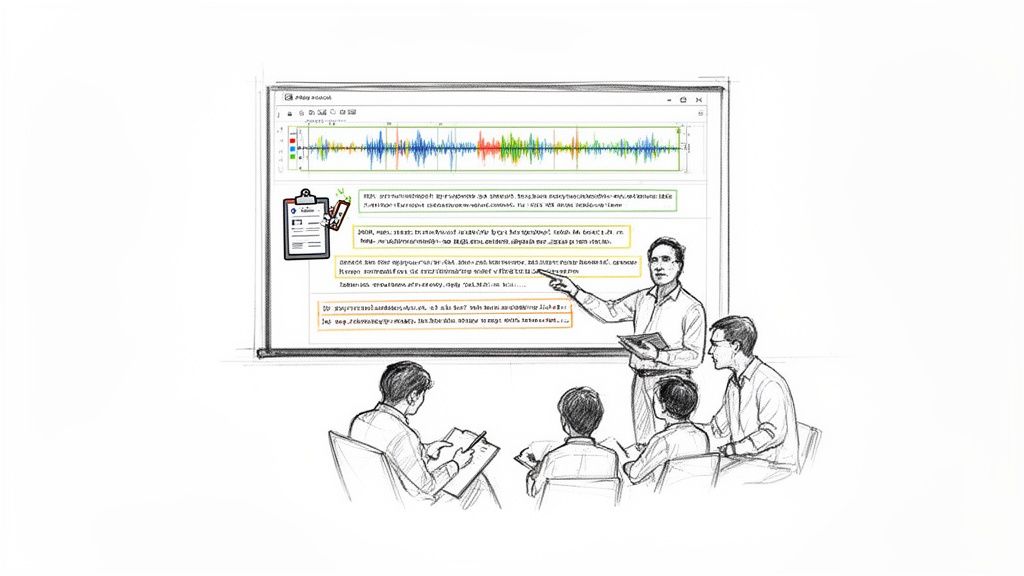
For a long time, sales leaders have been flying blind. They could see who was closing deals, but they couldn't clearly see how. What specific words were they using? Which questions moved the conversation forward? How did they navigate tricky objections? Coaching sessions were often based on a rep's memory of a call, which is never the full story.
Conversation analytics software completely flips that script.
Think of it like an NFL team watching game film on Monday morning. Coaches and players don't just guess why a play worked or failed—they watch the tape, slow it down, and break down every single decision. This software brings that same level of analysis to your sales floor.
From Guesswork to Data-Driven Coaching
By automatically capturing and analyzing every conversation, this technology gives you an objective look at what’s actually being said. This is why the market is exploding—it’s projected to hit a $23.4 billion valuation in 2024, with 72% of Fortune 500 companies already using it to sharpen their sales and support playbooks.
Instead of offering vague advice like "be more confident," managers can now provide ultra-specific, actionable feedback based on real moments. This isn't just a nice-to-have anymore; it's a must-have for building a team that consistently hits its numbers.
Actionable Tip: Don't just coach on outcomes. Use conversation analytics to isolate the exact 30-second moment in a call where a deal went sideways. Share a direct link to that moment in your 1:1, turning a vague "what happened?" into a specific, "Let's break down how you handled this objection right here."
Why It's a Game-Changer
The single biggest benefit is clarity. You stop wondering what's happening on calls and start knowing. At its core, it's an evolution of foundational tech like call analytics, which focuses on the raw data of phone interactions. This new wave of software adds a layer of deep, qualitative insight.
Here’s a practical comparison of the old vs. new way of operating:
| Old Way (Without Software) | New Way (With Conversation Analytics) | Actionable Outcome |
|---|
| Random Call Shadowing: Managers listen to live calls, hoping to catch a "coachable moment." | Targeted Call Review: Managers get alerts for specific events, like a competitor mention or low customer sentiment. | Coaches spend less time searching and more time providing precise, impactful feedback. |
| Subjective Feedback: Coaching is based on memory and "gut feel," e.g., "You sounded hesitant." | Data-Backed Insights: Feedback is based on facts, e.g., "Your talk-to-listen ratio was 85:15 on this call." | Reps receive objective, clear guidance they can immediately implement. |
| Slow Onboarding: New hires learn through trial and error over months. | Curated Call Libraries: New hires study a "greatest hits" playlist of winning calls from day one. | Ramp time is slashed, getting new reps productive in weeks, not months. |
Ultimately, these platforms give you the intelligence needed to build a predictable revenue engine. And if you want to dig deeper into the technology that powers this, our guide on AI-powered sales meeting transcription is a great place to start.
What Features Actually Matter?
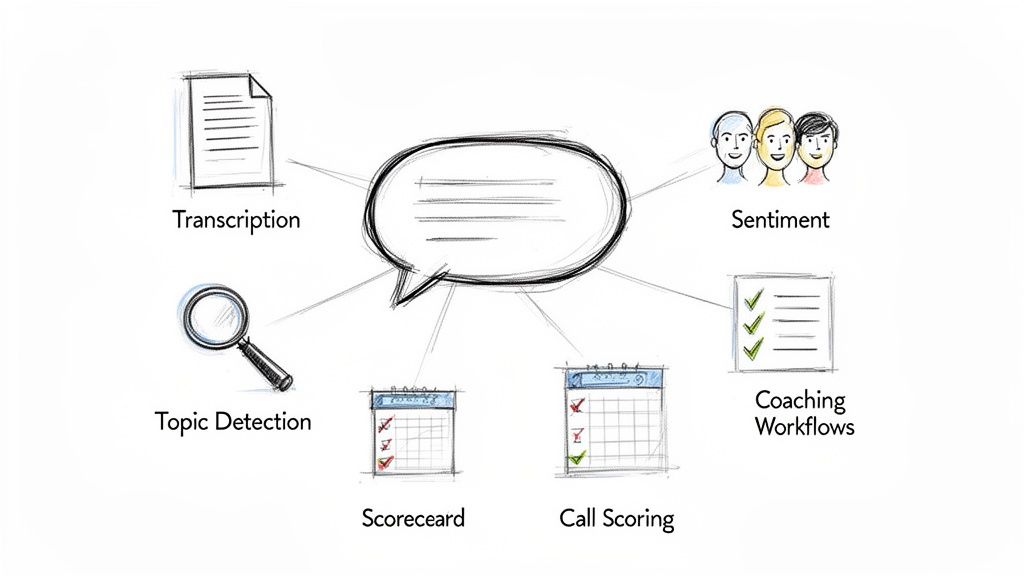
To really get the value of conversation analytics software, you have to cut through the marketing fluff. A massive feature list is useless if it doesn't solve the real-world headaches your sales team faces every single day. Let's break down the functions that actually move the needle.
Think of it this way: for every blind spot you currently have in your sales process, there's a feature designed to replace guesswork with hard data. We're swapping the old, manual way of doing things for a smarter, data-driven approach.
Automated Transcription: The Team’s Searchable Brain
At its core, the most foundational feature is automated transcription. It turns every phone call and Zoom meeting into an accurate, searchable text file. Simple, but powerful.
The old way: Reps scribbling frantic notes, forgetting key details, and never being able to find that one specific thing a prospect said three weeks ago.
The new way: You have a perfect, searchable record of everything. A sales manager can instantly search every call from Q2 for "pricing objection" and see exactly how different reps are handling it. It ends the "he said, she said" arguments and gives you a single source of truth.
Sentiment Analysis: Reading the Virtual Room
This is where it gets interesting. Sentiment analysis uses AI to pick up on the emotional tone of a conversation. It flags moments of excitement, frustration, or hesitation in a buyer’s voice and word choice.
The old way: Reps flying blind, missing subtle buying signals, or steamrolling a prospect who is clearly getting annoyed.
The new way: A manager gets an alert when a rep's talk-to-listen ratio hits 80:20 and the customer's sentiment score plummets. This pinpoints a specific call that needs coaching on active listening. For a deeper cut, advanced AI tools for analyzing client communication styles can reveal nuances far beyond just positive or negative.
Actionable Tip: Create a "Sentiment Drop" smart alert. Set your software to notify you automatically whenever a customer’s sentiment score drops by more than 30% during a call. This is your early warning system for deals at risk and a perfect, real-time coaching opportunity.
Topic Detection and Keyword Spotting
This feature is your new intelligence officer. It automatically identifies and tags key topics that pop up in conversations, like competitor mentions, budget talks, or specific feature requests.
The old way: Relying on reps to remember to log competitor mentions in Salesforce (they won't). You have no real idea how often Competitor X comes up or which features get the most questions.
The new way: You can see trends as they emerge. It's the difference between basic keyword spotting and true topic detection.
| Feature Comparison | Basic Keyword Spotting | Advanced Topic Detection |
|---|
| Functionality | Flags predefined words like "competitor X" or "price". | Understands context and groups related concepts like "budget," "cost," and "investment" together. |
| Actionable Outcome | Gives you a simple count of keyword mentions. | Uncovers the strategic themes of your sales calls, revealing trends you didn't even know to look for. |
Imagine setting up a smart alert that pings your product team's Slack channel every single time a prospect mentions a key competitor’s new feature. That's real, actionable intel.
Call Scoring and Coaching Workflows
This is where the rubber meets the road. Automated call scoring objectively grades every call against a scorecard you build—one that reflects what a "good" call actually looks like according to your sales playbook. This ties directly into coaching workflows, which flag specific moments for managers to review.
The old way: Coaching is random, subjective, and rarely happens right after the call. Managers are too busy to listen to hour-long recordings.
The new way: A manager sets a rule to automatically flag any discovery call where the rep fails to ask about the prospect's decision-making process. The system sends the manager a link to that exact 30-second moment in the call, so they can hop in and leave a comment. Coaching goes from a time-sucking chore to a precise, scalable daily habit.
How It Benefits SDRs, Sales Leaders, and RevOps Teams
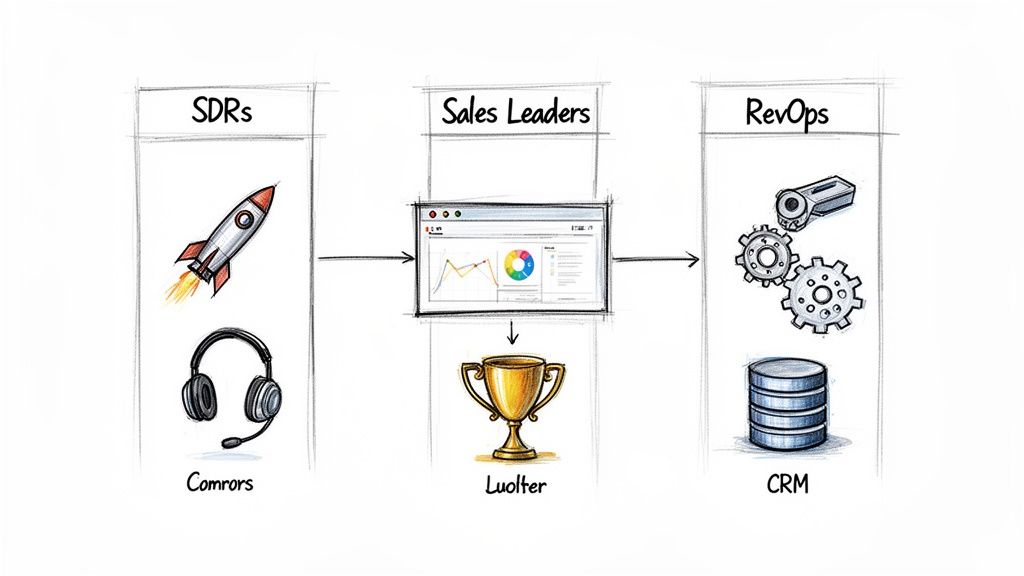
Conversation analytics isn't a one-trick pony. Its real power comes from how it serves the specific, day-to-day needs of different roles across the entire revenue team. For SDRs, sales leaders, and RevOps, the platform becomes a central hub that turns messy, raw conversations into clear, actionable insights for each of them.
By tackling the unique headaches each team faces, the software gets everyone on the same page, building strategy around the only thing that truly matters: the voice of the customer. Let's dig into what this actually looks like for each of these key players.
For Sales Development Representatives (SDRs)
SDRs are on the front lines, and the pressure to hit their numbers is relentless. Conversation analytics acts like a personal coach, helping them get up to speed faster, spot their own mistakes, and spend more time actually talking to prospects.
- Slash Ramp Time: Instead of shadowing calls for weeks on end, a new SDR can dive into a curated playlist of "greatest hits" from your A-players. They can hear exactly how top reps navigate tricky objections or lock in meetings, basically cutting their learning curve in half.
- Self-Coach on Demand: Reps don't have to wait for their 1:1 to get feedback anymore. They can review their own call transcripts and sentiment scores, see how their talk tracks stack up against the best, and start fixing bad habits themselves.
- Kill the Admin Work: One of the biggest time-sucks for any SDR is manual data entry. The software automatically logs calls, spits out summaries, and pushes everything into the CRM. That's precious time they get back for actual outreach.
For Sales Leaders and Managers
Sales leaders have one of the toughest jobs out there: figuring out how to make success repeatable. They need to bottle the magic of their top reps and scale it across the whole team, but coaching based on "gut feelings" just doesn't work. Conversation analytics finally gives them the data to do it right.
And this isn't just a nice-to-have. In 2023, thousands of small and medium-sized businesses analyzed over 12 million customer interactions to figure out what works. The insights they pulled from call summaries and sentiment tracking directly solved the problem of reps drowning in busywork.
Actionable Tip for Leaders: Create a "Competitor Mentions" smart tracker. Set the system to flag every time a specific competitor is mentioned on a call. Once a week, review those moments with your team to collaboratively build and refine your battle cards based on what prospects are actually saying in the wild.
This technology turns coaching from an art into a science. Managers can pinpoint the exact moments that need attention without listening to hours of calls, make sure everyone is actually using the playbook, and build a consistent, high-performing sales machine.
For Revenue Operations (RevOps)
The RevOps team is the engine room of the sales organization. They own the processes, data, and tech that make predictable growth possible. For them, conversation analytics is a godsend for cleaning up data and building smarter sales processes.
Data Integrity and CRM Hygiene: Before and After
| Without Conversation Analytics | With Conversation Analytics |
|---|
| Spotty, manual call logging | Automated activity logging captures every single interaction. |
| Subjective deal notes from reps | Objective call summaries and outcomes are synced right to the CRM. |
| Guesswork in activity reports | 100% accurate data on call volume, duration, and key topics. |
This clean data changes everything. RevOps can finally trust what's in the CRM, which means more accurate forecasting based on what's actually being said on calls, not just a rep's wishful thinking. They can see which talk tracks lead to higher win rates and use that evidence to build playbooks grounded in reality.
For a deeper dive on connecting these dots, our guide on integrating these insights with Salesforce breaks it all down. By creating a rock-solid data foundation, RevOps gives the entire company the power to make smarter, faster decisions.
The Critical Difference: Analytics vs. Execution
When you start digging into conversation analytics software, you quickly realize not all tools are created equal. This is the single biggest trap I see teams fall into—they buy a platform that serves up beautiful data but doesn't actually help their reps do anything differently. The entire market really boils down to two distinct philosophies: analyzing what just happened versus driving what happens next.
Think of it like a football team. A pure analytics tool is the post-game analysis crew. They’ll give you a brilliant breakdown of the game after the final whistle, complete with slow-motion replays and a mountain of stats. It's fascinating stuff, but it’s all backward-looking.
An execution engine is the coach on the sidelines. They're watching the game unfold in real-time, using that information to call the very next play. They’re telling the quarterback exactly what to do to win the game right now. This distinction is everything when you're deciding which tool will actually boost your numbers.
Analytics Platforms: The Post-Game Report
Most of the big names in conversation intelligence, like Gong or Chorus, are masters of the post-game report. They record, transcribe, and dissect calls to give you a ton of insight after the fact.
Managers get dashboards showing performance trends, reps can listen back to their calls to self-critique, and RevOps can spot patterns in competitor mentions over a quarter. These tools are fantastic at answering one simple question: "What happened?"
This is incredibly helpful for:
- Coaching: Spotting team-wide habits that need fixing.
- Onboarding: Building a "greatest hits" library of amazing calls for new hires.
- Strategy: Figuring out if that new pricing objection is a one-off or a real trend.
But that’s usually where it stops. The platform delivers the insight, then leaves it up to the rep to connect the dots and decide what to do next. This creates a huge gap between knowing something and doing something about it, leaving reps with just another dashboard to check instead of a better way to work.
Execution Engines: The Next Best Action
An execution-first platform, like marketbetter.ai, is built from the ground up to close that gap. It doesn't just analyze the past; it uses what it learns to immediately tell a rep what their next move should be. The whole approach is centered on answering the question, "Okay, what should I do now?"
So instead of just flagging that a prospect mentioned a key integration, an execution engine takes that signal and turns it into a concrete, prioritized task.
The philosophy here is simple: every piece of data should trigger an action. It transforms conversational insights from a passive report you review into an active engine that guides an SDR's every move.
For instance, an execution engine might:
- Spot a buying signal: The software hears the prospect get excited about a specific feature.
- Queue up the task: It instantly creates a "High-Priority Follow-Up" task in the SDR's workflow.
- Arm the rep: It then serves up an AI-generated email that references the exact feature they discussed, ready for the rep to review and send in one click.
This process turns fleeting buyer signals into immediate, structured action. All the guesswork and administrative grunt work that slows reps down is simply eliminated.
The difference really crystallizes when you put them side-by-side. While both platforms are powered by call data, their goals, outputs, and the way they impact your sales floor are worlds apart.
| Capability | Pure Analytics Software (e.g., Gong, Chorus) | Execution-First Engine (e.g., marketbetter.ai) |
|---|
| Primary Focus | Post-call review and trend analysis. | Real-time task generation and workflow automation. |
| Main Output | Dashboards, reports, and call libraries. | A prioritized list of "next best actions" for each rep. |
| Rep Experience | "Here's what happened on your last call." | "Here's the exact email to send or call to make next." |
| Value Proposition | Improves coaching and strategic understanding. | Increases rep activity, efficiency, and consistency. |
At the end of the day, a pure analytics tool gives you the map, showing you all the roads you've already traveled. An execution engine is the GPS, giving you turn-by-turn directions on where to go next. For any team obsessed with driving consistent outbound motion and making their SDRs as productive as possible, closing that gap between insight and action isn't just a nice-to-have feature—it's the whole game.
A Practical Checklist for Choosing Your Software
Picking the right conversation analytics software can feel like you're lost in a maze of flashy dashboards and big promises. To cut through the noise, you need a solid game plan—one that looks past the feature list and hones in on how a tool will actually fit into your team's day-to-day grind. This checklist will arm you with the right questions to ask vendors.
Making the right call isn’t just about the tech itself. It's about finding a platform that truly aligns with how your team operates. A tool that spits out cool insights but buries your reps in administrative work is a step backward. The real goal is to find software that doesn't just show you the data but actively helps your team do their jobs better.
Foundational Must-Haves
Before you even think about the fancy, AI-driven features, you have to make sure any potential vendor has the basics locked down. These are the absolute deal-breakers that determine whether the software will slot neatly into your tech stack or just become another data silo nobody ever logs into.
- Seamless CRM Integration: How deep does the integration with Salesforce or HubSpot actually go? Does it just dump a call log, or does it intelligently sync rich data—like call summaries, outcomes, and key moments—directly to the right contact or opportunity? A shallow integration just creates more manual work for your reps.
- Data Accuracy and Language Support: What's the real transcription accuracy rate, especially when your reps are using industry jargon or have different accents? If you have a global team, does the platform genuinely support multiple languages and dialects, or is it just an afterthought?
- Clear Implementation and Support: What does the onboarding really look like? Ask them for a detailed 90-day plan. Will you get a dedicated support manager, or are you just another ticket in a generic help desk queue? A clear, well-defined implementation path is a huge sign of a vendor's commitment to your success.
The market for these tools is exploding, so you need a partner who can grow with you. The global adoption of conversation analytics software is surging, with large enterprises expected to hold 55.6% of the market share by 2025. This rush to enterprise adoption proves just how critical robust integrations with complex CRMs like Salesforce and HubSpot have become. You can explore more about these market trends and what they mean for sales ops.
From Analytics to Action
Here’s where you separate the contenders from the pretenders. The single biggest difference between vendors is their philosophy on data. Do they just give you the analytics and wish you luck, or do they actually help your team act on them? This is the critical gap between a passive reporting tool and an active execution engine.
The diagram below shows the all-too-common disconnect between the insights you get after a call and the real-time actions your reps need to take right now.
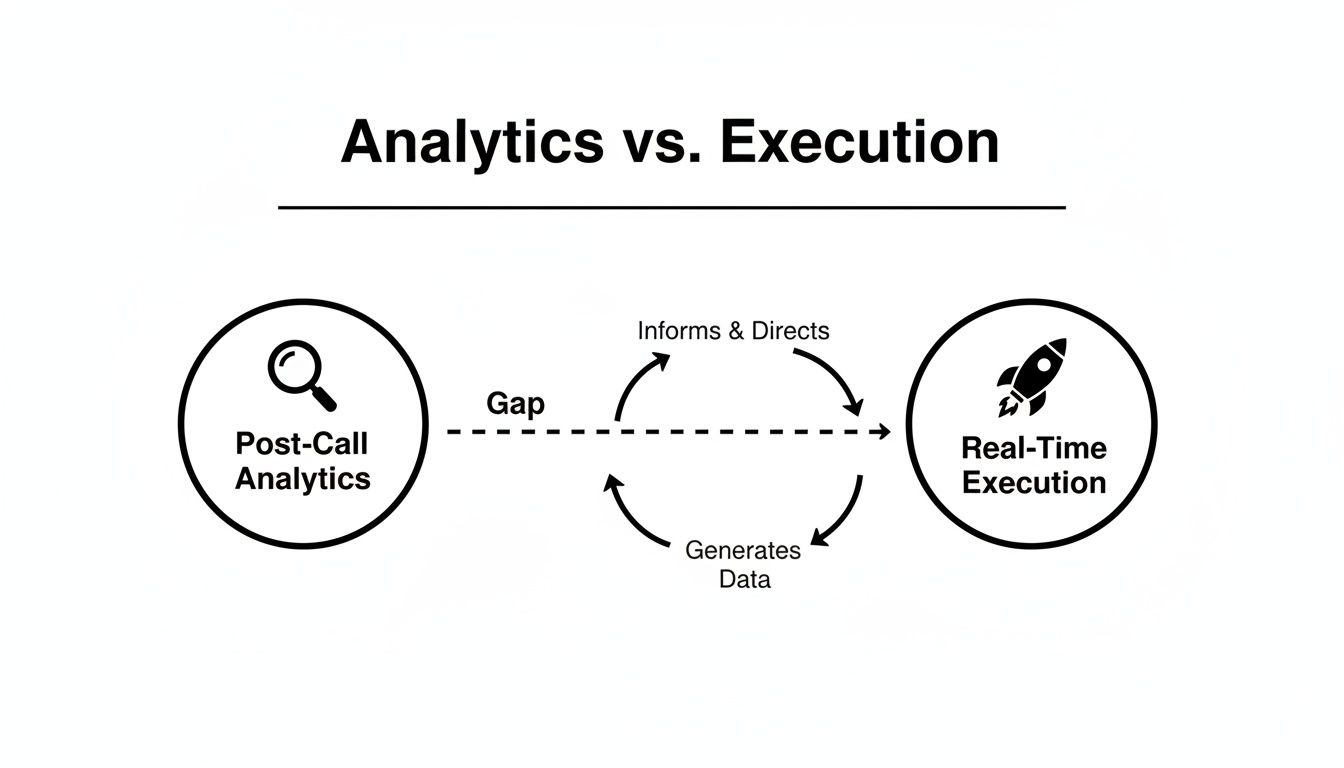
So many platforms serve up fantastic post-call insights but leave your reps hanging, forcing them to manually figure out what to do next.
When you're evaluating vendors, make them show you exactly how their software bridges that gap.
Key Question for Vendors: "Show me how an insight from a call automatically becomes the next prioritized task in a rep's workflow—without them ever having to leave their CRM or toggle between a dozen tabs."
This one question will instantly tell you whether you're looking at a pure analytics platform or a true execution engine. For teams measured on pipeline creation and outbound efficiency, finding a tool that drives action isn't a luxury; it's a necessity. Our buyer's guide on end-to-end AI sales platforms dives deeper into making this crucial distinction.
By keeping your evaluation laser-focused on real-world impact and workflow integration, you can confidently choose a solution that delivers a measurable return, not just another dashboard.
Frequently Asked Questions
Alright, let's get into the nitty-gritty. Even when you've got a handle on the technology, jumping into conversation analytics software for the first time always brings up some practical questions. We've pulled together the most common ones we hear from sales and RevOps leaders to give you direct answers and help you feel confident as you start looking around.
How Long Does Implementation Typically Take?
Good news: this isn't a massive, quarter-long project anymore. Most modern, cloud-based tools that plug right into your CRM can be up and running in just a few weeks. The real trick is to avoid a "big bang" rollout where you try to turn on every single feature at once.
A much better way to go is a phased approach:
- Start Small: Kick things off with a pilot team of your most bought-in reps.
- Focus on Core Value: Get call recording and transcription working first. This alone is a huge win and immediately shows the tool’s value by giving everyone visibility.
- Layer in Advanced Features: Once the team gets comfortable, you can start introducing the more powerful stuff like automated call scoring and coaching workflows.
This method gets your team used to the new system without overwhelming them and helps you see a return on your investment much faster.
This all comes down to how you frame it. If your team thinks you’re installing "Big Brother" software to watch their every move, they'll push back. Hard. But if you introduce it as a personal performance coach—something designed to help them hit their number and make more money—they'll be all in.
The key is to constantly answer the "what's in it for me?" question. Show your reps exactly how the platform makes their day-to-day life easier. Point out how it kills off tedious admin work like manually logging calls in the CRM. Show them how they can build a library of their best calls to learn from. When reps see that the tool helps them do their job better, faster, and more profitably, adoption takes care of itself.
Does This Software Analyze Both Calls and Emails?
Yes, and honestly, it has to. The best platforms give you a complete picture of what's happening with a prospect by analyzing every interaction, whether it's a call or an email. A phone call might uncover a prospect’s main frustration, but the follow-up email could hold the keys to the kingdom—like details on the buying committee or their real budget.
Pro Tip: Look for a tool that offers unified analytics, combining insights from calls and emails into a single timeline for each prospect. This eliminates blind spots and provides a 360-degree view of the entire buyer journey, preventing crucial details from slipping through the cracks between different communication channels.
Fantastic question, because the lines between these tools are getting blurrier by the day. Historically, they played on the same team but had very different positions.
| Platform Type | Primary Function | Core Question It Answers |
|---|
| Sales Engagement Platform (e.g., Outreach) | Automates and manages high-volume outreach sequences. | "How can my reps execute their outreach more efficiently?" |
| Conversation Analytics Software (e.g., Gong) | Analyzes the quality and content of sales interactions. | "What is actually being said during that outreach?" |
But now, a new type of execution-first tool is showing up. These platforms are designed to take the insights from conversation analytics and use them to directly inform and prioritize the tasks that reps execute in their sales engagement tools. It creates a powerful, closed loop between insight and action.
Ready to close the gap between analytics and execution? marketbetter.ai is the AI-Powered SDR Task Engine that turns buyer signals into prioritized tasks and helps your team execute faster with AI-written emails and a dialer that lives inside Salesforce and HubSpot.
Discover how marketbetter.ai can drive consistent outbound motion for your team.

