
What If You Could Run Your Entire Sales Stack From One Search Bar? [2026]

Open your laptop. Launch your CRM. Switch to your email platform. Pull up LinkedIn in another tab. Fire up your dialer. Open your enrichment tool. Check your intent data dashboard. Flip to Slack. Back to CRM to log the note.
That's not a workflow. That's a scavenger hunt.
And it's how the average SDR starts every single morning.

The Productivity Tax Nobody Talks About
Here's a number that should make every sales leader uncomfortable: 23 minutes and 15 seconds.
That's how long it takes to fully regain focus after switching between tasks, according to research by Gloria Mark at UC Irvine. Not 23 seconds. Not 2 minutes. Twenty-three minutes of cognitive recovery — every single time your rep alt-tabs from their CRM to check an email notification.
Now multiply that across the average SDR's day.
The typical sales rep uses 8 to 12 different tools daily. CRM. Email sequencer. Dialer. LinkedIn Sales Navigator. Enrichment platform. Intent data dashboard. Calendar. Slack. Analytics. Maybe a couple more. Salesforce's 2026 State of Sales report confirms that sellers use an average of 8 tools just to close deals.
Each tool switch isn't just a click — it's a cognitive reset. Mark's research found that knowledge workers switch between windows and tabs 566 times per day on average. That's 566 micro-interruptions. 566 moments where your rep's brain has to ask: "Where was I? What was I doing?"
The cumulative cost? Workers spend nearly 4 hours per week just reorienting after switching between applications. Over a year, that's roughly 5 full working weeks lost to the overhead of navigating between tools. Not selling. Not prospecting. Just... switching.
The Real Numbers on SDR Time
Let's look at where SDR time actually goes, because the data is damning:
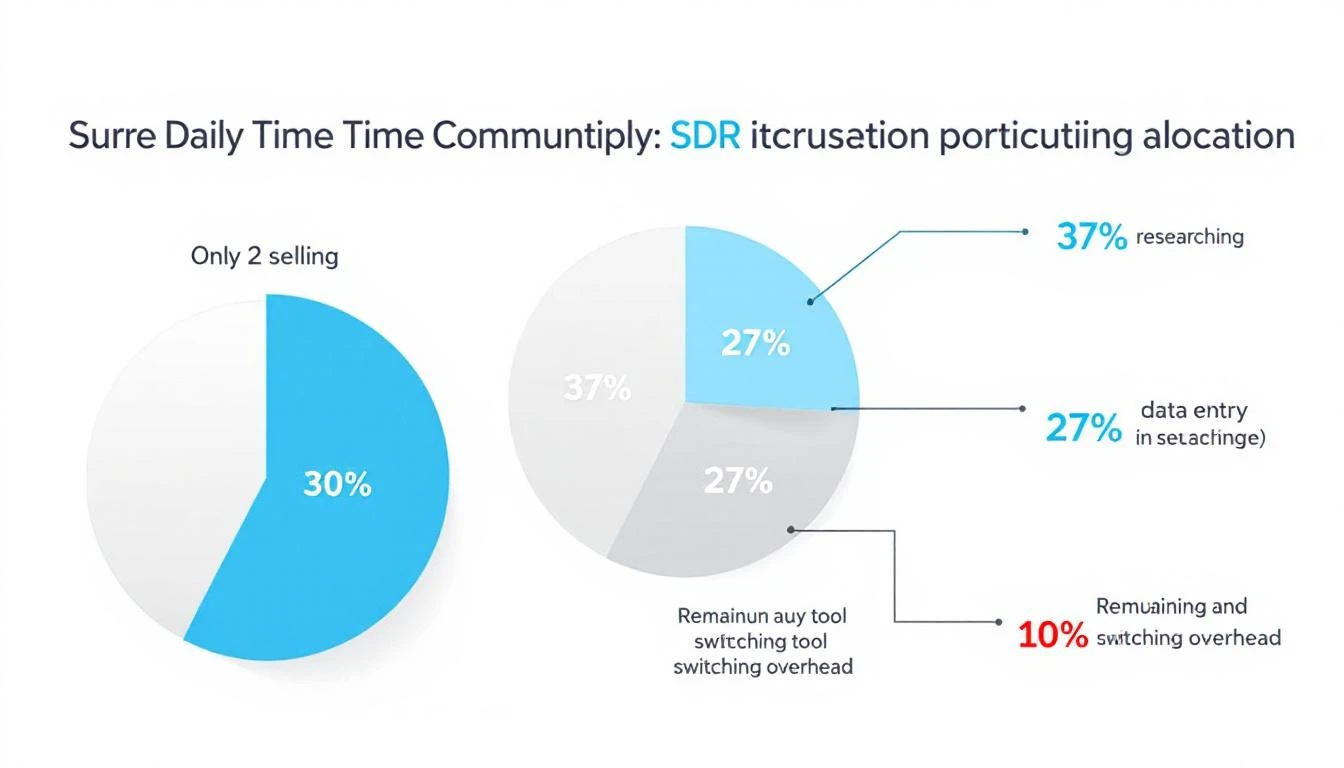
- Only 2 hours per day are spent actively selling (Salesforce)
- 65% of time goes to non-selling activities — data entry, lead research, CRM updates
- 37% of the workday is consumed by prospect research alone
- 27% of time is spent on data entry and contact research
Finding a single decision-maker's email, tracking down their direct dial, and confirming their job title can take 5 to 15 minutes per prospect. Across 40 qualified prospects in a week, that's 4 to 10 hours — gone.
And here's the kicker: 42% of sales reps say they feel overwhelmed by their tools. Those overwhelmed sellers are 45% less likely to hit quota.
We've been asking SDRs to be productive inside systems designed to fragment their attention.
Something has to break.
What Context Switching Really Costs Your Pipeline
The damage goes beyond lost minutes. Every context switch carries three hidden costs:
1. Decision fatigue compounds. Each tool has its own interface, its own logic, its own way of presenting information. Your rep doesn't just switch screens — they switch mental models. By 2 PM, they're not making worse calls because they're lazy. They're making worse calls because their brain has been context-switching since 8 AM.
2. Speed-to-lead collapses. When a hot intent signal comes in — a target account visiting your pricing page — your rep needs to act in minutes, not hours. But if they're buried in their email sequencer and the signal is sitting in a separate intent dashboard they haven't checked since this morning? That lead gets called 3 days late. The moment is gone.
3. Institutional knowledge stays trapped. Every tool is a silo. Your CRM knows one thing. Your enrichment tool knows another. Your conversation intelligence platform has the call recordings. No single view shows your rep the full picture of a prospect — their company's tech stack, recent funding, website visits, email engagement, and social activity — in one place.
The result? SDRs spend more time hunting for context than using it.
The Command Bar Thesis: One Interface to Rule Them All
Here's the thought experiment: What if instead of 12 tabs, your reps had one search bar?
Not a Google search bar. Not a Slack search bar. A command interface — a single Ctrl+K shortcut that could:
- Search contacts across your entire database instantly
- Pull up company research — firmographics, tech stack, recent news — without leaving the page
- Launch workflows — start a sequence, schedule a call, create a task — with a keyboard shortcut
- Ask your AI assistant questions like "What signals has Acme Corp shown this week?" and get an answer in seconds
- Navigate your entire platform without touching a mouse
This isn't science fiction. It's the direction the entire GTM stack is moving.
The concept borrows from developer tools. Engineers have had command palettes for years — VS Code's Ctrl+Shift+P, Raycast, Alfred, Spotlight. These interfaces let power users bypass menus, skip navigation, and execute actions at the speed of thought.
Sales has been stuck in the click-and-navigate era while engineering moved to the type-and-execute era years ago.
What a Unified Command Interface Means for SDR Velocity
Let's get specific about the impact.
Morning routine — before vs. after:
Before (traditional multi-tool setup):
- Open CRM, check assigned leads (2 min)
- Switch to intent data dashboard, scan for signals (3 min)
- Open enrichment tool, research top prospect (5 min)
- Switch to email sequencer, start a sequence (3 min)
- Open dialer, make first call (2 min to set up)
- Back to CRM to log the outcome (2 min)
That's 17 minutes and 6 tool switches before a single meaningful conversation. With each switch costing cognitive recovery time, the real cost is closer to 30-40 minutes.
After (unified command interface):
- Hit
Ctrl+K, type prospect name — full context appears (10 sec) - See intent signals, enrichment data, engagement history in one view (15 sec)
- Type "start sequence" — done (5 sec)
- Click to dial — call launches in-platform (2 sec)
- Outcome auto-logged (0 sec)
Total: under a minute. Zero context switches. Zero cognitive recovery.
The math on recovered selling time:
If a unified platform eliminates even 50% of tool-switching overhead, that's roughly 2.5 hours per week returned to each rep. Across a 10-person SDR team, that's 25 hours per week — essentially hiring a part-time rep for free.
At average SDR fully-loaded costs, tool-switching overhead costs organizations $150K+ annually in lost productivity per rep. And that's before you factor in the pipeline that never gets built because signals went cold while reps were alt-tabbing.
Why Consolidation Is Winning Over "Best of Breed"
The sales tech stack has gotten expensive — and bloated. The average B2B company spends $1,200-$2,400 per rep per month across their sales tools.
But here's what's changing: the "best of breed" era is ending.
For years, the conventional wisdom was to pick the best tool for each job. Best CRM. Best sequencer. Best dialer. Best enrichment. Best intent data. Stitch them together with integrations and pray they talk to each other.
That worked when sales teams had 3-4 tools. It broke when they had 12.
The integration tax is real. Data syncs fail silently. Contact records drift between systems. One tool updates a field that another tool doesn't see for 6 hours. Your rep calls a prospect who already replied to an email two hours ago — because the CRM hadn't synced yet.
The future isn't 12 best-in-class tools loosely connected. It's one platform that does 80% of what those 12 tools do — with everything connected natively, in real time, accessible from a single interface.
The Keyboard-First Sales Rep
There's a cultural shift happening alongside the technology shift.
The next generation of SDRs grew up on keyboard shortcuts. They use Cmd+Space to launch apps, Ctrl+K to search Notion, Cmd+T to open new tabs. They think in commands, not clicks.
Giving these reps a click-heavy, menu-driven sales platform is like giving a developer Notepad when they want VS Code. It works, technically. But it's fighting against how they naturally operate.
A command-first interface doesn't just save time. It changes the rep's relationship with their tools. Instead of the platform being something they navigate through, it becomes something they operate with. The tool disappears. The work stays.
That's the difference between a dashboard and a playbook. Dashboards show you data. Playbooks tell you what to do next. A command interface takes it one step further — it lets you do the next thing without leaving the conversation.
What This Looks Like in Practice
Imagine this scenario:
Your rep gets a notification: a target account just visited the pricing page for the third time this week. Instead of switching to the intent dashboard, then the CRM, then the enrichment tool, then the sequencer, they hit Ctrl+K and type the company name.
Instantly, they see:
- Who visited — matched to specific contacts when possible
- Company context — industry, size, tech stack, recent funding
- Engagement history — every email opened, every page visited, every call made
- AI recommendation — "Call Sarah Chen (VP Sales) — she opened your last email twice and visited pricing 3x this week. Here's a talk track based on their tech stack."
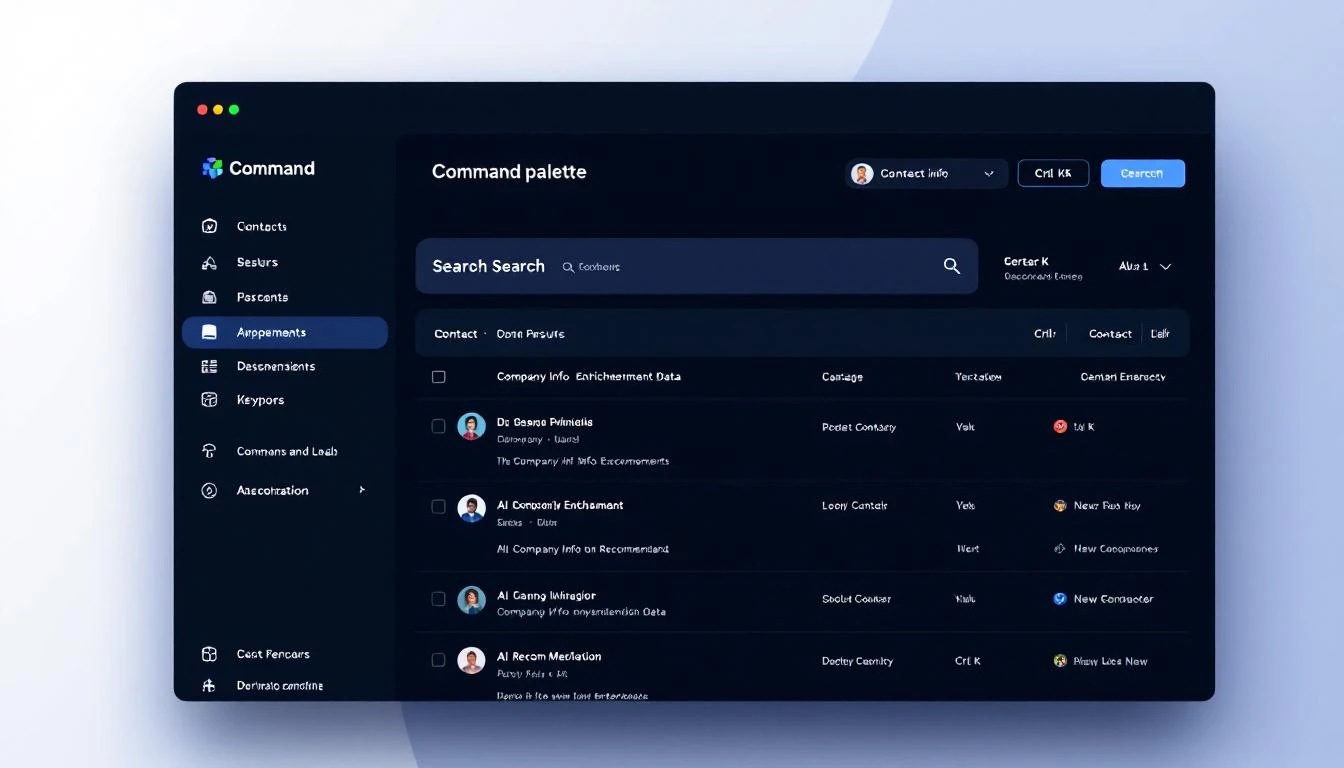
One keystroke. Full context. Clear action. No tab-switching. No data hunting.
The rep makes the call in 30 seconds instead of 10 minutes. That's not a marginal improvement. That's a fundamentally different approach to speed-to-lead.
The Bottom Line
The sales productivity crisis isn't about lazy reps or bad training. It's a systems problem.
We've given SDRs a dozen specialized tools and told them to be productive while constantly switching between them. We've optimized each tool individually while ignoring the friction between them. We've measured activity metrics while the real bottleneck — cognitive overhead from tool fragmentation — went unmeasured and unaddressed.
The command bar isn't just a UI pattern. It's a philosophy: every action your rep needs should be one keystroke away.
One search bar. Full context. Instant action. Zero switching.
That's not a feature. That's a paradigm shift.
Want to see what a unified command interface looks like for sales? Book a demo →