3 posts tagged with "workflow"

View All Tags

The Daily SDR Playbook: Why Your Reps Should Never Decide Who to Call Next

ยท 11 min read
MarketBetter Team
Content Team, marketbetter.ai

Sit behind an SDR for an hour. Not on a call โ€” before the calls. Watch what they actually do in the first 60 minutes of their day.

Here's what you'll see:

Tab 1: CRM, checking assigned leads. Tab 2: Email, scanning for replies and bounces. Tab 3: LinkedIn, searching for triggers and connections. Tab 4: Intent data platform, reviewing new signals. Tab 5: Enrichment tool, looking up company details. Tab 6: Sequence tool, checking who's due for a follow-up. Tab 7: Slack, reading team updates. Tab 8: Calendar, reviewing the day's meetings. Tab 9: Sales navigator, building new lists. Tab 10: Another CRM tab, because the first one timed out.

And that's just the first ten. Most SDRs I've worked with have 15-20 tabs open before they make their first call.

This isn't selling. This is deciding who to sell to. And it's consuming 60% of your SDRs' working day.

I've built SDR teams at three different startups. The pattern is always the same: you hire great reps, give them great tools, build great sequences โ€” and then watch them spend most of their time navigating between those tools instead of using them.

The tools aren't the problem. The fragmentation is.
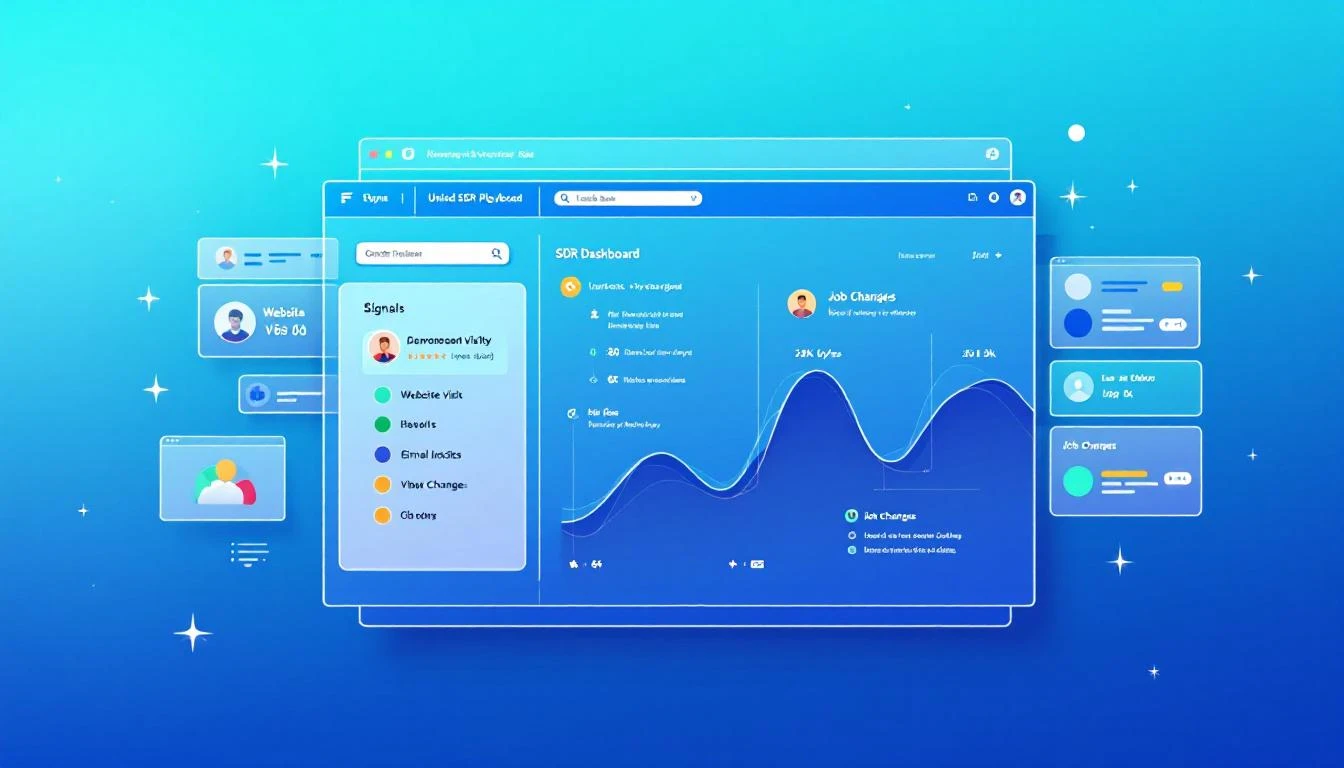
Unified SDR dashboard consolidating signals into one prioritized playbook

The 60% Tax on Selling Timeโ€‹

Let me put a number on this because the data on SDR productivity is damning.

The average SDR spends roughly 60% of their day on non-selling activities. Not admin. Not CRM data entry. Decision-making. Specifically, deciding:

  • Who should I contact next?
  • What channel should I use?
  • What should I say?
  • Is this person worth my time right now?
  • Did something change since I last checked?

These are important questions. But they shouldn't require toggling between a dozen tools to piece together an answer.

Think about what this means economically. If you're paying an SDR $75,000 per year, and 60% goes to non-selling activities, you're paying $45,000 per rep for them to decide what to do. On a team of eight, that's $360,000 per year in decision-making overhead.

That's not a productivity problem. That's a strategy problem.

The Core Issue: Signals Are Everywhere, Synthesis Is Nowhereโ€‹

B2B sales teams have never had more signal data available to them. Website visits. Email engagement. Social interactions. Intent data from third-party providers. Job changes. Company news. Funding announcements. Technology adoptions. Conference attendance.

The problem isn't data scarcity. The problem is that every signal lives in a different tool, and no tool synthesizes them into a single prioritized view.

Your website visitor identification tool tells you someone from Acme Corp visited your pricing page yesterday. To act on that, your SDR checks the CRM for account status, checks the sequence tool for active cadences, checks LinkedIn for contacts, checks enrichment for email and phone, then checks intent data for broader signals.

That's five tool switches to act on one signal. Your SDR has 50 signals today.

Multiply the number of tools by the number of signals, and you understand why SDRs are paralyzed by choice before they even pick up the phone.

What If Your SDRs Opened One Tab?โ€‹

MarketBetter's Daily Playbook takes every signal from every source and collapses them into one thing: a prioritized task list for each rep.

When your SDR starts their day, they don't open 20 tabs. They open one. And in that tab, they see:

  1. Their top tasks for today, ranked by signal strength and likelihood of conversion
  2. Why each task is there โ€” what triggered it, what's the signal
  3. The recommended channel โ€” call, email, LinkedIn, or multi-touch
  4. A suggested message or talking points based on the prospect's context
  5. Everything they need to execute โ€” contact info, company background, engagement history

That's it. No hunting. No synthesizing. No deciding. Just executing.

The Daily Playbook doesn't replace your SDR's judgment. It focuses it. Instead of spending an hour deciding who deserves attention, the rep spends that hour giving attention to the people most likely to convert.

The Signals That Feed the Playbookโ€‹

Here's what flows into each rep's daily playbook:

Website Visitor Intelligenceโ€‹

When someone from a target company visits your website โ€” especially high-intent pages like pricing, demo request, or product comparison โ€” that visit becomes a task in the playbook.

But not just "someone from Acme Corp visited your site." The playbook tells the rep:

  • Which pages they viewed
  • Whether the company is an existing account or net-new
  • If it's existing, who owns it and what's the current status
  • If it's net-new, whether it matches your ICP
  • Recommended next action based on intent strength

Identifying anonymous website visitors is only valuable if someone acts on it. The playbook makes sure they do, and that the right rep does it at the right time.

Email Engagement Signalsโ€‹

Your SDRs are running sequences with dozens or hundreds of active contacts. The playbook tracks every engagement signal:

  • Opens: Who opened your email three or more times? That's interest. Call them now.
  • Replies: Obviously high priority โ€” but the playbook also flags negative replies for suppression so reps don't waste time on dead leads.
  • Link clicks: What did they click? A case study link signals different intent than a pricing page link. The playbook adjusts the recommended next step accordingly.
  • Sequence position: Is this prospect about to exit your sequence without a reply? That might warrant a different approach โ€” phone call, LinkedIn touch, or a breakup email.

These signals exist in your sequence tool today. But they're buried in dashboards that your SDR has to proactively check. The playbook surfaces them as prioritized tasks.

Champion Job Changesโ€‹

This is one of the most underutilized signals in B2B sales, and it's one of the most powerful.

Here's the scenario: six months ago, your SDR had great conversations with Sarah at Company A. Sarah loved your product, was pushing for a deal internally, but ultimately the timing wasn't right โ€” they had a contract locked in with a competitor.

Now Sarah moves to Company B. She's still a believer. She knows your product. She has relationship equity with your team. And she's starting fresh at a new company where the existing contract doesn't apply.

That job change is worth more than 100 cold leads. It's a warm introduction to a new company through someone who already trusts you.

The Daily Playbook tracks champion job changes automatically. When a previous contact moves to a new company, it shows up as a high-priority task:

"Sarah Johnson moved from Company A (closed-lost, Q3 2025) to Company B (VP Sales Ops). ICP match. Recommended: warm outreach referencing previous relationship."

Your SDR doesn't need to monitor LinkedIn or set up Google alerts. The playbook remembers, connects the dots, and tells the rep what to do.

Intent Data Signalsโ€‹

Third-party intent data โ€” topics being researched, content being consumed, technology evaluation signals โ€” flows into the playbook as prioritized tasks.

But here's the key: intent data alone is noisy. Most intent data platforms generate far more signals than any SDR team can act on. The playbook doesn't just surface intent signals โ€” it stacks them.

A company researching your category? Low priority on its own. The same company researching your category and visiting your website and opening your emails? That's stacked intent. Top of the list. Call them today.

The playbook's ranking algorithm considers signal strength, signal recency, and signal stacking to ensure that the tasks at the top of each rep's list represent the highest likelihood of conversion.

The "Here's Why" Factorโ€‹

Every task in the Daily Playbook comes with context. Not just "call this person" but why.

This matters more than most people realize. When an SDR picks up the phone with zero context, they're starting cold. When they pick up the phone knowing that this prospect's company visited the pricing page twice this week, opened the last three emails, and matches the ICP on company size, vertical, and tech stack โ€” they start warm.

The "here's why" context transforms cold calls into warm calls. It gives the SDR a reason to call that they can articulate to the prospect: "I noticed your team has been evaluating solutions in our space โ€” wanted to see if I could answer any questions." That's not a lie. It's genuine signal intelligence, delivered naturally.

The difference in connect-to-meeting conversion between a contextless cold call and a signal-informed warm call is typically 3-5x. Same SDR, same phone skills. Different hit rate because the rep has information instead of a script.

From 20 Tools to One Task Listโ€‹

The promise of the Daily Playbook is fundamentally simple: your SDRs go from 20 tabs to one.

One tab. One list. Every signal consolidated. Every task prioritized. Every next action recommended.

Here's what a typical day looks like:

8:00 AM โ€” Open the Playbook Today's list: 12 high-priority tasks, 8 medium, 15 low. Start at the top.

8:05 AM โ€” Task 1: Call Dave at TechCorp Why: Pricing page 3x this week. Opened last 2 emails. Former champion (lost deal Q2). Stacked signal. SDR calls Dave. Gets voicemail. Leaves a message referencing pricing research. Sends follow-up email. Next.

8:15 AM โ€” Task 2: Email Sarah at FinServ Inc. Why: New website visitor, ICP match, first visit to case study page. SDR sends contextual email referencing FinServ's industry challenges. Next.

8:20 AM โ€” Task 3: LinkedIn touch with Mike at HealthCo Why: Changed jobs last week. Previously engaged at MedTech (3 meetings, no close). New role: VP Sales at HealthCo. ICP match. SDR sends LinkedIn connection with warm message referencing previous conversations. Next.

8:25 AM โ€” Task 4...

By 10:00 AM, the SDR has completed 12 high-priority outreach tasks across phone, email, and LinkedIn. Zero research time. Zero tab switching. Zero decision paralysis.

Compare this to the traditional workflow: by 10:00 AM under the old model, the SDR is still in tabs 6-12, trying to figure out who to call first.

The Compound Effect of Daily Executionโ€‹

The Daily Playbook doesn't just make individual days more productive. It creates a compound effect over time.

When reps consistently execute on the highest-value signals every day, three things happen:

1. Response rates climb. Because the playbook surfaces the warmest prospects โ€” the ones with stacked signals, recent engagement, and ICP fit โ€” reps are reaching out to people who are more likely to respond. Over weeks, this compounds into significantly higher reply and connect rates compared to reps who self-select their outbound targets.

2. No signals fall through the cracks. Without the playbook, an intent signal from last Tuesday gets buried under today's new leads. With the playbook, every unactioned signal persists until it's addressed or deprioritized.

3. Coaching gets easier. When every rep works from a standardized, signal-driven playbook, managers can see exactly what's happening. Instead of asking "what did you work on today?" managers review playbook completion and conversion metrics in real time.

What About Rep Autonomy?โ€‹

I get this question every time I talk about the playbook model. Experienced SDRs push back: "I know my territory. I know who to call. I don't need a system telling me what to do."

Fair. And wrong.

Fair, because great reps do develop intuition about their territory.

Wrong, because intuition can't process the volume and velocity of signals that a modern B2B sales motion generates. Your best rep might intuitively know that Acme Corp is a good target. But they don't know that someone from Acme Corp visited the pricing page at 11 PM last night, that their former champion just moved to a competitor, and that intent data shows Acme Corp is researching your category at 3x the normal rate.

The playbook doesn't override rep autonomy. It informs it. Reps can still reprioritize, skip tasks, or add their own outreach. But they start from a foundation of complete signal intelligence rather than partial intuition.

The One-Tab Promiseโ€‹

Here's what I want every VP of Sales to hear: your SDRs should never be deciding who to call next. That decision should be made for them by a system that sees more signals, processes more data, and updates more frequently than any human could.

The Daily Playbook is that system. Every signal in one place. Every task prioritized. Every rep starting their day with clarity instead of chaos.

It's the simplest upgrade you can make to your SDR org โ€” because you're not adding a new tool. You're replacing the 20 tools your reps are drowning in.

One tab. That's the promise. And it changes everything.


Adam Grant leads GTM at MarketBetter, where he helps SDR teams stop drowning in tabs and start selling โ€” one prioritized task at a time.

The Rise of the GTM Agent Stack: From 10 Tools to One AI Workflow

ยท 9 min read
MarketBetter Team
Content Team, marketbetter.ai

Here's a quick experiment. Open your company's tech stack spreadsheet โ€” you know, the one finance keeps asking about. Count the tools your revenue team uses.

If you're a typical B2B company in 2026, the number is somewhere between 8 and 15. A CRM. An enrichment tool. A sequencing platform. An intent data provider. A dialer. An email warmup service. A LinkedIn automation tool. A conversation intelligence platform. Maybe a sales engagement layer on top. Maybe a data warehouse underneath.

Each tool does one thing. Each tool has its own login, its own billing, its own onboarding, its own integrations. Your ops person spends half their week maintaining the glue between them. Your reps spend 30 minutes a day just switching contexts between tabs.

This is the SaaS stack model. And it's dying.

What's Replacing Itโ€‹

Something interesting is happening in the open source AI community that most revenue leaders haven't noticed yet. It's a leading indicator of where the entire GTM technology market is headed.

Developers are building AI agent repositories โ€” not organized by tool category, but by workflow. Instead of "here's a dialer tool" and "here's an email tool" and "here's an enrichment tool," they're creating agents named things like cold-email-sequence, pipeline-health-check, account-research-brief, and intent-signal-orchestration.

See the difference? The organizing principle isn't the technology. It's the job to be done.

One of the most notable examples โ€” a repo with 92 AI agents and 67 Claude Code plugins โ€” maps the entire GTM function into workflow-based agents covering prospecting, pipeline management, content creation, ABM orchestration, churn prediction, and more. Each agent represents a complete workflow, not a feature.

This isn't just an open source trend. It's the blueprint for how the next generation of GTM platforms will be built.

Why the SaaS Stack Model Is Breakingโ€‹

The tool-per-function model made sense when each function was genuinely specialized and no single platform could do everything well. In 2018, you needed Outreach for sequences, ZoomInfo for data, 6sense for intent, and Gong for call recording because no one product was good at more than one of those things.

Three things have changed:

1. AI collapsed the intelligence layer. The hardest part of most sales tools was the analytical engine โ€” scoring leads, personalizing messages, detecting patterns, recommending next actions. LLMs now handle these tasks at a level that equals or exceeds purpose-built ML models. You don't need five specialized AI engines anymore. You need one good foundation model connected to the right data.

2. Integration tax became unbearable. Every tool in your stack requires bi-directional sync with your CRM. Every sync has lag, data loss, and edge cases. Every edge case creates bad data. Bad data creates bad decisions. The integration tax isn't just a technical cost โ€” it's a revenue cost. How many deals have stalled because a signal in one tool didn't flow to the platform where the rep would actually see it?

3. Context switching kills conversion. Reps who work in a single unified workflow convert at measurably higher rates than reps who bounce between tabs. The data on this is clear: every context switch adds cognitive load, and cognitive load kills the urgency and momentum that drive outbound success. When a rep has to leave their sequence tool to check intent data in a different tool, the moment is often lost.

The Agent Workflow Modelโ€‹

The emerging agent-based model flips the stack on its head. Instead of buying tools and wiring them together, you define workflows and let agents execute them end to end.

Here's what that looks like in practice:

Morning pipeline review. An agent scans your CRM, flags deals that have stalled for 14+ days, identifies accounts with recent activity spikes, and generates a prioritized list of the 10 accounts that need attention today โ€” with specific recommendations for each one. No rep had to open a dashboard, run a report, or cross-reference intent data. The workflow just runs.

Account research. A rep enters an account name. An agent pulls firmographic data, recent news, tech stack information, key stakeholders, and any existing engagement history from your CRM. It synthesizes all of it into a one-page brief with suggested talk tracks. What used to take 20 minutes of clicking through LinkedIn, Crunchbase, and your CRM now takes 30 seconds.

Cold outreach sequence. An agent takes a target list, enriches each contact, personalizes a multi-touch sequence based on the prospect's role, company context, and any available intent signals, and schedules the sequence across email and phone โ€” all with deliverability guardrails built in. The rep reviews and approves. The whole thing runs.

Deal coaching. An agent reviews call transcripts, email threads, and CRM notes for a specific opportunity. It identifies risk factors (competitor mentions, stakeholder gaps, timeline concerns), generates suggested next steps, and even drafts follow-up emails. A rep gets AI-powered deal strategy without hiring a $300/hour sales consultant.

Notice what's absent in all of these workflows: tool names. The rep doesn't care whether the enrichment came from Clearbit or Apollo or a proprietary database. They don't care whether the email sends through SendGrid or a custom SMTP relay. They care that the workflow worked.

What the Open Source Movement Gets Rightโ€‹

The AI agent repos flooding GitHub are onto something real, even if most of them aren't production-ready. What they get right:

Workflow-first architecture. Organizing by outcome rather than function is the correct design philosophy. A "pipeline-health-check" agent is more useful than a "dashboard tool" because it embeds the analytical work directly into the workflow.

Composability. Good agent frameworks let you chain agents together. The output of a research agent feeds the input of a personalization agent feeds the input of a sequence agent. This is how workflows actually work โ€” as chains, not as isolated tools.

Customizability. Every sales team sells differently. Open source agents let you tune prompts, adjust scoring criteria, modify templates, and add custom logic. You're not locked into some PM's idea of what "good outbound" looks like.

Transparency. With open source, you can see exactly what the agent is doing. No black box scoring. No mystery algorithms. If the agent is making bad recommendations, you can see why and fix it.

What the Open Source Movement Gets Wrongโ€‹

For all their architectural elegance, open source GTM agents have a fundamental problem: they're brains without bodies.

The agents can think โ€” analyze data, generate text, make recommendations. But they can't do โ€” send deliverability-safe emails, make phone calls through an integrated dialer, capture website visitor data, or sync activities back to a CRM in real time.

The doing requires infrastructure that doesn't exist in a GitHub repo:

  • Email sending infrastructure with warmup, rotation, and reputation management
  • Phone systems with local presence, parallel dialing, and recording
  • Website tracking with visitor identification and behavioral data capture
  • CRM integration that's bidirectional, real-time, and reliable
  • Compliance frameworks for GDPR, CAN-SPAM, and TCPA

This is the gap. And it's exactly the gap that the next generation of GTM platforms is rushing to fill.

The Unified Platform Playโ€‹

The winning architecture in 2026 isn't "open source agents" or "legacy SaaS stack." It's a unified platform that combines the workflow-first design philosophy of the agent movement with the execution infrastructure that only a purpose-built platform can provide.

MarketBetter is a good example of what this looks like in practice. Instead of selling separate tools for intent data, email sequences, visitor identification, and phone โ€” it orchestrates the entire workflow. A daily AI playbook surfaces the right accounts. An integrated chatbot qualifies inbound in real time. Email sequences execute with deliverability infrastructure baked in. A smart dialer handles the phone channel. Everything flows through one system.

The key insight: the AI layer and the infrastructure layer aren't separate products. They're the same product. The AI is only as good as the data it can access and the channels it can activate. The infrastructure is only as efficient as the intelligence directing it.

What to Look Forโ€‹

If you're evaluating your GTM stack in 2026, here's the framework I'd use:

Does the platform organize by workflow or by feature? If the sales page talks about "our dialer" and "our sequencer" and "our intent data" as separate value props, that's a legacy architecture wearing a modern UI. Look for platforms that talk about outcomes: "prioritized daily playbook," "AI-powered account research," "automated multi-channel sequences."

Can the AI access first-party data? The biggest limitation of generic AI agents is they don't have access to your data โ€” your website visitors, your CRM history, your engagement signals. A platform that combines AI with proprietary first-party data will always outperform a generic agent connected to public APIs.

Is the execution infrastructure integrated? If you still need a separate email warmup tool, a separate dialer, or a separate deliverability monitoring service, the platform isn't really unified. Execution infrastructure should be invisible โ€” it just works.

How fast is the feedback loop? The best AI workflows learn from results. When a sequence converts, the system should adjust future personalization. When a call connects, the system should update account scoring. Tight feedback loops are what separate "AI-assisted" from "AI-powered."

Can you customize the workflows? Every team is different. A good platform gives you default workflows that work out of the box, plus the ability to tune prompts, adjust scoring weights, modify sequence logic, and add custom steps. You want guardrails, not handcuffs.

The Consolidation Waveโ€‹

We're at the beginning of a massive consolidation wave in B2B sales technology. The 10-tool stack is collapsing into 2-3 platforms. CRM stays (Salesforce and HubSpot aren't going anywhere). A unified GTM execution platform replaces the rest.

The catalyst is AI. When a single intelligence layer can handle enrichment, personalization, scoring, and analysis โ€” the only differentiation left is data and infrastructure. And data and infrastructure favor consolidated platforms over fragmented point solutions.

The companies that figure this out in 2026 will have a structural advantage: lower tool costs, less integration overhead, faster rep ramp, and tighter feedback loops between execution and results.

The companies that don't will still be debugging Zapier integrations while their competitors book meetings.

Your move.


Ready to consolidate your GTM stack into one AI-powered workflow? MarketBetter combines visitor ID, intent signals, AI playbook, smart dialer, and deliverability-safe email โ€” no integration duct tape required.

How to Turn Website Visitors Into Pipeline in 24 Hours: A Step-by-Step Workflow [2026]

ยท 12 min read
MarketBetter Team
Content Team, marketbetter.ai

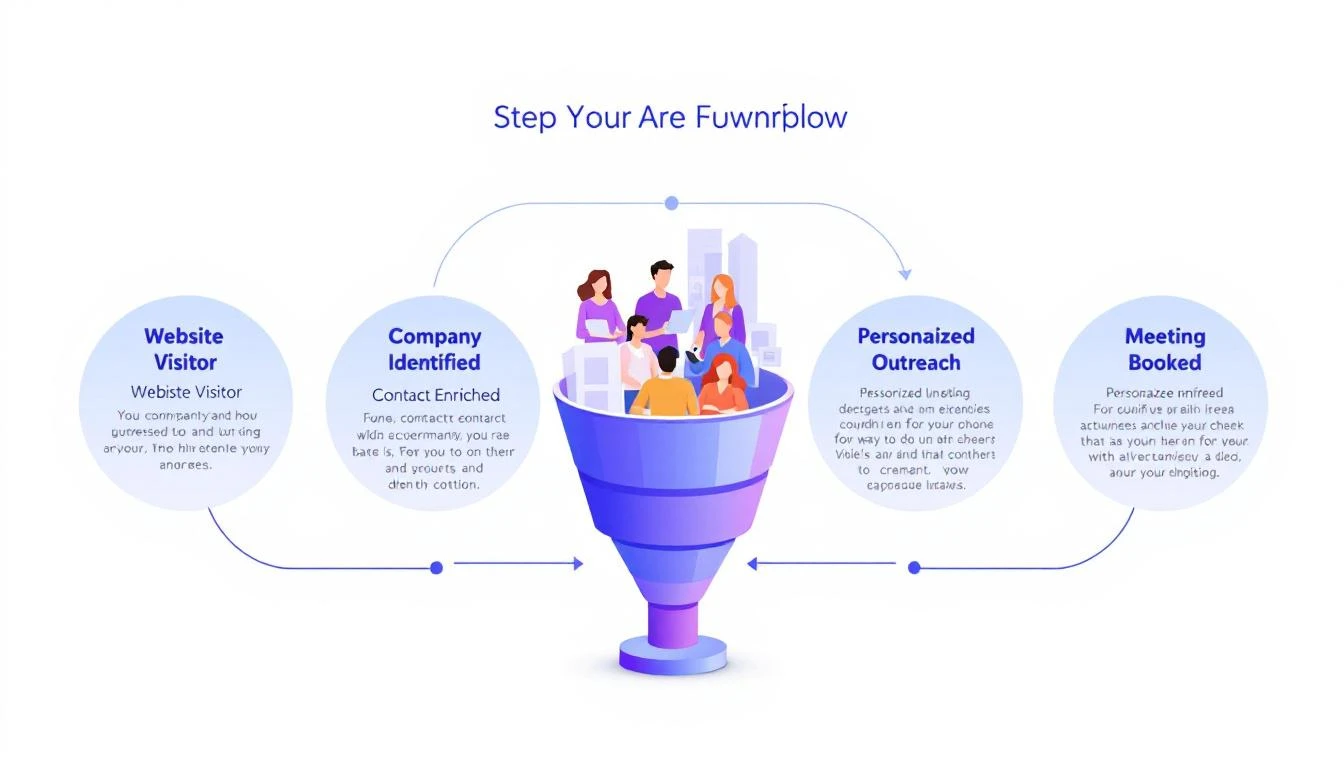
5-step workflow: Website Visitor to Meeting Booked

Here's a stat that should make every sales leader uncomfortable: 90% of website visitor identification data sits unused in dashboards. Companies pay $500โ€“$2,000 per month for visitor ID tools, identify hundreds of companies visiting their site, and then... do nothing with it.

The problem isn't identification. The technology for website visitor identification works. Companies show up. Names get matched. Firmographic data populates.

The problem is what happens next.

Your sales team sees a notification that "Company X visited your pricing page." Great. Now what? Who at Company X should they contact? What should they say? How do they personalize outreach when they know nothing about the visitor's specific pain?

Most teams either ignore the data entirely or blast generic "I noticed you visited our website" emails that get deleted on sight.

This guide walks you through a repeatable 5-step workflow that takes you from anonymous website traffic to a booked meeting โ€” consistently, in under 24 hours.

Why Most Visitor ID Programs Failโ€‹

Before we fix the workflow, let's understand why it breaks.

The typical visitor ID program looks like this:

  1. Install a pixel on your website
  2. Wait for data to populate a dashboard
  3. Check the dashboard (maybe once a day, maybe once a week)
  4. See a list of companies โ€” some recognizable, most not
  5. Feel overwhelmed by the volume and close the tab

The gap between "identified" and "contacted" is where pipeline goes to die. According to research from Opensend, IP-to-company matching delivers 70โ€“80% accuracy for B2B identification. That means the identification layer works. But identification without action is just expensive analytics.

Three structural problems kill most visitor ID programs:

1. No prioritization framework. Not every visitor is equal. Someone who spent 12 minutes on your pricing page and came back twice is a completely different signal than a bot crawler hitting your homepage for 3 seconds. Without scoring, every lead looks the same.

2. No enrichment workflow. Visitor ID gives you the company. You need the person. That means enrichment โ€” finding the right contacts, their roles, their email addresses, their LinkedIn profiles. Doing this manually for 50+ identified companies per day isn't realistic.

3. No speed. The data that speed-to-lead research has proven for years applies here: 78% of buyers choose the vendor that responds first. If you're checking your visitor dashboard on Monday morning and reaching out Tuesday afternoon, your competitor who automated the response already booked the meeting.

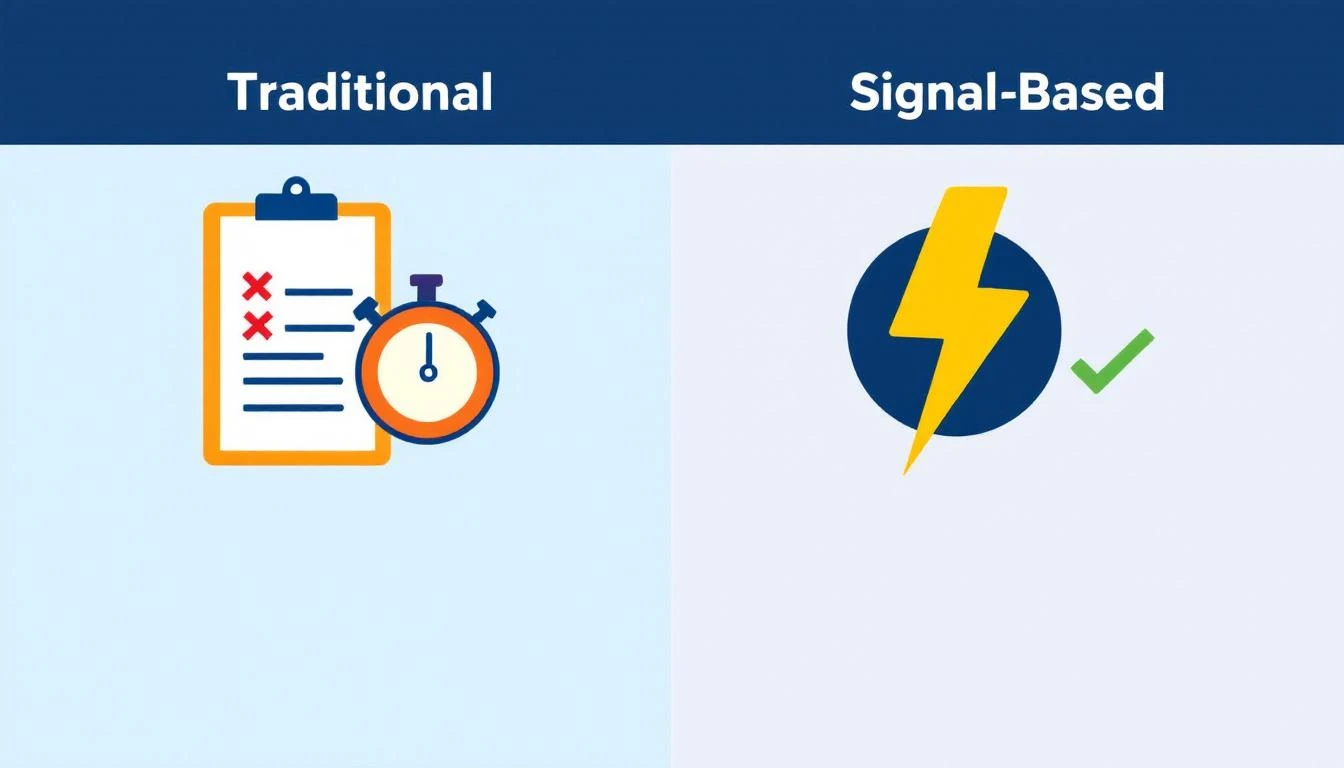
Traditional vs. Signal-Based Approaches

The 5-Step Visitor-to-Pipeline Workflowโ€‹

Here's the workflow that actually converts. Each step builds on the previous one, and the entire process should take less than 24 hours from first visit to first outreach.

Step 1: Identify and Filter (Automated โ€” 0 Minutes)โ€‹

Your visitor identification tool captures company-level data: company name, industry, size, pages visited, time on site, and session frequency.

But raw visitor data is noise. You need a filter.

Set up qualification criteria before you start outreach:

SignalWeightWhy It Matters
Visited pricing pageHighActive buying signal
Returned 2+ times in 7 daysHighPersistent interest
Spent 5+ minutes on siteMediumEngaged, not bouncing
Company size matches ICP (50โ€“500 employees)HighRight fit
Viewed product/feature pagesMediumEvaluating capabilities
Homepage only, single visitLowCould be anything
Blog post only, single visitLowContent consumer, not buyer

The rule: Only pass visitors that hit at least two "High" signals or one "High" plus two "Medium" signals to the enrichment step. Everything else goes into a nurture bucket.

This filter alone eliminates 60โ€“70% of noise and lets your team focus on the visitors who are actually evaluating solutions.

If you're using a platform with a daily SDR playbook, this filtering happens automatically. The playbook surfaces the visitors worth contacting, ranked by intent strength, so your reps don't waste time sorting through raw lists.

Step 2: Enrich to Contact Level (5โ€“10 Minutes per Account)โ€‹

Company-level identification is necessary but insufficient. You need names.

The enrichment workflow:

  1. Identify the buying committee. For a B2B SaaS sale, this typically includes:

    • The end user (SDR Manager, Demand Gen Manager)
    • The economic buyer (VP Sales, VP Marketing, CRO)
    • The technical evaluator (RevOps, Sales Ops)
  2. Find 2โ€“3 contacts per identified company. Don't email one person and hope for the best. Multi-thread from the start.

  3. Gather enrichment data for each contact:

    • Work email (verified, not guessed)
    • LinkedIn profile URL
    • Current role and tenure
    • Recent activity (job change, promotion, company news)

The best lead enrichment tools can do this in seconds. Manual research on LinkedIn Sales Navigator takes 5โ€“10 minutes per account. At scale, you need automation โ€” researching 20 accounts manually every day burns 2+ hours that your SDR should spend on actual conversations.

Pro tip: Prioritize contacts who recently changed jobs. Job change signals are one of the strongest buying indicators โ€” someone new in a role is 5x more likely to purchase new tools in their first 90 days. If your visitor ID catches a company where the VP Sales just started 2 months ago, that's a red-hot lead.

Step 3: Build Hyper-Personalized Context (10 Minutes per Account)โ€‹

This is where most teams fail. They skip this step entirely and send generic outreach. Don't.

Here's the context you need to build for each qualified, enriched account:

From your visitor data:

  • What specific pages did they visit? (This tells you their pain)
  • How long did they spend? (This tells you their urgency)
  • Did they return multiple times? (This tells you they're evaluating)
  • What content did they engage with? (This tells you their knowledge level)

From enrichment data:

  • What does this person's LinkedIn say about their priorities?
  • Has their company raised funding, made acquisitions, or announced growth?
  • Are they hiring for roles that indicate the problem you solve?

Combine into a "context brief":

"Sarah, VP Sales at Acme Corp (150 employees, SaaS). Visited pricing page + visitor ID feature page 3 times in 5 days. Company just raised Series B. Currently hiring 4 SDRs. Sarah joined 3 months ago from Gong."

That brief takes 10 minutes to build. But it gives your SDR everything they need to write outreach that feels personal โ€” because it is personal.

This is fundamentally different from the "I noticed your company visited our website" approach. You're not leading with surveillance. You're leading with relevance.

Step 4: Execute Multi-Channel Outreach (15โ€“20 Minutes per Account)โ€‹

Single-channel outreach is dead. Email-only response rates hover around 1โ€“2% for cold outreach. But research from SalesHive shows that multi-channel sequences โ€” layering email, phone, and LinkedIn โ€” can drive up to 287% more engagement and 300% more conversions compared to email alone.

Here's a 5-touch sequence framework for visitor-sourced leads:

Day 1 (within 4 hours of identification):

  • LinkedIn: Connect with a personalized note referencing their role, not your product
  • Email #1: Reference the specific problem your visitor data suggests, share a relevant insight

Day 2:

  • Phone call: Direct dial. Reference the email. Keep it to 30 seconds โ€” the goal is a conversation, not a pitch

Day 4:

  • Email #2: Share a customer story from a similar company/industry. Include a specific metric

Day 7:

  • LinkedIn: Engage with their content (comment, like). Send a follow-up message referencing something they posted

Day 10:

  • Email #3: "Break-up" email. Direct ask: "Is this a priority for your team right now, or should I check back in Q3?"

Critical rules:

  • Never mention you saw them on your website. It feels invasive. Instead, reference the problem their behavior suggests
  • Lead with value, not features. "Companies your size typically lose 35% of leads to slow response time" beats "We have an AI chatbot"
  • Personalize every touch. If your email could be sent to 100 people without changing a word, it's not personalized enough
  • Email deliverability matters more than email volume. A 95% delivery rate beats a 70% delivery rate with 3x the sends

For teams running this at scale, multi-channel orchestration platforms automate the timing and channel switching. The SDR's job shifts from "manage the sequence" to "have the conversation when someone responds."

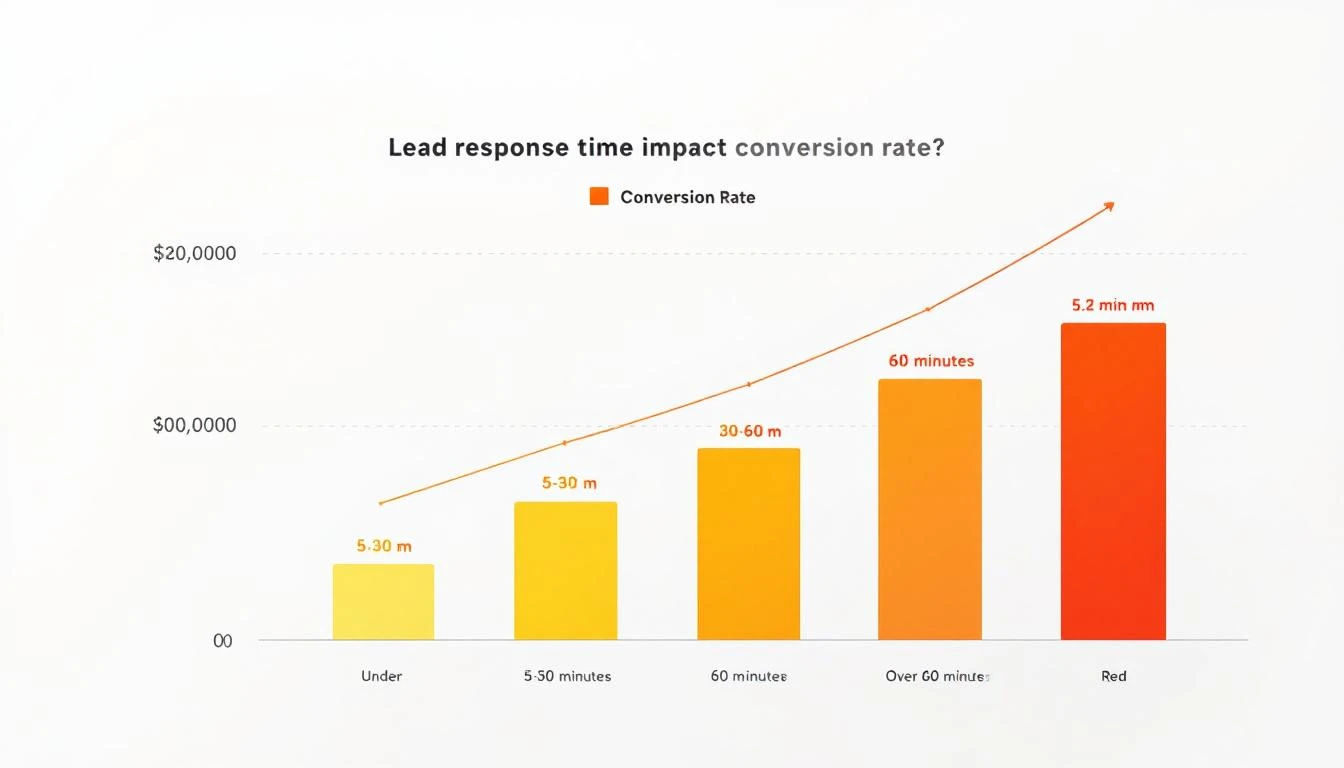
Lead Response Time Impact on Conversion Rates

Step 5: Measure, Learn, Iterate (Weekly โ€” 30 Minutes)โ€‹

The workflow doesn't end when outreach goes out. You need a feedback loop.

Track these metrics weekly:

MetricBenchmarkWhat It Tells You
Visitors identified โ†’ outreach sent>80%Is the workflow running?
Outreach sent within 24 hours>90%Is speed-to-lead fast enough?
Email reply rate>5%Is personalization working?
Meeting booked rate (from visitor leads)>3%Is the full funnel converting?
Visitor-sourced pipeline as % of total>25%Is this channel material?

For more on the metrics that matter, see our complete SDR metrics and KPIs guide.

Weekly iteration questions:

  1. Which page-visit patterns most often lead to meetings? Double down on driving traffic there
  2. Which outreach templates get the highest reply rates? Replicate the structure
  3. Which companies visit but don't convert? Analyze why โ€” wrong ICP? Wrong messaging? Wrong timing?
  4. What's the average time from first visit to meeting booked? Target under 72 hours

Real Numbers: What This Workflow Actually Producesโ€‹

Let's run the math on a realistic scenario.

Assumptions:

  • 200 unique companies identified per month (common for B2B SaaS with 10K+ monthly visitors)
  • 30% pass the qualification filter from Step 1 = 60 qualified visitors
  • Each enriched to 2.5 contacts = 150 contacts in outreach
  • Multi-channel sequence gets 8% reply rate = 12 conversations
  • 25% of conversations convert to meetings = 3 meetings per month

Three meetings per month from a channel that didn't exist before. At a $30K ACV with a 25% close rate, that's $22,500 in new annual revenue per month โ€” from website traffic you were already getting.

Scale the inputs (more traffic, better content driving ideal visitors to high-intent pages) and the math compounds. Companies running this workflow consistently report visitor-sourced pipeline becoming 15โ€“30% of total pipeline within 6 months.

Compare this to the industry average: SDRs book 15 meetings per month across all channels. Adding 3 high-quality, warm meetings from visitor data is a 20% lift โ€” from prospects who already showed buying intent by visiting your site.

The Two Approaches: DIY Stack vs. All-in-Oneโ€‹

You can build this workflow two ways.

The DIY stack approach:

  • Visitor ID: Leadfeeder, RB2B, or Clearbit Reveal ($200โ€“$1,000/mo)
  • Enrichment: Apollo, ZoomInfo, or Cognism ($500โ€“$2,500/mo)
  • Sequencing: Outreach, SalesLoft, or Instantly ($100โ€“$500/mo per seat)
  • CRM: HubSpot or Salesforce ($50โ€“$300/mo per seat)
  • LinkedIn: Sales Navigator ($100/mo per seat)
  • Total: $1,000โ€“$5,000/mo + significant integration and workflow management time

The DIY approach works, but you're stitching together 5 tools, managing data flow between them, and relying on your SDR to manually connect signals to actions. The real cost of a B2B sales tech stack often exceeds what teams budget.

The all-in-one approach: Platforms like MarketBetter consolidate visitor identification, enrichment, outreach, and a daily SDR playbook into one workspace. The visitor shows up, gets scored, contacts get enriched, and a prioritized task with personalization context lands in the SDR's daily playbook โ€” automatically.

The difference isn't just cost. It's time-to-action. In the DIY stack, the handoff between identification and outreach takes hours or days. In a consolidated platform, it takes minutes.

For teams evaluating options, our best AI SDR tools guide and website visitor tracking software comparison break down the options in detail.

Common Mistakes (and How to Avoid Them)โ€‹

Mistake 1: Treating every visitor equally. Fix: Implement the scoring framework from Step 1. Your pricing page visitor and your blog reader are not the same lead.

Mistake 2: Leading with "I saw you on our website." Fix: Never reference the visit directly. Lead with the problem your data suggests they have. "Companies scaling their SDR team often struggle with..." is better than "I noticed your team was on our site."

Mistake 3: Single-threaded outreach. Fix: Always contact 2โ€“3 people per company. If the VP ignores you, the Director might not. Multi-threading increases deal velocity by 25-40% across industries.

Mistake 4: Waiting too long. Fix: First outreach within 4 hours of identification. The speed-to-lead data is unambiguous โ€” response in the first 5 minutes is 21x more effective than responding after 30 minutes.

Mistake 5: No feedback loop. Fix: Review metrics weekly. If reply rates drop below 3%, your personalization needs work. If meetings drop off, your qualification criteria are too loose.

The Bottom Lineโ€‹

Website visitor identification isn't a strategy. It's an ingredient. The strategy is the workflow that turns that ingredient into pipeline.

The 5-step workflow โ€” Identify โ†’ Enrich โ†’ Contextualize โ†’ Execute โ†’ Iterate โ€” gives you a repeatable process for converting anonymous interest into booked meetings. The teams that do this well don't just have better tools. They have better systems.

Most of your competitors have visitor ID installed. Almost none of them have a systematic workflow for acting on the data. That's your advantage โ€” if you actually build the workflow.

Ready to see how MarketBetter automates this entire workflow? Book a demo and see your visitor data turned into a prioritized SDR playbook โ€” automatically.