24 posts tagged with "sdr"

View All Tags

10 Best Salesforce Sales Cloud Alternatives in 2026 (For SDR Teams That Need More)

Β· 8 min read

Salesforce Sales Cloud is the default CRM. But "default" doesn't mean "right for everyone."

If you're an SDR manager paying $175-550/user/month for Salesforce Enterprise and still cobbling together separate tools for email sequences, dialers, visitor ID, and prospecting β€” you're solving the wrong problem with the wrong tool.

Here are 10 alternatives that either replace Salesforce entirely or handle the SDR workflow gap that Salesforce leaves wide open.

Why Teams Leave Salesforce Sales Cloud​

Based on G2 reviews (25,000+ reviews, so the patterns are real):

  1. Cost escalation β€” Base license is just the beginning. Add-ons, admin costs, and implementation push real costs 2-3x higher than the sticker price.
  2. Complexity overkill β€” Most SDR teams use 15% of Salesforce's features but pay for 100%.
  3. SDR workflow gaps β€” No built-in visitor ID, no native smart dialer, no daily playbook. SDRs juggle 5+ tools daily.
  4. Admin dependency β€” Every workflow change requires a Salesforce admin ($100K+/year salary) or consultant ($150-250/hr).
  5. Slow time-to-value β€” Implementation takes 3-6 months. Most alternatives launch in days.

The 10 Best Alternatives​

1. MarketBetter β€” Best for SDR Teams That Need an All-in-One Platform​

Pricing: $99/user/month (Standard plan) | G2 Rating: 4.97/5 | Best for: B2B SDR teams (3-15 reps)

MarketBetter isn't a CRM β€” it's the SDR operating system that sits on top of your CRM. While Salesforce tracks where deals are, MarketBetter tells SDRs what to do next.

What you get that Salesforce doesn't include:

  • Daily SDR Playbook with AI-prioritized tasks
  • Website visitor identification (company + person-level)
  • Built-in smart dialer
  • AI chatbot for website visitors
  • Hyper-personalized email sequences
  • Intent signal aggregation

Why teams switch: SDRs go from toggling between 5-7 tools to one screen. 70% less manual work. 2x faster speed-to-lead.

Best pairing: Use with Salesforce (or any CRM) as the system of record. MarketBetter handles prospecting; Salesforce handles pipeline.

2. HubSpot Sales Hub β€” Best Full CRM Replacement for Mid-Market​

Pricing: Free - $150/user/month | G2 Rating: 4.4/5 (12,000+ reviews) | Best for: Mid-market companies wanting CRM + marketing alignment

HubSpot is the most common Salesforce replacement, especially for companies that want marketing and sales on one platform.

Pros over Salesforce:

  • Free tier is genuinely useful (not 2-user limited)
  • Native email sequences included at Professional tier
  • Much simpler admin β€” no dedicated admin needed
  • Built-in calling at Sales Hub Professional
  • Marketing Hub integration is seamless

Cons vs Salesforce:

  • Reporting less powerful at enterprise scale
  • Customization ceiling is lower
  • AppExchange ecosystem is smaller
  • Enterprise features (predictive AI, advanced forecasting) lag behind

Price comparison: HubSpot Sales Hub Professional at $90/user/month vs Salesforce Enterprise at $175/user/month β€” nearly half the price with sequences and calling included.

3. Pipedrive β€” Best for Small Teams That Want Simplicity​

Pricing: $14-99/user/month | G2 Rating: 4.3/5 (2,000+ reviews) | Best for: Small sales teams (2-10 reps) who find Salesforce overwhelming

Pipedrive was built around a visual pipeline β€” drag deals through stages, and the CRM tells you what to work on next.

Pros over Salesforce:

  • Visual pipeline that SDRs actually enjoy using
  • $14/month starting price vs $25/month Salesforce Starter
  • Built-in email automation at Professional tier ($49/user)
  • AI sales assistant at all paid tiers
  • Setup in hours, not months

Cons vs Salesforce:

  • Not built for complex enterprise sales processes
  • Limited reporting compared to Salesforce
  • Fewer integrations (400+ vs 7,000+)
  • No built-in visitor ID or smart dialer

4. Apollo.io β€” Best for Outbound Prospecting at Scale​

Pricing: Free - $149/user/month | G2 Rating: 4.7/5 (8,000+ reviews) | Best for: SDR teams focused on cold outbound with a large prospect database

Apollo combines a B2B contact database (275M+ contacts) with sequencing and a basic CRM β€” making it the go-to for teams whose primary job is cold outreach.

Pros over Salesforce:

  • 275M+ contact database included (Salesforce has zero built-in data)
  • Email sequences included at all paid tiers
  • LinkedIn integration for social selling
  • $49/user/month for Professional vs $175+ for Salesforce
  • Built-in intent signals

Cons vs Salesforce:

  • CRM functionality is basic
  • Data accuracy varies (60-70% in some segments)
  • No visitor ID or smart dialer
  • Not enterprise-grade for pipeline management

5. Freshsales (by Freshworks) β€” Best Budget CRM with AI​

Pricing: Free - $69/user/month | G2 Rating: 4.5/5 (1,200+ reviews) | Best for: SMBs wanting a CRM with built-in phone and email

Freshsales includes a built-in phone, email, chat, and AI scoring β€” features Salesforce charges extra for.

Pros over Salesforce:

  • Built-in phone at all paid tiers (no third-party dialer needed)
  • AI lead scoring at Growth tier ($9/user/month!)
  • Email sequences included
  • Chat/messenger integration native
  • 90% cheaper than Salesforce Enterprise

Cons vs Salesforce:

  • Scaling beyond 50 users gets limiting
  • Reporting is basic compared to Salesforce
  • Smaller integration ecosystem
  • Less customizable

6. Outreach β€” Best for Enterprise SDR Sequence Management​

Pricing: Custom (~$100-130/user/month) | G2 Rating: 4.3/5 (3,500+ reviews) | Best for: Enterprise SDR teams (20+ reps) running high-volume sequences

Outreach is the gold standard for sales engagement β€” multi-step sequences, A/B testing, and rep coaching. It's what many Salesforce shops add on top of their CRM.

Pros over Salesforce:

  • Best-in-class email sequencing and A/B testing
  • Built-in dialer with call recording
  • Rep coaching and performance analytics
  • Designed for SDR workflow (not adapted from CRM)

Cons vs Salesforce:

  • Not a CRM replacement β€” sits on top of Salesforce
  • Expensive for small teams (custom pricing, typically $100+/user)
  • Complex setup for advanced features
  • No visitor ID or chatbot

7. Close CRM β€” Best for Inside Sales Teams​

Pricing: $29-139/user/month | G2 Rating: 4.7/5 (900+ reviews) | Best for: Inside sales teams (5-25 reps) doing primarily phone + email

Close was built specifically for inside sales β€” with calling, email, and SMS built directly into the CRM. No add-ons needed.

Pros over Salesforce:

  • Built-in power dialer, predictive dialer, and SMS
  • Email sequences native at all tiers
  • Call coaching and recording included
  • Fraction of the cost ($59/user for Startup vs $175 Salesforce)
  • Setup in a day, not months

Cons vs Salesforce:

  • Not built for enterprise or complex deal management
  • Reporting is functional but basic
  • Fewer integrations
  • No visitor ID or intent signals

8. Instantly.ai β€” Best for High-Volume Cold Email at Minimum Cost​

Pricing: $30-77.6/month (not per user) | G2 Rating: 4.8/5 (3,500+ reviews) | Best for: Startups and solopreneurs doing cold email at scale

Instantly is the opposite of Salesforce β€” a single-purpose tool that sends cold emails at massive scale with inbox rotation and warmup.

Pros over Salesforce:

  • $30/month for unlimited email accounts (not per user!)
  • Email warmup and deliverability tools built-in
  • B2B lead database (160M+ contacts)
  • Dead simple β€” 15-minute setup

Cons vs Salesforce:

  • Not a CRM at all β€” email only
  • No pipeline management, forecasting, or deal tracking
  • No phone, no multi-channel
  • Deliverability can be risky at very high volume

9. Monday Sales CRM β€” Best for Teams Already Using Monday.com​

Pricing: $12-28/user/month | G2 Rating: 4.6/5 (800+ reviews) | Best for: Teams using Monday.com for project management who want sales tracking in the same tool

Monday Sales CRM turns Monday's project management interface into a visual sales pipeline with email integration, automations, and dashboards.

Pros over Salesforce:

  • $12/user/month starting price
  • Familiar Monday.com interface (minimal training)
  • Visual deal tracking with custom automations
  • Email integration and activity tracking
  • Reasonable reporting for the price

Cons vs Salesforce:

  • Not a true sales-first CRM
  • No built-in dialer or sequences
  • Limited for complex B2B sales cycles
  • Automation limits on lower tiers

10. Clari β€” Best for Revenue Intelligence (Forecasting Focus)​

Pricing: Custom (~$50-100/user/month estimated) | G2 Rating: 4.5/5 (1,800+ reviews) | Best for: Revenue ops teams that need forecasting accuracy above all else

Clari doesn't replace Salesforce's CRM β€” it replaces Salesforce's forecasting. It pulls data from email, calendar, and CRM to predict revenue with AI accuracy that Salesforce's native forecasting can't match.

Pros over Salesforce (for forecasting):

  • AI-powered revenue forecasting that actually works
  • Activity capture without manual logging
  • Pipeline inspection with deal health scores
  • Board-ready revenue reports

Cons:

  • Requires Salesforce (or another CRM) underneath
  • Expensive for small teams
  • Narrow focus β€” forecasting, not prospecting

Quick Comparison Table​

ToolMonthly Cost (5 users)CRMSequencesDialerVisitor IDPlaybook
Salesforce Enterprise$875+ add-onsβœ…Add-onAdd-onAdd-on❌
MarketBetter$99/user/monthBasicβœ…βœ…βœ…βœ…
HubSpot Sales Pro$450βœ…βœ…βœ…Add-on❌
Pipedrive Pro$245βœ…βœ…Add-on❌❌
Apollo Pro$245Basicβœ…βŒβŒβŒ
Freshsales Growth$45βœ…βœ…βœ…βŒβŒ
Outreach~$500-650βŒβœ…βœ…βŒβŒ
Close Startup$295βœ…βœ…βœ…βŒβŒ
Instantly Growth$77.6βŒβœ…βŒβŒβŒ

The Decision Framework​

If you need a CRM replacement: HubSpot, Pipedrive, Freshsales, or Close β€” depending on team size and complexity.

If you need better SDR workflows ON TOP of Salesforce: MarketBetter or Outreach β€” they complement your CRM, not replace it.

If you need cheaper outbound tools: Apollo, Instantly, or Smartlead β€” focused tools at 10-20% of Salesforce's cost.

If you need everything in one platform: MarketBetter β€” the only tool on this list with visitor ID, dialer, chatbot, email sequences, AND daily playbook in one flat-rate package.

Ready to simplify your SDR stack? Book a demo β†’


Salesforce Sales Cloud Pricing Breakdown 2026: What It Actually Costs for SDR Teams

Β· 7 min read

Salesforce's pricing page shows six clean tiers from $0 to $550/user/month. Simple, right?

Not even close.

The listed price is where the spending starts, not where it ends. Between add-on modules, implementation costs, admin salaries, and the features that only unlock at higher tiers, a Salesforce deployment for a 5-person SDR team can cost anywhere from $1,250 to $8,000+ per month.

We broke down every tier, calculated the real costs for SDR teams specifically, and compared the total cost of ownership to purpose-built alternatives.

Salesforce Sales Cloud Pricing Tiers (2026)​

All prices are per user, per month, billed annually (except Starter Suite which offers monthly billing).

Free Suite β€” $0/user/month​

  • Max users: 2
  • What you get: Lead, account, contact, and opportunity management; Slack integration; basic email marketing
  • What's missing: Everything an SDR team needs β€” no automation, no forecasting, no API access
  • Best for: Solo founders testing CRM basics

Starter Suite β€” $25/user/month​

  • Billing: Monthly or annual
  • What you get: Unlimited users, sales flows, lead routing, AI email sync, dynamic email marketing
  • What's missing: Customization, AppExchange access, forecasting, automation rules
  • Best for: Very small teams who just need contact tracking

Pro Suite β€” $100/user/month​

  • Billing: Annual only
  • What you get: Everything in Starter plus customization, automation, quoting, forecasting, AppExchange access
  • What's missing: Advanced pipeline management, conversation intelligence, Agentforce
  • Best for: Growing teams that need basic sales automation

Enterprise β€” $175/user/month​

  • Billing: Annual only
  • What you get: Everything in Pro plus advanced pipeline management, deal insights, Agentforce (available as add-on)
  • What's missing: Sales Engagement, Conversation Intelligence, full AI suite, sandbox
  • Best for: Mid-market companies with dedicated sales ops

Unlimited β€” $350/user/month​

  • Billing: Annual only
  • What you get: Everything in Enterprise plus predictive AI, Sales Engagement, Conversation Intelligence, full sandbox, Premier Success Plan
  • What's missing: Unmetered Agentforce, Spiff, Sales Planning, Tableau
  • Best for: Enterprise teams that need the full feature set

Agentforce 1 Sales β€” $550/user/month​

  • Billing: Annual only
  • What you get: Everything in Unlimited plus unmetered Agentforce AI, Salesforce Spiff (commissions), Sales Planning, Sales Programs, Salesforce Maps, Tableau Next, Slack Enterprise+, 1M Flex Credits
  • Best for: Large enterprises going all-in on AI-powered sales

The Add-On Tax: What SDR Teams Actually Need​

Here's where Salesforce pricing gets complicated. Many features SDR teams need aren't included in the base tiers β€” they're add-ons or only available at higher price points.

Essential SDR Features by Tier​

SDR NeedWhere It's IncludedAdd-On Cost
Email Sequences (Sales Engagement)Unlimited ($350)~$75/user/mo on Enterprise
Conversation IntelligenceUnlimited ($350)~$50/user/mo on Enterprise
Agentforce AI SDRAgentforce 1 ($550)$2/conversation or Flex Credits on Enterprise
Premier SupportUnlimited ($350)~20% of license cost on lower tiers
Full SandboxUnlimited ($350)~$50/mo on Enterprise
Pardot/MCAE (Marketing Automation)Separate productStarts at $1,250/mo
Data CloudAgentforce 1 ($550)Add-on on other tiers

The "Feature Wall" Problem​

If you start on Pro Suite at $100/user, you'll quickly discover you need:

  • Sales Engagement for email sequences β†’ +$75/user
  • A dialer β†’ third-party, $50-150/user
  • Conversation Intelligence β†’ +$50/user
  • Website visitor ID β†’ third-party, $200-500/month

You're now at $275-375/user/month β€” and you still don't have a daily SDR playbook.

Real-World Cost Calculations​

Scenario 1: 3-SDR Team on Enterprise​

Line ItemMonthly Cost
Enterprise licenses (3 Γ— $175)$525
Sales Engagement add-on (3 Γ— $75)$225
Third-party dialer (e.g., Dialpad, 3 Γ— $80)$240
Third-party visitor ID (e.g., Clearbit)$300
Salesforce admin (fractional, 10 hrs/mo Γ— $75)$750
Monthly total$2,040
Annual total$24,480

Scenario 2: 5-SDR Team on Unlimited​

Line ItemMonthly Cost
Unlimited licenses (5 Γ— $350)$1,750
Third-party dialer (5 Γ— $80)$400
Third-party visitor ID$400
Salesforce admin (20 hrs/mo Γ— $75)$1,500
Monthly total$4,050
Annual total$48,600

Scenario 3: 10-SDR Team on Agentforce 1​

Line ItemMonthly Cost
Agentforce 1 licenses (10 Γ— $550)$5,500
Third-party visitor ID$500
Full-time Salesforce admin$7,000
Agentforce customization/maintenance$500
Monthly total$13,500
Annual total$162,000

Implementation Costs (The First-Year Surprise)​

Salesforce is famous for being powerful but complex. Most organizations need professional implementation:

Cost CategoryRange
Basic implementation (Starter/Pro)$5,000 - $15,000
Mid-market implementation (Enterprise)$25,000 - $75,000
Enterprise implementation (Unlimited+)$75,000 - $300,000+
Data migration$5,000 - $25,000
Training$2,000 - $10,000
Ongoing optimization (annual)$10,000 - $50,000

A common complaint in G2 reviews: "The platform is incredibly powerful but requires constant administration. We spend more on consultants than on the license itself."

Agentforce Pricing: The AI Wild Card​

Salesforce's AI agent platform has gone through multiple pricing changes since its 2024 launch:

  • Original (2024): $2 per conversation β€” caused confusion over what counts as a "conversation"
  • 2025 revision: Flex Credits model β€” usage-based, more flexible but harder to predict
  • 2026 (current): Included unmetered in Agentforce 1 Sales ($550/user/mo), or available as add-on with Flex Credits on Enterprise/Unlimited

The unpredictability problem: Usage-based AI pricing makes budgeting difficult. If your SDR Agent sends 10,000 emails per month, your costs could spike unpredictably. Salesforce's pricing page itself notes: "Contact a sales representative for detailed pricing information" β€” never a good sign.

How Salesforce Compares on Price​

Solution5-SDR Team Monthly CostWhat's Included
Salesforce Enterprise + Add-ons~$2,000-3,500CRM, email sequences, no dialer/visitor ID
Salesforce Unlimited~$4,000-5,000CRM, engagement, intelligence, no visitor ID
MarketBetter$99/user/monthSDR playbook, visitor ID, dialer, chatbot, email
Apollo.io~$500-1,500Prospect database, sequencing, no visitor ID
HubSpot Sales Hub Pro~$2,250+ (5 seats)CRM, sequences, calling, no visitor ID

Discount Strategies (If You're Committed to Salesforce)​

  1. Multi-year contracts: 15-25% discount for 2-3 year commitments
  2. Volume licensing: Discounts kick in at 25+ users
  3. Nonprofit/education: Up to 10 free licenses through Salesforce.org
  4. End-of-quarter deals: Salesforce reps have quarterly quotas β€” negotiate at quarter-end (March, June, September, December)
  5. Bundle negotiation: Buy Sales + Service Cloud together for better per-product pricing
  6. Start lower, upgrade: Begin on Pro Suite and upgrade as you prove ROI

The Real Question: Are You Paying for a CRM or an SDR Tool?​

Here's what Salesforce Sales Cloud pricing reveals about the product: it's priced as a CRM, not as an SDR tool.

The features SDR teams need most β€” email sequences, dialers, visitor ID, daily playbooks β€” are either add-ons, locked behind the highest tiers, or simply don't exist in Salesforce.

If your primary need is CRM (pipeline management, forecasting, reporting for AEs), Salesforce delivers exceptional value even at $175/user.

If your primary need is SDR productivity (prospecting, outreach, visitor engagement), you're paying CRM prices for an SDR workflow that doesn't exist natively β€” and spending more on add-ons than on a purpose-built alternative.

Want to see what $99/user/month gets you in an all-in-one SDR platform? Book a demo β†’


Salesforce Sales Cloud Review 2026: The Honest Take From an SDR Team Perspective

Β· 8 min read

Salesforce Sales Cloud is the most reviewed B2B software product on the planet. 25,415 G2 reviews. 4.4/5 stars. G2's #1 Best Software Product in 2025. Those numbers don't happen by accident.

But aggregate ratings hide the nuance. A CRM that's perfect for a 500-person AE team managing $10M in enterprise pipeline might be terrible for a 5-person SDR team doing outbound prospecting.

This review looks at Salesforce Sales Cloud specifically through the lens of SDR teams and sales development β€” the people who need to prospect, dial, email, and book meetings, not manage complex deal cycles.

Quick Verdict​

CategoryScoreNotes
CRM & Pipeline9.5/10Industry-leading, unmatched
SDR Workflow4/10Not built for outbound prospecting
Pricing Value5/10Expensive when you add what SDRs need
Ease of Use5/10Powerful but steep learning curve
AI Features7/10Agentforce is promising but early
Integration Ecosystem10/10Nothing compares
Overall for SDR Teams5.5/10Great CRM, mediocre SDR tool

What Salesforce Sales Cloud Does Exceptionally Well​

1. Pipeline Management Is Unmatched​

This is Salesforce's home turf. No other CRM gives you this level of pipeline visibility:

  • Opportunity stages with customizable sales processes
  • Forecast categories with collaborative forecasting
  • Einstein Deal Insights that predict which deals will close
  • Path guidance that shows reps what to do at each stage
  • Kanban and list views with inline editing

If your sales org's primary challenge is "we don't know where our deals are," Salesforce solves it completely. Every enterprise AE team we've talked to says the same thing: pipeline management is where Salesforce earns its price tag.

2. The Ecosystem Is Unbeatable​

7,000+ apps on AppExchange. Native integrations with virtually every business tool. A developer community measured in millions.

This matters because even when Salesforce doesn't do something natively, someone has built an app for it. Need visitor ID? There's an app. Need a dialer? There's an app. Need email sequences? There's an app.

The trade-off: you end up with a stack of add-ons that each cost $50-200/user/month, turning your $175 CRM into a $400+ platform. But the ecosystem exists.

3. Customization Depth Is Unrivaled​

Flow Builder for no-code automation. Apex for custom code. Lightning components for custom UI. Custom objects, fields, and page layouts for literally anything.

One Gartner reviewer noted: "Salesforce is infinitely customizable, which is both its greatest strength and biggest weakness."

If you have a dedicated Salesforce admin (or team), you can build almost any sales process imaginable. If you don't have an admin, you'll spend months frustrated by things that seem like they should be simple.

4. Reporting and Analytics Are Enterprise-Grade​

Salesforce reports and dashboards are genuinely powerful:

  • Custom report types with cross-object relationships
  • Real-time dashboards with drill-down
  • Einstein Analytics for AI-powered insights
  • Joined reports for complex analysis
  • Scheduled report delivery

For CROs and VPs of Sales who need board-ready revenue reports, Salesforce delivers. Nothing in the market comes close for enterprise reporting depth.

Where Salesforce Falls Short for SDR Teams​

1. No Daily Playbook​

This is the biggest gap. SDRs don't need a database of leads β€” they need someone to tell them: "Call these 5 people first, here's what to say, and here's why they're hot right now."

Salesforce gives you list views and task queues. That's like giving a chef a warehouse of ingredients instead of a recipe. The data is there, but the prioritization and action guidance isn't.

SDRs using Salesforce spend 30-45 minutes every morning figuring out what to do. Purpose-built SDR tools automate this entirely.

2. No Website Visitor Identification​

98% of website visitors leave without converting. Identifying them is one of the highest-ROI activities in B2B sales. Salesforce doesn't do this β€” at all.

You need a third-party tool (Clearbit, 6sense, Warmly, or MarketBetter) to identify anonymous visitors. That's an additional $200-1,000/month that Salesforce's pricing page never mentions.

3. Email Sequences Are Locked Behind Expensive Tiers​

Sales Engagement (email sequences, cadences, A/B testing) is only included at the Unlimited tier ($350/user/month) or as an add-on on Enterprise. For SDR teams, email sequences aren't a nice-to-have β€” they're the core workflow.

Compare this to tools like Apollo ($49/user), Instantly ($30/month), or MarketBetter (included) that bundle sequences at a fraction of the cost.

4. No Built-in Smart Dialer​

Salesforce includes basic click-to-call at higher tiers but no native power dialer, parallel dialer, or AI coaching. Most SDR teams buy separate dialers:

  • Dialpad: ~$80/user/month
  • RingCentral: ~$45/user/month
  • Nooks: ~$400/user/month
  • Orum: ~$200/user/month

These aren't Salesforce's fault β€” dialing isn't their product. But it means your "Salesforce stack" for SDRs is always Salesforce + dialer + sequencer + visitor ID = 4+ contracts.

5. Complexity Tax on Small Teams​

From Capterra reviews:

"Our organization had required data points for us to fill daily, some of which were not as helpful for meaningful sales progress as others."

This is the Salesforce paradox: the customization that makes it powerful also makes it overwhelming. Small SDR teams (3-10 reps) don't need custom objects, Apex triggers, and Flow automations. They need a tool that works out of the box.

Setting up Salesforce properly for an SDR team takes:

  • 2-4 weeks with a dedicated admin
  • $10,000-25,000 with a consultant
  • Ongoing maintenance and optimization

Compare to tools like Close CRM (setup in a day), Pipedrive (hours), or MarketBetter (days).

Agentforce: Salesforce's AI Bet​

Salesforce's Agentforce platform launched in late 2024, including an Einstein SDR Agent that can:

  • Autonomously engage inbound leads
  • Send personalized emails based on CRM data
  • Qualify prospects through conversation
  • Book meetings on behalf of reps
  • Work 24/7 across languages

Our take: Agentforce is impressive technology with a pricing problem. The per-conversation model caused confusion in 2024-2025, and the current credit-based system is still opaque. At $550/user/month for unlimited AI usage, it's priced for enterprise β€” not for the 5-person SDR team that would benefit most from AI automation.

The bigger issue: Agentforce operates within Salesforce's data. It can't identify anonymous website visitors, can't pull intent signals from outside the CRM, and can't orchestrate multi-channel outbound across email, phone, and LinkedIn in one workflow. It's an AI layer on top of CRM data β€” powerful, but narrow.

G2 Review Patterns (What 25,000+ Reviews Tell Us)​

Most common positives:

  • "Centralized all our customer data in one place"
  • "Pipeline visibility transformed our forecasting"
  • "The ecosystem and integrations are unmatched"
  • "Highly customizable to our specific process"

Most common negatives:

  • "Expensive when you add everything you actually need"
  • "Steep learning curve β€” takes months to feel comfortable"
  • "Requires a dedicated admin to maintain"
  • "The mobile app is clunky compared to competitors"
  • "Too complex for our small team's needs"

The pattern: Reviews from enterprise AE teams (50+ reps) skew very positive. Reviews from small SDR teams (5-15 reps) skew mixed-to-negative, usually citing cost and complexity.

Who Should Use Salesforce Sales Cloud​

Ideal customers:

  • Enterprise companies (200+ employees) with dedicated sales ops
  • AE teams managing complex, multi-stage deal cycles
  • Organizations that need Salesforce's ecosystem integrations
  • Companies with Salesforce admins already on staff
  • Teams that need enterprise-grade reporting and forecasting

Who should look elsewhere:

  • Small SDR teams (3-15 reps) focused on outbound prospecting
  • Teams without a dedicated Salesforce admin
  • Companies where cost predictability matters more than customization
  • Organizations that want visitor ID, dialer, and sequences in one tool
  • Startups that need to be productive in days, not months

The Bottom Line​

Salesforce Sales Cloud earns its 25,000+ reviews and industry dominance because it's an exceptional CRM. For pipeline management, enterprise reporting, and ecosystem breadth, nothing beats it.

But a CRM is not an SDR tool. If your team's daily job is prospecting, dialing, emailing, and booking meetings β€” Salesforce gives you a database when you need a playbook. You'll spend $175-550/user/month on the CRM, then $200-500/user/month more on the tools your SDRs actually use every day.

For SDR teams, the question isn't "is Salesforce good?" (it is) β€” it's "is it the right tool for what my SDRs do?"

Looking for a purpose-built SDR platform that works with (or without) Salesforce? Book a demo β†’


7 Best Groove by Clari Alternatives for Sales Teams in 2026

Β· 7 min read
MarketBetter Team
Content Team, marketbetter.ai

Groove by Clari is a solid Salesforce-native sales engagement platform β€” but it's not right for every team. Since Clari acquired Groove in 2023, the pricing has become opaque, standalone availability has decreased, and the platform increasingly pushes you toward the full Clari ecosystem.

Common reasons teams look for Groove alternatives:

  • Not on Salesforce β€” Groove only works with Salesforce
  • Budget constraints β€” Clari + Groove can cost $200+/user/month
  • Need more than engagement β€” Groove lacks visitor ID, intent data, AI chatbot
  • Pricing transparency β€” No public pricing means long sales cycles just to get a quote
  • Post-acquisition concerns β€” Feature changes, support slowdowns, product direction uncertainty

Here are 7 alternatives that solve these problems, ranked by how much they replace the supplementary tools Groove requires.

1. MarketBetter β€” Best All-in-One SDR Platform​

Starting price: $99/user/month (team) G2 rating: 4.97/5 Best for: Teams that want one platform instead of a five-tool stack

MarketBetter isn't just a Groove replacement β€” it replaces Groove plus the 3–4 additional tools you'd need alongside it (visitor ID, intent data, contact enrichment, AI chatbot).

What sets it apart:

  • Daily SDR playbook β€” every morning, each rep gets a prioritized list of who to contact, through which channel, and what to say. Groove gives you flows; MarketBetter tells you which flows to run and on whom.
  • Built-in visitor identification β€” see which companies are on your website right now. Groove can't do this.
  • Smart dialer β€” included, not a $250/user/month add-on
  • AI chatbot β€” engages website visitors 24/7
  • Lead enrichment β€” find contact details without a separate database subscription

What you lose vs. Groove:

  • Not Salesforce-native (syncs instead of writing directly to SF objects)
  • Less mature for 100+ user enterprise deployments
  • No conversation intelligence (Groove gets this via Clari Copilot)

Verdict: If you're a team of 5–50 SDRs, MarketBetter delivers more pipeline-generating capability than Groove at 30–50% of the total cost.

Book a demo β†’


2. Outreach β€” Best Enterprise Engagement Platform​

Starting price: ~$100/user/month G2 rating: 4.3/5 (3,400+ reviews) Best for: Large SDR teams that need sophisticated sequence logic

Outreach is Groove's most direct competitor in the enterprise engagement space. It offers more advanced sequence building, better A/B testing, and a more mature dialer than Groove.

Key strengths:

  • Advanced multi-path sequences with conditional branching
  • Built-in power dialer (better than Groove's basic calling)
  • Kaia AI for real-time call coaching
  • Stronger analytics and rep coaching tools
  • Works with Salesforce AND HubSpot

Key weaknesses:

  • No visitor identification
  • No contact database
  • Expensive for small teams ($1,200+/user/year)
  • Can be complex to configure

Best as a Groove alternative when: You need enterprise-grade engagement with better sequence logic and don't mind staying in the "engagement only" category.


3. SalesLoft β€” Best for CRM-Integrated Engagement​

Starting price: ~$75/user/month G2 rating: 4.5/5 (4,100+ reviews) Best for: Teams migrating from Groove who want similar CRM integration depth

SalesLoft (now incorporating Drift) offers cadence-based engagement with conversation intelligence. The Drift acquisition added AI chatbot capabilities β€” something Groove still lacks.

Key strengths:

  • Cadence builder with email, phone, social, and direct mail steps
  • Conversation intelligence (formerly Drift)
  • AI chatbot for inbound (via Drift integration)
  • Good Salesforce and HubSpot integration
  • Deals and pipeline visibility features

Key weaknesses:

  • Pricing not transparent (typically $75–$150/user/month)
  • Drift chatbot costs extra
  • UI can feel dated
  • Struggling with post-acquisition integration (sound familiar?)

Best as a Groove alternative when: You want similar enterprise-grade engagement with the bonus of conversation intelligence and inbound chat.


4. Apollo.io β€” Best for Prospecting + Engagement on a Budget​

Starting price: Free / $49/user/month (Professional) G2 rating: 4.8/5 (7,400+ reviews) Best for: Teams that need a contact database AND engagement in one tool

Apollo combines a 275M+ contact database with email sequences, a dialer, and intent signals β€” at a fraction of what Groove + ZoomInfo would cost.

Key strengths:

  • 275M+ verified contacts (Groove has zero)
  • Email sequences with A/B testing
  • Built-in dialer
  • Job change alerts and buying intent signals
  • Generous free tier
  • Works with any CRM

Key weaknesses:

  • Email deliverability can be inconsistent at scale
  • Data quality varies by industry and region
  • Not Salesforce-native (sync-based)
  • Can encourage "spray and pray" outreach

Best as a Groove alternative when: You need prospecting and engagement in one platform and want to cut your tool budget by 60%+.


5. Reply.io β€” Best for Multi-Channel Automation​

Starting price: $59/user/month G2 rating: 4.6/5 (1,300+ reviews) Best for: Teams that want multichannel sequences beyond email and phone

Reply.io builds multi-step sequences across email, LinkedIn, phone, SMS, and WhatsApp β€” more channels than Groove supports natively.

Key strengths:

  • True multichannel: email, LinkedIn (automated connection requests + messages), phone, SMS, WhatsApp
  • AI email assistant for personalization
  • Built-in email warmup
  • B2B contact database (140M+)
  • Transparent pricing

Key weaknesses:

  • LinkedIn automation has compliance risks
  • Smaller contact database than Apollo or ZoomInfo
  • Less polished UI than Outreach/SalesLoft
  • No visitor identification

Best as a Groove alternative when: You need LinkedIn automation alongside email and phone, and want transparent pricing.


6. Instantly β€” Best for High-Volume Cold Email​

Starting price: $30/month G2 rating: 4.8/5 (3,000+ reviews) Best for: Teams focused primarily on email outreach at scale

Instantly specializes in cold email infrastructure β€” unlimited email accounts, built-in warmup, and deliverability optimization. It's the opposite of Groove: no CRM integration depth, but unbeatable email sending capabilities.

Key strengths:

  • Unlimited email sending accounts
  • Built-in email warmup and deliverability tools
  • Lead database (160M+ contacts)
  • AI-powered email writing
  • Extremely affordable ($30–$77/month)

Key weaknesses:

  • No phone dialer
  • No Salesforce-native integration
  • Primarily email-only (no multi-channel)
  • Not built for enterprise compliance requirements
  • No visitor identification or intent data

Best as a Groove alternative when: Your primary motion is cold email and you want to maximize send volume at minimum cost.


7. Klenty β€” Best Mid-Market Alternative​

Starting price: $50/user/month G2 rating: 4.6/5 (380+ reviews) Best for: Mid-market teams that want Groove-like engagement without the Clari overhead

Klenty offers multi-channel sequences, CRM integration (Salesforce, HubSpot, Pipedrive, Zoho), and a clean interface at a lower price point than Groove.

Key strengths:

  • Multi-channel sequences: email, phone, LinkedIn, WhatsApp
  • Works with Salesforce, HubSpot, Pipedrive, Zoho
  • Intent signals via website tracking
  • Automatic CRM sync
  • Transparent, affordable pricing

Key weaknesses:

  • Smaller company, fewer enterprise customers
  • Limited conversation intelligence
  • UI can lag with large contact lists
  • No built-in contact database

Best as a Groove alternative when: You want Groove-style engagement at 50% lower cost and aren't locked into Salesforce.


Comparison Table: Groove Alternatives at a Glance​

PlatformPrice/moCRM SupportVisitor IDDialerAI ChatbotContact DB
MarketBetter~$500 teamAnyβœ…βœ…βœ…βœ…
Outreach~$100/userSF, HubSpotβŒβœ…βŒβŒ
SalesLoft~$75/userSF, HubSpotβŒβœ…βœ… (Drift)❌
Apollo$49/userAnyβŒβœ…βŒβœ… 275M+
Reply.io$59/userAnyβŒβœ…βŒβœ… 140M+
Instantly$30/moLimitedβŒβŒβŒβœ… 160M+
Klenty$50/userAny⚠️ Basicβœ…βŒβŒ
Groove~$75/userSF only❌⚠️ Basic❌❌

Which Alternative Is Right for You?​

Choose MarketBetter if: You want one platform that replaces Groove + visitor ID + enrichment + chatbot. Best ROI for teams under 50 reps.

Choose Outreach if: You need enterprise-grade sequences with advanced branching logic and have the budget for it.

Choose SalesLoft if: You want engagement + conversation intelligence + inbound chat in one vendor.

Choose Apollo if: You need a contact database AND engagement and want the best value per dollar.

Choose Reply.io if: LinkedIn automation is critical to your outreach motion.

Choose Instantly if: Cold email volume is your primary growth lever and you want maximum sends per dollar.

Choose Klenty if: You want Groove-like functionality at a lower price point with flexible CRM support.


Related:

Groove by Clari Pricing Breakdown 2026: What Salesforce-Native Engagement Really Costs

Β· 6 min read
MarketBetter Team
Content Team, marketbetter.ai

Groove doesn't publish pricing on its website. Neither does Clari, its parent company. You'll need to book a demo and talk to sales before you see a single number.

That's already a red flag for SMB and mid-market teams who want to know what they're getting into before committing time to a sales cycle.

We dug into third-party pricing data from Vendr, TrustRadius, G2, and analysis sites to piece together what Groove by Clari actually costs in 2026.

The Short Version​

Groove by Clari costs approximately $50–$150 per user/month for the sales engagement module alone. But most organizations don't buy Groove standalone β€” it's bundled with Clari's revenue intelligence platform, pushing total costs to $200+ per user/month when you add Clari Core and Copilot modules.

For a 10-person SDR team, expect to pay $24,000–$60,000/year for Groove alone, or $60,000–$120,000+/year for the full Clari + Groove stack.

How Groove Pricing Works​

Since Clari acquired Groove in August 2023, Groove is no longer sold as a standalone product in most cases. It's positioned as the "sales engagement" module within Clari's broader revenue platform.

Clari's Module Structure​

Clari sells three main modules:

Clari Core (Revenue Intelligence)

  • Pipeline analytics and forecasting
  • Deal inspection and risk scoring
  • AI-powered revenue predictions
  • Estimated: $60–$100/user/month

Clari Copilot (Conversation Intelligence)

  • Call recording and transcription
  • AI meeting summaries
  • Coaching insights
  • Estimated: $40–$80/user/month

Groove (Sales Engagement)

  • Multi-step email/call/LinkedIn flows
  • Activity auto-capture to Salesforce
  • Calendar scheduling
  • Team analytics and templates
  • Estimated: $50–$150/user/month

Pricing Variables​

Groove pricing varies based on:

  1. User count β€” Volume discounts start around 25+ seats
  2. Module bundle β€” Buying all three modules gets better per-module rates
  3. Contract length β€” Annual contracts are standard; multi-year deals get discounts
  4. Salesforce edition β€” Groove requires Salesforce, which adds $25–$300/user/month on top

Real Cost Scenarios​

Scenario 1: 5-Person SDR Team (Groove Only)​

Cost ComponentMonthlyAnnual
Groove licenses (5 Γ— $75/user)$375$4,500
Salesforce Professional (5 Γ— $80/user)$400$4,800
Total$775$9,300

This is the bare minimum β€” Groove without the Clari analytics layer.

Scenario 2: 10-Person Team (Clari + Groove)​

Cost ComponentMonthlyAnnual
Clari Core (10 Γ— $80/user)$800$9,600
Groove (10 Γ— $100/user)$1,000$12,000
Clari Copilot (10 Γ— $60/user)$600$7,200
Salesforce Enterprise (10 Γ— $165/user)$1,650$19,800
Total$4,050$48,600

Scenario 3: 25-Person Enterprise Team (Full Stack)​

Cost ComponentMonthlyAnnual
Clari full platform (25 users)$4,500$54,000
Groove (25 Γ— $75/user, volume discount)$1,875$22,500
Salesforce Enterprise (25 Γ— $165/user)$4,125$49,500
Implementation/onboardingβ€”$15,000–$25,000
Total$10,500+$141,000–$151,000

The Hidden Costs​

1. Salesforce Dependency​

Groove only works with Salesforce. If you're on HubSpot, Pipedrive, or any other CRM, Groove isn't an option. And Salesforce itself costs $25–$300/user/month depending on your edition.

2. Implementation Costs​

Enterprise deployments typically require professional services for Salesforce workflow configuration, data migration, and team training. Expect $10,000–$25,000 for initial setup.

3. Module Creep​

Most organizations start with Groove and end up adding Clari Core and Copilot within the first year. What starts as a $50/user engagement tool becomes a $200/user platform.

4. Annual Contracts Only​

No monthly option. You're committing to 12 months minimum, with most enterprise deals running 2–3 years.

5. Limited Seats vs. Full Org​

Groove pricing often requires minimum seat counts. If you have 8 SDRs but the minimum is 10 seats, you're paying for unused licenses.

Groove vs. Alternatives: Price Comparison​

PlatformStarting PriceWhat's Included
Groove by Clari~$50–$150/user/moEmail sequences, Salesforce sync, activity capture
MarketBetter~$99/user/month (team)Visitor ID, email, smart dialer, AI chatbot, daily playbook
Outreach~$100/user/moSequences, dialer, analytics
SalesLoft~$75/user/moCadences, dialer, conversation intel
Apollo$49–$119/user/moProspecting DB + sequences
Reply.io$59–$99/user/monthMultichannel sequences

What Groove Doesn't Include (That Competitors Do)​

Groove is purely a sales engagement layer. It does NOT include:

  • Website visitor identification β€” You need Clearbit, 6sense, or another tool ($99/user/month with everything included)
  • Contact database β€” You need ZoomInfo, Apollo, or Cognism ($10,000–$50,000/yr)
  • AI chatbot β€” You need Drift/Qualified ($2,500–$5,000/mo)
  • Intent data β€” You need Bombora or G2 Buyer Intent ($1,000–$5,000/mo)
  • Smart dialer β€” Groove has basic dialer features, but for parallel/power dialing you need Orum or Nooks ($250+/user/mo)

When you add these supplementary tools, the total cost of a Groove-centered stack can reach $100,000–$200,000/year for a mid-size team.

Who Should Pay Groove's Price​

Groove makes financial sense if:

  • You're already deeply invested in Salesforce and Clari
  • You have 50+ reps and need enterprise-grade Salesforce data integrity
  • Your IT/ops team mandates Salesforce-native tools only
  • You're consolidating from Outreach or SalesLoft into the Clari ecosystem

Groove is overpriced if:

  • You're a team of 5–20 SDRs looking for an all-in-one platform
  • You don't use Salesforce
  • You need visitor identification, intent data, or AI chatbot alongside engagement
  • You want transparent pricing without a multi-week sales process

The MarketBetter Alternative​

MarketBetter replaces the need for Groove + visitor ID + intent data + chatbot with a single platform starting around $99/user/month.

Instead of paying $50,000+/year for Clari + Groove + supplementary tools, your SDRs get:

  • Daily playbook β€” who to contact, what channel, what to say
  • Website visitor identification β€” built in, not a separate subscription
  • Smart dialer β€” included, not an add-on
  • AI chatbot β€” engages visitors 24/7
  • Email automation β€” hyper-personalized sequences
  • Lead enrichment β€” contact data without a separate database subscription

Total cost for a 5-person SDR team: ~$1,500/month vs. $4,000+/month for a comparable Groove-centered stack.

Book a demo β†’

Bottom Line​

Groove is a solid Salesforce-native engagement platform, but its pricing reflects an enterprise-first approach that's difficult for growing teams to justify. The lack of transparent pricing, the Salesforce dependency, and the need for multiple supplementary tools make the total cost of ownership significantly higher than the per-user sticker price suggests.

For teams that want one platform instead of a five-tool stack, MarketBetter delivers more capability at a fraction of the cost.


Related:

Groove by Clari Review 2026: Salesforce-Native Engagement Worth the Enterprise Price?

Β· 6 min read
MarketBetter Team
Content Team, marketbetter.ai

Groove has been a Salesforce-native sales engagement platform since 2014. In August 2023, Clari acquired it and folded it into their revenue intelligence platform. The result: Groove is now part of a larger ecosystem β€” which is either a strength or a liability depending on your situation.

Groove by Clari Review 2026

We analyzed 971 TrustRadius reviews, G2 feedback, Gartner Peer Insights ratings, and real user comments to give you an honest assessment of what Groove delivers in 2026.

The Quick Verdict​

Groove rating: 4.7/5 on G2 (based on 4,700+ reviews across the Clari/Groove ecosystem) | 8.1/10 on TrustRadius (971 reviews)

Best for: Enterprise sales teams deeply invested in Salesforce who need a native engagement layer with zero sync issues.

Not ideal for: SMB teams, non-Salesforce shops, or anyone who needs visitor identification, intent data, or AI chatbot alongside their engagement tool.

What Groove Actually Does Well​

1. Best-in-Class Salesforce Integration​

This is Groove's undeniable strength. Unlike Outreach or SalesLoft, which sync data to Salesforce, Groove stores data in Salesforce natively. Every email sent, call logged, and meeting booked writes directly to Salesforce objects without a separate database.

For enterprise teams with strict data governance, this is a major differentiator. As one G2 reviewer put it:

"Groove's Salesforce integration is the best I've seen. No sync errors, no duplicate records, no data living in two places."

2. Activity Auto-Capture​

Groove automatically logs emails, calendar events, and calls to the correct Salesforce records. Reps don't need to manually log activities β€” Groove handles it. This solves one of the biggest complaints SDR managers have: incomplete CRM data.

Multiple reviewers on TrustRadius praise this:

"Before Groove, our CRM data was 40% incomplete. Now it's over 95% accurate because Groove captures everything automatically."

3. Multi-Step Flows​

Groove's flow builder lets you create multi-step sequences across email, phone, and LinkedIn tasks. Templates are shared across the team, and managers can see which flows perform best. The flow editor is straightforward β€” not as feature-rich as Outreach's, but easier to learn.

4. Enterprise-Grade Analytics​

Since the Clari acquisition, Groove has gained access to Clari's analytics engine. Managers get pipeline visibility, activity reporting, and team performance dashboards that pull from both Salesforce and Groove engagement data. For enterprises that want one view of their entire revenue operation, this is valuable.

Where Groove Falls Short​

1. No Standalone Option​

Since the Clari acquisition, Groove is increasingly bundled with Clari's broader platform. New customers are often pushed toward the full Clari suite (Core + Copilot + Groove), which significantly increases the total cost. Teams that just want email sequences and activity logging may end up paying for forecasting and conversation intelligence they don't need.

One Gartner Peer Insights reviewer noted:

"Groove has been the primary headache for our sales team since implementation."

2. Salesforce Lock-In​

Groove only works with Salesforce. Period. If you're on HubSpot, Pipedrive, Close, or any other CRM, Groove isn't an option. And even within Salesforce, some features require Enterprise edition or higher β€” adding to the total cost.

3. Limited Prospecting Capabilities​

Groove is an engagement platform, not a prospecting platform. It doesn't include:

  • No contact database β€” You can't find new prospects in Groove
  • No visitor identification β€” You won't know who's on your website
  • No intent data β€” No buying signals beyond what's in Salesforce
  • No AI chatbot β€” No automated website engagement
  • No enrichment β€” No automatic contact data filling

This means Groove always needs supplementary tools, which adds complexity and cost.

4. Email Deliverability Concerns​

Several reviewers mention email deliverability issues when using Groove's built-in email capabilities:

"We noticed deliverability dropped when we started using Groove for high-volume outbound. Had to bring in a separate warmup tool."

"The email tracking can be finicky β€” sometimes opens aren't recorded correctly."

5. Post-Acquisition Growing Pains​

The Clari acquisition has created uncertainty. Some features have been rebranded, the roadmap has shifted toward Clari's vision, and pricing has become less transparent. Multiple Reddit threads from former Groove customers discuss frustration with post-acquisition changes:

  • Support response times have reportedly increased
  • Some standalone Groove features have been deprecated in favor of Clari equivalents
  • Pricing negotiations now involve the Clari sales team

6. Limited Customization for Flows​

Compared to Outreach or SalesLoft, Groove's flow builder has fewer branching options, conditional logic, and A/B testing capabilities. Power users who want sophisticated multi-path sequences may find it constraining.

What Real Users Say​

The Positives​

"Groove integrates seamlessly with Salesforce. The templates and flows save our team hours every week." β€” G2 reviewer, Mid-Market

"Activity auto-capture changed our team's CRM hygiene from terrible to excellent." β€” TrustRadius reviewer

"As a manager, I love seeing all activity data right in Salesforce. No separate dashboard to check." β€” G2 reviewer, Enterprise

The Negatives​

"Groove needs more customization to set up sales sequences with Salesforce." β€” G2 reviewer

"Redundancy between Salesforce and Clari and the work necessary on both ends can be unnecessarily cumbersome." β€” G2 reviewer

"I would appreciate more KPI analytics available in a dashboard that merges Salesforce pipeline data with Groove outcomes." β€” G2 reviewer

"We encountered some technical issues and found certain limitations in its functionality." β€” G2 reviewer

Groove by Clari vs. Competitors​

CapabilityGroove (Clari)MarketBetterOutreachSalesLoft
Salesforce nativeβœ… Best in classβœ… CRM syncβœ… Syncβœ… Sync
Visitor identificationβŒβœ… Built-in❌❌
AI daily playbookβŒβœ…βŒβŒ
Smart dialer⚠️ Basicβœ… Built-inβœ… Add-onβœ… Built-in
AI chatbotβŒβœ… Built-in❌❌
Intent signalsβŒβœ… Built-in❌❌
Contact databaseβŒβœ… Enrichment❌❌
Revenue intelligenceβœ… Via Clari❌⚠️ Limited⚠️ Via Drift
Transparent pricingβŒβœ…βŒβŒ
Starting price~$50/user/mo$99/user/month~$100/user/mo~$75/user/mo

Who Should Use Groove​

Groove is a good fit if:

  • βœ… You're a Salesforce Enterprise shop with 50+ reps
  • βœ… Data integrity and CRM governance are top priorities
  • βœ… You're already using or evaluating Clari for forecasting
  • βœ… Your IT team mandates Salesforce-native solutions only
  • βœ… You have budget for supplementary tools (prospecting DB, visitor ID, chatbot)

Groove is NOT a good fit if:

  • ❌ You use any CRM other than Salesforce
  • ❌ You have fewer than 20 SDRs
  • ❌ You want an all-in-one platform (engagement + prospecting + signals)
  • ❌ Transparent, predictable pricing matters to you
  • ❌ You need visitor identification or AI chatbot built in

A Better Option for Growing Teams​

If your goal is to tell SDRs exactly who to contact, through which channel, and what to say β€” every single morning β€” without assembling a five-tool stack, MarketBetter delivers that out of the box.

One platform. Visitor ID, smart dialer, email automation, AI chatbot, and a daily playbook. No Salesforce dependency. No hidden pricing.

Book a demo β†’


Related:

MarketBetter vs Groove by Clari: Enterprise Sales Engagement vs AI SDR Platform [2026]

Β· 7 min read
MarketBetter Team
Content Team, marketbetter.ai

Groove made its name as the Salesforce-native sales engagement platform β€” the tool that Fortune 500 companies like Google, ADP, Uber, and Cisco used to manage outbound sequences while keeping their Salesforce data pristine. Then Clari acquired it in August 2023 for an undisclosed sum, folding it into their revenue intelligence platform.

MarketBetter takes the opposite approach: instead of building on top of a CRM, it replaces the need for a sprawling sales stack entirely. One platform handles visitor identification, intent signals, daily SDR playbooks, email automation, a smart dialer, and an AI chatbot.

This comparison comes down to a simple question: Do you need an enterprise-grade Salesforce add-on, or an AI-native platform that tells your SDRs exactly what to do every morning?

MarketBetter vs Groove by Clari comparison

What Each Platform Actually Does​

Groove by Clari is a Salesforce-native sales engagement platform. It stores all data directly in Salesforce (not a separate database), offers multi-step flows across email, phone, and LinkedIn, automatically captures activities, and provides team analytics. Its deepest strength is its Salesforce integration β€” it reads and writes to your CRM in real time without sync issues. Since the Clari acquisition, it now includes AI-powered conversation intelligence via Clari Copilot and RevAI features like automated call summaries.

MarketBetter is an AI SDR operating system. It identifies companies visiting your website, processes intent signals from multiple sources, and generates a daily playbook that tells each SDR exactly who to contact, through which channel, and what to say. It includes built-in email automation, a smart dialer, an AI chatbot, and lead enrichment β€” no additional tools required.

Feature-by-Feature Comparison​

FeatureMarketBetterGroove by Clari
Website visitor identificationβœ… Built-in❌ Requires separate tool
Daily SDR playbookβœ… AI-generated tasks❌ Manual flow creation
Multi-channel sequencesβœ… Email, phone, chatβœ… Email, phone, LinkedIn
Smart dialerβœ… Built-in⚠️ Basic dialer, relies on integrations
AI chatbotβœ… Engages every visitor❌ No chatbot
Salesforce integrationβœ… CRM syncβœ… Salesforce-native (strongest feature)
CRM flexibilityβœ… Works with multiple CRMs❌ Salesforce only
Activity captureβœ… Automaticβœ… Automatic (Salesforce-native)
Intent signalsβœ… Multi-source❌ No native intent data
AI email personalizationβœ… AI-written outreach⚠️ Template-based + AI assist
Conversation intelligence⚠️ Call analyticsβœ… Clari Copilot integration
Revenue forecasting❌ Not core focusβœ… Via Clari platform
Setup timeβœ… Hours❌ Weeks to months (enterprise)
Minimum company sizeβœ… Any size⚠️ Mid-market to enterprise

Groove's Pricing: The Enterprise Black Box​

Groove by Clari does not publish pricing. This is by design β€” it's an enterprise product sold through custom contracts. Based on industry data and user reports:

  • Clari base platform: ~$100-150/user/month for forecasting
  • Groove engagement module: Estimated $75-150/user/month as an add-on
  • Clari Copilot (conversation intelligence): Additional $50-100/user/month
  • Full Clari + Groove + Copilot stack: $225-400/user/month

For a 10-person SDR team, that's $2,250-4,000/month β€” before you add visitor identification, chatbot, or enrichment tools.

And that estimate doesn't include implementation costs. Groove's enterprise deployment typically involves:

  • Multi-week onboarding with a dedicated CSM
  • Salesforce admin configuration
  • Custom flow building and governance setup
  • Training across teams

MarketBetter: $99/user/month for the complete platform β€” visitor ID, playbooks, email, dialer, chatbot, and enrichment included. Setup takes hours, not weeks.

Groove's Strengths (Being Honest)​

Credit where it's due β€” Groove excels in specific areas:

1. Salesforce-native architecture. Groove stores data directly in Salesforce rather than syncing to a separate database. For companies where Salesforce is the absolute source of truth and data governance is critical (regulated industries, Fortune 500), this is a genuine advantage. No sync lag, no duplicate records, no data discrepancies.

2. Enterprise credibility. Groove's customer list includes Google, ADP, Uber, Capital One, Adobe, and Cisco. It was a Forrester Wave Leader in Sales Engagement (Q3 2022). For procurement teams that need a "safe" choice, Groove checks every compliance box.

3. Conversation intelligence via Clari Copilot. The Clari acquisition brought AI call summaries, next-best-action recommendations, and conversation analytics. This is a real capability that MarketBetter doesn't match today.

4. Revenue platform integration. If you already use Clari for forecasting, adding Groove gives you a unified view from prospecting through close. The data flows naturally within the Clari ecosystem.

5. 75,000+ daily users. Groove claims 75,000 users rely on it daily, suggesting strong adoption in large organizations.

The Acquisition Problem​

Groove's acquisition by Clari in August 2023 is both its greatest strength and its biggest risk.

The upside: Clari's AI and forecasting capabilities make Groove smarter. The combined platform offers revenue intelligence + sales engagement in one contract.

The downside: Groove is no longer an independent company making independent product decisions. Every roadmap decision now filters through Clari's strategy. G2 reviewers have flagged this:

  • Some features that were on Groove's independent roadmap have been deprioritized
  • Pricing has become more opaque as Groove bundles with Clari's broader platform
  • Support and account management now route through Clari's team
  • A Gartner reviewer noted: "Groove has been the primary headache for our sales team since implementation"

This is the same pattern we've seen with Drift (acquired by Salesloft) and Yesware (acquired by Vendasta). Post-acquisition, standalone products tend to become modules within larger platforms β€” and the standalone customer experience degrades.

The Philosophical Divide: CRM-Centric vs Signal-Centric​

This comparison reveals a deeper architectural difference:

Groove's model: Start with your CRM (Salesforce). Build sequences on top of CRM records. Capture activities back into CRM. The CRM is the center of gravity.

MarketBetter's model: Start with signals β€” who's visiting your website, who's showing buying intent, who matches your ICP. Generate a daily playbook from those signals. Execute across email, phone, and chat. Push results to CRM.

The Groove model assumes you already know who to target and you have good CRM data. The MarketBetter model assumes the hardest part is knowing WHO to target right now β€” and automates the discovery.

For established enterprise sales orgs with massive Salesforce instances and dedicated admins, the CRM-centric model works. For growing teams that need to identify and convert inbound interest quickly, the signal-centric model wins.

When Groove by Clari Makes Sense​

Groove is the right choice when:

  • Salesforce is your religion β€” You've built your entire revenue operation around Salesforce and need zero-compromise CRM integration
  • You're enterprise-scale β€” 100+ reps, complex governance requirements, regulated industry
  • You already use Clari β€” Adding Groove to an existing Clari contract is natural
  • Revenue forecasting matters more than prospecting β€” Clari's forecasting is industry-leading
  • Procurement demands safe choices β€” Groove + Clari won't get a VP of Sales fired for choosing it

When MarketBetter Makes Sense​

MarketBetter is the better fit when:

  • You need to find prospects, not just sequence them β€” Visitor ID and intent signals are your prospecting engine
  • You want everything in one platform β€” No more stitching together 5-7 tools
  • You're not locked into Salesforce β€” You use HubSpot, Pipedrive, or other CRMs
  • Speed matters β€” You want to be running in hours, not weeks
  • Your team is 3-20 SDRs β€” Right-sized for growing revenue teams, not enterprise bureaucracy
  • You need a daily playbook β€” Your SDRs shouldn't decide who to call each morning. AI should.
  • Budget is a factor β€” $99/user/month vs $2,250-4,000/mo for Clari + Groove alone

The Bottom Line​

Groove by Clari is an excellent Salesforce-native engagement tool for large enterprises that have already committed to the Clari + Salesforce ecosystem. If you're a Fortune 500 company with a dedicated Salesforce admin team and $4K+/month to spend on sales engagement alone, Groove delivers.

MarketBetter is built for the other 95% of B2B sales teams β€” the ones that need to identify who's interested, generate a daily plan, and execute across every channel without assembling a six-figure tech stack.

The real question isn't which is better. It's whether your team needs an enterprise CRM add-on or an AI SDR platform that does the thinking for them.

See MarketBetter's daily playbook in action β†’


MarketBetter vs Yesware: Email Tracking Add-On vs Complete SDR Platform [2026]

Β· 6 min read
MarketBetter Team
Content Team, marketbetter.ai

Yesware has been a staple in sales teams' toolkits since 2010 β€” a lightweight email tracking add-on that lives inside your Gmail or Outlook inbox. It does one thing reasonably well: tell you when someone opened your email.

But here's the question SDR leaders are asking in 2026: Is knowing someone opened an email enough to build pipeline?

MarketBetter takes a fundamentally different approach. Instead of adding a tracking pixel to your existing workflow, it replaces the entire patchwork of tools with a single platform that identifies website visitors, generates daily SDR playbooks, runs email automation, powers a smart dialer, and deploys an AI chatbot β€” all from one dashboard.

This isn't a close comparison. It's two different categories of software. Let's break down exactly where each one fits.

MarketBetter vs Yesware comparison

The Fundamentals: What Each Tool Actually Does​

Yesware is a browser extension and inbox add-on. It sits on top of Gmail or Outlook and adds email open tracking, link tracking, attachment tracking, basic campaign sequencing (limited recipients), and meeting scheduling. Since its acquisition by Vendasta in October 2022, it's been bundled as part of Vendasta's broader SMB platform.

MarketBetter is a full-stack AI SDR platform. It combines website visitor identification, intent signal processing, daily SDR playbooks, multi-channel email automation, a smart dialer, and an AI chatbot. Instead of tracking what happened after you send an email, it tells you WHO to contact and WHAT to say before you even open your inbox.

Feature-by-Feature Comparison​

FeatureMarketBetterYesware
Website visitor identificationβœ… Identifies companies visiting your site❌ No visitor ID
Daily SDR playbookβœ… AI-generated daily task list❌ No playbook
Email open trackingβœ… Yesβœ… Yes (core feature)
Email campaignsβœ… Unlimited, hyper-personalized⚠️ Limited (20 recipients/mo on Pro)
Smart dialerβœ… Built-in❌ No dialer
AI chatbotβœ… Engages every visitor❌ No chatbot
Meeting schedulerβœ… Yesβœ… Yes
CRM integrationβœ… Multiple CRMs⚠️ Salesforce only (Enterprise tier)
Intent signalsβœ… Multi-source signals❌ None
Team reportingβœ… Full analytics⚠️ Premium+ only
LinkedIn integrationβœ… Yes⚠️ Via Sales Navigator only
AI-powered personalizationβœ… AI writes contextual outreach❌ Template-based only

Yesware's Real Pricing (From yesware.com)​

Yesware's pricing is transparent, which is refreshing. But the limitations at each tier tell the real story:

  • Free: $0/seat/mo β€” 10 campaign recipients/month, basic tracking (limited to emails sent <24 hours ago)
  • Pro: $15/seat/mo (annual) or $19/seat/mo (monthly) β€” 20 campaign recipients/month, unlimited tracking
  • Premium: $35/seat/mo (annual) or $45/seat/mo (monthly) β€” unlimited campaigns, shared templates, team reporting
  • Enterprise: $65/seat/mo (annual) or $85/seat/mo (monthly) β€” adds Salesforce integration, SSO, bi-directional sync

For a 5-person SDR team on Premium (annual), that's $175/month for Yesware alone. Sounds cheap β€” until you realize you still need to buy:

  • A visitor identification tool ($300-800/mo)
  • A dialer like Aircall or Dialpad ($75-150/user/mo)
  • A chatbot like Drift or Intercom ($500-2,000/mo)
  • A data enrichment tool ($200-500/mo)
  • An intent signal platform ($500-2,000/mo)

Total stack cost with Yesware: $1,750-5,325/month

MarketBetter: $99/user/month β€” everything included.

What Users Actually Say About Yesware​

With 820 G2 reviews, Yesware has a solid track record. But the pattern in recent reviews reveals some concerns:

Common praise:

  • Easy to set up (60 seconds to install)
  • Good email open tracking
  • Lightweight β€” doesn't bloat your inbox

Common complaints:

  • Tracking accuracy issues β€” Multiple G2 reviewers report false positives on opens (bot clicks and email security scanners triggering opens)
  • Support quality declined post-acquisition β€” Several recent reviews mention unanswered support tickets and slow response times since the Vendasta acquisition
  • Campaign limitations β€” Even on Pro, you're capped at 20 recipients per month for campaigns, which is laughably low for active SDR work
  • No prospecting capabilities β€” You need to bring your own leads. Yesware doesn't help you find WHO to contact

One G2 reviewer summed it up: "The main feature that I am using is simply not working. If there was support maybe they could solve this. Unfortunately, no one is responding to the support tickets."

The Vendasta Acquisition Factor​

Here's something many buyers overlook: Yesware was acquired by Vendasta in October 2022. Vendasta is a white-label platform that sells marketing and sales tools through channel partners (ad agencies, media companies, MSPs).

What does this mean for Yesware users?

  1. Strategic focus has shifted β€” Vendasta is integrating Yesware into their partner platform, not building features for direct B2B sales teams
  2. Product velocity has slowed β€” Compare Yesware's changelog to actively-developed platforms and the difference is stark
  3. Support feels deprioritized β€” Multiple users report longer response times post-acquisition

This is the classic acquisition playbook: buy a strong brand, milk the install base, invest minimally in the standalone product. It happened to Groove (acquired by Clari), Drift (acquired by Salesloft), and now it's happening to Yesware.

When Yesware Makes Sense​

Be honest: Yesware is perfectly fine if:

  • You're a solo salesperson who just needs to know if emails are being opened
  • Your outreach volume is very low (under 20 prospects/month)
  • You already have all other tools (dialer, visitor ID, chatbot) and just need email tracking
  • You're on a tight budget and need the free tier to get started
  • Your CRM is Salesforce and you want basic activity logging

Yesware is a good email tracker. It's just not a sales engagement platform.

When MarketBetter Is the Better Choice​

MarketBetter makes more sense when:

  • You need to know who's visiting your website and reach out while they're hot
  • You want a daily playbook that tells SDRs exactly what to do each morning
  • You're running real outbound volume (hundreds or thousands of touches per month)
  • You want email + phone + chat in one platform instead of stitching together 5 tools
  • You need AI-powered personalization at scale, not just templated emails
  • You want to reduce your sales stack cost by consolidating tools

The Bottom Line​

Yesware is an email add-on from 2010 that's been acquired, rebundled, and is slowly losing its independent identity. It still tracks email opens. That's about it.

MarketBetter is a purpose-built AI SDR platform for 2026. It doesn't just tell you an email was opened β€” it tells you who to call, what to say, and when to say it. Every morning.

The question isn't whether Yesware is good at email tracking. It is. The question is whether email tracking alone moves the needle for your pipeline in 2026.

If you're still piecing together your sales stack one tool at a time, you're already behind.

See how MarketBetter replaces 5+ tools in one platform β†’


SDR Onboarding Guide: How to Cut Ramp Time in Half [2026]

Β· 11 min read
sunder
Founder, marketbetter.ai

The average SDR takes 3 to 6 months to reach full productivity. That's 3 to 6 months of salary, benefits, and management attention before a single qualified meeting hits your pipeline.

For a team hiring 5 SDRs per quarter, that's the equivalent of $150K–$300K in unproductive payroll before anyone hits quota.

The problem isn't the SDRs. It's the onboarding.

Most sales teams still onboard reps the same way they did in 2019: dump a pile of PDFs, schedule a week of product training, assign a buddy, and pray. Then they wonder why ramp times keep stretching.

In 2026, the best SDR teams are cutting ramp time to 6–8 weeks β€” not by rushing training, but by replacing information dumps with structured, signal-driven onboarding systems.

This guide breaks down exactly how to do it.

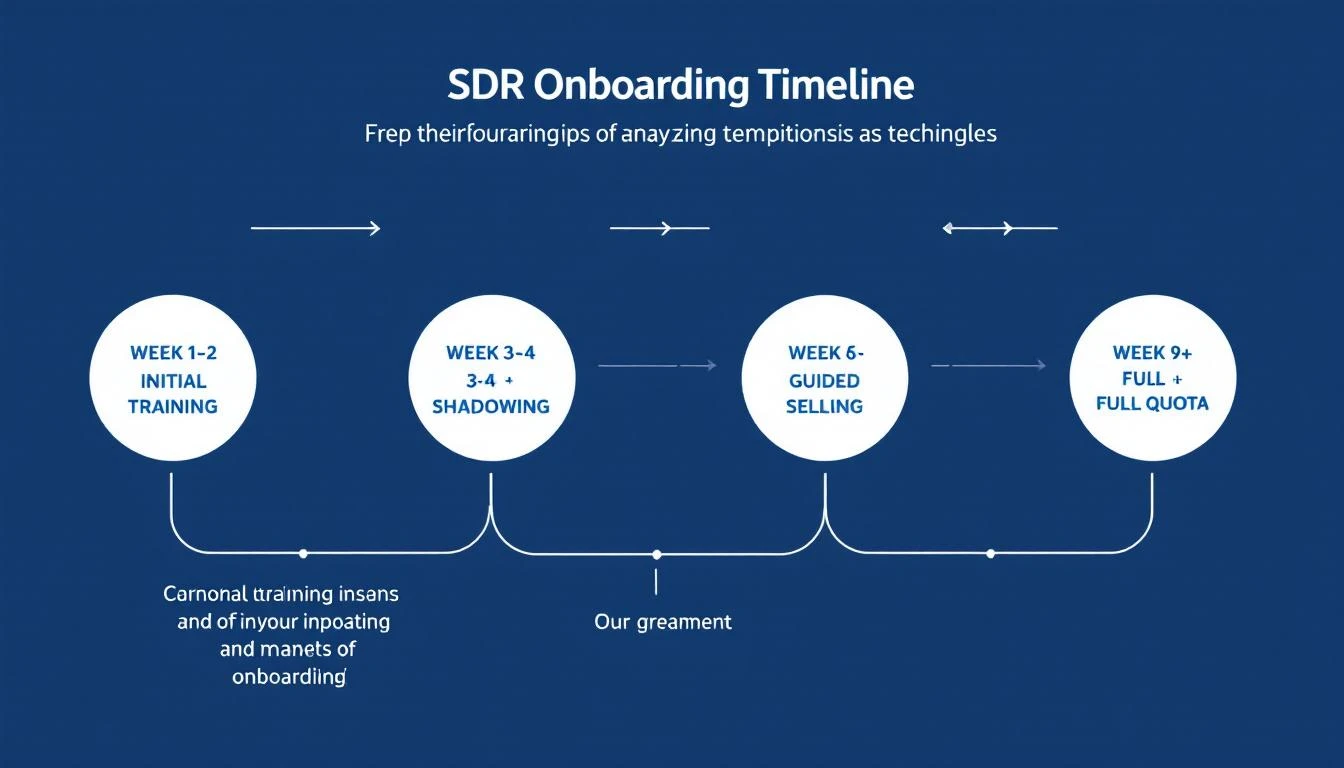
SDR Onboarding Timeline

Why SDR Ramp Time Is Getting Worse (Not Better)​

Before we fix it, let's understand why it's broken.

The Information Overload Problem​

New SDRs face more complexity than ever:

  • More tools: The average sales tech stack includes 10–15 tools (CRM, sequencer, dialer, enrichment, LinkedIn, intent data, chatbot, calendar...)
  • More channels: Email, phone, LinkedIn, video, chat β€” reps need fluency in all of them
  • More data: Intent signals, visitor identification, technographics, job changes β€” knowing what to act on is harder than finding it
  • More competition: Buyers get 50+ cold outreach messages per week. Differentiation requires deep product and persona knowledge

The Coaching Bandwidth Problem​

Sales managers average 6–9 meetings per day. They don't have time to sit with every new rep. So training becomes passive: recordings to watch, docs to read, maybe a weekly 1:1 to "check in."

The result? New reps learn in isolation, build bad habits unchecked, and take months to course-correct.

The Metrics Misalignment Problem​

Most onboarding programs measure the wrong things:

  • ❌ "How many calls did you make today?"
  • ❌ "Did you complete the training modules?"
  • ❌ "How many emails did you send?"

None of these tell you whether a rep is actually learning to sell. Activity metrics during onboarding create the illusion of progress while hiding fundamental gaps in messaging, targeting, and qualification skills.

The 8-Week SDR Onboarding Framework​

Here's the framework top-performing teams use to get SDRs productive in half the time:

Week 1–2: Foundation (Product, ICP, Tools)​

Goal: The rep can articulate your value proposition to any persona in your ICP without reading from a script.

Day 1–3: Company and Product Immersion

  • Company history, mission, and competitive positioning
  • Product demo (as a buyer, not a feature walkthrough)
  • Listen to 5 recorded discovery calls from top performers
  • Read 10 customer case studies or G2 reviews

Day 4–7: ICP and Persona Deep Dive

  • Define your top 3 buyer personas (title, pain points, language they use)
  • Map the buying committee for each target account size
  • Study 5 closed-won deals: what triggered the purchase? Who was involved?
  • Assignment: Write a 1-paragraph pitch for each persona. Get feedback from your AE.

Day 8–10: Tool Proficiency

  • CRM setup, pipeline stages, deal hygiene standards
  • Sequencer/email platform: build a test sequence
  • Dialer: make 10 practice calls (to internal team, not prospects)
  • LinkedIn Sales Navigator: build a sample target list
  • Signal tools setup: Configure visitor identification alerts, intent data filters, champion tracking notifications

Key Metric: Role-play assessment score (graded by manager or AE on value prop delivery, persona awareness, objection handling basics).

Week 3–4: Shadowing and Guided Practice​

Goal: The rep can run a cold call and send a personalized email sequence without step-by-step guidance.

Shadowing Protocol:

  • Shadow 10+ live calls from experienced SDRs (mix of cold calls, follow-ups, and discovery)
  • After each call, write a 3-sentence debrief: what worked, what didn't, what they'd do differently
  • Shadow 2 AE discovery calls to understand what "good" looks like downstream

Guided Practice:

  • Co-pilot calls: rep leads the call, experienced SDR listens and coaches after
  • Send first real email sequences (manager reviews before send)
  • Respond to first inbound leads with manager oversight

Daily Rhythm:

  • Morning: 30 min call review + coaching
  • Mid-day: Outreach block (with feedback)
  • End of day: 15 min debrief with manager or buddy

Key Metric: Number of "coachable moments" identified per call (not call volume). If a rep isn't making mistakes, they're not pushing themselves hard enough.

Week 5–6: Independent Outreach with Training Wheels​

Goal: The rep is working their own book of business with decreasing oversight.

Transition Steps:

  • Assign a real territory or account list
  • Rep builds their own target list using intent data and visitor identification signals
  • Rep prioritizes outreach based on buying signals (not alphabetical order)
  • Manager reviews sequences weekly (not daily)
  • Rep attends team call reviews and contributes feedback

Signal-Based Selling Introduction:

This is where modern onboarding diverges from the old playbook. Instead of giving reps a static list and saying "go," you teach them to read and act on buying signals:

  • Website visitors: "Company X visited your pricing page 3 times this week β€” that's your first call"
  • Champion job changes: "Your contact at Acme just moved to TechCorp β€” warm intro opportunity"
  • Content engagement: "This VP downloaded your ROI calculator β€” they're evaluating"
  • Tech stack signals: "They just adopted Salesforce β€” they'll need outbound tools next"

Reps who learn signal-based prioritization during onboarding consistently outperform those who start with cold lists. The data is clear: warm outreach based on buying signals converts 3–5x better than cold spray-and-pray.

Key Metric: Signal-to-meeting conversion rate (how many identified signals turn into booked meetings).

Week 7–8: Quota Ramp and Performance Calibration​

Goal: Rep hits 50–75% of full quota with increasing independence.

This Phase Includes:

  • Full quota assignment (or ramped quota at 50–75%)
  • Weekly pipeline review with manager
  • Monthly deal review with AE
  • Peer coaching sessions (reps review each other's calls)
  • Self-directed learning: rep identifies their own skill gaps

Graduation Criteria:

  • Can articulate value prop for all personas without notes
  • Has booked meetings from at least 2 different channels
  • Pipeline generation meets or exceeds ramped quota
  • AE confirms lead quality is acceptable
  • Can handle top 5 objections without coaching

5 Common Onboarding Mistakes That Double Ramp Time​

1. Training on Features Instead of Problems​

New reps don't need to know every feature your product has. They need to know what problems buyers are trying to solve and how your product solves them differently than alternatives.

Fix: Replace feature training with "problem-solution" training. For each use case, teach: the buyer's pain β†’ their current workaround β†’ how your product eliminates it β†’ proof it works (case study or metric).

2. Delaying Real Outreach Until "They're Ready"​

Some managers keep reps in training mode for weeks because they're "not ready." But reps don't learn to sell by watching β€” they learn by doing.

Fix: Start guided outreach by Week 3. Early mistakes with coaching are more valuable than late perfection without practice.

3. Measuring Activity Instead of Quality​

If your onboarding dashboard shows "calls made" and "emails sent," you're measuring effort, not skill. A rep can make 80 calls a day and learn nothing.

Fix: Measure coachable moments per call, signal-to-meeting conversion rate, and AE satisfaction scores on lead quality.

4. One-Size-Fits-All Onboarding​

A rep with 3 years of SDR experience doesn't need the same training as someone straight out of college. Yet most programs run everyone through identical 4-week bootcamps.

Fix: Assess experience level on Day 1 (role play, ICP quiz, tool proficiency check). Fast-track experienced reps. Give more structure to newer ones.

5. No Feedback Loop Between AEs and SDRs​

If your AEs don't give structured feedback on lead quality, SDRs have no way to calibrate. They'll keep booking meetings that go nowhere.

Fix: Weekly AE-SDR alignment meetings. AEs rate lead quality on a 1–5 scale. SDRs adjust targeting based on what converts downstream.

The Role of AI in SDR Onboarding (2026)​

AI isn't replacing SDR onboarding β€” it's accelerating it. Here's how the best teams are using AI tools during ramp:

AI-Powered Call Coaching​

Tools like Gong and Chorus record and analyze every call. During onboarding, they surface patterns that human coaches miss:

  • "You're talking 70% of the time on discovery calls β€” flip it to 30/70"
  • "Top performers mention the competitor by name β€” you're avoiding it"
  • "Your average call is 3 minutes β€” qualified meetings come from 8+ minute calls"

Signal-Based Daily Playbooks​

Instead of giving new reps a cold list, platforms like MarketBetter generate a daily playbook that tells each rep exactly:

  • Who to contact (based on website visits, intent signals, and champion tracking)
  • Why they're a priority (the specific signal that triggered the action)
  • How to reach them (recommended channel and suggested messaging angle)
  • What to say (personalized talking points based on their company and activity)

This is transformative for new reps. Instead of spending an hour deciding who to call, they log in and their priority list is waiting. The platform does the research; the rep does the selling.

AI Email Personalization at Scale​

New reps struggle with personalization because they don't know enough yet. AI tools can analyze a prospect's LinkedIn, company news, and website to generate personalized email openers that sound like the rep did 30 minutes of research.

The rep still controls the message, but the research barrier drops from 10 minutes per prospect to 30 seconds.

Automated CRM Hygiene​

Nothing kills an SDR's ramp faster than CRM confusion. AI-powered CRM automation handles:

  • Auto-logging calls and emails
  • Updating deal stages based on activity
  • Flagging stale leads for follow-up
  • Deduplicating contacts before outreach

Reps spend less time on admin and more time learning to sell.

SDR Onboarding Checklist: The Complete List​

Use this checklist as a template. Customize for your team, product complexity, and typical rep experience level.

Pre-Start (1 Week Before Day 1):

  • Send welcome doc with company overview, ICP summary, and competitive landscape
  • Set up all tool access (CRM, dialer, sequencer, LinkedIn Sales Nav, signal platform)
  • Assign onboarding buddy (experienced SDR, not AE)
  • Schedule Week 1 calendar with training sessions

Week 1–2 (Foundation):

  • Product demo from buyer's perspective
  • Listen to 5 top performer calls
  • Read 10 case studies / G2 reviews
  • ICP and persona deep dive
  • Write persona-specific pitches (get AE feedback)
  • CRM, sequencer, and dialer proficiency test
  • Signal platform setup (visitor ID, intent alerts, champion tracking)
  • Role-play assessment #1

Week 3–4 (Shadowing):

  • Shadow 10+ live calls
  • Write call debriefs
  • Shadow 2 AE discovery calls
  • Complete 5 co-pilot calls
  • Send first supervised email sequences
  • Role-play assessment #2

Week 5–6 (Independent):

  • Own territory / account list assigned
  • Build target list using signals
  • Prioritize outreach by buying signals
  • Weekly sequence review with manager
  • Attend and contribute to team call reviews

Week 7–8 (Quota Ramp):

  • Hit 50-75% of quota target
  • Weekly pipeline review
  • Monthly deal review with AE
  • Self-identified skill gaps documented
  • Graduation assessment passed

How MarketBetter Accelerates SDR Ramp Time​

MarketBetter's daily SDR playbook is designed specifically to solve the #1 onboarding problem: new reps don't know where to start.

Instead of handing a new SDR a list of 500 accounts and saying "figure it out," MarketBetter:

  1. Identifies who's visiting your website β€” so reps focus on accounts that are already showing interest
  2. Scores and prioritizes accounts by buying signals β€” website visits, content downloads, champion job changes, tech stack changes
  3. Generates a daily action list β€” every morning, your rep sees exactly who to contact, why, and what to say
  4. Tracks multi-channel engagement β€” email opens, LinkedIn views, call outcomes all feed back into signal scoring
  5. Provides AI-powered email personalization β€” so new reps can send relevant, personalized outreach from Day 1

The result: SDRs spend Week 1 learning the product and ICP. By Week 3, they're working signal-prioritized accounts with AI assistance. By Week 6, they're booking meetings at rates that used to take 4+ months to reach.

Ready to see how it works? Book a demo β†’

Free Tool

Try our AI Lead Generator β€” find verified LinkedIn leads for any company instantly. No signup required.

12 Best Sales Cadence Tools for SDR Teams [2026 Guide]

Β· 13 min read
MarketBetter Team
Content Team, marketbetter.ai

Best Sales Cadence Tools for SDR Teams in 2026

A sales cadence is the structured sequence of touchpoints your SDR follows to engage a prospect β€” emails, calls, LinkedIn messages, and follow-ups, timed and ordered for maximum response.

The right cadence tool automates the execution so your reps focus on conversations, not scheduling follow-ups.

But here's what changed in 2026: the old "7-email sequence over 14 days" playbook is dead. Inboxes are flooded. Response rates to templated sequences have dropped below 2% for most B2B companies. The teams winning today use signal-driven cadences β€” sequences that trigger based on buying behavior, not arbitrary timelines.

This guide covers the 12 best sales cadence tools, from enterprise-grade platforms to scrappy startups, and explains which approach actually moves pipeline in 2026.

Related guides: Best Sales Engagement Software Β· Best Outbound Sales Tools Β· Best Cold Email Software Β· Best LinkedIn Automation Tools Β· Best Sales Dialers Β· Best Email Deliverability Tools

What Makes a Great Sales Cadence Tool​

  • Multi-channel steps β€” Email-only cadences underperform. The best tools include phone, LinkedIn, and SMS steps alongside email
  • Personalization engine β€” AI-generated personalization based on prospect data, not just {first_name} merge fields
  • Signal-based triggers β€” Start cadences when prospects show intent (website visit, job change, content download), not on an arbitrary schedule
  • Deliverability management β€” Email warm-up, domain rotation, and send throttling to protect your sender reputation
  • Analytics β€” Open rates, reply rates, and meeting-booked rates per cadence step, not just vanity metrics
  • CRM integration β€” Bi-directional sync with Salesforce, HubSpot, or your CRM of choice

Quick Comparison​

ToolBest ForStarting PriceChannelsSignal Triggers
MarketBetterSignal-driven SDR playbook$99/user/monthEmail + Phone + LinkedIn + Chatβœ… Visitor ID + Intent
OutreachEnterprise sequence management~$100/user/moEmail + Phone + LinkedInLimited
SalesLoftMid-market sales engagement~$125/user/moEmail + Phone + LinkedInLimited
Apollo.ioDatabase + sequencesFree–$49/user/moEmail + Phone + LinkedInBasic
InstantlyHigh-volume cold email$30/moEmail only❌
LemlistCreative personalized outreach$39/moEmail + LinkedIn❌
Reply.ioAI-powered sequences$49/moEmail + LinkedIn + Phone❌
SmartLeadVolume email at low cost$39/moEmail only❌
WoodpeckerB2B cold email compliance$29/moEmail only❌
MailshakeSimple email cadences$25/user/moEmail + Phone + LinkedIn❌
SaleshandyBudget email sequences$25/moEmail only❌
HubSpot SequencesHubSpot-native teamsIncluded in Sales HubEmail + TasksLimited

Detailed Reviews​

1. MarketBetter β€” Signal-Driven SDR Playbook​

Best for: B2B teams that want cadences triggered by real buying signals, not cold lists

MarketBetter takes a fundamentally different approach to sales cadences. Instead of building sequences and manually enrolling contacts, the platform identifies buying signals β€” website visits, intent data, champion job changes β€” and automatically surfaces the right prospects with recommended actions in a Daily SDR Playbook.

Your reps don't build cadences. They execute a prioritized task list that tells them exactly who to contact, on which channel, with what talking points.

Why it's different:

  • Website visitor identification tells you which companies are actively researching your solution before you start the cadence
  • Daily Playbook replaces manual cadence enrollment. The platform decides who gets contacted and in what order based on signal strength
  • Multi-channel orchestration β€” email, phone (Smart Dialer built in), LinkedIn, and AI chatbot all in one workflow
  • AI-powered personalization based on the prospect's actual behavior, not just firmographic data
  • 70% less manual SDR work β€” reps spend time selling, not building lists and enrolling contacts

Pricing: $99/user/month - one plan with everything included. 5M AI credits + 500 enrichment credits per seat. No contracts.

Ideal for: B2B teams (50-500 employees) in SaaS, IoT/connectivity, or tech that want to move from "spray and pray" sequencing to signal-driven outreach.

Book a demo β†’


2. Outreach β€” Enterprise Sales Engagement​

Best for: Large sales orgs with complex cadence requirements

Outreach is the category leader in sales engagement platforms, used by enterprise teams at companies like Cisco, Adobe, and DocuSign. It's the most feature-rich option for managing complex, multi-step sequences across large teams.

Key features:

  • Multi-step sequences with email, phone, LinkedIn, and custom task steps
  • AI-powered email scoring and recommendations
  • Revenue intelligence with deal health scoring
  • Advanced A/B testing on sequence steps
  • Governance controls for large team management
  • Salesforce and Microsoft Dynamics integration

Pricing: Not publicly listed. Enterprise pricing typically starts around $100/user/month with annual contracts. Implementation fees are common.

G2 Rating: 4.3/5 (3,400+ reviews)

Limitations: Expensive, especially with add-ons. Complex implementation (4-8 weeks typical). Overkill for teams under 20 reps. No website visitor identification. The platform's power can actually slow down small teams with unnecessary workflow complexity.

Common complaint (from G2 reviews): "The platform is powerful but takes months to configure properly. Our team of 5 didn't need 80% of the features."


3. SalesLoft β€” Mid-Market Sales Engagement​

Best for: Mid-market sales teams wanting structured cadence management

SalesLoft (now owned by Vista Equity Partners) competes directly with Outreach but positions itself as more user-friendly. It's popular with mid-market teams that want enterprise features without enterprise complexity.

Key features:

  • Cadence builder with email, phone, and social steps
  • Conversation intelligence (call recording + transcription)
  • Deal intelligence and pipeline analytics
  • Coaching workflows for managers
  • Rhythm (AI-prioritized actions)
  • HubSpot and Salesforce integration

Pricing: Not publicly listed. Vendr data suggests $100-$125/user/month for most mid-market deals, with add-on costs for conversation intelligence and deal management modules. Total cost for a 10-person team: $20K-$40K/year.

G2 Rating: 4.5/5 (4,000+ reviews)

Limitations: Pricing has crept up significantly after the Vista acquisition. Add-on pricing for conversation intelligence and analytics makes the true cost hard to predict. No website visitor identification. Limited intent data.

Common complaint: "Every feature we need is an add-on. Our quoted price was 2x the initial estimate after adding conversation intelligence and analytics."


4. Apollo.io β€” Database + Sequences in One​

Best for: Teams that need a contact database AND cadence execution without two separate tools

Apollo.io combines a 275M+ contact database with built-in sequencing, making it the most cost-effective option for teams that don't have a separate data provider.

Key features:

  • 275M+ contacts with verified emails and phone numbers
  • Multi-step sequences (email, phone, LinkedIn)
  • Built-in phone dialer
  • Intent data and buying signals (basic)
  • Email warm-up
  • Free tier available

Pricing: Free plan with limited features. Basic at $49/user/month. Professional at $79/user/month.

G2 Rating: 4.8/5 (7,500+ reviews)

Limitations: Sequence builder is less sophisticated than Outreach/SalesLoft. Data accuracy varies significantly by region and industry. LinkedIn integration is basic. Phone data quality can be inconsistent. Intent data is limited compared to dedicated providers like Bombora or 6sense.

Best for: Startups and SMBs that want one tool for both prospecting data and outbound sequences.


5. Instantly β€” High-Volume Cold Email​

Best for: Teams running volume email outreach with multiple sender accounts

Instantly exploded in popularity by solving the email deliverability problem. It lets you connect unlimited email accounts and rotate sending across them to avoid domain burnout.

Key features:

  • Unlimited email accounts and warm-up
  • Smart send rotation across accounts
  • AI-powered email writer
  • B2B lead database (Instantly Leads)
  • Campaign analytics
  • Deliverability network (Instantly Deliverability)

Pricing: Growth at $30/mo (5,000 emails). Hypergrowth at $77.6/mo (25,000 emails). Enterprise pricing available.

G2 Rating: 4.8/5 (3,200+ reviews)

Limitations: Email-only β€” no phone dialer, no LinkedIn steps, no task management. It's a send engine, not a cadence platform. You'll need separate tools for calling, LinkedIn, and CRM. No signal-based triggers. Volume-first approach can damage brand if not managed carefully.

Common complaint: "Great for cold email, but we still need Outreach for the rest of our workflow. Ended up paying for both."


6. Lemlist β€” Creative Personalized Sequences​

Best for: Teams that differentiate through creative, personalized outreach

Lemlist pioneered custom image and video personalization in cold emails. It's evolved into a multi-channel platform with LinkedIn steps, but personalization remains its core strength.

Key features:

  • Custom image and video personalization at scale
  • Email + LinkedIn multi-channel sequences
  • lemwarm email warm-up
  • B2B lead database
  • AI campaign generator
  • Liquid syntax for advanced personalization

Pricing: Email Starter at $39/mo. Multichannel Expert at $69/mo. Outreach Scale at $99/mo.

G2 Rating: 4.4/5 (250+ reviews)

Limitations: LinkedIn automation requires Chrome extension (less safe than cloud-based). Phone channel is missing. Personalized images sound great in theory but open rates don't always justify the setup time. Database is smaller than Apollo's.


7. Reply.io β€” AI-Powered Multi-Channel Sequences​

Best for: Teams that want AI writing assistance built into their sequence builder

Reply.io combines email, LinkedIn, phone, and SMS in one sequence builder with strong AI capabilities for generating and optimizing messages.

Key features:

  • Multi-channel sequences (email, LinkedIn, calls, SMS, WhatsApp)
  • Jason AI assistant for message generation
  • Email deliverability toolkit
  • B2B contact database
  • Meeting scheduling built in
  • API and Zapier integrations

Pricing: Starts at $49/mo. Professional at $89/mo.

G2 Rating: 4.6/5 (1,300+ reviews)

Limitations: UI can feel cluttered with so many features. LinkedIn automation is basic compared to dedicated tools like Expandi. Phone dialer is functional but not as robust as dedicated dialers. Smaller contact database than Apollo.


8. SmartLead β€” Volume Email at Rock-Bottom Pricing​

Best for: Agencies and teams sending massive email volume on a budget

SmartLead competes directly with Instantly on price and volume. It's built for agencies and lead gen teams that need to send tens of thousands of emails per month across many domains.

Key features:

  • Unlimited email accounts and warm-up
  • Master inbox (all replies in one place)
  • Sub-accounts for agency management
  • AI email categorization
  • API access for custom workflows
  • White-label option

Pricing: Basic at $39/mo (6,000 emails). Pro at $94/mo (150,000 emails).

G2 Rating: 4.7/5 (200+ reviews)

Limitations: Email only β€” zero phone or LinkedIn capability. Best suited for cold email agencies, not full-stack SDR teams. UI is functional but not polished. Support can be slow.


9. Woodpecker β€” B2B Cold Email with Compliance Focus​

Best for: European B2B teams that need GDPR-compliant email cadences

Woodpecker is a cold email platform built with compliance as a core feature. It's popular with European companies navigating GDPR requirements.

Key features:

  • GDPR compliance tools built in
  • Email warm-up and deliverability monitoring
  • Condition-based campaign flows
  • A/B testing
  • Team collaboration
  • Salesforce and HubSpot integration

Pricing: Starts at $29/mo (500 contacted prospects). Scales with volume.

G2 Rating: 4.1/5 (40+ reviews)

Limitations: Email-only. Smaller market presence than competitors. Limited LinkedIn and phone integration. Compliance focus is great for EU teams but adds complexity for US-based teams that don't need it.


10. Mailshake β€” Simple, Effective Email Cadences​

Best for: Small sales teams that want straightforward email sequences without complexity

Mailshake has earned a loyal following by keeping things simple. It does email cadences well without trying to be an enterprise platform.

Key features:

  • Email cadences with phone and social tasks
  • AI email writer (SHAKEspeare)
  • Lead catcher for managing replies
  • Phone dialer add-on
  • LinkedIn automation (via Chrome extension)
  • Salesforce and HubSpot sync

Pricing: Email Outreach at $25/user/month. Sales Engagement at $75/user/month.

G2 Rating: 4.7/5 (260+ reviews)

Limitations: Phone dialer is an add-on, not native. LinkedIn automation is basic. Limited analytics compared to Outreach/SalesLoft. Can feel too simple as teams grow past 10 reps.


11. Saleshandy β€” Budget Email Sequences​

Best for: Cost-conscious teams that need email sequencing at the lowest price

Saleshandy is an email outreach tool that focuses on deliverability and affordability.

Key features:

  • Unlimited email accounts
  • Email warm-up
  • Sequence automation
  • Unified inbox
  • Prospect database (Saleshandy Connect)
  • Agency portal with white-label

Pricing: Outreach Starter at $25/mo (10,000 emails). Outreach Pro at $74/mo (125,000 emails).

G2 Rating: 4.6/5 (600+ reviews)

Limitations: Email-only. No phone dialer. No LinkedIn. Basic CRM integration. Best for pure cold email, not full cadence management.


12. HubSpot Sequences β€” For Teams Already on HubSpot​

Best for: Sales teams deeply invested in the HubSpot ecosystem

HubSpot Sequences is built into Sales Hub, making it the path of least resistance for teams already using HubSpot CRM. It handles email cadences with manual task steps.

Key features:

  • Email sequences with task reminders
  • Personalization tokens from CRM data
  • Automatic unenrollment on reply
  • Embedded in HubSpot CRM (no data sync needed)
  • Meeting scheduling integration
  • Email tracking and notifications

Pricing: Included in Sales Hub Professional ($90/user/month) and Enterprise ($150/user/month).

G2 Rating: 4.4/5 (as part of HubSpot Sales Hub, 12,000+ reviews)

Limitations: Email + tasks only β€” no native phone dialer or LinkedIn automation in sequences. Enrollment limits on Professional tier. Sequences are basic compared to dedicated tools. Can't send to contacts who haven't opted in (compliance feature that limits cold outreach).

Common complaint: "If you're already on HubSpot it's convenient, but the sequence builder feels limited compared to Outreach or even Apollo."


The Old Way vs. The New Way​

The old way (2020-2024): Build a 7-12 step email sequence. Enroll 500 contacts. Wait for replies. Follow up with anyone who opens. Repeat with a new list.

Result: 1-3% reply rates. Massive volume. Low conversion. Brand damage from spam-like outreach.

The new way (2026): Start with signals. A target account visits your pricing page β†’ their VP of Sales gets a personalized LinkedIn connection request β†’ 2 days later, a tailored email referencing their specific pain points β†’ your rep calls with context from the chatbot conversation their team had yesterday.

Result: 15-25% reply rates. Lower volume. Higher conversion. Your brand stays intact.

The tools in this list fall on a spectrum. On one end: volume email engines (Instantly, SmartLead, Saleshandy) that optimize for sending more. On the other end: signal-driven platforms (MarketBetter) that optimize for sending smarter.

Most teams will land somewhere in the middle, but the trend is clear β€” signal-driven cadences outperform volume-driven ones by 5-10x in meeting conversion.

How to Choose​

Budget under $50/mo: Apollo.io (free tier + sequences) or Saleshandy ($25/mo for email)

Email-focused team (5-10 reps): Instantly or Lemlist for creative outreach

Full-stack SDR team (5-20 reps): MarketBetter (signal-driven, all channels included) or Outreach (enterprise sequences)

Enterprise (20+ reps): Outreach or SalesLoft for governance and scale

Already on HubSpot: Start with HubSpot Sequences. Graduate to a dedicated tool when you hit its limits.

Free Tool

Try our AI Lead Generator β€” find verified LinkedIn leads for any company instantly. No signup required.

Bottom Line​

Sales cadence tools are commoditized. Every platform can send a timed email sequence. The differentiator in 2026 is intelligence β€” knowing who to sequence, when to start, and which channel will get a response.

If your cadence tool can't answer "why should I contact this person right now?", you're running cadences on autopilot. And autopilot cadences are what fill your prospects' spam folders.

The teams booking the most meetings aren't sending the most emails. They're sending the right emails to the right people at the right time β€” triggered by real buying signals.

Want to see what signal-driven cadences look like? Book a MarketBetter demo β†’