
7 Actionable Marketing Report Example Templates for SDRs in 2026
As a Sales Development Representative (SDR), your entire day revolves around one thing: booking qualified meetings. Every dial, email, and LinkedIn message is a step toward that goal. But what if you could make every outreach significantly more effective by understanding what truly motivates your prospects before you even start a conversation? This is where a well-structured marketing report becomes your most powerful, yet often overlooked, tool. It’s not just a document for marketers; it’s your roadmap to smarter prospecting and higher conversion rates.
Imagine knowing which blog post a lead read right before they downloaded a whitepaper, or seeing that a specific ad campaign is driving high-intent leads from a particular industry. This data, found within a marketing report example, transforms your cold outreach into a warm, relevant conversation. Instead of guessing a prospect's pain points, you can reference the exact content they engaged with, allowing you to tailor your pitch with precision. This deep level of personalization is what separates top-performing SDRs from the rest of the pack.
This guide is built specifically for SDRs, BDRs, and sales teams who want to leverage marketing intelligence to crush their quotas. We will break down different types of marketing reports, showing you exactly what to look for and how to translate marketing metrics into actionable sales insights. You'll find a curated list of the best resources for templates and examples, complete with screenshots and direct links, so you can stop guessing and start having more strategic, effective conversations. We'll explore everything from campaign performance dashboards to ROI analysis, giving you the knowledge to collaborate more effectively with your marketing team and, ultimately, close more deals.
1. HubSpot Resources Library — Marketing Reporting Templates
For sales development representatives (SDRs) and their managers, speed and clarity are everything. HubSpot’s Resources Library offers a no-frills, highly practical collection of free marketing reporting templates that cut directly to the metrics that matter for pipeline generation. In contrast to more design-focused platforms, HubSpot prioritizes function. Teams can download ready-to-use templates in Excel and Google Sheets, making it a go-to resource for structured, data-driven reporting without the fuss.
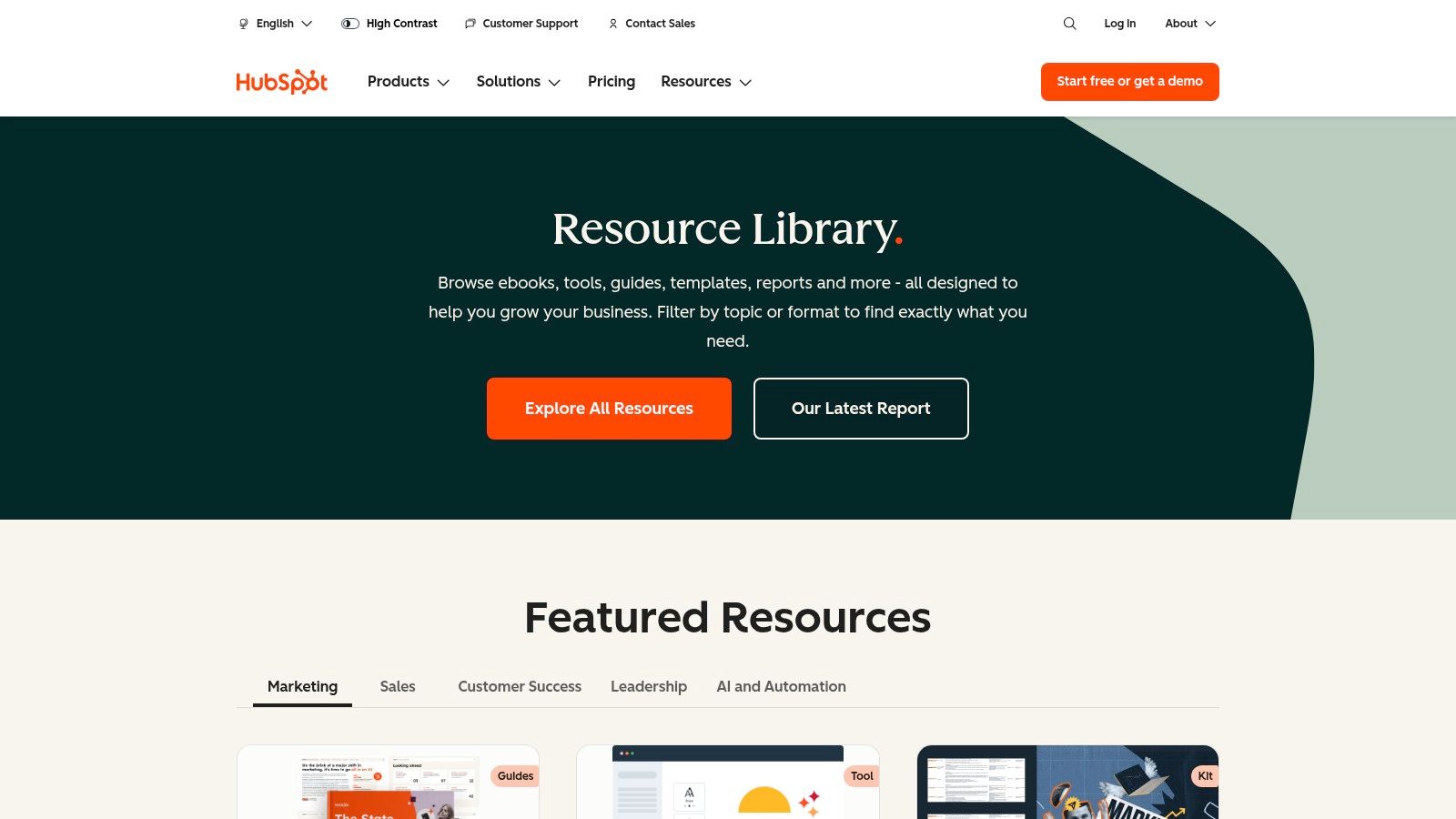
The primary advantage for an SDR is the business-centric structure. These templates are built around core KPIs and dashboards, allowing a manager to quickly adapt them to track metrics like lead-to-MQL conversion rates and SQLs generated by campaign. This focus on raw data over aesthetics is what makes it a powerful marketing report example for SDR teams who need actionable intelligence, not just a pretty chart.
Strategic Analysis for SDRs and Sales Teams
HubSpot's templates provide a solid foundation for aligning marketing efforts with sales outcomes. An SDR can use these reports to see which campaigns are generating the most qualified leads, enabling them to tailor their outreach messaging. For example, if a report shows a specific webinar generated high-quality MQLs, the SDR team knows to immediately prioritize follow-ups with those attendees, referencing the webinar content to create a warm, relevant opening. This is far more effective than a generic cold call.
Strategic Takeaway: Use the monthly marketing report template to create a shared "source of truth" between SDRs and marketing. By tracking lead sources and conversion rates, SDRs can provide direct feedback to marketing on which channels produce leads that actually convert to meetings, helping optimize ad spend and content strategy.
Actionable Tips for Implementation
To get the most out of these templates, SDRs and their managers should customize them to reflect their specific sales funnel and activities.
- Adapt KPI Sections: Modify the default KPI sections to include SDR-specific metrics like "Meetings Booked," "Opportunities Created," or "Positive Reply Rate." This transforms a general marketing report into a powerful sales development dashboard.
- Integrate Activity Data: Add columns to the spreadsheet templates to track outreach activities (calls, emails) against leads from specific campaigns. This directly correlates marketing efforts with the sales actions that lead to revenue.
- Focus on ROI: The data from these reports is crucial for demonstrating the value of marketing activities. To take your analysis further, you can explore how to connect these metrics to revenue by learning more about calculating your marketing ROI.
Access: The templates are completely free. You can download them instantly from the HubSpot website after providing your email address. While they may require some minor brand customization, their immediate accessibility and practical format make them an invaluable resource for any data-driven sales team.
Website: HubSpot Resources Library
2. Envato Elements — Marketing Report Templates
For marketing teams and their sales counterparts, presenting data in a compelling, visually polished way is crucial for stakeholder buy-in. Envato Elements offers a vast library of professionally designed marketing report templates that elevate data from simple spreadsheets into impactful presentations. Where a tool like HubSpot provides the raw data structure, Envato delivers the polished final product. Teams can access a subscription-based collection of templates for PowerPoint, Google Slides, and Canva, ensuring every report looks clean and professional.
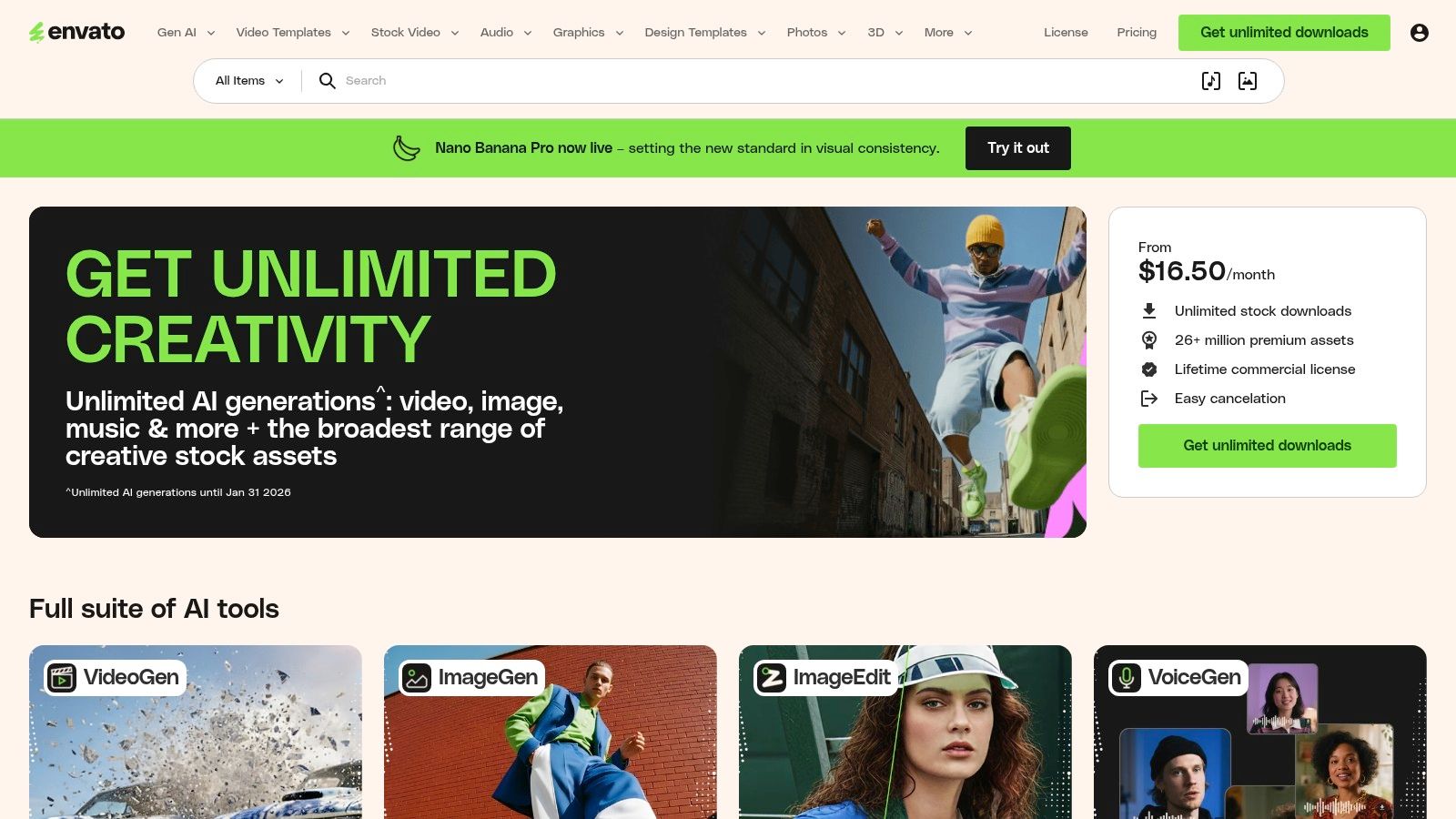
The key benefit for SDRs and their managers is the ability to communicate performance effectively up the chain of command. A well-designed report commands more attention and makes the SDR team's contribution clearer. This makes it an ideal marketing report example resource for when SDR managers need to present performance metrics to leadership, showcasing the direct impact of marketing campaigns on the sales pipeline in a format that builds confidence.
Strategic Analysis for SDRs and Sales Teams
Envato's templates serve as a powerful communication tool to bridge the gap between marketing execution and sales results. SDR managers can use these visually engaging formats to tell a story with their data, highlighting how marketing activities translate into tangible sales opportunities. For instance, a visually rich slide deck can clearly illustrate the journey from a marketing qualified lead (MQL) generated by a specific campaign to a sales qualified lead (SQL) and, ultimately, a booked meeting. This visual proof helps secure more budget for the campaigns that make an SDR's job easier.
Strategic Takeaway: Use a visually compelling template from Envato for quarterly business reviews (QBRs) to showcase the marketing-to-sales handoff. A well-designed report makes it easier for SDR leadership to argue for more resources by clearly visualizing the ROI of marketing-generated leads.
Actionable Tips for Implementation
To maximize the value of Envato’s templates, focus on adapting their visual structure to your specific sales metrics.
- Create a Funnel Visualization: Use the infographic templates to build a custom visual of your marketing-to-sales funnel. Mapping out key stages like "MQLs," "Meetings Booked," and "Opportunities Created" gives executives an at-a-glance performance overview.
- Develop Campaign-Specific Slides: Download a presentation template and create a standardized one-slide summary for each major marketing campaign. Include top-level metrics like leads generated, cost per lead, and the number of SDR follow-ups, making it easy to compare performance across initiatives.
- Define Your Core Metrics: A beautiful report is only as good as the data it contains. Ensure your templates are populated with the right KPIs by exploring the fundamentals of lead generation key performance indicators.
Access: Envato Elements requires an ongoing subscription for unlimited downloads. This is less ideal for a one-off need but highly valuable for teams that regularly produce client-facing or executive-level reports. While you must input your own data, the quality of the visual designs saves significant time and design costs.
Website: Envato Elements
3. SlideModel — Marketing Plan/Report Presentation Templates
For sales and marketing leaders who need to present performance data to executives, the visual narrative is just as important as the numbers themselves. SlideModel offers a vast library of premium, business-grade templates for PowerPoint and Google Slides. In contrast to Envato's broad creative library, SlideModel specializes in corporate and strategic visuals, designed specifically for crafting polished marketing plans and KPI reports that resonate with a C-suite audience.
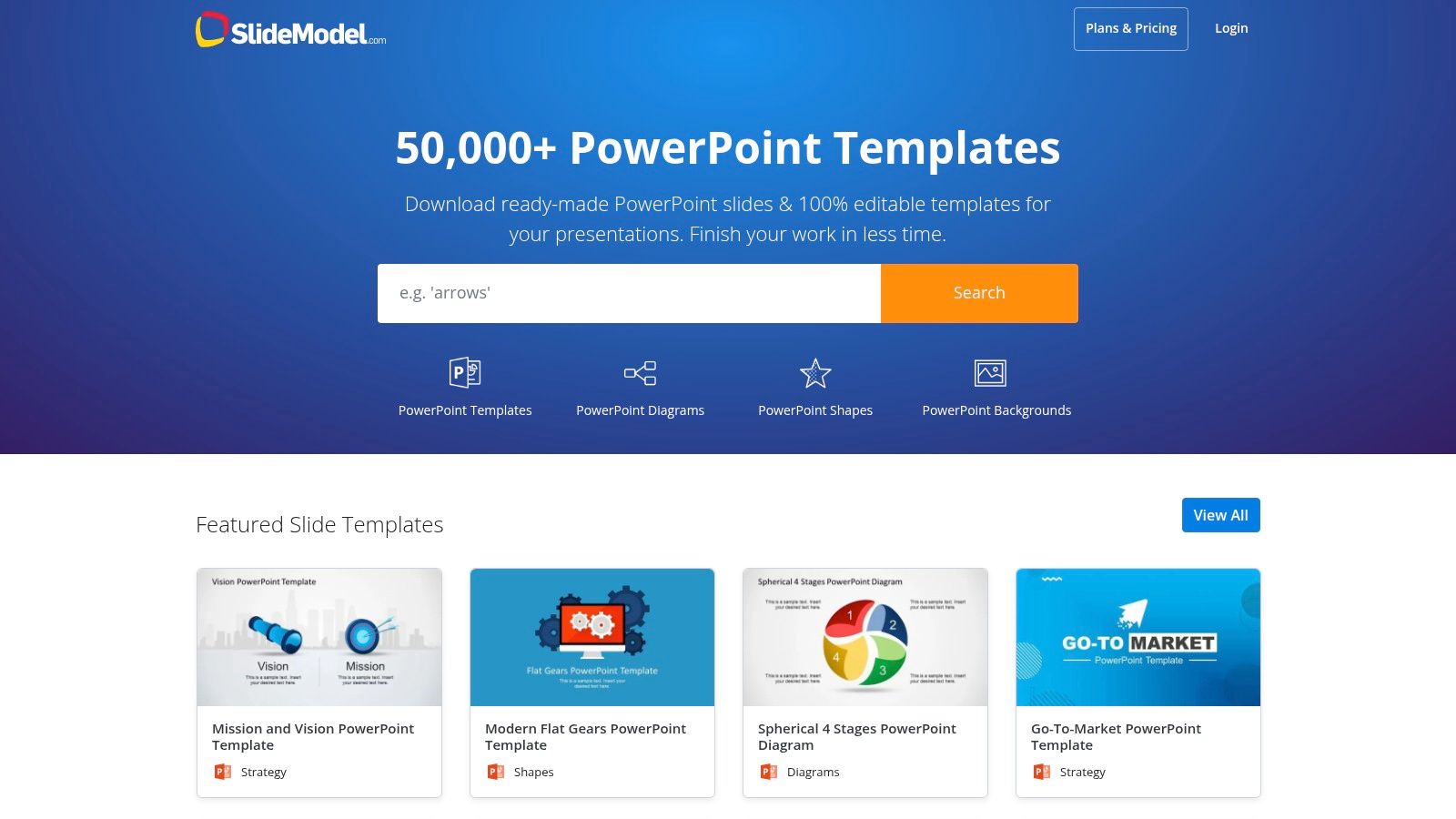
The key advantage for an SDR manager is its focus on high-stakes communication. The templates are storytelling tools. A manager can use these slide decks to frame marketing performance in the context of business goals, such as pipeline growth or revenue attribution. This makes it an essential marketing report example for transforming raw SDR metrics into a compelling argument for strategic investment or headcount.
Strategic Analysis for SDRs and Sales Teams
While individual SDRs might not build these decks, the reports generated are critical for their success. When a manager presents a clear, data-backed story on which channels deliver the highest-quality leads, that insight directly informs SDR priorities. For instance, a slide visualizing a high lead-to-opportunity rate from a specific industry event validates allocating more SDR resources to follow up with those contacts. The professional design ensures the data is taken seriously, securing buy-in for sales-focused initiatives.
Strategic Takeaway: Use SlideModel’s funnel and journey map templates to visually connect marketing activities to SDR outcomes. Presenting a clear diagram that shows how a blog post led to an MQL, then to an SDR-booked meeting, and finally to a sales opportunity makes the value of top-of-funnel marketing tangible and justifies the SDR team's existence.
Actionable Tips for Implementation
To maximize the value of SlideModel, managers should use it to bridge the gap between marketing metrics and sales results.
- Create a KPI Storyboard: Before filling in the numbers, use a template to map out the narrative. Start with high-level business goals, show the marketing KPIs that support them, and conclude with the direct impact on SDR metrics like "Meetings Booked" or "Opportunities Created."
- Customize Diagrams for Your Funnel: Adapt the pre-built funnel diagrams to match your company’s specific stages (e.g., MQL, TAL, SQL, SQO). This ensures the report speaks the same language as your sales and marketing teams.
- Highlight Channel-Specific Wins: Use dedicated slide templates to showcase the performance of individual campaigns. For an SDR team, this provides clear guidance on which lead sources are most valuable and deserve immediate, personalized follow-up.
Access: SlideModel is a subscription-based service, offering various plans for individuals and teams to gain access to its entire catalog of editable templates. While it requires an investment, the time saved and the professional quality of the output provide a strong return for teams that regularly present performance data to leadership.
Website: SlideModel
4. Template.net — Marketing Report Templates
For marketing and sales teams who need a specific report format now, Template.net is a massive library offering a huge variety of ready-made documents. Unlike platforms focused on data dashboards or slide decks, Template.net specializes in professionally formatted, text-led reports in familiar office formats like Word and Google Docs. This makes it an ideal resource for creating detailed, narrative-driven reports for monthly reviews or campaign post-mortems where context is just as important as the numbers.
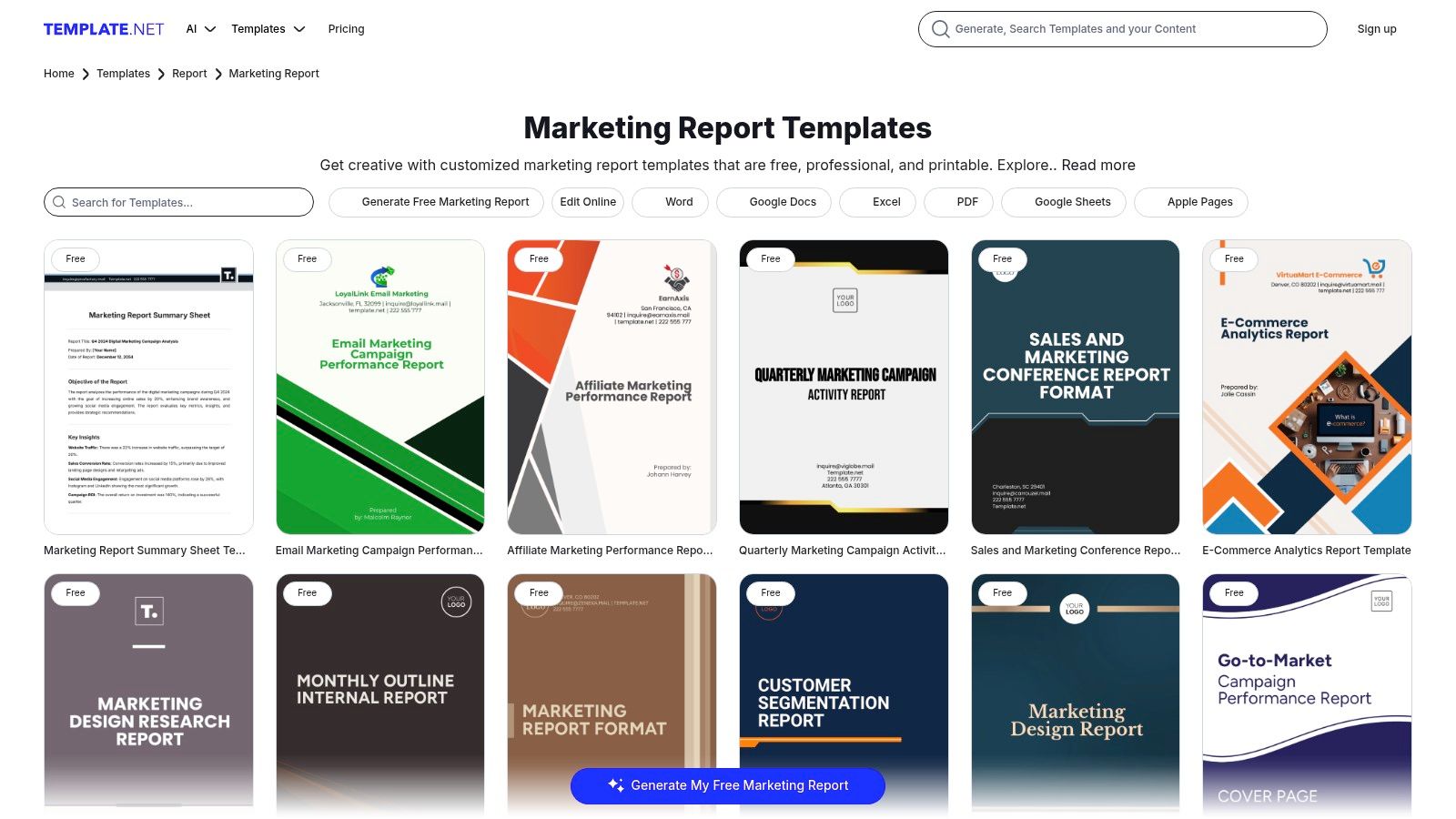
The key advantage for an SDR is the sheer breadth of niche templates available. Whether you need an ecommerce weekly sales report or an influencer marketing ROI summary, there's likely a pre-built structure waiting for you. This saves countless hours on formatting and ensures all necessary sections are included, making it a powerful marketing report example for teams who need to produce comprehensive documents quickly and without a steep learning curve.
Strategic Analysis for SDRs and Sales Teams
Template.net's documents excel at bridging the gap between raw data and strategic narrative. SDR managers can use these templates to create reports that not only show the numbers but also explain the why behind them. For instance, a monthly marketing report can be used to detail which specific messaging in an email campaign led to a spike in MQLs, providing qualitative insights that help SDRs refine their own outreach scripts and email templates. This direct feedback loop is invaluable for improving performance.
Strategic Takeaway: Leverage the "Campaign Report" templates to conduct post-mortems on specific SDR outreach sequences. By using a structured document, teams can analyze what worked (e.g., subject lines, call scripts, follow-up timing) and what didn't, creating a formal knowledge base that improves future performance.
Actionable Tips for Implementation
To maximize the value of Template.net's resources, SDR teams should adapt their structures to their specific needs.
- Customize for Sales Narratives: Take a "Marketing Audit" template and reframe it as a "Quarterly SDR Outreach Audit." Use the predefined sections to analyze call-to-meeting rates, email response patterns, and SQL conversion by channel.
- Merge with Data Sources: Download a template in Google Docs or Word and embed screenshots from your CRM or sales engagement platform. This combines the template's professional structure with live, dynamic data for a more impactful report.
- Standardize Team Reporting: Use a single, customized template for all SDRs to complete for their weekly check-ins. This ensures consistency and makes it easier for managers to compare performance and spot trends across the team.
Access: Template.net operates on a freemium model. Many templates are available for free with a simple account sign-up, while premium, more detailed designs and features require a paid subscription. The files are downloadable in all common office formats, ensuring immediate usability.
Website: Template.net — Marketing Report Templates
5. Etsy — Marketplace for Marketing Report Templates (Canva/PowerPoint)
For freelancers, small agencies, and social media managers who need visually compelling reports without the time investment, Etsy offers a surprisingly rich marketplace. It hosts thousands of downloadable marketing and analytics report templates, often in Canva or PowerPoint formats. This is the ideal source for affordable, one-off, ready-to-present reports tailored for client-facing roles where aesthetics are just as important as the data itself.
The primary advantage of sourcing a marketing report example from Etsy is the sheer variety and specialization available. Unlike standardized corporate templates, you can find niche designs for everything from a monthly social media deep-dive to a high-level executive summary. This allows marketing consultants and agency reps to find a visual style that perfectly matches their client's brand, making the data feel more personal and impactful.
Strategic Analysis for Agencies and Freelancers
Etsy's templates are built for presentation. They excel at transforming raw data into a narrative that clients can easily understand and appreciate. For a social media manager, a well-designed Canva template can visually highlight key wins like engagement spikes or follower growth, reinforcing the value of their services. This is crucial for client retention, as the report itself becomes a deliverable that showcases professionalism and results.
Strategic Takeaway: Use Etsy templates to create a tiered reporting system for different client stakeholders. A visually rich, high-level summary template can be used for CEO or executive check-ins, while a more granular, data-heavy template can be used for the marketing director who wants to see the tactical details.
Actionable Tips for Implementation
To maximize the value of templates from Etsy, focus on selection and customization.
- Vet Sellers Carefully: Before purchasing, thoroughly review the seller's portfolio, listing previews, and buyer reviews. Look for sellers who specialize in business or marketing templates and have a history of positive feedback.
- Customize for Your Brand: While the designs are a great starting point, always adapt them. Change the color palette to match your client's brand guidelines, replace placeholder logos, and adjust the font to ensure brand consistency.
- Create a Master Template: Once you find a template you love, customize it once and save it as your own "master" version. This allows you to quickly duplicate and populate it for each reporting period without redoing the branding work, saving significant time.
Access: Templates are available as instant digital downloads after a one-time purchase. Prices vary widely but are generally very affordable. Be aware that quality can differ between sellers, and some users report occasional issues with Canva template links, so using a desktop browser for the initial download is recommended.
Website: Etsy Marketplace for Canva Marketing Templates
6. Whatagraph — Automated Marketing Report Templates and Examples
For sales development teams that need to demonstrate the direct impact of marketing activities on their pipeline, Whatagraph offers a powerful solution that moves beyond static spreadsheets. It provides automated, live-updating marketing report templates that connect directly to data sources like Google Analytics, social media platforms, and ad networks. This automation is a game-changer for SDR managers who need real-time insights without manual data entry.
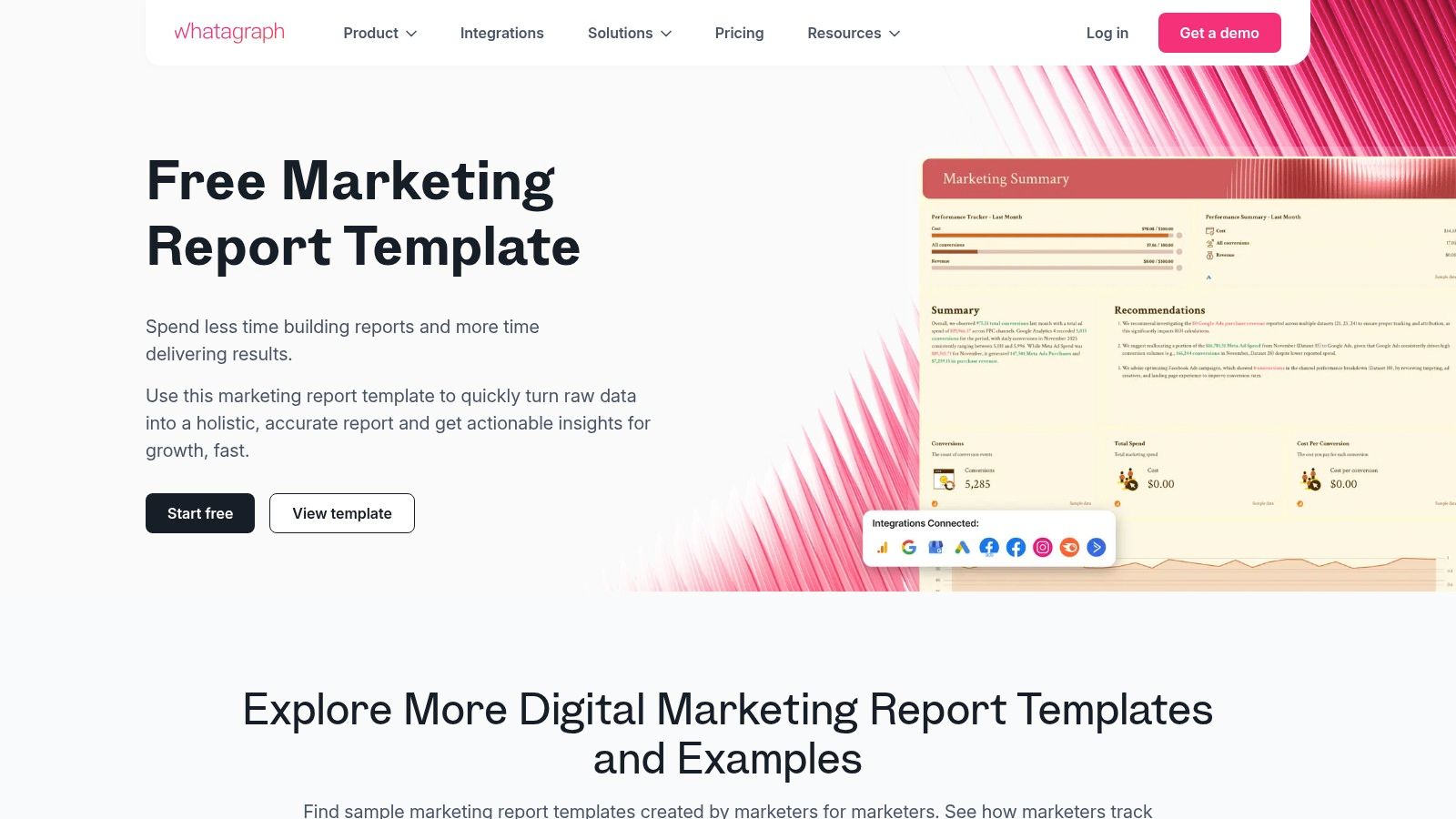
The primary advantage for SDR and sales teams is the platform's ability to create a "living" report that visualizes the entire funnel, from initial ad click to lead conversion. Instead of waiting for a monthly marketing deck, an sales manager can access a live dashboard showing which campaigns are generating the most qualified leads right now. This makes Whatagraph a premier marketing report example for teams focused on agility and immediate, data-backed action.
Strategic Analysis for SDRs and Sales Teams
Whatagraph's templates bridge the common gap between marketing metrics and sales outcomes. By connecting data sources, an SDR team can instantly see how a spike in website traffic from a LinkedIn campaign translates into new MQLs for them to pursue. This direct line of sight empowers SDRs to tailor their outreach with relevant, timely context. For instance, they can see which blog post a lead read just before converting, providing a perfect icebreaker for an initial call.
Strategic Takeaway: Use Whatagraph’s cross-channel reporting to build a "performance feedback loop" for marketing. When SDRs notice a high meeting-booked rate from leads generated by a specific Facebook ad set, they can share that live dashboard with the marketing team, providing immediate validation to reallocate budget and scale that successful creative.
Actionable Tips for Implementation
To maximize Whatagraph for a sales development workflow, focus on customizing the dashboards to reflect key sales activities and outcomes.
- Create a "Lead to Opportunity" Funnel View: Use the report builder to combine marketing data (e.g., MQLs from GA4) with sales data from your CRM. Visualize the conversion rates at each stage, from initial lead to meeting booked and opportunity created.
- Set Up Automated Alerts: Configure the platform to send automated notifications to the SDR team channel when a high-value campaign hits a specific lead threshold. This ensures immediate follow-up on the hottest prospects.
- Build an SDR Performance Dashboard: Customize a template to track individual SDR metrics like outreach attempts, connection rates, and meetings booked against the marketing campaigns they are working on. This helps managers coach their team and identify top performers.
Access: Whatagraph is a subscription-based service with a free trial available. While it requires an investment compared to free templates, its value lies in saving countless hours on manual report creation and providing live, client-ready visuals. The learning curve involves connecting data sources, but the pre-built templates simplify the initial setup.
Website: Whatagraph Marketing Report Templates
7. Fiverr — Hire a Freelance Designer/Marketer to Create a Marketing Report Example
For sales development teams that need a report with a specific look, feel, and set of KPIs not found in standard templates, Fiverr offers a flexible and powerful alternative. Instead of downloading a generic file, you can hire a freelance designer or marketer to build a bespoke marketing report example from scratch. This approach is ideal for SDR managers who need to present performance data to leadership in a highly polished, brand-aligned format that directly ties marketing activities to sales outcomes.
The primary advantage of using Fiverr is the ability to combine professional design with strategic data storytelling. You can find freelancers who specialize in creating PowerPoint, Google Slides, or PDF reports that not only look professional but are also structured to highlight the metrics most important to an SDR team. This includes lead source effectiveness, MQL-to-SQL conversion rates, and campaign impact on meetings booked, making it a unique solution for creating a truly custom marketing report example.
Strategic Analysis for SDRs and Sales Teams
Fiverr enables SDR managers to commission reports that are perfectly tailored to their team's workflow and executive audience. For example, a manager can hire a freelancer to design a template that visually separates top-of-funnel campaign metrics (like webinar sign-ups) from bottom-of-funnel sales activities (like demos scheduled from that webinar). This custom visualization helps clearly demonstrate the direct impact of marketing efforts on sales pipeline generation.
Strategic Takeaway: Commission a "Lead Source Performance" report template on Fiverr that specifically tracks the journey from marketing touchpoint to sales meeting. Have the freelancer create clear visual sections for each major marketing channel (e.g., Paid Social, Organic Search, Events) and include fields for SDR-specific outcomes like "Meetings Booked" and "Opportunities Created," providing a clear view of which channels deliver the most valuable leads.
Actionable Tips for Implementation
To maximize the value of hiring a freelancer on Fiverr, it's crucial to provide a clear and detailed brief.
- Define Core Sales KPIs: Before hiring, list the exact sales development metrics you need to track, such as "Lead Response Time," "Positive Reply Rate," or "SQL Acceptance Rate." Provide this list to the freelancer to ensure the final template is built around your team's goals.
- Provide Brand Guidelines: Share your company's logo, color palette, and font preferences to ensure the report looks like an official internal document. A polished, on-brand report carries more weight in executive meetings.
- Vet Freelancers Carefully: Look for freelancers with portfolios that showcase data visualization and business report design. Pay close attention to reviews and ratings to find a reliable partner who understands how to connect marketing data to sales results. To better scope the project, you can learn more about how to measure marketing effectiveness.
Access: Pricing on Fiverr is based on individual freelancer "gigs," which typically have tiered packages (Basic, Standard, Premium). A simple template design might start around $25-$50, while a more complex report with data integration could cost several hundred dollars. The key is to carefully vet seller portfolios and communicate your needs clearly to avoid scope creep and unexpected costs.
Website: Fiverr
Top 7 Marketing Report Template Comparison
| Option | Implementation complexity 🔄 | Resource requirements ⚡ | Expected outcomes 📊 ⭐ | Ideal use cases 💡 | Key advantages |
|---|---|---|---|---|---|
| HubSpot Resources Library — Marketing Reporting Templates | Low — download and minor formatting | Minimal cost (free + email); Excel/Sheets skills | 📊 Structured KPI dashboards; ⭐ Functional for internal reporting | SDR teams needing a fast, free way to track core metrics | Free, business-focused templates for immediate use |
| Envato Elements — Marketing Report Templates | Low–Medium — select and customize polished designs | Subscription (unlimited downloads); design-tool familiarity | 📊 High visual quality; ⭐ Strong brand-ready aesthetics | Presenting SDR performance to leadership with visual impact | Large, professional library for high-quality presentations |
| SlideModel — Marketing Plan/Report Presentation Templates | Medium — customize slide diagrams and vectors | Subscription; PowerPoint/Google Slides proficiency | 📊 Executive-ready slide decks; ⭐ Consistent corporate look | SDR managers presenting strategy and results to executives | Professionally designed diagrams and editable vector graphics |
| Template.net — Marketing Report Templates | Low — edit familiar office formats | Mix of free/premium assets; Word/Sheets/PPT | 📊 Text-led, niche report coverage; ⭐ Practical and printable | Creating detailed narrative reports on campaign performance for SDRs | Broad category coverage in familiar, printable formats |
| Etsy — Marketplace for Marketing Report Templates (Canva/PowerPoint) | Low — one-off download and minor edits | One-off purchase per asset; variable file types (Canva, PPT, PDF) | 📊 Varied visual styles; ⭐ Quality varies by seller | Affordable one-off templates for freelancers and small agencies | No subscription, diverse styles, buyer reviews to vet sellers |
| Whatagraph — Automated Marketing Report Templates and Examples | Medium–High — connect data sources and configure templates | Subscription platform; integrations (GA4, Ads, Social, Email) | 📊 Automated live-data dashboards; ⭐ High accuracy and repeatability | SDR teams needing real-time data on lead sources | Live connectors, automated reports, client-ready dashboards |
| Fiverr — Hire a Freelance Designer/Marketer to Create a Marketing Report Example | Medium — brief, manage revisions and delivery | Pay-per-gig; time for vetting and revisions | 📊 Bespoke, branded reports; ⭐ Quality depends on freelancer | Creating a custom SDR dashboard or executive summary | Fully customized output; combine design and analytics in one order |
Try our Marketing Plan Generator — generate a complete AI-powered marketing plan in minutes. No signup required.
Beyond the Template: Building a Pipeline-Driving Reporting Culture
We've explored a diverse range of marketing report examples, from HubSpot’s functional spreadsheets to the bespoke creations available on Fiverr. Each serves a purpose, whether it's providing a high-level executive summary for the VP of Sales or a granular performance dashboard for an SDR. However, the true power of a marketing report isn't found in a perfectly designed template; it's discovered when reporting evolves from a static document into a dynamic, pipeline-driving cultural asset for the SDR team.
The goal isn't just to present data. It's to arm your sales development team with the intelligence they need to prioritize their efforts, refine their outreach, and ultimately, book more meetings. A great marketing report is a strategic weapon for the front lines.
Key Takeaways for SDRs and BDRs
For Sales Development Representatives (SDRs) and Business Development Representatives (BDRs), the insights buried in these reports are pure gold. Moving beyond a generic template means you can directly answer critical questions that impact your daily grind and your quota attainment.
- Campaign Performance Insights: A detailed campaign report tells you which content, messaging, or offer is generating the most qualified leads. This allows you to tailor your outreach with relevant talking points ("I saw you downloaded our guide on X..."), significantly increasing your connection rates.
- Channel-Level Data: Knowing that a specific webinar or whitepaper is driving high-intent leads from LinkedIn helps you focus your prospecting efforts. Instead of a scattergun approach, you can concentrate on the platforms where your ideal customers are actively engaged.
- ROI and Attribution Clarity: Understanding which marketing touchpoints influenced a deal helps you engage in more strategic conversations. You can reference the prospect's journey, acknowledging the content they’ve consumed and positioning your call as the next logical step, not a cold interruption.
By advocating for and actively using this level of detailed reporting, SDRs transform from cold callers into informed consultants. You become a crucial feedback loop for marketing, helping them refine campaigns based on what’s actually resonating with prospects on the front lines.
From Static Reports to Actionable Intelligence
The fundamental shift is moving from rearview-mirror reporting to forward-looking, predictive intelligence. A static PowerPoint slide shows what happened last month. An automated, real-time dashboard shows you which leads are showing buying signals right now. This transition is essential for any sales team looking to gain a competitive edge.
To truly build a pipeline-driving reporting culture, it's essential to understand which metrics are most impactful and ensure they are being monitored. Many teams focus on vanity metrics, but what truly matters are the numbers that directly correlate to revenue. If you're unsure where to start, begin by evaluating the 5 crucial marketing metrics you need to track to ensure your reports are focused on what moves the needle.
Choosing the Right Path Forward
The tools and examples we've reviewed offer different paths to better reporting. A freelance designer on Fiverr can create a visually stunning, custom marketing report example that wows leadership. Whatagraph can automate the data pull, saving your demand gen team hours each week. The key is to match the solution to your team's specific pain point.
For SDR and BDR teams, the best solution is one that bridges the gap between marketing data and sales action. It’s not just about seeing the numbers; it’s about getting clear, actionable directives from them. Your report should tell you not just that you have 50 new MQLs, but who they are, why they are qualified, and what you should say to them.
Ultimately, the best marketing report example is one that doesn't just get filed away. It's one that gets used, debated, and acted upon daily, creating a powerful synergy between marketing's efforts and sales' execution that consistently fuels the pipeline and drives revenue growth.
Ready to transform your data from static reports into actionable sales intelligence? marketbetter.ai uses AI to analyze your marketing data, identify your highest-intent leads, and provide your SDRs with the exact talking points they need to book more meetings. Stop just reporting on the past and start building the future pipeline at marketbetter.ai.