3 posts tagged with "customer journey"

View All Tags

A Practical Guide to Building Actionable Marketing Automation Workflows

· 25 min read

Imagine your marketing team had a secret weapon: a super-smart GPS for every single customer. That's what a good marketing automation workflow feels like. Instead of blasting everyone with the same generic map, you're giving each person precise, turn-by-turn directions—a timely email, a perfectly placed offer, or a helpful resource—right when they need it most.

What Are Marketing Automation Workflows, Really?
A diagram showing the flow of a marketing automation workflow, with icons representing user actions and automated responses.

Strip away the jargon, and a marketing automation workflow is just a series of actions you set up to run on autopilot. These actions kick off based on what someone does (or doesn't do), who they are, or simply after a certain amount of time has passed.

Think of it as a set of "if this happens, then do that" rules for your marketing. It’s a massive leap from the old way of doing things.

Instead of a marketer manually sending a one-off email blast to their entire database, a workflow sends a specific, relevant message to one person based on their unique behavior. For instance, if someone downloads your latest ebook, a workflow can instantly send a thank-you note, then follow up a few days later with a case study on a similar topic. Simple, but powerful.

The whole point is to stop thinking in terms of disconnected tasks and start building a smart, cohesive system that nurtures leads and builds real relationships around the clock. It’s your safety net, ensuring no opportunity slips through the cracks and every interaction feels personal.

The Contrast with Manual Marketing

To really get why this matters, let's put it side-by-side with the manual grind most of us are familiar with.

  • Manual Marketing: This is all about one-time campaigns. Think of a holiday sale email sent to your entire list. It’s incredibly labor-intensive, often generic, and a nightmare to scale. A real person has to build, schedule, and send every single message.
  • Automated Workflows: These are always on, running continuously in the background based on individual triggers. They're deeply personal, built to scale, and don't require constant babysitting. Once you build a solid workflow, it can engage thousands of people with tailored messages all at once.

A marketing automation workflow transforms your marketing from a series of broadcasts into a series of conversations. It listens for user signals and responds appropriately, creating a more dynamic and engaging customer journey.

Why This Is an Essential Strategy

The shift from manual to automated isn't just a small step up; it's a game-changer. The numbers don't lie. Companies that use automation to nurture leads see an 80% increase in the number of leads generated. Even more impressive, they see a 451% increase in qualified leads.

Why such a massive jump? Because workflows deliver the right message to the right person at the right time, consistently and at scale. It’s a level of personalization that’s just impossible to achieve manually.

This structured approach doesn't just save your team countless hours; it creates a more reliable and effective customer experience. It frees up your best people to focus on big-picture strategy and creative work instead of getting bogged down in repetitive tasks.

If you want to dig deeper into the core mechanics, this piece on What Is Workflow Automation is a great primer on how these systems work under the hood, even beyond marketing. At the end of the day, it's all about achieving better results with less manual effort.

The Building Blocks of Every Great Workflow

Think of a marketing automation workflow like a recipe. You don’t just start with a finished dish; you start with a few core ingredients. Combine them the right way, and you can create something incredible. The same goes for automation—every complex, elegant journey is built from just four simple parts.

If you can master these elements, you’re on your way to designing workflows that do more than just send messages. They guide customers intelligently.

Let's break them down.

Triggers: The Starting Gun

A trigger is what kicks off your workflow. It's the "if this happens..." part of the equation—the specific signal that tells your system, "Okay, go time." Without a trigger, your workflow just sits there, waiting. It's the starting gun for the race.

Triggers can be based on all sorts of things: what someone does, who they are, or even just the passage of time. A new user signing up for your newsletter? Classic behavioral trigger. A contract renewal date popping up on the calendar? That's a time-based trigger.

  • Actionable Tip: Choose a trigger that signals clear intent. A "downloads pricing guide" trigger is much stronger than a "visits homepage" trigger, allowing you to create a more relevant follow-up.

Actions: The Automated Response

If the trigger is the "if," then the action is the "then." An action is any task your workflow performs automatically once it's been triggered. This is where the machine does the work for you. Sending an email is the most common one, but modern platforms can do so much more.

Actions are the actual output. They can update a contact record in your CRM, ping a sales rep on Slack, or even add someone to a retar.geting audience on Facebook.

A rookie mistake is thinking workflows are just for email. A great workflow coordinates multiple actions—like updating a CRM and sending an SMS—to create a seamless experience for the user.

Delays: The Strategic Pause

Imagine signing up for a webinar and getting five emails in five minutes. You'd feel spammed, and it would come across as totally robotic. This is why delays are so important.

A delay is just a strategic pause you build between actions. It makes the whole conversation feel more natural and human-paced. It's a small detail, but it's critical. Delays give your contacts time to breathe, digest information, or take the action you want them to take.

  • Actionable Tip: Use "wait until a specific time" delays instead of fixed day delays. Sending an email at 9:00 AM in the recipient's time zone will perform better than sending it at 2:00 AM their time.

Conditions: The Intelligent Fork in the Road

This is where your automation goes from basic to brilliant. Conditions (sometimes called logic or branching) create personalized paths for different people inside the same workflow. It's the "if/then" logic that splits the journey.

For instance, a new lead from a Fortune 500 company probably needs a high-touch follow-up from sales. A lead from a small startup? They might be better served with some more educational content. Conditions make that kind of smart routing possible.

Here’s how it changes things:

Workflow ComponentWithout Conditions (Linear)With Conditions (Branched)
TriggerUser downloads an ebook.User downloads an ebook.
Action 1Send a generic follow-up email.Send a follow-up email.
LogicNoneIF user's company size > 500 employees...
Path A ActionN/ATHEN notify a sales rep to call.
Path B ActionN/AELSE add user to a long-term nurture sequence.

This branching logic is the key to creating experiences that feel truly relevant. Of course, to use conditions well, you need a solid grasp of who you're talking to. You can get a head start by exploring different customer segmentation strategies in our guide, which will help you figure out the best criteria for your workflow branches.

Essential Workflow Templates You Can Use Today

Alright, let's move from theory to action. This is where the real fun begins. Knowing what a workflow is is one thing; knowing which ones to build first is another. Instead of staring at a blank screen, you can start with proven blueprints that tackle your biggest marketing goals right out of the gate.

Think of these templates as recipes. They give you the core ingredients and steps, but you can always add your own spice.

This infographic nails the basic pattern you’ll see in every workflow we talk about. It’s a simple, powerful loop: something happens, the system does a task, and then it makes a decision.
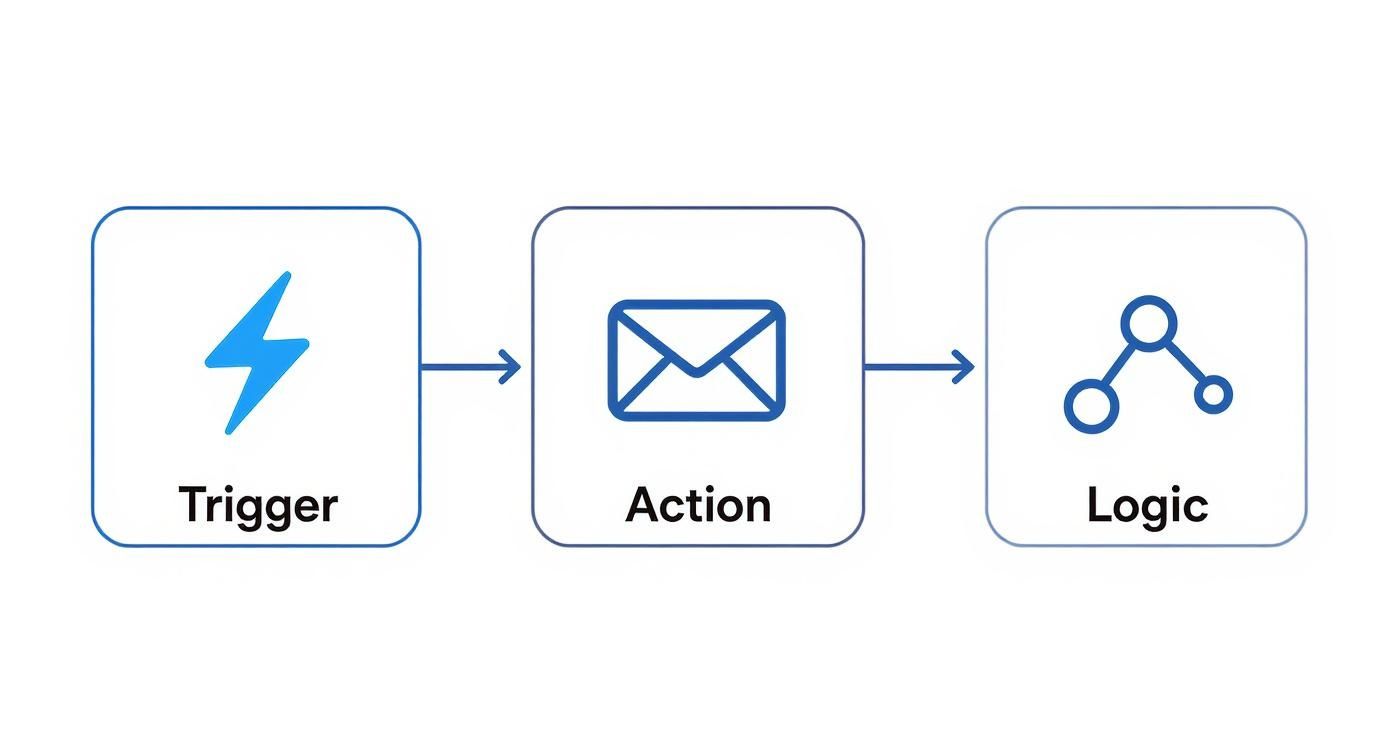
Infographic about marketing automation workflows

Get that rhythm down—trigger, action, logic—and you’re ready to build just about anything.

Here are four essential workflows that solve common business problems. I’ll break down what they are, who they’re for, and how to measure if they're actually working.

To make it even clearer, let's quickly compare these four foundational workflows side-by-side before we dive into the details of each.

Comparison of Essential Workflow Types

Workflow TypePrimary GoalTarget AudienceCommon TriggersKey Metric
WelcomeIntroduce the brand, set expectations, and drive initial engagement.New subscribers, trial users, first-time customers.Submitting a form (e.g., newsletter signup).Click-Through Rate (CTR)
Lead NurturingGuide interested prospects toward a sales conversation.Marketing-qualified leads (MQLs) who aren't sales-ready.Downloading mid-funnel content (e.g., case study).MQL-to-SQL Conversion Rate
Re-EngagementReactivate dormant contacts before they're lost for good.Subscribers who haven't opened or clicked in 90+ days.A time-based rule identifying an inactive contact.Re-Engagement Rate
Customer UpsellIncrease customer lifetime value by promoting related products.Existing customers who have made a recent purchase.A specific purchase event or product usage milestone.Repeat Purchase Rate

This table gives you the high-level view. Now, let’s get into the weeds on how to build each one.

The Welcome Workflow

First impressions matter. A lot. The welcome workflow is your handshake, your first hello. It’s your chance to greet new subscribers or customers, tell them what to expect, and get them to take that first small, valuable action. Honestly, if you build only one workflow, make it this one. Engagement is never higher than when someone first signs up.

Actionable Steps to Build It:

  • Trigger: User submits your "newsletter signup" form.
  • Immediate Action: Send a "Welcome & Thank You" email. Deliver the promised asset (like a guide or discount code) instantly.
  • Delay: Wait 2 days.
  • Action: Send a second email that points them to your greatest hits—your most popular blog posts, a helpful video, or a guide on getting started. You're building trust by being useful.
  • Delay: Wait 3 days.
  • Action: Send one last email with a low-commitment ask. Invite them to follow you on social media or check out a customer story.

The main thing to watch here is the click-through rate (CTR) on these first few emails. A high CTR means your new contacts are leaning in and paying attention.

The Lead Nurturing Workflow

Let’s be real: almost no one is ready to buy the second they download your ebook. The lead nurturing workflow is how you build a relationship over time. It’s designed to educate prospects, earn their trust, and gently move them along until they are ready to talk to sales. This isn't about a warm welcome; it's about strategic conversation.

Actionable Steps to Build It:

  1. Trigger: A contact downloads a case study.
  2. Immediate Action: Send them the case study. No delays.
  3. Delay: Wait 4 days. Let them digest it.
  4. Action: Follow up with a related blog post that digs into a pain point the case study solved.
  5. Delay: Wait 5 days.
  6. Action: Send an invitation to an upcoming product demo webinar.
  7. Condition: Did they click the registration link for the demo?
    • If Yes: Perfect. End this workflow and add them to a "Registered for Demo" list.
    • If No: No problem. Send one final, friendly follow-up with a powerful customer testimonial video.

Your north star metric here is the MQL-to-SQL conversion rate. Are these nurtured leads actually turning into real sales opportunities? That’s the only question that matters.

The Re-Engagement Workflow

It happens to the best of us. Over time, some contacts just go quiet. A re-engagement (or "win-back") workflow is your shot at waking them up before they churn for good. This is smart marketing—it costs way less to keep a contact you already have than to find a new one.

A re-engagement campaign isn't just about sending a "we miss you" email. It's a strategic attempt to remind subscribers of the value you offer and give them a compelling reason to stick around.

Actionable Steps to Build It:

  • Trigger: A contact has not opened or clicked an email in 90 days.
  • Action 1: Send an email with a compelling subject line like "Is this goodbye?" or "A special offer to win you back."
  • Delay: Wait 7 days.
  • Condition: Did they open or click the first email?
    • If No: Send a final email asking them to confirm they want to stay subscribed. If no action, automatically tag them for list cleanup.
    • If Yes: Add them back to your main mailing list and send a "welcome back" email with your latest popular content.

Success is measured by the re-engagement rate. It's the percentage of those sleepy contacts who open or click an email in the sequence, signaling they're back in the game.

The Customer Upsell Workflow

The sale is not the end of the relationship; it’s the beginning of the next phase. An upsell workflow focuses on your existing customers to increase their lifetime value (CLV). The goal is to introduce them to other products, premium features, or services that solve their next problem. This is totally different from lead nurturing—you're talking to happy customers, not skeptical prospects.

Actionable Steps to Build It:

  1. Trigger: A customer buys "Product A."
  2. Delay: Wait 14 days. Let them get value from their purchase first.
  3. Action: Send a helpful email with tips on getting the most out of Product A. Reinforce their smart decision.
  4. Delay: Wait 14 days.
  5. Action: Send an email showing how "Product B" is the perfect companion to Product A, perhaps with a short case study.
  6. Action: Follow up with a small, exclusive "thank you" discount on Product B for being a loyal customer.

Here, you’re tracking the repeat purchase rate or upgrade conversion rate. You want to see if your happy customers are willing to invest even more with you.

How to Build Your First Workflow Step by Step

Jumping into marketing automation can feel like trying to pilot a spaceship on your first day. You see all the dials and buttons, and the temptation is to build a complex, multi-layered beast right out of the gate.

Don't do it. The best approach is to start small, build something simple, and get a win on the board.

The goal isn't immediate perfection; it's about building a foundation you can improve upon. This straightforward, five-step process will guide you through launching a workflow that delivers real value without the overwhelm.

Step 1: Define One Clear Goal

Before you even think about logging into your automation tool, stop and ask: What do I actually want to achieve?

A vague goal like "nurture leads" is a recipe for a confusing, ineffective workflow. You have to get specific. What is the single, measurable action you want a contact to take by the end of this journey?

Clarity here is everything. A single, focused goal dictates every trigger, every action, and every piece of content you'll create.

Actionable Tip: Frame your goal using the SMART method (Specific, Measurable, Achievable, Relevant, Time-bound). For example, change "nurture leads" to "Increase demo bookings from blog subscribers by 15% in Q4."

Your goal is your North Star. If a step in your workflow doesn't directly contribute to achieving that goal, it probably doesn't belong there.

Step 2: Map the Customer Journey

Now that you have your destination, it's time to draw the map. Sketch out the ideal path a customer would take to get there.

Seriously, don't do this in your automation software yet. Grab a whiteboard, a notebook, or a simple flowchart tool. This forces you to think from the customer's perspective, not from the tool's limitations.

What are the key touchpoints? What information do they need at each stage? A simple journey map for converting trial users might look like this:

  1. User signs up for a free trial.
  2. They immediately get a welcome email with their login info.
  3. A few days later, they get a quick tip on using a key feature.
  4. After a week, they receive a case study showing what's possible.
  5. Near the end of the trial, an offer to upgrade lands in their inbox.

This process is critical for building marketing automation workflows that feel helpful and timely, not robotic and pushy.

Step 3: Identify Triggers and Segments

With your journey mapped out, it's time to get into the technical "if/then" logic. What specific event kicks off this whole process? This is your trigger. It has to be a clean, unambiguous signal.

Next, think about segmentation. Does everyone who enters this workflow really need the exact same experience? Maybe a trial user from a huge enterprise needs a different message than a user from a two-person startup.

Let's compare two approaches for a simple welcome workflow.

ApproachLinear (No Segmentation)Segmented (Conditional Logic)
TriggerUser signs up for the newsletter.User signs up for the newsletter.
PathAll users get the same three emails.Users are split based on a stated interest (e.g., "sales" vs. "marketing").
ContentGeneral company info and popular blog posts.Each segment receives content tailored to their specific interest.
OutcomeDecent engagement, but feels pretty generic.Higher click-through rates and a far more relevant experience.

Starting with a linear path is perfectly fine for your first workflow. You can always add segmentation later once you start gathering data.

Step 4: Create Your Content and Assets

This is where you build the actual "stuff" your workflow will deliver. We're talking emails, landing pages, forms, or even internal notifications for your sales team.

It's time to write your email copy, design your visuals, and get everything loaded up and ready to go.

Focus on value above all else. Each piece of content should help the user take the next logical step. The adoption of marketing automation is soaring for a reason; recent data shows 79% of marketers automate their customer journey to some extent. This shift is all about creating more efficient and personalized communication at scale.

Step 5: Build, Test, and Launch

Alright, now it's time to jump into your automation software. Recreate the journey you mapped out in Step 2, using the triggers from Step 3 and the content from Step 4.

But before you hit "activate," you have to test it rigorously.

Actionable Checklist for Testing:

  • Enroll Yourself: Use a test email address to go through the workflow from the beginning.
  • Check All Links: Click every single link in every email.
  • Review Delays: Do the pauses between steps feel natural?
  • Verify Personalization: Make sure personalization tokens (like {{first_name}}) are pulling in the right data.
  • Test Logic: If you have conditional splits, test each path to ensure they work as expected.

Once you're confident, launch it. And remember, this is just version one. The real magic comes from measuring its performance and making smart improvements over time. As technology evolves, you'll find more ways to make these processes even smarter. For a deeper look, check out our guide on how AI is transforming marketing automation for a glimpse into what's next.

How to Measure and Optimize Your Workflows

A screenshot from HubSpot's marketing automation software, showing a visual workflow editor with branching logic and performance metrics.

Getting your first marketing automation workflow live is a massive win, but it's the starting pistol, not the finish line. The real magic—and the real growth—happens next.

Think of your workflow not as a static, "set it and forget it" tool, but as a living system that needs a little attention to hit its stride. By constantly measuring what’s working and tweaking what isn’t, you turn a simple tactic into a legitimate growth engine. This is where you shift from just building workflows to perfecting them.

Identifying Your Key Performance Metrics

Before you can make anything better, you have to know what you’re measuring. The right metrics are tied directly to whatever goal you set for that workflow in the first place. Tying your analysis back to that original objective is the only way to know if you're actually succeeding.

Start with these four foundational metrics:

  • Email Open Rate: The percentage of people who actually opened your email. It’s your first and best signal for a killer subject line and brand recognition.
  • Click-Through Rate (CTR): The percentage of openers who clicked a link. This tells you if your message and call-to-action were compelling enough to get someone to act.
  • Conversion Rate: The percentage of contacts who completed the workflow's main goal—like booking that demo or making a purchase. This is the number that really matters.
  • Unsubscribe Rate: The percentage who opted out. A sudden spike here can mean your content is off-target or you're sending emails too often.

But these are just the beginning. To really understand the impact, you need to connect your automation to business results. That's why Return on Investment (ROI) is the ultimate scoreboard. It's not just a vanity metric; over half of businesses expect to see a positive ROI within the first year. And the numbers back it up—research shows the average ROI for marketing automation can climb as high as 544% over three years.

For a deeper dive, our guide on tracking key marketing performance metrics will help you connect the dots between your efforts and the bottom line.

The Art of A/B Testing

So, how do you actually improve those numbers? The single best tool in your optimization toolkit is systematic A/B testing. It's simple: you create two versions of one thing (an A and a B) and show them to different segments of your audience to see which one performs better.

A/B testing is how you take the guesswork out of your strategy. Instead of running on gut feelings, you’re making data-backed decisions that create small, compounding improvements over time.

The key is to test one thing at a time. If you change the subject line and the CTA, you’ll never know which one made the difference.

Here are a few high-impact elements to test right away:

  • Subject Lines: Try a direct, no-nonsense subject line against one that sparks a little curiosity.
  • Email Copy: Test a short, punchy message against a more detailed, story-driven version.
  • Calls-to-Action (CTAs): Does "Book Your Demo" work better than "Learn More"? Test it and find out.
  • Timing and Delays: Experiment with sending emails on different days or changing the delay between steps from three days to five.

Analyzing Reports and Fixing Bottlenecks

Most marketing automation platforms give you detailed reports that show exactly how people are flowing through your sequences. This visual data is a goldmine.

You’re looking for the bottlenecks—the steps with a massive drop-off rate. This is where people are getting stuck or losing interest.

For example, if you see a great open rate on email #1 but a terrible CTR, the problem isn't your subject line; it's the email's content or CTA. If everyone seems to bail after email #2, take a hard look at that message. Is it actually helpful, or just another sales pitch?

By systematically finding these friction points and using A/B tests to smooth them out, you can continuously level up your workflow performance. Companies that nail this kind of intelligent automation have seen productivity jump by 20-30% and customer acquisition costs drop by up to 25%. These aren't small wins; they're game-changers.

A Few Common Questions About Marketing Workflows

Once you start mapping out your own automations, a few questions always pop up. It's just part of the process. Getting good, practical answers to these can be the difference between a workflow that just… runs, and one that actually gets results.

This isn't about textbook definitions. Let's tackle the most common questions marketers have with some real-world advice you can put to work right away.

How Many Emails Should I Put in a Nurturing Workflow?

There's no magic number here, but a great place to start for most nurturing sequences is somewhere between 3-5 emails. The goal isn't to hit a specific number; it's to build momentum and deliver value without becoming a nuisance.

The real answer comes from watching your engagement. If you see a massive drop-off after email #3, your sequence is probably too long or your content isn't hitting the mark. On the flip side, if people are still clicking and opening by the end, you might have room to add another helpful touchpoint.

Think of it like this:

ApproachShort & Punchy (3 Emails)Extended Nurture (5+ Emails)
Best ForLower-commitment goals like getting someone to a webinar or downloading an ebook.Higher-commitment goals, like getting a prospect to book a demo or sign up for a trial.
PacingTighter spacing between sends (maybe 2-3 days apart).More breathing room between emails (like 4-6 days) to avoid burnout.
Content FocusEvery email has one clear job and a single call-to-action.You’re building a story, introducing a few different ideas, and offering a variety of resources.

The takeaway: Start with three. Keep a close eye on your click-through rates and, more importantly, your goal conversions. If folks are still with you at the end, test adding a fourth email that handles a common objection or showcases a quick case study.

What's the Biggest Mistake People Make?

Easy. Overcomplicating it right out of the gate. It happens all the time. Marketers get excited about all the cool things automation can do and immediately try to build a monster workflow with a dozen different branches and "if/then" splits.

While that kind of complexity can be powerful down the road, it's a nightmare to build, test, and fix when you're just starting. This "go big or go home" mindset usually ends with a workflow that's either broken or so tangled that nobody on the team knows what it's actually doing.

The smartest move is to start with a dead-simple, linear workflow that solves one specific problem. Nail the basics. Once that first simple automation is running smoothly and you have some real data, then you can start layering in more complexity and personalization based on how your audience actually behaves.

Can I Use Workflows for More Than Just Email?

Absolutely. In fact, you have to. If you're only thinking about email, you're leaving a huge opportunity on the table. Modern automation tools are built to connect channels, which creates a much more seamless experience for your customers.

Thinking beyond the inbox lets you show up where your customers are. For example, when a high-value lead clicks on your pricing page, a workflow can do a lot more than just send another email.

Here are a few simple, non-email actions to get you started:

  • Update a CRM Property: Automatically change a contact's status from "Lead" to "Marketing Qualified Lead."
  • Notify a Sales Rep: Ping the right sales rep on Slack or via an internal email the moment their lead revisits the pricing page.
  • Manage Ad Audiences: Add a contact to a Facebook Custom Audience for retargeting, or pull them out of it once they buy.
  • Send an SMS Message: Use text messages for urgent things like event reminders or flash sale alerts where you need to cut through the noise.

This is what turns a basic email sequence into a truly smart automation engine.

How Do I Know If My Workflow Is Actually Working?

Success isn't about open rates. The only way to know if your workflow is doing its job is to measure it against the specific goal you set for it in the first place.

If the goal was lead nurturing, your number one metric is the goal conversion rate—what percentage of people who entered the workflow actually completed the final action (like requesting a demo)? If it was a re-engagement campaign, you're looking at the percentage of dormant contacts who clicked a link and came back to life.

Here’s a quick breakdown of what to track for different types of workflows:

Workflow TypePrimary Success MetricSecondary Metrics to Watch
Welcome SeriesClick-through rate on the first few emails.Engagement over the whole series, unsubscribe rate.
Lead NurturingGoal Conversion Rate (e.g., MQL to SQL).Where people are dropping off, what content they click.
Re-EngagementRe-engaged Rate (% who click a link).Unsubscribe rate, positive replies.

Always start by defining what "winning" looks like for that specific campaign. When you track your goal conversion rate alongside your standard email metrics, you get the full story of your workflow's performance and its real impact on the business.


Ready to stop building campaigns from scratch and start scaling your marketing with intelligence? marketbetter.ai provides an integrated AI platform to create, manage, and optimize your workflows faster than ever before. From generating high-performing email copy to personalizing entire customer journeys, our tools are designed to drive real results.

Discover how marketbetter.ai can transform your marketing automation strategy.

What Is Marketing Attribution? A Complete Guide

· 24 min read

Ever wonder which part of your marketing is actually working? That’s the million-dollar question, and marketing attribution is how you answer it. It’s the framework for figuring out which ads, emails, or social posts get the credit for a sale, so you can stop wasting money and double down on what drives results.

So, What Is Marketing Attribution, Really?

A person at a desk analyzing charts and data on a large screen, representing the process of marketing attribution

Think about a game-winning shot in basketball. Does the player who sank the basket get all the glory? Of course not. You have to credit the point guard who made the perfect pass and the center who set a killer screen. Marketing works the exact same way.

Instead of slapping 100% of the credit on the very last ad a customer clicked before buying, attribution looks at the entire chain of events—the complete "customer journey." And let’s be honest, that journey is never a straight line.

A real-world path might look something like this:

  • The Spark: A potential customer scrolls through social media and sees one of your ads. They’d never heard of you before, but now you’re on their radar.
  • Building Trust: A few weeks go by. They search for a solution on Google, find one of your blog posts, and sign up for your newsletter.
  • The Final Nudge: After getting a couple of emails, a promo offer catches their eye. They click, and finally, they buy.

Without attribution, you might mistakenly think the email campaign did all the heavy lifting. But what about the social ad that started it all? Or the blog post that proved you knew your stuff? Each touchpoint played a part, and figuring out how much of a part is the core job of marketing attribution.

Moving From Guesswork to Proof

At its heart, attribution is about swapping out assumptions for cold, hard data. It gives you a way to answer the tough questions that decide where your budget goes.

For instance, which channel is your opener, and which one is your closer? A "first-touch" model would give all the credit to that initial social media ad. A "last-touch" model would hand it all to the email. The truth, as always, is somewhere in the middle. The actionable insight here is realizing that some channels are great for starting conversations while others are built to close deals.

Marketing attribution is what turns your budget from a blind expense into a strategic investment. It draws a straight line from every dollar you spend to the revenue it brings in, proving marketing’s value to the rest of the business.

By looking at the whole journey, you start to see how different channels team up. This is where the magic happens. You can finally allocate your budget with confidence, doubling down on what works at each stage of the funnel. It’s the difference between just buying ads and funding a high-performance marketing engine that you know gets results.

The Journey From Last-Click To Modern AI Attribution

To really get what marketing attribution is today, you have to know where it came from. The story starts in a much simpler time, with a philosophy that was easy to understand but often dead wrong: the last-click wins.

In a last-click world, the very last thing a customer did before buying got 100% of the credit.

Imagine a customer sees your ad on Instagram, reads your blog a week later, then finally clicks a Google ad to make a purchase. The last-click model gives all the glory to that Google ad, completely ignoring the fact that Instagram and your blog did the heavy lifting to get them there. It was simple, but it created a totally distorted picture of what was actually working. Marketers ended up pouring money into bottom-of-the-funnel tactics and starving the channels that built awareness in the first place.

The Rise of Multi-Touch Models

As the internet exploded in the late ‘90s and early 2000s, the game changed. Suddenly we had search engines, email, and social media. Customer journeys weren’t a straight line anymore; they were a tangled web. It became painfully obvious that the last click wasn't the whole story.

This complexity forced a new way of thinking. Today, that need is baked into modern marketing—surveys show that around 76% of all marketers now use attribution or plan to within a year. You can explore more about the historical importance of marketing attribution to see how these trends took shape over time.

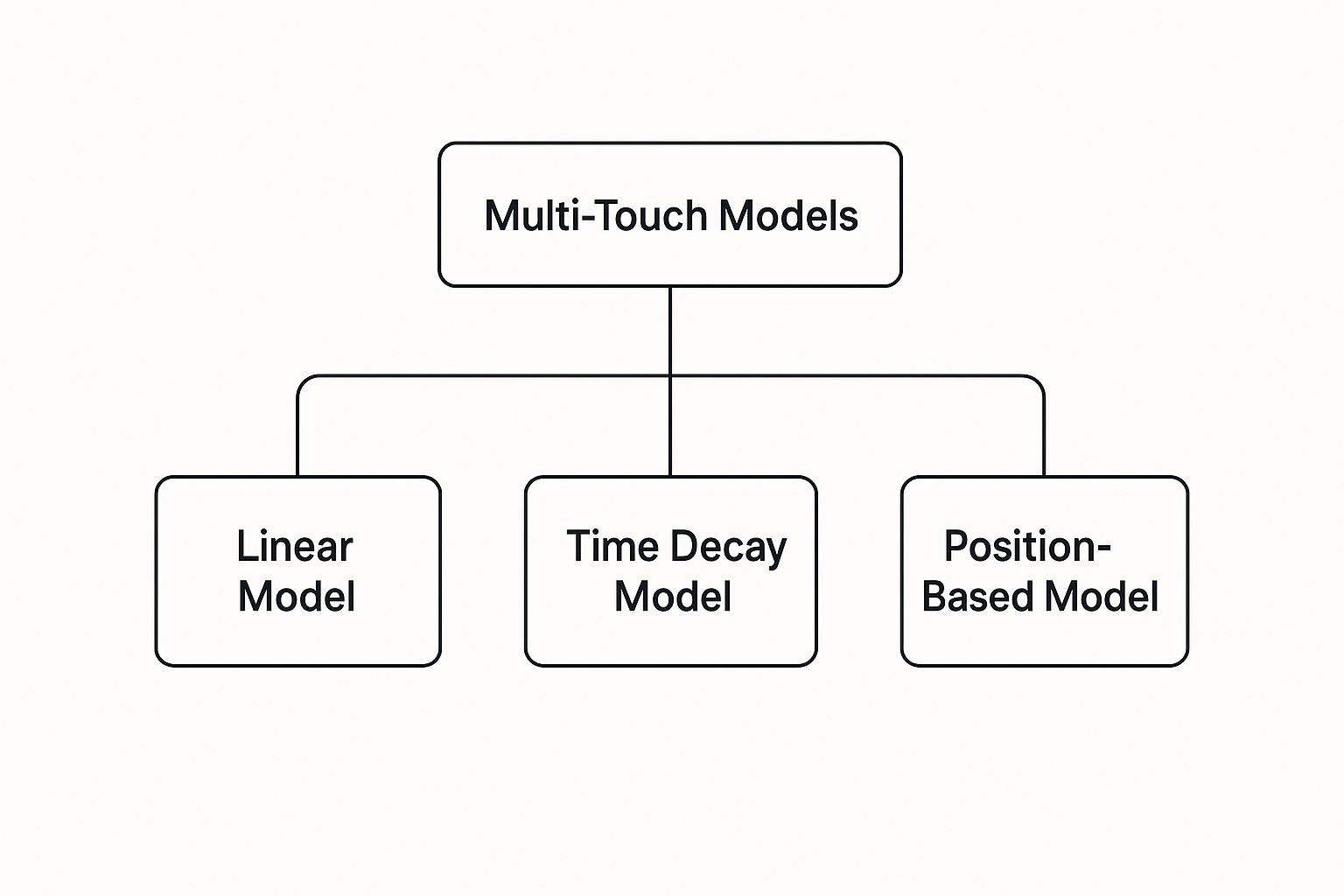
This evolution gave us multi-touch attribution models. The core idea was to acknowledge that multiple interactions lead to a sale and to try and split the credit more fairly. A few popular flavors emerged:

  • Linear Model: This one’s simple. It splits credit equally across every single touchpoint. The problem? It treats a two-second glance at a social post with the same value as an in-depth product demo.
  • Time-Decay Model: This model is a bit smarter. It gives more credit to the touchpoints that happen closer to the conversion. It rightly assumes that the interactions leading right up to the purchase were probably more influential.
  • Position-Based (U-Shaped) Model: This gives the most credit to the very first touch (the introduction) and the very last touch (the decision), then divides the rest among everything in the middle. It values both how someone found you and what finally convinced them to buy.

Entering The Era of Privacy and AI

While multi-touch models were a huge leap forward, they still had a fundamental flaw: they were based on rules that humans made up. More recently, two massive forces have shoved attribution into its next phase: privacy regulations and artificial intelligence.

The death of third-party cookies and a massive consumer push for data privacy have made it much harder to track users across different websites and apps. This data scarcity is forcing everyone to move away from rigid, rule-based models and toward smarter, privacy-first solutions.

This is where AI and machine learning come in. Instead of following a set of predefined rules, modern attribution systems analyze enormous amounts of data—from both customers who converted and those who didn’t—to build custom models on the fly.

Here's the key comparison: a rule-based model like Linear follows a strict, unchanging formula, while an AI model learns and adapts to your specific customer behavior. The AI can tell you why certain touchpoints matter more, not just that they do. They can spot the true influence of each channel without human bias getting in the way and even start to predict future outcomes. This journey, from a simplistic "last-click" view to a predictive, AI-driven analysis, shows just how much attribution has grown up to handle the messy reality of modern marketing.

Comparing The Most Common Marketing Attribution Models

Picking an attribution model is a lot like picking the right tool for a job. A hammer is great for a nail, but it’s completely useless for a screw. In the same way, the right model depends entirely on your business goals, sales cycle, and how your customers actually behave.

Let’s break down the most common ones and put them head-to-head.

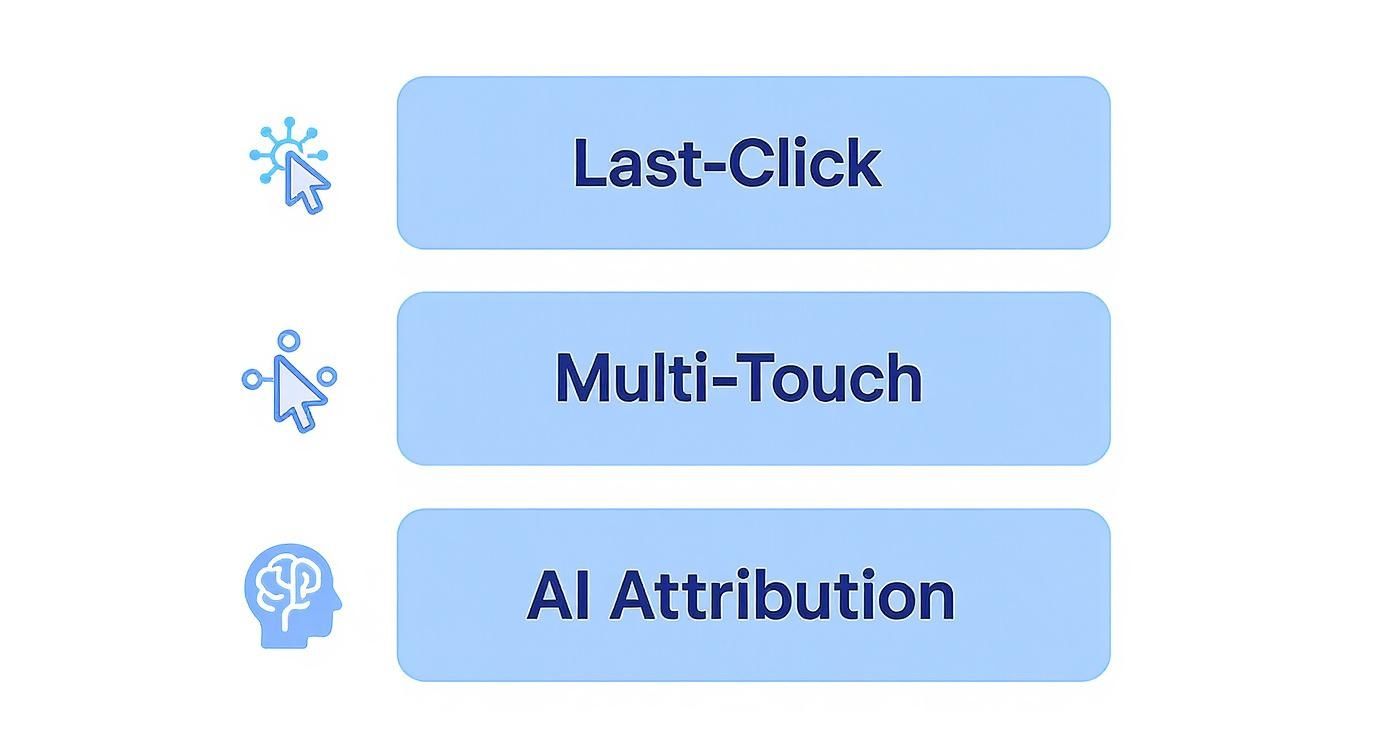
This infographic gives you a quick visual on how attribution has evolved—from dead-simple Last-Click models all the way to the more sophisticated Multi-Touch and AI-driven approaches we have today.

Infographic about what is marketing attribution

You can see a clear progression here. Each new tier builds on the last, giving marketers a much sharper, more complete picture of the customer journey.

To help you sort through the options, we’ve put together a simple comparison table.

Marketing Attribution Model Comparison

This table offers a side-by-side look at the most common models. Use it to understand how each one works, its strengths and weaknesses, and where it fits best in your marketing strategy.

Model TypeHow It WorksProsConsBest For
First-ClickGives 100% of the credit to the very first touchpoint.Simple to implement; highlights top-of-funnel channels.Ignores all subsequent interactions that nurture the lead.Brand awareness campaigns where the initial discovery is key.
Last-ClickGives 100% of the credit to the final touchpoint before conversion.Easy to track; shows what closes the deal.Overvalues bottom-funnel channels and ignores what built initial interest.Short sales cycles, like e-commerce flash sales.
LinearSplits credit equally across all touchpoints in the journey.Provides a balanced view; ensures no channel is ignored.Assumes all touchpoints are equally important, which is rarely true.Marketers wanting a baseline, holistic view of all channel contributions.
Time-DecayGives more credit to touchpoints closer to the conversion.Emphasizes the interactions that push a prospect over the finish line.Can undervalue the crucial top-of-funnel activities that started the journey.Longer sales cycles where late-stage nurturing is critical (e.g., B2B).
U-ShapedSplits credit between the first and last touchpoints, usually 40% each. The middle 20% is shared.Values both the initial discovery and the final conversion action.Minimizes the role of mid-funnel nurturing touchpoints.Lead-generation focused businesses where first and last touches are vital.
W-ShapedAssigns 30% credit each to the first touch, lead creation, and opportunity creation. The last 10% is shared.Gives significant weight to key B2B conversion milestones.Requires sophisticated tracking to identify specific funnel stages accurately.Sales-driven B2B organizations with a clearly defined sales funnel.

Each model tells a different story about your marketing performance. The trick is to choose the one that tells the truest story for your specific business.

Single-Touch Models: The Sprinters

Single-touch models are the simplest of the bunch. They assign 100% of the conversion credit to a single interaction. They're fast, easy to wrap your head around, and often the default setting in many analytics platforms.

  • First-Click Attribution: This model is all about the introduction. It gives every bit of credit to the very first touchpoint a customer had with your brand. Think of it as rewarding the channel that brought someone to the party.

    • Best For: Companies laser-focused on top-of-funnel growth and brand awareness. If your main goal is figuring out what brings new people in the door, this model is your guide.
    • Drawback: It’s blind to everything that happens next. It completely ignores every interaction after that initial discovery, which could be dozens of crucial nurturing steps.
  • Last-Click Attribution: As the polar opposite, this model gives all the glory to the final touchpoint right before a conversion. It’s built to answer one question: "What was the last thing they did before buying?"

    • Best For: Businesses with lightning-fast sales cycles, like an e-commerce store running a flash sale. In those cases, the last ad a customer clicked is probably the most influential one.
    • Drawback: It massively overvalues bottom-of-the-funnel channels (like branded search) and gives zero credit to the channels that built the initial interest and trust.

Multi-Touch Models: The Marathon Runners

Let's be real—most customer journeys aren't a sprint. They're a marathon with multiple key moments along the way. Multi-touch models get this. They distribute credit across various touchpoints, offering a much more balanced and realistic view.

Here are the most common multi-touch approaches:

  • Linear Model: This is the most straightforward multi-touch model. It simply splits credit equally among all touchpoints. If a customer had five interactions before converting, each one gets 20% of the credit.
    • Best For: Getting a general, holistic view of all the channels involved in a conversion. It’s a solid starting point if you just want to make sure no channel is being completely ignored.
    • Drawback: Its biggest weakness is assuming all touchpoints are equally important, which is almost never true. A quick glance at a social media post gets the same credit as an in-depth product demo.

By moving from single-touch to multi-touch, you shift from asking "Which one channel worked?" to "How did my channels work together?" This is a fundamental step toward more strategic marketing.

  • Time-Decay Model: This model operates on the idea that recent interactions are more valuable. It gives more credit to touchpoints that happened closer to the conversion. An interaction one day before the sale gets more weight than one from three weeks prior.

    • Best For: B2B companies or any business with a longer consideration period. In these cases, the final interactions are often what seal the deal.
    • Drawback: It can undervalue those critical top-of-funnel activities that were absolutely essential for getting the journey started in the first place.
  • U-Shaped (Position-Based) Model: This popular model gives 40% of the credit to the first touchpoint (the discovery) and another 40% to the lead-creation touchpoint. The remaining 20% is distributed evenly among all the interactions that happened in between.

    • Best For: Businesses where generating qualified leads is a primary goal. It correctly values both how a lead was found and what specific action turned them into a qualified prospect.
    • Drawback: It tends to minimize the importance of the nurturing touchpoints that happen between that initial contact and the final lead conversion.
  • W-Shaped Model: Taking it a step further, the W-Shaped model assigns 30% credit to the first touch, 30% to the lead-creation touch, and 30% to the opportunity-creation touch. That last 10% is then split among any other interactions.

    • Best For: Sales-driven organizations, especially in B2B, where the journey from a simple lead to a qualified sales opportunity is a distinct and critical stage.
    • Drawback: This one requires more sophisticated tracking. You need to be able to accurately identify that specific "opportunity creation" touchpoint in your sales process.

Want to go deeper on this? To really get into the mechanics, you can explore our comprehensive guide on multi-touch attribution models and see which one aligns best with your customer journey.

How To Implement Your First Attribution Model

A person using a laptop with charts and graphs on the screen, illustrating the process of implementing a marketing attribution model.

Alright, let's move from theory to practice. Getting started with attribution can feel like a massive jump, but it really doesn't have to be. The secret is to think crawl, walk, run.

Forget about building a perfect, hyper-complex system from day one. The real win is starting with the data and tools you already have. This approach keeps things manageable, lets you build a solid foundation, and helps you score some quick wins without getting bogged down by expensive software or massive integration projects.

The goal here is simple: start small, prove the value, and then scale up.

The Crawl Phase: Start With Your Goals

Before you even think about data, you need to be crystal clear on what you're trying to achieve. An attribution model is just a tool to measure what's working—so first, you have to define what "working" actually means for your business.

Are you trying to generate new leads? Drive e-commerce sales? Or maybe just get your name out there?

Your answer points directly to your Key Performance Indicators (KPIs). These are the hard numbers that tell you if you're hitting your goals.

  • For lead generation: You're probably obsessed with Cost Per Lead (CPL) or the raw number of marketing-qualified leads.
  • For e-commerce sales: Your world revolves around Return on Ad Spend (ROAS), Conversion Rate, and Average Order Value (AOV).
  • For brand awareness: You might track metrics like new website visitors, social media engagement, or branded search volume.

Actionable Step: Write down your top 1-2 marketing goals for this quarter. Next to each, list the exact KPI you will use to measure success. This document is now the foundation of your attribution strategy.

The Walk Phase: Gather Your Tools and Data

With your goals locked in, it's time to figure out where the data lives. The good news? Most businesses already have the basic building blocks in place.

1. Identify Your Core Platforms

Your most valuable data is likely scattered across a few key systems:

  • Website Analytics: This is non-negotiable. Google Analytics (GA4) is the standard starting point, giving you a powerful look into user behavior, traffic sources, and on-site conversions.
  • Customer Relationship Management (CRM): Your CRM (think HubSpot or Salesforce) is where the money is. It connects your marketing campaigns to actual leads, deals, and revenue.
  • Advertising Platforms: The dashboards in Google Ads, Meta Ads, and LinkedIn Ads are goldmines for campaign performance, click data, and impressions.

2. Master Your Tracking Mechanisms

Clean, consistent tracking is the absolute backbone of good attribution. Two things are critical here:

  • UTM Parameters: These are simple tags you add to your URLs to tell your analytics platform exactly where traffic came from. A disciplined UTM strategy is arguably the single most important thing you can do for accurate channel tracking.
  • Tracking Pixels: These are little snippets of code from platforms like Meta or Google that you place on your site. They’re essential for tracking conversions and linking them back to specific ad campaigns.

Pulling all this data together is where the magic happens. A solid plan for customer data platform integration can be a game-changer, giving you a single, unified view of the entire customer journey.

The Run Phase: Analyze and Iterate

Now it’s time to put your data to work. Don't overcomplicate it. Start with a simple model that's already built into a tool you use, like Google Analytics.

The Model Comparison Tool in GA4 is a fantastic place to begin. It lets you instantly see how different models—like Last-Click versus Linear or Time-Decay—would assign credit for the same conversion.

This simple comparison can be an eye-opener. You might discover that your organic social media, which looks worthless in a Last-Click model, is actually a key player in introducing new people to your brand when you look at it through a First-Click lens.

Actionable Step: Log in to GA4. Go to Advertising > Attribution > Model comparison. Compare "Last click" with "First click" for a key conversion event. Note which channels over-perform or under-perform between the two models. This is your first attribution insight.

But don't just set it and forget it. Your initial findings are a launchpad for asking smarter questions. "Why is paid search so good at closing deals but terrible at creating initial awareness?" or "Which of our blog posts are doing the heavy lifting in the middle of the journey?"

This cycle of analyzing, questioning, and tweaking is what transforms basic tracking into a real strategic advantage. By starting small and building momentum, you turn attribution from an intimidating concept into an actionable part of how you grow.

Overcoming Today's Biggest Attribution Challenges

Even with the best tools, marketing attribution is rarely a straight shot. It’s a powerful way to prove ROI, sure, but the path to clear insights is almost always bumpy. Marketers are up against some serious hurdles that can derail even the most carefully laid plans. Learning to navigate these obstacles is what separates basic reporting from a true strategic advantage.

The biggest challenge by far? The seismic shift in data privacy. The old days of tracking every user across every corner of the web are officially over.

The New Reality of Data Privacy

Growing privacy concerns from consumers, the introduction of GDPR back in 2018, and Apple’s App Tracking Transparency framework have completely changed the game. The firehose of user-level data has slowed to a trickle, forcing everyone to rethink traditional attribution.

Despite this, 76% of marketers still see attribution as absolutely essential for measuring ROI. They're just adapting to the new privacy rules. You can discover more about the evolution of marketing attribution to see how modern methods are stepping up to estimate channel impact without relying on creepy individual tracking.

This privacy-first world creates a few key headaches:

  • Fragmented Customer Journeys: Without third-party cookies, piecing together a user's journey across their laptop, phone, and work computer is incredibly difficult.
  • Signal Loss: Platforms like Meta and Google are working with less data, which means their built-in conversion tracking isn't as sharp as it used to be.

The modern attribution puzzle isn't about finding a single source of truth anymore. It's about blending different data signals—some precise, some directional—to build the most complete picture possible.

Tackling Common Implementation Roadblocks

Beyond the privacy landscape, a few practical challenges consistently trip up marketing teams. If you don't tackle these head-on, you're building your attribution house on a shaky foundation.

One of the most common culprits is messy data. You have to learn how to improve data quality, because inaccurate or incomplete information makes any model worthless. It leads to flawed conclusions and, ultimately, wasted budget.

Here’s a look at the usual suspects and how to solve them:

ChallengeWhy It's a ProblemActionable Solution
Cross-Device TrackingA customer sees an ad on their phone but buys on their laptop. Without a link, you credit the wrong channel.Implement a unified ID system. The easiest way is to encourage user logins on your site or app, which connects their activity across devices into a single view.
Offline Conversion LagAn online ad drives an in-store purchase, but the sale isn't logged for days, breaking the attribution chain.Use CRM data integration. Connect your point-of-sale system to your CRM to match in-store purchases back to online campaigns using customer emails or phone numbers.
Data SilosMarketing has ad data, sales has CRM data, and support has interaction data. None of it talks.Champion a centralized data platform. Tools like a Customer Data Platform (CDP) or a data warehouse pull all that info into one place, creating a single source of truth.
Long Sales CyclesFor B2B companies, a deal might take six months to close, making it tough to connect the sale to the marketing that started it all.Focus on intermediate KPIs. Instead of only tracking the final sale, give credit to key milestones along the way, like demo requests, whitepaper downloads, or trial sign-ups.

The Future of Attribution With AI and Machine Learning

While the classic attribution models give us a solid rulebook, the future of attribution is way smarter and more adaptive. It's driven by artificial intelligence, and it’s a massive leap from the rigid, one-size-fits-all systems of the past.

This approach is often called algorithmic or data-driven attribution. Instead of a marketer deciding which touchpoints get the most credit, machine learning algorithms dig into your unique customer data and build a custom model from scratch.

Here's the key difference: AI doesn't just look at the journeys of customers who converted. It also analyzes the paths of everyone who didn't convert. By comparing the two, it learns which touchpoints genuinely influence a decision and which ones are just noise along the way. This removes human bias and creates a far more honest picture of what’s actually working.

Beyond Rules to Real Insights

Moving to an AI-powered system isn't just about getting a slightly more accurate report. It’s about fundamentally changing how you understand—and even predict—customer behavior.

An AI model can tell you that for a specific customer segment, your blog posts have a 15% higher impact when they’re seen before a video ad. That’s a powerful, nuanced insight a U-shaped model would completely miss. It takes you beyond simple credit scores and starts revealing the complex relationships between your channels.

AI-driven attribution is the answer to the data scarcity problem created by modern privacy rules. By analyzing patterns and probabilities, it can intelligently fill the gaps left by disappearing third-party cookies, giving you a much clearer view of performance.

Making AI Actionable

This isn't just for mega-corporations with huge data science teams anymore. Modern platforms are making these powerful capabilities more accessible, giving any business a serious competitive edge.

  • Predictive Budgeting: AI models can forecast what will happen if you shift your budget from one channel to another. This lets you optimize your spending before you commit a single dollar. You can see how this works by exploring predictive analytics in marketing.
  • Real-Time Optimization: The system can spot an underperforming campaign as it’s happening and suggest adjustments, turning insights into immediate action. And as technology evolves, new approaches are constantly emerging for unlocking low-latency analytics and GenAI.

By embracing machine learning, marketing attribution stops being a backward-looking report card and becomes a forward-looking strategic engine that guides every decision you make.

Frequently Asked Questions About Marketing Attribution

Even after you get the hang of the basics, some very practical questions always pop up. Let's tackle a few of the most common ones I hear from teams trying to put attribution into practice.

Marketing Attribution vs. Marketing Mix Modeling

This is probably the biggest point of confusion out there. People hear "marketing measurement" and lump Marketing Attribution and Marketing Mix Modeling (MMM) together, but they’re built for totally different jobs. They operate on different scales and answer different questions.

Here’s a side-by-side comparison to make it clear:

FeatureMarketing AttributionMarketing Mix Modeling (MMM)
FocusUser-level, granular (clicks, views)High-level, aggregated (total sales)
TimeframeShort-term (days, weeks)Long-term (months, years)
ChannelsPrimarily digitalOnline, offline (TV, radio), external factors
Question It Answers"Which digital campaign drove this conversion?""How did our TV budget impact overall revenue?"
Actionable OutcomeTactical campaign optimizationStrategic annual budget allocation

Think of it this way: Attribution helps you tune the engine of your race car during the race. MMM helps you decide whether to build a race car or a pickup truck next year. Both are essential, but for very different purposes.

How Can I Get Started with a Small Business Budget?

You absolutely do not need a five-figure software budget to get started. The key is to begin with the tools you probably already use and just get disciplined with your data.

Your first, most actionable step? Perfect your UTM parameter strategy. Seriously. Consistently tagging every single link in your emails, social posts, and ads is the most powerful thing you can do to clean up your data.

Once that’s locked in, you can jump into the free Model Comparison Tool in Google Analytics 4. This lets you instantly compare how a Last-Click model values your channels versus a Linear or First-Click model. You'll uncover immediate insights without spending a dime.

How Often Should We Change Our Attribution Model?

My advice is simple: don't. Or at least, not often. Constantly switching your model is like changing the rules of a game halfway through—it makes it impossible to compare performance over time, which completely defeats the purpose of having historical data. A good rhythm is to review your model’s effectiveness quarterly or maybe semi-annually.

Only think about a change if something fundamental shifts in your business. Things like:

  • Launching a major new marketing channel.
  • Seeing a radical change in how your customers typically buy from you.
  • Your data consistently shows the model is just plain wrong about crediting important touchpoints.

The goal is consistency for reliable reporting. Your model should reflect your business strategy, so it should only change when that strategy does.


Ready to move beyond basic models and unlock the true potential of your marketing data? marketbetter.ai uses AI-powered attribution to give you a clear, predictive view of what's driving revenue. Stop guessing and start optimizing with a platform built to deliver actionable insights and measurable ROI. Learn how marketbetter.ai can transform your marketing strategy today.

Unlocking ROI with Multi-Touch Attribution Models

· 20 min read

Let’s be honest—your marketing data is probably lying to you.

It's not malicious, but if you're only looking at the last click before a sale, you’re missing 90% of the story. This is where multi-touch attribution comes in. Instead of giving all the credit to one single interaction, it spreads the credit across the entire series of touchpoints that led a customer to convert.

Think of it as the difference between crediting only the final goal-scorer in a soccer match versus acknowledging the assists, the passes, and the defensive plays that made the goal possible.

Why Your Marketing Data Is Lying to You

A chart showing various marketing channels and data points connected to a central goal, illustrating the complexity of the modern customer journey.

The modern customer journey is a maze, not a straight line. Someone might see your ad on Instagram, read a blog post a week later, click an email link, and finally convert through a branded Google search.

If you only credit that final search click, your data is telling you to pour all your money into search ads. In reality, Instagram and your blog did the heavy lifting to build awareness and trust. This is the massive blind spot created by single-touch models like last-click or first-click attribution. They’re simple, but they’re wrong.

Before you can fix the problem, you have to admit you have one. This means understanding why your old methods might be flawed, especially if you’re trying to accurately calculate marketing ROI.

The Shift Toward a Complete Picture

Relying on a single touchpoint is like giving all the credit for a championship win to the person who scored the final point. It completely ignores the teamwork and strategy that set up the opportunity. Smart businesses are catching on and moving away from these outdated methods fast.

Multi-touch attribution gives you a far more honest and complete view of the customer journey. It helps you see how different channels work together, so you can finally put your budget where it will actually make a difference.

This isn't just some passing trend; it's a strategic necessity. The multi-touch attribution market, already valued at USD 2.43 billion, is on track to hit USD 4.61 billion by 2030. With over 68% of enterprises already on board, the message is loud and clear: if you don’t understand the full journey, you’re flying blind.

By embracing multi-touch attribution models, you unlock a few key advantages:

  • Identify Hidden Influencers: You can finally see which channels are the unsung heroes of your funnel—the ones assisting conversions even if they don’t get the final click.
  • Optimize Budget Allocation: Stop guessing and start investing confidently in the channels that deliver real value across the entire customer journey.
  • Understand Customer Behavior: Get a true, ground-level view of how people actually interact with your brand before they decide to buy.

Decoding the Core Attribution Models

Once you stop giving 100% of the credit to a single click, you need a system to figure out how that credit gets divided. This is where rule-based multi-touch attribution models come into play. Think of them as different playbooks for assigning value across the entire customer journey.

Each model follows a specific, pre-set logic. To see how they work, let's follow a customer buying a new pair of sneakers:

  1. Touchpoint 1: Sees an ad on Instagram (First Touch).
  2. Touchpoint 2: Clicks a link in an email newsletter.
  3. Touchpoint 3: Reads a blog post about the "Top 5 Running Shoes."
  4. Touchpoint 4: Clicks a branded Google Search ad (Last Touch) and makes the purchase.

Now, let's see how different models would score this exact journey. If you're looking for a deeper dive into the fundamental concepts, this guide on What is Marketing Attribution is a great place to start.

The Linear Model: Equal Credit for All

The Linear model is the simplest and most democratic of the bunch. It’s straightforward: it splits the credit equally among every single touchpoint that played a part in the sale. No favorites, no fuss.

In our sneaker example, the conversion credit would be divided evenly:

  • Instagram Ad: 25%
  • Email Newsletter: 25%
  • Blog Post: 25%
  • Google Search Ad: 25%

Comparison: Unlike a last-click model which would give 100% credit to the Google Search Ad, the Linear model ensures the Instagram ad and blog post are recognized for their role. It's a great starting point for seeing the whole picture.

Actionable Tip: Use the Linear model if you have a long sales cycle and believe every interaction contributes to the final decision. It prevents you from mistakenly cutting the budget for top-of-funnel channels that don't get the final click.

The Time-Decay Model: Credit Where It’s Most Recent

The Time-Decay model works on a simple premise: the closer an interaction is to the sale, the more influential it was. The touchpoints nearest the finish line get the most credit, while earlier touches get progressively less.

For our sneaker purchase, the credit might look something like this:

  • Instagram Ad: 10%
  • Email Newsletter: 20%
  • Blog Post: 30%
  • Google Search Ad: 40%

Comparison: This model is the direct opposite of a first-click approach. It heavily favors closing channels over awareness channels. Compared to the Linear model, it provides a more weighted view based on timing.

Actionable Tip: This model is killer for shorter sales cycles or promotion-driven campaigns, like a weekend flash sale. It gives you a clear signal on which channels are most effective at closing deals, helping you decide where to double down for immediate results.

This infographic breaks down some of the most common multi-touch attribution models, including the ones we've just covered.

Infographic about multi-touch attribution models

As you can see, each framework prioritizes certain stages of the customer journey, which is why picking the right one is so critical.

Position-Based Models: U-Shaped and W-Shaped

Position-based models are all about giving the most weight to specific milestone touchpoints. The two most common variations are the U-Shaped and W-Shaped models.

The U-Shaped model (also called Position-Based) emphasizes the very beginning and the very end of the journey. It assigns 40% of the credit to the first touch, another 40% to the last touch, and sprinkles the remaining 20% across all the interactions in between.

In our sneaker example, the U-Shaped model would assign credit like this:

  • Instagram Ad (First Touch): 40%
  • Email & Blog (Middle Touches): 10% each
  • Google Search Ad (Last Touch): 40%

The W-Shaped model takes this a step further by introducing a third major milestone: the moment a person becomes a qualified lead (like signing up for a demo).

This model typically assigns 30% credit to the first touch, 30% to the lead-creation touch, and 30% to the final conversion touch. The last 10% gets split among the rest. It’s an ideal fit for B2B companies with very distinct, measurable funnel stages.

Comparing Rule-Based Multi-Touch Attribution Models

Choosing a model isn't just a technical decision; it reflects what you value most in your marketing strategy. Do you care more about what starts the conversation, what closes the deal, or the entire journey? This table breaks down the core rule-based models to help you see the differences at a glance.

ModelHow Credit Is AssignedBest ForActionable Insight
LinearCredit is split equally across all touchpoints.Long sales cycles and brand awareness campaigns.Reveals the full path, preventing you from cutting mid-funnel content.
Time-DecayTouchpoints closer to the conversion get more credit.Short, promotion-driven sales cycles.Identifies your strongest "closing" channels for quick wins.
U-Shaped40% to first touch, 40% to last touch, 20% to the middle.Valuing both lead generation and conversion equally.Helps you balance budget between top-of-funnel and bottom-of-funnel tactics.
W-Shaped30% each to first, lead creation, and last touch; 10% to others.B2B marketing with a clear lead qualification stage.Shows which channels are best at creating MQLs, not just initial clicks.

Ultimately, the right model provides actionable insights that align with your business goals. Whether you need to understand top-of-funnel impact or what’s pushing customers over the finish line, there’s a framework that can bring clarity to your data.

Stepping into Data-Driven Attribution

A person interacting with an abstract, glowing interface of data points and machine learning algorithms, symbolizing data-driven attribution.

While the rule-based models we've covered bring some much-needed order to the chaos, they all share a fundamental flaw: they're based on our assumptions. You're the one telling the system what's important—the first touch, the last click, or an even split.

But what if you could take the guesswork out of the equation entirely? What if the data itself could tell you which touchpoints were actually doing the heavy lifting?

That’s the promise of data-driven attribution, often called algorithmic attribution. It’s a massive leap forward from fixed rules to intelligent, adaptive measurement. Think of it as the difference between following a static, pre-written script and having a smart assistant that learns and adjusts from every single customer interaction.

Instead of force-fitting your data into a rigid formula, data-driven models use machine learning to analyze the unique, messy, and complex paths your customers take. The algorithm sifts through thousands of journeys—both those that end in a sale and those that don't—to spot the real patterns. It then assigns credit based on the actual, measured impact each channel has on the final decision.

The Algorithmic Advantage

The single biggest benefit here is accuracy. Period. You move beyond educated guesses and get a custom model built specifically around how your customers behave on your site.

This approach is brilliant at uncovering the true value of those middle-of-the-funnel touchpoints—the ones that play a subtle but critical role in nurturing a lead but rarely get the final credit.

By comparing successful conversion paths against unsuccessful ones, a data-driven model can calculate the real probability of a conversion at each step. This allows for a much more nuanced and accurate distribution of credit than any rule-based system could ever hope to achieve.

Getting this right is becoming non-negotiable. The market is shifting toward advanced AI models that can analyze millions of data points to deliver this kind of insight. For companies that get it right, the payoff is huge—often boosting marketing ROI by 25-40%.

What You Need to Make It Work

Data-driven attribution is powerful, but it’s not a magic wand you can wave over a sparse dataset. Its effectiveness is completely dependent on the quality and, more importantly, the volume of data you feed it.

Before you jump in, you need to be honest about a few things:

  • Data Volume: To get statistically significant results, you need a lot of data. We're talking thousands of conversions and tens of thousands of unique user paths every single month. Without that, the algorithm is just guessing.
  • Technical Chops: A true data-driven model isn't a simple toggle in your analytics tool. It often requires specialized platforms or an in-house team that can manage the complexity.
  • Data Hygiene: The model is only as good as the information it’s fed. Clean, consistent tracking across every single channel is an absolute prerequisite. For a deeper dive into the tech behind this, our guide on person-level identification breaks down how individual journeys are tracked.

If your business has lower conversion volumes or you're just starting out, sticking with a solid rule-based model like Linear or U-Shaped is a perfectly smart and practical first step. But for any organization sitting on a mountain of good data, making the move to a data-driven model is like turning on the lights in a dark room.

Your Action Plan for Choosing the Right Model

Alright, let's get out of the textbook and into the real world. Figuring out which attribution model to use isn't some academic exercise—it's about picking the right tool for the job.

The perfect model for a fast-moving e-commerce brand is going to be completely wrong for a B2B SaaS company with a six-month sales cycle. It's that simple.

Making the right call means taking an honest look at your goals, how your customers actually behave, and what resources you have on hand. Let's walk through a few questions to get you pointed in the right direction.

Your Decision-Making Framework

Your business isn't a generic template, so your attribution model shouldn't be either. Think of these questions as a filter to help you match what your business needs with what each model does best.

1. How Long Is Your Sales Cycle?

This is the big one. The time it takes for someone to go from "who are you?" to "take my money" changes everything.

  • Short Sales Cycle (days to weeks): If customers make decisions fast, the touchpoints right before the sale are usually the most important. The Time-Decay model is built for this. It gives more credit to the last few interactions that got the customer across the finish line. Think about a weekend flash sale—you want to know which last-minute email or retargeting ad sealed the deal.

  • Long Sales Cycle (months to a year): When the journey is a marathon, not a sprint, every touchpoint plays a role. The Linear model is your friend here. It gives equal credit to every interaction, making sure you don't accidentally kill the budget for that blog post that introduced a customer to your brand six months before they finally converted. It prevents short-term thinking.

2. What Are Your Primary Business Goals?

What are you actually trying to accomplish right now? Growing your email list? Driving brand awareness?

Your model has to line up with your strategy. If you're all-in on lead generation, a U-Shaped model makes sense—it credits both the first touch (the lead) and the last touch (the conversion). But if you're running a huge brand awareness campaign, a Linear model might be better to value every single impression and click along the way.

3. How Complex Is Your Customer Journey?

Next, map out how many channels and steps are usually involved before someone buys from you.

  • Simple Journey (a few touchpoints): If your path to purchase is pretty direct—say, a social ad straight to a product page—a U-Shaped model is a fantastic place to start. It gives props to what started the journey and what closed it, which is often all the signal you need.

  • Complex Journey (many touchpoints and clear stages): For businesses with a more defined funnel, like most B2B companies, a W-Shaped or Full-Path model is a much better fit. These models let you assign major credit to those key moments in the middle of the funnel, like when a lead becomes marketing-qualified (MQL) or books a demo.

4. What Are Your Available Resources?

Let’s be real about your data and your team's technical skills.

If you have a massive amount of conversion data (thousands per month) and a data science team on standby, then a Data-Driven model is the holy grail. It ditches the guesswork and builds a custom algorithm based on what your actual customers are doing.

But for most businesses, that's overkill. You can get 90% of the value with only 10% of the complexity by starting with a well-chosen, rules-based model. Don't let the hunt for perfection stop you from making solid progress today.

Your Action Plan for Implementation

An attribution model is only as good as its implementation. Moving from theory to practice requires a clear, actionable roadmap. You need to make sure your data is clean, your goals are defined, and your team is on the same page. This plan will get you from initial setup to analyzing your first results.

A successful rollout isn't just a technical task; it's a strategic one. Careful planning is the only way to avoid common pitfalls like incomplete tracking or picking a tool that can't grow with you.

Define Your Key Conversion Events

Before you can track anything, you have to decide what a "win" actually looks like. Is your main goal a completed purchase? A demo request? A newsletter signup?

Be specific and prioritize. A B2B company might map out its key conversion events like this:

  • Micro-conversion: Whitepaper download
  • Macro-conversion: Demo request submitted
  • Sales conversion: Deal closed-won in the CRM

Defining these events ensures your multi-touch attribution models measure what truly matters to the business. You get actionable insights, not just vanity metrics.

Ensure Clean and Comprehensive Data Collection

Your attribution system is completely dependent on the data you feed it. Inaccurate or incomplete data will lead to flawed conclusions, no matter which model you choose. The principle is simple: garbage in, garbage out.

To keep your data clean, focus on two core areas:

  1. Consistent UTM Tagging: Implement a standardized UTM structure across all your campaigns. This is the only way to accurately track the source, medium, and campaign for every single click, ensuring no touchpoints are miscategorized.
  2. Robust Tracking Pixels: Double-check that your tracking pixels (like those for Google or Meta) are correctly installed on every relevant page. This is non-negotiable for capturing user interactions and building a complete picture of the customer journey.

Here's an example from Google's documentation showing how a data collection tag is implemented.

Screenshot from https://developers.google.com/analytics/devguides/collection/ga4/tag-guide

This little code snippet is the foundation of your data collection. It has to be implemented correctly for every touchpoint to be captured accurately.

Select the Right Attribution Tool

Choosing the right software is a make-or-break step. The global marketing attribution software market is projected to grow at a CAGR of 13.6% from 2025 to 2030, all because companies need to make sense of fragmented digital journeys. The right tool should fit what you need today while having the horsepower to grow with you tomorrow.

A common mistake is picking a tool that's either too simplistic for your needs or way too complex for your team to manage. Your choice should line up with your data volume, technical resources, and business goals.

Analyze, Iterate, and Get Buy-In

Once your system is live and data is flowing, the real work begins. Your first batch of reports won't be the final word; they're your new baseline for understanding performance. Share these initial findings with other teams—especially sales and IT—to get their buy-in and different perspectives. Collaboration is what makes everyone trust the data.

The insights from your attribution model should directly inform your strategy. You can use this data to fine-tune other marketing processes, too. For instance, you might check out our guide on AI-powered lead scoring to see how attribution data can help you prioritize your most valuable leads. The goal is to create a continuous loop: analyze, act, and improve.

Answering Your Top Attribution Questions

You've got the concepts down, but let's be real—moving to a new way of measuring marketing always brings up some practical questions. We get it. Here are some straight, no-fluff answers to the things marketers usually ask when they're ready to see the whole picture.

What Is the Main Difference Between Single-Touch and Multi-Touch Attribution?

Think of it like a soccer game.

Single-touch attribution is like giving 100% of the credit to the player who scored the final goal. The first-touch model gives it to the first player who touched the ball, and the last-touch model gives it to the final scorer. It’s simple, but you completely miss the assists and defensive plays that made the goal possible.

Multi-touch attribution, on the other hand, is like watching the game replay. It distributes credit across all the players who passed the ball, created the opening, and set up the final shot. You get a far more realistic view of how the entire team—your entire marketing mix—worked together to score.

How Much Data Do I Need for a Data-Driven Attribution Model?

This is a big one. Data-driven models are powerful, but they're also data-hungry. Because they rely on algorithms to find patterns, they need a ton of information to produce anything reliable.

There isn't a perfect magic number, but a good rule of thumb is you'll need thousands of conversions and tens of thousands of individual touchpoints every single month. If you're not at that scale, the model's conclusions can be shaky.

Don't have enterprise-level data volume? No problem. That's exactly why rule-based models like Linear or U-Shaped exist. They offer a huge step up from single-touch and give you actionable insights without needing a massive dataset.

For teams with higher data volumes, our case studies on attribution show just how powerful a data-driven approach can be for uncovering hidden channel value.

Can I Use Multi-Touch Attribution Without an Expensive Tool?

Absolutely. You don't need to jump straight to a pricey, dedicated platform, but be prepared for some manual work.

You can actually start with tools you probably already have. Google Analytics, for instance, has built-in multi-touch reports that let you compare different models right out of the box. It’s a great way to dip your toes in the water.

For a more custom setup, you can export your data to a BI tool and build your own models. The main trade-off is time and effort. Dedicated attribution software automates all the messy data collection and number-crunching, which saves a ton of hours, cuts down on human error, and gets you clearer answers, faster.


Ready to stop guessing and start seeing the full picture of your marketing performance? marketbetter.ai provides an integrated AI platform that simplifies multi-touch attribution, helping you optimize your budget and prove your ROI with confidence. Discover how our platform can transform your marketing analytics.