2 posts tagged with "b2b sales funnel"

View All Tags

Master the b2b sales funnel: Turn Leads into Revenue

· 24 min read

Let's be honest, the term "sales funnel" feels a bit dated. It brings to mind a simple kitchen funnel—pour leads in the top, get customers out the bottom. But for B2B, that's not how it works at all. A modern B2B sales funnel is less of a funnel and more of a sophisticated assembly line for building relationships and, ultimately, revenue.

What a Modern B2B Sales Funnel Really Is

The whole game is different when you're selling to a business. A consumer buying a pair of shoes makes a quick, personal, often emotional decision. A business buying new software is making a high-stakes investment. They're navigating a committee of decision-makers, each obsessed with logic, ROI, and not getting fired for making the wrong choice.

This is exactly why B2B sales cycles drag on for so long. It’s not a single transaction; it's a campaign to build consensus. In fact, a staggering 83% of B2B buyers admit to changing their minds about which vendor they prefer after they've already started their research. Your funnel can't just grab their attention—it has to hold it, educate them, and guide them for weeks or even months.

B2B vs. B2C Funnels: It’s All About the Buyer

The core difference boils down to the buyer's mindset and just how complex the deal is. A B2C funnel is a straight line designed for a single player, while a B2B funnel is a multi-lane highway built for a convoy. This distinction isn't just academic—it dictates every choice you make, from your marketing channels to your sales tactics.

Here is a practical comparison:

FactorB2C Funnel (e.g., selling sneakers)B2B Funnel (e.g., selling CRM software)
Buyer ProfileAn individual consumer.A buying committee (IT, Finance, End-Users, Execs).
Sales Cycle LengthMinutes to days.Weeks, months, or even years.
Decision DriverEmotion, desire, brand loyalty, immediate need.Logic, ROI, efficiency gains, long-term value.
Risk FactorLow (a bad purchase is a minor annoyance).High (a bad purchase can cost millions and careers).
Content StrategyFocus on lifestyle, trends, and user reviews.Focus on case studies, whitepapers, ROI calculators, and demos.

Mapping the Core Stages and Handoffs

While the classic funnel stages (Awareness, Interest, etc.) are still useful concepts, buyers don't move through them in a neat, orderly line anymore. They jump around, doing their own research and consuming content on their own schedule. Your real job is to have a rock-solid internal process that can keep up.

This flow shows the critical handoffs, moving a prospect from a curious onlooker to a closed deal.
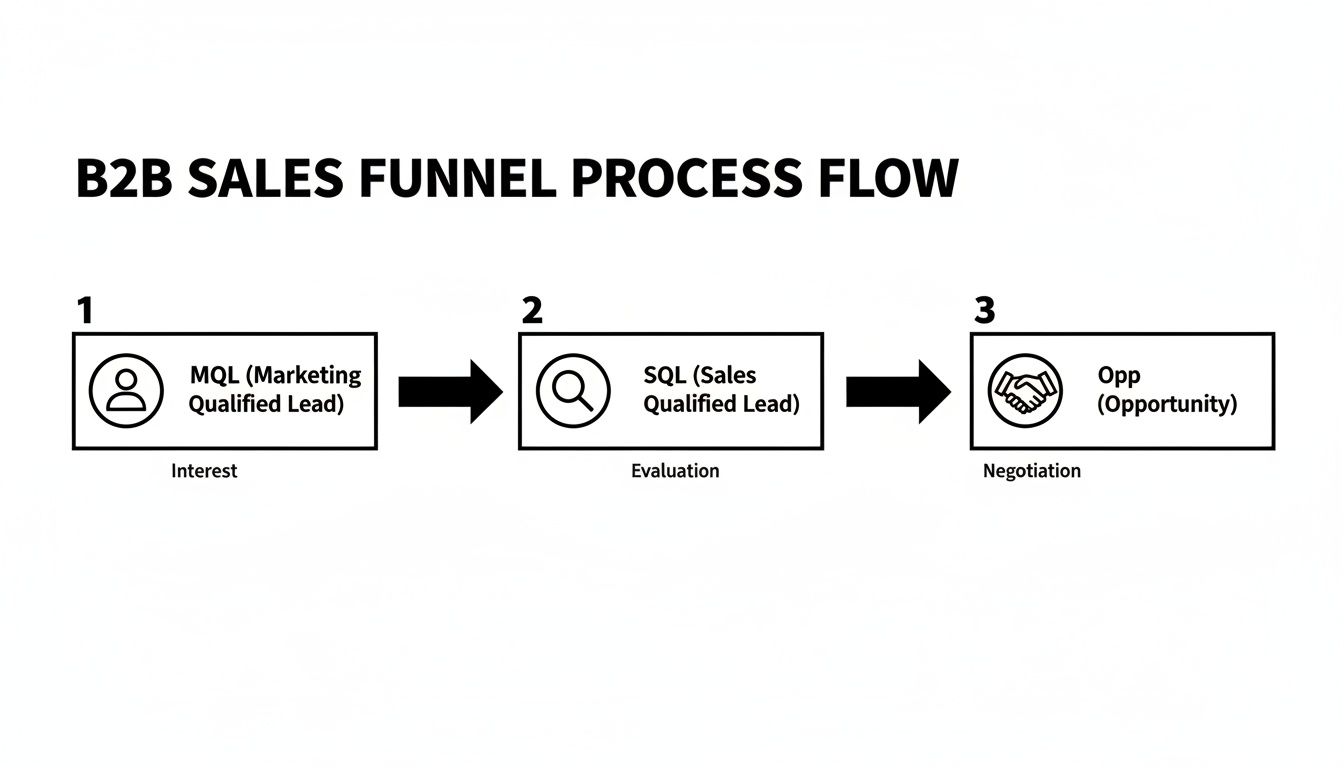
Diagram illustrating the B2B sales funnel process flow with MQL, SQL, and Opportunity stages.

Every one of those arrows is a moment of truth where a lead gets validated and passed deeper into your revenue engine. Get them right, and you have a smooth-running machine. Get them wrong, and everything grinds to a halt.

The two most critical handoffs on this assembly line are:

  1. Marketing to Sales Development (MQL → SQL): This is the first pass. A Marketing Qualified Lead (MQL) is someone who has shown interest by, say, downloading an ebook. The baton is passed to a Sales Development Representative (SDR), who digs in to see if they're a real potential buyer. The SDR checks them against your ideal customer profile—company size, industry, technology used—to turn them into a Sales Qualified Lead (SQL).
  2. Sales Development to Sales (SQL → Opportunity): The SDR's main job after qualifying the lead is to book a meeting. Once that meeting happens and an Account Executive (AE) confirms there's a real project, a clear pain point, and a potential budget, the SQL officially becomes a sales Opportunity. This is where the active, one-on-one sales cycle truly begins.

Getting these handoffs right is the absolute foundation of a predictable revenue engine. Any fumbles here lead to leaky funnels, stalled deals, and a whole lot of friction between your marketing and sales teams.

How to Measure Your Funnel's Performance

You can't fix what you don't measure. That old saying is the gospel in B2B sales. A healthy funnel isn't just about feeling busy; it's about seeing real, measurable progress as a potential customer moves from one stage to the next.

Tracking the right Key Performance Indicators (KPIs) is what turns your funnel from a vague concept into a predictable, data-driven engine for revenue. This isn't about vanity metrics like website traffic. It’s about zeroing in on the critical conversion points where a prospect either moves forward or leaks out.

Think of these metrics as the dashboard for your sales machine. They’ll help you spot a problem long before it torpedoes your revenue forecast.
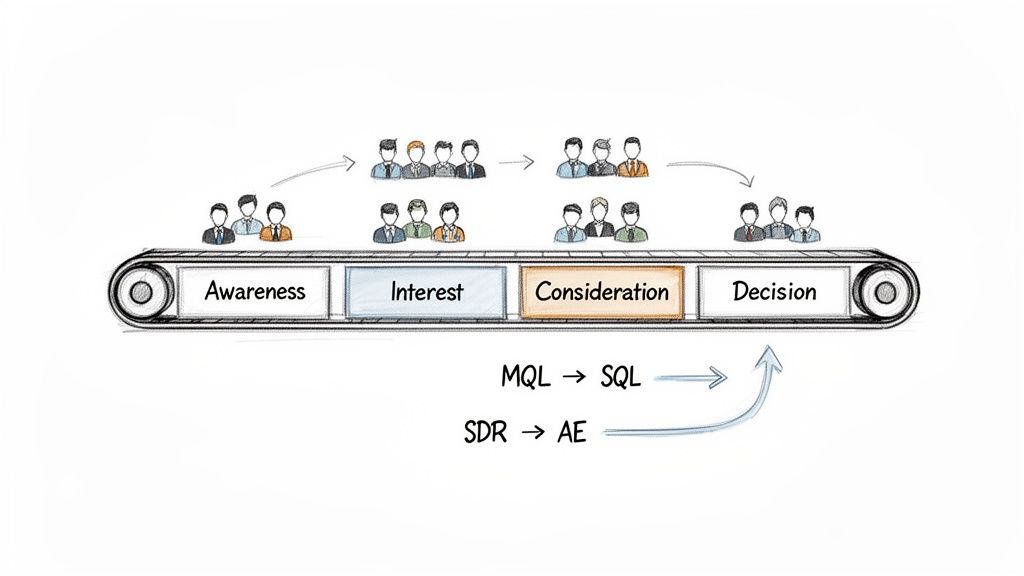
Diagram of a B2B sales funnel on a conveyor belt, showing stages from Awareness to Decision, with lead and role transitions.

Top-of-Funnel Conversion KPIs

The earliest stages of your funnel are almost always the leakiest. It's a numbers game, and measuring your efficiency right from the jump is absolutely critical. Success here means you’re not just attracting an audience—you’re attracting the right audience and doing a good job of capturing their initial interest.

The metric that matters most here is your Visitor-to-Lead Rate. It's simple but powerful: what percentage of unique website visitors take a meaningful action to become a lead? This could be filling out a form, downloading a guide, or requesting a demo. It tells you, point-blank, how compelling your initial pitch is.

Don't be discouraged by the numbers. The B2B world is a tough nut to crack, with average visitor-to-lead rates hovering between just 2% and 5%. That’s because B2B buying cycles are long and complicated, often involving a whole committee of decision-makers. Out of 10,000 visitors to your site, you might only get 200-500 actual leads, which sets a pretty narrow base for the rest of your funnel.

Mid-Funnel Handoff Metrics

Once a lead is in your system, the game changes. Now, it's all about qualification and the critical handoffs between marketing and sales. This is where things so often fall apart, making it non-negotiable to measure the flow.

Your primary KPI here is the MQL-to-SQL Conversion Rate. This tracks the percentage of Marketing Qualified Leads (MQLs) that your sales team actually accepts and qualifies as Sales Qualified Leads (SQLs). If this number is low, you have a massive red flag.

A poor MQL-to-SQL rate almost always points to a fundamental misalignment between marketing and sales. It might mean marketing's lead-scoring model is off, or maybe the sales team has an overly rigid definition of a "good" lead. Fixing this is foundational to building a funnel that can actually scale.

Another one to watch closely is the SQL-to-Opportunity Rate. This measures how many of those qualified conversations turn into a legitimate sales opportunity with a clear need, budget, and timeline. This KPI is a direct reflection of your SDR team's skill in qualifying prospects and booking solid meetings for the Account Executives.

Bottom-of-Funnel Closing KPIs

As a qualified opportunity enters the active sales cycle, your focus shifts again. We're moving away from lead volume and now care about deal velocity and, of course, win rates. These are the metrics that tie directly to your bottom line.

Two KPIs are king at this stage:

  • Opportunity-to-Win Rate: This is the ultimate report card for your sales team's closing ability. It calculates the percentage of qualified opportunities that end up as a closed-won deal. Simple as that.
  • Average Sales Cycle Length: This tracks how long it takes, on average, for an opportunity to go from creation to close. If this number starts creeping up, it can signal friction in your sales process, ineffective negotiation tactics, or even a shift in the market itself.

To help you track these metrics, here's a simple breakdown of each stage and its core KPI.

B2B Sales Funnel Stages and Core KPIs

Funnel StagePrimary GoalCore KPIIndustry Benchmark
Top-of-Funnel (ToFu)Generate awareness and capture initial interest.Visitor-to-Lead Rate2%-5%
Middle-of-Funnel (MoFu)Qualify leads and create sales opportunities.MQL-to-SQL Rate10%-30%
Bottom-of-Funnel (BoFu)Convert opportunities into closed deals.Opportunity-to-Win Rate20%-30%

Tracking these benchmarks gives you a realistic baseline to compare your own performance against.

Whether you're using Salesforce, HubSpot, or another CRM, building a dashboard around these core metrics is essential. It gives you a clear, actionable view of your entire B2B sales funnel so you can see not just what's happening, but why. For a more detailed breakdown, check out our guide on the top KPIs for lead generation.

Finding and Fixing Common Funnel Bottlenecks

Every B2B sales funnel leaks. That’s just a fact of life. The real difference between a top-performing revenue team and an average one isn’t a leak-proof funnel—it’s how fast they find and plug the holes.

These leaks, or bottlenecks, are the friction points where good leads stall out, get lost in the shuffle, or just plain disappear. They’re the silent killers of your forecast.

Think of your funnel like a plumbing system. A clog in one pipe doesn’t just stop the flow there; it builds up pressure and causes problems down the line. A bottleneck in your sales process works the same way. It doesn't just slow down one stage—it starves the next one, creating a ripple effect that hits the one number everyone cares about: revenue.

To fix these issues, you have to look past the obvious symptoms. If your SDRs are missing their meeting quota, the problem might not be with their effort. It could be a mess further upstream.

The Low-Quality MQL Flood

This is one of the most common—and most damaging—bottlenecks. It happens right at the handoff from marketing to sales. Marketing hits their MQL number and celebrates, while the SDR team is drowning in leads that are going absolutely nowhere. It’s not just a waste of time; it's a morale crusher for reps who spend all day disqualifying contacts.

The culprit is almost always a poorly defined MQL. Marketing might be scoring leads based on a single ebook download, but sales needs to talk to people from specific industries who are actually showing signs they want to buy something. You end up with a flood of "qualified" leads that are really just a drain on your SDRs' precious time.

The Actionable Fix: Get marketing and sales in a room (virtual or otherwise) and redefine what an MQL actually is. And don't just talk about it—get it in writing in a Service Level Agreement (SLA).

  • Firmographics: Nail down your Ideal Customer Profile (ICP). What are the non-negotiables? Company size, industry, location—get specific.
  • Behaviors: Agree on what actions signal real intent. A demo request is a blazing hot signal. Reading a blog post is not. Assign different scores to different actions so the hottest leads rise to the top.
  • Disqualification Reasons: Give SDRs a clear, standardized list of reasons in your CRM to explain why a lead was rejected. This creates a feedback loop built on data, not feelings, so marketing can fine-tune their campaigns.

High No-Show Rates for Demos

There are few things more frustrating than a high no-show rate for demos. An SDR grinds to qualify a lead and book a meeting, only for the prospect to ghost them. The Account Executive's calendar slot is wasted, and any deal momentum dies before it can even start.

This usually points to a weak qualification process or a simple failure to build value. If the prospect doesn’t truly get why they should show up or what problem this meeting solves for them, they have zero reason to protect that time on their calendar.

A booked meeting is not the same as a committed meeting. The SDR's job isn't just to get a "yes" for a time slot but to build enough perceived value that the prospect sees the meeting as a priority they cannot miss.

Stalled Mid-Funnel Opportunities

This is maybe the most painful bottleneck of all. A promising deal that felt like a sure thing just… stalls. The prospect goes dark, pushing back meetings and ignoring your follow-ups. This is the pipeline graveyard where deals go to die a slow, painful death, wrecking your forecast in the process.

More often than not, this happens because of a flimsy or non-existent qualification framework. That first discovery call might have felt great, but if the AE didn't dig in and confirm the critical details, they're flying blind. It's a tough world out there—B2B funnel benchmarks show how hard conversions are. Even the top channel, paid search, only converts at 3.2% on average, and B2B tech is even lower at under 2%. This just screams for a rigorous qualification process to avoid chasing deals that were never going to close. You can dig into more data on industry-specific conversion hurdles to see how you stack up.

The Actionable Fix: Bring in a formal qualification methodology. It gives everyone a common language and a checklist to make sure no crucial details are missed during discovery.

FrameworkWhat It IsBest For
BANTA classic framework focusing on Budget, Authority, Need, and Timeline.Simpler, more transactional sales cycles where you can identify these four things pretty easily.
MEDDPICCA more robust framework covering Metrics, Economic Buyer, Decision Criteria, Decision Process, Paper Process, Identify Pain, Campion, and Competition.Complex, high-value enterprise deals with lots of stakeholders and a formal procurement gauntlet.

By using a framework like MEDDPICC, you force your AEs to map out the entire buying process, find their internal champions, and truly understand the economic impact your solution will have. Qualification stops being a simple checklist and becomes a strategic tool for navigating complex deals and keeping them from getting stuck in the mud.

Actionable Strategies to Optimize Funnel Conversion

Knowing where your sales funnel is leaking is one thing. Knowing how to actually patch the holes is something else entirely. This is where the rubber meets the road—where we move from diagnosing problems to deploying fixes that actually work.

Optimizing your funnel isn't about telling your team to work harder. It’s about working smarter, replacing guesswork with data-driven plays that give you an edge at every single stage. The big shift happening right now is moving away from reactive, manual sales tasks and into proactive, intelligent workflows. It's a night-and-day difference.
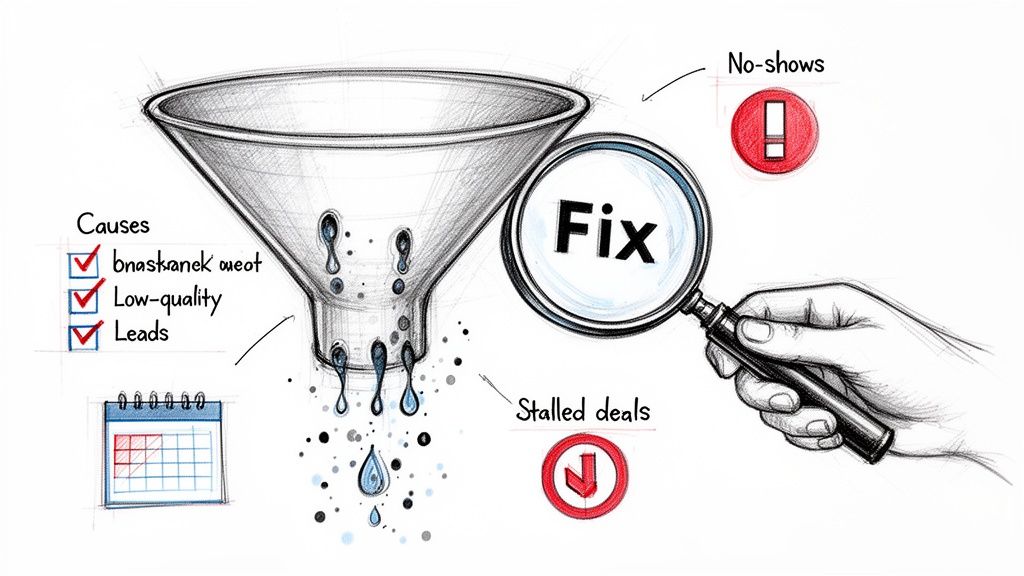
A hand holding a 'Fix' magnifying glass analyzes a leaking sales funnel with low-quality leads, no-shows, and stalled deals.

This image nails it. Low-quality leads, no-shows, stalled deals—these are the symptoms. Targeted optimization is the cure. The goal isn't just to spot these issues but to build a process that stops them from happening in the first place.

From Manual Guesswork to AI-Powered Precision

Think about a typical SDR's morning. They log in, stare at a giant list of leads in the CRM, and start guessing. Who seems like a good person to call? Who might actually open this email? It’s a process fueled by caffeine and gut feelings—slow, inefficient, and wildly inconsistent.

The modern approach completely flips that script. Instead of the SDR asking, "Who should I contact?" an intelligent system tells them. By analyzing real-time buyer intent signals—like someone from a target account revisiting your pricing page or downloading a whitepaper—an AI engine can instantly surface the hottest opportunities and prioritize the SDR's to-do list.

This changes the SDR's job from a glorified list-checker to a strategic closer. The system serves up the "next best action" and provides all the context needed to make the outreach timely and ridiculously relevant.

This directly impacts the metrics that matter most. Sales call conversion rates from qualified leads to closed deals can be all over the map, typically hovering between 13% and 25%. Some simpler industries might see conversions north of 26%, while complex enterprise sales can dip below 9%. An AI-guided process helps close that gap by ensuring your reps spend their precious time only on the accounts ready to talk.

Manual vs. AI-Powered SDR Workflow Comparison

Let's get practical. The difference in the day-to-day grind is huge. A manual workflow is bogged down by admin tasks and constant context switching. An AI-powered workflow is built for speed and relevance.

Here's a quick breakdown of what that actually looks like for your SDRs:

SDR ActivityTraditional Manual ApproachAI-Powered Approach (e.g., marketbetter.ai)
Task PrioritizationReps scroll through CRM views, using gut instinct to pick who to call. This leads to cherry-picking the "easy" leads while high-value ones go cold.The system automatically creates and ranks tasks based on real-time buyer signals and ICP fit. Reps get a clear, prioritized list of the highest-impact actions.
Outreach PersonalizationSDRs burn hours toggling between LinkedIn, the company website, and their email client, trying to craft a personalized message from scratch.AI drafts context-aware emails using account data, news, and persona details. This frees up reps to focus on executing great calls and follow-ups.
CRM Data EntryEvery call, email, and outcome has to be logged by hand. It's tedious, often gets skipped, and leads to a messy CRM with unreliable data.All activities are automatically logged back to Salesforce or HubSpot, ensuring data hygiene is perfect and reporting is accurate.

This isn't about replacing your SDRs; it's about making them superhuman. The AI-powered approach turns their CRM from a dusty old database into a proactive engine that drives relentless, consistent outbound motion.

Embedding Intelligence Directly into Your CRM

The final piece of the puzzle is making all this intelligence dead simple to use. The best tools don't add another tab to your team's browser; they live right inside the CRM where your reps already spend their day.

For example, a platform like marketbetter.ai works as an intelligent layer inside your CRM. When it detects a strong buyer signal, it doesn't just send a Slack notification. It creates a high-priority task directly in the SDR's queue in Salesforce, complete with a pre-drafted email or a call script loaded with key talking points.

This native integration is what drives adoption. When the dialer, task list, and AI assistant are all in one place, the friction just disappears. Reps are faster, managers have a clear view of what’s working, and the entire B2B sales funnel runs like a well-oiled machine. If you want to go even deeper, you can explore our detailed guide on conversion rate optimization best practices.

Unifying Your Funnel from Marketing to Close

A high-performing B2B sales funnel isn’t a series of disconnected stages; it's a single, cohesive revenue machine. We've all seen the classic disconnect: marketing celebrates hitting its MQL target, while the sales team is drowning in low-quality leads that go nowhere.

This friction is more than just annoying. It wastes budget, burns out your team, and lets perfectly good opportunities die on the vine. The fix isn't another round of meetings—it's building a process where seamless collaboration is the only option. It starts by treating the handoffs between teams with the same seriousness as a product launch.

Forging an Ironclad Marketing and Sales SLA

The most common point of failure in any funnel is the handoff from marketing to sales. The best way to patch this leak for good is with a Service Level Agreement (SLA). Think of this less as a dusty legal document and more as a practical, written rulebook that defines the entire engagement and creates mutual accountability.

A weak SLA is vague and just leads to finger-pointing. A strong one is specific, measurable, and lives right inside your CRM.

Actionable Comparison: Weak vs. Strong SLA

ElementWeak SLA (The "We'll Try" Approach)Strong SLA (The Actionable Approach)
MQL Definition"A lead who downloads our content.""A lead from an ICP account (100+ employees, Tech/Finance) who requests a demo or visits the pricing page 3+ times."
Follow-up Speed"SDRs should follow up in a timely manner.""SDRs must attempt first contact within 10 minutes for all demo requests and within 4 hours for all other high-intent MQLs."
Follow-up Depth"SDRs will attempt to contact leads.""SDRs will execute a 10-touch sequence over 14 days (email, call, LinkedIn) before disqualifying a lead for non-response."
Feedback Loop"Sales should let us know if leads are bad.""SDRs must select a standardized 'Disqualification Reason' from a dropdown in Salesforce for every rejected MQL, triggering an automated report to marketing."

This level of detail kills ambiguity. Marketing knows exactly what a "good" lead looks like, and sales has a clear playbook for what to do with it. You can learn more about how to get these systems running by reading about the power of marketing automation workflows.

Mastering the SDR to AE Handoff

The second critical handoff happens when a Sales Development Representative (SDR) passes a qualified opportunity to an Account Executive (AE). A clumsy handoff is a deal killer. It forces the prospect to repeat themselves and makes the AE start from square one, destroying any momentum the SDR built.

The goal is a seamless transition where the AE walks into the first meeting armed with all the context needed to have a strategic conversation, not a basic discovery call.

To make sure nothing gets lost in translation, build a handoff checklist directly into your CRM. Before an opportunity can even be transferred, the SDR has to complete a set of required fields.

The Essential Handoff Checklist

  • Confirmed Qualification Criteria: Don't just say it's "qualified." Show the proof. Was a framework like BANT or MEDDPICC used? The AE needs to see confirmed Need, Authority, and Timeline right in the notes.
  • Key Pain Points: What is the actual business problem they're trying to solve? List the top one or two pains, ideally using the prospect's own words.
  • Critical Business Context: What is the AE walking into? Include details like other stakeholders who have been identified, the software they're using now, and any competitors they've mentioned.
  • Next Steps Confirmed: The meeting must be on the calendar with a clear agenda that the prospect has already seen and agreed to.

By making these fields mandatory in Salesforce or HubSpot, you make it impossible to pass an under-qualified or context-free opportunity. This simple workflow creates accountability and, more importantly, ensures your AEs spend their valuable time on deals that are actually primed to close.

Your Blueprint for a Predictable Revenue Engine
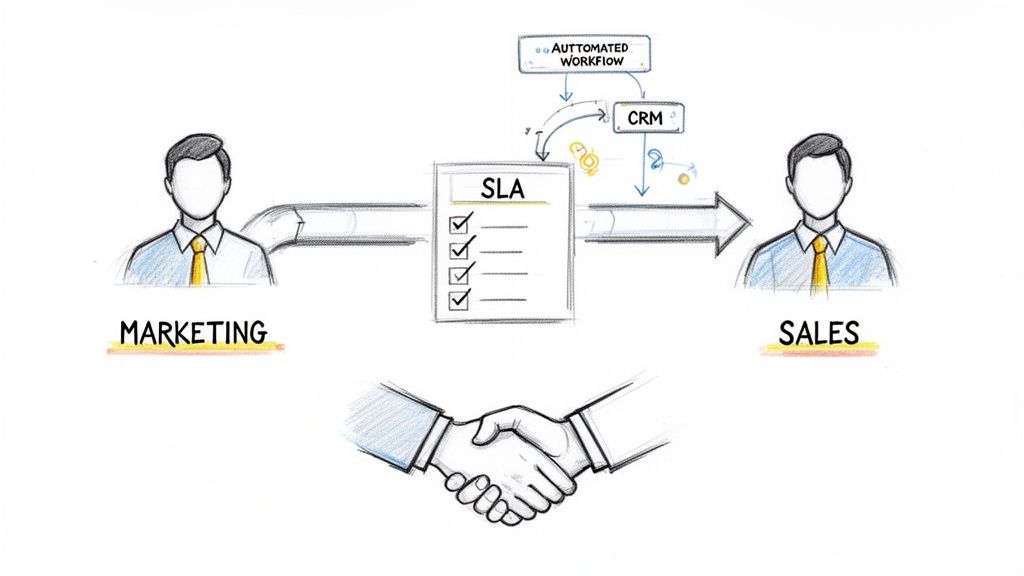
Diagram illustrating marketing and sales alignment through an SLA, automated workflow, and CRM, ending in a handshake.

Building a high-performing B2B sales funnel isn’t a one-and-done project. It’s a constant process of tuning and improvement. Think of it less like a static flowchart gathering dust on a server and more like a predictable revenue engine you’re actively engineering for growth.

That means treating your funnel like a living system. A reactive team waits for deals to stall before asking why. A proactive one is already watching lead quality and conversion rates, spotting bottlenecks before they ever have a chance to form. That mindset shift is everything.

The real goal here is predictability. When you can look at your funnel’s performance and confidently forecast your pipeline, you’ve officially graduated from reactive selling to strategic revenue generation.

To get there, you need a solid framework to improve sales productivity and a clear plan of attack. The blueprint involves a few non-negotiable steps:

  • Map Your Stages: Define every single step of the journey, from the first touchpoint to a closed-won deal. No ambiguity allowed.
  • Define Your KPIs: Settle on the core metrics that tell you if each stage is healthy or bleeding.
  • Diagnose the Bottlenecks: Use your data to methodically find and fix the leaks in your funnel.
  • Optimize & Align: Roll out targeted improvements and, most importantly, make sure marketing and sales are perfectly in sync.

Common Questions from the Field

Revenue leaders are always fine-tuning their funnels. Here are a few questions that come up all the time when building out a high-performance B2B sales machine.

What’s the Real Difference Between a B2B and a B2C Sales Funnel?

The biggest split comes down to two things: complexity and time. A B2C funnel is usually a short, straight line driven by a single buyer making an emotional choice. You're selling to one person, and you're doing it fast.

A B2B sales funnel, on the other hand, is a long, winding road. It involves multiple stakeholders, a logical ROI-based decision, and a whole lot of consensus-building. You're not just trying to convince one person; you're helping an entire buying committee agree on a strategic partnership.

B2C is a sprint to a transaction. B2B is a marathon to a partnership. Your funnel has to be built for the right race.

How Can I Actually Improve My MQL to SQL Conversion Rate?

Getting this handoff right is all about alignment and speed. The first move? Get marketing and sales in a room and hammer out a crystal-clear, shared definition of a "qualified lead." Then, write it down in an SLA so there's no confusion.

Next, take a hard look at your lead scoring. Prioritize actions that scream intent—like a demo request—over basic firmographics. This gets your sales team focused on people who are ready to talk now, not just those who look good on paper. And finally, be fast. The time it takes you to follow up on that initial signal is a massive factor in whether an MQL ever becomes a real conversation.

My Team Practically Lives in Salesforce. Why on Earth Do We Need Another Tool?

That’s exactly the right way to think about it. The goal is never to add another login or another tab to keep open. The best tools don't pull your reps out of their CRM; they work right inside it to make it smarter.

Think of it this way: Salesforce is the map. It holds all the locations, all the data. An intelligent task engine is the GPS. It takes all that raw data on the map and turns it into a prioritized, turn-by-turn to-do list for your reps. It handles the admin grunt work—logging calls, drafting emails—without ever making them leave the CRM. Your team stays focused on selling, your data stays clean, and you actually get the full value out of the system you already pay for.


Ready to turn your CRM from a database into a revenue engine? marketbetter.ai embeds an AI-powered task engine directly into Salesforce and HubSpot, turning buyer signals into prioritized tasks your SDRs can execute instantly. Learn how to build a predictable outbound motion with marketbetter.ai.

B2B Customer Journey Mapping: 5-Stage Framework + Free Template [2026]

· 24 min read

A B2B customer journey map is your attempt to visualize every single interaction a business customer has with your company. Think of it as a strategic roadmap, charting the course from that first flicker of awareness all the way through to post-purchase loyalty. An effective map pinpoints the key touchpoints, decision-makers, and pain points so you can get marketing, sales, and service singing from the same hymn sheet.

Why Most B2B Journey Maps Fail to Deliver

Let’s be honest. A lot of B2B customer journey maps are just pretty documents. They look great in a quarterly meeting, get pinned to a Miro board, and then... nothing. They gather digital dust. The core problem? Teams treat mapping as a one-and-done project instead of a dynamic, actionable playbook.

This static approach fundamentally misunderstands the B2B buying process. It's not a straight line like buying a pair of sneakers; it's a messy, cyclical process involving multiple stakeholders, ridiculously long evaluation cycles, and a tangled web of interactions. A simple, linear diagram can't capture that reality.

Worse yet, many teams just copy-paste B2C mapping techniques. Compare the two: a B2C map might follow one person buying one thing. A B2B map, however, must account for an entire buying committee—from the engineer who will use the product to the CFO signing the check—and each of them has different goals and headaches. You can get a better handle on these groups by exploring different customer segmentation strategies.

The Digital Shift Changes Everything

The way businesses buy has fundamentally changed. Gartner’s research shows that by 2025, a whopping 80% of B2B sales interactions will happen on digital channels. The days of relying solely on face-to-face meetings are over. Today's buyers expect smart, personalized experiences everywhere they look. For more on this, check out the B2B digital transformation insights on linkgraph.com.

This digital-first world makes static maps obsolete the second you finish them. To be effective, a B2B journey map has to be a living, breathing tool. It needs to be plugged into your CRM, marketing automation, and analytics, evolving right alongside your customers.

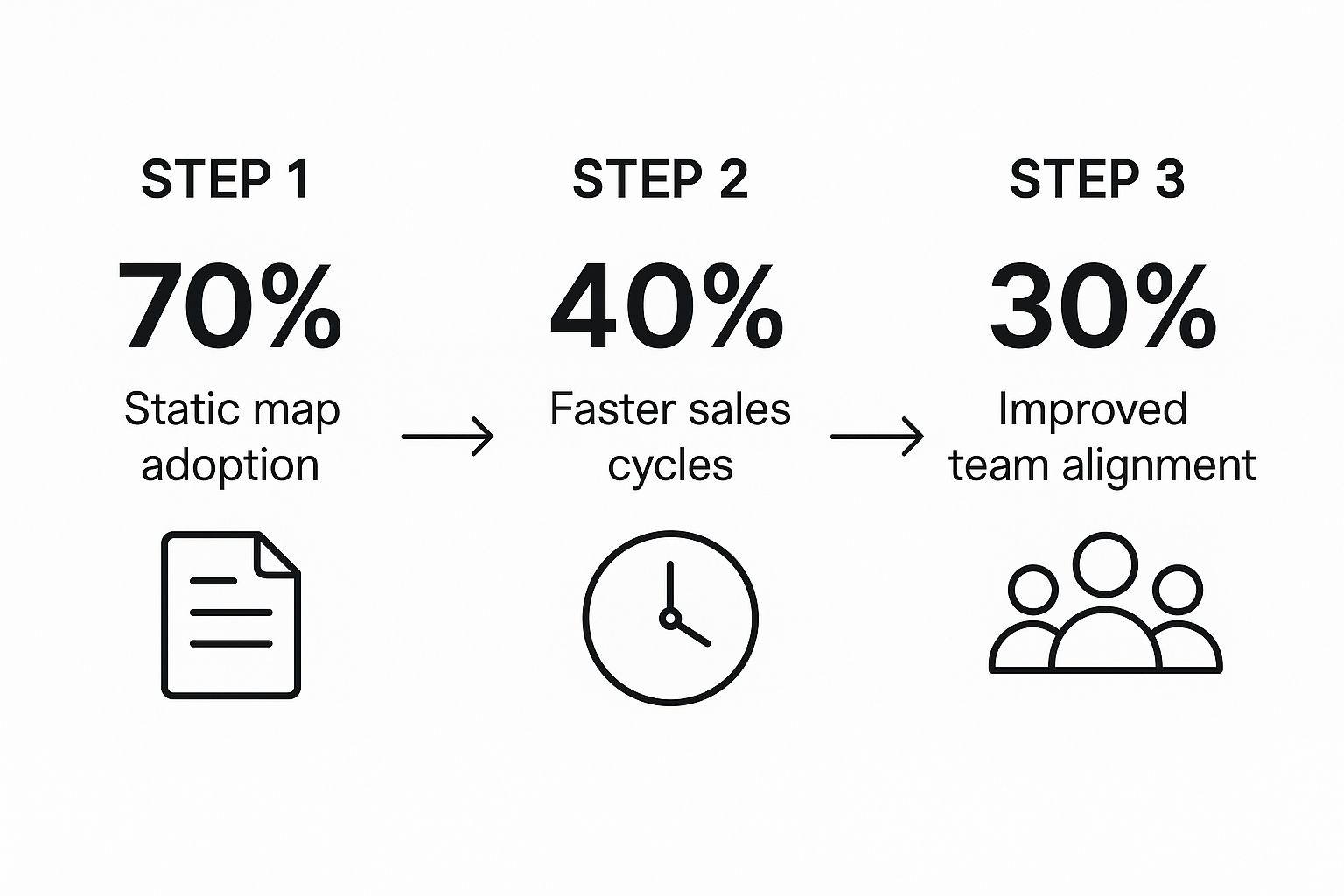
The infographic below really drives home what happens when you move from a static diagram to a dynamic, actionable map.

Infographic about b2b customer journey mapping

As you can see, making that shift isn't just a theoretical exercise—it leads to faster sales cycles and gets everyone on the same page.

From Theoretical Diagram to Revenue Driver

The difference between a map that works and one that doesn't comes down to one word: action. An actionable map doesn't just sit there. It forces conversations and guides your strategy.

A successful journey map is not a deliverable; it’s a decision-making tool. It should provoke questions, challenge assumptions, and guide your marketing, sales, and customer success teams toward a unified goal.

Let’s quickly compare the old way versus the right way.

Outdated vs Actionable B2B Journey Maps

Too many maps are built on guesswork and end up in a forgotten folder. A modern, actionable map is a living tool powered by real data that your entire revenue team can use to spot and fix friction.

CharacteristicOutdated ApproachActionable Approach
FormatStatic PDF or slide deckDynamic, cloud-based platform
Data SourceInternal assumptions, workshopsReal-time customer data (CRM, analytics)
Team FocusSiloed (e.g., marketing-only)Cross-functional (sales, marketing, success)
Primary GoalCreate a "finished" documentIdentify and fix friction points continuously

When you stop treating journey mapping as a box-checking exercise and start seeing it as a dynamic, collaborative tool, it transforms. It goes from a theoretical project to a powerful engine for driving real revenue and keeping customers happy.

Building Your B2B Journey Map From Scratch

Group of people working together on a journey map with sticky notes and diagrams on a whiteboard.

Alright, enough with the theory. This is where the real work of B2B customer journey mapping kicks in. Building a map that actually works isn't some abstract whiteboard session; it’s a hands-on process to create a visual playbook your entire company—from sales and marketing right through to customer success—can rally around.

First thing to accept: the B2B buying process is messy. Forget the idea of a neat, linear path. It’s cyclical, confusing, and dragged out by multiple people with competing agendas. Your map has to reflect that chaos to be of any real use.

It all starts with a crystal-clear business goal and a genuine understanding of the people you’re trying to help.

First Things First: What’s the Point?

Before you touch a single sticky note, you have to answer one simple question: Why are we even doing this? Without a clear objective, your journey map will be a fuzzy, aimless document that gathers digital dust. A map designed to shorten a bloated sales cycle looks completely different from one built to stop new customers from churning.

Compare these two very different goals:

  • Goal A: Shrink the Sales Cycle. Here, your map becomes a magnifying glass for friction. You'll hunt for bottlenecks in the consideration phase, pinpoint where decision-makers get stuck, and scrutinize every single interaction from the demo request to the final signature. Your action item might be to create a "competitor comparison" one-pager for champions.
  • Goal B: Drive Product Adoption After the Sale. This map stretches far beyond the "buy" button. It’s all about the first 90 days—the onboarding experience, initial logins, support tickets, and training webinars. The whole point is to find opportunities to deliver value faster. Your action item could be to launch a targeted email nurture sequence for new users.

Tying your map to a specific, measurable outcome is non-negotiable. It’s what keeps this from becoming just another pretty diagram.

You’re Selling to a Committee, Not a Person

This is one of the biggest traps in B2B mapping: focusing on a single buyer persona. B2B deals are almost never made by one individual. You’re selling to a buying committee, a quirky cast of characters who each have their own worries, motivations, and definitions of "success."

For a typical mid-market software purchase, that committee probably looks something like this:

Stakeholder RoleTheir Big QuestionActionable Content to Create for Them
The End User (e.g., Marketing Manager)"Is this going to make my day-to-day job less painful?"Simple tutorials, interactive product tours, and no-nonsense quick-start guides.
The IT Specialist (e.g., Security Lead)"Is this secure? Will it break our existing tech stack?"Hardcore technical docs, security compliance reports, and clear integration guides.
The Economic Buyer (e.g., CFO/VP Finance)"What's the real ROI here, and what's the total cost?"Transparent pricing, case studies with hard numbers, and a solid business case.
The Champion (e.g., Director of Marketing)"How do I convince my boss to sign off on this?"Shareable slides, competitor smackdowns, and a compelling executive summary.

Your journey map has to chart the parallel—and often conflicting—journeys of every single one of these people. The IT lead could be buried in your API documentation at the exact same moment the CFO is scrutinizing your pricing page. Both are critical touchpoints, and they’re happening at the same time.

A truly effective B2B journey map doesn't just track a company logo. It tracks the individuals inside that company as they stumble toward a collective "yes." Nail these micro-journeys, and you'll win the deal.

This multi-threaded view is what gives you the full picture, not just one narrow slice of it.

Map Every Single Touchpoint—Even the Small Ones

With your goal set and your committee profiled, it's time to map out every single interaction a potential customer has with your brand. And I mean every interaction. A touchpoint isn’t just a visit to your homepage; it’s any moment of engagement, big or small.

Start by brainstorming all the possibilities, then group them into the classic journey stages.

1. Awareness Stage Touchpoints

This is where it all begins. A prospect realizes they have a problem and starts poking around for answers. Your job is to be the most helpful resource they find.

  • Content: They stumble upon a blog post you wrote about a common industry headache.
  • Social Media: A targeted LinkedIn ad catches their eye, or they see a smart post from someone on your team.
  • Events: They sign up for a webinar you’re hosting on a relevant topic.
  • Third-Party Sites: They see your name pop up on a review site like G2 or Capterra.

2. Consideration Stage Touchpoints

Okay, now they’re serious. The committee is actively vetting solutions, comparing features, and trying to figure out who to trust.

  • Website: They’re playing with your pricing calculator or digging into a product comparison page.
  • Sales: The first discovery call happens, or they sit through a personalized demo.
  • Product: They sign up for a free trial or click through an interactive demo.
  • Proof: They download a case study that speaks directly to their industry’s challenges.

3. Decision Stage Touchpoints

We’re in the home stretch. The committee is trying to build internal consensus and de-risk the purchase. The focus shifts from "what it does" to "how we justify it."

  • Paperwork: They’re reviewing your formal proposal and negotiating the contract terms.
  • Security: Your team is fielding questions for a security and compliance review.
  • References: They’re on the phone with one of your happy customers.
  • Kickoff: They have their first onboarding call with your customer success team to plan the rollout.

Plotting these touchpoints visually is what makes the journey tangible. You can literally see how different people engage with you at different times. It also shows you where all your data is coming from—each touchpoint is a source of truth. To get more out of that data, it helps to centralize it. You can learn more about pulling it all together with a customer data platform integration. When you connect these dots, the map starts to tell a real story about the path your customers actually take.

Gathering Data That Reveals the Real Story

A person analyzing charts and graphs on multiple computer screens, representing data collection for a journey map.

A journey map built on assumptions is just a pretty diagram. It’s a work of fiction. To create a tool that actually drives decisions, you need to ground it in real data that shows what your buyers are truly thinking, feeling, and doing. The goal isn't just to collect data, but to gather the right data—a mix of hard numbers and human stories.

This means you have to break down the walls between your data silos. Too often, the goldmine of insights in a CRM is completely disconnected from the behavioral trends in web analytics. When you bring these together, you move from a fragmented view to a unified picture of your buyer's actual path.

It’s not easy, especially as B2B interactions get more complex. While 63% of decision-makers see the growing importance of customer experience, a staggering 88% admit they don’t have the resources or know-how to actually improve their digital journeys. You can discover additional insights into B2B journey tracking to see just how wide that gap is. A data-driven mapping process is exactly what closes it.

Combining Quantitative and Qualitative Insights

The best journey maps are built on two types of data: quantitative (the "what") and qualitative (the "why"). If you only have one, you only have half the story.

Compare the two: a purely quantitative map might show a high drop-off rate on your pricing page, but it can't tell you why people are leaving. A purely qualitative map might be full of compelling anecdotes, but you won't know if those problems are widespread or just one-offs.

The real magic happens when you let these two data types inform each other.

Data TypeWhat It Tells YouActionable Source
Quantitative DataWhat customers are doing at scale.Check Google Analytics, CRM reports, marketing automation logs, and heatmaps.
Qualitative DataWhy customers are doing it—their motivations, feelings, and frustrations.Conduct customer interviews, poll the sales team, analyze support tickets, and send surveys.

For example, your Google Analytics might show that prospects from the finance industry spend an average of only 30 seconds on a key feature page (the what). That's an interesting but incomplete fact.

But after interviewing a few of them, you might discover they found the technical jargon confusing and couldn't see how it applied to their compliance needs (the why). That combined insight is what you can actually act on. Your action item: rewrite the page copy to directly address finance compliance.

Uncovering the "Why" with Human Intelligence

While analytics platforms are essential, some of the most valuable data you'll get for a B2B journey map comes from talking to actual people. Your teams on the front lines—and your customers themselves—hold the keys to the emotional and rational drivers behind every decision.

Here are actionable steps to tap into that human intelligence:

  • Interview Your Sales Team: Your reps live and breathe customer objections. Ask them: "At what point in the deal do prospects get confused?" or "What's the one piece of content that champions always ask for to convince their boss?" They know exactly where deals stall and why.
  • Talk to Customer Support: Support agents are a goldmine for post-purchase pain points. Dig through support ticket logs and look for recurring issues during onboarding or implementation. These are the friction points that lead directly to churn.
  • Speak Directly with Customers: This is non-negotiable. You have to talk to them. Interview new customers who just went through the buying process and, if you can, those who chose a competitor. Ask open-ended questions like, "Walk me through the moment you realized you needed a solution like ours," to uncover their initial triggers.

Capturing direct customer feedback isn't just about collecting quotes; it's about understanding their world. By actively listening, you can build a map that reflects their reality, not just your company's internal process.

These conversations provide the rich, nuanced context that raw numbers simply can't. You can find excellent guidance on structuring these discussions by exploring some real-world Voice of the Customer examples. It’s how you ensure your map is built on a foundation of genuine empathy.

Choosing the Right Journey Mapping Tools

A digital dashboard showing various journey mapping tools and analytics charts.

Alright, you've set your goals and done the hard work of gathering data. Now for the fun part: picking the right tech to bring your B2B customer journey mapping to life. This is a critical decision. The right software turns your map from a static diagram that's outdated the second you finish it into a living, breathing tool that actually helps you make better decisions.

The market for these tools is packed, but they really boil down to three main types. Each one serves a different purpose, and the best fit for you will come down to your team's size, budget, and just how complex your sales cycle really is.

Collaborative Whiteboards: Flexible and Visual

First up are the digital whiteboards. Think of platforms like Miro or Mural. These are essentially giant, endless canvases where your team can get together, throw virtual sticky notes around, and sketch out the customer journey from the ground up.

Their biggest selling point is pure flexibility. You're not boxed in by rigid templates, which makes them absolutely perfect for those initial workshops and brainstorming sessions when you're still just trying to figure out the basic stages and touchpoints. They're built for real-time, cross-functional teamwork.

But that strength can also be a weakness. Compare this to a data-driven tool: these maps are built by hand. They won't automatically suck in live data from your CRM or analytics tools. That means they're just a snapshot in time and need constant manual updates to stay useful.

  • Best For: Teams who are brand new to journey mapping, running initial discovery workshops, or just need to visualize a high-level flow.
  • Key Challenge: The lack of direct data integration means maps can get stale fast if you're not disciplined about keeping them updated.

Dedicated Journey Mapping Platforms: Structured and Insightful

Next, you have dedicated journey mapping platforms like Smaply or TheyDo. These tools are purpose-built for one thing: creating, managing, and analyzing customer journeys in a structured way. They come with templates and frameworks designed specifically for mapping out touchpoints, customer emotions, pain points, and opportunities.

Compared to a free-for-all whiteboard, these platforms enforce a more disciplined process. They often have features for building out detailed personas, tying specific journeys to business goals, and pinpointing those crucial "moments of truth." Many can even pull in qualitative feedback from surveys or support tickets, which adds a layer of real-world proof to your map.

The tradeoff? A steeper learning curve and a higher price tag. These are specialist tools for teams who are serious about making journey mapping a core business function. It's less about freeform brainstorming and more about building a systematic, scalable library of customer insights.

A dedicated mapping platform transforms your journey map from a simple picture into a structured database of customer experience insights. It's the right move when you're ready to make this a core, ongoing business process.

All-in-One Analytics and CRM Suites: Data-Rich and Action-Oriented

Finally, we have the all-in-one giants like HubSpot or Salesforce Marketing Cloud. While they aren't just journey mapping tools, their real power comes from tracking and visualizing the journey using actual, live customer data. These systems automatically log every touchpoint—email opens, website visits, content downloads, and sales calls.

This gives you a journey map that is inherently data-driven and always current. You get to see the real paths customers are taking, not just the ones you sketched out in a meeting. The huge benefit here is the direct line from insight to action; you can trigger automated marketing campaigns or sales tasks right from what you learn in the journey.

The main limitation is that these platforms are much better at telling you the "what" (the quantitative data) than the "why" (the qualitative insight). They’ll show you a prospect fell off the map, but they won’t capture the frustration or confusion that caused it. To get the full picture, you almost always have to pair this data with qualitative feedback you've gathered elsewhere.

Making the Right Choice: A Comparative Look

Choosing your tool isn't about finding the "best" one on the market. It's about finding the one that fits what you need right now and where you want to go. A small startup might kick things off with a collaborative whiteboard to get the whole team on the same page, while a big enterprise might need an all-in-one suite to wrangle its complex, multichannel customer interactions.

To make it easier, here's a quick overview of how the different software categories stack up.

Comparison of B2B Journey Mapping Tool Types

Tool TypeBest ForKey FeaturesExample Platforms
Collaborative WhiteboardsInitial workshops, creative brainstorming, and high-level flow design.Infinite canvas, real-time collaboration, drag-and-drop templates.Miro, Mural
Dedicated Mapping PlatformsCreating structured, detailed, and scalable journey repositories.Persona builders, structured templates, insight management, basic integrations.Smaply, TheyDo
All-in-One Analytics & CRM SuitesBuilding dynamic, data-driven maps tied directly to marketing and sales execution.Deep CRM integration, real-time behavioral tracking, marketing automation triggers.HubSpot, Salesforce

At the end of the day, the tool should serve your strategy, not the other way around. Figure out exactly what you want to accomplish first, and then pick the software that will help you see, understand, and act on your B2B customer journey most effectively.

Turning Your Map Into Measurable Results

So you've built your B2B customer journey map. Nice work. But let’s be honest: a map that just hangs on a wall or gets buried in a Google Drive folder is a waste of everyone's time.

The real value isn't in the diagram itself. It's in using that diagram to drive strategic actions that show up in your P&L. A map that guides your daily decisions is a revenue engine. Now it's time to translate those insights into impact.

Finding the Friction Points and Content Gaps

Think of your journey map as a diagnostic tool. Its main job is to show you where the buying process grinds to a halt or breaks down completely. You're not just looking at the touchpoints; you're hunting for the painful, momentum-killing gaps between them.

Maybe your map shows the technical evaluator downloading a whitepaper (a marketing win!) but then waiting a full week before sales ever reaches out. That gap is pure friction. Why the delay? Was the handoff process broken? Did the whitepaper fail to inspire any real urgency?

This is where you have to compare the ideal versus the real journey:

  • Ideal Journey: The evaluator reads the paper, is blown away by its technical depth, and immediately clicks the embedded link to request a demo.
  • Actual Journey: The evaluator reads the paper, has a few unanswered questions, gets pulled into another project, and the initial spark is gone.

The most powerful insights from a journey map don't come from tracking successful touchpoints, but from identifying and quantifying the moments of friction. Each one is a golden opportunity to improve the buyer experience and shorten the sales cycle.

Your analysis will also shine a light on glaring content gaps. Does your map show the CFO stepping in at the decision stage, yet you have zero content that speaks their language—ROI, total cost of ownership, financial risk? That’s a content gap your map just handed you on a silver platter. Your action item: create a downloadable ROI calculator and a case study focused on financial outcomes.

Connecting Your Actions to Business Outcomes

Once you’ve pinpointed the friction and the gaps, the next move is to develop concrete actions and tie them to specific business metrics. This is what separates a fuzzy academic exercise from a revenue-driving strategy. Without that connection, your efforts are just guesswork.

Let’s compare a vague observation with a sharp, metric-driven initiative.

Vague ObservationActionable Initiative
"Our onboarding process seems confusing for new customers.""Implement an interactive, in-app product tour during the first 7 days to reduce support tickets by 20% and improve our 30-day user retention rate."
"Sales and marketing aren't aligned on lead quality.""Redefine the MQL-to-SQL handoff criteria based on journey map insights (e.g., prospects who view the pricing page twice) to increase the SQL conversion rate by 15%."

See the difference? Each action is specific, measurable, and hooks directly into a real business outcome like customer retention or conversion rate. This is how you turn your map from a picture of the past into a concrete plan for the future.

Unlocking Personalization and Attributing Revenue

A detailed journey map is a goldmine for personalization that actually works. When you understand the distinct paths different members of the buying committee take, you can stop blasting generic messages and start delivering tailored content at the perfect moment.

The IT manager gets a security-focused email. The finance lead sees an ad about proven ROI.

This level of precision has a direct and measurable impact on revenue. We’ve seen it firsthand: a precisely targeted LinkedIn ad campaign, informed by journey insights, influenced 35% of new business deals and delivered a 113% Return On Ad Spend (ROAS). Compare that to a less-targeted campaign on another platform, which contributed to just 2% of deals with a pathetic 29% ROAS.

That massive difference shows why connecting detailed journey mapping directly to revenue attribution is non-negotiable. You can dig into more data on how B2B customer journeys directly influence revenue on dreamdata.io. Understanding the journey isn't just about making buyers happy—it's about making smarter investments that generate real returns.

Your map should be the guide for these big strategic decisions. Use it to answer the tough questions:

  • Which channels are actually reaching our economic buyers?
  • What content is most influential during the technical evaluation phase?
  • Where should our sales team jump in for maximum impact?

When you let the map guide everything from ad spend to sales outreach, you create a cohesive and brutally effective buying experience. This is how your B2B customer journey mapping effort becomes a powerful, measurable driver of business growth, directly impacting conversion rates, sales cycle length, and ultimately, customer lifetime value.

Free Tool

Try our Lookalike Company Finder — find companies similar to your best customers in seconds. No signup required.

Common Questions We Hear About B2B Journey Mapping

Even with the best plan in hand, you're going to hit a few roadblocks when building out your first B2B journey map. It’s totally normal. Getting the answers right is what separates a map that actually drives your strategy from one that just ends up as a pretty PDF in a forgotten folder.

Here are a few of the most common questions that pop up and how we've learned to tackle them.

How Often Should I Update My Journey Map?

Think of your journey map less like a framed picture and more like a live dashboard. It's a snapshot in time, and time moves on. Markets shift, your product gets new features, and your buyers' expectations are always climbing. A map from six months ago might already be dangerously out of date.

Here's an actionable schedule:

  • Quarterly: Conduct a major review and refresh of the entire map.
  • Immediately: Revisit the map when a significant event occurs, like a major product launch, entering a new market, or a competitor's big move. This keeps it relevant and, more importantly, actionable.

What’s the Single Biggest Mistake to Avoid?

Easy. Building the map based entirely on internal assumptions.

I’ve seen it happen a dozen times: a team gets together in a conference room, grabs a whiteboard, and starts guessing what the customer journey looks like. What they end up with isn't a customer journey map at all—it's a map of their own internal sales process. It reflects how they want to sell, not how their customers actually buy.

The fix is simple but non-negotiable: ground every single touchpoint and pain point in real data. Use your CRM and analytics for quantitative insights, but the real gold comes from qualitative feedback from actual customer interviews. A map built on evidence is a tool; a map built on guesswork is just a fantasy.

How Do I Map for Multiple Buyer Personas?

This one trips people up all the time, especially in B2B where you're selling to a buying committee of five different people. Trying to cram the CFO, the IT Lead, and the end-user all onto one giant, chaotic map is a recipe for disaster. It becomes useless to everyone.

Here’s a much cleaner, actionable approach.

  1. Create a Foundational Master Journey: Start by outlining the core stages everyone goes through (Awareness, Consideration, etc.). This is your skeleton.
  2. Use Persona "Swimlanes": For each key persona, create a separate horizontal lane on the map. This lets you clearly see how the IT Lead's journey overlaps with the main path and, crucially, where it diverges.
  3. Pinpoint Unique Needs: In each swimlane, document the unique pain points, questions, and decision criteria for that persona at each stage. This gives you the clarity you need to engage each stakeholder effectively.

Ready to move beyond static diagrams and build a dynamic, data-driven journey map that drives real results? marketbetter.ai integrates your customer data, content creation, and campaign analytics into one AI-powered platform, giving you a live view of your B2B customer journey. Optimize every touchpoint with marketbetter.ai.