2 posts tagged with "ai content creation"

View All Tags

The 12 Best AI Tools for Content Creation in 2025 (Ranked & Reviewed)

· 33 min read

The right AI tools can dramatically accelerate your content creation process, transforming how marketing professionals, sales teams, and entrepreneurs produce everything from ad copy to video scripts. The challenge isn't a lack of options; it's navigating a crowded market to find solutions that genuinely match your team's workflow, budget, and specific content needs. Simply picking the most popular tool isn't enough. You need an actionable strategy to integrate these platforms effectively, avoiding the common pitfall of adopting software that gathers digital dust.

This guide moves beyond generic feature lists to provide a comprehensive analysis of the best AI tools for content creation. We offer an honest assessment of each platform's core capabilities, ideal use cases, and limitations. Before diving into specific tools, it's helpful to gain a clear baseline for understanding what AI-generated content is and how it's defined in practice. This context is crucial for evaluating which tools will best serve your strategic goals, whether you're a demand generation manager scaling campaigns or a VP of Sales equipping your team with better outreach materials.

Our goal is to help you make informed decisions quickly. For each tool reviewed, you will find:

  • Practical Use Cases: Real-world scenarios for marketing, sales, and operational tasks.
  • Strengths & Weaknesses: A balanced look at what each platform excels at and where it falls short.
  • Pricing & Enterprise Readiness: Clear information to help you evaluate scalability and budget fit.
  • Actionable Tips & Comparisons: Specific advice on how to use each tool effectively and how it stacks up against competitors.

We'll compare key players like Jasper and Copy.ai for text generation, evaluate visual content powerhouses such as Canva and Adobe Firefly, and explore video creation with Descript and Runway. Let's find the right AI content stack for your business.

1. marketbetter.ai

Best for: Integrated GTM & Revenue Generation

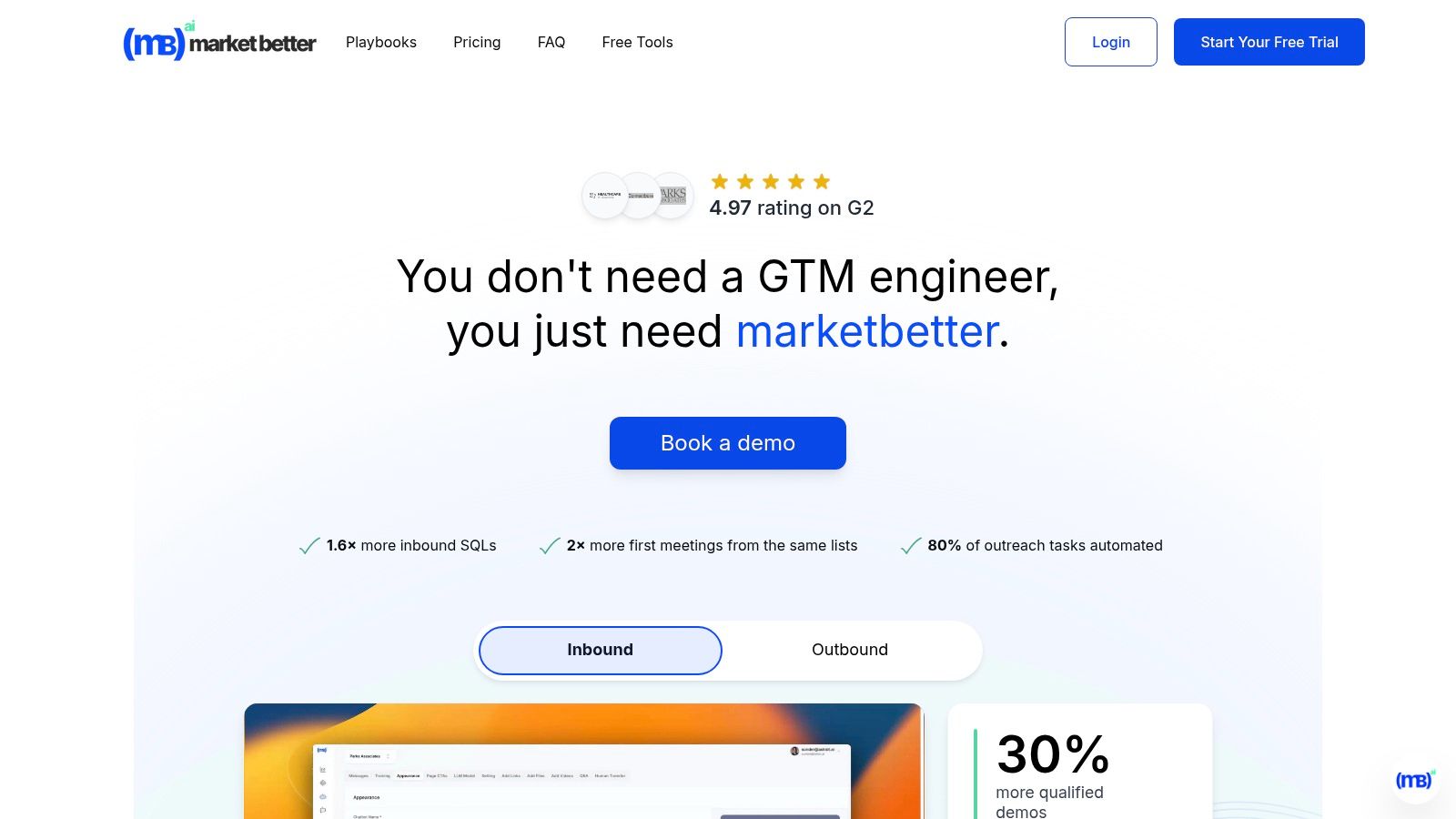
MarketBetter.ai stands out as more than just a content tool; it's a comprehensive AI-native Go-To-Market (GTM) platform that unifies content creation with sales outreach, campaign optimization, and real-time analytics. While many of the best AI tools for content creation, such as Jasper or Copy.ai, focus solely on generating text or visuals, MarketBetter positions content as a core component of a unified "AI Revenue Engine." This makes it an exceptional choice for mid-market and enterprise B2B teams looking to eliminate tool sprawl and directly connect content efforts to pipeline and revenue.

The platform’s key differentiator is its integrated approach. Instead of using one tool for blog posts, another for social copy, a third for email sequences, and a fourth for analytics, MarketBetter combines these functions. It automates prospect research, generates personalized outreach sequences, and triggers touchpoints based on on-site user intent, dramatically reducing manual work. This holistic system provides a unified view of the customer journey, enabling clearer attribution and faster, more relevant follow-ups.

Key Features and Use Cases

  • AI-Powered Content & Outreach: Generate personalized email sequences, ad copy, and sales collateral tailored to specific accounts and personas. The system automates follow-ups, with users reporting up to 70% fewer manual outreach tasks.
  • Unified Analytics & Intent Detection: Its real-time dashboard connects content performance directly to pipeline metrics. The platform can identify anonymous website visitors, enrich account data, and trigger sales alerts based on buying intent signals.
  • Frictionless Integrations: MarketBetter offers no-extra-cost integrations with essential platforms like Salesforce, HubSpot, Slack, and LinkedIn Ads. Setup is fast, with a tracking code and CRM connection enabling live operation in minutes.
  • Enterprise-Ready Security: The platform includes robust security features, including data encryption in transit and at rest, detailed audit logs, and privacy compliance, making it suitable for enterprise-grade deployments.

Actionable Tip

To maximize ROI, connect MarketBetter to your CRM and primary ad platforms (e.g., LinkedIn Ads) during onboarding. Use the intent data to create a dynamic audience of high-fit, in-market accounts. Then, deploy an AI-generated, multi-touch campaign that combines automated email sequences with targeted ads for a unified, high-impact approach.

Pros & Cons

ProsCons
All-in-One Platform: Reduces tech stack bloat by combining content, outreach, and analytics.Opaque Pricing: Geared toward mid-market/enterprise; smaller teams must book a demo for cost details.
Proven ROI: Strong G2 ratings (4.9/5) and case studies show measurable lifts in SQLs, meetings, and campaign performance.Data Privacy Considerations: IP-based identification requires teams to validate compliance with regional regulations.
High Automation: Significantly cuts manual tasks for sales and marketing teams, freeing them up for strategic activities.
Rapid Implementation: Designed for quick time-to-value with seamless, out-of-the-box integrations.

Pricing: A free trial and demo are available. Pricing is customized for mid-market and enterprise teams, so contacting sales is required.

Website: marketbetter.ai

2. Jasper

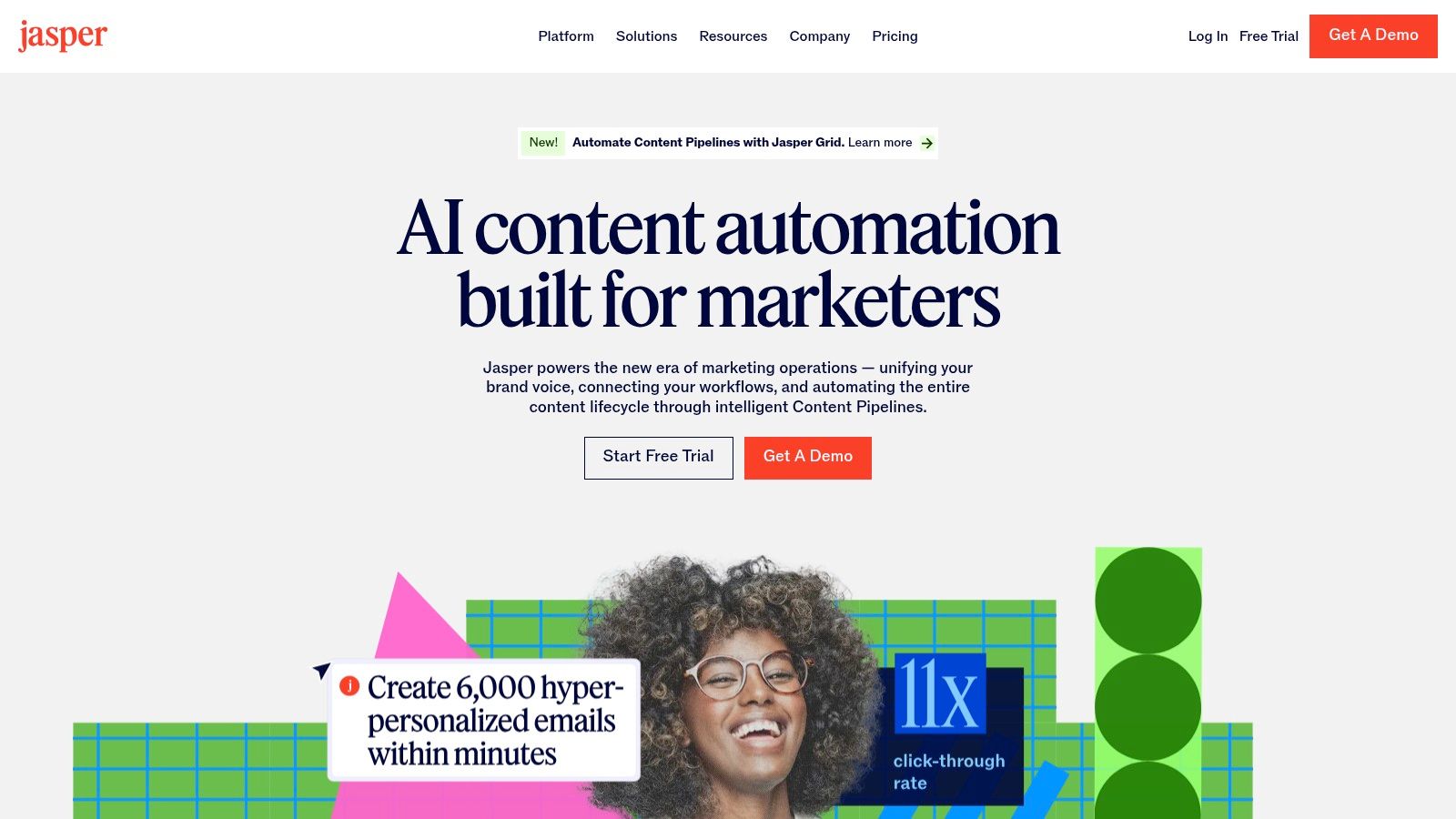
Jasper has carved out a significant niche as one of the best AI tools for content creation, specifically tailored for marketing teams aiming for brand consistency at scale. Unlike more generalist AI writers like Copy.ai that offer multi-model flexibility, Jasper's entire platform is built around a "Brand Voice" and "Knowledge" system. This allows you to upload style guides, product catalogs, and company facts, ensuring that every piece of content aligns perfectly with your established brand identity. It moves beyond simple prompt-and-response, functioning more like an in-house content assistant that already knows your rules.
Jasper

The platform's standout feature is its campaign-centric workflow, which is a major differentiator from competitors. The "Canvas" feature lets teams collaboratively brainstorm and generate a suite of related assets for a single campaign in one interconnected space. This cohesive approach is ideal for demand generation managers and CMOs who need to orchestrate multi-channel marketing pushes efficiently. Its focus on team-based governance and workflows makes it a powerful choice for organizations looking to formalize their AI adoption.

Key Details & Use Cases

  • Best For: Marketing teams, demand generation managers, and enterprises needing strict brand governance and collaborative content workflows.
  • Pricing: Starts with the Creator plan at $49/month per seat. The Pro plan (starting at $69/month per seat) adds Brand Voices and collaboration features. The Business plan offers advanced features like API access and is based on custom pricing.
  • Unique Feature: The Brand Voice capability is exceptionally robust. You can train it by scanning your website or uploading documents, making it highly effective at capturing a specific tone and style.
  • Actionable Tip: To maximize Jasper's value, invest time upfront to thoroughly build out your Brand Voice and Knowledge Base. This initial setup is crucial for generating high-quality, on-brand content consistently. For your next campaign, use the Canvas to generate a blog post outline, then pull key messages from it to instantly create social media copy and ad headlines in the same document. You can explore this topic further and learn more about scaling your content marketing with Jasper on marketbetter.ai.
ProCon
Excellent for maintaining brand consistency.Per-seat pricing model can become costly for large teams.
Strong focus on collaborative workflows.Core enterprise features are gated behind custom pricing.
Purpose-built for marketing campaigns.Less of a "jack-of-all-trades" tool than some competitors.

Website: https://www.jasper.ai

3. Copy.ai

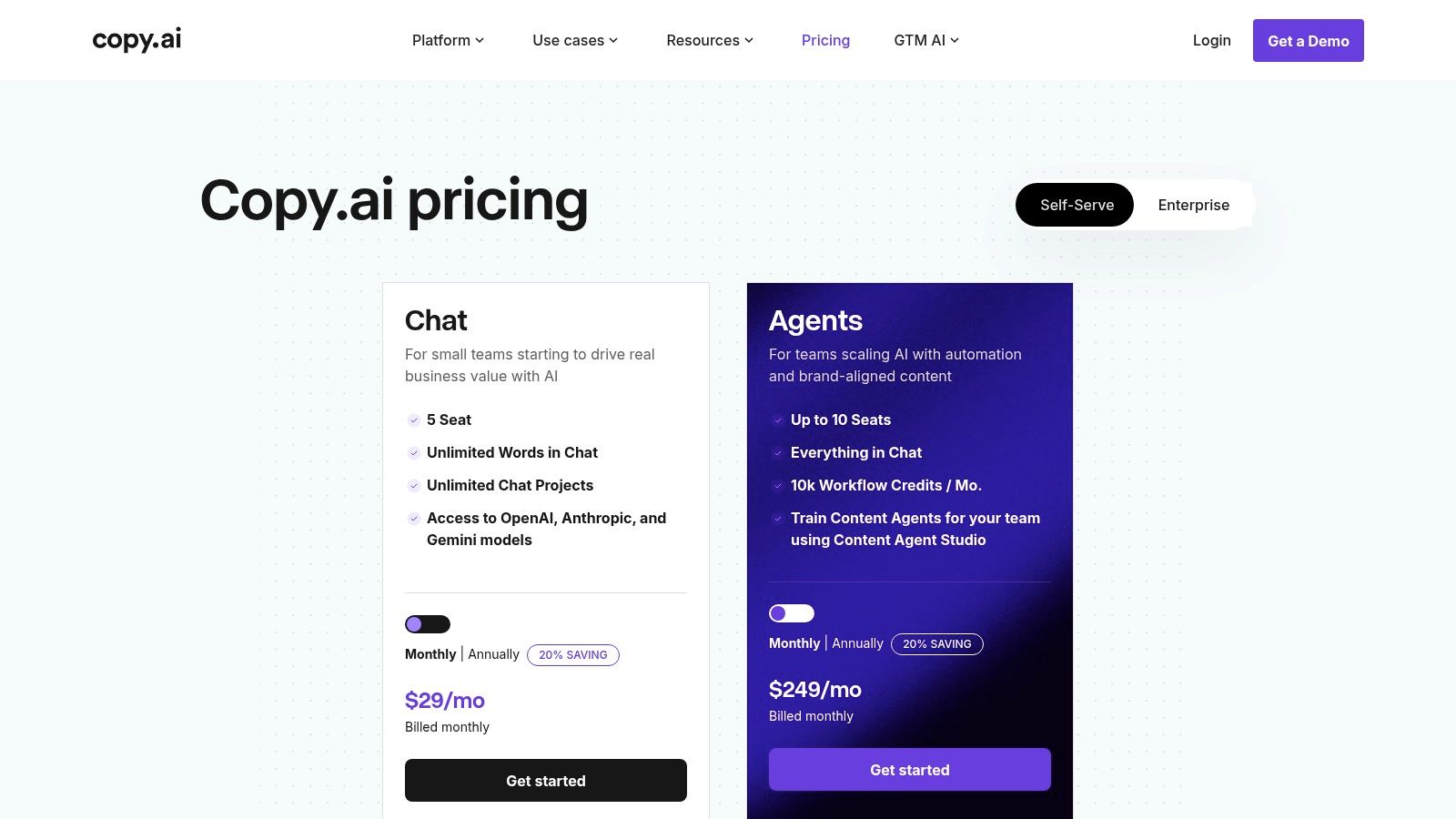
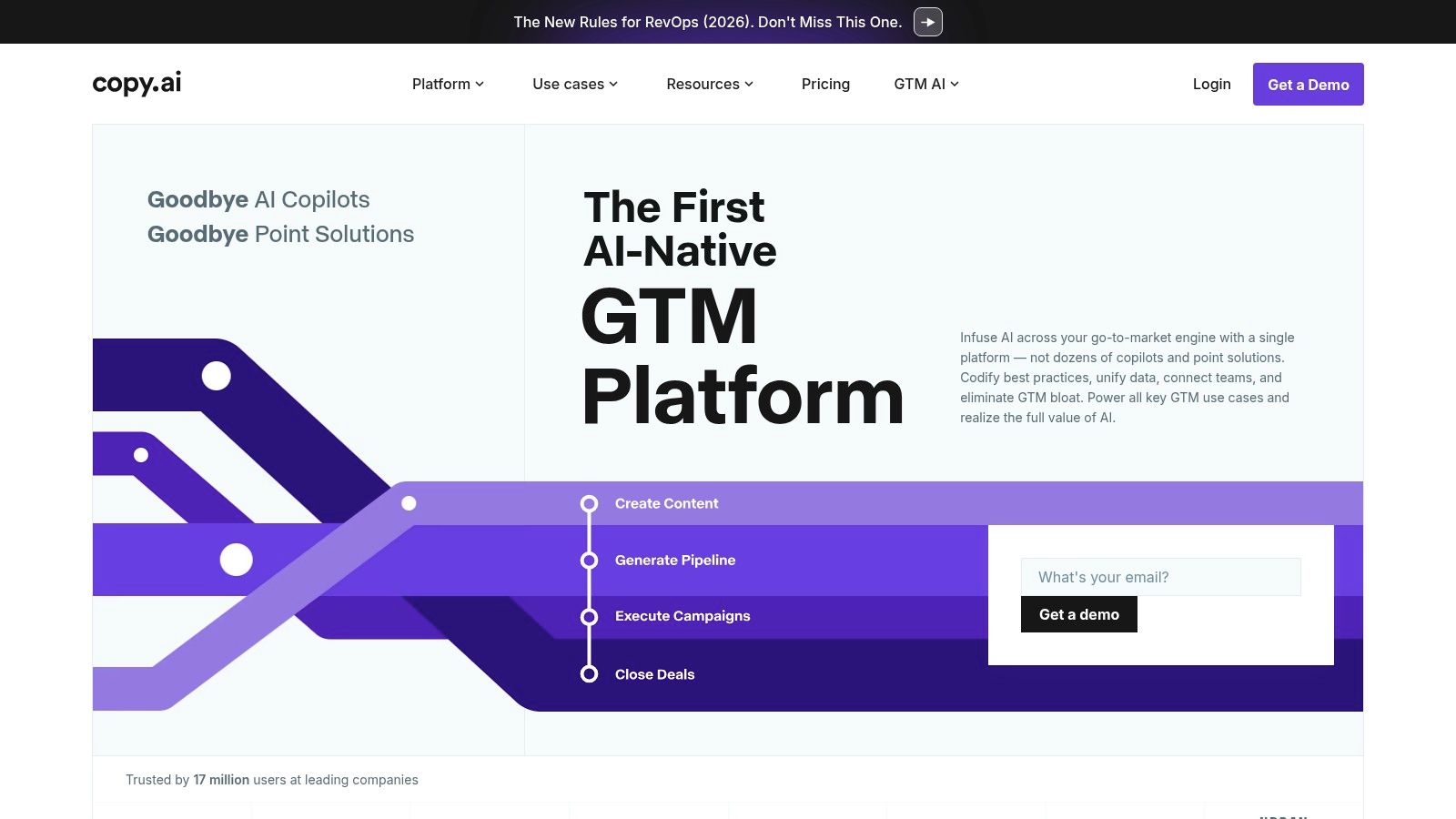
Copy.ai positions itself as a highly accessible and versatile AI content platform, making it one of the best AI tools for content creation for teams prioritizing speed and flexibility. Unlike platforms like Jasper that lock users into a single proprietary model, Copy.ai provides access to multiple leading LLMs, including models from OpenAI, Anthropic, and Google Gemini, all within one interface. This multi-model approach allows teams to select the best engine for a specific task, from generating creative marketing copy to drafting technical product descriptions, without needing multiple subscriptions.
Copy.ai

The platform's strength lies in its approachable workflow builder and the innovative "Content Agent Studio." While other tools focus heavily on brand voice, Copy.ai empowers users to build and train custom AI agents for repeatable tasks. This is ideal for SMBs and marketing teams that need to automate content processes, like generating weekly SEO-optimized blog posts or repurposing webinar transcripts into social media content, with minimal technical overhead. This focus on user-built automation and model flexibility sets it apart from more structured, brand-centric platforms like Jasper.

Key Details & Use Cases

  • Best For: SMBs, startups, and agile marketing teams that need a fast, flexible tool for diverse content generation without a steep learning curve.
  • Pricing: Starts with a Free plan. The Pro plan is $49/month for 5 seats. The Team plan is $249/month for 20 seats and adds more workflow credits. Enterprise plans offer advanced features and custom pricing.
  • Unique Feature: The Workflow Builder combined with multi-model access is a key differentiator. It allows you to chain prompts and select different AI models for each step of a content workflow, offering unparalleled customization.
  • Actionable Tip: Start by identifying a high-volume, repetitive content task, such as writing product descriptions or social media updates. Use the Workflow Builder to create a simple, automated process for this task. For instance, create a workflow that takes a product name as input, generates a description using OpenAI's model, and then creates a promotional tweet using Anthropic's model for a different tone.
ProCon
Low entry price for small to medium-sized teams.Seat limits per plan can raise costs as the team scales.
Flexible access to multiple best-in-class AI models.Advanced automation (Agents) is locked into higher-tier plans.
Fast setup with guided onboarding and simple UI.Brand voice controls are less robust than enterprise-focused competitors.

Website: https://www.copy.ai

4. Canva (Magic Studio)

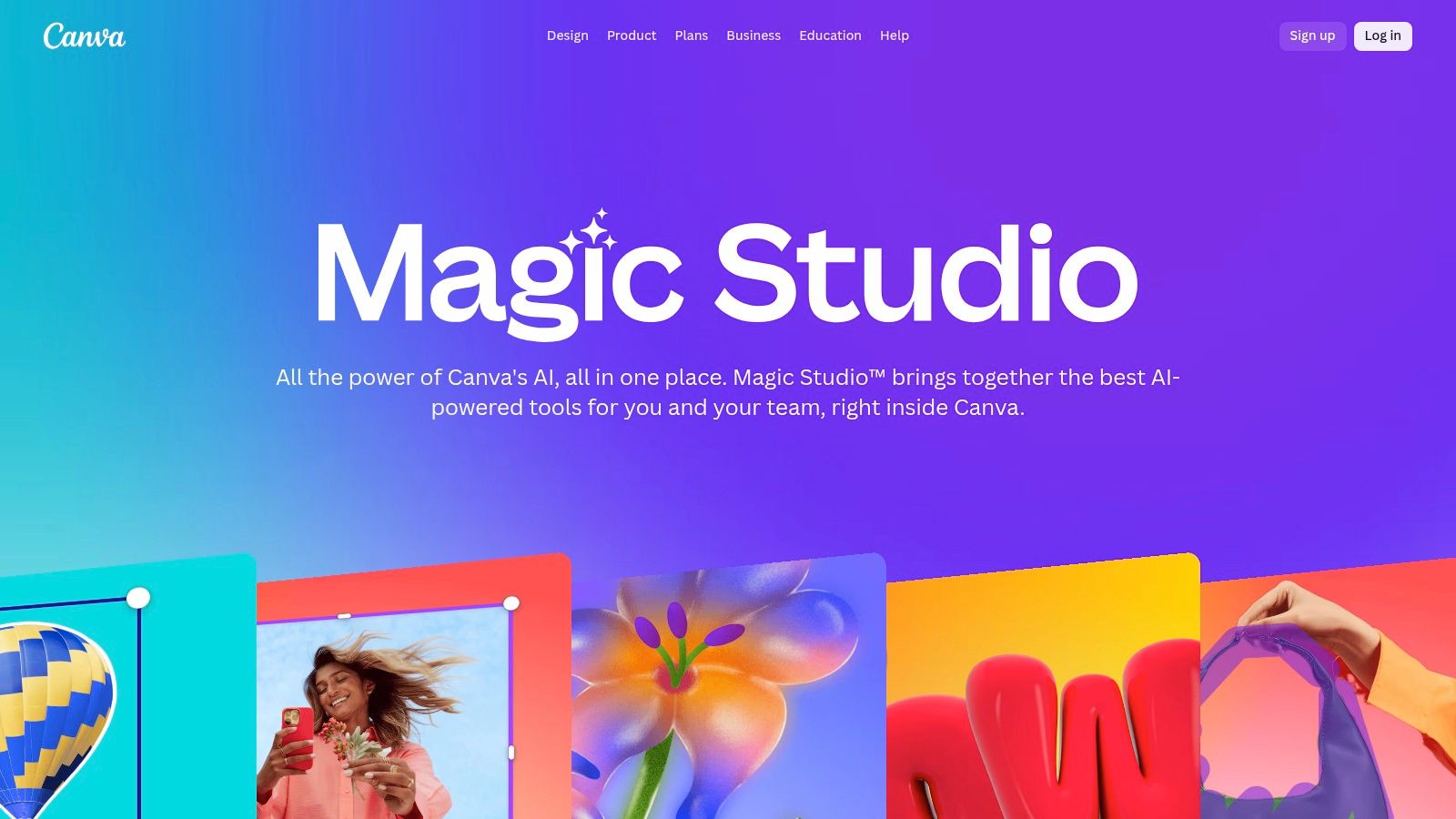
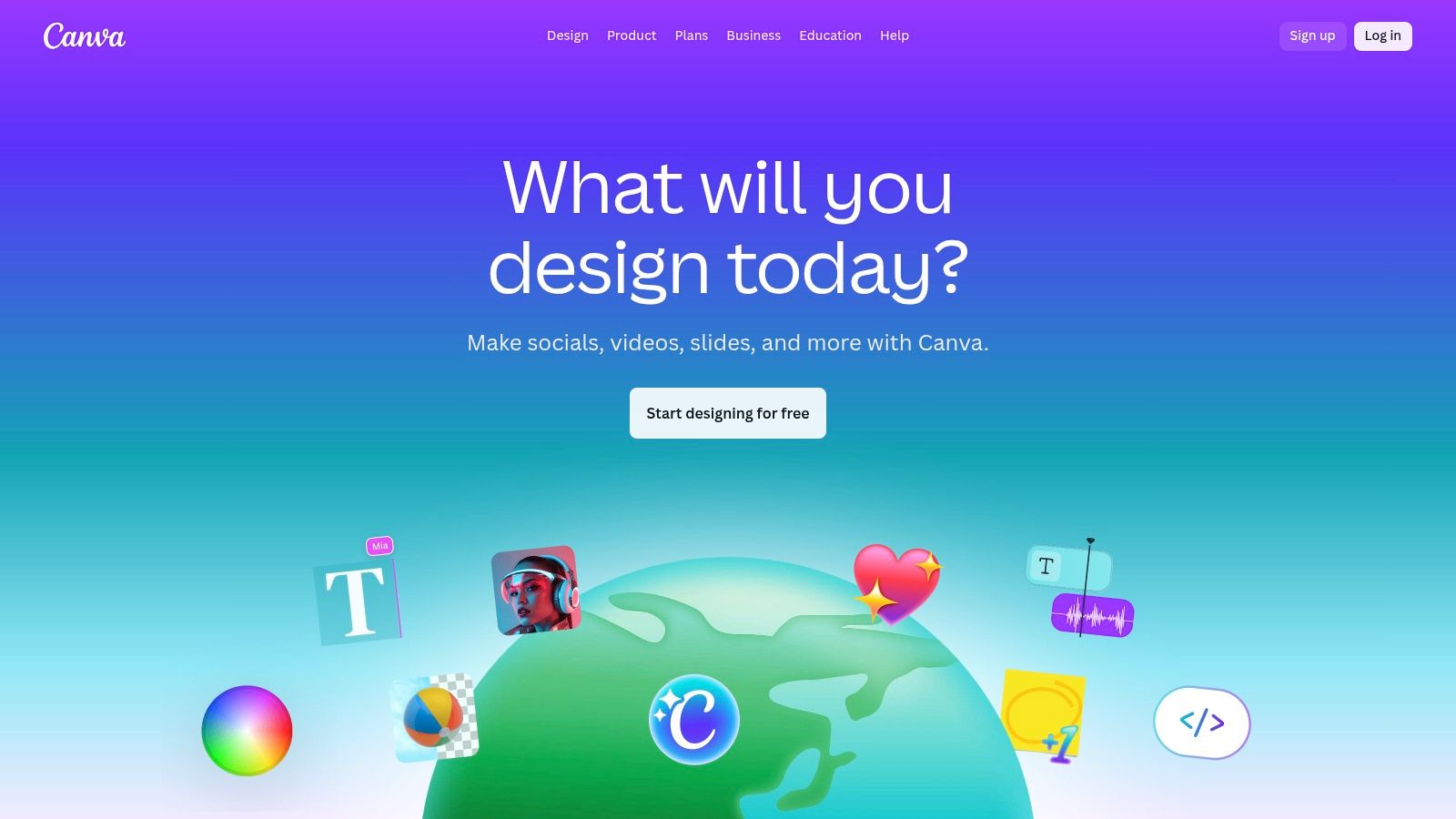
Canva has evolved from a simple design tool into an all-in-one visual communication platform, with its "Magic Studio" suite bringing powerful AI capabilities to the masses. Where a specialized tool like Adobe Firefly is built for professional designers, Canva excels at making AI accessible for creating a vast range of branded multimedia content quickly. It integrates text-to-image/video generation, AI-powered writing, and smart editing tools directly into its familiar, template-driven workflow, empowering non-designers to produce professional-grade marketing assets without a steep learning curve.
Canva (Magic Studio)

The platform's core strength lies in its seamless integration of AI features within an enormous library of templates and stock assets. A social media manager can generate an image with Magic Media, apply it to a branded post template, use Magic Write to create a caption, and schedule it for publishing, all within a single interface. This consolidated, user-friendly ecosystem makes it one of the best AI tools for content creation for teams who need speed and volume without sacrificing brand alignment.

Key Details & Use Cases

  • Best For: Social media managers, small business owners, and marketing teams who need to rapidly produce a high volume of visual content without specialized design skills.
  • Pricing: A robust free plan is available. Canva Pro is highly affordable for individuals and small teams. The Canva for Teams plan adds brand management and collaboration features, with custom enterprise pricing available.
  • Unique Feature: Magic Design allows you to simply upload an image or describe an idea, and Canva instantly generates a selection of fully-customizable templates (e.g., presentations, social posts) based on your input.
  • Actionable Tip: Use Canva's Brand Kit feature to its full potential by pre-loading your logos, brand colors, and fonts. Then, use Magic Design by providing a text prompt like "Instagram post for a new coffee blend launch." It will generate multiple on-brand templates instantly, which you can then refine and schedule directly from the platform. You can discover more about social media content creation tools on marketbetter.ai.
ProCon
Extremely user-friendly for non-designers with rich templates.Advanced AI and administrative controls are limited to Teams plans.
All-in-one platform for design, AI generation, and social scheduling.Past pricing and feature changes have caused confusion for some teams.
Extensive stock asset library and affordable Pro plan.AI image generation can be less nuanced than specialized tools.

Website: https://www.canva.com

5. Adobe Firefly

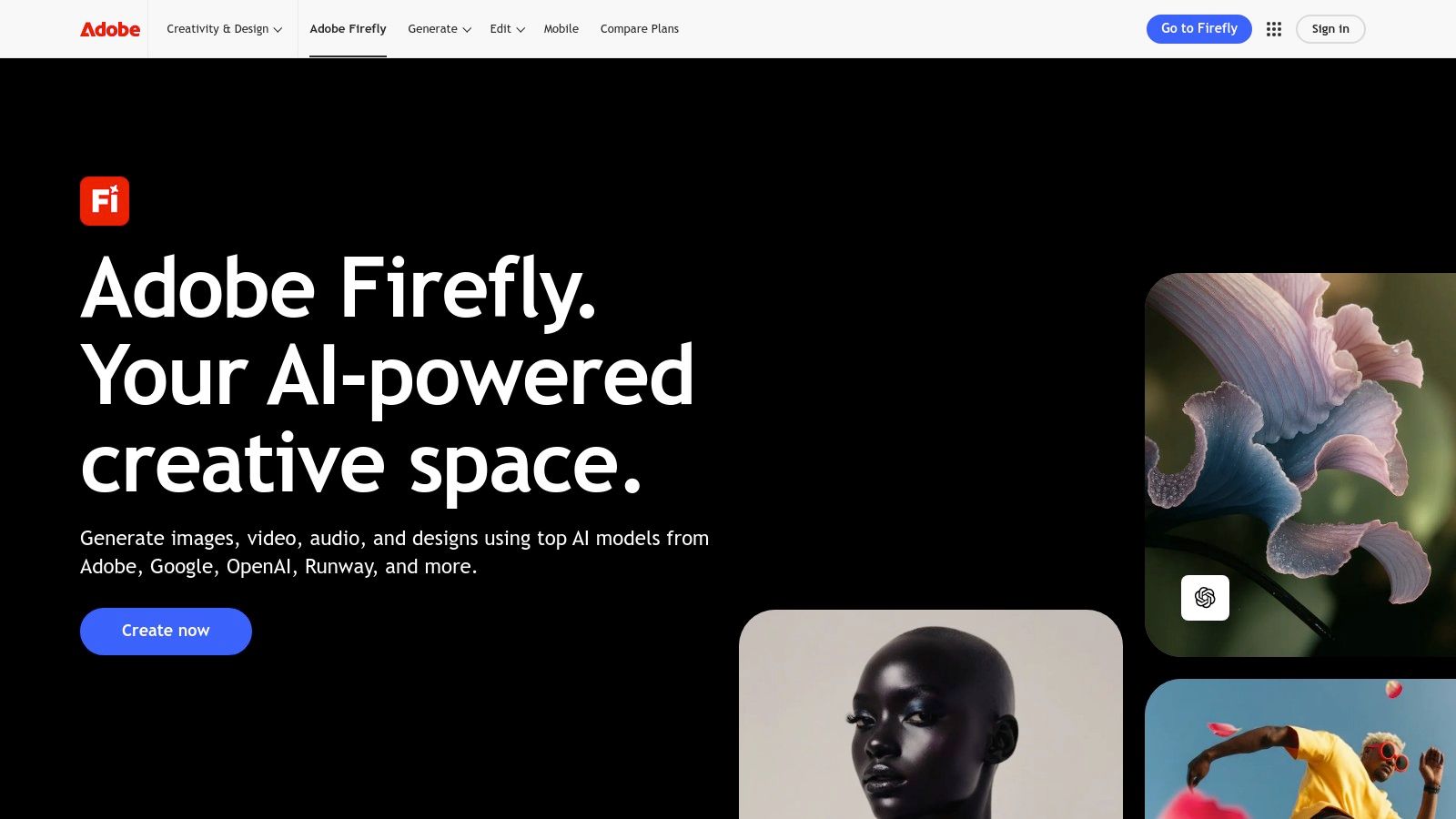
Adobe Firefly enters the list of best AI tools for content creation not as a standalone writer, but as a powerful, integrated generative engine for visual content. Built directly into the Adobe Creative Cloud ecosystem, its primary advantage is its seamless workflow within industry-standard applications like Photoshop and Adobe Express. Firefly is designed for professional creatives, providing commercially-safe models trained on Adobe Stock and public domain content, which addresses major copyright concerns for enterprises.
Adobe Firefly

Its core strength lies in features like Generative Fill and Generative Expand, which allow users to modify and extend existing images directly within their creative projects. While Midjourney is superior for generating entire, highly artistic images from scratch, Firefly excels at practical, in-workflow modifications. This integration makes it an indispensable tool for marketing and creative teams who need to produce high-quality, brand-aligned visual assets without disrupting established professional workflows.

Key Details & Use Cases

  • Best For: Creative professionals, marketing departments, and enterprises that are heavily invested in the Adobe Creative Cloud ecosystem.
  • Pricing: Access is included with most Creative Cloud plans, which start at $59.99/month for all apps. Usage is governed by a "generative credits" system, with plans allocating a specific number of credits per month.
  • Unique Feature: The Generative Fill in Photoshop is a game-changer. It allows you to select an area of an image and use a text prompt to add, remove, or replace content non-destructively, which is far more practical for professional use than generating entire images from scratch.
  • Actionable Tip: Use Generative Expand in Photoshop to quickly adapt a single creative asset for multiple channel formats. Take a square social media image, expand the canvas into a wide banner, and use the feature (with an empty prompt) to seamlessly fill the new space with matching background content. This turns a multi-step design task into a one-click action.
ProCon
Seamless integration with Photoshop and other CC apps.The credit-based system can be limiting for high-volume use.
Models are trained for safe commercial use.Creative Cloud subscription is required for deep integration.
Powerful for in-painting and out-painting workflows.Core value is tied to visuals, not text or other content types.

Website: https://www.adobe.com/products/firefly

6. Descript

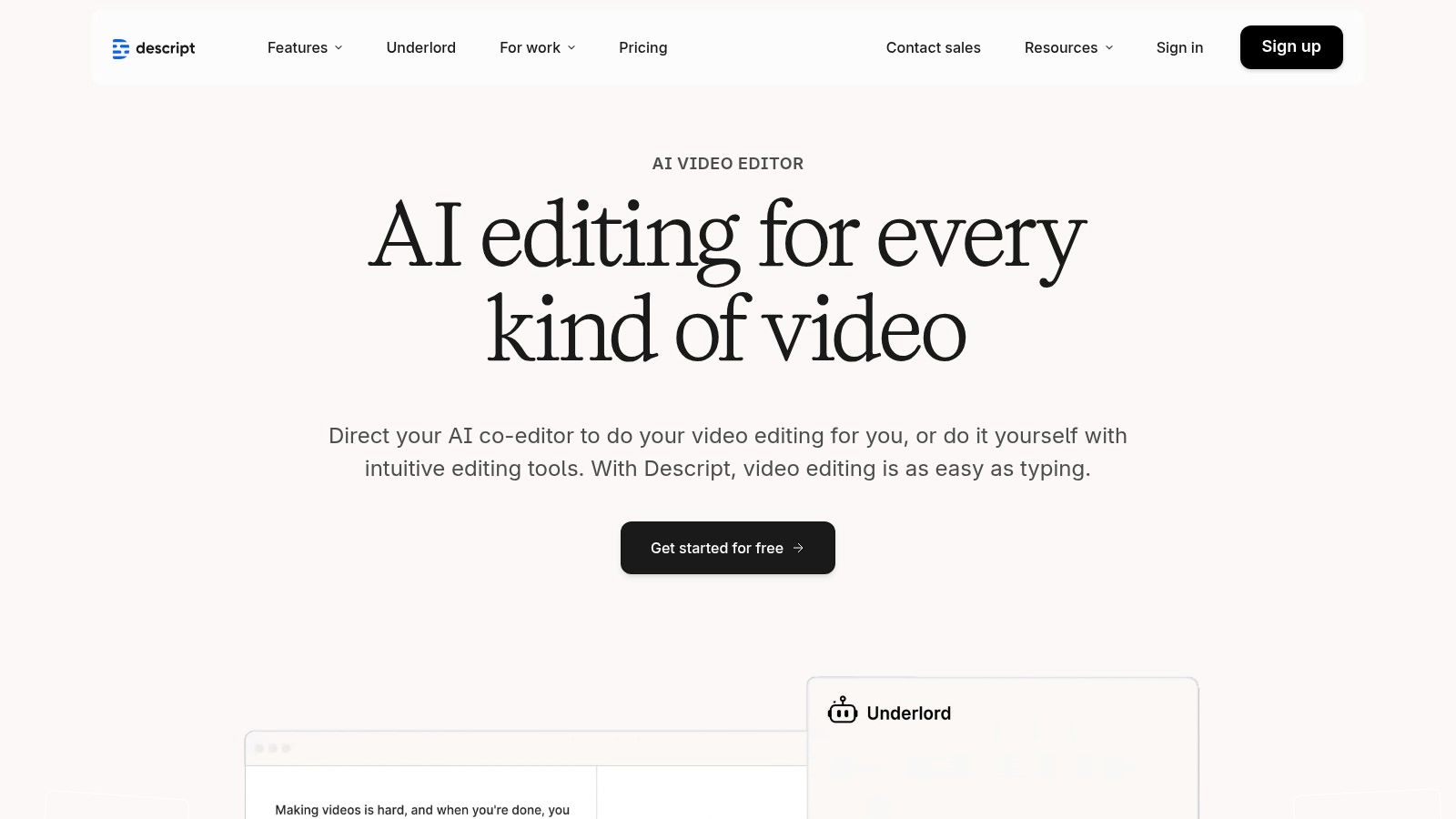
Descript has fundamentally changed the landscape of audio and video production, making it one of the best AI tools for content creation for anyone working with spoken-word media. It operates on a revolutionary text-based editing model: your audio or video file is transcribed, and you edit the media simply by editing the text transcript. Deleting a sentence in the text automatically removes the corresponding audio and video segment. This approach dramatically lowers the barrier to entry for podcasting and video editing, making it as intuitive as editing a document.
Descript

The platform’s power is amplified by its suite of AI-driven features designed to streamline post-production workflows. While a tool like Kapwing is built for quick social media repurposing, Descript is optimized for polishing long-form content. The "Studio Sound" feature can make amateur recordings sound professionally mastered with a single click, removing background noise and echo. Furthermore, its filler word removal tool ("ums," "ahs") and the "Overdub" AI voice cloning feature for correcting mistakes without re-recording are massive time-savers.

Key Details & Use Cases

  • Best For: Podcasters, video creators, marketing teams producing webinars or tutorials, and anyone who needs to edit spoken-word content efficiently.
  • Pricing: A free plan is available with limited features. The Creator plan is $15/month per editor, and the Pro plan is $30/month per editor, offering more transcription hours and advanced features like Overdub. A custom-priced Enterprise plan is also available.
  • Unique Feature: Text-based video and audio editing is the core differentiator. This transforms a technical, timeline-focused task into a simple, word-processing experience, making it accessible to non-editors.
  • Actionable Tip: After transcribing your video or podcast, use the "Find filler words" feature to highlight all instances of "um," "uh," and other repeated words. Instead of deleting them one by one, use the "Remove from transcript" option to clean up the entire recording in a single action, instantly making your content sound more professional.
ProCon
Dramatically speeds up podcast and video editing.Transcription hours and Overdub usage are metered per plan.
Powerful one-click audio cleanup with Studio Sound.Advanced team collaboration is limited to higher-tier plans.
Free tier is available to test core functionality.Not a full replacement for advanced video editors like Premiere Pro.

Website: https://www.descript.com

7. Runway

Runway has emerged as a leader among the best AI tools for content creation, specifically for video-first workflows. It offers a comprehensive suite of AI magic tools that go far beyond simple generation, positioning itself as a full-fledged creative studio for video editors and marketers. Unlike competitors that may specialize in a single function like text-to-video, Runway provides an integrated ecosystem for generating, editing, and refining video content, from initial concept to final polish. This makes it a go-to platform for producing social media clips, advertising drafts, and high-fidelity conceptual videos with incredible speed.

Runway

The platform's key differentiator is its combination of cutting-edge generation models (like Gen-3 Alpha) with a powerful in-browser video editor. While a tool like Synthesia focuses on avatar-led videos, Runway is built for more cinematic and abstract content creation. A user can generate a clip from a text prompt, immediately bring it into the editor to add effects, remove objects, or extend the scene, and then export it, all within the same interface. This tight integration is invaluable for marketing professionals who need to move from ideation to a usable asset quickly.

Key Details & Use Cases

  • Best For: Social media managers, video editors, and advertising agencies looking to rapidly prototype and produce video content.
  • Pricing: Offers a free Basic plan with limited credits. Paid plans start at $15/month per user for the Standard plan. The Pro plan ($35/month) adds more credits and advanced features, with custom pricing for Enterprise needs.
  • Unique Feature: The multi-modal AI system is a standout. It allows users to direct video generation with combinations of text, images, and existing video clips, offering a level of creative control that pure text-to-video models lack.
  • Actionable Tip: Use the "Image to Video" and "Video to Video" features to maintain visual consistency in your campaigns. Start with a key brand image or a previously approved video clip to guide the AI, ensuring new generations align with your existing marketing assets. For instance, upload a product photo and use the prompt "subtle panning motion" to create a simple, elegant video ad.
ProCon
State-of-the-art text-to-video and image-to-video models.Credit system can be consumed quickly on high-res outputs.
Integrated editor provides a seamless workflow.The most advanced features and models require higher-tier plans.
Generous free tier for experimentation and small projects.Annual billing is often required for the best value.

Website: https://runwayml.com

8. Synthesia

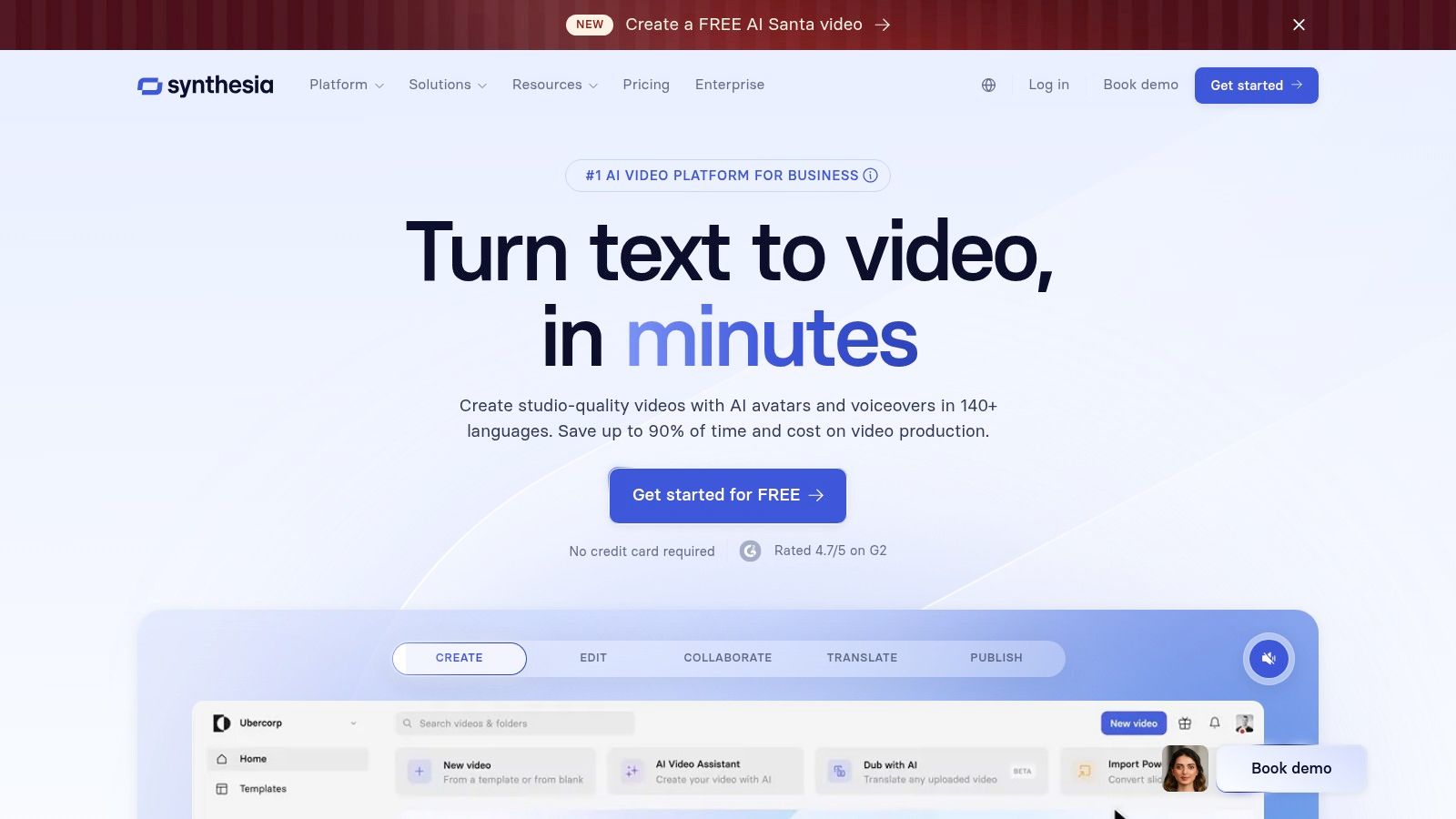
Synthesia has established itself as a leader among the best AI tools for content creation, specifically for generating professional, avatar-led videos at scale. Instead of requiring cameras, microphones, and actors, it allows users to produce high-quality training modules, marketing explainers, and product demos simply by typing text. While Runway is for creative, cinematic video, Synthesia excels in corporate and educational content, dramatically reducing the time and cost associated with traditional video production. This makes it an accessible solution for corporate communications and learning & development (L&D) teams.
Synthesia

The platform’s core strength lies in its scalability and localization capabilities. With support for over 140 languages and a vast library of stock avatars, a single video can be effortlessly dubbed and adapted for global audiences. Enterprise-focused features like SCORM export for learning management systems, API access for bulk video personalization, and SSO integration make it a secure and powerful choice for large organizations. This moves it beyond a simple video maker into a comprehensive video communication engine.

Key Details & Use Cases

  • Best For: Corporate L&D teams, marketers creating explainer videos, and enterprises needing to localize video content efficiently.
  • Pricing: The Personal plan is $29/month for 10 minutes of video. The Enterprise plan is custom-priced and offers more avatars, API access, and advanced collaboration features.
  • Unique Feature: The AI Dubbing capability is a standout. It can automatically translate and create a voiceover for your video in a different language while attempting to match the original speaker's lip movements, which is a major time-saver for localization.
  • Actionable Tip: Use Synthesia’s API for personalized video campaigns. For example, you can automate the creation of hundreds of unique videos for sales outreach by connecting a spreadsheet of prospect names. Each video can feature an avatar addressing the prospect by name, dramatically increasing engagement. Discover how to integrate these videos by exploring our playbook on video email automation on marketbetter.ai.
ProCon
Extremely fast production of presenter videos.Avatar realism and expressiveness can vary.
Scales exceptionally well for L&D and multilingual content.Usage is capped by credits/minutes on lower-tier plans.
Strong enterprise-grade security and integration options.Less suited for creative or cinematic video styles.

Website: https://www.synthesia.io

9. Midjourney

Midjourney has established itself as a leader among the best AI tools for content creation, focusing exclusively on generating high-quality, artistic, and photorealistic images. It operates primarily through a Discord server, a unique approach that fosters a massive, collaborative community where users can share prompts and draw inspiration. While Adobe Firefly is integrated into a professional design suite for in-workflow editing, Midjourney is a standalone powerhouse for creating bespoke campaign visuals, mood boards, and unique digital art from a blank canvas.
Midjourney

Unlike competitors that are often embedded in larger content suites, Midjourney is a dedicated, specialized tool celebrated for its stylistic diversity and the cinematic quality of its outputs. Its prompt-based system allows for deep creative control, enabling marketing professionals and creators to translate abstract concepts into compelling visuals. The platform is continuously updated with new models and features, ensuring it remains at the forefront of AI image generation technology.

Key Details & Use Cases

  • Best For: Marketing teams, creative directors, and content creators who need high-quality, custom visuals for campaigns, social media, and conceptual work.
  • Pricing: The Basic Plan starts at $10/month, providing a limited amount of "Fast" GPU time. Higher-tier plans (from $30 to $120/month) offer more Fast hours, unlimited "Relax" mode generations, and private generation capabilities.
  • Unique Feature: The Discord-based community is a massive differentiator. It serves as a live gallery and learning hub, allowing users to see what others are creating in real-time and learn advanced prompting techniques organically.
  • Actionable Tip: To create a set of visually consistent images for a campaign, use the --sref (style reference) parameter. Generate one image that perfectly captures your desired aesthetic. Then, copy that image's URL and append --sref [URL] to all subsequent prompts to ensure they follow the same artistic style.
ProCon
Consistently produces high-quality outputs.The Discord-centric workflow can have a learning curve for new users.
Large, active community provides vast inspiration.Managing GPU minute usage is necessary on lower-tier plans.
Competitive pricing for high-volume creation.Less integrated into broader marketing workflows than some tools.

Website: https://www.midjourney.com

10. Notion (Notion AI)

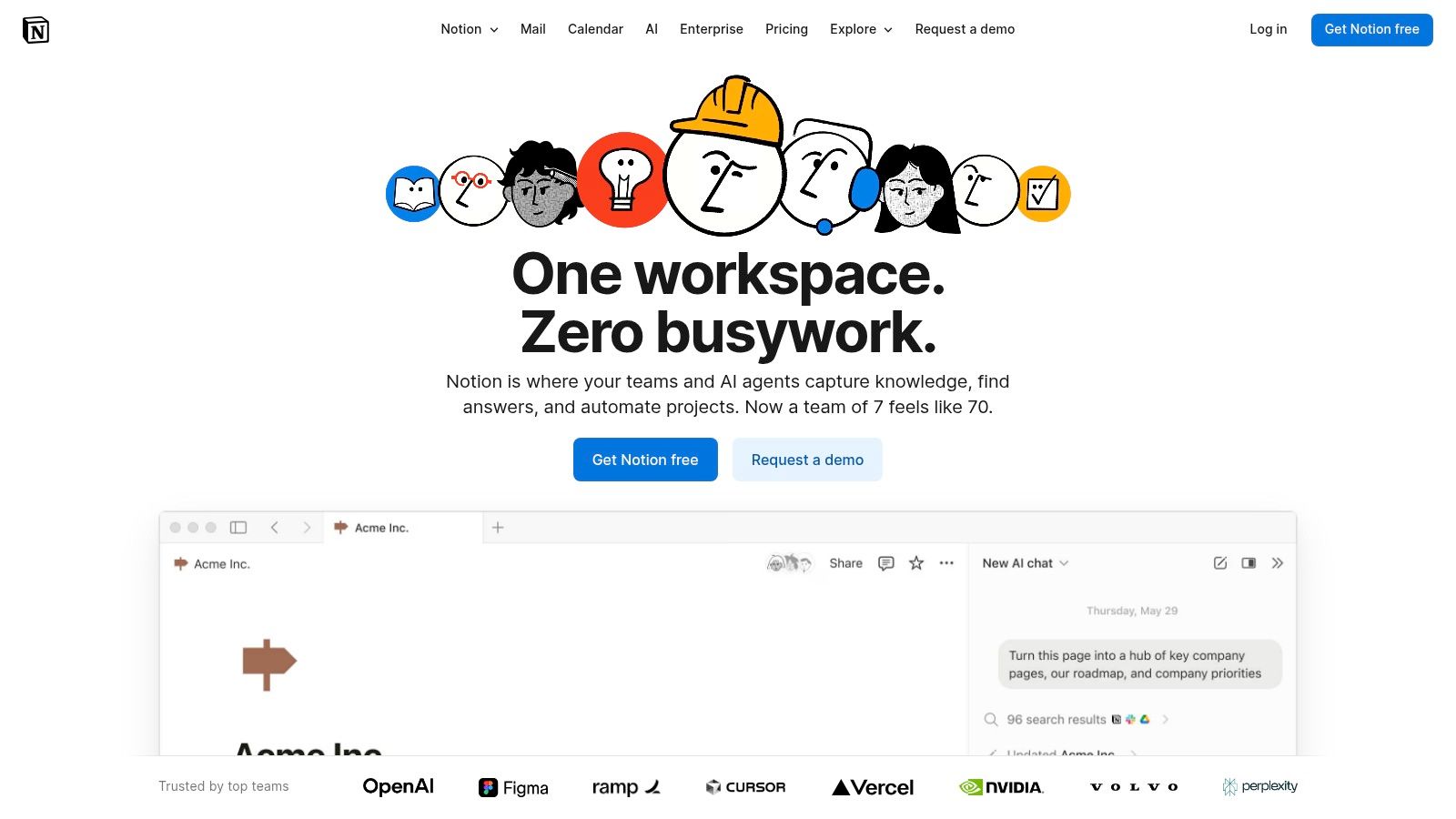
Notion AI transforms the popular all-in-one workspace into a powerful hub for content operations. Instead of being a standalone application, its AI is deeply integrated within Notion's ecosystem of docs, databases, and project boards. This makes it one of the best AI tools for content creation for teams that want to consolidate their entire workflow—from initial brief to final draft—in a single environment. While a tool like Jasper is a dedicated writing specialist, Notion AI's strength is its ability to connect content creation directly to project management.
Notion (Notion AI)

The platform’s strength lies in its contextual awareness. When you invoke Notion AI on a page, it understands the surrounding content, making it excellent for summarizing meeting notes into action items, expanding on brainstormed ideas, or drafting content based on an existing creative brief. Features like AI Autofill for databases can automatically generate social media copy or meta descriptions for a list of blog titles, streamlining repetitive tasks and connecting different stages of the content lifecycle.

Key Details & Use Cases

  • Best For: Content operations teams, marketing managers, and organizations seeking a unified platform for content planning, creation, and project management.
  • Pricing: AI features are included in paid plans like Plus ($10/user/month), Business ($18/user/month), and custom Enterprise tiers. The free plan has limited AI access. Note that the standalone AI add-on is being phased out for new users.
  • Unique Feature: The AI Autofill for databases is a standout. It allows you to automatically populate columns based on content from other fields, perfect for generating summaries, extracting keywords, or creating social posts at scale from a content calendar.
  • Actionable Tip: Build a content calendar database in Notion with columns for "Title," "Brief," and "Social Copy." Use the custom AI Autofill feature on the "Social Copy" column with a prompt like "Write a tweet promoting the blog post in the 'Title' column, based on the 'Brief'." This creates a highly efficient, centralized content engine.
ProCon
Reduces app-switching by keeping content and ops in one place.Feature gating may force plan upgrades for full AI access.
Integrated AI streamlines the brief-to-draft workflow.Less specialized for pure long-form writing than dedicated AI writers.
Flexible and relatively affordable per-seat pricing model for teams.AI is not the core product, but rather an integrated feature set.

Website: https://www.notion.so

11. Kapwing

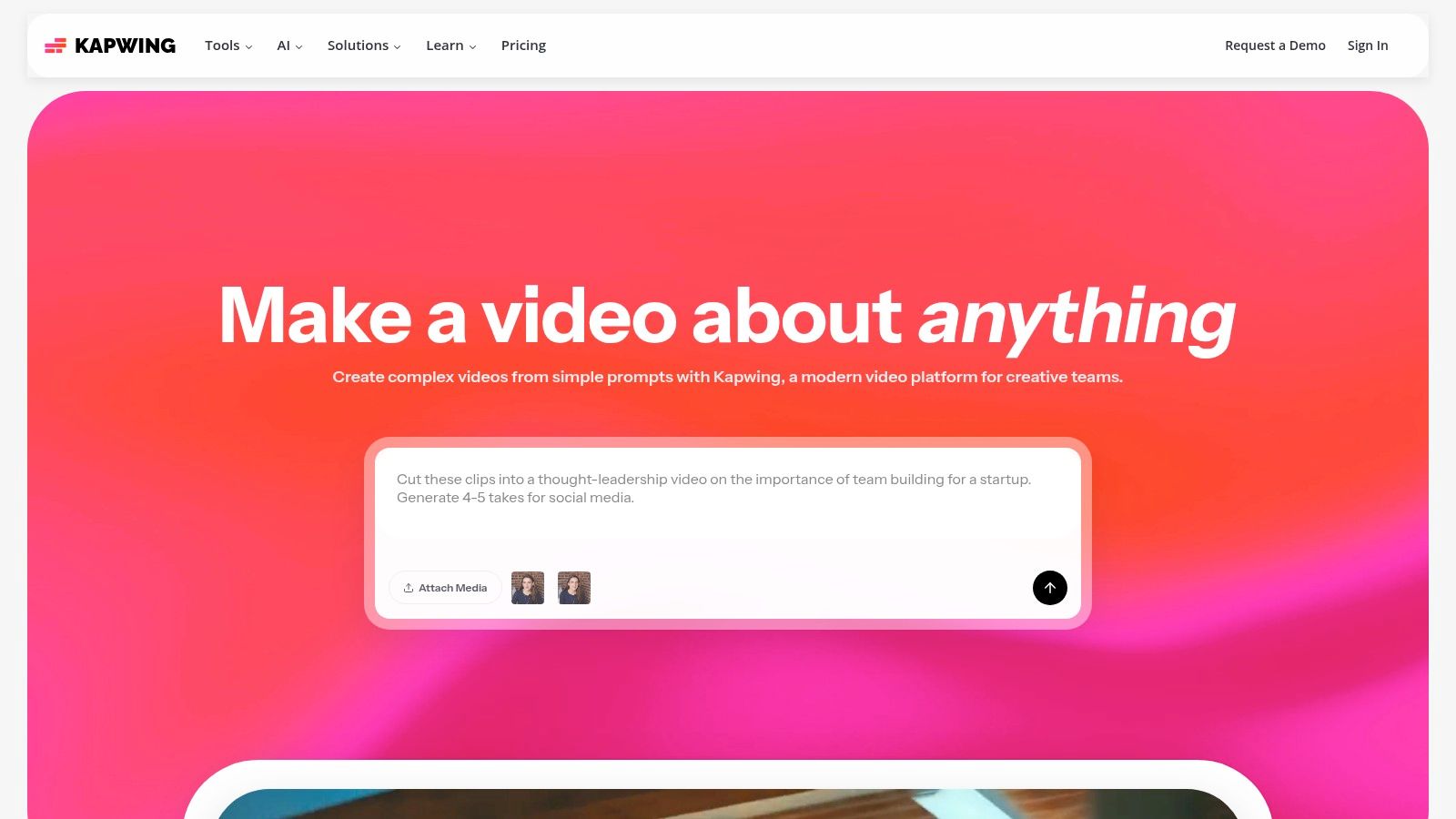
Kapwing positions itself as a collaborative, browser-based video editing studio supercharged with AI, making it a go-to for social media teams who prioritize speed and accessibility. Its core strength lies in repurposing content efficiently. While a tool like Descript is ideal for polishing the narrative of a single long-form piece, Kapwing is built to quickly turn that one video into dozens of social-ready assets. This makes it one of the best AI tools for content creation when your primary goal is maximizing content distribution across platforms.
Kapwing

The platform’s standout AI features are centered on making content more accessible and globally relevant. Its auto-subtitling tool is remarkably accurate and easy to edit, while the AI-powered translation and dubbing can instantly adapt a video for new audiences. For marketing teams managing multiple brand channels, the shared workspaces and brand kits streamline collaboration and ensure consistency without the need for exporting and re-uploading project files. It’s built for the fast-paced demands of modern social content workflows.

Key Details & Use Cases

  • Best For: Social media managers, content creators, and marketing teams focused on bulk video repurposing and enhancing content accessibility.
  • Pricing: A free plan is available with a watermark and export limits. The Pro plan is $24/month per user, unlocking 4K exports and removing watermarks. The Business plan at $64/month per user adds AI dubbing and increases AI credit limits significantly.
  • Unique Feature: The AI Dubbing with lip-sync technology (Business plan) is a powerful tool for localization, allowing you to translate your video's audio into another language while maintaining visual coherence, a feature not commonly found in browser-based editors.
  • Actionable Tip: Upload a long webinar or interview video. Use the "Smart Cut" AI feature to automatically remove silences. Then, use the AI-powered "Find Scenes" tool to identify key topic changes, allowing you to quickly clip out multiple short, shareable videos for platforms like TikTok and Instagram Reels.
ProCon
Excellent for bulk repurposing to multiple aspect ratios.Free plan includes a watermark and caps export length.
Strong subtitling and translation tools for accessibility.Heavy AI use requires a Business plan for the best limits.
Simple, browser-based interface is easy for teams to adopt.Less powerful than traditional desktop video editing software.

Website: https://www.kapwing.com

12. G2 (AI Writing Assistants Category)

Instead of a single tool, our next entry is an indispensable resource for discovering and comparing them. G2’s AI Writing Assistants category is a comprehensive software marketplace that aggregates verified user reviews, rankings, and comparison grids. For marketing professionals and entrepreneurs tasked with selecting the right AI, this platform provides a crucial, unbiased overview of the entire landscape. It allows you to move beyond vendor marketing claims and see how real users rate tools on features, ease of use, and support.

The platform's strength lies in its powerful filtering and comparison capabilities. You can segment the list of the best AI tools for content creation by company size, user satisfaction scores, or specific features, making it easy to create a shortlist tailored to your exact needs. The side-by-side comparison grids are particularly useful for demand generation managers and CMOs who need to build a business case for a new software investment, as they clearly lay out key differences between top contenders like Jasper and Copy.ai.

Key Details & Use Cases

  • Best For: Marketing leaders, entrepreneurs, and teams conducting due diligence before investing in an AI content creation tool.
  • Pricing: Free to access and browse for software buyers. Vendors pay for premium profile features and lead generation.
  • Unique Feature: The G2 Grid® is a standout visual tool that plots tools based on user satisfaction and market presence, giving you an at-a-glance understanding of which platforms are leaders versus niche players.
  • Actionable Tip: Don't just look at the overall score. Use the comparison feature to select your top three contenders and compare their feature ratings side-by-side for the specific capabilities you need most, such as "Brand Voice" or "Workflow Automation." Read both positive and negative reviews to understand each tool's real-world limitations before committing.
ProCon
Provides a broad market view beyond any single vendor.Rankings can shift frequently based on new review data.
Helpful for shortlisting tools by use case, budget, and rating.Some listings may emphasize sponsors or partners; always verify.
Aggregates reputation signals like scores and pros/cons.The sheer number of options can feel overwhelming initially.

Website: https://www.g2.com/categories/ai-writing-assistant

Top 12 AI Content Creation Tools Comparison

Product✨ Core features★ UX & Quality💰 Pricing & Value👥 Target audience🏆 Unique selling point
🏆 marketbetter.ai✨ Unified AI content, outbound/inbound automation, predictive campaign optimization, real-time analytics★★★★★ (G2 4.97) — fast implementation & dashboards💰 Mid‑market / Enterprise; demo & free trial; ROI-focused (1.6× SQLs, 2× meetings)👥 Mid-market & enterprise B2B marketing, CMOs, Ops🏆 Integrated “AI Revenue Engine” replacing martech sprawl; frictionless CRM + enterprise security
Jasper✨ Brand voices, Canvas, team workflows, no-code agents★★★★☆ — strong brand governance & collaboration💰 Per-seat pricing; can be costly at scale👥 Marketing teams, content ops, agencies✨ Best-in-class brand voice and marketing workflows
Copy.ai✨ Chat + multi-model access, workflow builder, Content Agents★★★☆☆ — fast setup and flexible models💰 Low entry price; pay-as-you-scale; agent features on higher tiers👥 SMBs, growth teams, fast test-and-learn squads✨ Unparalleled flexibility with multi-model access
Canva (Magic Studio)✨ Text-to-image/video, templates, brand kits, Magic Edit★★★★☆ — very fast for non-designers💰 Affordable Pro; Business for teams with advanced controls👥 Social teams, non-designers, SMBs✨ All-in-one design and AI for rapid multimedia content
Adobe Firefly✨ Text-to-image/video, Generative Fill, Creative Cloud integration★★★★☆ — pro-grade creative tools💰 Credit system; part of Creative Cloud (may raise costs)👥 Professional designers, creative teams, enterprises✨ Commercially-safe models with deep Photoshop integration
Descript✨ Text-based audio/video editing, Overdub, Studio Sound★★★★☆ — speeds podcast & video workflows💰 Free tier; paid tiers meter transcription hours👥 Podcasters, video editors, marketing content teams✨ Revolutionary text-based editing for spoken-word content
Runway✨ Advanced text-to-video/image models, Aleph editor, API★★★★☆ — fast iterative video drafts💰 Credit plans with monthly refresh; good Enterprise options👥 Social creators, video teams, agencies✨ State-of-the-art AI video models with an integrated editor
Synthesia✨ Avatar-led video, dubbing, templates, bulk personalization★★★☆☆ — very fast for presenter-style videos💰 Enterprise/credits model; scalable but costly for minutes👥 L&D, localization, marketing explainers at scale✨ Scalable avatar videos with excellent localization features
Midjourney✨ High‑quality image generation, stylistic diversity, community prompts★★★★☆ — excellent creative outputs (Discord workflow)💰 Creator tiers; competitive monthly pricing👥 Creatives, art directors, campaign designers✨ Unmatched artistic quality and stylistic breadth in images
Notion (Notion AI)✨ AI writing, research mode, meeting notes in centralized workspace★★★☆☆ — integrates content ops & briefs💰 Per-seat pricing; AI may require Business/Enterprise👥 Content ops, product & marketing teams✨ Deep integration of AI within a total content workflow
Kapwing✨ Auto-subtitles, dubbing, resizing, brand kits, shared workspaces★★★☆☆ — quick repurposing & subtitles💰 Free tier (watermark); Business for heavy AI use👥 Social teams, creators, repurposing workflows✨ The fastest way to repurpose long video into social clips
G2 (AI Writing Assistants)✨ Category pages, verified reviews, comparison filters★★★☆☆ — broad market view; dynamic rankings💰 Free to use; vendor-sponsored listings exist👥 Buyers researching tools, procurement teams✨ Unbiased, aggregated reviews for informed decision-making

Final Thoughts

Navigating the landscape of AI content creation tools can feel like exploring a new frontier. The sheer volume of options, each promising revolutionary results, makes it challenging to separate the genuine game-changers from the fleeting fads. As we've explored throughout this guide, the goal isn't to find a single, all-powerful AI to replace your team. Instead, the real power lies in strategically assembling a tech stack that augments your team's creativity, streamlines their workflows, and ultimately drives better business outcomes.

The journey from initial concept to published content is rarely linear. It involves ideation, drafting, visual design, video production, and collaborative refinement. The tools we’ve detailed, from Jasper's long-form writing prowess to Descript's intuitive video editing, are designed to slot into specific stages of this process. The key is to identify your most significant bottlenecks and apply the right AI solution to solve them.

Your Actionable Roadmap to AI Integration

Choosing the right tools requires a clear understanding of your team's specific needs, budget, and technical comfort level. Don't chase the trendiest new generator; focus on practical application and ROI. Here is a simplified framework to guide your decision-making process:

  • For High-Volume Written Content: If your demand generation strategy relies heavily on blog posts, white papers, and social media captions, a combination of a powerful writing assistant like Jasper or Copy.ai and a project management hub like Notion AI is a formidable stack. Jasper excels in long-form, nuanced content, while Copy.ai is brilliant for high-volume, templated outputs. Notion AI then serves as the central nervous system, keeping all assets organized and accessible.
  • For Visually-Driven Campaigns: Marketing and sales teams who need to create compelling visuals at scale should look to a pairing of Canva's Magic Studio and a specialized image generator like Adobe Firefly or Midjourney. Canva provides the accessible, template-driven platform for everyday assets, while Firefly offers enterprise-ready, commercially safe image generation that integrates seamlessly into the Adobe ecosystem. Midjourney remains the go-to for high-concept, artistic visuals that truly stand out.
  • For Engaging Video Content: To dominate video, a stack combining a video editor like Descript or Kapwing with an avatar generator like Synthesia covers nearly every use case. Descript's text-based editing revolutionizes the post-production process for interviews and tutorials. Synthesia, meanwhile, allows you to scale personalized sales outreach and training videos without ever stepping in front of a camera.

Key Considerations Before You Commit

Before you integrate any of the best AI tools for content creation into your workflow, consider the long-term implications. Think about scalability, data security, and the learning curve for your team. Does the tool offer robust enterprise-level support? How does it handle brand consistency with features like brand kits or custom templates?

For teams focused heavily on visual marketing, the nuances between different platforms are critical. Adobe Firefly prioritizes commercial safety by training on Adobe Stock, making it a reliable choice for corporate use. In contrast, tools like Runway offer a more experimental, cutting-edge suite for video manipulation that pushes creative boundaries. To explore more options and different perspectives on powerful AI tools for visual content creation, consider this guide: 12 AI content creation tools for enterprise visuals. This resource provides a deeper dive into platforms specifically tailored for enterprise-grade visual assets.

Ultimately, the most successful adoption of AI comes from a mindset of collaboration, not replacement. These tools are powerful co-pilots, not autopilots. Encourage your team to experiment, provide feedback, and find innovative ways to blend artificial intelligence with their unique human expertise. The true competitive advantage will belong to the teams that master this synergy, using AI to amplify their strategic vision and creative spark.


Ready to move from scattered content efforts to a unified, data-driven strategy? While the tools listed here excel at generating content, marketbetter.ai connects that content directly to revenue by analyzing your GTM strategy and providing actionable insights. Stop guessing and start building a content engine that demonstrably fuels your sales pipeline by visiting marketbetter.ai today.
Top AI Tools for Content Marketing in 2025: Boost Your Strategy

· 35 min read

The landscape of content marketing is rapidly evolving, driven by powerful AI that goes far beyond simple text generation. In 2025, winning teams aren't just creating content faster; they're using AI to strategize, optimize, personalize, and measure impact across the entire customer journey. The challenge is no longer if you should use AI, but which ai tools for content marketing provide the right capabilities to solve your specific pain points.

This guide moves past the hype to deliver an actionable, in-depth comparison of the top platforms available today. We dissect their core strengths, reveal practical use cases, and provide honest assessments of their limitations, empowering you to choose the right platform to drive measurable growth and efficiency. Before diving into specific applications, understanding what is generative AI provides crucial context for how these tools are transforming content marketing from ideation to distribution.

Our goal is to help you find the best solution for your unique needs, whether you're a CMO scaling a global team, a demand generation manager focused on SEO, or an entrepreneur needing to do more with less. We'll explore everything from comprehensive content hubs like HubSpot and Semrush to specialized writing assistants like Jasper and Grammarly.

Each platform profile includes detailed feature analysis, screenshots, direct links, and pricing breakdowns to make your decision process straightforward and effective. This resource is designed to be your definitive guide for integrating the most effective ai tools for content marketing into your 2025 strategy and beyond.

1. marketbetter.ai

As our featured choice, marketbetter.ai stands out as a premier end-to-end platform among AI tools for content marketing, specifically engineered for mid-market to enterprise B2B teams. It moves beyond single-point solutions like content generators or simple schedulers by providing a fully integrated, AI-native ecosystem. This unified approach connects content creation, campaign optimization, and personalized customer engagement into a cohesive and powerful workflow, eliminating the data silos and inefficiencies common with a fragmented MarTech stack.

marketbetter.ai

Core Strengths and Use Cases

What truly distinguishes marketbetter.ai is its ability to translate go-to-market signals into actionable pipeline. The platform's predictive analytics engine helps demand generation managers identify high-intent accounts and optimize budget allocation before a campaign even launches. For content teams, it offers up to 5x faster production of high-quality, on-brand assets, from blog posts to email sequences, all informed by real-time performance data. Where tools like HubSpot connect content to CRM data, marketbetter.ai focuses specifically on linking GTM signals to revenue, providing a clearer line-of-sight on ROI for B2B teams.

A key practical benefit is its automation capability, which handles up to 80% of manual outreach tasks. This includes prospect research, crafting personalized multichannel messages, and executing follow-up sequences, freeing up sales and marketing teams to focus on strategic initiatives rather than repetitive work. For a deeper dive into their methodology, explore their guide on how to scale content marketing with AI.

Implementation and User Experience

marketbetter.ai is built for seamless integration with essential CRMs like Salesforce and HubSpot, ensuring a smooth transition and a single source of truth for GTM teams. While the platform is robust, its dashboards are designed for clarity, providing advanced attribution modeling that CMOs and VPs of Sales can use to measure ROI accurately. Its high rating on G2 (4.97/5) reflects strong customer satisfaction, particularly praising its impact on generating qualified demos and accelerating the sales cycle.

Feature Analysismarketbetter.aiTypical Point Solutions
Workflow IntegrationUnified content, campaign, & outreach in one platformRequires multiple tools, manual data sync, and API keys
Content GenerationAI-driven, on-brand, and tied to performance analyticsGeneric output, often disconnected from campaign goals
Audience TargetingPredictive segmentation based on real-time GTM signalsStatic lists or basic demographic filtering
ROI MeasurementAdvanced attribution modeling across the full funnelLimited to channel-specific metrics (e.g., open rates)

Pricing and Onboarding

Pricing for marketbetter.ai is provided through customized quotes, a common practice for enterprise-grade solutions tailored to specific business needs. This approach ensures you only pay for the capabilities you require but does necessitate a direct sales conversation. The platform's superior customer support is frequently highlighted in reviews, assisting with onboarding and helping users navigate any initial learning curve when moving from disparate legacy systems.

  • Pros:
    • All-in-one platform integrating content creation, campaign management, and customer engagement.
    • Proven to accelerate pipeline with measurable lifts in SQLs and qualified demos.
    • Seamless, cost-free integrations with major CRMs and marketing tools.
  • Cons:
    • Lack of public pricing can be a barrier for initial evaluation.
    • May present a learning curve for teams accustomed to simpler, single-function tools.

Website: https://www.marketbetter.ai

2. Jasper

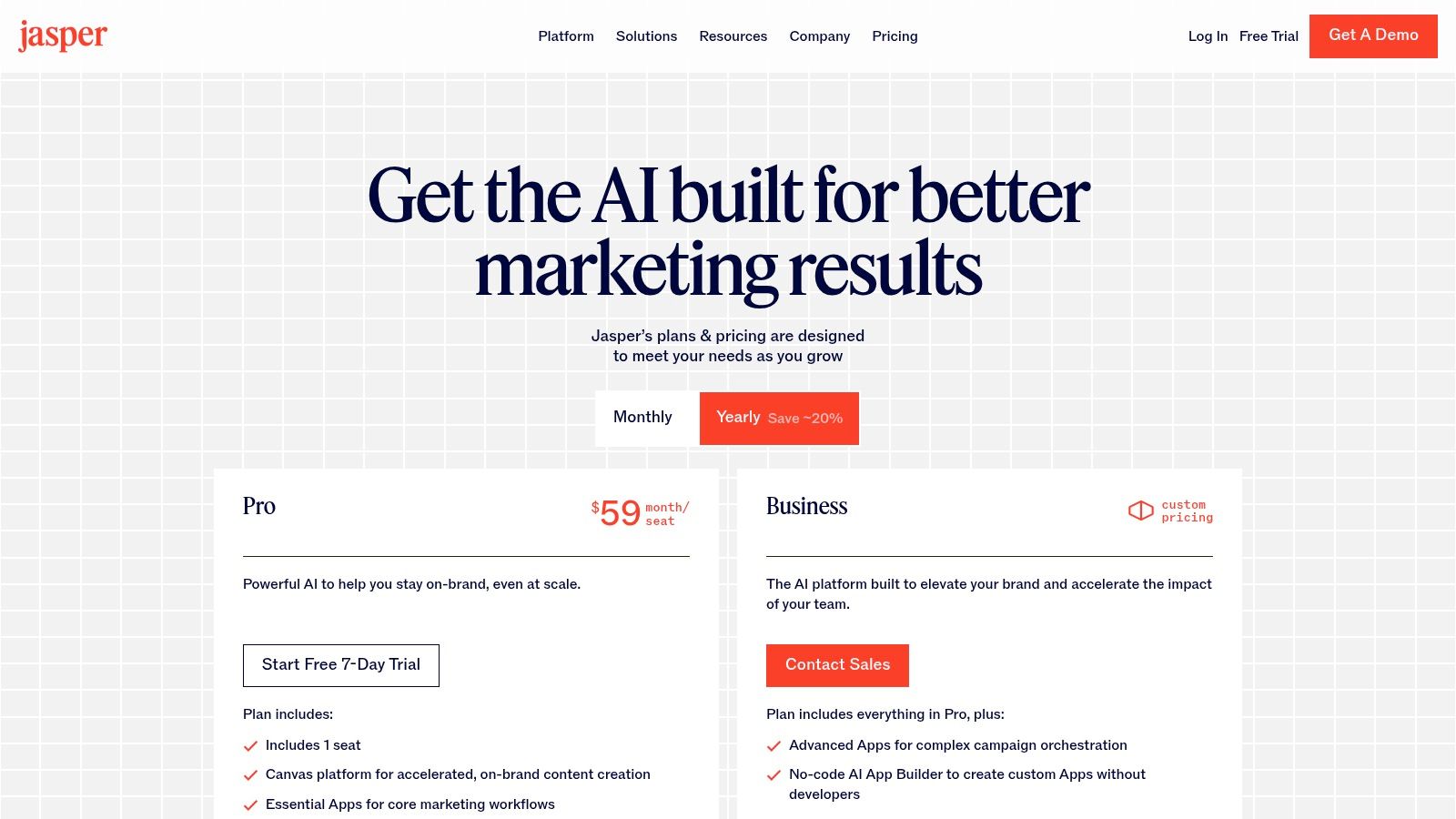
Jasper positions itself as a premier AI co-pilot specifically for marketing teams, moving beyond simple text generation to offer a comprehensive, brand-aligned content production environment. Its core strength lies in its ability to maintain brand consistency at scale, a critical challenge for growing organizations. Unlike more generalist AI writing assistants like ChatGPT, Jasper is built with team collaboration and governance at its center, making it one of the most effective ai tools for content marketing for enterprise use.

The platform's standout features, Brand Voice and Knowledge, allow users to upload brand guides, product documentation, and style guidelines. The AI then uses this information to generate content that is consistently on-brand, accurate, and relevant to a specific audience profile. This grounding mechanism significantly reduces the need for extensive editing and fact-checking, which is a common pain point with other generative AI tools.

Jasper

Key Features and Use Cases

  • Campaign Workflows: Jasper's "Canvas" feature provides a collaborative space where teams can map out entire campaigns, from initial brainstorming to final asset creation and repurposing. For instance, a marketing manager can create a workflow that takes a webinar transcript, turns it into a blog post, generates social media updates, and drafts an email newsletter, all within one interconnected project.
  • Brand Voice & Knowledge: Upload your style guides, messaging pillars, and product catalogs to create a centralized knowledge base. This ensures that every piece of content, whether a Facebook ad or a technical blog post, adheres to your company's unique tone and factual accuracy.
  • Team Collaboration & Governance: The platform includes robust user management, content review workflows, and admin controls. This is ideal for larger teams needing to maintain quality and consistency across all contributors.

Pricing and Implementation

Jasper offers several tiers, with pricing structured on a per-seat basis.

  • Creator: Ideal for individual entrepreneurs and marketers.
  • Pro: Starts at $59/seat/month (billed annually) and unlocks Brand Voices, collaboration features, and a 7-day free trial.
  • Business: Custom pricing for organizations needing advanced features like API access, custom AI models, and enterprise-grade security.

Actionable Tip: To maximize Jasper's value, invest time upfront in building a comprehensive Brand Voice and Knowledge base. Upload your top-performing blog posts, company one-pagers, and style guides to give the AI a rich data set to learn from. This initial setup is key to achieving high-quality, on-brand outputs.

Pros & Cons

ProsCons
Excellent for maintaining brand consistencyBusiness tier pricing requires a custom quote
Purpose-built for marketing team collaborationPer-seat model can become costly for large teams
7-day free trial for the Pro planAdvanced features are locked behind enterprise plans

Website: https://www.jasper.ai/pricing

3. Copy.ai

Copy.ai positions itself as a highly accessible yet powerful platform, excelling in both on-demand content generation and automated marketing workflows. Its unique value proposition is the combination of an intuitive chat interface with a sophisticated "Agents" feature, allowing teams to automate repetitive content tasks. While Jasper focuses on enterprise-level brand governance, Copy.ai provides an excellent on-ramp for smaller teams and solo marketers looking to scale operations, making it one of the most versatile ai tools for content marketing.

The platform stands out by offering access to multiple large language models (LLMs) through its chat interface, allowing users to choose the best engine for a specific task. However, its true power lies in the Workflow builder, where users can create custom "Agents" to automate processes like generating blog briefs from keywords, repurposing content for different channels, or creating product descriptions in bulk.

Copy.ai

Key Features and Use Cases

  • Chat by Copy.ai: An intuitive interface offering unlimited words and access to multiple LLMs. It's ideal for quick-turnaround tasks like writing social media posts, drafting emails, or brainstorming blog post ideas without worrying about word count limits.
  • Workflow Automation: Build custom "Agents" that perform multi-step content tasks automatically. For example, a content manager can create an agent that takes a target keyword, researches competitors, generates a detailed brief, and then writes a first draft of an SEO-optimized blog post.
  • Brand Voice: Similar to other platforms, you can input brand information, style guides, and key messaging. This ensures that whether you're using the chat or an automated workflow, the output aligns with your company’s established tone and voice.

Pricing and Implementation

Copy.ai offers a simple pricing structure with a free tier for individuals.

  • Free: For one user, offering 2,000 words in the editor and limited chat functionality.
  • Pro: Starts at $36/month (billed annually) for 5 seats, providing unlimited words in chat and a set number of workflow credits.
  • Agent: Starts at $300/month (billed annually) for 20 seats, designed for teams needing to scale automation with a higher allocation of workflow credits.

Actionable Tip: Start by identifying your most time-consuming, repetitive content task. Use the Workflow builder to create a simple agent for that specific process, such as turning customer testimonials into social media posts. This provides a clear proof-of-concept for its automation capabilities before you invest heavily in more complex workflows.

Pros & Cons

ProsCons
Simple on-ramp with an accessible Pro planWorkflow credits may require add-ons as usage grows
Multi-model access provides flexibilityAgent tier for advanced automation is a significant price jump
Powerful workflow automation for scaling contentLess focus on deep team governance than enterprise tools

Website: https://www.copy.ai/prices

4. HubSpot Content Hub + Breeze AI

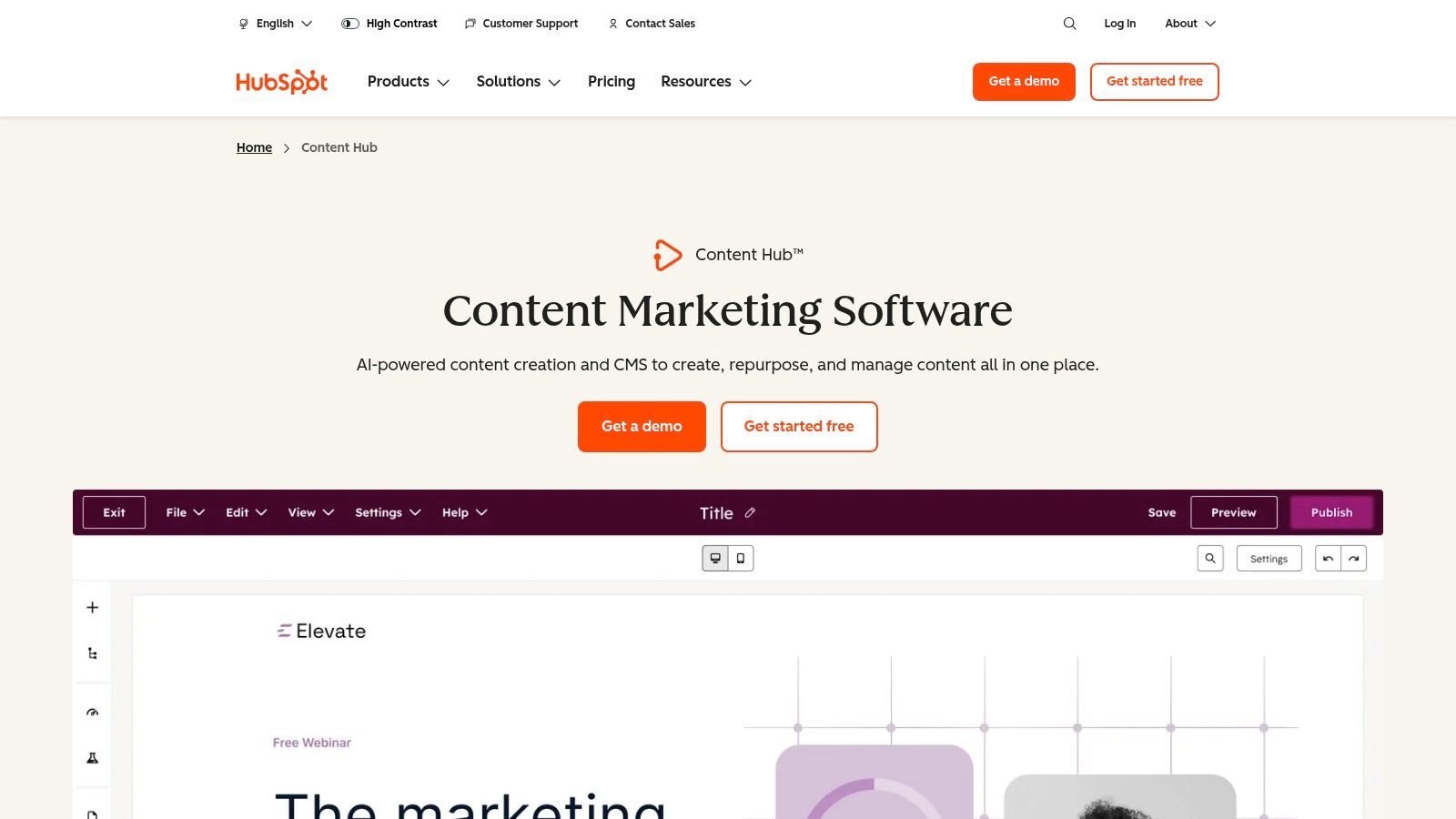
HubSpot Content Hub integrates its new Breeze AI agents directly into its marketing, CMS, and CRM platform, creating a unified ecosystem for content creation, management, and performance analysis. This all-in-one approach is its key differentiator; rather than being a standalone tool, it uses CRM data to inform content strategy and measure ROI. For teams already invested in the HubSpot ecosystem, this makes it one of the most powerful and seamless ai tools for content marketing available, as it connects content generation directly to lead generation and customer data.

The platform's strength lies in its ability to manage the entire content lifecycle within a single environment. While marketbetter.ai focuses on integrating GTM signals for B2B pipeline, HubSpot's advantage is its deep integration across marketing, sales, and service hubs, providing a complete view of the customer journey. From generating a blog post to tracking its influence on deals, the workflow is entirely interconnected.

HubSpot Content Hub + Breeze AI

Key Features and Use Cases

  • CRM-Grounded Content Creation: Use Breeze AI to generate blog posts, landing pages, and emails that are informed by your CRM data. For example, you can create content personalized for specific customer segments or based on insights from high-performing sales sequences.
  • Content Remix: This feature allows you to instantly repurpose existing assets. Turn a long-form blog post into a series of social media updates, a knowledge base article, or an email newsletter, all while maintaining brand consistency with the Brand Voice feature.
  • End-to-End Campaign Management: The beta content agent allows for the assembly of entire campaigns from a single brief. Describe your campaign goal, and the AI can generate a core pillar page, related blog posts, and promotional emails, streamlining the entire content production process.

Pricing and Implementation

HubSpot Content Hub is available in several tiers, with AI features scaling up with each plan.

  • Starter: Begins at $15/seat/month (billed annually) with basic content and AI tools.
  • Professional: Starts at $450/month (includes 3 seats) and unlocks more advanced features like Content Remix and deeper analytics.
  • Enterprise: Starts at $1,500/month (includes 5 seats) for comprehensive governance, reporting, and advanced AI capabilities.

Actionable Tip: Connect your HubSpot CRM and website analytics from day one. Use the performance data of your existing, non-AI content to identify top-performing topics and formats. Then, use Breeze AI's Content Remix to scale what already works, creating variations of your most successful assets for different channels.

Pros & Cons

ProsCons
Deeply integrated into CMS/CRM for distributionMost powerful AI features are in Pro/Enterprise tiers
End-to-end content lifecycle managementPlatform breadth can be overwhelming for small teams
Enterprise-ready governance and multi-channel publishingHigher price point compared to standalone AI tools

Website: https://www.hubspot.com/products/content-hub

5. Semrush

Semrush evolves from its roots as a premier SEO platform into a comprehensive content marketing suite by integrating powerful AI capabilities. Its unique proposition is the deep connection between SEO data and content creation, allowing marketers to draft and optimize content within the same ecosystem where they conduct keyword research and competitive analysis. Unlike standalone AI writers like Jasper, Semrush’s tools are inherently data-informed, making it one of the most strategic ai tools for content marketing for teams focused on organic growth.

The platform's strength lies in its Content Marketing Toolkit, which uses AI to guide the entire content lifecycle. It helps ideate topics based on real-time search data and then provides AI-driven assistance to write and optimize the content for search engines. This seamless workflow closes the gap between SEO strategy and content execution, ensuring every article is crafted with a clear path to ranking from the very beginning.

Key Features and Use Cases

  • Content Marketing Toolkit: This suite allows users to find keyword-driven topic ideas, generate AI article drafts, and then optimize them for search. A content manager can use it to identify a competitor's ranking weakness, generate a comprehensive article outline, draft the content with AI, and then refine it using real-time SEO suggestions.
  • SEO Writing Assistant: This feature provides on-the-fly recommendations within your text editor (integrates with Google Docs, WordPress, and MS Word). It analyzes your content for readability, tone of voice, keyword usage, and originality, ensuring it meets SEO best practices before you publish.
  • AI-Powered Idea Generation: Semrush uses AI to analyze SERPs and suggest content topics and questions your audience is actively searching for. This is perfect for brainstorming blog posts, FAQs, or pillar pages that are virtually guaranteed to have audience interest.

Pricing and Implementation

Semrush plans bundle various tools, with AI features often included in higher-tier plans.

  • Pro: Starts at $129.95/month, focused on core SEO and research tools.
  • Guru: Starts at $229.95/month, includes the Content Marketing Platform and more extensive limits.
  • Business: Starts at $499.95/month for agencies and large enterprises with the highest limits and API access.

Actionable Tip: Use the SEO Writing Assistant integration for Google Docs. Before handing off a draft to an AI writer, create a new document, paste in your target keywords, and run the Semrush add-on. This gives your AI tool a pre-optimized template to work from, ensuring the generated content is aligned with SEO goals from the start.

Pros & Cons

ProsCons
Seamlessly integrates SEO data with AI writingAI features require more expensive Guru or Business plans
Centralizes the entire SEO and content workflowAI writing credits and limits can be restrictive on lower tiers
Integrates directly into Google Docs and WordPressThe platform can be complex for beginners not focused on SEO

Website: https://www.semrush.com/

6. Surfer

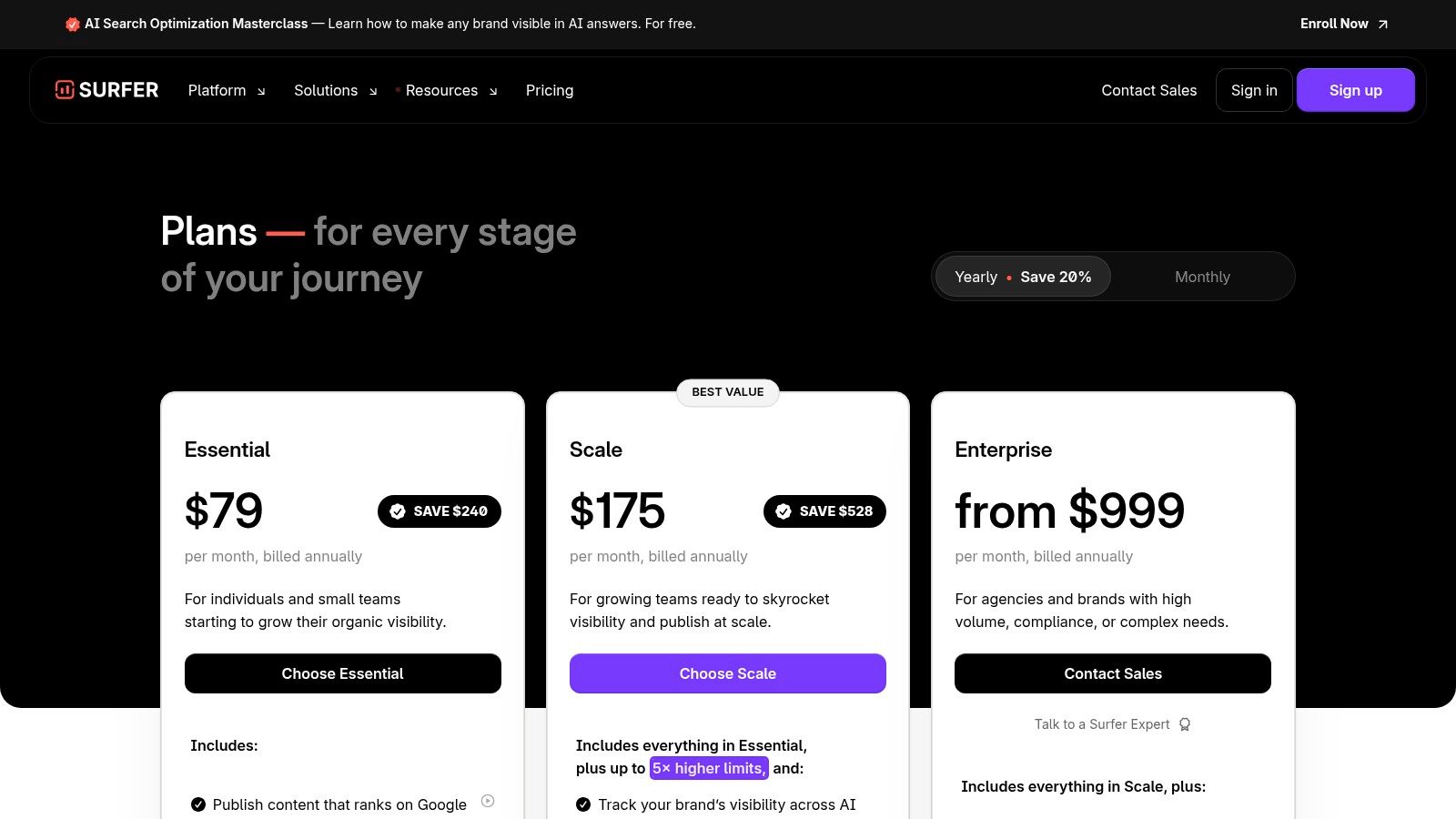
Surfer bridges the gap between AI-driven content creation and data-backed on-page SEO optimization. It distinguishes itself by focusing explicitly on what it takes to rank on Google, analyzing top-performing pages to provide a clear, actionable roadmap for content creation and optimization. While Semrush offers a broader marketing toolkit, Surfer provides a more targeted, specialist approach to on-page SEO. This makes it one of the most effective ai tools for content marketing for teams aiming for organic traffic growth.

The platform provides a data-centric environment where writers and SEOs can collaborate to create content engineered to meet search engine expectations. Surfer’s AI analyzes competing articles for structure, keyword density, and topical relevance, then presents these insights in an easy-to-use editor. This reverse-engineering approach removes much of the guesswork from SEO content creation, providing a clear path to improving search visibility.

Surfer

Key Features and Use Cases

  • Content Editor with Scoring: The primary feature where users write or paste content to receive a real-time optimization score from 0-100. It offers specific suggestions on keyword usage, heading structure, and word count based on a direct analysis of top-ranking competitors for a target query.
  • Content Audit: Run an existing URL through the Audit tool to get actionable on-page SEO recommendations. This is perfect for content refresh campaigns, identifying missing keywords and internal link opportunities to boost the performance of older posts.
  • Topic Discovery & Keyword Research: Surfer helps generate clusters of related topics and keywords around a central theme, allowing marketers to build out comprehensive pillar pages and content hubs that establish topical authority.

Pricing and Implementation

Surfer’s pricing is based on feature access and usage credits for its tools.

  • Essential: Starts at $89/month (billed annually) for individuals and small teams.
  • Advanced: At $179/month (billed annually), it includes more credits and team management features.
  • Max: At $299/month (billed annually), it offers the highest credit limits and API access.

Actionable Tip: Use the Google Docs or WordPress integration to streamline your workflow. This allows your writers to work in their preferred environment while still getting live SEO feedback from Surfer's Content Editor, reducing the friction between content creation and optimization.

Pros & Cons

ProsCons
Clear guidance on what to optimize based on SERP dataMost value realized at higher-tier Scale or Enterprise plans
Excellent for both new content creation and existing auditsLearning curve for users new to SEO optimization tools
Integrates directly with Google Docs and WordPressCan promote an over-reliance on scores vs. user intent

Website: https://surferseo.com/pricing/

7. Writesonic

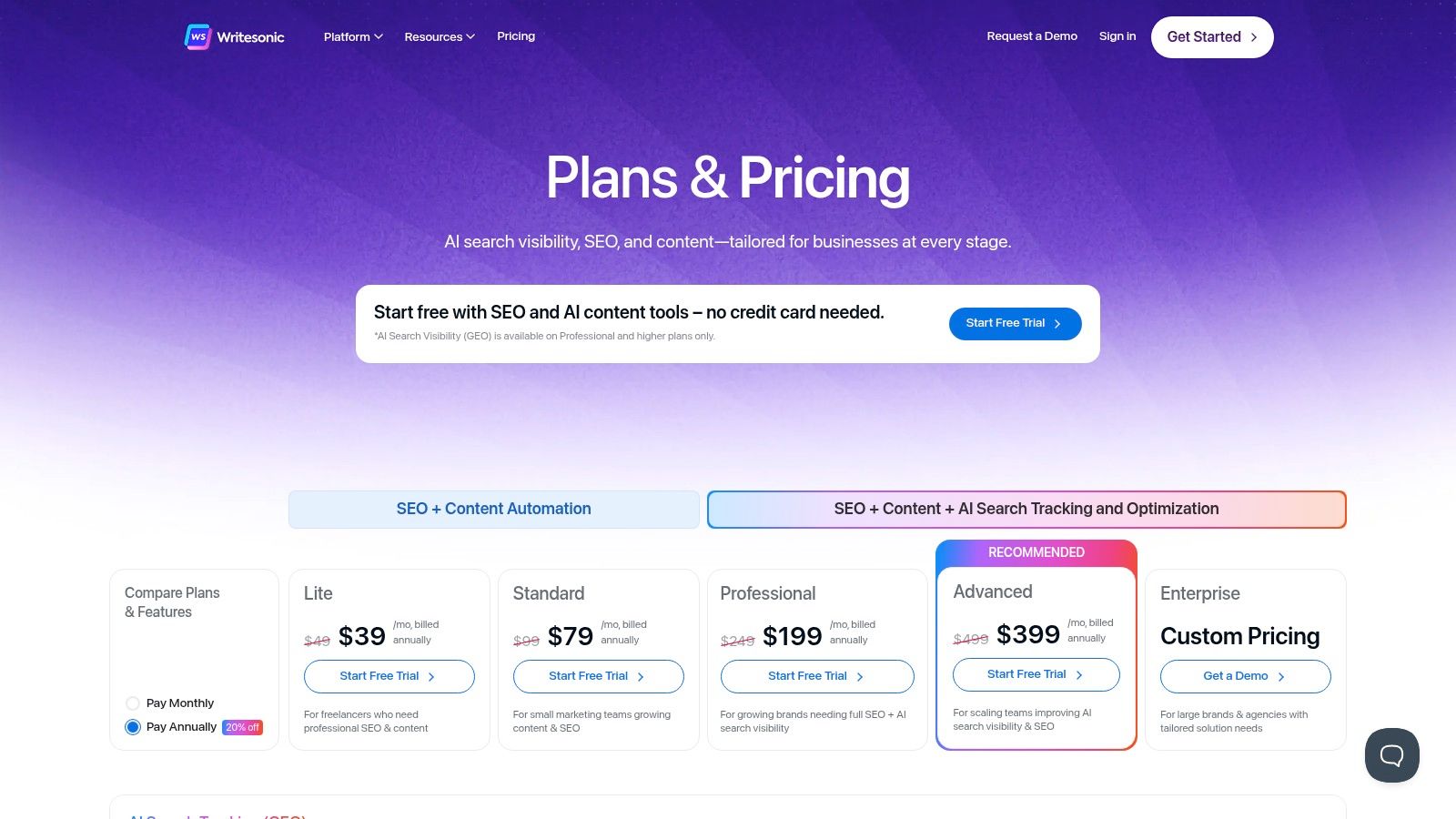
Writesonic positions itself as an all-in-one AI-powered marketing suite, aiming to consolidate the content creation and SEO optimization tool stack. Its primary differentiator is its breadth, combining a powerful AI article writer with SEO research, optimization tools, and performance tracking. Where Surfer and Semrush are SEO tools that added AI writing, Writesonic feels more like an AI writer that has built a robust SEO toolkit around it. This makes it a compelling option for marketers looking to manage the entire content lifecycle within a single platform.

The platform's versatility is enhanced by its support for multiple AI models, including GPT-4o and Claude, allowing users to select the best engine for their specific task. This multi-model approach gives content creators more flexibility and control over the output's style, tone, and quality, which can be a significant advantage over single-model platforms.

Writesonic

Key Features and Use Cases

  • AI Article Writer & Optimization: The core feature allows users to generate SEO-friendly articles of up to 5,000 words. It incorporates real-time SERP data to inform content structure and includes an optimization engine similar to SurferSEO, providing a content score and suggestions for improvement.
  • SEO Audits and Fixes: Writesonic can perform technical and on-page SEO audits of your entire website. It identifies issues like broken links, missing meta descriptions, and slow page speed, often providing AI-driven suggestions for quick fixes.
  • GEO Tracking & AI Bot Monitoring: For businesses focused on local SEO, the platform offers rank tracking by geographical location. It also includes tools to identify and monitor AI bot traffic, helping to maintain data accuracy in analytics.

Pricing and Implementation

Writesonic offers various plans based on word count, features, and user seats.

  • Free Trial: A limited free plan is available to test the platform.
  • Business: Starts at $19/month for one user, providing access to premium features and higher-quality word generation.
  • Enterprise: Custom pricing for larger teams needing unlimited usage, advanced security features, and dedicated support.

Actionable Tip: When using the AI Article Writer, always start by analyzing the top-ranking competitor articles within the tool itself. Writesonic pulls this data in, allowing you to identify content gaps and structure your brief more effectively before you ask the AI to generate the full draft. This initial research step drastically improves the first draft's relevance and quality.

Pros & Cons

ProsCons
Broad feature set reduces the need for multiple toolsPricing and plan complexity can be confusing
Multi-model AI support (GPT-4o, Claude)The best features are locked behind higher-tier plans
Integrated SEO optimization and auditing toolsPer-user costs can add up for larger teams

Website: https://writesonic.com/pricing

8. Canva Magic Studio (Magic Write)

Canva has evolved from a graphic design tool into a comprehensive visual communication platform, with Magic Studio at its core. It integrates powerful AI copywriting and design features directly into the creation workflow, making it an indispensable tool for teams that prioritize visually-led content. Unlike standalone AI writers like Jasper or Copy.ai, Canva's strength is its ability to generate both text and visuals simultaneously, streamlining the creation of social media posts, ads, and presentations from start to finish. This makes it one of the most efficient ai tools for content marketing for producing high volumes of visual assets.

Magic Studio’s key feature, Magic Write, allows users to generate copy with a defined Brand Voice, ensuring that text inside designs remains consistent. This integration is a significant advantage over workflows that require copy-pasting text from a separate AI tool into a design platform. It bridges the gap between copywriting and design, enabling a single creator to manage the entire content lifecycle. For those looking to streamline their visual content, discover more about powerful social media content creation tools that can amplify your strategy.

Canva Magic Studio (Magic Write)

Key Features and Use Cases

  • Integrated Copy and Design: Use Magic Write to instantly generate headlines, body copy, or calls-to-action directly within a social media template or presentation slide. This is ideal for quickly creating multiple ad variations or social posts for A/B testing.
  • Brand Voice Management: Set up a Brand Kit with your logos, colors, fonts, and tone of voice guidelines. Magic Write will use this to generate copy that aligns with your brand identity, ensuring consistency across all visual content.
  • Content Repurposing: The Magic Switch feature (formerly Magic Resize) allows you to transform one asset into many. For instance, you can turn a long-form presentation into a summary document, a blog post, or a series of LinkedIn carousel posts with a single click, saving hours of manual reformatting.

Pricing and Implementation

Canva offers a generous free plan with limited Magic Studio uses.

  • Free: Includes limited uses of Magic Studio tools.
  • Pro: Starts at $14.99/month for one person, with significantly more Magic Studio credits and access to premium features.
  • Teams: Starts at $29.99/month for the first 5 people, providing centralized brand management, collaboration tools, and pooled credits.

Actionable Tip: Use the "Bulk Create" app to streamline repetitive design tasks. Prepare your copy variations in a CSV file (e.g., different testimonials or product features) and upload it to Canva to automatically generate dozens of unique social media graphics from a single template.

Pros & Cons

ProsCons
All-in-one platform for visual and text creationNot a dedicated SEO or long-form blog writing tool
Excellent for social media and ad contentTeam pricing can be costly for smaller businesses
Generous free tier for AI feature testingAI features are credit-based, which may limit high-volume users

Website: https://www.canva.com/magic/

9. Grammarly Business

Grammarly Business elevates the popular AI-powered writing assistant into a comprehensive tool for ensuring content quality and brand consistency across an entire organization. While many AI tools focus on content generation, Grammarly excels at the crucial final steps of polishing and refining copy. It acts as an ever-present editor, ensuring every email, social post, and blog article meets a high standard of correctness, clarity, and on-brand tone. For teams focused on quality control over speed, it is one of the most foundational ai tools for content marketing.

The platform's strength lies in its low-friction integration and its ability to enforce a consistent writing style at scale. Unlike platforms focused purely on creation, Grammarly integrates directly into the tools your team already uses, from Google Docs to your CRM. The Business plan adds centralized management features like Style Guides and Brand Tones, allowing a marketing leader to define specific rules (e.g., "always use sentence case in headlines") that are then suggested to every team member in real-time.

Grammarly Business

Key Features and Use Cases

  • Style Guides & Brand Tones: A content manager can codify brand-specific terminology, capitalization rules, and stylistic preferences. This ensures that a new hire's client email sounds just as on-brand as a veteran marketer's blog post, automatically enforcing consistency.
  • Real-Time Writing Assistance: Beyond simple spell-checking, the AI provides suggestions for clarity, conciseness, tone (e.g., confident, analytical), and engagement. This helps polish everything from ad copy to internal communications.
  • Team Analytics and Management: Admins can view usage statistics and common writing challenges across the team, identifying opportunities for targeted training. Centralized billing and user management simplify onboarding and administration for growing teams.

Pricing and Implementation

Grammarly Business uses a per-user pricing model, requiring a minimum number of seats.

  • Premium: For individuals, starting at $12/month.
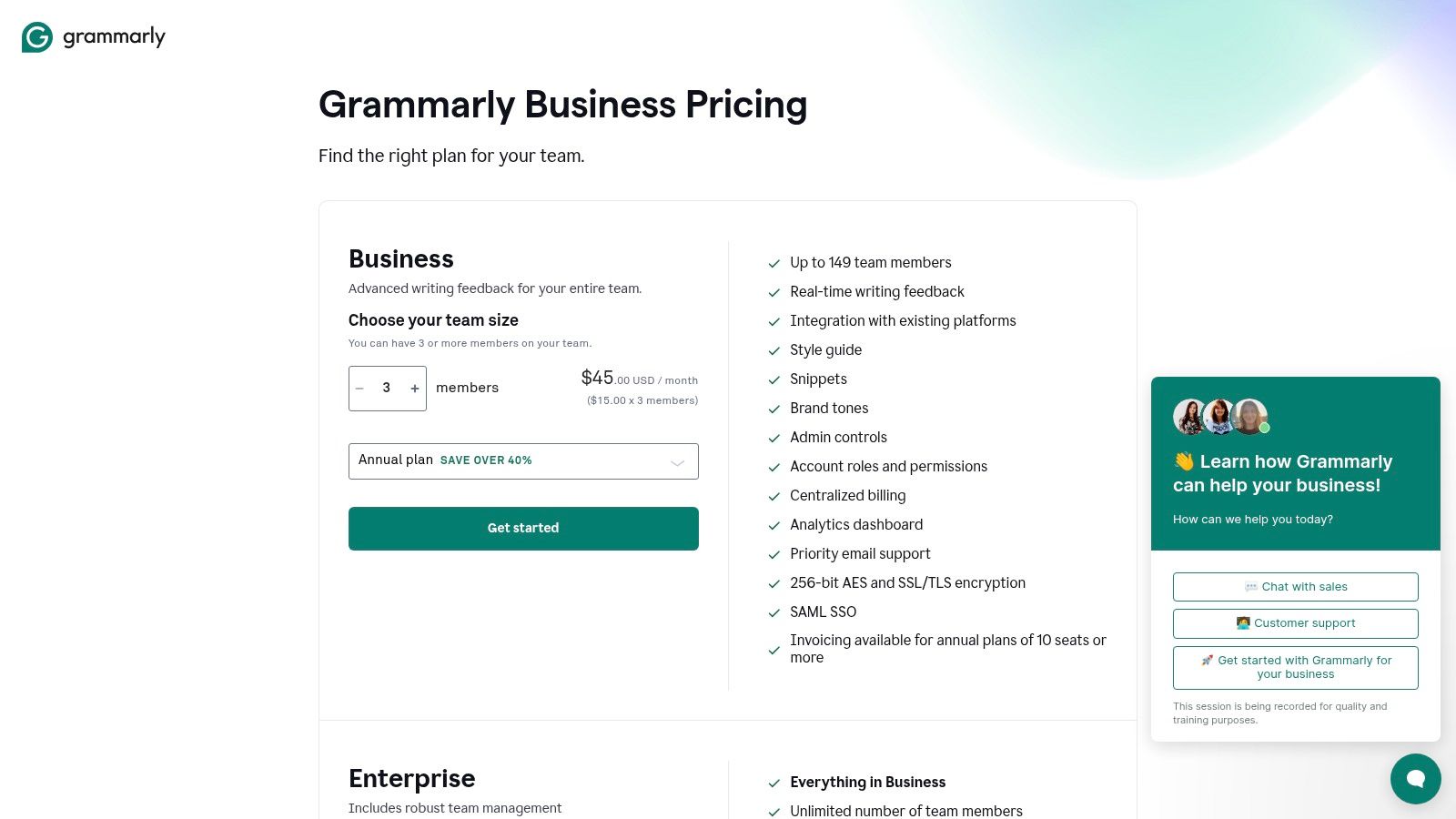
  • Business: Starts at $15/user/month (billed annually) for teams of 3 to 149. Includes Style Guides, Brand Tones, and analytics.
  • Enterprise: Custom pricing for larger organizations needing advanced security (SAML SSO), a dedicated success manager, and enhanced controls.

Actionable Tip: Implement the Style Guide feature immediately. Start by adding your company name, key product names, and common industry jargon to prevent misspellings. Then, add rules for common stylistic errors you frequently correct, such as a preference for the Oxford comma or specific headline capitalization, to automate your editing process.

Pros & Cons

ProsCons
Seamless integration across browsers and appsNot a primary content generation or SEO tool
Improves baseline quality of all written contentPer-seat model requires a minimum of 3 users
Easy to deploy and adopt across a teamGenerative AI features are less advanced than dedicated tools

Website: https://www.grammarly.com/business/pricing

10. Notion AI

Notion AI transforms the popular collaborative workspace into a powerful content engine, embedding generative AI directly into the tools marketing teams already use for planning and documentation. Where standalone AI writers focus solely on creation, Notion AI's strength is its integration within a unified content operations hub. For teams that live in Notion for project management, it is an indispensable ai tool for content marketing for streamlining the entire content lifecycle, from ideation and briefing to drafting and final review, all in one place.

The platform excels at applying AI to structured data within its databases and project pages. Unlike tools that only generate text in a blank document, Notion AI can summarize meeting notes, draft content briefs based on database properties, translate text blocks, and even autofill database columns. This contextual AI capability dramatically reduces manual work and ensures consistency across related content assets.

Notion AI

Key Features and Use Cases

  • Integrated Writing and Summarization: Instantly draft outlines, write first drafts of blog posts, or summarize long research documents directly within a Notion page. A content manager can highlight notes from a strategy session and ask the AI to generate a content brief, complete with target keywords and audience profiles.
  • Database Autofill: Automate metadata creation in your content calendar. Use AI to generate social media captions, SEO meta descriptions, or content summaries for each item in your database, saving hours of repetitive data entry.
  • Contextual Q&A: Notion's "Q&A" feature acts like a personalized search engine for your workspace. A team member can ask, "What are our key messaging points for the Q3 campaign?" and the AI will scan relevant documents to provide a direct, synthesized answer.

Pricing and Implementation

Notion includes the AI add-on with its higher-tier plans for new customers, with options for existing users.

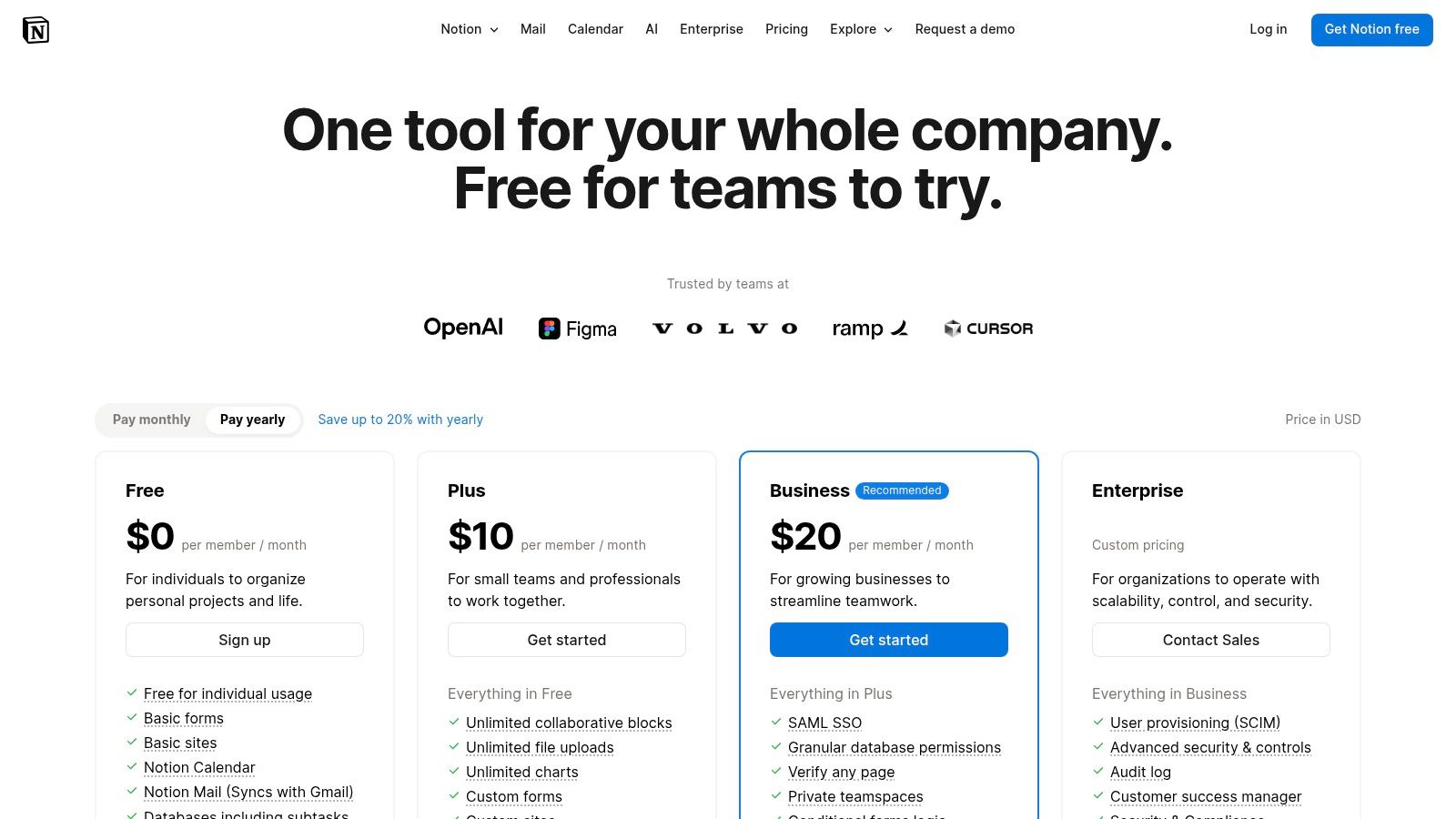
  • Plus: Starts at $10/user/month (billed annually) and serves as the base for the AI add-on.
  • Business: Starts at $18/user/month and includes the Notion AI features.
  • Enterprise: Custom pricing for advanced controls, security, and dedicated support.

Actionable Tip: Create database templates for your core content types (e.g., blog posts, case studies) with an "AI Summary" property. Set up a button automation that, when clicked, uses Notion AI to read the page content and populate that summary field automatically, creating at-a-glance overviews for your content calendar.

Pros & Cons

ProsCons
Unifies content strategy, planning, and creationAI features are tied to more expensive plans
AI is applied directly to structured workflows and dataRecent pricing changes can be confusing for existing users
Excellent for team collaboration and documentationNot as feature-rich for pure writing as dedicated AI tools

Website: https://www.notion.so/pricing

11. OpenAI ChatGPT (Plus/Business/Enterprise)

OpenAI's ChatGPT has evolved from a general-purpose conversational AI into a robust workspace that marketers can leverage for a wide array of content tasks. It serves as a highly versatile assistant for everything from initial audience research and brainstorming to drafting copy, repurposing content, and creating custom workflows. Unlike specialized platforms like Surfer or Jasper, its strength lies in its flexibility, making it one of the most adaptable ai tools for content marketing for teams that need a multipurpose solution.

The platform's Business and Enterprise tiers add crucial layers of collaboration, administration, and data privacy, transforming it from a solo tool into a secure team environment. Features like shared workspaces and admin controls allow marketing leaders to manage usage and maintain oversight. This makes it a powerful supplement to a core marketing stack, filling gaps in ideation, rapid drafting, and strategic analysis. It is an excellent starting point for teams looking to understand how to use AI in marketing before committing to more specialized tools.

OpenAI ChatGPT (Plus/Business/Enterprise)

Key Features and Use Cases

  • Custom GPTs: Teams can build specialized internal tools without coding. For example, a content manager could create a "Blog Brief GPT" trained on the company's SEO guidelines and audience personas to standardize content outlines for all writers.
  • Data Analysis & Research: Users can upload spreadsheets of market research, keyword data, or performance metrics and ask the AI to identify trends, summarize findings, or generate charts. This is useful for quickly analyzing campaign results to inform the next content cycle.
  • Team Workspace & Admin Controls: The Business and Enterprise plans provide a central environment where team members can collaborate on projects. Admins can manage user access and ensure data from conversations is not used for model training, which is critical for compliance.

Pricing and Implementation

ChatGPT offers several plans catering to different user needs.

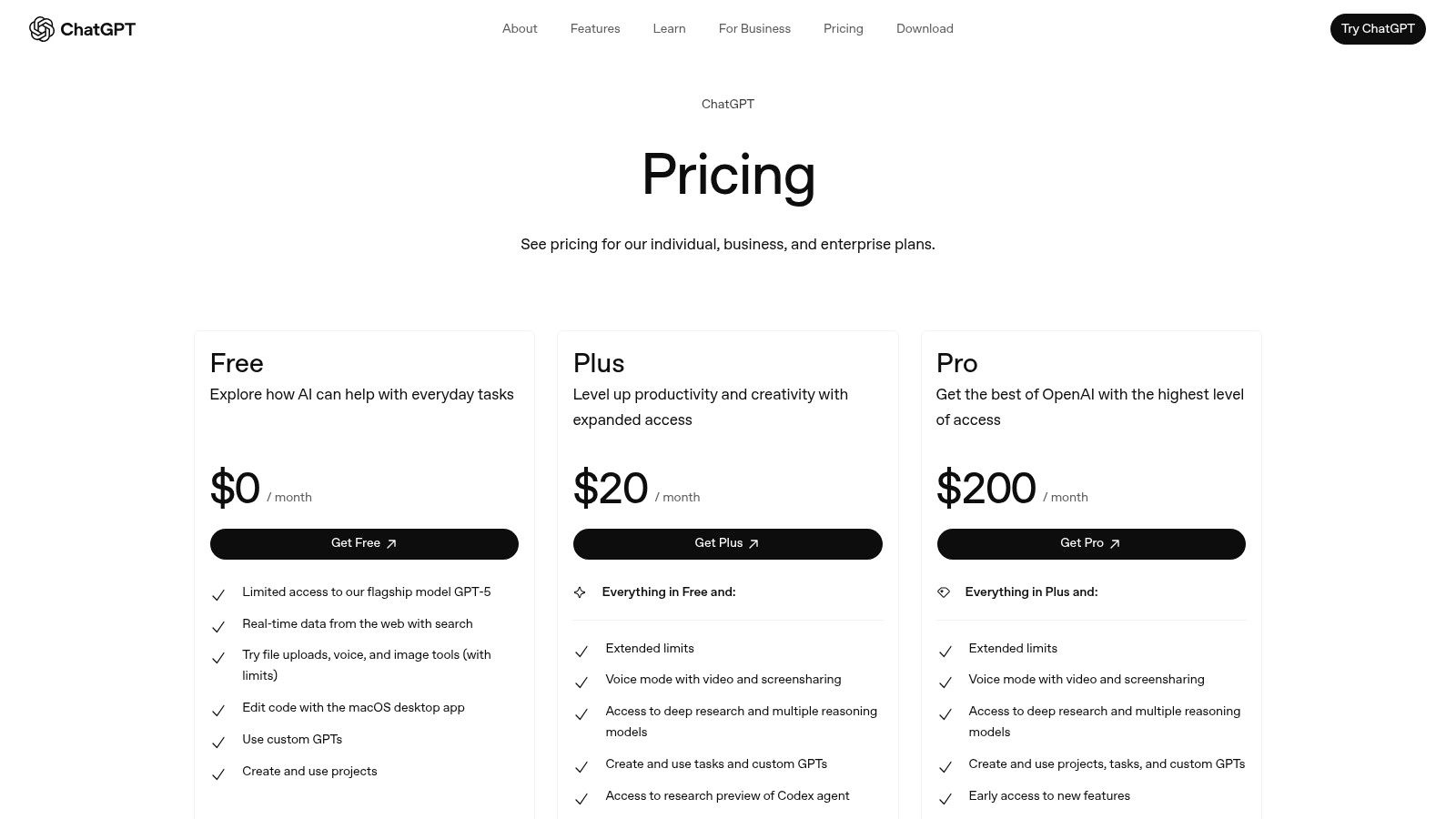
  • Free: Access to the base model with usage limits.
  • Plus: $20/user/month for individuals needing access to advanced models like GPT-4, DALL-E 3, and data analysis.
  • Business/Enterprise: Custom pricing for teams requiring collaboration features, enhanced security, admin controls, and higher usage limits.

Actionable Tip: Use the Custom GPTs feature to build a "Brand Voice & Tone Checker." Feed it your style guide, examples of on-brand copy, and a list of words to avoid. Your team can then run their drafts through this custom GPT for a quick consistency check before publishing.

Pros & Cons

ProsCons
Highly versatile for ideation and draftingNot a dedicated SEO or content management platform
Enterprise-grade controls for teamsUsage limits can vary by plan
Custom GPTs allow for tailored workflowsRequires manual brand voice governance

Website: https://openai.com/pricing

12. G2 - AI Writing Assistants category

While not a tool itself, G2's AI Writing Assistants category is an indispensable research hub for any marketing leader evaluating software. It serves as a comprehensive marketplace, aggregating real user reviews, detailed feature comparisons, and up-to-date rankings. Instead of relying solely on vendor marketing, G2 provides a peer-validated starting point, making it one of the most strategic resources for discovering and shortlisting ai tools for content marketing that fit specific organizational needs.

The platform excels at helping users cut through the noise of a rapidly growing market. By leveraging its powerful filtering and comparison grids, marketing managers can quickly identify top-rated solutions based on company size, industry, or specific feature requirements. This data-driven approach allows teams to compare alternatives side-by-side, understand user-reported limitations, and make more informed purchasing decisions without extensive manual research.

Key Features and Use Cases

  • Peer Reviews & Comparison Grids: Directly compare the top AI writing platforms on features, ease of use, and quality of support based on feedback from verified users. A demand generation manager could use this to compare Jasper and Copy.ai based on ratings from mid-market B2B tech companies.
  • Quarterly Reports & Rankings: Access G2's "Grid" reports, which plot tools based on market presence and customer satisfaction. This is useful for identifying established leaders versus high-momentum "challenger" tools.
  • Discovery of Niche Tools: Beyond the big names, the platform helps uncover emerging or specialized AI tools that might be a better fit for a unique use case, like AI-powered video scriptwriting or technical documentation.

Pricing and Implementation

G2 is a free resource for software buyers. Access to all reviews, comparison tools, and reports does not require a paid subscription. Vendors may have sponsored listings, which are clearly marked.

Actionable Tip: Use the filtering options to narrow down choices to your specific industry and company size. Reviews from users with a similar profile are far more relevant than the overall score. Pay close attention to reviews mentioning integration capabilities with your existing martech stack (e.g., HubSpot, Salesforce).

Pros & Cons

ProsCons
Aggregates verified, real-world user feedbackSponsored placements can influence visibility
Excellent for comparing features side-by-sideNiche or newer tools may have very few reviews
Free to use for research and shortlistingReview quality can be inconsistent

Website: https://www.g2.com/categories/ai-writing-assistant

AI Content Marketing Tools Comparison

PlatformCore Features & CapabilitiesUser Experience & Quality ★Value Proposition & Pricing 💰Target Audience 👥Unique Selling Points ✨
marketbetter.ai 🏆End-to-end AI marketing: content, campaigns, CRM★★★★★ (4.97/5), top-rated on G2Customized pricing; ROI-focused, 5x faster content, 15% better conversionsMid-market to enterprise B2B marketing teamsUnified AI across content, campaigns & engagement; 80% outreach automation
JasperBrand-safe AI content, campaign workflows★★★★☆, strong governanceQuote-based pricing; per-seat may add costsMarketing teams needing brand controlBrand Voices, No-code AI App Builder
Copy.aiAI chat content creation, workflow automation★★★★☆Low monthly start; workflow credit systemSmall marketing teams scaling contentMulti-model AI and scalable agents
HubSpot Content Hub + Breeze AIAI blog, email, website generation; CRM integration★★★★☆ Enterprise-gradeBest AI features in higher tiersEnterprise marketing teamsDeep CRM/automation integration
SemrushSEO-focused AI writing & optimization tools★★★★Higher tiers/add-ons for full AI featuresSEO-driven content marketersSEO data + AI writing combined
SurferAI content creation & on-page SEO optimization★★★★Scale and Enterprise plans unlock full valueSEO specialists focusing on Google rankingGEO tracking & AI visibility insights
WritesonicSEO research, article writing & optimization★★★★Complex pricing; add-on costsBroad content & SEO marketersMulti-model AI including GPT-4o
Canva Magic Studio (Magic Write)AI copywriting with design & brand voice★★★★Freemium available; team plans costlySocial media & visual content creatorsBulk content & repurposing; extensive templates
Grammarly BusinessAI writing assistant focused on clarity & style★★★★☆Per-seat pricing; team minimumsTeams focused on quality and consistencyBrand style enforcement & real-time feedback
Notion AIAI-enhanced collaborative workspace★★★★AI in Business/Enterprise plansCross-team content plannersAI for structured content & workflows
OpenAI ChatGPT (Plus/Business/Enterprise)Versatile AI assistant & custom GPT workflows★★★★Subscription tiers; usage limits applyMarketers needing flexible AI assistantCustom GPTs & advanced collaboration features
G2 - AI Writing Assistants categoryUser reviews & rankings of AI marketing toolsN/AFree accessBuyers researching marketing AI toolsPeer reviews & comprehensive comparisons

Making Your Choice: From Content Velocity to Business Velocity

Navigating the expansive landscape of AI tools for content marketing can feel overwhelming, but the journey from exploration to implementation is a strategic one. We've dissected a dozen powerful platforms, from all-in-one campaign engines to specialized SEO assistants and nimble content generators. The core takeaway is clear: the "best" tool doesn't exist in a vacuum. It exists in the context of your team's specific bottlenecks, strategic goals, and operational maturity.

The shift from manual content creation to an AI-augmented workflow is no longer just about increasing content velocity. It's about achieving business velocity. It's about collapsing the time between ideation and revenue, between a blog post and a closed deal, and between data analysis and a winning campaign pivot.

From Tool-Specific Skills to Strategic Integration

The tools we've covered represent distinct philosophies. Platforms like Jasper, Copy.ai, and Writesonic are masters of generation, empowering teams to overcome the blank page and produce high volumes of creative copy. They are the specialists you hire for a specific, critical task: writing.

In contrast, SEO-centric tools like Semrush and Surfer act as your strategic advisors. They don't just write; they provide the data-driven blueprint for what to write, ensuring your content has the best possible chance to rank and attract organic traffic. Similarly, tools like Grammarly Business and Canva Magic Studio integrate AI into existing workflows, enhancing quality and visual appeal without requiring a complete process overhaul.

Then there are the integrated ecosystem players. HubSpot Content Hub and Notion AI embed AI directly into the platforms where your marketing and business operations already live. This approach prioritizes seamless workflows and centralized knowledge over best-in-class, single-point solutions.

A Framework for Your Decision

To make the right choice, move beyond feature-for-feature comparisons and ask these critical questions about your organization's primary needs:

  • Is our biggest challenge proving ROI? If your C-suite constantly asks, "How is marketing driving revenue?" then a platform that connects content directly to the sales funnel is essential. An integrated solution like marketbetter.ai, which links content assets to lead generation and sales outcomes, provides the attribution and reporting needed to justify your budget and demonstrate impact.
  • Is our primary bottleneck content creation speed? If your team struggles to keep up with the content calendar, a dedicated AI writer is your best bet. A tool like Jasper with its robust templates and brand voice features, or Copy.ai with its workflow automation, can dramatically increase your team’s output.
  • Is our main goal to dominate search rankings? For teams where organic traffic is the lifeblood of lead generation, an SEO-focused platform is non-negotiable. The deep keyword research, competitive analysis, and on-page optimization guidance from Semrush or Surfer will provide a far greater return than a generic writing tool.
  • Do we need better team collaboration and governance? If your content process is chaotic, with inconsistent branding and multiple disconnected tools, consider a platform that unifies the workflow. Notion AI can centralize planning and drafting, while enterprise-grade solutions offer the governance features needed to maintain brand integrity at scale.

Ultimately, selecting the right AI tools for content marketing is an act of strategic self-assessment. Identify your most significant point of friction, whether it's creation, optimization, management, or measurement. The right platform won't just help you create more content faster; it will transform your entire marketing engine into a more efficient, predictable, and powerful driver of business growth.


Ready to move beyond simple content generation and connect your marketing efforts directly to revenue? marketbetter.ai is the AI-powered platform designed to manage your entire content-to-close funnel, providing the clear attribution you need to prove ROI. See how our integrated approach makes marketbetter.ai one of the most strategic ai tools for content marketing by exploring our platform today.