The 12 Best AI Tools for Content Creation in 2026 (Ranked & Reviewed)

· 33 min read

The right AI tools can dramatically accelerate your content creation process, transforming how marketing professionals, sales teams, and entrepreneurs produce everything from ad copy to video scripts. The challenge isn't a lack of options; it's navigating a crowded market to find solutions that genuinely match your team's workflow, budget, and specific content needs. Simply picking the most popular tool isn't enough. You need an actionable strategy to integrate these platforms effectively, avoiding the common pitfall of adopting software that gathers digital dust.

This guide moves beyond generic feature lists to provide a comprehensive analysis of the best AI tools for content creation. We offer an honest assessment of each platform's core capabilities, ideal use cases, and limitations. Before diving into specific tools, it's helpful to gain a clear baseline for understanding what AI-generated content is and how it's defined in practice. This context is crucial for evaluating which tools will best serve your strategic goals, whether you're a demand generation manager scaling campaigns or a VP of Sales equipping your team with better outreach materials.

Our goal is to help you make informed decisions quickly. For each tool reviewed, you will find:

  • Practical Use Cases: Real-world scenarios for marketing, sales, and operational tasks.
  • Strengths & Weaknesses: A balanced look at what each platform excels at and where it falls short.
  • Pricing & Enterprise Readiness: Clear information to help you evaluate scalability and budget fit.
  • Actionable Tips & Comparisons: Specific advice on how to use each tool effectively and how it stacks up against competitors.

We'll compare key players like Jasper and Copy.ai for text generation, evaluate visual content powerhouses such as Canva and Adobe Firefly, and explore video creation with Descript and Runway. Let's find the right AI content stack for your business.

1. marketbetter.ai

Best for: Integrated GTM & Revenue Generation

MarketBetter.ai stands out as more than just a content tool; it's a comprehensive AI-native Go-To-Market (GTM) platform that unifies content creation with sales outreach, campaign optimization, and real-time analytics. While many of the best AI tools for content creation, such as Jasper or Copy.ai, focus solely on generating text or visuals, MarketBetter positions content as a core component of a unified "AI Revenue Engine." This makes it an exceptional choice for mid-market and enterprise B2B teams looking to eliminate tool sprawl and directly connect content efforts to pipeline and revenue.

The platform’s key differentiator is its integrated approach. Instead of using one tool for blog posts, another for social copy, a third for email sequences, and a fourth for analytics, MarketBetter combines these functions. It automates prospect research, generates personalized outreach sequences, and triggers touchpoints based on on-site user intent, dramatically reducing manual work. This holistic system provides a unified view of the customer journey, enabling clearer attribution and faster, more relevant follow-ups.

Key Features and Use Cases

  • AI-Powered Content & Outreach: Generate personalized email sequences, ad copy, and sales collateral tailored to specific accounts and personas. The system automates follow-ups, with users reporting up to 70% fewer manual outreach tasks.
  • Unified Analytics & Intent Detection: Its real-time dashboard connects content performance directly to pipeline metrics. The platform can identify anonymous website visitors, enrich account data, and trigger sales alerts based on buying intent signals.
  • Frictionless Integrations: MarketBetter offers no-extra-cost integrations with essential platforms like Salesforce, HubSpot, Slack, and LinkedIn Ads. Setup is fast, with a tracking code and CRM connection enabling live operation in minutes.
  • Enterprise-Ready Security: The platform includes robust security features, including data encryption in transit and at rest, detailed audit logs, and privacy compliance, making it suitable for enterprise-grade deployments.

Actionable Tip

To maximize ROI, connect MarketBetter to your CRM and primary ad platforms (e.g., LinkedIn Ads) during onboarding. Use the intent data to create a dynamic audience of high-fit, in-market accounts. Then, deploy an AI-generated, multi-touch campaign that combines automated email sequences with targeted ads for a unified, high-impact approach.

Pros & Cons

ProsCons
All-in-One Platform: Reduces tech stack bloat by combining content, outreach, and analytics.Opaque Pricing: Geared toward mid-market/enterprise; smaller teams must book a demo for cost details.
Proven ROI: Strong G2 ratings (4.9/5) and case studies show measurable lifts in SQLs, meetings, and campaign performance.Data Privacy Considerations: IP-based identification requires teams to validate compliance with regional regulations.
High Automation: Significantly cuts manual tasks for sales and marketing teams, freeing them up for strategic activities.
Rapid Implementation: Designed for quick time-to-value with seamless, out-of-the-box integrations.

Pricing: A free trial and demo are available. Pricing is customized for mid-market and enterprise teams, so contacting sales is required.

Website: marketbetter.ai

2. Jasper

Jasper has carved out a significant niche as one of the best AI tools for content creation, specifically tailored for marketing teams aiming for brand consistency at scale. Unlike more generalist AI writers like Copy.ai that offer multi-model flexibility, Jasper's entire platform is built around a "Brand Voice" and "Knowledge" system. This allows you to upload style guides, product catalogs, and company facts, ensuring that every piece of content aligns perfectly with your established brand identity. It moves beyond simple prompt-and-response, functioning more like an in-house content assistant that already knows your rules.
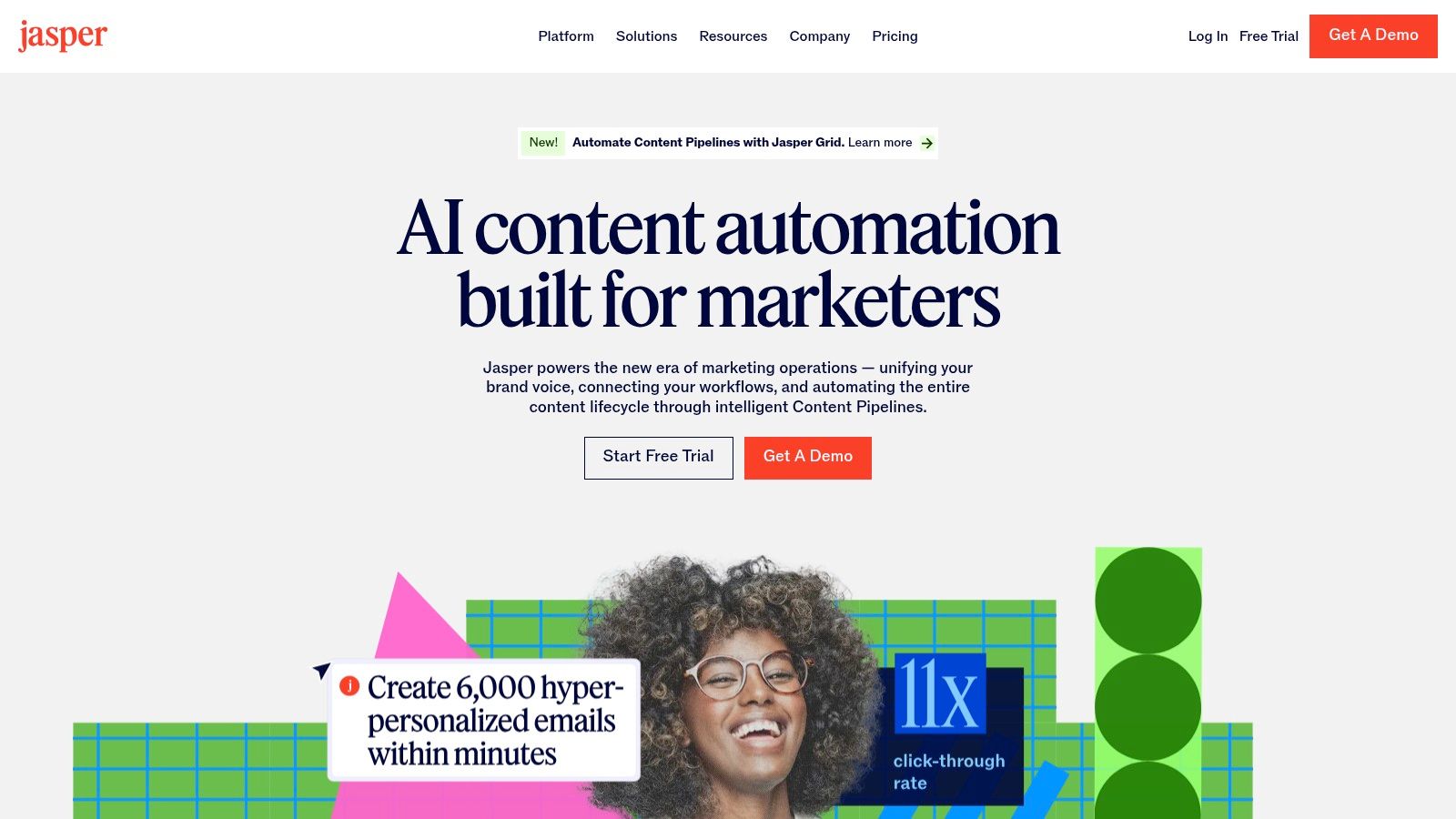
Jasper

The platform's standout feature is its campaign-centric workflow, which is a major differentiator from competitors. The "Canvas" feature lets teams collaboratively brainstorm and generate a suite of related assets for a single campaign in one interconnected space. This cohesive approach is ideal for demand generation managers and CMOs who need to orchestrate multi-channel marketing pushes efficiently. Its focus on team-based governance and workflows makes it a powerful choice for organizations looking to formalize their AI adoption.

Key Details & Use Cases

  • Best For: Marketing teams, demand generation managers, and enterprises needing strict brand governance and collaborative content workflows.
  • Pricing: Starts with the Creator plan at $49/month per seat. The Pro plan (starting at $69/month per seat) adds Brand Voices and collaboration features. The Business plan offers advanced features like API access and is based on custom pricing.
  • Unique Feature: The Brand Voice capability is exceptionally robust. You can train it by scanning your website or uploading documents, making it highly effective at capturing a specific tone and style.
  • Actionable Tip: To maximize Jasper's value, invest time upfront to thoroughly build out your Brand Voice and Knowledge Base. This initial setup is crucial for generating high-quality, on-brand content consistently. For your next campaign, use the Canvas to generate a blog post outline, then pull key messages from it to instantly create social media copy and ad headlines in the same document. You can explore this topic further and learn more about scaling your content marketing with Jasper on marketbetter.ai.
ProCon
Excellent for maintaining brand consistency.Per-seat pricing model can become costly for large teams.
Strong focus on collaborative workflows.Core enterprise features are gated behind custom pricing.
Purpose-built for marketing campaigns.Less of a "jack-of-all-trades" tool than some competitors.

Website: https://www.jasper.ai

3. Copy.ai

Copy.ai positions itself as a highly accessible and versatile AI content platform, making it one of the best AI tools for content creation for teams prioritizing speed and flexibility. Unlike platforms like Jasper that lock users into a single proprietary model, Copy.ai provides access to multiple leading LLMs, including models from OpenAI, Anthropic, and Google Gemini, all within one interface. This multi-model approach allows teams to select the best engine for a specific task, from generating creative marketing copy to drafting technical product descriptions, without needing multiple subscriptions.
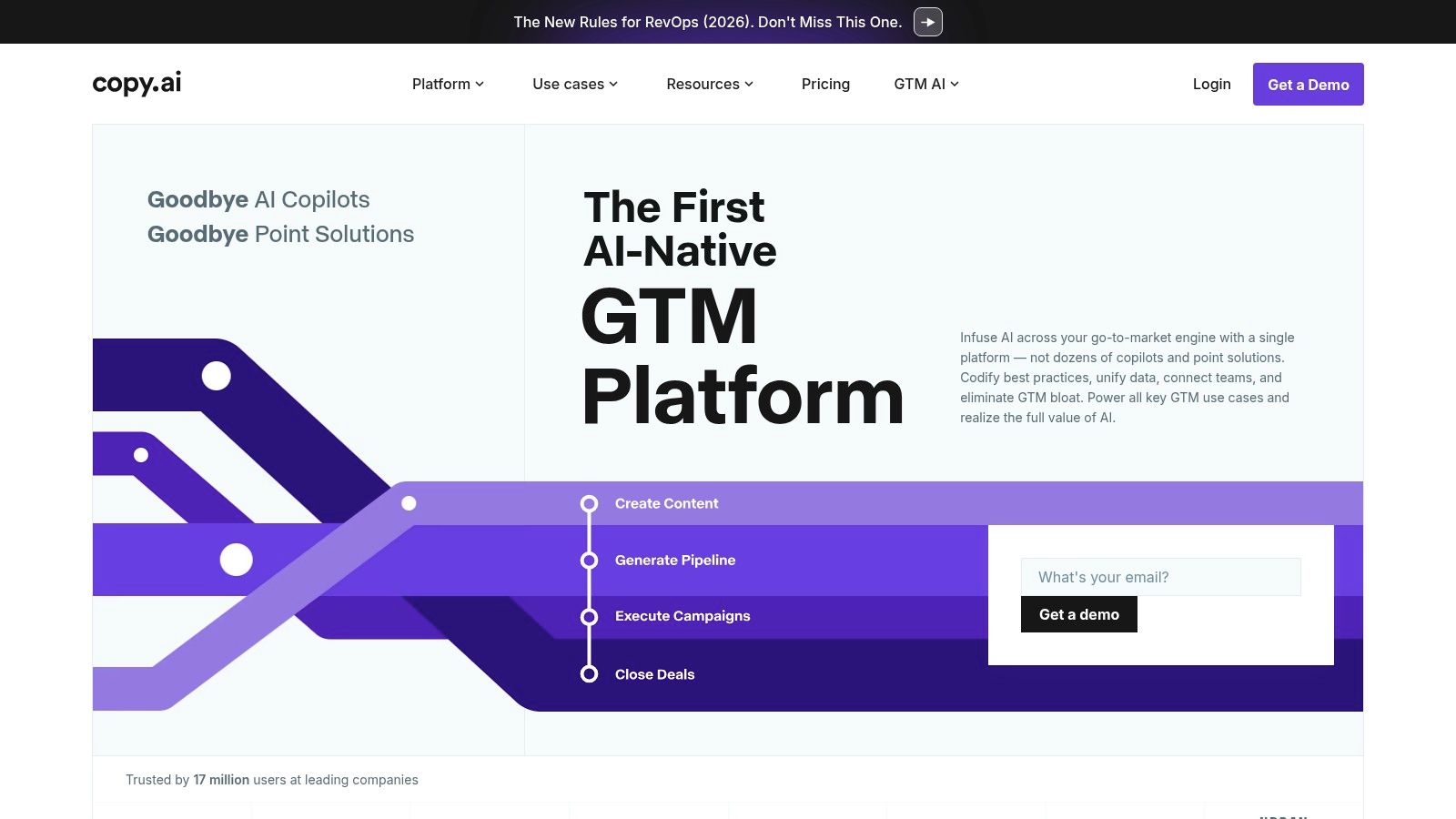
Copy.ai

The platform's strength lies in its approachable workflow builder and the innovative "Content Agent Studio." While other tools focus heavily on brand voice, Copy.ai empowers users to build and train custom AI agents for repeatable tasks. This is ideal for SMBs and marketing teams that need to automate content processes, like generating weekly SEO-optimized blog posts or repurposing webinar transcripts into social media content, with minimal technical overhead. This focus on user-built automation and model flexibility sets it apart from more structured, brand-centric platforms like Jasper.

Key Details & Use Cases

  • Best For: SMBs, startups, and agile marketing teams that need a fast, flexible tool for diverse content generation without a steep learning curve.
  • Pricing: Starts with a Free plan. The Pro plan is $49/month for 5 seats. The Team plan is $249/month for 20 seats and adds more workflow credits. Enterprise plans offer advanced features and custom pricing.
  • Unique Feature: The Workflow Builder combined with multi-model access is a key differentiator. It allows you to chain prompts and select different AI models for each step of a content workflow, offering unparalleled customization.
  • Actionable Tip: Start by identifying a high-volume, repetitive content task, such as writing product descriptions or social media updates. Use the Workflow Builder to create a simple, automated process for this task. For instance, create a workflow that takes a product name as input, generates a description using OpenAI's model, and then creates a promotional tweet using Anthropic's model for a different tone.
ProCon
Low entry price for small to medium-sized teams.Seat limits per plan can raise costs as the team scales.
Flexible access to multiple best-in-class AI models.Advanced automation (Agents) is locked into higher-tier plans.
Fast setup with guided onboarding and simple UI.Brand voice controls are less robust than enterprise-focused competitors.

Website: https://www.copy.ai

4. Canva (Magic Studio)

Canva has evolved from a simple design tool into an all-in-one visual communication platform, with its "Magic Studio" suite bringing powerful AI capabilities to the masses. Where a specialized tool like Adobe Firefly is built for professional designers, Canva excels at making AI accessible for creating a vast range of branded multimedia content quickly. It integrates text-to-image/video generation, AI-powered writing, and smart editing tools directly into its familiar, template-driven workflow, empowering non-designers to produce professional-grade marketing assets without a steep learning curve.
Canva (Magic Studio)

The platform's core strength lies in its seamless integration of AI features within an enormous library of templates and stock assets. A social media manager can generate an image with Magic Media, apply it to a branded post template, use Magic Write to create a caption, and schedule it for publishing, all within a single interface. This consolidated, user-friendly ecosystem makes it one of the best AI tools for content creation for teams who need speed and volume without sacrificing brand alignment.

Key Details & Use Cases

  • Best For: Social media managers, small business owners, and marketing teams who need to rapidly produce a high volume of visual content without specialized design skills.
  • Pricing: A robust free plan is available. Canva Pro is highly affordable for individuals and small teams. The Canva for Teams plan adds brand management and collaboration features, with custom enterprise pricing available.
  • Unique Feature: Magic Design allows you to simply upload an image or describe an idea, and Canva instantly generates a selection of fully-customizable templates (e.g., presentations, social posts) based on your input.
  • Actionable Tip: Use Canva's Brand Kit feature to its full potential by pre-loading your logos, brand colors, and fonts. Then, use Magic Design by providing a text prompt like "Instagram post for a new coffee blend launch." It will generate multiple on-brand templates instantly, which you can then refine and schedule directly from the platform. You can discover more about social media content creation tools on marketbetter.ai.
ProCon
Extremely user-friendly for non-designers with rich templates.Advanced AI and administrative controls are limited to Teams plans.
All-in-one platform for design, AI generation, and social scheduling.Past pricing and feature changes have caused confusion for some teams.
Extensive stock asset library and affordable Pro plan.AI image generation can be less nuanced than specialized tools.

Website: https://www.canva.com

5. Adobe Firefly

Adobe Firefly enters the list of best AI tools for content creation not as a standalone writer, but as a powerful, integrated generative engine for visual content. Built directly into the Adobe Creative Cloud ecosystem, its primary advantage is its seamless workflow within industry-standard applications like Photoshop and Adobe Express. Firefly is designed for professional creatives, providing commercially-safe models trained on Adobe Stock and public domain content, which addresses major copyright concerns for enterprises.
Adobe Firefly

Its core strength lies in features like Generative Fill and Generative Expand, which allow users to modify and extend existing images directly within their creative projects. While Midjourney is superior for generating entire, highly artistic images from scratch, Firefly excels at practical, in-workflow modifications. This integration makes it an indispensable tool for marketing and creative teams who need to produce high-quality, brand-aligned visual assets without disrupting established professional workflows.

Key Details & Use Cases

  • Best For: Creative professionals, marketing departments, and enterprises that are heavily invested in the Adobe Creative Cloud ecosystem.
  • Pricing: Access is included with most Creative Cloud plans, which start at $59.99/month for all apps. Usage is governed by a "generative credits" system, with plans allocating a specific number of credits per month.
  • Unique Feature: The Generative Fill in Photoshop is a game-changer. It allows you to select an area of an image and use a text prompt to add, remove, or replace content non-destructively, which is far more practical for professional use than generating entire images from scratch.
  • Actionable Tip: Use Generative Expand in Photoshop to quickly adapt a single creative asset for multiple channel formats. Take a square social media image, expand the canvas into a wide banner, and use the feature (with an empty prompt) to seamlessly fill the new space with matching background content. This turns a multi-step design task into a one-click action.
ProCon
Seamless integration with Photoshop and other CC apps.The credit-based system can be limiting for high-volume use.
Models are trained for safe commercial use.Creative Cloud subscription is required for deep integration.
Powerful for in-painting and out-painting workflows.Core value is tied to visuals, not text or other content types.

Website: https://www.adobe.com/products/firefly

6. Descript

Descript has fundamentally changed the landscape of audio and video production, making it one of the best AI tools for content creation for anyone working with spoken-word media. It operates on a revolutionary text-based editing model: your audio or video file is transcribed, and you edit the media simply by editing the text transcript. Deleting a sentence in the text automatically removes the corresponding audio and video segment. This approach dramatically lowers the barrier to entry for podcasting and video editing, making it as intuitive as editing a document.
Descript

The platform’s power is amplified by its suite of AI-driven features designed to streamline post-production workflows. While a tool like Kapwing is built for quick social media repurposing, Descript is optimized for polishing long-form content. The "Studio Sound" feature can make amateur recordings sound professionally mastered with a single click, removing background noise and echo. Furthermore, its filler word removal tool ("ums," "ahs") and the "Overdub" AI voice cloning feature for correcting mistakes without re-recording are massive time-savers.

Key Details & Use Cases

  • Best For: Podcasters, video creators, marketing teams producing webinars or tutorials, and anyone who needs to edit spoken-word content efficiently.
  • Pricing: A free plan is available with limited features. The Creator plan is $15/month per editor, and the Pro plan is $30/month per editor, offering more transcription hours and advanced features like Overdub. A custom-priced Enterprise plan is also available.
  • Unique Feature: Text-based video and audio editing is the core differentiator. This transforms a technical, timeline-focused task into a simple, word-processing experience, making it accessible to non-editors.
  • Actionable Tip: After transcribing your video or podcast, use the "Find filler words" feature to highlight all instances of "um," "uh," and other repeated words. Instead of deleting them one by one, use the "Remove from transcript" option to clean up the entire recording in a single action, instantly making your content sound more professional.
ProCon
Dramatically speeds up podcast and video editing.Transcription hours and Overdub usage are metered per plan.
Powerful one-click audio cleanup with Studio Sound.Advanced team collaboration is limited to higher-tier plans.
Free tier is available to test core functionality.Not a full replacement for advanced video editors like Premiere Pro.

Website: https://www.descript.com

7. Runway

Runway has emerged as a leader among the best AI tools for content creation, specifically for video-first workflows. It offers a comprehensive suite of AI magic tools that go far beyond simple generation, positioning itself as a full-fledged creative studio for video editors and marketers. Unlike competitors that may specialize in a single function like text-to-video, Runway provides an integrated ecosystem for generating, editing, and refining video content, from initial concept to final polish. This makes it a go-to platform for producing social media clips, advertising drafts, and high-fidelity conceptual videos with incredible speed.
Runway

The platform's key differentiator is its combination of cutting-edge generation models (like Gen-3 Alpha) with a powerful in-browser video editor. While a tool like Synthesia focuses on avatar-led videos, Runway is built for more cinematic and abstract content creation. A user can generate a clip from a text prompt, immediately bring it into the editor to add effects, remove objects, or extend the scene, and then export it, all within the same interface. This tight integration is invaluable for marketing professionals who need to move from ideation to a usable asset quickly.

Key Details & Use Cases

  • Best For: Social media managers, video editors, and advertising agencies looking to rapidly prototype and produce video content.
  • Pricing: Offers a free Basic plan with limited credits. Paid plans start at $15/month per user for the Standard plan. The Pro plan ($35/month) adds more credits and advanced features, with custom pricing for Enterprise needs.
  • Unique Feature: The multi-modal AI system is a standout. It allows users to direct video generation with combinations of text, images, and existing video clips, offering a level of creative control that pure text-to-video models lack.
  • Actionable Tip: Use the "Image to Video" and "Video to Video" features to maintain visual consistency in your campaigns. Start with a key brand image or a previously approved video clip to guide the AI, ensuring new generations align with your existing marketing assets. For instance, upload a product photo and use the prompt "subtle panning motion" to create a simple, elegant video ad.
ProCon
State-of-the-art text-to-video and image-to-video models.Credit system can be consumed quickly on high-res outputs.
Integrated editor provides a seamless workflow.The most advanced features and models require higher-tier plans.
Generous free tier for experimentation and small projects.Annual billing is often required for the best value.

Website: https://runwayml.com

8. Synthesia

Synthesia has established itself as a leader among the best AI tools for content creation, specifically for generating professional, avatar-led videos at scale. Instead of requiring cameras, microphones, and actors, it allows users to produce high-quality training modules, marketing explainers, and product demos simply by typing text. While Runway is for creative, cinematic video, Synthesia excels in corporate and educational content, dramatically reducing the time and cost associated with traditional video production. This makes it an accessible solution for corporate communications and learning & development (L&D) teams.
Synthesia

The platform’s core strength lies in its scalability and localization capabilities. With support for over 140 languages and a vast library of stock avatars, a single video can be effortlessly dubbed and adapted for global audiences. Enterprise-focused features like SCORM export for learning management systems, API access for bulk video personalization, and SSO integration make it a secure and powerful choice for large organizations. This moves it beyond a simple video maker into a comprehensive video communication engine.

Key Details & Use Cases

  • Best For: Corporate L&D teams, marketers creating explainer videos, and enterprises needing to localize video content efficiently.
  • Pricing: The Personal plan is $29/month for 10 minutes of video. The Enterprise plan is custom-priced and offers more avatars, API access, and advanced collaboration features.
  • Unique Feature: The AI Dubbing capability is a standout. It can automatically translate and create a voiceover for your video in a different language while attempting to match the original speaker's lip movements, which is a major time-saver for localization.
  • Actionable Tip: Use Synthesia’s API for personalized video campaigns. For example, you can automate the creation of hundreds of unique videos for sales outreach by connecting a spreadsheet of prospect names. Each video can feature an avatar addressing the prospect by name, dramatically increasing engagement. Discover how to integrate these videos by exploring our playbook on video email automation on marketbetter.ai.
ProCon
Extremely fast production of presenter videos.Avatar realism and expressiveness can vary.
Scales exceptionally well for L&D and multilingual content.Usage is capped by credits/minutes on lower-tier plans.
Strong enterprise-grade security and integration options.Less suited for creative or cinematic video styles.

Website: https://www.synthesia.io

9. Midjourney

Midjourney has established itself as a leader among the best AI tools for content creation, focusing exclusively on generating high-quality, artistic, and photorealistic images. It operates primarily through a Discord server, a unique approach that fosters a massive, collaborative community where users can share prompts and draw inspiration. While Adobe Firefly is integrated into a professional design suite for in-workflow editing, Midjourney is a standalone powerhouse for creating bespoke campaign visuals, mood boards, and unique digital art from a blank canvas.

Midjourney

Unlike competitors that are often embedded in larger content suites, Midjourney is a dedicated, specialized tool celebrated for its stylistic diversity and the cinematic quality of its outputs. Its prompt-based system allows for deep creative control, enabling marketing professionals and creators to translate abstract concepts into compelling visuals. The platform is continuously updated with new models and features, ensuring it remains at the forefront of AI image generation technology.

Key Details & Use Cases

  • Best For: Marketing teams, creative directors, and content creators who need high-quality, custom visuals for campaigns, social media, and conceptual work.
  • Pricing: The Basic Plan starts at $10/month, providing a limited amount of "Fast" GPU time. Higher-tier plans (from $30 to $120/month) offer more Fast hours, unlimited "Relax" mode generations, and private generation capabilities.
  • Unique Feature: The Discord-based community is a massive differentiator. It serves as a live gallery and learning hub, allowing users to see what others are creating in real-time and learn advanced prompting techniques organically.
  • Actionable Tip: To create a set of visually consistent images for a campaign, use the --sref (style reference) parameter. Generate one image that perfectly captures your desired aesthetic. Then, copy that image's URL and append --sref [URL] to all subsequent prompts to ensure they follow the same artistic style.
ProCon
Consistently produces high-quality outputs.The Discord-centric workflow can have a learning curve for new users.
Large, active community provides vast inspiration.Managing GPU minute usage is necessary on lower-tier plans.
Competitive pricing for high-volume creation.Less integrated into broader marketing workflows than some tools.

Website: https://www.midjourney.com

10. Notion (Notion AI)

Notion AI transforms the popular all-in-one workspace into a powerful hub for content operations. Instead of being a standalone application, its AI is deeply integrated within Notion's ecosystem of docs, databases, and project boards. This makes it one of the best AI tools for content creation for teams that want to consolidate their entire workflow—from initial brief to final draft—in a single environment. While a tool like Jasper is a dedicated writing specialist, Notion AI's strength is its ability to connect content creation directly to project management.
Notion (Notion AI)

The platform’s strength lies in its contextual awareness. When you invoke Notion AI on a page, it understands the surrounding content, making it excellent for summarizing meeting notes into action items, expanding on brainstormed ideas, or drafting content based on an existing creative brief. Features like AI Autofill for databases can automatically generate social media copy or meta descriptions for a list of blog titles, streamlining repetitive tasks and connecting different stages of the content lifecycle.

Key Details & Use Cases

  • Best For: Content operations teams, marketing managers, and organizations seeking a unified platform for content planning, creation, and project management.
  • Pricing: AI features are included in paid plans like Plus ($10/user/month), Business ($18/user/month), and custom Enterprise tiers. The free plan has limited AI access. Note that the standalone AI add-on is being phased out for new users.
  • Unique Feature: The AI Autofill for databases is a standout. It allows you to automatically populate columns based on content from other fields, perfect for generating summaries, extracting keywords, or creating social posts at scale from a content calendar.
  • Actionable Tip: Build a content calendar database in Notion with columns for "Title," "Brief," and "Social Copy." Use the custom AI Autofill feature on the "Social Copy" column with a prompt like "Write a tweet promoting the blog post in the 'Title' column, based on the 'Brief'." This creates a highly efficient, centralized content engine.
ProCon
Reduces app-switching by keeping content and ops in one place.Feature gating may force plan upgrades for full AI access.
Integrated AI streamlines the brief-to-draft workflow.Less specialized for pure long-form writing than dedicated AI writers.
Flexible and relatively affordable per-seat pricing model for teams.AI is not the core product, but rather an integrated feature set.

Website: https://www.notion.so

11. Kapwing

Kapwing positions itself as a collaborative, browser-based video editing studio supercharged with AI, making it a go-to for social media teams who prioritize speed and accessibility. Its core strength lies in repurposing content efficiently. While a tool like Descript is ideal for polishing the narrative of a single long-form piece, Kapwing is built to quickly turn that one video into dozens of social-ready assets. This makes it one of the best AI tools for content creation when your primary goal is maximizing content distribution across platforms.
Kapwing

The platform’s standout AI features are centered on making content more accessible and globally relevant. Its auto-subtitling tool is remarkably accurate and easy to edit, while the AI-powered translation and dubbing can instantly adapt a video for new audiences. For marketing teams managing multiple brand channels, the shared workspaces and brand kits streamline collaboration and ensure consistency without the need for exporting and re-uploading project files. It’s built for the fast-paced demands of modern social content workflows.

Key Details & Use Cases

  • Best For: Social media managers, content creators, and marketing teams focused on bulk video repurposing and enhancing content accessibility.
  • Pricing: A free plan is available with a watermark and export limits. The Pro plan is $24/month per user, unlocking 4K exports and removing watermarks. The Business plan at $64/month per user adds AI dubbing and increases AI credit limits significantly.
  • Unique Feature: The AI Dubbing with lip-sync technology (Business plan) is a powerful tool for localization, allowing you to translate your video's audio into another language while maintaining visual coherence, a feature not commonly found in browser-based editors.
  • Actionable Tip: Upload a long webinar or interview video. Use the "Smart Cut" AI feature to automatically remove silences. Then, use the AI-powered "Find Scenes" tool to identify key topic changes, allowing you to quickly clip out multiple short, shareable videos for platforms like TikTok and Instagram Reels.
ProCon
Excellent for bulk repurposing to multiple aspect ratios.Free plan includes a watermark and caps export length.
Strong subtitling and translation tools for accessibility.Heavy AI use requires a Business plan for the best limits.
Simple, browser-based interface is easy for teams to adopt.Less powerful than traditional desktop video editing software.

Website: https://www.kapwing.com

12. G2 (AI Writing Assistants Category)

Instead of a single tool, our next entry is an indispensable resource for discovering and comparing them. G2’s AI Writing Assistants category is a comprehensive software marketplace that aggregates verified user reviews, rankings, and comparison grids. For marketing professionals and entrepreneurs tasked with selecting the right AI, this platform provides a crucial, unbiased overview of the entire landscape. It allows you to move beyond vendor marketing claims and see how real users rate tools on features, ease of use, and support.

The platform's strength lies in its powerful filtering and comparison capabilities. You can segment the list of the best AI tools for content creation by company size, user satisfaction scores, or specific features, making it easy to create a shortlist tailored to your exact needs. The side-by-side comparison grids are particularly useful for demand generation managers and CMOs who need to build a business case for a new software investment, as they clearly lay out key differences between top contenders like Jasper and Copy.ai.

Key Details & Use Cases

  • Best For: Marketing leaders, entrepreneurs, and teams conducting due diligence before investing in an AI content creation tool.
  • Pricing: Free to access and browse for software buyers. Vendors pay for premium profile features and lead generation.
  • Unique Feature: The G2 Grid® is a standout visual tool that plots tools based on user satisfaction and market presence, giving you an at-a-glance understanding of which platforms are leaders versus niche players.
  • Actionable Tip: Don't just look at the overall score. Use the comparison feature to select your top three contenders and compare their feature ratings side-by-side for the specific capabilities you need most, such as "Brand Voice" or "Workflow Automation." Read both positive and negative reviews to understand each tool's real-world limitations before committing.
ProCon
Provides a broad market view beyond any single vendor.Rankings can shift frequently based on new review data.
Helpful for shortlisting tools by use case, budget, and rating.Some listings may emphasize sponsors or partners; always verify.
Aggregates reputation signals like scores and pros/cons.The sheer number of options can feel overwhelming initially.

Website: https://www.g2.com/categories/ai-writing-assistant

Top 12 AI Content Creation Tools Comparison

Product✨ Core features★ UX & Quality💰 Pricing & Value👥 Target audience🏆 Unique selling point
🏆 marketbetter.ai✨ Unified AI content, outbound/inbound automation, predictive campaign optimization, real-time analytics★★★★★ (G2 4.97) — fast implementation & dashboards💰 Mid‑market / Enterprise; demo & free trial; ROI-focused (1.6× SQLs, 2× meetings)👥 Mid-market & enterprise B2B marketing, CMOs, Ops🏆 Integrated “AI Revenue Engine” replacing martech sprawl; frictionless CRM + enterprise security
Jasper✨ Brand voices, Canvas, team workflows, no-code agents★★★★☆ — strong brand governance & collaboration💰 Per-seat pricing; can be costly at scale👥 Marketing teams, content ops, agencies✨ Best-in-class brand voice and marketing workflows
Copy.ai✨ Chat + multi-model access, workflow builder, Content Agents★★★☆☆ — fast setup and flexible models💰 Low entry price; pay-as-you-scale; agent features on higher tiers👥 SMBs, growth teams, fast test-and-learn squads✨ Unparalleled flexibility with multi-model access
Canva (Magic Studio)✨ Text-to-image/video, templates, brand kits, Magic Edit★★★★☆ — very fast for non-designers💰 Affordable Pro; Business for teams with advanced controls👥 Social teams, non-designers, SMBs✨ All-in-one design and AI for rapid multimedia content
Adobe Firefly✨ Text-to-image/video, Generative Fill, Creative Cloud integration★★★★☆ — pro-grade creative tools💰 Credit system; part of Creative Cloud (may raise costs)👥 Professional designers, creative teams, enterprises✨ Commercially-safe models with deep Photoshop integration
Descript✨ Text-based audio/video editing, Overdub, Studio Sound★★★★☆ — speeds podcast & video workflows💰 Free tier; paid tiers meter transcription hours👥 Podcasters, video editors, marketing content teams✨ Revolutionary text-based editing for spoken-word content
Runway✨ Advanced text-to-video/image models, Aleph editor, API★★★★☆ — fast iterative video drafts💰 Credit plans with monthly refresh; good Enterprise options👥 Social creators, video teams, agencies✨ State-of-the-art AI video models with an integrated editor
Synthesia✨ Avatar-led video, dubbing, templates, bulk personalization★★★☆☆ — very fast for presenter-style videos💰 Enterprise/credits model; scalable but costly for minutes👥 L&D, localization, marketing explainers at scale✨ Scalable avatar videos with excellent localization features
Midjourney✨ High‑quality image generation, stylistic diversity, community prompts★★★★☆ — excellent creative outputs (Discord workflow)💰 Creator tiers; competitive monthly pricing👥 Creatives, art directors, campaign designers✨ Unmatched artistic quality and stylistic breadth in images
Notion (Notion AI)✨ AI writing, research mode, meeting notes in centralized workspace★★★☆☆ — integrates content ops & briefs💰 Per-seat pricing; AI may require Business/Enterprise👥 Content ops, product & marketing teams✨ Deep integration of AI within a total content workflow
Kapwing✨ Auto-subtitles, dubbing, resizing, brand kits, shared workspaces★★★☆☆ — quick repurposing & subtitles💰 Free tier (watermark); Business for heavy AI use👥 Social teams, creators, repurposing workflows✨ The fastest way to repurpose long video into social clips
G2 (AI Writing Assistants)✨ Category pages, verified reviews, comparison filters★★★☆☆ — broad market view; dynamic rankings💰 Free to use; vendor-sponsored listings exist👥 Buyers researching tools, procurement teams✨ Unbiased, aggregated reviews for informed decision-making
Free Tool

Try our Marketing Plan Generator — generate a complete AI-powered marketing plan in minutes. No signup required.

Final Thoughts

Navigating the landscape of AI content creation tools can feel like exploring a new frontier. The sheer volume of options, each promising revolutionary results, makes it challenging to separate the genuine game-changers from the fleeting fads. As we've explored throughout this guide, the goal isn't to find a single, all-powerful AI to replace your team. Instead, the real power lies in strategically assembling a tech stack that augments your team's creativity, streamlines their workflows, and ultimately drives better business outcomes.

The journey from initial concept to published content is rarely linear. It involves ideation, drafting, visual design, video production, and collaborative refinement. The tools we’ve detailed, from Jasper's long-form writing prowess to Descript's intuitive video editing, are designed to slot into specific stages of this process. The key is to identify your most significant bottlenecks and apply the right AI solution to solve them.

Your Actionable Roadmap to AI Integration

Choosing the right tools requires a clear understanding of your team's specific needs, budget, and technical comfort level. Don't chase the trendiest new generator; focus on practical application and ROI. Here is a simplified framework to guide your decision-making process:

  • For High-Volume Written Content: If your demand generation strategy relies heavily on blog posts, white papers, and social media captions, a combination of a powerful writing assistant like Jasper or Copy.ai and a project management hub like Notion AI is a formidable stack. Jasper excels in long-form, nuanced content, while Copy.ai is brilliant for high-volume, templated outputs. Notion AI then serves as the central nervous system, keeping all assets organized and accessible.
  • For Visually-Driven Campaigns: Marketing and sales teams who need to create compelling visuals at scale should look to a pairing of Canva's Magic Studio and a specialized image generator like Adobe Firefly or Midjourney. Canva provides the accessible, template-driven platform for everyday assets, while Firefly offers enterprise-ready, commercially safe image generation that integrates seamlessly into the Adobe ecosystem. Midjourney remains the go-to for high-concept, artistic visuals that truly stand out.
  • For Engaging Video Content: To dominate video, a stack combining a video editor like Descript or Kapwing with an avatar generator like Synthesia covers nearly every use case. Descript's text-based editing revolutionizes the post-production process for interviews and tutorials. Synthesia, meanwhile, allows you to scale personalized sales outreach and training videos without ever stepping in front of a camera.

Key Considerations Before You Commit

Before you integrate any of the best AI tools for content creation into your workflow, consider the long-term implications. Think about scalability, data security, and the learning curve for your team. Does the tool offer robust enterprise-level support? How does it handle brand consistency with features like brand kits or custom templates?

For teams focused heavily on visual marketing, the nuances between different platforms are critical. Adobe Firefly prioritizes commercial safety by training on Adobe Stock, making it a reliable choice for corporate use. In contrast, tools like Runway offer a more experimental, cutting-edge suite for video manipulation that pushes creative boundaries. To explore more options and different perspectives on powerful AI tools for visual content creation, consider this guide: 12 AI content creation tools for enterprise visuals. This resource provides a deeper dive into platforms specifically tailored for enterprise-grade visual assets.

Ultimately, the most successful adoption of AI comes from a mindset of collaboration, not replacement. These tools are powerful co-pilots, not autopilots. Encourage your team to experiment, provide feedback, and find innovative ways to blend artificial intelligence with their unique human expertise. The true competitive advantage will belong to the teams that master this synergy, using AI to amplify their strategic vision and creative spark.


Ready to move from scattered content efforts to a unified, data-driven strategy? While the tools listed here excel at generating content, marketbetter.ai connects that content directly to revenue by analyzing your GTM strategy and providing actionable insights. Stop guessing and start building a content engine that demonstrably fuels your sales pipeline by visiting marketbetter.ai today.

A Practical Guide to Generating Inbound Leads

· 24 min read

Generating inbound leads boils down to a single, powerful idea: attract, don't chase. It's about creating content and experiences so genuinely valuable that your ideal customers are pulled toward you, turning strangers into your biggest fans. The alternative—outbound marketing—relies on interrupting prospects with cold calls and emails, a strategy that's not only more expensive but often less effective.

Building Your Inbound Lead Generation Foundation

Before you write a single blog post or launch a campaign, you need a solid foundation. Jumping straight into content creation without a clear plan is like building a house with no blueprint—it’s going to be a mess. Effective inbound marketing isn't about guesswork. It's a calculated process that starts with knowing, truly knowing, who you're trying to reach.

The goal here is to get so specific that your ideal customers feel like your content was made just for them. This initial groundwork is what makes every marketing dollar and every hour you spend actually count toward bringing in high-quality leads.

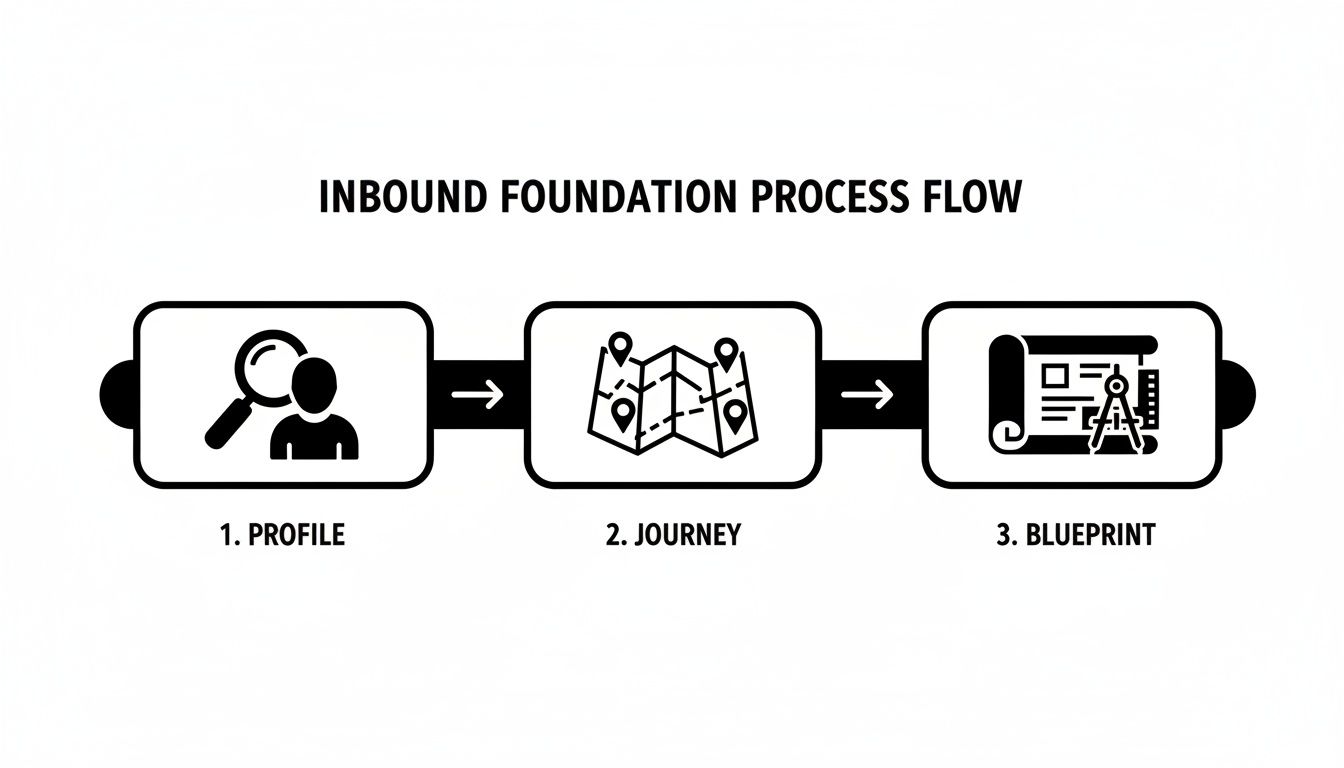
This is the core flow: define your audience, map their journey, and then—and only then—create your content blueprint.

A three-step inbound foundation process flow diagram with icons for profile, journey, and blueprint.

As you can see, each step builds on the last. It’s a logical progression that roots your entire marketing plan in a deep understanding of your customer.

From Vague Persona to Data-Backed ICP

Too many marketers get stuck on buyer personas—fictional characters like "Marketing Mary." It’s a decent starting point, but it often lacks the teeth you need to drive real results. A far better approach is to develop a data-backed Ideal Customer Profile (ICP).

An ICP isn't a guess. It’s a razor-sharp description of the company that gets the most value from your product. You build it by looking at your actual best customers, not by imagining a perfect one.

Action Step: Build Your ICP in 3 Steps

  1. Export Your Customer List: Pull a list of your top 10-20 clients (by revenue, lifetime value, or product usage).
  2. Identify Commonalities: Look for patterns across firmographics (industry, company size, location), technographics (tools they use), and behavioral data (highest LTV, lowest churn).
  3. Write a Definition: Synthesize this data into a clear statement. For example, instead of "Marketing Mary," your ICP becomes: "B2B SaaS companies with 50-200 employees in North America using Salesforce."

This exercise shifts your focus from a vague idea to an actionable target, making it a critical first step to generating inbound leads that are actually a good fit. If you're looking for more advanced methods, our guide on effective customer segmentation strategies offers a deeper dive.

Key Takeaway: A persona describes a person, which is great for copywriting. An ICP describes a company, which is essential for targeting and qualification. You need both, but the ICP has to come first.

Mapping the Entire Buyer Journey

Once you know exactly who you're targeting, you need to map their journey. B2B prospects don't just wake up one morning and decide to buy your software. They go through a deliberate, often lengthy, process of research and evaluation. Your content needs to meet them at every single stage.

The journey typically breaks down into three core phases.

1. Awareness Stage At this point, your prospect is feeling a pain but might not have a name for it yet. They're searching for educational content to help them understand their challenge.

  • Their Questions: "Why is my sales team missing targets?" or "How to improve marketing efficiency?"
  • Actionable Content: Create blog posts like "5 Signs Your Lead Nurturing is Broken," helpful infographics, and broad industry reports.

2. Consideration Stage Now they've defined their problem and are actively researching solutions. They're comparing different approaches, methodologies, and categories of tools.

  • Their Questions: "Best CRM software for small business" or "HubSpot vs. Salesforce comparison."
  • Actionable Content: Offer in-depth guides, comparison whitepapers, webinars, and case studies that show how others solved the exact same problem.

3. Decision Stage The finish line is in sight. Your prospect has decided on a solution category and is now evaluating specific vendors—including you. They're looking for proof that you're the right choice.

  • Their Questions: "marketbetter.ai pricing" or "marketbetter.ai implementation timeline."
  • Actionable Content: Get straight to the point with free trials, live demos, customer testimonials, and clear, detailed pricing pages.

Mapping this journey isn't just an academic exercise. It ensures you create content with a purpose—guiding prospects from one stage to the next and systematically generating qualified inbound leads for your sales team.

Designing a Content and SEO Engine That Converts

Once you’ve locked in who you’re talking to, it's time to build the machine that actually brings them to your door. This isn’t about throwing content at the wall and seeing what sticks. It's about architecting a smart content and SEO strategy that consistently attracts, engages, and converts your ideal customers into real leads.

A solid strategy turns your website from a static brochure into your hardest-working salesperson. Every article, guide, and video you create has a job to do—answering your ICP’s most urgent questions and building trust with every click. This is where you translate deep customer knowledge into assets that generate pipeline.

It’s a serious investment, no doubt. But the payoff is massive. Leads coming from SEO close at a 14.6% rate, completely eclipsing the 1.7% from outbound efforts. That’s not a small difference; it’s a total game-changer. On top of that, businesses that blog regularly get 67% more leads, and a wild 82% of marketers who blog see positive ROI. The numbers don't lie.

Choosing Your Content Architecture

Before a single word is written, you need a blueprint. Two models dominate the conversation for a reason: they work. They help you build the topical authority that Google craves and users trust. The right choice really comes down to your resources and how complex your core topics are.

Pillar-and-Cluster Model

Think of this like a hub-and-spoke system for your knowledge. You create one massive, comprehensive "pillar" page on a big topic (like "AI in Marketing"). This pillar then links out to shorter, more focused "cluster" articles on specific subtopics ("Using AI for Email Copywriting," "AI-Powered Ad Optimization"). Every cluster post links back to the pillar, creating a powerful, interconnected web that signals deep expertise to search engines.

  • Best for: Companies going after broad, competitive keywords where you need to prove you’re the definitive resource to even have a chance at ranking.
  • Actionable Example: Create a pillar page on "Marketing Automation." Then, write cluster articles on "Setting Up Your First Email Nurture Sequence" and "Lead Scoring Best Practices," making sure each links back to the main pillar.

Hub-and-Spoke Model

This is a slightly different flavor. The "hub" page here acts more like a resource library or a table of contents, rather than a single long-form article. It’s less of a narrative and more of a curated collection, linking out to various related "spoke" articles.

  • Best for: Businesses that cover several distinct but related topics. It’s perfect for building out a resource center where users might want to jump between different, but equally important, subjects.
  • Actionable Example: A project management tool could build a "Project Management Methodologies" hub page. The spokes would be deep-dive articles on "Scrum," "Kanban," "Agile," and "Waterfall," all pointing back to the central hub.

Our Take: For most B2B companies trying to own a specific niche, the Pillar-and-Cluster model is the way to go. It’s just more effective at creating that tight-knit content ecosystem that search engines reward, helping you dominate your topic from all angles.

Aligning Content to Buyer Intent

Now, let's connect your content model back to the buyer's journey. The keywords you target and the format you use absolutely must match where someone is in their decision-making process. Miss this, and you’re just creating noise.

Awareness Stage Content

  • Their Mindset: Informational. They're asking "what," "why," and "how" questions to understand their problem.
  • Keywords: Go for long-tail, question-based phrases. Think "how to improve lead quality" or "signs of an inefficient sales process." The search volume might be lower, but the intent is crystal clear.
  • Formats: This is all about being helpful. Create educational blog posts, checklists, and infographics. A title like "5 Data-Backed Ways to Increase Your MQL to SQL Conversion Rate" is perfect—it solves a problem, no sales pitch needed.

Consideration Stage Content

  • Their Mindset: Commercial Investigation. They know the problem and are now actively comparing solutions.
  • Keywords: This is where you get more specific. Target terms like "best CRM for small business," "marketbetter.ai alternatives," or "email automation software comparison."
  • Formats: They need more depth now. Produce in-depth guides, webinars, and case studies. A downloadable asset like "The Ultimate Guide to Choosing Marketing AI" speaks directly to their need to evaluate options and make an informed choice.

Decision Stage Content

  • Their Mindset: Transactional. They’re ready to pull the trigger.
  • Keywords: Target your own branded terms. Things like "marketbetter.ai pricing" or "marketbetter.ai demo."
  • Formats: Get out of the way and make it easy for them. This is where clear pricing pages, frictionless free trial sign-ups, and compelling customer testimonials do the heavy lifting. Your job is to remove any last-minute friction.

Building this content engine is a marathon, not a sprint. But it's the only truly sustainable way to generate high-quality inbound leads over the long haul. As you ramp up, you'll need a system to keep the machine running smoothly. For that, check out our guide on how to scale content marketing without letting quality slip.

Creating Lead Magnets People Actually Want

Let’s be honest: traffic is just a vanity metric if it doesn’t turn into actual conversations. To really nail inbound, you have to master the art of the value exchange. This is where you stop begging for sign-ups with generic "Subscribe to Our Newsletter" buttons and start offering something so damn useful that your ideal prospects want to give you their email.

That's the entire point of a great lead magnet. It's the handshake that turns an anonymous visitor into a known contact. It’s your first real chance to solve a small, specific problem for them, show off your expertise, and earn the right to talk to them again. A killer lead magnet makes the conversion feel like a no-brainer for the prospect, not a favor they're doing for you.

A desk setup with a laptop displaying a content engine strategy, coffee, and office supplies.

High-Impact Lead Magnet Types

Not all lead magnets are created equal. The right one depends entirely on your audience, where they are in their buying journey, and what you can realistically create. The whole game is matching the format to their immediate pain point.

To help you decide where to focus, here’s a quick look at how different lead magnets stack up in the real world.

Lead Magnet Effectiveness Comparison

Lead Magnet TypeCreation EffortTypical Conversion RateBest For (Journey Stage)
Checklist/TemplateLowHigh (20-40%)Awareness/Consideration
Ebook/WhitepaperMediumMedium (15-25%)Consideration
Webinar/WorkshopHighHigh (25-45%)Consideration/Decision
Free Tool/CalculatorVery HighVery High (30-50%+)All Stages

A simple checklist often converts better than a dense whitepaper because it offers an immediate win. Someone can download it and use it right now. A webinar, on the other hand, is a bigger ask—it requires a real time commitment. But the leads you get are far more engaged and usually much closer to making a decision.

Actionable Assets That Actually Drive Conversions

The best lead magnets solve a specific, nagging problem for your ICP. They're tactical, not theoretical. Nobody wants to read another 50-page ebook on "The Future of Marketing." They want a template that saves them three hours of work this afternoon.

  • Checklists: Got a great "how-to" blog post? Turn the steps into a printable checklist. An "On-Page SEO Audit Checklist" is infinitely more useful than an article that just talks about doing an audit.
  • Templates: Give them a shortcut. A B2B software company could offer a "Quarterly Business Review (QBR) PowerPoint Template" that a sales manager can download and use in their next meeting. Instant value.
  • Webinars: Don't just lecture; teach a specific skill. A webinar titled "How to Build Your First Lead Scoring Model in 30 Minutes" will crush one called "The Importance of Lead Scoring." One is an outcome, the other is a lecture.

Pro Tip: Your lead magnet’s title is 80% of the battle. It has to scream value and promise a specific, tangible outcome. Think action verbs and clear benefits.

Designing Landing Pages That Convert

You can have the greatest lead magnet in the world, but if the landing page sucks, it's all for nothing. A high-converting landing page has one job and one job only: get the person to fill out the form. Every single element on that page should serve that goal.

1. Nail the Value Prop Instantly Your headline and subheadline have about five seconds to answer two questions: "What is this?" and "Why should I care?" Be specific and focus on the benefit. Instead of "Download Our Ebook," try "Get the 5-Step Framework to Double Your MQLs This Quarter."

2. Make the Form Frictionless Only ask for what you absolutely need. For a top-of-funnel checklist, a name and email are plenty. Remember, every extra field you add can slash your conversion rate by as much as 11%. Don't get greedy.

3. Show, Don't Just Tell (Social Proof) People are herd animals. Show them others have already found value. Add testimonials, logos of companies that have downloaded it, or the total number of downloads. If it's a webinar, add some urgency by saying "Only 50 spots left." It's a simple psychological trigger that works wonders.

Turning Interest Into Action: Nurture and Automate Your Leads

Getting a new lead is just the first handshake. The real work—and where the money is made—is in what happens next. This is your chance to turn a fleeting moment of curiosity into a genuine, trusting relationship.

It's not about carpet-bombing their inbox with sales pitches. It’s about being the helpful expert who shows up with the right advice at the right time. Smart automation is how you do this at scale without sounding like a robot. You're guiding them from "I'll download this checklist" to "I need to talk to these people."

A well-oiled system makes prospects feel seen and understood, not just targeted.

A person holds a tablet showing a checklist with green and red checkmarks. The text "LEAD MAGNET" appears on the right.

Crafting Smart Email Nurture Sequences

So, someone just downloaded your "On-Page SEO Audit Checklist." Now what? A generic "Thanks for your download!" is a dead end. The best nurturing campaigns start immediately, acknowledging exactly what they did and delivering something that builds on it.

This is where you get surgical with segmented email sequences.

Action Step: Build a 3-Part Nurture Sequence Let’s use the SEO checklist example. Instead of one generic drip campaign for everyone, build a specific journey for that person.

  • Email 1 (Day 1): "Subject: Here's Your Checklist + A Quick Tip." Deliver the PDF, but also add a simple, actionable tip they can use right away. You're instantly adding value beyond the download.
  • Email 2 (Day 3): "Subject: 3 SEO Mistakes We See (and How to Fix Them)." Send a short blog post or video that helps them sidestep common screw-ups. You're proving your expertise.
  • Email 3 (Day 5): "Subject: Case Study: How We Doubled Organic Traffic for [Similar Company]." Now you connect the dots. You show them a real-world success story that links their problem (SEO) to your solution.

This isn't just theory—it’s wildly efficient. Content marketing produces three times more leads per dollar spent than paid search. And it gets cheaper over time. After just five months of this kind of inbound marketing, the average cost per lead can plummet by 80%.

Comparing Automation Tools and Tactics

To make all this happen without losing your mind, you need the right tech. Marketing automation platforms are the engine room for your entire lead nurturing strategy.

Here’s a quick breakdown of where to start.

Tactic/ToolBest ForKey AdvantagePotential Downside
Email-Only Tools (e.g., Mailchimp, ConvertKit)Startups & SolopreneursSimple and affordable for getting basic email sequences and segmentation up and running.They hit a wall fast. No deep CRM sync, lead scoring, or multi-channel capabilities.
All-in-One Platforms (e.g., HubSpot, Marketo)Growing & Established BusinessesA single source of truth for email, landing pages, CRM, chatbots, and powerful analytics.Can be expensive, and there's a definite learning curve to unlock their full potential.

While email is your foundation, don't sleep on other automation plays. On-site chatbots are a huge win for engaging visitors in real-time. Instead of a boring contact form, a bot can ask smart qualifying questions and book meetings directly on a sales rep's calendar—24/7. For smaller operations, implementing small business marketing automation is a total game-changer for punching above your weight.

Key Takeaway: Automation isn't about replacing people. It's about freeing them up. Automate the repetitive follow-ups so your team can focus on the high-value human conversations that actually close deals.

Using Lead Scoring to Find the Hot Prospects

Let's be real: not every lead is a good lead. The person who downloaded a top-of-funnel checklist is worlds away from the one who hit your pricing page three times and watched your entire demo video.

Lead scoring is how you quantify that interest and automatically separate the curious from the committed.

It’s a simple points system where you assign value to who they are (fit) and what they do (interest).

Action Step: Set Up a Basic Lead Scoring Model

  1. Define Firmographic Rules (Fit):
    • Job Title: VP of Marketing (+20 points), Marketing Manager (+10 points)
    • Company Size: 100-500 employees (+15 points, if that’s your sweet spot)
    • Industry: B2B SaaS (+10 points)
  2. Define Behavioral Rules (Interest):
    • Visited Pricing Page: +15 points
    • Downloaded a Case Study: +10 points
    • Opened 5+ Emails: +5 points
    • Unsubscribed: -50 points (and an automatic removal from the sequence)
  3. Set an MQL Threshold: Decide on a score (e.g., 100 points) that triggers a handoff to sales.

You set a threshold—let's say 100 points. Once a lead hits that number, your automation platform flags them as a Marketing Qualified Lead (MQL) and instantly routes them to sales. This stops your reps from wasting time on tire-kickers and lets them focus 100% of their energy on the prospects who are actually ready to talk.

Amplifying Your Content for Maximum Reach

Look, creating great content is only half the job. The old "if you build it, they will come" fantasy is just that—a fantasy. Unless you have a smart, repeatable system for getting that content in front of the right eyeballs, you're just shouting into the void.

This is all about moving past the "publish and pray" mindset. You need a distribution engine that multiplies the impact of every blog post, guide, and video you create. It’s how you make sure your best insights don't get buried.

Repurpose Your Content Into Micro-Assets

Think of a single 2,000-word blog post as a goldmine. Instead of just tweeting the link and calling it a day, you need to break it down into bite-sized pieces for different platforms. This massively increases your content's surface area, making it discoverable in more places by more of your ideal customers.

Action Step: The "Content Atomization" Checklist For one single blog post, you can create:

  • 3-5 Quote Graphics: Pull out the most powerful sentences for LinkedIn or X.
  • 1 Short Video Clip: Explain the main point in under 60 seconds for Shorts or Reels.
  • 1 Infographic: Summarize key data or steps for Pinterest and blog embeds.
  • 1 LinkedIn Carousel or X Thread: Break down the core argument into a multi-part post.

This is just about respecting how people actually use these platforms. Nobody’s reading a novel-length post on Instagram, but they’ll absolutely swipe through a smart carousel that teaches them something valuable in seconds.

When you need to get results faster, paid promotion is your accelerator. For most B2B companies trying to generate inbound leads, the conversation boils down to Google Ads vs. LinkedIn Ads. They're both powerful, but they solve very different problems.

Here’s how they stack up for B2B lead gen:

FeatureGoogle Ads (Search)LinkedIn Ads
TargetingBased on keyword intent. You’re reaching people actively looking for a solution right now.Based on professional firmographics. You reach people by job title, company size, or industry.
Lead QualityUsually higher intent. These users are problem-aware and hunting for answers.Can be lower intent. You’re interrupting their scroll, so they aren't always in "buy" mode.
Cost Per ClickGenerally lower, but can get pricey for highly competitive keywords.Significantly higher. Expect to pay 2-3x more per click than you would on Google Search.
Best Use CaseCapturing active, bottom-of-funnel demand. Think of it as harvesting.Building top-of-funnel brand awareness and reaching precise decision-makers. Think of it as farming.

Actionable Tip: Don't treat this as an either/or choice. Use them together. Run LinkedIn Ads to introduce your brand and high-value content to a cold but perfectly defined ICP. Then, use Google Ads to retarget everyone who visited your site, catching them the moment they start searching for solutions like yours. That's a full-funnel strategy that makes every dollar work harder.

Measuring What Matters in Your Inbound Funnel

A smartphone, tablet, and laptop displaying a rural road, highlighting multi-device content delivery. If you're not measuring your inbound efforts, you're not marketing—you're just guessing. A data-driven approach is the only way to build a sustainable machine that generates leads predictably. It's how you go from hoping for results to actually engineering them.

Your goal isn't to build some monster dashboard. It's to get an honest, real-time look at what’s actually working. Without it, you're just pouring money into content that looks great but fails to produce a single qualified lead.

Core KPIs for Your Inbound Dashboard

Forget drowning in vanity metrics. You only need a handful of key performance indicators (KPIs) to really understand the health of your funnel. These are the numbers that connect your content directly to business outcomes.

Start with these three essentials:

  • Landing Page Conversion Rate: This is the purest measure of your offer’s pull. If 1,000 people hit your webinar landing page and 100 sign up, your conversion rate is 10%. A low rate here usually screams that there's a disconnect between your ad copy and your page, or that your value prop just isn't landing.
  • Cost Per Lead (CPL): This one keeps your ad spend honest. Just divide your total campaign spend by the number of leads you got. If you spent $500 on LinkedIn ads and got 25 leads, your CPL is $20. Simple as that.
  • Lead-to-Customer Conversion Rate: Here it is—the bottom-line metric. What percentage of the leads you generate actually become paying customers? If you bring in 100 leads in a month and 5 of them sign a contract, your rate is 5%.

These metrics tell a story together. A cheap CPL is great, but not if your lead-to-customer rate is zero. To go deeper on this, check out our guide on the most important lead generation key performance indicators you should be watching.

The Inbound vs. Outbound Cost Smackdown

Once you start tracking CPL, the financial upside of inbound marketing becomes painfully obvious. Inbound slashes the cost per lead by 61-62% compared to old-school outbound methods. Some data even shows inbound leads are 62% cheaper, saving companies an average of $14 for every new customer they land.

This is exactly why 34% of all leads marketers generate now come from inbound. The efficiency is just too good to ignore.

A lower CPL from inbound isn't just a cost saving; it's a strategic advantage. It means you can acquire more customers for the same budget, giving you the fuel to outpace competitors still stuck on expensive outbound tactics.

Simple A/B Testing to Juice Your Performance

Data doesn't just tell you what happened; it tells you what to do next. A/B testing is your secret weapon for making small tweaks that lead to huge gains over time.

Don't overcomplicate it. Start with simple, high-impact tests on your landing pages.

Here are two dead-simple A/B tests you can run today:

  1. Headline vs. Headline: Pit a benefit-driven headline ("Double Your MQLs This Quarter") against a more direct one ("Get Our Free Guide to MQL Generation"). Your headline is the first thing people see. A small change here can make or break your conversion rate.
  2. CTA Button Copy: Test a generic CTA like "Submit" against something more specific and action-oriented like "Get My Free Checklist" or "Save My Spot." Specificity almost always wins because it reminds the user of the value they're about to get.

At the end of the day, your inbound funnel's success hinges on your ability to measure marketing ROI and prove you're making a tangible impact on the business.

Free Tool

Try our AI Lead Generator — find verified LinkedIn leads for any company instantly. No signup required.

Common Questions About Generating Inbound Leads

Even with the best playbook in hand, a few questions always come up. The world of inbound marketing is full of nuance, so let's tackle the practical hurdles and concerns I hear most often from teams on the ground.

How Long Does It Take to See Results?

This is the big one, and the honest-to-goodness answer is: it’s a marathon, not a sprint. Sure, you can spin up a paid promotion campaign and see some initial leads trickle in within the first 1-3 months. That's renting an audience.

Building a real, predictable engine from organic search takes more time. Think of it like buying an asset instead of renting one. It takes longer to build, but it pays dividends for years to come. For most B2B companies, you should expect to see a meaningful, consistent flow of organic leads after about 6 to 12 months of focused, high-quality work.

Key Takeaway: Inbound marketing results compound. The blog post you publish today could very well be your top lead generator two years from now. A paid ad can never do that.

What Is the Difference Between Inbound and Outbound Leads?

The entire difference boils down to one simple question: Who started the conversation? Answering that tells you everything you need to know about the model and why inbound leads are so much more valuable.

  • Inbound Leads (Pull): These are the people who find you. They stumbled upon your blog, watched your demo video, or found you through a Google search. They're reaching out because they have a problem and suspect you might have the solution.
  • Outbound Leads (Push): This is when your company finds them. Think cold calls, cold emails, or direct mail. You're initiating contact based on a hypothesis that they might be a good fit.

This distinction in who makes the first move directly impacts lead quality. An inbound lead is already halfway there—they've self-identified a need and shown genuine interest in how you solve it. That's a conversation worth having.


Ready to build an inbound machine that works smarter, not harder? marketbetter.ai uses AI to help you create high-quality content, automate personalized journeys, and prove your marketing ROI with confidence. Explore the platform today.

Master the Craft of Using AI for Content Creation: A Practical Framework for ROI

· 27 min read

Using AI for content creation isn't about flipping a switch and letting the machines takeover. It’s about being smart—pairing human creativity with machine efficiency. To make this work, you need an actionable framework.

Think of it as a system. The AI handles the grunt work: the initial research, the first drafts, the SEO optimization. This frees up your team to focus on what they do best: high-level strategy, sharp editing, and injecting your unique brand personality into every single piece.

Building a Strategic AI Content Foundation

Jumping into AI without a plan is like sailing without a map. You'll definitely move, but probably in circles. The teams I see winning with this stuff aren't the ones hitting "generate" and walking away. They’re building a solid human-in-the-loop model. It's a simple but powerful idea: AI is a collaborator, not a replacement. And that collaboration consistently produces better, more authentic work.

This all starts with your business goals. Before you write a single prompt, you need to know what you're trying to achieve. Are you aiming to slash content production costs by 40%? Do you need to scale up SEO topic clusters to drive more organic traffic? Or is the goal to churn out thousands of unique product descriptions for your e-commerce site? A clear grasp of how AI-powered content creation can serve these goals is what separates the dabblers from the serious players.

The biggest mistake I see marketers make is treating AI like a magic button. Real success comes when you see it as a strategic lever—a tool to amplify your team's expertise, accelerate your workflow, and hit your business goals faster than you ever could before.

This goal-first approach is what turns AI from a shiny new toy into a core part of your growth engine.

Pinpointing High-Impact Opportunities

Once you know your "why," the next step is to look at your current content workflow and find the bottlenecks. Where are things slow, expensive, or just plain tedious? An honest audit here will show you exactly where AI can make the biggest, fastest impact.

Here are a few actionable scenarios comparing the old way to the new AI-powered approach:

  • The B2B SaaS Company: Their lifeblood is lead gen through organic search.
    • Before AI: A content strategist spends a week manually researching competitor content and keyword gaps for a single topic cluster.
    • With AI: The same strategist uses an AI tool to analyze competitor content, identify keyword gaps, and generate detailed outlines for the entire cluster in a single afternoon. Action Step: Audit your content research process. How many hours are spent on keyword analysis per article? Aim to cut that time by 75% using an AI SEO tool.
  • The E-commerce Brand: They're staring down the barrel of writing unique, SEO-friendly descriptions for a catalog of 5,000 products.
    • Before AI: A soul-crushing manual project projected to take three months and thousands of dollars in writer fees.
    • With AI: They generate compelling, varied descriptions from a simple spreadsheet of product specs, completing the project in a week and boosting search visibility. Action Step: If you have over 100 products, test an AI generator on a small batch. Create a template prompt that includes your brand voice, target keywords, and product specs.
  • The Lean Marketing Team: A small crew needs to look bigger than they are, maintaining a constant presence across blogs, social media, and email.
    • Before AI: One long-form blog post takes a full day to write, and another half day to manually repurpose for social media.
    • With AI: AI takes the final blog post and instantly generates a dozen social media updates, a newsletter summary, and even a script for a short video. Action Step: Take your next published article and use an AI tool specifically for repurposing. Challenge yourself to create 10 pieces of micro-content from it in under 30 minutes.

This isn't just a niche trend; it's a fundamental shift. By 2025, a staggering 90% of content marketers plan to use AI in their strategies, a huge jump from 64.7% in 2023. This adoption is directly tied to results, too. Only 21.5% of teams using AI report underperforming strategies, compared to 36.2% of teams who aren't.

Comparing Manual vs. AI-Assisted Content Workflows

Workflow StageTraditional Manual ApproachAI-Assisted ApproachKey Benefit of AI
Strategy & ResearchDays of manual keyword research & competitor analysis.Hours to generate topic clusters, keyword maps, and outlines.Speed & Scale
DraftingWriters spend 80% of time on the "blank page" problem.AI generates a solid first draft in minutes for human refinement.Efficiency
OptimizationManual SEO checks, readability scores, and edits.Real-time suggestions for SEO, tone, and grammar.Consistency
RepurposingManually creating social posts, summaries, scripts.One-click transformation of long-form content into multiple formats.Asset Velocity
PersonalizationGeneric content or extremely time-consuming segmentation.Dynamically generate thousands of personalized variations.Scalable Relevance

The takeaway is clear: AI doesn't just make the old process faster; it enables an entirely new, more agile way of working.

Ultimately, your strategy has to be your own. The key is aligning your AI efforts with a well-defined plan, like the one in our content marketing strategy guide, to ensure you're driving real, measurable growth. Stop thinking about "using AI" and start thinking about how to deploy it for maximum business impact.

Designing Your AI-Powered Content Workflow

A solid strategy is your North Star, but a repeatable workflow is the engine that gets you there. This is where you turn big ideas into a steady stream of high-quality content.

An effective AI-powered process isn't about just plugging in a tool and hitting "go." It’s about building a smart system where human creativity and machine efficiency amplify each other. Think of it like a modern assembly line for content. Each stage—from ideation to distribution—has a specific job, and the right AI tool makes that job faster, better, and more data-driven.

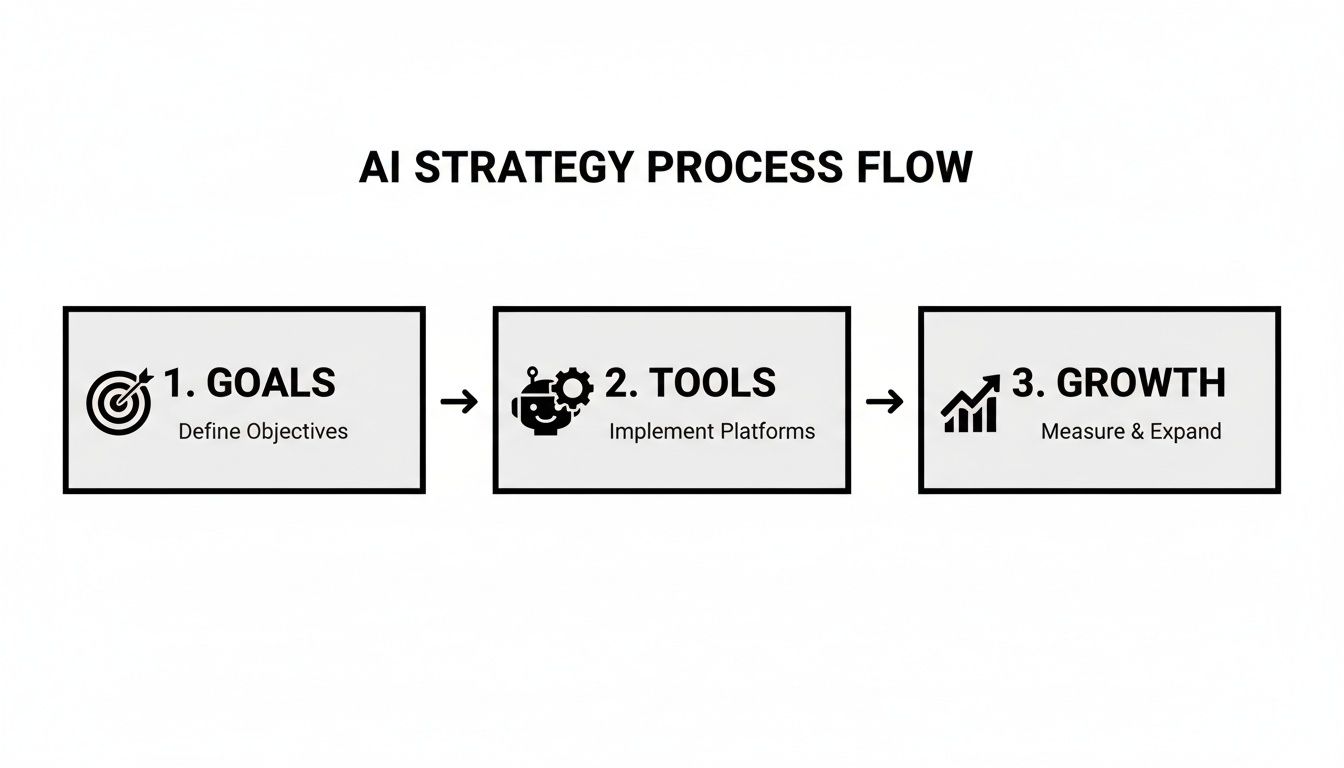
This is the high-level view: goals first, then the tools to hit them, and finally, measuring the growth. It’s a simple but critical sequence.

A flowchart illustrates the AI Strategy Process Flow: 1. Goals, 2. Tools, 3. Growth.

Your tools must serve your goals. Always. This principle is the foundation of the workflow we're about to build.

Phase 1: Ideation and Research

This is the hunt for opportunity. Before AI, this meant spending hours—sometimes days—buried in keyword tools, manually sifting through competitor blogs, and trying to spot patterns. Now, you can supercharge this discovery phase.

SEO platforms with AI baked in, like Surfer SEO or MarketMuse, can do the heavy lifting for you. They’ll analyze the top-ranking content for any keyword and instantly spit out common themes, likely user intent, and the exact subtopics you need to cover. You're not guessing what Google wants; you're getting a data-backed blueprint.

Here's an actionable comparison of the research process:

  • The Old Way: Manually pull keyword lists from a tool like Ahrefs, export them to a spreadsheet, then spend hours reading the top 10 articles, trying to synthesize what makes them tick. It’s slow and riddled with personal bias.
  • The AI-Assisted Way: Plug your target keyword into an AI SEO tool. In minutes, it generates a comprehensive outline, pinpoints key entities to mention, and even lists related questions people are asking. This can easily cut your research time by over 75%.

Phase 2: Drafting and Generation

With a solid, data-informed brief, it's time to get a first draft on the page. This is where generative AI models like Jasper or ChatGPT absolutely shine, but only if you use them correctly.

The goal is not a final, publish-ready article in one click. It's about obliterating the "blank page" problem. The AI generates a structured, well-researched draft that acts as raw material for a skilled human writer to shape and elevate.

This is where your best writers come in. They take that AI-generated text and inject what the machine can't: unique insights, personal anecdotes, and a compelling brand voice.

Your best writers shouldn't be spending their time summarizing facts they found on Google. Let the AI handle that. Free them up to do the high-value work: weaving in original stories, expert opinions, and the unique perspective that makes your content worth reading.

This shift in focus dramatically boosts content velocity without sacrificing the human touch that actually builds an audience.

Phase 3: Editing and Optimization

That first draft is just the starting line. The editing phase is where you refine quality and lock in performance. AI-powered editors are your secret weapon here, acting as a tireless second pair of eyes.

Tools like Grammarly go way beyond just catching typos. They analyze tone, flag clunky sentences for clarity, and ensure the writing aligns with your predefined brand style. For larger teams trying to maintain a consistent voice across dozens of articles, this is a godsend. It's scalable quality control.

Here’s how to make this phase actionable:

  • For SEO: Don't just write and hope. Action: Drop your draft into Surfer SEO for a real-time content score, getting specific suggestions on which keywords to add or adjust to maximize its ranking potential.
  • For Brand Voice: Don't leave tone to chance. Action: Configure a platform like Grammarly Business with your specific style guide to automatically flag words, phrases, or tones that are off-brand.

The Evolving Roles On Your Content Team

When you implement a workflow like this, job descriptions naturally start to change. It's an evolution, not a replacement.

Writers become more like creative directors, guiding the AI tools and then infusing the drafts with true personality and perspective. Editors shift into quality assurance specialists, verifying every fact and ensuring the final piece is perfectly aligned with the brand.

And a new, absolutely critical role is emerging: the Prompt Engineer. This person is a master communicator—but their audience is the AI. They design, test, and refine the prompts used to generate drafts, ensuring the output is as accurate, relevant, and on-brand as possible from the very first pass. A great prompt engineer is the difference between generic, robotic filler and a high-quality draft that saves your team hours.

Mastering Prompt Engineering for High-Quality Output

The real engine driving your AI content isn't the software—it's the quality of your instructions. I can't stress this enough: mastering prompt engineering is the single most important skill for anyone using AI to create content. It’s what separates generic, unusable filler from a high-quality draft that's already 80% of the way home.

Think of your AI model as an incredibly smart and fast, but very literal, intern. Give it a vague request, and you'll get a vague result back. But give it a specific, context-rich command, and you'll get exactly what you need. This is why you have to move beyond simple commands to structured, repeatable frameworks.

Hands typing on a laptop with 'PROMPT MASTERY' text overlay, next to colorful sticky notes.

From Good Prompts to Great Prompts: A Comparison

You'd be surprised how small tweaks to your prompts can lead to dramatically different outcomes. It's all about giving the model enough context and constraints to work within, so it doesn't have to guess.

Let’s look at a real-world comparison.

A Good (But Basic) PromptA Great (Actionable) Prompt
Request"Write a blog post about email marketing.""Act as an expert B2B marketing strategist. Write a 1,200-word blog post outline titled 'Beyond the Open Rate: 5 Advanced Email Marketing Metrics to Track.' The target audience is marketing managers at mid-market SaaS companies. The tone should be authoritative but accessible. Include sections for Engagement Metrics, Conversion Metrics, and Revenue Metrics, with 2-3 specific examples under each."
Why it Works BetterThe great prompt assigns a role (expert strategist), specifies the format (outline), gives a precise topic and title, defines the audience and tone, and dictates the structure. This leaves nothing to chance.

This level of detail is a game-changer. It forces the AI to produce something that’s immediately more relevant and aligned with your strategy. To get you started, check out this curated list of the best AI marketing tools that are built to handle detailed prompting like this.

Building Your AI Brand Voice Guide

Consistency is everything for a strong brand. If you plan to use AI to scale content, you need to teach it how to sound like you. The best way to do this is by creating a dedicated Brand Voice & Style Guide specifically for your AI prompts.

This isn't just a simple list of dos and don'ts. Think of it as a comprehensive document you can reference or even paste directly into your more complex prompts.

Action Step: Create your own AI Style Guide with these elements:

  • Core Tone Words: Define your voice with 3-5 adjectives (e.g., "Authoritative, helpful, concise, witty").
  • Vocabulary Rules: List words to always use (e.g., "clients," not "customers") and words to banish (e.g., "leverage," "streamline").
  • Sentence Structure: Specify your preferences. Do you like short, punchy sentences or more complex ones? Stick to the active voice?
  • Formatting Guidelines: Detail how you use headings (H2, H3), bold text, bullet points, and blockquotes.
  • Exemplars: Provide 2-3 short paragraphs of your best content as a "gold standard" example for the AI to copy.

A detailed AI style guide is the single most effective way to scale brand-aligned content. It turns a generic writing tool into a specialized assistant that truly gets your brand’s communication style.

Actionable Prompt Templates You Can Use Today

Ready to get started? Here are a few templates you can copy, paste, and adapt right now. Notice how each one incorporates a clear role, format, audience, and specific constraints.

1. For a Blog Post Outline Act as an expert SEO content strategist. Create a comprehensive outline for a blog post titled "[Your Blog Post Title]". The target audience is [Your Target Audience]. The goal is to rank for the keyword "[Your Primary Keyword]". The tone should be [Your Brand Tone]. The outline must include an introduction hook, at least 4 main sections with 3-4 bullet points each covering key subtopics, and a concluding call-to-action to [Desired Action]. 2. For a LinkedIn Post You are a social media expert for a B2B SaaS company. Write a LinkedIn post of approximately 150 words announcing our new blog post titled "[Blog Post Title]". Start with a compelling hook or question to grab attention. Summarize the main takeaway in 2-3 sentences. End with a clear call-to-action encouraging people to read the article. Include these 3 relevant hashtags: #[Hasag1], #[Hashtag2], #[Hashtag3]. The tone is professional yet engaging. 3. For an Email Newsletter Snippet Act as a senior email marketer. Write a 75-word snippet for our weekly newsletter introducing our latest case study: "[Case Study Title]". The audience is current customers and warm leads. Focus on the single most impressive result from the case study. The tone should be informative and value-driven. End with a link to "Read the full story".

Even with prompts this good, a human in the loop is non-negotiable. Recent data shows that marketing teams are editing 86% of AI-generated outputs to nail the brand voice and double-check the facts. This really drives home the point that AI content works best as a partnership between human and machine.

And as AI-driven search becomes the norm, understanding concepts like Answer Engine Optimization (AEO) is critical to making sure your content actually gets found and trusted.

Building a Quality Control Framework That Scales

So, you're cranking out content with AI. The volume is great, but a new, bigger risk just walked in the door: losing the quality and authenticity your audience actually trusts. Pushing the "generate" button isn't the finish line. You absolutely need a quality control (QC) framework to make sure every article, post, and script is accurate, sounds like you, and is genuinely useful.

Think of this system as your brand's last line of defense against robotic, generic, or flat-out wrong content.

Man reviewing documents at a desk with two computer monitors displaying 'QualityCheck' and video editing software.

The point of a good QC process isn't to slow you down. It's to build a repeatable system that keeps your standards high, even as you 10x your output. It shifts your experts from being writers to being strategic reviewers and polishers—a much smarter use of their time. This is where AI-assisted content creation really hits its stride.

The Essential Human Editor Checklist

Your human editors are the guardians of your brand's integrity. Their entire job is to put every AI-generated draft through its paces before it ever gets published. This checklist isn't a suggestion; it's the final gatekeeper for everything you produce.

Action Step: Implement this checklist for every piece of AI-assisted content:

  • Factual Accuracy: This is non-negotiable. Has every single claim, statistic, and data point been checked against a primary source? AI models are notorious for "hallucinating" facts, so this is the most critical step.
  • Brand Voice & Tone: Does it feel like you? This is way more than just word choice. It’s about sentence rhythm, your brand of humor, and the personality that makes you different from everyone else in the feed.
  • SEO Best Practices: Is the main keyword there, but not stuffed? Are secondary keywords and related ideas woven in naturally? Does the structure actually match the SEO brief it started from?
  • Originality & Plagiarism: Every piece has to pass a plagiarism check with a tool like Copyscape. AI can sometimes spit out text that's a little too close to its training data, even by accident.
  • Uniqueness of Insight: Did the AI just rehash the top Google results, or is there a unique angle, a piece of hard-won advice, or a fresh take? It’s the editor's job to inject that "aha" moment that only a human can.

This review process guarantees that while the first draft is machine-generated, the final product is 100% human-vetted and strategically sharp.

Comparing Quality Control Models: In-House vs. Freelance

Once you have your checklist, you need to decide who’s going to wield it. Most teams go one of two ways: they build an in-house editing team or they tap into a network of specialized freelancers. Neither is universally "better"—it all depends on your company's DNA.

FeatureIn-House Editing TeamSpecialized Freelancers
Brand ImmersionThey live and breathe the company culture. The brand voice is second nature.They need detailed briefs and some ramp-up time to really get the nuances right.
ConsistencySuper high. You get the same editorial eye across every single piece of content.Can vary between freelancers. A rock-solid style guide is essential here.
Scalability & CostLess flexible. You have fixed salary costs and can't easily scale up for a big push.Extremely flexible. The pay-per-project model lets you scale with demand instantly.
AvailabilityDedicated, but typically limited to business hours.You can access a global talent pool for quick turnarounds and even 24/7 coverage.

If your brand voice is incredibly specific and complex, an in-house team is usually the safer bet. But if you’re focused on moving fast and staying lean, a vetted pool of freelance editors gives you a level of agility that’s tough to beat.

A hybrid model is often the sweet spot. Have an in-house content lead who owns the strategy and manages a small team of trusted freelancers for the day-to-day execution. You get the best of both worlds: strategic oversight and scalable muscle.

Managing Enterprise-Level Concerns

For bigger companies, quality control goes way beyond spelling and brand voice. Suddenly, things like data security and regulatory compliance are front and center, especially when AI is in the mix.

First, lock down your data governance. Make it crystal clear that no proprietary or sensitive company information ever gets fed into a public AI model's prompt. For anything that requires higher security, you should be looking at private AI instances or enterprise-grade platforms that offer better data protection.

Second, if you're in a regulated industry like finance or healthcare, every piece of AI-generated content needs a compliance review. Period. This means creating a specific compliance checklist for your legal or regulatory team to sign off on. It ensures no claims are being made that could land you in hot water. This structured process is what allows you to scale up without scaling up your risk.

Measuring the Real ROI of Your AI Content Engine

Churning out more content with AI feels productive, but that feeling doesn't show up on a balance sheet. To get buy-in and justify what you’re spending on new tools and training, you have to connect the dots between your AI efforts and real business results.

That means looking past vanity metrics. It’s time to focus on the numbers that actually matter to the bottom line.

A smart AI content strategy isn’t just about producing more; it's about producing more of what works. And to prove that, you need a way to measure both the efficiency gains and the performance lift. Only then do you get the full picture of your return on investment.

Shifting from Old-School Metrics to AI-Driven KPIs

Traditional content analytics often get stuck on lagging indicators like page views or time on page. Useful, but they don't tell the whole story. When AI is powering your content creation, you need to start tracking the leading indicators that show just how fast and efficient your entire operation has become.

This is a fundamental shift. You stop asking, "How did this one article do?" and start asking, "How effective is our entire content machine?"

Here are the core KPIs you should have on your dashboard:

  • Content Velocity: How fast can you get from a raw idea to a published piece? Higher velocity means you’re jumping on trends and out-maneuvering the competition.
  • Cost Per Article (CPA): This is your all-in cost—tools, salaries, freelance fees—divided by the number of articles you produce. AI should send this number plummeting by slashing the human hours required for each piece.
  • Organic Traffic Growth: Are the articles you’re creating with AI actually bringing in more of the right search traffic? This directly links your production speed to a core marketing goal.
  • Conversion Rate: What percentage of visitors from AI-assisted content are taking the next step, whether that's signing up for a demo or downloading an ebook?

A Real-World ROI Calculation

Let's walk through an example. Picture a mid-sized B2B tech company.

  • Before AI: They were paying freelance writers about $500 per article to produce 10 high-quality blog posts a month. That’s $5,000 out the door. Each of those articles brought in an average of 2 marketing qualified leads (MQLs).

  • After AI: They implement an AI-assisted workflow. Their internal team can now pump out 30 articles a month. Their AI tool costs $1,000 per month. Even factoring in the time for a human editor, their new Cost Per Article drops to roughly $150.

The numbers here aren't just theoretical. A recent survey found that 73% of AI adopters have successfully cut agency and content creation costs. And a whopping 93% of marketers point to faster content generation as the single biggest benefit—which is exactly what our example company just experienced.

The ROI Breakdown: The company is now getting 3x the content for a fraction of the cost. More importantly, those 30 articles are generating 60 MQLs per month instead of just 20. The real ROI isn't just the $3,500 they saved on freelance fees; it's the massive jump in lead generation and their newfound ability to dominate more search topics. This is how you build a business case that gets noticed.

This is the kind of hard data that secures budget and proves the strategic value of weaving AI into your content process. To go a level deeper on this, check out our guide on how to calculate marketing ROI for campaigns like this.

Key Metrics for AI Content ROI

To bring it all together, you need a dashboard that tracks the right things. The table below outlines the essential KPIs for measuring the financial and strategic impact of your AI content efforts. These metrics help you move beyond "we're faster" to "we're more profitable."

MetricWhat It MeasuresHow to Calculate ItWhy It Matters for AI
Content VelocityThe speed of your content pipeline from idea to publication.(Total Content Published in a Period) / (Time Period)AI drastically shortens research, drafting, and editing cycles, directly boosting this number.
Cost Per Article (CPA)The total, all-in cost to produce one piece of content.(Total Content Costs) / (Number of Articles Produced)This is the clearest measure of pure efficiency gain from AI tools and workflows.
Content-Sourced LeadsThe number of leads generated directly from AI-assisted content.Track conversions (form fills, downloads) with attribution to specific content URLs.Proves that speed isn't coming at the expense of quality and business impact.
Organic Traffic LiftThe increase in search traffic attributed to new content.Compare traffic for AI-produced articles vs. baseline or pre-AI content.Shows if your scaled content is effectively capturing search intent and ranking.
Pipeline ContributionThe dollar value of sales opportunities influenced by your content.Use CRM data to tie content touches to deals in the sales pipeline.The ultimate metric that connects content creation directly to revenue generation.

Tracking these KPIs gives you a bulletproof argument. It’s not just about saving money; it’s about building a more powerful, scalable, and profitable marketing engine.

Free Tool

Try our Marketing Plan Generator — generate a complete AI-powered marketing plan in minutes. No signup required.

Got Questions About AI Content? You're Not Alone.

As soon as teams start using AI for more than just brainstorming, the real-world questions pop up fast. It’s one thing to talk theory, but it's another thing entirely when you're trying to execute day-to-day. How do you keep your brand from sounding like a robot? Is this stuff even original?

These aren't just details; they're the hurdles that separate a failed experiment from a genuine competitive advantage. Let's tackle them head-on with practical advice, not fluffy theories.

How Do I Keep My Brand Voice From Getting Lost?

This is probably the biggest fear marketers have, and for good reason. The last thing you want is for your content to sound generic and soulless. The good news? It’s completely avoidable if you put the right guardrails in place.

You wouldn’t let a new writer start without a style guide, examples of your best work, and a ton of feedback. You have to treat your AI the same way—as a new team member that needs to be trained. It’s all about being intentional.

Here's a comparison of two common approaches:

The Common (Ineffective) ApproachThe Strategic (Effective) Approach
Writing basic prompts like, "Write a blog post in a friendly tone."Building a detailed AI Brand Voice & Style Guide that you feed into every single prompt.
Hoping the AI "gets it" and then spending ages fixing the tone in post-edits.Defining specific rules for vocabulary, sentence structure, and even when to use humor.
Getting inconsistent output that feels different every single time.Providing the AI with "gold standard" examples of your best content to emulate, locking in consistency.

That strategic approach is where the magic happens. Your AI style guide becomes a core asset, a personality profile for your AI assistant. Whether you're whipping up a quick social post or a long-form article, the output will feel like it came from you.

Is AI-Generated Content Considered Plagiarism?

This is a critical one, and the answer isn't a simple yes or no. Good AI models are designed to generate new combinations of words, not just copy and paste from their training data. But let's be realistic—the risk of "unintentional plagiarism" isn't zero.

Especially on well-worn topics, an AI might spit out a sentence that’s uncomfortably close to something already out there. This is precisely why human quality control is non-negotiable.

Actionable Rule: Every piece of AI-assisted content must be run through a plagiarism checker like Copyscape before it sees the light of day. No exceptions. It’s a simple step that protects your brand and ensures you're publishing truly original work.

This isn’t just about avoiding a slap on the wrist from Google. It’s about respecting your audience and delivering real value. Ultimately, the responsibility for originality falls on the publisher—the human—not the tool.

What's the Right Amount of Human Oversight?

Finding that sweet spot between AI automation and human expertise is the final piece of the puzzle. Lean too heavily on automation, and quality tanks. But too much manual work, and you lose all the efficiency gains you were after.

The key is to match the level of oversight to the importance of the content. Not everything needs a fine-toothed comb.

An Actionable Framework for Human Involvement:

  • High-Stakes Content (Cornerstone blog posts, white papers, case studies): This needs heavy human involvement. An expert should guide the strategy from the start. AI can help generate the first draft, but a seasoned editor must come in to add unique insights, personal stories, and nuance. Think of AI as the research assistant, not the author.

  • Mid-Level Content (Standard blog posts, email newsletters): This is the perfect place for a balanced human-in-the-loop model. Let the AI handle the heavy lifting of drafting from a detailed brief. A skilled editor can then focus their time on polishing, fact-checking, and making sure the brand voice is spot-on.

  • Low-Stakes Content (Social media updates, basic product descriptions): Here, you can lean much more on AI with a light human review. The goal is speed and volume. A quick check for accuracy and tone is usually all you need before hitting publish.

At the end of the day, using AI for content creation is about augmenting your team, not replacing it. You're automating the grunt work so your human experts can focus on what they do best: strategy, creativity, and connecting with your audience.


Ready to build a smarter, faster, and more effective marketing engine? The marketbetter.ai platform integrates AI across your entire workflow, from content creation to campaign optimization. See how you can achieve 5x faster content creation and a 15% improvement in campaign conversions. Start optimizing with marketbetter.ai today!

What Is a Cohort Analysis A Guide to Unlocking User Behavior

· 26 min read

Let’s start with a simple truth: looking at your overall metrics is like trying to read a blurry photograph. Sure, you can see the general shape of things—maybe user numbers are up, maybe revenue is steady—but all the important details are lost in the noise. You get the big picture, but you miss the story.

This is where your top-line numbers can trick you. A big spike in sign-ups from a new ad campaign might look great, but if those users churn out in a week, your "growth" is just a mirage. The average hides the reality. This is the core problem that cohort analysis solves: it moves you from seeing what happened to understanding why it happened.

Going Beyond Averages: What Is a Cohort Analysis?

A woman writes 'BEYOND AVERAGES' on a whiteboard during a business meeting, with a Kanban board visible.

Cohort analysis is how you bring that blurry picture into focus. Instead of lumping every single user into one giant, anonymous bucket, you group them into smaller, related teams—or cohorts.

Think of it this way: aggregate data is the final score of a basketball game. It tells you who won, but not how they won. Did the starting lineup dominate the first quarter? Did the bench players seal the deal in the fourth? Cohort analysis is the play-by-play, showing you how different groups performed over time.

A cohort is simply a group of users who share a common characteristic. Most often, it’s an acquisition cohort, meaning everyone who signed up in the same week or month. By tracking each cohort as a distinct group, you can finally see how their behavior evolves. You stop looking at averages and start understanding actual user journeys.

Why Aggregate Data Fails Marketers

Relying on big, top-level numbers creates a false sense of security while your business might be slowly leaking its best customers. That sudden rush of low-quality users from a new campaign can easily mask the fact that your loyal, long-term users are quietly slipping away.

Cohort analysis gives you the context that aggregate data completely misses. It tells you who is sticking around, who is leaving, and—most importantly—why. It lets you plug the leaks instead of just celebrating the inflow.

To see the difference in action, let's compare the two views side-by-side.

Aggregate Data vs. Cohort Analysis: A Quick Comparison

This table breaks down how each approach answers (or fails to answer) critical marketing questions. The difference isn't just in the data; it's in the actionability of the insight.

Metric FocusAggregate Data View (The Blurry Picture)Cohort Analysis View (The Clear Story & Actionable Step)
User Retention"Our overall retention rate is 30%.""The January cohort retained at 45%, but the February cohort only retained at 20% after we changed the onboarding flow. Action: We need to investigate and potentially roll back the February onboarding changes."
User Value"The average LTV per user is $150.""Users from our organic search campaign have an LTV of $250, while users from social ads have an LTV of only $75. Action: Shift ad budget from social to SEO and content marketing to acquire more valuable users."
Campaign ROI"Our latest campaign brought in 5,000 new users.""The 5,000 users from our spring campaign are churning twice as fast as the users we acquired in the winter. Action: Analyze the spring campaign's messaging and targeting to understand why it's attracting less-committed users."

See the difference? The cohort view doesn't just give you a number; it gives you a narrative with actionable insights.

This method really took off in the early 2010s, especially with SaaS and mobile app companies that needed a much deeper understanding of user loyalty. For instance, Dropbox used acquisition cohort analysis to prove their new referral program was working. They discovered the January 2012 cohort—users acquired via referrals—had a 40% retention rate after 30 days. That blew past the 25% rate from earlier cohorts, directly connecting their strategy to a 60% jump in active users. You can dig deeper into how cohort analysis drives growth strategies on Julius.ai.

How Cohort Analysis Delivers Actionable Insights

By breaking down your user base, you can finally get clear answers to the questions that keep you up at night:

  • Campaign Impact: Did the users we got from that big spring campaign stick around longer than the ones from our winter sale?
  • Onboarding Effectiveness: Are users who actually complete our new tutorial more engaged a month later than those who skip it?
  • Product Changes: After we launched that new feature, did the engagement of new users improve compared to the cohorts who signed up before the change?

Understanding the behavior of these distinct groups is the first, most critical step toward making smarter marketing decisions that actually move the needle.

Why Cohort Analysis Is Your Marketing Superpower

Aggregate data gives you the final score, but cohort analysis gives you the game-winning play. It’s the difference between knowing your user count went up and knowing which specific groups are driving that growth—and which are quietly walking out the back door.

This is what transforms marketing from a guessing game into a precise, strategic operation. It reveals the “why” behind your numbers.

Imagine you launch a flashy new onboarding flow. Your big-picture metrics show a huge spike in signups. Looks like a clear win, right? But a quick cohort analysis tells a different story: these new users are churning 40% faster after their first week than the users you acquired last month.

That single insight is the difference between celebrating a vanity metric and fixing a leaky bucket before it sinks your business. This is how you turn data into a superpower. You stop making broad assumptions and start asking the questions that actually move the needle.

Moving Beyond Vanity Metrics

One of the biggest traps in marketing is chasing numbers that look good on a chart but don’t translate to real value. A mountain of signups means nothing if those users never come back. Cohort analysis forces you to look past these surface-level wins.

It helps you compare the long-term behavior of different user groups, side-by-side. You can finally prove whether the expensive leads from that big trade show are actually more valuable over six months than the cheaper ones you got from a social media campaign.

Cohort analysis is your defense against misleading data. It ensures you're optimizing for sustainable growth and genuine user loyalty, not just temporary spikes in activity.

This focus on long-term value ties directly into one of the most important metrics for any business: customer lifetime value (LTV).

Calculating a More Accurate LTV to CAC Ratio

One of the most powerful things you can do with cohort analysis is refine your understanding of customer lifetime value. Instead of using a single, blended LTV for all your customers, you can calculate it for specific groups. This is where the magic happens.

Suddenly, you can see which user segments are your most profitable.

  • Channel-Based LTV: Discover that users from organic search have a 2x higher LTV than those from paid ads. The Actionable Step: Reallocate a portion of your paid ad budget to content marketing and SEO to attract more high-value customers.
  • Campaign-Based LTV: See if customers acquired during your Black Friday sale have a lower long-term value than those acquired through a content marketing push. The Actionable Step: Adjust your Black Friday messaging to attract customers who will stick around, not just bargain hunters.
  • Feature-Based LTV: Find out if users who adopt a specific feature within their first week stick around longer and spend more. The Actionable Step: Make that feature a centerpiece of your onboarding experience to drive adoption.

Armed with this level of detail, your LTV-to-CAC ratio becomes a much sharper tool. You can make smarter calls about where to invest your marketing dollars, zeroing in on the channels and campaigns that bring in the customers who will provide the most value over time. For a deeper dive, check out our guide on improving customer lifetime value.

Pinpointing Your "Aha!" Moments

Every product has an "aha!" moment—that point where a user truly gets its value and becomes likely to stick around for the long haul. Cohort analysis is the perfect tool for finding it.

By tracking behavioral cohorts, you can isolate the specific actions that correlate with high retention.

You might discover that users who invite three teammates in their first week have a 90% retention rate after one month, while those who don't are almost guaranteed to churn. That’s not just an interesting stat; it’s a roadmap for your entire onboarding strategy. Your new goal is crystal clear: get every new user to invite three teammates, fast. This is the definition of an actionable insight.

This ability to connect early user actions to long-term loyalty is what makes cohort analysis so indispensable. It helps you stop guessing what makes your product sticky and start building an experience that systematically creates loyal advocates. For marketers looking to quantify this, calculating customer lifetime value by cohort can connect these "aha" moments directly to revenue. When you know the drivers, you know where to focus.

Understanding the Building Blocks of Cohort Analysis

To get real value out of cohort analysis, you first need to know what you're looking at. Think of it like a recipe. You have your ingredients and you have your cooking instructions. Get them right, and you’ve got a masterpiece. Get them wrong, and you’ve just got a mess.

At its core, every cohort analysis boils down to answering two simple questions:

  1. How are we going to group these users together?
  2. What specific actions or outcomes are we going to track over time?

The answers define the cohorts you’ll build and the metrics you’ll watch. Let’s break that down.

Acquisition vs. Behavioral Cohorts

Your first big decision is how you'll group your users. This single choice shapes the entire story your data will tell. The two most common ways to slice it are by when a user joined or what a user did. Comparing these two approaches helps you decide which one answers your business question best.

Cohort TypeDefinitionBest for Answering...Actionable Example
Acquisition CohortsGrouping users by when they signed up (e.g., January 2024 cohort)."Is our overall product stickiness improving over time?"Compare the 3-month retention of the Q1 cohort vs. the Q2 cohort to see if recent product changes had a positive effect on loyalty.
Behavioral CohortsGrouping users by a specific action they took (e.g., used a coupon code, invited a teammate)."Which early actions lead to long-term retention?"Compare the LTV of users who did invite a teammate in week one vs. those who didn't. If it's higher, build incentives around that action.

One of the most famous (and slightly creepy) examples of this was Target's 2012 pregnancy prediction model. They grouped shoppers into a behavioral cohort based on their purchase history—things like unscented lotion and supplements. This let them predict life events with 87% accuracy and send incredibly timely coupons, reportedly boosting baby product sales by 20-30% for those cohorts. You can read more about how big data shapes retail on Datamation.com. While these groupings are fundamental, you can get even more granular with other powerful customer segmentation strategies.

Key Metrics to Track

Once you have your groups, you need to decide what to measure. "Activity" is way too vague. You need to focus on specific numbers that tie directly to your business goals.

For most marketing teams, it comes down to three essentials:

  1. Retention Rate: This is the big one. It’s the percentage of users in a cohort who are still active after a certain period. High retention means people are finding real, ongoing value in what you offer.
  2. Churn Rate: This is the flip side of retention. It tracks the percentage of users from a cohort who stop using your product. If you see churn spike at the same point for multiple cohorts, you’ve likely found a critical friction point in your user experience.
  3. Customer Lifetime Value (LTV): This tracks the total revenue a cohort brings in over time. Comparing the LTV of different cohorts is one of the clearest ways to see the true ROI of your marketing campaigns and product changes.

When you combine a cohort type with a key metric, you create a powerful, focused question. For example: "What is the 90-day retention rate (metric) of users acquired during our Q4 campaign (acquisition cohort)?" This is the kind of focus that turns data into action.

How to Build Your First Cohort Analysis Step-by-Step

Alright, let's move from theory to action. This is where the real insights are hiding. Building your first cohort analysis might sound like a job for a data scientist, but it’s a process any marketer can—and should—master. It all boils down to asking the right questions and then lining up your data to find the answers.

This guide breaks it down into five clear, manageable steps. Follow them, and you'll turn raw user data into a powerful story that reveals trends, flags problems, and surfaces opportunities you didn't know you had.

Step 1: Define Your Core Question

Before you even think about opening a spreadsheet, you need to know what you're trying to learn. A vague goal like "I want to see user behavior" is a recipe for a confusing, useless chart. Instead, start with a specific, measurable question that ties directly to a business outcome.

A great question is your compass for the entire analysis. Here are a few examples to get your wheels turning:

  • Campaign Performance: "Do users we got from our latest TikTok campaign have a higher 30-day retention rate than users from our Google Ads?"
  • Onboarding Impact: "Did the new onboarding flow we launched in March improve Week 1 retention for new users compared to the February cohort?"
  • Feature Adoption: "Are users who tried our new 'Project Template' feature in their first week more likely to stick around after 60 days?"

Your question dictates which users to group, what actions to track, and how to define success. Without a clear one, you're just wandering in the dark.

Step 2: Identify and Gather Essential Data

With your question locked in, it's time to gather the raw materials. You don't need every scrap of data on every user. You just need the essentials to form your cohorts and watch what they do over time.

For a standard retention analysis, you typically need just two key pieces of information for each user:

  1. The Cohort Date: This is the date the user joined. For an acquisition cohort, this is simply their sign-up date.
  2. Activity Dates: This is a running list of every date the user was active—when they logged in, opened the app, or made a purchase.

This data usually lives in your product analytics tool, your CRM, or even raw database logs. The goal is to get it into a simple format, like a spreadsheet, where each row represents a user's activity.

Step 3: Group Users into Cohorts

Now, let's get organized. This is where you officially group individual users into their respective cohorts. If you're looking at monthly sign-ups, you'll create a cohort for January, one for February, and so on.

Imagine your raw data looks like a simple table:

User IDSign-up DateLast Seen
User A2024-01-152024-03-20
User B2024-01-222024-01-25
User C2024-02-052024-04-10

Here, you'd group User A and User B into the "January 2024" cohort and User C into the "February 2024" cohort. Simple as that. This step transforms a messy list of individuals into a handful of tidy groups, setting the stage for the real analysis.

Step 4: Calculate Retention Rates Over Time

This is the math part, but don't worry, it's straightforward. For each cohort, you'll calculate the percentage of users who came back during specific time intervals after they joined. Think Day 1, Day 7, Day 30, or Month 1, Month 2, etc.

The formula is dead simple:

Retention Rate (Month N) = (Number of users from the cohort active in Month N) / (Total number of users in the cohort)

You just repeat this calculation for each cohort across each time period. So, for the January cohort, you’d calculate how many of them came back in February (Month 1), then March (Month 2), and so on. This process is what builds the grid of percentages that will bring your chart to life.

As you get comfortable with this, you'll see how it plugs into bigger metrics. Understanding how to calculate Customer Lifetime Value, including cohort-based methods is a great next step.

Step 5: Visualize and Interpret Your Findings

Finally, the payoff. You’ll visualize your grid of numbers in a cohort chart, which is almost always a heatmap. This is where your spreadsheet transforms into an intuitive, visual story.

This flowchart lays out the entire process from start to finish.

A flowchart outlining the steps of cohort analysis, including grouping users, tracking behavior, and analyzing metrics.

You group users, track their behavior, and analyze the patterns that emerge. It's a clean workflow.

Once you have the chart, interpreting it is all about looking for patterns:

  • Read the Rows (Horizontally): How does a single cohort's retention fade over time? A steep drop-off screams early churn.
  • Scan the Columns (Vertically): How does Month 1 retention compare across different cohorts? If that column gets darker over time, your onboarding or initial user experience is improving.
  • Look for Diagonals: Do you see weird diagonal stripes of poor retention? That could point to a problem that affected all active users at a specific point in time, like a widespread bug or a bad product update.

By methodically following these steps, you create a clear, data-backed picture of user behavior. You’re no longer guessing—you’re making genuinely informed marketing decisions.

Putting Cohort Analysis into Action with Real-World Examples

Four colleagues analyze data and charts on a large screen, discussing 'Actionable Cohorts'.

Theory is great, but seeing cohort analysis solve real problems is where it all clicks. This isn’t just about making colorful charts. It’s about turning squiggly lines on a graph into specific, strategic moves that actually grow the business.

Let's walk through a few mini-stories of marketers using cohort analysis to win. Each one starts with a common marketing headache, shows the critical insight a cohort chart revealed, and breaks down the exact change they made. Think of this as your playbook for putting what you’ve learned into practice.

Use Case 1: Fixing a Leaky Onboarding Funnel

The Problem: A B2B software company was stuck. They were getting a steady stream of new sign-ups every month, but their overall user retention numbers just wouldn't budge. The top-level metrics looked fine, but something was clearly broken.

The Cohort Finding: After building a daily acquisition cohort chart, a glaring pattern jumped out. For every single new cohort, retention would drop off a cliff right after Day 3. While Day 1 retention was a healthy 50%, by Day 4, it consistently plummeted below 15%. That told the team the issue wasn’t the product itself—it was something happening in the very first few days.

The Actionable Solution: The team quickly zeroed in on their three-part welcome email sequence. It was front-loaded with generic feature tours and failed to guide users toward that critical "aha!" moment.

Armed with this insight, they took immediate action:

  • Reworked Emails: They rewrote the Day 2 and Day 3 emails to focus on one high-value action: creating their first project.
  • Added In-App Prompts: They also implemented simple in-app tooltips that appeared on Day 2, nudging users who hadn't started a project yet.

The result? The very next cohort showed a 35% retention rate on Day 4. They more than doubled the previous average and effectively plugged the leak in their onboarding funnel. This is a perfect example of how focusing on early interactions can dramatically improve your customer retention marketing strategies.

Use Case 2: Finding the Most Profitable Ad Channels

The Problem: A direct-to-consumer brand was spending money across multiple channels—organic search, TikTok ads, and influencer collaborations. On paper, TikTok was the hero. It was driving the highest volume of clicks and had the lowest cost-per-acquisition (CPA). Seemed like a no-brainer.

The Cohort Finding: The marketing manager decided to dig deeper and compare the customer lifetime value (LTV) of cohorts acquired from each channel. The analysis told a completely different story.

Acquisition ChannelAverage 90-Day LTV
Organic Search$125
Influencer Collabs$95
TikTok Ads$40

While TikTok brought in tons of cheap clicks, those users almost never made a second purchase. Meanwhile, the cohort from organic search, though smaller, had a 3x higher LTV after just three months. They weren't just one-and-done buyers; they were sticking around.

The Actionable Solution: This single chart led to a major budget shift. The team pulled back on their top-of-funnel TikTok ad spend and reinvested that money into SEO and content marketing. They stopped chasing cheap acquisitions and started investing in profitable, long-term customer relationships.

Use Case 3: Validating a New Product Feature

The Problem: A project management app had just invested a ton of resources into building a new "Team Dashboard" feature. After launch, the aggregate engagement metrics showed a small uptick, but the leadership team wanted definitive proof: was this new feature actually making users stick around longer?

The Cohort Finding: A product marketer set up a simple comparison. They looked at the "Pre-Dashboard" cohort (users who signed up the month before launch) versus the "Post-Dashboard" cohort (users who signed up the month after). The results were crystal clear. The Post-Dashboard cohort had a 15% higher 3-month retention rate.

This isn't just a hypothetical. Many real SaaS companies saw this in the 2020s. For example, after Slack integrated new collaboration features, their 2021 cohorts saw a huge retention lift. The March 2021 cohort—the first group exposed to new canvas features—maintained 62% Day 30 retention, a massive jump from the 48% seen in prior cohorts, directly impacting their revenue per user. You can learn more about Slack's cohort-driven growth at Statsig.com.

The Actionable Solution: This cohort analysis was the proof they needed. The company could now confidently double down on promoting the new dashboard in onboarding flows and marketing campaigns, knowing it was a key driver of user loyalty.

Choosing Your Tools and Sidestepping Common Traps

Alright, you've got the theory down. Now, let's get our hands dirty. A great cohort analysis isn't just about following the steps—it's about picking the right tool for the job and knowing which rookie mistakes to dodge. Get this part wrong, and you'll either waste a ton of time or, even worse, walk away with the wrong conclusions.

Your choice of tool really boils down to your team's size, budget, and how comfortable you are with technical deep dives. Most marketers land in one of three camps.

Choosing the Right Tool for Your Cohort Analysis

Picking a platform is your first real step. Do you just need a quick-and-dirty analysis for a one-off project, or are you building a system for ongoing, automated insights? This table should help clear things up.

Tool TypeBest ForProsCons
Spreadsheets (Google Sheets, Excel)Beginners, small datasets, and one-time analyses where budget is a primary concern.No cost and incredibly flexible. You can build completely custom calculations and charts without any limitations.Manual and error-prone. Gets painfully slow and clunky as your dataset grows. Not built for ongoing analysis.
Product Analytics (Mixpanel, Amplitude)Marketing and product teams needing automated, real-time insights without deep technical skills.Fast and automated with built-in cohort charts. It’s dead simple to track user behavior and retention day-to-day.Can get expensive, and you’re pretty much stuck with the data and chart types the platform offers out of the box.
BI Tools (Tableau, Looker)Data teams and large organizations with complex, custom data from multiple sources.Extremely powerful and customizable. You can blend data from just about anywhere to get a super deep understanding.High cost and a steep learning curve. You'll almost certainly need a dedicated data analyst to build and manage these.

Ultimately, the best tool is the one that gets you the insights you need without creating a massive headache. Start simple and scale up as your needs become more complex.

Common Mistakes to Sidestep

Even with the perfect tool in hand, a few common traps can completely derail your analysis. Knowing what they are is the best way to make sure your work actually drives the business forward, instead of just producing a pretty chart.

The absolute biggest mistake? Doing nothing with the insights. A cohort chart that doesn't inspire a change in strategy—a new campaign, a product tweak, a different onboarding flow—is just a vanity report.

Here are a few other slip-ups I see all the time:

  • Mistake 1: Analyzing Cohorts That Are Too Small A cohort with just a handful of users is a recipe for disaster. It isn’t statistically significant, meaning the random behavior of one or two people can throw off the entire trend and send you chasing ghosts. How to fix it: If your user volume is low, zoom out. Group your cohorts by month or even by quarter instead of by day or week. A good rule of thumb is to aim for at least 100 users in each cohort before you start drawing any big conclusions.

  • Mistake 2: Focusing on Vanity Metrics Sure, "time on page" is a metric you can track, but does it actually have anything to do with whether a customer sticks around or spends more money? Chasing metrics that don't tie back to real business goals is just creating noise. How to fix it: Keep your eyes on the prize. Prioritize truly actionable metrics like retention rate, churn rate, and customer lifetime value (LTV) for each cohort. These numbers tell you the real story about the health of your business.

Free Tool

Try our Lookalike Company Finder — find companies similar to your best customers in seconds. No signup required.

Still Have Questions? Let’s Clear Things Up

Even after you’ve got the basics down, a few practical questions always seem to pop up the first few times you run a cohort analysis. Let’s tackle the most common ones head-on so you can move forward with confidence.

Wait, Isn't This Just Segmentation?

Not quite, though they're definitely related. Think of it this way:

Segmentation is like taking a snapshot of all your users right now and grouping them by static traits. Who are my customers in California? Who are my enterprise users? It's a picture of the present.

Cohort analysis, on the other hand, is like a time-lapse video. You group users by a shared starting point—like everyone who signed up in January—and then watch how that specific group behaves over the next few weeks, months, or years. All cohorts are a type of segment, but not all segments are cohorts. It’s all about tracking change over time.

How Big Does a Cohort Need to Be?

There’s no single magic number, but you need enough people to see a real pattern, not just random noise. A good rule of thumb is to aim for at least 100 users in any cohort you plan to analyze.

If your groups are too small, the behavior of just one or two power users (or inactive ones) can completely skew your results and send you chasing ghosts. If you're not getting enough volume, just broaden your timeframe. Instead of looking at weekly sign-ups, group them by month or even by quarter. This will give you larger, more reliable groups to work with.

How Often Should I Be Doing This?

The honest answer? It depends entirely on the rhythm of your business.

  • Weekly or even Daily: This is perfect for high-volume B2C apps, e-commerce stores, or mobile games. When you're running constant promotions and A/B tests, you need that fast feedback loop to see what’s working right now.
  • Monthly or Quarterly: This cadence makes more sense for most B2B SaaS companies. With longer sales cycles and user onboarding periods, behaviors change more slowly. A monthly or quarterly check-in gives trends enough time to actually emerge.

The key is to sync your analysis with your marketing and product sprints. When you do that, it stops being a backward-looking report and becomes a tool that shows you the direct impact of your decisions.


Ready to turn these insights into action without getting stuck in spreadsheets? marketbetter.ai doesn’t just help you understand your cohorts; it gives you the AI-powered content and campaign tools to engage them effectively. See how our platform can automate your growth at https://www.marketbetter.ai.

10 Actionable Omnichannel Marketing Examples to Inspire You in 2026

· 28 min read

Omnichannel is not just a marketing trend; it is the new standard for customer engagement. It represents the art and science of creating a single, unified experience for customers across every touchpoint, from their first social media interaction to an in-store purchase and post-sale support. The core challenge is moving from theory to reality. Success requires a fundamental shift: stop thinking in siloed channels and start building a cohesive ecosystem where digital and physical worlds merge seamlessly.

This article provides the blueprint. We will dissect 10 powerful omnichannel marketing examples from industry leaders like Nike, Sephora, and Starbucks. Instead of offering surface-level descriptions, we will break down the specific strategies, tactics, and technologies behind their success. You will gain actionable insights into how they orchestrate customer journeys that are both context-aware and deeply personal.

For each example, we will provide a comprehensive analysis covering:

  • The Strategic Goal: What specific business problem were they trying to solve?
  • Channel Integration: How did they connect digital and physical touchpoints?
  • Execution Details: A look at the specific tactics and tools used.
  • Performance Metrics: The tangible results and ROI of their approach.
  • Actionable Takeaways: Replicable methods you can adapt for your own business.

We will also explore how an AI-powered platform like marketbetter.ai can help you orchestrate these complex journeys, transforming your customer engagement from fragmented to fluid. This deep dive moves beyond the buzzword to give you a clear, strategic framework for building a truly connected and profitable customer experience.

1. Starbucks Mobile App & In-Store Integration

Starbucks stands as a premier example of omnichannel marketing, masterfully blending its digital and physical customer experiences. The core of its strategy is the seamless integration between its mobile app and its brick-and-mortar stores. This creates a cohesive journey where customers can browse, order, pay, and earn rewards across channels without friction. A user can start their order on the mobile app while commuting, pay digitally using a stored card or rewards points, and then walk into the store to pick up their beverage, often bypassing the main queue entirely. This convenience is a powerful differentiator.

Hands exchanging a takeaway coffee and a smartphone at a cafe counter with an 'ORDER READY' sign.

Comparative Edge: Unlike many retailers whose apps are merely digital storefronts, Starbucks transforms its app into a central hub for the entire customer relationship. The app's Order & Pay feature now accounts for over 25% of all transactions, a testament to its successful adoption and deep integration into the daily habits of its customers.

Strategic Breakdown

The brilliance of this omnichannel marketing example lies in its data-driven personalization. Every transaction, whether in-app or in-store via the app, feeds into a unified customer profile. This allows Starbucks to deliver hyper-personalized offers, such as "double star" days on a customer's favorite drink or suggesting a new pastry based on their purchase history.

Key Insight: The Starbucks model proves that a successful omnichannel strategy isn't just about being present on multiple channels; it's about making those channels communicate in real-time to enhance the customer experience and drive business intelligence.

Actionable Takeaways for Your Business

  • Unify Customer Data: Invest in a CRM or CDP that can sync customer data from all touchpoints, including your app, website, and physical POS systems. This is the foundation for personalization.
  • Prioritize Convenience: Identify friction points in your customer journey. Can a mobile pre-order system reduce wait times? Can digital payments speed up checkout?
  • Incentivize Channel Integration: Use your loyalty program to encourage customers to connect their in-store and online activities, just as Starbucks Rewards links every purchase to a single account.

2. Nike's Digital-First Retail Strategy

Nike has redefined athletic retail by fusing its powerful digital ecosystem with its physical stores, creating an immersive, high-touch shopping journey. The strategy revolves around the Nike app, which acts as a remote control for the in-store experience, effectively erasing the line between online browsing and in-person shopping. Customers can use the app to check real-time inventory, reserve products for pickup, and even unlock exclusive rewards or content simply by walking into a store. This transforms a simple shopping trip into a personalized, interactive event.

Customer uses a smartphone for augmented reality virtual shoe try-on in a modern retail store.

This digital integration empowers both the customer and the store associates. Shoppers can use features like AR-powered virtual shoe try-ons, while employees are equipped with mobile devices to provide on-the-spot service, check stock, and process sales anywhere on the floor. The success is evident in apps like SNKRS, which boasts over 100 million downloads, turning product drops into major cultural moments.

Strategic Breakdown

Comparative Edge: Nike’s approach is a masterclass in using technology to add value, not just to facilitate transactions. While many retailers focus on "buy online, pick up in-store," Nike goes further by making its app an indispensable in-store companion. This creates a data feedback loop where online behavior informs the physical experience, and vice versa, allowing for deeply personalized member benefits and product recommendations.

Key Insight: A truly effective omnichannel strategy uses technology to enhance the physical environment, creating unique, engaging experiences that cannot be replicated online-only. Nike proves that retail stores can be powerful hubs for brand engagement, not just sales.

Actionable Takeaways for Your Business

  • Empower In-Store Staff: Equip your retail teams with mobile tools that provide access to customer profiles, inventory data, and a mobile POS. This untethers them from the cash register and turns them into versatile consultants.
  • Bridge Digital and Physical with Value: Develop app features that are specifically designed for in-store use. Think product scanning for reviews, access to exclusive in-store content, or easy booking for appointments or events.
  • Pilot and Iterate: Start with high-traffic flagship locations to test new technologies like AR or mobile checkout. Gather customer feedback and refine the experience before a wider rollout.

3. Sephora's Beauty Insider Program & Cross-Channel Experience

Sephora sets the gold standard for omnichannel marketing in the beauty industry by building its entire customer experience around the wildly successful Beauty Insider loyalty program. The strategy masterfully erases the lines between its mobile app, website, and physical stores, creating a single, unified ecosystem. A customer can use the app's Virtual Artist feature to try on lipstick shades, add their favorite to a wish list, and later receive a notification about an in-store event where they can get a sample, all while their purchase history and preferences sync across every touchpoint.

Customer uses a mobile app to interact with an in-store display, showcasing modern retail technology.

Comparative Edge: Unlike competitors whose loyalty programs are simple point-collection systems, Sephora's Beauty Insider program, with its 25 million-plus members, acts as a personalized beauty passport. The app allows customers to book in-store makeovers, scan products for reviews and information, and access exclusive tutorials, making it an indispensable tool both at home and in the aisle.

Strategic Breakdown

The power of Sephora's omnichannel marketing example is how it uses technology not as a gimmick, but as a genuine utility to enhance the shopping experience. The Beauty Insider program is the data backbone, capturing every interaction to fuel hyper-personalization. For instance, in-store associates can access a customer's online purchase history and wish lists to provide tailored recommendations, bridging the digital-physical gap effectively. This deep integration makes every channel smarter and more responsive to the individual shopper's needs.

Key Insight: Sephora proves that a loyalty program should be more than a transaction ledger; it should be the central thread that connects all channels, enriching the customer journey with data-driven value at every step.

Actionable Takeaways for Your Business

  • Elevate Your Loyalty Program: Transform your rewards program into a multi-channel hub. Integrate features that are useful both online and in-store, like appointment booking, product scanning, and exclusive content.
  • Arm Associates with Data: Equip your front-line staff with tools (like tablets) that provide access to a customer's unified profile. This allows them to offer a level of service that feels personal and informed.
  • Leverage Technology for Utility: Use AI and AR not just for novelty but to solve real customer problems, like Sephora’s Virtual Artist helps with shade matching. Explore more about how technology drives these kinds of marketing personalization strategies.

4. Target's Buy Online, Pick Up In Store (BOPIS)

Target has become a dominant force in retail by perfecting the "Buy Online, Pick Up In Store" (BOPIS) model, effectively transforming its physical stores into hyper-local fulfillment centers. The strategy flawlessly merges the convenience of e-commerce browsing with the immediacy of in-person shopping. Customers can purchase from a massive online inventory and, often within a couple of hours, pick up their order via in-store pickup or its popular Drive Up service without ever leaving their car. This approach directly addresses the consumer demand for speed and flexibility.

Comparative Edge: While many retailers offer BOPIS, Target has made it a core, highly efficient component of its business model, not just a tacked-on feature. In fact, over 95% of Target's digital and physical sales are fulfilled by its stores. This deep integration of inventory, digital interfaces, and in-store operations sets a high standard for operational excellence that few can match.

Strategic Breakdown

The genius of Target's BOPIS strategy lies in its operational excellence and how it leverages existing assets: its physical stores. Instead of building expensive, dedicated e-commerce warehouses, Target activated its entire network of nearly 2,000 stores as last-mile distribution hubs. This decentralized model reduces shipping costs and times significantly. The system relies on real-time inventory tracking, efficient in-store picking processes for employees, and a seamless customer notification system via the app and email.

Key Insight: Target proves that a successful omnichannel strategy can transform a potential liability (large physical store footprints) into a powerful competitive advantage by using them to solve the last-mile delivery challenge more efficiently than pure-play e-commerce rivals.

Actionable Takeaways for Your Business

  • Integrate Inventory Systems: Your first step must be to ensure your website's inventory syncs perfectly with your physical store's stock levels. Inaccurate data is the fastest way to create a frustrating BOPIS experience.
  • Optimize In-Store Fulfillment: Designate specific areas and train staff for efficient order picking and packing. This minimizes disruption to in-store shoppers and speeds up order readiness. To streamline these notifications and inventory updates, businesses can implement powerful e-commerce marketing automation.
  • Communicate Proactively: Use automated alerts to inform customers the moment their order is received, being processed, and ready for pickup. Clear communication manages expectations and enhances satisfaction.

5. Amazon's Seamless Online-to-Offline Integration

Amazon has evolved from an e-commerce giant into the quintessential example of a complete omnichannel ecosystem. The company masterfully connects its online marketplace with physical retail locations like Amazon Go and Whole Foods, creating a unified customer journey. A customer can add an item to their cart online, see related product recommendations based on a past Whole Foods purchase, and choose from multiple fulfillment options like Prime delivery or in-store pickup, all within a single, consistent account. This strategy turns every touchpoint into a cohesive part of the larger Amazon experience.

Comparative Edge: Unlike competitors who might treat their online and physical stores as separate business units, Amazon uses them to reinforce each other. Prime members, for example, receive exclusive discounts at Whole Foods, which not only drives foot traffic but also deepens loyalty to the Prime subscription service. This flywheel effect, where each channel strengthens the others, is a hallmark of their sophisticated omnichannel marketing that is difficult for siloed companies to replicate.

Strategic Breakdown

The genius of Amazon's approach is its relentless focus on building a proprietary, data-rich ecosystem. By owning the technology stack from the "Just Walk Out" tech in Amazon Go stores to the complex logistics of Prime Now, Amazon captures unparalleled data at every interaction. This data then fuels its powerful recommendation engine, personalizing the experience whether a customer is browsing online, shopping at Whole Foods, or using an Alexa device.

Key Insight: Amazon proves that a true omnichannel strategy is about building an inescapable ecosystem. By connecting disparate services through a unified account and a compelling membership program (Prime), they make it more convenient for customers to stay within their network than to leave.

Actionable Takeaways for Your Business

  • Create Ecosystem Effects: Connect your different products or services. If you have a subscription service, offer exclusive benefits at your physical locations or on your e-commerce site to incentivize cross-channel engagement.
  • Invest in a Unified Customer ID: Ensure that a customer is recognized as the same person whether they are on your app, website, or in your store. This is the technical foundation for any true omnichannel personalization.
  • Leverage Physical Data Online: Use insights from in-store purchases to inform online marketing. If a customer frequently buys a certain brand in-store, feature it prominently for them on your website and in email campaigns.

6. Adidas's Digital-First Brand Experience

Adidas has masterfully pivoted from a traditional product company to a digital-first brand, creating an integrated ecosystem that blurs the lines between online and offline commerce. Their strategy focuses on building a direct-to-consumer relationship through a network of interconnected digital platforms, including their mobile apps, e-commerce site, social channels, and technologically enhanced physical stores. This creates a cohesive brand world where a customer can discover a new shoe in an Instagram story, enter a raffle for it on the CONFIRMED app, and then try on a related apparel item in-store using a digitally connected fitting room.

Comparative Edge: Unlike competitors who may treat their app as just another sales channel, Adidas uses apps like CONFIRMED to cultivate a community around its most sought-after products. By offering exclusive content, raffles for limited-edition sneakers, and behind-the-scenes stories, Adidas transforms a simple transaction into a high-engagement brand experience, driving both loyalty and incredible demand.

Strategic Breakdown

The core of this powerful omnichannel marketing example is its use of exclusivity and community to drive channel adoption. Instead of just asking customers to download an app, Adidas gives them compelling, can't-get-anywhere-else reasons to do so. This data is then used to personalize the experience across all touchpoints, from targeted push notifications about an upcoming drop to in-store recommendations based on app activity. It’s a symbiotic loop where digital engagement enhances the physical experience and vice-versa.

Key Insight: Adidas proves that an omnichannel strategy thrives when it creates unique value propositions for each channel that work together. Exclusivity on one channel (the app) can drive traffic and excitement across the entire ecosystem.

Actionable Takeaways for Your Business

  • Create Channel-Exclusive Value: Don't just replicate your website on your app. Offer app-only products, early access, or exclusive content to incentivize downloads and create a "fear of missing out" (FOMO).
  • Bridge Digital and Physical Worlds: Use in-store technology like QR codes or NFC tags to connect physical products to rich digital content, reviews, or related items in your app.
  • Leverage Social for Commerce and Community: Move beyond simple promotions on social media. Host live shopping events, run interactive polls, and use influencer partnerships to create authentic conversations that naturally lead to commerce.

7. Walmart's Omnichannel Logistics and Fulfillment Network

Walmart transformed its massive physical footprint into a powerful, decentralized fulfillment network, creating one of the most effective omnichannel marketing examples in retail. Instead of treating its e-commerce and brick-and-mortar operations as separate entities, Walmart leverages its 4,700+ stores as mini-distribution centers. This integration allows for a seamless flow of inventory and services, supporting options like Buy Online, Pick Up In-Store (BOPIS), curbside pickup, and ship-from-store. A customer can order groceries online for same-day delivery fulfilled by their local store, or purchase a non-grocery item online and pick it up within hours.

Comparative Edge: This strategy directly competes with Amazon's centralized warehouse model by using existing infrastructure to offer unparalleled speed and convenience for local customers. The Walmart+ subscription service, with over 20 million members, bundles these fulfillment benefits with other perks, creating a sticky ecosystem that blends digital convenience with physical accessibility.

Strategic Breakdown

The genius of Walmart’s approach is turning a potential liability, its vast network of expensive physical stores, into its greatest omnichannel asset. By empowering local store associates with mobile devices and real-time inventory data, each location becomes a node in a dynamic logistics web. This allows Walmart to fulfill online orders faster and more cost-effectively than shipping from a distant warehouse, meeting modern consumer expectations for speed.

Key Insight: A successful omnichannel strategy can be built by re-imagining the role of existing physical assets. Walmart proved that stores aren't just for in-person shopping; they can be the backbone of a sophisticated, hyper-local e-commerce fulfillment operation.

Actionable Takeaways for Your Business

  • Leverage Physical Locations: If you have physical stores, view them as fulfillment centers. Implement ship-from-store and BOPIS options to reduce shipping times and costs while driving foot traffic.
  • Empower Frontline Staff: Equip your store associates with the technology (like handheld scanners and mobile apps) and training needed to accurately and efficiently pick, pack, and manage online orders.
  • Integrate Inventory Systems: Your website's inventory must sync in real-time with each store's stock. A customer should never be able to order an item for pickup that is out of stock at their chosen location.

8. Ulta Beauty's Integrated Services and Digital Ecosystem

Ulta Beauty has redefined the retail experience by seamlessly merging its physical services with a powerful digital ecosystem. The core of its strategy is the symbiotic relationship between its in-store beauty services like salons and skin bars, and its e-commerce platform and mobile app. This creates a holistic journey where a customer can discover a service online, book an appointment through the app, receive personalized product recommendations during their visit, and then easily repurchase those products later online. This fusion of service and retail is a prime omnichannel marketing example that builds deep, lasting customer loyalty.

Comparative Edge: Unlike competitors who might treat services as a separate business unit, Ulta integrates them directly into the retail journey. The mobile app features GLAMlab, an AI-powered virtual try-on tool, and a skin analysis feature that provides tailored suggestions, bridging the gap between digital exploration and physical purchase in a way that product-only retailers cannot.

Strategic Breakdown

The genius of Ulta's omnichannel strategy lies in its use of services as a powerful data collection and sales conversion tool. An in-store haircut or facial is not just a transaction; it is an opportunity for a trained professional to understand a customer's needs and recommend specific products. This information feeds into the customer's unified profile, allowing the app and website to provide hyper-relevant product suggestions and content long after the appointment ends. The Ultamate Rewards program further connects every touchpoint, rewarding customers for both product purchases and service appointments.

Key Insight: Ulta's model demonstrates that integrating high-touch physical services with a data-rich digital platform creates a powerful "stickiness." Services drive store traffic and create personalized consultations, while the digital ecosystem captures those insights to drive ongoing e-commerce sales.

Actionable Takeaways for Your Business

  • Link Services to Sales: If you offer services, ensure they are not siloed from your retail operations. Equip service professionals with tools to access customer purchase history and make data-informed product recommendations.
  • Digitize Service Booking: Implement a seamless online and in-app booking system for any appointments or consultations you offer. Use appointment confirmations and reminders as opportunities for upselling or cross-selling relevant products.
  • Create a Unified Loyalty Program: Design a rewards program that recognizes and incentivizes all forms of customer engagement, including both service appointments and product purchases, across all channels.

9. Uniqlo's Data-Driven Omnichannel Personalization

Japanese apparel brand Uniqlo provides a powerful omnichannel marketing example by placing data at the core of its customer experience. The company excels at unifying customer behavior across its mobile app, website, and physical stores to create a deeply personalized and efficient shopping journey. This data-driven approach allows Uniqlo to connect online browsing habits with in-store purchases, fueling everything from product recommendations to localized inventory management. A customer might scan a product barcode in-store to check online stock, which then informs the personalized offers they see in the app later that day.

Comparative Edge: Unlike competitors that often treat their digital and physical channels as separate entities, Uniqlo sees them as two sides of the same coin. With its app boasting over 50 million downloads, the brand has created a massive, connected ecosystem. In-store digital terminals allow shoppers to access the full online inventory, order out-of-stock items for home delivery, and view exclusive content, effectively erasing the line between brick-and-mortar and e-commerce.

Strategic Breakdown

Uniqlo’s strategic brilliance lies in its ability to translate a unified customer view into tangible operational advantages and a better shopping experience. By analyzing data from all touchpoints, Uniqlo can accurately predict demand for specific styles in particular locations, optimizing inventory to reduce stockouts and markdowns. This means a store in a colder climate is more likely to be stocked with HEATTECH items, based not on guesswork, but on the aggregated purchase and browsing data of local customers.

Key Insight: A truly effective omnichannel strategy uses unified customer data not just for marketing personalization, but to drive core business operations like inventory, logistics, and product development, creating a virtuous cycle of customer satisfaction and efficiency.

Actionable Takeaways for Your Business

  • Build a Data Foundation: Your first step is to centralize customer information. Investing in a robust system is crucial for collecting and syncing data from your app, website, and physical stores. Learn more about customer data platform integration to get started.
  • Empower In-Store Teams: Equip your physical stores with technology that connects to your digital ecosystem. In-store terminals or tablets that allow customers and staff to access online inventory can prevent lost sales and improve service.
  • Personalize at Scale: Use customer data to tailor marketing beyond just using a first name. Segment your audience based on cross-channel purchase history to send relevant product recommendations and offers that reflect their genuine preferences.

10. ASOS's Social Commerce and Digital Community Integration

ASOS has pioneered a digital-first approach to omnichannel marketing, focusing on the seamless integration of social media, e-commerce, and community engagement. The brand treats its social channels not just as marketing outlets but as core components of the shopping experience itself. This strategy allows customers to discover, engage, and purchase products directly within the platforms where they spend most of their time, creating a frictionless path from inspiration to checkout. A user might see a style on an Instagram Reel, click the tagged product, and complete the purchase without ever leaving the app.

and collaborating with a diverse range of influencers. This creates a powerful sense of authenticity and social proof that resonates deeply with its Gen Z audience. Unlike traditional retailers that rely on polished, top-down campaigns, ASOS builds its brand from the ground up, letting its community dictate trends and styles.

Strategic Breakdown

The genius of ASOS's strategy is its ability to use social channels as a two-way street for data and engagement. By monitoring trends and conversations on platforms like TikTok and Instagram, the company gains real-time insights into what consumers want, allowing it to rapidly adapt its product offerings and marketing messages. This feedback loop ensures that ASOS remains culturally relevant and that its inventory aligns with fast-moving fashion cycles. Their integration of virtual try-on tools further bridges the digital-physical gap, reducing purchase anxiety and improving conversion rates.

Key Insight: The ASOS model demonstrates that in a digital-first world, the most effective omnichannel strategy is one that builds a community, not just a customer base. Integrating commerce directly into social platforms transforms passive browsing into active purchasing.

Actionable Takeaways for Your Business

  • Embed Commerce in Content: Utilize features like Instagram Shopping, TikTok Shop, and Pinterest Product Pins to make your social content instantly shoppable. Reduce the number of clicks needed to get from discovery to purchase.
  • Champion User-Generated Content: Actively encourage and feature customer photos and videos. Create branded hashtags and run contests to build a library of authentic content that serves as powerful social proof.
  • Leverage Social Listening: Use social media monitoring tools to understand emerging trends, customer sentiment, and competitor activity. Let these insights inform your product development and marketing campaigns.

10-Brand Omnichannel Marketing Comparison

ExampleImplementation Complexity 🔄Resource Requirements 💡Speed / Efficiency ⚡Expected Outcomes ⭐📊Ideal Use Cases
Starbucks Mobile App & In-Store IntegrationHigh — POS + real-time backend integration; staff workflowsSignificant: backend systems, POS integration, training, data/privacy controlsHigh — order-ahead and digital payments reduce wait timesIncreased repeat purchases; digital ≈25%+ of sales; 13% comp growth (2019)QSR/coffee chains and high-frequency retail with loyalty focus
Nike's Digital-First Retail StrategyHigh — AR, inventory sync, mobile POS across storesHigh: AR tech, app development, in-store devices, trained staffMedium–High — AR reduces returns; mobile POS speeds checkoutStrong DTC growth ($9B digital revenue 2023); higher conversion and personalizationApparel/footwear brands targeting tech-savvy customers and flagship pilots
Sephora Beauty Insider & Cross-ChannelHigh — loyalty, AR try-on, service booking integrationHigh: loyalty platform, AR, in-store service systems, data integrationMedium — virtual try-on speeds decisions; bookings require schedulingLarge loyalty base (25M+); members drive 80%+ in-store transactions; higher CLVBeauty and premium retailers combining services and product sales
Target BOPIS (Buy Online, Pick Up In Store)Medium — inventory & fulfillment workflow changes; pickup opsModerate: inventory integration, fulfillment staffing, app notificationsHigh — same‑day pickup and curbside reduce delivery time/costHigher online-to-store conversion; increased add-on sales; BOPIS high conversion ratesBig-box and mass retailers with wide assortments and physical footprints
Amazon Online-to-Offline EcosystemVery High — unified accounts, logistics, cashierless storesMassive: proprietary tech, logistics network, retail real estate, data systemsVery High — Prime, cashierless, same-day options minimize frictionEcosystem drives loyalty; $575B revenue (2023); Prime members spend ~2.5xLarge marketplaces seeking end-to-end control and scale across channels
Adidas Digital-First Brand ExperienceHigh — live commerce, exclusive drops, social integrationsHigh: app features, social/live production, supply chain readinessMedium — live drops create urgency; fulfillment must scale quicklyNotable e‑commerce growth (32% in 2022); strong engagement from youthLifestyle and limited-release brands focused on community and drops
Walmart Omnichannel Logistics & FulfillmentHigh — store-as-fulfillment, ship-from-store orchestrationSignificant: associate tools, store layout changes, inventory systemsHigh — same‑day delivery and BOPIS scale via store networkImproved delivery costs/times; same‑day services growth; e‑commerce ↑7% (2023)Large-format retailers leveraging dense store networks for local fulfillment
Ulta Beauty Integrated Services & Digital EcosystemMedium–High — booking systems + inventory and service integrationModerate–High: trained professionals, booking platform, AI recommendationsMedium — bookings drive scheduled traffic; app eases conversionComparable sales ↑13%; services >15% of store sales; higher basket valueBeauty retailers blending in-store services with product retail
Uniqlo Data-Driven Omnichannel PersonalizationHigh — unified customer data platform, dynamic allocationHigh: CDP, analytics, inventory optimization systemsMedium — optimized inventory reduces markdowns; in-store terminals speed discoveryRevenue ↑11% (2023); digital ≈40%+ of sales; better assortment fit by locationApparel retailers optimizing assortments and local merchandising via data
ASOS Social Commerce & Digital CommunityMedium — social shoppable integrations, UGC and virtual try-onModerate: social commerce tooling, content creation, influencer programsHigh — social commerce enables impulse buys and fast acquisitionHigh social engagement (35%+ Instagram); social channels drive new-customer acquisitionDigital-first fashion brands targeting Gen Z and social-native shoppers
Free Tool

Try our Marketing Plan Generator — generate a complete AI-powered marketing plan in minutes. No signup required.

Your Next Move: Building Your Own Omnichannel Engine

Throughout this deep dive into premier omnichannel marketing examples, a powerful, unifying thread has emerged. The strategies employed by giants like Nike, Starbucks, and Sephora are not random acts of multichannel presence; they are meticulously engineered ecosystems designed around a single, immovable center: the customer. They prove that true omnichannel excellence isn't about being everywhere, but about being cohesive, convenient, and contextually relevant wherever your customer chooses to engage.

From Sephora's Beauty Insider program that turns every interaction into a loyalty-building moment to Target's mastery of BOPIS logistics that erases the line between digital cart and physical store, the lesson is clear. The goal is to make the transition between your app, website, social media, and physical locations so fluid that the customer doesn't even notice the channel switch. They only experience one unified, helpful, and personalized brand journey.

Deconstructing Success: Core Principles to Apply Now

While the scale of Amazon's fulfillment network or Nike's global digital footprint might seem out of reach, the core principles are universally applicable. Distilling these diverse omnichannel marketing examples down to their essence reveals a replicable blueprint for success:

  1. Data as the Foundation: Every standout example, from Uniqlo's AI-powered recommendations to Starbucks' personalized offers, is built on a foundation of unified customer data. They don't just collect data; they centralize it to create a single, dynamic customer profile that informs every marketing action.
  2. Friction is the Enemy: The most successful strategies are born from an obsession with removing customer friction. Adidas makes it easy to check in-store stock from its app, and Walmart’s multiple fulfillment options cater to the customer's immediate need for convenience. Your first step should be to map your own customer journey and ruthlessly identify and eliminate these pain points.
  3. Value Exchange is Paramount: Customers willingly share data and engage across channels when they receive tangible value in return. This could be the convenience of a pre-ordered coffee (Starbucks), the exclusive access and rewards of a loyalty program (Ulta Beauty), or the hyper-personalized shopping experience that makes them feel understood (ASOS).

Your Actionable Roadmap to an Omnichannel Future

Moving from inspiration to implementation is the most critical step. Don't try to replicate these complex systems overnight. Instead, adopt a phased, strategic approach focused on high-impact integrations.

  • Start Small, Integrate Smart: Begin by connecting your two most critical channels. This might be integrating your e-commerce inventory with your physical store's point-of-sale system or linking your CRM data to your email marketing platform to personalize campaigns based on purchase history.
  • Prioritize a Single Customer View: Your immediate priority should be breaking down data silos. A platform that can unify data from your website, mobile app, and in-store transactions is no longer a luxury; it's a foundational requirement for modern marketing. This unified view is what powers the personalization and consistency seen in our top examples.
  • Leverage Technology as a Force Multiplier: This is where a platform like marketbetter.ai becomes your strategic partner. Instead of manually trying to connect disparate systems, our AI-powered engine is designed to unify customer data, automate the creation of personalized content across your key channels, and continuously optimize campaigns for maximum impact. It allows you to execute a sophisticated omnichannel strategy without requiring an enterprise-level budget or a massive data science team.

The landscape is constantly evolving, driven by new technologies and shifting consumer expectations. To truly future-proof your omnichannel engine and find inspiration for tomorrow's market, explore these 7 key omnichannel retail trends for 2025 to stay ahead of the curve.

Ultimately, the journey to omnichannel mastery is an investment in customer-centricity. It's a commitment to understanding and serving your audience on their terms, creating experiences that are not only seamless but also memorable and loyalty-inspiring. The examples we’ve explored prove that when done right, an omnichannel strategy is the most powerful engine for sustainable growth and lasting brand affinity.


Ready to stop just admiring great omnichannel marketing and start building your own? marketbetter.ai provides the unified data platform and AI-powered tools you need to connect your channels, personalize every interaction, and drive measurable results. See how our platform can turn the strategies from these examples into your reality at marketbetter.ai.

10 CRO Best Practices That Took Us From 1.2% to 4.7% Conversion Rate [2026]

· 28 min read

In the competitive B2B landscape, simply driving traffic isn't enough. The real challenge, and the greatest opportunity, lies in converting that traffic into meaningful business actions: qualified leads, scheduled demos, and ultimately, new revenue. While many marketers are familiar with the concept of Conversion Rate Optimization (CRO), the gap between theory and impactful execution remains vast. This guide is designed to close that gap.

We move beyond generic advice to provide a comprehensive roundup of the top 10 actionable conversion rate optimization best practices tailored specifically for mid-market and enterprise B2B teams. Before diving into advanced techniques, it's essential to understand what conversion rate is and why it's a critical metric for sustainable growth. This foundational knowledge ensures your optimization efforts are tied directly to business outcomes.

This article provides a blueprint for systematic improvement. We will compare different tactics, provide practical implementation checklists, and explore how to build a continuous optimization workflow. You will learn not just what to do, but how and why each practice works, with specific examples for:

  • A/B Testing & Experiment Design: Moving from random guesses to data-backed decisions.
  • User Experience (UX) Analysis: Using heatmaps and session recordings to uncover friction points.
  • Personalization & Segmentation: Delivering tailored content that resonates with high-value accounts.
  • Persuasive Copywriting & Social Proof: Building trust and creating urgency to drive action.

Each section is structured to be immediately applicable, helping you turn your digital properties into high-performance conversion engines. Our focus is on providing a prioritized framework that your marketing, sales, and product teams can implement to see measurable results. Let's begin.

1. A/B Testing (Split Testing)

A/B testing, also known as split testing, is the cornerstone of data-driven conversion rate optimization best practices. It's a methodical approach that compares two versions of a webpage or app element to determine which one performs better. In this controlled experiment, traffic is randomly split between the original version (the control, or "A") and a modified version (the treatment, or "B"). By analyzing user interactions, you can definitively identify which variant drives more conversions, whether that’s a signup, a download, or a purchase.

Two Apple iMac computers on a wooden desk, one displaying 'A/B Testing' text, with keyboards and mouse.

This method moves optimization from guesswork to a scientific process. For example, HubSpot famously tested the color of a call-to-action (CTA) button, discovering that a red button outperformed a green one by 21%. This wasn't based on a designer's preference; it was a statistically significant result proven with real user data. Compare this empirical approach to a simple design change made on a whim—the former provides a repeatable, data-backed win, while the latter is a shot in the dark that could even hurt conversions.

How to Implement A/B Testing Effectively

To get reliable results, your testing process must be rigorous. Avoid making assumptions and focus on isolating a single variable for each test. Instead of redesigning an entire landing page at once (which is better suited for multivariate testing), start with one high-impact element. For example, test your primary headline or your main CTA button text. Testing both simultaneously in a simple A/B test makes it impossible to know which change caused the result.

Actionable Steps for a Successful Test:

  • Establish a Strong Hypothesis: Don't just test randomly. Form a clear hypothesis like, "Changing the CTA button text from 'Learn More' to 'Get Your Free Demo' will increase form submissions because it is more specific and value-oriented." This is far more effective than a vague goal like "Test new button copy."
  • Calculate Your Sample Size: Before launching, use a sample size calculator to determine how much traffic you need to reach statistical significance. This prevents ending a test prematurely with misleading data.
  • Run for a Full Business Cycle: Let your test run for at least one to two full weeks to account for fluctuations in user behavior on different days of the week. Ending a test after three days could give you a skewed result based on weekday vs. weekend traffic.
  • Document Everything: Maintain a testing roadmap that logs every hypothesis, variant, result, and learning. This repository prevents re-testing old ideas and builds organizational knowledge.

2. Heatmaps and Session Recordings

While quantitative data from tools like Google Analytics tells you what users are doing (e.g., "70% of users drop off on the pricing page"), qualitative tools like heatmaps and session recordings show you why. This is a critical component of conversion rate optimization best practices, revealing the human behavior behind the metrics. Heatmaps create visual, aggregated representations of where users click, move their mouse, and scroll, while session recordings are like a DVR for your website, capturing individual, anonymized user visits.

These tools uncover user friction and reveal opportunities that quantitative data alone cannot. For instance, a Crazy Egg client discovered through a heatmap that users were frequently clicking on a non-interactive image, expecting a link. This insight led to a simple redesign that improved navigation and user experience. Compare this to only looking at bounce rate data; analytics would show the problem, but heatmaps pinpoint the exact cause. Tools like Hotjar and Microsoft Clarity make this analysis accessible.

How to Leverage Visual Feedback Effectively

The key to using these tools is to move beyond passive observation and actively look for patterns of user frustration or confusion. Instead of watching random sessions, focus your analysis on specific user segments or pages with high drop-off rates. This targeted approach turns raw behavioral data into a clear optimization roadmap, highlighting precisely where your user experience is failing to convert.

Actionable Steps for Meaningful Insights:

  • Analyze High-Exit Pages: Start by reviewing heatmaps and session recordings for your most critical pages with high bounce or exit rates, such as landing pages or checkout steps. This ensures your effort is focused on the biggest problems first.
  • Segment Your Data: Filter your insights by traffic source, device type, or user status (new vs. returning). A mobile user arriving from a social media ad will behave differently than a desktop user from an email campaign; analyzing them separately provides clearer insights.
  • Look for 'Rage Clicks': Identify areas where users are clicking repeatedly in frustration. These are high-priority UX issues that are likely costing you conversions and should be addressed immediately.
  • Combine with Other Data: Use your findings to form a hypothesis for an A/B test. If a heatmap shows users aren't scrolling to see your primary CTA, hypothesize that moving it "above the fold" will increase clicks and then test it.

3. Conversion Funnel Analysis

Conversion funnel analysis is a critical diagnostic tool in the arsenal of conversion rate optimization best practices. It involves mapping and measuring the user journey through a series of steps leading to a final conversion, such as a purchase or a sign-up. By visualizing this path, you can pinpoint exactly where users are "leaking" or dropping off, allowing you to focus your optimization efforts on the stages with the biggest impact on your bottom line.

This method transforms CRO from a series of disconnected tests into a strategic, problem-solving exercise. For instance, a B2B SaaS company might discover a massive 70% drop-off between viewing the pricing page and starting a trial. Compare this macro insight to randomly testing homepage headlines. The funnel data directs you to test new pricing models, add a comparison chart, or clarify feature limitations—actions that address the real bottleneck. Similarly, an e-commerce store could find that 80% of users who add an item to their cart abandon it at the payment selection step, indicating the clear solution is to integrate more payment options like PayPal or Apple Pay.

How to Implement Conversion Funnel Analysis Effectively

A successful funnel analysis relies on accurate data and a clear definition of each stage. Don't limit your view to the final macro-conversion; track the micro-conversions that lead up to it. Define key steps like "Viewed Product," "Added to Cart," "Initiated Checkout," and "Completed Purchase." Platforms like Google Analytics, Mixpanel, and Amplitude are essential for building and visualizing these funnels.

Actionable Steps for a Successful Analysis:

  • Define Key Stages and Micro-Conversions: Map out every critical step a user must take. For a lead-gen funnel, this could be: Landing Page Visit > Form View > Form Field Interaction > Form Submission. This granularity helps you pinpoint the exact moment of friction.
  • Segment Your Funnels: Don't analyze all users together. Create separate funnels for different traffic sources (organic vs. paid), device types, or user personas to uncover segment-specific friction points.
  • Prioritize the Biggest Leaks: Focus your initial optimization efforts on the stage with the highest drop-off rate. A small improvement at a major leakage point yields a much greater return than perfecting a step that already performs well.
  • Investigate the "Why": Once you identify where users drop off, use qualitative tools like heatmaps, session recordings, or exit-intent surveys to understand why. This insight fuels stronger A/B testing hypotheses.

4. User Testing and Feedback Collection

While quantitative data from A/B testing tells you what is happening, qualitative feedback from user testing reveals the crucial why. This approach involves observing real people as they interact with your website or product, providing direct insights into their thought processes, frustrations, and moments of delight. By collecting this feedback through moderated sessions, unmoderated tests, or surveys, you can uncover usability issues and psychological barriers that analytics alone will never show.

This method is fundamental to creating a user-centric experience. For instance, Dropbox used early user testing to discover that potential customers didn't understand the concept of a "file syncing" folder, leading them to create their famous explainer video which clarified the value proposition and dramatically boosted sign-ups. Compare this direct feedback approach to guessing what users want—one is based on evidence, the other on internal assumptions. To ensure your user testing provides valuable insights, it's crucial to understand how to efficiently collect customer feedback smarter.

How to Implement User Testing and Feedback Effectively

The goal of user testing isn't to get a statistically significant sample but to identify the most critical points of friction in the user journey. The Nielsen Norman Group famously states that testing with just five users can reveal around 85% of usability problems. The key is recruiting the right participants and asking the right questions to uncover genuine, unfiltered insights that inform your optimization roadmap.

Actionable Steps for a Successful Test:

  • Recruit Your Target Audience: Use screener surveys to find participants who accurately represent your ideal customer profile. Testing with the wrong audience yields irrelevant feedback that can lead you astray.
  • Ask Open-Ended Questions: Avoid leading questions like, "Was that button easy to find?" Instead, ask, "What are your thoughts on completing that task?" to encourage detailed, unbiased responses.
  • Observe More, Talk Less: Pay close attention to non-verbal cues like hesitations, sighs, or unexpected navigation paths. What users do is often more revealing than what they say.
  • Combine Feedback Methods: Integrate different data sources. Cross-reference insights from moderated testing sessions with data from on-site surveys and customer support tickets for a complete picture.
  • Create a Feedback Loop: Systematically use the insights gathered to form new A/B testing hypotheses. Test your proposed solution, validate the impact, and iterate. You can learn more about these voice of customer examples to see how this works in practice.

5. Landing Page Optimization

Landing page optimization is a critical component of any successful digital marketing campaign. It involves refining every element of a standalone webpage designed for a single, focused objective: to convert visitors. Unlike a homepage with multiple navigation paths, a landing page eliminates distractions to guide a user toward a specific action, such as signing up for a trial, downloading an ebook, or requesting a demo. Effective landing page optimization is one of the most direct ways to improve ROI on paid ad spend.

This focused approach delivers powerful results. For instance, Unbounce has documented numerous case studies where clients achieved 30-50% lifts in conversion rates through systematic testing of headlines, forms, and CTAs. Compare the performance of a dedicated, optimized landing page to sending paid traffic to a generic homepage. The landing page will almost always convert better because it's tailored to a specific audience and goal, whereas a homepage serves too many masters. This proves that treating landing pages as dynamic, testable assets is a core tenet of conversion rate optimization best practices.

How to Implement Landing Page Optimization Effectively

Successful optimization begins before a single test is run; it starts with message matching. Ensure the headline and core value proposition on your landing page directly reflect the ad copy or link that brought the user there. This creates a seamless, congruent experience that reduces bounce rates and builds immediate trust. From there, systematically test individual elements to identify friction points and opportunities for improvement.

Actionable Steps for a High-Converting Landing Page:

  • Aggressively Reduce Form Fields: Each additional field creates friction. Start with the absolute minimum information you need, as each removed field can boost conversions by 5-10%. For example, ask only for a work email instead of name, company, and phone number.
  • Focus on a Single, Clear CTA: Avoid decision fatigue by presenting only one primary call-to-action above the fold. Test specific, benefit-driven button copy like "Get Your Free Demo" versus a generic "Submit." The former tells users what they get; the latter tells them what they must do.
  • Leverage Social Proof Strategically: Place testimonials, customer logos, or user statistics directly beside your form or CTA. This placement reinforces trust at the critical moment of decision, reducing visitor anxiety.
  • Prioritize Headline Clarity: Your headline is the first thing visitors read. A/B test a creative, clever headline against a simple, direct headline that clearly states the benefit. Often, clarity beats cleverness. Leadpages has shown that a simple headline change can triple conversion rates.

6. Personalization and Segmentation

Personalization is the practice of tailoring the user experience to an individual's specific needs, behaviors, and context. Rather than presenting a one-size-fits-all website, you deliver dynamic content, offers, and messaging based on user data. This is achieved through segmentation, the process of grouping your audience into distinct clusters with shared characteristics, allowing for highly relevant and targeted communication. This approach transforms a generic user journey into a personal conversation, drastically improving engagement and conversions.

This tactic is one of the most powerful conversion rate optimization best practices because it directly addresses user intent. Amazon’s famous recommendation engine, which suggests products based on browsing history and past purchases, is a prime example of personalization driving massive revenue. Compare this to a generic retail site showing every visitor the same "Top Sellers." The personalized approach is far more likely to convert because it feels relevant. In B2B, this could mean showing case studies relevant to a visitor's industry or displaying pricing in their local currency.

How to Implement Personalization and Segmentation Effectively

Effective personalization goes beyond simply using a visitor's first name in an email. It requires a strategic approach to data collection and a clear understanding of your audience segments. The goal is to make the user experience feel more intuitive and helpful, not intrusive. Start by segmenting your audience based on high-value data points and then build personalized experiences for those groups before moving to one-to-one personalization.

Actionable Steps for a Successful Strategy:

  • Start with Broad Segments: Don't aim for hyper-personalization immediately. Begin by grouping users based on clear criteria like new vs. returning visitors, traffic source (e.g., organic search vs. paid social), or geographic location. Show returning visitors a "Welcome Back" message or content related to their last visit.
  • Leverage Behavioral Data: Use on-site actions to inform your strategy. For instance, if a user has repeatedly viewed your "Enterprise Plan" pricing page, serve them a CTA for a demo with an enterprise account executive instead of a generic "Contact Us" button.
  • Use Progressive Profiling: Instead of asking for 20 fields in one form, gather information over time. Ask for a name and email first, then on a subsequent visit, ask for company size or job title to enrich their profile without creating friction.
  • Test Your Personalization: Treat personalization like any other CRO effort. Form a hypothesis (e.g., "Showing industry-specific testimonials to visitors from the finance sector will increase demo requests") and A/B test the personalized experience against the generic one. Discover more by reading our guide to customer segmentation strategies on marketbetter.ai.

7. Form Optimization

Forms are the final gateway to conversion, whether it's for lead generation, a newsletter signup, or a purchase. Form optimization is the practice of strategically designing and structuring your web forms to minimize friction and maximize completion rates. By making forms easier, faster, and more intuitive to fill out, you directly address a major drop-off point in the customer journey and improve a critical component of your conversion rate optimization best practices.

This process is about more than just aesthetics; it's a science of user psychology and experience. For example, Unbounce famously increased conversions by 50% simply by reducing the number of fields in a form from ten to four. Compare the cognitive load of a 10-field form to a 4-field one. The shorter form feels less daunting and respects the user's time, making them far more likely to complete it. This proves that every additional field you ask for introduces another point of potential abandonment, making ruthless simplification a powerful tactic.

How to Implement Form Optimization Effectively

Effective form optimization begins with adopting a "less is more" philosophy. Scrutinize every field and ask if it is absolutely essential for the initial conversion. You can always gather more information later in the customer lifecycle using techniques like progressive profiling. Start by implementing changes that have the highest potential impact with the least user effort.

Actionable Steps for Better Forms:

  • Eliminate Optional Fields: If a field is marked "optional," remove it. This declutters the form and reduces cognitive load for the user. If the data isn't essential now, don't ask for it.
  • Use a Single-Column Layout: A single-column design is easier for users to scan and complete, especially on mobile devices. Compared to a multi-column layout, it provides a clear, linear path to completion without confusing eye movements.
  • Implement Inline Validation: Provide real-time feedback as a user fills out the form. A green checkmark for a correctly formatted email is far better than a single error message after they hit "submit" and have to re-enter data.
  • Add Trust Signals: Place trust badges, privacy policy links, or security seals near the submit button. This reassures users that their information is safe, which is particularly important when asking for sensitive data.

8. Social Proof and Trust Elements

Leveraging social proof is a powerful psychological tactic in conversion rate optimization best practices. It's the concept that people will conform to the actions of others under the assumption that those actions are the correct behavior. By strategically displaying testimonials, customer logos, security badges, and user reviews, you reduce purchase anxiety and build credibility, assuring prospects that they are making a wise decision by choosing you.

This principle is highly effective because it outsources trust-building to a third party: your existing customers. Slack famously showcases logos of well-known clients like NASA and Uber on its homepage to instantly establish enterprise-level credibility. Compare a landing page with client logos to one without. The former immediately communicates a level of trust and validation that self-promotional copy cannot achieve alone. For B2B software, embedding positive reviews from G2 or Capterra directly on a pricing or demo page can be the final nudge a prospect needs.

How to Implement Social Proof Effectively

The key to using social proof is relevance and placement. A generic testimonial is far less effective than a specific, metric-driven one from a customer in your target industry. Place these trust elements near key decision points, such as next to a call-to-action button, on a pricing page, or in the checkout process, to directly counter user hesitation.

Actionable Steps for a Successful Implementation:

  • Be Specific and Quantifiable: Prioritize testimonials with concrete results. A testimonial saying "Saved our team 20 hours per week" is far more compelling and believable than a generic one like "Saves us time."
  • Show, Don't Just Tell: Display logos of recognizable companies you work with. For B2B, include the reviewer’s name, title, and company to add layers of authenticity and relevance.
  • Use Different Formats: Combine static quotes with video testimonials, case studies, and user-generated content. A video testimonial from a happy customer is often more persuasive than a text quote because it builds a stronger emotional connection.
  • Place Trust Badges Strategically: Use security seals (like Norton or McAfee) and payment provider logos (Visa, PayPal) in your checkout flow to reassure users that their information is safe at the exact moment they are about to share it.
  • Test Placement and Type: A/B test a customer logo banner against a detailed testimonial on your homepage. The banner might be more effective for building initial brand trust, while the testimonial might convert better on a product page where users need specific validation.

9. Mobile Optimization and Responsive Design

With mobile traffic now accounting for over half of all web traffic, mobile optimization is no longer optional; it's a fundamental requirement for conversion. This practice ensures your website provides an intuitive, seamless experience on smartphones and tablets by prioritizing touch-friendly interfaces, fast load times, and simplified navigation. It’s a critical component of conversion rate optimization best practices, as a poor mobile experience is a direct path to a high bounce rate and lost revenue.

The impact of a mobile-first approach is well-documented. E-commerce giant Shopify, for instance, reported that merchants using its platform saw mobile conversion rates increase by over 50% after significant mobile checkout optimizations. Compare this to a "pinch-and-zoom" experience where users must struggle to navigate a desktop site on a small screen—the friction is immense, and abandonment is nearly guaranteed. Google's mobile-first indexing also means your mobile site's performance directly impacts your search engine rankings, making it a dual CRO and SEO priority.

How to Implement Mobile Optimization Effectively

True mobile optimization goes beyond simply making your site fit on a smaller screen. It requires rethinking the user journey from the perspective of someone on the go, with limited attention and a need for speed. Adopting a mobile-first design philosophy, where you design for the smallest screen first and then scale up, is the most effective way to ensure the core user experience is flawless.

Actionable Steps for Mobile Success:

  • Prioritize Performance: Aggressively compress images and minify code. Mobile users are less patient, and every second of load time increases abandonment. Use Google's PageSpeed Insights to diagnose and fix performance issues; aim for a load time under 3 seconds.
  • Design for Touch: Ensure all buttons and interactive elements have a minimum tap target size of 48x48 pixels to prevent frustrating mis-clicks. This is a small detail that has a massive impact on usability.
  • Simplify Forms and Navigation: Drastically reduce the number of form fields for mobile users. Use mobile-friendly input types (like a number pad for phone numbers) and a sticky, easy-to-access navigation menu to keep the interface clean and usable.
  • Test on Real Devices: Browser emulation is a good start, but nothing beats testing on actual iPhones and Android devices. This helps you catch device-specific rendering issues and truly understand the user's tactile experience.

10. Checkout Process Optimization

The checkout process is the final, most crucial step in a customer's journey, and it's where a significant portion of potential sales are lost. Checkout process optimization is the practice of systematically refining this flow to minimize friction, reduce cart abandonment, and maximize completed transactions. By simplifying forms, offering convenience, and building trust, you can convert more high-intent visitors into paying customers. This is one of the highest-impact areas for conversion rate optimization best practices because even small improvements can directly boost revenue.

A person's hands holding a smartphone, interacting with a fast checkout e-commerce app.

This principle was famously pioneered by Amazon with its patented "1-Click" checkout, which drastically reduced the steps needed to make a purchase. Compare that seamless experience to a checkout process that forces you to create an account, verify your email, and then re-enter your shipping information. The former encourages impulse buys and repeat business, while the latter encourages cart abandonment. E-commerce platforms like Shopify have built their success on providing merchants with streamlined, pre-optimized checkout experiences, understanding that a seamless final step is non-negotiable.

How to Implement Checkout Process Optimization Effectively

The goal is to make the payment process feel effortless and secure. Every extra field, unexpected cost, or moment of confusion creates an opportunity for the customer to second-guess their purchase and abandon their cart. Focus on removing barriers and reassuring the user at every stage of the checkout flow, from the initial cart view to the final confirmation page.

Actionable Steps for a Successful Checkout:

  • Offer a Guest Checkout: Forcing account creation is a major conversion killer. Make guest checkout the most prominent option and allow users to create an account after the purchase is complete.
  • Be Transparent with Costs: Display all costs, especially shipping and taxes, as early as possible. Surprise fees at the final step are the leading cause of cart abandonment. Show a complete order summary in the cart itself.
  • Simplify Form Fields: Only ask for essential information. Use tools like the Google Maps API to auto-populate address fields and set "billing address is same as shipping" as the default, pre-checked option.
  • Display Trust Signals: Prominently feature security badges (SSL certificates, Norton, McAfee), accepted payment logos (Visa, PayPal), and reassuring policies like a money-back guarantee or easy returns directly within the checkout flow.
  • Test Your Layout: Don't assume a one-page checkout is always better. Test it against a well-designed multi-step process with a clear progress indicator. For complex purchases, breaking the process into logical steps (Shipping > Billing > Review) can feel less overwhelming to users.

Top 10 CRO Best Practices Comparison

Method🔄 Implementation Complexity⚡ Resource Requirements⭐ Expected Effectiveness📊 Typical Outcomes / Impact💡 Ideal Use Cases / Tips
A/B Testing (Split Testing)Medium — needs experiment setup & statsMedium — traffic + testing tool⭐⭐⭐⭐ — reliable causal evidenceMeasurable conversion lifts; clear winner when significantTest high-impact elements first; calculate sample size
Heatmaps & Session RecordingsLow — simple install, review effortLow — affordable tools, time to analyze⭐⭐⭐ — strong qualitative insightReveals friction points and attention patternsFilter by device/segment; combine with analytics
Conversion Funnel AnalysisMedium–High — tracking & mapping eventsMedium — analytics setup and maintenance⭐⭐⭐⭐ — identifies bottlenecks fastHighlights biggest drop-offs; guides prioritizationDefine micro-conversions; segment by acquisition source
User Testing & Feedback CollectionMedium — planning, facilitation skillsMedium–High — recruiters, moderators, tools⭐⭐⭐⭐ — deep “why” insights (qualitative)Uncovers usability issues and feature ideasRecruit real users; run 5–8 sessions to surface major problems
Landing Page OptimizationLow–Medium — focused tests & design workLow — landing builders + traffic⭐⭐⭐⭐ — high ROI for single-purpose pagesFaster lift in conversion; clear attributionStart with headline and CTA; match ad messaging
Personalization & SegmentationHigh — data, rules, ML modelsHigh — data infra, tooling, maintenance⭐⭐⭐⭐⭐ — strong relevance and liftIncreased conversions, AOV, and retention when done rightStart simple segments; ensure privacy compliance
Form OptimizationLow — design & validation tweaksLow–Medium — dev effort for smart forms⭐⭐⭐⭐ — immediate reductions in abandonmentHigher completion rates and better data qualityMinimize fields; use inline validation and progressive profiling
Social Proof & Trust ElementsLow — content sourcing and placementLow — existing customer content often enough⭐⭐⭐⭐ — boosts credibility and reduces anxietyImproved conversion confidence, especially for high-consideration buysPlace near CTAs; use specific metrics and real photos
Mobile Optimization & Responsive DesignMedium–High — responsive build & testingMedium — dev + cross-device testing⭐⭐⭐⭐ — critical for mobile majority trafficBetter engagement, SEO lift, and mobile conversionsMobile-first design; optimize images and touch targets
Checkout Process OptimizationHigh — payment integrations & securityHigh — engineering, payment providers⭐⭐⭐⭐⭐ — direct, high-impact revenue gainsLower cart abandonment and increased completed ordersOffer guest checkout, transparent fees, multiple payment options
Free Tool

Try our Marketing Plan Generator — generate a complete AI-powered marketing plan in minutes. No signup required.

From Best Practices to Business Impact

Navigating the landscape of conversion rate optimization can feel like assembling a complex puzzle. You have all the pieces: A/B testing, heatmap analysis, user feedback, landing page design, form optimization, and social proof. The true challenge, however, isn't just knowing these pieces exist; it's understanding how they fit together to create a cohesive, high-performing conversion engine. This guide has provided a detailed roundup of conversion rate optimization best practices, but the ultimate goal is to move beyond a checklist and cultivate a strategic, data-driven mindset.

The journey from a static website to a dynamic, conversion-focused asset is a process of continuous, iterative improvement. It’s the difference between a marketer who simply implements a tactic, like adding a testimonial, and one who systematically tests three different testimonial formats on a key landing page to see which one resonates most with enterprise-level prospects versus mid-market leads. One is a guess; the other is a calculated business decision.

Synthesizing the Strategy: From Tactics to a Cohesive System

To truly harness the power of CRO, you must see the interconnectedness of the practices we've discussed. Your conversion funnel analysis (Practice #3) might reveal a significant drop-off on your pricing page. This is your starting point. From there, you can deploy other tactics in a targeted, strategic manner:

  • Heatmaps and Session Recordings (Practice #2): First, you watch session recordings of users on that pricing page. You notice they hesitate, scroll erratically, and often exit after clicking on a confusing feature comparison chart. This gives you a qualitative "why" behind the drop-off.
  • User Feedback (Practice #4): Armed with this insight, you launch a targeted survey on that page asking, "Is our pricing clear? What's one thing preventing you from moving forward?" The feedback confirms that the feature tiers are poorly explained.
  • A/B Testing and Landing Page Optimization (Practices #1 & #5): Now you have a clear hypothesis. You design two variations of the pricing page. Version A simplifies the feature chart into a scannable list. Version B introduces an interactive pricing calculator. You run a split test to see which solution most effectively reduces friction and increases "Request a Demo" clicks.

This methodical approach transforms isolated conversion rate optimization best practices into a powerful, problem-solving workflow. It’s no longer about random acts of optimization; it’s about a diagnostic process that leads to a quantifiable cure.

The Compounding Power of Incremental Gains

One of the most compelling aspects of a mature CRO program is its compounding effect. A 5% lift in conversions from form optimization might seem minor in isolation. However, when combined with a 10% increase from a personalized call-to-action and a 7% boost from improved mobile page speed, the cumulative impact on your lead generation and revenue is substantial.

Think of it this way: each optimization win doesn't just add to your success; it multiplies it. The improved form makes your paid search campaigns more profitable. The faster mobile site improves your SEO rankings, driving more organic traffic. This creates a positive feedback loop where your marketing efforts become more efficient and your customer acquisition cost steadily declines. Adopting these principles means you are building a sustainable growth engine, not just searching for a temporary lift in metrics. The real value is in creating a culture where every team member is empowered to ask, "How can we make this better?" and has the tools to find the answer.


Ready to move from manual testing to an intelligent, AI-powered optimization strategy? marketbetter.ai automates the entire CRO process, from identifying high-impact opportunities with predictive analytics to deploying personalized experiences at scale. Stop guessing and start converting by exploring how our platform can implement these conversion rate optimization best practices for you at marketbetter.ai.

A Practical Guide to Business to Business Marketing Automation

· 24 min read

Let's be honest, trying to build a genuine relationship with thousands of potential customers at once is a recipe for disaster. No human team, no matter how dedicated, can remember every single interaction, follow up at just the right moment, or serve up the perfect piece of content to every person, every time.

This is where business-to-business marketing automation comes in. It's not just software; it’s your team's tireless digital 'relationship builder' that works 24/7.

What B2B Marketing Automation Actually Does

Instead of your team getting bogged down in repetitive but critical tasks—like sending follow-up emails, tracking website visits, or segmenting lists by hand—this technology handles it all. It’s the engine that frees up your marketing and sales pros to focus on what they do best: thinking up brilliant strategies, launching creative campaigns, and closing deals with prospects who are already warmed up and engaged.

It’s the secret to scaling your outreach without having to scale your headcount.

From Manual Grind to Automated Nurturing

The real leap here is the shift from one-off actions to a continuous, intelligent system. A manual approach is like sending out individual letters one by one—it’s slow, error-prone, and impossible to scale. Automation, on the other hand, is like building a smart, responsive postal service that delivers personalized messages based on what each recipient actually does.

This flowchart gives you a glimpse into a pretty standard automated workflow. It shows how a system can guide a prospect from their first touchpoint all the way to becoming a sales-ready lead, no hand-holding required.

Person viewing a 'Relationship Builder' flowchart diagram on a laptop, showing business processes.

You can see how the system uses triggers (like a download or a page visit) to kick off specific actions. Trying to manage that kind of logic manually across hundreds or thousands of leads? It would be a nightmare.

This power is why its adoption is through the roof. By 2025, it's expected that 76-79% of B2B marketers will be using automation to steer their customer journeys. That's not just a trend; it’s a fundamental shift in how modern B2B marketing gets done, especially with the long, complex sales cycles we all know and love. You can dig into more marketing automation adoption statistics on emailvendorselection.com.

Core Functions and Their Impact

So, what do these platforms really do under the hood? It’s more helpful to think about them not as a list of features, but as solutions to the daily headaches your team faces. The table below compares these core functions to their manual counterparts, highlighting the real-world business impact.

Core Functions of B2B Marketing Automation Platforms

Core FunctionManual Approach (The "Before")Automated Approach (The "After")Business Impact Example
Lead NurturingSending sporadic, one-size-fits-all emails and hoping something sticks.Building a relationship with prospects over time through targeted, automated communication.Sending a series of educational emails to a new lead who downloaded a whitepaper, keeping your brand top-of-mind.
Lead ScoringSales reps manually sift through a list of leads with little context.Automatically qualifying leads by assigning points based on their behavior and demographics.Prioritizing a lead who visited the pricing page and has a "Director" title over a student downloading a single blog post.
Email MarketingSending a generic "e-blast" to your entire contact database.Sending personalized email campaigns at scale, triggered by specific user actions or segments.A prospect who abandons a demo request form receives an automated follow-up email asking if they need help.
Analytics & ReportingGuessing which marketing activities are actually driving revenue.Tracking campaign performance and measuring marketing's contribution to revenue.Identifying which content assets are most effective at converting marketing-qualified leads into sales opportunities.

Ultimately, each of these functions works together to create a smarter, more efficient system that aligns your marketing efforts directly with sales outcomes. It’s about doing more of what works and less of what doesn't.

Calculating the Real ROI of B2B Automation

While the features of marketing automation are great, the question every leader really asks is simple: what’s the return? A new tech investment needs to move past buzzwords and show a clear, bottom-line impact.

Let’s be clear: automation isn’t just about making a marketer’s job easier. It's a revenue engine. It directly boosts the metrics that matter, from the raw number of leads you generate to how good those leads actually are.

From Volume to Value

One of the first things you'll see with automation is an uptick in lead volume. But more leads don't automatically equal more revenue. The real magic is in nurturing those leads with precision until they are genuinely ready for a sales conversation.

This is where automated workflows shine. No one falls through the cracks. The system methodically engages prospects with the right content at the right time, turning lukewarm interest into active buying signals. This process dramatically increases the number of sales-qualified leads (SQLs) you can hand over to your sales team.

Marketing automation isn't a cost center; it's a massive financial multiplier for B2B companies. On average, businesses see a 544% ROI over three years. Put another way, that's about $5.44 back for every $1 you put in.

These aren't just vanity metrics. Businesses that use automation to engage prospects report an 80% increase in leads and a staggering 451% increase in qualified leads. The data speaks for itself.

Accelerating the Sales Cycle

The B2B sales cycle is notoriously long. It often involves a whole committee of decision-makers and a ton of "thinking it over." Marketing automation acts as a powerful accelerator by ensuring reps spend their time on conversations that are most likely to close.

Here's an actionable comparison of a sales cycle with and without automation:

  • Without Automation: A sales rep gets a long list of "leads." They start at the top and call each one, spending valuable time on prospects who aren't ready to buy, while a hot lead at the bottom of the list grows cold.
  • With Automation: The system tracks what people do—like visiting the pricing page or downloading a case study—and scores them accordingly. As soon as a lead hits that "ready" score, they're automatically routed to a sales rep along with a full history of every interaction. Your reps walk into every call with complete context. No more generic pitches. They can have meaningful discussions from the very first hello.

This whole process shaves days, weeks, or even months off the sales cycle. But beyond just understanding the benefits, you have to prove them. The best way to do that is by accurately calculating the return on investment for your marketing.

Ultimately, showing the dollars-and-cents value of your work is what gets you more budget and a seat at the table. For a detailed breakdown of the math, check out our guide on how to calculate marketing ROI. It gives you a clear framework to make the case for automation undeniable.

Choosing Your B2B Automation Platform

Picking the right business-to-business marketing automation platform isn’t just about buying software. It’s a strategic move. Think of it as installing the central nervous system for your entire marketing and sales operation. Get it right, and it will amplify everything you do. Get it wrong, and you're stuck with data silos, frustrated teams, and endless bottlenecks.

Your choice really boils down to your company's specific needs, where you are on your growth journey, and where you want to go. Are you just trying to get foundational tasks like email nurturing and basic segmentation off the ground? Or are you aiming for predictive insights and customer journeys that feel like they were built for one person at a time? Nailing that answer is the first step.

The market is crowded, and every vendor promises the world. Just a quick glance shows how many options are out there.

Two business professionals analyzing a platform checklist and data on tablets during a collaborative meeting.

Each platform offers a different cocktail of features, integrations, and pricing models. That’s why having a clear evaluation plan before you ever book a demo is so critical.

Actionable Checklist for Platform Evaluation

Don't get hypnotized by long feature lists. Instead, tie every feature back to a strategic goal. Use this checklist during your research and demo calls to stay focused on what matters.

  • [ ] CRM Integration: Is it a seamless, native, two-way sync with your CRM (like Salesforce or HubSpot)? This is non-negotiable for aligning sales and marketing.
  • [ ] Lead Scoring Flexibility: Can you build custom scoring models based on both demographics (job title, company size) and behavior (pages visited, content downloaded)? Test its limits.
  • [ ] Reporting and Analytics: Does it have intuitive dashboards that can track campaign performance and, critically, attribute revenue back to your marketing efforts? Can it measure your MQL-to-SQL conversion rate easily?
  • [ ] Workflow Builder Usability: Is the interface for building automated campaigns a drag-and-drop visual editor, or does it require technical expertise? Your marketing team needs to be able to use it without constant help.
  • [ ] Scalability and Pricing: Does the pricing model punish you for success (e.g., steep jumps in cost per contact)? Ensure it can grow with your business without breaking the bank.

If you're trying to weigh your options, a good marketing automation tools comparison guide can be a huge help for seeing how different platforms stack up side-by-side.

Comparing Traditional vs AI-Native Platforms

The biggest shift happening in automation right now is the rise of AI. Traditional platforms are great at following orders—they run on pre-set, rule-based workflows you have to build and maintain. But AI-native systems bring an entirely new layer of intelligence to the table, one that can adapt and optimize on its own.

An AI-native platform doesn't just execute the commands you give it; it learns from your data to suggest better strategies, predict customer behavior, and personalize content at a scale that is impossible for a human team to manage manually.

This isn’t just a minor upgrade; it’s a fundamental difference in how the machine thinks. Here’s a quick breakdown to help you understand the practical differences.

Comparing Traditional vs AI-Native B2B Automation Platforms

FeatureTraditional AutomationAI-Native Automation (e.g., marketbetter.ai)
Workflow LogicFollows rigid "if-this-then-that" rules set by a marketer.Dynamically adapts journeys based on real-time behavior and predictive models.
PersonalizationUses basic segmentation (e.g., by industry or job title).Creates 1:1 personalization using dynamic content and predictive recommendations.
Lead ScoringRelies on manually assigned point values for specific actions.Uses predictive models to score leads based on their likelihood to convert.
AnalyticsProvides historical reports on past campaign performance.Offers predictive insights, forecasting future trends and identifying opportunities.

While a traditional platform can make you more efficient, an AI-native system is built to make your entire marketing operation smarter. You can explore a curated list of modern AI marketing automation tools to see how these advanced capabilities are already being used.

Ultimately, the choice comes down to this: do you need a tool that just follows instructions, or one that helps you write a better playbook?

An Actionable Implementation Roadmap

A beast of a marketing automation platform is like a race car engine sitting on a pallet. It’s got all the power in the world, but it’s useless without a chassis, wheels, and a driver who knows the track. Just buying the software won’t get you to the finish line. Winning depends on a smart, strategic rollout that connects the tech to your team and your process.

This roadmap breaks it all down into simple, manageable phases. The goal isn’t to try and automate everything on day one—that’s a recipe for disaster. It’s about nailing an early, high-impact win to get some momentum and prove this thing actually works.

Phase 1: Laying the Foundation (Weeks 1-2)

Before you even think about building a workflow, you have to decide what a "win" looks like. The number one reason these projects fail is that teams jump into the software without a clear plan. This first part is all about strategy.

Your first few steps need to be focused and collaborative:

  1. Pick One Big Problem: What’s the single most important thing you need to solve? Is it getting more sales-qualified leads (SQLs)? Slashing the time it takes to close a deal? Getting better quality leads in the door? Choose one primary goal for your first pilot project.
  2. Get Sales and Marketing on the Same Page: This is absolutely non-negotiable. Both teams have to agree on exactly what a marketing-qualified lead (MQL) and an SQL are. When everyone shares the same definitions, you kill the classic "marketing keeps sending us junk leads" argument before it starts.
  3. Audit Your Content Arsenal: You can’t nurture anyone without having something valuable to say. Map out your existing assets—whitepapers, case studies, blog posts—and see how they line up with different stages of your buyer’s journey. Find the gaps you’ll need to fill before you launch anything.

The smartest automation strategies start small. Instead of trying to automate the entire customer journey at once, just pick one high-value process. A simple "welcome" series for new subscribers is a perfect place to start. It's easy to build and gives you immediate, measurable engagement right out of the gate.

Phase 2: Data and Technical Setup (Weeks 2-3)

Okay, with the strategy locked in, it’s time to get your hands dirty with the technical stuff. Your automation platform is only as smart as the data you feed it. If it’s garbage in, it will be garbage out, and your entire effort is doomed.

This phase is where you make sure the system actually runs and your messages get delivered.

  • Data Cleanup and Integration: Make this your top priority. Go through your existing contact list and clean it up—get rid of duplicates, fix typos, and standardize your fields. Then, set up a solid, two-way sync with your CRM. This is crucial for making sure marketing and sales are always looking at the same, up-to-the-minute info.
  • Technical Configuration: Grab someone from your IT team to help with the essentials, like setting up your sending domains (SPF/DKIM) to make sure your emails actually hit the inbox. This one step keeps your carefully written messages from getting flagged as spam.

Phase 3: Building Your First Campaign (Weeks 3-4)

Finally, it’s time to build something. Remember that goal from Phase 1? Here’s where you bring it to life. We’ll stick with the lead welcome series example.

Think of this workflow as your digital handshake. It’s the very first impression a new lead gets of your brand, so you want to make it a good one.

Here’s a no-nonsense way to get it done:

  1. Map it Out: Grab a whiteboard and sketch out the journey. What kicks off the sequence (like a form fill)? How many emails are you sending? What’s the timing between each one?
  2. Create Your Assets: Write the email copy, design the templates, and build any landing pages you need. Make sure every single piece of content pushes the user toward a specific action.
  3. Start Simple with Lead Scoring: Don't go crazy here. Just assign points for a few key actions inside this one workflow. For example: +5 points for opening an email, +10 for clicking a link to a case study, and +25 for checking out the pricing page.
  4. Test. Test. And Test Again: Send it to yourself. Send it to your team. Make sure every link works, every personalization tag pulls the right data, and the whole thing fires off exactly as you planned.

By starting with a simple but meaningful campaign, you get a tangible win that builds confidence across the company. That early success becomes the bedrock for all the more complex business to business marketing automation you’ll build later, turning that new software into an engine that actually drives revenue.

Measuring What Matters with Automation KPIs

Putting a new marketing automation system in place without knowing how to measure success is like flying a plane blind. You’re moving, but you have no idea if you’re gaining altitude or heading for the mountains. In the world of B2B marketing automation, success is written in data. You absolutely have to track the right Key Performance Indicators (KPIs) to prove the value of your investment and fine-tune your strategy.

To make this practical, let's break the metrics down into three critical areas. This structure helps you build a performance dashboard that tells a clear story, from the first touchpoint all the way to a closed deal.

This simple flow shows the core steps to getting your automation engine running.

A diagram illustrating the B2B automation flow with three steps: Plan (lightbulb), Data (database), and Launch (rocket).

Each stage builds on the last, making sure that when you finally hit "launch," your campaigns are backed by a solid plan and clean, reliable data.

Gauging Lead Generation Health

This first bucket of KPIs tells you if the top of your funnel is actually working. We're looking at both the volume of leads coming in and, far more importantly, the quality of those leads your automation platform is attracting and sorting.

  • Cost Per Lead (CPL): Think of this as your efficiency baseline. Just divide your total campaign spend by the number of new leads you got. If your CPL is creeping up, it’s a red flag that your targeting might be off or your creative isn't landing.
  • Marketing-Qualified Lead (MQL) to Sales-Qualified Lead (SQL) Conversion Rate: This is the big one. It’s the ultimate test of whether marketing and sales are on the same page. A low conversion rate here almost always means marketing’s idea of a “good lead” isn’t what the sales team needs to actually close business.

These metrics are your foundation. To go a level deeper, check out our guide on essential lead generation key performance indicators.

Analyzing Campaign Effectiveness

Okay, so you've got leads in the door. Now you need to know if your nurture campaigns are doing their job. These metrics measure engagement and tell you if your content is actually resonating with your audience.

An effective automation strategy isn't just about sending emails; it's about starting conversations that guide prospects through their buying journey. If your engagement numbers are flat, your message isn't connecting.

A couple of key metrics to keep a close eye on:

  • Email Engagement Rates: Go beyond basic open rates—they can be misleading. The real story is in your click-through rates (CTR) and, even better, the conversion rates from those clicks. That tells you who’s taking action.
  • Landing Page Conversion Rates: Your landing pages are where value gets exchanged. A low conversion rate is a clear sign of a disconnect between your ad, your offer, and the on-page experience.

Connecting Automation to Revenue

This is where the rubber meets the road. These KPIs draw a straight line from your marketing activities to the company’s bottom line, making the value of your automation platform impossible for leadership to ignore.

The pressure to prove this connection is only growing. By 2025, digital channels are expected to handle about 80% of all B2B sales interactions. On top of that, 74% of sales professionals believe AI will fundamentally change how they work, cementing automation as a non-negotiable part of the sales process. You can discover more insights about sales automation trends from Kixie.com.

To show the real financial impact, focus on these two metrics:

  • Sales Cycle Length: How long does it take to convert a brand-new lead into a paying customer? A good automation system should shrink this timeline by handing off better-qualified, sales-ready leads.
  • Marketing-Influenced Revenue: This metric tallies up the total revenue from all the deals that marketing touched. It’s a powerful way to show exactly how your team’s efforts are fueling the company’s growth.

Common B2B Automation Traps (and How to Sidestep Them)

Even the slickest marketing automation platform can turn into an expensive, dust-gathering subscription if you're not careful. The dream is efficiency and scale. The reality, for many, is a mess of broken workflows and frustrated teams.

So, how do you avoid the potholes? It's not about working harder; it's about starting smarter. Most teams stumble not because of a lack of effort, but because they skip the foundational work.

Fortunately, the biggest traps are well-known, and each one has a clear escape route.

Mistake 1: Trying to Boil the Ocean on Day One

It’s so tempting. You get the keys to your new platform and immediately try to map every "if-then" scenario for the entire customer journey. You sketch out a monstrous, multi-branched workflow that accounts for every possible click, download, and email open.

This is a classic rookie move, and it almost always ends in disaster. What you're left with is a system that's a nightmare to build, impossible to debug, and takes months to produce a single result.

The better way? Start with a single, quick win.

  • Actionable Fix: Pick one high-impact process and nail it. A simple welcome series for new demo requests is a perfect candidate. So is a re-engagement campaign for leads that have gone cold. Get a simple, clean workflow live, prove its value, and build momentum from there.

Mistake 2: Ignoring Your Data Problem

Think of your automation platform as a high-performance engine. Your data is the fuel. Pumping it full of garbage—duplicates, missing fields, inconsistent formatting—is like pouring sand in the gas tank.

It grinds everything to a halt. Worse, it leads to cringe-worthy personalization fails, like calling a CEO by the wrong first name or sending a case study about the wrong industry. Automation doesn't fix bad data; it puts a megaphone to it.

Crucial Takeaway: Your marketing automation tool will only amplify the data problems you already have. Cleaning up your data isn't a "nice-to-have" pre-launch step. It's non-negotiable.

  • Actionable Fix: Before you even think about migrating contacts, do a ruthless data audit. Merge duplicates, standardize job titles, normalize company names, and fill in the blanks. Just as important, set up validation rules on your forms to stop bad data from getting into your system in the first place.

Mistake 3: Using Your New Tool as a Spam Cannon

You just bought a sophisticated platform designed for personalization at scale. The absolute worst thing you can do is upload your entire database and blast everyone with the same generic newsletter.

This is the fastest way to torch your email list and tank your sender reputation. It completely misses the point of automation, which is to deliver the right message to the right person at the right time. Treating your platform like a glorified email-blasting service will send your unsubscribe rates through the roof.

Your goal is to make every touchpoint feel personal, even when a machine is doing the work.

Here’s your actionable plan to avoid being a spammer:

  1. Segment Like a Pro: Don't talk to a CFO the same way you talk to a Head of Engineering. Use your buyer personas to create different communication tracks with content that actually speaks to their specific pains and priorities.
  2. Use Dynamic Content: Most platforms let you swap out blocks of content in an email—like a specific customer quote or a relevant case study—based on the recipient's industry or title. It’s a simple move that makes your outreach feel instantly more relevant.
  3. Map Content to the Buyer’s Journey: Someone who just downloaded their first-ever whitepaper isn't ready for a pricing sheet. Make sure the content you send matches where they are in the decision-making process. Nurture them; don't shove them.
Free Tool

Try our Marketing Plan Generator — generate a complete AI-powered marketing plan in minutes. No signup required.

Got Questions About B2B Automation? We've Got Answers.

Even after you see the potential, diving into the world of marketing automation can bring up a few "what ifs" and "how does thats." It's totally normal. Here are the straight answers to the questions we hear most often.

How Much Does B2B Marketing Automation Actually Cost?

This is usually the first question out of the gate, and the honest answer is: it really depends. The price tag is almost always tied to two things: how powerful the platform is and, more importantly, how many contacts you have in your database.

Here’s a rough breakdown:

  • For startups and small businesses: You can get started with core features like email nurturing and simple workflows for $50 to $300 a month.
  • For mid-market companies: As your needs grow, so does the price. Expect to pay somewhere between $800 and $3,000 per month for platforms with deeper CRM integrations, lead scoring, and solid analytics.
  • For enterprise teams: The sky's the limit. Top-tier platforms with predictive AI, custom reporting, and white-glove support can easily run $3,000+ per month.

But remember, cost is only half the equation. If a $1,000-per-month platform helps your team land just one extra $10,000 deal, it’s already paid for itself ten times over.

How Long Will It Take to Get This Running?

This isn't like flipping a switch. A successful rollout is about much more than just the software—it's about your strategy, your data, and getting your team on board. The best approach is always to start small and build from there.

One of the biggest mistakes we see is trying to build the "perfect" system right from day one. Instead, aim for a quick win. You can get a pilot campaign up and running in as little as 2-4 weeks, while a full, company-wide implementation might take 3-6 months.

Your timeline will really hinge on a few key things:

  1. Your Data Quality: Be honest—is your contact data a clean, well-oiled machine or a bit of a mess? Data cleanup can easily be the most time-consuming part of the whole process.
  2. Team Readiness: Is your team excited and trained for new ways of working, or is there some hesitation?
  3. Integration Complexity: Hooking into a standard CRM like Salesforce or HubSpot is usually straightforward. Custom-built systems or complex integrations will definitely add time.

Is Automation Really a Good Fit for a Small Business?

Absolutely. In fact, for a small team, automation isn't just a nice-to-have; it's a force multiplier. It gives a handful of people the power to execute a marketing strategy that would normally require a much, much bigger team.

A small business doesn't need a sprawling enterprise system. A basic platform can handle the crucial but repetitive stuff—like lead follow-ups, welcome emails, and data entry—freeing up your team to focus on building relationships and closing deals. Those are the things you can't automate. The trick is to pick a platform that can grow with you.


Ready to see how an AI-native platform can accelerate your growth without all the complexity? marketbetter.ai brings content creation, campaign optimization, and personalization together in one smart system. Discover the future of B2B marketing.

The 2026 Marketing Tech Stack: What $500/mo vs $50K/mo Actually Gets You

· 28 min read

A marketing tech stack is the collection of software that marketing teams use to actually get work done—planning campaigns, running them, and seeing what worked. Think of it like a professional chef's kitchen. It’s not just a pile of pots and pans; it's a curated set of tools like CRMs, analytics platforms, and automation software that all work together. This integrated system is the engine that drives modern marketing.

Decoding Your Marketing Technology Arsenal

Imagine trying to build a house with nothing but a hammer. You could probably put a basic frame together, but it would be wobbly, inefficient, and definitely wouldn't pass inspection. The same logic applies to marketing. If you’re leaning on just one or two disconnected tools, like using an email platform that doesn't sync with your sales CRM, you’re limiting your ability to connect with customers, understand what they’re doing, and prove your impact on the business.

A marketing tech stack, or "martech stack," fixes this by combining specialized tools into a single, cohesive system. It’s not just a random shopping spree on a software marketplace; it's a strategically assembled group of technologies designed to support each other. Actionable Tip: To see this in action, map your current customer journey from first touch to final sale. Identify where data is being dropped or manually transferred. Those gaps are the first places to target for better tool integration. For example, your website's analytics tool should be feeding data into your email marketing platform, which then updates customer profiles inside your CRM. That interconnectedness is what makes a stack so powerful.

The Shift from Optional to Essential

Not too long ago, having a few solid marketing tools was a nice-to-have, a competitive edge. Today, it’s table stakes. It’s a fundamental requirement for survival, let alone growth. The reason is pretty simple: customer expectations have completely changed. People now demand personalized experiences, relevant content, and smooth interactions everywhere they engage with you. A well-designed martech stack is really the only way to deliver on that promise at scale.

You can see this shift reflected in where companies are putting their money. The global martech market isn’t just growing; it's exploding.

In 2024, the market was valued at $465.18 billion and is projected to skyrocket to over $1.38 trillion by 2030. On average, marketing teams now dedicate 31.4% of their total budgets just to technology. That alone tells you how central it's become to modern strategy. Explore the full market trends to see how these investments are shaping the future of marketing.

This spending isn't just about collecting shiny new software. It’s about building a robust foundation to automate the repetitive grunt work, get much deeper customer insights, and, most importantly, prove marketing’s direct contribution to revenue.

Why a Strategic Stack Matters More Than Ever

A thoughtfully constructed marketing tech stack does a lot more than just make a marketer's job easier. It directly impacts the bottom line by turning marketing from what some executives still see as a cost center into a predictable revenue driver. Here's a direct comparison of a team with and without a strategic stack:

  • Improved Efficiency: Without a stack, a marketer might spend 5 hours a week manually exporting email lists and importing them into another system. With an integrated stack, this task is automated, freeing up those 5 hours for high-value strategic work.
  • Deeper Customer Understanding: When you integrate data from different touchpoints—website visits, email clicks, social media engagement—you can finally build a comprehensive, 360-degree view of your audience.
  • Enhanced Personalization: A generic email blast might get a 2% click-through rate. A personalized email, powered by data from your stack showing a user's browsing history, can easily achieve a 5-7% rate, directly boosting conversions.
  • Data-Driven Decision Making: You can finally stop relying on guesswork. With the right analytics and reporting tools, you can measure exactly what’s working, what isn’t, and optimize your campaigns for much better results.

Deconstructing the Core Components of a Modern Stack

Building a marketing tech stack can feel like assembling a high-performance engine without the instruction manual. With thousands of tools clamoring for your attention, it’s easy to get lost. The secret? Stop thinking about individual software and start thinking in terms of core functions.

Think of it like building a car. You need an engine, a chassis, and a navigation system. Your martech stack is no different—it requires distinct, powerful components that work together to drive your marketing forward. By grouping tools into these foundational pillars, you get a clear map for navigating the crowded landscape.

Diagram illustrating a marketing tech stack with personalization, automation, data, and personal profiles.

This isn’t just about collecting logos for a slide. A winning stack is a strategic system, one designed to turn raw data into automated, deeply personal customer experiences.

Let's break down the essential pillars that every modern stack is built on.

The table below outlines these foundational pillars, their primary jobs, and the types of tools that fit within each.

Core Marketing Tech Stack Components and Functions

PillarCore FunctionExample Tool Types
Data & AnalyticsCollecting, unifying, and interpreting customer data to guide strategy.CRM, Analytics Platforms, CDP, Business Intelligence (BI) Tools
Content & ExperienceCreating, managing, and delivering consistent brand messaging and experiences.CMS, SEO Tools, Digital Asset Management (DAM), Landing Page Builders
Automation & EngagementExecuting campaigns and nurturing leads at scale across multiple channels.Marketing Automation, Email Marketing, Social Media Management, AdTech
Management & OperationsOrganizing workflows, fostering team collaboration, and ensuring efficiency.Project Management Software, Collaboration Platforms, Budgeting Tools

Each of these pillars is crucial. A stack missing any one of them will struggle to perform, much like a car missing a wheel.

The Brain: Data and Analytics

This is the central nervous system of your entire marketing operation. It’s where you collect, store, and make sense of customer data to understand behavior, track performance, and make smart decisions. Without a solid data foundation, the rest of your stack is flying blind.

Tools in this pillar are all about answering the big questions: "Who are our most valuable customers?" and "Which campaigns are actually driving revenue?"

  • Customer Relationship Management (CRM): This is your single source of truth. A platform like Salesforce is a powerhouse for large sales-driven organizations, offering deep customization. In comparison, HubSpot's CRM is known for its user-friendly interface, making it a great choice for teams that need to get up and running quickly.
  • Analytics Platforms: Tools like Google Analytics give you a clear view of website traffic and user behavior, helping you see how people find and engage with you online.
  • Customer Data Platforms (CDP): A CDP is built to unify messy customer data from multiple sources into a persistent, single customer profile. To see how these systems tie everything together, check out our guide on customer data platform integration.

The martech landscape is always in motion, with the number of available solutions ballooning to an incredible 15,384 in 2025. One key shift is that while CDPs remain important, cloud data warehouses are emerging as the true core of modern data architecture, offering more power and flexibility.

The Voice: Content and Experience

If data is the brain, then content is the voice your brand uses to speak to the world. This pillar covers all the tools you use to create, manage, and deliver compelling experiences across your website, blog, and social channels. It’s all about making sure your message is consistent, engaging, and easy to find.

A specialized tool, like a ChatGPT rank tracker free tool, can easily slot into this pillar to sharpen your SEO and content strategy.

  • Content Management System (CMS): The backbone of your digital presence. Platforms like WordPress offer unmatched flexibility with a vast ecosystem of plugins, making it ideal for custom sites. In contrast, a CMS integrated into an all-in-one suite like HubSpot provides simplicity but less customization.
  • SEO Tools: You can't just create content; it has to be discoverable. Tools like Semrush offer a broad suite of features including competitor analysis and PPC data, while a tool like Ahrefs is often praised for its superior backlink index. The right choice depends on whether you need an all-around tool or best-in-class backlink data.

The Conductor: Management and Operations

Finally, you need the tools that keep your marketing team organized, productive, and pulling in the same direction. These platforms are the conductors of your marketing orchestra, making sure every instrument plays in perfect harmony.

A well-managed stack isn’t about having the most tools. It’s about having the right tools working together seamlessly to make your team’s life easier.

This category covers everything from high-level campaign planning to day-to-day communication.

  • Project Management Software: Forget endless email chains and missed deadlines. Tools like Asana are great for task-driven, recurring workflows, while Trello excels with its visual Kanban board approach, ideal for managing content pipelines.
  • Collaboration Platforms: Real-time communication is non-negotiable for agile marketing teams. Platforms like Slack or Microsoft Teams keep everyone aligned, making file sharing and quick decisions a breeze.

Choosing the Right Tools for Your Business

Picking the right software for your marketing stack can feel like wandering through a massive trade show floor, with hundreds of vendors vying for your attention. The trick is to walk in with a plan, not just chase the shiniest new toy. A little discipline here goes a long way, ensuring you end up with tools that solve real problems, play nicely together, and actually get used by your team.

The most common mistake? Starting with the tool. Before you even look at a demo, you need to know what you’re trying to accomplish. Actionable Step: Define 3-5 key business goals (e.g., boost lead quality by 20%, cut content production time in half) and write them down. Every tool you evaluate must directly support one of these goals.

Once you know your goals, you can map them back to specific needs. Don't fall for a laundry list of features; fall for a solution that fixes your biggest headaches.

Create Your Vendor Evaluation Scorecard

To keep things objective, build a vendor scorecard. It's a simple but powerful way to rate tools against a consistent set of criteria—the stuff that actually matters to your business. This little document stops you from getting wowed by a slick sales pitch and keeps the decision grounded in reality.

Your scorecard should hit a few key areas:

  • Core Functionality: Does this thing actually solve the main problem I have? How well does it handle the absolute must-have functions?
  • Integration Capabilities: How easily does it connect to our existing systems, especially the CRM and data warehouse? Bad integrations create painful data silos and endless manual work.
  • Ease of Use: Is the interface intuitive? A powerful tool that nobody can figure out is just an expensive paperweight.
  • Support and Community: What kind of customer support can we expect? Is there an active user community where the team can troubleshoot and learn from others?
  • Total Cost of Ownership (TCO): Look past the sticker price. You need to factor in implementation fees, training costs, and any required add-ons to see the real investment.

Assessing Integration and Total Cost

Integration isn’t just a checkbox; it's the glue that holds your entire marketing stack together. A tool that can't talk to your CRM or analytics platform will quickly become an expensive, isolated island of data. Always, always ask vendors for specific examples of integrations with the tools you already rely on.

Likewise, calculating the Total Cost of Ownership (TCO) is non-negotiable. One platform might look cheaper on paper but requires a pricey consultant to get it running. Another might have a higher monthly fee but includes unlimited support and training, saving you a fortune in the long run.

The true cost of a marketing tool isn't just the price tag. It's the combined cost of the software, implementation, training, and the internal resources needed to manage it effectively.

Run a Pilot Program Before You Commit

Never sign a big software contract without a trial run. The only way to truly vet a tool is to run a pilot program with the people who will be in it every day. This hands-on testing will uncover usability quirks and integration snags that you’d never catch in a polished demo.

Actionable Step: Set clear success metrics for the pilot. For instance, if you're testing a new automation platform, the goal might be to "build and launch three specific nurture campaigns within 30 days." This gives you concrete data to base your final decision on, not just feelings.

This is also where curated lists can save you a ton of research time. If you're focused on paid media, for example, starting with a comparison of the top Facebook Ads automation tools can narrow the field quickly.

By getting your team involved from the start, you also build internal buy-in, which dramatically boosts the odds of successful adoption later. This structured process turns a daunting choice into a smart, strategic decision. And as you get deeper, it’s worth looking ahead—our guide on AI marketing automation tools can give you a peek into where the industry is heading.

Comparing Stack Architectures: All-in-One vs. Best-of-Breed

Picking your marketing tech stack architecture is a lot like choosing a car. You can buy a reliable, all-in-one family sedan that does everything pretty well, or you can build a custom hot rod from the best parts on the market. Both will get you down the road, but they offer wildly different experiences.

This is the core debate: the unified all-in-one suite versus the specialized best-of-breed approach. There’s no single "right" answer here. The best fit comes down to your team's size, technical chops, budget, and where you plan on driving your business.

A desk with a monitor, tablet, and laptop displaying business software interfaces, highlighting 'All-in-one vs Best'.

The All-in-One Suite: The Unified Command Center

An all-in-one platform like HubSpot or Salesforce Marketing Cloud is your central command center. Think of it as a Swiss Army knife for marketing—it has a tool for almost every job, all neatly folded into one package. The big draw is simplicity. Everything is built to work together from day one.

This approach is a godsend for teams that value ease of use and need a single source of truth for their data. You get one vendor, one bill, one support number, and a consistent interface for your marketing automation, CRM, and content. It just works.

But that convenience has a price. While an all-in-one suite is good at many things, it’s rarely the absolute best at any single one. You might find its SEO tools can't hang with a dedicated platform, or its social scheduling is a bit basic. You also run the risk of vendor lock-in, making it a massive headache to ever leave because your entire marketing world lives in that one ecosystem.

The Best-of-Breed: The Composable Powerhouse

The best-of-breed (or "composable") approach is the polar opposite. Instead of one tool to rule them all, you hand-pick the top-performing software for each specific task and stitch them together. Your stack might look something like Salesforce for CRM, Marketo for automation, Semrush for SEO, and Slack for team chat.

This route gives you incredible power and flexibility. Your team uses the most advanced tools on the market, letting you build a high-performance marketing engine tailored to your exact needs. If a better analytics tool comes along next year, you can swap it in without blowing up your entire operation.

The catch? It’s a lot more work. Juggling multiple vendors, contracts, and invoices adds a layer of administrative pain. The real challenge, though, is getting all these different systems to talk to each other. This requires dedicated tech resources or integration platforms (iPaaS) to keep data flowing smoothly. The integration headache is the single biggest drawback to this powerful model.

A best-of-breed stack offers maximum capability but demands technical maturity. An all-in-one suite provides streamlined efficiency but may limit functional depth. The choice reflects your company's core priorities.

The decision between these two models really comes down to an honest look at your organization. Do you have the in-house talent to manage complex integrations? Or does your team need a user-friendly system they can run with immediately? Nailing this down is the first real step toward building a tech stack that actually helps you win.

All-in-One Suite vs. Best-of-Breed Stack Comparison

To make the decision clearer, here’s a side-by-side look at how these two architectures stack up across key business criteria. Use this table to map your own team’s needs, budget, and technical skills to the approach that makes the most sense.

CriteriaAll-in-One Suite (e.g., HubSpot)Best-of-Breed/Composable (e.g., Salesforce + Marketo + Slack)
FunctionalityBroad features covering most needs; a "jack of all trades, master of none."Deep, specialized functionality from category-leading tools.
Ease of UseHigh. Unified interface and pre-built integrations make for a smoother user experience.Variable. Requires users to learn multiple systems, each with its own UI/UX.
IntegrationSeamless. All components are designed to work together out of the box.Complex. Requires significant technical effort or iPaaS tools to connect disparate systems.
Flexibility & CustomizationLimited. You're confined to the vendor's ecosystem and feature roadmap.High. You can swap tools in and out as needs change or better technology emerges.
Data ManagementCentralized. A single, unified database provides a "single source of truth."Decentralized. Risk of data silos if integrations aren't managed properly.
Vendor ManagementSimple. One contract, one point of contact for support and billing.Complex. Involves managing multiple contracts, invoices, and support relationships.
Cost StructureOften a single, predictable subscription fee. Can be cost-effective for broad needs.Can be higher overall due to multiple subscriptions, plus hidden costs for integration/dev work.
InnovationSlower. Tied to a single vendor's development cycle and priorities.Faster. Can adopt new, cutting-edge tools from innovative startups as they appear.
Best ForTeams prioritizing simplicity, unified data, and speed-to-value without deep technical staff.Mature teams with specific, advanced needs and the technical resources to manage complexity.

Ultimately, there's no universally "better" option. An all-in-one suite is perfect for a team that needs to get up and running quickly with a solid, integrated foundation. A best-of-breed stack is built for the expert team that needs elite performance from every single tool in its arsenal and has the resources to make it all sing in harmony.

Actionable Sample Stacks for Different Business Stages

Theory is one thing, but seeing a marketing tech stack in the wild is another. A stack isn't a one-size-fits-all purchase; it’s a living thing that evolves right alongside your company. What works for a five-person startup will absolutely cripple a global enterprise, and vice versa.

To make this real, I've mapped out three sample stacks for distinct business stages. Think of these less as rigid prescriptions and more as battle-tested blueprints you can adapt for your own needs. They show how the mission changes at each phase of growth—and how your tools have to change with it.

Wooden blocks with business icons, a laptop, and the text 'Starter to Enterprise' on a desk.

The Lean Startup Stack

When you’re just starting, the name of the game is "do more with less." Every tool has to be affordable, dead simple to use, and focused on the absolute essentials. The goal isn’t fancy automation—it's about planting your flag, figuring out who your first customers are, and getting some initial traction without lighting your cash on fire.

This stack is all about getting the foundational jobs done without the fluff.

  • Analytics: Google Analytics is the non-negotiable first step. It’s free, shockingly powerful, and gives you the core website traffic and user behavior data you need.
  • Email & Basic CRM: Mailchimp is perfect for pulling double duty here. You get simple email campaigns and basic contact management to start building a list and nurturing those first precious leads.
  • Social Media: The free or low-cost tiers of Hootsuite or Buffer are lifesavers. They let you schedule posts across platforms, which buys you back precious time while keeping your social presence consistent.
  • Content: A simple CMS like WordPress gives you a home base. It’s the foundation for your blog and website, letting you publish content without needing to call a developer for every tiny change.

The entire strategy here is pure efficiency. Each tool is picked for its low cost and high utility, allowing a tiny team to cover all the bases without getting lost in complexity.

The Scaling Mid-Market Stack

Once your business hits product-market fit and the growth curve starts ticking up, your tech stack needs to grow up, too. The focus shifts from just getting things done to automating workflows, integrating systems, and building a single source of truth for your customer data. All those manual processes that worked before are now serious bottlenecks.

This is where you either go all-in on a unified platform or start building a tightly integrated "best-of-breed" stack. The mission is to build repeatable, scalable marketing programs that can run without constant manual intervention.

  • CRM & Automation Hub: This becomes the heart of your operation. HubSpot is the classic all-in-one choice, pulling together marketing automation, a solid CRM, and sales tools. Or, you might go for a more composable stack, pairing a powerhouse CRM like Salesforce with a dedicated automation platform like Pardot or Marketo.
  • Advanced SEO: Organic traffic is now a critical growth engine. A tool like Semrush or Ahrefs becomes indispensable for deep keyword research, spying on competitors, and running technical site audits.
  • Data Integration: To kill off data silos before they multiply, a Customer Data Platform (CDP) like Segment is huge. It pulls in customer data from everywhere—your website, app, CRM—and pipes a clean, unified version out to every other tool in your stack.

The mid-market stack is all about the strategic shift from doing things to automating systems. You're building a cohesive engine where data flows freely, enabling real personalization and far more efficient campaigns.

The Enterprise Powerhouse Stack

At the enterprise level, the martech stack is a completely different beast. It’s a sophisticated ecosystem built for massive scale, deep customization, and omnichannel personalization. The off-the-shelf tools of the past give way to powerful, configurable platforms designed to handle immense data volumes and mind-bendingly complex business rules.

The focus here is on bulletproof data architecture and granular control.

  • Experience Cloud: A comprehensive suite like Adobe Experience Cloud often becomes the core. It provides enterprise-grade, interconnected tools for analytics, content management, personalization, and campaign orchestration.
  • Data Warehouse: This is the central nervous system. A cloud data warehouse like Snowflake or Google BigQuery acts as the single repository for all marketing and customer data, becoming the fuel for your business intelligence tools.
  • Advanced Analytics & BI: Basic analytics just won't cut it anymore. Enterprise teams use tools like Tableau to visualize the complex data sitting in their warehouse, uncovering the deep strategic insights that drive major business decisions.

This stack is built for raw power and surgical precision. It gives large, global marketing organizations the control they need to manage complex campaigns and prove marketing's dollar-for-dollar impact on the bottom line.

How to Measure the ROI of Your Marketing Tech Stack

So you’ve invested in a powerful marketing tech stack. That’s the easy part. Now you have to prove its worth. If you can’t show how it’s making or saving the business money, you're just running an expensive hobby.

But when you can demonstrate a clear return on investment (ROI), your stack stops being a line-item expense and becomes a strategic asset in the eyes of the C-suite.

The good news is, measuring this value isn't as daunting as it sounds. It really just comes down to tracking how your tech moves the needle in three key areas: operational efficiency, marketing performance, and long-term strategic growth. With the right metrics, you can build a rock-solid case backed by cold, hard data.

Tracking Efficiency Gains

The first, and most immediate, return you’ll see is time. Your marketing team’s time. Automation tools are built to take over the repetitive, soul-crushing tasks, freeing up your people to focus on strategy and creative work—the stuff that actually requires a human brain.

Actionable Tip: To quantify this, calculate the hours saved on tasks now handled by software. For instance, if your marketing automation platform saves each of your five team members four hours per week on manual email workflows and lead routing, you've just reclaimed 20 hours a week. That’s half of a full-time employee’s salary in strategic thinking time, a direct boost to productivity and a cut in operational drag.

Measuring Performance Metrics

Performance gains are where your stack proves it can directly make the company money. These are the numbers that connect your team's day-to-day activities to actual financial outcomes. The goal here is to show your tools are making your campaigns not just faster, but cheaper and more effective.

Key metrics to keep your eyes on:

  • Lower Customer Acquisition Cost (CAC): Your integrated tools should give you better targeting and personalization, which means less wasted ad spend and more of the right people converting.
  • Increased Conversion Rates: With solid analytics and A/B testing capabilities, you can continuously optimize landing pages and campaigns to squeeze more value out of every visitor.
  • Shorter Sales Cycles: A tightly integrated CRM and automation platform nurtures leads far more effectively, guiding them through the funnel and into the hands of sales much faster.

A well-tuned marketing tech stack should act as a performance multiplier. It doesn’t just do the work; it makes the work you do more valuable by improving key financial indicators like CAC and lead-to-customer conversion rates.

By comparing these metrics from before and after you implemented a new tool, you can isolate its direct financial uplift. For a deeper look at the math, our guide on how to calculate marketing ROI breaks down the formulas.

Assessing Strategic Impact

Finally, the most powerful way to measure ROI is to look at the long-term strategic impact. This goes beyond immediate campaign wins to show how your tech stack is contributing to the overall health and growth of the business. These are the metrics that really get leadership’s attention.

Focus on big-picture KPIs like:

  • Increased Customer Lifetime Value (CLV): Personalization engines and robust CRMs help create better customer experiences, which leads directly to higher retention and more repeat business over time.
  • Improved Attribution Modeling: Advanced analytics tools finally let you connect revenue to specific marketing channels with confidence, proving exactly where your budget is delivering results.

When you combine the story of efficiency, performance, and strategic impact, you build an undeniable case for your technology investments. This data-driven approach doesn’t just justify your budget—it positions the marketing team as a core engine for sustainable business growth.

Free Tool

Try our Tech Stack Detector — instantly detect any company's tech stack from their website. No signup required.

Common Questions (and Straight Answers) About Martech Stacks

Building and running a marketing tech stack is never a straight line. No matter how carefully you plan, real-world questions always pop up. Here are the most common hurdles I see marketing leaders face, along with some no-nonsense advice.

How Often Should I Review My Martech Stack?

Treating your stack like a "set it and forget it" project is a recipe for wasted money and frustrated teams. It’s a living, breathing part of your marketing engine, and it needs regular check-ups to stay in fighting shape.

Here is an actionable review schedule that works best for most companies:

  • Annually: This is your deep-dive audit. Pull everyone into a room and question everything. Is our marketing automation platform still the right fit for our 3-year plan? Are we getting real value from that expensive analytics tool? This is the time to re-evaluate big contracts and make strategic shifts.
  • Quarterly: Think of this as a quick health check. Look for underused tools, integration gaps, or new features you haven’t turned on yet. It’s the perfect time for smaller tweaks and optimizations that keep things running smoothly.
  • Continuously: The best insights often come from the people in the trenches. Keep an open channel for your team to flag issues or suggest better tools. Their daily frustrations are your best early-warning system.

What's the Biggest Mistake to Avoid When Building a Stack?

The single most expensive mistake you can make is buying tools before you have a strategy. It's the classic "shiny object syndrome"—a hot new AI tool hits the market, and suddenly everyone feels like they need it, without a clear problem to solve.

This approach always ends the same way: a cluttered, disconnected mess of subscriptions that nobody really uses.

A marketing tool without a clear business problem to solve is just expensive noise. The goal isn't to collect software; it's to build a system that drives results.

Actionable Tip: Before you even think about booking a demo, force your team to answer these three questions:

  1. What specific business goal will this tool help us hit? (e.g., "increase lead-to-meeting conversion by 15%")
  2. What painful problem does it solve for our team or our customers? (e.g., "stop reps from wasting 5 hours a week on manual data entry")
  3. How will we know if it's working in the first 90 days? What’s the metric?

When you start with strategy, every tool you buy becomes a direct investment in a business outcome, not just another line item on the credit card statement.

How Do I Ensure My Team Actually Uses the New Tools?

Low adoption is the silent killer of martech ROI. A brilliant piece of software is worthless if it just sits there collecting digital dust. The secret to getting your team on board isn't force—it's involvement.

People support what they help create. To drive real adoption, take these actionable steps:

  • Involve them early. Don't just announce a new tool and hand over logins. Bring your power users and team leads into the evaluation process. When they have a say in choosing the software, they’ll have a personal stake in making it work.
  • Provide great training. A link to a knowledge base isn't training. Invest in proper onboarding sessions, designate an internal "champion" for the tool, and offer office hours for the first few weeks. Build their confidence, and they'll build new habits.
  • Show them the "why." This is the most important part. You have to connect the dots between the new tool and their daily work. Clearly demonstrate how it eliminates a tedious task, saves them time, or helps them hit their numbers faster. Once they see the personal benefit, adoption becomes a non-issue.

Ready to build a smarter, more efficient stack? marketbetter.ai integrates AI across content, campaigns, and customer journeys, giving your team the power to prove ROI and drive growth. See how our AI-powered platform can transform your marketing efforts at https://www.marketbetter.ai.

A Guide to Measuring Marketing Effectiveness

· 26 min read

So, what does “measing marketing effectiveness” actually mean?

It’s about figuring out if your marketing is actually doing its job—if it’s hitting your business goals. It's the only way to draw a straight line from what you spend on a campaign to the real money it brings in. Think of it as the ultimate proof that marketing isn't just a cost center, but a revenue driver.

Why Measuring Marketing Effectiveness Matters

A scenic view of a ferry boat on the ocean, a lighthouse on a grassy hill, and a dirt path.

Let's kill a bad idea right now: marketing is not just another line item on a budget. When it’s done right—and measured properly—marketing is the engine for sustainable growth. But without measurement, you’re just guessing. You're spending money and hoping something good happens.

Imagine your marketing strategy is a ship setting sail. Effectiveness isn’t about how fast the ship is moving, which you might track with things like social media likes, ad impressions, or website clicks. Those are vanity metrics. They look impressive on a report, but they don't tell you if you're actually headed in the right direction.

True effectiveness is about whether you’re actually reaching your destination: concrete business goals like more revenue, a bigger slice of the market, and fiercely loyal customers.

Shifting from Activity to Impact

In a world drowning in data, you can't afford to guess anymore. Measuring marketing effectiveness is non-negotiable. It’s the only way to justify your budget, prove your team’s value to the C-suite, and build a tight feedback loop that makes every campaign better than the last. The entire goal is to connect every dollar spent to a tangible business outcome.

Measuring success and allocating budget are two sides of the same coin. In order to make wise budget allocation decisions, we must understand which efforts have been successful and which have not.

This forces a critical conversation about the numbers we choose to watch. Not all metrics are created equal.

Vanity Metrics vs. Business-Impact Metrics

It's easy to get distracted by numbers that feel good but mean very little. Let's compare the two so you can take action and focus on what really moves the needle.

Metric CategoryExamplesWhat It Actually Tells YouActionable Takeaway
Vanity MetricsSocial Media Likes, Impressions, Page ViewsThis shows surface-level activity. It tells you people saw your content, but offers zero insight into whether it changed their behavior or convinced them to buy.Use these as secondary health indicators, but never as your primary measure of success. High impressions with low clicks means your creative or targeting is off.
Business-Impact MetricsCustomer Acquisition Cost (CAC), Return on Ad Spend (ROAS), Customer Lifetime Value (CLV)This directly links your marketing spend to revenue and profit. It tells you if your campaigns are actually generating real, sustainable growth for the business.Make these the headlines of your reports. If ROAS is low, you have a clear mandate: pause the ad, change the offer, or re-evaluate the channel.

See the difference? One makes you feel busy, while the other makes the business money.

The Foundation for Smart Decisions

At the end of the day, a serious commitment to measuring marketing effectiveness lets you answer the big questions. Which channels are bringing in our most profitable customers? How much should we really invest in that new campaign to hit our revenue targets? Which ad copy is actually working?

Without this data, you’re steering the ship with a blindfold on. This guide is your compass. We’re going to move past the surface-level noise and uncover the metrics that signal true business impact and drive smart, forward-thinking decisions.

Choosing the Right KPIs for Your Marketing Goals

So you're convinced that measuring marketing matters. Great. Now comes the hard part: what, exactly, should you be measuring? It’s incredibly easy to get lost in a sea of data, staring at dozens of dashboards that tell you everything and nothing at the same time.

A focused approach is the only way to win. You need to pick the Key Performance Indicators (KPIs) that actually line up with your real business goals. Think of them as your guideposts—the specific numbers that turn a fuzzy objective like "grow the brand" into something you can actually track and improve.

Your KPIs are the turn-by-turn directions on your GPS. Your business goal is the destination. Without the right directions, you're just driving in circles, burning fuel and getting nowhere. Whether you’re trying to build brand awareness, generate high-quality leads, or keep your existing customers happy, your KPIs have to connect directly to that outcome.

Aligning KPIs with Business Objectives

Different goals demand different yardsticks. A campaign designed to get your name out there is going to look very different on a spreadsheet than one built to drive immediate sales. Let's break down how to map the right KPIs to the right job with actionable steps.

  • Goal: Brand Awareness Your mission is to get your brand in front of a wider, relevant audience. Forget just counting impressions—that's a vanity metric. Instead, focus on numbers that suggest people are actually paying attention.

    • Actionable KPIs: Look at social media engagement rate (not just likes), share of voice (how often your brand is mentioned compared to competitors), and tangible increases in direct and branded search traffic.
    • How to Act on It: If branded search traffic is flat, your awareness campaigns aren't memorable enough. It's time to A/B test your core messaging.
  • Goal: Lead Generation Here, we shift from eyeballs to action. Cost Per Lead (CPL) is a classic starting point, but it's dangerously incomplete. A low CPL doesn't mean much if the leads are junk. The real metric to obsess over is the Lead-to-Customer Conversion Rate. This tells you about lead quality.

    • Actionable KPIs: Track CPL, Lead-to-Customer Rate, and Marketing Qualified Leads (MQLs).
    • How to Act on It: Compare the conversion rates from different channels. A channel with a higher CPL but a much higher lead quality is often a better investment. You'd much rather have 10 leads that convert at 50% than 100 leads that convert at a measly 1%.
  • Goal: Customer Retention & Loyalty It's almost always cheaper to keep a customer than to find a new one. To see how you're doing here, you need to be tracking Customer Lifetime Value (CLV), churn rate (the percentage of customers who leave you over a period), and your repeat purchase rate.

    • Actionable KPIs: Monitor CLV, churn, and repeat purchase rate.
    • How to Act on It: If your churn rate ticks up, immediately survey departing customers to find out why. Is it a product issue? A pricing problem? Use that feedback to prevent more customers from leaving.

Practical KPI Comparisons in Action

The "right" KPIs are completely dependent on your business model. A B2B SaaS company and a direct-to-consumer e-commerce brand are playing two totally different sports, even if they're both running digital ads.

Let's compare two scenarios:

Campaign ScenarioB2B SaaS Company (Free Trial Campaign)E-commerce Brand (Holiday Sale)
Primary GoalAcquire qualified product users who will eventually pay.Drive as much revenue as possible in a short, competitive window.
Key KPIs• Trial Signup Rate
Trial-to-Paid Conversion Rate
• Customer Acquisition Cost (CAC)
Return on Ad Spend (ROAS)
• Average Order Value (AOV)
• Conversion Rate
Actionable DecisionIf the Trial-to-Paid Conversion Rate is low, the problem isn't marketing—it's the product onboarding. Time to work with the product team.If ROAS is below your target, immediately reallocate budget from the worst-performing ad set to the best-performing one. Don't wait.

This shows why you need a tailored measurement dashboard. Stop tracking dozens of metrics. Find the handful that give you a crystal-clear, honest view of how you're performing against your specific goals.

Today, digital channels dominate marketing budgets, but measuring their true impact means looking past simple clicks. It's about connecting what you do with what the business earns. It’s no surprise that 89% of top-performing marketers use strategic metrics like gross revenue, market share, and customer lifetime value (CLV) to prove their campaigns work.

When picking your KPIs, understanding the difference between ROI vs ROAS is absolutely critical. ROAS measures the gross revenue you get back for every dollar you spend on ads, while ROI takes all your costs into account to show you the real profit. Getting this right is the key to making smart, sustainable budget decisions.

So, how do you give credit where it’s due?

Imagine this: a customer sees your Facebook ad on Monday, clicks a Google search result on Thursday, and finally pulls the trigger after opening a promo email on Saturday. Which touchpoint gets the high-five for the sale? This is the exact puzzle that marketing attribution solves.

Think of it like a soccer team scoring a goal. The striker who kicks the ball into the net gets the glory, but what about the midfielders who passed it up the field? Or the defender who started the play? Each one played a part. Attribution is just the process of figuring out how much each player contributed.

Without it, you might give all the credit to the last email and slash the budget for the Facebook ad that started the whole journey. Bad move. Good attribution helps you see the entire field, not just the final kick.

From Simple Guesses to Strategic Insights

Attribution models run the gamut from dead-simple to seriously complex. Each one tells a different story about your customer’s path, and picking the right one boils down to your business goals and how long it takes for someone to buy from you. Let's compare the two most basic models.

  • First-Touch Attribution: This one’s easy. It gives 100% of the credit to the very first interaction a customer had with you.
    • Actionable Use: Use this model to identify which channels are best at generating initial awareness. If you need to fill the top of your funnel, optimize the channels that win here.
  • Last-Touch Attribution: This is the most common model because it's the easiest to track. It hands 100% of the credit to the final touchpoint right before the conversion.
    • Actionable Use: Perfect for understanding which channels are your best "closers." If you need to boost end-of-quarter sales, double down on the channels that score high with last-touch.

But here’s the catch: both of these single-touch models have tunnel vision. They completely ignore everything that happens in the middle of the journey—which, let's be honest, is often where the real magic happens.

Attribution isn't just about counting clicks; it's about understanding influence. The real goal is to see the complete picture of how all your channels work together to turn a stranger into a customer.

The Power of Multi-Touch Attribution

If you’re not selling impulse-buy items, you need a clearer view. For businesses with longer sales cycles, multi-touch attribution provides a much more balanced and accurate picture of what’s actually working. These models spread the credit across multiple touchpoints, acknowledging the reality that most sales are the result of a series of nudges, not a single tap.

This decision tree helps visualize how different goals—like building awareness, generating leads, or driving sales—demand different ways of measuring success.

A decision tree diagram showing marketing effectiveness, starting with START, branching into Awareness, Leads, and Sales.

As you can see, your main business objective points you down a specific measurement path, making sure you’re tracking the right numbers at every stage of the funnel.

Which Marketing Attribution Model Is Right for You?

Choosing the right model is a big deal. It dictates where you put your budget and how you measure your team's success. To help you figure out what fits, here's a quick comparison of the most common multi-touch models. Each one offers a unique lens through which to view your customer journey.

Attribution ModelHow It WorksBest ForActionable Insight
LinearSpreads credit evenly across every single touchpoint. A simple, democratic approach.B2B companies with long sales cycles where every interaction plays a role in nurturing the lead.Reveals your "workhorse" channels that consistently contribute across the entire journey, even if they don't open or close the deal.
Time-DecayGives more credit to the interactions that happened closer to the sale.Short-term promotional campaigns or B2C sales cycles where recent touchpoints are most influential.Helps you optimize the final steps of the buyer journey by highlighting what nudges people over the finish line.
U-ShapedGives 40% credit to the first touch, 40% to the last, and divides the remaining 20% among the middle touches.Businesses that highly value both lead generation (the first touch) and conversion (the last touch).If a channel appears often in the middle but gets little credit, it might be a great nurturing channel that you're undervaluing.

At the end of the day, there’s no single "best" model that works for everyone. The right choice is the one that best reflects how your customers actually buy. An e-commerce brand with a three-day sales cycle might be perfectly fine with a Last-Touch or Time-Decay model. But a B2B software company with a six-month sales process? They’d get far more truth from a Linear or U-Shaped model.

For a deeper dive into these frameworks, check out our complete guide to multi-touch attribution models.

Advanced Measurement Frameworks for a Holistic View

Attribution models are fantastic, but they're starting to tell an incomplete story. In a world where privacy rules are getting tighter and third-party cookies are disappearing, leaning entirely on user-level tracking is becoming a risky bet. It’s time to zoom out and bring in frameworks that give you the full, top-down picture of what’s really working.

Think of digital attribution like tracking individual plays in a football game—it shows you who passed the ball and who scored. That's crucial stuff. But these advanced frameworks are like the post-game analysis from the skybox, revealing how things like weather, crowd noise, and even team morale influenced the final score. You absolutely need both perspectives to understand what truly drives a win.

These broader methods help you measure the stuff that’s historically been a black box, like the real impact of a billboard or a TV ad, and see how all your marketing efforts sing together.

Marketing Mix Modeling: The Privacy-First Powerhouse

One of the most powerful top-down approaches is Marketing Mix Modeling (MMM). At its core, this is a statistical method that digs through your historical data—sales numbers, ad spend across every single channel, and even external factors—to measure how much each piece contributed to your revenue.

Instead of tracking individuals, MMM looks at aggregated data over time. It’s built to answer the big, strategic questions like, "For every dollar we put into YouTube ads last quarter, how many dollars in sales did we actually get back?" It also cleverly accounts for all the real-world variables that attribution models completely ignore, such as:

  • Seasonality: How do holiday rushes or summer slumps really affect our sales?
  • Promotions: What was the actual sales lift from our 20% off sale, beyond what we would have sold anyway?
  • Competitor Actions: Did our rival's massive new ad campaign put a dent in our performance?
  • Economic Trends: How is something like inflation impacting what our customers are willing to spend?

This kind of analysis is becoming non-negotiable as old-school digital attribution hits a wall. A recent EMARKETER study found that over 61% of marketers are actively trying to improve their measurement with better and faster MMM solutions. That’s a huge signal that the industry is shifting. You can dive deeper into the latest measurement trends and find more great insights over at Analytic Edge.

Incrementality Testing: Uncovering True Causal Impact

While MMM gives you that crucial 30,000-foot view, Incrementality Testing is all about answering a much more direct question: did my marketing campaign cause an increase in sales that wouldn't have happened otherwise? It’s designed to isolate the true "lift" your ads generated.

The most common way to do this is with a classic A/B test or a lift study. Here’s the simple version: you split your target audience into two groups. The "test group" sees your ad, while the "control group" doesn't. By comparing the conversion rates between the two, you can measure the real, causal impact of that specific campaign.

Incrementality moves you beyond correlation to pure causation. It’s the difference between knowing sales went up while your ad was running, and knowing sales went up because your ad was running.

This is the gold standard for proving the worth of channels that are notoriously tough to measure with last-click attribution, like brand awareness campaigns on social media or video platforms.

Combining Frameworks for a 360-Degree View

So, which one is right for you: attribution, MMM, or incrementality? The real answer is, you need all three. They aren't competing with each other; they're answering different questions at different altitudes, giving you a complete measurement toolkit.

Here’s a comparison of how to put them into action:

Measurement FrameworkPrimary Question AnsweredActionable Use CaseKey Limitation
Attribution ModelingWhich touchpoints deserve credit for a specific conversion?Use daily to tweak bids in Google Ads or optimize creative in your social campaigns for better immediate performance.Struggles with offline channels and is increasingly hamstrung by data privacy.
Marketing Mix Modeling (MMM)How did my total marketing budget and outside factors impact overall sales?Use quarterly for high-level budget planning. Decide if you should shift 10% of your budget from paid search to connected TV next year.Less granular and slower to produce insights compared to digital attribution.
Incrementality TestingDid this specific campaign cause a real lift in conversions?Use for major campaign launches to prove the real value of a new channel or strategy before you scale the budget.Can be complex and expensive to run for every single marketing activity you do.

When you weave these frameworks together, you create a powerful, multi-layered measurement strategy. Use MMM for your high-level budget planning, attribution for the daily grind of digital optimization, and incrementality tests to validate the true impact of your most important campaigns. This integrated approach is how you finally get that holistic view of your marketing effectiveness you've been looking for.

Common Measurement Pitfalls and How to Avoid Them

A desk with a laptop, measuring tape, and blueprints, and a sign saying 'AVOID PITFALLS' in the background.

Even with the slickest frameworks and best intentions, it's dangerously easy to fall into a few classic measurement traps. These aren't just small errors; they're the kinds of mistakes that warp your perception of what's working, leading you to pour money into the wrong channels and starve the ones that are actually driving growth.

Good measurement isn't about getting a number—it's about getting the right number. It's about finding the truth. Let's walk through the most common blunders marketers make and, more importantly, how you can sidestep them.

Confusing Correlation with Causation

This is the big one. It's the oldest trap in the book. You launch a new social media campaign, and sales go up. The campaign must have worked, right?

Not so fast. Maybe a competitor fumbled their inventory. Maybe a good news story about your industry created a halo effect. Correlation just means two things happened around the same time. Causation means one thing made the other happen.

How to Fix It: Stop guessing and start proving. Run incrementality tests (like an A/B test) to isolate the true impact of a campaign.

  • Actionable Step: For your next big Facebook campaign, work with their platform to run a brand lift study. Show your ads to a test group but hold them back from a control group. The difference in their behavior is the real, causal lift your marketing generated.

"The goal is to move beyond observing what happened and start proving what you made happen. That shift from correlation to causation is where true measurement confidence is born."

Getting Trapped by Data Silos

Your customer data is everywhere. It’s in Google Analytics, your CRM, social ad platforms, your email tool—a dozen different systems that don't talk to each other. This creates a horribly fragmented view of the customer journey. You see a new lead pop up in Salesforce, but you have no clue which ad, blog post, or email chain brought them there.

This isn’t just messy; it’s misleading. Nielsen data famously revealed that while marketers often rank radio near the bottom for performance, it frequently delivers some of the highest ROI. Why the disconnect? Because last-click attribution on digital channels is easy to see, so we overvalue it and ignore the bigger picture. You can see more of these surprising ROI findings on Nielsen.com.

Overvaluing Short-Term Wins

Metrics like Cost Per Click (CPC) and daily sign-ups are addictive. They give you that instant hit of feedback. But focusing only on these short-term numbers can trick you into killing your most valuable long-term plays.

A top-of-funnel brand campaign isn't meant to drive a sale today. Its job is to build the awareness and trust that fuels all of your other channels tomorrow. If you judge it by immediate conversions, you’ll always conclude it's a failure and cut the budget, kneecapping your future growth.

How to Fix It: Use a balanced scorecard. Judge each marketing activity by its actual goal.

  • Actionable Comparison:
    • Brand Building (e.g., YouTube Pre-Roll): Track things like share of voice, branded search volume, and social engagement. Goal: Increase branded search by 15% this quarter.
    • Direct Response (e.g., Google Search Ad): Here you can focus on ROAS, CPA, and immediate conversion rates. Goal: Achieve a 4:1 ROAS on this campaign.

Ignoring the Offline World

This is a huge blind spot for digital-first teams: if it doesn't have a tracking pixel, it didn't happen. That thinking can be catastrophic.

Imagine you run a podcast sponsorship that’s absolutely killing it. But because your attribution model can't connect listens to purchases, it looks like a zero on your dashboard. So you cut it. You just killed a high-performing channel because it didn't fit into your neat, pixel-based world.

How to Fix It: Get creative with bridging the offline-to-online gap.

  • Actionable Step: For your next podcast ad, use a unique promo code (PODCAST20) and a vanity URL (yoursite.com/podcast). Ask "How did you hear about us?" in your checkout form. Compare the data from all three sources to get a much truer picture of the campaign's impact.

The Future of Marketing Measurement with AI

The frameworks we've covered are solid, but the next chapter in measuring marketing is already being written, and the author is Artificial Intelligence. AI is taking measurement from a backward-looking chore to a forward-looking strategic weapon. It’s making the whole process smarter, faster, and more predictive than ever before.

Imagine running a complex Marketing Mix Model (MMM) not at the end of a quarter, but almost in real-time. That's the kind of power AI puts on the table. AI-powered platforms can chew through colossal datasets to automate analyses that once took data science teams weeks to finish, handing you insights at the speed you actually need them.

This isn't a small tweak. It fundamentally changes how marketers work.

From Reporting to Predicting

The old way of doing things is looking at last month's report to figure out what broke. AI flips that script completely. The game is shifting from reacting to past performance to proactively shaping future outcomes. We're no longer just asking what happened, but what will happen next.

This is possible because AI is a master at spotting patterns and forecasting what comes next. The future of measurement will lean heavily on predictive modeling techniques supercharged by AI, allowing us to anticipate trends with startling accuracy. Marketers can now make calls based not just on history, but on probable futures.

AI doesn't just show you a dashboard of the past; it gives you a roadmap for the future. It’s the difference between looking in the rearview mirror and having a GPS that sees traffic jams before you hit them.

Actionable AI-Powered Optimization

The real magic of AI in marketing measurement isn't just the data—it's the ability to deliver clear, actionable recommendations. It’s about decision intelligence.

Here’s a practical comparison of the old way vs. the AI way:

TaskOld Way (Manual & Reactive)AI Way (Automated & Proactive)
Budget AllocationYou spend hours in spreadsheets trying to guess the best mix for next quarter based on last quarter's data.Before you spend a dollar, AI runs thousands of budget scenarios to show you the likely ROI of shifting 15% of spend from paid search to Connected TV.
Campaign OptimizationYou notice at the end of the week that a social media campaign's CPA has climbed. You pause it after the money is already spent.AI monitors your campaigns in real-time, spots the underperforming ad, and pings you with a recommendation to reallocate funds to a rising star before you waste more budget.

At the end of the day, AI isn’t here to replace the marketer. It's the indispensable partner we’ve been waiting for. It handles the heavy computational lifting, freeing up human minds to focus on what we do best: creativity, brand storytelling, and high-level strategy. By automating complex measurement and offering predictive insights, AI empowers us to make truly intelligent, data-backed decisions that drive real business growth. Learn more about how you can get ahead with our guide to predictive analytics in marketing.

Free Tool

Try our Marketing Plan Generator — generate a complete AI-powered marketing plan in minutes. No signup required.

A Few Common Questions We Hear

Even with the best game plan, the real world throws curveballs. Once you start digging into the numbers, practical questions pop up fast. Here are a few of the most common hurdles marketers face, along with some straight talk on how to clear them.

"How in the world do I measure my radio ads or print campaigns?"

Measuring offline marketing can feel like shouting into the void and hoping for the best. But you don't have to guess. The trick is to build a simple, trackable bridge from the physical world to your digital one.

The goal is to give people a unique path to follow. For example, a radio ad could mention a specific URL like yoursite.com/radio that you don't link to anywhere else. Anyone who lands there came from that ad. Simple.

Here’s a comparison of ineffective vs. actionable tracking methods:

The Old Way (Low Visibility)The Smart Way (High Visibility)
Running a generic ad and hoping for a sales bump.Using a unique promo code (RADIO20) so you can directly attribute sales.
Putting your main phone number on a billboard.Setting up a dedicated, trackable phone number just for that billboard campaign.
Just telling people to visit your homepage.Adding a QR code that sends them to a specific, measurable landing page.

By creating these dedicated pathways, you're making the invisible impact of your offline channels show up loud and clear in your analytics.

"I have a small team and an even smaller budget. Where do I even start?"

You don't need a massive budget or a data science team to get this right. In fact, trying to track everything at once is the fastest way to get overwhelmed and do nothing. The key is ruthless focus.

Start with the basics. Google Analytics 4 is free and an absolute powerhouse for understanding your website traffic and what people are doing there. It's your ground zero.

The most important first step? Define your one, single, most critical conversion. Is it a purchase? A demo request? A newsletter signup? Whatever it is, focus all your energy on tracking that one action flawlessly before you do anything else.

Once that’s locked in, you can start layering on other metrics. But for a small team, victory comes from nailing the essentials, not from building a dashboard that looks like a spaceship cockpit.

"What’s more important to track—brand awareness or lead generation?"

This is the classic marketing tug-of-war, but it’s a false choice. You don't pick one. You measure both, but you measure them differently, with different yardsticks. Judging a brand campaign by how many leads it generated today is like judging a fish by its ability to climb a tree.

It's much smarter to create two separate scorecards.

  • Actionable Plan for Brand Awareness: Keep an eye on things like branded search volume (are more people Googling your name?), social media engagement, and direct traffic. Set a quarterly goal to increase branded search queries by 10%.
  • Actionable Plan for Lead Generation: This is where you get clinical. Track the hard numbers: Cost Per Lead (CPL), Lead-to-Customer Conversion Rate, and, of course, Return on Ad Spend (ROAS). Set a monthly goal to keep your CPL below $50.

A healthy marketing engine needs both. Your brand-building efforts fill the top of your funnel, which makes all your lead generation work down the line cheaper and far more effective. They work together.


Stop guessing and start optimizing. marketbetter.ai uses AI to connect your marketing spend to real revenue, giving you the clarity to make smarter budget decisions and prove your impact. Discover how our AI-powered platform can transform your marketing measurement.

A Practical Guide to AI Driven Content Creation

· 20 min read

So, what exactly is AI driven content creation? It's not about robots taking over your keyboard. Think of it as a super-powered creative partner—like giving your best writer the research skills of a data analyst and the speed of a supercomputer. The goal is to scale your marketing in ways that weren’t possible before by making your team faster, smarter, and more strategic.

What Is AI Driven Content Creation?

A modern workspace with a laptop displaying 'AI CREATIVE PARTNER', a plant, notebook, and bar chart.

At its heart, AI driven content creation means using smart algorithms to generate and optimize content far more efficiently than any human could alone. This isn't a magic button that spits out a perfect, finished article. Instead, it’s a genuine collaboration where the tech does the heavy lifting—research, outlining, drafting—freeing up your team to focus on what humans do best: strategy, creativity, and adding that final, essential polish.

Let's make it actionable. Imagine you need a deep-dive blog post on a tricky subject.

  • The Old Way: Hours of keyword research, sifting through competitor articles, and sketching out an outline before you even type the first sentence. A multi-day process.
  • The AI-Driven Way: An AI tool can crush that entire process down to minutes. It analyzes search data to find what people are actually looking for, spots content gaps your competitors missed, and builds a solid, data-backed outline for you to start with.

The engine behind all this is a combination of generative AI and Natural Language Processing (NLP). These models have been trained on mind-boggling amounts of data, which is why they can grasp context, adopt different writing styles, and produce text that feels surprisingly human.

Traditional vs AI Driven Content Creation At a Glance

The difference between a manual process and an AI-assisted workflow is night and day. One is slow and linear; the other is fast, dynamic, and built for modern marketing demands.

Here’s a quick breakdown of how they stack up.

AspectTraditional Content CreationAI Driven Content Creation
SpeedSlow and methodical, often taking days or weeks for a single asset.Rapid ideation and drafting, reducing timelines from weeks to hours.
ScaleLimited by individual or team capacity, making it difficult to produce high volumes.Nearly unlimited, enabling the production of hundreds of content pieces at once.
Data UseRelies on manual research and intuition for topic selection and SEO.Uses real-time data to identify trends, keywords, and user intent for optimization.
PersonalizationBroadly targeted content; one-to-one personalization is nearly impossible.Enables hyper-personalization, tailoring messages to specific audience segments.

As you can see, the shift isn't just about doing the same things faster—it's about unlocking entirely new capabilities.

The goal isn't to replace human creators but to amplify their abilities. AI handles the repetitive, data-intensive tasks, allowing marketers to focus on the strategic and creative elements that AI cannot replicate.

This isn't just a passing trend; it's a massive market shift. The global AI content creation market was valued at USD 2.15 billion in 2024 and is expected to explode to USD 10.59 billion by 2033. That kind of growth shows just how foundational AI is becoming for content strategy.

If you're looking to understand how this plays out in the real world, our guide on how to use AI in marketing is a great next step. It’s clear that businesses are no longer asking if they should use AI, but how they can integrate it to get ahead.

Why AI Is a Strategic Move for Your Business

A tablet displaying business charts and data, a coffee cup, and a notebook on a wooden desk with "FASTER ROI" text.

Using AI driven content creation isn't a futuristic "what if" anymore. It’s a practical, right-now decision that hits your bottom line. Smart businesses now see AI as the tool that turns content from a cost center into a genuine growth engine. The core idea is simple: AI collapses the time, effort, and money it takes to produce high-value content.

Think about the old way. A single, well-researched blog post could take weeks to get from idea to live. AI compresses that entire timeline, turning weeks into days, or even hours. This isn't just about being faster; it's a massive competitive edge that lets you jump on market trends and own niche topics before your competitors have even finished their keyword research.

Radically Reduce Content Production Costs

The numbers here are impossible to ignore. By automating the most grinding parts of content creation—like initial research, outlining, and first drafts—you free up a serious amount of cash and time. The most immediate win? Less reliance on freelancers or the need to hire more writers just to keep up.

Let's compare the time investment for a single blog post:

TaskTraditional Manual ApproachAI-Assisted Approach
Research & Outlining4-6 hours of a strategist's time30 minutes of prompt refinement
First Draft Writing6-8 hours from a skilled writer1 hour for generation and initial review
SEO Optimization2-3 hours of manual keyword work45 minutes for AI-driven analysis & edits
Total Estimated Time12-17 hours~2.25 hours

The math is brutal. Tools for AI driven content creation can slash production time by over 85%. For any marketing team, that reclaimed time is gold. It lets them stop focusing on the manual grind and start thinking about high-level strategy, creative direction, and what’s actually moving the needle.

Unlock Hidden Revenue Opportunities

This is about more than just saving money. AI opens up growth opportunities that were just too difficult or expensive to chase before. For instance, AI-powered SEO tools can chew through enormous amounts of search data to find profitable, low-competition keywords your team would almost certainly miss with manual research.

Actionable Tip: Use an AI tool to analyze your top 10 competitor websites. Ask it to identify the keywords they rank for that you don't. This five-minute task can reveal dozens of high-intent content ideas to directly feed your sales pipeline.

Adopting AI isn't just about operational efficiency. It's about empowering your team to make smarter, faster decisions that drive tangible revenue growth and build a more resilient content engine for the future.

This is exactly why the market is exploding. Between 2024 and 2029, the market for AI content creation tools is projected to grow by an incredible USD 60.47 billion. That growth is happening because businesses are seeing a clear ROI. You can learn more about the market forces driving AI adoption on Technavio.com.

Scale Personalization and Boost Engagement

Finally, AI gives you the power to personalize content at a scale that's just not humanly possible. Instead of one generic message for your entire audience, you can instantly spin up dozens of variations tailored for different segments, industries, or stages in the buyer's journey.

The impact is immediate:

  • Increased Lead Quality: Content that nails a prospect's specific pain point is far more likely to convert.
  • Better Engagement Metrics: Personalized emails see higher open rates and click-through rates.
  • Stronger Brand Loyalty: Customers feel seen when you deliver content that’s actually relevant to them.

By making your content creation faster, cheaper, and smarter, AI gives you a direct path to a healthier bottom line.

Choosing the Right AI Content Creation Tools

Jumping into AI content creation feels like walking into a massive hardware store for the first time. There are tools for everything, each promising to change the game. The secret isn't finding one magic tool—it's about building a smart toolkit that actually fits your business needs.

If you choose wisely, you’ll build a powerful, efficient content engine. If you don’t, you’ll end up with expensive software nobody uses. The first step is understanding the different types of tools available.

The Three Flavors of AI Content Tools

Not all AI is built the same. Some tools are specialists, designed to do one thing exceptionally well. Others are more like a Swiss Army knife. Your job is to figure out which problems you actually need to solve.

  • The Wordsmiths (Text Generators): Think of these as your workhorse writers. Tools like Jasper are masters at churning out high-quality drafts for blogs, ad copy, and emails. They're perfect for teams that need to scale up written content without losing their brand voice.
  • The Visualizers (Image & Video Creators): Let's face it, visuals grab attention. AI tools like Midjourney or Synthesia make creating custom images or entire videos from a simple text prompt ridiculously easy. If you need compelling visuals but don't have a big design team, these are for you. You can find great comparisons of AI video generator tools that break down the options.
  • The Command Centers (All-in-One Suites): This is where platforms like our own marketbetter.ai or HubSpot's AI tools come in. They don't just create content; they plug it directly into your marketing machine, combining text generation with campaign management, analytics, and personalization.

Feature Comparison of Leading AI Content Tools

To help you cut through the noise, here’s a quick breakdown of how these different tool categories stack up. A flashy feature is only useful if it solves a real problem for your team.

Tool CategoryExample ToolsPrimary Use CaseKey StrengthsIdeal For
Text GeneratorsJasper, Copy.aiScaling written content like blogs, emails, and ad copy.High-quality text output, brand voice consistency, speed.Content marketing teams needing high-volume written assets.
Visual CreatorsMidjourney, SynthesiaCreating custom images and videos from text prompts.Fast visual asset production, creative ideation, cost-effective.Social media managers and creative teams on a budget.
All-in-One Suitesmarketbetter.ai, HubSpotIntegrating content creation with full marketing campaigns.Unified workflow, data-driven insights, personalization at scale.B2B marketing departments focused on ROI and lead generation.

The best strategy usually involves a mix-and-match approach. You might use a specialized text generator to draft blog posts, then plug that content into an all-in-one suite to run the email campaign that promotes it. The goal is synergy, not a single silver bullet.

A No-Nonsense Checklist for Picking Your Tools

Before you pull out the company card, run every potential tool through this simple checklist. It’ll help you get past the marketing hype and focus on what matters.

  1. What’s the Real Problem? Be honest. Is your bottleneck writing blog posts fast enough? Is it the cost of video production? Or is it that your email campaigns feel generic? Pinpoint your single biggest pain point and find a tool that crushes it.
  2. Will Your Team Actually Use It? A powerful tool with a clunky interface is just expensive shelfware. Is it intuitive? Look for a free trial and have your team members test it on a real project.
  3. How Good Is the Output? Run some real-world tests. Give it prompts your team would actually use. Does the output sound like your brand? Critically, how much editing does it need? The best tools let you refine output to meet your standards. For a deeper look, check out our guide on the top social media content creation tools.
  4. Does It Play Well with Others? Your new AI tool must fit into your existing tech stack. Does it integrate with WordPress? Your marketing automation platform? If it doesn’t, you’re just creating more manual work.
  5. What’s the Real Cost? Don't just look at the monthly price tag. Dig into the usage limits—word counts, video minutes, seats. A plan that looks cheap can get expensive fast if you keep hitting the limits.

Your Step-By-Step AI Implementation Plan

Let's get practical. Talking about AI-driven content creation is one thing, but actually wiring it into your daily operations is where the real wins happen. A smart rollout is a phased approach that builds confidence, proves value, and scales without breaking your existing workflow. The key is to start small with tasks that have a clear, immediate payoff. This gets the team on board and gives you tangible results to justify going further.

Phase 1: Start with Low-Risk, High-Reward Tasks

Your first dip into the AI pool should focus on speed and efficiency gains. The goal is to use AI as a smart assistant to slash the time spent on tedious prep work. It’s the safest, fastest way to show your team how this tech makes their jobs easier.

Actionable First Steps:

  • Topic Ideation: Prompt an AI with: "Analyze the top 5 articles for the keyword '[your target keyword]'. Identify common themes and suggest 10 new blog titles that cover a unique angle."
  • Outline Generation: Feed a chosen title back to the AI: "Create a detailed, SEO-friendly blog post outline for the title '[your new title]'. Include H2s, H3s, and bullet points covering key topics."
  • Social Media Snippets: Once a post is written, ask the AI: "Write 5 promotional tweets and 2 LinkedIn posts for this article. Make the tone [witty/professional/etc.] and include relevant hashtags."

By starting here, you prove the concept internally. Your team sees firsthand that AI is great at handling the grunt work, freeing them up to focus on strategy and creativity.

The first phase isn't about replacing writers; it's about supercharging your researchers. Focus on using AI to gather and structure information faster than any human ever could. Turn hours of manual labor into minutes of smart prompting.

This simple framework can help you categorize, compare, and select the right tools for these initial jobs.

A three-step process infographic showing Categorize, Compare, and Select with respective icons.

Breaking down the selection process makes it much easier to pick a tool that solves a specific, nagging problem in your current workflow.

Phase 2: Move on to Drafts and Personalization

Once the team is comfortable using AI for research, it's time to level up. In this phase, AI graduates from research assistant to drafting partner. The focus shifts to generating complete first drafts and creating personalized content at scale. A human-in-the-loop process becomes non-negotiable. The AI generates the initial draft, but a human editor must always review, refine, and add the final layer of brand voice, nuance, and strategic insight.

Here’s a quick look at how the workflow changes:

Workflow StageThe Old Manual WayThe New AI-Assisted Way
First Draft CreationA writer spends 6-8 hours staring at a blank page, crafting a draft.An AI tool produces a solid first draft in less than 30 minutes.
Editing & RefinementAn editor spends 3-4 hours on structural edits and polishing.An editor spends 2-3 hours enhancing the AI draft with expertise.
The ResultA process that eats up a full day, maybe more.A workflow that's 60-70% faster, letting you publish more, faster.

Phase 3: Lock in Governance and Scale Up

The final phase is all about formalizing your process so you can scale your AI-driven content creation without sacrificing quality. This means creating clear guardrails and quality control checkpoints that everyone on the team understands.

Actionable Step: Create an AI Brand Guideline document. It should include:

  1. Tone & Voice Prompts: Give the AI specific, copy-pasteable examples of your brand's voice (e.g., "Write in a helpful, expert tone like a friendly mentor. Use analogies but avoid clichés.").
  2. Formatting Rules: Detail exactly how you want headlines, lists, and other elements structured.
  3. Fact-Checking Protocol: Make it a rule that any statistic, data point, or claim from the AI must be verified against a primary source.

This governance structure is what turns AI from a cool new toy into a core, scalable part of your content engine.

How to Maintain Quality and Ethical Standards

A desk setup with an open book, magnifying glass, keyboard, and plant, displaying 'MAINTAIN TRUST'.

Simply cranking out content faster isn't the point. The real challenge of AI-driven content creation is scaling up your output without torching the quality, accuracy, and trust you’ve worked so hard to build. Without a strong governance framework, AI can quickly dilute your brand and erode your credibility.

The content creation market is projected to hit USD 66.8 billion by 2030. Unchecked automation in this booming space can seriously degrade the quality of information online, a huge problem for brands that rely on expertise to win customers. You can dig into the numbers in this market forecast on Mordor Intelligence.

Adopting a responsible approach is the only way to make sure AI becomes a sustainable asset, not a ticking time bomb.

Building Your AI Governance Checklist

Think of AI governance as the quality control system for your content engine. It's a set of non-negotiable rules and processes ensuring every piece of content meets your standards.

Here’s a practical checklist to get you started:

  1. Mandatory Fact-Checking: Treat every statistic from an AI as a placeholder. It's not real until a human has checked it against a primary source. This is the most critical firewall for maintaining trust.
  2. Originality Audits: Run every AI-generated draft through a reliable plagiarism checker. While these tools aim to create original text, weird overlaps can happen. It’s your job to catch them.
  3. Brand Voice Refinement: An AI can mimic your tone, but it can’t replicate your brand’s soul. Your human editors are there to inject nuance, storytelling, and the kind of strategic messaging that is uniquely yours. An AI content analysis can pinpoint where the AI's output is drifting away from your core voice.

The Rise of the AI Editor

The most important piece of any responsible AI workflow is the human-in-the-loop. This has created a new, vital role on content teams: the AI Editor. This person is more than a proofreader; they're a strategist who guides, refines, and validates what the AI produces.

Traditional Editor RoleModern AI Editor Role
Focuses on grammar, style, and flow of human-written drafts.Guides AI with expert prompts to generate high-quality first drafts.
Spends significant time on structural and developmental edits.Spends more time on fact-checking, adding expertise, and brand alignment.
Works linearly on one piece of content at a time.Oversees and quality-controls multiple AI-generated assets simultaneously.

This role shifts the team's focus from manual creation to strategic curation. The AI Editor ensures technology speeds up the process without ever compromising the integrity of the final product.

Adopting AI responsibly means you never fully outsource your thinking. The technology is a powerful assistant for the "how," but your human team must always own the "why" and the "what."

Finally, using AI ethically is also about how you talk to your audience. The question of whether to disclose AI usage is getting bigger. While there’s no single law on the books yet, transparency is almost always the right call for building long-term trust.

Actionable Tip: Consider adding a simple disclosure at the end of articles where AI played a big role in drafting or research. It shows respect for your readers and signals that you're confident in your quality control. And beyond the content itself, sticking to legal frameworks is crucial; a practical guide to AI GDPR compliance is a good starting point for navigating these complex rules.

Free Tool

Try our Marketing Plan Generator — generate a complete AI-powered marketing plan in minutes. No signup required.

Burning Questions About AI Content

Stepping into AI-driven content always brings up a few big questions. Everyone wants to know about search engine penalties, brand voice, and where to start without breaking the bank. Let's tackle these head-on.

Will Google Punish Me for Using AI Content?

No. Google doesn't care how content is made; they care if it's helpful and high-quality. Their entire E-E-A-T framework (Experience, Expertise, Authoritativeness, Trustworthiness) is the only yardstick that matters.

  • Bad AI Content: AI used to churn out spammy, keyword-stuffed articles. This will be punished.
  • Good AI Content: AI used as an assistant to draft, research, and outline, with a human expert reviewing, editing, and adding real insight. This content can rank very well.

The takeaway: Value beats origin, every time. Focus on creating helpful, human-polished content, and you’ll be perfectly aligned with what search engines want to see.

How Can I Keep My Brand Voice from Sounding Like a Robot?

This is a huge concern, and rightly so. The key is to give the AI specific marching orders. Don't just ask it to "write a blog post." Instead, feed it a detailed brand style guide using custom instructions.

Actionable Tip: Create a "Master Brand Prompt" that you can use every time. Include details on your:

  • Tone: "Write in a witty but professional tone for tech executives."
  • Style: "Use short, punchy sentences and avoid industry jargon."
  • Audience: "Our audience is marketing VPs who are short on time and need actionable advice."

But the single most important step? A human must always have the final say. An editor needs to review and refine every piece of AI-generated output, weaving in the strategic messaging and unique personality that makes your brand yours.

What's the Smartest Way to Start If I'm on a Tight Budget?

You do not need a massive budget to get started. The best approach is to start small and prove the value. Many leading AI tools have free or low-cost plans that are surprisingly powerful.

Don't try to boil the ocean. Instead, pick one or two repetitive, time-sucking tasks you're already doing and see if AI can help.

Actionable Ideas for a Small Budget:

  • Brainstorming: Use a free tool to generate a month's worth of blog titles and outlines in minutes.
  • Repurposing: Turn a single blog post into a week's worth of social media updates.
  • Meta Descriptions: Have an AI write compelling, SEO-friendly meta descriptions for your top 20 pages.

Track the time you save. That simple number—"we saved 8 hours this month"—is all you need to build a rock-solid business case for a bigger investment down the road.


Ready to integrate a powerful, all-in-one AI solution into your marketing strategy? marketbetter.ai combines content creation, campaign optimization, and deep analytics to drive measurable growth. Explore the platform today.