Best Artisan AI Alternatives & Competitors [2026]: AI BDR Tools Compared

· 6 min read

Artisan AI brought "Ava" — their AI BDR agent — to market with a bold promise: fully automated outbound prospecting powered by AI. But with opaque pricing (estimated $2,000–$5,000/month), email-only capabilities, and mixed reviews on personalization quality, many teams are evaluating alternatives.

Here are the best Artisan AI alternatives for 2026 — what they actually deliver, and which one fits your sales motion.

Why Teams Look Beyond Artisan

Common reasons teams explore Artisan alternatives:

  • No transparent pricing: You have to book a demo just to find out what it costs
  • Email-only outreach: No dialer, no chatbot, no multi-channel engagement
  • Personalization concerns: Some users report Ava's emails feel templated despite "hyper-personalization" claims
  • Limited inbound coverage: Artisan handles outbound — but what about visitors already on your site?
  • No built-in visitor identification: You're reaching out cold when warm signals already exist
  • Small company risk: Artisan is a startup — some enterprise buyers want more established vendors

1. MarketBetter — Best Full-Stack SDR Platform

Starting at: Transparent pricing on website | Book a demo

Why it's #1: Artisan automates outbound emails. MarketBetter automates the entire SDR workflow — from identifying website visitors to prioritizing outreach to making AI-scripted calls to chatting with inbound leads 24/7.

Key advantages over Artisan:

  • Daily SDR Playbook — every rep gets a prioritized task list each morning (not just a queue of AI emails)
  • Website visitor identification — see which companies are browsing your site and what pages they're viewing
  • Smart Dialer — call prospects directly from the playbook with AI-generated scripts
  • AI Chatbot (FloBot) — engage website visitors in real-time, 24/7
  • Email automation — hyper-personalized sequences (like Artisan, plus everything else)
  • Transparent pricing — know what you'll pay before committing
  • 4.97 G2 rating — highest-rated in the category for support and ROI

The fundamental difference: Artisan tries to replace your BDR with an AI that sends emails. MarketBetter makes your human SDRs dramatically more effective across every channel — email, phone, and chat.

Best for: B2B sales teams (50–500 employees) who want full-funnel SDR coverage, not just automated cold emails.

2. 11x.ai (Alice) — Most Similar AI Agent

Starting at: $5,000–$10,000/month (estimated, annual commitment)

11x.ai's "Alice" is the most direct competitor to Artisan's "Ava" — both are AI SDR agents focused on autonomous outbound email. 11x is more established and better funded.

Pros: More established than Artisan, strong AI capabilities, handles prospecting end-to-end Cons: Significantly more expensive, also email-only, limited customization, annual contracts

vs. Artisan: 11x is the premium version of the same approach. More polished but 2–3x the price. Similar limitations (email-only, no dialer, no visitor ID).

3. Apollo.io — Best Value for Contact Data + Outreach

Starting at: Free plan available, paid from $49/user/month

Apollo gives you a massive contact database, email sequencing, AI writing assistance, and a built-in dialer — for a fraction of Artisan's cost. It's not an autonomous AI agent, but it covers more ground.

Pros: Enormous contact database, email + phone, AI personalization, extremely affordable, free tier Cons: Requires manual workflow setup, data accuracy can vary, basic intent data

vs. Artisan: Apollo costs 90%+ less and includes a dialer and contact database. You'll manage the workflow yourself, but you'll have more channels and better data access.

4. AiSDR — Budget-Friendly AI Agent

Starting at: ~$750/month

AiSDR offers a similar AI SDR agent to Artisan at a significantly lower price point. It personalizes outbound emails using LinkedIn profiles and intent data.

Pros: Much cheaper than Artisan, similar AI agent concept, intent-based targeting Cons: Smaller company, email-only, less polished than Artisan, limited integrations

vs. Artisan: If you want the "AI BDR agent" model but can't justify $2K+/month, AiSDR is the budget alternative. Similar concept, lower price, growing feature set.

5. Instantly — Best for DIY High-Volume Outbound

Starting at: $30/month

Instantly is the infrastructure play — unlimited email accounts, deliverability management, AI-powered email writing, and campaign analytics. You bring the strategy; Instantly handles the execution.

Pros: Incredibly affordable, unlimited email accounts, great deliverability, AI writing assist Cons: No AI agent, no prospect database, no phone/dialer, requires your own lead lists

vs. Artisan: Instantly gives you the email sending infrastructure at 1/100th the cost. You'll need your own leads and more hands-on management, but the economics are compelling for bootstrapped teams.

6. Salesloft — Best Enterprise Sales Engagement

Starting at: ~$125/user/month

Salesloft is the established enterprise choice for sales engagement — multi-channel sequences (email, phone, social), AI insights, and deep CRM integrations. Not an AI agent, but a proven platform.

Pros: Battle-tested at scale, multi-channel, strong analytics, enterprise integrations, proven ROI Cons: Per-seat pricing adds up, requires human SDRs, steeper learning curve

vs. Artisan: Salesloft is for teams that want to empower human SDRs, not replace them. More expensive per-seat but covers every channel and has years of enterprise adoption.

Quick Comparison: Artisan AI Alternatives

FeatureArtisan (Ava)MarketBetter11x.aiApolloAiSDRInstantlySalesloft
Price$2K-5K/moTransparent$5K-10K/moFree/$49/mo~$750/mo$30/mo~$125/user
AI BDR Agent✅ Playbook⚠️ Assist⚠️ Assist
Email Outbound
Phone/Dialer✅ Smart Dialer
Website Visitor ID
AI Chatbot✅ FloBot
Contact Database⚠️ Limited✅ Large⚠️
Transparent Pricing

The AI BDR Question: Autonomous Agent vs. Intelligent Workflow

The AI BDR market is splitting into two camps:

Camp 1: Autonomous AI Agents (Artisan, 11x, AiSDR)

  • AI writes and sends emails independently
  • Minimal human involvement
  • Works best for high-volume, low-touch outbound
  • Struggles with nuanced deals or complex ICPs

Camp 2: Intelligent SDR Platforms (MarketBetter, Salesloft)

  • AI augments human SDRs with insights, prioritization, and automation
  • Human handles conversations and relationship-building
  • Works across channels (email + phone + chat)
  • Better for mid-market and enterprise sales motions

For most B2B teams selling to companies with 50+ employees, the intelligent platform approach wins. Your prospects can tell when an AI wrote that email — and in 2026, AI-generated cold emails are facing increasing spam filters and recipient fatigue.

Free Tool

Try our AI Lead Generator — find verified LinkedIn leads for any company instantly. No signup required.

The Bottom Line

Artisan's Ava is a solid product in a crowded space. But the AI BDR agent category is young, and teams are discovering that autonomous email agents solve only part of the SDR problem.

If you want a cheaper AI agent → AiSDR delivers similar value at ~$750/month.

If you want the full SDR toolkit → MarketBetter covers email, phone, visitor ID, and chatbot in one platform with transparent pricing.

See the full SDR platform in action: Book a demo with MarketBetter →
5 Best Common Room Alternatives in 2026: From Signal Aggregation to SDR Action

· 5 min read

Common Room does one thing really well: it pulls buying signals from everywhere — Slack communities, Discord, GitHub, Twitter, product usage, website visits — and puts them in one dashboard.

But here's the problem: signals don't close deals. SDRs close deals. And Common Room gives you the "who" without the "what to do next."

If you're looking for platforms that bridge that gap — or just want more outbound firepower at a better price — here are 5 Common Room alternatives worth considering.

Why Teams Look Beyond Common Room

Common Room is excellent for community-led growth and signal aggregation. But teams switch for these reasons:

  • No outbound execution — Common Room identifies signals but doesn't send emails, make calls, or automate outreach
  • Expensive for what you get — Starter plans begin at $1,000/month (billed annually), and you still need outreach tools on top
  • Built for PLG, not outbound — the platform is designed around product-led growth motions, which doesn't fit every GTM model
  • Complexity without action — dashboards full of signals that reps don't know how to prioritize

1. MarketBetter — Best for Turning Signals Into SDR Action

Best for: B2B sales teams that want one platform to identify, prioritize, and act on buying signals.

Where Common Room stops at "here are your signals," MarketBetter starts with "here's what your SDRs should do right now." The Daily SDR Playbook turns website visits, intent signals, and engagement data into a prioritized task list for every rep.

Key advantages over Common Room:

  • Daily SDR Playbook — signals become prioritized actions (call, email, follow up)
  • Smart Dialer — call prospects directly from the platform
  • AI Chatbot — engage website visitors in real time
  • Email Automation — hyper-personalized sequences, not generic templates
  • Website Visitor ID — company and contact-level identification
  • All-in-one — no need to bolt on Outreach, Salesloft, or Orum

Pricing: Transparent, usage-based. Book a demo for details.

G2 Rating: 4.97 / 5 — Top Performer in 15 lead generation categories.

The difference in one sentence: Common Room aggregates signals. MarketBetter turns them into pipeline.

2. 6sense — Best for Enterprise Account-Based Marketing

Best for: Large enterprises running full ABM programs with dedicated marketing ops teams.

6sense offers deep intent data through its own signals plus Bombora, combined with account identification and advertising capabilities. If you're running enterprise ABM at scale with a big team and budget, 6sense is a contender.

Where it falls short:

  • Enterprise pricing — typically $25,000–100,000+/year
  • Months-long implementation
  • Complex to configure and maintain
  • No built-in SDR workflow or daily prioritization
  • No dialer or direct outreach tools

Pricing: Custom enterprise. See our 6sense pricing breakdown.

3. Apollo.io — Best Budget All-in-One

Best for: Startups that need prospecting, outreach, and a basic dialer without breaking the bank.

Apollo combines a 275M+ contact database with email sequencing, a basic dialer, and LinkedIn connection features. It won't match Common Room's signal sophistication, but it gives you execution tools that Common Room lacks entirely.

Where it falls short:

  • Intent signals are basic compared to Common Room
  • No community or social signal aggregation
  • Data quality varies significantly by region
  • Dialer is functional but not purpose-built
  • Email deliverability requires careful management

Pricing: Free | Basic: $59/month | Professional: $99/month | Organization: $149/month.

4. Warmly — Best for Website-Focused Visitor ID

Best for: Teams that primarily want to identify and engage website visitors (vs. community signals).

Warmly focuses on website visitor de-anonymization with automated outreach via email, LinkedIn, and chat. It's more action-oriented than Common Room for website traffic, but it doesn't aggregate signals from communities or social channels.

Where it falls short:

  • No community signal aggregation (Slack, Discord, GitHub)
  • No built-in dialer
  • Business plans start at $700/month
  • Primarily company-level identification on free tier
  • Limited CRM support beyond HubSpot and Salesforce

Pricing: Free (500 visitors/month) | Business: $700+/month | Enterprise: custom. See our Warmly pricing breakdown.

5. ZoomInfo — Best for Contact Data + Intent Bundling

Best for: Mid-market and enterprise teams that need a massive contact database alongside intent signals.

ZoomInfo WebSights identifies website visitors, while the broader platform provides access to one of the largest B2B databases. It bundles intent data, company news, and org charts — but it's designed more for data access than workflow execution.

Where it falls short:

  • Expensive — SalesOS starts at $14,995/year
  • Heavy, complex platform with steep learning curve
  • No daily SDR workflow or playbook
  • No built-in dialer (despite having a calling add-on, it's basic)
  • Long-term contracts and difficult cancellation

Pricing: $14,995+/year. See our ZoomInfo pricing breakdown.

Quick Comparison: Common Room vs. Alternatives

PlatformStarting PriceSignal AggregationVisitor IDSmart DialerDaily PlaybookEmail Automation
Common Room$1,000/mo✅ Best-in-class
MarketBetterUsage-based✅ (website + intent)
6sense$25K+/year✅ (intent-heavy)✅ (limited)
Apollo.ioFree / $59/mo✅ (limited)✅ (basic)
WarmlyFree / $700/mo
ZoomInfo$14,995/year✅ (limited)
Free Tool

Try our AI Lead Generator — find verified LinkedIn leads for any company instantly. No signup required.

The Question That Matters

Signals are only valuable if someone acts on them. The real question when choosing a Common Room alternative isn't "which platform aggregates the most signals?" — it's "which platform turns those signals into booked meetings?"

If your team needs signal-to-action, not signal-to-dashboard, see how MarketBetter's Daily SDR Playbook works.


Related reads:

7 Best Unify GTM Alternatives for SDR Teams [2026]

· 8 min read

Unify GTM has built a solid warm outbound platform backed by Emergence Capital and the OpenAI Startup Fund. But with Growth plans starting at $1,740/month (billed annually), a credit-based pricing model that gets complicated fast, and Pro/Enterprise plans requiring custom quotes, many SDR teams are exploring alternatives that better fit their workflow and budget.

Whether you need simpler pricing, a built-in dialer, better visitor identification, or a platform that tells your reps what to do next (not just who to target), this guide covers the 7 best Unify GTM alternatives for 2026.

Why Teams Look for Unify GTM Alternatives

Before we dive into alternatives, here's what SDR leaders commonly cite when evaluating other options:

  • Credit-based pricing confusion — Unify charges per action (2 credits per email, 4 per phone number, 5 per new hire track). Costs balloon quickly as your team scales.
  • No built-in dialer — Unify supports call sequence steps but doesn't include a native smart dialer. You still need a separate calling tool.
  • Annual commitment required — Pro and Enterprise plans require annual contracts. No monthly flexibility.
  • Workflow complexity — "Plays" are powerful but require significant setup time. Smaller teams often want something more turnkey.
  • Limited CRM integrations — Supports Salesforce and HubSpot, but teams on other CRMs face gaps.

Quick Comparison: Unify GTM vs Top Alternatives

FeatureUnify GTMMarketBetterWarmlyApollo6senseZoomInfoCommon Room
Starting Price$1,740/mo$99/user/monthFree (500 visitors)Free tier availableCustomCustomFree tier available
Visitor ID✅ Company-level✅ Company + person-level✅ Company + person-level✅ Company-level✅ Company-level✅ Community signals
Smart Dialer✅ Built-in
AI Chatbot
Daily SDR Playbook
Email Sequences
Intent Data✅ 10+ sources✅ Bombora✅ Native✅ Community signals
Free Trial✅ free trial✅ Free plan✅ Free plan✅ Free plan

1. MarketBetter — Best for SDR Teams Who Want a Daily Action Plan

Best for: B2B teams (50–500 employees) who want intent signals turned into a specific, daily to-do list for their SDRs.

Pricing: starting at $99/user/month. free trial. No annual commitment required.

Why Teams Choose MarketBetter Over Unify GTM

Where Unify gives you the building blocks to create custom "Plays," MarketBetter delivers a Daily SDR Playbook — a prioritized list of exactly who to contact, through which channel, and what to say. No configuration required.

Key differentiators:

  • Daily SDR Playbook — Your reps open the app and see their tasks for the day, ranked by intent signals and likelihood to convert. Unify requires building custom workflows to achieve something similar.
  • Built-in Smart Dialer — Call directly from the platform. Unify doesn't include native calling.
  • AI Chatbot — Engages every website visitor 24/7. Unify doesn't offer this.
  • Transparent pricing — $500/month vs $1,740/month. No hidden fees, no surprise overages.
  • Company + person-level visitor ID — Identify who's on your site, not just which company.

The core difference: Unify shows you who to target and lets you build workflows. MarketBetter tells you who to contact, how, and what to say — every morning.

Start your free trial →

2. Warmly — Best for Real-Time Website Visitor Engagement

Best for: Teams focused on engaging visitors the moment they're on your site.

Pricing: Free plan (500 visitors/month). Paid plans from ~$700/month.

How Warmly Compares to Unify GTM

Warmly focuses heavily on real-time website visitor identification and immediate engagement through AI chatbots and live video chat. Where Unify is built for outbound sequences triggered by intent, Warmly is optimized for inbound conversion.

Strengths vs Unify:

  • Free plan available (Unify has no free tier)
  • Real-time chatbot engages visitors immediately
  • Person-level identification (not just company)
  • Easier to set up — less configuration required

Weaknesses vs Unify:

  • Limited outbound sequence capabilities
  • No native dialer
  • Fewer intent data sources
  • Primarily HubSpot and Salesforce integrations

3. Apollo — Best for Prospect Database + Outbound Sequences

Best for: Teams that need a massive B2B contact database combined with email sequencing.

Pricing: Free tier available. Paid plans from $49/user/month.

How Apollo Compares to Unify GTM

Apollo's strength is its 270M+ contact database combined with built-in email sequences and a dialer. Where Unify relies on intent signals to identify who to reach, Apollo gives you a giant Rolodex and the tools to reach them.

Strengths vs Unify:

  • Free tier with generous limits
  • 270M+ verified contacts
  • Built-in dialer
  • Per-user pricing (more predictable than credits)

Weaknesses vs Unify:

  • No website visitor identification
  • Intent data less sophisticated
  • Database accuracy varies
  • Can feel overwhelming for small teams

4. 6sense — Best for Enterprise ABM and Intent Intelligence

Best for: Large enterprises running full-scale account-based marketing programs.

Pricing: Custom (typically $50K+/year for meaningful deployments).

How 6sense Compares to Unify GTM

6sense is the gold standard for B2B intent data. Their "Revenue AI" platform predicts which accounts are in-market using proprietary intent signals, technographic data, and predictive analytics.

Strengths vs Unify:

  • Best-in-class intent data and predictive scoring
  • Deeper ABM orchestration
  • More integrations across the tech stack
  • Proven at enterprise scale

Weaknesses vs Unify:

  • Extremely expensive (5–10x Unify's cost)
  • Complex implementation (months, not days)
  • Overkill for SMB teams
  • No built-in email sequences

5. ZoomInfo — Best for Data Enrichment + Sales Intelligence

Best for: Organizations that need the deepest B2B contact and company data available.

Pricing: Custom (typically $15K–$25K/year for starter packages).

How ZoomInfo Compares to Unify GTM

ZoomInfo remains the market leader in B2B data. Their platform covers contact data, intent signals, website visitor tracking, and engagement tools. It's the most comprehensive — but also the most expensive.

Strengths vs Unify:

  • Largest and most accurate B2B database
  • Website visitor identification included
  • Built-in dialer (Engage module)
  • Extensive integrations

Weaknesses vs Unify:

  • Significantly more expensive
  • Annual contracts with aggressive renewal terms
  • Data credits can run out quickly
  • Can be complex to administer

6. Common Room — Best for Community-Led and Product-Led Growth

Best for: Companies with active developer communities, open-source projects, or product-led motions.

Pricing: Free tier available. Paid plans from custom pricing.

How Common Room Compares to Unify GTM

Common Room aggregates signals from community platforms (GitHub, Discord, Slack, Stack Overflow) to identify who's engaging with your brand. It's a fundamentally different approach — tracking product and community engagement rather than traditional intent signals.

Strengths vs Unify:

  • Tracks community and product signals Unify misses
  • Free tier available
  • Unique signal sources (GitHub stars, Discord activity, etc.)
  • Great for PLG motions

Weaknesses vs Unify:

  • Less useful for traditional outbound sales
  • No built-in email sequences
  • No dialer
  • Requires active community to generate signals

7. 11x — Best for Fully Autonomous AI SDR

Best for: Teams that want to replace (not augment) their SDR function with AI.

Pricing: Custom (typically $5K+/month based on volume).

How 11x Compares to Unify GTM

11x takes the most aggressive AI-first approach. Their "Alice" AI SDR handles the entire outbound process — researching prospects, writing personalized emails, and managing follow-ups — with minimal human oversight.

Strengths vs Unify:

  • Fully autonomous (minimal human setup)
  • Handles research, writing, and follow-up
  • No workflow building required

Weaknesses vs Unify:

  • Very expensive
  • Less control over messaging
  • Limited transparency into AI decisions
  • Newer platform with less track record

How to Choose the Right Unify GTM Alternative

Choose MarketBetter if: You want a daily action plan for your SDRs, built-in calling, and transparent pricing starting at $99/user/month. Best for teams that want signals turned into tasks, not dashboards.

Choose Warmly if: Your priority is engaging website visitors in real-time with chatbots and live video. Strong free plan for getting started.

Choose Apollo if: You need a massive contact database with built-in sequencing at an affordable per-seat price.

Choose 6sense if: You're an enterprise team running sophisticated ABM programs and have the budget for best-in-class intent data.

Choose ZoomInfo if: Data quality and coverage are your top priorities, and you need the most comprehensive B2B intelligence platform.

Choose Common Room if: You have a developer community or PLG motion and need to track signals from community platforms.

Choose 11x if: You want a fully autonomous AI SDR and have the budget to experiment.

Free Tool

Try our AI Lead Generator — find verified LinkedIn leads for any company instantly. No signup required.

The Bottom Line

Unify GTM is a capable warm outbound platform, but its credit-based pricing ($1,740/month minimum), annual commitments, and lack of a built-in dialer push many SDR teams to explore alternatives.

For most B2B teams between 50 and 500 employees, the choice comes down to what you value most: autonomy in building custom workflows (Unify) or getting a daily, prioritized action plan your reps can execute immediately (MarketBetter).

MarketBetter starting at $99/user/month trial — no annual commitment, no hidden fees.

See how MarketBetter compares →

7 Best Warmly Alternatives in 2026: Features, Pricing, and Honest Comparisons

· 6 min read

Warmly is a solid website visitor identification platform. But if you're reading this, something isn't clicking — maybe the pricing doesn't scale, you need a built-in dialer, or you're tired of your SDRs jumping between six different tools to do one job.

Here are 7 Warmly alternatives worth evaluating, with honest breakdowns of what each does well and where they fall short.

Why Teams Switch From Warmly

Before diving into alternatives, here's what we hear most often from teams leaving Warmly:

  • No built-in dialer — phone is still the #1 conversion channel for outbound, and Warmly doesn't have one
  • Data without action — Warmly shows who visited but doesn't prioritize what reps should do next
  • Pricing scales fast — the free tier is limited, and Business plans start at $700/month before adding seats
  • Limited CRM support — primarily HubSpot and Salesforce; other CRMs need workarounds

1. MarketBetter — Best All-in-One Alternative

Best for: Teams that want visitor ID, dialer, email, and daily SDR playbook in one platform.

MarketBetter doesn't just tell you who visited your website — it tells your SDRs exactly what to do about it. The Daily SDR Playbook turns intent signals into a prioritized task list: call this person first, send this email second, follow up with this lead third.

Key advantages over Warmly:

  • Smart Dialer — built-in, no need for Orum or Nooks
  • Daily SDR Playbook — prioritized actions, not just data
  • AI Chatbot — engages every visitor automatically
  • Hyper-personalized email sequences — AI-crafted outreach
  • Transparent pricing — no hidden tiers or surprise overages

Pricing: Usage-based, transparent. Book a demo for a custom quote.

G2 Rating: 4.97 / 5 — Top Performer across 15 lead generation categories.

2. RB2B — Best for Person-Level Visitor ID

Best for: Teams that want individual contact identification (not just company-level).

RB2B focuses on identifying individual visitors on your website, going beyond company-level de-anonymization. Their free plan includes 200 monthly credits, and the Pro plan costs $119/month.

Where it falls short vs. Warmly:

  • No built-in outreach automation
  • No intent signals beyond website visits
  • Limited CRM integrations
  • No dialer, no chatbot

Pricing: Free (200 credits/month) | Pro: $119/month

3. 6sense — Best for Enterprise ABM Teams

Best for: Large enterprises with dedicated ABM programs and big budgets.

6sense is the enterprise-grade account-based marketing platform with deep intent data powered by Bombora and their own intent signals. It's comprehensive — but it's also one of the most expensive platforms in the category.

Where it falls short:

  • Pricing starts at $25,000+/year (enterprise contracts)
  • Complex implementation — often takes months
  • Built for marketing teams, not individual SDR workflows
  • No built-in dialer
  • Steep learning curve

Pricing: Custom enterprise pricing. Typically $25,000–100,000+/year. See our full 6sense pricing breakdown.

4. ZoomInfo — Best for Contact Database Access

Best for: Teams that need a massive B2B contact database alongside intent signals.

ZoomInfo combines one of the largest B2B databases with website visitor identification through its WebSights product. It's strong on data breadth but weak on workflow and action.

Where it falls short:

  • Expensive — SalesOS starts at $14,995/year for basic plans
  • Data quality varies by region and industry
  • No daily SDR playbook or prioritized actions
  • Heavy platform with features most teams never use
  • Long-term contracts with difficult cancellation

Pricing: $14,995+/year for SalesOS. See our full ZoomInfo pricing breakdown.

5. Apollo.io — Best Budget-Friendly Option

Best for: Startups and small teams that need prospecting + outreach on a budget.

Apollo combines a massive contact database with built-in email sequencing and a basic dialer. At $59/month for the Basic plan, it's the most affordable option on this list — but you get what you pay for.

Where it falls short:

  • Visitor identification is limited (company-level only, add-on)
  • Data quality is inconsistent — relies heavily on community-contributed data
  • Dialer is basic compared to purpose-built solutions
  • No intent signals or daily workflow prioritization
  • Email deliverability can be hit-or-miss

Pricing: Free tier | Basic: $59/month | Professional: $99/month | Organization: $149/month. See our full Apollo pricing breakdown.

6. Common Room — Best for Signal Aggregation

Best for: Teams that want to consolidate buying signals from community, social, and product usage.

Common Room aggregates signals from Slack communities, Discord, GitHub, Twitter, and more to identify potential buyers showing intent across digital channels. It's a different approach than Warmly's website-focused identification.

Where it falls short:

  • Starts at $1,000/month (billed annually) — not cheap
  • Focused on signal aggregation, not SDR execution
  • No built-in dialer or email automation
  • No daily playbook or prioritized actions for reps
  • Better suited for community-led growth than traditional outbound

Pricing: Starter: $1,000/month | Team: $2,500/month | Enterprise: custom.

7. Clearbit (now part of HubSpot) — Best for HubSpot-Native Teams

Best for: HubSpot customers who want native visitor identification without adding another vendor.

Since being acquired by HubSpot, Clearbit's data enrichment and visitor identification capabilities are increasingly bundled into HubSpot's platform. If you're already deep in the HubSpot ecosystem, this is the path of least resistance.

Where it falls short:

  • Increasingly locked into HubSpot's ecosystem
  • Pricing is bundled with HubSpot subscriptions — hard to evaluate standalone cost
  • No independent dialer, playbook, or outreach automation
  • Enrichment quality varies by market segment

Pricing: Bundled with HubSpot. Standalone pricing reportedly starts at $3,600/year.

Quick Comparison: Warmly Alternatives at a Glance

PlatformStarting PriceVisitor IDSmart DialerDaily PlaybookAI ChatbotEmail Automation
MarketBetterUsage-based
RB2BFree / $119/mo✅ Person-level
6sense$25K+/year✅ (limited)
ZoomInfo$14,995/year
Apollo.ioFree / $59/mo✅ (limited)✅ (basic)
Common Room$1,000/mo✅ (signals)
Clearbit/HubSpot$3,600/year✅ (via HubSpot)
Free Tool

Try our AI Lead Generator — find verified LinkedIn leads for any company instantly. No signup required.

The Bottom Line

Every platform on this list does website visitor identification in some form. The question is: what happens after you identify the visitor?

If you just want data, most of these tools work. If you want your SDRs to go from "20 tabs" to one prioritized daily task list — with a built-in dialer, email automation, AI chatbot, and daily playbook — see how MarketBetter compares.


Related reads:

Best ZoomInfo Alternatives [2026]: 7 Affordable Options for B2B Sales

· 8 min read

ZoomInfo alternatives comparison

ZoomInfo is the gold standard for B2B contact data. With 300M+ contacts and deep firmographic intelligence, it's earned its spot at the top.

But at $14,995/year minimum — with annual contracts, auto-renewals, and credit overages — it's also one of the most expensive tools in your stack. And it's just the data layer. You still need a dialer, email sequencer, chatbot, and workflow tool on top of it.

Here's why teams look for ZoomInfo alternatives in 2026:

  • Price tag is too high — $15K+ before you even start selling
  • Annual lock-in — no monthly option, tight cancellation windows
  • Data without workflow — great data, but no daily action plan for SDRs
  • Incomplete stack — still need 3-4 additional tools for execution
  • Complexity — requires dedicated RevOps to get full value

If you're paying enterprise prices for a tool that doesn't help your SDRs execute, it's time to look at alternatives.

1. MarketBetter — Best All-in-One SDR Platform

What it does: Combines website visitor identification, intent signals, smart dialer, email automation, AI chatbot, and a daily SDR playbook into one platform. Your reps open MarketBetter and see exactly what to do.

Why teams switch from ZoomInfo:

  • One platform replaces your entire stack. Visitor ID + dialer + sequences + chatbot + daily playbook. With ZoomInfo, you need 4-5 separate tools to get the same functionality.
  • Website visitor identification on every plan. ZoomInfo only includes this on Advanced ($25K+). MarketBetter identifies who's on your site from day one.
  • Daily SDR playbook. ZoomInfo tells you who exists. MarketBetter tells your SDRs exactly who to contact today, in what order, through which channel, and with what message.
  • Smart dialer built in. Call directly from your task list with full context — no switching to a separate app.
  • No annual contract trap. Transparent pricing without 12-month lock-ins and auto-renewals.

G2 rating: 4.97 (Best Support, Easiest Setup, Best ROI)

Best for: Growth-stage B2B teams (50-500 employees) that want ZoomInfo-level intelligence with built-in execution — at a fraction of the cost.

The key difference: ZoomInfo is a data library. MarketBetter is a GPS for your sales team. One shows you the map; the other tells you where to turn.

Book a MarketBetter demo →


2. Apollo.io — Best Budget-Friendly Contact Database

What it does: Contact database with 275M+ profiles, built-in email sequencing, and a usable free tier.

Pricing: Free plan available; paid plans start at $49/user/month

Pros:

  • Massive database at a fraction of ZoomInfo's price
  • Generous free tier for testing
  • Built-in email sequences (ZoomInfo lacks this)
  • Chrome extension for LinkedIn prospecting
  • Good for teams on a tight budget

Cons:

  • Credit system can be restrictive (75-200 mobile credits/month)
  • Data accuracy lower than ZoomInfo for enterprise contacts
  • No website visitor identification
  • No daily playbook or task prioritization
  • Email deliverability can be inconsistent

Cost comparison: Apollo Professional (5 users) ~$7,140/year vs. ZoomInfo Advanced ~$34,000/year

Best for: Early-stage teams that need a large contact database with basic outreach tools and can't justify ZoomInfo's pricing.


3. Warmly — Best for Pure Website Visitor Intelligence

What it does: Identifies companies and individuals visiting your website, enriches them with intent and firmographic data, and enables warm outreach.

Pricing: Starts at ~$700/month for Business plan

Pros:

  • Strong visitor identification at both company and person level
  • Warm calling directly from website visitor data
  • Good intent signal aggregation
  • Integrates with existing CRM and outreach tools
  • More affordable than ZoomInfo for visitor ID specifically

Cons:

  • Not a full sales platform — focused on visitor identification
  • No built-in smart dialer for outbound
  • No daily SDR playbook or task management
  • Still needs sequencing tools (Outreach, SalesLoft)
  • Person-level identification accuracy varies

Best for: Teams that specifically want ZoomInfo's visitor tracking (Advanced+) without the $25K+ price tag and already have their outreach stack built.


4. 6sense — Best for Enterprise ABM Intelligence

What it does: AI-powered predictive analytics platform that identifies in-market accounts, maps buyer journeys, and orchestrates account-based programs.

Pricing: Growth plan starts at ~$25,000-$60,000/year; Enterprise $60,000-$100,000+

Pros:

  • Arguably the best intent data and predictive scoring on the market
  • Buyer journey tracking (awareness → decision stage)
  • Display advertising to in-market accounts
  • Account-based orchestration capabilities

Cons:

  • Just as expensive as ZoomInfo — or more
  • 4-8 week implementation (not a quick fix)
  • No execution tools — still need Outreach, dialer, chatbot
  • Requires dedicated RevOps expertise
  • Overkill for teams under 50 employees

Best for: Enterprise teams already paying ZoomInfo prices who want better predictive intelligence — but should know the total stack cost will be similar or higher.


5. Cognism — Best for European and EMEA Data

What it does: B2B contact and company database with strong European coverage, GDPR-compliant data sourcing, and phone-verified mobile numbers.

Pricing: Custom pricing; generally $15,000-$35,000/year based on seat count and data needs

Pros:

  • Best-in-class European contact data (ZoomInfo is US-focused)
  • Phone-verified mobile numbers (higher accuracy than ZoomInfo for mobiles)
  • Diamond Data — manually verified decision-maker contacts
  • GDPR-first approach to data compliance
  • Bombora intent data integration

Cons:

  • US data coverage not as deep as ZoomInfo or Apollo
  • Similar price range as ZoomInfo for full features
  • No workflow tools — still a data platform
  • No website visitor identification
  • Smaller total database than ZoomInfo

Best for: Teams selling into European markets where ZoomInfo's data coverage falls short, or companies that need phone-verified mobile numbers.


6. Lusha — Best for Simple, Fast Prospecting

What it does: Contact enrichment platform focused on speed — find emails and phone numbers quickly with a clean Chrome extension.

Pricing: Free tier with 50 credits/month; paid plans from $36/user/month

Pros:

  • Dead simple to use — minimal learning curve
  • Strong Chrome extension for quick lookups
  • Affordable for small teams
  • Good accuracy for direct dials and emails
  • No annual contract required on most plans

Cons:

  • Much smaller database than ZoomInfo
  • Limited intent data
  • No sequencing, dialer, or chatbot
  • Credit system limits heavy prospecting
  • Not a full platform — just a data tool

Best for: Individual contributors or small teams that just need quick contact lookups without the complexity (or cost) of ZoomInfo.


7. Clearbit (now part of HubSpot) — Best for HubSpot-Native Teams

What it does: Data enrichment and website visitor identification natively integrated into HubSpot CRM.

Pricing: Included with HubSpot Marketing Hub Enterprise; standalone pricing varies

Pros:

  • Seamless HubSpot integration (if you're already on HubSpot)
  • Real-time enrichment of CRM records
  • Website visitor identification (company level)
  • Form shortening based on known data
  • No separate contract if on HubSpot Enterprise

Cons:

  • Only makes sense if you're on HubSpot
  • Company-level visitor ID only (no person-level)
  • Smaller database than ZoomInfo or Apollo
  • Limited as a standalone tool
  • No dialer, playbook, or SDR workflow

Best for: HubSpot Enterprise customers who want data enrichment and basic visitor identification without adding another vendor.


ZoomInfo Alternatives: Quick Comparison

FeatureZoomInfoMarketBetterApolloWarmlyCognism
Database size300M+ (largest)Integrated275M+Limited100M+ (EU focus)
Website visitor ID⚠️ Advanced+✅ All plans
Daily SDR playbook
Smart dialer⚠️ Basic
AI chatbot
Email sequences
Intent data✅ Bombora⚠️ Basic✅ Bombora
Annual contract requiredVaries
Starting price$14,995/yrTransparent$49/user/mo~$700/mo~$15K/yr
G2 rating4.44.974.74.74.6

How to Choose

Budget under $5K/year? Start with Apollo's free or Basic plan. You'll get a large database and basic sequences.

Budget $5K-$15K/year? MarketBetter gives you the most complete platform — visitor ID, dialer, sequences, chatbot, and daily playbook without nickel-and-dime pricing.

Budget $15K-$30K/year? If you need raw database size above all else, ZoomInfo Professional. If you want workflow + intelligence, MarketBetter.

Budget $30K+/year? If you're running enterprise ABM, consider 6sense for predictive intelligence. For a complete SDR platform at enterprise scale, MarketBetter's enterprise plan.

Selling into Europe? Cognism is likely better than ZoomInfo for EMEA contacts.

Already on HubSpot Enterprise? Clearbit (now native) might be sufficient for basic enrichment.


Free Tool

Try our AI Lead Generator — find verified LinkedIn leads for any company instantly. No signup required.

The Real Question

Most teams evaluating ZoomInfo alternatives aren't just looking for cheaper data. They're asking a bigger question:

"Why am I paying $30K+ for data and still spending $15K on Outreach, $8K on a dialer, and $5K on a chatbot?"

That's $58K/year on a fragmented stack where your SDRs still wake up wondering what to do first.

MarketBetter collapses that entire stack into one daily playbook. One login. One prioritized task list. Every signal — website visits, intent data, email engagement — becomes a specific action for a specific rep.

See what a unified SDR platform looks like. Book a demo and stop paying for data you can't act on.

Breakout AI Review 2026: Honest Assessment of the Inbound AI SDR

· 7 min read
MarketBetter Team
Content Team, marketbetter.ai

nBreakout AI Review 2026

Breakout (getbreakout.ai) has been gaining attention in the B2B sales tech space as an "inbound AI SDR" — a tool that engages website visitors, qualifies them through AI-powered conversations, and books meetings for your sales team.

With a 4.9 rating on G2 (30+ reviews) and endorsements from mid-market growth teams, Breakout looks impressive on paper. But is it worth $1,500–$2,500/month? And does it really replace a human SDR?

We dug into Breakout's features, pricing, user reviews, and competitive positioning to give you an honest assessment.

What Breakout Does

Breakout focuses on one thing: turning website visitors into qualified pipeline through AI-powered inbound engagement. Here's the core workflow:

  1. Identify — Deanonymize website visitors at the company and person level
  2. Engage — An AI chatbot engages visitors with personalized conversations and demos
  3. Qualify — The AI assesses fit and intent, filtering out non-buyers
  4. Route — Qualified leads are routed to the right rep in real-time (Growth plan)
  5. Book — Meetings are scheduled directly from the conversation (Growth plan)
  6. Follow up — Warm outbound plays via email and LinkedIn after visitors leave

Breakout Blocks

One differentiating feature is Breakout Blocks — interactive, personalized content experiences embedded in your website. Think of them as AI-powered microsites that adapt to each visitor, showing relevant case studies, demos, and pricing based on who's viewing.

This is genuinely interesting and something most competitors don't offer. It goes beyond a chat widget into site-wide personalization.

What We Like

✅ Fast Setup

Multiple reviewers on G2 mention getting Breakout live in under 3 hours. One-click CRM marketplace integration and a simple GTM tag make deployment painless. Compared to enterprise tools like Qualified or 6sense (which take weeks to months), this is a genuine advantage.

✅ Clean User Experience

The UI is described as "super crisp" by users. Breakout clearly invested in design, which matters when you're asking your sales team to use another tool daily.

✅ Genuine AI Conversations

Unlike rigid chatbot playbooks (Drift-style decision trees), Breakout's AI SDR can hold contextual conversations, answer product questions, and adapt based on visitor behavior. G2 reviews confirm this works well:

"It's like having a 24/7 sales rep who never sleeps. You don't lose potential leads just because someone wasn't available."

✅ Warm Outbound Plays

After a visitor leaves your site, Breakout can trigger multi-channel follow-ups — personalized emails and LinkedIn messages. This "warm outbound" approach bridges the gap between pure inbound chat and outbound prospecting.

✅ Buying Group Identification

Breakout doesn't just identify the individual visitor — it surfaces the buying committee at their company. This is useful for B2B deals where multiple stakeholders are involved.

What Concerns Us

⚠️ Non-Transparent Pricing

This is our biggest concern. Breakout's pricing page shows "Starts at $1,500/mo" and "Starts at $2,500/mo" — but there's no detail on:

  • What drives the price above the "starting" number
  • Per-conversation costs or volume tiers
  • How pricing scales as your traffic grows
  • The actual Enterprise tier pricing

Why this matters: Budget-conscious teams can't forecast costs. CFOs can't approve without exact numbers. And renewal pricing is a black box — teams report significant price increases at renewal when vendors use opaque initial pricing.

For a detailed analysis, read our Breakout Pricing Breakdown →

⚠️ Inbound-Only Limitation

Breakout is designed for one scenario: a visitor comes to your website and engages with chat. But most B2B pipeline isn't purely inbound:

  • Outbound prospecting — cold outreach to target accounts
  • Signal-based selling — acting on job changes, funding events, news
  • Event follow-up — post-conference outreach
  • Referral management — warm introductions

For these motions, you need separate tools. Breakout doesn't help with your outbound workflow — which, for most B2B teams, is 50-70% of pipeline.

⚠️ No Dialer

Phone calling remains one of the highest-converting outreach channels for B2B sales. Breakout has no phone capability. Your SDRs need a separate dialer — Orum ($150/seat/mo), Nooks ($150-200/seat/mo), or similar.

This isn't a minor gap. It's a $1,500-2,000/mo additional expense for a 10-person team that Breakout's pricing doesn't surface.

⚠️ No Daily SDR Playbook

When your SDR logs in each morning, what do they see?

  • Breakout: Chat conversations from yesterday, deanonymization alerts, maybe some warm outbound queued up.
  • What SDRs actually need: A prioritized list of everyone to call, email, and follow up with — across all channels — ranked by likelihood to convert.

Breakout handles the inbound chat slice of an SDR's day. It doesn't orchestrate the rest: outbound calls, email follow-ups, LinkedIn messages, signal-based outreach, or meeting prep.

⚠️ Small G2 Review Sample

A 4.9 rating is impressive, but with only 30+ reviews, the dataset is small. Early-stage products often have inflated G2 scores because initial reviewers are typically enthusiastic early adopters. For comparison:

ToolG2 RatingNumber of Reviews
Drift4.41,200+
Intercom4.53,000+
Qualified4.9950+
Warmly4.7200+
Breakout4.930+

As the review count grows, the score typically normalizes. We'd give more weight to Breakout's reviews once they reach 100+ verified users.

⚠️ Feature Gating Between Tiers

The Inbound AI SDR — Breakout's headline feature — is not included in the Starter plan ($1,500/mo). Neither is lead routing or scheduling. These are Growth plan ($2,500/mo) features. If you're drawn to Breakout for the AI chatbot, you need the more expensive tier.

Similarly, enterprise features like SSO, custom integrations, and data governance require the Enterprise plan with custom pricing.

Who Breakout Is Built For

Based on our analysis, Breakout is best suited for:

Mid-market B2B companies (51-1000 employees) with significant inbound website traffic ✅ Marketing teams that want to personalize site experiences and capture more leads from existing traffic ✅ Teams with an existing outbound stack (Outreach/Salesloft + dialer) that need to add inbound chat intelligence ✅ Companies spending $5K+/mo on digital ads driving traffic to their website — Breakout helps convert that traffic

Who Should Look Elsewhere

⚠️ Budget-conscious teams — $1,500-2,500/mo for a single-channel tool is steep. Consider Warmly ($700/mo), HubSpot chatbot (included), or Intercom Fin ($29/seat). ⚠️ Outbound-heavy teams — If 50%+ of your pipeline comes from outbound, Breakout doesn't participate in that motion. ⚠️ Teams wanting to consolidate tools — Breakout adds to your stack; it doesn't replace it. You still need a dialer, outbound email, and potentially a meeting scheduler. ⚠️ Teams that need pricing transparency — If your procurement process requires clear pricing before engaging sales, Breakout's "request a demo" model creates friction.

Our Verdict: 7/10

Breakout is a polished, well-executed inbound AI chatbot that genuinely works. The AI conversations are natural, setup is fast, and G2 users are happy.

But it's not what the marketing suggests. "AI SDR" implies replacing a human SDR. In reality, it replaces one thin slice of an SDR's job — inbound chat — at a premium price point that doesn't include the tools needed for the other 80% of the job.

Our recommendation: If you have budget for a $2,500/mo single-purpose chatbot AND you already have a dialer, outbound platform, and email tool, Breakout is a good add-on. If you want a single platform that handles the full SDR workflow, look at all-in-one options instead.


What We'd ScoreRating
Feature set⭐⭐⭐⭐ (8/10) — great for inbound chat, lacking for full SDR workflow
Pricing value⭐⭐⭐ (6/10) — expensive for a single channel, opaque pricing model
Ease of use⭐⭐⭐⭐⭐ (9/10) — clean UI, fast setup, intuitive
AI quality⭐⭐⭐⭐ (8/10) — genuine conversational AI, not rigid decision trees
Overall⭐⭐⭐⭐ (7/10) — good tool, narrow scope, premium price

Free Tool

Try our AI Lead Generator — find verified LinkedIn leads for any company instantly. No signup required.

Want a Full SDR Platform Instead of Just a Chatbot?

MarketBetter includes AI chatbot + email automation + smart dialer + visitor ID + daily SDR playbook — all in one platform with transparent pricing.

Book a Demo →

See how MarketBetter replaces Breakout + your dialer + your email tool — in one platform.

Build vs Buy: Why GTM Teams Should Build Their Own AI SDR Stack [2026]

· 10 min read

There's a dirty secret in the AI SDR market: the vendors charging $35,000-$50,000 per year for "AI-powered sales development" are mostly wrapping the same foundation models you can access yourself.

GPT-5.3-Codex just dropped on February 5th. Claude 4 has a 200K context window. OpenClaw is free and open source. The building blocks for a world-class AI SDR system are available to anyone — often at 90% less cost than buying a platform.

So why are companies still writing six-figure checks?

Because "build vs buy" is the wrong framing. The real question is: what exactly are you buying, and can you build something better?

This guide breaks down the honest economics, technical requirements, and strategic implications of building your own AI SDR stack versus buying an off-the-shelf platform.

Build vs buy decision framework for AI SDR tools

The Current AI SDR Landscape

Let's map the market honestly. Here's what you're looking at if you buy:

Enterprise AI SDR platforms ($30K-$80K/year):

  • 6sense, Demandbase, ZoomInfo — intent data + basic AI features
  • Lock-in through proprietary data sets
  • 6-month implementation cycles
  • You're paying for their data, not their AI

AI-native sales tools ($15K-$40K/year):

  • Tools purpose-built around AI for prospecting and outreach
  • Faster to implement
  • Still black-box AI — you can't see or modify the prompts
  • Your data trains their models (read the fine print)

Point solutions ($5K-$15K/year):

  • AI email writers, LinkedIn automation, chatbots
  • Each solves one piece of the puzzle
  • Stack 5-6 of these and you're at $50K anyway
  • They don't talk to each other

Now here's what you can build:

Open-source AI SDR stack ($3K-$7K/year):

  • OpenClaw for orchestration (free)
  • Claude or GPT for intelligence ($200-500/month in API costs)
  • Your own CRM integration (you already have the CRM)
  • Full customization, full data ownership, no lock-in

The math is stark. But cost isn't the only factor.

What "Buy" Actually Gets You

Let's be fair about what platforms offer that's genuinely hard to replicate:

Proprietary intent data. 6sense and Demandbase have massive B2B web tracking networks. They know when accounts in your ICP are researching solutions because they have tracking pixels on thousands of review sites, publications, and vendor pages. This is genuinely hard to replicate.

Pre-built integrations. Plug into Salesforce, HubSpot, Outreach, SalesLoft, LinkedIn Sales Nav — all configured and maintained by the vendor. No engineering time required.

Compliance and security. SOC 2, GDPR, data processing agreements — all handled. Your legal team signs one contract, not fifteen.

Support and training. Someone answers the phone when things break. Your team gets onboarded by humans.

These are real advantages. But here's the thing: most of them are table stakes, not differentiators. And the most critical piece — the AI intelligence that actually makes your outreach better — is something you can build better yourself.

What "Build" Actually Gets You

Here's what building gives you that no platform can:

Custom AI prompts tuned to your exact ICP. When you buy a platform, you get generic prompts that work "okay" for everyone. When you build, your AI knows that your best customers are VP-level buyers at B2B SaaS companies with 50-500 employees who just hired their first SDR manager. That specificity translates directly into better outreach.

Full prompt transparency. With a platform, the AI's reasoning is a black box. You can't see why it recommended Account A over Account B. When you build with OpenClaw + Claude, you see every prompt, every reasoning chain, every decision. You can debug and improve the intelligence layer continuously.

Data ownership. Your prospect data, your conversation history, your performance metrics — all yours. No vendor sunset risk. No price increases because they know you're locked in. No "we're pivoting our product" emails.

Infinite customization. Want your AI agent to check competitor pricing pages every morning and adjust your positioning? Done. Want it to cross-reference LinkedIn job postings with your CRM to identify expansion opportunities? Done. Try getting a platform vendor to build that feature for you — you'll be waiting 18 months.

Speed of iteration. When GPT-5.3-Codex dropped on February 5th, teams building their own stack could integrate it within hours. Platform users? They'll get it when the vendor's roadmap says they get it. Maybe Q3.

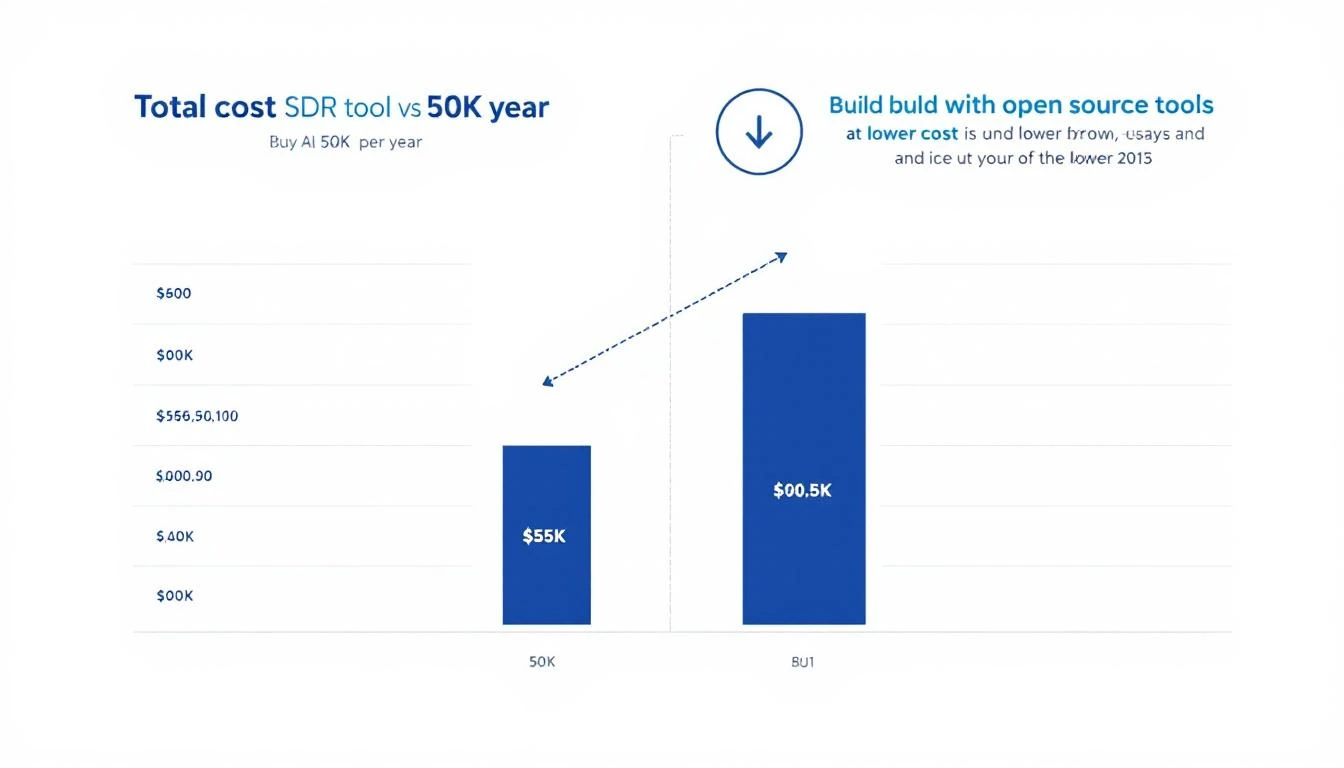
Total cost comparison of buying vs building AI SDR tools

The Real Cost Breakdown

Let's do the math honestly, including the costs "build" advocates often leave out.

Buying a Platform

CostAnnual
Platform license (mid-tier)$35,000
Additional seats$5,000
Premium data enrichment$8,000
Implementation + training$5,000 (year 1)
Total Year 1$53,000
Total Year 2+$48,000

Building with Open Source

CostAnnual
OpenClaw (self-hosted)$0
Cloud hosting (AWS/Azure)$1,200
AI API costs (Claude/GPT)$4,800
Data enrichment APIs$3,600
Engineering time (setup)$8,000 (year 1, ~2 weeks)
Maintenance (ongoing)$4,000/year (~4 hours/month)
Total Year 1$17,600
Total Year 2+$9,600

3-year total comparison:

  • Buy: $149,000
  • Build: $36,800

That's $112,200 saved over 3 years.

And here's the kicker: the "build" costs are conservative. Many teams report lower API costs because they optimize prompts over time. The "buy" costs are conservative too — many platforms charge more.

When You Should Buy

Building isn't always the right call. Here's when buying makes more sense:

You have zero engineering resources. If nobody on your team can write a config file or deploy a Docker container, building will be painful. OpenClaw is user-friendly, but it's not Canva.

You need intent data specifically. If your primary value is knowing which accounts are in-market right now, platforms like 6sense have proprietary data you can't easily replicate. The AI layer on top is commodity, but the data isn't.

Speed-to-value matters more than cost. If you're a funded startup burning cash and need pipeline yesterday, a platform gets you to "good enough" faster than building gets you to "great."

Your team is < 3 SDRs. At small scale, the ROI of building custom tooling is harder to justify. Use a platform until you hit scale, then evaluate building.

When You Should Build

Building is the right call when:

You have 5+ SDRs. At scale, the cost savings compound quickly. And the customization advantages matter more because you have enough data to tune the AI properly.

Your sales motion is complex. If you sell to multiple personas, have long sales cycles, or need deeply personalized outreach — platforms' one-size-fits-all approach will limit you. Custom AI agents can model your specific buyer journey.

You already use Claude Code or Codex. If your engineering team is already using AI coding agents, extending them to sales automation is a natural next step. The learning curve is minimal.

Data privacy matters. If you're in healthcare, fintech, or government — having full control over where prospect data lives and how it's processed is often a compliance requirement, not a preference.

You want to compound advantages. Every improvement you make to your AI SDR stack benefits only you. Every improvement a platform vendor makes benefits all their customers equally. Building creates a moat; buying creates parity.

The Hybrid Approach

Here's what smart teams actually do: build the intelligence layer, buy the data layer.

Use a data provider (ZoomInfo, Apollo) for contact information and basic firmographics. That's commodity data — pay for it.

But build your own:

  • Account research with OpenClaw + Claude (web scraping, news monitoring)
  • Scoring logic tuned to your specific ICP signals
  • Outreach generation with prompts optimized for your voice and value props
  • Multi-channel orchestration across email, LinkedIn, and Slack
  • Performance analytics that track what actually drives meetings

This hybrid approach gives you the best of both worlds: reliable data from established providers, and custom AI intelligence that competitors can't replicate.

The Technical Stack

For teams ready to build, here's the stack we recommend:

Orchestration: OpenClaw (open source, self-hosted)

  • Connects AI to all your channels
  • Runs agents 24/7 with memory and cron jobs
  • Browser automation for dynamic websites
  • Free forever — github.com/openclaw/openclaw

Intelligence: Claude (Anthropic) or GPT-5.3-Codex (OpenAI)

  • Claude: Best for nuanced writing, research, long-context analysis
  • Codex: Best for structured data processing, code generation, multi-file operations
  • Use both — they excel at different parts of the SDR workflow

CRM: HubSpot or Salesforce (whatever you already have)

  • Connect via API — both have excellent APIs
  • OpenClaw can read/write CRM data through tool integrations

Data: ZoomInfo, Apollo, or Clearbit for enrichment

  • API access, pay per lookup
  • Supplement with OpenClaw's web research for trigger events

Messaging: Native email + LinkedIn automation

  • Email via your existing provider (Gmail, Outlook)
  • LinkedIn via browser automation (OpenClaw supports this)

Getting Started in One Weekend

You don't need two weeks. Here's a realistic weekend sprint:

Saturday morning (3 hours):

  1. Deploy OpenClaw on your server or cloud instance
  2. Connect it to your CRM via API
  3. Set up a basic research agent that monitors your top 10 accounts

Saturday afternoon (3 hours): 4. Create prompt templates for account research 5. Set up a cron job for daily account monitoring 6. Test the research output — refine prompts

Sunday morning (3 hours): 7. Add email draft generation based on research 8. Set up Slack notifications for high-priority signals 9. Create a scoring framework in your agent's memory

Sunday afternoon (2 hours): 10. Test end-to-end: account research → scoring → draft email → Slack alert 11. Refine and document your setup

By Monday, you have a working AI SDR assistant that monitors accounts, generates personalized outreach, and alerts your team to opportunities. Not perfect, but functional — and infinitely improvable.

Free Tool

Try our AI Lead Generator — find verified LinkedIn leads for any company instantly. No signup required.

The Strategic Case

Beyond cost savings, building your own AI SDR stack is a strategic move.

The AI SDR platform market is consolidating rapidly. Vendors are raising prices, gating features, and pushing annual contracts. The switching costs get higher every year.

Meanwhile, the tools to build your own keep getting better and cheaper. GPT-5.3-Codex is 25% faster than its predecessor. OpenClaw adds features monthly. Claude's context window handles entire account portfolios in a single prompt.

Companies that build now will have 6-12 months of compounding advantage by the time their competitors realize they're overpaying for commoditized AI wrapped in a SaaS subscription.

The question isn't whether AI will automate SDR workflows. It will. The question is whether you'll own that automation or rent it from someone who marks it up 10x.


Want to see the "build" approach in action? MarketBetter uses AI-powered automation to turn intent signals into pipeline — and we practice what we preach. Book a demo to see how we built our GTM engine.

Codex vs Claude Code for Outbound Sequences: Which AI Builds Better Sales Emails? [2026]

· 11 min read

GPT-5.3-Codex dropped on February 5th, 2026. It's 25% faster than its predecessor and introduces mid-turn steering — the ability to redirect the AI while it's working. Meanwhile, Claude Code continues to dominate with its 200K context window and nuanced writing ability.

Both can generate outbound email sequences. But which one actually writes emails that get replies?

We put them head-to-head across five common B2B outbound scenarios to find out. The results weren't what we expected.

Comparison of Codex vs Claude Code for outbound sequence testing

The Test Setup

To make this comparison fair, we used identical inputs for both tools:

Target ICP: VP of Sales at B2B SaaS companies, 100-500 employees

Prospect information provided:

  • Company name and what they do
  • Recent company news (funding, hiring, product launches)
  • Prospect's LinkedIn summary and recent posts
  • Tech stack information
  • Competitive landscape

Deliverable: 4-email outbound sequence with subject lines, body copy, and CTAs

Evaluation criteria:

  1. Personalization depth (generic template vs. genuinely specific)
  2. Hook strength (would a VP of Sales actually read past line 1?)
  3. Value proposition clarity (is the benefit clear and compelling?)
  4. Call-to-action effectiveness (does it drive a reply?)
  5. Sequence logic (does each email build on the last?)

We ran 5 scenarios. Here's what happened.

Scenario 1: Cold Outreach After Funding Announcement

The situation: A SaaS company just raised a $30M Series B. They're scaling their sales team from 5 to 20 reps. The VP of Sales posted on LinkedIn about "building a world-class SDR team."

Codex's Approach

Codex generated a technically solid sequence. Email 1 opened with the funding announcement and congratulated them. Email 2 addressed the scaling challenge. Email 3 provided a mini case study. Email 4 was the breakup email.

Strengths:

  • Structured and logical progression
  • Clean, concise copy
  • Included specific numbers ("scaling from 5 to 20 reps")
  • Mid-turn steering let us redirect the tone mid-generation — we shifted from formal to conversational and Codex adapted instantly

Weaknesses:

  • The personalization felt researched but surface-level — like a good SDR who spent 10 minutes on LinkedIn
  • Every email followed the same formula: trigger → pain → solution → CTA
  • The language was clean but not memorable

Claude Code's Approach

Claude took a different angle. Instead of leading with the funding news (which every vendor is emailing about), Email 1 referenced the VP's LinkedIn post about building a "world-class SDR team" and challenged the assumption that more reps equals more pipeline.

Email 2 told a story about another company that scaled from 5 to 15 reps and saw pipeline decrease per rep. Email 3 explained why (more reps = more noise, unless each rep is more effective). Email 4 was short — just asked a single provocative question.

Strengths:

  • Genuinely creative angle — didn't lead with the obvious trigger
  • Storytelling in Email 2 was compelling
  • Each email could stand alone (if they only read one, it still worked)
  • The tone matched how a VP would actually talk to a peer

Weaknesses:

  • Longer emails (Claude tends to write more)
  • The provocative question in Email 4 might be too aggressive for some prospects
  • Took longer to generate (Claude's thoroughness comes at a speed cost)

Winner: Claude Code. The creative angle and storytelling made these emails stand out from the dozens of "congrats on the funding" emails this VP is already getting.

Scenario 2: Multi-Threaded Outreach to Enterprise Account

The situation: A Fortune 500 company with a 50-person SDR team. You need to reach both the VP of Sales and the Director of Sales Operations. Each needs a different message but the sequences need to be coordinated.

Codex's Approach

This is where Codex shone. It generated both sequences simultaneously, ensuring the messaging was complementary but distinct. The VP sequence focused on strategic outcomes (pipeline growth, competitive advantage). The Director sequence focused on operational efficiency (time saved, process improvement).

Codex also generated a coordination timeline showing when each email should send to avoid the "why are two people from the same company emailing me" problem.

Strengths:

  • Exceptional at structured, multi-track planning
  • The coordination timeline was a genuine value-add
  • Technical precision in differentiating the two personas
  • Fast generation — both sequences in one pass

Weaknesses:

  • Both sequences read like they were written by the same person (because they were)
  • The VP emails were solid but felt operational, not strategic
  • Little emotional intelligence — all logic, no connection

Claude Code's Approach

Claude generated the sequences separately, treating each persona as a distinct reader. The VP emails were executive-level — short, high-level, focused on business outcomes. The Director emails were detailed, data-rich, and spoke the language of ops.

However, Claude didn't automatically coordinate timing between the sequences. When prompted, it produced a coordination plan, but it required an extra step.

Strengths:

  • Much better persona differentiation — the VP and Director emails genuinely sounded like they were written for different people
  • The VP emails were punchy and executive-appropriate
  • Better emotional intelligence — referenced specific challenges each role faces
  • More natural language overall

Weaknesses:

  • Didn't automatically think about cross-sequence coordination
  • Slower to generate (two separate thinking processes)
  • Required more prompting to get the full picture

Winner: Codex for coordination, Claude for quality. If you need perfectly timed multi-thread outreach, Codex handles the logistics better. If you need each sequence to be genuinely compelling, Claude writes better emails for each persona.

Scenario 3: Re-engagement of Dormant Leads

The situation: 200 leads that went cold 3-6 months ago. They had some engagement (opened emails, visited website) but never booked a demo. You need a 3-email re-engagement sequence.

Codex's Approach

Codex generated a systematic approach: Email 1 acknowledged the gap, Email 2 shared something new (product update), Email 3 was a soft breakup with an opt-out CTA.

The standout feature: Codex generated 5 subject line variants per email, each targeting a different psychological trigger (curiosity, urgency, social proof, pain, gain). It then recommended A/B testing the top two.

Strengths:

  • Subject line variants were excellent — genuinely creative and varied
  • Systematic approach to re-engagement
  • Included an opt-out CTA (smart for deliverability)
  • Practical A/B testing recommendations

Weaknesses:

  • Body copy was generic — "A lot has changed since we last spoke" is not re-engagement, it's a cliché
  • Didn't address WHY leads went cold (which matters for re-engagement)
  • Template-feeling — the same sequence could work for any product

Claude Code's Approach

Claude asked a clarifying question first: "What was the most common reason these leads didn't convert?" After we provided context (mostly timing/budget), Claude generated a sequence that directly addressed the timing objection.

Email 1 was remarkably honest: "I'm not going to pretend I have new information about your business. What I do have: three customers who were in your exact situation 6 months ago — not ready, tight budget, other priorities. Here's what changed for them."

Email 2 shared a specific ROI calculation based on the prospect's company size. Email 3 offered a "no-pressure audit" instead of a demo — lower commitment, higher conversion for cold leads.

Strengths:

  • Addressed the actual reason leads went cold (brilliant)
  • Email 1's honesty is disarming — it stands out in an inbox full of BS
  • The "audit vs demo" CTA in Email 3 shows understanding of buyer psychology
  • Felt like a human wrote it — because the thinking process was human

Weaknesses:

  • Required more input (Claude asked for context before generating)
  • Only generated 2 subject line variants vs Codex's 5
  • Longer emails — some prospects might not read them

Winner: Claude Code. The strategic thinking (addressing WHY leads went cold) produced fundamentally better emails. Codex was more efficient but more generic.

A/B test results comparison between Codex and Claude generated sequences

Scenario 4: Competitive Displacement Campaign

The situation: Prospects using a specific competitor (let's say a legacy CRM tool). You want a sequence that motivates them to evaluate alternatives.

Codex's Approach

Codex generated a feature-comparison-heavy sequence. Email 1 listed 5 limitations of the competitor. Email 2 showed a side-by-side comparison. Email 3 offered a migration case study. Email 4 was a limited-time switching incentive.

Strengths:

  • Thorough feature comparison
  • Migration case study was a smart inclusion
  • Logical progression from problem → alternative → proof → urgency

Weaknesses:

  • Felt negative — leading with competitor bashing rarely works
  • The comparison was factual but not empathetic to why they chose the competitor in the first place
  • Limited-time incentive in Email 4 felt salesy

Claude Code's Approach

Claude took a completely different angle. Instead of attacking the competitor, Email 1 acknowledged it: "You chose [Competitor] for good reasons. Here's what those reasons probably were, and here's what's changed since then."

Email 2 focused on a single capability gap that matters (not five — one), and told a story about a company that lived with that gap for too long. Email 3 offered a "shadow test" — running both tools in parallel for a week with no commitment. Email 4 was empathetic: "Switching tools is a pain. Here's what it actually looks like, step by step."

Strengths:

  • Empathetic approach to competitive displacement (acknowledging their current choice was rational)
  • Single-capability focus cuts through noise
  • "Shadow test" offer is genius — low risk, high engagement
  • Email 4 addresses switching anxiety directly

Weaknesses:

  • Slower to build (each email required more thinking)
  • Less structured for A/B testing
  • The empathetic approach might be too soft for some aggressive sales cultures

Winner: Claude Code. Empathetic competitive displacement converts better than feature-list attacks. Claude understood buyer psychology better.

Scenario 5: Speed-to-Lead Inbound Follow-Up

The situation: A lead just submitted a form on your website 30 seconds ago. You need an immediate, personalized follow-up email that gets a reply.

Codex's Approach

Codex won this one decisively. Speed-to-lead is about velocity, and Codex generated a personalized response in 3 seconds flat — pulling in company info, personalizing the subject line, and referencing the specific page the lead was viewing.

The email was short (4 sentences), direct, and had one clear CTA. No fluff.

Strengths:

  • Blazing fast generation
  • Short and punchy — perfect for speed-to-lead
  • Practical — included calendar link and mobile-optimized formatting
  • Mid-turn steering could adjust tone in real-time based on lead source

Weaknesses:

  • Limited depth of personalization (speed vs. depth tradeoff)
  • Template-ish quality — functional but not memorable

Claude Code's Approach

Claude's response was more thoughtful but took longer (8 seconds). It researched the company briefly, identified a relevant pain point, and crafted a slightly more personalized email.

Strengths:

  • Better personalization depth
  • More compelling hook

Weaknesses:

  • 5 seconds slower — in speed-to-lead, that matters
  • Slightly longer email (less ideal for mobile)

Winner: Codex. For speed-to-lead, velocity beats nuance. You need to be first in the inbox, not the most eloquent.

The Verdict

ScenarioWinnerWhy
Cold outreach (trigger-based)Claude CodeCreative angles and storytelling
Multi-threaded enterpriseTieCodex for coordination, Claude for quality
Dormant lead re-engagementClaude CodeStrategic thinking about why leads went cold
Competitive displacementClaude CodeEmpathetic approach converts better
Speed-to-lead inboundCodexRaw speed matters most

Overall: Claude Code wins 3.5 out of 5 scenarios.

But here's the nuanced take: the best approach is using both.

  • Codex for high-volume, speed-sensitive tasks: inbound follow-up, subject line generation, sequence coordination, structured data processing
  • Claude Code for high-stakes, quality-sensitive tasks: enterprise outreach, competitive displacement, re-engagement, any email where the creative angle is the difference between reply and delete
Free Tool

Try our AI Lead Generator — find verified LinkedIn leads for any company instantly. No signup required.

The Practical Recommendation

If you're building an outbound system:

  1. Use Codex for the infrastructure — building the sequence logic, coordinating timing, generating variants for A/B testing
  2. Use Claude Code for the creative work — writing the actual email copy, crafting the angles, developing the narratives
  3. Use OpenClaw to orchestrate both — schedule generation, manage delivery, track responses, and iterate based on results

This isn't build vs. buy — it's build smart. Use each tool where it's strongest, and let OpenClaw coordinate the whole system.

The tools are all available now. GPT-5.3-Codex is live. Claude Code is production-ready. OpenClaw is free. The only question is how long you'll keep writing outbound emails by hand.


Want to see AI-powered outbound in action? MarketBetter generates hyper-personalized email sequences at scale. Book a demo to see the difference AI makes in reply rates.

Common Room Pricing Breakdown [2026]: Plans, Costs, and What You Actually Get

· 6 min read

Common Room has grown from a community signal aggregation tool into a broader customer intelligence platform. But what does it actually cost? Unlike many competitors that hide pricing behind "Contact Sales" walls, Common Room publishes their starting prices — though the real cost depends heavily on your contact volume and add-ons.

Here's the full pricing breakdown for 2026.

Common Room Pricing Plans

Common Room offers three plans, all billed annually:

Starter — Starting at $1,000/month

  • Up to 35,000 contacts
  • 2 seats included
  • Unlimited alerts, workflows, and segments
  • Community & social engagement signals
  • 240,000 website activity IP enrichments/year
  • News & hiring trends
  • Job changes tracking
  • Chrome extension
  • Slack & email alerts
  • Automated workflow templates
  • GSuite and GitHub SSO
  • Ticketed support
  • Starter implementation package

Best for: Small teams getting started with signal-based selling. Good enough to test the platform, but the 35K contact cap and 2-seat limit mean you'll outgrow it quickly.

Team — Starting at $2,500/month

Everything in Starter, plus:

  • Up to 100,000 contacts
  • 5 seats included
  • 480,000 website activity IP enrichments/year
  • 12 Bombora Company Surge® topics (vs. 6 on Starter)
  • Prospector tool
  • Intelligent scoring
  • Custom product entities
  • Automated custom workflows
  • Webhooks
  • Custom reports
  • In-product data exports
  • Auto-recurring data exports
  • Core implementation package
  • Email support

Best for: Growing sales teams that need more contacts, better scoring, and custom workflows. The Prospector tool and intelligent scoring are meaningful upgrades from Starter.

Enterprise — Custom Pricing

Everything in Team, plus:

  • 200,000+ contacts included
  • Up to 10 seats
  • 960,000 website activity IP enrichments/year
  • 25 Bombora Company Surge® topics
  • Custom signals
  • Business integrations
  • SAML/SCIM security
  • Premier implementation package
  • Dedicated Customer Success Manager
  • Dedicated support

Best for: Large organizations with 100K+ contacts and complex integration needs. Expect pricing to start at $5,000–$8,000+/month based on industry benchmarks.

The Hidden Costs

Common Room's pricing page shows starting prices, but several factors push the real cost higher:

1. Contact Volume Overages

The contact caps (35K, 100K, 200K) are starting limits. If your target market generates more contacts from community, website, and social signals, you'll pay more. Contact-based pricing can scale unpredictably.

2. Premium Add-Ons

  • Premium Phone Number Enrichment (FullEnrich®) — Available as an add-on across all plans. Essential for teams that want to call prospects, not just email them.
  • Product Activity Integration — Add-on for Starter plan, included in Team and Enterprise.
  • Bombora topics scale with plan — Starter gets 6, Team gets 12, Enterprise gets 25. More topics = more intent visibility.

3. Annual Commitment

All plans are billed annually. That means:

  • Starter: $12,000/year minimum
  • Team: $30,000/year minimum
  • Enterprise: $60,000+/year

No monthly billing option. You're locked in for the full year.

4. Seat Limits

  • Starter: 2 seats
  • Team: 5 seats
  • Enterprise: 10 seats

Additional seats likely cost extra. For larger sales teams, this can add up quickly.

What Common Room Does Well

Before comparing alternatives, credit where it's due — Common Room excels at:

  • Signal aggregation — Pulls in community activity, social mentions, website visits, job changes, and news signals into one view
  • Community-led growth — Originally built for PLG and developer-focused companies, it's the best at tracking community engagement
  • Bombora integration — Built-in Company Surge data gives you third-party intent signals
  • Flexible scoring — Custom scoring models let you weight different signals based on your ICP

Where Common Room Falls Short

For sales teams specifically, Common Room has some gaps:

  • No built-in dialer — You can identify signals but can't call from the platform
  • No AI chatbot — Website visitors leave without being engaged in real-time
  • No daily SDR playbook — Signals are surfaced, but reps still need to decide what to do with them
  • No email sequences — You need a separate tool (Outreach, Salesloft, etc.) for actual outreach
  • Contact-based pricing — Costs grow with your database, not your usage

Common Room vs. MarketBetter: Price-to-Value Comparison

CapabilityCommon Room (Team)MarketBetter
Starting Price$2,500/monthTransparent pricing
Annual CommitmentYes ($30K/year)Flexible
Website Visitor ID✅ (IP enrichment credits)✅ (company + individual)
Community Signals✅ (core strength)⚠️ Limited
Intent Data✅ Bombora (12 topics)✅ Website-based
Daily SDR Playbook✅ Prioritized task list
Smart Dialer✅ AI-scripted calls
AI Chatbot✅ FloBot (24/7)
Email Automation❌ (needs separate tool)✅ Built-in sequences
Scoring✅ Custom models✅ Automated
G2 Rating4.5+4.97

The bottom line: Common Room gives you signals. MarketBetter gives you signals + action. If your sales team needs to know WHO to contact and WHAT to do next — not just see a dashboard of activity — MarketBetter delivers more value per dollar.

Is Common Room Worth the Price?

Yes, if you:

  • Run a PLG or developer-focused company with strong community activity
  • Need to aggregate signals from 10+ sources (Slack, Discord, GitHub, social, etc.)
  • Have SDRs already using Outreach/Salesloft and need better signal intelligence
  • Have $30K+/year budget for a signal platform (on top of your engagement tools)

No, if you:

  • Need an all-in-one SDR platform (Common Room doesn't do outreach)
  • Want transparent, flexible pricing without annual lock-in
  • Need a dialer, chatbot, or email automation built in
  • Are a smaller team where $30K/year for signals alone is too much

Cheaper Alternatives to Common Room

If Common Room's pricing doesn't fit, consider:

  • MarketBetter — Full SDR platform with visitor ID, playbook, dialer, chatbot, and email. All-in-one at transparent pricing. Book a demo →
  • Warmly — Website visitor identification with real-time Slack alerts. Free plan available. Narrower but cheaper.
  • Apollo.io — Contact database + email sequences + basic intent signals. Free tier, paid from $49/user/month.
  • Clearbit (HubSpot) — Enrichment and visitor identification, now integrated into HubSpot. Good for existing HubSpot users.
Free Tool

Try our AI Lead Generator — find verified LinkedIn leads for any company instantly. No signup required.

The Bottom Line

Common Room is a solid signal intelligence platform — especially for PLG companies with active communities. But at $12,000–$60,000+/year, you're paying for intelligence without action. You'll still need separate tools for email, phone, and chat engagement.

For sales teams who want signals turned into a daily action plan with built-in outreach tools, MarketBetter delivers more value at a better price.

Ready to see what signals + action looks like? Book a demo with MarketBetter →
Your First AI Sales Agent in 30 Minutes with OpenClaw [2026 Tutorial]

· 9 min read

You've heard the pitch. AI SDR platforms promising to revolutionize your sales process. The catch? They cost $35,000 to $50,000 per year, require weeks of implementation, and lock you into their workflow.

What if you could build your own AI sales agent — one that monitors your pipeline, generates personalized follow-ups, sends you Slack alerts, and runs 24/7 — in under 30 minutes? For free?

That's exactly what OpenClaw enables. It's an open-source AI gateway that connects language models to your messaging channels (Slack, WhatsApp, Telegram) with built-in memory, scheduling, and browser automation.

This tutorial walks you through building your first AI sales agent from scratch. No coding experience required.

Step-by-step AI sales agent setup process

What You'll Build

By the end of this tutorial, you'll have an AI agent that:

  1. Monitors your pipeline on a schedule (every 2 hours)
  2. Identifies stalled deals that need attention
  3. Generates personalized follow-up emails for each stalled deal
  4. Sends you alerts via Slack or WhatsApp when deals need action
  5. Remembers context between sessions (deal history, past interactions)

Let's build it.

Prerequisites

Before you start, you need:

  • A computer with Docker installed (Mac, Linux, or Windows with WSL)
  • An AI API key — Claude (Anthropic) or GPT-4 (OpenAI)
  • A messaging channel — Slack bot token, WhatsApp (personal), or Telegram bot
  • 30 minutes of uninterrupted time

That's it. No enterprise sales call. No procurement process.

Step 1: Install OpenClaw (5 minutes)

OpenClaw runs as a Docker container. One command gets you started:

# Clone the repository
git clone https://github.com/openclaw/openclaw.git
cd openclaw

# Copy the example config
cp config.example.yaml config.yaml

Now edit config.yaml with your AI provider:

# config.yaml — minimal setup
ai:
provider: anthropic # or openai
model: claude-sonnet-4-20250514
apiKey: YOUR_API_KEY_HERE

# Choose your messaging channel
channels:
slack:
botToken: xoxb-YOUR-BOT-TOKEN
channel: "#sales-alerts"

Start it up:

docker compose up -d

That's it. OpenClaw is running.

Step 2: Define Your Agent's Personality (5 minutes)

Every OpenClaw agent has a SOUL.md file that defines its personality and behavior. This is what makes your agent useful instead of generic.

Create a file called SOUL.md in your workspace:

# SOUL.md — Sales Pipeline Agent

You are a sales operations assistant. Your job is to monitor the pipeline,
identify deals that need attention, and help reps take action.

## Personality
- Direct and actionable — no fluff
- Data-driven — reference specific metrics
- Proactive — flag issues before they become problems

## Rules
- Always prioritize by deal value × close probability
- Flag any deal with no activity for 7+ days
- Generate follow-up emails that are personalized, not templated
- Never send emails automatically — always draft for review
- Report in bullet points, not paragraphs

This file is your agent's brain. It persists across sessions and defines how the agent thinks and communicates.

Step 3: Connect Your CRM Data (5 minutes)

Your agent needs pipeline data to analyze. The simplest approach is a CSV export from your CRM, but OpenClaw can also connect to APIs directly.

Option A: CSV Pipeline Snapshots

Export your pipeline weekly and save it to the workspace:

# Place your pipeline export in the workspace
cp ~/Downloads/pipeline-export.csv /path/to/openclaw/workspace/pipeline.csv

Your agent can read this file automatically.

Option B: CRM API Integration

For real-time data, set up a simple script that pulls from your CRM API:

# Example: Pull HubSpot deals
curl -s "https://api.hubapi.com/crm/v3/objects/deals" \
-H "Authorization: Bearer YOUR_TOKEN" \
> workspace/pipeline.json

Schedule this script to run before each agent scan using OpenClaw's cron system.

Option C: Direct API Access

Give your agent the CRM API credentials in its environment, and it can query deals on its own. OpenClaw supports environment variables and secrets management.

Step 4: Set Up Scheduled Pipeline Scans (5 minutes)

OpenClaw has a built-in cron system that triggers your agent on a schedule. Add a heartbeat configuration:

# In your config, add heartbeat scheduling
heartbeat:
intervalMinutes: 120 # Every 2 hours
prompt: "Check the pipeline for stalled deals and report anything that needs attention."

You can also create specific cron jobs for different tasks:

# Morning pipeline briefing at 8 AM
cron:
- schedule: "0 14 * * 1-5" # 8 AM CT (UTC-6) weekdays
task: |
Run the morning pipeline scan:
1. How many deals moved stages yesterday?
2. Which deals have been stalled the longest?
3. What's the total pipeline value vs. last week?
4. Top 3 deals that need attention today

Step 5: Create Your Agent's Memory (5 minutes)

What separates OpenClaw agents from simple chatbots is memory. Your agent remembers context between sessions.

Create a MEMORY.md file to bootstrap your agent's knowledge:

# MEMORY.md — Pipeline Agent Memory

## Key Accounts
- Acme Corp ($50K) — Champion: Sarah Chen, VP Sales
- GlobalTech ($35K) — Evaluating us vs. Competitor X
- StartupCo ($20K) — Pilot in progress, ends Feb 28

## Pipeline Benchmarks
- Average deal cycle: 45 days
- Stage thresholds: Discovery (7d), Demo (14d), Proposal (10d), Negotiation (14d)
- Win rate: 25%

## Learned Patterns
(Agent will update this section as it learns)

Your agent updates this file as it works, building institutional knowledge over time.

Step 6: Test Your Agent (5 minutes)

Send your agent a message to verify everything works:

Hey, can you scan the pipeline and give me a quick status report?

Your agent should:

  1. Read the pipeline data
  2. Identify stalled deals
  3. Calculate velocity metrics
  4. Send you a structured report

If something isn't working, check the OpenClaw logs:

docker logs openclaw-gateway -f

OpenClaw agent architecture diagram

What Your Agent Does on Autopilot

Once running, your agent works 24/7:

Every 2 Hours

  • Scans pipeline for new stalls
  • Checks for deals crossing stage-duration thresholds
  • Monitors for deals that lost momentum

When It Finds Something

  • Sends you a Slack/WhatsApp alert with deal context
  • Generates a personalized follow-up email draft
  • Suggests next best action based on deal stage
  • Updates its memory with new findings

Weekly Summary (Monday 8 AM)

  • Pipeline velocity report
  • Week-over-week changes
  • Deals at risk of slipping
  • Wins and losses analysis

Real Example: What an Alert Looks Like

Here's what you'd see in your Slack channel:

🚨 Pipeline Alert — 3 deals need attention

1. Acme Corp ($50K) — STALLED in Proposal
⏱️ 18 days in stage (avg: 10 days)
📧 Last contact: Feb 1 (no reply to pricing email)
✅ Action: Send champion enablement deck to Sarah Chen
📝 Draft email ready in thread ↓

2. GlobalTech ($35K) — COMPETITIVE RISK
⏱️ Demo scheduled but delayed twice
📧 Competitor X mentioned in last call
✅ Action: Send competitive differentiation one-pager
📝 Draft email ready in thread ↓

3. StartupCo ($20K) — MOMENTUM SHIFT
⏱️ Pilot engagement dropped 60% this week
📧 3 emails unanswered from end users
✅ Action: Reach out to executive sponsor directly
📝 Draft email ready in thread ↓

That's the kind of intelligence that $50K/year AI SDR platforms promise. You just built it for free.

Level Up: Advanced Capabilities

Once your basic agent is running, you can add:

Browser Automation

OpenClaw includes a full browser that can:

  • Check competitor pricing pages weekly
  • Monitor your prospects' LinkedIn activity
  • Visit company websites for trigger events (new hires, funding, product launches)

Multi-Agent Setup

Run multiple specialized agents:

  • Pipeline Agent — monitors deals (what we just built)
  • Research Agent — enriches new leads with company data
  • Content Agent — generates follow-up content on demand
  • Intel Agent — tracks competitor moves

CRM Write-Back

Go beyond alerts and have your agent update your CRM directly:

  • Add follow-up tasks
  • Update deal notes
  • Adjust close dates based on engagement signals
  • Tag deals with risk scores

Cost Comparison

Let's be real about what this costs vs. alternatives:

SolutionAnnual CostSetup TimeCustomization
OpenClaw (DIY)$0 + AI API (~$20-50/mo)30 minutesUnlimited
Enterprise AI SDR$35,000-$50,0004-6 weeksLimited
Hiring an SDR$65,000-$85,0003 monthsFully custom

OpenClaw gives you 80% of the functionality of enterprise tools at less than 2% of the cost. The trade-off is that you manage the infrastructure — but with Docker, that's a docker compose up away.

Common Issues and Fixes

Agent isn't responding?

  • Check your API key is valid
  • Verify your messaging channel credentials
  • Look at docker logs openclaw-gateway

Pipeline data not loading?

  • Make sure the file is in the workspace directory
  • Check file permissions
  • Verify the format (CSV headers must match what the agent expects)

Alerts too frequent?

  • Adjust the heartbeat interval
  • Update stage-duration thresholds in MEMORY.md
  • Add "quiet hours" to the agent's SOUL.md

Follow-ups too generic?

  • Add more deal context to your CRM export
  • Include last email content and call notes
  • Let the agent learn over time — it gets better with memory
Free Tool

Try our AI Lead Generator — find verified LinkedIn leads for any company instantly. No signup required.

Next Steps

You've built your first AI sales agent. Here's what to do next:

  1. Run it for a week — Let it learn your pipeline patterns
  2. Refine the prompts — Adjust based on what's useful vs. noisy
  3. Add data sources — Connect email, calendar, and call data
  4. Train your team — Show them how to interact with the agent
  5. Scale up — Add more agents for research, content, and intel

For teams that want a turnkey solution with visitor identification, smart dialing, and a built-in daily playbook — without managing infrastructure — MarketBetter gives you the full stack from day one.

But for teams that want to build, experiment, and own their AI stack — OpenClaw is the foundation.


Want to see what a fully operational AI sales stack looks like? Book a demo and we'll show you how MarketBetter combines visitor identification, pipeline monitoring, and AI-powered outreach into one daily playbook.