Build an AI-Powered Referral Engine with OpenClaw [2026]

ยท 10 min read

Here's a stat that should haunt every sales leader: referred leads convert at 3-5x the rate of cold outbound, close 69% faster, and have 16% higher lifetime value (Influitive, 2025). Yet most B2B companies treat referrals like a happy accident instead of a systematic growth channel.

The excuse is always the same: "We don't have a formal referral program." Translation: nobody has time to identify happy customers, reach out at the right moment, personalize the ask, follow up when they don't respond, and track the referral through the pipeline.

What if an AI agent did all of that, 24/7, with zero manual effort?

That's exactly what you can build with OpenClaw โ€” the open-source AI gateway that connects Claude Code to your CRM, email, and messaging tools. In this guide, we'll build a fully automated referral engine that turns your happiest customers into your most effective sales channel.
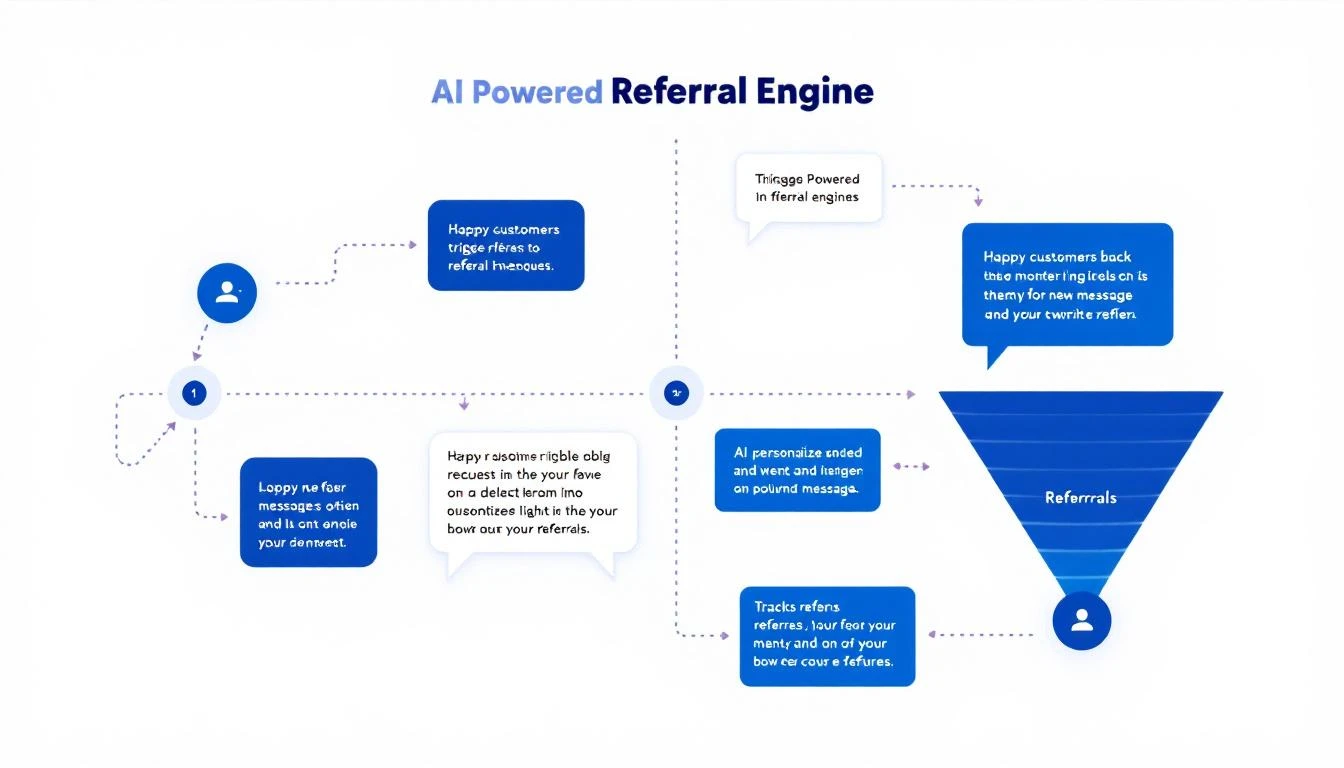
AI-Powered Referral Engine Workflow

Why B2B Referral Programs Failโ€‹

Most B2B referral programs follow the same script: create a referral page, send one mass email asking for referrals, get 3 responses, declare the program "doesn't work for our business," and go back to cold outreach.

Here's what's actually broken:

Wrong Timingโ€‹

You ask for referrals during QBRs โ€” when the customer is reviewing problems, not celebrating wins. The best time to ask is immediately after a success moment: hit a milestone, saved them time, got a compliment from their boss. Most teams miss these moments entirely.

No Personalizationโ€‹

"Hi [First Name], would you refer us to anyone?" โ€” this is the referral equivalent of a cold spray-and-pray email. Effective referral requests are specific: "Your friend Sarah at Acme Corp would probably love our visitor identification feature โ€” would you mind making an intro?"

No Follow-Upโ€‹

A customer says "sure, I'll think about it" and... silence. Nobody follows up because nobody is tracking it. The intent was there. The execution died.

Wrong Customersโ€‹

Not every customer is a referral candidate. Asking a customer who just filed a support complaint for a referral is tone-deaf. You need to identify your actual promoters โ€” the ones who love you โ€” and focus your asks there.

No Scalabilityโ€‹

Even if you do everything right with 10 customers, can you do it with 200? With 1,000? Manual referral programs don't scale. AI-powered ones do.

The AI Referral Engine Architectureโ€‹

Here's the system we're building:

Layer 1: Promoter Identification Continuously monitor customer signals to identify who's ready to refer:

  • NPS scores of 9-10
  • Positive support interactions
  • Product usage milestones
  • Public testimonials or G2 reviews
  • Social media mentions
  • Renewal/expansion events

Layer 2: Timing Engine Trigger referral requests at the perfect moment:

  • Within 48 hours of a success milestone
  • After a positive support resolution
  • Following a product achievement (e.g., "You've sent 10,000 emails!")
  • After expansion or renewal
  • When they've been using a feature 30+ days

Layer 3: Personalized Request Generation Claude Code crafts each referral request based on:

  • The customer's specific success with your product
  • Their network (LinkedIn connections at target companies)
  • The specific value prop that would resonate with their referral
  • The customer's communication style (formal vs. casual)

Layer 4: Follow-Up Automation Track and nurture referral commitments:

  • Thank-you after initial agreement
  • Gentle nudge if no intro after 5 days
  • Alternative approach if first ask is ignored
  • Update when referral enters pipeline

Layer 5: Pipeline Tracking Track referred leads from introduction to close:

  • Tag referral source in CRM
  • Monitor conversion stages
  • Calculate referral revenue attribution
  • Reward referrers when deals close

Building It with OpenClawโ€‹

Step 1: Identify Your Promotersโ€‹

Not every happy customer will refer. Your AI agent needs to score "referral readiness" based on multiple signals:

Strong Indicators (High Confidence):

  • NPS score of 9 or 10 in last 90 days
  • Left a positive G2 or Capterra review
  • Publicly mentioned your product on LinkedIn or Twitter
  • Referred someone before (past behavior predicts future behavior)
  • Recently expanded their contract

Moderate Indicators:

  • High product usage (top 25% of accounts)
  • Zero support escalations in 90 days
  • Attended your webinar or event
  • Engaged with your content regularly

Negative Indicators (Do NOT Ask):

  • Open support tickets
  • NPS score below 7
  • Recent billing dispute
  • Less than 3 months as customer
  • Low product adoption

Your OpenClaw agent runs this scoring daily and maintains a ranked list of referral candidates in your CRM.

Step 2: Build the Timing Engineโ€‹

The difference between a 5% referral response rate and a 35% response rate is timing. Here are the trigger events your agent should watch for:

Immediate Triggers (Ask Within 48 Hours):

  • Customer hits a measurable milestone ("You just booked your 100th meeting through our platform!")
  • Customer sends a positive email to their CSM
  • Customer gives you a 9 or 10 NPS score
  • Customer's champion gets promoted (they're feeling good, ride the wave)

Scheduled Triggers:

  • 90 days post-onboarding (enough time to see value)
  • 30 days before renewal (they're already thinking about the relationship)
  • After quarterly business review with positive outcomes

Event-Based Triggers:

  • Customer speaks at your event or webinar
  • Customer agrees to a case study
  • Customer refers someone organically (ask for more!)

Step 3: Generate Personalized Referral Requestsโ€‹

This is where Claude Code transforms a generic ask into a compelling one. Here's the difference:

Generic (5% Response Rate):

"Hi Sarah, hope you're doing well! Would you be willing to refer MarketBetter to anyone in your network? Let me know!"

AI-Personalized (30%+ Response Rate):

"Sarah โ€” congrats on hitting 150 qualified meetings this quarter through MarketBetter! That's 3x what you were doing with your old process. ๐ŸŽ‰

I noticed your former colleague Mike at TechCorp is hiring SDRs right now. He'd probably love to see how you're getting these results. Would you be open to a quick intro? I'll make it easy โ€” just forward this with a one-liner and I'll take it from there."

What Claude Code does differently:

  • References a specific success metric (not generic)
  • Identifies a specific referral target (not "anyone in your network")
  • Explains why that person would benefit (not just "they might like us")
  • Makes it easy ("just forward this")
  • Sets clear expectations ("I'll take it from there")

Step 4: Automate Follow-Up Sequencesโ€‹

Most referral requests get a "sure, let me think about it" and then die. Your agent keeps the momentum:

Day 0: Initial referral request (triggered by success event) Day 3: If no response โ€” casual follow-up with a slightly different angle Day 7: If still no response โ€” offer an alternative (share a link instead of intro) Day 14: If no action โ€” thank them anyway, mention you'll check back later Day 30: Circle back with a new trigger event or success story

If the customer makes the intro, the sequence shifts: Immediately: Thank the referrer profusely When referral books a demo: Update the referrer When referral closes: Personal thank-you + referral reward (if applicable)

This follow-up cadence is impossible to maintain manually across 200 customers. For OpenClaw, it's just a cron job.
Referral Program Funnel

The Numbers: Referral ROIโ€‹

Here's what a well-executed AI referral program looks like at scale:

MetricWithout AIWith AI Referral Engine
Customers asked for referrals10-20/quarter100% of promoters
Referral request response rate5-10%25-35%
Introductions made per quarter3-530-50
Referral conversion rate25-30%35-45%
Time spent on referral program5-10 hrs/week1 hr/week (oversight only)
Referral pipeline per quarter$50-100K$500K-1M+

The math is simple. If your average deal is $30K and you generate 10 additional referral-sourced deals per quarter, that's $300K in pipeline with a near-zero acquisition cost.

OpenClaw vs. Referral Softwareโ€‹

Dedicated referral platforms like Referral Rock, GrowSurf, and Friendbuy charge $500-2,000/month and are designed for B2C or PLG referral programs (share a link, get a reward). They don't work well for high-touch B2B referrals where the "ask" needs to be personalized and the "reward" is relationship-based, not transactional.

FeatureOpenClaw + ClaudeReferral Platforms
B2B personalized asksโœ… AI-crafted per customerโŒ Template-based
CRM integration depthโœ… Full (reads deal context)โš ๏ธ Basic (name/email)
Success event triggersโœ… Any data sourceโŒ Manual triggers only
Network analysisโœ… LinkedIn + CRM connectionsโŒ Not available
Follow-up automationโœ… Context-aware sequencesโœ… Basic drip emails
CostFree (self-hosted)$500-2,000/month
Setup timeHalf a day1-2 weeks

For B2C or PLG companies with simple "share a link" programs, the dedicated platforms work fine. For B2B companies where referrals require relationship intelligence and personalized outreach, OpenClaw is dramatically better.

Advanced Strategiesโ€‹

Network Mappingโ€‹

Use LinkedIn data to map your customers' connections to your target accounts. When Customer A knows someone at Target Account B, that's a warm path. Claude Code can prioritize referral asks based on the strategic value of the potential introduction.

Referral Clusteringโ€‹

Some customers are "super referrers" โ€” they know everyone and love making intros. Your AI agent should identify these people and treat them differently: more frequent asks, higher-touch follow-up, exclusive access to new features as a thank-you.

Reverse Referralsโ€‹

Instead of asking customers to refer YOU, offer to refer THEM. "I know someone who needs [what your customer sells]. Want an intro?" Generosity creates reciprocity. Your customer is much more likely to refer you after you've referred someone to them.

Event-Triggered Referral Campaignsโ€‹

When you host a webinar or event, use the attendee list to identify mutual connections between customers and prospects. Then trigger targeted referral asks: "Hey, I saw your friend Dave from TechCorp attended our webinar last week. Seems like he's interested โ€” would you vouch for us?"

Getting Startedโ€‹

  1. Day 1: Export your NPS scores and identify your top 20 promoters
  2. Day 2: Set up OpenClaw with your CRM and email integrations
  3. Day 3: Build the scoring model and trigger events
  4. Week 2: Launch with your top 20 promoters as a pilot
  5. Month 2: Expand to all qualifying customers, optimize based on data

Start small. 20 customers. Prove the referral-to-pipeline conversion. Then scale.

Free Tool

Try our AI Lead Generator โ€” find verified LinkedIn leads for any company instantly. No signup required.

How MarketBetter Powers the Referral Pipelineโ€‹

When a referred prospect arrives, MarketBetter ensures they get the best possible experience. Our visitor identification catches them when they land on your site. Our Daily SDR Playbook prioritizes them as warm referrals. Our AI chatbot engages them immediately.

The result: referred leads that already trust you, handled by a system that converts them fast.

Ready to turn happy customers into your best sales channel? Book a demo and see how MarketBetter helps you close more deals โ€” from referral to revenue.


Related reading:
AI Sales Battlecard Automation with GPT-5.3 Codex: Win More Competitive Deals [2026]

ยท 8 min read

Your battlecards are out of date. You know it. Your reps know it. That feature comparison from Q3? Your competitor shipped a new version since then. That pricing grid? They changed it last month.

Static battlecards are a losing strategy in B2B sales. By the time someone in product marketing updates the Google Doc, your reps have already lost three competitive deals using outdated information.

GPT-5.3 Codex โ€” OpenAI's most capable coding agent, released February 5, 2026 โ€” changes the game. With its mid-turn steering capability and multi-file processing, you can build a battlecard system that updates itself continuously, pulling from real competitor data instead of quarterly manual reviews.

Here's the complete playbook.

Why Static Battlecards Failโ€‹

The numbers tell the story:

  • 65% of sales reps say their battlecards are outdated (Gartner)
  • 71% of competitive deals are lost due to incomplete competitor knowledge (Klue)
  • The average battlecard is updated once per quarter โ€” but competitors ship changes monthly
  • Only 23% of reps actually use their company's battlecards regularly

The problem isn't the concept โ€” battlecards are one of the highest-impact sales enablement tools when they're accurate. The problem is maintenance. Manual battlecard updates don't scale.

What GPT-5.3 Codex Brings to Battlecardsโ€‹

Codex isn't just a language model โ€” it's an agentic coding system that can:

  1. Scrape competitor websites on a schedule, detect changes
  2. Analyze G2/Capterra reviews for competitor strengths and weaknesses
  3. Monitor pricing pages and flag updates
  4. Process multiple data files simultaneously (press releases, job postings, changelogs)
  5. Mid-turn steering โ€” You can redirect Codex's research while it's running ("Focus more on their enterprise pricing, skip the SMB tier")

That last feature is a game-changer. You're not just submitting a prompt and waiting โ€” you're collaborating with an AI research assistant in real time.

Building Your Automated Battlecard Systemโ€‹

Step 1: Define Your Competitive Landscapeโ€‹

Start by mapping your competitive universe. Most teams have 3-5 direct competitors and 5-10 adjacent players:

Define our competitive landscape:

DIRECT COMPETITORS (feature-for-feature overlap):
1. [Competitor A] โ€” Their positioning, website, G2 profile
2. [Competitor B]
3. [Competitor C]

ADJACENT COMPETITORS (partial overlap):
4. [Competitor D] โ€” They compete on [specific feature]
5. [Competitor E] โ€” They compete in [specific segment]

STATUS QUO (biggest "competitor"):
- Spreadsheets + manual process
- Existing tools cobbled together
- "We're fine for now"

That last category matters. Status quo wins 38% of B2B deals โ€” more than any named competitor.

Step 2: Set Up Automated Competitor Monitoringโ€‹

Codex can build scripts that monitor competitor presence across multiple channels:

Website monitoring:

Build a script that:
1. Checks [competitor] pricing page weekly
2. Saves a snapshot for comparison
3. Highlights any changes (pricing, features, packaging)
4. Alerts me when significant changes are detected

Review monitoring:

Monitor G2 reviews for [competitor]:
1. Collect new reviews weekly
2. Categorize by sentiment and topic
3. Flag negative reviews that mention switching triggers
4. Identify feature requests their customers want (that we have)

Job posting analysis:

Monitor [competitor] job postings on LinkedIn/careers page:
1. What roles are they hiring for? (tells you their focus)
2. What technologies do they mention? (tells you their stack)
3. Are they hiring in new regions? (tells you their expansion plans)
4. What's the ratio of engineering vs. sales hires? (tells you their stage)

Step 3: Build the Battlecard Templateโ€‹

With Codex, you can generate a structured battlecard that pulls from all your monitoring data:

THE ULTIMATE BATTLECARD STRUCTURE:

# [Competitor Name] Battlecard
Last Updated: [auto-generated timestamp]

## Quick Stats
- Founded: [year] | HQ: [location] | Employees: [count]
- Funding: [total raised] | Last round: [date/amount]
- Key customers: [names]
- G2 rating: [score] ([review count] reviews)

## Positioning
What they say: [their tagline/positioning]
What it really means: [translation for reps]
Our counter-position: [how we're different]

## Feature Comparison
| Capability | Us | Them | Our Advantage |
|-----------|-----|------|---------------|
| [Feature 1] | โœ… Details | โš ๏ธ Details | [Why ours is better] |
| [Feature 2] | โœ… Details | โŒ Missing | [Messaging angle] |
| [Feature 3] | โš ๏ธ Limited | โœ… Details | [Honest assessment] |

## Pricing Intelligence
Their pricing: [latest data with source]
Our pricing: [relevant tier]
Price advantage: [where we win/lose]
TCO argument: [total cost comparison]

## When We Win Against Them
- [Scenario 1 with example]
- [Scenario 2 with example]
- [Scenario 3 with example]

## When We Lose Against Them
- [Scenario 1 โ€” be honest]
- [Scenario 2 โ€” and how to mitigate]

## Common Objections
**"[Competitor] has [feature] and you don't"**
Response: [specific, honest response]

**"[Competitor] is cheaper"**
Response: [value-based response]

**"[Competitor] integrates with [tool]"**
Response: [integration story]

## Competitive Landmines
Questions to ask that highlight their weaknesses:
1. "Can their system tell you WHO to call AND WHAT to say?" (they can't)
2. "How do they handle [specific use case]?" (they do it poorly)
3. "Ask them about [known pain point]" (their customers complain about this)

## Recent Intel
[Auto-populated from monitoring]
- [Date]: Changed pricing from X to Y
- [Date]: Launched [feature]
- [Date]: Lost [customer] (G2 review mentioned switching)
- [Date]: Hired new VP of [department] from [company]

Competitive battlecard template layout

Step 4: Automate Battlecard Updatesโ€‹

Here's where Codex's mid-turn steering really shines. Set up a weekly workflow:

Run the weekly battlecard refresh:

1. Check each competitor's website for changes
2. Pull new G2 reviews from the last 7 days
3. Check job postings for strategic signals
4. Look for press releases or blog posts
5. Update each battlecard with new intel
6. Flag any MAJOR changes that reps need to know about immediately

While running: I can redirect you if I see something interesting
in the data that needs deeper investigation.

With mid-turn steering, you can say things like:

  • "Wait, dig deeper into their new pricing tier"
  • "Check if they're hiring ML engineers โ€” that might mean a new AI feature"
  • "Cross-reference that G2 review with their latest changelog"

Mid-turn steering for collaborative AI research

This makes the research process collaborative rather than fire-and-forget.

Battlecard-Driven Deal Strategyโ€‹

The best battlecards don't just inform โ€” they drive deal strategy.

Pre-Call Prepโ€‹

Before every competitive deal, feed the battlecard + deal context to your AI:

I'm about to call [prospect] who is also evaluating [competitor].

Given our battlecard intelligence:
1. What 3 questions should I ask that expose their weaknesses?
2. What features should I demo first for maximum differentiation?
3. What objection will they likely raise?
4. What's my best "why us" story for this specific prospect?

Live Deal Supportโ€‹

During a competitive evaluation, keep your battlecard agent accessible:

Prospect just told me [competitor] showed them [feature].
How should I respond?

Context:
- Prospect industry: [industry]
- Main pain point: [pain]
- Decision timeline: [date]

Post-Loss Analysisโ€‹

When you lose a competitive deal, feed the intel back:

We lost the [prospect] deal to [competitor].
Reason given: [reason]

Update the battlecard:
1. Add this loss to the "When We Lose" section
2. Flag if this is a new pattern
3. Suggest counter-strategies for next time
4. Update win/loss stats

Connecting Battlecards to Your Sales Stackโ€‹

Battlecards are only useful if reps can access them instantly. Here's how to integrate:

Slack Integration via OpenClawโ€‹

Using OpenClaw, create a Slack command that serves battlecard intel on demand:

Set up an agent that responds to questions like:

  • "@agent battlecard Competitor X" โ†’ Returns the latest battlecard
  • "@agent how do we beat Competitor X on pricing?" โ†’ Returns pricing section
  • "@agent Competitor X just launched a new feature" โ†’ Triggers an investigation

CRM Integrationโ€‹

Link battlecards to CRM competitive fields. When a rep marks a competitor on a deal, automatically serve relevant talking points and landmine questions.

Sales Enablement Platformโ€‹

Export battlecards as formatted docs for your enablement platform (Highspot, Seismic, etc.) โ€” Codex can generate the formatted output in any format.

The MarketBetter Advantage in Competitive Dealsโ€‹

When prospects compare MarketBetter against other platforms, the differentiation is clear:

Most competitors tell you WHO is showing intent. MarketBetter tells you WHO + WHAT TO DO. The Daily SDR Playbook turns signals into specific actions โ€” which company to call, which contact to reach, what to say, and why now.

That's not a feature difference โ€” it's a category difference. Dashboards vs. playbooks. Data vs. direction.

Free Tool

Try our AI Lead Generator โ€” find verified LinkedIn leads for any company instantly. No signup required.

Key Takeawaysโ€‹

  1. Static battlecards are already obsolete โ€” If yours are quarterly, you're always a quarter behind
  2. Codex's mid-turn steering enables collaborative research โ€” Direct the AI while it works
  3. Battlecards should drive deal strategy, not just inform it โ€” Connect them to pre-call prep and live coaching
  4. Honesty wins โ€” Include "When We Lose" sections. Reps trust battlecards that are realistic
  5. Automate the monitoring, curate the insights โ€” Let AI collect data, let humans decide what matters

Your competitors are updating their playbooks. The question is whether yours keep up.


Ready to arm your team with always-current competitive intelligence? Book a demo and see how MarketBetter gives your SDRs the daily playbook to win more competitive deals.

AI Sales Forecasting with Claude Code: Predict Revenue Like a Data Scientist [2026]

ยท 9 min read

Sales forecasting is where careers go to die.

Every quarter, sales leaders stare at a pipeline and try to predict the future. They assign gut-feel probabilities ("this one feels like 70%"), multiply by deal size, and present a number that everyone knows is wrong โ€” but nobody has a better alternative.

The result? According to Gartner, less than 25% of sales organizations accurately forecast within 10% of actual revenue. That's worse than a coin flip.

Claude Code changes this equation. Not by replacing human judgment, but by giving sales leaders a data-driven forecasting system that identifies patterns humans can't see โ€” built in hours, not months, without a data science team.

AI sales forecasting pipeline with data flowing into prediction model

Why Traditional Forecasting Failsโ€‹

Before we build anything, let's understand why forecasting is so hard:

Gut-feel probabilities are biased. Reps are optimistic about their deals. Managers are pessimistic about reps' deals. Neither is calibrated. A "70% deal" from your top rep is very different from a "70% deal" from your newest SDR โ€” but most CRMs treat them identically.

Stage-based models are too simple. "Discovery = 20%, Demo = 40%, Proposal = 60%" sounds logical but ignores everything that actually predicts close rates: deal velocity, stakeholder engagement, competitive presence, budget timing, champion strength.

Historical patterns are invisible. Your CRM has years of closed-won and closed-lost deals. The patterns are there โ€” which industries close faster, which deal sizes stall, which competitors you beat and which beat you โ€” but no human can process that volume of data consistently.

Time kills deals. The longer a deal sits in pipeline, the less likely it closes. But reps keep deals alive because hope is free. Without systematic velocity analysis, zombie deals inflate forecasts for months.

Claude Code can address all four problems by building a forecasting system that learns from your actual deal history.

The Approach: Pattern Recognition, Not Black-Box AIโ€‹

We're not building a neural network. We're using Claude Code to analyze your historical deals and identify the specific patterns that predict outcomes in your business.

This matters because:

  1. Explainability. Your VP of Sales needs to understand why the forecast says what it says. "The model says 62%" doesn't fly. "This deal matches the pattern of deals that close 62% of the time โ€” similar size, same industry, this stage velocity" โ€” that's actionable.

  2. Your data, your patterns. Generic forecasting models trained on other companies' data don't capture your specific dynamics. Claude Code analyzes YOUR deals to find YOUR patterns.

  3. Continuous learning. As deals close (or don't), the system gets smarter. Every outcome refines the model.

Step 1: Extract and Analyze Historical Dealsโ€‹

The first step is pulling your closed deals from CRM and letting Claude Code find patterns.

You'll want to extract data points for every deal closed in the last 12-24 months:

  • Deal metadata: Size, industry, company size, source
  • Timeline: Days in each stage, total sales cycle length
  • Engagement: Number of stakeholders involved, meetings held, emails exchanged
  • Outcome: Closed-won or closed-lost
  • Competitive: Were competitors mentioned? Which ones?
  • Champion: Was there an identified internal champion?

Claude Code's 200K context window means you can feed it hundreds of deals at once. It doesn't need to sample โ€” it can analyze your entire deal history in a single pass.

The analysis Claude produces typically reveals patterns like:

  • "Deals under $20K with a single stakeholder close at 71%. Deals over $50K with a single stakeholder close at 23%."
  • "Deals that spend more than 14 days in the proposal stage close at 34% โ€” half the rate of deals that move through in under 7 days."
  • "When Competitor X is involved, your win rate drops to 28%. When they're not mentioned, it's 54%."

These patterns are gold. They exist in your CRM right now, invisible without analysis.

Step 2: Build a Scoring Modelโ€‹

Using the patterns from Step 1, Claude Code helps you build a deal scoring model. Not a probability โ€” a score based on how closely each open deal matches your historical winners.

AI analyzing CRM deal data and producing revenue forecast with confidence intervals

The scoring model considers multiple factors:

Velocity score (0-25): How quickly is this deal moving compared to similar deals that closed? Faster than average gets high marks. Stalled deals score low.

Engagement score (0-25): How many stakeholders are engaged? Are the right people in the room? Multi-threaded deals (3+ stakeholders) historically close at 2-3x the rate of single-threaded deals.

Fit score (0-25): How well does this account match your ideal customer profile? Industry alignment, company size, use case match โ€” weighted by what actually predicts close rates in your data.

Timing score (0-25): Is the budget cycle favorable? Is there a compelling event creating urgency? Deals without urgency stall โ€” and your data will show exactly how much.

Each deal gets a composite score out of 100. But unlike traditional stage-based probabilities, this score is calibrated against actual outcomes. A deal scoring 75+ has historically closed X% of the time in your specific business.

Step 3: Forecast Revenue Rangesโ€‹

Here's where most forecasting goes wrong: single-number predictions.

"We'll close $450K this quarter" is a lie. It's always a range. Claude Code helps you build forecasts that acknowledge uncertainty:

Worst case (75% confidence): Sum of deals scoring 80+ multiplied by their historical close rate. This is the number you can almost certainly count on.

Expected case (50% confidence): Sum of all deals weighted by their score-adjusted close probability. This is your planning number.

Best case (25% confidence): Expected case plus upside from deals in early stages that match high-velocity patterns. This is the stretch goal.

Presenting forecasts as ranges does something powerful: it forces the right conversations. "Our worst case is $320K and best case is $510K โ€” what would need to be true to hit the high end?" That's a strategic discussion, not a guessing game.

Step 4: Weekly Deal Reviews with AI Analysisโ€‹

The real power comes from ongoing analysis. Set up Claude Code to run a weekly deal review that:

Flags at-risk deals. "Deal X has been in the proposal stage for 18 days. Historically, deals that spend more than 14 days here close at half the rate. Action needed."

Identifies acceleration opportunities. "Deal Y has high engagement (4 stakeholders) and strong fit score, but only one meeting scheduled. Adding a second meeting in the next week correlates with 40% faster close rates."

Updates the forecast. As deals progress (or stall), the forecast updates automatically. No more end-of-quarter scrambles to figure out where you actually stand.

Spots zombie deals. "These 7 deals have had no activity in 20+ days and their velocity scores have dropped below 20. Historical close rate for deals matching this pattern: 8%. Recommend qualifying out."

This weekly cadence turns forecasting from a quarterly fire drill into a continuous process that actually helps reps close deals.

Step 5: Calibrate and Improveโ€‹

Every quarter, run a calibration analysis:

  • Were the score-based probabilities accurate?
  • Which factors were most predictive?
  • What new patterns emerged?
  • Should the scoring weights be adjusted?

Claude Code can compare predictions versus actuals and recommend adjustments. Over time, your forecasting accuracy compounds. Teams typically see forecasting accuracy improve from industry-standard (~50%) to 70-80% within 2-3 quarters.

Real-World Applicationโ€‹

Let's make this concrete. Imagine you're a B2B SaaS company with 50 open deals totaling $2.1M in pipeline.

Traditional forecast: Your VP asks each rep for their number. They report $850K as the commit. Actual result? Historically, commit accuracy has been within 30% โ€” so somewhere between $595K and $1.1M. Not very helpful.

AI-powered forecast:

  • 12 deals score 80+ (total: $380K) โ€” historical close rate at this score: 78% โ†’ $296K expected
  • 18 deals score 50-79 (total: $720K) โ€” historical close rate: 44% โ†’ $317K expected
  • 20 deals score below 50 (total: $1M) โ€” historical close rate: 12% โ†’ $120K expected

Forecast: $733K expected (range: $580K - $890K)

More importantly, the system identifies which specific deals need attention and what actions would improve outcomes. That's the difference between a forecast and a forecasting system.

Why Claude Code Specifically?โ€‹

You could build this with other tools. But Claude Code has specific advantages for sales forecasting:

200K context window. You can feed in your entire deal history at once. No sampling, no chunking, no losing context between batches.

Structured reasoning. Claude excels at analyzing data and explaining why it reaches conclusions. This is critical for sales leaders who need to trust the forecast.

Code generation. Claude Code writes the scripts that pull CRM data, calculate scores, and generate reports โ€” ready to run on a schedule.

Nuanced analysis. Sales deals are messy. Stakes holders ghost. Budgets shift. Champions leave. Claude handles the nuance that purely quantitative models miss.

Combined with OpenClaw for scheduling and delivery, you have a forecasting system that runs itself and gets smarter every quarter.

Getting Startedโ€‹

Start small. You don't need to rebuild your entire forecasting process.

Week 1: Export your last 12 months of closed deals. Use Claude Code to identify the top 5 patterns that predict close vs. loss.

Week 2: Build a simple scoring model based on those patterns. Score your current pipeline.

Week 3: Compare the AI scores to your team's gut-feel probabilities. Where are the biggest gaps? Those gaps are either insight (the AI is right and the team is wrong) or context (the team knows something the data doesn't show).

Week 4: Set up weekly deal reviews using the scoring model. Track accuracy against actual outcomes.

Within a month, you'll have more confidence in your forecast than you've ever had โ€” and a clear path to improving it continuously.

Free Tool

Try our AI Lead Generator โ€” find verified LinkedIn leads for any company instantly. No signup required.

The Stakesโ€‹

Bad forecasts don't just embarrass sales leaders in board meetings. They cause real business damage:

  • Overhiring because you expected revenue that didn't materialize
  • Underspending on marketing because the pipeline looked weaker than it was
  • Missing quota because at-risk deals weren't identified early enough
  • Losing credibility with the board, investors, and team

Better forecasting isn't a nice-to-have. It's the foundation of sound business planning.

Claude Code gives you the tools to build that foundation โ€” without hiring a data science team or buying a $100K forecasting platform.


Want forecasting built into your sales workflow? MarketBetter's Daily SDR Playbook prioritizes accounts based on real buying signals โ€” not gut feel. Book a demo to see data-driven sales in action.

How to Build an AI Sales Hiring Assistant with Claude Code [2026]

ยท 9 min read

Hiring SDRs is broken. The process looks like this: post a job, get 300 resumes, spend 40 hours screening them, phone screen 30 candidates, interview 10, hire 3, watch 1 quit within 90 days. Rinse, repeat.

The average cost of a bad SDR hire is $115,000 when you factor in salary, training, lost pipeline, and the opportunity cost of the seat being occupied by someone who can't sell (Bridge Group, 2025). And most sales teams make 2-3 bad hires per year.

What if AI could screen resumes in minutes instead of hours, generate structured interview scorecards that predict success, and evaluate roleplay responses against your top performers' patterns?

Claude Code โ€” with its 200K token context window and sophisticated reasoning โ€” can do all of this. And when you pair it with OpenClaw for automation, you get a hiring assistant that works 24/7 and gets smarter with every hire.

AI Sales Hiring Assistant Workflow

The SDR Hiring Problem, Quantifiedโ€‹

Let's look at why sales hiring needs AI more than almost any other function:

Volume: A single SDR job posting generates 200-500 applications. That's 40-100 hours of screening at 12 minutes per resume.

Speed: Top sales candidates are off the market in 10 days (LinkedIn). If your screening process takes 2 weeks, you're losing the best people before you even talk to them.

Accuracy: Hiring managers predict SDR success correctly only 50% of the time (Harvard Business Review). That's a coin flip. And it's not because they're bad at hiring โ€” it's because resumes and interviews are terrible predictors of sales ability.

Bias: "Culture fit" interviews favor people who look and sound like the interviewer. This misses diverse candidates who might outperform homogeneous teams.

Consistency: When you interview 10 candidates over 2 weeks, candidate #1 gets a different experience than candidate #10. Your evaluation criteria drift. Your energy changes. AI doesn't get tired on Friday afternoon.

What Claude Code Can Do for Sales Hiringโ€‹

1. Resume Screening (Minutes, Not Hours)โ€‹

Traditional resume screening is pattern matching: look for keywords, check for years of experience, scan for brand-name companies. Claude Code goes deeper.

Feed Claude your job description, your team's performance data, and a stack of resumes. It evaluates each candidate on criteria that actually predict SDR success:

Coachability Indicators:

  • Career progression (did they advance, or lateral-move?)
  • Variety of experiences (shows adaptability)
  • Education in non-obvious fields (English majors often make great SDRs)
  • Volunteer or extracurricular leadership

Hustle Signals:

  • Multiple roles or side projects
  • Self-initiated achievements (started a club, built something, organized an event)
  • Metrics in resume ("increased by X%," "generated $Y")
  • Sales-adjacent experience (fundraising, customer service, retail)

Red Flags:

  • Job hopping without upward movement
  • Vague descriptions without metrics
  • Overly corporate language (usually copied from job descriptions)
  • No evidence of initiative or self-direction

Claude doesn't just rank candidates 1-10. It provides a written brief on each, explaining WHY they might succeed or struggle, based on patterns from your existing team's performance data.

2. Interview Scorecard Generationโ€‹

Most sales interviews are unstructured conversations where the hiring manager "goes with their gut." This approach has a 0.20 correlation with job performance โ€” barely better than random (Schmidt & Hunter meta-analysis).

Structured interviews with standardized scorecards have a 0.44 correlation โ€” more than double. Claude Code generates these scorecards customized to your specific role:

For a Cold-Calling SDR:

  • Resilience assessment (behavioral questions about handling rejection)
  • Curiosity measurement (how they research, learn, and prepare)
  • Communication speed and clarity
  • Competitive drive indicators
  • Time management and self-organization

For an Inbound SDR:

  • Active listening assessment
  • Qualification methodology understanding
  • Urgency creation without pressure
  • Product comprehension speed
  • Multi-tasking ability

Each scorecard includes:

  • The exact questions to ask
  • What a "strong" vs. "average" vs. "weak" answer looks like
  • Follow-up probes for vague responses
  • A numerical scoring rubric

This ensures every candidate gets evaluated on the same criteria, regardless of which interviewer they meet or what day of the week it is.

3. Roleplay Evaluationโ€‹

Here's where Claude Code really shines. Sales roleplay is the single best predictor of SDR success, but evaluating it is subjective and inconsistent.

Your AI hiring assistant can:

Generate Roleplay Scenarios: Based on your actual ICP and product, Claude creates realistic scenarios:

  • Cold call to a skeptical VP
  • Discovery call with a chatty but non-committal prospect
  • Objection handling when the prospect says "we're happy with our current tool"
  • Follow-up call after a ghosted email

Evaluate Responses: When candidates submit recorded roleplays (or the transcript from a live roleplay), Claude analyzes:

  • Opening hook quality
  • Question depth and relevance
  • Active listening indicators
  • Objection handling technique
  • Next-step commitment
  • Tone and confidence level
  • Comparison to your top performers' patterns

Calibrate Against Top Performers: Feed Claude transcripts from your best SDRs' calls. It learns what "great" sounds like for YOUR team and product. Then it evaluates candidates against that benchmark, not a generic "good sales" standard.

SDR Hiring Scorecard

4. Predictive Success Scoringโ€‹

This is the advanced play. If you have 12+ months of hiring data (who you hired, how they performed, who churned), Claude Code can identify the patterns that predict success at YOUR company.

Maybe your best SDRs all played team sports. Maybe they all had customer service experience. Maybe the candidates who asked the most questions in THEIR interview outperformed those who answered perfectly.

Claude analyzes your historical data and builds a predictive model specific to your team. Not "what makes a good SDR generally" โ€” what makes a good SDR HERE.

The Full Workflow with OpenClawโ€‹

Automated Pipeline:โ€‹

Day 0: Application Received โ†’ OpenClaw webhook catches new application โ†’ Claude screens resume against criteria โ†’ Candidate scored and categorized: Pass / Maybe / Reject โ†’ Pass candidates receive automated scheduling link within 1 hour

Day 1: Phone Screen โ†’ Interviewer uses Claude-generated scorecard โ†’ Scores entered into system โ†’ If score > threshold: auto-schedule next round โ†’ If below: personalized rejection email drafted

Day 3: Roleplay Assessment โ†’ Candidate receives roleplay scenario (AI-generated) โ†’ Submits recorded response โ†’ Claude evaluates against top-performer benchmark โ†’ Detailed evaluation shared with hiring manager

Day 5: Final Interview โ†’ Hiring manager receives full candidate brief:

  • Resume analysis
  • Phone screen scorecard
  • Roleplay evaluation
  • Predictive success score
  • Recommended focus areas for final interview

Day 7: Offer Decision โ†’ All data compiled into decision-ready format โ†’ Side-by-side candidate comparison โ†’ AI recommendation with confidence level

Total time: 7 days from application to offer. Compare that to the industry average of 36 days for sales roles.

Results: AI-Assisted vs. Traditional Hiringโ€‹

MetricTraditionalAI-AssistedImprovement
Time to screen 100 resumes20 hours30 minutes97% faster
Time from application to offer30-45 days7-10 days75% faster
Interview-to-hire ratio10:14:12.5x more efficient
90-day retention65-70%85-90%20+ points
Ramp time to quota4-6 months3-4 months30% faster
Cost per hire$8-12K$3-5K60% reduction
Diversity of candidate poolBaseline+25-35%Structured = fairer

The 90-day retention improvement alone justifies the system. One fewer bad hire per year saves $115K.

Ethical Considerationsโ€‹

AI in hiring raises legitimate concerns. Here's how to address them:

Bias Auditing: Run your AI screening against historical data. If it systematically scores any demographic group lower, the training data has bias that needs correction. Claude Code can self-audit: ask it to check its evaluations for demographic patterns.

Human Final Decision: AI screens, scores, and recommends. Humans decide. Never let AI make a hire/no-hire decision autonomously.

Transparency: Tell candidates that AI assists in resume screening. Most candidates prefer fast, structured processes over slow, subjective ones.

Appeals Process: Any candidate rejected by AI screening should have a path to request human review.

Regular Calibration: Compare AI predictions against actual performance quarterly. Retrain the model when predictions diverge from reality.

Claude Code vs. Hiring Toolsโ€‹

How does this compare to dedicated hiring platforms?

FeatureClaude + OpenClawLever/Greenhouse/BambooHR
Resume screening AIโœ… Claude (best-in-class)โš ๏ธ Basic keyword matching
Custom scorecardsโœ… AI-generated per roleโœ… Template-based
Roleplay evaluationโœ… Deep analysisโŒ Not available
Predictive scoringโœ… Custom to your teamโš ๏ธ Generic models
Interview schedulingโš ๏ธ Via integrationsโœ… Native
ATS functionalityโŒ Not an ATSโœ… Full ATS
CostFree (self-hosted)$5-15K/year

The smart play: Use your ATS for the pipeline management and scheduling. Use Claude + OpenClaw for the intelligence layer โ€” screening, scoring, evaluation, and prediction. They complement each other.

Getting Startedโ€‹

  1. This Week: Document what makes your top SDRs successful. Interview your best performers. What did their resume look like? What did they do differently in interviews?

  2. Next Week: Feed this data to Claude Code and build your screening criteria and scorecard templates.

  3. Week 3: Test the system on your next 20 applicants alongside your normal process. Compare results.

  4. Month 2: Go live with AI-assisted screening for all SDR applications.

  5. Quarter 2: Add roleplay evaluation and predictive scoring as you accumulate performance data.

Free Tool

Try our AI Lead Generator โ€” find verified LinkedIn leads for any company instantly. No signup required.

How MarketBetter Connectsโ€‹

A great SDR with bad tools is still a struggling SDR. MarketBetter's Daily SDR Playbook means your new hires ramp faster because the platform tells them exactly who to call, what to say, and when to reach out.

Combined with AI-powered hiring, you get the right people in the seats AND the right tools in their hands. That's how you build a sales machine.

Ready to arm your SDR team with AI-powered playbooks? Book a demo and see how MarketBetter gets new reps productive faster.


Related reading:

The Complete Guide to AI Meeting Prep for Sales Teams [2026]

ยท 9 min read

The best sales reps don't wing it. They walk into every call knowing the prospect's tech stack, recent company news, competitive landscape, likely objections, and the exact questions that will advance the deal.

The problem? Proper meeting prep takes 30-60 minutes per call. When you have 6-8 meetings a day, that's impossible. So most reps do a quick LinkedIn scan and hope for the best.

AI coding agents eliminate this trade-off. Claude Code, OpenClaw, and GPT-5.3 Codex can research a prospect, build a personalized agenda, prepare objection handlers, and draft follow-up templates in under 5 minutes per meeting.

This guide shows you the complete workflow โ€” from morning prep to post-meeting follow-up.

Why Meeting Prep Is the Highest-ROI Sales Activityโ€‹

Here's what the data says:

  • Prepared reps convert 40% more meetings to pipeline (Gong)
  • Personalized demos have a 68% higher close rate than generic ones
  • Buyers say the #1 thing that differentiates a good rep is "understanding my business" โ€” not product knowledge
  • Top performers spend 6x more time on pre-call research than average reps

Yet most reps skip prep because it doesn't scale. AI makes it scale.

The AI Meeting Prep Stackโ€‹

Here's how each tool contributes:

ToolRole in Meeting Prep
Claude CodeDeep prospect research, agenda building, objection preparation
GPT-5.3 CodexMulti-file analysis, compiling research from multiple sources
OpenClawAutomated daily prep delivery, scheduled research, Slack/WhatsApp alerts

You don't need all three โ€” any one can handle the basics. Combined, they create a prep engine that runs on autopilot.

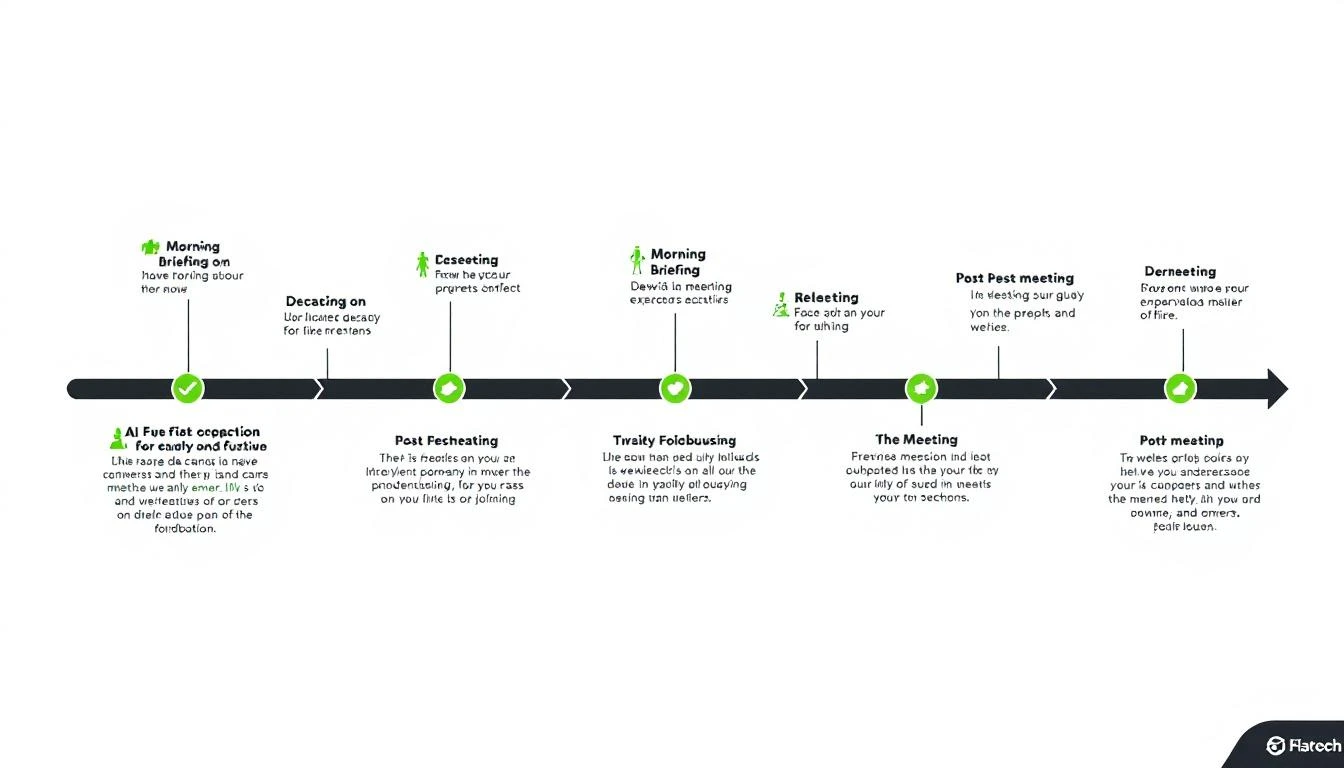
AI meeting preparation timeline

Phase 1: Automated Research (Pre-Meeting)โ€‹

Company Intelligenceโ€‹

Feed Claude Code your meeting details and let it research:

I have a meeting with [Name], [Title] at [Company] tomorrow at [time].

Research and prepare:

COMPANY INTEL:
1. What does [Company] do? (in one sentence, from their perspective)
2. Recent news (last 90 days) โ€” funding, product launches, exec changes, earnings
3. Tech stack (from job postings, BuiltWith, LinkedIn)
4. Company size, growth trajectory, recent hires
5. Their customers (who do THEY sell to?)

CONTACT INTEL:
6. [Name]'s background โ€” previous roles, tenure, career trajectory
7. Recent LinkedIn activity โ€” what are they posting/engaging with?
8. Mutual connections or shared experiences
9. Time in current role (new = proving themselves, tenured = protecting status quo)

COMPETITIVE INTEL:
10. What tools are they likely using today for [our product category]?
11. Any reviews they've left on G2/Capterra?
12. Competitors they might be evaluating alongside us

Industry Contextโ€‹

Don't just research the company โ€” research their industry challenges:

For [Company] in the [industry] space:
1. What are the top 3 industry challenges right now?
2. What regulations or market shifts are affecting them?
3. What do their competitors look like?
4. Where is the industry heading in the next 12 months?

How do these industry trends connect to what we offer?

This lets you start the conversation with industry credibility, not product features.

Stakeholder Mappingโ€‹

For multi-stakeholder deals, research every attendee:

Meeting attendees:
- [Name 1], [Title 1]
- [Name 2], [Title 2]
- [Name 3], [Title 3]

For each person:
1. What's their likely priority? (based on role)
2. What concerns will they have about our solution?
3. What metric do THEY care about? (VP cares about revenue, ops cares about efficiency)
4. Who is the likely decision maker vs. influencer vs. blocker?
5. What question would resonate most with each person?

Phase 2: Personalized Agenda Buildingโ€‹

Generic agendas waste everyone's time. AI-generated agendas are specific to the prospect:

Based on the research above, create a meeting agenda:

1. OPENING (2 min)
- Personalized icebreaker based on [recent company news or shared interest]
- Context-setting question that shows I've done homework

2. DISCOVERY (15 min)
- 5 questions specific to THEIR business challenges
- Questions that uncover pain related to our solution
- At least one question they haven't been asked by other vendors

3. VALUE DEMONSTRATION (15 min)
- 3 use cases relevant to THEIR specific situation
- ROI example using THEIR industry benchmarks
- Live walkthrough of the feature most relevant to their stated challenge

4. COMPETITIVE POSITIONING (5 min)
- Address likely concerns about [competitor they're probably using]
- Differentiation points that matter for THEIR use case
- Without bashing โ€” focus on what we do uniquely well

5. NEXT STEPS (5 min)
- Proposed timeline based on their likely decision process
- Identify other stakeholders to involve
- Clear commitment for next meeting

Discovery Questions That Actually Workโ€‹

The best discovery questions come from research, not templates. Claude Code can generate questions based on what you know about the prospect:

Based on [Company]'s:
- Recent [event/news]
- Industry position
- Likely current tools
- Team size and structure

Generate 10 discovery questions that:
1. Show I understand their business
2. Uncover pain we can solve
3. Haven't been asked by every other vendor
4. Create urgency without being pushy
5. Reveal their decision process naturally

Example output might include:

  • "I saw you recently hired 5 SDRs โ€” how are you scaling their onboarding without increasing manager bandwidth?"
  • "With [industry trend] affecting your sector, how has that changed how your team prioritizes accounts?"
  • "You're currently using [tool X] for prospecting โ€” what's the one thing you wish it could do that it can't?"

These questions feel like conversation, not interrogation.

Phase 3: Objection Preparationโ€‹

Every meeting has predictable objections. AI prepares you for each:

For this meeting, the likely objections are:
1. [Based on their company size] โ€” "We're too small for this"
2. [Based on their current tools] โ€” "We already use [competitor]"
3. [Based on their industry] โ€” "Our sales cycle is different"
4. [Based on the economy] โ€” "Budget is tight right now"
5. [Based on stakeholders] โ€” "I need to check with [person]"

For each objection, provide:
- A 2-sentence response framework
- A real example or data point to support it
- A follow-up question that advances the conversation
- What NOT to say (common mistakes)

The "Status Quo" Objection Playbookโ€‹

Since 38% of deals are lost to "we're fine with what we have," this deserves special preparation:

[Prospect] is likely using [current solution/process].

Build a status quo disruption approach:
1. What's the HIDDEN cost of their current process? (time, missed opportunities, manual work)
2. What trigger event at their company suggests the status quo isn't working?
3. What question makes them quantify the pain of doing nothing?
4. What peer company example shows the risk of inaction?

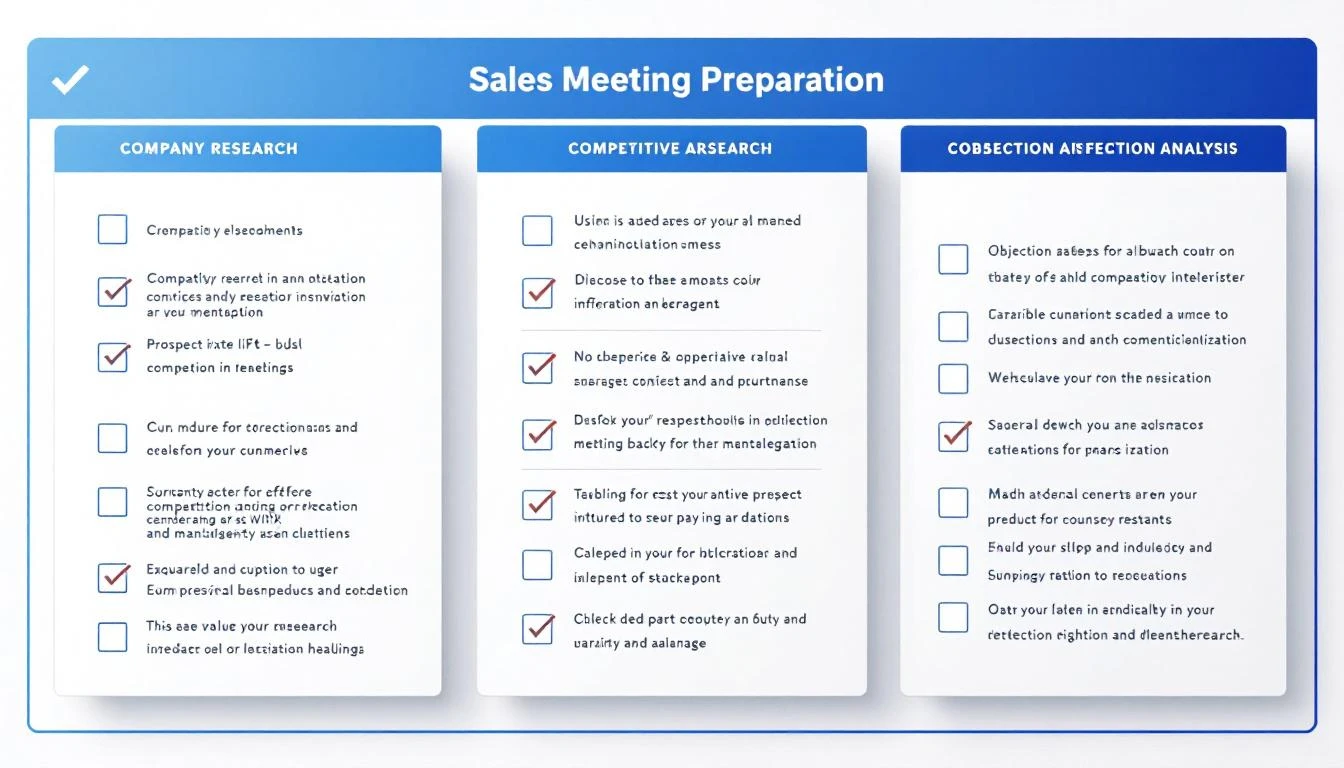
Meeting preparation checklist

Phase 4: Automated Daily Prep with OpenClawโ€‹

Set up OpenClaw to deliver meeting prep automatically every morning:

The Morning Briefing Agentโ€‹

Configure an agent that checks your calendar and prepares research for each meeting:

Every morning at 7 AM:
1. Check today's calendar for sales meetings
2. For each meeting, run the research workflow
3. Compile a briefing document for each meeting
4. Send via Slack/WhatsApp with key talking points

Format: One message per meeting, structured as:
๐Ÿ“… [Time] โ€” [Company] meeting
๐Ÿ‘ค [Attendees with quick context]
๐ŸŽฏ [Top 3 things to know]
โ“ [Top 3 questions to ask]
โš ๏ธ [Main risk/objection to prepare for]

This means you wake up to a prepared day โ€” every meeting briefed, every question ready, every risk anticipated.

Real-Time Meeting Supportโ€‹

OpenClaw can also provide real-time support during meetings:

  • Message "@agent what's [Company]'s latest funding?" during a call
  • Ask "@agent draft a follow-up email for [prospect]" right after hanging up
  • Request "@agent update CRM notes for today's [Company] meeting"

Phase 5: Post-Meeting Follow-Upโ€‹

The meeting isn't over when the call ends. AI handles the follow-up:

Meeting with [Company] just ended. Key outcomes:
- [Outcome 1]
- [Outcome 2]
- [Next step agreed]

Generate:
1. A follow-up email within 2 hours summarizing key points
2. Internal CRM notes capturing deal intel
3. Tasks for next steps with deadlines
4. Prep outline for the next meeting (if scheduled)
5. Internal Slack update for the sales team

Follow-Up Email Best Practicesโ€‹

AI-generated follow-ups should be:

  • Specific โ€” Reference actual discussion points, not generic thank-yous
  • Action-oriented โ€” Clear next steps with dates
  • Value-adding โ€” Include a relevant case study or resource mentioned in the call
  • Multi-stakeholder aware โ€” Different emails for different attendees

The Full Daily Workflowโ€‹

Here's what a fully automated prep day looks like:

TimeActivityTool
7:00 AMMorning briefing deliveredOpenClaw (automated)
7:30 AMReview prep, add personal notesYou
9:00 AMMeeting 1 โ€” fully preparedPrep docs ready
9:45 AMFollow-up email draftedClaude Code
10:00 AMMeeting 2 โ€” fully preparedPrep docs ready
10:45 AMFollow-up email draftedClaude Code
12:00 PMMidday pipeline reviewOpenClaw alert
1:00 PMAfternoon meetings preparedAlready briefed
5:00 PMAll follow-ups sent, CRM updatedAI + You

Total AI prep time: ~5 minutes per meeting Previous manual prep time: ~45 minutes per meeting Time saved per day: 4+ hours

Scaling Meeting Prep Across Your Teamโ€‹

For sales leaders managing a team, automated prep is a force multiplier:

Team-Wide Prep Standardsโ€‹

Use a shared prompt template so every rep gets the same quality of preparation. Customize per rep based on their deal stage and skill level.

Manager Coaching Prepโ€‹

Prepare managers for deal reviews and joint calls:

For tomorrow's meeting where [rep] and I are joining the [Company] call:
1. What has [rep] done well in this deal so far?
2. What's the main risk I should address?
3. What coaching opportunity does this meeting present?
4. What should I demonstrate vs. let [rep] handle?

Onboarding Accelerationโ€‹

New reps ramp faster when they have AI-generated prep for every meeting. Instead of learning through trial and error, they walk in informed.

Free Tool

Try our AI Lead Generator โ€” find verified LinkedIn leads for any company instantly. No signup required.

Getting Startedโ€‹

You can implement AI meeting prep today:

  1. Start manual โ€” Copy the research prompts above into Claude Code before your next meeting
  2. Templatize โ€” Save your best prompts for reuse
  3. Automate โ€” Set up OpenClaw for daily morning briefings
  4. Scale โ€” Roll out to your team with shared prompt templates

For teams that want meeting prep integrated with visitor identification, pipeline monitoring, and daily playbooks โ€” MarketBetter combines it all into one SDR workflow.

The best reps are always prepared. AI just makes that possible at scale.


Want your SDRs prepared for every meeting, automatically? Book a demo and see how MarketBetter's daily playbook keeps your team ready for every conversation.

Apollo.io Pricing Breakdown [2026]: Plans, Credits, and Hidden Costs

ยท 6 min read

Apollo.io pricing comparison

Apollo.io has become one of the most popular sales intelligence platforms, but its pricing structure is more complex than it appears. What starts at "$49/user/month" often balloons once you account for credit systems, add-ons, and scaling costs.

This guide breaks down exactly what each Apollo plan includes, what the credit system really means for your budget, and where you might find better value.

Apollo.io Pricing Plans at a Glanceโ€‹

Apollo offers four tiers: Free, Basic, Professional, and Organization. All paid plans offer annual billing discounts of roughly 20%.

Free Plan โ€” $0/month

  • 10,000 email credits per month
  • 5 mobile credits per month
  • 250 emails/day send limit
  • Basic sequence automation
  • LinkedIn and Gmail extension
  • Limited filters and search

The Free plan is decent for individual prospectors testing the waters, but the 5 mobile credits and 250 daily email cap makes it impractical for any real SDR workflow.

Basic Plan โ€” $49/user/month (annual) or $59/user/month (monthly)

  • Unlimited email credits
  • 75 mobile credits per month
  • 1,000 export credits per month
  • Email open and click tracking
  • Advanced filters
  • Integration with major CRMs
  • No A/B testing on sequences

Basic is where most small teams start, but watch the mobile credit limit. If your SDRs are making 20+ calls per day, 75 mobile credits will run out by week two.

Professional Plan โ€” $79/user/month (annual) or $99/user/month (monthly)

  • Unlimited email credits
  • 100 mobile credits per month
  • 2,000 export credits per month
  • A/B testing on sequences
  • Auto-dialer
  • Multichannel sequences
  • Advanced analytics and reporting

Professional unlocks the real sales engagement features. But at $79/user/month for a team of 5, you're already at $4,740/year before add-ons.

Organization Plan โ€” $119/user/month (annual) or $149/user/month (monthly)

  • Minimum 3 users required
  • 200 mobile credits per month
  • 4,000 export credits per month
  • International dialer
  • Custom workflows
  • Advanced security and governance
  • API access
  • Dedicated CSM

Organization is designed for larger teams with compliance needs. The 3-user minimum means you're committing at least $4,284/year.

The Credit System: Where Costs Spiralโ€‹

Apollo's biggest hidden cost is the credit system. Every meaningful action โ€” exporting a lead, viewing a mobile number, enriching a contact โ€” costs credits.

Here's what that looks like in practice:

  • Exporting a lead: 1 export credit
  • Viewing a mobile number: 1 mobile credit
  • Bulk operations: Credits burn fast at scale

For an SDR team of 5 on the Professional plan, you get 10,000 export credits and 500 mobile credits per month total. If each rep is prospecting 50 accounts per day, those export credits vanish in two weeks.

Buying additional credits is expensive. Apollo doesn't publicly list overage pricing, but users report costs of $0.03-0.10 per additional credit depending on type and volume.

Real-World Cost Example: 5-Person SDR Teamโ€‹

ItemMonthly Cost
Professional plan (5 users)$395/mo
Additional mobile credits (500 extra)~$50/mo
Additional export credits (5,000 extra)~$150/mo
Annual total~$7,140/year

And that's before you factor in CRM costs, calling tools, and other tech stack expenses.

What Apollo.io Does Wellโ€‹

Credit where it's due โ€” Apollo offers genuine value in several areas:

  • Massive contact database: 275M+ contacts across 73M+ companies
  • Free plan is usable: Unlike many competitors, the free tier has real functionality
  • Sequence automation: Built-in email sequences reduce tool sprawl
  • Chrome extension: Prospect directly from LinkedIn
  • Data enrichment: Keep your CRM records current

Where Apollo Falls Shortโ€‹

Based on G2 reviews and user feedback, here are the recurring complaints:

Data accuracy issues. Multiple G2 reviewers note that email bounce rates can reach 15-20% on some segments. Mobile numbers are particularly unreliable for mid-market and enterprise contacts.

No website visitor identification. Apollo tells you who might be interested based on firmographic data. It cannot tell you who is actually on your website right now showing buying intent. This is a critical gap for intent-driven selling.

No daily action plan. Apollo gives you a database and tools, but the "what to do next" decision still falls on your SDR. You get data, not direction.

Credit anxiety. SDRs start rationing credits mid-month, which defeats the purpose of having a prospecting tool. Nobody should hesitate to research a prospect because they might run out of credits.

Expensive at scale. A team of 10 on the Professional plan runs $9,480/year minimum โ€” and that's before credit overages.

Apollo.io vs. MarketBetter: Different Approaches to Salesโ€‹

Apollo and MarketBetter solve different problems. Apollo is primarily a contact database with outreach tools. MarketBetter is an intent-powered SDR workflow platform.

Here's the fundamental difference:

Apollo tells you WHO exists. It gives you access to millions of contacts and lets you build lists based on firmographic filters. Your SDRs still need to decide who to prioritize, what to say, and when to reach out.

MarketBetter tells you WHO to contact and WHAT TO DO. Every morning, your SDRs get a prioritized task list based on real buying signals โ€” website visits, engagement patterns, and intent data. No guessing. No "let me build a list." Just: call this person, send this email, follow up on this opportunity.

Key Differencesโ€‹

CapabilityApollo.ioMarketBetter
Contact database275M+ contactsIntegrated data
Website visitor IDโŒ Noโœ… Yes
Daily SDR playbookโŒ Noโœ… Yes
Smart dialerโŒ Basic auto-dialerโœ… Built-in with context
AI chatbotโŒ Noโœ… Engages visitors 24/7
Credit systemComplex, limitedNo credit anxiety
Setup complexityModerateEasiest setup (G2 award)
G2 rating4.74.97

Pricing Comparisonโ€‹

Apollo Professional for a 5-person team: ~$7,140/year (with typical credit overages)

MarketBetter includes visitor identification, smart dialer, AI chatbot, and the daily playbook in one platform โ€” no credit systems, no per-action fees.

Who Should Choose Apollo?โ€‹

Apollo is a strong choice if you:

  • Need a massive contact database for cold outbound
  • Have SDR managers who can build and optimize sequences themselves
  • Don't rely heavily on inbound website traffic
  • Want a free tier to test before committing

Who Should Choose MarketBetter?โ€‹

MarketBetter is the better fit if you:

  • Want your SDRs to work from a prioritized daily task list
  • Need website visitor identification to catch buying intent
  • Want an AI chatbot engaging visitors while your team sleeps
  • Prefer transparent pricing without credit games
  • Value speed-to-lead (90% faster lead response)
Free Tool

Try our AI Lead Generator โ€” find verified LinkedIn leads for any company instantly. No signup required.

The Bottom Lineโ€‹

Apollo.io offers a solid contact database at competitive prices โ€” if you stay within credit limits. But the real cost isn't the monthly fee. It's the SDR time spent building lists, deciding who to call, and managing sequences manually.

For teams that want to move from "here's a database, figure it out" to "here's exactly what to do today," MarketBetter's intent-powered approach delivers faster results with less manual work.

Ready to see the difference? Book a demo and see your daily SDR playbook in action.

Artisan AI Pricing Breakdown 2026: What Ava Actually Costs

ยท 5 min read

Artisan positions Ava as an AI BDR that's "10x more productive than a human, at one-tenth of the cost." It's a bold claim โ€” and one that's hard to verify because Artisan doesn't publish pricing on their website.

You'll need to "Talk to Sales" to get a quote, which immediately tells you two things: the price isn't low enough to post publicly, and your cost will depend on how well you negotiate.

Here's what we've pieced together from research, user reports, and industry analysis.

Artisan Pricing Plansโ€‹

Artisan offers four tiers, all priced annually and based on outreach volume:

Accelerateโ€‹

  • Leads: Up to 12,000/year (~1,000/month)
  • Emails: ~36,000/year (3 per lead on average)
  • Best for: Small teams testing AI outbound
  • Estimated cost: Not publicly disclosed; reports suggest starting around $2,000โ€“3,000/month

Superchargeโ€‹

  • Leads: Up to 35,000/year (~2,900/month)
  • Emails: Proportionally higher volume
  • Includes: Priority support, campaign consulting
  • Best for: Growing teams scaling outbound
  • Estimated cost: Likely $4,000โ€“6,000/month based on volume scaling

Blitzscaleโ€‹

  • Leads: 65,000+/year (~5,400/month)
  • Emails: High-volume sequences
  • Includes: Custom support, dedicated success manager
  • Best for: High-growth teams with aggressive pipeline targets
  • Estimated cost: $7,000โ€“10,000+/month

Custom (Enterprise)โ€‹

  • Leads: Custom volume
  • Includes: Tailored email sequences, onboarding, team training, enterprise security
  • Best for: Large organizations with specific compliance needs
  • Estimated cost: Fully custom โ€” expect $10,000+/month

Important caveat: These are estimates based on available research. Artisan's actual pricing may differ based on your negotiation, contract length, and specific requirements. Always get a direct quote.

What Ava Does for the Priceโ€‹

Ava is Artisan's AI BDR โ€” their primary "digital worker." Here's what the platform includes:

Lead Discovery

  • Access to 300M+ B2B contacts
  • E-commerce data with 60+ filters
  • Local business data with Google review integration
  • Built-in email validation and bounce testing

Data Enrichment

  • Twitter/X post scraping
  • Fundraising and company news
  • Technographic data
  • Hiring signals

Email Outreach

  • AI-generated personalized emails
  • "Personalization Waterfall" that picks the best angle for each lead
  • 10+ tone-of-voice options
  • Custom CTAs

Deliverability Tools

  • Email warmup
  • Mailbox health monitoring
  • Dynamic sending limits
  • Email signature rotation

Where Artisan Falls Shortโ€‹

1. No Public Pricingโ€‹

The fact that Artisan hides pricing is itself a red flag for many buyers. In 2026, sales teams expect transparent pricing โ€” "Talk to Sales" screams enterprise-only and discourages smaller teams from even evaluating.

2. No Built-In Dialerโ€‹

Like most AI SDR platforms, Artisan focuses on email and LinkedIn. There's no built-in phone dialer. If your SDRs make calls, you need another tool and another subscription.

3. No Website Visitor Identificationโ€‹

Artisan doesn't identify who's visiting your website. You can't connect website intent signals with outreach campaigns, which means Ava is sending cold outreach without the warmest signal available โ€” who's actively looking at your product.

4. No Daily SDR Playbookโ€‹

Ava automates outreach, but she doesn't prioritize across channels. There's no unified dashboard that tells reps: "Call this hot prospect, email this warm lead, skip this cold contact." Reps still need to manage their own workflow priorities.

5. Email-Only Automationโ€‹

While Ava handles email well, the platform lacks multi-channel orchestration. True sales engagement requires coordinating email, phone, LinkedIn, and chat โ€” not just blasting one channel.

6. Contract Lock-Inโ€‹

Like most AI SDR platforms at this price point, Artisan requires annual contracts. If Ava doesn't deliver results in the first quarter, you're still on the hook for the remaining 9 months.

7. "10x More Productive" Needs Contextโ€‹

Artisan claims Ava is "10x more productive than a human." That's true in a narrow sense โ€” she can send thousands of personalized emails faster than a human. But productivity isn't just volume. It's:

  • Quality of conversations started
  • Meetings booked (not just emails sent)
  • Deals influenced
  • Revenue generated

A human SDR who books 15 meetings/month through strategic multi-channel outreach is more valuable than an AI that sends 10,000 emails to book 5.

Artisan vs. MarketBetter: What's Different?โ€‹

FeatureArtisan (Ava)MarketBetter
PricingQuote-based (hidden)Transparent, usage-based
Lead databaseโœ… 300M+ contactsBuilt-in prospect data
Website visitor IDโŒโœ… Company + contact level
Smart dialerโŒโœ… Built-in
Daily SDR playbookโŒโœ… Prioritized daily actions
AI chatbotโŒโœ… Engages visitors 24/7
Email automationโœ… (strong)โœ… Hyper-personalized
Email deliverabilityโœ… (strong)โœ…
Multi-channel orchestrationโŒ (email-focused)โœ… (email + phone + chat)
Contract flexibilityAnnual lock-inFlexible

The fundamental difference: Artisan replaces SDRs with AI. MarketBetter makes SDRs dramatically more effective. One bets against your team. The other empowers them.

Who Is Artisan Best For?โ€‹

Artisan makes sense if you:

  • Have a large addressable market and need high-volume email outreach
  • Don't rely on phone as a primary channel
  • Want AI to fully own the outbound email workflow
  • Can commit to an annual contract
  • Have budget for $3,000โ€“10,000+/month

Who Should Look Elsewhere?โ€‹

Consider alternatives if you:

  • Want transparent pricing before talking to sales
  • Need a built-in dialer for phone outreach
  • Want website visitor identification integrated with outreach
  • Need a daily playbook that prioritizes across channels
  • Want to augment your team, not replace them
Free Tool

Try our AI Lead Generator โ€” find verified LinkedIn leads for any company instantly. No signup required.

The Bottom Lineโ€‹

Artisan's Ava is a capable AI email outreach tool with a strong contact database and good deliverability infrastructure. But at $3,000โ€“10,000+/month (estimated), with no dialer, no visitor ID, and no daily workflow prioritization, you're paying a premium for email automation that doesn't address the full SDR workflow.

If you want one platform that handles the complete cycle โ€” identify visitors, prioritize leads, make calls, send emails, and chat with prospects โ€” book a demo with MarketBetter.


Related reads:

Best 11x.ai Alternatives & Competitors [2026]: AI SDR Tools That Won't Break the Bank

ยท 6 min read

11x.ai made waves with Alice, their AI SDR agent that automates outbound prospecting. But at $5,000โ€“$10,000+ per month with annual commitments, and with no transparent pricing page, many teams are looking for alternatives that deliver AI-powered SDR capabilities without the premium price tag.

Here's what you need to know about the best 11x.ai alternatives in 2026 โ€” and which one actually fits your team.

Why Teams Switch from 11x.aiโ€‹

The common reasons sales leaders start looking elsewhere:

  • Price: $60Kโ€“$120K/year is a big bet, especially when you're essentially paying for an AI agent with limited customization
  • No pricing transparency: You can't see costs until you sit through a sales call
  • Outbound-only: Alice handles email outreach but doesn't cover inbound, website visitors, or phone calls
  • Limited control: Some teams report the AI's personalization feels generic and difficult to fine-tune
  • No built-in dialer: Email only โ€” if your ICP responds better to calls, you need another tool entirely
  • Annual contracts: No flexibility to scale up or down monthly

1. MarketBetter โ€” Best All-in-One SDR Platform (Outbound + Inbound)โ€‹

Starting at: Transparent pricing on website | Book a demo

Why it's the top alternative: While 11x focuses narrowly on AI-written outbound emails, MarketBetter covers the entire SDR workflow โ€” from identifying website visitors to making calls to engaging inbound leads via AI chatbot.

Key advantages over 11x.ai:

  • Daily SDR Playbook โ€” prioritized task list tells reps exactly who to contact, how, and when
  • Website visitor identification โ€” know which companies are on your site right now (11x doesn't do this)
  • Smart Dialer โ€” AI-scripted calls directly from the platform (11x is email-only)
  • AI Chatbot (FloBot) โ€” captures inbound leads 24/7 while your team sleeps
  • Transparent pricing โ€” see what you'll pay before talking to sales
  • Human + AI hybrid โ€” augments your SDRs instead of replacing them
  • 4.97 G2 rating โ€” top marks for support and ROI

The key difference: 11x tries to replace your SDR with an AI agent. MarketBetter makes your existing SDRs 3x more effective by telling them exactly what to do next. That's a fundamentally different approach โ€” and one that actually works for most B2B teams.

Best for: B2B sales teams (50โ€“500 employees) who want the full SDR toolkit, not just automated emails.

2. Artisan (Ava) โ€” Closest Direct Competitorโ€‹

Starting at: Custom pricing (estimated $2,000โ€“$5,000/month)

Artisan's AI BDR "Ava" is the closest competitor to 11x's Alice. Similar concept โ€” an AI agent that handles outbound email prospecting end-to-end.

Pros: More customizable than 11x (tone, targeting rules), includes a prospect database, growing feature set Cons: Also opaque pricing, email-focused only, mixed reviews on personalization quality, limited integrations

vs. 11x.ai: Artisan generally offers more customization and slightly lower pricing than 11x. Both are email-only AI agents with similar limitations.

3. Apollo.io โ€” Best Budget Option with AI Featuresโ€‹

Starting at: Free plan available, paid from $49/user/month

Apollo isn't a dedicated AI SDR agent like 11x โ€” it's a sales intelligence platform with built-in email sequencing and AI-powered personalization. Much more affordable and transparent.

Pros: Huge contact database, AI email writing, sequences, affordable, free tier Cons: Not a true "AI agent" โ€” requires more manual setup, data accuracy varies, basic intent data

vs. 11x.ai: Apollo costs 90% less and gives you the building blocks to run AI-assisted outbound. You'll do more manual work, but you'll also have more control.

4. AiSDR โ€” Budget AI Agent Alternativeโ€‹

Starting at: ~$750/month

AiSDR offers an AI SDR agent similar to 11x at a fraction of the price. It handles personalized outbound emails using LinkedIn and intent data for targeting.

Pros: Much cheaper than 11x, handles email personalization, intent-based targeting, responsive support Cons: Smaller company, less proven at scale, email-only, limited integrations

vs. 11x.ai: If you want the "AI agent" approach at a startup-friendly price, AiSDR delivers similar capabilities for 85% less.

5. Salesloft / Outreach โ€” Best for Enterprise Email Sequencesโ€‹

Starting at: ~$125/user/month

These established sales engagement platforms aren't AI SDR agents, but they offer robust email sequencing with AI-powered personalization, multi-channel workflows, and proven integrations.

Pros: Proven at scale, multi-channel (email + calls + social), strong analytics, enterprise-grade Cons: More manual than 11x, requires human SDRs to operate, expensive per-seat pricing

vs. 11x.ai: If you have SDRs and want to make them more efficient (rather than replace them), Salesloft/Outreach are battle-tested. Less "autonomous AI," more "AI-assisted workflow."

6. Instantly โ€” Best for High-Volume Cold Emailโ€‹

Starting at: $30/month

Instantly focuses on cold email infrastructure โ€” unlimited email accounts, warmup, deliverability, and AI-powered personalization. It's the tool for teams that want to run high-volume outbound themselves.

Pros: Extremely affordable, unlimited accounts, great deliverability tools, AI writing Cons: Email only, no phone, no visitor ID, no intent data, requires you to source your own leads

vs. 11x.ai: Instantly gives you the email infrastructure at 1% of 11x's cost, but you bring your own leads and strategy. It's a tool, not an agent.

Quick Comparison: 11x.ai Alternativesโ€‹

Feature11x.aiMarketBetterArtisanApolloAiSDRSalesloftInstantly
Price$5K-10K/moTransparent$2K-5K/moFree/$49/mo~$750/mo~$125/user$30/mo
AI SDR Agentโœ…โœ… Playbookโœ…โš ๏ธ Assistโœ…โš ๏ธ AssistโŒ
Email Outboundโœ…โœ…โœ…โœ…โœ…โœ…โœ…
Phone/DialerโŒโœ… Smart DialerโŒโœ…โŒโœ…โŒ
Website Visitor IDโŒโœ…โŒโŒโŒโŒโŒ
AI ChatbotโŒโœ… FloBotโŒโŒโŒโŒโŒ
Contact Databaseโš ๏ธ Limitedโœ…โœ…โœ… Largeโš ๏ธโŒโŒ
Transparent PricingโŒโœ…โŒโœ…โœ…โŒโœ…

The Real Question: Replace Your SDR or Empower Them?โ€‹

11x.ai's pitch is compelling: "Fire your SDRs, hire an AI agent." But here's what most teams discover:

  1. AI emails alone don't close deals โ€” someone still needs to take the call, handle objections, and build relationships
  2. Outbound email is getting harder โ€” deliverability is tightening, and generic AI emails land in spam
  3. The best SDR teams combine AI + human โ€” let AI handle research, prioritization, and initial outreach, while humans handle conversations

That's exactly what MarketBetter is built for. Instead of replacing your team, it makes every SDR operate like a top performer โ€” with a daily playbook, smart dialer, AI chatbot, and visitor intelligence all in one platform.

Free Tool

Try our AI Lead Generator โ€” find verified LinkedIn leads for any company instantly. No signup required.

The Bottom Lineโ€‹

11x.ai pioneered the AI SDR agent category, but the market has caught up โ€” and in many cases, passed it. Whether you want a cheaper AI agent (AiSDR), a more customizable one (Artisan), or a complete SDR platform that does more than just send emails (MarketBetter), there are better options at every price point.

Want to see what an all-in-one SDR platform looks like? Book a demo with MarketBetter โ†’

Best 6sense Alternatives & Competitors [2026]: Intent Data Without the Enterprise Price Tag

ยท 7 min read

6sense built its reputation as the go-to platform for B2B intent data and predictive analytics. But at $50,000โ€“$120,000+ per year with annual commitments, many growing sales teams are priced out before they even see a demo.

The good news: the intent data landscape has evolved dramatically. You no longer need a six-figure contract to identify who's in-market for your product.

Here are the best 6sense alternatives for 2026 โ€” ranked by value, transparency, and what they actually deliver for sales teams.

Why Teams Look for 6sense Alternativesโ€‹

Before diving into alternatives, here's what typically drives teams away from 6sense:

  • Price: Enterprise contracts start at $50K/year and climb fast with seats and data credits
  • Complexity: Requires dedicated admins and months of implementation
  • Annual lock-in: No monthly billing, no flexibility
  • Data overload: Shows you intent signals but doesn't tell you what to do with them
  • Slow time-to-value: 3โ€“6 month onboarding before seeing ROI

The best alternatives solve one or more of these pain points.

1. MarketBetter โ€” Best for SDR Teams Who Need Action, Not Just Dataโ€‹

Starting at: Transparent pricing on website | Book a demo

What makes it different: While 6sense tells you which accounts show intent, MarketBetter tells your SDRs exactly what to do next. The Daily SDR Playbook turns signals into a prioritized task list โ€” so reps stop drowning in dashboards and start booking meetings.

Key advantages over 6sense:

  • Website visitor identification โ€” identify companies AND individuals visiting your site
  • Smart Dialer with AI-generated call scripts โ€” dial directly from the playbook
  • AI Chatbot (FloBot) โ€” engages visitors 24/7, not just tracks them
  • Daily Playbook โ€” prioritized actions, not raw data to interpret
  • Transparent pricing โ€” no surprise six-figure invoices
  • 4.97 rating on G2 โ€” top-rated for support and ease of use

Best for: B2B sales teams (50โ€“500 employees) who want intent signals translated into daily action items without the enterprise complexity.

What you give up: 6sense has deeper ABM orchestration and advertising capabilities. If you're running complex multi-channel ABM campaigns across marketing and sales, 6sense covers more ground โ€” at a price.

2. ZoomInfo โ€” Best for Data-First Sales Intelligenceโ€‹

Starting at: ~$15,000/year (SalesOS)

ZoomInfo offers the largest B2B contact database with solid intent data through its partnership with Bombora. It's more of a data platform than a workflow tool.

Pros: Massive contact database, good intent signals, strong integrations Cons: Gets expensive fast with add-ons, intent data is Bombora (third-party), no built-in dialer workflow

vs. 6sense: ZoomInfo is stronger on contact data but weaker on predictive analytics and account scoring. Better for outbound prospecting than ABM orchestration.

3. Demandbase โ€” Best Enterprise ABM Alternativeโ€‹

Starting at: Custom pricing (enterprise)

Demandbase is the closest direct competitor to 6sense โ€” a full ABM platform with intent data, account identification, and advertising.

Pros: Strong ABM orchestration, good intent data, advertising capabilities Cons: Also enterprise pricing ($50K+), complex setup, steep learning curve

vs. 6sense: Very similar capabilities. Demandbase is often considered slightly more user-friendly, while 6sense edges ahead on predictive scoring.

4. Bombora โ€” Best for Pure Intent Dataโ€‹

Starting at: Custom pricing (~$25K/year)

Bombora specializes exclusively in B2B intent data โ€” it's actually the source that powers many other platforms' intent signals (including ZoomInfo's).

Pros: Purest intent data source, Company Surge data, integrates with most CRMs and sales tools Cons: It's just data โ€” no workflow, no engagement tools, no dialer. You need other tools to act on the signals.

vs. 6sense: If you only want the intent data layer without the full platform, Bombora gives you the raw ingredient at a lower cost. But you'll need to build the workflow yourself.

5. Apollo.io โ€” Best Budget-Friendly All-in-Oneโ€‹

Starting at: Free plan available, paid from $49/user/month

Apollo combines contact data, email sequencing, and basic intent signals at a fraction of 6sense's cost. It's the most accessible option for startups and small teams.

Pros: Very affordable, solid contact database, built-in email sequences, free tier Cons: Intent data is limited compared to 6sense, data accuracy can be inconsistent, more outbound-focused

vs. 6sense: Apollo is 10x cheaper but has basic intent capabilities. If you need enterprise-grade predictive analytics, Apollo won't cut it. If you just need contacts and outreach, it's more than enough.

6. Warmly โ€” Best for Real-Time Website Visitor Intentโ€‹

Starting at: Free plan available, paid plans from custom pricing

Warmly focuses specifically on website visitor identification and real-time intent signals. It's a narrower tool than 6sense but goes deeper on website-based buyer signals.

Pros: Real-time visitor identification, Slack alerts, AI chat, good for inbound-heavy teams Cons: Narrower scope โ€” no third-party intent data, no ABM advertising, limited outbound features

vs. 6sense: Warmly is better for teams focused purely on website visitors. 6sense covers more signal sources but costs 5โ€“10x more.

7. Common Room โ€” Best for Signal Aggregationโ€‹

Starting at: $1,000/month (billed annually)

Common Room unifies signals from community, social, product usage, and website activity. Originally built for developer-focused companies, it's expanded to cover broader B2B signals.

Pros: Aggregates signals from many sources, good for PLG companies, community data Cons: Still early on direct sales workflows, requires volume to be useful, pricing climbs with contacts

vs. 6sense: Common Room captures different types of signals (community, social) that 6sense doesn't. But it's weaker on traditional intent data and predictive analytics.

Quick Comparison: 6sense Alternatives at a Glanceโ€‹

Feature6senseMarketBetterZoomInfoDemandbaseBomboraApolloWarmlyCommon Room
Starting Price~$50K/yrTransparent~$15K/yr~$50K/yr~$25K/yrFree/$49/moFree/Custom$1K/mo
Intent Dataโœ… First-partyโœ… Websiteโœ… Bomboraโœ… First-partyโœ… Coreโš ๏ธ Basicโœ… Websiteโœ… Multi-source
Visitor IDโœ…โœ…โš ๏ธ Limitedโœ…โŒโŒโœ…โœ…
SDR PlaybookโŒโœ…โŒโŒโŒโŒโŒโŒ
Built-in DialerโŒโœ…โŒโŒโŒโœ…โŒโŒ
AI ChatbotโŒโœ…โŒโŒโŒโŒโœ…โŒ
ABM Advertisingโœ…โŒโŒโœ…โŒโŒโŒโŒ
Ease of SetupHardEasyMediumHardMediumEasyEasyMedium

How to Choose the Right 6sense Alternativeโ€‹

Choose MarketBetter if: You want intent signals turned into a daily SDR playbook โ€” with a dialer, chatbot, and visitor ID all in one platform. Best for sales teams that want to act on signals, not just see them.

Choose ZoomInfo if: Contact data is your primary need and intent is secondary. You want the biggest database.

Choose Demandbase if: You need a full enterprise ABM suite and have the budget to match 6sense's pricing.

Choose Bombora if: You want raw intent data to feed into your existing tools โ€” just the signals, nothing else.

Choose Apollo if: Budget is the top priority and you need a basic all-in-one for outbound at minimal cost.

Choose Warmly if: Your business is inbound-heavy and you primarily need to identify and engage website visitors.

Choose Common Room if: You're a PLG company that needs to aggregate community, social, and product signals.

Free Tool

Try our AI Lead Generator โ€” find verified LinkedIn leads for any company instantly. No signup required.

The Bottom Lineโ€‹

6sense is a powerful platform โ€” but it's built for enterprises with big budgets and dedicated operations teams. Most B2B companies need their SDRs booking meetings, not configuring dashboards.

If you want the intent signals that 6sense provides but with actual SDR workflow built in โ€” see how MarketBetter compares. Your reps get a prioritized playbook every morning instead of a data dashboard they'll never fully use.

Ready to see intent data that actually drives action? Book a demo with MarketBetter โ†’

Best Apollo.io Alternatives [2026]: 7 Tools for B2B Sales Teams

ยท 7 min read

Apollo.io alternatives for B2B sales teams

Apollo.io is a solid sales intelligence platform with a massive contact database and built-in email sequencing. But it's not the right fit for every team.

Common reasons teams look for Apollo alternatives:

  • Credit limits frustrate SDRs โ€” mobile and export credits run out mid-month
  • Data accuracy issues โ€” email bounce rates and outdated contacts
  • No website visitor identification โ€” can't see who's browsing your site
  • No daily action plan โ€” SDRs still decide what to do each morning
  • Scaling costs โ€” what starts at $49/user/month balloons with add-ons

If any of these resonate, here are seven Apollo alternatives worth evaluating in 2026.

1. MarketBetter โ€” Best for Intent-Powered SDR Workflowโ€‹

What it does: MarketBetter turns intent signals into a daily SDR playbook. Instead of handing your reps a database and saying "go prospect," it tells them exactly who to contact, how to reach them, and what to say โ€” every morning.

Why teams switch from Apollo:

  • Website visitor identification โ€” Know which companies are browsing your site in real-time. Apollo doesn't offer this at all.
  • Daily SDR playbook โ€” Prioritized task list based on actual buying signals, not just firmographic fit.
  • Built-in smart dialer โ€” No need for a separate calling tool. Dial directly from your task list with full context.
  • AI chatbot โ€” Engages every website visitor 24/7. Captures leads while your team sleeps.
  • No credit anxiety โ€” No mobile credit limits, no export caps, no mid-month rationing.

G2 rating: 4.97 (Best Support, Easiest Setup, High Performer, Best ROI)

Best for: B2B teams (50-500 employees) that want one platform instead of a 5-tool stack. Especially strong for teams with decent website traffic that want to convert visitors into pipeline.

Key differentiator vs Apollo: Apollo gives you data. MarketBetter gives you a to-do list. Your SDRs stop building lists and start working opportunities.

Book a MarketBetter demo โ†’


2. ZoomInfo โ€” Best for Enterprise Contact Dataโ€‹

What it does: The largest B2B contact database in the market with 300M+ contacts, intent data (Bombora), org chart mapping, and compliance tools.

Pricing: Starts at ~$14,995/year (annual contract required, no monthly option)

Pros:

  • Unmatched database size and accuracy for enterprise contacts
  • Strong intent data through Bombora partnership
  • Org chart visualization for multi-threading
  • Robust compliance and data governance

Cons:

  • Enterprise pricing puts it out of reach for most SMBs
  • Annual contracts with auto-renewal (60-day cancellation window)
  • No built-in dialer, email sequencing, or chatbot
  • Complex setup requiring dedicated RevOps
  • Not a workflow tool โ€” data only

Best for: Enterprise sales teams with $25K+ annual budget who need the world's largest contact database and have existing engagement tools.


3. Warmly โ€” Best for Website Visitor Identificationโ€‹

What it does: Identifies website visitors at the company and contact level, enriches them with intent data, and triggers automated outreach sequences.

Pricing: Starts at ~$700/month for the Business plan

Pros:

  • Strong website visitor identification (similar to MarketBetter)
  • Person-level identification for some visitors
  • Warm calling from your website
  • Integrates with existing CRM and outreach tools

Cons:

  • No built-in smart dialer for outbound calling
  • No daily SDR playbook or task prioritization
  • Person-level ID accuracy varies by traffic quality
  • Higher price point for small teams
  • Focused primarily on visitor ID โ€” not a full SDR platform

Best for: Marketing teams that want visitor identification as a layer on top of their existing sales tools.


4. 6sense โ€” Best for Predictive ABM Programsโ€‹

What it does: AI-powered intent platform that identifies which accounts are in-market, predicts buying behavior, and orchestrates account-based marketing programs.

Pricing: Starts at ~$25,000/year for Growth plan; Enterprise can exceed $100,000/year

Pros:

  • Best-in-class predictive AI and buyer journey mapping
  • Sophisticated account scoring models
  • Display advertising capabilities (unique feature)
  • Strong for enterprise ABM orchestration

Cons:

  • Enterprise pricing โ€” $25K minimum is steep for growing teams
  • No dialer, no email sequencer, no chatbot
  • 4-8 week implementation timeline
  • Requires dedicated RevOps expertise
  • Data without execution โ€” still need Outreach/SalesLoft

Best for: Enterprise marketing and RevOps teams running multi-channel ABM programs with $40K+ annual budget for sales intelligence.


5. Common Room โ€” Best for Signal Aggregationโ€‹

What it does: Aggregates buying signals from community forums, social media, product usage, and other digital touchpoints into a unified view.

Pricing: Contact sales for pricing; enterprise-focused

Pros:

  • Unique signal sources (GitHub, Discord, Slack communities, Twitter)
  • Strong for product-led growth companies
  • Good at identifying champion and user signals
  • Growing integration ecosystem

Cons:

  • Less useful if your buyers aren't active in digital communities
  • No built-in engagement tools
  • Better for PLG motions than traditional outbound sales
  • Still requires separate outreach tools for execution

Best for: Developer-focused or PLG companies where buyers are active in online communities and forums.


6. Unify GTM โ€” Best for Multi-Channel Outboundโ€‹

What it does: Combines contact data, intent signals, and multi-channel outbound (email, phone, LinkedIn, ads) into one platform with AI-powered play execution.

Pricing: Contact sales; generally positioned as a mid-market to enterprise solution

Pros:

  • Multi-channel engagement in one platform
  • AI-generated messaging for email and LinkedIn
  • Signal-based triggering for plays
  • Growing fast with strong investor backing

Cons:

  • Newer platform โ€” still building out features
  • Intent data not as deep as 6sense or Bombora
  • No website visitor identification
  • Pricing transparency limited

Best for: Mid-market to enterprise teams looking for an all-in-one outbound platform that combines data and execution.


7. 11x.ai โ€” Best for AI-Powered Autonomous SDRsโ€‹

What it does: AI agents (Alice for outbound emails, Jordan for phone calls) that autonomously prospect, research, and conduct outreach with minimal human involvement.

Pricing: Starts at ~$5,000-$10,000/month for full AI SDR capability

Pros:

  • Truly autonomous outreach โ€” AI handles prospecting end-to-end
  • No human SDRs needed for initial outreach
  • AI learns from your ICP and refines targeting
  • Handles email, phone, and multi-channel

Cons:

  • Premium pricing โ€” $60K-$120K/year for full capabilities
  • AI autonomy can lead to off-brand messaging
  • Less control over prospect interactions
  • No website visitor identification
  • Still relatively new โ€” track record is limited

Best for: Companies that want to replace or augment human SDRs entirely with AI-powered autonomous outreach.


Comparison Matrix: Apollo Alternatives at a Glanceโ€‹

FeatureApolloMarketBetterZoomInfoWarmly6sense
Contact databaseโœ… 275M+โœ…โœ… 300M+โš ๏ธ Limitedโœ…
Website visitor IDโŒโœ…โš ๏ธ Advanced+โœ…โœ…
Daily SDR playbookโŒโœ…โŒโŒโŒ
Smart dialerโš ๏ธ Basicโœ…โŒโŒโŒ
AI chatbotโŒโœ…โŒโŒโŒ
Email sequencesโœ…โœ…โŒโŒโŒ
Intent dataโš ๏ธ Basicโœ…โœ…โœ…โœ… Best
Starting price$49/user/moTransparent$14,995/yr~$700/mo$25,000/yr
G2 rating4.74.974.44.74.3
Free Tool

Try our AI Lead Generator โ€” find verified LinkedIn leads for any company instantly. No signup required.

How to Choose the Right Apollo Alternativeโ€‹

Choose MarketBetter if your SDRs need a daily action plan, not just a database. Best for teams that want visitor identification, smart dialing, and AI chat in one platform.

Choose ZoomInfo if you need the largest contact database and have enterprise budget. Best for outbound-heavy teams with existing engagement tools.

Choose Warmly if website visitor identification is your primary need and you already have a strong outbound stack.

Choose 6sense if you're running enterprise ABM programs and need predictive analytics with display advertising capabilities.

Choose Common Room if your buyers are developers or product users active in online communities.

Choose Unify if you want AI-powered multi-channel outbound in one platform and don't need visitor identification.

Choose 11x if you want AI agents to handle prospecting autonomously and have the budget for it.


Most teams looking for an Apollo alternative don't just want a different database โ€” they want a fundamentally different workflow. They want their SDRs spending less time building lists and more time closing deals.

That's exactly what MarketBetter is built for.

See the difference yourself. Book a demo and watch your daily playbook in action.