
A Practical Guide to Building Actionable Marketing Automation Workflows
Imagine your marketing team had a secret weapon: a super-smart GPS for every single customer. That's what a good marketing automation workflow feels like. Instead of blasting everyone with the same generic map, you're giving each person precise, turn-by-turn directions—a timely email, a perfectly placed offer, or a helpful resource—right when they need it most.
What Are Marketing Automation Workflows, Really?
Strip away the jargon, and a marketing automation workflow is just a series of actions you set up to run on autopilot. These actions kick off based on what someone does (or doesn't do), who they are, or simply after a certain amount of time has passed.
Think of it as a set of "if this happens, then do that" rules for your marketing. It’s a massive leap from the old way of doing things.
Instead of a marketer manually sending a one-off email blast to their entire database, a workflow sends a specific, relevant message to one person based on their unique behavior. For instance, if someone downloads your latest ebook, a workflow can instantly send a thank-you note, then follow up a few days later with a case study on a similar topic. Simple, but powerful.
The whole point is to stop thinking in terms of disconnected tasks and start building a smart, cohesive system that nurtures leads and builds real relationships around the clock. It’s your safety net, ensuring no opportunity slips through the cracks and every interaction feels personal.
The Contrast with Manual Marketing
To really get why this matters, let's put it side-by-side with the manual grind most of us are familiar with.
- Manual Marketing: This is all about one-time campaigns. Think of a holiday sale email sent to your entire list. It’s incredibly labor-intensive, often generic, and a nightmare to scale. A real person has to build, schedule, and send every single message.
- Automated Workflows: These are always on, running continuously in the background based on individual triggers. They're deeply personal, built to scale, and don't require constant babysitting. Once you build a solid workflow, it can engage thousands of people with tailored messages all at once.
A marketing automation workflow transforms your marketing from a series of broadcasts into a series of conversations. It listens for user signals and responds appropriately, creating a more dynamic and engaging customer journey.
Why This Is an Essential Strategy
The shift from manual to automated isn't just a small step up; it's a game-changer. The numbers don't lie. Companies that use automation to nurture leads see an 80% increase in the number of leads generated. Even more impressive, they see a 451% increase in qualified leads.
Why such a massive jump? Because workflows deliver the right message to the right person at the right time, consistently and at scale. It’s a level of personalization that’s just impossible to achieve manually.
This structured approach doesn't just save your team countless hours; it creates a more reliable and effective customer experience. It frees up your best people to focus on big-picture strategy and creative work instead of getting bogged down in repetitive tasks.
If you want to dig deeper into the core mechanics, this piece on What Is Workflow Automation is a great primer on how these systems work under the hood, even beyond marketing. At the end of the day, it's all about achieving better results with less manual effort.
The Building Blocks of Every Great Workflow
Think of a marketing automation workflow like a recipe. You don’t just start with a finished dish; you start with a few core ingredients. Combine them the right way, and you can create something incredible. The same goes for automation—every complex, elegant journey is built from just four simple parts.
If you can master these elements, you’re on your way to designing workflows that do more than just send messages. They guide customers intelligently.
Let's break them down.
Triggers: The Starting Gun
A trigger is what kicks off your workflow. It's the "if this happens..." part of the equation—the specific signal that tells your system, "Okay, go time." Without a trigger, your workflow just sits there, waiting. It's the starting gun for the race.
Triggers can be based on all sorts of things: what someone does, who they are, or even just the passage of time. A new user signing up for your newsletter? Classic behavioral trigger. A contract renewal date popping up on the calendar? That's a time-based trigger.
- Actionable Tip: Choose a trigger that signals clear intent. A "downloads pricing guide" trigger is much stronger than a "visits homepage" trigger, allowing you to create a more relevant follow-up.
Actions: The Automated Response
If the trigger is the "if," then the action is the "then." An action is any task your workflow performs automatically once it's been triggered. This is where the machine does the work for you. Sending an email is the most common one, but modern platforms can do so much more.
Actions are the actual output. They can update a contact record in your CRM, ping a sales rep on Slack, or even add someone to a retar.geting audience on Facebook.
A rookie mistake is thinking workflows are just for email. A great workflow coordinates multiple actions—like updating a CRM and sending an SMS—to create a seamless experience for the user.
Delays: The Strategic Pause
Imagine signing up for a webinar and getting five emails in five minutes. You'd feel spammed, and it would come across as totally robotic. This is why delays are so important.
A delay is just a strategic pause you build between actions. It makes the whole conversation feel more natural and human-paced. It's a small detail, but it's critical. Delays give your contacts time to breathe, digest information, or take the action you want them to take.
- Actionable Tip: Use "wait until a specific time" delays instead of fixed day delays. Sending an email at 9:00 AM in the recipient's time zone will perform better than sending it at 2:00 AM their time.
Conditions: The Intelligent Fork in the Road
This is where your automation goes from basic to brilliant. Conditions (sometimes called logic or branching) create personalized paths for different people inside the same workflow. It's the "if/then" logic that splits the journey.
For instance, a new lead from a Fortune 500 company probably needs a high-touch follow-up from sales. A lead from a small startup? They might be better served with some more educational content. Conditions make that kind of smart routing possible.
Here’s how it changes things:
| Workflow Component | Without Conditions (Linear) | With Conditions (Branched) |
|---|---|---|
| Trigger | User downloads an ebook. | User downloads an ebook. |
| Action 1 | Send a generic follow-up email. | Send a follow-up email. |
| Logic | None | IF user's company size > 500 employees... |
| Path A Action | N/A | THEN notify a sales rep to call. |
| Path B Action | N/A | ELSE add user to a long-term nurture sequence. |
This branching logic is the key to creating experiences that feel truly relevant. Of course, to use conditions well, you need a solid grasp of who you're talking to. You can get a head start by exploring different customer segmentation strategies in our guide, which will help you figure out the best criteria for your workflow branches.
Essential Workflow Templates You Can Use Today
Alright, let's move from theory to action. This is where the real fun begins. Knowing what a workflow is is one thing; knowing which ones to build first is another. Instead of staring at a blank screen, you can start with proven blueprints that tackle your biggest marketing goals right out of the gate.
Think of these templates as recipes. They give you the core ingredients and steps, but you can always add your own spice.
This infographic nails the basic pattern you’ll see in every workflow we talk about. It’s a simple, powerful loop: something happens, the system does a task, and then it makes a decision.
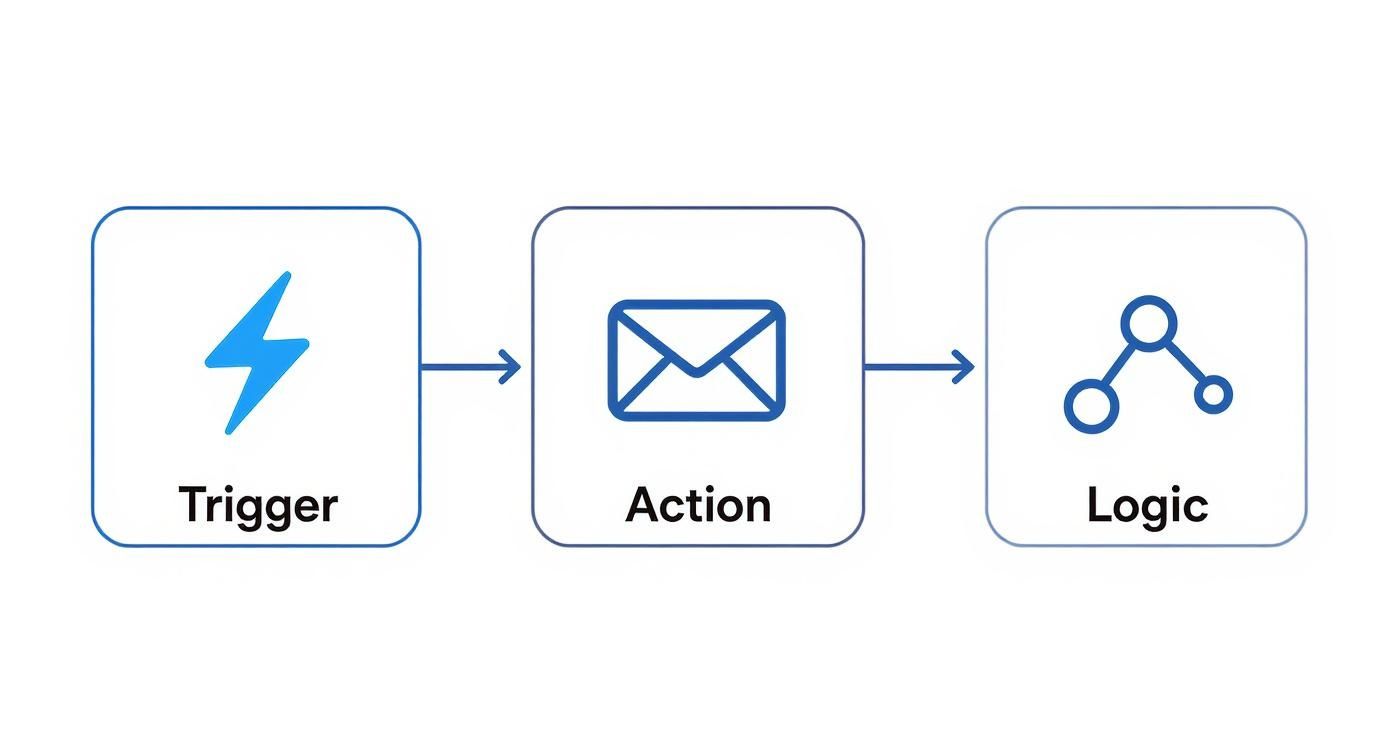
Get that rhythm down—trigger, action, logic—and you’re ready to build just about anything.
Here are four essential workflows that solve common business problems. I’ll break down what they are, who they’re for, and how to measure if they're actually working.
To make it even clearer, let's quickly compare these four foundational workflows side-by-side before we dive into the details of each.
Comparison of Essential Workflow Types
| Workflow Type | Primary Goal | Target Audience | Common Triggers | Key Metric |
|---|---|---|---|---|
| Welcome | Introduce the brand, set expectations, and drive initial engagement. | New subscribers, trial users, first-time customers. | Submitting a form (e.g., newsletter signup). | Click-Through Rate (CTR) |
| Lead Nurturing | Guide interested prospects toward a sales conversation. | Marketing-qualified leads (MQLs) who aren't sales-ready. | Downloading mid-funnel content (e.g., case study). | MQL-to-SQL Conversion Rate |
| Re-Engagement | Reactivate dormant contacts before they're lost for good. | Subscribers who haven't opened or clicked in 90+ days. | A time-based rule identifying an inactive contact. | Re-Engagement Rate |
| Customer Upsell | Increase customer lifetime value by promoting related products. | Existing customers who have made a recent purchase. | A specific purchase event or product usage milestone. | Repeat Purchase Rate |
This table gives you the high-level view. Now, let’s get into the weeds on how to build each one.
The Welcome Workflow
First impressions matter. A lot. The welcome workflow is your handshake, your first hello. It’s your chance to greet new subscribers or customers, tell them what to expect, and get them to take that first small, valuable action. Honestly, if you build only one workflow, make it this one. Engagement is never higher than when someone first signs up.
Actionable Steps to Build It:
- Trigger: User submits your "newsletter signup" form.
- Immediate Action: Send a "Welcome & Thank You" email. Deliver the promised asset (like a guide or discount code) instantly.
- Delay: Wait 2 days.
- Action: Send a second email that points them to your greatest hits—your most popular blog posts, a helpful video, or a guide on getting started. You're building trust by being useful.
- Delay: Wait 3 days.
- Action: Send one last email with a low-commitment ask. Invite them to follow you on social media or check out a customer story.
The main thing to watch here is the click-through rate (CTR) on these first few emails. A high CTR means your new contacts are leaning in and paying attention.
The Lead Nurturing Workflow
Let’s be real: almost no one is ready to buy the second they download your ebook. The lead nurturing workflow is how you build a relationship over time. It’s designed to educate prospects, earn their trust, and gently move them along until they are ready to talk to sales. This isn't about a warm welcome; it's about strategic conversation.
Actionable Steps to Build It:
- Trigger: A contact downloads a case study.
- Immediate Action: Send them the case study. No delays.
- Delay: Wait 4 days. Let them digest it.
- Action: Follow up with a related blog post that digs into a pain point the case study solved.
- Delay: Wait 5 days.
- Action: Send an invitation to an upcoming product demo webinar.
- Condition: Did they click the registration link for the demo?
- If Yes: Perfect. End this workflow and add them to a "Registered for Demo" list.
- If No: No problem. Send one final, friendly follow-up with a powerful customer testimonial video.
Your north star metric here is the MQL-to-SQL conversion rate. Are these nurtured leads actually turning into real sales opportunities? That’s the only question that matters.
The Re-Engagement Workflow
It happens to the best of us. Over time, some contacts just go quiet. A re-engagement (or "win-back") workflow is your shot at waking them up before they churn for good. This is smart marketing—it costs way less to keep a contact you already have than to find a new one.
A re-engagement campaign isn't just about sending a "we miss you" email. It's a strategic attempt to remind subscribers of the value you offer and give them a compelling reason to stick around.
Actionable Steps to Build It:
- Trigger: A contact has not opened or clicked an email in 90 days.
- Action 1: Send an email with a compelling subject line like "Is this goodbye?" or "A special offer to win you back."
- Delay: Wait 7 days.
- Condition: Did they open or click the first email?
- If No: Send a final email asking them to confirm they want to stay subscribed. If no action, automatically tag them for list cleanup.
- If Yes: Add them back to your main mailing list and send a "welcome back" email with your latest popular content.
Success is measured by the re-engagement rate. It's the percentage of those sleepy contacts who open or click an email in the sequence, signaling they're back in the game.
The Customer Upsell Workflow
The sale is not the end of the relationship; it’s the beginning of the next phase. An upsell workflow focuses on your existing customers to increase their lifetime value (CLV). The goal is to introduce them to other products, premium features, or services that solve their next problem. This is totally different from lead nurturing—you're talking to happy customers, not skeptical prospects.
Actionable Steps to Build It:
- Trigger: A customer buys "Product A."
- Delay: Wait 14 days. Let them get value from their purchase first.
- Action: Send a helpful email with tips on getting the most out of Product A. Reinforce their smart decision.
- Delay: Wait 14 days.
- Action: Send an email showing how "Product B" is the perfect companion to Product A, perhaps with a short case study.
- Action: Follow up with a small, exclusive "thank you" discount on Product B for being a loyal customer.
Here, you’re tracking the repeat purchase rate or upgrade conversion rate. You want to see if your happy customers are willing to invest even more with you.
How to Build Your First Workflow Step by Step
Jumping into marketing automation can feel like trying to pilot a spaceship on your first day. You see all the dials and buttons, and the temptation is to build a complex, multi-layered beast right out of the gate.
Don't do it. The best approach is to start small, build something simple, and get a win on the board.
The goal isn't immediate perfection; it's about building a foundation you can improve upon. This straightforward, five-step process will guide you through launching a workflow that delivers real value without the overwhelm.
Step 1: Define One Clear Goal
Before you even think about logging into your automation tool, stop and ask: What do I actually want to achieve?
A vague goal like "nurture leads" is a recipe for a confusing, ineffective workflow. You have to get specific. What is the single, measurable action you want a contact to take by the end of this journey?
Clarity here is everything. A single, focused goal dictates every trigger, every action, and every piece of content you'll create.
Actionable Tip: Frame your goal using the SMART method (Specific, Measurable, Achievable, Relevant, Time-bound). For example, change "nurture leads" to "Increase demo bookings from blog subscribers by 15% in Q4."
Your goal is your North Star. If a step in your workflow doesn't directly contribute to achieving that goal, it probably doesn't belong there.
Step 2: Map the Customer Journey
Now that you have your destination, it's time to draw the map. Sketch out the ideal path a customer would take to get there.
Seriously, don't do this in your automation software yet. Grab a whiteboard, a notebook, or a simple flowchart tool. This forces you to think from the customer's perspective, not from the tool's limitations.
What are the key touchpoints? What information do they need at each stage? A simple journey map for converting trial users might look like this:
- User signs up for a free trial.
- They immediately get a welcome email with their login info.
- A few days later, they get a quick tip on using a key feature.
- After a week, they receive a case study showing what's possible.
- Near the end of the trial, an offer to upgrade lands in their inbox.
This process is critical for building marketing automation workflows that feel helpful and timely, not robotic and pushy.
Step 3: Identify Triggers and Segments
With your journey mapped out, it's time to get into the technical "if/then" logic. What specific event kicks off this whole process? This is your trigger. It has to be a clean, unambiguous signal.
Next, think about segmentation. Does everyone who enters this workflow really need the exact same experience? Maybe a trial user from a huge enterprise needs a different message than a user from a two-person startup.
Let's compare two approaches for a simple welcome workflow.
| Approach | Linear (No Segmentation) | Segmented (Conditional Logic) |
|---|---|---|
| Trigger | User signs up for the newsletter. | User signs up for the newsletter. |
| Path | All users get the same three emails. | Users are split based on a stated interest (e.g., "sales" vs. "marketing"). |
| Content | General company info and popular blog posts. | Each segment receives content tailored to their specific interest. |
| Outcome | Decent engagement, but feels pretty generic. | Higher click-through rates and a far more relevant experience. |
Starting with a linear path is perfectly fine for your first workflow. You can always add segmentation later once you start gathering data.
Step 4: Create Your Content and Assets
This is where you build the actual "stuff" your workflow will deliver. We're talking emails, landing pages, forms, or even internal notifications for your sales team.
It's time to write your email copy, design your visuals, and get everything loaded up and ready to go.
Focus on value above all else. Each piece of content should help the user take the next logical step. The adoption of marketing automation is soaring for a reason; recent data shows 79% of marketers automate their customer journey to some extent. This shift is all about creating more efficient and personalized communication at scale.
Step 5: Build, Test, and Launch
Alright, now it's time to jump into your automation software. Recreate the journey you mapped out in Step 2, using the triggers from Step 3 and the content from Step 4.
But before you hit "activate," you have to test it rigorously.
Actionable Checklist for Testing:
- Enroll Yourself: Use a test email address to go through the workflow from the beginning.
- Check All Links: Click every single link in every email.
- Review Delays: Do the pauses between steps feel natural?
- Verify Personalization: Make sure personalization tokens (like
{{first_name}}) are pulling in the right data. - Test Logic: If you have conditional splits, test each path to ensure they work as expected.
Once you're confident, launch it. And remember, this is just version one. The real magic comes from measuring its performance and making smart improvements over time. As technology evolves, you'll find more ways to make these processes even smarter. For a deeper look, check out our guide on how AI is transforming marketing automation for a glimpse into what's next.
How to Measure and Optimize Your Workflows
Getting your first marketing automation workflow live is a massive win, but it's the starting pistol, not the finish line. The real magic—and the real growth—happens next.
Think of your workflow not as a static, "set it and forget it" tool, but as a living system that needs a little attention to hit its stride. By constantly measuring what’s working and tweaking what isn’t, you turn a simple tactic into a legitimate growth engine. This is where you shift from just building workflows to perfecting them.
Identifying Your Key Performance Metrics
Before you can make anything better, you have to know what you’re measuring. The right metrics are tied directly to whatever goal you set for that workflow in the first place. Tying your analysis back to that original objective is the only way to know if you're actually succeeding.
Start with these four foundational metrics:
- Email Open Rate: The percentage of people who actually opened your email. It’s your first and best signal for a killer subject line and brand recognition.
- Click-Through Rate (CTR): The percentage of openers who clicked a link. This tells you if your message and call-to-action were compelling enough to get someone to act.
- Conversion Rate: The percentage of contacts who completed the workflow's main goal—like booking that demo or making a purchase. This is the number that really matters.
- Unsubscribe Rate: The percentage who opted out. A sudden spike here can mean your content is off-target or you're sending emails too often.
But these are just the beginning. To really understand the impact, you need to connect your automation to business results. That's why Return on Investment (ROI) is the ultimate scoreboard. It's not just a vanity metric; over half of businesses expect to see a positive ROI within the first year. And the numbers back it up—research shows the average ROI for marketing automation can climb as high as 544% over three years.
For a deeper dive, our guide on tracking key marketing performance metrics will help you connect the dots between your efforts and the bottom line.
The Art of A/B Testing
So, how do you actually improve those numbers? The single best tool in your optimization toolkit is systematic A/B testing. It's simple: you create two versions of one thing (an A and a B) and show them to different segments of your audience to see which one performs better.
A/B testing is how you take the guesswork out of your strategy. Instead of running on gut feelings, you’re making data-backed decisions that create small, compounding improvements over time.
The key is to test one thing at a time. If you change the subject line and the CTA, you’ll never know which one made the difference.
Here are a few high-impact elements to test right away:
- Subject Lines: Try a direct, no-nonsense subject line against one that sparks a little curiosity.
- Email Copy: Test a short, punchy message against a more detailed, story-driven version.
- Calls-to-Action (CTAs): Does "Book Your Demo" work better than "Learn More"? Test it and find out.
- Timing and Delays: Experiment with sending emails on different days or changing the delay between steps from three days to five.
Analyzing Reports and Fixing Bottlenecks
Most marketing automation platforms give you detailed reports that show exactly how people are flowing through your sequences. This visual data is a goldmine.
You’re looking for the bottlenecks—the steps with a massive drop-off rate. This is where people are getting stuck or losing interest.
For example, if you see a great open rate on email #1 but a terrible CTR, the problem isn't your subject line; it's the email's content or CTA. If everyone seems to bail after email #2, take a hard look at that message. Is it actually helpful, or just another sales pitch?
By systematically finding these friction points and using A/B tests to smooth them out, you can continuously level up your workflow performance. Companies that nail this kind of intelligent automation have seen productivity jump by 20-30% and customer acquisition costs drop by up to 25%. These aren't small wins; they're game-changers.
Try our Marketing Plan Generator — generate a complete AI-powered marketing plan in minutes. No signup required.
A Few Common Questions About Marketing Workflows
Once you start mapping out your own automations, a few questions always pop up. It's just part of the process. Getting good, practical answers to these can be the difference between a workflow that just… runs, and one that actually gets results.
This isn't about textbook definitions. Let's tackle the most common questions marketers have with some real-world advice you can put to work right away.
How Many Emails Should I Put in a Nurturing Workflow?
There's no magic number here, but a great place to start for most nurturing sequences is somewhere between 3-5 emails. The goal isn't to hit a specific number; it's to build momentum and deliver value without becoming a nuisance.
The real answer comes from watching your engagement. If you see a massive drop-off after email #3, your sequence is probably too long or your content isn't hitting the mark. On the flip side, if people are still clicking and opening by the end, you might have room to add another helpful touchpoint.
Think of it like this:
| Approach | Short & Punchy (3 Emails) | Extended Nurture (5+ Emails) |
|---|---|---|
| Best For | Lower-commitment goals like getting someone to a webinar or downloading an ebook. | Higher-commitment goals, like getting a prospect to book a demo or sign up for a trial. |
| Pacing | Tighter spacing between sends (maybe 2-3 days apart). | More breathing room between emails (like 4-6 days) to avoid burnout. |
| Content Focus | Every email has one clear job and a single call-to-action. | You’re building a story, introducing a few different ideas, and offering a variety of resources. |
The takeaway: Start with three. Keep a close eye on your click-through rates and, more importantly, your goal conversions. If folks are still with you at the end, test adding a fourth email that handles a common objection or showcases a quick case study.
What's the Biggest Mistake People Make?
Easy. Overcomplicating it right out of the gate. It happens all the time. Marketers get excited about all the cool things automation can do and immediately try to build a monster workflow with a dozen different branches and "if/then" splits.
While that kind of complexity can be powerful down the road, it's a nightmare to build, test, and fix when you're just starting. This "go big or go home" mindset usually ends with a workflow that's either broken or so tangled that nobody on the team knows what it's actually doing.
The smartest move is to start with a dead-simple, linear workflow that solves one specific problem. Nail the basics. Once that first simple automation is running smoothly and you have some real data, then you can start layering in more complexity and personalization based on how your audience actually behaves.
Can I Use Workflows for More Than Just Email?
Absolutely. In fact, you have to. If you're only thinking about email, you're leaving a huge opportunity on the table. Modern automation tools are built to connect channels, which creates a much more seamless experience for your customers.
Thinking beyond the inbox lets you show up where your customers are. For example, when a high-value lead clicks on your pricing page, a workflow can do a lot more than just send another email.
Here are a few simple, non-email actions to get you started:
- Update a CRM Property: Automatically change a contact's status from "Lead" to "Marketing Qualified Lead."
- Notify a Sales Rep: Ping the right sales rep on Slack or via an internal email the moment their lead revisits the pricing page.
- Manage Ad Audiences: Add a contact to a Facebook Custom Audience for retargeting, or pull them out of it once they buy.
- Send an SMS Message: Use text messages for urgent things like event reminders or flash sale alerts where you need to cut through the noise.
This is what turns a basic email sequence into a truly smart automation engine.
How Do I Know If My Workflow Is Actually Working?
Success isn't about open rates. The only way to know if your workflow is doing its job is to measure it against the specific goal you set for it in the first place.
If the goal was lead nurturing, your number one metric is the goal conversion rate—what percentage of people who entered the workflow actually completed the final action (like requesting a demo)? If it was a re-engagement campaign, you're looking at the percentage of dormant contacts who clicked a link and came back to life.
Here’s a quick breakdown of what to track for different types of workflows:
| Workflow Type | Primary Success Metric | Secondary Metrics to Watch |
|---|---|---|
| Welcome Series | Click-through rate on the first few emails. | Engagement over the whole series, unsubscribe rate. |
| Lead Nurturing | Goal Conversion Rate (e.g., MQL to SQL). | Where people are dropping off, what content they click. |
| Re-Engagement | Re-engaged Rate (% who click a link). | Unsubscribe rate, positive replies. |
Always start by defining what "winning" looks like for that specific campaign. When you track your goal conversion rate alongside your standard email metrics, you get the full story of your workflow's performance and its real impact on the business.
Ready to stop building campaigns from scratch and start scaling your marketing with intelligence? marketbetter.ai provides an integrated AI platform to create, manage, and optimize your workflows faster than ever before. From generating high-performing email copy to personalizing entire customer journeys, our tools are designed to drive real results.
Discover how marketbetter.ai can transform your marketing automation strategy.