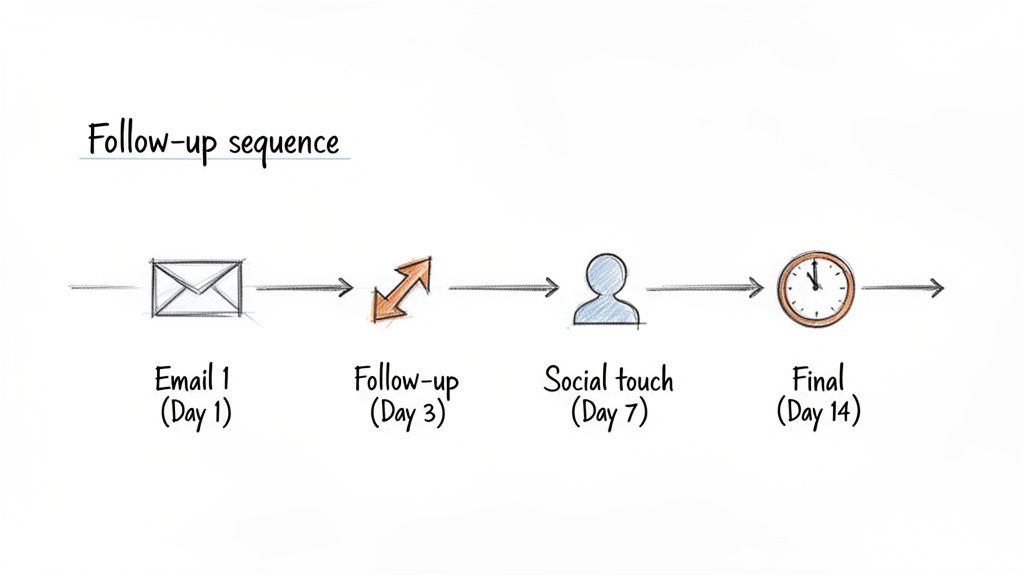
Here's the uncomfortable truth about intent data in 2026: most teams that buy it don't use it well.
They have visitor identification. They have intent signals. They have enrichment tools. And they still take 48+ hours to follow up—if they follow up at all.
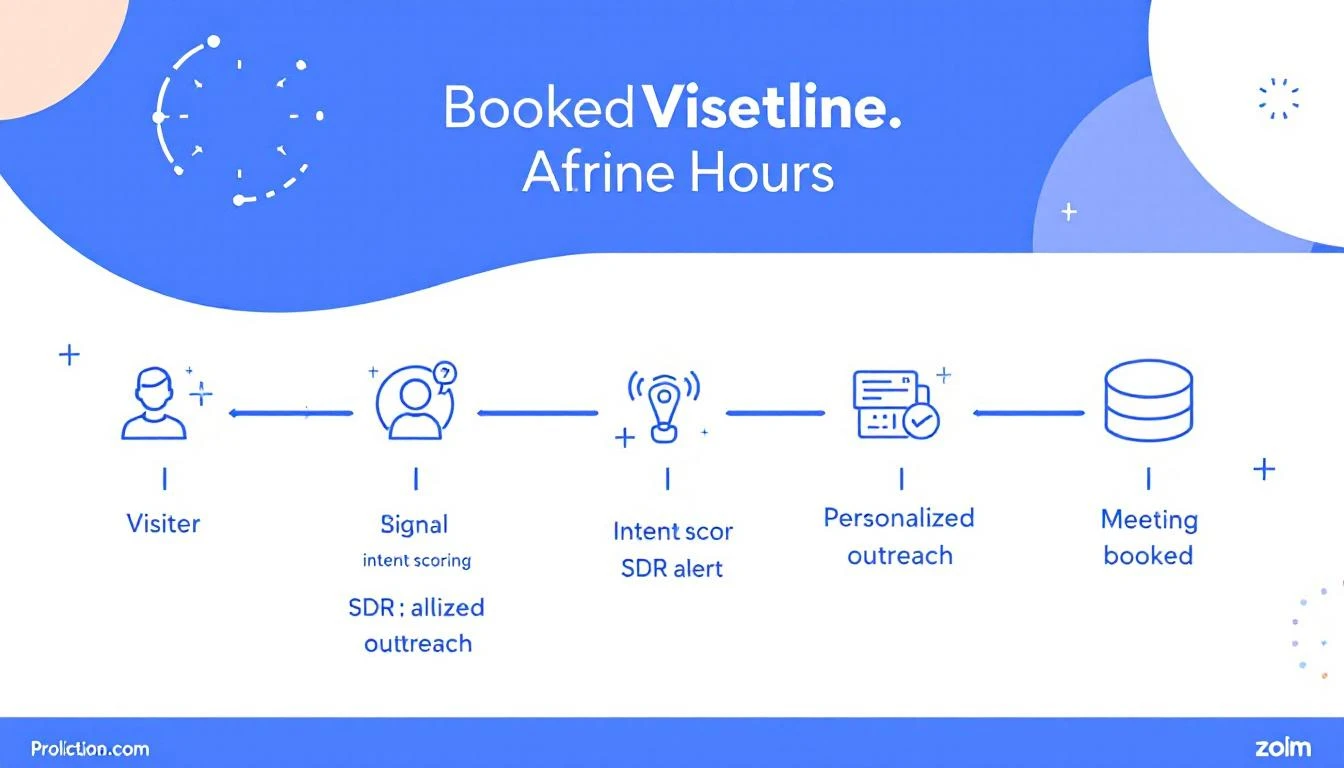
Meanwhile, the teams booking 3-5x more meetings from the same traffic aren't using better data. They're using better workflows. Specifically, they've built a system that moves from signal detection to a booked meeting in under 24 hours.
The data on speed-to-lead is brutal and well-documented:
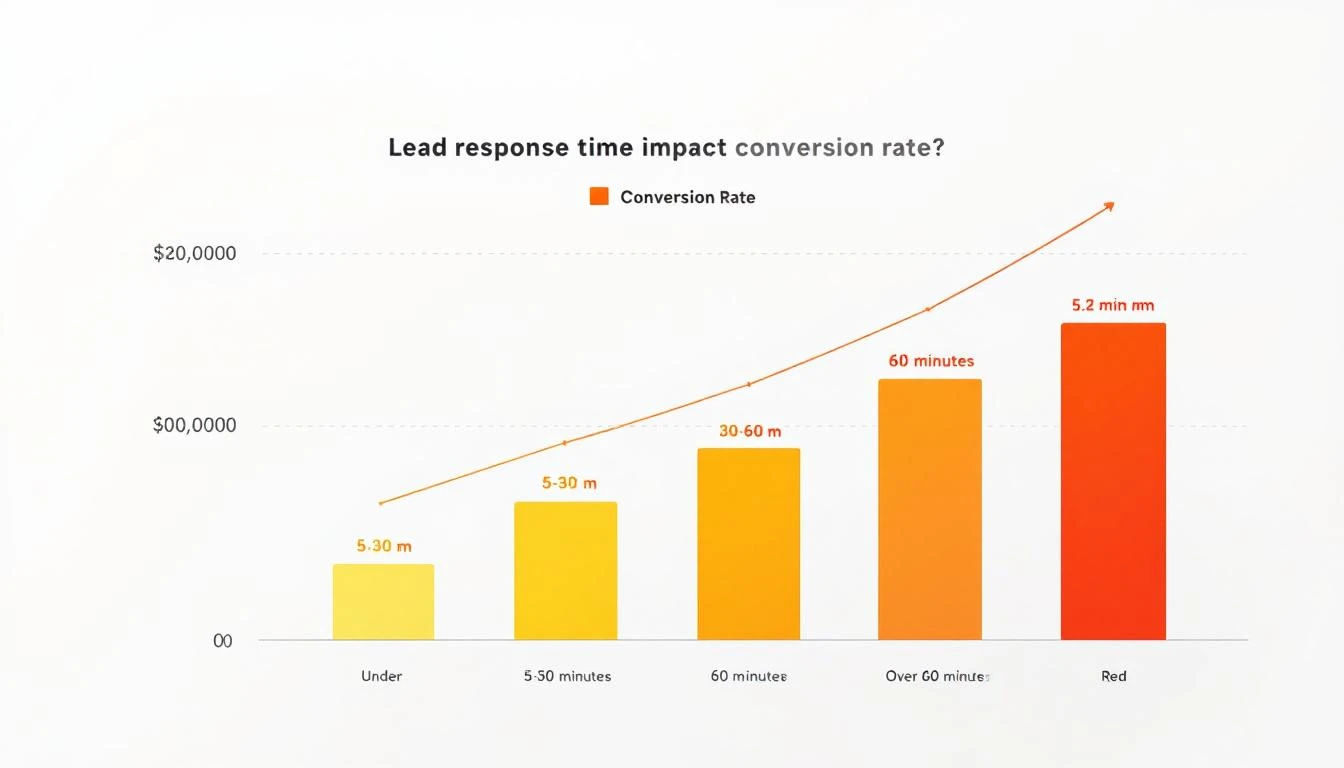
Responding within 5 minutes makes you 21x more likely to qualify a lead than responding after 30 minutes (InsideSales/XANT research)
78% of B2B buyers purchase from the vendor that responds first (Drift/Salesloft)
After 1 hour, your odds of meaningful contact drop by 10x
After 24 hours, most buying intent has cooled significantly—the prospect has moved on, talked to a competitor, or deprioritized the evaluation
Yet the average B2B company takes 42 hours to respond to an inbound lead. For anonymous visitor signals (which aren't even "leads" in the traditional sense), most companies never respond at all.
This is where most teams already have the tools but lack the filtering logic. You don't need to act on every visitor—you need to act on the right visitors immediately.
What "right" looks like:
Signal Type
Priority
Response Window
Pricing page visit + ICP match
🔴 Critical
Under 1 hour
Multiple page visits in one session
🟠 High
Under 4 hours
Return visitor (2nd+ visit this week)
🟠 High
Under 4 hours
Blog/resource visit + ICP match
🟡 Medium
Same day
Single page bounce
⚪ Low
Nurture sequence
The mistake most teams make: treating all signals equally. A pricing page visit from a VP of Sales at a 200-person SaaS company is not the same as a blog reader from a university. Your system needs to know the difference instantly.
How to set this up:
Configure visitor identification with firmographic filtering—company size, industry, and job title should be immediately visible
Set up real-time alerts for critical signals (pricing page + ICP match should trigger a Slack/Teams notification within minutes)
Auto-enrich identified visitors with company data, recent news, tech stack, and funding info before the SDR even sees the alert
The goal: when your SDR gets the notification, they should have everything they need to personalize outreach in the alert itself. Zero research required.
The SDR who "checks the dashboard when they get around to it" will always lose to the SDR who has a structured morning routine built around intent signals.
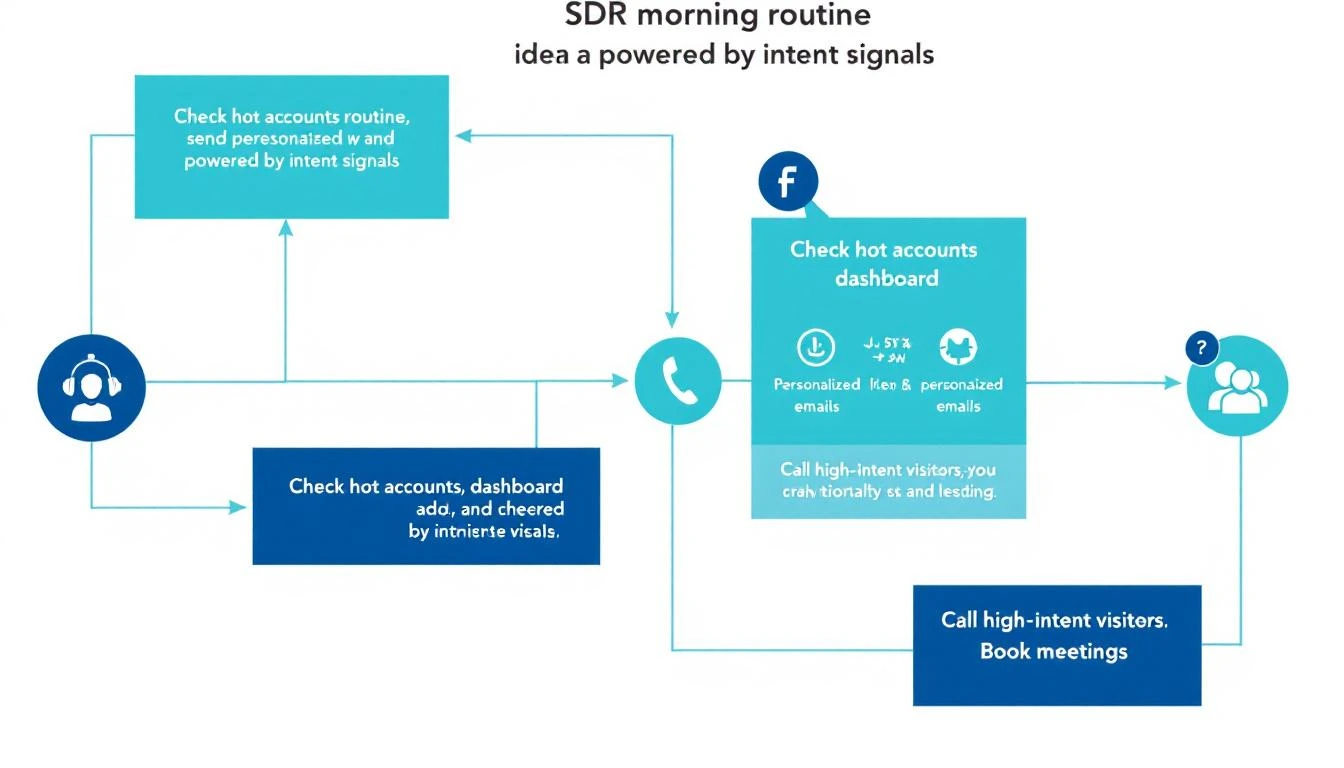
The SDR's First 30 Minutes (Daily Routine):
Open your prioritized queue — not a raw dashboard, but a filtered, ranked list of yesterday's and overnight's high-intent visitors
Review the top 5 accounts — each should show: company name, visitor pages viewed, time on site, firmographic match score, and a suggested talk track
Send personalized outreach to the top 3 — email or LinkedIn, referencing what they were researching (without being creepy about it)
Queue calls for the top 2 — phone is still the fastest path to a meeting for hot signals
Move remaining accounts to automated sequences based on their signal tier
The personalization formula that works:
"Hi {first_name}, I noticed {company_name} has been evaluating {category} solutions. A lot of {industry} teams we work with were dealing with {common pain point}—is that on your radar too?"
Notice what this doesn't say: "I saw you visited our pricing page at 2:47 PM." That's surveillance, not sales. Reference the category and pain point, not the specific behavior.
One email isn't a strategy. The teams converting at the highest rates run a multi-touch sequence within the first 12 hours for critical signals:
Hour 0-1: Personalized email (referencing their research area)
Hour 2-3: LinkedIn connection request with a note (keep it short—compliment something specific about their work)
Hour 4-6: Phone call attempt #1 (leave a voicemail that references the email)
Hour 8-12: Follow-up email with a specific resource relevant to what they were researching
Why multi-touch matters:
Email alone has a 2-5% reply rate
Email + LinkedIn bumps it to 8-12%
Email + LinkedIn + phone pushes it to 15-25% for ICP-matched, high-intent signals
The key insight: each additional channel doesn't just add impressions—it signals seriousness and competence. When a prospect sees your name in their inbox, on LinkedIn, and hears your voice on a voicemail within the same day, you're establishing that you're responsive, professional, and everywhere they need you to be.
By hour 12, you should know which prospects are engaging (opened emails, accepted LinkedIn, visited again) and which went cold.
For engaged prospects:
Send a calendar link with 2-3 specific time slots (not an open calendar—too much friction)
Reference their engagement: "Saw you checked out our case study on {topic}—happy to walk you through how {similar company} got {specific result}. Does Thursday at 2 PM CT work?"
If they visited again after your outreach, call immediately—they're actively evaluating
For cold prospects (no engagement after 12 hours):
Move to a 7-day nurture sequence with value-first content
Set a reminder to re-engage if they visit again (this is where automation earns its keep)
Don't force it—not every signal converts, and that's fine
The math that makes this work:
Let's say your site gets 1,000 B2B visitors per month. With visitor identification at a 20% match rate, that's 200 identified companies. Of those, maybe 40 match your ICP. With the 24-hour framework:
40 ICP-matched signals per month
60% outreach rate (24 contacted per month)
15% meeting conversion rate
= 3-4 new meetings per month from existing traffic alone
That's pipeline from visitors who would have otherwise bounced forever. No ad spend. No cold lists. Just faster execution on signals you're already generating.
The 5 Mistakes That Kill Signal-to-Meeting Velocity
Dashboards are for reporting, not for action. If your SDRs start their day by opening a dashboard and scrolling, you've already lost. They need a prioritized queue that tells them exactly who to contact and in what order.
Every minute an SDR spends researching a prospect is a minute they're not reaching out. Auto-enrichment should deliver company info, recent news, tech stack, funding status, and a suggested talk track before the SDR sees the lead.
MQL gates kill speed. If a VP of Sales at a 300-person SaaS company visits your pricing page, that's a signal worth acting on now—not after marketing scores it, nurtures it, and eventually passes it over in next week's pipeline meeting.
Email-only follow-up is leaving meetings on the table. The data consistently shows that multi-channel sequences (email + LinkedIn + phone) convert 3-5x better than single-channel approaches.
If your SDRs don't report back which signals converted and which didn't, your system never improves. Build a simple closed-loop: signal → outreach → outcome → adjust scoring. Over time, your system gets smarter about which signals actually predict meetings.
1. Signal-to-First-Touch Time
How long between a high-intent signal firing and the SDR's first outreach? Target: under 4 hours for critical signals.
2. Multi-Touch Completion Rate
What percentage of high-priority signals receive the full multi-touch sequence (email + LinkedIn + phone)? Target: 80%+.
3. Signal-to-Meeting Conversion Rate
Of all high-intent signals, how many result in a booked meeting within 7 days? Target: 10-15% for ICP-matched visitors.
4. Pipeline from Signals (Attribution)
How much pipeline can you directly attribute to visitor signals vs. cold outbound vs. inbound forms? This is your ROI metric.
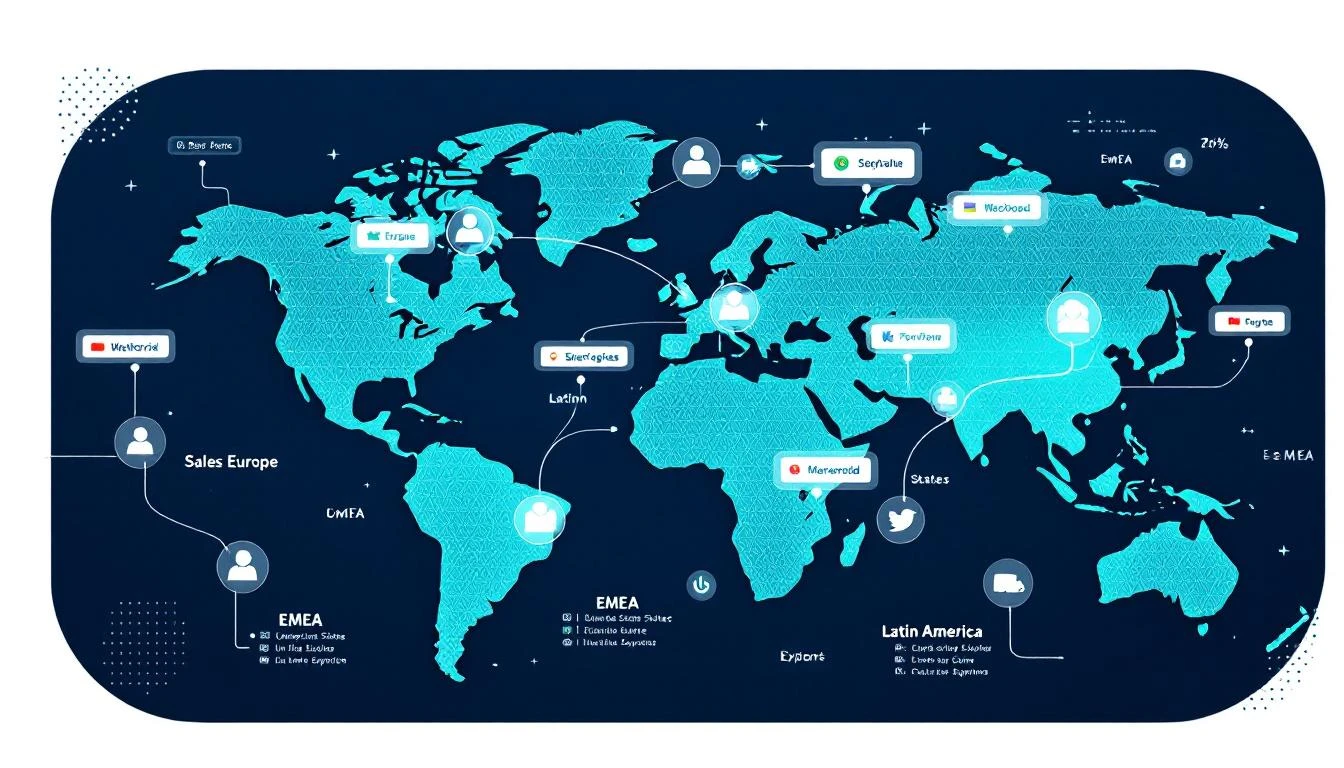
If you sell IoT connectivity into enterprises across multiple continents, you already know the coordination nightmare.
Your EMEA SDR is working a prospect in Germany while your US rep has a contact at the same company's North American headquarters. Meanwhile, your Latin American rep — the one who speaks fluent Spanish and has relationships across Mexico and Colombia — is nurturing leads at the same enterprise's regional offices.
Three reps. Three languages. Three time zones. One account. And none of them know what the others are doing.
This is the reality for every IoT and telecom platform that's scaled past a single-region sales motion. The technology scales globally. The sales coordination doesn't.
Here's how one enterprise IoT connectivity platform with SDRs spanning EMEA, the United States, and Latin America built a signal-based territory system that eliminated handoff chaos and turned their multi-language team from a coordination liability into a compounding advantage.
This particular platform provides cellular connectivity infrastructure to enterprises — the kind of product that naturally attracts multinational buyers. A logistics company in Dallas might need IoT SIMs across warehouses in Mexico, fulfillment centers in Poland, and headquarters in Chicago.
Before implementing signal-based territory playbooks, their sales process looked like this:
Duplicate outreach everywhere. The EMEA rep would cold-email the CTO of a European subsidiary while the US rep was already in conversations with the same company's VP of Operations. Neither knew. The prospect received nearly identical pitches from two different people at the same vendor within 48 hours.
Language mismatches killing deals. Their Latin American pipeline required Spanish-language communication — not just translation, but culturally appropriate messaging for enterprise buyers in Mexico City, Bogotá, and São Paulo. When English-language sequences accidentally fired to LatAm contacts, response rates dropped to near zero.
No signal attribution across regions. When a company's German office visited the pricing page and their US office requested a whitepaper, those signals went to different reps with no connection. The buying committee spanned continents, but the intent picture was fragmented.
Territory disputes consuming manager time. Roughly 30% of their sales manager's week was spent arbitrating "who owns this account" conversations. With global enterprises, the answer was never simple.
The transformation started with a deceptively simple principle: signals should route to the right rep automatically, based on territory rules — not manual assignment.
Every intent signal — website visit, content download, champion job change, email engagement — now routes through territory logic before hitting any rep's queue.
The rules aren't complicated:
IP geolocation determines initial territory assignment
Company HQ location acts as the tiebreaker for global accounts
Language preference (browser language, form submissions) overrides geography for LatAm contacts
Named account lists lock strategic accounts to specific reps regardless of signal origin
When a prospect from a German subsidiary visits the platform's pricing page, the signal routes to the EMEA SDR. When that same company's US headquarters downloads a case study, it routes to the US SDR — but both signals appear on a shared account timeline.
This is where most global sales teams fall apart. They build one English playbook and "translate" it. That doesn't work.
This IoT platform built three native playbooks — not translations, but culturally distinct sequences:
US Playbook: Direct, ROI-focused, shorter sequences (4 touches over 12 days). American enterprise buyers expect specificity early: deployment timelines, integration compatibility, pricing ranges by the second email.
EMEA Playbook: Relationship-first, compliance-conscious, longer nurture (6 touches over 21 days). European buyers — especially in Germany, the Nordics, and the UK — want to understand data residency, GDPR compliance, and existing customer references in their region before engaging in a pricing conversation.
LatAm Playbook (Spanish): Relationship-driven with higher emphasis on personal connection, WhatsApp integration for follow-ups, and references to regional deployments. Their Spanish-speaking SDR wrote these sequences natively — not translated from English — with idioms, cultural references, and business etiquette that resonated in Mexico, Colombia, and Chile.
The results were immediate:
Region
Response Rate (Before)
Response Rate (After)
Change
US
4.2%
7.8%
+86%
EMEA
3.1%
6.4%
+106%
LatAm
1.8%
9.2%
+411%
The LatAm improvement was staggering — but predictable. Sending English-language cold emails to Spanish-speaking enterprise buyers in Mexico City was never going to work. The previous "strategy" wasn't a strategy; it was negligence disguised as global coverage.
The real unlock wasn't routing or language — it was the shared account view.
When their visitor identification system detects activity from a global account, every SDR who touches that account sees the full picture:
The German office visited the IoT security documentation three times this week
The US headquarters downloaded the enterprise pricing guide
A director-level contact at the Colombian subsidiary opened every email in the LatAm sequence
Instead of three isolated SDRs working three isolated leads, the team sees one account with buying signals across three regions. The US SDR can reference the European team's interest in security when positioning to the American buyer. The LatAm rep knows the US office is already evaluating pricing, so they can align their timing.
This is signal orchestration at its most practical. Not a buzzword — a necessary coordination layer for any team selling globally.
Before signal routing, handoffs between regions happened via Slack messages that got lost, forwarded emails that lacked context, and "hey, can you take this?" conversations in team meetings.
Now, territory transfers follow a structured protocol:
Signal triggers handoff suggestion. When a EMEA-routed account shows US-based buying signals (US IP visiting pricing, US phone number on a form), the system flags it for potential territory reassignment.
Context transfers automatically. The receiving SDR gets the full signal history, engagement timeline, and any notes from the originating rep — not a vague "this might be a lead."
Dual ownership for strategic accounts. For enterprises with genuine multi-region buying committees, both reps stay involved. The primary owner is whoever has the strongest champion relationship, and territory designation reflects coordination responsibility rather than credit assignment.
Revenue attribution is shared. This eliminated 90% of territory disputes overnight. When a deal closes with contacts across two regions, both reps get credit. The incentive shifted from "protect my territory" to "help this account advance."
After six months running territory-based signal playbooks across all three regions:
Pipeline velocity increased 2.4x. Deals moved faster because the right rep engaged the right contact in the right language from the first touch. No more "let me transfer you to my colleague who handles your region."
Average deal size grew 35%. Multi-region visibility meant SDRs could identify and sell into the full global footprint of an account, not just the single office that happened to raise their hand first. A deal that would have been a single-region deployment became a three-continent rollout.
SDR productivity jumped measurably. With automatic signal routing, reps spent zero time figuring out if a lead was "theirs." Signals arrived pre-qualified by territory, pre-assigned by language, and pre-enriched with account context.
LatAm became their fastest-growing region. Having a native Spanish-speaking SDR with culturally appropriate sequences turned Latin America from an afterthought into a primary pipeline source. Within four months, LatAm represented 28% of new pipeline — up from 8%.
What This Means for Your IoT or Telecom Sales Team
If you're selling IoT connectivity, telecom infrastructure, or any technology product across multiple regions, here's the playbook:
Most global sales teams try to solve coordination problems by hiring more people. That compounds the problem. Before adding headcount, implement signal routing that automatically assigns leads based on geography, language, and named account lists.
If you have a Spanish-speaking SDR covering Latin America, let them write the LatAm playbook from scratch. Same for EMEA — let your European rep build sequences that reflect how European buyers actually purchase technology.
The performance difference between a translated playbook and a native one is 3-4x in response rates. That's not marginal. That's the difference between a region that generates pipeline and a region you're subsidizing.
Individual lead-level signals are useful. Account-level signal aggregation across regions is transformational. When your US SDR can see that the European office is deep in evaluation, they can time their outreach to create a coordinated buying moment instead of a confused one.
Make Territory Disputes Impossible, Not Adjudicated
If your sales manager spends any meaningful time deciding "who gets credit for this deal," your territory system is broken. Implement shared attribution for multi-region accounts. When both reps benefit from the deal closing, they stop fighting over ownership and start collaborating on advancement.
For IoT and telecom companies, Latin America represents massive growth potential. But you can't capture it with English-only outreach. A single fluent Spanish-speaking SDR with proper signal routing and native sequences can outperform a team of three running translated content.
Language isn't a nice-to-have in global sales. It's the single biggest lever most teams haven't pulled.
Ready to coordinate your global SDR team with signal-based territory routing?Book a demo →
The IoT connectivity market is inherently global. Your customers deploy across borders. Your competitors sell across continents. The question isn't whether you need multi-region sales capability — it's whether your sales infrastructure can coordinate it without drowning in handoff chaos.
Signal-based territory playbooks aren't about technology. They're about giving every rep — whether they're in Dallas, London, or Mexico City — the same quality of intent data, the same account context, and the same ability to engage the right buyer in the right language at the right time.
The companies that figure this out don't just grow faster. They win the accounts that span continents — the largest, most strategic deals in IoT — because they're the only vendor who shows up coordinated when everyone else shows up fragmented.
That's not a marginal improvement. That's a structural advantage that compounds with every global account you land.
Want to see how signal-based territory routing works for global sales teams? Start a free trial or book a demo to see MarketBetter in action.
Sit behind an SDR for an hour. Not on a call — before the calls. Watch what they actually do in the first 60 minutes of their day.
Here's what you'll see:
Tab 1: CRM, checking assigned leads. Tab 2: Email, scanning for replies and bounces. Tab 3: LinkedIn, searching for triggers and connections. Tab 4: Intent data platform, reviewing new signals. Tab 5: Enrichment tool, looking up company details. Tab 6: Sequence tool, checking who's due for a follow-up. Tab 7: Slack, reading team updates. Tab 8: Calendar, reviewing the day's meetings. Tab 9: Sales navigator, building new lists. Tab 10: Another CRM tab, because the first one timed out.
And that's just the first ten. Most SDRs I've worked with have 15-20 tabs open before they make their first call.
This isn't selling. This is deciding who to sell to. And it's consuming 60% of your SDRs' working day.
I've built SDR teams at three different startups. The pattern is always the same: you hire great reps, give them great tools, build great sequences — and then watch them spend most of their time navigating between those tools instead of using them.
The tools aren't the problem. The fragmentation is.
The average SDR spends roughly 60% of their day on non-selling activities. Not admin. Not CRM data entry. Decision-making. Specifically, deciding:
Who should I contact next?
What channel should I use?
What should I say?
Is this person worth my time right now?
Did something change since I last checked?
These are important questions. But they shouldn't require toggling between a dozen tools to piece together an answer.
Think about what this means economically. If you're paying an SDR $75,000 per year, and 60% goes to non-selling activities, you're paying $45,000 per rep for them to decide what to do. On a team of eight, that's $360,000 per year in decision-making overhead.
That's not a productivity problem. That's a strategy problem.
The Core Issue: Signals Are Everywhere, Synthesis Is Nowhere
B2B sales teams have never had more signal data available to them. Website visits. Email engagement. Social interactions. Intent data from third-party providers. Job changes. Company news. Funding announcements. Technology adoptions. Conference attendance.
The problem isn't data scarcity. The problem is that every signal lives in a different tool, and no tool synthesizes them into a single prioritized view.
Your website visitor identification tool tells you someone from Acme Corp visited your pricing page yesterday. To act on that, your SDR checks the CRM for account status, checks the sequence tool for active cadences, checks LinkedIn for contacts, checks enrichment for email and phone, then checks intent data for broader signals.
That's five tool switches to act on one signal. Your SDR has 50 signals today.
Multiply the number of tools by the number of signals, and you understand why SDRs are paralyzed by choice before they even pick up the phone.
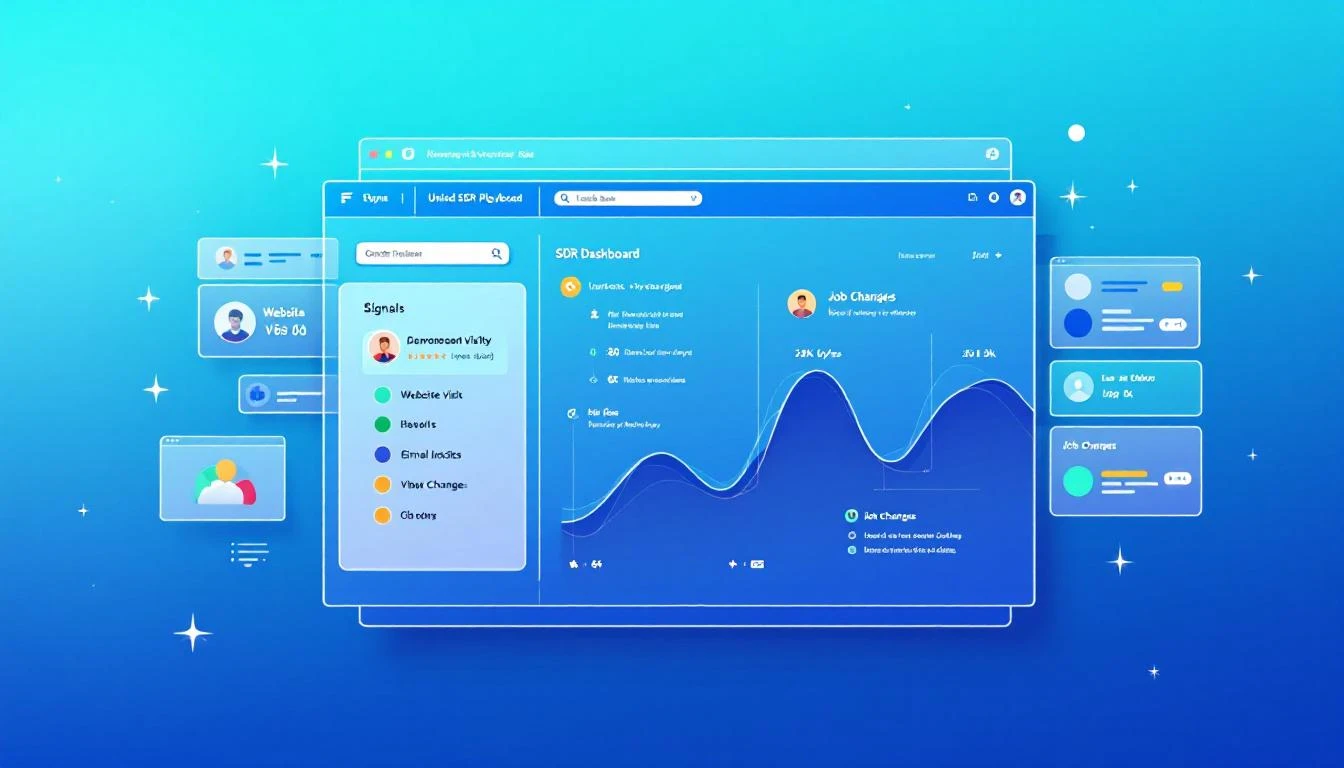
MarketBetter's Daily Playbook takes every signal from every source and collapses them into one thing: a prioritized task list for each rep.
When your SDR starts their day, they don't open 20 tabs. They open one. And in that tab, they see:
Their top tasks for today, ranked by signal strength and likelihood of conversion
Why each task is there — what triggered it, what's the signal
The recommended channel — call, email, LinkedIn, or multi-touch
A suggested message or talking points based on the prospect's context
Everything they need to execute — contact info, company background, engagement history
That's it. No hunting. No synthesizing. No deciding. Just executing.
The Daily Playbook doesn't replace your SDR's judgment. It focuses it. Instead of spending an hour deciding who deserves attention, the rep spends that hour giving attention to the people most likely to convert.
When someone from a target company visits your website — especially high-intent pages like pricing, demo request, or product comparison — that visit becomes a task in the playbook.
But not just "someone from Acme Corp visited your site." The playbook tells the rep:
Which pages they viewed
Whether the company is an existing account or net-new
If it's existing, who owns it and what's the current status
If it's net-new, whether it matches your ICP
Recommended next action based on intent strength
Identifying anonymous website visitors is only valuable if someone acts on it. The playbook makes sure they do, and that the right rep does it at the right time.
Your SDRs are running sequences with dozens or hundreds of active contacts. The playbook tracks every engagement signal:
Opens: Who opened your email three or more times? That's interest. Call them now.
Replies: Obviously high priority — but the playbook also flags negative replies for suppression so reps don't waste time on dead leads.
Link clicks: What did they click? A case study link signals different intent than a pricing page link. The playbook adjusts the recommended next step accordingly.
Sequence position: Is this prospect about to exit your sequence without a reply? That might warrant a different approach — phone call, LinkedIn touch, or a breakup email.
These signals exist in your sequence tool today. But they're buried in dashboards that your SDR has to proactively check. The playbook surfaces them as prioritized tasks.
This is one of the most underutilized signals in B2B sales, and it's one of the most powerful.
Here's the scenario: six months ago, your SDR had great conversations with Sarah at Company A. Sarah loved your product, was pushing for a deal internally, but ultimately the timing wasn't right — they had a contract locked in with a competitor.
Now Sarah moves to Company B. She's still a believer. She knows your product. She has relationship equity with your team. And she's starting fresh at a new company where the existing contract doesn't apply.
That job change is worth more than 100 cold leads. It's a warm introduction to a new company through someone who already trusts you.
The Daily Playbook tracks champion job changes automatically. When a previous contact moves to a new company, it shows up as a high-priority task:
"Sarah Johnson moved from Company A (closed-lost, Q3 2025) to Company B (VP Sales Ops). ICP match. Recommended: warm outreach referencing previous relationship."
Your SDR doesn't need to monitor LinkedIn or set up Google alerts. The playbook remembers, connects the dots, and tells the rep what to do.
Third-party intent data — topics being researched, content being consumed, technology evaluation signals — flows into the playbook as prioritized tasks.
But here's the key: intent data alone is noisy. Most intent data platforms generate far more signals than any SDR team can act on. The playbook doesn't just surface intent signals — it stacks them.
A company researching your category? Low priority on its own. The same company researching your category and visiting your website and opening your emails? That's stacked intent. Top of the list. Call them today.
The playbook's ranking algorithm considers signal strength, signal recency, and signal stacking to ensure that the tasks at the top of each rep's list represent the highest likelihood of conversion.
Every task in the Daily Playbook comes with context. Not just "call this person" but why.
This matters more than most people realize. When an SDR picks up the phone with zero context, they're starting cold. When they pick up the phone knowing that this prospect's company visited the pricing page twice this week, opened the last three emails, and matches the ICP on company size, vertical, and tech stack — they start warm.
The "here's why" context transforms cold calls into warm calls. It gives the SDR a reason to call that they can articulate to the prospect: "I noticed your team has been evaluating solutions in our space — wanted to see if I could answer any questions." That's not a lie. It's genuine signal intelligence, delivered naturally.
The difference in connect-to-meeting conversion between a contextless cold call and a signal-informed warm call is typically 3-5x. Same SDR, same phone skills. Different hit rate because the rep has information instead of a script.
The promise of the Daily Playbook is fundamentally simple: your SDRs go from 20 tabs to one.
One tab. One list. Every signal consolidated. Every task prioritized. Every next action recommended.
Here's what a typical day looks like:
8:00 AM — Open the Playbook
Today's list: 12 high-priority tasks, 8 medium, 15 low. Start at the top.
8:05 AM — Task 1: Call Dave at TechCorpWhy: Pricing page 3x this week. Opened last 2 emails. Former champion (lost deal Q2). Stacked signal.
SDR calls Dave. Gets voicemail. Leaves a message referencing pricing research. Sends follow-up email. Next.
8:15 AM — Task 2: Email Sarah at FinServ Inc.Why: New website visitor, ICP match, first visit to case study page.
SDR sends contextual email referencing FinServ's industry challenges. Next.
8:20 AM — Task 3: LinkedIn touch with Mike at HealthCoWhy: Changed jobs last week. Previously engaged at MedTech (3 meetings, no close). New role: VP Sales at HealthCo. ICP match.
SDR sends LinkedIn connection with warm message referencing previous conversations. Next.
8:25 AM — Task 4...
By 10:00 AM, the SDR has completed 12 high-priority outreach tasks across phone, email, and LinkedIn. Zero research time. Zero tab switching. Zero decision paralysis.
Compare this to the traditional workflow: by 10:00 AM under the old model, the SDR is still in tabs 6-12, trying to figure out who to call first.
The Daily Playbook doesn't just make individual days more productive. It creates a compound effect over time.
When reps consistently execute on the highest-value signals every day, three things happen:
1. Response rates climb. Because the playbook surfaces the warmest prospects — the ones with stacked signals, recent engagement, and ICP fit — reps are reaching out to people who are more likely to respond. Over weeks, this compounds into significantly higher reply and connect rates compared to reps who self-select their outbound targets.
2. No signals fall through the cracks. Without the playbook, an intent signal from last Tuesday gets buried under today's new leads. With the playbook, every unactioned signal persists until it's addressed or deprioritized.
3. Coaching gets easier. When every rep works from a standardized, signal-driven playbook, managers can see exactly what's happening. Instead of asking "what did you work on today?" managers review playbook completion and conversion metrics in real time.
I get this question every time I talk about the playbook model. Experienced SDRs push back: "I know my territory. I know who to call. I don't need a system telling me what to do."
Fair. And wrong.
Fair, because great reps do develop intuition about their territory.
Wrong, because intuition can't process the volume and velocity of signals that a modern B2B sales motion generates. Your best rep might intuitively know that Acme Corp is a good target. But they don't know that someone from Acme Corp visited the pricing page at 11 PM last night, that their former champion just moved to a competitor, and that intent data shows Acme Corp is researching your category at 3x the normal rate.
The playbook doesn't override rep autonomy. It informs it. Reps can still reprioritize, skip tasks, or add their own outreach. But they start from a foundation of complete signal intelligence rather than partial intuition.
Here's what I want every VP of Sales to hear: your SDRs should never be deciding who to call next. That decision should be made for them by a system that sees more signals, processes more data, and updates more frequently than any human could.
The Daily Playbook is that system. Every signal in one place. Every task prioritized. Every rep starting their day with clarity instead of chaos.
It's the simplest upgrade you can make to your SDR org — because you're not adding a new tool. You're replacing the 20 tools your reps are drowning in.
One tab. That's the promise. And it changes everything.
Adam Grant leads GTM at MarketBetter, where he helps SDR teams stop drowning in tabs and start selling — one prioritized task at a time.
Selling to school districts is a different beast from selling to enterprise tech companies. And most B2B sales advice — built for SaaS-to-SaaS, startup-to-enterprise motions — is borderline useless for education technology companies navigating the realities of public sector procurement.
Consider what you're dealing with:
13,000+ school districts in the United States, each with its own budget cycle, technology director, and procurement rules
Buying windows measured in fiscal years, not quarters — miss the budget planning season and you're waiting 12 months
Committee decisions where the technology director likes your product but the superintendent controls the budget and the school board has final approval
Geographic territory complexity where your 3 SDRs each own 4,000+ districts across multi-state regions
RFP-driven purchasing that rewards lowest-bid compliance over product-market fit
And yet, despite these unique challenges, most edtech companies still try to sell with the same playbook they'd use for selling CRM software to mid-market companies: cold email blasts, LinkedIn connection requests, and conference booth scanning.
This is the story of how one education technology company — an IoT connectivity platform serving over 1,400 school districts nationwide — rebuilt their entire sales motion around buying signals instead of cold outreach. The result: 3x demo volume without adding a single SDR.
Here's a stat that should make every sales leader uncomfortable: 90% of website visitor identification data sits unused in dashboards. Companies pay $500–$2,000 per month for visitor ID tools, identify hundreds of companies visiting their site, and then... do nothing with it.
The problem isn't identification. The technology for website visitor identification works. Companies show up. Names get matched. Firmographic data populates.
The problem is what happens next.
Your sales team sees a notification that "Company X visited your pricing page." Great. Now what? Who at Company X should they contact? What should they say? How do they personalize outreach when they know nothing about the visitor's specific pain?
Most teams either ignore the data entirely or blast generic "I noticed you visited our website" emails that get deleted on sight.
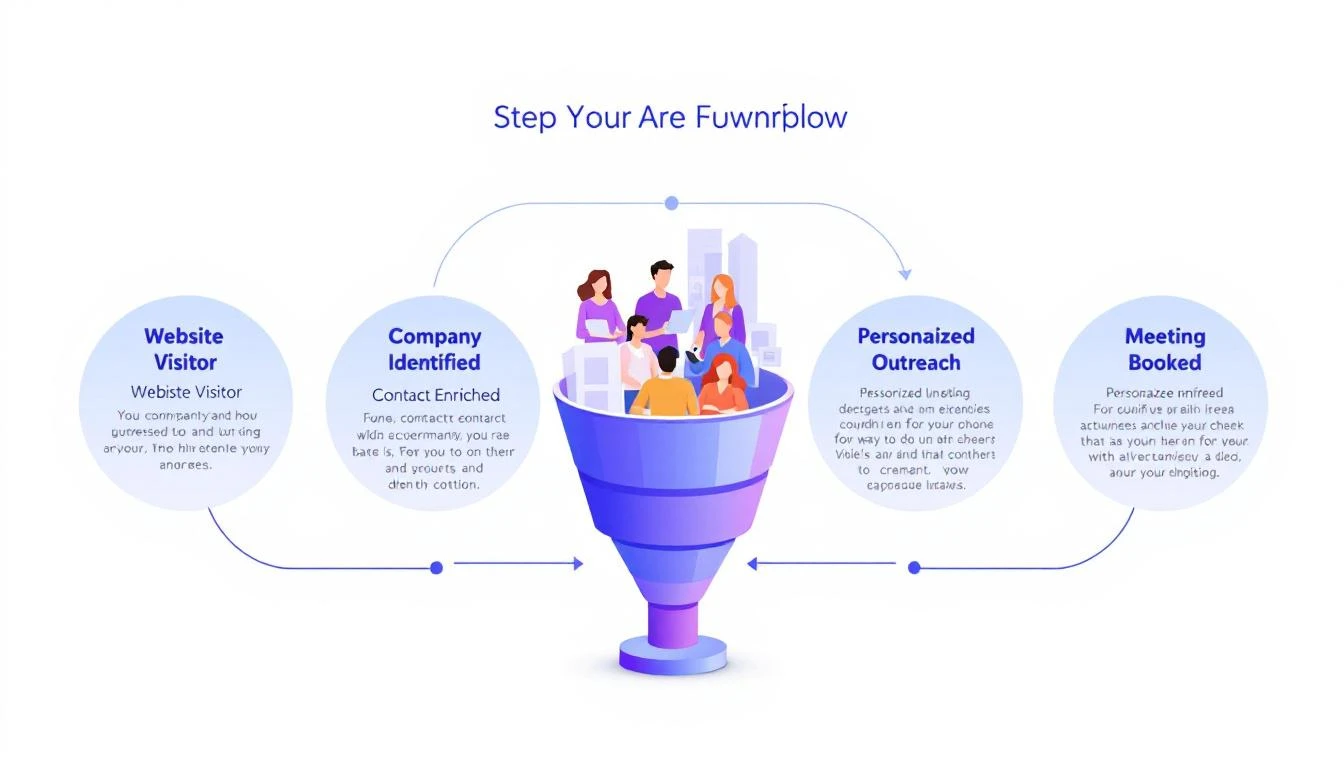
This guide walks you through a repeatable 5-step workflow that takes you from anonymous website traffic to a booked meeting — consistently, in under 24 hours.
Before we fix the workflow, let's understand why it breaks.
The typical visitor ID program looks like this:
Install a pixel on your website
Wait for data to populate a dashboard
Check the dashboard (maybe once a day, maybe once a week)
See a list of companies — some recognizable, most not
Feel overwhelmed by the volume and close the tab
The gap between "identified" and "contacted" is where pipeline goes to die. According to research from Opensend, IP-to-company matching delivers 70–80% accuracy for B2B identification. That means the identification layer works. But identification without action is just expensive analytics.
Three structural problems kill most visitor ID programs:
1. No prioritization framework. Not every visitor is equal. Someone who spent 12 minutes on your pricing page and came back twice is a completely different signal than a bot crawler hitting your homepage for 3 seconds. Without scoring, every lead looks the same.
2. No enrichment workflow. Visitor ID gives you the company. You need the person. That means enrichment — finding the right contacts, their roles, their email addresses, their LinkedIn profiles. Doing this manually for 50+ identified companies per day isn't realistic.
3. No speed. The data that speed-to-lead research has proven for years applies here: 78% of buyers choose the vendor that responds first. If you're checking your visitor dashboard on Monday morning and reaching out Tuesday afternoon, your competitor who automated the response already booked the meeting.
Here's the workflow that actually converts. Each step builds on the previous one, and the entire process should take less than 24 hours from first visit to first outreach.
Step 1: Identify and Filter (Automated — 0 Minutes)
Your visitor identification tool captures company-level data: company name, industry, size, pages visited, time on site, and session frequency.
But raw visitor data is noise. You need a filter.
Set up qualification criteria before you start outreach:
Signal
Weight
Why It Matters
Visited pricing page
High
Active buying signal
Returned 2+ times in 7 days
High
Persistent interest
Spent 5+ minutes on site
Medium
Engaged, not bouncing
Company size matches ICP (50–500 employees)
High
Right fit
Viewed product/feature pages
Medium
Evaluating capabilities
Homepage only, single visit
Low
Could be anything
Blog post only, single visit
Low
Content consumer, not buyer
The rule: Only pass visitors that hit at least two "High" signals or one "High" plus two "Medium" signals to the enrichment step. Everything else goes into a nurture bucket.
This filter alone eliminates 60–70% of noise and lets your team focus on the visitors who are actually evaluating solutions.
If you're using a platform with a daily SDR playbook, this filtering happens automatically. The playbook surfaces the visitors worth contacting, ranked by intent strength, so your reps don't waste time sorting through raw lists.
Step 2: Enrich to Contact Level (5–10 Minutes per Account)
Company-level identification is necessary but insufficient. You need names.
The enrichment workflow:
Identify the buying committee. For a B2B SaaS sale, this typically includes:
The end user (SDR Manager, Demand Gen Manager)
The economic buyer (VP Sales, VP Marketing, CRO)
The technical evaluator (RevOps, Sales Ops)
Find 2–3 contacts per identified company. Don't email one person and hope for the best. Multi-thread from the start.
Gather enrichment data for each contact:
Work email (verified, not guessed)
LinkedIn profile URL
Current role and tenure
Recent activity (job change, promotion, company news)
The best lead enrichment tools can do this in seconds. Manual research on LinkedIn Sales Navigator takes 5–10 minutes per account. At scale, you need automation — researching 20 accounts manually every day burns 2+ hours that your SDR should spend on actual conversations.
Pro tip: Prioritize contacts who recently changed jobs. Job change signals are one of the strongest buying indicators — someone new in a role is 5x more likely to purchase new tools in their first 90 days. If your visitor ID catches a company where the VP Sales just started 2 months ago, that's a red-hot lead.
Step 3: Build Hyper-Personalized Context (10 Minutes per Account)
This is where most teams fail. They skip this step entirely and send generic outreach. Don't.
Here's the context you need to build for each qualified, enriched account:
From your visitor data:
What specific pages did they visit? (This tells you their pain)
How long did they spend? (This tells you their urgency)
Did they return multiple times? (This tells you they're evaluating)
What content did they engage with? (This tells you their knowledge level)
From enrichment data:
What does this person's LinkedIn say about their priorities?
Has their company raised funding, made acquisitions, or announced growth?
Are they hiring for roles that indicate the problem you solve?
Combine into a "context brief":
"Sarah, VP Sales at Acme Corp (150 employees, SaaS). Visited pricing page + visitor ID feature page 3 times in 5 days. Company just raised Series B. Currently hiring 4 SDRs. Sarah joined 3 months ago from Gong."
That brief takes 10 minutes to build. But it gives your SDR everything they need to write outreach that feels personal — because it is personal.
This is fundamentally different from the "I noticed your company visited our website" approach. You're not leading with surveillance. You're leading with relevance.
Step 4: Execute Multi-Channel Outreach (15–20 Minutes per Account)
Single-channel outreach is dead. Email-only response rates hover around 1–2% for cold outreach. But research from SalesHive shows that multi-channel sequences — layering email, phone, and LinkedIn — can drive up to 287% more engagement and 300% more conversions compared to email alone.
Here's a 5-touch sequence framework for visitor-sourced leads:
Day 1 (within 4 hours of identification):
LinkedIn: Connect with a personalized note referencing their role, not your product
Email #1: Reference the specific problem your visitor data suggests, share a relevant insight
Day 2:
Phone call: Direct dial. Reference the email. Keep it to 30 seconds — the goal is a conversation, not a pitch
Day 4:
Email #2: Share a customer story from a similar company/industry. Include a specific metric
Day 7:
LinkedIn: Engage with their content (comment, like). Send a follow-up message referencing something they posted
Day 10:
Email #3: "Break-up" email. Direct ask: "Is this a priority for your team right now, or should I check back in Q3?"
Critical rules:
Never mention you saw them on your website. It feels invasive. Instead, reference the problem their behavior suggests
Lead with value, not features. "Companies your size typically lose 35% of leads to slow response time" beats "We have an AI chatbot"
Personalize every touch. If your email could be sent to 100 people without changing a word, it's not personalized enough
Email deliverability matters more than email volume. A 95% delivery rate beats a 70% delivery rate with 3x the sends
For teams running this at scale, multi-channel orchestration platforms automate the timing and channel switching. The SDR's job shifts from "manage the sequence" to "have the conversation when someone responds."
25% of conversations convert to meetings = 3 meetings per month
Three meetings per month from a channel that didn't exist before. At a $30K ACV with a 25% close rate, that's $22,500 in new annual revenue per month — from website traffic you were already getting.
Scale the inputs (more traffic, better content driving ideal visitors to high-intent pages) and the math compounds. Companies running this workflow consistently report visitor-sourced pipeline becoming 15–30% of total pipeline within 6 months.
Compare this to the industry average: SDRs book 15 meetings per month across all channels. Adding 3 high-quality, warm meetings from visitor data is a 20% lift — from prospects who already showed buying intent by visiting your site.
Visitor ID: Leadfeeder, RB2B, or Clearbit Reveal ($200–$1,000/mo)
Enrichment: Apollo, ZoomInfo, or Cognism ($500–$2,500/mo)
Sequencing: Outreach, SalesLoft, or Instantly ($100–$500/mo per seat)
CRM: HubSpot or Salesforce ($50–$300/mo per seat)
LinkedIn: Sales Navigator ($100/mo per seat)
Total: $1,000–$5,000/mo + significant integration and workflow management time
The DIY approach works, but you're stitching together 5 tools, managing data flow between them, and relying on your SDR to manually connect signals to actions. The real cost of a B2B sales tech stack often exceeds what teams budget.
The all-in-one approach:
Platforms like MarketBetter consolidate visitor identification, enrichment, outreach, and a daily SDR playbook into one workspace. The visitor shows up, gets scored, contacts get enriched, and a prioritized task with personalization context lands in the SDR's daily playbook — automatically.
The difference isn't just cost. It's time-to-action. In the DIY stack, the handoff between identification and outreach takes hours or days. In a consolidated platform, it takes minutes.
Mistake 1: Treating every visitor equally.
Fix: Implement the scoring framework from Step 1. Your pricing page visitor and your blog reader are not the same lead.
Mistake 2: Leading with "I saw you on our website."
Fix: Never reference the visit directly. Lead with the problem your data suggests they have. "Companies scaling their SDR team often struggle with..." is better than "I noticed your team was on our site."
Mistake 3: Single-threaded outreach.
Fix: Always contact 2–3 people per company. If the VP ignores you, the Director might not. Multi-threading increases deal velocity by 25-40% across industries.
Mistake 4: Waiting too long.
Fix: First outreach within 4 hours of identification. The speed-to-lead data is unambiguous — response in the first 5 minutes is 21x more effective than responding after 30 minutes.
Mistake 5: No feedback loop.
Fix: Review metrics weekly. If reply rates drop below 3%, your personalization needs work. If meetings drop off, your qualification criteria are too loose.
Website visitor identification isn't a strategy. It's an ingredient. The strategy is the workflow that turns that ingredient into pipeline.
The 5-step workflow — Identify → Enrich → Contextualize → Execute → Iterate — gives you a repeatable process for converting anonymous interest into booked meetings. The teams that do this well don't just have better tools. They have better systems.
Most of your competitors have visitor ID installed. Almost none of them have a systematic workflow for acting on the data. That's your advantage — if you actually build the workflow.
Ready to see how MarketBetter automates this entire workflow?Book a demo and see your visitor data turned into a prioritized SDR playbook — automatically.
A post by Christian (@coldemailchris) recently went viral on LinkedIn. He laid out a detailed five-step system for building a "GTM machine" — the complete go-to-market engine that turns content into pipeline into revenue.
It's a genuinely great playbook. Thoughtful. Detailed. Battle-tested.
There's just one problem: it requires 15+ separate tools to run.
Clay. Trigify. Apollo. TweetHunter. Taplio. EmailBison. ScaledMail. HeyReach. Readymode. MasterInbox. OutboundSync. Fireflies. And more.
That's 15+ subscriptions. 15+ logins. 15+ points of failure. And as Christian himself admits:
"What makes it hard is getting all five running simultaneously without any of them breaking down."
Exactly. The strategy is sound. The execution is a nightmare — because you're orchestrating a Frankenstein stack held together by Zapier glue and prayer.
What if you could build the same GTM machine with one platform?
That's not hypothetical. That's what MarketBetter was built for.
Let's walk through Christian's five-step framework and show how each one maps to a single, integrated platform — no duct tape required.
Christian's approach: Use TweetHunter and Taplio for social content. Build a content flywheel that drives inbound traffic and positions you as a thought leader.
The tools he needs: TweetHunter ($49/mo), Taplio ($49/mo), a blog platform, SEO tools.
What this costs: ~$150-200/mo minimum, plus the time to manage multiple content workflows.
MarketBetter's AI SEO engine generates blog content that actually ranks — not fluffy AI slop, but targeted, keyword-optimized posts built around your ICP's search intent. Your blog becomes a 24/7 inbound lead magnet.
But here's what makes it different from bolting together separate tools: the content engine is connected to everything else. When a blog post drives traffic, MarketBetter's Website Visitor Identification captures who visited. That visitor flows directly into your prospecting pipeline. No export. No import. No CSV gymnastics.
Content → visitors → identified leads → outreach. One flow. One platform.
Christian's approach: Use Trigify to capture LinkedIn engagement signals. Use Clay to enrich those signals into actionable prospect data. Monitor who's engaging with competitor content, hiring for relevant roles, or showing buying intent.
The tools he needs: Trigify ($300/mo), Clay ($300-500/mo), additional data providers.
What this costs: ~$600-800/mo for basic signal capture and enrichment.
This is where the consolidation story gets powerful.
Website Visitor Identification reveals the actual people visiting your site — not just companies, but individual contacts with name, title, email, and company data. These are high-intent signals. Someone reading your pricing page or case studies is telling you they're in-market.
The MarketBetter Chrome Extension takes it further. When you're on LinkedIn, it captures profile data, enriches contacts in real-time, and lets you add prospects directly to your outreach sequences. See someone engaging with a competitor's post? One click. They're enriched and in your pipeline.
No Trigify. No Clay. No building waterfall enrichment workflows with 6 data providers and hoping the API credits don't run out.
The key difference: In Christian's stack, intent signal capture and enrichment are separate systems that need to be wired together. In MarketBetter, they're the same system. The signal is the enrichment is the action.
Christian's approach: Use Apollo for prospecting database access. Use Clay for enrichment and data waterfall. Use niche scrapers for specific verticals. Build lists, clean them, enrich them, and push them to outbound tools.
The tools he needs: Apollo ($100-400/mo), Clay ($300-500/mo), niche scrapers ($50-200/mo), email verification tools ($50/mo).
What this costs: ~$500-1,100/mo, plus significant manual time for list hygiene.
MarketBetter's prospecting and enrichment engine combines database access, contact enrichment, and email verification in one workflow.
Search by industry, company size, job title, technology stack, funding stage, and more. Enrich with verified emails, phone numbers, LinkedIn URLs, and firmographic data. Build lookalike audiences from your best customers to find more prospects who match your ideal profile.
No exporting from Apollo, importing into Clay, running enrichment waterfalls, exporting again, and importing into your email tool. That game of data hot potato is over.
Everything stays in one system. Your list is built, enriched, verified, and ready for outreach — without leaving the platform.
Pro tip: MarketBetter's lookalike feature analyzes your closed-won deals and finds companies with matching characteristics. It's like Apollo's search but starting from what actually converts, not just what looks good on paper.
Christian's approach: Multi-channel outbound using EmailBison or ScaledMail for cold email infrastructure, HeyReach for LinkedIn outreach, Readymode for cold calling, and MasterInbox for deliverability management.
The tools he needs: EmailBison/ScaledMail ($100-300/mo), HeyReach ($200-400/mo), Readymode ($200-400/mo), MasterInbox ($50-100/mo).
What this costs: ~$550-1,200/mo for multi-channel outbound infrastructure.
This is where most GTM stacks become genuinely painful. You're managing cold email sending infrastructure in one tool, LinkedIn sequences in another, phone outreach in a third, and deliverability monitoring in a fourth. Every channel is a separate tab, separate login, separate reporting system.
MarketBetter consolidates all three channels:
Email Automation: Multi-step email sequences with AI personalization. Warmup, rotation, and deliverability management built in. Not bolted on — built in.
Smart Dialer: Power dialing with AI call analysis and automatic CRM logging. Your SDRs click a button and start calling their prioritized list. No switching to Readymode. No copying prospect data between systems.
LinkedIn Outreach via Chrome Extension: Connection requests, follow-ups, and profile engagement — managed from the same sequence as your emails and calls.
One sequence. Three channels. One dashboard. Your SDR sees a unified task list, not 20 open tabs.
Christian mentions the importance of speed-to-lead — responding within 5 minutes of a buying signal. That's nearly impossible when your signal detection (Trigify) is disconnected from your outreach tools (EmailBison, HeyReach, Readymode). By the time the data flows through Zapier automations and webhook relays, the moment is gone.
In MarketBetter, a website visit or LinkedIn engagement triggers an instant task in the SDR's Daily Playbook. Signal → action in seconds, not minutes.
Christian's approach: Use OutboundSync for CRM syncing. Use Fireflies or similar for call transcription. Manual follow-up workflows. Pipeline management across disconnected systems.
The tools he needs: OutboundSync ($100-200/mo), Fireflies ($50-100/mo), CRM integration middleware (~$50-100/mo).
What this costs: ~$200-400/mo, plus the hidden cost of data silos and broken workflows.
Daily SDR Playbook: Every morning, your SDR opens one screen and sees exactly what to do. Follow-up calls. Email replies to handle. New intent signals to act on. Overdue tasks. It's a prioritized, AI-driven task list that replaces the chaos of checking 5 different tools to figure out what needs attention.
AI Chatbot: When prospects engage with your site outside business hours, the AI chatbot qualifies them, answers questions, and books meetings — automatically. That 5-minute speed-to-lead standard? The chatbot handles it at 3 AM on a Sunday.
CRM Integrations: Native connections to HubSpot, Salesforce, and Pipedrive. Activities sync automatically. No OutboundSync. No middleware. No "why isn't this showing up in the CRM?" debugging sessions.
Conversation Analytics: Call recordings are automatically transcribed and analyzed. Key moments, objections, and next steps are extracted. No separate Fireflies subscription needed.
Failure cost: When one integration breaks, the whole machine stops
MarketBetter: $99/seat/month. All five steps. One login. One vendor. One invoice.
For a team of 3 SDRs, that's $297/mo vs. $2,000-3,750/mo. That's 85-92% cost savings before you even account for the productivity gains of not context-switching between 15 tools.
Cost isn't even the biggest issue. The biggest tax is cognitive load.
When an SDR has to check Trigify for signals, Apollo for data, EmailBison for email performance, HeyReach for LinkedIn responses, and Readymode for call tasks — all before 9 AM — they're spending their best energy on finding work, not doing work.
Christian's playbook is brilliant strategy. But the execution model — 15 tools running simultaneously without breaking down — is a full-time ops job. You don't need a RevOps person to manage your GTM machine. You need a GTM machine that manages itself.
Go from 20 tabs to one SDR task list.
That's the MarketBetter promise. Not fewer features. The same features — content, signals, lists, outbound, revops — minus the integration tax, the vendor management, and the 3 AM "Zapier broke and no emails went out" panic attacks.
Let's be fair: the 15-tool approach has advantages for certain teams.
If you're a large enterprise with a dedicated RevOps team, budget for best-of-breed tools, and the engineering resources to maintain custom integrations — building a curated stack might make sense. You can optimize each layer independently and hire specialists for each tool.
But if you're a startup, SMB, or growth-stage company where SDRs need to move fast, budgets are real, and nobody has time to debug why Clay isn't syncing with EmailBison — consolidation isn't a compromise. It's a competitive advantage.
The companies closing deals fastest in 2026 aren't the ones with the most tools. They're the ones with the fewest tabs open.
Book a demo and see the entire 5-step GTM system running in one platform. We'll map your current stack, show you what you can consolidate, and calculate your real TCO savings.
No 15 tools. No Zapier glue. No broken integrations at 3 AM.
Outbound sales isn't dying. Bad outbound is dying.
The spray-and-pray era is officially over. In 2026, sending 500 generic emails per day and hoping for 2 replies isn't a strategy — it's spam. Cold calling from a random list without context isn't prospecting — it's harassment.
But signal-driven, multi-channel outbound? It's generating more pipeline than ever for teams who do it right.
This guide is the playbook we've seen work across hundreds of B2B SDR teams. Not theory — execution.
The old way: Buy a list of 10,000 contacts. Blast a 5-email sequence. Celebrate 0.3% reply rate.
Why it fails now: Email deliverability algorithms have evolved. ESPs like Google and Microsoft now use engagement signals (opens, replies, complaints) to determine inbox placement. High-volume, low-engagement sending tanks your domain reputation. Your emails land in spam. Your domain gets blacklisted. Game over.
The old way: Email-only outbound. Maybe LinkedIn InMail as a "multi-channel" afterthought.
Why it fails now: Decision-makers average 300+ emails per day. Your cold email competes with 50 other vendors, 100 internal emails, and an AI assistant that's pre-filtering their inbox. Email alone can't cut through.
The old way: Target anyone who matches your ICP. Company size, industry, title — that's the targeting.
Why it fails now: ICP fit is necessary but not sufficient. You need timing signals — is this person actually in-market right now? Reaching the right person at the wrong time is the same as reaching the wrong person.
The old way: SDRs manually research each prospect, write each email, log each activity, update the CRM, and figure out who to call next.
Why it fails now: An SDR who spends 70% of their time on non-selling activities can't compete with one who spends 70% selling. AI has made the manual approach a competitive disadvantage, not just an inefficiency.
Visiting your website (website visitor identification)
Engaging with competitor content
Searching for solutions you provide (intent data)
Job postings for roles your product supports
Champion movement (former customer changed companies)
Layer 3: Contextual triggers (relevance)
Recent funding round
New executive hire (especially VP Sales, CRO, CMO)
Merger/acquisition
Conference attendance
Product launch or expansion into new markets
Most teams stop at Layer 1. The best teams combine all three to create a dynamic ICP that surfaces prospects who are ready to buy right now — not just companies that could theoretically buy someday.
How to implement this:
Use a website visitor identification tool (like MarketBetter) to capture Layer 2 signals automatically
Set up Google Alerts and LinkedIn Sales Navigator alerts for Layer 3 triggers
Score leads based on signal density: firmographic fit + behavioral signal + contextual trigger = highest priority
Step 2: Build a Multi-Channel Sequence Architecture
The days of "5-email cadence" are over. Modern outbound requires coordinated touches across 3-4 channels:
Day 1: LinkedIn connection request (personalized note)
Day 2: Email #1 (problem-focused, not product-focused)
Day 3: Phone call #1 (reference the email)
Day 5: LinkedIn comment on their recent post
Day 7: Email #2 (case study or relevant data point)
Day 10: Phone call #2 (voicemail if no answer)
Day 12: Email #3 (direct ask for 15 minutes)
Day 15: LinkedIn message (different angle)
Day 20: Email #4 (breakup email)
Day 25: Phone call #3 (final attempt)
Key principles:
Never lead with product. Lead with a problem you've seen in their industry.
Each touch adds new information. Don't repeat yourself across channels.
Phone follows email. "Hey, I sent you something yesterday about [topic]" is 3x more effective than a cold call with no context.
LinkedIn warms up email. Prospects who've seen your LinkedIn activity are 5x more likely to reply to your email.
Step 3: Personalize at Scale (Without Spending 30 Minutes Per Email)
Personalization at scale is the holy grail of outbound. Here's the framework:
The 3-Layer Personalization Model:
Layer 1: Segment-level (60% of emails)
Customized by industry + role + company size
Template-based with dynamic variables
Takes 0 minutes per email (automated)
Layer 2: Account-level (30% of emails)
References specific company news, technology, or pain points
Semi-automated with AI research assistance
Takes 2-3 minutes per email
Layer 3: Person-level (10% of emails)
References individual posts, career moves, mutual connections
Fully manual, reserved for highest-value prospects
Takes 5-10 minutes per email
The mistake most teams make: Trying to do Layer 3 for every email. That's unsustainable. Instead, batch your prospects:
Tier 1 (top 10%): Full Layer 3 personalization — these are your dream accounts
Tier 2 (middle 30%): Layer 2 personalization — good fit, worth the extra effort
Tier 3 (bottom 60%): Layer 1 personalization — ICP fit but no strong signals yet
This tiered approach lets a single SDR effectively work 200-300 prospects per month while maintaining quality for the highest-value targets.
Step 4: Use AI to Eliminate Non-Selling Activities
That's 80% non-selling activity. AI in 2026 can compress most of that:
AI for research: Tools like MarketBetter's Daily Playbook automatically research prospects and surface relevant talking points. What used to take 15 minutes per prospect now takes 15 seconds.
AI for email personalization: AI drafts personalized emails based on prospect data, company news, and engagement history. SDRs review and send, not write from scratch.
AI for activity logging: Modern platforms auto-log emails, calls, and LinkedIn touches. Zero manual CRM updates.
AI for prioritization: Instead of SDRs deciding who to call, AI scores and ranks prospects based on intent signals, engagement, and fit. The rep opens their dashboard and sees a prioritized task list.
AI for call coaching: Real-time coaching during calls — suggest responses, flag competitor mentions, surface relevant case studies.
The result: SDRs flip from 20% selling time to 60%+ selling time. Same headcount, 3x output.
Most outbound emails fail because they talk about the product instead of the problem. Use the PAS framework:
Problem → Agitation → Solution
Bad email (product-focused):
Hi Sarah, I'm reaching out from [Company]. We offer an AI-powered sales platform with visitor identification, email automation, and a smart dialer. Would you like to see a demo?
Good email (problem-focused):
Hi Sarah, I noticed [Company] has 8 open SDR positions. Scaling from 5 to 13 reps usually means one thing: your current process breaks. The playbooks that worked with 5 reps — manual research, gut-feel prioritization, ad-hoc follow-ups — fall apart at 13.
We helped [Similar Company] go through the same transition. They went from 20 tabs per rep to a single daily task list. Reply rates went up 40% while the team doubled.
Worth 15 minutes to see how they did it?
The difference: The first email tells Sarah about you. The second email tells Sarah about Sarah. Prospects don't care about your features — they care about their problems.
Messaging frameworks by buyer persona:
Persona
Primary Pain
Message Angle
VP Sales
SDR productivity, pipeline coverage
"Your SDRs spend 70% of their time NOT selling"
SDR Manager
Rep ramp time, activity quality
"New reps at full productivity in 2 weeks, not 2 months"
The difference between good and great outbound teams is their speed of iteration:
Weekly sequence reviews:
Which sequences have the highest positive reply rates?
Which email in the sequence gets the most engagement?
Where do prospects drop off?
What objections keep coming up?
Monthly ICP validation:
Are the meetings we're booking converting to pipeline?
Which segments have the highest conversion rates?
Should we expand or narrow our targeting?
Quarterly strategy reviews:
Is our cost per meeting trending down?
Are new channels worth testing?
How has the competitive landscape shifted?
Do we need to adjust our messaging framework?
The compounding effect: Teams that run weekly sequence reviews for 6 months typically see 2-3x improvement in reply rates. Each iteration makes the next one more effective.
The ideal stack eliminates category overlap. If your SDR platform includes a dialer, don't buy a separate dialer. If it includes email sequences, don't layer on Outreach. Tool sprawl is the enemy of SDR productivity.
The data: 80% of deals require 5+ touches before a prospect engages. Most SDR teams give up after 3.
The fix: Build sequences with 10+ touches across multiple channels. The breakup email (touch 8-10) often gets the highest reply rate because it creates urgency.
The data: Prospects who visited your website are 7x more likely to take a meeting than cold prospects.
The fix: Build a separate, accelerated sequence for warm prospects (website visitors, content engagers, event attendees). These should get touches within hours, not days.
The data: Companies with aligned sales and marketing teams see 38% higher win rates.
The fix: Share marketing's content calendar with the SDR team. When marketing runs a campaign about [topic], SDRs should be reaching out to prospects interested in that topic.
Mistake 5: Hiring more SDRs instead of enabling existing ones
The data: Improving SDR efficiency by 30% is equivalent to adding 3 reps to a team of 10 — without the salary, ramp time, or management overhead.
The fix: Before hiring, maximize the output of your current team with better tools, better data, and better processes. Often, 5 enabled SDRs outperform 10 unsupported ones.
Outbound sales in 2026 rewards precision over volume, signals over spray, and AI-augmented reps over brute-force headcount. The playbook is:
Layer your ICP with firmographic fit + behavioral signals + contextual triggers
Coordinate across channels — email, phone, LinkedIn, gifting
Personalize in tiers — deep for dream accounts, efficient for the rest
Deploy AI for the 80% that isn't selling
Lead with problems, not products
Measure cost per meeting, not activities
Iterate weekly on sequences, messaging, and targeting
The teams that win at outbound in 2026 aren't sending more emails. They're sending better emails to the right people at the right time.
Ready to see how AI-powered outbound actually works? Book a demo with MarketBetter and see how the Daily SDR Playbook turns intent signals into booked meetings — automatically.
Overcoming sales objections isn't about having the perfect comeback for everything. It’s the art of turning a prospect’s hesitation into a real conversation. The difference between average and elite performers is that the latter treats an objection not as a rejection, but as a request for more information.
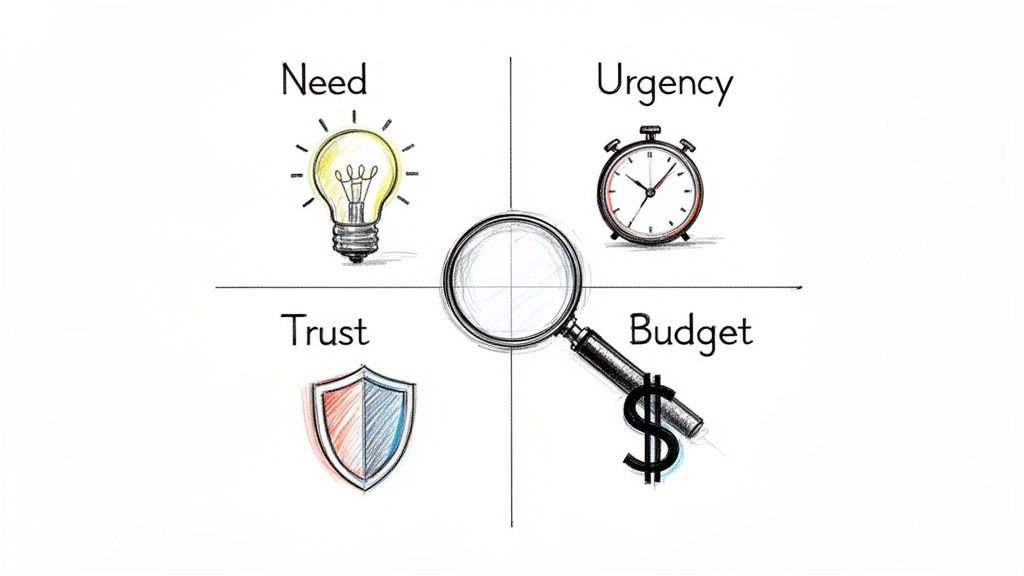
The whole game is about diagnosing the true concern—is this really about need, urgency, trust, or budget?—and addressing that with genuine understanding. Forget the scripted rebuttals. An actionable approach means listening first, then guiding the conversation based on what you hear.
This is where most reps get it wrong. They treat objections like roadblocks to bulldoze through. They hear "it's too expensive" and immediately launch into a defense of the price. That reactive approach just creates friction and misses the entire point. In contrast, an actionable, diagnostic approach builds trust.
A sales objection isn't a "no." It's an invitation to dig deeper. When a prospect raises a concern, they're handing you a clue about what’s holding them back. Your first job isn't to talk—it's to listen and diagnose.
Think about the difference between a generic, scripted response and a tailored, diagnostic one. A generic script is like a one-size-fits-all prescription; it rarely addresses the specific ailment. Top-performing reps act more like a doctor; they ask questions to understand the root cause before recommending a solution.
This diagnostic mindset is everything in modern objection handling.
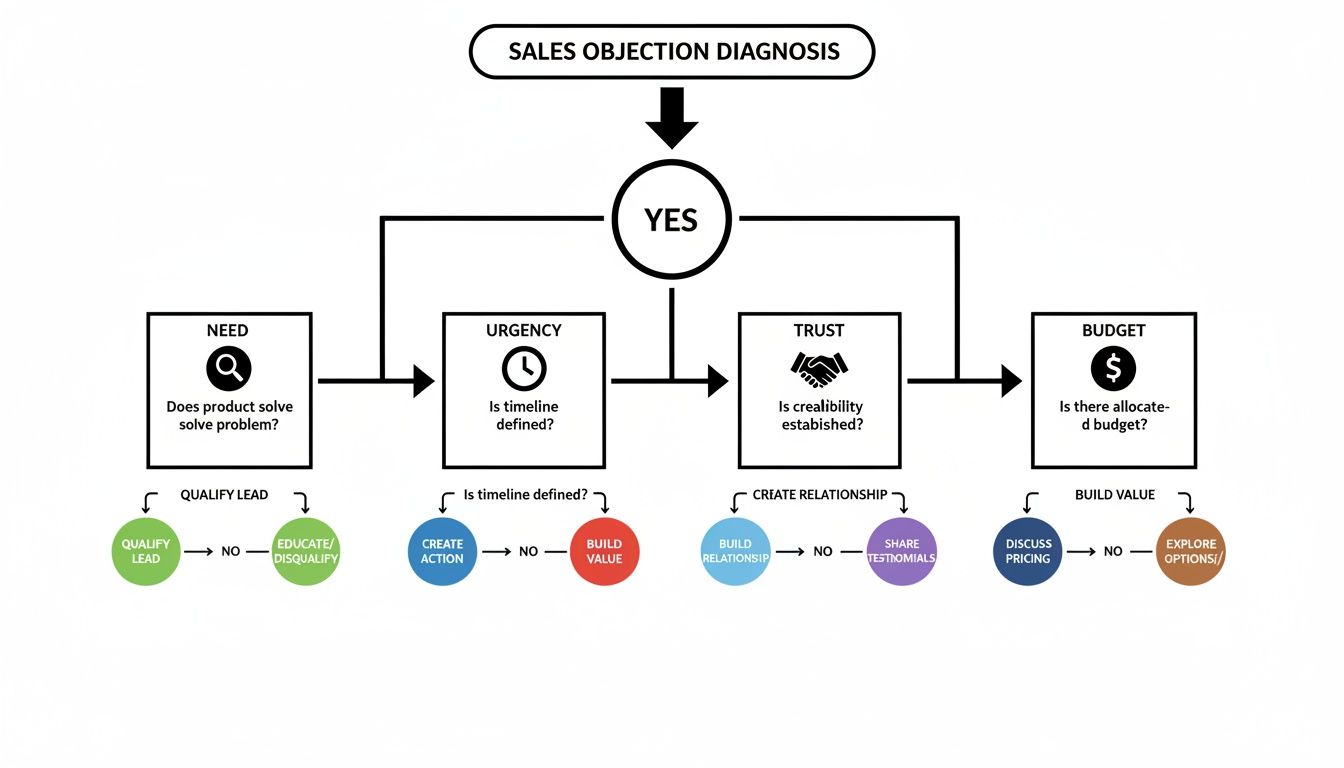
Instead of trying to memorize dozens of canned responses, focus on categorizing pushback into four fundamental types. This actionable step makes your life way simpler and helps you get to the heart of the issue fast.
You’ll find nearly every objection falls into one of these buckets:
Need: The prospect just doesn't see how your solution solves a problem they actually care about.
Urgency: They might see the problem, but don’t think it’s pressing enough to solve right now.
Trust: The prospect is skeptical of you, your company, or the results you're promising.
Budget: They believe the financial investment is bigger than the value they'll get in return.
This decision tree gives you a simple flow for slotting objections into these four core types.
When you can visualize the path from hearing an objection to pinpointing its true nature, you train yourself to pause and think strategically instead of just reacting. This is a practical, actionable skill that improves with every call.
Diagnosing the Four Core Types of Sales Objections
Here’s a quick cheat sheet to help you categorize pushback on the fly and figure out what’s really going on under the surface. This turns diagnosis into a repeatable action.
Objection Type
Common Phrases You'll Hear
What It Really Means
Your Actionable Goal
Need
"We don't need this." "We're happy with what we have."
"I don't see a problem big enough to solve." "You haven't connected to my pain."
Uncover a hidden or undervalued business pain. Connect your solution to their goals.
Urgency
"Call me next quarter." "Now isn't a good time."
"This isn't a top priority." "I have bigger fires to put out right now."
Attach a real cost to their inaction. Show them why waiting is more painful than acting.
Trust
"I've never heard of you." "Send me some info."
"I'm not sure if you're credible." "Can your solution actually deliver?"
Build credibility with social proof, relevant case studies, or a low-risk next step.
Budget
"It costs too much." "It's not in the budget."
"I don't see enough value to justify the price." "The ROI isn't clear to me."
Reframe the conversation around value and return on investment, not just price.
Once you get good at this, you'll stop hearing objections and start seeing opportunities to clarify your value.
The data backs this up: the best reps diagnose, they don't just react. An analysis by Gong found that just five common sales objections account for a massive 74% of all objections. The biggest one? Situational issues like timing, which make up 42.6% of the total.
For B2B tools like marketbetter.ai's AI-powered SDR engine, which plugs right into Salesforce and HubSpot, those "not right now" objections are best handled with a bit of patience.
High-performing reps pause an average of 2.5 seconds longer after an objection before they say a word. In contrast, low-performers often jump in immediately. That pause gives them just enough time to process the real concern. You can find more insights on this at Leads at Scale.
The goal isn't to win an argument; it's to understand the hesitation. An objection is just a signal that there's a gap—in understanding, value, or trust. Your job is to find that gap and help the prospect cross it.
Once you’ve figured out what kind of objection you're dealing with, you need a reliable, actionable framework to frame your response. This isn't about memorizing a magic phrase. It's about having a process that turns a defensive moment into a productive conversation.
If you just react with a counterpoint, you almost always lose. Why? Because it immediately puts you and the prospect on opposite sides of the table. A confrontational approach versus a collaborative one yields drastically different results.
The goal is to shift from a monologue to a dialogue. Instead of just pushing back, the best frameworks help you unpack the prospect's real concern with them. That's how you build trust and get to the heart of the issue.
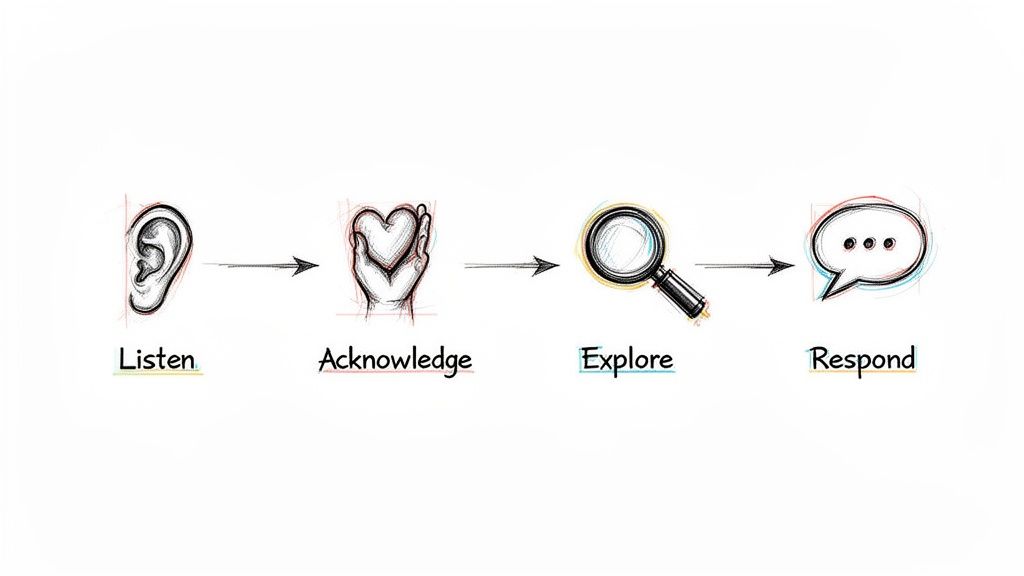
One of the most effective and easy-to-remember frameworks I’ve seen is LAER: Listen, Acknowledge, Explore, Respond. It's a simple, four-part process that forces you to understand before you try to be understood.
Let's break it down into actionable steps:
Listen: This is more than just staying quiet while the prospect talks. It’s actively processing what they’re saying—and what they aren't saying. Don't plan your rebuttal. Just listen until they are completely finished. Action: Mute yourself to resist interrupting.
Acknowledge: Verbally confirm you heard their concern. You're not agreeing with them; you're just showing them you were paying attention. Action: Use phrases like, "That's a fair point," or "I can see why you'd feel that way." This simple step works wonders to disarm tension.
Explore: This is the most important step, and it's the one most reps skip. Before you jump in with a solution, ask a few clarifying questions to dig deeper. Action: Ask an open-ended question like, "Could you tell me more about that?" This is where you find the root cause hiding behind that initial objection.
Respond:Only after you’ve listened, acknowledged, and explored should you offer a concise, relevant response. This response should address the real issue you just uncovered, not the smoke screen they threw up first.
This structure stops you from making the classic mistake: responding to the surface-level objection instead of the problem underneath.
A knee-jerk reaction almost always sounds defensive. It immediately tries to discredit the competitor or force a feature-by-feature comparison, which just creates friction and shuts the conversation down.
SDR:"Actually, we're a lot different. Our AI engine is built directly into Salesforce, which means your reps never have to leave their workflow. We also provide much better task prioritization."
This response fails because it assumes the prospect cares about your features without first understanding their world. It’s a monologue, not a dialogue. It completely blows past the Listen, Acknowledge, and Explore steps.
A strong response uses LAER to open up the conversation and re-center it around the prospect's problems, not your product's bells and whistles.
SDR:
(Listen):[Pauses, lets the prospect finish their thought.]
(Acknowledge):"That’s great to hear you have a solution in place that you're happy with. Makes total sense to stick with what's working."
(Explore):"Just so I understand a bit better, how is your team currently handling the handoff from identifying an account to a rep actually making the first call or sending the first email? How do they decide what to do next?"
(Respond):"Got it. The reason I ask is that many teams we work with also use a sales engagement tool, but they use MarketBetter as the 'brain' inside Salesforce that tells reps which tasks to execute and when, ensuring they act on the most important signals without manual work."
The difference is night and day. The LAER response validates the prospect, asks an intelligent, actionable question that gets them thinking, and then gently pivots to a unique value prop that complements, rather than attacks, their current setup.
This is how you transform overcoming sales objections from a battle into a collaborative discovery process.
Handling Price Objections and Competitor Mentions
Alright, let's talk about the two objections that make even seasoned SDRs break a sweat: price and the competitor card. These aren't just simple brush-offs; they feel like a direct shot at your product's value. But here’s the secret: the best reps don't get defensive. They get curious.
When a prospect says, "it's too expensive," your gut reaction is probably to jump in and justify the cost. Don't do it. That objection is almost never about the number itself. It’s a huge flashing sign that you haven't connected that number to a big enough problem.
Your job is to pivot the entire conversation away from cost and toward the cost of doing nothing. Stop defending your price tag and start getting them to calculate the price they’re already paying by ignoring the problem. This single, actionable move reframes the whole discussion from an expense into an investment.
Here's how you make that happen:
Find the Value Gap: Ask questions that put a number on their current pain. "What's the real cost of an SDR spending five hours a week just logging activities in the CRM instead of actually calling prospects?"
Turn Time into Dollars: Connect that operational drag to a real financial outcome. A great follow-up is, "If each of your SDRs could make 50 more calls every week, what would that realistically do to your pipeline?"
Focus on ROI, Not Price: Position your solution as the bridge from their current, expensive reality to a much more profitable one.
Price objections pop up all the time, but they're usually just a smokescreen for a value gap. The data is clear: reps who successfully reframe these moments around ROI close deals 2.3x more effectively. A Harte Hanks study analyzing thousands of sales calls found that pricing came up in over 30% of conversations. This is especially true in crowded markets where prospects are quick to say, "We already have Outreach or Salesloft."
For a tool like MarketBetter.ai, the response has to be grounded in hard numbers. We know our AI-driven workflows slash manual prep time by hours every day, freeing reps up for 20-30% more outbound actions.
Navigating the "We Already Use a Competitor" Objection
This one feels like hitting a brick wall, but it’s actually a huge opportunity. The prospect just confirmed they have the problem your product solves. Your mission isn't to tear down their current tool; it's to find a specific, painful gap it doesn't fill.
The absolute worst thing you can do is get into a feature-by-feature battle. Instead, position your solution as a critical "execution layer" that makes their existing tools smarter and more effective.
For example, if a prospect says they use a traditional sales engagement platform, you can respond with: "That's great, they're a solid platform for sequencing. Where we come in is as the 'brain' inside Salesforce that tells your reps exactly which tasks to execute and when, so they stop being just busy and start being truly effective."
This is the key. When a rep can see exactly what to do next without ever leaving the CRM, you eliminate the friction and tab-switching that kills productivity.
Comparing Traditional Tools to a Native Task Engine
To really land this point, it helps to show prospects a side-by-side comparison. It instantly clarifies your unique value instead of letting them lump you in with every other tool they've seen.
This table breaks down the core difference between the old way of doing things and an execution-first workflow built directly inside the CRM.
Feature
Traditional Sales Engagement
MarketBetter.ai (SDR Task Engine)
Primary Workflow
Reps live in a separate platform, syncing data back to the CRM.
Reps work directly from a prioritized task list inside Salesforce.
Task Creation
Manual sequence building and tedious prospect importing.
Automated task creation from real-time buyer signals.
Rep Focus
Managing sequences and toggling between platforms.
Executing the next best action (call or email) with full context.
CRM Hygiene
Often creates duplicate records and requires manual clean-up.
Automatic logging and clean data, since all actions are native.
The table makes it obvious: you're not just another platform creating more work; you're the engine that makes their primary system of record—the CRM—actually work for them.
The goal isn't to prove your competitor is bad; it's to show that your solution solves a different, more fundamental problem. When you shift from replacement to enhancement, you change the entire dynamic of the conversation.
This approach is a game-changer, especially when a prospect is generally happy with their current tool but still feels the pain of low productivity and messy data. You're not asking them to rip everything out. You're offering to make their entire stack more powerful.
Individual tactics are great for winning a single conversation, but a scalable strategy is what wins the quarter. For sales leaders, the goal isn't just to teach reps how to sidestep a one-off objection; it's to build a living, breathing system that gets smarter with every single call.
A modern playbook isn't a static document collecting dust in a shared drive. It’s a dynamic feedback loop that completely transforms how your team handles pushback.
The entire system is built on your CRM. It has to be more than a digital rolodex. Your CRM needs to become the single source of truth for what's actually happening on the front lines. This starts with a simple—but crucial—discipline: logging and categorizing every objection your team runs into.
Let's be honest, the traditional way is a grind. Reps hang up, manually log call outcomes, and pick an objection type from a dropdown in Salesforce or HubSpot. It's tedious, but that discipline is the first step toward seeing the bigger picture.
Are "no budget" objections suddenly spiking at the end of the quarter? Is one competitor's name popping up way more often in a specific industry? Without this data, you're flying blind, just going off of anecdotes in your one-on-ones. With it, you can finally start making decisions backed by real numbers.
But the real breakthrough happens when you layer in AI to automate this whole process. This is what shifts your playbook from a historical record into a real-time intelligence engine.
Think about the difference in workflow:
The Old Way: A rep finishes a call, spends five minutes trying to remember the prospect's exact phrasing, picks a generic "Disposition," and types out a quick, often incomplete, note.
The Modern Way: An AI tool hooked into your dialer automatically records, transcribes, and summarizes the call. It instantly pinpoints the key objection, categorizes it (like "Competitor Mention - Outreach"), and pushes the summary right into the correct CRM field. The rep doesn't have to lift a finger.
This isn't just about saving time. It creates a dataset that is exponentially more accurate and detailed than any manual process could ever hope to be. You can see how to build a system like this with an AI objection handling battlecard generator.
Once you have clean, structured objection data flowing into your CRM, you can build an incredibly powerful feedback loop. This system continuously refines your team's talk tracks and tactics based on what's working in the real world, turning reactive skills into a proactive strategy.
Here’s how all the pieces connect in an actionable cycle:
Capture and Analyze: Your AI automatically grabs and tags objections from every call, feeding a dashboard of real-time trends. You can see in a glance which objections are most common, listen to how your top performers handle them, and identify which talk tracks are falling flat.
Refine and Distribute: Use those insights to update your team’s battlecards and scripts. The AI can even help generate new talking points or email templates based on the specific language that’s proven to work. These aren't generic scripts from a blog post; they're battle-tested responses crafted from your own team's wins.
Execute and Measure: Reps take these updated assets into their next calls. Since everything is tracked in the CRM, you can measure the impact directly. Did the new response to the "no budget" objection actually increase your meeting booking rate by 15%? Now you know for sure.
This cycle transforms coaching from subjective advice to data-backed guidance. As you're building out your playbook, it's also smart to pull in outside perspectives on developing effective sales strategies to make sure your approach is well-rounded.
A modern objection handling playbook is a closed-loop system. It uses real call data to find what works, AI to scale those learnings across the team, and CRM tracking to measure the results. This is how you stop guessing and start engineering better outcomes.
Great objection handling isn’t a talent someone is born with. It’s a skill, and like any other, it’s sharpened and perfected through consistent, high-quality coaching. For sales leaders and enablement managers, the real work starts after the playbook is written. The mission? To shift your coaching from gut-feel feedback to a data-backed system for getting better.
This is how you scale excellence across the entire team. It’s how new reps ramp faster and seasoned reps stay on top of their game. It’s about building a culture where objections aren’t confrontations; they’re just part of the craft.
Let's be honest: the classic role-playing session usually falls flat. Reps read scripts to each other in a safe, low-stakes room, which does almost nothing to prep them for a real call with a skeptical prospect. To actually work, coaching needs to feel like the real world.
Forget just reading lines. Run sessions that mimic the chaos and unpredictability of an actual sales call.
Pressure-Test Scenarios: Make one rep the "prospect" but give them a secret, underlying objection they aren't supposed to reveal easily. This forces the SDR to use real discovery skills to dig for the truth, not just spit back a canned response.
Rapid-Fire Rounds: Hit a rep with five minutes of non-stop, common objections. The goal isn't a perfect answer every time. It’s to train their mental reflexes so they can pull the right framework from memory without panicking.
This moves the focus from memorization to application—a much, much more valuable skill in the trenches.
The way we coach has to evolve. Leaning on memory and what you think you heard on a call isn't good enough anymore, not when technology can give you objective, detailed insights on every single conversation.
Coaching Aspect
Traditional Approach
Modern Data-Backed Approach
Feedback Source
Manager's subjective memory of a few live calls.
AI-powered analysis of all recorded calls.
Role-Play Realism
Scripted and predictable scenarios.
Scenarios built from real, recent objections logged in the CRM.
Performance Metrics
Based on lagging indicators like meetings booked.
Tracks leading indicators like Patience Score and objection types.
Scalability
Limited to one-on-one time and manager availability.
AI summaries and trend reports allow for targeted group coaching.
The modern approach doesn’t replace the manager. It just gives them the data to be a much more effective coach.
Call recordings are a coaching goldmine, but only if you know what you’re looking for. Nobody has time to listen to a 30-minute call just to find one coachable moment. This is exactly where AI summaries become a manager’s best friend.
A good AI tool can transcribe calls and flag key moments, like when an objection popped up and how the rep handled it. Instead of giving vague feedback like, "You need to sound more confident," you can get incredibly specific.
For example, you can point to the exact moment a rep fumbled on price and say, "Right here, you immediately started defending the price. Next time, try acknowledging their concern first. Then, pivot to a question that explores the value gap, like, 'What's the cost of your team spending five hours a week on manual logging?'" Now that is feedback a rep can actually use.
To know if your coaching is actually making a difference, you need to track the right metrics. Moving beyond just "meetings booked" gives you a far clearer picture of how your team's skills are developing.
Here are a few critical metrics to keep an eye on:
Conversation-to-Meeting Rate: This shows how good your reps are at turning a real conversation into a concrete next step, especially after navigating objections.
Objection Handling Success Rate: Start tracking which objections are consistently shut down versus those that kill the conversation. This tells you exactly where to focus your next team training.
Patience Score: A metric highlighted in Gong studies, this measures the pause a rep takes after hearing an objection. Top performers wait longer, giving them time to diagnose the real issue instead of just reacting.
Sales performance data shows that successfully handling multiple objections boosts success rates to 64%. That's a huge jump from the 37% success rate when only one objection is addressed. Prospects rarely have just one concern. Using a CRM-integrated tracker, you can spot these trends and train your team to dig deeper with questions like, "What specifically concerns you about that?" to uncover everything that’s holding them back.
Coaching isn’t about fixing every mistake. It’s about finding the one or two key behaviors that, if improved, will have the biggest impact on a rep's performance and giving them the tools and data to get there.
For managers looking to help their team not just handle objections but also bring in more business, exploring proven strategies to get coaching clients can offer valuable insights. And remember, a strong coaching program is a core piece of any successful sales enablement strategy.
Even with the best frameworks, the real world always throws a curveball. Here are some of the most common questions that pop up in the trenches when you're turning tough conversations into real opportunities.
Easy. Responding too quickly. It's a gut reaction. The moment a prospect raises an issue, the impulse is to jump in with a perfectly crafted rebuttal.
But that almost always backfires. It tells the prospect you weren't really listening; you were just waiting for your turn to talk. Instead of digging into the real problem, you end up shadowboxing with a surface-level comment, which just makes them dig their heels in.
Just pausing for two seconds before you speak can completely change the tone of the entire conversation.
How Do I Handle an Objection I’ve Never Heard Before?
When you get hit with something totally new, your goal isn't to have the perfect answer—it's to understand the question.
This is where you lean hard into the "Explore" step of the LAER framework. Get curious. A simple, honest response works wonders: "That's a really good question. So I can make sure I understand, could you tell me a bit more about what's driving that concern?"
This does three things at once: it buys you time, it shows you're actually engaged, and it helps you uncover the real issue before you even try to solve it.
An objection you've never heard before isn't a test of your knowledge; it's an opportunity for discovery. Treat it as a chance to learn something new about your prospect's world and what they truly value.
Absolutely, especially if you prepare the wrong way. The biggest trap is trying to memorize dozens of word-for-word scripts for every possible objection. It’s a fast track to sounding robotic and completely inauthentic.
Think of it like this:
Aspect
Ineffective Preparation (Memorizing)
Effective Preparation (Internalizing)
Focus
Knowing the exact words to say.
Understanding the why behind the objection.
Outcome
Sounds scripted and disconnected.
Sounds natural, curious, and confident.
Goal
To win the point.
To open a productive dialogue.
The key is to internalize the frameworks, not memorize the lines. When you truly grasp the principles of Listen, Acknowledge, Explore, and Respond, you can adapt to anything on the fly, in your own words. The goal is confident agility, not robotic recitation.
Ready to stop letting objections derail your pipeline? The marketbetter.ai SDR Task Engine turns buyer signals into prioritized tasks and helps your team execute flawlessly with AI-powered emails and a dialer that lives directly inside Salesforce and HubSpot. See how it works at https://www.marketbetter.ai.
To win at cold calling today, you must ditch the old "spray and pray" mindset. This isn't about a high-volume, low-quality numbers game anymore. It’s about making fewer, smarter calls that actually open doors and create real pipeline. To make this guide actionable, for every strategy, we'll compare the old way versus the new, strategic way.
And it all starts long before you ever pick up the phone.
For decades, cold calling got a bad rap. It was all about relentless dialing, generic scripts, and frankly, low morale. The old way was simple: make hundreds of calls and hope something sticks. Not only is that incredibly inefficient, but it also burns through your brand's reputation by treating prospects like numbers on a spreadsheet.
But things have changed. A modern framework transforms cold calling into a predictable revenue driver, built on quality over quantity.
This new playbook rests on five core pillars, each with actionable steps:
Intelligent Research: Finding a specific, relevant reason to call someone right now.
A Compelling Opening: Earning the first 30 seconds with context, not a generic pitch.
Structured Discovery: Asking sharp questions to uncover actual business pain.
Confident Objection Handling: Turning pushback into a productive conversation.
Systematic Follow-Up: Running a persistent, value-driven cadence across multiple channels.
The real difference-maker is the prep work. Cold calling is still a beast in B2B outbound sales, even with notoriously low success rates. The average conversion from a cold lead to a warm prospect hovers around a grim 2%.
But here’s where it gets interesting: for high-quality, well-researched leads, that conversion rate can jump to 20%. That stat alone shows you where the leverage is.
The key takeaway is that the call itself is just one piece of the puzzle. The whole process is much more thoughtful, starting with solid prep and ending with diligent follow-up.
This table really drives home the difference between the old grind and the new strategy.
Tactic
The Old Way (Inefficient)
The Modern Way (Strategic)
List Building
Buying massive, generic lists.
Building targeted lists based on ICP and buying signals.
Research
Minimal to none. "Going in blind."
5-10 minutes per prospect, finding specific triggers.
Opening Line
"Hi, my name is... do you have 27 seconds?"
"Saw your post on LinkedIn about scaling your team..."
Goal of the Call
"Book the demo!" (At all costs)
Uncover pain, qualify fit, and build rapport.
Technology Used
Just a power dialer.
Integrated CRM, research tools, and call logging.
Rep Mindset
"I have to hit 100 dials today."
"I need to have 5 quality conversations today."
The shift is undeniable. Moving from a volume-based approach to a value-based one isn't just a "nice-to-have"; it's essential for survival and growth.
Look, executing this playbook consistently takes more than just a change in mindset. You need the right tools.
When your reps are juggling a dozen tabs for research, dialing, and CRM updates, friction builds up and productivity tanks. This is where a tool like MarketBetter.ai comes in, creating an AI-Powered SDR Task Engine right inside your CRM.
It turns buyer signals into a prioritized task list, gives reps AI-driven talking points for each call, and automatically logs every outcome in Salesforce or HubSpot.
This kind of integrated workflow makes sure every call is informed, efficient, and perfectly tracked. It frees up your reps to focus on what they do best: having great conversations, not drowning in admin work. And when you're ready to move beyond individual rep performance, you have to think about the bigger picture of scaling outbound efforts. Building this kind of system is a cornerstone of modern sales enablement best practices.
The best cold calls never start with a dial tone. They start with smart, focused research. This isn't about spending an hour digging through someone's entire digital history. It's about investing a few targeted minutes to find the one thing that turns your call from a random interruption into a welcome conversation.
A great cold calling strategy lives and dies on your reason for reaching out right now. This "hook" is your proof that you've done your homework, that you respect their time, and that you aren't just another SDR burning through a purchased list. It’s your first, best chance to earn some credibility.
Your mission is to uncover a relevant "buyer signal"—some recent event or piece of intel that gives you a natural, timely reason to call. These signals show your outreach is intentional, not just another shot in the dark.
Here are a few high-impact signals I always look for:
Recent Company News: Did they just land a new round of funding? Announce an expansion? Launch a big product? These are trigger events that create new problems your solution can likely solve.
Key Hires: A new VP of Sales or Head of Operations isn't just window dressing. They were hired to make changes, and they're usually most open to new tools and ideas in their first 90 days.
LinkedIn Activity: Pay close attention to what your prospect and their company are posting. A comment they made, an article they shared, or a question they asked can be the perfect, low-friction way to start a real conversation.
Job Postings: If a company is suddenly hiring a bunch of SDRs and you sell a sales dialer, that's not a coincidence. It's a flashing neon sign pointing to a very specific need.
How you actually find this information is where most reps get bogged down. You basically have two choices, and they have massive implications for your efficiency.
Aspect
Manual Research
AI-Driven Workflow
Process
Reps manually scour LinkedIn, news sites, and company pages before every single call.
An integrated tool surfaces buying signals and prioritizes tasks for you automatically.
Time Spent
5-10 minutes of prep time per prospect.
Less than 1 minute of review per task.
Efficiency
High friction. This is where "call reluctance" comes from—reps get lost in the research rabbit hole.
Low friction. Reps can stop researching and start calling, focusing on having good conversations.
Scalability
Tough to maintain consistency. Your A-players might do it, but the rest of the team won't.
Guarantees every single rep is working from the same high-quality, prioritized list of calls.
The manual way puts all the pressure on the SDR. It's easy to cut corners when you're busy or just fall behind. An AI-driven workflow, like the task engine we’ve built into MarketBetter.ai, flips the script. It turns those signals into a prioritized to-do list right inside your CRM. This doesn't just save time; it ensures every single call you make is backed by a real, timely opportunity. A big part of this is knowing how to qualify sales leads from the outset, so your efforts are always focused on the right people.
To keep yourself from getting lost in the weeds, build a dead-simple, repeatable checklist for every prospect. Before you pick up the phone, you need to have three key pieces of information locked and loaded. This discipline is what lets you open with value every time.
Your pre-call checklist is your secret weapon. It’s the difference between saying, "Hi, I'm calling from..." and saying, "I saw you're hiring three new account executives, and I had a thought..." One gets you a dial tone; the other gets you a conversation.
Here's what a practical, three-point checklist looks like in action:
The Hook: "The company just announced its expansion into the European market." This is your reason for calling today.
The Persona Problem: "As the new VP of Sales, she's almost certainly focused on building a scalable outbound process for that new region." This connects the big company news to a challenge specific to her role.
The Connection: "Our integrated dialer helps teams in new markets ramp up twice as fast because it keeps all activity logged directly in Salesforce." This is the bridge connecting her problem to your solution.
When you have this structure, you can open any call with immediate relevance and confidence. It changes the entire dynamic from a cold pitch to a timely, consultative discussion. If you want to dive deeper into identifying the best prospects for this process, check out our guide on how to qualify sales leads.
You have less than 30 seconds. That’s the window you get to turn a cold interruption into a genuine business conversation. Getting this part right is less about a "perfect" script and more about quickly proving you're relevant, respectful, and worth listening to.
The biggest mistake reps make is starting with a self-serving question like, "Did I catch you at a bad time?" This immediately puts the prospect on the defensive and gives them an easy "yes" to end the call. A modern cold calling opener does the opposite—it disarms them with a pattern interrupt.
This means leading with a clear, concise reason for your call that’s grounded in the research you just did. It shows you’ve done your homework and aren’t just dialing down a random list. This small act of personalization has a massive impact; opening with your specific reason for calling can double your success rate by 2.1x.
Even a friendly, familiar "How have you been?" can boost success rates to 10% from a baseline of just 1.5%. You can dig into more data on call effectiveness in this deep dive on cold calling statistics.
A powerful opener doesn't jump straight into a pitch. Instead, it uses permission-based language to build instant credibility and put the prospect in control. After you've stated your name and company, you deliver your research-backed "hook" and then ask for permission to continue.
This subtle shift in approach is critical. It changes the dynamic from you talking at them to you having a conversation with them.
The goal of your first sentence isn't to sell your product. It's to sell the next minute of conversation. Lead with context, show you've done your homework, and then ask for permission. This simple framework is the key to earning their attention.
Let’s look at how this plays out in the real world. The difference between a weak opener and a strong one is the difference between a dial tone and a real conversation.
"Hi, my name is Alex from MarketBetter. Did I catch you at a bad time? I’m calling because we sell sales dialers."
"Hi Jane, Alex from MarketBetter. I noticed you’re hiring five new SDRs for your Austin office. Can I take 27 seconds to explain why I'm calling about that?"
Funding News
"Hello, this is Alex with MarketBetter. We help companies like yours improve sales efficiency. Do you have a few minutes?"
"Hi Jane, Alex from MarketBetter. Congrats on the Series B funding—that’s huge news. I had a specific idea on how you can scale your outbound team to hit those new growth targets. Do you have a minute for me to share it?"
LinkedIn Post
"Hi Jane, Alex calling from MarketBetter. I saw your post on LinkedIn and wanted to connect about our solution."
"Hi Jane, Alex from MarketBetter. Your recent post about the challenge of CRM hygiene really stood out to me. I've got a thought on how to solve that without manual data entry. Mind if I share it?"
See the pattern? The strong examples are specific, timely, and end with a direct, permission-seeking question. They give the prospect a clear, compelling reason to say "yes" and hear you out.
Once you’ve earned that next minute, the pressure is on to make it count. Don't immediately launch into a product demo over the phone. The goal now is to pivot from your opener into a natural discovery conversation.
This is where you shift from talking to asking. Your job is to uncover real business pain by asking insightful, open-ended questions. Avoid feature-focused questions and instead probe for challenges, goals, and consequences.
Here are a few powerful discovery questions to get you started:
"Given that you're scaling the SDR team, what's the biggest bottleneck you're anticipating in your current outbound process?"
"You mentioned CRM hygiene in your post. Can you walk me through how your reps are logging call activity today?"
"When you think about hitting those aggressive new growth targets, what part of the sales funnel worries you the most?"
These questions aren't about your product; they’re about their business. They make the prospect think, turning a monologue into a collaborative diagnosis. This consultative approach is how you transform a simple cold call into the start of a valuable business relationship.
Hearing "no" isn't the end of a cold call. It’s usually the real beginning.
Most reps freeze up when they hear an objection. They see it as a brick wall. But seasoned pros know objections aren’t failures; they're invitations to dig deeper. They’re a sign the prospect is at least engaged enough to push back. Your job isn't to argue—it's to understand what's really behind their words.
An unprepared rep gets defensive. They either fold immediately or steamroll the prospect with a canned rebuttal. A smart rep, on the other hand, uses a simple framework to turn that pushback into a real conversation.
This isn't some complex sales theory. It's a three-step conversational habit that keeps you out of the defensive zone and puts you in control.
Acknowledge: First, just agree with them. Show them you heard them and you aren't going to fight. A simple, "That makes total sense," or "I get it," instantly lowers their guard. You're on their side.
Clarify: The first objection is almost never the real one. It's a reflex. Your goal is to gently probe for the truth hiding behind the words. Ask a soft, open-ended question to get more detail.
Pivot: Once you understand the actual concern, you can connect what you do directly to that problem. You're no longer pitching; you're solving the specific issue they just told you about.
This little method shifts the entire dynamic from a confrontation to a consultation. You stop being a seller and start being a problem-solver.
Let’s run this framework through the greatest hits of cold call brush-offs. Remember, the goal isn't to trick anyone. It's to guide the conversation to a place where real value can be discussed.
Objection 1: "Just Send Me an Email"
This is the classic "get off my phone" move. If you just agree and hang up, your email is dead on arrival. Instead, use their request to your advantage.
Acknowledge: "Absolutely, happy to do that."
Clarify: "So I can make it relevant and not just send you some generic PDF, what's the one thing that would be most useful for me to include?"
Pivot: Once they tell you (e.g., "how you handle CRM data"), you pivot right back. "Perfect. I'll shoot over a quick note on our native Salesforce integration. While I have you, it literally takes 30 seconds to explain how we help other VPs of Sales solve the CRM adoption problem. Is that worth a quick listen?"
Objection 2: "We're Happy with Our Current Solution"
Another classic brush-off. Never, ever challenge their current provider. Get curious instead.
When a prospect says "we're happy," it's your cue to listen, not to pitch. Ask questions about how they're using their current tool. This is where you find the little cracks—the frustrations they've just accepted as normal—and create an opportunity where one didn't exist a minute ago.
Acknowledge: "That's great to hear. Honestly, it sounds like you're way ahead of the game. A lot of teams we talk to are still wrestling with [common pain point]."
Clarify: "Just so I know, what are you guys using for outbound dialing and activity logging right now?"
Pivot: Once they name a tool (even a big one), you can use your differentiators. "Oh yeah, XYZ is a solid platform. A lot of our customers actually came from them because they needed a dialer that lived 100% inside Salesforce to get reps to actually use it. Is keeping your team in a single workflow a priority for you?"
You didn't bash their choice. You just introduced a very specific, valuable idea they probably haven't thought about.
Nice work. You handled the objection and had a real conversation. But if you don't nail the dismount, it was all for nothing. The last 15 seconds of the call are critical.
Don't end with a weak, "So, I'll follow up sometime soon..." That’s a death sentence. Be direct, be confident, and be specific.
Aspect
The Weak Close (Vague)
The Strong Close (Specific)
Language Used
"Are you open to a demo sometime next week?"
"Does next Tuesday or Thursday at 2 PM work for a 15-minute call to show you how this looks in Salesforce?"
Call to Action
Asks for a generic "demo" with no defined value or length.
Proposes a specific day, time, and short duration for a targeted outcome.
Psychology
Makes the prospect do the mental work of checking their calendar.
Makes it incredibly easy to say "yes" by offering two simple options.
By offering specific times, you remove the friction. If they can't do either, your follow-up is natural: "No problem. What does your calendar look like?" You're still in control, driving toward a firm commitment. This is how good calls turn into actual pipeline.
A great call is a terrible thing to waste. What you do in the five minutes after hanging up often determines whether that conversation turns into a real opportunity or just fades away.
The single biggest mistake reps make? Treating post-call work like an afterthought. It’s a recipe for sloppy notes, forgotten follow-ups, and a CRM that’s more of a data graveyard than a sales weapon. A disciplined post-call workflow, on the other hand, turns every conversation into a concrete, trackable asset.
Your post-call process can be a massive bottleneck or a powerful accelerator. The difference usually comes down to how well your tools talk to each other. Let's look at two all-too-common scenarios.
Aspect
The Manual Mess
The Integrated Workflow
Call Logging
Reps juggle a separate dialer app and their CRM, manually typing notes, outcomes, and tasks after every single call.
An integrated dialer inside the CRM automatically logs the call, duration, and outcome. Reps just add quick notes in the same window.
Data Accuracy
Riddled with errors. Calls get missed, notes are half-baked, and reps "batch" their logging at EOD, forgetting key details.
Nearly 100% accurate. Every single dial is captured, giving you clean data for reporting and coaching without any extra effort.
Time Spent
2-5 minutes of admin busywork per call. This eats up hours of precious selling time every week.
Under 30 seconds per call. Reps stay on one screen, add context, and immediately move to the next dial.
This isn't about luxury. An integrated dialer, like the one built into MarketBetter.ai that lives right inside Salesforce, is the foundation of an efficient outbound engine. It kills the friction that makes reps skip logging calls and ensures every bit of intelligence actually gets captured.
Your post-call workflow is where consistency is born. Automating the small stuff—like logging calls and setting tasks—frees up your reps' brainpower for the high-value work of crafting a perfect follow-up.
Once the notes are logged, it’s time for persistent, professional follow-up. One call is almost never enough. The goal here is to stay top-of-mind by adding value across different channels—without being annoying.
Here’s a simple but incredibly powerful cadence you can put to work immediately:
Email (Day 1 - Same Day): Right after the call, send a concise summary email. Make sure to reference a specific point from your conversation to prove you were actually listening.
LinkedIn (Day 2): Send a connection request. Don't pitch in the note. A simple, "Great chatting with you yesterday, [Name]" is all you need.
Email (Day 4): Send something genuinely useful. This could be a relevant case study, a helpful blog post (yours or a third-party's), or an insightful article that speaks directly to the pain points they mentioned.
Call (Day 7): Make your follow-up call. The opener writes itself: "Hi [Name], just following up on our conversation from last week about [pain point] and the article I sent over. Did you have a chance to look at it?"
This structured approach shows you're organized and you respect their time. The right follow-up can be the deciding factor, especially when you consider that 82% of buyers accept meetings from cold callers who get through. It’s the execution and persistence after that first touch that so often secures the win. You can dig into more data on buyer preferences in these cold calling statistics.
Actionable Email Template for Post-Call Follow-Up
Your follow-up email should never read like a generic brochure. Think of it as a tool to reinforce the value from your call and make the next step incredibly easy for them.
Here’s a template built for action:
Subject: Quick recap of our chat
Hi [Prospect Name],
Great speaking with you earlier. I was thinking about what you said regarding [mention a specific pain point they shared, e.g., "the challenge of getting your new SDRs to log activity in Salesforce"].
As promised, here is that short article on how teams like yours are solving this with an integrated workflow.
Does Tuesday at 2 PM or Thursday at 10 AM work for a 15-minute call to show you exactly how this would look inside your Salesforce instance?
Best,
[Your Name]
Why does this email work? It's short, it's personal, and it ties directly back to their problem. Most importantly, it ends with a clear, low-friction call to action that makes it easy for them to say yes.
Activity isn't progress. It's one of the biggest traps in sales—celebrating vanity metrics like "dials per day" instead of the outcomes that actually build a healthy pipeline. We're going to fix that. This section is all about tracking the key performance indicators (KPIs) that tell you the real story of your cold calling efforts.
Making a hundred calls means nothing if they don't lead to a single real conversation. To get it right, you have to shift from a volume-based mindset to a value-based one.
This all starts with clean, automatically logged CRM data. It’s the only way to diagnose weaknesses in your funnel with any real precision and coach your team based on data, not just gut feelings.
Let's draw a hard line between what looks busy and what drives business. Focusing on the right numbers is the first step toward building a predictable revenue engine. A team obsessed with dials is incentivized to make low-quality, rushed calls. A team focused on outcomes is motivated to have better conversations.
Here’s how to reframe your thinking from chasing noise to measuring signal:
| Vanity Metric (What to Deprioritize) | Impact KPI (What to Obsess Over) |
| :--- | :--- | :--- |
| Dials Per Day | Dials-to-Connect Rate |
| Talk Time | Conversation-to-Meeting Booked Rate |
| Meetings Booked | Meetings Held-to-Opportunity Created Rate |
This isn't about ignoring activity entirely. It's about putting it in context. High activity that leads to low outcomes is a flashing red light pointing to a specific, solvable problem.
To really understand what's working and what isn't, you need to break down your funnel. Here are the three most critical rates to track, what they reveal about your process, and some solid industry benchmarks to shoot for.
Dials-to-Connect Rate: This is simple: what percentage of your calls does a human actually pick up? A typical rate hangs around 5-10%. If you're consistently below that, you might be dealing with a bad call list, calling at the wrong times, or just plain inaccurate contact data.
Conversation-to-Meeting Booked Rate: Of the people you actually connect with, how many agree to a next step? A strong rate here is 20-30%. If you’re getting people on the phone but can't book a meeting, that's a direct signal that your opener, discovery questions, or objection handling needs work. The script isn't landing.
Meetings Held-to-Opportunity Created Rate: Not every booked meeting shows up, and not all that do are qualified. This metric is crucial. It tracks how many of your held meetings turn into a real, qualified sales opportunity in your CRM. Aiming for 50% or higher tells you your SDRs are doing a great job qualifying prospects on that first call.
This shift in tracking completely changes how you manage. Instead of asking, "Why didn't you hit 100 dials?" you can ask, "Our connect rate was solid, but our conversation-to-meeting rate dipped. Let's listen to your call recordings together and see where prospects are dropping off."
By zeroing in on these specific conversion points, you move from generic coaching to surgical, data-driven improvements. To dig deeper, check out our detailed guide on how to set up and track the right KPIs for lead generation.
Free Tool
Try our AI Lead Generator — find verified LinkedIn leads for any company instantly. No signup required.
Wrapping Up: Your Top Cold Calling Questions Answered
Let's finish up by tackling a couple of the most common questions SDRs ask when they're trying to dial in their process.
So, How Many Dials Should I Actually Be Making a Day?
Forget the old-school obsession with 100+ dials. That's a recipe for burnout and bad calls.
A modern, well-researched SDR can often book more meetings making 40-60 targeted calls than someone just blitzing through a random list. The metric that really matters isn't raw activity; it's your Conversation-to-Meeting-Booked rate. Focus on that, and you'll focus on what actually drives pipeline.
You'll hear a lot of gurus swear by late afternoon, like 4-5 PM. And sure, sometimes that works. But the real answer? It completely depends on who you're calling.
A much smarter approach is to test different time blocks throughout the week and religiously track your connect rates. Even better, forget the clock entirely. The absolute best time to call a prospect is the moment they show an intent signal—like visiting your pricing page or downloading a guide. When that happens, you call. Period.
Ready to turn every SDR into a top performer? MarketBetter.ai builds an AI-powered task engine right inside your CRM, turning buyer signals into prioritized calls and emails, ensuring every outreach is timely and relevant. Learn more at marketbetter.ai.
Here's the truth about writing a cold email that actually gets a reply: be relevant, be specific, and solve a problem for the person on the other end.
It really is that simple. The best cold emails I've ever seen—and the ones my teams have had the most success with—all ditch generic templates. Instead, they favor a short, personalized message that proves you’ve done your homework and respect the recipient's time. This value-first mindset is the foundation of every single high-performing outreach campaign.
Let's be honest: the average B2B professional's inbox is a warzone. Attention is the prize, and the delete button is the most-used weapon. Most cold emails don't just fail; they're deleted before they're even read, disappearing into the digital noise.
So why do they fail so spectacularly? It’s a fundamental disconnect. The sender wants a meeting, but the recipient is too busy to care about a stranger's pitch.
The main culprit is the old spray-and-pray playbook. Blasting thousands of generic, self-absorbed emails is a numbers game that almost always loses. It’s built on interruption, not engagement. It prioritizes sheer volume over quality, hoping something eventually sticks.
That strategy is broken. Imagine firing off hundreds of emails only to watch them vanish without a trace. It’s soul-crushing. According to recent benchmarks, a staggering 95% of cold emails fail to get a response, leaving average reply rates stuck in a dismal 1% to 5% range. You can see the full, painful numbers in this breakdown of cold email statistics. This is the tough reality sales teams are up against every day.
To give you a clearer picture, let's contrast the old way with the new.
The difference between a failing campaign and a successful one often comes down to the philosophy behind it. Are you interrupting or engaging? Pushing or pulling? Here's how the two approaches stack up.
Tactic
Traditional Approach (Low Reply Rate)
Modern Approach (High Reply Rate)
Targeting
Large, generic lists. "Anyone with a pulse."
Highly specific, based on intent signals.
Personalization
"Hi {\{first_name\}}, I saw you work at {{company}}."
Mentions a recent project, post, or shared connection.
Value Prop
"We do X, Y, and Z." (Features-focused)
"I saw you're hiring SDRs, here's an idea for that."
The "Ask"
"Can I get 30 minutes on your calendar?"
"Mind if I share a resource that might help?"
Mindset
"How can I sell my product?"
"How can I be immediately helpful?"
The takeaway is simple: the modern approach isn't about volume; it's about precision and genuine value. It respects the recipient's time and intelligence, which is precisely why it works.
Winning at cold email today demands a complete mental shift. Stop asking, "How can I sell my product?"
Instead, ask yourself, "How can I be genuinely helpful to this person, right now?" This one change reframes your entire outreach from a pitch into a conversation. It’s the difference between showing up to a party with a megaphone and quietly offering someone a drink because you noticed their glass was empty.
This modern, value-first approach stands on three pillars:
Action Step 1: Target with Signals. Instead of broad lists, focus your energy on prospects who are already showing signs of needing what you have. This could be anything from a recent funding round, a key executive hire, or even them engaging with your content. You’re meeting them where they are.
Action Step 2: Personalize Deeply. This goes way beyond {\{first_name\}}. Reference a specific project they mentioned on a podcast, a recent post they shared on LinkedIn, or a shared connection. Prove you're not a robot.
Action Step 3: Make Low-Friction Asks. Instead of demanding a 30-minute meeting out of the blue, make the next step easy. Propose sharing a relevant resource, or just ask a single, insightful question that gets them thinking.
The real goal of a cold email isn't to close a deal. It's to start a conversation. When you lead with value and demonstrate true relevance, you earn the right to their attention. That’s how you turn a cold outreach into a warm opportunity.
A killer cold email is won or lost long before you type a single word.
The biggest mistake I see reps make? They dive straight into writing. It's like trying to navigate a new city without a map. Success isn’t about finding some magical template; it's about doing the hard work upfront—the meticulous research that uncovers why your prospect should give a damn right now.
This groundwork is what separates the top 1% from everyone else. It’s the difference between an email that feels like a targeted, helpful solution and one that gets nuked on sight. Before you can hope to craft a message that resonates, you have to understand who you're talking to and what's happening in their world.
This flowchart nails the journey: you move from generic spam to a targeted message that actually starts a conversation.
Effective outreach isn't a random shot in the dark. It’s a deliberate process where solid research turns a cold contact into a warm lead.
Most sales teams have buyer personas, but let's be honest, they’re usually too high-level to be useful. "Marketing Manager at a SaaS company with 500+ employees" is a starting point, not a hit list.
Truly effective prospecting goes deeper. It’s about hunting for real-time buying signals that scream, "This person has a problem I can solve today."
Instead of just filtering by title and company size, look for specific trigger events. These are the shifts and changes that create an urgent need for what you sell.
Key New Hire: A company just brought on a new VP of Sales. You know they'll be looking to make an impact fast.
Recent Funding Announcement: A startup just closed their Series B. That means fresh capital to pour into growth and efficiency tools.
Technology Change: You notice they just adopted a tool that integrates perfectly with your platform. That’s your in.
Content Engagement: A prospect from a target account downloaded your latest whitepaper or showed up to a webinar. They're already raising their hand.
These signals transform your outreach from a speculative guess into a timely, relevant conversation. Nailing down who you're targeting is crucial. For a deeper dive, check out our guide on https://www.marketbetter.ai/blog/2025/10/22/how-to-create-buyer-personas/ to really sharpen your focus.
Contrasting Manual Workflows with Signal-Based Prospecting
The old way of prospecting is a soul-crushing time sink. It usually involves mindlessly scrolling through LinkedIn Sales Navigator, hoping you stumble upon someone who looks like a decent fit. This is wildly inefficient and almost never uncovers the timely triggers that actually get replies.
Let's break down the difference:
Prospecting Method
Manual LinkedIn Scrolling
Signal-Based Prospecting
Focus
Static info (title, company size)
Dynamic events (hiring, funding, tech stack)
Efficiency
Low; you generate a huge list of low-quality leads
High; you build a smaller, hyper-qualified list
Relevance
Generic and almost always poorly timed
Highly relevant and perfectly timed
Outcome
Low reply rates, high rep burnout
Higher reply rates, actual conversations
A signal-based workflow forces you to prioritize your outreach based on who is most likely to buy now. You spend less time digging and more time engaging with prospects who have an active need. The impact on your efficiency and results is massive.
Before you even think about hitting "send," run through this quick mental checklist. This simple discipline keeps you honest, stops you from falling back on generic templates, and makes sure every single message has a purpose.
Identify a Specific Pain Point: Based on their role and recent company news, what problem are they likely dealing with right now? Actionable Step: Write it down in one sentence. Example: "The new VP of Sales is under pressure to increase pipeline with the new funding."
Find a Relevant Company Trigger: What just happened that makes your outreach timely? Actionable Step: Link to the press release, job posting, or LinkedIn post in your CRM notes.
Look for a Personal Connection: Did you go to the same school? Follow the same influencers on LinkedIn? Actionable Step: Find one non-work-related detail to build rapport.
The point of research isn't to collect a bunch of random facts. It's to find the one perfect reason to start a conversation. A single, powerful insight is worth more than a dozen generic talking points. It’s the hook that proves your email is worth their time.
Of course, finding the right people is only half the battle. Once you’ve pinpointed your targets and their triggers, knowing how to find business email addresses quickly is what makes sure your perfectly researched message actually gets delivered. This is where your strategy meets execution.
Think of a great cold email less like a work of art and more like a piece of precision engineering. Every single component—from the subject line down to the signature—has a job to do. If one part fails, the whole thing falls flat.
Understanding this anatomy is what separates emails that get replies from those that get archived.
We're going to dissect a high-performing email, piece by piece, to see what makes it tick. This isn't about finding some magic template. It's about mastering the principles so you can build your own effective outreach, every single time.
The subject line has one job and one job only: get the email opened. That’s it. It’s not the place to sell your product, cram in your value prop, or make a grand pitch. Its sole purpose is to spark just enough curiosity to earn a click.
The most common mistake is writing subject lines that scream "marketing email." Anything that feels like a broadcast—using words like "demo," "offer," or a bunch of exclamation points—is a dead giveaway. The best ones are short, feel personal, and read like a quick note from one human to another.
Let's look at the difference.
Subject Line Type
Weak Example (Gets Ignored)
Strong Example (Gets Opened)
The Generic Pitch
"Quick Question about {{Company}}'s Software"
"idea re: your new SDR hires"
The "Helpful" Offer
"Resource for Sales Leaders at {{Company}}"
"that podcast w/ Sarah Jones"
The Clickbait Attempt
"URGENT: Don't miss this opportunity!"
"Quick question"
Actionable Step: Before sending, read your subject line aloud. Does it sound like something you'd send to a coworker? If not, rewrite it until it does. For a much deeper dive, our guide on email subject line best practices is worth a read.
Once they open it, you’ve got about five seconds to prove this isn’t another generic blast. The opening line is where you show you’ve actually done your homework. This is your chance to connect the dots between the research you did and the reason you’re in their inbox.
A weak opener just mashes together personalization tokens like {\{company_name\}} with a vague, empty compliment. A strong opener, on the other hand, references something specific and timely that proves you have genuine interest.
Here’s what that looks like in the wild:
Weak Opener: "Hi Jane, I saw that you're the VP of Sales at Acme Corp and I was impressed by your company's growth."
Why it fails: This is lazy. Anyone with a LinkedIn account can find this info in ten seconds. It builds zero connection and feels completely templated.
Strong Opener: "Hi Jane, Heard your interview on the SaaS Breakthroughs podcast last week—your point about scaling SDR teams without sacrificing quality really stood out."
Why it works: It’s specific, timely, and shows you actually engaged with their work. It instantly proves this email was written for Jane and Jane alone, earning you the right to her attention for another few sentences.
The Value Proposition: Connect Their Problem to Your Solution
Okay, you have their attention. Now it’s time to build a bridge from their world to yours. Your value prop isn't about rattling off product features; it’s about connecting a problem they have with a solution you provide.
This is where you bring in the trigger event or pain point you uncovered during your research. Your goal is to articulate a clean, concise "problem-solution" statement that hits home.
Let's compare a bad vs. good value prop:
Weak Value Prop (Company-Centric): "We provide an AI-powered sales dialer with features like local presence dialing and call recording."
Strong Value Prop (Prospect-Centric): "I saw you're hiring five new SDRs in Austin. Teams I work with often find that onboarding so many reps at once stretches their enablement resources thin. We help cut ramp time by 30% by giving them prioritized, signal-based tasks each morning."
Notice how the strong example is grounded in their specific context. It’s not "We do X." It's "Given your situation, you might be facing this problem, and here’s how we solve it."
The Call-to-Action: Ask for Interest, Not a Meeting
This is where most cold emails stumble right at the finish line. After building a great case, reps get greedy and ask for a 30-minute meeting. For a busy executive who has no idea who you are, that’s a high-friction ask. It forces them to open their calendar, find a time, and commit a chunk of their day.
A much better approach is a low-friction call-to-action (CTA). Your goal isn't to book a meeting; it's simply to get a "yes" and start a conversation. You're asking for interest, not a commitment.
Let’s compare the two styles.
CTA Type
High-Friction (Weak)
Low-Friction (Strong)
The Meeting Ask
"Do you have 15 minutes to connect next week?"
"Mind if I send over a short video explaining how it works?"
The Vague Ask
"Let me know your thoughts."
"Is this something you’re currently focused on?"
The Open-Ended Ask
"When would be a good time to talk?"
"Worth exploring?"
Actionable Step: End your email with a simple question that can be answered with "yes," "no," or one word. This makes it incredibly easy for your prospect to respond. You aren't trying to close the deal in the first email—you’re just trying to get a signal that they’re open to learning more.
Most sales aren't won on the first email. They're won in the follow-up.
It’s a simple truth, but it's exactly where most reps drop the ball, letting perfectly good leads go cold. Your first email is just the opening act. The real work—and the real results—come from a thoughtful sequence that shows persistence without being a pest.
A great follow-up isn't about nagging. It's a strategic, multi-touch effort designed to build familiarity and keep delivering value. You have to assume your prospect is busy and give them multiple, easy ways to engage when the time is right for them.
This isn’t about just sending more emails. It's about making every single touchpoint count. The goal is to stay top-of-mind by being helpful, not annoying.
The cardinal sin of following up is the lazy "just bumping this" email. It adds zero value. All it communicates is, "I want something from you." It’s a selfish, ineffective approach that gets you deleted instantly.
A powerful follow-up does the complete opposite. It offers something new, re-engaging the prospect with a fresh insight or a relevant resource. It proves you're still thinking about their specific challenges, not just your own quota.
Let's look at the difference.
Follow-Up Tactic
The Lazy "Bump" (Annoying)
The Value-Add (Effective)
Email 2 (Day 3)
"Just wanted to bump this to the top of your inbox."
"Saw your company was featured in TechCrunch for the new launch—thought this case study on post-launch scaling might be useful."
Email 3 (Day 7)
"Following up on my last email."
"You mentioned hiring new SDRs on LinkedIn; here's a short video on how our top clients cut ramp time by 30%."
Final Email (Day 12)
"Is this still a priority for you?"
"Assuming now isn't the right time. If you ever revisit your outbound strategy, I'm here to help."
The value-add approach repositions you from a random salesperson to a helpful resource. Every touchpoint is a chance to teach, share, or congratulate. That’s how you build trust and make a future conversation feel natural, not forced.
Your cadence—the timing and channels you use—is just as crucial as the message itself. There's no single magic formula, but a balanced, multi-channel approach consistently crushes a simple email-only sequence.
Actionable Step: Build a simple 14-day, multi-channel cadence in your CRM or sales engagement tool. Here's a proven template:
Day 1: Personalized Email 1
Day 3: LinkedIn Connection Request (with a brief, non-pitchy note referencing your email)
Day 5: Follow-Up Email 2 (offering a new resource)
Day 8: LinkedIn Post Like/Comment (genuine engagement, not just a thumbs-up)
Day 10: Phone Call (referencing your previous emails and LinkedIn touchpoint)
Day 14: Final Follow-Up Email (the friendly breakup)
This multi-channel strategy surrounds the prospect in a subtle, professional way. They see your name in their inbox, on LinkedIn, and maybe hear it on a call, creating a sense of familiarity a linear email sequence just can't match. To get these systems humming, a well-defined workflow is essential. For a deeper dive, this Practical Guide to Workflow Marketing Automation offers great insights into building them.
The goal of a sequence isn't to bombard someone until they surrender. It's to find the right person at the right time with the right message, using different channels to increase your odds of connecting.
Optimizing when you send your emails can give you a surprising edge. Research shows that smart timing can swing reply rates by up to 30%, with Thursdays often being a sweet spot for engagement. Don't count out the evenings, either; sends between 8-11 PM can catch executives clearing their inboxes.
But the real magic is in the sequence itself. Moving from a single email to a three-email sequence can almost double your chances of getting a response.
This data hammers home why a structured follow-up plan is non-negotiable. For sales teams that can't afford to let opportunities slip through the cracks, our playbook on how to never miss a follow-up provides a battle-tested framework for building and managing these critical sequences right inside your CRM.
By combining a multi-channel approach with smart timing, you turn follow-ups from a chore into a reliable engine for creating conversations and booking meetings.
Writing one great cold email is a skill. Building a predictable pipeline from thousands of them? That’s a system. This is where we shift gears from individual art to scientific, scalable execution—a process that separates the high-growth sales teams from everyone else stuck on a revenue rollercoaster.
Scaling isn't about brute force. It's not just "send more emails." It’s about building an intelligent feedback loop where every single send, every call, and every reply makes your entire outreach engine smarter and more efficient. That requires a real commitment to testing, measuring, and integrating your tools.
Guesswork is the enemy of scale. You can't improve what you don't measure, and that’s why disciplined A/B testing is the bedrock of any serious outbound program. The entire game is about isolating one variable at a time, running it against your control, and systematically adopting the winner.
Forget about throwing random ideas at the wall. Focus your tests on the highest-impact elements of your emails.
Subject Lines: Test a curiosity-driven subject like "your recent podcast" against a benefit-driven one like "idea for your SDR team." The winner tells you whether your prospects are more motivated by personalization or by a clear value statement.
Value Propositions: Pit a problem-focused angle against a gain-focused one. For example, compare "Struggling to keep CRM data clean?" with "A way to get 30% more selling time for your reps." This reveals which pain points really hit home.
Calls-to-Action (CTAs): Compare a low-friction "interest check" like "Worth exploring?" against a resource offer like "Mind if I send over a case study?" This helps you find the path of least resistance to starting a real conversation.
The most common mistake in A/B testing is changing too many variables at once. If you test a new subject line and a new CTA in the same email, you'll have no idea which change drove the results. Be patient. Be methodical.
Open rates feel good, but they're a notoriously unreliable indicator of success. A catchy subject line might get an open, but it doesn’t mean your message actually landed. To truly understand what’s working, you need to track metrics that measure genuine engagement and intent.
This screenshot from marketbetter.ai shows how modern platforms visualize a sales funnel, giving you a clear picture of what's happening at each step.
The real insight comes from tracking the drop-off from one stage to the next. That’s how you pinpoint exactly where your process is breaking down.
To help you diagnose your funnel, we’ve put together a quick guide to the metrics that actually matter.
This table breaks down the essential metrics for measuring your cold email effectiveness. Use it to diagnose problems and find opportunities in your funnel.
Metric
What It Measures
Actionable Insight
Reply Rate
The percentage of recipients who replied.
The most basic measure of engagement. If it's low, your core message or CTA is likely off.
Positive Reply Rate
Replies that express interest, not objections.
This filters out the "not interested" noise to show true engagement. A high reply rate but low positive rate means your targeting or value prop is wrong.
Meetings Booked
The ultimate goal—how many conversations were generated.
This is your North Star metric. If positive replies don't lead to meetings, your follow-up process or handoff to AEs needs work.
Bounce Rate
Emails that failed to deliver.
A high bounce rate (over 5%) points to a problem with your email list quality or your technical domain setup.
Tracking these numbers in your CRM gives you a clear, honest view of performance. It turns your outreach from a guessing game into a predictable system.
You can write the world's best cold email, but it's worthless if it lands in the spam folder. Email deliverability is the non-negotiable technical foundation of your entire outreach strategy. Getting it right ensures your messages actually reach the primary inbox.
Three critical records—SPF, DKIM, and DMARC—work together to prove to receiving email servers that you are who you say you are.
SPF (Sender Policy Framework): This is a list of approved servers allowed to send emails on behalf of your domain. Think of it as a bouncer's guest list for your email.
DKIM (DomainKeys Identified Mail): This adds a digital signature to your emails, which the recipient's server can verify. It’s like a tamper-proof seal on an envelope.
DMARC (Domain-based Message Authentication, Reporting & Conformance): This tells receiving servers what to do with emails that fail SPF or DKIM checks—like sending them to spam or rejecting them outright.
Actionable Step: Use a free tool like MXToolbox to check your domain's SPF, DKIM, and DMARC records today. If any are missing or misconfigured, work with your IT team to fix them immediately. This is table stakes for any serious cold email campaign.
Scaling your outreach demands more than just a collection of tools; it requires a truly integrated system. This is where so many teams fall down. Their workflow is a disjointed mess—one tool for prospecting, another for writing, a separate dialer, and then reps manually log everything (or don't) in the CRM.
This fragmented approach is a recipe for chaos. Data gets lost, coaching becomes impossible, and reps waste hours on admin work instead of selling.
A much better way is to operationalize your entire playbook inside your CRM, whether it's Salesforce or HubSpot. By using an integrated task engine and dialer that lives directly inside your system of record, you create a seamless workflow. Reps get prioritized tasks, execute calls and emails with AI assistance, and all activity is automatically logged. This keeps your data clean, gives leaders the visibility they need, and lets you scale a consistent, high-quality process across the entire team.
Free Tool
Try our AI Lead Generator — find verified LinkedIn leads for any company instantly. No signup required.
Even with the best playbook, the real world throws curveballs. When you're in the trenches, practical questions always pop up. Here are some quick, straight-to-the-point answers to the challenges I see reps wrestle with the most.
When you’re just starting out, forget volume. Quality over quantity isn't just a nice phrase; it's the only thing that works.
Aim for 25 to 50 highly personalized emails per day. That number is the sweet spot—small enough that you can actually do your homework on every single prospect, ensuring every email feels like it was written just for them. It’s a world away from the old "spray and pray" approach of blasting hundreds of generic templates, which is a surefire way to kill your domain reputation and get ignored.
The goal isn't to send the most emails. It's to start the most conversations. A handful of sharp, well-researched emails will beat a hundred lazy ones every single time.
Yes. Absolutely. Using a secondary domain (like getcompany.com instead of company.com) is one of the smartest defensive moves you can make.
Think of it as a firewall for your brand. If your outreach domain gets flagged for spam—which can happen by mistake or just from high volume—your main corporate domain is completely insulated. That means your critical business emails to customers, partners, and investors keep flowing without a hitch.
It’s just good strategy. Your main domain is your corporate headquarters; the outreach domain is a pop-up shop. You can afford to be more aggressive with the pop-up without risking the entire brand.
First, an objection is not a "no." It's a request for more information, and how you handle it is what separates the pros from the amateurs. The key is to validate their point, gently reframe the discussion, and offer a next step that requires almost zero effort on their part.
Let’s look at a couple of common scenarios:
Objection
The Weak Response (Defensive)
The Strong Response (Empathetic)
"We already have a solution for this."
"But our solution is better because of X, Y, and Z."
"That's great to hear. Most teams we talk to are using something. We often find we can complement their existing tools by helping with [specific niche problem]. Worth a quick look?"
"Now isn't the right time."
"When would be a better time to reconnect?"
"Totally understand, timing is everything. Mind if I send over a short case study for you to keep on file if priorities shift?"
See the difference? The strong response validates their reality. It keeps the door open by offering value, not by pushing for a meeting. You instantly shift from being a pesky salesperson to a helpful resource, turning a dead end into a long-term opportunity.
Ready to turn your sales team into a predictable pipeline engine? marketbetter.ai embeds an AI-powered task engine and dialer directly inside Salesforce and HubSpot, helping your reps execute faster and smarter. Stop the busywork and start more conversations. Learn more at https://www.marketbetter.ai.