4 posts tagged with "OpenClaw"

View All Tags

24/7 Lead Nurture Sequences with OpenClaw: Build an Always-On Follow-Up System [2026]

· 8 min read
MarketBetter Team
Content Team, marketbetter.ai

Your leads don't sleep. Neither should your follow-up.

The average B2B buyer needs 8-12 touches before they're ready to talk to sales. But here's the problem: your SDR team works 8 hours a day, 5 days a week. That's 40 hours out of 168.

76% of the week, your leads are getting zero attention.

OpenClaw changes this. It's a free, self-hosted gateway that runs AI agents 24/7 with memory, scheduling, and multi-channel reach. Here's how to build lead nurture sequences that never stop working.

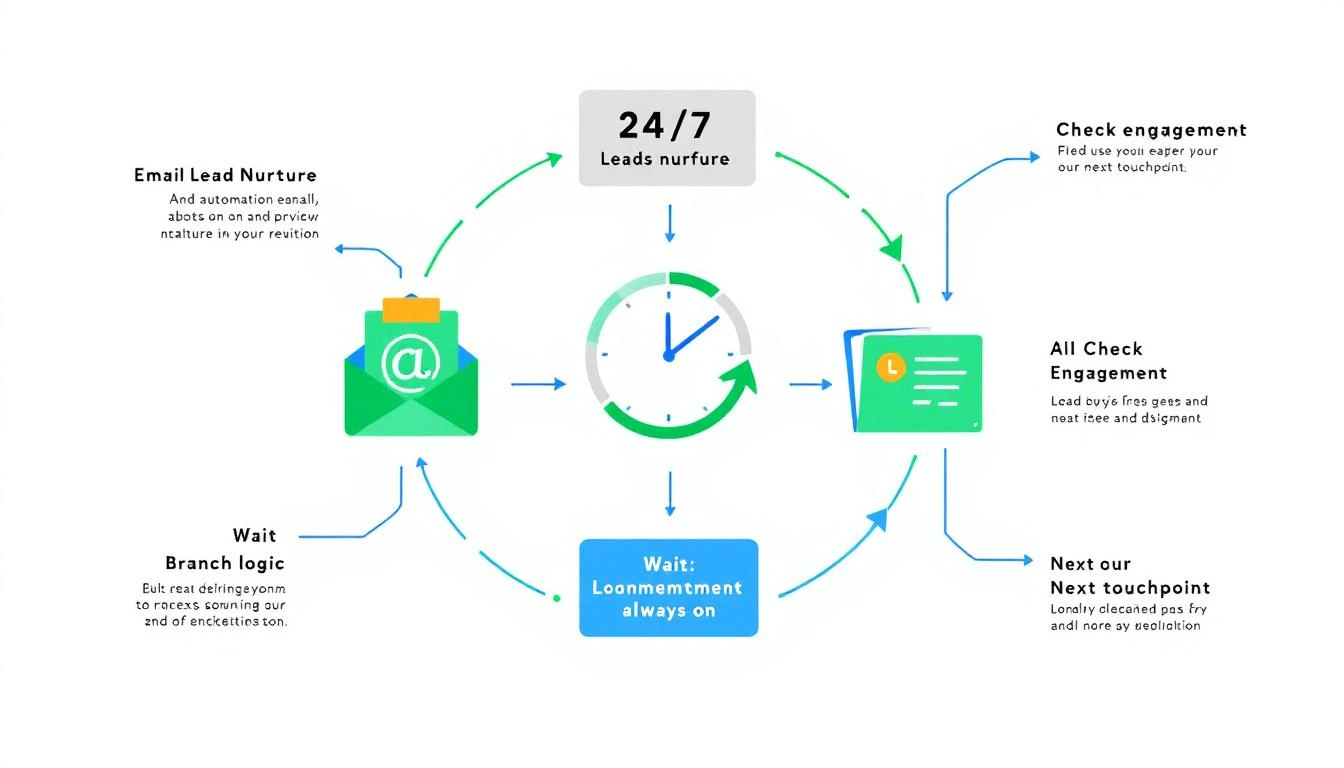
24/7 lead nurture automation cycle showing email touchpoints, engagement checks, and branching logic

Why Traditional Sequences Fail

Before building the solution, let's understand what's broken:

The "Set and Forget" Problem

Most email sequences are dumb pipes:

  • Day 1: Send email A
  • Day 3: Send email B
  • Day 7: Send email C

No awareness of:

  • Did they open previous emails?
  • Did they visit your website?
  • Did they engage on LinkedIn?
  • Did their company just raise funding?
  • Is their competitor in the news?

The Personalization Paradox

Generic sequences get ignored. But truly personalized sequences at scale require:

  • Research time per lead (15-30 minutes)
  • Customization time per email (5-10 minutes)
  • Monitoring for engagement signals
  • Adjusting based on response

That math doesn't work for SDR teams handling 200+ leads.

The Timing Trap

Your sequence says "send at 9 AM" but:

  • The lead is in a different time zone
  • They're in meetings all morning
  • They check email at 6 AM before the chaos starts
  • They're on PTO this week

Static timing = missed opportunities.

The OpenClaw Nurture Architecture

Here's what we're building:

Lead Enters Sequence → OpenClaw Agent → Intelligent Nurture

[Continuously monitors:]
- Email engagement
- Website visits
- Social activity
- Intent signals
- Competitor moves

[Adapts:]
- Message content
- Send timing
- Channel selection
- Escalation triggers

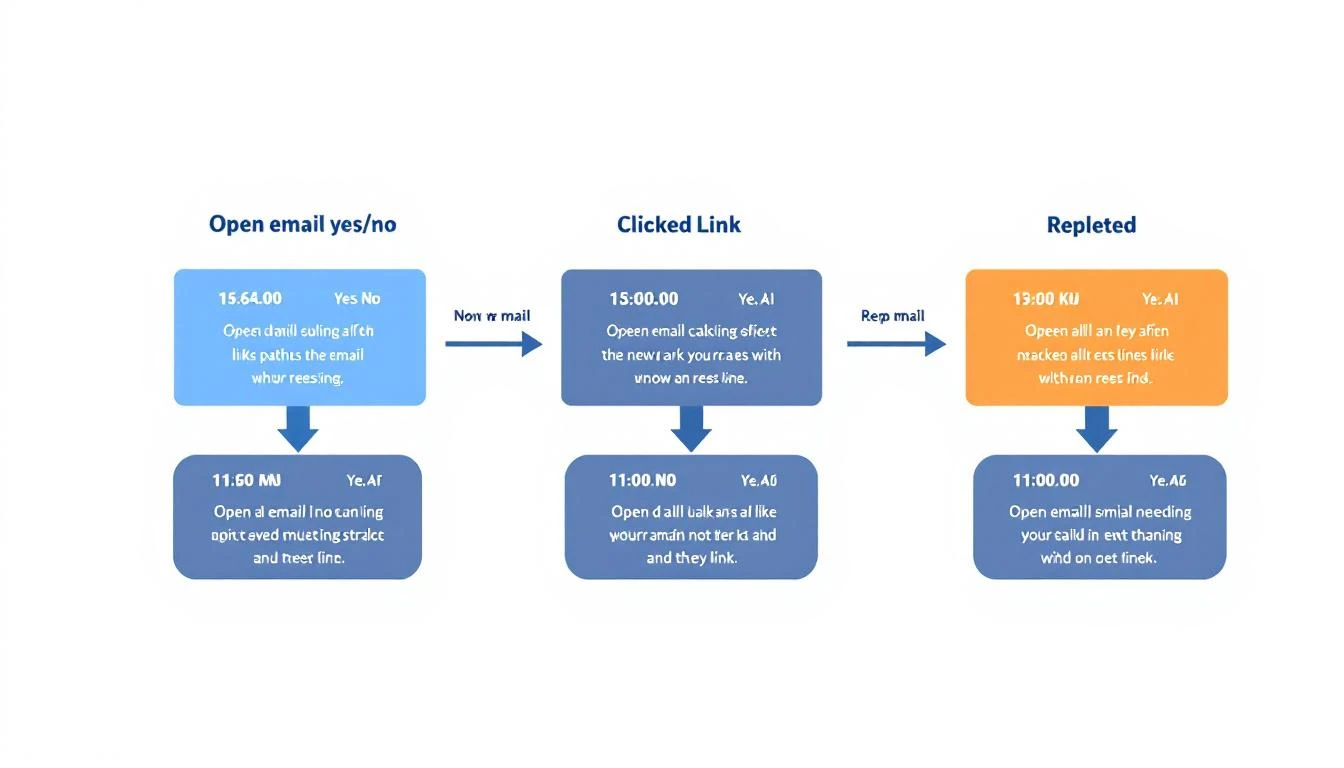
Lead nurture branching logic showing different paths based on engagement signals

Setting Up Your Nurture Agent

Step 1: Install OpenClaw

npm install -g @anthropic/openclaw
openclaw init

OpenClaw provides:

  • Persistent memory - Your agent remembers every interaction
  • Cron scheduling - Trigger actions at any time
  • Multi-channel - Email, Slack, WhatsApp, SMS
  • Browser control - Monitor websites, scrape signals
  • Free & self-hosted - No per-seat pricing

Step 2: Define Your Nurture Sequences

Create a sequence configuration:

# sequences/inbound-demo-request.yml
name: "Inbound Demo Request"
trigger: "demo_request_form"
duration: 21 # days

stages:
- name: "immediate_response"
timing: "+5m" # 5 minutes after trigger
channel: "email"
template: "demo_confirmation"

- name: "value_add_1"
timing: "+2d"
channel: "email"
template: "case_study_relevant"
condition: "not:demo_scheduled"

- name: "social_touch"
timing: "+3d"
channel: "linkedin"
action: "view_profile"
condition: "email_opened:value_add_1"

- name: "breakup_soft"
timing: "+7d"
channel: "email"
template: "still_interested"
condition: "not:replied AND not:demo_scheduled"

- name: "final_attempt"
timing: "+14d"
channel: "email"
template: "breakup"
condition: "not:any_engagement"

escalation:
- trigger: "pricing_page_visit"
action: "alert_sdr"
priority: "high"

- trigger: "competitor_mention"
action: "send_comparison"

- trigger: "reply_received"
action: "pause_sequence"

Step 3: Build the Nurture Agent

// agents/nurture-agent.js
const { OpenClaw } = require('@anthropic/openclaw');

const nurtureAgent = new OpenClaw.Agent({
name: 'NurtureBot',
memory: 'persistent',

async onNewLead(lead) {
// Store lead context
await this.memory.set(`lead:${lead.id}`, {
company: lead.company,
role: lead.role,
source: lead.source,
entered_sequence: new Date(),
engagement: []
});

// Start appropriate sequence
const sequence = this.selectSequence(lead);
await this.startSequence(lead.id, sequence);
},

async onEngagementSignal(leadId, signal) {
// Update lead context
const lead = await this.memory.get(`lead:${leadId}`);
lead.engagement.push({
type: signal.type,
timestamp: new Date(),
details: signal.details
});
await this.memory.set(`lead:${leadId}`, lead);

// Check for escalation triggers
await this.checkEscalations(leadId, signal);

// Adapt sequence if needed
await this.adaptSequence(leadId, signal);
},

selectSequence(lead) {
if (lead.source === 'demo_request') return 'inbound-demo-request';
if (lead.source === 'content_download') return 'content-nurture';
if (lead.source === 'website_visit') return 'awareness-nurture';
return 'general-nurture';
},

async adaptSequence(leadId, signal) {
const lead = await this.memory.get(`lead:${leadId}`);

// High engagement → accelerate
if (this.isHighEngagement(lead.engagement)) {
await this.accelerateSequence(leadId);
}

// No engagement → adjust channel
if (this.isLowEngagement(lead.engagement)) {
await this.tryAlternateChannel(leadId);
}

// Competitor research → send battlecard
if (signal.type === 'competitor_page_visit') {
await this.injectCompetitorResponse(leadId, signal.competitor);
}
}
});

Step 4: Configure Intelligent Timing

// Optimal send time calculation
async function calculateOptimalSendTime(lead) {
const timezone = await detectTimezone(lead.company);
const historicalOpens = await getHistoricalEngagement(lead.industry);
const calendarBusyness = await estimateScheduleBusyness(lead.role);

// Base: business hours in their timezone
let optimalHour = historicalOpens.peakHour || 9;

// Adjust for role patterns
if (lead.role.includes('CEO') || lead.role.includes('Founder')) {
optimalHour = 6; // Executives check email early
}
if (lead.role.includes('Engineer') || lead.role.includes('Developer')) {
optimalHour = 10; // After morning standup
}

// Avoid meeting-heavy times
if (calendarBusyness[optimalHour] > 0.7) {
optimalHour = findLowBusynessHour(calendarBusyness);
}

return convertToTimezone(optimalHour, timezone);
}

Personalization at Scale

Dynamic Content Generation

OpenClaw agents can generate personalized content for each lead:

async function generateNurtureEmail(lead, stage) {
const context = await gatherLeadContext(lead);

const prompt = `
Generate a nurture email for:
- Company: ${context.company}
- Role: ${context.role}
- Industry: ${context.industry}
- Recent activity: ${context.recentActivity}
- Sequence stage: ${stage.name}

Previous emails sent:
${context.previousEmails.map(e => `- ${e.subject}: ${e.opened ? 'Opened' : 'Not opened'}`).join('\n')}

Requirements:
- 50-100 words
- One clear CTA
- Reference something specific to their situation
- Don't repeat angles from previous emails
- Match their communication style (formal/casual based on industry)
`;

return await claude.generate(prompt);
}

Context Gathering

The agent continuously gathers signals:

async function gatherLeadContext(lead) {
return {
// Company research
company: await fetchCompanyInfo(lead.company),
recentNews: await searchNews(lead.company, { days: 30 }),
funding: await checkFundingEvents(lead.company),
hiring: await checkJobPostings(lead.company),

// Person research
linkedin: await fetchLinkedInProfile(lead.email),
publications: await searchPublications(lead.name),
socialActivity: await monitorSocialMentions(lead.name),

// Engagement data
emailHistory: await getEmailHistory(lead.id),
websiteVisits: await getWebsiteVisits(lead.email),
contentDownloads: await getContentDownloads(lead.email),

// Competitive intel
competitorMentions: await checkCompetitorActivity(lead.company)
};
}

Multi-Channel Orchestration

Channel Selection Logic

async function selectChannel(lead, stage) {
const channels = {
email: await getEmailDeliverability(lead.email),
linkedin: await getLinkedInConnectivity(lead),
phone: await getPhoneViability(lead.phone),
sms: await getSmsConsent(lead)
};

// Primary channel preference
if (stage.channel && channels[stage.channel].viable) {
return stage.channel;
}

// Fallback based on engagement
if (channels.email.opens < 0.1) {
// Low email engagement → try LinkedIn
if (channels.linkedin.connected) return 'linkedin';
if (channels.linkedin.canConnect) return 'linkedin_request';
}

// High intent → phone
if (lead.intentScore > 80 && channels.phone.viable) {
return 'phone';
}

return 'email'; // Default
}

Coordinated Touches

// Avoid overwhelming the lead
async function scheduleCoordinatedTouch(lead, channel, content) {
const recentTouches = await getTouchesInWindow(lead.id, { days: 3 });

// Max 2 touches per 3-day window
if (recentTouches.length >= 2) {
return scheduleForLater(lead.id, channel, content, { days: 2 });
}

// Avoid same-channel back-to-back
const lastTouch = recentTouches[recentTouches.length - 1];
if (lastTouch?.channel === channel) {
return scheduleWithChannelSwitch(lead.id, content);
}

// Good to send
return sendNow(lead.id, channel, content);
}

Escalation & Handoff

Intent Signal Detection

const escalationRules = [
{
signal: 'pricing_page_visit',
action: 'alert_sdr',
message: '🔥 Hot lead alert: ${lead.company} viewing pricing',
priority: 'immediate'
},
{
signal: 'demo_video_watched',
condition: 'watched > 50%',
action: 'schedule_sdr_call',
message: 'Demo video engagement - time to reach out'
},
{
signal: 'competitor_comparison_view',
action: 'send_battlecard',
followUp: 'sdr_call_in_24h'
},
{
signal: 'multiple_stakeholders',
condition: 'unique_visitors >= 3',
action: 'alert_sdr',
message: 'Buying committee forming at ${lead.company}'
},
{
signal: 'reply_positive',
action: 'pause_sequence',
handoff: 'sdr_immediate'
}
];

Smooth SDR Handoff

async function handoffToSDR(lead, trigger) {
// Compile complete context
const briefing = await generateSDRBriefing(lead);

// Alert via Slack
await slack.send({
channel: '#sdr-alerts',
blocks: [
{
type: 'header',
text: '🎯 Lead Ready for Human Touch'
},
{
type: 'section',
text: `*${lead.company}* - ${lead.name}\n*Trigger:* ${trigger}`
},
{
type: 'section',
text: `*Briefing:*\n${briefing.summary}`
},
{
type: 'context',
text: `Emails sent: ${briefing.emailCount} | Opens: ${briefing.opens} | Last activity: ${briefing.lastActivity}`
}
]
});

// Assign in CRM
await crm.assignLead(lead.id, await selectAvailableSDR());

// Pause automation
await pauseSequence(lead.id);
}

Monitoring Your Sequences

Key Metrics Dashboard

MetricTargetAlert Threshold
Sequence completion rate85%+&lt; 70%
Average touches to conversion6-8> 12
Email open rate30%+&lt; 15%
Reply rate5%+&lt; 2%
Escalation-to-meeting rate40%+&lt; 25%
Time to first response&lt; 5 min> 30 min

Continuous Optimization

// Weekly sequence optimization
cron.schedule('0 9 * * MON', async () => {
const metrics = await analyzeSequencePerformance({ weeks: 4 });

for (const sequence of metrics.sequences) {
// Identify underperforming stages
const weakStages = sequence.stages.filter(s => s.engagement < 0.15);

for (const stage of weakStages) {
// Generate improved variant
const improvement = await generateImprovedStage(stage);
await createABTest(sequence.id, stage.id, improvement);
}
}

// Report to Slack
await slack.send('#marketing-ops', formatOptimizationReport(metrics));
});

Results to Expect

Teams running OpenClaw nurture sequences typically see:

MetricBeforeAfterImpact
Lead response rate8%23%3x improvement
Touches to meeting14750% fewer
SDR time per lead45 min8 min82% saved
After-hours conversions5%18%3.6x more
Sequence completion34%78%2.3x higher

The key insight: humans are better at closing deals. Let AI handle the 90% of nurture that's about persistence and timing.

Getting Started

  1. Audit your current sequences - What's the completion rate? Where do leads drop off?

  2. Define your escalation triggers - What signals indicate buying intent?

  3. Start with one high-volume sequence - Inbound demo requests are perfect

  4. Run parallel with manual - Compare AI vs. human performance

  5. Expand based on results - Roll out to all sequences once proven


Ready to build always-on lead nurture? Book a demo to see how MarketBetter handles intelligent follow-up at scale.

Related reading:

How to Build a 24/7 Pipeline Monitor with OpenClaw [2026]

· 8 min read
MarketBetter Team
Content Team, marketbetter.ai

Your best deals are dying in your pipeline right now. And you won't know until your weekly forecast meeting.

Deal velocity stalls. Champions go silent. Competitors sneak in. By the time you notice, the damage is done.

What if you had an AI agent watching your pipeline 24/7—catching problems the moment they appear?

This guide shows you how to build exactly that using OpenClaw, for free.

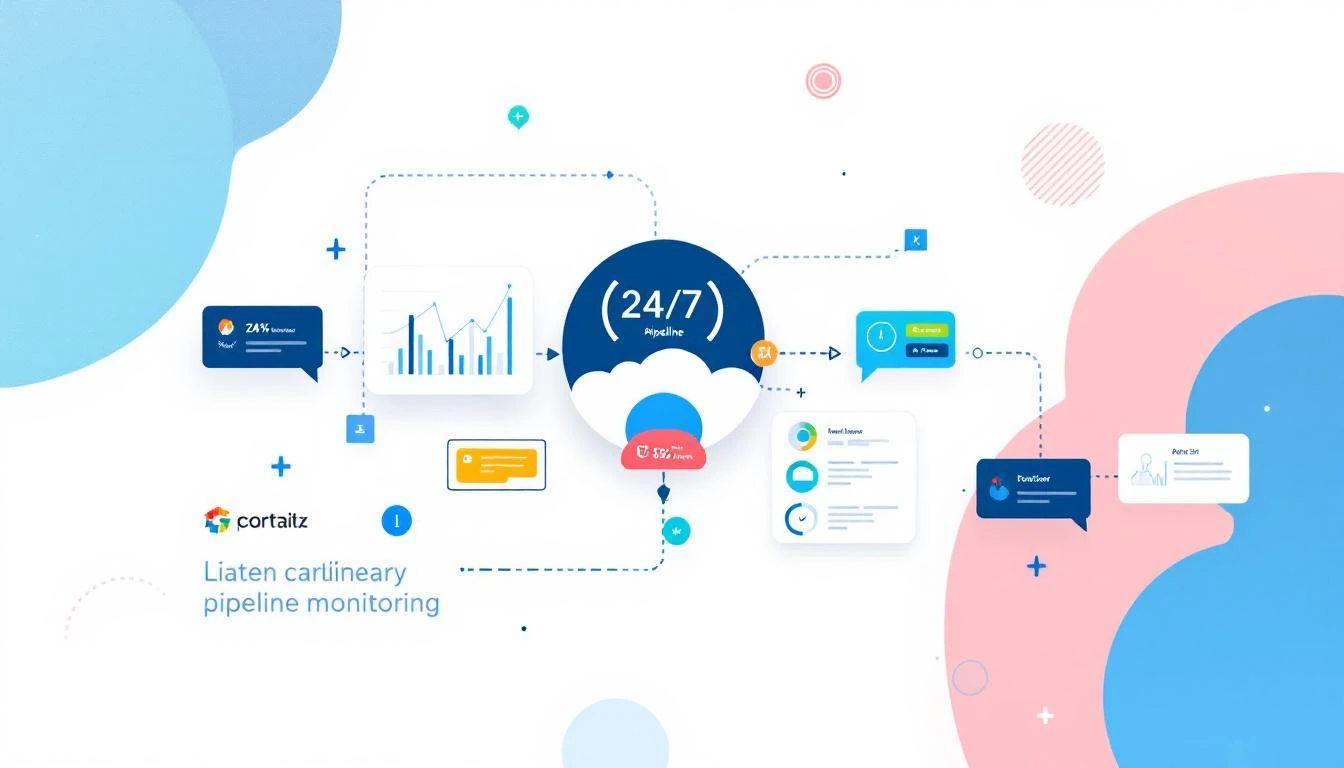
Pipeline Monitor Dashboard

What You'll Build

By the end of this tutorial, you'll have an AI agent that:

  1. Monitors deal velocity — Alerts when deals stall for too long
  2. Tracks engagement signals — Knows when proposals are being viewed (or ignored)
  3. Detects risk patterns — Identifies deals that match historical loss patterns
  4. Sends smart alerts — Notifies you via Slack with context and recommended actions

The agent runs continuously on your infrastructure. No third-party access to your CRM data. No monthly fees.

Why DIY Pipeline Monitoring?

Generic tools miss the nuance. Every sales org has different velocity benchmarks, different risk signals, different thresholds. A deal that's "stalled" for an enterprise might be normal pace for a startup.

Off-the-shelf solutions are expensive. Clari, Gong, and similar tools charge $15-40K annually. Most of that cost is for features you don't need.

Your CRM already has the data. HubSpot, Salesforce, Pipedrive—they all expose APIs. The intelligence layer is what's missing.

With OpenClaw + a modern AI model, you can build exactly what you need.

Architecture Overview

Pipeline Monitor Architecture

Here's how the system works:

HubSpot/Salesforce API

OpenClaw Agent
(Scheduled every 4 hours)

AI Analysis
(Claude/GPT)

Slack Alerts
(With context + next actions)

The agent:

  1. Pulls active deals from your CRM
  2. Analyzes each deal against your defined risk criteria
  3. Uses AI to generate context-aware alerts
  4. Sends notifications to Slack with recommended next steps

Prerequisites

Before starting, you'll need:

  • OpenClaw installed (Quick start guide)
  • CRM API access (HubSpot, Salesforce, or similar)
  • Slack webhook (for notifications)
  • ~30 minutes for initial setup

Step 1: Define Your Risk Criteria

Before writing any code, define what "at risk" means for your org.

Common criteria:

SignalThresholdWhy It Matters
Days since last activity7+ days (varies by deal size)Champion may have gone cold
Proposal views0 views in 72 hoursThey're not engaged
Stage duration2x average for that stageSomething's blocking progress
Multiple stakeholders gone quiet2+ contacts inactiveDecision is stalled
Competitor mentionedAny recent mentionYou're being evaluated

Start with 3-5 criteria. You can always add more later.

Step 2: Create Your OpenClaw Agent Configuration

Create a new agent configuration file. OpenClaw uses a workspace folder structure:

~/openclaw-workspace/
├── AGENTS.md # Agent behavior rules
├── SOUL.md # Agent personality
└── pipeline-monitor/
├── config.json # Your risk criteria
└── HEARTBEAT.md # What to check on each run

Here's a sample config.json:

{
"riskCriteria": {
"daysWithoutActivity": 7,
"minDealSize": 10000,
"proposalViewThreshold": 72,
"stageVelocity": {
"demo_scheduled": 5,
"proposal_sent": 10,
"negotiation": 14
}
},
"notifications": {
"slackChannel": "#sales-alerts",
"urgentThreshold": 3
}
}

Step 3: Write the Monitoring Logic

Here's the core logic for your agent. This goes in your HEARTBEAT.md file (what OpenClaw checks periodically):

## Pipeline Check

Every 4 hours:

1. Pull all active deals from HubSpot with deal size > $10,000
2. For each deal, check:
- Days since last activity (email, call, meeting)
- Days in current stage vs. average
- Proposal engagement (if applicable)
3. If any deal meets 2+ risk criteria:
- Generate a brief analysis of why it's at risk
- Suggest 2-3 specific next actions
- Send to #sales-alerts with deal link
4. If a deal meets 3+ risk criteria:
- Mark as URGENT
- Send additional notification to deal owner directly

Step 4: Connect to Your CRM

OpenClaw can interact with any API. For HubSpot, you'll use their Deals API.

Example interaction flow (what you'd tell your agent):

Agent, fetch all deals from HubSpot where:
- Pipeline is "Sales Pipeline"
- Stage is not "Closed Won" or "Closed Lost"
- Amount is greater than $10,000

For each deal, also fetch:
- Last activity date
- Associated contacts and their last engagement
- Any notes from the past 30 days

OpenClaw's built-in exec tool can run curl commands against APIs, or you can write a simple Node.js script for more complex interactions.

Step 5: Set Up Slack Notifications

Slack webhooks make this easy. In your Slack workspace:

  1. Go to AppsIncoming Webhooks
  2. Create a new webhook for your alerts channel
  3. Copy the webhook URL

Your agent can then send alerts like:

🚨 **DEAL AT RISK: Acme Corp ($75,000)**

**Signals detected:**
- 12 days without activity (threshold: 7)
- Proposal sent 8 days ago, 0 views
- Champion hasn't opened last 3 emails

**Recommended actions:**
1. Try reaching Sarah's colleague (Mike, CTO) via LinkedIn
2. Send a breakup email to create urgency
3. Ask for a referral to re-engage

[View in HubSpot](https://app.hubspot.com/deals/...)

Step 6: Deploy and Test

With OpenClaw running, your agent will:

  1. Wake up every 4 hours (configurable)
  2. Run through the HEARTBEAT.md checklist
  3. Analyze your pipeline
  4. Send alerts as needed

Testing tip: Start with a shorter interval (every 30 minutes) and looser thresholds to make sure everything works. Then tune for production.

Advanced: AI-Powered Risk Scoring

Basic threshold-based monitoring is good. AI-powered analysis is better.

Here's how to level up:

Pattern Matching Against Historical Losses

Train your agent on your closed-lost deals:

Agent, analyze our last 50 closed-lost deals.
Identify common patterns in the 30 days before we lost them:
- How long were they in each stage?
- What was the engagement pattern?
- Were there any warning signs we missed?

Use these patterns to score current deals.

Natural Language Deal Analysis

Instead of just checking numbers, have your agent read recent communications:

For each at-risk deal:
1. Pull the last 5 emails exchanged
2. Pull meeting notes from the last 30 days
3. Analyze for sentiment and buying signals
4. Flag if you detect hesitation, competitor mentions, or budget concerns

Weekly Forecast Digest

Beyond individual alerts, generate a weekly summary:

Every Monday at 8 AM:
1. Analyze the full pipeline
2. Identify the 5 deals most likely to close this month
3. Identify the 5 deals most at risk
4. Calculate commit vs. best-case forecast
5. Send to #sales-leadership

Real Results: What This Looks Like in Practice

Here's what one SDR leader reported after implementing this system:

"We caught a $120K deal that had gone quiet. The agent flagged it at day 8. Turns out our champion had switched teams and nobody told us. We re-engaged the new stakeholder and closed it two weeks later. That one alert paid for our entire setup time."

Typical Outcomes:

  • 15-20% improvement in deal-to-close time
  • Earlier intervention on at-risk deals (average 5 days sooner)
  • Fewer surprises in forecast meetings
  • Better rep accountability (everyone knows deals are being watched)

Cost Breakdown

ComponentCost
OpenClawFree (open source)
Hosting (VPS)$5-10/month
AI API calls~$20-50/month
Your time2-4 hours setup

Total: ~$50/month vs. $15-40K/year for enterprise alternatives.

Common Pitfalls to Avoid

1. Alert Fatigue

Don't alert on everything. Start strict and loosen only if you're missing real problems.

2. Wrong Thresholds

Your thresholds should match your actual sales cycle. A 7-day activity gap means something different for a 2-week sales cycle vs. a 6-month enterprise deal.

3. No Next Actions

An alert without a recommended action is useless. Always include what to do.

4. Ignoring False Positives

When your agent is wrong, update the criteria. This is a learning system.

Extending the System

Once you have basic monitoring working, consider adding:

  • Competitor mention detection (scan emails and meeting notes)
  • Multi-thread tracking (are all stakeholders engaged?)
  • Renewal risk monitoring (for customer success)
  • Automated follow-up drafts (agent writes, human sends)

Getting Started Today

  1. Install OpenClaw: docs.openclaw.ai
  2. Define 3 risk criteria for your org
  3. Set up a test deal in your CRM that meets the criteria
  4. Watch the alert come through
  5. Iterate based on real results

Your pipeline is too important to check once a week. Build a system that watches it for you, 24/7.

The tools are free. The setup takes an afternoon. The deals you'll save are worth it.

Want to add visitor identification and buying signals to your pipeline monitoring? MarketBetter shows you who's on your site and what they care about. Book a demo →

Automating Competitor Intelligence with AI Agents [2026]

· 8 min read
MarketBetter Team
Content Team, marketbetter.ai

Your competitors shipped a new feature yesterday. Changed their pricing page last week. Hired a new VP of Sales three days ago.

You probably didn't notice. Neither did your sales team.

By the time your quarterly competitive review catches up, your reps have already lost deals they could have won.

There's a better way.

Competitor Intelligence Dashboard

This guide shows you how to build an AI-powered competitive intelligence system that:

  • Monitors competitor websites, job postings, and content 24/7
  • Analyzes changes and identifies what matters
  • Delivers actionable alerts to your sales team
  • Updates battle cards automatically
  • Costs under $100/month to run

Let's build it.

Why Traditional Competitive Intelligence Fails

The Quarterly Review Problem

Most companies do competitive analysis quarterly (if that). By the time insights reach sales, they're stale.

A competitor drops pricing? Your reps find out mid-deal when the prospect mentions it.

A competitor launches a new integration? Your AEs get blindsided on calls.

The "Someone Should Watch This" Problem

Everyone agrees someone should monitor competitors. Nobody has time. It falls between roles—not quite marketing, not quite sales enablement, not quite product.

The Tool Problem

Enterprise competitive intelligence platforms (Crayon, Klue, Kompyte) cost $15-40K annually. For mid-market companies, that's hard to justify.

Meanwhile, the data you need is publicly available. You just need a system to watch it.

The AI Agent Approach

Instead of paying for enterprise tools or relying on manual monitoring, we'll build an AI agent that:

  1. Scrapes competitor websites on a schedule
  2. Detects changes automatically
  3. Analyzes whether changes matter
  4. Routes insights to the right people
  5. Updates your competitive assets

Total cost: Hosting ($10/month) + AI API calls ($30-80/month)

Competitor Intelligence Automation

What to Monitor

Tier 1: High-Impact, Low-Noise

Monitor daily. These changes almost always matter.

SourceWhat to TrackWhy It Matters
Pricing pageAny changesDirect impact on competitive positioning
Product pageNew featuresShapes competitive conversations
LeadershipNew hiresSignals strategic priorities
Funding newsRaises, acquisitionsChanges competitive dynamics

Tier 2: Medium-Impact

Monitor weekly. Filter for relevance.

SourceWhat to TrackWhy It Matters
Job postingsHiring patternsReveals investment areas
BlogNew contentShows messaging evolution
IntegrationsNew partnershipsMay open/close deals
Customer storiesNew logosValidates market positioning

Tier 3: Context Enrichment

Monitor monthly. Background intelligence.

SourceWhat to TrackWhy It Matters
Review sitesG2/Capterra reviewsReal user sentiment
Social mediaLinkedIn, TwitterCompany culture, positioning
PatentsNew filingsLong-term product direction
Conference talksSpeaking engagementsThought leadership themes

Architecture: Building the System

Here's how the pieces fit together:

┌─────────────────────────────────────────────────┐
│ MONITOR LAYER │
│ ┌──────────┐ ┌──────────┐ ┌──────────────────┐ │
│ │ Website │ │ Job Site │ │ News/Social │ │
│ │ Scraper │ │ Scraper │ │ Aggregator │ │
│ └────┬─────┘ └────┬─────┘ └────────┬─────────┘ │
└───────┼────────────┼────────────────┼───────────┘
│ │ │
▼ ▼ ▼
┌─────────────────────────────────────────────────┐
│ CHANGE DETECTION │
│ (Compare to previous snapshot) │
└───────────────────────┬─────────────────────────┘


┌─────────────────────────────────────────────────┐
│ AI ANALYSIS LAYER │
│ ┌──────────────────────────────────────────┐ │
│ │ Claude: Is this change significant? │ │
│ │ If yes → What does it mean? │ │
│ │ → Who should know? │ │
│ │ → How to update battle cards? │ │
│ └──────────────────────────────────────────┘ │
└───────────────────────┬─────────────────────────┘


┌─────────────────────────────────────────────────┐
│ DELIVERY LAYER │
│ ┌──────────┐ ┌──────────┐ ┌──────────────────┐ │
│ │ Slack │ │ Email │ │ Notion/Docs │ │
│ │ Alerts │ │ Digest │ │ (Battle Cards) │ │
│ └──────────┘ └──────────┘ └──────────────────┘ │
└─────────────────────────────────────────────────┘

Step-by-Step Implementation

Step 1: Set Up OpenClaw

OpenClaw is the orchestration layer that keeps everything running.

# Install OpenClaw
npm install -g openclaw

# Initialize workspace
openclaw init competitor-intel

Step 2: Configure Competitors

Create a configuration file listing what to monitor:

{
"competitors": [
{
"name": "Competitor A",
"monitors": {
"pricing": "https://competitor-a.com/pricing",
"product": "https://competitor-a.com/product",
"blog": "https://competitor-a.com/blog/rss",
"jobs": "https://competitor-a.com/careers"
},
"keywords": ["enterprise", "pricing", "integration"]
},
{
"name": "Competitor B",
"monitors": {
"pricing": "https://competitor-b.com/pricing",
"product": "https://competitor-b.com/features"
},
"keywords": ["startup", "free tier", "API"]
}
],
"schedule": {
"pricing": "daily",
"product": "daily",
"blog": "daily",
"jobs": "weekly"
}
}

Step 3: Build the Monitoring Agent

Your OpenClaw agent needs instructions for what to do:

## Daily Competitor Check (runs at 8 AM)

1. For each competitor in config:
- Fetch current pricing page
- Compare to stored snapshot from yesterday
- If changed:
a. Use Claude to analyze: "What pricing change was made and why does it matter?"
b. Assess urgency (1-10)
c. If urgency > 5, send immediate Slack alert
d. Update pricing snapshot

2. Fetch current product/features pages
- Compare to stored snapshot
- If changed:
a. Use Claude to analyze: "What new feature was announced? How does it compare to our offering?"
b. Add to weekly digest
c. Flag if it affects any active deals

3. Check for new blog posts
- Summarize any new posts
- Identify messaging themes
- Add to weekly digest

Step 4: Write the Analysis Prompts

The AI analysis layer is where the magic happens. Here are the prompts:

For pricing changes:

A competitor has changed their pricing page.

OLD VERSION:
[previous snapshot]

NEW VERSION:
[current snapshot]

Analyze:
1. What specifically changed? (prices, plans, features, packaging)
2. Why might they have made this change?
3. How does this affect our competitive positioning?
4. What should sales reps say when this comes up?
5. Urgency score (1-10) for alerting the team

Be specific and actionable.

For feature launches:

A competitor has updated their product page.

OLD VERSION:
[previous snapshot]

NEW VERSION:
[current snapshot]

Analyze:
1. What new feature or capability was added?
2. How does it compare to our equivalent feature?
3. What objections might this create in sales conversations?
4. Suggested talking points for AEs
5. Should we update our battle card? What specifically?

Step 5: Configure Delivery

Set up how insights reach your team:

Immediate Slack alerts for:

  • Pricing changes
  • Major feature launches
  • Executive departures/hires
  • Funding announcements

Weekly email digest for:

  • New blog posts and messaging themes
  • Job posting patterns
  • Minor product updates
  • Review site sentiment

Auto-updated documents for:

  • Battle cards (append new information)
  • Competitive matrix (update feature checks)
  • Objection handling guides

Step 6: Deploy and Test

Run the system manually first to verify it works:

# Test the monitoring agent
openclaw run competitor-intel --once

# Check the output
openclaw logs competitor-intel

Then enable scheduled runs:

# Enable daily schedule
openclaw cron add "competitor-intel" --schedule "0 8 * * *"

Real Output Examples

Pricing Change Alert

🚨 COMPETITOR PRICING CHANGE: Acme Corp

**What changed:**
- Pro plan increased from $49/user/month to $59/user/month
- Removed "unlimited integrations" from Starter plan (now limited to 3)
- Added new "Enterprise Plus" tier at $199/user

**Why it matters:**
They're pushing mid-market customers toward higher tiers. This creates
an opportunity with prospects who value integration flexibility.

**Talking points:**
- "I noticed Acme just limited integrations on their Starter plan.
How many integrations does your team need?"
- "Our pricing includes unlimited integrations at every tier."

**Urgency: 8/10** — Affects active deals in evaluation stage.

Weekly Competitive Digest

📊 WEEKLY COMPETITIVE INTEL DIGEST
Week of Feb 1-7, 2026

## Acme Corp
- Published 3 blog posts focused on "enterprise security"
- Hiring: 2 enterprise AEs, 1 solutions architect
- New customer story: Major Financial Corp
- Interpretation: Pushing upmarket, invest in enterprise positioning

## Beta Solutions
- Launched API v2 with webhook support
- Pricing unchanged
- Job postings down 15% vs. last month
- Interpretation: Product investment continues, may be tightening budget

## ACTION ITEMS
1. Update Acme battle card with enterprise security section
2. Review our API docs to highlight webhook capabilities
3. Schedule deep-dive on Acme's new customer win

View full details: [link to detailed report]

Advanced: Competitive Deal Intelligence

Take it further by connecting competitive intel to active deals:

## Deal-Level Competitive Alerts

When a competitor is mentioned in:
- Meeting notes (from Gong/Chorus integration)
- Email threads (from CRM)
- Deal notes

Trigger:
1. Pull relevant competitive intel for that competitor
2. Generate deal-specific battle card
3. Send to deal owner via Slack
4. Add context to deal record in CRM

Example output:

⚔️ COMPETITIVE DEAL ALERT: Acme Corp mentioned

**Deal:** Enterprise Solutions Inc ($125,000)
**Stage:** Evaluation
**Competitor mentioned:** Acme Corp (in latest meeting notes)

**Recent Acme Intel:**
- Raised pricing 20% last month
- New enterprise security features launched
- Lost 2 deals to us in similar segment

**Suggested approach:**
1. Lead with integration flexibility (their new weak point)
2. Emphasize total cost of ownership over 3 years
3. Offer POC to de-risk their decision

**Battle card:** [link]

Cost Breakdown

ComponentMonthly Cost
OpenClaw hosting (VPS)$10
AI API calls (Claude)$30-50
Web scraping (if needed)$10-20
Total$50-80

vs. Enterprise competitive intelligence: $15,000-40,000/year

Common Pitfalls

1. Monitoring Too Much

Start with 3 competitors and 2-3 sources each. Expand only after proving value.

2. Alert Fatigue

Not every change matters. Train your AI analysis layer to filter aggressively.

3. No Action Items

Insights without recommended actions get ignored. Every alert should answer "so what?"

4. Stale Battle Cards

Auto-updating documents sounds good but can create confusion. Use append-only updates with clear timestamps.

Getting Started This Week

Day 1: List your top 3 competitors and their key pages Day 2: Set up OpenClaw and configure monitoring Day 3: Write your analysis prompts Day 4: Test with manual runs Day 5: Deploy automated schedule

By Friday, you'll have a competitive intelligence system that works while you sleep.


Your competitors are watching you. Now you can watch them back—automatically.

Want to add visitor identification to your competitive strategy? MarketBetter shows you when competitor customers visit your site—and what they're researching. Book a demo →