Marketing automation for small business that actually works
For any small business owner, marketing automation is the great equalizer. It’s how you go toe-to-toe with the big guys without needing their massive budgets. It takes over the repetitive, time-sucking tasks—think email follow-ups and social media posts—so you can get back to focusing on strategy and talking to your customers. It's about doing more with less.
Why Smart Automation Is Your Secret Weapon
Let's be real for a second. As a small business owner, your time is everything. You're constantly juggling marketing, sales, customer service, and a dozen other things. It's a relentless grind against the clock.
This is where smart automation stops being a buzzword and becomes your most valuable employee. It’s not about replacing you; it’s about amplifying what you can do.
Think of it as a direct comparison:
- The Manual Way: You spend your Monday morning exporting a list of new leads, copy-pasting their names into a generic email template, and hitting 'send' one by one. By the time you're done, half the day is gone.
- The Automated Way: You spend one afternoon setting up a "welcome" workflow. From that day on, every new lead instantly gets a personalized, professional email the moment they sign up—even if it's 2 AM on a Sunday. You do the work once, and it pays you back forever.
Automating these jobs claws back hours in your schedule for the things only you can do—building relationships, innovating, and actually growing the business.
From Theory to Tangible Impact
This isn't just a hypothetical. The shift is already happening. Small and mid-sized businesses are jumping on these tools, with 47% now using software to manage their social media. Even better, businesses that use automation report a 25% drop in manual data entry time, freeing up their teams for work that actually moves the needle.
Let's ground this with a real-world example. Imagine a local landscaping company. Before automation, the owner spent hours every week manually sending booking confirmations, appointment reminders, and follow-up emails begging for reviews. It was a chore.
After setting up a simple automated workflow, everything changed. Now, when a client books online, they instantly get a confirmation email. A friendly reminder lands in their inbox 24 hours before the job. And two days after the crew leaves, a thank-you email with a direct link to leave a review goes out automatically.
That one change saved the owner over 10 hours a week and boosted their repeat customer rate by 15%. That’s the real-world power of smart automation. If you want to dig deeper, you can see how to transform communication with automated text messages for even bigger wins.
Key Takeaway: Automation isn't just for huge corporations with massive teams. For a small business, it's a practical way to level the playing field, work smarter, and drive real growth. You can learn more about the benefits of AI in marketing in our related guide.
Quick Wins with Marketing Automation
If you're wondering where to start, the good news is you don't have to boil the ocean. There are plenty of simple, high-impact automations you can set up quickly to see immediate results. Here are a few ideas to get you started.
| Manual Task | Automated Solution | Immediate Benefit |
|---|---|---|
| Sending a welcome email to every new subscriber | A "Welcome Series" workflow | Engages new leads instantly, 24/7. |
| Following up with leads who fill out a form | An instant confirmation and follow-up sequence | No leads fall through the cracks. |
| Reminding customers about abandoned carts | An automated email reminder after a few hours | Recovers potentially lost sales. |
| Manually posting to social media daily | A social media scheduling tool | Consistent online presence without daily effort. |
| Asking for reviews after a purchase | A post-purchase email sent after a set delay | Boosts social proof and online ratings. |
These aren't complex, enterprise-level strategies. They're practical, straightforward wins that any small business can implement to save time, improve the customer experience, and ultimately, make more money.
Choosing The Right Tools Without Overspending
The market for marketing automation software is noisy. Every platform promises to be the magic bullet, but for a small business, the wrong choice is more than just a headache—it's a budget-killer.
The goal isn't to snag the tool with a million features you'll never touch. It's about finding the one that solves your specific problems, fits your budget, and doesn't require a computer science degree to operate.
So, how do you cut through the hype? I always tell clients to zero in on three things: ease of use, integrations, and scalability. Can your team actually build a workflow without calling for help? Does it play nice with the tools you already depend on, like your ecommerce platform or CRM? And can it grow with you, or will you be stuck migrating everything in a year?
Comparing The Top Contenders
Let's get practical and look at a few of the platforms small businesses typically run into. Each has its own sweet spot, so the "best" one really depends on what you're trying to accomplish.
For instance, many modern platforms offer a visual workflow builder. This is what you should be looking for—something that lets you drag and drop triggers and actions to map out a customer journey.
A builder like the one above lets you create sophisticated sequences based on what people actually do (or don't do) on your site. That's where the real power is.
Small Business Automation Platform Comparison
To give you a clearer picture, here's a quick rundown of how three popular options stack up. Think of this as your starting point for research.
| Feature | Platform A (e.g., Mailchimp) | Platform B (e.g., ActiveCampaign) | Platform C (e.g., HubSpot Starter) |
|---|---|---|---|
| Best For | Beginners, simple email campaigns | Businesses needing powerful, behavior-based automation | Companies wanting an all-in-one CRM & marketing hub |
| Ease of Use | Very easy, clean interface | Moderate learning curve | Easy, but can get complex with more features |
| Key Strength | Simplicity and brand recognition | Advanced automation and segmentation | Seamless integration with its own powerful CRM |
| Pricing Model | Tiered by contacts and features; can get expensive quickly | Tiered by contacts and feature level; great value for automation power | Bundled pricing; offers a free CRM with paid marketing add-ons |
Mailchimp is a fantastic entry point. If you just need to manage a list and send basic newsletters or a simple welcome series, it's hard to beat for simplicity. But if your strategy involves sending different messages based on site visits or purchase history, you'll hit a ceiling fast.
That's where a tool like ActiveCampaign comes in. It offers much deeper logic for a price that’s still accessible. Then there's HubSpot, which is brilliant if your goal is to have sales and marketing data living under one roof from day one.
For a broader look, check out dedicated comparison lists like the 8 best ecommerce marketing automation platforms to see what else is out there.
Pro Tip: Don't let a salesperson run the demo. Before you sign anything, get them on a call and ask them to build one of your ideal workflows right in front of you. If they can't do it quickly, your team probably can't either.
Red Flags And Must-Ask Questions
Choosing a platform is a real commitment. To avoid making a costly mistake, you need to go into your demos with a checklist of tough questions.
Here's what I always push people to ask:
- Integrations: "Don't just tell me it connects to Shopify. Show me. I want to see how a new customer in Shopify ends up in a workflow here, live on this call."
- Support: "When I'm stuck on a Tuesday afternoon, what happens? Am I filling out a ticket and waiting 24 hours for an email, or can I get a human on a chat or a call?"
- Onboarding: "What's the plan for getting my team up and running? Will you help us migrate our contacts and get our first critical campaign built?"
- Hidden Costs: "Let's talk about the real final bill. Are there overage fees for contacts? Extra charges for image hosting? I want to know every single thing that could make my monthly invoice higher than the price on your website."
Getting this right from the start saves you a world of pain later. Making a smart choice on your tools is just as important as setting the right budget. For more on that, take a look at our guide on marketing budget allocation best practices.
Building Workflows That Actually Drive Sales
Okay, you’ve picked your software. That’s the easy part. The real magic of marketing automation for small business happens when you build smart, efficient workflows that hum along in the background, talking to customers and pulling in revenue 24/7. This is where we stop talking and start doing.
A "workflow" is just a fancy name for a series of automated actions that kick off when something specific happens. Instead of you manually sending every welcome email or updating a contact's status, you map out the journey once. The system takes it from there, executing flawlessly every time. It’s how you make sure no lead ever gets forgotten and every new customer gets a consistent, warm welcome.
Think of it as a simple cycle: you figure out what you need, plug in the right tools, and then double down on what’s working.
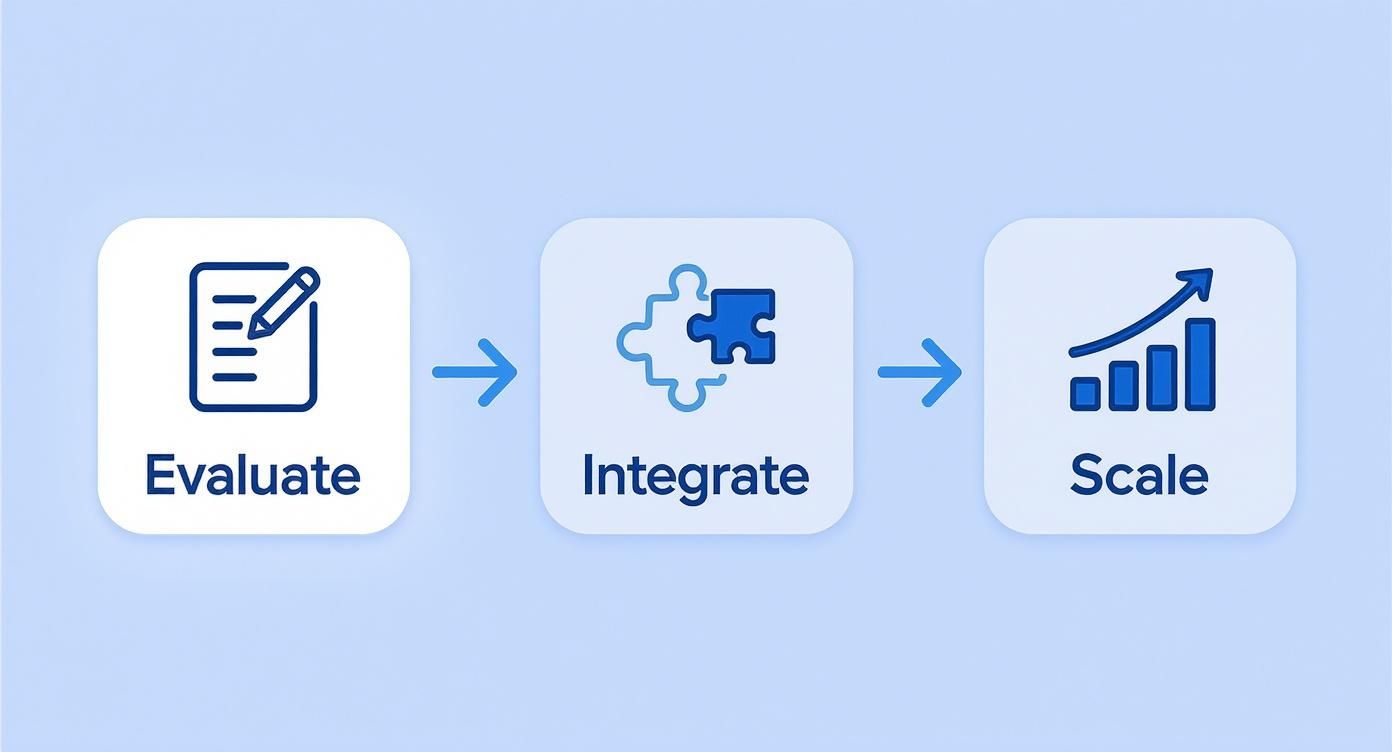
This process isn't a "set it and forget it" deal. It’s a loop of evaluating, integrating, and scaling. Let's build three foundational workflows any small business can put into action this week to see a real impact.
The Welcome Series That Creates Fans
Your welcome series is your digital handshake. It’s your single best chance to turn a casual subscriber into someone who actually looks forward to your emails. The data doesn't lie: welcome emails can score an open rate of over 80%, blowing your standard newsletters out of the water.
The goal here isn't a hard sell. It's about building trust and proving you're worth their time. A simple but incredibly effective welcome sequence looks something like this:
- Email 1 (Immediately): The second they subscribe, this email hits their inbox. It confirms they're signed up, delivers whatever you promised them (like a PDF guide or a discount code), and tells them what to expect from you.
- Email 2 (2 Days Later): Tell them your story. Why did you start this business? What big problem are you passionate about solving? This email is all about connection, not conversion.
- Email 3 (4 Days Later): Deliver pure, unadulterated value. Link to your most popular blog post, a genuinely helpful video tutorial, or a case study that shows off a customer's win. This cements your expertise and shows you're not just there to take their money.
This sequence warms up the relationship before you ever ask for the sale. When you finally do, they'll be much more likely to listen.
The Lead Nurturing Workflow for Inbound Leads
So, what happens after someone downloads that handy guide from your website? They can't just go into a black hole. A lead nurturing workflow is designed to take that flicker of interest and gently guide them toward making a purchase. Companies that get this right generate 50% more sales-ready leads at a 33% lower cost.
Let’s say a prospect downloads your "Guide to DIY Landscaping." Your automated workflow could be:
- Trigger: Contact downloads the "DIY Landscaping Guide."
- Action 1 (Immediate): Send an email delivering the guide with a simple "thanks."
- Action 2 (3 Days Later): Follow up with a related blog post, like "5 Landscaping Mistakes That Cost Homeowners a Fortune." You're adding more value and staying on their radar.
- Action 3 (7 Days Later): Time for a soft pitch. Mention your landscaping consultation service and share a quick story about a client you helped. The call-to-action is a low-pressure "Learn More," not "Buy Now."
- Action 4 (12 Days Later): Now you can make a direct offer. Clearly present your service with a strong call-to-action like "Book Your Free Consultation."
This workflow educates, builds trust, and positions you as the obvious expert to call when they're finally ready to pull the trigger.
Key Insight: The difference between a welcome series and lead nurturing is all about intent. A welcome series builds general brand love. A nurturing sequence is built to move a specific person closer to a sale based on an action they already took.
The Cart Abandonment Workflow for E-commerce
If you run an e-commerce store, cart abandonment is the silent killer of your revenue. The good news? It's one of the easiest leaks to plug with automation. A few well-timed emails can claw back a surprising number of those almost-sales.
A solid cart abandonment flow is short, sweet, and gets right to the point:
- Trigger: A customer adds items to their cart but doesn't check out within an hour.
- Email 1 (1-2 Hours Later): A gentle nudge. "Did you forget something?" Show them exactly what they left in their cart and give them a big, obvious link to go finish the purchase.
- Email 2 (24 Hours Later): Introduce a little urgency. A simple line like "Your items are selling fast!" can work wonders. You can also offer to answer any questions they might have.
- Email 3 (48 Hours Later): This is your final shot. If it makes sense for your margins, consider offering a small sweetener, like 10% off or free shipping, to get them over the finish line. Use this one sparingly, or you'll train customers to wait for a discount.
This simple, three-part sequence runs on its own and can recover sales you would have otherwise lost for good. It's a massive win with zero ongoing effort.
Connecting Your CRM and Automation Tools
Running your marketing automation and your CRM in separate silos is a massive missed opportunity. One tool knows who’s opening your emails and clicking your links; the other knows who your hottest leads are and what deals are about to close. When they don’t talk, you’re flying with one eye closed.
Connecting them is a genuine game-changer. You get a single, unified view of every customer, letting you personalize their entire journey from first click to final sale. This isn't just about syncing data—it's about making that data do something so you can send the perfect message at exactly the right moment.
Why Integration Is Non-Negotiable
A connected system is what turns abstract marketing data into actual sales opportunities. For a small business, that efficiency is everything. Without it, you’re stuck manually entering data, which is just a recipe for typos, mistakes, and leads slipping through the cracks.
With a proper connection, you create powerful, automated feedback loops. Let’s say a prospect has been quietly getting your nurture emails for a few weeks. Then, suddenly, they click a link to your pricing page.
A seamless integration can instantly ping your CRM, create a high-priority task for a salesperson, and tag that contact as a “Hot Lead”—all without anyone lifting a finger. Sales-ready leads never get left waiting.
A Practical Comparison: Native vs. Third-Party Integration
When you're ready to bridge the gap between these two platforms, you really have two main paths. Knowing the difference will help you pick the right approach for your tech stack and how much you like to tinker.
| Integration Type | Best For | Key Advantage | Potential Downside |
|---|---|---|---|
| Native Integration | Businesses using popular, all-in-one platforms (like the HubSpot CRM with HubSpot Marketing Hub). | Simplicity and Reliability. These are built-in, one-click connections. They’re officially supported and dead simple to set up. | Limited Flexibility. You're stuck with whatever connections the platform developers decided to build. |
| Third-Party Tools (e.g., Zapier) | Businesses using a mix of niche or less common tools that don't talk to each other out of the box. | Maximum Flexibility. You can connect almost any two apps, creating custom "if this, then that" workflows for anything. | More Complexity. Can require more setup, troubleshooting, and often involves an extra subscription cost. |
Creating a Cohesive Customer Journey
Ultimately, the whole point is to create a seamless handoff where marketing and sales work as one team. When your CRM knows a lead just attended a webinar (thanks to your automation tool), your next sales call can be about the webinar content, not a generic, "Hey, just checking in."
This is the kind of cohesion that separates businesses drowning in scattered data from those that are running on unified customer intelligence. A well-integrated system is the backbone of any real growth strategy.
For teams looking to take this even further, understanding how a customer data platform integration works can unlock a whole new level of insight by centralizing every scrap of customer information for maximum impact.
How to Measure Your Automation Success
Getting marketing automation set up for your small business feels great, but it’s really just the starting line. The real win comes from proving it actually works.
Without measuring the right things, you’re just paying for software. When you track what matters, you’re making a strategic investment that you can watch grow.
The trick is to stop obsessing over vanity metrics. Things like email open rates or social media likes can give you a nice ego boost, but they don't pay the bills. We need to zero in on the key performance indicators (KPIs) that connect directly to your bottom line.
Moving Beyond Vanity Metrics
True success is measured by the impact on your revenue, not just how many people clicked a link. This is where automation really shines.
Think about it: research shows small businesses using automation see an 18% increase in lead generation and a 12% improvement in conversion rates. Why? Because they're having timely, personalized conversations at scale. You can find more stats on how automation boosts small business performance over at 310creative.com.
To see this in your own business, focus on these core KPIs:
- Conversion Rate from Automated Campaigns: What percentage of people who get your welcome email series or abandoned cart reminders actually buy something? This ties a specific workflow directly to a sale.
- Lead-to-Customer Conversion Time: How long does it take for a new name in your system to become a paying customer? Good automation should shorten that cycle by nurturing them for you.
- Customer Lifetime Value (CLV): Are your automated upsell, cross-sell, or loyalty campaigns getting customers to spend more over time? If your CLV is going up, your automation is building stronger relationships.
Calculating Your Automation ROI
Let's get practical. You need a simple way to calculate the return on investment (ROI) for your automation software. Here’s a straightforward formula.
Simple ROI Formula: (Gain from Investment - Cost of Investment) / Cost of Investment
Let’s run the numbers for a hypothetical small B2B consulting firm spending $150/month on their automation platform.
1. Calculate the Gain: Their automated lead nurturing sequence lands them 2 new clients every month—clients they can directly attribute to that specific campaign. Each client is worth $1,000, so their monthly gain is $2,000.
2. Calculate the Cost: The software itself is $150/month. They also spend about 5 hours a month managing it. If their time is worth $50/hour, that's a time cost of $250. Total monthly investment: $150 (software) + $250 (time) = $400.
3. Calculate the ROI:
- ($2,000 Gain - $400 Cost) / $400 Cost = $1,600 / $400 = 4
- To get a percentage, just multiply by 100. Their ROI is 400%.
That single number is incredibly powerful. It proves your marketing automation is a profit center, not just another line item on your expense report. The good news is most platforms have built-in dashboards that make tracking the "Gain" part of this equation easier than ever.
Got Questions About Automation? You're Not Alone.
Jumping into marketing automation can feel like a huge leap, especially for a small business. It’s completely normal to have a dozen questions swirling around. Let's walk through some of the big ones I hear all the time from entrepreneurs who are right where you are.
How Much Time Will This Actually Take to Set Up?
This is the big one, right? The honest answer: it's front-loaded. You're not going to flip a switch and be done in an hour.
Plan on investing a solid 8-10 hours in your first month. That’s for the real setup—picking your platform, getting your contacts loaded in, and building out one or two of your most important workflows, like a welcome email series for new subscribers.
But here's the payoff. Once those core pieces are humming along, you’re looking at maybe 2-3 hours a month for upkeep. A little bit of monitoring, a few tweaks here and there. It's an investment that pays you back in time, over and over again.
What's the Difference Between a CRM and Marketing Automation Anyway?
This is a critical distinction, and it trips a lot of people up. Let’s break it down simply.
- A CRM (Customer Relationship Management) tool is your digital rolodex on steroids. It’s where you store customer info, track sales deals, and see your pipeline. Think of it as your database—it holds the data.
- Marketing Automation Software is the engine that acts on that data. It sends the emails, nurtures the leads, and sorts your audience based on what they do. It’s proactive—it does things with your data.
Some tools, like HubSpot, bundle them together, but it’s common to start with two separate systems. The absolute key is making sure they talk to each other. Your marketing actions are only as good as the customer data feeding them.
The magic happens when they work in tandem. Your CRM tells you who people are, and your automation platform helps you talk to them at the right time, in the right way, without you lifting a finger for every single message.
Will This Make My Marketing Feel Robotic and Impersonal?
It's a totally valid fear. Nobody wants to sound like a robot. But here's the counterintuitive truth: good marketing automation for a small business is the secret to making your marketing more personal, not less.
Think about it. Right now, you probably send one newsletter to your entire list. With automation, you can send a follow-up email based on the exact product page someone just visited. You can automatically send a birthday discount, or share a helpful article related to something they bought last month.
Automation doesn’t get rid of the human touch. It just handles the logistics so you can create more relevant, personal touchpoints at a scale you could never manage by hand. It’s about being thoughtful, automatically.
Ready to stop drowning in repetitive tasks and start building a real growth engine? marketbetter.ai uses AI to build and run the powerful marketing automations that drive sales, freeing you up to focus on what you do best. See how we can change your marketing game at https://www.marketbetter.ai.