A Marketing Campaign Planning Template That Wins
A marketing campaign planning template is more than just a document. It's the blueprint that guides your team through every single stage of a campaign, from brainstorming goals to digging into the final results.
Think of it as the single source of truth that keeps your budget, messaging, and channels all pointing in the same direction for maximum impact. It's what turns those ambitious "what if" ideas into concrete, measurable wins.
Why a Campaign Template Is Your Strategic Anchor

Let’s be honest: winging a marketing campaign is a recipe for disaster. We've all seen it happen. It leads to blown budgets, confusing messaging, and goals that feel more like wishes than actual objectives.
A solid marketing campaign planning template isn’t just another form to fill out. It’s your strategic anchor in a sea of creative chaos, keeping every department grounded and laser-focused. This documented plan becomes the central hub for your entire operation, getting creative, sales, and leadership on the same page. When everyone works from the same playbook, the risk of miscommunication plummets.
The Real Cost of Having No Plan
I've seen firsthand how a lack of planning creates friction that can derail an entire launch. Picture this: a B2B tech company is rolling out a new software feature. The social media team starts pushing flashy, high-energy videos targeting scrappy startups. At the same time, the email marketing team is sending out dense, technical whitepapers aimed at enterprise-level IT directors.
What happens next? The sales team is caught in the middle with no unified message. Prospects are confused, ad spend is wasted, and the customer experience feels completely disjointed. Each team might have hit their individual activity metrics, but the campaign failed to generate qualified leads because there was no shared vision.
The Power of a Documented Strategy
Now, contrast that with a template-driven approach. Before a single ad is designed or email is written, the template forces everyone to sit down and agree on the fundamentals:
- Action Step 1: Define Your Audience. Who are we actually talking to? Get specific. Instead of "small businesses," drill down to "CEOs of Series A tech startups with 10-50 employees."
- Action Step 2: Set Your Core Message. What's the one core value proposition we need to land? Distill it into a single, powerful sentence.
- Action Step 3: Quantify Success. What does a "win" look like, in numbers? Define the exact KPIs you'll measure.
- Action Step 4: Assign Channel Roles. How does each platform support the main goal? For instance, LinkedIn for lead gen, Twitter for community engagement.
This upfront alignment gets everyone rowing in the same direction from day one. And the data backs this up—top marketers are 414% more likely to report success when they actually document their strategy. That statistic says it all; it’s the difference between just being busy and being truly effective.
To give you a clearer picture, here’s a quick comparison showing the tangible differences between unstructured campaign planning and using a strategic template.
Ad-Hoc vs. Template-Driven Campaign Planning
| Aspect | Ad-Hoc Planning | Template-Driven Planning |
|---|---|---|
| Consistency | Inconsistent messaging and branding across channels. | Uniform messaging and brand voice everywhere. |
| Efficiency | Wasted time reinventing processes for each campaign. | Repeatable framework that saves time and resources. |
| Alignment | Teams work in silos, leading to friction and confusion. | Cross-functional alignment from the start. |
| Accountability | Unclear ownership and vague performance metrics. | Clear roles, responsibilities, and defined KPIs. |
| Results | Unpredictable outcomes and difficult-to-measure ROI. | Measurable, data-driven results and clearer ROI. |
The takeaway is simple: templates bring order to the chaos and create a repeatable system for success.
A great campaign isn't just about having a brilliant idea. It's about having a documented, repeatable process that turns that idea into predictable, measurable results. Your template provides that process.
If you're looking to build out a more sophisticated system, it's worth exploring specialized tools. For teams that want advanced customization and database-like power, checking out options like Airtable templates can show you what’s possible beyond a simple spreadsheet. The right structure builds a foundation that transforms creative concepts into real business growth.
Anatomy of a High-Impact Campaign Plan
A great marketing campaign plan is more than a digital checklist. It's a strategic framework that forces you to answer the tough questions before you spend a dime. It's the difference between launching a campaign with a clear destination and just throwing tactics at the wall to see what sticks.
Let's break down the core components that turn a simple plan into a powerful tool. Think of each part as a lever—get them right, and you build momentum. Get them wrong, and you're just wasting time, budget, and creative energy.
First, Nail Your Audience and Goals
The first two pillars of any serious plan are knowing who you're talking to and what you want them to do. Without this clarity, your campaign is just shouting into a void.
A well-defined Target Audience Persona is your shield against this. It forces you to create a detailed picture of your ideal customer—what are their actual pain points? Where do they hang out online? What makes them tick?
Just as important are your SMART Goals (Specific, Measurable, Achievable, Relevant, Time-bound). Vague objectives like "increase brand awareness" are useless for planning. A real goal sounds like this: "Generate 250 marketing-qualified leads from our B2B SaaS target audience in Q3 via our LinkedIn content campaign." That’s a clear destination. It also keeps scope creep at bay.
Here’s what this looks like in a real project management tool like Asana.
Notice how the layout clearly separates objectives, key messages, and the audience. This simple step ensures everyone on the team is starting from the same page, turning abstract ideas into a shared, actionable reality.
Then, Craft Your Message and Measure What Matters
Once you know your audience and your goals, you need a message that cuts through the noise. This is where your Unique Value Proposition (UVP) comes in. It’s the core of everything you'll say.
Actionable Comparison:
- Weak UVP: "We help you get organized." (Vague, generic)
- Strong UVP: "The only app that combines your to-do list, calendar, and notes into one seamless view, saving you an hour every day." (Specific, benefit-driven, unique)
This leads you right to your Key Performance Indicators (KPIs). These are the metrics that prove you're actually hitting your SMART goals. A comprehensive analysis of over 500 successful marketing campaigns revealed a direct link between detailed planning and performance. Campaigns with clearly defined KPIs and personas achieved, on average, a 30% higher return on investment (ROI) than those with vague plans. You can see more on this from Forbes.com.
A plan without KPIs is just a wish list. Tying every activity back to a specific metric is non-negotiable for proving marketing’s value and making data-driven decisions.
For a B2B lead generation campaign, for example, your KPIs aren't just about website traffic. They're about tangible business results. To really get this right, check out our guide on essential lead generation key performance indicators to help you pick the right metrics for the job.
These four pieces—audience, goals, messaging, and metrics—are the strategic heart of any effective campaign plan. They make sure every decision that follows, from channel selection to content creation, is purposeful and tied to measurable success.
Tailoring Your Template for Any Campaign
A generic marketing campaign planning template is a great starting point, but its real power is in its flexibility. Let's be honest, a fast-and-furious product launch on social media has completely different DNA than a slow-burn, long-term SEO content campaign.
Trying to force both into the same rigid plan is like using a hammer on a screw. It’s messy and it just doesn’t work. The goal isn’t to reinvent the wheel every time, but to know which parts of your template to lean into and which to dial back depending on the campaign. That’s what keeps your team moving, not stuck in planning quicksand.
Social Media Launch vs. SEO Content Campaign
Let’s compare two opposite campaign types to see how you would adapt your template.
| Template Section | High-Energy Social Media Launch | Long-Term SEO Content Campaign |
|---|---|---|
| Timeline | Detailed by the hour for launch day. | Structured monthly/quarterly. |
| Core Content | Visuals, short-form video, ad copy. | Long-form articles, keyword clusters. |
| Key Metrics | Engagement Rate, Clicks, Shares (real-time). | Organic Rankings, Traffic, Conversions (long-term). |
| Team Focus | Community managers, ad specialists. | SEO strategists, content writers. |
This comparison shows why a one-size-fits-all plan fails. For a social launch, your template needs a granular content calendar, detailed down to the hour, and an audience interaction plan for responding instantly. For an SEO campaign, the template must prioritize sections for keyword research, a technical SEO audit checklist, and a long-term backlink strategy.
The core of a great marketing campaign planning template isn’t its structure, but its flexibility. A plan that can’t bend will eventually break when faced with the unique demands of different marketing channels.
This process shows that no matter the campaign, foundational elements like audience, goals, and KPIs must be locked in before you can start tailoring the plan.
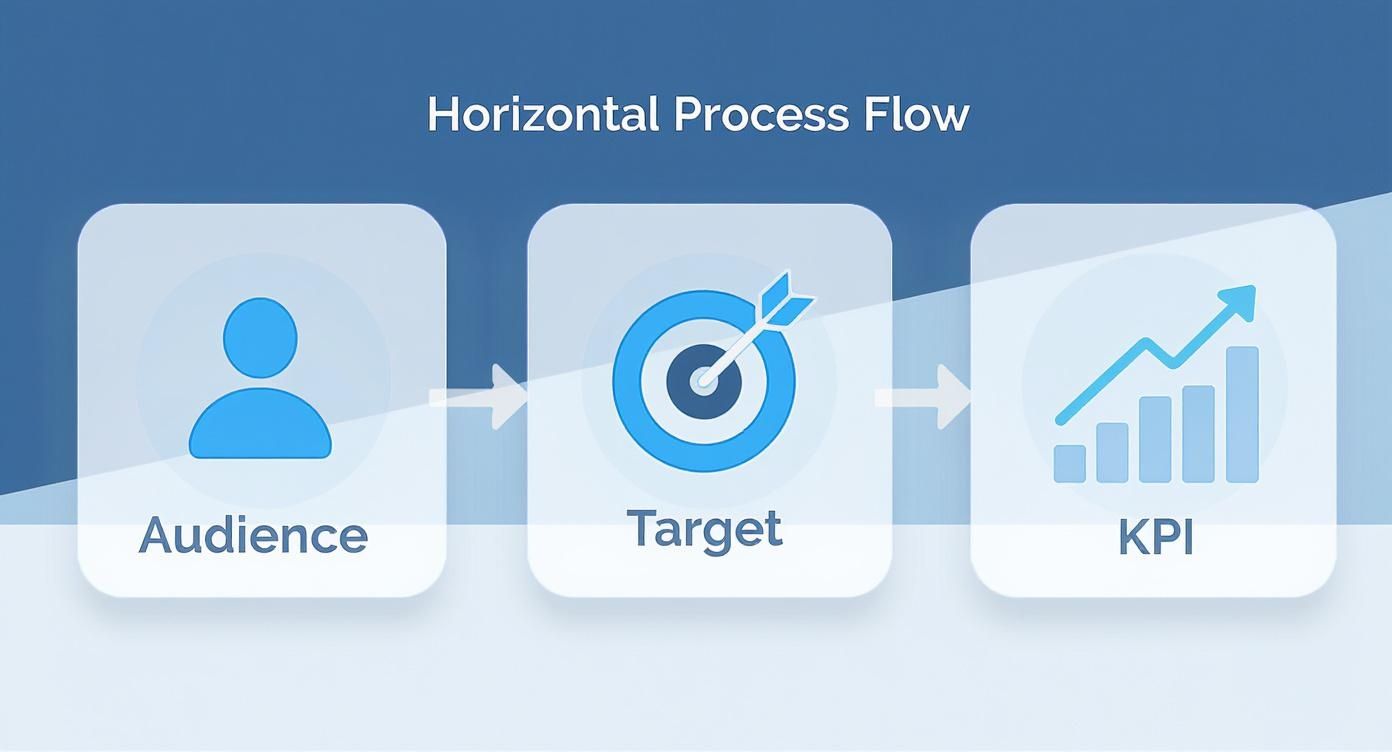
This visual just hammers home the point: a clear understanding of who you're talking to and what success looks like is non-negotiable, regardless of the channel.
Adapting for Email Nurture Sequences
What about an email nurture sequence for new leads? Here, the game is all about personalization and telling a story over time. Your template would heavily emphasize the customer journey map and a detailed messaging matrix.
Action Step: Map out the entire sequence in your template. For each email, define:
- Goal: What is the one action you want the reader to take? (e.g., download a case study, book a demo).
- Trigger: What action causes this email to be sent? (e.g., downloaded an ebook, visited the pricing page).
- Core Message: What is the key takeaway for this specific email?
- CTA: What is the exact call-to-action text?
To really nail this, you'll want to brush up on your customer segmentation strategies.
We're not just guessing here. Teams using tailored plans for digital campaigns are 60% faster at launching and adapting to market changes compared to those using a one-size-fits-all document. You can discover more insights on campaign agility from Neil Patel's blog.
Template Customization Guide by Campaign Type
To make this more concrete, here’s a quick guide showing which sections of your template to focus on for different types of campaigns. Think of it as your cheat sheet for adapting on the fly.
| Campaign Type | Primary Focus Sections | Key Metrics to Emphasize |
|---|---|---|
| Product Launch | Content Calendar, PR/Influencer Outreach, Messaging Matrix | Media Mentions, Social Engagement, Initial Sales, Website Traffic |
| SEO Content | Keyword Research, Content Production, Technical SEO, Backlink Strategy | Organic Rankings, Organic Traffic, Conversion Rate, Time on Page |
| PPC/Paid Ads | Audience Targeting, Ad Creative, Budget Allocation, Landing Page | Cost Per Click (CPC), Click-Through Rate (CTR), Cost Per Acquisition (CPA) |
| Email Nurturing | Customer Journey Map, Email Sequence Logic, Personalization Fields | Open Rate, Click-Through Rate, Lead to MQL Conversion Rate |
| Brand Awareness | Target Audience Persona, Channel Strategy, Key Messaging | Social Reach, Impressions, Brand Mentions, Share of Voice |
This table isn't exhaustive, but it shows how the center of gravity shifts depending on your objective. The right focus saves an incredible amount of time and energy.
By treating your marketing campaign planning template as a modular framework—not a rigid document—you empower your team to build the right plan for the right job. Every single time.
Connecting Your Plan to Your Marketing Tools
A marketing campaign plan sitting in a folder is useless. It’s just a document. But when you plug that plan directly into your daily workflow, it becomes a force multiplier—the bridge between high-level strategy and what your team actually does every day.
The goal is to stop thinking of your plan as a static file and start treating it as the central nervous system for your entire marketing operation.
This means your meticulously planned timeline shouldn't just live in a spreadsheet. It needs to sync directly with your project management software, turning abstract deadlines into real tickets assigned to real people.
From Static Plan to Active Workflow
This is where the magic happens. When your planning template actively feeds your tools, you eliminate the soul-crushing admin work of copying and pasting tasks from one place to another. You create a seamless flow of information that prevents crucial details from getting lost in translation.
Actionable Comparison: Two Ways to Manage Tasks
- The Disconnected Way: The marketing manager manually creates tasks in a project tool based on a separate plan doc. If the plan changes, tasks become outdated, leading to confusion.
- The Integrated Way: A task in the plan like "Launch social media ad creative" instantly becomes a card in Trello or a task in Asana via an integration or automation. It shows up with the due date, the assigned designer, and a link to the assets—all pulled directly from the plan. Nothing slips through the cracks.
The budget you carefully allocated? It can automatically set the spending caps in your Google or Facebook Ads accounts, making costly overruns a thing of the past.
Here’s a great example of how a plan can come to life inside a tool like Trello.
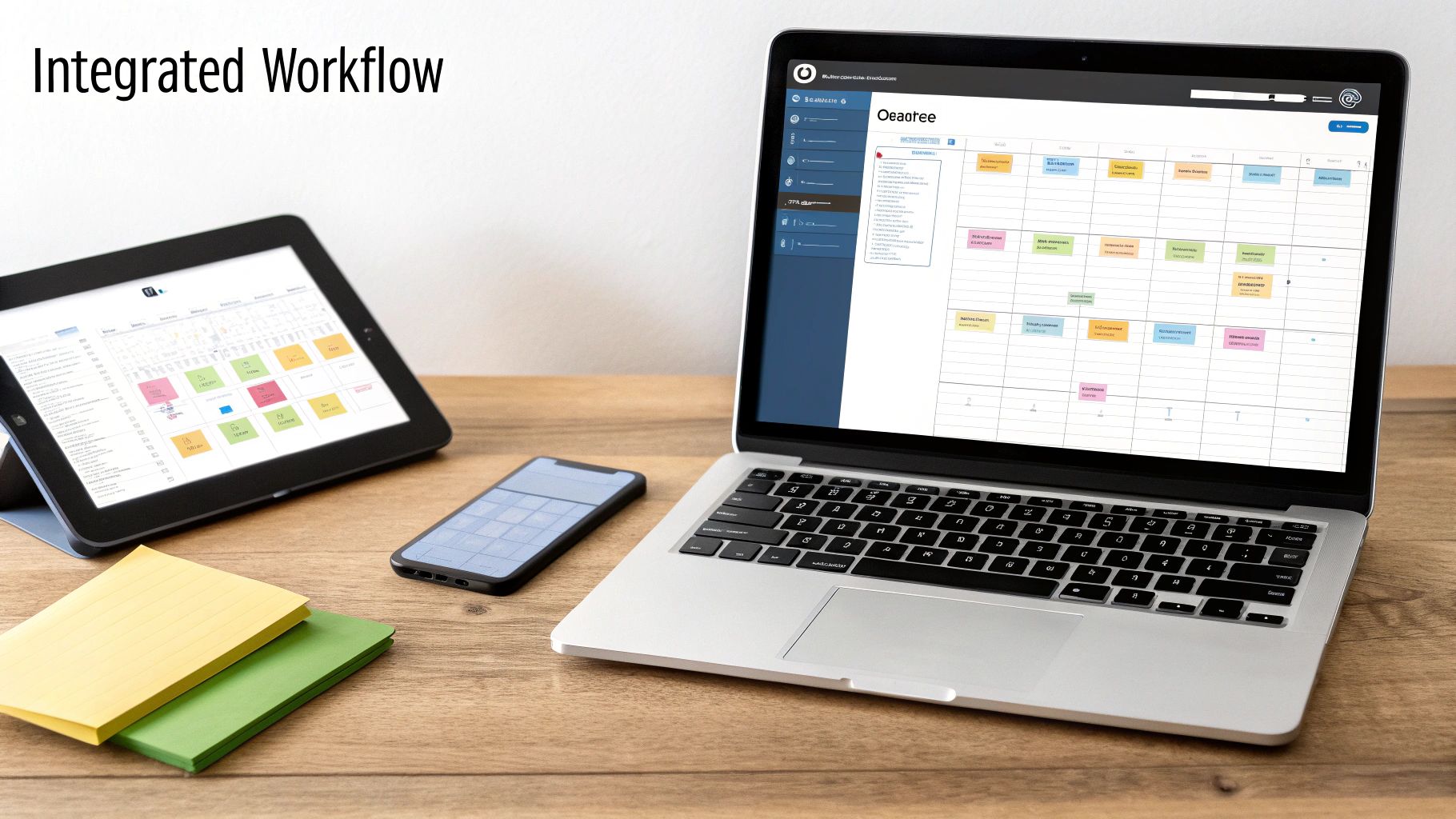
You can see how each piece of the strategy—from goals to content deliverables—is broken down into actionable cards. The plan is no longer a document; it's a living, breathing project dashboard.
Automating Execution and Ensuring Consistency
Connecting your tools isn't just about moving faster; it's about being consistent.
When the content calendar from your template feeds directly into a scheduling tool like Buffer or Hootsuite, you guarantee the right message goes out on the right channel at precisely the right time. Every single time.
This kind of integration is what separates the most effective marketing teams from the rest. In fact, research from the Content Marketing Institute found that 76% of the most successful marketers use technology to manage their content processes. There's a direct line between tying your plan to your tools and making smarter, data-backed decisions.
By connecting your plan to your tools, you create a system of accountability. The plan dictates the 'what' and 'why,' while the integrated tools manage the 'who' and 'when,' ensuring seamless execution.
To get this right, you need the right tools in your corner. Exploring resources like a Marketing Plan Simplified Toolstack can give you a head start. And if you’re looking to find the perfect platform for your team, our deep dive on the top marketing campaign management software is a great place to start.
Turning Campaign Data into a Smarter Template

The moment a campaign goes live isn't the finish line. It's actually the starting gun for gathering the intel you’ll need for the next one.
This is where you close the loop, turning raw performance data into a smarter, more effective marketing campaign planning template for the future. Don't let the hard-won lessons from a finished campaign just evaporate.
Action Step: Build a dedicated "Post-Campaign Report" section right into your template. This simple addition transforms it from a static checklist into a dynamic tool that learns and evolves with every single launch. It becomes the bridge connecting past performance to future strategy.
From Results to Refinements
The core of this process is just systematically comparing your actual results against the KPIs you set out to hit. But don't stop at a simple "we hit our goal" or "we missed it." You have to dig into the why behind the numbers.
Start by embedding a few targeted questions directly into that new section of your template:
- Channel Performance: Which channels completely crushed it, and which ones fell flat? Was it the platform itself, or was our messaging just off for that audience?
- Messaging Resonance: Which email subject lines or ad headlines actually got people to click? What specific copy points led to the most conversions?
- Audience Behavior: Did our target persona behave like we thought they would? Did a totally different audience segment come out of nowhere and surprise us?
- Budget Efficiency: Where did our money work the hardest? Which channels delivered the lowest Cost Per Acquisition (CPA)?
A structured review like this forces you to be honest about what worked and what didn't. That’s where real growth comes from—and it's how you stop making the same mistakes twice.
Your marketing campaign planning template should be a living document. Its final section shouldn't be the launch checklist, but the post-mortem analysis that makes the next plan better from the start.
Turning Learnings into Actionable Template Updates
Gathering data is only half the battle. The real magic happens when you translate those insights into concrete improvements for your template. This step is what separates the pros from the amateurs.
Seriously. Research shows that companies using data-driven insights are 23 times more likely to acquire customers. Using post-campaign data to refine your planning process is a huge part of that. You can discover more about data-driven marketing strategies at McKinsey.com.
Here’s a practical look at how a real-world learning translates into an actionable template update.
| Learning from Post-Campaign Report | Actionable Template Improvement |
|---|---|
| Email open rates were 15% below target on our last product update campaign. | Add a mandatory A/B testing field for subject lines in the 'Email & Messaging' section. No excuses. |
| LinkedIn ads drove 3x more MQLs than Facebook ads for our B2B audience. | Update the 'Channel Strategy' section to prioritize LinkedIn, with a note to allocate 60% of the initial paid social budget there. |
| The "Case Study" content asset had the highest conversion rate on our landing page. | Create a new "Proof Points" subsection under "Key Messaging" to ensure a customer story is always included. |
This proactive approach ensures those hard-won lessons don't get lost in a forgotten slide deck. Instead, they get baked directly into your planning process, making every future campaign smarter and more likely to win.
Common Questions (and Straight Answers)
Even with a killer template, a few questions always pop up. Getting your team on board, keeping the plan fresh, and sharing it without causing confusion are the usual suspects. Let's tackle them head-on.
How Do I Get My Team to Actually Use This Thing?
Look, nobody gets excited about more admin work. The key to getting your team to adopt the template isn't to enforce it like a new rule, but to show them how it makes their lives easier.
Action Plan for Team Adoption:
- Show, Don't Tell: Pull up the messy emails and Slack threads from a past campaign. Put it side-by-side with the clean, organized view in the new template.
- Highlight the "WIIFM" (What's In It For Me?): Frame it as a tool that reduces unnecessary meetings and ends the "who owns this again?" confusion.
- Collaborate on the First Run: Don't just email it out. Run your first planning session for an upcoming campaign using the template together. When everyone has a hand in building it, they feel a sense of ownership. It becomes their tool.
How Often Should We Update Our Master Template?
There’s no magic number here—it really boils down to how fast your world moves. A template should be a living document, not a stone tablet.
Here’s a simple comparison to guide you:
- For fast-moving B2C teams: If you're running multiple social or influencer campaigns a month, revisit your master template quarterly. Platform algorithms and audience trends shift so quickly that your plan needs to keep pace.
- For long-cycle B2B teams: If your world is more about foundational content marketing or account-based marketing (ABM), a semi-annual or even annual review is probably fine. The core strategies in these areas just don't change as rapidly.
Pro Tip: Don't leave this to chance. Schedule a recurring calendar invite for your template review—whether it's quarterly or annually. That way, it actually gets done instead of being pushed to the bottom of the to-do list forever.
What's the Best Way to Share This with Stakeholders?
The biggest mistake you can make is sending the same link to everyone. Your team needs a messy, work-in-progress version. Your leadership team absolutely does not.
Tailor the format to your audience.
- For the Internal Team: Give them full edit access to the live, collaborative document in Asana, Notion, or a shared Google Sheet. This is the "kitchen."
- For Leadership/External Stakeholders: Create a clean, read-only summary. Export a PDF or create a simplified "dashboard" view that hits the strategic highlights: goals, audience, budget, and main KPIs. This is the "finished meal."
Ready to stop juggling scattered documents and start building campaigns that actually win? The marketbetter.ai platform pulls your entire planning process into a single system, backed by AI-powered execution tools. We help you turn that beautiful strategy into real results—from generating on-brand content to optimizing every dollar of your ad spend.
See how marketbetter.ai can upgrade your marketing operations.